#cpus-mobo-and-memory
1 messages · Page 248 of 1

 split copper
Go into its properties, I think it might have relevant info to that
split copper
Usually Windows itself
 rancid harness
google searches mention amd chipset drivers
do i just download the latest one for my mobo
 vernal cosmos
rancid harness
do i just download the latest one for my mobo
vernal cosmos
rancid harness
do i just download the latest one for my mobo
Check the pinned guide in #windows-ios
The update guide
rancid harness
nevermind somehow theres no more disconnecting sound after downloading the chipset drivers
 shy wyvern
AMD has had that USB issue on older bios versions too that caused rapid disconnect reconnect sounds. My sister experienced it too
She ended up disabling the USB disconnect sound until they rolled out the fix LOL
 vast meadow
shy wyvern
AMD has had that USB issue on older bios versions too that caused rapid disconne...
vast meadow
shy wyvern
AMD has had that USB issue on older bios versions too that caused rapid disconne...
That was only on x570 iirc
 grizzled bloom
vast meadow
That was only on x570 iirc
grizzled bloom
vast meadow
That was only on x570 iirc
No it was just more prevalent on X570. I had it for a few bios versions on X470 and I saw it on a few B550 also.
vast meadow
Really? Interesting
grizzled bloom
Annoying too. When I'm playing a mmo and my mouse disconnects... Rip my dps
It's fixed now mostly. Some X570 might still get it occasionally.
vast meadow
That does indeed suck
rancid harness
i assumed it was the thing i screenshot
after downloading the chipset drivers it disappeared
 deft phoenix
Does anyone know if NVME drives significantly affect gpu performance?
vast meadow
nope
deft phoenix
ooo okay then whats the deal with it using pcie lanes that can coincide with the pcie lane of ur gpu
vast meadow
they dont, they have separate lanes
 opal spoke
I purchased the ASUS Tuf x570 plus Wifi mobo. And I would like to get the Ryzen 7 5800x gen 4. The mobo says it supports up to gen 3. Would this be an issue?
shy wyvern
I think I might go pick this up to do a build with, that's a great price
 vast meadow
thats nice
shy wyvern
Idk either
I got a lot of spare ram kits
I have a 3400G too but I don't think I'mma use it
that's for testing the AM4 boards I get in
I'll probably look for a cheap 2600ish range and throw a 2gb 1050 on it and sell it as an lite gaming/esports rig
 rocky beacon
I have a spare 3600 and 2600
shy wyvern
I've been seeing lots of 2600s for around $70-100 recently locally
I may just go pick up one of those
the 2600 hasn't aged the best tho imo
For gaming that is
for productivity or office work the thing is a beast
i5 8400 has somehow aged better even though it only has 6 threads
 hollow thorn
Depends on cpu
 unreal dagger
I9 10900k
hollow thorn
Not too familiar with max on 10th gen, 1.25v or 1.3v should be a good start
unreal dagger
Oh.. currently on 5.1 1.38…
Stable. Should I go to like 5.0 then?
And turn down my voltage
hollow thorn
I mean, a 'good' bin on 10900k should be able to do 5.2 at 1.3 iirc
hollow thorn
They measure voltage at a different point but anyways binning stats
https://siliconlottery.com/pages/statistics
That io sounds high to me, dunno though
Go check pinned in #overclocking
unreal dagger
Ok thank you
shy wyvern
hollow thorn
Not too familiar with max on 10th gen, 1.25v or 1.3v should be a good start
Max should be around the same safe max for 9th gen considering they're on the same node I believe
 zinc aurora
Hello im thinking of upgrading to an i5 12600k,with a asus rog strix-z690-a.And also upgrading powersupply from 650 watts to 850 w corsair rmx gold powersupply.I want a bigger powersupply so that i can upgrade my gpu when prices settle.thoughts?
 dense frost
good combo
grizzled bloom
Also consider the Revo DF if you end up missing the sale on RM850x https://smile.amazon.com/dp/B07P7XLVJG

Revolution D.F. Is a full modular power Supply Series with 80 Plus Gold certified efficiency. In addition, revolution D.F. Comes with an exclusive D.F. Switch design which offers users to activate the patented DFRTM (dust Free Rotation) technology anytime they desire. 100% Japanese 105°c electrol...
grizzled bloom
zinc aurora
Hello im thinking of upgrading to an i5 12600k,with a asus rog strix-z690-a.And ...
You shouldn't be spending more on a motherboard than the processor in general. Consider this instead. You don't need top tier boards for 12600k. https://pcpartpicker.com/product/GvmmP6/msi-pro-z690-a-ddr4-atx-lga1700-motherboard-pro-z690-a-ddr4
vast meadow
Also bitfenix whisper M 850w is 100$ atm, personally I'd save the 10$
vernal cosmos
vast meadow
Also bitfenix whisper M 850w is 100$ atm, personally I'd save the 10$
well the agf is like 2$ less so hah
vast meadow
vernal cosmos
well the agf is like 2$ less so hah
It also has bad power ok signal
:/
vernal cosmos
vast meadow
It also has bad power ok signal
but i don want ok power
i wan good power
so there
hah!
vast meadow

vernal cosmos
LMAO
split copper

vernal cosmos
ok im done being big dum
 vernal cosmos


 naive pendant
god dangit

 wheat kettle
Hello first time posting. I am slowly upgrading my dell inspiron 5680, I've upgraded almost everything including the processor to an i7-8700, I'm looking for a new motherboard so I can switch to a different case down the line. Any recommendations?
Also I basically only play cities skylines these days.
grizzled bloom
wheat kettle
Hello first time posting. I am slowly upgrading my dell inspiron 5680, I've upgr...
Looks like that's got a non-standard motherboard. It's some cross between atx and micro atx, the holes won't line up with standard boards.
This means if you want a new motherboard you'll need a new case at the same time.
wheat kettle
grizzled bloom
Looks like that's got a non-standard motherboard. It's some cross between atx an...
Absolutely, I am more then okay with junking this dell case and mobo lol
grizzled bloom
In that case look for used or refurbished B360, B365, or H370 motherboards (or Z390 if you have a K processor) and pair it with something like a p400a.
wheat kettle
grizzled bloom
In that case look for used or refurbished B360, B365, or H370 motherboards (or Z...
Amazing, thank you so much. I'm gonna have a look around for these boards now. I know they are pretty outdated by now so hoping I do find something at a great price..
 vale yarrow
is the ryzen 5 5600g a good cpu to get in replacement for a ryzen 3 3100? i stream and do a few multitasking things, and am just wondering if its worth buying
vast meadow
vale yarrow
is the ryzen 5 5600g a good cpu to get in replacement for a ryzen 3 3100? i stre...
Not really unless you don't have a gpu which you clearly do because you're using a 3100, 5600x at least but sounds like (if your board is good enough) 5800x might be worth a look if it's in your budget
 finite elm
vast meadow
Not really unless you don't have a gpu which you clearly do because you're using...
finite elm
vast meadow
Not really unless you don't have a gpu which you clearly do because you're using...
Could be based on price. Not a good alternative on AM4 for 200$ anymore.
could always save up for the 5600x which is around 40-50$ more I suppose though
vast meadow
Yeah 5600g is not a good option unless you need the good igpu unfortunately :(
finite elm
5600g and 5600x are the only 5000 cpu's that include a cpu cooler right? and the cooler should be enough for them unless overclocking huh?
vast meadow
Yeah as long as the case is good but honestly spending the extra 25$ or so for 3rd party is worth as they should be enabling pbo
finite elm
Does PBO heat up the 5600x more than the 3600x or 3900x? both of those are fine with PBO on with their respective stock coolers in my experience.
vast meadow
finite elm
Does PBO heat up the 5600x more than the 3600x or 3900x? both of those are fine ...
3900x?!?
3700x? And it does indeed heat up good bit more yes
Also the 3700x had better stock cooler
finite elm
3900x has the better stock cooler.
3700x is better too but not as good as the 3900x's one.
vast meadow
Uh i don't think the 3900x came with one? For ryzen 3000 r3/5 same base cooler then r7 had the chunky one idk bout 3900x
finite elm
3900X came with the wraith prism.
I just sold mine with the CPU.

You can look at this beefy boi here lol
I have my 3700x's stock cooler in my dad's PC right now. So can't show you that one.
vast meadow
And for reference idk what temps where like straight away but after roughly a year of use, with my 3600 with pbo on stock cooler was getting ~90c in cpu z stress test -ik not the best but good enough, after i got the id cooling se 224xt it tops out at like 70-75c now
finite elm
I'll check the temps on my brother's PC.
His server Pc anyways. Uses it solely to host game servers in various games.
The 3900x was really easy to cool. I think with the stock cooler the hottest it got under load was about 74°c but I could be wrong.
So a bit cooler than the 5800x that i have with a 240mm rad and a better case D; which is pretty good for an included fan I think.
vale yarrow
vast meadow
Not really unless you don't have a gpu which you clearly do because you're using...
my price range is about 300 ish, but i could stretch it to 400
cad, not usd
im not sure if the 5600x falls within that
why is the 5600g not worth it?
hollow thorn
5600g has halved l3 cache compared to 5600x
vale yarrow
hollow thorn
5600g has halved l3 cache compared to 5600x
what does this mean? im a little uneducated with cache and stuff
hollow thorn
The specifics doesn't matter as much, it just contributes to about a 10% performance uplift in games from 5600g to 5600x
 vale yarrow
ohhh i see
okay well thank you
ill definitely consider iot
i appreciate your advice
hollow thorn
You're welcome
finite elm
@vast meadow I checked the 3600 temps and I'll make sure its cleaned out then I'll check again and then see if it needs a new cooler. at about 30% usage it was at 60 though so not great tbh.
vale yarrow
hollow thorn
You're welcome
ive never upgraded a cpu before. I know its the same socket, and my cpu cooler should be good enough to handle it, but im wondering if theres anything i should do prior or after installing the cpu
hollow thorn
vale yarrow
ive never upgraded a cpu before. I know its the same socket, and my cpu cooler s...
For 5600x, you might need to update bios beforehand
vale yarrow
hollow thorn
For 5600x, you might need to update bios beforehand
is that difficult to do? ive never done it before
finite elm
What motherboard do you have?
hollow thorn
Specific instructions can be found in the manual, you just download something onto a USB stick, click a few buttons in bios, and let it do its thing
Just go to your mobo's website for the newer bios versions
finite elm
I guess since you have a 3100 already you dont have to worry about needing a CPU to do it.
vale yarrow
hollow thorn
Just go to your mobo's website for the newer bios versions
and then download this on a usb, then when i restart my computer, plug it in and let it work its magic?
hollow thorn
Check your manual for specifics, after getting it onto a USB stick, shut down, turn on, press a button (usually del), to enter bios, and in bios, usually in the boot section, there will be an option to update the bios, select that, select the USB drive with the file, and it should do its thing
vale yarrow
hollow thorn
Check your manual for specifics, after getting it onto a USB stick, shut down, t...
okay, thank you so much
hollow thorn
You're welcome, also, make sure to download the latest version of bios, preferably not the beta version
vale yarrow
yeah i just found the beta version, ill try to steer clear of it
 cerulean wadi
finite elm
https://imgur.com/a/A7U5jzK
I just sold mine with the CPU.
cerulean wadi
finite elm
https://imgur.com/a/A7U5jzK
I just sold mine with the CPU.
That's quite the base plate there. Mmm, copper
finite elm
cerulean wadi
That's quite the base plate there. Mmm, copper
is that good or is this sarcasm
cerulean wadi
finite elm
is that good or is this sarcasm
Totally srs, compared to most baseplates barely bigger than an ihs (whether it'll help em or not). Plus I like bare copper
cerulean wadi
finite elm
is that good or is this sarcasm
 - 4 lbs of copper, lmao

 cursive epoch
TRUE Copper
 burnt spear
nocop
 limber dragon
A real gpu heatsink
 naive pendant
Nice
cerulean wadi
Yum, all that copper
vast meadow
finite elm
<@!191276897227898880> I checked the 3600 temps and I'll make sure its cleaned o...
Yeah that sounds a bit high
vast meadow
vale yarrow
yeah i just found the beta version, ill try to steer clear of it
Also read through from your bios version to the most recent and make sure you don't have to update it like twice or something
finite elm
Would going up to a 280mm rad help my 5800x much or would I need a 360mm degree rad to really see a difference
vernal cosmos
Aio matters too
grizzled bloom
280 is good, more fins the better
limber dragon
its also a 5800x and only puts out 100w max in 90%+ of games
limber dragon
its okay, depends on what you want to do with it
grizzled bloom
As long as you're on a Z590 motherboard yeah, it should overclock well
vale yarrow
vast meadow
Also read through from your bios version to the most recent and make sure you do...
twice?
when would i have to do that?
vast meadow
 mint pike
thoughts on i5 11600k?
mint pike
thoughts on i5 11600k?
Meh, terrible choice in 2022 like 99% of the time
vast meadow
vale yarrow
twice?
Sometimes it will say you need xx bios before going to yy bios
vale yarrow
ohhhhhh okay i understand
mint pike
vast meadow
Meh, terrible choice in 2022 like 99% of the time
is there a better option in the 230-250 range?
i have a b550 phantom 4 but cant find a cpu in the 230 range available
grizzled bloom
mint pike
would this suffice? ASROCK Z590M PRO4
Avoid asrock for Intel 10th/11th gen, they gimped the power limits
vast meadow
mint pike
is there a better option in the 230-250 range?
What's overall budget for cpu motherboard (and cooler/ram if you don't already have those)
mint pike
so cpu would be 250 if i need to get mobo,
but i currently have a b550 phantom 4 laying around that id like to use instead of buying a new one
vast meadow
5600x considering you have the b550 lying around yeah
mint pike
ok i got some help from someone not too long ago and they said there is a small chance i would have to update the bios on the b550
because i had ordeered it ~7 months ago
vast meadow
Ehh it depends might might not
mint pike
is there an easy way to check? id assume not right
vast meadow
Well if the box happens to say Ryzen 5000 on it
That would mean you definitely don't
grizzled bloom
Does AMD still have the loaner cpu program for updating bios?
If not a local shop could do it quick
mint pike
i remember someone saying that, i think they said they dont do it
would they charge me?
vast meadow
grizzled bloom
Does AMD still have the loaner cpu program for updating bios?
Don't think so
limber dragon
grizzled bloom
Avoid asrock for Intel 10th/11th gen, they gimped the power limits
also avoid for z390, as I've seen multiple vrm fires and have had to rma multiple others for being faulty in parts other than the vrm
limber dragon
grizzled bloom
Does AMD still have the loaner cpu program for updating bios?
yes, but they require proof of mobo vendor saying that the mobo came without a supported bios for the cpu that you also have to show proof of purchase for
before they were much more lenient on the loaners, now its a "you absolutely cant update"
vast meadow
Ah thats fine then
mint pike
so if i do order a 5600x, and the bios needs to be updated, you think a local shop would do it for a small fee?
limber dragon
because a lot of boards have flashback, and amd wants you to actually use it instead of them possibly losing a loaner cpu
vast meadow
Probably, unfortunately i don't think the board has flashback :(
limber dragon
mint pike
so if i do order a 5600x, and the bios needs to be updated, you think a local sh...
my shop charges $179
mint pike
for a bios update??
limber dragon
yes
vast meadow
limber dragon
my shop charges $179
WTF
vast meadow
Buy and resell an athalon for that price lmao
limber dragon
you have to remove cooler, remove cpu, use shop cpu, update bios, replace original cpu
limber dragon
you end up spending a lot of time and having to repaste 3x over
limber dragon
who knows what your local shops do, mine is a 179 flat fee
mint pike
vast meadow
Probably, unfortunately i don't think the board has flashback :(
was this to me?
vast meadow
mint pike
was this to me?
Yes
mint pike
limber dragon
who knows what your local shops do, mine is a 179 flat fee
yeah, it probably wouldnt hurt to call and see my options
mint pike
vast meadow
Yes
ahh ok
limber dragon
limber dragon
who knows what your local shops do, mine is a 179 flat fee
and for pato, if they used the stock cooler, you also get to remove the back panel because the backplate is going to fall off every time you remove the cooler
limber dragon
yeah, and that's why its 179
vast meadow
Well sounds like a fun shop 🙃
limber dragon
its not
mint pike
justafied
limber dragon
had a chiropractor approve $1200 of virus removals, os updates, and clonings for 4 computers
vast meadow

limber dragon
havent started yet 
mint pike
sounds fun
grizzled bloom
Yeah honestly just get a $20 cpu and do it yourself at that point lol
Assuming that it really needs the update to even pass post, which is unlikely
vernal cosmos
limber dragon
you end up spending a lot of time and having to repaste 3x over
Wait why repaste temp bios update cpu
limber dragon
because after the bios updates, it'll boot itself up
grizzled bloom
Graphite pads would save some time/trouble/mess
limber dragon
and Im not going to sit there for 20 minutes waiting for it to update, and be forced to shut it down right as it posts
vernal cosmos
limber dragon
because after the bios updates, it'll boot itself up
Oh? In my experience its always put up a screen saying flash successful and asking if it should reboot
vernal cosmos
grizzled bloom
Graphite pads would save some time/trouble/mess
Yeh this sounds like good idea
limber dragon
vernal cosmos
Oh? In my experience its always put up a screen saying flash successful and aski...
might depend on board, all the ones to my recollection always go to bios or boot up, and cpus do produce heat in bios
vernal cosmos
limber dragon
might depend on board, all the ones to my recollection always go to bios or boot...
Thats fair yeah
But graphite sheets would be very useful
vast meadow
Thing about graphite sheets is you needa buy them lol
grizzled bloom
In the case of Fitz you can write that off as a business expense, and the time/labor saved you can reduce the cost of the service a bit, therefore more people may choose to use it.
vast meadow
oh yeah if youre a business its a good idea but for personal use thats not worth it imo
grizzled bloom
Yeah that's not really worth it for individuals unless you do a lot of cooler swaps and stuff
limber dragon
grizzled bloom
In the case of Fitz you can write that off as a business expense, and the time/l...
we get like 1 bios update a month because if someone built their computer, they arent going to want to go to a repair shop
90% of our computers are laptops/prebuilt desktops
if someone comes in with a "I built this desktop and its not posting", we already know its just a free estimate and dont bother spending much time on it
 quartz oriole
I plan on building my pc over the summer, should I go ahead and get a 5800x/5900x or wait for Ryzen 7000?
vast meadow
Ryzen 7000 we will have to see, no point going ryzen 5000 with intel 12th gen released
vast meadow
quartz oriole
Can’t really go Intel
Well then you can't go ryzen 7000 either, different socket
quartz oriole

I swear I read somewhere they would use the same socket
Well that answers that ig
vast meadow
Lol nope this is the first ryzen socket change
quartz oriole
Well if Ryzen 7000 does turn out to be as good as what people are speculating then maybe I’ll buy a new mobo
vast meadow
No point in waiting they're only go to down in value I'd sell your board personally if you're not gonna build right away unless you tryna get a heavily discounted
quartz oriole
Yeah maybe
finite elm
Thinking of replacing my 240mm aio for my 5800X, Should I get a tower cooler, 280mm aio or 360mm aio? the 240mm is not enough 😦
vast meadow
360 -280 is only if you can't fit 360 imo
finite elm
vast meadow
360 -280 is only if you can't fit 360 imo
I can fit a 360mm on top yeah.
is there not a tower that can cool the 5800x 😛
 oblique haven
quartz oriole
Well if Ryzen 7000 does turn out to be as good as what people are speculating th...
oblique haven
quartz oriole
Well if Ryzen 7000 does turn out to be as good as what people are speculating th...
Tbh part of me thinks that AMD won’t have such an easy time with Zen 4. They can beat the 12100, 12400 and 12900K at price parity easily, but the 12600K and 12700K are, like, 40-50% faster than their Zen 3 counterparts in multicore and it makes me wonder how AMD is ever supposed to beat them by enough to hold up against Raptor Lake
grizzled bloom
That's the extra cores at play helping the multicore scores
vast meadow
finite elm
is there not a tower that can cool the 5800x 😛
I mean that frost giant el macho thing probably could 
finite elm
vast meadow
I mean that frost giant el macho thing probably could <a:pepelaughgiggle:8682738...
I thought NH-D15 was really good. or the Be Quiet Dark Rock Pro
hollow thorn
oblique haven
Tbh part of me thinks that AMD won’t have such an easy time with Zen 4. They can...
If you look at 5900x against 12700k, 5900x still tends to win, 12700k has 8 P cores and 4 E cores, adding up to 12 cores, against 5900x with 12 cores.
vast meadow
finite elm
I thought NH-D15 was really good. or the Be Quiet Dark Rock Pro
Not better than a good 240mm
oblique haven
hollow thorn
If you look at 5900x against 12700k, 5900x still tends to win, 12700k has 8 P co...
The numbers I’ve been seeing indicate that the 12700K is actually slightly faster, only hurt by platform cost… and technically, the 7800X is going to have to compete with it.
grizzled bloom
hollow thorn
If you look at 5900x against 12700k, 5900x still tends to win, 12700k has 8 P co...
BuT tHat'S NoT a FAir CoMPaRiSoN
hollow thorn
oblique haven
The numbers I’ve been seeing indicate that the 12700K is actually slightly faste...
depends on benchmark
Most need 12700k OCed to beat 5900x like v ray
 finite elm
hollow thorn
Grand Macho might beat some 240mm aios though
finite elm
hollow thorn
Grand Macho might beat some 240mm aios though
you mean this ugly thing? https://www.amazon.com/Grand-Macho-RT-fan-TY-147B/dp/B01BCLXO7Q

The cooler works better with the AMD socket. Silent cooling replacement for Intel stock coolers (0dB without fan). Offset base for better VGA card and memory clearance (PCI-e and RAM sockets) Active cooling (with fan) up to 300watt thermal design power (TDP) Black top to complement build aestheti...
hollow thorn
finite elm
you mean this ugly thing? https://www.amazon.com/Grand-Macho-RT-fan-TY-147B/dp/B...
Yes
its huge
hollow thorn
doesn't matter if its huge, lots of fins, lots of cooling :D
vast meadow
Ryzen 5000 needs a price cut, but even if Ryzen 7000 is going to be great they really limited themselves as it's going to be ddr5 only
oblique haven
It’s a relevant comparison given platform cost comparisons, definitely… but I honestly can’t see the 7800X (which is gonna have eight cores unless AMD has a surprise ready for us) beating the 12700K/5900X in multicore outright
hollow thorn
oh wait you're talking about ryzen
the whole time I thought you were talking about the i7-7800x
finite elm
Should I get EK 360mm or Arctic Freezer? @vast meadow
hollow thorn
oblique haven
It’s a relevant comparison given platform cost comparisons, definitely… but I ho...
Can't say much about 7800x atm
grizzled bloom
vast meadow
Ryzen 5000 needs a price cut, but even if Ryzen 7000 is going to be great they r...
DDR5 stock is expected to be a little better by then
More mature too
oblique haven
I’m basically using my napkin-math skills to make some bootleg projections of Zen 4 performance
vast meadow
finite elm
Should I get EK 360mm or Arctic Freezer? <@!191276897227898880>
Arctic but EK also decent, arctic better priced tho
grizzled bloom
Is it even confirmed on 5nm? I thought they were talking about 4nm being a possibility
finite elm
vast meadow
Arctic but EK also decent, arctic better priced tho
are the a-rgb and non a-rgb the same quality? so I don't need to pay for RGB fans if I don't want them?
hollow thorn
I don't think so, I mean, tsmc doesn't have their 4nm up yet afaik
Well, I don't even think tsmc had a 4nm node, they're working on 3nm iirc
vast meadow
grizzled bloom
DDR5 stock is expected to be a little better by then
Yeah they said they delayed it for d5 stock iirc but good d4 still gonna be better for while imo
oblique haven
The number I’ve heard is Zen 4 is set to be about 40% faster than Zen 3, which is enough to beat roughly half to two-thirds of the Alder Lake lineup at price parity in my estimation
vast meadow
finite elm
are the a-rgb and non a-rgb the same quality? so I don't need to pay for RGB fan...
For Arctic yes, for EK im pretty sure the rgb one is a bit better
grizzled bloom
I heard they were looking at other suppliers besides tsmc, it was a big thing because they always use tsmc
hollow thorn
oblique haven
The number I’ve heard is Zen 4 is set to be about 40% faster than Zen 3, which i...
leaks are just leaks, we don't know until they actually come out
vast meadow
grizzled bloom
I heard they were looking at other suppliers besides tsmc, it was a big thing be...
Oh really? Imagine if they moved to intel 
hollow thorn
grizzled bloom
I heard they were looking at other suppliers besides tsmc, it was a big thing be...
Really? The only people close to TSMC is either Intel or Samsung, and Nvidia was all about how switching from 8nm Samsung to 7nm TSMC was going to be a jump
grizzled bloom
Honestly that was a while ago I heard that, I don't follow leaks and rumors too much
hollow thorn
yea I mostly ignore leaks since they're wrong most of the time, mostly useless information in general
grizzled bloom
hollow thorn
Really? The only people close to TSMC is either Intel or Samsung, and Nvidia wa...
Yeah that was it, samsung 4nm node was what I heard
quartz oriole
Ryzen 7000 being ddr5 only is the worst news I’ve seen all day
burnt spear
quartz oriole
Ryzen 7000 being ddr5 only is the worst news I’ve seen all day
yeah its unfortunate and an odd choice
i wonder how itll change 5000 series prices
and what the prices for 7000 series will be
i have no doubt theyll destroy intel tbh, considering 12th gen just keeps up with amd cpus from 2020
tho to add to that 13th gen is around the corner too
burnt spear
havent they been releasing each year for a while?
12th genw as quick but other than that i think its been yearly
quartz oriole
I haven’t really been paying that much attention
I honestly didn’t even know 11th gen was out until I saw a 12900k review
naive pendant

Want to get a cheap 12th Gen B660 Motherboard? Well in this case its a REAL SURPRISE... the Soyo B660M that is.
Sponsor Get a Windows 10/11 Pro Key for CHEAP (Use Coupon BFTYC) - https://www.vip-scdkey.com/sk/BFTYC
Check out the B660M SoYo Here: https://s.click.aliexpress.com/e/_A1X1s1
Check out the snowman CPU Cooler here: https://www.aliexpre...
they're already making b660 boards lmao
actually they might've just gotten the chipsets straight from an actual source and not from dead boards like with those chinese x79 and x99 boards
 lyric cape
quartz oriole
How is 13 already around the corner lol
lyric cape
quartz oriole
How is 13 already around the corner lol
Pat G is a good ceo
Actually technical
grizzled bloom
This is true. It's been too long since intel had someone in charge that knew how to do more than just gouge margins for profit.
lyric cape
Hes doing something special with RISCV
I can’t figure out what it is yet
But x86 and CISC are going the way of COBOL
legacy power hungry bank applications
grizzled bloom
Whatever their plans for risc we'll see it in the enterprise space first. Maybe it'll be the long awaited answer to epyc.
lyric cape
I almost hope it isn’t but it likely will be
AMD innovates, intel optimizes
e.g. 64bit being called amd64
i almost hope it isnt the answer to epyc because i recently bought a bunch of epyc 😅
grizzled bloom
Back in the day sure, but in the last decade we've seen a floundering amd almost declare bankruptcy, then miraculously get the best ceo they've had this century that not only got them back on track but competing in the enthusiast high end.
grizzled bloom
lyric cape
i almost hope it isnt the answer to epyc because i recently bought a bunch of ep...
First gen of any major change will be painful. We've seen that already with the complete redesign of ryzen and rdna. Give it a few gens to be optimized. Like DDR5.
Even if intel managed a 256 thread riscV processor it'll be like first gen threadripper. Nice on paper.
naive pendant
grizzled bloom
First gen of any major change will be painful. We've seen that already with the ...
turing moment
shy wyvern
Only 18.2k cinebench multicore on 12600k
Big disappointment
Stupid CPU can't be cooled by dark rock 4 for overclocking
Have to just be at 4.9ghz
grizzled bloom
Wasn't the dark rock one of the coolers that the washer mod helps with? Because sad bracket?
grizzled bloom
Only about as much as a remount
shy wyvern
Their bracket is too high
A remount is going to take me forever
Getting my cooler in between my CPU power and ram took me 30 minutes last time
grizzled bloom
Well I guess it is chonky so makes sense
shy wyvern
It's applying too much pressure on each lol
It barely fits
It's a CHONKER
That sits weird
The mounting mechanism requires 4 total pieces
Left bracket, right bracket, middle bar, and cooler
I've never had such a complicated mounting set up
With so many sets of screws
grizzled bloom
Meanwhile, amd has confirmed am5 will have the same mounting system and brackets as am4 lol
shy wyvern
Well they did it because they even have an lga 775 mounting kit
It literally will fit all sizes easily as long as you have the left/right brackets for that socket
It does make it easier to adapt but only it takes forever
grizzled bloom
How many times has amd really changed their bracket? I'm pretty sure you can use am2 brackets on am5 now
shy wyvern
It's for Stoopid intel
AMD is big nice
Intel takes a random number generator for cooler dimensions
grizzled bloom
Right? What person looks at current cooler design and says "you know what would be perfect? Let's make a rectangle ihs that's too big for current square cold plates"
vast meadow
Idk why they didn't make it just slightly wider
 cursive mauve
I have an Odense 2-K mobo for an HP Envy. Anyone know of a decent upgrade replacement for this old thing? Trying to save it vs all new PC $$$$$
 lunar scaffold
Do any of you guys have a msi b550 gaming carbon wifi with a 5600x on it
vernal cosmos
lunar scaffold
Do any of you guys have a msi b550 gaming carbon wifi with a 5600x on it
Ask ur question
lunar scaffold
I’m upgrading from a 3600 to a 5600x but I don’t know which bios to get cause on their wed site none of their bios says adds support for 5000 series
 normal breach
hi i want a motherboard for a ryzen 5600g arround $150, any suggestions? some one told me the MSI MPG B550 GAMING PLUS or the Gigabyte B550 AORUS Elite V2 was fine but I dont know
vernal cosmos
lunar scaffold
I’m upgrading from a 3600 to a 5600x but I don’t know which bios to get cause on...
Update to the latest
Its a good idea any way
Whether or not you upgrade cpus
vast meadow
vernal cosmos
Update to the latest
As long as it's not beta
vast meadow
normal breach
hi i want a motherboard for a ryzen 5600g arround $150, any suggestions? some on...
lunar scaffold
vernal cosmos
Whether or not you upgrade cpus
Perfect thanks
vernal cosmos
vast meadow
As long as it's not beta
Indeed
quartz oriole
Does anyone like my ram
 vernal cosmos
quartz oriole
Does anyone like my ram
vernal cosmos
quartz oriole
Does anyone like my ram
Too new
I don like
Ddr2 is cring
If its not ddr i don wan it
vast meadow
Pft if it's not Sdr i don't want 
grizzled bloom
cursive mauve
I have an Odense 2-K mobo for an HP Envy. Anyone know of a decent upgrade repl...
You'll probably need to get a new case to go with the new motherboard. HP likes to make their stuff slightly different from standard so you have to buy oem parts.
What current parts do you have?
vernal cosmos
vast meadow
Pft if it's not Sdr i don't want <a:aworryNotWholesomeAnymore:906880382983635016...
BOI DO I HAVE A TREAT FOR YOU!
vast meadow
vernal cosmos
BOI DO I HAVE A TREAT FOR YOU!


 vernal cosmos
gib
vast meadow
vernal cosmos

grizzled bloom
Does the cat add more overclocking headroom?
vast meadow
ofc
vernal cosmos
grizzled bloom
Does the cat add more overclocking headroom?
Yes through emotional support and sleeping in my lap
 naive pendant
My cat used to love sleeping in my lap when he was little, but now hes too big for that i guess 😔
 thorny cobalt
naive pendant
thorny cobalt
naive pendant
i5 1035G1 vs i3 1115G4 in laptop for basic coding/programming/IT engineering
 deep spear
ok, so they seem pretty similar with benchmarks that i've seen, it really depends if you're doing multiple or single core tasks
cerulean wadi
naive pendant
i5 1035G1 vs i3 1115G4 in laptop for basic coding/programming/IT engineering
The 11gen has better igpu & clocks quite a bit higher, but personally I'd take the 10gen quad core. As OTOD said it does partially matter if the stuff you'll do only uses 2c/4T.

 dense frost
vast meadow
Pft if it's not Sdr i don't want <a:aworryNotWholesomeAnymore:906880382983635016...
dense frost
vast meadow
Pft if it's not Sdr i don't want <a:aworryNotWholesomeAnymore:906880382983635016...
RAMBUS or GTFO
cerulean wadi
dense frost
RAMBUS or GTFO
🤣 All them chips.
 vast meadow
dense frost
RAMBUS or GTFO
vast meadow
dense frost
RAMBUS or GTFO
🐐 🚌 ?
dense frost
must be before your time 😆
vast meadow
Twas
cerulean wadi
 My 1st pc was around 2003 or so. Got to live through when the pentium 4 was common 😅 . Had a 1.7, 2.4, then ended w/ this before I went E8400.

 silk canopy
So, I have 16gb of ddr4 3200mh ram being capped at 2400mz on a new Newegg purchase. (Pre-built) I tried running it in xmp, and it screws my whole computer over. (im assuming due to the voltage skipping to 1.35v instead of the 1.2 cap. It doesn’t give me the option to allow the 1.35 V and so the computer won’t start properly until I go back to the original factory settings. Anyone know what I can do to fix that? Happy to provide any other info needed, I’m sure this doesn’t fully explain it. Thx in advance.
burnt spear
silk canopy
So, I have 16gb of ddr4 3200mh ram being capped at 2400mz on a new Newegg purcha...
Do you know what the motherboard is?
And what cpu?
silk canopy
Yep. Stand by.
CPU is Intel Core i7 11700F (2.5GHz) 8 core/16 thread and motherboard is ASUS Prime B560M-A
burnt spear
@vernal cosmos is 11700f mem locked on a b560?
vernal cosmos
nothing is mem locked on a b560
burnt spear
Thought so
Bad ram is a possibility, but idk enough about ram to give a proper opinion here, sorry j
silk canopy
No problem. Thanks for trying! I know it isn’t the greatest RAM, so the reviews have told me, I was planning on upgrading to 32 Gb anyways, but don’t want to of the machine can’t handle it lol
burnt spear
Would the ram happen to be corsair?
silk canopy
The current one is OLAY.
I was looking to upgrade to the Corsair vengeance.
(RGB PRO) 32 gb 3600
burnt spear
Corsair could be just as bad
Corsair is known for not even running xmp
That's an rgb kit, right?
Tridentz is a good alternative i believe
vernal cosmos
ballistix rgb
vast meadow
Trident z 3600mhz cl16 is actually the best priced 3600 rgb kit atm
vast meadow
vernal cosmos
ballistix rgb
Ballistix isn't priced great atm tbh
vernal cosmos
vast meadow
Ballistix isn't priced great atm tbh
ah true
silk canopy
Ok great. Will pause on the Corsair and look up the Trident Z. Never heard of them, but I’m still a spring chicken in this industry 😆. I work with laptops every day for virtual/in person production, but we don’t really use high graphic etc computers. Just Lenovo think pads (t-14, 490s etc). This is my first gaming pc, and although I went a little cheap with it, I just wanted the 3060Ti that came with it, and will upgrade from there as necessary.
Not bad. Only about 65$ more (canadian) for the Trident Ram. -just a quick Amazon search though, I’ll bet I can find it cheaper than 260$.
vast meadow
silk canopy
Ok great. Will pause on the Corsair and look up the Trident Z. Never heard of th...
Trident z is made by g skill btw
silk canopy
215$ at NewEgg funny enough..
Yeah. G Skill, Trident Z Neo. This the ones you were referring to? @vast meadow
vast meadow
Oh wait you're in canada?
silk canopy
vast meadow
Oh wait you're in canada?
Yeah, near Toronto. Thanks! Forgot about part picker!
vast meadow
No prob :)
silk canopy
So we’re thinking it’s the ram? I went in to the bios, turned on the XMP from auto to XMP 2 (XMP 1 had same results). It then showed that it was calling for 3200Hz, but if I scrolled down to where it told me the Volts being used, it jumped from (in white) 1.2V to (in yellow) 1.35V. That was the only noticeable change. Upon reboot, it would no longer reboot and threw it into a kind of “safe mode” where it wouldn’t let anything run. I have a Gigabyte p650b for a power supply which, from limited research, tells me it should be fine to accommodate both voltages. 🤷🏻♂️
vast meadow
Wait what's your issue? I thought you just wanted ram
silk canopy
No, my 3200 ram is only running at 2400hz. It won’t let me get it’s max speed out.
@vast meadow So, I have 16gb of ddr4 3200mh ram being capped at 2400mz on a new Newegg purchase. (Pre-built) I tried running it in xmp, and it screws my whole computer over. (im assuming due to the voltage skipping to 1.35v instead of the 1.2 cap. It doesn’t give me the option to allow the 1.35 V and so the computer won’t start properly until I go back to the original factory settings. Anyone know what I can do to fix that? Happy to provide any other info needed, I’m sure this doesn’t fully explain it. Thx in advance.
(Just copy/pasted the original query)
grizzled bloom
silk canopy
No, my 3200 ram is only running at 2400hz. It won’t let me get it’s max speed ou...
What motherboard do you have?
Since it's prebuilt it should say on the board itself or you can send a pic of the motherboard tab on cpu-z
silk canopy
grizzled bloom
What motherboard do you have?
ASUS Prime B560M-A. CPU is Intel Core i7 11700F and psu is Gigabyte p650b
grizzled bloom
Yeah that should be capable of doing much more than 3200. B560 is fully unlocked memory overclocking, it should do 1.45v or higher on memory.
Run cpu-z and show the spd tab, maybe we can figure it out.
vast meadow
silk canopy
<@!191276897227898880> So, I have 16gb of ddr4 3200mh ram being capped at 2400mz...
It should be able to do 1.35v easily, I'd try take out the sticks and put them back in, make sure they're in slots 2 and 4 from left to right as well
Sounds more like a motherboard thing tho, if that doesn't work I'd try clear cmos and if that doesn't work I'd get onto newegg support for a replacement board or something
silk canopy
Ok. Should be headed home shortly. The only pic o have at the moment I’ll post here. Just the bios page
Nvm. Doesn’t look like I can post here
grizzled bloom
DM it to me
You can't do pics until you're level 3, anti-bot and -troll measures

So they're in slots 2 and 4 at least
It could very well be the memory honestly. It wouldn't be the first oloy kit I've seen that can't do xmp.
vast meadow
Suppose but even then Newegg should ship out a free replacement kit or something
grizzled bloom
Exactly. I'm just afraid they'd make you send the whole thing in. Depends on the rep you get.
silk canopy
Yeah, that would be a pain. What’s with slots 2 and 4? What’s the relevance? (Treat me like a noob, as I’m not far off) 🙃
grizzled bloom
Those are the slots that are the first in channel A and B in a dual channel system. They allow dual channel mode (faster) and have better speed.
silk canopy
Ah. Makes sense. Thx.
Yeah so, I just noticed on this page that the XMP toggle is right there (I was previously going to advanced mode etc and doing it manually there. Same affect though. Once I save and quit, computer reboots to a “your computer needs repair” page. And stays broken until I once again, disable the XMP.
cerulean wadi
Did you find any mem voltage in bios yet? Prebuilt or not, should have a setting.
grizzled bloom
Turns out he just needed a bios update ^
silk canopy
Yeah, all figured out now, thanks all who helped! And Fal for figuring it out and walking me through! Cheers!
 foggy thistle
im noticing a lot of motherboards are having the CPU power with an 8+4 config. do you NEED that extra 4 pin cable to fully power the CPU?
split copper
no
foggy thistle
cool beans
 wind karma
So I just swapped cpus and now my PC isn't booting
Anyone have steps to take?
Motherboard "CPU" and "dram" lights are on as soon as I press the power
rocky beacon
You need to update your BIOS
wind karma
Oh
rocky beacon
Put your 3600X back in and update the BIOS
grizzled bloom
X570 is probably more likely to need an update because it came out before B550
wind karma
Ah
Is quick format alright for the USB I use to update?
Google says as long as it's fat32 I should be good
grizzled bloom
Quick format is fine yeah
wind karma
And do you know if I need to move the file out of the folder?
Like after I unzip
I suppose it probably won't show up in the menu if the file isn't in the right place
grizzled bloom
Yes it needs to be directly on the root of the drive, no folders
wind karma
I left it in the folder and it worked fine ¯_(ツ)_/¯
The mobo has a flash utility in the bios so I could see that it had found the right update file
Now the cap is stuck on my thermal paste tube
grizzled bloom
Eh, I guess some boards are smarter now about that. Took them long enough.
wind karma
Uhh
@grizzled bloom

I don't use bitlocker
But still not sure which to choose
Do I just try N?
vernal cosmos
 upper rose
it just makes things harder to repair
upper rose
it just makes things harder to repair
not at all
vast meadow
upper rose
tbh what is TPM useful for
Encryption/security
vernal cosmos
tpm basically stores a password
saying tpm is useless is like saying encryption on a device is useless and makes things harder to repair
cursive epoch
It's like saying a lock on a door adds more things to fix, so it becomes harder to repair
limber dragon
vernal cosmos
saying tpm is useless is like saying encryption on a device is useless and makes...
Encryption can suck a dong. Imagine trying to recover passwords and saved emails from a computer with water damage
vernal cosmos
limber dragon
Encryption can suck a dong. Imagine trying to recover passwords and saved emails...
that would fall under recovery tho not repair
it can cause software issues
not hardware ones
limber dragon
Yeah, you get to repair it to even have a chance of recovery
Let me introduce you to oem bitlocker
vernal cosmos
repair in order to recover data still is data recovery
limber dragon
Enabled from factory and not tied to a ms account
You cant use the machine unless you repair it to remove bitlocker
vernal cosmos
I see what u mean
limber dragon
Not to mention tpm/secureboot preventing you from booting to external devices, like a windows installation usb
 tropic mist
on an O11 Mini what size mobo do i need to fit a z73 and 6 other fans
or can i just choose whatever and it will fit all 9
vast meadow
As far as i know you cant fit a 360mm radiator in the o11 mini
Nvm just not in the air mini
Any atx or matx board should be fine
tropic mist
alright thanks
cerulean wadi
11 gen prices 


 burnt harness
Hey everyone. I have a question about a motherboard in a new case, but the power button is a physical push to turn on. I won’t be able to do that in the new case. It’s too far from the I/O. Where should I go to learn how to rewire or workaround it? Thank you
grizzled bloom
Is it one of those oem boards that has the button directly attached?
grizzled bloom
Send a pic, hopefully the button has exposed solder points
burnt harness
Not worried about the front i/o as much. Okay. Of course I’m not at home. Lol
Let me check the favorites!
 violet pelican
Anyone know how to jump fans together
I’m trying to put my radiator fans back together
grizzled bloom
Try not to ask in more than one channel, I've already suggested something in #building-and-recc-chat
violet pelican
Okay Ty
 shy wyvern
$70 used 10105f locally rn, should I pick it up?
might be nice for a budget build with an H410M
vast meadow
shy wyvern
$70 used 10105f locally rn, should I pick it up?
Try talk it down a bit imo, you can get a brand new 10100 for 9$ more and they're practically the same cpu
vast meadow
I'd go b560 if you can
Even this one it least it lets you do 3200mhz ram
https://pcpartpicker.com/product/dMbTwP/msi-b560m-pro-e-micro-atx-lga1200-motherboard-b560m-pro-e
rancid harness
hi could it be memory issue if my PC suddenly stutters for a second
like audio and video stutter randomly
id say like once every one or two sessions
hollow thorn
Could be many issues including memory, more likely software things though
 midnight pollen
if audio freezes sounds like memory or cpu. perhaps keep task manager open for a bit and around time of stutter see if anything is using more resources than it should
hollow thorn
Anything crashing can make things wacky
rancid harness
my usb kb and mouse just suddenly disconnected for a second
are there like IO drivers
hollow thorn
Check your mobo's website
There is b550/x570/sometimes b450 USB issues that should be fixed with a new bios update
rancid harness
already on the newest
had been hearing connections and disconnection sounds
i just turned the disconnect sound off
hollow thorn
Chipset drivers?
 half lava
Said just changed CPU. Did you do a fresh windows install?
 stoic fiber
Looking at intels cpu’s ans cant tell if an i9 is worth the extra hundred or if an i7 12700F would suffice or an i7 10700K. Open to opinions
half lava
12900k isn’t worth it unless you’re doing multithreaded work tasks
stoic fiber
My intent is to record gameplay and eventually stream
half lava
12700k or 12700kf is the value buy for high end
stoic fiber
half lava
12900k isn’t worth it unless you’re doing multithreaded work tasks
Idk what multi threaded work tasks mean im not gonna lie
half lava
If you’re just gaming then a 12600k or 12700k is plenty
stoic fiber
Even for recording while i game? And also if you dont mind kind sir, do you know a good video card recommendation? Looking at the 3080 ranges but cant tell if a 3060 would be just as good
@half lava
stoic fiber
Idk i was going to get a 1440p monitor and hope for the best
grizzled bloom
Recording isn't going to have much impact on your fps no matter what, as long as you use the nvidia encoder
burnt spear
12600k is more than enough for a 3090 at 1440p, let alone any other gpu
stoic fiber
I just dont know what the numbers mean and the video card i wanted went out of stock. It was a ASUS 3080 ti
half lava
Depends what GPU you can gets your hands on
For streaming you prefer a NVIDIA because it has a built in NVENC encoder
Alternatively you can get an AMD GPU and 12600k can game and x264 encode
stoic fiber
I want a good one, i think the second i chose was a asus dual 6700
Nvidia is a brand?
half lava
NVIDIA makes then design
Then sells to partners. They made some founders editions exclusive to Best Buy
Haha don’t just throw that out there
Someone will scam you
stoic fiber
Im gonna scam myself with my lack of knowledge
Is the amd cpu’s better than the intels?
grizzled bloom
They're pretty even on the high end but intel is better value on the low/mid range
stoic fiber
Alright so ill stay with the i7 and then for the video card what number would be the lowest recommended for wanting to record and stream? Like 3080 or 6700
half lava
3080 is hard to acquire
stoic fiber
But it is a good number if possible?
stoic fiber
2600-2700
grizzled bloom
You said you have a 1440p monitor right?
grizzled bloom
Ah gotcha
stoic fiber
Alright and if i could trouble you all with one last thing…. What number should i look for in a motherboard?
grizzled bloom
I'll put a list together for you, give me a few minutes
stoic fiber
You’re a freakin angel @grizzled bloom
burnt spear
grizzled bloom
I'll put a list together for you, give me a few minutes
p400a digital price is bad rn
why asus prime over msi a pro?
grizzled bloom
Cheaper
hollow thorn
A pro better feature set btw
stoic fiber
I think thats the one i had originally chosen too but i coulsnt tell if that was too cheap for a good motherboard
grizzled bloom
hollow thorn
A pro has more m.2 slots, debug LEDs, flashback, and more sata slots than the Asus board
MSI did well on the lower end z690
Oh and more USB slots on rear io iirc
burnt spear
also personally id go with either this https://pcpartpicker.com/product/kXbkcf/gskill-memory-f43200c16d32gvk or the 3600c16 version
stoic fiber
All very good information, i appreciate all of you
Does pcpartpicker only supply the parts or do they have an assembly option?
burnt spear
they provide links to places to buy the parts
hollow thorn
Only for organization
stoic fiber
Gotcha
 fallow spire
running a 5950x and 128 gigs of ram, along with 6 sata drives and 2-3 nvme's which board would make more sense, asus crossfire 8 dark hero or proart x570 creator +wifi or is there a better board someone wants to recommend around 4-500 usd, needs to be a x570 for added pcie lanes.
will be using raid 10 on the sata drives
burnt spear
fallow spire
running a 5950x and 128 gigs of ram, along with 6 sata drives and 2-3 nvme's whi...
ok so
whats the use for this many drives tho
at that point make an external hard drive bay
fallow spire
personal server all in one
I mean, I could, but that just takes up more space, and if I was to have a bunch of external usb drives I'm sure to lose them quickly, also not as easy to keep data safe/secure
im not trying to put a full on rack into a room of my house, figured around 50tb would be plenty
its going to be more like a centralized unit and I'll have everything else wired to it.
half lava
fallow spire
personal server all in one
You already have the 5950x?
fallow spire
yeah
half lava
Creator has 3 m.2, dark hero has 2
fallow spire
right
I could either do 3 4tb drives at pcie 4.0 speeds (which is pointless in its own point after downloads are finished.) or 1 4 tb and 1 8tb ssd
half lava
Your choice here is all about features you need. Performance wise they will do the same thing
fallow spire
ok, so basically just go with the one with as much as I need got it, ty
fallow spire
yeah, I wasn't sure if they had any difference outside of less usb ports and a 10 gig lan port and vice versa
oh and a 3rd m.2 slot
half lava
Dark hero is more gaming focused but they will game the same
fallow spire
right, thats all that matters is performance is the same, its going to be just hidden in a closet
with some way to get proper airflow
half lava
Yeah performance wise a $150 board would be fine with 5950x. AMD boards have overkill VRM
fallow spire
ok, ill look through some other boards then
half lava
When looking at premium boards it’s all what feature you need that justifies the additional cost
fallow spire
right, I wasn't sure if it was like before, where there was actual differences with vrm quality
fallow spire
wont work, cant do a raid 10 without 6 satas for 50tb's
I dont think they make any hdd's above 20tb atm
yeah, prices for that last 2 tb is also extremely high
grizzled bloom
There's sata expansion cards that take a PCI-e slot
grizzled bloom
AMD hardware raid is trash tho
fallow spire
unless you can recommend me one that's not extremely expensive...
really?
yeah my amd buddy didn't mention anything about that
all I know was the wattage alone from the equivalent intel that just released was unbelievable and any savings would quickly get eaten away from my power bill.
grizzled bloom
I mean it works but raid 0 I got below regular speed instead of the nearly double I expected, no matter the drivers used
burnt spear
12th gen > 5000 series
grizzled bloom
Honestly an old xeon workstation will work perfectly as a home server
$200 for the whole thing
Plus drives
fallow spire
yeah I considered that as well but I still wanted something that I didn't have to worry about other things
and I dont want to have computers laying all over the house
as one is plenty if you put the right parts in
and can do some tricky wiring
grizzled bloom
You'll need a pretty big case if you're planning raid 10
fallow spire
im doing 6 hdd's for raid 10, it can fit in a normal (albert full size.) pc case
using 18tb exos unless the 20tb's drop in price, or I can find them new cheaper elsewhere
only place I saw them that wasn't amazon or ebay was server supply, although I didn't look hard yet as I'm doing it pieces at a time
since cant buy a gpu at all, may as well just wait till 4000 or whatever Nvidia's next gen is, and just try to jump on that at launch/preorder.
naive pendant
grizzled bloom
Honestly an old xeon workstation will work perfectly as a home server
you're not talking about rackmounts right?
actually nevermind, a rackmount would work great
unreal dagger
hey guys..
Accessoires Asus
and thats the motherboard my friend has..
she needs to upgrade her ram
for more gb
obviously her ram is stuck at 2666..
but can it run cl16?
 mild jackal
grizzled bloom
naive pendant
you're not talking about rackmounts right?
mild jackal
grizzled bloom
naive pendant
you're not talking about rackmounts right?

eBay
Model: Z420. Series: Workstation. No longer want the item. Then we will. Wrong size doesn't fit. Or it doesn't fit your application and is marked.
Which is actually the exact one I'm using for my plex / file server
naive pendant
Yea I had always wanted one of those but I didn't know the lga2011 ones got so cheap lol
Wow that's actually a pretty good deal
rancid harness
apparently other people facing similar issues claim that turning off FTPM reduced the stuttering
whats FTPM?
grizzled bloom
(Firmware?) Trusted Platform Module
It's used to uniquely identify your hardware, which is useful for certain security related things and is required for Windows 11 to install.
rancid harness
is it okay if i turn it off
because it seems to be the cause for random stuttering
grizzled bloom
Go for it. Windows 11 might complain if you try to update it but it's an easy toggle.
rancid harness
dont plan to go w11 so it shld be fine
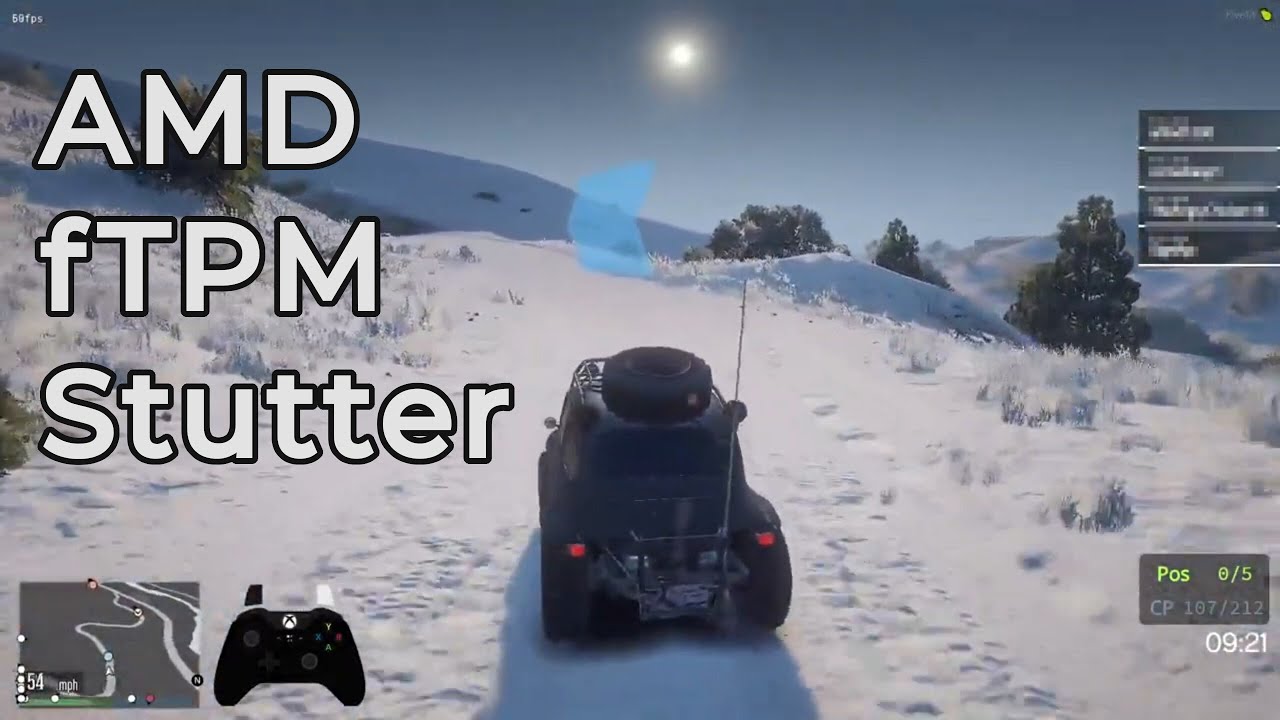
Enabling the 'firmware TPM' causes system wide stuttering on a growing number of AMD based PC's, as seen in this video. Personally, I have now had 4 consecutive PC's with AMD CPU's that have this problem. Both on Windows 10 and Windows 11.
Here are a few threads discussing this issue:
Windows 11 Reddit (My Thread) https://www.reddit.com/r/Windo...
this the issue
grizzled bloom
TPM is 100% not required for end users. Microsoft got a LOT of flak over that requirement, especially at first when they were talking about needing TPM 2.0 which is very recent and would lock out tons of computers that are only like 3 years old.
They backpedaled on that one and said TPM 1.2 is fine, which is found on Ryzen 2000+ and Intel 8000+
rancid harness
okay, ill turn it off then
cursive epoch
You can even bypass it for win 11
I did it myself on my laptop that lacks any kind of TPM
 rancid harness
damn
naive pendant
that's.... an interesting move
hollow thorn
Rip
shy wyvern
Does anyone buy RGB stuff anymore anyways?
Everyone I know is doing color themed builds instead
burnt spear
shy wyvern
Everyone I know is doing color themed builds instead
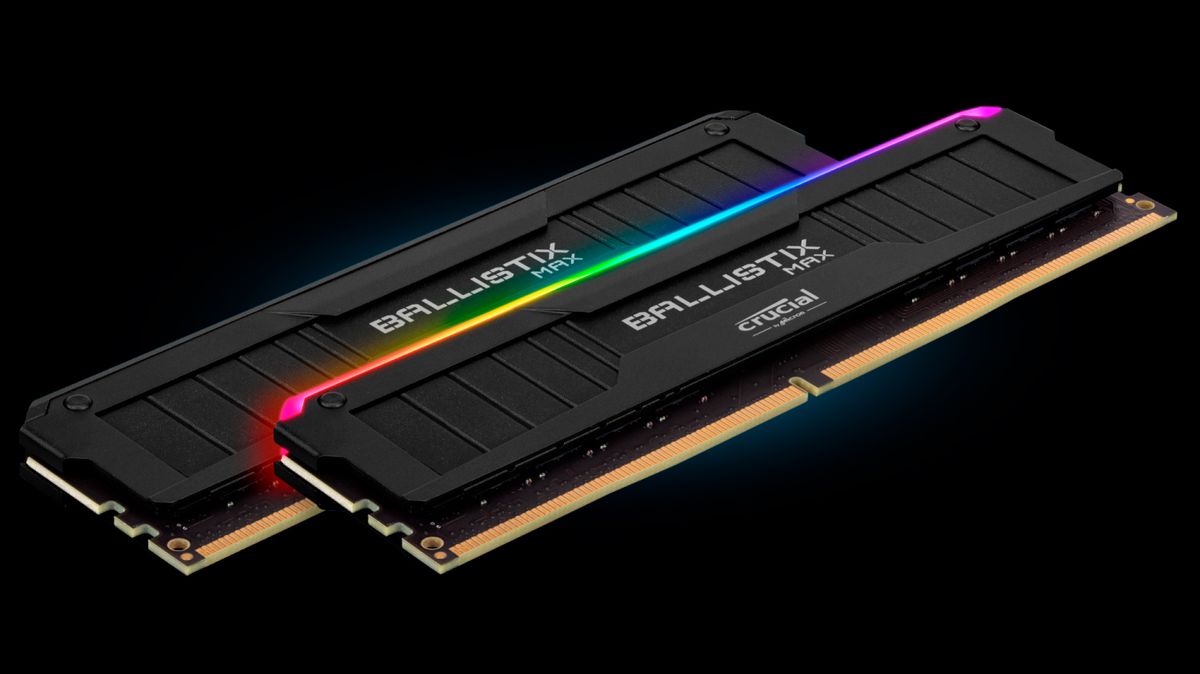
its not about the rgb, its about how good the ballistix ram is
naive pendant
Ballisdeeznuts
naive pendant
Benchmarking my laptop in class
Got 1268 on multi core
Around 62 degrees
Average
mild jackal
Nice, gonna sub it to hwbot? We have a :wegg: team
 hoary echo
how much more performance would another 8gb ram make to a laptop (ontop of the 8 i have)
burnt spear
with a 3060 i would highly recommend 16gb
naive pendant
hoary echo
how much more performance would another 8gb ram make to a laptop (ontop of the 8...
Like a very good amount
cerulean wadi
shy wyvern
Everyone I know is doing color themed builds instead
Rgb is just a way to have any color option easy, but "rgb" unicorn vomit is butt ugly
hoary echo
burnt spear
with a 3060 i would highly recommend 16gb
👍
naive pendant
cerulean wadi
Rgb is just a way to have any color option easy, but "rgb" unicorn vomit is butt...
Yea I’m doin like orange black and wood
Copper as well
cerulean wadi
naive pendant
Yea I’m doin like orange black and wood
That might be decent. 🤘
cursive epoch
very good amount is just a rough estimation
shy wyvern
Someone in another server freaked tf out at me reccomending an i3 12100f for someone with a 3050
I think it's perfectly reasonable for a gpu of that power isn't it?
 fickle flax
shy wyvern
Someone in another server freaked tf out at me reccomending an i3 12100f for som...
fickle flax
shy wyvern
Someone in another server freaked tf out at me reccomending an i3 12100f for som...
its okay
fickle flax
shy wyvern
Do people really think all quad cores are useless-
you can blame big name tech youtubers for saying 4 cores is weak
its not tho since the use case for every person is not the same
shy wyvern
Big tech tubers are always doubting 6 cores as minimum
Although GN gave the 12100f their reccomendation but they're also very abnormal for big tech tubers
fickle flax
there is a reason they are still creating quad cores
it means that theres still demand for them
shy wyvern
I'd call them more hardcore tech enthusiasts at GN than typical big tech tubers
fickle flax
shy wyvern
Although GN gave the 12100f their reccomendation but they're also very abnormal ...
GN always has a good idea on what its best for some stuff
shy wyvern
GN seems very grounded on lower end compared to someone like linus or jay
shy wyvern
oh I wouldn't reccomend it for a 3060ti and up
but 3060ti and up is also a "$400" gpu
shy wyvern
How many people have we seen excited to find 3050's and 1650 supers
oh
3070's in my area are $800
3060ti is $650-700
I also live 20 minutes from a microcenter and best buy does in person drops in my area
fickle flax
last year, i bought my 3090 for around $1200
shy wyvern
so my used market is like really jank
I had to sell my 2060 for $375 because no one would buy it for higher LOL
fickle flax
its a rog strix one so its good enough for my workstation
fickle flax
i was gonna build a second less powerful pc in late 2020
the build was around $1000 which includes a r5 3600 and 1660ti which is around $200 back then
4 months later, price of the gpu nearly doubled to around $360
shy wyvern
Yeah I bought my 2060 for $225 used in july 2019
and ended up selling it a few days ago for $375
great investment!
vast meadow

 vernal cosmos
I want one
dense frost
I want to see 3 way battle royale tests with Intel and Appls silicone.
grizzled bloom
fickle flax
there is a reason they are still creating quad cores
Sure but why are they still making dual core Celeron with no HT that costs almost as much as 12100
cursive epoch
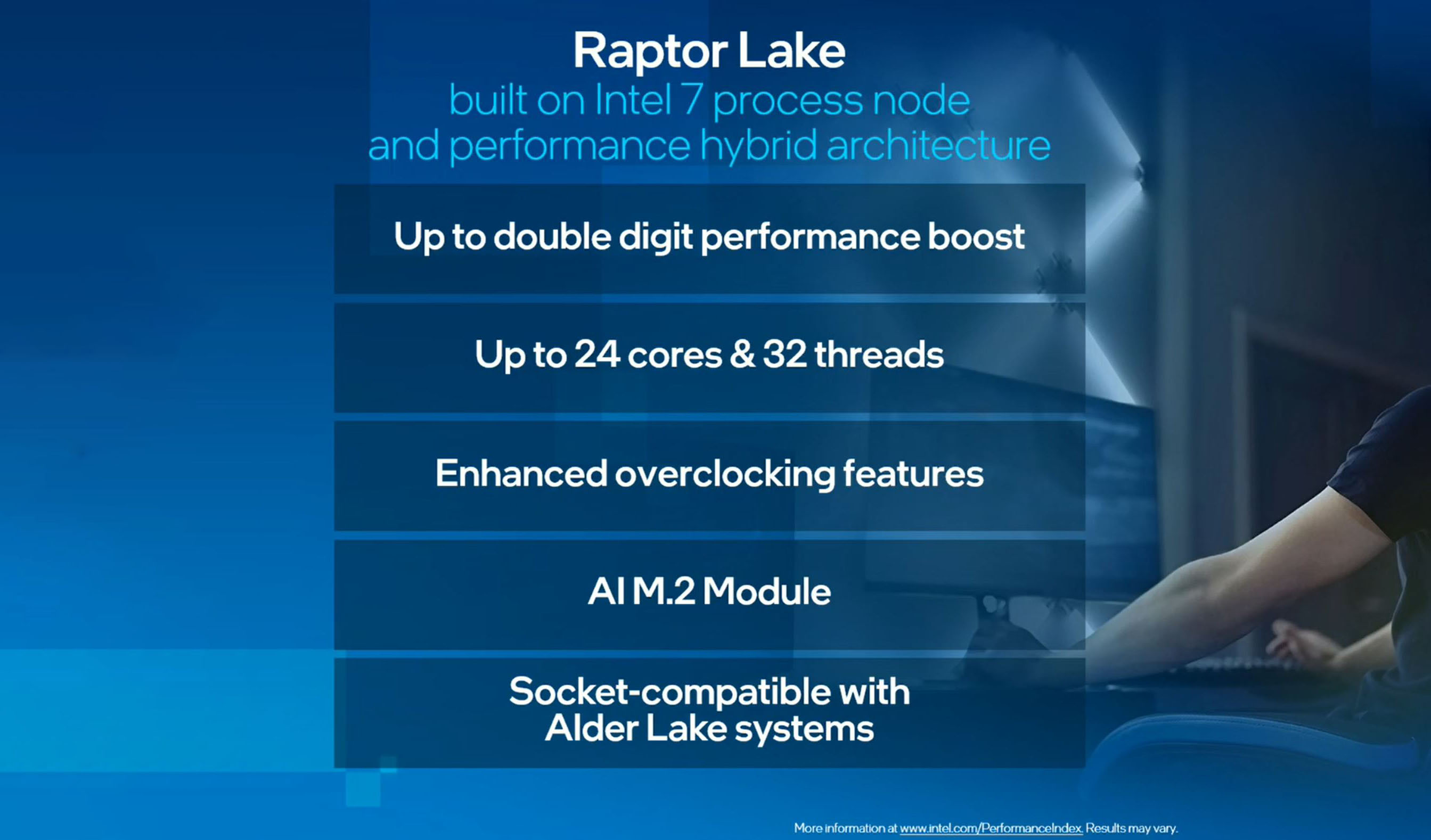
Intel Raptor Lake officially with up to 24 cores and 32 threads The company promises that a successor to Alder Lake will deliver up to a double-digit performance boost. As part of the Investors Meeting 2022 event Intel demoed its first engineering sample of Raptor Lake CPU. The system was equipped with a 24 core […]
already raptor lake info
straight from intel
dense frost
big blue machine takes a while to get going, but when it does... hoo boy
vast meadow
cursive epoch
already raptor lake info
Sheesh, that's 13th gen code name right?
cursive epoch
yes
dense frost
 vast meadow
dense frost
vast meadow
dense frost
 dense frost
🤣
finite elm
fickle flax
last year, i bought my 3090 for around $1200
How was it 300$ below 3090 MSRP. But over 800 below strix 3090 MSRP 0.0
fickle flax
finite elm
How was it 300$ below 3090 MSRP. But over 800 below strix 3090 MSRP 0.0
i traded in an old card
im not from the us and a local store around me sells bnew and second hand cards
i traded in an extra 2070 i had lying around
vast meadow
Well then you bought it for like 1700 lol
fickle flax
technically speaking lmao
 ember pagoda
Hi I'm looking for some advice on choosing a memory kit. I'm planning on getting around 32gb of ram paired with a 5800x with a clock speed of 3600mhz and a Cas timing of either 18 or 16 (can't decide between the two is the issue). One of the kits that caught my eye is the g skill trident z neo ones, but the 32gb cl16 variant is about 40 USD more than the 32gb cl18 variant. Is cl16 worth the jump? Or should i look at different ram like Corsair or ballistic or something?
vast meadow
Well have you already bought the 5800x? It's not really worth it anymore since 12th gen came out unless you're upgrading from an earlier Ryzen version, but to answer your question, yes 3600mhz cl16 is what you want, this is the best priced kit at the moment
https://pcpartpicker.com/product/zcH8TW/gskill-ripjaws-v-32-gb-2-x-16-gb-ddr4-3600-memory-f4-3600c16d-32gvkc
ember pagoda
I got the 5800x yeah. I also found a kit of 4000mhz of cl18 for 20 more than the 3600mhz cl18 but I heard a few interesting things about 4000mhz
ember pagoda
I've heard that their ram is pretty expensive yeah
 swift roost
vast meadow
Well have you already bought the 5800x? It's not really worth it anymore since 1...
swift roost
vast meadow
Well have you already bought the 5800x? It's not really worth it anymore since 1...
12th gen prices are still too high relative to current gains especially if going with DDR5, I'd say wait and let it mature unless being on the bleeding edge is your thing. But in this stupid market, ryzen price should have lowered even more too.
naive pendant
vast meadow
But yeah avoid corsair, overpriced and usually worse than the rest
we dont use that word here mr.
vernal cosmos
swift roost
12th gen prices are still too high relative to current gains especially if going...
dont get ddr5
boom ur entire issue fixed
swift roost
by why go with 12th gen then? any future memory upgrade will require a new mb
vast meadow
swift roost
12th gen prices are still too high relative to current gains especially if going...
Not really, a 12600k will run you roughly the same price, cheaper if you go with a b660 and perform better, and like rawr says ddr5 is not worth it atm
vernal cosmos
swift roost
by why go with 12th gen then? any future memory upgrade will require a new mb
13th gen is going to support ddr4 and same socket
after tghat even with ddr5 its a new platform anyway
vast meadow
swift roost
by why go with 12th gen then? any future memory upgrade will require a new mb
Good ddr4 is still better than ddr5 atm also these "older" boards/imc's won't be as good and might not even be able to run the higher speeds/tighter timings and 12th gen beats ryzen 5000 in everything but 5950x multicore
vast meadow
naive pendant
we dont use that word here mr.
Sorry i meant c*rsair
swift roost
vast meadow
Good ddr4 is still better than ddr5 atm also these "older" boards/imc's won't be...
Not trying to fanboy, but are you using 12th gen yet? I am seeing a bunch of the tech influencer videos pushing it, which makes sense, but have not really heard any that are currently using the system yet. Most are these highend combos, but I'm fairly sure they are set pieces they put together and then recycle the parts for a new case video and the such. Would be nice if the manufacture would send me a mb, ddr5 combo. I am also interested in how the win 11 experience is, but I am not taking that plunge for a while. too much work reconfiguring after a new install. I use my systems for work, not just gaming.
naive pendant
every tech youtuber says the newest thing is great, blah blah
its pretty much like that every gen
like sure its cool, but it's like they dont realize it's impractical to upgrade for a lot of people, or not the best move at the time for them to upgrade
vast meadow
swift roost
Not trying to fanboy, but are you using 12th gen yet? I am seeing a bunch of th...
I'm not I'll probably be going 13th gen so i can bring forward my ddr4 ram but here's a vid showing how pointless ddr5 is atm
https://youtu.be/6y9s1wetr3g
Not saying you should upgrade
naive pendant
@vast meadow bruh
 vast meadow
I'm saying that noone should be buying ryzen 5000 in 2022
vast meadow
naive pendant
<@!191276897227898880> bruh
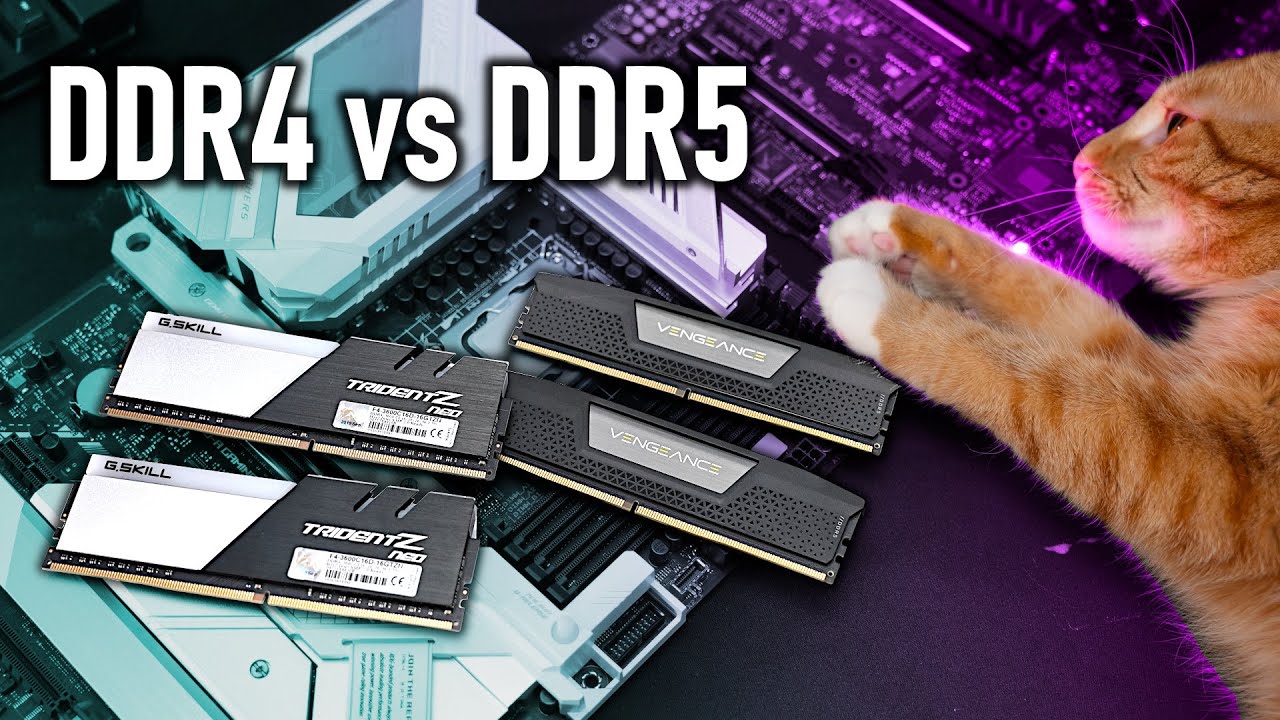
Support me on Patreon:
https://www.patreon.com/der8auer
Save 10% on your iFixit purchase: DER8AUER10
https://eustore.ifixit.com/der8auer
Pro Tech Toolkit: http://bit.ly/2JOFD8f
Find my products at Caseking:
Delid Die Mate 2: htt...
naive pendant
thanks
vast meadow
naive pendant
<@!191276897227898880> bruh
Idk it un capilitised a few characters on my clipboard for some reason ;-;
naive pendant
thats weird
vast meadow
Very
swift roost
vast meadow
I'm not I'll probably be going 13th gen so i can bring forward my ddr4 ram but h...
no argument about ddr5 at the moment, ryzen 5000 is good if you already have an existing platform. go from r5 to r9 if you already have the other components. but I imagine that a lot of people have like a 450/500w psu and will need more going to a higher end cpu because then a gpu will be wanted. of course cooling is often overlooked, need for more memory and storage. I am concerned about the new psu needs for the high end components because of the new connectors going forward.
vast meadow
swift roost
no argument about ddr5 at the moment, ryzen 5000 is good if you already have a...
12600k is a normal ~120w cpu, and is easier to cool then the 5800x, idk what your bothering mentioned about power supplies anyway, noone with a 5800x is gonna be using a 500w power supply anyway
mild jackal
swift roost
Not trying to fanboy, but are you using 12th gen yet? I am seeing a bunch of th...
Only hynix ddr5 on a very nice board, e.g. unify x can beat out mid-high tier b-die
Samsung is about the same, varies by game, and micron is just..
Don't buy micron ddr5 haha
swift roost
vast meadow
12600k is a normal ~120w cpu, and is easier to cool then the 5800x, idk what you...
Seems it would all depend on your starting point. I wouldn't be going mid range if I were starting with a 5800x, even just a 12700 would not be enough for the trouble of a complete build. I would not be wanting to go with just 500w with a 5800x and a gpu in the 3080/6800xt combo not to mention 3090/6900xt.
hollow thorn
mild jackal
Don't buy micron ddr5 haha
Not yet, they seem to be putting effort into it though
And yea 12700k just p cores will beat 5800x multi core and win single core, then it has extra e cores
12700k is competitive with 5900x
mild jackal
Pretty silly to buy an amd gaming chip rn, could wait until zen3d though
swift roost
vast meadow
What lol?
Not enough to build a completly new platform, just upgrade to R9.
hollow thorn
Hoping Zen 3d will actually be a good jump and not like 3600xt
mild jackal
Still smarter to go z690 + adl and upgrade to raptor imo
mild jackal
hollow thorn
Hoping Zen 3d will actually be a good jump and not like 3600xt
I think it'll beat stock alder lake, but tuned adl will still win out
hollow thorn
I assume they're pushing stock harder and not much more out of oced Zen 3d then
vast meadow
swift roost
Not enough to build a completly new platform, just upgrade to R9.
I never said you should be upgrading from 5800x to intel 12th gen i said you shouldn't be buying ryzen 5000 in 2022
hollow thorn
In my position, as a 3800x owner, if I'm upgrading, I'm going to 12th gen
vast meadow
I'm actually waiting for 13th gen but yeah same story
hollow thorn
Yea I'm saying if I'm buying something rn
vast meadow
Yeye ofc
hollow thorn
Prob going to wait a year first
vast meadow
Nice we can be twinning 13th gen 
swift roost
well I'm maxing out now and waiting for at least intel 14th/ryzen 8000 (assuming the next gen is 7000 and not 6000). I should be retired by then hopefully and playing more golf.
vast meadow
swift roost
well I'm maxing out now and waiting for at least intel 14th/ryzen 8000 (assuming...
Yes but i wasn't saying you should upgrade your pc lol i even said in multi core atm a 5950x is still the best
Was talking to the other guy
swift roost
vast meadow
Yes but i wasn't saying you should upgrade your pc lol i even said in multi core...
I'm fairly new to discord and following message flow. I still remember using BBS with dialup
naive pendant
I wont be upgrading from my current platform for a while
i need a new gpu though 🗿
vast meadow
naive pendant
I wont be upgrading from my current platform for a while
X79 i hope 
naive pendant
as much as I'd like to I wont 😔
 naive pendant
although, if I still had my r5 2600 I'd use that 7900X i got with whatever x299 board i end up getting after finish ocing it
vast meadow
What you running atm?
vast meadow
I'll consider it xD
naive pendant

quartz oriole
They should make a Ryzen 6000 series desktop cpus
Something to compete with 12th gen and still be ddr4 compatible
vast meadow
quartz oriole
Something to compete with 12th gen and still be ddr4 compatible
They can't they work on these things years in advance
The reason ryzen 7000 is realising in q3 as amd wanted you to be able to buy not scalped ddr5
quartz oriole
I thought Ryzen 7000 was coming q2
grizzled bloom
Delayed a bit
quartz oriole
grizzled bloom
Are delays really that much of a surprise these days lol
quartz oriole
Not really lmao
I mean I have no plans to get 7000 anyway I just want to see the numbers and how they perform
grizzled bloom
Yeah the anticipation is killer
I hope they don't do embargo lift on the same day as launch like intel did
Being able to see the numbers a few days or a week in advance helps make informed decisions
 graceful elm
I'm installing an Intel CPu for the first time and the little lever is pretty hard to push down
I'm scared to put too much pressure
Is that normal
@hollow thorn ?
Sorry for ping I just don't have much time
vast meadow
graceful elm
Is that normal
Give it a wiggle and look around the sides to make sure it's in correctly

 hollow thorn
graceful elm
hollow thorn
graceful elm
Looks a bit like a standoff that doesn't need a screw, and you just use that piece to hold the SSD down
graceful elm
Thanks

 quartz oriole
Maybe it can run Minecraft
 long yew
need some mobo symptomology opinions: what would cause a brand new motherboard, once the system is built, to power on, spin fans at full speed, display nothing (GPU connected), and refuse to power off?
there is nothing wrong with the power supply
or the other components
I am in fact using them now lol
I really don't want to RMA
vast meadow
Have you tried clearing cmos?
long yew
I've not, but will
do you think a CPU-less BIOS update is a bad idea?
gigabyte b550 gaming x rev. 1 mobo btw
naive pendant
Not really? If it can update without a CPU then that's good
Just dont shut off power during the update
cursive epoch
^
shy wyvern
also amd I believe still will loan you a cpu to do a bios update
for anyone that doesn't have cpuless bios update
 small pawn
Hey all, hope this is the right place for this question. Having boot/RAM issues. I have an I7-11700F on an Asus ROG Strix B560-G Gaming WiFi, cooled with a Noctua nh-l9x65. I was using 32 gb (4x8gb) of OLOY DDR4 RAM and it was working normally. Power supply for this system is an EVGA 650w SFX 'Supernova' because of the older 2008 case I used as a sort of sleeper build. I decided to remove it from the older case and put it in a Cooler Master N200 that already had a PC Power and Cooling SIlencer III 750w PSU. I decided to repaste the cooler and dust everything. During the swap, I removed the OLOY ram. After the swap, with everything installed, the system failed to post. There was no beep code from the buzzer, and a steady amber RAM Q-led light. I have tried the following:
I have been warned of duplicate text when attempting to post what I did? Interesting.
So much for copy/paste XD
vast meadow
Clear cmos? Reseat ram?
small pawn
Reseat RAM, try just 2 sticks, try just 1 stick, move the 1 stick to each of the 4 ram slots, try three different memory brands (Patriot, SK Kynix, XPG) while repeating the previous pattern (all sticks, 2 sticks, 1 stick, try a different slot) and even tried no ram at all. In all attempts but the last, I got a steady amber RAM Q-LED and no bios beeps codes. I did get the right beep codes when I tried with no ram, so the speaker I hooked to the mobo works. Also tried 2 different PSUs and swapping GPUs though I don't think they are the issue. Cleared CMOS too.
vast meadow
Also that psu doesn't sound the best, what model is it?
small pawn
Sorry, I was on a timer - too many infractions/got booted from server.
 keen surge
Y'alls are not going to believe what I found 14-14-14-34 timing 3600MHz RAM in 2x16GB capacity, not overclocked
small pawn
I tried 2 PSUs, an EVGA Supernova 650 and a PC Powwer & Cooling Silencer 3 750
Specifically, EVGA Supernova 650GM - had to look at the box.
vernal cosmos
keen surge
Y'alls are not going to believe what I found 14-14-14-34 timing 3600MHz RAM in 2...
not a thing
xmp is overclock
keen surge
small pawn
More interestingly, the EVGA psu was in the old case, and had been working fine with the above mobo/cpo/ram combo prior to the swap. The Silencer 3 is in the 'new' N200 case and was working fine with the last build.
vernal cosmos
keen surge
<@!499525349109923844> https://www.newegg.com/g-skill-32gb-288-pin-ddr4-sdram/p...
Yes thats overclocked
it has an xmp profile
keen surge
Ah. How well would it pair with a Ryzen CPU?
I use the Ryzen 5 3600 currently but plan to upgrade to either the Ryzen 7 5800X or the Ryzen 7 5800XT
small pawn
vernal cosmos
keen surge
Ah. How well would it pair with a Ryzen CPU?
well
itll perform great on zen 2 and up
keen surge
@vernal cosmos I play games like Shadow of the Tomb Raider, X Rebirth (which uses a very complicated multi-threaded game engine), and Deus Ex Mankind Divided, in addition to using my desktop for DJing on Second Life and in VR Chat. I have the MSI MAG X570 Tomahawk motherboard with the BIOS set for a 1:1 FCLK to MEMCLK ratio
For those purposes, would I see enough of a performance improvement for the $400 pricetag on the RAM to be worth the investment?
small pawn
keen surge
<@!499525349109923844> I play games like Shadow of the Tomb Raider, X Rebirth (...
Depends on how much you want to spend - You're looking at MAYBE a 10% overall performance boost going from a 3600 to a 5800X, I gotta agree with RAWR that there may be better places to put that $400.
cursive epoch
shy wyvern
also amd I believe still will loan you a cpu to do a bios update
nope, not a thing no more
keen surge
The other one I was looking at was this, @vernal cosmos https://www.newegg.com/g-skill-32gb-288-pin-ddr4-sdram/p/N82E16820232860 a 2x16GB 16-16-16-36 3600MHz set
vernal cosmos
keen surge
The other one I was looking at was this, <@!499525349109923844> https://www.newe...
ehh
vernal cosmos
small pawn
Depends on how much you want to spend - You're looking at MAYBE a 10% overall pe...
3600 to 5800x is a lot more than 10%
keen surge
Right now my setup is a Ryzen 5 3600 (the 65W TDP) with 2x16GB of 16-18-18-38 3200MHz RAM on a 1:1 FLCK to MEMCLK ratio. What my goal is, is to maximize performance while I wait for GPU prices to drop
vernal cosmos
what gpu u got
keen surge
Radeon RX 5500XT
small pawn
I need to stick to hardwear I am familiar with - but no one needs 486 cpu advice. 😁
vernal cosmos
eh unless some title you play is pretty cpu intensive i wouldnt bother upgrading ram really
save up for a gpu upgrade
keen surge
X Rebirth is a pretty intensive multi-threaded game. It actually uses four threads, one each for AI, Pathfinding, Physics, and Rendering, but at the same time, the game engine is designed so that the AI and in-world economy continue functioning dynamically even when you're not in that particular zone to see it. X Rebirth uses the Bullet Physics Library.
If it helps, I do plan on upgrading to a 2TB NVMe drive, and am considering one of the dramless nvme drives like the WD Black SN770
In X Rebirth on my current hardware, a new gamestart on 1440p resolution gets me an average of about 80fps, but after the in-game economy has built up and there's a lot of traffic, the framerates tank to less than 30fps
And to top it off, I found out X Rebirth is one of the only games on the market that I have found, that can make use of HRTF Spatialized Audio, which is basically another way of saying true three-dimensional audio, not just simply surround sound but HRTF has to be enabled at the driver level for it to work, and the game has to support it
Difference between HRTF Spatialized audio and standard spatialized audio like your typical surround sound setup, is HRTF allows the listener to hear and pinpoint sounds above and below them, in addition to sounds around them. True three dimensional soundstage type stuff.
That's why I am considering a RAM upgrade, and possibly a CPU upgrade as well. Would it be worth the expense, though?
shy wyvern
cursive epoch
nope, not a thing no more
Still on their website
 mortal sonnet
hey guys do you think newegg ships the ASUS PRIME B450M-A II with the latest bios?
small pawn
Doesn't look like there's any info on what bios that mobo has.