#cpus-mobo-and-memory
1 messages · Page 41 of 1
 burnt spear
It's not his fault, a lot of people "know" brands like nzxt and corsair to be good
But in reality it's just their marketing and brand name, they're really very often terrible value
And bc of how many people believe that, it's just circulated again and again
burnt spear
 winged marsh
thank you
winged marsh
thank you
Hey this is random, but do you need a monitor too?
There's a really good sale on one that just popped up
winged marsh
I have a monitor in mind already but plan on probably getting it after I secure all the main components
thank you though 🙂
 vast meadow
burnt spear
Hey this is random, but do you need a monitor too?
vast meadow
burnt spear
Hey this is random, but do you need a monitor too?
Damm so random what are the chances
 sudden creek
Does 14900K support much better ram oc versus 13900K?
 grizzled bloom
The jury is still out on that one
Early results indicate it's easier to stabilize up to about 8000 but no one has maxed the frequency yet
14th gen is looking like the new 11th gen, where the only real advantage is slightly better memory. And I mean slightly.
sudden creek
Gotcha.
 compact zenith
That's good to know.
sudden creek
Would you guys say 13900K vs 14900K is worth the $30 difference for ram overclockers?
grizzled bloom
It's too early to tell
We've only seen preliminary results and it's still possible those results were on a golden sample, we don't know yet
 cerulean wadi
Almost might well do 14700K, more ecores than predecessor so doesn't seem too far from the i9, same 8 Pcores I think?
grizzled bloom
cerulean wadi
Almost might well do 14700K, more ecores than predecessor so doesn't seem too fa...
Yeah same 8p
sudden creek
Different E-cores?
grizzled bloom
Only 4 extra on the 14700k. The other 14th "gen" chips are identical to 13th.
sudden creek
Just higher clock speed right?
grizzled bloom
Yep
sudden creek
Will 13900K be able to use features on the newer boards?
grizzled bloom
What new features are there
sudden creek
Noticed things like Wifi 7.
grizzled bloom
If there are any, then probably since it's the same architecture.
WiFi is totally independent of the CPU
sudden creek
Oh, thought the cpu had to support it?
grizzled bloom
None that I've heard because I haven't seen any concrete details from good sources.
sudden creek
The Tomahawk Max looks really nice visually and feature wise, but about $40 more than the Aorus Elite.
sudden creek
grizzled bloom
None that I've heard because I haven't seen any concrete details from good sourc...
Gotcha.
 olive totem
so nvidia is making desktop cpus now?
olive totem
olive totem
so nvidia is making desktop cpus now?
going to be making*
 empty phoenix
 timber scarab
I am hoping someone can help me with this. I need to know if these are compatable. https://www.newegg.com/p/N82E16813145418R?Item=N82E16813145418R and https://www.newegg.com/intel-core-i9-14900k-core-i9-14th-gen/p/N82E16819118462?Item=N82E16819118462
grizzled bloom
timber scarab
I am hoping someone can help me with this. I need to know if these are compatab...
Yes they are compatible. I wouldn't recommend getting a 14900k, though. It's just a slightly overclocked 13900k.
timber scarab
@grizzled bloomThank you. I agree, unfortunately I already bought it prior to knowing all that 😦
grizzled bloom
Oof. Well it's compatible at least.
timber scarab
Thank you for your help
sudden creek
timber scarab
<@396513761550270464>Thank you. I agree, unfortunately I already bought it prio...
Welp, at least you get bragging rights.
 delicate iris
is it ok to mix two different dual channel memory kits into 4 slots? like I have a G.SKill 16gb kit and a Corsair 32gb kit both have the same max frequency as well.
grizzled bloom
It may or may not work depending on a few different factors
The memory die used being the primary one
 upper aspen
grizzled bloom
The memory die used being the primary one
upper aspen
grizzled bloom
The memory die used being the primary one
Don’t they just default to jedec?
grizzled bloom
Even then they might not work
I tried mixing my b die kit with a c die kit and it wouldn't even post no matter what I did
delicate iris
hmmm, maybe i'm better off just pulling the 16gb kit entirely and just using the 32, just to play it safe, is there a way to check die types on the manufacturer page?
grizzled bloom
G skill has the 042 code that will tell you the die, and corsair has a version number
There's no real way to tell what die they use without the sticks in hand, at least not without spending a bunch on specific timings and speeds
sudden creek
Z790 Aours Elite X D5 vs Z790 Tomahawk Max D5 which is better? Same price.
Use is overclocking and productivity with light-medium gaming.
 dull flint
B760m pg riptide
sudden creek
Require at least 4x4.0 M.2 slots.
grizzled bloom
dull flint
B760m pg riptide
"Overclocking" was a requirement lol
grizzled bloom
Does it have the external clock gen at least
grizzled bloom
Well there's that, but it's far less convenient and more restrictive
dull flint
It's a z790 but it's not
Meh it's better than some z690s
Kekw
Ask about any biostar z board on google and you'd know 
grizzled bloom
Biostar more like biohazard when magic smoke
dull flint
Those things consider 5.2GHz on any lga1700 a miracle
They don't give you the option for higher

grizzled bloom
sudden creek
Z790 Aours Elite X D5 vs Z790 Tomahawk Max D5 which is better? Same price.
At any rate why not something cheaper like https://pcpartpicker.com/products/motherboard/#c=162&sort=price&E=4,7&mt=ddr5&X=0,21047
Choose A Motherboard
sudden creek
Let me clean up my asks, also thanks for helping. Also I'm in Mexico, so I can only use amazon.com.mx.
CPU: 13900K or 14900K depending on price in MX.
Needs:
- at least 4x4.0 M.2 slots
- 8+ USB slots
Wants: - Good overclocking support, I like to OC as a hobby
- Black and Silver/Gun metal aesthetic
dull flint
sudden creek
Sata is to slow.
Not in raid it's not
sudden creek
dull flint
How about less M.2
Considered those, but wouldn't that interfere with the gpu since I don't think I can fit that and a 4000 series card on the same board.
dull flint
No
sudden creek
dull flint
Not in raid it's not
second reason is I travel a lot. lugging all those extra drives around is a pain in the arse. I'd like to avoid sata as much as possible.
Just a bad experience with them for me most of the time.
dull flint
Sata ssd's weigh nothing
sudden creek
space.
dull flint
Bruh
sudden creek
Not weight.
dull flint
Bruh
sudden creek
I know it sounds like excuses, but please understand that I do not wish to use Sata if it can be avoided.
dull flint
Just get a laptop if you're worried about space
Get a 13900hx and 4090m
Stick a 4TB ssd in it
4TB xs70 would work
grizzled bloom
Honestly just pick what you like at this point. Or wait until you're in a more favorable tech country.
dull flint
We do these lists every time with no outcome
sudden creek
grizzled bloom
At any rate why not something cheaper like https://pcpartpicker.com/products/mot...
is the MSI A or P model better? A is more visually pleasing.
grizzled bloom
A should be ever so slightly better for overclocking memory
But P has an extra USB 3.1 header
dull flint
They'll both be the same unless the pcb layers are differed
Also dk why space is an issue here, you're picking an atx board instead of itx, and you'll need a thick and heavy 360 aio as well
There's far better ways to skin this cat
sudden creek
I have a LS720 already.
So I can find the MSI Pro A on Amazon.mx for $5000 peso. Z790 Aorus Elite AX is $5700, does the Gigglebit offer much better ram oc? I've heard mixed answers.
grizzled bloom
The officially supported memory speeds on the QVL are slightly higher for the Gigabyte (7600 vs 7200) but you're much more likely to be IMC limited at that point
sudden creek
Gotcha.
sudden creek
Is QVL guarenteed from the board manufacture just curious?
dull flint
QvL is mostly a meme
grizzled bloom
QVL means they've tested the memory kits to work at that speed, but we don't know what kind of a CPU sample they used to make the list
It also doesn't mean they stability tested them
sudden creek
dull flint
Apex are you ready to buy these like, this week?
Assuming all goes well in two-three weeks. Hopefully I stop running into problems costing me $.
Business is looking pretty good.
grizzled bloom
For all we know they used a top 0.1% IMC chip to bin the boards
dull flint
sudden creek
Assuming all goes well in two-three weeks. Hopefully I stop running into proble...
Alright, let's revisit this in 2-3 weeks then
Sales will change in that time
sudden creek
grizzled bloom
For all we know they used a top 0.1% IMC chip to bin the boards
Wouldn't that still mean the board is able to handle it?
grizzled bloom
Yes but so could the MSI using the same CPU in that case
sudden creek
Gotcha.
 scenic solar
I'm trying to find two cheap motherboards that also come with some nice features, just need two that on average go for less than 40€ either used or new.
Requirements for both:
- lga 1151 & am4 socket
- at least 2×16x pcie slots
- in alternative 1*16x and 1×8x or 4x
- one 1x pcie
- any form factor
- at least one 4pin fan header
- am4 has to support older 2nd/3rd gen amd G processors
- a decent I/O
grizzled bloom
You'll have a hard time finding any AM4 board for 40 Euros, besides maybe OEM ones that don't fit ATX cases without modifications
olive totem
can someone explain (gaming performance wise) why the 7800x3d out performs the 7950x3d while costing half as much basically
cpus confuse me
(like everything pc wise lmao)
dull flint
Dual ccd has a latency penalty vs single ccd
That extra 8 cores carries a deficit basically
If you run them both as 8 cores only tho the 7950x3d should be as quick or a little faster
burnt spear
Why doesn't my cpu go nyoom
 amber canopy
my i5 560m is the fastest in the world
 eternal helm
False, my i5 560mks is definitely faster
 hard leaf
False, my e5200 is the fastest of them all
vast meadow
olive totem
can someone explain (gaming performance wise) why the 7800x3d out performs the 7...
7950x3d costs more because it has 16 cores whereas 7800x3d has 8, on ryzen currently the max amount of cores on a die (ccd) is 8 but they effectively slap 2 of them together and use a high speed bridge to link them, but still going between them has a delay
The 7800x3d only has 1 ccd so there's no latency delay going from one to another
 long geyser
olive totem
can someone explain (gaming performance wise) why the 7800x3d out performs the 7...
long geyser
olive totem
can someone explain (gaming performance wise) why the 7800x3d out performs the 7...
7800x3d is one group of eight people that has 10 pages to write down random data for their math calculations. While the 7950x3d is two groups of eight people, but only one group has 10 pages while the other has 1 page to write down random data for their math calculations. People inside the group can directly talk to eachother, but if a group want to communicate with another group they need to message them online.
Basically, if communication happens between the two groups there will be much higher latency compared to communication inside the groups. There is also the potential scenario of the 1 page group noticing the data isnt inside either group (CPU cache) and needs to read from a whiteboard around the corner of where they are (system memory), which will happen more often then the 10 page group.
There is more manpower (CPU cores) but now with a chance that the data will likely be in the high page group (CPU core cluster with higher cache).
sudden creek
So to figure out if my ram is unstable I swapped back to my old kit and for some reason I am not able to run XMP?
Any ideas why?
grizzled bloom
Cleared cmos?
sudden creek
forgot to do that.
can not clearing cmos cause the computer with a new kit of ram to crash?
grizzled bloom
Absolutely
sudden creek
Gotcha, will clear cmos and try with the old kit again later today.
scenic solar
What model is this mb?
 amber canopy
scenic solar
What model is this mb?
amber canopy
scenic solar
What model is this mb?
looks like a z690-f strix?
scenic solar
amber canopy
ebay listing?
Yes
Non working motherboard
Description is always the same from this seller so it just says non working mb, possible water damage/physical damage, missing parts etc...
It would be €10 with €15 shipping. Would it be worth it in any way? Or shouldn't I risk it... Maybe it's PCB dead and can't be easily repaired who knows
scenic solar
amber canopy
looks like a z690-f strix?
I didn't notice this

They have many non working motherboards for just €10 (starting price for the bidding)
burnt spear
yeah i wouldn't trust that, and if it is real i doubt they're fixable
sounds like they buy mobos to repair them and now they're reselling the ones they couldnt fix
scenic solar
Also lga1700 nah... I'd have to buy a compatible CPU in order to repair it, if possible
It'd make more sense to try the b550 tomahawk because it's easier to get am4 cpus for cheap
Maybe another day I'll think about it
amber canopy
scenic solar
Yes
send me a link
grizzled bloom
amber canopy
send me a link

 scenic solar
amber canopy
send me a link
scenic solar
amber canopy
send me a link
I saw the mb and it was like 15min before the end of the auction. Here's the seller's account https://www.ebay.com/str/dreial?mkcid=16&mkevt=1&mkrid=711-127632-2357-0&ssspo=YldVF9WnQAG&sssrc=3418065&ssuid=3ufiywmmsac&widget_ver=artemis&media=

They sell only broken stuff
grizzled bloom
Which means they probably have a second account to sell the non broken stuff
Or some other way to sell it
sudden creek
Does the Z790 MSI Pro-A support PCIE Bifurication? I can't find a answer.
hard leaf
unlikely, the z690 pro-a doesnt, so the z790 should be the same
sudden creek
ahh okay.
Anyone know what the difference is between the DDR5 T-Create Classic and T-Create Expert dimms?
grizzled bloom
sudden creek
Anyone know what the difference is between the DDR5 T-Create Classic and T-Creat...
The heat spreader. That's it.
 naive pendant
@burnt spear it it worth upgradinc from a 16gb ram to 32gb
vast meadow
Depends
naive pendant
vast meadow
Depends
On?
sudden creek
naive pendant
<@654444344274845698> it it worth upgradinc from a 16gb ram to 32gb
Modern games I'd say yes.
Especially if you also run browsers, discord, and other stuff in the background.
naive pendant
sudden creek
Especially if you also run browsers, discord, and other stuff in the background.
Ohok if I was to buy a 32gb ram can I leave the 16gb ram and add the 2 16gb into it
burnt spear
yes but if you're gaming there's no point
and it would also complicate things, since you would have to make sure that the die of the ram matches
ie hynix, micron, or samsung
sudden creek
naive pendant
Ohok if I was to buy a 32gb ram can I leave the 16gb ram and add the 2 16gb int...
Best to get a 2x16 then 2x8. If the ram's controller doesn't match then you'd have complications.
sudden creek
burnt spear
yes but if you're gaming there's no point
Ehhh, depends on the game but yeah for older titles mostly no.
burnt spear
sudden creek
Ehhh, depends on the game but yeah for older titles mostly no.
no, i mean using 2x16 and 2x8 together
sudden creek
Oh okay.
burnt spear
2x16 there's definitely a point
sudden creek
My bad, misunderstood.
burnt spear
no youre good
sudden creek
How's your day been? I just got off work.
burnt spear
naive pendant
Ohok if I was to buy a 32gb ram can I leave the 16gb ram and add the 2 16gb int...
what cpu do you have
burnt spear
sudden creek
How's your day been? I just got off work.
ntb, haven't really done much
mostly just sat at home
naive pendant
burnt spear
what cpu do you have
Ryzen 7 5700g
sudden creek
Neat, we're brothers in computations xD.
burnt spear
naive pendant
Ryzen 7 5700g
do you care about looks, like do you want rgb
https://pcpartpicker.com/product/Rdstt6/mushkin-enhanced-redline-stiletto-32-gb-2-x-16-gb-ddr4-3600-cl16-memory-mrf4u360gkkp16gx2 this would be the most I'd spend, 3600c16

Mushkin Enhanced Redline Stiletto 32 GB (2 x 16 GB) DDR4-3600 CL16 Memory (MRF4U360GKKP16GX2)
vast meadow
naive pendant
On?
Do you use near the max amount of ram, your cpu, how likely you'll be to upgrade your cpu etc, your gpu if you game
naive pendant
sudden creek
Neat, we're brothers in computations xD.
🤝
burnt spear
and cheapest 3600c18 https://pcpartpicker.com/product/cxnypg/mushkin-enhanced-redline-stiletto-32-gb-2-x-16-gb-ddr4-3600-cl18-memory-mrf4u360jnnm16gx2

Mushkin Enhanced Redline Stiletto 32 GB (2 x 16 GB) DDR4-3600 CL18 Memory (MRF4U360JNNM16GX2)
sudden creek
5700g should be able to do 4000cl16 if he cares about that, xD.
vast meadow
Personally I'd keep 16gb with the 5700g should be fine
burnt spear
sudden creek
5700g should be able to do 4000cl16 if he cares about that, xD.
yeah but diminishing returns for cpu perf
naive pendant
burnt spear
do you care about looks, like do you want rgb
I was looking at getting a white on with rgb but don't know if that matters tbh
sudden creek
burnt spear
yeah but diminishing returns for cpu perf
True.
burnt spear
vast meadow
Personally I'd keep 16gb with the 5700g should be fine
i think a gpu is being run with it
vast meadow
sudden creek
5700g should be able to do 4000cl16 if he cares about that, xD.
Poor price and meh
vast meadow
burnt spear
i think a gpu is being run with it
Still
burnt spear
i mean, there's plain white https://pcpartpicker.com/product/XgtLrH/timetec-pinnacle-konduit-32-gb-2-x-16-gb-ddr4-3600-cl18-memory-pkmd4u36c18fnhw16gk2

Timetec PINNACLE Konduit 32 GB (2 x 16 GB) DDR4-3600 CL18 Memory (PKMD4U36C18FNHW16GK2)
sudden creek
Was mostly joking jeez.
naive pendant
vast meadow
Do you use near the max amount of ram, your cpu, how likely you'll be to upgrade...
I have no plans in the nearest future to upgrade it
vast meadow
I'm still using 16gb on my 13600k
burnt spear
white rgb is $80+, not really worth
vast meadow
naive pendant
I have no plans in the nearest future to upgrade it
What gpu are you using?
sudden creek
vast meadow
I'm still using 16gb on my 13600k
👀 might just be the games I play or my workload but 16GB definitely doesn't cut it for me anymore.
vast meadow
Probably
sudden creek
32GB isn't enough lmao at least not when I do video editing, and such.
vast meadow
Cod gets close to using it maybe but never notice a problem
burnt spear
16gb doesn't really work for me either anymore
naive pendant
vast meadow
What gpu are you using?
Gtx 1650 atm but getting a 3060 ti (no hate pls)
vast meadow
sudden creek
32GB isn't enough lmao at least not when I do video editing, and such.
It's the video editing
sudden creek
vast meadow
It's the video editing
Yeah I'd imagine so.
burnt spear
naive pendant
Gtx 1650 atm but getting a 3060 ti (no hate pls)
i mean, how much you spending on the 3060 ti?
~300 is fair
sudden creek
naive pendant
Gtx 1650 atm but getting a 3060 ti (no hate pls)
No hate from me, just curious why a 3060?
naive pendant
burnt spear
i mean, how much you spending on the 3060 ti?
Iv forgotten it gonna be a gift tho
sudden creek
Ahh okay.
Oh, @burnt spear 🤞 all goes well work is looking very promising and I should be able to upgrade to 14900K, Z790 PRO-A, and 64GB of DDR5 next week or sooner!
burnt spear
sudden creek
Oh, <@654444344274845698> 🤞 all goes well work is looking very promising and I ...
nice!
sudden creek
Man am I looking forward to that power and a smooth Adobe AE experience.
naive pendant
burnt spear
and cheapest 3600c18 https://pcpartpicker.com/product/cxnypg/mushkin-enhanced-re...
The link to the newegg Web is dead
burnt spear
naive pendant
sudden creek
5700g should be able to do 4000cl16 if he cares about that, xD.
What's 4000cl16?
sudden creek
naive pendant
What's 4000cl16?
Ram specs.
I am board limited unfortunately.
B550 DS3H
sudden creek
naive pendant
What's 4000cl16?
Higher frequencies with smaller timings results in better 1% and 0.1% lows but there is a diminishing return beyond 3600cl16.
naive pendant
sudden creek
Higher frequencies with smaller timings results in better 1% and 0.1% lows but t...
Oh the one I have currently is DDR4-3200 DIMM CL16 Dual Kit
sudden creek
Average kit, not horrible, not great. Gets the job done.
grizzled bloom
Could probably overclock that a little and get higher fclk if on Ryzen
naive pendant
sudden creek
Average kit, not horrible, not great. Gets the job done.
Honestly my pc isnt that good but it runs all the games I play
 mystic inlet
Which is better 96 gigs of 8200 or 192 gig at 6600? Want 4 sticks for looks
 split copper
get dummy sticks
vast meadow
mystic inlet
Which is better 96 gigs of 8200 or 192 gig at 6600? Want 4 sticks for looks
None of those are going to work, too fast and high capacity, like maniac said get dummy sticks, and what's better depends on your use for the pc
If gaming, 2x24gb kit at like 6600 or something if you wanna be overkill
mystic inlet
Thanks, using it for gaming and the wife uses it for teaching. Seeing as it's a new build for this end of gen, want to max it out
hard leaf
sometimes maxing things out doesnt work as well as you think. If you cant justify the huge amount of ram then your pc will be slower for no gain
its like having a huge storage depot 90% empty, but you as the warehouse employee must have to check every inch of it... everytime....
vast meadow
That analogy isn't perfect but it gets the point across well
 zealous pond
Should I upgrade to an I9-9900KF or should I go with the Ryzen 7600 build? My current CPU is an I5-9600k
burnt spear
zealous pond
Should I upgrade to an I9-9900KF or should I go with the Ryzen 7600 build? My cu...
What gpu?
9900kf would hold back anything above like a 3080/6800xt at 1440p if I had to hazard a guess
zealous pond
6700xt
burnt spear
9600k would be fine, I'd just stick with that
sudden creek
Has anyone here tried running a Modded MC server in the background on Windows? If so, could you let me know what your experience has been like. Please ping when replying, thanks.
burnt spear
sudden creek
Has anyone here tried running a Modded MC server in the background on Windows? ...
Depends what you're trying to host it from. I normally just host it using essential, which just requires me to be on the world
Which is easy enough
sudden creek
burnt spear
Depends what you're trying to host it from. I normally just host it using essent...
mid size pack about 100 mods, Forge and around 5 players.
grizzled bloom
Should be fine if you have enough cores to go around
burnt spear
Worked easily for my friend on a 9700k and 32gb ram, you should be fine on the 5700g
sudden creek
aight.
burnt spear
1k on a mobo is just plain stupid
Unless you're doing ln2 ocing on a 14900ks on liquid nitrogen chasing every last point for overclocking, never spend over 250 on a mobo. Even 250 is too much
sudden creek
mystic inlet
Which of these two would be the better option?
What Bacca said except I personally cap out at around 300-500 depending on how long the socket will last generation wise.
vast meadow
Anything over 250 is only worth for a very niche reason like thunderbolt native support on amd etc
burnt spear
Yeah, $190 on am5 gets you great vrms/io, 3-5 m.2s, ATX if you care for it
Lga 1700 had a couple z790s on sale for $160 with the same features
 limber dragon
burnt spear
Unless you're doing ln2 ocing on a 14900ks on liquid nitrogen chasing every last...
limber dragon
burnt spear
Unless you're doing ln2 ocing on a 14900ks on liquid nitrogen chasing every last...
even then, apex is like $700-800
sudden creek
How's next gen for Ryzen looking?
grizzled bloom
sudden creek
How's next gen for Ryzen looking?
A lot better than 14th gen.
We're looking at about 15% IPC plus a clock speed bump so about 20% performance boost over 7000 overall.
sudden creek
nice.
grizzled bloom
Whatever Intel calls their next gen (core ultra whatever) is expected to be able to compete with ryzen 8000, but will come about 9 months after.
sudden creek
oh boy I see.
grizzled bloom
Easy win for AMD this year
mystic inlet
Was looking for a higher amount of a rgb connections ( more than 2 which I currently have) the one mb extreme looked like I could get their 5.0 SSD with the big heat sync and put that on the board but not sure if I need the heat sync with a SSD going over 1000MB or not.
grizzled bloom
mystic inlet
Was looking for a higher amount of a rgb connections ( more than 2 which I curre...
One rgb header can handle at least 4 fans, and 5.0 drives can be worse than 4.0 because of heat issues. Size doesn't matter, the controller does. Do you even need 5.0? They're really for things like editing long 8k videos or massive unreal engine projects.
vast meadow
grizzled bloom
A lot better than 14th gen.
We're looking at about 15% IPC plus a clock speed bu...
Tbf it's also not looking like it's coming out til 15th gen time lol
 quartz zinc

Resetted the bios and the time is all screwed up and I can’t change it
Also can’t boot into windows
burnt spear
quartz zinc
Resetted the bios and the time is all screwed up and I can’t change it
Clear cmos
?cmos
 silk jungleBOT
How to clear CMOS (works for AMD and Intel)
https://www.intel.com/content/www/us/en/support/articles/000025368/processors.html
Intel
Defines CMOS technology and how to clear CMOS using the jumper or battery methods.
 grand elk
Pc won’t post. Black screen, vga and boot light are on, what have I missed here. Any suggestions?
Installed new cpu, motherboard and ram into existing build
burnt spear
grand elk
Installed new cpu, motherboard and ram into existing build
What cpu mobo and ram
And did you double and triple check all of your connections
grand elk
I’m checking connections again right now
burnt spear
Sounds like gpu might just need to be reseated since it's vga light
But if cpu has igpu then it should still boot
grand elk
I7 14700kf, asus tuff z690, t force 6000
grand elk
burnt spear
Sounds like gpu might just need to be reseated since it's vga light
Done this multiple times and still the same result. No picture
burnt spear
Oh have you updated bios
Z690s will very likely need a bios update before running a 14th gen cpu
I believe the tuf has a bios flash button
 burnt spear
One sec
Ah, unfortunately it doesn't look like it has one
So there's two options, either borrowing someone's or buying a cheap (potentially used) 12th gen cpu, or returning it for another motherboard
A used pentium I don't think would be that expensive, and you could sell it again afterwards
grand elk
No way to boot it without flashing it?
Tried googling usb methods but wasn’t sure it would work
burnt spear
It doesnt look like it sadly, only way is if it had a flashback button
grand elk
So it won’t post because of the cpu? Just trying to get a better understanding here
burnt spear
Mobo doesn't have the correct info to support the cpu
Needs an older cpu to boot currently, then you can update the bios which would give it the info it needs to run the 14700k
grand elk
Any suggestions what cpu to buy or does it matter
burnt spear
grand elk
Any suggestions what cpu to buy or does it matter
Any 12th gen, I'd say just look for the cheapest used
grand elk
So I should be able to use the 12th gen cpu, then update bios and swap back to 14th?
burnt spear
Yep, just do the latest version
Gotta go to the manufactures (asus) page for that mobo and download drivers from there to a USB
There'll be instructions on the page
grand elk
I appreciate your help. Thank you
grand elk
Now I’m getting a red light lol
grand elk
Red light on cpu now. Any suggestions?
limber dragon
did you update your bios?
grand elk
I couldn’t get to that point before. The light is still on but I was able to start setting up windows
grand elk
Ok, update for those who care or who are following along. Lmao. Got it to boot, booted OS from ssd so old windows install
Updating drivers now
 candid tusk
how long do motherboards usually take to restock? I'm specifically looking for the ASRock B650E PG RIPTIDE WIFI
grizzled bloom
No one here could tell you. We don't work for newegg.
It could be a day, it could be a month, it could be never.
limber dragon
Newegg sometimes says "backordered, eta date"
 bleak cedar
What are some good free stress test and benchmarking software for Intel CPUs or CPUs in general?
candid tusk
grizzled bloom
No one here could tell you. We don't work for newegg.
It could be a day, it cou...
oh ok thank you
is there a way to get a notification when its back in stock?
 lethal parrot
Probably a stupid question, but i'm checking out the ABS gaming desktop model: SA13700KF4070TI-2. It says it has Kingston Fury RGB 16 GB DDR5 5600 MHz (2 x 8 GB). I want to buy and then upgrade it to 32 GB using the same Ram model.
Is the Kingston Fury Beast DDR5 RGB 16GB (2x8GB) 5600MT/s DDR5 CL40 DIMM the same one?
The one on Newegg doesn't say Beast, but all the markets selling RAM individually have Beast in it
grizzled bloom
candid tusk
is there a way to get a notification when its back in stock?
Only if there's the "notify me" button on the page
candid tusk
ah alright thank you
grizzled bloom
lethal parrot
Is the Kingston Fury Beast DDR5 RGB 16GB (2x8GB) 5600MT/s DDR5 CL40 DIMM the sam...
It doesn't have to be the exact same model. It doesn't even need to be the same brand or anything. As long as it looks good to you and is a reasonable speed for the CPU it's fine.
lethal parrot
grizzled bloom
It doesn't have to be the *exact* same model. It doesn't even need to be the sam...
Ah thank you, but best case would be to get a DDR5 with 5600MT to match the one in the PC? Not mix and match DDR4 or a 3200MT?
grizzled bloom
DDR4 will not fit into a DDR5 motherboard
You could up the speed to 6000 and still expect it to run perfectly fine
I only mention that because 5600 and 6000 are so close in price right now
This would be a good option that balances cost and performance https://www.newegg.com/geil-32gb/p/N82E16820991046
 stoic pasture
Can someone please recommend a RAM kit that will work well with a 7800x3d and an MSI MAG B650? I messed up and bought a non-EXPO enabled kit and need to swap it for something different
stoic pasture
Or can I use my XMP kit with no issues
grizzled bloom
XMP should still work fine, EXPO just has an extra timing set and the other timings are slightly different
stoic pasture
Thank you
 cyan raft
lethal parrot
Is the Kingston Fury Beast DDR5 RGB 16GB (2x8GB) 5600MT/s DDR5 CL40 DIMM the sam...
cyan raft
lethal parrot
Is the Kingston Fury Beast DDR5 RGB 16GB (2x8GB) 5600MT/s DDR5 CL40 DIMM the sam...
I would just get a 2x16 kit, will run faster and is still about the same price
8GB dimms are just plain bad
lethal parrot
cyan raft
I would just get a 2x16 kit, will run faster and is still about the same price
Would there be any problems with having 48 gigs?
cyan raft
I mean fully replace the ram
Replace the 2x8 kit with a 2x16 kit
Also with a 13700k you probably could get an XMP of 6000MT/s or higher without issues
Or if you want to manually set an overclock you can get that teamgroup 2x16 JEDEC kit which is guaranteed A-die (I’m doing 8000MT/s with it but that’s not guaranteed)
Depending on the motherboard you probably could get around 7000MT/s out of it

TEAMGROUP T-CREATE CLASSIC 10L DDR5 32GB Kit (2 x 16GB) 5600MHz (PC5-44800) CL46 Desktop Memory Module Ram - CTCCD532G5600HC46DC01
lethal parrot
cyan raft
I mean fully replace the ram
Trying to keep the budget at a set amount this holiday. Only really one ram kit is what I'm thinking of buying.
Would having a 8+8 and then adding a 16+16 cause any issues?
cyan raft
4 sticks do not work well on DDR5 at all
You will be limited to very low frequencies
You only want to be running 2 sticks
lethal parrot
Ahhh, gotcha thanks
cyan raft
If you want to spend the time to manually set frequency and timings, I’d get the kit I sent
If not I’ll look around at other kits out there
Also budget for a kit?
Manually setting everything up will get better performance over an XMP
Just takes a bit more time
lethal parrot
cyan raft
If you want to spend the time to manually set frequency and timings, I’d get the...
This is the computer I'll be purchasing, so if I want to upgrade it to 32GB of Ram, it would be better to take out the 16GB of Ram and pop in 16x2. Correct?
cyan raft
Yep!
lethal parrot
Understood, do i need to stick with the Kingston, or would TEAMGROUP be better for Ram?
sudden creek
lethal parrot
Understood, do i need to stick with the Kingston, or would TEAMGROUP be better f...
Brand doesn't matter. The Teamgroup kit he listed is recommended however since it's guarenteed to have a Hynix memory controller which usually tunes (overclocks) better.
cyan raft
lethal parrot
Understood, do i need to stick with the Kingston, or would TEAMGROUP be better f...
The kit I sent is better
cyan raft
sudden creek
Brand doesn't matter. The Teamgroup kit he listed is recommended however since ...
IC not memory controller
Mem controller is solely on the CPU
lethal parrot
Thanks for all the help. One last question cause i'm a total newbie. I know replacing the Ram is simple as pop in and pop out, but is there any configuration or boot up I would do when the new RAM is placed in?
sudden creek
Reset the cmos then you're good to go.
cyan raft
Basically you’ll need to setup frequencies and timings if you want
You can keep it at default speeds but youll be losing out on performance
It’s simple enough in the form of, set basic voltages, set frequency, test for stability, set timings, and then test for stability
We can help with all of that down in #overclocking
 plain vortex
Hello, I'm thinking of upgrading to a 5800x3D. I currently have a 5600x3D on a b550-F (WiFi) with 16gb of ram and a 3070. I play at 1440p and I notice I get some stutters and frame drops when playing games like Spiderman Remastered. I'll also soon upgrade to 32gb of ram. Would that be a noticeable upgrade? Or should I just stay as is?
sudden creek
plain vortex
Hello, I'm thinking of upgrading to a 5800x3D. I currently have a 5600x3D on a b...
Up to you if it's worth it but the games are very small.
I'd recommend upgrading to a 7800x3D or better gpu for a meaningful upgrade.
plain vortex
sudden creek
I'd recommend upgrading to a 7800x3D or better gpu for a meaningful upgrade.
@sudden creek I thought about the 7800x3d but I'd have to also change the mobo and get ddr5 if I went that way. Is it that much better than the 5800x3d?
I plan of upgrading my GPU but I'm thinking of waiting for next gen since Nvidia doesn't look that good this gen and everything went so much more expensive.
sudden creek
plain vortex
<@217356391675985921> I thought about the 7800x3d but I'd have to also change th...
AFAIK, it's around +15% faster on average.
give or take depending on the game.
plain vortex
sudden creek
AFAIK, it's around +15% faster on average.
I see, that's vs the 5800x3d no?
sudden creek
plain vortex
I see, that's vs the 5800x3d no?
yes.
So it'd be a larger gap against the 5600x3D by about give or take 3%.
If you're just gaming a gpu upgrade would be more suitable I think.
plain vortex
Also what's the current sweet spot for ddr5 speed and latency rn? 6000mhz cas30?
I really haven't been up to date with this current gen.
sudden creek
Unless you like to play large open world games.
sudden creek
plain vortex
Also what's the current sweet spot for ddr5 speed and latency rn? 6000mhz cas30?...
Depends on if you're with intel or amd.
plain vortex
sudden creek
Unless you like to play large open world games.
That's basically what I play. The only online game I play is R6 and that runs on a potato lol
sudden creek
AMD is around 6000cl34 I think?
Intel I can't say for sure, but I see a lot of people hitting over 6400c34 or better just fine.
sudden creek
plain vortex
That's basically what I play. The only online game I play is R6 and that runs on...
Ahh cpu would be a good upgrade then.
plain vortex
I just want to be able to buy new AAA story based games and just keep not worrying about bad performance lol
sudden creek
Don't know what R6 is but in my experience, open world games love cpus.
plain vortex
Rainbow 6 siege
sudden creek
I play stuff like Ark, Halo, Minecraft, and some other open world games.
plain vortex
Any good recommendations on mobo?
plain vortex
I have a Asus b550-f but I don't like Asus crappy software
sudden creek
Gigabyte is a goto for ram from what I've heard.
I would avoid asus though.
otherwise msi and the others are fine.
plain vortex
sudden creek
Gigabyte is a goto for ram from what I've heard.
Really? Not gskill?
sudden creek
plain vortex
Really? Not gskill?
gskill makes ram not boards.
plain vortex
Oh you wrote ram lol
sudden creek
If you're fine with a bit of tuning (overclocking) you can buy a 2x16 kit of DDR5 that usually overclocks very well for a good price.
sudden creek
plain vortex
Oh you wrote ram lol
No, my bad I should've been clearer.
plain vortex
No problem
sudden creek
Gigabyte boards this time around seem to handle better ram clocks better on average.
plain vortex
Have they fixed their reliability and QC this gen? Before I always read bad reviews from their mobos.
sudden creek
Seems so.
plain vortex
sudden creek
Gigabyte boards this time around seem to handle better ram clocks better on aver...
Oh you answered it as I wrote it sorry
All I know is that I'm definitely not going Asus again lol
sudden creek
I can imagine.
But yeah, heard a lot of good things for gigglebyte this gen for intel and amd.
sudden creek
MSI or Asrock would be my next picks after gigglebyte.
plain vortex
I had to replace the board after I built the whole system
sudden creek
rip
plain vortex
sudden creek
MSI or Asrock would be my next picks after gigglebyte.
Yeah for past gens I had read many good things from MSI and Asrock
For ddr5 the general consensus seems to still be gskill right?
Also would 64gb be overkill for just gaming?
sudden creek
plain vortex
For ddr5 the general consensus seems to still be gskill right?
Gskill or Teamgroup. Teamgroup is the one I recommend.
sudden creek
plain vortex
Also would 64gb be overkill for just gaming?
Yeah it would be. 32GB I find to be the sweet spot if you want to game and have other stuff in the background. 64 is if you work with 3D software or do video editing/effects.
plain vortex
Okay, 16gb is starting to feel like it's not enough these days lol
I've noticed that I've been running out of ram a lot lately
sudden creek
I do video editing and i've learned the hard way that 32gb barely cuts it.
plain vortex
With just discord a game and a light app in the background
sudden creek
that and MC which loves ram lmao.
sudden creek
plain vortex
With just discord a game and a light app in the background
Relatabled.
plain vortex
I'm thinking of just getting a set of 2x16gb 3600mhz cas 16 for now until I get my tax refund early next year
I can find it cheap enough
If I do upgrade all of that, I might just leave that CPU, mobo and ram for Plex lol
sudden creek
Alright.
plain vortex
Get a cheap GPU and a couple of big HDDs and just make a media server
sudden creek
Well anyways, best of luck to you and hope you get to do what you want 😄
plain vortex
Thanks for the help
 lethal parrot
Quick question, currently viewing a PC with Intel i9 13900K. Core is 3.0 GHZ, but max is 5.4 ghz.
Does the core speed matter much? Or will the computer automatically go higher when gaming? Would I need to set it to utilize the higher GHZ.
And does the number of cores matter in gaming at all? It's got 8 performance and 24 efficient cores.
 regal bear
Question 🙂 Would a Ryzen 7 5700 work with a aorus ultra gaming x470? I got the bios to 63b do i need to update bios again?
burnt spear
lethal parrot
Quick question, currently viewing a PC with Intel i9 13900K. Core is 3.0 GHZ, bu...
Are you just gaming?
burnt spear
regal bear
Question 🙂 Would a Ryzen 7 5700 work with a aorus ultra gaming x470? I got the ...
Don't know if you need to update bios, but yes it supports it
lethal parrot
burnt spear
Are you just gaming?
Yessir
burnt spear
lethal parrot
Yessir
Then you wouldn't want to to go 13900k
Either 13600k, 14600k, 7600, or 7800x3d
7800x3d outmatches the 13900k in gaming
13600k/14600k are within a few percent of it
And 7600 is like 5-8% worse than 13600k
lethal parrot
Are they sizeable differences? I plan on running 1440p resolution with high framerates
burnt spear
With what gpu?
And do you already have a build/have you bought any parts, or are you making a whole new build
burnt spear
7600 would be plenty, but if you want intel 13600k or 14600k
What country?
And what's the price?
lethal parrot
Canada, 2800$ CAD
burnt spear
Alright few min, I'll see what I can find. You should be able to get a 4080 in that budget
burnt spear
lethal parrot
GeForce RTX 4070 Ti
Would you be fine with upgrading ram and adding more storage yourself?
lethal parrot
Upgrading ram would be fine, I'm not as comfortable handling other technicalities, haha
Hence the pre built
But ram is easy enough
burnt spear
Ssd would be pretty easy too, I'd say just as easy as ram
Either just put it on the motherboard and screw a small screw in, or connect a sata cable to the motherboard, then the ssd/hdd and then connect the sata power cable from the power supply
But if you don't want to ill look for a different option
Would be the difference between 4070 ti and 4080, which is pretty significant
lethal parrot
Understood, if it's that easy I'll look up some guides. I'm it's as easy as Ram, it should be fine
burnt spear
And I'll grab you ram and ssd links
Would you rather save money and add a 1tb ssd, or go 2tb
2tb is I think 105
1tb is 50
And do you want rgb on ram or nah? Costs an extra $20
lethal parrot
burnt spear
And do you want rgb on ram or nah? Costs an extra $20
Hey a 20$ upgrade would be fine
Thank you for the help
burnt spear
Here's both ssd options and both ram options, it's up to you https://ca.pcpartpicker.com/list/QTRQyg
Part List
Also, if you ever plan to ram tune I'd spend a bit more on ram
lethal parrot
Essentially, I would be buying the prebuilt and then just doing a quick addition on storage and ram?
burnt spear
Or go for a different non rgb kit
Yep!
All you'll need is a small screw driver, and actually I don't know if the pre built will have the extra screw needed for the ssd. If it doesn't you could get a lil kit on amazon with them for like 10 cad
If you do want to ram tune, this kit https://ca.pcpartpicker.com/product/Gk88TW/adata-xpg-lancer-blade-32-gb-2-x-16-gb-ddr5-6000-cl30-memory-ax5u6000c3016g-dtlabbk

ADATA XPG Lancer Blade 32 GB (2 x 16 GB) DDR5-6000 CL30 Memory (AX5U6000C3016G-DTLABBK)
If you do need the screw, would just search m.2 screws on amazon or another site
If the pre built comes with them, it would already be on the motherboard most likely
lethal parrot
Thank you for all the help 🙏
As of now just looking at storage adding videos
Hope it's as easy as adding ram
burnt spear
Yeah np, if you've any questions or would rather add a sata ssd/hdd let me know
regal bear
burnt spear
Don't know if you need to update bios, but yes it supports it
Ty brotha
mystic inlet
For memory what is the speed is it the first number after tre ddr5 like 8200 or is it the second number pc6400. For Corsair the 8000 MT/s is like the first number after ddr5? Speed is the second number like pc 6400?
grizzled bloom
mystic inlet
For memory what is the speed is it the first number after tre ddr5 like 8200 or ...
It's both. They're equivalent speeds measured in different ways.
mystic inlet
Thank you
mystic inlet
Debating between the 96gb 6600/5280 vs 48gb 8200/7560
G skill trident z5 rgb vs dominator titan. Pretty sure I can get 2 dummy sticks for the titan not sure on the trident z
burnt spear
What cpu?
mystic inlet
I 9 14900K
burnt spear
Gaming?
mystic inlet
Gaming and wife uses it for teaching
mystic inlet
Yes
burnt spear
48gb
mystic inlet
Zoom Google
burnt spear
Also the 14600k games within like 4% of the 14900k, if you're not overclocking on ln2
Even then it's like 7-10% with both oced
It's even closer if gaming at 4k
mystic inlet
Not over clocking it
burnt spear
The 14600k or 7800x3d
14700k is OK value too
7800x3d beat all of the above in gaming, but I'm assuming you want intel
mystic inlet
Was told the 7800 was better for gaming
burnt spear
Yeah
In which case you'd want 48gb 6000mhz
Or 32gb, 48gb still not needed in gaming
Won't be for a good while
mystic inlet
Yes just for the MB or would go and
grand elk
Anyone know why I can’t see the UEFI firmware settings?
 burnt spear
mystic inlet
Yes just for the MB or would go and
burnt spear
mystic inlet
Yes just for the MB or would go and
Alr got mobo?
And what parts overall do you already have
Imo for ram I'd just do
https://pcpartpicker.com/product/RV4Zxr/gskill-ripjaws-s5-48-gb-2-x-24-gb-ddr5-6400-cl32-memory-f5-6400j3239f24gx2-rs5k
Or https://pcpartpicker.com/product/WmCZxr/gskill-trident-z5-rgb-48-gb-2-x-24-gb-ddr5-6400-cl32-memory-f5-6400j3239f24gx2-tz5rk for rgb

G.Skill Ripjaws S5 48 GB (2 x 24 GB) DDR5-6400 CL32 Memory (F5-6400J3239F24GX2-RS5K)

G.Skill Trident Z5 RGB 48 GB (2 x 24 GB) DDR5-6400 CL32 Memory (F5-6400J3239F24GX2-TZ5RK)
The higher speeds don't help it much, you'd get better performance by going to bios and changing a few settings in like 5 min
(For ram timings and speed)
mystic inlet
Doing a total new build. I love my case and fans but the fans don’t play well with others. Probably take my strimers and coolmaster tube sleeves as well
burnt spear
Ah so definitely a looks person. What're you going for? Do you have any case in mind?
mystic inlet

 burnt spear
(Looks person meaning someone who cares about the looks of the pc)
mystic inlet
Current lol
burnt spear
Looking for black with rgb again?
mystic inlet
Yes
burnt spear
And yeah I see what you mean, the rgb looks a bit funky
Any specific case you wanted or nah?
I can grab a few recommendations and see what you like
mystic inlet
Look at the coolmaster HAF EVO,
burnt spear

To unlock their true potential, cooling components must work, not individually, but together as an ecosystem. The right case can do that for you. HAF 700 EVO unveils a new era of thermal efficiency through unique features designed to transcend the standards of contemporary cooling solutions. Redi...
mystic inlet
That’s the case I am looking at. Was one or two others but like that case the most
burnt spear
Mind if I link some options? The haf evo is basically always $500 while performing worse than some $60 options, let alone some nicer cases in the $80-120 area
mystic inlet
Sure.
burnt spear
Not as good airflow wise as some of the other options, but might like the look
https://pcpartpicker.com/product/6qFKHx/corsair-icue-4000x-rgb-atx-mid-tower-case-cc-9011204-ww

Corsair iCUE 4000X RGB ATX Mid Tower Case (CC-9011204-WW)
Also a 5000x for bigger
I like the g360a but it's not as clean of a look https://pcpartpicker.com/product/pqzhP6/phanteks-eclipse-g360a-atx-mid-tower-case-ph-ec360atg_dbk02

Phanteks Eclipse G360A ATX Mid Tower Case (PH-EC360ATG_DBK02)
https://pcpartpicker.com/product/tXhv6h/phanteks-nv5-atx-mid-tower-case-ph-nv523tg_dbk01
https://pcpartpicker.com/product/QdXYcf/phanteks-eclipse-p400a-digital-atx-mid-tower-case-ph-ec400atg_dbk
https://pcpartpicker.com/product/69stt6/phanteks-eclipse-g500a-drgb-atx-mid-tower-case-ph-ec500ga_dbk01a
https://pcpartpicker.com/product/JBKKHx/lian-li-lancool-ii-mesh-c-rgb-atx-mid-tower-case-lancool-ii-mesh-c-rgb-x

Phanteks NV5 ATX Mid Tower Case (PH-NV523TG_DBK01)

Phanteks Eclipse P400A Digital ATX Mid Tower Case (PH-EC400ATG_DBK)

Phanteks ECLIPSE G500A DRGB ATX Mid Tower Case (PH-EC500GA_DBK01A)

Lian Li Lancool II Mesh C RGB ATX Mid Tower Case (LANCOOL II MESH C RGB-X)
Sorry for the link spam
mystic inlet
Thanks, was looking a Corsair if I went with their link stuff
burnt spear
Wdym?
mystic inlet
The fans and pump, they have a system that connects everything with less wiring
mystic inlet
Linking the rgb
burnt spear
Also if possible I'd try to avoid corsair, icue is especially buggy, and their ram/fans should generally be avoid
Ram because it has some issues any other company doesn't, and fans bc they're terrible value but if you like the look a lot more than other options that's fine
Do you like the 5000d airflow?
Or 5000x?
mystic inlet
I have TT fans and love the look but your stuck at 500 if you don’t use their software or I would use those fans
mystic inlet
Haven’t looked at them
burnt spear
https://pcpartpicker.com/product/FQ6p99/arctic-p12-pst-a-rgb-0db-488-cfm-120-mm-fans-3-pack-acfan00232a customizable

ARCTIC P12 PST A-RGB 0dB 48.8 CFM 120 mm Fans 3-Pack (ACFAN00232A)
mystic inlet
Thank you will look at those
burnt spear
mystic inlet
Thank you will look at those
Also as a side note, what're you looking to spend on the build?
mystic inlet
Was looking at around 4K without video card
Those are the fans I currently am using
burnt spear
Well it's hard to spend that on a build without wasting money you won't notice (not talking about aesthetics)
mystic inlet
Was happy with old build just time to upgrade
burnt spear
If you're set on the fans go for them, but just so you know they're worse than the p12s performance wise
mystic inlet
Not set still looking at most things. Don’t want to run into the fan low rpm thing again
burnt spear
mystic inlet
Not set still looking at most things. Don’t want to run into the fan low rpm thi...
Also did you say you alr have a mobo in mind or no?
burnt spear

Gigabyte Z790 AORUS XTREME X EATX LGA1700 Motherboard (Z790 AORUS XTREME X)
mystic inlet
That’s it
burnt spear
Opinions on this? https://pcpartpicker.com/product/hhGhP6/asrock-z790-nova-wifi-atx-lga1700-motherboard-z790-nova-wifi

ASRock Z790 Nova WiFi ATX LGA1700 Motherboard (Z790 Nova WiFi)

ASRock Z790 Riptide WiFi ATX LGA1700 Motherboard (Z790 Riptide WiFi)
mystic inlet
Have to see how many rgb headers it has, looks pretty good though
 cursive epoch
can always use an rgb controller
burnt spear
I left case/fans out https://pcpartpicker.com/list/fWYV4M
Part List - Intel Core i7-14700KF, GeForce RTX 4090
That's already overspending in a good few places for gains you won't see though
mystic inlet
Last build even using multiple controllers and daisy chaining they needed another header lol
Thanks for that list
burnt spear
Also mobo won't really be seen much, so I'd take a look at almost any z690 $300 or lower
Spending beyond like $220 is either paying for stuff you won't use, or paying an absurd upcharge for a few extra m.2s and io ports
mystic inlet
O ok thanks for the info on that
burnt spear
Also it has 6tb of ssd storage, more than most people need but included it for the memes and in case you wanted it
I should stop starting my sentences with also
Especially when it's multiple sentences
mystic inlet
lol thank for the help and suggestion much appreciated
grand elk
Would using too much thermal paste on cpu cause temps to be inconsistent and sometimes throttle and randomly shoot up temps?
grizzled bloom
grand elk
Would using too much thermal paste on cpu cause temps to be inconsistent and som...
Too much, no, but an uneven mount will do that
grand elk
Ah ok. I think that could be my problem. I mentioned once before about buying a thermal pad
Would something like this work?
 grizzled bloom
grand elk
Ah ok. I think that could be my problem. I mentioned once before about buying a ...
grizzled bloom
grand elk
Ah ok. I think that could be my problem. I mentioned once before about buying a ...
Graphite no, graphene yes. They do have their own downsides, it's usually still best to use paste. The pads are best for things that you expect to use for more than 5 years with minimal servicing.
Downsides of the pads include slipping, uneven coverage due to the curved shape of the IHS and cooler, and overall less performance than paste.
grand elk
Thinking the paste I bought. Corsair XTM50 is bad. This stuff isn’t spreading well at all. It’s clumping while trying to spread it
cursive epoch
buy arctic mx-4 next time
grand elk
Did the best I could for now.
But now I’m getting yellowish light on mobo and no picture
grand elk
Dram
grizzled bloom
grand elk
Dram
Update your bios using flashback if you can, and make sure the ram is securely seated.
 spiral echo
Question
I was rescrewing my ssd and the screw got stuck in standoff, any ideas how to remove it?
grizzled bloom
Pliers gripped on the edge
grand elk
grizzled bloom
Update your bios using flashback if you can, and make sure the ram is securely s...
Ram is good. In order to update bios I need a 12th gen cpu to flash it back
grizzled bloom
grand elk
Ram is good. In order to update bios I need a 12th gen cpu to flash it back
What motherboard do you have
Most modern boards have a flashback feature that lets you update with it totally powered off, no CPU or RAM required.
grand elk

ASUS USA
ASUS TUF Gaming motherboards distill essential elements of the latest Intel® platform and combine them with game-ready features and proven durability. Engineered with military-grade components, an upgraded power solution and a comprehensive set of cooling options, each ASUS TUF Gaming motherboard delivers rock-solid performance with unwavering g...
sudden creek
Has there been any reliable benchmarks on 14900K vs 7950x3D for either productivity and gaming?
I noticed that Black Friday is coming up so I am gonna hold out to buy the parts then.
cursive epoch
just find 13900k tests
it offers basically no difference than the 13th gen, remember that
grizzled bloom
Go home Asus, you're drunk
 grizzled bloom
grand elk
https://www.asus.com/us/motherboards-components/motherboards/tuf-gaming/tuf-gami...
grizzled bloom
grand elk
https://www.asus.com/us/motherboards-components/motherboards/tuf-gaming/tuf-gami...
Sadly that board is indeed one that does not have the flash button. And it needs to be updated to support 13/14th gen CPUs.
So yeah you need to find a cheap 12th Gen chip to update the bios with. You can resell it after for as much as you bought it for usually if you buy used.
sudden creek
cursive epoch
just find 13900k tests
Okay, ty I've made up my mind. Now to wait for Black Friday since there's no rush to spend more money then needed.
grizzled bloom
14900k is just a 13900k +200MHz, the only potentially redeeming feature being improved memory stability at high speeds, but that's yet to be proven.
sudden creek
Noted.
Does having a contact frame being made of copper make any difference?

Características: para AMD 7950X, 7900X, 7700X, 7600X. Puede evitar la acumulación de grasas de silicona en s del procesador AM5 y evitar que las grasas de silicona del procesador se peguen a las placas base. Hecho de material de cobre, no solo mejora la disipación del calor, sino que también fort...
Wondering because I came across this.
grand elk
grizzled bloom
So yeah you need to find a cheap 12th Gen chip to update the bios with. You can ...
Yeah, did not realize this last week. So I went to bestbuy and bought a i5 12600k, updated everything and then returned it. But now I need a 12th gen again lol
grizzled bloom
Oh did you already update the bios? What version?
grand elk
I had to in order to get the 14th gen cpu to work. 2802 I think, something like that. But I think removing the cpu to clean the thermal paste to reapply reset the bios again
grizzled bloom
Ok 2802 is the latest version. The bios is separate from the CPU, changing one doesn't affect the other. What could have happened is uneven mounting pressure causing the ram channels to drop, which is fixed by replacing the ILM with a contact frame.
Before that, clear your cmos first.
grizzled bloom
grand elk
I had to in order to get the 14th gen cpu to work. 2802 I think, something like ...
?cmos
silk jungleBOT
How to clear CMOS (works for AMD and Intel)
https://www.intel.com/content/www/us/en/support/articles/000025368/processors.html
Intel
Defines CMOS technology and how to clear CMOS using the jumper or battery methods.
grand elk
If I clear that I won’t need a 12th gen?
burnt spear
Flashing bios again won't help, bios don't revert versions randomly
Fals saying it's a separate issue, and to try clearing cmos
grand elk
Got it. Do I need to remove any of the pc parts prior to clearing it?
grand elk
grizzled bloom
Ok 2802 is the latest version. The bios is separate from the CPU, changing one d...
Do I need the contact frame prior to fixing the pc? Or can I clear the cmos and retighten the aio to fix it?
sudden creek
How does the 7950x3D handle the CCDs for different apps? Wondering because of what Jay mentioned in this video.
https://www.youtube.com/watch?v=JZGiBOZkI5w

Wondering why i switched back to intel? Let's talk about it.
Check out the EKWB Torque fittings at https://www.ekwb.com
Get your JayzTwoCents Merch Here! - https://www.jayztwocents.com
○○○○○○ Items featured in this video available at Amazon ○○○○○○
► Amazon US - http://bit.ly/1meybOF
► Amazon UK - http://amzn.to/Zx813L
► Amazon Canada - http:...
sudden creek
How common is the memory instabillity issue mentioned?
cursive epoch
it's pretty rare
and probably depends on the ram kit used
if he's running corsair then im not surprised it's got issues
grand elk
Does anyone have any suggestions how to clear DRAM light on mobo? Have an asus tuf z690. I have cleared cmos following the mobo instruction manual, I have tried using 1 ram stick, using both 1 at a time. I have checked both cpu and cpu socket and do not see any damage
I have also tried a brand new i7 12700k and can’t get past the DRAM light
sudden creek
cursive epoch
if he's running corsair then im not surprised it's got issues
It was a kit of G.Skill 6000mh AMD expo.
sudden creek
grand elk
I have also tried a brand new i7 12700k and can’t get past the DRAM light
Take it with a grain of salt since this is pure guesswork, but have you considered trying a differentotherboard or separate ram kit?
grand elk
No to both. It was working before, went to reapply thermal paste (I used a little too much and/or it was uneven, causing temps to shoot up)
After reapply paste I believe I tightened the aio too much and now I can’t get past the DRAM light
hard leaf
sounds like a socket issue, yeah tightening too much cause dimm channels to act weird
its a common issue with the contact frames on 12th/13th gen
grand elk
So what’s the fix? Do I need a new mobo?
I have tried 12700k and 14700k and neither work
hard leaf
loosening a bit the aio should do the trick, if not then is hard to guess, you said it worked before the reapaste and now doesnt, so i dont think the ram kits are the problem, but the socket itself... check for bend pins on the socket
grand elk
I didn’t see anything damaged on the cpu or the socket. There was some paste on the socket but it has been removed
grizzled bloom
How exactly did you remove the paste from the socket
burnt spear
grizzled bloom
How exactly did you remove the paste from the socket
They didn't damage pins in the socket, that I can say
grand elk
With a baby soft toothbrush
grizzled bloom
Oh did you see a pic of the socket? I'll accept that then.
burnt spear
Yeah they dmed me one before they were asking here, pins all looked good
grand elk
I think the mobo is fried
sudden creek
Yeah that seems most likely.
grand elk
Gonna send it back and buy a new one. Will have to put my old parts back in the pc until I get new mobo
sudden creek
Aight.
Anyone here have any experience with using a 7950x3D?
Doing as much research as I can on the CPUs before I pull the trigger on Black Friday.
cursive epoch
felix would be able to answer that nut he's not around anymore
 vivid lynx
So my friend bought some new ram and it doesn't seem to do anything or work any ideas?
vivid lynx
3900x, msi b550 a pro and the new stuff is 3600mhz 32gb cl18 corsair SL
White led light on next to cpu stays solid so then he changes back to the old ram and its fine again
cursive epoch
hm
maybe update bios
then test the new ram
if it doesn't work imma say the kit is faulty
corsair is known for selling poopy ram so
vivid lynx
His bios is from 2020 so pretty old
vivid lynx
I'll get him to try that if not corsair is poopy😅
cursive epoch
ye
grizzled bloom
Corsair ddr4 is indeed poopy, there's a lot of kits that fail to run xmp
 wise lintel
Question. So I have an asrock b650m pro race WiFi mother board with Radeon 7900 xtx video card and amd ryzen 7000 series processor. It came with oloy 32 ( 2x16) x2 ddr5 ram pc5-48000 6000mhz I wanted to put oloy 64 ( 2x 32) 6400mhz pc5 -51200 in as they were on sale. Is there any benefit to this ?
Pro rs. Not race
grizzled bloom
^answered in #building-and-recc-chat
 summer marsh
Hi is there a difference between msi pro b650 matx and asrock b650 matx? other than it has 2 more ram slots the msi, as you can see asrock is cheaper

 burnt spear
summer marsh
Hi is there a difference between msi pro b650 matx and asrock b650 matx? other t...
burnt spear
summer marsh
Hi is there a difference between msi pro b650 matx and asrock b650 matx? other t...
whats the price diff and what cpu you using?
the hdv is nicer, it also has better cpu power delivery
burnt spear
ah not the one i thought it was
summer marsh
burnt spear
is there a620m pro rs, b650m pro rs, or b650m hdv/m.2?
summer marsh
idk wait
a620m pro out of stock
b650m pro rs out of stock
and the hdv out of stock
damnit
summer marsh
why is it
summer marsh
burnt spear
are there any mobos similarly priced to the other two?
the only 2 i could find for matx
AM5
Many Atx are out of stock for some reason
burnt spear
did you alr buy anything for the build?
summer marsh
i bought the asrock but i can return in no problem
i bought it bcs i was afraid it would be out of stock
burnt spear
anything else?
burnt spear
alr, and what's your budget for the rest?
summer marsh
m2 kingstone 2tb
pretty much got everything
16gb ddr5
r5 7600
rx 6700xt

only monitor
i need
burnt spear
ah alr
summer marsh
and im questioning myself if the mobo is good
summer marsh
2x8
burnt spear
so with 8gb ddr5 sticks, they perform about 40% worse than 16gb sticks
but 1x16 is almost as bad
so with d5 the cheapest option that isn't bad is 2x16
burnt spear
yeh
yeah*
ideally 5600mhz+ and cl32 or lower, but im assuming prices are pretty bad there
summer marsh
burnt spear
so with 8gb ddr5 sticks, they perform about 40% worse than 16gb sticks
but why is that
burnt spear
they have half the banks of other capacity sticks
burnt spear
yeah its annoying
summer marsh
ill buy 1x16 and when i get more money ill buy the other one
and the banks, what is that
burnt spear
https://ro.pcpartpicker.com/product/hMLFf7/kingston-fury-beast-32-gb-2-x-16-gb-ddr5-6000-cl36-memory-kf560c36bbek2-32 how much more is this than the 2x8 kit?

Kingston FURY Beast 32 GB (2 x 16 GB) DDR5-6000 CL36 Memory (KF560C36BBEK2-32)
burnt spear
summer marsh
and the banks, what is that
that to be honest I don't understand
i was given the explanation i gave by felix and pato and I've seen how it affects performance
burnt spear
that would very much be worth it if you can
summer marsh
ill try..
thank you for helping
man you learn so many things
its tough building a good pc
as a newbie
burnt spear
this would also be fine btw, it's a lot worse than the other kit but still a lot better than 2x8 https://ro.pcpartpicker.com/product/YBWzK8/corsair-vengeance-32-gb-2-x-16-gb-ddr5-5200-cl40-memory-cmk32gx5m2b5200c40
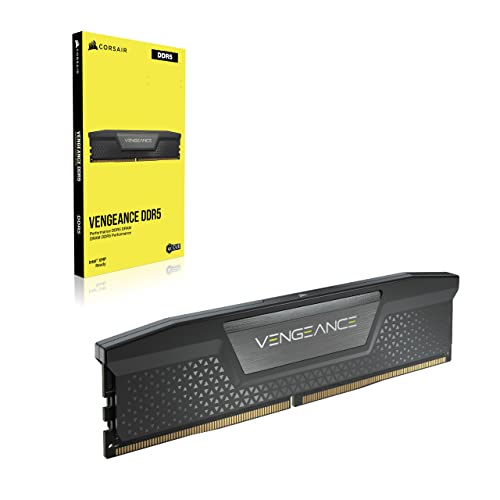
Corsair Vengeance 32 GB (2 x 16 GB) DDR5-5200 CL40 Memory (CMK32GX5M2B5200C40)
summer marsh
ok, ill see if its cheaper
 pulsar vapor
Is 5600 cl28 better than 6000 cl30? Both ddr5 for 7800x3d
grizzled bloom
The 7800X3D does not care
Either will do great
Just for laughs though, what are the other timings?
If the other timings are like 36-36-36 that's samsung memory and should be avoided for future overclocking, when you eventually need to in 4+ years
You want higher on the other primary timings to get much better odds of getting hynix
pulsar vapor
Ty
Do 670e mobo support nvme5 and 4090 at the same time?
grizzled bloom
Depends on the individual motherboard how well that works
dull flint
pulsar vapor
Is 5600 cl28 better than 6000 cl30? Both ddr5 for 7800x3d
6000 is better but both kits sound like hynix so you could get the cheaper one and then use the 6000 XMP if you wanted to
Also yeah X3D doesn't really care (it helps a tiny bit)
dull flint
pulsar vapor
Ty
Do 670e mobo support nvme5 and 4090 at the same time?
Yes but there's literally zero reason to get an x670e
Unless you spend all day encoding or working on large edit projects for work I'd stick to B650 or select A620M
pulsar vapor
Why, wouldn't games be installed faster?
dull flint
No
dull flint
You're limited by your internet when you install games
And any half decent nvme will install at the same speed as any consumer internet speed
pulsar vapor
How? Steam loads files and installs them offline, no?
dull flint
And will run at pretty much the same speed
dull flint
pulsar vapor
How? Steam loads files and installs them offline, no?
Not in any noticeable capacity
grizzled bloom
The extraction part after the download is CPU limited
Really, for gamers a 3.0 drive works perfectly fine, hang on I have a couple comparisons
dull flint
Windows is also limited by iops so you can't leverage anything beyond even a Sata ssd really in anything that's not video editing (scrubbing) or loading windows
grizzled bloom
 pulsar vapor
So only benefits of having gen5 for a gamer is boot and in-game load speed?
dull flint
Not even game load speed
Just loading big video files and windows basically
Think of it like
grizzled bloom
Nope you get near zero improved load times, except in games designed to use DirectStorage which you can count on one hand
dull flint
The difference between the 4090 on pcie gen 3 vs gen 4
It'll run basically the same
But it's just the tiniest, meaningless difference quicker due to higher bandwidth
pulsar vapor
dull flint
Yes but there's literally zero reason to get an x670e
Is there the most future proof am5 socket mobo? Bakka said future proofing is unnecessary but is it possible with mobo choice?
dull flint
AM5 has a funny quirk
Where the IHS (the part that has the name label and details on it) is the, entire bottleneck
grizzled bloom
Future proofing is impossible due to the nature of technology
If you bought a 9900K when it launched 5 years ago hoping it would hold you over for 7-10 years you're cursing yourself by now
dull flint
dull flint
Where the IHS (the part that has the name label and details on it) is the, entir...
The result with a tl;dr is that, due to what AMD has done
You can buy almost ANY board for a 7800x3d
And subsequently a large number of future AM5 CPU's will also work
pulsar vapor
Ok that makes me feel better
dull flint
Realistically
pulsar vapor
Ty
dull flint
Boards that run all cpus comfortably
Start at 100$
With known tests
A620M Gaming X can run a 7950X or 7950X3D all day without throttling
I'd try and stick to the 125-150 mark for your motherboard
grizzled bloom
A620M Pro RS is one of our most recommended boards
dull flint
Then grab a nice cheap SSD that's gen 3 or 4
Realistically (and I can tell you this as I'm on x670e and gen 5)
The difference is basically 0
pulsar vapor
Ok I'll save money than
grizzled bloom
I have a gen 3 drive as well and I have no desire for faster
Gen 4 is nice to have if it's only like $5-10 more (and it isn't the NV2)
dull flint
Yeah, sticking to cheap options like
P41 Plus
MP33 or A60
M371
M450
Those are all decent options
Then like, B650m hdv m.2, or a620m/b650m pro rs wifi or msi b650m pro wifi
Or a620m gaming x
All reasonable choices that get you the 99% experience
But you spend under 200 combined for both
pulsar vapor
Wow okok
dull flint
It's significant cos most people think they need a 200+ mobo and the best ssd they can get, and spend 400$+ when that extra money could go to, say, a gpu upgrade
Or monitor upgrade
grizzled bloom
And you won't miss the overclocking support on the A620 boards because you can't overclock the X3D chips anyway. That's the only notably missing feature.
grizzled bloom
eclk didn't do it either?
dull flint
Even when you pay for the options, it doesn't want to
The moment I step off 100 bclk it just went wild
grizzled bloom
Ouch, yeah. Oh well, it still beats a 13900k at 1/3 the power at stock.
dull flint
But think of it this way @pulsar vapor what you had before with a budget for say, a 4070Ti, now you can do a 7900 XTX, or if you do things right, a 4080
Or upgrade your 500$ monitor, to say, a $700 OLED
grizzled bloom
4080 sounds like a step down to me from the xtx
dull flint
Because you didn't chase that 1% cpu performance and instead put your gains elsewhere
pulsar vapor
700 oled?
grizzled bloom
Unless you really like squinting at light rays
dull flint
In the right places yeah
pulsar vapor
Is 4090 best gpu?
grizzled bloom
Yes
pulsar vapor
Ok I'll get that
grizzled bloom
But it's also almost 2k
pulsar vapor
Yeeeeah...
olive totem
xtx gang
dull flint
4090 is the cream of the crop, it's another case like AM5, where overspending is nearly pointless
pulsar vapor
Enlighten me please, maybe I'll save even more
dull flint
You stop at MSI suprim for 4090, and go no higher, spending more is a downgrade or sidegrade
But all the cheap options perform basically the same
40 series Nvidia is voltage limited, so they all run at basically the same performance out of the box
Any extra oomph is barely noticeable as none of them are locked under their limit
olive totem
felix and falcie i want opinions in #cases-psu-and-cooling
dull flint
I'd personally just get the cheapest one that isn't a gigabyte
pulsar vapor
dull flint
You stop at MSI suprim for 4090, and go no higher, spending more is a downgrade ...
2900 cad
dull flint
And anything cheaper? Or rather, what's cheaper
grizzled bloom
The cheapest in cad is $2359 https://www.canadacomputers.com/product_info.php?cPath=43_557_559&item_id=237104
Canada Computers & Electronics. 47,664 likes · 38 talking about this · 134 were here. Official Facebook page of Canada Computers & Electronics
pulsar vapor
Msi gaming 4090 $2300
grizzled bloom
pulsar vapor
Msi gaming 4090 $2300
That's only slightly above msrp, downright reasonable right now
pulsar vapor
dull flint
You stop at MSI suprim for 4090, and go no higher, spending more is a downgrade ...
Ok so it can be any 4090, doesn't have to be msi suprim?
dull flint
No it doesn't have to be suprim
grizzled bloom
They're all overbuilt
dull flint
A gaming trio is just as good
grizzled bloom
Even the Dell 4090 cools just fine
dull flint
Yes, when you pay up, you'd be paying for features that only really show up when you tear the thing apart and run it in subzero conditions
pulsar vapor
dull flint
4090 is the cream of the crop, it's another case like AM5, where overspending is...
I understand what you mean now. Sorry I'm slow 🐌
dull flint
It's all good
Mate, I get these questions all the time
Marketing is made to make everyone* think like this
grizzled bloom
"Bigger number better"
"More expensive, must be better"
dull flint
My best advice would be simply, pick a good power supply everyone recommends
750-1000W should work for your spec, ideally 850W from a good brand/model
Sorry I was brain dead for a moment, not all psus from a single brand are good. They all have great ones and explosive ones
grizzled bloom
This has saved lives https://cultists.network/140/psu-tier-list/

PSU Tier List will help you to choose the best PSU out of hundreds of models on the market. From budget to the highest end Power Supplies.
B tier or better is good enough for your system
dull flint
Nothing is better invested in a pc than the one device that supplies power and protects from it
pulsar vapor
 grizzled bloom
The whole RM series is A tier, good unit
pulsar vapor
Amazing price for A tier
olive totem
grizzled bloom
The whole RM series is A tier, good unit
except mine makes annoying noise under load 
pulsar vapor
Can weak PSU kill any other part?
grizzled bloom
The RMe is consistently a good price south of the border here
grizzled bloom
pulsar vapor
Can weak PSU kill any other part?
Yes
When power supplies fail they can fail dramatically
pulsar vapor
Hmm
dull flint
pulsar vapor
Can weak PSU kill any other part?
Yes, but RMe is pretty hard to do that with
grizzled bloom

 grizzled bloom
Oh yeah no that's what the tier list is for
The higher tier, the better the protections
pulsar vapor
Great
dull flint
139 CAD is just over or near 100usd too, which is a good price really
grizzled bloom
You can power a 7800X3D with a 4090 on the RM750
pulsar vapor
Ok personally I got no concerns about psu killing anything. It's just local salesman who said 850 isn't going to be enough
grizzled bloom
Yep they're trying to upsell you again
grizzled bloom
Most A tier units especially can handle running far above their rated spec for a fairly long time
dull flint
4090 is a typical like, 410W even when it's dialed up, and the 7800X3d is a some, 50-60W nominal cpu
pulsar vapor
I even had to request price for 2 different systems. 1 - pc by Bacca, 2 - whatever they think I need
Because it's easier to just ok everything
grizzled bloom
Bacca has the list making down to a science, I stopped double checking them ages ago because they were always perfect lol
Min/Maxed to perfection
pulsar vapor
I'm impressed
grizzled bloom
dull flint
4090 is a typical like, 410W even when it's dialed up, and the 7800X3d is a some...
Even the spikes are much contained this gen. Maybe a peak of 500W for 5ms. Compared to 30 series where you had the 3080 spiking to near double the nominal draw and tripping power supplies that had well above the needed capacity. Luckily that's been patched too.
pulsar vapor
Choosing mobo...
grizzled bloom
And I'll now observe a moment of silence for all the burned 3080 TIs that New World killed in combination with those spikes
pulsar vapor
Good price, no wifi?
 grizzled bloom
Meh, I'd at least get something with a heatsink on the VRM. Doesn't need to be big.
pulsar vapor
Also how do you think 4090 prices will look like in the next 1-3 months? Should I hurry any but it first?
dull flint
pulsar vapor
Good price, no wifi?
It'd work but I agree with Fal, aim a little higher
grizzled bloom
Canada's prices should be much more stable than US for the 4090 so I don't see a need to rush
dull flint
pulsar vapor
Also how do you think 4090 prices will look like in the next 1-3 months? Should ...
Probably worse, probably better, no clue
pulsar vapor
😂👌
pulsar vapor
Well, definitely more experienced in all things tech
dull flint
That's all I'll say
grizzled bloom
US prices are wack right now, cheapest 4090 is officially $2000 USD and we won't see a light at the end of that tunnel until maybe March-April
dull flint
Yeah not until the export ban is in full swing
pulsar vapor
Interesting. I'm too high time preference, can't wait so long
grizzled bloom
grizzled bloom
US prices are wack right now, cheapest 4090 is officially $2000 USD and we won't...
That's 3140 for my aussie friends and 2762 for the canadians
dull flint
Jeez
grizzled bloom
So it might actually be cheaper to import a 4090 from canada right now 
What a reversal
pulsar vapor
Back off shush lmao
dull flint
Lol
pulsar vapor
Cheapest b650m wifi
 grizzled bloom
Not worth
pulsar vapor
Hmm. What's good?
I mean. I'll try to find it cheaper
179 by asus?

Or should I look for full size mobo?
grizzled bloom
Maybe more like https://ca.pcpartpicker.com/product/fMcgXL/gigabyte-a620m-gaming-x-micro-atx-am5-motherboard-a620m-gaming-x

Gigabyte A620M GAMING X Micro ATX AM5 Motherboard (A620M GAMING X)
Ooh there's this https://ca.pcpartpicker.com/product/Dq4Zxr/asrock-b650m-hdvm2-micro-atx-am5-motherboard-b650m-hdvm2

ASRock B650M-HDV/M.2 Micro ATX AM5 Motherboard (B650M-HDV/M.2)
I consider 2 memory slots a plus if anything, DDR5 is unstable with 4 sticks anyway
There's an actually nice set of features on that board, 2.5Gb LAN, flashback, 2 M.2 slots
And a M.2 wifi slot so you can add one in easily
pulsar vapor
Ok, is ethernet faster than wifi6? Because I might just look for no wifi mobo and potentially save more
grizzled bloom
Ethernet is ALWAYS faster than wifi, and more reliable
pulsar vapor
Sweet
grizzled bloom
Man it even has the header for front USB C, not something I expect at that price
Even at the 163 cad before rebate this is a nice looking board, but 133 after rebate?
pulsar vapor
What cat cable should I get later? I see there is 8 and 7
pulsar vapor
Ok. Was checking, it's 10$
grizzled bloom
And the cables suck to work with
pulsar vapor
Why?
grizzled bloom
They're super rigid because of the extra shielding
They don't like to bend at all
pulsar vapor
I'll drag it under the wall heater. Hopefully it's safe