#graphics-cards
1 messages · Page 77 of 1
 odd siren
The slots are basically ewaste outside of a sound card or wifi card
If it's an aesthetic choice that's fine, just throwing my two cents out there
Most people don't look and assume these boards have somewhat serviceable slots
When they're really cheap af in fact and mostly useless
 clever aspen
 solid glacier
I was gonna get this one
solid glacier
I was gonna get this one
but the msi pro-s wifi is alot cheaper
better deal
odd siren
solid glacier
Is the 5600? Good what’s that over locked to?
It'd do 6 but I changed it
Part List - AMD Ryzen 7 7800X3D, Radeon RX 7900 XTX, Fractal Design Pop Air ATX Mid Tower
Something quite different again but still saving money
odd siren
clever aspen
but the msi pro-s wifi is alot cheaper
That board is garbage
Throttles on 165W
 clever aspen
you lose an m.2 but you get a better vrm and its 20$ cheaper
odd siren
Do you see the vrm there clearly overheating
clever aspen
odd siren
That board is garbage
bruh
odd siren
It's ok as long as we're on the same page
odd siren
The heatsink is underwhelming for the spec
Sadly this is not a pg lightning in msi clothing
odd siren
Yes the two mATX "Gaming" boards are absolute rubbish
Cheap vrm, 1 m.2
Never touch them
odd siren
If you want cheap cheap cheap end AM5, b650m/a620m pro rs, a620i lightning, b650m pg lightning
Those are really only good 4
clever aspen
i agree
odd siren
A620 boards are bios moddable now too for b650 oc so the "no oc" excuse won't carry these days
Same pcb, different chipset, but unlockable
odd siren
If you don't care for the aesthetic change then I wouldn't bother with extra slots no
But that's up to you
We're dealing in chump change changes on looks here so most of these choices are fine
I'm kinda digging the pop air list ngl
Dan a3 one is pretty modest too
More appealing than my usual hyper budget choices
 wide widget
does this mean my gpu is dying?

before i did the benchmark i did undervolt my rx6700xt
my reason for the undervolt is my monitors randomly disconnect. somehow it kinda fixes my problems. also my game crashes.
 neat ventureBOT
DDU (Display Driver Uninstaller) Guide by Pato
https://github.com/NeweggTechie/Graphics-cards/wiki/How-to-use-DDU

GitHub
Contribute to NeweggTechie/Graphics-cards development by creating an account on GitHub.
odd siren
Redo the benchmark stock
wide widget
i also did reinstall my drivers somehow the same result monitor kept on black screen
odd siren
Did you do it via ddu or acu
odd siren
Ok then undo the undervolt and redo the test
wide widget
okay but can it fix if i repaste my gpu?
odd siren
I can help with random monitor disconnects, space invaders I cannot
It won't be repaste
wide widget
what are the signs of a dying gpu?
i got a bit worried since I don't have money to buy another gpu for 1440p gaming.
wide widget
what are space invaders
odd siren
Blue boxes on screen
neat ventureBOT
DDU (Display Driver Uninstaller) Guide by Pato
https://github.com/NeweggTechie/Graphics-cards/wiki/How-to-use-DDU
GitHub
Contribute to NeweggTechie/Graphics-cards development by creating an account on GitHub.

 odd siren
It wasn't the paste
But ok, you can try repasting it
You might luck out and the retensioning helps the vram if they are improperly pressured
wide widget
are my vrams good? or is there a way to tell that it's burnt
 odd siren
No way to know
Not unless the card literally exploded in the last 24 hours
You have to follow through on repasting now that it's open
wide widget
this is actually my 1st time repasting it
odd siren
Well you need to cover the die completely
Pea dot won't work, nor line nor cross
It needs complete coverage to avoid genuine paste issues, it's not like a cpu
If a little bit is exposed then that little bit cooks and dies
wide widget
i wanted to remove a few dye on the sides but idk if its bad to touch
 odd siren
Around the edges can be left alone
Those are smds and don't contribute to the heat much if at all
The shiny core is what needs to be clean then covered in paste
 odd siren
It's actually pretty poor but it's better than nothing for now
You can buy a $6 tube of MX-6 if you don't want to open it up again
wide widget
i had an artctic 4
odd siren
Mx-4 is way better
wide widget
ohhh
odd siren
I hope you meant arctic mx-4 and not silver 4
Silver 4 is bleh
And conductive, not recommended for gpu
 odd siren
Yep
wide widget
i wasted 10 dollars for this gelid
odd siren
If you want to only do this once, yoy can order the new paste now and wait - I wouldn't consider GC 4 for this tbh
wide widget
i watched reviews on youtube saying they're good
wide widget
odd siren
If you want to only do this once, yoy can order the new paste now and wait - I w...
so meaning gc-4 is bad for gpu?
 wide widget
wow
odd siren
Mx-4 will be a little better, mx-6 will hang with the rest
wide widget
i wasted money for this
odd siren
You can still repaste for the test
But your choice if you'd leave it or redo it with better paste later
The paste won't affect the result
odd siren
Well the paste won't affect this result
Bad display cables, poor bga to vram chips, bad drivers
Those will be related to your problem
wide widget
my display cable came from my samsung Odyssey
from samsung and asus
they're both brand new too
odd siren
I've had brand new cables from all brands and plenty of duds and faulty ones involved
LG, samsung, gigabyte, dell, you name it
Brand doesn't matter
wide widget
alri im done repasting im going to put everything back in place

this good?
sorry if i ask too many questions
odd siren
The edges aren't fully covered
wide widget
okay
odd siren
Yes it needs to be flawless lol
I've had the smallest bits missed and still not covered after putting it back together
And remember to screw evenly
Little bits at a time on each screw
Not all on one screw then the next
You can crack the die doing that
 odd siren
No just the shiny silver square
 wide widget
booting up my pc now
checking if it will still happen
there's no more blue boxes
i set my adrenaline to default tune
could it be it lacks voltage?
odd siren
Yes
wide widget
it finished my benchmark
 odd siren
Bad undervolt can give space invaders
 odd siren
Hah
Yeah that'll do it
Those are literal fire hazards, don't use them
Very possible those were the source of the problems
 odd siren
That was really lucky then
Yeah never use those
They will start a house fire
Doesn't matter the brand
odd siren
Yeah that'll do it
Very dangerous things
If it's all better now then you found the problem on your own, nice job 👍
wide widget
i got it from here
 wide widget
odd siren
If it's all better now then you found the problem on your own, nice job 👍
wide widget
odd siren
If it's all better now then you found the problem on your own, nice job 👍
thanks to you! i have learned how to repaste and analyze things
thank you!
odd siren
I haven't met a single brand to date where those things haven't turned from a fire hazard to a fire happen
So yeah, those things are dodgy lol
wide widget
oh good dodge i guess
odd siren
wide widget
thank you!
I mean happy to help but we did the really roundabout way of finding this lol
wide widget
luckily my pcie isn't burned down
wide widget
both psu and gpu
life saver!
also how do i darken my display
it's not that bright before
odd siren
Monitor menu or go to windows settings > display settings
wide widget
 odd siren
You can adjust brightness there
Ye in there you can have an option
Or the monitor itself if not hdr
 odd siren
No worries
wide widget
okay now i think my gpu is now running it's full potential
you see my psu was Corsair CX750
and im using only 1x 8pin+8pin Pcie
when it has 1x 8pin+8pin pcie and 1x 8pin pcie
i used the 8+8 pcie
so it's probably the reason why it melted in the first place
the 8+8 pcie probably cant supply enough power to my gpu
so i used now 1x 8pins and 1x 8pin both
for reference i used only these

the twin pcie
odd siren
wide widget
the 8+8 pcie probably cant supply enough power to my gpu
No it definitely would've been those 180° adapters
The 8+8 would've been fine
wide widget
odd siren
No it definitely would've been those 180° adapters
i see
 livid idol
cad?
solid glacier
usd
 forest oasis
pass
forest oasis
solid glacier
huh
600 usd isnt a deal
600 cad would be good, but there's been sales for even lower before
solid glacier
yea ik im nt gonna buy that cpu for 600$ i bought ifor like 213$ my last build so oim gonna wait for it to become in stock
livid idol
forest oasis
ngl idk what you are asking about
this is the graphics card channel
and you say that you bought the cpu for 213 before?

livid idol
The lowest I've seen the 7800X3D is $335 back in June
solid glacier
Yea i used like newegg credit to get it for 213
livid idol
It'll go down again in a few months when the 9800X3D comes out
Probably around black friday
We're at the point in the tech cycle where companies raise prices so they can later reduce them and call it a sale
solid glacier
Whats a good ssd for 100$ or less
forest oasis
solid glacier
Whats a good ssd for 100$ or less
you should probably move to #building-and-recc-chat or the more specialized channels like #storage-devices for these kinds of questions 💀
i dont think there's a rule requiring you to do so, but it is kinda weird to be asking for ssd reccs in the gpu channel LMFAO
 odd siren
No
 random walrus
It also used to be more like 10C from what I remember
odd siren
Still no
random walrus
ok
random walrus
ok thisisfine
 odd siren
Ramp the fan a bit as well if possible
Small delta isn't bad contact it's poor transfer/ventilation
random walrus
yeah it's a small 2 fan card in a very cramped case
fan was maxing around 90% but I can up that to 100. Noise isn't an issue when I have my headphones on
 craggy pier
I wonder if its even possible for integrated to match top performing dedicated
In the future ofc
Im curious how youd go about that
odd siren
random walrus
evga xc i think
Ventus XC
odd siren
craggy pier
I wonder if its even possible for integrated to match top performing dedicated
It's definitely possible just hilariously expensive and ridiculous
random walrus
It's also the cramp[ed case. I've ran the card in a big case and it doesn't get as hot
odd siren
You need the die from one place
craggy pier
odd siren
It's definitely possible just hilariously expensive and ridiculous
Lol i bet
craggy pier
Cpu would cover 90% of the mobo 
odd siren
You want a good example? Go look at nvidia server architecture
craggy pier
Not to mention cooling
odd siren
Hopper systems are insanely dense
H100+grace cpus or whatever just filling this one small board with vrm everywhere
Very expensive
craggy pier
Once i saw a server cpu that went for 10k i just died inside
I think it was the threadripper
odd siren
Probs
craggy pier
Idk amd has insane cpus over there
I saw one that went for 28k
Not the grace h100
 forest oasis
craggy pier
I think it was the threadripper
forest oasis
craggy pier
I think it was the threadripper
Threadripper is mainly workstation
You're probably talking about like a 128 core epyc
Though that is probably worth more than 10k
Intel also had a few like around that price point
I'm not sure if there's a threadripper cpu that costs 10k
Insane amount of lanes though
livid idol
craggy pier
I wonder if its even possible for integrated to match top performing dedicated
It takes a while for integrated to match high end, but vs just a few generations ago, the 8700G currently matches the 1050 ti on average
It really thrives on faster memory too
 quartz gull
I hope the 5090 has more than 24GB of vram because 24GB isn't going to be enough for long with COD using 18GB
odd siren
Their game won't last very long if they're asking for more vram than over 90% of pc gamers in 2024 according to steam survey
Well over 50% if you only *consider 8gb
Happens too often nowadays, game launches with poor optimisation, within a few months, patch update rolls out that greatly fixes vram utility
Multimillion dollar games can't survive when they demand more performance than the market can afford
But you'll be happy to know there's a rumour floating around that one nvidia die is considering higher vram counts
Whether this becomes a 5090 or 5090 Ti we won't know until release
Survey for context, turns out I'm being conservative with my estimates lol
 livid idol
quartz gull
I hope the 5090 has more than 24GB of vram because 24GB isn't going to be enough...
livid idol
quartz gull
I hope the 5090 has more than 24GB of vram because 24GB isn't going to be enough...
It won't because then it will cut into the server and AI cards they charge 10x more for
I'm guessing the CoD issue is a memory leak that will be patched
quartz gull
Idk if it's a memory leak over bad optimization
Because it instantly fills up to that
And just sits there?
livid idol
Hmm yeah that's not leak behavior
quartz gull
Right?
Which is what has me so blown away

This is insane like there's not even things like hardware Ray tracing going on?
The game uses online texture streaming, I almost wonder if it's just streaming the entirety of the UHD textures at once and storing it?
What else would it need 18GB for??
livid idol
Possibly, in a "you have the space so fill it" kind of thing
quartz gull
It's using more vram than most people have Dram in their builds 😂
livid idol
CoD is infamous for poor optimization at this point. What was the issue with the map sizes, every map was rendering at once?
quartz gull
Speaking of ram this game uses 20GB without any other programs open too, that's crazy
quartz gull
livid idol
CoD is infamous for poor optimization at this point. What was the issue with the...
Because instead of separate maps, they were all on the same level with just different coordinates
And the culling didn't work so it rendered literally all the maps at once
livid idol
Laziest possible way to do that
odd siren
quartz gull
Which is what has me so blown away
There's no way it'll stay like that
I will eat my hat
I will leave the server 😂
If it stays
quartz gull
odd siren
There's no way it'll stay like that
It's actually went up since the first beta weekend
Although General memory usage went from 24 to 20
quartz gull
First beta weekend had my normal ram at 24GB with nothing else open I looked at that and went "Memory leak???"
And then it didn't increase any further
odd siren
You need to understand 2% of the gaming market have 24gb and can afford 24gb
quartz gull
I KNOW
quartz gull
7900XT has what? 20? 4080 super 16
odd siren
If this was fifa
....
I wouldn't be surprised
Those dudes are cash cows

Cod however has tons of brokies
quartz gull
"Must use FIFA limited edition Nvidia A series workstation GPU to run"
livid idol
Re-releasing the same game worse than Ubisoft
odd siren
Where's the factory assembly line meme...
livid idol
I swear every Ubi game is on the same engine now and it hasn't changed one bit
quartz gull
Honestly this is the best release since 2019 MW I'm enjoying it a lot
odd siren
Interesting
quartz gull
The movement definitely carries the game, and also assists giving you full kill points is great
odd siren
Shame only 15 people will play it
The other 3 million are broke or not interested
💀
Or want their kidneys
quartz gull
My dad was playing it on his 4060 laptop and kept complaining about hitching and I'm like
odd siren
Guarantee that'll get patched
quartz gull
*It should be running well at 1080P with a 4060M????"
odd siren
Ya
quartz gull
And he was running on the basic preset
odd siren
Yes cos xbox has 16gb unified ram
quartz gull
And smooth af
odd siren
The gpu and cpu work on the same ram
quartz gull
I have actually been playing more on my Xbox than my PC
quartz gull
Because PC keeps having matchmaking errors and crashes that are driving me crazy
odd siren
Ye
quartz gull
Wireless keyboard and mouse as the coffee table
I have a 120hz TV and honestly
The difference between 4K and 1400P isn't that much?
The 120hz frame rate carries definitely
quartz gull
I wonder if it's using FSR or something to upscale
Because I've played certain games on PlayStation with 1600P resolution that have been noticably bad
quartz gull
Honestly I skipped MW3 until it dropped into Gamepass because I played a little of it and returned the game disc
BO6 movement and gunplay and then actually fixing the score streak system from cold war is phenomenal
random walrus
quartz gull
I wonder if it's using FSR or something to upscale
It absolutely is. Consoles aggressively upscale to hit fps targets
quartz gull
random walrus
It absolutely is. Consoles aggressively upscale to hit fps targets
It doesn't look like just normal upscaling. Or the disgusting checkerboarding (Looking at you PlayStation)
I'm thinking it may be FSR
random walrus
Also cod really likes AMD gpus which combined with the upscaling is probably why the series x is faring better than the 4060m
and actually the series x gpu is probably just flat out faster than 4060m
Since XBSX ~= rx6700
4060m ~= 4060 desktop << 6700
Maybe a 30% raster diff
random walrus
odd siren
Ramp the fan a bit as well if possible
Forgot to redo my undervolt when I reset windows 🤦♂️
This card UVs quite a bit, 20% power drop with maybe 2% perf decrease
 coral yew
Has anyone had any BSOD issues after the latest AMD GPU driver update? I updated first then played a game and noticed my GPU was at 98 degrees in game and my fans weren't spinning so I restart my PC and get 2 bsods
Well now I'm getting a memory error which I did add new RAM recently but it was working fine
livid idol
coral yew
Well now I'm getting a memory error which I did add new RAM recently but it was ...
Memory_management?
coral yew
no but also issues fixed now recovery mode ended up fixing an issue for once for me
it was IRQ or something like that
odd siren
You "added" ram. As in you put two more sticks in?
coral yew
yeah
odd siren
It'll bsod again
coral yew
and i made sure it was the same kit
odd siren
Bsod IRQL means it's very unstable
It wouldn't matter if you buy the exact same sku
Brands shuffle oems
So the sticks underneath will be different revisions, different brands they bought from
Running completely different natural behaviours
Mixing is just no good
The fact you are even managing it in itself is impressive
But this will also degrade your game performance when it's unstable
Average fps might look the same but you'd have more stutters, less consistency, bigger 0.1% lows
It's going to all trace back to the ram
coral yew
fps is better and have had 0 stutters
odd siren
On top of that you can risk destroying your instal
Windows will suffer entropy over time with unstable ram
IRQL bsod is textbook unstable
Highly suggest you swap to 2 sticks of the same capacity or take one kit out altogether
coral yew
probably eventually just buy a new kit ig
odd siren
Up to you whichever way you want to do it, but I would suggest running 2 sticks for now
Advice is optional but amd gpu drivers get quite a lot worse with unstable ram
Would also encourage a ddu to amend the instability with an sfc scan
?ddu
neat ventureBOT
DDU (Display Driver Uninstaller) Guide by Pato
https://github.com/NeweggTechie/Graphics-cards/wiki/How-to-use-DDU
GitHub
Contribute to NeweggTechie/Graphics-cards development by creating an account on GitHub.
coral yew
alright
solid glacier
might order this to get the cpu


AMD Ryzen™ 9 7950X 16-Core, 32-Thread Unlocked Desktop Processor ASUS ROG Strix B650-A Gaming WiFi 6E AM5(LGA1718)Ryzen 7000 Gaming Motherboard(12+2 Power Stages,DDR5,3xM.2 Slots,PCIe® 4.0, 2.5G LAN)
 keen nacelle
solid glacier
might order this to get the cpu
keen nacelle
solid glacier
might order this to get the cpu
Not worth
At all
And that's 7950x non 3d
20% worse in games
solid glacier
oh lowkey thought it said 3d lol
odd siren
That motherboard is terrible
Sorry there's two motherboards there hold on
That motherboard is terrible
keen nacelle
How long do you think a 2060 can handle 1080p 60+ fps for any game for? I know it's an 8ball question
random walrus
For any game?
I'd say 0 years
It's well below reccomended specs for many AAAs releasing around now
Well I guess it depends if you count rtx and dlss
Dlss is pretty dookie at 1080p
keen nacelle
random walrus
It's well below reccomended specs for many AAAs releasing around now
That's what I thought, just wanted to confirm
Ty
random walrus
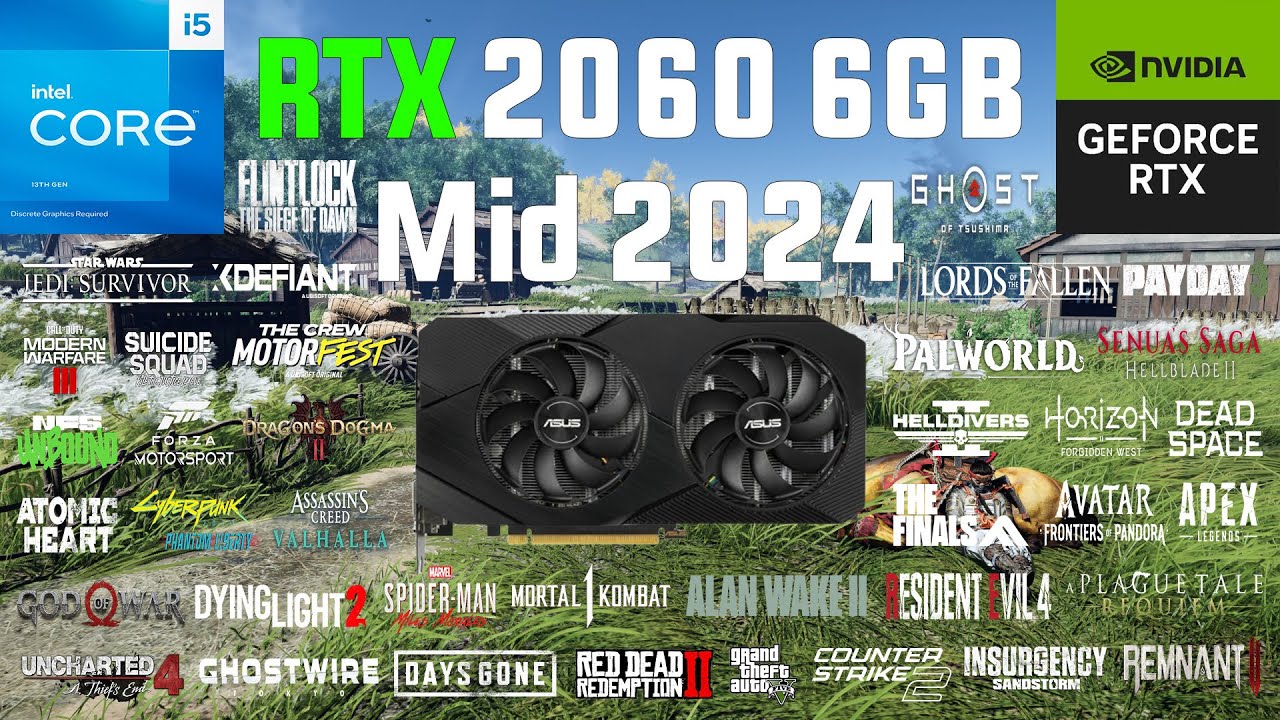
0:00 Counter Strike 2
1:01 Grand Theft Auto V
2:02 PUBG (Season 30)
3:02 Apex Legends (Upheaval)
3:53 Call of Duty Warzone (Season 4)
4:54 Insurgency Sandstorm
5:54 RUST
6:49 Just Cause 4
7:49 Red Dead Redemption 2
8:50 Doom Eternal
9:50 DIRT 5
10:50 Assassin's Creed Valhalla
11:51 Cyberpunk 2077 Phantom Liberty
12:52 Back 4 Blood
13:52 Days Gon...
Actually here this is better
https://www.youtube.com/watch?v=CG2I3tUK5Xg

Today we take a look at the RTX 2060 6GB in 2024 and how it fares in the latest current gen Games !
#pcgaming #rtx2060
Timestamps:
00:00 Intro
02:04 Horizon Forbidden West
03:35 Senua's Saga Hellblade 2
05:26 Ghost of Tsushima
07:08 Helldivers 2
09:02 A Plague Tale Requiem
10:27 Alan Wake 2
12:13 Avatar Frontiers of Pandora
13:53 Cyberpunk 2...
I would also expect 6gb vram to start becoming more and more of a problem just a year or two out
livid idol
Even 8GB of VRAM is becoming an issue in games at 1080p
<=4GB we're seeing games refuse to even start
odd siren
6GB still works
8gb is still fine too, just temper fidelity expectations
Once again, for the hundredth time. Over 50% of the pc gaming audience is on 8GB or less vram
New games asking for more than that mean half their audience can't play the damn game which is a huge revenue stream issue
Over 12GB and you have like, under 10% of people
24 at 2%
Vram requisites and the mindset of this is vastly overstated, these games get patched and the problem goes away
Until the market makes a real shift beyond 8gb finally, games will still be very accessible at 8.
Context:
 livid idol
They get patched to where the game runs, but textures pop in and out or low res ones used instead. See Halo Infinite.
odd siren
But panicking does no one any favours
You can't just turn around to people on the low end at sub 800 to say "Btw none of the new games work" it's contextually wrong
8gb won't last a lot longer, the last two years have seen a big shift already, however it's not doomsday protocol, far from it
livid idol
I only said it was "starting to become a problem"
odd siren
Not you
And not throwing shade btw, just clarifying the drama behind it
Even HUB reversed their statements in a review vid over vram just over a month ago
After spooking half the enthusiast market with "8gb is doom" posts for years
They started it and gave us the 4060 ti 16gb and 7600 xt
Those would have never existed
Damn things can't even use all 16gb on the bus
I will say 6GB the writing will be on the wall by now, but 8GB still has a fair bit of time left
solid glacier
Cpu still not in stock 😭
livid idol
7800X3D? There has been a bit of a shortage of those. It's driven the price back up closer to msrp.
 odd siren
New statistical data from Sony regards "3 out of 4 people choose performance mode over high or ultra graphics".
Seems my "9 out of 10 people don't care about RT" statement tracks pretty well in some places

random walrus
The whole PS5 pro debacle has taught me that console gamers either 1) don't care about image quality or 2) are just blind
I've seen multiple videos of people watching the Sony presentation and being like "Oh I DoNt sEe a DifFerEncE"
livid idol
They're the same people that say 30 fps is fine
random walrus
Meanwhile I'm watching their compressed recording of a stream and can still clearly see a leap in fidelity across most of the image
odd siren
Most people actually don't care about the image quality over gameplay tho
In some regions this new console costs up to twice the price of the vanilla PS5
Mine included
I can buy a PC for the same price and better performance here. With new parts, unlike the US where you game the system a bit with old parts but still turns out comparable
The main issue is the price
The ps4 pro had a performance leap yet still costed the same price as the ps4 at launch
random walrus
odd siren
Most people actually don't care about the image quality over gameplay tho
Gameplay is king but it ain't really up to the hardware manufacturers
odd siren
Ofc
random walrus
odd siren
The ps4 pro had a performance leap yet still costed the same price as the ps4 at...
Yeah manufacturing costs aren't dropping like they used to
odd siren
But the main cause of the debacle is people are upset the price trend is bucked
It's now cheaper to buy something else that the point of a console had a reason to exist for
random walrus
I think the most valid criticism is that it doesn't come with the disk drive, and iirc it's like $80 usd more?
odd siren
The lack of a disc drive is the big one for most. You can't even use it as a blu ray player
Yes it's ridiculous
livid idol
Sony is doing it because they can. M$ decided that consoles weren't worth it any more so they didn't launch the Series X Elite. Sony now has no competition so they can say "the best console for playing GTA 6" in their marketing when it launches late this year.
random walrus
Best console for VR as well... Not that that hits a very large demographic
odd siren
That price won't stick imo
Even when the ps5 launched, no one wanted the digital
That's how I got one so cheap mid pandemic, but back then it was justifiably valuable
livid idol
Doesn't matter if it sticks or not, they don't need to sell it. This is also testing the waters to see if people will accept a higher console price for the PS6 later down the road.
livid idol
If M$ really does pull out of the console market entirely like it seems they want to do then it doesn't matter if people accept it or not, they don't have a choice any more.
odd siren
MS has a loss lead in consoles
But the software they sell at almost pure profit
They absolutely will want to pull out
They've reached the point where people can play the games via streaming services or pc's, they've captured a major foothold of the gaming market
Dial back 10 years and they wanted to sell every disc they could
Way more profit for them if they don't sell the console
Sony on the other hand never had the home field advantage microsoft did, and frankly, with what, 1 exclusive title at this point
Hardly think it's worth it tbh
Given enough time switch and other handhelds will probably take a bigger rise. Sony should consider the psp again lmao
 hexed forge
There's rumors that they are going to step back into the handheld market soon
odd siren
They should
More value prospect for everyone when they sell a 780m handheld for $400 than a custom SoC for $700 and no special quirks like a disc drive
hexed forge
The problem is they need to have good support. Vita sold well initially but lacked many good titles and they never did much with it. If they do that again it will just fail again. And sony sucks at that stuff
livid idol
The handheld market has never been better. They'd be crazy not to try to tap into that.
Yeah Nintendo has a chokehold on handheld consoles
odd siren
Thing is, if the next switch is competitive with the current handhelds, that'd frankly throw a psp out the window
hexed forge
nah cause psp sold and did real well despite nintendo having pretty much a monopoly in the handheld market at the time. They just gotta build a more powerful handheld with more enticing exclusives
odd siren
They would want to have a handheld in japan that is distinctly different
livid idol
odd siren
Thing is, if the next switch is competitive with the current handhelds, that'd f...
It's not
odd siren
We don't know yet
hexed forge
Supposedly, the next nintendo console will be portable but with the power of a PS4 according to some rumors I saw floating around
odd siren
Old ampere rumours are several years old now lol
hexed forge
but that's a lot of relying on rumors lol
livid idol
hexed forge
Supposedly, the next nintendo console will be portable but with the power of a P...
PS4 Pro specifically, but only in raw tflops
odd siren
hexed forge
Supposedly, the next nintendo console will be portable but with the power of a P...
Which would be genuinely better than a lot of available hardware rn
Take a switch, flash steamos to it
Lmao
livid idol
PS4 Pro = 4 tflops
780m = 8.3 tflops
hexed forge
The thing with nintendo is, they don't really need the power though. More power than switch, sure. But they don't need modern performance power because they have a long line of exclusives that people will buy no mater what they put out. If playstation puts out a more powerful handheld with a more exclusives they could easily take a chunk of the handheld market, but it will rely heavily on exclusives.
odd siren
livid idol
PS4 Pro = 4 tflops
780m = 8.3 tflops
780m is like a handful of the soc's available
Go look at every ayn, every razer, all these others using snapdragon custom soc's
livid idol
I know, but it's on the market, and not the only one that far exceeds the PS4 Pro in fp32
odd siren
hexed forge
The thing with nintendo is, they don't really need the power though. More power ...
Nintendo puts time into a fun game rather than necessarily looking great
As annoying as the premiums are, switch has aged well.
hexed forge
I agree.
odd siren
It's genuinely vexing looking at the current AAA market and feeling like it's worse than what we had 4, 5 years ago
livid idol
Covid and all the mergers had a huge hand in that
hexed forge
I'm just saying sony (and microsoft too, for that matter if they wanted) could get into the handheld market and take a sizeable chunk if they put some of their good IPs on there as handheld console exclusives. Exclusives are really the only thing that sells consoles nowadays for the most part
odd siren
hexed forge
I'm just saying sony (and microsoft too, for that matter if they wanted) could g...
Absolutely agree
solid glacier
769$ before tax’s worth?
 odd siren
Pretty much most of my discussion points in the last 40 minutes lmao
odd siren
solid glacier
769$ before tax’s worth?
Nope
hexed forge
ah I havent been here for the last 40 minutes I only saw the bit I chimed in on 😂
livid idol
hexed forge
I'm just saying sony (and microsoft too, for that matter if they wanted) could g...
Better be actually new games and not a re-re-re-release of Crash Bandicoot too
solid glacier
I could get it Saturday that’s why I was considering it
solid glacier
odd siren
Nope
Know any other bundles that’s worth it then?
hexed forge
livid idol
Better be actually new games and not a re-re-re-release of Crash Bandicoot too
as much as I do actually enjoy rereleases, that's not an exclusive. I don't care how pretty you make it 😂
livid idol
It's a Sony IP but they have done PC and licensed out certain games
odd siren
New games, new handheld, sony should move on if they think the console future is this expensive
hexed forge
I should put an asterisk on that, I enjoy it in certain situations. Like nintendo I'm okay with it cause it puts console games in a portable format so it's worth it to me and if you give me a means to not pirate it, I won't pirate it lol
odd siren
Yeah agreed
The portability to me is immensely worth an extra
I willingly bought a switch and I like it, as old as it is, ps5 would be worth nothing to me if GT wasn't a platform exclusive (Won't be for much longer I've heard)
livid idol
I just wish Nintendo games would go on sale once in a while instead of never. Even old ones like Smash Ultimate are still $60.
odd siren
Also agree
hexed forge
yeah agree. That's why I want used game stores to come back with a vengeance lol
odd siren
But if it means nintendo keeps making good games like this, I think they got something good going
 plush garden
Would a 3060
Be good enough to pair with my ryzen 77800 x3d?
livid idol
hexed forge
yeah agree. That's why I want used game stores to come back with a vengeance lol
Gamestop is selling used smash for $55
hexed forge
plush garden
Would a 3060
Be good enough to pair with my ryzen 77800 x3d?
you can get better bang for buck with AMD GPUs
6700 XT I think is the equivelant? right?
plush garden
Not sure but aren’t nvidia better though ?
hexed forge
or maybe 6600xt
livid idol
6700 XT is more like a 3060 ti
livid idol
plush garden
Not sure but aren’t nvidia better though ?
Only in ray tracing and VR, which you shouldn't be doing on a lower end GPU anyway
odd siren
plush garden
Would a 3060
Be good enough to pair with my ryzen 77800 x3d?
Vastly imbalanced unless all you play is like 1080p low overwatch
hexed forge
beat me to it. I was having trouble remembering the name "Ray Tracing" 😂
hexed forge
livid idol
Only in ray tracing and VR, which you shouldn't be doing on a lower end GPU anyw...
I would imagine VR is ok on 3060. Haven't tried it yet but it was usable on my 970, and did real well on my 2070
odd siren
Ah yes the thing that doesn't really work on more than half of nvidia's stack
Ray tracing
livid idol
Depends on what you play. Half Life would destroy it.
odd siren
solid glacier
That bundle is the only thing I see with it
What are you building this pc for doing
hexed forge
Really? I've never played half life alex, but the only game I couldn't play on 970 was No Man's Sky VR, but it ran great on 2070
odd siren
Alyx is one of the hardest vr games to date
plush garden
So what gpu should I go for then
hexed forge
Well now I wanna try it but I don't have the space lol.
solid glacier
odd siren
What are you building this pc for doing
gaming
odd siren
plush garden
So what gpu should I go for then
What's your budget more importantly
livid idol
NMS is 10 years old lol, ofc it runs on a potato
odd siren
solid glacier
gaming
7800x3d then
You don't need a higher tier unless it's justifiably cheaper
plush garden
Like 300 range 350 ish
odd siren
More cores is not more better
solid glacier
odd siren
7800x3d then
thereason i was getting that bundle is bc its the only cpu in stock lol unless i wanna overpay for a cpu and then get a bad mobo
odd siren
plush garden
Like 300 range 350 ish
Whole pc not just the gpu
odd siren
solid glacier
thereason i was getting that bundle is bc its the only cpu in stock lol unless i...
That bundle is overpaying tho
odd siren
plush garden
Just need gpu
Used 6800/XT then tbh
plush garden
odd siren
Used 6800/XT then tbh
Ok bet
odd siren
That should be near 350-ish
solid glacier
odd siren
That bundle is overpaying tho
oh
hexed forge
livid idol
NMS is 10 years old lol, ofc it runs on a potato
I mean it still hard on VR lol. Maybe hla is worse, idk. But of all the VR games I have, NMS is the only one I couldn't play with 970. That's all I'm sayin lol.
solid glacier
?
 odd siren
solid glacier
oh
odd siren
solid glacier
oh
7800x3d is the bar, if the 7900x3d costs even a dollar more or a bit less and you only play games, not worth it.
If 7950x3d is same price and you only play games, it's somewhat worth it
$750 is not worth it
I'll give you an objective
Find a combo deal around 550 for both x3d cpu and board
Or up to 650 for x3d cpu, board and ram
solid glacier
those the only 2 bundle deals on amazon and theres none on newegg lol
odd siren
Try micro center
solid glacier
none near me
odd siren
Well if you can't meet those targets then buying separate is cheaper
7800x3d + great mobo is only 550 before tax
570 before tax if you want extra features like usb
Any higher and it's a rip off
 olive bobcat
Any new performance based gpu ranking charts?
odd siren
Tom's hardware 1440p ultra or 4k ultra is good
solid glacier
no cpu yet D:
plush garden
odd siren
Tom's hardware 1440p ultra or 4k ultra is good
so i have my gpu but the cord that goes to it does it need to be plugged in straight to the motherboard or into the power supply its self into then into gpu?
some one help
plush garden
odd siren
????
let me send pic one sec
odd siren
Psu to motherboard
plush garden
gpu
plush garden
 odd siren
If that's the other end of the plug yes
plush garden
ok
odd siren
There is no where on a motherboard to plug that to
Make sure it's plugged in completely on BOTH ENDS
They can't be out a little bit
That's a really bad situation if they are
Make it the last thing you do
forest oasis
gas leak
 plush garden
4060
forest oasis
plush garden
that's regular pcie power
plush garden
No it seems like this is a hole separate cable
forest oasis
are the connectors on the gpu the same size as the one in this image, or smaller like the one in the first image you sent
 plush garden
Ok
forest oasis
does any 4060 even have this type of connector
would definitely be a bit overkill lmfao
plush garden
Can I just plug one side in to the gpu ?
 plush garden
Ok
forest oasis
well, ideally, you do the one that isnt hanging off of the other one
but it doesnt really matter much
the 2nd one is just there for gpus that need 2 8 pins (or you can remove 2 pins to make it a 6 pin)
odd siren
@plush garden make sure the psu side goes to psu, gpu to gpu
plush garden
screw wise what do it use?
forest oasis
which
plush garden
the ones itake off from the plates i have to remove for the gpu?
forest oasis
yeah you use the same screws from there
 plush garden
forest oasis
yeah you use the same screws from there
plush garden
forest oasis
yeah you use the same screws from there
?
forest oasis
yeah looks fine
plush garden
forest oasis
yeah looks fine
What does this mean
 forest oasis
something is wrong either in the cpu or ram
did you plug in the cpu power as well on the top left corner of your board
couldnt see from your previous image
plush garden
well the lights went away and now its on
plush garden
forest oasis
something is wrong either in the cpu or ram
so what that mean now?
plush garden
ok
@forest oasis so why when those two lights go off when it finally shows picture why does the pc sound louder
forest oasis
because the fans are spinning faster
plush garden
Ok
 ivory herald
The debug leds flash in sequence when pc is turned on. ram & maybe cpu led will sometimes temporarily be lit for a minute like when ram training is going. If the led labeled boot goes on, it's a non-issue if windows isn't installed it.
plush garden
forest oasis
because the fans are spinning faster
😂😭
Now I need help because I’m trying to fix my dual monitors but my mouse won’t show up on my second monitor to drag this down what do I do 😭😭

@ivory herald @forest oasis
Fixed it lmao
plush garden
is this going to always show two gpus since my cpu has intergrated graphics ? @ivory herald
ivory herald
Some places will. I have igpu and TM doesn't show it. I might've disabled in bios. btw, 1st pic has your email in it, top left.
 plush garden
One sec
plush garden
ivory herald
Some places will. I have igpu and TM doesn't show it. I might've disabled in bi...
 plush garden
ivory herald
Some places will. I have igpu and TM doesn't show it. I might've disabled in bi...
plush garden
ivory herald
Some places will. I have igpu and TM doesn't show it. I might've disabled in bi...
One more question i already have my games and stuff imma use downloaded but now when i turn off the pc and turn it back on it shows those mob lights then it goes away after like 80 seconds then I get picture how can I stop that
@frigid anvil
what ya think i can do
forest oasis
plush garden
One more question i already have my games and stuff imma use downloaded but now ...
This is normal behavior
plush garden
so is it going to be likr that forever
plush garden
oh
forest oasis
It only happens during boot
plush garden
yea
forest oasis
Yeah, I'm saying that it will only happen during boot
plush garden
OK
livid idol
Those are diagnostic lights. They can help a lot with certain hardware or BIOS issues.
 frigid anvil
plush garden
<@238877185685848065>
frigid anvil
plush garden
<@238877185685848065>
idk why I was the chosen one but that's normal stuff.
 plush garden
frigid anvil
idk why I was the chosen one but that's normal stuff.
plush garden
frigid anvil
idk why I was the chosen one but that's normal stuff.
lol because u are online
 plush garden
lol
solid glacier
still no 7800x3d in stock
livid idol
Still not the CPU channel too
But yes there's less stock every day for the places that had it
I think microcenter is the only one left with it at a relatively reasonable price
 lone pond
is the i7-11700 bad
livid idol
lone pond
is the i7-11700 bad
Not necessarily, but it is a few years old at this point. It's no better than the 10700 and sometimes worse, though. It's still powerful enough for any game at least.
 tough plinth
my gpu doesnt have ray tracing, so how does it render reflections?
forest oasis
tough plinth
my gpu doesnt have ray tracing, so how does it render reflections?
quite a few gpus are able to proccess ray tracing
been doing it for years
real time ray tracing on the other hand, requires specialized cores
as for normal games with reflections, most of the time, they arent actually doing any ray tracing, but using some techniques to make it look ray traced
they may also pre-bake ray traced lighting into the game, like portal 2 has
which is why portal 2 holds up so well even over a decade later
odd siren
Still looks nice
 latent cove
im going to install a new gpu should i use ddu after the installation or before?
livid idol
Run DDU, using the uninstall and shut down option.
When it shuts down, that's your time to swap the GPUs.
Then you boot up and install the new drivers. It might take a little extra time to start the first time.
forest oasis
if it doesnt post, then clear cmos
i had to do that when swapping gpus for some reason, idk why
livid idol
BIOS does store some of the VBIOS data, mostly just a basic identifier and capabilities
latent cove
ok ive got an issue that i dont know where to go from here. Last march my msi 6700xt was causing issues where it would freeze for a few seconds then shut down. i switched it out with my old gpu (1660 super) which is what ive been playing on since. The 6700xt was under warranty so i sent it in, it came back and i tried to use it and its doing the same thing. I call MSI and they say that they found no issues with my gpu and it could be my other components? any idea what i should try?
forest oasis
shut down as in a graceful shutdown? or as in a crash?
either way, try reinstalling your drivers
uninstalling with ddu first
latent cove
i have done that. its a black screen and it restarts
forest oasis
oh yeah you were here yesterday
hmm
have you tried checking if your windows system files are fine? with sfc and dism, or just by reinstalling windows
if even reinstalling doesnt fix it, it's probably a hardware issue of some sort
perhaps a psu issue? considering that your 1660 super is fine, but that's a lower power draw
keen nacelle
latent cove
i have done that. its a black screen and it restarts
What psu do you have
That def sounds like a psu issue
latent cove
forest oasis
have you tried checking if your windows system files are fine? with sfc and dism...
I have done that
I just updated by bios so I’ll see if that helps
latent cove
keen nacelle
What psu do you have
I’ll have to check I’m on my way back from classes right now
latent cove
keen nacelle
What psu do you have
i have a 650
pcpartpicker shows my estimated wattage at 394
keen nacelle
What model
latent cove
corsair gold
keen nacelle
Some rm variant, so that's fine
latent cove

Corsair TX650M Gold 650 W 80+ Gold Certified Semi-modular ATX Power Supply (CP-9020132-NA)
keen nacelle
I'd make sure to check all connections, if the gpu has multiple 8 pins use separate cables instead of two connectors on the same cable
latent cove
ill try that
keen nacelle
Txm is still solid, but if it's old that could be the issue
latent cove
yeah i have had it for a while
keen nacelle
How long?
latent cove
the cable im using is 2 8 pins, i built the pc in 2020
keen nacelle
Gpu typically wouldnt cause shutdowns unless it's psu related
Especially the way you were describing
latent cove
yeah i have been trying to figure it out for a couple months. i just updated the bios so im going to try that. my psu box is at home so ill have to wait to try that
 long oracle
does anyone know where I can get a PCIE to thunderbolt adapter?
tryin to boost my macbook lol
Just found this amazing item on AliExpress. Check it out! $124.29 | egpu thunderbolt 3/4 to pcie Graphics card external bracket stand by 7900XT/rtx4090 ATX power supply can be installed
https://a.aliexpress.com/_omDGrqj
solid?
craggy pier
Ordering the 7900 gre powercolor red devil later today, is it worth undervolting?
 cerulean rover
long oracle
tryin to boost my macbook lol
cerulean rover
long oracle
tryin to boost my macbook lol
eGPU for a macbook..? need to be very careful with compatibility
livid idol
long oracle
tryin to boost my macbook lol
Only the Intel based macbooks work with eGPU, none of the M series chips do. You're also limited to the GPUs listed on this page. https://support.apple.com/en-us/102363
Apple Support
Learn how to access additional graphics performance by connecting to an external graphics processor.
If you do some modifications you can technically get other ones to run but you will likely lose warranty support, if you still have it, among other risks.
long oracle
livid idol
Only the Intel based macbooks work with eGPU, none of the M series chips do. You...
yep already figured allat
cussed apple a few times and went on with my day
solid glacier
Hey do we gatta install windows 10 pro first on a usb or can we download windows 11 on usb? bc when i first tried it on windwos 11 usb it wouldnt work
forest oasis
solid glacier
Hey do we gatta install windows 10 pro first on a usb or can we download windows...
you just need to make a windows 11 usb if you're planning on installing windows 11
also this is the graphics card channel
this is a question for #building-and-recc-chat or #windows-ios
 mellow glen
is the 12VHPWR connector compatible with a 3080ti ?
forest oasis
depends on if the 3080ti has the 12vhpwr connector, or if it's just using the old standard pcie power
founders edition definitely is
iirc the strix isnt
mellow glen
forest oasis
depends on if the 3080ti has the 12vhpwr connector, or if it's just using the ol...
it is a founders edition, 12pin connection
just wasnt sure if its backward compatible
ivory herald
3090 Ti is the main 30 series w/ 12vhpwr port, although rest of founders 30 series should be able to use a 12vhpwr cable. The sense pins wouldn't be used for ya, but this might not be a factor.
 forest oasis
mellow glen
just wasnt sure if its backward compatible
forest oasis
mellow glen
just wasnt sure if its backward compatible
yeah, the 4 extra connectors on top are for the sense pins
not needed for 30 series
but if you have a cable without those sense pins, it wont work on 40 series
livid idol
mellow glen
is the 12VHPWR connector compatible with a 3080ti ?
Without the sense pins connected the cable is limited to 150W, or 0W if it's the new 12V-2x6, assuming the power supply is properly built.
You can bypass this by jumping one of the sense pins
Jumping sense0 will get you a 450W limit; jumping sense1 will get you 300W. Both of which are definitely enough for a 3080 ti.
S3 is sense0, S4 is sense1, I know it doesn't make sense (hehe)

So you can jump S2 with S3 and get a 450W limit at the cable

 wind sable

 livid idol
solid glacier
But nothing is displaying on my montior
livid idol
solid glacier
But nothing is displaying on my montior
How long did you wait? It can take 5-10 minutes to train the memory the first time
solid glacier
Like a few secs
solid glacier
livid idol
How long did you wait? It can take 5-10 minutes to train the memory the first ti...
It didn’t even show screen on first boot though
Iv never had to wait for the ram to train in any of my builds lol that’s why I think it’s a connection issue somewhere
livid idol
solid glacier
It didn’t even show screen on first boot though
Yeah, it takes 5-10 minutes for that
 livid idol
Because it's training the memory (DRAM)
Unless the bios version is too old to recognize the X3D processor
solid glacier
Yea I think the bios needs a update a lot of reviews are saying that
livid idol
Which board did you end up with
 solid glacier
1.3
livid idol
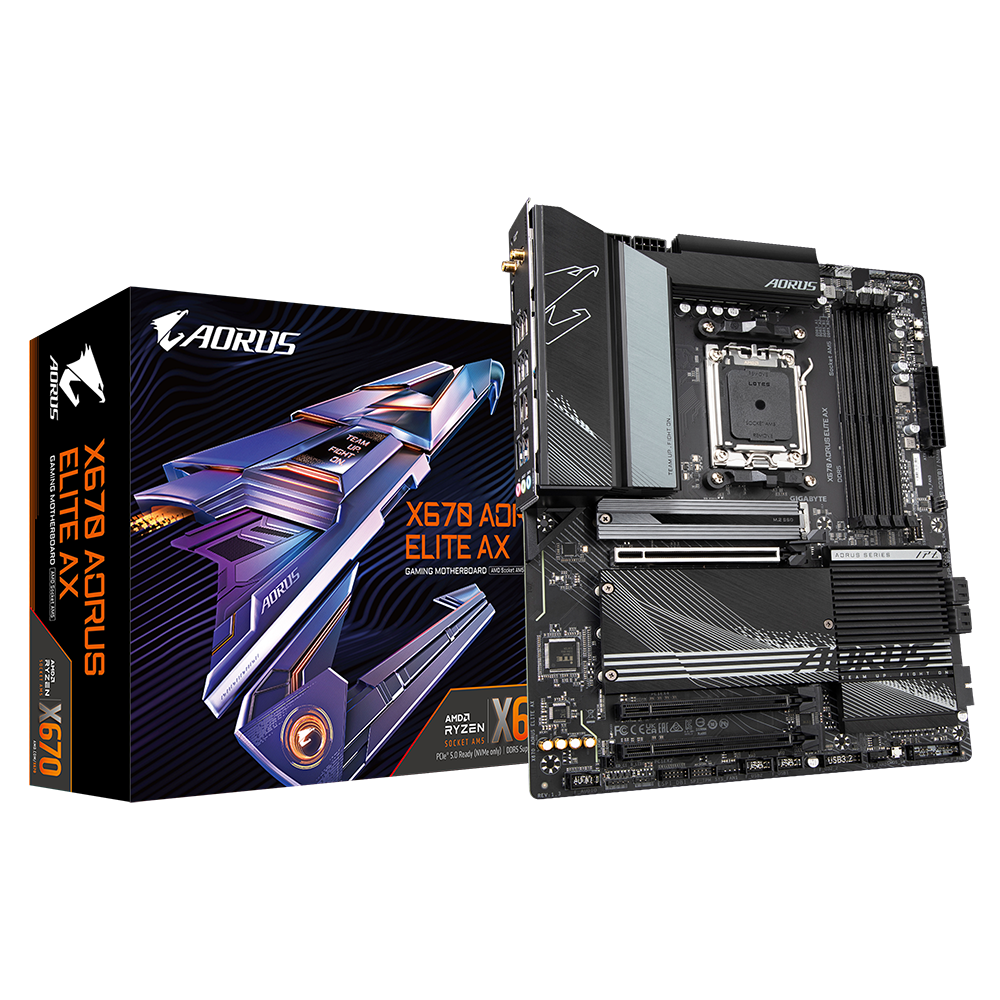
GIGABYTE
Lasting Quality from GIGABYTE.GIGABYTE Ultra Durable™ motherboards bring together a unique blend of features and technologies that offer users the absolute ...
You have "q-flash plus" so you can flash it without it booting first
solid glacier
How without having any signal, doesn’t that red light mean that my ram is faulty or not seated correctly aswell?
livid idol

Need to flash the BIOS for your GIGABYTE motherboard? In this video, you will learn how easy it is to update the BIOS using the Q-Flash Plus function, available on most GIGABYTE motherboards, in just a few simple steps.
// Follow us on Social Media //
Facebook: https://www.facebook.com/AorusOfficial
AORUS Gaming Community: https://www.facebook....
It can also mean that the CPU is not able to communicate with the RAM, which can be caused by the CPU not working correctly from the outdated version
livid idol
Correct, at the top of the list
That'll also include the performance improving agesa patch
A nice little 5% overall bump is always fun
 livid idol
Yes
livid idol
That's fine you don't have a program that knows how to handle BIN files
Not needed here
 livid idol
solid glacier
That or get rid of the FB3B
livid idol
solid glacier
That or get rid of the FB3B
It should only be "GIGABYTE.BIN" exactly, it won't read otherwise
solid glacier
Alright
It’s flashing now let’s I wait and see if it helps
If this doesn’t work I’ll take cpu cooler off gonna have to reposts repaste cpu and then reseat ram
solid glacier
livid idol
It should only be "GIGABYTE.BIN" exactly, it won't read otherwise
It’s done flashing the Bios
Now what
livid idol
Try to boot again, waiting a few minutes for the RAM again
solid glacier
So shut pc off?
And reboot?
Rebooted still no screen now I wait 4 mins
Just got a feeling I have faulty ram lol
Ubless I did something wrong in the bios flash process but I don’t think I did
The reseating ram is gonna be so annoying bc I have to take everything out
The USB goes under where it says bios right bc that’s where I put it

Ok so yea nothing yet
Gonna reseat ram
Fml
livid idol
solid glacier
The USB goes under where it says bios right bc that’s where I put it
Correct
Sometimes flashing can take a few tries
And sometimes it won't like your USB and you need to try a different one
solid glacier
I clicked the Bios flash nothing is happening
So I think it worked?
But still no signal
solid glacier
livid idol
Sometimes flashing can take a few tries
Can I leave the cpu cooler off when I take it off when I reseat the Ram and see if the issue still persists or do I need to put the cpu cooler back on
livid idol
At least set the cooler on top so it makes contact
There does need to be a certain amount of pressure on the CPU for it to make proper contact with the pins too
solid glacier
Alright
Wait I might of did it wrong
For the folder extracted
Do I include the full folder or just the contents inside of it

Do I put that whole folder in the USB? Or do I open the folder rename it and then put what’s renamed on the USB
livid idol
Only the file that was renamed needs to be put on the root of the USB drive
solid glacier
livid idol
Only the file that was renamed needs to be put on the root of the USB drive
So to reboot it I Jsut hold power button down and then return it on ?
livid idol
Or flip the power switch on the PSU
livid idol
If you want, not necessary
solid glacier
livid idol
It can take as much as 10 minutes
Still nothing
Gonna reseat
I only had to remove a fan think goodness
@livid idol Reseated arms
Ram
Still solid red
Brand new set
Ruined lol
Nvm
My tam isn’t in
Double checked yes idk
Not working one but
Bit
Faulty ram or fault mobo
Idk what else to try
Time to buy new ram yippie
@livid idol tried 1 stick at a time both different sticks to see if I cns rule one or the other out
Still so loud red
Tried new slots on mobo still a issue
odd siren
Frosty did you strike out again on a whole new pc?...

Do you have like a microcenter nearby?
Or rather any pc shop?
Take it in to them, pay them a 50 to get them to finish setting it up for you
Any pc shop will have a service for that
I think at this point @solid glacier it'd be better to let a professional help, lightning doesn't strike twice in the same place

 solid glacier
Yea idk
Brand new build and getting no display signal yay me I reseated CPU checked to make sure no pins were bent, cpu is perfect, reseated ram 4 times tried1 stick at a time didn’t work tried a different SLOT and still didn’t work. tried CMOS didn’t work. Tried BIOS reset didn’t work
solid glacier
This bundle a lot of people are getitng a DRAM issue problem
livid idol
Sure but that's usually after enabling xmp
Because the CPU can't always handle the RAM speed with the fclk synced
It should have no issues at jedec
My suspicion is that the bios didn't get flashed correctly
Not that it's your fault or anything, it's not a great system
solid glacier
I tried flashing 4 times lol
livid idol
Like, how are we supposed to know what the different flash patterns mean
It could be saying "error can't read" when we think it's flashing
solid glacier
Yea so what do I do at that point lol
livid idol
You got the microcenter bundle right? Might as well take it to them, I know they have a service that can help.
solid glacier
Yea but the closest one is 4 hours away
I work over the weekend aswell
If it’s a faulty
Mobo do they replace it for free
livid idol
Try a different flash drive maybe
solid glacier
I tried that aswell
livid idol
For them to replace anything they'll need to figure out what's faulty
It's FAT32 right
livid idol
Right click the drive and select properties
solid glacier
Yea it’s fat32
If I can’t figure it out I’ll prolly just take the drive down there Ik it’s a faulty board has to be
solid glacier
livid idol
Right click the drive and select properties
The usbs fat32 it works

 vital oriole

 keen nacelle
Why would microcenter warranty a product they didn't sell
solid glacier
I’m gonna try on board graphics didn’t know I had to remove the gpu and then plug the pcie cable into mobo to see if n it works
Honestly prolly won’t lol
odd siren
solid glacier
Sold by Amazon though
You return via amazon then
Not microcenter
Yes, even though they sold it
Just take it to an MC and get them to take a look at it
solid glacier
Yea gonna return the whole bundle since I can’t just return mobo