#🖼️┃2d-tools
1 messages · Page 13 of 1
 modest cargo
16x16 what precisely?
modest cargo
 cloud nebula
problem solved !
cloud nebula
problem solved !
What did it turn out to be
cloud nebula
PPU on 1 and not 16
 lethal niche
Respoting from #🔀┃art-asset-workflow
I have a question about the sprite packer/atlas feature. Say I want to add a new sprite to the atlas, how do I go about keeping all the information I've edited on the sprite editor and to include a new sprite onto it? I've not been using the sprite packer per say, as it doesn't seem to allow me to see the sprites I've placed in it (I was reading about similar bugs) so instead I just sprite pack them 3rd party software and edit it on the sprite editor. I was just wondering if the sprite packer is the idea here and I should figure out how to fix that bug.
Also, if I have multiple sprite sheets, does unity try to optimize that anyway? Or, should I try to fit as much as possible on a single sprite sheet?
 nova bronze
Im trying to use these 2d acher assets i bought and it uses .atlas and idk how to use any of these assets can someone point me in the right direction?
 earnest raven
trying my luck here.
Need help with an issue with Tilemap in build.
It's quite big, so i made it into a post on stackexchange (and unity forum)
link: https://gamedev.stackexchange.com/questions/211064/tilemap-settile-results-in-no-visible-change-in-build
 mighty dirge
How do I make my player layer correctly with a tilemap such as this. I am using transparency sort mode already

 proven oxide
when using a tileset im using the random brush is it possible to quickly use this for thousands of tiles like how you can just use the flood fill tool with the regular brush
 solemn latch
You can probably just disable gravity and use an effector.
proven oxide
proven oxide
when using a tileset im using the random brush is it possible to quickly use thi...
because that is the area i want to paint but its a little big to paint 1 tile at a time

 cyan pilot
solemn latch
You can probably just disable gravity and use an effector.
cyan pilot
solemn latch
You can probably just disable gravity and use an effector.
effector?
cyan pilot
solemn latch
You can probably just disable gravity and use an effector.
Figured the area effector out
but there is a new problem
I need to adjust the player script to be able to work with the new direction of the gravity
and that seems very problematic
like if I turn the gravity 90 degrees to the right that probably means that I should be using the vertical input to move left and right
and then what am I supposed to do when it's not 90 degrees but something like 20
Anyone have any idea about that?
 glass jackal
Is there a way to make overide tiles for non-rule tiles?
I really appreciate the editor GUI for rule override tiles that lets you select which sprite to replace each sprite with, and I want to do basically the same thing to a custom tile, but that custom tile is not a rule tile. ie: the custom tile selects sprite A, in the editor for the overide tile I could say replace sprite A with sprite B. I can't just do this with a rule overide tile because that requres the tile being overriden to be a rule tile, which my custom tile is not.
 dire egret
is there any way to have onion skinning in frame-by-frame animation in photoshop
 wispy hearth
proven oxide
because that is the area i want to paint but its a little big to paint 1 tile at...
wispy hearth
proven oxide
because that is the area i want to paint but its a little big to paint 1 tile at...
You can create a rule tile like the one in the image (I add a lot of sprite_34 because I want this to be more frequent). Once you have the rule tile add it to you palette and you can use "Flood fill" or "Paint a filled box" without any problem

 slow marsh
Hello everybody ! I'm struggling with a kind of complex tilemap for autotiling it... Here is my Rule Tile first, then the tilemap i'm using, then what it make at the final (there are 64 different tiles)
Hope I will get some answers and learn advertisments
(btw sorry for my bad english, i'm french xD)


For the moment it also only chose 2-3 tiles for vertical and horizontal walls, i don't know how unity is chosing which tile to use.
It was soooo much easier in godot, I kind of miss it but I can't transfer the project to it
 wispy hearth
slow marsh
Hello everybody ! I'm struggling with a kind of complex tilemap for autotiling i...
wispy hearth
slow marsh
Hello everybody ! I'm struggling with a kind of complex tilemap for autotiling i...
Unity just use the first tile that achieve the rules, so for example in your case when there isn't nothig avobe or left or right it just always choose your second tile. for these reason you have to put your rules ordered from more restrictive to more open or less specific. So in your case for example, you have to move the tile with the cross in the top-left and top-right to the second position to give it priority. Other thing, if you want your tiles to be random when a specific rule is achieve you have to do like the image of my previous message (Instead output single you have to select random and add there all the tiles with that you want to show with the same rule). Hopes this clarify your ideas
slow marsh
Ok this is super clar !
After seing your screen, I find that I don't have Noise/Shuffle and Size
 lean estuary
You want to make sure that you are using Unity version that supports package version with those features. https://docs.unity3d.com/Packages/com.unity.2d.tilemap.extras@3.1/manual/index.html
 ashen sparrow
Does anyone know how to use sprite atlas late binding for localized sprites? When I try to use late binding with anything other than a sprite atlas variant (just a scaled down version of the master atlas) the sprite doesn't show (using a SpriteRenderer). I have made sure that both atlases contain sprites with the same names.
I have seen it mentioned here: https://support.unity.com/hc/en-us/articles/360000665546-Sprite-Atlas-with-late-binding-and-Asset-Bundles ("or you could have one Sprite Atlas per region (JP/EU/SD/HD)")
So I believe that it should be doable but I can't find any info on what I need to do to get this working.
Unity
Symptoms
Sprite Atlas is not packed in an AssetBundle.
I can preview the sprite in the Scene, but not in the game.
I don't know how to use Late Binding with Sprite Atlas.
Resolution
A Sprite...
My guess is that the SpriteRenderer isn't using the sprite name to identify the correct sprite to show from the atlas, I have no idea how to solve this issue though
slow marsh
slow marsh
Ok this is super clar !
After seing your screen, I find that I don't have Noise...
My bad, I have all of them ! it worked perfectly, I have now my organic randomized automatic complex tileset 🙂 thanks you very much
proven oxide
wispy hearth
You can create a rule tile like the one in the image (I add a lot of sprite_34 b...
also i set up the rule tile but it still doesnt seem to work

did i do smth wrong
wispy hearth
slow marsh
My bad, I have all of them ! it worked perfectly, I have now my organic randomiz...
Don't worry. Happy to help always I can. I'm not such an experienced developer, just doing my first game as a programmer challenge. We're here to help others
wispy hearth
proven oxide
also i set up the rule tile but it still doesnt seem to work
Have you add this rule tile to your palette and paint your tilemap using it?
proven oxide
nope thanks
wispy hearth
proven oxide
nope thanks
Once you paint with your rule tile if you change the noise values or other things it just dinamically changes it in your tilemap
proven oxide
what does the noise value do?
wispy hearth
The dispersion of the variations of your tiles, basically how the appairs and are grouped
wispy hearth
proven oxide
what does the noise value do?
https://docs.unity3d.com/Packages/com.unity.2d.tilemap.extras@1.6/manual/RuleTile.html#output-random
It uses Perlin noise, you will see easy how it works once you changes the values with your floor printed
proven oxide
k thanks
modest cargo
cyan pilot
like if I turn the gravity 90 degrees to the right that probably means that I sh...
You need to move your character relative to the camera's transform since you're rotating that
 thin robin
I have downloaded a sprite from the asset store. Something bandit, and I’ve made a recoloured version of all the sprites but they are saved on a different photoshop file. How do I change the characters sprites to the one I made?
It’s 2d btw. Idk if that changes anything
modest cargo
thin robin
I have downloaded a sprite from the asset store. Something bandit, and I’ve made...
The simplest way to do this is to save over the original file
 compact blaze
I dont ly know where to put it but imma just send it in here. I have ht eproblem that for my 2d character sprite which looks like this: unity things that these are 2 sprites 1 for the body and left hand and one for the right handhow do I fix this? I want it as 1 model


nvm I found it sry
slow marsh
wispy hearth
Don't worry. Happy to help always I can. I'm not such an experienced developer, ...
I'm working on JV industry for years now, but kinda new to unity... I always used Godot, Unreal and private Editors
ashen sparrow
Just wanted to bump my question as it was moved off the top before people had a chance to see it: #🖼️┃2d-tools message
nova bronze
is it possible to layer trees like this with out making 100 layers?
 solemn latch
nova bronze
is it possible to layer trees like this with out making 100 layers?
solemn latch
nova bronze
is it possible to layer trees like this with out making 100 layers?
Use a custom sorting axis
 naive basalt
does anyone have a built version of aesprite for intel mac
modest cargo
naive basalt
does anyone have a built version of aesprite for intel mac
I don't but LibreSprite is for also for intel mac, and Aseprite is pretty cheap and the itch.io and humble store versions also include mac executables
Redistributing builds is not legal anyway so you'd rather build it yourself
thin robin
modest cargo
The simplest way to do this is to save over the original file
just did that and it worked. But there's a white box around the character now.
 modest cargo
thin robin
just did that and it worked. But there's a white box around the character now.
modest cargo
thin robin
just did that and it worked. But there's a white box around the character now.
You most likely discarded the sprite's transparency with your image editor
thin robin
how can i fix that?
modest cargo
thin robin
how can i fix that?
I don't really know how you got to that point
Don't use an image editor that doesn't support transparency
Don't use image effects or layers that discard transparency
Don't save in a format that discards transparency
thin robin
it was photoshop
modest cargo
thin robin
it was photoshop
The most likely explanation is that you gave the sprite sheet a white background in photoshop at some point
slow marsh
Hello world, I'm back !
I have a struggle with this tile (which is the upper tile), I don't know why it is offset and can't be able to put it back on his tile. It's only happening with this tile, all others are good. Any idea ? Thanks

 compact geyser
Is there anyway to edit a tilemap without getting lag? I have a big map with a lot of tiles and its really laggy and a lot of timesI get the loading pop up, but if i edit in prefab mode even tho is not that laggy each time i do something it also gets the pop up but with the import text
modest cargo
slow marsh
Hello world, I'm back !
I have a struggle with this tile (which is the upper ti...
You could just move the slice back to its correct position I would expect?
How did you slice it and how did it get put in the wrong place anyway
modest cargo
compact geyser
Is there anyway to edit a tilemap without getting lag? I have a big map with a l...
What does the pop up say? Sometimes the editor seems to randomly get hellbent on recalculating something each time you make a change, which is not normal
compact geyser
modest cargo
What does the pop up say? Sometimes the editor seems to randomly get hellbent on...
in the prefab import, while doing normally loading
modest cargo
compact geyser
in the prefab import, while doing normally loading
Could you rephrase that? Prefabs aren't imported, at least not the way assets are
 steady solar
Coming back to unity after a few years away, used to use TexturePacker for atlasing sprites used in the UI, is that still a best practice these days or has Unity built a decent tool into the editor yet?
modest cargo
steady solar
Coming back to unity after a few years away, used to use TexturePacker for atlas...
Sprite Atlas and Sprite Atlas v2 are now the tools for atlasing
 formal fulcrum
är någong svensk
 abstract olive
formal fulcrum
är någong svensk
abstract olive
formal fulcrum
är någong svensk
Hi, this is an english only server. You will have to find a swedish discord community elsewhere, if it exists.
compact geyser
modest cargo
Could you rephrase that? Prefabs aren't imported, at least not the way assets ar...
Each time i change 1 tile on prefab mode that thing appears
 modest cargo
compact geyser
Each time i change 1 tile on prefab mode that thing appears
modest cargo
compact geyser
Each time i change 1 tile on prefab mode that thing appears
Definitely not expected
compact geyser
modest cargo
Definitely not expected
no way to fix it?
modest cargo
compact geyser
no way to fix it?
Haven't seen this before
Could try deleting Library of the project, updating the editor to the newest 2022.3., confirming if the bug happens in a different project of the same editor version
If none of those work, could try upgrading a copy of your project to Unity 6 to see if that fixes the issue and how much if anything breaks in the process
 deft aurora
i set the pivot on this gate sprite on the bottom left so i can render the character using sorting group, but now when the character is on the right side to the front its not rendering properly, is there a better way to set this up? im thinking maybe breaking down the sprite into 2 parts im but not sure if im missing an obvious fix
 solemn latch
deft aurora
i set the pivot on this gate sprite on the bottom left so i can render the chara...
solemn latch
deft aurora
i set the pivot on this gate sprite on the bottom left so i can render the chara...
Splitting would be the typical way to handle something like that with multiple depths. Could also try to finagle some custom sorting axis but that's probably a lot more effort and coild affect other stuff in the game
deft aurora
solemn latch
Splitting would be the typical way to handle something like that with multiple d...
cool thanks
 livid imp
How do I edit the tile palette name?
 modest cargo
livid imp
How do I edit the tile palette name?
modest cargo
livid imp
How do I edit the tile palette name?
Tile palettes are stored and can be edited as assets iirc
 raw pelican
Hi all, I'm generating some RuleTiles via code. I would like to do some 5x5 rules, which I can do through the inspector if I toggle on "Extend Neighbor", but I can't find this property in code. Anyone have any ideas where I can access this? I was thinking that if I added a TilingRule with its m_Neighbors property have a length of 22 (the number of rules in a 5x5 grid), then it might automatically toggle it on - but that didn't work either.
raw pelican
Maybe one hack would be to create an empty ruletile asset and manually enable its Extend Neighbor property in the inspector, then load that asset in as the template from which i generate new rules from. Kinda lame but could work...
Damn, that doesn't work either. A newly added TilingRule still reverts back to 3x3.
 finite harbor
ok so is there a way i can stretch this grey platform without also stretching the cyan children while keeping them in a similar spot as theyre stretched?

its a tiled sprite

 dry patrol
Does anyone know any top down games with 64px sprite sheets? I'm looking for examples of how the result looks like
modest cargo
finite harbor
ok so is there a way i can stretch this grey platform without also stretching th...
You'll need a script that positions and scales them relative to the scale of the grey sprite's bounds
If sprite renderer doesn't expose per object bounds, it might be simplest to store your own bounds in your component for scaling and resize all three procedurally
 snow shell
Hello there! Can anyone tell me, why my corners didnt get displayed, I set all the rules but I cant figure out, why that doesnt work. Greetings 🙂
 snow shell
Hello there! Can anyone tell me, why my corners didnt get displayed, I set all t...
snow shell
snow shell
Hello there! Can anyone tell me, why my corners didnt get displayed, I set all t...
Solved
livid imp
How do I edit the sprite physics? The handles that I'm seeing in the documentation aren't appearing
 modest cargo
livid imp
How do I edit the sprite physics? The handles that I'm seeing in the documentati...
modest cargo
livid imp
How do I edit the sprite physics? The handles that I'm seeing in the documentati...
Which editor version
livid imp
modest cargo
Which editor version
2022.3.30f1
modest cargo
livid imp
2022.3.30f1
Can you select the sprite (white outline) and then click and drag to create a physics shape?
Or "Generate" after selecting the sprite
 modest cargo
livid imp
<@166982635950702592> No it just remains stationary, let me make a gif one sec
modest cargo
livid imp
<@166982635950702592> No it just remains stationary, let me make a gif one sec
I hope you're making a video rather than a gif
livid imp
I can remake it as video if youd like
modest cargo
Check out the instructions I typed above
 modest cargo
livid imp
I cannot select the white outline and click and drag
modest cargo
livid imp
I cannot select the white outline and click and drag
You are not meant to
You select it and then click & drag inside it
Or select it and click Generate
livid imp
Oh generate, thank you
modest cargo
The square you see is the sprite slice
Physics shape must be created inside it with click&drag or generate
livid imp
Okay, what if hypothetically I wanted to make the physics box larger than the sprite? I can't drag the handles out @modest cargo
 stoic thorn
Whenever i place the block sprite in my square it becomes 9 times bigger, please someone tell me what i'm doing wrong lmao
 modest cargo
livid imp
Okay, what if hypothetically I wanted to make the physics box larger than the sp...
modest cargo
livid imp
Okay, what if hypothetically I wanted to make the physics box larger than the sp...
I don't think they are meant to be bigger than the slice
But you can increase the size of the slice first
modest cargo
stoic thorn
Whenever i place the block sprite in my square it becomes 9 times bigger, please...
Wrong PPU
Since you have just one tile I assume you want the PPU to be the width or height of your texture
livid imp
modest cargo
I don't think they are meant to be bigger than the slice
But you can increase th...
Okay thank you for the insights
stoic thorn
How do i know exactly what PPU i need? Like 9 times as high then?
Thanks a bunch bro! Fixed it. It was 255 instead of 100
modest cargo
stoic thorn
How do i know exactly what PPU i need? Like 9 times as high then?
PPU as the name implies standardizes your sprite resolutions to the unity grid
You at some point will decide how many pixels you want in one unit grid square, then keep the PPU value consistent so all sprites have the same resolution
So if your sprites are drawn in 16 by 16 or 32 by 32 or some similar common resolution, you know you want exactly that many pixels in one grid square
stoic thorn
That makes a lot of sense, thanks for explaining really helps me get further in my project
modest cargo
100 PPU probably shouldn't work in this case, if that makes your sprite fit one grid square it seems to mean your sprite is 100 by 100, even if the visible pixels imply it's 16 by 16
stoic thorn
I set the PPU to 255 for the Block sprite, that's not like crazy high right?
I have no idea on optimizing performance etc. but i'm guessing since it's a 2d tower defense that's not to worry about
modest cargo
stoic thorn
I have no idea on optimizing performance etc. but i'm guessing since it's a 2d t...
It has nothing to do with optimization, it simply determines the size of the sprite in world space when assigned to a sprite renderer
It's a method to keep sprite pixel sizes consistent even when the textures have different dimensions
And a method to tie your sprite resolution to an absolute metric, the unit grid
 sick obsidian
I am making a 2d game and I have sorting layers to organize my spites but I want to be able to sort by Y values only between layers instead of having to do it for all layers. Such as I want the player to be able to be sorted by y between player and objects but have it deal with everything else normally. Is there a way to do this?
modest cargo
sick obsidian
I am making a 2d game and I have sorting layers to organize my spites but I want...
Sorting layers to "organize" sprites how? Is it 2D isometric or 2.5D or purely top-down or side view?
sick obsidian
modest cargo
Sorting layers to "organize" sprites how? Is it 2D isometric or 2.5D or purely t...
Organize more the gid tile map for top walls vs the walls in front of the player, random objects(rocks, tables), random objects that can be on top of those objects, etc...
Top-down similar to Chrono Trigger or Zelda: A link to the past.
 austere harbor
I hope this is the right channel, but whats the best way to organize things overlaid on top of each other? In a case like this should I just move each tree slightly further and further away from the camera so that in 2D it will show correctly?
 sick obsidian
austere harbor
I hope this is the right channel, but whats the best way to organize things over...
sick obsidian
austere harbor
I hope this is the right channel, but whats the best way to organize things over...
Are they sprites or images?
modest cargo
austere harbor
I hope this is the right channel, but whats the best way to organize things over...
Sprites can be sorted by their Y position with custom sort axis
https://docs.unity3d.com/2022.3/Documentation/Manual/2DSorting.html#custom-axis-sort-mode
modest cargo
sick obsidian
Organize more the gid tile map for top walls vs the walls in front of the player...
I may be misunderstanding but it sounds like you already have what you're asking for
austere harbor
modest cargo
Sprites can be sorted by their Y position with custom sort axis
<https://docs.un...
It looks like camera order works in this case but I’ll save this for later when it’s more important to have a sorting system
modest cargo
Sorting layers are for sorting, not for organization
Within them the sprites follow normal sorting priorities
https://docs.unity3d.com/Manual/2DSorting.html
@sick obsidian Though I don't grasp the issue exactly, I have a feeling you may be looking for something like the sorting group component
https://docs.unity3d.com/Manual/class-SortingGroup.html
Its purpose is to make everything in the sorting group hierarchy to sort as one object
This means you can have isometric Y axis sorting even with objects that consist of multiple sprites with various pivot positions
snow shell
Can anyone tell me whats the solution here? I wanna display the full "tile" in the preview and also in the field of the Tile Palette but when I insert it to the "Default Sprite" its bigger then the content Inside and also overlapping. For example I used a blank 16x16 blueish Tile.

 limpid snow
Hi im new to unity i want to make 2D game what apps u suggest me use to make main menu back ground and buttons ?
modest cargo
snow shell
Can anyone tell me whats the solution here? I wanna display the full "tile" in t...
Sounds like your blue and green tiles don't have the same PPU
sick obsidian
modest cargo
I may be misunderstanding but it sounds like you already have what you're asking...
Maybe a different way to say it is that I want Y sorting interaction to only happen between certain layers in stead of having it enabled happening to everything. Like The player y sorting against a table object but not the table y sorting against the floor.
modest cargo
limpid snow
Hi im new to unity i want to make 2D game what apps u suggest me use to make m...
Any 2D image editing program will work, pretty much, and it comes down to preference
Aseprite or LibreSprite if you want to do pixel art
Krita or CSP if you want to draw by hand with a tablet
Photoshop or Gimp for all nonspecific digital art and editing
limpid snow
modest cargo
Any 2D image editing program will work, pretty much, and it comes down to prefer...
thanks men
snow shell
modest cargo
Sounds like your blue and green tiles don't have the same PPU
The Tiles are from a Spritesheet which is 48x48 making every tile itself 16x16, the same as the Image which is used as Default Sprite.
modest cargo
snow shell
The Tiles are from a Spritesheet which is 48x48 making every tile itself 16x16, ...
The blue and green are from the same sprite sheet but the blue tile is still bigger when used?
snow shell
Not from the same but the have the same size as the tiles themself. If I would use the spritesheet from where the tiles are, its getting a bigger mess. 😄
 modest cargo
snow shell
modest cargo
snow shell
I don't see the "mess"
The bottom and rightmost rows are for previewing one tile wide rule tiles
Since you haven't defined any rules that could be used for one tile wide shapes, it uses the default
Whether blue or green here
snow shell
So I do need to define 16 rather then my acctual 9 rules? Anyways even if that would be a way, its just displaying a single field in the Tile Palette which makes no sense, if I have more then idk 10 different Rule Tiles its getting a mess. I mean that looks like .... 😄
 modest cargo
snow shell
So I do need to define 16 rather then my acctual 9 rules? Anyways even if that w...
modest cargo
snow shell
So I do need to define 16 rather then my acctual 9 rules? Anyways even if that w...
I think the actual number is closer to 48
If you want a perfect rule tile setup
Of course it'll use the default for a lone singular tile if you don't have the sprite or rules for a singular tile
snow shell
So the easiest solution might be to just use the middle tile? Like a blank green one.

Till I got more rules.
modest cargo
Probably
Depends on what kind of results you expect

16 tile setup works but they ignore diagonal inner corners
That might be okay if you're not picky
snow shell
You are totally right. Well I just thought abt that if every Rule has just a "colored" field, there arent that many colors also if its the same type of object, like green grass (spring) , orange/brown grass for (autmn)...
 honest osprey
Sorry if this is a stupid question that gets asked a lot but does anyone have any recommendations for good tools/software to design tiles or tilemaps?
 sinful grail
honest osprey
Sorry if this is a stupid question that gets asked a lot but does anyone have an...
sinful grail
honest osprey
Sorry if this is a stupid question that gets asked a lot but does anyone have an...
Asperite
honest osprey
I more meant a free software
sinful grail
honest osprey
I more meant a free software
Asperite is free if you compile it yourself from their github
Or look at krita
honest osprey
ok thank you
 unkempt cypress
can someone help me, why my tiles looking like these?
 modest cargo
unkempt cypress
can someone help me, why my tiles looking like these?
modest cargo
unkempt cypress
can someone help me, why my tiles looking like these?
Looking like what exactly
unkempt cypress
modest cargo
Looking like what exactly
it has a gaps between every tiles
modest cargo
unkempt cypress
it has a gaps between every tiles
That's likely because their PPU is bigger than what the sprite is designed for
unkempt cypress
what is ppu?
modest cargo
Pixels Per Unit

 sterile slate
Hello, I'm pretty new to Unity and have what I believe to be a small issues. When I import a 2D assets with transparency, it appear properly in the Sprite Editor where I slice the asset for use in my tile palette, the issue is when I put it on the Scene the transparency is gone, I'm trying to figure out why. Here is the image in the script editor followed by the one I see on the scene:


 eternal tundra
sterile slate
Hello, I'm pretty new to Unity and have what I believe to be a small issues. Whe...
eternal tundra
sterile slate
Hello, I'm pretty new to Unity and have what I believe to be a small issues. Whe...
I believe that has to do with the alpha settings on the material the object has
What material are the objects using?
 warm island
not sure why this pixel per unit doesn't increase no matter what I input. am I doing something wrong here?

sprite sheet is a png file btw
modest cargo
warm island
not sure why this pixel per unit doesn't increase no matter what I input. am I d...
What do you mean doesn't increase
Does the 941 in the field not change at if you try to overwrite it?
warm island
No like it changes but Im trying to make the pixels bigger the size is 636 x 2048
Not sure what I'd set it to though
like here he set this to 48, although i'm not sure how hed determine that
 modest cargo
warm island
No like it changes but Im trying to make the pixels bigger the size is 636 x 204...
modest cargo
warm island
No like it changes but Im trying to make the pixels bigger the size is 636 x 204...
PPU means pixels per unit which means how many texture pixels of that sprite should fit into one-unit grid square when placed on a renderer component
The purpose of this is to standardize sprite resolutions between each other, and relative to units in scene
warm island
so short term how big or small the resolution looks on your screen?
modest cargo
More or less
warm island
gotcha
modest cargo
Many pixel styles use tiles, which are sprites meant to go on the grid
warm island
https://sanderfrenken.github.io/Universal-LPC-Spritesheet-Character-Generator/#?body=Body_color_olive&head=Human_male_olive&sex=male&shadow=Shadow_shadow&wound_mouth=none&beard=none&hair=Flat_top_straight_ash&hat=none&accessory=none&arms=Armour_steel&clothes=Striped_Collared/Formal_Longsleeve_white&chainmail=none&armour=Plate_steel&cape=Tattered_black&quiver=none&legs=Armour_steel&shoes=Fold_Boots_black&shoes_plate=Boots_Metal_Plating_steel&weapon=Saber_saber I used this website so maybe it has a set grid size I cant change?
modest cargo
Sprites don't have a grid size
They're designed for a grid size
What that grid size means for your sprites is up to your game and art direction
warm island
oh so you set the grid size in unity?
modest cargo
Not usually
Unity's grid size should stay the same
How many pixels you want to fit in one unit is up to you
And quite literally what "pixels per unit" refers to
For tiles it's crucial to fit a grid, for non-tile sprites not so crucial
But for them it's just as important to have the same PPU between each other so you don't end up with varying pixel sizes
What PPU actually does is determine the size of the sprite when it's given for a renderer component to render, like sprite renderer or tile renderer
warm island
so would It be possible to increase the ppu for this sprite im using? new to this whole thing so sorry if im asking the most basic questions. because I want to render it on a roblox character like replace the character with the sprite and would like it if it's like decently sizeable rather than a shrunking ppu
modest cargo
warm island
so would It be possible to increase the ppu for this sprite im using? new to thi...
Note that as I said PPU is for standardizing sprite resolution relative to each other and to the world, and determines the default size of a sprite renderer
Do you really need to care about any of that in your situation?
You can just resize the gameobject with the renderer component if you don't need to make sure that resolutions are matched to anything
warm island
modest cargo
Note that as I said PPU is for standardizing sprite resolution relative to each ...
I mean its a roblox world but i'll see if I can just size it up in studio
yeah i'll just resize the gameobject
thank you
modest cargo
Lower PPU means bigger default size
This isn't really a roblox server

 warm island
figured it out
 gilded wadi
Having some serious issues with pixel perfect rendering, despite using the pixel perfect camera component. It's like the pixel grid on screen is not aligned correctly to integer values, sprites shimmer as they move across the screen and a lot of things don't render correctly
The UI is rendered with a seperate camera to a canvas, but this canvas is rendered by the game's main camera, which is forced to integer world positions, and uses pixel perfect camera.
You can see it here most apparently in the crosshair, which stretches at different screen positions.
This issue is hardware dependent, it does not occur on my PC but does occur on a few of my other dev's PCs.
the screen gets scaled up correctly, and only applies integer scaling as it should, but its as if pixel perfect camera is not scaling to the correct resolution, or the pixel grid is being offset slightly
we're currently using 2021.3.14f1, we tried bumping unity version to 2023.2.3 and it didn't change anything.


Here’s all the relevant game objects for the rendering of the UI. UI camera captures the UI elements to a render texture, the raw image of that render texture is captured by the main camera. The pixel distortion looks like it happens at the first step, since scaling artifacts are present in the ui render texture
modest cargo
gilded wadi
Pixel perfect component can only snap sprite renderers to pixels
Canvas has its own "pixel perfect" property which is not enabled there
gilded wadi
I believe we tried that already, but unfortunately that’s not the source of the problem. The render texture itself has misaligned pixels which tells me that the UI camera is at fault
solemn latch
gilded wadi
Having some serious issues with pixel perfect rendering, despite using the pixel...
First of all, that is gorgeous!
So just to be clear, the cursor works properly if you just render it to screen?
You are placing the render texture with the UI in the world and then rendering that with the pixel perfect camera?
gilded wadi
The same issue occurs even if the cursor is rendered directly to the main camera. The UI is rendered by UI_Camera to a 480x272 render texture, which has a shader applied to it via a raw image component. That raw image is what gets captured by the main camera
The scaling issues occur in the entire ui, not just the cursor itself. This is also a hardware specific issue, it does not occur on my own machine, but has occurred on about 50% of other player’s machines that we’ve tested with
It’s as if the pixels are being aligned differently or rounded differently on different hardware, but I’m not sure if anyone else has encountered the same issue
solemn latch
I mean, if it is just the cursor I'd just make it an in-world sprite. But I'm guessing that you might have other UI elements that would cause similar errors potentially. 😛
gilded wadi
I think the misalignment happens to everything, its just most apparent in fonts and the cursor since they’re small thin uniform assets
gilded wadi
Also, just to be clear all assets are imported at 1 pixel per unit, the main camera resolution is 480x272, and all relevant canvases and render textures are 480x272
solemn latch
Have you tried exporting the textures on the various steps to figure out exactly where it is happening?
gilded wadi
I believe that it’s happening at the UI camera step, when it captures to the render texture, at least the preview in the inspector seemed to indicate that
solemn latch
Also, and I probably shoulda asked this first, is this happening in editor, in build, or both?
gilded wadi
Both
It even looks that way if you zoom in in the scene view
I’m away from my PC at the moment but when I get home I think I’m gonna set up an empty unity project and try to replicate the issue
solemn latch
Good idea
gilded wadi
I have a feeling it’s coming down to a rounding error with the camera
solemn latch
With so many parts it is hard to be certain, especially since it seems to be a hardware dependant issue
Presuming same OS, same directX, etc?
gilded wadi
I can compare, but we do have different graphics cards
I have an AMD card and my friend has a nvidia
solemn latch
And still happens if you disable the shader you have on it?
gilded wadi
He doesn’t get the bug on his laptop
gilded wadi
solemn latch
And still happens if you disable the shader you have on it?
Believe so yes
Because it seems like it’s occurring before any of that, at the camera’s capture
solemn latch
Just checking since that'd probably be a lot easier to fix 😄
gilded wadi
Is there an easy way to determine the resolution of a camera’s capture based on the size?
solemn latch
iirc size is half the screen height, so you can use that and the PPU to figure it out?
gilded wadi
136 is 272, so that adds up
I wonder if it’s because the aspect ratio isn’t exactly 16:9
True 16:9 for 480p would be 480 x 270
I opted for 480x272 so it would be divisible by 16px
I’ll experiment with this when I get home, I have a feeling that’s part of the problem
 balmy sentinel
i want to edit my palette to replace my tiles, on every tutorial they use the " edit button" right next to the palette name but i don't have it, where can i find it ?
 modest cargo
balmy sentinel
i want to edit my palette to replace my tiles, on every tutorial they use the " ...
modest cargo
balmy sentinel
i want to edit my palette to replace my tiles, on every tutorial they use the " ...
Do you have an example of the edit button also?
 modest cargo
balmy sentinel
modest cargo
balmy sentinel
This button "unlocks the tile palette for editing"
I haven't seen it in years and I don't think it's really necessary to edit the tile palette
balmy sentinel
modest cargo
This button "unlocks the tile palette for editing"
I haven't seen it in years an...
i want to edit my tile palette...
maybe i'm wrong but how i could replace my tiles on the palette ?
modest cargo
balmy sentinel
i want to edit my tile palette...
Nevermind the edit button is now the pencil icon
 balmy sentinel
modest cargo
Nevermind the edit button is now the pencil icon
balmy sentinel
modest cargo
Nevermind the edit button is now the pencil icon
omg you're right thanks a lot !
 still tendon
does anyone have any idea how I fix this?

it's set to transparent when I look on gallery so I don't understand why it's not cutting out properly?
 remote sierra
 remote sierra
still tendon
does anyone have any idea how I fix this?
remote sierra
still tendon
does anyone have any idea how I fix this?
yo create new GameObject with tilemap renderer
and change the order in layer
modest cargo
still tendon
does anyone have any idea how I fix this?
It looks like you're trying to slice the tree as multiple tiles into the same tilemap as the ground
I expect you'll want to make just one slice for the tree with its pivot at the base of the trunk
In Unity tiles don't have to fit inside the one grid square, they can be of any size
And additionally put it on a different tilemap so it can overlap the ground tiles
 wraith island
gilded wadi
Having some serious issues with pixel perfect rendering, despite using the pixel...
wraith island
gilded wadi
Having some serious issues with pixel perfect rendering, despite using the pixel...
Good afternoon, it seems you have a pretty difficult problem on your hands - I think you should try adding a pixel perfect camera to the camera that renders the UI along with changing your aspect ratio to a proper 16:9 camera size 135 (480x270 with PPU 1), you will also need to modify all of your shaders to floor all the input vertices and snap to the pixel grid. I hope this helps!
gilded wadi
OMG thanks! ill try this right away
still tendon
modest cargo
It looks like you're trying to slice the tree as multiple tiles into the same ti...
I’m not sure what you mean here
still tendon
remote sierra
and change the order in layer
same thing

 barren maple
Is the yellow stuff in this picture possible to accomplish using tilemaps? If so, how would the art need to be designed to get that fused look when most of the time its only ever connected to 1 other grid slot? Is this an instance where the tilemap cells would need to be 1/2 the size of my actual grid slots so all 4 pieces can fit to make 1 grid cell ?
 solemn latch
A regular size tile set should be able to handle that. It is just a wall if you look at its structure.
barren maple
solemn latch
A regular size tile set should be able to handle that. It is just a wall if you ...
I've got a mental block on this one. When you say regular tile set, do you mean just making 1 square cell and breaking into 4 quadrants and then have the added center piece and use the rulesets for auto-tiling? This is new territory for me.
solemn latch
You are mentally overcomplicating things.
You CAN split it into 1/2 tile segments of course, but you don't need to.
As long as you build a tileset with the needed variations
barren maple
yea im gonna probably can this idea, i feel like im going to run into a load of other problems dynamically generating it aligning the tile map to fit my already established grid
raw pelican
raw pelican
Hi all, I'm generating some RuleTiles via code. I would like to do some 5x5 rule...
I figured this out now.
// Define the neighbor positions for a 5x5 grid
List<Vector3Int> neighborPositions = new List<Vector3Int>
{
new Vector3Int(-2, 2, 0), new Vector3Int(-1, 2, 0), new Vector3Int(0, 2, 0), new Vector3Int(1, 2, 0), new Vector3Int(2, 2, 0),
new Vector3Int(-2, 1, 0), new Vector3Int(-1, 1, 0), new Vector3Int(0, 1, 0), new Vector3Int(1, 1, 0), new Vector3Int(2, 1, 0),
new Vector3Int(-2, 0, 0), new Vector3Int(-1, 0, 0), new Vector3Int(1, 0, 0), new Vector3Int(2, 0, 0),
new Vector3Int(-2, -1, 0), new Vector3Int(-1, -1, 0), new Vector3Int(0, -1, 0), new Vector3Int(1, -1, 0), new Vector3Int(2, -1, 0),
new Vector3Int(-2, -2, 0), new Vector3Int(-1, -2, 0), new Vector3Int(0, -2, 0), new Vector3Int(1, -2, 0), new Vector3Int(2, -2, 0),
};

// Define the rules
RuleTile.TilingRule rule1 = new RuleTile.TilingRule();
rule1.m_NeighborPositions = neighborPositions;
rule1.m_Neighbors = new List<int>
{
0, 1, 1, 1, 0,
1, 1, 1, 1, 1,
1, 1, 1

, 1,
1, 1, 1, 1, 1,
0, 1, 1, 1, 0
}; // Example pattern
I mean precisely what I said
You should not slice a tree into multiple tiles, just one
raw pelican
Just posting the solution for others in case.
The key was assigning m_NeighborPositions
 pure turtle
any idea on how to make this with a shader? someone said to " take a regular horizontal fill but apply polar coordinates", however I have no idea how to do this. i just started with shaders and would like some assistance on how to do this

polar coordinates would probably work, but I don't know how to put that into practice
solemn latch
pure turtle
any idea on how to make this with a shader? someone said to " take a regular hor...
That someone was me and you never answered my questions. The tldr is that you start with a horizontal fill, probably using a gradient applied to the u channel of the UVs, then feed a polar coordinates into those UVs to reshape it
pure turtle
solemn latch
That someone was me and you never answered my questions. The tldr is that you st...
hi, sorry for not answering your questions. I took a break from game dev and just got back to it so I wanted to re-ask the question instead of respond a month late. when you say a horizontal fill, do you mean a node?
solemn latch
Depends on how you want to do it, but yes. The u channel of the sprite's uv map is a horizontal gradient.
You can compare tgat gradient to a parameter to get a bar that fills horizontally.
pure turtle
solemn latch
Depends on how you want to do it, but yes. The u channel of the sprite's uv map ...
unfortunately there is no option for horizontal fill in the nodes. is there a specific name for it?
solemn latch
Not precisely what you want but a good example of the sirt of setup
 pure turtle
solemn latch
Not precisely what you want but a good example of the sirt of setup
pure turtle
solemn latch
Not precisely what you want but a good example of the sirt of setup
thanks so much, ill try this!
 autumn herald

Want this as my background
I don’t know how the layers work in 2D
Can someone help with the layer stuff
balmy sentinel
Hello everyone, i want to do elevations to a grid, and normally i'm supposed to change the mode "chunk" to "individual", but it's not working, any helps maybe ? ( i just switch from chunk to individual on those pictures)


 little beacon
I'm having an issue where my sprite gets an artifact on it (the discolored red square inside the red heart). The original PNG looks clean, and I have compression set to "none" on the png, with filter mode set to "no filter." Does anyone know what's wrong?


It looks like some level of compression is still happening, because in Unity this circled pixel is the same as the one above and left of it, but in the actual PNG is different (which is what I intended).


If I open the original PNG in my art editor (Aseprite), it looks correct and not compressed.
little beacon
And here's the original PNG as well just in case.
 austere harbor
Can i use a prefab as a tile in a tilemap? I have prefabs of "Tiles" that are just square shaped sprites with certain tags and/or scripts attached
little beacon
little beacon
I'm having an issue where my sprite gets an artifact on it (the discolored red s...
I think this is my issue. I dropped my .PNG file by itself in a folder instead of overwriting an existing file, and this box didn't show up. The picture also looks normal. How do I remove this feature?
 modest cargo
austere harbor
Can i use a prefab as a tile in a tilemap? I have prefabs of "Tiles" that are j...
modest cargo
austere harbor
Can i use a prefab as a tile in a tilemap? I have prefabs of "Tiles" that are j...
A tile can have a prefab associated with it, and I think there's also a gameobject tile brush separately
Tilemap Extras package should have relevant stuff about that
modest cargo
little beacon
I think this is my issue. I dropped my .PNG file by itself in a folder instead o...
The "box" looks like compression and if that solves it, implies there was a problem with the asset meta file
I expect anisotropic filtering can be removed exactly where it says it can
wispy hearth
little beacon
It looks like some level of compression is still happening, because in Unity thi...
I have download it and for me it's looking good inside Unity, but it happends something curious. If I move it to my seconds screen then the pixels that you are selecting disappears. Maybe it's some problem due to the screen config (on my second screen I have HDR enabled)
 balmy sentinel
someone knows how to fix that pink square ?
 little beacon
modest cargo
The "box" looks like compression and if that solves it, implies there was a prob...
little beacon
modest cargo
The "box" looks like compression and if that solves it, implies there was a prob...
I have switched anisotropic filtering to disabled, but it looks the same and the Anisotropic filtering message box is still there. Should I close out of Unity and delete the meta file?

 tender pendant
I have two different types of rule tiles but they arent working with one another. How can I fix this?
 modest cargo
tender pendant
I have two different types of rule tiles but they arent working with one another...
modest cargo
tender pendant
I have two different types of rule tiles but they arent working with one another...
How should they be working?
I assume you might want the "rule override tile"
 midnight cloud
Hi again , I've some troubles with the Pixel Perfect Camera component.
Explications :
I've created simple game with camera and pixel perfect component.
All my sprites are with no filter and compression none with 8px base.
I've also set Pixel Perfect Camera on 8px.
My screen is actually 2560, 1440 so 16:9.
As you can see , my pixels are ugly and the play mode give me 2 errors (screen)
Someone can give me advices ?
In fact, it looks like aliasing


 balmy sentinel
midnight cloud
Hi again , I've some troubles with the Pixel Perfect Camera component.
Explicat...
balmy sentinel
midnight cloud
Hi again , I've some troubles with the Pixel Perfect Camera component.
Explicat...
where are the errors on the screen ? maybe i'm blind but i don't see them
solemn latch
With pp camera and low resolution, aliasing is generally expected...
solemn latch
A texture map?
modest cargo
There's no special name for it best I can tell
You just need a renderer that can project mesh UVs for the inner area in world space (like Sprite Shape) or a shader that uses world space coordinates for texture mapping directly
A "shader mask" can refer to many other things besides this
 shadow nebula
Anyone know a way to cast shadows from sprite shapes like I illustrate here? To give a sense of vertical depth in a top-down scene.

 solemn latch
Make a dark, blurry copy of the sprites and movenit slightly down and to the right?
shadow nebula
solemn latch
Make a dark, blurry copy of the sprites and movenit slightly down and to the rig...
it wouldn't work cause they would cast shadows onto their interior as they are only outlines. But I think I figured out a way to do it by duplicating the sprite shape controller, giving it a transparent fill texture and no border sprites, and using periodic raycasts (purple) to determine new control points to add to the spline and thus make it the shape of the shadow (orange).
 solemn latch
That could certainly work
 gray loom
For Sprite Atlasing do I really just need to make one asset and unity just detects it and.. works?
Unlike literally everything else that needs to be attached to something else or in the scene
 spring idol
 cinder current
I need a good terrain system for 2D games, basically i need that a player can collides with any type of terrain, slopes, etc. and the player must know which side is blocked by the terrain, also knows the angle of the terrain, someone knows about a good one?
austere harbor
still trying to figure out the tilemap stuff, when i try to paint with the gameobject brush its putting my tiles not filling in the tile where the cursor is but instead to the bottom left. how do i make it the center?

the selected tile is the white box on the bottom middle under the white circle, but it puts the tile in the bottom left
 snow willow
austere harbor
still trying to figure out the tilemap stuff, when i try to paint with the gameo...
snow willow
austere harbor
still trying to figure out the tilemap stuff, when i try to paint with the gameo...
I would start with "why are you using the GameObject brush"
snow willow
austere harbor
thats what i was told to use when trying to paint a gameobject
But why do you need a GameObject/prefab instead of a regular tile?
Seems like overkill/inefficient for grass
austere harbor
snow willow
But why do you need a GameObject/prefab instead of a regular tile?
my way of walking right now is checking if the tile in front of you has a walkable tag
snow willow
austere harbor
my way of walking right now is checking if the tile in front of you has a walkab...
Why not just use a regular tile and check if it's a grass tile
Your way is not going to scale
austere harbor
well then id have to check if its all sorts of tiles that could be walkable
snow willow
That's not an issue. Put the walkable tiles in an array or list and just check if it contains the tile.
At runtime you can turn it into a HashSet for even better performance.
Meanwhile your approach is going to have serious performance concerns for rendering and memory management
austere harbor
would you just answer my original question
solemn latch
austere harbor
would you just answer my original question
Because your pivots are wrong, probably.
 idle bough
I also asked in one of the general channels but figure folks here might know since sprite shape is linked in the pins.
I suspect my spriteshape usage is causing perf problems for users on slower systems. In profiling my fairly strong dev computer I sometimes see it take up a large part of the frame time. I am updating the geometry every frame or nearly every frame to simulate a growing vine which is triggering BakeMesh and eating up a solid chunk of frame time.
it might just be the case that this type of usage where its being dynamically updated every frame or almost every frame isnt intended/well-supported but I'm wondering if there are maybe some settings I can change or ways I can change my approach to make my usage of this package more efficient.
I'm not using custom geometry jobs, I'm just messing with the spline points directly. Would those jobs be an improvement?
 modest cargo
idle bough
I also asked in one of the general channels but figure folks here might know sin...
modest cargo
idle bough
I also asked in one of the general channels but figure folks here might know sin...
I don't know about this particular issue but some sprite stuff gain a big performance benefit from having Collections package installed and Burst compilation enabled
It works for 2D Animation so it perhaps might work for Sprite Shape
 ancient cosmos
Hey everyone.
I'm working on a 2D pixel art game in Unity and need advice on implementing a character customization system.
Most methods I've found involve exporting the base character and animations separately, with each clothing item on its own sprite sheet for every animation (which are then layered in game). This means creating new animations for every existing clothing item whenever a new player animation is added, and vice versa. With potentially 50-100 clothing items and numerous animations, this feels overly complex and quite labor-intensive. Are there more efficient ways to handle this, considering the clothing items involve more than just color changes?
modest cargo
ancient cosmos
Hey everyone.
I'm working on a 2D pixel art game in Unity and need advice on im...
Usually swapping sprite sheets is done for this purpose, but Unity doesn't really support sprite sheets in the traditional way as all sprites are detached from their sheets and found by their unique reference alone
But you could implement them back in for this purpose
If a custom component holds an array of sprites that make up your "sheet" and set the sprite renderer's sprite reference to the sprite of the currently "active index" of the component both at runtime and in editor, you can then make an animation to only control this "active index" rather than renderer's reference directly, you could swap the arrays at will
ancient cosmos
modest cargo
Usually swapping sprite sheets is done for this purpose, but Unity doesn't reall...
That’s not a bad idea, thanks! I would still have to animate each clothing item and export it, sadly, but at least it would save me from creating dozens of animation files.
modest cargo
ancient cosmos
That’s not a bad idea, thanks! I would still have to animate each clothing item ...
You can also animate a position for the sprite in addition to index
But aside from that you ultimately will need to draw every visual permutation of each item
If you don't want to have them as 3D parts that are pixelated in post
ancient cosmos
modest cargo
You can also animate a position for the sprite in addition to index
But aside fr...
Yeah, that makes sense. Will go that route for now. Thank you very much for your input!
modest cargo
ancient cosmos
Yeah, that makes sense. Will go that route for now. Thank you very much for your...
It's always kind of a tricky tradeoff between workflow, asset modularity and runtime flexibility, depending on how the system needs to work and appear
I've seen some games just draw over every character part for every frame they have and forget about file size optimization, since it's the most intuitive for artists to not have to mess with any animation data at all
ancient cosmos
Yep. Trying to choose the lesser evil for now.
I might make improvements down the line, especially when I start working on the game's performance.
 quasi radish
how would i fix edges like this?

or just allow the player to walk over them
found out!
 ruby obsidian
How can I remove this white borders. In Photoshop I don't have them
 modest cargo
ruby obsidian
How can I remove this white borders. In Photoshop I don't have them
modest cargo
ruby obsidian
How can I remove this white borders. In Photoshop I don't have them
#📲┃ui-ux
Looks like an issue called "fringing"
solemn latch
ruby obsidian
How can I remove this white borders. In Photoshop I don't have them
You can TRY setting this

Because unity doesn't understand premultiplied alpha
 ocean dagger
why is my tile map acting werid ignore the tiles in the game view just the pallet
 livid imp
I'm making a Pokemon style game, is there a shortcut to creating all these animations that have similar sprite sheets? Without having to remake it for every character I want animations for?
 solemn latch
livid imp
I'm making a Pokemon style game, is there a shortcut to creating all these anima...
solemn latch
livid imp
I'm making a Pokemon style game, is there a shortcut to creating all these anima...
You can make your own animation system using uv coords or shader controls
 paper canopy
Question concerning 2D animation spritesheet: Anyone tried using Dall-E to create them? I have a single frame and I want to create a spritesheet consisting of 8 frames for every animation. Anyone came up with a working and good prompt?
solemn latch
Not really a unity question, is it?
paper canopy
Still thought anyone might know the topic
raw pelican
Hi all. More of a workflow question. For a 2D Tilset, if you have an animation, say some of your ground tiles twinkle, would you put this all on a single image including each tile and each frame of animation, or would you put each animated frame onto a separate image?
raw pelican
Maybe I'll ask in this in the art asset workflow actually.
Okay I asked it in the workflow channel: #🔀┃art-asset-workflow message
wispy hearth
paper canopy
Question concerning 2D animation spritesheet: Anyone tried using Dall-E to creat...
At the moment as far as I know there isn't any AI that can generate good animations or a sprite sheet that can be used without fails
wispy hearth
livid imp
I'm making a Pokemon style game, is there a shortcut to creating all these anima...
What do you want to do with your animations?
Maybe you can create an animation with events, and an associate script that make something with this events, like change the sprite of the character or anything like this.
 proud estuary
HI.
I'm having a pretty simple issue I think i didn't experienced before.
When u cut a sprite sheet by size, u have to enter the size of each slice.
The issue is that the sprite editor calculates the cut each time I enter a digit.
For example, if i want the size to be 2048, when I type 2 it will precalculates the slices of size 2, before i can input the rest of the digits, 048 (idk if I'm explaining myself :p)
This causes a lot of delays. I don't know if I have activated a functionallity like slicing preview or smthing, but i don't remember this happening before and it's kind of anoying, since i want to make a simple 8x8 sprite sheet but unity decides to calculate a 4000x4000 instead
Any tip around this problem? thanks in advance

This is what happens when i start entering the desired size, if it helps to understand the isue (the red lines are marking the boundaries of each slize)
 livid imp
wispy hearth
What do you want to do with your animations?
Maybe you can create an animation w...
livid imp
wispy hearth
What do you want to do with your animations?
Maybe you can create an animation w...
I'm just trying to emulate the old Pokémon where they walk and that's about it lol
 gilded willow
Has anyone managed to use the new spline2.0 package with 2d sprites / meshes?
I've used the spline extruder but I'm looking for something more flat
abstract olive
You're likely looking for sprite shapes:
https://docs.unity3d.com/Packages/com.unity.2d.spriteshape@3.0/manual/index.html
 twilit seal
Hey, I'm trying to create a tile rule but the tiles section doesn't show up after 2D? I've also installed the needed packages so I'm not sure why it's not there

The tutorial I'm following has the rule like on like this

 lean valve
I can't get the pixerl eprfect camera to work at all.
 modest cargo
lean valve
I can't get the pixerl eprfect camera to work at all.
modest cargo
lean valve
I can't get the pixerl eprfect camera to work at all.
The most common mistake is not having set a Game window resolution that works with your reference resolution
 twilit vault
I'm using a Tilemap with a composite collider, somehow placing these tiles breaks how the collider is formed? is this because it can't generate an inside and outside edge? how can i fix this?
the black edge is intended to be a boundary for a room, if there's an alternate way to achieve that that doesn't incur this issue i'm all ears
https://cdn.discordapp.com/attachments/497872424281440267/1255969864128921740/Screen_Recording_2024-06-28_at_02.33.58.mov?ex=667f1096&is=667dbf16&hm=a73319255430922559d30959abe5c9729c0b87cb6f8a724bcd9d72c8457daa0e&
i want the collider to follow the red line here, also ive checked the physics shapes and they're all what i want them to be


 tired scaffold
How can i make it so that the middle of the image is not stretched and only the borders are when rescaling


 sand solar
I have a layer called "front bg". When I set a light2D component's Target Layer to "front bg" through the inspector, I can see the light in my scene. However, if the Target layer is set to anything else, my light doesn't show. Why is that?
 lusty geyser
how do you handle trees in top down games
gotta have the trunks a layer above the player and the leaves a layer below
also gotta have them layer over one another correctly
this is what i mean by layering correctly

would like them to look normal rather than this
abstract olive
Look up Transparency Sort Axis, and make sure the sprite renderers are sorting by pivot, and that the pivot is at the base of the objects where they touch the ground.
 fair fable
How to use 2D skinning Editor with painting tools other than PhotoShop? I export a png in Krita with body parts in order to auto slice each part in unity, but the skinning preview pose is also departed. Is there anyway to have default preview pose and departed sprites as the same time(like what the PSB importer does)?

this is the png imported to unity, for example
solemn latch
fair fable
How to use 2D skinning Editor with painting tools other than PhotoShop? I export...
No. Though you can still rig a flattened sheet just fine. You just need to assemble the pieces in the scene view.

 fair fable
solemn latch
No. Though you can still rig a flattened sheet just fine. You just need to assem...
fair fable
solemn latch
No. Though you can still rig a flattened sheet just fine. You just need to assem...
thanks. Never thought of rigging a flattened sheet🙃 I'll give it a try
solemn latch
There are also converters for a few other formats to PSB, but they have issues(biggest one being that they can break if you edit them, since the metadata unity uses isn't stable with changes made in other software)
fair fable
ok got it
 rare hedge
i am using tile palette to put objects faster but it is making a small spaces between the blocks how do i fix it?


 rugged tiger
which perpective do you think is the hardest to animate in
lusty geyser
rare hedge
i am using tile palette to put objects faster but it is making a small spaces be...
go to your tile grid, make sure tile size is correct and cell gap is 0
 hexed tundra
how can i have the player go under the door frames like this picture 1 without the player going under props like in picture 2 ive tried sorting props lower then the player but then you get the result in picture 3 any help would be appreciated


 rain relic
how does the default tiles in this preset has like player can move in them?
I have tried everything i cant figure out how is it made like that
hexed tundra
Player: order layer 2
Background: order layer 0
environment: order layer 1
tile toplayer: order layer 3
hexed tundra
rain relic
how does the default tiles in this preset has like player can move in them?
I h...
the player is ordered below the tilemap for the door which i put a sorting group on and turned on sort at root to make it seperately sorted from the parent grid
probably not an efficient or smart way to achieve it but it works enough for me
rain relic
this is the default tiles i looked whare it sets the default loctions and its in level

i tried to even put stuff from it and it works, the blocks is blocsk the others that is like background is background
this is everything in level only and i cant move on this tree or fence like i can with my tiles
 hexed tundra
is the tree a tile or a gameobject
rain relic
hexed tundra
is the tree a tile or a gameobject
tile
 hexed tundra
use the erase tool then
 hexed tundra
is that a problem?
 hexed tundra
then remove the collider on it
hexed tundra
select the tilemap that has the tiles you dont want to collide with on the heirachy and find the collision componant and remove it
rain relic
hexed tundra
select the tilemap that has the tiles you dont want to collide with on the heira...
in files?
yeah its in files, thanks for helping me
 noble iris
why are my particles going over my player?
and some arent
its like they have randomized z position but idk where to change it
 scenic zinc
Guys, I need help. I'm learning to use the 2D Tilemap, and I get this bug. The IsGrounded funtion returns True when my character is on the ground, as expected. But the y velocity when my character moves to the right stays higher than 0, which make Unity think my character is Jumping, while the IsGrounded is still true. The animation then flicks between running and jump animation. This only happens when my character run on the tilemap, not on other game objects.
This is the code if you want to know https://gdl.space/zaximetini.cs
 upper kernel
scenic zinc
Guys, I need help. I'm learning to use the 2D Tilemap, and I get this bug. The I...
upper kernel
scenic zinc
Guys, I need help. I'm learning to use the 2D Tilemap, and I get this bug. The I...
I don't know why "y velocity when my character moves to the right stays higher than 0", and identifying why is probably more of a scripting question.
Would adding a check for "IsGrounded is false" alongside the check for "y velocity higher than 0" fix your issue?
scenic zinc
upper kernel
I don't know why "y velocity when my character moves to the right stays higher t...
Yeah, I'll definitely ask about this in the scripting chat.
 karmic perch
Do y'all know if UI can block physical raycsats? My raycasts aren't hitting and I don't know why 😭
modest cargo
karmic perch
Do y'all know if UI can block physical raycsats? My raycasts aren't hitting and ...
It cannot, only collider components can
UI uses its own UI-space raycasting
#⚛️┃physics and #📲┃ui-ux are both probably more relevant
karmic perch
Thanks ❤️
 civic haven
I think this is right channel, if not sorry. I kinda zoned out when working and accidently made custom outlines instead of custom physics shapes, and unless im doing something wrong and read some stuff wrong, I don't think you can copy one to another. Is this correct, or is there some way I don't need to redo the work on my custom physics shapes?
modest cargo
civic haven
I think this is right channel, if not sorry. I kinda zoned out when working and ...
Probably not, but since sprite meta files contain their data in plain text, they are technically editable
Doing similar edits to animation files with an advanced text editor like notepad++ can be faster in some cases, like when changing property paths, so maybe that could help with sprites too
Note that outline and physics shape editor have the option to auto-generate, so that may speed up the process
solemn latch
Worst comes to worst you can write a script to copy it probably
Assuming they are in roughly the same format
 stark marsh
Hello, I'm using the sprite resolver to swap the sprite, it works fine when slowly moving through the animation manually, but when I click play on the animation, the resolvers are not 100% reliable in applying the sprite changes.
Is there a workaround for this problem or is there a setting I can set to fix this that I missed?
There is no other animation changing the sprite renderer's sprite or affecting these game objects outside of this animation.
lean valve
The first screenshot is the webgl build of my game, the second is the windows build. The pixel perfect camera isn't working in the webgl build for some reason, even though I made no changes in unity to it. What might be the case here?

 solemn latch
stark marsh
Hello, I'm using the sprite resolver to swap the sprite, it works fine when slow...
solemn latch
stark marsh
Hello, I'm using the sprite resolver to swap the sprite, it works fine when slow...
Did you remove interpolation from the sprite resolver keyframes?
solemn latch
lean valve
The first screenshot is the webgl build of my game, the second is the windows bu...
Is the webgl build a correct resolution?
lean valve
I think it is, how do I make sure it is?
stark marsh
solemn latch
Did you remove interpolation from the sprite resolver keyframes?
Yes, theres no interpolation for any of the sprite resolvers as they were set in dopesheet, checked in curves and all the sprite resolvers are more or less the same with all being set as default clamped-auto. All sprite resolvers were straight lines at 0.
Sprite animation package also uses the latest one so it does not have the pre 6.0 category-label hash split and shares the same key.
 stark marsh
Hello, I'm using the sprite resolver to swap the sprite, it works fine when slow...
stark marsh
stark marsh
Hello, I'm using the sprite resolver to swap the sprite, it works fine when slow...
it works as per this video, when i slowly scroll it in unity, the animation sprite resolver keyframes all work fine, and in the second half of the video, when i click play, the arms work fine but the legs and body fail to resolve
which is why this has me stumped, i'm not sure what i'm missing since half of it works and the other half just doesn't, it is in the same in unity play mode as well
abstract olive

stark marsh
already tried it, as mentioned, in the unity play mode and animation play it both plays exactly the same as the previous video posted, the legs sprite do not change but the arms work somehow throughout the animation
video showing that it is not working as intended in both animation and in play
 hollow dome
hi guys, im brand new to pixel 2d art, does anyone have tips on like what i can practice and figure what works and what doesnt?
 tame turret
hollow dome
hi guys, im brand new to pixel 2d art, does anyone have tips on like what i can ...
tame turret
hollow dome
hi guys, im brand new to pixel 2d art, does anyone have tips on like what i can ...
Start with simple shapes, scale them from small to large, rotate them, get the silhouette right, make it readable, then add light/shadow, try representing different materials, then add texture (non smooth objects), multiple light sources, add more complex shapes. If you aim for natural proportions, practice those with pen & paper in the same way. Then combine. You can also follow recipes on ‚how to do a pixel art tree‘ but if you do that without having your fundamentals down (ie the above practice yielding an understanding why they work) they won’t get you far.
 sleek sequoia
is there a way to force scene view, while editing, in 2d, to 1:1 pixel mode?
modest cargo
sleek sequoia
is there a way to force scene view, while editing, in 2d, to 1:1 pixel mode?
No
Pixels aren't conceptually a thing at all in scene view
sleek sequoia
modest cargo
No
Pixels aren't conceptually a thing at all in scene view
let me abstract it then. Is there a way to standardize zoom to the grid. For example, say 1x1 unity units is 100x100 pixels. (its not, just using simple numbers)
Hypothetically if you could calibrate the zoom level to be 0 where 1x1 meter space took 100x100 pixels of your monitor you would be viewing your pixel art at 1:1 even if unity has no idea what the actual resolution is, though it would be up to you, the developer, to never scale your art and interupt the continuous DPI of the 2d scene.
modest cargo
sleek sequoia
let me abstract it then. Is there a way to standardize zoom to the grid. For exa...
In theory, I suppose, but the scene viewport camera scale is not exposed by default
You would be implementing the pixel perfect camera for scene view
I wonder why that would be necessary though
Grid snapping already lets you position sprites pixel perfectly on the grid, and in game you probably have to use the pixel perfect camera anyway
sleek sequoia
modest cargo
I wonder why that would be necessary though
it would just be nice to have a hotkey to force sceneview to pixel perfect for quickly glancing at things and be able to freely move around without having to drag a camera in a separate screen or window especially if your trying to piece together a 1:1 mosaic of a level much larger than 1 scene
modest cargo
sleek sequoia
it would just be nice to have a hotkey to force sceneview to pixel perfect for q...
If your sprites are positioned perfectly onto your pixel grid, you're already seeing it basically pixel perfectly aren't you
sleek sequoia
for example, capturing stuff like this for art/level review or to edit to make a map in photoshop, to be able to start with a 1:1 view

its not about "editing" or "lining up" its about prefering a certain work environment, and it also has certain utility to it.
also if I need the unity grid to make a tutorial or something for an artist, it's not going to show up in pixel perfect mode, though I could construct one, but that is also tedius when it feels like this should be something natively supported by unity.
or other things like "bug report: this is off by 1 pixel" except the unity grid is being aliased due to being scaled -.- so you end up with phantom line thickness like this.
 modest cargo
sleek sequoia
for example, capturing stuff like this for art/level review or to edit to make a...
modest cargo
sleek sequoia
for example, capturing stuff like this for art/level review or to edit to make a...
Exporting images from the editor with a specific PPU would be useful
But I wouldn't "expect" it
Unity is a 3D engine and anything sprite related you see is also 3D
The only thing that's being rendered are vertices of a mesh
@sleek sequoia because of this you usually want your assets always going into unity, not out of it
Tiled is a very good inbetween program for designing levels, since it can export into unity and as images also
Aseprite is also priceless for any pixel art stuff, it has full integration with Unity and can process images of tilemaps into tilemaps automatically
sleek sequoia
^^ I like tiled, used it for other things. Aseprite is new to me.
ill look into it
still tendon
Unity 6000 Using 2D Animation tab: How could i mix these two keyframes? They are both inside single sprite sheet but needed to be seperated. I believe i posted in wrong channel and found out it is not possible ._.
 upper kernel
Is there a way for me to expand on the functionality of the Tile Palette, like, adding a custom brush type to it?
sleek sequoia
how do you deal with unity's floating point... um... weirdness... where even when using snapping objects end up at like.... 10.0000000002 instead of 10
still tendon
sleek sequoia
how do you deal with unity's floating point... um... weirdness... where even whe...
It is not special to Unity and i say, floating point cant be solved for this hundred years. You should configure a value of no floating point happens. Probably your configuration is wrong. I went crazy with this floating topic things but for your mentality, do not enter these topics.
modest cargo
sleek sequoia
how do you deal with unity's floating point... um... weirdness... where even whe...
I usually ignore it since the error is so insignificantly small
It's possible to round values in the inspector, though it's not super convenient to type that each time
https://vxtwitter.com/AlanZucconi/status/1375463858282827782
I guess you could make an editor script that keeps Transforms snapped and rounded

1⃣ The inspector number fields now support the following operations:
🔹 sqrt
🔹 sin
🔹 cos
🔹 tan
🔹 floor
🔹 ceil
🔹 round
But there's MOAR! 🦁
2⃣ You can even do round(x) to round the x component of a Vector3 to …
💖 34 🔁 2
modest cargo
still tendon
It is not special to Unity and i say, floating point cant be solved for this hu...
Since it happens with the editor's transform gizmos I would prefer if the tool itself would make sure the resulting intended rotation is free of floating point errors
 keen carbon
Anyone have good advice for how to take a side profile of a sprite and make a front profile sprite of it?
 versed oak
hey guys, i added bones to a sprite, but they dont appear when put in a scene/prefab? what wuld the problem be?

 sly current
Hello everyone! I'm new to Unity. I'm using the latest version on Sonoma 14.5
My problem is that I just can't make tile palettes. I restarted, redownloaded, searched the web (couldn't find anything) and just can't make it work.
When I click "Create new palette", and manage to choose a folder in Assets to put into, then I click choose and then nothing happens, it drives me mad. Like I did nothing. Did anyone come across this problem, or have any idea how to make it work?
solemn latch
versed oak
hey guys, i added bones to a sprite, but they dont appear when put in a scene/pr...
Did you add a sprite skin component?
solemn latch
sly current
Hello everyone! I'm new to Unity. I'm using the latest version on Sonoma 14.5
My...
When you choose a folder did you set a filename as well?
versed oak
solemn latch
Did you add a sprite skin component?
thanks very much, didnt know this
 orchid flame
Hi, I want to write procedural tilemap generation and I need to associate some misc tile connection info of my own. Is there some built in way to add extra info to tiles, ideally so it's displayed when I click on a tile in the tilemap? (Inspector shows a "grid selection" with a tile ref, can I hook up some extra fields to display there?)
Currently I can think of either having a dictionary of my misc info indexed by the tile string names, or maybe add monobehaviours to my tiles with the extra data, but then I would need to place prefabs instead of tile assets?
modest cargo
#1180170818983051344 is for asking for feedback
lean estuary
@lethal tundra It's pixel art animation.
 lethal tundra
lean estuary
<@290823177083420673> It's pixel art animation.
lethal tundra
lean estuary
<@290823177083420673> It's pixel art animation.
ahh thanks, just checked his channel, had a whole video explaining that box hahahah
 rugged monolith
any idea why, after pressing apply to save changes to 2d skeletal rigs i created, unity stalls on this forever? i end up having to close unity with task manager and reopen it and all my work is saved, its just an annoyance
 lean estuary
rugged monolith
any idea why, after pressing apply to save changes to 2d skeletal rigs i created...
lean estuary
rugged monolith
any idea why, after pressing apply to save changes to 2d skeletal rigs i created...
!bug
 barren orbitBOT

🪲 To make bug reporting as quickly as possible, we made a bug reporting application for you. When running Unity choose Help->Report a Bug in the menu, or you can access it directly through the executable in the directory where Unity is installed. It will also launch automatically if you experience a crash.
📝 If your bug report is to do with Documentation, either an error, typo, or omission, you can report it by scrolling to the bottom of the page where you found the issue and click ‘Report a problem on this page’!
💡If your report is to do with a new feature idea, you can check the Unity Product Roadmaps page to see if your idea has already been planned.
For more complete instructions on how to report bugs, access: https://unity3d.com/unity/qa/bug-reporting
fair fable
Is there an automatic way(in unity, PS or other software) to put single body part images into one large image while keeping size and pivot position?

 crimson smelt

bro what is THISSSS
im bout to stop using tile pallet bro i swear to godddd
tile map* whatever its called
sly current
solemn latch
When you choose a folder did you set a filename as well?
yes, i do! i made a folder just for this purpose, still nothing:(
I can name the palette, not the file tho, on Mac
 wraith umbra
Hello. Is there a way to add a script to a certain tile in my tilemap?
 modest cargo
wraith umbra
Hello. Is there a way to add a script to a certain tile in my tilemap?
modest cargo
wraith umbra
Hello. Is there a way to add a script to a certain tile in my tilemap?
2D Tilemap Extras package has scriptable tiles
wraith umbra
modest cargo
2D Tilemap Extras package has scriptable tiles
I haven't found information, just how to create a tile by code
modest cargo
wraith umbra
I haven't found information, just how to create a tile by code
I thought you wanted to assign a script to a tile, so I wonder if that's a rewording or a different question entirely
 wheat sedge
I try to assign sprite after slicing PNG (in Sprite Editor) to the Texture field in Sprite Shape editor. It doesn't work. It works for the whole PNG file but I am not very happy with this way - this case I need to do more preparations in Photoshop like tools. Could you help me to set part of the PNG to the Texture field? Is it possible?
 wraith umbra
modest cargo
I thought you wanted to assign a script to a tile, so I wonder if that's a rewor...
wraith umbra
modest cargo
I thought you wanted to assign a script to a tile, so I wonder if that's a rewor...
I have just started to work on my game and thought in another solution that doesn't requires a script. Is there a way to create a tilemap whose tiles have a size so that if I add a collider to them they can collide with me player with just one pixel?
I think I haven't explained it well. I want the collider of my player to be in the center of my player, it would be one point. So if the center of my player collides with one point (the tile) something happens
It's like the colliders are a point in the space
Was that explanation clearer?
solemn latch
wraith umbra
It's like the colliders are a point in the space
You'd need to code it yourself; unity doesn't support point colliders or pixel colliders.
wraith umbra
solemn latch
You'd need to code it yourself; unity doesn't support point colliders or pixel c...
I see, thanks
solemn latch
You can certainly test point/collider intersections, but there is no built in interaction between them.
modest cargo
wraith umbra
I have just started to work on my game and thought in another solution that does...
There's this asset for generating polygon colliders to match sprite pixels
https://github.com/RandomiaGaming/Unity2DPixelPerfectCollider/tree/master
OverlapPoint is a method that can check for colliders at a point, but you get no physics with that as mentioned
This seems like a third separate issue to "attaching scripts to tiles" and "creating tiles from script"
wraith umbra
modest cargo
There's this asset for generating polygon colliders to match sprite pixels
<http...
Thanks, I will try to use it
 cold violet
what software you use to create yours sprites? (Pixel Art)
modest cargo
cold violet
what software you use to create yours sprites? (Pixel Art)
Don't crosspost please
wraith umbra
modest cargo
There's this asset for generating polygon colliders to match sprite pixels
<http...
Sorry for asking again but now I think that I don't understand tilemaps completely. I looked for a solution in google but I couldn't find someone with the exact problem I have.
I guess I may confuse the terms for each thing:
I have a tilemap (red) and it has a script (light blue) with a variable called "Vamos". I added 2 tiles to the scene (yellow) and I want one to have a different value in the variable "Vamos", but I can't find how to modify that certain tile.

I expected to find something like this when clicking on the tile (in the inspector)

Sorry, this might be a pretty dumb question
modest cargo
wraith umbra
Sorry for asking again but now I think that I don't understand tilemaps complete...
You can make scriptable tiles so that they have a custom variable per type, but not individually afaik
https://docs.unity3d.com/Manual/Tilemap-ScriptableTiles.html
(And to use those with the tile palette you might need this trick in post #12 here)
If you need individual variables for tiles I believe you would maintain a 2D array of variables in another script that's always associated with tiles of the tilemap
 simple falcon
I've opened up a 2D URP project, but it lacks the light tools (Global, Spotlight etc etc)
I've already installed the Universal RP from package Manager, but what am I missing?
never mind
i got it
lethal tundra
Hi all, for very simplistic pixel arts, I've noticed in some games the pixels seems more dynamic than what I have in a project, may I ask if there's anything I should know about when I try to mimic something like SNKRX? It seems like when the very basic character, each square/circle's pixel changes? When I try to do it in my project, the art looks very static..
For reference: https://www.youtube.com/watch?v=kg_zXXW7oT0


It almost look like it's a hd graphics rendered down? (which im not too sure how to do)
I could set the display resolution in my Game screen down to 160x90, and the art would kinda mimic that where it got that "hd graphics rendered down to pixel art" vibe, but I don't think that's the proper way of doing it? Is there some camera settings I should set?
rugged tiger
gotta learn blend trees
sinful grail
Also try to phase out using AnyState. Definitely abused here
Also, #🏃┃animation for animation talk, not #🖼️┃2d-tools
rugged tiger
ok
 rich crest
what ai is good for generating 2d assets
 hard rune
hello, why are my tilemap2D collisions going around the sprite like this? im slicing them 32x32

 lean estuary
hard rune
hello, why are my tilemap2D collisions going around the sprite like this? im sli...
lean estuary
hard rune
hello, why are my tilemap2D collisions going around the sprite like this? im sli...
autoshape doesn't work well with irregular/small ones, you can open the asset and set step to much smaller size and then recalculate. Or draw the shape manually.
hard rune
lean estuary
autoshape doesn't work well with irregular/small ones, you can open the asset an...
hmm i see, what is this step youre talking about?
 modest cargo
@sonic beacon I guess you found a solution since you deleted the question
I would've suggested that there isn't really any straightforward one so I'm interested what you decided to do
 hollow karma
there is this random blue area where the map just wont load in game view but it works properly everywhere else on the map anyone knows why ?

 solemn latch
hollow karma
there is this random blue area where the map just wont load in game view but it ...
solemn latch
hollow karma
there is this random blue area where the map just wont load in game view but it ...
Is the camera rotated?
modest cargo
I would pause the play mode when the issue happens and swap scene window to 3D view to get a better look at how the camera is positioned relative to sprites
That kind of issue looks a lot like the camera's near or far clipping plane
upper kernel
Is it possible to create a Tile Palette in a script?
I understand a Tile Palette is a prefab, but it has an additional Palette Settings scriptableobject(?) attached to it.
Haven't tried yet but I guess I can make a blank Tile Palette, then Instantiate, Modify, and Save as a prefab using PrefabUtility...
Does that sound like the correct way to go about doing this?
edit: change from Prefab Settings to Palette Settings 
upper kernel
Alright following what I wrote above, it creates the prefab exactly how I want it to, except it lacks the Palette Settings attached to it. As a result, it does not appear in the Tile Palette dropdown to select as one of the palettes.
Sooo the only other idea I have is to directly edit the file and paste in some Palette Settings stuff.
hollow karma
solemn latch
Is the camera rotated?
yes lol i managed to fix it with someone's help
i didnt realise when but i rotated the entire map somehow and it messed it up
 sonic beacon
modest cargo
<@486867082169024533> I guess you found a solution since you deleted the questio...
sonic beacon
modest cargo
<@486867082169024533> I guess you found a solution since you deleted the questio...
I guess making tiles that are longer or wider than one cell is not properly supported. I sliced the buildings into multiple tiles. Set the sorting point in the sprite renderer to Pivot. Set every sprite's pivot point to Bottom
upper kernel
upper kernel
Sooo the only other idea I have is to directly edit the file and paste in some P...
Ok, I got it to work.
- Load the templatePalette asset with
AssetDatabase.LoadAssetAtPath<GameObject> - Instantiate it.
- Make any changes I want to the instance.
- Use
PrefabUtility.SaveAsPrefabAssetto create a persistent file for the new palette. - Use
AssetDatabase.LoadAssetAtPath<GameObject>to load the reference to the persistent file - Use
AssetDatabase.AddObjectToAsset(CreateInstance<GridPalette>(), <insert the return value from 5 here>);to add a GridPalette to the prefab. I could create the gridpalette on a separate line and give it a name, as doing it this way leaves it with a blank name, but it still works as is. - Use
PrefabUtility.SavePrefabAssetto save directly to the file.
result: I have a new tilepalette.
I'm not sure if step 5 is necessary but whatever 
 quiet fjord
How do I fix this, so that instead of a big square of a single color, I use only one tile for a single color?
quiet fjord
fixed
 slim jungle
rich crest
what ai is good for generating 2d assets
slim jungle
rich crest
what ai is good for generating 2d assets
The AI of hiring an artist
 tough rock
Does anyone have any idea why large sprites receive 2D lights very differently than small tiled sprites when your camera is rotated?
My camera is Perspective and rotated -30 on the X-axis.
Left-side is a big old 2048x2048 sprite, right side is a set of tiled sprites. Both are on the same plane (which is just a flat plane on the XY plane).
 solemn latch
Are they both lit shaders?
tough rock
yep, same shader
just the basic lit sprite shader
it's actually the same exact Tile Renderer too
one is just a really big tile the others are tiny
if I slice up my large sprite into small tiles it "fixes" it
 solemn latch
Might be issues with sampling the 2d light texture, dunno
tough rock
Made a thread on the forums about it too: https://discussions.unity.com/t/2d-lights-rotated-camera-large-sprites/1491108
solemn latch
I'd suggest breaking it down, try to reproduce with as few variables as possible
Like see if it happens without rotation, etc
modest cargo
I would presume that 2D lighting is not meant to be used with a perspective camera
solemn latch
You mean, like, upscale the resolution?
solemn latch
Good question.
 sullen copper
does anyone know why this is happening? (there are clips between some of the terrain if you look closely, this flickers when you walk around it

This wasn't existing prior to updating to unity 2022, and I haven't changed anything regarding the pixelperfect camera
Edit: so apparently this was existing in my 2021 version of the project, sadly i have no idea when this started but i know its recent. I did make some changes to the camera, but I'm not sure it even matters as this issue persists within the editor itself.
it only seems to be in this one area of the map only on those specific tiles, which is weird
RIGHT there the tile extends

the top line expands bigger than the line you can see on the bottom
sullen copper
nvm i feel so stupid, i guess at some point i accidentally moved the tilemap the water was on thus messing everywthing up
 lone moat
im making an rpg without a tileset and i am wondering if there is a way that i can use something, such as a polygon collider, to shape the floor however i would like without needing to draw out every single detail. heres a drawing to hopefully make more sense of what i am trying to figure out
 solemn latch
lone moat
im making an rpg without a tileset and i am wondering if there is a way that i c...
solemn latch
lone moat
im making an rpg without a tileset and i am wondering if there is a way that i c...
Sprite shape package?
sinful grail
!learn
barren orbitBOT
:teacher: Unity Learn ↗
Over 750 hours of free live and on-demand learning content for all levels of experience!
 toxic dawn
How to create a straight line of 50 bones in a sprite?
I'm using Unity 2022 and the 2D animation package. What's the easiest way to create or import a rig that's a straight line of 50 bones, all evenly spaced and perfectly straight? Imagine a sprite that's 6000x100 pixels and there's a line of 50 bones that run straight through it, so it can behave like a rope.
There doesn't seem to be any way to create bones programmatically.
Any ideas?
 spark basalt
My job for Adventure game
 modest cargo
 robust lintel
https://discord.com/channels/489222168727519232/900380950083534888/1267185643381...
robust lintel
https://discord.com/channels/489222168727519232/900380950083534888/1267185643381...
It's not urp specific
Tilemaps will randomly get gaps of color bleeding between tiles
If you google with that issue description you'll get suggestions to disable MSAA, pack your sprite sheets to a sprite atlas with padding, or to import them in a sprite sheet with padding to begin with
robust lintel
modest cargo
It's not urp specific
Tilemaps will randomly get gaps of color bleeding between ...
Yea wasn't sure, tried the first one to no avail, thanks for the other 2 tips
solemn latch
toxic dawn
How to create a straight line of 50 bones in a sprite?
I'm using Unity 2022 and ...
You'd need to write a script for it; either extending the sprite editor, or editing the sprite rig data directly
Alternatively, if you don't need utter precision, mark the bone positions on the image so you can freehand it in the bone editor, then remove the marks
robust lintel
Is there a rule of thumb what size an orthographic lense should have for specific pixel art styles? multiple of 2/4?
Oh I see, pixel perfect camera snaps my size
modest cargo
robust lintel
Is there a rule of thumb what size an orthographic lense should have for specifi...
This is a function of both sprite PPU and camera size, which pixel perfect component figures out for you depending on what reference resolution you specify
robust lintel
modest cargo
This is a function of both sprite PPU and camera size, which pixel perfect compo...
ahh thx
 swift knot
Hey guys super important thing for anyone using 2D tools in Unity. The 2D dev team made a post, link below, and asking for feedback on 2D tools, work flow issues, bugs, wanted new features, and more.
This could be QOL stuff like shortcut keys for things like quickly switching the tile layer you are working on, Sprite Editor improvements like being able to edit multiple sprites at once (example below for this one ), 2D animation improvements, asset improvements for 2D tools like how Tile assets are organized, and so forth.
Please please respond to this post. This could be how Unity company knows 2D tools are important for the future of the engine.
So more responses mean more understanding by Unity higher ups that 2D is an important tool for game devs.
https://discussions.unity.com/t/whats-stopping-you-from-completing-your-2d-games-in-unity/1493286
 orchid crane
I created a tile palette from a sprite. I created many tile rules. I noticed that some pieces were missing from my palette and changed the file.
As new tiles were added, the order changed and messed up all the tile rules. Is there any way to change the size of the tile palette sprite without messing up the rules? Please ping me when replying
 dusky lava
Hi I need help why is the sprite for the player getting messed up when it is 64p and my unit size is 64p
 modest cargo
dusky lava
Hi I need help why is the sprite for the player getting messed up when it is 64p...
modest cargo
dusky lava
Hi I need help why is the sprite for the player getting messed up when it is 64p...
Camera size is wrong, sprite PPU is wrong or you've scaled the sprite renderers
dusky lava
how do I fix the first two
modest cargo
dusky lava
how do I fix the first two
By using the pixel perfect camera component, and a PPU value that your sprites are designed for
 desert copper
Hey I have a quick question, how do i make like a block invisible?
I checked the block settings and there is nothing on it being transparent or smthing like that
dusky lava
modest cargo
By using the pixel perfect camera component, and a PPU value that your sprites a...
Where would those options be on the interface
 low pulsar
So something odd has happened yesterday. I updated to 2022.3.40f1 from I believe 16f1 and all my tilemap palettes are appearing rotated by 90 degrees. But when i use them to draw on a tilemap they appear the correct way. Is there a setting to set the palette orientation?
 dusky lava
how do I make multiple pivot points on a sprite sheet
finite harbor
i found some stray colliders in my scene, only issue is i have no idea what gameobject theyre tied to
is there a way to select a specific collider to delete or do i have to find what gameobject this is tied to

the small square at the top is meant to be there btw
solemn latch
Can you click on it?
 half rivet
hey trying to create an animation with the 2d unity but it says this anyone know how to fix this? i JST got unity :(
 solemn latch
half rivet
hey trying to create an animation with the 2d unity but it says this anyone know...
solemn latch
half rivet
hey trying to create an animation with the 2d unity but it says this anyone know...
You're trying to save to the wrong folder. Save it in your project.
solemn latch
finite harbor
it appears to be disconnected
So I suppose do a search for boxcollider2ds, and hide all the ones you recognize until you're left with that one...
half rivet
solemn latch
You're trying to save to the wrong folder. Save it in your project.
it automatically put me there so i was so confused LOL
half rivet
solemn latch
You're trying to save to the wrong folder. Save it in your project.
can you a elaborate a little bit i cant find the projects folder
did you mean the "my project" folder

cus that didnt work
i created a new file tried all the other ones
solemn latch
half rivet
did you mean the "my project" folder
I mean the assets folder that was created when you created your project. Any assets should be inside that folder in most circumstances.
You should be able to locate it from unity hub, or by right clicking in your assets in the unity project panel and choosing 'show in explorer.'
half rivet
U da goat
half rivet
do you have to create a unique animation for each part 💀
modest cargo
half rivet
do you have to create a unique animation for each part 💀
"Part"?
modest cargo
half rivet
peace of the sprite i mena
Not generally, no
half rivet
ok cus its like bugging out kinda
or somehting
created an animation for the eyeball clicked on another part of the sprite and it said i had to make a new one
this is the sprite btw i created an anmation for the pupil and i clicked off then ti said "create animation"
 modest cargo
half rivet
created an animation for the eyeball clicked on another part of the sprite and i...
modest cargo
half rivet
created an animation for the eyeball clicked on another part of the sprite and i...
It sounds like you created an Animator just for the eyeball
Usually one Animator manages the whole hierarchy of a character's visuals
half rivet
modest cargo
Usually one Animator manages the whole hierarchy of a character's visuals
do i just lasso the whole character then create the animation? ive tried that before and it didnt really work
modest cargo
half rivet
do i just lasso the whole character then create the animation? ive tried that be...
"Lasso"? I don't know what you refer to
There's many different ways to animate a character
 modest cargo
half rivet
this square
modest cargo
half rivet
this square
I don't know if you're in the process of slicing sprites or what
Or how you want to animate the character in the first place
Most common techniqes are frame by frame animation, skinned deformation or separate body part transforms with a sprite each
half rivet
modest cargo
I don't know if you're in the process of slicing sprites or what
Or how you want...
im just asking if i have to create an animation file for each part individually
modest cargo
half rivet
im just asking if i have to create an animation file for each part individually
You recall I said no to that
solemn latch
half rivet
do i just lasso the whole character then create the animation? ive tried that be...
You make all the parts children of the same object and put the animator on the parent
One animator handles everything under it that doesn't have its own animator
dry patrol
Does anyone have experience using SpriteShape + ShaderGraph? I'm trying to make a river and I'm looking for some tips (fe. how to create a direction for water, since AFAIK SpriteShape does not have a "beginning" and "end")
 primal scroll
Having a strange issue with the Sprite Slicer. After using the slicer some of the images are blank. Tried Re-importing, restarting Unity, re-slicing, but still a couple images are coming up blank. Any ideas how to fix this?
when I move the animation to the scene those images are actually blank so the animation flickers.
 modest cargo
primal scroll
Having a strange issue with the Sprite Slicer. After using the slicer some of th...
modest cargo
primal scroll
Having a strange issue with the Sprite Slicer. After using the slicer some of th...
I assume you're using automatic sprite slicing so it picks up stray pixels as their own slices
Since you're not missing any of the 8 either
You can open the sprite editor to see where each slice is
There you can also delete unneeded slices, or even better slice by grid so the animation stays stable
primal scroll
Thanks a lot! The Slice By Grid worked. Had to delete some of those unneeded ones.
dusky lava
Hi I need help I am following the pixel perfect cam guide but I cant find snap setting plese help

 modest cargo
dusky lava
Hi I need help I am following the pixel perfect cam guide but I cant find snap s...
modest cargo
dusky lava
Hi I need help I am following the pixel perfect cam guide but I cant find snap s...
It's now a button in the viewport

Might have moved from this example too if you're using Unity 6
dusky lava
Hi grid snaping is grayed out even when set to global

 outer wagon
I'm pretty sure this is a bit stupid , but why I cannot change my sprite mode to multiple (???)

https://docs.unity3d.com/6000.0/Documentation/Manual/Sprites.html Im reading this but i cannot find anything useful yet
 modest cargo
outer wagon
I'm pretty sure this is a bit stupid , but why I cannot change my sprite mode to...
modest cargo
outer wagon
I'm pretty sure this is a bit stupid , but why I cannot change my sprite mode to...
Looks like a bug, the Apply button should become enabled as soon as you change the sprite mode
I'd try to open the sprite editor after changing mode to multiple, just in case that has any effect
outer wagon
modest cargo
I'd try to open the sprite editor after changing mode to multiple, just in case ...
I did but nothing seems to change 🤷♂️ I'll check later on what is causing that error i'm pretty tired already of reading about that
modest cargo
outer wagon
I did but nothing seems to change 🤷♂️ I'll check later on what is causing tha...
I would upgrade (or downgrade if already newest) version of Unity 6, assuming it's a problem with a particular version
outer wagon
I'm using 2022.3.37f1 it's supposed to be LTS but yeah, I guess it's time to jump to Unity 6 😂
modest cargo
outer wagon
I'm using 2022.3.37f1 it's supposed to be LTS but yeah, I guess it's time to jum...
I guessed you were on 6 hence the version of the docs
In that case I'd recommend jumping editor versions within 2022.3. at first anyway
outer wagon
dw i'm going to upgrade and check if that works! 😄 thanks!
modest cargo
The last number is just the patch version so nothing significant changes
outer wagon
im just having student projects so there's nothing big to break (or i hope so)
modest cargo
Doing bigger switches often breaks stuff, and in my experience every upgrade from 2022.3. to 6 has broken something very fundamentally
Not to mention 6 has its own bugs
Swapping to a different 22.3. at first won't risk a cascade of different problems
outer wagon
modest cargo
Doing bigger switches often breaks stuff, and in my experience every upgrade fro...
aaand surprise, you we're right, my version was bugged *sigh
thank you ❤️
dusky lava
Hi grid snaping is grayed out even when set to global
 modest cargo
dusky lava
Hi grid snaping is grayed out even when set to global
modest cargo
dusky lava
Hi grid snaping is grayed out even when set to global
What do you get if you type the same question into google
proud estuary
Hi guys!
I’m curious about your techniques for creating sprite sheets for character animations. In my case, I draw the frames on a power-of-two canvas and then arrange them in a new file, spacing them out with a distance equivalent to the original frame canvas. This way, I can slice the sprite sheet using the original canvas size for each frame, making it easier to cut. However, If I add some new effect or something on a new animation, I end up with oversized images with a lot of unused space.
I know there are other ways to arrange the images based on the size of each frame, but I don’t know how to handle the slicing, and I also wouldn’t know how to set the origin of each frame if they are not all centered in the same position.
In the img I'm uploading there is an example of an animation that caused me to go from a 512 canvas to a 1024 canvas, generating a lot of unused space.
I hope someone is willing to share their workflow so i can learn how to better deal with this <3<3
 modest cargo
proud estuary
Hi guys!
I’m curious about your techniques for creating sprite sheets for chara...
modest cargo
proud estuary
Hi guys!
I’m curious about your techniques for creating sprite sheets for chara...
Canvas size or empty space don't actually matter much, since you can fix those by compiling a sprite atlas in Unity that rearranges them optimally while keeping all the sprite references as they are
So you can give the same character sprites with entirely different size conventions, as long as the pivot point stays still relative to the character
If the death animation is bigger than other animations, you can make another sprite sheet for it and start by expanding the canvas around the character equally in all directions so the pivot stays fixed
But you have to keep in mind what this new frame size is so that you know to slice it correctly
Unless you slice by grid cell count, but even then you don't want to go to odd dimensions from even dimensions obviously
proud estuary
Thanks for your response ❤️
I'm probably gonna give the Sprite Atlas a try
modest cargo
proud estuary
Thanks for your response ❤️
I'm probably gonna give the Sprite Atlas a try
https://docs.unity3d.com/Manual/SpriteAtlasV2.html it's quite a painless process and has some useful features as a bonus
Also, since we're in Unity a sprite renderer (and tiles too) can take a sprite of any size, they're not restricted to any initial dimensions
dusky lava
Thank you
modest cargo
Probably much the same way you create any other sprite
It sounds like you have something very specific in mind
 wraith sleet
Any reccomendations for 2d pixel art tools?
Watch a tutorial on tiles
Cheers!
20 dollars!?
damn
modest cargo
wraith sleet
20 dollars!?
For what it does I think that's a steal, and it also goes on sale every now and then
There's also the free alternative LibreSprite which has most of Aseprite's features
wraith sleet
Im using it now thanks

 wraith sleet
How big should each tile be for importing to unity
wraith sleet
really? it took me like 5 mins gonna redo it tommorow
wraith sleet
haha fair enough!
 timid sedge
Hey need some help, i got a square and a circle and my sorting layers dont work somehow, i put background on square and foreground on cirle, altho the square gets displayed

I dont know why that happens, even when i put them in the same layer and change order nothing happens
Hello?
modest cargo
timid sedge
Hello?
That won't help, if someone knows something they'll say something
timid sedge
modest cargo
That won't help, if someone knows something they'll say something
do you know something?
modest cargo
timid sedge
do you know something?
Assuming you're using sprite renderers, it'd be important to know what material you have assigned to them
An opaque material would break 2D sorting
 primal cliff
timid sedge
Hey need some help, i got a square and a circle and my sorting layers dont work ...
primal cliff
timid sedge
Hey need some help, i got a square and a circle and my sorting layers dont work ...
dm me let talk more on this
modest cargo
timid sedge
Somehow its only when i add a material then it doesnt work
Sounds like it is as I suspected
What materials are those?
primal cliff
timid sedge
Somehow its only when i add a material then it doesnt work
what materials?
modest cargo
timid sedge
Every
Note that for sprites you are supposed to use a sprite material, which will be using a sprite shader
That's what the 2D sorting is designed to work with
Non-sprite materials are opaque by default, which breaks 2D sorting
sinful grail
primal cliff
dm me let talk more on this
Just help people here. Don't go to dms
 worthy ermine
does anyone knows how to add frames in 2d unity
modest cargo
worthy ermine
does anyone knows how to add frames in 2d unity
Most of us might, if I dare guess
sullen copper
Anyone know how to detect when your player walks on a certain kind of tile? or what method is usually used
Box colliders are fine, but that doesn't really work when you have weird shapes like for water and stuff
then the triangle colliders work, but those are buggy to begin with since it's a bunch of weird shapes and I need to detect when the player leaves that colider/joins with it so it's not reliable
finite harbor
is there a builtin method for scaling the offset between children of objects correctly? I want these corner box colliders to always be on the corner of this platform object, but the collider offset wont scale with the parent object
finite harbor
sullen copper
Anyone know how to detect when your player walks on a certain kind of tile? or w...
tags work pretty well for this
are you using gameobjects for these special tiles or a tilemap
modest cargo
finite harbor
is there a builtin method for scaling the offset between children of objects cor...
I never found any built in way
You may need to make an editor script that lets you fit the collider to the shape, or a component to do it in realtime
finite harbor
modest cargo
I never found any built in way
You may need to make an editor script that lets y...
this seems to be a specific issue when this objects draw mode is set to tiled
i have an older version of the object which works fine, and only breaks when tiled mode is selected
modest cargo
finite harbor
i have an older version of the object which works fine, and only breaks when til...
What are the versions?
finite harbor
i mean like this is an older version of the same prefab
both were made in the same version of unity im currently using
2022.3.13f1
modest cargo
Ah, so those are effector sides
I assumed they were separate colliders
Disregard previous advice in that case
finite harbor
theyre each a gameobject
basically this is specifically for collision to make my games enemies flip direction on hit
what i think i could do is get the transform position or the objects size and move both these subplatforms accordingly to both outer bounds
finite harbor
yeah i tried a patchwork solution of messing around with parents but it didnt work so looks my only recourse is to hardcode it into place
sullen copper
finite harbor
are you using gameobjects for these special tiles or a tilemap
A Tilemap
sullen copper
Thanks!
 snow tusk
Hey folks, does any method exist to increase the size of the Sprites displayed in the Animation window when editing keyframes? They are invisible on my 4K screen.
modest cargo
snow tusk
Hey folks, does any method exist to increase the size of the Sprites displayed i...
I don't know of a way to change the appearance on the timeline, but if you've selected the gameobject in the scene that has that animator, it should reflect the current frame in the scene
finite harbor
is there a way to disable this font smoothing effect on pixellated fonts like this?

i cant find anything on this specific type of font smoothing
modest cargo
finite harbor
is there a way to disable this font smoothing effect on pixellated fonts like th...
Would have to know what text system it is
But unless those are sprites it's a #📲┃ui-ux issue, not 2d-tools
 small berry
finite harbor
is there a way to disable this font smoothing effect on pixellated fonts like th...
small berry
finite harbor
is there a way to disable this font smoothing effect on pixellated fonts like th...
try changing rendering mode in the font asset?
or did you try that already
finite harbor
small berry
try changing rendering mode in the font asset?
yep
small berry
finite harbor
yep
you mean you tried it and didnt work or you mean that was the solution and its solved now
finite harbor
i tried it and while the forced smoothing is gone the bitmap effect is still there
solemn latch
Are you upscaling?
 rigid flicker
Anybody know any artists who does 2d characters that can be customized ? Such as clothing, im new to 2d projects and looking for something nice to begin with, free or paid doesnt matter
modest cargo
rigid flicker
Anybody know any artists who does 2d characters that can be customized ? Such as...
!collab
barren orbitBOT
:loudspeaker: Collaborating and Job Posting
We do not accept job or collab posts on Discord.
Please, use Discussions to promote yourself as job-seeking, advertise commercial job offers, or look for non-commercial projects to participate in:
• Collaboration & Jobs
dusky lava
does anyone have any good tutorals for 2.5D plaformers
wraith umbra
Hello. I have a problem while using tilemaps. I have a Rule Tile and it works well, the thing is that I need my Rule Tile to work with tiles from different Tilemaps
I'm making a dungeon generator and every room is a prefab from a Tilemap. As every room is connected I want the Rule Tile to make coherent tiles but as both rooms are two different Tilemaps, their tiles doesn't follow the Rule Tile.
I tried to create a main Tilemap and to translate all the tiles into that main Tilemap but I wasn't able to achieve it. And I also thought in a Rule Tile that can work with tiles from different tiles but it was the same story.
 polar plover
wraith umbra
I tried to create a main Tilemap and to translate all the tiles into that main T...
polar plover
wraith umbra
I tried to create a main Tilemap and to translate all the tiles into that main T...
''' [CreateAssetMenu]
public class SisterRuleTile : RuleTile
{
public enum SisterGroup
{
Water,
Dirt
}
public SisterGroup sisterGroup;

public override bool RuleMatch(int neighbor, TileBase other)
{
    if (other is RuleOverrideTile)
        other = (other as RuleOverrideTile).m_InstanceTile;

    switch (neighbor)
    {
        case TilingRule.Neighbor.This:
            {
                return other is SisterRuleTile
                    && (other as SisterRuleTile).sisterGroup == this.sisterGroup;
            }
        case TilingRule.Neighbor.NotThis:
            {
                return !(other is SisterRuleTile
                    && (other as SisterRuleTile).sisterGroup == this.sisterGroup);
            }
    }

    return base.RuleMatch(neighbor, other);
}
}'''
Basically make sure they a part of the same sister group, and then they tile
modest cargo
polar plover
''' [CreateAssetMenu]
public class SisterRuleTile : RuleTile
{
public enum S...
use `, not '
polar plover
Thanks
polar plover
wraith umbra
I tried to create a main Tilemap and to translate all the tiles into that main T...
public class SisterRuleTile : RuleTile
{
    public enum SisterGroup
    {
        Water,
        Dirt
    }

    public SisterGroup sisterGroup;

    public override bool RuleMatch(int neighbor, TileBase other)
    {
        if (other is RuleOverrideTile)
            other = (other as RuleOverrideTile).m_InstanceTile;

        switch (neighbor)
        {
            case TilingRule.Neighbor.This:
                {
                    return other is SisterRuleTile
                        && (other as SisterRuleTile).sisterGroup == this.sisterGroup;
                }
            case TilingRule.Neighbor.NotThis:
                {
                    return !(other is SisterRuleTile
                        && (other as SisterRuleTile).sisterGroup == this.sisterGroup);
                }
        }

        return base.RuleMatch(neighbor, other);
    }
}```Thanks Chris, I really appreciate your help
wraith umbra
modest cargo
use `, not '
Thank you too
polar plover
wraith umbra
Thanks Chris, I really appreciate your help
In the sister group section add groups of tiles you want to interact. So like wall or ground or something
wraith umbra
polar plover
In the sister group section add groups of tiles you want to interact. So like wa...
👍 🫡
 proud citrus
I'm not certain if this is the right place but I'm creating a game where you play as a ball that rolls around. I have 2 sprites: one for the main body of the ball, and one for the face which is going to be animated.
Since you roll around, the base of the ball will be rotating. However, I do not want the face to rotate with it. Does anyone know of any ways that I can make it so that the face sprite flawlessly follows the position of the base sprite without being influenced by its rotation?
I don't really want to constantly teleport the face to the base's location as I need to repeat this process for all the enemies and doing that constantly for every enemy too sounds like it will get very messy very quickly.
solemn latch
proud citrus
I'm not certain if this is the right place but I'm creating a game where you pla...
You are going to need to edit SOMETHING every frame, either the position or the rotation. I'd suggest that setting the rotation would be simpler.
proud citrus
Is that literally the only way it would be possible in Unity?
transform.rotation = Quaternion.identity is working more smoothly than I assumed it would. Hopefully it won't bake the performance of my game in the long run.
 late arrow
Does anyone know what happened to the upscale render texture option for the pixel perfect camera?

Completely fresh 2D URP project
Nevermind found it whoops
solemn latch
proud citrus
Is that literally the only way it would be possible in Unity?
I mean, what other option would you want?
Whatever method you use to achieve it, that is what would need to be happening.
proud citrus
solemn latch
I mean, what other option would you want?
Idk, it just feels really inefficient?
solemn latch
Not really sure I understand. It is certainly cheaper than using, say, a position constraint. And much easier to organize 
 plain ginkgo
Hey, so im using this tree and my character with circle colliders, and for some reason, at some spots the character gets rendered behind the tree (like it has to be) and in some spots it gets rendered in front... i tried changing the layers,. but then the player would also be infont of the buttom mart (the wood part) which i dont want, does someone know how to fix this ?


 idle bough
you could split the sprite in half and have it be a composite object so you can use layers to align it how you want
abstract olive
You need to change the transparency sort axis and make sure your sprite renderer's are using pivot as their sorting mode.
 lime rune

 wheat cradle
Im having a weird problem with the TilePalette system, appologies if this is the wrong place to ask. I have my hexes properly cut from a sprite sheet, and they look right when imported into a tilepalette, but when I select a tile to paint with it paints with the tile to the right of it. Does anyone know why this might be happening?
upper kernel
wheat cradle
If you try editing the tile palette (in the tile palette window, top right, four buttons, I believe it's the pencil?)
then you erase one of your cells...
See if it erases the sprite in the cell you are hovering, or the sprite in the cell to the right of it.
wheat cradle
It erases the sprite to right
upper kernel
wheat cradle
It erases the sprite to right
In the palette itself (rather than in the scene?)
If so, then it might be related to their pivot or something like this in the sprite editor of your spritesheet?
wheat cradle
upper kernel
In the palette itself (rather than in the scene?)
If so, then it might be relate...
It does so in both. I'm a little confused as to what the pivot is in context of tiles? Like where transforms are centered on?
upper kernel
wheat cradle
It does so in both. I'm a little confused as to what the pivot is in context of ...
in this screen (picture 1) which you get to by selecting your spritesheet, then in the inspector you press sprite editor (picture 2)


I'm not sure if it is different for hexagon grid
wheat cradle
No its the same, What I'm currently thinking is that this is an issue with the way unity handles hexes though. Because when I drag the split sprite sheet into the tile palette, it can look all inproperly allgined despite the fact that my cuts are flush, But when I change the tile palette to use a grid instead everything is perfectly centered in the squares. Additionally, when i drag in the hexes individually into the tile palette, after generating individual tiles, it does manage to properly center and place them. Which is really really strange.
upper kernel
I wasn't showing the picture to say it needs to be the same as what I have 😅
Not sure
upper kernel
wheat cradle
No its the same, What I'm currently thinking is that this is an issue with the w...
Ok I tried it myself, but I used flat top instead of point top.
I had to adjust the pivot for my sprites to be top right instead of center. When I drag my spritesheet onto the tile palette (before generating tiles), it aligns properly. I guess in your case, if your pivot is center, you would need to change it to be center left? I'm basically saying to try adjusting the pivot and see if it resolves your problem.
wheat cradle
I’ll try that out thanks a bunch!
 winter ibex
Hey everyone! I am coding candy crush clone in my spare time. I am trying to find the best tool to layout my pieces on a board. Which component should I use to create a board for my pieces. I believe grid layout component is the best pick. Wdyt
 rare vector
Hi, how can I set a rule tile to checker 2 types of tiles
On the left is my rule tiles and the right are manually placed
 modest cargo
rare vector
Hi, how can I set a rule tile to checker 2 types of tiles
modest cargo
rare vector
Hi, how can I set a rule tile to checker 2 types of tiles
Check them how, precisely?
 crystal pond
hello does anyone know how to make the sprites not overlap colors when compressed?
 rare vector
modest cargo
Check them how, precisely?
rare vector
modest cargo
Check them how, precisely?
I have to variants of each tile and would like to lay them out in a checkerboard pattern, no adjacent pieces essentially
rare vector
I tried making a custom rule tile by hijacking the sprite selection in the random ruleset but some very weird things happen when the tiles are updated
modest cargo
rare vector
I have to variants of each tile and would like to lay them out in a checkerboard...
I don't think the default rule tile feature can make that happen by itself
The RuleTile as I understand is just an example type of Scriptable Tile, not some built-in or hardcoded functionality
You can modify its source code as you wish or make one of your own that does what's needed
rare vector
I'm busy looking into that now but there aren't any resources for exactly what I'm looking for so for now I'm trying to stumble on to the answer
solemn latch
rare vector
I'm busy looking into that now but there aren't any resources for exactly what I...
Can you define the rules you want a bit more clearly? That's the first step to programming such a thing :D
 silk glen
hy currently I'm playing around with a platform and images, i got question to ask.
right now if i want to make an object to be Infront of any other object i have to put Z-Axis to minus.
like this for example on my background image Z-Axis is -6. and as for my platform i put the Z-Axis to -7.
will there any problem doing this? should i just stick using Layer in inspector dropdown menu?.

 odd scarab
Anyone know why the 2D navmesh agent just slowly slides along the edges?
modest cargo
odd scarab
Anyone know why the 2D navmesh agent just slowly slides along the edges?
There's no such thing as 2D navmesh or 2D navmesh agent in unity
May be related to your complications
odd scarab
modest cargo
There's no such thing as 2D navmesh or 2D navmesh agent in unity
May be related ...
Do navmesh agents use friction? or something like it? it moves normally everywhere else
modest cargo
odd scarab
Do navmesh agents use friction? or something like it? it moves normally everywhe...
Navmesh agent calculates the correct speed depending on where the agent is on the navmesh, braking near walls or targets if appropriate
It does not interact with physics at all
odd scarab
modest cargo
Navmesh agent calculates the correct speed depending on where the agent is on th...
hmm that gives me some thoughts.
modest cargo
odd scarab
hmm that gives me some thoughts.
If you have a rigidbody on the gameobject I expect that would cause a conflict
Note that you can use the navmesh to calculate paths even without the agent component
Make your own special agent, if you will
 plush raptor
hello, im pixel arting to unity, whats the thing with scaling problem, like how to know what resolution to design the backgrounds with and the character and items, should it be the same with respect to scaling or what?
modest cargo
plush raptor
hello, im pixel arting to unity, whats the thing with scaling problem, like how ...
I guess "the thing" is that you ultimately want all pixels to be the same size
What that size is is up to you
This means your assets should have the same PPU
Pixel Perfect Camera component is very important if you want the pixels to stay the correct size despite motion and changing screen resolutions
 vapid trench
hi guys, where do you get some base characters and also how to add hairs on them?
 jagged marlin
hello, how i can use vector images in particle system?
solemn latch
jagged marlin
hello, how i can use vector images in particle system?
Convert them to textures. For svgs, unity has a package to do it.
jagged marlin
solemn latch
Convert them to textures. For svgs, unity has a package to do it.
they are not transparent then
solemn latch
If the svg converter doesn't give you results you like, you can convert to an image file and import that.
 solid flame
Hi, I have a sprite of a person. Is it possible to create a collider that traces its shape but at some point stops tracing creates a flat bottom? Like cropping the image and tracing its edges.
Thank you!
 gritty heath
crystal pond
hello does anyone know how to make the sprites not overlap colors when compresse...
gritty heath
crystal pond
hello does anyone know how to make the sprites not overlap colors when compresse...
disable compression in import settings for these textures
I build my game pretty often and I would notice the build compression would often cause these issues with assets from a spritesheet. It would offset the image, so that parts of other tiles would appear, or just straight up break the coloring on some of them
setting compression from normal quality->none fixes it for me. And does not increase the build size at all... soo win-win
 knotty remnant
anyone knows what the exact cut size for this one sprite? like the X and Y, get from sprite resource, i want to cut and become my character in my own project 🙏 or maybe picture like this need to be processed more before adding to unity ?

i have already watch some how to cut sprite tutorial but so many people was using less pic or less sprite picture, i mean like not as much as I've been given
so i was just confuse right now, i already try like grid cell cut too but the result was really not as I expected
 final oyster
hey guys i am making a game about scaling stuff with my friends but the tile map is buging, how do i fix it?

 gleaming turtle
hi, i want to create game with isometric textures in unity but when i create palette it is too small for texture and when i draw map it overrides other tiles

this is the texture btw
 final oyster
hello? anyone here i need help !!
abstract olive
!ask
barren orbitBOT
:thinking: Asking Questions
:mag: Search the internet for your question!
:book: Use the API Scripting Reference and User Manual and this troubleshooting site for commonly posted issues.
:wrench: Attempt to debug your issue.
:thought_balloon: Find an appropriate channel by reading the name and description in #🔎┃find-a-channel
:grey_question: And don't ask to ask, ask a full question illustrating with screenshots if needed.
-# For more posting guidelines, go to #854851968446365696
final oyster
abstract olive
!ask
hey dude can you help me with tiles ?
sinful grail
final oyster
hey dude can you help me with tiles ?
Read the bot. Ask your question. Describe your problem thoroughly and provide images if needed
final oyster
sinful grail
Read the bot. Ask your question. Describe your problem thoroughly and provide im...
i did
sinful grail
final oyster
i did
Oh? Maybe you should link to it here? All I see saying you need help and asking for help with tiles
As far as what is here, you never actually state a problem
final oyster
ok, ijust gona redo it so i use tiles but they some weird rendering problems, like the edges are just like a bunche of other tiles in the tileset squchet to 1 pixel, heres a picture
 sinful grail
Make sure the PPU settings are correct for the resolution of the sprite, and google "unity pixel perfect camera"
final oyster
what is PPU?
sinful grail
final oyster
what is PPU?
Pixels Per Unit
 spice sail
gleaming turtle
hi, i want to create game with isometric textures in unity but when i create pal...
spice sail
gleaming turtle
hi, i want to create game with isometric textures in unity but when i create pal...
It looks like when you sliced the sprite, you put in the wrong slicing dimensions
Are those tile sprites in a sprite sheet with multiple other sprites?
 mystic hazel
I set the pixel perfect camera to 4 times the game is actually supposed to be, then I reduced the display resolution within the game to 1/4th the resolution the game is actually rendering to keep it pixel perfect. Is this a bad idea? If I increase the display resolution it creates pixels smaller than the size the pixels are actually supposed to be, making the pixel perfect camera useless. I would stack 2 pixel perfect cameras, but I can't
 placid hare
I'm trying to achieve pixelated particle effects so I render the output of a secondary camera to a render texture with lowered resolution. I then project it on the screen with an UI Image stretched to fill out the screen.
The problem is with alpha and the camera background color. It's set to white an as the particles/sprites have lower opacity they get an ugly white tint.
On the left is the pixelated version with white tint and on the right the normal renderer without the tint. Do you know how to fix it?

Also the camera settings:

and the render texture:
 modest cargo
!collab
barren orbitBOT
:loudspeaker: Collaborating and Job Posting
We do not accept job or collab posts on Discord.
Please, use Discussions to promote yourself as job-seeking, advertise commercial job offers, or look for non-commercial projects to participate in:
• Collaboration & Jobs
 deep lantern
i need help with 'bendable' sprites? not sure what to call it
i want to bend a sprite so its not just straight without having to use a bunch of other sprites
 half tree
im having trouble importing pixel art into unity, it becomes distorted
for example this is the background I am in the process of working on

it looks as I want it to before I export it to unity

but after I export it and try to run it in unity, the edges look rough and distorted, and its a little more blurry
does anyone have a fix for this?
the resolution of the original is 320x180, im using point filter mode with no compression, and my ppu is 16
 shy onyx
Is there a way to address this weird stretching that happens on sharp corners in sprite shapes?
 modest cargo
half tree
im having trouble importing pixel art into unity, it becomes distorted
modest cargo
half tree
im having trouble importing pixel art into unity, it becomes distorted
The pixels of the pixel art have to match pixels of the screen exactly
That means particular PPU value, particular camera size and particular sprite position
The pixel perfect camera component is designed to calculate those three for you
half tree
Oh cool, thank you
solemn latch
deep lantern
i want to bend a sprite so its not just straight without having to use a bunch o...
Sprite skin
Is the term to look up
solemn latch
shy onyx
Is there a way to address this weird stretching that happens on sharp corners in...
Increase sprite resolution, reduce sprite size relative to the curve, enable trilinear filtering on the sprite, make sure tessellation is high on the shape controller.
shy onyx
Thanks, I'll try some of those
 golden harbor
Just making sure before I commit to this idea harder, but billboarded tilemaps aren't too resource intensive right
this title screen mockup uses about 12 tilemap renderers that reference a parent grid and is ROUGHLY how complex things will look
golden harbor
golden harbor
Just making sure before I commit to this idea harder, but billboarded tilemaps a...
(billboarding meaning that they're used in a 3D game in place of actual textures or polygons)
solemn latch
I'd profile it to be sure, but tilemap renderers are generally not too expensive. Are you having any depth sorting issues?
 eternal pelican
this is my first time using unity2D, why does the player fall through the floor, (the player has a rigidbody2D, and the floor has a box collider2D) (fixed)
 solemn latch
eternal pelican
this is my first time using unity2D, why does the player fall through the floor,...
solemn latch
eternal pelican
this is my first time using unity2D, why does the player fall through the floor,...
Does the player have a collider?
eternal pelican
solemn latch
Does the player have a collider?
i already fixed it, but yes i forgot to add the collider
 strange shoal
I am using pixel perfect but I still have these gaps in my tiles, and I am not sure why.
tiles are 64x64 and the tile sheet looks fine, grid size is set to 0.64

theres also no compression and filter mode is set to point
gritty heath
shit like that happens sometimes, set the scale of individual tiles just above 0.64, like 0.65 or 0.66, see if that fixes it and doesn't hurt the eyes
strange shoal
It doesnt seem to have helped
golden harbor
solemn latch
I'd profile it to be sure, but tilemap renderers are generally not too expensive...
Oh yeah funny thing, I switched their material to an Unlit Transparent Cutout one to have them behave more like a texture than a sprite.
So no sorting issues at all 
versed oak
hey guys, what is a good way to give pathfinding to AI in a top down game?
modest cargo
versed oak
hey guys, what is a good way to give pathfinding to AI in a top down game?
"Good" way?
versed oak
i just want the enemies to be able to follow me
modest cargo
versed oak
i just want the enemies to be able to follow me
There are countless ways to do that
 cyan kettle
does anybody know if there is a way to type in specific x and y values for the vertices of a custom physics shape?
cyan kettle
cyan kettle
does anybody know if there is a way to type in specific x and y values for the v...
i managed to fix the issue I had by temporarily altering the image in my art program to indicate where I wanted my points
paper canopy
Hi, I’m working on a tile-based 2D RPG game. There are multiple scenes that are dynamically loaded, each with its own grid, but they fit perfectly. I need a tool or script that would shade every other 10x10 tiles of the grid, so I could build my map more easily. Can anyone help?
 slim saddle
Anyone know if it is possible to mask meshes from anima 2d?
solemn latch
slim saddle
Anyone know if it is possible to mask meshes from anima 2d?
With the right shader, sure
slim saddle
solemn latch
With the right shader, sure
Would this be achieved with using the stencil buffers?
solemn latch
paper canopy
Hi, I’m working on a tile-based 2D RPG game. There are multiple scenes that are ...
Should be fairly doable, though even wasier might just be to nake a checkerboard overlay of the correct size
solemn latch
slim saddle
Would this be achieved with using the stencil buffers?
That'd be one way. I'm guessing you're using an older version there? Will depend a lot on the version and which renderer you are using
slim saddle
Okay cool. I'll do some looking into shader options and see if they will work.
solemn latch
They actually added sprite masking to skinned sprite renderers fairly recently as well.
 lapis rampart
strange shoal
lapis rampart
strange shoal
I also had this problem

My solution is to import each individual tile as its own image and ignore Unity's sprite slicing. The result is a hundred times better.
I also used the pixel perfect camera https://docs.unity3d.com/Packages/com.unity.render-pipelines.universal@7.1/manual/2d-pixelperfect.html
strange shoal
lapis rampart
My solution is to import each individual tile as its own image and ignore Unity'...
That sounds horrible but definitely doable
lapis rampart
less horrible than awful lines
maybe there is a better solution but this works for me
strange shoal
ill try it out, thanks for sharing
 gentle onyx
I'm making a game where you fall down a tileset and need to dodge the tiles
I had to implement the pixel perfect camera for this, because otherwise my tiles had lines in between them
But this resizes the viewport, which is extremely important for me to control. I need to control how far down players can see to optimize game difficulty.
Any tips on this? I pretty much know nothing about cameras/viewport/resolutions/scaling
@hollow crown I think it would be a good idea to include "bugs/lines between your tiles" or something similar in the pinned message for pixel perfect, it's not obvious at all what that means and just scrolling up, there's at least 2 ppl who just asked about this issue
Also the roadmap link is dead
 hollow crown
There's people who post about the issue all the time. I'm not across 2D enough to have documented the fix
gentle onyx
yeah the link in the pinned message works (at least for me it did)
it's just not clear that it's related to the tile issue
hollow crown
Ah cool, can do.
gentle onyx
awesome
 indigo axle
Hello,
I am having an issue where my colliders are not grid like. Am I doing something wrong?
 indigo axle
Hello,
I am having an issue where my colliders are not grid like. Am I doing s...
indigo axle
indigo axle
Hello,
I am having an issue where my colliders are not grid like. Am I doing s...
Seems that messing with the vertex and offset difference helps. But not completely and I dont really understand what this is changing.

So I guess that I should have looked into this a bit more. I need to use a blank looking tile as an assigned collision tile then set the collider type to grid and it seems to work much better. I guess I still need to adjust levels and such, but I think I understand now. Thanks for being my rubber duck...

 astral thorn
strange shoal
astral thorn
strange shoal
if you look at the warning you're getting (just at the top of the game screen), your player screen isn't sized correctly. Resize it until the warning goes away and so too should the gaps
strange shoal
That doesn't fix the issue
They're not jittery and they don't have update issues it's almost like unity just isn't rendering the top row of pixels on certain tiles
Honestly I may just make my game in 3d space and make it look 2D
It might be the easiest solution
 indigo star
Hm, 2d lights are kinda wonky with the 3d camera, is there any way to alleviate this? The lights appear to illuminate areas outside of their zone
That is, if I angle the camera to look at my 2d scene, the lights suddenly light up different areas
(I'm in URP, if that affects this)
Huh, I solved my error by myself. Fun fact: Sprite shapes with offset for some reason also offset 2d lighting that falls on them, like so (grassy stone is a spriteshape, white square is a sprite)
 indigo star
Huh, I solved my error by myself. Fun fact: Sprite shapes with offset for some r...
indigo star
indigo star
Huh, I solved my error by myself. Fun fact: Sprite shapes with offset for some r...
Actually it appears sprite shapes are broken with 2d lighting and a perspective camera anyway. Might be worth a bug report?
modest cargo
indigo star
Actually it appears sprite shapes are broken with 2d lighting and a perspective ...
Could be, though I don't think 2D lighting is really intended to work with a perspective camera
And there probably isn't any reliable way to make them work
It's more of a happy coincidence that sometimes it does
indigo star
I've seen several forum posts suggest this only to have unity staff pop in and deny it
That it should indeed work etc. And other bugs related to perspective camera and 2d lights were fixed in those threads
I've submitted a bug report though, I'll see what unity themselves say and version down to old 2021 meanwhile
modest cargo
In that case it seems worth the bug report
Curious if you can link one of those forum posts
Can't really imagine how 2D lighting can work in 3D without at least a whole bunch of errors in edge cases
indigo star
 indigo star
modest cargo
Can't really imagine how 2D lighting can work in 3D without at least a whole bun...
indigo star
modest cargo
Can't really imagine how 2D lighting can work in 3D without at least a whole bun...
I would understand if it was bugged in strange edge cases. I had some issues back on the 2021 version as well if I tried tilting the lights themselves and like, looking at objects through their mesh
As it is though it just doesn't work at all. Turning perspective mode on immediately breaks lights completely (if you scale or move objects the light effect twists, distorts and abandons its correct position)
solemn latch
This is the first time I have seen confirmation that 2d lights are even SUPPOSED to work in perspective.
Given how it works, that seems surprising.
indigo star
I think there's like a reasonable expectation of basic functionality
Some games use 2d sprites in a 3d environment to fake things like parallaxing
In the past it felt like whatever was viewed through the 2d light mesh object was illuminated, which was fine really
solemn latch
indigo star
I think there's like a reasonable expectation of basic functionality
Some games...
Yes, which is one of the problems I have with the approach they took with the 2d renderer, how limiting it is for mixing 2d and 3d
modest cargo
indigo star
I think there's like a reasonable expectation of basic functionality
Some games...
Reasonable expectation yes, but it seems 2D renderer purposefully prevents you from mixing 2D and 3D features so I have no such expectation
modest cargo
indigo star
In the past it felt like whatever was viewed through the 2d light mesh object wa...
In my Unity 6 project 2D lighting works like that in perspective, iirc
What version, renderer components and shaders were you using?
indigo star
2022 lts from last week, sprite renderer/sprite shape renderer, sprite lit default
I found someone mentioning a change you can do in the sprite shader itself which moderately improved the issue
modest cargo
indigo star
I found someone mentioning a change you can do in the sprite shader itself which...
What change is that?
I think I recall a bug like this related to sprite shape, but not precisely what it was
 spice geyser
I have only one camera in a scene and if i change the size it dosen t change anything.
indigo star
spice geyser
I have only one camera in a scene and if i change the size it dosen t change any...
The size of your camera?
indigo star
Like, the scale?
The camera scale doesn't affect the viewport, or much of anything really
spice geyser
i have the camera to ortographic so the size not the scale
i tried to delete and remake it but it still the same
indigo star
What are the output settings of your camera
 spice geyser
 indigo star
When you select your camera, you get this little preview window, right?

Does that zoom in or out when you alter the ortographic size?
spice geyser
i do but it dosen t match with the one from the game
indigo star
And if you boot the game, press pause, and look on the scene view
You don't get an extra camera from somewhere?
You can select the camera while the game is running and alter the size then too
spice geyser
if i delet it it says that i have no camera but the game image is still ther
indigo star
or move it etc to see if that is in fact the camera you are running
spice geyser
indigo star
And if you boot the game, press pause, and look on the scene view
is still not match
indigo star
I mean it sounds like you have two cameras
spice geyser
 spice geyser
indigo star
or move it etc to see if that is in fact the camera you are running
spice geyser
indigo star
or move it etc to see if that is in fact the camera you are running
i can t move it everything i do it remains the same in the game tab
Also i m on unity 6 do that matters?
indigo star
Uh, it might, I don't use Unity 6 so I wouldn't know what changes
spice geyser
indigo star
Uh, it might, I don't use Unity 6 so I wouldn't know what changes
from what i know it dosen t change something that relates to my problem.
spice geyser
Yes
indigo star
Ah
indigo star
I see we understood the problem at the same time
spice geyser
thanks
 polar ocean
I have a question about rule tiles. Is there a resource somewhere that shows the exact shapes I need to make in order to cover all possible 2d square tile shape combinations? Like, I know I need straight edges and corners, but I'm not sure about things like one-tile platform ends and everything. This seems like something that should be a solved problem, but my google skills are failing me.
also, inside corners, etc
modest cargo
polar ocean
I have a question about rule tiles. Is there a resource somewhere that shows the...
There's "15 tilesets" which are missing tiles that combine inner corners with most every other typer of tile
Also called "compressed" sometimes
Then there are "47 tilesets" or "expanded" tilesets

Worth mentioning though that those 47 tiles are mostly repeated quarter corners
Which could all be inferred from just 6 original tiles, if you had a rule tile that supports it


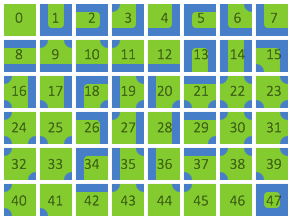

as shown here
A generator could handle it if you can find one, but another option would be to make your own quad rule tile implementation
The rule tile from Tilemap Extras package is not very fleshed out and mostly meant as an example of what kind of scriptable tiles you can make
polar ocean
OK, thank you
modest cargo
Or you can do all 47 by hand, of course
dry patrol
hey what's the best way to place multiple decoration prefabs in a quick way? I'd like to have a brush of some sorts that would be able to randomize offsets/scale of a group of prefabs etc.
Prefab Brush is removed and GameObject Brush looks very primitive. Is there a better tool?