#🖼️┃2d-tools
1 messages · Page 2 of 1
 west veldt
 solar quarry
yonatan hi yonatan
 ashen ravine
Wow so cool wow hello
I solved it at the end through changing the horizontal size and splitting the image
Through the editor
 modest cargo
Your game window view is zoomed in

 solemn latch
It generally is the middle that scales?
west veldt
modest cargo
Your game window view is zoomed in
I know but even zoomed out it still looks bad
modest cargo
west veldt
I know but even zoomed out it still looks bad
Game window shows how things will look on the monitor, and since monitors don't have infinite display resolution images will be pixelated when you shrink them small enough
more pixelated than what you be used to in other software since Unity doesn't have powerful image resampling algorithms
solemn latch
You also might have your max size set too low in the texture import.
Or if you are scaling the sprite you might need to change your filtering mode
Given the trivial performance cost, I don't even know why unity defaults to bilinear filtering on PC builds
ashen ravine
solemn latch
It generally is the middle that scales?
No, for some reason the left and right parts are the one who get scaled.
solemn latch
...do you have them backwards somehow?
solemn latch
ashen ravine
No, for some reason the left and right parts are the one who get scaled.
Try recreating the sprite(delete the meta file and reimport) and see if that fixes it?
ashen ravine
solemn latch
Try recreating the sprite(delete the meta file and reimport) and see if that fix...
No change, but I found a workaround that works for me for now.
Thanks anyways!
solemn latch
ashen ravine
No change, but I found a workaround that works for me for now.
Thanks anyways!
Gonna tell us how you fixed it?
ashen ravine
solemn latch
Gonna tell us how you fixed it?
Oh sorry!
I just resized the image itself to match it in game
I do want to try and fix this and see what's wrong, I will probably update here if I find out how to fix this
The sprite editor works great for any other image with the slicing tool so all good for now
west veldt
modest cargo
Game window shows how things will look on the monitor, and since monitors don't ...
So will the actual game not be pixelated, and it just looks like that in the editor, or…..?
solemn latch
ashen ravine
Oh sorry!
I just resized the image itself to match it in game
Haha, no biggie, just that if someone else has the problem later I was wondering what to tell them 😄
modest cargo
west veldt
So will the actual game not be pixelated, and it just looks like that in the edi...
It will not appear pixelated per se, it will appear tiny
The part you seem to be missing is that in relation to the camera your sprite is scaled to an extremely small size
 rose scroll
Is there a way to show a ruler on my grid in unity like in godot?

 hollow crown
rose scroll
Is there a way to show a ruler on my grid in unity like in godot?
hollow crown
rose scroll
Is there a way to show a ruler on my grid in unity like in godot?
https://assetstore.unity.com/packages/tools/utilities/ruler-2d-align-guides-grid-extension-53951
I have no idea if this plugin is kept up to date
rose scroll
hollow crown
<https://assetstore.unity.com/packages/tools/utilities/ruler-2d-align-guides-gri...
25 euro for a ruler
hollow crown
$0 for no ruler
rose scroll
Don't get me wrong I appreciate you helping me search, I was hoping it was in the system and I'm too much of a noob to know where it was
hollow crown
If it is, I've never heard of it
 river igloo
Is there a known issue with Tilemap.SetColor()? I'm encountering a strange issue where I fade out the tiles in a coroutine when the player moves under them but some tilemaps are reseting instantly to be opaque once the coroutine ends. I've traced my methods for setting the tile color and the call doesn't seem to be coming from my code. The debugged alpha values match the intended result, but after it finishes something else is resetting the alpha value. This problem started when I made optimizations to detect when the tilemap is on screen and only occurs when the tilemap has compeltely left the screen once during runtime. The actual code to fade and unfade the tiles was unchanged.
 queen prairie
what are good ways, if any, to use 2D vector graphics (like for sprites etc)?
modest cargo
queen prairie
what are good ways, if any, to use 2D vector graphics (like for sprites etc)?
The official Vector Graphics package
Though do note that it merely converts vector graphics to raster graphics, as Unity doesn't support SVG vector graphics internally
solemn latch
queen prairie
what are good ways, if any, to use 2D vector graphics (like for sprites etc)?
Unity sprites, spriteshapes, line renderers, and splines are vector graphics with textures applied. You can render them without textures if you want.
 oak rapids
So I'm trying to setup ldtk for unity and in ldtk the tiles align, but in unity they overlap


 past cargo
Hi, not sure if this is the right place to ask but can someone tell me how to fix my tileset?

i dont get how to make it fit the grid correctly
the tile size is 16x16
 shut skiff
I need help with something
modest cargo
shut skiff
I need help with something
Post only to one relevant channel and start with the actual question
 plucky fog
past cargo
Hi, not sure if this is the right place to ask but can someone tell me how to fi...
plucky fog
past cargo
Hi, not sure if this is the right place to ask but can someone tell me how to fi...
Here

Make sure you set your pixels per unity to your tile size
I have mine set to 32 in the photo but you would set it to 16

Also make sure to set the filter to point when working with pixel art
 river geode
Why is my game view not pixel perfect but my scene view is?


 elfin sandal
do you have the pixel perfect component
river geode
i do not
 civic zenith
hey folks, does anyone know if there's a way to attach other components other than Scriptable Objects to tiles painted in the palette (tilemaps) - my goal is to grab the Vector3Int of tiles painted in the palette via code
civic zenith
civic zenith
hey folks, does anyone know if there's a way to attach other components other th...
(of course if there's an easier way plz lemme know :))
civic zenith
civic zenith
(of course if there's an easier way plz lemme know :))
err.. painted in the inspector, grabbed via code
solemn latch
civic zenith
hey folks, does anyone know if there's a way to attach other components other th...
You can paint any prefabs you like, I believe
 balmy elk
The solution we talked about worked really well btw, since you wanted updates

The top and bottom tiles use the same spritesheet
 acoustic tangle
i'm guessing this gets asked alot
but whats with this

i don't do frontend at all so barely touched it
just context its a tilemap
with a sprite sheet with 16x16 tiles
random horizontal gaps when tiled in the scene
tried to google it but none of the answers seem to be working
okay so apparently setting it to 15.99 fixes it
wtf
balmy elk
Try using a sprite atlas
 bleak vigil
Trying to get my tilemap set up and all the tiles are in the middle of the grid like this. They are 32x32. Is there a way to fill the grid with them individually or change the grid size for them?
 modest cargo
balmy elk
The solution we talked about worked really well btw, since you wanted updates
modest cargo
balmy elk
The solution we talked about worked really well btw, since you wanted updates
Oh yea definitely cool 👁️
I assume the part about tracking the color "index" by script was so that the colors can correspond to specific tile types?
I would assume it's not necessary for the coloring per se, but makes it easier to keep track of things
balmy elk
modest cargo
Oh yea definitely cool 👁️
I assume the part about tracking the color "index" b...
Each biome gets set specific tile layers, and the tiles in these layers are assigned color remaps. On initialization, these remaps are mapped to indices corresponding to the row in the tilemap gradient texture
I also think it looks cool with bloom

Probably also some cool effects doable since it makes it very efficient to modify it at runtime
modest cargo
I'll certainly want to implement something like that if I get a suitable project!
balmy elk
Since my artwork skills are very limited I try to supplement them with procedural stuff like this 😅
 modest portal
When I import my psd art into Unity, it always seems to come out looking kind of tacky. Like this picture that replaces the gradients I put on the buildings with solid colors. Does anyone know how i can fix this?
 modest cargo
modest portal
When I import my psd art into Unity, it always seems to come out looking kind of...
modest cargo
modest portal
When I import my psd art into Unity, it always seems to come out looking kind of...
Texture compression often harshly reduces the amount of available colors, which crunches gradients especially down a lot
So, try different compression levels in texture import settings
modest cargo
bleak vigil
Trying to get my tilemap set up and all the tiles are in the middle of the grid ...
Change Pixels Per Unit value in texture import settings
modest portal
modest cargo
Texture compression often harshly reduces the amount of available colors, which ...
removing the compression did the trick, thanks!
but i have a question though
why is it compressed by default? Is it to save on resources?
modest cargo
modest portal
why is it compressed by default? Is it to save on resources?
Yes, less compressed textures take up much more space on disk and in memory, and not all textures visually suffer from compression equally
bleak vigil
modest cargo
Change Pixels Per Unit value in texture import settings
that fixed it, thank you!
 acoustic tangle
do rule tile templates exist like give it a multisprite and populate?
instead of setting each one up individually
modest cargo
 dusty merlin
I'm not sure what your question is but looks like your sprite type is not set to "multiple"
 storm sonnet
Hello. How do i edit my tilemap renderer objects? My Terrain object only covers until the edge of the spike, eventhough i wanted it to include the grass. Because of it, my player falls through the grass that isnt included on the tilemap renderer. Any tips?

 snow nexus
hey there, I have 2 different sets of sprites for tiles but they have different sizes 500x500 and 16x16. what's the best way to mix them together in a map? Do I have to downscale/upscale the sprite to make them match before the tilemap or is there a better way through unity? perhaps mixing multiple grids?
@storm sonnet maybe trying editing the collider size to include the grass
snow nexus
answering myself, I found that by clicking the tile in the tile palette I could modify its scale in the inspector to match my other tiles. Idk if that's the best way but so far it seems to work
 dusty merlin
@modest cargo yes it wos that 😄
 light scaffold
anyone have any info about using prefabs in rule tiles? prefabs of meshes, not sprites
how are these objects treated? since they aren't in the hierarchy. is there a way to put them in the hierarchy at all and act as normal prefabs ?
I also noticed they lose their parent
the prefabs are an empty parent and a child gameobject with a mesh. when I put them in a rule tile and paint with it they somehow lose their parent and are just the meshes game object, that still has it's collider though
 lean delta
how to resize tiles

 austere iron
lean delta
how to resize tiles
austere iron
lean delta
how to resize tiles
i believe it's the ppu when importing them . . .
 austere iron
no, the import settings of the file . . .
 sick saddle
the grid size and pixel size have to match
lean delta
so how to do that
sick saddle
I've only worked with 2d a little, but I had a similiar problem and it's just about making sure your sprite size matches you grid when you setup
lean delta
sick saddle
I've only worked with 2d a little, but I had a similiar problem and it's just ab...
 sick saddle
I can only give you a bread crumb, I don't have the full solution
lean delta
im still finding this error, i will wait someone that can help
 plain bobcat
how would i go about highlighting specific tiles in unity? whats the default way of transferring data between a grid and a script?
plain bobcat
how do i fix this:
 solemn latch
plain bobcat
how do i fix this:
solemn latch
plain bobcat
how do i fix this:
Fixing what?
solemn latch
plain bobcat
how would i go about highlighting specific tiles in unity? whats the default way...
 plain bobcat
the tiles not being perfectly alligned
solemn latch
It just looks like a blob of pixels to me, so I can't even tell. You'll want to make sure that the size and pivot position of each tile is correct.
plain bobcat
what exactly do u mean by size? my pixels per unit is correct and everything else is the default
heres a better image so u can see whats going on

also any good resources u have for making isometric games would be really appreciated. trying to make a turn based strategy game but having a hard time learning this stuff since there arent many good resources online
solemn latch
Have you read the isometric handbook unity put out?
plain bobcat

 bright scaffold
When I tried to make a particle in unity with my own material it just shows up as black squares. Is there any way to fix this? (I think that this is the correct place to ask)
 spiral stag
Hello, I don't know where to ask this question but I am trying to make a 2d Platformer. I made a sprite, and added collision and all, yet when i press play the sprite disappears. I am new and trying to learn, so I am of course using tutorials, but I am just stuck on this. Here is a streamable video because I don't have nitro. https://streamable.com/84n63s if you want to see

 tender perch
I am not sure how to fix this problem with my sprites having the wrong base size and thus displaying at the wrong size
I want them to display at their native size
bright scaffold
Two things: Number 1: Why is my character super stretched? I didn't do anything to it that I know of that would make it like this. And secondly, why is it super low quality? I've tried everything that I've found online and none of it worked. If anyone could help, I'd really appreciate it.

And just one more thing - My character doesnt show up in scene view, and I have no clue why
modest cargo
bright scaffold
Two things: Number 1: Why is my character super stretched? I didn't do anything ...
Squashed on X axis
 bright scaffold
Ok thanks!
solemn latch
plain bobcat
this?https://blog.unity.com/technology/isometric-2d-environments-with-tilemap
Yes
solemn latch
bright scaffold
When I tried to make a particle in unity with my own material it just shows up a...
What is it supposed to look like? It is your material.
bright scaffold
solemn latch
What is it *supposed* to look like? It is your material.
It’s supposed to be pixel art smoke particles I made and imported into unity as a material
solemn latch
And it is more of a #✨┃vfx-and-particles question but I don't see people talk much in there so.
bright scaffold
solemn latch
And it is more of a <#532260045887373352> question but I don't see people talk m...
Oh ok 👍
solemn latch
bright scaffold
It’s supposed to be pixel art smoke particles I made and imported into unity as ...
What do you mean by 'imported as a material'
You need to choose an appropriate shader, first of all
bright scaffold
I made a material then imported it as the texture for that
solemn latch
A transparent one, probably
bright scaffold
solemn latch
You need to choose an appropriate shader, first of all
I have the particle shader chosen
Wait
No nvm that’s different isn’t it
solemn latch
Materials are a shader plus all the settings for it.
solemn latch
bright scaffold
Two things: Number 1: Why is my character super stretched? I didn't do anything ...
The low quality is because you have the game view zoomed in.
bright scaffold
solemn latch
The low quality is because you have the game view zoomed in.
Wdym by that?
solemn latch
bright scaffold
Wdym by that?
That you have the game view zoomed in. Which lowers the quality.
bright scaffold
But if I zoom out then I just need to make the sprite bigger which doesn’t change anything
solemn latch
bright scaffold
But if I zoom out then I just need to make the sprite bigger which doesn’t chang...
First of all, zooming the game view does not match what it will look like in the actual game- you're supposed to change that with the camera settings. Scaling the game view literally scales the view after rendering rather than rendering the scene at a different resolution.
Second, instead of scaling your sprite, you'll want to set the PPU on it in the importer to the scale you want to avoid scaling artifacts.
Making pixel art look good is a massive topic and unity published a guide for it.
 stiff skiff
i need somebody to rate this out of ten i just spent so freaking long making the design for this

thinking of it too and making different iterations
but you get the point
 midnight oak
hi there. I'm using the "random" property of the tile rule system to randomise from a selection of tiles of each type. It seems that the randomness is only really generated once (picture related), so if the tile is removed, and then a new one is spawned in that place, it will be guaranteed to be that same tile. is there any way to get it to actually choose a tile randomly?

to give more details, the only property that can be changed is the scale of the noise function, and if i modify that manually at runtime, I can get the result I want. The only issue is that I can't find any documentation on the random property, and the "noise" value doesn't show up in the debug inspector so i don't know how to reference it in code.
basically, is there any way to externally modify these parameters?

And also, the randomisation isn't normally distributed! it is impossible for many of the tile options to spawn, no matter what noise is set to.
specifically, earlier elements in the list seem to be far more likely to appear.
 spare pebble
do anyone know how to fix this?
i use tilemap to make the ground.
 elfin sandal
use pixel perfect camera component
spare pebble
elfin sandal
use pixel perfect camera component
thanks, it worked
elfin sandal
ur welcome
midnight oak
midnight oak
hi there. I'm using the "random" property of the tile rule system to randomise f...
still trying to figure this out - I'd really appreciate help!
 feral sapphire
does unity's system for casting shadows allow for objects to be hidden by them?
 latent marlin
hi does anybody know how to solve those problems?

 humble thorn
hey guys, does anyone know if there is a way to get rid of the weird wave effect when moving a camera in 2d? I don't have pixel perfect enabled since I was hoping to be able to zoom in and out while in game
 misty tapir
hii, i didn't know that we have to set our tiles to a certain resolution. Is there a way to still make tiles fit into the grid without redraw everything?
solemn latch
feral sapphire
does unity's system for casting shadows allow for objects to be hidden by them?
If you mean the 2drp 2d shadows, then I do not believe so.
But there are plenty of better 2s shadow setups that can- you probably want one that uses a sprite renderer that you can use as a mask.
 thorn basin
Hey guys! I have a tilemap and placed down some tiles. These have a tilemap and composite collider attached to it. But whenever my player lands on it, it somehow sets the x velocity of the rigidbody to around -3 which makes him turn left all the time. Is there a way to change this and why does it happen?
 tidal blade
Ok so I set up a rule tile and I have it all worked out but I was just wondering if there was a way to edit the collider of each tile individually.
plain bobcat
how do i remove a vertex when editing a polygon collider 2d? ive read u need to ctrl click but it doesnt seem to work
solemn latch
Ctrl click should do it
solemn latch
tender perch
Anyone have any idea why this might be happening?
Can you define 'this'? It doesn't seem to be related to #🖼️┃2d-tools and I'm not actually sure what I'm supposed to be looking at here.
tender perch
It's okay, I fixed it anyhow
I was able to drag and drop the pokemon objects before into serialized fields
suddenly they just stopped working
like was working, left for an hour came back and it wasnt
 dense night
Hello! Quick question. Is there any way to trigger a script during a cutscene with the timeline in a 2d game?
modest cargo
dense night
Hello! Quick question. Is there any way to trigger a script during a cutscene wi...
https://stackoverflow.com/questions/64695035/how-to-trigger-a-script-at-a-given-time-in-the-timeline
Check the first reply here
2D or not doesn't make a difference
dense night
thanks!
tidal blade
So I have a question about tile maps, basically I want different tiles to do different things and I kind of found a solution but I definitely don't feel like it's the best solution. I made a couple different tile maps that have different scripts attached to each respectively. So I'm just wondering what would be the best way to do this.
 plain bobcat
is there a way to change the base color of an object from white?
midnight oak
midnight oak
still trying to figure this out - I'd really appreciate help!
never figured this out - is there a way to submit this as a feature request?
 strong mica
midnight oak
never figured this out - is there a way to submit this as a feature request?
strong mica
midnight oak
never figured this out - is there a way to submit this as a feature request?
I've been having this exact same issue, that's what I came here to ask ouch. No idea why the random feature for tilemaps is so awful. Also the noise function seems to be very strange - at an even 0.5 noise I only see 3/8 of my tile sprites.
I wonder if it's a bug that the "random" tilemaps seem to have the same seed every single time, because it seems like a no-brainer to want to change them around.
 gleaming perch
anyone knows why my mouse (in red area) doesnt match the square while painting with tilepallete?

 limber skiff
Don’t want to ping you because I’m new to unity and can’t really help but Infiniti/Constantine — you mean it isn’t “true” Random?
 jolly narwhal
midnight oak
basically, is there any way to externally modify these parameters?
jolly narwhal
midnight oak
basically, is there any way to externally modify these parameters?
The Perlin noise function is deterministic, it's expected to return the same values for the same input. You get a new set of noise by passing a different offset.
midnight oak
jolly narwhal
The Perlin noise function is deterministic, it's expected to return the same val...
I'm aware of this, but I don't see why you would want this to be the case on runtime tile generation. Don't you think it would be a good option? There's no way I can find to externally set or modify that offset. The scale of the offset also seems to be broken, and the perlin noise appears to favor items closer to the top of the list of possible tiles.
also, perhaps I misunderstand something about this implementation, but why is the offset a clamped absolute with a center of 0.5 to begin with?
I'd love an accessible value 'variance' that linearly changes the scale of the noise and a toggle to sidestep perlin altogether and just pick a random index.
midnight oak
limber skiff
Don’t want to ping you because I’m new to unity and can’t really help but Infini...
it's random, but it only generates it once, so if you remove tiles and make new ones in the same place, they're guaranteed to be the same tile
and yeah, it's biased so you could say it isn't truly random.
solemn latch
midnight oak
I'm aware of this, but I don't see why you would want this to be the case on run...
Presumably it is so that the function can be used in generating the same map using the same inputs.
I mean, it is unity's 2d team so obviously they did it ass-backwards
But can't you just write your own rule tile?
midnight oak
the idea was that the player can place down tiles, and it would choose a variated sprite at random
it was already done in a rule time.
solemn latch
What I mean is that if the provided rule tile isn't suitable why not just make a different one?
With whatever method of picking you like?
It would be far simpler than the example scriptable tile they have in the manual
midnight oak
This was for my ludum dare game, but if I update it, I'll be sure to try that.
 dusky ridge
Hey! So I want to make this tilemap a prefab to copy and use multiple times. I read about making the parent an object so it can attach itself to local coordinates. My issue seems to be that the tilemap is the wrong size? Any solutions?

 last idol
midnight oak
This was for my ludum dare game, but if I update it, I'll be sure to try that.
last idol
midnight oak
This was for my ludum dare game, but if I update it, I'll be sure to try that.
Just use a override rule tile
And change whatever is in charge of random rule tiling
 drifting sigil
Sorry if this is answered elsewhere (I have googled a bit) but where can I find high level pros and cons of using URP vs. the built in render pipeline for a 2d game? For example, can you use either for development for all platforms, does URP let you get certain graphics/aesthetics that built in cant, etc. Thanks
 vapid bough
Hi, I'm starting to make a Isometric 2D game with the Tilemap Isometric Z as Y, but the tiles keep "eating" my chars feet.
Both char and tiles are in the same Z.
I tried put the Z+1 to my char, but them the walls won't work propely...
Someone have a guide to solve this?
OBS: I'm using the custom axis (0,1,-26).
 solemn latch
drifting sigil
Sorry if this is answered elsewhere (I have googled a bit) but where can I find ...
solemn latch
drifting sigil
Sorry if this is answered elsewhere (I have googled a bit) but where can I find ...
I believe that the render pipeline handbook unity just put out a bit ago has a rough comparison of features.
The main difference is that urp2d(not regular urp) has 2d lighting at the cost of being 2d only and also kinda sucking.
I personally use urp non-2d renderer, since I don't use unity's 2d lighting.
drifting sigil
Thanks
 wanton timber
drifting sigil
Thanks
wanton timber
drifting sigil
Thanks
also what program would you recommend for making isometric tile sets?
 vivid axle
I'm trying to use my tiles on a tilemap, but they keep just making pink squares

I've tried remaking the palette many times and have reimported the assets
the same thing always happens
 storm pond

Hi trying to drag my tile palettes onto the tilemap
But it's not letting me
not sure because unity updated(most likely cuz I was following tutorial from youtube)
but he was able to drag his block into the unity tilemap
 still tendon
I am making a 3d tilemap but when I try to select the game object brush it doesnt appear in the dropdown menu
does anyone know why\

only default brush shows up
vivid axle
I'm trying to use my tiles on a tilemap, but they keep just making pink squares. I've tried remaking the palette many times and have reimported the assets, the same thing always happens. Ty
 solemn latch
vivid axle
I'm trying to use my tiles on a tilemap, but they keep just making pink squares....
solemn latch
vivid axle
I'm trying to use my tiles on a tilemap, but they keep just making pink squares....
Are you using a material meant for the wrong render pipeline? That is the usual cause of the neon pink.
vivid axle
what does that mean
still tendon
i want to make my game so that when you run in front of a plant you appear on-top but when you are behind the plant you appear below anyone know how?
bright scaffold
When I use the sorting group component, it works in the scene view but not in the game - can anyone help??
 worthy harbor
Should/Can I ask a* pathfinding questions here?
 tiny nest
Hey, any reasons why my 2D normal map doesn't work?
I have set my sprite to have a normal map as secondary texture and set the light to calculate normal maps but it doesn't do anything
solemn latch
worthy harbor
Should/Can I ask a* pathfinding questions here?
You can but probably would get better help in #🤖┃ai-navigation or #archived-code-general
solemn latch
tiny nest
Hey, any reasons why my 2D normal map doesn't work?
What renderer, what kind of light, are you using a lit/normal mapped sprite material, are your layers correct?
tiny nest
solemn latch
What renderer, what kind of light, are you using a lit/normal mapped sprite mate...
I am using URP, using a Spot Light and using a material I made with a URP Sprite Lit Shader Graph. and the layers are correct
solemn latch
tiny nest
I am using URP, using a Spot Light and using a material I made with a URP Sprite...
urp or urp2d?
civic zenith
still tendon
i want to make my game so that when you run in front of a plant you appear on-to...
a bit late for this but you can compare the Y values of the player and the object assuming 'up' makes them 'behind'.
tiny nest
solemn latch
urp or urp2d?
Is there a difference?
I started the project with SRP and then converted it to URP
solemn latch
tiny nest
Is there a difference?
Yes. 2d lights are only in urp2d, which doesn't support many of the features of normal(3d) urp
tiny nest
solemn latch
Yes. 2d lights are only in urp2d, which doesn't support many of the features of ...
Oh then I'm using URP2D because I have 2D lights
Can I use the normal lights then and it would work?
solemn latch
urp2d and urp have different lights. If you're using 2d lights with a 2d lit shader it should just work
tiny nest
solemn latch
urp2d and urp have different lights. If you're using 2d lights with a 2d lit sha...
well, it doesn't
isn't 2D lit shader the same as Sprite Lit Shader?
solemn latch
Um, they've messed with the naming so much in the various versions that it might be
I don't use 2durp myself
tiny nest
@solemn latch I just checked the materials and there's only Sprite-Lit, Default-Lit and Lit
None of them work as expected
solemn latch
Hm. Not sure then
tiny nest
I am sure that the map itself works because it works in Godot
so it has to be something with Unity
modest cargo
@tiny nest I would opt to get one of the URP 2D example projects to compare, or retrace the steps of a tutorial for setting up URP 2D lighting with normal mapping
I don't know that process by heart either
tiny nest
modest cargo
<@564517249373700096> I would opt to get one of the URP 2D example projects to ...
where can I find a URP2D example project that has lights in place?
tiny nest
thanks
actually
I tried downloading a normal map and placing it on a sprite and it worked on that sprite
1 sec
this is a normal map I'm trying to us

It's not finished but it shouldn't be a problem, is it?
modest cargo
tiny nest
this is a normal map I'm trying to us
Normal maps need to be of type normal map
The grey and black parts will not show lighting correctly if at all
tiny nest
modest cargo
Normal maps need to be of type normal map
The grey and black parts will not show...
yeah I know, but the other parts should theorectically show normal lighting
solemn latch
Is there an alpha channel?
And yes, as Spazi said, is it set to normal map in the importer?
still tendon
my UI canvas is massive how do I get it to be a normal size (the green thing in the corner is my world which has the camera in it

 ember lark
still tendon
my UI canvas is massive how do I get it to be a normal size (the green thing in ...
ember lark
still tendon
my UI canvas is massive how do I get it to be a normal size (the green thing in ...
set render mode to screen space - camera and drop your camera in the field that appears
 ashen sapphire
Im using URP 2D to use 2d lights and I want to make shadows around the corners (like a field of view) but when I try this, it makes shadows on every gameobject (like on the picture). Is there any ways to like merge them?

 dusty hull
Im using pixel perfect camera for the 2d pixel game im working on but when I turn on upscale render texture and move in game it becomes blurry and kinda like jitters around. Is there any way to fix this? (pixel per unit is 16 as well as all other sprites) (I think it has to do with my camera/cinemachine because when I make the camera not follow and at a fixed position the issue stops happening)
ashen sapphire
dusty hull
Im using pixel perfect camera for the 2d pixel game im working on but when I tur...
I can't help much but I have experienced that in the past with cinemachine too
ashen sapphire
dusty hull
Im using pixel perfect camera for the 2d pixel game im working on but when I tur...
Try asking in #🎥┃cinemachine maybe
dusty hull
ashen sapphire
Try asking in <#763497743976497222> maybe
alr ty for trying to help tho <3
 tranquil ice
For tilemaps, is there a good way to swap between two different tile textures for an entire layer?
As I'm trying to swap between the past and present look of a location, and making two copies of it with the same layout, but using a diff texture seems like overkill
ashen sapphire
dusty hull
alr ty for trying to help tho <3
np! :D
 flat agate
I have a .PSB file that I am using as a 2D animated rig. I duplicated the PSB and made a normal map version PSB file. Is there a way to apply my normal map version .PSB to my 2D rigged .PSB? When I select the normal map PSB file and look at the inspector, the drop down doesnt even show an option for a Normal Map setting. (Maybe I need to generate pngs?)
dusty merlin
what apllication should i use for pixel art ?
dusty hull
dusty merlin
what apllication should i use for pixel art ?
I mean it depends if you don't want to spend money something like gimp is fine but if you can spend money its very very worth the money to buy a pixel art oriented software like aseprite, although there are other free compliled versions like libresprite which is open source
vivid axle
I'm trying to use my tiles on a tilemap, but they keep just making pink squares. I've tried remaking the palette many times and have reimported the assets, the same thing always happens. Ty

 calm wyvern
vivid axle
I'm trying to use my tiles on a tilemap, but they keep just making pink squares....
calm wyvern
vivid axle
I'm trying to use my tiles on a tilemap, but they keep just making pink squares....
pink usualy means the shader is broken or does not fit the current renderpipline
 latent saffron
Does anyone have an idea how to create 2d sword slash in unity 2d
vapid bough
vivid axle
I'm trying to use my tiles on a tilemap, but they keep just making pink squares....
Try reimport and reinstall the tilamap packages
vapid bough
latent saffron
Does anyone have an idea how to create 2d sword slash in unity 2d
Create a empty prefab with the slash animation with loop off, and when the char use the attack, instantiate the prefab in front off the char
vivid axle
vapid bough
Try reimport and reinstall the tilamap packages
I have
I've tried with others too
its all just pink
vapid bough
Sorry I have no idea them
vivid axle
its ok
vapid bough

@vivid axle what file type u are using for the sprites? PNG?
And the sprites are defined as 2D on the properties?
vivid axle
no
latent saffron
vapid bough
Create a empty prefab with the slash animation with loop off, and when the char ...
thanks
flat agate
I have a project with 2 scenes. In Scene 1 I set the display to 1000x1000, and I set Scene 2 to 500x500. The problem is Unity only respects whatever resolution I set as the most recent for both - If I set Scene 1 to 1000x1000, it sets Scene 2 to 1000x1000. I set Scene 2 back to 500x500 and then Scene 1 goes to 500x500. Is there a way I can set a unique resolution for both for editing purposes?
modest cargo
flat agate
I have a project with 2 scenes. In Scene 1 I set the display to 1000x1000, and I...
What do you mean by "set resolution" precisely?
Or rather why
flat agate
modest cargo
What do you mean by "set resolution" precisely?
If I see my editor window with all of my assets, and my bg, I can go up to the top menu/game tab and click different resolutions, or even custom resolutions. Hope that helps to clarify.
modest cargo
flat agate
If I see my editor window with all of my assets, and my bg, I can go up to the t...
https://answers.unity.com/questions/956123/add-and-select-game-view-resolution.html You'd need one such editor script
flat agate
modest cargo
<https://answers.unity.com/questions/956123/add-and-select-game-view-resolution....
Thank you. I'll check this out. I already tried to code something, and changed resolutions, and it doesnt respect what I code. Then again, Im noob. But when I try to use code, and I click "play" it doesnt display the resolution. My current script is (tried to go insanely weird, like 100x100 just to trigger a visual change):
using System.Collections;
using System.Collections.Generic;
using UnityEngine;
using UnityEngine;
public class ExampleScript : MonoBehaviour
{
void Start()
{
// Switch to 640 x 480 full-screen at 60 hz
Screen.SetResolution(100, 100, FullScreenMode.ExclusiveFullScreen, 60);
}
}
modest cargo
flat agate
Thank you. I'll check this out. I already tried to code something, and changed r...
Why this, I wonder
Normally the user will run the game on just one resolution that suits their monitor
In any case to be able to do that in the editor you need to use editor scripting methods
flat agate
modest cargo
Why this, I wonder
Normally the user will run the game on just one resolution th...
In my case I have a storybook. Some backgrounds are like..500x500. Others are 1000x1000. I can do this in other packages no problem, but I know Unity is a different beast.
modest cargo
flat agate
In my case I have a storybook. Some backgrounds are like..500x500. Others are 10...
Shouldn't the backgrounds adjust to the resolution, not vice versa?
flat agate
modest cargo
Shouldn't the backgrounds adjust to the resolution, not vice versa?
I think the resolution is indeed fixed in final export of the game, but I just want to see the entire thing when I click play it to see all effects etc. on a given scene. When I go to a scene and it is set to 500x500 and I click play, I want to see it at 500x500. When I go to antother scene, and edit something like an effect and it the background jpg is 1000x1000, I want to see the entire thing, not just the set resolution I set at 500x500 on the previous scene.
modest cargo
flat agate
I think the resolution is indeed fixed in final export of the game, but I just w...
Tbh I have no idea why that would be necessary
You'd always preview using the resolutions (or at least the aspect ratio) that the end-user will have, and use the Scene window on the side to see everything you need to see for editing purposes
Game resolution shouldn't change on a per-scene basis so designing the graphics for different resolutions between scenes will just create a new problem
That is, unless you specifically want the game window to change size while playing for an unusual effect
flat agate
modest cargo
Game resolution shouldn't change on a per-scene basis so designing the graphics ...
True, I hear you. But in my case (real world example) as I edit a scene, I need approval for an effect. I edit an effect on a 500x500 background, and export using the recorder, I get my video and show it to the team that way. Next, I go to a 1000x1000 bg edit an effect, but then I have to go, change the resolution to 1000x1000 and export. All I was hoping to do was avoid tedious changing of backgrounds per scene, if I have a bunch of scenes, it gets old. So, the resolutions I am setting are for production, not release.
modest cargo
In this example I'd preview both at 1000 pixels and just double the size of the 500 pixel background
flat agate
modest cargo
In this example I'd preview both at 1000 pixels and just double the size of the ...
If I did that, then all the effects for a 500 x 500 bg would be placed in accordance with a 1000x1000 setting though, right? Also, thats only an example resolution, each background fits within a portrait or landscape.
flat agate
modest cargo
In this example I'd preview both at 1000 pixels and just double the size of the ...
I appreciate your help though, but now we are having a philosophical debate about how to make a game and neither of us are in charge. Considering the games I am working on have been made a certain way for years in an older engine, and Im trying to convince them to switch to Unity, I'd need a better way to sell them. Us having a debate wouldnt do that. lol
modest cargo
flat agate
I appreciate your help though, but now we are having a philosophical debate abou...
Indeed! I hope one of the scripts in the link does the job
Whenever you encounter a request or a workflow here that just seems kind of deranged, often it's because of some misunderstanding of common practices, and sometimes there's reasons
Somewhat interesting to hear about it either way
flat agate
modest cargo
Whenever you encounter a request or a workflow here that just seems kind of dera...
Yes, I understand. And again, I agree with much of what you were saying, but it isn't "my" game, its for a company that already has practices in place. So my job is to emulate as much of the workflow as I can without disrupting current practices. Jumping engines is already a daunting task. (trying to move away from Cocos currently)
 leaden sinew
Hello, I have recently started working with tile maps and also downloaded an asset store package with 2d isometric tiles. However I have a problem with tiles sorting layer and whatever I do some tiles just don't want to be behind other tiles :(. Please help if someone knows.

it just decides to do it for unknown to me reasons
interesting is that in the tile pallet nothing of the sort happens and works well

 dense charm
what causes these white lines on the second row?
 vapid bough
leaden sinew
it just decides to do it for unknown to me reasons
vapid bough
leaden sinew
it just decides to do it for unknown to me reasons
On the Tilemap Renderer change the "Mode" to individual OR make a Global Sprite Atlas with the tile sprites
vapid bough
dense charm
what causes these white lines on the second row?
This is in the editor window or the game view window?
dense charm
vapid bough
This is in the editor window or the game view window?
both
 vapid bough
dense charm
both
vapid bough
dense charm
both
I think that these lines are the gizmos of the pivot of the sprite
dense charm
vapid bough
I think that these lines are the gizmos of the pivot of the sprite
gizmos turned off
 dense charm
 lean estuary
Some solutions here <https://forum.unity.com/threads/why-are-pixels-leaking-from...
lean estuary
Some solutions here <https://forum.unity.com/threads/why-are-pixels-leaking-from...
turning off texture filtering fixed it ty
 astral iris
hello im making a 2d game im working on a gun (shotgun) and i am kinda stuck because i don't know what to make the bullet look like as everything i try looks off it would be helpful if someone sent me a screenshot on what theirs looks like so i can go off something
astral iris
astral iris
hello im making a 2d game im working on a gun (shotgun) and i am kinda stuck bec...
this is how they currently look
wait nevermind i made a good looking one
 ivory urchin
I built a 2D environment asset generator (describe the tile and it generates tilesets for 16,32,64,128,256). If anyone wants to give it a try, or if anyone has feature suggestions, I would really appreciate some feedback! Feel free to PM. It's not public yet. Example output (rusty metal, rusty chainmail):
 still tendon
Hi, I need name for game studio. Have you any ideas?
 young charm
still tendon
Hi, I need name for game studio. Have you any ideas?
young charm
still tendon
Hi, I need name for game studio. Have you any ideas?
Gamiz Studio
You can call it Gamiz Studio
Or
Gamiti Studio maybe
Or Gamato Studio
I find those ideas right now i dont know if you like anything but ok
modest cargo
still tendon
Hi, I need name for game studio. Have you any ideas?
Post only to one relevant channel please
 silver bane
Hello everybody
still tendon
Hello 👋
silver bane
Can somebody help me with this?
I am creating a 2D videogame. Now, there is a tile palette I've prepared, but I have a bit of a problem with the way its rendering is interacting with my character. I want my character's sprite to be shown whenever it gets in front of the tree, but hidden when he gets "behind". I've googled quite a lot and it seems I almost got what I wanted with the use of Individual mode and custom transparency sort axis. I even changed the pivot point in my tiles to the bottom, so that they would interact in the render more accurately.
But now it seems like I've hit another block. If my character moves a bit you can see a part of his sprite "peeking" out between the tiles of the tree.
just like this

I understand that I need to make this tree a single sprite, but exactly how do I do that? My tree is not centred on the tile and is part of the tile palette.

How should I go about this? Is there any way to "merge" the tiles so that the renderer would treat this tree as a single object and not as 6 independent different tiles?
This is the behavior I want to achieve. How do I take a "multi-tile" object/sprite and make it behave as if it is only a single-tile object?
 solemn latch
silver bane
This is the behavior I want to achieve. How do I take a "multi-tile" object/spri...
solemn latch
silver bane
This is the behavior I want to achieve. How do I take a "multi-tile" object/spri...
You can just make it a larger sprite by not slicing it into pieces?
silver bane
Yeah, I guess so. But that means I have to go into the sprite editor and manually edit it. I was hoping for an automated way of making it work
silver bane
Well then, I have another question. How do I change the pivot point of my sprites without affecting the way that sprite is placed in the grid?
Because if I adjust a pivot point for every sprite, then they will all look badly aligned on the grid
misty tapir
hello, i'm trying to fix layering of characters and objects. I'm using an isometric map, and for some objects, players are able walk behind and in front of the objects. but it doesn't do that for all of them. I've tried changing the transparency sort mode to custom and sort axis y to 1, x and z to 0. but that didn't solve the problem. And just for your information, most of the objects and character are on the same layer.
i would really appreciate it If anyone could direct me to any source that might help
this is how i want it to work.
but character always stands on top the object for other objects 🥲
silver bane
Now that I've opened my project, I see this
 silver bane
misty tapir
hello, i'm trying to fix layering of characters and objects. I'm using an isomet...
silver bane
misty tapir
hello, i'm trying to fix layering of characters and objects. I'm using an isomet...
I've figured out a workaround. When you are creating your tile palette, you need to make sure that every sprite (specifically those that you want the engine to be considered as one image and not a collection of tiles) is covered by only one frame in the sprite editor
silver bane
misty tapir
but character always stands on top the object for other objects 🥲
This probably means that they are on a different sorting layer. Check their rendering layer for sure
 zealous shadow
I have a game and idk what to use sprite renderer or image/raw image... any help on what I should choose
(the game isn't a huge project... it's rather small)
modest cargo
zealous shadow
I have a game and idk what to use sprite renderer or image/raw image... any help...
With sprite renderer you can use sprite sheets and sprite animation
Images are for canvas UI with the anchors and canvas scalers, raw images are images for specific situations
The choice depends on your workflow, not project size
I'd recommend images for UI and sprites for not-UI
Though in some cases the line between them may be blurred if the game consists mosly or entirely of UI-like elements like motion graphics
zealous shadow
@modest cargo I understand, thank you
 median forge
We're can I get a 2d desert background for free
modest cargo
median forge
We're can I get a 2d desert background for free
I'd look on the internet
Though be mindful of copyright
median forge
Thanks
 delicate dock
I recently started creating some quick levels using a sprite sheet and tilemap. now that i have the base layouts i would like to add things like scripts and physics to some of the tiles, but i don't see a way to do that ass all of the tiles are grouped into one tilemap object. when i set the rendering mode to individual, will that allow me to interact with the tiles as individual objects? if not, will i have to manually place each tile?
silver bane
What exactly do you want to do?
silver bane
delicate dock
I recently started creating some quick levels using a sprite sheet and tilemap. ...
To answer your question – no
Setting the rendering mode to individual does not change anything except the way your tilemaps are going to be rendered
I'd suggest you to just create multiple tilemap objects
In one grid
And just draw the parts you want to add your scripts onto on those specific tilemaps
still tendon
Part of my sprite is rendered incorrectly (pixels on front of face are deleted)

also the border on his toes and part of his hat
silver bane
How does the original look like?
 silver bane
What was the issue?
still tendon
idk I just deleted and replaced
still tendon
Hello how come i can't seem to get this to work i tried videos but i can't fig it out please help me. All i want is to make this


see that map lay out i can't seem to find out how to get it to that point
 inner mango
Is there a way to import a webp image to a texture? It seems to only support png, jpg, ect
silver bane
inner mango
Is there a way to import a webp image to a texture? It seems to only support png...
Sorry I don't know, but can't you just convert webp to any of those?
inner mango
silver bane
Sorry I don't know, but can't you just convert webp to any of those?
The images are downloaded at runtime. I don’t know of any way to convert them in Unity.
silver bane
inner mango
The images are downloaded at runtime. I don’t know of any way to convert them in...
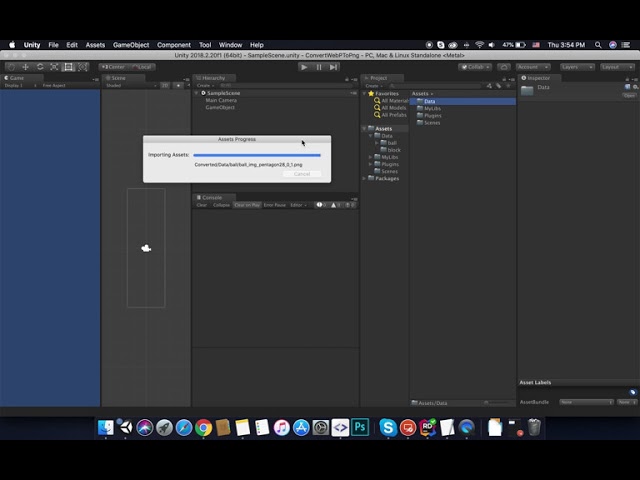
Unity Tool Convert Webp To Png
Unity Tools
If you like and want it, contact me, i will share free for you!
email: anhvuive91@gmail.com
facebook: https://www.facebook.com/anhvuive1991
Like and Sub this Channel to get follow me and get more useful tools.
I have found this
The author says in the desc of the video, that you need to contact them and they will share the tool
I am not sure if this can be used at runtime tho
modest cargo
I'd assume not if it relies on editor code
I would presume this tasks requires you to run a separate webp decoder program together with the application (such as https://developers.google.com/speed/webp/docs/dwebp) or to hook up libraries that can do that
silver bane
Wait, you can just attach libraries to your project's code?
modest cargo
I think it's possible but I have about 0% familiarity with it
silver bane
It feels like something possible
But for some reason I have never even thought of this
Anyway. Does anybody here know how to access an individual tiles' position?
I am writing code that allows my character to be seen behind walls/trees/other sprites
With sprites it is easy to do, you just get their game object's pos and compare with your char's pos
But with tilemaps you can't really do that
modest cargo
silver bane
I am writing code that allows my character to be seen behind walls/trees/other s...
Seen, as in rendered to us viewers, or when calculating lines of sight, or something else?
silver bane
I am using a sprite mask for this
modest cargo
My first idea would be to try something like https://docs.unity3d.com/ScriptReference/Tilemaps.Tilemap.GetTile.html
but that assumes you already have a position and just need the tile
Though I may misunderstand
silver bane
I have a script which determines when to enable and disable it
silver bane
modest cargo
My first idea would be to try something like <https://docs.unity3d.com/ScriptRef...
Yeah, I am considering this option
But it is a pain
modest cargo
Hard for me to think of a situation where you already have a tile or a reference to it, but not its position?
silver bane
Are you saying that you know how to get a reference to a tile without knowing its position?
If there is a way to do this somehow, it would solve my problem
still tendon
silver bane
This seems like an isometric tilemap
Is there anything you can do to help, as when I place the blocks they are not next to each other there is a big gap and I can't seem to put them together
 modest cargo
still tendon
why do i keep getting that?
modest cargo
still tendon
why do i keep getting that?
You need to be using an isometric grid for an isometric tilemap
still tendon
modest cargo
You need to be using an isometric grid for an isometric tilemap
So I have done that
But then they are on top of each other
silver bane
still tendon
So I have done that
I am pretty sure there are many videos that describe how to work with the isometric grids on youtube
silver bane
still tendon
But then they are on top of each other
Try changing the rendering mode to individual
It is in the tilemap components
still tendon
okay thanks
 vital marten
are you be able to animate those shaders ?
 untold loom
hey guys, i'm having a slight problem with pixel art, it seems that some pixels scale weirdly. i've already applied point filter mode and pixel perfect camera but the issue still persists. you can see that some black pixels arent consistent. here's a screenshot:
 modest cargo
untold loom
hey guys, i'm having a slight problem with pixel art, it seems that some pixels ...
modest cargo
untold loom
hey guys, i'm having a slight problem with pixel art, it seems that some pixels ...
This will fundamentally happen if the sprite PPU, gameobject scale and camera size don't match perfectly, and in addition to that can happen when the camera or objects relative to it move
Look into "pixel perfect camera" and pixel perfect rendering for a system of rendering pixel sprites with perfect accuracy
untold loom
thanks, i was using different scaling so setting it back to 1, 1, 1 fixed it
 warm lodge
Guessing this is the place to ask
I set the internal rendering order of my 2d sprites using a bunch of child sprites and the z axis, how would I group them all under the parent object so they interact as one with other sprites?
Sorting group breaks the z axis sort and uses hierarchy position instead for some reason
modest cargo
@warm lodge https://docs.unity3d.com/Manual/2DSorting.html Unity has multiple ways for sorting 2D sprites, utilized in priority order, moving to next method if the first one doesn't specify a result
warm lodge
modest cargo
<@364630408131772426> <https://docs.unity3d.com/Manual/2DSorting.html> Unity has...
Thanks for the response, how would I set the order of the parent object in the layer so that all of its children are effected?
modest cargo
warm lodge
Thanks for the response, how would I set the order of the parent object in the l...
As far as I know object hierarchy relations and positions are entirely unrelated from sorting (except in Canvas UI)
warm lodge
modest cargo
As far as I know object hierarchy relations and positions are entirely unrelated...


With and without sorting groups
on the parent object
Also the children sprites intersect without the sorting groups enabled
 modest cargo
warm lodge
modest cargo
warm lodge
Are they skinned sprite renderers?
warm lodge
modest cargo
Are they skinned sprite renderers?
skinned?
modest cargo
warm lodge
skinned?
Guess not
I don't remember this stuff by heart, I recommend to check the article about sorting and see if those rules seem to check out
 warm lodge
Just tempted to go through every animation and change the sorting layer manually
 elfin sandal
warm lodge
Just tempted to go through every animation and change the sorting layer manually
elfin sandal
warm lodge
Just tempted to go through every animation and change the sorting layer manually

here u go
should be added to the pinned links since we get lots of similar questions that get covered here
warm lodge
elfin sandal
I remember reading an article that fixes that issue let me see if i can find it
Thanks for the help, but I remember explicitly stating that sort groups messed up the z axis sorting system I had and that itself was the issue
elfin sandal
hm it's probably an issue with transparency sort mode
warm lodge
The transparency sort mode is working as intended, prioritizing z over y, it's just that group sort ignores the transparency custom sort order settings and orders its children on a completely arbitrary basis
warm lodge
Like if I had (a, b, c, d, e) rendering in that order, grouping together abc gives me ((b, a, c), d, e) for no reason at all
 wooden escarp
oh does it not rotate the rule?

i thought for example i could make 4 corner pieces all going the same way
but the game can rotate them in what way it wants to fit
that way i have to only make 4 but get 16 basically
maybe someone has a custom script for that
nevermind
i was doing it wrong lol
 eager star
can someone tell me why the tiles i pick from my tile palette are turning way darker on my grid? right is the color i want and left is the one i got on my grid

new to this, pardon me if its hella simple lol
warm lodge
lighting?
eager star
i dont think i changed something @ lightning tbh, can u tell me where to find it? im like super new 😄
warm lodge
eager star
i dont think i changed something @ lightning tbh, can u tell me where to find it...
You're older than me lol, look at my leaf thing
Does it appear the same way in the gamescreen?
warm lodge
warm lodge
tweaking every single animation
It took me hours but I did it 💪
eager star
warm lodge
You're older than me lol, look at my leaf thing
I joined when I started my bachelors but never started to get into unity until yesterday that’s why I’m longer in here
And it was because I picked a tint for the prefab lol not intended, so it went darker
warm lodge
eager star
I joined when I started my bachelors but never started to get into unity until y...
Tbh same, I started unity in middle school and had a love-hate relationship where I would just drop it for years at a time
Good job fixing the problem 🙏
 subtle python
Hi guys, I'm a web dev for 7 years and now want to build a 2d game
But I'm no artists
Where could I get assets
And maybe easiest tools to customize them a bit, like color, gradients
?
Or I'm delusional and without properly knowing design tools I can't make a nice looking 2D game?
I'm not going for pixelart
Hi Rez sprites
modest cargo
subtle python
Or I'm delusional and without properly knowing design tools I can't make a nice ...
Only if you can find assets that exactly match your needs and vision
So probably not, making nice looking and well functioning art requires tools and the skill to use them
I'd recommend searching at Unity asset store and OpenGameArt, but there are probably many more sites
Gimp is not the easiest tool for editing, but it has every tool you might need
modest cargo
subtle python
How about easier tools ? <@166982635950702592> 🙂
PaintDotNet is by far the easiest I'd say
 vestal tusk
I have a weird problem that I don't seem to find a way to deal with it. My sprites showing on the Sprite Shape are way darker than the normal colors. I am not using light in my game so I have no idea why this would occur.


When I use this tool, it's almost giving the right color though 🤔


 restive sun
why is the scale at 0.45x
 modest cargo
restive sun
why is the scale at 0.45x
modest cargo
restive sun
why is the scale at 0.45x
It depends on the size of the game window in relation to chosen resolution
silver bane
Ugh, I've been working with tilemaps for two weeks now
And let me tell you guys, my experience with them is just bad so far. I guess they are okay as long as you don't need anything complex, but as soon as you need something which would require precision, they are just not good to work with. At this point, I am considering just switching to sprites, which are loosely positioned with the use of the snap to grid tool to emulate the grid.
Maybe it is just my inexperience, but I've been trying really hard to research this and couldn't find anything. It really does seem like there is no easy way to work with each individual tile in code?
modest cargo
silver bane
And let me tell you guys, my experience with them is just bad so far. I guess th...
What do you mean by precision?
silver bane
The ability to work with each individual tile in the tilemap, I guess
modest cargo
"work"?
silver bane
Access it somehow in the code
The only way I can do this is by feeding the GetTile method locations of the tiles
As far as I understand
And the problem with this is that I don't always know their locations
modest cargo
silver bane
The only way I can do this is by feeding the GetTile method locations of the til...
That alone is very useful since you can get a position in countless different ways
silver bane
Ok, suppose I solved this issue somehow
modest cargo
GetTilesBlock gets all tiles within certain bounds
There's scriptable tiles which allow tiles to have their own logic
silver bane
Now this sounds interesting
silver bane
Ah, is that for dynamic tilemap editing?
I thought that by "logic" you meant something which would affect gameplay
I am looking for a way to disable sprites on certain tile at runtime when a condition is met
modest cargo
Is that the same as removing a tile?
silver bane
But it does not seem like tiles have any sort of SpriteRenderer attached to them
silver bane
modest cargo
Is that the same as removing a tile?
You mean completely erasing it?
 dense sequoia
im making a menu but on font asset it sais none (TMP_FontAsset)
when i click no fonts show up how do i get fonts
restive sun
modest cargo
It depends on the size of the game window in relation to chosen resolution
so if it was Maximize On Play the scale would be bigger?
 gilded wadi
Generate physics shape is disabled on the import settings of my tileset but it's still generating physics shapes for tiles
i just dont want it to generate all of these shitty polygon colliders for slopes and stuff

how do i prevent this? is there a quick way to delete all of these colliders from my tileset?
for now i only want colliders on solid square tiles
modest cargo
restive sun
so if it was Maximize On Play the scale would be bigger?
Yes, that's the gist of it
gilded wadi
when i have the tiles selected in my sprite editor in the Custom Physics Shape tab they dont even display anything

why is this even on by default, it barely even works

ok so i found that i can editor the tile assets to change them from Sprite to Grid collider type
the issue is i have a shitload of tiles, and looking through every single tile one at a time to figure out which ones should have specific collision types will take an obscenely long time
to me it seems like this editor and system is designed for really simple small tilesets, it's really poor for large tilesets
my tileset literally has 1123 tile assets, it would be a gigantic waste of time to look through these by hand
is there no way to change the collider type in the sprite editor? or any other editor window?
 cerulean parcel
the first screenshot is what the sprite looks like normally and the second is when I press play, what is happening?

 modest cargo
cerulean parcel
the first screenshot is what the sprite looks like normally and the second is wh...
modest cargo
cerulean parcel
the first screenshot is what the sprite looks like normally and the second is wh...
It's being rendered at the wrong size/resolution
You can change the gameobject size / sprite PPU / camera size to make sure it's exactly the right resolution
or learn how to use pixel perfect rendering
solemn latch
Or use a shader that can smoothly render pixel art, like Smooth Pixel.
cerulean parcel
solemn latch
Or use a shader that can smoothly render pixel art, like Smooth Pixel.
where would I find this?
solemn latch
It is free on the asset store
cerulean parcel
modest cargo
You can change the gameobject size / sprite PPU / camera size to make sure it's ...
how do I know what PPU to put? this part is confusing me
 hot rose
here are my tilesets that I made myself (it's 16x16)


If you want to use them on your games credit me or put my nickname
gilded wadi
gilded wadi
Anyone have any advice on this? Been a persistent issue for me for a long time that I haven’t found any clean solution for outside of manually setting up collision for my level outside of my tileset
 celest gulch
How do you change the background grid size?
My pixel art characters are 16x16 pixels...however the background grid is way bigger than they are...how do I make the background grid also 16x16 pixels? My only other option is to scale 200+ pixel art images much larger so they appear to fit on the grid.
 gilded wadi
celest gulch
How do you change the background grid size?
My pixel art characters are 16x16 pi...
gilded wadi
celest gulch
How do you change the background grid size?
My pixel art characters are 16x16 pi...
Change the pixels per unit of the grid to match the pixels per unit of your sprites
You can change the pixels per unit of a sprite in the image’s import settings
celest gulch
gilded wadi
Change the pixels per unit of the grid to match the pixels per unit of your spri...
awesome thanks...so I found the imgs import settings to change pixel per units
how do I change pixel per units of the grid?
gilded wadi
Iirc it’s a property of the tilemap
Ah, cell size in your grid is the property you want to change
celest gulch
gilded wadi
Ah, cell size in your grid is the property you want to change
thanks so much fam!
I couldn't find anything on the internet about that lol
gilded wadi
I’ve been trying to solve my issue with tileset collision for months lmao
Like there are some tutorials that get into the basics for tileset stuff and 2D collision but they only cover super basic tilesets with very few assets
And the advice they provide scales very poorly when you have a tileset with over 1000 tiles
celest gulch
that doesn't sound fun lol
I keep putting a tile into my tileset thats the wrong size and it busts my entire tileset and makes everything hell until I remove the tile 😭
gilded wadi
gilded wadi
This is what I’m running into
The auto generated collision is extremely imprecise and won’t work at all if I’m not using the built in unity physics for motion
Only solution for me atm is just to select every tile asset and force them to grid based instead of sprite based collision
celest gulch
oof that sounds horrible
gilded wadi
But then the tiny stupid colliders it puts on stuff are just full squares instead, which would require me to manually go through all of my assets to disable collision one tile at a time
celest gulch
eek
gilded wadi
Wouldn’t be too terrible to enable or disable collision on specific tiles if I could actually do it in the sprite editor instead of going by assets manually
celest gulch
surprised that isn't an option
gilded wadi
That’s what I’m trying to figure out now, if there’s a way to flat out disable a tile’s collision in the editor
They have a ‘custom physics shape’ editor but you can’t multi select and you can’t outright delete the collision with it
Surely I’m not the only one who’s had this issue before, does anyone have any advice for conveniently setting up collision for very large tilesets?
 river nest
i use paint.net, and i use seperate layers to draw the limbs, and then i animate it. by animate i mean save the base as Base.pdn and then open Base.pdn in another tab, then position the limbs as you wish, and then flatten it, and save it as a new .PNG and name it as you wish.
gilded wadi
?
river nest
im just letting people know how i do my stuff
gilded wadi
I’ll rephrase my question in a more simple way I guess
Is there a way in the sprite editor to disable the collision of a single tile in a tileset
And is there a way in the sprite editor to preview the physics shapes of your entire tileset? I can only see the physics shapes of tiles that I define a custom physics shape for, and I can only see that physics shape when the tile is selected in the editor
This makes editing the physics shapes of a large tileset an absolute shit show
gilded wadi
How do I remove a tile’s physics shape in the sprite editor
silver bane
I think when you are adding tilemap colliders to your tilemaps it uses some algorithm to generate the collider
I don't think there are inherent physics shapes in any sprites
silver bane
gilded wadi
If you want to add colliders for everything, but slopes, why not just draw them on another tilemap?
And then add tilemap colliders to the other tilemap, which will have every solid block
But tbh, this seems redundant for the game, do you even need these colliders? If you are going to draw colliders for the slopes, be it with polygon colliders or any other ones, then you already have a surface for your characters to stand on?
gilded wadi
The reason I need to delete physics shapes from my tileset is for the small raised pieces above some solid tiles
They’re purely cosmetic and shouldn’t have collision
If this doesn’t work out I’ll make a tileset specifically for collision that contains all of the slopes and shapes I need
Like this example from my sand
 silver bane
Yes, I get that
My questions is why do you need colliders under the slopes?
Oh, nevermind, I got it
Yeah, I guess you could use another tilemap for the colliders
And then just cosmetically draw on top of them tiles that have these weird elements in their geometry
gilded wadi
Probably going to be my best bet in that case
silver bane
Otherwise, I don't think there is a way to do this. Tilemap colliders generate colliders automatically and I don't think there is any comprehensive way to edit them
If I am wrong, correct me please
celest gulch
can anyone help me understand why the transform on camera is -0.4 for Y....yet when Im ingame, transform.position.y = 0.6 to see the same "top" of camera?
 gilded wadi
The sprite editor has a custom physics shape editor, but it doesn’t appear to have any way to remove the custom physics shape from a tile or to mark a tile as having no collision
Hopefully at some point this will be addressed I guess
As far as I know the only way to edit the collision for tiles in a tile palette is to edit their asset directly
silver bane
Yes
I also don't know of any other way
But that can cause a whole lot of other problems
gilded wadi
Pretty major oversight, I’m surprised I couldn’t find almost anyone else with similar issues searching online
silver bane
As I said, in your case it would be easier to draw cosmetics on one tilemap and physics on another
gilded wadi
Right, that’s my plan going forward now. Only for a prototype anyway, the actual game is being written in monogame, so we can set up collision however we feel is easiest for us
Just annoying unity doesn’t have a simple solution in editor I guess
celest gulch
agreed, just using multiple tilemaps seems simple enough...you have to do that anyway to render things on top of each other anyway right?
gilded wadi
Right
silver bane
celest gulch
can anyone help me understand why the transform on camera is -0.4 for Y....yet w...
Could you explain it a bit more? I am having trouble understanding
silver bane
celest gulch
agreed, just using multiple tilemaps seems simple enough...you have to do that a...
Not necessarily
You can use custom sorting order axis
celest gulch
silver bane
Could you explain it a bit more? I am having trouble understanding
so in that screenshot you can see the camera is at -0.4y which appears to reach the bottom of the very top of the block aka top of the "stage"
when Im ingame
silver bane
celest gulch
so in that screenshot you can see the camera is at -0.4y which appears to reach ...
Ye
celest gulch
ingame the camera needs to be 0.6y to reach the bottom of the very top of the block aka stage

confused why there is a difference
would have expected both to use the same value
silver bane
I am not sure
But
You should keep in mind that how your game looks in the editor play window might be different from how it will look when you maximize that window
celest gulch
ah dang, thanks
silver bane
It might be the case that your camera is just not covering everything right now
Try it with maximized play window and let me know if that solves the issue
I am curious to know too
celest gulch
how do you maximize play window?
silver bane
On top of the play window there is an option you can change
celest gulch
sweet thanks
gilded wadi
You might also want to look into the pixel perfect camera unity package
Iirc it’s installed by default for the 2D template
celest gulch
gilded wadi
You might also want to look into the pixel perfect camera unity package
I've never heard of that thanks
will look into it
but anyway @silver bane in fullscreen X was still correct
Y is 0.4 instead of -0.4 as would expect however
celest gulch
you mean the script?
basically just follows the player but maxes out at a certain value
pretty sure its poorly coded but dont think it will cause problems
silver bane
It definitely can, but I will trust you
celest gulch
 silver bane
Now that is weird
celest gulch
ikr
silver bane
I think what's wrong here is the way you set up your conditionals
For example
What happens if this condition is not true, when your camera is near the borders of the level? if (deltaY > boundY || deltaY < -boundY)
Then the part of the code which is responsible for clamping the camera is not read by the engine
And hence it can go over
Also I would recommend you to use CineMachine
It is exactly what you are trying to implement here
It is free
It uses trigger colliders to confine the camera
Super easy to use
But regarding the code, I think this part is never running
 silver bane
Nevermind, the code is working fine, I tested it myself.
No clue what the reason might be then, sorry
silver bane
celest gulch
Wait
Did you manually set your camera to this position?
Because it shouldn't even be at that position in theory.
Also I see that your scale is set to 1.4
That might also cause this
celest gulch
silver bane
It uses trigger colliders to confine the camera
sweet thanks, I'll check it out
celest gulch
silver bane
Did you manually set your camera to this position?
whatcha mean by that?
celest gulch
silver bane
Also I see that your scale is set to 1.4
yep the scale is breaking it thanks, didn't expect it to be an issue tbh
my character is randomly running into something in the game image and can't move left further...any ideas?

 gilded wadi
bruh

??????

how does unity suck so bad at this
it literally could not possibly be a more simple shape
celest gulch
lol
silver bane
celest gulch
yep the scale is breaking it thanks, didn't expect it to be an issue tbh
Huh
That's weird
celest gulch
seems like it just zooms in the screen
silver bane
When I was testing it on my device scale was not affecting it
celest gulch
wack
silver bane
But if it solved the issue, that's cool
celest gulch
I think its cause the sacle is causing a slider on the side of my screen that I didn't notice
silver bane
celest gulch
whatcha mean by that?
When I was testing your code on my pc it was not possible for my camera to go beyond the topY
Even if I was to manually change the camera's position
celest gulch
yep that was the plan
celest gulch
celest gulch
my character is randomly running into something in the game image and can't move...
Scene view shows nothing that I should be colliding with either 😦
 silver bane
Code shouldn't behave differently on different machines
That means there is another factor at play here
But yea, just use Cinemachine
It will save you alotta time
celest gulch
Its just what the TopY is set to that caps it
but wtf is my character hitting there
silver bane
I dunno, honestly
celest gulch
its only random and after I've jumped a few times
silver bane
Examine your code
If there is nothing in the scene, it is your code
Anyway, I will be going now
Good luck everybody
celest gulch
later! thanks for the help
silver bane
Np
 celest gulch
solid
 mild pewter
Has anyone whose used AronGranberg A* pathfinding explain how GetTraversalCost is supposed to work? I think that's how you're supposed to put in logic about different tiles costing different amounts of movement points. (In my case I'm doing top-down hex tiles)
But the documentation is super unclear
Most relevant excerpt from documenation:
 silver bane
gilded wadi
that'll do
silver bane
gilded wadi
that'll do
What did you? Did you follow my advice or?
gilded wadi
Separate collision tileset
celest gulch

what do I have setup wrong here for tilecollider + composite collider?
my collider falls through the stage lol
freezing Pos x/y/z makes it appear to not fall through stage...however my player no longer collides with it
 lean estuary
celest gulch
my collider falls through the stage lol
lean estuary
celest gulch
my collider falls through the stage lol
Tilemap has own collider combining tiles, unless you want to join multiple tilemaps you don't need composite. If something falls through completely then your code is not using proper physics methods and forcing something inside a collider. For pure physics controller with tilemaps you just need to set collision detection to continuous and it works fine.
celest gulch
lean estuary
Tilemap has own collider combining tiles, unless you want to join multiple tilem...
that is good to know thanks...how do you use tilemap collider to combine tiles then?
didn't see that option earlier and people told me to use composite instead
lean estuary
Tilemap collider combines them itself
celest gulch
like tilemap collider 2d?
lean estuary
yes
silver bane
lean estuary
Tilemap collider combines them itself
Does it?
 silver bane
I think maybe you need to add a component to the grid
lean estuary
silver bane
Does it?
Tilemap has many optimizations handling tiles on background. It has full automated chunk handling system among other things.
The only anomaly is physics objects getting stuck on seams sometimes, but like I said, setting rigidbody2d to continuous fixes it
silver bane
Oh I was only wondering if tilemap collider 2d can automatically use multiple tilemaps to form colliders
celest gulch
lean estuary
The only anomaly is physics objects getting stuck on seams sometimes, but like I...
as in the object that is hitting the seam set its ridigbody2d to continous?

like such?
silver bane
What is getting stuck in your case?
celest gulch
my player on a seam with that setup above 😭
silver bane
How do you move your player?
Do you manually change its transform pos?
Or do you use RB methods?
lean estuary
silver bane
Oh I was only wondering if tilemap collider 2d can automatically use multiple ti...
It might not actually combining them, but it manages colliders, might have some other optimization involved. (in any case they are treated as one for event purposes)
celest gulch
_inputHorizontal = Input.GetAxisRaw("Horizontal"); _currentVelocity = new Vector2(_inputHorizontal * _movespeed, _rb.velocity.y);
Input gathering inside update
the actual _rb.velocity = _currentVelocity;
is inside fixedupdate
silver bane
You shouldn't really set velocity directly
I am not sure if that's what is causing the problem
But it might be the case
You should use AddForce method
celest gulch
why is that?
wont I need to add forces in the opposite direction when player isn't pressing keys with AddForce to prevent it from feeling like player is on ice?
lean estuary
Because you are ignoring physics pushing object with that code and it ignores collider
silver bane
Yeah, you are adding velocity to an object manually
So when the player meets the wall, normally as a result of the physics calculations its velocity would be set to 0
But in your case you just put a number to it
celest gulch
gotcha
silver bane
That's how I think it works at least
celest gulch
yeah it will keep the velocity at 7...however the collider stops the movement
silver bane
celest gulch
wont I need to add forces in the opposite direction when player isn't pressing k...
You can change the drag
Oh and also there are modes to the AddForce method
lean estuary
If you want to move the object with a speed limit, you can do it in several ways properly. Either manipulate specific movement vector checking if it exceeds velocity you need and capping shortening specific vector direction. Or use drag to counteract mass+force
silver bane
Oh
celest gulch
I got the link anyway lol
silver bane
Ok
celest gulch
pfft
silver bane
xd
celest gulch
apparently gifs aren't alllowed
silver bane
I would imagine so
For the player movement I would use and Impulse Mode
It sets an impulse instantly
lean estuary
Just for reference. Object mass 1 with force 1 over zero friction with drag 1 will be moving 1 square per second. If I haven't mixed up anything.
silver bane
With Force mode the object will have an accelaration time
But, you know. You can try and just change transform position too
It might work for you
I think changing the velocity vector is literally the worst way, even worse than changing the transform
celest gulch
lol
why do you think that?
seems like the 1 downside is it could have velocity when it shouldn't
but everything otherwise is easier to do
dont have to worry about going over speed you want
silver bane
When you change transform pos it leaves the physics calculation at play
But when you change the velocity, you are manually affecting the physics
tbh, I am still figuring stuff out
So I might be very wrong
lean estuary
silver bane
I think changing the velocity vector is literally the worst way, even worse than...
It depends. When you change velocity to abstract values they are overriding physics completely. Good use case for directly changing velocity is when you need to stop the object in space for example, smoothly, You would just multiply velocity by 0.01f and it will stop smoothly over several frames reducing movement for any vector direction naturally
Can do similar thing for character, but only reducing X direction movement
silver bane
lean estuary
It depends. When you change velocity to abstract values they are overriding phys...
But would it stop completely?
It will still have miniscule velocity
And will never reach 0, no?
lean estuary
You can have a threshold, when movement reaches magnitude 0.001f to reset it to Vector2.zero completely
silver bane
Well, yeah. I guess that works
Gotta look into this stuff later
Right now I am working with navmeshes
celest gulch
lean estuary
The only anomaly is physics objects getting stuck on seams sometimes, but like I...
fyi, I was doing this before and was still running into the issue, putting on composite collider + rigidbody2d set to static fixed it 🙂
#🖼️┃2d-tools message
still tendon
hi, can anyone help me. im new to unity and im not even sure thats the right channel but ok. im trying to make a crosshair and it looks completely garbish. at first i tried to use to images and adjust them. then i tried to use image from the internet, still. pls help

 small berry
still tendon
hi, can anyone help me. im new to unity and im not even sure thats the right cha...
small berry
still tendon
hi, can anyone help me. im new to unity and im not even sure thats the right cha...
what's wrong with it?
also, do you have it on a canvas, as UI? Or as a normal gameobject?
still tendon
small berry
what's wrong with it?
also, do you have it on a canvas, as UI? Or as a normal g...
As a canvas, I made 2 images the same height and with but opposite (like 2, 20) and it’s just that one of them looks so much bigger than the other
It doesn’t look like a normal crosshair
small berry
still tendon
As a canvas, I made 2 images the same height and with but opposite (like 2, 20) ...
show your canvas settings
small berry
still tendon
As a canvas, I made 2 images the same height and with but opposite (like 2, 20) ...
your canvas might have some weird settings that make it stretched
still tendon
still tendon
hi, can anyone help me. im new to unity and im not even sure thats the right cha...
Look here for example I know it’s small but still
still tendon
small berry
your canvas might have some weird settings that make it stretched
Then how do I change the settings
small berry
still tendon
Then how do I change the settings
Click on the gameobject named Canvas
the one with the Canvas component on it
show me the inspector of that component
should be the parent gameobject of that crosshair
 obtuse ridge
where can I download a circle mesh? I only see quad
solemn latch
Just make one
obtuse ridge
solemn latch
Just make one
how? what software should I use?
small berry
Circle or torus?
If circle, paint for no transparency, paint.net or gimp for transparency
If torus, blender
small berry
obtuse ridge
how? what software should I use?
Or find something on the internet
obtuse ridge
I just need a circle
 vernal needle
somehow the vectors of some objects are not anywhere near the object they belong to so if i use move tool i cant see object while moving iot. is there a way to move moving vectors top the obkject they belong too?
 tribal briar
heyo, I was wondering if anyone knew of a tool similar to the line renderer that can utilise stuff like sprite borders, so capping off the line with a cap specified by the sprite's border settings - a bit like the spriteshape tool
elfin sandal
hard to picture what you want
gilded wadi
tribal briar
heyo, I was wondering if anyone knew of a tool similar to the line renderer that...
Sounds like a version of nine slicing to me
Might want to check unity’s docs for that
small berry
vernal needle
somehow the vectors of some objects are not anywhere near the object they belong...
Either the mesh is on distant children of the gameobject, or you imported a mesh with a very distant origin
First case, just move the child objects closer
Second case, you need to fix the mesh in blender OR assign it to a childobject, and move it so that the mesh is at the correct place
OR you selected multiple objects by accident or sth
OR you selected an object with many distant children and the arrows are at the middle position of all child objects
obtuse ridge
I've create a circle mesh using blender but my problem is the touch is not accurate like if I touch from the left it goes to center


I don't know what's causing this kindly help
vernal needle
thank you
celest gulch
when I try and mess with my Scene this camera icon is in my face and annoying...anyway to disable it without just disabling the camera?
 celest gulch
how do I make it so a boxcollider doesn't actually block collisions but just detects them?
is that what triggers do?
elfin sandal
Yea
silver bane
celest gulch
when I try and mess with my Scene this camera icon is in my face and annoying......
Zoom in more, I guess
It's a cinemachine icon, you can also try disable the cinemachine and not the camera
modest cargo
celest gulch
when I try and mess with my Scene this camera icon is in my face and annoying......
If you google for how to hide or change the size of gizmos you can find how to do just that
silver bane
Oh yeah, I think there is a button on top of the editor window
It has a checklist
U can just uncheck some of the stuff in there
celest gulch
silver bane
Oh yeah, I think there is a button on top of the editor window
sweet thanks 🙂
 lean coyote
Yo
Which one is better
This ^

Or this ^

In another word, should I add black bordered in my game
When I make it full screen, everything is so big
 steel kayak
how can i set the color of a 2D experimental light in script
 hushed cove
does anyone know how to improve the play mode quality of my game? everything looks so pixelated, i attatched 2 picutres, 1 in play mode and 1 in scene

 silver bane
hushed cove
does anyone know how to improve the play mode quality of my game? everything loo...
silver bane
hushed cove
does anyone know how to improve the play mode quality of my game? everything loo...
I am not sure, but maybe you should change your project settings?
I really like your sprite, btw
solemn latch
hushed cove
does anyone know how to improve the play mode quality of my game? everything loo...
Is the game view scaled?
tranquil ice
I have a weird issue with the pixel perfect camera, where I have two cameras with the exact same settings, yet the "Current Pixel Ratio" for both of them is wildly different
not sure why the orthographic sizes are different when they are both copies of each other (minus the texture it renders to, which is of the same size)

 still tendon
Whats the best way to make a 2d sprite?
modest cargo
still tendon
Whats the best way to make a 2d sprite?
There rarely is a "best way" to do anything
gilded wadi
still tendon
Whats the best way to make a 2d sprite?
For me personally I prefer paint.net for static unanimated sprites, photoshop for large background images, and aseprite for animation
still tendon
k
 lusty aspen
Is there an easy way to ensure that the Sprite Atlas doesn't encroach some sprites onto other sprites? Tight packing is turned off but there are some artifacts that bleed into other sprites

By guess is to make an invisible box around the sprite to make the atlas "think" that there is some data there, but hopefully there are easier alternatives
elfin sandal
lusty aspen
Is there an easy way to ensure that the Sprite Atlas doesn't encroach some sprit...
I think u have to changr the damping setting
lusty aspen
if you mean padding, then no that doesn't work
8 is the max and it is still there. Even if padding does work, I don't think it really fixes the core of the problem as well
 eternal zinc
Hey all, wasn't 100% sure where to post this. I am trying to have a rigged 2D character aim a gun at the mouse position. When I rotate the arm bones through code the sprite doesn't follow the bone, but when I rotate the bone through the scene editor the sprite rotates with the bone? I checked the weights and all looks good there.
solemn latch
eternal zinc
Hey all, wasn't 100% sure where to post this. I am trying to have a rigged 2D ch...
Are you doing it in Update()?
If so, try using LateUpdate()
eternal zinc
Heya, nope doing it in LateUpdate
solemn latch
Show the code?
Are you sure you are moving the right transform?(the bone and not the renderer)
eternal zinc
Yep moving the actual bone transform. Will get the code in a sec
solemn latch
The spriteskin component isn't disabled? You have no other scripts/constraints affecting those transforms?
eternal zinc
I was noticing some strange behavior with the sprite itself as well. Everything works fine in the sprite editor but in the scene the bone weights aren't working. I'm wondering if it's something wrong with the sprite...
    private void LateUpdate()
    {
        Vector3 difLeft = Camera.main.ScreenToWorldPoint(Input.mousePosition) - LeftPivot.transform.position;
        Vector3 difRight = Camera.main.ScreenToWorldPoint(Input.mousePosition) - RightPivot.transform.position;

        difLeft.Normalize();
        difRight.Normalize();

        var rotationLeftZ = Mathf.Atan2(difLeft.y, difLeft.x) * Mathf.Rad2Deg;
        var rotationRightZ = Mathf.Atan2(difRight.y, difRight.x) * Mathf.Rad2Deg;

        LeftPivot.rotation = Quaternion.Euler(0f, 0f, rotationLeftZ - 110);
        RightPivot.rotation = Quaternion.Euler(0f, 0f, rotationRightZ - 110);
    }
Here's a grab of the editor

And one with the game running.
 solemn latch
Show the bone gizmos? Make sure that the bones are actually rotating
solemn latch
eternal zinc
I was noticing some strange behavior with the sprite itself as well. Everything ...
when I rotate the bone through the scene editor the sprite rotates with the bone? I'm confused, these seem contradictory.
eternal zinc
Sorry, the bone I am rotating through code works in the editor, but as I was trying different things the bone for the head stopped working
I'll get another grab. Had to do a reboot
Apologies for contradiction. Here you can see I can rotate Bone_BicepL (the one I'm trying to rotate with code) fine with the editor, but the head is no longer following with the spine 😦

When I rotate Bone_BicepL with code the sprites don't follow the rotation
I've painted the weights a dozen times now and hasn't resolved the issue
eternal zinc
Started with a clean project and if I disable the Animator it works. I removed changes to those bones in the idle animation, but doesn't seem to be enough. Will dig into it again another time.
solemn latch
weird.
 civic knot
Anyone had to deal with multi-tile objects(like furniture) while using unity grid and tilemaps? How did you implement it?
I feel like I'd need to extend the tilemap and potentially the grid classes to get it working..?
modest cargo
lusty aspen
Is there an easy way to ensure that the Sprite Atlas doesn't encroach some sprit...
Is the sprite shape "full rect" or "tight"?
lusty aspen
Yea thats what it was
eternal zinc
Dug further into my issue. I created a new animation controller and once I created a transition to another animation that had properties for those bones it stopped working. So I removed properties from the other animations that were modifying the arms, and now it's working as desired.
 meager whale
the SpriteSkin gizmo fails to draw the 2d animation package rigged character's bones in the scene view, or it renders them behind the sprite or something.. the bones don't show up in scene view unless I turn off the visibility of the layer that the character is on, then the bone gizmos are visible (and the sprites are not as expected). This is on Unity 2022.1.20f1 - anyone seen this? Bug or do I have some settings wrong somewhere
meager whale
meager whale
the SpriteSkin gizmo fails to draw the 2d animation package rigged character's b...
found the culprit.. we also have some characters still made with anima 2d - if there is such a character in the same scene, the 2d animation stuff bone gizmos don't work.. just disabling the anima characters in the scene makes it work
 ornate sand
It's my first time doing using 2D Tileset and have encountered this. How do I prevent this from happening?

 warped rivet
ornate sand
It's my first time doing using 2D Tileset and have encountered this. How do I pr...
warped rivet
ornate sand
It's my first time doing using 2D Tileset and have encountered this. How do I pr...
If your talking about the line check your tiles see if anyone of them have a weird line in the texture
modest cargo
ornate sand
It's my first time doing using 2D Tileset and have encountered this. How do I pr...
Tilemaps should have margins between the tiles to prevent color bleeding
Expect at least one pixel of sampling inaccuracy
ornate sand
another question. so I got this asset here (https://maaot.itch.io/mossy-cavern) and I'm wondering if I need to set the Pixels Per Unit to 512x512?

 ornate sand
another question. so I got this asset here (https://maaot.itch.io/mossy-cavern) ...
ornate sand
ornate sand
another question. so I got this asset here (https://maaot.itch.io/mossy-cavern) ...
and set the Grid by Cell Size to 512x512 as well?
gilded wadi
Not necessarily
Pixels per unit is exactly what it sounds like
How do you want to scale your pixels relative to a single unity unit
I think generally speaking unity2D is designed around a single unit being a single tile
But for some purposes it’s better to avoid this
For my own game, which uses 16x16 pixel tiles, I found it more beneficial to scale my imports at 1 pixel per unit, because it allows me to handle my character’s movement at the scale of pixels instead of tiles, which means less akward fractional values
As long as all of your assets share the same pixels per unit value, and your grids also share this value, you’ll be fine at any value that suits your own purposes
@ornate sand
Also good choice on that tileset, reminds me a lot of hollow knight. Very nice
solemn latch
ornate sand
another question. so I got this asset here (https://maaot.itch.io/mossy-cavern) ...
Only if you want the tiles to be 1 meter x 1 meter.
 hard cosmos
how do I scale the tile palette block down to the grid cell size?
 modest cargo
hard cosmos
how do I scale the tile palette block down to the grid cell size?
modest cargo
hard cosmos
how do I scale the tile palette block down to the grid cell size?
Sprite pixels per unit in import settings
gilded wadi
Also, looks like you may have screwed up your input settings on the tileset itself
For pixel art you generally want to use “point” filtering, otherwise it will interpolate your pixels and make things look blurry
As for the grid size, like Spazi said, it’s your pixels per unit
Make sure you’re using a consistent pixel per unit value on your tileset and your grid
modest cargo
gilded wadi
As for the grid size, like Spazi said, it’s your pixels per unit
This only if all PPU values are 1 and you match the grid size to sprite pixels instead
You wouldn't change both
I recommend keeping grid size as 1 and changing sprite PPU to match
celest gulch
gilded wadi
Also, looks like you may have screwed up your input settings on the tileset itse...
is there a way to set pixels per unit for everything that gets input
so I don't need to change each one individually when importing
gilded wadi
you can make presets iirc
 ember mantle
Hello, everybody! We are trying to optimize our game, which uses Animation 2D and PSD Importer. Our users create their own characters, and these characters use the same UVs position for locating each part by skeleton and swapper. For each rendered part we have a texture that contains all the parts from these set, even if they are not used. Our question is: is there a way to rewrite these positions and create a new texture with this set of selected parts in runtime (and with skeleton and swapper respecting it)? An image will help you figure it out better our issue! Thanks in advance 🙂
solemn latch
ember mantle
Hello, everybody! We are trying to optimize our game, which uses Animation 2D an...
If I understand what you're attempting correctly, that is basically what the sprite library and sprite atlases are for?
ember mantle
solemn latch
If I understand what you're attempting correctly, that is basically what the spr...
Yes, exactly, that but in runtime, because players modify textures by coloring it with the game as a part of the creation process (you can see this in the image above)
solemn latch
Can't you just color it in the shader, or with vertex colors?
ember mantle
solemn latch
Can't you just color it in the shader, or with vertex colors?
No, that is not an option… people color their characters as it was a coloring book.
 bold dagger
some pixels are missing how do I fix

 raven spear
Hi, i made a 2d platformer where i have a player with some animations. I want to create multiple skins with the same animations for my player which would be selected before start playing and i cant find how to achieve this
modest cargo
raven spear
Hi, i made a 2d platformer where i have a player with some animations. I want to...
You can't normally
Meaning the way you usually would do it is to have a keyframe that swaps the sprite renderer's referred sprite, but that reference cannot be swapped later while keeping the animation since it points to a specific asset
You'll probably need to create a new type of asset which holds a set of sprites a sprite renderer can show, each with an index
When animating gameobjects, you'd keyframe the change of that index instead of the sprite reference
This would allow you to swap the custom sprite list asset while keeping the animation intact
I wish such a basic thing didn't require an entirely custom system but what can you do
raven spear
How is it that complex even if i dont need to change the sprite while playing
But i will try
raven spear
modest cargo
You can't normally
Meaning the way you usually would do it is to have a keyframe...
You mean to create an asset for every skin with all the sprites for the animations inside?
solemn latch
ember mantle
Hello, everybody! We are trying to optimize our game, which uses Animation 2D an...
In that case, I'd suggest making a custom shader that overlays the 'paint' colors in a render texture
 smoky sand
Hi, i have this problem, the collisors have mid pixel of difference, pls help.
(Sorry my english)
 modest cargo
raven spear
How is it that complex even if i dont need to change the sprite while playing
modest cargo
raven spear
How is it that complex even if i dont need to change the sprite while playing
You don't? I assumed your animations worked by changing the sprite on a keyframe basis, as they often do
If your animations don't change the sprite reference, you can perfectly well change the sprite references in code without any workarounds
Or if you use skinned 2D sprites, there's the Sprite Swap feature
raven spear
modest cargo
You don't? I assumed your animations worked by changing the sprite on a keyframe...
Im using an animator and i only need to tell the game which set of sprites to use before playing so it later plays the animations with these sprites
modest cargo
raven spear
Im using an animator and i only need to tell the game which set of sprites to us...
Then all you'd have to do is to change the referenced sprite
https://docs.unity3d.com/ScriptReference/SpriteRenderer-sprite.html
raven spear
modest cargo
Then all you'd have to do is to change the referenced sprite
<https://docs.unity...
And how i indicate with wich sprites it has to play the different animations?
modest cargo
raven spear
And how i indicate with wich sprites it has to play the different animations?
Either I'm misunderstanding how your animation works, or you're misunderstanding how my suggestions work
Do your animation keyframes change the sprite reference?
raven spear
modest cargo
Either I'm misunderstanding how your animation works, or you're misunderstanding...
Can i dm you?
modest cargo
Can i dm you
 analog widget
why does this look so off?
 hollow crown
analog widget
why does this look so off?
hollow crown
analog widget
why does this look so off?
 tranquil ice
would it be possible to make the lights also pixel perfect?
as while this smooth gradient is nice, I wonder if there is a way to make it more pixelized

 proven oriole
I'm trying to use Lights in a 2d project using Unity 2020.1.15f1. When i place a light in the scene it doesn't do anything. Do i have to enable URP somewhere, or what am i missing here?
elfin sandal
tranquil ice
would it be possible to make the lights also pixel perfect?
as while this smoot...
you'd need to make your own 2D lighting
modest cargo
tranquil ice
would it be possible to make the lights also pixel perfect?
as while this smoot...
There is actually, you must be using pixel perfect camera component with "upscale render texture" enabled
 verbal holly
Tool which makes parallax effect based on Gyroscope.

GitHub
Unity Parallax based on gyroscope components. Contribute to IvanMurzak/Unity-Gyroscope-Parallax development by creating an account on GitHub.
solemn latch
verbal holly
Tool which makes parallax effect based on Gyroscope.
https://github.com/IvanMu...
That parallax looks backwards.
 little crypt
Hey, anybody got some cool 2d tileset for prototyping a platformer ?
solemn latch
little crypt
Hey, anybody got some cool 2d tileset for prototyping a platformer ?
Nobody does.
little crypt
why?
solemn latch
little crypt
why?
Gremlins.
little crypt
shuush
 sick tide
What do u guys use to do Ur pixel characters??
 abstract olive
You were already directed to software like Aesprite. You can also just look online for popular tools, and find things like Paint, Gimp, Photoshop.
tiny nest
I have no idea why, my IK flips and reflips on its own


 tranquil copper
I'm trying to delete the collision for tiles but can't find any way to
I read you can change collider type for individual tiles like in this pic

if I expand out my spritesheet and click any individual tiles I don't see these options anywhere tho
how do I find this?
all I get is this instead
 modest cargo
tranquil copper
modest cargo
tranquil copper
With the collider type: sprite, the tilemap reads from the sprite sheet's physics shape which can be edited in the sprite editor
tranquil copper
Thanks for the reply! I know the sprite option lets you read from the physics shape, but my issue is I don't see that Collider Type pulldown even available if i click an individual tile
modest cargo
tranquil copper
Thanks for the reply! I know the sprite option lets you read from the physics sh...
Ah, misread
Looks like you're inspecting an individual sprite, not a tile
tranquil copper
I assumed I press the > arrow on the sprite sheet to expand all the tiles within the sheet
what is the other way to look at individual tiles that I should be doing?
modest cargo
tranquil copper
I assumed I press the > arrow on the sprite sheet to expand all the tiles within...
Those are the individual sprites the tile asset has the "sprite" reference for
tranquil copper
oooh wait
modest cargo
A tilemap with the tiles are a separate asset
tranquil copper
I see now, I completley forgot there was a separate area all of the tiles and palettes go to when making them
now I got it
thanks for making me realize 😄
civic knot
Dammit. Is it just me or the unity tilemaps implementation is bad? Especially for extension...
elfin sandal
They have scriptable tiles but doumentation is lacking
civic knot
Like, I can't even find a way to update the tiles data at runtime. You can't get tile instance data just from the Tilemap it seems. You need access to ITilemap, but that's only passed to Tile when the tile is to be placed.
Do I need to call RefreshTile or something?🤔
And most of the methods in Tilemap are not even virtual... How am I supposed to extend it?😅
civic knot
Yes, but it's only usable when you set the tile. Not if you want to update already existing tiles.
elfin sandal
Ah
bright scaffold
My sorting group component isn't working and won't override the pivot point, does anyone know a fix?
modest cargo
bright scaffold
My sorting group component isn't working and won't override the pivot point, doe...
Which pivot point do you mean it to override?
bright scaffold
A pivot point for a player sprite with animations, so that I can use the "sort by pivot point" feature for a topdown game
But nothing happens when I create a new gameobject and make it a parent to the sprite and adjust it correctly
 wispy totem
Hi, I'm using 2D Tilemap Extras to make 3D tilemaps using prefabs and weld them together later. I've figured out how to make custom rules through code, but I want to modify the RuleTile.TilingRule class itself (class for handling each list element under Tiling Rules, stuff like GameObject, Collider, Output, etc.) to add options for randomisation (of prefabs and rotations) using actual GameObjects, not sprites. I realise I can inherit the class, but how do I then use that in the RuleTileEditor class?
So far I've found out that I can override OnDrawElement(Rect rect, int index, bool isactive, bool isfocused) in RuleTileEditor and that it either inherits or uses logic from ReorderableList but am unsure where to go from here. Thoughts?

 cobalt shard
Is there any way to turn tiles sideways in the tile palette editor? Because I'm trying to use this platform as a wall.

 tribal wave
Hi guys, is it possible to make a sprite image with rounded corners in Unity? w/o photoshop
gilded wadi
cobalt shard
Is there any way to turn tiles sideways in the tile palette editor? Because I'm ...
unsure about the tile palette itself, but when editing tilemaps in your scene you can press [ and ] with/without shift to flip and rotate tiles
 fallow vector
How do you align the tile map?
bc every time I start a 2D project, the map is through half a block.. and that triggers me slightly
idfk how to ss, but yeah that's my issue lol
civic knot
fallow vector
bc every time I start a 2D project, the map is through half a block.. and that t...
Mind sharing a screenshot of what you mean?
