#archived-code-general
1 messages · Page 417 of 1
 wintry crescent
in ANY way
IProcedure derives from IListenable and ProcedurePointsblabla derives from IProcedure
 heady iris
I think the most reasonable option here is to just store a Delegate. You can cast these back into the correct type when they're used.
wintry crescent
this assumes I give up and my AddListener looks like this
 wintry crescent
heady iris
I think the most reasonable option here is to just store a `Delegate`. You can c...
wintry crescent
heady iris
I think the most reasonable option here is to just store a `Delegate`. You can c...
I tried just now, and invoking them is a pain due to them having different amount of arguments
heady iris
wintry crescent
I tried just now, and invoking them is a pain due to them having different amoun...
That will still be necessary.
https://paste.myst.rs/8yu6j0r9
you might find this to be useful; it's a memoizer I use to make exactly one copy of an object for a given set of arguments
I got around the variable-argument problem by just using value tuples
wintry crescent
okay I can try with the Delegates again...
heady iris
(they aren't mandatory, but the type names hint at what I intend the user to do)
((the user being me))
I find this to be pretty tolerable. Let me find an example of using it
return Memoizer.Memoize(
                (data, entity, state, target, moduleTarget),
                static t => new ModuleTargetedStateActivity(t.data, t.entity, t.state, t.target, t.moduleTarget));
Mildly silly
C# does not support variadic generic types, so you run into a wall there
I feel like I could codegen this
wintry crescent
oh god I think I'm too tired to get this. It's almost 1am here...
heady iris
heady iris
```cs
return Memoizer.Memoize(
(data, entity, state, target, mod...
I rephrase any constructor as a one-argument function that takes a value tuple
wintry crescent
not a clue what this does I think I'll try with those delegates and worst case scenario I'll have the Action<IListenable> and have a bit of boilerplate
 steady bobcat
I once did an event dispatcher for tfs2 in sbox. This had a class for each event with its "args" defined in there: e.g.
public class PlayerSpawnEvent : DispatchableEventBase
{
    public IClient Client { get; set; }
    public TFTeam Team { get; set; }
    public PlayerClass Class { get; set; }
}
You subscribed with: public static void Subscribe<T>(Action<T> callback, object sourceTarget = null, bool once = false) where T : DispatchableEventBase
This worked decently as on subscription we did this:
//A lambda needs to wrap the provided callback so we can cast the argument and successfully add the subscription.
EventDelegate eventDelegate = ( args ) => callback( (T)args );

//Make event subscription struct to store the casted delegate call, the original and the target entity.
EventSubscription subscription = new( eventDelegate, callback, sourceTarget );
EventSubscription was then stored to invoke later.
wintry crescent
if it's this easy I'll be annoyed
 wintry crescent
I cannot possibly explain how much that isn't a concern in comparison to all other options XD
god is it really that easy?
heady iris
Actually, I'm pretty sure you can avoid an allocation
wintry crescent
goddamnit
steady bobcat
Hey its what i came to like 2 years ago 😆
heady iris
This anonymous function doesn't capture anything
wintry crescent
would turning it to a local function avoid allocation?
because rider is suggesting that
heady iris
What happens if you add static before (listenable)?
oh, duh, it's capturing listener there
heady iris
wintry crescent
would turning it to a local function avoid allocation?
You'd have to resolve it into an object to put it in a list, and that would allocate

this is a very useful rider extension
wintry crescent
whatever, I'm not doing this often, I can have a small alocation there
heady iris
yeah
steady bobcat
i dont see the concern unless subscriptions/unsubs are done frequently
heady iris
this seems sufficient to me though
private Dictionary<Type, List<Delegate>> map;

public void AddListener<T>(Action<T> action)
{
    Type type = typeof(T);
    if (!map.TryGetValue(type, out var list))
    {
        list = new();
        map[type] = list;
    }

    list.Add(action);
}

public void ExecuteListener<T>(T arg)
{
    Type type = typeof(T);
    if (!map.TryGetValue(type, out var list))
        return;

    foreach (var action in list)
    {
        var cast = (Action<T>)action;
        cast(arg);
    }
}
pretty decent tbh
heady iris
you're tap-dancing around the type system here with that MASSIVE downcast
but, whatever
you ensure that each list only contains things of the appropriate type
my memoizer does roughly the same thing
steady bobcat
add some unsafe ✨
heady iris
using a pointer as a joke
heady iris
heady iris
```cs
private Dictionary<Type, List<Delegate>> map;
public void AddListener<T>(...
This still can't abstract away the difference between a zero-argument function and a one-argument function
But you could take it a step further
You could accept a Delegate and then use reflection to pull out the parameter types
and then..idk, put them into a System.Tuple and make your map a Dictionary<object, List<Delegate>>?
You'd still need one method for each number of arguments when invoking a method, unless you want to do lots of reflection
I'd just duplicate some code so that I don't want to throw up every time I look at it 😉
it'd be very tidy from the outside
oh god, i just thought about using currying
wintry crescent
heady iris
and then..idk, put them into a `System.Tuple` and make your map a `Dictionary<ob...
my silly cast with an allocation is so much simpler, I think I'll just stick with it lmao
heady iris
heady iris
```cs
private Dictionary<Type, List<Delegate>> map;
public void AddListener<T>(...
I would do this
just add an extra list for zero-argument actions and add separate AddListener and ExecuteListener methods to go along with it
 livid olive
Hey all. A bit of a crazy question because I feel a little dumb not knowing the best way to do this. I'm trying to paint a graphic in a [7,14] Grid. I need to find the closest point to my mouse. What would be the best approach in order to find the closest point to my mouse without iterating through THE ENTIRE grid of points?
I was thinking of something similar to a binary search where I just splice the grid in two using two extreame points. Find the closest and drop the other half.
But would this be the best approach?
 modern atlas
I think the best way is to use a 7x14 grid of small buttons and map each area of a button onto a texture
livid olive
lmao ofc!
steady bobcat
or use the IPointerClick event
But if this grid has uniform sized cells and you know its position + size then you can easily figure out the cell a position falls in.
livid olive
steady bobcat
But if this grid has uniform sized cells and you know its position + size then y...
However this graphic must also be painted if the mouse is outside the grid
Closest to
steady bobcat
you can still "clamp the pos inside the grid"
heady iris
livid olive
Hey all. A bit of a crazy question because I feel a little dumb not knowing the ...
use Plane.Raycast to pick a point on a 2D plane, followed by Grid.WorldToCell
Plane is constructed from a point and a normal vector
livid olive
I did not know about the Grid.WorldToCell method. Thanks!
heady iris
it's slightly tricky to spot in the docs
it actually comes from GridLayout, the abstract base class of Grid
livid olive
Oh lol. None the less thank you!
heady iris
for Plane, the position will just be the position of the object the Grid is on
and the normal should be its forward vector
var plane = new Plane(grid.transform.position, grid.transform.forward);
Is forward just an identity vector? 1,1 on the grid space?
heady iris
you can use this to shoot a ray from the camera onto a plane
you need to figure out where in the world that ray intersects your grid
heady iris
livid olive
Is forward just an identity vector? 1,1 on the grid space?
so, no -- this is the direction the blue arrow points in when you selected the grid's game object
livid olive
Oh Its normal vector.
Or its like point away kinda vector. God my linear algebra is so rusty
heady iris
A normal vector points out of a surface
livid olive
Also since this game is 2D I kinda just used Input.mousePosition and used cam.ScreenToWorldPoint to get mouse position.
steady bobcat
if its all 2d you dont need a plane then, just figure out the world pos inside the grid
livid olive
steady bobcat
if its all 2d you dont need a plane then, just figure out the world pos inside t...
yep. So grid.WorldToCell is all I needed
Just clamp the X and Y within the size of the grid and bam. I got what I needed.

 leaden solstice
 prime lintel
Any idea why this breaks?
prime lintel
Any idea why this breaks?
Do you not see the space at the end 
 deep stirrup
I am making my own renderer for sprites in 3d environment, and I want it to have Screen Space Occlusion like Lens Flare (SRP) have, how can I do it if I can?
 latent latch
How does SSO even work for something like a single quad? Also not the channel for this type of question. Try asking in #archived-shaders if you're interested in making your own spriterender shader.
 covert dust
Quick question - what's wrong with my bit comparison?
TargetLayers.value & (1 << other.gameObject.layer)
it's giving me the "cannot implicitly convert int to bool" treatment
TargetLayers is a layer mask
 late lion
covert dust
it's giving me the "cannot implicitly convert int to bool" treatment
late lion
covert dust
it's giving me the "cannot implicitly convert int to bool" treatment
What you've posted is fine, the issue is where you're assigning this. This expression creates an integer, but you are trying to use it like a boolean.
covert dust

actually yeah 😅
thanks
it was put raw in an if statement
guess I kinda expected it to auto-interpret 0 as false and 1 as true
late lion
That's the case in C/C++ and other languages, but not the case in C#.
deep stirrup
latent latch
How does SSO even work for something like a single quad? Also not the channel fo...
oh, I thought is is done via something like a class or function in mono behaviour, sorry
 cedar verge
Here is my hierarchy. How can I change the panel? Currently they are spaced so the first is x -960, the 2nd -480, 3rd 0, 4th 480 and the last 960. The width is 480. So I wanted to change the x position to change the panel, but I'd like to keep my Horizontal Scrollbar and other elements afterwards. My goal is to make a ClashRoyale-style menu. So when you slide left, it changes the menu.

 wheat cargo
cedar verge
Here is my hierarchy. How can I change the panel? Currently they are spaced so t...
wheat cargo
cedar verge
Here is my hierarchy. How can I change the panel? Currently they are spaced so t...
It's difficult to understand what you mean here, a screenshot of the actual UI would help.
Also #📲┃ui-ux
cedar verge
wheat cargo
It's difficult to understand what you mean here, a screenshot of the actual UI w...
So I'd like to be able to rotate between these menus, but I don't know how to change the menu displayed - 3 is the default. And for the channel, it's the script I don't know how to do, just the x position change. Should I go to #📲┃ui-ux anyway?
 wheat cargo
cedar verge
So I'd like to be able to rotate between these menus, but I don't know how to ch...
wheat cargo
cedar verge
So I'd like to be able to rotate between these menus, but I don't know how to ch...
You would just need to modify the x component of the anchoredPosition or position on the RectTransform
cedar verge
Like that ?
public RectTransform contentPanel;
contentPanel.anchoredPosition = new Vector2(-480, 0);
If yes, it doesn't matter, the code is executed correctly.
wheat cargo
cedar verge
Like that ?
```C#
public RectTransform contentPanel;
contentPanel.anchoredPositi...
What do you mean by "executed correctly", so is it working?
wheat cargo
cedar verge
Like that ?
```C#
public RectTransform contentPanel;
contentPanel.anchoredPositi...
You essentially need to modify the x value in the direction of desired translation (this isn't a rotation btw)
so if the width of the cards are 480 something like this:
contentPanel.anchoredPosition -= new Vector2(480, 0);
the other direction would be +=
cedar verge
Yes, I tried, but it doesn't change anything.
wheat cargo
cedar verge
Yes, I tried, but it doesn't change anything.
Show your entire code
cedar verge
wheat cargo
Show your entire code
    public class SnapToPage : MonoBehaviour, IBeginDragHandler, IEndDragHandler
    {
        private const int MinScrollDist = 1000;

        public RectTransform contentPanel;

        private Vector2 _startDragPos;
        private readonly List<float> _pagePositions = new List<float> {
            -960,
            -480,
            0,
            480,
            960
        };
        private int _currentPage = 2;
        private bool _isDragging;

        public void OnBeginDrag(PointerEventData eventData)
        {
            _startDragPos = eventData.pressPosition;
        }

        public void OnEndDrag(PointerEventData eventData)
        {
            Vector2 endDragPos = eventData.position;
            float scrollDistance = endDragPos.x - _startDragPos.x;

            if (scrollDistance != 0 && Mathf.Abs(scrollDistance) >= MinScrollDist) {
                int direction = scrollDistance > 0 ? -1 : 1;
                int oldPage = _currentPage;
                int newPage = oldPage + direction;
                _currentPage = newPage;
                float newX = _pagePositions[oldPage] + direction * Screen.width;

                contentPanel.anchoredPosition = new Vector2(newX, 0);
            }
        }
    }
What is this component on? the cards or the content panel?
Also are you using a scrollview?
cedar verge
wheat cargo
What is this component on? the cards or the content panel?
On a scrollview
wheat cargo
The ScrollView should just handle the dragging for you, so you shouldn't need any of that code
cedar verge
Yes, because if the player scrolls 240, he'll get half of 2 different menus.
And it'll never be well centered
wheat cargo
cedar verge
And it'll never be well centered
Okay I see
All you really need to do is in OnEndDrag is figure out which card is closest to the center and snap to that. I don't believe you need to track mouse position or drag delta at all
@cedar verge Also I don't think your approach is going to work because the ScrollView has full control of the content panel's position, you essentially need to create your own ScrollView component that does what you want
You could instead also try and set the scrollbar's position to where it needs to be so that the card is centered, but you'll need to calculate the normalized scroll position for that
 fiery saddle
I have this code which loads addressables. And it works fine until the address is wrong. I want to handle those errors and still continue running the game even if the address is wrong. I tried encapsulating it in the try/catch block but that doesnt work


Error reports happening on the first line, LoadAssetAsync
cedar verge
wheat cargo
All you really need to do is in `OnEndDrag` is figure out which card is closest ...
I don't think this is the most comfortable for the user. On Clash Royale for example, my inspiration, a very quick 0.5s slide of 100 is enough to turn the page. Menu switching is very intuitive on this game.
wheat cargo
fiery saddle
I have this code which loads addressables. And it works fine until the address i...
That is strange, the only thing I can think of is that they are manually logging the exception just like you are trying to do
 cold parrot
fiery saddle
Error reports happening on the first line, LoadAssetAsync
cold parrot
fiery saddle
Error reports happening on the first line, LoadAssetAsync
Does maybe the Addressables.LoadAssetAsync<T>() already have a try/catch?
Meaning what you want is probably the default behavior
fiery saddle
cold parrot
Does maybe the Addressables.LoadAssetAsync<T>() already have a try/catch?
its unity code but going 2 levels deep, doesnt seem like it
fiery saddle
cold parrot
Meaning what you want is probably the default behavior
Thats the check for success part, i had log in it and it is reached
my problem is that unity pauses game if it happens
wheat cargo
fiery saddle
Thats the check for success part, i had log in it and it is reached
my problem i...
Do you have error pause on in your console?
just turn that off
it won't happen in a build either
wheat cargo
lol it has to happen at least once to realize
fiery saddle
I dont even need try/catch, everything worked even before
 stark plaza
I think I may have misunderstood something... I'm trying to make a grid system but with 3d gameobjects. Since I'm making a tactics game I need like a GridState but I'm not getting anything useful info from the tilemap
My palette is just a simple cube
  tilemapLayers.AddRange(GetComponentsInChildren<Tilemap>());
            foreach (var tilemap in tilemapLayers)
            {
                ScanTilemapLayer(tilemap);
            }
        }

        private void ScanTilemapLayer(Tilemap tilemap)
        {
            foreach (Vector3Int pos in tilemap.cellBounds.allPositionsWithin)
            {
             //Nothing in the tilemap.cellBounds.allPositionsWithin
Use Awaitable or UniTask instead of Task!
fiery saddle
steady bobcat
Use Awaitable or UniTask instead of Task!
why?
steady bobcat
fiery saddle
why?
Both are better suited for unity than Task and should produce less garbage. Both offer replacements for common coroutine stuff too.
Awaitable is 2023+ however
stark plaza
stark plaza
I think I may have misunderstood something... I'm trying to make a grid system b...
Do I need like tilemap collider or it will never work?
 dusk apex
stark plaza
Do I need like tilemap collider or it will never work?
dusk apex
stark plaza
Do I need like tilemap collider or it will never work?
You aren't doing anything Physics related so I don't see the reason why you'd need a collider or whatnot.
stark plaza
dusk apex
You aren't doing anything Physics related so I don't see the reason why you'd ne...
I'm doing something like this but code aboves doesn't find any tile
 dusk apex
With the data you've shown, you ought to simply check if the loops have got any data at all first by logging the number of tile maps in the layer or contents of the all position within.
 fallow quartz
If I have a Terrain and a decal, how can i do so the decal projects into it? I want only the terrain to be able but the problem is decal uses layers from mesh renderer and my terrain does not have it
 hexed pecan
fallow quartz
If I have a Terrain and a decal, how can i do so the decal projects into it? I w...
hexed pecan
fallow quartz
If I have a Terrain and a decal, how can i do so the decal projects into it? I w...
If it's not exposed in thet inspector, try changing Terrain.renderingLayerMask
fallow quartz
hexed pecan
If it's not exposed in thet inspector, try changing ``Terrain.renderingLayerMask...
where do i do that?
hexed pecan
It takes a uint which you probably want to copy from a Renderer's rendering layer mask field
hexed pecan
Ah so it is in the inspector
fallow quartz
hexed pecan
Ah so it is in the inspector
yeah, i didnt even try to check terrain settings, just assumed it was only a mesh renderer option
 warm badger
hi, here i want to rotate a object on all its axis, which depends on the input...but when it is rotated 90 on x and then i want to rotate it along the green axis, the inspector value turn _90, -90, -90) something like this...i can't put these values as i don't know these...i just have some arbitrary values based on the inputs...how do i use them to rotate it correctly? as an example you may take, i want to rotate it along the green line while it is rotated 90 on x
maybe i messed up the explanation
hexed pecan
warm badger
hi, here i want to rotate a object on all its axis, which depends on the input.....
With code or in the editor?
warm badger
hexed pecan
With code or in the editor?
with code
hexed pecan
It's still a bit unclear which space you want to rotate in
World vs local
Relative to its own Y axis or world Y axis, etc
 leaden ice
warm badger
hi, here i want to rotate a object on all its axis, which depends on the input.....
leaden ice
warm badger
hi, here i want to rotate a object on all its axis, which depends on the input.....
This is a result of two things:
- Gimbal Lock
- Euler angles being a terrible way to track rotation.
Anyway as for the specifics of the answer to your question, you would have to get very specific about the nature of the rotation you want to do if you want a good answer here.
warm badger
hexed pecan
It's still a bit unclear which space you want to rotate in
i want it to rotate like this
based on my input
leaden ice
warm badger
i want it to rotate like this
use transform.Rotate
it will rotate in local space of the object by default
warm badger
leaden ice
use `transform.Rotate`
but that continuously rotates, right? but i have some inputs...let me clear it out a bit...
 versed shale
hey guys im making a vr game and im using a animation input script that i borrowed and im trying to do a use reference but its not there

 leaden ice
warm badger
but that continuously rotates, right? but i have some inputs...let me clear it o...
leaden ice
warm badger
but that continuously rotates, right? but i have some inputs...let me clear it o...
it doesn't continuously do anything. It rotates when you call it, by the number of degrees you tell it to rotate.
If you call it each fraem, it will rotate each frame by the amount you tell it.
leaden ice
versed shale
hey guys im making a vr game and im using a animation input script that i borrow...
wdym by "it's not there"?
also I don't see any references here
InputActionProperty is a struct.
versed shale

 hexed pecan
warm badger
i want it to rotate like this
hexed pecan
warm badger
i want it to rotate like this
Is this your "zero rotation"? Like the default rotation you want it to be in
 leaden ice
versed shale
leaden ice
versed shale
look at your console window
see if you have any compile errors and fix them
versed shale
i dont
leaden ice
versed shale
also what isn't it right there?
warm badger
leaden ice
This is a result of two things:
- Gimbal Lock
- Euler angles being a terrible wa...
i have a glider,,,this is rotated 90 on x, as you saw in the vid...now when player presses right or left, the object will rotate on its local yaw and local roll axis
versed shale
theres suppost to be a checkbox that sayss use reference
leaden ice
warm badger
i have a glider,,,this is rotated 90 on x, as you saw in the vid...now when play...
transform.Rotate(0, yaw, roll)
leaden ice
versed shale
theres suppost to be a checkbox that sayss use reference
press the ...
it's probably in there
or press the + and then it might be in there
warm badger
hexed pecan
Is this your "zero rotation"? Like the default rotation you want it to be in
actually its glider...it will stand straight when it is on ground, again will lie like this when flying
versed shale
leaden ice
press the `...`
got it thank you
warm badger
something like this is happening

when i press forward a bit...it starts to rotate forever
hexed pecan
Are you using a controller
warm badger
leaden ice
`transform.Rotate(0, yaw, roll)`
i just want it to rotate, when i press, and stop when i don't
warm badger
hexed pecan
Are you using a controller
right now a keyboard
hexed pecan
When you press nothing , should it return to zero rotation or stay where it is
warm badger
as you see in the code, i am adding up the value while i am pressing to accurately rotate it based on the input
hexed pecan
Does that answer my question though?
warm badger
hexed pecan
When you press nothing , should it return to zero rotation or stay where it is
yeah yeah
hexed pecan
Rotate adds to the rotation so maybe that's not what you want here
It doesn't just set the rotation to the given values
warm badger
hexed pecan
``Rotate`` adds to the rotation so maybe that's not what you want here
hmm, it seems like it,,,i can't find a way out
hexed pecan
transform.rotation = Quaternion.Euler(_, _, _)
Or set the base rotation first and then apply additive rotations with Rotate
Latter is probably better
leaden ice
warm badger
i just want it to rotate, when i press, and stop when i don't
so tie it to your input.
warm badger
like i said, it should set the rotation value, but Rotate doesn't set it, just adds it on top, i guess
leaden ice
you are tying it to these variables for some reason
and adding to the variables
so the variables end up causing continuous rotation
you want to either:
- add to your variables then SET the rotation based on them
or - use transform.Rotate directly with your input
e.g.
transform.Rotate(x * Time.deltaTime, 0, z * Time.deltaTime);```(you only have two inputs so it's not clear how you plan to control 3 axes of rotation with only 2 inputs)
warm badger
leaden ice
(you only have two inputs so it's not clear how you plan to control 3 axes of ro...
when pressing left, right, the object will rotate horizontally and also will rotate a bit on roll axis
leaden ice
warm badger
when pressing left, right, the object will rotate horizontally and also will rot...
Is this you telling me what's happening with your current code or what you want to happen?
warm badger
leaden ice
you want to either:
- add to your variables then SET the rotation based on them
...
i wanna do the first one, i am adding my input value to a vector, and then want to set the rotation which will show the object in the gameplay according to the vector3
leaden ice
warm badger
i wanna do the first one, i am adding my input value to a vector, and then want ...
Ok but your problem then is you will run into gimbal lock
this is a classic case of gimbal lock
warm badger
leaden ice
Is this you telling me what's happening with your current code or what you _want...
it happens, i want it to
leaden ice
relying on euler angles to do this is not going to work out
if(Input.GetKey(jumpKey) && readyToJump && grounded)```it's because you're using GetKey which is true for all the frames during which you hold it
so depending on how long you hold the key and how long you are grounded, you will get different behavior
you should use GetKeyDown to detect only when you first press it
warm badger
leaden ice
relying on euler angles to do this is not going to work out
it is kind of, i want to use the transform.Rotate and also want to set the value...hybrid
leaden ice
warm badger
it is kind of, i want to use the transform.Rotate and also want to set the value...
Why are you so married to the idea of using euler angles
hexed pecan
You shouldn't use code that you don't understand
Won't learn anything that way
And it's almost impossible to help (without spoonfeeding) then
Ah yess delete the messages and make me look like a skitzo
warm badger
leaden ice
Why are you so married to the idea of using euler angles
i will give a brief what i am trying to achieve....
the object is rotated 90 on x axis
press up, down key --> accumulate the input and then set the value to x axis
press left, right --> accumulate two values, one for setting to its local yaw axis, another for setting on its local roll axis,...can you help me with this now...
leaden ice
warm badger
i will give a brief what i am trying to achieve....
the object is rotated 90 on...
would this become easier if you make two objects
a parent object and a child
I'm still having trouble following exactly what the desired gameplay/control feel is here.
warm badger
leaden ice
would this become easier if you make two objects
no, think like it is a glider...(actually it is a glider)
you want to turn right --> glider will rotate on its yaw and also on its roll a bit
you press up --> glider rotate downwards like a plane going down
leaden ice
warm badger
no, think like it is a glider...(actually it is a glider)
you want to turn righ...
with a glider or plane I would expect right/left to control roll and up/down to control pitch
yaw would be a third control if you have it at all
but it kinda sounds like you want the yaw control to work based on the world space y axis
but the pitch and roll to work in local space
 rigid island
probably layer order issue? hard to tell also not a code question
#💻┃unity-talk probably better. You'd have to show the setup to be sure.
 worldly viper
alright
warm badger
leaden ice
but it kinda sounds like you want the yaw control to work based on the world spa...
yeah yeah
something like this
i can't get over it, any suggestion?
 karmic stone
warm badger
no, think like it is a glider...(actually it is a glider)
you want to turn righ...
karmic stone
warm badger
no, think like it is a glider...(actually it is a glider)
you want to turn righ...
for me at least, if i press up while contrlling a glider, my glider should turn up, and i start to lose more speed
if i turn down, my glider should turn down, and pick up speed
if i turn left and right, my character should lean, and i should start turning slowly in that direction
if you want it to work this way i would change the rigidbodys gravity constant to "imitate" having a glider, thenn making your forward velocity constant, and slows if your x rotation is above 0, and speeds up if you go below 0, and if you turn, slowlly turn the character/camera in the direction over time
normally, when controlling something like a glider in a game, you dont accumilate input alll together, you just apply it as you get it, then use what the character currently is doing after the input to move your object
 wheat spruce
It's because those things don't exist
Unless you have something named PlayerCam that error is bound to happen
 still jungle
how you tryed to fix it
rigid island
what is "something"
 vestal arch
is it a class?
rigid island
this isn't names of cameras
wheat spruce
That error disagrees
rigid island
its classes
You might need to do beginner scripting in https://learn.unity.com/pathway/unity-essentials
learn what components are n other coding c# essentials
 pastel halo
is it possible to nullify an abstract class (non mono)?
I'm having this weird bug where it's not finding null slots, but then it is?
On a weird note- anyone ever have an issue where you save and compile, but the code doesn't work? But when you add a debug log and recompile and run the game, suddenly it registers?
I'm also having this "if you click on a class in the inspector, the logic breaks" but when you click off (cannot see it in the inspector) it stops breaking?
These are two strange issues that seemingly affect my question partially
vestal arch
what do you mean by "nullify"?
pastel halo
like set equal to null
vestal arch
classes are reference types, so yes
pastel halo
it makes sense when its a mono since you have to actually provide an object. but as a pure class created through new() it seems like it has issues
vestal arch
monobehaviours aren't really special in that sense
pastel halo
weird. for example this wasn't working but then suddenly started working as soon as i began debugging it.
 // ✅ **Explicitly create empty slot instances**
                    var emptySlot = new ItemSlotInfo(null, 0)
                    {
                        gridIndex = i,
                        itemIndex = i
                    };

                    Debug.Log($"Creating empty slot: {key}");

                    emptySlot.item = null;

                    if (emptySlot.item == null)
                        Debug.LogError($"NULLIFIED SLOT");
                    else
                        Debug.LogError($"WAS NOT NULL!!!!");

                    items.TryAdd(key, emptySlot);
with the new i explicitly assign null
        public ItemSlotInfo(ConcreteItem newItem, int newStacks)
        {
            item = newItem;
            stacks = newStacks;
        }
then again you see i assigned it under the debug log, and it worked. it seems like it needs to be set twice to register
vestal arch
that's not really a thing that happens
code generally does what you tell it to do
not necessarily what you mean
pastel halo
with my code, shouldn't it apply null within the new statement? i.e. the emptySlot.item = null; is redundant?
vestal arch
it should, yes
pastel halo
ya now it's working, its so odd. I must be missing something or there's a compilation issue
vestal arch
i mean if "empty slot" is a common situation, you could even omit it from the constructor, it'll be defaulted to null (though i'm guessing that's not a common enough situation to justify it)
what's ConcreteItem?
pastel halo
I definitely know there's a consistent issue with this one class i have, where if selected in editor (mono) it will bug out
Concrete is the unabstracted version of Item
vestal arch
ok, but what is it
pastel halo
a class that just inherits item
public abstract class Item
public class ConcreteItem : Item
vestal arch
does it inherit any equality overloads?
pastel halo
Concrete is empty, it just inherits and unabstracts thats it
    [Serializable]
    public class ConcreteItem : Item
    {
    }
what's the point of Item being abstract then lol
pastel halo
polymorphism apparently
vestal arch
well no, that's unrelated
if Item doesn't have any abstract members, why is it marked abstract?
leaden ice
pastel halo
is it possible to nullify an abstract class (non mono)?
I'm having this weird ...
your issue is that Unity's serializer doesn't support null
it will always create an empty/default object
It therefore also doesn't work well with interfaces and abstract classes
pastel halo
vestal arch
if `Item` doesn't have any abstract members, why is it marked abstract?
probably because i was treating it like a template, then having intermediate classes tack on functionality. wanted to keep some kind of root blueprint type class that was not accessible
vestal arch
you can do that with a non-abstract Item as well
pastel halo
leaden ice
It therefore also doesn't work well with interfaces and abstract classes
O gotcha, i'm stuck on the issue of using "stacks == 0" as a check vs "slot.item == null" as the check
hexed pecan
[SerializeReference]is your friend if you need to serialize a null value and/or abstract classes and interfaces
vestal arch
leaden ice
it will always create an empty/default object
how does that work if a class/struct doesn't have a zero-param constructor?
pastel halo
what do you think is better to dictate whether an inventory slot is empty- it being "null" or the stacks being zero?
b/c it seems like this null thing is an issue, whereas 'stacks > 0' has to be true for something to "exist" though i'm trying to futureproof/predict any potential bugs
leaden ice
vestal arch
how does that work if a class/struct doesn't have a zero-param constructor?
still just creates a default valued object
vestal arch
you could have a designated EmptyItem, like old minecraft
not saying that's better but that is another alternative
pastel halo
Also, is the abstract Item a bad thing to have, like adding a redundant step? And I should get rid of it, and only have "ConcreteItem" (rename to Item) and make that un-abstracted?
vestal arch
leaden ice
still just creates a default valued object
oh unity uses reflection to make the object, doesn't it
vestal arch
pastel halo
Also, is the `abstract Item` a bad thing to have, like adding a redundant step? ...
yeah, there's not really a point in separating that in 2 steps
leaden ice
vestal arch
oh unity uses reflection to make the object, doesn't it
something like that
vestal arch
it's not bad; it's just unnecessary
pastel halo
oic, so polymorph from concrete and get rid of the inherited one? Just making sure this doesn't become a potential lock out issue, where i can't undo this lol
one class, "Item" (non abstract) as the root for all things*
vestal arch
yeah that's fine
pastel halo
ok. I believe that makes sense, i can always just append from that level forward
when you say 'empty item' what would the context be?
would that be some kind of id tag? like "groupID" and then i assign "emptySlot" then first or default/contains to find the first field ofthat type inside the inventory?
I could add a string field like that here in the slot:
   [System.Serializable]
    public class ItemSlotInfo
    {
        public int itemIndex; // The index in the backend data
        public int gridIndex; // The index in the visual grid
        public ConcreteItem item; // The item in the slot
        public int stacks;

        [Header("Shop Data")]
        public ulong itemCost; // the cost in iron
        public string itemID => item?.itemDefinition.itemID ?? string.Empty; // Convenience for accessing itemID

        public ItemSlotInfo(ConcreteItem newItem, int newStacks)
        {
            item = newItem;
            stacks = newStacks;
        }
no clue what you mean or what you're asking tbh
pastel halo
pastel halo
previously i was adding/removing dynamically. but now im prefilling a ton of empty slots. this was a new trade off because of the ui/data desync and some edge case issues
vestal arch
do you know how minecraft used to do it? (im not sure if minecraft currently still does it)
 simple idol
you will have a script that allows you to move with an azerty keyboard ??
pastel halo
what im saying is 'how can i detect if a slot is empty, since null detection seems to be an issue' due to unitys caveats
i do not
vestal arch
pastel halo
previously i was adding/removing dynamically. but now im prefilling a ton of emp...
so before, your inventory was variable size?
pastel halo
it still can resize. but previously it was toatlly empty list. as you get items/drop them it resizes
but conflict with UI slots vs resizing dict. plus its not performant doing that many operations
vestal arch
what's your inventory model here? im confused
pastel halo
better to "store empty slots" apparently and pay that cost
vestal arch
if it's not a fixed size with a fixed ui, it wouldn't make sense to show empty slots from a UI perspective, no?
pastel halo
generate a bunch of slots. the problem is adding items. i dont know how to detect if a slot is "empty". it finds an "empty slot" aka a pre-existing one, then writes data to it
so the ui now matches the data. if there are 6 inventory slots, there are 6 ui slots as well
so they are directly correllated
but since i cannot really be like firstDefault(x => x.slot.item == null) or something like that, need another way to indentify a "slot is empty" within that dictionary
vestal arch
step away from your implementation for a sec. what are you going for? what's your inventory model?
pastel halo
ok, its an inventory system where you can store items. The inventory size can scale as you add/remove bags. like 10 -> 12 or 12 -> 5, depending on what is equipped.
This will automatically call the items.dictionary to generate new "empty slots" so that there is "space" to add items to. You cannot add items to a non-existent slot. So 12 inventorySize means 12 slots that items can potentially go into.
You can also change the positions of items in the UI via "gridIndex". itemIndex referred to the link between UI and data, as previously you could have more UI slots then actual items (6 slots in ui, but have 0 items in backpack, aka your bag is empty, but you can hold up to 6 items). I'm in the process of moving away from that.
Right now, I am trying to figure out how to say "these slots are empty. there is no item data in them". but need a way to "tag" it as such. Right now i don't have a field that does that. I was attempting to do if(slot.item == null) but that clearly has issues, so I need another solution.
what I thought you had suggested was some kind of string tag. like all inventory slots will be automatically assigned "emptySlot" so that a forloop can easily loop over it and find those and just pick the first one then overwrite slot.item = newItem and slot.stacks = newStacks.
I believe its just a standard inventory? Kind of like VRising or minecraft? You collect items and can move them around visually in the inventory and they retain their position?
Only difference is if you alter the inventory size, it needs to recalculate that.
But the main issue right now is just "how do i assign that something is empty, because null doesnt work apparently"
vestal arch
ok so you don't actually have a list of slots, you have a list of item stacks that you map into slots, why not actually have a list of slots that items can be transferred between?
about the EmptyItem thing, it's just an extension of your Item with no data
or perhaps you could assign a magic number for item id
pastel halo
public SerializableDictionary<string, ItemSlotInfo> items = new();
vestal arch
like id = 0 means it's empty
pastel halo
o gotcha, that makes sense, but seems like a permutation of just checking the stack count. unless that's slightly less expensive
vestal arch
you should not care about what is expensive or performant at this scale
you would need to have millions or billions of slots for it to matter
pastel halo
gotcha that's true
vestal arch
your focus should be on what makes sense and is easy to understand and work with; don't fall into the trap of premature optimization
pastel halo
the items dict above is the key GUID (not really used, but apparently helpful for quick lookups in the future) and the ItemSlot itself which contains subfields like item and stacks
the value is what is targeted
for sure, just trying to balance things out
and also i dont want to manage a ton of fields at once. thats more the concern
less is more
a 0/1 binary flag would work though for sure. either its empty or its not. that def makes sense
vestal arch
that's called a boolean
pastel halo
true that is even cheaper lol
vestal arch
you could make it a property that just checks that stack count
vestal arch
pastel halo
true that is even cheaper lol
it isn't
it just makes more sense to work with
pastel halo
interesting. but ya sounds like alot of ways to approach the issue
easier to come back to in the future for sure
the reason i mentioned performance was because i was already starting to see some issues. but in regards to instantiation. which is why i swapped over to 'pre-generated slots' rather than add/remove constantly
started to see a few seconds of delay when switching tabs which is a big problem
vestal arch
none of what's been mentioned would be the bottleneck in something like that
pastel halo
i'll stick with your suggestion though its straight forwards
vestal arch
like i said before; don't fall into the trap of premature optimization
if you're seeing performance issues, do profiling to see what the issue actually is
pastel halo
sounds like adding that property/field and then converting concrete to item and removing abstraction should fix alot of issues
i think its because its instantiating alot of things. i still have to learn how to pool some stuff like that. so its more of a 'pregenerate, then toggle on/off'. that should fix the issue in theory
vestal arch
12 slots is not a lot
pastel halo
alot of interesting trade offs. memory vs framerate
o no, its like 60 that this had an issue
instantly generating and filling all the data
vestal arch
60 is also not really a lot
pastel halo
hmm. its probably beacuse i destroy them all, then regenreate
each time a shop tab is clicked, it does that
vestal arch
oh yeah that's.. not great
pastel halo
ya im sure thats why. its doing too many operations in a milisecond
pooling/something like it should solve that
vestal arch
it's probably in the gameobjects part though, not in the constructing part
pastel halo
yea
filling the data should be cheap
as i understand it
instantiating seems expensive
cool, i'll give those suggestions a shot, thanks
vestal arch
pastel halo
filling the data should be cheap
very much so
 unkempt jacinth
Hey everyone,
I'm trying to get my first-person character controller to move smoothly on a moving and rotating platform (like a ship) without making the player a child of the platform.
Right now, I’m using a raycast to detect if the player is standing on the platform (by checking a specific layer), and then I apply the platform’s movement and rotation delta to the player in LateUpdate().
What I’m Doing
-
Raycast Down from the player's feet to see if they are on a platform (using a tag or layer).
-
If they’re on a platform:
Store the platform’s position and rotation from the last frame.
In LateUpdate(), calculate how much the platform has moved and rotated.
Move the player by the same position delta and rotate their Y axis to match the platform.
- If the player jumps or steps off, the raycast no longer detects the platform, so they stop moving with it.
The Problem
It kinda works, but the player slides when the platform moves, especially when it turns only. Since I’m using a CharacterController, I’m applying movement using Move() instead of setting transform.position, but it still doesn’t feel right.
The sliding only happens when the platform turns, but its really slow. But after a while it builds up and than the character falls off
 vague cosmos
What's the best way to trigger a function on another script? For example, i want to have a damage function that is triggered when it touches a damaging object, but the damaging object decieds how much damage to do, rather than having a different case for each object
leaden ice
vague cosmos
What's the best way to trigger a function on another script? For example, i want...
Get a reference to it and call the function
vague cosmos
Thanks! I figured it out using on collision enter.
wheat cargo
Do you think Unity will ever get built in support for serialized interface references?
 somber nacelle
by "built in support" do you actually mean "draw a property drawer for it"? because you already can serialize interface references with SerializeReference
wheat cargo
somber nacelle
by "built in support" do you actually mean "draw a property drawer for it"? beca...
And that works for unity objects that implement an interface?
I've used SerializeReference before but not for unity objects
somber nacelle
hey maybe consider providing all of the relevant information when asking for something instead of leaving out crucial information like that
wheat cargo
thought that would be implied, but you're right
 spark stirrup
Why would my movement be causing my camera to move slowly? (yes I know this code is probably a mess and could be better)
https://pastebin.com/DZAY9jCp
Pastebin
Pastebin.com is the number one paste tool since 2002. Pastebin is a website where you can store text online for a set period of time.
leaden ice
spark stirrup
Why would my movement be causing my camera to move slowly? (yes I know this code...
how is your camera supposed to move?
Quickly?
Not at all?
Is there a script that moves the camera?
We need more details
spark stirrup
leaden ice
how is your camera supposed to move?
Quickly?
Not at all?
Is there a script tha...
There is another method in the same script, and the camera gets slowed down significantly when ever the player starts to move. I can send that method as well, but I know it's this method that's the culprit
leaden ice
spark stirrup
There is another method in the same script, and the camera gets slowed down sign...
You should share all of the relevant code.
Share the full script
It's not even clear where HandleMovement is being called
spark stirrup
it's a really long script
spark stirrup
Pastebin
Pastebin.com is the number one paste tool since 2002. Pastebin is a website where you can store text online for a set period of time.
leaden ice
(that' really not that long)
spark stirrup
It is for me, usually mine are at most like 300 lines lol
spark stirrup
yes it is
leaden ice
Ok so what do you mean by the camera moving slowly then?
Isn't it attached to the player?
spark stirrup
rotation
spark stirrup
sorry miscommunication lol
leaden ice
ok one big problem is this:
        float mouseX = Input.GetAxis("Mouse X") * MouseSensitivityX * Time.deltaTime * 100f;
float mouseY = Input.GetAxis("Mouse Y") * MouseSensitivityY * Time.deltaTime * 100f;```you should not be multiplying Time.deltaTime into your mouse input
mouse input is already framerate independent
this is going to introduce problems such as the look speed changing when your framerate changes
spark stirrup
i added that to try and fix the issue so that's not causing it I just forgot to remove it
leaden ice
That's also the only code that seems to deal with rotation
spark stirrup
yeah it's something in the movement code
leaden ice
and you only seem to do up and down rotation on the camera directly
the rest of the rotation is rotating the player itself
Is it vertical or horizontal rotation that is slow?
wheat cargo
The ApplyViewBobbing method is the method moving the camera
leaden ice
That is indeed moving the camera but not rotating it
spark stirrup
leaden ice
Is it vertical or horizontal rotation that is slow?
both, but it only happens with the controller
wheat cargo
right, but they asked about moving, unless they really meant rotating
spark stirrup
wheat cargo
right, but they asked about moving, unless they really meant rotating
i meant rotating
leaden ice
spark stirrup
both, but it only happens with the controller
ok... more information that would have been helpful at the start.
leaden ice
wheat cargo
right, but they asked about moving, unless they really meant rotating
Yeah read the convo
spark stirrup
leaden ice
ok... more information that would have been helpful at the start.
i just learned this while testing lol
leaden ice
spark stirrup
i just learned this while testing lol
ok so ironically gamepad input DOES need Time.deltaTime
mouse should not have it
but gamepad in Update needs it
that's your issue probably
wheat cargo
leaden ice
Yeah read the convo
I guess I'm blind, my bad
leaden solstice
Why.. are you using new input system but reading all axis and mouse stuff separately
leaden ice
yeah that's a whole separate issue
spark stirrup
leaden solstice
Why.. are you using new input system but reading all axis and mouse stuff separa...
I'm just switching over to it
like just now
spark stirrup
leaden ice
ok so ironically gamepad input DOES need Time.deltaTime
this just slowed down the camera rotating left and down even more
this is what i did
        float gamepadX = (lookRight != null ? lookRight.ReadValue<float>() : 0f)
                       - (lookLeft != null ? lookLeft.ReadValue<float>() : 0f) * Time.deltaTime;
        float gamepadY = (lookUp != null ? lookUp.ReadValue<float>() : 0f)
               - (lookDown != null ? lookDown.ReadValue<float>() : 0f) * Time.deltaTime;
yes it will slow it down. You need to multiply by a sensitivity value as well
it won't be framerate dependent anymore though
which should fix your problem
wheat cargo
Just curious, how is mouse input frame rate independent?
leaden ice
wheat cargo
Just curious, how is mouse input frame rate independent?
Mouse input comes in as "the amount the mouse moved this frame":
spark stirrup
leaden ice
yes it will slow it down. You need to multiply by a sensitivity value as well
moving still slows it down, and its slower in the negative directions and faster in the positive directions
wheat cargo
leaden ice
Mouse input comes in as "the amount the mouse moved this frame":
Ahh duh lol
leaden ice
spark stirrup
moving still slows it down, and its slower in the negative directions and faster...
the faster in positive direction is probably due to your weird little math with the two separate input axes instead of just making a single 2D input vector or two 1d axes
spark stirrup
how do I switch over?
leaden ice
make a single action for "Look"
set it to
Action Type: Value
Control Type: Vector2
bind it to the joystick you want
And in your code you just do:
Vector2 lookInput = lookAction.ReadValue<Vector2>();```qui parle francais??
leaden ice
Anglais seulement
simple idol
leaden ice
Anglais seulement
ok
spark stirrup
leaden ice
make a single action for "Look"
This completely fixed all the issues
should I be doing the same thing for movement?
 pallid girder
Hey does anyone know a good tutorial for GPU instancing
spark stirrup
the bug just randomly came back and I didn't even change anything
and now its gone? i am so confused
leaden solstice
pallid girder
Hey does anyone know a good tutorial for GPU instancing
Are you doing anything specific or just writing shader support GPU instancing
pallid girder
leaden solstice
Are you doing anything specific or just writing shader support GPU instancing
i have a lot of trees and grass in a terrain and i feel like i should optimize it
i tried following a tutorial because ngl i dont know how to code but i can't figure out why theres an error in one of the lines
leaden solstice
pallid girder
i have a lot of trees and grass in a terrain and i feel like i should optimize i...
#⛰️┃terrain-3d or #archived-shaders possibly more appropriate
spark stirrup
it's back 😭 i'm messing with how sprinting is triggered in my code, and that seems to make the bug come back and I have 0 idea as to why
pallid girder
leaden solstice
<#497875195718271004> or <#497874081329184799> possibly more appropriate
ohk thanks
 dense pasture
seeding Random.InitState from one scene affects randomization uniformly in all scenes even if they aren't loaded at the time of init?
leaden ice
dense pasture
seeding Random.InitState from one scene affects randomization uniformly in all s...
Unity's Random state is completely static
it doesn't know or care about scenes
 lean sail
dense pasture
seeding Random.InitState from one scene affects randomization uniformly in all s...
lean sail
dense pasture
seeding Random.InitState from one scene affects randomization uniformly in all s...
what does a scene have to do with Random? its a static method and doesnt care what scene u are in
dense pasture
lean sail
what does a scene have to do with Random? its a static method and doesnt care wh...
if i had a dime for every api, framework or engine that these very rudimentary things that should be predictable, weren't...
lean sail
dense pasture
if i had a dime for every api, framework or engine that these very rudimentary t...
The docs will sometimes mention if theres anything weird, but the unity stuff is mostly fine
leaden solstice
dense pasture
seeding Random.InitState from one scene affects randomization uniformly in all s...
What are you using Random.InitState for tho?
leaden solstice
dense pasture
roguelike logic
I'd recommend just using System.Random instance
You might never know what consumes static random
dense pasture
is there some low level code calling on it in unity itself? that seems like exactly the kind of quirks i was talking about
but more or less it would just only matter for the navigation map gen
i'd init the state right before that
leaden solstice
dense pasture
is there some low level code calling on it in unity itself? that seems like exa...
I don't think it would, but if you have choice to avoid footgun why not
steady bobcat
i presume UnityEngine.Random is for user code only and not engine
but i do also think its better to use a specific System.Random instance
dense pasture
yeah that would be a sure thing anyway
steady bobcat
or find some other random num generator thats consistent with seeding like mersenne twister
leaden solstice
That too if you need to ensure consistency across versions
 spare swallow
Hey all, not sure where this question is appropriate but I am just wondering if anyone knows why the "FBX Exporter" package would be exporting no models, I am specifically trying to export a terrain but I've tried all sorts of meshes to no avail. It always exports as a very small file which I would assume couldn't realistically have a mesh ~12kb or so. Any help or advice would be appreciated!
 spare swallow
leaden ice
Is FBX exporter supposed to support terrains?
spare swallow
leaden ice
Is FBX exporter supposed to support terrains?
I believe so, I've seen guides showing it be used as such. But I have also tried exporting other meshes to no avail.
leaden ice
 steady bobcat
what about gltf export 🤔
it is vague about support but may be worth a try: https://docs.unity3d.com/Packages/com.unity.cloud.gltfast@6.10/manual/index.html
 cursive moth
Hey @heady iris and @hexed pecan, sorry for the ping, you were trying to help me a while back with a rather weird issue, having custom defaults for json values that get overriden if something's defined in the config, you can see more details in the message I am replying to.
I managed to solve it by using [OnDeserializing] attribute(thanks DeepSeek).
E.g. would be my color class:
[OnDeserializing]
private void Reset(StreamingContext context)
{ R = 0; G = 0; B = 0; A = 1; I = 1; }
Now I can simply assign the default color value in the ResetToDefault method:
public void ResetToDefault()
{
    ColorOverLife = DefaultColorOverLife;
}
And it will use correct values in all scenarios:
Fully defined color(RGBAI) -> Use those
Partially defined color(e.g. BA) -> Use value defaults from the data type(in this case Color)
Not defined in config -> Use the DefaultColorOverLife defined in the editor
Before this, I had to have a fairly annoying workflow:
public void ResetToDefault()
{
    ColorOverLife = null;
}
public void Load()
{
    ColorOverLife  ??= DefaultColorOverLife;
}
Where ResetToDefault got called right before loading the config and Load got called right after loading the config.
As I said before, for a solo dev this isn't a big deal, however, considering the fact this is meant to be used as more of a framework, it is quite annoying.
Pictures
- Fully defined(Uses everything from config)
- Partially defined(Uses config values+default color values)
- Not defined(Uses the in editor defined default values)
Thanks for some useful attempts and suggestions either way, hope this helps you in the future!


 spare swallow
steady bobcat
what about gltf export 🤔
spare swallow
steady bobcat
what about gltf export 🤔
I appreciate the suggestion and will definitely check it out, at-least temporarily I found a user-made script which compiles terrain to .obj which works for what I am currently doing. Thank you though!
cursive moth
Forgot to reply to the question 🤦♂️
spark stirrup
I'm using the UI Toolkit to build my menus, how can I use an event system with it?
leaden ice
spark stirrup
I'm using the UI Toolkit to build my menus, how can I use an event system with i...
#🧰┃ui-toolkit has its own internal event system and doesn't use the UGUI one.
spark stirrup
leaden ice
<#892762498464374796> has its own internal event system and doesn't use the UGUI...
How does it work?
somber nacelle
it JustWorks™️ what are you actually trying to accomplish
leaden ice
spark stirrup
How does it work?
Have you checked the documentation?
spark stirrup
Have a controller switch and click different buttons
spark stirrup
leaden ice
Have you checked the documentation?
there's like nothing on there
leaden ice
spark stirrup
there's like nothing on there
Note the UI Toolkit docs have more or less been folded into the main Unity docs
Since it's a core package
spark stirrup
I'm confused on what I'm looking for in the docs. Is this what I'm looking for? It doesn't really tell me how to use the Standalone Input Manager:
https://docs.unity3d.com/6000.0/Documentation/Manual/UIE-Runtime-Event-System.html
 somber nacelle
the Standalone Input Manager is used with the ugui Event System.
This is from the link you just sent, you should maybe try reading the information:
The Input System package offers enhanced configurability compared to Input Manager. You can use the project-wide actions asset to set up how NavigationMoveEvents, PointerMoveEvent (“UI / Point” action), PointerDownEvent, PointerUpEvent (“UI / Click”), WheelEvent (“UI / ScrollWheel”), NavigationSubmitEvent, and NavigationCancelEvent are generated for UI Toolkit.
there's also a handy table directly below that which tells you what you need
spark stirrup
The Standalone Input Module dispatches events to UI Toolkit elements. This is why I thought I needed it.
somber nacelle
did you read the table directly above that
that is for if you are using both ugui and uitk with the input manager (not input system btw)
spark stirrup
UI Toolkit elements with Input System package so I need to use the Input System Package (New) or Both for event handling
which is just the The Standalone Input Module
somber nacelle
please read it again
spark stirrup
Yes I know it says no scene components required but I want to use the active input handling
which it says to use the input module
somber nacelle
wdym "i want to use the active input handling"? that's just a setting in the project settings that determines whether you are using the input system, input manager, or both.
if you are using just uitk and not ugui then as the table says, there is No Scene component required
spark stirrup
I didn't know that was a setting so I was confused
somber nacelle
then read the information on the page
there is an entire section titled Set the active input handling system
spark stirrup
Okay, but nothing is being selected when I hit play and my controller does nothing. Also my input settings looks completely different than on the website:
 somber nacelle
what version of unity are you using and what version of the input system package do you have
spark stirrup
2022.3.20, and 1.7.0 which is the latest
somber nacelle
yeah mention that next time. you need an event system
https://docs.unity3d.com/2022.3/Documentation/Manual/UIE-Runtime-Event-System.html
and for future reference, when looking at the docs make sure to change to the version you are using so when you link documentation you are reading you are linking the correct version so nobody assumes you are using a different version
spark stirrup
Still nothing gets selected at all when I add those
somber nacelle
 willow pecan
!code
 tawny elkBOT

Posting code
📃 Large Code Blocks
Use links to services like:
https://paste.mod.gg/, https://hastebin.skyra.pw/, https://paste.ofcode.org/, https://paste.myst.rs/, https://scriptbin.xyz/
📃 Inline Code
Surround code with three backquotes. Not quotation marks.
To format as C#, add cs to the first line:
```cs
// Your code here
```
Add a comment with a line number if there is an error message.
willow pecan
{
 // code code code
}
 edgy stump
Hey guys, how to fix this light problem?
latent latch
If there's an actual coding problem, post away, otherwise #archived-lighting. Also be more descriptive to the problem
 unkempt meadow
OK so I have a question for y'all:
I have some wall sprites in a 2d game. I need to change the size for each of the wall blocks I place in.
The more performant but tedious way to do that would be to manually modify each of the box colliders to match the sprite (can't do polygon collider cause I modify the sprite renderer values, not transform)
Instead, I just wanna make a script that will modify its box collider 2d value on x and y based on the sprite renderer values
This is technically less performants cause I got all these blocks with a script on each of them but am I worrying too much about this? It's a webgl game so I'm careful but what do you guys think about this?
vestal arch
for simple stuff like this, don't worry about performance until it becomes an issue; once it does, do profiling to figure out where the issue actually is, rather than doing random optimizations
unkempt meadow
I mean, it's not a "random" optimization but sure, I would like that to performs well for lazyness reasons so I will try it
vestal arch
unkempt meadow
I mean, it's not a "random" optimization but sure, I would like that to performs...
but you can't be sure if it's actually the bottleneck that's causing performance issues unless you actually profile it
what you're suggesting is still most likely performant enough
computers are fast
unkempt meadow
vestal arch
computers are fast
yeah it's supposed to work on mobile browsers as well
webgl
vestal arch
still pretty fast
 mild gazelle
Good afternoon everyone, I'm making my RTS now, and I have a problem, I want to make squads like in Wargame/broken arrow, but I don't understand how to implement it in the code
heady iris
Can you explain how squads should work a little more?
latent latch
I'd start looking into tutorials how to select your units. I've seen quite a few of those on youtube
then spend the next year or two perfecting your swarm AI pathfinding
mild gazelle
heady iris
Can you explain how squads should work a little more?
You have a squad, it has 6-12 soldiers, they have common health, but different weapons, one has a rifle, the second has a machine gun, etc., and they are one unit, moving, attacking and all that as one unit
maybe you have seen such units in world in coflict, wargame red dragon or brocken arrow.
Like for example here, one squad, it has 6 soldiers, and in the game they act as one unit, they have the same health, but different weapons that can be changed.

 eager fulcrum
Hey, something weird is happening with my tilemaps

here, my player can't move to the right
i need to jump and then try again
 pastel halo
Can anyone explain this weirdness?
This is the "Clicking on a script inside the hierarchy causes logic to break (permanently sometimes)"
When you don't click on the script it works. But as soon as its seen in the inspector, all logic breaks permanently. The code looks totally normal and nothing stands out.
I think it may be a problem with unity's serialization or how it renders things?
Notice how when I don't select anything "UI/Inventory" related it's normal (empty slots).
But as soon as I click "Chest_Basic" which has UI And data linked, it breaks. This happens with any ItemSlot (my system) based classes. It makes no sense.
Sometimes it un-breaks when you deselect. When I run a build, since you cannot select anything, it's technically not an issue. But it makes debugging very difficult if I accidently have the class(es) selected and hit play, or want to see the fields for debugging (rather than blackbox where I can't see anything at all).
Any ideas on what causes this and how to fix it?
I've tried "hide in inspector" on all fields. But just selecting the class causes the breakage. And it's multiple classes related to a specific UI setup.
Any other UI classes have no issues. It's really bizarre.
leaden ice
pastel halo
Can anyone explain this weirdness?
This is the "Clicking on a script inside the...
If you click on an object and things break, it's likely due to code you have either in OnValidate or if you have custom ISerializationCallbackReceivers
or code in a custom editor
you also seem to have some kind of plugin adding buttons to Transform - any plugin might cause issues as well
pastel halo
hmm interesting, i'll check to see if I have any OnValidate code hidden somewhere
O ya, that's just custom resets. I'd be surpried if that causes it, since no other classes are breaking
latent latch
Related to this question, I was wondering how sturdy is the OnPointerEnter/Exit methods in terms of firing?
leaden ice
probably not but - just listing possibilities
pastel halo
ya I'll try to narrow it down
leaden ice
latent latch
Related to this question, I was wondering how sturdy is the OnPointerEnter/Exit ...
they're totally reliable in my experience, as long as things are set up properly
latent latch
I'm like paranoid that OnPointerExit won't fire and screw over some logic
leaden ice
THere actually are some weirdnesses
Especially around things like:
- locking and unlocking cursors
- moving the camera instead of the pointer
- focusing in and out of the game
You might want to check on these edge cases
latent latch
Yeah, probably best to just raycast it manually
rigid island
latent latch
I'm like paranoid that OnPointerExit won't fire and screw over some logic
one weirdness to keep in mind, if you use Physics raycaster to have those events on colliders, keep in mind UI elements can cover colliders with rayhit from Event System
leaden ice
locking and unlocking cursors
moving the camera instead of the pointer
For these two in particular there are unfortunately behavioral differences between the old and new input system input modules :(((
pastel halo
Would an abstract inheriting another abstract cause UI breakages?
latent latch
You really think im going to read that
 proven oriole
Mistake im editing now
rigid island
proven oriole
Mistake im editing now
large code should not be posted in the chat but as links
look like a #archived-networking question anyway
proven oriole
rigid island
large code should not be posted in the chat but as links
Kk
proven oriole
rigid island
look like a <#497874116246896640> question anyway
Its not i dont think, the issue is something to do with the unity editor
leaden ice
pastel halo
Would an abstract inheriting another abstract cause UI breakages?
What kind of UI breakages? Like in the inspector? Not in general.
pastel halo
ah ok, I'm slowly isolating the issue. It's definitely UI related
rigid island
proven oriole
Its not i dont think, the issue is something to do with the unity editor
then you outta explain the issue before even posting code
proven oriole
I was i just accidentally sent it as i said
pastel halo
something to do with my "refreshUI" is breaking when the class is selected. hopefully soemthing mundane since I dont have any validation methods that im aware of. or any fancy calls
proven oriole
For some reason, this code runs the camera smoothly from within the unity editor, however when i build and run it it has a laggy, slight rubberbanding nature (will attach video in a min). Anyone know what may be causing this?
A tool for sharing your source code with the world!
leaden ice
proven oriole
For some reason, this code runs the camera smoothly from within the unity editor...
do you have a Rigidbody on the object you are rotating with this code?
proven oriole
proven oriole
leaden ice
do you have a Rigidbody on the object you are rotating with this code?
On one of them, yes. The player
leaden ice
ah I also see this is networking related
leaden ice
proven oriole
On one of them, yes. The player
rotating an object with a Rigidbody directly via the Transform will break interpolation
proven oriole
leaden ice
ah I also see this is networking related
Kinda, but to my knowledge it is not caused by the networking
proven oriole
leaden ice
rotating an object with a Rigidbody directly via the Transform will break interp...
Causing it to look how it does?
leaden ice
it can cause it to be jittery yes
proven oriole
Gotcha, thank you very much
leaden ice
most likely you can just replace:
cameraParent.transform.rotation = Quaternion.Euler(0, yRotation, 0);```
with:
```cs
theRigidbody.rotation = Quaternion.Euler(0, yRotation, 0);```and that will preserve interpolation at least
willow pecan
Trying to do a full body IK but the camera keeps going to the legs and the fingers are getting messed up. Anyone know a fix?

 rigid island
willow pecan
Trying to do a full body IK but the camera keeps going to the legs and the finge...
rigid island
willow pecan
Trying to do a full body IK but the camera keeps going to the legs and the finge...
where is the coding question exactly?
willow pecan
rigid island
where is the coding question exactly?
How do I make it so the camera stays at the head and not at the legs
rigid island
willow pecan
How do I make it so the camera stays at the head and not at the legs
parent it to the head bone?
this is a coding channel..You can try #🏃┃animation
pastel halo
Ok I think i've figured out why. this goes back to my old question about the Item/ConcreteItem thing.
where "What is considered null in unity" when its not mono.
          // Ensure the item is fully visible if present
                    if (slot.item != null)
                    {
                        // Set item visuals
                        panel.SetIcon(slot.item.GetIcon());
                        panel.stacksText.text = slot.stacks > 0 ? slot.stacks.ToString() : "";

                        panel.TogglePreview(true);
                        panel.FadeIn();
                    }
                    else
                    {
                        panel.TogglePreview(false);
                    }
This line
if (slot.item != null)
From my tests (and afaik), it seems like null is never really null when its a class and not mono. If mono, you have to supply in the reference. If not mono, null just "clears" the data (empty state) but isn't actually "non-existent"
Though I don't get why not selecting the class vs selecting the class initializes things differently. That's still odd to me.
Now the preview is "correct" but backend its still doing that null check when clicking on empty slots.
I changed it from != null
to
if (slot.stacks > 0)
and that solved part of the issue.
I think it just stems from that null check problem
something must be loading/refreshing when clicking on classes in the inspector, then thats getting passed along to my if statements that check for "null"
ah i think i know why
My class is serializable. supposedly unity doesn't destroy serialized classes (non mono). it just clears the field like I thought. If it was non-serialized (default) then it would actually destroy/null it
stark plaza
Anyone knows how to fix this? I'm using rider and I hate it's putting the serialized flag up there
 rigid island
stark plaza
Anyone knows how to fix this? I'm using rider and I hate it's putting the serial...
rigid island
stark plaza
Anyone knows how to fix this? I'm using rider and I hate it's putting the serial...
wdym whats wrong with putting serializefield ?
oh you mean you want it inline ?
leaden ice
stark plaza
Anyone knows how to fix this? I'm using rider and I hate it's putting the serial...
change your C# code style settings
stark plaza
Just the one with other flags before get this terrible lining
Something here probably
 rigid island
seems like it
the one I found only adds comma for multiples

Im still new to rider sry 🙃
steady bobcat
If you put attributes and the field on the same line we are not friends 😆
stark plaza
same, it has power but it's giving me headache for formatting and swiggles ahahah
rigid island
steady bobcat
If you put attributes and the field on the same line we are not friends 😆
I make an exception for SerializeField
stark plaza
even
Header
Serialized
property
is fine
rigid island
its tbh the only attribute I keep same line
rigid island
[SerializeField] private float t
[SerializeField] private float t 🤮
but I dont mind
[Header("meow")]
public float stuff
its weird
pastel halo
Yep, removing "Serializable" from item fixed the issue. Now it doesn't break the UI or logic anymore.
But now its a complete blackbox. Cannot see the item details at all.
Any suggestions on how to kinda work with those limitations?
Either I change the logic to use "stacks > 0" and serialize the "item" class so debugging is easier, OR I leave item un-serialized and can use "slot.item == null" because unity can now destroy it. Trade off between easier debug but altering the core func, vs more difficult to debug (can't see data) but simpler system. How would ya'll approach it?
rigid island
pastel halo
Yep, removing "Serializable" from item fixed the issue. Now it doesn't break the...
why dont you want serializable again ?
pastel halo
unity clears it to default but doesn't destroy it. so null checks will never work
its non mono
just a c# class
rigid island
ahh right embedded pocos always get initialized
pastel halo
yer had gpt confirm my suspicion since i've consistently seen this
rigid island
if you assign poco to null does it still do it?
pastel halo
it clears the data but doesnt removeit from inspector
its like the equiv of setting all fields to empty
it still exists
rigid island
oh yeah ig the inspector is just constantly initilizing it
pastel halo
that must be why
that'd explain why it keeps breaking when i click on it....
sheesh lol hidden stuff. may just be best to blackbox it as a 'poco'
its lame but wont have to deal with issues like weird re-initializiation
there's no debugs/errors thrown so it's been a nightmare
i'll def have to keep this in mind going forward
rigid island
I think you might be able to override the inspector for it and prevent that behavior
pastel halo
that makes sense, but most likely out of my scope of knowledge
rigid island
yeah making another flag/bool would probably solve some issue but its dirty
pastel halo
i do like setting things to null though, that's much easier than 'acess this field, check if stacks > 0' or doing id tags
ya, i guess i can just stick with debugs. wish there was an easier way to stop that initializing lol
o well, good to know
rigid island
yup, no easy way but custom inspector that overrides it would probably work
 craggy veldt
pastel halo
unity clears it to default but doesn't destroy it. so null checks will never wor...
craggy veldt
pastel halo
unity clears it to default but doesn't destroy it. so null checks will never wor...
isn't that's what [NonSerialized] attr is for?
it will stop unity from touching it at all
pastel halo
o like it can be serialized but the inspector won't refresh it?
or are you saying the equiv of 'just don't serialize it to begin with'
craggy veldt
no.. the editor wont touch it, that's it
pastel halo
o so I can have it exposed as a serializable, but block the inspector from refreshing/recreating it?
rigid island
afaik thats for types that already serializable but so you dont want them showing in the inspector
pastel halo
like see the c# class in editor, but prevent unitys inspector from acting on it and breaking the system (refresh/recreation)
rigid island
like [NonSerializable] public int someInt // wont show in inspector
pastel halo
o so its just a blackbox then? like hide in inspector?
rigid island
pretty much
pastel halo
or do you mean wont show in inspector as in, you can see it, but the inspector cant
rigid island
but if anything this one would've been better
https://docs.unity3d.com/6000.0/Documentation/ScriptReference/HideInInspector.html
pastel halo
o ok, then its no different than not tagging it then
ya hide in inspector didn't work for serializables. that still caused breakages
but if there was a class i wanted to force hide then for sure
my issue is the inverse as ya know
'view in inspector, but block inspector from acting on it'
its purely for debug purposes
rigid island
yes, maybe make a property
but if its just for viewing in the inspector I wouldnt even bother
You can make a custom inspector if you really wanted to , that can prevent auto initilizing it
pastel halo
cool thanks, i'll look into that down the line
glad this seems to be resolved for now. alotta interesting caveats
craggy veldt
oh you want it to be serialized but not editable, or? im confused, sorry not following the conv above
latent latch
You need to wrap your serialized classes in some nullable type if you want to prevent unity creating an instance such as a List or Array
rigid island
craggy veldt
oh you want it to be serialized but not editable, or? im confused, sorry not fol...
The want to see it in the inspector but that comes with unintended consequences of unity always giving default values even when setting the data to null. They want to be able to null check which doesnt work on their class because unity inspector keeps initializing it
latent latch
Or ideally SerializedReference if they actually had support
still jungle
well you can always OnBeforeSerialize and OnAfterDeserialize to store that data in some serializable struct and reconstruct it in to object with custom logic after deserializing
craggy veldt
^ that
still jungle
so you will have controll how and when its recreated
but to use that you have to get good knowledge about SerializedObject and how it works with inspector so you dont get stuck
latent latch
[Serializable]
public class NullableRef<T> : ISerializationCallbackReceiver where T : class
{
    [SerializeField] private List<T> value;
    public T Value => value.First();

    public void OnAfterDeserialize() { }
    public void OnBeforeSerialize()
    {
        if (value != null && value.Count > 1)
        {
            value.RemoveRange(1, value.Count - 1);
        }
    }
}```
I made that the other dayFixes that bullcrap and cant be bothered waiting another decade for serialized references
https://i.imgur.com/A4NxWUe.png
Little funky but it's this or odin inspector
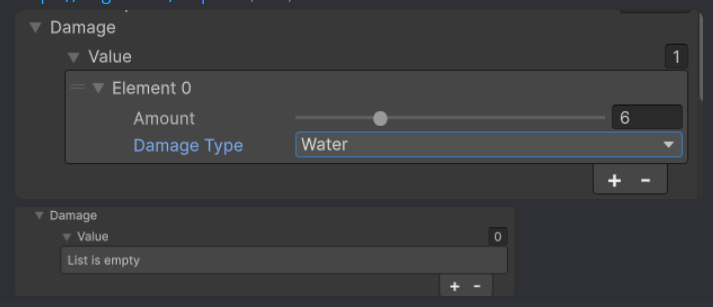
 shell oxide
how can i add text spacing for each letter?
cause like B is bigger then I so i dont want I to have a universal 0.5 spacing for example..
float totalWidth = 0;
        foreach (char c in Text)
        {
            totalWidth += GetLetterWidth(c) * Spacing;
        }

        float startX = -totalWidth / 2f;
        float currentX = startX;

        for (int i = 0; i < Text.Length; i++)
        {
            char c = Text[i];
            GameObject letterPrefab = FindLetterPrefab(c);
            if (letterPrefab != null)
            {
                GameObject newLetter = Instantiate(letterPrefab, transform);
                newLetter.SetActive(true);

                float letterWidth = GetLetterWidth(c) * Spacing;
                float letterOffset = GetLetterOffset(c);

                newLetter.transform.localPosition = new Vector3(currentX + letterOffset, 0, 0);
                InstantiatedText.Add(newLetter);

                currentX += letterWidth;
            }
        }
this is how i save them
 leaden ice
shell oxide
how can i add text spacing for each letter?
cause like B is bigger then I so i d...
leaden ice
shell oxide
how can i add text spacing for each letter?
cause like B is bigger then I so i d...
uhh what are you building here and why are you making whole GameObjects for each letter?
TMP can do custom spacing: https://docs.unity3d.com/Packages/com.unity.textmeshpro@4.0/manual/RichTextCharacterSpacing.html
shell oxide
leaden ice
uhh what are you building here and why are you making whole GameObjects for each...
a text system, each letter has its own gravity, my own 3d text system
shell oxide
leaden ice
TMP can do custom spacing: https://docs.unity3d.com/Packages/com.unity.textmeshp...
no im making my own system 😭
leaden ice
Yes I see that, I'm wondering what the benefits are. Seems like a lot of work
latent latch
interesting, but if you just want to use textmeshpro you can just space the vertices out
leaden ice
There are also kerning pairs you can set: https://docs.unity3d.com/Packages/com.unity.textmeshpro@4.0/manual/FontAssetsProperties.html#glyph-adjustment-table
latent latch
probably other methods since the API is huge
shell oxide
leaden ice
Yes I see that, I'm wondering what the benefits are. Seems like a lot of work
it is a lot of work but i do require to make a whole text system
latent latch
Ah, yeah that looks like the better idea
shell oxide
its not for myself, im making a level editor
but there is a different problem
nothing changed
the dictionary does nothing
is the code right?
leaden ice
i mean it looks... sorta ok at a cursory glance but there's some missing context too
shell oxide
leaden ice
i mean it looks... sorta ok at a cursory glance but there's some missing context...
i can give any context just tell me what u need, here is the other functions
 leaden ice
well you only have very small offsets
an order of magnitude smaller than the letter widths
so it might not be noticeable
shell oxide
leaden ice
well you only have very small offsets
but offsets are what change the letter to different way, i need the spacing which is width??
or am i not understanding my own code 😭
 mortal needle
How can I calculate/predict the world position of a child after parent is rotated without actually rotating the parent?
leaden ice
shell oxide
or am i not understanding my own code 😭
Well can you explain better what part isn't working?
shell oxide
leaden ice
Well can you explain better what part isn't working?
if i put spacing to 0.1 its equal to the same way it was before i added dictionary
wait a sec
i think my width are not right
leaden ice
mortal needle
How can I calculate/predict the world position of a child after parent is rotate...
Something like:
Quaternion rotationToApply = whatever;
Vector3 newLocalPosition = rotationToApply * childTransform.localPosition;
Vector3 newWorldPosition = parentTransform.TransformPoint(newLocalPosition);```depends on the precise details of how you are calculating/applying rotation etc.
(this is assuming you are rotating by a certain amount not rotating to a certain new rotation)
pastel halo
Ah, so I realize why I separated Item and ConcreteItem into two things. Now its serialized vs unserialized. (before it was abstraction, which is removed now)
The problem with using just "Item" directly is that unity will drop all non-serialized data. And my "salvage bag" has pre-injected data from a tool in its list. It got totally dropped because I changed all logic over to "Item" only (to fix UI/data breakage)
But since Concrete inherits from item, I can simply just redirect editor side/pre-injected data to using the serialized version, and use Item for all runtime instantiated data. That should in theory stop any UI/inspector breakages while preserving item data in both cases.
I should be able to pre-inject data that will stick (ConcreteItem) and use runtime data separately (Item).
Pre-injection is a way to save resources, the list is premade so it just reads it. Whereas if it was runtime only like the rest of the system, I would need to generate like 90 things instantly. It went from 3-5 second delay to instant when using a preinjected list.
Does that sound about right? Or is there a better method? I feel like that's the simplest solution that's scalable. Separating runtime and pre-injected data into two types, and just having one inherit the other (ConcreteItem : Item) so that they are the same thing (one is just serialized)
 foggy terrace
Hi can I check how do I add more "Driven Axes" into the Cinemachine Input Axis Controller component?
 latent latch
pastel halo
Ah, so I realize why I separated `Item` and `ConcreteItem` into two things. Now ...
latent latch
pastel halo
Ah, so I realize why I separated `Item` and `ConcreteItem` into two things. Now ...
Well, you're constructing everything at runtime regardless if you're pre-defining your items so unless you're skipping over some process it should be the same in terms of loading
either case, you'll probably want some lazy loading / async method to not run into these spikes
latent latch
foggy terrace
Hi can I check how do I add more "Driven Axes" into the Cinemachine Input Axis C...
leaden ice
 shrewd ice
leaden ice
<#497874524549808128>
shrewd ice
leaden ice
<#497874524549808128>
oh thanks
 junior dock
Hey guys. So me and my friend are doing a school project with unity. I tried setting up the collaboration thingy with plastic. But i keep getting this error. Oh yeah and i used a the first person game version 2021 (idk why that version but the newer version doesnt have the first person game)

help would be very kind
rigid island
junior dock
Hey guys. So me and my friend are doing a school project with unity. I tried set...
check package manager there is probably an update
2021 is kinda outdated tho
you should be on unity 6
or at least 2022
junior dock
rigid island
or at least 2022
uhh could you tell me why?
rigid island
junior dock
uhh could you tell me why?
wdym just told you why lol
junior dock
rigid island
wdym just told you why lol
oh sorry 😭
 lethal tapir
Hi! where can I show off my unity project?
junior dock
rigid island
2021 is kinda outdated tho
is it a really big problem? or is it okay
rigid island
junior dock
is it a really big problem? or is it okay
never a big problem, just depends what you need to do / features needed
steady bobcat
at some point new packages/plugins wont support it. For mobile and console i think it matters to not fall too far behind
 fair wadi
Using PlayerPrefs and set the amount of arrows you have in a hub world, and then after going into the first level a "Shooter" Script pulls the PlayerPref to set the current arrows equal to the PlayerPref, it looks like the PlayerPref is being set just fine but my shooter keeps saying I have 0 arrows available ```void Start()
{
    currentArrows = PlayerPrefs.GetInt("Arrows");

} ``` Here is the start code for the Shooter for pulling the player pref, any help would be greatly appreciated
This isn't enough code to debug your problem.
fair wadi
leaden ice
This isn't enough code to debug your problem.
Okay, what else do you need, I just dont know what else to show
fair wadi
'''public void BuyArrows()
{
if (coins > 0)
{
ArrowKepper.instance.IncreaseArrows(5);
ScoreCounter.instance.DecreseScore(1);
arrows += 5;
coins -= 1;
PlayerPrefs.SetInt("Arrows", arrows);
PlayerPrefs.SetInt("Score",coins);
}
}''' Here is where it is set in a Shop Script
leaden ice
And an explanation of where you're seeing 0 arrows
leaden ice
fair wadi
'''public void BuyArrows()
{
if (coins > 0)
{
Ar...
!code
tawny elkBOT
Posting code
📃 Large Code Blocks
Use links to services like:
https://paste.mod.gg/, https://hastebin.skyra.pw/, https://paste.ofcode.org/, https://paste.myst.rs/, https://scriptbin.xyz/
📃 Inline Code
Surround code with three backquotes. Not quotation marks.
To format as C#, add cs to the first line:
```cs
// Your code here
```
Add a comment with a line number if there is an error message.
fair wadi
{
   public static ArrowKepper instance;
    public TMP_Text arrowText;
    public int currentArrows;

    void Awake()
    {
        instance = this;
    }


    void Start()
    {
        currentArrows = PlayerPrefs.GetInt("Arrows");
        arrowText.text = "" + currentArrows.ToString();
    }
    private void Update()
    {
        PlayerPrefs.SetInt("Arrows", currentArrows);
    }

    public void IncreaseArrows(int v)
    {
        currentArrows += v;
        arrowText.text = "" + currentArrows.ToString();
    }
    public void DecreaseArrows(int v)
    {
        currentArrows -= v;
        arrowText.text = "" + currentArrows.ToString();
    }

}
``` Here is the Arrow Kepper code which is set up in both scenes ```public class Shop : MonoBehaviour
{
    [SerializeField] GameObject ShopMenu;
    public int arrows;
    public int coins;
    public int cost;
    // Start is called before the first frame update
    void Start()
    {
        arrows = PlayerPrefs.GetInt("Arrows");
        coins = PlayerPrefs.GetInt("Score");
    }

    // Update is called once per frame
    void Update()
    {

    }
    public void BuyArrows()
    {
        if (coins > 0)
        {
            ArrowKepper.instance.IncreaseArrows(5);
            ScoreCounter.instance.DecreseScore(1);
            arrows += 5;
            coins -= 1;
            PlayerPrefs.SetInt("Arrows", arrows);
            PlayerPrefs.SetInt("Score",coins);
        }
    }
}
```Here is the Shop code which is only in the hub private Vector3 mousePos;
public GameObject bullet;
public Transform bulletTransform;
public bool canFire;
private float timer;
public float timeBetweenFiring;
public int currentArrows;
public int value;
// Start is called before the first frame update
void Start()
{
currentArrows = PlayerPrefs.GetInt("Arrows");
mainCam = GameObject.FindGameObjectWithTag("MainCamera").GetComponent<Camera>();
}
// Update is called once per frame
void Update()
{
mousePos = mainCam.ScreenToWorldPoint(Input.mousePosition);
Vector3 rotation = mousePos - transform.position;
float rotZ = Mathf.Atan2(rotation.y, rotation.x) * Mathf.Rad2Deg;
transform.rotation = Quaternion.Euler(0, 0, rotZ);
if(!canFire)
{
timer += Time.deltaTime;
if(timer > timeBetweenFiring)
{
canFire = true;
timer = 0;
}
}
if(Input.GetMouseButton(0) && canFire && currentArrows > 0)
{
canFire = false;
Instantiate(bullet, bulletTransform.position, Quaternion.identity);
currentArrows -= 1;
ArrowKepper.instance.DecreaseArrows(1);
}
} ```And here is the shooter scriptWhere are you seeing 0 arrows
This is really sketchy
You have like 3 different variables tracking the arrow count
And the arrow keeper is setting the playerprefs every single frame with its version
fair wadi
Sorry a lot of code but that is everything related, I am seeing the Arrow Kepper showing current arrows above 0, but the public int currentarrows in the Shooter script shows 0 in the game

 leaden ice
fair wadi
Sorry a lot of code but that is everything related, I am seeing the Arrow Kepper...
leaden ice
fair wadi
Sorry a lot of code but that is everything related, I am seeing the Arrow Kepper...
You need to have only one variable for the number of arrows
fair wadi
leaden ice
And the arrow keeper is setting the playerprefs every single frame with its vers...
Yeah... I understand its defiently not the best, but it was working and then something changed but I dont remeber changing any code
leaden ice
You have 3 different variables and they're going to get out of sync
It's a recipe for disaster
Presumably the arrow keeper should be the source of truth
Get rid of any other variable that tracks arrows
And just always reference the arrow keeper when you need to access the current arrow count
fair wadi
leaden ice
And just always reference the arrow keeper when you need to access the current a...
Okay that makes sense, thank you!
fair wadi
leaden ice
Presumably the arrow keeper should be the source of truth
Worked perfectly!
 wide pine
using System.Collections;
using System.Collections.Generic;
using UnityEditor;
using UnityEngine;

[ExecuteInEditMode]
public class GenerateArray : MonoBehaviour
{
    // This script only run in unity editor

    [SerializeField] GameObject prefab;
    [SerializeField] Vector3 offset;
    [SerializeField] [Min(0)] int count;

    private void Update()
    {
        #if UNITY_EDITOR
                if (EditorApplication.isPlaying == false)
                {
                    Refresh();
                }
        #endif
    }

    private void Refresh()
    {
        ClearPreviousIteration();
        GameObject tempGameObject;
        for (int i = 0; i < count; i++ )
        {
            tempGameObject = Instantiate(prefab, transform);
            tempGameObject.transform.rotation = Quaternion.Euler(-90, 0, 0);
            tempGameObject.transform.localPosition = (i * offset);
        }
    }

    private void ClearPreviousIteration()
    {
        foreach (Transform t in transform)
        {
            DestroyImmediate(t.gameObject);
        }
    }
}
Hi, I want to create an editor script that generate array in editor. But when I use it, it has some error. It works fine when I increase the count, but it leave some 'residue' when I decrease count variable. The child is not destroyed as intended. How can I fix it? Any help is appreciated
 worldly hull
[ExecuteInEditMode]
public class ContentParent : MonoBehaviour
{
    public enum contentType
    {
        Text,
        Password,
        Account,
        InputField,
        Phone
    }

    [SerializeField] private GameObject[] prefabs = new GameObject[5];
    [SerializeField] private contentType[] spawningElement; //in type

    private void Awake() //on button pressed
    {
        float totalHeight = 0;
        float margin = GetComponent<VerticalLayoutGroup>().spacing;

        RectTransform contentSize = GetComponent<RectTransform>();

        foreach (contentType element in spawningElement)
        {
            Instantiate(prefabs[(int)element], transform);
        }

        foreach (RectTransform element in transform)
        {
            totalHeight += element.gameObject.GetComponent<LayoutElement>().preferredHeight + margin;
        }

        contentSize.sizeDelta = new Vector2(464.5f + 838.5f, totalHeight);
        GetComponentInParent<BasicDialogFrame>().RefreshSize(true);
    }
}```

i want to add a button on the inspector, but if i extend Editor i cant use getcomponent, is there any ways to keep inspector GUI and this script in one piece?DestroyImmediate will change your child count and corrupt the loop
Some reverse-for loop or ToList before deletion could work
worldly hull
ok i cant believe it must be two classes
worldly hull
[CustomEditor(typeof(ContentParent))]
public class ContentButton : Editor
{
    public override void OnInspectorGUI()
    {
        DrawDefaultInspector();

        ContentParent parent = (ContentParent)target;
        if(GUILayout.Button("Build Object"))
        {
            parent.onClick();
        }
    }
}```as for the script , i put an execute in edit mode there
DONE
 empty elm
On a build of my game weird things are happening with the delivery/ shop system that doesn't happen in the Unity editor. For example you can continue to buy a stack of items that is already purchased, among other bugs.
What are possible reasons that can cause this (or any ) discrepancy between the editor and the build? That will help me out a lot in where to look for the bug.
 weak pecan
hi there,
i wanted to make a productivity game where it requires the least amount of work to track your progress.
now, i just found out that unity isnt really capable of automatic startup/ running at background, so im trying to do it with raw code.
question is, im quite lost, as i dont know where to start. can anyone give me some small insights on where should i start?
rigid island
weak pecan
hi there,
i wanted to make a productivity game where it requires the least amou...
junior dock
junior dock
Hey guys. So me and my friend are doing a school project with unity. I tried set...
uhm new errors while i updated it pls help @rigid island or someone else plssss help
 rigid island
junior dock
uhm new errors while i updated it pls help <@968604165150507078> or someone els...
rigid island
junior dock
uhm new errors while i updated it pls help <@968604165150507078> or someone els...
did you remove the VC package
 rigid island
eager fulcrum
why is my character floating above the tilemap collider?
rigid island
eager fulcrum
why is my character floating above the tilemap collider?
not really a code question
you can probably decrease the Default Contact Offset in the Physics tab
(this comes at higher cpu cost)
eager fulcrum
Ah true, will move the question
eager fulcrum
rigid island
you can probably decrease the Default Contact Offset in the Physics tab
(this co...
Thanks
worldly hull
advanced GUI coding topics
u see theres two buttons below, is there any ways to allow inspector to track whether objMapper has something in it?
i want to disable the "refresh UI" when objMapper has something, this is only editor mode scripts, so it needs to keep tracking in editor mode

- when objMapper is empty , enable Refresh UI button, disable refresh map UI button
- when its not empty, do the opposite
[CustomEditor(typeof(ContentParent))]
public class ContentButton : Editor
{
    public override void OnInspectorGUI()
    {
        DrawDefaultInspector();

        ContentParent parent = (ContentParent)target;

        if(GUILayout.Button("Refresh UI"))
        {
            parent.onClick();
        }

        if(GUILayout.Button("Refresh UI with map"))
        {
            parent.onClickWhenMapActive();
        }
    }
}```ty👍
 storm sleet
how can i store a static reference of a material? i tried to make a static class and use Resources.Load<Material>() in the static constructor but its not allowed and they advice to use awake, so is there other method i can use? or do i really need to have a monobehaviour for this?
steady bobcat
storm sleet
how can i store a static reference of a material? i tried to make a static class...
you can use this: https://docs.unity3d.com/6000.0/Documentation/ScriptReference/RuntimeInitializeOnLoadMethodAttribute.html
storm sleet
btw this is only for edit mode not for runtime
this is not meant to go for the build, its only for development
steady bobcat
storm sleet
btw this is only for edit mode not for runtime
then use the editor variant of that attribute, you can find it im sure
Or just make a property/function that will cache the ref on first get
storm sleet
i will have a look on that
mortal needle
leaden ice
Something like:
```cs
Quaternion rotationToApply = whatever;
Vector3 newLocalPos...
Is this the correct way to calculate a child's world position after rotating the parent x degrees around its Z axis without actually rotating?
parent.transform.TransformPoint(Quaternion.AngleAxis(x, Vector3.forward) * child.localPosition)
Asset operations such as asset loading should be avoided in InitializeOnLoad methods
steady bobcat
storm sleet
> Asset operations such as asset loading should be avoided in InitializeOnLoad m...
do a lazy load thing then so you load it once still
 maiden fractal
mortal needle
Is this the correct way to calculate a child's world position after rotating the...
maiden fractal
mortal needle
Is this the correct way to calculate a child's world position after rotating the...
Looks about right to me. Try it out and see
 molten musk
i have a fog of war in my game where a black overlay covers the map. id like objects to be able to reveal areas based on some set values including a radius and the arc of the revealing shape. how should i go about this?
 plucky inlet
molten musk
i have a fog of war in my game where a black overlay covers the map. id like obj...
plucky inlet
molten musk
i have a fog of war in my game where a black overlay covers the map. id like obj...
Sounds like a custom shader with masking on a black white texture to show/hide.
warm badger
back then, when i was using the old input system...while using GetAxis, the rotation of cam used to be smooth..basically the value used to gradually increase and gradually decrease after no input is there...but now when i use the new input and calculating touch.delta, it is not that smooth.. i mean when i lift my touch, that gradual falloff is not there anymore...is there something i'm doing wrong?
plucky inlet
warm badger
back then, when i was using the old input system...while using GetAxis, the rota...
the falloff is nothing, that is built in to the input system. You just get the values and have to store and increase/decrease them yourself to the level of smoothness you desire
Simplest would be to store the rawValue and have a lerpedValue that gets smoothed in some loop/update
molten musk
plucky inlet
Sounds like a custom shader with masking on a black white texture to show/hide.
how would i implement this
plucky inlet
molten musk
how would i implement this
 trim schooner
Fog of war is a common mechanic, they'll be loads of tutorials for doing it already
plucky inlet
Even free assets in store already
trim schooner
Most likely, yeah !
latent latch
the traditional way is just use a texture that you edit the alpha values of
otherwise stencils but I like the texture idea more
trim schooner
delete from here too.. and don't crosspost.
steady bobcat
got an example of a response?
what class did you create soo far?
If you want to de serialize into a dictionary you want something better like json.net
Hm that should work 🤔
May not be related but use UnityWebRequest
could be off the main thread causing an exception when using the unity api after (and tasks wont print exceptions properly unless using something like UniTask)
 mellow hill
You could try changing the collection type from a List<T> to an array, the JsonUtility built-in library is very limited and is a reason most people prefer to use NewtonsoftJSON
 swift falcon
hello
steady bobcat
i wonder if it matters if you have the list not be null on creation?
it shouldn't as it says it uses the unity serialization but i cant think of anything else
then must fail at parsing somehow
plucky inlet
Did you compare your data class being serialised to the JSON response from server?
Can you try to use your class instead of var?
steady bobcat
they put the generic arg it wont matter
plucky inlet
Ill test on my side
steady bobcat
is this being tested via some mod or in a normal unity project? @swift falcon
 steady bobcat
Then probably caused by being loaded via this mod framework


 fossil obsidian
guys, as I'm progressing with my game and adding more stuff, there's new inputs, events, etc that are detected via Update(), but now running all the stuff I have in the game in every single frame is starting to be a bad idea, but idk how I would handle these events in a more optimizated way. Could someone tell me how to do it?
steady bobcat
FromJson() goes to some internal native function so Id guess how unity looks for types is not able to find this type and thus parsing fails
plucky inlet
fossil obsidian
guys, as I'm progressing with my game and adding more stuff, there's new inputs,...
are you using the new input system with events being called instead of update checking for Input.keys ?
steady bobcat
Your fix will be to try to include a better json parser like json.net. Can the mod framework include other .dlls ?
plucky inlet
What is your data type when you log it, or is it probably null?
steady bobcat
how is your mod code loaded then? surely other managed code can be added alongside it?
Or find some json parser you can include raw with your mod code
fossil obsidian
plucky inlet
are you using the new input system with events being called instead of update ch...
it's very complicated and i couldnt find somewhere that explains it properly, but yea it'd be great anyways. But there's still other things like collision triggers and etc
plucky inlet
I am just wondering, isnt newtonsoft already part of unity anyways?
plucky inlet
fossil obsidian
it's very complicated and i couldnt find somewhere that explains it properly, bu...
Ah, got you. Its not that complicated, and handling other events is always better layed out on paper before coding. write down your game mechanics and events, that happena nd go from there writing managers and correct loops for data handling
mellow hill
plucky inlet
I am just wondering, isnt newtonsoft already part of unity anyways?
No, you can install it via GitHub from their package manager but they have removed it from their package manager I believe, which is bizarre
steady bobcat
plucky inlet
I am just wondering, isnt newtonsoft already part of unity anyways?
I think its an optional package but often included in projects now, could work!
plucky inlet
Let me check on 6(2023)
steady bobcat
its com.unity.nuget.newtonsoft-json
plucky inlet
yeh, its just a standard package you can install and ship along
mellow hill
steady bobcat
its ``com.unity.nuget.newtonsoft-json``
LitJSON is another good JSON library if you cannot go with Newtonsoft
Sorry wrong reply
steady bobcat
mellow hill
LitJSON is another good JSON library if you cannot go with Newtonsoft
depends what @swift falcon can include or use with this mod.
seeing if newtonsoft json was already in there to use would be best
mellow hill
I do a similar thing with my project where I have a .NET web API that connects to a MongoDB back-end but I haven't worked with BepinEx
plucky inlet
Can you log your data type you get after the serialisation?
And when you use ToJson I guess your list is empty?
steady bobcat
@swift falcon perhaps you can just slap the src for this in the mod. Otherwise see if you can have other dependencies go along with your mod code
https://github.com/dustyburwell/TinyJson
still jungle
https://github.com/MessagePack-CSharp/MessagePack-CSharp
anyone use MessagePack for serialization?
 thick terrace
still jungle
https://github.com/MessagePack-CSharp/MessagePack-CSharp
anyone use MessagePack ...
thick terrace
still jungle
https://github.com/MessagePack-CSharp/MessagePack-CSharp
anyone use MessagePack ...
yeah, i love it
still jungle
just digging around about unity serialization system and thinking that there are better ways to serialize stuff
and that repo looks very good
junior dock
rigid island
did you remove the VC package
Do you mean plastic SCM?
should i just dm you?
plucky inlet
still jungle
just digging around about unity serialization system and thinking that there are...
Depends on what you need it for. Networking, def. messagepack over other stuff.
thick terrace
still jungle
and that repo looks very good
i have very few complaints about MP in years of using it in games, the only thing that's problematic in unity is it can be fiddly to get the MPC code generator working for unity projects. there's a rosyln source generator now which is supposed to replace it but that doesn't work in my project for mystery reasons 😔
rigid island
junior dock
Do you mean plastic SCM?
ye
junior dock
rigid island
ye
ok so i did some stuff lemme dm you it is that alright?
 kind nymph
ok so i havent done something like parallax in a long time and not surprisingly I've run into some weird behaviour. Basically I'm trying to get my hud to have a parallax effect depending on where the mouse is on the screen (This affects both position and rotation)
What I was expecting to happen:
- HUD to move and rotate based on where the mouse is on the screen
- Stay within the confines of the screen (this works)
What actually happens:
- HUD moves correctly but is very jittery
- HUD rotates incorrectly (the axis are mixed up I think) and also is even more jittery than the movement
the link leads to the code responsible for operating this and also attached is a 10s video of what it currently looks like
A tool for sharing your source code with the world!
 placid summit
hi does anyone understand conversion to quaternion and back to euler angles? I find it odd that if you convert euler 110,0,0 to quaternion and back you end up with 70,180,180!
heady iris
Both of those sets of euler angles describe the same thing
This is why it's perilous to read Euler angles -- you can get surprising results if you try to look at a single axis
 woeful spire
placid summit
hi does anyone understand conversion to quaternion and back to euler angles? I f...
woeful spire
placid summit
hi does anyone understand conversion to quaternion and back to euler angles? I f...
I believe they describe the same rotation, just with different steps. That's a big issue with Euler Angles, and something that's mitigated with Quaternions.
Generally you don't want to work with Euler unless strictly necessary. Converting back and fourth seems odd too.
still jungle
thick terrace
i have very few complaints about MP in years of using it in games, the only thin...
thanks for the feedback, gonna add it to my tools list for serialization then
placid summit
woeful spire
I believe they describe the same rotation, just with different steps. That's a b...
actually euler is nice and simple to understand for msot cases I find - only if you hit gimbal loc issues will it be a problem (and most games do not)
anyway seems the inspector does a magic trick to keep euler angles as simple as possible - discussed on forum but hard to follow
heady iris
The inspector stores the euler angles you inputted so that it can show them to you later
placid summit
it is a rabbit hole - Unity actually stores m_LocalEulerAnglesHint: {x: 0, y: 0, z: 0}
heady iris
(rather than converting quaternions back into eulers)
placid summit
it is not the same transform.localeulerangles you read
heady iris
I never work with Euler angles. I just use the Quaternion methods (e.g. Quaternion.AngleAxis) to construct rotations
placid summit
I need to serialize rotation and seems less clean to serialize quaternion - does Unity not serialize euler?
heady iris
euler angles are just a Vector3; you can certainly serialize that
One annoying thing about serializing a Quaternion is that the default value is [0,0,0,0] -- it's a struct, after all
this is an invalid quaternion
woeful spire
serializing Quaternions shouldn't have to be done unless you're a mathematics major.
placid summit
ah Unity itself serializes the qauternion rotation and a euler 'hint'. How odd!
heady iris
woeful spire
serializing Quaternions shouldn't have to be done unless you're a mathematics ma...
You probably don't want to edit them directly (:
lean sail
placid summit
ah Unity itself serializes the qauternion rotation and a euler 'hint'. How odd!
well it is also less numbers to serialize
heady iris
it'd be like exposing a Matrix4x4 instead of a position, rotation, and scale
lean sail
oops meant to reply to the guy above that, that serializing a vector3 is less than quaternion
wheat spruce
whats the intended way to deal with the fact that setting a value in the inspector is "volatile" in the sense that it wouldnt take much for that value to get wiped. I've got a class with 8 or so properties, and the safest thing for me is to figure out what value works right in the inspector, then I go and update the code itself to make sure that if I lost the inspectors settings, I wont actually lose anything
rigid island
junior dock
ok so i did some stuff lemme dm you it is that alright?
no dms sry. You can just send here np
latent latch
wheat spruce
whats the intended way to deal with the fact that setting a value in the inspect...
version control
or copy paste the meta somewhere
lean sail
wheat spruce
whats the intended way to deal with the fact that setting a value in the inspect...
if the numbers are fine to just assign in code, then i dont see an issue with that. if this were something else, like configuring stats across a bunch of different npcs, then you'd usually use scriptable objects.
in version control you'd easily see if u accidentally changed a value to a scriptable object. if you accidentally changed a component in a scene you most likely wont notice it. if its on a prefab maybe
wheat spruce
version control isnt something I've actually looked into with unity
in the past I've only ever used git to commit stuff
lean sail
in that case id worry less about the values in inspector, compared to the fact that you could lose your entire project unexpectedly
git is version control, and the best option to use
wheat spruce
I'd probably be more worried about what else would be lost in the rare chance that the harddrive fails
I'll look into unity version control
rigid island
wheat spruce
I'll look into unity version control
tbh stick with Git. UVC is kinda horrid
lean sail
theres many more ways that u can lose a project instead of the hard drive failing. it could just corrupt, or you could do something weird and a meta file breaks. its a real pita
junior dock
Okay i invited my friend over but how do i connect my unity game with the plastic? please help me!!!
 wheat spruce
yeah the LFS was something I encountered before but I dont think the restrictions ever came up
rigid island
cue meme : Aw shit here we go again..
another confusing moment brought to you by Unity VC ™️
 thin aurora
junior dock
Okay i invited my friend over but how do i connect my unity game with the plasti...
thin aurora
junior dock
Okay i invited my friend over but how do i connect my unity game with the plasti...
Well, read above. Maybe consider using Git instead. I think there's a lot morer support in general when you use Git.
Unity VC is something I don't bother with because Git has existed since forever and I don't see a reason to suggest Unity VC over Git
wheat spruce
surely UVC would deal with LFS without any extra effort right?
lean sail
id be really curious how many people here can even help with unity VC in the first place, when i explored the options, there was no reason to use anything other than git.
rigid island
barely
wheat spruce
rigid island
barely
to whom is this responding
thin aurora
wheat spruce
surely UVC would deal with LFS without any extra effort right?
Dunno but Git LFS is not exactly hard to set up
rigid island
wheat spruce
to whom is this responding
"surely UVC would deal with LFS without any extra effort right?
"
wheat spruce
ah
rigid island
in GIT all you do is 1 command and its done
thin aurora
The only issue might be sizing, in which case I believe Gitlab has more space over Github but I can't confirm that
lean sail
wheat spruce
surely UVC would deal with LFS without any extra effort right?
you might not even have to worry about large files tbh
rigid island
gitlab indeed gives you more than github iirc
junior dock
thin aurora
Well, read above. Maybe consider using Git instead. I think there's a lot morer ...
but could you tell me how he could work togheter, cuz we need to do the scripting AND the designing togheter
wheat spruce
lean sail
you might not even have to worry about large files tbh
yeah it never came up, mostly as the projects have never been gigantic
heady iris
thin aurora
Dunno but Git LFS is not exactly hard to set up
it is if you don't read the instructions correctly
kablam
latent latch
just dont drop all your assets into it
rigid island
junior dock
but could you tell me how he could work togheter, cuz we need to do the scriptin...
get on a discord call together, use Github desktop to push and pull changes
heady iris
I just self-host a git server and shove everything directly into Git
wheat spruce
biggest directory I ended up getting was be included in the .gitignore
lean sail
wheat spruce
biggest directory I ended up getting was be included in the .gitignore
you just download the already made gitignore. dont do anything weird yourself
heady iris
The one case where I'm leery about "Just Put It In Git" is my substance painter files
those things are huge
rigid island
keep big arts assets separate than VC. so no really need for LFS
wheat spruce
lean sail
you just download the already made gitignore. dont do anything weird yourself
yeah thats what I mean
thin aurora
junior dock
but could you tell me how he could work togheter, cuz we need to do the scriptin...
I posted a video that explains how to use Git, which is very easy. Do note that regardless of the type of version control you use, you generally should not concurrently work on the same file or asset as it will introduce conflicts due to overwritten changes. Git actively avoids this and will end up requiring you to manually specify the correct version. Try working on separate files/scenes instead.
heady iris
currently I just...don't version control those. Uh oh.
junior dock
rigid island
get on a discord call together, use Github desktop to push and pull changes
but isnt that kinda hard to do that the whole time 😭 cuz we need to work 160 hours on it toghether
heady iris
junior dock
but isnt that kinda hard to do that the whole time 😭 cuz we need to work 160 h...
that's a very specific requirement
rigid island
junior dock
but isnt that kinda hard to do that the whole time 😭 cuz we need to work 160 h...
you're still doing the exact same thing with UVC
junior dock
thin aurora
I posted a video that explains how to use Git, which is very easy. Do note that ...
ohhhhh
rigid island
unity vc is not magic realtime collab
junior dock
do you guys have any other program where it is easier to make a game on 😭
rigid island
works similiar to git
junior dock
togheter
latent latch
GitLFS still have problems with large pushes of data... ideally just keep the stuff local and use placeholders if it's large enough
rigid island
junior dock
togheter
that is the easiest
junior dock
damm 😭
rigid island
even easier than that is you both working on the same computer
thin aurora
thin aurora
@junior dock Take a look at this video. It explains version control using, hosting your code/repo/game on GitHub through Git (two separate things), and if you're interested explains a GUI application called Github Desktop that allows you to combine the former two very easily with simple visualization.
rigid island
this isn't a multiplayer game, its not trivial to connect them(unity apps) together properly without issues @junior dock
junior dock
could we also share the same account so that we could work on it?
junior dock
thin aurora
<@618435026664685583> Take a look at this video. It explains version control usi...
alr tysm
thin aurora
junior dock
could we also share the same account so that we could work on it?
If you set up a Github repository correctly, you can use two separate accounts as collaborators. You should not use the same account. Just make sure the repository is private and just for the two of you.
junior dock
junior dock
could we also share the same account so that we could work on it?
but could this be an option
thin aurora
Context needed, there's very little reason to do this unless it's easier to write
Json is very easy, just takes more to write if you end up having to do lots of manual labour
thin aurora
Have you been using JsonUtility or Newtonsoft?
heady iris
i'm not sure how a modding framework would have anything to do with parsing json
thin aurora
Well there's your problem. Try switching to Newtonsoft
Most likely JsonUtility can't deserialize it
heady iris
JsonUtility has some important limitations
note that we can't really help you with modding here
thin aurora
You can load dll files. Try loading a .NET Standard 2.0/2.1 compatible version of Newtonsoft
rigid island
yeah for one JsonUtility doesnt handle props or dictionary and anything unity cannot serialize
heady iris
and this is a great example of why
it creates really weird problems that make no sense in the context of normal game development
wheat spruce
nah go and use one of the 1000 different "its no different to json but the dev wanted to try and fix json" json alternatives
thin aurora
Ah yeah, Bepinpex is modding.