#↕️┃editor-extensions
1 messages · Page 25 of 1
 tough cairn
so i tried this :
var fix = position.width - UnityEditor.EditorGUI.IndentedRect(position).width;
float step = UnityEditor.EditorGUIUtility.labelWidth - fix; //  position.width * 0.4f;
var rect = position; rect.x += step; rect.width -= step;
which is 1 or two pixels off visually , but it does seem to retain the same width ratio when the insepctor is being resized
[UnityEditor.CustomPropertyDrawer(typeof(Distribution))]
public class DistributionDrawer : UnityEditor.PropertyDrawer  {
    public override void OnGUI( Rect position, UnityEditor.SerializedProperty property, GUIContent label ) {
        if( GetPropertyHeight( property, GUIContent.none ) < 20 ) {
            var fix = position.width - UnityEditor.EditorGUI.IndentedRect(position).width;
            float step = UnityEditor.EditorGUIUtility.labelWidth - fix; //  position.width * 0.4f;
            var rect = position; rect.x += step; rect.width -= step;
            var value = property.FindPropertyRelative("value");
            rect.height = GetPropertyHeight( value , GUIContent.none );
            value.floatValue = UnityEditor.EditorGUI.FloatField( rect, value.floatValue );
        }
        UnityEditor.EditorGUI.PropertyField(position, property, label, true);
    }
    public override float GetPropertyHeight(UnityEditor.SerializedProperty property, GUIContent label) {
        return UnityEditor.EditorGUI.GetPropertyHeight(property);
    }
}
Basically subtracting 2 pixels off the fix variable results in perfect alignment

 gloomy chasm
Not sure, but uhh, why not use a Prefixlabel...?
tough cairn
notice what im doing is "injectiing an input field to a serialized class that already has a toggle
 visual stag
Also... use UIToolkit ☠️
tough cairn
never
U can see in the clip when I toggle the field CollapseState(?..)* the " injected " field disappears ( hence the < 20 check )
gloomy chasm
I'm with Vertx on this one, it would be so easy in UITK. Plus, IMGUI will be 'deprecated' at some point... you will join us!
tough cairn
The day this happen I will abended ship 🫡
visual stag
Enjoy calculating property height like a pleb
tough cairn
that's def not the way to keep your community intact , why so salty ?
visual stag
It's in jest
gloomy chasm
Yeah, just joking. Having done custom editor scripting with IMGUI for years. Having UITk to all the calculations for you is just so nice.
 indigo condor
tough cairn
never
indigo condor
tough cairn
never
One day I was like you, but this wonderful community made me switch to UI toolkits and it was the best thing I could do 😁💯
indigo condor
Could someone take a fast look at this?
 chilly steeple
I'm confused with what exactly what behaviour you're looking for
indigo condor
chilly steeple
I'm confused with what exactly what behaviour you're looking for
i need the Add Data boxhelp to always have the first column's height, adding a scrollview if it's necessary
chilly steeple
Aren't all columns the same height?
indigo condor
Yeah, but when I add data on the right one it get's bigger, and i don't want that to happen, i want it to make appear a scrollbar
here is a little video about how it currently works
chilly steeple
Ah I understand

 indigo condor
Take your time :>
 indigo condor
Oh, so clear! lemme try :>
chilly steeple
orange panel should also have height set to auto
grow might not be neccessary on that panel
indigo condor
chilly steeple
grow might not be neccessary on that panel
hmmm not working

and it's weird, there is an horizontall scrollview
when is chosen a vertical one
 chilly steeple
make sure that panel (the green one in my drawing) has a sufficient width
and you can also, on your scrollview, set "horizontal scroller visibility" from auto to hidden
indigo condor
chilly steeple
and you can also, on your scrollview, set "horizontal scroller visibility" from ...
done... and it's the same 😦

Do you want me to pass you the package and you just try it?
indigo condor
 chilly steeple
cool, im on 2022.3.22f so should be fine to test on my end with no differences in UITK versions
 alpine bolt
indigo condor
done... and it's the same 😦
alpine bolt
indigo condor
done... and it's the same 😦
You can use a "not so good hack". Get the left column height on a RegisterCallbackOnce<GeometryChangeEvent> and set the height inline
alpine bolt
The USS way is to
.fill-available-parent-height {
    height: 0;
    flex-grow: 1;
    min-height: auto;
}```@alpine bolt and that i apply it to the left column?
just that?
I'm lost
alpine bolt
indigo condor
<@199675696014950400> and that i apply it to the left column?
To the scroll view of the right
indigo condor
alpine bolt
To the scroll view of the right
on the right there are not any scrollview...
alpine bolt
indigo condor
on the right there are not any scrollview...
You mentioned a scroller, right?
That must be there already. There’s no way around that.
And to that scroller (which is a ScrollView element), you add that class that I wrote.
chilly steeple
Changing layout properties on GeometryChangedEvent is a bit ehh as it could become cyclic
alpine bolt
chilly steeple
Changing layout properties on GeometryChangedEvent is a bit ehh as it could beco...
Cyclic?
chilly steeple
I'm pretty sure Unity advices against setting layout properties as response to a GeometryChangedEvent, as setting the height on the element in itself can/will trigger another GeometryChangedEvent on the panel
alpine bolt
chilly steeple
I'm pretty sure Unity advices against setting layout properties as response to a...
And I’m pretty sure RegisterCallbackOnce only gets called once 🤔
It’s a lazy/edge case solution. I provided a USS option as well.
 peak bloom
chilly steeple
Changing layout properties on GeometryChangedEvent is a bit ehh as it could beco...
peak bloom
chilly steeple
Changing layout properties on GeometryChangedEvent is a bit ehh as it could beco...
true, when not done carefully, yeah
it's very easy to be accidentally doing recursive call
peak bloom
chilly steeple
Changing layout properties on GeometryChangedEvent is a bit ehh as it could beco...
such as this one particularly 👆 😂
what's dumb is that, it would not cause stackoverflow and can be pain to track down
how about to force the ScrollView's scrollbar to always be visible instead?
chilly steeple
Wouldn't work as the scroll view itself is growing limitlessly
Not much to scroll if all contents are in view
peak bloom
then set your Scrollview to be fixed size
indigo condor
I try
peak bloom
peak bloom
then set your Scrollview to be fixed size
by this I mean in Percent so you won't need to deal with shrink/growing manually
like this :
Header => 20%
Body (where your scrillview is at) => 60%
Footer => 20%
indigo condor
peak bloom
how about to force the ScrollView's scrollbar to always be visible instead?
just that doesn't work
 indigo condor
peak bloom
by this I mean in *Percent* so you won't need to deal with shrink/growing manual...
indigo condor
peak bloom
by this I mean in *Percent* so you won't need to deal with shrink/growing manual...
i'll try that too
peak bloom
wait, did you enable the scrollbar to be always visible?
indigo condor
peak bloom
wait, did you enable the scrollbar to be always visible?
yeah
indigo condor
alr :>
peak bloom
chilly steeple
Not much to scroll if all contents are in view
yeah, it's just to give an effect that that particular are is in a scroll area
alpine bolt
Isn't this what you want?

 peak bloom
indigo condor
just that doesn't work
peak bloom
indigo condor
just that doesn't work
another way is to set a fixed height to those that are too small in the scrollview a bit bigger than scrollview's container so it will show the scrollbar
indigo condor
alpine bolt
Isn't this what you want?
yeah, and when the left column gets expanded the scroll area gets bigger
alpine bolt
just add the class I gave you earlier to the scroll view
indigo condor
to the right one, right?
indigo condor
alpine bolt
yes
like this?
 alpine bolt
yep

 chilly steeple
Nice
chilly steeple
alpine bolt
The USS way is to
```css
.fill-available-parent-height {
height: 0;
fle...
So this was the solution?
@alpine bolt could you explain why/how this works?
Lemme absorb that knowledge
alpine bolt
chilly steeple
<@199675696014950400> could you explain why/how this works?
I saw that the ScrollView always wanted to extend to display the whole content. So my logic was to make it shrink (height: 0) and then have it expand it when it has space (flex-grow: 1). The space is granted by its parent/container
min-height: auto actually does nothing in this case.
indigo condor
Is there any way to avoid that when the window is smoller than the content size?

 gloomy chasm
indigo condor
Is there any way to avoid that when the window is smoller than the content size?
gloomy chasm
indigo condor
Is there any way to avoid that when the window is smoller than the content size?
flex-shrink
alpine bolt
or min-height

 alpine bolt
@severe wing wrong channel
 severe wing
2d tools yea?
gloomy chasm
severe wing
2d tools yea?
This channel is about making your own tools. You want #📲┃ui-ux I think
 timid coyote
can i inherit a class in uss?
.field-with-button
{
    width: 95%;
    height: var(--field-height);
}

TextField
{
    display: none;
}``` i want TextField to the the properties of field-with-button. my guess is `TextField .field-with-button` but it doesnt workTry removing the space between TextField and .field-with-button
timid coyote
alpine bolt
Try removing the space between `TextField` and `.field-with-button`
it didnt work
also setting the display to none in uss doesnt modify the style.display.value, why?
 alpine bolt
timid coyote
also setting the display to none in uss doesnt modify the style.display.value, w...
alpine bolt
timid coyote
also setting the display to none in uss doesnt modify the style.display.value, w...
Do you have inline styles set?
timid coyote
nope
alpine bolt
timid coyote
nope
can you explain better what are you trying to do?
timid coyote
i have a popup and a button when i press the button the popup display sets to none and the textfield sets to flex
public EditablePopupField(SerializedProperty integerProperty,
            Action<List<TValue>> onAddElements, Action<string> onElementAdded) : base(integerProperty, onAddElements)
        {
            _onElementAdded = onElementAdded;
            Initialize(); Compose();
        }

        private void Initialize()
        {
            this.AddStyleSheet<EditablePopupField<TValue>, EditablePopupField<TValue>>();

            _popupField.AddClass("field-with-button");

            _textField = new TextField(DisplayName)
                .AddClass(Helpers.AlignedFieldClass)
                .AddKeyEvent<TextField, KeyDownEvent>(KeyCode.Return, OnTextKeyDown);

            _button = new ButtonWithImage("Plus", OnButtonClick);
        }

        private void Compose()
        {
            this
                .AddChild(_textField)
                .AddChild(_button);
}```@import "../../../Editor Utility/Editor/Helpers/Helpers.uss";
:root
{
flex-direction: row;
}
.field-with-button
{
width: 95%;
height: var(--field-height);
}
TextField.field-with-button
{
display: none;
}
ButtonWithImage
{
width: 4.3%;
}```i really dont understand why it doesnt work
alpine bolt
where exactly is it not working in this code?
I don't see you adding the .field-with-button to TextField
my guess it's that OnButtonClick
timid coyote
i get this
 timid coyote
alpine bolt
I don't see you adding the `.field-with-button` to `TextField`
timid coyote
alpine bolt
I don't see you adding the `.field-with-button` to `TextField`
but whats why i have asked if i can inherit a class
alpine bolt
you want to hide text field, right?
timid coyote
yep
peak bloom
how can I deal with long dropdown, it's so long scrolling it will take at least 16 seconds to the bottom 😅
 alpine bolt
timid coyote
yep
alpine bolt
timid coyote
yep
TextField {
display: none;
}
TextField.button-pressed {
display: flex;
}``` wouldn't this work? gusty mortar
peak bloom
gusty mortar
peak bloom
Is there anything to split them ? Like categories ?
gloomy chasm
peak bloom
how can I deal with long dropdown, it's so long scrolling it will take at least ...
If you control it, add sub groups. Otherwise, just be sad.
peak bloom
gloomy chasm
If you control it, add sub groups. Otherwise, just be sad.
I be sad then 😅 .. yeah I think I'll go with that option
timid coyote
alpine bolt
```css
TextField {
display: none;
}
TextField.button-pressed {
display:...
dont think so, if u press again the button it should go to none
peak bloom
gusty mortar
Is there anything to split them ? Like categories ?
will do just that 👍
timid coyote
but i do that onto the button action
private void OnButtonClick()
        {
            this.SendChangeEvent(false, true);
            ToggleFields();
        }

private void ToggleFields()
        {
            _popupField
                .ToggleStyleDisplay()
                .TryFocus();

            _textField
                .ToggleStyleDisplay()
                .TryFocus();
        }

/// <summary>
        /// Toggle between DisplayStyle.Flex and DisplayStyle.None for <paramref name="target"/>.
        /// </summary>
        public static T ToggleStyleDisplay<T>(this T target) where T : VisualElement
        {
            var displayStyle = target.style.display.value;
            target.style.display = displayStyle switch
            {
                DisplayStyle.Flex => new StyleEnum<DisplayStyle>(DisplayStyle.None),
                DisplayStyle.None => new StyleEnum<DisplayStyle>(DisplayStyle.Flex),
                _ => new StyleEnum<DisplayStyle>(DisplayStyle.Flex)
            };

            return target;
}```You're setting stuff inline... That's why it's not working.
timid coyote
why it shouldnt?
gusty mortar
Inline style bypasses/overrides stylesheet
alpine bolt
You're USS display properties will be overwritten by inline setting
timid coyote
ik but the display inline applies after i pressed onces on the button
alpine bolt
instead, just add or remove classes on ToggleStyleDisplay
also
var displayStyle = target.style.display.value;
if you want a current value, use resolvedStyle, not style
timid coyote
alpine bolt
instead, just add or remove classes on `ToggleStyleDisplay`
whats ToggleStyleDisplay?
didnt know that, thanks 😄
alpine bolt
timid coyote
whats `ToggleStyleDisplay`?
your own function 
alpine bolt
Personally, I would do it something like this
        public static T ToggleStyleDisplay<T>(this T target) where T : VisualElement
        {
            if (target.ClassListContains("display-none"))
            {
                target.RemoveFromClassList("display-none");
            }
            else
            {
                target.AddToClassList("display-none");
            }
            return target;
}```@timid coyote
gusty mortar
You could even consider using ToggleInClassList("display-none") https://docs.unity3d.com/ScriptReference/UIElements.VisualElement.ToggleInClassList.html
 timid coyote
but if the display is already none (in another uss), it wont work
alpine bolt
gusty mortar
You could even consider using `ToggleInClassList("display-none")` https://docs.u...
Yeah, nvm my brain fart. I knew that existed
timid coyote
not?
alpine bolt
True, but that seems like a bad and confusing design
There's always ways to avoid that
timid coyote
or if resolvedStyle.display.value is already none return
yea
u can have multiple stylesheets right?
on a single visual element


 minor cloud
 runic current
can someone help me on why Debug.Log(listOfTileProp); return null?
runic current
can someone help me on why Debug.Log(listOfTileProp); return null?
Your variable's name is written with lowerCase, while you're searching for an UpperCase variable.
runic current
what?
minor cloud
runic current
what?
I mean l is not the same as L. Names have to match case.
runic current
where?
minor cloud
Oh wait, I actually looked at the wrong variable. 😓
runic current
well i guess i can start over
can someone help me how to ddisplay a list of list in unity editor?
minor cloud
runic current
can someone help me how to ddisplay a list of list in unity editor?
Unity struggles with dealing with multidimensional arrays/lists. Such arrays are not serialized at all, which is why they're not displayed. You won't even find the data if you open the file manually in an editor. The common workaround here is to save the inner array/list in some serializable class/struct, and then create an array/list of those. Another workaround is to flatten the list/array to a 1-dimensional array/list and refer to its elements with a formula like this: [x + y * width]
It might be also the case why your FindProperty returns null - if 2-dimensional data structures are not serializable, then stuff like this won't work.
runic current
oh i see
runic current
minor cloud
Unity struggles with dealing with multidimensional arrays/lists. Such arrays are...

omfg its work
🫡
 north sphinx
Is there a support for generic property drawer classes?
For example
class Foo<T>
[CustomPropertyDrawer(typeof(Foo<>))]
class FooDrawer<T> : PropertyDrawer
gloomy chasm
north sphinx
Is there a support for generic property drawer classes?
For example
`class Foo<T...
yes
no
[CustomPropertyDrawer(typeof(Foo<>))] yes to this
class FooDrawer<T> no to this.
You can use the fieldInfo to get the generic type argument type iirc
gloomy chasm
Yup
north sphinx
I'm very confused how to get System.Object value out of SerializedProperty
I have SerializedReference inside
and it doesn't allow me to use managedReferenceValue property
    [Serializable]
    public class AbstractSerializableCollection<T> : IKek
    {
        [SerializeReference] public T[] collection;
it's basically this
I need to get IKek out of SerializedProperty this exists as
 waxen sandal
I think that's set only?
north sphinx
waxen sandal
I think that's set only?
I don't understand what that means
waxen sandal
As in you can't read from it
north sphinx
🤔
waxen sandal
Oh apparently they added it We’ve refined the API for working with managed references in the context of CustomEditors, including the option for read access to SerializedProperty.managedReferenceValue.
What's your editor code?
north sphinx
            var root = new VisualElement();
            var scrollView = new ScrollView(ScrollViewMode.Vertical);

            var countLabel = new Label("Impact count: 0");
            root.Add(countLabel);
            root.Add(scrollView);
            var collectionProperty = property.FindPropertyRelative("collection");

            scrollView.TrackPropertyValue(collectionProperty, OnCollectionChanged);

            OnCollectionChanged(null);

            root.Add(new Button(() =>
            {
                var kek = (IKek)property.serializedObject;
                kek.AddElement();
            })
            {
                text = "Add Element"
            });
public override VisualElement CreatePropertyGUI(SerializedProperty property)
waxen sandal
So where you actually accessing the serializedproperty?
north sphinx
property access
waxen sandal
What?
north sphinx
            root.Add(new Button(() =>
            {
                var kek = (IKek)property.serializedObject;
                kek.AddElement();
            })
I mean the array element from collectionProperty
north sphinx
oh, don't mind it
I don't have issue with it
I only need to get my AbstractSerializableCollection value
waxen sandal
Where is your collection field defined
north sphinx
    [Serializable]
    public class AbstractSerializableCollection<T> : IKek
    {
        [SerializeReference] public T[] collection;
AbstractSerializableCollection where is this used
north sphinx
in monobehaviours/scriptable objects
waxen sandal
Show me
north sphinx
    public class AbilityCollisionCheckAuthoring : PlayableAsset, IAbilityEvent
    {
        public AbstractSerializableCollection<IImpactBaker> impactCollection = new();
That needs to be a serializereference
north sphinx
it's not supported on generic fields
waxen sandal
Right, so you can't get it without using reflection
north sphinx
how do I get it with reflection?
waxen sandal
property.serializedObject is AbilityCollisionCheckAuthoring probably?
waxen sandal
So property.serializedObject.GetType().GetField(property.name).GetValue(property.serializedObject)
In this example it is AbilityCollisionCheckAuthoring
But this only works if it's directly in a Unityengne.object
north sphinx
bruh, how the hell odin does it
waxen sandal
If you nest it further, you have to go find the UnityEngine.Object and traverse the tree
Reflection
Anyways, why do you need to do this
Why do you need IKek
waxen sandal
Why do you need to call a generic method
north sphinx
to have support of virtual overrides
waxen sandal
What does your method actually do?
north sphinx
creates dropdown menu which adds all supported types of abstract element
but that's just part of it
I'm trying with alternative path
but now I'm struggling with how to get collection type
out of collectionProperty
timid coyote
I cant inherit a class in uss
_textField = new TextField(DisplayName)
.AddClass(Helpers.AlignedFieldClass)
.AddClass("field-with-button")
.AddKeyEvent<TextField, KeyDownEvent>(KeyCode.Return, OnTextKeyDown);```
i want this textfield to have the same settings as field-with-button but also a display to none(but not to add it by hand in the souce code)
```css
.field-with-button
{
width: 95%;
height: var(--field-height);
}
TextField
{
display: none;
}```
`TextField.field-with-button`(+without .field-with-button class added to the text) looks like this north sphinx
Any idea what's up? Trying to make custom drawer for array, but as soon as I modify it - all PropertyField for it act as empty VisualElements
                container.Clear();

                var collectionProperty = property.FindPropertyRelative("collection");
                container.TrackPropertyValue(collectionProperty, OnCollectionChanged);

                var arraySize = collectionProperty.arraySize;

                countLabel.text = $"Impact count: {arraySize}";

                for (var i = 0; i < arraySize; i++)
                {
                    var elem = collectionProperty.GetArrayElementAtIndex(i);
                    var cachedIndex = i;

                    var elemRoot = new VisualElement
                    {
                        style =
                        {
                            flexDirection = FlexDirection.Row,
                            justifyContent = Justify.SpaceBetween
                        }
                    };

                    var propertyField = new PropertyField(elem);

                    elemRoot.Add(propertyField);

                    elemRoot.Add(new Button(() =>
                    {
                        collectionProperty.DeleteArrayElementAtIndex(cachedIndex);
                        collectionProperty.serializedObject.ApplyModifiedProperties();
                        OnCollectionChanged(null);
                    })
                    {
                        text = "RemoveElement"
                    });

                    container.Add(elemRoot);
and it doesn't matter how exactly I modify - from within SerializedProperty code or via direct modification somehwere else
When I open inspector for the first time it looks like this

After adding element

huh, the fix would be
                    var propertyField = new PropertyField();
                    propertyField.BindProperty(elem);
instead of var propertyField = new PropertyField(elem);
alpine bolt
timid coyote
I cant inherit a class in uss
```cs
_textField = new TextField(DisplayName)
...
show the UIToolkit Debugger settings of the element you want to disappear
gusty mortar
Hi ! Is there something to use other than boxedValue to access the data of a SerializedProperty which I don't know the specific type in advance ? The only intel I have is that the propertyType is Generic.
alpine bolt
gusty mortar
Hi ! Is there something to use other than `boxedValue` to access the data of a `...
what are you trying to do exactly. Do you need to reach the type or something like that?
gusty mortar
I'm trying to listen to some change on a visual element that kinda works like the PropertyField from Unity (so which works with many different types). The issue is that boxedValue is sometimes... weird. Say I have a field that is supposed to hold a reference to something (like a struct, class, etc), the boxedValue will contain a GUID, but this GUID will have some errors.
So I was wondering if there was something other than boxedValue I could use to read the data
Sorry, it's kinda hard to explain because my team implemented some custom struct that can be stored as an asset reference ^^'
timid coyote
alpine bolt
show the UIToolkit Debugger settings of the element you want to disappear
 alpine bolt
timid coyote
alpine bolt
timid coyote
lower on the right side. Can't see the style properties
 minor cloud
gusty mortar
I'm trying to listen to some change on a visual element that kinda works like th...
minor cloud
gusty mortar
I'm trying to listen to some change on a visual element that kinda works like th...
You can use switch statement. It will be messy if you want to handle multiple types, but it should be enough if you want to support only a few types. Example:
switch (serializedProperty.propertyType)
{
  case SerializedPropertyType.Boolean:
    bool boolValue = serializedProperty.boolValue;
    // do something
    break;
  case SerializedPropertyType.String  :
    bool stringValue = serializedProperty.stringValue;
    // do something
    break;
}
Yeah, that's what I'm trying to avoid ^^'
gloomy chasm
gusty mortar
Yeah, that's what I'm trying to avoid ^^'
I mean if you know the type (A UnityEngine.Object in this case, no?) you can just get that type
alpine bolt
gusty mortar
I'm trying to listen to some change on a visual element that kinda works like th...
What do you mean GUID? BoxedValue is presented as a System.Object type
alpine bolt
minor cloud
You can use switch statement. It will be messy if you want to handle multiple ty...
I have 50 helper methods that are all around doing stuff like this... It's not messy, it's... helpful
gusty mortar
Yeah, that's the issue with the custom stuff my team did, and I think I'll just have to find a workaround. I'll sound stupid, but the ref is displayed as an Object field, but isn't actually an Object... I thought it was normal behaviour to get a GUID in boxedValue but I assume it's some shenanigan caused by the custom stuff.
gloomy chasm
gusty mortar
Yeah, that's the issue with the custom stuff my team did, and I think I'll just ...
Hmm, I wouldn't be surprised if it was the guid
gusty mortar
And yeah, I can get the type through the SerializedProperty (and at the same time it's a string so.... not very helful)
minor cloud
alpine bolt
I have 50 helper methods that are all around doing stuff like this... It's not m...
I also have a code like this. This mess can be fine as long you don't have to edit it. 😅 Some scripts are meant to never be opened again.
gloomy chasm
gusty mortar
And yeah, I can get the type through the `SerializedProperty` (and at the same t...
What is it you are trying to do exactly? I assume you are making a PropertyDrawer for a custom class/struct? Are you able to share the property drawer or the class/struct?
alpine bolt
gusty mortar
Yeah, that's the issue with the custom stuff my team did, and I think I'll just ...
so you do property.boxedValue.GetType() and it shows as a UnityEngine.Object?
gusty mortar
Unfortunately, not allowed to share much code. But thanks anyway for the answer
gusty mortar
alpine bolt
so you do `property.boxedValue.GetType()` and it shows as a `UnityEngine.Object`...
I'll have a look at it
alpine bolt
gusty mortar
I'll have a look at it
Feels like it should have been the first thing to do in that process 😅
gusty mortar
alpine bolt
Feels like it should have been the first thing to do in that process 😅
Yeah sorry, kinda overwhelmed with information at my place ^^' it's actually an object of type of my custom struct, which is not an Object
alpine bolt
also, if you use ref SerializedProperty and then do stuff like property.Next or property.NextVisiable, it will change the property. Before you do Next, you should property.Copy to a new var first.
just an FYI
gusty mortar
I knew it, but the reminder is very welcomed
alpine bolt
gusty mortar
Yeah sorry, kinda overwhelmed with information at my place ^^' it's actually an ...
So the GUID is something they also custom made, it seems.
gloomy chasm
gusty mortar
Yeah sorry, kinda overwhelmed with information at my place ^^' it's actually an ...
Let me clarify something. boxedValue should only be used in 2 cases.
- you are doing something generic (rare).
- you need to get the value of a POCO because it has to be passed to a method or you need to run a method in the POCO.
Otherwise, you should be using the .OBJECTTYPEValue properties (.stringValue, .floatValue, .objectReferenceValue etc.)
alpine bolt
have you gone down the inheritance?
gusty mortar
gloomy chasm
Let me clarify something. `boxedValue` should only be used in 2 cases.
1. you ar...
Yeah. I know boxedValue should be avoided as much as possible, but i'm in the 1st case scenario
I have to listen to some SerializePropertyChangeEvent without knowing in advance what it contains.
It could be a int, an array, a custom type, whatever
gloomy chasm
Why do you need to get the value of the changed SerializedProperty?
gusty mortar
There's a layer of serialization over the one from unity, which uses reflection to set data to handle what Unity can't. the problem is that sometimes it need to be in sync with what Unity handles, so if the serialized object change, I have to change the serialized data in our layer too. don't ask me why it's like this, it just is and I have to compose with what I have in front of me ^^'
But it's fine if my problem has no "smart" solution, I'll try another approach
alpine bolt
@gusty mortar boxedValue with a type cast will give you the object you want. It seems to me that the given object is the problem.
gusty mortar
alpine bolt
<@145917141340782602> boxedValue with a type cast will give you the object you w...
You're probably right. When I added some break points, the GUID appeared to randomly change without visible reason (like 2 character of the GUID had been replaced with 0). I quickly looked online and found some guys saying boxedValue could mess with GUIDs and that's why I came here to check if something else could be used. Well, guess I'll have resume investigation as to why the GUID shifts. Thanks guys for your time anyway.
 elder wasp
So i managed to change input ports, but outputs don't change?

NVM, i had forgoten to add the styles to my outputs too
alpine bolt
gusty mortar
You're probably right. When I added some break points, the GUID appeared to rand...
Well that seems a rather serious issue 🤔 Can you link that forum post?
alpine bolt
timid coyote
i thought u wanted to see the classes
There must be something else going on. The display property of the TextField is not set from what I see in the debugger
gusty mortar
alpine bolt
Well that seems a rather serious issue 🤔 Can you link that forum post?
Now that I took a step back from the problem, I see that I misunderstood their initial statement. boxedValue doesn't mess with the GUID. The actual statement is that Unity doesn't serialize GUID by default, at least not AS a GUID, that's why boxedValue may not contain what's expected.
I could find multiple discussion about it yesterday, like this one from last year, but it looks like my rotten brain was not really receptive during the 1st read.
And I think that's part of my problem. I mean, you can mark a struct as serializable and Unity will try to do its job, but in my case I think my team changed the way their struct is serialized and in the end it is not completely handled by Unity, resulting in the inability to properly read the data through SerializedObject.
alpine bolt
gusty mortar
And I think that's part of my problem. I mean, you can mark a struct as serializ...
As a last resort, you could try reflection
 fast jetty
how do i add an image to my inspector window?
 flat bone
fast jetty
how do i add an image to my inspector window?
flat bone
fast jetty
how do i add an image to my inspector window?
What exactly do you want to achieve?
 tepid roost
anyone know of a good work around for https://docs.unity3d.com/ScriptReference/EditorUtility.OpenFilePanel.html
not actually displaying the title when used from macOS
gusty mortar
Hi ! It's me again with some random shenanigan. Do people here have experience using GetDrawerTypeForType through reflection ?
It was working like a charm until a specific issue that returns null despite a drawer exist. Since it's an internal function of Unity, it's not easy to find any documentation ^^'
The type I'm testing is a PropertyAttribute with a CustomPropertyDrawer. Maybe it doesn't work for attribute, only for custom property drawer aimed at a type idk. If anyone has more info 🙏
alpine bolt
gusty mortar
Hi ! It's me again with some random shenanigan. Do people here have experience u...
What information do you have?
gusty mortar
alpine bolt
What information do you have?
Wdym? On the method or what data I got access to?
Data wise I got a the attribute type called TypeRefAttribute and I use the function to check if a custom drawer exist.
Concerning the unity method, not much appart from the example I found online.
It "sees" other custom drawer I have, but this specific one seems to be invisible in the eye of the method
alpine bolt
gusty mortar
Wdym? On the method or what data I got access to?
Data wise I got a the attribut...
        public static Type GetCustomPropertyDrawerType2(Type type)
        {
            var assemblies = AppDomain.CurrentDomain.GetAssemblies();
            var types = new List<Type>();
            foreach (var assembly in assemblies)
            {
                types.AddRange(assembly.GetTypes());
            }
            var propertyDrawerTypes = types.Where(t => typeof(PropertyDrawer).IsAssignableFrom(t)).ToArray();
            foreach (var drawerType in propertyDrawerTypes)
            {
                var customPropertyDrawerAttribute = drawerType.GetCustomAttribute<CustomPropertyDrawer>(true);
                var field = customPropertyDrawerAttribute.GetType()
                    .GetField("m_Type", BindingFlags.NonPublic | BindingFlags.Instance);
                if (field != null)
                {
                    if (field.GetValue(customPropertyDrawerAttribute) is Type fieldType && fieldType == type)
                    {
                        return drawerType;
                    }
                }
            }

            return null;
}``` try this one for example. It's not optimized but it should workIm making a custom editor window, but every time i get a domain reload, I lose reference to the focused scriptable object that was used to make the data, how can I avoid that?
gloomy chasm
elder wasp
Im making a custom editor window, but every time i get a domain reload, I lose r...
Set the referenced field as [SerializeField]
elder wasp
Mmm, that didn't work
public class InfiniteLandsGraphEditor : EditorWindow
{
    TreeGeneratorView treeView;
    AssetSelectorView assetsView;

    [SerializeField]
    private VisualTreeAsset m_VisualTreeAsset = default;

    [MenuItem("InfiniteLands/Graph Editor")]
    public static void OpenWindow()
    {
        InfiniteLandsGraphEditor wnd = GetWindow<InfiniteLandsGraphEditor>();
        wnd.titleContent = new GUIContent("InfiniteLandsGraphEditor");
    }

    public void CreateGUI()
    {
        // Each editor window contains a root VisualElement object
        VisualElement root = rootVisualElement;
        m_VisualTreeAsset.CloneTree(rootVisualElement);

        var styleSheet = AssetDatabase.LoadAssetAtPath<StyleSheet>("Assets/sapra.InfiniteLands.Visual/UIBuilder/InfiniteLandsGraphEditor.uss");
        root.styleSheets.Add(styleSheet);

        treeView = root.Q<TreeGeneratorView>();
        treeView.focusable = true;
        treeView.Focus();

        assetsView = root.Q<AssetSelectorView>();
        OnSelectionChange();
    }

    private void OnSelectionChange(){
        TreeGenerator tree = Selection.activeObject as TreeGenerator;
        if(tree && AssetDatabase.CanOpenAssetInEditor(tree.GetInstanceID())){
            treeView.PopulateView(tree);
            assetsView.PopulateView();
        }
    }
}
TreeGenerator is the object and is stored inside TreeGeneratorView
Actually i think i know what's wrong
gloomy chasm
You need to add a [SerializeField] TreeGenerator tree; field to the editor window.
elder wasp
yup that worked
private void OnSelectionChange(){
    TreeGenerator tree = Selection.activeObject as TreeGenerator;
    if(tree == null)
        tree = lastTree;
    else
        lastTree = tree;

    if(tree && AssetDatabase.CanOpenAssetInEditor(tree.GetInstanceID())){
        treeView.PopulateView(tree);
        assetsView.PopulateView();
    }
}
changed to this and added the field
 quaint zephyr
private void _OnSceneGui(SceneView view)
{
    using var scope = new EditorGUI.ChangeCheckScope();
    var transform = _visualObject.transform;
    var nextPosition = Handles.PositionHandle(transform.position, transform.rotation);

    if (scope.changed)
    {
        transform.position = nextPosition;
    }
}
When i move the handle in the scene view, the handle moves (which means that the object's position is indeed being updated. However the object itself doesn't move. If I move the handle and then click on the scene post processing toggle, the visual of the object will update, but only for that frame.
Is there something I must also call when the scope changes to ensure the object's visual get's updated as well?
Update: the visual object has HideFlags.HideAndDontSave, if I don't set that, then it updates just fine, but unfortunately becomes part of the scene hierarchy (which I don't want)
 lusty patrol
Hello wanna ask
How do i get color from eyedropper tool on EditorGUI.ColorField unity editor window in runtime ? So i can always get color whenever i hover my eyedropper.
In my case, when i use eyedropper tool, my color on donut not immediately change but when i am not using eyedropper tool, the color on donut will immediately change. (I wanna when i hover while using eyedropper tool, my color on donut will be change immediately)
alpine bolt
lusty patrol
Hello wanna ask
How do i get color from eyedropper tool on EditorGUI.ColorField ...
There's tutorials for that on YouTube
ColorField is editor-only
lusty patrol
alpine bolt
There's tutorials for that on YouTube
sorry what is the link/what is the name of the youtube ?
alpine bolt
lusty patrol
sorry what is the link/what is the name of the youtube ?
next time, use #📲┃ui-ux or #🧰┃ui-toolkit for such a question. This channel is aimed for the development of editor tools.
lusty patrol
thank you
 pure coral
hi, reposting from #archived-code-general
I am trying to do a simple mesh drawing using drawmeshnow (working with gizmos with materials) to make the 2d bounding box from a 3d (vertex defined) bounding box (not actual bounding box).
No matter what i do the shape will consistently be slightly offset and i cant figure out why
https://discussions.unity.com/t/drawing-a-screen-space-rectangle-with-graphics-drawmeshnow/12873 (closest thing to what i need i found)
the code isnt crazy its just a static shape
Then i use ```cs
Camera camera = SceneView.currentDrawingSceneView.camera;
//Translation using camera.WorldToScreenPoint
//Find Extremities like above
//Then using camera.ScreenToWorldPoint

Unity Discussions
Hi, I want to draw a screen space rect based on a unity rect. Currently I do this : Vector3[] vertices = new Vector3[4]; vertices[0] = new Vector3(testPos.xMin, testPos.yMin, Camera.current.nearClipPlane); vertices[1] = new Vector3(testPos.xMin, testPos.yMax, Camera.current.nearClipPlane); vertices[2] = new Vect...
Let me know if someone knows more
(i also dont use nearclipplane but rather nearclipplane +0.1f cause the face keeps clipping on the camera)
gloomy chasm
pure coral
hi, reposting from <#763495187787677697>
I am trying to do a simple mesh drawin...
Well.. without seeing what 'slightly offset' means, and without seeing the code. It is kinda hard to even start to make a a guess what might be wrong.
pure coral
gloomy chasm
Well.. without seeing what 'slightly offset' means, and without seeing the code....
Camera camera = SceneView
Matrix4x4 boxMatrix = Matrix4x4.TRS(go.position, go.rotation, visualizingScale);
Mesh boundingMesh = EvaluateMesh(camera, boxMatrix);
DrawMeshNow(boundingMesh, Matrix4x4.identity);

Mesh EvaluateMesh(Camera camera, Matrix4x4 transform)
{
    Vector3 boxGizmoVertices = new Vector3[]
    {
        new Vector3(-0.5f, -0.5f, 0.5f),
        new Vector3(0.5f, -0.5f, 0.5f),
        new Vector3(0.5f, 0.5f, 0.5f),
        new Vector3(-0.5f, 0.5f, 0.5f),
        new Vector3(-0.5f, -0.5f, -0.5f),
        new Vector3(0.5f, -0.5f, -0.5f),
        new Vector3(0.5f, 0.5f, -0.5f),
        new Vector3(-0.5f, 0.5f, -0.5f),
    };

    Vector3[] transformedVertices = new Vector3[]
    {
        transform.MultiplyPoint3x4(boxGizmoVertices[0]),
        transform.MultiplyPoint3x4(boxGizmoVertices[1]),
        transform.MultiplyPoint3x4(boxGizmoVertices[2]),
        transform.MultiplyPoint3x4(boxGizmoVertices[3]),
        transform.MultiplyPoint3x4(boxGizmoVertices[4]),
        transform.MultiplyPoint3x4(boxGizmoVertices[5]),
        transform.MultiplyPoint3x4(boxGizmoVertices[6]),
        transform.MultiplyPoint3x4(boxGizmoVertices[7])
    };

    Vector3[] cameraPoints = new Vector3[8];
    for(int i = 0; i < cameraPoints.Length; i++)
    {
        cameraPoints[i] = camera.WorldToScreenPoint(transformedVertices[i]);
    }

    float minX = float.MaxValue, maxX = float.MinValue;
    float minY = float.MaxValue, maxY = float.MinValue;

    foreach (Vector3 point in points)
    {
        if (point.x < minX)
        {
            minX = point.x;
        }

        if (point.x > maxX)
        {
            maxX = point.x;
        }

        if (point.y < minY)
        {
            minY = point.y;
        }

        if (point.y > maxY)
        {
            maxY = point.y;
        }
   } //TBC
    //TBC
    Vector3 bottomLeft = new Vector3( minX, minY, camera.nearClipPlane + 0.1f) ;
    Vector3 bottomRight = new Vector3(maxX, minY, camera.nearClipPlane + 0.1f) ;
    Vector3 topLeft = new Vector3(minX, maxY, camera.nearClipPlane + 0.1f);
    Vector3 topRight = new Vector3(maxX, maxY, camera.nearClipPlane + 0.1f);

    //return new Vector2(Vector2.Distance(bottomRight,bottomLeft), Vector2.Distance(topRight, bottomRight));
    Vector3[] edges = new Vector3[] { bottomLeft, bottomRight, topLeft, topRight };
    for(int i = 0; i < edges.Length; i++)
    {
        edges[i] = camera.ScreenToWorldPoint(edges[i]);
    }

    Mesh mesh = new Mesh();
    mesh.vertices = edges;
    mesh.uv = new Vector2[]{new Vector2(0,0), new Vector2(1,0), new Vector2(1,1), new Vector2(0,1)};
    mesh.normals = new Vector3[]{Vector3.forward, Vector3.forward, Vector3.forward, Vector3.forward};
    return mesh;
}```@gloomy chasm i dont believe im doing something critically wrong am i?
its quite straight forward
yet in the scene view camera we got a consistent wrong view
constantly offset by a small amount (the box behind, is using the same vertices as transformed vertices)
gloomy chasm
Can you show what it looks like?


 gloomy chasm
Ooh, that is more than a little off...
pure coral
IKR??
im at this for 5 days
its making me claw my eyes out
like why is it so off
xD
Wait wait wait, somehow talking about it gave me a profound understanding
gloomy chasm
So, my first thought of how to do it would be to iterate over each vertex in the mesh, convert the positions to screenspace. And then do comparisons to find the positions of the corners of the screen space rect.
gloomy chasm
Nice, rubber ducking ftw
pure coral
my initial implementation had a billboard approach
and i was transforming the square by a bit
pure coral
gloomy chasm
Nice, rubber ducking ftw
It doesnt happen to just me right?
gloomy chasm
pure coral
It doesnt happen to just me right?
Not at all, that is why we have a term for it haha 😛
pure coral
xD man this is embarrasing, but great the problem is fixed all the same
and i retain bragging rights! (thanks all the same)
okay back to work
gloomy chasm
pure coral
xD man this is embarrasing, but great the problem is fixed all the same
Nothing to be embarrassed about. I have done the same sort of thing.
(If you haven't heard of rubber duck debugging: https://rubberduckdebugging.com/)
timid coyote
i still cant figure out why my class isnt applying the settings it has. The visual element has the stylesheet, has the class attached to it, but it wont apply its settings


 gloomy chasm
timid coyote
i still cant figure out why my class isnt applying the settings it has. The visu...
gloomy chasm
timid coyote
i still cant figure out why my class isnt applying the settings it has. The visu...
As a sanity check for you, I will say that it all looks okay. Which I guess isn't that helpful haha. My only advice would be to simplify your testing scenario. Maybe even just open a UIBuilder document and add your uss file to it there and test.
gloomy chasm
Like just a text field with the display-none class, and add the uss attached.
timid coyote
i really dont understand and it doesnt make any sense
gloomy chasm
Yeah, it seems like it should be working. That is why you simplify to a point where it does work. And from there, you can slowly work your way back until it breaks.
It is possible, though unlikely that it could be an issue with the actually name of the class display-none could be getting parsed by the parser somewhere. So if it still doesn't work, could try just adding a .test class and try it with that
timid coyote
tried changing the name but nothing
timid coyote
gloomy chasm
As a sanity check for you, I will say that it all *looks* okay. Which I guess is...
it worked
 gloomy chasm
timid coyote
it worked
gloomy chasm
timid coyote
it worked
Nice, my guess might be that it is getting overridden. maybe a control is setting the display from code, or something else. Anyway, you can work up from that point until you do something that breaks it.
Or it just keeps working and you are left to wonder why it wasn't working to start with hahaha
timid coyote
so i found the big problem for unity
:rooot
{
    --spacing: 4f;
}

.display-none
{
    display: none;
}

.display-flex
{
    display: flex;
}

.position-absolute
{
    position: absolute;
}

.position-relative
{
    position: relative;
}

.space-element
{
    width: var(--spacing);
    height: var(--spacing);

    align-self: center;
    flex-shrink: 0;
}

.child-space
{
    margin-bottom: var(--spacing);
}```i had the spacing variable
if i remove all the appearences of it, it works
why? idk
 clear kite
timid coyote
```css
:rooot
{
--spacing: 4f;
}
.display-none
{
display: none;
}
.dis...
clear kite
timid coyote
```css
:rooot
{
--spacing: 4f;
}
.display-none
{
display: none;
}
.dis...
I'm not really familiar with ui toolkit but I'm quite positive it's not rooot. if that's not it, I have no clue
gloomy chasm
root isn't supported by uss
timid coyote
but it works
clear kite
also what is the f doing in 4f, sorry I'm just guessing random things, even my CSS knowledge is quite limited
gloomy chasm
timid coyote
but it works
huh my mistake, looks like it is supported. I wonder when they added that.
clear kite
sometimes good guess is enough it seems 🙂
timid coyote
its quite old, i just got back into ui toolkit after a year, and it had root supported back then
gloomy chasm
Yeah looks like I was just mis-remembering. The docs have it all the way back in at least 2021.
 hollow ore
I have components which have fields I control with gizmos — how to run some callback when the value changes either from inspector, from handle (writing to field) and from possibly other script modifying the value?
For example
class Circle : MonoBehavior {
  float radius;
  void WhenRadiusChanges() => NotifySomeOtherComponents();
}

// by using handles to edit
[CustomEditor(typeof(Circle))]
class CircleEditor : Editor {
  void OnSceneGUI() {
    // ...
    circle.radius = Handles.RadiusHandle(...); // should make Circle trigger WhenRadiusChanges()
  }
}

class Another : MonoBehavior {
  Circle circle;
  void ControlCircle() => circle.radius = 2; // should make Circle trigger WhenRadiusChanges()
}
Well, in the editor you should not be setting the radius field directly. Instead using SerializedProperty so you can undo/redo support, dirtying, and prefab override support.
As for setting it from other components. Just make radius a property with a prive serialized backing field. And call the raise change event from the setter.
hollow ore
If I use UI Toolkit (I;ll be using it for the first time) do I have to use SerializedProperty or do I use a setter?
gloomy chasm
hollow ore
If I use UI Toolkit (I;ll be using it for the first time) do I have to use `Seri...
SerializedProperty. Most VisualElements have a bindingPath property that you can set to the string path of the serialized property

 pine gull
So I have a monobehavior that has to store lots of data(yes its needed), so much so that selecting the gameobject with the script attatched in the inspector lags the editor
Is there any way to stop this from lagging so badly, even if the result is that nothing is drawn/no data is displayed in the inspector for the script?
hollow ore
yeah, just write a custom inspector with folds for a lot of data
how many elements are drawn?
pine gull
none
I dont care to see the data, but that data needs to be serialized for reasons
hollow ore
i.e. how massive is your mono behavior
pine gull
can go into the gigs of data at the extreme
hollow ore
and you need a mono behavior for that?
pine gull
unfortunately yes
its storing per-mesh data that is specific to each gameobject(extreme case here would be meshes with greater than 10-20 million triangles)
I dont need to see any of it
I just need it to exist
hollow ore
is this all needed to be serialized?
pine gull
mostly yes
and yes I know this sounds not very sane
the extremes of the gigs of data are very rare, but the fact that they exist means i need to e able handle them
hollow ore
I'm not sure why you need to serialize them though, it can be a huge nail to your coffin
pine gull
cuz I need it to exist between editor and play mode without saving to an external asset
hollow ore
if gigs of data get serialized, and serialization kicks in several times when assets reimport, then you potentially have several gigs of data getting read and written repeatedly for some reason
pine gull
these dont get saved as assets for a variety of reasons, that being one of them, they exist in the gameobjects and nowhere else
delete the gameobject, delete the data
but I cant move or transform any objects that have this script attatched due to the lag that appears when the inspector is painted(I assume) which is a huge problem
from what I read online, this issue mostly comes down to the frequent repaints of the inspector right?
hollow ore
maybe some kind of local cache data structure or something or local DB would be better for that
the lag you see is most probably the serializer + inspector, if these are gigs of data
pine gull
hollow ore
the lag you see is most probably the serializer + inspector, if these are gigs o...
yeah my thoughts exactly
so I was wondering if there was just a way to force it to not interact with the inspector or something similar to prevent this
hollow ore
does the inspector even paint anything?
pine gull
currently I have an empty oninspectorGUI running so nope

here rn the editor is lagging hard btw
hollow ore
I mean if gigs of data then that's like thousands of possible UI lines, but I bet unity would crash with out of memory first
pine gull
I have most of them [hiddenininspector]
and its like 1-2 gigs at most
as anything more than that would be caused by more than like 20 million triangles for a single thing
hollow ore
is the mesh data per game object or per mesh?
pine gull
per game object
for reasons
I actually group together meshes, so they cant be cached
hollow ore
in my personal opinion, and this comes from a position of mostly guesswork of what you do, you may want to use binary data format that is unburdened by unity's serialization system, and one which can persist this data on launches as well as quickly find respective data by some unique game object id, for example GUID or something.
pine gull
hmmm unfortunately I cant really do that
 atomic sable
Why's my property drawer not using the correct indent/x position? Is there something I need to add to it?
namespace TerraPunk.Editor
{
    [CustomPropertyDrawer(typeof(ResourcePair))]
    public class ResourcePairPropertyDrawer : PropertyDrawer
    {
        public override float GetPropertyHeight(SerializedProperty property, GUIContent label)
        {
            return EditorGUIUtility.singleLineHeight * 3 + EditorGUIUtility.standardVerticalSpacing * 2;
        }

        public override void OnGUI(Rect position, SerializedProperty property, GUIContent label)
        {
            Rect usable = new(position)
            {
                height = EditorGUIUtility.singleLineHeight
            };

            SerializedProperty name = property.FindPropertyRelative("_name");
            SerializedProperty type = property.FindPropertyRelative("type");
            SerializedProperty amount = property.FindPropertyRelative("amount");

            bool lastEnabled = GUI.enabled;
            GUI.enabled = false;
            EditorGUI.PropertyField(usable, name, label);
            usable.y += EditorGUIUtility.singleLineHeight + EditorGUIUtility.standardVerticalSpacing;
            GUI.enabled = lastEnabled;

            ResourceType rt = (ResourceType)EditorGUI.EnumPopup(usable, "Resource Type", (ResourceType)type.intValue);
            name.stringValue = Resource.GetResourceName(rt);
            type.intValue = (int)rt;
            usable.y += EditorGUIUtility.singleLineHeight + EditorGUIUtility.standardVerticalSpacing;

            EditorGUI.PropertyField(usable, amount);
        }
    }
}
 alpine bolt
atomic sable
Why's my property drawer not using the correct indent/x position? Is there somet...
alpine bolt
atomic sable
Why's my property drawer not using the correct indent/x position? Is there somet...
You could use a combination of property.propertyType == SerializedPropertyType.ArraySize, property.depth and manually setting EditorGUI.indentLevel to get an accurate position for those elements.
But it is indeed strange. An IMGUI guru needs to come forward
atomic sable
alpine bolt
You could use a combination of property.propertyType == SerializedPropertyType.A...
So create an inspector for this script to do that?
alpine bolt
atomic sable
So create an inspector for this script to do that?
No. Use that one.
Just copy what you got until you fix it.
atomic sable
hrm im not sure where to use the array size thing but ill try the property depth. Thing is the property drawer is drawn in other places so i cant just set the indent for this specific situation
It may just be a bug bc its nested so many times, it works fine when its in a list directly
alpine bolt
atomic sable
hrm im not sure where to use the array size thing but ill try the property depth...
The Cost property is a serialized collection (ArraySize) and it will suffer further indentation.
indigo condor
Hi there everyone... Does anyone knows how to read a dropdown from c#
 indigo condor
I've tried all i've found... and nothing 😭
 quiet ridge
I have imported Kronnect asset "Hightlight Plus" but I keep getting these errors because they inherit from Editor
 alpine bolt
indigo condor
I've tried all i've found... and nothing 😭
alpine bolt
indigo condor
I've tried all i've found... and nothing 😭
Use RegisterValueChangedCallback
quiet ridge
I have assembly definitions, and even tried editor only assembly definition references, but im not 100% sure what Im doing, does anyone have any insight in to how i can solve this?
alpine bolt
quiet ridge
I have assembly definitions, and even tried editor only assembly definition refe...
Try adding using Editor = UnityEditor.Editor;
 alpine bolt
quiet ridge
alpine bolt
quiet ridge
Place it inside the namespaces
I just hope the asset itself does not contain its own Editor class lol
If that is the case, use that using Editor = ThatNamespace.Editor;
quiet ridge
Im scared to say too soon, but I think this fixed it!
testing XD
Thanks so much for your help
it worked 
indigo condor
is there any method to detect whenan horizontall scrollbar appear?
 elder wasp
How can I keep the foldout so that It expands to the bottom instead of staying in the center, but with the buttons still in the center?


Found a way
hollow ore
can I use the properties in the serializedProperty instead of the fields?
this is my class I try to use:
[Serializable]
public class Property<T> : Property {
    public T DefaultValue { get; private set; }

    [SerializeField] private T propertyValue;

    public T Value {
        get => propertyValue;
        set {
            if (EqualityComparer<T>.Default.Equals(propertyValue, value)) return;
            propertyValue = value;
            NotifyPropertyUpdated();
        }
    }

    public override string ToString() => $"{DisplayName} ({InternalName}<{typeof(T)}>: {Value})";

    public Property(string InternalName, string DisplayName, T DefaultValue) : base(InternalName, DisplayName) =>
        this.DefaultValue = propertyValue = DefaultValue;

    public static implicit operator T(Property<T> self) => self.Value;
}
and the Property base class also has:
public event Action<Property>? onPropertyChanged;
protected void NotifyPropertyUpdated() => onPropertyChanged?.Invoke(this);
(disregard the unfortunate naming of the class as Property, it's a WIP name)
and I wanted to write both custom inspector with gizmos that control the Property
and allow for other scripts to update the value which would trigger an onPropertyChanged event
because in some other root component I subscribe to this event and react appropriately (update shader uniforms)
but when I use SerializedProperty in the inspector, I can only access the [SerializeField] private T propertyValue with serializedProperty.FindPropertyRelative('propertyValue'), i.e. only the field and not the Value property with custom get and set
and from what I see, the saw I would have to... basically duplicate the bit with listening to serialized property changes, probably with something like this:
https://docs.unity3d.com/2022.1/Documentation/Manual/UIE-create-a-binding-callback.html
or this:
https://docs.unity3d.com/2022.1/Documentation/Manual/UIE-Change-Events.html
I'm also wondering if I should maybe refactor this into simple value fields + INotifyPropertyChanged directly on the class + some kind of PropertyDescriptor which holds the `Internal/Display Name and DefaultValue, as those remain mostly static and could even be implemented with annotations on fields
alpine bolt
@hollow ore I honestly don’t understand what you are asking
My guess is that you are trying to create a layer between a serialized property and the editor code with this Property<T> class?
hollow ore
alpine bolt
<@265154360831508480> I honestly don’t understand what you are asking
I'll try to rephrase this:
What would normally be a simple field on a mono-behavior, I wrap in a Property<T> which holds additional metadata and has a Value getter and setter with an event. I need it, because I need to both: a) collect and process the properties metadata by a "root" component on an ancestor game object and b) expose the value for other components to get and modify it, so that any modification triggers a propertyChanged event (which is an event with Property<T> argument, because the metadata of the property is what I need in subscribers_.
And what I also need to do is be able to update the value inside this Property<T> class using gizmos, so I used SerializedProperty in the custom inspector code for the full undo and multi-editing support. But in the inspector, when I find a a SerializedProperty to, let's say, a Property<float> radius declared in the class Sphere : MonoBehavior, I can only get and set value with of the plain field inside Property<float> using radiusProperty.FindPropertyRelative(), which doesn't trigger propertyChanged events. That's why I would like to use Value property (thus calling event) on a Property<T> class.
 hollow ore
soo... can serialized property be bound to property, not backing field? So that it can go through validation/notifications defined in setters.
alpine bolt
hollow ore
soo... can serialized property be bound to property, not backing field? So that ...
AFAIK, no.
You could make some static functions inside Property<T> that calculate things in the runtime side and editor side equally and make the necessary adjustments
You'd need to have a bunch of helper methods that handle values generically. It's going to take some work
 lament kayak
hello everyone, i am really new at editor development, i want to develop an editor tool like 2d collision shape editor. Users can draw some polygons on editor. What are the topics i need to read about initially? Thanks a lot for your help
tough cairn
Have anyone seen this one before ? My ScriptableSingleton doesn't save properly

[FilePath("ProjectSettings/QuickSelection.asset", FilePathAttribute.Location.ProjectFolder)]
class QuickSelectionSettings : ScriptableSingleton<QuickSelectionSettings>
{
    [System.Serializable] public class Item
    {
        public string name;
        public string filter;
        public GameObject[] selection;
        public int[] selectionGUIDs;
    }

    [SerializeField] public List<Item> m_Items = new List<Item>();

    public bool ignoreDisabled = false;

    public void SaveFile( bool asText ) => Save( asText );

    // test
    private void OnEnable() {
        Debug.Log("Loaded: " + GetFilePath() );
        foreach( var item in m_Items ) {
            foreach( var sel in item.selection ) Debug.Log( sel );
            foreach( var guid in item.selectionGUIDs ) Debug.Log( guid );
        }
    }
}
when i do a domain reload it looks like everything is working as inteded :

but that's not the case when i look at the asset file , which is apparent when closing and re-opening the editor . All the catched(?) data is being lost
( after closing and opening the project )
 tough cairn
same thing when i change the FilePath to Assets/Settings/QuickSelection.asset 🤔
tough cairn
kinda odd , just checked shader graph settings Graphics/Packages/com.unity.shadergraph/Editor/ShaderGraphProjectSettings.cs and its using the same "method"
however its YAML file does actually have valid GUID's
%YAML 1.1
%TAG !u! tag:unity3d.com,2011:
--- !u!114 &1
MonoBehaviour:
  m_ObjectHideFlags: 61
  m_CorrespondingSourceObject: {fileID: 0}
  m_PrefabInstance: {fileID: 0}
  m_PrefabAsset: {fileID: 0}
  m_GameObject: {fileID: 0}
  m_Enabled: 1
  m_EditorHideFlags: 0
  m_Script: {fileID: 11500000, guid: de02f9e1d18f588468e474319d09a723, type: 3}
  m_Name:
  m_EditorClassIdentifier:
  customInterpolatorErrorThreshold: 32
  customInterpolatorWarningThreshold: 16
( notice how m_Script has a valid fileID and guid )
I also implemented k = settings.GetSerializedObject() and calling k.Update() , editor end check then k.ApplyModifiedProperties() , and finally settings.Save() in the GUI
but still no dice 🎲
Does the singleton has to be used exclusively with SettingsProvider ? What I'm trying to do here is to have a scriptable object without one , and is drawn in a custom editor window
tough cairn
Also tried giving default prefab path similar to how com.unity.netcode.gameobjects/com.unity.netcode.gameobjects/Editor/Configuration/NetcodeForGameObjectsProjectSettings.cs does it - but that didn't work either ... ( even tho it doesn't have a settings provider )
Editor/Mono/Inspector/LineRendererEditorSettings.cs is storing its asset in the Library folder( [FilePathAttribute("Library/LineRendererEditorSettings", FilePathAttribute.Location.ProjectFolder)] ) with Save as text set to false , tried this method , but that's not it .. ( this one also doesn't have a settings provider )
@gloomy chasm 👉 #↕️┃editor-extensions message help
 steady pilot
Is it possible to write a timeline style edtior using UI Toolkit(the retain mode GUI API)? Where should I start?
steady pilot
by timeline style editor I mean an editor tool with timeline scales&sliders/tracks&clips/context menu to add stuff. But I don't need other more complex functions of unity Timeline(the underlying playable API graph, the clip mix, etc.)
 thorny rock
Hey, I have a short pedantic question about private/public variables. Here is my editor extension that helps me reduce the amount of set up I have to do manually:
public override void OnInspectorGUI()
    {
        base.OnInspectorGUI();
        PlayingField playingField = target as PlayingField;
        if (GUILayout.Button("Set up notes"))
        {
            FroggoNote[] notes = playingField.gameObject.GetComponentsInChildren<FroggoNote>();
            for(int i = 0; i < notes.Length; i++)
            {
                NavMeshNote[] navMeshes = notes[i].GetComponentsInChildren<NavMeshNote>();
                GameObject[] navMeshGameObjects = new GameObject[navMeshes.Length];
                for(int j = 0; j < navMeshes.Length; j++)
                {
                    navMeshGameObjects[j] = navMeshes[j].gameObject;
                }

                notes[i]._NavMeshObjects = navMeshGameObjects;
                EditorUtility.SetDirty(notes[i]);
            }
        }
    }
I recently changed my notes._NavMeshObjects to private because there is no reason any other class should be able to access it. Now my editor script no longer works. Of course I can create a getter or a public GetNavMeshGOs() function but they would just exist to satisfy the editor extension. What would you do?
 full anchor
Hi everyone, am wondering on the tech behind the Rendering Debugger and if it is possible to control it via a script? The purpose is to create a simple preset using an editor script in Unity. 😄
 gusty mortar
thorny rock
Hey, I have a short pedantic question about private/public variables. Here is my...
gusty mortar
thorny rock
Hey, I have a short pedantic question about private/public variables. Here is my...
Is your custom inspector targeted at the type FroggoNote ?
thorny rock
gusty mortar
Is your custom inspector targeted at the type `FroggoNote` ?
Not, at playing field, which is parent of all FroggoNotes. I do this because I want on button to fix everything instead of selecting all 20+ notes each level and clicking the same button 20+ times to set up each note individually. 🙂
hollow ore
(unrelevant recommendation: use UIToolkit)
maybe your editor crashes mid-function, have you investigated the logs?
gusty mortar
It's not a crash, it's just that their property is not accessible from the inspector anymore.
hollow ore
if that's what he meant by
Now my editor script no longer works
then indeed, I assumed nothing at all works
gusty mortar
thorny rock
Not, at playing field, which is parent of all FroggoNotes. I do this because I w...
Since you're trying to modify children of the actual object, I'd suggest to :
- grab all children Object in an array
- instantiate a SerializedObject that target this array of Object
- instead of modifying data the same way you would manipulate a monobehaviour at runtime, use SerializedProperty
thorny rock
Hmmm I see. I have not found a convenient way to work with arrays with SerializedProperties but I guess that's the best option. :/
Thanks.
gusty mortar
It won't be much of a difference actually. If I'm not mistaken, your FroggoNote is a MonoBehaviour, which is an Object.
So you could have something like this:
FroggoNote[] notes = playingField.gameObject.GetComponentsInChildren<FroggoNote>();
for (int i = 0; i < notes.Length; i++)
{
  using(var serializedNote = new SerializedObject(notes[i]))
  {
    SerializedProperty navMeshObjectsProperty = serializedNote.FindProperty("_NavMeshGameObjects");
    NavMeshNote[] navMeshes = serializedNote.target.gameObject.GetComponentsInChildren<NavMeshNote>();
    navMeshObjectsProperty.arraySize = navMeshes.Length;
    for(int j = 0; j < navMeshes.Length; j++)
    {
      navMeshObjectsProperty.GetArrayElementAt(j).objectReferenceValue = navMeshes[j].gameObject;
    }

    serializedNote.ApplyModifiedProperties();
    this.serializedObject.ApplyModifiedProperties(); // not even sure you need this actually, as you're modifying children objects
  }
}
I may be mistaken for the placement of this.serializedObject.ApplyModifiedProperties() tho'
thorny rock
Wow thanks! I'll give it a try. 🙂
gusty mortar
As I wrote it on Discord, there may be some typos 🥲
thorny rock
Well if fixing some typos is above my paygrade I have to change careers 😄
thorny rock
gusty mortar
As I wrote it on Discord, there may be some typos 🥲
The code works (I had to fix a small typo though 😛 ), thanks a lot! I only made one small change:
var noteObject = serializedNote.targetObject as FroggoNote;
NavMeshNote[] navMeshes = noteObject.gameObject.GetComponentsInChildren<NavMeshNote>();
There is no option to do serializedNote.target.gameObject.GetComponentsInChildren<NavMeshNote>();, so I made a small step inbetween to get the gameObject of the serializedObject. 🙂
Now I'll rework this into a function that can take various components because I do something similar several times. 🙂
gusty mortar
Ah yeah. I wasn't sure about it to be honest, so nice catch 🙂 Glad it helped !
gloomy chasm
tough cairn
<@131292153300123648> 👉 https://discord.com/channels/489222168727519232/5333535...
Not sure I follow exactly. But one, are you actually calling Save()? Two, if the GameObjects are in the scene, they will not be saved.
thorny rock
For anybody interested: I used @gusty mortars suggestion and wrote a function that takes a MonoBehaviour and a propertyname and takes all components of type T that are children of the MonoBehaviour:
void GeneralizedArrayReferencing<T>(MonoBehaviour arrayHolder, string propertyName)
    {
        using (var serializedObject = new SerializedObject(arrayHolder))
        {
            var targetObject = serializedObject.targetObject as MonoBehaviour;
            T[] behaviours = targetObject.gameObject.GetComponentsInChildren<T>();

            SerializedProperty serializedProperty = serializedObject.FindProperty(propertyName);
            serializedProperty.arraySize = behaviours.Length;
            for (int i = 0; i < behaviours.Length; i++)
            {
                serializedProperty.GetArrayElementAtIndex(i).objectReferenceValue = behaviours[i] as MonoBehaviour;
            }

            serializedObject.ApplyModifiedProperties();
        }
    }
Maybe somebody is looking for something similar.
indigo condor
Any ideas on how to apply these translations to UXML files? I've got this script to manage them... ```csharp
using System.Collections.Generic;
using System.Collections.ObjectModel;
using System.IO;
using UnityEngine;
namespace DataCraft
{
internal class LanguageManager
{
// ----- Nested Members
internal enum Language
{
Eng,
Spa,
Fre,
Ger
}
    // ----- Fields
    private static LanguageManager instance;

    private readonly Dictionary<Language, ReadOnlyDictionary<string, string>> localizations = new();
    private Language currentLanguage;

    // ----- Properties
    internal static LanguageManager Instance => instance ??= new();

    // ----- Constructor
    private LanguageManager()
    {
        ChangeLanguage(Language.Eng); // This shall be the last saved language
    }

    // ----- Public Methods
    internal string GetLocalizedString(string key)
    {
        var currentLocalization = localizations[currentLanguage];
        return currentLocalization.ContainsKey(key) ? currentLocalization[key] : throw new KeyNotFoundException();
    }

    internal void ChangeLanguage(Language newLanguage)
    {
        currentLanguage = newLanguage;

        if (!localizations.ContainsKey(newLanguage))
        {
            string jsonPath = Project.RootFolderPath + $"/Languages/{currentLanguage}.json";
            string json = File.ReadAllText(jsonPath);

            // Not sure if can deserialize to ReadOnlyDictionary. Gotta check it and change this if not possible.
            localizations[newLanguage] = JsonUtility.FromJson<ReadOnlyDictionary<string, string>>(json);
        }
    }
}
}

... both translation names and uxml object names are the same...

 gloomy chasm
indigo condor
Any ideas on how to apply these translations to UXML files? I've got this script...
gloomy chasm
indigo condor
Any ideas on how to apply these translations to UXML files? I've got this script...
I would do it in the editor window after the UXML is loaded as a VisualElement tree. Just go through each translation and find the element with the same name.
Though, not sure if it is really worth it tbh. Most of the editor doesn't and can't support other languages anyway.
indigo condor
gloomy chasm
I would do it in the editor window after the UXML is loaded as a VisualElement t...
You mean that is weird that someone liked to use the asset in a different language than english or that it's just going to be a problem for some reason?
gloomy chasm
indigo condor
You mean that is weird that someone liked to use the asset in a different langua...
The first. Basically, the only thing in the whole Unity Editor that would be in that other language, would be your asset.
indigo condor
gloomy chasm
The first. Basically, the only thing in the whole Unity Editor that would be in ...
hahaha, there are special people for all xD... and appart from the real use that people could give that tool from the asset it's more like a challenge for me and to add one more option to it :>
Anyways, thank you so much for your help 💯
gloomy chasm
Totally get it, happy to help 🙂
 arctic solstice
Why wont this script show up in the tools menu in the editor? https://hastebin.com/share/ijihojiyeq.csharp
Hastebin is a free web-based pastebin service for storing and sharing text and code snippets with anyone. Get started now.
visual stag
arctic solstice
Why wont this script show up in the tools menu in the editor? https://hastebin.c...
Presumably there's an error
arctic solstice
Unity isn't putting any errors in the console.
gloomy chasm
arctic solstice
Why wont this script show up in the tools menu in the editor? https://hastebin.c...
It's possible that it might be because it is called ShowWindow. But it shouldn't be the case.
visual stag
Make sure errors are not disabled in the console window, and perhaps try giving Unity a restart
arctic solstice
visual stag
Make sure errors are not disabled in the console window, and perhaps try giving ...
Just restarted unity, still cant find it
arctic solstice
gloomy chasm
It's *possible* that it might be because it is called `ShowWindow`. But it shoul...
Should i change the name?
gloomy chasm
arctic solstice
Should i change the name?
Can't hurt to try. And if it still doesn't show up can you share a screen shot of the Tools menu? Just in case you are missing it or something.
arctic solstice
gloomy chasm
Can't hurt to try. And if it still doesn't show up can you share a screen shot o...
Still not showing: https://i.imgur.com/NXDv1Nk.png
Could this be why? [MenuItem("Tools/Search Material By Shader", false, 22)]
visual stag
arctic solstice
Could this be why? [MenuItem("Tools/Search Material By Shader", false, 22)]
What do you mean "this"? It looks fine
arctic solstice
visual stag
What do you mean "this"? It looks fine
"false" but it seems that wasn't it.
visual stag
It appears fine in my editor, so there's nothing wrong with the code
visual stag
I just put the function declaration and menuitem in any old script
arctic solstice
So does that mean the script is the issue, not the code you took?
visual stag
I have absolutely no idea what the issue is, I can only presume the script hasn't compiled, or there's some Unity-specific version issue
arctic solstice
visual stag
I have absolutely no idea what the issue is, I can only presume the script hasn'...
I figured it out, i had lots of scripts that had errors
visual stag
That would do it
arctic solstice
Sadly it was all for nothing, i was trying to fix all of the materials like this. https://i.imgur.com/QSdWq8E.png
 arctic solstice
visual stag
That would do it
arctic solstice
visual stag
That would do it
Do you know of a way i could fix all of materials fast?
 tender vale
using visual studio code
Does anyone know how to hide those?

 hot meadow
@tender vale
F1 -> Open User Settings -> type "exclude" and add *.csproj there
 tender vale
thanks
 short fern
I have 2 git branches that arent sharing the same branch history for some reason, how can I merge them locally?
I am very new to git
timid coyote
Is it possible to rearrange the elements in a scrollview?
 native geode
I really like control custom property drawers gives with OnGUI which passes rect

How can i have same control with custom editor?

Like this button, i want to control its size (width, height), its color and so on
visual stag
You can use https://docs.unity3d.com/ScriptReference/EditorGUILayout.GetControlRect.html
Or https://docs.unity3d.com/ScriptReference/GUILayoutUtility.GetRect.html
Or some other methods to allocate some size in the layout and use the rect they return to do whatever you want in that space
You can also pass GUILayoutOption parameters to functions to override specifics without having to use rects
But imo all if it is way more flexible and easier in UITK and IMGUI-only things won't be compatible in a release or two.
native geode
visual stag
But imo all if it is way more flexible and easier in UITK and IMGUI-only things ...
Won't work on newer Unity versions?
Dropping compatibility? That means lots of packages might not work.
visual stag
Not now, but in a major release or two
UITK has been the main way to write editor scripts for quite a few major releases now
native geode
Iam doing IMGUI because UITK might have problems on version 2020 for example.
visual stag
That's a 4-year old unsupported release, but UITK also worked then
native geode
Iam really close to the release of the tool so I dont think it would be efficient to change everything now but thanks
Ill see how to work on button size
 reef hornet
Hi there
does anyone know a way how to create a custom drawer/editor for a specific object type in a list?
 slow elm
hi guys
im looking for a way of doing a node based editor but it seems like that Unity's GraphView et GTF are not that stable yet, anyone has an idea of what i could use instead?
native geode
reef hornet
Hi there
does anyone know a way how to create a custom drawer/editor for a speci...
What exactly are you looking for?
Creating custom drawer for object will be used when you draw the list
reef hornet
native geode
Creating custom drawer for object will be used when you draw the list
nvm, apparently some naughtattributes were interfering
reef hornet
native geode
What exactly are you looking for?
hm... seems like i've run into another problem
I'm just trying to create a default propery drawer for a generic object inside a list but this happens

 wheat gale
How can i ReInitialize my inspector when propery changed?
 reef hornet
native geode
What exactly are you looking for?
reef hornet
native geode
What exactly are you looking for?
[CustomPropertyDrawer ( typeof ( ChatEntry ) )]
public class ChatEntryDrawer : PropertyDrawer {
    public override void OnGUI ( Rect position, SerializedProperty property, GUIContent label ) {
        SerializedProperty entryTypeProperty = property.FindPropertyRelative ( "_entryType" );

        string elementLabel = label.text;
        property.isExpanded = EditorGUI.Foldout ( position, property.isExpanded, new GUIContent {
            text = elementLabel
        }, true );
        if ( !property.isExpanded ) {
            return;
        }

        Rect entryTypeRect = new ( position.x, position.y + EditorGUIUtility.singleLineHeight, position.width,
            EditorGUIUtility.singleLineHeight );
        EditorGUI.PropertyField ( entryTypeRect, entryTypeProperty, new GUIContent {
            text = "Entry Type"
        } );
    }

    public override float GetPropertyHeight ( SerializedProperty property, GUIContent label ) {
        if ( !property.isExpanded ) {
            return base.GetPropertyHeight ( property, label );
        }

        SerializedProperty entryTypeProperty = property.FindPropertyRelative ( "_entryType" );
        float height = EditorGUIUtility.singleLineHeight;
        height += EditorGUI.GetPropertyHeight ( entryTypeProperty );

        return height;
    }
}
Yeah problem with lists
reef hornet
fixed it somehow 😅
native geode
basically it takes property height of last item in the list
so if you expand middle element it should look bad, right?
 full totem
Hello
is there a fast way to sketch and modify 2D polygons on the spot?
right now I'm initializing a vector array in my script and using gizmos to make the polygon and if I want to change the polygon shape it's quite slow and not so intuitive. Is there a better way to achieve this?
 somber sundial
Hey I'm just looking for some pointers here I can't wrap my head around.
I have a 3d model rendered to a render texture and I have an overlay image I want to put ontop, in the editor I can modify the overlay in terms of size and position essentially stretching it. What's your thoughts on applying those translations to another Texture2D, the background image is 1 resolution the other could be different, larger or smaller etc.
Any ideas to bounce off would be nice, much appreciated in advanced. And a Terrible image for refference to help get my point across. im able to render the background image, a 3D model and the overlay image along with modifying the colors however im having a bit of an issue translating the overlay image position/scale to the rendered image. i took a peek into the render textures rect as well as the overlay rect as they seem to line up. im having some issues translating that data into a stored image. i was wondering if anyone has any pointers i could look at from a new angle.Hey I'm just looking for some pointers here I can't wrap my head around.
I have a 3d model rendered to a render texture and I have an overlay image I want to put ontop, in the editor I can modify the overlay in terms of size and position essentially stretching it. What's your thoughts on applying those translations to another Texture2D, the background image is 1 resolution the other could be different, larger or smaller etc.
Any ideas to bounce off would be nice, much appreciated in advanced.
somber sundial

 visual tiger
can anybody help me? i don't understand why unity support team reject my tools. my marketing images have high quality. i can't understand whats their meaning.

 whole steppe
Hello guys, I want to share my unity project in github. But also I want other people see the codes that I wrote. When I build the project, I realise that they cannot see it in the build folders. So Is there any specific settings for that to handle it?
native geode
whole steppe
Hello guys, I want to share my unity project in github. But also I want other pe...
Codes that you wrote? what is your problem? You push project to the git but there is no source code?
whole steppe
Yes exaxtly @native geode
native geode
First, that is wrong channel, you should use #💻┃code-beginner
Second, can you share git link? Where are you initializing your git? it should be in your project folder and it should include gitignore so garbage doesnt get pushed
youre pushing built version on git?
hollow ore
Anyone knows some good patterns of handling scene gizmos/handles and serialized properties, so that they go beyond the basic "set value" but also "notify changes" etc?
Do SerializedProperty go beyond anything basic as setting the field?
I have some properties exposed with the system from Unity.Properties with [CreateProperty]
because I created some {get; set;} properties that emit events on changes
but looks like SerializedProperty... wasn't really designed to wotk with Unity.Properties, only fields (funny, given the name of the package 🙃)
alpine bolt
@hollow ore you can read, write and track properties
You can also create dummy/temporary scriptable objects, to create property fields out of “thin air”
hollow ore
alpine bolt
<@265154360831508480> you can read, write and track properties
because "properties" here are ambiguous, let's differentiate between "auto/backed C# properties" (int X {get; set;}), "custom C# properties" (int X {get => doStuff(); set => DoOtherStuff(value);), "SerializedProperties" (from unity's SerializedProperty and SerializedObject) and "Unity.Properties" (Property, IProperty, IPropertyVisitor etc. from Unity.Properties package)
alpine bolt
It’s easy to handle that
On one hand you can track a property using RegisterValueChangedCallback or VisualElement.TrackProperty(fieldProperty, action) if you set anything in the inspector
Meanwhile you have the code side where your getSetProperty behaving the same way as the editor tracking code.
You’d have to check if the field itself is being drawn/focused or not to avoid having the logic run twice
@hollow ore
hollow ore
I'm not sure what you mean by "code side behaving the same way as the editor tracking code" and "checking if the filed is being drawn/focused to avoid having logic run twice"
alpine bolt
The code side is basically the properties with backed logic that you can’t access through Unity’s serialization
I don’t have a better name for it 😅
hollow ore
For reference, this is how my component roughly looks like for now:
class SphereController : Controller {
  [SerializeField] [DontCreateProperty] float radius = 1f;

  [CreateProperty] [ShaderProperty(Description = "Sphere readius")]
  public float Radius {
      get => radius;
      set => SetField(ref radius, value); // SetField is setting value and calling PropertyChangedEventHandler event (from INotifyPropertyChanged interface) defined in base class
  }

  // some internal code writing to `Radius`
}

[CustomEditor(typeof(SphereController), true)]
class SphereControllerEditor : ControllerEditor {
  SerializedProperty radiusProperty;

  public override VisualElement CreateInspectorGUI() {
      radiusProperty = serializedObject.FindProperty("radius"); // finding "Radius" instead doesn't work, no such serializedProperty. I would like to avoid depending on unexposed property and rather my writes went directly through `Radius` property
      return base.CreateInspectorGUI();
  }

  protected override void OnSceneGUI() {
    base.OnSceneGUI();
    var controller = (SphereController)target;
    using var scope = new EditorGUI.ChangeCheckScope();
    var radius = Handles.RadiusHandle(Quaternion.identity, controller.transform.position, controller.Radius);
    if (!scope.changed) return;

    controller.Radius = radiusProperty.floatValue = radius; // this is what I have to do currently to both emit an event and write to SerializedProperty
    serializedObject.ApplyModifiedProperties();
  }
}
and controller.Radius = radiusProperty.floatValue = radius; is subotmial, because I both, have to know radiusProperty, which depends on private field of the SphereController making the contract weak, the assignment is duplicated and it's depending only on my knowledge that Radius is triggering event as side effect
alpine bolt
hollow ore
and `controller.Radius = radiusProperty.floatValue = radius;` is subotmial, beca...
You should handle radius set and set triggering logic separately. Not doing so results in that duplication.
It seems that you are trying to resist refactoring 😅
hollow ore
it would just be a duplication a level higher
and I would have to remember to notify each time I update the radius
this seems like an antipattern
if a class is INotifyPropertyChanged then it should act accordingly, i.e. when a property change ⇒ notify
it shouldn't be an external, decoupled component's responsibility to trigger change event on the behalf of SphereController imo
alpine bolt
hollow ore
and I would have to remember to notify each time I update the radius
Just track the property and run the controller methods you need 🤷♂️
alpine bolt
hollow ore
it shouldn't be an external, decoupled component's responsibility to trigger cha...
You can still run values through the controller for validation
alpine bolt
hollow ore
this seems like an antipattern
My guess to why the serialization system is designed like this, in a general way, is to allow undo/redo operations, ensure data consistency and allow full control over how objects are displayed and written.
elder wasp
Does anyone know the name of the scriptable object icon?
To use in a custom editor
found it, it's just "ScriptableObject Icon"
 idle tree
Is it possible to read my keyboard hitting 'Enter' to submit this field, without needing to click the button? So far I haven't been able to get it to read a keypress

I am using the unity new input system but this is an editor thing so I think I don't want to read from there maybe yeah?
idle tree
        {
            // just hope the key was enter.
            Submit(yourInput);
            Event.current.Use();
        }
hm somehow this is only being called on enter, but the KeyCode is none
alpine bolt
idle tree
```` csharp if (Event.current.type == EventType.KeyDown)
{
...
Are you using UIE or IMGUI?
idle tree
alpine bolt
Are you using UIE or IMGUI?
Oh uhh I am not sure, I am using the one that uses tons of methods like StartHorisontal() EndHorisontal
 crude current
is this a place to ask questions bc idk whats going on but my compiler isn't showing errors and i have no clue what to do
i think it's got smth to do with what its saying in the console, which is
"Failed to find dotnet info from path, falling back to acquire runtime via ms-dotnettools.vscode-dotnet-runtime
The architecture of the .NET runtime (undefined) does not match the architecture of the extension (x64)."
but i dunno how to fix that
if someone can help please lmk
crude current
forget it i figured it out lmfao
 balmy relic
does anyone know how/if I can achieve mouse wrapping/jumping with an EditorTool without using EditorGUIUtility.SetWantsMouseJumping() or User32.dll, since one only seems to work when holding left/right click and the other one is only for Windows
steady pilot
Hi all, how to preview animation in a custom editor window(UI Toolkit)?
elder wasp
Im running a unity job in the editor and I want to wait until its complete to call another method
While in the editor
How can I do that? because the update with [ExecuteAlways] only gets called during repaint
gusty mortar
Hi ! I need some IMGUI reminder. How am I suppose to display borders around a Box for example ? I used GUIStyle.border (https://docs.unity3d.com/ScriptReference/GUIStyle-border.html), but I suppose I didn't use it correctly as it doesn't display any border.
gloomy chasm
gusty mortar
Hi ! I need some IMGUI reminder. How am I suppose to display borders around a Bo...
You cannot render procedural effects with IMGUI like a border. You would need to use UIToolkit instead of IMGUI for it.
All rendering in IMGUI is done via textures
gusty mortar
Yeah, I'm using IMGUI because of some compatibility issue, otherwise I'd use UIToolkit.
So I have no choice but to have an appropriate texture, thanks.
waxen sandal
IIRC border is for when you have a background texture and you want to repeat the middle section and only stretch the borders horizontally/vertically
You can also just render a black box behind your texture
Or some lines around the texture
alpine bolt
gusty mortar
Yeah, I'm using IMGUI because of some compatibility issue, otherwise I'd use UIT...
What issue is that? I’m curious
gusty mortar
alpine bolt
What issue is that? I’m curious
Nothing special. I'm just working on some tools that were made before UIToolkit was introduced. In order not to redo everything, I have to stick with imgui.
Oh btw @alpine bolt I did not take the time to answer after you shared the code sample to find a property drawer. Your code worked but I found what the issue was (in between 2 projects, people moved the drawer code outside the assembly...). Thanks for sharing anyway 🙂
alpine bolt
gusty mortar
Oh btw <@199675696014950400> I did not take the time to answer after you shared ...
Can’t you go through all of the assemblies?
gusty mortar
alpine bolt
Can’t you go through all of the assemblies?
I could, but the file wasn't suppose to move in the 1st place. So instead of doing a costly operation, we put the file at the right place
 frozen cove
Hi all, hopefully this is the right channel to ask.
**How can I define the order of these? **(See pic, highlighted in green)
I know I can use the order = # property in the attribute, but that only orders the bottom level options.

So apparently I should be able to use
[MenuItem("ISB", false, 0)]
It needs to be on a method declaration so I just put it on an empty static method, but that gets the error:
Ignoring menu item ISB because it is in no submenu!
visual tiger
could some body please help me ? its the 3th time that my toolset asset is rejected by asset store support team and all of things that they said is problems in marketing image! i changed all of them each time. i can't understand whats the problem in these images ? :((((
i dont know why they reject my tool
is there any body from asset store support team here ?!
 elder wasp
hi
How can I make a property field appear or disappear according to an attribute attached to it? I have an attribute and through reflection i end up with a bool that says if it should show or not
The problem im having is trigering a redraw when the original value changes
I would like to trigger a redraw any time any value changes on that object, but im unable to do that
Im using Node and the GraphView so somewhere around there it should be
hollow ore
can I use a Vector3Field to display some other data type in inspector and when the vector3 drawer changes update the data accordingly?
for example I want 2 Vector3Fields, one for position one for rotation, and there should be a link to a serialized Matrix4x4 property
when position or rotation field changes, it sets the matrix TRS
and when matrix TRS changes, the properties update
 empty echo
Hi, I'm new to using Unity Version Control. I've used Git and Perforce in the past. I am wondering what Checkout does for a file in UVC? Is it the same as locking a file?
alpine bolt
elder wasp
How can I make a property field appear or disappear according to an attribute at...
You can create property drawers for attributes.
Then just hide it or make it empty
elder wasp
The problem is updating it on change from a Node
Since there's no repaint, i just create it from scratch when making the node
But there's no function that gets called to recheck the attribute
 astral garnet
frozen cove
Hi all, hopefully this is the right channel to ask.
**How can I define the order...
astral garnet
frozen cove
Hi all, hopefully this is the right channel to ask.
**How can I define the order...
Is this what you need? Scroll all the way down: https://docs.unity3d.com/ScriptReference/MenuItem-ctor.html
frozen cove
astral garnet
Is this what you need? Scroll all the way down: https://docs.unity3d.com/ScriptR...
Potentially. 🤔
It says "Parent menus derive their priority value from their first defined submenu." but I don't know how to define the priority of anything other than the last bit of the path which performs the function.
My/Menu/Path/DoSomething
I'd love to know how to set the priority/order of "My" or "Menu" or "Path", all attempts have just errored.
Also, in case it's different, I'm doing this in the Project windows right click.
astral garnet
frozen cove
Potentially. 🤔
It says "Parent menus derive their priority value from their fi...
I see. I'm afraid it's not possible as of now and it depends on how we solve it internally 😦 .
Which at times just seems random 😄
frozen cove
Lol yeah, I thought it might be compile order or something as it's not even alphabetical.
Thanks for the support though 🙂
frozen cove
astral garnet
I see. I'm afraid it's not possible as of now and it depends on how we solve it ...
Perhaps like the " _g" tag we can include to create hotkeys we could have something like " _p#" to define priority on these.
Though it would get confusing as these paths are declared multiple times for each function in them.
[CreateAssetMenu(fileName = "Projectile Config", menuName = "Proj _p0/Weapons _p3/Projectiles _p2/Projectile Config")]
I like to organise like this so at least it'd be consistent:
[CreateAssetMenu(fileName = "Projectile Config", menuName = MenuPaths.Weapons.Projectiles.PROJECTILES + "Projectile Config")]
I'm not convinced on my idea, just a thought 🤔
hollow ore
Is there a "flat resizable circle" handle? Like a wire disc you can drag by the edge to change it's size
this page shows 2D handle but doesn't say how to do it 😅
 dusk portal
i think you need this? https://docs.unity3d.com/ScriptReference/IMGUI.Controls.PrimitiveBoundsHandle-axes.html
hollow ore
thank you 👍
 buoyant mural
I'm having trouble with gizmos in a custom SceneView class. Is there something I'm missing?
public class CustomSceneView : SceneView
{
[MenuItem("Window/CustomSceneView")]
public static void Init()
{
}
protected override void OnSceneGUI()
{
Event currentEvent = Event.current;
base.OnSceneGUI();
Handles.color = Color.red;
Handles.DrawSolidDisc(new Vector3(0,0,0), new Vector3(10.0f, 10.0f, 10.0f), 100.0f);
}
}
``` My code and the results chilly steeple
Anyone happen to know how to find all assets in the project that implement a certain interface?
 outer kraken
^you can use reflection .. it should look somewhat like this (typing on phone, from memory):
Assembly.GetAssembly().GetTypes().Where(_type => _type.IsSubclassOf(THE_INTERFACE_HERE));
but you gotta google that.. idk if IsSubclassOf works for interfaces, and you probably want to check for all assemblies
gloomy chasm
chilly steeple
Anyone happen to know how to find all assets in the project that implement a cer...
Do you mean ScriptableObjects or prefabs with a component?
chilly steeple
sorry, yes, scriptableobjects only
so let's say all scriptable objects that implement IMyInterface/IMyInterface<T>
gloomy chasm
You can try doing "t:IMyInterface" in the project search and see if it works. I don't remember.
chilly steeple
Tried that and doesn't return results
gloomy chasm
Otherwise you might try the new Unity Search window/API
chilly steeple
Advanced Search? I tried that too but also didn't give me results (that said I tested with the same filter string as the default asset search)
gloomy chasm
I don't remember if they index inheritance. If it doesn't then your only option is to add it as a custom index property. Otherwise you just have to iterate over every scriptableobject asset
chilly steeple
outer kraken
^you can use reflection .. it should look *somewhat* like this (typing on phone,...
Sorry, I should have specified for ScriptableObjects in my assets folder, not the code classes themselves.
gloomy chasm
chilly steeple
Advanced Search? I tried that too but also didn't give me results (that said I t...
If they are not supported, you would need to add a custom object indexer iirc https://docs.unity3d.com/ScriptReference/Search.CustomObjectIndexerAttribute.html
 surreal delta
chilly steeple
Anyone happen to know how to find all assets in the project that implement a cer...
surreal delta
chilly steeple
Anyone happen to know how to find all assets in the project that implement a cer...
why exactly do you need to do that?
is it for a system or just searching for assets
chilly steeple
surreal delta
why exactly do you need to do that?
for a propertydrawer popup displaying existing options
surreal delta
do you use UI toolkit?
chilly steeple
ah yes
surreal delta
you can have an object field and filter it by a certain interface, then i think when you open the selection window it will filter the project and scene objects by that interface
chilly steeple
I tried using an objectfield with typeof(IMyInterface) but this does not find or display any of my assets when the selection window is opened
surreal delta
huh, then i might remember wrong
i use that for my TypeFilter attribute and it filters the input to what i want but i didnt remember if the selection window was filtered as well
chilly steeple
Right, I will try again but I am pretty sure I had a correct implementation this morning with no results. Will let you know!
 hard vale
do problems with the 2d tilemap extras package fit in this channel?
gloomy chasm
hard vale
do problems with the 2d tilemap extras package fit in this channel?
Nope, but they do in #🖼️┃2d-tools
hard vale
gloomy chasm
Nope, but they do in <#763500535554375750>
ok ty seems like i already found the right channel. sadly still no one replies
 latent grail
Hi all, so I'm taking the plunge and messing about a bit with a custom inspector, but I'm not sure how to get some public variables from the script I'm 'hooking into' to show up in the editor script to be able to assign them using GUILayout. Would anyone have any idea which GUILayout 'element' to use?
    public static Terrain currentTerrain;
    public static Texture2D splatMap;
    public static GameObject[] treePrefabs;
    public static GameObject[] detailMeshes;
    public static Texture2D[] detailTextures;
And what I have for the editor script so far.
    public override void OnInspectorGUI()
    {
        DrawDefaultInspector();

        SpudsTerrainTools terrainTools = (SpudsTerrainTools)target;

        GUILayout.Label("Trees Setup");
        GUILayout.BeginHorizontal();
        if(GUILayout.Button("Populate Trees"))
        {
            terrainTools.PopulateTreesFromFolder();
        }

        if (GUILayout.Button("Clear Trees"))
        {
            terrainTools.ClearTreeEditor();
        }
        GUILayout.EndHorizontal();
    }
}
Those are static, and Unity cannot serialize static fields. So even if you do have it so you can assign them in the inspector, they will not be there when the domain reloads (script change, enter playmode, close the editor, etc.), and will not be saved to any file (scene or ScriptableObject)
latent grail
gloomy chasm
Those are static, and Unity cannot serialize static fields. So even if you do ha...
Dang it. lol. Yep, my bad. Brain fart moment. lol.
Yeah that sorted it, thank you 🙂
hollow ore
Are inspector windows in UI Toolkit reused between same type of components when selection changes?
I have 2 game objects with some component X, and in obj1 some bool property is true and in obj2 it's false, I registered field change callback and I have a suspicion that it's called when I change selection between obj1 and obj2
still a bit more investigation ahead of me, but maybe if someone know if this is what's happening I could at least check that route
 frank bough
I'm losing my mind trying to set up Unity VScode. Currently I have these extensions installed. Any help would be deeply appreciated!
C#
C# Dev Tools
Unity
I also have .NET 7.0.3
I want to be able to see live syntax or compilation errors with the red underline and the recommended fixes. Right now I have to close the file for these issues to show up in the console of the Unity editor
Here are things I have tried
-Restarting VScode
-Reinstalling the extensions
-Removed Dev Tools and Unity (since Unity is dependent on Dev Tools), turned dotnet.server.useOmnisharp TRUE, turned omnisharp.useModernNet FALSE
-Confirmed in terminal I have .NET 7.0.3
-Tried the "OmniSharp: Restart OmniSharp" in command pallette, didnt even have that command
-Used different output screens to see if OmniSharp is installed, but there are no signs in these menus that it is
Omnisharp is only present in any form for me in extension settings, not ever in my file. Do I need to somehow make this file part of a VS project? Right now it is just a standalone script I made in unity.
omg omg i got it to work
omg
nvm
thanks for all your help tho
hollow ore
frank bough
omg omg i got it to work
you could at least write what you did to make it work, so others in the future searching for the same problem could try your solution 😅
 tulip epoch
How can I use FindPropertyRelative with inherited classes? Is this possible?
I saw something about using [SerializeReference] but I don't really understand it.
I'm trying to make a Property drawer that changes based on which inherited class is used.
 lament trail
Let's see what you've trief
tulip epoch
lament trail
Let's see what you've trief
I have a class with a field as such
[SerializeReference] private VariableValue constant;
VariableValue has a child class BoolVariableValue which store a bool.
I've been trying to access that bool property by:
var value = property.FindPropertyRelative("constant.value");
EditorGUI.PropertyField(rect, value);
The property value does not exist on the base class. Only the derived class. So this comes up as null.
 rain loom
Hey, I have a little question
I wanted to export a package but it says this:

How can I just ignore it or can I find somehow things that are really not necessary?
 stoic vigil
Hi! I'm generating a sort of grid in play mode, where each cell is a separate gameobject (child of the generator), with a generated mesh. I want to save this generated map for easier prototyping, but I'm not so sure how to go about it? Saving the parent object as a prefab, and saving all the individual meshes, does actually properly store the references to the meshfilter, but all the other fields are entirely empty (material, mesh collider). Any ideas on how to do this?
 safe sorrel
I need to do a migration. Bascially, I want to go from this..
[System.Serializable]
public class Foo {
  public int whatever;
}
...to this...
[System.Serializable]
public class Foo {
  public int whatever;
  public bool workCorrectly = true;
}
I have lots of serialized copies of Foo. Just adding a new property with a field initializer doesn't cut it here.
The first thing that came to mind was to use reflection to look for all instances of the type and update them on the C# side. However, I'm thinking I should be looking at using SerializedObject/SerializedProperty to do this from the Unity side.
All of these instances are attached to components that are inside of prefabs. I can easily get all of the prefabs from the AssetDatabase.
So should I do something like this?
- Get all relevant prefabs
- For each prefab, use
GetComponentsInChildrento find all of the relevant components - For each component, construct a
SerializedObject, then iterate over its properties (and over all of the items in the array properties) - For each property, check if it's a
Foo; if so, find itsworkCorrectlyproperty and set it to true
gloomy chasm
safe sorrel
I need to do a migration. Bascially, I want to go from this..
```cs
[System.Ser...
Not sure I follow what the issue is?
safe sorrel
If I just update the code, all existing instances will have workCorrectly unchecked.
I need them all to wind up checked.
true will correspond to the existing behavior (which I want to keep on all existing instances of the class)
I also have other places that I want to do "migrations" on
e.g. I have a List<string> that I want to convert into a List<SomeOtherType>
so I will need to write editor code that updates every single existing component
I know a fair bit about reading data through reflection, but I'm a little flaky on writing data through reflection
(I'm trying to make a game without spending 30 hours bikeshedding every single part of it. this has resulted in a lot of content that will need updating when i eventually bikeshed it anyway 🙂 )
 short tiger
safe sorrel
I need to do a migration. Bascially, I want to go from this..
```cs
[System.Ser...
short tiger
safe sorrel
I need to do a migration. Bascially, I want to go from this..
```cs
[System.Ser...
In this specific case, I would think that any instances where there is no serialized value for the new field, the default value will be used. That's been my experience when adding new serialized fields.
safe sorrel
..ah, yes, that is the case. maybe i reloaded unity before i actually added the field initializer...
oops
Perhaps it's important that I'm in a prefab variant.
or that this is a list of the aforementioned class
I know that Unity just copies an element when you increase the size of a list
safe sorrel
safe sorrel
or that this is a **list** of the aforementioned class
argh, yeah, that's it. how annoying.
nothing gets any default values
the actual class here looks like this:
public class DialogueOption {
  public string text;
  public bool chosen;
  public Choice choice;
}
If choice says that it's been picked and chosen is true, the dialogue is valid. If choice says that it's not been picked and chosen is false, the dialogue is valid
most of my existing dialogue is for the former case
short tiger
Many of these types of migrations I've done with a Find & Replace in Files in Notepad++, with a Regex expression if I'm feeling fancy.
safe sorrel
i have done some major revisions by editing serialized data directly, yes (:
safe sorrel
safe sorrel
So should I do something like this?
- Get all relevant prefabs
- For each prefa...
My main concern is that I'm...a little unclear on how to dirty prefabs correctly
the unity documentation has a huge pile of methods
gloomy chasm
safe sorrel
My main concern is that I'm...a little unclear on how to dirty prefabs correctly
What do you mean when you say 'dirty a prefab' in this case?
safe sorrel
so there are two possibilites here:
- I modify some SerializedProperty data
- I modify the "real data" (so, assigning to fields) and then have to tell Unity to reserialize the objects
safe sorrel
safe sorrel
e.g. I have a `List<string>` that I want to convert into a `List<SomeOtherType>`
suppose I have this
public List<string> oldData;
public List<MyCoolClass> newData;
and I want to achieve this:
newData.AddRange(oldData.Select(item => new MyCoolClass(item));
create new instances of MyCoolClass that are stored in newData based on the strings found in oldData
Then I would remove oldData from the class definition.
I would want to do this to many prefabs, all at once.
gloomy chasm
Are there prefab variants?
gloomy chasm
Hmm, right
safe sorrel
i have one chain of four variants
it sounds like I'd need to start from the deepest prefab and work outwards?
the problem just got much more complicated now that you've reminded me about variants :p
gloomy chasm
Okay @safe sorrel what if you did this. Tried to disable asset importing which I think would prevent overrides maybe... and then set them.
Another option is maybe use GetPropertyModifications to get check if a property is modified, and if it is use ApplyPropertyOverride... maybe... I didn't fully read the docs and am kind of spitballing here.
https://docs.unity3d.com/ScriptReference/PrefabUtility.GetPropertyModifications.html
https://docs.unity3d.com/ScriptReference/PrefabUtility.ApplyPropertyOverride.html
safe sorrel
So I would 100% need to be working with SerializedObject and SerializedProperty here -- not directly modifying objects
gloomy chasm
Yeah. That is the only way I know to set modified properties on prefabs
safe sorrel
that makes sense, since the C# object has zero idea about prefabs
I use reflection to dig through prefabs (including prefab variants), but it's strictly read-only
gloomy chasm
You could try looking at the YAML to see if you can understand where overrides are stored, and manually insert it and edit the file directly
safe sorrel
(i wrote a bunch of validators to make sure i do not forgor to assign references)
okay, now for the punchline: i'll need to figure out how this interacts with [SerializeReference]
that may be the point where I just go edit the YAML
gloomy chasm
Oof yeah, it depends if you are actually reference them else where or just using it for the polymorphic serialization
safe sorrel
Strictly the latter so far.
gloomy chasm
Oh that makes it easier at least
If you haven't already give this a +1 maybe someday we will get it https://portal.productboard.com/z8pw2ms6jxytyez9chlmm4kr/c/578-c-serialized-data-migration?&utm_medium=social&utm_source=starter_share
safe sorrel
safe sorrel
suppose I have this
```cs
public List<string> oldData;
public List<MyCoolClass>...
so if the base prefab has five strings in oldData and the new prefab has ten strings in oldData (including a few modified strings), I'd want to first create five entries in the newData property of the base prefab, then create overrides in the new prefab
gloomy chasm
safe sorrel
so if the base prefab has five strings in `oldData` and the new prefab has ten s...
sounds right
safe sorrel
ideally i could write this so that I just give it a function to run on each pair of old and new properties
tulip epoch
Uhh I'm having a very weird issue. Not sure how to properly explain it either. I'm trying to use EditorGUILayout.PropertyField(prop) to draw data from a selected array element from my Inspector GUI.
But this doesn't seem to update when the selecting a different array element. It only ever updates when I deselect the entire game object, and select it again.
At first I thought the selected property wasn't getting updated correctly, but going through a debug, it definitely is. It's just not being drawn?
gloomy chasm
tulip epoch
Uhh I'm having a very weird issue. Not sure how to properly explain it either. I...
How are you getting the selected. Can you show more of the code?
tulip epoch
gloomy chasm
How are you getting the selected. Can you show more of the code?
Oof, it's quite complicated but I'm getting the selection from a TreeView property. Lemme sift through it a sec
private void GetSelection(int selectedID)
{
    if (_nodeTreeView.HasSelection() == false)
    {
        _selectedProperty = null;
        _selectedNode = null;
        _isSelected = false;
        return;
    }

    serializedObject.Update();
    _selectedProperty = _nodeTreeView.GetProperty(selectedID);

    if (_selectedProperty is null) return;

    _selectedNode = _selectedProperty.GetValue<CustomBaseNode>();
    _selectedID = _selectedNode.Data.id;
    _isSelected = _nodeTreeView.HasSelection();

    IsPrefabRemovable(_selectedProperty);
}

public SerializedProperty GetProperty(int id)
{
    var item = (NodePropertyTreeViewItem)FindItem(id, rootItem);
    return item?.Property;
}
After which, this is called:
var selectedPropertyData = _selectedProperty.FindPropertyRelative("Data");
var conditionsProp = selectedPropertyData .FindPropertyRelative("conditions");
EditorGUILayout.PropertyField(conditionsProp);
If you put a Debug.Log(_selectedProperty.propertyPath); right before the EditorGUILayout.PropertyField, does the path change when you change selection?
tulip epoch
Yes, I confirmed the property is being correctly set
gloomy chasm
Is this a Editor or a PropertyDrawer?
tulip epoch
This is an Editor, but it's trying to draw a property drawer
gloomy chasm
tulip epoch
Yes, I confirmed the property is being correctly set
To be clear, specifically a debug log right there?
tulip epoch
I'll do it again, but I'm pretty sure
gloomy chasm
tulip epoch
This is an Editor, but it's trying to draw a property drawer
Was just asking because the Layout methods don't work well in PropertyDrawers.
tulip epoch
Right, this code isn't in a PropertyDrawer. It's in Editor.
But the PropertyField being drawn is using a PropertyDrawer
gloomy chasm
You could try disabling the property drawer for that type just to be sure (just comment out the attribute at the top of the PropertyDrawer)
tulip epoch
Hmm, I'll try that. One sec
Yeah it's the same issue even without the PropertyDrawer. It doesn't draw different element until I deselect the entire object and reselect it.
tulip epoch
gloomy chasm
To be clear, specifically a debug log right there?
And yep, I threw debug line there and it's correctly being set.
Just not redrawing
gloomy chasm
Try calling Repaint maybe?
tulip epoch
I think I tried that as well but maybe I put it in the wrong place.
Lemme try again
Nope, no luck
gloomy chasm
... try restarting Unity? 😛
gloomy chasm
Also, what version of Unity are you on?
tulip epoch
2021.3.21
tulip epoch
gloomy chasm
... try restarting Unity? 😛
No good 😦
gloomy chasm
Dang, my only advice is the good old start simple and add stuff back in until it breaks. So make a few new class with the most simplest data required for a treeview where selecting an item shows the corasponding serialized property. Don't even need a tree data structure, just have a flat list for a 1 deep treeview
tulip epoch
Alright, I'll keep looking. This is a editor project that I started two years ago and I'm finally going back to it now. I don't remember if the drawing was working back then, but I vaguely remember it working.
But I also could have changed something and broken it.
gloomy chasm
Yeah, got it. Good luck!
somber sundial
im trying to apply a tint to a materialin a neditor tool would anyone know why this is not working, i parse in a color to set the material too when its created essentially i want a specific texture to be tinted/transparent and render ontop of another texture though the commented line here Graphics.DrawTexture(transformedRect, overlayTexture); will render it fully but when i try to tint it or change transparency it still renders it the same way?
// Create a material using Unity's built-in shader that supports transparency and color tinting
Material tintMaterial = new Material(Shader.Find("Unlit/Transparent"))
{
mainTexture = overlayTexture,
color = overlayColor ?? Color.white,
};
// Draw the overlay texture at the transformed position and scale
GL.PushMatrix();
GL.LoadPixelMatrix(0, finalRenderTexture.width, finalRenderTexture.height, 0);
//Graphics.DrawTexture(transformedRect, overlayTexture);
// Draw the overlay texture at the transformed position and scale using the tint material
Graphics.DrawTexture(transformedRect, overlayTexture, tintMaterial);
GL.PopMatrix();``` eternal slate
Hello, I'm making a simple custom editor to help setup my objects in a specific way in editor, before the game runs. My custom inspector button properly runs game code that sets the objects in a desired way, but when I click the Play mode, the changes that were just made are no longer remembered (its as if I never run the code). Specifically, the values of fields are no longer set right. I'm sure I forgot to call some kind of a "save changes" function, but I have no idea what it is. Does it ring a bell, what should I do? I'm stuck, thank you for your help!
gloomy chasm
eternal slate
Hello, I'm making a simple custom editor to help setup my objects in a specific ...
Check the pinned message (the one with the big "Persist changes" text) 🙂
eternal slate
ahh, I had a feeling its going to be something typical 😅 thanks!
 shut juniper
maybe it's very trivial question, but I can't find answer to why it does it
when I use DrawDefaultInspector (pic 2) - I get this view for SpriteRenderer custom editor like it's in debug mode (pic 1), how can I make to it's default compact view without all the stuff on the component like it's in debug mode?

 gloomy chasm
shut juniper
maybe it's very trivial question, but I can't find answer to why it does it
when...
gloomy chasm
shut juniper
maybe it's very trivial question, but I can't find answer to why it does it
when...
You're custom editor for the SpriteRendere is overriding the default Unity custom editor for it. So you have to get the System.Type for the built in custom editor and create a instance of it and then call its OnInspectorGUI method inside of yours.
shut juniper
gloomy chasm
You're custom editor for the SpriteRendere is overriding the default Unity custo...
ah, I've found on unity's github this editor, but it's internal by default, so RIP I think 😦
I just want to add a button to enable shadows for renderer, so maybe I will need to use tool menu or context menu instead, hehe
gloomy chasm
shut juniper
ah, I've found on unity's github this editor, but it's internal by default, so R...
Type editorType = typeof(Editor).Assembly.GetType("UnityEditor.SpriteRendererEditor");

var editor = Editor.CreateInstance(editorType);
Or something close to that. The type name might be wrong, and not sure on the signature of the CreateInstance. But it is close to that
shut juniper
gloomy chasm
```cs
Type editorType = typeof(Editor).Assembly.GetType("UnityEditor.SpriteRende...
Thanks for pointing me in the right direction for searching! It works!


 warm horizon
What type of field should I make if I want to select a json file or a xml file for example
 cyan sapphire
shut juniper
Thanks for pointing me in the right direction for searching! It works!
cyan sapphire
shut juniper
Thanks for pointing me in the right direction for searching! It works!
why if statement has "== true"
shut juniper
cyan sapphire
why if statement has "== true"
my strange habit of explicitly using "variable == true/false" with bools in if statements
cyan sapphire
shut juniper
my strange habit of explicitly using "*variable* == true/false" with bools in if...

 sinful spoke
is there a way to reprogram the editor camera?
i want to rotate the z axis 90 degrees if im pressing a button.
but i want the editor camera control not to get inverted or whatever i want to have the same camera control.

my puzzle game you can orientate with different gravity rotations each time 90 degrees maybe thats some better explanation
i want to make it easier for my artist to design the levels
waxen sandal
You can do a bunch of things with https://docs.unity.cn/ScriptReference/SceneView-camera.html and the other options on SceneView
But I'm guessing htere's no built in way to do something similar to what you're describing
So you might have to take over contorls completely
sinful spoke
so i need to write the behaviour on my own completely
waxen sandal
I mean I haven't tried something similar, so maybe you can get something acceptable
sinful spoke
yeah indeed i need also then to disable the normal sceneview camera behaviour i think
or i want to just add the Z axis rotation
waxen sandal
That might be easy by just consuming inputs in OnSceneView
timid coyote
what can i exactly pass there? i dont understand (im inheriting from TextInputBaseField)
 timid coyote
I think i have to inherit TextValueField but still im lost
internal sealed class RichTextField : TextValueField<string>
    {
        public RichTextField(string label) : base(label, 0, new RichTextValueInput())
        {}

        protected override string ValueToString(string str)
        {
            return str;
        }

        protected override string StringToValue(string str)
        {
            return str;
        }

        public override void ApplyInputDeviceDelta(Vector3 delta, DeltaSpeed speed, string startValue)
        {
        }

        private class RichTextValueInput : TextValueInput
        {
            public override void ApplyInputDeviceDelta(Vector3 delta, DeltaSpeed speed, string startValue)
            {
            }

            protected override string ValueToString(string value)
            {
                return value;
            }

            protected override string allowedCharacters { get; } =
                "abcdefghijklmnopqrstuvwxyzABCDEFGHIJKLMNOPQRSTUVWXYZ1234567890`~!@#$%^&*()-_=+[{]};:',<.>/?";
        }
}```@timid coyote look at the implementation of TextField and then copy it. Though, from what I remember, you can't inherit from TextInputBaseField as it requires inheriting from internal classes
timid coyote
gloomy chasm
<@261939743141527553> look at the implementation of TextField and then copy it. ...
i didnt find ApplyInputDeviceDelta, as TextField inherits from TextInputBaseField
 slow frigate
how can i add the aseprite importer package?
it doesnt seem to appear in the package manager
slow frigate
nevermind
cyan sapphire
is it possible to add own tags(as warning, error) for log entries in the editor console?
 muted cave
Does a PropertyDrawer not work for an object directly? I.e. I have a ScriptableObject with a custom PropertyDrawer, but Unity keeps drawing it the default way. But if I create a new script with a member of the same Type as my SO it will now work correctly.
I know there are CustomEditors as well, my problem with that is that I only have access to public fields from there.
dusk portal
yeah, you want a custom editor
normally you'd use SerializedObject to access the fields so access levels aren't an issue
gusty mortar
Hi ! Any idea why setting reorderable to false on a ListView doesn't do anything ? Like, handles are still here and I still can reorder the list.
var providedParametersListView = rootVisualElement.Q<ListView>(name: "ProvidedParameters_ListView");
providedParametersListView.reorderable = false;
providedParametersListView.makeItem = () => { return new Label(); };
providedParametersListView.bindItem =
    (ve, id) =>
    {
        var label = ve.Q<Label>();
        label.text = this.providedParametersProperty.GetArrayElementAtIndex(id).FindPropertyRelative("Name").stringValue;
    };
Looks like [NonReorderable] worked. But I'm kinda confused as to why there's a reorderable option if it doesn't change anything.
 visual plover
How can I get the Prefab Asset of a Nested Prefab Instance within a Prefab Instance in a scene?
muted cave
I have a CustomPropertyDrawer for 'FloatValue'. Is there any way for me to get access to the name of the variable, in this case 'Volume' inside my Drawer, so I can apply it to a label?
 surreal delta
muted cave
I have a CustomPropertyDrawer for 'FloatValue'. Is there any way for me to get a...
surreal delta
muted cave
I have a CustomPropertyDrawer for 'FloatValue'. Is there any way for me to get a...
serializedProperty.displayName
in your OnGUI or CreatePropertyGUI function
 wheat notch
For some reason, the button disappears. :P

When x <= -10 || x >= 10.
Trying out different values.
-180 180 is fine.
-pi pi is fine.
🤷
 dusk bobcat
Any way to create a time line in my custom inspector that looks like the one in the model import settings animation tab that you can use to preview your animation?
I need to have something like that for my music system to preview music stage transitions and to place transition markers just like how you can place animation events i that same import settings.
Section c at the top : menu.https://docs.unity3d.com/2019.1/Documentation/uploads/Main/classAnimationClip-Inspector.png
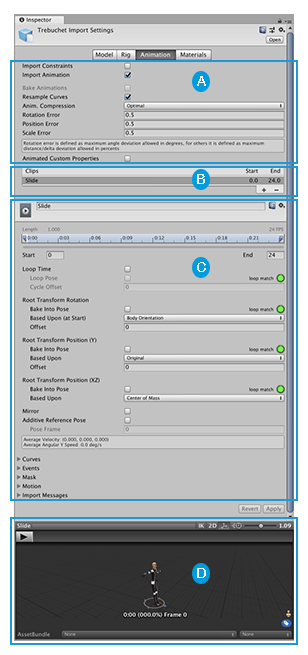 waxen sandal
If you make your own 😛
Maybe you can find the reference source and copy it
But it's not reusable
gusty mortar
wheat notch
For some reason, the button disappears. :P
It's a known issue in Unity LTS 2022 (assuming you're using this version) that should be fixed in 2023.x
dusk bobcat
waxen sandal
If you make your own 😛
I dont know how tho 😔
 rotund perch
is there any tool that just goes through the unity logs and highlights the links that actually go to your own code? Specifically when the uppermost link just goes to the debug functions interface
muted cave
the Volume and Pitch lines are my custom drawers, how can I make the 'Title' align with the other titles, i.e. have the 'Flat' dropdown start at the same x position as the other fields.
 gloomy chasm
muted cave
the Volume and Pitch lines are my custom drawers, how can I make the 'Title' ali...
gloomy chasm
muted cave
the Volume and Pitch lines are my custom drawers, how can I make the 'Title' ali...
Are you using IMGUI or UIToolkit?
muted cave
gloomy chasm
Are you using IMGUI or UIToolkit?
UIToolkit
gloomy chasm
muted cave
UIToolkit
Add the class unity-base-field__aligned to the horizontal container
Might need to add the unity-base-field__label to the label as well
muted cave
gloomy chasm
Might need to add the `unity-base-field__label` to the label as well
it's better, but when I expand the window the right side grows more than the label
 gloomy chasm
muted cave
it's better, but when I expand the window the right side grows more than the lab...
gloomy chasm
muted cave
it's better, but when I expand the window the right side grows more than the lab...
What do you mean?
muted cave
this is what it looks like when I shrink the inspector down

basically the label is now the correct width, but only as long as there is no extra space to grow into
gloomy chasm
muted cave
it's better, but when I expand the window the right side grows more than the lab...
Hmm, did you add the unity-base-field__label class to the label?
muted cave
gloomy chasm
Hmm, did you add the `unity-base-field__label` class to the label?
ye, and the __aligned to the container. It's like I am missing one of those magic words for the right side of the elements
gloomy chasm
muted cave
ye, and the __aligned to the container. It's like I am missing one of those magi...
You can put all the ones on the right side in a VisualElement and add the unity-base-field__input class to it
muted cave
gloomy chasm
You can put all the ones on the right side in a VisualElement and add the `unity...
mhh, doesn't seem to do anything
gloomy chasm
muted cave
mhh, doesn't seem to do anything
hmm, last guess is to also try adding the unity-base-field class to the container of both the left and right sides
muted cave
The labels weren't actually on the same x position as the default ones, that fixed that but the other problem persists
dusk bobcat
why does rootVisualElement.Query<ListView>() return null on line 46?

here is the list view im trying to find
 dusk bobcat
this only happens OnEnable
 karmic night
muted cave
The labels weren't actually on the same x position as the default ones, that fix...
karmic night
muted cave
The labels weren't actually on the same x position as the default ones, that fix...
If you implement BaseField(https://docs.unity3d.com/ScriptReference/UIElements.BaseField_1.html) you get the label and indent formatting for free
 crisp temple
Hi everyone I am trying to create an animator controller automatically whenever an fbx is imported into my project and add all animations of that fbx file into the controller.
I am struggling to supply the state.motion field for each of the states in my controller. Since you cannot assign ModelImporterAnimationClips to state.motion.
Currently I am trying to get the animations of the imported fbx file via LoadAllAssetsAtPath but it always returns an empty arrray. Does anyone know why this is just returning empty?

I am doing all of this in OnPostProcessModel
 dusk portal
crisp temple
Hi everyone I am trying to create an animator controller automatically whenever ...
dusk portal
crisp temple
Hi everyone I am trying to create an animator controller automatically whenever ...
i'm not sure you can access assets through the asset DB like that in the middle of the import process, you might need to use OnPostprocessAnimation instead?
crisp temple
dusk portal
i'm not sure you can access assets through the asset DB like that in the middle ...
Yeah I was thinking that might be it. Do you know how I can access the corresponding .fbx in OnPostProcessAnimation?
surreal delta
 split atlas
progrids has stoped development for a long time, its functionality has been integrated into the engine by default
 pulsar geyser
hello
editor locks itself when i enter avatar mapping editor
sometimes there is no edit avatar option anymore, blank menu
unlock button does basically nothing
if i enter avatar mapping menu again it locks itself once again
also just noticed this error
UnityEditor.EditorApplication:Internal_CallUpdateFunctions ()
Unity Editor version 2023.2.20f1
wheat notch
Is it just me or is the custom editor feels really inefficient?
I feel like it's a free game to just construct a new object every second.
waxen sandal
What?
wheat notch
Nvm. :P
dusk bobcat
hi. im making a custom editor for my MusicTrack scriptable object.
eachMusicTrack has a list of TrackStages, and i am putting all of these TrackStage, inside of a list view called stages-list.
is there a way for me to find, and show the loopAudio of the selected TrackStage in the list, inside of the stage-info visual element container?????


here is the code, for the custom editor : https://hastebin.skyra.pw/ajacigexog.csharp
im trying to draw the stage-info panel on line 74

i also want to be able to change the loop audio
gloomy chasm
dusk bobcat
hi. im making a custom editor for my `MusicTrack` scriptable object.
each`MusicT...
It is a lot easier if you use SerializedObject and SerializedPropert. I tweaked your code to use them so read over it to see if it makes sense.
https://hastebin.skyra.pw/bepozuyiqi.csharp (edited since I forgot to make a change)
dusk bobcat
gloomy chasm
It is a lot easier if you use SerializedObject and SerializedPropert. I tweaked ...
thank you i will check it out 👍
dusk bobcat
gloomy chasm
It is a lot easier if you use SerializedObject and SerializedPropert. I tweaked ...
is there a way for me to refresh everything as soon as loopAudio field of the selected stage changes? is there a callback that i can use?
gloomy chasm
dusk bobcat
is there a way for me to refresh everything as soon as `loopAudio` field of the ...
You can use the TrackProperty VisualElement extension method. Or if you draw the field yourself you can just register a ValueChange callback to it
atomic sable
I have this script (In an editor folder):
[InitializeOnLoad]
public static class GameStartOverride
{
    private const string KEY_NAME = "GAMESTARTOVERRIDE_LOADBOOTSTRAPSCENE";
    private static bool s_override = true;

    [RuntimeInitializeOnLoadMethod(RuntimeInitializeLoadType.AfterAssembliesLoaded)]
    public static void OverrideScene()
    {
        if (SceneManager.GetActiveScene().buildIndex != 0 && s_override)
            SceneManager.LoadScene(0);
    }

    [MenuItem("TerraPunk/Override Start Scene", priority = 90000)]
    public static void SetOverride()
    {
        s_override = !s_override;
        EditorPrefs.SetBool(KEY_NAME, s_override);
        Menu.SetChecked("TerraPunk/Override Start Scene", s_override);
    }

    static GameStartOverride()
    {
        if (!EditorPrefs.HasKey(KEY_NAME))
        {
            EditorPrefs.SetBool(KEY_NAME, true);
        }

        s_override = EditorPrefs.GetBool(KEY_NAME, true);

        Menu.SetChecked("TerraPunk/Override Start Scene", s_override);
    }
}
Yet it seems the line Menu.SetChecked(...) is not running in the static constructor, because when the project is opened for the first time the checkmark is not shown yet s_override is shown. Can it just not be ran from static constructors? Or is something else going on?
 blazing knot
I'm making an editor window using UIToolkit and I've got two default asset references set through the scripts inspector window
[SerializeField] private VisualTreeAsset m_VisualTreeAsset = default;
[SerializeField] private VisualTreeAsset workCycleAsset = default;

public void CreateGUI()
{
  var newItem = workCycleAsset.CloneTree();
}
for some reason though, regardless of what I've set it to, trying to use workCycleAsset whether it be cloning or instantiating will throw a null reference exception
NullReferenceException: Object reference not set to an instance of an object
WorkTimeKeeper_New.CreateGUI () (at Assets/Scripts/TimeKeeper/WorkTimeKeeper_New.cs:63)
System.Reflection.RuntimeMethodInfo.Invoke (System.Object obj, System.Reflection.BindingFlags invokeAttr, System.Reflection.Binder binder, System.Object[] parameters, System.Globalization.CultureInfo culture) (at <e31fef67d01346b69d78eed70638954f>:0)
Rethrow as TargetInvocationException: Exception has been thrown by the target of an invocation.
System.Reflection.RuntimeMethodInfo.Invoke (System.Object obj, System.Reflection.BindingFlags invokeAttr, System.Reflection.Binder binder, System.Object[] parameters, System.Globalization.CultureInfo culture) (at <e31fef67d01346b69d78eed70638954f>:0)
System.Reflection.MethodBase.Invoke (System.Object obj, System.Object[] parameters) (at <e31fef67d01346b69d78eed70638954f>:0)
UnityEditor.UIElements.DefaultEditorWindowBackend.Invoke (System.String methodName) (at /home/bokken/build/output/unity/unity/ModuleOverrides/com.unity.ui/Editor/WindowBackends/DefaultEditorWindowBackend.cs:358)
UnityEditor.RetainedMode:UpdateSchedulers() (at /home/bokken/build/output/unity/unity/ModuleOverrides/com.unity.ui/Editor/RetainedMode.cs:55)
I'm lost at this point
any ideas what's causing it or how to fix it?
thanks
 dusk bobcat
gloomy chasm
You can use the `TrackProperty` VisualElement extension method. Or if you draw t...
dusk bobcat
gloomy chasm
You can use the `TrackProperty` VisualElement extension method. Or if you draw t...
How do i use track property in this case so that it will run a code snippet when the value of the loopAudio field changes?
I dont know how to use this method
split atlas
surreal delta
progrids has stoped development for a long time, its functionality has been inte...
k then
by the way

does anyone know why I dont see my brush tool ?
My cursor is literally pointing on the map terrain right now
but my mouse pointer isnt visible whenever i take a screenshot
its just the way screenships work
but I cant paint on my terrain
why?
and ive clicked here

I tried all of these buttons
surreal delta
@split atlas #⛰️┃terrain-3d
dusk bobcat
gloomy chasm
It is a lot easier if you use SerializedObject and SerializedPropert. I tweaked ...
hello. if i add a list of my custom class to TrackStage, which is List<TransitionMarker>, it dosnt show up. how can i fix this?
gloomy chasm
dusk bobcat
hello. if i add a list of my custom class to `TrackStage`, which is `List<Transi...
How are you adding it?
dusk bobcat
gloomy chasm
How are you adding it?
Just added this to the trackstage class:
public List<TransitionMarker> = new();
gloomy chasm
dusk bobcat
Just added this to the trackstage class:
`public List<TransitionMarker> = new();...
Wait, I think I misunderstood your original question. Can you clarify what you mean?
dusk bobcat
gloomy chasm
Wait, I think I misunderstood your original question. Can you clarify what you m...
Im making a custom inspector in UI-Toolkit for my Scriptable object called MusicTrack.
Every MusicTrack has a list of TrackStages(which is a custom class) that i populate a ListView inside of the custom inspector with.
Now i want it so that all of the public properties inside of the selected TrackStage inside of that ListView, to show up in a visual element called stage-info.
Thse properties include:
-name -> String
-audio -> AudioClip
-stageType -> StageType enum
-transitionMarkers -> list of TransitionMarkers
I also want the actual TrackStage to be updated according to the inspector and i want to run a the method SegmentTimeline() whenever the audio field value is changed.
dusk bobcat
gloomy chasm
Wait, I think I misunderstood your original question. Can you clarify what you m...
I dont know how to get these properties to show up how i want them to.
The code you sent back then only showed me the name and audio field, and they were collapsed as if they were in an array element, but i want them to show up just like how normal public/serialized properties show up in the inspector
surreal delta
Anyone got any good way of applying a global tint the same way GUI.color does for UI toolkit?
 clear reef
just joined because of a problem im having, not sure if this is the right channel.
so i'm unable to create an assetbundle in 2022.3.9f. whenever i try to create the simplest bundle with AssetBundle Browser i get this error:
Error in build
UnityEngine.Debug:Log (object)
AssetBundleBrowser.AssetBundleDataSource.AssetDatabaseABDataSource:BuildAssetBundles (AssetBundleBrowser.AssetBundleDataSource.ABBuildInfo) (at ./Library/PackageCache/com.unity.assetbundlebrowser@ad2a81ec30/Editor/AssetBundleDataSource/AssetDatabaseABDataSource.cs:90)
AssetBundleBrowser.AssetBundleBuildTab:ExecuteBuild () (at ./Library/PackageCache/com.unity.assetbundlebrowser@ad2a81ec30/Editor/AssetBundleBuildTab.cs:359)
UnityEditor.EditorApplication:Internal_CallDelayFunctions ()
Thx for help in advance
timid coyote
why ValueToString from TextValueField<string> is only called when enter is pressed, or u clicked out of the field and not each time u type something?
is there another function to override for this?
indigo condor
Hi there everyone! Does anyone know once i've got an object field uxml element referenced how could i make it always to show just one file?

And just allow me to modify that file through code
gloomy chasm
indigo condor
Hi there everyone! Does anyone know once i've got an object field uxml element r...
Or do you mean not allow the object to be changed? If so, just register a value change event, and if new value is not null, set the field to disabled
dusk bobcat
dusk bobcat
Im making a custom inspector in UI-Toolkit for my Scriptable object called `Musi...
can someone help with this?
alpine bolt
dusk bobcat
can someone help with this?
Tbh I don't understand what you are asking. Could you create a visual representation of what you want?
gusty mortar
Is there a way with UIToolkit to get the initial value of a DropdownField for example ? I'm doing a custom propertyDrawer with data binding, but since I always have the default value, I'm assuming CreatePropertyGUI is called before the serializedObject is bound to the property. The only working solution I found is getting the actual SerializedProperty and reading the value from it, but I was wondering if I was missing something in the documentation.
alpine bolt
gusty mortar
Is there a way with UIToolkit to get the initial value of a DropdownField for ex...
The initial value of dropdownField is either stored by you or read directly from value
When in doubt, just inspect the classes
inspection >>>> documentation
gusty mortar
alpine bolt
The initial value of dropdownField is either stored by you or read directly from...
I mean, I'm using dropownfield.value, but it's always the default value, even if my property is set to something else
That's why I assumed the binding is happening later
alpine bolt
gusty mortar
I mean, I'm using dropownfield.value, but it's always the default value, even if...
Is the property a string or an int?
gusty mortar
It's an enum, so I guess it's interpreted as an int
Sry, I said a DropdownField, but it's a EnumField. My mistake here
alpine bolt
gusty mortar
Sry, I said a DropdownField, but it's a EnumField. My mistake here
Is your enum value empty?
Something like this```cs
Debug.Log($"Enum: {enumField.value}");
// Prints "Enum:"
Typically in UIToolkit fields, you can only access its value from AttachToPanelEvent onwards
gusty mortar
alpine bolt
Is your enum value empty?
when I read the enum value through the serializedproperty, it is not null and has the right value. The enumField tho', always print the default value I put in UIBuilder
alpine bolt
gusty mortar
when I read the enum value through the serializedproperty, it is not null and ha...
To my knowledge, you can't access a trust-worthy value right after you do BindProperty.
The field will not be synced with the property yet.
dusk bobcat
alpine bolt
Tbh I don't understand what you are asking. Could you create a visual representa...
I want to show every public/serialized property of the TrackStage selected inside of the list on the left.
Dont mind the picture saying LoopAudio, i want to show all public properties

Where im trying to show this, is in the custom inspector of this scriptable object called MusicTrack
It has a list of TrackStages shown on the left that you can select from, and i want to show and be able to change the data inside of the selected TrackStage
TrackStage is a custom class btw
TLDR:
MusicTrack(scriptable object)
⬇️
TrackStage[selectedIndex]
⬇️
What i want to show:
public AudioClip audio
public StageMode stagemode
public List<TransitionMarker> transitionMarkers```hi guys how r u. is there any lifesaver here ?
how to get assigned gameobject of an UnityEvent PersistentTarget ?
i want to check getcomponent of assigned gameobject.

when i debug.log GetPersistentTarget(i) it gives me the gameobject name too
so i think there is an access to its gameobject
 willow nova
Depending on the type, you just need to cast it.
var go = GetPersistentTarget(i) as GameObject; [can be null if its not a gameobject]
and do go.GetCoponent<T>()
visual tiger
willow nova
Depending on the type, you just need to cast it.
var go = GetPersistentTarget(i...
i've tried casting but it gives me null :
                                var go = unityEvent.GetPersistentTarget(i) as GameObject;
                                Debug.Log(go.name);
try logging the type -> debug.log($"{unityEvent.GetPersistentTarget(i).GetType()}")
visual tiger
willow nova
try logging the type -> debug.log($"{unityEvent.GetPersistentTarget(i).GetType()...
it gives me the type of assigned method. i want the name of gameobject
willow nova
What was the type?
visual tiger
willow nova
What was the type?
types could be anything. any method of classes
willow nova
no. When you debug logged debug.log($"{unityEvent.GetPersistentTarget(i).GetType()}") What was the type it gave
visual tiger
willow nova
no. When you debug logged `debug.log($"{unityEvent.GetPersistentTarget(i).GetTyp...
its NPC_Waypoint
one of my assigned classes in its unity event
but i want its gameobject (the gameobject that has NPC_Waypoint component and its assigned to the unity event)
willow nova
ok. So its a component -> ar go = ((Component)GetPersistentTarget(i)).gameObejct
visual tiger
willow nova
ok. So its a component -> `ar go = ((Component)GetPersistentTarget(i)).gameObejc...
i tried it before but again casting error 😦
                                    if(go.GetComponent<DialogueEvent>())
                                    {
                                        Debug.Log(go.name);
}```i want to check if the gameobject has dialogueevent component then print the name. but go gives me null
because of casting
 real spindle
You cant cast gameobject to component
But if the type is a monobehaviour then it should work
willow nova
 {
     if (obj is Component c)
     {
         return c.GetComponent<T>() != null;
     }
     else if (obj is GameObject go)
     {
         return go.GetComponent<T>() != null;
     }
     return false;
}```Dont use Monobehavior since Transform isnt a Mono
 if (CheckIfHasComponent<TestComponent>(target))
 {
     //has your component
 }```
use caseyou can modify if you want to out the compnent that you were searching for
visual tiger
willow nova
you can modify if you want to out the compnent that you were searching for
its not working because it gives me null and its always false. so it didn't reach to debug.log code (i added)
alpine bolt
https://docs.unity3d.com/ScriptReference/Component.TryGetComponent.html
bool checkIfExists = TryGetComponent<Transform>(out _);``` the `_` in `out _` discards.thanks. it worked. null error was for my own code 😄 thanks a world
dusk bobcat
dusk bobcat
https://media.discordapp.net/attachments/533353544846147585/1233424633261461594/...
anyone?
TrackStage : https://hastebin.skyra.pw/onudidumut.pgsql
MusicTrack : https://hastebin.skyra.pw/neyepirufo.csharp
alpine bolt
dusk bobcat
anyone?
gusty mortar
gusty mortar
Looks like [NonReorderable] worked. But I'm kinda confused as to why there's a `...
Following this since the reorderable option doesn't make much sense (idk if it's a unity 2022 issue or not): if I have an array that is reorderable and inside an element of this array there's another array marked with [NonReorderable] and the reorderable option disabled, the nested array will remain reorderable. Sharing this so that other people don't try to fight with this option that seems to do nothing.
surreal delta
gusty mortar
Following this since the reorderable option doesn't make much sense (idk if it's...
it sounds like an issue to me, do a bug report
alpine bolt
gusty mortar
Following this since the reorderable option doesn't make much sense (idk if it's...
I just tested this and I'm having no issues. Using Unity 2023.2.18f1
gusty mortar
alpine bolt
I just tested this and I'm having no issues. Using Unity 2023.2.18f1
Probably fixed in later versions then. I'm stuck on Unity 2022.17 right now. I was assuming it was one of the shennanigans 2022 had
 agile badger
is it possible to write a scripted importer that accepts files with double extensions
e.g filename.tar.gz where the extension would be .tar.gz as opposed to just .tar
while also having a scripted importer that just takes in a .gz
....I have a weird esoteric need for this in my game, just with a different extension
 misty sierra


