#archived-hdrp
1 messages · Page 70 of 1
 barren goblet
 turbid matrix
afaik Nvidia rebranded DDGI as RTXGI: https://developer.nvidia.com/rtxgi
NVIDIA Developer
RTX Global Illumination (RTXGI) Leveraging the power of ray tracing, the RTX Global Illumination SDK provides scalable solutions to compute multi-bounce indirect lighting without bake times, light leaks, or expensive per-frame costs. RTXGI is supported on any DXR-enabled GPU, and is an ideal starting point to bring the benefits of ray tracing to...
there's UE4 fork for this already, no idea on Unity timing - if it's even happening
FAQ on that page said "We are working closely with Unity to bring RTXGI support to their engine as soon as possible. Stay tuned!" but that could have been changed already
turbid matrix
if it were trivial to apply, it would be here already
barren goblet
1spp hybrid raytracing always just single bounce
 signal osprey
Probe volumes?


 signal osprey
Look like grid of lightprobes
They told me they were working on true light volumes, like bakery
 slim cairn
does anyone know how to enable node snaping in shadergraph?
i see the blue lines but the nodes don't snap to them, this happens on any project with shader graph
turbid matrix
this is merged on master now https://github.com/Unity-Technologies/Graphics/pull/4030

GitHub
Checklist for PR maker
Have you updated the changelog? Each package has a CHANGELOG.md file.
Have you updated or added the documentation for your PR? When you add a new feature, change a propert...
 eternal laurel
 iron flame
So is this RTXGI(DDGI) or a new way to place and bake lightprobes?
iron flame
eternal laurel
So is this RTXGI(DDGI) or a new way to place and bake lightprobes?
probe volumes is a baked GI type for now. In the future, it can turn into DDGI with ray tracing acceleration.
eternal laurel
So whats the difference with just baking with the PLM ?
Or does this replace lightprobes
@iron flame
iron flame
probe volumes is like Light Probe Proxy Volume component, which automatically places the probe.
eternal laurel
I was under the impression that proxy volume defined a custom bigger volume for sampling light probes
There is a free asset on github that auto places light probes in a volume that I have been using for a couple of years
iron flame
Not from a single point like a light probe. There is a 3D light blending.
eternal laurel
So this is lighprobes and proxy volumes rolled into one and works for all objects? Even if they dont have a proxy volume on them ?
iron flame


 iron flame
eternal laurel
So this is lighprobes and proxy volumes rolled into one and works for all object...
iron flame
eternal laurel
So this is lighprobes and proxy volumes rolled into one and works for all object...
exactly
eternal laurel
Very cool light set up
So if you are playing with it hows the performance so far compared to regular stuff
Also is the wall using the probes or is it regular bake ?
iron flame
eternal laurel
So if you are playing with it hows the performance so far compared to regular st...
I did not notice any difference in performance.
everywhere is illuminated with probes
eternal laurel
Very cool. Bake times are probably lower as well huh? Sorry for all the dumb questions I just dont have time to play with it
turbid matrix
I'm not all that excited about changes like this https://github.com/Unity-Technologies/Graphics/pull/4514

GitHub
Purpose of this PR
Fixes the Terrain not found issues (example) by explicitly adding the terrain module to the HDRP dependencies. It is needed in order for the isolation tests to pass.
Testing sta...
I get there can be issues if the module isn't there but surely that's on the people who removed the module from their project
to prevent this they now force terrain module on all HDRP users who don't even want terrain?
iron flame
eternal laurel
Very cool. Bake times are probably lower as well huh? Sorry for all the dumb que...
bake time is now longer. May be incompatible with AMD GPU (6900 XT). Graphics card usage is very low(%5) and takes a long time to bake. holding it after bake finished. 1fps for 5-6 seconds, probes loading and 180 fps.
 turbid matrix
is it using gpu for that bake?
I mean, I wouldn't take that for granted even if you have gpu plm selected
iron flame
Baking with progressive GPU. Cpu usage is low. so yes it seems to be bake with gpu. When I choose a progressive CPU, the CPU usage is 60-80%.
eternal laurel
I'm getting a very low GPU usage with the GPU PLM too. Especially with baking with a second GPU device
for the second device its like 5% GPU usage and its like 15-30% on the first one if I bake with it
iron flame
Bake duration is longer than lightmap in both modes.
With progressive gpu, lightmap finishes at 1000-400 mray in 1-3 seconds.
probe volumes bake time 5 min
 turbid matrix
@iron flame do you use HDRP that has this fix? https://github.com/Unity-Technologies/Graphics/pull/4247

GitHub
Purpose of this PR
Fix the suuuper long baking time for probe volumes
Testing status
Baked a scene with APV
that was merged 3 weeks ago so would assume it to exist only on last alpha if even there - unless you use this from github directly
iron flame
I use HDRP from github.
barren goblet
@iron flame what algorithm the probe volume baking is using ?
iron flame
barren goblet
<@!542613889909522447> what algorithm the probe volume baking is using ?
It needs to be a progressive lightmapper. It doesn't matter if it's a GPU and a CPU. It does not work with Realtime Enlighten GI.
turbid matrix
I'm mainly interested on the memory footprint it requires for open world kinda usage
you'd obviously try to keep the probe density as low as possible for places that are not that densely populated with objects but I can imagine it would still be notable figure
eternal laurel
Im still interested in why they scrapped the network distributed baking
barren goblet
unity raytracing shader, I have 2 different material shader with "closesthit", but only can be invoked, why ?
@turbid matrix
no, same shader, with 2 different material data, but only one of them appear.
CBUFFER_START(UnityPerMaterial)
           half4 _Color;
CBUFFER_END
no idea
meanwhile, these got merged to master now:
https://github.com/Unity-Technologies/Graphics/pull/3747
https://github.com/Unity-Technologies/Graphics/pull/4500

GitHub
This PR Adds a new control mode for ray traced reflections and ray traced global illumination. This new mode combines both ray marching and ray tracing to solve visibility. This allows for both pot...

GitHub
Purpose of this PR
This PR introduces a Forward+ renderer to URP using clustering. This is experimental and requires opt-in via a scripting define.
Testing status
Verified locally on macOS (AMD GP...
 ember breach
@turbid matrix yeah I want it for open world, but I was trying it first it was introduced, it took 10 min for baking at area of 10x10x10m which was absolutely bad with ton of artefacts, now its around 5-10min for area of 30x30x10m
Not better at all rly, still ton of artefacts making pushing walls to be more than 0.5m to 1m
On other side tried DDGI, on 1070, area of 30x30x10 cca, no artefacts and runtime baked 🤷♂️ it seems like they are pushing resources to another tool that is far from being even on the same level
 dawn sorrel
hey
Graphics: Added: Unity.External.NVIDIA APIs to expose NVIDIA-specific plugin functionality (for controlling DLSS and other features). These APIs are available by enabling the NVIDIA native package on the package manager.
this sound cool XD
its in alpha 17
 weary fog
any reason why baking probe volumes take so long to bake? light probes take a very very short amount of time to bake for me, aren't probe volumes essentially an automatic grid of light probes?
dawn sorrel
@weary fogits still in early stage? or maybe its a volume baking not UV baking
dawn sorrel
@turbid matrix
 turbid matrix
I'm not on my dev computer for a while so can't test this stuff atm 🙂
@dawn sorrel was that with HDRP they shipped or from github?
it doesn't really make much difference though since it's merged on github side too, so even if it's not there yet, it will be in future releases
dawn sorrel
so i cloned the entire graphics repo then used the hdrp stuff on my car game
worked fine 🙂
turbid matrix
it should, unless there's some api changes that are not in current alpha yet
 loud leaf
@dawn sorrel is DLSS working for you and are you seeing any gains?
I wasn't seeing any performance improvements and playing with the settings seems to break it.
(latest master)
I lose about 40 fps and a tiny copy of my game view renders in the bottom left 😄
If I turn off "optimal settings" I don't get the double game view, everything seems to render as it should, but it's still about 10 fps less than DLSS disabled.
If you are measuring performance, please ensure that you are looking at GPU time, using the GPU profiler, and not the CPU profiler. Note too that DLSS wont make your frame run faster unless your scene is highly bound by gpu draw calls.
That could be it, there will probably more info in the next few days.
dawn sorrel
now i am more interested in quality , which is good so far. sharp and steady aliasing 🙂
loud leaf
I lose some small details compared to native + TAA, which I think is expected behavior from the maximum performance mode.
I just tried the spaceship demo and also lose about 20 fps there, interesting 😄
loud leaf
If anyone can find a scenario where DLSS performs better than native I'd love to open the project on my system, it could be a windows/driver issue
Edit: forgot to add, I'm on a RTX 3080
 keen pivot
i see GPU baking has come up recently
seems i cant GPU bake anymore since i went to 2021.1
like, at all, just throws it out as no opencl device
is this something anyone else is dealing with too?
2020.3 is fine (as fine as it gets)
(HDRP btw)
dawn sorrel
@keen pivotwhat gpu do you have ?
keen pivot
1070 Max-Q 8GB
dawn sorrel
@loud leafhttps://youtu.be/x6mAtE1Y8y4
i want him to share those cars and also test dlss, nice project to have

🙂
barren goblet
hi, is the lightmap including direct lighting?
how do we know if we should add direct lighting in the shader ?
and if the lightmap only contain diffuse, we should add direct specular
 iron flame
barren goblet
and if the lightmap only contain diffuse, we should add direct specular
iron flame
barren goblet
and if the lightmap only contain diffuse, we should add direct specular
You need to use mixed lighting
Realtime light + Lightmap
 indigo summit
ember breach
On other side tried DDGI, on 1070, area of 30x30x10 cca, no artefacts and runtim...
indigo summit
ember breach
On other side tried DDGI, on 1070, area of 30x30x10 cca, no artefacts and runtim...
i think the reason they didn't going forward with DDGI is to make it hardware agnostic, especially since now DDGI is an RTXGI
keen pivot
keen pivot
1070 Max-Q 8GB
the default HDRP template works, so 2021.1 must be allergic to something in my project
 opaque trail
can't seem to click a world-space UI button in HDRP. I've set the event camera to be the correct one
but it isn't doing anything when hovered over or clicked
really big problem
 glad tartan
It's nice coming back to see a lot of cool features/changes in HDRP.
Will be messing around with all of that for sure.
I see 0lento still on top of things.
glad tartan
Ayy, it seems we now have Shader Graph Tessellation (HDRP Change log on Master Branch)
https://github.com/Unity-Technologies/Graphics/blob/master/com.unity.render-pipelines.high-definition/CHANGELOG.md


GitHub
Unity Graphics - Including Scriptable Render Pipeline - Unity-Technologies/Graphics
 nocturne stone
Hi i was wondering if anyone could help me 🙂 my scene currently has a lot of lights in it, as its a stage and they're all mostly spotlights, but with URP im limited to 8 lights, is there any other pipeline or something I can do to achieve more lights?
iron flame
glad tartan
Ayy, it seems we now have Shader Graph Tessellation (HDRP Change log on Master B...
finally I can do water wave shader 😄
 long wagon
@glad tartan There's no reaction gifs
glad tartan
Got it
 torpid horizon
after installing urp, my post processing effects have disappeared and my shadows are really pixelated...any tips on how to fix this?
eternal laurel
nocturne stone
Hi i was wondering if anyone could help me 🙂 my scene currently has a lot of li...
You are limited to 8 per object not per scene. However if you really need a single object with more than 8 point lights then hdrp or the build in pipe will do the job
You can split your stage mesh into several chunks and go on in urp
 bleak otter
Olento just shared Forward+ for URP, so more flexibility on the lighting side should come soon https://github.com/Unity-Technologies/Graphics/pull/4500
 distant garnet
Hey guys, doing some tests here. I'm using 2021.1.6 with HDRP. I'm trying to draw 3200 cubes, same Lit material, same scale. Suprisingly, making them static yields worse results that having them not static, both in terms of CPU and GPU time. Pass count stays the same. Anybody can help me figure this out?
 rich spade
distant garnet
Hey guys, doing some tests here. I'm using 2021.1.6 with HDRP. I'm trying to dra...
rich spade
distant garnet
Hey guys, doing some tests here. I'm using 2021.1.6 with HDRP. I'm trying to dra...
probably the same reason you don't set trees to static, also have you baked occlusion culling. It's not exactly a good test imo, real situational tests are going to yield more sensible results for comparison purposes 🤷
distant garnet
I'm just trying to understand the logic here. I felt like static batching was generating combined meshes, which ultimately ends up one single draw call of 40k tri, which is nothing really. I'd expect static batching to be as fast as drawing 1 object with 40k tri.
And this is pretty much a real test. We're trying to draw a bunch of static low poly count elements. All sharing the same material.
I don't understand either why the CPU cost is higher.
probably the same reason you don't set trees to static
afaik, this is more of a memory problem, which i don't monitor in these tests
rich spade
but it's something to keep in mind that it will increase game size on disk and space in memory, not to mention increase build times considerably. You may want to look at different approaches for handling this use case scenario.
 tacit slate
any possibility to change the graphics API on a build?
Vulkan support on some devices is pretty bad and I'd like to switch to OpenGL on those devices
at run time
nocturne stone
eternal laurel
You can split your stage mesh into several chunks and go on in urp
how do i do that?
dawn sorrel
hey guys i submited a new idea for unity light baking; gpu baking using the path tracer 🙂
 broken lichen
distant garnet
Hey guys, doing some tests here. I'm using 2021.1.6 with HDRP. I'm trying to dra...
broken lichen
distant garnet
Hey guys, doing some tests here. I'm using 2021.1.6 with HDRP. I'm trying to dra...
Can you see in the Frame Debugger how it's drawing the cubes when they're not static?
It must be batching somehow, either with the SRP Batcher, dynamic batching or GPU instancing
glad tartan
torpid horizon
after installing urp, my post processing effects have disappeared and my shadows...
You need to enable post processing on the Camera (There's a checkbox there for URP) and you need to go in the URP pipeline asset and setup how you want the shadows to be. By default they are set to a lower quality/resolution. Spend some time learning about and getting familiar with URP.

In Unity 2019, we introduced a few changes to the Lightweight Render Pipeline, including a name change! It is now called the Universal Render Pipeline - but what exactly is it? How do you use the URP? Well let's check it out!
The Universal Render Pipeline (URP) is a prebuilt Scriptable Render Pipeline, made by Unity. The technology offers graph...
torpid horizon
ah thanks! turns out i needed a volume within my hierarchy and that was what fixed it. thanku for the video though, ill check it out!!
glad tartan
torpid horizon
ah thanks! turns out i needed a volume within my hierarchy and that was what fix...
Ah ok, I assumed you were still using Post Processing V2 (instead of the URP version/V3) so you didnt need a new volume in the scene.
torpid horizon
dsjkgd probably. this stuff is very confusing for me
distant garnet
broken lichen
Can you see in the Frame Debugger how it's drawing the cubes when they're not st...
SRP batched (GPU instancing with SRP batcher off yields pretty much the same results)
loud leaf
You're welcome 👍
dawn sorrel
man am happy for unity its been along ride since 2014 and i think it reach the realism i was looking for since then 🙂 ❤️
 zinc mountain
How do I get my camera to render post processing?
 dim maple
I managed to put lighting on the player, but I wanted the scenery to be dark around, how can I do this with URP?

Now I put the lit in the background, but I want too the tilemap dark

 strong summit
dim maple
Now I put the lit in the background, but I want too the tilemap dark
strong summit
dim maple
Now I put the lit in the background, but I want too the tilemap dark
I don't know but
I hope these 2 videos can help you

Let's learn how to make 2D lights using the new 2D Renderer in Unity!
● Check out Zenva Academy’s curriculums: https://academy.zenva.com?zva_src=sponsored-brackeys
● Sign up for the free boot camp: https://academy.zenva.com/brackeys
● Project Files: https://github.com/Brackeys/2D-Lights
● Unity Samples: https://bit.ly/31vdQ2w
● 2D Light Foru...

Check out my game on steam!! https://store.steampowered.com/app/1502530/
Just a quick tutorial on how to use the 2D lighting in Unity. Be sure to leave a comment of what you want me to cover next! Let me know if you are having any problems and ill be sure to respond.
0:00 - Intro
0:35 - Change project to universal render pipeline
2:30 - Update ...
 viral ingot
my models have many wavy stripes on Android when I use URP
i posted a thread but no one help me, anyone know how can I fix it. Thanks:

Unity Forum
This is the first time I use URP in my project, so really sorry if it is a stupid question.
When I played on Editor, All models are normally, but when...
 sand saffron
viral ingot
https://forum.unity.com/threads/models-have-many-wavy-stripes-when-play-on-andro...
sand saffron
viral ingot
https://forum.unity.com/threads/models-have-many-wavy-stripes-when-play-on-andro...
It may be caused by camera's far clipping plane being too far, or near clipping plane being too near
strong summit
viral ingot
my models have many wavy stripes on Android when I use URP
I think it's the shadow
you need to maximize shadow resolution
dawn sorrel
i get really bad fps caused by rendering
 whole seal
Hey. I get this error in URP two times when i press play:
Invalid editor window UnityEditor.FallbackEditorWindow
UnityEditor.EditorApplicationLayout:FinalizePlaymodeLayout()
And it also make the game paused and every time i press the pause button to resume, it gets paused again. But idk whats the matter.
barren goblet
is it ok to use AO denoiser for screen space shadow noise ?
dawn sorrel
megascan plugin don't work with alpha 17, all fine just missing material shader. 😦
 vapid delta
Can some one please help me, I can’t figure out how to fix this mesh so it renders properly. What am I doing wrong 😦

 swift halo
anyone, how can i fix this wierd shadow lines on the edge?

 vital oracle
HOW DO I FIX THIS?
 long wagon
@vital oracle Don't cross post. And it's unreadable.
vital oracle
oh sry
it says that forward renderer data is deprecated
i just created a new URP Project
and as soon as it opened, it gave this error

did u understand it now?
 waxen lantern
@vital oracle this is a known issue with the URP template not being up to date with the advancements in the latest Unity 2021.2 Alpha pre release (it will be fixed before final release.) You should use a final / stable release like 2020 LTS or 2021.1. Stay away from Alpha or Beta releases --they are a work in progress, so bugs and issues like this are expected.
 lethal ridge
unity is very hard
 robust wren
Please anyone can help me
waxen lantern
robust wren
Please anyone can help me

 long wagon
@robust wren How is this related to Unity even?
robust wren
Is unity
waxen lantern
robust wren
Is unity
it's a PHP script, not Unity
 waxen lantern
and certainly not anything related to render pipelines
long wagon
@robust wren Inquire at whatever host service you are using how to use their API. It's not related to Unity.
robust wren
WHen i start the webgl is shows up a prompt that is apprantely created from unity
When i build i get that prompt without web code
waxen lantern
robust wren
When i build i get that prompt without web code
okay, maybe it is unity then. either way #archived-code-general is the channel to discuss this, (not this channel.)
 fallen monolith
Many users claim URP is faster than Builtin. None of them provide any more than vague assurances that this can be done by changing some of its settings. Is there some kind of repo somewhere of what to do to make URP be VERY fast and light on Mobile?
 cobalt crater
I've just released a new version of my mobile game (30k+ monthly players)
I'll share you the performance in a week @fallen monolith
in the beta tests i found out that URP was not doing 'worse' on medium to good devices
on budget devices performance seemed to be either slightly worse or slightly better but not much.
bleak otter
The primary source for me has been https://www.youtube.com/watch?v=ZPQdm1T7aRs [How the Universal Render Pipeline unlocks games for you], but a newer source would be nice.
waxen lantern
fallen monolith
Many users claim URP is faster than Builtin. None of them provide any more than ...
this is a benchmark repo unity tech made for comparing universal rp vs built-in rp performance on mobile specifically https://github.com/Unity-Technologies/PotatoBenchmark

GitHub
Contribute to Unity-Technologies/PotatoBenchmark development by creating an account on GitHub.
waxen lantern
fallen monolith
Many users claim URP is faster than Builtin. None of them provide any more than ...
you might also find this helpful: https://youtu.be/NFBr21V0zvU

In this video, we’re going to show you seven ways to optimize your Unity project to maximize performance in Unity 2020 using the Universal Render Pipeline.
Learn more about URP here:
https://on.unity.com/2Qi7Ntt
The Asset used in this video are from our Angry Bots Demo which you can find here:
https://on.unity.com/34tohY0
Chapters:
0:20 Manag...
keen pivot
cant say my experience with URP was fast, by the time i had it looking reasonable it was about the same speed as HDRP, which looked better
@waxen lantern i did want to talk to you about that VFX thing you were working on, is this an asset you are building or for a private project? there is a certain application i'd like to try it in, maybe we can discuss terms if thats an option you are open to? i can't DM you first but drop me a line if we can chat about it.
fallen monolith
@keen pivot agreed. That's been my experience. URP plus lights was slow. Without lighting, it wasn't faster than Builtin. Some of URP's batching tricks reduced draw calls, but its culling mechanisms balanced that out, by being expensive. When Builtin is streamlined to run unlit somewhat efficiently, it's far faster, for me, and I have done nothing about optimising shades, yet.
*shaders
iron flame
Please can you test this. HDRP motion vector doesn't work as it should.
Build a cube inside the camera and put it a little forward. Move the camera. Open the Motion Vector debug window
Expected result: Black motion vector since cube is fixed inside camera.
actual result: cube is colored as if it were moving.
 thorn yacht
Hi, I am creating a game with a map editor where players can put hundreds or even thousands of objects on the map. I have a question regarding Batching. Is there a way to batch the meshes together when all the objects should stay movable during the game?
 elder merlin
Yes, but dynamic batches are limited to max 300 vertices https://docs.unity3d.com/Manual/DrawCallBatching.html
dawn sorrel
So I'm having a bit of a problem here.

So basically, I have a blit render feature of a CRT shader I downloaded (will give credit in the end game credits), and I am using a render texture to display Edward behind the UI elements. My problem is that the camera I am using to project from is also passing over the blit, meaning that it is rendering the same shader twice. Just look at the bottom screen and notice how it seems to be layered. Is there a way that I can disable the blit for just the render texture camera?
 broken lichen
dawn sorrel
So basically, I have a blit render feature of a CRT shader I downloaded (will gi...
broken lichen
dawn sorrel
So basically, I have a blit render feature of a CRT shader I downloaded (will gi...
You can have multiple renderer scriptable objects in one URP asset, so you can make one with the blit and one without and change which renderer each camera uses.
dawn sorrel
I actually tried that already and it didn't seem to work. Do you have any idea how I specifically could do it?
Here's where I got stuck. As you can see on the left, and in my Project files view, I have another RP asset, but it's not allowing me to select anything.
 waxen lantern
iron flame
Please can you test this. HDRP motion vector doesn't work as it should.
Build a...
waxen lantern
iron flame
Please can you test this. HDRP motion vector doesn't work as it should.
Build a...
I recommend to paste this information in a bug report, this is exactly the QA team's job to test these scenarios https://unity3d.com/unity/qa/bug-reporting

Unity
Unity is the ultimate game development platform. Use Unity to build high-quality 3D and 2D games, deploy them across mobile, desktop, VR/AR, consoles or the Web, and connect with loyal and enthusiastic players and customers.
waxen lantern
keen pivot
cant say my experience with URP was fast, by the time i had it looking reasonabl...
sure, but a URP to HDRP performance comparison isn't currently relevant to mobile, as mobile devices have significantly different GPU architecture and features than desktop and console GPUs that can run HDRP at all. with that in mind, testing benchmarking will need to be done on builds running on the target mobile platform. performance scaling on a desktop or laptop workstation can be wildly different @fallen monolith.
keen pivot
waxen lantern
sure, but a URP to HDRP performance comparison isn't currently relevant to mobil...
indeed, i didnt try any mobile hardware
 winged acorn
I need some help with some weird layering issues using Sprites in 3D.
They only render properly when MXAA is turned on the the Render Pipeline, but since I'm working with pixel art, I don't want any anti-aliasing.


 spring heath
URP can't upgrade the built-in default diffuse material. What do?

 whole juniper
I'm using HDRP 10.4 with Unity 2020.3.7f1 and I had been using DirectX 11 but I just switched to DirectX 12 and now everything including the UI is a lot darker. Any idea why everything got darker? I'm using realtime lighting with Enviro HDRP so I'm not using any baked lighting.
I've been messing with my post processing effects volume and nothing is making the UI lighter like it was with DirectX 11.
whole juniper
Its not darker in the editor during edit or play modes but it is darker in the build.
turbid matrix
@whole juniper it is a bug. I cant remember which settings made it lighter again. Something related to resolution/fullscreen mode
Pretty sure it has been reported to Unity but not sure if they ever could repro it
It has been broken like that for like year+ now
There was some notes on some recent 2021.2 alpha that they might have fixed that but it also could have been something else
dawn sorrel
What should i do to draw grass on terrain while using HDRP. It says the current render pipeline doesnt support detailed shaders. Please help me solve this issue
 quiet quest
Is shadergraph being added to build in pipeline
Unity Forum
Do we know if/when this might get an alpha version release? I'd like to give it a spin with a few graphs I have but I'm wondering if it's something...
 maiden linden
is there a way to use the built in unity tree with the urp? it fails converting the shaders
 north rover
Hey guys 🙂 I'm currently trying to create some custom behaviour involving point lights for someone. His idea was to use a point light in the scene and write a custom shader, which checks, if the vertices (or I think what he actually means is the fragments/pixels) are hit by this light. And then depending on whether the fragments are hit by light do something with it depending on another value, which is fed to the shader via the inspector.
His basic idea was to use Light Layers and inside the shader check, whether the light is coming from this layer or not. I'm very new to writing hand-written shader and just started to learn the very basics. Ideally I want to use some HLSL scripts in a custom node inside ASE, which does this checking stage, but I'm not really sure how to go about it at the moment.
I have read here that Light Layers are a feature for HDRP (https://docs.unity3d.com/Packages/com.unity.render-pipelines.high-definition@6.9/manual/Light-Layers.html) , but my client sent me this ShaderLab code (https://github.com/Unity-Technologies/Graphics/blob/master/com.unity.render-pipelines.universal/ShaderLibrary/Lighting.hlsl) which is obviously a URP shader. If you ctrl + f "IsMatchingLightLayer" you can find it being used. I'm now a little bit confused, are the two not related at all? I didn't find any information about Light Layers being accessible in URP.
broken lichen
@north rover Light layer support was apparently added to URP just 28 days ago, probably for the new deferred renderer.
https://github.com/Unity-Technologies/Graphics/commit/3da4810dee704e6301c423bd0c51c6708507ac4d

GitHub
-
Initial light layer support.
-
Updated changelog.
-
Auto-formatting.
-
Update com.unity.render-pipelines.universal/CHANGELOG.md
Co-authored-by: Peter Bay Bastian <pbbastian@use...
north rover
@broken lichen Ah, very interesting. Where can I see which URP version is required to use this?
broken lichen
@north rover If it's not in the latest release, then it's probably not public yet.
north rover
@broken lichen Ah. There is no central point for this kind of information? Something like "Added in URP 10.X.X:" and then I could check, whether Lighting Layers are listed in there?
broken lichen
Not that I know of
fallen monolith
waxen lantern
sure, but a URP to HDRP performance comparison isn't currently relevant to mobil...
have been trying all my tests in builds, on the best Android and iOS devices. URP can be made faster than default Builtin. A little work with Builtin, making steps to minimise its activities to only that which matters, and it's far faster than URP, for similar (or better) quality, with better and more features. URP is seemingly not being researched and developed with the intent of being light and fast and capable, merely as a replacement for Builtin.
 fiery marsh
north rover
<@!153952447516114944> Ah. There is no central point for this kind of informatio...
fiery marsh
north rover
<@!153952447516114944> Ah. There is no central point for this kind of informatio...
The URP docs usually list a few major changes. There's also a changelog, e.g. https://docs.unity3d.com/Packages/com.unity.render-pipelines.universal@12.0/changelog/CHANGELOG.html
That mentions light layers is a v12 thing, but as MentallyStable mentioned that's probably not public yet
 trim ridge
Has anyone encountered nullref errors and gray sceneview/black game view when enabling any raytracing effect?

I'm on a GeForce 1060 with backported DXR, and it's worked in previous versions of Unity. This is happening to me in 2020.3.6 and 2020.3.8 with HDRP 10x
indigo summit
what is the HDRP version in the latest alpha release?
glad tartan
indigo summit
what is the HDRP version in the latest alpha release?
It's still HDRP 12 but the current master branch on GitHub is for alpha 18
indigo summit
ah, i'm just gonna wait for alpha 18 then. Somehow i just don't want to setup the project manually with the repo 😅
at least at the moment
waxen lantern
fallen monolith
have been trying all my tests in builds, on the best Android and iOS devices. UR...
what devices i'm curious? you say the best so I guess relatively recent. a Unity Tech dev on the forum mentioned URP optimization favors newer mobile device architectures, and because of that Built-in is better optimized and URP in many cases for many old mobile device architectures. but i'm not sure what the device age timeframe is on dev focus.
 upper patrol
hi
umm i need help if u can please?
- Library\PackageCache\com.unity.xr.management@4.0.5\Editor\XRGeneralBuildProcessor.cs(83,52): error CS0117: 'BuildPipeline' does not contain a definition for 'GetBuildTargetName'
idk what to do to this thing and i cant rename anything its just wont let me
 tranquil dock
I'm not entirely sure where to ask about this, so I'll ask here since the folks ought to know something about this issue.
I'm using URP on 2020.2.7f1, and I have lots of copies (about 27k) of an object with a custom shader. The object is a trivial quad with nothing special attached to it (no scripts modifying the mesh or material).
The material only uses 1 texture and has GPU instancing enabled, but still there are a bajillion batches, what am I missing?
(screenshots follow)
the scene with the objects visible

and without

and the inspector of one of the copies

oh yeah and the material
 long wagon
It's been mentioned that statistics window doesn't work well with URP and especially batching information is not shown properly and Frame Debugger should be used instead.
tranquil dock
long wagon
It's been mentioned that statistics window doesn't work well with URP and especi...
Oh, that is good to know. So I assume this is the actual draw call count?
 long wagon
I haven't had the need to use the tool yet myself 👀
fiery marsh
I think those numbers just count the number of events (as a child to that heading). When a SRP Batch group is selected it should display the draw call count on the right of the window, unless it's just a single object.
tranquil dock
fiery marsh
I think those numbers just count the number of events (as a child to that headin...
it doesn't show anything at all on the right of the window
 fiery marsh
Hmm, maybe the game view needs to be visible too
tranquil dock
ohhh that does it
yeah i see it. but i have to step through each batch group and add them up?
fiery marsh
I don't think the total draw call count is that important. From what I understand, it's better to have as few SRP Batches as possible containing more draw calls to get the most performance out of the batcher. It's the setup between the batches that is expensive.
tranquil dock
i see
because there sure are a lot of them 

well, thanks for the help and clarification! fog and cyan
dawn sorrel
hello so i'm using HDRP and i made a day/night cycle system. But when it's night the sky color doesn't change. Is there a way to fix that?
and when it's night the sky color is still blue
it should be black
glad tartan
indigo summit
at least at the moment
Yea, hopefully by then master branch isn't on a19 or a20
 verbal wind
Hi as of Unity 2019.4.20f1 Unity lighting is broken for us. I noticed this same behaviour in the 2020.x streams when doing test upgrades of our project. Now this issue has found its way in to the 2019.4 LTS stream which really! surprises me.
When looking at the editor log between the two versions 2019.4.18 and 2019.4.20 for example I see this new log entry
00:00:03] Enlighten: Builtin Sky manager started.
Thread -> id: 38c4 -> priority: 1
Thread -> id: 98f4 -> priority: 1
Thread -> id: 3fc0 -> priority: 1
Thread -> id: 9fcc -> priority: 1
I can see our lighting looks okay for a brief second or two as the scene opens up but then some switch is flipped and the scene becomes over bright
Anyone else experienced an issue like this?
long wagon
Sometimes upgrading can reset default environmental ambient lighting settings. Check them out.
verbal wind
I wanted to move the project to 2020 early on but was prevented because of this problem. I thought I would be safe on 2019.4 😦 This project has been upgraded many times in the last two years 2017, 2018 and now 2019. The issue is definitely repeatable goin g from 2019.4.19 to 2019.4.20. I guess I am going to be filing a bug report. 🙂
verbal wind
found the issue seems to involves the intensity multiplier
keen pivot
whole juniper
Its not darker in the editor during edit or play modes but it is darker in the b...
i thought it was just me suffering from that!
 carmine orbit
I'm really struggling to get HDRP pipeline setup. Can't even see a cube. In all the tutorials I see, they click on this wizard thing and it fixes everything. For me it just flickers and the errors remain.
 glad tartan
carmine orbit
I'm really struggling to get HDRP pipeline setup. Can't even see a cube. In all ...
glad tartan
carmine orbit
I'm really struggling to get HDRP pipeline setup. Can't even see a cube. In all ...
Seems you are updating a current project to HDRP. The process is pretty simple. In the HDRP Wizard you have open, you just select Fix All and it should take care of everything. After that you select the first button of the three at the bottom of the window to upgrade all your materials. It only works with the Standard Shader from the Default Render Pipeline, for materials with other shaders applied you will have to take care of those manually.
carmine orbit
@glad tartan If I click fix all it just flickers for half a second and nothing changes.
If I click top button of the three, nothing changes. I've applied a new standard shader to the cube using standard shader, still can't see the cube.
glad tartan
@carmine orbit
Are you in a new project adding HDRP? meaning you created a new project just to add HDRP or
Are you converting an existing project something you have done a lot of work in and want to upgrade it to HDRP?
carmine orbit
@glad tartan Yep, new project. Starting from scratch.
glad tartan
In that case just make an HDRP project. No need to be going through an upgrade process.
Create a new Project and Select HDRP as the Template and you have everything setup when it opens

Same for the Universal Render Pipeline.
The 3D Template it defaults to is for the Default Render Pipeline
carmine orbit
Tried it, same issue. Still can't see a cube.
 glad tartan
That doesn't look like a new default project. The reason for a new project is to rule out where the issue is.
so if you made a new project and it's all good then it's something in your other project that was the issue and if the new project behaves the same then it could be your hardware compatibility with HDRP
HDRP is for Compute Capable devices so your PC should be able to run compute shaders to be able to use HDRP
so mostly older Integrated or Dedicated GPUs might not run HDRP well or even render
carmine orbit
It is a new project via the hub, it's on a remote pc. It's pretty high end but it could be the remote aspect that is causing the issue. Will look more into it next week, thanks for the ideas.
glad tartan
@carmine orbit Also check if it's because you have the project build settings set to Android instead of PC/Windows that it's not working
 worn lodge
Hello. HDRP volumes. How do I change the sky?
HDRI
with HDRI
Doesnt seem to work
added HDRI Sky override....but the sky doesnt show
also fog doesnt work. but chromatic abbration and film grain are fine
I need sky and fog
 whole fossil
add visual environment also
carmine orbit
@glad tartan Hey, Yeah it was the build settings. I had it on Android. Converted it to PC/Windows and it worked!
glad tartan
carmine orbit
<@!162229013245329408> Hey, Yeah it was the build settings. I had it on Android....
Sweet, glad it's all good now. Now I also know the build settings affect it as well.
Although HDRP should be able to support Android with Vulkan as it does IOS with Metal, or maybe they haven't gotten around to the Android side of things yet but it works on IOS devices that support compute.
glad tartan
worn lodge
Hello. HDRP volumes. How do I change the sky?
Under Visual Environment, you need to change the sky type there to HDRI as well and set Ambient Mode to dynamic as that would be easier for you to work with.

 mighty aurora
so i just learned that default rp forward has to do two depth passes to get depth normals and depth buffer. i don't need to render the geometry, but i need both depth buffer and depth texture, anyone know how i could accomplish this efficiently?
 full trail
i need help
why is global illumination missing from my add override options in raytracing
fallen monolith
waxen lantern
what devices i'm curious? you say the best so I guess relatively recent. a Unity...
Current model Samsung flagships, and a few Chinese flagships. And current and last gen iOS devices. I've seen the same comments from Unity devs, always when replying to someone not testing on current gen flagships, seemingly in the hope that will allay fears that URP has no benefits in terms of mobile performance. Think about it critically, never take anything that comes from Unity's social facing devs at face value. THINK - how could it be better optimised on more recent devices in a way that's not going to show some kind of benefits on older devices AND lesser Android devices? For several years, Android devices have not gained massive improvements in rendering or cpu performance. Incremental updates only.
My game aims at 120fps and up on Android phones that have these faster rates, and on iPads with these faster screens, too. My CPU game logic does not generate garbage, and I use a very pared back way of using Unity. No Animators, only Legacy Animation, no post processing, no lights, no delegates, no Interfaces, no Actions, no Asset Store assets, and only Timeline (unused), Cinemachine and TextMeshPro Packages.
Absolutely everything ever used comes from a pool, that's managed like polyphony on synthesizers, carefully pinching and reusing the longest active if any pool ever runs out of objects.
fallen monolith
verbal wind
I wanted to move the project to 2020 early on but was prevented because of this ...
somewhere in 2019.4.20+ there are all sorts of weird things. Sorry to see you're getting this kind of weirdness. Am getting other oddities. Have tried all the 2019.4.2x's so far, none have been good enough to budge off 2019.4.16 - something fundamental was changed.
 elder moth
Any thoughts on this. I want to use the universal pipeline renderer for 2D in 2021 and when I bring in a blender model it strips away all the shading. I'm pretty new to both blender and the rendering so I'm not sure what I need to change to fix it.

 whole girder
anyone got an idea how to fix this error?
 carmine orbit
Trying to build a HDRP scene again, this time on my personal PC instead of remote. I just get this, any idea what's going on?

 pastel fiber
Seems like Unity is also compiling forward shader variants even though my game only uses deferred, any ideas if I can turn that off ?
worn lodge
glad tartan
Under Visual Environment, you need to change the sky type there to HDRI as well ...
thanks
 lunar cargo
elder moth
Any thoughts on this. I want to use the universal pipeline renderer for 2D in 20...
lunar cargo
elder moth
Any thoughts on this. I want to use the universal pipeline renderer for 2D in 20...
You want to use for 2D? But you are working with a 3D Asset? Or was just a typo?
First thought is that your object might be using a Unlit shader material. If that is the case, you could change for the Simple Lit or Complex Lit from URP materials.
 heavy ice
Don't mind me, I like clouds https://youtu.be/YPTzsbxzSTY

 drifting vault
heavy ice
Don't mind me, I like clouds https://youtu.be/YPTzsbxzSTY
drifting vault
heavy ice
Don't mind me, I like clouds https://youtu.be/YPTzsbxzSTY
looking cool.
Will come examples for cloud mask?
Tried clouds in 21.2b and some reason can't figure out why my custom cloud textures not working yet 😄
heavy ice
We will eventually provide samples for you guys to start from yes
turbid matrix
I'm still kinda puzzled how all these fancy feats will play with URP and cross-SRP goal. We still have wildly different sky on UPR and HDRP, even without these cloud systems
mainly wondering if there's some grand goal for bringing the HDRP sky stuff to URP eventually or if it stays the wild west kinda deal it is now
 shrewd canopy
I don't see why so many people go to hdrp for their games
Hdrp is specifically for movies and high end games
Has there even been a decent game out of hdrp out there?
 trim bone
i think oddworld uses it

 true zealot
Profile it
barren goblet

the pipeline is empty.

it shows the editor use the most.
why unity account the editor time into the total time ?
bleak otter
Would be odd to have low FPS due to editor overhead while the stats window shows low ms
barren goblet
?
 dim saddle
hey i switched to URP and now, when i build to android, the screen is just black. Any ideas how to fix it?
 outer carbon
If the app was already installed on your phone and you're just building to replace it, try first clearing the cache/app data for it.
dim saddle
alright
rip removed the old one and installed under new name but same issue
Does anyone know where that AR feature option went?

i only have these 2

are they still the same but changed the name to screen space ambient occlusion?
NVM i upgraded my packages and fixed it
rip still black screen
dim saddle
also a new URP project build to android renders black
waxen lantern
fallen monolith
Current model Samsung flagships, and a few Chinese flagships. And current and la...
THINK - how could it be better optimised on more recent devices in a way that's not going to show some kind of benefits on older devices AND lesser Android devices?
You seem talented and passionate about this so i'm sure you didn't mean it this way but please save us the condescending all caps "THINK" --we are all thinking critically here, sharing ideas, and working together to find solutions.
GPU architecture varies significantly especially in the mobile space recently (the gap between mobile GPU tiled rendering arch vs more desktop like GPU arch is shifting and blurring) In any case, optimizations do not apply to every device equally. nor does performance scale equally across different use cases the same. It never has.
That said, in terms of how that applies to URP vs BRP exactly I really have no idea. I don't have empirical data on with a large enough statistical sampling size of devices and use cases to draw any conclusions. and I don't have some agenda here to think or convince anyone URP is better optimized in all cases. Nor do I just take Unity's word for it. That's why I suggested running one's own benchmarks. Some Unity devs have even admitted that Built-in is easier to optimize for some devices and use cases right now.
I'm also curious when and where this line is drawn in terms of what use cases and architectures are being optimized for and getting development focus versus those that haven't. That line certainly moved and focus became blurrier after LWRP became URP with a much larger scope of features, but to what degree and exactly what the development balance on URP optimization vs new features is i don't know aside from glancing at pull requests. There is also a new Forward+ path coming in 2021.2 as well and i'm curious how performance scales across platforms there.
dawn sorrel
its any way of baking light in rooms where they are pregenerated? i mean map made from seed
fallen monolith
waxen lantern
> THINK - how could it be better optimised on more recent devices in a way that'...
It's not condescension. It's yelling over your Unity fandom in an attempt to get you to see that the claims of Unity haven't been borne out by reality in a very long time.
waxen lantern
fallen monolith
It's not condescension. It's yelling over your Unity fandom in an attempt to get...
I appreciate the clarification. There's no need for yelling in that case either. But I get where you are coming from and the impression that you got from my previous message. I tend to lean towards optimism in general these days but I'm not part of some Unity fandom, though is what i meant to make clear. i use Unity due its popularity and that it helps me find work, not because I just like Unity or the way it's built 😅. Similar reason why I use Microsoft Windows right now. It's ubiquitous, but not the best. I've been working as a software engineer and focused on graphics programming for many years, but I only started using Unity in my work heavily in 2018 to broaden my career options, And i'm regularly re-evaluating the industry and the frameworks / engines are out there to see where I might go next. so I value your perspective, and I assume you've been working with Unity for some time longer than I have.
waxen lantern
dawn sorrel
its any way of baking light in rooms where they are pregenerated? i mean map mad...
not anything out of the box in unity. i think your best bet is to explore real-time global illumination techniques. and i doubt it but there might be some sort of 3rd party "bake are runtime" light baking solution?... it's not strictly impossible just not that practical or a very high demand for it, --there would be quite a lengthy load time depending on hardware.
fallen monolith
waxen lantern
I appreciate the clarification. There's no need for yelling in that case either....
Sadly, there is a need to yell over the faux positivity surrounding SRPs and URP in particular. Real people lose real time working under the (often false) belief that Unity's claims of performance in URP and delusions created by its former name of LWRP, and because of their claims that it's production ready. There is a need to counter false optimism, as they've shown no indication they should be given ANY benefits of any doubts. There are no meaningful tests demonstrating the supposed/claimed performance advantages of URP over Builtin. There are still significant limitations to URP that are increasingly looking like they can't be overcome without performance issues. Yet folks like you cheerily parrot Unity's claims.
waxen lantern
fallen monolith
Sadly, there is a need to yell over the faux positivity surrounding SRPs and URP...
I hear you, that's a valid criticism and i agree with you on many points. There is still a significant gap between the marketing and the reality. So I'm not the one to yell at by that logic, you are preaching to the choir, so to speak. But regardless of our stance on a topic, we need to be careful about our etiquette here, so I was just giving you a heads up about how counterproductive insulting people's intelligence, intentional or not can be.
fallen monolith
I'm not insulting you, and IF you feel that is what's occurring, that's on you. Not me.
waxen lantern
I'm personally don't feel that way, i don't think you had negative intent / i'll give you the benefit of the doubt, but it's borderline
fallen monolith
I am not, nor will I ever be, responsible for someone else's feelings. This is mutual.
waxen lantern
yeah I get that, it's just hard to read tone in text and there are ways to avoid coming across in a way you don't intend
fallen monolith
as I say, I'm not responsible for other people's feelings. And I won't attempt to shape my words as though I am. So you best ban or block me now, if that's what you're alluding to having the power to do.
waxen lantern
Not, i'm not a mod and I'm not trying to report you. just a friendly heads up for the future --a lot of people are more sensitive than I am and could involve mods in the future.
fallen monolith
I don't care.
waxen lantern
ok
fallen monolith
There are vastly more important things to worry about than the supposed feelings of others. Like their time and energy, and getting things done in the best ways possible. When Unity misleads its users, and when some of those users don't check those claims but then parrot them without skepticisms or criticisms, nor having truly put them to the test, that's further wasting the real time of real people. This is objectively true, not some subjective feelings. This cycle needs to be broken.
turbid matrix
Only thing report worthy I see here is that your talk about feels isnt really on-topic here. URP and built-in def have their own merits, if one doesnt suit your project I see no issue why you couldnt just use other, not all projects are alike. I mainly see some perf gain myself on built-in if comparing relatively empty scenes but that doesnt matter at all to me. And there are different painpoints on both beyond perf considerations
I dont do mobile dev though, I've seen people struggling more on mobile front while using URP (esp on older phones)
eternal laurel
From my humble experience Urp performs better for VR than build in
Mobile vr as well
eternal laurel
I have no idea how to use Realtime GI with the latest 2021.2 alpha with HDRP. Can someone tell me the steps ?
iron flame
eternal laurel
I have no idea how to use Realtime GI with the latest 2021.2 alpha with HDRP. Ca...
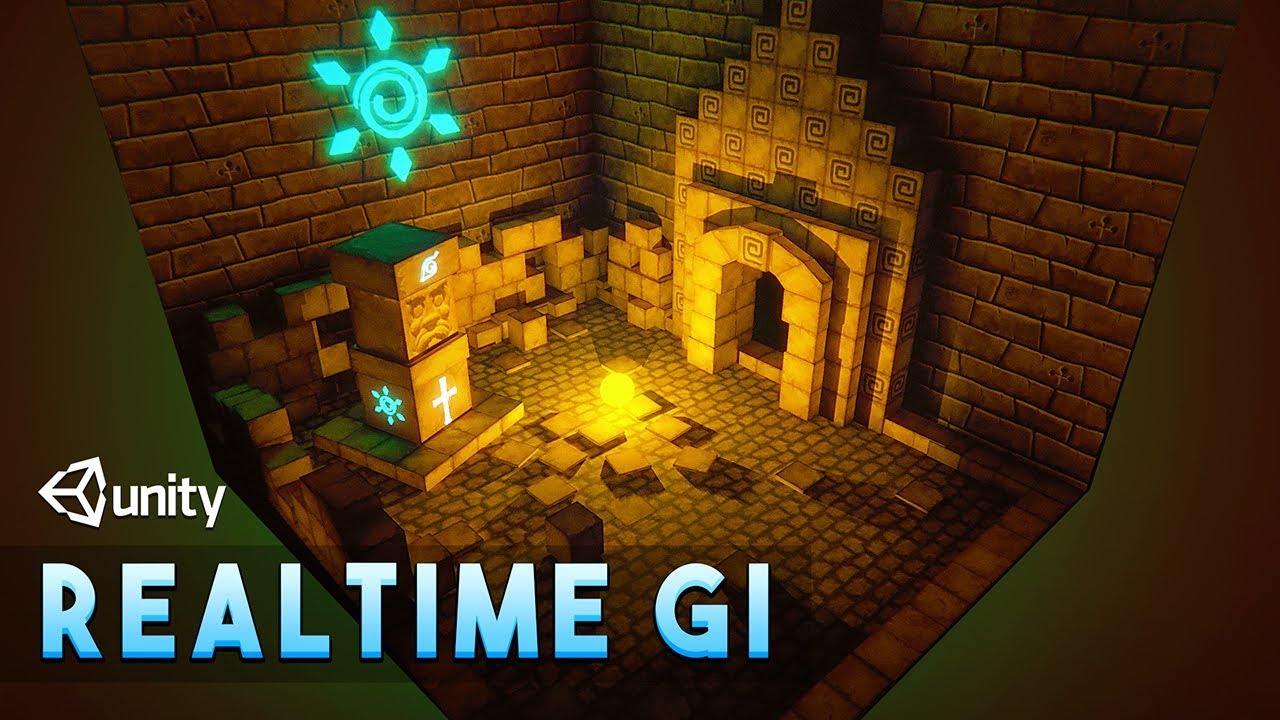
Let's explore the Realtime GI(Global Illumination) for Realtime lighting in Unity.
Realtime GI is very useful in indirect lighting. I will also show you how to use self illuminated objects to light the scene.
✅Cartoon Temple Building Kit Lite[Affiliate] : https://bit.ly/3e0vFLX
▬▬▬▬▬▬▬▬▬▬▬▬▬▬▬▬▬▬▬▬
💎 Watch advanced tutorial on Patreon 💎
...
fallen monolith
turbid matrix
Only thing report worthy I see here is that your talk about feels isnt really on...
Hear more than you ever wanted to know about Render Pipelines and shaders here: https://www.twitch.tv/videos/1036327620
 eternal laurel
so anyway any news on if Unity are still doing their own realtime GI or has that path been abandoned ?
iron flame
Yesterday I tested Lumen and I was very jealous.
I don't think we could see anything like this in Unity for a long time 😢
 upbeat badger
yeah, they don't even working on this
i honestly don't thinks they will. I guess we will have to choose between enlighten and raytraced GI in a long run and only raytraced GI in a future
i mean hardware raytraced
dawn sorrel
Lumen is OK, but the game changer is nanite imho
you can speed up a low poly game just by enabling it
its not just for high poly stuff, anything that doesn't need to deform benefits from it
 polar tree
I just switched to HDRP, and previously, I could adjust fog so I couldn't see past, let's say, 20 units. Can I set a max fox depth with HDRP? It seems a little more different than the normal RP fog.
Oh, and I'm tired of answers being "why do you need HDRP" / "Why not use URP or the standard RP" that's not the discussion here. I feel like I'm asked that too often when I have HDRP questions lol
eternal laurel
polar tree
I just switched to HDRP, and previously, I could adjust fog so I couldn't see pa...
There is a fog override for the volume
eternal laurel
dawn sorrel
you can speed up a low poly game just by enabling it
Nanite is just mesh shaders right ?
waxen lantern
eternal laurel
Nanite is just mesh shaders right ?
not exactly, the rendering tech of nanite is similar in concept and can use mesh shaders, but it doesn't depend on them, either.
dawn sorrel
its like a software version of mesh shaders, but nanite is the comprehensive implementation of it to the engine
you literally just tick one box and everything works
eternal laurel
Interesting. How did you learn this?
waxen lantern
this is because mesh shaders are just a formalization of what can already be done with compute shaders and indirect draw, with a few hardware optimizations. ue5 nanite devs also said in a eurogamer article that they used AMD primitive shaders for hardware optimization, since the PS5 doesn't have mesh shader support, but it's basically just a different way of doing the same thing.
and yeah as @dawn sorrel is saying, the rendering tech is only one part of Nanite, a lot of it is the 3d model asset import LOD generation and stitching, normal map generation, editor workflows and tools, the disk to CPU to GPU streaming system, etc
eternal laurel
The quixel integration is kinda sweet yeah
dawn sorrel
btw, speed up is quite real for the low poly projects. there's an image on reddit that shows rendering went from 12ms to 8ms. It also reduced the build size on a low poly marketplace project from 170ish MBs to 130-ish MBs
stylized graphics benefit from nanite too
waxen lantern
nanite is currently limited to opaque materials and static meshes however. but that covers the majority of most scenes, and it blends with non-nanite rendered meshes
eternal laurel
Am a bit jelly of nanite. We can only hope unity have a answer haha
By static meshes you mean non skinned or really static like dont move at all?
dawn sorrel
I'm sure they've been working on their own alternative, because nanite is really amazing. I'm sure Unreal would gobble up the archviz market completely if Unity doesn't come out with an alternative
eternal laurel
No they can move cause the said the robot thing was made with nanite
eternal laurel
Yeah yeah I remembered
dawn sorrel
You can't use nanite for skeletal meshes, but you can use sockets to attach nanite meshes to the bones
the big boss from the demo works like that
waxen lantern
eternal laurel
Am a bit jelly of nanite. We can only hope unity have a answer haha
and yeah unity and every other engine will or already is working on something similar, it's where the industry has been headed for many years. unity technologies just isn't as focused or agile as epic is, unity's development is slow, has a lot of human concurrency issues. they have so many offices working on making unity be everything to everyone.
eternal laurel
The old two steps forward one back and 2 sideways form of development yep
waxen lantern
epic just has one office in north carolina with a tightly knit culture that focuses on meeting the needs of a focused selection of industries and use cases.
anyway render pipelines
that's part of why unity has so many right now lol, trying to be everything to everyone
dawn sorrel
epic has many offices. Sound guys work at seattle for example, there are multiple offices in europe, japan, and china iirc
After UE4 epic invested huge into everything
not china but korea*
waxen lantern
dawn sorrel
epic has many offices. Sound guys work at seattle for example, there are multipl...
oh okay. i got the impression the majority of engine development still happened in north carolina, though?
of course epic makes games as well not just the engine
dawn sorrel
asian studios contribute to the engine a lot. And sound guys are all in Seattle, though Seattle might have other engineers too, I don't really know. Main AI guy was working in Germany iirc. He and his team is responsible for all navigation and ai features
I'd imagine a big chunk is still being done in NC though
I think the main difference between Epic and Unity is the former dogfoods their product.
waxen lantern
yeah true that's a huge factor
eternal laurel
Dogfoods ?
indigo summit
battletesting
waxen lantern
eternal laurel
Dogfoods ?
when a company uses their own product "eats their own dogfood"
eternal laurel
Ahhh
waxen lantern
so they have an internal incentive to improve it and don't need as much feedback from external customers
eternal laurel
Did not know that idiom hah
Ive always been saying unity ahould try to make a commercial game with their own engine and feel the pain points haha
indigo summit
and i always wondering why they seems to against that
dawn sorrel
culture issue. tim sweeney is a software engineer at heart, and puts great value to products
unity, not so much. most of their revenue comes from ads
eternal laurel
Anyway i just remembered @waxen lantern you were working on a fluid sim right? How did that go ?
polar tree
eternal laurel
There is a fog override for the volume
Yes, sorry, but I mean, I can't figure out how, or if you can set a max fog limit like you can with the standard RP, and maybe set the start distance as well
indigo summit
change the attenuation distance
eternal laurel
polar tree
Yes, sorry, but I mean, I can't figure out how, or if you can set a max fog limi...
Well im afk right now. When I get home I can fire up a hdrp project and help you out
eternal laurel
polar tree
Yes, sorry, but I mean, I can't figure out how, or if you can set a max fog limi...
You are using this right ? https://docs.unity3d.com/Packages/com.unity.render-pipelines.high-definition@12.0/manual/Override-Fog.html
polar tree
eternal laurel
You are using this right ? https://docs.unity3d.com/Packages/com.unity.render-pi...
Yes, that's correct.
eternal laurel
Well you can read what each thing does and make the fog you want. Its just a more complex type of fog so there are more things to set up
polar tree
Yeah, I've messed with it a lot these past few days, but I might have to mess with it more. I'm sure I can find a sweet spot that I like haha
thanks man!
eternal laurel
yep it sure is a whole bunch of things to mess with. This is why lighting artist is a full time position haha
waxen lantern
eternal laurel
I have no idea how to use Realtime GI with the latest 2021.2 alpha with HDRP. Ca...
some tips that may be helpful in this thread: https://forum.unity.com/threads/2021-2-hdrp-enlighten-realtime-gi-not-updating-with-emission.1099639/
Unity Forum
Hello, I am using Unity 2021.2.0a14.1979 and trying to get Enlighten realtime GI to work in HDRP. I'm using the template scene for testing and have an...
eternal laurel
I dont even get the realtime maps when I bake
I will try the auto generate and scene reload tips from the thread tomorrow
waxen lantern
eternal laurel
Anyway i just remembered <@471083604135378975> you were working on a fluid sim...
well the 3d fluid sim that i'm using is fluvioFX, a VFX graph modification which is not my project though i've done a bit of work on it to keep it running on current versions. The majority of my work has been in the fluid rendering side of things. And it's still a work in progress though I have prototypes running in Built-in and HDRP. i'm integrating it into a game right now.
eternal laurel
ah right you were using fluvio to drive a sdf to render the fluid right or Im conusing several other projects
waxen lantern
yeah that's the gist of it
 wind robin
guys, help me understand this profile result here please.

would SRP help me in this case?
this looks so bad.
50% on Camera. Render :(
 pulsar panther
wind robin
guys, help me understand this profile result here please.
pulsar panther
wind robin
guys, help me understand this profile result here please.
Are you profiling in the editor?
pulsar panther
wind robin
yeah
Make a build and profile it instead
wind robin
how can i profile after build? o.o
pulsar panther
wind robin
how can i profile after build? o.o
Go to Build Settings, make sure you check "Development Build", then "Autoconnet Profiler" and just hit Build and Run
wind robin
hmmm
pulsar panther
If for some reason it doesn't connect properly you can go to Window -> Profiler, then where it says "Playmode" in top left, just click enter IP and put 127.0.0.1
wind robin
let me see, but i think the issue reported will continue to pinpoint that DrawCall
pulsar panther
Btw, what platform are we talking about?
wind robin
Windows standalone.
building now 🤔
this is a 2018.2.10f game project, it is a bit old.
pulsar panther
Understandable, although I do agree that it's oddly slow
wind robin
super heavy stuff :(
pulsar panther
Do you maybe have like really high res shadows?
pulsar panther
Seeing as it's under Shadows.RenderShadowMap
wind robin
yeah its curious.
i really didn't expect that to be my issue honestly.
i was expecting like, geometry and stuff
but never shadows.
i saw online that SRP could help with this, but i am not sure i can just flip this on, in this old project.
pulsar panther
Should be fine, might have to upgrade shaders.
pulsar panther
It's automatic, but might not work if you have custom shaders.
wind robin
tons.
i can try 🤷♂️
i am not the creator of this, i just parachute into this lmao
🪂
just trying to optimize it somehow. :P
still building. 🙄
lmao.
building again, it failed xD
wind robin
hey same result @pulsar panther
pulsar panther
In the profiler?
wind robin
yeah Shadow is still the big boi
the game is crashing if i alt tab to unity to work the profiler but
as far as it records....it is still the same.
ofc turning shadows off is a solution but oof
pulsar panther
Try tweaking shadow render distance and resolution
pulsar panther
What render pipeline are you using?
pulsar panther
wind robin
Allow HDR is on
Shadow distance is set to 40

Medium Res 🤔
wait
its different for each quality profile :P

this is the fantastic one ^^
let me try the Good quality to see
pulsar panther
Well it might just be heavy, so probably best you can do is lower settings.
wind robin

yeah less quality reduced the draws
oh well.
it sucks that the game is not using the GPU at 100% tho
30% cpu 50% gpu
dawn sorrel
I don't know how to do it in srp, but you could try to exclude smaller objects based on range to increase performance
That's my go-to trick for shadow performance. If you have contact shadows that can also help
wind robin
hmmm thx, i will investigate. 🤔
signal osprey
hey guys
do you know what witchcraft is required to get videoplayer showing some video & audio?
I think my settings are correct

 true zealot
surely the solution is to not have the alpha be 0
 digital spire
https://github.com/Unity-Technologies/Graphics/pull/4689/files surprise, shadergraph will support built-in now

GitHub
Please read the Contributing guide before making a PR.
Read the Graphics repository & Yamato FAQ.
Checklist for PR maker
[ N/A] Have you added a backport label (if needed)? For example, ...
There is also this sneaky X-Pipeline. From the commit, Unity is trying to unify HDRP and URP.
https://github.com/Unity-Technologies/Graphics/commit/c475020348c94190bf6638dac70e5f953012cbf7

GitHub
… the add override is pressed.
eternal laurel
This xpipeline sounds like a really dumb idea
digital spire
I'm not exactly sure though. So let's best not judge too quickly.
turbid matrix
I love that they work on it
I have been doing proof of concepts for same project including both urp and hdrp and it has been pain
hdrp doesnt work well at all on medium spec hardware or in vr even with high spec gear (yes we have dlss now but it's still limited to new nvidia gpu's)
In my books, what is silly is that Unity let it go to current state where different RPs require wildly different setup
In any other engine out there you setup the scene same way regardless the renderer selection. Sure you may pick different values/feats based on it but they dont have renderer specific setup for things
This is one reason why I'm wondering about the hdrp sky stuff because it again drifts hdrp away from urp
Main goal of x-pipeline is not to have same project being able to runtime swap between urp and hdrp though. The goal is that you can author same project for urp on some build targets and hdrp for others without having to redo everything
Would be handy too if you decide to swap the RP in middle of development too. Today it is pain
It should just be toggle and small tweaks here and there
What I dont get is why Unity doesnt unify most PP related volume overrides that can have identical setup even today, like tonemapping etc
dawn sorrel
If they were to dogfood their own engine, they would quickly end up fixing many, many issues like this one. Instead, they seem to be fond of management based development where they choose the option that sounds the best during reports.
Unity is the most common indie engine for PC developers, and one thing that PC devs needs to be on top of constantly is scaling the game from low end hardware to the high end. It's immediately obvious why you would want the same game to leverage both URP and HDRP depending on the hardware setup...
turbid matrix
Yeah can completely agree with that, hence prototyping that kind of setup in past
I dont really think Unity even assumes people would ship pc-only titles with HDRP as it doesnt really scale well enough for that
dawn sorrel
Where am I supposed to find the new features of the alpha related to URP?
I am getting lost in the forums 😢
iron flame
Product roadmap and feature requests. Welcome to our product portal.
dawn sorrel
Thanks.
Now if only someone would drag the Forward+ card over to the Released section 😩
iron flame
My Forward+ experience 😄
 eternal laurel
I bet someone somewhere is trying their best to produce a glitch effect like that haha
barren goblet
Nanite is already open, when can I see it in unity ?
eternal laurel
in like 2 years 🤣
turbid matrix
definitely not in 2 years, unless Unity implements dx12 mesh shaders
eternal laurel
your thinking more ?
dawn sorrel
nanite touches many parts of the engine, not just rendering. I can't even think how Unity devs would coordinate such a massive effort in the short term.
If it doesn't work with a simple tick box like in UE5, I don't think anyone would use it. It'll end up being a tech demo
wait, thats... something unity might do actually 🤔
Sorry if I jinxed it, everyone!
indigo summit
also epic spend like 10 years RnD for it i think
eternal laurel
I still think its just mesh shaders strongly implemented in the engine 🤷♂️
if Unity focused on making DOTS the default and really usable and get mesh shaders in that rendering it might actually be better idk
glad tartan
Yea, it's like mesh shaders but with a custom rasterizer you can also run it on DX11. They basically made meshes store as textures and let the GPU read that instead of the raw vertex. Kinda like how you can use textures to do vertex animation. Which is why you can visualize nanite Geometry as vertices or triangles, just the colored textures as each triangle. They have a lot of tech that was implemented over the years running it as well. Same goes for Lumen, (Realtime GI and reflection) and Virtual Shadows. Things such as Distance Field Meshes, and HLOD they all rely heavily on.
I wonder if URP will get physical light values with Cross Pipeline or how they would sort out switching lighting between both
dawn sorrel
nanite is the whole pipeline around mesh shaders. it handles stuff like io, materials, content editing etc all seamlessly.
I can see how unity could implement mesh shaders in a demo and end up with occlusion probes 2.0 situation
 static helm
Hi everyone, Im searching on a lot of sites and its impossible for me to find something, im having an extremely CPU usage in a HDRP project, also using Low resolution on the quality settings. I have only like 15 lights, occlusion culling and other things. On the profiler it seems to be playerLoop, renderPipelineManager.DoRenderLoop_Internal() and Inl_HDRenderPipelineAllRenderRequest what is consuming all the CPU taking me to +60 ms only with these 3. Im using an i5 9th generation at 2,9GHz and it should be way better. If someone can help me it will fix me a lot of problems, thanks
 chrome hawk
A generalised answer: Stuff that looks like CPU is often actually GPU (CPU is waiting for GPU tasks to complete). Also HDRP has some basic overheads regardless of scene complexity.
turbid matrix
@static helm HDRP is often CPU bound so I wouldn't really be that surprised of the results, if you are using "older" unity/hdrp version, I'd check if it helps if you can upgrade to newer unity and hdrp as there's been a lot of optimizations on the light loop
I mean, this applies if you are using say, HDRP 7 with 2019 LTS, HDRP 10+ should be faster in situations like that
60ms does sound a lot though
it could still be your gpu stalling it, you didn't specify your gpu model, if it's integrated intel then just forget about hdrp
static helm
Thanks for replying, we do a test with an app for seeing the CPU and GPU usage and GPU was at 100% and CPU at 70% with two instances, also we have a GTX 1050ti and Unity 2020.3.f1, we thought the drivers should be updated or something because it is so weird to have 115ms on CPU with an I5 and 1050ti
So we will check that on Monday with the team, thanks for the help
dawn sorrel
Speaking of HDRP. Is it suitable for targeting low end hardware? My own PC only has a 1050 Ti so I obviously would like to be squeezing stable 60-100 FPS in a game with small level sections.
waxen lantern
eternal laurel
I still think its just mesh shaders strongly implemented in the engine 🤷♂️
Nanite rendering does not rely on Mesh shaders specifically but it is similar in concept and ideology. and Nanite will almost certainly will take advantage of Mesh shader capable hardware if it isn't already. UE5 nanite devs confirmed months ago in eurogamer that they utilize compute shaders + AMD Primitive shader extension (proto Mesh shaders) hardware on PS5.
Mesh shaders are really just a domain specific wrapper around Compute shaders with a bit of Primitive shader like hardware acceleration for GPU culling.
Nanite as a product is not just a rendering tech, though as others have mentioned. it is a sizable collection of tools and workflows that all work together. 3d model asset import, LOD gen, normal map gen, adaptive streaming, multiple LOD stitching, Editor UIs, etc
that said, from a bare API and engine feature set point of view, all or most of Nanite's features could be implemented into Unity as editor and asset import tools, streamed, stitched and rendered with compute shaders and a custom pass in HDRP. it would be a lot of work but not impossible. adding Mesh shader support would only standardize the way the Compute shader code is written and provide a relatively small performance boost on the latest gpu architectures.
waxen lantern
eternal laurel
if Unity focused on making DOTS the default and really usable and get mesh shade...
And yes this would hypothetically be more performant than what UE5 offers for a set of certain scenarios / genres at least
waxen lantern
dawn sorrel
Speaking of HDRP. Is it suitable for targeting low end hardware? My own PC only ...
depends on what you consider low, mid, high end. generally the word is that URP has a broader scope of focus on low to mid end, HDRP focuses primarily on just high end.
my rough estimates of these categories:
- low end meaning mobile and integrated GPUs
- mid end meaning less powerful or 1 - 2 gen old dedicated GPUs (like your Nvidia 1050ti) and last gen consoles,
- high end being current gen GPUs and the latest consoles.
dawn sorrel
Well, my GPU was bottom tier of budget GPUs 3 years ago 😅
waxen lantern
@dawn sorrel one source of info being: https://docs.unity3d.com/Manual/render-pipelines-overview.html
URP is for "a wide range of platforms"
HDRP is for "high-end platforms"
waxen lantern
dawn sorrel
Well, my GPU was bottom tier of budget GPUs 3 years ago 😅
I have a laptop with a 1050Ti 4GB and even though it's not really what Unity has in mind for HDRP, i'd say it's still in the realm of being able to target with HDRP, optimizing performance would just be more difficult than with URP, especially for 60fps you would need to make a lot of concessions and sacrifices in features and quality settings that it would start to look a lot more like URP anyway, with a lot more performance overhead
@dawn sorrel So, by Unity's recommendation and my own I would start with URP for targeting / optimizing for low and mid end. URP's Deferred, Forward+ that is soon to be released will make a big difference for projects with many real-time lights, which is by my estimation the biggest thing URP is missing right now for scalability. (Only HDRP and BRP currently have deferred path)
dawn sorrel
Alright. If only HDRP could be as perfomant as Frostbite 🥲
I think on demand shadow rendering could also help.
I really liked this trick in Mirror's Edge Catalyst.
If the player isn't in the bounding box, shadows aren't updated. Or something.
waxen lantern
dawn sorrel
Alright. If only HDRP could be as perfomant as Frostbite 🥲
performance and features aside, Frostbite has its share of flaws and frustrations. To the point that many EA games are now using Unreal Engine due to extreme demand from the devs problems with Frostbite... If it makes you feel any better 😁
dawn sorrel
But muh renderer 🥲
waxen lantern
dawn sorrel
I think on demand shadow rendering could also help.
this? released 2021.1, i haven't tried it myself though https://portal.productboard.com/unity/1-unity-platform-rendering-visual-effects/c/197-mixed-cached-shadow-maps

Cache only a portion of non-directional shadow maps. With this setup, HDRP renders shadows for static shadow casters into the shadow map based on the Light's Update Mode, but it renders dynamic shadow casters into their respective shadow maps each frame.
This can result in significant performance improvements for projects that have lights that ...
dawn sorrel
Well, HDRP had on demand shadow mode even before that I think. This is just an improvement.
 silk chasm
Can i use HDRP without nvidia videocard?
eternal laurel
yes
silk chasm
eternal laurel
yes
thanks
 inner parcel
waxen lantern
<@456226577798135808> So, by Unity's recommendation and my own I would start wit...
inner parcel
waxen lantern
<@456226577798135808> So, by Unity's recommendation and my own I would start wit...
deferred might appear sooner for urp. its already there in 2021 alpha
upbeat badger
it was released way earlier, you can enable it in 2021.1 with ENABLE_RENDERING_PATH_UI scripting define
waxen lantern
@inner parcel @upbeat badger true, i'm just setting expectations as (using Unity's own terms) it's still in pre-release alpha and hasn't reached a proper production ready release. So it might not work well or at all, have bugs, missing features that are still being worked out. more info: https://blog.unity.com/technology/a-new-package-manager-experience-in-unity-20211

 inner parcel
waxen lantern
<@565060299611439115> <@319893982190764033> true, i'm just setting expectations ...
inner parcel
waxen lantern
<@565060299611439115> <@319893982190764033> true, i'm just setting expectations ...
i just said deferred might come early. never told anything about stability which is obvious cos its in alpha version
waxen lantern
inner parcel
i just said deferred might come early. never told anything about stability which...
no worries, my response is really just a follow up for others reading these past few messages and may not be fully aware of what an alpha or pre-release is (there's a lot of less experienced folks in this discord just reading / soaking up info.) obviously you understand all this already, so while i pinged you and Lowlet i don't mean to come across like i'm "correcting" you. just adding some extra context, in case someone reading along isn't aware. this release cycle terminology unity is using is very new as well, i only recently became aware of it.
 analog meteor
hi! i just upgraded to hdrp from urp and for some reason my sky is doing this?
also theres a border where the shadows do not appear between planes
 analog meteor
hi! i just upgraded to hdrp from urp and for some reason my sky is doing this?
analog meteor
analog meteor
hi! i just upgraded to hdrp from urp and for some reason my sky is doing this?
i fixed this, it was the exposure post process
but i still have a problem with the shadows
 exotic plume
ok I know it may be taboo to talk about this here - and believe me I have fought going this route for a long time now .. but Damn Im impressed with the results of LUMEN in UE5....

When is Unity going to get some GI tech like this????
broken lichen
@exotic plume I've seen very impressive demos of it, but a lot of it has temporal artifacts. Shadows and lights not appearing and disappearing immediately. Are there settings to reduce that?
true zealot
This isn't an Unreal discord
waxen lantern
exotic plume
When is Unity going to get some GI tech like this????
yeah we better stick to this side of the topic. Unity HDRP has a number of options for real-time global illumination including Enlighten Probe based Real-time GI (returning soon in 2021.2), Screen-Space (SSGI) and Ray-Traced (RTGI) in order of performance cost and fidelity. (with only the last technique requiring real-time ray tracing hardware.)
and Enlighten Real-time GI is actually available for all render pipelines again. BRP, URP, HDRP.
EDIT: this is not yet released, only in alpha / pre-release for 2021.2
There is also a next gen scalable GI replacement being developed in-house by Unity Tech. it's just taking longer than expected and I suspect they really want to make sure it's impressive. (so that's why Enlighten real-time GI is being brought back in the meantime to fill in the gap.)
carmine orbit
Still trying to get HDRP working on my machine, cube is white. HDRP-Lit material. Build = PC. HDRP template scene. HDRp asset hooked up to quality settings etc. Any ideas?
 drifting vault
carmine orbit
Still trying to get HDRP working on my machine, cube is white. HDRP-Lit material...
drifting vault
carmine orbit
Still trying to get HDRP working on my machine, cube is white. HDRP-Lit material...
Over expasure?
carmine orbit
@drifting vault I don't know how to adjust that but I don't think it's that. I'm just clicking on new scene (3D) and I don't even see a skybox in there

Oh that's because I didn't have skybox enabled. When I do, it's just white

Really confused because any time I follow a tutorial for hdrp setup it just works. Is it my graphics card being too old? I have a Nvidia Geforce GTX 980 Ti
true zealot
No, it should be fine. Check that there are no errors or warnings in the console when you restart Unity. Make sure Unity's not locked thinking about compiling something in the bottom right of the editor.
Check the project settings and make sure there is a HDRP asset assigned in the graphics settings.
Perhaps check the Frame Debugger to see if there are any clues
true zealot
carmine orbit
<@!148856955375583232> I don't know how to adjust that but I don't think it's t...
Oh, that is "Basic Built-in"... for the built-in render pipeline
If you're using HDRP, select the Basic Indoors or Outdoors (HDRP) ones
 true zealot
Uh, if that's not working I'm not sure what the problem is, try my previous suggestions, if none of them work perhaps someone else has a clue
drifting vault
carmine orbit
This is what I get when opening the outdoors scene
create a new volume and add inside Exposure settings. try to play with then
carmine orbit
Ah yeah, that's it. So this is it with a new volume and low fixed exposure (default) (also an error in console?)

and this is when I increase it

So THIS was the initial problem, the default sky and fog volume was set to automatic hitogram as default, setting exposure to fixed and around 13 resolved the issue.

So it works on my home PC. Now I'm trying to get it to work on a remote PC, that's the next step. On that I see nothing in scene after setup, not even white. I do get these errors about an API but not sure what to do with it.

 hidden flax
Hey, I am trying to create a skybox with 6 faces (cubemap), and I tried using the Standard/URP way of creating it, which is 6 passes, each pass takes care of a face, I am using the same shader (converted to support HDRP), but it doesn't work there, I am trying to output the colors of the skybox based on the face ID (which is sent to the Fragment function from the pass that is rendered), and all the faces seems to be the same ID
Does HDRP stopped supporting this "feature" (was it even a feature with 6 passes?)?
carmine orbit
Also this

 digital scaffold
guys I need help!
quick recap of the thing we have : 2 cameras - 1 Unity main cam, second one for video streaming - we have a real webcam texture on the renderer on the far plane of the second camera,so that it looks like the second camera streams the webcam and the Unity scene additivly. It has a poor perfomance
Now to the proposed solution (or sort of it)
We need a custom render feature (to be enabled on and off at the runtime)
so that the same "feel" could be achieved with only 1 camera
is it possibly and how to do it properly?
digital scaffold
By switching to the custom render pipeline you are switching the whole render process and shader language /features
It means - if you forget to switch to the right model/material - just one object on the scene
Your scene will crush the gpu
Same thing happens in builds when you switch one serialized type reference onto the other type - but the forgetting to set the new component - Missmath Type in your serialized reference - it will crush even if one reference in not of the right type
Try build incremental- separate scripts from the assets
Build incremental one scene with assets one by one - not everything at once
 drowsy prawn
How can I change the colour of the post process bloom in URP?
Bloom bloom = postProcessVolume.profile.GetSetting<UnityEngine.Rendering.PostProcessing.Bloom>();
"The type or namespace name 'PostProcessing' does not exist in the namespace 'UnityEngine.Rendering' (are you missing an assembly reference?)"
And VolumeProfile does not contain a definition for GetSetting
fiery marsh
drowsy prawn
"The type or namespace name 'PostProcessing' does not exist in the namespace 'Un...
URP does not use the PostProcessing package/namespace. It just uses scripts found in UnityEngine.Rendering and UnityEngine.Universal. Example : #💥┃post-processing message
drowsy prawn
fiery marsh
URP does not use the PostProcessing package/namespace. It just uses scripts foun...
Perfect, works now. Thank you!
inner parcel
waxen lantern
and Enlighten Real-time GI is actually available for all render pipelines again....
enlighten realtime gl is still in alpha stage for hdrp
would love to see it post release
check if unity version is the same or not
also mentioning which unity version and which hdrp version would be better
also try clearing cache folders like Library, Temp and reimport project if youre able to atleast start editor
even if you're talking about a build, its built using unity.
anyway are you guys using any DllImport stuff?
you can look up for the Player log to see whats wrong
2021.1?
look for something in player log
unity is a vast engine and anything could go wrong for anyone since no one knows whats inside the build
you can try out 2020.3 LTS to rule out engine bugs
waxen lantern
inner parcel
enlighten realtime gl is still in alpha stage for hdrp
oh i forgot this is only in alpha / pre-release. thanks!
 ripe quail
Are custom passes supposed to circumvent camera's culling masks?
I am working on a split screen multiplayer game and it seems that custom passes do exactly that... I need certain things to appear only on certain player's cameras
Oh my word... well... one solution, although not a great one, appears to be making the custom passes local instead of global, putting a 1e-05 radius sphere collider on it, and nesting it in the camera
I... don't think this is a great solution but it is a solution

 digital scaffold
So what was it?
 lofty ivy
Any clue why the post proccesing doesn't work?
digital scaffold
lofty ivy
Any clue why the post proccesing doesn't work?
if you are using the custom renderpipeline - make sure to enable it under the render pipeline asset - e.g. Universal Pipeline asset
lofty ivy
digital scaffold
if you are using the custom renderpipeline - make sure to enable it under the re...
It works on another scene
I just copied and pasted
digital scaffold
than add post process feature onto the main camera - it is a camera based feature
lofty ivy
Its already on
digital scaffold
when in runtime - can you clikc and preview if the feature is on or off on the main camera?
lofty ivy
digital scaffold
when in runtime - can you clikc and preview if the feature is on or off on the m...
wdym
 gloomy gale
Could anyone help me with an issue I am having?
Having a hard time with shadows
I am working on a 2D project in URP. Unity Version 2020.3.9f1
I am using a Point Light 2D, and the sprite has a Shadow Caster 2D.
In the Scene View it looks decent, but in game it looks like crap.
Any help is much appreciated.
Thank you.
 bleak otter
@ripe quail Depends on what you are trying to do, but one option could be messing with stuff on each Camera's OnPreRender and OnPostRender
true zealot
the game view is scaled 3.5x, so one would presume it would look the same as the scene view if it was scaled to 1
glad tartan
carmine orbit
So it works on my home PC. Now I'm trying to get it to work on a remote PC, that...
Is that Linux? Either way it seems your Graphics API is set to OpenGL and not DirectX 11, 12, Vulkan, or Metal (if you're on Mac) which are the only APIs that HDRP works with. Not sure whats up with your PC though to default to the craziest graphics APIs that HDRP doesn't support. So just change the API to one that works with HDRP, preferable DX11 if you're on PC (This works the best in terms of Performance), or the Graphics API for your OS.

 stone elm
So, what's up with URP? Empty scene, forward renderer, no renderer features, no post processing, no lights, nothing fancy. Getting 10ms CPU spikes on desktop build for DoRenderLoop_Internal.. my actual scene with 3 renderer features (using stencil buffers) but no lights or post processing gets 20 or 30ms spikes. Is that just what URP is or is something very wrong with my setup?
 grizzled fractal
My scene view goes fully gray whenever I use the HDRP, does anyone know hot to fix?

(My game view is completely black)
stone elm
stone elm
So, what's up with URP? Empty scene, forward renderer, no renderer features, no ...
Well, I updated from 2020.3.2 to 2020.3.10 (which updated urp from 10.4 to 10.5 I believe) and the spikes are magically gone, sooo, ignore what I said. Even if none of the change logs I found really said anything about performance
dawn sorrel
hello people, I have a problem that I will post in this video, and I can't solve it... I tried changing the camera's culling plane
long wagon
dawn sorrel
hello people, I have a problem that I will post in this video, and I can't solve...
I tried putting the camera futher away... but it didn't work till I made the camera REALLY fat from the object
Don't forget this part as well.
long wagon
I would be solving it just experimenting and testing different assets to find out what's happening. But yea, someone might know the possible cause from experience.
dawn sorrel
the thing is, the actual case is worse, because the camera should have its position upper than in the video, in the video i just put it in the same place as its parent
@long wagon what happened to cinemachine channel , I can't see it
long wagon
@dawn sorrel Unroll the subcatigory or open server settings and toggle hide muted channels. (if it is on)
dawn sorrel
long wagon
<@456226577798135808> Unroll the subcatigory or open server settings and toggle ...
it was hidden thanks
also I have another question, is it possible for a camera to not see an object but will cast its shadows?
long wagon
Yes, I think culling accounts for possibly rendered shadows. Someone here might know.
dawn sorrel
any other way?
dawn sorrel
dawn sorrel
hello people, I have a problem that I will post in this video, and I can't solve...
seriously people, anyone who can help with that problem , it is VERY APPRECIATED
eternal laurel
dawn sorrel
seriously people, anyone who can help with that problem , it is VERY APPRECIATED
This might be a shot in the dark but if the hands are skinned their bounds might be wack and causing this. If they are skinned and you set them to update when offscreen what happens?
dawn sorrel
eternal laurel
This might be a shot in the dark but if the hands are skinned their bounds might...
What do you mean
eternal laurel
Are the hands using a skinned mesh renderer?
keen pivot
is object motion blur already in HDRP or is it only currently planned for URP?
dawn sorrel
eternal laurel
Are the hands using a skinned mesh renderer?
I'll check
dawn sorrel
keen pivot
is object motion blur already in HDRP or is it only currently planned for URP?
Idk what that means
And sorry was busy irl
dawn sorrel
eternal laurel
Are the hands using a skinned mesh renderer?
Yes.. Skinned mesh renderer
elder merlin
dawn sorrel
Yes.. Skinned mesh renderer
Try toggling 'Update when offscreen' and 'dynamic occlusion'
dawn sorrel
thanks will try
YES!!!
THANK YOU
Update when offscreen alone did the trick
14 hours
seriously thank you all @elder merlin @keen pivot @eternal laurel aaaaaand last but not least @long wagon 😄
eternal laurel
dawn sorrel
seriously thank you all <@!235467086984380418> <@!317776431348449283> <@!2923714...
You need to fix your mesh. It should not be doing that.
dawn sorrel
eternal laurel
You need to fix your mesh. It should not be doing that.
what should I do to fix it, what is its problem
also the solution only works after I look down
when the hands show for the first time, that's when it will stay
eternal laurel
Not sure its only happened with cloth sims to me where the bounds of the mesh get really huge or small.
Its something to do with scales and how its imported
You should see a boundig box around your meah when you select the object
dawn sorrel
eternal laurel
You should see a boundig box around your meah when you select the object
in the unity inspector?
eternal laurel
eternal laurel
When you select the hands from the hierarchy you should see a box around them. If you dot see it its either very big or very tiny
 eternal laurel
Mm no but maybe during some animation the box will go crazy.
dawn sorrel
eternal laurel
Mm no but maybe during some animation the box will go crazy.
What's the solution to that
eternal laurel
Im not really sure. Perhaps during a animation a bone or a rogue vertex gets "flung" really far away that makes the bounding box huge and makes the camera think its not seeing the mesh anymore. Did you check how the bounding box behaves when the animations run ?
 true spoke
Anyone knows how to access the current volume settings experienced by a camera in HDRP?
dawn sorrel
eternal laurel
Im not really sure. Perhaps during a animation a bone or a rogue vertex gets "fl...
idk what you mean by the bonding box, but I looked from the inspector, every thing is in its place, only the camera wont show the hands... which is why I am now editing the blender file now, if it works then the problem was from the box in the last picture
eternal laurel
bounding box*
it is that box in the last picture
it expands or contracts to cover the entire mesh
look at the hands in the scene view when animations are playing
dawn sorrel
eternal laurel
look at the hands in the scene view when animations are playing
I did, they are in their place... like nothing is wrong
on the character on the left, I still had tolook down to get the hands shown in the beginning

 sudden comet

my hdrp world seems like it's way too dark
all of the objects in the picture have materials
outer carbon
@digital scaffold Please don't spam crosspost.
 elfin aurora
I need some help with occlusion culling
Objects behind walls get rendered
Can I somehow create an invisible object that is an occluder?
I tried this but didn't work
 dawn sorrel
is there a way to make a particle system stop when hitting a collider
dawn sorrel
So, the URP thing can't actually have different volumes applied to different layers? e.g. I have 2x cameras in the scene. A base, B overlay(added to stack). On camera A i have bloom, chromatic ab, color correction, film grain etc., on the second one I only want to have bloom enabled and nothing else, but this is not possible the way I see it, not even if you apply the right culling and layers...
anyone found any kind of solution?
waxen lantern
keen pivot
is object motion blur already in HDRP or is it only currently planned for URP?
it's been in HDRP already for a while
waxen lantern
sudden comet
my hdrp world seems like it's way too dark
truly physically based lighting and materials as used in HDRP takes some extra care to set up. it's likely that your intensity and/or exposure values need adjustment. i also recommend starting with the HDRP template as a reference https://docs.unity3d.com/Packages/com.unity.render-pipelines.high-definition@11.0/manual/Physical-Light-Units.html
 sudden comet
okay thank you
 rich spade
grizzled fractal
rich spade
grizzled fractal
perhaps a bit more context is required, is this a new project or existing etc.
Have you tried a new project with the HDRP template, does that work?
If not, is your computer or more specifically gfx card capable etc.
grizzled fractal
it's a completely fresh project.My computer has a 2070 so that shouldn't be a problem.
I have tried removing and installing the HDRP multiple times already
rich spade
have you followed the guide pinned to this channel for configuring HDRP?
 abstract cedar
Where's the guide pinned in this channel?
rich spade
The documentation is not perfect but it should guide in right direction, with either SRP you need to ensure that you have created the correct RP assets and assigned them in Project Settings->Graphics. For HDRP there is a wizard tool which checks you have everything enabled, but it's not perfect for all situations. upgrading existing projects often requires a lot of manual adjustment / fix's.
https://docs.unity3d.com/Packages/com.unity.render-pipelines.high-definition@11.0/manual/Getting-started-with-HDRP.html
abstract cedar
rich spade
The documentation is not perfect but it should guide in right direction, with ei...
Thx,I see
keen pivot
waxen lantern
it's been in HDRP already for a while
so to make sure i understand it correctly, object motion blur could mean i have a static camera, and move an object around quickly and have it blur (what i'd like to achieve)? or does it mean if i have a specific object and move the camera around, only those objects blur when the camera moves? (not what i'm trying to achieve)
keen pivot
looks like no, i think this is just the way i understood the terminology.

i thought OBJECT motion blur was a different thing
iron flame
Object motion blur (my edited URP)

Camera motion blur

camera motion blur. It does not know whether objects are fixed relative to camera. so if the camera is tracking an object. this way it will be blurry.
keen pivot
so in picture one, your camera is not moving?
the car is driving past a static camera?
iron flame
In both, camera follows the car and is moving.
 zealous dune
Hi i'm using URP
On every launch of my project i have to consistently upgrade project materials
without fail everytime.
Otherwise everything is pink
Does anyone know a way for me to not have to go through this process everytime i launch the project
keen pivot
have you downgraded recently or something?
so it thinks they are wrong but in fact are newer
zealous dune
Project started as a URP project and i then added some assets from the asset store.
Everything is fine once upgraded.
But the problem has persisted since the start.
dawn sorrel
hey guys whats the best way to send vray max projects to unity hdrp without doing materials and textures ?
in unreal there is datasmith , i hope there is something for unity.
 warm hound
hello.
HDRP has Camera-relative rendering and it really helps with floating point error in our project, but it doesnt seem to work with text or text mesh pro. is there a way to stop 3d text from jittering?
waxen lantern
keen pivot
so to make sure i understand it correctly, object motion blur could mean i have ...
yes, that's correct. object motion blur is distinct from camera motion blur. see this excerpt from the HDRP documentation:
HDRP can now render motion vectors. If you enabled object motion vectors, be aware that, by default, new Mesh Renderers write object motion vectors. To change this behavior, select the Mesh Renderer and, in the Inspector, change the value of the **Motion Vectors **property.
• Camera Motion Only: HDRP only calculates camera motion vectors for the area of the screen this GameObject fills.
• Per Object Motion: HDRP calculates motion vectors for this GameObject if:
The GameObject moves and the camera does not.
The camera moves and the GameObject does not.
Both the GameObject and the camera move.
• Force No Motion: HDRP does not calculate any motion vectors for the area of the screen this GameObject fills.
https://docs.unity3d.com/Packages/com.unity.render-pipelines.high-definition@11.0/manual/Motion-Vectors.html
https://docs.unity3d.com/Packages/com.unity.render-pipelines.high-definition@11.0/manual/Post-Processing-Motion-Blur.html
 lethal carbon
@iron flame
I think that is the exact example I am looking for. 🙂
- There is a moving 3d character and the camera follow it.
- Only the surrounding background is applied with motion blur.
- motion blur not applied to characters.
You said edited URP, is this impossible in URP in a normal way?
Could you provide more detailed information?
iron flame
lethal carbon
<@!542613889909522447>
I think that is the exact example I am looking for. 🙂
-...
I applied the changes in this rp to my own URP package. but then i gave up on it. I no longer use per object motion blur. but the images are very close to it. I wrote a custom motion vector transition for car and wheel and added it to the camera motion blur effect.
so even if I give you my own local package, it won't work as you want.
Object Motion Blur is in the Planning section. You can provide feedback that this is critical.
https://portal.productboard.com/unity/1-unity-platform-rendering-visual-effects/c/133-post-processing-object-motion-blur

The Motion Blur effect blurs an image when GameObjects are moving faster than the camera’s exposure time. Rapidly moving GameObjects or a long exposure time create this effect.
For more details, see:
lethal carbon
@iron flame
Thank you.
Of course I thought this would be implemented. That's a surprise.
Based on what's posted on the 2020 Jul...
It seems difficult to expect this to happen.
Anyway, i'll send a critical request...
iron flame
iron flame
I applied the changes in this rp to my own URP package. but then i gave up on it...
forgot to add this.
https://github.com/Unity-Technologies/Graphics/tree/urp/motion-vectors

GitHub
Unity Graphics - Including Scriptable Render Pipeline - Unity-Technologies/Graphics
I guess there was no support for skinned mesh.
 exotic fable
Hello
My scene spot lights stopped working all of a sudden
Any possible troubleshooting strategies?
HDRP
they were in realtime. I switched them to baked (and tried to bake them) and then they stopped working. I switched them to realtime and they continue not to work
point lights work though
indigo summit
aw. . . ProbeVolume are not included in alpha19 😦
iron flame
indigo summit
aw. . . ProbeVolume are not included in alpha19 😦
included
indigo summit
wait this one ?

 iron flame
Baked with Progressive Lightmapper.
indigo summit
hmm lemme try it
iron flame
Probe Volume 🙂
 indigo summit
Hmm i don't think it's the latest version as in github
 indigo summit
@iron flame any chance you can confirm probe volume are included? maybe it's just me being dumb
abstract cedar
Hey. I'm new to shader. I followed the tutorial on YouTube

It basically use screen depth subtract screen position
Idk why uses this
does the screen position mean all mesh vertex?Then what does screen depth mean?
 waxen lantern
abstract cedar
Hey. I'm new to shader. I followed the tutorial on YouTube
waxen lantern
abstract cedar
Hey. I'm new to shader. I followed the tutorial on YouTube
i recommend moving this to the #archived-shaders channel. and post a link to the youtube tutorial you followed along with your question.
 regal tulip
Hi, so i am using URP and I just started learning Terrain. I had just added trees, but the only problem is when a tree goes to the side of the view, the tree disappears before it is fully of the screen. When I look up, the tree disappears when the bottom of it hits the bottom of the tree. How do I fix this? I have also baked occulusion culling.
Nevermind, figured it out. I added a capsule collider to the tree prefab and fit it to the tree and it fixed this problem.
signal osprey
is there a way to freeze the render of a camera that's in a stack without using rendertexture and one big quad?
 spiral ginkgo
can someone tell me what this means in URP? I didn't get it in older versions of unity
Reduced additional punctual light shadows resolution by 2 to make 114 shadow maps fit in the 4096x4096 shadow atlas. To avoid this, increase shadow atlas size, decrease big shadow resolutions, or reduce the number of shadow maps active in the same frame
I'm constantly getting these logs
spiral ginkgo
could this also be related to getting slightly less fps than previous versions, at least in the editor
spiral ginkgo
hm guessing the fps must be something else. anyone know why this would happen when upgrading from 2020 to 2021 and urp 10.2.2 to 11.0.0
the lower fps one is the 2021 one.

this is the exact same scene, litterally copy pasted the project and converted it to 2021
how can just upgrading to a new version increase the tris, verts, and shadow casters? very strange?
dawn sorrel
Oh damn, forward+ got merged into URP????
inner parcel
dawn sorrel
Oh damn, forward+ got merged into URP????
dawn sorrel
I know, but it's at least there in a glitchy barely working state 😳
dawn sorrel
@spiral ginkgohey
the lower fps one has higher vert and tres count ?
did you notice it, so some objects didnt load on second one.
spiral ginkgo
@dawn sorrel yes i noticed it. but can you tell me why?
is there some changes that makes the newer versions draw more objects in the same situations when compared to the old ones?
 dawn sorrel
@spiral ginkgoits be cuz the second one didnt import some models , are you missing some prefabs ?
spiral ginkgo
@dawn sorrel no. its the other way around, the one with the higher poly count is the copied one
anyway i did more testing and it seems the performance seems to actually be the same or almost the same, the stats showing much higher poly counts is still happening though. I wonder if perhaps they just changed the stats algorithm or something.
dawn sorrel
hey whats most stable unity version for hdrp dxr ?
hidden flax
Hey, I am trying to render a 3D object on top of the UI, I am using HDRP for that, I tried the Graphics Compositor which doesn't seem to work (+ found a lot of bugs in it).
Camera Stacking is not in HDRP, Custom Pass doesn't let me tell Unity to render it after the UGUI pass, and I am not sure if editing a new shader for this would work (it could, if i'll pass a mask texture or use stencil, but I don't know how will Unity behave when its in two different render passes)
Any idea how to achieve this effect in HDRP?
 sterile cairn
Have there been any significant updates to the 2D URP since 2019.4.16f1?
Namely things like shadow casters
 sterile mesa
What is the smallest resolution a modern gaming card can hit?
x/y
I know 1024 was the 1992 standard
I mean what is the smallest resolution modern video cards/monitors do out of the highest resolution cards can do.
Basically I'm trying to NGUI anchor a full screen
and I don't want it to be bigger than someone's best resolution.
Guess it is: 1920 x 1080
And it goes up from there, cool cool
Thanks guys, I'm in and out
waxen lantern
sterile cairn
Have there been any significant updates to the 2D URP since 2019.4.16f1?
waxen lantern
hidden flax
Hey, I am trying to render a 3D object on top of the UI, I am using HDRP for tha...
what version of Unity are you using? in any case, you can render a 3D object on top of UI if you use a suitable injection point, e.g. Before Post Process
HDRP renders UI during the transparent pass, before post-processing. This means that you need to create Custom Passes and custom Post Processes to achieve typical visual effects for UI.
https://docs.unity3d.com/Packages/com.unity.render-pipelines.high-definition@11.0/manual/UI-Best-Practices.html
@hidden flax See the Custom Pass Injection Point doc as well here that includes this diagram of the HDRP frame graph: https://docs.unity3d.com/Packages/com.unity.render-pipelines.high-definition@11.0/manual/Custom-Pass-Injection-Points.html
 sterile cairn
waxen lantern
Find in Page: 2D https://docs.unity3d.com/Packages/com.unity.render-pipelines.un...
sterile cairn
waxen lantern
Find in Page: 2D https://docs.unity3d.com/Packages/com.unity.render-pipelines.un...
ah damn, thanks. i didn't even think of the changelog
waxen lantern
sterile mesa
Basically I'm trying to NGUI anchor a full screen
using fixed resolutions when placing or anchoring UI elements is unnecessary and discouraged for most use cases, in favor of a responsive UI that scales relative to any resolution. but it's not a fitting topic for the render pipelines channel here anyway, better suited for #📲┃ui-ux or NGUI's own support forum
 elfin crown
Hello everyone! I'm currently trying to learn creating artstyles for my game and improve my skills on making my game look good.
So I recently played Divinity original sin and I really liked the style and I analyzed it. I started trying to recreate one scene that I took a screenshot of to see if I understand what the process is.
Here is the screenshot that I took from Divinity Original Sin:

In Unity I first tried to recreate the scene with some assets that I got from the asset store (so does not look exactly the same obviously). Here is my scene currently

and I'm working with URP and as you can see the overall rendering is really different
I wanted to ask what I need to improve/change in order to get a similar rendering to Divinity. One thing I noticed is that the objects have a contact shadow (or maybe it's just the ambient occlusion). I baked global illuminations and I only used a very small amount of post process effects
Is it even smart to use URP for that? Would it be way better to use HDRP?
would be great if I could get some tips and help on how to improve my result
turbid matrix
@woven sonnet been meaning to ask for a while, is this old diagram still valid for HDRP 12 Render Graph? https://docs.unity3d.com/Packages/com.unity.render-pipelines.high-definition@12.0/manual/images/HDRP-frame-graph-diagram.png
also it does feel "wrong" that the image is titled frame graph diagram when HDRP doesn't have frame graph anymore?
long wagon
elfin crown
Is it even smart to use URP for that? Would it be way better to use HDRP?
would...
Assets are much more detailed in the original, they have a lot of built-in shadows. I think only difference in actual rendering here could be matched with post processing to create similar color tone.
elfin crown
long wagon
Assets are much more detailed in the original, they have a lot of built-in shado...
What exactly do you mean by built in shadows? Does the shader of the objects allow increasing the amount of shadows the objects has (such as self shadow etc.)? So is that a matter of shader to recreate the shadows? Because my scene has just a small amount of shadows
long wagon
elfin crown
What exactly do you mean by built in shadows? Does the shader of the objects all...
Built-in as in drawn on the texture. You can see there ambient occlusion is not present where objects meet the ground, but it is everywhere on the models. So it's texture not rendering.
elfin crown
oh I see
 woven sonnet
turbid matrix
<@!242992549755748352> been meaning to ask for a while, is this old diagram stil...
woven sonnet
turbid matrix
<@!242992549755748352> been meaning to ask for a while, is this old diagram stil...
It's still valid, RenderGraph didn't changed the pass order or the pass culling we had before (if the feature is disabled in HDRP asset, we don't do the pass). The main gain right now is memory, because we manage correctly the lifetime of the resources in our passes. Note that with the RendererList changes, we now have a better dynamic pass culling, but it still don't change the diagram 🙂
also it does feel "wrong" that the image is titled frame graph diagram when HDRP doesn't have frame graph anymore?
IIRC, Render Graph was called like this before we rename it. Yes, we should rename the image.
 hot vale
Anyone know how to enable "...the NVIDIA native package on the package manager"? (full quote: Graphics: Added: Unity.External.NVIDIA APIs to expose NVIDIA-specific plugin functionality (for controlling DLSS and other features). These APIs are available by enabling the NVIDIA native package on the package manager.)
lol after a few hours of looking around, and literally minutes after posting above, I found it. Directions here for anyone curious: https://github.com/Unity-Technologies/Graphics/pull/3484
 next crystal
Why is my skybox not working in URP? It just ends up showing black and whatever gets rendered on it doesnt get cleared
 hollow elbow
A HDAdditionalLightData light can set its intensity, but cant find the parameter of temperature in code, HDRP 11.0. anyone know it?
 spice sparrow
im at a loss with this

im on URP
yes im calling camera.render but idk what else i should do instead
i HAVE to call it
i found this but i have no idea how to implement it
 rich spade
spice sparrow
im at a loss with this
rich spade
spice sparrow
im at a loss with this
for URP you probably want to look into Custom render feature, depending on use case requirement. But as you've not mentioned what your trying to achieve, just a guess 😉
spice sparrow
@rich spade i was trying to render a single frame manually, but ive figured it out now
{
        UniversalRenderPipeline.RenderSingleCamera(context, portalCam);
RenderPipeline.beginCameraRendering -= UpdateCamera;
}```whenever i want to render a frame i do RenderPipeline.beginCameraRendering += UpdateCamera;
which could be shortened into a Render() function probably
and at the top i need using UnityEngine.Rendering; using UnityEngine.Rendering.Universal; using RenderPipeline = UnityEngine.Rendering.RenderPipelineManager;
 jade drift
hey guys im having a problem with post pro in my 2d project
im using WLRP
and i tried all the solutions that i found online and none work for me
hope if you face the problem or might have an answer you can ping me
thx alot 💙
yay

 unborn vapor
I have a question about pipelines.
We are making music asset packs and it asks which pipelines it is compatible for. It's just WAV files, so would it be compatible for all pipelines?? Please ping or DM, thankyou. 🙂
The asset pack is released for "built-in" and we're keeping it that way until we know it's safe to check the rest of the boxes for additional pipelines.
spice sparrow
ouch
 main panther
Working in HDRP and I'm replacing the base texture of a material in script. Works completely fine in the editor, but in the standalone build I get this:
Material 'Standard (Instance)' with Shader 'Standard' doesn't have a texture property '_BaseColorMap'
eternal laurel
unborn vapor
I have a question about pipelines.
We are making music asset packs and it asks ...
I would say that sound files have nothing to do with the render pipelines so its safe to mark it as compatible with all.
unborn vapor
@eternal laurel Thankyou for your help. 🙂
next crystal
is URP and SRP the same thing?
bleak otter
No, SRP is a framework of sorts for creating render pipelines. Unity ships with 2 pipelines, URP and HDRP.
next crystal
so SRP package can be safely removed if im using the URP?
bleak otter
I would expect that URP and HDRP would depend on SRP, but I haven't looked into it
next crystal
yup apparently urp has dependencies on the library
in fact, urp has quite a lot of dependencies....like physics, shader graph, physics(but not physics 2d somehow)
bleak otter
Yea I recall there being discussion about physics being a dependency. It might be some really minor thing that you can get rid of and probably something Unity should make optional
 inland halo
Hi, I'm running into troubles with unity's HDRP not working. I can't seem to get the upgrade project materials feature to work. It only actually upgrades when I use the upgrade selected materials. Also sprites just won't render at all now which is a bit of a problem as well, not sure what I'm doing wrong here

 next crystal
bleak otter
Yea I recall there being discussion about physics being a dependency. It might b...
next crystal
bleak otter
Yea I recall there being discussion about physics being a dependency. It might b...
the packages should have a bit less dependencies; some things make no sense - if i want to get rid of imgui, i should be able to keep the damn ugui, no?
trim bone
@next crystal wonder if that dependency is as simple as needing the BoxCollider for the postprocessing volumes
next crystal
trim bone
<@!146321583319941120> wonder if that dependency is as simple as needing the Box...
Does it need it? even if its a 2d one?
not sure if 2d can interact with 3d colliders
but if it doesnt, why isnt the 2d variant a dependency
trim bone
I dont touch 2d so not sure about that but for 3d yeah thats how it goes, if you want a local volume you need a physx collider attached to your postprocessing gameobject. seems a bit shoddy imo
next crystal
they couldve just disabled the post processing if its that the only dependency and just have a little message what it needs


 long wagon
Have not tried 2020.3, I think it's fine on 2020.2 I have last installed and latest alpha I'm using.
next crystal
im running 2021.1.10f1 myself, seems fine; even the annoying loading bar every time i press play in the editor seems to be gone
spring heath
if you choose anything from a dropdown in the Graph Inspector, the graph inspector gloms onto your cursor and goes for a ride until your next click

UX Guy: YOU HAD ONE JOB
spring heath
with HLSL, we get Cull Front, Cull Back, and Cull None. Why do we only get Cull Back and Cull None?

Did they forget something? I keep finding crucial missing features!
I've had the rug pulled out from under my feet so many times they might as well place carpeting on a treadmill for me to sprint backwards on
 random jackal
heh, well, the tool still gets better and better over time. The changes in the past 2 years have been epic
still, yeah, there are some surprisingly ground-level things they skipped over while they were busy giving us some of the really advanced stuff
no "reflect" node is surprising
 floral pagoda
Trying to diagnose why ComputeShader.DispatchIndirect is not being called (according to renderdoc) on a Radeon 5870 and (I think also) a GeForce 1050Ti, whereas on a GTX 980 it IS being called. I'm struggling to find any info on how to investigate this further. Can anyone point me in the right direction please?
(edit): using standard render pipeline, but these are compute shaders
(edit2): on 2020.3.11f1 LTS and newer versions, I haven't tried older versions of unity
renderdoc saves comparing the working vs non-working states:
 dawn sorrel
Is there anyone here familiar with Ray Tracing in HDRP?
Just curious, I have a 6800 XT. Enabled RT and i'm noticing when I use RT Global Illumination the CPU bogs down. I thought it was supposed to be for GPU not CPU? Or does the GI its self do a lot of CPU work? I've noticed it's only GI that does this.
 scarlet hull
dawn sorrel
Is there anyone here familiar with Ray Tracing in HDRP?
Just curious, I have a ...
scarlet hull
dawn sorrel
Is there anyone here familiar with Ray Tracing in HDRP?
Just curious, I have a ...
Hum, all the raytracing effects are using nvidia RTX, so require at least a gtx 1060 6gb card.
dawn sorrel
They work with the 6800 XT. Just for some reason GI is done on the CPU. RT Reflections and such work perfectly fine. (E.G. - Can look straight down at a puddle and it reflects the ceiling above)
scarlet hull
There might be a small cpu overhead (after all, it's adding more commands), but it's done on GPU
dawn sorrel
Yeah it's going to like 45 ms on CPU lol
This is on the sample scene - perhaps there's some strange thing with sample scene.
Or perhaps simply it's like docs say - only nVidia cards are 'officially' supported and AMD is neglected lol
Works but eh lol
scarlet hull
I'm trying to gather information, but to be honest, we're lacking testing raytracing on AMD hardware
dawn sorrel
Yeah I hear ya, if ya have any questions I might can help ya with, with information gathering let me know.
floral pagoda
Update to my query above (#archived-hdrp message) - also observe the black screen bug on a Ryzen 5 3600/RX580 machine Miscommunication, it works on this machine!
 vale cedar
floral pagoda
Update to my query above (https://discord.com/channels/489222168727519232/517108...
vale cedar
floral pagoda
Update to my query above (https://discord.com/channels/489222168727519232/517108...
Is it using the same API?
floral pagoda
all DX11, exact same shader
vale cedar
Make sure that the dispatch indirect parameters are actually inside the buffer
you can inspect resources in renderdoc
if I may ask, what is the reason for dispatch indirect? Only real use I've had for it yet was particle systems and some multi stage culling 😛
but it may just aswell be a driver bug
especially if it works on one machine but not on the other
floral pagoda
I'm raymarching with a wave-front setup. I generate a ray per pixel up front in one kernel, pass these to a pathing kernel, then shade these, and generate reflections as required and cycle through for the number of reflection depths
In between each cycle, I need to know how many rays I have to compute in the next pass and I keep all of that on the GPU instead of shuttling it backwards and forwards
new update, miscommunication, it works as expected on the RX580/3600G, so it's just the 1050Ti and 5870 so far to work out
 waxen root
Not sure where best to ask this, is there any way to have positional based fog rather than camera based?
eg. I have an area with a bunch of blocks, and after a certain distance from 0,0,0 in any direction they start to fade into the fog?
So I can move around within that spherical volume and the fog isn't based on where the camera is
With current fog, if the camera is at 0,0,0 the effect would be correct, but as soon as you move away from 0,0,0 the fog moves with you since it's camera based.
So from top down the fog I would want would be based around a central point in the scene

With the camera free to move around
Whereas the standard fog option moves with the camera

 sweet vault
How do I use compute shaders in URP?
on render image doesnt work and i tried using this prject https://github.com/ryanslikesocool/URP-Compute where i copied the code exactly but when i add the render feature nothing happens
This is my code https://pastebin.com/bhFF4XgE
Again it works in the project from git hub even with my code but not in my own project. What settings am i missing?

GitHub
Demo of a way to use compute shaders with URP. Contribute to ryanslikesocool/URP-Compute development by creating an account on GitHub.
Pastebin
Pastebin.com is the number one paste tool since 2002. Pastebin is a website where you can store text online for a set period of time.
broken lichen
waxen root
Not sure where best to ask this, is there any way to have positional based fog r...
In forward rendering, fog is calculated per-object in each shader. With a custom shader, you can change that fog calculation to be the distance to some arbitrary point you pass into the shader instead of the camera.
This means the entire scene would have to use your custom shaders however
waxen root
Do you know of any resources that give further info on this?
ahhh, even objects within the center area of the fog? Or would they be able to use regular shaders?
broken lichen
Are those objects always going to be in the center area of the fog?
broken lichen
Then they can use regular shaders
waxen root
Cool that should be doable I think, does this require shader code or is it possible via shadergraph?
broken lichen
It should be doable in Shader Graph, but it's probably not possible to disable the default fog implementation, so you'd have to Unity's fog and do something custom
You could either hardcode the fog parameters in the shader or pass them from script using Shader.SetGlobal____
waxen root
Cool this is useful info, I'll start looking into it and see what I can accomplish, thanks 🙂
 spring aurora
Is Dynamic resolution working on windows standalone?
Followed the https://docs.unity3d.com/Manual/DynamicResolution.html documentation, which says it should work, but it does not in my case. Most likely missing a setting which is not in the documentation and ScalableBufferManager.ResizeBuffers does not do anything and the camera (set like in documentation) returns allowDynamicResolution as false.
Tried both on builtin and URP pipelines. For the URP I tested in 2020.3.11f1 and 2021.1.10f1.
 cursive depot
Question, so i Upgraded a 2d project to URP and now my skyboxes arnt working
I made sure that the skybox was compatible and then applyed the material in the lighting menu
next crystal
Do i need something special for having a 6-sided texture skybox in URP when switching from the legalcy RP? It seems its bugged
spring heath
go home RenderObjects.cs you're drunk
 spring heath
waxen root
So from top down the fog I would want would be based around a central point in t...
spring heath
waxen root
So from top down the fog I would want would be based around a central point in t...
sounds like you need a fog cylinder
or a circular mask
Your initial pass would be a fogless pass.
You blit that into a render texture (Clean Pass)
Then you can apply fog the whole thing
You then use the RenderObjects pass to render a circular object with a shader that blits that clean pass on top
cursive depot
next crystal
Do i need something special for having a 6-sided texture skybox in URP when swit...
^ same problem as me
floral pagoda
https://forum.unity.com/threads/computeshader-dispatchindirect-not-called-on-some-hardware.1123213/
I've reached the limit of my debugging abilities so far on this and need some help with where to look next. I can see roughly what is happening but have no clue as to why!

Unity Forum
I'm trying to diagnose why my raymarching compute shader pipeline is giving a black screen on 2 specific computers (one of which is my old i7...
floral pagoda
^^ RESOLVED, linked thread contains the details if anyone else has this issue
 chrome locust
spring aurora
Is Dynamic resolution working on windows standalone?
Followed the https://docs.u...
chrome locust
spring aurora
Is Dynamic resolution working on windows standalone?
Followed the https://docs.u...
Try vulkan. DRS for URP only works on vulkan , and not all graphics cards.
DRS on HDRP is more complete. Hope that helps.
spring aurora
chrome locust
Try vulkan. DRS for URP only works on vulkan , and not all graphics cards.
DRS o...
Will check it out. Thank you. I think my gfx can handle it (ori and the will of the wisp has it working and is done with Unity)


 static locust
Does anyone know if there's a way of avoiding PostProcessing volumes from stacking?
basically what i want is to have the local volumes be the only volumes active, when a camera is inside them, i dont want them to be stacked on top of the global one
broken lichen
 random violet
Does anyone know how to remove to line between each "dirt with grass" cube?
random violet
Does anyone know how to remove to line between each "dirt with grass" cube?
Looks like realtime shadow artifacts. Do you need realtime shadows?
random violet
broken lichen
Looks like realtime shadow artifacts. Do you need realtime shadows?
yes i guess?
broken lichen
random violet
yes i guess?
Take a look at this page
https://docs.unity3d.com/Manual/ShadowPerformance.html
 silk wadi
My cube object became invisible when I upgraded the project to the universal render pipeline.(I chose the Lit material for my cube)

How can I fix this?
analog meteor
is there a way (in urp) that i can render a specific layer of object over another specific layer of object?
for example, i have this fake decal shader i found online
it fakes decals by rendering within the bounds of a cube

whatever other object goes inside that cube gets covered by the decal
i want some items to not be able to be covered by the decal
so render on top of only that object, cause i dont want the other object to render through walls
 unborn mountain
Hey,
I have recently been doing some exploration and research in the SRP world. I have decided to write my own custom Scriptable Render Pipeline and after I got everything working, I thought it would be cool to have a working ShaderGraph with my Custom SRP.
I soon figured out that I am unable to set the "Active Target" under the settings in shader graph.
I also searched the web for some documentation or tutorials on how to get shader graph working with your custom SRP, but didn't find any.
Has anyone tried this and got it to work? I presume I somehow need to define the master node for shader graph so it knows how to construct the shader? Thanks in advance! 🙂
 heavy summit
what is the most efficient way to use material property block when I'm only gonna change the material at start and never during frame updates? I saw somewhere that I shouldn't use PerRendererData, that's why I ask.
unborn mountain
heavy summit
what is the most efficient way to use material property block when I'm only gonn...
You can check out this script. It holds one static reference to a MaterialPropertyBlock instance and is reused across different renderers - https://pastebin.com/uaiKjVxk
Attach this to a few different renderers using the same material and you can set different colors for each one without any overhead. Beware, this breaks the batching process.
Pastebin
Pastebin.com is the number one paste tool since 2002. Pastebin is a website where you can store text online for a set period of time.
unborn mountain
heavy summit
what is the most efficient way to use material property block when I'm only gonn...
Also, regarding the mentioned [PerRendererData] . As far as I am aware, this is only used to grey-out / disable a shader property visually, indicating it is controlled through a MaterialPropertyBlock. You can still change it manually through material in the code though 🙂
unborn mountain
If you have SRP batching enabled, you can also have different materials with the same shader and still have all those objects batched.
 delicate creek

