#archived-hdrp
1 messages · Page 7 of 1
 primal gazelle
 fluid merlin
Yeah, there's something weird at play with a volume and an override not taking effect correctly. If you have two volumes and one uses a physically based generated sky and the other volume changes the sky to HDRI, it won't correctly adjust the sky. This basically impacts lighting when moving from an outdoor lit area into a darkened interior, if you need full 100% black darkness, you have to change from PB to HDRI with exposure 0. So if you change the weight from 0 to 1 on the volume with the HDRI sky (with a higher priority), it won't change the sky. What seems to work is keep the GameObject that has the override volume disabled (not the volume component). Have the volume component set to 0 weight, then enable the GameObject, then Lerp the weight from 0 to 1 on the volume weight. This was the only solution matrix that worked for me. It seems to be an issue with 2021.3.1f1 & Cinemachine 2.8.6.
 eternal laurel
Hmm what is happening to us is that we are in a local active volume but we shift the whole thing, player included a bit and then the local volume stops registering for some overrides
primal gazelle
primal gazelle
Hi! I am trying to create a feedback/fluid effect in shadergraph. I need to have...
Custom Render Texture is not an option in hdrp the 😔
 minor sedge
I finally got the raytraced reflections right! In case anyone else comes looking here in the future with the same problem, check the aspect ratio of your scene camera viewport. It needs to be at least 16:9, there is a fixed culling angle for the lighting that does not get adjusted to match taller aspects.
I was pulling my hair out going through the HDPR settings and documentation for hours looking for a setting that had an effect on it, but there isn't. It's just hardcoded for 16:9 and I had to find out the hard way, I hope this can save someone else the trouble.
There are still some objects like the lamp shades randomly missing from the reflection though, if anyone can shed some light on why that might be I'd be all ears.
 minor depot
That really feels like a bug
eternal laurel
am I stupid or did hdrp use to have a built in texture packing tool
 scarlet hull
eternal laurel
am I stupid or did hdrp use to have a built in texture packing tool
scarlet hull
eternal laurel
am I stupid or did hdrp use to have a built in texture packing tool
With the material converter, it is still there, but there is no editor UI for the texture packer
eternal laurel
scarlet hull
With the material converter, it is still there, but there is no editor UI for th...
Is there a plan for one? I really think there should be one
scarlet hull
No plans afaik
 dawn sorrel
So, I'm trying to create godrays, and right now all I have is volumetric fog, but this makes the whole scene foggy, any workaround?
dawn sorrel
Sun shafts are what i'm looking for, I found a forum post refering to the forest demo which had it, but it seems to be gone
fluid merlin
dawn sorrel
Sun shafts are what i'm looking for, I found a forum post refering to the forest...
You have to adjust your base and maximum height on the volumetric fog. This is a bit of an older video but covers setting it up and troubleshooting fog. Also, turn on Show Additional Properties for fog as Anisotropy is now hidden.
https://www.youtube.com/watch?v=OrOmoVXoOEU
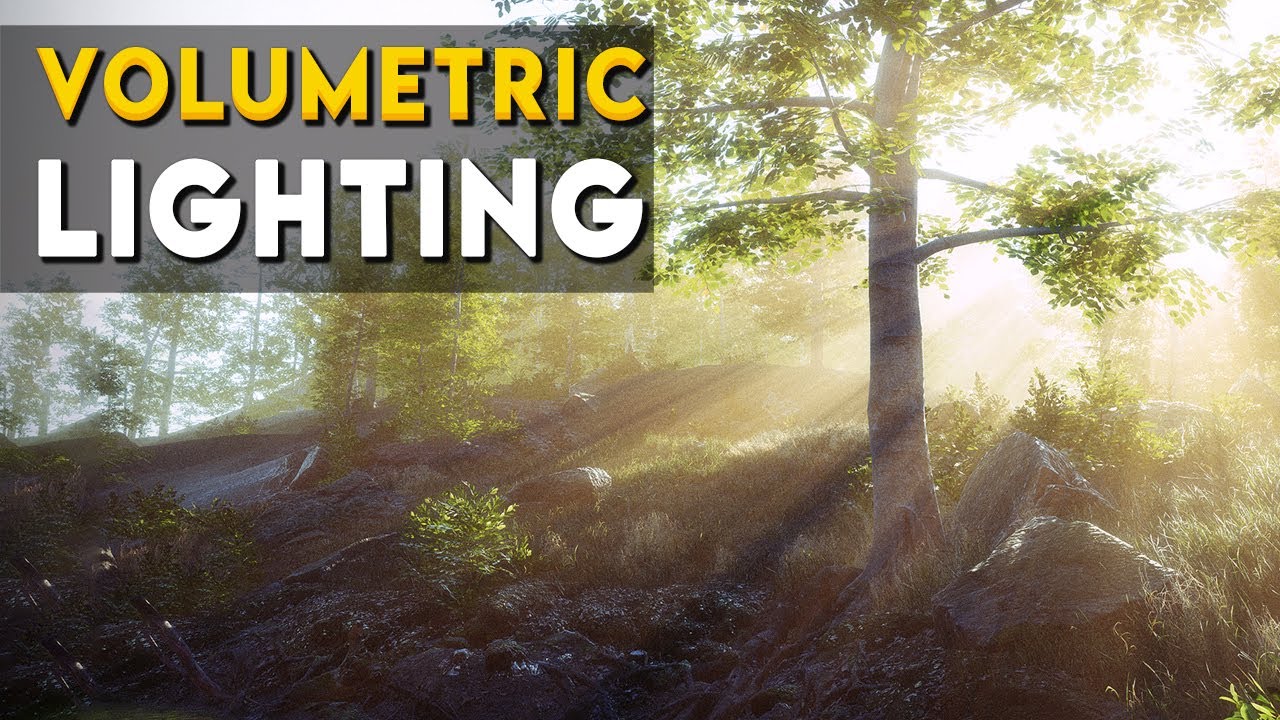
Let's learn how to make god rays using volumetric fog in Unity's High Definition Render Pipeline(HDRP)
Forest Environment - Dynamic Nature on Asset Store[Affiliate] :
https://bit.ly/2ZrT3MR
HDRP enables you to achieve high quality graphics and image effect in Unity.
✅Learn more about HDRP : http://bit.ly/2G73caJ
▬▬▬▬▬▬▬▬▬▬▬▬▬▬▬▬▬▬▬▬
💎 Watc...
dawn sorrel
So, I can't really get it to look like that for some reason, I can get rough god rays, on huge mountains and such, but on small objects, like leaves, it doesn't really do anything
I have that forest scene as well, and still can't figure it out
also, my shadows are very very dark, how can I fix that?
dawn sorrel
Figured it out, it's local volumetric fog, paired with the override
Shadows are still dark as hell, and I need to add lots of local fog to get it to fade correctly, but its better
What I've been doing thus far for shadows is just to change the Tint on the shadows, this helps, but it still makes the shadows very dark, you can tell the texture is unlit.
fluid merlin
Yeah fog is tricky, there's lots of on/offs with it...
Shadow darkness can be tricky. There's lot of adjustments for it, like dozens. Big ones to check:
- Indirect lighting controller
- Micro shadows (opacity setting)
- Contact shadows (opacity setting)
- Ambient Occlusion (intensity)
- Light -> Shadows - Additional settings (Tint)
dawn sorrel
Okay, first off, I don't have the Indirect Lighting controller, I have seen it in projects, but didn't think it was super important, what's it do?
I found it, and see what it does, very useful, but strangely does nothing in my scene
I have the forest environment and my scene open, tweaking it does stuff in the forest one, like boost the diffuse, but nothing in mine when tweaking the same
Possibly because Enviro 3 is managing the lighting
fluid merlin
Ah, yeah enviro does funky stuff... including eating lots of CPU cycles 😄
dawn sorrel
Oh, and the Micro and Contact shadows work beautifully, its shadows on other objects that are funky
 dawn sorrel
fluid merlin
Ah, yeah enviro does funky stuff... including eating lots of CPU cycles 😄
dawn sorrel
fluid merlin
Ah, yeah enviro does funky stuff... including eating lots of CPU cycles 😄
Yeah I've already had to debug a few weird things, it's not to bad at all however once I disabled broken stuff
9ms on CPU and GPU, from 8 on both, while using particles
and controlling the Directional Light
No idea why that Indirect Lighting Controller won't work either, I can have Enviro manage it, or disable it, and regardless it doesn't work... Unfortunate since it seems to be what I was looking for
fluid merlin
Usually what I recommend is making an empty project, sticking the "Unity Terrain - HDRP Demo Scene" in it and then troubleshooting between the two projects. It's extraordinary difficult to get high performance and high quality in the same quadrant with Unity without reference examples. I usually use the Unity projects or other assets and then copy over the volume overrides into my own projects. Otherwise, you'll spend a year fiddling with settings
dawn sorrel
fluid merlin
Usually what I recommend is making an empty project, sticking the "Unity Terrain...

God damn
that's the scene lol
Also, I see that it works well, but I still cannot figure out why the hell its dark
fluid merlin
dawn sorrel
that's the scene lol
Yeah, Unity, engine wise is heavily pointed towards lowpoly stylized games versus realistic genre games. Which has been sort of problematic in HDRP, one because you can't use highpoly objects natively and for HDRP to look good, you need 4K textures. So the whole "optimization" workflow for realistic scenes starts taking on a new life of "how can I improve lighting, shadow, volumetric, etc... performance?" so that the games are actually playable.
Not sure what's causing your super dark shadow darkness after looking at the usual suspects, my best guess is something around ambient lighting. In your project if you open up the template scene, are shadows really dark in it? If so, it's probably something in your HDRP/quality settings for the project. Otherwise, it's something in your scene and in that case, you might want to copy over a volume config from something else with good shadows and use a new directional light.
The other thing you can try look at that just occurred to me is the camera settings, try a new camera. A lot of the "physical camera" settings can have an impact on ambient light and other frame setting configurations specific to the camera.
dawn sorrel
Strangely to, when I fixed the Indirect Lighting Controller, I would have to boost it and wash out the whole scene before the back of objects would look correct
Seems like there is no ambient lighting whatsoever
Doesn't look as bad now that i've made the shadows on the ground lighter, but man is it dark on the back of objects
 dawn sorrel
fluid merlin
Yeah, Unity, engine wise is heavily pointed towards lowpoly stylized games versu...
dawn sorrel
fluid merlin
Yeah, Unity, engine wise is heavily pointed towards lowpoly stylized games versu...
Loading the scene, the shadows aren't to bad, both scenes are loaded here, some weird artifacts, but that's to be expected

It's especially strange that the shadows are fine in the Forest Demo Scene when loaded alongside my scene, but the shadows in mine are still bad
In fact, it screws up my scene more lol
These shadow cascades are really weird

This is all in editor, so it can't be the camera, yes?
I disabled everything in the Forest Scene, only the Post Process, Sky and Fog, and Directional Light left, the only thing contributing is exposure, everything else is secondary
Yeah, it's something in my scene, all the shadows get messed up now if I load my scene
fluid merlin
Well, at least you've narrowed it down 😅
dawn sorrel
Yeah, it's very annoying, it's absolutely Enviro 3 at this point, copying all the exposure settings gets me nowhere, How does the visual environment and sky effect the ambient lighting?
fluid merlin
Depends on the sky type, so with HDRI, there's an exposure value for it, high exposure will flood the scene with light and wash out shadows, etc
 onyx lark
do y'all have an option in your games to switch between forward and deferred rendering?
one friend mentioned that he got better performance in another game with forward rendering (and that my deferred-only game is running at an awful framerate)
i am currently waiting to hear back if switching does anything for his performance
it certainly cranks up the size of the build. i just compiled a lot of shader variants.
 hearty peak
onyx lark
do y'all have an option in your games to switch between forward and deferred ren...
hearty peak
onyx lark
do y'all have an option in your games to switch between forward and deferred ren...
It would cause the art team to think differently about many things, probably to the point of making different prefabs/scenes for the different pipes. It would make some sense if you want the same project to run on ps5 and a midrange phone. But extra work ensues. I’ve never had a project that did target such a wide performance band.
onyx lark
Oh, this isn’t about covering a very wide range of perf
In this case, I was just interested to see if Forward rendering would magically give my friend more frames (it added 1 frame).
they’re using an older gtx 940(?) on Linux
fluid merlin
onyx lark
In this case, I was just interested to see if Forward rendering would magically ...
No, this isn't the magic performance switch you're looking for. HDRP is targeted towards higher end desktops and consoles. For that hardware, you're probably going to get better performance on the Standard or URP pipeline. Unity's old way to guidance on this has been that if you have a single directional light, use forward, if you have lots of lights in your scene, use deferred. Unity has a page dedicated to this forward vs deferred topic: https://docs.unity3d.com/Packages/com.unity.render-pipelines.high-definition@14.0/manual/Forward-And-Deferred-Rendering.html
onyx lark
I wasn't really expecting it to work, ha :p
fluid merlin

onyx lark
onyx lark
In this case, I was just interested to see if Forward rendering would magically ...
they just had an anecdote from another game that apparently ran way better with forward rendering
i figured it could be something specific to their hardware. or just gremlin. mystery.
onyx lark
fluid merlin
No, this isn't the magic performance switch you're looking for. HDRP is targeted...
thanks, though! I had a rough idea of which to use, but this is way more concrete
fluid merlin
On that hardware it's not even worth going through the optimization guide tbh....

Unity Forum
This is HDRP focused, with a focus on HDRP specific optimizations. Like shadow caching.
Most tips on here apply to all render pipelines though.
I'll...
onyx lark
i wonder if that game happened to have just one big directional light
it was an outdoor driving game
I am loooking to add more graphics options to my game. I currently just let people switch between the three big low/medium/high presets.
fluid merlin
There's 10k reasons why a game could be running slow from a dev perspective. The usual reason for a player endpoint is hardware, but from debugging and developing, it's usually shadows, too many polys in camera, both of those things together, and using way too much code in Update() for everything and anything.
onyx lark
onyx lark
I *am* loooking to add more graphics options to my game. I currently just let pe...
(notably, an option to just turn off realtime shadows entirely)
fluid merlin
Yeah, realtime shadows is a massive pull on cpu. The fewer the better...
onyx lark
not sure if i'll need to set that every shadow-casting light, or if there's some global switch i can flip
time to stare at the custom frame settings
fluid merlin
There's a Light Explorer to make it a little easier (Window -> Rendering -> Light Exp)
onyx lark
ooh, neat, didn't know about that one
fluid merlin
It can take a long time to optimize, when I started in HDRP, I was getting 12fps, I'm now at around 200fps
Check out the above guide, there's some good stuff in there
But that GPU/Hardware is also 7 years old, so that's going to be a massive limiting factor too.
onyx lark
Yeah. I’m not expecting their system to run it well
But I do need to start doing some genuine work to clean things up.
onyx lark
fluid merlin
https://forum.unity.com/threads/mega-runtime-performance-tips-thread-unity-hdrp-...
oh no i have so many shadow draw calls
this scene isn't wildly complex

this stuff is fascinating. i'm getting a rough handle on what's going on here
some of my geometry isn't showing up in the frame debugger when i select what's clearly the relevant draw call (the shader is only used on one specific object). bit weird.
 fluid merlin
onyx lark
oh no i have so many shadow draw calls
fluid merlin
onyx lark
oh no i have so many shadow draw calls
Things to help on the shadows:
- Change lights to baked, enable baked shadows. Bake lighting.
- For realtime, use fade distances for shadows & the light itself
- Use cookies for lights in place of shadows
- Limit shadow cascades to 2 if possible, especially for outdoor scenes with vegetation
- Don't use shadows on point lights if possible, use spotlights if you can
- Directional light shadows are intense and eat a ton of cpu, if possible avoid.
onyx lark
i made a gore system kind of like l4d2's
it's rendering shadows for the entire skeleton at all times 💀
the most appropriate use of the skull emoji possible, i think
i need to just turn those meshes off completely when they aren't needed
fluid merlin
Change the layer, to one culled by the camera, it's cheaper in performance
onyx lark
interesting, will examine that.
I also see two dozen draw calls for the body. I have two dozen skinned mesh renderers on this character, because I haven't merged them all in blender.
I guess those ain't batched.
fluid merlin
Skinned mesh renderers are they're own pain points, often due to multiple materials per mesh.
Turn off shadows on the meshes that don't need them, for example, if there's a body & armor, turn it off for armor.
Turn off shadows for any hair card/mesh if you can, those can really drag down the renderer
onyx lark
fortunately, it's just one material for everyone
is there any way to gauge how "expensive" each draw call is?
I don't see anything obvious, like a duration
fluid merlin
It's mainly looking at frame debugger and other optimization tools. There's a lot of youtube videos on optimization with the profiler. If I'm not mistaken, I feel like Unity did one recently
onyx lark
it sounds like you mostly just aim to reduce the number of calls
interesting: part of the character model is now getting SRP batched, and part isn't!
fluid merlin
Yes... in general unity optimizing is "reduce everything"... lights, shadows, polycount, effects, physics, anything moving.
onyx lark
ah, material property blocks prevent SRP batching
i suppose that you're meant to just create many materials, rather than using property blocks?
fluid merlin
SRP batching has a lot of requirements and sub requirements, overall same shader/same properties
There's like half a dozen major requirements for SRP batching
onyx lark
yeah, switching from blocks to just directly modifying the materials (which instances a new material for each renderer) gets everything into the DrawSRPBatcher category
one big ol' batch

(definitely need to turn the skeletons off..)
 vital gyro
How do I enable SSR for water
and fix those strange lines in the reflection on image 1’s plane

 scarlet hull
vital gyro
How do I enable SSR for water
and fix those strange lines in the reflection on i...
scarlet hull
vital gyro
How do I enable SSR for water
and fix those strange lines in the reflection on i...
Did you enable SSR on transparent ?
vital gyro
scarlet hull
Did you enable SSR on transparent ?
Yes i think so
And reflections only appear at 0.9+ smoothness for some reason
Are there more specific configs for jt?
scarlet hull
vital gyro
Yes i think so
And reflections only appear at 0.9+ smoothness for some reason
A...
This is expected as it is the default settings for SSR :
 vital gyro
scarlet hull
This is expected as it is the default settings for SSR :
vital gyro
scarlet hull
This is expected as it is the default settings for SSR :
Thanks I didn’t find this thing
onyx lark
this is gonna be a vague question, but
when looking in the frame debugger, I like how things look more before the last few post processing steps
the colors change significantly and the brightness goes up a fair bit
i thought it was happening in UberPost, but then I'm pretty sure it started only happening in that final blit step
...I'll go investigate this some more first. this is unusably vague, haha
 harsh basalt
vital gyro
How do I enable SSR for water
and fix those strange lines in the reflection on i...
harsh basalt
vital gyro
How do I enable SSR for water
and fix those strange lines in the reflection on i...
You need to enable the transparent ssr on default camera frame settings also. Adjusting the refraction parameter on the water surface may help to resolve the hard edge underwater.
 twilit swift
Hi, when I deactivate the lighting the scene view goes extremely slow, but when activated again it goes pretty well, someone knows what could be the issue?
Ping when reply please.
vital gyro
harsh basalt
You need to enable the transparent ssr on default camera frame settings also. Ad...
thanks i got it working
do you know how to fix this?
 harsh basalt
twilit swift
Hi, when I deactivate the lighting the scene view goes extremely slow, but when ...
harsh basalt
twilit swift
Hi, when I deactivate the lighting the scene view goes extremely slow, but when ...
because unity needs to recompile the shader when you switch to unlit mode. Wait until the compilation finishes the performance will be back.
twilit swift
harsh basalt
because unity needs to recompile the shader when you switch to unlit mode. Wait ...
No, it compiles and still does that.
harsh basalt
vital gyro
thanks i got it working
do you know how to fix this?
That's because there are not enough samples for ssr. Try to increase the sample count.
harsh basalt
twilit swift
No, it compiles and still does that.
Are you sure about the progress bar for the shader compile is finished?
twilit swift
harsh basalt
Are you sure about the progress bar for the shader compile is finished?
Yes.
harsh basalt
twilit swift
Yes.
In that case you need to use profiler to check what is going on.
vital gyro
harsh basalt
That's because there are not enough samples for ssr. Try to increase the sample...
thanks again
set the quality to high, still a bit left but much better

 loud leaf
Does anyone know of a guide/tutorial to use Nsight to debug HDRP DXR in editor? I don't want to create standalone builds while debugging. It seems like tutorials are hard to find.
Basically any good tool will do, RenderDoc seems to break the output, no errors, just doesn't match the original output (?) Edit : RenderDoc issue seems to be ray tracing related, probably unsupported so it falls back to screen space which is making the output worthless in this case
scarlet hull
vital gyro
thanks again
set the quality to high, still a bit left but much better
There is a limit about what SSR is able to reflect, you can increase the number of steps and the distance, but as some point if the rays get offscreen they will inevitabely fall back to the sky or the "closest" reflection probe.
 tacit dock
HDRP eye candy (with APV on)
 fluid merlin
tacit dock
HDRP eye candy (with APV on)
fluid merlin
tacit dock
HDRP eye candy (with APV on)
Looks good... was that with raytracing?
tacit dock
fluid merlin
Looks good... was that with raytracing?
Mixed lighting with the new adaptive probe volume
Directional is real-time and GI is baked
I suggest you try the new APV, it's super cool!
No lightmap UVs and fast bake time
loud leaf
Any ideas on how to tackle this? I've disabled Strip Runtime Debug Shaders in my HDRP Global Settings, and added #pragma enable_d3d11_debug_symbols to my shaders, but no success.

 marble needle
anyone know how to stop the transparent bit of this material from reacting to shadows & light?

 dawn sorrel
This is what I'm talking about, there is no fog at all, but they have godrays through the leaves and clouds

I need a solid amount of fog to get the same effect
fluid merlin
dawn sorrel
I need a solid amount of fog to get the same effect
As far as I know in unity, the rays are only generated through volumetric fog. The light shafts in UE are much stronger because.... UE has bloom specifically for the lightshafts alone, Unity does not, so you have to amp up the fog in Unity and the intensity of the light and the intenstity of the volumetric light in unity to make them show. Sadly, the quality of the ray on is hugely non-performant to reduce the noise size in Unity.
dawn sorrel
Damn, that sucks, this is Cryengine as well, so I thought it was probably a engine specific thing
harsh basalt
dawn sorrel
This is what I'm talking about, there is no fog at all, but they have godrays th...
There is fog if you look closer

 digital spire
isn't there like a volumetric multiplier in the light?
 true zealot
marble needle
anyone know how to stop the transparent bit of this material from reacting to sh...
true zealot
marble needle
anyone know how to stop the transparent bit of this material from reacting to sh...
You should be using Cutout on your material. I am not familiar with HDRP's materials but in the default render pipeline if you have it set to Transparent, transparency is lit by reflections and lighting/
digital spire
dawn sorrel
This is what I'm talking about, there is no fog at all, but they have godrays th...
oh hey, I just tried it, try increasing the anisotropic of volumetric fog
harsh basalt
marble needle
anyone know how to stop the transparent bit of this material from reacting to sh...
You need to enable the shadow alpha clip
marble needle
harsh basalt
You need to enable the shadow alpha clip
TYSM
minor depot
fluid merlin
As far as I know in unity, the rays are only generated through volumetric fog. ...
Link to the effect? That's pretty interesting, I wonder how it's implemented
fluid merlin
minor depot
Link to the effect? That's pretty interesting, I wonder how it's implemented
In UE? https://docs.unrealengine.com/5.2/en-US/using-light-shafts-in-unreal-engine/
I wish Unity had this for godrays/light shafts.... because the anisotropy in Unity fog can get really bad without high performance settings for it.
minor depot
fluid merlin
In UE? https://docs.unrealengine.com/5.2/en-US/using-light-shafts-in-unreal-engi...
From what I gather the first method is pretty similar to unity fog, and the second is more or less a radial blur?
fluid merlin
probably yeah. I sometimes run into the same issue as rwxr-xr-x where you have terrain at different levels and need light shafts and the fog is inconsistent at various elevations. Usually have to use local volumes which can be a pain
onyx lark
marble needle
anyone know how to stop the transparent bit of this material from reacting to sh...
you could use alpha clipping, so that nothing renders at all
that seems appropriate, given the pixely look of the texture
You are seeing a bit of glare because of the smoothness
dawn sorrel
fluid merlin
probably yeah. I sometimes run into the same issue as rwxr-xr-x where you have t...
yeah, I was already using an incredibly high anisotropy value, so I think it's as good as it's going to get unfortunately
 modest heart
Does HDRP not support grass textures on terrain?

 hexed turret
Hello everyone, has anyone worked with water system scripting in HDRP 15+?
For simulating buoyancy, you need to query the water surface's height using FindWaterSurfaceHeight(WaterSearchParameters, out WaterSearchResult) as per the documentation (https://docs.unity3d.com/Packages/com.unity.render-pipelines.high-definition@15.0/manual/WaterSystem-scripting.html).
However, that function is not found in WaterSurface's documentation page, nor is it recognized by Unity in HDRP 15.
eternal laurel
How the f do you set emission intensity from a script on hdrp 16
hexed turret
hexed turret
Hello everyone, has anyone worked with water system scripting in HDRP 15+?
For ...
Fixed it. You should replace:
targetSurface.FindWaterSurfaceHeight(WaterSearchParameters, out WaterSearchResult) by targetSurface.ProjectPointOnWaterSurface(WaterSearchParameters, out WaterSearchResult)
searchResult.height by searchResult.projectedPositionWS.y
searchParameters.startPosition by searchParameters.startPositionWS
searchParameters.targetPosition by searchParameters.targetPositionWS
eternal laurel
Docs says mul color by intensity and set that but thats for 12 and doesnt work
Im this fucking close to making a shadergraph for this
fluid merlin
eternal laurel
Im this fucking close to making a shadergraph for this
The doc on this sucks tbh... so the way to do this.
First check if HasProperty("_EmissiveColor") or HasProperty("_EmissiveColorMap")
Next set the color... You need to specifiy an HDR color
[ColorUsageAttribute(true,true)] in the editor
public color EmissiveColor (or get the color from the material)
Then set the color material.SetColor("_EmissiveColor", EmissiveColor * emissiveIntensity) also for _EmissiveColorMap
❗ Reminder that 0 times whatever is 0... so you need to set a color with an emissive first.
to get the HDR color value from a material: material.GetColor("_EmissiveColor") as well as _EmissiveColorMap
I went through this because I have a game where the enemies have body heat and when they're killed the bodies cool off, this is all done through emissive values.
The emissive keywords for the shaders are different for any other shader than Hdrp\Lit so you have to turn on debug to view what the emissive keywords are
eternal laurel
Yeah I did all that still didnt work
I just made a shadergraph with a emission node
Its just stupid that the lit shader does not work in the same way
 vocal copper
is there any way to convert hdrp materials back into built-ins?
digital spire
modest heart
Does HDRP not support grass textures on terrain?
nope. you need to create quad mesh yourself.
 wild cloak
tacit dock
I suggest you try the new APV, it's super cool!
wild cloak
tacit dock
I suggest you try the new APV, it's super cool!
i tried it but there is a lot of artifacts and light leaks 😦
I'm using a mix of lightmap and apv, i enable lightmaps only on the objects with apv artifacts
mostly lightmaps for indoor
Guys ..
I'm using hdrp custom pass
The problem I'm having is when i have many passes
the last pass overwrites the one before it
scarlet hull
So, if the last pass "overwrites" the one before, does it mean it re-render objects over what the previous one already rendered ?
wild cloak
I'm not sure, There is no vertex pass only frag pass
just a full screen effect
this is the execution code
` protected override void Execute(CustomPassContext customPassContext)
{
if (material == null)
return;
    if (targetLayer.value > 0)
    {
        CoreUtils.SetRenderTarget(customPassContext.cmd, rtBuffer);
        CustomPassUtils.DrawRenderers(customPassContext, targetLayer);
    }

    customPassContext.propertyBlock.SetTexture(BUFFER_TEXTURE, rtBuffer);
    ShaderProperty(customPassContext.propertyBlock);
    CoreUtils.SetRenderTarget(customPassContext.cmd, customPassContext.cameraColorBuffer);

    DrawPasses(customPassContext, material);
}`
So, if I read properly :
- you're rendering some objects in a buffer
- then you draw a fullscreen pass with this buffer
am I right ?
wild cloak
I am allocating the buffer but I'm not using it yet
So basically the buffer is not used
instead i get the color buffer in shader using CustomPassSampleCameraColor method
` float4 color = float4(0.0, 0.0, 0.0, 0.0);
    // Load the camera color buffer at the mip 0 if we're not at the before rendering injection point
    if (_CustomPassInjectionPoint != CUSTOMPASSINJECTIONPOINT_BEFORE_RENDERING)
        color = float4(CustomPassSampleCameraColor(posInput.positionNDC.xy, 0), 1);`
Hum 🤔 . So this is just outputing the camera color again. But it overwrites what has been rendered by previous custom passes ?
wild cloak
yeah
I'm using this line CoreUtils.DrawFullScreen( customPassContext.cmd, material, customPassContext.propertyBlock, shaderPassId: material.FindPass("BloomPass") );
To draw the pass
scarlet hull
Tagging @woven sonnet if he's around, maybe he can help quicker than me 😅
wild cloak
I hope so
I've been stuck for two days for this issue
and another issue ..
I tried to use custom volume post processing
But looks like i can't do multiple passes in it
So i switched to custom pass
scarlet hull
The only reason I could think of is that the shader is sampling from the color buffer, and not the camera backbuffer.
scarlet hull
Which kind of makes sense when I think of it, my wild guess is that you'd need to copy yourself the camera backbuffer before your full screen effect
 woven sonnet
Hey @wild cloak , which injection point are you using in your custom pass volume? and is MSAA enabled?
wild cloak
hi there, The injection point is before post process, MSAA is disabled
woven sonnet
Hum, I see. So at this stage, the color buffer sampled from the fullscreen shader will point direction to our color pyramid (color with mips), this allows to create effect that blurs the color buffer cheaply. The probleme is that this color buffer is not the current camera color one, so all the objects rendered in-between by custom passes are not in this one. I guess that could be your issue?
wild cloak
I really didn't understand anything, But does this custom pass re render all objects?
I'm using it only for post processing
woven sonnet
No, it doesn't re-render the objects. Just to be sure, the thing that gets overwritten is it also executed in a custom pass at injection point "Before Post Process" but before the one you posted?
wild cloak
Now i tried to use the RTBuffer, but its the same
wild cloak
woven sonnet
No, it doesn't re-render the objects. Just to be sure, the thing that gets overw...
yes
woven sonnet
Ok, so in your fullscreen shader, if you want to read the current color and write to it, you'll have to do a copy of the current color because you can't read and write to the same texture in a shader. It's an API limitation
wild cloak
wild cloak
Now i tried to use the RTBuffer, but its the same
and when i used it on the rain shader, the rain shader just gone like its not working
wild cloak
woven sonnet
Ok, so in your fullscreen shader, if you want to read the current color and writ...
How can i do that?
woven sonnet
There is a copy function in CustomPassUtils, you can take the custom pass context cameraColorBuffer as source and allocate a new buffer in your custom pass to set as destination
wild cloak
so i changed the code to this
woven sonnet
Once the copy is done you can pass the copied texture in parameter of your shader and sample it instead of using CustomPassSampleCameraColor
wild cloak
allocating rtbuffer = rtBuffer = RTHandles.Alloc( Vector2.one, TextureXR.slices, dimension: TextureXR.dimension, useDynamicScale: true, name: "RTBuffer" );
i copy it like that customPassContext.propertyBlock.SetTexture(BUFFER_TEXTURE, customPassContext.cameraColorBuffer);
then i draw the pass
then i sample it
like this
float2 uv = posInput.positionNDC.xy; // Load the camera color buffer at the mip 0 if we're not at the before rendering injection point if (_CustomPassInjectionPoint != CUSTOMPASSINJECTIONPOINT_BEFORE_RENDERING) color = float4(CustomPassSampleCameraColor(uv, 0), 1);
woven sonnet
wild cloak
i copy it like that ` customPassContext.propertyBlock.SetTexture(BUFFER_T...
This is not a copy, it'll just pass the texture to the shader
 woven sonnet
wild cloak
` float2 uv = posInput.positionNDC.xy;
// Load the camera color b...
woven sonnet
wild cloak
` float2 uv = posInput.positionNDC.xy;
// Load the camera color b...
And this code is sampling the "color pyramid" I was talking earlier, not the current camera color, so it'll not work
wild cloak
woven sonnet
And this code is sampling the "color pyramid" I was talking earlier, not the cur...
so the color pyramid is pure camera colors? without any effects?
woven sonnet
wild cloak
so the color pyramid is pure camera colors? without any effects?
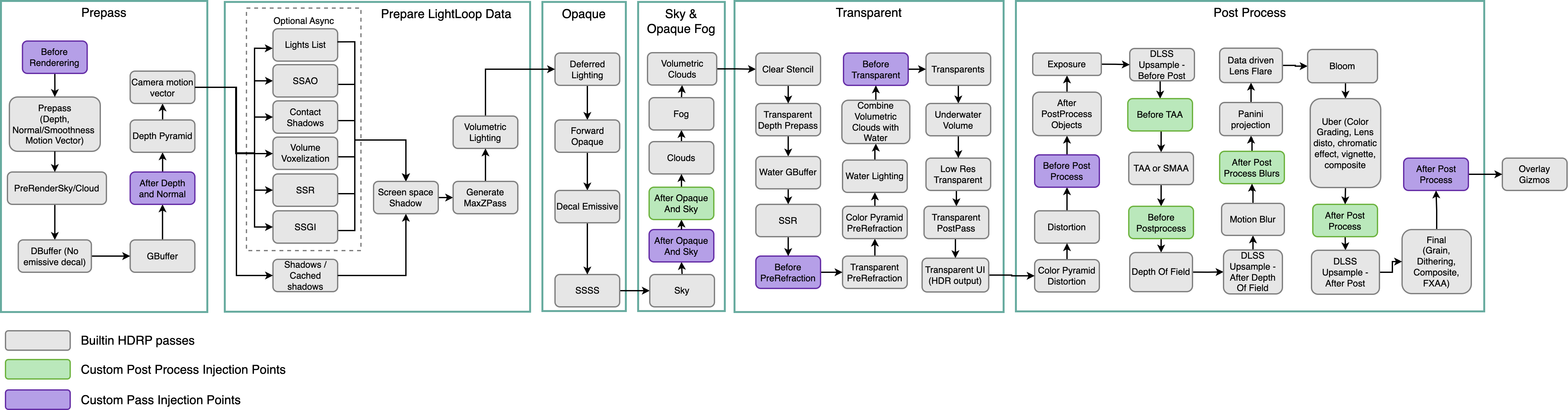
If you look at the pass diagram, inside post process there is one named "Color Pyramid Distortion", you get the color buffer from this step
 woven sonnet
CustomPassSampleCameraColor already returns the color from this step. The problem is that it doesn't include the render / post process made with custom passes in "Before Post Process"
wild cloak
ohh
woven sonnet
You need to get the camera color buffer from Before Post Process to get it working, and it's in customPassContext.cameraColorBuffer
woven sonnet
But because you can't read and write to the same buffer (current camera color buffer) you need to make a copy first. Or if you can get away without reading the color buffer it'll be even easier
wild cloak
Isn't just like copy?
woven sonnet
wild cloak
Isn't just like copy?
No, copy will copy the whole content of the texture to another one, setTexture just tell the shader to use this texture
wild cloak
i see
woven sonnet
There is also the option to use a compute shader if you don't want to do the copy.
wild cloak
So when i draw the pass it won't be applied on the camera color buffer?
Sorry but I'm really new to this
woven sonnet
wild cloak
So when i draw the pass it won't be applied on the camera color buffer?
It will not get applied to the color pyramid (the one from CustomPassSampleCameraColor) but it will get applied to the current one (customPassContext.cameraColorBuffer)
woven sonnet
It's confusing because there are multiple color buffers in-flight at the same time. We do this to be able to read and write to the color buffer in a single pass (because they are different buffers)
wild cloak
it licks my brain
i've been into shaders for 4 days
So i allocated rtBuffer
and i copied the cameracolorbuffer
like this
CustomPassUtils.Copy(customPassContext, customPassContext.cameraColorBuffer, rtBuffer);
and i told it to use the rtBuffer
like this
customPassContext.propertyBlock.SetTexture(BUFFER_TEXTURE, rtBuffer);
should i set the rendertarget to the rtbuffer?
woven sonnet
wild cloak
should i set the rendertarget to the rtbuffer?
No, you need to leave the render target to customPassContext.cameraColorBuffer otherwise the result of your draw will go into the rtbuffer, not the camera buffer.
woven sonnet
wild cloak
` customPassContext.propertyBlock.SetTexture(BUFFER_TEXTURE, rtBuffer);`
It's good like so, now you need to sample it in the shader like so:
SAMPLE_TEXTURE2D_X_LOD(_Your_RT_Buffer_Name, s_trilinear_clamp_sampler, uv * _RTHandleScale.xy, 0).rgb;
_RTHandleScale.xy is a global scale factor to avoid stretching problems when sampling your texture
wild cloak
I'm doing it like this
color = SAMPLE_TEXTURE2D_X_LOD(_BufferTex, s_linear_clamp_sampler, uv, 0);
uv is set to this
float2 uv = posInput.positionNDC.xy * _RTHandleScale.xy;
current code is :
` //Copy the cameracolorbuffer to rt buffer
CustomPassUtils.Copy(customPassContext, customPassContext.cameraColorBuffer, rtBuffer);
    //Direct the bufferTexture to RTBuffer
    customPassContext.propertyBlock.SetTexture(BUFFER_TEXTURE, rtBuffer);

    ShaderProperty(customPassContext.propertyBlock);

    //Set the results of our passes to this buffer
    CoreUtils.SetRenderTarget(customPassContext.cmd, customPassContext.cameraColorBuffer);

    DrawPasses(customPassContext, material);`
it renders just white

even if the pass is disabled, until i disable the whole custom pass volume
sorry my bad, i fixed it
thank you so much, it works now
woven sonnet
Nice 🙂
wild cloak

you are the best 😄
Now i will try to figure out how to do multiple custom pass in one shader on my own
wild cloak
I'm trying to do multiple passes
like this
` protected virtual void DrawPasses(CustomPassContext customPassContext, Material material)
{
CoreUtils.DrawFullScreen(
customPassContext.cmd,
material,
customPassContext.propertyBlock,
shaderPassId: material.FindPass("BloomPass")
);
    CustomPassUtils.Copy(customPassContext, customPassContext.cameraColorBuffer, rtBuffer);
    customPassContext.propertyBlock.SetTexture(BUFFER_TEXTURE, rtBuffer);

    CoreUtils.DrawFullScreen(
     customPassContext.cmd,
     material,
     customPassContext.propertyBlock,
     shaderPassId: material.FindPass("BlendPass")
    );

}`
But itsn't working
if i switch the names of passes it works
@woven sonnet any idea?
woven sonnet
wild cloak
if i switch the names of passes it works
To do multiple passes, you need to do something like this:
- Bind
customPassContext.cameraColorBuffer(set texture) to the first fullscreen shader - Set rtBuffer as RenderTarget
- DrawFullscreen
At this stage, rtBuffer contains your effect on top of the color buffer - Bind rtBuffer to the 2nd fullscreen shader pass
- Set
customPassContext.cameraColorBufferas render target - DrawFullscreen
Now your 2nd pass red from rtBuffer and output to camera color so you have your 2 effects in the camera color
Also to help you debug, because you usually can't see what happens nor Debug.Log useful info. I recommend you to install RenderDoc: https://renderdoc.org/ It's one of the best graphics debugger and it'll allows you to analyze what happen in every passes you add. Don't forget to name your custom passes so you can find them easily in the RenderDoc search
 frail bramble
hey guys, how would you go about getting reflections for a single window pane that has a double sided material
Ideally I'd like to capture the reflection on both side
so the inside captures the reflection of the building and the outside reflects the outside portion
I know it would be possible to do by just using 2 planes but was wondering if there's a way around this
planar reflections and rendering layer mask are unfortunately disabled for the game I'm trying to get this done for
using unity 2019.3.15 hdrp 7.4.0
 shrewd moon
frail bramble
hey guys, how would you go about getting reflections for a single window pane th...
shrewd moon
frail bramble
hey guys, how would you go about getting reflections for a single window pane th...
Two separate glass surfaces with carefully placed reflection probe bounds, or anchor overrides (if those were available on HDRP, I don't recall)
frail bramble
yeah that's what I'm trying to avoid, was wondering if it could be done with just 1 plane
I know it's more of a hassle, but I thought it would still be possible nonetheless
I will have to look into anchor overrides
shrewd moon
Double sided materials need to be rendered on both sides all the same so you don't effectively save any geometry that way
frail bramble
ah okay
really stupid question
would it be possible at all with a single sided material and 1 pane
guessing not?
shrewd moon
frail bramble
guessing not?
I think not
wild cloak
woven sonnet
To do multiple passes, you need to do something like this:
- Bind `customPassCon...
Hi, i will try that, what if i have 3 passes, do i need many buffers?
vocal copper
Is there a way to convert HDRP materials to built in RP?
shrewd moon
vocal copper
Is there a way to convert HDRP materials to built in RP?
No officially supported automated way, I believe
wild cloak
woven sonnet
To do multiple passes, you need to do something like this:
- Bind `customPassCon...
Worked great!!!, Thank you so much
But what if i have like 3 passes or more, do i need many buffers?
woven sonnet
wild cloak
But what if i have like 3 passes or more, do i need many buffers?
You can reuse the same rtBuffer between the passes, as long as you read 1 buffer and write 1 buffer in every pass you only need 1 temporary buffer.
eternal laurel
Not sure if I should ask here or #↕️┃editor-extensions . Can we extend the default material inspector for hdrp to have a drop down with the material type like Wood, Concrete, Metal etc etc and then somehow use that data to drive our sounds and vfx
right now we have a seperate component that needs to be configured, Of course having a naming convention for the materials is a posibility
that is without modifying the package itself to make the shaders use the custom extension
scarlet hull
eternal laurel
Not sure if I should ask here or <#533353544846147585> . Can we extend the defau...
You could make a copy of the shader UI code in your project for modification, and assign this a custom inspector for you shadergraph ?
Or is it for ght provided HDRP/Lit shaders ?
eternal laurel
Its for lit I would like to avoid having to use a shadergraph for everything
Or redo all of the lit functionality
scarlet hull
well, issue is that extending the material inspector would not be enough, you'd also need to store that information in the material itself :/
eternal laurel
Wouldn’t it be possible to query the inspector at edit time via OnValidate or something?
scarlet hull
Not really :/
I think your best option is to just add some script on the object to differenciate the footsteps sounds required.
onyx lark
perhaps you could do something with PhysicMaterial instead
which would be associated with the collider(s), rather than the renderer
eternal laurel
onyx lark
perhaps you could do something with PhysicMaterial instead
that was our previous system, we ditched it since it's even more work to maintain the physics materials and their names
hmmm I'm getting a really wierd crash in a build when using Shader.WarmupAllShaders D3D shader create error for pixel shader [0x887a0005] D3D shader create error for vertex shader [0x887a0005] D3D shader create error for pixel shader [0x887a0005] D3D shader create error for pixel shader [0x887a0005] D3D shader create error for pixel shader [0x887a0005] D3D shader create error for pixel shader [0x887a0005] D3D shader create error for pixel shader [0x887a0005] D3D shader create error for pixel shader [0x887a0005] ShaderProgram is unsupported, but because jobified rendering is enabled the ShaderProgram can not be removed. //This repeats for a bit in the logs and then crash Crash!!!
Wierdest things is the build of course works on my work pc by when I transfer it to my home pc it makes this crash
unity 2023 btw kekl alpha I know
 twilit swift
For some reason this light got baked and preserved the volumetrics but none of the other lights did.
 shrewd moon
twilit swift
For some reason this light got baked and preserved the volumetrics but none of t...
shrewd moon
twilit swift
For some reason this light got baked and preserved the volumetrics but none of t...
Volumetrics can't be baked
I expect that all of your lights need to be of type mixed
twilit swift
shrewd moon
Volumetrics can't be baked
I expect that all of your lights need to be of type m...
They are mixed.
But still no volumetrics.
shrewd moon
twilit swift
But still no volumetrics.
Are you sure it's only one light that works with it? And that what we're seeing is not just the distance cutoff of the fog volume
twilit swift
shrewd moon
Are you sure it's only one light that works with it? And that what we're seeing ...
Yes I'm sure because it's the only showing in a whole warehouse map, though I found another 2 working on the other warehouse, but none of the other lights are working..
 shrewd moon
twilit swift
Yes I'm sure because it's the only showing in a whole warehouse map, though I fo...
shrewd moon
twilit swift
Yes I'm sure because it's the only showing in a whole warehouse map, though I fo...
Not sure what the problem could be
I'd double check that the working and not working lights have precisely the same properties, and maybe duplicate one of both and bake again to kind of prod at the problem
twilit swift
shrewd moon
Not sure what the problem could be
I'd double check that the working and not wor...
All of the lights have the same properties, the fun thing is that if I duplicate any of the non-working lights they have volumetrics.
shrewd moon
That confirms it's not an individual problem of the light or its properties at least
I would also place some dynamic meshes under them to see if the non-volumetric ones light anything in realtime at all
If they cast no light at all, it could be light limit related
If they cast light but just no volumetric light shaft, that would seem to confirm that it's purely a fog volume problem
 midnight trench
I have just started a project using HDRP (2022 LTS) and put a area light in my scene marked as baked with the rectangle shape. but when I bake it, the shape is completely ignored using the range value instead. This seems to be intended but makes me wonder, what is the point of having a rectangle shape option if it is going to be ignored anyway? And if it's a case of, realtime only, then why is that not marked like with the other two shape options?

 brisk cape
i've got some shadow issues but i don't want to interrupt other discussions so i will make a thread
eternal laurel
eternal laurel
hmmm I'm getting a really wierd crash in a build when using Shader.WarmupAllShad...
Im still stuck with this one. All the info I can find is old. People claim it’s related to decals or particle trails but we need both in the project
wild cloak
woven sonnet
You can reuse the same rtBuffer between the passes, as long as you read 1 buffer...
i did as you suggested for the two passes, while im using two passes there is something weird happening
Scene view:

camera:


When i move the camera look what happens ..
And scene view stays black

PrivateBin
Visit this link to see the note. Giving the URL to anyone allows them to access the note, too.
PrivateBin
Visit this link to see the note. Giving the URL to anyone allows them to access the note, too.
 pastel oracle
I have a scene in VR, Whenever I load the scene, everything looks kinda brown/yellowish, I'm thinking that's because I come from a previous scene where the physically based sky is kinda brown like it's morning. If I disconnect and spawn immediatly in the scene, All my colors look good. Is there a way to like clean/refresh the camera on demand? Or anyone that has experienced this? Can't seem to replicate in regular screen
wild cloak
pastel oracle
I have a scene in VR, Whenever I load the scene, everything looks kinda brown/ye...
Seems like a bug, do you have physically based sky enabled in both scenes?
pastel oracle
wild cloak
Seems like a bug, do you have physically based sky enabled in both scenes?
Nope only in one scene
pastel oracle
I am now testing with both scenes the same sky and seeing if that fixes it
wild cloak
yea it will work
pastel oracle
Yeah but I have another issue, I change the directional light rotation in my game for like a day night cycle
But once I go from like midday to morning and back to midday, the second midday has an orange vibe to it
I also should say I don’t really smooth it over time, I just set hardcoded values
Any clue how I could get around this?
wild cloak
pastel oracle
But once I go from like midday to morning and back to midday, the second midday ...
thats happening in the build
pastel oracle
Yep
pastel oracle
Only build
wild cloak
alright
pastel oracle
In Vr
wild cloak
you are welcome
 sterile knoll
eternal laurel
right now we have a seperate component that needs to be configured, Of course ha...
sterile knoll
eternal laurel
right now we have a seperate component that needs to be configured, Of course ha...
You would not need a custom component. Create a "Sound Database" scriptable object that maps from material to audio clip array. Then query the materials of the hit surface to determine the material, look up the material in the database, retrieve the sound array, play a random sound.
You can extend the material Editor, and with this approach effectively have a drop-down that lets you specify the "surface type" by querying the sound database.
eternal laurel
sterile knoll
You can extend the material Editor, and with this approach effectively have a dr...
We already have the component, my questions was HOW to extend the material inspector to have that dropdown
sterile knoll
You can't with a component because materials don't have object context iirc.
You'd have to use a singleton scriptable object, like the approach I mentioned. It's very trivial to create, and more extendable than components.
eternal laurel
I think we are talking about two different things
I want a dropdown inside the material inspector of the lets say all built in hdrp shaders
I dont want my level designers and environment artists to have to hook up materials in a SO
woven sonnet
wild cloak
https://gyazo.com/e8872426bd4f0cc1cc95025fa4ed8ef1
Not sure what could cause this, I don't see anything wrong with the scripts
sterile knoll
eternal laurel
I dont want my level designers and environment artists to have to hook up materi...
They won't. The material Editor would automatically assign the material to the scriptable object. The drop-down would be driven by the SO.
I'll see if I have time to make a mock-up
eternal laurel
That doesn’t sound like a workflow improvement
sterile knoll
@eternal laurel This?

public class Example : MonoBehaviour
{
    private void Update()
    {
        if (Input.GetKeyDown(KeyCode.Space))
        {
            if (MaterialDatabase.Query(
                new Ray(Vector3.up, Vector3.down),
                out var record,
                out var hit,
                1000f,
                LayerMask.GetMask("Default")))
            {
                var clip = record.audioClips[Random.Range(0, record.audioClips.Length)];
                AudioSource.PlayClipAtPoint(clip, hit.point);
            }
            else
            {
                Debug.Log("No material at the hit surface.");
            }
        }
    }
}
- Place your MaterialDatabase in the resources folder, and make sure there's only 1.
- Define your "Records" which are used to lookup the "resources" (audioclips, etc.)
- Your designers can select the material type from the dropdown, and never have to worry about anything else. They don't have to edit the Scriptable Object.
usage 👆
Pastebin
Pastebin.com is the number one paste tool since 2002. Pastebin is a website where you can store text online for a set period of time.
This is just an example though, your team would need to make it work as you want.
sterile knoll
 crimson holly
any idea why my lit dust particles reflect light
 shrewd moon
Post only in one relevant channel at a time please
eternal laurel
sterile knoll
```cs
public class Example : MonoBehaviour
{
private void Update()
{
...
This is great thank you. I was specifically asking how to inject the dropdown. Hope it works with the hdrp gui as well.
dawn sorrel
Does anyone know how I'd go about getting a normal HDRP/Lit material and convert it to a transparent surface type?
Basically I want to create a preview image which will use the objects material but make it transparent with a green hue
I want to maintain normal maps and the base texture
 opal mica
Hello! My volumetric clouds are brown. I've tried every setting I can find and Google has never heard of it. Does anybody know why this happens? Thanks!

 fluid merlin
opal mica
Hello! My volumetric clouds are brown. I've tried every setting I can find and G...
fluid merlin
opal mica
Hello! My volumetric clouds are brown. I've tried every setting I can find and G...
If you have an HDRI image set for the sky, this can happen when combined with the directional light settings. Try removing the HDRI sky and see if it fixes it or switch the sky to Physically Based Sky
opal mica
fluid merlin
If you have an HDRI image set for the sky, this can happen when combined with th...
I am using Physically Based Sky, so I don't think that's it unfortunately. I noticed that changing the ground tint of the Physically Based Sky override changes the hue of the clouds, but setting it to white makes the ground look weird. Any way to decouple the color of the clouds from the physically based sky settings or something?
While I'm not using an HDRI Sky at the moment, I have used an HDRI in the past. Could that be baked onto some map that the clouds use somehow, despite the fact that I've cleared the baked lighting data?
crimson holly
shrewd moon
Post only in one relevant channel at a time please
sorry
dawn sorrel
is their a way to do real time path tracing, instead of just ray tracing, there are a few tech demos and ue5 is aperently going to add real time path tracing soon, and cyberpunk also has it, but unity seems to lack it and I've found no discussion sorounding it,
also can you use ray tracing and get more then I think 8 reflection bounces? something closer to 78 like in unreal engine? or is that a no
also also, is the ray tracing shaders editable? sense it's a SRP?
wild cloak
woven sonnet
Not sure what could cause this, I don't see anything wrong with the scripts
hmmmm
loud leaf
dawn sorrel
is their a way to do real time path tracing, instead of just ray tracing, there ...
Nope, if you want to do proper real time path tracing, HDRP needs a lot of modifications. You can do this yourself (I am also doing this for my game) but one way or another you will run into trouble, unnecessary overhead, etc, because HDRP is aimed at a different use case.
Why do you need more than 8 reflection bounces? Can you even notice more than 3 in your scene?
Ray tracing shaders are editable. Sideload your packages and look for .raytrace files.
The reason UE5 and Cyberpunk 2077 have made progress in this area is because these branches/implementations are maintained by the same people active in this area of research.
dawn sorrel
loud leaf
Nope, if you want to do proper real time path tracing, HDRP needs a lot of modif...
Why do you need more than 8 reflection bounces? Can you even notice more than 3 in your scene?
well when you put a mirror next to a mirror yes very much so xD, but also I wanna make a kinda like weird abstract kind of "showcase' thing mostly just for myself

generally in most my games games, I use 2 bounces
but yeayh, thanks :D
loud leaf
I think Unity will play the probe/baking game a little longer until we are -really- there when it comes to hardware. Currently the hardware is advertised as ready for it but reality is that everything in real time path tracing depends mostly on pushing the latest algorithms to their limits, hacks, cutting corners and weird tricks. Open up something like Portal RTX and check out the rendering debug menu to get a good idea of everything that's currently going on to get to that final composition.
It's a lot of fun though, and not very hard to get a basic real time path tracer up and running, but to get rid of all ghosting, smearing and noise while keeping the result detailed, unbiased and the framerate high is another story. 😄
Even Cyberpunk 2077 Overdrive can look like complete shit if you pay attention to the details.
dawn sorrel
dawn sorrel
>
> Why do you need more than 8 reflection bounces? Can you even notice more th...
32 bounces crashes 0-0
but 16 bounces runs at 40 fps without dlss in 1080p so I have no idea why it's capped at 8 bounces by default
also thanks :D
 smoky tide
so is hdrp just incapable of Scene Depth
the node does not seem to work in shadergraph
and neither does HD Scene Depth
scarlet hull
smoky tide
so is hdrp just incapable of Scene Depth
It should just work.
BUT scene depth is only available (or "ready") after the opaque objects pass, so for transparent materials
Or forward opaques
dawn sorrel
Ok anybody have any tips or good support threads about baking lighting while using APV in 2022 LTS hdrp?
Getting crash shortly after starting bake.
opal mica
Hello! I'm trying to blend between two global volumes that each only contain the Physically Based Sky override. The problem is that blending between them triggers a process called UpdateEnvironment which is extremely performance intensive and grinds down the fps to like 15. Should I not be blending volumes like this, or is there a way to change between night and day skies with less performance cost? Thanks in advance!
scarlet hull
opal mica
Hello! I'm trying to blend between two global volumes that each only contain the...
Do you maybe blend some of the settings listed here, that trigger heavy recalculations ? : https://docs.unity3d.com/Packages/com.unity.render-pipelines.high-definition@16.0/manual/Override-Physically-Based-Sky.html#warmup-performance-impact
opal mica
Yeah, I change the ground tint. Is there a different way I should be doing that?
scarlet hull
I'd say to not change it 😅
opal mica
Haha okay, but if I keep the day's ground tint during the night it looks really off. I feel like there must be a way this is supposed to be handled?
Maybe the ground tint is supposed to always be black for dynamic scenes?
 loud perch
Did someone encounter frozen beach waves in water system? They are working just fine when in Scene View, but in Game View they are not moving.
scarlet hull
loud perch
Did someone encounter frozen beach waves in water system? They are working just ...
Even in play mode ?
scarlet hull
opal mica
Haha okay, but if I keep the day's ground tint during the night it looks really ...
I've juste tested for confirmations, and the final ground tint of the sky is affected byt the light intensity and direction, so it really acts like an albedo/diffuse color (which makes sense).
So, just set the tint to match the color of the ground of you scene, and it should stay the same during night and day (as in real life, the ground albedo doesn't change 🙂 )
opal mica
scarlet hull
I've juste tested for confirmations, and the final ground tint of the sky is aff...
All right, I must have misunderstood its purpose somewhat. Thanks for the help, appreciate it! ^^
 pure canopy
Anyone encounter this issue with terrain details in HDRP? This perpetual blurry grass happens when any motion blur is enabled. I've tinkered with all the terrain detail settings with no avail. They render fine in a demo scene, so I'm really puzzled.
 loud perch
scarlet hull
Even in play mode ?
loud perch
scarlet hull
Even in play mode ?
Yes, even in play mode, but when i create build, there is also fine.
Is there any buoyancy system for water system?
scarlet hull
loud perch
Is there any buoyancy system for water system?
Yes ! (gimme some time to grab the doc page)
Not script/component provided to instantly do buyancy though, you will have to script a bit, but it is pretty straighforward imho
scarlet hull
dawn sorrel
Naughty Buoyancy is free on github
Doesn't seem related to HDRP water system
dawn sorrel
Oh yeah I forgot it's not oops
I'm using Dynamic water physics 2 asset for my buoyancy. It works there is a user script for it with the new hdrp water, but he's also doing an official integration soon.
scarlet hull
@loud perch You can also look into the HDRP water samples (in the package manager) where there is a very basic buoyancy script
 merry heart
Not really sure where to put this but i guess this makes enough sense. I've been working on this scene but recently encountered some camera issues. For some reason, these spots on the mountain are not rendering in game. My camera clipping is set very high (5000 atm for the far plane) so I don't think that has anything to do with it. Anyone else got some ideas on this?
 fluid merlin
merry heart
Not really sure where to put this but i guess this makes enough sense. I've been...
fluid merlin
merry heart
Not really sure where to put this but i guess this makes enough sense. I've been...
Clipping aside, it almost looks like the camera is under the mountain or something, try enabling double sided material to troubleshoot. Also, maybe baked occlusion culling? Incorrect LOD group settings is another guess....
merry heart
the terrain has no LOD stuff but there are some boulders about that do have LOD group components
fluid merlin
I would try to troubleshoot it by creating another camera as a test first, if that's not it, another terrain as a test, then if that doesn't work, start disabling other gameobjects in your scene to narrow it down.
merry heart
seems better on a new terrain, though ocassionally getting some empty spots. i tried disabling a bunch of objects on the original which didn't have an effect so could be something to do with the camera that isn't distance related

still not sure though as it has been like this on previous cameras i've used as well
I added a new one to the scene very recently to make a new player controller
and no different when it comes to the flickering spots
I kinda wonder if the occlussion just needs baking again
fluid merlin
Yeah, baked occlusion is a nightmare... I don't think Unity has updated it in the past 8 years. They need a realtime Z based system, it runs ultra poorly with respect to resources, on large levels, forget it. Clear your baked data and see if that's it. Flicker is a good indicator of it.
 pure canopy
Anyone encounter this issue with terrain details in HDRP? This perpetual blurry ...
pure canopy
pure canopy
Anyone encounter this issue with terrain details in HDRP? This perpetual blurry ...
just gonna bump this as I am still stuck. I imagine it has something to do with motion vectors on the grass but I have no clue how that's being applied differently in this scene
 topaz ravine
@pure canopy don't you have disabled depth prepass? can be that too
minor depot
fluid merlin
Yeah, baked occlusion is a nightmare... I don't think Unity has updated it in th...
Allegedly burst occlusion culling is on the way at least
fluid merlin
minor depot
Allegedly burst occlusion culling is on the way at least
That should be interesting, I didn't know they had anything on the roadmap for it. 👍
 open tree
I have this small object in front of the window and I dont like 1. how AO is creating this glow around the object and 2. how it is being distorted by the glass (glass is custom shader which is using HD scene color and distorting it). How do I fix this? is there any way to use custom pass or something ?
 scarlet hull
open tree
I have this small object in front of the window and I dont like 1. how AO is cre...
scarlet hull
open tree
I have this small object in front of the window and I dont like 1. how AO is cre...
For AO, there is not much to do except by tweaking the SSAO settings.
For the glass, you would basically need a depth rejection (so, also sample scene depth and don't deform pixel that are closer to the camera).
But did you try with the standard shader, in transparent mode with refraction ? Or use refractions in shadergraph instead of manually sampling scene color ? Built-in refraction should automatically solve this issue
You could draw the object mesh in a custom pass, after refraction for example, if will be then skipped by AO and not refracted (and not in the scene color buffe), but it seems a bit overkill for a single object
open tree
I am using shader graph to create a custom shader for glass because it has animated rain effects. So I am using HDscene color. Is there any other way to achieve this?
 scarlet hull
Yep, use the shadergraph to drive the normal of a transparent shader with refraction
Well, I mean both work, but with the refraction method you don't have to fight with the pixels depth youself
open tree
okk I will try that. I also tried using render to texture using different camera but the bloom then not working at night.
this one is using render to texture. which solved the issue for foreground stuff but bloom is broken.

this is what it should be
 scarlet hull
Not 100% sure, but could be because your RT was not HDR, and lost the high intensity color values
 scarlet hull
I think that you should disable post processing, exposure and tonemapping on the capturing camera. Really keeping raw color values
Not, still, not the best solution, since you're renderinb two cameras :/
open tree
yeah
open tree
scarlet hull
You could draw the object mesh in a custom pass, after refraction for example, i...
how do I do this? I tried using the refraction method and it did solve most of the issues. But the distortion method is looking more realistic. I played with normal strength, refractive index and thickness but not achieving the similar result. For now I am okay with it, but since the custom pass may solve the AO issue as well, I kinda wanna know how to do that.
scarlet hull
open tree
how do I do this? I tried using the refraction method and it did solve most of t...
Use a dedicated layer mask for your object, don't render it with the main camera, but render it with a draw object custom pass
open tree
It worked!! Thank you so much! @scarlet hull

 tawny silo
I've updated a project to 2022.3, this project has an asset from the store in that used UnityEngine.PostProcessing this is now no longer present .. what has it been changed to? / Moved to in 2022.3 ?

Is that just for PP v2? If so, wonder why it didn't have errors before updating 🤔
shrewd moon
tawny silo
Is that just for PP v2? If so, wonder why it didn't have errors before updating ...
I think it is that, or UnityEngine.Rendering.PostProcessing for PPv2 stuff
HDRP would use UnityEngine.Rendering and UnityEngine.Rendering.HighDefinition for it
tawny silo
It's probably not gonna be a quick conversion
fluid merlin
open tree
It worked!! Thank you so much! <@532477925250039820>
Nice lighting on your scene, what was your workflow for this?
open tree
@fluid merlin I tried using baked lighting at first but I wanted to have day-night cycle. So I used pre-computed GI with some area lights and reflection probes that only updates at certain time of the day. Specially when lighting change is significant like dawn or dusk. It is not perfect solution, because when they update there's a noticeable performance spike but it is art project environment anyway.
digital spire
How would I create a fullscreen effect that will apply grey scale filter like post process effect but omit objects on specfic layer? HDRP 2022
The full screen shader is easy to get working but IDK how to ignore specific layer
digital spire
ah nvm there is a sample of that in the github
shrewd moon
What render pipeline is it then? This is the HDRP channel
 boreal badger
But I made another build and change shadow settings on Al level quality and works well but I want to know what made this bug
Shadows ?
shrewd moon
Android build issues on built-in render pipeline are not really in the scope of this channel
When you make a post in a more correct channel you'll want to describe the problem in greater detail than "this problem"
 waxen lantern
open tree
I am using shader graph to create a custom shader for glass because it has anima...
waxen lantern
open tree
I am using shader graph to create a custom shader for glass because it has anima...
if you enable raytracing, these rendering methods (reflection / refraction, ambient occlusion) can operate in world space and avoid a lot of the limitations and artifacts of screen space rendering that you wish to avoid. typically at the cost of performance and compatibility (if that matters in your case.)
you won't need hdscenecolor, rendertextures, or a custom pass to complicate the rainy window at all --just a shader or texture to affect the windows material's normal map. set the material properties and the raytracing will take care of the rest.
ah, it seems you achieved acceptable results without raytracing, by using a custom pass per remy's guidance 👍
open tree
@waxen lantern yeah, I tried RT. But the GI was noisy, and to get a decent quality the performance hit was way too much. And I want to run it at 4k, so I definitely need DLSS for that, but as the camera isnt moving at all, DLSS is having trouble at low light condition and I am getting a ton of ghosting on small particles and the curtain. But I always try RT or pathtracing first because that's what I am used to, I am an 3d artist, not exactly a game dev. Infact even in this case I used Pathtracing to get an idea of how the real lighting should work and then matched it with normal lighting solutions.
waxen lantern
open tree
<@471083604135378975> yeah, I tried RT. But the GI was noisy, and to get a decen...
ah, i see. very well explored. i assume this is for a livestream application? it would be cool to see it in action when it's ready.
open tree
@waxen lantern yeah, I am actually exploring unity and learning environment design, but yeah I made it for my friend's stream. Will definitely post more about it when it is finished. 🙂
waxen lantern
@open tree cool! also, this may be intentional or known but in the daytime scenes the white coffee mug seems to be unnaturally lit / bright compared to the other objects in the scene apparently receiving the same amount of light?
open tree
@waxen lantern yeah it was light probe issue, fixed it now
 errant timber
Does anyone know why when I put an HDRP unlit color shader on an object, other objects can be seen through it? Maybe it does not write to the depth buffer?
smoky tide
how to make this uranim glow

 hard atlas
unrelated but what the hell is this scenario
are you uranium mining from trees in the woods
lmao
fluid merlin
smoky tide
how to make this uranim glow
In general, you have to set the emissive property of a material, optionally an emissive texture mask with that. Also, set the Bloom on the global volume. If you want to create a glowing outline, there's a few tutorials on how to do that on youtube by searching for unity outline shader, etc.
smoky tide
fluid merlin
In general, you have to set the emissive property of a material, optionally an e...
thankyou
smoky tide
hard atlas
unrelated but what the hell is this scenario
i am still testing stuff. Thats why there is a floating table there too
 livid rapids
Hi! Does anyone know how to control the Local Volumetric Fog values through script?
Cant seem to find the correct method
Tried using LocalVolmetricFog and LocalVolumetricFogArtistParameters but neither of them let me control the Distance of the fog
livid rapids
nvm its just a random name called MeanFreePath
loud leaf
https://www.youtube.com/watch?v=x2b3kZZl0WU
There's this, but it's still in development.
 faint sluice
Hey guys. I Have problem with the light performance. My scene is small, just one room with bathroom, the triangles amount are around 40 maybe 50k. But with the lighting its showing me amount around 1-1.5 milions triangles and a lot of draw calls. I tried diffrent settings, but still around 800k triangles. How can i reduce this and make performance better? i tried occlusion culling, bake everything, shadowmask mode and things like this. I have no idea at this moment 😦
 terse basalt
faint sluice
Hey guys. I Have problem with the light performance. My scene is small, just one...
terse basalt
faint sluice
Hey guys. I Have problem with the light performance. My scene is small, just one...
try disabling shadows
faint sluice
disabling shadows works, but i need these shadows.
:/
eveyrthing is setuup on baked and lighting mode is shadowmask
terse basalt
faint sluice
disabling shadows works, but i need these shadows.
reduce the shadows distance if you don't need that much
faint sluice
@terse basalt over here? or some other setting?
 terse basalt
what is that lol
faint sluice
so where can i find it?
terse basalt
faint sluice
<@586547376370745345> over here? or some other setting?
like I have it in the postProcessing profile
faint sluice
okej
terse basalt
here
 faint sluice
thanks, but unfortunetly nothing changed. 😦
terse basalt
:/
terse basalt
faint sluice
thanks, but unfortunetly nothing changed. 😦
well you could manually disable the shadows for the objects that don't really need to have shadows
faint sluice
ok, i will try that also, its really struggling me. Since i did a a lot of tests :/
terse basalt
or just set them to static, set the light to baked, and bake it
fluid merlin
faint sluice
ok, i will try that also, its really struggling me. Since i did a a lot of test...
Realtime lights with shadows kill performance. Turn shadows off on lights where it's not 100% necessary. Set the range on shadows for all lights. Turn off volumetrics on lights that don't need it and set a low range value. You can also turn off shadows on meshes too, on the mesh renderer turn Cast Shadows to off.
My own tips and a link to the "mega thread" performance tips for HDRP:
#archived-hdrp message
 hard hearth
Heya! anyone know how to keep color on a Decal Projector in HDRP? (yes, i am using Affects Transparent on the projector otherwise it doesnt show up on the water)
at the moment, my decals all turn white 😦 while the texture i imported is orange
Ok yeah well... limitation for the transparent thing?

also this happens with decal on water
 fluid merlin
hard hearth
also this happens with decal on water
fluid merlin
hard hearth
also this happens with decal on water
I've had some luck on the transparency issue by unchecking options on the Surface Options for the material for the decal. I usually only check off "BaseColor" and uncheck everything else.
hard hearth
oh really! 😄
hard hearth
fluid merlin
I've had some luck on the transparency issue by unchecking options on the Surfac...
For the last image it worked, but the color doesnt appear, sadly
fluid merlin
hard hearth
For the last image it worked, but the color doesnt appear, sadly
I haven't tried it on the water shader, but my process is usually, transparent background, white lettering/design in the texture. Color adjusted from the shader.
hard hearth
mhm
harsh basalt
twilit swift
Does someone know if there's something like nanite for Unity?
The mesh shader is on the road map now, but for this kind of feature that can't work on multi platform Unity will not make it a high priority.
However, mesh shader is part of the DX12 ultimate. Since dx12 for unity is out of preview, mesh shader and other DX12 only features may be soon(means 1 to 2 years).
twilit swift
loud leaf
https://www.youtube.com/watch?v=x2b3kZZl0WU
There's this, but it's still in dev...
I ain't gonna pay like $100-$500 just for that.
shrewd moon
twilit swift
I ain't gonna pay like $100-$500 just for that.
It's unlikely to be ready for a long time so your worry is premature
 fossil nacelle
Hello, I've been using hdrp for a while now and for the past few days I've been getting these same error messages over and over in 2023.1.4f1 and its causing many graphical errors glitches which I have no idea what the cause is. I believe it may be a unity bug but it might be my error causing it.
The three errors are (with stacktrace):
1-
UnityEngine.GUIUtility:ProcessEvent (int,intptr,bool&)```
2-
```InvalidOperationException: This GraphicsFence object has not been correctly constructed see Graphics.CreateGraphicsFence() or CommandBuffer.CreateGraphicsFence()
UnityEngine.Rendering.GraphicsFence.Validate () (at <219b2b20ab40401eb30e8c96555bfa53>:0)
UnityEngine.Rendering.CommandBuffer.WaitOnAsyncGraphicsFence (UnityEngine.Rendering.GraphicsFence fence, UnityEngine.Rendering.SynchronisationStageFlags stage) (at <219b2b20ab40401eb30e8c96555bfa53>:0)
UnityEngine.Rendering.CommandBuffer.WaitOnAsyncGraphicsFence (UnityEngine.Rendering.GraphicsFence fence, UnityEngine.Rendering.SynchronisationStage stage) (at <219b2b20ab40401eb30e8c96555bfa53>:0)
UnityEngine.Rendering.CommandBuffer.WaitOnAsyncGraphicsFence (UnityEngine.Rendering.GraphicsFence fence) (at <219b2b20ab40401eb30e8c96555bfa53>:0)
UnityEngine.Experimental.Rendering.RenderGraphModule.RenderGraph.PreRenderPassExecute (UnityEngine.Experimental.Rendering.RenderGraphModule.RenderGraph+CompiledPassInfo& passInfo, UnityEngine.Experimental.Rendering.RenderGraphModule.InternalRenderGraphContext rgContext) (at ./Library/PackageCache/com.unity.render-pipelines.core@15.0.6/Runtime/RenderGraph/RenderGraph.cs:2061)
UnityEngine.Experimental.Rendering.RenderGraphModule.RenderGraph.ExecuteCompiledPass (UnityEngine.Experimental.Rendering.RenderGraphModule.RenderGraph+CompiledPassInfo& passInfo, System.Int32 passIndex) (at ./Library/PackageCache/com.unity.render-pipelines.core@15.0.6/Runtime/RenderGraph/RenderGraph.cs:1946)
UnityEngine.GUIUtility:ProcessEvent(Int32, IntPtr, Boolean&)```
3-
```Render Graph Execution error
UnityEngine.GUIUtility:ProcessEvent (int,intptr,bool&)
This is pretty obscure issue that should not happen :/
Would you be able to send us a reproduction project (through a bug report) ?
You might be able to disable async compute in the frame settings to work around the issue.
 sly igloo
anyone got a example + documentation of the volumetric cloud maps?
by that I mean these
 fossil nacelle
scarlet hull
This is pretty obscure issue that should not happen :/
Would you be able to send...
fossil nacelle
scarlet hull
This is pretty obscure issue that should not happen :/
Would you be able to send...
I'll submit a bug report, it's fixed by disabling async compute for building light lists in frame settings. I think this started occuring when I updated a certain package; I don't remember which.
scarlet hull
fossil nacelle
I'll submit a bug report, it's fixed by disabling async compute for building lig...
That would be very helpfull for us, thank you !
fossil nacelle
scarlet hull
That would be very helpfull for us, thank you !
also quick question: when I send the bug report with the example project, will the unity team see some project details (e.g. name, contents of game, etc...), if so they are getting omega trolled
scarlet hull
fossil nacelle
also quick question: when I send the bug report with the example project, will t...
Using the bug reporter tool, all you project data will be sent, including assets, project settings and even the Library folder (which sadly greatly increases the total size :/)
 vapid bronze
does hdrp water supports custom colliders for underwater or only box colliders?
twilit swift
Hi, I'm getting this on the lighting settings, mixed lighting was working fine just a few days ago.
 twilit swift
Hi, could someone help me? For some reason my editor is taking up to 7h just to process easy task such as clicking on the editor or doing any other simple task. And no it's not my specs, it's the first time this happens in like 3 years with this computer, but if you wonder it's a 5 5600x, RTX 3060 12GB, 32GB RAM 2133MHZ.

 loud leaf
Which Unity version are you using?
 lunar girder
why does the shadows look so weird
 shrewd moon
lunar girder
why does the shadows look so weird
shrewd moon
lunar girder
why does the shadows look so weird
Looks like normal maps are incorrectly defined or created
 scarlet hull
lunar girder
how can i set that the HDR effect is not so hard
scarlet hull
lunar girder
how can i set that the HDR effect is not so hard
Tweak the exposure and tonemapper
lunar girder
scarlet hull
Tweak the exposure and tonemapper
where
fluid merlin
lunar girder
where
On the global volume. To make things a lot easier, create a new outdoor scene from the template. Copy sky & fog and directional light as a starting place.
 buoyant drum
SOMEONE HELP PLEASE
 shrewd moon
buoyant drum
SOMEONE HELP PLEASE
shrewd moon
buoyant drum
SOMEONE HELP PLEASE
Someone will only be able to help if you describe how the problem appeared and what you tried to do at the time
And what the problem precisely is
buoyant drum
i deleted a package that had some shaders that help to get rid of a repeating tiled look on large surfaces for textures
but i had some reasons to believe that it was causing crashes everytime i try and bake
it would finish baking
importing assets would go to near 90%
and then unity would crash and thats another 3 hours of my time wasted waiting
so i got rid of this package
had some errors in the hdrp settings
there was a button that said "fix"
I clicked it and it did the complete opposite and fucked it all up
now these errors are constantly being spammed
shrewd moon
Not sure what it was meant to fix, and what was deleted along with the package so this is pretty tricky
You should always have version control for projects you don't want to lose so you can always revert any change
buoyant drum
hows that done
shrewd moon
Use a program like Git with a service like GitHub that tracks all project changes, but that's a whole topic
shrewd moon
You could try to reinstall and reconfigure HDRP from scratch, or if worst comes to worst you can move the gameplay related assets to a fresh HDRP project as unitypackages
The graphical part that seems to be broken is usually entirely separate from them, so the problems should have no way to propagate through the game assets
buoyant drum
yeah
shrewd moon
But it depends how big of a role the package you originally deleted had
If your materials or post processing or rendering itself were using custom shaders from it, that would make it more difficult to remove
But that seems unlikely if they were just texture tiling related
buoyant drum
It was that and allowed extra bump details and things like that
That's basically what it was
But I wasn't sure about anything else with it
shrewd moon
Did you do test bakes with and without those shaders in a test scene consisting of only basic default meshes?
buoyant drum
But I got rid of it because that's the only thing I could've thought of that could be making my light baking crash at the end
buoyant drum
shrewd moon
Did you do test bakes with and without those shaders in a test scene consisting ...
No because I was getting some hdrp modified asset errors aswell
And that package was the only possible thing
That could be doing it
So I got rid of it. Which fixed one problem and gave me even more lmao
twilit swift
Please help, my unity keeps stuck.


 rustic gull
Will unity ever update it? or better just remove it from project?
Does anyone knows?
 lusty oyster
So I'm working on settings right now and everything seems to work, but the MSAA setting just doesn't work. How do I fix that?


I can't really find any documentation to access this via script
 fluid merlin
lusty oyster
I can't really find any documentation to access this via script
fluid merlin
lusty oyster
I can't really find any documentation to access this via script
MSAA is only supported for forward only rendering in HDRP
fluid merlin
I think you can setup a camera override to do Forward Only and then setup that camera for MSAA.... A lot has changed with that from HDRP version to version. Earlier versions of TAA were terrible, the TAA in 2021 is pretty decent.
I think the documentation for MSAA says you can set it to "Both" but I seem to remember some confusion in it because then it starts talking about cameras and such.
(I'd stick with TAA, but maybe your use cases calls for MSAA)
lusty oyster
thanks
twilit swift
Hi, how can I fix motion blur on HDRP VR?
For some reason it always looks blurry when I move the head or the hands.
twilit swift
Ping when reply.
 orchid breach
How do i open a project with the template auto showroom hdrp?
 long scarab
twilit swift
For some reason it always looks blurry when I move the head or the hands.
long scarab
twilit swift
For some reason it always looks blurry when I move the head or the hands.
you should switch motion blur off (as a post processing effect) , on your HDRP asset there should also be a checkbox down in the bottom to deactivate motion blur in VR
twilit swift
long scarab
you should switch motion blur off (as a post processing effect) , on your HDRP a...
I deactivated it and the HMD motion blur dissapeared but the object motion blur keeps showing.
long scarab
twilit swift
I deactivated it and the HMD motion blur dissapeared but the object motion blur ...
this can be missing motion vectors, especially if you are using TAA, TAAU, or DLSS
On SMR, you should also activate skinned motion vectors
twilit swift
long scarab
On SMR, you should also activate skinned motion vectors
How can I do that?
long scarab
twilit swift
How can I do that?
just tick the checkbox 😉
twilit swift
long scarab
just tick the checkbox 😉
You mean this?
 long scarab
twilit swift
You mean this?
long scarab
twilit swift
You mean this?
I have explicit checkbox under additional properties called skinned motion vectors, Unity 2021.3.28
twilit swift
long scarab
I have explicit checkbox under additional properties called skinned motion vecto...
I'm 2020.3.28f.
long scarab
I m 2020 3 28f
 frigid jungle
why are none of my volume settings not affecting the scene even though my camera is in the volume collider?

 shrewd moon
frigid jungle
why are none of my volume settings not affecting the scene even though my camera...
shrewd moon
frigid jungle
why are none of my volume settings not affecting the scene even though my camera...
If you are using HDRP, uninstall the Post Processing package and configure a post processing volume that's correct for HDRP using instructions pinned in #💥┃post-processing
frigid jungle
ok ill try
frigid jungle
shrewd moon
If you are using HDRP, uninstall the Post Processing package and configure a pos...
i used the volume component instead but still doesnt work
and uninstalled post processing package
shrewd moon
frigid jungle
i used the volume component instead but still doesnt work
When you make a new Basic Outdoors or Indoors scene it will be created with post processing ready to go
 sweet night
How can I fix these very dark shadows?
 open tree
@scarlet hull @waxen lantern Thanks for the help with this one. It is complete now! A live starting soon screen for a stream. The assets are hard to explain, but they are handmade gifts by the fans. I modeled and textured them as close as possible.
 waxen lantern
smoky tide
how do i fix jagged lines in hdrp
waxen lantern
smoky tide
how do i fix jagged lines in hdrp
increase shadow quality and/or shadow resolution
 sweet night
smoky tide
sweet night
smoky tide
Try tweak bias of shadows.

 knotty lily
smoky tide
any reason this happens?
knotty lily
smoky tide
any reason this happens?
Looks like shadow cascades change point
buoyant drum
wanted to replicate this sort of similar look in unity. But I wanted to ask if anyone knows a better way for puddles, at the moment im just using a noise texture in the detail map part with smoothness. I was looking at those "decals" and was wondering if they would be any good? But I have not idea how to use them lol

 eternal laurel
buoyant drum
wanted to replicate this sort of similar look in unity. But I wanted to ask if a...
eternal laurel
buoyant drum
wanted to replicate this sort of similar look in unity. But I wanted to ask if a...
The hdrp sample scene has pretty decent puddle decals you can checkout and use
For really good result we usually use the layered lit shader with a dedicated puddle layer and height based blending and then we paint them on via vertex colors or use a mask
Depending on the geometry
buoyant drum
Oh nice
smoky tide
how do you stop shadows from being pitch black

i have no directional light and no skybox btw
scarlet hull
smoky tide
how do you stop shadows from being pitch black
Have a source of ambiant/bounced lighting to provide light to shadowed areas.
So, "skybox" and / or baked GI
buoyant drum
eternal laurel
The hdrp sample scene has pretty decent puddle decals you can checkout and use
do you know where to find this?
pastel oracle
Profiling the editor in HDRP goes ham
 scarlet hull
buoyant drum
do you know where to find this?
scarlet hull
buoyant drum
do you know where to find this?
When creating a new project, select "HDRP Sample Scene"
buoyant drum
Oh that one
fluid merlin
buoyant drum
wanted to replicate this sort of similar look in unity. But I wanted to ask if a...
HDRP decals are the way to go, also pop up a baked reflection probe on top and adjust the Multiplier on the probe under render settings. You can also fade the decal for blurred reflections too without having to play with the reflection probe. You can also get a better reflection at times by unchecking AffectBaseColor on the decal.
https://i.imgur.com/wQmA0aZ.jpg
https://i.imgur.com/Gs1uWrF.jpg
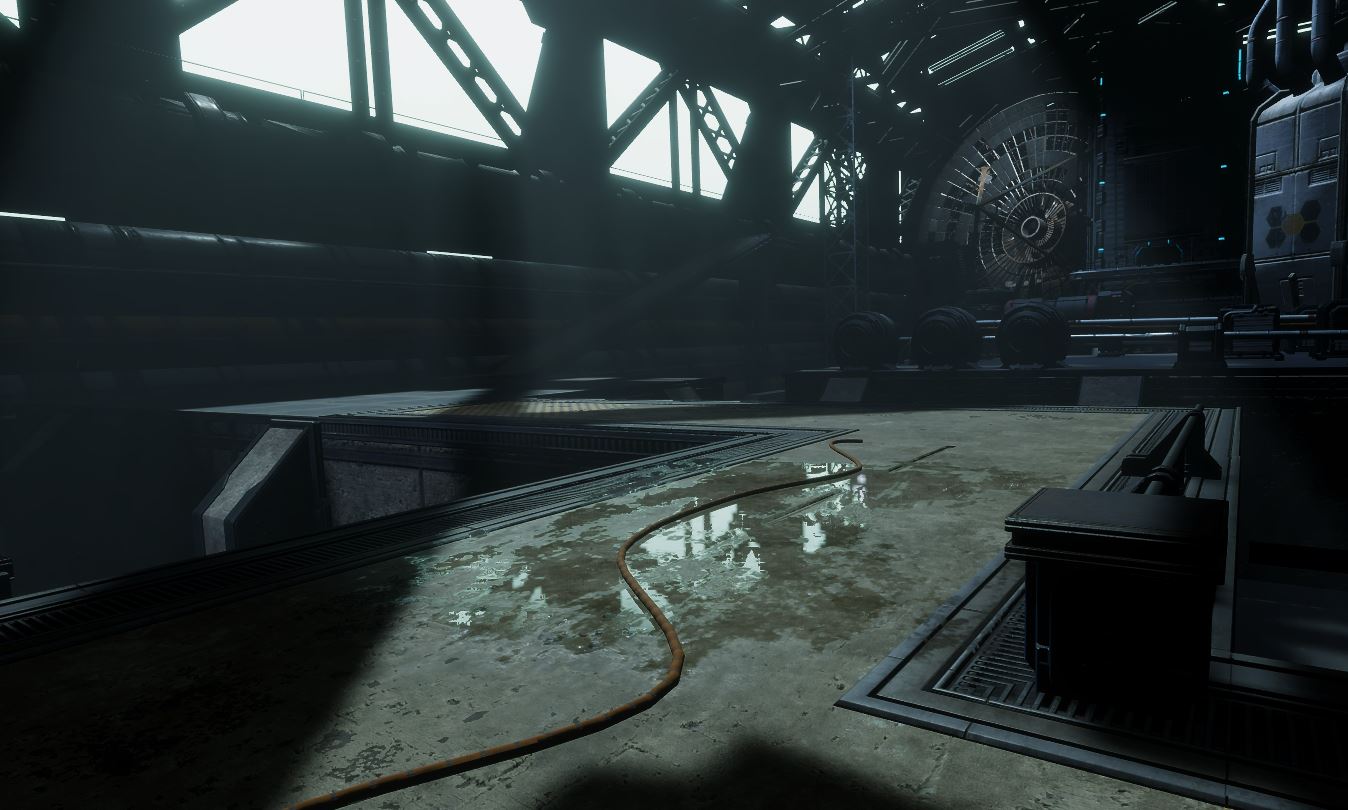
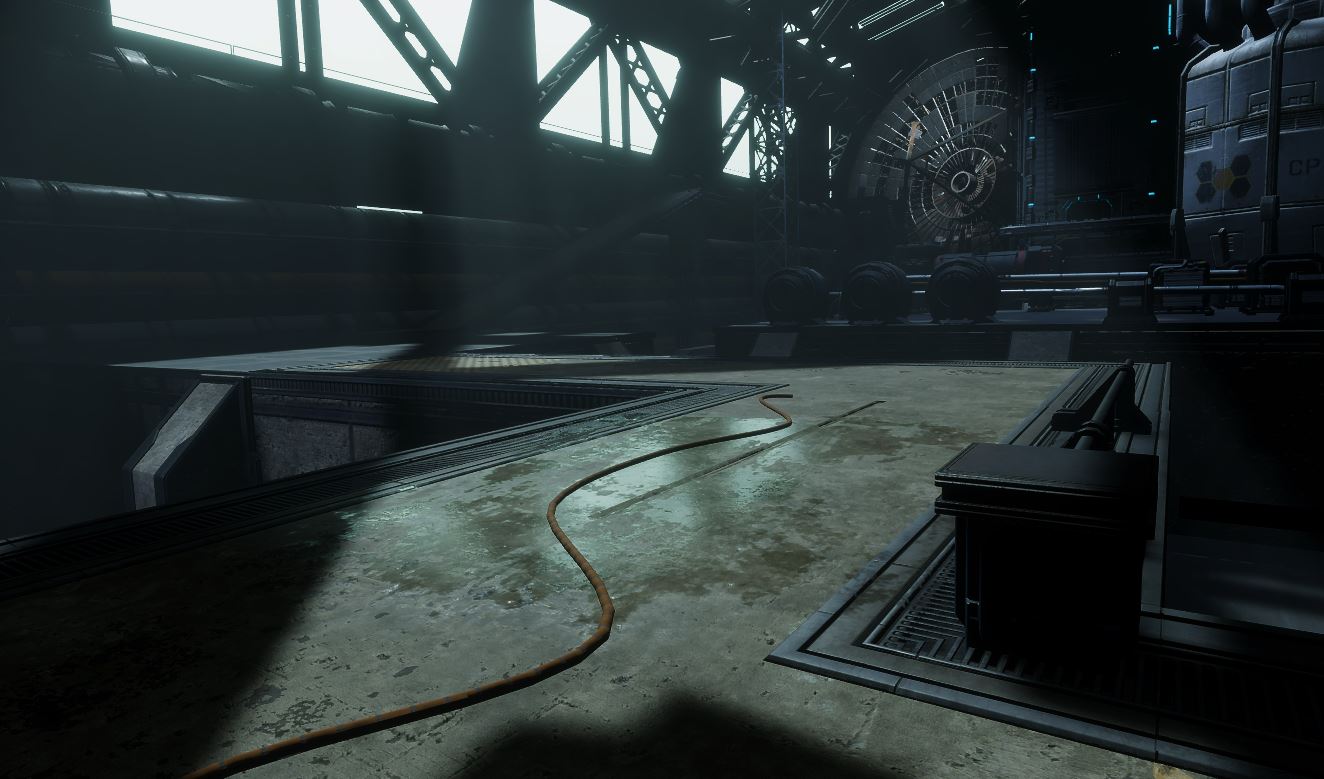 smoky tide
scarlet hull
So, "skybox" and / or baked GI
smoky tide
scarlet hull
So, "skybox" and / or baked GI
what is a GI
shrewd moon
smoky tide
what is a GI
Global Illumination
smoky tide
so i bake it and it stops the shadows from being pitch black?
shrewd moon
smoky tide
so i bake it and it stops the shadows from being pitch black?
Baked lightmapping also simulates bounce lighting so yes
smoky tide
thankyou bro
smoky tide
shrewd moon
Baked lightmapping also simulates bounce lighting so yes
can i have realtime global illumination
shrewd moon
smoky tide
can i have realtime global illumination
Not very practically
Enlighten realtime GI and SSGI/RTGI are your only options
smoky tide
shrewd moon
Not very practically
Enlighten realtime GI and SSGI/RTGI are your only options
big problem is that this SSGI thing is not doing much


only 1 shadow was barely affected
shrewd moon
smoky tide
big problem is that this SSGI thing is not doing much
Then you may have to use ray tracing or enlighten
Enlighten requires static geometry because it's precomputed, though
smoky tide
im gonna have to have pitch black shadows then ):
shrewd moon
smoky tide
im gonna have to have pitch black shadows then ):
Why don't you use a bit of ambient / sky lighting as Remy suggested
buoyant drum
fluid merlin
HDRP decals are the way to go, also pop up a baked reflection probe on top and a...
Nice, thanks for your help! Haven't ever used decals before so would you use some sort of noise texture or something or is there a painting system on these?
sweet night
My object become darker when my camera comes closer.
Can you say what's problem can be?
It seems like shadows has a range and it looks like it accumulates.
 heady pewter
sweet night
My object become darker when my camera comes closer.
heady pewter
sweet night
My object become darker when my camera comes closer.
Your mixed lighting mode, or realtime shadow settings/shadow cascade settings
sweet night
heady pewter
Your mixed lighting mode, or realtime shadow settings/shadow cascade settings
Thanks, need to look.
fluid merlin
buoyant drum
Nice, thanks for your help! Haven't ever used decals before so would you use som...
The easy way is to just grab the decals themselves from the unity hdrp demo template starter scene. Otherwise you can create your own, add the textures to a material, set the material shader to HDRP\Decal. If you want to create your textures from scratch, there's some blender/photoshop tutorials for creating water puddles. You just have to export the textures into Unity. If you search on Youtube for HDRP Decal, you'll see some tutorials on how to use the HDRP Decal projector
buoyant drum
fluid merlin
The easy way is to just grab the decals themselves from the unity hdrp demo temp...
well thats certainly alot better than what it was before! Thanks for your help and also thank you @scarlet hull

i just gotta mess with the reflection probes alot more lol
fluid merlin
There are shaders that do it too, but require more setup and config. The Ciconia Puddle and Rain shader is nice and only $10… it more for if you need depth for your puddle on a custom mesh, like tile, etc.
buoyant drum
fluid merlin
There are shaders that do it too, but require more setup and config. The Ciconia...
Tried it but was only compatible with 2 versions of unity
And unitys support team is completely nonexistent
Asked for a refund and haven't got a single email back
dawn sorrel
Can anyone help me figure out why my shadows are wrong?


think it's something to do with the shadow cascade thingy?
shrewd moon
dawn sorrel
think it's something to do with the shadow cascade thingy?
I would just copy all the settings from the HDRP sample scene when working with HDRP
dawn sorrel
shrewd moon
I would just copy all the settings from the HDRP sample scene when working with ...
So I suppose that means I need to create a new project with the HDRP preset
shrewd moon
dawn sorrel
So I suppose that means I need to create a new project with the HDRP preset
Yes
I would export the level and game assets and import them into that new project
At least a few of them for starters to see how the new settings fare
Would also prefer to use the outdoors/indoors scene templates for their lighting and Volumes
dawn sorrel
Okay I'll give it a try, thank you
shrewd moon
With HDRP you need to have all the graphics settings right, the scene lighting settings right as well as camera and volume component settings right or it's going to look like ass, so it's better to not try to set them manually
The above screenshots look worse than URP or BiRP out of the box would
dawn sorrel
I fixed the shadows but yeh, it's been a struggle indeed
 harsh basalt
I made a custom Stylized Sky in HDRP, video link: https://www.youtube.com/watch?v=zTzfgV4Ug1k
Github source code link: https://github.com/misakieku/StylizedSky

A stylized sky shader made in unity HDRP, source code: https://github.com/misakieku/StylizedSky
Please tell me in the comment if you want me to make a video to share how I made this.

GitHub
A completely artistic control Stylized Sky in Unity HDRP. - GitHub - misakieku/StylizedSky: A completely artistic control Stylized Sky in Unity HDRP.
smoky tide
ive set all my shadows to 8k and this is what i get?
 fluid merlin
smoky tide
ive set all my shadows to 8k and this is what i get?
fluid merlin
smoky tide
ive set all my shadows to 8k and this is what i get?
A common cause of that in HDRP is too many lights per tile (16x16 pixels). Point lights with shadows and high ranges will cause an issue that looks like what you have there. It could be other things, but that's often common. Also, point lights with shadows are really, really bad in performance, you might want to try spot lights with short ranges if you have a lot of point lights with shadows.
smoky tide
is it causing this too?
 shrewd moon
smoky tide
is it causing this too?
shrewd moon
smoky tide
is it causing this too?
It seems there could be multiple issues with your shadow settings
I'd reference the ones used by the project and the lights in the HDRP sample scene
fluid merlin
smoky tide
is it causing this too?
Spazi is right, your shadow artifacts could be caused by a bunch of different things. Unfortunately, when it comes to lighting and shadows, unity (for better or worse) gives people a ton of options and the default ones are often not what people expect when they hit the "Generate Lighting" button. If you're new to lightmaping, this is a really good tutorial (although it's for URP, the basics are pretty much there). For whatever reason, the Unity tutorials are often not very good because they jump right into "your problem is UV mapping" and 99% of the time, it's just developer setup. Anyway, there's a bunch on youtube, but I liked this one for it's general approach in what people are actually doing: https://www.youtube.com/watch?v=okYhs6kQ0xw
shrewd moon
HDRP really expects you to know your way around industry standard lighting concepts and settings
shrewd moon
fluid merlin
Spazi is right, your shadow artifacts could be caused by a bunch of different th...
That's a good tutorial but I recall earlier they said they only want realtime lighting
smoky tide
shrewd moon
That's a good tutorial but I recall earlier they said they only want realtime li...
That is right i want this to be realtime because im scared of baked things
Some of the interior objects move including tables and stuff
So im just worried it will mess it up
shrewd moon
HDRP's realtime lighting is just as complicated
Both of them you must study and practice to use correctly
smoky tide
I made it do realtime global illumination and it aint changed nothin
 sage shard
hi anyone know a good free first person controller asset for hdrp?
shrewd moon
sage shard
hi anyone know a good free first person controller asset for hdrp?
Character controllers have no relation or connection to render pipelines
pastel oracle
Can someone explain why my build version looks like this:

and my editor looks like this:
 loud leaf
Are you using ray tracing?
pastel oracle
loud leaf
Are you using ray tracing?
Nope
Testing different skies now, PBR, hdri,.. and see if that does something
annoying thing is that I have to build each time...
loud leaf
yeah
I've been having issues with environment contribution since january. Bug was confirmed in february but no fix yet, afaik. :/
pastel oracle
Yep same, also a lot of issues with VR and environments that I've been experiencing
loud leaf
Exactly that, yeah
pastel oracle
Do you have any tickets/bug reports that I can follow?
loud leaf
I'm just going to download the latest editor now and see if anything has changed 😄 maybe they forgot to update the bug report.
pastel oracle
Yeah I'm on 2022.3.4 so I can only update to 5 😄
pastel oracle
Yeah It's not accessable for me
Unity Forum
Hi,
On Unity 2022.3 and also 2023 Beta, there are some issues when using VR.
The most notable issue is when using Physically based sky in your scene....
I have this forum thread
But not much response
I also tested 2023 Beta but no improvements regarding that as well
loud leaf
I think I even found the commit that broke this at some point, but it's not going to be easy to find that back now
I think it was when they did a bunch of changes to the sky atlas / sampling code.
GitHub
The primary purpose of this PR is to replace cube reflection probe cache array (Cubemap Array) with 2d texture atlas in octahedral projection. Which will allow us to be able to individually select ...
That must be it 😄
Ok, 6 months later, did the same test in 2023.2.0b1 and it's still broken (and there is a new issue now)
I don't know what to say really.
pastel oracle
loud leaf
https://github.com/Unity-Technologies/Graphics/commit/9440ed5a166877f1bebe9751e0...
Nice haha yeah I don't think I know enough about graphics programming to find what I need
just a shame it's so unstable
loud leaf
I wish they would all just sit down, stop what they are doing and get things to acceptable state. Like that #FIXPUBG campaign back in 2017 (even had it's own website, that's how bad it was) after the community kept bombarding them with "fix the damn game" for months. :/
Yes, indeed.
pastel oracle
It has so much potential
loud leaf
It's not a talent/skill issue, HDRP team has the skills, I have no idea what's going wrong.
pastel oracle
loud leaf
I wish they would all just sit down, stop what they are doing and get things to ...
Exactly. Like just focus a month or so on testing the already provided features and get those in a stable manner before adding new things
like the water system they just added
Yeah it looks nice and is very cool but I'm pretty sure it'll just add more complexity to it as it is already
Oh well, I'll just try and make 50 builds to find what's the issue and report on that
loud leaf
But yeah, these complaints aren't new, I don't think we will change anything here. 😄
pastel oracle
Nope haha
pastel oracle
loud leaf
But yeah, these complaints aren't new, I don't think we will change anything her...
Just found 'the issue'. When I disable realtime global illumination I get the same issue in the editor. Any clue how to get this to work in build? This is my first project in HDRP so I'm not sure if I'm missing something
 loud leaf
No idea.
pastel oracle
Okay then I'll investigate further 😄
loud leaf
What version of Unity is this by the way?
pastel oracle
2022.3.4
 vague steppe
is it somehow possible to compress the camera quality in real time? in the first image, it looks much more realistic becasue of the compression, but not in the second image.

 scarlet hull
pastel oracle
scarlet hull
pastel oracle
Real time global illumination here is provded by Enlighten, that is deprecated : https://docs.unity3d.com/Manual/render-pipelines-feature-comparison.html#lighting
 pastel oracle
scarlet hull
Real time global illumination here is provded by Enlighten, that is deprecated :...
pastel oracle
scarlet hull
Real time global illumination here is provded by Enlighten, that is deprecated :...
Oh okay, so I should use screen space GI?
scarlet hull
Do you need realtime GI ? Can't it be baked ?
shrewd moon
vague steppe
is it somehow possible to compress the camera quality in real time? in the first...
Render Target textures can be compressed and downsampled at runtime, I believe
pastel oracle
Preferably realtime, Wanna change lights by turning on and off and switching from day to night
scarlet hull
vague steppe
is it somehow possible to compress the camera quality in real time? in the first...
I don't understand what you mean by "compression" here ?
Is it because it's a screenshot of a video or something ?
I don't see how compression can make something "realistic"
scarlet hull
pastel oracle
Preferably realtime, Wanna change lights by turning on and off and switching fro...
Then indeed, screen space to raytraced GI is your only way out
vague steppe
scarlet hull
I don't understand what you mean by "compression" here ?
Is it because it's a sc...
Compression is mostly visible on videos like from a phone or camera. By adding compression it looks similar to how a real life video would look
pastel oracle
scarlet hull
Then indeed, screen space to raytraced GI is your only way out
Okay thanks! Will look into it
vague steppe
shrewd moon
Render Target textures can be compressed and downsampled at runtime, I believe
Thanks 👍
@shrewd moon where is the option to downsample?
 scarlet hull
vague steppe
Compression is mostly visible on videos like from a phone or camera. By adding c...
scarlet hull
vague steppe
Compression is mostly visible on videos like from a phone or camera. By adding c...
Maybe you could just fake this with a post process effect
shrewd moon
vague steppe
<@166982635950702592> where is the option to downsample?
"Enable mip maps" generates smaller size mip map images, which you then sample in a shader by a LOD texture sampling function
I guess you can't get lossy compression for RT textures so you'll have to fake that anyhow
vague steppe
yea, but i sadly dont know how to fake it or how to even make a shader
 random maple
what is the main reason to use hdrp over urp? what can hdrp that urp can´t, i am trying to choose a rp but i am not sure why i should go for hdrp.
scarlet hull
random maple
what is the main reason to use hdrp over urp? what can hdrp that urp can´t, i am...
If you want better realistic lighting and more lighting effects, HDRP is the way to go (unless you want to spend money on asset sotre URP extensions)
random maple
Ok this is what i was also expecting.
pastel oracle
scarlet hull
Then indeed, screen space to raytraced GI is your only way out
Was looking into raytraced GI. When using raytraced you can't used static batched meshes anymore. Doesn't this drastically reduce frame rate?
scarlet hull
This greatly depends on the use case :/
smoky tide
how come a light behind the wall is reflecting on the ground through that wall
 pastel oracle
scarlet hull
This greatly depends on the use case :/
pastel oracle
scarlet hull
This greatly depends on the use case :/
Yeah in my case it's quite bad 😄 I'm loading BIM files into HDRP so they are often very big. Static batching is my biggest performance gain
you said that Enlighten is deprecated but shouldn't it still work now? Or is it being phased out?
scarlet hull
smoky tide
how come a light behind the wall is reflecting on the ground through that wall
Is that light "inside" the mesh. Then the polygon likely don't project shadows as they are backface culled in the shadow pass.
You can force double sided shadows on the mesh renderer component
scarlet hull
pastel oracle
you said that Enlighten is deprecated but shouldn't it still work now? Or is it ...
It shouldn't work iirc. I would just not risk it
pastel oracle
Okay thanks for the help! I'm gonna mess a bit more with ssgi then but I just can't seem to get good results with it
scarlet hull
smoky tide
how come a light behind the wall is reflecting on the ground through that wall
Isn't it the light the appears to be on the ground that shows this specular effect then ?
smoky tide
that light is not in the ground
its underneath because its on the ground floor
i solved this issue somehow before but i cant remember because it was in urp
the light is casting reflections through a wall and that is my problem rn
scarlet hull
100% sure it's that light ? Because I see that it is projecting shadows, so it should just not light this area.
smoky tide
scarlet hull
100% sure it's that light ? Because I see that it is projecting shadows, so it s...
you are right its somehow the light underneath

this thing
scarlet hull
Is that light also projecting shadows ?
Is there any "thickness" between the ceiling and the floor ?
smoky tide
there is thickness of about 1 unit
smoky tide
scarlet hull
Is that light also projecting shadows ?
Is there any "thickness" between the cei...
i did not know that by default these lights dont project shadows
scarlet hull
Point light shadow is one of the most performance intensive, so it is disabled by default.
digital spire
scarlet hull
Point light shadow is one of the most performance intensive, so it is disabled b...
Is it because it render 6 shadowmap? Are there any other reason?
scarlet hull
digital spire
Is it because it render 6 shadowmap? Are there any other reason?
Exactly because it renders 6 shadowmaps 🙂
 trim stirrup
has anyone noticed an FPS difference when using OnDemand lighting? I'm updating every 10 frames but there really is no difference between OnDemand & Realtime. Also, if I remove my script to update OnDemand lights, do they effectively behave like OnEnable lights? Thanks
scarlet hull
trim stirrup
has anyone noticed an FPS difference when using OnDemand lighting? I'm updating...
To be sure you'd need to dig in the profiler, maybe your shadow passed were not taking so much time at all
trim stirrup
scarlet hull
To be sure you'd need to dig in the profiler, maybe your shadow passed were not ...
possibly. i've been trying to knock down the influence of shadows on my fps without losing too much. looking at the profiler you realize how heavy HDRP really is
 misty portal
I have a doubt about skinned mesh renderers.
I have a modular character system and characters can have up to 8 skinned mesh each (for equipments).
I can try to combine all 8 into a single model (and atlas texture) but my game is GPU bound and using only like 0,8% CPU while full GPU usage.
Is Render Thread time on unity actually GPU usage or CPU (a thread of cpu?)
Do more skinned mesh renderers use more GPU or more CPU? or both?
Is merging skinned mesh renderers worth it if i am gpu bound?
knotty lily
misty portal
I have a doubt about skinned mesh renderers.
I have a modular character system ...
For every performance problem you should profile first to determine all hotspots and then decide what to do next. As for SkinnedMeshRenderers they are pure GPU entity alone (without animations). Mesh skinning preformed on GPU, and then rendering has no difference from ordinary (non-skinned) meshes. I don't think that merging will help you to improve performance.
misty portal
knotty lily
For every performance problem you should profile first to determine all hotspots...
i`m using CPU skinning because my GPU is the bottleneck
 scarlet abyss
Hey! Is there anyone here that knows what might be causing this glitchy look? It's HDRP in 2023.1.1f1 on apple silicon
 shrewd moon
scarlet abyss
Hey! Is there anyone here that knows what might be causing this glitchy look? It...
shrewd moon
scarlet abyss
Hey! Is there anyone here that knows what might be causing this glitchy look? It...
Can't recognize the problem, but 2023.1.1f1 is a few patches behind
That can make a big difference with tech stream releases
scarlet abyss
Ah, thanks, I'll check if the latest version has the same issues 🙂
That actually fixed it, cheers
 signal osprey
how is retracing behaving in game? i read that dx12 in unity is super spikey
loud leaf
DX12 is a little slower than DX11, but not as bad as it used to be. Ray tracing is "ok" but has been broken in VR since summer 2021 or 2022, I don't even remember, but way too long.
It is just a single bug, and it shouldn't be too hard to fix (it's working fine in editor, just not in standalone), but it is not getting picked up.
The default ray tracing implementation is pretty inefficient and slow, but if you are willing to take the performance hit and rely on denoisers, it is usable.
harsh basalt
The performance of ray tracing and DX12 on my computer are pretty well
No lag if you keep everything in one bounce
sweet night
How can I increase water depth of new Water System in Unity?
 grizzled pawn
why does it look so glitchy😤 (Right screen)
 sweet night
grizzled pawn
why does it look so glitchy😤 (Right screen)
sweet night
grizzled pawn
why does it look so glitchy😤 (Right screen)
What exactly?
grizzled pawn
the glitchy thingy
sweet night
Uh...
eternal laurel
grizzled pawn
the glitchy thingy
Zfight on the geometry idk. You need to provide way more details. Also why do you have 6 directional lights?
grizzled pawn
I dont now I am new to lightning
eternal laurel
grizzled pawn
I dont now I am new to lightning
Its an old tutorial but the concepts still apply https://youtu.be/yqCHiZrgKzs

In this video, you'll learn how to create AAA-quality visuals for current and next-gen games. We’ll also show you HDRP’s key rendering features and how to tune settings for anti-aliasing, lights, shadows, exposure, and more.
Speaker:
Pierre Yves Donzallaz (Senior Rendering & Lighting Artist)
Did you find this video useful? Room for improvement...
grizzled pawn
thx
loud leaf
It seems the entire SAMPLE_TEXTURECUBE_ARRAY_LOD / SampleSkyTexture have been broken in single pass instanced for a long time. How is this not giving issues for more people? 😅 I ported 2021 HDRP to 2023.1 editor tonight as a last resort, but also trying to get to the bottom of the issue in 2023.1/staging because I don't want to give up.
After making 2021 HDRP compatible with 2023.1 editor, everything's fine, the issue isn't there, but it's missing other important fixes that would need cherry picking. I could check out at random commits (and there's a lot) to confirm which one broke it, but I would have to make the package compatible with 2023.1 editor after every checkout.
Multi pass is fine, but the slices of the sky are all "shuffled" in single pass instanced mode, after a certain HDRP date.
long scarab
loud leaf
Multi pass is fine, but the slices of the sky are all "shuffled" in single pass ...
there are actually many, many bugs in single pass instanced with HDRP. Water refraction, Line Renderer, some weird DLSS stuff ....
loud leaf
If the problem is that they don't have any actual devices in office, they could borrow my cheap quest 1 for a day, takes like 4 minutes to make a standalone build and see what's wrong. 😅
long scarab
Lol, exactly what I was thinking. Just donate some device. I'd also do it if this means stuff gets fixed anytime soon.
 weary quarry
why do my shadows look like this? ive tried copying the shadow settings from the hdrp sample scene
 fluid merlin
weary quarry
why do my shadows look like this? ive tried copying the shadow settings from the...
fluid merlin
weary quarry
why do my shadows look like this? ive tried copying the shadow settings from the...
Looks like shadow resolution. Shadow resolution varies, under project settings check which Quality HDRP profile you're using. Then look at that those settings, under the Lighting section, check shadows and see what your resolutions are set to, in particular max resolution. Also mind what your shadow quality is set to on the light creating the shadows. The higher the resolution, the less pixelated shadows will be (the exception is baked lighting which is whole other mess of settings)
 worthy escarp
I want to make a realistic daylight cycle, but I just can't seem to get the sunrises and sunsets right because I also want my noon sky to be an average blue sky. How do I change the sky and lighting based on the time of day?
 fluid merlin
worthy escarp
I want to make a realistic daylight cycle, but I just can't seem to get the sunr...
fluid merlin
worthy escarp
I want to make a realistic daylight cycle, but I just can't seem to get the sunr...
Not sure what sky type you're dealing with, but Physically Based is the one that gives you the sunrise/sunset coloring with varied exposure
worthy escarp
Yeah, I know. I was wondering how I could adjust that.
But also, my sibling took over my PC, so now I can't get back to the project that I need help with. This is gonna have to be saved for later.
fluid merlin
One option is to use the Advanced setting, enable "space emission texture" and "emission multiplier" then set an HDRI for the texture to the one you want for noon. As the directional light rotation on the X axis is in a range (90 for noon), you can increase the emission multiplier to fade in/fade out the HDRI with whatever represents the best noon etc. You can also swap out the HDRI for sunrise, sunset as well. This is what a blended procedural sky using an HDRI texture can look like:
https://i.imgur.com/cehE0vx.jpg
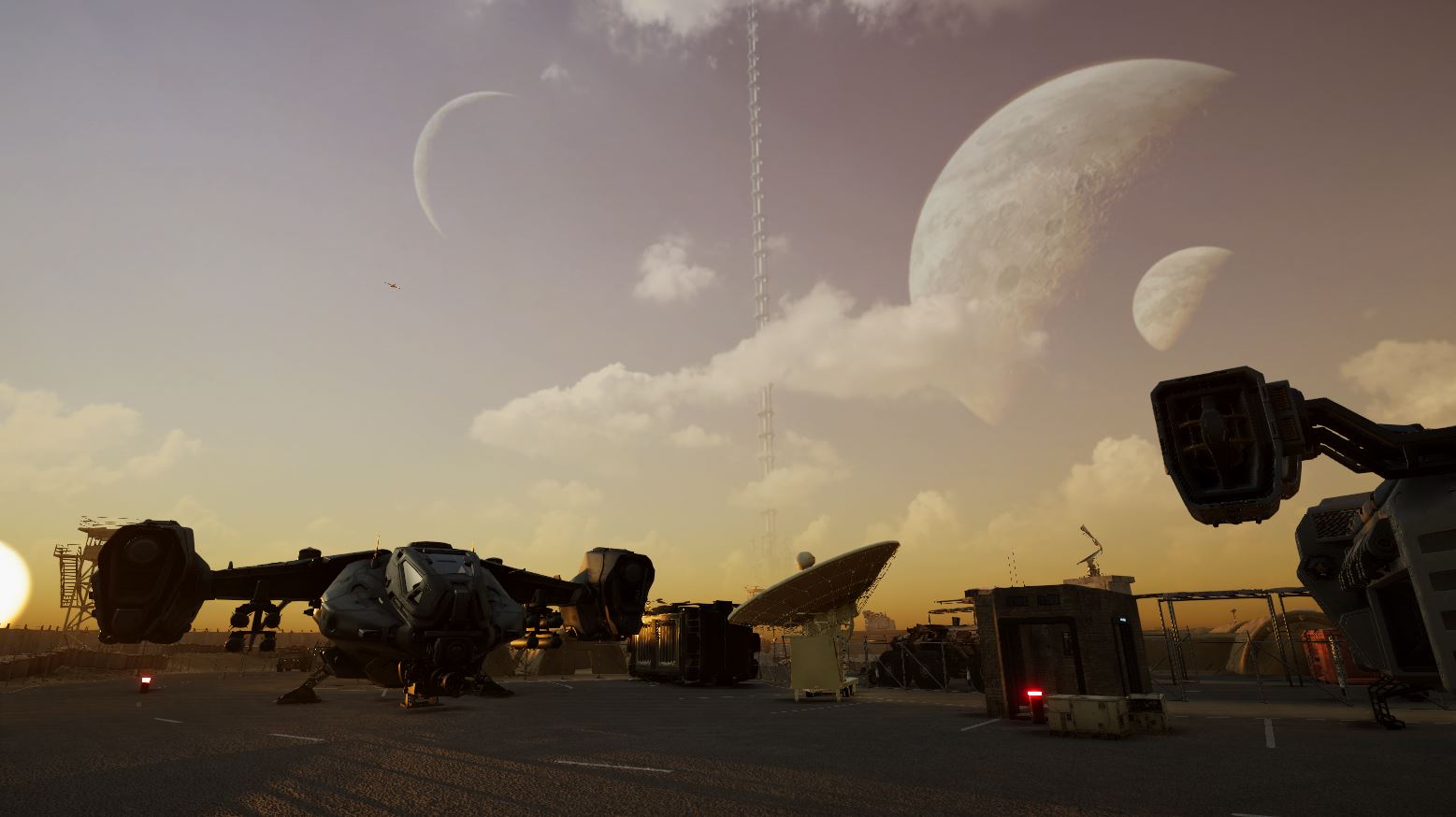
I'm sure there's other tricks you could use as well... however, what doesn't work well is swapping sky volumes (two volmes with different sky types and changing the weight between the two) in 2021.3... it's very buggy if you do that.
loud leaf
loud leaf
After making 2021 HDRP compatible with 2023.1 editor, everything's fine, the iss...
So far I am all the way back at february 16 2022 (7ab2be6888d32f94d324d328307cb283000b7f37), where it's still broken. If anyone wants to help debug this, that would be great. Basically pick a random SRP repo timestamp, start a HDRP VR project, enable ray traced reflections, pick a HDRI sky, and put a reflective sphere in your scene. Look at the sphere and observe, you'll notice if it's completely broken.
The bug is not Editor or OpenXR version dependent.
2021 HDRP will show you the correct result, aka this:

Recent HDRP (or anything after 2021 it seems) will show you this:
 worthy escarp
fluid merlin
Not sure what sky type you're dealing with, but Physically Based is the one that...
worthy escarp
fluid merlin
Not sure what sky type you're dealing with, but Physically Based is the one that...
I'm using physically based skies. I'm also using the 2022 family of versions. HDRIs seem like the easy way out of this, so I want to use the physically based skies for this one.
I was mainly wondering how property sunsets could be achieved using one sky volume while also having the daylight cycle going on. I also already set up the space stuff to be the stars during the night hours.
worthy escarp
Looks like I'm gonna have to do it on my own.
 digital spire
worthy escarp
Looks like I'm gonna have to do it on my own.
digital spire
worthy escarp
Looks like I'm gonna have to do it on my own.
have u tried creating 2 volume, one for noon, one for sunset and lerp between them base on Directional Light angle?
worthy escarp
Okay, I literally have no idea how to do that. I'm not THAT good at coding.
In fact, I'm not good at scripting at all.
digital spire
I just tried it for you, it work but the perf drop is insane
 meager mist
Hey all, so I'm a complete noob when it comes to lighting... I'm using HDRP 14. My scene is real time lighting, with a physically based sky (its a fairly large outdoor environment and cycles through day/night hence real time requirement). I've got a static building that has a baked reflection probe which is making the room dark (which is what I'm after as otherwise, the skybox leaks into the room). My problem is when the character enters the room, hes a beacon of light, and I'm frankly unsure why. Can anyone point me in the right direction? To confirm, hes not stood in the sunlight entering the room... hes in the shadows 🤣

 minor depot
meager mist
Hey all, so I'm a complete noob when it comes to lighting... I'm using HDRP 14. ...
minor depot
meager mist
Hey all, so I'm a complete noob when it comes to lighting... I'm using HDRP 14. ...
Try throwing in an adaptive probe volume and baking it
 leaden light
(Ignore the terrain and road, I am still working on these shaders)
I think the lighting, sky and car look absolutley good


It's all completly realtime, since its a racing game, I also optimized it for performance!
 haughty otter
whats this line in the hdri
 shrewd moon
haughty otter
whats this line in the hdri
shrewd moon
haughty otter
whats this line in the hdri
Mip map
 inland star
are APVs affected by realtime GI in any way, or is that a no-go?
meager mist
For the life of me I cannot make a closed box completely dark inside. Its forever picking up light from the main directional light. I've tried SSGI / Raytracing, but never seem to be able to completely drop the light out. Using an indirect lighting controller works, but not for the right reasons. Anyone know of any working tutorials for hdrp 14 as I must be misunderstanding this!
fluid merlin
meager mist
For the life of me I cannot make a closed box completely dark inside. Its foreve...
Ahh... yes. So if you're familiar with Godot or Unreal Lumen, this is a bit of a pickle. My suggestion is to use non-reflective surfaces on the inside (if you using a unity white cube, make a new material, set the metal and smooth to 0) assign it all the cubes. Mark them as static, put a reflection probe in the middle and set the bounds to the inside of the closed space, bake the probe, bake the lighting. On the directional light, enable the contact shadows (helps with the light leaks a bit). It should now be dark inside...
 meager mist
Appreciate the reply @fluid merlin . In practical terms though this wouldn’t be something you could apply in game? If it wasn’t a perfect box for example, say a house with a pitched roof, and the materials of the interior couldn’t have zero metallic and zero smoothness? Also I didn’t mention I need real time lighting as I’m working with full day night cycle
fossil nacelle
Is post processing done on the cpu? Im getting 100 fps with only 10% of my gpu being used. (this is on the main menu with only hdrp water, ui, and a single mesh renderer)
scarlet hull
fossil nacelle
Is post processing done on the cpu? Im getting 100 fps with only 10% of my gpu b...
No, GPU
fossil nacelle
scarlet hull
No, GPU
so why am I being cpu limited when almost nothing is happening?
scarlet hull
Is CPU running at 100% ?
Do you have VSync enabled maybe ?
fossil nacelle
Vsync is off, the main thread is being maxed out and the render thread is being partially used
fluid merlin
meager mist
Appreciate the reply <@288769329267474434> . In practical terms though this woul...
Right, I know exactly what you're talking about, I just wanted to give you the very simple situation there. There's good news and bad news.... the good news is that yes, you can do it in Unity HDRP. The bad news is that, what you're talking about, everyone dealing with this situation has been asking Unity to address for years. Other game engines deal with this situation with SDF based lighting (SDFGI in Godot and Lumen in Unreal). Unity doesn't have that but it's trying to get there in the future with something they're calling Precomputed Realtime GI with Dynamic APV and it's still in development for a future release of Unity.
You can hack out a middle solution with SSGI, a real-time reflection probe, and the indirect lighting controller. There's an example of it here: https://www.youtube.com/watch?v=rBqA4ze3Qis
You can use Adaptive Probe Volumes but you need to setup lighting scenarios and fuss with the APV a bit to pull it off.
https://www.youtube.com/watch?v=Kcsid4DsH4I
Like all things gamedev and Unity, start by asking yourself, how important is this to gameplay? If the realtime aspects aren't ultra critical, avoid them in gameplay. If you're just experimenting and messing around, go with the APV route... you'll find a bunch a tutorials on using it, but you'll hit some pitfalls with dynamic lighting situations until PRGI/Dynamic APV is released.
meager mist
Appreciate the repliy. CAme across that first video a while back. It works, but there are some edge case scenerios where exposure goes a bit out of whack so I wrote it off as a workable solution. I've been fiddling with APV / SSGI combo and actually getting pretty decent results in a little test environment. Question is how it acts on a larger scale but I'll cross that shortly.
fluid merlin
No worries... Yeah, the struggle is real, many other developers have been in this same situation. I think most developers have been shying away from doing a lot of dynamic world indoor/outdoor scene lighting due to the current limitations.
meager mist
Yea, real shame
topaz ravine
I advice you all to try SSGI/adaptative probe volume
topaz ravine
RTGI is the best approach indoor, but is limited to 2000+ Nvidia series but it run nicely, however, if you don't want RTX, but you still nee GI, another feature is adapative probe volume allow to have no lightmap, it will give you the finest GI you need inside buildings or caves and the combo with SSGI is very nice, while outside buildings you can left no adapative probe volume, so the ambiant will be given by the sky probe and with SSGI, again, it's fine, you can even place adaptative probes outside, in open space area, into volume that count a lot less probes by meter, it will work too but consume memory without adding so much, there can even be lights liking, so I prefer not.
Note : lightmapping still work, so you can (third option) go for old lightmap's lightprobes: setup all your scene object use light probes, so you bake yourscene, but as result there is only light probe data (which will help SSGI) and so this setup can run on 1050-1060 or equivalent
shrewd moon
meager mist
For the life of me I cannot make a closed box completely dark inside. Its foreve...
What do you mean the indirect light controller doesn't "work for the right reasons"?
It does work but you also need a reflection probe
I don't recommend trying to tweak material properties in an effort to "control" ambient lighting
If you want specific kind of indirect lighting instead of simply disabling it with the indirect lighting controller, then you need baked lightmaps, light probes or APVs
Those won't be realtime, unless you lerp between them
APVs might have had some option for smoothly swapping between lighting scenarios, but lightmaps or light probes do not (unless you make one yourself)
SSGI and RTGI from what I've seen can't handle all the lighting on their own, but rather supplement other types of lighting
topaz ravine
agree with Spazi, the fontainebleau project (a bit old) have lighting scenario for lightmap's light probe if some are curious
RTGI alone* with good parameter is not that bad, but it is heavy on gpu
the most ez option for beginners in HDRP is to stick with SSGI, the sky set to dynamic, no bake, then use the exposure correction when entering a indoor space
with some reflection probes it will be fast and work without any weird graphics behavior
outside scene using the ez option I mentionned (low cost lighting) : https://youtu.be/eXCHsgZbSEw
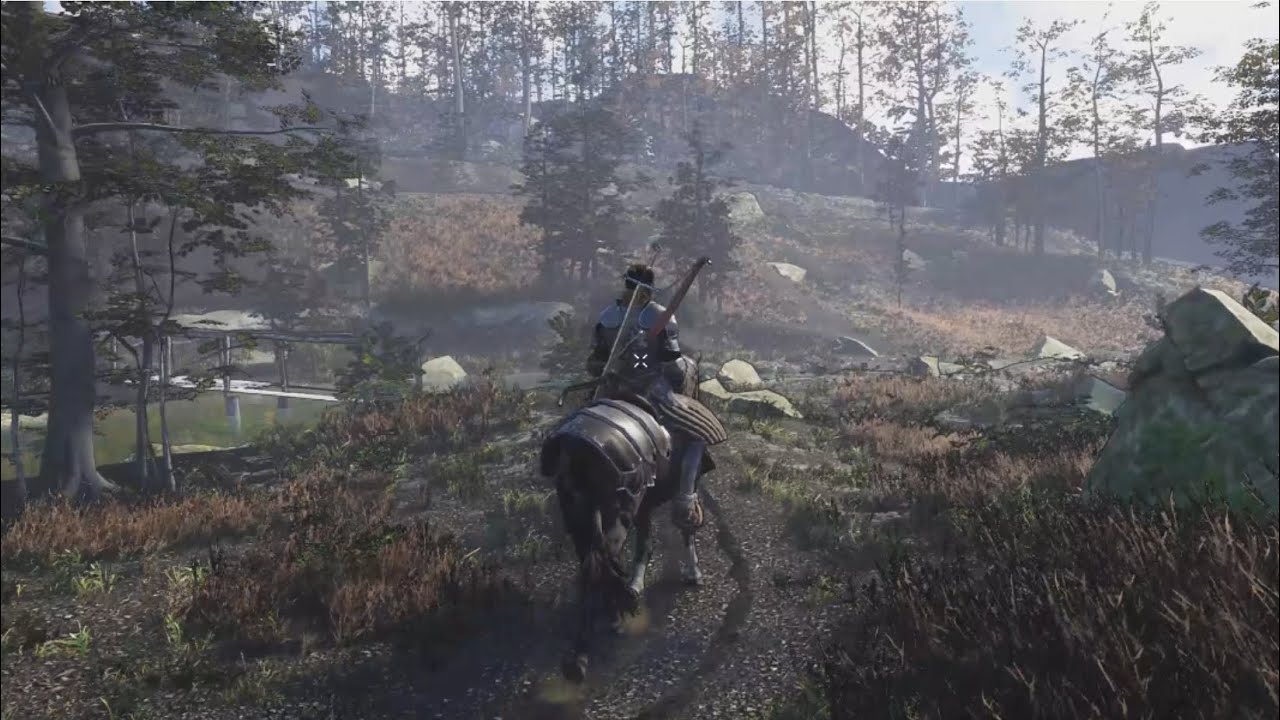
Showcase of Far Lands prototype player movement and some fight mecanics.
open tree
I made this interactive water shader that uses render texture to get information from the scene. I use red channel for the wave starting point, and green channel as obstacle which will reflect the wave. I created this simple Rain VFX graph where rain drops (marked blue) will collide with the plane and spawn the red particles(marked red). Red particles are working as source to create ripples on water. Now I want the Blue particles to be visible in the main camera but not the red one, and only the red one should be visible in render texture camera. How do I achieve that? Is there any way to separate them in layers or is there any way to link 2 visual effects?

I asked this in VFX graph channel, but dont think anybody knows the solution there
 alpine patrol
Hi, i created a minimap with a second camera and render texture. The second camera only renders one layer with only 2 sprites nothing else, no geometry or volumes, but the performance still goes down about 20-25 fps and setpass calls are doubling and I also get 50 additional batches. I have no idea why, I thought rendering almost nothing would also take almost no performance...
Does anybody know what might be the problem here?
 distant hazel
alpine patrol
Hi, i created a minimap with a second camera and render texture. The second came...
distant hazel
alpine patrol
Hi, i created a minimap with a second camera and render texture. The second came...
You should never ever have more than one camera per frame in srp. Use a draw objects custom pass instead
alpine patrol
distant hazel
You should never ever have more than one camera per frame in srp. Use a draw obj...
Ok imma look into that, thanks 🙂
distant hazel
Specifically you can use CustomPassUtils.DrawFromCamera()
fluid merlin
alpine patrol
Ok imma look into that, thanks 🙂
I took a slightly different approach to the minimap situation. I used ScreenCapture.CaptureScreenshot on a map camera to write the bytes to a rawimage for the map (centered on level, orthographic, etc). then just enabled/disabled the camera when the map was needed. I then scroll the image in the mask relative to the player being center, this way you don't have to get a new image, unless you want one for a particular reason (major map change, etc).
alpine patrol
fluid merlin
I took a slightly different approach to the minimap situation. I used ScreenCapt...
hm interesting, need to try that too
digital spire
alpine patrol
hm interesting, need to try that too
https://www.youtube.com/watch?v=Z_8V-AkZNPg&t=10s this solution is also worth a try.

In today's video, we look at how to create a map in Unity without using a Camera or Render Texture.
Subscribe for more,
https://www.youtube.com/c/vrwithandrew?sub_confirmation=1
Support my work,
https://www.patreon.com/VRwithAndrew
Discord for stuff,
https://discord.com/invite/GvcPPKd
Use this referral if you'd like to support me via the Uni...
waxen lantern
topaz ravine
RTGI is the best approach indoor, but is limited to 2000+ Nvidia series but it r...
true, and let's not forget amd radeon rx 6000 series and up (rdna2) support raytracing acceleration as well.
twilit swift
Hi, I'm looking for someone who can help me by just explaining to me some optimization tips for HDRP VR, like for example to prevent the objects to get blurry when you move the head or if the objects do.
 mossy solstice
twilit swift
Hi, I'm looking for someone who can help me by just explaining to me some optimi...
mossy solstice
twilit swift
Hi, I'm looking for someone who can help me by just explaining to me some optimi...
Disable depth of field ?
mossy solstice
fluid merlin
I took a slightly different approach to the minimap situation. I used ScreenCapt...
Wait thats a thing ? I once had to trash a project of mine because i couldnt find a way to take a screenshot
twilit swift
mossy solstice
Disable depth of field ?
Yes, but I want to know some more optimization tips, all Ik rn is light baking, occlussion culling/static batch. I know about impostors and other kind of optimization tips but maybe only 1 more and Idk how to make them.
waxen lantern
open tree
I made this interactive water shader that uses render texture to get information...
replied to this in #✨┃vfx-and-particles
 sour scroll
why are the shadows doing this

how do i smooth the transition or something
so its not high quality to low quality
also none of my materials have previews
fluid merlin
mossy solstice
Wait thats a thing ? I once had to trash a project of mine because i couldnt fin...
Yeah it was added in 2017.1
https://docs.unity3d.com/ScriptReference/ScreenCapture.CaptureScreenshot.html
digital spire
did Unity just silently ghost the public Graphic Repo  It's been a month since anything landed
buoyant drum
few scenes ive been working on and I wanna give it more realistic looks. 1st picture really needs it, any tips for that one? 2nd is alright but could probably just use more detail.
On the 3rd I know the concrete pillar textures have a noticeable repeat, is there any good material tile blending shaders and things? I dont know anything about making shaders. I also wanted to ask about reflection probes, having loads with whatever blend distance looks weird at certain angles and having one big one just makes the reflections very unrealistic. Whats the best way to go about that?
Another question I have is are there any packages that add more post processing effects?


 misty portal
I have tried all fog parameters but i can`t get the fog to look like this
How to get this look (fog) with HDRP?

It looks like it has fog only far from player but not near
Is it even possible with unity HDRP native fog?
fluid merlin
buoyant drum
few scenes ive been working on and I wanna give it more realistic looks. 1st pic...
Either way, it looks really good. It's often "too hard" to make unity look realistic versus the stylized look that Unity seems all too predisposed to render for. As far as reflection probes at distance, there's no really good way to go about it. I've seen some people that have used a custom shader where the shader allows you to use a cubemap in it. One of the puddle shaders uses that method. If you haven't already, hit up youtube for ArchViz HDRP tutorials, there's a few there that are good for some lighting tweaks
buoyant drum
fluid merlin
Either way, it looks really good. It's often "too hard" to make unity look reali...
Ty will check it out
fluid merlin
misty portal
Is it even possible with unity HDRP native fog?
"Sort of" is the true answer.... sadly in HDRP, the distance fog no longer allows you to make a fog of war. There's a couple of options though, first is using Local Volumetric Fog with a 3D Fog Noise Texture and apply a scroll speed, you might be able to modify the texture in the shape of a torus and center it on the player. The other option would be to look at localized Unity HDRP clouds, there might be a way to use those to achieve the same effect. Third, I think there's an asset called InfiniCLOUD that allows you to do true Fog of War around the player, but you might want to research that a bit further.
An example using global fog and then using local fog with a texture applied
 misty portal
fluid merlin
An example using global fog and then using local fog with a texture applied
misty portal
fluid merlin
An example using global fog and then using local fog with a texture applied
Do your local fog follows player?
fluid merlin
misty portal
Do your local fog follows player?
You have to code it as such... you can put it at a distance in worldspace, then just lerp it in a coroutine so that it moves over time... You could then get a little fancier and dynimacally adjust the blend distance while it's lerping to stay around the player so it fades in/out a bit while the player is moving so it doesn't stagger
sour scroll
can someone drop these into their project and experiment a bit with them, using linear mode the water looks fine but after a friend changed a lot of stuff iwth hdrp the exponential mode isnt really working
im following this
https://ameye.dev/notes/stylized-water-shader/
the file name got cut off for the last one
shadersubgraph
its supposed to show a constant depth unaffected by camera movement, with high points being white and black being deeper
sour scroll
how do i disble a custom render texture
buoyant drum
fluid merlin
Either way, it looks really good. It's often "too hard" to make unity look reali...
found a way around it. Think I'll keep this scene as it is now
Just need to find out why some lights dont seem to give off any realtime lighting despite them all being mixed
which ive noticed in multiple scenes
eternal laurel
buoyant drum
Just need to find out why some lights dont seem to give off any realtime lightin...
I bet you are hitting the 4 mixed lights overlap limit when using shadowmask mode.
“If more than four lights overlap, any additional lights fall back to Baked Lighting. The baking system determines which lights fall back to Baked Lighting, and this stays consistent across bakes, unless you modify one of the overlapping lights. Light Probes also receive the same information for up to four lights.
Unity computes light overlapping independently of shadow receiving objects. So, an object can get the influence of ten different mixed lights all from the same Shadowmask/Probe channel, as long as those light bounding volumes don’t overlap at any point in space. If some lights overlap then Unity uses more channels. And, if a light does overlap while all four channels are already in use, that light falls back to fully baked.” From the docs https://docs.unity.cn/ru/2020.2/Manual/LightMode-Mixed-Shadowmask.html
This page describes the behavior of all Mixed Lights in a Scene, when that Scene uses a Lighting Settings Asset with its Lighting Mode property set to Shadowmask.
misty portal
@fluid merlin i got something with local volumetric fog and custom shader:
 buoyant drum
eternal laurel
I bet you are hitting the 4 mixed lights overlap limit when using shadowmask mod...
buoyant drum
eternal laurel
I bet you are hitting the 4 mixed lights overlap limit when using shadowmask mod...
Thank you and yes most likely.
I take it I gotta use light probes
eternal laurel
Just fix the overlap
buoyant drum
Only way for that is taking down the range though?
dawn sorrel
2 Issues here, I'm using local volumetric clouds, and if I fly into them, I can see below me easily, like there is a cylinder of wind around the camera. The other issue is that the terrain renders on top of the clouds. I'm trying to make a scene where you ar eflying through storms, so thiss kinda fucks it up


 unique coyote
Does anyone know why a reflection probe would cause my editor to slow down?
Here is my settings.

I am using Unity 2022.3.6f1 HDRP.
 rotund ridge


 unique coyote
It is my only reflection probe that is part of Enviro 3 prefab. It supposed to be a global reflection probe.
What should the size be?
haughty otter
anyone know how to fix this line in the skybox?
 fluid merlin
haughty otter
anyone know how to fix this line in the skybox?
fluid merlin
haughty otter
anyone know how to fix this line in the skybox?
Sort of looks like UI perhaps? Try turning off the UI layer and see if goes away
digital spire
unique coyote
It is my only reflection probe that is part of Enviro 3 prefab. It supposed to ...
it is realtime
maybe checking the timeslicing would help
also, check the render setting of ref probe and remove pass or effect that you won't need / have lower impact on the result
unique coyote
I will give it a try thank you.
haughty otter
fluid merlin
Sort of looks like UI perhaps? Try turning off the UI layer and see if goes away
worked thanks!
 scarlet hull
dawn sorrel
2 Issues here, I'm using local volumetric clouds, and if I fly into them, I can ...
scarlet hull
dawn sorrel
2 Issues here, I'm using local volumetric clouds, and if I fly into them, I can ...
To be able to fly through the volumetric clouds, you need to enable "local volumetric clouds" in the volume settings, else they are rendered with the skybox (so, behind everything else)
shrewd moon
haughty otter
anyone know how to fix this line in the skybox?
I think usually this is because of mip maps or because of wrong wrap mode
dawn sorrel
scarlet hull
To be able to fly through the volumetric clouds, you need to enable "local volum...
I have done that, i believe the issue was with custom post processing from Enviro 3, a tool I use
 jagged belfry
haughty otter
worked thanks!
jagged belfry
haughty otter
worked thanks!
this is so cool
buoyant drum

Use Surface Gradient Bump Mapping Samples from Unity Technologies to elevate your next project. Find this & more Tutorials and templates on the Unity Asset Store.
anyone know another package like this
twilit swift
How could I make it so it's darker inside rooms but in the outside it's sunny?
 shrewd moon
twilit swift
How could I make it so it's darker inside rooms but in the outside it's sunny?
shrewd moon
twilit swift
How could I make it so it's darker inside rooms but in the outside it's sunny?
Baked lighting with light probes and reflection probes
Or just reflection probes and an indirect lighting override controller volume if you don't want the bake workflow
 pulsar skiff
hi lads, im trying to get first person viewmodels working in hdrp and i followed this tutorial : https://www.intetic.com/blogs/unity-hdrp-render-object-on-top-of-everything/
which was recomended to me on this discord server and i also saw people saying it works on the unity fourms,
but when i tried it i got this weird effect where ssao and decals peeked through my model. any suggesgions on how i can fix this?
 pulsar skiff
please help me :(
twilit swift
shrewd moon
Baked lighting with light probes and reflection probes
Or just reflection probes...
For some reason baked isn't working correctly for me.
shrewd moon
twilit swift
For some reason baked isn't working correctly for me.
Well are you sure you did it right?
Followed all the instructions?
twilit swift
shrewd moon
Well are you sure you did it right?
I did exactly the same thing I did in other projects but now when I bake mixed lighting It only bakes one or two lights and also makes some objects not get bounces or lighting.
shrewd moon
twilit swift
I did exactly the same thing I did in other projects but now when I bake mixed l...
That sounds like problems with mesh lightmap UVs but it's hard to guess from here
twilit swift
shrewd moon
That sounds like problems with mesh lightmap UVs but it's hard to guess from her...
Maybe I've skip something, but I'm not sure, I did the same from the other project...
fluid merlin
twilit swift
How could I make it so it's darker inside rooms but in the outside it's sunny?
Super common problem, also a lot depends on your use case for the scene. For closed rooms where it's 100% dark inside and the player is moving between those those two... SSGI & reflection probes. Someone had a similar situation last week:
#archived-hdrp message

This video will show you how to enable and use Unity's Real-Time Dynamic Global Illumination (SSGI) properly and solving the issues of ssgi limitations with the use of reflection probes.
Join our new discord server: https://discord.gg/TSyx2eaeDs
With the release of recent versions of unity, ssgi has become better and much more improved than th...
twilit swift
fluid merlin
Super common problem, also a lot depends on your use case for the scene. For clo...
Thanks, it kinda worked, I had to modify other parameters too.
fluid merlin
twilit swift
Thanks, it kinda worked, I had to modify other parameters too.
Yeah, this is a complex issue for HDRP (much less Unity as a whole) since it's lighting model is a few years behind. Here's a great example (albeit unreal) what most people are looking for Unity to do very simply "out of the box" without complicated setup and configuration
https://www.youtube.com/watch?v=95BVWdq37Kc

Unreal Engine 5 introduces a new global lighting and reflection system called Lumen. It creates fully dynamic indirect lighting in real time, taking into account the parameters of materials and light in the scene.
This is so nice and can be very helpful also its so cool!!!
Someone from Unity at a previous Unity event was showing the Dynamic APV with the "pre computed" real-time global illumination and it looks similar to what Unreal is doing there.
Supposedly a year or so away (maybe)
 night depot
Any ideas how to make alpha blending with opaque mode? Or using expensive transparent mode is mandatory for that?
 buoyant drum
someone help please I cant bake my scene at without fkin unity crashing. First my whole project gets its rendering deleted and now it keeps crashing when I try to bake and if it does then 16gb of memory doesnt seem to be enough for unity.
-152 mixed lighting point lights
turned off screen space reflections thinking that would help?
 fluid merlin
If you’re using the latest version of Unity, it’s usually the least stable unless it’s an LTS version
buoyant drum
buoyant drum
https://assetstore.unity.com/packages/templates/tutorials/surface-gradient-bump-...
i have reinstalled this package does anyone know if it is what causes problems or not?
buoyant drum
fluid merlin
If you’re using the latest version of Unity, it’s usually the least stable unles...
it is
i was on one that isnt
so i switched to 2022.3.1f1
fluid merlin
Editor log might offer some clues
buoyant drum
fluid merlin
Editor log might offer some clues
is that this?
