#🏃┃animation
1 messages · Page 24 of 1
 daring relic
After messing around with some import settings and such, I managed to get every animation working, except the idle one
The weapons and the armor pieces (+ mask) are all different objects, the way they work is that they're constrained to different bones of the body using Blender's child of constraint so they follow the bones
and that works perfectly fine for every animation

except the idling one
in which it completely breaks
 wheat flint
friends,is it possible to make the prefab of a magazine filled with bullets appear in full animation when the empty magazine comes out of the weapon?
daring relic
wheat flint
friends,is it possible to make the prefab of a magazine filled with bullets appe...
you could parent some bullets to the mag and put them inside
you just put one to the entrance of the mag
 wheat flint
daring relic
you could parent some bullets to the mag and put them inside
wheat flint
daring relic
you could parent some bullets to the mag and put them inside
yeah but i wanted to make it more realistic but ok
daring relic
wheat flint
yeah but i wanted to make it more realistic but ok
wdym
magazine filled with bullets appear in full animation when the empty magazine comes out
wheat flint
daring relic
wdym
Like: what happens with the empty mag? after you put the new mag
daring relic
oh
daring relic
wheat flint
Like: what happens with the empty mag? after you put the new mag
most games usually just despawn them
wheat flint
is complicated
daring relic
take CS as an example
wheat flint
daring relic
take CS as an example
yeah i wanted that too but i preferred to spawn an empty mag apart from the animation to simulate what happens to the empty mag
daring relic
wheat flint
yeah i wanted that too but i preferred to spawn an empty mag apart from the anim...
to who
wheat flint
ahhh,mmmm thats easy i think
wheat flint
🫡
daring relic
you could spawn in a new, full mag off screen
wheat flint
yep
daring relic
and make that move up as if you were taking it out of your pocket
wheat flint
yep but how is spawn the filled with bullets mag to simulate that
daring relic
using a script
wheat flint
i forget that is my main problem
daring relic
Instantiate() is your best bet
daring relic
well, not when the game is playing
wheat flint
wheat flint
you cannot drag it to the scene?
prefab scene of the animation
daring relic
what you wanna do is when you are reloading, you use an Instantiate to spawn a new clip, and make that go in the gun
wheat flint
yeah all simulateed
daring relic
btw you'd end up in a much better situation if you used Blender to animate
just a suggestion
daring relic
daring relic
Does anyone know what might be causing this?
can anyone help with that btw pls?
Update: from Blender, unchecking "Add Leaf Bones" fixed the sword being bad, but the mask and right shinguard are still wrong

 tall sail
unity is not able to read my parameters at all is there something that i can do to fix it?
daring relic
tall sail
unity is not able to read my parameters at all is there something that i can do ...
debug if theyre even being changed
tall sail
daring relic
debug if theyre even being changed
well im getting warning just saying they dont exist
daring relic
tall sail
well im getting warning just saying they dont exist
well then
that explains it
you're trying to read parameters that don't exist
could be 2 things, either the names don't match in your script vs in your Animator
tall sail
daring relic
you're trying to read parameters that don't exist
but i defined them in the blend tree and refer to them in a script wihgt quotes
daring relic
or the parameter has the wrong type
daring relic
tall sail
but i defined them in the blend tree and refer to them in a script wihgt quotes
ur getting smth like this right

you dont just define them in the blend tree
you need a list of parameters

and you set them here for the blend tree
 tall sail
daring relic
ur getting smth like this right
tall sail
daring relic
ur getting smth like this right
yea but is says 'Move Y' does not exist and same with X
tall sail
daring relic
and you set them here for the blend tree
I've been following a guid on unity and i did that and i dont see were i went wrong
daring relic
tall sail
I've been following a guid on unity and i did that and i dont see were i went wr...
well I can't see it either considering you're yet to send a screenshot
or any code
tall sail
code is in biginner
 tall sail
daring relic
this is an error log
tall sail
daring relic
this is an error log
Its on the beginner channel

 tall sail
its the Move X and Move Y
daring relic
 daring relic
tall sail
its the Move X and Move Y
daring relic
tall sail
its the Move X and Move Y
those are the blend tree parameters
daring relic
tall sail
fixed ita
thats good then
tall sail
daring relic
thats good then
i didn't difine the parameters
daring relic
yup, knew it
thats why I kept asking for your parameter tab
I knew you didnt have parameters because you never even opened the parameter tab
because you were still on the layers tab
daring relic
daring relic
Update: from Blender, unchecking "Add Leaf Bones" fixed the sword being bad, but...
I managed to get the error down to this, but that shinguard and mask are satan I tell y'all.
 daring relic
problem fixed.

after changing literally every single import setting in unity, and every single export setting in Blender, Simplify, the last option turned out to be the key
 acoustic schooner
Would anyone know what I should look up if I wanted to splice two animations together?
 wet crow
Hi Guys, want to do a weapon draw animation from behind my characters back. Should I do this with traditional animation (FK) or can I do this procedually somehow? And am I right that Unity isn't capable of recording keyframe animations on humanoid avatars? So that I have to go the Blender route.
Don't have any experience in that, until now I only use Mixamo and the Animation Rigging package...
 vestal iris
If I want to play like a demonstration to the player of what they should do (like a hologram version of the player instructing them what actions to take) How would you go about animating that? My instinct is setup the holo character exactly like my player object (with the same animator) and write a custom script that will trigger the animation variables at times. Maybe make "proxy" variables on the hologram, and then animate those values in an animation so the whole demonstration can be animated?
But I wonder if there's an easier way, there's a timeline I never used, can I use it to trigger vars on a character animator?
vestal iris
wet crow
Hi Guys, want to do a weapon draw animation from behind my characters back. Shou...
If you don't need multiple sword locations / sizes you'll probably have an easier time animating this manually. (I'm not an animator and I use rigging for simple stuff but I feel it would look nicer if properly animated). I only animated small objects in unity recording keyframes and I never tried a humanoid avatar but I don't think it's any different, you just pose the bones in the animation window and it should work?
wet crow
vestal iris
If you don't need multiple sword locations / sizes you'll probably have an easie...
Sadly Unity still doesn't support recording keyframes on humanoid avatars, it just won't record them if you click the record button.
I'm doing first person stuff, so it doesn't have to be very precise, just a rotation behind the camera, send an event to spawn the weapon and rotate it back.
Trying to get something done in blender with Jammo of Mix and Jam for now, also to get into the animation workflow a bit
Found a video by CodeMonkey, even he suggests to use Blender or AssetStore Addons => https://www.youtube.com/watch?v=bZW2IEmwOEg
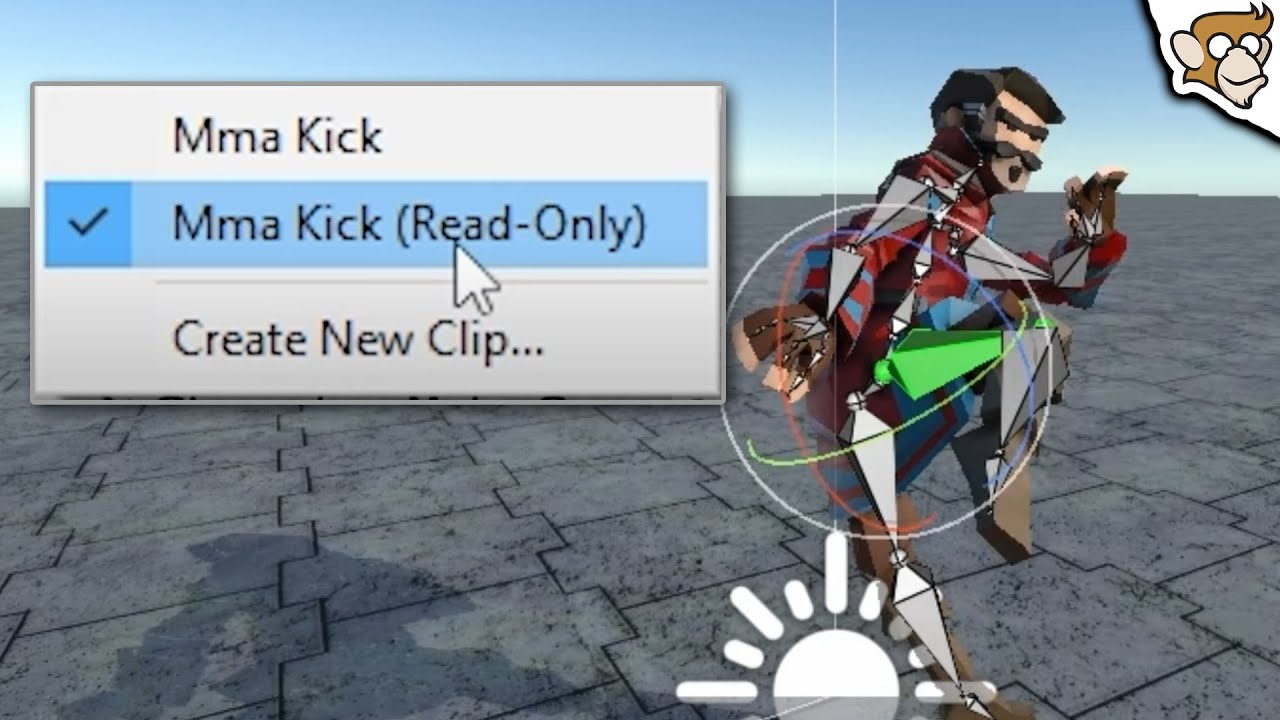
✅ Get UMotion Pro https://assetstore.unity.com/packages/tools/animation/umotion-pro-animation-editor-95991?aid=1101l96nj&pubref=editreadonlyanims
🌍 Get my Complete Courses! ✅ https://unitycodemonkey.com/courses
👍 Learn to make awesome games step-by-step from start to finish.
👇 Click on Show More
🎮 Get my Steam Games https://unitycodemonkey.com/g...
vestal iris
wet crow
Sadly Unity still doesn't support recording keyframes on humanoid avatars, it ju...
til. doing it in blender is probably better in the long run, but my lazy programmer brain is suggesting to: add another animator that uses a non-humanoid avatar, and disable the main animator, enable the new one, this one should allow you to pose your model, and when the animation is finished swap them back?
wet crow
vestal iris
til. doing it in blender is probably better in the long run, but my lazy program...
Have to admit, got the same idea but maybe it's better to learn the model/animation Pipeline anyway in the Long run, so why not take this opportunity.....
 viral snow
I want my soldier to be doing the idle animation anytime he isn't moving or saluting. Then I want him to salute Once each time the player approaches him.
Then when he is walking, I want him to do the walking animation


I have tried a lot of things but couldnt get it to work right
He just randomly does the idle -> walk animation
 jaunty raptor
anyone here know how to start an animation at a certain frame?
 heady lichen
how can i stop my animation from playing on awake? i have set triggers for them to go off when i reload and shoot but for some reason the animation plays as i start the level even tho im not touching it
plz ping me if you reply to this so i can check this channel again
heady lichen
nvm its cuz i had the animator checked lolk
 agile solstice
heady lichen
how can i stop my animation from playing on awake? i have set triggers for them ...
agile solstice
heady lichen
how can i stop my animation from playing on awake? i have set triggers for them ...
The animator (which would be helpful to see here) is set to play the default state first, which you can define by right clicking a state
agile solstice
jaunty raptor
anyone here know how to start an animation at a certain frame?
At a certain frame of what and in what context?
If you mean frames of the game, you can count them using a script and set the animation parameter when hitting the specific frame number
If you mean animations, they don't really deal with "frames" at runtime but you can use Has Exit Time on a transition so that it occurs at a specific time relative to the 'from' animation state
daring relic
Is it okay if I delete these Input System elements?
 agile solstice
daring relic
Is it okay if I delete these Input System elements?
agile solstice
daring relic
Is it okay if I delete these Input System elements?
Try asking in #🖱️┃input-system
Or try it yourself
Or ignore them
daring relic
agile solstice
Try asking in <#763502300781477948>
Or try it yourself
Or ignore them
oh wait im stupid
I thought i asked in #💻┃unity-talk
I just ignored it
 clear current
what am i doing wrong my animation gets to the end and stops. is this not the correct way to loop animations?

 swift jacinth

friends of club trying to make stage go up and down the Stage was made With blend Shapes however there blendShapes Are Missing do we need to export the Stage and Make the Toggle First or is this Fixable by Reimporting
 jovial seal
i am having an issue as i am working with multiple body parts
Each ear part animation has its own rotation & position it should adhere to
at runtime, it ignores these instructions to change position within the animation
If it helps, this is the animation in question for the ear

why is this?
basically, it can only hold ONE position at onetime unless i switch off the animator, change it, then re-enable animator
there's nothing in the code that could be holding it in place
and i can't move the ears around unless i shut off the animator (because its position is locked and constantly playing the animation I want it to), but the position is entirely dependent on what its position was BEFORE the animator was turned on.. hence why in the video the downwards animation for the ear is lined up perfectly while the upwards animation is completely off center
But, if I shut off the animator, then play the animation manually, it will go to the correct position
Idk what I'm doing wrong here edit: apply root motion is enabled btw, but no change
 junior cobalt
can you tell me guys what is happening here?💀 i just added the Animator and realigned the skeleton, i have no animation clips why is this happening? and how do i fix it?
 quasi girder
Is there currently any workaround for animator events only having one parameter available? Can I have a dictionary full of parameters as that one parameter? lol
agile solstice
junior cobalt
can you tell me guys what is happening here?💀 i just added the `Animator` and ...
What exactly do you mean by "realigned the skeleton"
It should be aligned already when you import it
agile solstice
quasi girder
Is there currently any workaround for animator events only having one parameter ...
"The parameter can be a float, string, int, or object reference, or an AnimationEvent object. The AnimationEvent object has member variables that allow a float, string, integer and object reference to be passed into the function all at once, along with other information about the Event that triggered the function call."
So, I suppose anobjectcould be a whole dictionary or anything basically, but you can't create a new dictionary from the event itself
An AnimationEvent as the parameter apparently can have one of each type of parameter, but I expect that needs to be predefined in code also
So there's workarounds but probably not a way to get multi-parameter events directly from the inspector
junior cobalt
agile solstice
What exactly do you mean by "realigned the skeleton"
It should be aligned alread...
i made my character i didnt import anything, i made it in blender, and when i imported it told me that i need to assign the body parts and when i did it had a bit of misalignment (error), so i aligned them so i wont get an error
agile solstice
junior cobalt
i made my character i didnt import anything, i made it in blender, and when i im...
If you made it in blender you did import it, after which it shouldn't be modified in unity
It sounds like you're talking about Humanoid avatar configuration, which can be a whole process
Humanoid avatars can only be animated outside of unity, but generic avatars can be animated inside of it too
Both types get messed up if you change how the armatures are positioned relative to mesh after importing
junior cobalt
ok but it wouldnt even start before so how can i not mess with it
 tribal scroll
this is just confusing 
agile solstice
tribal scroll
this is just confusing <:notlikethis:1068134558123442236>
You didn't mention what you're intending to do
And none of the text being readable on the video doesn't help for gathering clues either
tribal scroll
agile solstice
You didn't mention what you're intending to do
Movement animations and layers as I said in the video
agile solstice
tribal scroll
Movement animations and layers as I said in the video
That's not enough information
Movement animations can be set up in many ways, and there's many types of movement parameters from code also
@tribal scroll https://docs.unity3d.com/Manual/AnimationOverview.html
https://learn.unity.com/course/introduction-to-3d-animation-systems
These have important knowledge for you to understand the animator
tribal scroll
agile solstice
<@913913251576832070> <https://docs.unity3d.com/Manual/AnimationOverview.html>
<...
Aight cool I'll check it out once I'm home
 hybrid tinsel
wet crow
Hi Guys, want to do a weapon draw animation from behind my characters back. Shou...
hybrid tinsel
wet crow
Hi Guys, want to do a weapon draw animation from behind my characters back. Shou...
You can make the animation as generic inside unity, then convert it to humanoid.
jovial seal
jovial seal
Idk what I'm doing wrong here edit: apply root motion is enabled btw, but no cha...
any solution? disabling write defaults on all ear animations seems to have fixed it but for some reason doing that breaks the main body animation and it won't play
 prisma flint
Hey guys sometime i need one animation to restart even if is not finished, so for that, i make all conditions for the animation false, and then turn then back to true, but since its all happening in one frame i doesnt really work, can anyone help?
 brazen plume
I have two sets of arms that came with two weapons which have the exact same rig parts minus the guns, but are in different poses. I'm trying to make one set of arms work for both of them but I think because they have starting poses it gets really messed up. Any advice?
 turbid idol
I really need help
 wintry sonnet
why can't I use a sprite skin with multiple game objects? I really have to have it all in one image?
like, how would I connect all these together?? I can find absolutely 0 resources for this online. Is this really a unique need?

 dark hull
morning folks!
Simple question, probably, but i cant figure it out 😦
How do i add an animation clip to transition? I got two states (Standing and Prone). The transition is set, all params work alright, but the default blend seems wierd. I have an anim to transition from stand to prone, but cant figure out how to stuff in in the transition. Any advice would be coveted! Thanks ❤️ !
 uncut salmon
What do you mean by stuffing in the transition?
 dense magnet
Hey! I am really struggling with animations . I am specifically struggling to sync the Navmesh speed with the animations.
Example, I have a start moving animation. a loop animation and a turn around anim.

 late chasm


How can I import multiple animations to Unity?
I have 2 animations in blender but when I import this model to unity it only shows 1 animation
 obsidian epoch
I have issue trying to play second animation where first one left of. Example: Character sitting animation sits on the chair from left side and after that I have looping animation that should play and loop in sitting position. I applied root motion but for some reason sit loop animation just starts from origin, any ideas why?
late chasm
lol there is none to help us xD
obsidian epoch
Sadly I don't know much about animations in blender :/
late chasm
@obsidian epoch you said about secound animation. How did u made 2 animations? I made 2 animations but there is only 1 when I import to Unity
dark hull
uncut salmon
What do you mean by stuffing in the transition?
i ment to put it in there someho. I have Standing anim, prone anim AND the transition anim. But since im transitioning between two blend trees, i only see the setting oc conditions, speed of the transition and so on. Can seem to find a way how to add an animation (guy laying down) into the transition...
obsidian epoch
late chasm
<@354966349224607745> you said about secound animation. How did u made 2 animati...
I imported animation from asset store
uncut salmon
Well, you can add the transition animation between the two in your blend tree and then use a float value to drive the blend.
But blend literally combines animations, which will probably look odd if your transition animation is elaborate.
Probably don't want to use a blend tree for this at all and just animate with states
dark hull
thanks very much. Doesnt seem ALL that bad after all 😄
 violet urchin
Hey everyone! I have problem transferring animation of a pole dance in to a character
In MotionBuilder everything is ok, but in Unity hand didn't match the animation and clipping through the pole
During animation import I set Avatar Definition to "Create From This Model" and set animation to bake
I noticed that character Avatar that created by unity didn't match to animation Avatar, tried to fit animation avatar to character but got a mess in result
Can anyone please suggest how to fix this?


 dense magnet
Can anyone help please?
The preview loop looks great, but in the scene view you can see the feet shifting or sliding about
violet urchin
dense magnet
Can anyone help please?
The preview loop looks great, but in the scene view you...
choose animation in animator tab and enable Foot IK, maybe it'll help
 dense magnet
violet urchin
choose animation in animator tab and enable Foot IK, maybe it'll help
dense magnet
violet urchin
choose animation in animator tab and enable Foot IK, maybe it'll help
Giving it a try now
dense magnet
violet urchin
choose animation in animator tab and enable Foot IK, maybe it'll help
Sadly no luck.
could it be a root motion issue ?
violet urchin
Hmm, had simmilar problem before and that helped.
I'm new to animation so don't know other sollutions sorry 😅
dense magnet
violet urchin
Hmm, had simmilar problem before and that helped.
I'm new to animation so don't...
All good. Thanks for trying though.
I am in 2 minds just getting root motion anims and syncing up the Navmesh with root motion
 tough orchid
The first picture is my combatIdle animation in the scene view, and the second picture is my combatIdle in the Animation window. Why don't they match?

 jovial seal
So I found the issue to my previous problem was that body needed to be on Additive and all other body parts on Override
I have a new issue, though. All body parts (excluding the muzzle for some reason) fall off when the character does a sharp turn (navmesh agent), then readjust themselves
Example:
Transitions are all on 0, no exit time, and I've tried disabling the animator, the body parts do not fall off then on sharp turns, only if animator is enabled
The body parts should be teleporting instantly to their positions, not sliding into them
I use blend trees btw
is there a reason this might be happening?
hybrid tinsel
turbid idol
I really need help
The help you need is using the 'print screen' button to capture a screenshot.
Those videos will just give peeps vertigo
Yellow messages like that are generally not a big deal, they just give information that might help if you are trying to debug things.
As opposed to having an actual error
hybrid tinsel
violet urchin
choose animation in animator tab and enable Foot IK, maybe it'll help
It looks like you might have the wrong transform set as the root; that arrow at his feet in the preview should be pointing in the direction he is moving.
You might just have the incorrect offset in the root rotation
hybrid tinsel
wheat flint
again with this d*mn error
What exactly is going on? You're spawning a projectile with an animation event and it is in the wrong place because the gun moves during the animation?
wheat flint
hybrid tinsel
What exactly is going on? You're spawning a projectile with an animation event a...
yep but at the start and end of the animation the gun is back to his normal position
which isnt happening now
hybrid tinsel
You can try adding something like this to the instantiation script
        yield return new WaitForEndOfFrame();
        //fire
}```That avoids weird interpolations affecting the spawn.
wheat flint
i though it was something about the spamming shoot but that doesnt happened before
agile solstice
hybrid tinsel
What exactly is going on? You're spawning a projectile with an animation event a...
I think the unnamed problem here is that the weapon transform drifts permanently when having its animation interrupted
I had it before too but never solved it
hybrid tinsel
Aah. Yeah, could be.
 lapis ruin
Is it possible to use multiple animator on the same humanoid character?
Basically it's for modding purpose and I can't add layers to vanilla animator, so I wonder if I can use another animator with upper body avatar mask to override those parts with custom weapon animations while keeping original movement animations.
agile solstice
lapis ruin
Is it possible to use multiple animator on the same humanoid character?
Basical...
Not at the same time
lapis ruin
Hmm. Thanks for the info, still I wonder if there's any workaround
tough orchid
tough orchid
The first picture is my combatIdle animation in the scene view, and the second p...
Can someone help me with this?
late chasm
Please I beg u to help me with blender. I am stuck for 3 days with simple bug and I dont know how to fix it
The animation is perfect in blend but in fbx its somehow bugged
wheat flint
agile solstice
Not at the same time
its nothing to do with the animator controller state any state?
@agile solstice here is the image of the settings from that state
 agile solstice
wheat flint
its nothing to do with the animator controller state any state?
agile solstice
wheat flint
its nothing to do with the animator controller state any state?
Nothing that I can think of
It occured in my case without Any State, but now I the issue doesn't happen when reproducing my setup from memory
agile solstice
late chasm
Please I beg u to help me with blender. I am stuck for 3 days with simple bug an...
Multi-object animations are not saved unless they're in one armature hierarchy, or saved as a "meta" strip in the NLA editor as mentioned here #🏃┃animation message
jovial seal
why is my blend tree playing two animations at once? the animations have position properties attached to them so its making the body parts slide
and how would I fix this
it should be teleporting to the designated position the second the position changes
(they all follow the same velocity from the body)
agile solstice
jovial seal
why is my blend tree playing two animations at once? the animations have positio...
Blend trees blend animated properties
This means object positions are interpolated linearly between the animations
Sprite references cannot be interpolated so they're instead snapped to closest
I assume you would've avoided these headaches and a lot of work by not involving transform positions in the keyframes at all
jovial seal
well the issue is i have to cause all the body parts are different and need to be aligned differently from one another
agile solstice
Instead baking the offsets directly into sprites with the pivot points
jovial seal
Well the pivot points won't be the exact same because all the body parts are so different from each other
agile solstice
jovial seal
Well the pivot points won't be the exact same because all the body parts are so ...
The body part needs an offset
That can be set through the animation clip, or the sprite's pivot point
The end result is the same, except with animation offsets you run into these sliding issues
If you need characters to use the same parts with different offsets, in case they have different proportions, you can apply that through inherited transform positions in hierarchy
(or with scripted offsets after the animator's script execution order if you want to get more technical about it)
jovial seal
agile solstice
If you need characters to use the same parts with different offsets, in case the...
ok how would I do that
cause each body part needs its own offset for all the directions
agile solstice
jovial seal
cause each body part needs its own offset for all the directions
If all your body parts are imported and sliced in a sprite sheet in a grid layout with all offsets they need, you never need to define them manually
Look up "pivot point" in the context of sprites if that seems unfamiliar
Most important thing is to not use automatic slicing, as any pre-defined sprite sheet offsets will be lost
agile solstice
That's extremely laborous and you're unlikely to get them right anyway
In this workflow you compile the characters before exporting them as a sprite sheet, and when exporting you do it so the offsets are preserved
jovial seal
well I tried to do it by grid
but I couldn't get all my sprites to fit neatly in any kind of grid
what do y ou mean compile the characters btw
agile solstice
jovial seal
what do y ou mean compile the characters btw
Draw them whole in some 2D program, with parts as a layer each
Then export layers in a grid sprite sheet or as individual sprites
The pivot point will be centered relative to the character and will need no adjustment
jovial seal
i did do that, I'm using aseprite though so that option doesnt exist, so i just drew it on the body then copy and pasted it over to a new frame and did it that way
agile solstice
jovial seal
i did do that, I'm using aseprite though so that option doesnt exist, so i just ...
Which option doesn't exist?
jovial seal
exporting all the different layers separately
agile solstice
jovial seal
exporting all the different layers separately
You can always do so manually, but it so happens Aseprite is one of the few programs that can do that
"Export Sprite Sheet" with "Split Layers" option
jovial seal
i don see it maybe its because im using libresprite which is just a fork of asprite
it shouldnt matter anyway cause it's all lined up on different frames
but anyway how would I retain everything cause it doesnt fit into a grid
agile solstice
I'm not sure what that means
If the compiled character fits into a grid, it sounds like all the parts should too
jovial seal
Wait was I supposed to draw it on a grid?
agile solstice
If you want to avoid total pivot point chaos then I'd recommend it
Grids and so sprite sheets can be of any size or proportion
But you want to keep it consistent so you know where the pivot point will be
jovial seal
oh 160x160 works
 covert sandal
Hey I want to import 3 png frames into unity and then into the animator, but the animator does not want those frames, what do i do?
covert sandal
@jovial seal what do u use for those animation things. I am new in animation
what format
jovial seal
spritesheets?
agile solstice
@jovial seal When using this workflow it may seem like you are wasting a lot of empty space for each sprite sheet just for the correct pivots
But you can later use Unity's Sprite Atlas feature to automatically compile only the relevant pixel data to the atlas while keeping the pivots
It's just an optimization step and doesn't require any manual tweaking
vestal iris
Just noticed something. using the footsteps via animation events from the standard assets third person example. So it seems whenever I stop my animation blends into the idle state so my character makes one final step. Is there a common way to add an extra step? I can't add an animation event to my idle state cause it'll loop.
agile solstice
vestal iris
Just noticed something. using the footsteps via animation events from the standa...
I'd try an extra state that has the Idle motion and also a step event, but rather than looping it transitions automatically to idle using Has Exit Time
Or call the event method in script when the speed drops below a certain threshold to avoid complicating the state machine
 crimson delta
When using Shift Click to free move position, is there a way to move just the bone you're highlighted, not the entire structure attached to it as well?
I have an asset, a snake creature, so I can't see the bones, but it does have bones. Trying to move one in the middle, moves the entire lower half as well, i just want to move the middle bone to adjust the mid section, is that possible?
agile solstice
Try asking in #📲┃ui-ux or #🧰┃ui-toolkit
I don't know about UI Toolkit but I don't think UGUI uses or needs texture caching
Rather it's procedural geometry that gets regenerated when the Canvas involved changes in any way
 vital dirge
ok
agile solstice
@undone slate It was really helpful that you brought up meta strips for multiple animation exports
I notice however that it seems to attach a copy of every action to every object, increasing the number of unneeded clips exponentially
Have you noticed any way around that?
 undone slate
agile solstice
<@152400053036777472> It was really helpful that you brought up meta strips for ...
undone slate
agile solstice
<@152400053036777472> It was really helpful that you brought up meta strips for ...
yeah! when you export, under baking there are a couple tick boxes, un tick everything apart from NLA strip. Once in unity when you expand the FBX it should just be the one meta strip
agile solstice
undone slate
yeah! when you export, under baking there are a couple tick boxes, un tick every...
Great!
undone slate
agile solstice
Great!
🙂
 wheat cedar
is it possible to easily change the material slot that this animation refers to?

 stable osprey
can you transition to another animator layer or do i need to just make a state machine even I'm transforming my character into completely different sprites?
 swift stag
i exported a model with shape keys to test it out but it seems some of the shape key are not working (dont more or move more objects than it should). it works perfectly in blender. does anyone know what is going on?
 shrewd mountain
I got 2 objects that basically use the same armature. Trouble is, however, whenever I try to make the hoodie use the same armature as the hoodie, I just... can't. I don't know why. it just does NOT work.
jovial seal
is there a less laborous way to make animation clips?
everytime i import a new spritesheet i have to go through all 50 of my animations and manually replace each sprite
agile solstice
jovial seal
everytime i import a new spritesheet i have to go through all 50 of my animation...
Editor script that would automate the process
Or a custom component that lets animations control the index of a swappable sprite array rather than explicit sprite reference
 sand dagger
swift stag
i exported a model with shape keys to test it out but it seems some of the shape...
sand dagger
swift stag
i exported a model with shape keys to test it out but it seems some of the shape...
You might have had a mirror modifier or other modifier that got applied when you exported from blender. This would change the blend shapes.
swift stag
sand dagger
You might have had a mirror modifier or other modifier that got applied when you...
Fixed it, it was vertex groups
sand dagger
swift stag
Fixed it, it was vertex groups
ahh, that warning I always ignore
 grim glen
idk whhy but my collider doesn't resize

 glad sparrow
I am trying to change the scale on my gameobject with an animator, but whenever i try to the scale goes back to its default value. If I disable the animator, the scale changes properly to what I want, but whenever I turn the animator back on, it goes to it's default value from when the editor play mode started.
Any ideas? It does not appear that I am editing the scale anywhere in the animations - but it's definitely somewhere related to the animator
grim glen
Could it be due to WriteDefaults?
glad sparrow
Honestly, not sure. All my animations have write defaults checked, but it was always that way and I didnt used to have this issue.
glad sparrow
Hmm, seems to be the same result with them unchecked
 ornate dirge
do you need to draw the arm of a 2d character seperate to attach weapons to it.
uncut salmon
You can do whatever you want and entirely depends on your art
 deep birch
Hi, I would like to ask why my animation preview window in animator cannot show full animation. How can I fix this? (happens after update to 2022.3.16f1). The animation play as normal when in game mode, but I want to see it in preview window
 white hollow
Hello, how can I solve this issue?

 red bramble
Where did you get the FBX from?
red bramble
deep birch
Hi, I would like to ask why my animation preview window in animator cannot show ...
Your transition duration is zero. What if you increase that?
white hollow
red bramble
Where did you get the FBX from?
Do you answer me?
red bramble
Yes. Where did you get the FBX from?
It looks like it has bad animation data in it
(the framerate should not be zero)
white hollow
red bramble
Yes. Where did you get the FBX from?
Link here: https://assetstore.unity.com/packages/3d/characters/humanoids/stylized-character-customizable-modular-clothes-181717
Just imported to unity

Elevate your workflow with the STYLIZED CHARACTER CUSTOMIZABLE/MODULAR CLOTHES asset from Markus Art. Find this & other Humanoids options on the Unity Asset Store.
red bramble
If they're not meant to have aniamtions, maybe the FBX was just mistakenly exported with some junk animation data
white hollow
Do you know how to solve that?
red bramble
Is it causing a problem? If not, you can ignore it
white hollow
Yes, it causing many problems
- No textures
- Mis-functional asset
 wide rapids
Hey people!
I have a problem with my animations. They screw up completly and I am unable to understand why.
I rigged my model in Blender with Auto-Rig-Pro. I send uploaded to Mixamo and downloaded a applied idle animation (without Skin!).
Then I created an Animator with my custom Animation Controller attached to it. In the controller I added the Idle animation from Mixamo as an entry animation.
In the screenshot one can see that my whole transform is super funky (scaled down to 0.0.1) and crazy rotations etc. The Animation window also shows errors with missing bones which I can verify do exist (see Hierarchy window).
What is going on here? Can someone give me a hint please?
 wide rapids
nevermind I had to download with skin it seems
deep birch
red bramble
Your transition duration is zero. What if you increase that?
Thank you for replying. I increase it to 0.25, it shows a bit more but still dont show full animation
is this a bug in 2022.3.16? because before update I dont have this issue
red bramble
This is exactly the expected behavior for a very fast transition duration
I see there's no exit time
That means that you'll exit as soon as the transition is valid
red bramble
deep birch
Thank you for replying. I increase it to 0.25, it shows a bit more but still don...
If you want to play the entire animation before you're allowed to transition out of the state, turn on Exit Time and set it to 1
deep birch
red bramble
If you want to play the entire animation *before* you're allowed to transition o...
I want to see the entire animation because I want to know the timing of the action occur so to determine the attack timing, damage timing. If I set the exit time to 1, the timing is not accurate. I know I can see the timing from the original animation but I have a speed multiplier in the animation. It's just matter of convenient. Just curious if anyone in 2022 version has the same problem?
red bramble
What makes the timing “not accurate”?
The animation will play to completion, and then it will transition to the next state
And animation events will always fire at exactly the same time
deep birch
wait I miss read your cm, I thought u means turn transition duration to 1
ok that solve it. Thank you very much.
 static haven
Hey guys.. I started in unity 2 months ago in 2d games.. now I want to start in 3d games.. and first step is to understand some stuff.. one question for you guys.. if I create a character in 3ds max or blender.. do i need to rigg and animate them there or I rigg and animate them on unity ? thank you
red bramble
deep birch
wait I miss read your cm, I thought u means turn transition duration to 1
Ah yeah, that’s different!
Transition duration is how long it spends switching
 cedar ruin
static haven
Hey guys.. I started in unity 2 months ago in 2d games.. now I want to start in ...
cedar ruin
static haven
Hey guys.. I started in unity 2 months ago in 2d games.. now I want to start in ...
Unity has some limited tools for animating. The concept is the same both in 2d and 3d.
It's still recommended to rig and create animations in a dedicated software.
static haven
cedar ruin
Unity has some limited tools for animating. The concept is the same both in 2d a...
But can I also exporte the rig with the model to unity?
cedar ruin
Yes of course.
static haven
or I will need anyways to use the unity rig system?
cedar ruin
No. In fact, you can't rig in unity. Not by default at least.
static haven
hmmm, ok because I have 10 years exp with 3ds max, was thinking about trying 3d games now as I finished my first game already in 2d, and I think 3D is more fun
red bramble
"rigging" is the process of deciding how each bone in a skeleton moves a mesh around
static haven
even tho harder prob
cedar ruin
You can animate an already rigged character, but that not recommended as I mentioned previously.
red bramble
oh, okay, you know a thing or two :p
static haven
i know 😛 thank you anyways 😛
i dont know about unity.. 3ds max and zbrush I know a lot, 😛
red bramble
My main bit of advice: make sure it's really easy to export your model into unity
i have a one-click export process
you don't want to have to pick a bunch of settings correctly every time you want to update the model
static haven
hmm.. I already have a game in mind to start.. just need to do some learning on char animation, rigg etc in unity to make sure I can proceed with it.
hmm.. i see, well it will be a long journey but at least I know now its possible
thank you guys !!
 slender egret
Hi all not sure if should I post it here or in the vr section. Anyone is able to help me with this question on the forum? Thank you all.
https://forum.unity.com/threads/record-humanoid-anim-from-vr-full-body-tracking.1534852/?gq=vr recording

Unity Forum
Hi all,
The goal of the project is to create a humanoid animation at runtime based on the movement of the user in virtual reality using full body...
 rapid lynx
hey guys
is it possible for 2d rigs to flip the bones in the animation
do i just change the scale of the bone?
 jovial ruin
rapid lynx
is it possible for 2d rigs to flip the bones in the animation
jovial ruin
rapid lynx
is it possible for 2d rigs to flip the bones in the animation
are ylou tryna flip a character?
 full mesa

Elevate your workflow with the Animated Low Poly Angel Knight asset from Leonardo Olivieri Carvalho. Find this & other Animations options on the Unity Asset Store.
rapid lynx
jovial ruin
you could try rotating the Y 180 degrees
no it has to be flipped, it will be upside down if its rotated
jovial ruin
rapid lynx
no it has to be flipped, it will be upside down if its rotated
oop i meant Z
not Y
rotation 180 along z should flip it
rapid lynx
i just set the xscale and yscale
anyway how do i make the weapon appear behind

the weapon is a separate object
from the rig and stuff
its a PSB file
agile solstice
full mesa
https://assetstore.unity.com/packages/3d/animations/animated-low-poly-angel-knig...
I think you're looking for https://discord.com/channels/489222168727519232/1080140002849214464
agile solstice
rapid lynx
the weapon is a separate object
If it's not part of the rig, then it obeys the standard rules of 2D sorting
https://docs.unity3d.com/Manual/2DSorting.html
 dense agate
Do you guys use mixamo for generic animations?
rapid lynx
agile solstice
If it's not part of the rig, then it obeys the standard rules of 2D sorting
<htt...
Yeah but the psd asset is on one layer
 icy mist
Hai! Having issues with my animation not playing for some reason? I explain and show better in the video
https://youtu.be/gnZet1bFQaw

 karmic dome
whats the best way to go around making a 3d bow string animation?
for like charging and shooting
agile solstice
karmic dome
whats the best way to go around making a 3d bow string animation?
What's "best" is nearly always different in each individual situation
Bow string can be rigged like all geometry, if it is geometry, but whether the string pull can be a baked animation or if it needs to happen in realtime may require a bit of a different approach
It could also be made with a line renderer
brazen plume
Hey so is there a way to make this guy stop clipping through the floor without completely culling update transforms?
 polar dust
I have this very basic setup with one transition. The condition is not triggering and the Walk_Forward animation doesn't play even though I set the condition parameter in the update loop which I output to the console. Why doesn't it transition?

Debug.Log(animator.GetFloat("VelocityZ"));
agile solstice
polar dust
I have this very basic setup with one transition. The condition is not triggerin...
Your transition looks to be at the very end of the idle animation, so I expect it takes almost a full 4 seconds of walking before the transition occurs
polar dust
agile solstice
Your transition looks to be at the very end of the idle animation, so I expect i...
So I got the live update to work, and the transition does occur but the animation does not play. If I swap the walking and idle animation, the walking plays just fine but then the idle animation does not play

turns out the asset i'm using already had an animator attached to it, so i removed that and now i'm good
 olive cape
covert sandal
brazen plume
Hey so is there a way to make this guy stop clipping through the floor without c...
olive cape
covert sandal
brazen plume
Hey so is there a way to make this guy stop clipping through the floor without c...
The animation is the reason, I think.
 nova dagger
I need help object rotation is not rotating how I want it to, I only want it to rotate on the y axis it starts at 0 and ends at 360

I think it has to do with parent constraints but I don't see how I can make this rotate the way I need it to without having the objects parented
 wide rapids
How can I change the speed of an animation state with a script? Using Animator.speed will change the speed for all animations. However I simply want to set the speed of one animation state for it's particular animation time and leave all other states as they are
 polar dust
wide rapids
How can I change the speed of an animation state with a script? Using `Animator....
polar dust
wide rapids
How can I change the speed of an animation state with a script? Using `Animator....
see the multiplier checkbox? check that and use animator.setFloat("MyParam", ...)
nova dagger
fixed it
wide rapids
polar dust
see the multiplier checkbox? check that and use `animator.setFloat("MyParam", .....
Thanks a heap
 twin surge
brazen plume
twin surge
brazen plume
Is there a way to do something like this? (Enemy loco is an animator controller.)

I don't want to change the speed of the whole animator just the state or layer
 ancient pagoda
I don't really know what I'm doing but I was told to ask for help here so here I am
I was copying blendshapes from a model to another one using a custom package I downloaded. everything is displyed in the face, but they don't appear on the blendshape list (which I need to have for the thing I need to work)


 grim glen
 hoary salmon
how can i play two animations simultaniously in animator controller
hoary salmon
how can i play two animations simultaniously in animator controller
Use layers
hoary salmon
the anims are different length
uh how can i sync tem then
hoary salmon
like when anim1 on layer1 starts/at beginning of loop
immediately play anim2
grim glen
Aah
Then yeah give them the same parameters to play them
Anim2 should be on layer w
2
Layer 2
jovial seal
I don't know if this is necessarily an animation issue but; for some reason, when any of my randomly generated characters are flipped, it overrides the animation event that tells the tail body part to appear over the body (normally the tail is behind the body).
But when the character flips to the other side, the tail gets on the correct layer again.
But this only happens when I build & run the game. In the unity editor preview, it works
If relevant, this is the code for flipping the sprites (just flip the body and all the body parts under it flip as well)
_bodyTransform.rotation = (movingHorizontally && velocity.x > 0) ? Quaternion.Euler(0, 180, 0) : Quaternion.Euler(0, 0, 0);
An example of the issue:
this can be really dark on some monitors and my recording isn't the best quality at all so you may need to turn brightness up
flipping the body outside of horizontal movement has other visual issues, so i tried to contain the flipping to only horizontal movement but as you can see that doesn't work, and I really don't want to create many more sprites just to have left/right when I can flip the sprite
agile solstice
polar dust
see the multiplier checkbox? check that and use `animator.setFloat("MyParam", .....
@brazen plume right above you here are instructions just for that
agile solstice
jovial seal
I don't know if this is necessarily an animation issue but; for some reason, whe...
In my experience a different sorting in build compared to editor implies that the sorting is actually ambiguous with those settings, what method are you using for it specifically?
It's possible that the event isn't called for some reason, which you can also test
Since you're using sprite renderers I'd use the flipX option instead
Also, at a very specific point in the characters' path the tail seems to be fixed
That could be due to sorting ambiguity if nothing seems to "change" at that point, or it could be a clue that something does happen there
 vernal kiln
can someone tell me how to fix this? i am using animation rigging/inverse kinemtaics
when i move the ik tagets manually the leg is moving to it's target, but if i move the body itself and move it away from the target the leg is not oriented towards the taget, if i move the target manually tho it suddenly does
the twod red cubes are the targets but the legs are not looking at them, only if i click on the target and move it
 rapid lynx
guys how do i get the animation clip in a blend tree
 sullen wasp
how do I change the frame rate? the tutorial guy has a sample field but its not there for me

Found it
 hoary oracle
can someone gives some feedback for me on this animation. I am only a beginner in pixel art and have 0 experiences in actual drawing

I know the arm contracting part is really off
jovial seal
agile solstice
Also, at a very specific point in the characters' path the tail seems to be fixe...
Yeah no it’s when they flip
You can see the sprite flip over it gets fixed
Im using an animation event to set the tails sprite render layer to 1, and it’s default is 0
Also if it matters, the body itself is on a sorting group, but idk why that’d change anything
agile solstice
jovial seal
Also if it matters, the body itself is on a sorting group, but idk why that’d ch...
By render layer do you mean sorting layer? Which sorting layer and order in layer dies the sorting group have then?
agile solstice
hoary oracle
can someone gives some feedback for me on this animation. I am only a beginner i...
One of the frames when the punch begins seems to be completely misplaced
Or I'm not understanding it
jovial seal
agile solstice
By render layer do you mean sorting layer? Which sorting layer and order in laye...
Sorting group has 7 and all their layers are on the players layer so the player can layer sort via pivot point
agile solstice
Sounds right to me
jovial seal
agile solstice
By render layer do you mean sorting layer? Which sorting layer and order in laye...
And yes I mean sorting layer. The one on the sprite renderer
clear current
hi i need some help in the animation window when i play the animation its good. but when i add it in scene view and play it. the legs look odd and the player has a air gap underneath
 topaz fog
Hey, I have a general question about the approach of animators when making games... I am mainly a software dev but made some games and continously wanted to enhance the feeling of the game, graphics, etc. Personally, animations are one of the most interesting parts of games, and I am confused about which approach you take when animating a 3rd person player which can walk, run, etc. all that and then also like combat, pickup etc. The last named animations would be somewhat procedurally done, I did that, set things up all good, but still it does not seem right (opinion-wise), and I struggle with having smooth animations and transitions in the motions, e.g. basic movement like forward and right, I just wonder if anyone could give me a somewhat professional response, explaining how you normally approach all that: Do you use keyframe animations for all movements as much as possible, Or do you use procedural animations (maybe for everything)? I also had a look at motion matching and a unity implementation but I do not have the capabilities or budget to expand such a system...
I really just struggle with the idea of the ideal animation architecture, the logical (most logical) approach.
 hardy tartan
Hey, so I'm making a homemade version of Jeopardy, but I'm struggling to make the animations work.
So right now I have a grid of buttons that are the questions, and when pressed, they should grow to the size of the screen and then change the scene.
After the question is done, the scene comes back and the button is disabled. But every time I do this process with another button, the original one gets reenabled.
Help?
uncut salmon
Do each button have their own animator component?
jovial seal
agile solstice
Also, at a very specific point in the characters' path the tail seems to be fixe...
also whatd you mean by this?
I removed rotation, and it's not related, it really does just fix itself in that point in the path
Really random
layering and navigationa ren't relayted to eachother at all
jovial seal
So I think I found a fix, I changed in the animation for it to go from 1 in priority to 4 in priority from the layers and the issue seems to be gone
weird
crimson delta
do i need to be in Play mode to make an animation?
I remember needing to be in play mode for a particle system animation, idk if i have to be just for a head turn animation
red bramble
No, but you do need to have an object with an Animator on it selected
crimson delta
what if there isn't an animator on it, but i use it anyway to create an animation clip?
hardy tartan
uncut salmon
Do each button have their own animator component?
No, one parent gameobject has the main animator
Each animation fades all other buttons while making the pressed one grow to the size of the screen
 elfin remnant
hoary oracle
can someone gives some feedback for me on this animation. I am only a beginner i...
elfin remnant
hoary oracle
can someone gives some feedback for me on this animation. I am only a beginner i...
hi id love to give you some feedback just create a thread with me or alternatively you could just dm me cause im not sure when your active and im going to sleep here pretty soon
red bramble
topaz fog
Hey, I have a general question about the approach of animators when making games...
You just sent me down the motion matching rabbit hole! I’ll need to take some time to look into that
uncut salmon
hardy tartan
Each animation fades all other buttons while making the pressed one grow to the ...
You should be making each button have their own animator that animates them grow or fade out, then call the correct animation on each button based on the player's input.
polar dust
I'm following this tutorial to combine character controller movement with root motion, but when I implement OnAnimationMove , animator.deltaPosition is always (0,0,0). Root motion was working as expected before adding the method. Does anyone know why deltaPosition is 0? https://www.youtube.com/watch?v=mNxEetKzc04
 cedar cloak
Lads need help with 3d animation. So when I added a animation from maximo from no where my animation moves my model without moving object itself, is there a way to block so the animation can't move the model or avatar?
Like can you solve it in unity
Or you need a code?
polar dust
cedar cloak
Lads need help with 3d animation. So when I added a animation from maximo from n...
Was there an option to download "in place"?

Otherwise you can make the animation writable and remove the root xyz translation
cedar cloak
polar dust
Otherwise you can make the animation writable and remove the root xyz translatio...
How?
 polar dust
cedar cloak
How?
polar dust
cedar cloak
How?
I haven't tried this before, but I believe you can mark the animation read/write, then go to Window->Animation select the animation and delete the keyframes that move the root
 knotty bridge
Beginner question, how come the last keyframe of my animation is only lasting half as long as the others?
 hoary oracle
Fixing My Animation
hoary oracle
knotty bridge
Beginner question, how come the last keyframe of my animation is only lasting ha...
because the last keyframe only has that 1 space
others have 2 as you can see
knotty bridge
hoary oracle
because the last keyframe only has that 1 space
Yeah I'm confused how to increase that
hoary oracle
there are some dumb but still effect way is that you duplicate the last key frame
knotty bridge
Gotcha thanks
Also is changed the sampled the best way to choose the framerate? I chose the same samples across 2 different animations but they seem to be going at different speeds
hoary oracle
yes
knotty bridge
Nvm I think I get it now, thanks!
 cinder gale
Hey there. My character Mario has an animator and a gray silhouette behind him. This silhouette should always be the same sprite as Mario himself. When I set this in code however, the silhouette always updates 1 frame too late. Is there any way to make this happen on the exact same frame? Here is the code I use for it.
playerSilhouetteSpriteRenderer.sprite = playerSpriteRenderer.sprite;


 crimson delta
I downloaded a model asset from the store, but i can't seem to edit the animation clips that are on it
I can open the prefab, see the anim clips, double click to open the animation window, but i can't modify anything here, how can i?
I know i can Control D to copy it, but then how do i put it back INTO the asset
 charred belfry
crimson delta
I can open the prefab, see the anim clips, double click to open the animation wi...
charred belfry
crimson delta
I can open the prefab, see the anim clips, double click to open the animation wi...
You cannot modify assets in Unity, only their import settings.
Modify it in a modelling program, or duplicate the animation and then use that duplicate in your state machine
crimson delta
also, even after Control D, and opening it up, i can't turn on the recording function to record any changes or additions to it
the recording function is still grey'd out
ah
charred belfry
crimson delta
the recording function is still grey'd out
You have to have a model selected in the scene (or a prefab iirc) with the animation assigned to record the model's changes
crimson delta
Does the model have to be in the SCene
charred belfry
I am fairly sure prefabs work too, but I cannot remember
crimson delta
should i use the prefab, or the FBX model then
eh i'll try both
Still can't turn on recording to add or modify the keyframes
so can i modify someone's created asset that i got from the unity store at all?
like i want to just add a movement to one of tis animations, am i able to do that at all?
charred belfry
I feel like I already answered that? #🏃┃animation message
You can modify the duplicated animations
crimson delta
I figured it out I think. I had to drag and drop the duplicated animation onto the asset in the Hierarchy window, then it created another animation controller for it, and now i can edit it freely
I could not just straight up modify duplicated animations, it was not letting me
crimson delta
If I copy and paste a keyframe, and then move the second keyframe on top of the first one....is there two keyframes there, or just one?
Trying to copy and paste the entire list of keyframes here for the animation, in order to prolong the animation, not slow it down. I"m trying to prolong so there's time for the head turn animation to happen. As it is now the animation is only one second, but it's looped over and over to simulate an idle.
I can copy and paste the keyframes, but idk if having too many keyframes is gonna get just messy or too big of a file size, etc
hoary oracle
why Unity can only load sprites with 8000 in size
agile solstice
hoary oracle
why Unity can only load sprites with 8000 in size
I think the default texture import max size is 8k but can be increased to 16k
If you are importing a PSD/PSB with layers, the effective max size is lower as every layer must be stored side by side in the imported texture
agile solstice
crimson delta
I could not just straight up modify duplicated animations, it was not letting me
Usually that happens if the animator (or clips themselves? not sure) are using a humanoid avatar, in which case the ability to edit animations is blocked
agile solstice
cinder gale
Hey there. My character Mario has an animator and a gray silhouette behind him. ...
Animator runs in LateUpdate, so your script must run in LateUpdate as well but also after the Animator in script execution order
cinder gale
Alright thanks!
hoary oracle
I am currently making a 2d top-down game and am using conventional 2d hand-drawn sprite sheets for my character. I just watched a vid on youtube saying I can replace the labour intensive process by using Blender and meshes. Can someone give me some recommendation? Should I learn Blender? Will using 3D meshes significantly affect the performance of my game?
 spare rose
Is there an option to turn on transforming objects in Maya?
I can't move metahuman after importing and rigging it with advanced skeleton
 red wasp
Hi please I need help. Why is my animation of jumping and falling looping even though I turned off "Loop Time"?
agile solstice
red wasp
Hi please I need help. Why is my animation of jumping and falling looping even t...
The transition to it could be triggering repeatedly, also
red wasp
agile solstice
The transition to it could be triggering repeatedly, also
this is the transition

 agile solstice
red wasp
this is the transition
agile solstice
red wasp
this is the transition
Possibly because it's from Any State
Try not to use it
red wasp
at all?
agile solstice
red wasp
at all?
It creates unpredictable behaviour, such as what you're experiencing, because it overrides the state machine
And leads to bad practices, again because it overrides the state machine
If you want to avoid problems with it, use it only when you have one-way states like a death
red wasp
now I'd have to change the script and I have no idea how, but thanks anyways
agile solstice
red wasp
now I'd have to change the script and I have no idea how, but thanks anyways
If the transition Settings give you the option to "can transition to self", disabling it might solve this specific problem
red wasp
agile solstice
If the transition Settings give you the option to "can transition to self", disa...
it worked! Thanks so much!
 gleaming stump
hey, i have this animation "blow kiss" witch not contents a character mesh unlike the "walk" which has the character fbx

i'm already try change the avatar
but it gives a error when i select "copy from other"
sullen wasp
using System.Collections;
using System.Collections.Generic;
using UnityEngine;

public class PlayerScript : MonoBehaviour
{
    public float moveSpeed;
    public Rigidbody2D rb;
    private Vector2 movementInput;
    public Animator animator;


    // Start is called before the first frame update
    void Start()
    {

    }

    // Update is called once per frame
    void Update()
    {
        movementInput.x = Input.GetAxisRaw("Horizontal");
        movementInput.y = Input.GetAxisRaw("Vertical");
        movementInput.Normalize();

        rb.velocity = movementInput * moveSpeed;

    }
}
How do I figure out which way the player is facing so I can apply the right animation (I am working with animations for the first time)

(2D)
 granite heath
Hey, I'm using the microgame fps template and I want to animate when I use the weapon, it took a long time to figure it out but what it wants is an animator component as an input (1). So I make an animator component on the weapon and link it but then it says (2). I am not sure what thing it exactly wants. What is an animator?

 sullen wasp
```cs
using System.Collections;
using System.Collections.Generic;
using UnityEng...
sullen wasp
sullen wasp
```cs
using System.Collections;
using System.Collections.Generic;
using UnityEng...
I figured it out
sullen wasp
granite heath
Hey, I'm using the microgame fps template and I want to animate when I use the w...
animator is a component
 granite heath
I see
sullen wasp
it allows you to manipulate the animations with the controller
(I am a beginner and only learned this myself like half an hour back :D.)
granite heath
hmm.. well. the issue is that I'm not sure what to apply to the weapon animator
or how to apply it-
sullen wasp
good luck
dense magnet
Hey! I currently have an issue where I set a death animation from the Any state node triggers every frame or so. I am not sure how to fix it .
tough orchid
Why isn't the display of the animation of the 3D model showing up?
 agile solstice
tough orchid
Why isn't the display of the animation of the 3D model showing up?
agile solstice
tough orchid
Why isn't the display of the animation of the 3D model showing up?
Most likely minimized
There should be a striped horizontal bar at the bottom of that window
Clicking it would maximize the preview window
agile solstice
dense magnet
Hey! I currently have an issue where I set a death animation from the Any state ...
Confirm that "can transition to self" is disabled on the transition, and perhaps use a boolean parameter to minimize the chance that the condition becomes true repeatedly
dense magnet
agile solstice
Confirm that "can transition to self" is disabled on the transition, and perhaps...
Managed to fix it. Thanks a bunch
cinder gale
Hey there, I have a state machine for my player and I've been trying to add the correct animation to each state. Everytime I change to another state, I call the animator in the Enter() method and tell it to play the correct animation. However, if I quickly change from one state to another, the animation sometimes doesn't get played, even though the Enter() method is called. I know this because Debug.Log still sends out a message to the console. Is there any reason why it doesn't play the animation sometimes? I've added a small video and code below for more info:
public override void Enter()
{
        player.GetAnimationController().PlayAnimation("Jump");
        Debug.Log("EnteredJump");
}
Hey guys, I have this sample project where character animations are set like this, with the parameters set as "animator", which got me kinda confused, is it animated using the rigging system? How can I edit, control or add animations from or to the character?

Also every rigged character I set as the model works with the animations, which lead me to believe it maybe is animation using the Unity rigging system?
agile solstice
cinder gale
Hey there, I have a state machine for my player and I've been trying to add the ...
These are not Animator's own methods
Is there a reason for doing it like that?
cinder gale
You mean the PlayAnimation method?
Actually let me change that, it might be better indeed
agile solstice
cinder gale
Actually let me change that, it might be better indeed
What is it, and change to what?
agile solstice
quasi girder
Hey guys, I have this sample project where character animations are set like thi...
I think this is what humanoid avatar animations look like
You're not meant to edit them, but import them from an external program
cinder gale
cinder gale
Actually let me change that, it might be better indeed
Nevermind. The PlayAnimation method has this as code:
public void PlayAnimation(string animationName)
    {
        playerAnim.Play(animationName);
    }
Which is a method from my AnimationController script which handles everything animation related
quasi girder
agile solstice
I think this is what humanoid avatar animations look like
You're not meant to e...
Oh, didn't considered that, I thought external animations weren't editable in the Unity animator (I can edit them changing the parameters lol). But then I guess external anims made with rigs... find rigs from all characters automatically? The character I've set has bone naming different as the default one in the sample, but the animations worked instantly
agile solstice
cinder gale
Nevermind. The PlayAnimation method has this as code:
```c
public void PlayAnim...
Seems redundant
Play() method sometimes has trouble playing the clips, but it's worth noting that it's not the intended way to use the animator
You instead set animation parameters to trigger state transitions via transition conditions and let the Animator choose what states to play by itself
quasi girder
I'll play around with it to find out more, or will read some documentation as well.
cinder gale
agile solstice
Seems redundant
Play() method sometimes has trouble playing the clips, but it's ...
Yeah I did that at first, but it gets messy rather quickly with all the transitions and I thought this way it might be better as it's less messy and would work well together with the StateMachine I have
agile solstice
quasi girder
Oh, didn't considered that, I thought external animations weren't editable in th...
Imported animations by themselves are editable, but only if they're duplicated so they exist outside of the file
Humanoid avatar animations however are not editable even then
The avatar system is a technical convention that lets Unity understand poses and motion regardless of how it was originally named, kind of like a layer of translation
quasi girder
Got it, so if the character has the same rig (for example, mostly humanoid ones I guess), the animations will work across them
cinder gale
Are there any Unity Animator alternatives which would work better with what I'm trying to accomplish? So just directly calling an animation without transitions?
agile solstice
cinder gale
Yeah I did that at first, but it gets messy rather quickly with all the transiti...
It gets messy if you don't know how to build it efficiently, which is admittedly a bit hard to master
Otherwise you'll be programming the same kind of state machine the Animator is anyway
Not totally incorrect, but not something I'm familiar with or that I'd put myself through
agile solstice
cinder gale
Are there any Unity Animator alternatives which would work better with what I'm ...
In that position I might try the Animancer (or its free Lite version) which purports that it should be very simple for playing animations on demand like you do
I'm really not sure why Play() seems to fail in this case, but from what I know you can't re-trigger an animation state you're already in using it
Maybe the third party one can fix that
cinder gale
Thanks!
agile solstice
quasi girder
Got it, so if the character has the same rig (for example, mostly humanoid ones ...
Yes, the important part is that the animation is Humanoid-compatible and the rig* has been configured
It also enables more features like IK and partially masked animation layers
quasi girder
That's gorgeous, I'll have tons of fun playing around with it then, ty for the information!
 mental sluice
Is it possible for an transition to interrupt another transition and rather than queuing the first one, just ignores it entirely?
 grand ruin
is there a way to import an animation into blender?
agile solstice
grand ruin
is there a way to import an animation into blender?
https://docs.unity3d.com/Packages/com.unity.formats.fbx@5.1/manual/index.html
This one I guess
Usually you want to avoid bringing assets from Unity to other programs as the process is often lossy in some way
grand ruin
as long as its not too bad it should be fine, im just trying to replicate what I presume to be a weight painting error in blender that Im having trouble replicating
agile solstice
grand ruin
as long as its not too bad it should be fine, im just trying to replicate what I...
Unity by default imposes a limit of how many bones can affect a vertex, which is two I think
But can be increased
grand ruin
are you saying that might be the cause of my error?
agile solstice
Only a guess but sounds like it
grand ruin
Thanks, let me see if that helps
agile solstice
Blender often lets a huge number of bones have weight influence, especially with the automatic weighting options, so that often seems to cause weight painting errors in Unity visually before the limit is increased or the weighting tidied up
grand ruin
agile solstice
Blender often lets a huge number of bones have weight influence, especially with...
is it this setting?
 agile solstice
mental sluice
Is it possible for an transition to interrupt another transition and rather than...
agile solstice
mental sluice
Is it possible for an transition to interrupt another transition and rather than...
https://www.gamedeveloper.com/design/unlocking-unity-animator-s-interruption-full-power this gives a pretty hands on explanation of how the interruptions work
agile solstice
grand ruin
is it this setting?
I think that can cut down the weights for the specific asset, but there's also another in Project Settings>Quality iirc that has a global effect
grand ruin
agile solstice
I think that can cut down the weights for the specific asset, but there's also a...
appreciate the suggestion unfortunately doesnt seem to be the problem
agile solstice
grand ruin
appreciate the suggestion unfortunately doesnt seem to be the problem
You could show the problem, if you want me to scrounge for more ideas
grand ruin
Issue (left) blender t-pose (top[ right) blender pose replication (bottom right)


 agile solstice
grand ruin
Issue (left) blender t-pose (top[ right) blender pose replication (bottom right)
agile solstice
grand ruin
Issue (left) blender t-pose (top[ right) blender pose replication (bottom right)
I see
I'd try to see if it also manifests in the tiny import preview window with any of the poses
And use with a default material just to rule out problems with the shader's vertex displacement
grand ruin
agile solstice
I see
I'd try to see if it also manifests in the tiny import preview window with...
So i tried both of these things and for both it still had the issue, yet I really cannot replicate the error in blender. Do you have any other ideas?
agile solstice
grand ruin
So i tried both of these things and for both it still had the issue, yet I reall...
Hmmm blender's fbx export settings and unity's import settings have something about simplifying keyframes
Maybe it's a keyframe data comperssion issue that causes the bones be slightly off which becomes apparent if they have a relatively sharp weight falloff between them
grand ruin
yeah thats another thing, in order to have that kind of issue there would have to be some kind of weight paint with a sharp falloff, yet none of my weight paints have that


 grand ruin
agile solstice
Hmmm blender's fbx export settings and unity's import settings have something ab...
grand ruin
agile solstice
Hmmm blender's fbx export settings and unity's import settings have something ab...
theres another set of the assymetrical ones on the other side i j didnt send them
agile solstice
grand ruin
yeah thats another thing, in order to have that kind of issue there would have t...
Tried to wiggle all bones individually to confirm?
I'd triple-check that the current quality level allows for enough bone weights, maybe set both settings to unlimited
grand ruin
agile solstice
Tried to wiggle all bones individually to confirm?
I'd triple-check that the cur...
lmc
agile solstice
In my life double-checking often isn't enough
 worn flicker
Hello, i have set up this character but i have a problem. I dont know why the fingers are pointing like that. Do you have any ideas ?
 grand ruin
agile solstice
In my life double-checking often isn't enough
grand ruin
agile solstice
In my life double-checking often isn't enough
I just checked all the bones again and still cant replicate it, what do you mean when you say "both settings"?
grand ruin
worn flicker
Hello, i have set up this character but i have a problem. I dont know why the fi...
can you show the armature?
agile solstice
grand ruin
I just checked all the bones again and still cant replicate it, what do you mean...
Remove bone weight limits in mesh import settings, as well as project graphics/quality settings
This should be a setting per-quality tier
 worn flicker
grand ruin
can you show the armature?
worn flicker
grand ruin
can you show the armature?

 grand ruin
worn flicker
grand ruin
worn flicker
are the thumbs the only issue, because it looks like a bunch of the bones are pointing in incorrect directions to me, but I've also never used this kind of rig
grand ruin
agile solstice
This should be a setting per-quality tier
Im restarting after changing settings to make sure they applied since I didnt see an apply button
worn flicker
grand ruin
are the thumbs the only issue, because it looks like a bunch of the bones are po...
i took a existing rig and transfered it. In unity the rig looks fine, i just have this problem fingers
agile solstice
grand ruin
Im restarting after changing settings to make sure they applied since I didnt se...
They should be saved automatically
The only gotcha I know of is that the last quality tier you clicked on is the only active one
grand ruin
agile solstice
They should be saved automatically
The only gotcha I know of is that the last qu...
Aye problem fixed! Thanks
agile solstice
Worked? 👀
grand ruin
worn flicker
i took a existing rig and transfered it. In unity the rig looks fine, i just hav...
Try seeing if this tutorila helps you https://www.youtube.com/watch?v=5NWTMXCwFwQ
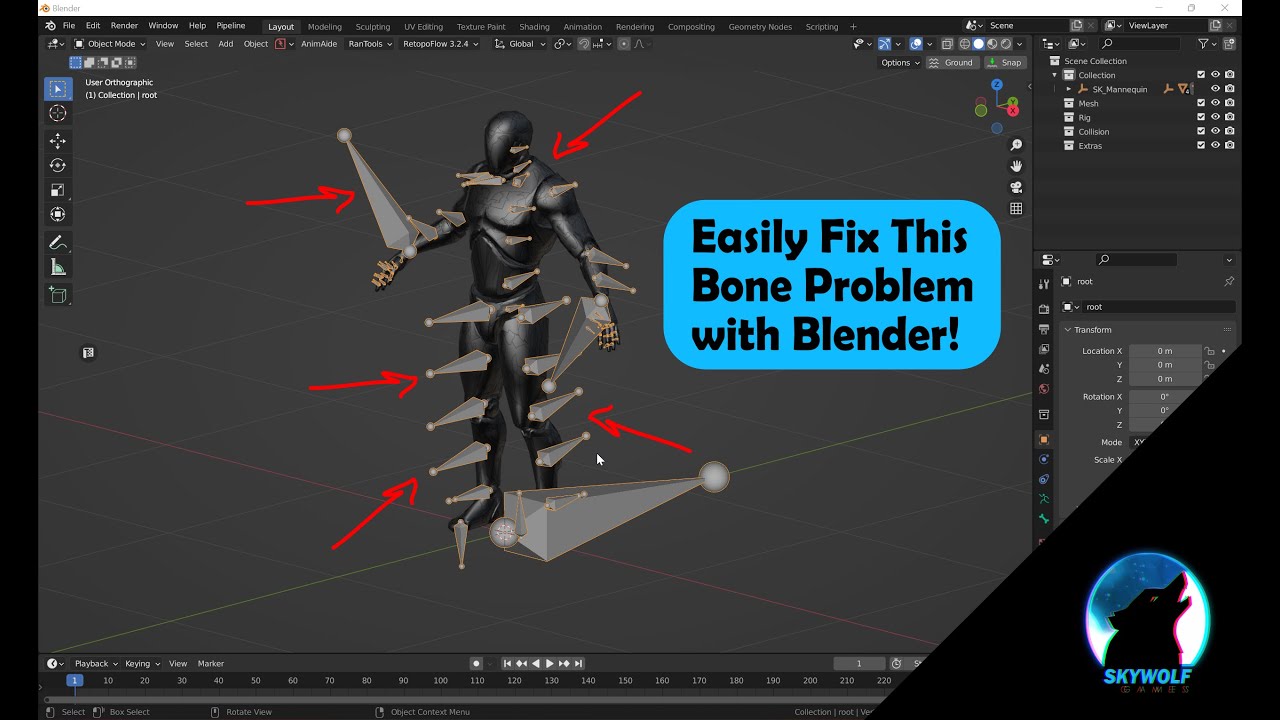
Blender has always been the little guy, however, in recent versions as of 2.8 it's becoming more of the Industry Standard. One Feature I noticed not many know about is a secret weapon to solve strange bone orientations when attempting to import Rigs from outside of blender into it such as from Unreal resulting in a rather strange sideways bone a...
worn flicker
i'll try this thx
 agile solstice
triple-checking saves the day again!
grand ruin
looks a lot better now, but still I have a long way to go before the jacket is done. I've been working on my player model for a month, as a newbie, this is exhausting
Thanks so much though, I'd never have figured that out on my own
agile solstice
Definitely clothes in particular are a big challenge
Even pro riggers/modelers/animators use a lot of tricks to minimize the trouble
grand ruin
Yeah I have so much respect for them. It's been a constant storm of remodeling and little texture paint edits and everything inbetween. You'd think that going for a toon style would be easier, but lowkey I wish I could just fool around with more geometry and make something realistic looking
Cant wait till I'm done with it and I can just worry about making boxes and barrels and static things (surely I wont spend months on those too)
worn flicker
grand ruin
it might still work, lmk if it doesn't
ok the video didnt work but i found a fix that seems to work
i changed the rotation of the joint directly in unity and it looks like it's working fine for now

dont know if its a good technique tho
 arctic venture
Hello everyone! Did anyone experience issue when changing the animation from mixamo to other mixamo animation and got warnings that the bone length does not match the position? I've switched from my idle animation to a new one, both from mixamo but I can't figure it out why I'm getting warning only for the legs. I've did this long time ago and as far as I remember, I did not have this issue. Now all the idle animation I use from mixamo i get this:

Also, this happens after I set the animation type to humanoid, select the current avatar i have and hit apply
 late trench
hello, I have an animation on an override layer masked to the left hand of my first person character but whenever it plays the hand stays still and weirdly rotates in place. Can anyone help me out on this
worn flicker
do you know if its possible to merge multiple animations ?
 sick heart
this is something I've been trying to figure out for a while, super new to unity, but how would I go about toggling a skinned mesh renderer through animation events? looking to use it for stuff like expressions on a characters face and toggling props, searching the internet gave me a lot of results but none really ended up pinpointing/guiding me through the process of it
 lapis latch
I got a character with a spritesheet for animation, as well as another spritesheet with clothes to overlay. Can i somehow use the animator from the body, and swap the whole spritesheet via code?
 orchid kernel
Hello, I´m using some assets from itch.io and there is one in specific that has an animation, but I want to slice it so I can use the corners animation, is there any way to slice the animation or do I need to animate each part from 0?

 magic venture
orchid kernel
Hello, I´m using some assets from itch.io and there is one in specific that has ...
magic venture
orchid kernel
Hello, I´m using some assets from itch.io and there is one in specific that has ...
you can slice here

 paper owl
Hello, I am literally completely new to Unity (my first 10 mins in it right now) and I couldn't figure out how I could change the speed of this animation, it is going WAY too fast.
If someone could help me out with this then that would be awesome!

 timber raptor
paper owl
Hello, I am literally completely new to Unity (my first 10 mins in it right now)...
timber raptor
paper owl
Hello, I am literally completely new to Unity (my first 10 mins in it right now)...
space out the keyframes (little grey diamonds), the numbers at the top are fractions of a second, so right now your animation is playing in 0.1 seconds
paper owl
timber raptor
space out the keyframes (little grey diamonds), the numbers at the top are fract...
oh ok
thank you
sorry, it was kind of a stupid question, I just dont know anything about unity yet
timber raptor
thats ok, everyone starts somewhere
paper owl
🙏
timber raptor
Hey guys. So What I'm trying to do here is alternate between two attacks, and it's technically working fine. Heres the problem. My attack key is space. So I hit space, attack happens, hit space again, attack 2 happens but THEN I hit space and nothing happens, and if I then hit space for a second time, attack happens again. Why is this extra keypress happening to get back to attack 1?

To clarify the order:
Space>Attack
Space>Attack 2
Space>nothing happens
Space>Attack
Space>Attack 2
and so on
 uneven granite
I'm stuck with something if anyone can help me out. How can I add animations to a character that uses animation rigging? They have a rig builder. I can't really edit the character, but I figured I can add an animation clip to the character, and have it play. I converted it so it will control the character like it should, but the character just kinda bobs up and down, and the limbs move very slightly, but it's supposed to be a dance. How do people add animations to a character that uses a rig? Or is this not normal? I'm probably missing something. Btw, if I disable the character's rig builder, the animation works just fine, but the existing animations that play on the character won't work anymore.
Sorry for no videos. I'm heading to work soon, but if someone happens to know what I'm talking about, and if it's a simple answer, could someone let me know?
Maybe I'll post a video when I got time.
rapid lynx
guys, is it possible to use Position parameter in 2d rigs for animation and have it respect the rig`s relative positions?
lets say i have one character with wide shoulders and another with not wide shoulders, if i set the position in the animation for the one with the wide shoulders, it will set that position for the other with the not wide shoulders
and it will look weird
 little sluice
Hi, what does the "Additive Reference Pose" checkbox mean on an imported FBX animation?
 agile harness
Hi, I am trying to animate expressions for an imported VRM model. I used UniVRM with an VRM 1.0 file, which was exported from VRoid Studio.
When creating the animation I can select the blendshapes and the preview animation works. When in play mode and playing the animation via an animation controller not all blendshapes change.
The animation is on the expression layer, which is set as override. The active base layer animation does not use the same blendshapes.
Can anyone explain this behavior?
agile solstice
little sluice
Hi, what does the "Additive Reference Pose" checkbox mean on an imported FBX ani...
Additive animation layers add their motion to the base layer's transforms
Clips used additively must refer to some pose as the zero point that their motion is added relative to
agile solstice
These are question and discussion channels, not showcase channels
hybrid tinsel
agile harness
Hi, I am trying to animate expressions for an imported VRM model. I used UniVRM ...
VRM also has its own expression system that might be overriding your animations.
magic venture
i got an animation playing at start, the layer is set to additive
inside, i made my object go to position.y = 1 to 0 (so I am making the object appear high then going down)
screen 1: before playing animation, initial state
screen 2: animation ended


why is it doing 0 to -1 ?
(here it is located around y = 3.5 and finishs at 2.5)
wet crow
General question regarding full body First Person Camera. How do I combine those properly with animation? Prevent any head movement in my Animation, let the cam always follow the head (uncontrollable headbob?), set bodyparts to be ignored by the cam? Is there a good Tutorial for this anywhere?
agile solstice
wet crow
General question regarding full body First Person Camera. How do I combine those...
Not sure about a tutorial as the right way depends on the game
If you look at what other games are doing they often hide the head and arms of the character body and stabilize the torso by the head using an IK chain, and move it back a bit so you see the front of your chest rather then the neck stump when looking down
The biggest point that makes a difference is what kind of enviornmental interactions are required for the body
wet crow
Oh, never thought about using IK for the head
wet crow
agile solstice
The biggest point that makes a difference is what kind of enviornmental interact...
Independent movement of the hands to climb on walls like boulder sports is my goal with some First Person bow usage
agile solstice
This great glitch in Dead Island let you see the first person body from the outside which reveals the illusion
Requiring the body parts to make accurate physical contact with the world can be difficult if you're using the camera and the body collider as the "authoritative" position of the body, so in that situation you may want to allow the body to move the head, and by extension the camera, but add some kind of stabilization
wet crow
So fixate the head with IK, attach Cam to a point in front of the head and put some parts of the head onto layers not rendered by the cam.
agile solstice
Still, most games are built for a capsule shaped player collision that never rotates as the basis
That might not be your starting point with such a climbing system
agile solstice
wet crow
So fixate the head with IK, attach Cam to a point in front of the head and put s...
Could start with that
A trick is to use a 0 or incredibly small bone scale to effectively hide body parts, as parts of a skinned mesh renderer can't have different layers, nor materials without their own submesh
wet crow
Thanks, now I at least have a starting point
wet crow
agile solstice
Still, most games are built for a capsule shaped player collision that never rot...
Wait a minute, the Player Transform never actually rotates or just the collider? The collider as a child would rotate anyway....
 dapper rune
Hey so im pretty new to unity and I need some help. Im tryna animate a dude walking using mixamo which great works, but the main issue is im tryna make a kinda swat raid animation and my main issue currently is the walking animation wont loop and if i make it loop it more or less resets the whole animation rather than a small part of it plus resets the position
wet crow
dapper rune
Hey so im pretty new to unity and I need some help. Im tryna animate a dude walk...
Did you try a Blendtree?
dapper rune
wet crow
Did you try a Blendtree?
whats blendtree
wet crow
Instead of one Animation, a Blendtree blends smooth between several. Imagine you have an idle, Walk Forward, left, right and backward Animation, all triggered by a X/Z Velocity. The Blendtree blends between all of those, so that switching from idle to walk looks seamlessly
Check out IHeartGamedev YouTube Channel, He has an amazing video for that
agile solstice
dapper rune
Hey so im pretty new to unity and I need some help. Im tryna animate a dude walk...
You're probably using root motion animations without implementing root motion
dapper rune
wet crow
Instead of one Animation, a Blendtree blends smooth between several. Imagine you...
how do i use that? haha. im VERY new to unity. quite literally got it today (doing all this for a cinematic in a vr game)
dapper rune
agile solstice
You're probably using root motion animations without implementing root motion
how does one do so. i saw the option but its greyed out

like i cant select anything there
wet crow
dapper rune
like i cant select anything there
Maybe your Animation checked "in place" when you downloaded it from Mixamo? Than it doesn't have any information for that. IHeartGamedev has this covered as well, watch His Animation series
dapper rune
wet crow
Maybe your Animation checked "in place" when you downloaded it from Mixamo? Than...
bet 😄
agile solstice
dapper rune
how does one do so. i saw the option but its greyed out
You'd look into how to implement root motion if you want to use it, or export the animations from mixamo without it, as far as I know
I don't use mixamo
dapper rune
agile solstice
You'd look into how to implement root motion if you want to use it, or export th...
anywhere else to get animations? i mean, ive looked around but havent found anything
agile solstice
dapper rune
anywhere else to get animations? i mean, ive looked around but havent found anyt...
Asset store probably has Humanoid compatible animations
wet crow
agile solstice
Asset store probably has Humanoid compatible animations
That's a good one, there are some free Animation packages. Think Unity has one itself with a robot model or something
dapper rune
agile solstice
You'd look into how to implement root motion if you want to use it, or export th...
sorry for the long ass wait, was helping someone in my house w sum, but root motion enabling did not fix the issue, looking into the yt vid yall recommended
Purchased an animation pack and uh...
it doesent work 😭
(im most likely not using it correctly)

roots moving, character is not moving
ok
fixed it
but hes still not actually moving. just in place. and ive tried quite a few things from the vid
😭
hes just moving in place
 fleet crypt
I am not an animation expert by any means... and I was hoping to get some feedback/perspective from others more experienced in this area.
I have two bipedal characters:
• Character1
• Character2
I am using Humanoid Animation for both of them:
<pistol_idle.anim>
**Character1 **(which came with the animation in question) works as expected
(both hands are where they should be)
Character2 (a separate asset) mostly works as expected, despite some minor differences.
However the minor differences are affecting something overall obvious
(hands holding pistol go inside one another)
SOLUTION???
What are the best methods to adjust/modify/refactor this so the hands are where I'd want them to be for Character2?
Is this within the "Configure Avatar" (Muscle/Mapping settings?)
Or something else?
Trying to fix it genuinely for Timeline/Sequence (not in Play mode)
~ so IK/Targets don't seem to be the method I can use (unless there is a way to see that procedural layer in editor and not Play)

 agile solstice
dapper rune
hes just moving in place
agile solstice
dapper rune
hes just moving in place
Animations don't move the character itself, it's correct if the model is walking in place
If the character seems to be moving but snaps back, that means the model is moving relative to its root, which means it's made for "root motion"
dapper rune
agile solstice
Animations don't move the character itself, it's correct if the model is walking...
right yeah hes walking in place, how do i make him, walk with the thing?
agile solstice
dapper rune
right yeah hes walking in place, how do i make him, walk with the thing?
If you mean walking in place without moving and snapping back, that sounds like it's animating fine but you need to do something to move the character for real as well
dapper rune
agile solstice
If you mean walking in place without moving and snapping back, that sounds like ...
no so now i found an animation pack that basically is all in place, they dont snap back or anything. but there 0 movement, how would i move the actual character with the animation
agile solstice
dapper rune
no so now i found an animation pack that basically is all in place, they dont sn...
Animations in games aren't the thing that moves the character, it's the movement code
If you're making something like a cutscene, you'd use a Timeline to keyframe the character's position to change in addition to playing the walking animation
dapper rune
ah shit 😭
idk how to code n shit
ok
wait
so it works with node stuff
now the question is. how do i stop/ play animations with smooth transitions between then
agile solstice
dapper rune
so it works with node stuff
Visual scripting does
agile solstice
dapper rune
now the question is. how do i stop/ play animations with smooth transitions betw...
 fathom finch
Hello, how can I record the movements of a transform in the Animation component but these movements are made from a script (play mode) but they are not saved even though I am recording and playing the animation
dapper rune
fathom finch
Hello, how can I record the movements of a transform in the Animation component ...
your stuff doesent save in playmode
fathom finch
I know, but I can copy it manually. Although my question is to detect the changes made from a script that modifies the transform, because animation only detects the changes I make from the inspector
dapper rune
not sure then im new as shit 😭
dapper rune
agile solstice
<https://docs.unity3d.com/Manual/class-Transition.html>
i cant find it in here but is there a way to straight up just stop an animation mid animation?
agile solstice
dapper rune
i cant find it in here but is there a way to straight up just stop an animation ...
You'd trigger a transition from that animation state into another, like an idle
Or if you need to literally pause the animation, you won't need transitions to do that
fathom finch
dapper rune
not sure then im new as shit 😭
Don't worry, I'm still discovering what things I can do with Unity. For example, I suppose it's a matter of saving each transform change frame by frame and when finished, saving it in a prefs, then seeing how to reproduce it in Editor mode. My idea at least is to try to export that animation and make it compatible with the animation component.
dapper rune
agile solstice
You'd trigger a transition from that animation state into another, like an idle
...
gotcha thanks 😄
dapper rune
agile solstice
You'd trigger a transition from that animation state into another, like an idle
...
one more quick question sorry. is there a way to hold an animation for a specific ammount of time before playing the next one?
agile solstice
dapper rune
one more quick question sorry. is there a way to hold an animation for a specifi...
If you need to hold it at a predetermined time, then you'd want to split the animation into two halves, with the transition to first half to second half occurring only when the condition gives it the go-ahead
Ideally put those in a sub-state machine for organization
But if the animation must be able to be held at any point, then you might need to change the speed or pause it through code directly
dapper rune
uhhhh how would i do that.... 😭 im literally brand new to unity.... this is all very confusing 😭
been tryna animate all day
dapper rune
agile solstice
If you need to hold it at a predetermined time, then you'd want to split the ani...
also genuinly the final question for you... (im so fucking sorry) is there any way to actually view the animation your making in the animator in the scene while making it? just so i can line it up with where i want them to be during the animation / switching animations
so like. per say i want him to stop at the door of the house, is there a way for me to see the animation while im editing it in the animator so i can find the time hes at the door and place another animation there
ect
 covert heath
I thought I could use chain IK constraints from the animation rigging package for procedural hair animation but it's super stiff, is there a better way to do it? the hair is a couple groups of 5 bones per group. I want to use IK constraints to have more control over the hair movement instead of a cloth simulation
fathom finch
Using [ExecuteAlways] in the script also did not work for me, Animation does not save the changes made from a script.
oh wait, this work!
https://docs.unity3d.com/ScriptReference/Animations.GameObjectRecorder.html
 agile solstice
dapper rune
so like. per say i want him to stop at the door of the house, is there a way for...
agile solstice
dapper rune
so like. per say i want him to stop at the door of the house, is there a way for...
Normally you see the animation you're editing when you're editing it
Perhaps you're asking how to see the animation while editing a different animation?
In that case you're probably making a cutscene-type thing and want to use the Timeline I mentioned
agile solstice
covert heath
I thought I could use chain IK constraints from the animation rigging package fo...
IK is for ensuring that the final bone of the chain is always at specific position
That's not really how we expect hair to work
Unless the tip of it is attached to something
Otherwise you want FK animation (meaning no IK so every bone inherits rotation from above them in hierarchy) potentially with a jiggle bone script for simulation
covert heath
I thought if I had a couple points the hair aims to and move them with some noise or a sin wave it'd look nice.  in this project, extremely long hair (in some cases multiple times the character's height) will be quite common so I need something that is easy to control. IK was the only thing I could think of. is FK procedural hair animation easier to control?
agile solstice
covert heath
I thought if I had a couple points the hair aims to and move them with some nois...
Easier is relative, but IK makes it hard to do "wavy" motion as you can only control the target point, which makes more sense for limbs or chains with a moving, fixed endpoint
 wide marlin
I'm not sure where to send this, but I try to make stuff in Blender, and when I export into Unity, I get all these faces transperent.. why?


 charred belfry
wide marlin
I'm not sure where to send this, but I try to make stuff in Blender, and when I ...
charred belfry
wide marlin
I'm not sure where to send this, but I try to make stuff in Blender, and when I ...
You've definitely looked at the other side of the objects in Blender (not just the perspective you screenshotted)?
Otherwise, I'd check the console and model's inspector for import errors
#🔀┃art-asset-workflow is the correct channel btw
wide marlin
charred belfry
You've definitely looked at the other side of the objects in Blender (not just t...
Does it explain that? 😅
 wide marlin
charred belfry
you have overlapping geometry, and Unity's importer is removing it all
wide marlin
charred belfry
you have overlapping geometry, and Unity's importer is removing it all
Could you please help me? 🥲 What is the source of the problem? How I created the models in Blender? Should I redo them?
charred belfry
Select the face that has the problem in blender and delete it, note that there should still be a face there, because there's two overlapping faces
wide marlin
It's weird, because I don't remember modifying those faces you see in the picture
And ofcourse when I deleted the face, it's gone
 charred belfry
hrm, are you sure it was that end of the geometry?
You may be able to run Merge Vertices or some sort of mesh cleanup in blender to fix it
or selectively dissolve faces if you can find the correct ones
but I'm not a blender expert, so I can't really help you fix it more than that
wide marlin
Thank you anyways 🙏 I'll try the other channel after I try somethings
 ivory minnow
wide marlin
And ofcourse when I deleted the face, it's gone
ivory minnow
wide marlin
And ofcourse when I deleted the face, it's gone
just send the obj, i'll check
dapper rune
agile solstice
Normally you see the animation you're editing when you're editing it
Perhaps you...
i meant like how can i watch the animation through the controller while im editing it. Lemme like be a bit more specific. i wanna see the changes i make to the controller, on the scene so i could see how it moves without having to go into play mode*
agile solstice
dapper rune
i meant like how can i watch the animation through the controller while im editi...
You will see them when selecting a gameobject with the Animator while editing/playing the animations through Animation window
dapper rune
thats not what i meant but its alr. No worries
 unique slate
Hello everyone!
After days and hours of testing I just can't seem to find the problem so I came here to search for help
Basically I have an animation which rotates the pickaxe and I have already tried to delete and redo it a lot of times
Now whenever I insert the clip into a new state of my animator the pickaxe starts moving even though my mine animation is not playing but the Idle animation with no movement is.
My old workaround was to not use an animator at all and just play the clip in the script. Now that I am implementing multiplayer I need an animator to use the NetworkAnimator to sync it.
I have already tried enabling and disabling various settings of animations and the animator.
I'm was Unity 2022.3.9f1 and just updated to 2022.3.17f1 to look if my version was at fault
Thanks a lot in advance for helping!
 dapper rune
agile solstice
You will see them when selecting a gameobject with the Animator while editing/pl...
dapper rune
agile solstice
You will see them when selecting a gameobject with the Animator while editing/pl...
yeah so like. now that im home ill be able to provide visual input
is there any way to mix the two together
so i see both at once
agile solstice
dapper rune
so i see both at once
With Timeline yes, as mentioned
agile solstice
dapper rune
what it timeline
It's a part of Unity, a package iirc
 dapper rune
gotcha

i already have stuff though
ok so i put it in
still cant see the scene though
or for that matter anything lol
 viral lion
can LeanTween "fade out" the 3d models?
Like if one would decrease alpha little by little with 2d character sprite, can LeanTween do the same with 3d models?
dapper rune
Yk what. Actually i was wondering is there a way to create a whole animation by simply mocapping it in vr? i have a whole vr setup and i think it would be easier @agile solstice
dapper rune
agile solstice
See "view documentation"
Hey ya man sorry for doing this to ya AGAIN. but i cant figure out how to move my door
ive setup an animation n everything
but it just wont play
im not sure why

door animation, ive applied it to the door
but it wont play
nvm fixed it sorry
i had loop enabled
im being very stupid
agile solstice
dapper rune
Yk what. Actually i was wondering is there a way to create a whole animation by ...
Mocapping gives you a lot of freedom, but may take work to setup and clean up animations
Can't say if it's easier, but if you're confident about it then it might well be
 wicked ember
Anyone know the best animation rigging constraint to use for finger IK?
I just want to rotate from the first finger bone, and have the tips of the fingers to follow the same rotation and curl
 dire tartan
Hey guys, if anyone has any input on animation rigging please help aha, I have got a player character with 2 arms, i want to make it so that when a player picks up an item through my item pickup script, the hand of the player uses IK to move to the object position to simulate the holding of that object. Only problem, i cant edit the IK in real time, I toggle the IK objects off and the arms remain extended to the position. Im not sure how to fix this
 tidal nymph
dire tartan
Hey guys, if anyone has any input on animation rigging please help aha, I have g...
tidal nymph
dire tartan
Hey guys, if anyone has any input on animation rigging please help aha, I have g...
what ik object do u mean? is it object for ik goal or ik hand itself?
 scenic osprey
Hellow there
I wanted to know if there are any other tools beside mixamo for free humanoid animations?
 rocky sail
why do I have so many animations here, when I only have 1 in blender?
 agile solstice
rocky sail
why do I have so many animations here, when I only have 1 in blender?
agile solstice
rocky sail
why do I have so many animations here, when I only have 1 in blender?
Separate objects get each their own Action
Workaround is to use an Armature to animate a hierarchy of transforms in sync, or use NLA editor's Meta Strips to make actions that contain multiple actions
rocky sail
agile solstice
Separate objects get each their own Action
that was quick! I will use an armature, thanks for the feedback!
agile solstice
rocky sail
that was quick! I will use an armature, thanks for the feedback!
If you have mechanical parts, Armatures may be slightly awkward because they're designed to work best with a continuous weight-painted mesh
With multiple parts you may have to join them into one mesh, and then weight paint each to their respective bone
(which sucks a bit because while there's tools to mask verts by selection and then paint the whole thing, there is no tool to do that in one click, like a "flood-fill" weight paint tool)
An alternative to that is to keep them as separate objects and use bone parenting, which in turn sucks a bit because bone parents are lost on export, so you'd have to re-parent the parts in Unity, and also make sure the armature is not stripped due to having no geometry associated
Still, both of those might be less awkward than using the NLA editor for anything
rocky sail
Thank you!!!!
 ocean stump
yo can someone help add my idle animation to my character in unity
not the x bot the character that I imported
bc it seems to not work
like I have the animator and the idle animation put into the block put idk why it will not work

how do I fix this plz tell me
twin surge
agile solstice
If you have mechanical parts, Armatures may be slightly awkward because they're ...
Its actually quite easy. In blender you can go to edit mode, select whatever you want to follow each bone, and in the tab that shows all you vertex groups, you can select the vertex group you want and then click "assign"
You can select seperate objects in blender with L. So if i have two cubes in one mesh i press L whilest holding my curson on one of them, then i assign them to whatever bone i want in the vertex tab
ocean stump
plz help me !!!!!
agile solstice
twin surge
Its actually quite easy. In blender you can go to edit mode, select whatever you...
Easy, but tedious if you've got a lot of them
My usual go-to is to use the Linked selection in edit mode as a vertex mask in weight paint mode, and then paint it fully in one click with the gradient tool or with a big brush with no occlusion
But that requires jumping back into edit mode to change the selection each time
twin surge
agile solstice
Easy, but tedious if you've got a lot of them
I mean, if you already have the diffrent parts of your model in seperate meshes its not that bad. Assign each mesh to your bones then join all the meshes
rocky sail
Hi so I've added an armature to my model and made the animation. However when I export to unity the armature disappears. Have I got all the settings correct?
 agile solstice
twin surge
I mean, if you already have the diffrent parts of your model in seperate meshes ...
agile solstice
twin surge
I mean, if you already have the diffrent parts of your model in seperate meshes ...
By tedious I mean the list of vertex groups might be like a hundred long and they don't get immediate visual confirmation of where the bone of the selected vertex group physically is
agile solstice
rocky sail
Hi so I've added an armature to my model and made the animation. However when I ...
What I assume is happening here is that the armature has no vertex groups and/or none of the meshes weighted to them so it assumes the armature is unused and removes them
But first and foremost check that the armature object type is enabled
 rocky sail
yep all are enabled
agile solstice
Then I'd look into parenting one of the meshes to the armature with empty group, or weighting it to one of the bones
rocky sail
I've parented the armature bones to the meshes
agile solstice
rocky sail
I've parented the armature bones to the meshes
You're meant to parent the meshes to the bones, rather
And one of them with some type of weights, to see if that tricks the exporter into exporting the armature
rocky sail
thanks I'll give it a go
 feral falcon
my clip editor window is missing
twin surge
feral falcon
my clip editor window is missing
Oh i am so-oh sorry!!!!! Have tried... i dont know.... opening it?!
Its so goddamn easy, you either open an animation or... like evrey other software ever, open it in the window tab on the top
feral falcon
Where tho
twin surge
I just said it
feral falcon
Lmao
twin surge
Have you atleast googled your problem?
twin surge
Its in window>animation
agile solstice
feral falcon
Im on my phone now anyway
Why ask if you're not in a position to try solutions
feral falcon
I was on pc like 5 min ago
twin surge
twin surge
Have you atleast googled your problem?
I just searched "how to open unity animation editor" and it was the first resault
feral falcon
The clip editor not animation editor
agile solstice
I have not heard of a "clip editor"
feral falcon
The guy in the tut has it
uncut salmon
@feral falcon There's no memes here. I also suggest removing the pronoun trolling for this server, in your profile.
 short ravine
I wanted to learn some procedural animation so I modeled a simple spider leg and rigged it and added IK. The IK works in blender but doesn’t work in Unity. I made sure I was exporting the mesh and the armature. What am I doing wrong?
agile solstice
short ravine
I wanted to learn some procedural animation so I modeled a simple spider leg and...
Can't export IK
In modeling programs it runs using their native code, and the intermediate file formats don't support it, so it's lost when exporting
Animations made using IK are still preserved
To have IK in Unity you need to configure it in Unity, for example with Animation Rigging package
short ravine
Ok, thanks
wide rapids
What is the default behavior when I trigger or bool/true an animation without having transition from another animation state? Will it start immediatly (like No Exit Time) or won't it start at all?
I wonder if Transitions are just options to make animation transitions configurable or they acutally enable the transition from -> to another state. Therefore having NO transition to another animation state will result in that animation not to start at all (even tho it's being triggered by code)
agile solstice
wide rapids
What is the default behavior when I trigger or bool/true an animation without ha...
You either modify parameter values, so as conditions to transitions those transitions will change the animation state
This is the only way to change animation state within the Animator state machine
If you play a state from code, you skip the state machine and transitions will be ignored
wide rapids
agile solstice
You either modify parameter values, so as conditions to transitions those transi...
gotya
 woeful ledge
does anyone have tips on animating idle animations for tails?
 soft sluice
Hi! I am fairly new here. Is this the channel to ask question on Avatars? Trying to help my son, and I am struggling on the subject of showing the bones on his avatar! Seems something is not properly attached from what I gather
feral falcon
everytime i add an animator to an object it resets the position to 0,0,0
agile solstice
feral falcon
everytime i add an animator to an object it resets the position to 0,0,0
An Animator overrides component properties, including the gameobject's Transform if a clip modifies it
feral falcon
why is the debug.log not being triggered?


 agile solstice
feral falcon
why is the debug.log not being triggered?
agile solstice
feral falcon
why is the debug.log not being triggered?
I see nothing here that would call the method
agile solstice
soft sluice
Hi! I am fairly new here. Is this the channel to ask question on Avatars? Tryin...
Avatars are a pretty complex system which I haven't looked into, but it seems the best way forward with it is to read the docs, find the tutorials and progress step by step
agile solstice
feral falcon
the animation event
Assuming the event is referencing the script correctly, the method also needs to be public
agile solstice
woeful ledge
does anyone have tips on animating idle animations for tails?
That's very vague
What kind of tips are you looking for

 noble phoenix
now i understand this mesh is poorly made, that's not what this is about

its just that I imported it into Unity (avatar was created without issue) and got a whole multitude of problems that i don't know how to fix
Problem 1) The Rig stays in T-Pose position when it should be utilising the StarterAssets animations (if possible)
Problem 2) The Mesh Renderer is visible and very clearly below the rig, causing the rig to float
Problem 3) The Rig has to face sideways in the Scene in order for it to face forwards in the Game
My logic was: If you can swap out Humanoid characters with the StarterAssets Armature, I'll make my own and it'll work exactly the same!
It did not.
So, how do I fix these issues?
agile solstice
noble phoenix
now i understand this mesh is poorly made, that's not what this is about
If you move the bones in blender's pose mode, do the mesh limbs follow as expected?
noble phoenix
Ehhhh..... no :P

actually yeah now they do, i just re-parented the armature with automatic weights after moving the bones

of course the legs are stuck together but thats not an issue
noble phoenix
....okay now we got bigger problems
I re-imported the character model and its not facing sideways anymore however its bones have absolutely crunched together
Why has this happened
twin surge
noble phoenix
....okay now we got bigger problems
Use your own rig, you have to use animation retargeting from humanoid animations(mechanim)
noble phoenix
Alright I've nearly fixed everything pretty much
I just need to figure out how to solve the rig needing to be sideways
and slightly clipped into the ground
for it to work
 fleet pewter
hi, i'm using a rig for my character animation. something weird is happening when i place an object in the hand empty of the rig though. all of the parent empties change their position to the newly placed object, ruining the rig. is this a bug or am i doing something wrong?
 quasi fable
fleet pewter
hi, i'm using a rig for my character animation. something weird is happening whe...
quasi fable
fleet pewter
hi, i'm using a rig for my character animation. something weird is happening whe...
i place an object in the hand empty of the rig
What do you mean by this exactly?
 lime hound
 fleet pewter
yeah in the heirarchy of the rig bones, it seems like something that wouldn't work but i searched online and it seemed to be fine for everyone else
but yeah it doesn't work, so not sure if it's a bug
fleet pewter
here's a video of the problem i'm having
agile solstice
fleet pewter
here's a video of the problem i'm having
Does this behaviour still occur if your tool handle point (the button in scene window that says "Center") is set to "Pivot" instead?
I expect that if the transforms were really moving the character would be scrunched up into a ball, assuming the limbs follow the bone transforms if you try move them with animation (or with move tool when the animator is not controlling them)
fleet pewter
agile solstice
Does this behaviour still occur if your tool handle point (the button in scene w...
oh you're a lifesaver, thanks :D
turns out that setting was the reason for some other messed up stuff too when trying to rotate stuff
 silk viper
little cutscene thing W.I.P
little sluice
Hi, anyone here have experience with animating whip-like weapons? I initially tried doing it in Blender using Bezier Curves, but it turns out that Blender can't export Curve meshes with an animation (as far as I could tell). Anyone here know how to do something similar?
Trying to do this
agile solstice
little sluice
Hi, anyone here have experience with animating whip-like weapons? I initially tr...
Bone chains are an option
Unity has its own curve API in the newer versions I think
Pretty much any kind of motion can be baked into alembic file format and maybe also into vertex animation textures
Each of the four methods has some limitations
 gray plaza
Hi, I have a very quick question.
I am using Animators (Animation Controllers) in my 2021.3 project to use state machine logic. I don't actually use Animation Clips; the states simply trigger C# methods that deal with animating stuff “by hand”.
At runtime, it seems that my state machine/animator updates every 1+ seconds-ish (if that's what that little blue progress bar means on the current state?).
→ I'm simply asking if it is possible to CHANGE that looping/update speed for an Animator?
For example, I'd like my animator/state machine to update every frame (check for transition parameter conditions, etc.), or every other frame… How can I do that?
Seems I can speed it up by increasing the states' speed values (or others) from 1 to something else, but is there something generic that just does updates every frame?
(don't hesitate to ping me! thanks :D)
hybrid tinsel
gray plaza
Hi, I have a very quick question.
I am using Animators (Animation Controllers) i...
Hou should probably just write your own state machine or use one of the ones already made for unity... the anjmation graph is designed for animation and is really stupidly hard to get to act precisely in terms of specific frames.
Which can be annoying enough for animation but disastrous for other applications.
gray plaza
Hmm okay I see, thanks :3
ocean stump
ocean stump
plz help me I tried adding the animation but it won't work what am I doing wrong
hybrid tinsel
ocean stump
plz help me I tried adding the animation but it won't work what am I doing wrong
You haven't told us what you did so we can't tell you what went wrong.
 nocturne kestrel
is there any way i can add run to my char fbx so that i can bake it the animation into its position using the the modle animations tab

ping me on reply
 exotic garden
Has anyone managed to get a VAT texture to work on 2022.
I'm trying to export an avatar animation set made via mixamo)/. The rendering is all broken :/
 fossil hill
Hey I have a enemy ball that has a idle animatior that is just floating around; when the player is near, it make a short transition where it shows some blades via blendShapes; and then enters a state where they just spin them around. All these clips work perfectly when playing them on the inspector, however, for some reason only the transition seems able to change the blendShapes; I need the blendShapes to remain at 100 during the spinning part; and I have set various keyframes in that clip setting it to 100 but it does nothing, it just reamins stuck at 0. Why?
Here is the setup Idle is just a floaty movement up and down

New State does nothing, Prepare makes the transition and AttackMode enters the spinnig state; the transitions are manipulated by a boolean where only tries to attack if the boolean is true and goes back to doing nothing if it false

This is the preview of the animation clip and it spins properly with the blendShapes applied

This is the enemy doing that same animation inGame (it has some trailRenderes that are not visible in the clip). The rotation is applied but the blendShapes are not

This is the item showing how it is actually able to use the blendShapes ingame and not just in clips BUT ONLY in that transition clip, even though the AttackMode tells it several times to set the blendShapes to 100. Why could this be happening?
 fossil hill
I also tried to create new clips that just alter the blendShapes but it doesn't seem to work ingame either, just the transition clip is working and I literally have no idea why
agile solstice
Please post only to one relevant channel
 willow dirge
Ive been trying to get constraints to work on this rig for like 2 hours and Im getting insanely tilted. This stupid rig just imported from blender and converted to humanoid rig and it came out with its rig as a child, I cannot put an animator on the actual rig object because for some insane reason, the avatar that unity creates needs to be put in an animator on the parent of the rig, fine, thats how its set up. when I put the rigbuilder component on parent object with its animator and try to constrain any bone, unity just throws out one of its iconic incomprehensible errors and shuts the entire animator down
When I put a second animator on the actual rig with null slots and put the constraints on that, it actually works, except the weights dont derive from the correct animator, theyre deriving from the null one so when the weights are zero those bones are static.
surely someone has some solution, its clearly coming from the fact that the rig isnt the parent and the avatar insists that I put the animator on the parent, I tried to edit the avatar to make the rig the parent but this totally breaks it altogether. this is pissing me off so bad does anyone know why this is happening
 agile solstice
willow dirge
Ive been trying to get constraints to work on this rig for like 2 hours and Im g...
agile solstice
willow dirge
Ive been trying to get constraints to work on this rig for like 2 hours and Im g...
Animation Rigging package with Humanoid Avatars can be a bit tricky from what I hear, and in the past buggy too
https://forum.unity.com/threads/ongoing-humanoid-issues-in-animation-rigging.1080695/
If you're on newish editors most of these bugs should be fixed but there may be some relevant information there regardless
willow dirge
agile solstice
Animation Rigging package with Humanoid Avatars can be a bit tricky from what I ...
I updated from 2021LTS to 2022LTS, it didnt fix it but Ive noticed that even when putting the rig builder and animator on the rig itself it still gives the error that the head bone is not a child of the animator hierarchy so it seems like the issue may not be with the root rig
willow dirge
I found it out finally! its because I childed the armor onto the rig, which is why I havent had this issue before, apparently this breaks how the bone contraints work, so I'll need to find another way to attach the armor to the rig
agile solstice
willow dirge
I found it out finally! its because I childed the armor onto the rig, which is w...
Parent constraints are a good alternative to parenting
There's two varieties, those that work outside of Animation Rigging and those that work within it
willow dirge
thanks for that info! makes sense, was going to try that after seeing if putting them on the MCH bones did anything, blender has the same component. Could you elaborate on the two?
agile solstice
willow dirge
thanks for that info! makes sense, was going to try that after seeing if putting...
The default parent constraints are older than Animation Rigging and thus not a part of its conventions
The AR constraints might be more modern and possibly more performant, but it may be more convenient to use the old components for the item parts if you don't actually need to include them in the rig hierarchy, so they can't get mixed up
Constraints like parent constraints are a fairly generic concept so blender has them too, but they can't be exported
If you have MCH bones that implies you're probably using Rigify
You should have only DEF bones after exporting, but because Rigify is not designed for exporting it produces a strange mixed hierarchy of nearly random bone types, often with deformation issues also
In my experience in addition to deformation issues, it makes IK rigging within Unity way too complex, and ragdolling nearly impossible
willow dirge
interesting, I had done a little ik before but just the basic stuff like attaching the foot to the floor, I havent had issues with it yet. I think I had to manually reorganize bones in unity because of the mch bones issue but rigify has an export to unity button and I dont recall having to edit it in awhile so maybe they improved it?
also I cant find AR constraints? is it from a package? I cant find it online either, but so far the parent constraints are working perfectly
oh you meant the constraint components that come with the animation rigging package
agile solstice
willow dirge
interesting, I had done a little ik before but just the basic stuff like attachi...
Since when and where would that export to unity button be? Those are usually custom extensions, and if they work correctly should fix the hierarchy
agile solstice
willow dirge
oh you meant the constraint components that come with the animation rigging pack...
Yes, Animation Rigging hasconstraints like these:
https://docs.unity3d.com/Packages/com.unity.animation.rigging@1.3/manual/constraints/MultiAimConstraint.html
Whereas these constraints live outside of it in vanilla Unity:
https://docs.unity3d.com/Manual/class-ParentConstraint.html
They do much the same thing but are technically very different
willow dirge
agile solstice
Since when and where would that export to unity button be? Those are usually cus...
oh youre right, I could have sworn that it was a default feature of rigify but I probably actually got this: https://github.com/AlexLemminG/Rigify-To-Unity
I think this rig was exported using it though, wouldnt be surprised if there was a remove MCH bones option I missed.

GitHub
Converts Rigify rig to Humanoid compatible. Contribute to AlexLemminG/Rigify-To-Unity development by creating an account on GitHub.
agile solstice
willow dirge
oh youre right, I could have sworn that it was a default feature of rigify but I...
If you're using a modern Blender, Rigify has changed a lot in the past 4 years since the last update, and many its extensions no longer work right
I used this usually
https://github.com/Arminando/GameRig
Though it doesn't work in 4.0 yet, instead should work on 3.6 blender
There's also this one
https://toshicg.gumroad.com/l/game_rig_tools
But I have not yet tried it so I don't know how up to date this one is
willow dirge
nice, I'll probably grab the paid package, thanks! luckily Ive procrastinated on bringing over most of my models so thats really nice
dapper rune
im tryna animate shit and having to wait for the whole animation to play rather than just the one part i need to check is infuriating
i can show u what i mean one sec
ok so basically i wanna see where the character is while im animating the door
or being able to play when he gets to the door faster
rather than wait for him to walk all the way to it
agile solstice
dapper rune
im tryna animate shit and having to wait for the whole animation to play rather ...
Timeline solves this, which I've pointed to several times
dapper rune
agile solstice
Timeline solves this, which I've pointed to several times
once again ive already animated a shitload of stuff and timeline needs me to REDO all of it
so no, timeline does not solve my issue
ive basically animated half of what i need
so timeline would indeed not solve it cuz from what ive seen id have to reanimate everything ive already done
every tutorial starts from animating using timeline too
so im not sure id be able to just import the animations i currently have
👍
agile solstice
dapper rune
so timeline would indeed not solve it cuz from what ive seen id have to reanimat...
That's why I brought it up several days ago
You can copy keyframes from a solo animator into Timeline clips if you want to transition to correct tools
I assume your other option is to make a script that lets you temporarily change timescale using keys/buttons
In that case for your sanity you'd also enable enter play mode options to speed up entering play mode
dapper rune
agile solstice
That's why I brought it up several days ago
You can copy keyframes from a solo a...
appreciate it also, not sure how id copy seperate key frames for like 6 characters into one timeline clip. isent that for 1 item same as animator
agile solstice
dapper rune
appreciate it also, not sure how id copy seperate key frames for like 6 characte...
A Timeline is a collection of clips that are synchronized
dapper rune
yeah i dont know at all how to use that
dapper rune
agile solstice
That's why I brought it up several days ago
You can copy keyframes from a solo a...
i dont really see a speed up option in play mode.
not sure if thats what u meant by it
dapper rune
agile solstice
A Timeline is a collection of clips that are synchronized

seems like its for 1 ingame object.
agile solstice
dapper rune
i dont really see a speed up option in play mode.
You'd make it yourself with scripts
https://docs.unity3d.com/ScriptReference/Time-timeScale.html
dapper rune
agile solstice
You'd make it yourself with scripts
<https://docs.unity3d.com/ScriptReference/T...
yeah im not sure at all how to use scripts. or make them for that matter
agile solstice
dapper rune
seems like its for 1 ingame object.
Timeline has one gameobject with the Director component that holds all the motion for other gameobjects
https://learn.unity.com/tutorial/introduction-to-timeline-2019-3
dapper rune
if ima be real with you. i know fuck all of what that meant
agile solstice
dapper rune
yeah im not sure at all how to use scripts. or make them for that matter
Pick your poison
dapper rune
😭
dapper rune
agile solstice
Pick your poison
suppose im off to learn timeline
agile solstice
That's why I linked the instructions
dapper rune
🙏
dapper rune
agile solstice
That's why I linked the instructions
tried to copy and paste the keyframes
dint really work
nothing happend

that dint work out too great
💀
agile solstice
dapper rune
tried to copy and paste the keyframes
You still need a clip to paste to, and then replace the keyframes
I only had to do that kind of switcharoo once so I'm very fuzzy on the detail
dapper rune
agile solstice
You still need a clip to paste to, and then replace the keyframes
I only had to ...
alr either way. just wanted to mention for some odd reason

hes all the way out there
agile solstice
What'll help you the most is more familiarity with the Timeline
dapper rune
and his legs are fucked

why is he staring at the floor
ughm
the entire fucking house is moving

what the fuck.
hybrid tinsel
dapper rune
that dint work out too great

force, power; dent; blow, stroke… See the full definition
dapper rune
hybrid tinsel
https://www.merriam-webster.com/dictionary/dint
hm? ive deleted everything ive done so far
restarting from scratch 😄
so hopefully it fixes itself
 elder galleon
my weapon's idle animation messes up when i switch between them too quickly?? is there anything that causes this
dapper rune
agile solstice
You still need a clip to paste to, and then replace the keyframes
I only had to ...
after resetting all files and trying again it seems like he just stays there t posing
ok so his legs are still fucked
ah i had to disable foot ik
😄
agile solstice
elder galleon
my weapon's idle animation messes up when i switch between them too quickly?? i...
It's very useful to have the Animator window side by side with Game window and the gameobject with the Animator selected, so you can see what's the state of the animations, transitions and parameters for troubleshooting the issue
elder galleon
agile solstice
It's very useful to have the Animator window side by side with Game window and t...
yeah ive tried that and it says the idle animation is looping correctly im just not sure why it kind of bugs out
i know that the gameobject is still there its just not at the correct y level
dapper rune
agile solstice
It's very useful to have the Animator window side by side with Game window and t...
my character dissapears once i add an animation to him in the timeline
elder galleon
elder galleon
yeah ive tried that and it says the idle animation is looping correctly im just ...
ok so I’ve identified the issue, its getting stuck on the first frame of the equip animation
agile solstice
dapper rune
anyway to disable them getting centred randomly?
That doesn't sounds like a feature I've ever encountered
Maybe you're doing something weird
dapper rune
agile solstice
That doesn't sounds like a feature I've ever encountered
Maybe you're doing some...
nah i just click add animation, then add the animation
then they get centered to the centre of the map

add from animation clip
then i do that and they get centered
its weird
agile solstice
dapper rune
then i do that and they get centered
I'd guess it's an animation that overrides the character position in local space (relative to parent), but Timeline animations are in world space instead (as you might expect from a cutscene)
dapper rune
agile solstice
I'd guess it's an animation that overrides the character position in local space...
neither of them are connected/parented to anything
 agile solstice
dapper rune
neither of them are connected/parented to anything
agile solstice
dapper rune
neither of them are connected/parented to anything
Giving a character an empty parent is very helpful to let its animations happen under that parent so they can be moved as a whole while animating
That is likely to help with Timeline too
dapper rune
agile solstice
Giving a character an empty parent is very helpful to let its animations happen ...
having same issues with doors in the map.
not sure why that is
but its pretty easily fixable
agile solstice
dapper rune
having same issues with doors in the map.
iirc you should be able to control animator parameters from the timeline, so you don't always need to make animations from scratch for it
dapper rune
agile solstice
iirc you should be able to control animator parameters from the timeline, so you...
nah but i mean the doors are in the incorrect position
when i apply an animation that is
agile solstice
dapper rune
nah but i mean the doors are in the incorrect position
I assume because letting the Timeline control a gameobject's transform overrides it so that could be why it resets to zero
But instead of overriding the transform you may be able to override another animator's parameters as transition conditions
dapper rune
agile solstice
I assume because letting the Timeline control a gameobject's transform overrides...
whats intresting is for the doors
they dont get centered
but only moved a little bit to the right
 void pelican
hi there, is there a way to create a hold on a animation clip from the beginning of it? right now it seems like i am only able to create a hold from the end of it
 solar halo
Why is my leg breaking? Everything is fine on the mixamo website
agile solstice
void pelican
hi there, is there a way to create a hold on a animation clip from the beginning...
Split them into two animations so you can have two states with a transition between them
 timid osprey
Anyone have an idea on why my animation is jenky? I imported an fbx animation from cascadeur but the unity model tends to keep its head generally centered and doesnt want to follow the tilt of the animation. Would that be a rigging problem? The retargetting looks fine to me unless I'm not seeing something.
timid osprey
Nevermind I finally found the solution by accident, I had to enabled Foot IK for the animation in the animator window
 weary stone
Hi! I have a Low poly character, it has an armature, moves etc. And I made some clothing for it, but don't really know how can I make it work inside unity. I would greatly appriciate if someone would show me how to achieve this. I want the clothes to move with the body etc.
 leaden prism
weary stone
Hi! I have a Low poly character, it has an armature, moves etc. And I made some ...
leaden prism
weary stone
Hi! I have a Low poly character, it has an armature, moves etc. And I made some ...
Try having the clothes rigged to the same armature, then it should move with it
I've got one question as well:
Is it possible to read Custom Properties from an FBX during runtime when an animation is playing?
As I have a custom int property which controls which sprite should be used for the eyes in blender, and would like to see if it's possible to have a script read it in unity while an animation is playing
 digital viper
Any ideas on the best feedback to use when playing a fire spell animation to make it look better instead of it just spawning it out of know where? Whats happeneing is a flame is appearing behind a character and it just dont look good with just activating it in with a timeline...
hybrid tinsel
leaden prism
I've got one question as well:
Is it possible to read Custom Properties from an ...
By default, it is disabled and needs to be enabled. (You also have to make sure that exporting the custom properties is enabled on the blender side, though I'm not sure of how to do that since I'm not a blender user.)
 hybrid tinsel
digital viper
Any ideas on the best feedback to use when playing a fire spell animation to mak...
hybrid tinsel
digital viper
Any ideas on the best feedback to use when playing a fire spell animation to mak...
Maybe post some video of what you have and we can try to critique it?
leaden prism
hybrid tinsel
By default, it is disabled and needs to be enabled. (You also have to make sure ...
In blender there is a toggle while exporting for it
However I’m not sure how to read them afterwards
I used animator.GetInteger("variableName") and it did not find a thing
Tried both using variables that were on a per-bone level and on the per-rig level
hybrid tinsel
leaden prism
In blender there is a toggle while exporting for it
However I’m not sure how to ...
That method is to get an integer parameter in the animator, not an animation. I've not used the feature, but from what I understand it should be present as an animation curve. Not certain, though; the first thing I'd check is whether you actually have any extra curves being imported.
leaden prism
Alright, will check it out once I get back on my pc
 young shadow
What do I need to do if I exported a model from blender to unity with a sword and sword animations, but after exporting the sword is not in character hands and it has no animations. I'm new in Unity and sorry for my bad english. Please help me with this problem

 ocean stump
yo I have a model with a rig and I put it into unity and added a idle animation and dragged the triangle to the model but when I press it nothing happens how do I fix thi s ?
leaden prism
hybrid tinsel
That method is to get an integer parameter in the animator, not an animation. I'...
Checked it and no curves are being imported, which is weird as in the export I double checked in the binary and it does have those custom variables in it

 leaden prism
did a bit more digging and used a custom importer, which confirms that unity sees that data, but the clip itself seems to not have an animation curve associated with it, even with that animated custom properties option turned on
 hybrid tinsel
Hm, curious.