#📲┃ui-ux
1 messages · Page 33 of 1
 plucky gulch
for example i got Root containing 2 elements, they arent the same size
the second element has a fixed height of 300, so the first element should take all the remaining space
but as you can see with the req area, the second element takes half the space


if we look at the child of the root of the prefab (second element in the vertical group), we can see it only needs the 300 px of height

globally, the idea is to have multiple elements in a container
each of these childs can decide to expand or not
 tepid marsh
Im making a card game and without text the cards are 1 batch (image 1). When I enable text on my cards if the text is on top of another card it first draws the card, then text, and then the next card etc (image 2). If I take all the text from my cards and separate them I get 2 batches (image 3) but then the text is not a child of the card and wont follow. Whats a good way to get the cards to be 2 batches?


 swift basin
Can I make a vertical layout have like two columns? Like....

 subtle pilot
swift basin
Can I make a vertical layout have like two columns? Like....
subtle pilot
swift basin
Can I make a vertical layout have like two columns? Like....
you probably need a combination of horizontal and vertical layouts
or I think a grid layout group would be better
swift basin
subtle pilot
you probably need a combination of horizontal and vertical layouts
Ouh, yeah, how did I not think about that?
swift basin
subtle pilot
or I think a grid layout group would be better
Is this a thing?
subtle pilot
swift basin
Is this a thing?
yes, a component
 vapid edge
I kinda got myself into a corner, and fixing things would require a lot of refactoring so uh...
Is there a way to make particles from a particle system render DIRECTLY on a canvas? Or do I have to use a render texture (please no), or make my own particle system (please noo)?
 mortal robin
vapid edge
I kinda got myself into a corner, and fixing things would require a lot of refac...
mortal robin
vapid edge
I kinda got myself into a corner, and fixing things would require a lot of refac...
You can use a screen space camera canvas and just draw the particles in front of it
 honest saffron
did you make it manually or from the option that automatically creates a scroll rect for you with all the necessary parts?
yes
maybe you accidentally changed the anchors for one of the objects?
you can create a new scrollrect and compare to see if everything is right
wait you added stuff inside it? it already had a content and viewport didnt it?
did you make the anchors of this new object expand in every direction so it matches the parent?
can you show the anchors of the objects that you created?
i think you have to make them match the parent
for all the objects that you created yourself and manually inserted in there, make them stretch in all directions and set the four numbers on the right to 0
left, top, right, bottom
no i meant the numbers above those
the left right top bottom ones
and you forgot to stretch it
actually no dont change the achterground and stapbuttons
what else did you add here beside those two?
no sorry, isnt View or Content supposed to be stretched? can you create a new scrollrect and check it
 north barn
vapid edge
I kinda got myself into a corner, and fixing things would require a lot of refac...
north barn
vapid edge
I kinda got myself into a corner, and fixing things would require a lot of refac...
IDK the current state of it, but i do know there was a paid asset (or ten) to allow particles on Canvas. not sure if that feature is included yet or not. perhaps ask #📲┃ui-ux or #✨┃vfx-and-particles
north barn
^ forgot which room i was in :/
 rain marsh
Hi, I would like to narrow down the area where the individual options are located. I would also like to have only 5 options displayed and scroll between multiple ones. Can someone help me please?

 sonic sphinx
Hi can you guys help me when I build this on android thee caret isnt showing

while on simulators it does indeed worked
 low pike
google -> tmp caret missing from input on android
 ripe pelican
Hey, guys! I would like someone to remind me how to separate layer masks for UI elements
I have 2 images and my second image doesn't seem through camera
I have them at the same place
low pike
ripe pelican
I have 2 images and my second image doesn't seem through camera
show screenshots of the issue.. and include the inspector for both images
sonic sphinx
low pike
google -> tmp caret missing from input on android
I searched for answer and based on it I need to uncheck Hide Mobile Input which on default is already false, I also tried to thicken the caret as I thought its just invisible but the thing is I cant select the text so Im certain that its gone
 flat thicket
hello
I added this slider thing
and for some reason it's not appearing 😦
in the game
but it works fine in the scene


 ionic beacon
It's outside the canvas
flat thicket
also why can't I move the canvas
ionic beacon
You don't move the canvas, you move the UI elements inside it
flat thicket
oh ok
ionic beacon
UI elements are shown separately from gameobjects in the scene view. You have to use the game view to position them where you want
 thorny magnet
I want to make a ui that appears on a screen of 3d modeled monitor in game. How do I go about doing this?
 jagged monolith
thorny magnet
I want to make a ui that appears on a screen of 3d modeled monitor in game. How ...
jagged monolith
thorny magnet
I want to make a ui that appears on a screen of 3d modeled monitor in game. How ...
Canvas set to world space
thorny magnet
jagged monolith
Canvas set to world space
Oi
jagged monolith
That's more work, especially if you want it interactive. You would probably go via a rendertexture and use that in a material setup
north barn
any idea why the Canvas (it was created when i made a TMPro Button) set this automatically, and the gives me the message below it?

Oh, i see i misread. that is a Screen Space - Overlay specific issue. Screen Space - Camera has no such warning
vapid edge
Due to some infernal unity shenanigans, I cannot stack my canvases (as in make them parent-child objects of each other), but I need to ensure that almost all settings across them are 100% identical - except for render target and culling mask. Is there a way to easily ensure that?
honest saffron
vapid edge
Due to some infernal unity shenanigans, I cannot stack my canvases (as in make t...
make it into a prefab? also you can have a canvas as a child of another canvas
 cloud vale
I'd like to create a label system for easy create a label on 3d model (image reference.)
I don't wanna know how to do that specifically but some higher tips to implement the graphics.
I want a point (circle) on 3d model, a line and a box where insert some text.
I'm using Unity, do you recommend do it with line renderer and 3d object or with shader?

 small jolt
Is there a way in Unity (not the UI toolkit) to configure colors of the specific UI elements? For example if I want to change only the green elements of my action bar.
 mortal robin
small jolt
Is there a way in Unity (not the UI toolkit) to configure colors of the specific...
mortal robin
small jolt
Is there a way in Unity (not the UI toolkit) to configure colors of the specific...
The Image component provides a color field which is a simple multiplicative tint. If that's not sufficient you need to either make a custom shader or go change it in Photoshop
 thick flint
my object wont display an image nor raw image
no matter what i do
it has a custom skin renderer
it's a store asset so not my code
low pike
1- read the docs from the asset
2- contact the asset publisher for help
3- !ask
 onyx flowerBOT
:thinking: Asking Questions
:mag: Search the internet for your question!
:book: Use the API Scripting Reference and User Manual and this troubleshooting site for commonly posted issues.
:wrench: Attempt to debug your issue.
:thought_balloon: Find an appropriate channel by reading the name and description in #🔎┃find-a-channel
:grey_question: And don't ask to ask, ask a full question illustrating with screenshots if needed.
-# For more posting guidelines, go to #854851968446365696
small jolt
What is up with scrollbars? I'm one second away from tossing my computer out of the window and while some people would probably pay to see that I'd love some help.
I've got a vertical scrollbar set up in my inventory. And no matter what, I cannot change the anchor. But I have to, because the scrollbar parent positions the scrollbar so dumb and stupidly that it makes scrolling impossible.
 low pike
looks like you're trying to change the wrong thing
I THINK the recttransform you need to changing is the Scrollbar Vertical
small jolt
low pike
I _THINK_ the recttransform you need to changing is the `Scrollbar Vertical`
I could be doing something wrong. But when I change the scrollbar vertical, the buttons go all over the place and the handle launches off the rails into the air far above my inventory window.
low pike
you're gonna have to record a video showing what's going on
 low pike
you're gonna have to record a video showing what's going on
low pike
low pike
you're gonna have to record a video showing what's going on
clicking through the various game objects and showing the inspector for each one.
small jolt
low pike
clicking through the various game objects and showing the inspector for each one...
https://youtu.be/tjdXc99bECY This shows everything. Basically, I can change the size of the handle, but the moment I press play it all goes back to the original. And that while there's 50 slots in that scroll window. It's however only showing 30.
 low pike
I believe it stretches because it doesn't need to be small, what you need to do is 9-slice that image so it looks correct
The size of the scrollbar depends on the content. See how it works in explorer, the scrollbar that you drag changes size (getting smaller) the more it needs to move
slider_n needs to be 9 sliced, and IIRC the image type needs to be changed to whatever is the correct one for a 9sliced image
 small jolt
low pike
The size of the scrollbar depends on the content. See how it works in explorer, ...
small jolt
low pike
The size of the scrollbar depends on the content. See how it works in explorer, ...
That is the weird thing though. There are 30 slots visible but 50 in the hierarchy.
I'll test it with the 9 sliced image
low pike
small jolt
That is the weird thing though. There are 30 slots visible but 50 in the hierarc...
That's a separate issue
 tranquil nexus
want to render vfx on canvas
screen space camera canvas into a camera with render texture into image on overlay canvas for the main cam?
unsure about overheads
tranquil nexus
tranquil nexus
screen space camera canvas into a camera with render texture into image on overl...
also worried about different resolutions with this approach
small jolt
low pike
That's a separate issue
Fixed it! But thanks for the pointers and help!
tranquil nexus
tranquil nexus
screen space camera canvas into a camera with render texture into image on overl...
did this and it caused horrendous banding
any other solution?
tranquil nexus
tranquil nexus
did this and it caused horrendous banding
not sure why this happens though
low pike
tranquil nexus
want to render vfx on canvas
Is this of use
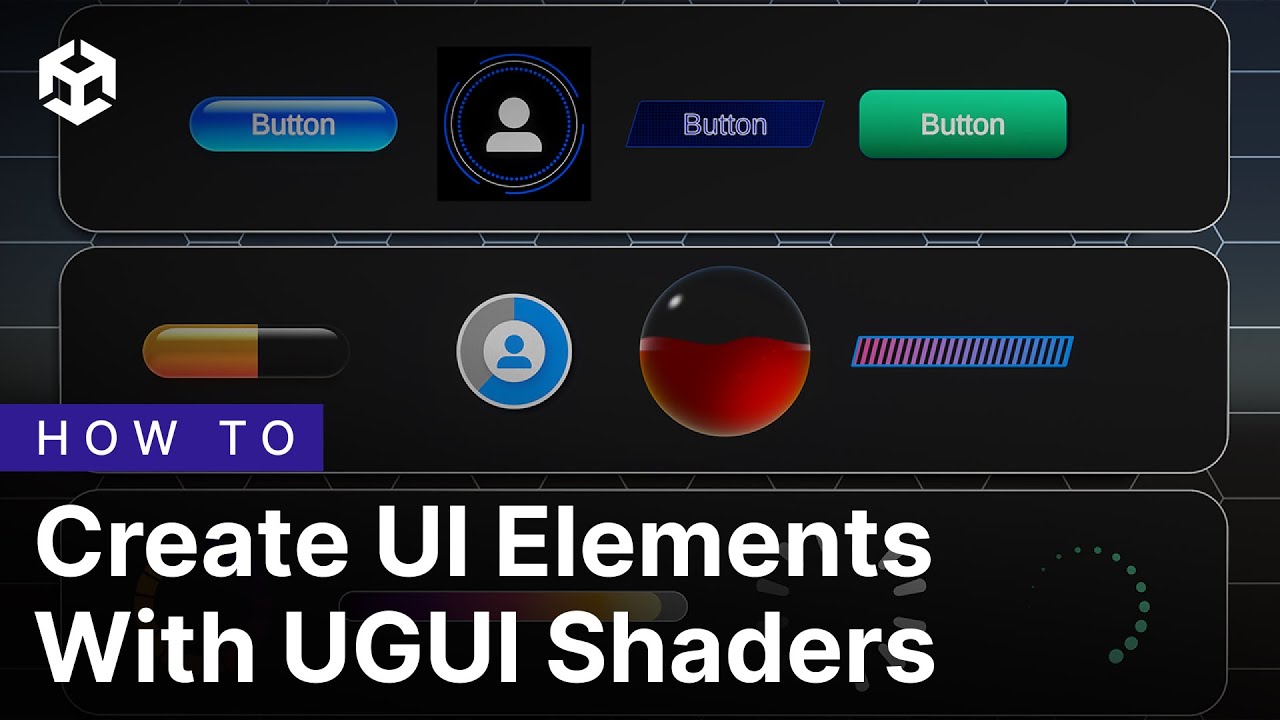
The Shader Graph team is excited to announce the release of our newest set of samples - UGUI Shaders - available to import now in Unity 6. This set of samples contains over a dozen user interface widgets, buttons, and backgrounds - all generated procedurally using Shader Graph. It also contains a library of more than 50 UI-specific subgraphs t...
tranquil nexus
low pike
Is this of use
https://www.youtube.com/watch?v=LuS-TDTI8mU
im aware of its existence but my vfxgraphs are not as simple as like buttons or icons so I'd really not like to have to figure out how to create it in ONLY a shadergraph
 primal ermine
pls tell me I'm not going insane
Left is the color I want, which isn't being displayed properly (I think)
Right is result of using the eyedropper tool on the image selected on the left
 mortal robin
primal ermine
pls tell me I'm not going insane
Left is the color I want, which isn't being dis...
mortal robin
primal ermine
pls tell me I'm not going insane
Left is the color I want, which isn't being dis...
How is it being rendered? What kind of object is that?
primal ermine
mortal robin
How is it being rendered? What kind of object is that?
they're both just Image components on a canvas

the original image file is pure white
mortal robin
I'm not sure what kind of processing or filtering etc may be happening in scene view exactly
primal ermine
none, it's a blank scene, created using the default 2D URP template
primal ermine
Ah I see, is there anywhere I can check that? Maybe in Quality?
mortal robin
primal ermine
Ah I see, is there anywhere I can check that? Maybe in Quality?
Some of these things might be relevant

like postprocessing
also game view is the more important place to be looking
primal ermine
mortal robin
Some of these things might be relevant
no luck


 split cypress
trying to follow tutorials on how to make a scrolling panel with scroll rect, but I can barely scroll through my content before the elasticity snaps me back to the top. anyone have suggestions?
subtle pilot
split cypress
trying to follow tutorials on how to make a scrolling panel with scroll rect, bu...
Send a video?
plucky gulch
can I change the order of UI elements in one single canvas without changing the hierarchy ?
basically i need a nested child to be rendered on top of a parent layer
and since i have some heavy layout setup (a bunch of vertical boxs and so on) i cannot change hierarchy
split cypress
subtle pilot
Send a video?
subtle pilot
split cypress
your viewport's rect seem to be where that second image is masked and because it's on elastic, it's letting you go a little lower. if you set the movement type to clamped, how does scrolling look?
subtle pilot
yup then it's your viewport's rect. lower it down more
subtle pilot
split cypress
lower as in transform?
no, I mean adjust the rect size by pulling down on those pointy things
split cypress
cant adjust them past the 100%
 subtle pilot
Are you pulling that down? Not the blue dot, the other one

 subtle pilot
split cypress
i can go inwards but not outwards
subtle pilot
split cypress
i can go inwards but not outwards
oh my mistake, try the content one instead (which is named GameObject as a child of the panel)
I see that it's very high up. lower it down further
split cypress
ya those were at 0%, and when i bring it to 100% still nothing changes
 subtle pilot
split cypress
ya those were at 0%, and when i bring it to 100% still nothing changes
subtle pilot
split cypress
ya those were at 0%, and when i bring it to 100% still nothing changes
Try using the rect scale instead of the rect transform
Should work like shown
 cloud bloom
Hello.
Is there a way to tell a horizontal layout group what direction it should expand? I have a Panel with a HorizontalLayoutGroup and a ContentSizeFitter. The behavior I'm attempting to get is that the panel expands to the right when a new element gets added to it. However, I can't find a setting to tell it to do that, right now it expands both ways.
split cypress
subtle pilot
actually i dont have the blue dots for the content object
nothing to expand
subtle pilot
cloud bloom
Hello.
Is there a way to tell a horizontal layout group what direction it should...
you can set the anchoring of your UI element and the content will follow that direction. make sure to use content size fitter
cloud bloom
cloud bloom
Hello.
Is there a way to tell a horizontal layout group what direction it should...
Actually, never mind. I just found it. You have to edit the pivot point of the Panel.
subtle pilot
split cypress
nothing to expand
are you pressing T?
split cypress
yup
 subtle pilot
that's weird then. try removing the content size fitter on the Content because it seems to be giving a warning? worth a shot
split cypress
still no difference 
subtle pilot
that's strange, i'm not sure lol. the content should be able to be editable
split cypress
rip, thanks for trying tho
does the problem happen to be related to the size of the parent?
 subtle pilot
split cypress
does the problem happen to be related to the size of the parent?
subtle pilot
split cypress
does the problem happen to be related to the size of the parent?
don't think so, no. try creating a new scroll rect and see if you can adjust the content then you can probably transfer everything over
 restive matrix
hi y'all I'm having some font trouble. I'm using unity UI (not toolkit) and TextMeshPro, with unity localization.
When I load up the panel, the fonts are all scrambly, then if I drag and drop the very same asset as a font asset, it loads properly.
Any ideas on what's going on and how to fix it?

 thick flint
my code is 10 years old and i have a GUI.DrawTexture
but i read that OnGUI is antiquated
and that i should use uGUI
but rawImage doesnt work for me
i need to use GUI.DrawTexture
should i put it in update
mortal robin
- If your code works already why change it?
- RawImage works fine
- Graphics.DrawTexture also exists
thick flint
ah 3
where do i put Graphics.DrawTexture?
in update?
my code no longer works because i guess unity left it behind
it used to draw multiple boxes but now only one at a time
most likely because OnGUI is ancient and no longer supported
mortal robin
IMGUI still works, nothing should have changed there
thick flint
hm thats weird
why is my thing not working properly then
it only draws one box at a time
mortal robin
I couldn't possibly speculate without seeing it. I would recommend debugging it.
thick flint
how do i call the current game object
is it just gameobject._____
or transform.gameobject
this.gameobject?
low pike
You can use gameObject. and this.gameObject.
small jolt
What's the best practice to add drag & drop to items within a scrollbar viewport?
As you can see in the video, my drag & drop script is not triggered, despite having a canvas group on the icon telling to ignore parent groups (block raycasts is disabled), and all raycast targets of overlapping UI elements have been disabled too.

 teal stream
why do I have a UI object in the editor, but not in the compiled one?
I can send the code
honest saffron
teal stream
why do I have a UI object in the editor, but not in the compiled one?
I can sen...
does it have the EditorOnly tag?
teal stream
honest saffron
does it have the EditorOnly tag?
No
 cloud lintel
Is there a way to mask something without being a child of the mask?
Or is there a decent way to have the child ignore the anchors of the mask and use the anchors of the mask's parent instead?
small jolt
Hey everyone. I'm really stuck with this and I don't know how to fix it, I'd really appreciate the help.. I've documented everything.
Basically trying to create a drag & drop script in my inventory. The moment I drag an item, the item goes to the draglayer, but it isn't visible being dragged, and does not go to to the new slot.
I will share my code and videos showing my UI hierarchy.
Drag script = https://pastebin.com/HANqCbd9
InventoryslotUI script = https://pastebin.com/4axiT1Ds
Inventoryslot prefab hierarchy =
https://youtu.be/u7asWWFWKPI
Canvas hierarchy =
https://youtu.be/xbqBVSESeo4
I've already tested it in a minimal setup, the scripts seem to function there. But this is without a scroll wheel, basically only a canvas, gridlayer and inventoryslot..
I don't know if this is because of the script or the UI settings, but I've ran out of options after 12 hours of debugging. I'd appreciate a snippet of your time to look at this.
Pastebin
Pastebin.com is the number one paste tool since 2002. Pastebin is a website where you can store text online for a set period of time.
Pastebin
Pastebin.com is the number one paste tool since 2002. Pastebin is a website where you can store text online for a set period of time.

 next pumice
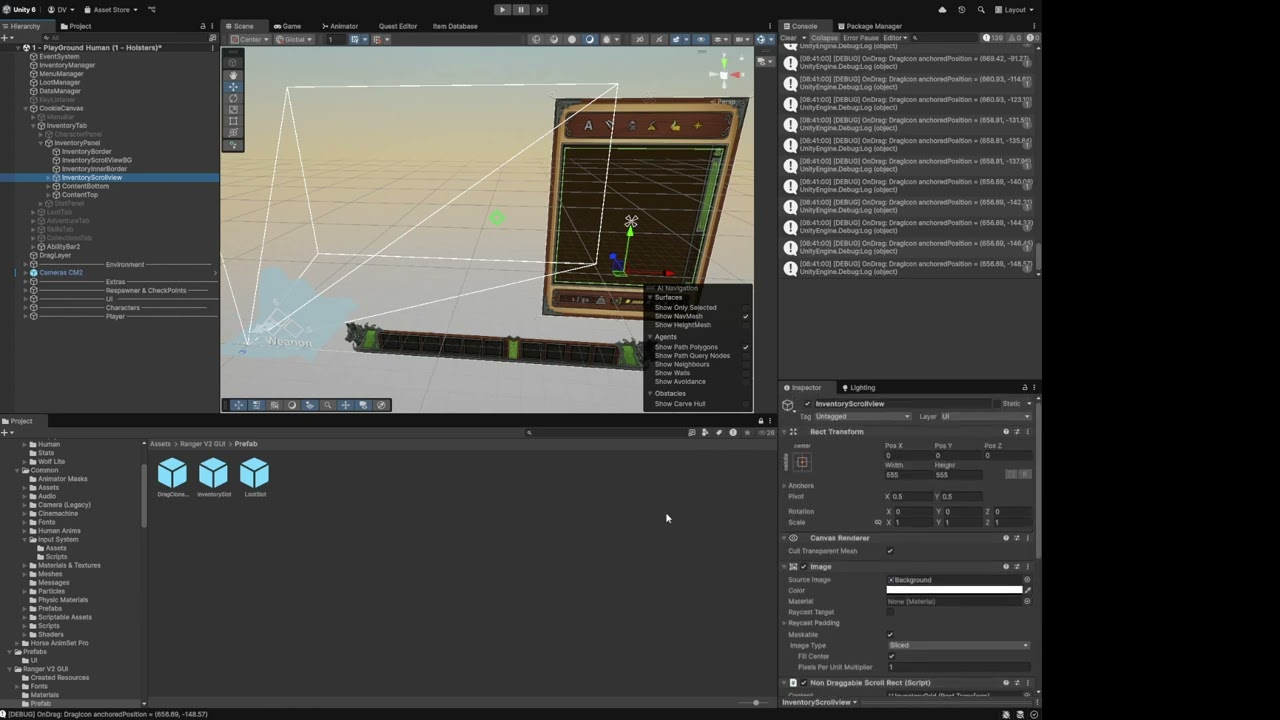
Hey! can anybody help me with this? i'm trying to place my canvas inside of the TV.. everything works but the Mouse isn't aligned well with the canvas .. i tried to use World Space on canvas and attached the camera to it, but it doesn't work.. please help
low pike
next pumice
Hey! can anybody help me with this? i'm trying to place my canvas inside of the ...
First thing to do is make sure each game object for the buttons aren't bigger than they need to be
next pumice
low pike
First thing to do is make sure each game object for the buttons aren't bigger th...
they're way smaller than they need to be tbh.. i made these buttons in photoshop and they're quite big
i'm using world space canvas.. i want it to be inside of tv. nothing else has colliders
 low pike
I should be more specific.. make sure the recttransform is only covering the button size and not overlapping
press T to swap to the UI tools
next pumice
 low pike
Like that yeah - make sure all children are the same
last time I saw this issue in here, the dev said it was because their TMP rect was overlapping
next pumice
they're not but i'll try to make them smaller just in case
low pike
If everything is within the white lines, that's probably not the issue and making them smaller won't help
I haven't got any other ideas to try though
next pumice
tried separating it but issue is still there..
:

yeah, i think it's something to do with canvas being small and camera recognizes it as small.. because it reacts normally in the center
but when you move cursor out of the place then it starts being weird
low pike
it looks rotated too.. I have had misalignment with raycasting from a vr camera when a worldspace canvas was rotated
next pumice
canvas isn't rotated but camera is.. i'll check if that fixes the issue
 low pike
can you delete from here and ask in #🧰┃ui-toolkit
 dense hornet
Oh sure!
low pike
this chan is for the older UGUI
dense hornet
I figured this channel was more for like, general UI and UX of all types while the other one was for more advanced questions regarding the toolkit
Like with the coding channels
Thanks anyway!!
 junior ether
Anyone have tips for rendering smooth TTF/OTF fonts (not originally pixel bitmap fonts) to look as pixel perfect as possible at a small point size using TextMesh Pro in Unity? It's for a pixel art game. I'm talking about tricky fonts like Freeride.
A while ago, I wrote a guide for bitmap fonts in TMPro. And I'm also aware of similar articles, like this one from Dan Liberatore. So bitmap-style fonts are no problem. But getting non-bitmap fonts to look legible at 16 pt is a challenge. Unity's legacy Text renders it better than TextMesh Pro, and other programs such as Photoshop do a much better job than that. The best I've been able to get is:

I'm happy to try any ideas you all can think of. In the worst case, I may end up rendering the font to a bitmap image in Photoshop (since Photoshop does the best job of this) and then importing it into TMPro as a bitmap font. But I'd really like to avoid this if I can since I need to handle a lot of fonts.
I don't have a Photoshop render handy, but it's significantly more legible.
 unborn summit
I have lots of UI in my game and I am not sure if i should use ugui or the ui toolkit. The Toolkit looks very complicated and some people say its missing key functionalities
So is there any good guide on how to build clean, good looking, responsive UI's in Unity?
low pike
The biggest thing UIToolkit is missing is world space UI. Other than that I don't know what else is missing (probably stuff I just haven't heard about).
unborn summit
I was touching it some time ago and it was pretty inconvinient in terms of arranging elements
not sure if that was fixed or if i just didn't know some tricks about arranging things
low pike
Did you use the "Ui builder" ?
that used to be kind of a secret/ not an obvious to find tool
unborn summit
the normal UI toolkit, not sure what the builder is
 unborn summit
yes, i was using that
 small phoenix
all the tutorials teach me lame movement of UI when it comes to animations
how do i animate my ui complexly with frames
kinda like the pizza tower TV in the corner
damn gif
its ui and its animated nicely with frames
but im told i cant use animator in ui
due to performance reasons
 azure flame
Performance hit is from dirtying entire canvas, use subcanvas and it will be isolated.
azure flame
Any canvas under main canvas is a subcanvas.

Unity
Facilitate the creation of optimized Unity UI Elements for your game.
 frosty pewter
low pike
The biggest thing UIToolkit is missing is world space UI. Other than that I don'...
frosty pewter
low pike
The biggest thing UIToolkit is missing is world space UI. Other than that I don'...
UITK has world-space UI in 6.2
The biggest thing it's missing is custom shaders
low pike
frosty pewter
UITK has world-space UI in 6.2
When’s 6.2 expected?
frosty pewter
low pike
When’s 6.2 expected?
No idea, but it's in been in alpha for a bit. 6.1 reached alpha 8 before going beta, and alpha 8 has just been released for 6.2
small phoenix
azure flame
Any canvas under main canvas is a subcanvas.
And wait if i use animator component to change frame every second how exactly does it NOT slow down performance
azure flame
small phoenix
And wait if i use animator component to change frame every second how exactly do...
 brazen sphinx
restive matrix
hi y'all I'm having some font trouble. I'm using unity UI (not toolkit) and Text...
brazen sphinx
restive matrix
hi y'all I'm having some font trouble. I'm using unity UI (not toolkit) and Text...
I think this could be an issue with the wrong material being used. Are you able to file a bug report so we can look into it? https://unity3d.com/unity/qa/bug-reporting

Unity
Unity QA provides building tools, frameworks and test suites for both end-users and corporate partners.
restive matrix
brazen sphinx
I think this could be an issue with the wrong material being used. Are you able ...
I fixed it by reverting all the fonts and materials involved to non-existence and re-creating them from scratch, plus localizing both the material and the font asset. One thing that made me suspicious was that I had a couple of files with the same name.
and no, now that the repro is gone I don't think I can fill a reasonably reproducible bug report, so no point in filing it
brazen sphinx
restive matrix
and no, now that the repro is gone I don't think I can fill a reasonably reprodu...
Yeah the font and material need to be kept in sync or you get the above problem. Glad to hear you solved it
low pike
delete and ask in #🖼️┃2d-tools
 grizzled inlet
Why is the UI on the stage so bright? I can't see anything to edit it.
 mortal robin
grizzled inlet
Why is the UI on the stage so bright? I can't see anything to edit it.
mortal robin
grizzled inlet
Why is the UI on the stage so bright? I can't see anything to edit it.
you'd have to tell us what you made the UI out of
but - presumably it is the way it is because you made it that way.
 mortal robin
grizzled inlet
mortal robin
grizzled inlet
this is a canvas
on its own it renders nothing
child objects of this one may be the things we are seeing
for example I would expect the big white background to be an Image component on some child object of the canvas
grizzled inlet
 mortal robin
that's probably the one
change that color to whatever you'd like
looks like it's 100% white right now
 shrewd minnow
Hi, im wondering why my TMP is overwriting the my text on top of the previous update
 shrewd minnow
Hi, im wondering why my TMP is overwriting the my text on top of the previous up...
shrewd minnow
shrewd minnow
Hi, im wondering why my TMP is overwriting the my text on top of the previous up...
    {
        private float fps;
        public TMPro.TextMeshProUGUI FPSCounterText;

        void GetFPS()
        {
            fps = (int)(1f / Time.unscaledDeltaTime);
            FPSCounterText.text = "FPS: " + fps.ToString();

        }
        private void Start()
        {
            InvokeRepeating(nameof(GetFPS), 1, 1);
        }
}```How did you do the black bars?
Did you just make your camera viewport skinnier?
If there's no camera there, nothing is going to clear that space to black between frames
shrewd minnow
i got a script to force the resolution, and it turns out that was the solution lol
 regal cradle
Since my heathbar frame is in a slanted shape, do you guys know how to make the healthbar(red) slanted as well?

 shadow pagoda
General inquiry...what's the current state of affairs with UI Toolkit in 6000? Is it great, easy to use, etc. or should I stick with Canvas and TMP that I've used forever?
 spice creek
Hey so, Im working on a TD game. I want to have a small UI element like this as a buy/upgrade menu, and I want to ensure that it does not go off-screen.
How can I ensure that the menu appears above a tile when a bottom tile is selected and vica versa, like this example?
(Example from Mini TD 2)


 mild kernel
Always attempt to position it below the tile, then check if the bottom of the rect ( you can look up how to get the height of the rect) goes beyond the screen height (can also look up how to get this).
If it does, put it above instead.
Similarly, for the sides, check if the left or the right goes beyond the width, and shift it over so that it offsets.
 formal perch
guys why i dont have text only text
 shadow pagoda
formal perch
guys why i dont have text only text
shadow pagoda
formal perch
guys why i dont have text only text
Legacy > Text
 fast spade
regal cradle
Since my heathbar frame is in a slanted shape, do you guys know how to make the ...
fast spade
regal cradle
Since my heathbar frame is in a slanted shape, do you guys know how to make the ...
I'd say use a custom sprite so you can make the right side "look" slanted and either make it match up with the frame or use a mask. Alternatively you can use a mask all the way to give it the slant from the start, but you'll be moving the mask instead of the bar itself
mortal robin
formal perch
guys why i dont have text only text
There's no good reason to use legacy Text generally. Better to stick with TextMeshPro
 thin furnace
For the life of me, I cannot get any of the button colours to display in scene or game. What am I missing here?

 minor ocean
thin furnace
For the life of me, I cannot get any of the button colours to display in scene o...
minor ocean
thin furnace
For the life of me, I cannot get any of the button colours to display in scene o...
The button width is zero, so there is nothing to show.
minor ocean
regal cradle
Since my heathbar frame is in a slanted shape, do you guys know how to make the ...
You can either add a little extra sprite on the end or make a small triangle mask to ride along with the tip of the bar to make it the same shape.
There are probably other ways, but those seem like the most straightforward.
EDIT: Oops, now see Aohero gave a good answer already too.
regal cradle
minor ocean
You can either add a little extra sprite on the end or make a small triangle mas...
Appreciate you @fast spade and @minor ocean
 limber remnant
why does my UI suck 😭

 subtle pilot
limber remnant
why does my UI suck 😭
subtle pilot
limber remnant
why does my UI suck 😭
Don’t know what you mean by that but it’s likely because you aren’t using much sprites…
limber remnant
subtle pilot
Don’t know what you mean by that but it’s likely because you aren’t using much s...
what do you mean?
subtle pilot
limber remnant
what do you mean?
I mean rendering your UI using different sprites
limber remnant
subtle pilot
I mean rendering your UI using different sprites
im new to game dev, do you just mean its basic right now and needs more elements/images?
subtle pilot
limber remnant
im new to game dev, do you just mean its basic right now and needs more elements...
Yes, the three tabs on the bottom each render their own sprite. The camera, book, and settings icons are all image formats the UI is rendering
limber remnant
subtle pilot
Yes, the three tabs on the bottom each render their own sprite. The camera, book...
what kind of sprites should i add?
subtle pilot
limber remnant
what kind of sprites should i add?
that's more of a personal thing. if you have a theme in mind and would like feedback, check out #archived-game-design
cloud bloom
I'm trying to animate a panel to grow and shrink. I want the text inside the panel to truncate rather than shrink in size. To do this, I set the overflow setting of the TMP to truncate, and I'm lerping the sizeDelta of it to change the size. This works, however, when I grow the size I need to know the destination size. Is there a way to get how large the TMP needs to be for all the text to be visible? I mean, I could do a manual calculation with the character count and font size, but there has to be an easier method.
Do you guys have any experience in this?
So far I tried to use GetRenderedWidth() but I think that's returning the current size of the TMP not what is has to be with all characters visible
I can't save the size of it because the text itself can change
cloud bloom
OH never mind, that's preferredWidth and preferredHeight
 livid ore
limber remnant
why does my UI suck 😭
livid ore
limber remnant
why does my UI suck 😭
You can:
1.Make the layout match with other elements
2.Your icon are a little old looking, you can use vector icons to make it lool good
3. Color the ui
4. Make the background darker (still blurred but darker)
5.Maintain the sizes
- Make the main foucus brighter
livid ore
limber remnant
why does my UI suck 😭
Heres a example

 high ruin
Hey I added a png to my unity project and changed it to 2d and sprite or however its called, but for some reason when I try to drop that image to an image component it doesnt let me do it
do someone know why does that happen?

It is as 2d and UI
but I cant use it there
livid ore
Try using the selector
high ruin
livid ore
Try using the selector
neither
minor ocean
high ruin
You have it flagged as "multiple" like it's a sheet of many sprites, so the whole thing can't be dragged to a single Image component. You probably just need to change "Sprite Mode" to "Single".
limber remnant
livid ore
Heres a example
oh my god, your so amazing, even got an example
really appreciate that
 livid ore
limber remnant
livid ore
limber remnant
first one seems perfect.
Its clean and modern and approachable for users
livid ore
limber remnant
really appreciate that
Thanks.
limber remnant
livid ore
first one seems perfect.
Its clean and modern and approachable for users
awesome, i thought so as well
livid ore
limber remnant
awesome, i thought so as well
Great to see its working.
 foggy harness
just started trying to make some UI stuff - for some reason TMP text doesn't show on my button but a TMP Text by itself does. Does anybody know what's happening?
 low pike
these values probably push mean the text is off somewhere else on the canvas because the center is no longer within the button
 foggy harness
thanks, you were right
foggy harness

I got a different problem now.. the buttons don't react at all to my mouse
I just dragged in the UI prefab into the scene and it's visible but clicking does nothing
low pike
foggy harness
Have you got an active 'Event System' in the scene?
 minor ocean
Are you using the "new" input system? If not, you should probably replace that component beneath the EventSystem.
If that's not related, can you expand the inspector around your buttons and show one of your button's properties?
mortal robin
minor ocean
Are you using the "new" input system? If not, you should probably replace that c...
uhhh - you defintely don't want to remove the input module
you would need to replace it with the StandaloneINputModule for the old system
minor ocean
Oops, I meant replace. Fixed.
foggy harness
how do I check what input system I'm using?
I've also noticed that I'm able to hit enter on keyboard and trigger the button, but not click on it... so that's probably important
foggy harness
minor ocean
Are you using the "new" input system? If not, you should probably replace that c...
 minor ocean
foggy harness
minor ocean
foggy harness
That all looks good for the actual button. I guess there's some chance some other element is blocking your buttons and preventing clicks, but this would let enter work.
If it's nothing like that, I'm guessing it's something in the 'new' input setup, although the defaults in the input system look like they would work, I don't have enough experience with that to know if there's a gotcha in there.
foggy harness
minor ocean
That all looks good for the actual button. I guess there's some chance some othe...
it wouldn't be blocked by stuff in the scene right? there's also no other UI stuff going on in the scene atm so I don't really think it's that
hm i'm pretty stumped atm
minor ocean
It shouldn't be. There is just no way to tell by the images if you have some transparent panel in front of everything for whatever reason when you created it. You probably don't, but sometimes stuff gets left behind and forgotten.
Nothing in the scene should block it as long as this is an Overlay canvas, which it looks like it is.
foggy harness
ok... I figured it out
it so happens that when I moved stuff around in the hierarchy I accidentally unparented the TMP text from the button, so they were blocking the buttons
hahaha wow
swift basin
So.... if I rotate the image, the anchors get fucked????


I want to rotate the image inside, not the whole rect transform, how do I do that?
 heavy sentinel
Can ContentSizeFitter work for non-text objects if no LayoutGroup components are present? 🤔 Or do I have to add it every time?
low pike
heavy sentinel
Can `ContentSizeFitter` work for non-text objects if no `LayoutGroup` components...
content size fitter just needs some content to use for it's size. It does not require text - otherwise you'd hope it would be called something more appropriate to show it's for text only
heavy sentinel
low pike
content size fitter just needs some content to use for it's size. It does not re...
I mean it works well for text components, but it doesn't work on images. It also doesn't work for their parent, meaning it doesn't increase parent's size to encapsulate its children size. It starts working when any LayoutGroup component is added, but I don't need to create layouts here.
 low pike
heavy sentinel
I mean it works well for text components, but it doesn't work on images. It also...
low pike
heavy sentinel
I mean it works well for text components, but it doesn't work on images. It also...
apologies, I misread your post above which asked about "no layoutgroups".
I've never used it on anything that's not text without a layout group - a rect will be the size of an image, it's the parent/ layout that would need to resize to the child, which it will only do with a layout group on it (these can be used, for singular items, whether you need to create layouts or not)
 graceful folio
Its crazy that for me to have a small ingame UI element with render mode sat to "World Space" I have to scale it down to 0.0001. Isnt there some better way?
low pike
graceful folio
Its crazy that for me to have a small ingame UI element with render mode sat to ...
If all you want is text, then use 3D -> textmesh pro.
If you want more than that, then no, you have to scale it down - but just scale the parent, everything else (the children) should be left at 1,1,1
graceful folio
low pike
If all you want is text, then use 3D -> textmesh pro.
If you want more than tha...
thanks man
foggy harness

I've tried adding a UI prefab underneath a different one, but it is not visible when I do this... is this not allowed?
nvm, just saw that the scale defaulted to zero (????)
 lilac egret
ok this might be 2-field stuff but is it possible that i want a cool animated symbol like that made up of UI elements and they make this transparent/white image that i would than apply a shader to to create a glowing/firey effect?

or do i use smthn different?
mortal robin
lilac egret
ok this might be 2-field stuff but is it possible that i want a cool animated sy...
VFX graph SDF https://www.youtube.com/watch?v=FBP9k6W48vM

Unity VFX Graph:Use SDF to make model particle effects
Version:2021.2.17f1
Subscribe:https://www.youtube.com/channel/UCf3S-ovaTom4cc7rxwall8w
0:00 Intro
0:32 Start creating VFX Graph file
1:43 Set up SDF node
2:39 Make sample model
3:25 Using SDF Bake Tool
5:00 Number and color settings of particles
7:25 Replace different SDF files
10:09 A...
doing it with UI though... not sure how you would.
certainly possible it could be done with a shader
lilac egret
mortal robin
doing it with UI though... not sure how you would.
no im asking how to apply a shader to a whole UI canvas...
so that the elements are all merged like 1 image...
mortal robin
That would be postprocessing
lilac egret
that sounds like something that will prob be difficult...
mortal robin
as I said, you would use a postprocessing effect
lilac egret
or render textures...
minor ocean
swift basin
I want to rotate the image inside, not the whole rect transform, how do I do tha...
You just make a new child image and rotate that.
swift basin
minor ocean
You just make a new child image and rotate that.
So I need to make a container for the image size and another for the rotation? That's kinda dumb
minor ocean
You don't have to do it that way, no. You can change the size and rotation in the same thing. Or you can just leave it at the level you have and deal with the rotation there.
swift basin
minor ocean
You don't have to do it that way, no. You can change the size and rotation in th...
The issue is that rotating the imagine completely flips the padding and pivots, making it very hard to edit
minor ocean
swift basin
The issue is that rotating the imagine completely flips the padding and pivots, ...
Yeah, it becomes a brain bender sometimes. If it's unmanageable, you can use another texture rotated how you want upon import. If you need both directions (or more), this is a waste of space, but possible.
Really, it's just something you probably need to deal with. It's not so bad.
 silent orbit
How does one rasterize text in Unity 2022.3.7?
low pike
never had to do it, but interested to know the purpose of doing it
 subtle pilot
 meager dagger
what else i could add for this (nuke game)
meager dagger
what else i could add for this (nuke game)
#archived-game-design would probably be a better place to ask
meager dagger
oh mb
swift basin
Am I an idiot or that Vertical Layout Group is not doing the Child Alignment correctly???

Shouldn't those two be aligned towards the top part instead of the middle?
foggy harness


The second screenshot happens when I zoom out enough. Does anyone know what could be the cause? this text is using TextMeshPro
low pike
foggy harness
That's usually from not enough... padding? or something set when creating the font asset (sdf)
Having a recttransform scale and/ or font size set to < 1 can also cause issues
minor ocean
swift basin
Shouldn't those two be aligned towards the top part instead of the middle?
It looks like they are aligned inside of the "Content" transform how they should be. If you want the Content section to be at the top of the Viewport, then you probably want to set the content to be placed from it's center top inside of the viewport and not from the center of the viewport like it is now.
foggy harness
low pike
That's usually from not enough... padding? or something set when creating the fo...

made it like this, do I need to bump the padding stat
or anything else looks off?
foggy harness

I got a different thing here - i made a progress bar and I want to reuse it in different scenes
but all the transform stuff is greyed out
ionic beacon
Screen space canvas can't be moved or resized. Make a new parent canvas object or remove the canvas components completely
or move the Background object
 shut creek
someone know how to access to this through script ?

I want to, from a script, edit the Dilate parameter for a text
 quaint karma
How would I go about making a UI curved like this? Should I make a shader and put it on the canvas layer or is there a better way? I believe they have some slight chromatic abberation but how to actually make it look like a helmet/3d?

 low pike
quaint karma
How would I go about making a UI curved like this? Should I make a shader and pu...
low pike
quaint karma
How would I go about making a UI curved like this? Should I make a shader and pu...
The one on the right is possibly done with post processing. I think a camera space canvas is affected by post processing, but overlay isn't.
You can do it with a shader or post processing - gut feeling is it doesn't matter which way, just which works best for your situation
low pike
foggy harness
made it like this, do I need to bump the padding stat
I'm afraid I don't know any further details, the default settings have always been good enough for the fonts I use.
 signal tinsel
Does anyone know if there are any good tools/frameworks/libs to improve UI view creation/navigation? I used to use Doozy and thought it was amazing but it seems like its been discontinued 😦
I mainly want to be able to create each UI page/section as its own Prefab/View and indicate what button goes to what page as well as having some simple transitions etc.
frosty pewter
foggy harness
made it like this, do I need to bump the padding stat
Absolutely. The padding to sampling points size should be ~1:10, yours is 1:200
https://unity.huh.how/textmesh-pro/padding-to-size
Use 10% to make it easy
foggy harness
ok cool thanks, I will give that a go
low pike
signal tinsel
Does anyone know if there are any good tools/frameworks/libs to improve UI view ...
You can still use the version of Doozy you already own.
 spiral kernel

how do you stop this?
for example how do i force the edges to touch sides of canvas
why are there spaces inbetween etc 😭
low pike
because the image file used has space around it
spiral kernel
low pike
because the image file used has space around it
its a default panel though?
low pike
ok? might still have empty space?
It's not exactly done well is it, look at how awful the quality is
spiral kernel
yea its shit
spiral kernel
low pike
ok? might still have empty space?
is there any way to fill with colour without using image
ohh wait
its because im using the background set
if i just remove that
it does normal colour
low pike
I use assets that do procedural creation of shapes. So either buy one of them, or do a better image, or remove and try the outline component
spiral kernel
however the background was fucking it
signal tinsel
low pike
You can still use the version of Doozy you already own.
My concern is the publisher has ejected from the asset store and I remember last time I used it there were some quirks with newer versions of unity, but I just assumed they would be ironed out over time.
If the last versions works fine though will pull that in (I'm on unity 6 for this project).
low pike
Try it out before paying for something else.
Eventually it probably will become unusable
spiral kernel
whats the keybind to move something along with its anchors?
swift basin
Can I not modify the anchors of an element on a Vertical Layout group??? I want the width to be relative to the parent but not a 100%. How do I do that?
 honest saffron
swift basin
Can I not modify the anchors of an element on a Vertical Layout group??? I want ...
honest saffron
swift basin
Can I not modify the anchors of an element on a Vertical Layout group??? I want ...
give it a Layout Element component
 steep warren
swift basin
Can I not modify the anchors of an element on a Vertical Layout group??? I want ...
steep warren
swift basin
Can I not modify the anchors of an element on a Vertical Layout group??? I want ...
verticallayoutgroup would be for the container
swift basin
The container is a vertical LayoutGroup
Layout Element just allows me to set it to pixels
honest saffron
oh you want a percentage? not sure if this is possible without writing code
swift basin
I want to give a text a % width padding, basically
steep warren
are you the person who was asking about auto width with same height in one of the code channels
honest saffron
swift basin
Making somewhat complex UI be relative in size is like a total headache
true, that's why its better to do everything in code instead
swift basin
Like.... everything needs a freaking layout but layouts literally prevent you from using relative anchors and sizes like.... what the heck am I supposed to do with that?
honest saffron
swift basin
Like.... everything needs a freaking layout but layouts literally prevent you fr...
can have 0 layouts if you use code
swift basin
Yeah, code that I don't know how to make lol
I would die trying to replicate what a vertical layout does
Why does the layout element not allow for %based scaling?
How hard would be for me to modify that with code?
 regal epoch
Any website I can get icons, like health, damage, range for ui ?
steep warren
@swift basin is this the effect you wanted to achieve
(though there's a max height here, you could make that bigger if needed)
it's kind of a weird setup, i'll try to reduce it to what's actually needed before sending it to you
swift basin
steep warren
<@348099179274305536> is this the effect you wanted to achieve
It pretty much is, yeah
I did a subclass of layout element that allows me to do a relative size in the end
Seems to kinda work
steep warren
i just used the built-in elements there
verticallayoutgroup > layoutelement > layoutelement
but i think that mightve been overkill
swift basin
Why a layout element inside another one?
steep warren
idk i was just trying stuff out and it worked lol
i unfortunately haven't had a chance to fiddle with it to narrow down what is necessary to make it work
spiral kernel
does anyone know why images in grid layout dont touch the edge of the content box?

 swift basin
I got a scroll down setup where the viewport has the RectMask2D and it worked quite nicely, but as soon as I added a canvas group to the Entity Info container (cause I wanted to be able to make it alpha 0) it stopped working. Why is this? How can I fix it?

 zealous verge
my UI and camera are all messed up when I build, and I don't know what is wrong with it
low pike
zealous verge
my UI and camera are all messed up when I build, and I don't know what is wrong ...
You don't show how each UI object is anchored ... so at a guess, you've got them anchored to the center.. which won't move them when the screen changes size.
First - when working with UI, press T to use the UI gizmo/tools.
Second - anchor things you want to move with screen size to the sides/ corners.
zealous verge
low pike
You don't show how each UI object is anchored ... so at a guess, you've got them...
Thank you so much, I have been struggling for a while and this solves it
swift basin
Can I not use a sliced image that preserves its aspect ratio???
minor ocean
swift basin
Can I not use a sliced image that preserves its aspect ratio???
You can add the aspect ratio fitter component.
swift basin
Why.... would you remove the option of maintaining aspect ratio from a sliced image if I can later for it on with another component?
I don't get all these UI thingies....
minor ocean
For a sliced image, it wouldn't know what aspect ratio it should be, but the component specific for aspect ratios lets you specify what you want it to do.
steep warren
swift basin
Why.... would you remove the option of maintaining aspect ratio from a sliced im...
a sliced image is supposed to be able to work with any aspect ratio though
that's the point of slicing it
if you wanted to keep a specific ratio you could use the simple image mode
steep warren
steep warren
<@348099179274305536> is this the effect you wanted to achieve
@swift basin so ive found you don't actually need the auto layout
container: nothing special
image:
- anchor x 0.4, 0.6 (for 20% of the parent)
- anchor y 1, 1
- pivot x 0.5, y 1
- left, right 0
- pos y 0
- height = maxheight/maxsize
- preserve aspect
swift basin
steep warren
if you wanted to keep a specific ratio you could use the simple image mode
I want a sliced cube to have rounded edges, but I want it to preserve the aspect ratio of a cube. And there is no reason why the aspect ratio parameters would not be included on the image options itself
swift basin
steep warren
<@348099179274305536> so ive found you don't actually need the auto layout
conta...
The main issue I am having with my layout is that I need almost everything to expand relative to the parent's width, but the parent needs to streech vertically by how much space its children are occupying
So for the parent to streech I am using vertical layouts and make it expand to preferred height, but then the children's anchors get fucked up
steep warren
swift basin
I want a sliced cube to have rounded edges, but I want it to preserve the aspect...
why not just use image type simple
oh wait im dumb sorry
i skipped a few words in comprehension
I see what you mean
steep warren
swift basin
The main issue I am having with my layout is that I need almost everything to ex...
the parent would have multiple children, which all need to scale in width according to the parent's width, and scale in height automatically to match width?
and the children are arranged vertically
swift basin
Not all need to scale in height relative to witdh, no. But the parent MUST scale in size relative to it's children so I can place more parents down the line
steep warren
gotcha
swift basin
What I am trying to do is have something at the bottom of the j
hierarchy that scales its height based on width, and then pass that height up to the parents
With text sometimes does weird stuff, like when setting it to autosize and preffered width taking like twice the height it actually needs so I dunno
steep warren
@swift basin am i understanding this correctly:
you have 3 levels: outer container, inner container, images
outer container contains multiple inner containers, arranged vertically
inner container contains multiple images, arranged vertically
images scale by width of the inner container, some should preserve aspect and scale height according to width
inner container should scale in height to fit child images
outer container should scale in height to fit child inner containers
steep warren
swift basin
I want a sliced cube to have rounded edges, but I want it to preserve the aspect...
for this issue, try an aspect ratio fitter
 storm kernel
Using Unity 6 (45f) I am getting this strange bug where Canvas Screen Space Overlay is not extending to the edge of screen, which causes a 1px gap which cannot be fixed by positioning. Here is a link to a similar issue which seems to not be resolved. Any suggestions? (It happens in Editor and Build) https://discussions.unity.com/t/screen-space-overlay-canvas-not-extending-to-edge-of-screen/370020
 spiral kernel
how would i allow the inventory module to expand vertically based on the gridcontainer?

 honest saffron
storm kernel
Using Unity 6 (45f) I am getting this strange bug where Canvas Screen Space Over...
honest saffron
storm kernel
Using Unity 6 (45f) I am getting this strange bug where Canvas Screen Space Over...
so earlier you said you had stuff in the canvas, right? doesn't happen with an empty canvas?
storm kernel
honest saffron
so earlier you said you had stuff in the canvas, right? doesn't happen with an e...
how can I determine if it happens if there is nothing in the canvas? is there a way to set the canvas with a background color to check? Otherwise you have to add something to the canvas... and that sometihing would be positioned on the edge.
honest saffron
storm kernel
how can I determine if it happens if there is nothing in the canvas? is there a ...
can you show a screenshot of the object "Canvases" being selected?
vapid edge
How can I smoothly animate between a TMP_Text alignment (from alligned to left, to alligned to middle)?
currently the lack of animation is a bit jarring
currently I'm just setting it to no wrapping, lerping between start width to 0 width, switching alignment, and lerping back again, but I wouldn't call that an ideal solution
honest saffron
@storm kernel you gave me a thumbs up but forgot the screenshot? 😅
vapid edge
another question: is there a way to mask an object with another object, regardless of hierarchy? I have a background (not a parent of the text), that animates from scale 0 to 1, and I want the part of the text that is over the background to be a different color than the text that isn't over a background.
I have 2 copies of the text gameobject, overlaid on top of each other, so that the non-background text covers up the on-background text - and I want the background to cover up the non-background text, so that only the text underneath is visible
I might be going about it incorrectly, I'd appreciate some help!
storm kernel
@jakeman you gave me a thumbs up but
vapid edge
vapid edge
another question: is there a way to mask an object with another object, regardle...
figured this one out on my own
vapid edge
vapid edge
currently the lack of animation is a bit jarring
but I could really use some help with this
minor ocean
vapid edge
but I could really use some help with this
I think transitioning from the alignment types is going to be weird. Can you just pick left or middle alignment, set the rect to be the text size, and then animate the position?
vapid edge
minor ocean
I think transitioning from the alignment types is going to be weird. Can you jus...
sadly, no - the animation is based on anchors rather than on position, and switching it to use position would be rather difficult
minor ocean
I don't think there will be a smooth way. When you switch justification, I assume TMP refreshes the whole mesh at that point, so it's just going to be instant.
 scenic knot
Yo, I got a problem. Im trying to make a minimap and my raw image that has a material made from the renderTexture of the camera shows in the inspector, but once I lauch the game in the editor the raw image disapears. When I resize the editor manualy the raw image reapears in black. Does anyone know how to fix this?
swift basin
Hey, how can I modify a caret height on an input field???

Doesn't seem like something that shows in here, and while on the editor, it does not show as an element on hierarchy

 tepid raven
I cant figure out why all the textmeshpros are black squares...
https://cdn.discordapp.com/attachments/1290858537664385088/1364087678458527806/idk.png?ex=68086526&is=680713a6&hm=32c7c54cc3f73814d6b229d953c48d9afd7d9aaa9646200d6afd4375f7a661a7&
https://media.discordapp.net/attachments/1290858537664385088/1364087730270638120/yes.png?ex=68086532&is=680713b2&hm=a539146b9052c29be7ef8fdbb32bbb7fb83a91a4045607e5c4e1031761f27a23&=&format=webp&quality=lossless


The material is black too... the atlas is assigned and the colors are not set to black
azure flame
tepid raven
I cant figure out why all the textmeshpros are black squares...
https://cdn.disc...
Material preview for it shows individual letters. If you have a black blob then one of the effect most likely increased letters out of their bounds. It can happen if there's not enough padding and using dilate effect or similar.
Go to material font and reset it to defaults, check font asset to have enough padding, might have to increase resolution to at least 512 when generating atlas.
vapid edge
when I have a GridLayoutGroup, how can I figure out which column a certain element is in?
as in, is there a built-in way, I can do it if I have to do the math myself (probably calculate X position for each column and find the closest one) but I'd rather not do it myself
I guess I don't need support for flexible column count grids... that makes things pretty easy since I have the child index. So nevermind I guess, unless there's a better option
 tribal raft
I am trying to make the little dialogue trail( or however to describe it) like Paper Mario TTYD or Bug Fables to indicate who is talking in the dialogue bubble. I cannot find anything on that specific topic but that might be because what key words I am using. Does anyone know what it is called and/or resources on how to do it?
minor ocean
tribal raft
I am trying to make the little dialogue trail( or however to describe it) like ...
Do you just mean the little 'pointer' from the bubble to the character?

 jovial saffron
Hi, for a weird reason when i try to stretch my image to the max, it just doesnt
 lyric rose
How to dock OnScreen Stick to the bottom left with offet and make it work properly. When it's docked to the center center it works OK, but once I dock it to the bottom left it bugs out and doesn't work:
low pike
lyric rose
How to dock OnScreen Stick to the bottom left with offet and make it work proper...
What happens if you anchor to bottom left before going in play mode
lyric rose
low pike
What happens if you anchor to bottom left before going in play mode
Same
I fixed it by creating an empty parent
Now it circles around the 0 offset of the empty parent that's positioned in the canvas.
 worldly mountain
Excuse me, I'm making a minigame of forming words by clicking on hexagons with letters. But if I dont click on the center or I do it near the borders it will always detect that I'm clicking other letters... I think it is because of the scale of each hexagon, it will overlap a bit of the neighbour hex, but I don't want to separate them.
 minor ocean
worldly mountain
Excuse me, I'm making a minigame of forming words by clicking on hexagons with l...
minor ocean
worldly mountain
Excuse me, I'm making a minigame of forming words by clicking on hexagons with l...
What in the interactable object? The large text box in your picture?
You should make the hex shapes the interactable objects so selecting anywhere inside of them will select them.
worldly mountain
I did, they have the raycast target
minor ocean
worldly mountain
I did, they have the raycast target
Did you turn off the raycast target on the text then? If the only targets are the hexes, it should work out.
worldly mountain
yes
minor ocean
What is selected in the image? What is larger than the hex itself?
worldly mountain
the whole hex should be selected by clicking inside it
what happens is that if I click inside but a bit far from the letter it detects other hex
swift basin
Okay, I have a canvas on world space with order in layer 198 that contains an image. I want that image to be on top of a sprite renderer (no canvas), but no matter what order in layer it's, it does not render over the image. Why and how do I fix it?
swift basin
And why the heck we have 2 canvas components that are not the same????


I want to give my canvas an override sorting, but I can only do that if I make a child inside the default canvas and then give the child a canvas component
steep warren
swift basin
And why the heck we have 2 canvas components that are not the same????
the former is a standalone canvas, the second is nested it seems
steep warren
swift basin
Okay, I have a canvas on world space with order in layer 198 that contains an im...
deciding rendering order goes like z-position (relative to camera), then sorting layer, then order in layer
if the canvas is physically behind something it'll still get rendered behind it, sorting layer/order in layer are just used to prevent z-fighting by defining which one goes first
you have to translate the desired positions to screen space
are you working in 2d/orthogonal or 3d/perspective?
this might help https://gamedev.stackexchange.com/questions/210649/is-it-possible-to-render-world-space-canvas-over-other-objects-in-unity

Game Development Stack Exchange
for some pickable object, I display a UI canvas. It's attached to a scene gameObject. Sometimes the Canvas UI overlaps with some other objects. I need to make sure the UI is always renderer on top of
 rough tree
i have this problem with my ui, when i open my mobile keyboard the entire ui moves up starting at the top of the keyb, i want my canvas or whatever to stay at the same position as it was before opening the keyboard.


 covert flint
in content I have a content size fitter and a vertical layout grid. When I put a contentsize fitter on the FullMessage text then it messes up and shows me an error saying i have a layout grid. And when I put it in Message, it does expand the Message size, however, I want it to expand FullMessage vertically also to hold the Message.

 covert flint
Also when i add more text, even though it is aligned to top, and fill width, it seems to be aligned center instead
minor ocean
In my experience, you're better off coding up a solution for this specific layout. It takes a ton of effort to get things set up with the layout elements and groups for something this complex. Even Unity recommends that you not use these elements, particularly internal to a scroll view.
covert flint
so i can still use the vertical layout, but code something that manages the height of Message and FullMessage?
what's the correct way of changing the height, because transform wants you to make a new variable before you can edit it
minor ocean
That sounds like it should work. Not sure what you mean about the height. Depending on your layout, you probably want to change the RectTransform.sizeDelta.
low pike
covert flint
what's the correct way of changing the height, because transform wants you to ma...
you shouldn't be using transform to manipulate UI - use the RectTransform
covert flint
aight yeah i figured it out somewhhat
what would the position be? cuz all i am finding is Transform.position
covert flint
the size is working now but it's not acting right for the anchored position
yeah even with hardcoded values, it doesn't want to act normally
it might be counted as code but i put it here for relevancy.
ok, so i ad to set the position to half the hight and it is working as designed now
covert flint
is it wise to have each window as their own canvas element?
like one for chat box, one for inventory and stuff?
 ember quartz
HI,
I am on the scene view, I see its first view. But I want to change something on the next view, e.g. after pressing start the character selection view appears. And I want to change the size of the buttons there, etc. At the moment I can go through the hierarchy on the left and blindly change parameters without seeing this view. I can also press play, go to a given view and press pause. But then the changes made are deleted after stopping the game. How to do it correctly?

 lime yarrow
ember quartz
HI,
I am on the scene view, I see its first view. But I want to change something...
lime yarrow
ember quartz
HI,
I am on the scene view, I see its first view. But I want to change something...
i may be misunderstanding, but what's stopping you from just enabling it manually and then copy pasting the values?
frosty pewter
You either enable the element and edit in the scene view, disabling it afterwards; or you make a prefab out of the sub-element and open that, leaving it disabled in the scene view but enabled in the prefab.
ember quartz
how to enable it?
oh i need to select element on the left in hierarchy and then i need to check the checkbox in inspector, and now second menu is visible
 ember quartz
frosty pewter
You either enable the element and edit in the scene view, disabling it afterward...
ember quartz
frosty pewter
You either enable the element and edit in the scene view, disabling it afterward...
and after all, should I remove the prefab? or leave it. or does it not matter?
because prefab is actually better, you don't have to remember to turn off the visibility of a given element after making changes.
frosty pewter
Having a prefab of that element would help you not modify the scene when you edit it
ember quartz
I see that it's better not to remove the prefab because the element doesn't return to its original state and is red 😄
 tall shale
Hi, so i want to localize my game into multiple languages like japanaese and korean but their letters show up as square boxes in my TMP_TEXT how do i add these letters in my font ?
 plucky salmon
hi,im trying to make a world space settings menu for my game but when i change canva (each settings section is a canva) the other section doesent appear,it works if i set the canvas as screen overlay so idk why it wont work on world space
plucky salmon
plucky salmon
hi,im trying to make a world space settings menu for my game but when i change c...
i fixed it,all the other canvas had the scale set to 0,i copied all the values like coordinates,scale and pivot from the working canva to the others and it works now
minor ocean
tall shale
Hi, so i want to localize my game into multiple languages like japanaese and kor...
You'll probably need another font for those character sets.
swift basin
I decided to make the containers of my dropdowns curved, but it leaves that shitty effect on the edges when hovering over the options. How can I mask the whole thing so it only shows inside the curved form?

 stoic zenith
swift basin
I decided to make the containers of my dropdowns curved, but it leaves that shit...
stoic zenith
swift basin
I decided to make the containers of my dropdowns curved, but it leaves that shit...
Add the mask component
signal tinsel
Is there a specific way to have a UI element and all its children recalculate its sizes etc at runtime?
My scenario is I have a tooltip I show over certain things, for example a weapon, but some weapons have more effects than others so it isnt always a set amount of content. Due to this I use a main container element with content size fitter, then within there I have other bits of the UI have content size fitters and layout groups so it can have any much content as needed and everything should fit accordingly.
It kinda works but when its shown with the runtime content added its a bit too wide and everything looks out of place. If I debug and manually go through each content size fitter and turn it off and back on it looks correct, so is there a way to have a node refresh all its childrens layouts?
low pike
signal tinsel
Is there a specific way to have a UI element and all its children recalculate it...
signal tinsel
I tried that, it didnt seem to do anything
Let me just retry as I did alter a load of stuff at the time which I have reverted
Yeah didnt work, but I am only doing it on the root most container not the child elements, am I meant to go down the whole tree calling that?
Using LayoutRebuilder.ForceRebuildLayoutImmediate seemed to do better but it still isnt 100% correct
low pike
I can't remember how to use it properly, it's been ages since I've needed it.
I think you're best off waiting a frame or two, after setting the data, before calling it - make sure the layouts have had time to get whatever they need.
signal tinsel
😦 that adds in some complexity, but will look into it, thanks
minor ocean
By the time you add several layers of content size fitters and forced rebuilds, it is normally easier to just code up the sizing and do it yourself when you populate the tooltip. If you have a several items with flexibile sizes (like text box descriptions), this still can get tricky, but taking the time to make it straightforward and work how you expect it to is much less frustrating in the long run.
jovial saffron
Hi, i have an issue
i made up a set of buttons that are supossed to make the player revive, or quit the game, when you lose, but for a weird reason despite i added the programming to it, and works in testing, when i compile it doesn't work, why?
mortal robin
jovial saffron
Hi, i have an issue
i made up a set of buttons that are supossed to make the pl...
Could be any number of reasons. First thing to do is check the logs.
Also "doesn't work" is pretty vague, you'll have to be more specific about that
jovial saffron
mortal robin
Also "doesn't work" is pretty vague, you'll have to be more specific about that
just plain as that, when i press the button nothing happens
in my exe
in my editor works as a charm
mortal robin
jovial saffron
just plain as that, when i press the button nothing happens
in my exe
in my edit...
So yeah - first thing to do is check the logs.
Most likely there will be some error there
jovial saffron
ok
swift basin
stoic zenith
Add the mask component
Yeah, but where?
 lucid pawn
does anyone happen to know if there a fix for my issue:
i'm using a screen space canvas for my UI, everything works perfectly at 0,0,0 world co-ordinates, but the further i move from there the more and more off the clickzones become mismatched. if I place the camera at -9500, -9500 , -9500 (which is close to the 10,000 mark where unity starts warning about floating point precision) the clickzones are WAY off.
I know someone will likely point out the floating point thing IS the issue, but i don't understand in that case how most people use screen space canvases, you would barely be able to go past 1000 in any direction before the clickzones on your UI start looking visibly mismatched and half your buttons wont work when you hover-over the actual graphic.
I -can- mitigate this issue with my options menu and such by just using rendering masks and putting the camera at 0,0,0 but I haven't a clue how on earth the actual game UI is going to work when your near the corners of the map, nothing will line up with clickzones...
Amendment: I can obviously use screen space overlay which always works perfectly but that isn't an option here as im using post-processing effects such as bloom etc on the UI.
mortal robin
lucid pawn
does anyone happen to know if there a fix for my issue:
i'm using a screen spa...
If your game involves moving 10 kilometers from the origin you need to implement a floating origin system
I know someone will likely point out the floating point thing IS the issue, but i don't understand in that case how most people use screen space canvases, you would barely be able to go past 1000 in any direction before the clickzones on your UI start looking visibly mismatched and half your buttons wont work when you hover-over the actual graphic.
Most games don't involve moving that far from the origin, and if they do they use a floating origin scheme.
lucid pawn
mortal robin
If your game involves moving 10 kilometers from the origin you need to implement...
yeah i tend to use 9000 as my map limit so i should be under that.
when you say most games dont involve going that far, im assuming you meant 10,000 there, not 1000? or did you mean 1000?
mortal robin
9000 is way too far
you start getting significant floating point precision issues usually around 2000
and I stick to 1000 for a good margin of error
lucid pawn
am i getting my scales mixed up here, because 1000 seems like a tiny area @mortal robin
or am i so zoomed out its seeming that way
i could chop up the map into sub-zones anyway
mortal robin
lucid pawn
am i getting my scales mixed up here, because 1000 seems like a tiny area <@1793...
it's a 1 kilometer radius circle which is pretty big. 3.14 square kilometers
whether that's large or small really depends on the kind of game you're making
lucid pawn
yeah im looking for small city sized, so probably 10KM
so will probably need some sort of floating point thing then....ugh...wish they just had one implemented already.
 reef night
guys, i am using text mesh pro and i imported a font, but its showing this random letters. the only working font is, Liberations Sans SDF which was preloaded. im using Unity 6

 tame shell
reef night
guys, i am using text mesh pro and i imported a font, but its showing this rando...
tame shell
reef night
guys, i am using text mesh pro and i imported a font, but its showing this rando...
Did you make a new tmp asset for it and bake it?
If the texture mode is static it must be pre baked
If dynamic it will fill the texture as needed.
reef night
idk, someone in gdl channel suggested to drag and drop the ttf file in TextMeshPro folder and then create the font, and it worked. kinda weird
swift basin
Why does scaling one of the objects modify the layout, but multiple at the same time does not?
tame shell
Probably not set as dirty properly but you should avoid scale usage in layouts if possible
swift basin
I would want them to do like a pulse like animation without modifying the layout
tame shell
You can force a layout rebuild during the animation to make it work
I've done some complex layouts that require this for it to not break (e.g. scroll areas in scroll areas animating size)
frosty pewter
You don't. Outline just copies the rect 4 times and tints it
 lime edge
Guys, is it possible to recreate the "red filter" used in the boss warning screen from Ikaruga?

I tried using camera post-processing with box volume, but the filter covers the whole dang screen rather than only part of it
 proud sandal
lime edge
I tried using camera post-processing with box volume, but the filter covers the ...
proud sandal
lime edge
I tried using camera post-processing with box volume, but the filter covers the ...
You could just make that graphic in photoshop, in any case a custom full screen post effect that masks the area is also possible. Post processing volumes are not suitable to do the masking.
lime edge
proud sandal
You could just make that graphic in photoshop, in any case a custom full screen ...
I'm not satisfied with simply adding an image with no sprite, setting its transparency and then calling it a day, so I wanted to take it one step further and want that filter to be applied on this part of the screen

This is the kind of filter I want, but only applied on areas within that image
 steep warren
could have it on a layer under the ui but above the rest of the level
lime edge
steep warren
could have it on a layer under the ui but above the rest of the level
@steep warren Can you explain?
lime edge
steep warren
layers?
Yeah, I was wondering if you meant by camera layers
I have a main camera with several other cameras stacked, and I did position the post-processing layer between the ui and gameplay cameras like you asked (unless you meant ordering it in reverse)
 steep warren
lime edge
Yeah, I was wondering if you meant by camera layers
steep warren
lime edge
Yeah, I was wondering if you meant by camera layers
im not familiar with those, sorry
i originally meant sorting layers, but 🤷 maybe camera layers works for that too
lime edge
steep warren
im not familiar with those, sorry
i originally meant sorting layers, but 🤷 mayb...
Never used sorting layers before tbh, becuase the game is intended to be 2.5D
@steep warren Where do I start with the sorting layers method?
steep warren
wait hold on i think i misunderstood something
steep warren
lime edge
This is the kind of filter I want, but only applied on areas within that image
what do you mean by "applied on areas within that image"? which areas specifically?
lime edge
steep warren
what do you mean by "applied on areas within that image"? which areas specifical...
@covert hamlet The red box on the first picture
steep warren
im confused
oh i see
looks like it's multiplying the color in instead of adding, right
lime edge
steep warren
looks like it's multiplying the color in instead of adding, right
I think so
steep warren
hmm seems like you might need shaders for that
how'd you achieve it for the second image?
lime edge
I simply added the following effects in the box volume

 mossy spruce
guys i cant see the ItemUI because he is a child of the InventoryFrame and i have to make it the child of the InventoryFrame but i want to be able to see the child also ItemUI. How can i do thath?
 steep warren
lime edge
I simply added the following effects in the box volume
steep warren
lime edge
I simply added the following effects in the box volume
ah so yeah probably shaders then
steep warren
mossy spruce
guys i cant see the ItemUI because he is a child of the InventoryFrame and i hav...
why are you using a RawImage?
you could use a normal Image and set the sorting layer
mossy spruce
steep warren
why are you using a RawImage?
you could use a normal Image and set the sorting l...
whats the difference between raw image and image?
steep warren
steep warren
why are you using a RawImage?
you could use a normal Image and set the sorting l...
wait let me test some stuff rq
mossy spruce
and i cant set the sorting layer there is none
 lime edge
steep warren
ah so yeah probably shaders then
lime edge
steep warren
ah so yeah probably shaders then
I guess that means I'll have to create a new material for that as well then
steep warren
steep warren
why are you using a RawImage?
you could use a normal Image and set the sorting l...
seems like sorting layer exists on canvases? i misremembered, mb
kinda weird you'd have to add an entire canvas though
mossy spruce
steep warren
seems like sorting layer exists on canvases? i misremembered, mb
yeah but they are in the same canva group
steep warren
mossy spruce
guys i cant see the ItemUI because he is a child of the InventoryFrame and i hav...
wait what's the blue background on?
mossy spruce
steep warren
kinda weird you'd have to add an entire canvas though
why can this guy do it?
 mossy spruce
steep warren
wait what's the blue background on?
mossy spruce
steep warren
wait what's the blue background on?
wdym

 tidal apex
so i try follow a guide that teach beginner how to make game, and in guide said i need to change the anchor presets, but everytime i try to click the desired anchor presets its back to this anchor presets(top left). after try to understand a bit and experiment i think its because the horizontal layout group script that cause this, but the guide doesn't say anything about this, can anyone help me on this


 devout badger
Where do you think is the best placement for my game title here?
 steep warren
definitely not 3, that places it quite low in terms of graphical hierarchy
devout badger
I'm leaning toward 2 mostly
regal epoch
Image exported from figma / In Game
Why does it look pixelated in game?

 mortal robin
regal epoch
Image exported from figma / In Game
Why does it look pixelated in game?
mortal robin
regal epoch
Image exported from figma / In Game
Why does it look pixelated in game?
How zoomed in is this image?
What kind of image filtering did you set?
What kind of compression did you set?
 sage lagoon
howdy, having issues on my first game with canavases and things 'moving' The top left text and some other stuff moves, I finally figured out what triggers it, if i accidently drag out the 'game' window to be not a 'tab' but a seperate window, and then fix that by going to window > layout > default, It moves the cavas to this weird position and offsets everything
 mortal robin
sage lagoon
howdy, having issues on my first game with canavases and things 'moving' The top...
mortal robin
sage lagoon
howdy, having issues on my first game with canavases and things 'moving' The top...
the difference comes from switching to different game window resolutions and aspect ratios
it's a sign that you haven't anchored your UI elements properly
You should read this: https://docs.unity3d.com/Packages/com.unity.ugui@1.0/manual/UIBasicLayout.html#anchors
sage lagoon

Yeah its my first time so i kinda just threw them in lmao
thanks ill check that out
mortal robin
you also will want to explore the different canvas scaler modes
the most common mode to use is Scale with Screen Size
sage lagoon
Ah i see
Okay i'm gonna target 1920x1080 now i'll look into the anchors
thanks again
mortal robin
sage lagoon
thanks again
If you look at the top of the Game Window there's a dropdown from which you can control the resolution and aspect ratio of the game window.
Make sure to test it with different aspect ratios to make sure it always looks good
sage lagoon

Okay so I set up the top left one and changed the aspect ratio and it worked!
Shows me I need to fix all the other elements lol
Thanks again
I anchored to top left idk if it matters much
regal epoch
mortal robin
How zoomed in is this image?
What kind of image filtering did you set?
What kind...
I zoomed a bit but even at 1x scale I can see it's pixelated.
Here are the settings
 mortal robin
regal epoch
I zoomed a bit but even at 1x scale I can see it's pixelated.
Here are the sett...
mortal robin
regal epoch
I zoomed a bit but even at 1x scale I can see it's pixelated.
Here are the sett...
you need antialiasing then
regal epoch
mortal robin
you need antialiasing then
That's a graphic's settings right ?
 chrome kettle
regal epoch
I zoomed a bit but even at 1x scale I can see it's pixelated.
Here are the sett...
chrome kettle
regal epoch
I zoomed a bit but even at 1x scale I can see it's pixelated.
Here are the sett...
Show "Advanced" as well
You should have mip map generation enabled and filter mode as bilinear, or trilinear for an even smoother result
regal epoch
chrome kettle
Show "Advanced" as well
You should have mip map generation enabled and filter mo...
 chrome kettle
regal epoch
chrome kettle
regal epoch
Filter mode is fixed there but mip map generation is still disabled
Enable it and apply, and observe the result
Compare bilinear and trilinear as well
regal epoch
chrome kettle
Filter mode is fixed there but mip map generation is still disabled
Enable it an...
Didn't make any differente, I am doing something I was told probably will solve it
chrome kettle
regal epoch
Didn't make any differente, I am doing something I was told probably will solve ...
"Something"?
Unity uses mip maps and filtering for smoothing textures when they are viewed at non-native scales, so it definitely should work
Assuming something is not overriding the effect which shaders can do
Technically also a lower render scale with nearest neighbour filtering can cause the effect you're seeing but it's very unlikely to set that by accident
Bilinear and trilinear should be both smooth, as long as mip map generation is enabled
If nothing changes, it's possible you're editing a wrong texture's import settings
regal epoch
I will give it a try again later
sage lagoon
Ignore the chaos that is my workspace, Does anyone have any experience using the 'Starter Assets - FirstPerson ' and pausing? I can't seem to freeze movement when setting time to 0, (creating a very basic pause menu)
(Also had no clue where to put this in terms of channels, user inferface makes sense I guesas)
I could cheesily cover the screen, or disable the camera, but if you unpause you will be looking in a completely different spot. So ideally I dont want to do that
mortal robin
sage lagoon
Ignore the chaos that is my workspace, Does anyone have any experience using the...
I don't know it in particular but almost certainly because the mouse look code doesn't use Time.deltaTime at all it's not affected by setting the timescale to 0. This is a very typical pitfall for beginners.
The way to fix this is either:
- Disable that look script when you pause
- Have the look script check if the game is paused before it does any looking. You would do this by having some kind of singleton script that handles pausing the game and has a
boolproperty your other scripts can read that tells them whether the game is paused or not.
For the second option you could also expose an event that other scripts can listen to and handle enabling/disabling them with the event.
and no this isn't really a ui question
more of a #💻┃code-beginner question
sage lagoon
Good call i can just disable this

That's attached to the player capsule hmm
Need to disable a script from a different script, but they are on different objects
sage lagoon
moving to code beginner
 orchid vale

how would I do something like this in terms of the LED Video ring?
Cause currently I only seemingly understand how to make it work on a flat object, but I am interested in replicating a similar map setup to something that involves curved videos/motion graphics like this
proud sandal
orchid vale
how would I do something like this in terms of the LED Video ring?
you mean how to make the content for the actual LED screens or how to simulate such a thing in a unity scene?
assuming the latter: you can use a render texture as the baseMap on any material, then assuming the motion graphics are a video you simply draw the video to that render texture. if you also make the motion graphics, realtime in unity, you make a camera that renders to that render texture -> you would also make a scene for the motion graphics and that mg-camera which render layers invisible to the main camera.
at the end of the day its a regular portal effect
 mild pilot
Hi. I dont remember but at some point all my UIs are not visible in the scene viewport. The outline when turned to "Shaded wireframe" is still there tho ?

Checked Layer visible, checked the canvas renderer in the hierarchy, etc
 stoic hull
well, i simply used default asset instead of mine
so the problem is solved
swift basin
I want the slider to be capped at 10% min, and I adjusted the hanlder to do that, but I am unable to do that with the fill area. How could I do that?
 steep warren
swift basin
I want the slider to be capped at 10% min, and I adjusted the hanlder to do that...
steep warren
swift basin
I want the slider to be capped at 10% min, and I adjusted the hanlder to do that...
adjust the fill area's offset
swift basin
Like manually by pixel?
swift basin
I did that but them it just let's the left part "unfilled"
steep warren
that's part of the background, not the fill area
swift basin
I did this at the fill area

And then added a -X to the Fill, but seems not very accurate tho
 steep warren
i might be misunderstanding what you want
you don't want to offset anything visually, just restrict how far to the left the slider can be dragged?
swift basin
Both
steep warren
im not sure you can do it cleanly here
my first thought is just, change the min value so it's actually the minimum you want
swift basin
It just makes the 0 visual position equal to the min value, does not affect the layout
steep warren
yeah that's what im referring to
the other option would be to restrict it to 10% with code i guess?
 lilac relic
I'm trying to add an outline to the textmeshpro text in my game, but the outline part of the material seems to be completely broken. I've been switching through nearly all the different shaders to see if that's the issue but to no avail. Please tell me what the heck I'm doing wrong?
 ember wharf
how can i fix this?
 steep warren
fix what?
ember wharf
steep warren
fix what?
oh sorry, the game clips out from the view and i have these blue borders from the side that shouldnt be there
steep warren
those blue borders seem to be from the camera background
basically the window is wider than the stuff you actually have
ember wharf
ooh
steep warren
could you be more specific on that first point? im not sure what exactly you mean
ember wharf
this is what it looks like from the game view in the editor
 steep warren
is your window perhaps longer than the screen?
like try moving it up
that might help get a better idea of the issue
maybe you haven't set proper anchors or stretching?


 ember wharf
steep warren
is your window perhaps longer than the screen?
ember wharf
steep warren
is your window perhaps longer than the screen?
oh it is longer than the screen
ok i got to fixed it 😆
 idle pond
Hey all,
I have an issue about button release callback. On mobile sometimes and randomly, button release is not called. But this issue doesn't happen on editor. Any idea ?
btw, I'm using new input system.
Also I use these functions on that button too. Not sure if it is because of them.
        public void OnPointerUp(PointerEventData data)
        {
            SendValueToControl(0.0f);
        }

        public void OnPointerDown(PointerEventData data)
        {
            SendValueToControl(1.0f);
        }
Because I added a print to OnClick event on the button and sometimes after releasing button it doesn't call.
mortal robin
idle pond
Also I use these functions on that button too. Not sure if it is because of them...
Did you actually add the interfaces to the class declaration?
idle pond
mortal robin
Did you actually add the interfaces to the class declaration?
Yes, they are called but I noticed one of the inputs called twice though I use the same script on all of them.
idle pond
I don't know why but when button is Right Mouse Button OnPointerUp and OnPointerDown are called twice. Any idea ?
low pike
Got the component in scene twice
swift basin
Hey, if I make something 1px high or width, it sometimes doesn't show at all
I am guessing cause it's scaling to the actual resolution and cannot show that pixel, but how can I make it so it ALWAYS renders that pixel?
Like I want something to be really thin but make sure it always shows at least 1 pixel
 winged onyx
Hello, im trying to make a 3d animated object into canvas
This asset to be specific

I want to create this good affect of lightning on both sides of a screen when card is played
winged onyx
So how do i make a 3d object part of a canvas?
proud sandal
winged onyx
So how do i make a 3d object part of a canvas?
You don’t. But you can render a camera to a render texture and show that in your canvas.
jagged monolith
This should be in the pinned message 😄
mortal robin
winged onyx
So how do i make a 3d object part of a canvas?
Did you.. make your card game out of UI elements?
winged onyx
mortal robin
Did you.. make your card game out of UI elements?
Cards are UI, animations are UI, chess are normal 3d etc, why?
 dark lance
Hi, guys. I have two canvases. The one is main and render in screen mode with camera, another one is in world space. The one attached to camera has no buttons, and another does. But the camera canvas somehow overlaps the world space one and I can't click on the buttons on it. How do I fix it?
P. S: Problem solved, I forgot to place it higher in the sort layer and messed around for an hour🥲
low pike
dark lance
Hi, guys. I have two canvases. The one is main and render in screen mode with ca...
if your camera canvas never needs to be interactive, just remove the graphics caster component from the same gameobject as the canvas
 boreal ferry
What causes these transparent squares behind my font, and what can i do to remove them?
 mortal robin
boreal ferry
What causes these transparent squares behind my font, and what can i do to remov...
boreal ferry
mortal robin
https://discussions.unity.com/t/text-mesh-pro-box-around-text-unwanted-effect-bu...
mortal robin
boreal ferry
What causes these transparent squares behind my font, and what can i do to remov...
boreal ferry
mortal robin
https://discussions.unity.com/t/text-mesh-pro-box-around-text-unwanted-effect-bu...
Thank you.
 maiden turret
Hi all, I have a tiny problem with my Color Lerping functionality. I have a singleton color tween class, which contains some lerp coroutines that other scripts can use to change the color of a target graphic from a value to another.
The problem arises when I disable the game objects that are having their Image's color changed mid lerp using the class, the color gets stuck on a mid-color lerp value and stays that way.
By disabling a game object, I mean changing menus in game, like disabling the game menu and enabling the pause menu.
here is the full scenario:
I have GameObject A which has the singleton color lerping class component
I have GameObject B, it has an Image. it also has a script that calls the coroutines from A and uses it to change the color of its Image
I change the color of the Image of A using its own script and using my color tween class from red to blue
I disable GameObject A mid-lerp
The Coroutine that is changing the color of A doesnt continue changing its color, when i re-enable A, the color is stuck between red and blue as expected.
To my understanding by disabling the game object all coroutines get halted and stop processing. How can I catch this and force change the color of my graphic to its target value when its coroutine gets halted ? Why does this happen though ? we are still able to change any Graphic's color even if the parent is disabled from code.
I can already fix this by adding an OnEnable to any script that might use the lerp functionality and revert it back to its own color, but that is not very clean. Wanted to see if there was any way to handle this from the Color Tween class itself.
Here is a sample of the Tween class's IEnumators
` public IEnumerator LerpColor(Graphic graphic, Color start, Color end, float duration)
{
if (graphic == null) yield break;
    float elapsed = 0f;
    while (elapsed < duration)
    {
        graphic.color = Color.Lerp(start, end, elapsed / duration);
        elapsed += Time.deltaTime;
        yield return null;
    }
        graphic.color = end;
}`
Disabling a GameObject stops all coroutines that are running on that object
How can I catch this and force change the color of my graphic to its target value when its coroutine gets halted
You can do this by writing code that does that at the same time that you disable the object
One option is to just run all of the coroutines on the singleton instead of on those individual objects that you plan to deactivate
another option is to wrap the SetActive(false) call inside a helper method that also handles the color stuff properly.
You need to be very aware of which object the coroutine is running on. This is determined by which object you called StartCoroutine on.
maiden turret
mortal robin
Disabling a GameObject stops all coroutines that are running on that object
Noted, Thanks for the reply.
I'll look into your suggestions and try to implement those.
 celest breach
Does unity have some equivalent of unreal's scale box? Googling doesn't mention anything relevant (ping me if you reply)
 spare dirge
Hey, is there an equivalent to "Vertical Box" from Unreal but in Unity please ? 🙂
low pike
You two might want to explain what those two things in Unreal are and what they do.
spare dirge
low pike
You two might want to explain what those two things in Unreal are and what they ...
Vertical Box = A container that when you put elements in them it tries to give those elements the same amount of space or if you give it a higher ratio for an element it makes it have more space than other elements
 wild pebble
spare dirge
Hey, is there an equivalent to "Vertical Box" from Unreal but in Unity please ?...
wild pebble
spare dirge
Hey, is there an equivalent to "Vertical Box" from Unreal but in Unity please ?...
Vertical Layout Group might be of use
low pike
Vertical Layout Group
Horizontal Layout Group
And Layout Element, for cases where you want to hve a bit more control over the size of things beyond the layout groups
spare dirge
wild pebble
`Vertical Layout Group` might be of use
I'm using ui-toolkit, and I can't find that 😬
low pike
oh, so go to #🧰┃ui-toolkit
spare dirge
alright 🙂
 sullen scaffold
Trying to make a progress bar however when i change my image type to fill it loses its aspect ratio and i cant find a fix
mortal robin
sullen scaffold
Trying to make a progress bar however when i change my image type to fill it los...
Have you tried the "Preserve Aspect" checkbox?
sullen scaffold
mortal robin
Have you tried the "Preserve Aspect" checkbox?
Ys and that just shrunk it to a small square which i couldnt change the size of
mortal robin
sullen scaffold
Ys and that just shrunk it to a small square which i couldnt change the size of
Then I'm not sure what you mean by "loses its aspect ratio":
sullen scaffold
mortal robin
Then I'm not sure what you mean by "loses its aspect ratio":
Uh so its getting stretched so that the sides turn it into more of an oval rather than a rectangle
low pike
sullen scaffold
Uh so its getting stretched so that the sides turn it into more of an oval rathe...
maybe share screenshots of this visual issue..
mortal robin
sullen scaffold
Uh so its getting stretched so that the sides turn it into more of an oval rathe...
Are you scaling it?
sullen scaffold
No ill boot up my pc and show u give me 5 mins
 vagrant patio
Ok
sullen scaffold
low pike
maybe share screenshots of this visual issue..
this is it without preserve aspect tick it won,t fill the parent panel without deforming

thats with preserve aspect ticked

and then i cant change the size of it
low pike
That sprite needs to be 9-sliced
sullen scaffold
low pike
That sprite needs to be 9-sliced
what does that mean sorry
low pike
Google -> Unity how to 9 slice sprite
 meager stream
hi someone know why i got this render with my pixel art sprite like i have some pixel than disapear (that made that only in the game renderer)
 honest saffron
meager stream
hi someone know why i got this render with my pixel art sprite like i have some ...
honest saffron
meager stream
hi someone know why i got this render with my pixel art sprite like i have some ...
your english is very confusing but it sounds like you need a pixel perfect camera (google it)
minor ocean
meager stream
hi someone know why i got this render with my pixel art sprite like i have some ...
I think what you are getting at is the clarity of the image.
Check your import settings on your texture.
Filter Mode -> Point (no filter)
Compression -> None
Generate Mip Maps -> No
 rocky walrus
hi guys, after working on this UI, it just hit me that i have to add a description box...

where could i fit that in? i can make it scrollable
as you can guess the white big rectangular shape is the level logo, in the future i want to make so that there are more than 1 level photo, so i probably will add buttons on its left and right side to scroll trough
 dusk pasture
I have no knowledge about this program one bit so forgive me for asking anything that seems trivial. I made all the squares buttons and my intent is to make it to where when play, exit, or options is highlighted they will enlarge and bring all the other squares into a smaller position. im a 2d animator w no code experience at all, so i was just under the impression i can parent the other button animations to play and make them shrink into the positions I put em in, so please lmk if this is just not possible lol. sorry if this doesnt make sense,,

 celest breach
Does unity have some equivalent of unreal's scale box? Googling doesn't mention ...
celest breach
celest breach
Does unity have some equivalent of unreal's scale box? Googling doesn't mention ...
Bump. Since someone asked, scale box is a component that just automatically handles resizing(rescaling) its content to fit the entire space of the scale box
And I'm just going to assume that unity doesn't have an "out of the box" equivalent for this
low pike
celest breach
And I'm just going to assume that unity doesn't have an "out of the box" equival...
Layout groups do this. Horizontal/ vertical
celest breach
no it doesn't, those just forcefully stretch the content instead of maintaining the content element's aspect ratio (though unreal's scale box has settings to stretch like this but this isn't what I want)
low pike
Yes they do.
You need to tick the “keep aspect ratio” flag on the images components.
celest breach
where specifically did I mention images?
https://dev.epicgames.com/documentation/en-us/unreal-engine/python-api/class/ScaleBox?application_version=5.0
maybe this will help to understand what I'm looking ffor
low pike
That’s the only thing that gets stretched. Nothing else that I can think of would be
celest breach
ended up asking chatgpt and it gave me a working solution, should have done it from the start
low pike
Which was what
 twilit abyss
stackoverflow moment
 pulsar mauve
Why is this pure black UI image lighting up my scene? No lights in the scene. Using HDRP if that matters.

 wild pebble
pulsar mauve
Why is this pure black UI image lighting up my scene? No lights in the scene. Us...
wild pebble
pulsar mauve
Why is this pure black UI image lighting up my scene? No lights in the scene. Us...
Auto Exposure I assume, it is enabled by default in HDRP. It tries to keep the colors at mid-tone by dynamically adjusting the exposure, so when you add a large black object, it must increase the exposure to keep the total brightness of the scene constant
If you don't want to disable that, you can consider changing the Filtering option of it, it seems to do pretty much what you want to do:
Set the lower and upper percentages of the histogram that find a stable average luminance. Values outside of this range will be discarded and won't contribute to the average luminance.
See also the Details section https://docs.unity3d.com/Packages/com.unity.postprocessing@3.4/manual/Auto-Exposure.html. Seems to give some tips to analyze the luminance of your scene
pulsar mauve
wild pebble
Auto Exposure I assume, it is enabled by default in HDRP. It tries to keep the c...
Huh. Honestly didn't know Unity had auto-exposure, never noticed it until now. Coming from Unreal which has a toggle for it that I always disable, would've done that here too. But yea, seems to be the culprit.
Thanks for the details!
 severe apex
hey hey :) i am currently working on a school project and- im way in over my head. I need help :,D
I trying to make a funktional main menu. So basically: 6 buttons that go where they need to go, and a little screen before that just says "click to continue"
For some reason my camera doesnt show anything?? Like idk if its the placement, size or what- its making me crazy
and i don't even know how to start with the buttons- If anyone has a little time to spare i would be incredibly grateful
jagged monolith
severe apex
hey hey :) i am currently working on a school project and- im way in over my hea...
Have you watched an introductory tutorial on Unity UI? Like this one? https://youtu.be/IuuKUaZQiSU
severe apex
jagged monolith
Have you watched an introductory tutorial on Unity UI? Like this one? <https://y...
ill check it out! thanks~
 static quail
i'll tip $20 to the person that can help me set up auto-layout in unity ui
steep warren
static quail
i'll tip $20 to the person that can help me set up auto-layout in unity ui
we don't do that here
static quail
you don't do UI or you don't help? why are you gatekeeping? if you're not interested, you're not obligated to reply
steep warren
static quail
you don't do UI or you don't help? why are you gatekeeping? if you're not intere...
we don't do paid help
just ask whatever it is you need help with

we can't help if we don't know what you need help with
minor ocean
static quail
i'll tip $20 to the person that can help me set up auto-layout in unity ui
Ignoring the tip/DM thing, what is the layout you are trying to set up automatically?
severe apex
So ive followed the tutorial so far but ive ran into this issue? Like when i press the button its not taking me where it should? Where and what are the build settings-
 steep warren
static quail
if anyone is interested - please DM me
steep warren
static quail
if anyone is interested - please DM me
we don't endorse paid work nor DM support
minor ocean
severe apex
So ive followed the tutorial so far but ive ran into this issue? Like when i pre...
That message tells you where to go. FIle -> Build Settings
severe apex
minor ocean
That message tells you where to go. FIle -> Build Settings
ooohh wait im so dumb- ive seen this before djfaskljfsd thank you- time for a break man :,D
it works it works it works YIIPPPII
minor ocean
The messages from the engine in the console are generally pretty helpful. Just have to take a few beats and read what they're telling you.
static quail
Chris do you have nothing better to do than gatekeep?
static quail
minor ocean
Ignoring the tip/DM thing, what is the layout you are trying to set up automatic...
let me explain in terms of HTML .i'm trying to achieve something like display:flex; justify-content: space-between; surrounded by a vertical layout group
 minor ocean
static quail
minor ocean
static quail
Is the number of 'img' per box going to vary? Do you want them to just be left and right all the time, or fill in the middle too?
rocky walrus
im so sorry to ask this but is this AI generated 😭 i was looking at it and the Report button looks so messed up and the text font feels weird idk why, and the bar, author name is just weird 😭
but yeah description between the icon and subscribe really is a good idea, thanks will actually do that
steep warren
#📖┃code-of-conduct please do not post AI-generated answers
severe apex
okay so my main menu is functional and all now- but- my character in the middle is like- see through? i played around with the hierarchy but nothing seems to work
 steep warren
it looks like the pink thing is in front of the character
severe apex
yeah- i thought the same but no matter where i move her in the hierarchy she just gets a little more see through


this is the settings? its if that helps?
 steep warren
severe apex
yeah- i thought the same but no matter where i move her in the hierarchy she ju...
steep warren
severe apex
yeah- i thought the same but no matter where i move her in the hierarchy she ju...
yeah moving around in the hierarchy wouldn't affect the transparency, i think it's just more/less stuff getting layered on top
try hiding the pink effect in the hierarchy
or also the background
rocky walrus
severe apex
this is the settings? its if that helps?
bro she herself has low transparency

on color, you can see the transparency bar is like 40%
that white/black line is transparency, called Alpha value
severe apex
rocky walrus
on color, you can see the transparency bar is like 40%
OHHH- I WAS WONDERING WHAT THAT WAS-
rocky walrus
severe apex
OHHH- I WAS WONDERING WHAT THAT WAS-
you're welcome
severe apex
we got it 👍 thanks guys fklsdjflskadf
 steep warren
nice
rocky walrus
severe apex
we got it 👍 thanks guys fklsdjflskadf
also the menu looks really creative and nice, good luck with the game!
severe apex
rocky walrus
also the menu looks really creative and nice, good luck with the game!
thanks man~ really nice to hear :3 idk yet if imma make it a whole game :,D for now just school project stuffs
rocky walrus
severe apex
thanks man~ really nice to hear :3 idk yet if imma make it a whole game :,D for ...
whoah if this is for school projects then my game is for protoypes 😔 🙏
severe apex
ohhh :O u makin one? can i check it out somewhere?
rocky walrus
severe apex
ohhh :O u makin one? can i check it out somewhere?
dont have a steam page or something like that yet, but will do make a itch io and steam soon this summer
livid ore
rocky walrus
im so sorry to ask this but is this AI generated 😭 i was looking at it and the ...
i guess helping people isnt the right option for me. They always try to find the bad thing. To be a good and wise one must go for good ones. Anyways i just polished my opinion with ai to fix grammar, my english is bad(dont say that "hey i am sorry your english is weak".
rocky walrus
livid ore
i guess helping people isnt the right option for me. They always try to find the...
No im not saying that, but if you use AI atleast let people know bro
livid ore
rocky walrus
No im not saying that, but if you use AI atleast let people know bro
Ok, will see you later
rocky walrus
#📖┃code-of-conduct check this
Posting unverified AI-generated responses or failing to mark AI-generated content as such.
it is allowed just mark them ig
livid ore
According to the conduct at section "Content" at 5th statement "• Don’t post unverified AI-generated responses in questions or answers; check for accuracy, and state what’s AI-generated." so it is allowed when it is revised to be correct.
rocky walrus
livid ore
According to the conduct at section "Content" at 5th statement "• Don’t post unv...
and mark it so person knows it is AI, even if its right or not ;)
rocky walrus
rocky walrus
Posting unverified AI-generated responses or failing to mark AI-generated conten...
and yeah it is allowed, i deleted the message before i sent the other 2
livid ore
rocky walrus
and mark it so person knows it is AI, even if its right or not ;)
Ok i will see that.
 opaque brook
I have a prefab that has different UI elements inside for a script, I do not understand why it's doing this. It just doesn't show up.
I want them to be scaled to the screen and be placed on a list but the damned thing refuses to work as it should. I did several tests and tweaks before and it's just... invisible


 mortal robin
opaque brook
I have a prefab that has different UI elements inside for a script, I do not und...
mortal robin
opaque brook
I have a prefab that has different UI elements inside for a script, I do not und...
What are you expecting to see exactly and where are you expecting to see it?
Also one weird thing here is why do the prefabs have their own canvas?
opaque brook
I expect to see an icon, a name, a cost and a buy button constrained within the scrollview area.
I do not know, I figured they may need canvas to render, I have no idea how text mesh pro works and I'm just starting out
mortal robin
opaque brook
I do not know, I figured they may need canvas to render, I have no idea how text...
they do not
opaque brook
Because the prefab I used to put in the 'Upgrade Item Prefab' has a canvas maybe?
mortal robin
Anyway I don't actually see any renderable components in your screenshot
mortal robin
opaque brook
Because the prefab I used to put in the 'Upgrade Item Prefab' has a canvas maybe...
yes the prefab has a canvas, I was curious why
opaque brook
 mortal robin
it shouldn't have those
opaque brook
so just a transform?
mortal robin
those first three components can be removed
Just the Layout Element
and anything below it
but you also haven't shown the actual graphics on this prefab
 opaque brook
does the prfab have to be in the hierarchy?
mortal robin
What do you mean
The prefab itself lives in the project window (assets folder)
you do not need an instance of the prefab in the scene during edit time
you can instantiate it at runtime
but you can put instances in at edit time to figure out your layout/graphical issue here
opaque brook
yeah thats why I asked. It shows up fine in the scene

I can't use 'layout' element without the rect transform
mortal robin
you need the RectTTransform, of course
mortal robin
opaque brook
yeah thats why I asked. It shows up fine in the scene
show your code for instantiating it
opaque brook
using UnityEngine;
using TMPro;
using UnityEngine.UI;

public class ShopManager : MonoBehaviour
{
    public static ShopManager Instance;

    [System.Serializable]
    public class UpgradeItem
    {
        public string itemName;
        public Sprite icon;
        public float passiveBoost;
        public float tapBoost;
        public float cost;
    }

    [Header("Shop Settings")]
    public List<UpgradeItem> upgradeItems;
    public GameObject shopPanel;
    public GameObject upgradeItemPrefab;
    public Transform contentParent;


    private void Start()
    {
        PopulateShop();
        //shopPanel.SetActive(false);
    }
I don't see any instantiation here 🤔
opaque brook
fuck Im trying to paste it but its too long
mortal robin
Ok pleasantly surprised to see you used the correct version of Instantiate 🤔 that should work fine
opaque brook
    {
        if (QiManager.Instance.totalQi >= item.cost)
        {
            QiManager.Instance.totalQi -= item.cost;
            QiManager.Instance.qiPerSecond += item.passiveBoost;
            QiManager.Instance.qiPerTap += item.tapBoost;
            Debug.Log($"Purchased: {item.itemName}");
        }
        else
        {
            Debug.Log("Not enough Qi");
        }
    }
    private void Awake()
    {
        if (Instance == null)
            Instance = this;
        else
            Destroy(gameObject);
    }
    private Transform FindDeepChild(Transform parent, string name)
    {
        foreach (Transform child in parent)
        {
            if (child.name == name)
                return child;
            var result = FindDeepChild(child, name);
            if (result != null)
                return result;
        }
        return null;
    }
}

ok I think is it
mortal robin
I don't see any issue here. I would recommend simply putting a script on the root object of the prefab and giving it a public void Init(ItemDescription item) method to set all that stuff though
instead of this FindDeepChild stuff
just for the sake of encapsulation (and performance)
opaque brook
also its not showing up after I removed what you suggested, lol
 mortal robin
opaque brook
also its not showing up after I removed what you suggested, lol
mortal robin
opaque brook
also its not showing up after I removed what you suggested, lol
in this screenshot, it doesn't have a canvas parent
so at least here it makes sense it's not rendering
opaque brook
Well the first time around the canvas parent was part of the prefab but I named the canvas the appropriate name
and placed that into the script
mortal robin

I expect it to live under this contentParent, right?
drag the prefab under there (from the project window) and see
it should render fine

 mortal robin
opaque brook
🦑 It's not
mortal robin
opaque brook
🦑 It's not
can you click on the viewport?
opaque brook
 mortal robin
if you disable the mask for a moment does that change anything?
 mortal robin
ok so - we do want the mask, because the scrollrect situation won't work properly without it.
But at least we know it's some issue with the mask now - I think maybe something in the hierarchy between contentParent and the Canvas has some kind of issue with sizing
opaque brook
Well, even with the mask disabled, after removing the prefab from the scene and running the script it's still not showing up

Edit: it shows up in the wrong place
mortal robin
ok so you have at least two issues
one is a layout issue - your UI may not be properly anchored
Actually they're both probably layout issues 😛
opaque brook


when I watch game dev videos I dont see anybody crying about this 😢
Doesn't help I have no idea how text mesh pro works... I miss the old text
mortal robin
Double check that you're using TextMeshPro - UI as well
and not the regular TextMeshPro
opaque brook
this is how I created everythig

I'll go back to the drawing board with a new project. Thank you for your time, I'll do better and come crying when I encounter this error again haha
 sturdy stag
Hello, I am really curious why this doesnt work all of a sudden. I have a panel that I want to set active and unactive whenever i press a button. This used to work in earlier Unity versions, but not sure why it doesnt work now that I am using unity 6?
 mortal robin
sturdy stag
Hello, I am really curious why this doesnt work all of a sudden. I have a panel ...
mortal robin
sturdy stag
Hello, I am really curious why this doesnt work all of a sudden. I have a panel ...
this will always set it to NOT be active
it will not toggle
and never would have.
to toggle it you would need a function like this:
public void ToggleActive() {
  gameObject.SetActive(!gameObject.activeSelf);
}```Never? Oh then my memory is just really messed up. I could have sworn it was possible like this, but guess not haha.
Thanks a lot
mortal robin
sturdy stag
Never? Oh then my memory is just really messed up. I could have sworn it was pos...
The unchecked checkbox in the bottom right is the parameter you are passing into the function. Effectively this is the same as calling gameObject.SetActive(false); in your code
that will never to anything other than making the object NOT active.
sturdy stag
Ah okay, thanks for showing me!
signal tinsel
Is there any performant/easier way to get a couple of px drop shadow on textmesh pro text outside of just duplicating the text and putting it slightly underneath with a black color?
I know textmesh has outline and lighting effects but for more pixel fonts it just looks bad and I can't find any other avenue to make it look legible (using unity 6)
minor ocean
signal tinsel
Is there any performant/easier way to get a couple of px drop shadow on textmesh...
If you want precise pixels, I would just bake it into the font.


 rocky walrus
How can i make so that i can click on buttons outside of the scrollview?
because i did set them so they are not masked, but raycast doesnt work on them
mortal robin
rocky walrus
How can i make so that i can click on buttons outside of the scrollview?
wdym by "buttons outside of the scrollview"?
and when you say "raycast" - what do you mean precisely
rocky walrus
mortal robin
wdym by "buttons outside of the scrollview"?
see, scroll view is 100x600, but you can see buttons outside, they are the children of the white boxes, and when i scroll they move with the white boxes

i am not able to click them
rocky walrus
mortal robin
and when you say "raycast" - what do you mean precisely
can click on buttons that are behind this
=> raycast is not working
mortal robin
rocky walrus
see, scroll view is 100x600, but you can see buttons outside, they are the child...
uhhh what? Which things here are the buttons?
rocky walrus
mortal robin
uhhh what? Which things here are the buttons?
the subscribed and created
mortal robin
And what do you mean by "raycast is not working"? Like you tried to write raycast in your code?
rocky walrus
and also the arrows
rocky walrus
mortal robin
And what do you mean by "raycast is not working"? Like you tried to write raycas...
no no
im just saying that, it is as if it doesnt exist
mortal robin
which part is the scroll view?
rocky walrus
mortal robin
which part is the scroll view?
on the right
mortal robin
Ok well - can you show how the hierarchy is arranged?
rocky walrus


here
dont worry, i can click them if i put them out of the scroll view, and i can click on levelAuthorImageItem in AND outside of the scroll view if needed
everything is working as fine based on the buttons, its just that i cant click them if outside
if i try to move them so that they are inside of the scrollview then yeah - i can click them
mortal robin
rocky walrus
So everything is in the scroll view?
Why is that popup modal in the scroll view?
That seems weird
rocky walrus
mortal robin
Why is that popup modal in the scroll view?
you mean the whole blue thing?
mortal robin
yes
rocky walrus
mortal robin
That seems weird
so that it moves with its parent
when i scroll..
this is a well known issue in UI
mortal robin
there's probably a better less-raycast-effed way to do that
rocky walrus
im just wondering if there is a better way
rocky walrus
mortal robin
there's probably a better less-raycast-effed way to do that
wdym by that
mortal robin
probably just make a small script that makes it follow the thing
and have it not be a child of the scrollview
rocky walrus
rocky walrus
im just wondering if there is a better way
- to fix it without having to unparent it and move it to a "duplicate" which will follow transform
rocky walrus
mortal robin
probably just make a small script that makes it follow the thing
oh okay thats what i was going to do
 outer belfry
Hello i cant figure out why my ui_inventory don't display as i expect but the munitions and health does:
 mortal robin
outer belfry
Hello i cant figure out why my ui_inventory don't display as i expect but the mu...
mortal robin
outer belfry
Hello i cant figure out why my ui_inventory don't display as i expect but the mu...
show the inspector of some of it