#📲┃ui-ux
1 messages · Page 5 of 1
 viscid juniper
 low pike
decrease the time it takes to animate
low pike
viscid juniper
how do i fix this stretching? its not scaling as i want it to
you shouldn't be using the stretch anchors for this situation.

Those buttons are in a grid, either use a mixture of vert and horizontal layout groups... or use a grid layout
 muted shuttle
low pike
decrease the time it takes to animate
muted shuttle
low pike
decrease the time it takes to animate
I have decreased the speed 0.1 to 0.01, I want to make sure the animation get completes as soon as I remove the mouse from the button

 jagged monolith
muted shuttle
I have decreased the speed 0.1 to 0.01, I want to make sure the animation get co...
jagged monolith
muted shuttle
I have decreased the speed 0.1 to 0.01, I want to make sure the animation get co...
Decrease time equals increase speed, not decrease speed
muted shuttle
jagged monolith
Decrease time equals increase speed, not decrease speed
okay I got it, I changed the speed to 10, can I reduce the duration of the animation, as soon as I remove my mouse from the button the animation should be gone this is the effect I am looking for, please help
I have put the animation on the highlighted one
jagged monolith
If you need it to be instant just hide it? No need to animate if that's not what you want
muted shuttle
@jagged monolith how can I do it, is it not related to animation?
jagged monolith
I don't know how you've got it set up. I would just do OnPointerEnter/Exit show/hide game object
muted shuttle
okay
muted shuttle
jagged monolith
I don't know how you've got it set up. I would just do OnPointerEnter/Exit show/...
Thanks that work in this scenario, but what about the other animation the problem is same
jagged monolith
You need to choose between animation and instant response
 unkempt thunder
About the UI ToolKit, when I touch the textField, the keyboard of mobile did not pop up through Unity remote. Anyone knows how to pop up it, thank you.
Unity UI Toolkit problem
low pike
 uneven crag
whats that extra layer of white background of text which is prolly the original size of the TMP? Why two layers are given? one yellow one and the second the white line rectangle?
and those white Cross marks also. What are they?
I used to use Text earlier.
 low pike
The yellow box is the padding area of the TMP component, you usually don't want to change it. The white lines are the rectTransforms
Press T and use the UI gizmo tools
and always keep the UI scale at 1,1,1
uneven crag
low pike
The yellow box is the padding area of the TMP component, you usually don't want ...
thanks brother
 livid reef
how do i get rid of this green circle

 mortal robin
livid reef
how do i get rid of this green circle
mortal robin
livid reef
how do i get rid of this green circle
delete it
it's the slider handle
however if you're trying to make a health bar I recommend not using a slider at all
livid reef
mortal robin
it's the slider handle
its not i deleted it thats the fill area
how would i make a health bar?
mortal robin
livid reef
how would i make a health bar?
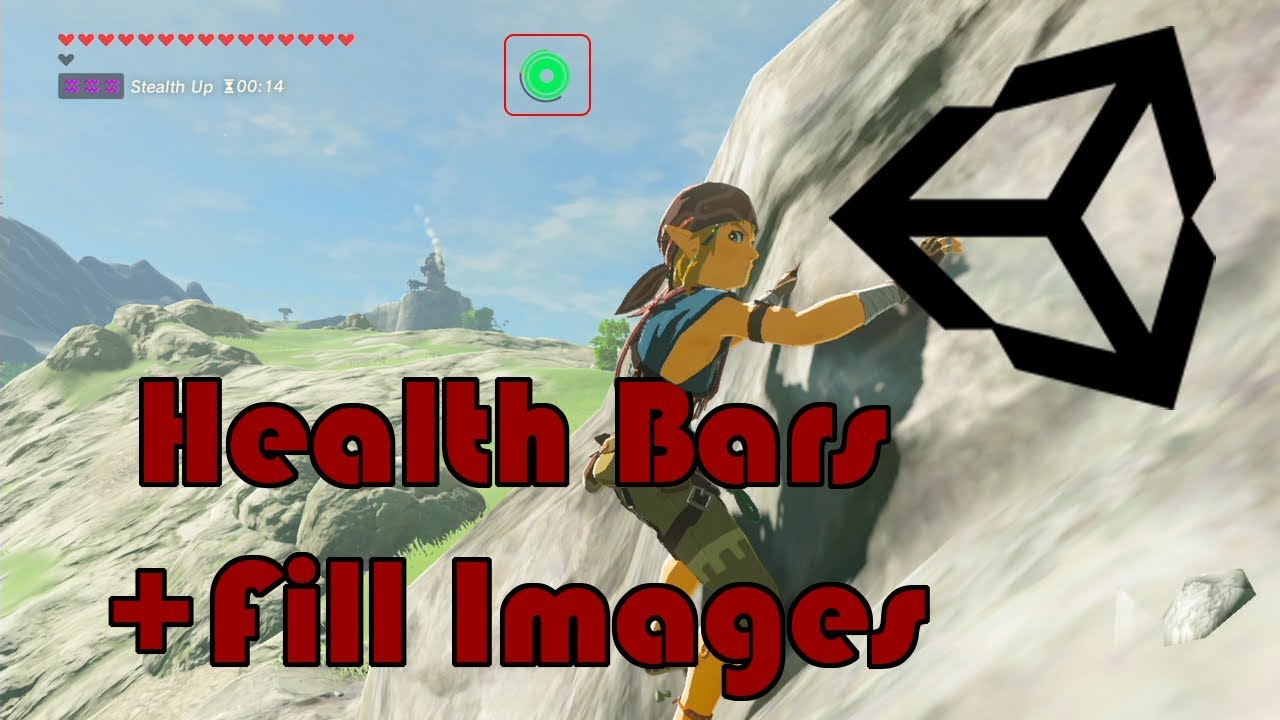
Welcome to this quick game mechanic tutorial on how to make a health bar using fill images in Unity 3D. In this lesson, we will teach you how to create and update fill meters that you can use for health bars, shield bars, stamina bars, or even experience bars.
Discord: https://discord.gg/hGJ4CRE
Website: https://infogamerhub.com
Become a Member...
livid reef
mortal robin
https://www.youtube.com/watch?v=Do03F5fD9Vk
why does mine look weird alot of pixels are gone in game
in game

in editor

it has to do something with my anchors
low pike
that doesn't look like UI..
livid reef
it is
 cyan sentinel
livid reef
in game
cyan sentinel
livid reef
in game
is your game another resolution as your scene view?
low pike
livid reef
it is
show the setup.. inspectors for the UI and camera
muted shuttle
Hello guys, I have made this profile button, and on the pointer enter event I want to change the color gradient of the text which is it's child, but I am unable to see any result

 muted shuttle
Event Trigger component is on ProfileBtn object
livid reef
low pike
show the setup.. inspectors for the UI and camera
i am so sorry for the late response


 gray bridge
Hey guys, how can i make proper nameplate(aka overhead Healthbar) in 3d so it won't squish when unit moves on screen?

 unreal abyss
hi guys can i make a image appear top of my game object in 2d ?
low pike
livid reef
i am so sorry for the late response
.. and the rest of the UI ?
 wary ravine
Does anyone know how I can change a bool in another script from a button in Unity?
never mind actually
 wild pebble
wary ravine
Does anyone know how I can change a bool in another script from a button in Unit...
wild pebble
wary ravine
Does anyone know how I can change a bool in another script from a button in Unit...
Make the field public -> get reference to the script -> access the field using scriptReference.variableName, works with any type of variable, not just bool
 vestal flame
Hello guys, I got a problem and I dont know how to fix it.
I just added (Unity UI) a Canvas an image and a text but it is blurry, and idk why. (screenshots coming)


i didnt change anything in the Image and Counter go, all default settings (except the picture and the text)
mortal robin
vestal flame
what's teh scale on your game view set to
mortal robin
on the game view window of course

 mortal robin
vestal flame
id say it looks better
mortal robin
vestal flame
id say it looks better
also make sure you're using TextMeshPro and not the legacy Text
livid reef
low pike
.. and the rest of the UI ?
 low pike
You've changed the scale.
low pike
height and width are what you should be using to resize UI. Scale should be left at 1/1/1
 mortal robin
all the cool kids are using #🧰┃ui-toolkit which works a lot like html/css
The rest of us smashed our heads against this Canvas thing for a few years until it clicked enough to make functional basic UIs
livid reef
srsly they should make it more simpler we dont need 2 different ways to scale our ui
mortal robin
#🧰┃ui-toolkit is the future - there's absolutely 0 chance Unity will invest in improving UGUI
livid reef
oh alright
before i use that can i ask u how do i make my ui match the screen size so it stays bottom left? instead of staying same place when i go full screen
mortal robin
anchor it properly to the bottom left of the screen
Take 5 minutes to read this page and you'll understand https://docs.unity3d.com/Packages/com.unity.ugui@1.0/manual/UIBasicLayout.html
livid reef
alright
thanks
i dont have a clue what he means by If the parent of a Rect Transform is also a Rect Transform, the child Rect Transform can be anchored to the parent Rect Transform
idk waht the fk i just did but ill take it
oh the pixels are gone and i give up
never touching ui ever again
 glass star
is there a legacy/retained mode equivalent of GUI.Window
 desert dirge
How do I move the button without it being resized?

nvm I found the solution, if anyone ever wonders it's "use sprite mesh"
 mortal robin
gray bridge
how can i make nameplate(aka overhead healthbar) not to squish in 3d?
mortal robin
gray bridge
how can i make nameplate(aka overhead healthbar) not to squish in 3d?
rotate it to face directly at the camera (billboard technique)
 wise elk
anyone know a good way to remove a background but keep things like shadows or effects in any 2D suite? Photoshop?
 muted shuttle
Hello guys, I have made this profile button, and on the pointer enter event I want to change the color gradient of the text which is it's child, but I am unable to see any result
Event Trigger component is on ProfileBtn object


 gentle dirge
Why is my content overflowing the scrollview content?... Isn't it supposed to hide overflows by default?

 real arch
gentle dirge
Why is my content overflowing the scrollview content?... Isn't it supposed to hi...
real arch
gentle dirge
Why is my content overflowing the scrollview content?... Isn't it supposed to hi...
if it has the mask that is usually has enabled
gentle dirge
real arch
if it has the mask that is usually has enabled
Ye the slot image had maskable turned off for some reason... It's working now
 olive crow
So, ive done it before except I cant get it to work with cm freelook camera:
The problem is im trying to have an actual gameobject in the camera canvas space of a CMFReelook camera and stay in the same spot when I rotate the camera. Not sure if I have to do this via code and track the cmfreelook pos values and track it, or if there is a simpler solution.
 near folio
Does setting Transform.position on an object which has a RectTransform set the location of the object in screen coordinates (pixels)? This appears to be the way it works, but I cannot find any documentation on this behavior...
mortal robin
near folio
Does setting `Transform.position` on an object which has a `RectTransform` set t...
it depends on which render mode the canvas uses
in screen space overlay, yes
in screen space camera, no
in world space, no
near folio
mortal robin
it depends on which render mode the canvas uses
Interesting… Also very useful; if this is an actual intended feature it’s a lot easier than doing the transformation myself. Thanks for clarifying this!
 gusty igloo
For some reason I can't find a single guide on getting emojis to work in TMP, is it because it's not possible to do, or what? I'm trying to just use the default Segoe UI Emoji font that is included with Windows, but when trying to use the Font Asset Creator it says 0 characters are included.
mortal robin
gusty igloo
For some reason I can't find a single guide on getting emojis to work in TMP, is...
As long as you use a font that supports them it should be no problem
gusty igloo
well I'm using literally the official microsoft emoji font so.. lol
supports 1293 different emojis
I'm assuming it has something to do with the character sequence, but how do I know what to put there?
 gusty igloo
Well I've gotten it to detect what I'm assuming are the emojis using a couple of hex ranges, but now I'm assuming my issue is UTF-16 vs UTF-32?

because the tweet strings are giving stuff like \uD83E\uDD74\uD83D\uDE12 which I'm assuming is UTF-16 whereas I need it to be u+0001f974u+0001f612
well I'm getting off, so please @ me with any relevant help, thanks
 inland cobalt
Hello guys!
I hope you are doing well!
I wanted to ask how can I transition from the first pic of Mic to the second such that the circles around the mic are going to be larger if a user speaks louder.
Could you please help me out?


 dense crystal
Hey guys, how exactly do I go about making this character image scale to the same pixel size as everything else in the UI here? I've got it all set to the same pixel per unit size, but the little zombie guy's pixels are clearly smaller than the other ui elements

Oh, changing it from an image to a panel seemed to work out the pixel per unit size correctly. Is there something I should know about images vs. panels?
mortal robin
dense crystal
Oh, changing it from an image to a panel seemed to work out the pixel per unit s...
A panel is literally just a GameObject with an Image component on it
Did you maybe make the guy with a SpriteRenderer before?
dense crystal
mortal robin
Did you maybe make the guy with a SpriteRenderer before?
I might have, just playing around with it now and I think I just believed it was pixel perfect with the UI, but it was a coincidence 🤦♂️
dense crystal
Hm. I just can't quite get this. Is there something I'm missing here? This guy has somehow achieved my desired effect -- all pixels on the screen, both UI and in the scene, are the same size. I can't find a combination of scaling / pixel per unit sizes that does this.

 ebon monolith
 burnt jolt
inland cobalt
Hello guys!
I hope you are doing well!
I wanted to ask how can I transition fro...
burnt jolt
inland cobalt
Hello guys!
I hope you are doing well!
I wanted to ask how can I transition fro...
scale them based on volume
 stoic shard
is it expected for Unity to call stuff in the Start method of a class inheriting from Selectable while in the editor (not even having entered Play mode)?
I can work around it with an early exit based on Application.isPlaying, just wondering if that might be a bug or if it is expected
 frosty pewter
It has [ExecuteAlways] on it, so yes
stoic shard
thank you @frosty pewter 🙇
 worthy finch


 mild kernel
Screen space canvas is not in the same space as the world. What you see is correct: that text will appear at the bottom left of your screen.
dense crystal
dense crystal
Hm. I just can't quite get this. Is there something I'm missing here? This guy h...
Just bumping this topic with another photo example. Anyone able to give me some tips on how to get my UI to line up with the pixels in the game?
 dense crystal
So far I've tried messing around with settings for the canvas scaler as well as adding the pixel perfect camera component to my cinemachine follow camera, but nothing has worked correctly so far -- probably because I'm not understanding how the values interact. In any case, I haven't found a combination.
This has to be possible, right? Like, I just want a 12x12 pixel tile game to have 12x12 pixel tile UI elements.
Okay, I may have gotten things to line up with the pixels, but I still need help figuring out how to align by the tiles of the game. You can see that my camera allows for an 11x19 tile area. If anyone knows what settings I might use to have this dialog box cover, say, a 3x10 tile area at the bottom of the screen, please let me know 🙂

 sterile wedge
dense crystal
Okay, I may have gotten things to line up with the pixels, but I still need help...
sterile wedge
dense crystal
Okay, I may have gotten things to line up with the pixels, but I still need help...
Hi, you might want to try #🖼️┃2d-tools for tile map stuff
i'm not sure, but it might be more relevant there. I havent used tile maps before
dense crystal
sterile wedge
Hi, you might want to try <#763500535554375750> for tile map stuff
Okay, I can try that! I figured this would be the best place since they are UI canvas elements.
I'm not actually trying to use the tilemap in this case, to be clear, just trying to scale the UI to match the size of the tiles (which are 12x12)
sterile wedge
can you show the canvas inspector?
dense crystal
 sterile wedge
maybe try messing with the reference pixel per unit? just a guess
dense crystal
That was my initial thought, and actually what I saw online, but changing it to for example the same PPU I have declared in my sprite art has this effect.

And although this changes the size of the pixels on screen, I still can't quite figure out how to change some setting so that I can decide how many tiles wide my UI elements are, rather than how many pixels for example. I'd be fine declaring them in pixels, but I'm a bit of a fool and I can't find the relationship between 1 tile == X pixels on my own 🙃
 marsh cliff
How can I get my second camera to see the game? Is solid color same settings as my main camera but i get nothing

 timid nymph
when I paint grass with the tree paint tool it's stretched, left grass is painted, right grass is what its supposed to look like (I placed it manually)
 mortal robin
timid nymph
when I paint grass with the tree paint tool it's stretched, left grass is painte...
mortal robin
timid nymph
when I paint grass with the tree paint tool it's stretched, left grass is painte...
Are you looking for #⛰️┃terrain-3d ?
marsh cliff
marsh cliff
How can I get my second camera to see the game? Is solid color same settings as ...
Looking for help to this @mortal robin
 lofty holly
I've imported PNG image and made it sprite, when I want to change color of sprite (in editor or in code) it won't work, any ideas why?

 inland moon
lofty holly
I've imported PNG image and made it sprite, when I want to change color of sprit...
inland moon
lofty holly
I've imported PNG image and made it sprite, when I want to change color of sprit...
It will overlay the new color over it. So if you have a white surface then it will be coloured red, but if you have a black surface it will stay black. This also means that if you have an originally blue surface and you recolour it with red then it will appear purple.
lofty holly
inland moon
It will overlay the new color over it. So if you have a white surface then it wi...
I was just about to delete my message, I assume color works by multiplying values, so as black is (0,0,0) it can't be changed... Thank you for quick response anyways!
inland moon
marsh cliff
I can't quite see on your image but it looks like the camera is orthographic with no object in its view frustrum, therefore it will only render the background (which you set to white). Have you tried moving the camera or putting an object directly between the white lines in front of it?
dense crystal
So when you guys are making UI elements with pixel art, how do you prevent stretching in cases where the UI element becomes smaller than it can tile? I made this speech bubble, but I can't make it as small as I need to because it warps. https://gyazo.com/f2e187a68fe9f6f44aeaaf8d6aa1b6fb.mp4

When I set it up in game, I set the border to 12L, 12R, 12T, 12B. Makes sense to me that it would stop tiling once it gets smaller than the middle tiling section, but I'm not sure where to go from here.
marsh cliff
inland moon
I can't quite see on your image but it looks like the camera is orthographic wit...
Yes my canvas is in the white view lines , if you enlarge the image and zoom in it shows it
 mortal robin
dense crystal
When I set it up in game, I set the border to 12L, 12R, 12T, 12B. Makes sense to...
mortal robin
dense crystal
When I set it up in game, I set the border to 12L, 12R, 12T, 12B. Makes sense to...
Just make that the minimum size
dense crystal
mortal robin
Just make that the minimum size
Do you mind elaborating? Minimum size of what exactly?
mortal robin
dense crystal
Do you mind elaborating? Minimum size of what exactly?
Of the chat bubble
Don't make it any smaller than when it starts stretching
dense crystal
mortal robin
Don't make it any smaller than when it starts stretching
Ohhh I see what you mean. I think what I have to end up doing is literally drawing it on as the minimum size I need ¯_(ツ)_/¯
It wont tile, but whatever.
 analog urchin
We wanted to make a sprite (the overlay) overlap the main sprite, and by masking it so that it looks like a filler sprite, make it represent the item's charge, we put the mask in the main image, and the overlay as child, but somehow the mask blocks mouse interactions outside the area despite the main image having maskable disabled? Why does that happen?
The overlay has raycast target disabled too, so it couldn't be the cause of blocking, also proven as if I put the mask in a empty gameobject, put the overlay as child, then the interaction works totally fine
uneven crag
I am making this 2-player offline 2D multiplayer pop the bubbles satisfying board game. How to give the bubbles that popped up (pressed) animation or image/form for every bubble after it's clicked or tapped?
And any more suggestions for the UI?
Gameplay on linkedIN: https://www.linkedin.com/posts/arpitsrivstva_satisfying-activity-6988541814110597120-9GcS?utm_source=share&utm_medium=member_desktop

 shell pike
@vagrant isle Lets chat here now

 vagrant isle
Now, when the canvas is set to screen space overlay, it won't display in the viewport like a normal UI, but in gmae it will
Well, you can make that button into your purchase button by changing the properties you want
shell pike
Alr, so ill deletre purchase buttonm
vagrant isle
yeah
I'd recommend you look up tutorials on youtube and follow along. Look up whatever you need, you will find it. Search for unity UI tutorials if you want to do more with this UI stuff.
vagrant isle
Don't use ChatGDP for your tutorials. It's literally a bot that scans the internet for common code snippits. Might only be good if you don't remember a way to code something like a basic inventory system or character controller. But, that would be the extent of it. Work on learning to use the engine yourself.
shell pike
What do I drag to target graphic?
vagrant isle
The button object has an image component. It should already be set as the target graphic. You can just change the image
The text object is optional, that's just part of the TMPro button.
 vagrant isle
Either your purchase button script doesn't exist or it has compile errors
Anything in your console?
shell pike
Nope
shell pike
shell pike
https://hatebin.com/itbjcldjko
Trying to drag this script to our button object, which I renamed PurchaseButton
vagrant isle
ss?

 vagrant isle
and your console is empty?
 vagrant isle
Your file neam is "Purchasebutton" while your class is "PurchaseButton"
That's your issue
vagrant isle
Change the name of the file so B in button is uppercase
vagrant isle
Both the file and the class need to be the same
vagrant isle
the B in your class is uppercase
 shell pike
 shell pike


 vagrant isle
Are you familiar with computer coding?
shell pike
It worked
vagrant isle
If not, I'd recommend holding off on learning Unity for a little bit to learn basic concepts of computer coding. A really good source is a youtuber called the coding train. He teaches Java, which is very similar to C#.
shell pike
Uhh
shell pike
vagrant isle
If not, I'd recommend holding off on learning Unity for a little bit to learn ba...
I'm starting to take C# classes on tuesday

I cannot click the button and the buytton is the disabled col,or?
vagrant isle
That'll help to. But either way, coding is important when it comes to game dev.
shell pike
vagrant isle
That'll help to. But either way, coding is important when it comes to game dev.
Absolutely 🙂
shell pike
shell pike
🤔
vagrant isle
Your interactable box is unchecked
shell pike
vagrant isle
Your interactable box is unchecked
God damn
vagrant isle
 shell pike
No
It is
Ohh
When you press play you have to chedck it agqin
LETS GOOO
It intercats now!!!!!!!!!
 shell pike
vagrant isle
Your code is disabling it
shell pike
vagrant isle
Your code is disabling it
Can I call on you whenever I need help?
vagrant isle
Sure thing! Happy to help!
shell pike
Thanks!
vagrant isle
For sure! 
shell pike
vagrant isle
For sure! <a:PartyParrot:1042877614408343582>
I'll give you a vision of what I am tryin to make
It started as a simple tycoon, and now I'm thinking of a larger view. ex.
A tycoon where you can build factories to generate something, I'm stuck on that part
I took 2d because it seemed appropriate for me
3d seemed quite difficult
vagrant isle
Interesting idea
shell pike
Should I go down the 3d route?
vagrant isle
Thing about unity, in my personal opinion, I think 3D is a little easier because Unity is built for 3D, but can manipulate the camera and use different methods to appear 2D. If you wanted to learn straight up 2D game dev, Gamemaker or Godot might be a little easier, but Unity still works fine.
vagrant isle
It's just that you need to do a couple extra things to work in 2D in unity
shell pike
🙂 😄
shell pike
vagrant isle
It's just that you need to do a couple extra things to work in 2D in unity
Nice
vagrant isle
3D game dev in unity is very easy imo
shell pike
I think I'll make a new project now for 3d
vagrant isle
Sounds good.
 languid plaza
vagrant isle
3D game dev in unity is very easy imo
languid plaza
vagrant isle
3D game dev in unity is very easy imo
That is so true😱😱😱
 frigid zephyr
why is this not scaling the whole screen

transform looks like this

canvas like this
 sterile wedge
frigid zephyr
transform looks like this
sterile wedge
frigid zephyr
transform looks like this
Show the texture
 sterile wedge
The texture itself, does it fill the whole square
And are you looking at it in the same resolution as the reference resolution in your canvas scaler
 lusty void
Hello. Do you know some good sources how to build UIs in Unity that scale (in terms of project complexicity, not screen size)? On YouTube I only found some basic ones. My problem is that everytime I make something UI related in Unity, I always end up with total unmaintainable mess. And my UI is decoupled from game via ScriptableObjects. :/
 sage marsh
Heya, I'm making a UI at the moment, and I'm struggling to figure out how to make the background color opaque..
I've done a couple searches and can't find anything..
I'm generating the UI like this
private Rect window;
void OnGUI()
{
  window = GUILayout.Window(0, window, SomeMethod, "My GUI")
}
^^ I'll also point out I'm using this GUI method as I'm doing it entirely in C#.
 somber mortar
Can anyone help I have a game ok but whenever I try to go to the settings canvas no joke it disappears from existence nothing in script is causing it to do this
mild kernel
You need to be more specific about what disappearing means. Does the object get removed from the hierarchy? Does it turn off instead?
 reef cairn
Can't take screenshots of cursors so consider that red dot as a cursor. Why is my input field have such a small "hitbox"?


yellow is the highlight color
 sturdy shuttle
am i crazy or is there no built in system for keeping a selected object in view in a scroll rect.
uneven crag
uneven crag
I am making this 2-player offline 2D multiplayer pop the bubbles satisfying boar...
guys, anyone, please?
 honest saffron
Help!
Why is there a 1-second lagspike when doing SetActive(true) on a scrollview with 50 ui images in it? I removed every single component and everything to find out what causes this, and there is still a lagspike when doing this. Googling told me that scrollviews are just badly programmed by unity. Is there a way to fix this, to avoid the lagspike?
 floral crow
honest saffron
Help!
Why is there a 1-second lagspike when doing SetActive(true) on a scrollvi...
honest saffron
floral crow
https://discord.com/channels/489222168727519232/531977407247155212/1053461100630...
floral crow
honest saffron
Help!
Why is there a 1-second lagspike when doing SetActive(true) on a scrollvi...
honest saffron
floral crow
https://discord.com/channels/489222168727519232/531977407247155212/1053461100630...
Thanks, I'll check these out. I hope theres a simple fix for this because all im doing is enabling and disabling a simple standard scrollview
 waxen matrix
Hi, I'm trying to make two text boxes that adjust their size so that if there's text in one of them but not the other, the other will shrink down to give more space and vice versa
So if there's no flavor text it shrinks to nothing, and if there's a bit but a lot of rules text they adjust so it looks good
 mortal robin
waxen matrix
Hi, I'm trying to make two text boxes that adjust their size so that if there's ...
mortal robin
waxen matrix
Hi, I'm trying to make two text boxes that adjust their size so that if there's ...
Use layout elements with flexible size:
https://docs.unity3d.com/Packages/com.unity.ugui@1.0/manual/UIAutoLayout.html#understanding-layout-elements
waxen matrix
Alright I've gotten them to adjust sizes relative to each other, is there a way to make sure they have the same font size as each other?

 green citrus


I have here 4 buttons each rotated by 90 or 270 but for some reason they dont scale properly
The anchor points for them are in each quadrant's corner but it does this weird vertical stretch instead
Appreciate any help i can get 🙏
 rain turret
Hey there. Anyone know why when I click on an inputfield (in game) to enter text, it automaticaly selects all the text instead of puting the cursor where I just clicked? I always have to click a second time to be able to put my cursor where I want to type.
somber mortar
mild kernel
You need to be more specific about what disappearing means. Does the object get ...
removed from the hierarchy
mild kernel
Well, then something is deleting it. Search your code for any Destroy calls.
frigid zephyr
sterile wedge
And are you looking at it in the same resolution as the reference resolution in ...
my monitor's resolution is 2560 by 1440
oh
i need to be setting it to my monitor's resolution
cant believe i didnt notice that
so then if i have the reference resolution to my monitors, itll properly scale on resolutions like 1920 x 1080?
mild kernel
The reference resolution mainly pertains to keeping your imported artwork to scale as you receive them.
If they were designed at 1920*1080 resolution, then using that as your reference resolution means you can keep them at their native size in Unity and it'll be the right size.
waxen matrix
Is it normal to have to scale something like 20/50/100 times for it to be visible on the UI Canvas?
I can't tell if it's the Canvas that's too big or my UI elements that are too small
frigid zephyr
sterile wedge
The texture itself, does it fill the whole square
havent been able to get it to work
image looks like this
 frigid zephyr
seems like none of my ui is aligning itself to the anchors
 sour portal
is it possible to remove the alpha blending thingy?

 gloomy marten
frigid zephyr
havent been able to get it to work
gloomy marten
frigid zephyr
havent been able to get it to work
is the image parented to something?
frigid zephyr
i think i found the problem
yes, it is parented
@gloomy marten
for example, buttons

i think its because [Buttons] has a transform
but if i remove the transform, the children cant have anchors
how might i fix this
am i just unable to categorize them like this?
would i need a new canvas to organize better
gloomy marten
frigid zephyr
how might i fix this
Maybe you can make the parent fill the whole screen
floral crow

as it says in the github:
dont enable, then?
you could try moving them out of view if you want to keep them enabled
since they will still affect performance in some way
this is false
if you read the links i gave you, you would know that canvasas only make 1 draw call once whenever a change occurs no matter how many things are in the canvas
so basically if something moves the canvas gets updated
and if you move it out of view for one frame you only need to do one draw call

first section of the first link for god's sake

 somber mortar
Can anyone help me I have asked this before my settings canvas whenever I hit play and try to go on it disappears from the hierarchy and even when I try to go on it not playing the game just in the editor if I try to enable it just disappears into the abyss
floral crow
 stiff sail
Hello. I am having a problem in which the ItemOptions1 button is not pressable. Do any of you know what the problem might be?

its also not implementing a function via AddListener
 ember iris
Hey, for some reason my assets seem to be operating on different coordinate systems and finding 0,0,0 at 3 completely different places. Anyone have a way to anchor them all to one coordiante "system?"
probably a rookie question but
i could not find an answer
ember iris
stiff sail
Hello. I am having a problem in which the ItemOptions1 button is not pressable. ...
could you provide a bit more data?
there could be a lot of problems
stiff sail
ember iris
could you provide a bit more data?
there could be a lot of problems
I am not exactly sure but all I know is that whatever function I add to it is not running
ember iris
cant really help with that
ember iris
stiff sail
I also have an event system and it works on other scenes
you could try buttonreferance.onClick.AddListener(function)
its another way of doing it but it might work
stiff sail
ember iris
you could try buttonreferance.onClick.AddListener(function)
yeah that's what I have
the button in general doesn't work
ember iris
did you referance it in the inspector
stiff sail
yeah
stiff sail
yeah
 low sluice
stiff sail
its also not implementing a function via AddListener
low sluice
stiff sail
its also not implementing a function via AddListener
this is not true. AddListener is working. your issue is that your button is not being clicked not that AddListener isn't working
ember iris
stiff sail
yeah
could you show the code?
stiff sail
well the add listener function that im trying to add doesn't really show up also
low sluice
it won't show up in the inspector, that is expected behaviour
 ember iris
no the code
stiff sail
 low sluice
ember iris
no the code
low sluice
ember iris
no the code
their code is fine. their issue is that the button is not detecting clicks. which is why they were sent here from #💻┃code-beginner
stiff sail
ye
ember iris
is the debuglog shown running?
stiff sail
yeah
ember iris
no idea what the problem is sorry
stiff sail
the problem is that the button isn't registering a click
ember iris
i meant i dont have a a solution
stiff sail
ah its okay
real arch
stiff sail
the problem is that the button isn't registering a click
go into play mode
open the event system
unfold the menu on the bottom
it will tell you what you are clicking on and hovering over
that will tell you what you are hitting
if its the button all good
if not you have to find out what that is you hit and why
 sturdy wraith
Good evening gentlemen. I am following along yet another basic tutorial to hone in my basic knowledge of Unity and am having trouble with getting the text to appear in that little UI square.
Anyone have any inkling based on this picture?

 stiff sail
sturdy wraith
Good evening gentlemen. I am following along yet another basic tutorial to hone ...
stiff sail
sturdy wraith
Good evening gentlemen. I am following along yet another basic tutorial to hone ...
the text box is probably too small
since the font size is 212
sturdy wraith
even when I make it smaller it also doesn't appear
oh wait
when i put it into decimals it does
but its blurry, what option woiuld I do to make it not blurry?
stiff sail
not exactly sure but text mesh pro might work
sturdy wraith
stiff sail
not exactly sure but text mesh pro might work
wdym by that
stiff sail
if you go into UI, you should see some option called text mesh pro
I think that makes it more clear
stiff sail
stiff sail
sorry if I don't understand but do I use this part?
@real arch
real arch
stiff sail
and which property do I use
i mean this on the bottom of the inspector
(only there in play mode)

 real arch
what does it show when you click on your button?
stiff sail
nothing
real arch
so you are not hitting the button
real arch
see if there is any image over the button
every graphic that is drawn after the button (is lower in the hierarchy) can block the click if its over the button
even if its transparent
stiff sail
something strange I noticed tho is that the buttons from a scene I made inactive can be pressed
I don't think this should affect anything
 real arch
stiff sail
I don't think this should affect anything
real arch
stiff sail
I don't think this should affect anything
on what object is the button component?
stiff sail
itemoption1
real arch
are there any UI object following below (not its children)
stiff sail
no
well just this canvas but it should be inactive

oh wait
I never set it to inactive
real arch
stiff sail
I never set it to inactive
that might be worth a try
stiff sail
oh my god ima ctually unintelligent that worked tysm
real arch
or you can use a canvasGroup to disable block raycast for that panel
real arch
stiff sail
oh my god ima ctually unintelligent that worked tysm
glad you found the issue
ember iris
sturdy wraith
Good evening gentlemen. I am following along yet another basic tutorial to hone ...
use text mesh pro
should be in package manager
built in unity text is bad
also fellow gmtk watcher?
sturdy wraith
ember iris
also fellow gmtk watcher?
yeah. this is my fourth tutorial
just learning the basics. this is the third engine I'm tryna learn
so whats the biggest reason I'd use Text Mesh Pro Text ui over the normal Text UI and vice versa?
ember iris
well first
as you saw
it doesnt scale down
meaning if you want it to appear
you have to make it giant
or use some werid workaround
textmeshpro you can just scale normally
also you did kinda do it wrong
ui needs to be in canvas
sturdy wraith
ember iris
textmeshpro you can just scale normally
so with that in mind, whyt would someone use the normal Text one?
ember iris
to my knowledge few do
unity has it built in for a reason
why they havent just improved their current one
no idea
also ui is scaled and placed based on canvas
sturdy wraith
ember iris
ui needs to be in canvas
so the text UI needs to be in that big canvas rectangle?
ember iris
it treats canvas as the camera
yes
instead of forcing you to make ui to move with the camera
you put in the canvas
which is stuck to camera
so your ui needs to be approiately scaled
to fit in there
sturdy wraith
hm
ember iris
you could probably fit the text in canvas but i still recommend tmp
sturdy wraith
yeah
so I couldn't move the canvas around earlier when I was playing with it, is that normal or is there a setting I need to enable?
ember iris
you shouldnt
its always stuck to camera
any ui element in the canvas
moves with camera and is scaled down to fit
its a bit complicated to explain
basically for any ui elements that are children of the canvas
treat the canvas as the camera
it will be that size and in that location
and it will also move with camera
sturdy wraith
is there a way to make the canvas go in the other direction?
so its to thr ight of the camersa right, but I want it on the left
Additionally, is there a way to transition a normnal text ui to a TMP Text UI?
ember iris
sturdy wraith
is there a way to make the canvas go in the other direction?
you can move the camera i guess
ember iris
sturdy wraith
Additionally, is there a way to transition a normnal text ui to a TMP Text UI?
as for that, i dont think so, but tmp programs the same as normal text, but you need to reference it a bit differntly
 zealous monolith
Why does the content of my scrollbar keep going to the bottom left of the canvas?

 sleek cipher
question how does the layering on canvas work? Causei notice that sometimes canvas objects with higher order in the layer still get layered under lower orders so i'm sure if there are exceptions to the layerings or not. Are the orders just within a certain scope and if so what are they?
mortal robin
sleek cipher
question how does the layering on canvas work? Causei notice that sometimes canv...
It's just based on hierarchy order
 scenic agate
Is it weird that I'm not able to use the rename shortcut? I'm on windows and every time I press f2 it just doesn't do anything
 deft lake
I have a canvas that I have set to scale with screen and in the editor, It's perfectly sized:

but looks like this when i export/build:
 mortal robin
sleek cipher
does lower in the order mean stack on top higher?
mortal robin
sleek cipher
does lower in the order mean stack on top higher?
Yes. Basically lower is drawn after (which means on top)
mortal robin
deft lake
I have a canvas that I have set to scale with screen and in the editor, It's per...
You can freely test different resolutions in the game window before building
deft lake
How can I make it fit perfectly for all displays?
mortal robin
mortal robin
You can freely test different resolutions in the game window before building
^
 agile grove
I don't know where to put this, I guess this channel is a good place, but how can I set the camera to portrait?
mortal robin
agile grove
I don't know where to put this, I guess this channel is a good place, but how ca...
Unless you've messed with the camera's viewport, or are rendering to a render texture, it will render to the entire screen
Are you asking how to set the game to portait mode on a mobile device or something?
 violet sandal
Hey Guys, im struggling with the UI.
I made it for normal 16:9 aspect ratio, but need to make it useable on widescreens like 21:9 also.
my problem is, that my image is not scaling just stretching, and i have no clue how to deal with it:
I uses some background colors to see how my different ui elements behave. i used a vertical layout group in the menu container.
But no checkmark there is behaving like i thought it will 😄


 mortal robin
agile grove
portrait mode on mobile
mortal robin
agile grove
portrait mode on mobile
 green arch
Hey, I'm trying to print text to the screen letter by letter. I managed to do so but the text jiggle sometimes (but on the same positions exactly every time I run this code):
IEnumerator PrintCredits()
    {
        _CreditsTextBox.alignment = TextAlignmentOptions.MidlineLeft;

        // Print the text letter by letter
        foreach (char letter in text)
        {
            NewText += letter;
            _CreditsTextBox.text = NewText;

            float currentDelay = delay;
            if (char.IsWhiteSpace(letter))
            {
                currentDelay = 0;
            }

            yield return new WaitForSeconds(currentDelay); // Wait for the specified delay
        }

        yield return new WaitForSeconds(RemoveLettersDelay);

        StartCoroutine(RemoveCredits());
    }
Here is a video of what happens:
(notice how the text moves up and down)
what could be causing this?
I am using an SDF font too + here is my text component in the inspector:
 mortal robin
green arch
Hey, I'm trying to print text to the screen letter by letter. I managed to do so...
mortal robin
green arch
Hey, I'm trying to print text to the screen letter by letter. I managed to do so...
This is not a good way to do slow text reveal with TestMeshPro
green arch
Wow this is amazing. didn't know that was a thing. Thank you!
agile grove
mortal robin
https://docs.unity3d.com/ScriptReference/Screen-orientation.html
Thanks for this but I want the camera in the editor to be portrait, all the resolution settings are for landscape
green arch
mortal robin
use this:
https://docs.unity3d.com/Packages/com.unity.textmeshpro@4.0/api/TMPro....
This works well but when removing the characters this will remove from the end and not from the start.
Is it possible to do the removal with this method as well? so the characters will disappear from the start
green arch
@mortal robin Nevermind, I found firstVisibleCharacter.
However the text still Jigles.
Here is my Code:
IEnumerator RemoveCredits()
    {
        for (int i = 0; i < _CreditsTextBox.text.Length; i++)
        {
            _CreditsTextBox.alignment = TextAlignmentOptions.MidlineRight;

            _CreditsTextBox.firstVisibleCharacter = i;

            Debug.Log(_CreditsTextBox.maxVisibleCharacters);
            yield return new WaitForSeconds(tDelay); // Wait for the specified delay
        }

        _CreditsTextBox.text = "";

    }
I get the exact same result as before, and the text moves up and down on the same time
 velvet onyx
Silly question.. is it more performant to enable/disable a canvas game object , or the canvas component to show or hide elements?
 rapid ferry
@azure flame #💻┃unity-talk message
So is the absolute positioning thing the problem
 azure flame
rapid ferry
<@306009802096771072> https://discord.com/channels/489222168727519232/4978724242...
azure flame
rapid ferry
<@306009802096771072> https://discord.com/channels/489222168727519232/4978724242...
Use dynamic anchors for children and they will conform to the size of the parent https://docs.unity3d.com/Packages/com.unity.ugui@1.0/manual/UIBasicLayout.html
rapid ferry
azure flame
Use dynamic anchors for children and they will conform to the size of the parent...
Oh thank you so much, by default it takes the size of its parent, but it just kinda stopped doing that randomly, but thank you so much for this I will try to fix it tomorrow
vestal flame
hey guys, quick question, does anyone know why i cant drag this tmp to the field ?

i believe it worked me in the past
 ionic beacon
Show the step counter inspector
mortal robin
vestal flame
hey guys, quick question, does anyone know why i cant drag this tmp to the field...
You're using the type TextMeshPro when you should be using TMP_Text or TextMeshProUGUI
vestal flame
mortal robin
You're using the type `TextMeshPro` when you should be using `TMP_Text` or `Text...
Ahh ok thanks, whats exactly the difference tho=?
mortal robin
vestal flame
Ahh ok thanks, whats exactly the difference tho=?
UGUI is the UI one
TMP_Text is the parent class of both and so can be used for either
vestal flame
mortal robin
UGUI is the UI one
Ok i understand, and TextMeshPro is just the component (or script) on the game object of type TextmeshProUGUI?
mortal robin
No?
GameObjects don't have types
They are just GameObjects
TextMeshPro is a 3D text. It's just like the legacy TextMesh.
TextMeshProUGUI is to Text
as
TextMeshPro is to TextMesh
vestal flame
ah ok, thank you 🙂
 wind delta
Does anyone have any idea why the android build UI is flickering? It only happens to the screen space canvas, it stops after I reenter the application.
Here is the example footage:
Also, I exported the project to PC and it works fine, but for reason on android it's completely messed up [Using Unity 2022.2.1f1]
 static ridge
My UI's position on canvas is okay in edit and play mode but when I play the game normally, its in wrong places
agile grove
do you have code or anchoring that set position? It'll change when you hit play if code sets it differently
static ridge
Nope, no code
mortal robin
static ridge
Nope, no code
Just a matter of properly anchoring your UI elements then
 old egret
So i have an input field and i want it so that only the end it editable but i want it so you can click anywhere on the input field to edit the small portion, how do i do that? Ex: Lets say i have this Debug.Log(Something") and i want the player to be able to add the ; at the end to fix the error, how would i do that without the player being able to edit the first part of the script?
frosty pewter
old egret
So i have an input field and i want it so that only the end it editable but i wa...
You might listen for changes and then use the SetTextWithoutNotify to undo any changes you didn't want
frosty pewter
Check whether the start of the string has changed, and if it has, set it back to the old one
old egret
ah
ok thanks
um i ran into another problem, so as you see the message im trying to use has the "" in it, unity sees that as an error

its probably an easy fix but idk
frosty pewter
old egret
um i ran into another problem, so as you see the message im trying to use has th...
Use \" as an escaped "
old egret
like \" before the Hello World
it got rid of the errors but when the player types in the correct answer it doesnt work.
im confused rn
is this correct?
 frosty pewter
didn't you want to have a ; in your correct string?
Also, add some logging, or learn the use the debugger so you can actually see what's going on
 lavish garden
rather strange issue with text. it's a bit blurry for some reason

the font size is 72
it's really noticeable when zoomed out to normal zoom levels too
no issues when it's in scene view though. the text is on a worldspace canvas
 rapid ferry
Anyone help how I can fix this?
This is the code:
Collider2D[] proximity = Physics2D.OverlapCircleAll(position, AspirerClass.AspirerRange);
        int numberhit = 0;
        factiontext.text = "";

        foreach (Collider2D hit in proximity)
        {
            if(hit.gameObject.CompareTag("FactionCenter"))
            {
                numberhit++;
                if(numberhit < 1)
                {
                    factiontext.text += hit.GetComponent<Faction>().fname + "\n";
                }
                else
                {
                    factiontext.text += hit.GetComponent<Faction>().fname;
}```then this is the ui panel and text


the vertical layout group kind of dont adjust automatically on first click
 mint swan
rapid ferry
the vertical layout group kind of dont adjust automatically on first click
mint swan
rapid ferry
the vertical layout group kind of dont adjust automatically on first click
you could use LayoutRebuilder.MarkLayoutForRebuild or LayoutRebuilder.ForceRebuildLayoutImmediate to rebuild the layout
i feel kinda silly asking this but i couldn't get any hits on google, how would I detect the mouse being over PANEL, even if its over BUTTON at the same time? IPointerExitHandler is triggered when the mouse goes over the button, even though its still in the panel.
 rapid ferry
mint swan
you could use LayoutRebuilder.MarkLayoutForRebuild or LayoutRebuilder.ForceRebui...
rapid ferry
mint swan
you could use LayoutRebuilder.MarkLayoutForRebuild or LayoutRebuilder.ForceRebui...
What do I feed him? I haven't used any rect transform in code before
 mortal robin
rapid ferry
What do I feed him? I haven't used any rect transform in code before
mortal robin
rapid ferry
What do I feed him? I haven't used any rect transform in code before
A RectTransform, as it says in the docs and in your IDE
rapid ferry
mint swan
i feel kinda silly asking this but i couldn't get any hits on google, how would ...
IsPointerOverGameObject can help there I think
rapid ferry
mortal robin
A RectTransform, as it says in the docs and in your IDE
I got it, thanks! I didn't know that transform and Recttransform can't be used in place of one another. I thought they Rect overrides transform
mortal robin
rapid ferry
I got it, thanks! I didn't know that transform and Recttransform can't be used i...
RectTransform is a child class of Transform.
old egret
quick question, so how do i change color of text mesh pro mid sentence
 mortal robin
old egret
mortal robin
old egret
um no
you have to write valid C# code of course
strings in C# must be surrounded with quotes.
old egret
?
 mortal robin
yes
you're missing the closing tag though (it might work anyway)
although IDK if it's going to work with an input field
 mortal robin
does the Text component in the input field have Rich Text enabled?
I would imagine it's not enabled by default
 deft sierra
What I need to use to recreate for example clash royale swipe left or right to change tabs midway you can see both tabs active if released it snaps to whichever tab was more visible I want this but horizontally 
 bitter maple
Should canvases be included in the prefab of a UI item?
old egret
anybody know whats going on here, im using HDRP 2021.3


when i zoom in on the image in the editor everything around it gets really bright and when i zoom out it goes away
happens only when the image is there
both raw and normal
wild pebble
old egret
anybody know whats going on here, im using HDRP 2021.3
Seems auto exposure, you can disable that if you want (google how to do so, I dont use hdrp)
old egret
ah
thanks
i fixed the issue of the blinding lights on the edges but the image still kinda goes to the second image when zoomed out
 peak viper
how do i fix this

 mortal robin
peak viper
how do i fix this
mortal robin
peak viper
how do i fix this
Familiarize yourself with https://docs.unity3d.com/Packages/com.unity.ugui@1.0/manual/UIBasicLayout.html
 potent imp
I'm going crazy with this UI problem I'm having. When I instantiate a UI element prefab, it automatically gets added to a canvas group, despite no object in any prefab having the canvas group component. Then, if I instantiate a second instance of said prefab, the canvas group component on the first one has its "interactable" attribute set to false, and cannot be changed. Does anyone have any idea what's happening?
mortal robin
potent imp
I'm going crazy with this UI problem I'm having. When I instantiate a UI element...
You'd have to show your prefab and your code etc
like wdym by "gets added to a canvas group"? Is there a whole new GameObject being created with a CanvasGroup component? Show what you mean
potent imp
@mortal robin First image is after a button is pressed on any input. It creates a PlayerSetupMenu gameobject appropriately. It adds the Canvas Group component automatically for some reason (MainLayout does have a Horizontal Layout Group component, so maybe that's why?). If there's only 1 PlayerSetupMenu, the Canvas Group is set to interactable. However, as soon as I create a second PlayerSetupMenu, the first one has its Canvas Group's interactable setting set to false, and it cannot be changed in the inspector or via code. This adds transparency to all members of the canvas group and blocks raycasts.


If I just plop 2 instances of the PlayerSetupMenu into the scene the same thing happens. The first has interactable = false, and the second has interactable = true.
mortal robin
potent imp
If I just plop 2 instances of the PlayerSetupMenu into the scene the same thing ...
can you show the inspector of your PlayerSetupMenu prefab?
and also the PlayerSetupMenuController script code
potent imp

@mortal robin So even if I totally disable my MainLayout gameobject which has the canvas and stuff, and delete all other things from my scene, and plop 2 PlayerSetupMenu instances into the scene root and start it, they both get Canvas Group components and 1 is set to interactable and 1 is set to non interactable...
mortal robin
I have no idea based on this stuff where the CanvasGroup is coming from 😲
 haughty drift
I am using a slider to show exp but as a user i can slide it, How can i not slide it lol

with my mouse
 earnest ridge
why can I not access these properties?
 mild kernel
earnest ridge
why can I not access these properties?
mild kernel
earnest ridge
why can I not access these properties?
Default materials cannot be modified. You need to create your own.
bitter maple
Should canvases be included in UI prefabs?
haughty drift
im trying to compare two values of string name inside two different size arrays is that doable??
public string[] questItemName; has 2
var quests = QuestManagerPlayer.instance.questMarkerNames; has 3 but i just want to compare if they both have the same values
mortal robin
haughty drift
var quests = QuestManagerPlayer.instance.questMarkerNames; has 3 but i just want...
Which string in the first array do you want to compare to which in the second array?
haughty drift
i ended up using linq var same = questItemName.Intersect( completeQuests ); thanks tho
mortal robin
Eventsystem has a RaycastAll method you can use to debug with
 knotty wraith
mortal robin
Eventsystem has a RaycastAll method you can use to debug with
knotty wraith
mortal robin
Eventsystem has a RaycastAll method you can use to debug with
Can you elaborate? I’m relatively new to this
rapid ferry
Anyway to justify UI > Text? (No TMPro :< )
static ridge
Guys how to change size of button field that you can iteract with?
sterile wedge
Give the button an image child with the size you want with 0 alpha and raycast target on @static ridge
 neon terrace
how do i stop TMPro from jittering when its text changes?
for instance having a speedometer
sterile wedge
neon terrace
how do i stop TMPro from jittering when its text changes?
Got a video?
neon terrace
ye on sec
neon terrace
sterile wedge
Got a video?
sterile wedge
neon terrace
Can probably play with the text alignment
neon terrace
seems like it's not doing any difference at all
sterile wedge
Then consider separating it to different text objects
neon terrace
it can still apply even to one text object
so not the best solution. i remember there was a specific option for this, i just dont remember which one
deft sierra
how can I decrease panel transparency together with all its children with it shouldnt this be like default behaviour
mortal robin
deft sierra
how can I decrease panel transparency together with all its children with it sho...
Use a canvas group
 tranquil pasture
Might be a dumb question, but im struggling to center a parent and child as I'm not getting any snapping options like how I'm used to -
how am i supposed to find the x to center it?  I'm using the editor as well, no code

 timber elbow
You could use a vertical layout group to center the elements automatically@tranquil pasture
 reef nymph
how do i make my background in the background
 novel arrow
reef nymph
how do i make my background in the background
novel arrow
reef nymph
how do i make my background in the background
use Ui layer
and in order in layer make it 0
 novel arrow
yeah that one
reef nymph
yea but my text is still behind the bg
novel arrow
reef nymph
yea but my text is still behind the bg
change the hiarchy order too
static ridge
sterile wedge
Give the button an image child with the size you want with 0 alpha and raycast t...
Okay thanks
reef nymph
novel arrow
change the hiarchy order too
do i move it down or up
No matter where i put it, its the same
low pike
Order in Layer is only used with canvases. If you have more than 1 canvas, this is used then.. it will draw the lowest number first, highest last. So for a background, you'd want a negative number - if you're using multiple canvases
if you're using 1 canvas, then you have to use the hierarchy, it draws from top to bottom.. things at the top are drawn first, bottom last
reef nymph
I only have 1 canvas yes
low pike
If you still can't do it, show screenshots of what your setup is, and what you're tring to do.
reef nymph
making a meme clicker game

that's why i added some russian bg
i moved the polar bears to the bottom still nothing
the canvas is at the top atm
carwash are u still alive
oh there u are
low pike
Moving the canvas up/ down doesn't change anything
It's the children of the canvas that use the hierarchy for draw order
Your screenshot is without context, I don't know what is wrong with it.. and the scene view objects are quite small.. I can't see the UI properly
reef nymph
so what is the course of action
reef nymph
low pike
Your screenshot is without context, I don't know what is wrong with it.. and the...
ok ill zoom in for you0
hierarchy

scene
 low pike
so your TMP isn't showing, is the issue?
select 'ScoreText' in the hierarchy.. show the inspector
reef nymph

Before the background I could easily see the text
I just placed the background in and the text went behind it
so if i move the background out of the way, the text is behind it
low pike
You're using 'screen space - camera'. The UI is on z pos 90, it's probably behind the sprite background
lower the plane distance

or use screen space - overlay
reef nymph
if i use overlay the text just goes away so i'll change the plane distance
K it works ty
low pike
if i use overlay the text just goes away
Then figure out why and fix it.
reef nymph
if it works it works
 rose quest
hey guys, could anyone help me with replacing game objects with other objects using a button
just need a script to proceed
suppose i have 2 objects a cube and sphere I want to replace cube with sphere using a button
and why is my camera not detecting the UI button
 mortal robin
rose quest
and why is my camera not detecting the UI button
mortal robin
rose quest
and why is my camera not detecting the UI button
You probably haven't positioned the button properly. Double click your canvas in scene view and look at where it lies in the canvas
mortal robin
rose quest
hey guys, could anyone help me with replacing game objects with other objects us...
have button code deactivate the cube and activate the sphere.
tranquil pasture
hiya, im wanting to space and center these

i thought i could do it with horizontal layout group but they're not spaced equally as i expected them to be

Is there an easy way to do this considering the mismatched sizes of the boxes, or should i just be doing this manually?
nvm was problems with padding 
tranquil pasture
back again,
how would i align each of these centrally across the canvas (horizontally)?

 green citrus
Hey everyone, I have a panel with four buttons that belongs to a scroll view, but when i try to scroll, the buttons take the focus and perform their functions instead of scrolling. I have tried to deactivate them when a drag is detected, but then it does not scroll and it just deactivates the buttons meaning i have to press again to scroll. Does anyone have any ideas that might work?
potent imp
Does anyone know why my buttons in game would be disabled, despite everything set appropriately in the inspector?
rose quest
mortal robin
have button code deactivate the cube and activate the sphere.
but it wont be like replacing objects, i need the sphere to be placed in the place where the cube is
mortal robin
rose quest
but it wont be like replacing objects, i need the sphere to be placed in the pla...
I don't see the problem
make them both children of a parent object
only move the parent
they will always both be in the same place
 spark urchin
I have been working on my menu system, one of the options is the NewGame button
when I push the new game button the new game menu should appear immediately, I have to click it several times for it to appear initially, after that it loads instantly until the scene is reloaded (when entering play mode)

this the code that runs it (aside from unit's button system)

this is how the button is configured
 raven nacelle
I've been getting some reports for a TextMeshPro issue and opened a thread on the forums. I was wondering if anyone here knew something: https://forum.unity.com/threads/bug-unicode-array-size-issues.1381842/

Unity Forum
I have gotten this very rare report from a few users that TextMeshPro is throwing errors for them. It seems to happen only in one specific screen. It...
bitter maple
So I have this bizarre issue where if I spawn a UI Prefab, like a card for example under a canvas that exists by default, it multiplies the scale of the UI Prefab by 108
Does anyone know how I can prevent this without adding extra bloat code?
mortal robin
bitter maple
So I have this bizarre issue where if I spawn a UI Prefab, like a card for examp...
scaling is controlled by the canvas scaler. You generally don't want to think about or touch it
worry more about the RectTransform anchors etc
bitter maple
mortal robin
scaling is controlled by the canvas scaler. You generally don't want to think ab...
I’ll take a look thanks
bitter maple
mortal robin
scaling is controlled by the canvas scaler. You generally don't want to think ab...
Alright, now I got these big red X's
One second
mortal robin
that means the thing is anchored such that it has negative size
basically the left side of the rect transform is on the right
or top/bottom
etc
bitter maple

Oh what the heck
actually for some reason the prefab just had negative numbers
#fixed
spark urchin
spark urchin
I have been working on my menu system, one of the options is the NewGame button
...
Edit: Problem resolved in code-general
 waxen fiber
The image I dragged in for mt button seems to off gained more pixels (this stuffs up mine as I am doing a pixel art style for my ui
muted shuttle
Hello, In android build, TMP input field do not show the blinking cursor on being selected/checked why is that and how can I enable blinking cursor on select

 zenith mulch
rapid ferry
how to make ui image rounder at edge?
zenith mulch
rapid ferry
how to make ui image rounder at edge?
Possibility #1: Mask it, build yourself a mask image by 9-slicing ( https://docs.unity3d.com/Manual/9SliceSprites.html / https://www.youtube.com/watch?v=gO4jnaxvMjk )
Possibility #2: Try this https://github.com/kirevdokimov/Unity-UI-Rounded-Corners


🎁 Download package for FREE: https://www.patreon.com/posts/54505463?s=yt
This tutorial/guide will show you how to create a nice rounded corners for you Unity project with UI elements like buttons and images/frames. I will show you how to generate a rounded corner sprite image and then apply it to your project with sprite editor. At the end you ...

GitHub
This components and shaders allows you to add rounded corners to UI elements! - GitHub - kirevdokimov/Unity-UI-Rounded-Corners: This components and shaders allows you to add rounded corners to UI e...
rapid ferry
zenith mulch
Possibility #1: Mask it, build yourself a mask image by 9-slicing ( https://doc...
Thanks will look at them now
mild kernel
Nobody is going to write an entire feature for you. You need to make an effort at least. Break your problem down into smaller steps.
mild kernel
You need to be more specific about what you're trying to accomplish. Again, break it down into the smaller steps.
rose quest
so first:
I have a normal table, I want to replace that with a chair or bed
to do so I want the player to click the button to replace the table with a chair
idk how to make it happen using a button
 wild cairn
hey,
UI automatic navigation doesnt for some reason work properly. Stats/Skills/Recruitment button should target the button above, called "Gold+", but they seem to prioritize the button in the middle of the screen for some reason?
or prioritize buttons further up, based on current position
any reason why it shouldnt prioritize the first button above it, in this case "Gold+"?
it seems to do it correctly for "Skills", but not Stats/Recruitment
rose quest
osteel can u help with my problem
sterile wedge
rose quest
idk how to make it happen using a button
what kind of button. a UI button that you click?
rose quest
yea
sterile wedge
google "how to make button do something when i click it unity"
now you say you want to replace a table with a chair or bed
that means you need to find out how to remove an object, and how to spawn an object at a position
google those too
rose quest
wow thanks ]
]
 raven sentinel
I have made a script that makes a grid, then assigns a number to each of the tiles. i want the number to be displayed on the tiles, but i can't get it to work. anyone know how i can fix it? The green square is the one i am looking at in the picture

 azure flame
Your canvas is empty. Any UI element has to be under it to show up
raven sentinel
wdym empty?
azure flame
Also if you are using canvas in world space you need to set it so
raven sentinel
azure flame
Also if you are using canvas in world space you need to set it so
ok i did that. but how do i make it not empty?
azure flame
raven sentinel
thanks
i made it work but it is too big. when i make it smaller it gets blury

any easy fix?
azure flame
Yes. Default text elements are terrible. Use SDF ones, use TextMeshPro text components, it will install TextMeshPro package when you do so
raven sentinel
azure flame
Yes. Default text elements are terrible. Use SDF ones, use TextMeshPro text comp...
THANK YOU
 sleek cipher
is there a way to have the position of certain elements depend on the presence or absence of other elements?

i did grid layout for the 4 stars thing but when i tried to do it for the scroll bar it restricted its size
mortal robin
sleek cipher
is there a way to have the position of certain elements depend on the presence o...
Yep using the automatic layout groups
And layout elements
sleek cipher
mortal robin
Yep using the automatic layout groups
like vertical layout group?
mortal robin
Yes
sleek cipher
and how do i change the size of each element in the vertical layout group?
mortal robin
sleek cipher
and how do i change the size of each element in the vertical layout group?
That's what Layout Element is for
sleek cipher
thanks for answering and i am confused what on layout element will change it cause i was tinkering with the parameters but it didn't change anything.
 mortal robin
You'll also need certain settings on the layout group
You'll want the children to control their own height for example
sleek cipher
so should i change this to vertical?
 mortal robin
If you only need vertical layout, yes
sleek cipher
i guess for something like a scroll bar it doesn't bode well with vertical layouts?

 ornate stone
How do I make menu navigation with a controller?!? I'm using canvases. I wanna make it so with the controller, you can scroll through buttons.
ornate stone
Never mind, I figured it out. I had navigation set to none, which was obviously the problem.
 random pond
I found the Shadow component but it has no blur effect. Any idea to bring that in? Are there plugins for that?
sterile wedge
random pond
I found the `Shadow` component but it has no blur effect. Any idea to bring that...
i'm not sure what you're looking for, but maybe this might be useful
https://github.com/mob-sakai/UIEffect
random pond
not exaclty what I meant but still a nice component! thanks
random pond
For what ratio should I design my UI?
In Figma I've chosen 1440x1024 - However I am unsure if this resolution represents the major screensize of players nowadays
sterile wedge
what platform
low pike
Set the canvas scalar to scale with screen size

1440x1024 is an odd res though 🤔
The answer to why figma has that by default is here: https://www.reddit.com/r/FigmaDesign/comments/dk3cq2/why_figma_sets_1440_x_1024_pixels_for_desktop/
mint swan
random pond
In Figma I've chosen 1440x1024 - However I am unsure if this resolution represen...
when was the last time you played a game in 1440x1024 though
anyone got a fix for rect transform values being constantly set dirty in prefabs and whatnot?
is there any way to lock such prefab values or prevent them from being changed?
 wispy roost
is there a technique to have UI elements and even menus screens to scale and move its sprites around per device its played on? different screen ratios etc?
 cyan musk
Hey, im trying to set character colors on an text mesh pro input field, but for whatever reason nothing changes.
        public void SetCharacterColors()
        {
            //Text is the TMP_InputField, it's not null
            var txt = Text.textComponent.textInfo;
            var characters = txt.characterInfo;
            for (int i = 0; i < characters.Length; i++)
            {
                characters[i].color = new Color32(0, 255, 255, 255);
            }
            Text.textComponent.ForceMeshUpdate();
        }
When i go debug, the properties(color field) do infact change so I'm wondering why it does not reflect to the text in ui
sterile wedge
wispy roost
is there a technique to have UI elements and even menus screens to scale and mov...
sterile wedge
wispy roost
is there a technique to have UI elements and even menus screens to scale and mov...
And anchoring them properly. See the pinned message here on Layout
wispy roost
sterile wedge
https://discord.com/channels/489222168727519232/502171135350407168/1060960708839...
Thanks @sterile wedge I will read through that. I am very new to Unity so please mind my questions if they are too noobish. 🙂
 woven tiger
Hey, did 2022 remove the "width" option from the UI for rectTransform? I only have options for positioning and Height and have a harsh feeling that I am missing some setting somewhere
 sleek cipher
so i noticed my text is getting in the way of my mouse over event (where the background appears and disappears when i hover my mouse over it). Is there a way to fix that issue while still allowing the text to be visible?


basically if i hove my mouse over the background, it plays out normally but when i put my mouse over the text it treats it like the mouse is outside its range
mortal robin
sleek cipher
so i noticed my text is getting in the way of my mouse over event (where the bac...
Uncheck "Raycast target" on the text component
sleek cipher
got it
 radiant cove
how do i allow ui images or text to work with global volume?
 midnight yew
radiant cove
how do i allow ui images or text to work with global volume?
midnight yew
radiant cove
how do i allow ui images or text to work with global volume?
you can set your canvas to Screen Space - Camera
radiant cove
thanks
radiant cove
midnight yew
you can set your canvas to Screen Space - Camera
the chromatic abberation kinda messes with it
midnight yew
Could you show me a screenshot?
radiant cove
ok
radiant cove
midnight yew
Could you show me a screenshot?
 midnight yew
You could make a new camera just to render the UI stuff with a different volume where you can tweak it to your liking
without affecting other things
radiant cove
midnight yew
You could make a new camera just to render the UI stuff with a different volume ...
i would i make a camera that uses a diffrent volume?
the global volume is connected to all cameras that has the option on
midnight yew
are you using URP or hdrp?
radiant cove
midnight yew
are you using URP or hdrp?
URP
midnight yew
I'm not sure if that's in URP but I think you can set a volume to work on cameras with specific layers only
radiant cove
nope
 spiral granite
how do i make buttons and stuff stay in the same place and the same size no matter if i have the game tab maximized or not?
random pond
I just created a 2D Object > Square for a health bar on the HUD UI. But for some reason it always hides behind the Canvas/Panel object. How can I make it appear in front? I already moved it up the Z axis but that did not really work
mortal robin
spiral granite
how do i make buttons and stuff stay in the same place and the same size no matt...
Learn UI anchors and pivot settings and the canvas scaler
mortal robin
random pond
I just created a 2D Object > Square for a health bar on the HUD UI. But for some...
2D Square is not a UI element
It's a game world SpriteRenderer
Use Image for the health bar
random pond
Yeah I wonder if I can make it an UI element?
mortal robin
UI - image
random pond
hm alright
random pond
On the right side you can see that my Script only has one parameter.
However in my script I declared 4 parameters. The missing ones are of type UnityEngine.UIElements.Image. Is that a problem? Cause I want to pass BodyInspector which is in fact UI > Image.
    public TextMeshProUGUI characterName;
    public Image bodyInspector;
    public Image health;
    public Image stamina;

ok the problem was I needed .UI not .UIElements
sour portal
I'm trying to display the player model in their inventory with a render texture but this weird effect is happening. Anybody know why or how this problem could be occurring?

 rapid ferry
Is there a way to make the slider crop the image instead of resize?
 somber mortar
How do I put a layout on this that doesn’t break it I tried a grid, horizontal and vertical but all don’t work like I want (This is what I want it to look like)


 real arch
sour portal
I'm trying to display the player model in their inventory with a render texture ...
real arch
sour portal
I'm trying to display the player model in their inventory with a render texture ...
set the clear settings of the camera that renders that model to color then set as the color some color + alpha to 0
gentle dirge
I'm very confused on how to use multiple canvases in a 2D game. For instance I have a HUD for my player but then every enemy in the scene need to have their own canvas to render things like HP and status effects. Currently I've set the player HUD to use render mode "Screen Space - Camera", and each enemy uses a canvas with "World Space". This works up until the point where I need to share UI prefabs between the two. One of my prefabs has a size of 64x64 which becomes perfect for the player HUD, but for my enemies this size covers the entire screen since 1 unit in screen space and world space doesn't appear to be the same thing.
Could I get some guidance on how I should approach using multiple canvases to be able to share things between them without worrying about size and stuff?
 gilded path
gentle dirge
I'm very confused on how to use multiple canvases in a 2D game. For instance I h...
gilded path
gentle dirge
I'm very confused on how to use multiple canvases in a 2D game. For instance I h...
Generally you'd either combine the UI elements for multiple actors in a single UI by converting their world position to UI coordinates, or not use canvases for them- you can use text and sprites for status effects and the like without a UI
gentle dirge
@gilded path Hmm, text must be used in a canvas as far as I'm aware, no?
haughty drift
How can i make sure that the ui buttons do not go outside the parent, parent is stretched. canvas settings are set to scale with screen size, match height 1. I also want the buttons to equally take up full space vertically
 gilded path
gentle dirge
<@172484507788771328> Hmm, text must be used in a canvas as far as I'm aware, no...
gilded path
gentle dirge
<@172484507788771328> Hmm, text must be used in a canvas as far as I'm aware, no...
Ui text goes on ui. A tmp or legacy text object can go right in the scene.
cyan musk
Is there any actual documentation for TextMeshPro?? I cant seem to find anything useful about it.
 toxic pasture
 mild kernel
Unity doesn't have any built in way to do lines in the UI.
This repository of UI extensions for Unity includes a line renderer
https://github.com/Unity-UI-Extensions/com.unity.uiextensions
GitHub
Contribute to Unity-UI-Extensions/com.unity.uiextensions development by creating an account on GitHub.
 keen rune
How do I get the menu to appear behind the buttons? changing z axis didn't work for some reason
 somber mortar
How do I put a layout on this that doesn’t break it I tried a grid, horizontal a...
somber mortar
somber mortar
How do I put a layout on this that doesn’t break it I tried a grid, horizontal a...
Anyone
 pastel mountain

how can I manage render priority of the ui images?
as you can see there is slots on the inventory tab
and there is some item icons
I want to render the slot's portrait on top of the item image
so it may look better
any idea?
 somber mortar
Anyone
somber mortar
somber mortar
Anyone
Please
gilded path
somber mortar
Please
Try rephrasing your question in a way that makes it clearer instead of just repeatedly complaining about a lack of response?
somber mortar
gilded path
Try rephrasing your question in a way that makes it clearer instead of just repe...
I don’t know how else to word it
earnest ridge
Is this where I ask about buttons? Anyhow, my buttons in my main menu don't work for some reason unknown to me. Does anyone know why this might be? I can show their properties if so needed
zenith mulch
Okay, absolute expert level question for all the geniuses and masterminds in here...
How the hell does the favorites-thing-work? Unity Documentation on the projects folder has one line which is "drag stuff there" and that does not work.
 sterile wedge
earnest ridge
Is this where I ask about buttons? Anyhow, my buttons in my main menu don't work...
sterile wedge
earnest ridge
Is this where I ask about buttons? Anyhow, my buttons in my main menu don't work...
Make sure they are children of a canvas, that the canvas has a graphics raycaster component on it, and that you have an EventSystem object(should be added automatically when you add any UI component to your scene) in the scene
earnest ridge
sterile wedge
Make sure they are children of a canvas, that the canvas has a graphics raycaste...
works fine now thanks 👍
 median goblet
I am trying to make a card that is seen as UI.
I have followed this tutorial by Brackey's to the letter
https://www.youtube.com/watch?v=aPXvoWVabPY&t=199s&ab_channel=Brackeys
In it he uses a regular shape for the image and does not run into the issue I am running into
My Issue: I am trying to make an image holder for any cards image i place into the game for a card but the card has overlapping elements that should be seen above the image. The image when placed into the scene however will be placed above the elements that should be above the image. (sword, shield, and star) (Ex.DiscordCardExample)
The card is the first image in the post. As you can see the sword and shield Icons both overlap the top green area. this area is where the cards image would go.
Question: Can I make some sort of mask to allow it so that whenever I add an image to the card UI it has a mask applied to it that will only allow the image to be seen below the elements such as the sword and shield and star icon.
Things i've tried: Mask component on Imager holder Ui Element (I think i am using this wrong as no image shows when I apply this
using photoshop to indiviually add the mask applications to the image (This kind of works but i wish to avoid this as I know there has to be a better way)
add-on: The cards in the example is made in Photoshop and is a png if that helps
When making a game you need a good way of storing data. This is where Scriptable Objects come in! In this video we’ll learn how to use them by looking at an example: Making cards for Hearthstone.
● Project on GitHub: https://github.com/Brackeys/Scriptable-Objects
♥ Support Brackeys on Patreon: http://patreon.com/brackeys/
····················...
 median goblet
Does any one have any ideas of could anyone help?
low pike
median goblet
This doesn't show the problem you're having, so I'm not 100% sure I've understood your issue.
If you're saying that when you add a card image to the main area it is on top of the card features.. then all you need to do is order things correctly in the hierarchy. UI is drawn from top to bottom, so the things at the top will be drawn first and bottom last.
median goblet
the middle top area is supposed to have an image however when i place an image unity ui element in that area it is a square. This square image when placed on the single photoshop image blocks a small part of the sword and sheild icons that are part if the single image. Is there a way to fix that?
Should i just get rid of the middle part of the photoshop image where the image will go? Or is there a way to make a custom mask to cast the image onto that is not a square
low pike
Dunno why you won't just share a screenshot demonstrating the issue ...
The background gradient should be 1 sprite
The card title area/ description should be their own sprite
The sword/star/shield/ boot/ circles should be separate sprites
Doing this will allow you to put them in the correct order, so when you put in the card image after the gradient (and before everything else) in the hierarchy, it's all displayed correctly
spiral granite
all my ui just disappeared it's still left in the project it just won't show
they are all active too
low pike
Using my magic ball, I see they're positioned offscreen, probably
spiral granite
they're not
 novel plaza
Hello, can someone explain to me why this is happening with my ui? images width is different (or completely gone) depended on how big screen is or how much I zoomed in. (Sorry for low quality video)
zenith mulch
Is there a way i can track/log when a canvas becomes "dirty" and is relayouted?
low pike
spiral granite
they're not
Then until you actually SHOW us something, no one can help .. without spending hours just randomly guessing
low pike
novel plaza
Hello, can someone explain to me why this is happening with my ui? images width ...
They're 1 pixel in size?
novel plaza
low pike
They're 1 pixel in size?
3
low pike
when that happens it's because the line is too small
novel plaza
It was 1, bet then I read about how it can be +-1 pixel when moving, so made it bigger, it does not disappear when it's 4 pixels wide, but still flickering
low pike
what's the scale of the recttransform ?
novel plaza
1x1x1
low pike
goodo
look into pixel perfect, see if that's gonna sort it for you

I don't know enough about it to say for sure or help further with it
novel plaza
yes, already tried to play with pixel perfect modes, render modes and set canvas scaler to constant pixel size, same thing happens
inland moon
Another possibility is that this is a visual artifact from the editor rather a problem in your code/set-up. This could be because your scene or game window will try to render a 1920x1080 (for example) screen in a smaller space (the specific editor window). So to make all the pixels fit it would combine or ignore a couple of them resulting in these artifacts. Have you tried running this in a build or have your window at the same size as you wish to render your game?
low pike
Yep, make sure the game window is set to scale 1x
 novel plaza
That actually might be true, it looks fine when screen is some specific size, but also other strange thing that I found out, that this also happens when moving ui object, not scaling screen
Scale is 1
inland moon
So yeah moving objects will result in the same artifacts when your editor has too small of a window for the visuals it is trying to render. So, I believe you are fine on that front. Also for accessibility purposes keep in mind to make sure your UI and important elements are large enough and not in the single numerical pixel range. For a border you should be ok.
novel plaza
Got it, thanks for explaining 😊
mortal robin
Let's move discussion here @spice swift
#💻┃code-beginner message
 spice swift
sure
mortal robin
Can you show your hierarchy
the layout element only takes effect inside layout groups
and only when the group allows it to
spice swift

should i expand everything?
oh, only some text that im not using
and thats right
i made a group
for the buttons
this is the inspector for the shop

do you see something not allowing my game objects to be resized
?
mortal robin
all those checkboxes in the horizontal layout group can mess with things, some of them are misleadingly named
I always have to re-figure them out when I use them
spice swift
i literally have no idea what most of them do
rapid ferry
How to make my game use "Free Aspect" as resolution? And get rid of these
 low pike
Free Aspect isn't an option outside of the editor
That window also isn't available anymore, in newer versions of Unity
That question also doesn't belong in here, it's not UI/UX
inland moon
I disagree with your last statement. I do think questions about the screen resolutions are relevant to the User Interface channel. Or which channel would you otherwise recommend for this topic?
As for lyxerexyl: Why do you want to enable free aspect resolution? We might be able to give better advise if you could explain this a bit more.
zenith mulch
Is there an event on rebuild/dirty-ing of an ui element?
dense crystal
Hey guys, wasn't sure if I should post here or #💻┃code-beginner but this felt more appropriate.
This code is updating my slider in the inspector, but not the canvas -- what did I mess up here?
https://gyazo.com/255bbbd4ea73e452c65ac86ae9adbeb2.mp4
            if (selectedTileHealth != null)
            {
                healthBarSlider = healthBar.GetComponent<Slider>();
                healthBar.SetActive(true);
                healthBarSlider.maxValue = selectedTileHealth.MaxHealth;
                Debug.Log(healthBarSlider.maxValue);
                healthBarSlider.value = selectedTileHealth.CurrentHealth;
            }
your slider is not even active
dense crystal
Oh my godddddd
mortal robin
also - for a health bar you shouldn't use a slider
dense crystal
I just saw that as you sent that. Why shouldnt I used a slider?
mortal robin
you can just use an Image component with image type set to Filled
and just set the fill amount
it's much simpler
slider is a sort of ancient "hack" way to do it before we had filled images
dense crystal
Huh, the slider just kind of made more sense to me. I'll try a filled image.
Yeah I can see the utility in this now, thanks again for pointing out my issue Praetor
mortal robin
dense crystal
Yeah I can see the utility in this now, thanks again for pointing out my issue P...
Yep, the main difference is that a Slider has a bunch of stuff you don't need for a health bar like... the whole handle and mask situation.
filled image is just, the minimum you actually need
 raw violet
Hi, hate to bother, but im having issue with the legacy button and I think this is the right channel? My button sprite has a hole in the middle of it, and because that the button only works when clicked above the hole
any tips to fix...?
mortal robin
raw violet
Hi, hate to bother, but im having issue with the legacy button and I think this ...
Put that image as a separate sprite that's a child of the button.
Make the actual clickable button invisible, but using a sprite with the correct shape for what you want to be clickable
raw violet
mortal robin
Put that image as a separate sprite that's a child of the button.
Make the actua...
Ah, makes sense, thank you!!!
 odd falcon
Hello gamers, I have a problem relating to UI and particles. If this question does not belong here please let me know where it should be.
I have a UI box with four children with Box Collider 2D components. And I am instantiating a particle system which I want to collide with these colliders so they bounce back. However, these particles only collide if they goto the left side of the box, not the right side. Alongside this, the particle bounces of in a incorrect location. Why does it do this?


He is a video demonstration
mortal robin
odd falcon
Hello gamers, I have a problem relating to UI and particles. If this question do...
I have a UI box with four children with Box Collider 2D components
You've already got a big problem here. UI and BoxCollider2D don't even live in the same plane of existence
unless it's a world space UI
odd falcon
oh?
mortal robin
My suggestion is - don't build your game out of UI elements!
odd falcon
My canvas is set to Screen Space - Overlay
odd falcon
mortal robin
My suggestion is - don't build your game out of UI elements!
I get that, I just don't know another way of doing my combat system this way
mortal robin
odd falcon
He is a video demonstration
If you want an effect like this where gameplay is happening inside a UI element, use a RenderTexture/RawImage to display a separate camera output in the UI
odd falcon
What do you mean? Have a render texture of the UI and do the colliders and particles ontop of it?
mortal robin
odd falcon
What do you mean? Have a render texture of the UI and do the colliders and parti...
so i mean you do the colliders and particles in the game world
with a camera looking at them
render the output of that camera to a RenderTexture
and draw that RT in the UI with a RawImage component
 opal kernel
Anyone familiar with localization package?
{0:c(0|1|2|3|4|5):Minions prepare a rebellion|Minions hate you|Minions are unhappy|Minions are neutral|Minions are loyal|Minions are happy}
Any idea whether I can swap out those inlined strings with LocalizedString?
low pike
Never seen anyone talking about the localisation package on this server. I'd suggest the best place to ask is the Unity forum Localisation section
 tame gull
why is it increasing at the top and bottom when i scale it, i only want it to increase upward

 low pike
tame gull
why is it increasing at the top and bottom when i scale it, i only want it to in...
low pike
tame gull
why is it increasing at the top and bottom when i scale it, i only want it to in...
UI should keep it's scale at 1,1,1. Change the width/ height to make things the size you want them to be
low pike
rapid ferry
Anyone know how to fix this
The 'canvas scalar' component, which is on the same GameObject as the Canvas, set it to scale with screen size, and set the resolution to 1920x1080... then move the slider between width/height until it works for you. Might actually just want the slider at 0.5
rapid ferry
Tried that isn’t working 😦
 brazen sphinx
Anyone familiar with localization
 hushed juniper
What is the best way to change ui layout depending on the device i'm on? For example change the position of a ui element if i'm on mobile.
low pike
Use the device simulator , and set the canvas scalar to scale with screen size
hushed juniper
low pike
Use the device simulator , and set the canvas scalar to scale with screen size
Can device simulator change layout of ui? I though its literally just for testing
low pike
I say to use it because you're working with mobile..
it's obviously not going to change the UI...
opal kernel
What is the intended type to pass as reference if I need to pass some strings as argument?
For localization I mean
I need to pass dynamically multiple decision options that can vary
and this involves localized string in one way or another
tame gull
how do i make this not increase up and down when i increase the height

i thought making the pivot point bottom left corner would but nope
i just want it to increase in height and the bottom of the purple block stays in the same spot
mortal robin
tame gull
how do i make this not increase up and down when i increase the height
don't mess with the size
put an empty white image in the Source Image field, then you can set Image Type to Filled
fill type to vertical
and just play with the fill amount
tame gull
mmm idk what any of that means
mortal robin
it will be clear as you follow along
tame gull
@mortal robin it doesnt let me drag the image into the source image
mortal robin
tame gull
<@179367739574583296> it doesnt let me drag the image into the source image
what are you trying to drag in
tame gull
 tame gull
ok where do i get just an image
mortal robin
tame gull
ok where do i get just an image
here
 tame gull
that doesnt drag in either
mortal robin
make sure you set the image type to Sprite (2D and UI) in the import settings
tame gull
@mortal robin how do i set its type to filled
mortal robin
tame gull
<@179367739574583296> how do i set its type to filled
image type
in the inspector
 hexed pulsar
Is there a way how to Have two buttons over each other, and when you click you trigger both of them? aka raycast goes over both elements and triggers both click events. As normalyyoutrigger the one that is on top layer, but cant find way to disable it
sterile wedge
hexed pulsar
Is there a way how to Have two buttons over each other, and when you click you t...
Why not just have one button that does one thing, and another that does the two things
Then you show/hide the button you want to use
hexed pulsar
sterile wedge
Why not just have one button that does one thing, and another that does the two ...
Reason is that I need overlay that will trigger function on pointer down event. This overlay is invisible and I want it not to interupt gameplay. Reason why i need it is: In webgl on iOS no sound can be running until user interacts with one click before that.
 dense ice
so i have this stamina ui that drains from right to left, basic stuff, but how can i make it so that when it drains, instead of right to left vice versa, it reaches 0 in the middle of the stamina ui
low pike
tame gull
how do i make this not increase up and down when i increase the height
Press T so that you're using the UI tools.
And change the pivot on Y to be 0, so the blue circle is at the bottom
 gleaming viper
