#⛰️┃terrain-3d
1 messages · Page 5 of 1
 silent flame
looks like it actually affects the navmesh only when you run the scene and creates the treecollision objects for it while you're playing, but doesn't affect the navmesh overall
 magic meadow
can i not change the color of a terrain layer/texture i painted?
 hasty tapir
I just converted a free tree pack into HDRP
do I have to manually start the LOD process?
silent flame
silent flame
looks like it actually affects the navmesh only when you run the scene and creat...
finally figured this out, when running the game it creates a tree_obstacles parent in the hierarchy with all the nevmashobstacles you need, i just wasnt saving that to my project lol
 lament agate
Hello ! I have small problem with Terrain. Anybody know why my Terrain textures looks diffrent then Textures? Also some of them are really glosy...
 hasty tapir
hey
I got these from a free asset

how do I actually use it as grass in the terrain builder?

I can't also add a grass texture
 desert rock
lament agate
Hello ! I have small problem with Terrain. Anybody know why my Terrain textures ...
desert rock
lament agate
Hello ! I have small problem with Terrain. Anybody know why my Terrain textures ...
the maximum amount of layers a single terrain can have in BiRP and URP is 4, in HDRP is 8
lament agate
desert rock
the maximum amount of layers a single terrain can have in BiRP and URP is 4, in ...
so they break becouse its to many of them?
lament agate
LOL
desert rock
you can see here
lament agate
desert rock
you can see here
how many standard can have?
desert rock
what standard
lament agate
No urp no hdrp this standard settings
desert rock
you mean BiRP (built in render pipeline)
desert rock
the same as URP, a maximum of 4 layers per terrain
 lament agate
desert rock
its explained in the docs
lament agate
desert rock
its explained in the docs
thank you for explanation!
 winter minnow
desert rock
its explained in the docs
winter minnow
desert rock
its explained in the docs
4 layers per pass, with no limit on the number of passes it says for both URP and BiRP
desert rock
yeah
winter minnow
lament agate
Hello ! I have small problem with Terrain. Anybody know why my Terrain textures ...
The difference in appearance is likely the lighting and material properties that are present in the scene, but not visible in the texture preview
winter minnow
desert rock
yeah
So the limit isn't 4? What's "breaking" in the example screenshot
desert rock
winter minnow
So the limit isn't 4? What's "breaking" in the example screenshot
its definetly 4, i use URP and once i use more then 4 layers on my terrain the texture will look weird
 winter minnow
lament agate
Hello ! I have small problem with Terrain. Anybody know why my Terrain textures ...
winter minnow
lament agate
Hello ! I have small problem with Terrain. Anybody know why my Terrain textures ...
I mean here
As far as I can see we are looking at are 11 layers that work fine
The lighting is just different
desert rock
well cant explain it then
i havent used BiRP since forever
but on URP the limit is 4
unless there is something im doing wrong
winter minnow
desert rock
but on URP the limit is 4
Even if the piece from the docs you linked says it's not?
desert rock
hey, the docs say something different and i experience something different
and its not an only me issue
a friend had a similar problem when he added a 5th layer to the terrain, still URP
 winter minnow
Either of you using custom terrain shaders?
desert rock
nop, its the built in URP terrain shader
winter minnow
Or deferred or forward+ rendering paths?
desert rock
i use deferred idk about him
winter minnow
It's not supposed to break on deferred, but since deferred rendering handles extra passes differently there's a chance of bugs there, especially some older versions of unity
desert rock
im using 2023.2 my friend is using 2022 LTS
winter minnow
Neither particularly old, but that's where I've seen it break before
desert rock
¯_(ツ)_/¯
winter minnow
I'd try swapping the rendering path if you're curious about it
But in any case I think the earlier screenshot should be proof that 4+ layers do work at least on BiRP
desert rock
yeah i will try changing the rendering path if i dont forget
tough could it be that normal maps may be a limiting factor since, the 5 or more layers apply the texture but dont seem to apply any normal maps or smoothness
and since the guy before doesnt use any normal maps he doesnt have the limit? it sounds pretty stupid tough
winter minnow
Possible, since it seems like a bug
 hybrid cedar
Is there a way to make my cave create a hole through the terrain so you can actually enter it?


or is that something that's just impossible with Unity
desert rock
winter minnow
Possible, since it seems like a bug
found the reason
 desert rock
hybrid cedar
Is there a way to make my cave create a hole through the terrain so you can actu...
desert rock
hybrid cedar
Is there a way to make my cave create a hole through the terrain so you can actu...
yes, use the pait holes brush from the terrrain
hybrid cedar
That’s what it’s for?! I thought it was for lowering the terrain to the bottom, thank you!!

winter minnow
desert rock
found the reason
I see! So it was both deferred rendering and normals
Good detective work us ^^
desert rock
its just the accurate g-buffer normals
i you disable that its unlimited even in deferred
 smoky fable
Why can't I change the scaling of the texture

Nevermind I closed and reopened unity and it worked
 shadow shard
I need help adding grass to my Survival Game. There should be an “Edit Details” button, but there isn’t anymore. I haven’t updated my Unity at all and I’ve seen and used the “Edit Details” button before but it’s gone now and has been replaced by a “Brushes” menu. Can anyone help?
My unity version is 2022.3.9f1
Edit: I just realized that I had the paint trees tab instead of paint details tab, I’ll have to retake a pic tomorrow

 real knot
my tree went to pink after I had set the Nature/Soft Occlusion shader as unity said

 hybrid cedar
My terrain is mainly made of cliffs and I was wondering if there was a way to add I guess vertices so the texture looks better and I can actually cut round holes in it?


 molten nymph
Hello! I was wondering if anyone has any experience with this asset, as it might be a good fit for my game:
https://assetstore.unity.com/packages/tools/terrain/nature-renderer-2022-266664#reviews
I feel like I've heard much about it before, but some of the reviews are a bit mixed, and I was wondering if anybody has used it or knows of other games that have used it?
Thanks in advance!

Get the Nature Renderer 2022 package from Visual Design Cafe and speed up your game development process. Find this & other Terrain options on the Unity Asset Store.
 night viper
can anyone tell me why my terrain is so dense at the far side?
 real knot
why does the vertexes of the terrain are still here if i removed them using the paint holes brush?

 winter minnow
real knot
why does the vertexes of the terrain are still here if i removed them using the ...
winter minnow
real knot
why does the vertexes of the terrain are still here if i removed them using the ...
I believe the terrain hole tool simply makes them invisible and cuts a hole in the collider
The geometry is there all the same
winter minnow
night viper
can anyone tell me why my terrain is so dense at the far side?
Looks like LOD type tessellation but it's supposed to get denser towards the camera, not sparser
real knot
and is it more performant if i cut the un-used terrain?
winter minnow
real knot
and is it more performant if i cut the un-used terrain?
I don't think it has any effect on performance regardless of how much or little holes you make
Having the terrain holes feature enabled however has an overhead cost
 solar hemlock
@molten nymph did you try it? looks iteresting
 elfin flicker
 solar hemlock
Nice!
Anyone know how to generate Terrain and foliage from code only? I'm making mesh from code and want to move to terrain.
 silver prairie
does anyone know why i'm not getting nav mesh in my tunnels? can i manually select where the nav mesh will be?
this is a modded moon for lethal company and this whole scene was a template provided by a mod developer. the only thing added by myself so far is the tunnel system, in case that matters.
solved: i checked my normals in blender and they were facing the wrong way for the floors.

 zinc dune
yall know if its possible to atlas like 40 to 50 hieghtmaps together for like a a single unified erosion tool. you know where you could fix them in the same computation so theres no gaps or weird effects where the terrains touch. i want to do something like eden in the asset store but for a lot of terrain
 fallow falcon
Hi there, trying to build out some terrain for the first time in Unity. I'm getting the error "The tree Tree couldn't be instanced because bounds could not be determined". According to the internets, it's because I need to add an LOD group... but I already added one and added mesh renderers for each LOD level already. Anyone know what I might be missing? I've tried deleting and refreshing several times too, but that didn't work either.

 shadow shard
What can I do to increase the grass density without having “too many details” warnings?

 glass galleon
why is my terrain so bumpy? its messing up my character movement

 quartz forge
how do I change the grid to something easier to see such as my second image?


 drifting crown
@elfin flicker #1180170818983051344
solar hemlock
has anyone in here made terrain generated from code with no editor?
 paper moss
I haven't but it seems like it should be relatively easy if that's what you're wondering about. Just create a gameobject with a terrain on it and modify the heightmap. You should be able to find how to do that by googling "modify terrain height from script". Adding prefabs is something I'm not sure about but if you know the ones you will use you could just add those to a prefab terrain object that you instantiate when creating the terrain.
 drowsy dawn
hey guys?
i created an terrain group with shader...but i have on all terrains there they meet...so such line...
anyone know how i can hide that? you see it in editor...what not intrested but you see it in game too

 hot mango
For the default terrain shader in URP, is there anyway I can get rid of the smoothness entirely?
It tints all my terrain textures slightly blue, and its really annoying
Here it is with the smoothness at 0, with the color slightly tinted

if I turn it up to 1, the tint is gone, but it becomes glossy

Its so weird to me how theres no secondary terrain shader built in thats "SimpleLit" instead of "Lit", this would resolve literally everything
 rose hare
just wondering, using free, from unity, char controller and its working wonderfully, but on play, far terrain isnt rendering and its horrible, reading docs, I see no way to fix this, and not sure howto remove cinemachine fromall this, assuming that would fix antything
2022.3.20f1
windows 11 pro
@hot mango does altering glossy in inspector help
hot mango
nope
rose hare
if you double click, it should show in inspector and you canprob. adjust glossy
hot mango
nopee
rose hare
im semi new to this myself, but should work
hot mango
 rose hare
use ue 5 mostly but have large unity project also
hot mango
the terrain material in urp is locked to this
winter minnow
rose hare
just wondering, using free, from unity, char controller and its working wonderfu...
You would want to demonstrate how the Terrain appears "horrible", and maybe the component's Terrain settings too
Character controller and Cinemachine seem to have nothing to do with this issue
winter minnow
hot mango
Here it is with the smoothness at 0, with the color slightly tinted
Materials (including Terrain) with 0 smoothness are lit entirely by diffuse lighting, which includes your scene's environmental lighting that in this case is likely blue tinted itself
With 1 smoothness they are lit mostly just by specular lighting instead, which means glossy reflections of the lights and the reflection probe / environmental reflection source
winter minnow
drowsy dawn
hey guys?
i created an terrain group with shader...but i have on all terrains t...
This looks to be an issue with your normal map
Most often that it's not set as type: normal map (or otherwise contains wrong values) so it does not render reflected lighting correctly
hot mango
winter minnow
Materials (including Terrain) with 0 smoothness are lit entirely by diffuse ligh...
is there anyway I can tone it down then?
there arent any additional lights in the scene, and if there are any they're white
winter minnow
hot mango
is there anyway I can tone it down then?
Lighting window has your environmental lighting sources for both ambient and specular reflections
(assuming you are not using baked lighting with light and reflection probes that override the scene lighting)
hot mango
checked there already and tried messing with it a while ago

theres only a directional light in my scene
winter minnow
The directional light's color?
hot mango
its white
winter minnow
Then I think it's likely that the blue tint you're seeing is rather a grey tint of the white ambient color instead, which is stronger on rough, diffuse materials
It kind of looks like it could be blue since your base texture is much more orange toned without it as its base color appears more clearly when glossy
This is all due to the PBR shader the terrain uses
A best fix to that would be if unity offers a non-PBR ("diffuse" or "mobile" or "simple") Terrain shader, but I don't know if it does
On some render pipelines there's the option to turn off specular reflections of a light per-light, and also per-material on material advanced settings if the shader exposes that option
desert rock
hot mango
For the default terrain shader in URP, is there anyway I can get rid of the smoo...
the smoothness, metalic values are controlled by the terrain layers not the terrain material
if you want to override the terrain material values you can create a new material set it to terrain and assign it to your terrain
winter minnow
I noticed after yesterday there's a "diffuse" Terrain shader that likely is the type wanted in this case
Though it's for BiRP, URP only has the PBR variety
desert rock
winter minnow
I noticed after yesterday there's a "diffuse" Terrain shader that likely is the ...
for URP/HDRP the diffuse is controlled by the alpha channel of the mask map in the terrain layer
winter minnow
desert rock
for URP/HDRP the diffuse is controlled by the alpha channel of the mask map in t...
By diffuse might you mean smoothness? Either way, if it's a PBR shader it'll get a "sheen" from ambient lighting if fully rough and a "gloss" if fully smooth
There's no way to have it be just diffuse, as far as I understand
desert rock
ye i mean smoothness
winter minnow
Unless the terrain shader also has a color channel for "AO" which tunes down all the environmental sheen, but I doubt it does
winter minnow
That could be the solution then
 winter minnow
@hot mango You'll want to try a mask map with 0 ambient occlusion and 0 smoothness (and 0 metallic likely as well)
desert rock
you dont have to neccerarly create a mask map, you also have sliders for each thing
 winter minnow
Hmm, specular is not AO, but setting it to black should work just as well with smoothness 1
Turning down the AO of a fully rough material or the specular of a fully smooth material should give the same result
drowsy dawn
winter minnow
This looks to be an issue with your normal map
Most often that it's not set as t...
I haven't set a "normal map"...
and what does the line between the different terrain fields have to do with the light?
drowsy dawn
drowsy dawn
I haven't set a "normal map"...
and what does the line between the different t...
 winter minnow
drowsy dawn
winter minnow
drowsy dawn
You have something in your shader that's bending light by altering normals
Otherwise you wouldn't have reflected light reacting to the wavy patterns of your sand
Which appears to be what your BruteForce/Standard... shader is doing
drowsy dawn
ehm no...the shader is doing to change the underground...managed hand in hand by shader and trail renderer
so with other words...
the shader manage with help from trail renderer the layers from the terrain
 winter minnow
drowsy dawn
so with other words...
the shader manage with help from trail renderer the laye...
winter minnow
drowsy dawn
so with other words...
the shader manage with help from trail renderer the laye...
There's your normal map, so that's likely where your normals issues lie
winter minnow
drowsy dawn
ehm no...the shader is doing to change the underground...managed hand in hand by...
Interesting, what does it mean that the terrain, trail renderer and shader work hand in hand?
Terrain and trail renderer are two entirely different types of procedural geometry so that sounds quite unusual
drowsy dawn
well the terrain have 2 layers of texture
the shader work made that the way where the trail renderer go is change the sand (layer1) with stone (layer2)
drowsy dawn
winter minnow
There's your normal map, so that's likely where your normals issues lie
so if i remove the normal map, then the line between the different terrains dont be there more?
winter minnow
drowsy dawn
so if i remove the normal map, then the line between the different terrains dont...
I predict so
I would also set "normal scale" to 1 to rule out an issue from there
winter minnow
drowsy dawn
well the terrain have 2 layers of texture
the shader work made that the way whe...
I can't quite understand that sentence
Trail renderer renders trails behind moving individual objects
Terrain texture blending on the other hand is handled by a splatmap texture painted onto the terrain (or sometimes vertex colors)
drowsy dawn
winter minnow
I can't quite understand that sentence
Trail renderer renders trails behind movi...
well i will show you in video, just a second pls
drowsy dawn
winter minnow
I can't quite understand that sentence
Trail renderer renders trails behind movi...
iam not sure how it works in detail...its an asset from unity store...
but i thought that its bcs the trail renderer hand in hand with the terrain layers
drowsy dawn
winter minnow
I predict so
I would also set "normal scale" to 1 to rule out an issue from ther...
i changed that now...
but the line between the terrains still there 😦
drowsy dawn
winter minnow
I predict so
I would also set "normal scale" to 1 to rule out an issue from ther...
i think thats bcs of the light flow in shader...bcs if these light flow dont be there, then you cant see the line....
so now is the question...how i can stop the light flow in the shader 😦
drowsy dawn
okk i finded now the light effekt and do it off...but the line still there 😦
I'm slowly getting helpless and desperate 😦
winter minnow
drowsy dawn
i think thats bcs of the light flow in shader...bcs if these light flow dont be ...
Correctly spotted
The video reveals that it's the scrolling noise in the shader that causes the seam by not repeating/continuing across terrains
Nothing we can do about it, unless your asset's instructions explain how to ensure it tiles across terrains
drowsy dawn
drowsy dawn
okk i finded now the light effekt and do it off...but the line still there 😦
...
i deaktivated the light flow but the line still there 😦
winter minnow
drowsy dawn
iam not sure how it works in detail...its an asset from unity store...
but i tho...
I see, the trail is used to draw to a render target texture that's also applied to terrain layer blending in the shader
winter minnow
drowsy dawn
i deaktivated the light flow but the line still there 😦
Well, if the shader applies other noise textures or overlays that do not repeat, the problem will appear similarly
Difficult to speculate on behalf of a third party asset
Usually those have some kind of support channel of their own
hot mango
This person also has the same issue I was having @winter minnow @desert rock
winter minnow
Three years ago!
hot mango
yeah! Thats insane! And still no fix lol

Its this stupid specular highlight that I cannot remove for the life of me
is there another URP terrain shader out there I can use?
winter minnow
Did you try the fix we came up with
hot mango
yeah, nothing worked
its just the shader itself
I can try to edit the shader myself manually, but savign it just reverts it back to the orignal code
winter minnow
hot mango
is there another URP terrain shader out there I can use?
Potentially
You can make your own URP terrain shaders in shader graph, but it's a huge pain in the ass and you're limited to 3 terrain layers
 winter minnow
Justs to be clear you want diffuse shading based on light direction, but no any shine or sheen from ambient or specular lights?
hot mango
mhm
winter minnow
I'm quite sure that's achievable with the instructions we came up with without modifying any included shaders but I can check
 winter minnow
hot mango
yeah I wanna modify the included shader
winter minnow
hot mango
yeah I wanna modify the included shader
I heartily recommend against it
desert rock
@hot mango is your layer setup like mine? you can see there is no shine on my terrain, still using URP

i still have a shine on the terrain material but that should not matter, since the layers override whatever value the pure terrain lit material has
 winter minnow
There's these channel remapping sliders which can do what a solid mask map does

That at least ignores any sheen from the environmental light
But the "specular color" of the material seems to be ignored
desert rock
winter minnow
There's these channel remapping sliders which can do what a solid mask map does
those only appear if you have a mask map
winter minnow
Ah, I see
 desert rock
looks good, there shouldnt be any shine
hot mango
nope, still present
winter minnow
Unfortunately it seems that since the specular field doesn't do anything it's not possible to have totally multiplicative lighting
desert rock
hot mango
Here it is with the smoothness at 0, with the color slightly tinted
im looking at your picture and i dont see any shine
winter minnow
desert rock
im looking at your picture and i dont see any shine
It's subtle but the above terrain is ever so slightly greyish compared to below
If specular color as black worked right then it'd be possible to have the darker direct light without that glint
desert rock
call my blind, but i litteraly cannnot see it
winter minnow
Not many will see it, let alone be bothered by it
I'd live with it, or make a shader graph terrain shader and live with less terrain layers per terrain
It really seems modifying the URP package is the only other way to definitively fix it it, but that's a swamp I don't care to follow into
desert rock
yeah
winter minnow
Even if you know precisely what you're going in there to fix and how
desert rock
besides unless you know shadercode your more likely to break stuff then fix your issue
here is the repo with the URP terrain shaders anyway: https://github.com/Unity-Technologies/Graphics/tree/master/Packages/com.unity.render-pipelines.universal/Shaders/Terrain
GitHub
Unity Graphics - Including Scriptable Render Pipeline - Unity-Technologies/Graphics
hot mango


it would look ideally like the one on the right, minus the gloss effect thats produced
desert rock
ok i do kinda see it, but thats just how light works
the smooth terrain looks more saturated because its very shiny
also BMO w
hot mango
It just washes out the color of my grass a fuckton so I wanna get rid of it
desert rock
you can try increasing the saturation of the texture
hot mango
desert rock
here is the repo with the URP terrain shaders anyway: https://github.com/Unity-T...
any idea on where I would place these after editing them?
desert rock
hot mango
any idea on where I would place these after editing them?
you can dowload that folder in your project and start breaking changing stuff
hot mango
I assume just the asset folder directory would be fitting?
desert rock
you will have to rename a lot of stuff so it doesnt conflict with the default shaders
but hold on a sec
that whole shine thingy can be fixed trough post processing
what tonemapping are you using?
hot mango
none
desert rock
dont think so
maybe camera stacking
like have the terrain on a different rendering layer
disable rendering of that layer on your main camera, create a new overlay camera that will only render that terrain and set the post processing volume on that camera
 void pasture
Hey peeps,
Unity newbie here trying to get my first 2d terrain looking good, but running into this issue where it is super stretched out. Watched quite a few video's tried reading up what to do, but alas not luck figuring out. I attached two pics of what it looks like and what my settings are for the ground object. Would be great if someone could advise me as to why I'm not getting what I "believe" I should be seeing.


 delicate relic
is there a asset in unity store that allows textures to paint on toon shaders?
 solar flame
Hey everyone got a strange issue and I was hoping someone could help me out. I'm having a issue with the terrain system. I have multiple scenes in a project that im exporting for Blade & Sorcery. Yes I know its easy to say ask them over there or its on there end which is most likely is but heres the issue. I have three scenes. one is like the original scene. has a terrain with grass and what not. i made neighboring terrains and copied them to other scenes. now my issue is trees with show but only the grass/detail mesh doesnt on the other scenes. the original scene that all these terrains branched from shows the grass in-game but any other scene doesnt. all settings are concruent and yes draw is on for them. not recieving any errors either so im at a bit of a standstill. is there anyway on the editor side or some way i can tell it to forcefully show the grass? im not sure if its scene related to as when i created a new terrain not a neigbhoring terrain and applied the same things the same results happened. could anyone help me figure if its what i said earlier about overiding if thats even possible or finding what may be causing it so i know what way to look since i have no errors. thanks im on 2021.3
solar hemlock
If i generate a Mesh at runtime (e.g. procedural), how would I add detail meshes (Grass, e.g.) to it?
 restive pelican
Do Unity Terrain has LODs built in?
Getting conflicting answers online. If yes is it same as other quadtree LODs ?(performance wise)
shadow shard
How do I make more accurate colliders for these rocks? I want to be able to have a collider like how a mesh collider works, but I get the message “TerrainCollider: MeshCollider is not supported at the moment” if I use a Mesh Collider. Is there a way to make it support mesh colliders on trees (details would not allow the use of the rocks due to something about LOD)?

 desert rock
shadow shard
How do I make more accurate colliders for these rocks? I want to be able to have...
desert rock
shadow shard
How do I make more accurate colliders for these rocks? I want to be able to have...
rocks should be painted with detail not trees
shadow shard
desert rock
rocks should be painted with detail not trees
It doesn’t work
It won’t let me add a rock as a detail because it’s “missing an LOD component”
desert rock
well add an LOD component to it then
it shouldnt let you use it in trees either if you dont have an LOD component
shadow shard
I’m new to unity and just follow tutorials so I didn’t know how to fix it so I just used it as a tree instead, but I’ll try to figure it out when I go to school next week because I don’t have unity cloud
I get everything from free assets on the asset store
desert rock
you should also check out the terrain tools package, it improves the terrain tools a lot
desert rock
restive pelican
Do Unity Terrain has LODs built in?
Getting conflicting answers online. If yes ...
yes, i dont know what quadtree is, you can test it yourself by enabling the wireframe
restive pelican
got it thanks
 prime umbra
If I dont want to have a base terrain texture applied, is there a more intuitive solution than simply making a 100% alpha texture be the base layer?
 past cove
prime umbra
If I dont want to have a base terrain texture applied, is there a more intuitive...
past cove
prime umbra
If I dont want to have a base terrain texture applied, is there a more intuitive...
You can make your own terrain shader.
 sour glade
What is the correct way to replace the shader used for terrain detail in URP?


 strong rapids
Hello everyone, does anyone is good about applicate a shader on a noise map ? And how to config it ? Thank you !
 loud hornet
 solar flame
unity atlas uncompressed this can be caused by mismatched texture formats
does anyone know how to fix that ^

 rigid junco
solar flame
does anyone know how to fix that ^
rigid junco
solar flame
does anyone know how to fix that ^
Did you click Read more?
solar flame
rigid junco
Did you click ``Read more``?
Yes but I don’t understand how to fix it. Both my normal and main texture im using are same res, compression, settings, format you name it. Cculd you explain
rigid junco
solar flame
Yes but I don’t understand how to fix it. Both my normal and main texture im usi...
Not sure, I haven't ran into that issue myself. Was gonna suggest changing texture formats but you tried that
 alpine yarrow
hello guys, i'm working with terrain for the first time, and i wanted to make a river go like that but there's different heights for each part of the river, normally i'd apply the water shader to a plane and have it done but it has diffrent heights, how could i achieve this?
forgor the image mb

i just realized it would maybe make no sense in a physics sense of water but idk its a fantasy small project anyway
solar flame
rigid junco
Not sure, I haven't ran into that issue myself. Was gonna suggest changing textu...
Maybe tga isn’t good for that? Not sure how to fix it but my grass isn’t rendering
desert rock
alpine yarrow
forgor the image mb
splines
alpine yarrow
i ended up using propbuilder but splines seems like a usefull tool will look into it
desert rock
alpine yarrow
i ended up using propbuilder but splines seems like a usefull tool will look int...
currently unity splines doesnt have built in support to generate river/road meshes you will have to either create your own script that does that or i can give you a script i made
alpine yarrow
its okay for now thanks tho, i'll come back if needed
desert rock
ok
 plucky wasp
Was hoping I can get some advice for this:
I have a 2D game in which I made 4 32x32 sprites for the background. I was hoping to get it to randomly place these in a 300 by 300 grid from where the player spawns on game start. Is this possible. Or at least to generate it now without manually dragging and dropping each one.
A visual example. I need these 4 sprites spread out as the background environment to my game. The background is like a normal game levels grass. Stretching a 300 by 300 grid. that the player navigates

 glass totem
I imported terrain that wasn't made in Unity into Unity, is there a way I can get Unity to treat it as terrain so I can use things like the grass and tree paint tools?
winter minnow
glass totem
I imported terrain that wasn't made in Unity into Unity, is there a way I can ge...
No
Your only option is to convert your terrain into a raw height map and import it into a Terrain component
glass totem
thx
winter minnow
plucky wasp
Was hoping I can get some advice for this:
I have a 2D game in which I made 4 3...
#🖼️┃2d-tools is the correct channel, not related to Terrain or worldbuilding tools
You'd first learn how to make your sprites into tilemap tiles
Then you'd look into how to randomly generate tilemaps from your tiles
 sharp ember
with unity pro builder can i make holes in terrain? like for a drop down into a cave?
and if so when was pro builder added? cause i tried all sorts of ways to cut the unity terrain and even bought voxel kits and cave packs to try and make caves in unity waaay back in 2016-2018
 iron aurora
hi, is it possible to apply quadtree LOD rendering to a handmade mesh? I want to sculpt a world and have the quadtree rendering handle the LODs to improve performance. All sources I've come across that use quadtrees, also procedurally generate the mesh. This is something I'm looking to avoid
iron aurora
sharp ember
with unity pro builder can i make holes in terrain? like for a drop down into a ...
why not do that with unity terrain? There's a setting in the brush options for cutting holes
sharp ember
i just found out from someone here that it was added not long ago. i'll use that
 faint kite
hey so im trying to get assets from the unity store for my terrain and i added it to library but when i go to unity and try to use the package manager to find it i get this error?

i have no clue what it means by authorization code is it what im doing or is it unity
 signal heath
Greetings there, can someone tell me if there is a asset that can achive this effect with tiles on a 3d map?https://youtu.be/G5v8trNkOC4?si=5uX099LZfnVBrT6G

Forum: http://forum.unity3d.com/threads/131862-Terrain-Tile-Editor
Asset Store: http://u3d.as/content/triangle-studios/terrain-tile-editor
Triangle Studios' Terrain Tile Editor package provides an easy way to use tile sets in combination with Unity terrains. Simply paint tiles onto the Unity Terrain, and maintain all the flexibility you norm...
I cant find another asset like this
 muted mauve
How do you make a tree with a sideway model face upward without having to edit it in blender or something?
solar flame
I’m not sure if this is because of my terrain but im trying to export my scene and im getting this assertstion error that’s not letting me. What is that pertaining to?

 queen rivet
solar flame
I’m not sure if this is because of my terrain but im trying to export my scene a...
queen rivet
solar flame
I’m not sure if this is because of my terrain but im trying to export my scene a...
GitHub
Exports a Unity terrain object as an .obj file that can be loaded into various 3D apps. Requires Unity 2.5 or later. - burakdaskin/Terrain-To-Object-Exporter
solar flame
queen rivet
https://github.com/burakdaskin/Terrain-To-Object-Exporter
Will that include like any trees or foliage I put on the terrain or even the color?
queen rivet
no just the terrain mesh
but if you search on google you will find terrains tree extractor that can extract tree from your terrain and make it gameObject, so you can export them too
solar flame
queen rivet
but if you search on google you will find terrains tree extractor that can extra...
i couldnt find any do ytou know any
 covert steeple
do you guys have any clue on how to make the terrain NOT an occluder?
i have sand dunes and sometimes they occlude objects behind, or am I doing something wrong with my occlusion settings or cinemachine settings?
desert rock
covert steeple
do you guys have any clue on how to make the terrain NOT an occluder?
uncheck occluder from the terrain's static flags
covert steeple
lol thank you, I forgot about that, I was only using the Objects under Occlusion, as the terrain was the only showing object without a mesh renderer
sharp ember
how do i make a gameworld that uses a grid tile system?
i want the games world to be broken into chunks or acres, aka a 10x10 acre, and the world has a 5x5 grid
idk if that makes sense but i'm very lost and confused on how to do that
sharp ember

Nookipedia
Acres are grid elements measuring 16x16 spaces in the player's town. Each game in the Animal Crossing series arranges these preconstructed acres in novel ways to generate thousands of different possible town layouts. In all games prior to and including Doubutsu no Mori e+ there is an explicitly designated acre system viewable from the map screen...

Spelunky Wiki
Spelunky 2 has numerous level generation quirks, designed with the intention to keep it consistently possible to progress through the game to Tiamat's Throne without the help of extra resources...
I want to create what these games have
And how they operate
I need a grid system for sims like decoration and for making the world map. Which randomized. I have no idea how to create a grid system much less create a way to define what can and cannot exist on the map. Ie rivers, spawnable bugs or fish, buildings
I know if I get it wrong a river could get chopped in half by a building or spawn where it shouldn’t
sharp ember
I’m thinking that maybe my initial decision that a grid is what I need might be wrong? Maybe grid is the wrong word for this and that’s not actually what I’m looking to use?
 soft tartan
im trying to make a terrain bigger using scale tool but it isnt just working
 shell atlas
soft tartan
im trying to make a terrain bigger using scale tool but it isnt just working
shell atlas
soft tartan
im trying to make a terrain bigger using scale tool but it isnt just working
Terrain doesn't scale like that. You add more sections with the add button
soft tartan
shell atlas
Terrain doesn't scale like that. You add more sections with the add button
no other way ? cus then adding trees and stuff would take p long
shell atlas
soft tartan
no other way ? cus then adding trees and stuff would take p long
Why would it take any longer?
Do you mean you want the trees to scale up?
You can scale those separately
soft tartan
shell atlas
Why would it take any longer?
i tried adding color to the terrain but it added to only 1 of the 9 parts it would be the same case for trees and all
shell atlas
Ahhh. Gotcha
Well, you can change the length and width in the terrain tab
Click the gear icon and scroll down I guess
soft tartan
shell atlas
Well, you can change the length and width in the terrain tab
lemme check
shell atlas
I am not positive though, sorry
soft tartan
shell atlas
I am not positive though, sorry
it worked
shell atlas
Haha, thank you too
 rustic rock
thoughts on this alien terrain? it needs something...

 brittle meteor
Does anyone know how to increase the terrain scale? Mine seems to be locked to one.
soft tartan
brittle meteor
Does anyone know how to increase the terrain scale? Mine seems to be locked to o...
idk if u need it anymore but u can go to the last option in terrain and increase a length and breadth
 edgy marten
Hey I had a question for meshes
I have a terrain
Mesh
However the car just falls through the mesh
And this is true for any game object


 outer rose
edgy marten
Hey I had a question for meshes
outer rose
edgy marten
Hey I had a question for meshes
In the mesh collider of the terrain, Mesh property is not referenced.
edgy marten
outer rose
In the mesh collider of the terrain, Mesh property is not referenced.
How do I do that
 exotic wing
Did this happen when you added a new terrain layer in your terrain settings?
 worldly badge
Does anyone know why when i click add detail mesh nothing happens

There is suppose to be a pop up but it doesn't come up
 fresh bronze
How do I make an environment made in unity into an model file (fbx, obj etc)
Is that even possible?
 modern dock
hi im trying to use vegetation spawner to scatter grass more easily in a forest setting. but when i add my meshes to the spawner, it doesn't actually spawn anything. ive followed youtube guides and when they add a mesh it automaticaly spawns them. any help?
winter minnow
fresh bronze
How do I make an environment made in unity into an model file (fbx, obj etc)
Yes, but usually that is not done
Exporting to fbx is kind of a lossy conversion, so you would rather model your environments for Unity
There's the fbx exporter if it need be done
modern dock
modern dock
hi im trying to use vegetation spawner to scatter grass more easily in a forest ...
any help on this matter?
fresh bronze
winter minnow
Yes, but usually that is not done
Exporting to fbx is kind of a lossy conversion...
Oh that’s quite unfortunate, ill try it out and see thank you!
There is one more thing I had in mind, if I created an environment in blender how would I add the proper collider to that model in unity?
Idk if a mesh collider is good because that would just consume a lot of resources
 mortal dove
Is there a way to apply the terrain object to a sphere me and my friend are trying to make a space game
winter minnow
mortal dove
Is there a way to apply the terrain object to a sphere me and my friend are tryi...
No, the Terrain component is purely height based
 native rock
could someone explain the best process for terrain similiar to this?

I've got something similar visually, using meshes, where I've got a large amount of meshes, each being a quad and each quad has it's own material on it. This is quite a lot of verts/triangles in a 256x256 grid when combined
i then converted all the meshes into one single one with https://docs.unity3d.com/ScriptReference/Mesh.CombineMeshes.html
Is there a better option for this?
i'm also interested in maybe editing single tiles, which means everytime I do, I'd have to update the entire map's mesh
I will probably look into chunking, but I do want the player to be able to zoom out fully and see the entire map
winter minnow
native rock
Is there a better option for this?
Usually this process is done the other way around
Procedural mesh generation is used to modify the vertices of one mesh to conform the terrain's shape to a noise function or some type of stored data
 tight tide
When creating terrain mesh, a certain level of topology is required for better vertex painting, as well as a higher polycount for improved height/displacement map results. What is the most optimized way to achieve this? I am working on a mobile terrain, so any guidance or links would be greatly appreciated.
winter minnow
tight tide
When creating terrain mesh, a certain level of topology is required for better v...
The most optimized way is cutting corners where they're not needed in the specific use case
Displacement mapping is usually beneficial only using tessellation or dynamic LODs, something which most games don't require
Vertex painting is not the only way, splat maps are also often used so you can have higher or lower paint resolution independent of polycount
tight tide
Splat maps? news to me, thanks for the info
signal heath
Thats intresting
 cinder sluice
Mornin' all. I was just wondering if it were possible to 'scroll' the heightmap of a terrain (probably through code?) so that it looks like it's endless?
Video for reference (this was meant for a different issue, but it'll show what I mean). The Ground is a terrain currently with a custom Shader Graph material applied that 'moves' the texture.

 inner tide
Hi there! I was wondering if any of you knew how to generate terrains such as the ones in astroneer?
I'd like to have some fun with Voxel generation, but most of the resources are about minecraft like terrains. I'm looking more about flatter terrain

 desert sun
inner tide
Hi there! I was wondering if any of you knew how to generate terrains such as th...
desert sun
inner tide
Hi there! I was wondering if any of you knew how to generate terrains such as th...
Stationeers had similar voxel generation of planet surface, not sure if they public any information relate to workflow of that. (Made in Unity)
 smoky turret
Hi im trying to add grass to my unity terrain ( im making a football field) but im facing this problem that even if i put the detail dencity to max i get these holes in some random locations

im using a 2d grass texture
 brisk wolf
smoky turret
Hi im trying to add grass to my unity terrain ( im making a football field) but...
brisk wolf
smoky turret
Hi im trying to add grass to my unity terrain ( im making a football field) but...
its because you have too many details in one area
 frozen locust
I try to figure out how to make skydome changing as its changing in WoW like sky when u enter in other regions it changes sky
brisk wolf
frozen locust
I try to figure out how to make skydome changing as its changing in WoW like sky...
skybox component?
frozen locust
Yes skybox ho to make it change when enter in new zone like blending
queen rivet
if you want some blendings you would need a sky shader that "lerp" between the two skybox styles and animate it (if you need transition), if not, you can just craft a script that change your skybox's material
edgy marten
I have a water material taht i want to spawn in regular intervals without space in between from top left of the terrain chunk to the bottom right


but my code wont spawn anything
 ionic plinth
I keep getting jagged edges while texture painting, what am I doing wrong?
 winter minnow
ionic plinth
I keep getting jagged edges while texture painting, what am I doing wrong?
winter minnow
ionic plinth
I keep getting jagged edges while texture painting, what am I doing wrong?
Nothing in particular
Side effect of how Terrain uses splat map textures, you're limited to pixels available on the splat map
The Control Texture Resolution determines the terrain painting resolution available to you, but if you blur the transition just a bit that should hide the jaggies without having to increase resolution
Doubling the pixel resolution quadruples the size of the texture on disk and in memory
ionic plinth
winter minnow
Nothing in particular
Side effect of how Terrain uses splat map textures, you're...
So I can either increase texture resolution or try to blend them, thank you.
I have looked for alternative brushes for terrain because I find the softer brushes are still too hard, or is there a better way of blending textures together?
winter minnow
ionic plinth
So I can either increase texture resolution or try to blend them, thank you.
I h...
I guess not, but decreasing brush opacity and painting many strokes over the border can effectively smudge it
ionic plinth
winter minnow
I guess not, but decreasing brush opacity and painting many strokes over the bor...
Thank you for the help 🙂
 silent meadow
Hello again, does anyone know how i can change the bushes color so they don't glow like that? im using the Paint Trees feature to place them over the world

 fresh bronze
When building a terrain should I use grass models or the textures?
desert rock
for everything thats not a tree you should use paint details
as for why your bursh is not lit may be from your material
 tiny wyvern
So I have multiple terrain .asset files but I accidentally changed my main one. How would I restore it from the other .asset file?
modern dock
hi i have snow texture and i have some rocks. im trying to add the snow texture(paint it) ontop of the rocks. any idea how?
desert rock
modern dock
hi i have snow texture and i have some rocks. im trying to add the snow texture(...
Polybrush
or shader
modern dock
desert rock
Polybrush
it doesn't really work
it says the asset is not compatible or something
desert rock
or create a new texture for the rock with the snow on it
modern dock
'' materials on this object does not support vertex colors''
modern dock
desert rock
or create a new texture for the rock with the snow on it
oh yeah i should give that a try actually
desert rock
modern dock
'' materials on this object does not support vertex colors''
did you try reading the docs?
 modern dock
i actually didn't
im fairly new so i still dont know what shaders are
its pretty much gibberish
modern dock
desert rock
did you try reading the docs?
thanks ill go take a loot at that
desert rock
shaders are bascially instructions to the GPU
it tells the GPU how to render what
materials derive from the shader and exposes its properties so you can modify them
modern dock
desert rock
did you try reading the docs?
i imported the shaders that correspond to the render pipeline im using but it still gives the same error am i doing something wrong
or do i apply the shader samples i imported onto the mesh to change it?
desert rock
did you change the materials of the rock to the polybursh shaders?
modern dock
okay so it does work now but some colors dont show why others do when i paint
like white isnt showing but red is
actually all of the colors show only white doesn't
(white actually just removes all other colors but it doesn't paint )
winter minnow
modern dock
(white actually just removes all other colors but it doesn't paint )
That is multiplicative color blending
What to do with vertex colors is determined by the shader
To do something else you'll need a custom shader, assuming that polybrush shaders don't offer other options
modern dock
winter minnow
That is multiplicative color blending
What to do with vertex colors is determine...
for the standered render pipeline which my project is using there are 3 shader samples, 2 of which either make the mesh disappear or remove textures, the only one that works, it works with all other colors other than white
 knotty glen
just getting into terrain, I can see that it uses height maps so it isnt like sculpting terrain in something like project spark, I imagine there are packages out there that add that kind of thing so you could sculpt caves for example, would that be the way to go or should I continue pursuing unities default terrain? I like pretty much everything about it, but am pretty dissapointed that it isnt scultping like I thought it was. Figured someone here with experience could give some advice
desert rock
knotty glen
just getting into terrain, I can see that it uses height maps so it isnt like sc...
usualy caves are done by painting holes into the terrain than make a model of your cave and place it there
there isnt a way to sculpt terrain in a 3 dimensional way
what you seem to want is voxel based terrain
which unity doesnt have
pretty sure there is an asset for it tough
glass totem
Is it possible to auto generate textures for terrain rather than painting it manually? Like just making the layers get placed depending on height
 fallow harbor
how can i make wall rule tiles?

i want it like perfect around but its weird like this
 strong hazel
Is polybrush still the best way to paint vertex colors (materials) onto meshes in Unity? I've heard it's problematic in that it works by creating a duplicate of the mesh and paints onto that? Which is problematic because if you update the original mesh, it doesn't update the new dynamic duplicate mesh that it created?
winter minnow
fallow harbor
i want it like perfect around but its weird like this
Rule tiles do not know "inside" and "outside"
They only know if there's a tile or not
#🖼️┃2d-tools
silent meadow
this grass looks kinda weird and it glows weirdly, someone know how to make that better?

 weary tiger
Ok so im making like a parking area for my game, im clicking this and im seeing a lot of polygons here, isnt this gonna affect my game's performance? If it does, how can i reduce it?
 modern dock
hi i've been trying to find a way to make a cube terrain (instead of the flat one its just the same but with more height). its basically a cube that i can dig into to make caves and such. i've been trying but if i elevate the terrain and then dig into it it just cuts off since its flat, its not filled in. anyone know a way?
silent meadow
silent meadow
this grass looks kinda weird and it glows weirdly, someone know how to make that...
no answer yet, can someone help there?
 eternal notch
Hi All,
Any reason to not keep those 2 settings on MAX possible values? What could be the downside?

For sure it decreases number of draw calls.
But I wonder - there is always some hidden trap 😄
modern dock
hi i've been trying to find a way to make a cube terrain (instead of the flat one its just the same but with more height). its basically a cube that i can dig into to make caves and such. i've been trying but if i elevate the terrain and then dig into it it just cuts off since its flat, its not filled in. anyone know a way?
 icy drift
modern dock
hi i've been trying to find a way to make a cube terrain (instead of the flat on...
icy drift
modern dock
hi i've been trying to find a way to make a cube terrain (instead of the flat on...
Hey there!
I know, I would love an easy solution to this too.
So, from my experience, to make a cave, I don't recommend the Unity Terrain tools.
Instead, you have a few options.
-
Make your own cave mesh in Blender or ProBuilder (ProBuilder's built into Unity, just install in the package manager.)
-
Look for an asset pack. Sometimes I'll make a cave using multiple meshes
modern dock
icy drift
Hey there!
I know, I would love an easy solution to this too.
So, from my expe...
Thanks, much appreciated.
icy drift
modern dock
Thanks, much appreciated.
No worries!
 ionic ember
When I add foliage to the ground near a Tree, a yellow box appears with a warning symbol.
There are also areas that cannot be added and are sectioned off.
Does anyone know what happens?
 orchid cape
Is there a way to rename a terrain layer? For example, when I created a new layer, it just says "New Layer"
desert rock
orchid cape
Is there a way to rename a terrain layer? For example, when I created a new laye...
go whererver that terrain layer was created and rename it like a regular file, if you have the terrain tools package you can name the layer before creating it

 tall crypt
when using paint trees, the manual says to add a collider to the prefab and use the prefab. but paint trees wont let me put in a prefab, only the model, so how do I add collision?
brisk wolf
tall crypt
when using paint trees, the manual says to add a collider to the prefab and use ...
go to your tree prefab and add a collider component
does anyone know how i can get rid of this glossy look on my grass texture? i have smoothness and metallic at 0 but it still looks glossy. it doesnt do this for my dirt texture, however, even though both have the same values
 tall crypt
brisk wolf
go to your tree prefab and add a collider component
tall crypt
brisk wolf
go to your tree prefab and add a collider component
"But paint trees won't let me put in a prefab"

 severe moth
I know it has to be covered up with something but
It just looks awful even in this state
and I know I can't keep rendering grass forever, this is a VR game after all
brisk wolf
tall crypt
"But paint trees won't let me put in a prefab"
Did you click edit trees > add tree?
severe moth
Along with that, how might I make the geometry look more interesting? The ground feels flat.

 winter sorrel
Does anyone know how to get a square brush in the terrain componant
silent meadow
silent meadow
this grass looks kinda weird and it glows weirdly, someone know how to make that...
still waiting for answers... can someone pls help
 wheat edge
Is it possible to turn mesh terrain from blender into Unity terrain without any external tools, so that I can use terrain tool on it
winter minnow
wheat edge
Is it possible to turn mesh terrain from blender into Unity terrain without any ...
Not quite
Blender cannot export .raw files, and the only way to get data into a Terrain component is to import a .raw
There are many tools that support converting a heightmap from image format like png, tga or exr into raw
I use gimp for it
winter minnow
silent meadow
still waiting for answers... can someone pls help
The material of your foliage determines its shading
Looks like yours might be completely unlit
wheat edge
winter minnow
Not quite
Blender cannot export .raw files, and the only way to get data into a ...
aight, thanks for info
desert rock
winter sorrel
Does anyone know how to get a square brush in the terrain componant
you can create your own in photoshop or equivalent, then import it into unity and create a new brush from that texture
shadow shard
After I converted my project to URP to use a water shader, these materials for my trees won’t convert. They are showing as built-in shaders, and when I try Edit<Rendering<Materials<Convert Selected Materials to URP, nothing happens. Anyone know why? Pings are ok!

Oh wait Nevermind I figured it out
I’ll just get some URP trees instead
 vital aspen
any tips/ideas to make the terrain more stylized/toony?
 winter minnow
vital aspen
any tips/ideas to make the terrain more stylized/toony?
winter minnow
vital aspen
any tips/ideas to make the terrain more stylized/toony?
Start with references of stylized art or stylized art styles in games, analyze them, figure out which parts you want and then figure out how to implement them
There is no one type of stylized or toony, there are infinite varieties
severe moth
severe moth
Along with that, how might I make the geometry look more interesting? The ground...
Bump
 hard cloud
my tree brush is acting like it's density is insanely high, but it's set to the minimum the slider can go

 hard cloud
ahhhhh

 rose sentinel
guys im getting this wierd smoothness on my terrain after switching to android even though there is no smoothness that happens only on high shader "level".

no smoothness on terrain layers

 small minnow
silent meadow
still waiting for answers... can someone pls help
small minnow
silent meadow
still waiting for answers... can someone pls help
I bet that in your material for it, you need to turn off the reflections

 limpid sundial
Help required. I'm trying to import some 16bit height maps for terrain but all i'm getting is array errors. This is doing my head in as I can't find any work around currently. Even went as far as buying the Terrain Importer asset to find it doesn't work in 2023. I also tried in 2022 without success
rose sentinel
limpid sundial
Help required. I'm trying to import some 16bit height maps for terrain but all i...
forget about getting any help here 🙂 🤣
limpid sundial
rose sentinel
forget about getting any help here 🙂 🤣
I wasn’t expecting much to be honest. But I think I’ve just worked through a solution.
exotic wing
Any way to make tiling of textures less noticeable? When close by my textures look fine but you can easily notice the tiling from afar.
Maybe a custom shader that can help with this?
shadow shard
How would I fix the trees becoming pixelated at a distance?

 rose sentinel
shadow shard
How would I fix the trees becoming pixelated at a distance?
rose sentinel
shadow shard
How would I fix the trees becoming pixelated at a distance?
use a different shader or use some sort of anti aliasing like taa but will make the image blurry
brisk wolf
exotic wing
Any way to make tiling of textures less noticeable? When close by my textures lo...
Adding foliage is usually my go to for this problem
 spice wave
Why are my trees like this?
 brisk wolf
spice wave
Why are my trees like this?
brisk wolf
spice wave
Why are my trees like this?
What are they supposed to be like normally?
spice wave
brisk wolf
What are they supposed to be like normally?
I mean those
 brisk wolf
spice wave
I mean those
brisk wolf
spice wave
I mean those
I have no idea what I'm looking at
spice wave
brisk wolf
I have no idea what I'm looking at
glitched trees
brisk wolf
Oh I think I see what it's supposed to look like normally
brisk wolf
spice wave
glitched trees
Prob an LOD issue
Since your close trees render fine but the ones farther away don't
 mighty breach
Terrian not getting any shadows, But the plane and cube is getting Shadows, The objects are set to Static, Any idea on why is that and how to fix it ?

 brisk wolf
mighty breach
Terrian not getting any shadows, But the plane and cube is getting Shadows, The ...
brisk wolf
mighty breach
Terrian not getting any shadows, But the plane and cube is getting Shadows, The ...
Check your light gameObj layer settings and terrain lighting settings
mighty breach
brisk wolf
Check your light gameObj layer settings and terrain lighting settings
The Cubes that are casting shadows are on the Light layer default same for the Terrain. I have tried to set the terrain Rendering layer mask to "everything" and still no shadows for the terrain. I really don't know what I am doing wrong


 steady frost
I'm trying to make a large forest landscape but once i place alot of trees if I go too far I can't see them anymore, how do I keep all trees visable at all times from anywhere?
 drowsy crown
I have been trying to paint my grass model with a custom shader material applied but its not working properly
However, the plain mesh with default materials works properly
brisk wolf
steady frost
I'm trying to make a large forest landscape but once i place alot of trees if I ...
Change your detail render distance in your terrain settings
exotic wing
hey guys, any way to eliminate texture streching on terrain textures? custom shaders dont work with splat maps.....
maybe micro splat?
does it have like, triplanar mapping and stuff? to fix my issue?
wait... did they make a free asset and make hdrp and urp support paid? what the fuck!
shadow shard
exotic wing
Any way to make tiling of textures less noticeable? When close by my textures lo...
You can scale them up and that helps a bit, like here


 unborn knot
any way to fix these?
 brisk wolf
unborn knot
any way to fix these?
brisk wolf
unborn knot
any way to fix these?
Don't destroy the material
edgy marten

Im trying to instantaite trees
but i need the mesh height for that
so i thought i would use a raycast to do it
and they ray draws
but nothing is printed from the debug log
unborn knot
brisk wolf
Don't destroy the material
I am not destroying any thing, this error comes from the terrain it self,
I tried to edit the code but It override what did I edit
brisk wolf
unborn knot
I am not destroying any thing, this error comes from the terrain it self,
I trie...
show your inspector
you probably have a refernce to a texture that isnt reference anymore
 wispy plume
I wanted to see if anyone knows why I am having this incredibly glossy terrain after I put a terrain layer on it. Currently, doing this on 3D URP on Android build settings
 brisk wolf
wispy plume
I wanted to see if anyone knows why I am having this incredibly glossy terrain a...
brisk wolf
wispy plume
I wanted to see if anyone knows why I am having this incredibly glossy terrain a...
check your texture settings
the smoothness value is probably high
 elfin vapor
Hello,
Terrain pros
I've question on how can I dynamically painted terrain from scripts?
I wanted when I put building on grass terrain, it will paint sand around the building placed at runtime?
I also want to draw pathway (from spline) in runtime, I've thinking about using prefabs attached to the spline, but seems like paint on the terrain is neater?
since the terrain are hill like
Or paniting on terrain is costly? Would love to know another ways.
shadow shard
Hey,
I’m using 2023.2 with URP. When I use the “create neighbor terrains” feature, it doesn’t blend the two smoothly together and just puts a flat plane next to my terrain. On my friend’s project, it blends the two terrains together no matter what shape the terrain is. Why is this happening and how do I fix it?
cinder sluice
Hi all, would anyone know of any assets that allow you to place grass/trees etc. to an already existing terrain based on splatmaps/image masks?
shadow shard
shadow shard
Hey,
I’m using 2023.2 with URP. When I use the “create neighbor terrains” featur...
 shadow shard
I know this is a really late reply 😭, but how do you do that? I downloaded the Terrain Tools pack into my project but I didn’t see that option anywhere
 plush inlet
Simple one but is there a way to disable use of terrain tools when I'm not building terrain.
I often accidentally select terrain in scene and modify it and have to ctrl Z
severe moth
shadow shard
I know this is a really late reply 😭, but how do you do that? I downloaded the ...
Jesus christ, that guy you replied to is probably dead by now.
The stamp feature is a part of the terrain sample pack now, I believe
https://assetstore.unity.com/packages/3d/environments/landscapes/terrain-sample-asset-pack-145808
shadow shard
severe moth
Jesus christ, that guy you replied to is probably dead by now.
The stamp feature...
Yeah I used the search feature to see if anyone had the same problem so thanks for updating me 😭
shadow shard
severe moth
Jesus christ, that guy you replied to is probably dead by now.
The stamp feature...
I do have that pack in my project tho. How do I use the feature then?
severe moth
I dunno its just here
 shadow shard
Ah ok
Oh wait I just realized the guy was replying to a different post and not the one above. Is there a fix for this? #⛰️┃terrain-3d message
severe moth
no clue
cinder sluice
Oooookay. Couple of questions, one about getting rid of seams between Tiles on a terrain created with Quadspinner Gaea, and one about the Terrain Toolbox.
Firstly, seams.......Cause this is driving me absolutely nuts.
I've created the heightmap(s) in Quadspinner Gaea and exported both as a Tiled Build and as a Split build and I get the same result on both, tile edges that don't match up. Would anyone have any clue on how to fix this please?
The second question is about the Terrain Toolbox, I'm using it because of the Splatmap functionality, however I'm discovering that you need to set up your terrain layers on the individual tiles (the actual terrain component) before being able to 'import' the splat maps. Am I missing something? Or is this something I will have to do for each tile every time I recreate the terrains with the toolbox?

 solar swan
cinder sluice
Oooookay. Couple of questions, one about getting rid of seams between Tiles on ...
solar swan
cinder sluice
Oooookay. Couple of questions, one about getting rid of seams between Tiles on ...
Looks like your heightmaps are 1px too small and get interpolated incorrectly accross that missing row/column
cinder sluice
solar swan
Looks like your heightmaps are 1px too small and get interpolated incorrectly ac...
Yeah, I realised my mistake this morning, still had a bit of offset on them after fixing, but managed to sort it with Terrain Stitcher. Thank you 🙂
tight tide
Is there any other way to make vertex painting better looking than other than giving it more polycount to paint?

 strange granite
any suggestions on how I can have a lot of grass but stay performant
my best idea is decreasing the density its rendered the further it is away but idk if there is a way to do that or not
because all i can find is just a hard cut off point, not like a decrease the density over distance
solar swan
strange granite
any suggestions on how I can have a lot of grass but stay performant
Buy an asset that renders grass via DrawMeshInstancedIndirect. NatureRenderer, FoliageRenderer, InfiniGrass or GPU instancer
Or spend some time DIY‘ing what they do.
severe moth
solar swan
Buy an asset that renders grass via DrawMeshInstancedIndirect. NatureRenderer, F...
Sad that Unity spent so much time making an option thats ultimately useless in games that utilize it seriously
@solar swan You seem to know, what are the differences between each of those assets? What are they best suited for? Would appreciate a rundown, thanks :)
Oh, and there's a sale going right now. If I want it, better to buy today :p
solar swan
severe moth
<@544260011430248467> You seem to know, what are the differences between each of...
FoliageRenderer is by Jason Booth, who also makes BetterLit Shader, Microsplat and MicroVerse. Its a very well made asset that displays excellent understanding of performance/quality tradeoffs and thus doesn't promise what it can't keep (like some others). if you get all those assets you can be very productive (as a small team) and make a very well integrated and performant project. NatureRenderer is the most Plug&Play of all the options but with an unfriendly monetization policy (in the past they tried to push a subscription model and don't supply source code). Before FoliageRenderer it was the go-to option for Trees&Grass. GPU Instancer is primarily useful if you want to use GPU instancing for other things than just foliage its UX is not the greatest. InifinGrass i haven't used personally but it is said to be the most compatible with lower end platforms offers a lot of control and is well regarded, does not have SRP support though. InfiniGrass also is part of a larger ecosystem of assets for weather/fog/coulds etc. The other assets in that space I haven't personally investigated yet and they are also not really discussed much in the community. Years ago there was also Vegetation Studio, which was great but its now abandoned and should not be used. Aside from the instancer you also need a foliage shader that supports instancing. Most of the popular shaders support it, but typically you'd DIY or buy one of the foliage asset conforming tools (Nature Shaders, The Vegetation Engine, etc.) to make sure all your foliage assets render well together. This is necessary because the way that meta-information (vx colors for flutter/sway, seasons, normals, LODs and other things) is encoded into foliage assets (trees, grass) differs widely between sources.
solar swan
severe moth
Sad that Unity spent so much time making an option thats ultimately useless in g...
i think unity's built-in components work well for unity's core audience: small, somewhat stylized and mobile games. Only when you try to make big things in unity will you find the limitations of the builtin tools. It would be the same the other way round, take UE, Lumberyard, Cryengine etc. they have trouble scaling down to smaller teams/projects/worlds. I look at unity as a framework/platform for building my own tools, and if you share that POV you'll never really get frustrated since you kinda expect to do most things custom/yourself.
 thin hearth
solar swan
i think unity's built-in components work well for unity's core audience: small, ...
thin hearth
solar swan
i think unity's built-in components work well for unity's core audience: small, ...
Even the extensibility of the terrain tools isn’t great though. Hopefully this is the next thing they tackle. It’s by far the worst part of the engine.
desert rock
thin hearth
Even the extensibility of the terrain tools isn’t great though. Hopefully this i...
i mean the terrain tools have nothing to do with terrain rendering
i found them pretty great, the only thing that needs more work is the tree placement tool
 proper turret
Does anyone know here how to get the really big mountain cliffs like in genshin impact, with the grass on top and stone on side, it looks really good. I could not find any similar approach yet. (The 3D models specifically)
cinder sluice
proper turret
Does anyone know here how to get the really big mountain cliffs like in genshin ...
Have a look for Triplanar shader graph, Unity did a tutorial/guide on how to do exactly that. 🙂
proper turret
cinder sluice
Have a look for Triplanar shader graph, Unity did a tutorial/guide on how to do ...
i rather mean the models itself
cinder sluice
Okay, well search for mountain models I guess, and don't worry about the textures, that's an 'inside Unity' thing with thing I just mentioned. There are some cool cliffs/rocks on the Asset store that you can repurpose
This is the video about the shader
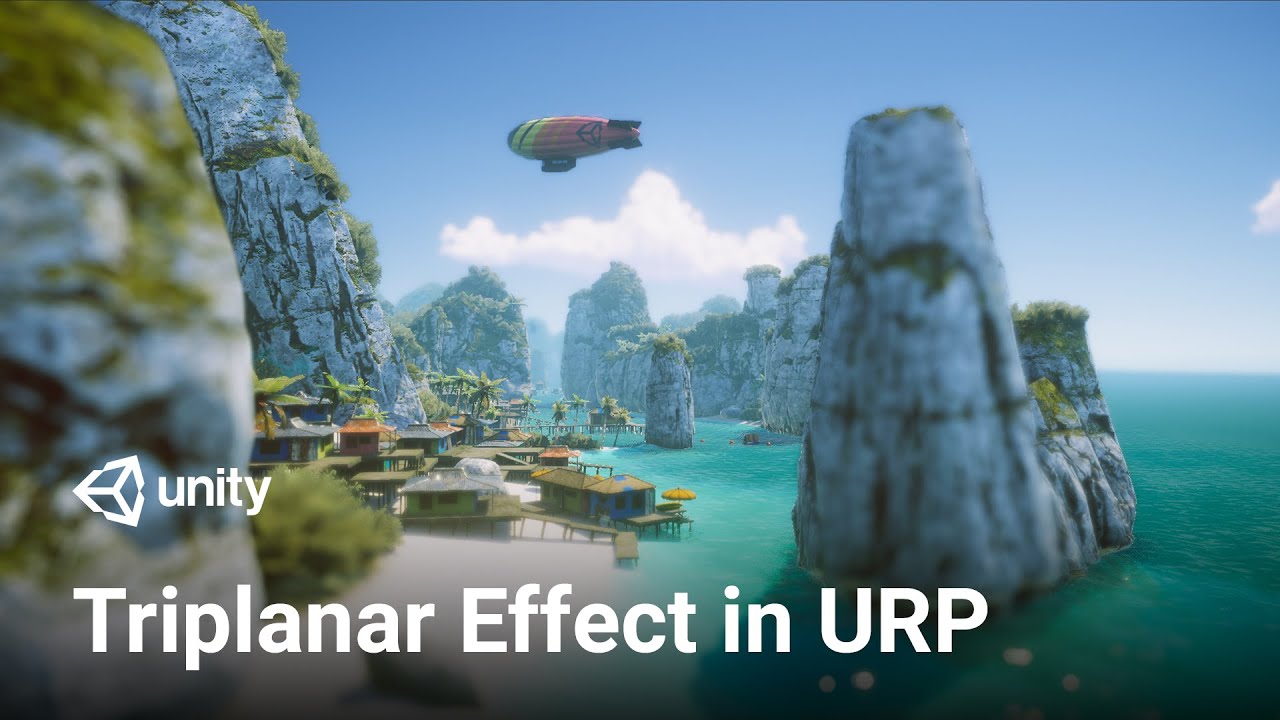
In this video, we'll take a look at how you can simulate a triplanar effect in the Universal Render Pipeline using Shader Graph.
Get the Boat Attack Demo here!
https://on.unity.com/3fIw3QV
Learn more about Universal Render Pipeline here!
https://on.unity.com/38WY7NH
Get more information on Shader Graph here!
https://on.unity.com/3fwXyg7
proper turret
cinder sluice
Okay, well search for mountain models I guess, and don't worry about the texture...
thank you
 oak cape
Hello
I want to make my terrain low poly How to do that?
Because I want to make performance on my game
solar swan
oak cape
Because I want to make performance on my game
Simply set a low heightmap resolution.
oak cape
solar swan
Simply set a low heightmap resolution.
Oh Thanks!
 cosmic hawk
is there a way to add grass to terrain using a custom shader graph instead of detail meshes and textures?
cosmic hawk
Never mind I have found a way but it looks like if I use it I’m limited to 4 terrain layers, not sure but I’m going to look into it more
shadow shard
Update: I’m so stupid. At one point the Auto Connect box under Terrain Settings got unchecked 🤦♂️🤦♂️🤦♂️
 fathom karma
hello can anyone help me with ForestVision?
eternal notch
Nature Renderer or Foliage Renderer - do they work with Unity 2023?
 scenic timber
my brush is on the terrain

and I cant use my paint brush
does anyone know why?
 solar swan
eternal notch
Nature Renderer or Foliage Renderer - do they work with Unity 2023?
solar swan
eternal notch
Nature Renderer or Foliage Renderer - do they work with Unity 2023?
Neither does officially yet. Expect Foliage Renderer to support it quickly when Unity 6 releases.
rose sentinel
Hello guys, i'm new to Unity and i was wondering why i can't make my grass looks good? It's always looking like this no matter what grass from other assets i'm trying:
 shadow shard
rose sentinel
shadow shard
rose sentinel
Increase the detail density and see how it looks
solar swan
rose sentinel
Hello guys, i'm new to Unity and i was wondering why i can't make my grass looks...
You need to use a cluster mesh with vertex normals pointing at (0,1,0) and a shader that can properly draw grass (there is some trickery involved, like gradients, vertex animation and perspective correction.
rose sentinel
solar swan
You need to use a cluster mesh with vertex normals pointing at (0,1,0) and a sha...
Whenever I see a tutorial for grass they just add it and it looks good already though 😭
And im using the same assets
solar swan
rose sentinel
Whenever I see a tutorial for grass they just add it and it looks good already t...
can you link one of those tutorials
it looks like the assets you have are capable of making it look nice
you can try checking your mesh import settings, see if they overwrite/regenerate anything (like normals)
rose sentinel
solar swan
you can try checking your mesh import settings, see if they overwrite/regenerate...
Let's make a beautiful open world in just 5 minutes! In this tutorial, we make a 3D world in Unity from scratch using the built-in terrain system.
····················································································
Unity Asset Store Links:
Modular First Person Controller: https://assetstore.unity.com/packages/3d/characters/m...
Here's one tutorial i used, i have seen with others cause i thought it was just this asset from this tutorial being dumb but it's not, it's something on my side that is ca using the grass to be rendered poorly
cosmic hawk
why is the add grass texture not letting me click it? do I need to enable it in settings somewhere?
 cosmic hawk
still can't find the problem and google has no answers for me
 marble jolt
Having issues baking trees into my navmesh. It seems to just ignore them completely. They have colliders and I added navmesh colliders as well. Seems everything online says to use Navmesh Static on these objects but that is now deprecated so I don't know how to get the same result. In Unity 2022
Oh seems to be an issue since 2016 thats a bug they havent fixed
Thats great
spice wave
Ok so let me get this straight if i use URP i cant use any tree made with the tree builder from unity bc material isnt compatible right?
solar swan
spice wave
Ok so let me get this straight if i use URP i cant use any tree made with the tr...
Trees should be usable with any regular surface shader, though special foliage/vegetation features (vertex animation/SSS etc) may require a custom shader.
would highly recommend looking into speedtree for DIY trees, the built-in tree creator is very limited and hasn’t been improved for 10+ years
cosmic hawk
cosmic hawk
why is the add grass texture not letting me click it? do I need to enable it in ...
Still haven’t found the problem
 half wigeon
My game exists without the Y axis being utilized by design. My player has no vertical movement. For terrain I'm using planes, and marking the tag on them for what my player interaction will be. I would like to be able to do more than just big squares. What would be the best way to 'terrain' without a y axis? I'm wondering if there's a way to just like 'paint' the ground with a texture and a tag to match it? Thanks for any advice and help
Snow = walk
Ice = slide
Rocks = death
Checkers = checkpoint
 desert rock
half wigeon
My game exists without the Y axis being utilized by design. My player has no ver...
desert rock
half wigeon
My game exists without the Y axis being utilized by design. My player has no ver...
you can use terrain and just use it to paint different textures on it, you dont need to sculpt different heights on it
then you need a surface system that will detect the terrain layers and kind of assign "tags" to it
i can give you the surface system i made if you want
half wigeon
I used an update method that would show me the name of the terrain layer I was on but it lagged like crazy. I think ill use planes for my current game and maybe explore this in another one.
I also need extra clean lines on my game so the planes kinda just work
desert rock
half wigeon
I also need extra clean lines on my game so the planes kinda just work
you can have extra clean lines on terrain you just need a brush with no fading
half wigeon
True! I was just lagging super hard anytime I was trying to detect what terrain type I was on every frame.
desert rock
you were probably doing something wrong, i never had this issue
frozen locust
Is there a way to capture whole scene terrain from above ?
solar swan
frozen locust
Is there a way to capture whole scene terrain from above ?
with a camera?
frozen locust
Amm yes what ever i just want to take a pic of whole terrain scene cause i want to reedit it in photo editor for Map
frozen locust
i trying with camera but the scene is too large and cant get clean shot of it
 viscid jacinth
Hey champs, I'm using the terrain system to spawn tree. On those trees, I have a script that supposed to disable the MeshRenderer on them, so the trees are invisible. The reason for this doing is because I want to spawn trees at the same location as game objects so I can use RayCast on them. Ray Cast isn't working on the Terrain system spawned trees.
Here is my script. It doesn't make the trees invisible:
    private void Awake()
    {
        // Spawn this this tree on this current trees position while also using Fishnet to spawn the tree
        MeshRenderer[] meshRenderers = this.gameObject.GetComponentsInChildren<MeshRenderer>();

        Array.ForEach(meshRenderers, meshRenderer => meshRenderer.enabled = false);


        this.gameObject.GetComponent<Collider>().enabled = false;
    }
Any tips on how to use RayCast, or something, to be able to know when the player hit the tree in a Terrain system spawned tree.
steady frost
I have made a terrain in unity and I've added models to make a city. Now I'm trying to export the whole thing as a single 3d model. How do I do this. Also when I try to export just the terrain with fbx exporter, when I open it in blender it is invisible and just shows an origin point. How do I do this?
 weak grove
Hello I have a question for the terrain paint tool, is there a way with urp I can have albero normal and height map as well when painting on the terrain ?
 azure veldt
Can anyone tell me how to change a small patch of terrain texture at runtime, like a bomb drops and leave a big mark? I already know how to change the height and make a crater now I need to make the texture change for a small spot. Thanks
solar swan
azure veldt
Can anyone tell me how to change a small patch of terrain texture at runtime, li...
You need a layer with the texture, then modify the splatmaps where the bomb has hit.
azure veldt
thank you, now I have to learn about splatmaps
 plush prawn
Hello
I am new to unity and I have a couple questions
I was looking at a video game where the map for example turns 45 degrees to the left or right or any degree that is
how can I achieve that and keep the gravity going down as it should be as well


like this, how could I do this?
winter minnow
plush prawn
like this, how could I do this?
By rotating whatever you're using as the level
There's no trick to it
Terrain doesn't support rotation, but you probably won't be using any Terrain tools for a game like that anyway
cosmic hawk
Are there any better alternatives to unity’s default terrain system? I want to be able to paint materials and custom shaders and have more than 4 layers
solar swan
cosmic hawk
Are there any better alternatives to unity’s default terrain system? I want to b...

Get the MicroSplat package from Jason Booth and speed up your game development process. Find this & other Terrain options on the Unity Asset Store.
If you want fully customized terrain you gotta make your own terrain system though.
cosmic hawk
solar swan
https://assetstore.unity.com/packages/tools/terrain/microsplat-96478
Thank you, I’ll be sure to check this out
cosmic hawk
sadly it doesn't seem to work with hdrp in Unity 2023.15
is there a way to fix that or should I just use an earlier unity version
 earnest niche
does anyone know an easy way to hollow out a quad in unity? I'm trying to make a window frame. idk if this is the right channel for it, but i just need a quick help with it
solar swan
cosmic hawk
is there a way to fix that or should I just use an earlier unity version
You should always be using the recommended LTS versions of Unity instead of the development previews. Asset authors usually offer no support and guarantees for anything else.
solar swan
earnest niche
does anyone know an easy way to hollow out a quad in unity? I'm trying to make a...
#🛠️┃probuilder and terrain holes, depending on what you actually need, otherwise: blender etc.
drowsy crown
How do you control the grass painted on a terrain using the grass tool. I can paint a grass prefab on a terrain and it works. But I feel like there is a little too much grass on the screen, even from far away places. So I wanted to make grass react with camera distance, LODs basically. But the grass painting tool doesn't allow prefab with LOD component attached. I assume its because of GPU instancing as GPU instanced object can not communicate with the CPU. Should I place grass using the tree painting tool? But that wont give me GPU Instancing performance benefit. I really want to control how far away the grass should be to get culled and maybe even render a low poly model of it
desert rock
cosmic hawk
Are there any better alternatives to unity’s default terrain system? I want to b...
but the limit is 8 layers in HDRP
and terrain layers are technically terrain materials
cosmic hawk
desert rock
and terrain layers are technically terrain materials
Yes but I want to be able to paint my own materials not the terrain ones
viscid jacinth
Can anyone help me debug why a script on one of my game objects it not being called? I have Debug.Log in the start and awake, but neither are being called. The script is enabled on the game object.
I put the script on a tree that's being called by the terrain system
It gets called when not using the terrain system
cosmic hawk
why is my grass all blury

I'm using a normal material for it
also it look fine in the editor, it just looks like this in play mode
I've done everything right
whats going on here?
cosmic hawk
cosmic hawk
why is my grass all blury
All I could find from looking it up is something about the texture size?
Idek what’s going on
 trail edge
When painting details onto a terrain object, is it possible for the brush to randomly use the list of details?
cosmic hawk
I think I’m done with trying terrain grass for today
eternal notch
I want to buy Foliage Renderer or Nature Renderer.
Anyone knows if they work in Unity 2023? (as I use it currently)
 waxen crescent
question, how is it possible that I went from 30m verts to 18m verts and the FPS went from 40 to 42?
winter minnow
waxen crescent
question, how is it possible that I went from 30m verts to 18m verts and the FPS...
Polycount might not be your bottleneck, and since there are so many things that go into rendering a frame, performance is rarely linearly correlated to any one thing anyway
Ignoring all non-vertex related rendering things even with the same number of vertices performance can differ depending on batching or draw call cost
solar swan
eternal notch
I want to buy Foliage Renderer or Nature Renderer.
Anyone knows if they work in ...
 cosmic hawk
why is my grass all blury
cosmic hawk
cosmic hawk
why is my grass all blury
the issue was caused by motion blur the whole time, all I had to do was turn it off 💀
viscid jacinth
How to be able to detect trees with RayCast when spawning trees with Unity's terrain system.
eternal notch
solar swan
Thank you. I don't know what I expected... 😦
 stiff valley
I have a question about terrain in 3D side-view games.
What is the best way to make the map tiles look seamless like in Mario Maker, SuperBunnyMan, etc.?
One solution is to model a large single terrain, but I would like to combine tile shapes if possible to allow for flexibility in making changes.

If I combine them without thinking, I will end up with a picture like this...
 solar swan
stiff valley
I have a question about terrain in 3D side-view games.
What is the best way to m...
solar swan
stiff valley
I have a question about terrain in 3D side-view games.
What is the best way to m...
In principle either extruded meshes with a shader that maps the textures nicely (ground vs groundcover need different handling) or tiles that change their texture based on neighborhood rules (you get this feature if you use unity‘s tilemap). Potentially you need both, depending on style and what else us going on. Tiles are easiest.
winter minnow
stiff valley
I have a question about terrain in 3D side-view games.
What is the best way to m...
They often are tilesets of modular 3D meshes
But they could be procedurally generated meshes as well
More commonly the former though
If your UV maps are precise, a special shader for mapping the textures seamlessly is not necessary but it could make things simpler
In your example image the textures have a lot of solid color so UV seams are easy to cover up
stiff valley
@solar swan @winter minnow
Thank you both for your replies!
I think there are a few assets that can handle TileMap in 3D, so I will look into those first.
Thank you so much for your help.
winter minnow
stiff valley
<@544260011430248467> <@166982635950702592>
Thank you both for your replies!
I...
Note that a fully 3D tile system for a 3D world is a much more complex system than what you need for a 2.5D game with 3D meshes
Your tiles themselves use 2D logic for how they are placed and how they connect, but they have a 3D mesh
Meshes in both cases but you're working on a 2D grid, not 3D grid, I mean
stiff valley
winter minnow
Note that a fully 3D tile system for a 3D world is a much more complex system th...
I am new to game development so I may not understand what you are saying.
Is it possible to use and place 3D models in the Unity standard 2D TileMap?
What I want to create is essentially a 2D Side-Scrolling game and the 3D is only meant for visual purposes.
winter minnow
stiff valley
I am new to game development so I may not understand what you are saying.
Is it ...
Yes
The tiles of a Tilemap can have a gameobject associated with them, which can be your 3D mesh
stiff valley
winter minnow
Yes
The tiles of a Tilemap can have a gameobject associated with them, which can...
Oh, I see. Thanks for the advice!
winter minnow
stiff valley
Oh, I see. Thanks for the advice!
You can do much the same just by placing the meshes in your scene using grid snapping or vertex snapping
If you don't need Tilemap's unique features (like rule tiles) then it's basically just a tool for placing gameobjects in a grid
Modular meshes don't have to be a in a grid either way, but that can make them easier to handle
stiff valley
winter minnow
You can do much the same just by placing the meshes in your scene using grid sna...
I may not understand it exactly yet.
In short, there are several ways to place game objects, right?
(Even if I don't use these functions, I can set the coordinates manually and the result will be the same)
These methods can only handle slopes with pre-defined angles (e.g. 30 or 45 degrees), and if I want to create a slope with a free angle in the game, I will need to use some other method.
(I have no idea...)
 rugged dragon
Yo guys quick question. Why when i add new terrain it is completly blank? Shouldn it be white

 silver badge
Hello, I got a problem with the Tilemap Editing that when we try edit some tiles, other ones edit as well, how do I solve this?
 azure veldt
Can someone please recommend a tutorial for using splatmaps, I think this is what I need and cant find a good tutorial to start, thanks.
solar swan
azure veldt
Can someone please recommend a tutorial for using splatmaps, I think this is wha...
When you paint textures on a terrain, you are painting splatmaps
azure veldt
solar swan
When you paint textures on a terrain, you are painting splatmaps
ok thanks thats a start, I need to do this at runtime
solar swan
azure veldt
ok thanks thats a start, I need to do this at runtime
That’s gonna be way more difficult/complicated to get running performantly. You would typically add that kind of thing into an extra texture map of your terrain shader that you drive from a render-texture. Technically all your splatmaps can be render textures, but syncing the terrain layers (and heightmap) to update, no matter what you do, will take a relatively long time (50ms+)
 sleek copper
Hi
azure veldt
solar swan
That’s gonna be way more difficult/complicated to get running performantly. You ...
I appreciate your reply but I'm sorry it doesnt help me, I dont understand what you are saying. What I need is, imagine a bomb hits the ground and leaves a big burn mark (just a brown smudge is enough)
The same effect as if you just paint a small area of the texture with another already loaded terrain texture. But done at run time (50ms is no prob).
winter minnow
azure veldt
I appreciate your reply but I'm sorry it doesnt help me, I dont understand what ...
It sounds like you're looking for decals, not splatmaps
azure veldt
winter minnow
It sounds like you're looking for decals, not splatmaps
Maybe I do, but people tell me to look at splatmaps. Do decals respect the terrain shape?
winter minnow
azure veldt
Maybe I do, but people tell me to look at splatmaps. Do decals respect the terra...
Yes
azure veldt
winter minnow
Yes
Ok thanks I will begin the study of decals,
any suggestion of tutorials?
winter minnow
The potential drawback of decals is that they're rendered separately, so if you keep stacking them they rendering cost keeps stacking as well
But comparatively drawing onto a splatmap, while permanent, restricts your fidelity a lot and requires drawing and saving texture assets at runtime which is a whole hassle
azure veldt
Hmm, ok they wont stack but there might be hndreds of them across the map
See I am already deforming the terrain at runtime
winter minnow
azure veldt
any suggestion of tutorials?
I don't know of specific ones, but note that decals are different in all three render pipelines so make sure you're looking at resources for the right one
azure veldt
winter minnow
I don't know of specific ones, but note that decals are different in all three r...
understood
solar swan
winter minnow
It sounds like you're looking for decals, not splatmaps
do decals work on terrain?
solar swan
azure veldt
I appreciate your reply but I'm sorry it doesnt help me, I dont understand what ...
if decals work, thats the way to go, but afaik in URP 14, they don't (yet)
winter minnow
Do we know what render pipeline this is?
solar swan
not really, seems to work in HDRP
winter minnow
No issue in URP 12

There's many different methods of rendering decals for each pipeline though
solar swan
winter minnow
No issue in URP 12
good to know. for some reason it was an issue not too long again... glad its not anymore
still doesn't affect terrain details, but thats understandable
rugged dragon
Yo guys i got an question. Is it possible to paint terrain so that when i pain it the texture has the form of the brush istead of being squares like that, since if you look at this screenshot you can see from above that the texture is getting painted in squares no matter which brush i choose and forexample if i want to paint an dirtway in the grass istead of it being 100 visible it likes fades out on the side if you look at the screenshot too, any fix for that?
 winter minnow
rugged dragon
Yo guys i got an question. Is it possible to paint terrain so that when i pain i...
winter minnow
rugged dragon
Yo guys i got an question. Is it possible to paint terrain so that when i pain i...
The "squares" are the individual pixels of your splatmap
You can increase "control texture resolution" but it quickly has diminishing returns, so it's better to paint with softer brushes to ease out the threshold whenever possible
Every doubling of the control texture resolution takes 4 times more texture space
rugged dragon
Alright thank you
azure veldt
winter minnow
Do we know what render pipeline this is?
I am using Unity default pipeline, I started this project 2 years ago. I have horrendous problems converting to URP and all my trees and terrain wont convert, I had spent weeks trying to fix this and ultimately gave up and reverted back to default. Looking for tutorials about Decals are ALL URP which is annoying.
I found a decal system for built-in pl, in the asset store, working out how to use it now.
shadow shard
I want to make the classic cave behind a waterfall. What brush can allow me to carve like that into the terrain that actually makes a tunnel and doesn’t go straight to the floor?
 solar swan
shadow shard
I want to make the classic cave behind a waterfall. What brush can allow me to c...
solar swan
shadow shard
I want to make the classic cave behind a waterfall. What brush can allow me to c...
Terrains cannot represent overhangs. If you want overhangs, you need a voxel-based terrain engine or use a custom modelled mesh which you stick into a terrain hole.
You can use Digger (asset) to more or less get what you want, with it you can "paint" caves into existing unity terrains. Effectively it creates a mesh for you, creates the appropriate holes and blends it all together. Technically its voxel terrain stitched into a displacement terrain. https://assetstore.unity.com/packages/tools/terrain/digger-pro-voxel-enhanced-terrains-149753

Get the Digger PRO - Voxel enhanced terrains package from Amandine Entertainment and speed up your game development process. Find this & other Terrain options on the Unity Asset Store.
winter minnow
shadow shard
I want to make the classic cave behind a waterfall. What brush can allow me to c...
https://blog.unity.com/engine-platform/digging-into-terrain-paint-holes-in-unity-2019-3
The official way is to use the "paint holes" tool and a custom mesh
shadow shard
Thank you!
cosmic hawk
solar swan
You can use Digger (asset) to more or less get what you want, with it you can "p...
Is there a free alternative to this package?
solar swan
cosmic hawk
Is there a free alternative to this package?
doing it with probuilder and polybrush like spazi suggested
cosmic hawk
solar swan
doing it with probuilder and polybrush like spazi suggested
oh okay, thanks
 inland jetty
I know that it doesn't really create hundreds or thousands of instances of your tree prefab at runtime -- it's doing something more complicated
 pulsar hinge
inland jetty
I know that it doesn't really *create* hundreds or thousands of instances of you...
pulsar hinge
inland jetty
I know that it doesn't really *create* hundreds or thousands of instances of you...
alright i'll just try to combine the two meshes , tho i really wanted them to be seperate so i can edit them later easily
winter minnow
pulsar hinge
why do terrain trees need to be a single mesh
The internal optimization is "gpu instancing" which repeats one mesh many times for cheap
pulsar hinge
winter minnow
The internal optimization is "gpu instancing" which repeats one mesh many times ...
and , what does that mean ? , like is it possible to use multiple meshes for trees ?
winter minnow
pulsar hinge
and , what does that mean ? , like is it possible to use multiple meshes for tre...
Means there's a technical reason why it might want them as singular meshes
pulsar hinge
i see , thanks
winter minnow
I haven't checked if there is a way to use multi-mesh trees though
pulsar hinge
idk i'm having trouble with this rn because i really want my trees to be two meshes ;-;
maybe i just wont use unity's terrain system for spawning the trees
winter minnow
pulsar hinge
idk i'm having trouble with this rn because i really want my trees to be two mes...
For what particular purpose?
pulsar hinge
winter minnow
For what particular purpose?
animating and controlling the height without stretching the tree
 limber marlin
Would I have any future problems exporting the terrain from my game that I made in Blender to Unity? Or is it safe?
pulsar hinge
pulsar hinge
animating and controlling the height without stretching the tree
it doesn't matter tho i'll just do my own solution for this
cosmic hawk
solar swan
doing it with probuilder and polybrush like spazi suggested
polybrush isn't working on terrain for me
 hollow junco
Anyone have a fix for this, Im Using HDRP
 cosmic hawk
hollow junco
Anyone have a fix for this, Im Using HDRP
cosmic hawk
hollow junco
Anyone have a fix for this, Im Using HDRP
have the same error and haven't been able to fix it
hollow junco
Polybrush i believe only work on objects not terrains
hollow junco
cosmic hawk
polybrush isn't working on terrain for me
His suggestion is that if your not doing like a open world persay you dont need to have a terrain, just a high poly plane you can deform for terrain like things and you can use poly brush for the deformation and vegitation
cosmic hawk
my game is open world and the terrain I'm using is very large so I need things like dynamic detail so I'm not sure if thats an option
hollow junco
You can try out vegitation spawner but im not sure what its compatibility is with HDRP if that is what your using
And it is free
and pretty cool tool
cosmic hawk
hollow junco
You can try out vegitation spawner but im not sure what its compatibility is wit...
I'll check out that asset but it doesn't really help with making caves
hollow junco
cosmic hawk
I'll check out that asset but it doesn't really help with making caves
Oh i was assuming you were trying to make grass XD
You just need a terrain hole painter then
or did you want like procedural cave systems
cosmic hawk
I want to be able to dig into the terrain using a brush or something without having to use an extra mesh or holes but it seems like I'd have to pay if I want that
would there be some kind of way to make an lod system like the unity terrain but have it work on meshes
hollow junco
cosmic hawk
I want to be able to dig into the terrain using a brush or something without hav...
Well realistically unity already has the digging machanic for you, you just got to figure out how to acess the Raise and Lower tools, and using brush types with it
But if your trying to do like you can have floating pieces above other pieces of terrain, your gonna have to go voxel
Endless theres some wizardry im not aware of
cosmic hawk
hollow junco
Well realistically unity already has the digging machanic for you, you just got ...
raise and lower terrain only works up and down, you need voxel based to make caves but all the voxel based ones cost money
hollow junco
cosmic hawk
raise and lower terrain only works up and down, you need voxel based to make cav...
I take it you dont know how to make the terrain generation on your own
cosmic hawk
hollow junco
I take it you dont know how to make the terrain generation on your own
Like procedral?
hollow junco
cosmic hawk
Like procedral?
Yes, so you can do those sort of those things without paying
cosmic hawk
hollow junco
Yes, so you can do those sort of those things without paying
I don't know how but don't those not have dynamic detail like the normal unity terrain does
hollow junco
cosmic hawk
I don't know how but don't those not have dynamic detail like the normal unity t...
You can definitly make it have dynamic detail
cosmic hawk
hollow junco
You can definitly make it have dynamic detail
Well, I’m not sure how to even start coding that
hollow junco
cosmic hawk
Well, I’m not sure how to even start coding that
Yeah if you dont know how to, i wouldn't do it endless you wanted dedicate some serious time
hollow junco
cosmic hawk
Well, I’m not sure how to even start coding that
I think i may have found a solution for you, its called Digger - Advanced Operations, seems like what you want
cosmic hawk
hollow junco
I think i may have found a solution for you, its called Digger - Advanced Operat...
I'll try that
hollow junco
cosmic hawk
I'll try that
Let me know how it goes, hope it works for you
cosmic hawk
hollow junco
Let me know how it goes, hope it works for you
thanks, I will
doesn't work, you need the digger core first
: (
I'm just going to use terrain holes + meshes
winter minnow
hollow junco
But if your trying to do like you can have floating pieces above other pieces of...
External mesh terrains work okay too even without voxels
Details can be a separate mesh
You don't need Terrain's detail mesh painting system in all situations
Unity's Terrain system is ultimately kind of made for a rather specific use case
 opaque rover
anybody tried the new tree tool? Don't know if it's new with unity 6 but I found it and it looks confusing but promising
solar swan
opaque rover
anybody tried the new tree tool? Don't know if it's new with unity 6 but I found...
New tree tool?
opaque rover
solar swan
New tree tool?
There's something like speedtree. You can add gameobject -> tree
at least in unity 6 test or whatever it's called
solar swan
opaque rover
There's something like speedtree. You can add gameobject -> tree
That’s been there since before unity 5
solar swan
It’s useless in SRPs
And just overall not very powerful. Okay for prototypes.
But you’ll immediately start missing some basic controls to achieve your desired results.
cosmic hawk
solar swan
And just overall not very powerful. Okay for prototypes.
Blender has an addon called sapling gen which lets you create lots of cool trees like speed tree, they’re just very high poly
cosmic hawk
winter minnow
Details can be a separate mesh
You don't need Terrain's detail mesh painting sys...
Yes, but the terrain system is very well optimized versus a mesh isn’t. Especially if you’re trying to create large worlds. You’d have to code your own dynamic detail like system if you want to make very large mesh terrains
winter minnow
cosmic hawk
Yes, but the terrain system is very well optimized versus a mesh isn’t. Especial...
It also kinda depends
LODs are very effective, and if your world is very large you have to design a system for progressively loading and unloading areas anyway
cosmic hawk
winter minnow
It also kinda depends
LODs are very effective, and if your world is very large y...
you could divide the mesh into separate chunks and make lods for each chunk
winter minnow
If Terrain does what you need how you need there isn't really a need to replace it, but it's very easy to grow out of its capabilities
And performance as well
winter minnow
cosmic hawk
you could divide the mesh into separate chunks and make lods for each chunk
That's what I usually end up doing
If the grass patches are just more meshes with their own LODs they have for most purposes passable performance too
As long as you have a way to group them up a bit, rather than having a gameobject per blade of grass
But at that point it's not a big hurdle to do GPU instancing
Or swap over to VFX Graph grass which is more capable and optimized than Terrain grass
cosmic hawk
winter minnow
That's what I usually end up doing
If the grass patches are just more meshes wit...
Then could I use poly brush to paint the mesh terrain or would it be better to use blender where I have more versatile tools
winter minnow
cosmic hawk
Then could I use poly brush to paint the mesh terrain or would it be better to u...
I would prefer blender for everything, but I'm familiar with it to begin with
It's also why I might have a bias for doing custom systems instead of using Terrain, since I have experience with them already
cosmic hawk
So blender terrain + chunks + lods seems to be the way to go
winter minnow
Even with Terrain you probably want to be competent with Blender or some real modeling program also
Being able to make your own rocks, cliffs, foliage and everything hugely expands your ability to improve the appearance of Terrain environments
cosmic hawk
winter minnow
Even with Terrain you probably want to be competent with Blender or some real mo...
I know how to use blender lol, that’s how I make all my game models
winter minnow
cosmic hawk
So blender terrain + chunks + lods seems to be the way to go
Again it depends though
Do you need to do something that Terrain is bad at?
If you only have some caves or overhangs or floating islands, or so many that you end up doing a lot of the work in Blender anyway?
cosmic hawk
winter minnow
Again it depends though
Do you need to do something that Terrain is bad at?
If y...
Good point, my game requires caves so I’ll do the blender route
cosmic hawk
should I have all the terrain pieces as separate gameobjects or is it possible to combine them together and still have lods per chunk?
winter minnow
cosmic hawk
should I have all the terrain pieces as separate gameobjects or is it possible t...
The second option is only possible if you're drawing the meshes procedurally from code, which is what Terrain does
It was done to improve batching, but if you're using URP or HDRP their SRP Batching makes batching nearly a non-issue
solar swan
cosmic hawk
should I have all the terrain pieces as separate gameobjects or is it possible t...
Make compact individual chunks (ideally cube shaped) so they can be frustrum-culled. You should do this automatically as an export process.
LODs on terrain meshes will likely cause visual gaps in your meshes between chunks. Or at least make them hard to avoid
you have to cleverly use chunks for some things and not for others
winter minnow
There's a bunch of solutions to that
Extruding the LOD model edges costs a few more polygons but it's a quick fix
Lods with terrains are always viewed towards the direction of the lower lods, so only those edges can peek out
Moving the vertices down just a bit (while ensuring normals remain unchanged) could be another way, but it only works if the offset is small
They could also be stitched at runtime, but that's more complex
 gloomy stirrup
what is the easiest way to add realistic looking grass for URP? I am basically trying to make a home garden scene. After reading about it on Google, and watching youtube. There appears to be many different approaches. Does anyone have any advise on the best technique for a small home garden scene? The grass does not need to animate. Would you use the terrain tool for that?
solar swan
gloomy stirrup
what is the easiest way to add realistic looking grass for URP? I am basically ...
for "small" environments, like a garden, you would not use terrains at all. you can just place individual prefabs. So long as you don't use terrain details for grass you can make a pretty nice custom foliage shader. To render nice grass with terrain details, you need to spend a lot of time (or money on assets) to replace the built-in terrain renderer, the details renderer and the foliage shader with something more feature-rich.
 left tangle
i am still kinda new to unity
anyone know how to scatter a prefab object randomly around a terain with random position and rotation (where u can also limit the rotation)
i normally always use blender for this stuff so idk how to do it in unity
solar swan
left tangle
i am still kinda new to unity
anyone know how to scatter a prefab object randoml...
you can just type R(min, max), e.g. R(0,10) into a field in the transform's inspector to randomize that value for all selected objects.
or make yourself a little scatter-component/window
or use Polybrush https://unity.com/features/polybrush

Unity
Learn about the many features of Polybrush, which lets you blend textures and colors, sculpt meshes, and scatter objects in the Unity Editor. It’s now part of Unity, with ProBuilder and ProGrids.
 random wolf
Help please. How can I expand the detalization of terrain. Now it looks like smoothed pixels
 winter minnow
random wolf
Help please. How can I expand the detalization of terrain. Now it looks like smo...
winter minnow
random wolf
Help please. How can I expand the detalization of terrain. Now it looks like smo...
I believe it's the Control Texture Resolution
 peak night
My character keeps clipping through steep terrain, not sure how to fix it
winter minnow
peak night
My character keeps clipping through steep terrain, not sure how to fix it
The terrain collider is just a mesh collider so this is not an issue with it
Likely your character is using a sloppy technique for movement that ignores physics or otherwise doesn't check for collision before moving
Ask in #💻┃code-beginner and include details how you're moving the character
peak night
alright thanks, I will try that
left tangle
solar swan
or use Polybrush https://unity.com/features/polybrush
thanks
 vale spruce
I have a question ! I am currently working on a game and we have a tile generator system that takes a mesh and rotate it by 90 degree to create land variations. We currently create prefabs and use it in our system, but making terrain like this is pretty tedious in 3d and we were trying out the terrain tool for tests.
With the terrain tool we can create cool elevation and creases for lakes etc for our tile, but It doesnt apear to be rotateable. Is there a way to transform the terrain into a prefab that is editable and rotateable ?


 eager island
hey guys
when i try to add a texture layer to unitys terrain i cant select the sahder of terrain
i want it to be mobile shader and i need layers beacues im gonna use textre pain feature
winter minnow
eager island
hey guys
when i try to add a texture layer to unitys terrain i cant select the s...
There are mobile shaders, which are simpler, and then there are terrain shaders, but there isn't a terrain shader made for mobile as far as I know
eager island
so how can i use texture paint feature using a mobile shader?
winter minnow
You cannot
eager island
if a make a game for mobile cant i use texture paint feature really
winter minnow
If you're using the built-in render pipeline you also have "diffuse" terrain shader, which is probably cheaper
But texture layering is kind of an expensive shader operation for mobile platforms
eager island
i got it
probably im gonna need to make texture paints outside unity and so i can use the ready painted textures with any shader i want
winter minnow
That is one option, though such textures are often large
eager island
which program u advice me for making the texture paint of a large terrain
winter minnow
I only use blender for 3D stuff so I can't recommend many
winter minnow
Something I'd look into though are using "trim" and "tile" textures to create an UV unwrapped mesh terrain, compared to texture painting it's a very manual process but gives you the best fidelity with the least performance cost

A bit like this
 inland jetty
that's a good idea!
 thorny pike
What's the recommended way to make terrain similar in style to games like Ocarina of Time? How the walls are all blocky for example
 winter minnow
thorny pike
What's the recommended way to make terrain similar in style to games like Ocarin...
winter minnow
thorny pike
What's the recommended way to make terrain similar in style to games like Ocarin...
Those areas are individually modeled and UV mapped meshes
Using the exact techniques I was showing pictures of above
thorny pike
winter minnow
Those areas are individually modeled and UV mapped meshes
Using the exact techni...
cheers, ill look into it
winter minnow
thorny pike
cheers, ill look into it
Basically they're "just ordinary" meshes, not Terrain or anything like that
Nothing technically is different about how environments like that are made vs how other assets like characters or props are made in the low poly workflow
 tacit dock
hi I have a rather simple question
I've gone through some of the documentation but couldnt find answers but Im going to be quiet and polite about it
when using the unity editor, HOW IN THE GODDAMN FUCK DO I OPEN ASSETS IN THE PROJECT VIEW AND HAVE IT FUCKING OPEN IN THE GODDAMN MOTHERFUCKING RIGHT SIDE, PANEL, WHY WONT IT JUST FUCKING WORK, WHY DOES AN ASSET REQUIRE SOME MAGICAL FUCKING MENU INVOCATION JUST TO OPEN IT WHEN ITS RIGHT FUCKING THERE IN MY ASSETS
calm
I've created a variety of heightmaps using perlin noise, and have softened some of the terrains using a gausian blur, however whenever i want to add some final touches to the terrain it seems to be near impossible
 vivid sierra
i got a problem whit the Road Arcitecture road creation my road is pink can i easily fix that whit out doing to mutch stuf ?

 wise tusk
hey, im trying to get this scene optimized to get some decent frames but some reason its just really laggy, the frames are super low when the terrain is active and im not sure what to do to fix it. This is what the profiler looks like. ive never been good at optimizing stuff.
 cosmic hawk
terrain texture is stretched for some reason, how do I fix it

 solar swan
cosmic hawk
terrain texture is stretched for some reason, how do I fix it
solar swan
cosmic hawk
terrain texture is stretched for some reason, how do I fix it
looks like something is causing a lot of setPass calls (no batching, wasteful effects or a lot of overdraw), they should be maybe 10% of what they are based on whats visible in the scene
cosmic hawk
solar swan
looks like something is causing a lot of setPass calls (no batching, wasteful ef...
Yeah but why are the textures stretched
This only happened recently, I didn’t change any of the terrain settings or anything
solar swan
cosmic hawk
Yeah but why are the textures stretched
sorry, reply wasn't meant for you
solar swan
cosmic hawk
Yeah but why are the textures stretched
looks like broken POM or triplanar/boxmapping
cosmic hawk
solar swan
looks like broken POM or triplanar/boxmapping
any suggestions on how to fix it?
solar swan
cosmic hawk
any suggestions on how to fix it?
are you using some sort of custom terrain shader?
cosmic hawk
solar swan
are you using some sort of custom terrain shader?
Creating a new terrain shader fixed it
 ivory ravine
Still have this lighting bug on DetailMesh on terrains.
Im testing on Unity6 to see if it was fixed and nope, and I still don't know if i'm the only one with this issue.
I have tested multiple versions, 2021, 2022, 2023.
They are all bugged with the same issue, however won't cast shadows either.
Unity6 does cast shadows but won't take lighting color.
Built-in and/or URP, fresh project - Forward
base Capsule as prefab painted on terrain.

so again, am I the only one with this, can anyone test a pointlight on his terrain ?
ivory ravine
or - Am I crazy and pointlight never worked on detailMeshs in forward
 steady crag
i downloaded a asset terain but it does not have colison on it. is there an easy way to place colisaon on all of them at once?
 buoyant gull
Hi, I just learned about colliding with objects and stuff, but it seems like the hitbox thing for this statue is way off from what it should be as I cannot walk in fron or right next to it. Does anyone know a way to fix this?
 opaque rover
buoyant gull
Hi, I just learned about colliding with objects and stuff, but it seems like the...
opaque rover
buoyant gull
Hi, I just learned about colliding with objects and stuff, but it seems like the...
You can edit the physics shape of each sprite in the unity sprite editor. There's a dropdown at the top left corner to select physics shape and create a custom shape.
So, has anyone worked with Digger? The lighting of the terrain doesn't seem to work in newer versions of HDRP.
I am using Unity 6 preview and the shader for the digger terrain doesn't receive light. There is a mention in the documentation about needing to download a new shader for HDRP 14+ but there is no such file to be found anywhere.
The support on the digger discord is nonexistent, seems the owner and mods don't visit. Anyone here worked with it?
 languid edge
Is it an appropriate way to use Unity's terrain tool to place trees for a VR game? Having a couple hundred of them results in over 300 draw calls just for the trees alone..
solar swan
languid edge
Is it an appropriate way to use Unity's terrain tool to place trees for a VR gam...
Draw calls don’t matter in SRPs
 celest field
what would be the best way to make trenches without making these really harsh bottoms?

like to make it look man-dug
is there a certain brush you recommend or something?
opaque rover
celest field
what would be the best way to make trenches without making these really harsh bo...
use terrain smoothing to smooth out the bottom
also, this shouldn't happen in the first place if you're digging it right from the get go
reduce the opacity and strength on the brush
 austere flower
is it serious , 2 triangles for a tree !

 dusty void
Does anyone know why the axis came loose?
 celest field
opaque rover
also, this shouldn't happen in the first place if you're digging it right from t...
celest field
opaque rover
also, this shouldn't happen in the first place if you're digging it right from t...
what do you mean? and yeah i thought about terrain smoothing but i couldnt find any tutorials for it
opaque rover
celest field
what do you mean? and yeah i thought about terrain smoothing but i couldnt find ...
you're painting with some kind of rough brush setting. There is no tutorial required for smoothing. Simply select smoothing from the dropdown in terrain tools
the dropdown where you select raise/lower terrain etc
one of them is for smoothing
celest field
opaque rover
you're painting with some kind of rough brush setting. There is no tutorial requ...
im just using the regular circle brush with a lower opacity because my players arent insanely tall so i want them to be able to walk in the trenches just so their heads arent seen
im making a military game
celest field
well im not at my pc right now but when i get home i will. thanks!
celest field
opaque rover
ok now where you select raise/lower terrain
are there any steps after that or does that just apply smoothing to what you are doing
celest field
ohh alright. yeah sorry im not incredible at terrain lol im mostly a programmer
but thanks
opaque rover
you paint it over anything you want to smooth out
 sturdy flicker
austere flower
is it serious , 2 triangles for a tree !
sturdy flicker
austere flower
is it serious , 2 triangles for a tree !
Sounds like some nes level of game (I’m not saying nes games where bad there are several I love)
 dark lodge
I watched some videos about implementing wave function collapse in unity, and i just saw that these tutorials mostly shows that terrains are generated (instantiated) on Play instead being created on the Scene. What if i want to generate and use the terrain from the start, and adding colliders to it?
 wanton osprey


 humble aurora
hello i'm trying to create a small level to showcase my foliage , in order to do that i'm using houdini to spawn the foliage, for now i'm spawning the grass as unity instance and enable the GPU instancing on the material. but my batch count is 80 000 , how can i reduce it ? or , is there a better way to spawn the foliage ?
frozen locust
Can some one tell me what am i doing wrong and why streaming is not working
 solar swan
frozen locust
Can some one tell me what am i doing wrong and why streaming is not working
solar swan
frozen locust
Can some one tell me what am i doing wrong and why streaming is not working
what kind of streaming are you expecting to be working?
frozen locust
Well i ben using stream terreain mesh combines etc the optimizing not so quate good
solar swan
idk what that means
if you want to stream meshes you need to load/unload them in some way, how are you doing that? if you mean to cull them (from rendering), you need to use a LOD component or disable the renderers in some other way. Are you doing that?
If you are using a custom renderer (instanced indirect etc. you need to DIY the culling)
 final yoke
I'm fairly new to using 3D in Unity - I'm trying to use a scrolling 3d landscape as a background for a 2D game. I'm struggling to find anything using Google Fu.. does anyone know of a suitable totorial or example?
 neat jacinth
final yoke
I'm fairly new to using 3D in Unity - I'm trying to use a scrolling 3d landscape...
neat jacinth
final yoke
I'm fairly new to using 3D in Unity - I'm trying to use a scrolling 3d landscape...
2D Background scrolling and parallax for unity. In this episode, we jump into the 2D world and start implementing a super nice background using a simple scrolling technique, and a parallax technique!
►-------------------------------------------------------◄
Join the community, keep on learning.
► Come hang out in discord! This is the most effi...
took 2 seconds ngl
pretty sure that gets the result you're talking about
final yoke
Nope... that's a parallax side scroll. I'm talking about a 3d terrain moving forwards as a background for a 2d game.
 last linden
Hello, this is what happens when i move terrain that had grass or trees on it they become massively big

Any idea how to avoid this
viscid jacinth
How do I mass place Game Objects using Unity's Terrain tool?
For example, how do I mass place rocks using the Terrain tool?
humble aurora
viscid jacinth
For example, how do I mass place rocks using the Terrain tool?
you have to paint the rocks with the tree or detail mesh tools
there is no built in procedural spawn in unity if that's what you are asking for
is it normal that my grass disapear like that by chunks ?
desert rock
humble aurora
is it normal that my grass disapear like that by chunks ?
yes, there is a setting called detail resolution per patch which acts like a divisor for detail resolution, changing that value changes how big the detail chunks are
 rocky folio
Hi all. A question about "ready made assets vs make ur own"
I've decided to scope the game to NOT focus on level related gameplay at all. CS's de_dust size, topdown and on a 2D physics space (so no need for mesh terrain with complex underground), with 3D graphics/elevation. Map will be static (no need dynamic, transforming whatsoever)
Like Dota, Ragnarok Online, Diablo
I am a programmer, but as mentioned, i will focus on narrative, skill system, rather than "per floor data" and other level-related mechanics
I'm kinda on a crossroad actually. Bcoz i don't need sophisticated level gameplay, i was thinking of making my own solution (integrating some battle tested ones like how Tiled/LDTk is for 2D, or Microsplat specifically for the texturing)
I have yet found a reliable asset/solution(s) combo to implement just what i minimally need
I saw Tile World Creator 3 https://assetstore.unity.com/packages/tools/level-design/tileworldcreator-3-199383#reviews
And some of the bad reviews of it mentions messy code, bad idea if u need to modify it (common case)
But.. If the game will not focus on custom/specific level/environment kinda gameplay, does that mean it's actually a good idea to use a ready made, all in 1 asset like TWC?
We have a dedicated artist that may benefit from using this "convenience all in 1" asset, but even without aiming for level related gameplay and focus elsewhere, i wonder if it'll still bite us in the long run
 magic ibex
How can I make the trees in a certain distance to show black without rendering? I had it already but then it got back and I have no idea how I did it
 slim python
What do you suggest for creating good forest map. I made raising lowering things, but the problem is how to seperate rocks,create way,which props should I use and how many trees for aesthetics. I don't know about creating maps, but i know map shouldn't bore player

I can't decide
solar swan
slim python
What do you suggest for creating good forest map. I made raising lowering things...
Playtesting is your friend
 glad crest
what is like the best way to build a map for a survival game in low poly?
solar swan
glad crest
what is like the best way to build a map for a survival game in low poly?
Can you be more specific? What’s your actual problem you want to solve?
glad crest
I want to make a world for my Survival game but I don’t know how to begin
Like do I make a terrain in blender
Or do I just use unity
solar swan
How serious is this project? Do you want to have the real answer or the free one? How big is the game?
And what do you mean by "low poly"? technically terrain is always relatively low-poly
glad crest
it just something i am working on to learn some unity and how to make a game i am not thinking about really publishing a game just trying to get the hang of it
 fringe pebble
Anyone knows how to fix the texture painting looking sorta blocky? I don't mean repetitive.
 winter minnow
fringe pebble
Anyone knows how to fix the texture painting looking sorta blocky? I don't mean ...
winter minnow
fringe pebble
Anyone knows how to fix the texture painting looking sorta blocky? I don't mean ...
Increase control texture resolution or use a softer brush
The "blocks" are individual pixels on the texture
If the edge is smudged over more pixels, the pixel edges will be smudged also
Texture painting is not an effective way to make any sharp details
fringe pebble
Thanks!
rocky folio
Hi, can anyone recommend an asset/git repo that can place 3D block tiles, with defining rule tiles?
TileWorldCreator looks good, but doesn't support big tile
Tessera, TileComposer, is mostly proc gen, don't seem to have good support on manual editing
WildTile doesn't support multi biome, or variants per tile
 azure berry
someone have bus model which is free to download?
 candid python
Trying to paint holes in terrain and was met with this
Looked into Quality settings saw no issues and tried different qualities with no help*, I am on URP 2022.3.31
 candid python
Trying to paint holes in terrain and was met with this
Looked into Quality set...
candid python
candid python
Trying to paint holes in terrain and was met with this
Looked into Quality set...
Solution Found Online: https://forum.unity.com/threads/terrain-holes-not-working-in-urp.1473012/
Unity Forum
I'm on Unity 2021.3.25f1 and I just converted my project to URP, and everything works except that all of my terrain holes are gone and I can't paint...
 wooden cave
glad crest
it just something i am working on to learn some unity and how to make a game i a...
wooden cave
glad crest
it just something i am working on to learn some unity and how to make a game i a...
Can I guide you on how to make the game as a co developer
glad crest
I Will zend you message
 rotund forum
idk if this is the right place to ask this, but im going crazy. i am trying to make ghost of tsushima esque grass/plants that also work with terrain. i have been gong through the net and countless tutorials, but i cant seem to find what im looking for. i found stuff that works on a flat plane and stuff that works on geo, but nothing that works with terrain
 spiral crystal
Does someone know how to change the density of grass in the version 2020.1.9f1 ?

 steep hinge
some how my terrain neighbors broke
I can only edit one of the two terrains at a time... so leveling both and redoing the hill is not an option
using the autocorrect/reconnect neighbors is not working
they have the same group id
any thoughts?
 night radish
Hi everyone, I'm having a small issue when importing a heightmap into Unity 2020.3. I have the Terrain Tools enabled however when I import the heightmap by creating a terrain and going to Import RAW I run into the issue shown in the first picture where two sides of the terrain have a massively distorted edge while the other two sides are fine. If I try the other method of going Window > Terrain > Terrain Toolbox and importing the heightmap through the Create New Terrain tab I run into the even worse issue shown in the second picture. Third picture is the RAW file I am using.


Any guidance on to where I have gone wrong would be much appreciated.
queen rivet
viscid jacinth
For example, how do I mass place rocks using the Terrain tool?
Free from Staggart : https://assetstore.unity.com/packages/tools/terrain/vegetation-spawner-177192?aid=1011l7Uk8&pubref=forum&utm_campaign=unity_affiliate&utm_medium=affiliate&utm_source=partnerize-linkmaker

Get the Vegetation Spawner package from Staggart Creations and speed up your game development process. Find this & other Terrain options on the Unity Asset Store.
viscid jacinth
queen rivet
Free from Staggart : https://assetstore.unity.com/packages/tools/terrain/vegetat...
Thanks! But I figured out I could do it with Unity's terrain system by just planting the rocks like they were trees.
queen rivet
Any Lod mesh would work🙂
 calm tendon
i have some trees as part of my terrain, but they will go to a 2d look at a certain distance and look really wonky when i pan the camera. how do i stop this?
here's an example
Does anyone know how to fix this?
 mystic zinc
dont know if this is the right channel but does anyone know of a good way to impliment a tall ancient forest look for a top down game?

i want the trees to be tall and strong but not get in the way
hot mango
Could anyone help me replace the default unity URP shader to remove the specular it adds to all terrain layers? Its washing out the color of my terrain a SIGNIFICANT amount and its really annoying.
To achieve the color I actually want I have to turn up the smoothness slider on a given terrain texture but it just results in a permanent specular that wont go away no matter what I do.


 solar swan
hot mango
Could anyone help me replace the default unity URP shader to remove the specular...
solar swan
hot mango
Could anyone help me replace the default unity URP shader to remove the specular...
You could use post processing to boost the saturation. If you‘d use a shader like microsplat you can disable rendering the specular. Making a custom terrain shader is unfortunately rather tedious and documentation is very sparse. Looks like what you want is some sort of unlit shader though.
hot mango
Upping the saturation is out the question unfortunately, my game is already pretty bright and colorful enough
I'll look into microsplat though
rotund forum
still struggling with mass placing grass. i want to have grass that is slightly bent (gravity) in its rest position, but i want it to also bend apropriately in wind. if i use a grass model that is prebent, it doesnt deform corrently in wind. if i use straight grass, it bends correctly but looks not what i want if there isnt any wind (see graphic)
Is there any way i can achive both?

 fossil lotus
hot mango
Could anyone help me replace the default unity URP shader to remove the specular...
fossil lotus
hot mango
Could anyone help me replace the default unity URP shader to remove the specular...
did you solve this? I've been wondering this myself
hot mango
fossil lotus
did you solve this? I've been wondering this myself
yeah, microsoft did the trick
fossil lotus
microsoft?
hot mango
microsplat
my bad, autocorrect lol
although microsplat is free you’re gonna have to pay for a urp addon for it
fossil lotus
ahhh the plugin, gotcha
viscid jacinth
Hi guys, the second line of this for loop is slowing down the heck of my project:
for (int index = 0; index < terrainData.treeInstanceCount; index++)
{
  TreeInstance treeInstance = terrainData.treeInstances[index];
Using this seems to have cut the time in half or 1/3:
foreach (TreeInstance treeInstance in terrainData.treeInstances)
I'm worried as my project gets bigger though that its not going to be enough
fossil lotus
is there a way to hide this terrain bounding box? the wireframe square. It's always rendered in scene view even if not selected

its one of the gizmos, but I can't figure out which
ahhh found it, its navmesh surface
 marsh fern
rotund forum
still struggling with mass placing grass. i want to have grass that is slightly ...
marsh fern
rotund forum
still struggling with mass placing grass. i want to have grass that is slightly ...
check this solution: https://github.com/cainrademan/Unity-Grass

GitHub
Contribute to cainrademan/Unity-Grass development by creating an account on GitHub.
 brittle sierra
anyone have any idea on how to paint a terrain and get the edges to look like super smooth and precise like this?

my current attempts all come out looking like this - either blurred near the edges or blocky
 rotund forum
marsh fern
check this solution: https://github.com/cainrademan/Unity-Grass
rotund forum
marsh fern
check this solution: https://github.com/cainrademan/Unity-Grass
i tried this, but i cant seem to get it to work. not only that im not good enough with shaders to convert it to hdrp, it also throws a bajillion errors and has unassigned scripts etc i dont quite understand
 desert hill
Hey guys, ive been learning how to make grass recently, and wanted to ask for some perspective on achieving a specific look/how the look was created.
I tried out the Tower Factory Demo recently and really liked the way the grass looks in that game (first image)
Im trying to achieve a similar style, however when i use the grass texture + terrain tool, the billboarding doesnt work with the current camera angle, and its clear that the grass is 2d (above).
My game(second Image)
Does anyone know how to achieve this look given the angle? Thanks!


 rancid nimbus
what am I lacking? why does mine look so cheap? and I dont mean the assets, something about the feel itself looks very unity in my picture


I m struggling to discover the magic trick needed I m stuck for so long on this unity look
I would also love to get this look
 desert hill
Ive been doing a lot of reseach on it, it mostly seems to just be a plane with a shader applied to it. Each individual texture is billboarded to look at the camera, but only on the Y axis. The Z axis seems to be a set rotation or based on the height
desert hill
rancid nimbus
what am I lacking? why does mine look so cheap? and I dont mean the assets, some...
It looks like you havent yet implemented any post processing effects. I would take a look into a basic post processing guide. A quick tip from me is to understand that the render pipeline you use will effect the tutorials you learn from. Standard pipeline is called BIRP, and the more modern pipeline is called URP. Make sure you know what pipeline your following.
rigid junco
rancid nimbus
what am I lacking? why does mine look so cheap? and I dont mean the assets, some...
Btw to me it looks like you are using a transparent shader/material on the grass. I can see the ground details through the grass
I suggest using an opaque material with alpha clipping enabled instead
Better performance and no see-thru
 lean cloak
First time trying 2D art, wanted to make some rocks for a 2.5d side vieuw game , would love some feedback / tips
 spiral crystal
Hi, does someone know how I can make this less pixelated?

 tight tide
spiral crystal
Hi, does someone know how I can make this less pixelated?
tight tide
spiral crystal
Hi, does someone know how I can make this less pixelated?
play with this
 winter minnow
spiral crystal
Hi, does someone know how I can make this less pixelated?
winter minnow
spiral crystal
Hi, does someone know how I can make this less pixelated?
Your brush needs to be smoother, or the control texture resolution higher
Terrain painting is not suitable for sharp boundaries
spiral crystal
tight tide
play with this
Hi, I dont have this Settings... how can I find it?
tight tide
It will only work tho if you have a Blue map channel
tight tide
spiral crystal
Hi, I dont have this Settings... how can I find it?

Hi :) Very often in my videos, I use height-blending when creating terrain, and I also often get questions on how to set and use it. So this time I decided to prepare a tutorial about Height- based blending, that anyone who doesn't know this technique yet, can create even more realistic terrain:)
Have a nice week:)
- This is a tutorial for begi...
watch this for a clearer understanding
spiral crystal
tight tide
watch this for a clearer understanding
okay thanks
spiral crystal
winter minnow
Your brush needs to be smoother, or the control texture resolution higher
Terrai...
when I try to turn the control texture resolution higher than 1024x1024 Im getting errors...
 winter minnow
spiral crystal
when I try to turn the control texture resolution higher than 1024x1024 Im getti...
winter minnow
spiral crystal
when I try to turn the control texture resolution higher than 1024x1024 Im getti...
It says that Undo function can't keep up with increased resolution, not that the resolution increase itself failed
rotund forum
is there a way to make asset groups for placing them on terrain? i have 3 different assets for the same tree type and want unity to palce a random one from those
rancid nimbus
whats the reason for the turret not fitting in with the scene? it somehow clashes with the rest
 rancid nimbus
desert hill
It looks like you havent yet implemented any post processing effects. I would ta...
rancid nimbus
desert hill
It looks like you havent yet implemented any post processing effects. I would ta...
Thanks! I actually did try post processing effects but it didnt help, something fundamental seemed to be wrong. Now looking back, the cause might be that the grass didnt cast shadows, maybe thats why it looked so bad
rancid nimbus
rigid junco
Btw to me it looks like you are using a transparent shader/material on the grass...
thanks will look into that! Terrain stuff is pretty new for me
 split inlet
Want to place grass everywhere but the terrain tool is no good because I wanna place teh grass on a custom map I made its not a unity terrain per say