#⚛️┃physics
1 messages · Page 73 of 1
 teal laurel

i have this ragdoll i made it in blender and rigged it
but when i put the ragdoll on the rig just the rig falls
and when i put it on the player its all glitched
and its also jittery in both
 languid gull
Did you watch a tutorial??
teal laurel
ye i did
all of them say you need it to be rigged
i follow it
but still its real bad
languid gull
Oh
Cause I watch tutorials or Google the prob which comes to me
Did you try google
teal laurel
no just looked at yt
languid gull
Try googling it
teal laurel
ok
 alpine delta

Let's set up Ragdoll Physics in Unity!
15% OFF for Web Hosting and FREE Domain included! https://www.hostinger.com/brackeys
Coupon Code: "BRACKEYS"
● Active Ragdoll Asset: https://bit.ly/2IWKpza
● Turning Ragdoll on and off: https://youtu.be/OJFS4Z0tT9A?t=276
● Bodyguard asset pack: https://bit.ly/2B9XUGA
👕Check out our merch! https://lineof...
 dull adder
teal laurel
dull adder
teal laurel
hinge joints then boxes then bam ragdoll.
teal laurel
dull adder
hinge joints then boxes then bam ragdoll.
ok
 hot solar
Nvm got it
 dry harness
How can i fix this
 fleet kraken
Hi, i was just searching about Rigidbody2D gravity scale and it states that it is a degree to which an object is affected by gravity, or Physics2D.gravity i suppose. So i just wanna clear out that if a Rigidbody2D.scale has the value of 2 for example, it means that it's affected by gravity twice as much right?
 supple sparrow
fleet kraken
Hi, i was just searching about Rigidbody2D gravity scale and it states that it i...
supple sparrow
fleet kraken
Hi, i was just searching about Rigidbody2D gravity scale and it states that it i...
Yes
though it's .gravityScale, not just .scale
 chilly hamlet

 stuck bay
Hey!, I am trying to make a health system, but for it to work I need to make the boxcollider on trigger, so I can phase trough everything
this is the part of the code:

But I wanna make it so that you cant phase trough the walls and stuff
 wide nebula
So make the walls not triggers then?
stuck bay
wide nebula
So make the walls not triggers then?
🔼
 timid dove
stuck bay
this is the part of the code:
timid dove
stuck bay
this is the part of the code:
You can put multiple colliders on your player (as child GameObjects, in different layers). Some of them could be triggers, some not.
timid dove
that + the use of the layer-based collision matrix will get you very far
not really sure why you need this though
stuck bay
wym?
timid dove
are there other, non-wall objects that you need trigger interactions with?
Why not make those other objects have the trigger colliders
stuck bay
obstacles
stuck bay
timid dove
Why not make those other objects have the trigger colliders
well the code wont work then right?
timid dove
why not
OnTriggerEnter2D will run on both objects involved in the trigger interaction
stuck bay
bc if enemies get in your box, you should get demage?
timid dove
regardless of which object has the trigger collider
timid dove
stuck bay
bc if enemies get in your box, you should get demage?
so give the enemy the trigger collider
 full swan
Hi! I'm trying to work on the Particle System's Triggers Module for the first time and I can't seem to get any particles on the Enter callback.
OnParticleTrigger() is getting called but this is giving me nothing at the moment:
int numEnter = ParticleSystem.GetTriggerParticles(ParticleSystemTriggerEventType.Enter, EnterParticles);
get anything with ParticleSystemTriggerEventType.Exit?
Also how big is the array (EnterParticles)?
full swan
timid dove
get anything with ParticleSystemTriggerEventType.Exit?
It also returns 0. I made sure to set Exit to Callback.
full swan
timid dove
Also how big is the array (`EnterParticles`)?
EnterParticles is a list:
List<ParticleSystem.Particle> EnterParticles = new List<ParticleSystem.Particle>();
timid dove
full swan
EnterParticles is a list:
`List<ParticleSystem.Particle> EnterParticles = new Li...
looks like it only takes an array?
how are you passing a list
timid dove
weird
maybe there is a list override but it's not documented
yeah what the heck - it takes a list for both overrides in the actual code
the docs are either outdated or just wrong
full swan
It's probably got to do with how it's set up in the scene, I'll look into that for a bit. It's a 2D so I don't know if it's about the Z axis or the layers or idk
Hmm. I unchecked IsTrigger from the colliders and it works now...
My intuition made me think that it should be checked if I was using ParticleSystem.Triggers to get a callback.
 acoustic lynx
I have a 3D Rigidbody with a custom mesh collider (like the orange one)
and it gets stuck when moving it in direction of the arrow. Any ideas?

this seems related to the shape of the other collider (black color)
also setting friction to 0 fixes the issue. But I want to have friction > 0 on the collider
 hot oxide
Hi,
I'm seeing this spikes while scaling up the cube through DOTween, basically it grows every 5 seconds and there's only one cube in the scene and a terrain with terrain collider attached. What could be the problem here?

For more visualisation, this is what I have in scene, the cube falls on terrain and grows every 5s

And the spikes are getting huge as it grows
https://issuetracker.unity3d.com/issues/random-spikes-in-cpu-usage-in-runtime-caused-by-physics-dot-processing While researching I found this and it seems to be that the issue still exists, I'm using 2020.3.11f1 LTS
Steps to reproduce: 1. Open attached “PerformanceIssue.zip” Unity project 2. Open scene “Main” 3. Enter Play mode 4. Open Window->...
DO PING ME 🙂
hot oxide
Damn, no one?
dry harness
My player is falling through an object
wide nebula
Instead of showing a video of a pretty easy thing to imagine, why not show your implementation instead. Screenshot the inspector setup for your player and ground.
Also, you've been told not to crosspost. This is the last free warning.
 lilac patrol
anyone know how to fix inconsistent collision/trigger detection with no rigidbodies or kinematic rigidbodies? I have a trigger on my weapon that sometimes doesn't trigger when it should.
timid dove
lilac patrol
anyone know how to fix inconsistent collision/trigger detection with no rigidbod...
You won't get any trigger or collision messages without a Rigidbody on at least one of the objects.
lilac patrol
yeah sorry I meant just kinematic my bad
I had a slash in there somewhere but i deleted it i guess
timid dove
ther shouldn't be any inconsistency. Do you have fast moving objects going through each other?
lilac patrol
yeah, the weapon moves quite fast during the animation
timid dove
Could be that there just isn't any overlap, as the objects move completely through each other between two physics updates
lilac patrol
yeah that's what I was thinking
it's a bit of a tricky one
but it breaks my game completely
timid dove
to mitigate that you can:
- reduce fixed timestep
- make the colliders slower moving or larger
- do your own raycasting
lilac patrol
timid dove
to mitigate that you can:
- reduce fixed timestep
- make the colliders slower mo...
I've already tried the first two
I've kinda been putting off the idea of raycasting because I thought there might be an easier fix
timid dove
also consider Rigidbody.MovePosition/MoveRotation instead of directly modifying your transforms.
but that would probably help more with real collisions than trigger collisions
lilac patrol
I think I'm just gonna use a simpler hitbox system connected to the camera/player. not as fancy but it should be a lot more consistent
 restive citrus
is it possible to get the Cross Product from a dot product alone? --- i.e. Can i deduce the cross product from knowing just the dot?
timid dove
See answer in #archived-code-general
 zenith obsidian
Does anyone know if it's possible to use floating points to calculate physics and a true location of a rigidbody, but every frame output its transform snapped to a integer pixel grid. Then, on the next frame during physics calculations it uses the floating points from before, ignoring the current integer-snapped location?
Does that make sense at all or am I finally losing it?
 arctic marsh
zenith obsidian
Does anyone know if it's possible to use floating points to calculate physics an...
arctic marsh
zenith obsidian
Does anyone know if it's possible to use floating points to calculate physics an...
Ill go with the losing it thing 😉 What are you trying to achieve with it might help to understand
timid dove
zenith obsidian
Does anyone know if it's possible to use floating points to calculate physics an...
Make a separate "follower" object that follows the Rigidbody's position and then snaps itself to the integer grid. Do this in LateUpdate. Give the follower object the MeshRenderer, and leave the actual Rigidbody as invisible
 ivory falcon
Hey, I've never been too great at physics or maths. I was hoping someone could point me towards how I could recreate this pulling effect
arctic marsh
ivory falcon
Hey, I've never been too great at physics or maths. I was hoping someone could p...
add a force towards the players position
ivory falcon
Does it have to be any particular force mode?
arctic marsh
depends on what you want, just try out what feels best for your game, I would say.
ivory falcon
Thank you
restive citrus
@timid dove whats the use case? what integer grid?
is it a VFX?, enemy chasing you?, or what
 spice gate
How would I go about having a single raycast downwards so avoid stuff like a player being able to stick to walls because the game sees them as grounded?
I think this is the right place to put it
arctic marsh
you can just use raycast with the vector down direction or avoid collision between your groundcheck and the walls, so if tag=="Ground" for example or Layer== your groundLayer, it will check for grounded @spice gate
 lapis plaza
 timid dove
woah
 mortal stump
Might actually be better to ask here:
Can you get the Gameobject that interacting with the ParticleSystem?
timid dove
mortal stump
Might actually be better to ask here:
Can you get the Gameobject that interacti...

Or the trigger version
 obtuse pond
Is there any function that lets me raycast against a point and radius?
I want to know if the mouse is over my sphere gizmo
timid dove
obtuse pond
Is there any function that lets me raycast against a point and radius?
Spherecast
there needs to be a collider involved though
timid dove
obtuse pond
I want to know if the mouse is over my sphere gizmo
For this though you can just check if the position in world space of the mouse is within the sphere's radius of the sphere's center.
obtuse pond
yeah, I found some math3d class I have laying on my project since years ago
Vector3 Project = Math3d.ProjectPointOnLine(mouseRay.origin, mouseRay.direction, RegionObject.Center); bool over = (RegionObject.Center - Project).magnitude < 3;
zenith obsidian
@timid dove Just want you to know you solved the crap out of my problem. Been struggling with that pixel grid issue for months. Thank you so much 🙂 🙂 🙂 🙂
 royal night
Hey folks - wondering if elastic collisions are supported in the unity game engine. In this sample scene I have a green block with a box collider & rb2d (both with physics materials with 0 friction and 0 bounce), & an orange block with a box collider & a physics material with 0 friction and 1 bounce. Collision is set to continuous.
The bounce height seems to alternate between two values? One slightly above the starting position (as indicated by it surpassing the top of the white line), and one actually accurate elastic bounce.
Anyone know why the correct value is only calculated on alternating intervals? Cheers
 timid dove
royal night
Hey folks - wondering if elastic collisions are supported in the unity game engi...
timid dove
royal night
Hey folks - wondering if elastic collisions are supported in the unity game engi...
perfectly elastic collisions are not supported by PhysX
it's optimized for performance, not physical accuracy or determinism
royal night
hmm okay - I found it odd that it calculated the correct values accurately but only every second bounce. Is there anything that can be done to make bouncing function as intended?
timid dove
don't use PhysX
royal night
And instead do-? I've managed to use rest of the unity physics - is there any way to just run my own bounce code orrr?
 viral pilot
Is there a way to get some kind of a copy of Colliders that I could run Async Raycasts on? I know you cant get scene data in async, so could you possibly get a copy of the world, and just get copy on your own update?
 honest cipher
how can i get the polygon collider to follow the frames of an animation
 tender gulch
honest cipher
how can i get the polygon collider to follow the frames of an animation
tender gulch
honest cipher
how can i get the polygon collider to follow the frames of an animation
Polygon collider? Are we talking 2d?
honest cipher
yes
stuck bay
Hello, can i ask for some guidence on joints?
mortal stump
timid dove
Yes with https://docs.unity3d.com/ScriptReference/MonoBehaviour.OnParticleCollis...
Sorry I ended up being busy yesterday.
The Trigger version doesn't pass back a GameObject/Collider when it gets activated And the Collider version isn't going to work in my case.
 naive nacelle
Hi guys, I have a problem when setting fixed joints. I set a fixed joint on two objects as follows:
baseObject.AddComponent<FixedJoint>().connectedBody = targetObject.transform.GetComponent<Rigidbody>();
Thereby velocity is added to both objects for a short time. This leads to problems when I move the objects afterwards. Does anyone know how I can prevent velocity from being added when adding a joint?
timid dove
naive nacelle
Hi guys, I have a problem when setting fixed joints. I set a fixed joint on two ...
sorry - why is velocity being added exactly?
 jolly elbow
trying to make a system to grab and open doors (and drawers, etc) or pick up objects, but i keep getting this kind of oscillating behavior as the door keeps flipping back and forth past the drag point - anyone got general guidance on how this is best fixed?
i tried adding some drag but it just reduces the problem from a big oscillation to a small one
i also tried scaling the force by distance from the drag point, but that just makes the door lag behind the grab point
 acoustic dock
I have this code for movement. However when I turn my character it slides for so long. I want the ship to be able to basically immediately start moving in that direction. Is there a way I can use addforce but remove not keep going in my old direction after turning?
 naive nacelle
timid dove
sorry - why is velocity being added exactly?
naive nacelle
timid dove
sorry - why is velocity being added exactly?
That is part of my question. When adding a joint between two objects, velocity is added for a short time which disappears just as fast. I would like to prevent this behavior because of the problems mentioned above.
Again the only thing i do is the following:
baseObject.AddComponent<FixedJoint>().connectedBody = targetObject.transform.GetComponent<Rigidbody>();

 upbeat willow

timid dove
naive nacelle
That is part of my question. When adding a joint between two objects, velocity i...
If you don't set up the joint offsets and such properly According to the current relative positions of the objects the joint is probably exerting some force pull the objects into place where it wants them to be.
 naive nacelle
timid dove
If you don't set up the joint offsets and such properly According to the current...
naive nacelle
timid dove
If you don't set up the joint offsets and such properly According to the current...
This sounds very promising as I do nothing more than the line shown above. Do you have docs or a code example where I can see how I calculate the required joint offset?
stuck bay
;-;
spice gate
I have a model I imported from blender (left) and copied the script from the one on the right, which works perfectly, but the model falls and the capsule doesn't, any ideas?
 jolly elbow
spice gate
I have a model I imported from blender (left) and copied the script from the one...
jolly elbow
spice gate
I have a model I imported from blender (left) and copied the script from the one...
uncheck "use gravity" or check "is kinematic" on the model's rigidbody
jolly elbow
jolly elbow
trying to make a system to grab and open doors (and drawers, etc) or pick up obj...
update to this: i've found an extremely good approach is to greatly increase drag of the grabbed object for the duration of the grab
still perfectly lets me slam doors and throw objects as well
spice gate
jolly elbow
uncheck "use gravity" or check "is kinematic" on the model's rigidbody
Yeah, I forgot to mention that I also want it to be able to jump, unchecking using gravity means it can jump, but only once
jolly elbow
spice gate
Yeah, I forgot to mention that I also want it to be able to jump, unchecking usi...
so are you asking why the capsule doesn't fall or is the model falling through the floor?
spice gate
Why the model is
jolly elbow
it's falling because gravity is enabled
if it's falling through the floor, the floor or the model is missing an appropriate collider
or one of them has a trigger collider
jolly elbow
you can use a mesh collider, but it needs to be convex for the rigidbody to work
alternatively you can just use a capsule collider
which is pretty standard for games
spice gate
When I switch to one of the other ones it just switches the actual model
Like I tried capsule, and it just deletes the model and puts a capsule there instead
jolly elbow
i dont mean add a new gameobject or mesh to your model
spice gate
I added a mesh collider thing
This, no idea what it is tho

Does it just roughly map out the model and make a collider for it?
jolly elbow
there's more info here https://docs.unity3d.com/Manual/class-MeshCollider.html
the section "mesh cooking" roughly describes how the collision mesh is generated from your model
 sly forge
Hi, I'm kinda new to Unity, and i got the Third Person Character Controller Starter Asset but he keeps falling through the floor, I tried deleting the floor and making a new plane, but it didn't work, so it's a problem with the player. Can anyone help me please?
 snow aurora
Hello, which PhysX version does Unity 2020.3 use?
 somber kestrel
how can I limit rigidbody movements from going beyond these values?

I don't want it to leave the track
also my car is moved with setvelocity not addforce
 marble mural
Why is my line snapping into playce like this? I want to have a fluent movement that tells the player where he will shoot if he shoots. For the line i use a linerenderer component. Here´s my code: https://pastebin.com/J0430Hvd
Pastebin
Pastebin.com is the number one paste tool since 2002. Pastebin is a website where you can store text online for a set period of time.
 frigid pier
@marble mural Don't cross-post in other channels.
You are drawing a line to the position of the hit transform and not to the hit point.
marble mural
frigid pier
<@!624647993353568309> Don't cross-post in other channels.
You are drawing a lin...
sry, and thank you :)
marble mural
frigid pier
<@!624647993353568309> Don't cross-post in other channels.
You are drawing a lin...
Ok, it worked, but now I have another problem: When the Ray doesn´t hit any collider, the Line doesn´t update
frigid pier
So draw the line in the direction of the cursor when it doesn't hit.
marble mural
frigid pier
So draw the line in the direction of the cursor when it doesn't hit.
How do I get the direction?
frigid pier
@marble mural Should always lookup your problem first. https://docs.unity3d.com/ScriptReference/Camera.ScreenToWorldPoint.html
marble mural
ok thx
marble mural
frigid pier
<@!624647993353568309> Should always lookup your problem first. <https://docs.un...
It gives me an compiler error

a Vector3 cannot be converted into a ray
frigid pier
That because you are assigning vector to a ray object
frigid pier
Think what first part of your code does after condition, and what this should do
marble mural
frigid pier
Think what first part of your code does after condition, and what this should do
ok it works now, thank you :)
 tidal moat
I have a massive issue with MeshColliders and RigidBodies: my vehicle object has a physics-based simulation for the suspension and driving, yet at the same time I need multi-layered mesh colliders (using a convex collider is absolutely not possible given the needed precision).
So my first idea was to place the Colliders on a separate GameObject and move that one to the current position via Script, yet this results in lagging behind (ofc this gets worse with higher speeds).
Any ideas on how to fix this or minimize the lag?
frigid pier
There's no need to drag anything behind, you can parent additional colliders directly or just add them to the object. You can also build complex shapes from fast primitive colliders, object may have a lot of them. Alternatively splitting mesh shape to several simpler convex meshes, just for use in colliders.
marble mural
@frigid pier I have to annoy you again xD. Now the Line goes right trough the colliders :(
 tidal moat
The problem is, if I add them to the same object I get the error that Unity does not support non-Convex Mesh Colliders with non-kinematic Rigidbodies. Also, primitve colliders simply won't cut it and I am using specific multi-layered, volumetric mesh collision models which I would screw up by replacing with simple meshes or convex colliders.
marble mural
frigid pier
marble mural
<@!306009802096771072> I have to annoy you again xD. Now the Line goes right tro...
Then it doesn't hit anything. Make sure raycast has something to hit.
marble mural
frigid pier
Then it doesn't hit anything. Make sure raycast has something to hit.
I already checked it, it hits the colliders
frigid pier
tidal moat
The problem is, if I add them to the same object I get the error that Unity does...
Alternatively splitting mesh shape to several simpler convex meshes, just for use in colliders
those bits would have to be set to convex to work.
marble mural
 frigid pier
marble mural
I already checked it, it hits the colliders
frigid pier
marble mural
I already checked it, it hits the colliders
You are casting ray from the camera. You need to cast from the gun.
tidal moat
frigid pier
> Alternatively splitting mesh shape to several simpler convex meshes, just for ...
which unfortunately is exactly what I want to avoid. I can't have a few hundred tiny colliders for two dozen players at the same time, and I can't simply use convex colliders because they are too inaccurate.
marble mural
frigid pier
You are casting ray from the camera. You need to cast from the gun.
But only the Camera can call ScreenToWorldPoint, right?
frigid pier
You cast from the gun to the mouse position.
Well, past the mouse position
you want the ray to go past it in that direction
frigid pier
so multiply vector for it to be at least the length of the screen
not another, the one instead you are making from the screen
marble mural
ok
marble mural
frigid pier
so multiply vector for it to be at least the length of the screen
what do i have to multiply?
frigid pier
tidal moat
which unfortunately is exactly what I want to avoid. I can't have a few hundred ...
Even hundreds of primitive colliders are very cheap, btw.
marble mural
frigid pier
not another, the one instead you are making from the screen
What do i have to do? I don´t get it 😂
frigid pier
@marble mural Use https://docs.unity3d.com/ScriptReference/Physics2D.Raycast.html
Don't mix it with 3d version
@marble mural You are not using 3d colliders, do you?
marble mural
frigid pier
<@!624647993353568309> Use <https://docs.unity3d.com/ScriptReference/Physics2D.R...
i already saw that before and tried out to make the ray in the direction of the mouseposition, but i didn´t work
marble mural
frigid pier
<@!624647993353568309> You are not using 3d colliders, do you?
i do, because the game should be able to switch between 2d and 3d
tidal moat
that might be the case, but as I mentioned above I need multi-layer mesh colliders to properly represent complex shapes and, more specifically, the exact distance between two layers aswell as different layers for an inner/outer mesh. I highly doubt that's achievable with primitives.
frigid pier
@marble mural You should start with tutorials explaining how things work. To avoid confusion. https://learn.unity.com/tutorial/let-s-try-shooting-with-raycasts
marble mural
Is there a difference if i use the 2d or the 3d rays, raycasts etc?
frigid pier
tidal moat
that might be the case, but as I mentioned above I *need* multi-layer mesh colli...
Like I said. You can split it to several convex mesh shapes instead.
timid dove
marble mural
Is there a difference if i use the 2d or the 3d rays, raycasts etc?
yes you use the 2D ones for 2D colliders and the 3D ones for 3D colliders
the two physics systems are completely separate from each other and don't work together
marble mural
Can you probably give me the solution? Because i go to bed soon and i wanna finish this xD
marble mural
timid dove
yes you use the 2D ones for 2D colliders and the 3D ones for 3D colliders
yeah, that´s obvious
marble mural
@frigid pier I figured out how to do it like I want, but now, the line snapps very weirdly at two point(c.f. video) Do you know why? https://pastebin.com/ZktcrxFd
Pastebin
Pastebin.com is the number one paste tool since 2002. Pastebin is a website where you can store text online for a set period of time.
frigid pier
@marble mural This is the sort of thing you debug to understand what's happening and what conditions fire. Debug guide is pinned in #💻┃code-beginner .
marble mural
frigid pier
<@!624647993353568309> This is the sort of thing you debug to understand what's ...
Can you pls say me whats wrong with this code? I'm already sitting over 5 hours in this and thats really exhausting
marble mural
frigid pier
<@!624647993353568309> This is the sort of thing you debug to understand what's ...
Or can you at least give me a hint what I should look at while debugging?
 languid horizon
Hi, I am trying to get a position of a point relevant to another position with a different axis system and I can't make it work.
This is what I try to achieve: If the position of the block (let's call it customAxisSystemOrigin) equals new Vector3(1,2,3) and the orientation of the axis system (let's call it customAxisSystemRotation) equals new Vector3(0,0,0), and the offset/point in the axis system (let's call it offset) equals new Vector3(20,20,20), then the final point in the world space will be new Vector3(21,22,23).
What I need is the way to calculate inWorldPoint using customAxisSystemOrigin,
customAxisSystemRotation and offset.
customAxisSystemOriginis aVector3that represents the0,0,0point within the custom axis systemcustomAxisSystemRotationis aVector3that represents the normal of the custom axis systemoffsetis aVector3that represent a certain point on the custom axis systeminWorldPointis aVector3that represents the translation ofoffsetfrom object space (a point in the custom axis system) to world space (a point in the default axis system)
The way I get these variables is using a raycast. I send a ray from position RayOrigin to direction RayDirection.
I would really appreciate if someone can send me an algorithm or a function that uses these variables to calculate the result inWorldPoint.
timid dove
languid horizon
Hi, I am trying to get a position of a point relevant to another position with a...
Read about Transform.TransformPoint and InverseTransformPoint
Also potentially Matrix4x4.MulitplyPoint and Matrix4x4.inverse
languid horizon
I am writing the code in a different editor with a lot of very similiar things, but there is no methods or classes that has anything to do with a matrix so sadly I can't use that
I need something that uses the vectors themselves or the transform, but no matrices
timid dove
Sounds like it's not a Unity question
 coral dock
Attaching a fixed joint tends to send my unfortunate dummy flying through time and space. Any solutions?
 desert wave
coral dock
Attaching a fixed joint tends to send my unfortunate dummy flying through time a...
desert wave
coral dock
Attaching a fixed joint tends to send my unfortunate dummy flying through time a...
disable collisions with the spear
i think it is applying force after it hit
stuck bay
Hey so i have a problem with animator component, i have an animation and i have some physics set up on my model. When i change the update mode in the inspector, it works as it should, but when i do changes before hand(or in code) it doesnt works, it behaves really weirdly
 echo garnet
coral dock
echo garnet
coral dock
Have you applied some mass to the doll?
coral dock
Yes the doll has mass.
Also, it's when I activate physics on the spear that this happens. I'm thinking about working around this by disabling the spear physics on contact with the doll then adding an impulse force to the doll (relative to the prior velocity of the spear) in the direction of the spear.
@desert wave yes I tried that last night unfortunately, it didn't do much. ty tho 🙂
stuck bay
im want to make my own custom rigidbody physics engine based of unity's
how can i get access to the source code for unity's rigidbody physics so i can modify it
timid dove
stuck bay
im want to make my own custom rigidbody physics engine based of unity's
how can ...
You can't modify Unity's, not without paying at least 1800 per year to Unity.
But really Unity uses PhysX under the hood which is open source: https://github.com/NVIDIAGameWorks/PhysX

GitHub
NVIDIA PhysX SDK. Contribute to NVIDIAGameWorks/PhysX development by creating an account on GitHub.
stuck bay
dangit
stuck bay
timid dove
You can't modify Unity's, not without paying at least 1800 per year to Unity.
B...
am i allowed to modify physx for free?

timid dove
stuck bay
am i allowed to modify physx for free?
yes but you will have to integrate your modified version of PhysX into Unity yourself
That means you won't be able to use Rigidbody and Collider etc., you'd have to make your own custom components that interface with your custom PhysX implementation
stuck bay
ok
timid dove
What are you trying to do that requires modifying PhysX?
stuck bay
a physics engine that has localised systems
so i can have a system that isnt affected by anything outside of it
like in an spaceship in StarCitizen for instance
timid dove
stuck bay
so i can have a system that isnt affected by anything outside of it
like in an s...
Look into multi-scene physics
have we had this conversation before? 🤔
stuck bay
timid dove
Look into multi-scene physics
yh this is exactlywhat i was looking for thanks! :D
 hollow grove
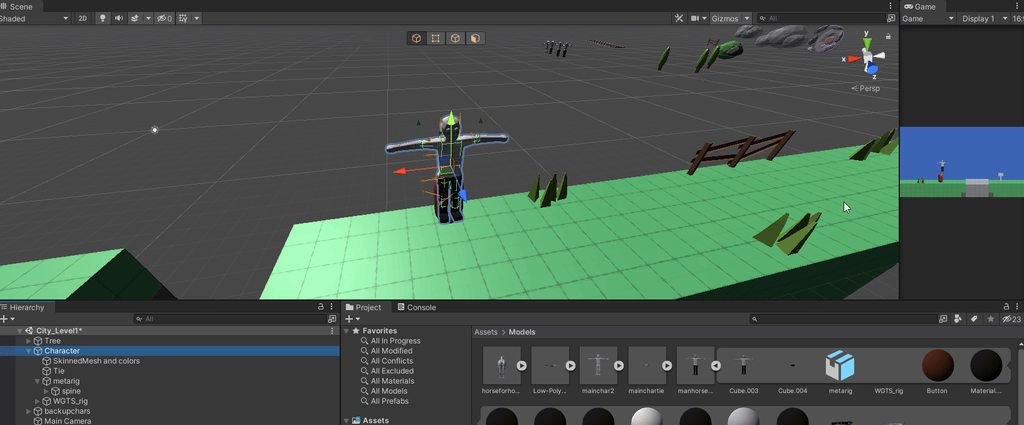
Why doesn't the mesh also follow the colliders in this ragdoll? I generated it with the ragdoll wizard but somehow this has occurred
tender gulch
hollow grove
Why doesn't the mesh also follow the colliders in this ragdoll? I generated it w...
Do you disable the animator? And where the heck is your inspector?
timid dove
hollow grove
Why doesn't the mesh also follow the colliders in this ragdoll? I generated it w...
is it a SkinnedMeshRenderer?
Is the model rigged?
hollow grove
It's a skinned mesh renderer. The model is rigged, however two rigs were present. Both had bones in the wrong places and many extra bones I believe due to Autogeneration so I adjusted their positions and rotations and colliders in unity. I believe there is an animator. Haha sorry for no inspector screenshots, I'm not at my PC right now. I'll send some once I get back
I didn't disable the animator
tender gulch
hollow grove
I didn't disable the animator
Then that's the problem. The animator overrides any other changes to the bone transforms, whether it's physics or scripts.
 last stump
I have some objects (same object copied many times) in my game that have to move and therefore I implement their movement with a Rigidbody velocity in FixedUpdate(). Is it better performance wise to use one single FixedUpdate() for all the movements than implement the movement (FixedUpdate) in the moving objects' scripts or is it the same?
(Reposted because I posted it in the wrong channel sorry lol).

 hollow grove
tender gulch
Then that's the problem. The animator overrides any other changes to the bone tr...
hollow grove
tender gulch
Then that's the problem. The animator overrides any other changes to the bone tr...
I tried again on a new prefab, and found out that all the bones were actually present (i didn't need to make them all manually) and that it works now 
stuck bay
How do i make it so i can roll the ball (wasd or joystick) and also that he sticks to the "ground"

like going up this ramp and even if u dont have speed that the gravity doesnt pull it down but it stays there
 stoic snow
I added colliders for each part of the dragon, is that normal ? Anyone have better solutions ?

 tender gulch
stoic snow
I added colliders for each part of the dragon, is that normal ? Anyone have bett...
tender gulch
stoic snow
I added colliders for each part of the dragon, is that normal ? Anyone have bett...
Depends on why you need colliders on every part.
stoic snow
i just want to check if player attack
tender gulch
Then that's probably the only way.
stoic snow
i tried to add 1 at the start and 1 at the end of the tail
but when the dragon do animation, it goes crazy lol
collider went out of the tail
tender gulch
Yeah, you should put them on every bone if you want as much coverage as possible.
stoic snow
ok
just 1 more question
if my player attack the tail, the collider of the sword touch like 2-3 tail colliders
then it will send 1 message or 2-3 depends on how many my sword can touch ?
i need just 1 message when they touch, i dont want make the attack to be multi hit
tender gulch
Yep, it will send a message per collision
stoic snow
oh no
tender gulch
You could make a condition in your code.
cache the colliding object and don't accept damage from it for a short time.
stoic snow
will do but any better solution ?
tender gulch
Or you could tie it to the attack sequence of the attacker. If the attacker dealt damage during current attack, no more damage should be dealt from it.
 fossil oasis
Hi, does anyone know why this happens to my object when it becomes a parent of the elevator object?
here's my code for the elevator https://pastebin.com/wD2EwcMX
Pastebin
Pastebin.com is the number one paste tool since 2002. Pastebin is a website where you can store text online for a set period of time.
stuck bay
wtf
timid dove
fossil oasis
Hi, does anyone know why this happens to my object when it becomes a parent of t...
because your elevator has non-uniform scaling
as a rule of thumb:
Any object which is going to have children should have uniform scaling
otherwise you can get distortion of the children
fossil oasis
yeah I thought that was the issue, does it have to be 0, 0, 0?
timid dove
fossil oasis
yeah I thought that was the issue, does it have to be 0, 0, 0?
1, 1, 1
fossil oasis
ok, but how do you change it?
timid dove
fossil oasis
ok, but how do you change it?
in the inspector
fossil oasis
I can reset it, but that makes the object tiny
timid dove
fossil oasis
I can reset it, but that makes the object tiny
the platform doesn't need to have uniform scaling
just the thing that you make your object a child of
make the platform a separate child object of the elevator
and you can scale that freely
make sense?
fossil oasis
yes
stuck bay
Ok a bit complicated:
Say i got a camera script following player with an offset and angle.

lets take as reference the current platform transform.up
how can i make the camera move/turn in relation to the next platform transform.up
( i know the normal but idk how to turn the camera , maybe something like (newNormal - oldNormal ) * rotation?)
fossil oasis
@timid dove but what about the position? Should that be the same as the elevator object or 0, 0, 0?
timid dove
stuck bay
how can i make the camera move/turn in relation to the next platform transform.u...
do a raycast down from your player object, detect the surface normal
stuck bay
so that it looks like the next platform is the "ground/bottom"
timid dove
fossil oasis
<@!179367739574583296> but what about the position? Should that be the same as ...
doesn't really matter.
timid dove
fossil oasis
<@!179367739574583296> but what about the position? Should that be the same as ...
at least - doesn't matter for the distortion problem. Scale is the problematic thing
stuck bay
so idk still i already have the normals just need to know how to make camera be at the correct position/angle
@timid dove
stuck bay
doing spherecastall
i get normal (0,1,0) on the start platform
but next one i step on (same rotation) its normal is (0,0.5,0.9)?
 frozen ravine
Hello , can anyone help me , if collider2d(with rigidbody2d) edge touch incline plane, colider starts sliding down(Z rotation is freezed), how i can make that if collider edge touches something then collider dont start sliding but keep self position?
 frigid pier
@frozen ravine You introduce higher friction. You can swap friction values when moving and set higher when controls are untouched.
Also capsule collider would make it look better on the incline
 wary sedge
I have a simple infinite runner, but having an annoying bit of trouble between different instantiated sections. With the right speeds, the box-collider car gets stuck on the edge (floors using mesh collider->plane). The only change to physics I did was gravity (-78.48, to get falling fast enough (yes I tried different scales greater and smaller of the player/card, but made no difference)). The ground pieces do not overlap, and theoretically should be exactly edge to edge (30u long, placed exactly 30u after the previous piece).
-PlayerController applies AddRelativeForce during FixedUpdate to make the car move forward and left/right
-Switching from discrete to any form of continous makes the stopping happen way more frequently
-switching from box collider to convex mesh collider causes bumps/jumps instead (it is all flat ground)
-For giggles, I tried a capsule collider, and that also causes it to just jump between the sections (again, it is perfectly flat between each floor)

 regal summit
I have a 2D code/physics/animation problem I can't seem to solve.
- When a ball is OnCollide, it gets AddForce applied to it to 'kick' it
- The kicking animation plays on Update, but the physics force kicking it is on FixedUpdate, so what happens is the ball being kicked is asking "Whats my velocity?" in Update, and it reports it's velocity before the next fixed update updates the velocity to the kick it just received
I don't want to animate the ball in FixedUpdate, that won't look right
I tried adding code that checks if its velocity is zero, and not to animate if it is, which prevents the wrong animation from playing if it gets kicked while stationary, but this fix doesn't work if the ball is moving even a tiny bit
I'm at a total loss on how to solve it, everything i've tried so far hasn't worked, which was mainly attempting to move as much of the non-animation code into fixedupdate
frozen ravine
Hello ,everyone! Can anyone please help me? I write character contoller on changing rigidbody position, and when i collide with inclined collider on me, character collider goes inside another collider, how i can fix it? I don't want write script and try cast player because i want that my player can moves item by him body, maybe it possible to fix without movement limit code ( on screenshot character collider already inside in another collider)

 frosty ore
is that suppose to be sonic?
 tropic forge
How can I achieve a similar effect? I am using Destructible 2D asset for sprite splitting, but any ideas how I can achieve object breaking when sprite is thin?

 acoustic peak
how can I make a LineRenderer based rope that acts like a bridge (2d) between two platforms?
i just want the line to bend down a bit on the middle
acoustic peak
or basically a way to automate generating gameobjects with spring joint 2d's and anchors set from 2 points
 quiet ivy
Yo, i am making a rigidbody/addforce player controller and it's almost perfect, but because i am using friction to keep the player in place on slopes, when player lands from certain height and higher he will just slow down. Setting the friction to zero fixed it, but then the player is slidy. So is there any way to combat the slowdown on impact without setting the friction to 0?
only solution i came up with (but haven't tested) is to set the friction to 0 on impact and then set it back
but that doesn't seem like it would work
 digital plaza
i dont understand arent you supposed to slow down when u hit something
quiet ivy
well that isn't the case when the friction is 0
quiet ivy
quiet ivy
only solution i came up with (but haven't tested) is to set the friction to 0 on...
Tried out that but it didn't work. But from trying out understood that what matter is the friction before the impact. So i just set the friction to be 0 when not touching the ground and that seems to have fixed it but i still don't really like how that works so if there's a different way to do that then please do tell
don't like it cuz it doesn't cover the problem fully, because when entering a slope the problem persists since the friction is still as it should be when entering a slope from flat ground
digital plaza
is it 2d
digital plaza
what do u want to happen? @quiet ivy
quiet ivy
for player not to slowdown when walking on/off a slope
 barren palm
can anyone teach me how to use this properly? i tried disabling everything in the scene until the only things left in the scene are the player and the ground, and player script's fixedupdate is only 0.030ms solved, was somehow caused by getting close to running out of RAM

 jovial wraith
Is it possible to get 2D physics to operate on the xz plane instead of the xy plane? I'm making a game that uses 3D rendering but 2D physics, and I'm getting weird lighting artifacts from having everything oriented on the xy plane
The weird highlight along the middle only shows up when things are oriented along xy. I think it is a reflection from the skybox or something. If possible, the easiest fix would be just reorienting everything along xz
 timid dove
Box2D operates on x/y, it can't be changed
barren palm
@jovial wraith why not disable skybox, you don't see it anyway
jovial wraith
barren palm
<@!365978470267748392> why not disable skybox, you don't see it anyway
because lighting settings are a mystery to me. I thought I did that, but it didn't seem to work. I did manage to make a custom skybox that is oriented with z as up/down, though. But it didn't fix the problem...
I eventually settled on angling the camera a bit so that the reflections disappear.
 wet scarab
@jovial wraith you can move the lightsource anywhere, and make it any direction
on the camera setting, disable the skybox and make it a black background
jovial wraith
wet scarab
<@!365978470267748392> you can move the lightsource anywhere, and make it any di...
thanks! I identified that the issue is coming reflections from the water shader (https://assetstore.unity.com/packages/vfx/shaders/stylized-water-for-urp-162025)
wet scarab
oh
jovial wraith
I'm not sure why the reflections are only happening in a very narrow band, but I "solved" it by tilting the camera angle slightly
wet scarab
I would expect there should be a way to disable reflections from the water
jovial wraith
me too, but its not obvious in the material properties and I don't have time to dig through the shader to really understand it
wet scarab
It would be on the GameObject/component representing the water, not on the shader or material
 mighty sluice
 desert wave
mighty sluice
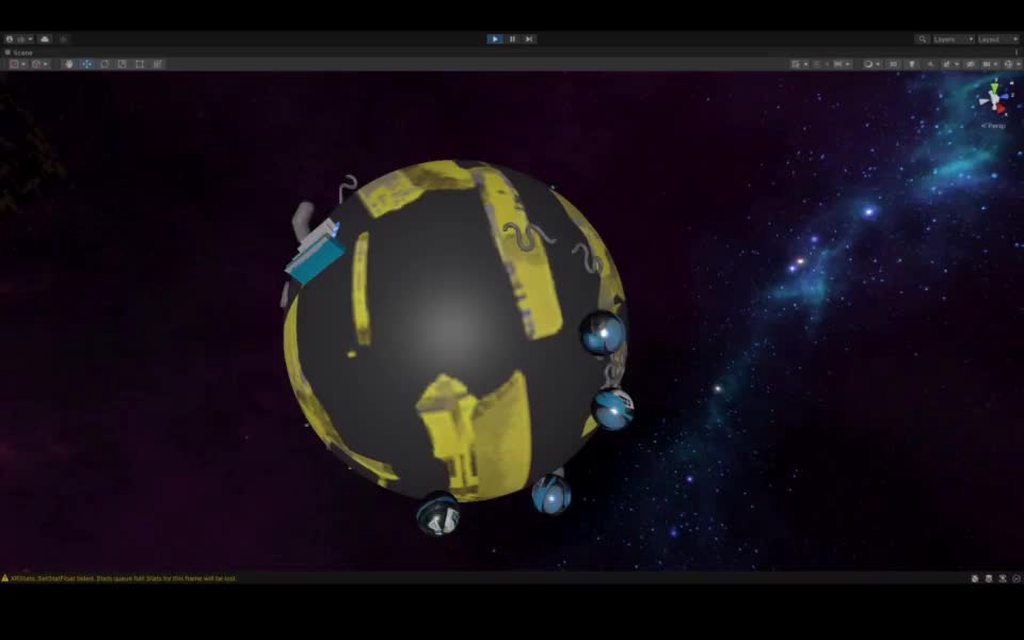
snake https://imgur.com/Bu0pdxl
desert wave
mighty sluice
snake https://imgur.com/Bu0pdxl
very good looking, where's the skybox from?
tropic forge
quiet ivy
Yo, i am making a rigidbody/addforce player controller and it's almost perfect, ...
Use a character controller instead
mighty sluice
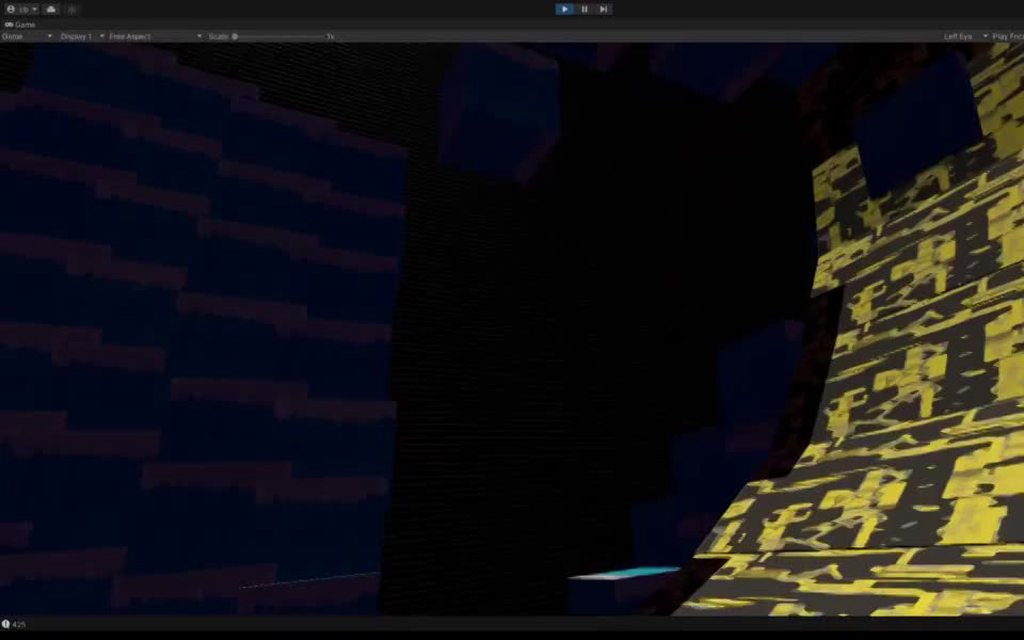
@desert wave took me so long to track down the source....
it's a sample that comes with the standard ECS physics samples
 desert wave
Oh well, I’ll just keep my nebulae skyboxes
mighty sluice
here @desert wave
it's a free sample provided by unity
no reason you cant use it
desert wave
Thanks
desert wave
Te thanks
mighty sluice
OR WRAP MODE = CLAMPED
 woven tapir
hey i need quick help
pls anyone
i have these three bouncers and i want the ball in the middle to bounce after colliding to them

@mighty sluice sorry for the ping but can ya help pls
mighty sluice
try the bounce property of a physic material
woven tapir
ohk
@mighty sluice

what should i set here 😅
oh wait
i guess i got it
@mighty sluice its my first time participating in the game jam thats why
quiet ivy
tropic forge
Use a character controller instead
I hate character controller, it's incredibly limiting, and horrible for use alongside physics
 hushed lichen
I'm not really sure where to ask this, but I'm trying to make the camera not clip through objects. I've changed the clipping planes to 0.01 and it works fine, but if you are bumping into a wall at a high enough speed, there is one frame where you see through the wall and it kinda annoys me. Does anyone know if there is a way to solve this? Thanks.
 spiral tulip
hushed lichen
I'm not really sure where to ask this, but I'm trying to make the camera not cli...
spiral tulip
hushed lichen
I'm not really sure where to ask this, but I'm trying to make the camera not cli...
make the player collider extend farther forwards
hushed lichen
spiral tulip
make the player collider extend farther forwards
Ive done that but it didnt work
spiral tulip
hushed lichen
Ive done that but it didnt work
oh ok in that case is there any way you could decrease the speed that you run into the wall?
or increase the thickness of the wall
hushed lichen
Yeah i think I have an idea
spiral tulip
hushed lichen
Yeah i think I have an idea
if this isn’t your idea and your idea doesn’t work, you could raycast a short distance and when you detect a wall coming up start slowing down
hushed lichen
Yeah thats also a good idea, thanks
 mighty cedar
How do i cut a hole in a collider
timid dove
mighty cedar
How do i cut a hole in a collider
have to be using a MeshCollider and then your real question is "how do I cut a hole in a Mesh?"
mighty cedar
Well, then how do i cut a hole in a mesh
mighty cedar
During the game
timid dove
that'll require runtime mesh manipulation
not simple stuff
but there's tutorials about it around
what you might want is "unity runtime boolean mesh modifier"
mighty cedar
Ok, thanks
mighty sluice
there's a way to cut a hole in any kind of collider using the new contact modification API
it will be more performant than any other approach, but you might need to do some niche math for the collision-ignore calculations
visual holes in mesh data is another story
 coarse prairie
Hello can someone help me on 3D Joints ?
 willow jackal
Just post your question. For less active channels, it may take longer for people to respond
coarse prairie
willow jackal
Just post your question. For less active channels, it may take longer for people...
My question takes time ... can you help me ?
Can i dm you anyway sir
willow jackal
Just post it here and I'll se what I can do
coarse prairie
willow jackal
Just post it here and I'll se what I can do
So i have a model like this (with bones) now i want to stretch towards


Like this sorry for bad drawing
my full model here
 willow jackal
stretch towards what?
willow jackal
You can't do an animation?
coarse prairie
No i cant
willow jackal
Why? What is it doing?
coarse prairie
i want to stretch the roots when it hit the limit Z position it will stop then move it to mouse position
Sorry for my bad english
Like this video
coarse prairie
willow jackal
Alright, so what's the problem?
Yes i tried figure joint but it didnt work for me
willow jackal
coarse prairie
Ty
 shut timber
Guys, this code causes jitter on the tail, how do i fix this ?
    void FixedUpdate()
    {
        playerRb.MovePosition(playerRb.position + playerTrans.forward * speed * Time.fixedDeltaTime/100);
        StartCoroutine(tailMove(playerRb.position, playerRb.rotation));
    }

    public Rigidbody[] tail;
    [SerializeField] float delay = 3f;

    IEnumerator tailMove(Vector3 pos, Quaternion rot)
    {
        for(int i=0; i < tail.Length; i++)
        {
            yield return new WaitForSeconds(Time.fixedDeltaTime * delay);//delay = 3
            tail[i].MovePosition(pos);
            tail[i].MoveRotation(rot);
        }
    }
 gilded yew
hey folks, im looking for a quick hack fix for something:
I have an attack that uses OnTriggerEnter2D to tell something to take damage
I also have a new attack which I would like to use OnTriggerStay2D, but it needs to be in the child
OnChildTriggerEnter2D exists, but nothing for stay
So I need a way to trick the physics system into exiting and re-entering the collision
supple sparrow
gilded yew
I also have a new attack which I would like to use OnTriggerStay2D, but it needs...
Why not split the script in 2 parts. ANd put the child related one on the child gameobject ?
gilded yew
not my code to change so I wouldnt know how to approach it
I ended up making a minor gameplay change that fixed it (made the object teleport a few units away)
 visual oracle
Hello everyone, I have a question regarding rotating an object in place, I found a way to do it online where you create an empty object and place it in the center of the item you wish to rotate and I have that working with a menu that you can use to specify how much to rotate and where to rotate by that you just place into a running scene manually but if you instantiate the menu along with the rest of the scene, I get completely different bounds center and I dont know why, does anyone have any idea?
willow jackal
@opaque frost Try setting the Interpolate mode on your Rigidbody to "Interpolate".
willow jackal
It's also not generally advised to move physics objects like this. You're practically moving it kinematically.
 opaque frost
hmm
willow jackal
When it's moving like this, there's a chance it will just plow through other physics objects, instead of those objects affecting it in the simulation.
@north egret https://docs.unity3d.com/Manual/Joints.html
 north egret
willow jackal
When it's moving like this, there's a chance it will just plow through other phy...
north egret
willow jackal
When it's moving like this, there's a chance it will just plow through other phy...
ok thanks but wrong channel i think
willow jackal
You asked a physics question. I answered it in the physics channel.
supple sparrow
@coarse prairie maybe some kind of grappling hook tutorial could give you ideas on how to achieve it ?
Wait the video you shared looks more like a flamethrower
coarse prairie
supple sparrow
<@!478952036445061149> maybe some kind of **grappling hook** tutorial could give...
Ty i will check it out
marble mural
Hey, i want to make a box with a ball inside that you can rotate witch your phone´s gyroscope. But now i have a problem: If you turn your phone to fast, the ball glitches though the walls. Has anyone a idea why that happens? I already tried settings the balls rigidbody collision detection to continous, but that didn´t solve the problem either.
timid dove
marble mural
Hey, i want to make a box with a ball inside that you can rotate witch your phon...
how are you rotating the box
you should be using Rigidbody2D.MoveRotation if you're not
marble mural
i use my phones gyrosensor
marble mural
 timid dove
right exactly
you need to use Rigidbody2D.MoveRotation
what you are doing now is like "teleportation"
it doesn't sweep through the rotation it just teleports to the new rotation
marble mural
so, instead of transform.eulerangles i use Rigidbody2D.MoveRotation?
timid dove
yes
of course you will need a kinematic Rigidbody2D on the box
and a reference to it
marble mural
ok, thanks a lot, I´ll try that👍
marble mural
timid dove
of course you will need a kinematic Rigidbody2D on the box
but the script is attached to the background and the 4 walls are child of it. Do I have to put the rigidbody at the parent of the walls or at each wall itself?
timid dove
marble mural
but the script is attached to the background and the 4 walls are child of it. Do...
parent
marble mural
ok
marble mural
timid dove
parent
Ok, it works perfect now, the only issue i have is that when i rotate the phone a bit faster, the ball shoots right at the top. Is there any way to reduce this kind of bounciness so even if i turn the phone quickly, it only bounces to like the middle of the box?
@timid dove Any idea to fix this?
timid dove
marble mural
<@!179367739574583296> Any idea to fix this?
it's just physics
increase the mass of the ball
or increase gravity
or use PhysicsMAterial2Ds with reduced bounciness
orr some combination of the three.
marble mural
ok, thank you :)
marble mural
timid dove
it's just physics
ok, so i changed the mass of the ball to 100000 and set the gravity to -1, but it behaves as before
@timid dove Is it also somehow possible to let the rigidbody of the ball stick to the walls? (so the ball can move, but will never be in the air, instead it is always attached to a wall)
 dreamy pollen
Was noodling around a thought today, maybe someone with some more experience than I in Unity could theorize about this with me: what would the consequences be of manually simulating physics using deltaTime instead of fixedDeltaTime? I think I read somewhere in the documentation that the simulation would no longer be deterministic... would this effect be pronounced? It would make online multiplayer in an authoritative server basically impossible, right?
timid dove
dreamy pollen
Was noodling around a thought today, maybe someone with some more experience tha...
it would make the physic simulation behave differently at different framerates
to understand why, think about an object falling normally under gravity. Under normal circumstances, each physics frame it does this:
- add .02 * gravity to velocity.
- move by .02 * velocity.
With non-fixed timesteps what would happen is:
- When the framerate is lower, the time step becomes larger. So instead of moving at the same speed for 0.02 seconds and then accelerating, you're now moving at that same speed for let's say 0.1 seconds. So you're moving at the slower speed for longer
if the framerate is faster, your timestep becomes smaller
the end result is that at lower framerates things will fall slower in realtime because they'll be simulated as moving at slower speeds for longer.
and faster framerates will start approximating more realistic parabolic curves (and fall faster - asymptotically towards realistic parabolic curves)
but since each computer will have a different framerate (and fluctuate) the simulation will never happen the same way twice
dreamy pollen
timid dove
but since each computer will have a different framerate (and fluctuate) the simu...
Oh huh, now that you say that, that makes perfect sense. Never had considered how it would effect the duration of time spent during some portion of something that would happen on a bezier curve. Thanks for this insight, it makes perfect sense now why fixed timestep gives us determinism (perhaps save differences in how different CPU architectures might process floating points) where just running as fast as the CPU can could give extremely varied results
 quartz wyvern
do trigger functions only apply on the game object in question or do they bubble up the hierachy ?
timid dove
quartz wyvern
do trigger functions only apply on the game object in question or do they bubble...
I know it definitely works on:
- the exact GameObjects with the colliders
- The most proximate parent GameObject with a Rigidbody/Rigidbody2D
It Might work on
- any parent object up the hierarchy from the colliders. Haven't tested this one though
 neon harness
Whats peoples opinions on the navmesh agents?
tryna do simple 3D moving like an older Final Fantasy Game, but idk if u should just use that or the rigidbody inbuilt physics
 stable shadow
so im using a hinge joint for a lever inside a car but it rotate when the car move . Is there a way to force it to only move with my hand physics ?
 amber barn
Does anyone know how to convert centerOfMass to WorldCenterOfMass?
frosty ore
what in the world is world center of mass???
 crisp cove
Anoyone knows why when i use Physics.Raycast(vec3 origin, vec3 direction, out HitInfo hitInfo) overload and Physics.Raycast(Ray ray, out HitInfo hitInfo) overload they produce totally different hits (testing from the same position with the same ray direction) when i read hitinfo.point ?
The second overload gives me the correct raycast position, the first one does not
amber barn
frosty ore
what in the world is world center of mass???
The world location of the center of mass
frosty ore
Ohhhh
amber barn
And centerOfMass is supposed to be relative to the transform, but it's not
Or at least I can't convert to it, so there's something strange going on here
frosty ore
i always assumed COM was local
frosty ore
ohh hmm... 1 sec
Unity is the ultimate game development platform. Use Unity to build high-quality 3D and 2D games, deploy them across mobile, desktop, VR/AR, consoles or the Web, and connect with loyal and enthusiastic players and customers.
check out the line snippets..
might be useful ¯_(ツ)_/¯


 raven oak
anyone here have experience making their own physics? I'm currently wondering whether its better to move things and then resolve collisions with impulse velocities or to preemptively iterate movement so that collision doesn't occur
kinda a complicated question but i figured id ask in places like this before taking it to a forum
frosty ore
amber barn
can u convert one or the other first and then invert?
amber barn
You mean convert to a vector?
timid dove
raven oak
anyone here have experience making their own physics? I'm currently wondering wh...
Not a direct answer to your question but both PhysX and Box2D are open source. You might be able to derive inspiration from there:
https://github.com/NVIDIAGameWorks/PhysX
https://github.com/erincatto/box2d
timid dove
amber barn
But I can't invert it
what would inverting it even do in your estimation?
Maybe you want:
Quaternion.Inverse(transform.rotation) * SelectedRigidbody.centerOfMass``` ?I'd already looked at box2d but physx could provide more info, thanks.
erin catto is a legend
amber barn
timid dove
Maybe you want:
```cs
Quaternion.Inverse(transform.rotation) * SelectedRigidbody...
Thank you! That helped :D
I can finally use my custom COM now 😃
 burnt kite
How can I add ragdoll to a gameObject during running time?

 median lava
Anyone know why the following assertions fail? I've been slamming my head against a bug for a day and finally traced it to this minimal example:
body.rotation = currRotation;
Assert.IsTrue(body.rotation.x == currRotation.x);
Assert.IsTrue(body.rotation.y == currRotation.y);
Assert.IsTrue(body.rotation.z == currRotation.z);
Assert.IsTrue(body.rotation.w == currRotation.w);```It seems to be impossible to save the state of body.rotation (body is a RigidBody) and restore it at a later time accurately
The differences in the values are minuscule, like float accuracy small, but when I'm just setting something to itself I don't expect floating point issues
timid dove
median lava
Anyone know why the following assertions fail? I've been slamming my head agains...
It's possible that there's something in the Rigidbody.rotation property setter that does some kind of rounding or something
That setter is in native code so it's unknown what it does:
https://github.com/Unity-Technologies/UnityCsReference/blob/61f92bd79ae862c4465d35270f9d1d57befd1761/Modules/Physics/ScriptBindings/Dynamics.bindings.cs#L133
median lava
Dang, I didn't see it in the public code but was hoping it was just in another repo or something
That's a bummer, I guess I'll just have to set it to itself every frame so the mysterious setter code always does its rounding
timid dove
Quaternion itself uses raw fields and the constructor doesn't do anything special https://github.com/Unity-Technologies/UnityCsReference/blob/61f92bd79ae862c4465d35270f9d1d57befd1761/Runtime/Export/Math/Quaternion.cs#L58
So I'd say the issue has to be on those Rigidbody properties
median lava
Agreed, thanks
amber barn
burnt kite
How can I add ragdoll to a gameObject during running time?
For starters add () at the end of AddComponent<Ragdoll>
 opaque tusk
Hi!
Are WheelColliders resource intensive? Can I run a race with 20 cars each one using 4 WheelColliders in a mobile or browser device?
timid dove
opaque tusk
Hi!
Are WheelColliders resource intensive? Can I run a race with 20 cars each on...
only one way to find out...
opaque tusk
@timid dove I was hoping to save the trouble... Using the community expertise...
timid dove
We will wait for an expert on WheelColliders to arrive then.
opaque tusk
I already have an model without wheelcolliders it running, I am training ML agents with it... But the ability to turn around on the axis and hitting cars on the side is very upseting!
 vapid root
hey there everyone, i have a canvas world space that i want to compare its size to a size of an object in the scene but the canvas becomes too huge. how to solve that what is the formula?
timid dove
world space canvases are measured in world space
there's no conversion to be had
unless you mean a UI element on the canvas?
also what has this to do with Physics?
vapid root
timid dove
there's no conversion to be had
i am comparing using localscale but the text become too huge

look how much i need to multiply in order to get it normal size
which channel is appropriate?
i guessed physics also deal with scales and stuff
timid dove
vapid root
which channel is appropriate?
vapid root
cool
stuck bay
Currently i'm using raycasts with a distince of zero to check for a coveyer under my physics items at certain points, so that I can apply a force at that point to get some semi realistic over the head coveyers. The problem is that raycasts are insanely laggy, is there a better way to get a item at a certain point?

 light idol
Hey, I'm new to unity and I've been trying to make a bobblehead with rigidbody and spring joints. But I'm not achieving the intended results. Can someone please help me out??
 winged jetty
hey guys, quick one - I have a very basic project where im using visual scripting to add force on player input
Above a certain threshold, the sphere starts to vibrate heavily
Any thoughts on how to fix this?

Occurs for both Acceleration and Force as mode types
Interestingly, it only happens for fixed update vs update
 pastel meadow
Hello folks, is Unity's Physix Implementation deterministic across different machines? And is it deterministic on the same machine?
 hearty bear
it s not
pastel meadow
On the same machine, different machines or on both?
And do you have any sources that I can check?
 royal walrus
I'm using a Wheel Collider but they keep on spinning.
I'm using an L1 engine torque-RPM curve (this is at 1000 rpm); this generates 400 N-m of torque which is further multiplied by 2.66 gear ratio and 3.42 differential ratio for a total of 3638 N-m.
My car has a mass of 1500 kg and my wheels each have a mass of 20 kg.
I've tried playing with the friction model but none worked (some made the car bounce, some made it go berserk).
royal walrus
royal walrus
I'm using an L1 engine torque-RPM curve (this is at 1000 rpm); this generates 40...
The values I've used are, supposedly, realistic values.
 patent fractal
Does Physics.OverlapSphere also return all the colliders that are inside the sphere but not touching the edge?
My attack function doesnt seem to hit enemies when they are really close and I would like to know why
Fixed it don't worry
light idol
anyone free to help me with configurable joints?
please?
would love to get on a call
been a pain right from morninng
arctic marsh
light idol
been a pain right from morninng
Did you check tutorials? https://www.youtube.com/watch?v=Rqg9VTwJ2pU&ab_channel=RoBustGames

In this video, I will talk about Unity's Configurable Joint, what it is used for, and how to use it. I moved a little quick in this video but if you have any questions about the Configurable Joint feel free to leave me a comment here or go to my website and you can leave me a message there as well. If you enjoyed this video or learned something ...
arctic marsh
I am sure almost noone will take you on a personal tutorial trip here 😄 but if you can get a video here of what you have and what you expect or describe a bit more, people might come in and help
 west vortex
hi, I have a terrain similar to minecraft made of voxels, then i have some npcs with a collider in their legs to detect the ground, and with OnTriggerExit i know when they are in the air or in the ground. I can modify the terrain with the mouse, clicking removes a block (modifies the mesh of the terrain basically). Now the problem is, if i remove a block right below an npc, the ontrigger exit never gets called so they are technically still in the ground. How could i work around this?
Not sure if this is the right place to ask
median lava
stuck bay
Currently i'm using raycasts with a distince of zero to check for a coveyer und...
If your conveyor belts are on a grid, you could maintain a map of positions on the grid and round the moving objects position to the nearest grid center. Realistically, if you're trying to make a large factory game, you'll probably want to avoid determining the conveyor state every frame and instead maintain the current conveyor tile it's on, and only handle transitions between tiles. I think the bigger factory games connect conveyor belts into chains for easier processing, so once something enters the chain its movement is handled on a chain level instead of a tile level.
If you're not going for large scale you can probably get away with using physics directly but it's going to be slower.
west vortex
Nevermind, i fixed my issue, the ontriggerexit wasn't being called because of performance issues when modifying the mesh in real time
 errant bolt
Hi! I have a character that calls Animator.Update before calling Physics.Simulate to perform some additional operations.
It seems that Animator.Update isn't fully completing before the physics call. 3 of the joints aren't resetting to their animated positions and rotations.
Does anyone know what could be happening here? It was behaving correctly until a large update was made to the Animator Controller.
A workaround I've found is leaving the Animator Controller unassigned for a frame, then assigning it. After this it works for the remainder of that play
 opal sequoia
Hey,
So I have 3D project, my player keeps falling through the ground as soon as i hit play, and also if I deselect "use gravity" in rigidbody then it walks through the walls
I used ragdoll for my player, so every component have their own rigidbody, which works perfectly, but as soon as I as rigigbody on the main(parent) for my movement script and animator it falls
How can I fix this?
 patent stag
opal sequoia
Hey,
So I have 3D project, my player keeps falling through the ground as soon as...
patent stag
opal sequoia
Hey,
So I have 3D project, my player keeps falling through the ground as soon as...
maybe the collider is disabled
patent stag
hmm maybe send a screenshot of rigidbody component and collider component
 patent stag
opal sequoia
patent stag
opal sequoia
try making collision detection to continuous
opal sequoia
patent stag
try making collision detection to continuous
okay, let me try
patent stag
also, send the screenshot of the collider
opal sequoia
patent stag
try making collision detection to continuous
doesn't work
patent stag
patent stag
also, send the screenshot of the collider
.

 opal sequoia
patent stag
can you record it?
opal sequoia
patent stag
can you record it?
yes
Btw, idk how, but it stopped falling through the ground
but it still walks through the wals
walls*
patent stag
maybe the floor and the walls are the ones with disabled colliders?
opal sequoia
opal sequoia
patent stag
maybe the floor and the walls are the ones with disabled colliders?
no no, same thing is also happening for my friends
opal sequoia
opal sequoia
Btw, idk how, but it stopped falling through the ground
turns out because I have gravity disabled, it is not falling
patent stag
opal sequoia
turns out because I have gravity disabled, it is not falling
hmm
but that's not a good way to fix it
patent stag
im not familiar with visual scripting but maybe it's because of that
there might be some errors
that's really weird, try searching for similar posts in forums
opal sequoia
Hmm, I don't think that should cause eroors, because in my code I am only moving the player and turning animations on and off
opal sequoia
patent stag
that's really weird, try searching for similar posts in forums
I will do that, the only issue is I have 6 hrs to finish my project
patent stag
opal sequoia
I will do that, the only issue is I have 6 hrs to finish my project
i would try adding a cube and see if it goes through
opal sequoia
okay, lets see
opal sequoia
patent stag
i would try adding a cube and see if it goes through
No, its not falling through
patent stag
what movement sysem are you using?
wait sorry , that's scripts
can it be the animations clipping through?
opal sequoia
opal sequoia
opal sequoia
http://pastie.org/p/3dliphCRkTnIsvzCltCQk9
my code, if it helps
opal sequoia
Well, I am beginner, so I know its not a good code
opal sequoia
patent stag
sorry, at this point I don't know what else i could do to help
no worries
thanks for the time though
frigid pier
@stuck bay Don't cross post
stuck bay
So I wanna limit "Speed" of my marble which is moved by player input
First of all should I keep using AddForce or rather AddTorque?
and second: how do i check if AddForce would put the speed above that "speed" limit?
timid dove
stuck bay
and second: how do i check if AddForce would put the speed above that "speed" li...
Here's my "ForceMode" cheatsheet
you can use that math to calculate what the new velocity from any force would be
just do:
Vector3 force = something;
Vector3 potentialNewVelocity = rb.velocity + (force * Time.fixedDeltaTime) / rb.mass;``` for example for ForceMode.Forceah ok thanks
what about angular to speed check tho ...
xD
also why is Rigidbody.maxAngularVelocity set to 7 by default? 
https://www.youtube.com/watch?v=HWGeUtnSb68 nvm this video description explains it
timid dove
stuck bay
what about angular to speed check tho ...
similar but replace mass with inertiaTensor though it's a little more complex because it's a Vector3 instead of a scalar
stuck bay

its all same so cant i just take like intertiaTensor.x and done?
Vector3 force = something;
Vector3 potentialNewVelocity = rb.velocity + (force * Time.fixedDeltaTime) / rb.intertiaTensor.x;```Seems to work!
Thanks :D
 livid bobcat
Been trying to use a really simple 2D Ragdoll but every time i use a hinge joint 2D and give it limits theres this strange action that happens where the object will spin around once or twice before abiding by the hinges limits.
No code involved, quite litterally the Physics2D system is just doing some strange thing and i cant quite figure out why
 amber lintel
I'm curious, suppose i was inducing my own physics and collision on a kinematic body or just an object without extra components and bypassing the physics engine in unity using a overlapcast every frame.
Would this end up being more performant overall? Or would it still be less since the physics engine is still performing calculation or calls in the background? Would there be a way to turn that off if so?
(Just purely curious. Not looking for responses like, "why would you do that? Just use the engine")
jovial wraith
amber lintel
I'm curious, suppose i was inducing my own physics and collision on a kinematic ...
amber lintel
So in short, turning this bool false could potentially result in better performance, provided your own physics code is well written?
timid dove
amber lintel
So in short, turning this bool false could potentially result in better performa...
It won't do much of anything if you don't have any dynamic bodies in the scene
And using Physics.OverlapXX or whatever is still using the physics engine
As long as you're using Unity's Colliders etc. you are using the physics engine
amber lintel
Would that also include casts?
timid dove
the physics engine is pretty performant. The reason to bypass it is to get highly customized behaviour - not to try to improve performance
yes
Physics.anything
is Unity's physics engine
amber lintel
F
Right
I'm oblivious
🤦
But ya, i get what you mean.
I was just curious because if someone wanted to induce custom collisions, it could cause performance issues having both run at the same time with only using one, but now i see that's not how that works 😅
 weak turtle
How do I stop a rigidbody from going through terrain when moving too quickly?
timid dove
weak turtle
How do I stop a rigidbody from going through terrain when moving too quickly?
- Decrease the fixed timestep
- make the colliders bigger
- switch collision detection mode from discrete to continuous
- Do your own custom raycasting in FixedUpdate()
 left lily
heya
im kind of having issues with something im tryna
im trying to do a boomerang that accelerates towards you
ah damn
hold on
this
why doesnt it work as a gif

there
but i cant get my code right
using System.Collections;
using System.Collections.Generic;
using UnityEngine;

public class Boomerang : MonoBehaviour
{
    Rigidbody2D myRigidbody;
    Collider2D myCollider;
    PlayerMovement PlayerScript;

    [SerializeField] float StartingSpeed = 0;
    [SerializeField] float MovementSpeed = 0;

    void Awake()
    {
        myRigidbody = GetComponent<Rigidbody2D>();
        myCollider = this.transform.GetChild(0).GetComponent<Collider2D>();
        PlayerScript = GameObject.Find("Player").GetComponent<PlayerMovement>();
    }

    void Start()
    {
        transform.position = new Vector2(PlayerScript.transform.position.x + 1 * PlayerScript.direction, PlayerScript.transform.position.y);
        myRigidbody.velocity = new Vector2(StartingSpeed * PlayerScript.direction, 0) + PlayerScript.myRigidbody.velocity;
        StartCoroutine(BoomerangThrow());
    }

    private IEnumerator BoomerangThrow()
    {
        while (!myCollider.IsTouchingLayers(LayerMask.GetMask("Player")))
        {
            Vector2 positionDifference = new Vector2(transform.position.x - PlayerScript.transform.position.x, transform.position.y - PlayerScript.transform.position.y);
            float direction = Mathf.Atan2(positionDifference.x, positionDifference.y) * -Mathf.Rad2Deg;
            Vector2 Velocities = new Vector2(Mathf.Cos(direction) * MovementSpeed, Mathf.Sin(direction) * MovementSpeed);
            myRigidbody.velocity += Velocities;
            yield return null;
        }
        Destroy(this.gameObject);
}```I'm a little rusty on my trigonometry, so it might just be that, but instead of accelerating towards the player, the boomerang just goes full rocket mode and throws itself into the abyss
maybe this isnt the right channel to ask this on, but any help would be appreciated
supple sparrow
I didnt read your code but you can do it without trigonometry, just adding vectors (acc mutates vel, vel mutates pos)
Try to look for attractors like tutorials, should give give you this effect
 jade stone
is there a way i can get a rigidbody to be unaffected by time.timescale?
 viral ginkgo
@jade stone So you wanna have like, different timescale for different objects?
jade stone
viral ginkgo
<@!299837367500537857> So you wanna have like, different timescale for different...
i want to slow down time and have my player and maybe other things unaffected by it
viral ginkgo
double the mass,
half the gravity,
half the velocity and angular velocity
if you do these three for a spesific object, that object will act as if its running half the timescale
unless theres a mistake here but i think not
@jade stone maybe your character is kinematic
jade stone
i want EVERY object to be slowed down
viral ginkgo
if thats the case you can adjust for these
jade stone
except the player
viral ginkgo
viral ginkgo
double the mass,
half the gravity,
half the velocity and angular velocity
if y...
with this approach
player should beahve the same after all that
except there will be the framerate difference
maybe you'd better play with fixed deltatimes instead of playing with timescale
jade stone
I can try that but i feel like that is too patchy and if i want to make time faster or even slower ill have to manually change the players sped again
viral ginkgo
yeah
jade stone
im using timescale bc its fast and freezes a lot of things
animations rigidbodies etc
viral ginkgo
yeah makes sense
but if you real slowmo
things will not work well
perhaps
but yea
there are interpolations going on everywhere in animation
it should probably be all good
if the player is rigidbody controller, you can enable rigidbody interpolation on it to deal with stutter
jade stone
i played a bit in very slow motion but im gravitating more to complete stop rn
viral ginkgo
enable rigidbody interpolatin for anything, you wont have stutters
 timber pelican
can someone help me figure how to Raycast from a parent?
I have a Box Collider (set as trigger only) to be used as NPC viewcone. When player collides via OnTriggerEnter with the viewcone, I need to then send a Raycast from the viewcone's parent to the player's position. I can't figure out why my Raycast sends absolutely nothing at all
 shell adder
timber pelican
I have a Box Collider (set as trigger only) to be used as NPC viewcone. When pla...
shell adder
timber pelican
I have a Box Collider (set as trigger only) to be used as NPC viewcone. When pla...
could u show your code?
also what do u need the raycast for
what are u trying to find with it
 thorny pike
            Vector3 playerPos = target.transform.position;
            //enemyPos not given
            Vector3 enemyPos = this.transform.position;
Vector3 dir = (playerPos - enemyPos).normalized;``` Hello, how can I get the position of my enemy(enemyPos) given the direction of the player, and direction from player to enemyPos?here's an illustration to it

 frigid horizon
guys, I have a ragdoll system in my game, but whenever a car hits my character, the car just stops like if it hit a brick wall, any solutions? thanks
the ragdoll is activated normally, the character falls to the ground but the car just stops in place
spiral tulip
frigid horizon
guys, I have a ragdoll system in my game, but whenever a car hits my character, ...
try increasing the mass of the car if it has a rigidbody component
spiral tulip
thorny pike
```
Vector3 playerPos = target.transform.position;
//ene...
that's impossible without knowing the distance between the player and the enemy. you need more than just the direction.
also side note, in the code you sent, you don't need "this." in front of transform; it is implied
 old portal
Does anyone know how to rotate a wheel collider in Unity 2021.1.16f1? I can`t turn my model because the camera and the movement would point in the wrong direction.
timid dove
old portal
Does anyone know how to rotate a wheel collider in Unity 2021.1.16f1? I can`t tu...
you cannot rotate the wheelcollider. They always face forward.
you have to fix your model
or give the MeshRenderer an empty parent with the correct orientation and rotate the renderer
thorny pike
spiral tulip
that's impossible without knowing the distance between the player and the enemy....
Oohhh, I was yhinkin of doing a raycast wint infinite distance until it reaches an edge point to it, but I don't know hot to implement this in a camera component in 3D
 last abyss
old portal
Does anyone know how to rotate a wheel collider in Unity 2021.1.16f1? I can`t tu...
last abyss
old portal
Does anyone know how to rotate a wheel collider in Unity 2021.1.16f1? I can`t tu...
Idk why you would a collider in particular to rotate.
 raw crystal
Why is my gun jittering?
timid dove
raw crystal
Why is my gun jittering?
you'll have to give some details about your setup
raw crystal
sorry I already fixed the problem
changed the mouselook script to this ```C
public class CameraLook : MonoBehaviour
{
public Camera cam;
public float mouseSensitivity;
float mouseX;
float mouseY;
float yRotation;
float xRotation;
// Start is called before the first frame update
void Start()
{
    Cursor.lockState = CursorLockMode.Confined;
    Cursor.visible = false;
}

// Update is called once per frame
void Update()
{
    mouseX = Input.GetAxis("Mouse X") * mouseSensitivity * Time.deltaTime;
    mouseY = Input.GetAxis("Mouse Y") * mouseSensitivity * Time.deltaTime;

    xRotation -= mouseY;
    xRotation = Mathf.Clamp(xRotation, -90f, 90f);

    cam.transform.localRotation = Quaternion.Euler(xRotation, 0f, 0f);
    transform.Rotate(Vector3.up * mouseX);
}
}```
the problem was in the last two lines
timid dove
You never told anyone what it was before so hard to help you there.
Anyway you really need to remove * Time.deltaTime from your first two lines of the Update method. It is going to introduce a lot of jittery weirdness into your controls.
Mouse input axes are already framerate independent and don't need adjustment with deltaTime
raw crystal
oh thanks
 summer drum
Hey guys, quick q,
how are you meant to rotate/move a rigged ragdoll model?
If you try to change the Transform values of the parent-most object, the model doesn't seem to move because the model itself is rigged with joints/rigidbodies throughout the transform hierarchy.
But if you then change the Transform values of the first rigidbody gameObject in the hierarchy tree, then the parent-most object's transform values are not accurate?
timid dove
summer drum
Hey guys, quick q,
how are you meant to rotate/move a rigged ragdoll model?
Your model should not be on the root object (parent-most object). It should be part of some child object. The animator should not animate the root object, only child objects.
but if you're talking about active-ragdoll it's quite complicated
the easiest and most physically correct thing I guess would be to apply forces or MovePosition all of the objects
summer drum
timid dove
Your model should not be on the root object (parent-most object). It should be p...
That is correct. None of the rigidbody stuff is on the root.
My question is how do I move this character, let's say, I want to move the y-value of the Transform up by 20. What gameObject do I move (in code)?
summer drum
timid dove
the easiest and most physically correct thing I guess would be to apply forces o...
Apply the move to all of the Rigidbody-only child objects?
But that also refers to my second issue. If I do that, and I click the parent-most object, the transform position values are way off for some reason.
timid dove
summer drum
But that also refers to my second issue. If I do that, and I click the parent-mo...
any dynamic rigidbody children of a GameObject will move completely independently of their parent objects. So if your Rigidbody is not on the root, and you're launching the rigidbody 20 feet in the air, the root object will still be sitting firmly and happily on the ground
summer drum
But then that creates a mess in every other place of code,
for example, when I am checking where this object is located.
I will now have to use that specific rigidbody child's position?
timid dove
I'm just telling you how it works
summer drum
Is there no cleaner way.
And if I want to ever rotate this model about a certain Vector3.
The usual easy way to do that is to give it a new parent, change that parent's location to that Vector3 and then rotate that parent's children, but this model doesn't rotate through it's transforms. I have to use the rigidbody to rotate?
But then they don't rotate according about the Vector3 since they just rotate along their own y-axis.
timid dove
if you're dealing with dynamic Rigidbodies you should only be using the Rigidbody methods to move/manipulate them
summer drum
I have this project, think of it like a "3D viewing program", where in the center is the physics-active model, and you have the ability to rotate this object about its own y-axis, as well as around another point, without overriding the first individual y-axis rotation.
So to make it simple, I just used 1-2 parents to this model, and I wish I could rotate the parent and achieve this desired effect, then it'd be within a day.
timid dove
consider just moving the camera instead of the object itself
summer drum
Cannot do, background is necessary. And there are other objects in the scene.
 tame matrix
my character is kinda uh....
 timid dove
poor guy
thorny pike
Why is my rat obj not falling even though it has rigidbody and mesh collider component in it?
 timid dove
thorny pike
Why is my rat obj not falling even though it has rigidbody and mesh collider com...
timid dove
thorny pike
Why is my rat obj not falling even though it has rigidbody and mesh collider com...
Which object is the MeshRenderer attached to>?
RatEnemy, or Cube 045
thorny pike
I don't have a mesh renderer yet
timid dove
then how are you rendering the rat in the game
thorny pike
i've put it in the ratEnemy
timid dove
right so
since Cube 045 is a child of RatEnemy
it moves independently of it. Dynamic rigidbodies don't move with their parents
The Rigidbody component should be on the top level RatEnemy object
the collider can stay where it is
thorny pike
ohhhh okay, cause I have a skinned mesh renderer in the cube 045, I thought that is whre I should put my physics components
thorny pike
owwww okaay, thank you very much
stuck bay
how do i make something detach to the ground when i hit it with my car but stay rooted to the ground if it has no contact
 slate lily
So I have prob with physics I want a script to be execute regularly like update but using fixed update because of physics and I tried changing time step to 0.01666667 so it should excute for 60 fps still sometimes doesn't get called it only work when it's 0.001 but it's too laggy so I need help...
 remote pewter
what are we looking at here?
coarse prairie
remote pewter
what are we looking at here?
Im so sorry, i mean how to "blend" model to this shape
 remote pewter
coarse prairie
Im so sorry, i mean how to "blend" model to this shape
remote pewter
coarse prairie
Im so sorry, i mean how to "blend" model to this shape
what do you mean "blend" like the shaders or the 3D model ?
coarse prairie
Like now im having a model in T-Pose
and i want to make the model look like this

 crimson light
Is there a way to lock an edge of a game object so that it does not move, but the rest of it can still rotate around that point?
remote pewter
coarse prairie
and i want to make the model look like this
you can use something like Mixamo and get some free animation for your T-pose or you can use Animation Rigging on your model to move all the limbs yourself, you can also Ragdoll the model
coarse prairie
remote pewter
you can use something like Mixamo and get some free animation for your T-pose or...
I see, thank you
 cyan goblet
Any way I can stop my Animator component from overriding the physics? I had it working so the character could move left and right with animations, but since I created a hit animation, the character no longer moves.
I'm making a game in 2D.
remote pewter
cyan goblet
I'm making a game in 2D.
show setup on animator ? prob better luck in #🏃┃animation or #🖼️┃2d-tools
timid dove
cyan goblet
Any way I can stop my Animator component from overriding the physics? I had it ...
You need to make sure you're only animating child objects
e.g.
Player (Animator, Rigidbody)
- Sprites
Only animate the Sprites and below objects
don't animate anything on Player itself
cyan goblet
@timid dove Ah damn, the death animation I did needed to take the character, rotate them 180 degrees and that's probably what caused it I guess.
jade stone
is there any way i can make a rigidbody be in unscaled time?
 gleaming scroll
so im using a character with a character controller and I want it to interact with another cube that has a rigid body. I know character controllers dont use the physics system but according to this video at 5:21 it should interact if the cube has a rigidbody. What am i missing? https://www.youtube.com/watch?v=UUJMGQTT5ts

Learn how to use the built-in character controller to move your characters in Unity 3D with this detailed explanation and break down!
This beginner-friendly tutorial is a thorough explanation of Unity 3D's built-in character controller! By understanding the properties and methods available, we can learn to properly move our characters without c...
tender gulch
gleaming scroll
so im using a character with a character controller and I want it to interact wi...
Does it walk through the cube?
tender gulch
Is the rb kinematic?
gleaming scroll
no the box isnt checked
tender gulch
Take a screenshot of the cube inspector.

 tender gulch
Is it though?
tender gulch
Okay.
I'm not sure if you need to apply foxes on collision or not.🤔
With character controller
gleaming scroll
foxes?
tender gulch
Forces lol
gleaming scroll
wdym which forces?
tender gulch
Yep, you need to apply forces manually on collision.
https://docs.unity3d.com/ScriptReference/CharacterController.OnControllerColliderHit.html
tender gulch
Yep
jade stone
How can i scale the force i add to my rigid body player object with its velocity, so there is a cap to how fast it can go?
stuck bay
hi, somebody know why joints are displacing my mesh?
 jaunty hearth
Does anyone know why a smaller object can have more force than an object at 100x its scale? Pushes it over like a small box despite having more mass
timid dove
jaunty hearth
Does anyone know why a smaller object can have more force than an object at 100x...
Is the smaller object kinematic?
How are you moving the objects
 random loom
Quick question, wasn't there a way to check arbitrary colliders for overlap (like Physics.OverlapCollider(...) or something) ?
I know there's OverlapBox and others, but not for any collider and I'm pretty sure I've seen that before.
timid dove
random loom
Quick question, wasn't there a way to check arbitrary colliders for overlap (lik...
Only for 2D
stuck bay
Hi all. My Plane object has a Box Collider but when my player (with a RigidBody component) fall on it, those two doesn't collide and the player falls off. What could the problem be?
timid dove
stuck bay
Hi all. My Plane object has a Box Collider but when my player (with a RigidBody ...
does the player have a collider?
stuck bay
Does it have to have a Box Collider?
timid dove
any kind of 3D collider
stuck bay
I'm gonna try it
Oh thank you very much
From the documentation, I read that "If at least one object has that component" so I was thinking RigidBody was working as a collider, too.
 hollow quiver
my player keeps falling thrugh the cube how do i stop?
 hollow topaz
Hello, Im having trouble with configurable joints, I am trying to using IK to get the rotations, and from my debugging the IK is correct but when I using the target rotations for the configurable joints it is completely wrong. What is the problem or how can I debug it?
stuck bay
why is unity so buggy when it comes to joints?
my game ran at 200fps. i added 6 joints and now i have max. 20 fps
stuck bay
now i get it-> you need to have armature
 lilac night
I'm trying to figure out if this is something I need to be concerned about. I've got a small spaceship I just flew through a small asteroid field, there's maybe 200 rigidbodies, 4 were active from collisions after the fact, but the profiler says I briefly spiked to over 32.51k "active constraints". And I have no idea how it managed that or if it's an issue.
..apparently that's on the low end. Seeking some spikes of over 131k.
stuck bay
I have problem with perlin noise
in my world generation
the perlin noise doesn't work
if you want to help me just friend request me.
on 7 pm
 dim apex
What would you people say is the most useful physics-related phenomenon to know how to simulate (as a game developer)? Apart from basic things like collision and gravity.
 compact quartz
how to check if a point is inside an object ?
I'm trying to use Physics.queriesHitBackfaces = true;
and Physics.Raycast to check if inside.
but Physics.queriesHitBackfaces can't work
stuck bay
compact quartz
how to check if a point is inside an object ?
you just can subtract the vector positions, or you can use rigidbodies and collisiondetection, or you send a raycast
you can use oncollision or the insidesphere-thingy
you dont need to use the backface method
stuck bay
compact quartz
how to check if a point is inside an object ?
but since you just want to check one position, you just can subtract the two positions and check if the result is bigger than the diameter of the bigger object
jaunty hearth
timid dove
Is the smaller object kinematic?
Smaller object (standard capsule) was indeed kinematic and it does prevent it from just kicking the larger one aside, but when I undo this the capsule tends to struggle against the collider before phasing thru the large objects sides. The capsule moves with a navmesh agent and the larger object doesnt move at all
stuck bay
guys
my raycast misses the first object in some angles
and it works perfectly %80 of the time
 fallow walrus
Besides using the empty object parent method, is there another way to make a rigidbody rotated using AddTorque to rotate around it's pivot instead of the object center?
stuck bay
fallow walrus
Besides using the empty object parent method, is there another way to make a rig...
just reset the orientation of your mesh in blender to the point where you want to have your pivot
fallow walrus
stuck bay
just reset the orientation of your mesh in blender to the point where you want t...
Alright thanks
stuck bay
@fallow walrus but you need to have a hierARchy though. set the pivot of the first object in your hierarchy
object->parent->object
@fallow walrus

and then
 summer drum
using rigidbody.MoveRotation, how do I rotate an object to take the rotation shape of a reference object?
timid dove
What's a "rotation shape" of an object?
 wind meadow
So I'm making a 2.5D beat em up and i have the camera and all the sprites angled at 30 degrees. When it comes to basic movement, i'm having issues with the jump as whenever i jump normally the sprite goes towards the camera. So my question is, is there a way to launch a character at an angle(for the jump), but also allow them to fall downwards at the same angle in the same direction they were launched?
remote pewter
wind meadow
So I'm making a 2.5D beat em up and i have the camera and all the sprites angled...
https://youtube.com/playlist?list=PLWYGofN_jX5BupV2xLjU1HUvujl_yDIN6 Check this playlist out, very helpful
lilac night
@wind meadow Why are the sprites also angled? Can't they be level and just have the camera adjusted to show the same view? That way you're working with sane angles and vectors.
wind meadow
it has to do with the fact that i'm trying to do 2D on a 3D plane and certain sprites i made for it would appear awkwardly floating
like to explain a bit it's basically
i want to mimic the way river city girls does their perspective, which i suspect involves tilted camera angles and sprites to make it appear the way it does
@remote pewter uh which video was i supposed to see in the playlist to help with that?
 coarse veldt
What are some reasons Physics.OverlapSphere/OverlapCapsule might return 0? I see some colliders that should overlap, masks match. I don't have rigidbodies attached to those, but in a different context that doesn't appear to matter (meaning the OverlapSphere succeeds at finding).
In fact in both cases its during a behavior tree update so I'm not sure what else I can rule out as to why it sometimes doesn't find.
lilac night
@coarse veldt you're not using scene local-physics stuff, right?
coarse veldt
lilac night
<@!469541812462288901> you're not using scene local-physics stuff, right?
Not sure what you mean
lilac night
When you load or create a scene there's an optional parameter that lets you create it with it's own physics scenes, even stuff in the same layers are isolated when doing so. You'd definitely know if you implemented it though, since it has some caveats (you have to tick local physics scenes yourself, etc).
exteriorScene = SceneManager.CreateScene(sceneName, new CreateSceneParameters { localPhysicsMode = LocalPhysicsMode.Physics3D }); is an example.
I asked only because if you were, some of the physics calls have to look up the object's physicsScene to make sure they're checking the right stuff. That's all.
coarse veldt
lilac night
I asked only because if you _were_, some of the physics calls have to look up th...
Ah okay thanks. No, I'm in one scene. Although I'm using additive scene load all this action is in the one active scene anyway, but didn't choose local mode... (very interesting to know though)
bah, well I need to invest in a Rubber Duck to complain to. I left out that I was using the NonAlloc version and the non-working case was that I forgot to initialize my collider array, so passing in a null array will find null collisions as expected. SMH
lilac night
lol. Good to know, actually.
 obsidian willow
Hello everybody! This shouldn't be happening..right?

QueryTriggerInteraction.Ignore should make the raycast ignore all Trigger colliders
jovial wraith
obsidian willow
QueryTriggerInteraction.Ignore should make the raycast ignore all Trigger collid...
Does the object have more than one collider on it?
obsidian willow
jovial wraith
Does the object have more than one collider on it?
No, this is its hierarchy /

Only one collider
A curious fact is that this occur only when another hit is detected at the same time...
When the raycast detects only the water collider nothing happens, but when the raycast detects the water and a wall it returns both collisions :/
instead of only the wall
 spark schooner
Hey, I'm trying to move a bullet using body2d.MovePosition while set to Kinematic (because it creates a better trail effect than AddForce on a Dynamic one. How do I make the bullet collide with walls and players correctly?
jovial wraith
spark schooner
Hey, I'm trying to move a bullet using body2d.MovePosition while set to Kinemati...
You should be able to set it to dynamic and use MovePosition to get it to collide correctly while still having full control over the path
spark schooner
they bounce off the walls due to their velocity if i use Dynamic
i got it working anyway 🙂 Thanks though
 unreal canyon
hey guys i have this piece of code that should make me dash
if (Energy > 0 && Input.GetKey(KeyCode.LeftControl))
            {
                StartCoroutine(DashCast());
            }
        }

        public IEnumerator DashCast()
        {
            Debug.Log("dashing");
            m_Rigidbody.AddForce(m_Camera.transform.forward * boost, ForceMode.VelocityChange);

            yield return new WaitForSeconds(dashTime);

            m_Rigidbody.velocity = Vector3.zero;
        }
but whenever i press Left CTRL i get the dashing in log, but my character doesnt move at all
(im not sure if this is the right channel but...)
 snow sail
hey everyone. I ran into a problem ... im working on the AI of my game which should be dynamic so i cant just use the regular pathfinding. So i wanted to use a rigidbody and just add force for the movement, but that feels wrong. Is there anything against using a Character Controller ?
i hope this is physics stuff
 drifting ermine
I use AddForce to push a rb to the postition of hands in VR.
I have the distance multiplied by a high value (2000), so it feels more snappy.
The issue is that each frame the rb overshoots and flips around, which happens in an infinite loop. Does someone have any idea how to fix that?
I do need to have the rb on there for physics
shell adder
drifting ermine
I use AddForce to push a rb to the postition of hands in VR.
I have the distance...
what is the collision detection mode set to on the hand and rb?
you can set them to continuous and one to continuous dynamic and see if that helps
drifting ermine
shell adder
you can set them to continuous and one to continuous dynamic and see if that hel...
Tried it and it didnt work. The collision should not matter much, it's about the head stopping when it reaches the hand and not to skip over it and turn around each time
Wait It might have worked
shell adder
drifting ermine
Tried it and it didnt work. The collision should not matter much, it's about the...
so maybe you can have an OnCollisionEnter that stops the item whenever it enters the area around the hands?
drifting ermine
The hands dont have any colliders, but that's a really good idea!
I'm on it, thanks for the help
 shell steeple
Hi everyone!
I just exported a Blender model (.fbx) to Unity and add Rigidbody to it. But why that model keep falling through the ground? (both model and ground has box collider too).

 sonic orchid
do someone knows how do i make an object keep trying to rotate itself upwards like a balloon?
coarse veldt
shell steeple
Hi everyone!
I just exported a Blender model (.fbx) to Unity and add Rigidbody t...
A couple possibilities. Both colliders are MeshCollider without "Convex" checked (maybe use Capsule for the Blender model and Box for the ground). The blender model is already partially in the ground and then just falls through (start it a little above). One them accidentally is a trigger?
shell steeple
Thanks a lot, I fixed it
 torpid prism
how to get object specific angle axis ?
i know that this is possible : _object.rotation.ToAngleAxis( out float angle, out Vector3 axis );
is there a way to derive an angle form a given axis for the object ?
i think i found it , trying this one out now : https://stackoverflow.com/a/9166802
dreamy pollen
Hrmm, I have an object with a kinematic rigidbody, set to interpolate.
I'm surprised to find that changing it's transform.position directly, it seems to interpolate (opposed to using MovePosition or adding forces). Is this expected behavior?
supple sparrow
Yes it's expected
If there's a collider on the path, it will resolve the collision
oh wait thought you were using MovePosition
errrr setting the transform should teleport it but now I have a doubt
Yeah it should teleport. Haha I'm lost now thank you 🙂
snow sail
Calling Physics.OverlapSphere every frame is slower than to add a sphere collider and check for the enter/leave events, right ?
tender gulch
snow sail
Calling Physics.OverlapSphere every frame is slower than to add a sphere collide...
Probably. Depends on many factors.
 chilly turret
hi is there a way to calculate the continuous upwards force needed to over come gravity and the mass of an object?
chilly turret
bacically im trying to make an object float using ridgidbody.addforce in unity
 inner thistle
What's the point of having the object be affected by gravity but then countering it manually?
coarse veldt
chilly turret
bacically im trying to make an object float using ridgidbody.addforce in unity
You can just disable gravity per object. But recall that F = ma and gravity is an "a" which means the force you need to apply continually is your "object's mass * -Physics.gravity"
wind meadow
question is there a way to detect the direction in which the object has been collided?
coarse veldt
You can use the normalized impulse property of the collision. That'd be a pretty good estimate in most cases for the collision direction
Or maybe relativeVelocity. I guess it depends on what you mean practically by the direction of collision (I suppose it could also mean the direction from center of mass to collision point on the surface...)
 unique oak
Hiya, I would like to ask a question about creating (somewhat) realistic car physics in unity. A few things that i have researched involve, anti roll bar (which i have implemented) and real center of mass. I will be creating a custom drag model but what else can i use? - I am using wheel colliders for reference -
coarse veldt
unique oak
Hiya, I would like to ask a question about creating (somewhat) realistic car phy...
Are you considering engine performance/acceleration curves?
unique oak
coarse veldt
Are you considering engine performance/acceleration curves?
Yes i will be creating those as well
even with a torque of 500Nm the acceleration is rather slow though
Ill have to take a further look at the friction curves
viral pilot
is there a way to Enable colliders and cast against them and then disable them again in one frame? it seems like I need to wait a physics to update before I can cast against them, as I do not need those colliders it is hurting runtime performance to have them all be there at runtime
 shadow seal
@viral pilotcan't you just overlap capsule/sphere/box instead?
viral pilot
I have thousands of colliders on each part of the body, it is big overhead to have them updated on each fixed update even tho they arent raycasted against, I am trying to do a check with first raycast which will see if there is possibility of hitting a bodypart, if it is the colliders will be enabled for each found possible one, then I want to shoot another ray now against enabled/updated colliders
 obtuse birch
guys the cube doesnt clip through the right side but it does when i enter from the front or back
 coarse veldt
obtuse birch
guys the cube doesnt clip through the right side but it does when i enter from t...
coarse veldt
obtuse birch
guys the cube doesnt clip through the right side but it does when i enter from t...
Is that a bug or a feature?
obtuse birch
I used the transform function in my code
I was meant to use rigidbody movement
For the correct physics while moving
unique oak
Is it better to use a custom friction model than use the wheel colliders friction curve, its a bit unclear on the values/how would i go about determining them