
#archived-shaders
1 messages · Page 65 of 1
 tight phoenix
like this? little confused by what you mean
if I multiply it by the alpha im going to get black in places I don't want if I plug that into base color

hm thats almost working but its the opposite of intended
being this

 regal stag
Ah right, I guess it needs to be 1 in those places to not affect anything... so maybe Lerp between (1,1,1,1) and the texture RGBA.
tight phoenix


this weird hack worked (doctors hate him)
lerp also works same


I spoke too soon
tint works on the wrong area now 😬
regal stag
I have a feeling it's impossible to get it working "correctly" due to the way the Sprite graph handles tinting
tight phoenix
yeah thinking the same as well
regal stag
Using a colour property and keeping that at white might work though
You might want to use the alpha (A) output of the texture into the T of a Lerp node. With A port set to (1,1,1,1) and B port set to a colour property
tight phoenix
regal stag
Using a colour property and keeping that at white might work though
that worked I think
 tight phoenix
regal stag
You might want to use the alpha (A) output of the texture into the T of a Lerp n...
tight phoenix
regal stag
You might want to use the alpha (A) output of the texture into the T of a Lerp n...
 regal stag
The Multiply at the start probably isn't needed since the colour in the texture is just white anyway, but sure
GetComponentInChildren<SkinnedMeshRenderer>() would return an array, should be possible to loop through that and switch materials. A coding channel might be able to help further with that if needed.
 drifting edge
I've used a stylized water unity store asset but it was abondoned unfortunately
https://assetstore.unity.com/packages/vfx/shaders/stylized-water-for-urp-162025?aid=1011l3n8v&utm_campaign=unity_affiliate&utm_medium=affiliate&utm_source=partnerize-linkmaker
and it has stopped working in Unity 2023.2.2 (URP 16) unfortunately.
Now the author has made a post about creating the shader https://ameye.dev/notes/stylized-water-shader/#:~:text=Bonus tip%3A Reflections which is working in the latest version, however, he left a few details open for implementing the planar reflections. He gives the attached screenshot as an example, and i've tried setting this up with the shader that results from the tutorial. I had to make some adjustments to the linked script PlanarReflections.cs but I believe I am correctly passing _PlanarReflectionTexture into the shader. What I am missing is how to handle the UV node that he has as a input for the shader. What should it be? What do I link it to? Has anybody gotten these reflections to work in the latest URP? (Would it be rude to ping the author here?)


Add depth to your next project with Stylized Water For URP from Alexander Ameye. Find this & more VFX Shaders on the Unity Asset Store.

💦 A huge, step-by-step tutorial on how to create a beautiful stylized water shader in Unity using Shader Graph. This works with Unity's Universal Render Pipeline (URP). Includes colors, foam, refraction, reflections, caustics and Gerstner waves.
regal stag
drifting edge
I've used a stylized water unity store asset but it was abondoned unfortunately ...
Should be using Screen Position
drifting edge
Thanks! I think the shader preview looks good now. There still is a problem with the script that sets _PlanarReflectionTexture I guess.


(you should be able to see the clouds reflection, if it was working 😦 )
 carmine spear
Hi, is anyone aware of a unity equivalent to the 'transmission' property in blender (or something that'd achieve a similar affect?). Ideally I'd just like to barely be able to see through the curtains (shown below) while also being able to see the texture on the curtains

reducing the alpha slightly doesn't work because I cannot actually see the texture on it (since the inside room is completely unilluminated)

couldn't find anything relavent in unity when looking up 'transmission' so it's not looking too promising
 amber saffron
carmine spear
couldn't find anything relavent in unity when looking up 'transmission' so it's ...
amber saffron
carmine spear
couldn't find anything relavent in unity when looking up 'transmission' so it's ...
Out of the box, only HDRP implements transmissions
carmine spear
ah figures. Thanks
tight phoenix
regal stag
The Multiply at the start probably isn't needed since the colour in the texture ...
🫠 the same shader with no changes this morning is back to being broken, all I did was close unity last night and open it today

oh the issue is that it just arbitrarily doesnt work for some sprites??? sure


I am not even going to pretend to have any comprehension of what is going on here
 olive sorrel
Anyone know if adding dust to volumetric shaders are possible? I can't find any tutorials on the matter & I dont want to use a particle system
 regal stag
olive sorrel
Anyone know if adding dust to volumetric shaders are possible? I can't find any...
regal stag
olive sorrel
Anyone know if adding dust to volumetric shaders are possible? I can't find any...
Maybe some slightly scrolling textures projected in screen space?
(or a "stabilised" screen space so it doesn't move with camera too. e.g. https://www.cyanilux.com/faq/#sg-stabilised-screenpos)
 heavy oasis
'Sample Texture 2D' with LOD sampling mode and 'Sample Texture 2D LOD' (both using 'Calculate Level Of Detail Texture 2D node') give different results than default Sample Texture 2D when anisotropic filtering is used. It's especially visible on wide angles. Nodes that use LOD calculation give much sharper result.

I'm wondering why. Maybe 'Sample Texture 2D' node uses different LOD calculation formula than the one used in 'Calculate Level Of Detail Texture 2D' node
regal stag
heavy oasis
'Sample Texture 2D' with LOD sampling mode and 'Sample Texture 2D LOD' (both usi...
I've noticed this too, afaik the Calculate Level Of Detail & Sample Texture LOD doesn't take it into account - (likely a hlsl thing, not just shader graph)
Depends on the use case, but there's also SAMPLE_TEXTURE2D_GRAD(texture, sampler, uv, ddx, ddy) and SAMPLE_TEXTURE2D_BIAS(texture, sampler, uv, bias) that could be used in a custom function node. I think these would still use anisotropic filtering.
heavy oasis
Thank you. I will check it out.
heavy oasis
regal stag
I've noticed this too, afaik the Calculate Level Of Detail & Sample Texture LOD ...
Is it possible to use 'SAMPLE_TEXTURE2D_BIAS(texture, sampler, uv, bias)' without linking Samler State node to it? In Unity 2021.2 there is no anisotropic filtering option for Sampler State node. I've tried with 'Out = SAMPLE_TEXTURE2D_BIAS(InputTexture, sampler_Texture2D, UV, Bias);' and it looks like it uses filtering setting from the texture but I'm not sure if it's a viable workaround.
the idea of using sampler_Texture2D is from here: https://forum.unity.com/threads/sample-state-node-disables-anisotropic-filtering.839374/#post-5551990

Unity Forum
In HDRP, using a Sample Texture2D node with no connections to the "Sampler(SS)" input results in correct anisotropic filtering.
If you add a Sampler...
regal stag
heavy oasis
Is it possible to use 'SAMPLE_TEXTURE2D_BIAS(texture, sampler, uv, bias)' withou...
Since v10.3 (2020.2+) when using texture inputs, you can use .samplerstate to access the sampler of the texture.
I've got an example here - https://www.cyanilux.com/tutorials/intro-to-shader-graph/#better-texture-data-types
heavy oasis
regal stag
Since v10.3 (2020.2+) when using texture inputs, you can use `.samplerstate` to ...
Thanks!
 supple condor
so I was looking for a shader that changes when the camera looks at the model, like the camera is on the model in front of it, when I look behind the model it will be the back of the character
but this shader doesn't have a shadow, does anyone know how to solve it?
 regal stag
supple condor
so I was looking for a shader that changes when the camera looks at the model, l...
regal stag
supple condor
so I was looking for a shader that changes when the camera looks at the model, l...
What type of shader is it? surface, vert/frag, graph?
supple condor
I got it from this link https://github.com/unitycoder/DoomStyleBillboardTest
GitHub
Shader to display camera facing billboard, with different texture based on player position angle - GitHub - unitycoder/DoomStyleBillboardTest: Shader to display camera facing billboard, with differ...
regal stag
supple condor
I got it from this link https://github.com/unitycoder/DoomStyleBillboardTest
Would want to look into adding an extra pass, with Tags {"LightMode"="ShadowCaster"}
https://docs.unity3d.com/Manual/SL-VertexFragmentShaderExamples.html#:~:text=Implementing shadow casting
Don't know for sure but might be able to use the same vertex shader. Fragment would want to alpha clip based on the texture alpha (e.g. clip(tex2D(_MainTex,i.uv).a - 0.1)
supple condor
okay thanks
 lean lotus
what is the absolute fastest way to clear a 3d rendertexture to black?
the texture is 256^3, but if I use a compute shader, it takes 8ms on a 4090
 compact reef
I'd need a quick answer ,
The Plot:
Lots of Gameobjects such as buildings , walls etc. For Buildings Im using LODs and For preventing the pop up when transitions between LOD 1 and LOD 2 of the building , I will use "Crossfade" feature of the LOD Tab.
Now, Suppose all of those gameobjects use a same material
I have two shaders ,
i) A simple Unlit Shader
ii) Again a same copy of that simple unlit shader , But this time just written DitherCrossfade feature to make the LOD Crossfade Support . in this way below;
(#pragma multi_compile _ LOD_FADE_CROSSFADE and
fixed4 frag (v2f i, UNITY_VPOS_TYPE screenPos : _MainTexST) : SV_Target
{ #ifdef LOD_FADE_CROSSFADE
UnityApplyDitherCrossFade(IN.screenPos);
#endif
fixed4 col = tex2D(_MainTex, i.uv);
return col;}
here , I have two ways
First of all , I may assign that first shader on the objects that dont use LOD at all
and I will assign the second shader on the objects that I need to have LOD and crossfade transition as well
Or , I will just use the second shader on all of the gameobjects and as usual LOD objects just use the LOD Crossfade and other Non-LOD objects have no effect of it as they dont have organized with LOD group
So , what is the most efficient choice here , using two shaders? or just that second one?
last question is , If I decide the second option i.e using that 2nd shader for everything , will there be any extra calculation of that dither crossfade feature on the Objects that are not using LOD Crossfade?

Note; That shader supports Lightmap , (Idk if this info was necessary)
 barren cedar
How do I transform from world to object space (and vice versa) inside an HLSL shader?
the unity manual claims _World2Object should be a builtin variable but I'm getting an undeclared identifier shader error
update: it's unity_WorldToObject
 timber carbon
hey i am trying to build my game and it keeps on coming up with this error message is there any reason why?

 snow carbon
I want to make shading like terraria did it and I cant figure it out someone pls help
compact reef
compact reef
I'd need a quick answer ,
The Plot:
Lots of Gameobjects such as buildings , w...
Please, if someone knows it , reply this thing .....)
 grand jolt
Help why is this grayscale shader getting conflicts with any other other imported shader I have? Dunno if I should send the other shaders but it seems to behave the same way in like my other 2 shader

 tacit parcel
@compact reef So , what is the most efficient choice here , using two shaders? or just that second one?
Well, the faster answer would be to profile both method, like have 1000 objects crossfading at the same time
But you can check here too for some insights
https://github.com/keijiro/CrossFadingLod

GitHub
(Unity) Cross-fading LOD shader example. Contribute to keijiro/CrossFadingLod development by creating an account on GitHub.
 proven rapids
Hey!!! I have a shader that alters the look and feel on a material. Is there a way to add the shader to the camera instead of every material I create?
 meager pelican
timber carbon
hey i am trying to build my game and it keeps on coming up with this error messa...
meager pelican
timber carbon
hey i am trying to build my game and it keeps on coming up with this error messa...
Different targets have different capabilities (like # of sampler states).
Make sure you have all the right "#pragma target" values set, but otherwise you'll need to research reusing samplers/states.
https://forum.unity.com/threads/maximum-ps_5_0-sampler-register-index.562867/
Unity Forum
so seeing this error in my shadergraph using LWRP,I’m guessing I’ve hit a limit on how many textures I can use in my shader. I’m just staring to work...
tacit parcel
proven rapids
Hey!!! I have a shader that alters the look and feel on a material. Is there a w...
you can use post process shader, or use camera's shader replacement
https://docs.unity3d.com/Manual/SL-ShaderReplacement.html
 regal stag
grand jolt
Help why is this [grayscale shader](https://gdl.space/axebezajer.cs) getting con...
regal stag
grand jolt
Help why is this [grayscale shader](https://gdl.space/axebezajer.cs) getting con...
Might be rendering in a different order as this shader doesn't specify a Queue tag. Or something with ZWrite/ZTest etc. Not sure. Might be a good idea to start with a shader intended for UI and edit the greyscale effect into that - https://github.com/TwoTailsGames/Unity-Built-in-Shaders/blob/master/DefaultResourcesExtra/UI/UI-Default.shader
compact reef
Crossfading feature breaks static batching
I hope this info will be useful for others
 ionic ivy
Is there a better way to do this? I want to be able to specify with an int how many lines i want and have them evenly spaced out?
 regal stag
ionic ivy
Is there a better way to do this? I want to be able to specify with an int how m...
regal stag
ionic ivy
Is there a better way to do this? I want to be able to specify with an int how m...
Can use polar coordinates. Something like this -

 humble robin
can i get view space normals (i don't know if its the correct name, but i need the one on the picture) in a shader?

using a variable like cameradepthtexture
does unity store that?
 austere flax
is there a way to expose enum keywords in a sub graph?
 violet grail
Hello I want to pass vertex attributes into a custom shader that allows per parameter a Texture2DArray
Shader "MultiTriplanar"
{
    Properties
    {
        _Top("Top Main Texture", 2DArray) = "" { }
        _Color("Color", Color) = (1,1,1,1)
        _Glossiness("Smoothness", Range(0,1)) = 0.5
        _Metallic("Metallic", Range(0,1)) = 0.0
        _ZOffset("Z Buffer Offset", Float) = 0
    }

    SubShader
    {
        Tags { "RenderType" = "Opaque" }
        LOD 200
        Offset[_ZOffset],[_ZOffset]

            CGPROGRAM
        #pragma surface surf Standard fullforwardshadows vertex:vert
        #pragma vertex vert
        #pragma require 2darray

        struct Input
        {
            float2 uv_MainTex;
            float arrayIndex;
        };
    UNITY_DECLARE_TEX2DARRAY(_Top);

        half _Glossiness;
        half _Metallic;
        fixed4 _Color;

        void vert(inout appdata_full v, out Input o)
        {
            o.uv_MainTex = v.texcoord.xy;
            o.arrayIndex = v.texcoord.z;
        }

        void surf(Input IN, inout SurfaceOutputStandard o)
        {
            fixed4 c = UNITY_SAMPLE_TEX2DARRAY(_Top, float3(IN.uv_MainTex, IN.arrayIndex)) * _Color;
            o.Albedo = c.rgb;

            o.Metallic = _Metallic;
            o.Smoothness = _Glossiness;
            o.Alpha = c.a;
        }
        ENDCG
    }
        FallBack "Diffuse"
}
This is how I pass the data into the mesh buffer data:
public class PlaneVerticesTest : MonoBehaviour
{
    [StructLayout(LayoutKind.Sequential)]
    private struct BiomeVertexLayout
    {
        public Vector3 texcoord;
    }

    public Texture2DArray texArray;

    private void Start()
    {
        var textureCount = texArray.depth;

        var layout = new[]
        {
            new VertexAttributeDescriptor(VertexAttribute.TexCoord0)
        };
        mesh.SetVertexBufferParams(mesh.vertexCount, layout);

        var data = Enumerable.Range(0, mesh.vertexCount).Select(i => new Vector3(mesh.uv[i].x, mesh.uv[i].y, i % textureCount)).ToArray();
        mesh.SetVertexBufferData(data, 0, 0, mesh.vertexCount);
    }
}
This is the project: https://drive.google.com/file/d/1wJ9QyvkSA_rBAXfN1rFowDpWY5EhqEDV/view?usp=sharing

Thanks in advance!
regal stag
austere flax
is there a way to expose enum keywords in a sub graph?
Only the main graph can expose stuff
regal stag
humble robin
can i get view space normals (i don't know if its the correct name, but i need t...
Should be ways to get Unity to generate a normals texture. But depends on the pipeline. e.g. For Built-in RP, maybe look into DepthTextureMode.DepthNormals : https://docs.unity3d.com/Manual/SL-CameraDepthTexture.html
For URP, use a renderer feature with ConfigureInput(ScriptableRenderPassInput.Normal)
austere flax
regal stag
Only the main graph can expose stuff
good to know, thanks
regal stag
violet grail
This is how I pass the data into the mesh buffer data:
```
public class PlaneVe...
I haven't used SetVertexBufferData - but it's quite odd to have vertices that don't have positions... (and other data like normals/tangents for shading)
Might want something closer to the example given on this page - https://docs.unity3d.com/ScriptReference/Mesh.SetVertexBufferData.html
Or if you just want to adjust uvs, use simpler methods like mesh.SetUVs. https://docs.unity3d.com/ScriptReference/Mesh.SetUVs.html
violet grail
Well the point is that I have procedural terrain going there. So I cannot use uvs at all
I followed that example but the unique difference is that I use managed arrays while the example uses native arrays
And I implemented some kind of random array to pass random data to it
It's just a mod operator
To avoid out of bounds in the shader part
regal stag
violet grail
Well the point is that I have procedural terrain going there. So I cannot use uv...
TextureCoords/UVs can be applied even to procedural meshes, assuming you have a way to calculate them. Even in your code above, you're already using it (VertexAttribute.TexCoord0). It's just some float4 data per vertex. And is up to the shader how that data is interpreted (in this case to apply a texture)
But otherwise, could look into using Planar or Triplanar Mapping in the shader instead.
regal stag
violet grail
I followed that example but the unique difference is that I use managed arrays w...
As the docs show, SetVertexBufferData also has overloads for regular arrays or List<T>, it doesn't need to be a NativeArray.
The point of looking at the example is more to show that the vertices in a mesh typically have positions and normals too.
humble robin
regal stag
Should be ways to get Unity to generate a normals texture. But depends on the pi...
thanks a lot! didn't knew about ConfigureInput()
can i change a bit that is not used in depth / color and read that bit in a fullscreen blit?
i make outlines on a blit, using a shader inside a renderer feature
i want to set a bit / bool on some pixels while drawing them
to make some objects have outlines and some don't
 worthy pine
how can i make a shader unlit?
violet grail
Yes I'll use triplanar.
Then I should use normal uvs. But with triplanar shading it's intended to avoid uvs right?
regal stag
humble robin
to make some objects have outlines and some don't
For that you may want to handle your own depth/normals and color buffers containing only those objects.
e.g. https://ameye.dev/notes/edge-detection-outlines/
That sets up it's own depth-normals pass, would just need to change the LayerMask used in the pass constructor. Atm it defaults to -1 (all layers)
🖍️ A tutorial on how to render outlines as a post-processing effect in Unity. Makes use of an edge-detection technique based on depth, geometry and colors, and can be used in Unity's Universal Render Pipeline (URP). Can be used for game mechanics or stylistic rendering.
violet grail
regal stag
As the docs show, SetVertexBufferData also has overloads for regular arrays or L...
Well I'm just using a normal plane primitive given by Unity and I pass it's mesh in the inspector
humble robin
regal stag
For that you may want to handle your own depth/normals and color buffers contain...
thanks! super useful article
regal stag
violet grail
Well I'm just using a normal plane primitive given by Unity and I pass it's mesh...
If you use SetVertexBufferData on it, it's probably overriding any existing mesh data. Afaik that function is intended to be used to set up an entirely new mesh, not edit an existing one.
violet grail
Oh i understand. Then I should pick the existing uvs and add an extra float byte to use float4 in the shader
How could I achieve this?
regal stag
violet grail
Yes I'll use triplanar.
Then I should use normal uvs. But with triplanar shadin...
It usually uses the vertex positions rather than UV.xy yes, but UV channels is still available. You can pack whatever data you want in there, like your index for texture array slice.
regal stag
violet grail
How could I achieve this?
Probably with Mesh.SetUVs. https://docs.unity3d.com/ScriptReference/Mesh.SetUVs.html
violet grail
Ok, I understand. I can leave uvs empty, but I need to send the arrayIndex into it
Then this overload is useful for me:
public void SetUVs(int channel, Vector4[] uvs);
Channel 0 and vector4 arrays. Where the vector3 is the actual vertex position right?
regal stag
violet grail
Channel 0 and vector4 arrays. Where the vector3 is the actual vertex position ri...
Sure, but you'd set vertices through Mesh.vertices or Mesh.SetVertices, not SetUVs.
Or keep using the method you were before, but add a VertexAttribute for Position.
violet grail
Yes sure vertex position and uvs are different things
I'm just wondering what I need to set on the 3 dimension float of the vector part on the uvs. The fourth dimension is my index
Maybe I could just use (0, 0, 0, index) but I can imagine this won't work
In triplanar shading is clear that I can use empty uvs because I won't use them
violet grail
violet grail
Hello I want to pass vertex attributes into a custom shader that allows per para...
But looking into my shader code maybe I should set something on the uv part
regal stag
violet grail
Maybe I could just use (0, 0, 0, index) but I can imagine this won't work
Yes, this would work. I don't think it ends up any different, but could also use the Vector2 version and (index, 0). Obtain in shader via texcoord.x
violet grail
Yes it should work too
Then on this part:
struct Input
        {
            float2 uv_MainTex;
            float arrayIndex;
        };
atm your shader is doing o.uv_MainTex = v.texcoord.xy, so yeah would expects regular UV data in the first two components, and index in third.
If you plan to switch this to triplanar, it would typically pass the vertex positions to the frag/surf shader and use 3 samples with xz, yx, zy.
https://catlikecoding.com/unity/tutorials/advanced-rendering/triplanar-mapping/
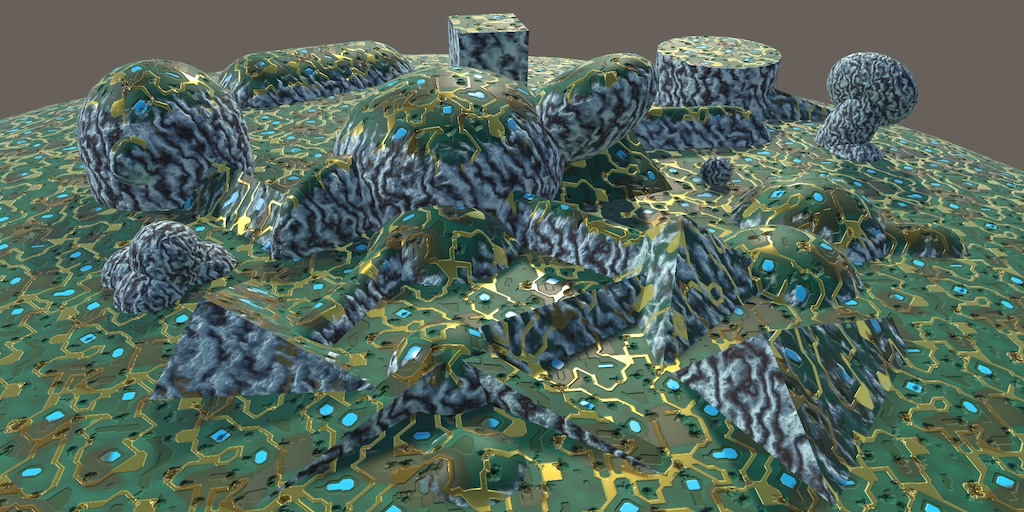
A Unity Advanced Rendering rendering tutorial about triplanar texture mapping.
violet grail
I should use just the uv_MainTex part
But I'm just using v.texcoord.xy to pass the uv data that I want to expose nothing more
To output on the vert shader
 vast niche
Any tips will be welcome here!
My game have a particular main feature that I have to develop, the player have a flashlight and I want open a portal on a wall and see through it to see what is behind it.
I want the portal have the same shape of the section between the cone ray of the flashlight and the wall plane.
It can be achieve with shader? Every tips, idea or workaround are really welcome
ionic ivy
Anyone have any idea how i could replicate the health three quarter circle from overwatch? I can't figure out how to evenly distribute each health tick while still cutting out the a fourth of the circle

 pure tulip
possible to change the light source instead of GetMainLight(); also wondering if multiple light sources can be used, 3d unity unlit shader graph

eg spotlight for a different light soruce
violet grail
regal stag
atm your shader is doing `o.uv_MainTex = v.texcoord.xy`, so yeah would expects r...
Well I followed your recommendations but now I cannot see the mesh
amber saffron
worthy pine
how can i make a shader unlit?
Don't apply lighting in you shader ?
Or do you want to have a material be unlit ? Then use an unlit shader (all render pipelines have some)
amber saffron
vast niche
Any tips will be welcome here!
My game have a particular main feature that I hav...
You could use a shader with alpha cutout on you wall, and do some simple conecast (or cone sdf) in the shader code to cut out the flashlight.
amber saffron
ionic ivy
Anyone have any idea how i could replicate the health three quarter circle from ...
You can use polar coordinates to do this kind of effect.
Use the angle value to cutout 3/4 of the circle, and also split the ticks to the number you want.
 strong tinsel
does anyone know how to write and test a shader outside unity , for instance
Please write a shader function that meets those conditions.
You can use function available in common shader languages apis.
float f( float x, float dx0, float dx1 ) { ?... }
f(0)=0
f(1)=1
f'(0)=dx0 on the right side of 0
f'(1)=dx1 on the left side of 1
f(x) is smooth for x in [0,1]
f(x) = 0 for x < 0
f(x) = 1 for x > 1
How can I write and test such a shader
amber saffron
violet grail
Well I followed your recommendations but now I cannot see the mesh
What did you change ?
amber saffron
strong tinsel
does anyone know how to write and test a shader outside unity , for instance
P...
strong tinsel
@amber saffron thanks
amber saffron
Note that I don't even understand the exercise, it starts by asking for a function with 4 float arguments, and then most of the requirements show a function with a single float argument XD
strong tinsel
amber saffron
Note that I don't even understand the exercise, it starts by asking for a functi...
it is asking me to create a shader which should follow these conditions , from the function it looks like a spline
worthy pine
amber saffron
Don't apply lighting in you shader ?
Or do you want to have a **material** be un...
Hm k
regal stag
pure tulip
possible to change the light source instead of GetMainLight(); also wondering if...
Additional light calculations happen in a loop, for example see the CustomLighting.hlsl file here : https://github.com/Cyanilux/URP_ShaderGraphCustomLighting
(specficially AdditionalLights_float, also has a toon version below that)
 fiery moth
In an unlit shader, how can I sample the depth of a texture that wasn't rendered by the main camera?
I have a RenderTexture foregroundTexture that I am rendering to using foregroundCamera.SetTargetBuffers(foregroundTexture.colorBuffer, foregroundTexture.depthBuffer); foregroundCamera.Render(); I am then Blitting from this texture using my material: Graphics.Blit(foregroundTexture, dest, myMaterial);.
_CameraDepthTexture would give me the depth texture of the main camera, which I don't want.
Inside this material, the foreground texture is coming in as _MainTex. How can I sample its depth buffer instead of its color buffer inside of my shader? Thanks.
Update: Solved it by using _LastCameraDepthTexture and reordering my Blits and Renders.
violet grail
amber saffron
What did you change ?
I'll answer later I'm not at home
 sleek granite
Has someone here tried to replace Graphics.DrawMeshInstancedIndirect with Graphics.RenderMeshIndirect in combination with a shadergraph shader?
I'm getting the correct instance count from the compute shader into the graphics buffer for Graphics.RenderMeshIndirect but just nothing drawn. So I suspect shadergraph is the issue.
I've also tried to pass in huge bounds to the RenderParams but that doesn't seem to be the issue either
To get the instance data in shader graph I use this 2 custom function trick here
https://forum.unity.com/threads/drawmeshinstancedindirect-and-shader-graph.720638/
That works perfectly well with Graphics.DrawMeshInstancedIndirect
Unity Forum
I'm evaluating LWRP/Shader Graph for a project that would rely heavily on DrawMeshInstancedIndirect. I'm unclear on how/if it would work with Shader...
worthy pine
i made a cubemap sahder but i am too dumb to know how to make this shader unlit aka being not affected by lightning. could someone look at the shader and explain me how to do that?
here's the shader
amber saffron
worthy pine
i made a cubemap sahder but i am too dumb to know how to make this shader unlit ...
Do no use a surface shader if you want to make something unlit. Use the vertex and fragment shader syntax : https://docs.unity3d.com/Manual/built-in-shader-examples-vertex-data.html
Here is also an example of a "simple unlit" shader : https://docs.unity3d.com/Manual/SL-VertexFragmentShaderExamples.html
 fair jackal
I have a urp fullscreen shader that I'm trying to get to work to pixelize the final urp sample buffer. Horizontally it pixelates fine, but vertically it has this very obvious "wave" to the pixelation I'm hoping someone can help me figure out


 slow marlin
not sure If I should ask in this channel or the addressable one, but I have a shadergraph shader that is multi compiled to be able to modify keywords at runtime. It works as expected in the build, however in scenes that are addressable it doesn't seem to be functioning.
there is a game object in each scene that references the shaders material as a public variable. I am working off the assumption that the addressable bundle is including its own version of the material since its technically a dependency.
I know that addressables wont make a copy of dependencies that are in the resources folder, but since the project settings Project Settings -> Graphics -> Always Included Shaders. by default are set to always include shaders that means I shouldnt need the shaders to be moved into resources?
violet grail
violet grail
Hello I want to pass vertex attributes into a custom shader that allows per para...
This are the changes I did:
Shader "Custom/z3nth10n/MultiTriplanar"
{
    Properties
    {
        _Top("Top Main Texture", 2DArray) = "" { }
        _Color("Color", Color) = (1,1,1,1)
        _Glossiness("Smoothness", Range(0,1)) = 0.5
        _Metallic("Metallic", Range(0,1)) = 0.0
    }

    SubShader
    {
        Tags { "RenderType" = "Opaque" }
        LOD 200
        Offset[_ZOffset],[_ZOffset]

            CGPROGRAM
        #pragma surface surf Standard fullforwardshadows vertex:vert
        #pragma vertex vert
        #pragma require 2darray

        struct Input
        {
            float3 test;
        };

        UNITY_DECLARE_TEX2DARRAY(_Top);

        half _Glossiness;
        half _Metallic;
        fixed4 _Color;

        void vert(inout appdata_full v, out Input o)
        {
            UNITY_INITIALIZE_OUTPUT(Input, o);
            o.test = v.texcoord;
        }

        void surf(Input IN, inout SurfaceOutputStandard o)
        {
            fixed4 c = UNITY_SAMPLE_TEX2DARRAY(_Top, IN.test) * _Color;
            o.Albedo = c.rgb;

            o.Metallic = _Metallic;
            o.Smoothness = _Glossiness;
            o.Alpha = c.a;
        }

        ENDCG
    }
        FallBack "Diffuse"
}
If I change the test variable by uv_MainTex. The following error prompts:
'Custom/z3nth10n/MultiTriplanar': cannot implicitly convert from 'const float2' to 'float3' at line 155 (on d3d11)
This is my C# code:
       var textureCount = texArray.depth;

        var mesh = GetComponent<MeshFilter>().mesh;

        var uvs = Enumerable.Range(0, mesh.vertexCount).Select(i => new Vector3(mesh.uv[i].x, mesh.uv[i].y, i % textureCount)).ToList();
        mesh.SetUVs(0, uvs);
This is what I changed
 earnest hare
Hello, i'm a shader noob and I'm trying to create a buildup of snow via a shader, i'm succesful in moving vertices however it seems like my model gets stretched and faces interrupted.
After applying shade smooth in blender to the model it looks like vertices get evenly moved and the model stretches if you will
Example images are added. The last add node is fed into the vertex, position container. Any help with brainstorming or trouble shooting would be much appreciated


I'd like to avoid stretching the uncovered parts of the model.
 oak cargo
Can anyone tell me why I get a bunch of errors when I open a default unlit shader file? I get errors on "#include UnityCG.cginc" and I dont know why
tight phoenix
is there some way I can turn 3d noise into random directions in all directions?
I could do it 3 times but I was hoping there was a less brute force way to achieve this

 civic lantern
tight phoenix
is there some way I can turn 3d noise into random directions in all directions?
...
civic lantern
tight phoenix
is there some way I can turn 3d noise into random directions in all directions?
...
You could probably use just 2 noises per direction, pitch & yaw
violet grail
How can I pass a normal and heightmap to my shader?
compact reef
what would be the simple way to add lightprobe support on a fragment shader?
 low lichen
compact reef
what would be the simple way to add lightprobe support on a fragment shader?
low lichen
compact reef
what would be the simple way to add lightprobe support on a fragment shader?
The ShadeSH9 function in UnityCG.cginc if you're in the built-in renderer. You just need to give the world space normal. Note, this function also includes environment lighting, from the skybox.
 oak aspen
Hi... I'm trying to create a 2-sided sprite shader for UI images. The front is set by the Image sprite component (and that works well), the back is set by the shader. In the graph it looks ok, in the editor it looks ok but when i play the game, the back looks incredibly zoomed in. Tiling/Offset doesn't fix it either. Also, for some reason RawImage works perfectly but this breaks batching which is no bueno. Anyone has any ideas?

 compact reef
low lichen
The ShadeSH9 function in UnityCG.cginc if you're in the built-in renderer. You j...
compact reef
low lichen
The ShadeSH9 function in UnityCG.cginc if you're in the built-in renderer. You j...
thank you
regal stag
oak aspen
Hi... I'm trying to create a 2-sided sprite shader for UI images. The front is s...
Is the sprite part of an atlas? Might be messing with UVs
oak aspen
regal stag
Is the sprite part of an atlas? Might be messing with UVs
Yes it is. Both the front and the back of the image. The front is set as the UI image sprite and the back to the shader.
regal stag
That's going to be difficult to solve then. I think it would be easier just using two separate sprite objects / UI images.
oak aspen
@regal stag :/ But is it possible? and if it is, what should I be looking at?
@regal stag basically I'd really like to avoid using 2 ui images for each card... that's 104 images :/
regal stag
oak aspen
<@357936113983291393> :/ But is it possible? and if it is, what should I be look...
I'm not really sure on the exact calculation, but would need the bounds/rect of the each sprite in the atlas.
With those it should be possible, but I'm not sure if it would be worth it... the cards shouldn't need front + back to be always active, so while it is more objects, having the fragment shader be cheaper might make rendering cheaper overall? 🤷
 mild cobalt
I am implementing differential rendering, but I seem to be experiencing some kind of hue / contrast shift. Any ideas?
fixed4 frag (v2f i) : SV_Target
{
    float4 background = tex2D(_Background, i.uv);
    float4 ground = tex2D(_VirtualGround, i.uv);
    float4 objects = tex2D(_VirtualScene, i.uv);

    // // C = a * O + (1 - a) * (B + O - L)
    float mask = tex2D(_Mask, i.uv).a;
    return mask * objects + (1 - mask) * ((objects - ground) + background);
}
 oak aspen
regal stag
I'm not really sure on the exact calculation, but would need the bounds/rect of ...
oak aspen
regal stag
I'm not really sure on the exact calculation, but would need the bounds/rect of ...
You got a point there. I'll have a good think about it and look into both options. Thank you very much for your time 🙂
regal stag
mild cobalt
I am implementing differential rendering, but I seem to be experiencing some kin...
Not really sure why it would be, but kinda looks like mask might be outside a 0-1 range? 🤔
mild cobalt
I'm gonna double check it, thanks for pointing that out. As for the contrast, I modified the materials to unlit, so contrast is the same really
Mask is the fourth image in the picture I sent
how can the alpha be outside 0 to 1?
I rewrote it like this and get the same result, I don't think the mask is the problem:
fixed4 frag (v2f i) : SV_TARGET
{
    float4 background = tex2D(_Background, i.uv);
    float4 ground = tex2D(_VirtualGround, i.uv);
    float4 objects = tex2D(_VirtualScene, i.uv);

    bool mask = tex2D(_Mask, i.uv).a > 0.0;
    return mask ? objects : (objects - ground + background);

    // C = a * O + (1 - a) * (B + O - L)
    // float mask = tex2D(_Mask, i.uv).a;
    // return mask * objects + (1.0 - mask) * ((objects - ground) + background);
}
Maybe I am generating the mask wrong, how would you get a b&w mask of the cube?
 novel cedar
Hey, tilling and offset work not how they're suppose to when I'm using shader for sprite that was packed into atlas. Can someone suggest any workarounds?
 grizzled bolt
novel cedar
Hey, tilling and offset work not how they're suppose to when I'm using shader fo...
grizzled bolt
novel cedar
Hey, tilling and offset work not how they're suppose to when I'm using shader fo...
Tiling and offset are not really supposed to work for sprites at all, since the Sprite Renderer component is responsible for handling the tiling and offset using sprite meta data
What is your use case like that you need to tile/offset sprites for?
novel cedar
grizzled bolt
What is your use case like that you need to tile/offset sprites for?
I'm adding a glowing effect and dissolve to a sprite

Dissolve does not work with atlases too
grizzled bolt
novel cedar
The textures you use for the glow and dissolve are not sprites (or shouldn't be), I would guess the atlasing itself is not the problem but rather that they're using the sprite renderer's UV0
Because of how sprite batching combines sprite renderers their UVs may change rapidly also
grizzled bolt
UVs come from the sprite renderer as it generates the sprite geometry
I would make such effects in world or screen coordinates, optionally centered on the object using Object node's position
And to make sure the effect textures are not sprites and not on the atlas, but their own independent assets
novel cedar
I see, thanks!
grand jolt
i made a custom shader once, it added outlines around shadows

looks like spray paint on ground
 ebon basin
Could someone explain to me or point me to resources on the theory behind mixing transparent shaders with particle systems and how I'd go about blending them together. There's quite a large amount of games recently that have a lot of neat refractive/distorting effects that seem to blend well with other loose particles, yet playing with what I've been developing has been quite problematic. I was thinking to just make the majority of my particle opaque and alpha clip what I can which then will interact with these shader types, but it's hard to really get the quality just right.
I feel like the amount of assets content creators make through tutorials all seem to take advantage of alpha blending, and as cool as they look, if you add them all together in the same scene they just won't behave like you want.
 pliant field
Does anyone have idea of height blending , i am trying in vertex paint , so i have 2 height maps should i subtract it clamp and multiply with R channel of vertex painter then lerp.. but not getting what i need any help please mention me in if you reply
grizzled bolt
ebon basin
I feel like the amount of assets content creators make through tutorials all see...
Alpha blending and refraction are similar but different beasts
Do you have some example as reference of what you aim for? And how it seems to go wrong
ebon basin
grizzled bolt
Alpha blending and refraction are similar but different beasts
Do you have some ...
Specifically basing my shader off unity's distortion shader that's presented using the shader graph. Basically it's just a texture with a ripple effect using scene color node. Problem with transparency and particles is that you're not dealing with multiple pivots, but only the system's so comparing depth between particles is problematic. So, I've been fooling around with some ideas for an opaque shader with distortion, but it kinda cheats and samples stuff around it.
I was fooling with additive blending too, and it sort of works but it inherits some brightness which I'm not too sure how to minimize while keeping the effect visible.
But alpha blending in general is a pain and I think I should avoid it all together. Alpha clipping does seem like a great alternative, and I've even started clipping my sprite shaders (why does the sprite material default to transparent anyway?)
grizzled bolt
ebon basin
Specifically basing my shader off unity's distortion shader that's presented usi...
which one is the "unity's distortion shader"?
ebon basin

In this video, we are creating a Distortion Shader using Shader Graph in Unity 2019!
Download the project here: https://ole.unity.com/DistortionShaderProject
Shader Graph in Unity 2019 lets you easily create shaders by building them visually and see the results in real time. You create and connect nodes in a network graph instead of having to...
Screen position UV node and Screen color nodes which I believe does most of the magic
it actually doesn't completely distort what's rendered but renderes it twice on the object? It's interesting
maybe that's just how distortion works
grizzled bolt
ebon basin
Specifically basing my shader off unity's distortion shader that's presented usi...
Particle Systems let you define particle draw order in the Renderer module
URP uses the scene color texture for refraction effects, which is rendered before any transparents so you cannot have transparents refracted with it
If you try to make it opaque instead it will be seen in its own refraction creating a glitchy 'hall of mirrors' effect
BiRP can use "grab pass" for these effects which I believe is more flexible way to sample what's being rendered, but it's fully unavailable on SRPs
The option for opaque sprites would be really nice, but as it stands they never made that compatible with systems like sprite sorting or features related to it
Probably they thought it unnecessary to add
ebon basin
Opaque honestly doesn't seem to be bad using that exact graph, though it'll not render what it's convering and instead sample nearby

does got that hall of mirrors effect
grizzled bolt
As it's sampling a texture that includes itself on each of its fragment
Kind of a cool effect though
ebon basin
This is with additive blending which honestly seems fine too and it fixes the depth issues I believe, but not too sure how to minimize the brightness. Reducing brightness via pow node does lower it but removes the distortion effect along with it.

don't know too much about additive blending, but I don't believe it's the texture mask that's increasing the brightness
grizzled bolt
Additive means any color values that result from the shader are added to color values that are behind the material, so it brightens things up or it's invisible if dark/black
ebon basin
Does work fine beyond that. Maybe I'll go eye out some games with these effects a bit more. I just can't fathom how devs would alpha blend and sort everything manually, otherwise probably got a lot more calculations going on beyond camera depth.
grizzled bolt
ebon basin
Does work fine beyond that. Maybe I'll go eye out some games with these effects ...
Sort manually? Particles have multiple automatic sort methods for you to choose from
Non-particles tend to sort just fine by distance from camera, or by a couple of sorting layers if you need to be manual about it
ebon basin
Sorting within a single system is fine, it's just when you start introducing a bunch of different systems where it becomes problematic. (though, alpha sorting can still be problematic, so forcing sorting layers is most likely what you'd want to do)
sorting pivots per particle (which I've tried doing myself) only tanks my runtime performance
I was thinking of some ways to group systems a bit more in proximity, but it's still pretty hard when you've got particles that linger far away.
grizzled bolt
ebon basin
Sorting within a single system is fine, it's just when you start introducing a b...
Right, a particle system is one mesh so it has just one sorting point for transparency
Could continue this in #archived-urp if we keep drifting away from shaders
ebon basin
It's all good. I think the idea is just to use alpha clipping (w/ opaque) when possible (it does add a nice stylized look too), and perhaps I'll look more into additive blending and see if I can get that working,
grizzled bolt
ebon basin
It's all good. I think the idea is just to use alpha clipping (w/ opaque) when p...
Additive and multiplicative blending have the benefit that the result is the same regardless of draw order
ebon basin
Yeah, at most it may become a little too bright when a lot of particles stack up but maybe I'll figure out some ideas.
 hushed rune
Does anyone have experience with the Toony Colors Pro 2 asset? Cause I'm experiencing problems related to baked global illumination, the lighting was baked really well but somehow the TCP2 shaders don't wanna be affected by it, so the mesh is fully black, if i disable shadows it renders, but there are no shadows
 dusty creek
I wanted to follow a tutorial for a geometry shader for stylized grass but I found myself just copying shader code and not understanding anything about it. does anyone have resources on beginning to learn hlsl and shaders in general? I've only had some experience with shader graph but I'd like to expand on my understanding of shaders
violet grail
 void surf(Input IN, inout SurfaceOutputStandard o) {
            float3 projNormal = saturate(pow(IN.worldNormal * 1.4, 4));

            float3 xAlbedo = UNITY_SAMPLE_TEX2DARRAY(_Side, float3(frac(IN.worldPos.zy * _Tiling), IN.arrayIndex)) * abs(IN.worldNormal.x);
            float3 yAlbedo = UNITY_SAMPLE_TEX2DARRAY(_Top, float3(frac(IN.worldPos.zx * _Tiling), IN.arrayIndex)) * abs(IN.worldNormal.y);
            float3 zAlbedo = UNITY_SAMPLE_TEX2DARRAY(_Side, float3(frac(IN.worldPos.xy * _Tiling), IN.arrayIndex)) * abs(IN.worldNormal.z);

            float3 texAlbedo = zAlbedo;
            texAlbedo = lerp(texAlbedo, xAlbedo, projNormal.x);
            texAlbedo = lerp(texAlbedo, yAlbedo, projNormal.y);

            o.Albedo = texAlbedo.rgb * _Color;

            //float3 xNormal = UNITY_SAMPLE_TEX2DARRAY(_SideNormal, float3(frac(IN.worldPos.zy * _Tiling), IN.arrayIndex)) * abs(IN.worldNormal.x);
            //float3 yNormal = UNITY_SAMPLE_TEX2DARRAY(_TopNormal, float3(frac(IN.worldPos.zx * _Tiling), IN.arrayIndex)) * abs(IN.worldNormal.y);
            //float3 zNormal = UNITY_SAMPLE_TEX2DARRAY(_SideNormal, float3(frac(IN.worldPos.xy * _Tiling), IN.arrayIndex)) * abs(IN.worldNormal.z);

            //float3 texNormal = zNormal;
            //texNormal = lerp(texNormal, xNormal, projNormal.x);
            //texNormal = lerp(texNormal, yNormal, projNormal.y);

            //o.Normal = texNormal;

            o.Metallic = _Metallic;
            o.Smoothness = _Glossiness;
            o.Occlusion = _Occlusion;
        }
For some reason, if I uncomment the normal part, the mesh goes black
earnest hare
earnest hare
Hello, i'm a shader noob and I'm trying to create a buildup of snow via a shader...
turns out i had to connect the displacement to the tesselation displacement rather than position node! So its fixed now
 compact reef
is there any efficient way to make a shader sway/wave based on a single channel additional texture? where The Black part of mesh uv will represent non-moving or less bending and the white area will make the part of the mesh moving /more bending?
this is just for an example to show my case


 prime shale
There is a way yes, although how efficient I suppose it would end up being depends on how complex you make your waving function
Normally if you want to do waving it would be done per vertex, which is rather light computationally.
 worldly plank
Hello, just a question, how would I do some to make both sides equal in lighting shade. BTW using Unity's Complex Lit Shader (URP)
 compact reef
prime shale
Normally if you want to do waving it would be done per vertex, which is rather l...
compact reef
prime shale
Normally if you want to do waving it would be done per vertex, which is rather l...
here is how the shader looks like
https://pastebin.com/Q3mg0Wdr
Pastebin
Pastebin.com is the number one paste tool since 2002. Pastebin is a website where you can store text online for a set period of time.
actually Im using that texture atlas for all of my trees and foliages, so, here is a problem, The shader actually wave based on a complete upto down texture channel Orientation, as a result, the mini textures on upper side of the atlas waves sooo much and, the mini textures on the bottom barely moves
that's why I was thinking about having an additional 256x256 texture which will just define the shader Where to sway and where not to , Would you suggest me a way to implement that?
and sir, you again🤩
compact reef
prime shale
And multiply it by the wave strength
it's kind of hard to find out which factor is to multiply with...

 smoky widget
How can i make super sure that a keyword is enabled always on compile time?
 severe gate
Hey there. I wanted to make a Water Shader. For that ive used a Camera to capture the area, that I want to be displayed for the Water Shader. The Problem is, that it wont be displayed. I accutally cant figure out why I dont get a visualisation. If anyone might have a tip, thank you!

The blue area is that, was the Camera up below should play.
grizzled bolt
severe gate
Hey there. I wanted to make a Water Shader. For that ive used a Camera to captur...
What are you doing so far to make the camera's view be displayed there? A special material or shader?
severe gate
grizzled bolt
What are you doing so far to make the camera's view be displayed there? A specia...
Ive created a camera to capture, ive made a render texture to display it. The thing this time is, it dosnt worked in any way. Ive changed everything to the right render pipeline and so on. If you want to know what exactly im trying to to, there was a tutorial Ive already used a couple of months ago, and there it worked. This time Ive did exaclty the same but for whatever reason it dosnt displayes anything.
Ive send you the tutorial via. DM.
grizzled bolt
Better to post it here so someone else can pitch in too
severe gate
wasnt sure if thats allowed

Learn how to create a water refelction effect in Unity
Download the project starting files at https://drive.google.com/open?id=1OUOcx75_fm-1yZb6rSt8siWEYWJrdUe-
Inspired by Binary Lunar: https://www.youtube.com/watch?v=O1lRGKfCi9o
Get my latest Udemy course 'Learn To Code By Making a 2D Platformer in Unity & C#' at https://www.udemy.com/cours...
grizzled bolt
Assuming you're fully using URP like the tutorial is, I don't see any obvious reason why it wouldn't work
I'd try to get the most barebones example of a render target texture in a material without any custom shaders first as a test
severe gate
Well idk if its the easiest way but from what ive known, after a couple of steps i should have seens "anything".
The problem its, its just blank.
Theres nothing.
And the thing also is, that i know it worked, ive already done it.
If we just take a look on what ive need to do, do see like anything what the camera should display, maybe you can tell me that.
tacit parcel
severe gate
Well idk if its the easiest way but from what ive known, after a couple of steps...
might be that your render texture camera is 'in front' of everything so it's basically looking at nothing as everything is behind it
compact reef
prime shale
And multiply it by the wave strength
If you dont mind , could you give a bit more clue , like, i have sampled the texture , in which way I should multiply it ? by it's alpha color channel?
tacit parcel
compact reef
If you dont mind , could you give a bit more clue , like, i have sampled the tex...
you might need to use tex2Dlod to sample the wave mask since you do the sway in the vertex
 hushed silo
Unsure if this is a shader question - think it might overlap a bit.... but :
I want to have an RGBD rendertexture, to then feed into VFX graph to do stuff with it... How does one set up an RGBD RT? I guess you use the alpha to store the depth within a clipping range
 rose furnace
hello, i have shader problem. i used blurShader in built-in for old project. now, i developing URP and this shader not working. how i can do this problem? this is my blur shader for built-in:
amber saffron
rose furnace
hello, i have shader problem. i used blurShader in built-in for old project. now...
You will need to find dedicated blur shaders for URP, this one is relying on the old "grabpass" feature that is only for built-in renderer
 waxen merlin
Hi, I'd like to have a compute shader that will perform some calculations and tests that will result in an unpredictable, dynamic number of results. There could be 0 results some frames up to hundreds the next. I want to then process these results with another compute shader. What would be the correct way to effectively chain these compute shaders together? How can I kick off the 2nd shader to do the right amount of work based on the results of the 1st? Can I do this entirely on the GPU, or will I have to return to C# in between (for example, write out number of results to a uint, read that back in C# and then dispatch shader 2? Thanks!
severe gate
Hello! Im trying to make a Water Shader. The Tutorial ive followed worked once a couple months ago, for whatever reason and I really tried everything possible, I cant recreate it. With recrating I mean, every to display the Camera on the Render Texture isnt possible, I dont even get a preview. Ive set all my assets and so on on layer 0 that there is nothing infront or behind that could be not captured by the camera. If anyone has a clue, please let me know.
For those of you who wanna know what exactly ive done, ive created a Render Texture, gave it a blank white sprite, created a Camera which output texture is the Render Texture. Ive created a Material and attached the Render Texture to it and also ive linked it to the Water sprite as Material. From what ive seen, even after the first steps there should have been just anything to be displayed, but the texture keeps beeing blue. Ive also changed to the right URP settings, also in graphics and quality tab in the settings. Ive switched beetween the URP Pipeline versions to make sure I dont use the wrong one.
When I attach the render Texture to the Main Camera, its getting displayed as I wanted it to. But not on a single attempt when ive created a new Camera.
regal stag
severe gate
When I attach the render Texture to the Main Camera, its getting displayed as I ...
Maybe just duplicate the camera object then?
But at a guess the other camera's Z position, near/far planes or culling mask could be preventing it rendering objects
smoky widget
How can I make a cginc include that has certain methods using some variables
but so that Only those shaders that use those methods require the variables?
severe gate
regal stag
But at a guess the other camera's Z position, near/far planes or culling mask co...
Thanks but that wasnt the solution yet, ive spend 2 Days while trial and error to realise, that its simply was 2 Numbers that needed to be changed right here.

For whatever reason it was wrong by default.
regal stag
smoky widget
but so that Only those shaders that use those methods require the variables?
The easiest way is probably to make those variables parameters/inputs to the methods.
 manic jungle
I need a little help with shaders. I want to make a shader that operates on a tilemap renderer. Suppose I can make a big array that stores an enum (or some other data) from which I can know (for a given 2D area of the screen, I want to change how this tile is rendered).
Most shader tutorials don't seem quite right for this. does anyone have advice over how to do this?
example: I have a water shader, and lava shader, and both tiles could be on the same tilemap (or whatever), and I know I have water at positions A,B,C and lava at D,E,F, and I want to apply the water shader for A,B,C and lava shader for D,E,F. How would I even start to set this up?
eg, where the tiles are on a tilemap

 balmy cedar
Hey I have a question for an effect I am trying to create. I have this mesh that I want to draw over everything else (so basically ztest always). The outside is black and the inside is white (i am trying to create a mask with the mesh). The shader has 2 passes, one for front and one for back.
I currently use the stencil buffer for the front face with always/replace to hide the inside with stencil set to equal while you are outside of the mesh. (working, left side of image)
The inside turns everything white except the curved part of the mesh, i guess because of the ztest settings and the stencil settings (right side of image).
Has anyone an idea, how to achieve the desired effect?
 regal stag
manic jungle
I need a little help with shaders. I want to make a shader that operates on a ti...
regal stag
manic jungle
I need a little help with shaders. I want to make a shader that operates on a ti...
I don't work in 2D often but if you want this water shader to do anything complex (and different from the lava) it would probably be easier to split this into multiple tilemap renderers, then use separate materials/shaders
regal stag
balmy cedar
Hey I have a question for an effect I am trying to create. I have this mesh that...
Can you clarify what the desired result should be?
balmy cedar
regal stag
Can you clarify what the desired result should be?
everything should be white, if you are inside the mesh. the front i currently "bleeding" through
edit: even if another mesh is inside the mask mesh, thats why i use ztest always
regal stag
balmy cedar
everything should be white, if you are inside the mesh. the front i currently "b...
Hmm, maybe you could render the back faces white with ZTest Always and ZWrite On, then front as black with regular ZTest LEqual? 🤔
balmy cedar
already tried that, result is the same like in the image above
regal stag
Hm really? But wouldn't those black faces be behind the white one? If so, ztesting shouldn't allow them to render if the white faces are writing depth.
Render order would be important though, so need to make sure the passes are in that order or use separate shaders with different queue tags.
balmy cedar
here is the setup and the result. also the result is basically the same with stencil on or off
 balmy cedar
regal stag
Render order would be important though, so need to make sure the passes are in t...
balmy cedar
regal stag
Render order would be important though, so need to make sure the passes are in t...
i also tried it right now with 2 materials just to be sure, the result is still the same
 gaunt storm
Hello, about blitting and doing downsample to reduce fragment function dispatches...
Does it do less dispatches if the downsampled texture is the destination one and not the source one?
Or would I have to blit to another texture with less resolution to then blit again with this as source and there run my shader in blit?
gaunt storm
manic jungle
I need a little help with shaders. I want to make a shader that operates on a ti...
So you want a "per-tile material"?
Also hello YouTube, I love SMM contraptions and what can be done in GBG
 zinc tide
Hi, I am getting into more advanced graphics topics and have been pulling my hair out trying to dynamically recalculate normals for my trichodial wave generator for the last week within shader graph. The normals just don't work properly. The lighting does not reflect off of the plane mesh properly at all. I am assuming it is a calculation error and that's why they are not appearing correctly, or is it a lighting error? Or both? No resource seems to work and I am losing my mind. I have tried everything, partial derivatives, calculating positions of close neighbors using a small arbitrary value, everything, and nothing seems to get me any closer. First picture is the current without specular highlights (which do work properly) and the 2nd picture is to demonstrate the lack of normals better with no color.


 delicate canyon
hello everyone, for a project and due to the hasard, I made this material, but I want to translate it in a shader graph. For the moment, it work, but the setting "Transmittance color" is pretty important and I don't know how to recreate it in the shader graph. Someone woudl know how to recreate it ? I'm in HDRP

 fallen mantle
I want to write my own shader, I have an idea for it. But i'd like to start with a basic one which already implements texture mapping. Do you know where I could find that to start off with?
regal stag
zinc tide
Hi, I am getting into more advanced graphics topics and have been pulling my hai...
The waves don't seem that steep so it's hard to tell if the normals are correct or not. I think testing with large waves would be more useful.
If you can share some code / graph screenshots might be able to spot any calculation errors.
I know you've mentioned a few, but in case the examples are useful, these are the methods for calculating normals that I'm familiar with - https://www.cyanilux.com/tutorials/vertex-displacement/#recalculating-normals
regal stag
delicate canyon
hello everyone, for a project and due to the hasard, I made this material, but I...
I don't work in HDRP but according to the docs there should be "Transmittance Color" and "Transmittance Absorption Distance" ports in the master stack.
https://docs.unity3d.com/Packages/com.unity.render-pipelines.high-definition@15.0/manual/refraction-use.html#set-absorption
Possibly only if you select a Refraction Model other than none, under the Graph Settings (when set to Transparent surface mode).
If so, can connect color and float properties like that material uses.
regal stag
fallen mantle
I want to write my own shader, I have an idea for it. But i'd like to start with...
Depends on the pipeline a bit but the templates you get when you create a shader file should already sample a _MainTex texture iirc.
Or you could copy a shader Unity provides. For built-in RP there's an unofficial repo here - https://github.com/TwoTailsGames/Unity-Built-in-Shaders or download "Built in Shaders" from Unity's site - https://unity.com/releases/editor/archive
For URP/HDRP, it's shaders can be found in the package (under packages in project window)
fallen mantle
thank you!
delicate canyon
regal stag
I don't work in HDRP but according to the docs there should be "Transmittance Co...
indeed, thank you very much !
 echo badger
Not sure if this is quite the right place to ask. But is there a way to pass a array of Texture2Ds to a compute shader?
low lichen
echo badger
Not sure if this is quite the right place to ask. But is there a way to pass a a...
That isn't a Texture2DArray? No.
echo badger
low lichen
That isn't a Texture2DArray? No.
Yeah, just saw that. Didn't realize it was a texture. Thanks! 😄
low lichen
echo badger
Yeah, *just* saw that. Didn't realize it was a texture. Thanks! 😄
Just note that every texture in the array is the same resolution and format.
echo badger
low lichen
Just note that every texture in the array is the same resolution and format.
Yeah, not an issue. Is there a good way in C# to populate it with existing textures, or do you just gotta do CopyTexture?
low lichen
echo badger
Yeah, not an issue. Is there a good way in C# to populate it with existing textu...
I think CopyTexture is the best way to do it, as long as you only need the texture data on the GPU and the existing textures are already uploaded to the GPU.
manic jungle
Is there a way for a script to affect a shader by position? For example, let’s say I have a function that inputs Vector3 and outputs Color(0.5 x, 0.8 y, 0.1z). Is there a way to have my shader graph communicate with a script to call that function in the middle of evaluating?
Theoretically, custom node in shader graph connected to a monobehaviour in some way?
 mental bone
So I'm using object position as input to a couple of noise functions in order to generate masks for a character shader. Problem is when the skinned character moves the noise shifts. Anyway I can work around that ? The reason I'm not using uv's is because they are broken in a place and sadly we cant fix them at this point
regal stag
manic jungle
Is there a way for a script to affect a shader by position? For example, let’s s...
No, a shader can't call a C# function.
Depends what you're doing, but you can pass values to shaders (through material properties) and use those in calculations. But they don't typically communicate the other way around (at least without some stalling or delay like Texture2D.ReadPixels / AsyncGPUReadback)
regal stag
mental bone
So I'm using object position as input to a couple of noise functions in order to...
You'd probably need to bake the original positions into a UV channel
manic jungle
i see. So let’s say I could represent my functions as very simple operations, like multiply by a matrix etc. And then script can alter that matrix once per frame. That would be doable, right?
dusty creek
I'm following a tutorial for a procedural skybox in shadergraph but I have no idea where it went wrong... the tutorial is 3 years old if that helps. anyone know what's going on?

 regal stag
manic jungle
i see. So let’s say I could represent my functions as very simple operations, li...
regal stag
manic jungle
i see. So let’s say I could represent my functions as very simple operations, li...
If you need that matrix for calculations in the shader, sure.
regal stag
dusty creek
I'm following a tutorial for a procedural skybox in shadergraph but I have no id...
Setting the Surface Mode to Transparent under the Graph Settings should work iirc. It's not really the shader calculations, but something to do with the extra passes (like ShadowCaster, DepthOnly) the graph is generating.
mental bone
regal stag
You'd probably need to bake the original positions into a UV channel
thanks that worked 😄
dusty creek
regal stag
Setting the Surface Mode to Transparent under the Graph Settings should work iir...
damn that worked, why though xD
was it generating more stuff ontop of what I told it to?
regal stag
dusty creek
was it generating more stuff ontop of what I told it to?
Something like that. ShaderGraph does a lot of things behind the scenes, which makes sense for regular 3d objects but less so for a skybox shader
 spice carbon
is it possible to apply the mask of a parent scroll area to a list element in shadergraph ?
manic jungle
I’m still really new to shader graphs. Is there a way to effectively make a bunch of nodes into one node? Like defining a function/subgraph, which can be used across a project?
spice carbon
manic jungle
I’m still really new to shader graphs. Is there a way to effectively make a bunc...
yes mark your region and right click, convert to
manic jungle
is there a good resource to learn more about this stuff? A lot of the youtube tutorials are more centered on “I want to just work within shader graph to make one thing, without connection to code”
regal stag
manic jungle
I’m still really new to shader graphs. Is there a way to effectively make a bunc...
There are subgraph assets, yes. Can create from the create menu (same with graphs). Or highlight nodes, right-click, convert to subgraph
https://docs.unity3d.com/Packages/com.unity.shadergraph@17.0/manual/Sub-graph.html
manic jungle
awesome. ty
spice carbon
spice carbon
is it possible to apply the mask of a parent scroll area to a list element in sh...
default sprite shader does it somehow, but no idea how to recreate that in my own shader graph
regal stag
spice carbon
default sprite shader does it somehow, but no idea how to recreate that in my ow...
Afaik UI scroll areas and sprite masks uses Stencils. That's not something that ShaderGraph exposes. But could convert a graph to shader code (with the button on the graph asset in inspector) then add the Stencil properties & block manually.
Use the default UI shader as an example - https://github.com/TwoTailsGames/Unity-Built-in-Shaders/blob/master/DefaultResourcesExtra/UI/UI-Default.shader
Or just write a shader with code, using that same one as a base
spice carbon
hm, interessting so no stencils for shader graphs then
mental bone
regal stag
You'd probably need to bake the original positions into a UV channel
Now the hard questions is how to get unity to properly save the meah so I can commit it in git
I am modifying the uvs of the shared mesh but it’s not showing up as a change
regal stag
mental bone
I am modifying the uvs of the shared mesh but it’s not showing up as a change
I'm not sure but while you can modify the mesh data, I don't think it'll actually write back to the model file. It might just be something you trigger at runtime in Start().
Or maybe you can save it as a separate "Mesh" asset file, but probably not as a fbx.
mental bone
will saving it as a seperate mesh asset preserve the skinning ?
I was hoping to avoid the runtiume cost, but it's a one off so not that big of a deal
spice carbon
regal stag
Afaik UI scroll areas and sprite masks uses Stencils. That's not something that ...
works, shader code of shadergraphs is ultra ugly 😄 better to rewrite it directly into something readable 😄
regal stag
mental bone
will saving it as a seperate mesh asset preserve the skinning ?
I'd assume it would just serialize everything in the Mesh class but I haven't tried it with rigged meshes
Also found that Unity does seem to have an FBX Exporter package so maybe that could work. Not something I've used before.
https://docs.unity3d.com/Packages/com.unity.formats.fbx@5.1/manual/index.html
mental bone
yeah export the fbx from the scene and slap it onto the original file was my idea too, but I just did at runtime and there is no perf hickup so why bother right 😄
manic jungle
Does anyone have experience with NoiseShader? I downloaded the package (https://openupm.com/packages/jp.keijiro.noiseshader/) so I could see how shaders make shaders. I have all the .HLSL files in my project, but I can't access them in Shader graph editor.
I'm not super attached to this particular plugin, and I'm mostly just testing bringing in shaders
regal stag
manic jungle
Does anyone have experience with NoiseShader? I downloaded the package (https://...
Shader Graph can use HLSL code/include files via the Custom Function node - but it requires specific function formats. See https://docs.unity3d.com/Packages/com.unity.shadergraph@17.0/manual/Custom-Function-Node.html
dusty creek
how do cubemaps work exactly? I want to have a sort of realistic sun and moon on my skybox but I'm guessing I'll need to do some math in a script to make them move in the correct way?
manic jungle
Any suggestions on how to make this kind of effect:

just in 2D on a plain blue background, by shader?
I am currently trying to make a flat jgp of water look… watery. On a 2D sidescroller
dusty creek
to make it realistic is super difficult, though you could just use voronoi noise
with some simple noise I guess
grizzled bolt
manic jungle
Any suggestions on how to make this kind of effect:
You could try to find a flipbook texture of caustics
I guess voronoi noise (or an inanimate overlay texture) are widely accepted alternatives but I think they don't really look like caustics
More like foam or a scum layer
manic jungle
voronois noise looks very wrong. Does not need to look realistic. Cartoony is preferred. I just want a rough shape.
ty spazi. I'll look into caustics
 past bear
im trying to pixelate an img but i want to have a limit of colors(like 10) to the final image,any ideas how?
 grizzled bolt
past bear
im trying to pixelate an img but i want to have a limit of colors(like 10) to th...
grizzled bolt
past bear
im trying to pixelate an img but i want to have a limit of colors(like 10) to th...
"Posterize" is the effect you're looking for
You can probably find an SG implementation of that by searching in this channel
grizzled bolt
manic jungle
voronois noise looks very wrong. Does not need to look realistic. Cartoony is pr...
Voronoi can probably get you the result you want but you also need to offset by noise as Alice mentioned, and use a step function as well
 frosty aspen
vertex displacement ftw
frosty aspen
past bear
im trying to pixelate an img but i want to have a limit of colors(like 10) to th...
if you don't need fine control/tweaking just sample your texture at low rez
past bear
can i convert the rgb to hsv?
smoky widget
What's the difference between shader feature and multi compile?
i have some shaders that look fine on the editor, but when I make a build they dont work well
smoky widget
i have some shaders that look fine on the editor, but when I make a build they dont work well
In specific, im using this one shadows.cginc
https://github.com/Gaxil/Unity-InteriorMapping/blob/master/Assets/Shaders/Shadows.cginc which i don0t know if im missing something
tacit parcel
manic jungle
just in 2D on a plain blue background, by shader?
that should work, you can also blend the same texture sampled twice using different scale and offset
using noise especially voronoi node could be too expensive for something like this
 vestal ice
using the sprite lit shader graph in urp 2d. how would i make an image tile infinitely without stretching
 jade maple
Unable to use normal texture in shader
regal stag
vestal ice
using the sprite lit shader graph in urp 2d. how would i make an image tile infi...
Can either change the wrap mode on the texture asset or use a Sampler State node with Repeat wrap mode in the SS port on the Sample Texture 2D node
 verbal walrus
i used this in standard pipeline to get the unlit shader:
quadMaterial = new Material(Shader.Find("Unlit/Texture"));
but now in HDRP that is null, what is the Shader.Find path for the Unlit texture shader in HDRP?
regal stag
verbal walrus
i used this in standard pipeline to get the unlit shader:
``` quadMaterial = ne...
If you create a Material in your assets, the dropdown at the top shows all the shaders available.
It might be easier to just use that material and pass it into the script, rather than using Shader.Find which won't work if the shader is stripped from the build.
 lunar roost
Is it possible to write an edge detection shader that detects edges from normal map bumps?
regal stag
lunar roost
Is it possible to write an edge detection shader that detects edges from normal ...
The shader shouldn't be all that different from regular edge detection methods, though unless the bumps are very large the edge detection might not pick them up.
But you'd need a way to capture the normal maps in your camera normals texture. URP's normal pass might already do that - I can't remember. If using replacement shaders in built-in, use a shader outputting the normal map (in view or world space)
dusty creek
I'm working on my first ever procedural skybox and am wondering, is there a way to get this effect across without using a straight up texture?

the stars are probably just simple noise or custom made noise but the other stuff is quite daunting xD
lunar roost
regal stag
The shader shouldn't be all that different from regular edge detection methods, ...
I saw a bunch of edge detetction shaders that operate on the normal output for the whole scene through a custom pass. I'm guessing that normal bumps might be too small for such cases. Can a per object shader detect edges from normal bumps?
 ashen linden
Unity specialists, there is a way for me to make a smoothed surface object have a unsmoothed illumination only via shader?
i'm trying to find a solution for my currently bugged outline and i think that making so every object that has the out line is smoothed might be a work around it, but I need to have a bollean on the material to decide if I want the ilumination to follow this smoothness or I want to be like a cristal
any suggestions?
regal stag
ashen linden
Unity specialists, there is a way for me to make a smoothed surface object have ...
Adjusting normals using this might be what you want - https://www.cyanilux.com/tutorials/vertex-displacement/#flat-normals
Can be done in code too, I think normalize(cross(ddy(worldPos), ddx(worldPos)))
ashen linden
regal stag
Adjusting normals using this might be what you want - https://www.cyanilux.com/t...
thanks
regal stag
dusty creek
I'm working on my first ever procedural skybox and am wondering, is there a way ...
Can probably make something like that with a line distorted with noise, but a texture is going to be way cheaper.
dusty creek
I'll see if I can do it with noise and stuff as I want everything except the stars to be procedural (I want to be able to have constellations so I'll have to make a cubemap for stars I think
 deep siren
hey there guys! Can someone help me figure out which is the shader keyword for detail normal in URP lit shader?

it's none of those, i tried them all 😦
low lichen
deep siren
If either _DETAIL_MULX2 or _DETAIL_SCALED are enabled, then LitInput.hlsl defines _DETAIL, which determines if the detail maps are sampled.
deep siren
ohh thank you! So _DETAIL should do the trick. Testing now
wait, that's not what you said lol, i did enable _DETAIL_MULX2 and _DETAIL_SCALED and the shader will not sample the detail maps
unless i click on the inspector window and modify the intensity of the detail normal
ohhh nvm im dumb as usual
it works! have a great day!
 tardy crypt
I was wanting to use a noise texture for a shader graph but then realized I needed a tileable one to prevent seams. So I have a seamless noise texture and I was sampling it in lieu of the built in simple noise texture.
My problem is that I was using the scale function of the built in simple noise, but when I try to look at scaling the imported texture I can't figure out how to do so.
Is there a work around for being able to scale the sample texture 2d similarly to the built in simple noise for shader graphs?
regal stag
tardy crypt
Is there a work around for being able to scale the sample texture 2d similarly t...
Should be able to adjust scaling (aka tiling) by using a Tiling And Offset node in the UV port
tardy crypt
Nm, thank you. I realized I was looking at the wrong node for a section.
 vague parcel
how can I make unity create "metallic" reflections for the desk?

or, why do the lights look so awful?
grizzled bolt
@vague parcel missing ambient lighting and reflection probes
#archived-lighting
vague parcel
grizzled bolt
<@700812754855919667> missing ambient lighting and reflection probes
<#497873729...
wdym?
also, woudn't the textures be part of it too?
verbal walrus
regal stag
If you create a Material in your assets, the dropdown at the top shows all the s...
Yeah that's pretty much what i ended up doing, thanks
barren cedar
currently getting a weird glitch where the shader graph normals are being applied but mess up somewhere on the space conversion?

I probably have a space setting wrong in this line but I'm not sure where and it feels like I've tried every possible combination of settings

update: solution was to set the sample texture nodfe type to normal, remove the 'normal unpack' node and set both 'space' parameters to 'tangent'
okay, now I have a problem: I have the normals in a texture2Darray but I can't sample the texture2darray as a normal texture?
barren cedar
update: against all possible sensible intuitions, it turned out that my original shader was cursed and recreating it node for node in a fresh shader graph fixed it
compact reef
my shader is using Blend SrcAlpha OneMinusSrcAlpha
idk why , this is happening while switching the render queue to alpha test?
the gameobjects that looks glitching after renderer queue changing , this is just happening to the objects which Have Skybox behind them, rest of all are okay and not edging weirdly)
here is a video just to show the case
(i wanted to switch the renderer queue to alpha test just to have less set pass call)
the leaves doesnt seem glitchy when they are viewed in a way where there is no skybox behind them , only like grounds , building
what could be the problem?
is that any problem withthe skybox shader?
grand jolt
hi,i am using the fog built in unity (lighting>envirement) and the problem is that this fog is also apearing,not only outside, but inside the house aswell
is there a way to modify the shader of the house material so it will not be able for the fog to cast on it?
i am using URP
 viscid sandal
Hi, I just started working with shaders but it seeems to be not working, am I doing something wrong?
Its a simple material with a URP lit shader graph...it should be clipping the object but it is not

 potent rapids
Hi, I just started working with shaders
pliant field
i made decal it have normal map but its looking pasted on surface, how can i make it bumped in from alpha , i used step note and tried making normal map but not looking good , also can we use vertex paint on decal or make it disolve to vertex paint coz its looking overlay when i put in on wall with vertex paint
 ebon basin
Hihi, I was looking for some suggestions on multi-purpose or general use shaders that I should consider making, and preferably craftable through the shader graph. Also, should I consider making these shaders independently, or does making a master-shader of different combinations a more ideal solution. Perhaps a mix of both?
compact reef
compact reef
@prime shale do you know about this thing...
echo badger
I am trying to make a simple box blur compute shader. But for the life of me I can't get it to work.
I found this simple shader which I tried to port over to a compute shader directly.
https://www.shadertoy.com/view/ct3fR8#
Here is the compute shader.
https://gdl.space/awifuyuret.hlsl
It just sets the whole texture to a solid color (changing the radius changes the color a bit). I assume I am sampling from the wrong position or something, but I can't figure it out. Any ideas?
EDIT: Solved, it was because id.xy and resolution were both ints, so doing id.xy / resolution was resulting in a int and truncating it.
tight phoenix
How do I make my shader not change appearance when I scale the mesh?

Ive tried multiplying or dividing everywhere that I use object space position coordinates in it, but I cant stop it from changing appearance when I scale it
because I dont know why its happening
all my coordinates are in object space so why would it change when I scale it? object space coordinates dont change when you scale the mesh, dont they?
shader is huge so its not easy to show off the whole thing for you to tell me why its not working


the exact same shader on two different meshes
one completely changes appearance when scaled, the other doesnt
how is this physically possible?
how do I make it consistent?

is something wrong in here?
regal stag
tight phoenix
Maybe to do with where the origin/pivot of the mesh is? Not sure 
regal stag
compact reef
the gameobjects that looks glitching after renderer queue changing , this is jus...
The skybox is rendered after the opaque + alpha test queues. Anything that needs to blend should be in the transparent queue. If you want it before other transparent objects, could change the number in the box to the right of the Render Queue to 2999
tight phoenix
I tried to edit the original pivot and it completely destroyed the entire bone structure, skin weights, everything
how do people even develop 3d games? like, I literally cannot make a single change to this mesh without that change requiring me to rerig the entire mesh and reanimate all animations from scratch, I am in immense frustration rage inducing crisis freefall right now because this whole thing is broken and I wish I could just NOT FEEL so I could solve this problem
sorry none of that matters
I just want this thing to not be broken
and I dont know how to get that
and I need it fixed
and I dont know how to fix it
i lost everything because I tried to move the pivot
all the morph target are gone, all the bone weights, all the skins, all the animations
down the toilet
hours of work in the garbage
and im no closer to knowing why it doesnt work
so its just goign to happen again because i am no closer to comprehension why its like this
regal stag
tight phoenix
I tried to edit the original pivot and it completely destroyed the entire bone s...
Wasn't aware this was rigged, probably wouldn't have suggested moving the pivot in that case. You should also always back stuff up before doing changes like that too so you can easily revert. I know it's frustrating, but try to learn from mistakes.
As for why the shader acts differently, it seems this is just what happens with skinned meshes. Due to how it's skinned the vertex positions sent to the shader are apparently already in world space. (Static/dynamic batching also does the same thing with regular meshes)
But doing an Inverse Lerp with the Position (World) in T port, World Bounds Min (from Object node) in A & World Bounds Max in B seems to work to obtain the equivalent of an "object" space in terms of position & scale at least (not rotation though).
If you do need the coordinates to rotate with the object too, could maybe pass the worldToLocal transformation matrix into a Matrix4x4 property and Multiply with Position (World) in B port, but untested.
tight phoenix
regal stag
Wasn't aware this was rigged, probably wouldn't have suggested moving the pivot ...
Thanks Cyan, reading all this now that ive calmed down
interesting that being a skinned mesh changes things that way, Ill try what you suggest next time I feel mentally prepared to open unity
 desert orbit
!ban 414990017220575233 spam
 echo moatBOT
 animelover312 was banned.
 tight burrow
Womp womp
 sly raven
Lmaooo
tight burrow
Bro really tried to turn us to Godot
 sonic crow
Impressive? XD
sly raven
Really convincing
sonic crow
Ha. Jokes on that guy I'm also gonna learn Gadot
And unreal
Honestly
I just wanna know what all the differnt game engines got and what they do XD
sly raven
Same here, can’t hurt to check them out at least
 sly raven
Cya haha
compact reef
regal stag
The skybox is rendered after the opaque + alpha test queues. Anything that needs...
okay, im keeping it to transparent , but , why instantly sooooo many drawcalls? im using static batching for all objects
regal stag
compact reef
okay, im keeping it to transparent , but , why instantly sooooo many drawcalls? ...
The Frame Debugger window should be able to tell you why drawcalls aren't batching
tacit parcel
compact reef
okay, im keeping it to transparent , but , why instantly sooooo many drawcalls? ...
have you try setting it transparent from the start? maybe setting it at runtime break batching
compact reef
tacit parcel
have you try setting it transparent from the start? maybe setting it at runtime ...
yes, i did that
still the same
compact reef
regal stag
The Frame Debugger window should be able to tell you why drawcalls aren't batchi...
every single causes are "object using different static batching"
 sinful vector
Hi, anyone know how I can adjust the shader repeat in an object? I have a large object, and I want the shader on it not to be blurred, but I don't know how to make the repetition every, say, 10 units of x/y scale.
compact reef
idk , what unity is actually trying to tell me, it's mysterious
smoky widget
I have a shader with a shadow cast pass
float4 frag(v2f i) : SV_Target
{
    SHADOW_CASTER_FRAGMENT(i)
}
which is basically set like that
However, i would like to apply some dithering on the shadows after a certain distance. I have my dithering code working already, I just need to know how to apply it. Im guessing that shadow_caster_fragment has already a return line meaning that if I put it after it will never run
How can I plug my code that eventually does a clip in it?
regal stag
compact reef
every single causes are "object using different static batching"
Transparents need to be rendered furthest from camera first to achieve the correct blending, I think Unity may be avoiding static batching meshes too far apart to try to keep that blending more consistent, but idk. I tend to use URP where the SRP batcher makes drawcalls less of a problem so don't know much about optimising them.
smoky widget
smoky widget
How can I plug my code that eventually does a clip in it?
Nvm, I just had to place the clip before the caster fragment
compact reef
regal stag
Transparents need to be rendered furthest from camera first to achieve the corre...
i think i should use per layer camra culling , i have observed , reducing the object counts from 7000 to somethig like 500+ is giving me accurate batching as i expected using transparent
regal stag
There may also be limits to how much geometry can be in each static batch. 7000 does seem a lot.
If they're all the same mesh/material, might also want to look into GPU Instancing, though I think that has similar limits.
compact reef
is it possible to render both lightmapped and non lightmapped objects in a single pass when the shader support lightmapping?
low lichen
compact reef
is it possible to render both lightmapped and non lightmapped objects in a singl...
Only if your shader doesn't separate the lightmap sampling into its own variant.
Then your non lightmapped objects would be sampling a black lightmap.
compact reef
as Im using Legacy Vertex Lit Rendering path , that's why i had to use "LIGHTMODE" = "VertexLM"
otherwise , gameobject is invisible after baking lightmap
compact reef
low lichen
Then your non lightmapped objects would be sampling a black lightmap.
yeah , i saw it when using forward rendering path
alternative way would be using lightprobe
but I dont have knowledge implementing it on the shader , as far as I know , it needed "LIGHTMODE" = "Forward" , ,it means , even if the lightprobed objects are seen , lightmapped objects will be invisible
a huge headache
 slim sable
Hi, i'm writing a wind shader in unity that I want to differentiate per object. otherwise the wind movement looks identical when using the same sprite multiple times. That means i need some kind of "seed" value to base the noise on. I've seen people use the position, but i'm not a fan as it might change when the object is moved. I could also just create a "seed" parameter that I supply via a PropertyBlock, but that'd break batching. But that's probably unavoidable right?
compact reef
regal stag
Transparents need to be rendered furthest from camera first to achieve the corre...
the solution was to have a custom sky mesh and just using that same skybox material into it keeping it as geometry shader , problem solved
compact reef
Sorry for Asking again, the same thing...is it possible to have both lightmapped and lightprobed objects rendered in a single pass when using legacy vertex lit rendering path? using builtin RP
fair jackal
is there a way to do a full screen pass that replaces the textures from everything in the scene and renders everything with a lit color(like white)?
echo badger
fair jackal
is there a way to do a full screen pass that replaces the textures from everythi...
You might look at RenderWithShader and the pages it links out to on the docs https://docs.unity3d.com/ScriptReference/Camera.RenderWithShader.html
fair jackal
echo badger
You might look at `RenderWithShader` and the pages it links out to on the docs <...
would that stack with shaders already assigned to the objects? I have a shader doing some vertex displacement so I'd need it to maintain vertex changes while still being able to change the material
echo badger
fair jackal
would that stack with shaders already assigned to the objects? I have a shader d...
Hmm, not sure to be honest sorry. I would read over it and the other pages it links to, it might indicate one way or the other.
fair jackal
alright thanks! From just a quick glance it seems to function fairly similarly to the render objects feature in the URP renderer
smoky widget
Does anyone know what's going on here with the shadows?
This is on the editor

And this on build

And I have some other shader issues
I think it all comes from the keywords and how unity manages shader variants
Because other features that are enabled and disabled via keywords are not working on the build
This is me setting the keywords
#pragma shader_feature _USE_WIND
#pragma shader_feature _USE_VERTICAL_WIND
#pragma shader_feature _FULL_OBJECT_COLOR
#pragma shader_feature _IN_PLACE_RENDER

#pragma multi_compile _CROSS_FADE_DITHER
#pragma shader_feature _ALIGN_GROUND
Is there any way for me to automatically change a #define in a compute shader, and then recompile the shader from script?
smoky widget
Why am i missing _LightShadowData on my shader, who sets it?
low lichen
smoky widget
And this on build
Looks like missing environmental lighting
low lichen
lean lotus
Is there any way for me to automatically change a #define in a compute shader, a...
You can't use multi_compile? (I think we've had this discussion)
smoky widget
low lichen
Looks like missing environmental lighting
Yeah, im using a custom shader for shadows, and it seems to be missing the data related to _LightShadowData
lean lotus
problem is it uses a lot of cgincs so i have yet to get mutlicompile to work successfully
 soft stratus
i believe this is the right channel for something like this
the tmp surface shader goes black at a specific angle
 low lichen
smoky widget
Yeah, im using a custom shader for shadows, and it seems to be missing the data ...
low lichen
smoky widget
Yeah, im using a custom shader for shadows, and it seems to be missing the data ...
The shadows look fine to me, it's just the environmental lighting that's missing on everything
smoky widget
Yeah that's what i mean, to do the calculations it's using Lightshadowdata and i think that's what is missing
Otherwise what is it?
smoky widget
low lichen
The shadows look fine to me, it's just the environmental lighting that's missing...
https://github.com/Gaxil/Unity-InteriorMapping/blob/master/Assets/Shaders/Shadows.cginc
This js what I'm using
GitHub
Interior mapping shader for Unity with a sample scene. This is provided as is, for learning purpose. You can use it freely for your personnal or commercial projects - Gaxil/Unity-InteriorMapping
grand jolt
Is there a node handling rotation for the vertex shader in the shader graph or do i need to construct a rotation matrix?
low lichen
smoky widget
Otherwise what is it?
No, environmental lighting is fed to shaders as spherical harmonics, combined with light probes. You can sample it with the ShadeSH9 function in UnityCG.cginc on built in, or SampleSH in Lighting.hlsl on URP
smoky widget
low lichen
No, environmental lighting is fed to shaders as spherical harmonics, combined wi...
I'm doing that too on my shader
smoky widget
low lichen
No, environmental lighting is fed to shaders as spherical harmonics, combined wi...
im doing this
o.diff = nl * _LightColor0.rgb;
o.ambient = ShadeSH9(half4(float3(0,1,0),1));
What could be a reason of ShadeSH9 to return 0?
And then I apply like this
fixed3 lighting = i.diff * shadowAttenuation + i.ambient;
color.rgb *= lighting;
hey are you trying to add light probe support?
smoky widget
I just want a directional light to work
compact reef
i see
i somewhere found a method to make custom shader support lights in this way

may it be useful for you, idk much in depth
jade maple
I'm new to game dev, and shaders in general, and I have a question regarding toon shading.
I understand how it works, but I don't really understand a lot of the implementations I find online for unity.
Most of them use shadergraph, and presumably create materials from it and add it to objects.
However wouldn't that mean that I would have to create a material for each object and give it a colour?
I have models with their own materials, so I would rather create some sort of "global" shader that works ontop of the models texture. Is that possible?
regal stag
jade maple
I'm new to game dev, and shaders in general, and I have a question regarding too...
The shadergraph ones you'll find also tend to be URP focused, and uses the SRP Batcher so multiple materials are less of a problem.
But while most toon shader examples use solid colours, you could still replace that with a texture property & sample if you need to apply a texture to the mesh.
jade maple
regal stag
The shadergraph ones you'll find also tend to be URP focused, and uses the SRP B...
I'm using URP right now, I didn't know about this SRP batcher though, you can have multiple materials?
regal stag
You can assign a material to each sub-mesh. That can be done in any pipeline, but the SRP batcher can batch materials as long as they share the same shader (and variant/keywords).
jade maple
I think I def need to learn more
So say I have some model, which comes with it's own texture... I'd have to create a shader that takes in a texture and samples it?
Then for every object, replace the material and set the "texture" property to the models original texture?
regal stag
jade maple
Then for every object, replace the material and set the "texture" property to th...
For each object that needs a different texture you'd need a separate material yes.
If a texture is shared between models (like a "texture atlas") it can use the same one though.
Was common to do that in the Built-in RP, as with the same material you could combine draw calls to make rendering cheaper. But with the SRP Batcher, I'm not sure if it's as important.
compact reef
compact reef
Sorry for Asking again, the same thing...is it possible to have both lightmappe...
bump(((
smoky widget
compact reef
may it be useful for you, idk much in depth
Thanks, it did not work :((
compact reef
sorry
smoky widget
compact reef
Sorry for Asking again, the same thing...is it possible to have both lightmappe...
I have no clue, sorry for not being able to help
So basically, in my shader,
o.ambient = ShadeSH9(half4(worldNormal,1));
is returning black
compact reef
smoky widget
I have no clue, sorry for not being able to help
no problem my friend, we're the same, waiting on the street so that someone mysterious will consider giving some winter jackets to the beggers...🙂
 fleet olive
im trying to make the fade effect get stronger with depth and its a bit broken atm

the blur factor is controlled by the lod input in hd scene color
smoky widget
compact reef
no problem my friend, we're the same, waiting on the street so that someone mys...
indeed, today is a new day, lets se
meager pelican
compact reef
Sorry for Asking again, the same thing...is it possible to have both lightmappe...
What happened when you tried it?
Both light maps and light probes are "pre calculated" things you read from during the lighting calc. Although both of them will probably look like crap with vertex lighting, particularly up close where per-pixel changes are more apparent.
compact reef
meager pelican
What happened when you tried it?
Both light maps and light probes are "pre calcu...
actually, there are several objects on same shader and same material, but some are assigned to be lightmapped, and some are not assigned for receiving lightmap, they have to receive light probe instead, that's the case,....i just dont wanna use two shaders, as it's for mobile, so i was thinking to make it small and compacted
meager pelican
So your question is "How can I tell a light-mapped object from a non-light-mapped object that I want to use a light probe with?"
compact reef
for the lightmapped things, I first bake them assigning a diffuse shader on them, then i swap the fragment shader that supports lightmap, so they still looks good
compact reef
meager pelican
So your question is "How can I tell a light-mapped object from a non-light-mappe...
it's simple to tell them on the mesh renderer, but My Question is, I already have fragment shader which supports lightmap, Can I add lightprobe support too on this ?
meager pelican
Unity passes the nearest light probe (or is it probes with blending?) data to the shader for the object. But it may only do that for dynamic objects, not sure. I mean I'm dredging this up from memory from 3 years ago.
Your only question is "is the data passed to me in all the cases I want it for?", because of course you can code a read from a light probe cube map into your shader. But is the data there for your use case?
I would code it in, using some examples dug up from sample shaders, and see what it does to the various objects. You may need a conditional.
compact reef
that's where im stuck, i clicked on compile and show code from legacy/diffuse shader, but there appear zillions of code on vs studio
For real simple, I just had to add lightprobe support too on the shader (lightmapped object wont receive lightprobe though, only non lightmappeds will)
Idk how could I add lightprobe support, that was the problem
regal stag
Afaik light probes use the spherical harmonic stuff... at least in Built-in RP. So might be the same as what Sapra posted earlier above with ShadeSH9
meager pelican
compact reef
For real simple, I just had to add lightprobe support too on the shader (lightma...
https://forum.unity.com/threads/sampling-from-light-probes-in-custom-unlit-shader.466930/
, use the ShadeSHPerPixel function. To learn how to implement this function, see the Particle System sample Shader code example at the bottom of this page.```
https://docs.unity3d.com/Manual/class-LightProbeProxyVolume.htmlhttps://docs.unity3d.com/Manual/class-LightProbeProxyVolume.html
This is also referenced in Cyan's post below (edit).
Unity Forum
Hi,
I'm trying to sample from the ambient lighting environment in my custom unlit particle shader and am running into a bit of a problem.
For each...
regal stag
Also just looked through the Built-in includes and found ShadeSHPerVertex and ShadeSHPerPixel
https://github.com/TwoTailsGames/Unity-Built-in-Shaders/blob/6a63f93bc1f20ce6cd47f981c7494e8328915621/CGIncludes/UnityStandardUtils.cginc#L157
compact reef
thanks a lot
meager pelican
compact reef
thanks a lot
Code sample from https://blog.unity.com/technology/light-probe-proxy-volume-5-4-feature-showcase
half3 ambient = ShadeSHPerPixel(i.worldNormal, currentAmbient, i.worldPos);
fixed4 col = _TintColor * i.color * tex2D(_MainTex, i.texcoord);
>col.xyz += ambient;
UNITY_APPLY_FOG_COLOR(i.fogCoord, col, fixed4(0,0,0,0)); // fog towards black due to our blend mode
return col;```
But YMMV, and it's a bit old. compact reef
meager pelican
Code sample from https://blog.unity.com/technology/light-probe-proxy-volume-5-4-...
compact reef
meager pelican
Code sample from https://blog.unity.com/technology/light-probe-proxy-volume-5-4-...
yeah, I've visited here just now, I'll give it a try
but hey, will Legacy Vertex Lit Rendering path even support Lightprobes?

I tested with standard shader, the object that's assigned to receive lightprobes, turns black
i think legacy vertex lit rendering doesnt really support Lightprobes
meager pelican
Oh, I wasn't aware (didn't remember) you were using that legacy rendering path. Yeah, the engine may not even bother dealing with that info.
Are you sure you're not short-changing yourself? I mean, with fairly modern hardware (last 10 years ish) you should be able to "move up" a path and still get performance.
But try it with your custom shader first.
Not standard shader. See what it passes you. Standard shader may just "opt out" but YOU don't have to. Maybe the data is there, maybe not.
Then again, the engine itself (CPU side) may just skip it all.
@compact reef
smoky widget
smoky widget
So basically, in my shader,
```cs
o.ambient = ShadeSH9(half4(worldNormal,1));
`...
Bump
Im using CommandBuffer.DrawMeshInstancedIndirect
But also, it works in editor, but not in a build
dusty creek
I only just now noticed there's a fullscreen shader graph is there any documentation on this stuff and how to use it? sounds fun
meager pelican
smoky widget
But also, it works in editor, but not in a build
There's not enough information there, even if one of us knows the answer somehow.
For example...
What build doesn't it work in?
Are there other builds that it works in?
Does the error console in a debug build show any messages? Is there a missing shader somewhere? Are the defines/environment not set for your target? Did you check target capabilities in code and are you exceeding them?
Is the worldNormal data correct? (Try coloring the object with the worldNormal or remapped normal). If so, is the light map or probe data missing?
Maybe something totally else, IDK.
meager pelican
dusty creek
I only just now noticed there's a `fullscreen shader graph` is there any documen...

Unity Learn
In this tutorial, you will learn to create a simple node-based Shader using Shader Graph and implement it in the Lightweight Render Pipeline
dusty creek
nothing specificly about the fullscreen ones?
smoky widget
meager pelican
There's not enough information there, even if one of us knows the answer somehow...
I kinda answered all of that in previous comments, but sure:
- it fails in all the builds,
- doesn't work in any build
- no errors are thrown
- no shaders are missing
- they are defined, as far as Im concerned, for my target
- would that matter if it works in editor and not in build?
- the world normal is correct, and passing a color instead of the data from shadesh9 returns the right result (with the wrong color)
- light map or probe data shouldn't be missing since it's working on editor just fine. Maybe something is missing because I'm using command buffer draw mesh instanced?
My target is set to 4.5
meager pelican
dusty creek
nothing specificly about the fullscreen ones?
Maybe research how "Graphics.blit" works with normal shaders and then reimplement into SG.
Basically a "full screen" SG is just processing an input texture.
    Create a new Shader Graph in your Project. To do this right-click in the Project window and select Create > Shader Graph > URP > Fullscreen Shader Graph.

    Add a URP Sample Buffer node. To do this right-click in the Shader Graph window, and select Create Node. Then locate and select URP Sample Buffer.

    In the URP Sample Buffer node's Source Buffer dropdown menu, select BlitSource.
...```
https://docs.unity3d.com/Packages/com.unity.render-pipelines.universal@15.0/manual/containers/post-processing-custom-effect-low-code.html I'll check it out, thanks
meager pelican
smoky widget
My target is set to 4.5
IDK. Maybe someone will.
You could try in #archived-lighting to see, particularly if a standard shader doesn't work in your build.
smoky widget
meager pelican
You could try in <#497873729578336276> to see, particularly if a standard shader...
I set a coment, so let's see if anyone answers
 delicate horizon
any1 know how to use a voronoi to add bumps to normal noise clouds like this?

So basically expand the simple noise edge with voronoi
smoky widget
You will first need to find a mask to get the sorrounding and multiply that maybe by a gradient and then by the voronoi
Since you are doing a step funciton, maybe you can use a secondary smooth step from the same noise with a lower treshold to get a mask that gives you 1 or 0, gives you a gradient
smoky widget
delicate horizon
any1 know how to use a voronoi to add bumps to normal noise clouds like this?
and then multiply the second gradient with the voronoi
Also, I would recommend switching the step (the in with the out) to get a step on high places instead of low so it stays "consistent"
delicate horizon
Oh thank you, will do alla that
I was thinking i first need an outline of the clouds like you mention
smoky widget
yeah
Ideally, you could maybe plug something into density part to get a non uniform distribution so you have chuncks of balls
which would give you nicer results
But no idea, never worked with shadergraph
delicate horizon
ah yeah, def need more variation and randomness if i get the voronoi edge working
smoky widget
i mean, to have black space in between
delicate horizon
oh like this? This is an earlier verion but it was set up too stoopid

but then with more density toward the center of each lump of balls
mby if i switch to a smooth step or something, ill see
oh got it, but the setup sucks. But this is a nice workflow, kinda like sketching before you actually start drawing, do whatever you can to get the result and make it logical later :p
 smoky widget
That looks really good!
delicate horizon
:D hell ye
smoky widget
So I know for a fact that my problem resides in this
            half3 ShadeSH9N (half4 normal)
{
    half3 x1, x2, x3;

    // Linear + constant polynomial terms
    x1.r = dot(unity_SHAr,normal);
    x1.g = dot(unity_SHAg,normal);
    x1.b = dot(unity_SHAb,normal);

    // 4 of the quadratic polynomials
    half4 vB = normal.xyzz * normal.yzzx;
    x2.r = dot(unity_SHBr,vB);
    x2.g = dot(unity_SHBg,vB);
    x2.b = dot(unity_SHBb,vB);

    // Final quadratic polynomial
    float vC = normal.x*normal.x - normal.y*normal.y;
    x3 = unity_SHC.rgb * vC;
    return x1 + x2 + x3;
}
and also that it's missing the data related to unity_SHBb. My question is, why/how could that happen in a build that is not happening in editor? Maybe its missing lighting probes (which i have no clue how to calculate) but then there's still the problem of why its working on editor and not in build
My case is that Im using a command buffer to drawMeshInstancedIndirect
Im guessing i need to find a way to force light probes to be generated for that material/draw mesh pass?
But im not using light probes, neither I have ever worked with them before
I just wanted a directional light to work, with the ambient light
regal stag
smoky widget
I just wanted a directional light to work, with the ambient light
If the unity_SH__ data isn't being set, maybe you can set it manually, similar to this : https://github.com/keijiro/LightProbeUtility/blob/master/Assets/LightProbeUtility.cs
LightProbes.GetInterpolatedProbe might work, but there's also RenderSettings.ambientProbe if you definitely only want the ambient one.
smoky widget
I actually got that file, but I'm not sure how to use it
Where should i put it?
In collab with a command buffer, since I'm doing draw mesh instanced indirect
regal stag
smoky widget
I actually got that file, but I'm not sure how to use it
Should be able to put it anywhere in assets, then call the methods, anywhere before you execute the command buffer. The methods are static so can use LightProbeUtility.SetSHCoefficients(pos, mat)
The first param is a position as it's intended for light probes, but if you're just interested in the ambient you could remove that and use SphericalHarmonicsL2 sh = RenderSettings.ambientProbe; instead of LightProbes.GetInterpolatedProbe
Other param is the material or materialpropertyblock (same one used with cmd.DrawMeshInstancedIndirect)
compact reef
I have a simple cubemap skybox, Where there are two cubemap blending together, Now, is it possible to rotate only one cubemap overtime?

 burnt wren
hi there, im having trouble adding a light shader to my sprite in a 3d world. The sprite is not being lit correctly, the shadows work perfectly but the sprite itself is not being lit up correctly. I show it in the attached video. It seems that the shader works correctly from some angles from my point light sun work but others dont
i'm using URP and here is my shadergraph
any help is deeply appreciated
 regal stag
burnt wren
hi there, im having trouble adding a light shader to my sprite in a 3d world. Th...
regal stag
burnt wren
hi there, im having trouble adding a light shader to my sprite in a 3d world. Th...
Might need to flip normals for the back faces. I have some examples here - https://www.cyanilux.com/faq/#sg-two-sided-shading
regal stag
compact reef
I have a simple cubemap skybox, Where there are two cubemap blending together, ...
Should be able to rotate the vector used for sampling the cubemap. I'd probably take the code from the RotateAboutAxis node page : https://docs.unity3d.com/Packages/com.unity.shadergraph@17.0/manual/Rotate-About-Axis-Node.html
burnt wren
regal stag
Might need to flip normals for the back faces. I have some examples here - https...
it worked!!!! you are the best man thank you so much!!!
smoky widget
regal stag
Should be able to put it anywhere in assets, then call the methods, anywhere bef...
Thanks! I will give it a try
burnt wren
regal stag
Might need to flip normals for the back faces. I have some examples here - https...
I was rotating my sprite with C# but that messes up with the shadows, it rotates them. I tried your Billboard shader and it achieves what I wanted! However the sprite lit problem appears once again when applying that shader code. What I'm trying to stitch together is a Billboard sprite that does not rotate its shadow and is also properly lit by lights. Do you have any suggestions or insights that might help me find a solution to this lighting problem?


attached is the relevant shader graph parts
regal stag
burnt wren
I was rotating my sprite with C# but that messes up with the shadows, it rotates...
It's possible to use a Custom Function node to let you use different positions for the shadowcaster vs forward pass. e.g. pass Position node (object space) and your billboarded result into one using string mode with this function body :
#ifdef SHADERGRAPH_PREVIEW
    Out = BillboardedPosition;
#else
    // For URP this is needed :
    #include "Packages/com.unity.render-pipelines.universal/Editor/ShaderGraph/Includes/ShaderPass.hlsl"

    // Test if we are in the SHADOWCASTER pass
    #if (SHADERPASS == SHADERPASS_SHADOWCASTER)
        Out = Position;
    #else
        Out = BillboardedPosition;
    #endif
#endif
(https://www.cyanilux.com/tutorials/intro-to-shader-graph/#shader-pass-defines)
meager pelican
smoky widget
I just wanted a directional light to work, with the ambient light
Wait. What?
If you only want a direction light + ambient, you don't need light probes at all. At least, not for dynamic objects.
But you want baked lights too, right?
What light model are you doing? Simple diffuse or Blinn-Phong? Something more complicated? Are you using surface shaders, or probably not since you seem to want vertex lights?
Or maybe by "ambient light" you mean local light from the light probe(s).
I'm getting confused.
@smoky widget here's an answer using instancing drawing calls.
https://forum.unity.com/threads/light-probes-not-working-properly-with-instanced-meshes.940419/
Unity Forum
Hello, friends.
From a while, I have been toying with the fascinating world of baked lighting, and light probes. Everything worked fine, but there's an...
But it sounds like you don't really want light probes if you only need main directional light + ambient.
burnt wren
regal stag
It's possible to use a Custom Function node to let you use different positions f...
i'm not knowledgeable in shaders, correct me if i'm wrong, this sets the shadow to be as if the sprite did not rotate, and at the same time it rotates the sprite?
i tried applying this but im still facing the unlit issue. in the attached image the sun is facing the "shadow player", i think that the problem in here is that the face that is showing to the camera is the face of the sprite that is unlit (not hit by the sun)

if i set the shader to only be applied to the front face (which is the one that should be unlit), i see the sprite. if i set it to the back face (the one that should be lit) i see nothing. so the billboard is showing me the front face when i need it to show me the back face
i tried moving the sun to the opposite direction and the sprite is now lit, however, there are some wonky shadows hitting it. I think using a billboard shader wont be good for my use case. How would I go if I want to do the rotation with C# and do not rotate the shadow? (the c# code is easy but the shader one i'm not sure)
burnt wren
i found a possible solution, have 2 sprites, one only casts shadows and the other one is affected by shadows, light and rotation. I'm rotating the second one with c# but there is still a wonky shadow hitting it
aha! the shadow hitting my player when rotating is the "shadow invisible sprite", is there a way to avoid the visible sprite being hit by the invisible sprite shadow? im not sure if this is now a shader question
ebon basin
well you can disable shadows on the sprite
and use a hidden second sprite to silhouette the sprite's shadow. Problem with this is that you can't receive shadows from other sources from now on
Yeah, that's where I'm stuck at too, at least with URP. Do tell me if you figure out a way cause I'll have to get back to it eventually ahaha
fleet olive
fleet olive
im trying to make the fade effect get stronger with depth and its a bit broken a...
anyone
ebon basin
burnt wren
i found a possible solution, have 2 sprites, one only casts shadows and the othe...
One idea I do have is to just use that second sprite AS the silhouette/shadow and disable self realtime shadow of the sprite.
The problem isn't so much the self-shadowing, it's how to eliminate it while not affecting the shadowing from other sources.
 tidal cypress
will this get the vertices and tris back from the gpu?

 true steppe
How can I get the Z position of an object? I tried the Position node with the Split and using the B channel, but that seems to be depth, which is not quite what I want.
true steppe
true steppe
How can I get the Z position of an object? I tried the Position node with the Sp...
Nevermind! Figured it out!
compact reef
how do i rotate a cubemap in shader?(i am not using graph)
smoky widget
meager pelican
Wait. What?
If you only want a direction light + ambient, you don't need light ...
I only want directional light and ambient currently yeah. So no LightProbes on the scene, not even baked lighting since there's nothing on the scene to bake. I have an empty scene and generate everything on the fly, so the objects that need ambient light are procedrually placed and drawn on a procedural mesh, so I cannot bake light anywhere. Im using vertex and fragment shaders, and as far as I know, simple diffuse shader. Currently my obejctive is to make it work, later on I will see.
regal stag
smoky widget
I only want directional light and ambient currently yeah. So no LightProbes on t...
Just fyi, even if you disable GI you should still hit the Bake button in the Lighting tab, to make sure the environmental/ambient probe & reflection cubemap are generated.
smoky widget
OKay, during the process of trying to fix it ive been hiting it just in case, so goodto know i have
Altough it always says that theres no data generated (unless i put a static cube with emission on the scene=
Im trying now waht you sent me yesterday, lets see if that solves it
regal stag
compact reef
how do i rotate a cubemap in shader?(i am not using graph)
I replied to this question yesterday #archived-shaders message
While I mention a shadergraph node, it's because you can take the code snippet from the docs page
smoky widget
OMG
THANKS @regal stag !!!! IT WORKED Lets gooooooooo
For reference and anyone, if you are missing ambient light on a DrawMeshInstancedIndirect call in build, but it works in editor, you might be missing SphericalHarmonics too. For some reason on editor is being set automatically, but not in build, so you can pass it like this
SphericalHarmonicsL2 sh = UnityEngine.RenderSettings.ambientProbe;
for(int i = UsedTerrains.Count-1; i >= 0; i--){
        propertyBlock.Clear();
        propertyBlock.CopySHCoefficientArraysFrom(new SphericalHarmonicsL2[]{sh});
        //Other properties
Question, ambient light data? Like i need to update it right?
meager pelican
smoky widget
Question, ambient light data? Like i need to update it right?
IDK if it's what you want, but there's shader globals for some of the things on the lighting tab.
https://docs.unity3d.com/Manual/SL-UnityShaderVariables.html
See near bottom.
Also note that if you want proper lighting in an instancing situation when you actually read the probes, you'll need to see the link referenced here #archived-shaders message****
Discord
Discord is the easiest way to communicate over voice, video, and text. Chat, hang out, and stay close with your friends and communities.
smoky widget
Yeah, thanks! I will take a look at lighting probes when i start using them
meager pelican
smoky widget
Yeah, thanks! I will take a look at lighting probes when i start using them
There's several "modes" the sky manager uses and generates a default probe for ambient, but the other probes that you will use later will automatically include that information, so you wouldn't want to use an ambient probe then. It's kind of a catch-22.
And as far as "What is ambient?" there's several modes:
https://docs.unity3d.com/ScriptReference/Rendering.AmbientMode.html
In the end, if you want to, you can just "roll your own" and pass an ambient light value and an array of lights and have fun. I mean, it's up to you. You don't have to use Unity's lighting system at all, but the things like light probes and reflection probes in unity and their editor, light maps, etc, make it much easier if you "follow the rules"
smoky widget
right, altough I dont think I can use light probes since there are no objects that emit or lights at all on the scene to bake into
Like, my scene is literally "empty of meshes" before I hit play, so im not sure how I would make use of light probes
meager pelican
lol. So it's all procedural?
smoky widget
yup
smoky widget
meshes is done through jobs and burst compiler
and i do use meshes for vegetation but they are gpu drawn
I might use light probes on dungeons and such since it's constraind on the sourroundings
but not on the open world side
watching this now https://www.youtube.com/watch?v=KbxiGH6igBk&t=319s
meager pelican
How complex are your lighting needs? How many lights? How dynamic? Like do you have torches, explosions, or flashlights or something like light shining in a window?
smoky widget
currently, because im still getting the bases working, no complexity, one directional light and that's it. Not even buildings at all
meager pelican
Yeah, I meant "max/eventually"
smoky widget
Later on, I want to be able to add at least torches, so point lights, and spot lights for lamps maybe. So i know i will have to come back to look into those scenarios
and if i feel like it, maybe some kind of simplified volumetric lighting for fog and god rays in forests
meager pelican
OK, so you're getting into the types of things that you'll want to use Unity's lighting system for, and that video looks to be on the right train of thought.
smoky widget
yeah, if I can, i dont want to make my own lighting system. Not only that, but im looking at ways to simplify my workflow so I don't have to be worried about it that much and I can get unity leverage it (so I don't have to hand code the lighting into my shaders)
meager pelican
Well, since you're in BiRP, you can use surface shaders....they generate lighting code automatically, and support both forward and differed rendering paths.
smoky widget
Yeah, I will probably go back to surface shaders, and maybe even later on, move to URP
meager pelican
OH, uh, OK. But you don't know what you just said. 😉
smoky widget
hahahha, it's gonna be big jump
meager pelican
Surface shaders don't exist in URP, for example. But shader graphs do.
smoky widget
quite far on my todo list, since command buffers are a pain to use in URP, (so probably have to use SRP)
smoky widget
meager pelican
Surface shaders don't exist in URP, for example. But shader graphs do.
true true, im thinking that If i have my code in surface shaders, it's probably going to be easier to translate into shadergraph, if I do
Does urp have support for plain hlsl right?
meager pelican
Yes, if you can figure it out, as it's not really well documented. Of course, Cyan has a very valuable site that can give you pointers about hand-writing shaders in URP.
smoky widget
i summon cyan and his site
meager pelican
You forgot to say "abracadabra"....
https://www.cyanilux.com/tutorials/urp-shader-code/
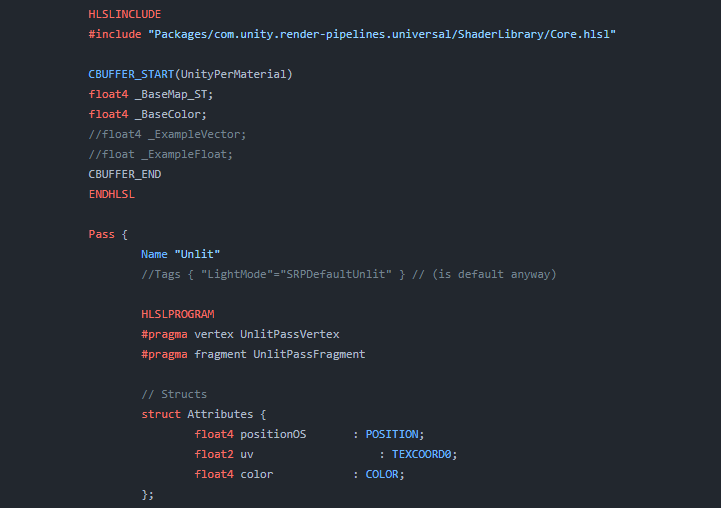
Explains how shader code (ShaderLab & HLSL) is written to support the Universal RP
smoky widget

I've read it diagonally, but i see that with a couple of changes on my vertex and fragment, i could theoretically make them work already on urp!
nvm, its gonna be lot of work
Well, future me problem!
meager pelican
smoky widget
Well, future me problem!
It's hard from both your side and my side when things are in constant motion and we start with "all I want is ____" and then later it grows exponentially and evolves into "I'll switch later", or "all add later". I mean that in the kindest way.
What I'd suggest is you get your head around what your game really needs, and what you expect as an END RESULT, and then maybe play with the various pipelines, pick one, and go from there. Learning two or three different pipelines at once is daunting.
Add to that the fact that unity is working on another shader-writing methodology, block shaders or some such, and that they will generate the lighting code across pipelines. Kind of like surface shaders. And I think SG will generate the block shaders, and then they will get compiled into the appropriate pipeline. So it will change yet again.
But from what you've said today, with volumetrics and procedurally generated dungeons, think you will be fully immersed into Unity's lighting system.
smoky widget
hahahha, yeah thanks. thankfully im not building a "game" per se, i just want to learn the diferent things and try out. So during this process I learn a lot about fragment and vertex shaders, and a lot about gpu computation that I had no clue before this project. And I want to continue on wathever is next. I dont need to move straight up because lighting is not the main issue right now.
There are many more important features for the "prototype" that I want to implement where Im more focued (like using burst and jobs from the start since i knew that's what I needed) and once I have my prototype working then i will be like "okay this works, this doesn't" and learn about the alternatives
But yeah, URP, built in, HDRP, SRP they keep changing, improvements done (not in built in) and sometimes its hard to see what's ready and what's not. i started with Built In because i had zero shader knowledge, and I wanted to learn the basics. I feel way more ready now to jump into URP just because I know how things are made in hte background, and I would be comfortable understanding what am I actually doing in shader graph, even being able to add my own code blocks
Lighting wasn't something I wanted to work just yet, and therefore i wanted to get something working fast, it is not my main concern (but i know it will be at some point, and then is when I will be interested in doing more with it)
Thanks!
smoky widget
I was just reading about block shaders, interesting. I think I will stay in built in until the world of shaders in SRP gets more relaxed or i do a new project.
 honest bison
I am writing a vertex fragment shader in the builtin pipeline. In it I am doing a lighting calculation using _WorldSpaceLightPos0. Everything works fine until I move the object into a layer and set the directional light culling mask to that layer - at which point the light appears intermittently. Any ideas on what could be cauing this?
It appears to "have" or "not have" the _WorldSpaceLightPos0 based on the camera view angle - which is weird. Anyone seen this before?
fixed it! The solution was "LightMode" = "ForwardBase"
smoky widget
Is there any way to check if a texture was set on a material?
I want to aplpy occlusion map if it was set, otherwise skip it
Also, how can I make the layout look like this on my shaders?

Do I need a custom editor, or is there a quick thing I can do?
compact reef
smoky widget
hahahha, yeah thanks. thankfully im not building a "game" per se, i just want to...
now could you please tell me how to apply realtime light support on a fragment shader?(no shadow )
burnt wren
ebon basin
Yeah, that's where I'm stuck at too, at least with URP. Do tell me if you figure...
doing more experimentation, the best thing i came up is rotating and offsetting the shadow sprite so that the effect is minimal
 ebon basin
burnt wren
doing more experimentation, the best thing i came up is rotating and offsetting ...
ebon basin
burnt wren
doing more experimentation, the best thing i came up is rotating and offsetting ...
Pretty good. Could always project some shadows via decal projector to cover some of the panning issues
this issue just hard in general. 90% of these types of games usually lock their cameras anyway
burnt wren
yeah
ebon basin
Need to look more into how the pipeline completely works before I can really get an idea how to attempt this.
compact reef
hey...cat and mouse...together
smoky widget
compact reef
now could you please tell me how to apply realtime light support on a fragment s...
I used this to create the base of my shaders in unity
https://docs.unity3d.com/2020.1/Documentation/Manual/SL-VertexFragmentShaderExamples.html
I had problems because i was doing it with draw mesh instanced indirect, but it should work as normal
 vague imp
a question related to this channel, cuz it uses shader graph in hdrp >> #📲┃ui-ux message
 indigo perch
Trying to create a shadergraph shader that does color swaps for colors in my 2d spritesheets. It was working before but just stopped working, not sure if its in Unity 2022, or the more recent edition of shadergraph but this was working 9 months ago. Now it just does nothing, no change whatsoever

Okay oddly it does still work...just the colors are weird. Even if I point and click to capture the original colors it doesn't change them. But if I change the colors to flat R, G, or B in the original spritesheet it will replace them o.O
Yeah so, the original spritesheet uses 3 colors + black. If I use those colors as the "original colors" it won't replace anything. But if I recolor the spritesheet so the 3 colors are R (255, 0, 0), G (0, 255, 0), and B (0, 0, 255) THEN it will work. But that's obviously not what I would prefer =\
regal stag
indigo perch
Trying to create a shadergraph shader that does color swaps for colors in my 2d ...
Despite it's name, ReplaceColor isn't particularly a good way to actually swap colours. If you only need to support 3 colours you could maybe only use red, green and blue (and transitions to black is okay) in the input texture and multiply each channel by the replacement colour - similar to here : https://www.cyanilux.com/tutorials/color-swap/#tint-color-channels
Examples of how to adjust/swap colours or colour palettes for a given texture/procedural input.
That article has some other methods listed too
indigo perch
regal stag
Despite it's name, ReplaceColor isn't particularly a good way to actually swap c...
Yeah that's what I just did. I did a recolor of the spritesheet so the 3 colors I wanted to swap became flat red, blue, and green. Then I changed the "original" colors of the shader to red, blue, and green as well. Now it replaces them fine. But I don't understand why it was working before and not now. I sell this as a product to customers and I don't want to make them have to do an extra step
regal stag
With the "range" and "fuzziness" set to 0 on the Replace Color nodes, it will only work if the pixels match the colours exactly.
indigo perch
Gotcha
indigo perch
regal stag
With the "range" and "fuzziness" set to 0 on the Replace Color nodes, it will on...
Is there a way to specify an input for the Color node so you can modify it at the material level rather than having to modify the shader directly?
regal stag
That's what the properties created in the blackboard are for
indigo perch
Sweet, thank you 🙂
 calm aspen
Does anyone know the name of this effect? It takes triangles from a model and stretches them in a given direction gradually stripping from the mesh.
 regal stag
calm aspen
Does anyone know the name of this effect? It takes triangles from a model and st...
regal stag
calm aspen
Does anyone know the name of this effect? It takes triangles from a model and st...
Not sure if it's got a name really, but it would involve displacing vertices. Maybe something similar to this - https://www.patreon.com/posts/35698820
If you want it to actually split triangles apart, they would need separate vertices per triangle. Baking the position of each triangle in additional UV channels might help to stretch on a per-triangle basis. This "fracture" effect is somewhat similar so might be useful - https://www.cyanilux.com/tutorials/fractured-cube-breakdown/
calm aspen
regal stag
Not sure if it's got a name really, but it would involve displacing vertices. Ma...
Oh, thanks! ✨
I'm actually interested in the horizontal projection aspect, so it would indicate a motion direction. But I didn't know what to google for.
 modern rapids
Hello, I'm trying to improve a mountain scene by trying to render distant shadows. Using CSMs set very far isn't an option because I'd like to keep sharp shadows close to camera. Apparently another engine has a solution for that using SDFs. My guess is that it creates a SDF of the terrain and trees and uses raymarching to calculate the shadows.. I was wondering if I could replicate it using postprocessing/image effects in Unity built-in. I guess that in the shader I would need to retrieve the main light pos and march along its direction starting from the vertex position in world space. Not asking for a full solution, rather to hear if someone could point me in the right direction.
honest bison
How do I get _WorldSpaceLightPos0 in URP graph?
regal stag
honest bison
How do I get _WorldSpaceLightPos0 in URP graph?
Depending on the version there might already be a Get Main Light Direction node.
Or can use custom functions. URP uses GetMainLight().direction moreso than that reference.
I've got subgraphs for various lighting stuff here too - https://github.com/Cyanilux/URP_ShaderGraphCustomLighting
honest bison
regal stag
Depending on the version there might already be a `Get Main Light Direction` nod...
Thanks, I don't have access to the node as I am on an earlier version.

^this worked for me if anyone has a similar question
If I set the URP graph to unlit and calculate the lighting myself using the Normal, thats still happening per fragment - isn't it. Damn. How do I make a per vertex calcualtion?
I'm using Geometry> Normal - so maybe that is a vertex function. Its hard to tell with these graphs. Why did we start using node graphs?
regal stag
honest bison
If I set the URP graph to unlit and calculate the lighting myself using the Norm...
Would only be possible in 2021.2+ via custom interpolators added to the Vertex stage
https://www.cyanilux.com/tutorials/intro-to-shader-graph/#custom-interpolators
honest bison

^thanks for that
I'm now getting an "undeclared identifier "_WorldSpaceLightPos0" "
regal stag
I don't think URP uses that. Or at least it might not exist within shadergraph preview includes. I would use this instead :
#ifdef SHADERGRAPH_PREVIEW
    Direction = normalize(float3(1,1,-0.4));
#else
    Light mainLight = GetMainLight();
    Direction = mainLight.direction;
#endif
Or my git package, as linked earlier
 lyric oyster
My gradient shader doesn't appear properly in game view, I restarted the editor and it still hasn't changed. What did I do wrong?
 regal stag
lyric oyster
My gradient shader doesn't appear properly in game view, I restarted the editor ...
regal stag
lyric oyster
My gradient shader doesn't appear properly in game view, I restarted the editor ...
Is it using a shadergraph?
 regal stag
Shadergraph doesn't really support UI (unless you use the new Canvas graph type in 2023.2). But I have some workaround info here which could also be useful - https://www.cyanilux.com/faq/#sg-ui
honest bison
^I closed the graph and then opened it again and now it magically works.
Not sure why we ever started using nodes...
lyric oyster
regal stag
Shadergraph doesn't really support UI (unless you use the new Canvas graph type ...
Thank you for your answer!
honest bison
Thanks @heady plume for getting me on the right track!
 shy vale
Hello, i'm trying to blend a 50% opacity texture to a solid color texture in overlay mode just like i'm doing there on krita but the results are not the same anyone can point me where i'm going wrong ?
 delicate horizon
smoky widget
That looks really good!
delicate horizon
smoky widget
That looks really good!
now to make it look more 3d ish, something with a normals... 
fresnell too, its just one color now
had a density setting but its clamped cus it looks better
delicate horizon
good enuf 

 glass apex
just a quick question since I am not that familiar with ColorParameters
I am trying to change a shader's setting via c#, however whenever I set the value to something new it disables it in the shader


also for some reason the way the color is stored changes>


all I want to do is edit these color values during run-time, however I can't figure out how to gain access to them without unity disabling them
I think I am messing up the code in some way since I believe the value originally in the inspector and the value it is set to are different in some way, maybe different classes?
once the value is set in the code, editing the inspector values changes nothing in the game scene
e wait I might have found a solution
regal stag
I feel like this would fit better in #💥┃post-processing, but either use new ColorParameter(new Color(), true) or you can probably just set .highlights.value = new Color() (to just adjust value) or .highlights.Override(new Color()) (to adjust value and enable)
glass apex
yeah prob, I didn't see that channel
and ya I am looking into Override
regal stag
glass apex
also for some reason the way the color is stored changes>
The colour changing part might be related to linear vs gamma space colour differences too. Try using color.linear (or color.gamma?)
glass apex
yes this appears to have worked
idk i think it had something to do with me trying to assign a new colorparam instead of overriding the color in the original
anyway the solution appears to be working, so I am going to leave it before I break it
 stark pagoda
Hi guys! Does anyone know how to fix this issue? So i have a plane shape right? And id like for it to have words on one side with the other side being blank. Im using the Ciconia Studio Double Sided shader in order to see the plane on both sides. Thanks!


 ebon basin
grand jolt
ebon basin
grand jolt
Is the shader targeting URP in the graph settings

 finite stirrup
I'm trying to achieve a smoothly shaded look to my game similar to how Mario Wonder looks. Does anybody have any idea how I would do this or any tutorials on this?

my first thought is to manipulate normals a bit but I didn't have any luck with that
would I need custom normals on the objects that look smooth like that?
or is it not related to normals at all
 kind juniper
finite stirrup
I'm trying to achieve a smoothly shaded look to my game similar to how Mario Won...
kind juniper
finite stirrup
I'm trying to achieve a smoothly shaded look to my game similar to how Mario Won...
I don't see anything special about it. Even a default shader would give a similar look imho.
smoky widget
delicate horizon
now to make it look more 3d ish, something with a normals... <:UnityChanHuh:8851...
ooooh cool! I literally have to do the same on my project now, missing some clouds. I see you did it on the skybox material?
Ah no, it's a sphere that has the whole world, neat! I was thinking about doing something similar
delicate horizon
Yea indeed, skybox mat is just for the sky color, although nighttime looks rly ugly so imma do something else for that
and i had to stretch the sphere to my liking, 1,1,1 scale had the clouds warped
so its more like a flat oval
delicate horizon
yass
smoky widget
Question, If I want to move to URP, is it better that first, I develop my shaders in Shader Graph, and then I move to URP? Or shaders done in shader graph for built in will not transfer to URP?
delicate horizon
finite stirrup
I'm trying to achieve a smoothly shaded look to my game similar to how Mario Won...
I think the ''smooth look'' you're talking about it a combination of mario's materials, lightning, colors and also shaders. I don't know what you're game looks like but mimicking an artstyle will take more than a normal edit. Although the biggest factor here is probably lightning.
regal stag
grand jolt
If it's targeting URP but still pink, that suggests URP is not configured correctly - it may still be using Built-in. There is more to just installing the package, see docs : https://docs.unity3d.com/Packages/com.unity.render-pipelines.universal@17.0/manual/InstallingAndConfiguringURP.html
regal stag
stark pagoda
Hi guys! Does anyone know how to fix this issue? So i have a plane shape right? ...
If you need each side to be different, it may be easier to create a custom mesh (plane duplicated with flipped normals), and each side UV mapped to the parts of the texture you need to see. The texture should contain both sides.
regal stag
smoky widget
Question, If I want to move to URP, is it better that first, I develop my shader...
Graphs should transfer pretty easily - mostly just changing the target under the Graph Settings. There may be a few things which are different per pipeline though, especially if using Custom Function nodes. That could break when switching.
smoky widget
Okay, thansk
since im at it, how can I use the property Color set in a particle system in the shader?
regal stag
Particle system colours are sent through Vertex Color
regal stag
You'd use the Vertex Color node in the graph. Or are you referring to shader code?
smoky widget
Shader Code, in a surface shader
regal stag
Should be able to add float4 color : COLOR; to the Input struct
smoky widget
Perfect, thanks!
Is there any way to make shadows smooth?, im using the clip right now to cast or not cast shadows, but I would like to have more of a gradient
regal stag
smoky widget
Is there any way to make shadows smooth?, im using the clip right now to cast or...
Not from the shader. But adjusting Quality Settings (and fields on Light component?) might help make them look better.
smoky widget
Mmm, i only want it on the clouds shadows
regal stag
Might need to look into alternatives instead of using shadows then. Maybe a light cookie?
smoky widget
oohh, maybe I can apply a shadr on a render texture and pass it as a cookie on the light
Ah fuck, but my shader doesn't support cookies, okay maybe one day I add then
 cursive spade
Hey everyone, does anyone know what "RenderType" = "HDLitShader" does?
// This tags allow to use the shader replacement features
Tags{ "RenderPipeline"="HDRenderPipeline" "RenderType" = "HDLitShader" }``` atomic venture
Hi guys , is it possible to create a custom shader that plots albedo on top of the lightmaps ? Like creating the combined bake in blender
true steppe
I've got a simple custom shader for fake volumetric lights in my car game for the headlights. As you can see, the light is just a mesh, a part of the car. It works just fine, but I would like it to stay the same because the size of the vol light mesh varies from object to object. How could I do that?

Heres the shader, should I multiply it with something?

 warped vigil
any idea why the mobile build of my shaders are losing their settings?
2nd image is what its supposed to look like

 civic lantern
true steppe
Heres the shader, should I multiply it with something?
civic lantern
true steppe
Heres the shader, should I multiply it with something?
I dont think that you can access an object's scale from the shader. So you probably need to make a float property for scale and change it in your material from a script
true steppe
civic lantern
~~I dont think that you can access an object's scale from the shader. So you pro...
Thats sort of what I was afraid of! Doesn't accessing a material in a script cache the material during runtime?
civic lantern
true steppe
Thats sort of what I was afraid of! Doesn't accessing a material in a script cac...
It creates a new instance of the material, yeah
true steppe
Yikes 😗
true steppe
And its targeted for mobile 💀
civic lantern
I have zero knowledge about mobile so not sure how performance intensive a few material instances would be
civic lantern
Does it?
civic lantern
Oh nice, seems like it was added in like version 14
Thats probably what you want then
true steppe
Cool, I actually just got off my PC. Will try it tomorrow.
true steppe
Yea but I think thats Transform scale
All my volumetric lights have different shapes, I couldn't use one mesh for them all
civic lantern
Ok I thought you were using the same mesh just scaled differently
true steppe
Maybe even the UVs couldve been used somehow? they are just coordinates at the end of the day
civic lantern
Absolutely, if they are different meshes then use UVs
Or vertex colors for the fade out/falloff
true steppe
Right? The whole gimmick for the shader was that the quality could be consistent for all lights, so textures wouldn't cut it.
true steppe
civic lantern
Or vertex colors for the fade out/falloff
There we go!
Multiple solutions
civic lantern
👌
true steppe
Cheers, you helped me quite a lot
civic lantern
Np!
 modern tusk
How do I fix this URP sprite shader so that it looks like it does on the left despite being flipped over, on the right? The ultimate goal is for it to look normal while being able to cast and receive shadows. (It can currently cast and receive shadows, however, when flipped, it has this weird blue lighting, which doesn't receive shadows)


 robust owl
Heyyo, would anyone here know how to convert Blender hair particle systems to hair cards, or how I could do some sort of fur shader (URP or HDRP)?

 karmic hatch
true steppe
Heres the shader, should I multiply it with something?
karmic hatch
true steppe
Heres the shader, should I multiply it with something?
if you're using additive blending (i think you are), you do not need to change the base color since the alpha should do that for you, and if you're not using additive blending, you should not change the base color
that would save a gradient sample, idk how expensive those are though
true steppe
karmic hatch
if you're using additive blending (i think you are), you do not need to change t...
Thanks for the tip!
 toxic flume
Hey dudes, what is your opinion? which one is faster in a compute shader?
some if/else conditions or accessing array index
if(condition1){
   value = float3(1,0,0);
}
else if(condition2){
   value = float3(-1,0,0);
}
//...
value = array[index];
Another scenario, what about ? accessing array index multiple times or copy fields multiple times
   array[index].a = value1;
   array[index].b = value2;
   array[index].c = value3;
  // or
   element = array[index];
   element.a = value1;
   element.b = value2;
   element.c = value3;
   array[index] = element;
 dusky wedge
Have a nice day, guys.
I'd like to ask what cause the glitch in my alpha texture?
I was making a translation shader from shader 1 -> 2 with 2 different textures. As opaque surface, thing went smoothly but when I changed to transparent and set the texture 2 to alpha, some gray things blocked the texture.
I don't know how to explain correctly because of beginner things.
Thank you for your time.

 toxic flume
I want to distort a flow texture in my voxel based water shader according to directions.
For each water voxel, a direction is calculated. My approach is to change texture uv based on the direction and its magnitude. What is your idea?
Also, because the directions is calculated for each voxel, all pixels belonging to that voxel will have the same direction. To resolve this problem and change direction smoothly, I need an interpolation technique. Passing all directions of neighbors and interpolate between them based on the distance
grizzled bolt
robust owl
Heyyo, would anyone here know how to convert Blender hair particle systems to ha...
To my knowledge you can't "convert" them because they're fundamentally different systems and shapes
#🔀┃art-asset-workflow for this question anyway
 inner birch
Hi everyone. I working with the built in renderer. I want an object to be rendered always in front of another using shader method.
What is the best option now?:
Using shader graph? modyfing standard cutout shader?
I tried the later but with no succes. It's not possible to modify the standard shader or I don't know where to find it.
Tried with also with code found on internet but it doesn't work (either it does nothing or my alpha chanel is not working)
Shader looks very obscure to me in unity. I don't understand why we cannot make a copy of the standard shader for instance.
grizzled bolt
inner birch
Hi everyone. I working with the built in renderer. I want an object to be render...
I'd look into overriding the render queue of the material before modifying the shaders
inner birch
I've found also that solution of a forward renderer but don't know if it worth it
prime shale
That can be done with a shader that doesn’t write to the depth, and with a high enough renderer queue it will always appear to be drawn on top
ZWrite Off and render queue set to something high
inner birch
Sorry guys but it sound chinese to me
inner birch
prime shale
ZWrite Off and render queue set to something high
yes I read about that but didn't know how to do it
inner birch
prime shale
That can be done with a shader that doesn’t write to the depth, and with a high ...
for instance if I want to start with the default standard shader how can I do ?
prime shale
It’s very simple, in the subshader block after a tag (the tag is also important and it’s where the render queue is defined) is defined usually you can put that keyword in there “ZWrite Off”
In the tag with the renderer queue you can just set it in the material properties in the inspector
inner birch
prime shale
In the tag with the renderer queue you can just set it in the material propertie...
Yes but how can I get the Standard shader template? Because if I create one , I don't have the alpha cutout option that I got in the standard default.
inner birch
I cannot edit the built in shader right?
prime shale
Unity has a download page where they provide a zip file with all of the built in shader source
For the given editor version
regal stag
inner birch
prime shale
For the given editor version
oh that what I m missing thx
inner birch
regal stag
https://unity.com/releases/editor/archive
Thanks
regal stag
Setting a material to transparent and using the Render Queue setting at the bottom of the material might also work as others have mentioned. Though it depends exactly on the use case I guess, if it's a 3D object that might sort weirdly without depth.
inner birch
prime shale
For the given editor version
Also if I do like that does The object will render on to p of everything including UI? Because I only want it in front of a specific other object/shader
prime shale
In that case with the specificity it’s a little more difficult
regal stag
If it's an overlay UI that is always rendered last. But it might appear on top of other canvas types, not sure.
If you only want it to appear over specific objects, stencils might be needed.
prime shale
Cyan is right in that case you need to play with just the render queue in the inspector to sort those materials specifically in that order
Where the object you want it to be in front of will have its queue set
And the one you want to be drawn onto you set with a higher queue
inner birch
But rendering queue is about the order of rendering in time right? Not in space?
prime shale
Has nothing to do with time, has everything to do with “sorting”, so yes in space
regal stag
It's in time. A higher queue means it draws after objects with a lower queue. Can see the order everything renders in via the Frame Debugger window
inner birch
But when I set rendering queue order in shader editor with two object with a similar shader nothing change why?
prime shale
regal stag
It's in time. A higher queue means it draws after objects with a lower queue. Ca...
If you want to be pedantic yes the objects with higher queue get drawn later in time, but I’m pretty sure by time that isn’t what he was thinking since scenes get drawn fast
regal stag
inner birch
But when I set rendering queue order in shader editor with two object with a sim...
If it's an opaque object, it might still be ztesting so won't render over other objects if it's behind them. If you want something to draw over regardless of it's depth you'd usually use ZTest Always
prime shale
Try the keyword ZWrite, or ZTest Off or both in the shader
Those will have to be added in code
But that does mean it will be drawn on top of everything and might not be what you want so in that case you might actually need to take advantage of stencils
inner birch
regal stag
If it's an opaque object, it might still be ztesting so won't render over other ...
Ah so opaque object check ztesting before to decide if it draw over or behind right?
regal stag
Yeah
inner birch
prime shale
But that does mean it will be drawn on top of everything and might not be what y...
Yes I will try this but I think I will have to find another solution since It need to be drawn behind some other stuff..
prime shale
I would point you towards stencils in that case
And those are more complicated
But there are a few tutorials out there regarding stencils and their usage
inner birch
regal stag
Yeah
So it check ztest before render queue?
inner birch
prime shale
And those are more complicated
Oh my god I already struggle with basic shading editing
But I will start by trying to download the standard shader and modifying ztest first
regal stag
inner birch
So it check ztest before render queue?
Render queue happens first, it's used on the cpu to determine the order things should render in. ZTesting occurs on the gpu during that rendering on a per-pixel basis - testing against depth values written by objects previously rendered (by shaders using ZWrite On)
inner birch
Ok thanks guys. Will come back to annoy you for sure. See you
 sage plinth
hello i have a question, i have an .vrm model (vtuber model) but i want a gif texture for avatar, the question is i found a tutorial for put the texture in a ''render texture'' in unity moves, but in the program no, can help me please?
this is the example
 dire sedge
sage plinth
hello i have a question, i have an .vrm model (vtuber model) but i want a gif te...
dire sedge
sage plinth
hello i have a question, i have an .vrm model (vtuber model) but i want a gif te...
Can you send the tutorial?
modern tusk
modern tusk
How do I fix this URP sprite shader so that it looks like it does on the left de...
Is there simply not a known solution to this issue?
grizzled bolt
modern tusk
Is there simply not a known solution to this issue?
Looks like it's using two-sided rendering, which implies that the back face simply duplicates lighting from the front face and doesn't receive lighting itself
You'll need two-sided shadow casting and probably a shader that flips the normal if you're viewing the backface
dire sedge
In a standard surface shader, how would I get/calculate an objects transform rotation about the y-axis? I would use a script to apply it to the shader, but I am making it for vrchat so scripts is unavailable.
 sweet burrow
So, my project somehow build with 88M (million!) variants shaders, which take ages. Is there a way to tell Unity that I'm willing to take the performance loss and to just build the variant that has all keywords ON or something?
 dim yoke
dire sedge
In a standard surface shader, how would I get/calculate an objects transform rot...
dim yoke
dire sedge
In a standard surface shader, how would I get/calculate an objects transform rot...
You could maybe get the forward vector in world space (using unity_ObjectToWorld matrix), pick the X and Z axes of it and perform atan2 between those to get the rotation angle. Depending on the case you could also maybe optimize the process by extracting the forward vector straight from the matrix without needing matrix multiplication but one multiplication shouldnt be that big of a deal anyway
low lichen
sweet burrow
So, my project somehow build with 88M (million!) variants shaders, which take ag...
No, because some variants might be something like:
#if QUALITY_HIGH
lighting = HighQualityLightingFunction(...);
#else
lighting = LowQualityLightingFunction(...);
#endif
So it's not possible to combine these into a single variant.
 fast ravine
Can anybody recommend a pixelshader from the asset store?
 waxen grove
Hi there, I'm trying to write a basic shader that moves the material's normal map set by the time, in any direction, to make it look like flowing water. Anyone got any ideas?
{
    Properties
    {
        _Color ("Color", Color) = (1,1,1,1)
        _MainTex ("Albedo", 2D) = "white" {}
        _BumpMap ("Bumpmap", 2D) = "bump" {}
        //_Tiling ("Tiling", float2)
    }
    SubShader
    {
        Tags { "RenderType"="Opaque" }
        LOD 200

        CGPROGRAM
        // Physically based Standard lighting model, and enable shadows on all light types
        #pragma surface surf Standard fullforwardshadows

        // Use shader model 3.0 target, to get nicer looking lighting
        #pragma target 3.0

        sampler2D _MainTex;
        sampler2D _BumpMap;

        struct Input
        {
            float2 uv_MainTex;
            float2 uv_BumpMap;
        };
        fixed4 _Color;

        // Add instancing support for this shader. You need to check 'Enable Instancing' on materials that use the shader.
        // See https://docs.unity3d.com/Manual/GPUInstancing.html for more information about instancing.
        // #pragma instancing_options assumeuniformscaling
        UNITY_INSTANCING_BUFFER_START(Props)
            // put more per-instance properties here
        UNITY_INSTANCING_BUFFER_END(Props)

        void surf (Input IN, inout SurfaceOutputStandard o)
        {
            // Albedo comes from a texture tinted by color
            fixed4 c = tex2D (_MainTex, IN.uv_MainTex) * _Color;

            o.Albedo = c.rgb;
            // Metallic and smoothness come from slider variables
            o.Metallic = 0.25;
            o.Smoothness = 0.8;
            o.Alpha = c.a;
            o.Normal = UnpackNormal (tex2D (_BumpMap, IN.uv_BumpMap));
            //
        }
        ENDCG
    }
    FallBack "Diffuse"
}``` Here's my current codeUse _Time to animate the UV that you use for the normal map
See Time here:
https://docs.unity3d.com/Manual/SL-UnityShaderVariables.html
waxen grove
How can I change the offset?
civic lantern
Offst of what?
waxen grove
The UV
civic lantern
Make a new float2 in the code, assign the bumpmap uv to it. Add _Time.x/y/z/w to its x or y or both
civic lantern
Then use it when sampling the normal map
civic lantern
waxen grove
Is z/w it's size?
Xyzw are just different speeds in the _Time variable. Check the link I provided
civic lantern
waxen grove
Is z/w it's size?
Oh you mean UV size
waxen grove
Yup
civic lantern
Yeah IIRC
waxen grove
How would I assign the bumpmap to the float4?
civic lantern
float2 bumpUV = IN.uv_bumpMap
civic lantern
civic lantern
Yeah IIRC
Actually you need a separate float2 for scale I think
It has some special naming
Sorry been a while since I wrote HLSL 😄
civic lantern
civic lantern
float2 bumpUV = IN.uv_bumpMap
Typo here, use capital B
waxen grove
Appreciate it mate
Do math functions work like sine in HLSL?
I was thinking of making the scale change based off time but it would go back in forth
 waxen grove
Thanks
compact reef
I have a fragment shader that supports lightmap.
I'd need some tips about adding support for a real time light (spot or point) on that shader when it's lightmapped
for more clarification about my question... this shader is an example https://github.com/TwoTailsGames/Unity-Built-in-Shaders/blob/master/DefaultResourcesExtra/Mobile/Mobile-Lightmap-Unlit.shader
Im stuck on this case literally for 3 weeks
(of course, here i wanna implement "vertex lighting" not pixel/diffuse lighting)
 weary dust
we have a custom shader unlit that makes the lighting to be ignored at the borders.... its something simple but its avoiding unity batching....
If someone could help us to adapt this shader or create an equivalent one that allows static batching we would be willing to pay anybody
weary dust
compact reef
I have a fragment shader that supports lightmap.
I'd need some tips about addin...
what does the shader exactly do?
compact reef
it has a simple texture and supports lightmap
grand jolt
Hi! Im a newbie to unity and I have a few questions about importing trees from blender into unity (they don't have any colour). I ve looked everywhere online and couldn't find anything helpful. I tried making a separate material but it does not correspond with a tree, extract them, re import, literally everything but it's not working. Please help me out
dire sedge
I wrote a simple shader that gets the rotation parts of unity_ObjectToWorld matrix. It works fine on the sphere, but on the particle billboard it doesn't work. I read that all particles aren't aware of where they are in space and they all think they are at world root. So I also found out you could use custom vertex streams. But it still doesn't seem to change color (Just stays a single gray color no matter rotation). Can someone help me how one uses custom vertex streams?
struct appdata
{
    float4 vertex : POSITION;
    float2 uv : TEXCOORD0;
};

float MapRotationTo01(float radians) {
    return (radians + PI) / (2.0 * PI);
}

fixed4 frag (v2f i) : SV_Target
{
    // object's forward vector (local +Z direction)
    float3 objWorldForward = unity_ObjectToWorld._m02_m12_m22;

    //get objects current Y rotation from its rotation matrix in radians
    float objWorldHeading = atan2(-objWorldForward.z, objWorldForward.x);

    float3 color = MapRotationTo01(objWorldHeading);

    return fixed4(color, 1.0);
}
``` I'm very new to shaders to please do correct me

 regal stag
dire sedge
I wrote a simple shader that gets the rotation parts of unity_ObjectToWorld matr...
regal stag
dire sedge
I wrote a simple shader that gets the rotation parts of unity_ObjectToWorld matr...
You'd click the + button on the vertex streams list to add values to it. It tells you which semantic the value is passed into in the brackets. e.g. if you want rotation you'd probably want the "Rotation3D" variable, which might come up as Rotation3D (TEXCOORD0.zw|x) - meaning the XY components of the rotation are passed into the last two components of TEXCOORD0, while Z is passed into first component of TEXCOORD1
dire sedge
So I would implement it kinda like this? float3 rotation : TEXCOORD0.xyz;
 regal stag
If you don't need the regular uvs for texturing, sure
dire sedge
👍 Thank you
dire sedge
regal stag
You'd click the + button on the vertex streams list to add values to it. It tell...
Okay yeah I got that working. But it seems to only work with the particles rotation from "rotation over lifetime" Would it somehow be possible for me to get that with the particles gameObject instead? I guess this is more of a #✨┃vfx-and-particles question now 😂
 regal stag
Might need to pass that into a material property from a C# script
dire sedge
Dangit, okay well I can't do that as I'm writing this shader for vrchat
I might have reached a dead end then
waxen grove
The water seems a bit dark...

 vocal berry
any idea why my materials for my car from blender gets imported so weird? (URP)
 grizzled bolt
vocal berry
any idea why my materials for my car from blender gets imported so weird? (URP)
grizzled bolt
vocal berry
any idea why my materials for my car from blender gets imported so weird? (URP)
Incorrect geometry face orientation and/or transparent material
#🔀┃art-asset-workflow
vocal berry
in blender it looks fine tho
waxen grove
Make sure that backface culling is enabled in blender, @vocal berry
Blender will not show backfaces at all until you select that option
vocal berry
waxen grove
Make sure that ``backface culling`` is enabled in blender, <@480805689330237450>
ty
waxen grove
Np
 signal talon
please may someone help me with recreating this node setup within unity? Have been using URP Lit shader & packing the (inverted) roughness into the metallic map alpha channel - but found they can be packed more efficiently for the project if we store the roughness/metallic in the alpha channel of the base colour/normal map (2 texture maps total instead of 3)

 flat hedge
signal talon
please may someone help me with recreating this node setup within unity? Have be...
flat hedge
signal talon
please may someone help me with recreating this node setup within unity? Have be...
if you are looking for a way to separate the alpha channel then you can plug the base map into the split node and the 4th channel is alpha:

or you could just use it directly from the sample texture 2d, A(1) represents alpha
Hi, I made a simple shader that's supposed to look like clouds? and the issue is that it works fine as long as I have a single active object with it.
As soon as I add another object that uses the same material(not shader) it breaks.


 flat hedge
Hi, I made a simple shader that's supposed to look like clouds? and the issue is...
flat hedge
flat hedge
Hi, I made a simple shader that's supposed to look like clouds? and the issue is...
forgot to mention that duplicating the material works but it's not something I can do in this case
 hollow wolf
is there a way to make two object merge like fluid via shader?,currently we can see the intersection very clearly
 hollow wolf
turning zwrite off sort of works, but there's another problem
 halcyon panther
https://paste.myst.rs/pa2dtgdf
I have this post-processing shader I'm working on for Rimworld which should render some effect (a texture) at a specific location on the map.
Video shows what is happening. What should be happening is the attached image. (The location works perfectly, just not the rendering.)
I know I need to be using the uv's from the _PCFOTex in the shader but I'm not sure how to do it properly, relative to the tracked position.

a powerful website for storing and sharing text and code snippets. completely free and open source.
tacit parcel
hollow wolf
is there a way to make two object merge like fluid via shader?,currently we can ...
the proper way would be using raymarching shader or maybe marching cube
there is work-around way that I can think of (render normal to texture or grab pass, then blur it so no seam is visible), but I'm not sure if it will work
hollow wolf
tacit parcel
the proper way would be using raymarching shader or maybe marching cube
there is...
yeah, but sadly this was for quest2 stand alone, so i want to avoid any expensive shader
and grabpass is not available for URP
flat hedge
flat hedge
Hi, I made a simple shader that's supposed to look like clouds? and the issue is...
bump
 idle ferry
Hello! I'm trying to make a skybox with a gradient of multiple colours. It seem really easy to do with just 2 colours but I can't work out adding more than that.
This is what i have so far. I tried cutting the UV in half and tiling and combining 2 lerps together but i have no clue how it should all be put together
 idle ferry
( Just went with HLSL 😄 done! )
flat hedge
idle ferry
This is what i have so far. I tried cutting the UV in half and tiling and combin...
why not just use a gradient node?
let me try to make it myself
here
 flat hedge
Hi, I made a simple shader that's supposed to look like clouds? and the issue is...
flat hedge
flat hedge
Hi, I made a simple shader that's supposed to look like clouds? and the issue is...
I also noticed that as soon as one of the bolts exits the screen(isn't rendered) the other one appears
I am beyond confused 😭
flat hedge
flat hedge
I also noticed that as soon as one of the bolts exits the screen(isn't rendered)...
I said bolts instead of clouds, my bad, I have a similar but more complex shader for a lightning bolt which does the exact same thing
regal stag
flat hedge
Hi, I made a simple shader that's supposed to look like clouds? and the issue is...
I assume these are sprites? Or maybe gameobjects marked as static. It looks related to dynamic/static batching which combines meshes. Vertices are already in world space when they get to the gpu, so your Position (Object) node isn't the intended coordinates. Might be able to use UVs for that part? Assuming the sprite texture isn't part of an atlas.
Though if using URP, I think latest versions use the SRP batcher for sprites now so might not happen there. 🤔
flat hedge
regal stag
I assume these are sprites? Or maybe gameobjects marked as static. It looks rela...
exactly what I just did, it's urp and replacing the object pos node with uv worked flawlessly 😭
thanks a lot
I am assuming it happened because the object pos node somehow accounts for both objects or something, am I wrong?
regal stag
flat hedge
I am assuming it happened because the object pos node somehow accounts for both ...
Kinda yea, I explained it a bit above but batching could be combining the objects into one.
flat hedge
regal stag
Kinda yea, I explained it a bit above but batching could be combining the object...
one more question, does using UV over object position make a difference in any other way than the one mentioned above or is that it?
if yes, you just solved a problem I've been trying to figure out for the past 6 months(not constantly obviously)
flat hedge
Hi, I have a shader that causes 2 overlapping sprites to behave weirdly.
Both have blending modes set to alpha and lightning is both in a lower layer as well as lower sorting order than clouds.
Adjusting Z pos did nothing.
Could somebody help me please?
 flat hedge
Hi, I have a shader that causes 2 overlapping sprites to behave weirdly.
Both ha...
flat hedge
flat hedge
Hi, I have a shader that causes 2 overlapping sprites to behave weirdly.
Both ha...
also, clouds look quite odd in the scene view, why is that?
I should mention that the issue is definitely with the clouds shader because even the regular sprites colliding with it look odd, here's the pic of the shader:
 regal stag
flat hedge
Hi, I have a shader that causes 2 overlapping sprites to behave weirdly.
Both ha...
regal stag
flat hedge
Hi, I have a shader that causes 2 overlapping sprites to behave weirdly.
Both ha...
Looks like negative alpha values. Might need a Saturate somewhere.