 dry pulsar

#💻┃code-beginner
1 messages · Page 649 of 1
 polar loom
i cant figure this out and im disapointed https://paste.myst.rs/7z5cgp5j

a powerful website for storing and sharing text and code snippets. completely free and open source.
 wintry quarry
polar loom
i cant figure this out and im disapointed https://paste.myst.rs/7z5cgp5j
wintry quarry
polar loom
i cant figure this out and im disapointed https://paste.myst.rs/7z5cgp5j
playerRb.AddForce(Vector3.up floatingForce, ForceMode.Acceleration);```This doesn't make any sense
Did you forget the * or something
polar loom
Lowk I wrote this at 3:00am I don’t even remember
polar loom
yeah now that im looking back at it
 burnt vapor
polar loom
i cant figure this out and im disapointed https://paste.myst.rs/7z5cgp5j
burnt vapor
polar loom
i cant figure this out and im disapointed https://paste.myst.rs/7z5cgp5j
Configure your !ide before continuing your project. Unity's console is not supposed to inform you of syntax errors. After that your issue is clear.
 eternal falconBOT

💡 IDE Configuration
If your IDE is not autocompleting code
or underlining errors, please configure it.
Select one:
•  Visual Studio (Installed via Unity Hub)
• Visual Studio (Installed manually)
•  VS Code
•  JetBrains Rider
• :question: Other/None
 green karma
does anyone know how I can make a newton's cradle
only the script side
or is there any asset or tutorial
 rocky canyon
lots of tweeking
rocky canyon
rocky canyon
lots of tweeking
i actually did get it somewhat working.. but not by using any type of realism
green karma
I understand how it should be done but its too complicated for something for simple
yeah same
swapping force between the balls colliding
rocky canyon
mmhmm thats how i did it as well
green karma
but it wont work either 😢 it will break when you pull 2 balls
rocky canyon
i almost got it working with realistic physics.. but it slows down way too fast
to make it anything like a real craddle u need to hand-hold it
rocky canyon
basically write a controller that handles everything
green karma
it took me 3 hours 😢
rocky canyon
the collisions, the forces, etc
green karma
yeah
rocky canyon
green karma
it took me 3 hours 😢
oh heck no.. it took me about a week
green karma
oh okay XD
rocky canyon
i cant find the original tho... just the clip
green karma
no worries
rocky canyon
green karma
no worries
found it
im cheating by adding forces to the last balls
if i can find the script/setup i'll share it too
polar loom
burnt vapor
Configure your !ide before continuing your project. Unity's console is not suppo...
Fixed the script and I gotta fix my ide cause it ain’t showing but my low grav script works now so we chillin
rocky canyon
green karma
swapping force between the balls colliding

Hey everyone!
In this video,
I have just tested the Hinge Joint Component provided by Unity Engine to Simulate Newton's Cradle, But since Unity Engine is not a Physics Simulation Engine, It doesn't simulate it correctly!
If you want to make your own game then make sure to check my Unity Engine Series:
https://youtube.com/playlist?list=PLrtqd9j...
burnt vapor
polar loom
Fixed the script and I gotta fix my ide cause it ain’t showing but my low grav s...
Trust me when I say that setting up your ide to work is going to help you a ton
polar loom
burnt vapor
Trust me when I say that setting up your ide to work is going to help you a ton
I had it set up in the past but I had to hit a factory reset
And I’m trying a new scripting app
rocky canyon
polar loom
Im used to VS Code but I’m trying Microsoft visual studio
rocky canyon
good news, studio is easier to setup than code
green karma
rocky canyon
found it
thank you 🙂 it would be very appriciated
rocky canyon
lol.. made it 3 years ago... apparently my organization skills weren't that great back then..
i know its on github somewhere just can't find it 😅
 crystal scarab
hewp me i just started
rocky canyon
check the pinned content..
 bronze sinew
Hey guys So I'm making a game that transitions between levels, based on time. The visual scene is the same just the spawning objects frequency and pattern changes. I'm a complete begineer, should I setup a state machine for this?
rocky canyon
sounds like a good use of a statemachine 👍
bronze sinew
Okk
 feral moon
!code
eternal falconBOT
Posting code
📃 Large Code Blocks
Use links to services like:
https://paste.mod.gg/, https://hastebin.skyra.pw/, https://paste.ofcode.org/, https://paste.myst.rs/, https://scriptbin.xyz/
📃 Inline Code
Surround code with three backquotes. Not quotation marks.
To format as C#, add cs to the first line:
```cs
// Your code here
```
Add a comment with a line number if there is an error message.
feral moon
https://hastebin.com/share/borekemuci.cpp
It is code of my transfer between scenes
https://hastebin.com/share/icovusucut.csharp
It is code of my cutscene. We need to method of DestroyZombie
I want to transfer data from one scene to another. For example, I want to make it so that when the DestroyZombie method occurs, then in another scene there is a debug.log stating that this method occurred.
Help, please, I watch guides, but it didn't help me
 grand snow
feral moon
https://hastebin.com/share/borekemuci.cpp
It is code of my transfer between scen...
grand snow
feral moon
https://hastebin.com/share/borekemuci.cpp
It is code of my transfer between scen...
There are many ways to "keep data" through scenes. If its a MonoBehaviour instance, you can use DontDestroyOnLoad() to make the gameobject never be destroyed on scene change.
You can also keep data in some other class instance and utilize static (e.g. static fields in a class to keep important data or have some class instance be passed to all loaded scenes)
Can also use additive scene loading to keep some scenes always loaded but remove/add some others.
 quick pollen
the most mainstream method though is via ScriptableObjects
rocky canyon
i like additive scenes
 rich adder
 frail hawk
SO for Scene changes?
frail hawk
SO for Scene changes?
they are talking about storing data through an SO
frail hawk
hm k
rich adder
since SO do not erase their data until the game is run again. (they revert back to the original value game was build with)
In Unity editor they don't reset themselves
rocky canyon
Shared references (like current level or game mode)
 unkempt zodiac
Hello! any tips or tutorial how can i make a map rotation like this?
rich adder
unkempt zodiac
Hello! any tips or tutorial how can i make a map rotation like this?
curved shader
frail hawk
rich adder

Sunny Valley Studio
Curved world shader in Unity using the Shader Graph
unkempt zodiac
thanks guys, i found it ♥
Learn how to bend your game world using Unity's Shader Graph to look like Animal Crossing visuals.
The Ultimate 2D & 3D Shader Graph Course: https://www.udemy.com/course/the-ultimate-2d-3d-shader-graph-vfx-unity-course/?referralCode=AA34C472F6CB6B86DE75
00:00 Intro
00:30 The Ultimate 2D & 3D Shader Graph Course Trailer
01:12 Setting up the scen...
rocky canyon
Animal Corssing
rich adder
12k views too
frail hawk
binary lunar makes really awesome content. how comes no one told him about the typo
 hexed terrace
Maybe he's been told and he doesn't care/ hasn't changed it
Maybe no one noticed it until you, just now. Well done, have a gold star ⭐
rocky canyon

YouTube
Welcome to Code Parade! This is where I'll upload interesting projects and experiments that I do for fun. Topics will usually involve games, machine learning, algorithms, fractals, or any other topics I find interesting. I usually include some explanations, and sometimes tutorials. If you have any ideas for projects, especially machine learn...
rocky canyon
this guy has some pretty good dev-logs speakin on all sorts of non-euclidean geo
frail hawk
Carwash trying to be funny
 polar acorn
hexed terrace
Maybe he's been told and he doesn't care/ hasn't changed it
polar acorn
hexed terrace
Maybe he's been told and he doesn't care/ hasn't changed it
People commenting about the typo in the comments is good for The Algorithm™️
rocky canyon
SEO too
 edgy prism
Hello I dont know if anyone can tell me why my console statements look so strange now, they've all become really hard to read heres an example:
Unable to find a valid spawn position after multiple attempts.
0x00007ff60f849f0d (Unity) StackWalker::GetCurrentCallstack
0x00007ff60f850be9 (Unity) StackWalker::ShowCallstack
0x00007ff6107b7a83 (Unity) GetStacktrace
0x00007ff610e562fd (Unity) DebugStringToFile
0x00007ff60e90a172 (Unity)
The actual log is too long to post in a discord message but follows the same trend
rich adder
edgy prism
Hello I dont know if anyone can tell me why my console statements look so strang...
did you change one of these ?

or maybe something else
edgy prism
rich adder
did you change one of these ?
Not intentionally, in all honesty I just got a new dog and hes taken to running across my keyboard like a maniac so theres a decent chance hes done something, where can I find that setting?
rich adder
edgy prism
Not intentionally, in all honesty I just got a new dog and hes taken to running ...
ohh sorry it got cropped lol yeah the 3 dots menu on the console
check there but doubt if it was a keyboard mash could've been a shortcut for something else.
edgy prism
rich adder
ohh sorry it got cropped lol yeah the 3 dots menu on the console
Theyre all set to full so it looks like thats the case
rich adder
ahh maybe then yea
edgy prism
rich adder
ahh maybe then yea
Ok interesting update that seems to be it but whenever I enter playmode it reverts to full
edgy prism
rich adder
some type of editor script somehow doing it ? thats a rough one...
Hahha nope got it I was just in playmode when I changed it the first time and didnt notice
Thanks for your help thats been driving me insane and the knowledge to identify that so quick is impressive
 keen cargo
edgy prism
Hahha nope got it I was just in playmode when I changed it the first time and di...
keen cargo
edgy prism
Hahha nope got it I was just in playmode when I changed it the first time and di...
i highly highly recommend to set up your editor in a way that it changes colour when you are in playmode, it helps so much
Preferences > Colors > Playmode tint
edgy prism
keen cargo
i highly highly recommend to set up your editor in a way that it changes colour ...
Oh that’s a great tip Thankyou
 earnest wind
How can i change the Fast sRGB? its only get but not set


never mind i found a way
earnest wind
oh wait that was only for editor
anyone know?
yeah i dont think there are any ways
 whole osprey
Changing that at runtime is probably not possible. Not sure why you would want to do that.
 ruby sparrow
How do I correctly lock the mouse for first person in web? we've set CursorLockMode.Locked but it still doesn't capture the cursor..
rich adder
ruby sparrow
How do I correctly lock the mouse for first person in web? we've set CursorLockM...
ohh ok it was white on white..
some browsers you have to click inside the webgl/iframe iirc
ruby sparrow
to reach the point with fp controls, we have the player click on a START button so I think that's covered?
rich adder
ruby sparrow
to reach the point with fp controls, we have the player click on a START button ...
is this happening just on webgl or also on regular build ?
ruby sparrow
on regular build its a-ok
quick pollen
So I have a small conundrum:
I have some visual effects that I want to play at specific times, but I'm having problems with setting the rotations for it
I found the timings for getting the rotations right, but the problem is that the effect plays late, and I don't know how to go about it
ruby sparrow
at least, in editor it does
quick pollen
here I have that purple slash effect
this one

and because I found the correct rotations through movement, idk how to "save" it, so I can play the effect earlier
is there a way to do this maybe?
if I play the effect earlier, then, because the effect is attached to the sword and the sword is in a different angle, the rotation will be different
hexed terrace
quick pollen
and because I found the correct rotations through movement, idk how to "save" it...
show your !code
eternal falconBOT
Posting code
📃 Large Code Blocks
Use links to services like:
https://paste.mod.gg/, https://hastebin.skyra.pw/, https://paste.ofcode.org/, https://paste.myst.rs/, https://scriptbin.xyz/
📃 Inline Code
Surround code with three backquotes. Not quotation marks.
To format as C#, add cs to the first line:
```cs
// Your code here
```
Add a comment with a line number if there is an error message.
 naive pawn
well this is a code channel
quick pollen
well yes
I need to make this work in code
I used animationevents until now
I need to find a way to write this into code
polar acorn
This is a help server. Jokes go elsewhere
 queen adder
polar acorn
This is a help server. Jokes go elsewhere
queen adder
polar acorn
This is a help server. Jokes go elsewhere
Sorry, I didn't mean to annoy the mods
 frosty hound
queen adder
Sorry, I didn't mean to annoy the mods
frosty hound
queen adder
Sorry, I didn't mean to annoy the mods
Your previous history here is nothing but being told there's no off topic. If you continue to just pop in to do so, you will be removed instead. Thanks.
quick pollen
quick pollen
I need to find a way to write this into code
I figured out a way in the end btw
I ended up pausing the game during attacks and copying the effect prefabs
not the best way, but it works
 golden notch
oh
 woven scaffold
where do i ask for asset store publishing help?
 crisp token
does unity have some form of dependency injection
 gentle bone
not sure if its so hard to put 3 words into google "unity dependency injection"
 night mural
crisp token
does unity have some form of dependency injection
night mural
crisp token
does unity have some form of dependency injection
yep, 'dragging references via the inspector'
you can get some libraries which will make all of that much more complicated if you want though
crisp token
night mural
yep, 'dragging references via the inspector'
yeah I was kinda realizing it may not have been smart to go for a single monobehavior root for my player
night mural
I don't think that dependency injection will help you at all there
character controllers are inherently very coupled and quite complex
crisp token
true, its just annoying having to pass around references through large hierarchies
night mural
if you have a bunch of non-movement code in there or something though, that's worth pulling out
night mural
crisp token
true, its just annoying having to pass around references through large hierarchi...
yeah, I would prefer to avoid those versus adding a bunch of plumbing so that you can mostly pretend they don't exist
anyway, people do use zenject and there's other ones too
I just wouldn't unless you have a very good reason (like you're working on a size of team where extreme decoupling is important)
night mural
well you're always welcome to post some code and maybe people will have advice on how to decouple it
it's just that good code mostly comes from meeting the specific needs of a situation, not applying some general pattern globally
so you gotta do what you gotta do, and it's hard to offer real advice without something concrete to work from
crisp token
I can descrbie the pattern im using; there's no real need for me to post the files (too many of them)
To keep it simple, any class that kinda acts as a root class or a manager class passes a reference of itself to any objects it creates, and then those root classes kinda act like a hub so that all the objects instantiated in them can access stuff from all the other instantiated in them
idk dont worry about it, I think im fine tbh
night mural
yeah, sounds backwards to me
most games make more sense when you think top down than bottom up
instead of telling individual objects what to do and having them all reference managers which they then need to delegate that to, you can have your objects be stupider and let the managers manage them directly
I see very little value in the kind of indirection you're describing (though if you do, that's cool) and as you say, it means you have to do some silly dependency management
crisp token
night mural
instead of telling individual objects what to do and having them all reference m...
could you provide a simple example, if possible?
crisp token
night mural
most games make more sense when you think top down than bottom up
true, I did make that mistake
 frigid sequoia
What does this mean?? Should I be using something else?
 night mural
crisp token
could you provide a simple example, if possible?
night mural
crisp token
could you provide a simple example, if possible?
not off the top of my head but you can look into ECS style architectures which take that approach to the extreme
night mural
frigid sequoia
What does this mean?? Should I be using something else?
What you're doing will create a new array and throw it away every time versus reusing one, which is less performant than it could be. I'd probably swap over since the differences are minimal, but it's unlikely to be a big deal unless you have a lot of whatever that component is.
night mural
yeah, I mean it's probably a micro-optimization that won't matter either way but I would prefer to not create the garbage
and the API is slightly different in a way that could be educational, so give it a go
frigid sequoia
Mmm, do I need to give the NonAlloc a maximum of hits?
Cause it's kinda unclear how many I would need tbh
night mural
frigid sequoia
Mmm, do I need to give the NonAlloc a maximum of hits?
yep, one of the things about programming with memory in mind is making those kinds of decisions ahead of time
ideally you wouldn't have so many collisions at once that it's a concern
frigid sequoia
Yeah, but it migth happen that the actual thing I am looking for is behind a bunch of non-related colliders
night mural
how about some layer masks
 olive axle
Hay, I am looking to get into Unity. Are there any good resources I should know about for coding?
I have a lot of experience with C++ for microcontroller applications but I have yet to really work with C#.
 slender nymph
there are beginner c# courses pinned in this channel and the pathways on the unity !learn site are a good next step
eternal falconBOT
:teacher: Unity Learn ↗
Over 750 hours of free live and on-demand learning content for all levels of experience!
olive axle
Thankyou very much!
I just sat down and did the basic moving cube.
It's my first time coding anything higher level. I have a lot to learn
Just found the unity 6 documentation. It should help a lot with things.
golden notch
is there a component that fades a texture into another one?
 brave robin
olive axle
I have a lot of experience with C++ for microcontroller applications but I have ...
brave robin
olive axle
I have a lot of experience with C++ for microcontroller applications but I have ...
Having also come from C++, I found C# to be pretty easy to settle into
olive axle
Yeah it feels very familiar. It feels like I mostly need to learn what unity can do.
brave robin
olive axle
Yeah it feels very familiar. It feels like I mostly need to learn what unity can...
Planning out and executing higher level systems is also something I had to get better at. It didn't help that I'm making a simple RPG, and that's systems upon systems upon systems 😄
olive axle
I am coming off of a very difficult C++ project lol. So this is very fun.
I was working on a electronic board game that uses nfc tags to read what cards you played.
Dealing with learning a real time operating system to run on a esp32
brave robin
Now you get to make the game part of the game, and not worry about how the hardware interfaces with all of that
 fair shore
Why in my game 4 pieces in wrong place and the other one is out of place with them, I think this is a code issue.
private Dictionary<GameObject, List<int>> piecedictionary = new Dictionary<GameObject, List<int>>();
public GameObject inventorycount;
void Start()
{ // Add pieces to the dictionary with their values (attack, number of pieces, number of rows )
piecedictionary.Add(GameObject.Find("Prince"), new List<int> {675, 1, 1});
piecedictionary.Add(GameObject.Find("Junior pawn"), new List<int> { 75, 12, 6 });
piecedictionary.Add(GameObject.Find("Senior pawn"), new List<int> { 225, 8, 4 });
piecedictionary.Add(GameObject.Find("Knight"), new List<int> { 400, 2, 2 });
piecedictionary.Add(GameObject.Find("General"), new List<int> { 450, 2, 1 });
foreach (GameObject key in piecedictionary.Keys)
{ // Create a TextMeshPro object for each piece in the dictionary
Vector3 offsetvector = new Vector3(-0.08f, -0.32f, 0);
GameObject inventoryspawn = Instantiate(inventorycount, key.transform.position + offsetvector, Quaternion.identity);
}
}``` olive axle
brave robin
Now you get to make the game part of the game, and not worry about how the hardw...
olive axle
brave robin
Now you get to make the game part of the game, and not worry about how the hardw...
Yeah not having to minimize the file sizes to the max is nice.
"Did I use C style strings or C++ strings for this?"
type stuff
I had an Idea for a game I would like to make and it will be a fun side thing
brave robin
fair shore
Why in my game 4 pieces in wrong place and the other one is out of place with th...
Are you expecting them to be in the order of prince, junior pawn, senior pawn, etc?
olive axle
My end goal for learning unity is a mech game with a unique high skill ceiling movement system.
fair shore
brave robin
Are you expecting them to be in the order of prince, junior pawn, senior pawn, e...
Yes but my issue is all 5 texts are not aligned, they should be aligned.
brave robin
fair shore
Yes but my issue is all 5 texts are not aligned, they should be aligned.
Well dictionaries have no order when you foreach over them, they're stored in a way to make accessing by key quick, but this means they can't be iterated over in any expected order.
As for text, you mean the number on the icon?
fair shore
brave robin
Well dictionaries have no order when you `foreach` over them, they're stored in ...
Yes it is
brave robin
fair shore
Yes it is
Are the "Prince" and other items in the UI, or are they in the world? Because if they're UI then you don't want their transform, you want their RectTransform to place them properly
fair shore
brave robin
Are the "Prince" and other items in the UI, or are they in the world? Because if...
No ui for those text.
brave robin
So the Pieces are in the world, and the "text" isn't really Text, it's a sprite of some kind?
It looks like the pieces are Images though, from the screenshot of your hierarchy
It will be much easier to place the UI Text on the UI Images exact position with that offset
crisp token
night mural
not off the top of my head but you can look into ECS style architectures which t...
just read a short article on ECS. Their point was for systems where you really need multiple inherticance, ECS is the better choice. I think multiple inheritance and passing references around complex hierarchies are similar problems, so i get why you recommend it. Is your point that you could define state management classes as like entities/components that can be accessed from anywhere?
brave robin
Generally the "dumber" your low level monobehaviours are, the better. ECS just goes the extra step of having those components be nothing but data storage with no methods. The state management is handled by systems, which will take care of processing every entity based upon what components they have.
night mural
crisp token
just read a short article on ECS. Their point was for systems where you really n...
☝️ Yep, though you don't have to go that hard since it only makes sense for some things. You'll find that some code, especially presentation code, feels better with more 'doThis' kind of methods. It's just that they're then controlled by high level systems which can consider all the things they need to know, rather than individual agents who either have no context, or need to be passed all sorts of random context to do anything useful.
brave robin
I go a quasi-ECS route where I have separate systems classes that listen to events and process specific parts of my game. Helps prevent me from making god classes, when instead I can have a class just for leveling up, and another just for processing damage over time. Nicely compartmentalizes those mechanics.
crisp token
how do the high level systems have accesses to everything they need
brave robin
In pure ECS, they have access because the entities and their components do not hide any of their data. Its all public.
In something less extreme, you'd probably go with properties that manage some of it to prevent things getting out of hand.
night mural
crisp token
how do the high level systems have accesses to everything they need
Really however you want as long as systems have some way to query data. You could even use the unity scene and Find calls at initialization time and that would probably be ok. Depending on the game you're making, I would recommend either:
- The managers are the sources of truth for everything, and so have references to whatever exists within their domain, either because they created it, or it registered itself with them at initialization time.
- Your state is stored in a blob that's globally accessible.
or some combination, I guess
I sort of do both
crisp token
So like for a movement system, I'd have a movement state calculator system, A gravity calculator system, whatever kind of functionality I need I can have a system for. And then these all have access to the global state of entities as their input?
night mural
essentially, though movement is one of those things that tends to end up tightly coupled and I wouldn't fight that
again, everything depends on what you're making
crisp token
interesting, I doubt im going to make any changes to my movement system rn, but this is def good to know for the future
Just because its really a one time problem system with setting up the framework, which like you said is bound to be a mess for movement, but once its done modifying the system and adding behaviors would be straightforward
Appreciate it lads
crisp token
brave robin
Generally the "dumber" your low level monobehaviours are, the better. ECS just g...
so you treat your monobehaviors as low level data inputs, and then send data "up" the hierarchy for processing?
brave robin
crisp token
so you treat your monobehaviors as low level data inputs, and then send data "up...
In pure ECS, nothing gets sent up. I haven't done much with it, but generally ECS can quickly iterate over all entities, so systems can see what entities with specific components need to be processed. Something without a bullet component gets ignored by the bullet system, and so on.
For something like what I'm doing, here's a UI example. I used to have AbilityButton which was a fancier Button that knew what Ability was assigned to it. The icon, the text, etc.
Eventually I realized that was unnecessary and tangled up. It was better for the button to just be what it is, it didn't need to know what ability was assigned to it. A layer above it would assign the correct icon and text to it, and add itself as a listener to the button being clicked. Then remove itself as a listener and clear out the button's icon and text when no longer in use, or set the button inactive altogether.
night mural
top-down
night mural
crisp token
so you treat your monobehaviors as low level data inputs, and then send data "up...
My monobehaviors are just how I display the gamestate to the user. They contain no game logic or meaningful game state themselves (but I wouldn't build all kinds of games that way)
 jade niche
just got here 😋
crisp token
so I see the value of an ECS like setup / separation of data and behavior for things like buttons or whatever that have a lot of variation in how they can be setup or a lot of different behavior. For something like a movement system though, the complexity more comes from having a lot of systems needing to interact, not necessarily needing super modular design, so I'm having trouble seeing if it applies.
jade niche
so is there like a beginner's guide to programming lingo cuz i am confused XD
crisp token
jade niche
so is there like a beginner's guide to programming lingo cuz i am confused XD
programming lingo or programming?
jade niche
lowkey just lingo for the discord cuz there are alot of abbreviations i dont understand
 teal viper
jade niche
so is there like a beginner's guide to programming lingo cuz i am confused XD
teal viper
jade niche
so is there like a beginner's guide to programming lingo cuz i am confused XD
Google. Or ask ai. It's pretty good at explaining/rephrasing common concepts. Just make sure you include the context.
Or ask the person you heard it from. Sometimes people come up with words or abbreviations that don't event exist.
jade niche
sorry just nervous since im just starting out in here and script altogether
crisp token
jade niche
sorry just nervous since im just starting out in here and script altogether
nothing to apolgize for brotha
night mural
crisp token
so I see the value of an ECS like setup / separation of data and behavior for th...
Well from the little you've said, my suggestion is to manage the complexity you've described through globally readable state and/or keeping your data flowing in one direction (top-down). Everything else is just perspectives on how you might do that.
 hallow rock
this is not really a code but I need help.
crisp token
night mural
Well from the little you've said, my suggestion is to manage the complexity you'...
just one last question; even in ECS, can a system maintain some of its own state? Cause it doesnt really make sense to me how all the state would be separated
 night mural
crisp token
just one last question; even in ECS, can a system maintain some of its own state...
night mural
crisp token
just one last question; even in ECS, can a system maintain some of its own state...
The idea is that you wouldn't need to, no. You do often need 'singleton state' of some kind though, which you can put on some kind of special entity for that purpose, or some ECS implementations include 'world state' which is a slightly neater version of that. Also note that this is all something you'd mostly use for gamestate, not UI state, which could live in systems if you wanted
crisp token
Ok that makes sense
night mural
and for communicating between systems, you'd usually add or remove components from an entity, or modify their existing components
crisp token
i'd assume the goal would be to limit the use of singleton entitys as much as possible? or no
night mural
you end up doing some things which feel slightly weird at first, like having a PlayerInputSystem which adds a WantsToMove component with some movement data, which is then processed by your actual MovementSystem to do the movement
the result of this though is that you're forced to keep everything data-driven which ends up being very useful in many cases
night mural
crisp token
i'd assume the goal would be to limit the use of singleton entitys as much as po...
whatever works? I don't have a strong opinion
it'd depend on the game
I guess if you feel like you need a lot of those, maybe ECS isn't the best fit for that kind of game
 ruby sparrow
having this horrible issue where my game gradually allocates more memory until I hit memory exceeded and the webgl game just crashes and I dunno how to debug this! any help would be appreciated
teal viper
ruby sparrow
having this horrible issue where my game gradually allocates more memory until I...
It's called a memory leak. You can debug it with the memory profiler.
You'd need to debug it in the editor or a desktop build though
ruby sparrow
should I be using the package? I tried to debug but like I don't really understand how to glean any info from the default profile
teal viper
ruby sparrow
should I be using the package? I tried to debug but like I don't really understa...
The package would provide more info, yes. But you still should be able to make some conclusions based on the regular profiler.
ruby sparrow

so I got this thing pulled up now, how can I find any memory leaks or weird behavior?
teal viper
ruby sparrow
so I got this thing pulled up now, how can I find any memory leaks or weird beha...
Is that during play mode?
ruby sparrow
yea
teal viper
ruby sparrow
Select a frame in the graph and it should show more info in the bottom tab.
 teal viper
ruby sparrow
teal viper
ruby sparrow
You can look at what exactly is being allocated.
I haven't used the memory module in the regular profiler in a while, but in the memory profiler package, you can inspect different memory categories in details.
You should probably go and read the manual a bit on how to use it.
ruby sparrow
should I use the package then?
honestly I am under a lot of time pressure here to figure out something really quick
it's a game jam submission and the deadline is in like 12 hours
unfortunately the crash happens consistently - the game starts off using like 600 MB of memory and gradually increases until it exceeds roughly GB and taps out
teal viper
ruby sparrow
honestly I am under a lot of time pressure here to figure out something really q...
You'll need to spend some time learning how to use the necessary tools. There's no going around it. Granted, reading the manual shouldn't take too long. Maybe some 10-20 minutes depending on your experience.
ruby sparrow
teal viper
You'll need to spend some time learning how to use the necessary tools. There's ...
when u say manual, do you mean for the profiling package
teal viper
ruby sparrow
when u say manual, do you mean for the profiling package
That or the regular profiler. Depending on which one you want to use
 charred spoke
Use the memory profiler package. Take a snapshot at the start. Wait a bit for memory to increase take another snapshot and compare them in the UI. Profit.
 maiden estuary
Hey everyone! I've opened Visual Studio for the first time via unity by following a Unity Begginer tutorial I found on YouTube. The guy says that I'm using things in C#, but that's not the language I plan on learning. Do I have to calibrate Visual Studio/Unity in order for it to accept C++ or does it just accept any language I feed it?
slender nymph
if you want to use unity you'll need to use c#
 regal flame
c# is easer
maiden estuary
slender nymph
if you want to use unity you'll need to use c#
Alright sorry. I myself was thinking of the wrong language, turns our C# is what I'm using. Sorry to bother yall.
slender nymph
just make sure you configure visual studio so you get intellisense 👇 !IDE
eternal falconBOT
💡 IDE Configuration
If your IDE is not autocompleting code
or underlining errors, please configure it.
Select one:
• Visual Studio (Installed via Unity Hub)
• Visual Studio (Installed manually)
• VS Code
• JetBrains Rider
• :question: Other/None
 dapper mirage
Why cant I select all the frames and drag it into the animation timeline like the other animations
 slender nymph
this is a code channel. but you need to select the object you are animating, and add the sprite renderer's sprite property
dapper mirage
My bad thanks for the help
maiden estuary
So Im following that tutorial, and noticed that when this guy types it pops up with what I'll call "suggestions," gut when I do it I dont see that. How does one turn that on?
naive pawn
maiden estuary
So Im following that tutorial, and noticed that when this guy types it pops up w...
configure your ide according to the embed boxfriend sent above
also that's visual studio code, not visual studio. blame microsoft for the naming
maiden estuary
naive pawn
configure your ide according to the embed boxfriend sent above
also that's visu...
So am I using the wrong software?
naive pawn
no, it's valid; it's just not the one you said it was
maiden estuary
Shuld probably get what the tutorial has, thats probably smart.
maiden estuary
naive pawn
configure your ide according to the embed boxfriend sent above
also that's visu...
Ty.
naive pawn
maiden estuary
Shuld probably get what the tutorial has, thats probably smart.
it's visual studio mac in the video, that doesn't exist anymore (visual studio and visual studio mac are also completely different apps)
maiden estuary
naive pawn
it's visual studio mac in the video, that doesn't exist anymore (visual studio a...
So should I look for a diffeent video int hat case seeing as its using something so outdated it literally doesnt exist?
naive pawn
there are 3 main options, vscode, vs (windows only), rider. (in no particular order)
do you have experience with any of them (or any jetbrains products)
naive pawn
maiden estuary
So should I look for a diffeent video int hat case seeing as its using something...
no, ide choice doesn't really matter in the grand scheme of things
it's just a tool to write code
there are plenty of tools that do approximately the same thing with small differences in usage
maiden estuary
naive pawn
there are 3 main options, vscode, vs (windows only), rider. (in no particular or...
I didnt even lknow Visual Studio existed until looking up this video, so no I dont have any experience
dapper mirage
Can someone please explain to me why this jitter is happening?
maiden estuary
dapper mirage
Can someone please explain to me why this jitter is happening?
Probably collider related?
Dunno why im responding like i could possibly know
naive pawn
maiden estuary
I didnt even lknow Visual Studio existed until looking up this video, so no I do...
ok, so imo just pick one and stick to it
your choice isn't final, but like i mentioned before, the 3 choices differ slightly, so if you get comfortable with one it'll be easier to work on that particular ide
maiden estuary
naive pawn
ok, so imo just pick one and stick to it
your choice isn't final, but like i men...
when searching for tutorials should I be searching my specific software?
naive pawn
dapper mirage
Can someone please explain to me why this jitter is happening?
how are you moving the character? physics, animation, or what?
naive pawn
maiden estuary
when searching for tutorials should I be searching my specific software?
no, the differences don't matter for actually making stuff
dapper mirage
naive pawn
how are you moving the character? physics, animation, or what?
movement.x = input * speed * Time.deltaTime;
transform.Translate(movement);```you'd only need to search for your ide with stuff related to the act of writing code, like "find and replace" "find in project" "rename symbol" "find references" etc
naive pawn
dapper mirage
```float input = Input.GetAxisRaw("Horizontal");
movement.x = input * speed * Ti...
and how are you doing collision?
dapper mirage
Im just using this built in stuff no code
 naive pawn
a static rigidbody? is this on the terrain or on the player?
dapper mirage
Terrain
ruby sparrow
ruby sparrow
unfortunately the crash happens consistently - the game starts off using like 60...
hm I've found that it's not a memory leak in the traditional sense but rather at specific point unity repeatedly tries to allocate memory until it goes up to 20+ GB on my editor before I kill the process lol
dapper mirage
naive pawn
a static rigidbody? is this on the terrain or on the player?
This is the player
 naive pawn
dapper mirage
This is the player
naive pawn
dapper mirage
This is the player
ok so you're using a rigidbody; that controls the transform. you shouldn't modify the transform directly, since it would conflict with the rigidbody's control, leading to unexpected results like you're seeing.
you have a rigidbody already, just use that for movement. the equivalent rigidbody control to the motion you have now would be setting the rigidbody's velocity.
it would be something like this (spoilered in case you want to figure it out yourself)
||```cs
Vector2 vel = rigidbody.velocity;
vel.x = input * speed;
rigidbody.velocity = vel;
btw @maiden estuary this message was for you, in case you missed it
dapper mirage
Thank you very much for the help :)
maiden estuary
why is it different
 rich adder
maiden estuary
why is it different
rich adder
maiden estuary
why is it different
which editor you have ?
if its not in the dropdown you missed a step
maiden estuary
rich adder
if its not in the dropdown you missed a step
yeah im running through the setup for Unity I think I just sety it up wrong
rich adder
maiden estuary
yeah im running through the setup for Unity I think I just sety it up wrong
you installed VS through hub?
maiden estuary
rich adder
you installed VS through hub?
i dont even remember shits been on my pc for almost 2 years
so I just redownloaded it and am re-setting it up
rich adder
then you should probably make sure you have the unity workload first
maiden estuary
rich adder
then you should probably make sure you have the unity workload first
well i got the thing for unity from the checkboxes, so thats a start
Im usint the guide in the bot
rich adder
maiden estuary
well i got the thing for unity from the checkboxes, so thats a start
checkboxes?
did you restart unity after you installed unity workload
maiden estuary
rich adder
did you restart unity after you installed unity workload
I should restart unity yeah
maiden estuary
What have I done wrong here? It wont let me enter play mode, and I'm not seeing any indicator, if there is one, as to what I've done wrong.
 teal viper
maiden estuary
What have I done wrong here? It wont let me enter play mode, and I'm not seeing ...
teal viper
maiden estuary
What have I done wrong here? It wont let me enter play mode, and I'm not seeing ...
The class scope is not closed.
maiden estuary
teal viper
The class scope is not closed.
the what
teal viper
maiden estuary
What have I done wrong here? It wont let me enter play mode, and I'm not seeing ...
Class
Scope
Do you know what the curly braces are for?
maiden estuary
Guys Im watching says theyre like fences that make sure that this code is only executed once th egate has been opened
which is the code that I am currently trying to execute
maiden estuary
teal viper
Do you know what the curly braces are for?
related image
 teal viper
maiden estuary
Guys Im watching says theyre like fences that make sure that this code is only e...
teal viper
maiden estuary
Guys Im watching says theyre like fences that make sure that this code is only e...
This explanation doesn't make sense.
The curly braces define the scope of class/structs/methods and other code structures. They define what belongs where.
And they always come in pair. If there is an opening brace, there must be a closing one
maiden estuary
teal viper
And they always come in pair. If there is an opening brace, there must be a clos...
But mine are closed are they not?
teal viper
Count the open and close ones and see for yourself
maiden estuary
teal viper
Count the open and close ones and see for yourself
Theres 2 {, and 2 }
teal viper
No
maiden estuary
Or am I just dumb
maiden estuary
what
huh?
What the fuck am I
Im sorry its like 4am I am rather
tired and I am very confused
teal viper
So, does that fix your issue?
teal viper
Makes sense?
 naive pawn
maiden estuary
What have I done wrong here? It wont let me enter play mode, and I'm not seeing ...
naive pawn
maiden estuary
What have I done wrong here? It wont let me enter play mode, and I'm not seeing ...
there's an indicator right here
might be a bit hard to see, so check the console/problems tab as well
 maiden estuary
naive pawn
there's an indicator right here
might be a bit hard to see, so check the console...
maiden estuary
naive pawn
there's an indicator right here
might be a bit hard to see, so check the console...
where the hell is that
naive pawn
on the last line
maiden estuary
No the problems tab mb
maiden estuary
naive pawn
there's an indicator right here
might be a bit hard to see, so check the console...
so wait aminute, how is this not closing it?
is this supposed to be in reverse?
teal viper
maiden estuary
so wait aminute, how is this not closing it?
Did you have a look at my screenshot?
teal viper
maiden estuary
No the problems tab mb
First of all, you can hover over the code underlined with red to get a popup. And then you can also open/dock the errors tab if it's by default
 maiden estuary
So wait a minute
naive pawn
maiden estuary
so wait aminute, how is this not closing it?
it's not closing the class, it's closing the method
maiden estuary
{ leaves it open, correct?
naive pawn
you didn't have anything closing the class
maiden estuary
naive pawn
you didn't have anything closing the class
how do I accomp[lish that?
Ive made bar for bar what this guide is telling me
have I not?
naive pawn
maiden estuary
how do I accomp[lish that?
}
fair shore
    [SerializeField] private GameObject slot;
    private GameObject[] slots;
    // Start is called before the first frame update
    void Start()
    {   // Add pieces to the dictionary with their values (attack, number of pieces, number of rows )
        piecedictionary.Add(GameObject.Find("Prince"), new List<int> {675, 1, 1});
        piecedictionary.Add(GameObject.Find("Junior pawn"), new List<int> { 75, 12, 6 });
        piecedictionary.Add(GameObject.Find("Senior pawn"), new List<int> { 225, 8, 4 });
        piecedictionary.Add(GameObject.Find("Knight"), new List<int> { 400, 2, 2 });
        piecedictionary.Add(GameObject.Find("General"), new List<int> { 450, 2, 1 });
        slots = new GameObject[slot.transform.childCount];
        for (int i = 0; i < slots.Length; i++)
        {
            slots[i] = slot.transform.GetChild(i).gameObject;
        }

        foreach (GameObject key in piecedictionary.Keys)
        {
            int dictionaryindex = piecedictionary.Keys.ToList().IndexOf(key); // Get the index of the key in the dictionary
            // Create a TextMeshPro object for each piece in the dictionary
            Vector3 offsetvector = new Vector3(-0.08f, -0.32f, 0);
            GameObject inventoryspawn = Instantiate(inventorycount, slots[dictionaryindex].transform.position + offsetvector, Quaternion.identity);
        }
}``` There is an error called index was outside the bounds of the array, how to make the index in the bounds of the array or the array outside the piece index.you have not
teal viper
maiden estuary
have I not?
Probably not.
teal viper
fair shore
``` private Dictionary<GameObject, List<int>> piecedictionary = new Dictionar...
Start with reading the whole error details and the line of code that throws it.
maiden estuary
So then what have I done wrong? How is Image One different from Image Two?

 naive pawn
they aren't different
maiden estuary
naive pawn
they aren't different
Then why does his work and mine doesnt?
naive pawn
but there are other differences in the file
buddy slow down
every { needs a corresponding }
you've successfully done that for Update
teal viper
maiden estuary
So then what have I done wrong? How is Image One different from Image Two?
The image on the left only shows part of the code. Specifically the method definition. It doesn't show anything about the class that it's in.
naive pawn
you have not successfully done that for the entire BirdScript class
there's a { right here. where's its corresponding }?

the error should be telling you, "} expected"
or i guess "unexpected EOF", not sure
fair shore
teal viper
Start with reading the whole error details and the line of code that throws it.
the error: ``` GameObject inventoryspawn = Instantiate(inventorycount, slots[dictionaryindex].transform.position...);
I have added this and the program is noticable more angry at me than it was before
naive pawn
how so
 teal viper
fair shore
the error: ``` GameObject inventoryspawn = Instantiate(inventorycount, slots[dic...
teal viper
fair shore
the error: ``` GameObject inventoryspawn = Instantiate(inventorycount, slots[dic...
Ok, so it is likely on the slots[...] line. The error means that the array length is <= the index that you pass in.
naive pawn
fair shore
the error: ``` GameObject inventoryspawn = Instantiate(inventorycount, slots[dic...
why do you have dictionaryindex anyways
dictionaries don't have indices
 naive pawn
yeah you put it in the wrong spot lol
teal viper
maiden estuary
Because this is not where you add it.
maiden estuary
oh my fucking god I see it
teal viper
You should probably start with the basics !learn
eternal falconBOT
:teacher: Unity Learn ↗
Over 750 hours of free live and on-demand learning content for all levels of experience!
naive pawn
you're saying the class is empty, and then you have a bunch of random code after it
} needs to go at the end, meaning the other parts are inside the class
maiden estuary
there we fucken go
As soon as I noticed theres not a } at the bottom i instantly got it
The way the tutorial cut fucked me ut
naive pawn
fair shore
``` private Dictionary<GameObject, List<int>> piecedictionary = new Dictionar...
are you ever going to do like, piecedictionary[piece]? if not, you should probably just use a list of structs where the structs have the gameobject and the list of ints
maiden estuary
ty and I apologize for my density
naive pawn
naive pawn
are you ever going to do like, `piecedictionary[piece]`? if not, you should prob...
even if you are, you should not have that dictionaryindex thing
instead, extract the keys list out into a separate variable, and then loop over that with a c-style for loop
maiden estuary
teal viper
You should probably start with the basics !learn
Im currently watchign a tutorial for a begginer

🔴 Get bonus content by supporting Game Maker’s Toolkit - https://gamemakerstoolkit.com/support/ 🔴
Unity is an amazingly powerful game engine - but it can be hard to learn. Especially if you find tutorials hard to follow and prefer to learn by doing. If that sounds like you then this tutorial will get you acquainted with the basics - and...
teal viper
maiden estuary
https://www.youtube.com/watch?v=XtQMytORBmM&t=351s&ab_channel=GameMaker%27sToolk...
This doesn't really teach you proper C# basics, so you should look up something on that separately.
maiden estuary
teal viper
This doesn't really teach you proper C# basics, so you should look up something ...
I plan on using CS-50 for it, I just thought learning the actual engine itself would be better off at first
I mean it just seems logical to understand how to use the paper before using the pencil
 formal valley
how can I make a good jump like when he jump he continue at his speed but when he go to opposite direction it move slowly.
 tulip scroll
Someone here trying to learn how to script in unity?
I do want to learn together with someone who does want to and do some projects together 🙂
DM if you want..
naive pawn
tulip scroll
Someone here trying to learn how to script in unity?
I do want to learn together...
we don't condone DM support here. it defeats the purpose of having a community server.
also, see below
!collab
eternal falconBOT
:loudspeaker: Collaborating and Job Posting
We do not accept job or collab posts on Discord.
Please, use Discussions to promote yourself as job-seeking, advertise commercial job offers, or look for non-commercial projects to participate in:
• Collaboration & Jobs
naive pawn
if you're looking to learn, check out unity !learn
eternal falconBOT
:teacher: Unity Learn ↗
Over 750 hours of free live and on-demand learning content for all levels of experience!
formal valley
formal valley
how can I make a good jump like when he jump he continue at his speed but when h...
oi Chris lead me a hand @naive pawn
naive pawn
formal valley
oi Chris lead me a hand <@628241756235890708>
don't ping specific people for help, just bump your question
formal valley
no just you always help me soo........
formal valley
you know crash bandicoot right?
when he jump, in the air he continue at his speed to the direction but when he goes opposite direction it goes slow down( it's hard for him to getcontroll on mid air)
and sorry for ping.
formal valley
naive pawn
so.. sounds like you want reduced air control?
yeah
 sour fulcrum
the answer is kinda just re-arranging the sentence 😄
reduce the control while in air
formal valley
sour fulcrum
the answer is kinda just re-arranging the sentence 😄
english 50 50.
😅
sour fulcrum
fair, I mean more about pointing out how to think about the problem logically than specifically language though
breaking down what you want into the separate steps
formal valley
3d unity
void Update()
{
ForBack = Input.GetAxis("Vertical");
LeftRight = Input.GetAxis("Horizontal");
    Vector3 move = new Vector3(LeftRight, 0f , ForBack)* speed;
    Vector3 newVelocity = new Vector3(move.x, rb.linearVelocity.y, move.z);
    rb.linearVelocity = newVelocity;


    if(Input.GetButtonDown("Jump") && IsGrounded()){
        rb.AddForce(Vector3.up * JumpForce, ForceMode.Impulse);
    }
}
 bool IsGrounded(){

    return Physics.Raycast(transform.position, Vector3.down, 1.1f);
}
}
naive pawn
!code
eternal falconBOT
Posting code
📃 Large Code Blocks
Use links to services like:
https://paste.mod.gg/, https://hastebin.skyra.pw/, https://paste.ofcode.org/, https://paste.myst.rs/, https://scriptbin.xyz/
📃 Inline Code
Surround code with three backquotes. Not quotation marks.
To format as C#, add cs to the first line:
```cs
// Your code here
```
Add a comment with a line number if there is an error message.
formal valley
🫱🏿🫲🏻
 dark vine
so im trying to run a collision for a bunker, replicating space invaders. and for some reason this code will only detect the missiles and not the invader. i have the exact same code for the player, and it works for the player, idk if its the collisions. anything i should be looking for? ive got it on the right collision layer, but am stumped?
 naive pawn
make sure the collision in question matches the matrix
https://unity.huh.how/physics-messages/trigger-matrix-2d
dark vine
naive pawn
make sure the collision in question matches the matrix
https://unity.huh.how/phy...
oh ur a life saver. needed a rigidbody on my invaders. thank you, thats a nice little chart
jade niche
hello again im starting to learn C# language so i can understand script a little better using some lesson thingy called brilliant honestly its pretty fun to use
 umbral bough
Is there a way to execute OnEnable in both play and edit mode but not affect other functions?
If I add [ExecuteAlways] on the class, all the methods will execute in editor, which is not what I want.
naive pawn
umbral bough
Is there a way to execute `OnEnable` in both play and edit mode but not affect o...
you could check for Application.isPlaying in other functions, i guess? i don't know of any other way
umbral bough
naive pawn
you could check for `Application.isPlaying` in other functions, i guess? i don't...
yeah, but that requires editing all the other functions, thanks either way
 quick fractal
I would've just used a ContextMenu item if you don't want stuff getting run in editor
Not fully, anyway
 gray coral
why the icon within my invetory bar is pressed like this.

 strong wren
gray coral
why the icon within my invetory bar is pressed like this.
strong wren
gray coral
why the icon within my invetory bar is pressed like this.
Avoid nonuniform scaling to resize things. Use the rect tool [T] or width and height properties to resize UI elements.
 nimble apex
umbral bough
Is there a way to execute `OnEnable` in both play and edit mode but not affect o...
nimble apex
umbral bough
Is there a way to execute `OnEnable` in both play and edit mode but not affect o...
can u isolate that function or features to a script?
umbral bough
nimble apex
can u isolate that function or features to a script?
thought of that too, not a really good solution
it's fine either way, I made all the functions work properly with ExecuteAlways now so ye
nimble apex
execute always or in edit mode will affect all functions inside the class , its either 0 or 100 , no 50.
if u only have a particular function thats not needed for execute always, u need to isolate it out
or go find another attribute tag that can ignore execute always
 hidden marten
can someone give me a rigidbody addforce based movement script or tutorial which doesnt use drag to slow the player down? after drag gave me a lot of issues i switch to setting velocity instead of addforce. this is also giving me problems now, so i would like to swtich back again
frigid sequoia
Can I tell a script to do something when its game object is destroyed directly or do I need an event for that?
dark vine
my buttons dont work, trying to run a function for a main menu button and for some reason they wont let me click them.
frigid sequoia
dark vine
my buttons dont work, trying to run a function for a main menu button and for so...
There is probaly something on top of them
dark vine
frigid sequoia
There is probaly something on top of them
this is how i have it, is it bottom to top or top to bottom, in order of placement
 frigid sequoia
If the background it's a big panel it may be totally covering the play button
naive pawn
frigid sequoia
Can I tell a script to do something when its game object is destroyed directly o...
OnDisable?
frigid sequoia
naive pawn
OnDisable?
On dissable it's not just when it's turned off?
naive pawn
dark vine
my buttons dont work, trying to run a function for a main menu button and for so...
does the canvas have a graphic raycaster
 ripe shard
dark vine
this is how i have it, is it bottom to top or top to bottom, in order of placeme...
ripe shard
dark vine
this is how i have it, is it bottom to top or top to bottom, in order of placeme...
lower in the hierarchy means it draws on top
naive pawn
frigid sequoia
On dissable it's not just when it's turned off?
it is turned off in the process of destroying the gameobject
dark vine
naive pawn
does the canvas have a graphic raycaster
yes
dark vine
ripe shard
lower in the hierarchy means it draws on top
thanks
but still not allowing to click
ive deleted the background and now just have buttons, but they still dont work, could it do with the function itself
like this is how i have my quit and it wont work, am i missing something
 frigid sequoia
Are u even making sure that is being called?
ripe shard
dark vine
but still not allowing to click
you need to
- Put a graphic raycaster on each canvas component that the button is part of, not just the root.
- Check that the component can intercept/block raycasts (the graphic image component next to the button or below it must "block raycasts" and exists, and is not part of a canvas group that is set as "non-ineractive")
- Ensure there is a EventSystem in the scene and it is configured correctly
- Make sure the button is under a canvas.
- Ensure the button is not part of a CanvasGroup that is "non-interactive"
dark vine
frigid sequoia
Are u even making sure that is being called?
i believe so
 frigid sequoia
ripe shard
you need to
1) Put a graphic raycaster on each canvas component that the button...
frigid sequoia
ripe shard
you need to
1) Put a graphic raycaster on each canvas component that the button...
Yeah, but that comes by deafault
ripe shard
doesn't hurt to check
assume nothing in #💻┃code-beginner
Also ensure there is a EventSystem in the scene and it is configured correctly
 keen dew
Are you testing this in a build or in the editor? Application.Quit doesn't do anything in the editor
frigid sequoia
dark vine
i believe so
I meant a debug or print on the method....
dark vine
ripe shard
you need to
1) Put a graphic raycaster on each canvas component that the button...
so im not sure i understand all of that fully but i havent changed anything from the defualt and this is how my raycaster is
 dark vine
frigid sequoia
I meant a debug or print on the method....
dark vine
frigid sequoia
I meant a debug or print on the method....
ye ive got a deug set up on the play button and not getting anything through
ripe shard
dark vine
so im not sure i understand all of that fully but i havent changed anything from...
did you check all the things
dark vine
I will restart it, as it only takes a couple sec, and if it still doesnt work ill come back, thank you otherwise
 faint tulip
is there any guide on making a book in game then viewing its content on the screen? i do not know what they call it
hidden marten
hidden marten
can someone give me a rigidbody addforce based movement script or tutorial which...
any help please
 eternal needle
hidden marten
any help please
eternal needle
hidden marten
any help please
no, people will not give you a script, no one will do your work for free. Likely no tutorial out there will fully cover the exact movement you want to achieve in your game. If you need help with code, then ask properly. Saying that you have problems is too vague for anyone to help
frigid sequoia
naive pawn
it is turned off in the process of destroying the gameobject
Yeah, the idea is I am attaching an object to another gameObject with transfrom.parent I want that when the parent is destroyed the attached object drops where it is instead of being destroyed alongside it
eternal needle
faint tulip
is there any guide on making a book in game then viewing its content on the scre...
there are definitely tutorials out there on google if you search for it. It really depends what you want this to function like but I assume the coding part of this wouldnt be complex at all since you'd really just be choosing which string to use at a given time.
"create a book unity tutorial" plus 2d or 3d should get you enough results on google
hidden marten
eternal needle
no, people will not give you a script, no one will do your work for free. Likely...
this is my movement script. how do i limit movement in air? i dont want so just reduce the velocity.. i want to make the force that will be added lesser than when im grounded

 echo ruin
How come I'm not able to pass position as an argument?
https://puu.sh/Ksu7g/484f073631.png
 faint tulip
eternal needle
there are definitely tutorials out there on google if you search for it. It real...
faint tulip
eternal needle
there are definitely tutorials out there on google if you search for it. It real...
i see thank you so far i was only able to make a detection system that tells if the player is near an interactable object (book) but the other part im still clueles on how to make it
grand snow
echo ruin
How come I'm not able to pass `position` as an argument?
https://puu.sh/Ksu7g/48...
You are missing an argument for this function overload
rocky canyon
 eternal needle
hidden marten
this is my movement script. how do i limit movement in air? i dont want so just ...
eternal needle
hidden marten
this is my movement script. how do i limit movement in air? i dont want so just ...
keep track of what the current velocity should be rather than just using moveVector directly in rb.linearVelocity. Your current velocity could MoveTowards the moveVector. Then you assign that to rb.linearVelocity
rocky canyon
Quaternion.Identity for no rotation
grand snow
echo ruin
How come I'm not able to pass `position` as an argument?
https://puu.sh/Ksu7g/48...
Check all overloads on the doc page https://docs.unity3d.com/6000.0/Documentation/ScriptReference/Object.Instantiate.html
 echo ruin
grand snow
You are missing an argument for this function overload
echo ruin
grand snow
You are missing an argument for this function overload
Oh. I figured since Instantiate(objectPrefab, transform); worked fine, I'd just need the Vector3. I'm assuming transform contains the rotation, then
grand snow
echo ruin
Oh. I figured since `Instantiate(objectPrefab, transform);` worked fine, I'd jus...
No that's to specify the parent
Read the doc page
hidden marten
eternal needle
keep track of what the current velocity should be rather than just using moveVec...
ohh. how exactly can i do that?
rocky canyon
hidden marten
this is my movement script. how do i limit movement in air? i dont want so just ...
i just use two vectors and combine them at the end
finalVector =
(groundVector * finalSpeed) +
(airVector * playerSettings.airSpeed) +
(Vector3.up * gravitySim);``` alpine wraith
I have some weird problem where I use
Destroy(gameObject, 5f);
```Now if the 5s aren't up when I exit the play mode, the object is apparently saved in the scene. Is there a reason for that? context might be important, it's instantiated as child of a dontDestroyOnLoad objectit really depends on how you want it to actually open or show the text. I assume the harder part would be making a book with pages visually flipping. Setting the text on each page is the simple part, just having either an array of strings or a bunch of textmeshpro objects that you selectively enable/disable
eternal needle
hidden marten
ohh. how exactly can i do that?
what part are you confused about? it was quite descriptive in what to do. if you want to keep track of what the current velocity should be, that means storing it in a vector3
rocky canyon
oh book page shaders 🙂
https://assetstore.unity.com/packages/tools/animation/book-page-curl-55588?srsltid=AfmBOorAYjaYT3Gh8fKPw-vhOOBjckY2yQE47JBTUrRdY2dMQel3HTph

Use the Book - Page Curl tool from Abdullah Aldandarawy on your next project. Find this & more animation tools on the Unity Asset Store.
naive pawn
shaders?!
rocky canyon
well i imagine its something like that
naive pawn
wow i need to learn what shaders actually do 
rocky canyon
make things pretty
 ivory bobcat
alpine wraith
I have some weird problem where I use
```cs
Destroy(gameObject, 5f);
```Now if t...
ivory bobcat
alpine wraith
I have some weird problem where I use
```cs
Destroy(gameObject, 5f);
```Now if t...
Were there any errors?
hidden marten
rocky canyon
i just use two vectors and combine them at the end
```cs
finalVector =
...
dang does this really work? so you just use finalVector to set the velocities?
 hidden marten
eternal needle
what part are you confused about? it was quite descriptive in what to do. if you...
hidden marten
eternal needle
what part are you confused about? it was quite descriptive in what to do. if you...
how can i make my currect velocity MoveTowards the moveVector?
rocky canyon
then i have some code in update detecting if we're grounded or not.. if we are groundvector will have a value but airVector will be zero
and vice-versa
groundVector + 0 = groundVector
0 + airVector = airVector
alpine wraith
ivory bobcat
Were there any errors?
yes, these 3
 eternal needle
hidden marten
how can i make my currect velocity MoveTowards the moveVector?
eternal needle
hidden marten
how can i make my currect velocity MoveTowards the moveVector?
its a built in function which is why i wrote it like that https://docs.unity3d.com/6000.0/Documentation/ScriptReference/Vector3.MoveTowards.html
rocky canyon
ohh yea u had a null error.. probably paused ur code execution
ivory bobcat
hidden marten
this is my movement script. how do i limit movement in air? i dont want so just ...
Create a bool to be evaluated if the player is in the air. Modify move vector x accordingly relative to air state.
alpine wraith
alpine wraith
yes, these 3
I assume it is somehow instantiated in the editor then, because it doesn't resemble the altered object but rather the normal prefab
rocky canyon
well can u show the instantiation code?
alpine wraith
ill make a pastebin
hidden marten
eternal needle
its a built in function which is why i wrote it like that <https://docs.unity3d....
thanks! i will try this
ivory bobcat
alpine wraith
I assume it is somehow instantiated in the editor then, because it doesn't resem...
Is the instance creating code on a scriptable object (an object that will persist when the application/play-session closes/terminates)
hidden marten
ivory bobcat
Create a bool to be evaluated if the player is in the air. Modify move vector x ...
how do i modify move vector? like what should i modify move vector as?
rocky canyon
either moveVector = input * groundSpeed;
alpine wraith
ivory bobcat
Is the instance creating code on a scriptable object (an object that will persis...
https://pastebin.com/SeyZ4upF hope this link works
Pastebin
Pastebin.com is the number one paste tool since 2002. Pastebin is a website where you can store text online for a set period of time.
rocky canyon
or moveVector = input * airSpeed;
then u can use a simple if statement to assign whichever version u need
hidden marten
ohhhh okay.. thanks a lot!! i will make sure to try that
ivory bobcat
hidden marten
how do i modify move vector? like what should i modify move vector as?
if(inTheAir)
    moveVector.x *= lesser;
...```1st is how it looks after game start because it saved due to the problem, 2nd is how it looks when instantiated in scene

 rocky canyon
hidden marten
ohhhh okay.. thanks a lot!! i will make sure to try that
rocky canyon
hidden marten
ohhhh okay.. thanks a lot!! i will make sure to try that
https://pastes.dev/Dhn86CuRFy heres my CC script if u want to look n see
my Lerps are awful.. so ignore those.. i'll change em to smoothdamp or movetowards eventualy
hidden marten
ivory bobcat
```cs
if(inTheAir)
moveVector.x *= lesser;
...```
thanks a lot! i will give this a try too
hidden marten
rocky canyon
https://pastes.dev/Dhn86CuRFy heres my CC script if u want to look n see
omg thanks a lot brother!
rocky canyon
Move() and PlayerInput() are the two important functions in ur case
alpine wraith
ivory bobcat
Is the instance creating code on a scriptable object (an object that will persis...
should not be, it's just a singleton with ddol
rocky canyon
thats the confusing part..
why would something u add during runtime be left over after u stop the game?
alpine wraith
exactly
rocky canyon
have u tested it out on some other part of ur project?
alpine wraith
Destroy may not be called from edit mode! Use DestroyImmediate instead.
this line in the error implies that it's trying to destroy in edit mode
rocky canyon
maybe its just this specific situtation causing an issue like that
rocky canyon
alpine wraith
Destroy may not be called from edit mode! Use DestroyImmediate instead.
this lin...
ur calling it from Runtime tho right?
alpine wraith
yes
rocky canyon
DestroyImmediate is for things like Editor scripts
alpine wraith
but maybe due to the 5s delay?
alpine wraith
in the pastebin yes
alpine wraith
not the singleton part, but other than that yeah
rocky canyon
i can look.. thats all i can promise
alpine wraith
thanks :)
ivory bobcat
alpine wraith
1st is how it looks after game start because it saved due to the problem, 2nd is...
Can you show the inspector for toast?
rocky canyon
alpine wraith
thanks :)
Destroy(gameObject, 5f) schedules a delayed destruction at runtime, only if the game keeps running.
If you exit Play Mode before the 5 seconds pass, the object never gets destroyed, because Unity stops all coroutines, tweens, and delayed calls immediately when exiting Play Mode.
BUT since the object was instantiated inside a DontDestroyOnLoad object, Unity moves it to the special "DontDestroyOnLoad Scene."
Unity can't clean up stuff that's been manually moved to that internal scene unless you do it yourself — so it persists even after you exit Play Mode.
Short version:
Destroy() was scheduled but never happened because exiting Play Mode interrupts the process.
Anything in DontDestroyOnLoad outlives normal cleanup unless manually handled.
does this seem legit ^?
alpine wraith
i think I got something
rocky canyon
    void OnApplicationQuit()
    {
#if UNITY_EDITOR
        if (!Application.isPlaying)
        {
            foreach (Transform child in toastParent)
                DestroyImmediate(child.gameObject);
        }
#endif
}```clear toasts manually at exit
alpine wraith
I apparently called the method somewhere in an OnApplicationQuit()
ivory bobcat
rocky canyon
does this seem legit ^?
The scene should default though after exiting the play session 🤔
eternal needle
you most definitely dont need to delete objects manually like that
rocky canyon
ivory bobcat
The scene should default though after exiting the play session 🤔
right right
eternal needle
alpine wraith
I apparently called the method somewhere in an OnApplicationQuit()
i was going to suggest that maybe you were calling it from some editor function. interesting this causes it as well
rocky canyon
^ ya i thought that at first too but
alpine wraith
Sorry for all the fuss, that was it probably 😅
rocky canyon
alpine wraith
Sorry for all the fuss, that was it probably 😅
lol (╯°□°)╯︵ ┻━┻
i wonder if my toast system still works
eternal needle
alpine wraith
Sorry for all the fuss, that was it probably 😅
just as a note for the future, none of the code you shared used unity functions. meaning none of this wouldve ran by itself, so something else was calling it. it's usually worth going through and showing all the places that call it. You can usually right click the method in your IDE and find all references
eternal needle
rocky canyon
Destroy(gameObject, 5f) schedules a delayed destruction at runtime, only if the ...
im guessing this was AI also?
rocky canyon
it was my phones gemini..
alpine wraith
eternal needle
just as a note for the future, none of the code you shared used unity functions....
absolutely, i just assumed the flaw was in the destruction part :'(
rocky canyon
just curious how gemini handled reading over it
eternal needle
rocky canyon
it was my phones gemini..
something something community conduct ai bad
rocky canyon
if my projects would open THIS century
 rocky canyon
alpine wraith
Sorry for all the fuss, that was it probably 😅
rocky canyon
alpine wraith
Sorry for all the fuss, that was it probably 😅
can i possibly see ur generic singleton code?
alpine wraith
rocky canyon
can i possibly see ur generic singleton code?
I got this online and changed some small things.
using UnityEngine;

public class Singleton<T> : MonoBehaviour where T : MonoBehaviour
{

    private static T _instance;
    private static readonly object _instanceLock = new object();
    protected static bool _quitting = false;

    public static T Instance
    {
        get
        {
            lock (_instanceLock)
            {
                if (_instance == null && !_quitting)
                {
                    _instance = FindFirstObjectByType<T>();
                }
                return _instance;
            }
        }
    }

    [Header("Singleton")]
    [SerializeField] protected bool dontDestroyOnLoad = false;

    protected virtual void Awake()
    {
        if (_instance == null) _instance = gameObject.GetComponent<T>();
        else if (_instance.GetInstanceID() != GetInstanceID())
        {
            Destroy(gameObject);
            throw new System.Exception(string.Format("Instance of {0} already exists, removing {1}", GetType().FullName, ToString()));
        }

        if (dontDestroyOnLoad) DontDestroyOnLoad(gameObject);
    }

    protected virtual void OnApplicationQuit()
    {
        _quitting = true;
    }

}
i also grabbed my online.. i just wanted to compare
thank you friend! 🙂
alpine wraith
you're welcome! Might you also show yours? ^^
rocky canyon
 rocky canyon
alpine wraith
you're welcome! Might you also show yours? ^^
rocky canyon
alpine wraith
you're welcome! Might you also show yours? ^^
sure!
i took mine from Vertxyz
huh.how.xyz? vertx.huh.how.xyz something another
 thick tendon
can u help me with an asset ?
rocky canyon
not unless u go into a bit more specifics
alpine wraith
rocky canyon
do you know about base.Awake()? It seems you could also use that. Idk if your DoAwake() is by preference
rocky canyon
and then its hit or miss
rocky canyon
alpine wraith
do you know about base.Awake()? It seems you could also use that. Idk if your Do...
thats vertxs preference
ive been trying to get used to it
but sometimes ill still accidently use the wrong type of awake
 cosmic dagger
thick tendon
can u help me with an asset ?
cosmic dagger
thick tendon
can u help me with an asset ?
A coding asset?
alpine wraith
rocky canyon
ive been trying to get used to it
could use a template like me so the singleton is created with the method
rocky canyon
alpine wraith
could use a template like me so the singleton is created with the method
howso?
ivory bobcat
alpine wraith
do you know about base.Awake()? It seems you could also use that. Idk if your Do...
Pretty sure it was placed there to expose insertion of code to the awake method
rocky canyon
alpine wraith
could use a template like me so the singleton is created with the method
using UnityEngine;
namespace SPWN
{
    public class Widget : Singleton<Widget>
    {
        public Texture2D widgetTex;

        protected override void DoAwake() { }
    }
}```heres how i typically make my singletons ^
thick tendon
cosmic dagger
A coding asset?
nop a map creator
rocky canyon
overrides/protected/virtual/ etc still has me a bit confused from time to time
alpine wraith
rocky canyon
howso?
let me make another pastebin
rocky canyon
since DoAwake() gets called by the Singletons Awake() method..

 alpine wraith
rocky canyon
howso?
ivory bobcat
alpine wraith
rocky canyon
howso?
ivory bobcat
And Awake isn't polymorphic in vertz sample to ensure the base behavior always occurs with or without users explicitly calling a base awake
alpine wraith
alpine wraith
https://pastebin.com/eEkiq8Wa
using this you can create them via right click -> creat -> Code -> Singleton
rocky canyon
alpine wraith
using this you can create them via right click -> creat -> Code -> Singleton
Ohhh u just mean making a MenuItem
alpine wraith
make sure to put the scripts into the Editor folder too
alpine wraith
rocky canyon
Ohhh u just mean making a MenuItem
makes it a lot easier for me
rocky canyon
alpine wraith
make sure to put the scripts into the Editor folder too
yea.. i know..
i try to stay away from editor scripting
i tend to fall hard down a rabbit hole
alpine wraith
but- but... automation... :(
rocky canyon
yea i know
rocky canyon
alpine wraith
but- but... automation... :(
double edged sword for me for sure
alpine wraith
is there so much cool stuff to do with that?
alpine wraith
i.e.?
rocky canyon
i wish i could just create a "Build Game" button
night mural
rocky canyon
yea.. i know..
i try to stay away from editor scripting
I tend to do the same thing but in my IDE since that feels like a more reasonable place to create scripts from to me
no editor scripting that way!
rocky canyon
night mural
I tend to do the same thing but in my IDE since that feels like a more reasonabl...
i get lost for days
rocky canyon
alpine wraith
i.e.?
night mural
tbh mostly I just copy a file that I already have that's in the right structure and update it >_>
 desert palm
hi guys i need some help in unity AR mobile app , with the default XR template .. i want to create an app to view my model and rotate and scale basically
night mural
desert palm
hi guys i need some help in unity AR mobile app , with the default XR template ....
#🤯┃augmented-reality and you'll need to provide more information than that
alpine wraith
rocky canyon
pretty neat, feels a little over the top for me xD
desert palm
night mural
<#497874498373156894> and you'll need to provide more information than that
ok
rocky canyon
alpine wraith
pretty neat, feels a little over the top for me xD
thats my entire point
alpine wraith
can I import a package from git url dynamically via editor scripting?
cosmic dagger
alpine wraith
do you know about base.Awake()? It seems you could also use that. Idk if your Do...
Using DoAwake ensures the derived class' initialization occurs after the base Singleton. This is better because it prevents user error from placing one (their code) before the other (base code) . . .
rocky canyon
rocky canyon
thats my entire point
alpine wraith
yeah i can see that, that's what I meant with preference
rocky canyon
Project Directory Markdown Generator 😉
rocky canyon
ya, all the time
soo much faster to read my project dirctory from a text file
than to spend 30 minutes uncollapsing things and searching around
alpine wraith
understandable
night mural
rocky canyon
than to spend 30 minutes uncollapsing things and searching around
what if...search?
rocky canyon
alpine wraith
do you actually use that for stuff?
and if im totally honest.. lots of this stufff was made b/c i wanted to..
and then i fell into that rabbit hole. and made things i really didnt need
i just need to stay really alert and focused when working on editor scripting
rocky canyon
night mural
what if...search?
sometimes i dont know what im lookin for 🫠
its mainly for thirdparty cleaning... (and using it for Asset projects, so i can keep my Directory clean and organized)
after about a month or so of importing and exporting i'll go in and check the project directory out and get rid of residual stuff
cosmic dagger
I feel the same way. I'm trying to look for scripts where I can change the layout because I want to learn editor scripting. But, it's a LOT of boilerplate (so verbose) . . .
rocky canyon
cosmic dagger
I feel the same way. I'm trying to look for scripts where I can change the layou...
Unity has some pretty nice windows default
u just gotta find em
my first forte into Editor scripting was with the URP Template Readme thing
cosmic dagger
Oh yeah, I copied a few things they did for myself. I ended up making an extension class for all the styles, add/remove uss classes, binding properties, and setting text because that's a lot of repeating code . . .
I bet anyone who messes with editor scripting has their own . . .
rocky canyon
not yet.. but im getting there
rocky canyon
cosmic dagger
I bet anyone who messes with editor scripting has their own . . .
i have a WindowData class that I can create

and use that to style my windows
has text sizes, window sizes, scroll or no scroll, icons/ and header graphics, etc
then i can just create my editor window and pass in the WindowData i want for that window

Features acts as
Headers
and anything beneath it will be
- bulleted
still figuring things out.. but today is Not an editor scripting day
cosmic dagger
rocky canyon
Whoa, I like that. That's dope af . . .
rocky canyon
cosmic dagger
Whoa, I like that. That's dope af . . .
thanks!
one day ill get around to implementing it 😉
frigid sequoia
I have notice the scroll component does not detect when you are moving the mouse and click as a drag, but rather you need to stay still with the mouse for a moment and then drag. Is there some way of overriding that?
 timber tide
Usually you can dissect it a bit and change it up. I do it for buttons sometimes and throw on my own IPointer events
frigid sequoia
What event am I looking for?
 elfin isle
Heyhey people! I was here f or a s imilar issue before and I thought I fixed it but its definitely not fixed.
It's really weird, everything in my game changes its speed depending on the framerate, the jumping, the speed of fish (its a fishing game), but not running speed.
Ive tried using a variety of Time.deltaTime, Time.FixedDeltaTime, neither work, and for some reason when I tab out o f the game while im in it everything gets very very slow and I can only fix it by restarting my game.
Any suggestions?
rich adder
elfin isle
Heyhey people! I was here f or a s imilar issue before and I thought I fixed it...
no suggestions.
we haven't seen the code
elfin isle
rich adder
no suggestions.
we haven't seen the code
It's kinda hard to show the code- in my code, I use Time.Delta time in like 6 different scripts, being movement, camera, fish, shop, movefish, I don't know if I should send all of that
I can send the movement though, which is probably the biggest problem
using System.Collections.Generic;
using UnityEngine;
using System;
using System.IO.Compression;

public class movefish : MonoBehaviour
{
    float Animation;
    public GameObject Fish;
    private float x;
    private float y;
    private float z;
    private float iy;
    private float iz;
    public float num;
    public float randint;
    public bool Copy;

    public float value;
    public float enemyinc;

    void Start()
    {
        iz = Fish.transform.position.z;
        enemyinc = 3;
    }

    void Update()
    {
        if(!Copy)
        {
            if(Fish.transform.position.x >= 35)
            {
                    Destroy(Fish);
            }
            if(Fish.GetComponent<Fish>().isAlive == true)
            {
                    num += Time.fixedDeltaTime/4;
                    y = iy + (2f * Mathf.Cos(num  * 2f));
                    Fish.transform.position = new  Vector3(Fish.transform.position.x + 0.02f, y + 0.5f, Fish.transform.position.z);
            } else {
                Fish.transform.position = new Vector3(Fish.transform.position.x + 0.005f, 0.73f, Fish.transform.position.z);
                Fish.transform.rotation = new Quaternion(90f, Fish.transform.rotation.y, Fish.transform.rotation.z, 0f);
                Fish.GetComponent<Outline>().OutlineColor = Color.white;
            }
        } else {
            enemyinc -= Time.fixedDeltaTime/4;
            num += Time.fixedDeltaTime;
            z = iz + (2f * Mathf.Sin( 10*num * 0.2f));
            Fish.transform.position = new Vector3(Fish.transform.position.x, Fish.transform.position.y, z);
            if(enemyinc <= 0)
            {
                enemyinc = UnityEngine.Random.Range(4.0f, 8.0f);
                GameObject NewFish = GameObject.Instantiate(Fish);
                NewFish.GetComponent<movefish>().Copy = false;
                NewFish.transform.position = gameObject.transform.position;
                randint = Mathf.Round(UnityEngine.Random.Range(0.8f, 2f) * 100.0f) *  0.01f;
                NewFish.transform.localScale *= randint;
                NewFish.GetComponent<movefish>().value = randint;
            }
        }
    }
}
why are you using Time.fixedDeltaTime though
elfin isle
rich adder
why are you using `Time.fixedDeltaTime` though
i was using Time.deltaTime and it wasn't working, so i was t rying fixedDeltaTime
rich adder
Time.deltaTime should work fine, if it wasn't then you used it wrong. Replacing it with something else related to physics instead isn't exactly a way to fix that lol
elfin isle
rich adder
Time.deltaTime should work fine, if it wasn't then you used it wrong. Replacing ...
as i said in my post, it was "working" but everything moved depending on framerate, so thats why i decided to s witch to fixeddeltatime
but both still have the same problem of being dependent on framerate
rich adder
elfin isle
as i said in my post, it was "working" but everything moved depending on framera...
do you know the difference between time.deltaTime and fixedDeltaTime ?
elfin isle
rich adder
do you know the difference between time.deltaTime and fixedDeltaTime ?
i think so
rich adder
elfin isle
but both still have the same problem of being dependent on framerate
that means you used it wrong then because Time.deltaTime was literally meant for this usecase
probably placed it at the wrong spot, or its something else
elfin isle
i used it the same way im using fixeddelta time
just with different proportions obviously
i dont see how thats using it wrong
rich adder
I'm trying to see where, cause this code is a mess
elfin isle
sorry
 verbal dome
elfin isle
```using System.Collections;
using System.Collections.Generic;
using UnityEngine...
verbal dome
elfin isle
```using System.Collections;
using System.Collections.Generic;
using UnityEngine...
Can you post the scripts in a paste site, easier to search for specific stuff that way
!code
eternal falconBOT
Posting code
📃 Large Code Blocks
Use links to services like:
https://paste.mod.gg/, https://hastebin.skyra.pw/, https://paste.ofcode.org/, https://paste.myst.rs/, https://scriptbin.xyz/
📃 Inline Code
Surround code with three backquotes. Not quotation marks.
To format as C#, add cs to the first line:
```cs
// Your code here
```
Add a comment with a line number if there is an error message.
rich adder
also are these rigidbodies in any way?
naive pawn
elfin isle
i think so
fixedDeltaTime is the tick speed (1/tickrate) of the physics system
deltaTime is the frame speed (1/framerate) of the update loop
literally the difference (delta) in time between the last iteration
if you do, say, value += deltaTime in Update, then after 1 second, value will be incremented by 1.
same for value += fixedDeltaTime in FixedUpdate.
but fixedDeltaTime is unrelated to Update, so it doesn't make sense to use it there
verbal dome
This depends on framerate, for example sc Fish.transform.position = new Vector3(Fish.transform.position.x + 0.02f, y + 0.5f, Fish.transform.position.z);
You are adding 0.02 and 0.5 to the position regardless of the frame duration
elfin isle
verbal dome
Can you post the scripts in a paste site, easier to search for specific stuff th...
A tool for sharing your source code with the world!
naive pawn
anything that changes over time in Update, FixedUpdate, a coroutine, probably other stuff, all rely on the loop rate. for Update and coroutines (except WaitForFixedUpdate), that's the framerate
verbal dome
Also please use proper names for variables, num or enemyinc don't tell me much
rich adder
yaa variable names here making 10 times harder to read than it needs to
elfin isle
im sorry idk what to say its just how i code
verbal dome
This part is also wrongcs Fish.transform.rotation = new Quaternion(90f, Fish.transform.rotation.y, Fish.transform.rotation.z, 0f);
Quaternion values aren't euler angles - you probably want = Quaternion.Euler(...)
And instead of rotation.y/z you'd use eulerAngles.y/z
rich adder
elfin isle
im sorry idk what to say its just how i code
never to late to get into better habits 🙂
don't take it as criticism on you.. we all been there.. its good to improve for your future self
elfin isle
verbal dome
This part is also wrong```cs
Fish.transform.rotation = new Quaternion(90f, Fish....
how is it wrong?
its working so i dont see a problem with it
elfin isle
rich adder
don't take it as criticism on you.. we all been there.. its good to improve for ...
oh okays C:
rich adder
quaternion values dont go above 1
you should never manually create quaternion values that way
always use helper function with euler angles
Quaternion.Euler, rotation.EulerAngles etc.
elfin isle
verbal dome
This depends on framerate, for example ```sc
Fish.transform.position = new Vect...
but in regard to this, how do i change this so its not frame dependent?
verbal dome
Multiply the value with Time.deltaTime so it scales with the framerate
With that you also need to use larger numbers
elfin isle
Fish.transform.position.x + (0.02f * Time.deltaTime), like this?
rich adder
elfin isle
```Fish.transform.position.x + (0.02f * Time.deltaTime),``` like this?
you cant directly modify that property like this you get an error
elfin isle
rich adder
always use helper function with euler angles
`Quaternion.Euler, rotation.EulerAn...
how would i rewrite this?
like this?
Quaternion.Euler(90f, Fish.transform.rotation.y, Fish.transform.rotation.z, 0f);
verbal dome
Same with these lines cs y = iy + (2f * Mathf.Cos(num * 2f)); cs z = iz + (2f * Mathf.Sin( 10*num * 0.2f));
You are adding constant values, the additions need to be multiplied by delta time instead
naive pawn
elfin isle
how would i rewrite this?
like this?
``` Quaternion.Euler(90f, Fish.transform....
check docs on the mentioned methods maybe
verbal dome
elfin isle
```Fish.transform.position.x + (0.02f * Time.deltaTime),``` like this?
Yeah, but now the final value is lower so you need to use a larger number instead of 0.02
rich adder
elfin isle
how would i rewrite this?
like this?
``` Quaternion.Euler(90f, Fish.transform....
no you're passing Quaterions into a Euler angle
Fish.transform.rotation is still a Quaternion
so .y gives you a quaternion value
if you want the euler angle of it it would be rotation.eulerAngles.y or transform.eulerAngles.y
elfin isle
verbal dome
Yeah, but now the final value is lower so you need to use a larger number instea...
alright, so i would do that to uh, everything p much? is there an easy w ay to do that or, just have Time.deltaTime splattered around my code
rich adder
any time you're adding values over a series of frames / time you need Time.deltaTime
(this is what keeps the adding values consistent through different fps)
verbal dome
elfin isle
alright, so i would do that to uh, everything p much? is there an easy w ay to...
It doesn't get much easier than adding one multiplication
elfin isle
alright, was just asking cause i have alot of spots that happens in
verbal dome
Ofc you can add a local variable float delta = Time.deltaTime and use that to make it a bit more readable
elfin isle
that would help
elfin isle
rich adder
if you want the euler angle of it it would be `rotation.eulerAngles.y` or `trans...
Fish.transform.eulerAngles = new Vector3(90f, Fish.transform.rotation.y, Fish.transform.rotation.z);
like this?
elfin isle
verbal dome
Same with these lines ```cs
y = iy + (2f * Mathf.Cos(num * 2f));``` ```cs
z = ...
for this, would i just be able to multiply "Y" & "Z" by delta to fix it? or would i have to do it specifically to the values inside?
rich adder
elfin isle
```Fish.transform.eulerAngles = new Vector3(90f, Fish.transform.rotation.y, Fish...
noo lol transform.rotation.y, is still a quaternion
i meant more like .rotation = Quaternion.Euler(90f, Fish.transform.eulerAngles.y, Fish.transform.eulerAngles.z);
but I would be hesitant using its own eulerAngles into assigning into rotation
verbal dome
elfin isle
for this, would i just be able to multiply "Y" & "Z" by delta to fix it? or woul...
The values you add to it should be multiplied. So instead of something like z = iz + 123 you would do z = iz + 123 * delta
elfin isle
rich adder
i meant more like `.rotation = Quaternion.Euler(90f, Fish.transform.eulerAngles....
Fish.transform.rotation = Quaternion.Euler(90f, Fish.transform.eulerAngles.y, Fish.transform.eulerAngles.z); so like this?
rich adder
You can probably just do transform.Rotate(myEuler)
verbal dome
elfin isle
for this, would i just be able to multiply "Y" & "Z" by delta to fix it? or woul...
Actually nevermind that part, these lines don't need delta time
Just realized you are adding the sine to the initial positions
elfin isle
verbal dome
Actually nevermind that part, these lines don't need delta time
okayyyy
rich adder
elfin isle
```Fish.transform.rotation = Quaternion.Euler(90f, Fish.transform.eulerAngles.y,...
but yeah technically the code is now correct, if its what you want it to do is another story lol
elfin isle
rich adder
but yeah technically the code is now correct, if its what you want it to do is a...
oh, so it might not turn 90 deg now?
rich adder
oh no it does, its just sometimes I get adamant passing its own angles sometimes lol
elfin isle
verbal dome
Actually nevermind that part, these lines don't need delta time
(obv i need to change the values) but, does this look more accurate?
            {
                    num += delta;
                    y = iy + (2f * Mathf.Cos(num  * 2f));
                    Fish.transform.position = new  Vector3(Fish.transform.position.x + (0.02f * delta), y + (0.5f * delta), Fish.transform.position.z);
            } else {
                Fish.transform.position = new Vector3(Fish.transform.position.x + (0.005f * delta), 0.73f, Fish.transform.position.z);
                Fish.transform.rotation = Quaternion.Euler(90f, Fish.transform.eulerAngles.y, Fish.transform.eulerAngles.z);
                Fish.GetComponent<Outline>().OutlineColor = Color.white;
}```at least .rotation = Quaternion.Euler tries to avoid gimbal lock that occurs if you were to assign euler angles manually
elfin isle
elfin isle
(obv i need to change the values) but, does this look more accurate?
```if(Fis...
https://paste.mod.gg/avbiodunbsaw/0 easier to read
A tool for sharing your source code with the world!
verbal dome
elfin isle
(obv i need to change the values) but, does this look more accurate?
```if(Fis...
Looks better yeah
elfin isle
rich adder
at least `.rotation = Quaternion.Euler` tries to avoid gimbal lock that occurs i...
okay!!
(im a big dum dum and dont understand half of these words)
gonna be real i dont know what euler, quaternion, or gimbal really is i just use them lmao
rocky canyon
elfin isle
okay!!
(im a big dum dum and dont understand half of these words)
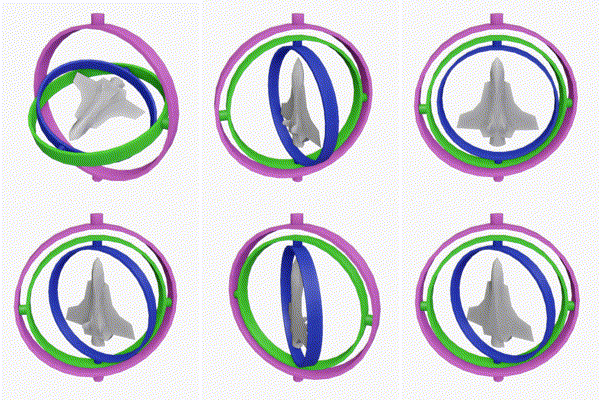
Gimbal lock is the loss of one degree of freedom in a multi-dimensional mechanism at certain alignments of the axes. In a three-dimensional three-gimbal mechanism, gimbal lock occurs when the axes of two of the gimbals are driven into a parallel configuration, "locking" the system into rotation in a degenerate two-dimensional space.
The term can...
verbal dome
(I would probably make a local variable for Fish.transform to make it a bit more readable)
elfin isle
quaternion is like another word for r otation right ?
verbal dome
It's a data type containing a rotation
rocky canyon
its a 4Dimensional Value
elfin isle
verbal dome
(I would probably make a local variable for ``Fish.transform`` to make it a bit ...
so what like uh float new Vector3 = Fish.transform
rich adder
its good way to store rotations mainly to avoid gimbal lock + other reasons big brains know about lol
rocky canyon
transform is a Transform..
rocky canyon
elfin isle
so what like uh float ```new Vector3 = Fish.transform```
Vector3 myPosition = Fish.transform.position;
rich adder
elfin isle
so what like uh float ```new Vector3 = Fish.transform```
Transform myFish = Fish.transform
rocky canyon
Quaternion myRotation = Fish.transform.rotation;
https://en.wikipedia.org/wiki/Quaternion
https://en.wikipedia.org/wiki/Euler_angles
https://en.wikipedia.org/wiki/Conversion_between_quaternions_and_Euler_angles
if u feel like melting ur brain today
rich adder
the great thing about quaternions is you dont have to know HOW they work, just what they're for
elfin isle
does this look better https://paste.mod.gg/rbdkccbdtqwj/0
A tool for sharing your source code with the world!
rich adder
a bit odd naming tbh
Vector3 FISH = Fish.transform.position;
Would be fishPos the fish would be fish.transform
verbal dome
elfin isle
4 people spouting info at me
Yeah that's why I'm kinda stepping back, too many instructions can be overwhelming
elfin isle
it was earlier but im good now
rocky canyon
i just wiki'd and now i'll spectate 🙂
elfin isle
rich adder
a bit odd naming tbh
Vector3 FISH = Fish.transform.position;
Would be `...
i did it cause its funny
idk l mao
rocky canyon
until u ur scrolling to the top every minute or so checking what the difference between Fish, FISH, and Phish are
elfin isle
ykw fair
charred spoke
You think bad naming is funny until you come back to a code base a couple of weeks later and have no idea wtf is going on
rich adder
rocky canyon
until u ur scrolling to the top every minute or so checking what the difference ...
Phish 👅 🔲 👀 🌈
elfin isle
okay i changed it to FishPos
charred spoke
elfin isle
okay i changed it to FishPos
Local scope variables should be fishPos
rocky canyon
🐫
rich adder
yeah very descriptive names can become funny too..
DeleteAllChildren() **enters watchlist **
elfin isle
ykw while im here
rocky canyon
rich adder
yeah very descriptive names can become funny too..
`DeleteAllChildren()` **enter...
when Im searching up how to make bombs and explosives in Google..
elfin isle
stuff gives me warnings sometimes (NOT ERRORS) about something
rocky canyon
include the VERY important: "In Unity" to stay off the watchlist
elfin isle
if(Player.GetComponent<Inventory>().Spear.active == true)
unity doesent like when i use this
why?
rich adder
elfin isle
why?
what does it say
elfin isle


 rich adder
ah yes, use activeSelf
elfin isle
literally .setactive
elfin isle
rich adder
ah yes, use `activeSelf`
whats the difference?
rocky canyon
rich adder
elfin isle
whats the difference?
its the same thing, but this one is newer
probably some extra stuff done internally I have no clue about lol
elfin isle
ah okay
rocky canyon
theres also https://docs.unity3d.com/6000.1/Documentation/ScriptReference/GameObject-activeInHierarchy.html
not sure the difference
elfin isle
tysm guys C: i feel smarter now
rich adder
when you see ⚠️ its just a warning, not gamebreaking / still compiles fine and works but should be addressed at some point
rocky canyon
🗨️ w/e
⚠️ w/e
🛑 hold up..
elfin isle
lmao ye
rocky canyon
rocky canyon
theres also https://docs.unity3d.com/6000.1/Documentation/ScriptReference/GameOb...
okay.. i guess from what i understand
this one must have all the parents active as well
elfin isle
no matter how i change the values the fish just arent moving now
rocky canyon
elfin isle
with all my new code
shoulda took it a step at a time 😅
elfin isle
yeeeaaaahhh
verbal dome
elfin isle
no matter how i change the values the fish just arent moving now
Show the current code?
elfin isle
A tool for sharing your source code with the world!
verbal dome
You need to assign FishPos back to the fish.transform.position
naive pawn
rich adder
yeah very descriptive names can become funny too..
`DeleteAllChildren()` **enter...
CleanUpOrphans()
rich adder
if(transform.parent == null) IAmBatman()
rocky canyon
naive pawn
CleanUpOrphans()
i very well may use this as a function 😄
elfin isle
verbal dome
You need to assign FishPos back to the fish.transform.position
wait am i dumb
did i not do thata l ine 2?
verbal dome
That just creates a new local copy of the position
Changing it doesn't affect the transform.position, you need to assign it back
rich adder
value types are copied, you never change the original
verbal dome
So do fish.transform.positoin = FishPos when you are done
rocky canyon
ur setting ur own variable FishPos to the Fish.transform.position; but u never do anything with it besides ~~read ~~ set it over and over
set it over and over*
verbal dome
rocky canyon
`Vector3 myPosition = Fish.transform.position;`
The local variable was supposed to be for the fish transform
But this will work fine
Just extra confusion
rocky canyon
heck ya 😄
i was just pointing out that Vector3 would come from a position
not a transform
well, not the Transform by itself.. but its .position
elfin isle
https://paste.mod.gg/bubjpyuwsvah/0
like this?
A tool for sharing your source code with the world!
verbal dome
I have a feeling that y + (20f * delta) is incorrect tho
You reset y to iy + sine every frame so adding a delta scaled value to it doesn't make sense. You haven't told us what it's supposed to do
rocky canyon
i see u setting the rotation.. but never the position

Fish.transform.position = FishPos; seems to be missing somewhere.. (if ur trying to move the fish)
elfin isle
okay im getting really confused
elfin isle
rocky canyon
`Fish.transform.position = FishPos;` seems to be missing somewhere.. (if ur tryi...
i set it in the new code i sent
and yeah its still not working
rocky canyon
elfin isle
i set it in the new code i sent
oh mb i see now
was clicking the wrong link
elfin isle
heres the whole thing if interested
A tool for sharing your source code with the world!
rocky canyon
i'd check if ur else statement is ever running then
rich adder
btw when you add Time.deltaTime you might have to crank up some values
rocky canyon

elfin isle
rich adder
btw when you add Time.deltaTime you might have to crank up some values
yeee i did
i multiplied them all by like 20
and then i checked and they arent moving at all
i figured it out
i was being stupid
rich adder
elfin isle
i figured it out
what was it ?
elfin isle
        Vector3 FishPos = Fish.transform.position;
        if(!Copy)
        {
            if(FishPos.x >= 35)
            {
                    Destroy(Fish);
            }
            if(Fish.GetComponent<Fish>().isAlive == true)
            {
                    num += delta;
                    y = iy + (2f * Mathf.Cos(num * 2f));
                    Fish.transform.position = new Vector3(FishPos.x + (4 * delta), y + 0.5f, FishPos.z);
            } else {
                Fish.transform.position = new Vector3(FishPos.x + (0.02f * delta), 0.73f, FishPos.z);
                Fish.transform.rotation = Quaternion.Euler(90f, Fish.transform.eulerAngles.y, Fish.transform.eulerAngles.z);
                Fish.GetComponent<Outline>().OutlineColor = Color.white;
}```i needed to change FishPos to Fish.transform.position when setting the new vector
verbal dome
Doing cs FishPos = ... Fish.transform.position = FishPos;Isn't different from doing cs Fish.transform.position = ...
rich adder
wdym
this is the same thing as this you had
   FishPos = new Vector3(FishPos.x + (0.8f * delta), y + (20f * delta), FishPos.z);
Fish.transform.position = FishPos;```Maybe you just forgot to save before 🤷♂️
verbal dome
Ass jump? Hell yeah
elfin isle
A tool for sharing your source code with the world!
and then this is how i use y
        Vector3 movement = (horizontal + (transform.up * y));
controller.Move(movement * Time.deltaTime);```Idk what you are doing with the fall value but that code also depends on frame rate
elfin isle
yeeee now i need to put delta in there
verbal dome
Maybe just look at a tutorial for character controller jumping and gravity
Because that paste looks pretty bad indeed
elfin isle
okaaayyy
elfin isle
verbal dome
Idk what you are doing with the ``fall`` value but that code also depends on fra...
its so that the y value decreases exponentionally
rich adder
here is how unity does gravity + jump
https://docs.unity3d.com/6000.0/Documentation/ScriptReference/CharacterController.Move.html
they finally fixed it to 1 Move call 🥹
Vector3 finalMove = (move * playerSpeed) + (playerVelocity.y * Vector3.up);
controller.Move(finalMove * Time.deltaTime);
what a time
 copper nymph
hello guys, could anyone help me because i dont know why but my particles stopped showing up

 swift elbow
copper nymph
hello guys, could anyone help me because i dont know why but my particles stoppe...
swift elbow
copper nymph
hello guys, could anyone help me because i dont know why but my particles stoppe...
#✨┃vfx-and-particles is a better place to ask
copper nymph
thank you
frigid sequoia
I am destroying a UI element and I am marking the layout for a rebuild but it just doesn't do it. It does get fixed when I change resolution tho.


What am I doing wrong?
 lusty grail
I can't import any sound, anyone know what is wrong with it?

 pure hollow
Quick question!
Im trying to use logic on this piece of code but I think im forgetting something
What I want to achieve is an object that follows the player with varying speed based on the distance but stops before reaching the player.
Heres the code
Vector2 endPoint = transform.position + (player.transform.position - transform.position).normalized * (Vector2.Distance(player.transform.position, transform.position) - 2);

rb.linearVelocity = Vector2.MoveTowards(transform.position, endPoint, speed * 100 * Time.deltaTime);
What I "THINK" should happen is:
-I get the normalized direction to reach the player
-Then I multiply it by the distance, but since that would just give me the player position I shorten it by 2
-After all that I just use Unity's moveTowards function
verbal dome
lusty grail
I can't import any sound, anyone know what is wrong with it?
This is a code channel. Check the error in the console
lusty grail
verbal dome
This is a code channel. Check the error in the console
"FSBTool ERROR: Encoder for chosen format is not supported on this platform."
verbal dome
Start by googling that
 twin pivot
pure hollow
Quick question!
Im trying to use logic on this piece of code but I think im forg...
twin pivot
pure hollow
Quick question!
Im trying to use logic on this piece of code but I think im forg...
Mind wrapping ur code with a code block
Also what is happening instead
pure hollow
rb.linearVelocity = Vector2.MoveTowards(transform.position, endPoint, speed * 100 * Time.deltaTime);```!code
eternal falconBOT
Posting code
📃 Large Code Blocks
Use links to services like:
https://paste.mod.gg/, https://hastebin.skyra.pw/, https://paste.ofcode.org/, https://paste.myst.rs/, https://scriptbin.xyz/
📃 Inline Code
Surround code with three backquotes. Not quotation marks.
To format as C#, add cs to the first line:
```cs
// Your code here
```
Add a comment with a line number if there is an error message.
pure hollow
ohhh ok
Vector2 endPoint = transform.position + (player.transform.position - transform.position).normalized * (Vector2.Distance(player.transform.position, transform.position) - 2);
rb.linearVelocity = Vector2.MoveTowards(transform.position, endPoint, speed * 100 * Time.deltaTime);
Instead it gets away from the origin point exponentially faster
verbal dome
Might wanna check the doc for how MoveTowards actually works
naive pawn
pure hollow
```c#
Vector2 endPoint = transform.position + (player.transform.position - trans...
so you're using MoveTowards and you feed it 2 positions. you get a position out.
then you assign that to a velocity
verbal dome
Currently you seem to be plugging a position to a velocity
naive pawn
also that endPoint seems a bit... overengineered?
pure hollow
naive pawn
so you're using MoveTowards and you feed it 2 positions. you get a position out....
I did that
naive pawn
yeah do you see the issue with that
twin pivot
A bit unrelated but is that endpoint formula the lerp formula?
naive pawn
doesn't look like it
pure hollow
twin pivot
A bit unrelated but is that endpoint formula the lerp formula?
No just a thing to get a point in the direction of the player
But I understand now, I was just being dumb
naive pawn
pure hollow
```c#
Vector2 endPoint = transform.position + (player.transform.position - trans...
player.transform.position + (player.transform.position - transform.position).ClampMagnitude(2)
```i think this gives you the same result (at least if the distance is > 2)if the distance is < 2, your original code would make the object walk away from the player
this version makes the endpoint the object's current position
verbal dome
I think the endpoint should be something like cs Vector2 directionToPlayer = player.transform.position - transform.position; Vector2 endPoint = player.transform.position - directionToPlayer.normalized * 2;
If you want the endpoint to be 2 units away from the target, while keeping distance
naive pawn
yeah osmal's version keeps the same behavior
different magnitude calculation for the offset
your existing code/osmal's sets the magnitude to 2
mine clamps the magnitude to 2
but overall same idea
verbal dome
Yeah my version keeps the distance, so if it's < 2 units away then it would move away instead of towards the player
lusty grail
verbal dome
Start by googling that
i googled it and i got no results
like, it doesn't tell me how to solve it
mp3,wav, or ogg doesn't work idk why
lusty grail
yeah but i get no response
verbal dome
Then wait, and also share more details like what platform your editor is on and what platform you are building for
 fiery breach
im interpreting lua using moonsharp and trying to make it draw text on the screen. it adds a (string text, Vector2 position) item to a list of them and OnGUI scans through the list and draws each text. BUT if i clear the list at OnGUI, Update or LateUpdate the text simply doesn't draw at all. could someone help me thru this?
was meant to put that in #archived-code-general oops
nvm i got it to work
turns out it only took 5 misspellings of "oops" to fix it
frigid sequoia
Mmmm.... why this error? None of these objects have a RectTransform, they only use a sprite Renderer


I cannot even call that method lol
naive pawn
frigid sequoia
Mmmm.... why this error? None of these objects have a RectTransform, they only u...
you sure it's from that line?
also of course you wouldn't be able to call the method, you wouldn't have anything typed as a RectTransform there
frigid sequoia
Quite literally I am clicking on the debug line link
naive pawn
it's pointing to the transform.parent = ... line?
frigid sequoia
Yes
naive pawn
None of these objects have a RectTransform
validate this assumption then, try logging all the waypoints
just something like Debug.Log($"{waypoint.gameObject.name}: {waypoint.transform}", waypoint.gameObject); in the loop
frigid sequoia
Wait, wtf, THEY ARE. They were normal transforms before, 100% I even took the reference of their possitions to set the default possition
I don't even know how to do that if I wanted to
polar acorn
Did you make them children of a canvas at any point
frigid sequoia
I think I may have added a Canvas to them by mistake at some point
But the rectTransform stayed there even after the removal I suppose
Can I even change a rectTransform for a normal transform?
polar acorn
Remove the RectTransform and it'll revert to a normal transform
frigid sequoia
Oh, wow, surprisingly easy
maiden estuary
Oh by the way, is there anything I should do in VS to make it easier to use or anything? I turned on the error box thing at the bottom last night, and I'm wondering if there's any other like must haves
verbal dome
maiden estuary
Oh by the way, is there anything I should do in VS to make it easier to use or a...
Have you configured it? !vs 👇
!vs
eternal falconBOT
Visual Studio guide
If your IDE is not underlining errors in red or autocompleting code,
please configure it using the link below:
• Visual Studio (Installed via Unity Hub)
• Visual Studio (Installed manually)
 mortal shadow
how do i make it so my script disables the mesh renderer of the object that its on and not the whole object?
teal viper
mortal shadow
how do i make it so my script disables the mesh renderer of the object that its ...
Just disable the mesh renderer. And not the whole gameobject🤷♂️
It's like "how do I eat apple and not orange". Just don't eat orange🤷♂️
mortal shadow
teal viper
Just disable the mesh renderer. And not the whole gameobject🤷♂️
i need the script to disable the mesh renderer after a set amount of time. how do i reference it
teal viper
mortal shadow
i need the script to disable the mesh renderer after a set amount of time. how d...
Well, how would you reference any other component?
 earnest wagon
question. is there a means one can programatically exit a unity game without too much issue?
idea is a 'blank' unity game who's only purpose is to exit itself for benchmarking purposes.
earnest wagon
thank
earnest wagon
slender nymph
<https://docs.unity3d.com/6000.0/Documentation/ScriptReference/Application.Quit....
Assuming I can just plop that into a game object in the default scene?
 tacit torrent
I really wish I could use something like the animation state machines to manage my boss attacks
cosmic dagger
tacit torrent
I really wish I could use something like the animation state machines to manage ...
You can . . .
tacit torrent
how
I couldn't find anything by searching "state machine" on the docs
Only the animation controller
cosmic dagger
A tutorial uses the animation state machines for an actual state machine. Use Google instead of searching the docs . . .
tacit torrent
Okay I'll check that out
cosmic dagger
There are pros and cons to using it. I can't remember (them), but the video should have all the info . . .
tacit torrent
Is it "finite state machines"
verbal dome
If you want to use the animator for a non-animation statemachine, you need to look into StateMachineBehaviours