#🌐┃web
1 messages · Page 11 of 1
 paper minnow
 junior garnet
i got a problem when i upload my webgl game to my server if someone knows why please help 🙂

 austere tiger
junior garnet
i got a problem when i upload my webgl game to my server if someone knows why pl...
austere tiger
junior garnet
i got a problem when i upload my webgl game to my server if someone knows why pl...
it's maybe coz of local host
 arctic rose
You didn't upload all files
 tulip ether
Hi, could someone help?
For some reason in WebGL build my game looks like this

And this is how it looks like in unity

Is there a way to fix it?
 twilit sluice
I am getting these warnings on WebGL, how can I fix these?

for some reason the tabs are also broken on WebGL, despite exactly the same methods being called

 twilit sluice
tulip ether
Is there a way to fix it?
twilit sluice
tulip ether
Is there a way to fix it?
maybe it is due to the configured rendering quality / settings? Look in to Edit > Project settings > Quality and check if there is a setting causing this
Firstly you can try setting webgl and computer quality at the same level
 sweet oriole
twilit sluice
for some reason the tabs are also broken on WebGL, despite exactly the same meth...
sweet oriole
twilit sluice
for some reason the tabs are also broken on WebGL, despite exactly the same meth...
Did you rule out resolution/aspect ratio differences in the editor?
junior garnet
arctic rose
You didn't upload all files
i uload all the files
junior garnet
austere tiger
it's maybe coz of local host
its not localhost
sweet oriole
twilit sluice
I am getting these warnings on WebGL, how can I fix these?
Most of these likely would have to be fixed on the Unity side. One thing that might help is to use the latest version of Unity
tulip ether
twilit sluice
maybe it is due to the configured rendering quality / settings? Look in to Edit ...
I'm using Depth of Field post processing effect and in unity it looks alright, but for some reason in a web gl build it gets too blurry
Is there a particular reason, why the WebGL build is setting the Depth of field so blurry?
twilit sluice
sweet oriole
Did you rule out resolution/aspect ratio differences in the editor?
yeah that is not the issue
twilit sluice
tulip ether
Is there a particular reason, why the WebGL build is setting the Depth of field ...
as I said, it may be a setting in the quality settings
try to set the quality level on webgl the same as the one where it does work
twilit sluice
sweet oriole
Most of these likely would have to be fixed on the Unity side. One thing that mi...
I am using the latest 2019 LTS
tulip ether
twilit sluice
as I said, it may be a setting in the quality settings
Alright, thanks, I will try
twilit sluice
Do you know of a good working script that can allow users on mobile to type in InputFields?
tulip ether
I don't have experience with mobile yet, so sorry can't help with this one


 sweet oriole
Yea mobile browser support has been a focus area in the recent Unity releases.
twilit sluice
sweet oriole
Yea mobile browser support has been a focus area in the recent Unity releases.
oh wow
gonna upgrade I think then
first making a backup ofc, and testing on an empty project
sweet oriole
Not necessarily there yet though, just been improving 😅
twilit sluice

this is outdated then

Should I use the 2022 alpha or the newest release?
wait copy and paste is still not added?
twilit sluice
@sweet oriole do you know about this?
Okay it works for normal InputFields but not for TMP InputFields
    TMP_Text PlaceHolder;
    TMP_Text Text;
    InputField inputField;
    Text[] texts;
    void Start()
    {
        PlaceHolder = GetComponentsInChildren<TMP_Text>()[0];
        Text = GetComponentsInChildren<TMP_Text>()[1];
        inputField = GetComponent<InputField>();
        texts = GetComponentsInChildren<Text>();
        inputField.onValueChanged.AddListener(_ => OnChange());
    }

    void OnChange()
    {
        foreach (var item in texts)
        {
            item.gameObject.SetActive(false);
        }
        Text.text = inputField.text;
        PlaceHolder.text = PlaceHolder.text;
        PlaceHolder.gameObject.SetActive(inputField.text.Length == 0);
    }
I made this script to make a TMP inputField without a InputField component lol
twilit sluice
twilit sluice
Okay it works for normal InputFields but not for TMP InputFields
Apparently it is coming in TMP 3.2.0, where can I download the prerelease?
it does exist


managed to import it, but you can see why they didn't release it
 twilit sluice
Okay after spending way too much time on making an TMP_InputField to InputField converter I discovered that you can't make a expandable InputField with the ContentSizeFitter, which is needed in my game, so I am just going to wait for the release of TMP 3.2.0
 charred briar
Gotta ask but do you even need to use TMP? I feel like 95% of projects using text mesh pro don't actually need it for anything.
And then when people realize it's a bit of a mess, blurry, or misbehaving because it's a hacked together (albeit well hacked together) method of turning fonts to images, it ends up not being needed for what they are doing anyways.
charred briar
tulip ether
Hi, could someone help?
For some reason in WebGL build my game looks like this
That looks like a shader or post processing issue. It's hard to say without knowing more about what you did to make that camera & menu. Off hand I can't think of a reason the UI stack would do that unless it is using text mesh pro or image assets.
 echo fossil
is anyone familiar with the function _glGetTexParameteriv? This function is causing fps spikes for Chrome only for some reason.
 high patrol
Unity has unofficially officially said textmeshpro is the new in place text system for everything. They just wanted to remain backwards compatible for older projects
 fleet ingot
hey, quick question, so I have a WebGL build using photon but it seems when I export it the folder is empty, this is my first time experimenting with WebGL, anything would help

here are my errors
 chilly flame
Hi, everyone
I have an issue in unity webgl and want you to help me. 😢
https://stack-build.netlify.app/
This is the unity webgl game I made.
It's working well in web browser and google phone but not working in sumsong phone.
The environment are not loaded exactly. You can check the site what the issue is.
Please let me know the solution if you know about it

 twilit sluice
charred briar
Gotta ask but do you even need to use TMP? I feel like 95% of projects using te...
twilit sluice
charred briar
Gotta ask but do you even need to use TMP? I feel like 95% of projects using te...
oh heck yeah
my game is very ui based
 lapis heath
Hi so im working on a unity project that is Mobile webgl based (i know its not supported but still do try to help me out), and what we want is that the screen stays portrait. That is done by the web developer and everytime the force rotation takes place, the hitboxes or button raycast colliders are not in sync with their images. Any idea about how to tackle this problem?
chilly flame
lapis heath
Hi so im working on a unity project that is Mobile webgl based (i know its not s...
Can you show me the live server?
lapis heath

In portrait mode the force rotation is done, I'm using leantouch to test and if you hold the button it turns blue, since using css to force rotate messes up the hitboxes your are going to have to touch at a different place to get the results

The hitbox of top right button is at the highlighted area.
But if you go landscape on your mobile everything works great because there is no force rotation being done
twilit sluice
what does this mean?

this one error that is attached
The game still runs fine, how can I disable the error?

 night bay
or how to fix it
night bay
im getting it when trying to launch my build to wbGL. the build loads like 80% then throws this error
high patrol

Unity Forum
Hi, I am porting SkiaSharp project to work in Unity:
https://github.com/dr-vij/SkiaSharpForUnity
There is only Unity WebGL native library yet, and I...
looks like native calls that aren't working possibly, try enabling development build and full stack trace
or reverting to 2020.3
night bay
high patrol
or reverting to 2020.3
i tried that, it created a LOT of dependency issues
night bay
high patrol
looks like native calls that aren't working possibly, try enabling development b...
trying this now tho
high patrol
I've had more success downgrading versions and identifying packages that needed to be downgraded also compared to running newer versions :/
night bay
high patrol
I've had more success downgrading versions and identifying packages that needed ...
this issue i had was one of the assets i used needed Newtonsoft for Json saving, which is included internally on my current unity version, but when i downgraded and downloaded it manually, the asset STILL didnt recognize it so i didnt know what to do
night bay
high patrol
looks like native calls that aren't working possibly, try enabling development b...
ok, ive build and run with development enabled and full stack trace enabled, now what?
night bay
night bay
when trying to build, i get this error:
has anyone else gotten this error? I had one friend who said he got it and fixed it by Changing enable exceptions to Full Without Stacktrace. This unfortunatly did not work for me
 astral wave
Anyone have suggestions for webGL optimisations? What would you asume is the lowers device specs requerements for running webgl simple game?
astral wave
aka anyone is willing to share build settings, player settings and stuff like that?
high patrol
night bay
this issue i had was one of the assets i used needed Newtonsoft for Json saving,...
If this is that issue with newtonsoft being included manually--you have to basically delete your version of newtonsoft and use Unity's version since it's included now with unity
night bay
i desperatly need help to fix this issue. ive got a game jam due by midnight and i cant submit it!

 devout warren
This was a fun tutorial to recreate https://www.echo3d.co/post/create-an-endless-scroller-game-with-unity-webgl-and-play-in-desktop-browser

echo3D
Depending on your project size and platform, it can be challenging to update all your assets smoothly! echo3D has made it easy to do this by simply using an API key. Assets are stored on the echo3D cloud and called at runtime so your experience runs smoothly and faster, every time and everywhere.
In this tutorial, you will add the background dur...
night bay
my builds canvas is bigger than it is in the editor, even though i have the canvas set to scale with screen size
 wild snow
how do i optimize for webgl? i get 300+ fps in the editor, but in the webgl build i barely hit 15 fps
charred briar
Smaller scenes, better ram management, better assets intended for web, proper audio and video formats, etc.etc.etc.
Start with the profiler and work your way up. And look up the unity manual page on WebGL optimizations
For example, garbage collection works very differently


 pastel juniper
How would I go about loading new assets into the currently loaded scene in webgl?
Say I want to dynamically load something based on a user choice?
or from URL encoded data that then pulls in an asset from another file? - So that the initial load is quick
astral wave
charred briar
Smaller scenes, better ram management, better assets intended for web, proper au...
if only the profiler would work in newer versions of unity for webGl :DDDDDD
astral wave
 dusty moon
more often console logs gives more data than this error. but I see you solved your problem
astral wave
pastel juniper
How would I go about loading new assets into the currently loaded scene in webgl...
Addresables makes it quite easy. You can use load remote assets and do it from remote URL, or ftp server or what ever.
dusty moon
astral wave
more often console logs gives more data than this error. but I see you solved yo...
Wait
Does it work now?
I didn't change it
astral wave
well I started the game on my pc so I assume it works O.o
train killed me and I stoped 😄
astral wave
let me look
dusty moon
Thx
astral wave
In editor it works? no red errors? as in editor red errors dont crash game, but in webgl it does. You could also build developer build with deep profiling option on. that will help you to see exact script which cuases the problem
 brittle gate
Hello
I cannot get "Gzip" compression to work
It gives a javascript console error when loading the game
"Unexpected token"
But im sending the header of encoding correctly idk whats happening
astral wave
did you setup your server to allow Gzip?
 tiny ridge
Hi, when I try to export my game as WebGL it freezes up on Incremental Player Build, I found a forum post about it but there was no answer? I posted in code channels but didn't realise that this channel existed
 crisp ether
Hello, Im trying to build my game in webgl, when I build and run that time works but when I use the archive it says "Unable to parse Build/webGL.framework.js.br"
twilit sluice
I am getting this error when running my WebGL game on a Google Sites site, but the game runs fine. Is there a way to fix this error, or to disable it from appearing?
this is the log

 queen marsh
I published a webgl project on github but some of the assets are not spawning. Does anyone know why that could be happening?
pastel juniper
astral wave
Addresables makes it quite easy. You can use load remote assets and do it from ...
Thanks @astral wave I'll take a look at Addressables - on a scale of 1 - 10 how hard are they to implement?
 astral wave
pastel juniper
Thanks <@821626071853694987> I'll take a look at Addressables - on a scale of 1 ...
astral wave
pastel juniper
Thanks <@821626071853694987> I'll take a look at Addressables - on a scale of 1 ...
Base implementation 3.
Full Implementation 10.
I believe basic implementation you can complete in like 8 hours, with reading everything, watching tutorials and creating base plan. And after that you can handle 70% of your stuff. That is quite simple, but last 30% will be hard.
astral wave
 somber bramble
Well it is stated very clearly, that your build is compressed, but your server settings is incorrect. To solve that you have two options:
- Correct one - setup your server to support type of compression you are using.
- Temporary: disable compression. To do so you go to Build options -> player Options -> Publishing settings-> compression:
 astral wave
I would assume this should be on high priority, but this issue is active for over than 3 months now. There were multiple Unity releases, yet this is not even in Known bug list. I am posting it here because this needs to have more attention.
How to reproduce: 1. Open the attached project 2. Open Test Runner window 3. Run Playmode tests on WebGL Expected result: No issues ...
somber bramble
@astral wave thanks yeah u solve that by changing the compression
pastel juniper
astral wave
Base implementation 3.
Full Implementation 10.
I believe basic implementation y...
Joy 😄
sweet oriole
astral wave
https://issuetracker.unity3d.com/issues/webgl-the-message-header-is-corrupted-an...
sweet oriole
astral wave
Base implementation 3.
Full Implementation 10.
I believe basic implementation y...
I don't think the basic implementation has to take very long at all, considering that a lot of games get most of the benefit just by separating gameplay scenes from the build, which would leave just the main menu screen for the initial build download.
 eternal lichen
hey so...what does it mean when your game runs fine in the editor but one gameobject just Does Not Spawn after compiling to webgl??
this is baffling me because i've compiled older versions of this game to webgl before and it seemed to work fine??
eternal lichen
wait. i made it with an older version of unity. and idk if that would have updated the version of burst in the project when i converted it to the 2021 LTS
would the webgl compiler need to be updated as well??
eternal lichen
okay, i updated burst but that didn't fix anything. i have NO idea what might be causing this
astral wave
eternal lichen
okay, i updated burst but that didn't fix anything. i have NO idea what might be...
Order of scripts might be different. If spawning requires some data which dont exist yet, that might be your problem.
astral wave
sweet oriole
I don't think the basic implementation has to take very long at all, considering...
Maybe I was just slow with reading Documentation, but your point is totally correct. That alone made WebGL build work on phones as well 😄
eternal lichen
astral wave
Order of scripts might be different. If spawning requires some data which dont e...
How would I be able to check? Like I said, it works perfectly in the editor. Is there a way to like...debug the compiled version as it runs at all?
astral wave
eternal lichen
How would I be able to check? Like I said, it works perfectly in the editor. Is ...
Well, if you would run 2019, when you build your webgl you can chose developer version and autoconnect to profiler options, then you can see all logs and use profiler on WebGL build. But now there is a bug of unity which dont let us use that feature at all. So you are left with writing a lot of Debug.Log("1 2 3 ") in your code and check broweser console for logs so you could see better. just build Developer build, so you might see more specific errors code if there are any
eternal lichen
ahhh, gotcha
eternal lichen
welp. turns out the gameobject that wasn't spawning had the EditorOnly tag.
i did not GIVE it that tag but. that would do it
astral wave
eternal lichen
welp. turns out the gameobject that wasn't spawning *had the EditorOnly tag*.
Glad to hear that was solved out 🙂 happens to the best
 wraith ibex
Anyone know how Unity attain portable graphics?
Do they have their own internal graphics api which target multiple backends?
 tall blaze
Hello, I'm in the process of making a game for WebXR/WebGL that supports AR, and uses Face-Tracking. Could someone please help direct me to where I can find any good free/low-cost tutorials or tools that I can use to do face-tracking in Unity for WebGL? Every tool I've looked up has a high subscription fee.
 plain egret
I need help because every time I try to do a webgl build it just stops and nothing happens
<@&502880774467354641> please help ^^^^^^
 frank lynx
@plain egret Don't ping people or user groups into your questions. Nobody is here to serve you personally.
You're free to ask a question, and if anyone feels like they can help, they will.
plain egret
frank lynx
<@912930209911701504> Don't ping people or user groups into your questions. Nob...
oops
 queen marsh
I published a webgl project on github but some of the assets are not showing up. Does anyone know why that could be happening?
sweet oriole
 flint carbon
What are you doing in the project? Anything interesting with JS libs?
sweet oriole
 gray nacelle
Hello is there a way to do testing other than using itch.io i there another ser...
gray nacelle
Hello is there a way to do testing other than using itch.io i there another ser...
Netlify and many others host your site for free.
gray nacelle
sweet oriole
Netlify and many others host your site for free.
thanks this is for testing right ?thanks i will try it
sweet oriole
gray nacelle
thanks this is for testing right ?thanks i will try it
What makes something a testing solution to you?
gray nacelle
sweet oriole
What makes something a testing solution to you?
i have a matchmaking webgl game that i want to try with different users before i put it out into the world like a stress test
 dull quest
does anyone succeed to play videoplayer inside the game ?
 cloud ermine
dull quest
does anyone succeed to play videoplayer inside the game ?
cloud ermine
dull quest
does anyone succeed to play videoplayer inside the game ?
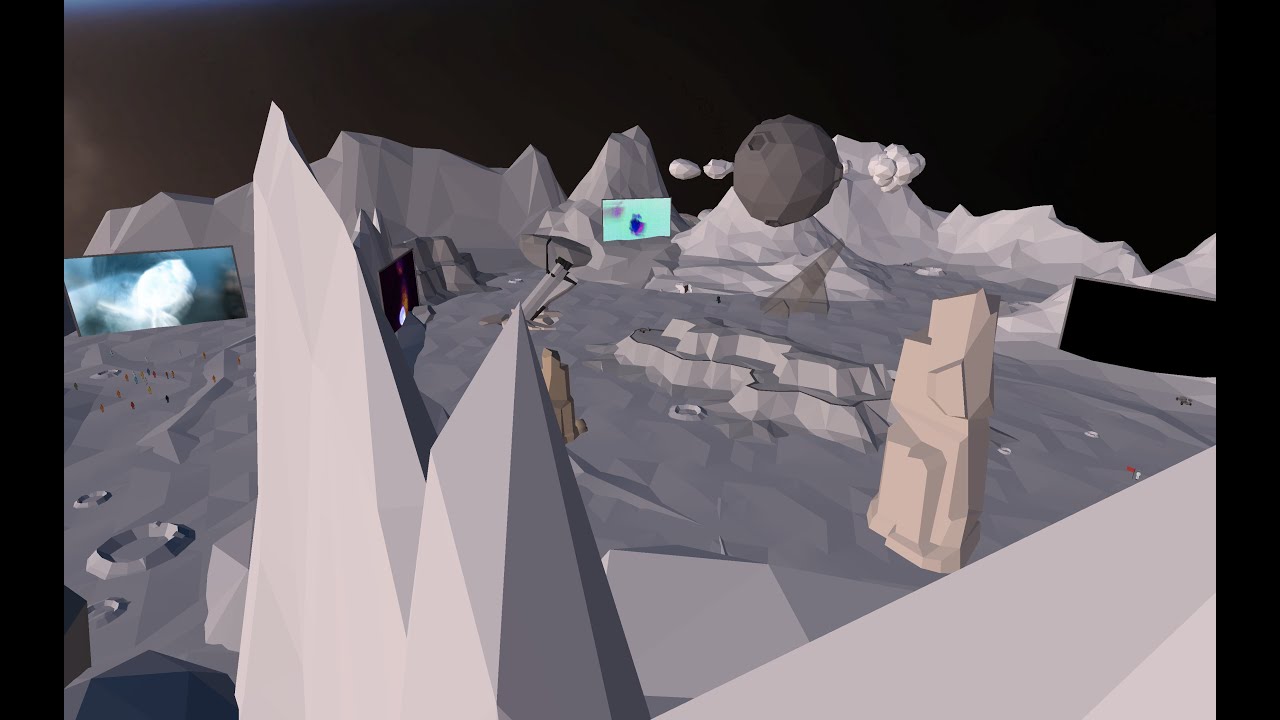
Whilst building such a large scale environment like Lunar we knew we was going to come across some hurdles. What we wasn’t expecting was @unitytechnologies not supporting video in any shape or form. After months of research and testing; watch to see how we managed to work around the system.
In collaboration with @slogfilms & @callum_pearsonn (...
doesn't make any sense
 orchid bridge
cloud ermine
https://www.youtube.com/watch?v=yP6MXquvVTo
orchid bridge
cloud ermine
https://www.youtube.com/watch?v=yP6MXquvVTo
HAHAHAH

 silk brook
orchid bridge
silk brook
orchid bridge
try 2021.3.01f
charred briar
dull quest
does anyone succeed to play videoplayer inside the game ?
Yes, we have no issues running videos in our WebGL content using Unitys built in video player. You just need to make sure it has access to the files.
We have 30 or so WebGL experiences with videos all working fine. Odd that others have such issues.
charred briar
gray nacelle
i have a matchmaking webgl game that i want to try with different users before i...
Getting a website for cheap from somewhere like StableHost can be done for 30/year with unlimited domains (watch for yearly deals). Letting you host your official website and sub test sites very easily. I'd recommend getting it on your own platform for testing and playing
cloud ermine
charred briar
Yes, we have no issues running videos in our WebGL content using Unitys built in...
one second, are you using 3rd party asset for the media player ?
or you using 2dsprites multiple frames just like the youtube video
charred briar
cloud ermine
one second, are you using 3rd party asset for the media player ?
No just regular old built in video player
cloud ermine
it's quiet odd here, since the videoplayers runs good on the editor
but won't shows up once I did the webgl build, it's just dark
I do both method url and directory path
charred briar
It's an access issue. Do a test build with the URL to the video file hard coded and outside of your project on your website. It should work AOK
It's just a path and access issue.
I.e. set it to a URL and use http://. From there you can do tests with http:// and file://. I remember it needed special attention
cloud ermine
charred briar
It's an access issue. Do a test build with the URL to the video file hard coded...
yeah this link is a public access https://i.gyazo.com/a640a8728b63fc7930f6e9d87e0c11dc.mp4
and I add it directly to my video player URL
works good on editor
cloud ermine
but not on webgl build
charred briar
cloud ermine
but not on webgl build
That is odd - we haven't had any issue with our builds. And we are just using the regular video player and WebGL, using 2017, 2018, 2019 and 2020. We aren't doing anything special with the video files, just grabbing a public reference from the current browser URL with a relational path to the video MP4.
If I remember I'll double check how we are grabbing the path, but I don't remember doing a trying complex or abnormal with it.
cloud ermine
charred briar
That is odd - we haven't had any issue with our builds. And we are just using t...
hmm ... I'm with 2021.3.0f1
this is on editor
but when I went to webgl build it's just blank black
do I need to hardcode this ?
 charred briar
cloud ermine
do I need to hardcode this ?
charred briar
cloud ermine
do I need to hardcode this ?
It may be because all the videos are on our same URL as our simulations
 jade valve
greetings. I'm using the same template I've used on a previous project, but in my new project, I get horizontal and vertical scrollbars. How can I disable scrollbars
charred briar
It looks like we are using file:///, with http:// as a fall back. But using be same code on desktop, VR, mobile and web. With the web one loading videos fine. So maybe is just because we are on the same server
cloud ermine
charred briar
It looks like we are using file:///, with http:// as a fall back. But using be ...
file:/// or file:// ?
charred briar
cloud ermine
file:/// or file:// ?
Three /'s :)
It's needed to specify the base of the URL, otherwise it'll be relative
cloud ermine
charred briar
Three /'s :)
HOOLY GHOOOST !!!!!
 THAANKS LLOYD
I thought it's a myth T_T
do you accept KoFi ? ☕
since now it's looping, I probably need for it to be able to reset without players
go out of map and back enter current map to reset the video players
*currently I do play by collision trigger, but once it's stopped (without looping)
video refuse to play again
charred briar
cloud ermine
video refuse to play again
I'm glad it now starts and runs! Not sure on the refusing to play a second time :(
cloud ermine
charred briar
I'm glad it now starts and runs! Not sure on the refusing to play a second time ...
thanks again LLOYD, I really appreciate it
owe you favor 
 wind kestrel
I dont know if this is the correct place for this, but I'm pulling a BSOD every time I do a WebGL build. I've checked all of my hardware, ran memtest and everything. Tried to move the build to a different SSD, etc. I'm stumped. I can't see anything about my game that would be causing this. It's only a 5 scene game, fairly small scale.
wind kestrel
More info: The build throws zero errors, runs completely perfectly in editor
astral wave
wind kestrel
More info: The build throws zero errors, runs completely perfectly in editor
Are you using Nvidia or AMD video card? Try installing Creator Drivers. Solved some problems with building for me.
Also while building Check CPU and GPU temperatures, maybe problem is it overheats and boom.
Try removing one stick of RAM. Check if that still happens.
wind kestrel
astral wave
Are you using Nvidia or AMD video card? Try installing Creator Drivers. Solved s...
Memtest came back completely fine, GPU/CPU temps are normal.
Fixed by reinstalling UnityHub/2021 Unity 3D and rebuilding. Unity called for Node.js through my firewall at the end of upload. I think the culprit was that node.js call not happening correctly on the previous install
So basically it was fixed by magic
astral wave
wind kestrel
Memtest came back completely fine, GPU/CPU temps are normal.
Fixed by reinstall...
Hey, at least it got fixed ^^
wind kestrel
Well now I'm having a new issue. The WebGL link to unity website displays at 90% loaded
I'm actually wondering if too many boxcolliders is the culprit, but now Unity is telling me it sees a memory leak
But now it seems almost like the unity website itself is kind of slow right now?
astral wave
wind kestrel
But now it seems almost like the unity website itself is kind of slow right now?
Idk, my webgl so fucked up I cannot even use Unity cloud services or anything with it 😄 sorry
wind kestrel
oof
astral wave
was that your weirdest story with webgl until now?
 sage tinsel
is this the right channel to talk about using the profiler for the WebGL platform?
astral wave
it does not work on any newer versions of unity.
it was decribed as low level pain to the user and doesnt seems to be fixed anytime soon.
sage tinsel
the profiler doesn't work in newer versions of unity on webgl?
astral wave
Yes
astral wave
2021.3
2022.1
2022.2
2022.2.0a1
well last one i know it works was 2019. but if it works for you lucky. what is the question?
sage tinsel
i'm not sure if this graph is telling me something

on newer macbooks (2020 versions and up), the webgl version runs pretty badly
on normal desktops/laptops, even macbook pros, it runs alright (not perfect)
so i don't know how to trace the issue
wind kestrel
astral wave
was that your weirdest story with webgl until now?
Yes
But I've also only been using unity for a week or two, and this is my first runin with WebGL
astral wave
sage tinsel
so i don't know how to trace the issue
is it different on Windows? chrome or safari? is webgl2.0 is enabled ?
astral wave
wind kestrel
But I've also only been using unity for a week or two, and this is my first runi...
and i hope last one
wind kestrel
After I run through the tutorials and some personal meme projects to show my friends, I don't see myself using it a lot but
Hopefully I'm not horribly wrong
sage tinsel
astral wave
is it different on Windows? chrome or safari? is webgl2.0 is enabled ?
uh... webgl 2.0, i don't know about that
i couldn't reproduce it on my macbook pro 2019, sure it was not 60fps but it was at least 30fps
astral wave
new Safari should have turned that on, but if safari is older version you need to enable it on development console.
sage tinsel
on windows and other platforms it's fine, even on android
sage tinsel
it seems that way, and from what i've seen the lag occurs when there are many colliders around
based on what i've seen, it's 60fps in one spot then when you move up it drops to 1-5fps
on new macs
sweet oriole
That's a decent amount of allocation. Garbage collection perhaps?
sage tinsel
it was happening on the first actual gameplay scene in the game

i'm not really sure if garbage collection could be the cause
sweet oriole
Well actually not sure if GC would spike like that on browsers, since it's pretty continuous
sage tinsel
to me it looks like a physics issue because in the first gameplay scene, in the first map, there are many 2d colliders around that act as triggers
it's possible that the new apple cpus don't like these collider triggers very much
because it was pretty playable on a mbp 2019, which has an intel cpu
sweet oriole
Show the expanded hierarchy of those spikes
sage tinsel

i don't have the profiler on anymore, but this is a screenshot i took of one of the spikes
if it's something of interest i can try to recompile the dev build and attach the profiler again
but it'll take a while
 static laurel
Is there a way to reliably figure out why I'm getting a memory access out of bounds and DivideByZero error in my prod webgl builds?
astral wave
static laurel
Is there a way to reliably figure out why I'm getting a memory access out of bou...
Build as developer build with stacktrace, see what script brakes your game. if it is not script fault, Build on windows and check how much RAM does it use. use Memory profiler to optimize there and then build again. Use addressables and etc.
static laurel
astral wave
Build as developer build with stacktrace, see what script brakes your game. if i...
would deep profiling help here?
I think a script has a memory leak or is consumign too much memory
By the way, what does "memory access out of bounds" mean?
Is it something like an IndexOutOfBounds exception in array? Or something to do with Unity's heap?
astral wave
My guess is you either run out of memory, or trying to access emmory that does not exist, like Dictionary element which doest exists..
static laurel
 astral wave
 static laurel
"Full without stacktrace" catches out of bounds..interesting
Maybe I have Full without stacktrace enabled for now, at least prod should calm down a bit? While I figure out how to create dev builds w/ profiler
astral wave
just go full error logs and you will see what makes it. if there will be no script error, then just download memory profiler and check your scripts 😄
static laurel
astral wave
just go full error logs and you will see what makes it. if there will be no scri...
The thing is, with full error logs, the error doesn't come. Not able to replicate it
Looks like "Full without stacktrace" and "Full with stacktrace" suppresses the memory out of bounds error
astral wave
if you using higher version than unity 2020, profiler is not working currently
static laurel
(As described by the description above)
static laurel
astral wave
if you using higher version than unity 2020, profiler is not working currently
we are on 2020
astral wave
lucky
static laurel
static laurel
The thing is, with full error logs, the error doesn't come. Not able to replicat...
. this is important info
so it's actually impossible to replicate with "full with x" enabled
so maybne for prod builds I will keep "full without stacktrace" enabled
queen marsh
I have a problem with webgl in which some of the assets that I have are not appearing. Does anyone know why that is happening?
astral wave
I would suggest update your Unity and Resave shaders. There were a problem that webgl will not render objects if they have recieve shadows on, but it was fixed while ago.
astral wave
static laurel
. this is important info
it will increase build size and reduce performance quite heavily. But I guess it is better than not working at all
 coarse bane
hmmm it was all fine until I try to build it for webgl. How do I start solving this?
 sweet oriole
coarse bane
hmmm it was all fine until I try to build it for webgl. How do I start solving t...
sweet oriole
coarse bane
hmmm it was all fine until I try to build it for webgl. How do I start solving t...
What is going on in your scene? What are you doing with skinned meshes?
coarse bane
there is one player character and thats it
high patrol
if that's taking 99ms per frame it's probably not very pleasant to play
coarse bane
no
when I build it normally for non webgl this takes like 1/50 of what it takes here
high patrol
do you know the differences between a desktop build and a webgl build?
coarse bane
nope, first time
sweet oriole
Can you show it?
coarse bane
I can't really show the model but yes it have a pretty high poly count
and then it is just being animated with mixamo
sweet oriole
Sculpted mesh perhaps? Probably need to optimize it.
coarse bane
hmmm yeah I think I'll start doing that. never needed to until now.
thanks.
hmmm in the webgl-performance documentation it says "For best performance, set the optimization level to Faster in the Build Player window" I can't seem to find this
high patrol
those boxes change with newer versions and they forget to update the docs
the functionality might be there still, or baked in as a default
might google your version of unity + webgl + optimization level faster
coarse bane
strange, I am using 2020.3 and the doc says the same thing
astral wave
1/50 is still quite alot 😄 have in mind that WebGL have only one thread..... Try building and runnign with different character and maybe check if that causes the main problem.
orchid bridge
guys, i have a website and i wanna make a page in my website for my game, but how to i publish my game to my website page ?
all the tutorials i found online teach u how yo publish it on itch.io or some other websites
 full stone
export to webgl, then i think it's pretty much drag and drop depending on your webhost, except you'd probably want to rename 'index' to something else
speaking of itch.io, does itch actually use the 'index.html' file? I'm thinking of using some javascript in the 'index.html' file to connect to Firebase, but I don't have any of that ready to test, so i figured I'd ask ahead of time if that'd work
sweet oriole
full stone
speaking of itch.io, does itch actually use the 'index.html' file? I'm thinking ...
I would imagine the index.html is iframed.
 round elk
Trying to launch a game on WebGL, but i get this error that i have no idea what it is. Does anyone know?
 round elk
it actually loads up now. But input is not being recognized at all
high patrol
cross compilation makes helping people with scripting issues a lot harder. Combine that with some features just not being supported and it's hard to narrow down
round elk
I would much rather not do this, But i have to
 proper ravine
I'm having trouble uploading my game to itch.io; I'm pretty much a beginner and its one of my first few games and I wanted to play test on there. Its been stuck like this for about a hour. All my sprites are set to 256 which is what the unity forum suggested but still isn't working. Can anyone help?
 queen marsh
I have a problem with webgl in which some of the assets that I have are not appe...
queen marsh
queen marsh
I have a problem with webgl in which some of the assets that I have are not appe...
I updated my game but the assets are still not showing up
sweet oriole
proper ravine
I'm having trouble uploading my game to itch.io; I'm pretty much a beginner and ...
Check browser console for details
round elk
proper ravine
I'm having trouble uploading my game to itch.io; I'm pretty much a beginner and ...
Go into your player settings. go to publishing and tick fallback compiler or whatever its called. its the last tickbox in the publishing section. build and try again
orchid bridge
can anyone help me figure out how to make it full screen and keep ratio of 16:9?
 cloud ermine
orchid bridge
can anyone help me figure out how to make it full screen and keep ratio of 16:9?
cloud ermine
orchid bridge
can anyone help me figure out how to make it full screen and keep ratio of 16:9?
I believe there's some add on to do so on asset store
round elk
Anyone had experience with webgl builds not registering ANY ui input at all? i cannot hover or click on buttons ects.
I noticed that my custom cursor icon was visable for a very brief time. But then after that it goes to a default cursor.
 languid quartz
round elk
Anyone had experience with webgl builds not registering ANY ui input at all? i c...
languid quartz
round elk
Anyone had experience with webgl builds not registering ANY ui input at all? i c...
Do you have an EventSystem component in your scene?
round elk
I solved it after many days
Webgl cannot do additive scenes
Well, it can. but the UI has to be on the Active scene, for it to register ui events
languid quartz
Chancing my arm here with a very specific issue but does anyone have any experience using AWS .NET SDK with WebGL as a target platform? We have a issue being tracked at the moment but would appreciate any input!
https://github.com/aws/aws-sdk-net/issues/2028
The specific issue we're concerned about is this exception:
NotSupportedException: C:/Program Files/Unity/Hub/Editor/2021.2.12f1/Editor/Data/il2cpp/libil2cpp/icalls/mscorlib/System.Runtime.InteropServices/RuntimeInformation.cpp(34) : Unsupported internal call for IL2CPP:RuntimeInformation::GetRuntimeArchitecture - "This icall is not supported by il2cpp on this architecture."
Cheers!
languid quartz
round elk
Well, it can. but the UI has to be on the `Active` scene, for it to register ui ...
Are you using Asynchronous loading of scenes?
languid quartz
round elk
Async doesnt work on webgl anyway im pretty sure
Ah ok, WebGL is a fickle beast unfortunately 😦
round elk
yep. doesnt allow Microphone System.Net.Sockets jobs threading ect ect
languid quartz
round elk
yep. doesnt allow `Microphone` `System.Net.Sockets` `jobs` `threading` ect ect
Have you seen this? https://github.com/tgraupmann/UnityWebGLMicrophone

GitHub
WebGL Microphone module for Unity. Contribute to tgraupmann/UnityWebGLMicrophone development by creating an account on GitHub.
sweet oriole
round elk
yep. doesnt allow `Microphone` `System.Net.Sockets` `jobs` `threading` ect ect
I believe it does have Jobs, they just run on the same thread.
Unity's AsyncOperations do work on WebGL. Async technically does too, but it can be a bit difficult to use without accidentally relying on the Threading API.
 wide laurel
hi, I've never done a project for the web before, and I'm looking for a template that I can start with
the app is an interactive map
I've just never done it and I don't know how it's different from developing and deploying an application in windows
so if you've got any suggestions on that...
high patrol
Yeah UniTask is helpful as a stand in for jobs
 gaunt hatch
Hey people,
i have a webgl project that was working fine, but after importing the package chainsafe/web3unity i get this error
argument Exception: targetGroup must be valid
im building just using the ctrl+b hotkey.
also ive been adding some assembly definitions, anyone has any idea?

if i build for linux it builds just fine.
unity2021.3.4f1
hmm, switching from desk linux to webgl and it recomplied that package into webassembly. not the build works fine. 🥳 thanks.
astral wave
round elk
I solved it after many days
It can have additive scenes.
astral wave
round elk
Async doesnt work on webgl anyway im pretty sure
asycn works on webgl. Not that well, and doesnt improve performance, but code it self does work.
orchid bridge
I want to deploy webGL to dreamhost, who know well about dreamhost node.js deployment?
static laurel
"An abnormal situation has occurred: The playerLoop internal function has been called recursively. Please contact Customer Support with a sample project so that we can reproduce the problem and troubleshoot it"

Can somebody tell me how in the world am I supposed to start debugging this? This is a Development build so I expect some trace of where I can start to debug?
high patrol
to deploy to dreamhost, basically just need a file server host running nodejs, then have your domain provider point the domain name to that server
static laurel
What?
 brittle rapids
Hello, I'm having trouble with a webgl inputfield for mobile. I used https://github.com/kou-yeung/WebGLInput/ it works fine, but when i move to the next scene, it selects my whole scene making my touch control non-functional

GitHub
IME for Unity WebGL. Contribute to kou-yeung/WebGLInput development by creating an account on GitHub.
you can test the game here, https://jackonius.itch.io/cubethorn

if anyone can help, that would be amazing. long shot
 glacial fern
ay, I reached place number 1!
brittle rapids
glacial fern
ay, I reached place number 1!
Oh you are Bunny! Good job! You are 2 more levels away from completing all levels.
Thanks for playing. Leave a comment on the page if you can.
 stuck dirge
Hello, I have so many problems with uploading the projects build. Keep running into these issue, deleted the folders, uninstalled and reinstalled unity hub. What can I do? Solved!

The build works, it's just this issue
silk brook
round elk
Anyone had experience with webgl builds not registering ANY ui input at all? i c...
regular button works fine
but yeah I'm struggling to use 3d object for a custom button to awake some module
using events on click
 lucid frost
Hi everyone, im trying to do a inital setup for a project that will be using webgl and i want to know if it should count on Unity WebGL to make a stable mobile supported experience.
It will be a simple 360 Video player on a sphere with some UI on top with simple interactions
I have been having "out of memory" bullshit hapenning randomly
Even on like a minimal scene with just a single Canvas with one button
On desktop i have no issues btw
silk brook
try latest version bro it handles better, plus you might try Memory Profiler
to see what files might be the burden
sweet oriole
lucid frost
It will be a simple 360 Video player on a sphere with some UI on top with simple...
Probably for the best to just use something more web native or otherwise leaner solution for something that simple.
PlayCanvas seems to have a pretty ergonomic workflow if you want something similar to Unity.
 dusky lichen
Hello guys, I have questions you might be able to answer, (also, I'm new to the 3D world so, I'm sorry if I don't use the proper terms)
I need a WebAR where I could change the "avatar" assets that I put on top of a skeleton on runtime. Is that possible?
frank lynx
@orchid bridge There's no recruitment here. You can use the forums, #📖┃code-of-conduct.
orchid bridge
ok thanks
is there an sdk platform that works with unity made for solana?
a platform similar to moralis but made for solana to make a unity opengl game
 obtuse crag
 static laurel
Module["canvas"] must have a CSS ID associated with it!
Anyone seen this in WebGL?
 nova pine
How do i listen for MetaMask account and network changes in my .jslib?
      window.location.reload();
})```not working
Assets\Plugins\Web3JS.jslib": SyntaxError: Unexpected token '.',
UnityEditor.BuildPlayerWindow:BuildPlayerAndRun ()
high patrol
.on looks similar to signalR
dull quest
ok so, what is the best version for webgl ?
charred briar
Phaser or BabylonJS
In seriousness the latest 2020 LTS, 2022 LTS, have quite a few bugs. But you need to stay close to up to date for WebGL stability.
astral wave
brittle rapids
Hello, I'm having trouble with a webgl inputfield for mobile. I used https://gi...
Why not use new input system>? I feel it quite work well on webgl. Also you can downlaod 3rdperson controller from asset store to get fullt functioning joystic with buttons on mobile.
brittle rapids
astral wave
Why not use new input system>? I feel it quite work well on webgl. Also you can ...
Hi thanks for reply. Ok good idea. I might try to find another third party code for input.
For the text
astral wave
brittle rapids
Hi thanks for reply. Ok good idea. I might try to find another third party code ...
my aoffer is not 3rd party tho. they are both made by Unity 😄
https://docs.unity3d.com/Packages/com.unity.inputsystem@1.4/manual/QuickStartGuide.html

Get the Starter Assets - Third Person Character Controller package from Unity Technologies and speed up your game development process. Find this & other Essentials options on the Unity Asset Store.
For text input I am using the same as you..... there are not a lot of options
so you can use one for just input, and another for player contols
brittle rapids
astral wave
For text input I am using the same as you..... there are not a lot of options
If I don’t type in the text field my game doesn’t have issue. When I do, it does. (Only on mobile)
It does the selection across the whole screen which makes all touch input void
astral wave
In your place I would use webglInput only on inputfields fields (dont make them on all canvas or that might block your actual input.) Then use Unity new input system for all controls. Make sure to disable controller while you typing, that can be achieved with this (https://docs.unity3d.com/ScriptReference/WebGLInput-captureAllKeyboardInput.html)

also webgl have very poor implementation if you have any popups or modals, which makes you lose focus on your game, be careful with that, as you will notice your inputs getting "locked"
brittle rapids
Hmm
I’m not sure if that’s the issue. Because the webgl input is on the starting scene. Then the issue is on the second scene where the game starts. The text field is destroyed when next scene
I can show you a video
brittle rapids
astral wave
In your place I would use webglInput only on inputfields fields (dont make them ...
astral wave
brittle rapids
I’m not sure if that’s the issue. Because the webgl input is on the starting sce...
isn't it that your game loses focus? and touch just dont register it again?
brittle rapids
astral wave
isn't it that your game loses focus? and touch just dont register it again?
Sort of. You see it becomes blue, it makes a selection across the whole screen.
astral wave
I assume your webglinput script is just on Input field, not on canvas right?
brittle rapids
The second time i do not use the text field and it’s fine
brittle rapids
astral wave
I assume your webglinput script is just on Input field, not on canvas right?
Yea I think so
astral wave
and it is only on mobile? I still think the problem is something with Focus. Because it getting blue is same as you would select HTML instead of actually be in game

even on windows you can see text selection possible on your html
brittle rapids
Yea only on mobile it has that issue. On iPad it even works fine. Also on mobile there’s no music. Do you know how to fix
brittle rapids
astral wave
and it is only on mobile? I still think the problem is something with Focus. Bec...
.
astral wave
brittle rapids
Yea only on mobile it has that issue. On iPad it even works fine. Also on mobi...
sorry have no idea about audio
charred briar
Audio won't always play automatically, depends on the platform and browser, and most likely won't play sound until you press the screen. If it isn't making sound at that point, you'll need to look at logs and see if there is an error.
brittle rapids
charred briar
Audio won't always play automatically, depends on the platform and browser, and ...
Using iPhone and safari. No issues on iPad.
No errors in log
Or how do I see log on iPhone safari?
 ashen glen
Hey everyone, so I am running into a problem when trying to export my game to Itch.io using WebGL. So I have these painting Gameobjects with sprite renderers on the front of them, that are just some simple little pixel art. The sprite renderers work completely fine in the Unity Editor and in my game scene, but for some reason, in my credit scene in the WebGL export, They are showing up as a white box or nothing at all (I'm not really sure because behind the sprite renderer is a white canvas anyway.) Does anyone know why this could be happening? (The first two photos are from the WebGl version, the other two are from the editor, all the white boxes lined up are the credits and the single painting is the game scene.)


https://tuckbuckk.itch.io/paintings-please Also here is a link to the game, if you would like to see the credits, go to level 4 and continuously press the green button until you go there

itch.io
A Papers, Please like game with paintings instead! Made for BrackeysGameJam2022.1
I really need the help 🙏
 topaz seal
how to allocate memory in unity?
 pastel ginkgo
@orchid bridge
 summer drum
Has anyone here ever figured out how to match up mouse sensitivity (from Input.GetAxis) in editor with the result in WebGL? I've found dozens of forum pages talking about the discrepancy and half baked mitigations that seems to account for: OS scaling, browser zoom, actual browser, but I can't find anything definitive.
lucid frost
sweet oriole
Probably for the best to just use something more web native or otherwise leaner ...
The projet is also a vr build for headsets so we are tying to avoid to do everything twice, i was able to get a minimal setup working on android but ios is still a pain
sweet oriole
Yea not sure what the state of WebXR is, but PlayCanvas might still be viable. If you are sticking with Unity, you might want to keep an eye on newer releases of Unity as mobile support is actively being worked on. iOS related posts on the WebGL forums might also be interesting, since I recall there being some major issues with recent Apple browser updates.
charred briar
lucid frost
The projet is also a vr build for headsets so we are tying to avoid to do everyt...
You have to deal with the WebGL memory limitations. It can't dispose ram until the end of the frame.
A 360 video cross platform shouldn't be too challenging. We have our own cross platform framework for AR/VR\Web and Desktop and Mobile. We haven't hit any memory issues on any of our modules or simulations, including for web.
What error are you seeing?
I agree though, if it's just 360 video, Unity may not be the right fit.
It can work but if you aren't using physics, etc. It's just a lot of extra weight
brittle rapids
ashen glen
Hey everyone, so I am running into a problem when trying to export my game to It...
hi there fellow beavis and butthead fan, i tried your game and it works fine in my browser for credits screen. also your game is not showing fully in the browser, parts of it is cut off, even in full screen.
i'm using firefox for internet browser
also i assume you got the inspirations from papers please judging by the name of the game

same for your cannon game
ashen glen
brittle rapids
hi there fellow beavis and butthead fan, i tried your game and it works fine in ...
I always have problems with WebGL, works good on some computers, not so good on others
I am going to try something else
 slate phoenix
When profiling through code with the Profiler.logFile = ... the logfile gets saved to the IndexedDB. Now while I finally managed to download this file, the format changes and is not readable anymore by the unity profiler. Does anybody know of a way to download the logfile and still have unity be able to read it?
 river plaza
when trying to run my webGL build of a game from github this happens

 odd pike
river plaza
when trying to run my webGL build of a game from github this happens
odd pike
river plaza
when trying to run my webGL build of a game from github this happens
I got that too, in your players setting, you have to change the gzip to none…
None or default, which ever one is there
river plaza
Thanks for trying to help but I moved to itch.io to host the game instead and it worked
odd pike
Nice… so did I
river plaza
I am sorry I am incredibly new to unity. Like VERY new. The project I was trying to use for webgl was just a simple press a button and the button does a thing. I've basically zero knowledge with c sharp so I don't think I can help you unfortunately
 half parrot
Hey I'm having a weird problem that is only happening in the WebGL build
https://gfycat.com/ShorttermAliveAlligatorgar

The minimap is uh... not working as it does in editor/play mode
it has this problem in a windows build too hmm
ah nevermind fixed it.
Had to change background to skybox instead of uninitialized for the render texture
 verbal pebble
Anyone know why webgl kills my http sessions but Android, Windows, and the unity player all work fine? Initial http request is successful, but it turns invalid instantly. Like it's not storing the cookie.
Looks like unity just isn't storing the cookie at all. I'm lost as to why.
 kindred mortar
Anyone have any tips for building webgl? I figured it would be as easy as clicking build

 vale thorn
Has anyone here ever successfully used the BigQuery API for sending and receiving data on a WebGL build?
sweet oriole
kindred mortar
Anyone have any tips for building webgl? I figured it would be as easy as clicki...
The error is probably accurate. You need to configure your host to serve the files with correct headers. https://docs.unity3d.com/Manual/webgl-deploying.html
If this build isn't important/commercial project, you can also just disable compression or use decompression fallback, but these aren't ideal.
Build and Run option spins up a local web server that should be correctly configured if you just want to test your build.
 hardy panther
friendly reminder that you should be making custom preloaders to enhance your player's first impression
full stone
So I've uploaded my game to itch.io, and set the resolution manually in the unity Player Settings. But i've definitely made it too big - 1920 * 1080 is too big to be embedding, i have learned. Is there something I can do in the itch 'Edit game' page to shrink it down a bit?
the game in question is currently barred from uploading a new build, otherwise i'd just do that, but if i could scale the whole thing down about 25% it'd look wayy better
 wary ruin
Might be a long shot but I’m having troubles getting my game to load on itch.io. It gets to the like 90% mark and just stops, no matter what I do. I’ve seen where people say to go to playersettings to disable something (which I have done) but still it’s not working. Any ideas?
wary ruin
I got this error for the problem above. I am not really sure where to go from here.
 sweet oriole
wary ruin
I got this error for the problem above. I am not really sure where to go from he...
sweet oriole
wary ruin
I got this error for the problem above. I am not really sure where to go from he...
Probably host configuration issue. Try disabling compression and/or enabling decompression fallback.
wary ruin
sweet oriole
Probably host configuration issue. Try disabling compression and/or enabling dec...
I did already, yes
But I’ll give it one more go just to see
wary ruin
I don’t know if this is a good thing or not but I haven’t had the same issue. Unfortunately, the game has been loading for the first time on itch.io for 2 hours 😂
wary ruin
Ahhhh I think I discovered the error. There is heavy submissions for a game jam, hence the 429 error
 remote atlas
I've been trying to upgrade from Unity 2021 to Unity 2022 (any version) for a few days and I've been stuck on this error:
Library\Bee\artifacts\WebGL\build\debug_WebGL_wasm\build.js: undefined symbol: _ZN4FMOD12ChannelGroup21getAbsoluteAudibilityEPf (referenced by top-level compiled C/C++ code)
UnityEditor.BuildPipeline:BuildPlayer
I have no idea where it's come from. I've tried to revert package updates from the package manifest, remove 3rd party assets, fix the .jslib deprecated methods that I found. I've also seen it on the Unity Forums (unanswered) and also tried to replicate the problem in reverse starting with a fresh project and adding things in one by one to see if I can pinpoint the issue, but no luck so far, and it's quite time consuming.
I do get the following suggestions in the error message:
warning: Link with `-s LLD_REPORT_UNDEFINED` to get more information on undefined symbols
warning: To disable errors for undefined symbols use `-s ERROR_ON_UNDEFINED_SYMBOLS=0`
but have no idea where to "use" them. Anybody able to help?
astral wave
Greetings fellow programmers,
Question of the day:
Channel.playSoundClip error. Exception: TypeError: Failed to execute 'start' on 'AudioBufferSourceNode': The provided double value is non-finite.
This is what I get when I try to load next audio source file and play it. First load works just fine, but if I change it, or change scenes where new audio file is playing (should be playing), the audio stops playing at all.
Maybe you smart people will have any leads ?
On editor it have no problems playing what so ever.
Debug returns
file bgmAudioSource.isPlaying = true
volume bgmAudioSource.volume = 0.5
So unity thinks it is playing music at it should be.
Unity 2022.1.9
astral wave
Update: it occurs when I stop and start to play same or another audio clip.
astral wave
Update: It is seems to be Unity webGL bug (no surprises here). Work around I found is instead using
UnityWebRequest request = UnityWebRequestMultimedia.GetAudioClip(url, AudioType.MPEG);
to get audio file, use
var dh = new DownloadHandlerAudioClip(url, AudioType.MPEG);
        dh.compressed = true;
        dh.streamAudio = false;
 using (UnityWebRequest wr = new UnityWebRequest(url, "GET", dh, null)) {
            yield return wr.SendWebRequest();
            // <..> do your stuff
}
This will let you load different audio clips. But there is high chance it will cut off on second load, so if BGM starts on scene change, giving Delayed start helps with cutting off of bgm.
 drifting dove
hey guys, am I the only one experiencing really slow FPS on Safari for my WebGL builds, compared to Chrome and Firefox
 burnt heart
not really sure where to ask this, but does anyone know if GitLab is capable of building my WebGL game just from the project files?
looking at creating a CI/CD pipeline for my game to go onto my preconfigured nginx server basically
 rancid wing
I was working on a lesson it told me to publish something and I cant find the publish button any clues?
 quiet lagoon
Hello, I have a small issue. I'm currently working on a webgl game for a client. And they want it in a specific way where when you're playing on a desktop, there will be black bars on the areas that mobile players can't see. Tried to draw it to explain it better

Does anyone know how you could accomplish such an effect?
 drifting hill
is there any webgl simulator i can add with my unity?
slate phoenix
I'm using the UnityWebRequestTexture.GetTexture(...) method. It works fine in the editor, but no on WebGL (target platform). I found a very recent forum post describing the same issues here https://forum.unity.com/threads/webrequesttexture-from-streamingassets-with-webgl.939272/ . Does anybody know of a workaround?
Unity Forum
hi all,
I have a project where I'm trying to call a numbered png texture from StreamingAssets and apply it as the albedo of a URP material. Works fine...
 long swan
Does anyone have any idea why my audio wouldn't work in WebGL?
I am using Unity 2020.3.30f1, and it works fine in Unity, and fine in the windows build, and no audio (but no errors) on Chrome.
I'm thinking audio formats or some sort of player build settings?
frank lynx
I wasn't referring to your question. I was replying to someone else.
Maybe try trying another version of Unity?
https://forum.unity.com/threads/audio-not-working-on-webgl-builds-in-any-browser.1047578/
Unity Forum
I'm working on a game for Global GameJam 2021. It's been a long time since I made a WebGL build but this seems the easiest way to share my work.
The...
long swan
long swan
Does anyone have any idea why my audio wouldn't work in WebGL?
I am using Unity ...
For anyone curious, when I switched build platforms in Unity, it didn't recognize any of the audio assets as having been imported. The fix was right clicking on each one and saying "reset" and it works now!
astral wave
slate phoenix
I'm using the UnityWebRequestTexture.GetTexture(...) method. It works fine in th...
public static IEnumerator DownloadImage(string resourcePath, UnityAction<Sprite> callBack,
        bool needToConvertUrl = true) {

        string url = "wwww.myserver.image.com/image.jpg

        // Creating and sending web request
        UnityWebRequest request = UnityWebRequestTexture.GetTexture(url);
        UnityWebRequestSetHeaders(ref request);
        yield return request.SendWebRequest();

        // Break out if web request had errors.
        if (WebRequestError(request)) {
            Debug.LogWarning($"Error while downloading resource < {url} >, error: {request.error}");
            callBack.Invoke(null);
            yield break;
        }

        var texture = ((DownloadHandlerTexture)request.downloadHandler).texture;
        var rect = new Rect(0.0f, 0.0f, texture.width, texture.height);
        var pivot = new Vector2(0.5f, 0.5f);
        const float pixelsPerUnit = 100.0f;
        Sprite sprite = Sprite.Create(texture, rect, pivot, pixelsPerUnit);

        if (sprite == null) {
            callBack.Invoke(null);
            yield break;
        }

        callBack.Invoke(sprite);
    }
This download sprites which are used as textures in my project. Please have in mind that location you downloading is also very important. WebGL have limitations to open anything that is not in Same domain. Aka all your textures needs to be comming from your domain, your server. Same with videos and other resources. you can setup your server as redirect, but web gl needs to request same domain. SECURITY POWER.
quiet lagoon
When I'm done playing my game, I want to redirect back to the main game page. is this something i can do in the unity code or the frontend web code?
slate phoenix
astral wave
```
public static IEnumerator DownloadImage(string resourcePath, UnityAction<Sp...
The issue was indeed the source, hosting the images on web server fixed it. Thanks!
astral wave
quiet lagoon
When I'm done playing my game, I want to redirect back to the main game page. is...
Old way was this:
https://docs.unity3d.com/ScriptReference/Application.OpenURL.html
Just open url. But now this function opens new tab only. So you will need to create javascript code and run it when you press quit game just to go to url on same tab.
quiet lagoon
astral wave
Old way was this:
https://docs.unity3d.com/ScriptReference/Application.OpenURL....
Thank you friend 🙂