
#💻┃code-beginner
1 messages · Page 533 of 1
 teal viper
 errant pilot
You can get the y position at any point along the parabola like that:
y = a(x - h)^2 + k
errant pilot
teal viper
You can get the y position at any point along the parabola like that:
`y = a(x -...
What's a x h k sorry 😞
teal viper
Where (h, k) is the peak point.
errant pilot
Ok so the original position
teal viper
(x,y) is the position along the curve.
errant pilot
So x,y varries?
teal viper
Yes, x is the x position where you want to find the height of the curve(y)
errant pilot
Ok but how can impliment this in script by having the final position and the initial?
teal viper
Just replace the known variables and calculate the unknowns.
Presumably, you know the peak point and the x positions between the start and end points, so just input them into the formula to get the y.
errant pilot
Okok ty
 nocturne kayak
Is there an equivalent for "onMouseHover" for raycasts?
I'm trying to check if my VR controller's in front of something, and just wondered if there's a more elegant solution than just check on update
 violet rose
nocturne kayak
I'm trying to check if my VR controller's in front of something, and just wonder...
violet rose
nocturne kayak
I'm trying to check if my VR controller's in front of something, and just wonder...
Nah raycast away. That or use triggers
 charred spoke
nocturne kayak
Is there an equivalent for "onMouseHover" for raycasts?
charred spoke
nocturne kayak
Is there an equivalent for "onMouseHover" for raycasts?
What do you think onMouseHover does under the hood?
nocturne kayak
charred spoke
What do you think onMouseHover does under the hood?
Honestly? i don't know
i'm not great at programming
but i've grown used enough to it to realize that most stuff doesn't work how i think it works
charred spoke
Pretty much the same as raycasting each frame and seeing what it hits
teal viper
You can make it more "elegant" by offloading it to your own Raycaster(maybe think of a better name) class that you would just need to initialize and update. That would be just 2 lines in your script that want to use it.
 umbral sun
how can i make a script what has text that grows score. game what i am making is an endless runner
 burnt vapor
umbral sun
how can i make a script what has text that grows score. game what i am making is...
burnt vapor
umbral sun
how can i make a script what has text that grows score. game what i am making is...
private void GrowScore()
{
  this._score++;
}
Have fun
umbral sun
ty
 little raft
Hello i am trying to make a building system does anyone have any idea on how to align the objects perfectly without a grid (like dragging them near each other and transforming their position to be perfectly aligned) i don t have any idea
like some anchor points
 verbal dome
Yeah define anchor points in a script
little raft
is there any tutorial/ script on how to do this?
verbal dome
Each anchor point should have a position and a rotation (or direction) and maybe the compatible types if you need
little raft
ok imma try it
verbal dome
You would check near objects anchor points and check which one best aligns to the anchors in the block you are building
Position + angle checks most likely
 rain ginkgo
the get component lags a lot
it runs it every frame the cursor is over a object
is there a way around this? or does the GetComponent<> normally not lag the computer?
asking the second question because my computer is quite laggy sometimes...

 hexed terrace
GetComponent<T>() is an expensive call, and shouldn't be used every frame - especially avoid it in (where possible) Update()
 naive pawn
maybe at the very least cache the existing object and check if it's the same one
hexed terrace
Avoid repeat calls too ☝️ - cache so you do it as few times as possible
maybe use TryGetComponent instead
I'd be doing this with IPointerEnter/ Exit handlers though, not Update
rain ginkgo
ah
ok thanks
rain ginkgo
hexed terrace
I'd be doing this with IPointerEnter/ Exit handlers though, not Update
When I searched this on the unity documentation, it says its no longer supported, and it seems the IPointerEnter is not working.
is there a unity 6 equivalent of this?
rain ginkgo
ah, alr
hexed terrace
I assume that means it was part of the old input system, maybe. Try googling for something similar with the new input system
 rich adder
rain ginkgo
When I searched this on the unity documentation, it says its no longer supported...
rich adder
rain ginkgo
When I searched this on the unity documentation, it says its no longer supported...
IPointerEnter works fine on 6. What you write?
rain ginkgo
rich adder
IPointerEnter works fine on 6. What you write?
`public class SelectionManager : MonoBehaviour, IPointerEnterHandler
{
public GameObject textObject;
TMP_Text textData;

void Start()
{
    textData = textObject.GetComponent<TMP_Text>();
}
public void OnPointerEnter(PointerEventData pointerEventData)
{

    if(TryGetComponent<InteractableObject>(out InteractableObject pointedObject))
    {
        textData.text = pointedObject.GetItemName();
        textObject.SetActive(true); // Show the text object if it's not already active
    }
    else
    {
        textObject.SetActive(false);
    }

}
}`
what the-
 rich adder
rain ginkgo
`public class SelectionManager : MonoBehaviour, IPointerEnterHandler
{
publ...
rich adder
rain ginkgo
`public class SelectionManager : MonoBehaviour, IPointerEnterHandler
{
publ...
!code
 eternal falconBOT

Posting code
📃 Large Code Blocks
Use links to services like:
https://gdl.space/, https://paste.ofcode.org/, https://hatebin.com/, https://paste.myst.rs/, https://hastebin.com/
📃 Inline Code
Surround code with three backquotes. Not quotation marks.
To format as C#, add cs to the first line:
```cs
// Your code here
```
Add a comment with a line number if there is an error message.
rain ginkgo
oh thank you
rich adder
ok. Do you have an Event System in the scene? where is this script placed ? (it needs t be on the actual UI element)
put log inside the OnPointer enter.
rain ginkgo
I do have a event system in the scene, the script is placed in a seperate selection manager gameobject
by UI element do you mean the canvas?
rich adder
it needs to be on the UI item that is part of the canvas, idk if it will work on the canvas, it typically goes on the gameobject to recieve these events
rain ginkgo
It seems like the OnPointerEnter is not triggering
I do have my cursor hidden, as it is 1st person game, I dont know if that will affect it
It seems the unity scripting API last included OnPointerEnter in 2020.1
Should I just try to make a manual pointer enter by using raycast or is there another method for this?
rich adder
again OnPointerEnter works fine. Of course it will not work if the cursor isn't there.
You have to explain the usecase for others to be able to make a suggestion that will work well for this
rain ginkgo
ok, my apologies
I thought if its just visually hidden it wont effect its raycast Cursor.visible
rich adder
also
https://docs.unity3d.com/Packages/com.unity.ugui@3.0/manual/SupportedEvents.html
this is why you dont see it in the manual anymore,its part of the UI a seperate package
rich adder
rain ginkgo
ok, my apologies
I thought if its just visually hidden it wont effect its raycas...
it shouldn't unless you have the cursor locked
rain ginkgo
rich adder
it shouldn't unless you have the cursor locked
yea, I have it locked too...
so in this case I assume it wont work as long as I have it locked?
rich adder
rain ginkgo
yea, I have it locked too...
so in this case I assume it wont work as long as I ...
It can with a custom InputModule. Again you have to explain what the usecase is exactly? what are you making ?
rain ginkgo
ok
im making a 3d sandbox game and I want a textbox to show an object's name when the cursor hovers over it.
something like this
 rich adder
huh why did you need the UI raycast on the text then ?
you should just use a raycast then
hold on let me scroll to the original code
what you had here was fine just needs a few fixing
 rain ginkgo
ok
I assume I just need a few varibles and optimizations so it doesnt GetComponent as often?
rich adder
this is only doing a GetComponent when raycast hits something its fine
all you need is to make that if statement as the TryGet you did
little raft
is it ok to erase my question from this channel and ask in code general?
 night raptor
little raft
is it ok to erase my question from this channel and ask in code general?
night raptor
little raft
is it ok to erase my question from this channel and ask in code general?
if it suits better there sure
rain ginkgo
rich adder
this is only doing a GetComponent when raycast hits something its fine
isnt this going to run every frame it hits something though?
naive pawn
naive pawn
maybe at the very least cache the existing object and check if it's the same one
^ should probably not keep doing getcomponent if you're hovering the same object though
rich adder
rain ginkgo
isnt this going to run every frame it hits something though?
soif(hit.collider.TryGetComponent(out InteractableObject interactable)){ myText = interactable.displayName
honestly I wouldn't worry about runnig this if statement on the same collider, its not a big deal
the difference is negligible
rain ginkgo
rich adder
the difference is negligible
ok i might need to fix my computer then....
right now whenever I hover over a tree it lagspikes 😔
rich adder
rain ginkgo
ok i might need to fix my computer then....
right now whenever I hover over a tr...
assumptions don't get you much. You'd have to profile to verify that is legitamte concern.
on the surface, nothing in that code would cause lag spikes
chanced are is something coincidental to something else
 pine moon
rain ginkgo
ok i might need to fix my computer then....
right now whenever I hover over a tr...
pine moon
rain ginkgo
ok i might need to fix my computer then....
right now whenever I hover over a tr...
Profile it, could be all sorts of reasons why it is lagging - might also be rendering. If this GetComponent is truly the root cause, build a Dictionary<Collider, Interactable> at startup or editortime and then use that lookup table. But this sounds like too much optimization for a problem that might not actually exist, so try to identify it first 🙂
errant pilot
Guys is it possible to change the speed of a specific animator state via script?
hexed terrace
yep
 past spindle
Does anybody actually find work after completing just the junior programmer pathway on Unity Learn? I’m gonna do more pathways but I was just curious if it’s even worth putting myself out there until I’ve gotten more practice and maybe even a few projects of my own for the portfolio? Sorry if this is the wrong channel for this but the industry channel didn’t seem very active or on topic.
 keen dew
No, any of the pathways alone won't be enough to get a job
past spindle
I didn’t figure as much. Thanks.
 pliant abyss
Heya everybody! I am fairly new to Unity. I have a game object of waypoints whose transforms I am using to create a path for a game object to travel to. I would like to take my game object and store the data into a ScriptableObject or some other way so I don't have to keep the entire GameObject around. Can somebody point me in the direction of how I would go about that? Preferably without manually entering the Vector3 data.
rich adder
pliant abyss
Heya everybody! I am fairly new to Unity. I have a game object of waypoints whos...
You cannot store scene objects in a scriptable object
pliant abyss
rich adder
You cannot store scene objects in a scriptable object
I know. I don't want the scene objects, I want their position vectors.
rich adder
you could store their v3 positions, in a list sure
pliant abyss
Exactly. What I am trying to do is get a list of transforms from a game object, take their positions, and store them in a scriptable object's list of Vector3s
rich adder
alr so whats the issue you're having with that?
pliant abyss
My issue is that once I have the list of transforms and put them into Vector3's, in the game, they get dumped from memory.
rich adder
pliant abyss
My issue is that once I have the list of transforms and put them into Vector3's,...
well everything at runtime gets wiped ofc.
you would store those positions elsewhere if you're doing it runtime and expect it to last in the next run
pliant abyss
Yup. Preferably, I wouldn't have to enter runtime
rich adder
You don't have to
pliant abyss
I would like to take the positions in the transforms, press a button, and have the vectors written to a scriptable object.
rich adder
pliant abyss
I would like to take the positions in the transforms, press a button, and have t...
so do it just like that.
the button would have to be a context button or custom button,
since you would not be able to run canvas UI button in editormode, I don't think
pliant abyss
Sorry, maybe I am not making myself clear.
What steps do I take to do that?
I know how to put the transforms in a list.
I know how to make a scriptable object and put it in a asset menu
rich adder
run a foreach loop or for loop and add them to a list of vector3 after you access their .position during iteration
rich adder
pliant abyss
I know how to make a scriptable object and put it in a asset menu
context menu and asset menu are two different things btw
rich adder
there are many ways, in this case you probably just need a single function.
In that case basically use the ContextMenu attribute above the function that you want to run in the editor
so this goes in the same script that reads all positions and stores them in a L<v3> for the SO
egcs [SerializeField] private Transform[] locations;//adjust in inspector [SerializeField] private MySO storageSO; [ContextMenu("Store Positions")] private void RunFunction{ List<Vector3> positions = new(); for (int i = 0; i < locations.Length; i++){ positions.Add(locations[i].position); } storageSO.Locations = positions; }
pliant abyss
yeah, that's a lot like what I went with
rich adder
nice. might need to add the locations directly to the list in SO via function instead of assigning the reference, I think.. Im having a brain fart this morn
pliant abyss
Pathwinder.cs
public class Pathwinder{
    List<Transform> waypoints;
    ...
    [ContextMenu("Save Waypoints to Scriptable object")]
    private void SaveWaypoints()
    {
        Path path = new Path();
        for(int i = 0; i < waypoints.Count; i++)
        {
            path.waypoints.Add(waypoints[i].position);
        }
    }
}
Path.cs
public class Path : ScriptableObject
{
    public List<Vector3> waypoints;
}
 stuck ledge
Hi i'm new in the server and i'm new dev and i don't know how i can debug my problems :
my character is always flying and the animations doesn't really work and i don't know to how i can debug this.
CharacterController InputTrigger cannot trigger values for exemple Input.GetAxis("Vertical") return 0 when i move or not.
Sry for my english i'm not english
rich adder
good enuf
rich adder
stuck ledge
Hi i'm new in the server and i'm new dev and i don't know how i can debug my pro...
show the entire !code , send it through the links below 👇
eternal falconBOT
Posting code
📃 Large Code Blocks
Use links to services like:
https://gdl.space/, https://paste.ofcode.org/, https://hatebin.com/, https://paste.myst.rs/, https://hastebin.com/
📃 Inline Code
Surround code with three backquotes. Not quotation marks.
To format as C#, add cs to the first line:
```cs
// Your code here
```
Add a comment with a line number if there is an error message.
rich adder
also the first step into debugging is to start with one little piece at a time
 languid spire
pliant abyss
`Pathwinder.cs`
```csharp
public class Pathwinder{
List<Transform> waypoints...
languid spire
pliant abyss
`Pathwinder.cs`
```csharp
public class Pathwinder{
List<Transform> waypoints...
you cannot new a ScriptableObject, use CreateInstance
rich adder
just store the SO reference directly, or use Create Instance but you need to save it explicitly to the AssetDatabase
stuck ledge
rich adder
also the first step into debugging is to start with one little piece at a time
just can you help me in a vocal in discord please because i don't really understand all. And show you the bug
rich adder
stuck ledge
just can you help me in a vocal in discord please because i don't really underst...
not really, plus I cant anyway even if I wanted to. I'm at work lol
stuck ledge
rich adder
not really, plus I cant anyway even if I wanted to. I'm at work lol
oh ok sorry
rich adder
You can record videos or screenshot, show those if you want it to be visual
stuck ledge
rich adder
You can record videos or screenshot, show those if you want it to be visual
ok and send it to you
rich adder
Like I said, one of the steps is also to send the code so we get an idea of whats going on there
stuck ledge
ok
pliant abyss
Create Instance
pliant abyss
stuck ledge
ok and send it to you
You can also create a gist. https://gist.github.com
 stuck ledge
pliant abyss
You can also create a gist. https://gist.github.com
stuck ledge
pliant abyss
You can also create a gist. https://gist.github.com
idk
rich adder
nahh thats more work and unecessary , use the linked sites
copy the class, paste it on the site, hit save and send the link

 rich adder
stuck ledge
rich adder
stuck ledge
post the code properly as I already instructed
stuck ledge
this
stuck ledge
Hastebin is a free web-based pastebin service for storing and sharing text and code snippets with anyone. Get started now.
rich adder
stuck ledge
https://hastebin.com/share/wupuxaxuko.csharp
first I would not use triggers for moving animations, I would use Blend Tree.
second, You should debug your values to see what they are
its very easy to link Idle and Walking state with BlendTree if you use a float and grab it from the cc.velocity's magnitude for example or just the moveinput
stuck ledge
rich adder
first I would not use triggers for moving animations, I would use Blend Tree.
s...
just how i should debug my values
rich adder
stuck ledge
just how i should debug my values
well you do have 1 log, the concept is the same
stuck ledge
rich adder
its very easy to link Idle and Walking state with BlendTree if you use a float a...
yeah just i don't know because i'm new
rich adder
instead of Debug.Log(cc.isGrounded); for example, use Debug.Log($"horizontalInput value: {inputHorizontal }" );etc
(btw the $ symbol is for <string interpolation>)
 stuck ledge
rich adder
instead of `Debug.Log(cc.isGrounded);` for example, use `Debug.Log($"horizontalI...
stuck ledge
rich adder
instead of `Debug.Log(cc.isGrounded);` for example, use `Debug.Log($"horizontalI...
ok
rich adder
 sleek notch
Hi can someone explain me why this code lag my unity editor?
sleek notch
Hi can someone explain me why this code lag my unity editor?
well Instantiate could be one of the main reasons, depends how many times this is called or whats inside those butt50
stuck ledge
rich adder
instead of `Debug.Log(cc.isGrounded);` for example, use `Debug.Log($"horizontalI...
and it was just that
sleek notch
rich adder
well Instantiate could be one of the main reasons, depends how many times this i...
how to fix it?
rich adder
stuck ledge
and it was just that
pardon?
stuck ledge
rich adder
pardon?
the bug
sleek notch
I need to instantiate this amount of gameObject
rich adder
sleek notch
how to fix it?
first before fixing a problem is to identify the exact cause
rich adder
stuck ledge
the bug
what bug?
rich adder
stuck ledge
my animation
its not necessarily a bug when its not what you expect it to be
mainly it could be that shitty script, no offense
 steep rose
sleek notch
I need to instantiate this amount of gameObject
steep rose
sleek notch
I need to instantiate this amount of gameObject
also why are you setting the position of the gameobject after you Instantiate? Just do it whilst you Instantiate
https://docs.unity3d.com/ScriptReference/Object.Instantiate.html
 stuck ledge
rich adder
mainly it could be that shitty script, no offense
stuck ledge
rich adder
mainly it could be that shitty script, no offense
ok but its not mine its a plug
rich adder
thats why we put logs to whats the current values are compared to expected values?
steep rose
steep rose
also why are you setting the position of the gameobject after you Instantiate? J...
As for your issue, it depends on how many you spawn, how frequently you spawn them, and what they contain. You would need to debug and use critical thinking to find which one is your problem
stuck ledge
rich adder
mainly it could be that shitty script, no offense
can you send me a better script for this ?
rich adder
stuck ledge
can you send me a better script for this ?
write one from scratch, its not that difficult . Unity also has premade ones you can use
all you do is replace the model with yours and adjust values.
but its better writing a basic one from scratch so you at least have an idea of whats going on incase you need to add changes / modify things
stuck ledge
@rich adder i'm always in the ground
but is the animation who do that i think and the script
steep rose
is your player in the ground or is your model in the ground as those are 2 different things.
 meager forum
How do i pause execution until a coroutine finishes? All the answers online just say not to do it, but the non-async unload scene function is deprecated, and I can't figure out how to await an AsyncOperation >.>
rich adder
meager forum
How do i pause execution until a coroutine finishes? All the answers online just...
you can convert an async operation to awaitable so you can use await
meager forum
Oooooh!!
 fallen owl
Is there any way to access this value of Cinemachine Camera through code?
I'd like to change the mode from Position Composer to None
 rich adder
fallen owl
Is there any way to access this value of Cinemachine Camera through code?
I'd l...
rich adder
fallen owl
Is there any way to access this value of Cinemachine Camera through code?
I'd l...
anything you see can most likely be accessed , if you see it in the inspector anyway
meager forum
rich adder
you can convert an async operation to awaitable so you can use await
...how do i do that? >.>
rich adder
meager forum
...how do i do that? >.>
meager forum
Oh, was that added in Unity 6?
rich adder
indeed
meager forum
Curses xD
rich adder
You don't have unity6?
rich adder
either that, or just stick to using coroutine
or use a bool you can await on from the coroutine for async function
upgrade first after a backup/git commit ofc. See if anything is a miss and go from there
meager forum
On it o7
 stiff pollen
Is there like a good tutorial to make a character movement?
rich adder
stiff pollen
Is there like a good tutorial to make a character movement?
good is subjective
pine moon
stiff pollen
Is there like a good tutorial to make a character movement?
If you need a kinematic CC, it's probably best to use an asset (like ECM2) and then read through their documentation. Implementing your own kinematic CC from the ground up takes a lot of time. If you got that time, its a good exercise though
stiff pollen
rich adder
good is subjective
Good as in easy to follow and the codes are clean
stiff pollen
pine moon
If you need a kinematic CC, it's probably best to use an asset (like ECM2) and t...
What's ECM2?
pine moon
stiff pollen
What's ECM2?
it's an asset, easy character movement 2. There are lots of character controller assets on the asset store, this is one of them. Choose one with enough and good reviews, that can be extended to fit your specific needs. You can learn a lot from them
rich adder
stiff pollen
Good as in easy to follow and the codes are clean
Best you learn each part individually instead of an "all in one" video, this way its easier to construct it how you need it
stiff pollen
pine moon
it's an asset, easy character movement 2. There are lots of character controller...
Ooh yeah, I didn't thought of that, though I do have the 3rd person starter pack
pine moon
personally i really enjoyed working with the KCC addon for Photon Fusion, which is their version of a networked kinematic character controller. It uses a processor-based and data driven approach for controlling the character. This allows you to fully abstract away your custom movement logic by writing your own processors that modify data (like desired speed, gravity, direction...). Processors can suppress each other, have priorities and such... After processors have modified the data the KCC takes care of registering collisions, depenetrating the character and actually moving it. Really allows you to build very complex movement without having to alter anything within the underlying movement code
pine moon
stiff pollen
Ooh yeah, I didn't thought of that, though I do have the 3rd person starter pack
probably worth a look 🙂
stiff pollen
Ooh nice, I'll take a look
 leaden shard
Guys anyone else having trouble setting up vscode with unity they are linked and all. I have one problem on vscode the unity suggestions aren’t popping up like when putting debug.______ no options pop up to fill it in
 fading mountain
Hey guys, I'm trying to code an animal npc movement system. I want to animal to roam around endlessly as the default state, and then based on an OnTriggerEnter event, stop roaming exactly wher it is and do a different behavior. All I have been able to figure out so far is the roam mechanic, but what would be a good way to manage the states? https://hatebin.com/wwmzsqwvwf
pine moon
fading mountain
Hey guys, I'm trying to code an animal npc movement system. I want to animal to ...
implement a finite state machine in your code
just found this, might be helpful (haven't used this implementation) https://learn.unity.com/project/finite-state-machines-1

Unity Learn
In this project you will learn about the design patter of "states" and use them to construct an AI behavioural algorithm called a Finite State Machine. This tutorial will combine you knowledge of NavMeshes and Graphs.
 olive ruin
hey! im trying to code a 1st person movement script for 3d with headbopping, running, and walking, but i have absolutely no clue where to start. ive searched tutorial after tutorial
 cosmic quail
pine moon
personally i really enjoyed working with the KCC addon for Photon Fusion, which ...
cosmic quail
pine moon
personally i really enjoyed working with the KCC addon for Photon Fusion, which ...
does it support standing on moving platforms by default?
 alpine fjord
leaden shard
Guys anyone else having trouble setting up vscode with unity they are linked and...
alpine fjord
leaden shard
Guys anyone else having trouble setting up vscode with unity they are linked and...
!ide
eternal falconBOT
💡 IDE Configuration
If your IDE is not autocompleting code
or underlining errors, please configure it.
Select one:
•  Visual Studio (Installed via Unity Hub)
• Visual Studio (Installed manually)
•  VS Code
•  JetBrains Rider
• :question: Other/None
fading mountain
pine moon
implement a finite state machine in your code
thank you, ill take a look and get back to you
pine moon
cosmic quail
does it support standing on moving platforms by default?
yes. But it is for Photon Fusion projects only. You could probably rewrite it that it doesn't rely on NetworkBehaviour and other Fusion-related base classes, but at that point you'd be far better off using a different character controller asset. The design patterns it uses are amazing though, worth a look just for studying it
steep rose
olive ruin
hey! im trying to code a 1st person movement script for 3d with headbopping, run...
code the movement first, then add details like headbobbing (Primary first, secondary second)
You should get familiar with unity and C# to do so#💻┃unity-talk message
olive ruin
im familiar with the unity editor and know some basics of C#. im trying to get better at C# as of right now lol
steep rose
not just the unity editor, you need to get used to its components and API. For beginners it is generally recommended to use rigidbodies as it uses the physics system and you do not need to code any physics unto it (unless you use kinematic rigidbodies or character controllers)
leaden shard
alpine fjord
!ide
I have done all the steps but still not suggestions
steep rose
did you regenerate project files, and do you have the correct extensions installed
meager forum
rich adder
upgrade first after a backup/git commit ofc. See if anything is a miss and go fr...
Is there a way to shrink this into a single custom window decorator-type toolbar, kinda like Rider?

 leaden shard
steep rose
did you regenerate project files, and do you have the correct extensions install...
leaden shard
steep rose
did you regenerate project files, and do you have the correct extensions install...
Yes all of that has been done from installing the .net thing to the c# by unity and all
I see some options but not a lot of them and they arent in alphabetical order which I believe its supposed to be like
rich adder
meager forum
Is there a way to shrink this into a single custom window decorator-type toolbar...
Doubt it ..thats something you'd have to speak to their UI/UX team
 stuck palm
where are singletons stored?
if its not attached to a gameobject where is the script actually located?
 night mural
stuck palm
where are singletons stored?
night mural
stuck palm
where are singletons stored?
Why do you ask? Singletons aren't really a 'real thing' so you can implement them a number of ways and a useful answer will depend on knowing that. Ultimately everything is 'stored' in memory.
stuck palm
night mural
Why do you ask? Singletons aren't really a 'real thing' so you can implement the...
just wondering. usually scripts have to be attached to gameobjects so
night mural
unity offers a model of programming where you have a 'scene' full of 'gameobjects' and can attach 'components' to them, but that is just a way they have set things up to make it easy to flexibly make a lot of kinds of games
those things all exist as a subset of, like, C# itself
you could have a bunch of code which doesn't interact with your scene at all
night mural
so if you just wrote some C# code and made some variables and objects, where are those stored? it's all just objects in memory, so the answer isn't super useful directly
it is useful to understand that a lot of your game could, and potentially should, exist independent of the unity scene view
fading mountain
meager forum
Is there a way to shrink this into a single custom window decorator-type toolbar...
no, but if you're interested there is a free unity asset called unity editor dark mode and it will make the toolbar, window border, and context menus dark mode. But you can change the colors as well. So even if you use light mode on your PC you can change the defaults and have context menus and such stay as white but make the toolbar the same color as the rest of the editor
steep rose
leaden shard
Yes all of that has been done from installing the .net thing to the c# by unity ...
installing the extensions won't regenerate project files automatically, you need to do so manually
leaden shard
steep rose
installing the extensions won't regenerate project files automatically, you need...
I did that however I think its because I dont have this extension I cant find it on vs code extensions

I don’t specifically see a c# powered by omnisharp extension
 leaden shard
hexed terrace
leaden shard
hexed terrace
Yes I have that installed but I dont get the code suggestions for unity
 swift crag
You must install the "Unity" extension. Do not install any other extensions.
The Unity extension will install several other dependencies
Do not take any creative liberties with the install instructions. Follow them exactly.
hexed terrace
!vscode
eternal falconBOT
Visual Studio Code guide
If your IDE is not underlining errors in red or autocompleting code,
please configure it using the link below:
steep rose
you need do need code snippets though
if you do not have it, some of the update functions will not show
swift crag
That gives you suggestions for Unity messages, yeah
But if you aren't getting any completions at all, then VSCode does not understand the project files being spat out by Unity
steep rose
you do need the Visual studio package in unity as well
as that includes the VS and VSC stuff (for unity)
swift crag
indeed
leaden shard
swift crag
indeed
So do I just install Vscode again but straight from the unity site would it affect my old vscode configurations that I use for other things
steep rose
do you have the visual studio editor package installed in unity, if not then install it
And did you set the external script editor to VScode?
hexed terrace
eternal falcon
literally just follow this guide
there is no "VScode from the Unity site"..
leaden shard
steep rose
And did you set the external script editor to VScode?
Yes
leaden shard
steep rose
do you have the visual studio editor package installed in unity, if not then ins...
Not exactly sure how do I know if I have it
leaden shard
hexed terrace
literally just follow this guide
I followed it step by step and still have this problem
hexed terrace
With the old packge it used to be a pain to get VSC working with Unity, I thought it was supposed to be straight forward now..
follow the guide -> relaunch both unity/ vsc -> regen proj files if needed
steep rose
leaden shard
Not exactly sure how do I know if I have it
check the package manager
hexed terrace
is there a reason you're using VSC and not VS?
steep rose
hexed terrace
With the old packge it used to be a pain to get VSC working with Unity, I though...
it is, it actually is very easy
They may be using it as it is more light weight than VS, all it is, is a glorified text editor anyway
leaden shard
hexed terrace
is there a reason you're using VSC and not VS?
I’m on mac I use visual studio code
leaden shard
steep rose
check the package manager
 leaden shard
leaden shard
leaden shard
 leaden shard
swift crag
(now I just use Rider)
leaden shard
swift crag
(now I just use Rider)
Do I just try this out
swift crag
Get rid of "Visual Studio Code Editor"
steep rose
leaden shard
remove visual studio code editor, isn't that deprecated?
swift crag
you may need to remove the "Engineering" feature
since that installs a bunch of random packages
pine moon
steep rose
remove visual studio code editor, isn't that deprecated?
its deprecated yes
Visual Studio Editor now includes the support for VSCode too
steep rose
well yes I know it was combined into the Visual Studio package but Isn't the old package deleted from package manager?
leaden shard
swift crag
you may need to remove the "Engineering" feature
I removed the engineering feature which removed and installed Visual studio editor and reloaded project file thing it still does not work

Honestly is there another ide where I don’t have to go through this lol
steep rose
well Rider would be another one but I do not know how to configure it as I do not use it
 pure drift
!code
eternal falconBOT
Posting code
📃 Large Code Blocks
Use links to services like:
https://gdl.space/, https://paste.ofcode.org/, https://hatebin.com/, https://paste.myst.rs/, https://hastebin.com/
📃 Inline Code
Surround code with three backquotes. Not quotation marks.
To format as C#, add cs to the first line:
```cs
// Your code here
```
Add a comment with a line number if there is an error message.
olive ruin
anyone know of a fun way to learn to coe
code
cuz sitting thru the tutorials be rlly boring not finna cap
naive pawn
olive ruin
anyone know of a fun way to learn to coe
code.org/khan academy? those are gameified for kids
olive ruin
aight ill try that
naive pawn
but it's probably gonna be like, the opposite end of the spectrum
olive ruin
yuh
 spark sinew
hi y'all thanks again for helping, I managed to make the scene work, with display of a text object in HUD. I would like the text object to dynamically update to show me my coordinates (x,y,z) (the x,y,z coordinates of the camera), is there some example code on how to do this ?
naive pawn
in update, set the text to the position
spark sinew
I am very new to all this, but to make a script, do you have to attach it to an object? for example I have to make a script that I attach to the text object of the hud ?
naive pawn
sure
i mean you don't have to to just, make a script, but you do have to put that script on something in the scene to make it work
spark sinew
are there some examples of that process? I never did this before. I have been programming in matlab but never this
naive pawn
!learn
eternal falconBOT
:teacher: Unity Learn ↗
Over 750 hours of free live and on-demand learning content for all levels of experience!
 fierce shuttle
olive ruin
anyone know of a fun way to learn to coe
fierce shuttle
olive ruin
anyone know of a fun way to learn to coe
Depends on what kind of tutorials your sitting through, but I would suggest w3schools, they have a bit more "sandyboxy" tutorials, then you can look up challenges with the topics you learn about, which could be a fun way of getting familiar with what you learn
 cosmic dagger
olive ruin
anyone know of a fun way to learn to coe
cosmic dagger
olive ruin
anyone know of a fun way to learn to coe
i don't think it's supposed to be fun (C# and Unity), but you can look at scratch tutorials. it's not Unity, but i think it's meant to be fun/cool for beginners . . .
 glad nebula
is anyone able to check this video out and see why when i hit new game after leaving the game scene then hitting new game again, my scene doesnt load properly? https://imgur.com/a/kC43Dkx
 astral citrus
It's hard to tell considering there is not much code/details. Are you using some lifecycle for this? Looks like when you second load your scene, there is some data left from first run and it causes an issue.
 undone depot
my current issue is in the image but i fear the true problem may lie deeper within. The code is for simple first person melee combat, and for that i did copy from a tutorial but had to make some slight alterations for it to fit in my project, which happened to fully brick it. can provide more sc if needed + full code
 glad nebula
astral citrus
It's hard to tell considering there is not much code/details. Are you using some...
glad nebula
astral citrus
It's hard to tell considering there is not much code/details. Are you using some...
not anytype of life cycle, im hit tab, to go back to the main menu, then hit new game and it gives me that error
astral citrus
Is there any conditions that enable your behaviour in scene? May it be possible that this NPE causes an issue?
undone depot
undone depot
my current issue is in the image but i fear the true problem may lie deeper with...

using System.Collections.Generic;
using UnityEngine;
using UnityEngine.InputSystem;

public class attack : MonoBehaviour
{
    Animator animator;
    AudioSource audioSource;

    PlayerInput playerInput;
    PlayerInput.MainActions input;

    public Camera cam;

    [Header("Attacking")]
    public float attackDistance = 3f;
    public float longAttackDistance = 4f;
    public float attackDelay = 0.4f;
    public float attackSpeed = 1f;
    public float longAttackSpeed = 0.4f;
    public int attackDamage = 1;
    public int longAttackDamage = 2;
    public LayerMask attackLayer;

    public GameObject hitEffect;
    public AudioClip thinSwordSwing;
    public AudioClip hitSound;

    bool attacking  = false;
    bool readyToAttack = true;
    int attackCount;

    public const string IDLE = "Idle";
    public const string ATTACK1 = "Attack 1";
    public const string ATTACK2 = "Attack 2";

    string currentAnimationState;

    public void Attack()
    {
        if (!readyToAttack || attacking) return;

            readyToAttack = false;
            attacking = true;

        Invoke(nameof(ResetAttack), attackSpeed);
        Invoke(nameof(AttackRaycast), attackDelay);

        audioSource.pitch = Random.Range(0.9f, 1.1f);
        audioSource.PlayOneShot(thinSwordSwing);

        if (attackCount == 0)
        {
            ChangeAnimationState(ATTACK1);
            attackCount++;
        }
        else
        {
            ChangeAnimationState(ATTACK2);
            attackCount = 0;
        }
    }
    // Start is called once before the first execution of Update after the MonoBehaviour is created
    void Awake()
    {
        animator = GetComponentInChildren<Animator>();
        audioSource = GetComponent<AudioSource>();

        playerInput = new PlayerInput();
        input = playerInput.Main;
        AssignInputs();
    }

    // Update is called once per frame
    void Update()
    {
        if (input.Attack.IsPressed())
        { Attack(); }

        SetAnimations();
    }
    void ResetAttack()
    {
        attacking = false;
        readyToAttack = true;
    }
    void AttackRaycast()
    {
        if(Physics.Raycast(cam.transform.position, cam.transform.forward, out RaycastHit hit, attackDistance, attackLayer))
        {
            HitTarget(hit.point);

        }
    }
    void HitTarget(Vector3 pos)
    {
        audioSource.pitch = 1;
        audioSource.PlayOneShot(hitSound);

        GameObject GO = Instantiate(hitEffect, pos, Quaternion.identity);
        Destroy(GO, 20);
    }


    public void ChangeAnimationState(string newState)
    {
        if (currentAnimationState == newState) return;

        currentAnimationState = newState;
        animator.CrossFadeInFixedTime(currentAnimationState, 0.2f);
    }

    void SetAnimations()
    {
        if(!attacking)
        {
            { ChangeAnimationState(IDLE); }
        }
    }

    void AssignInputs()
    {
        input.Attack.started += ctx => Attack();
    }
}
Truth to be told not sure why it's not working. How do you restart scene? It's a bit unclear from video
Also considering you're getting npe, I assume you'r missing animator on your game object. can you check?
naive pawn
undone depot
```using System.Collections;
using System.Collections.Generic;
using UnityEngine...
seems like animator is null, so there's no Animator component in the object's children
undone depot
naive pawn
seems like `animator` is null, so there's no `Animator` component in the object'...
hmm alright
animator component is on the sword object
under the cameraHolder
naive pawn
and is that a child of this object
naive pawn
then thats' pretty straightforward then
undone depot
is there a way i can connect them
naive pawn
it's not in a child so it's not being found
naive pawn
undone depot
is there a way i can connect them
make it a child
probably make cameraholder a child of player. the camera should follow the player anyways, no?
undone depot
i had it like that originally but there were some odd problems with the camera script so i seperated them and made a script to have the camera follow the player better
which the camera bobbing script relies on
naive pawn
if you don't want to modify the camera bobbing to handle inherited position, you'll have to access the component differently, since it's not a child
undone depot
would that be difficult
naive pawn
no
undone depot
um
how
naive pawn
- make it public and set it by reference instead of getcomponent, like how you're doing the camera
- make it access the camera holder, then get the component from a child of that
- make it access the sword directly, then get the component there
- find components in the scene
etc
 undone depot
i actually forget the reason
i swear there was one
I think it was so that i could get that orientation object connected to the player at the top here
 naive pawn
you don't need a separate object for that
 ivory bobcat
undone depot
would that be difficult
ivory bobcat
undone depot
would that be difficult
Make the animator field public or a serialized field and then drag/drop the scene object into that field via inspector.
undone depot
ivory bobcat
Make the animator field public or a serialized field and then drag/drop the scen...
alright i did that yet the error persists
 naive pawn
undone depot
alright i did that yet the error persists
naive pawn
undone depot
alright i did that yet the error persists
did you remove the animator = GetComponentInChildren... line in Start
nocturne kayak
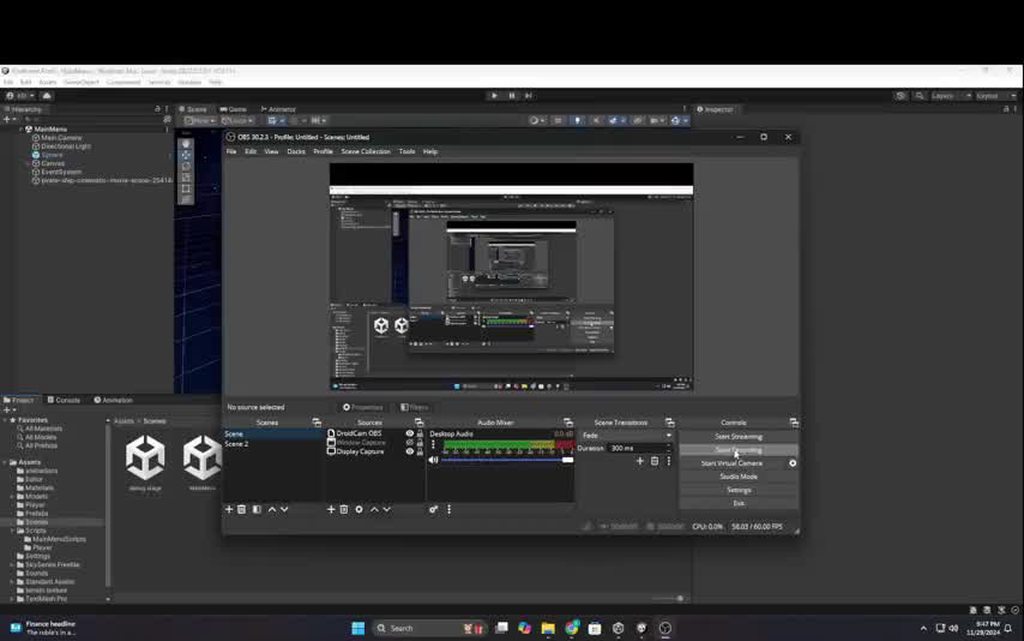
Alright, so, i'm finally trying to get a tweening library into my project
Someone suggested primeTween but at this point i'm not sure that was serious or not
are there any suggestions? leanTween seems, well, abandoned, and the documentation is whack
 zenith cypress
PrimeTween is fantastic, I use it in everything.
charred spoke
nocturne kayak
Alright, so, i'm finally trying to get a tweening library into my project
LitMotion is our gonto tween lib now https://github.com/AnnulusGames/LitMotion
GitHub
Lightning-fast and Zero Allocation Tween Library for Unity. - AnnulusGames/LitMotion
naive pawn
there's also apparently dotween that's decent
ive heard about it here, haven't used it
nocturne kayak
I'm giving dotween a shot right now
charred spoke
DoTween and LeanTween are grandpa at this point. Slow and produce allocations
Why do you feel your leg is being pulled ?
nocturne kayak
when i look up tweening library in the server, it feels like every six months there's one new hot tween library, that feels like mostly a joke sometimes
it's just something i'm not knoweldgable on so, i don't know how serious these comments are
charred spoke
We have used LitMotion in like 5 commercial projects and are using it in our big game atm so I would say it is definitely not a joke
 floral thorn
What exactly are you trying to do? Sometimes if it's just a simple tween along path a tween package is overkill
nocturne kayak
I'm just trying to make the experience of my project a bit better, most usecases would be tweening a float here and there with specific easefunctions
seeing as there's a gajillion tweening libraries out there it feels like it would be a waste of time to write my own
undone depot
nocturne kayak
when i look up tweening library in the server, it feels like every six months th...
hot tween
nocturne kayak
charred spoke
We have used LitMotion in like 5 commercial projects and are using it in our big...
Fair enough
I'll give the documentation a shot
floral thorn
nocturne kayak
I'm just trying to make the experience of my project a bit better, most usecases...
One really handy piece of code I use a lot is this:
    float yourValue;
    float valueMin = 0;
    float valueMax = 1;
    float duration = 5f;
    float smooth = 0f;
    private bool doinTheThing;

    public void DoTheThing()
    {
      StartCoroutine(DoTheThingRoutine());
    }

    IEnumerator DoTheThingRoutine()
    {
        if(doinTheThing) { yield return null; }
        else
        {
           doinTheThing = true;
           float t = 0;
           float dur = duration;
           smooth = 0f;
           while (t < dur)
           {
            t += Time.deltaTime;
            smooth = Mathf.SmoothStep(0, 1, t / dur);
            yourValue = Mathf.Lerp(valueMin, valueMax, smooth);
            yield return null;
           }
           yourValue = valueMax;
           doinTheThing = false;
        }
}```where the Mathf.Smoothstep is you can replace with any type of easing func you want
and the value is normalized usually so you can just plug in anything
nocturne kayak
i had to double check.
 charred spoke
Recently I have taken to purging coroutines from our code base
floral thorn
charred spoke
Recently I have taken to purging coroutines from our code base
Using Await instead? "Coroutines Hot Sister" Reference
naive pawn
floral thorn
One really handy piece of code I use a lot is this:
```cs
float yourValue;...
wouldn't that if (doinTheThing) check just wait a single frame and then do it anyways?
floral thorn
naive pawn
wouldn't that `if (doinTheThing)` check just wait a single frame and then do it ...
It essentially makes it only able to run if it's not "doin the thing"
OH, you're right, sorry, it's late lol
nocturne kayak
charred spoke
Recently I have taken to purging coroutines from our code base
I'm not asking to be spoonfed here but i'm kiiiiinda asking to be spoonfed here:
How much of a pain in the ass would it be to update an external component value in litmotion?
Like Palmer Luckey (god damn it man) said, it's late, my brain's toast
naive pawn
floral thorn
One really handy piece of code I use a lot is this:
```cs
float yourValue;...
(you could just yield break; in the if to make it a guard clause, no? or check if (!doinTheThing))
naive pawn
i tend to check before starting the coroutine 
public void DoTheThing() {
  if (!doinTheThing) {
    StartCoroutine(DoTheThingRoutine());
  }
}
```wonder if anyone else does that, i tend to see the check inside the coroutine(didn't read far enough in the thread lmao, it was not return)
floral thorn
That's much cleaner, I don't remember why but I had some weird race condition in an old project I inhereted and I think it stuck with me
naive pawn
don't you love necroposting in forums
 floral thorn
nocturne kayak
I'm just trying to make the experience of my project a bit better, most usecases...
floral thorn
nocturne kayak
I'm just trying to make the experience of my project a bit better, most usecases...
Point being tho tween packages are cool as hell, but a lot of time for MOST stuff you can just grab a simple method and wrap it in a static func that overloads with an enum or something and just have a small little library of easing functions. But if you want that fancy stuff like dynamic models or train tracks that's a bit more complicated and I wouldn't make that lol
nocturne kayak
floral thorn
Point being tho tween packages are cool as hell, but a lot of time for MOST stuf...
Alright
Forgive me for being crass here
but i feel like this needs saying:
I'm kind of slow in the ticker
(right now anyway)
so if my ooga bunga brain has to write more than 6 lines at once at 4 in the morning we (me and my keyboard) are going to have a problem
charred spoke
nocturne kayak
I'm not asking to be spoonfed here but i'm kiiiiinda asking to be spoonfed here:...
What do you mean an external component ?
nocturne kayak
charred spoke
What do you mean an external component ?
I have an outline component which has a strokeWidth Value, what i'm trying to achieve is, in another component in the same gameobject, tween the strokeWidth value of the outline component
but animated
charred spoke
floral thorn
Using Await instead? "Coroutines Hot Sister" [Reference](https://www.youtube.com...
Only when it is mostly necessary. 90% of coroutines can be replaced with a timer with a few callbacks.
nocturne kayak
So essentially GetComponent<Outline>.strokeWidth = X; per frame
charred spoke
nocturne kayak
I have an outline component which has a strokeWidth Value, what i'm trying to ac...
Pretty sure you can just use the Bind method to bind the motion to a specific value if you have a ref to it
naive pawn
naive pawn
i tend to check before starting the coroutine <:thonk:638524515797827633>
```cs
...
i mean it's not exactly this, it's checking a state enum
enum Action { None, Dash, Attack }
Action action = None;
Coroutine activeCoroutine;

void OnDash() {
  if (action == None && Grounded()) {         // precondition
    activeCoroutine = StartCoroutine(Jump());
  }
}

IEnumerator Dash() {
  action = Dash;                              // lock
  rigidbody.gravityScale = 0;
  // etc
  rigidbody.gravityScale = 1;                 // postcondition
  action = None;
  activeCoroutine = null;
}
 i guess it makes more sense to say "if precondition, jump" rather than "if not precondition, cancel", to me at least
charred spoke
Opens on my phone
nocturne kayak
well
for now, guess i'm stuck with dotween
And it seems really, really hard to understand how the hell i tween a float
jesus
charred spoke
Get some sleep
pliant abyss
Never underestimate the power of sleep to make an answer obvious.
Hi all!
I have a child GameObject (Pavis) on a loop, following a fixed course. The parent object (PlayerShip) is a ship in a top-down shooter, the child is also a ship, but it is supposed to hang out in a fixed area in front of the nose of the parent. I have given the child a set of 3 positions to seek as vectors. However, it seems like the vectors are relative to the play space, and not the parent as I expected. Here is a video showing what I have going on.
Waypoints:
List<Vector3> {
    (-0.52, 0.82, 0.00),
    (-0.07, 1.12, 0.00),
    (0.48, 0.82, 0.00)
}
so how are you using those waypoints?
pliant abyss
languid spire
so how are you using those waypoints?
The Pavis has a script called "Pathwinder", which reads the waypoint vectors from a scriptable object.
The Pathfinder takes those locations and directs the Pavis to those coordinates.


Here is what it looks like when it is running
 languid spire
that tells me nothing. is the code using transform.position or transform.localPosition?
pliant abyss
The code is using transform.position.
languid spire
there is your problem then
pliant abyss
Sounds like it. Local position is the position of the parent, the direct local space.
yeah?
languid spire
no, localPosition is the child position relative to it's parent
pliant abyss
languid spire
no, localPosition is the child position relative to it's parent
Much better. Not quite right, needs some tuning, but you put me on the right track. Thank you.
rain ginkgo
How can I only generate a navmesh around a certain area?
im making a survival game and wants to implement ai, but don't know how to control the navmesh generation
nevermind got it
 cosmic gorge
so i made this script to move my player character around and activate its animations, but when i play the scene he just repeats his idle animation and when i press a or d he just freezes when he reaches the end of his idle animation cycle and then keeps going??
hol up lemme get the code
eternal falconBOT
Posting code
📃 Large Code Blocks
Use links to services like:
https://gdl.space/, https://paste.ofcode.org/, https://hatebin.com/, https://paste.myst.rs/, https://hastebin.com/
📃 Inline Code
Surround code with three backquotes. Not quotation marks.
To format as C#, add cs to the first line:
```cs
// Your code here
```
Add a comment with a line number if there is an error message.
cosmic gorge
// using System.Collections;
using System.Collections.Generic;
using TMPro;
using UnityEngine;

public class Player : MonoBehaviour
{
    [SerializeField] TextMeshProUGUI healthText;

    public float moveSpeed = 6f;
    public int maxHealth = 100;
    public int currentHealth;
    bool deadCheck = false;

    float moveHorizontal, moveVertical;
    Vector2 movement;

    int facingDirection = 1;

    Animator anim;
    Rigidbody2D rb;

    private void Start()
    {
        anim = GetComponent<Animator>();
        rb = GetComponent<Rigidbody2D>();
    }

    private void Update()
    {
        if (deadCheck)
        {
            movement = Vector2.zero;
            anim.SetFloat("velocity", 0);
            return;
        }

        moveHorizontal = Input.GetAxisRaw("Horizontal");
        moveVertical = Input.GetAxisRaw("Vertical");

        movement = new Vector2(moveHorizontal, moveHorizontal).normalized;

        anim.SetFloat("Velocity", movement.magnitude);

        if(movement.x != 0)
        {
            facingDirection = movement.x > 0 ? 1 : -1;
        }

        transform.localScale = new Vector2(facingDirection, 1);
    }

    private void FixedUpdate()
    {
        rb.velocity = movement * moveSpeed;
    }
}
it's probably an issue with how the animator is set up, not with the code
though i do see an issue; your code is saying there's both velocity and Velocity? either the animator is set up wrong, or you typoed one of them
cosmic gorge
naive pawn
it's probably an issue with how the animator is set up, not with the code
though...
alright that makes since, i'll check that out
ty
 granite galleon
I was beginning to learn a tutorial but the colour of all materials is kinda deformed why it’s like pinkish
Looking at a video by unity installed their sample assets
cosmic gorge
cosmic gorge
alright that makes since, i'll check that out
still not working, i asked about it in the person who made the tutorial's discord server
so we'll see how it goes ig
naive pawn
cosmic gorge
still not working, i asked about it in the person who made the tutorial's discor...
i mean.. you could show your animation states
(not here though, maybe #🏃┃animation)
cosmic gorge
naive pawn
(not here though, maybe <#502171313201479681>)
they're in
stuck ledge
hi i have a question who do a script who a enemy follow you and when he touched you , you respawn. Sry for my english
naive pawn
stuck ledge
hi i have a question who do a script who a enemy follow you and when he touched ...
for the latter, just set up colliders and rigidbodies and have the player respawn when it collides with the enemy
for the former, depends on your level geometry. could you provide more context?
stuck ledge
naive pawn
for the latter, just set up colliders and rigidbodies and have the player respaw...
i do like a backrooms and i want to when the Enemy see the Player he follow you and want to kill you and when he touched you , you respawn
naive pawn
so 3d, yeah? you could make it check for line of sight and then just follow the player (or where it last saw the player to simulate object permeance)
stuck ledge
naive pawn
so 3d, yeah? you could make it check for line of sight and then just follow the ...
yes
 placid oxide
Can anyone help me with this. The stats for the specific things are accurate, but why the final build jumps from 11mb to almost 800? It's a very basic and simple game
 naive pawn
it's gotta include the unity engine itself too
placid oxide
wdym
naive pawn
"total user assets" is just, well, assets
it's gotta include the unity engine to run scripts, render sprites, play animations and sounds, etc to actually run the game
stuck ledge
naive pawn
so 3d, yeah? you could make it check for line of sight and then just follow the ...
@naive pawn have you a script like you say ?
or a video
naive pawn
try googling it
pliant abyss
Shoutout to @languid spire who pointed me in the right direction and helped me to solve my problem with position vs localPosition. I have two ships hovering around my player now. One taking point to sponge up bullets, the other to stay on the six. And they move as one unit. Rock on.
 cold elbow
I have a function with a list as a parameter but I can't see it when I want to select functions in the onclick of a button
here's the code
using System.Collections;
using NUnit.Framework;
using UnityEngine;
using UnityEngine.SceneManagement;
using System.Collections.Generic;

public class GlobalUIManagerScript : MonoBehaviour
{
    public AudioSource playSound;

    public void loadGame()
    {
        DontDestroyOnLoad(playSound.gameObject); // Prevent destruction of the AudioSource
        playSound.Play();
        SceneManager.LoadScene("slurpy blurb");
    }


    public void openPannel(GameObject pannel, List<GameObject> buttonsToBeDisabled)
    {
        foreach (GameObject button in buttonsToBeDisabled)
        {
            blockUI(button);
        }

        pannel.SetActive(true);
    }

    public void closePannel(GameObject pannel, List<GameObject> buttonsToBeEnabled)
    {
        foreach (GameObject button in buttonsToBeEnabled)
        {
            unBlockUI(button);
        }

        pannel.SetActive(false);
    }

    public void blockUI(GameObject toBeBlocked)
    {
        CanvasGroup canvasGroup = toBeBlocked.GetComponent<CanvasGroup>();

        if (canvasGroup != null) {
            canvasGroup.interactable = false;
            canvasGroup.blocksRaycasts = false;
        } else
        {
            Debug.LogWarning("CanvasGroup not found on the specified GameObject!");
        }
    }

    public void unBlockUI(GameObject toBeUnblocked)
    {
        CanvasGroup canvasGroup = toBeUnblocked.GetComponent<CanvasGroup>();

        if (canvasGroup != null)
        {
            canvasGroup.interactable = true;
            canvasGroup.blocksRaycasts = true;
        }
        else
        {
            Debug.LogWarning("CanvasGroup not found on the specified GameObject!");
        }
    }
}
doesn't like two arguments
 rancid tinsel
I've tried instantiating something out of OnDestroy which caused errors when reloading scene, and tried using a coroutine to get around it which also causes an issue (cannot start coroutine because gameObject is inactive) - what is the proper way to do this? i feel like im missing something really simple https://hatebin.com/sltzosoytb
 timber tide
Note: You can stop a coroutine using MonoBehaviour.StopCoroutine and MonoBehaviour.StopAllCoroutines. Coroutines are also stopped when the MonoBehaviour is destroyed or if the GameObject the MonoBehaviour is attached to is disabled. Coroutines are not stopped when a MonoBehaviour is disabled.
rancid tinsel
timber tide
```Note: You can stop a coroutine using MonoBehaviour.StopCoroutine and MonoBeha...
that makes sense
okay I just realised the simple thing I'm missing is I'm destroying the object with an external script, so I can just call a method there before destroying
timber tide
Instead of using OnDestroy() just make your own Destroy method which you call when you invoke a delayed destroy call, and scale the time of the coroutine to last until the Destroy happens
 marble hemlock
I've been having this issue for a really long time now where the camera occasionally just sort of "snaps" and i know its the camera because in this video i just disable every other thing, id say it gets worse the more scripts were enabled but idk i felt like i should just start with wherever i first noticed
Hastebin is a free web-based pastebin service for storing and sharing text and code snippets with anyone. Get started now.
im pretty sure i was following a tutorial at the time because i couldn't figure out how to get the camera to rotate where i wanted, but perhaps im simply not understanding something in it and thats causing the problem
if anyone has any suggestions or ideas on how to avoid whatever is going on, it would be appreciated
changed from GetAxisRaw to GetAxis.The sensitivity is moving more comfortably which was its own issue but the snapping issue just got way worse.
 kind skiff
Hey guys, I'm using the new unity input actions and I'm trying to add when the player performs a mouse scrolling the game will perform some actions. However it seems like I do not have the binding for the scroll wheel as it only have scroll lock from the keyboard?

 frail hawk
kind skiff
Hey guys, I'm using the new unity input actions and I'm trying to add when the p...
frail hawk
kind skiff
Hey guys, I'm using the new unity input actions and I'm trying to add when the p...
you could also use this : Mouse.current.scroll.ReadValue();
#🖱️┃input-system probably better place for this
kind skiff
frail hawk
you could also use this : Mouse.current.scroll.ReadValue();
Okie thank you
I will definitely try that out
 untold raptor
would you say creating a game similar to minecraft would be a good start? ive started a few games but gave up halfway cos i either dont know how to do something or i have no idea what to do next. Just looking for a good beginner game to learn the basics (aiming towards freeroam, open world type games)
rich adder
untold raptor
would you say creating a game similar to minecraft would be a good start? ive st...
nope
not at all
simpler
untold raptor
what would u have in mind?
rich adder
if you gave up other ideas because it got diffcult, imagine something as diffcult as procedual generation
untold raptor
true
 rain python
untold raptor
would you say creating a game similar to minecraft would be a good start? ive st...
rain python
untold raptor
would you say creating a game similar to minecraft would be a good start? ive st...
I can recommend a channel I am watching to learn absolutely beginner friendly
rich adder
untold raptor
what would u have in mind?
idk what do you like
untold raptor
i wanna aim at survival based games
rich adder
in that case start simpler though
then work your way up, learn what systems you need
smaller projects
rain python
untold raptor
i wanna aim at survival based games
And that's what they are teaching there XD
untold raptor
rain python
I can recommend a channel I am watching to learn absolutely beginner friendly
that would be great!
 quasi dawn
Try watching Game Maker's Toolkit tutorial on Unity
It's the one I used. Granted, I'm still a beginner, but I've learned a lot with it :)
rain python
I sent u link in private as I dunno if we can send links here
untold raptor
got it thank you
rain python
Also unity learn can be a good option to learn too
 arctic mantle
hello, when i try build my game for android the compiler give this error * What went wrong:
Could not determine the dependencies of task ':unityLibrary:mobilenotifications.androidlib:compileReleaseJavaWithJavac'.
Failed to install the following Android SDK packages as some licences have not been accepted.
platforms;android-33 Android SDK Platform 33
To build this project, accept the SDK license agreements and install the missing components using the Android Studio SDK Manager.
Alternatively, to transfer the license agreements from one workstation to another, see http://d.android.com/r/studio-ui/export-licenses.html how can i fix

Android Developers
Once you install Android Studio, it's easy to keep the Android Studio IDE and Android SDK tools up to date with automatic updates and the Android SDK Manager.
rich adder
rain python
I sent u link in private as I dunno if we can send links here
yes. in fact you should ideally do that instead
this is a code channel
 glass sand
oh sorry
 weak cedar
untold raptor
would you say creating a game similar to minecraft would be a good start? ive st...
weak cedar
untold raptor
would you say creating a game similar to minecraft would be a good start? ive st...
I suggest you to do whatever you want. If you are not aiming to create a 1:1 minecraft replica you are going to quit halfway anyways, but the things you learn while making it could stay. However, there is one thing with this: If you use blocks as seperate gameobjects you will lag a lot. In order to overcome this, you’ll need to create a complex system. If you acknowledge this and still want to make a game similar to minecraft, go ahead
 latent glade
why does rb.velocity not work, it just tries to make me do rb.linearvelocity or Angularvelocity?
 steep rose
it has been renamed to linearvelocity on unity 6
latent glade
ok ty
rich adder
quasi dawn
Wait really?
because its the linear velocity, as oppose to angular velocity
 rich adder
Wait until the end of the current frame before taking the screenshot or before calling the Texture2D.ReadPixels function. This can be done with the WaitForEndOfFrame class. Notice how I cached it to avoid creating new Object each time the TakeSnapshot function is called.

Stack Overflow
I'm trying to create a little test app, using unity. I'm building out one instance of the app and setting it to function as a Host and then running another instance within the unity editor as a cl...
good ol stackoverflow
spark sinew
hi y'all, I try to display a text in black with green background (working in passthrough), but the green background doesn't work. What am I doing wrong?
string displaystring;
displaystring="Running | Coord: x="+xr+" y="+yr+" z="+zr+"\r\n| Target x="+targetx+" y="+targety+" z="+targetz;
mainText.text ="</mark=#1eff0000>"+displaystring+"</mark>";
keen dew
The starting tag shouldn't have / in it and your color has 0 alpha (=it's invisible)
spark sinew
thanks!
I think it won't work well for my application as it is still transparent. I believe there is no possibility to fill behind the text to make it opaque? We can only highlight?
 humble forum
what is an easy to implement to make it more accurate on the waypoints because it rotates too high
 rich adder
humble forum
what is an easy to implement to make it more accurate on the waypoints because i...
rich adder
humble forum
what is an easy to implement to make it more accurate on the waypoints because i...
rotates too high?
make a video or something

 rich adder
humble forum
bruh i can t start it with snipping tool
rich adder
humble forum
bruh i can t start it with snipping tool
use something like OBS or the built in windows gamebar
rich adder
humble forum
gonna have to show the pivot points of the sprites
humble forum
rich adder
use something like OBS or the built in windows gamebar
guess i have to download obs then could prob also do it with the nvidia software
like this?
 rich adder
humble forum
like this?
rich adder
humble forum
like this?
now what about the things that move
and yes nvidia software works too for vid
just make it mp4 or use streamable to host if its too big
sleek notch
Why is it not working?
 rich adder
sleek notch
Why is it not working?
rich adder
sleek notch
Why is it not working?
probably because it says there is an error
sleek notch
yeah but tell me why is there the error when it is referenced?
humble forum
rich adder
just make it mp4 or use streamable to host if its too big
trying don t understand why it won t work for unity tho works fine for ue
rich adder
sleek notch
yeah but tell me why is there the error when it is referenced?
show the code
rich adder
humble forum
trying don t understand why it won t work for unity tho works fine for ue
what does?
humble forum
Snipping tool
sleek notch
the Animation variable is referenced by public to the object where it is pluged
 humble forum
rich adder
just make it mp4 or use streamable to host if its too big
humble forum
rich adder
just make it mp4 or use streamable to host if its too big
do you have any idea tho nvidia software also doesn t wanna help lol
rich adder
humble forum
Snipping tool
no idea works fine for me
rich adder
humble forum
do you have any idea tho nvidia software also doesn t wanna help lol
in what way? or just get OBS or ShareX
rich adder
sleek notch
the Animation variable is referenced by public to the object where it is pluged
what type is Animation
sleek notch
Animation
rich adder
sleek notch
the Animation variable is referenced by public to the object where it is pluged
show the full script
rich adder
use site from !code
eternal falconBOT
Posting code
📃 Large Code Blocks
Use links to services like:
https://gdl.space/, https://paste.ofcode.org/, https://hatebin.com/, https://paste.myst.rs/, https://hastebin.com/
📃 Inline Code
Surround code with three backquotes. Not quotation marks.
To format as C#, add cs to the first line:
```cs
// Your code here
```
Add a comment with a line number if there is an error message.
sleek notch
rich adder
sleek notch
https://paste.ofcode.org/sR7iWpHDmFQ5kbCgdu9SjV
where do you assign Animation reference
 humble forum
rich adder
sleek notch
humble forum
rich adder
sleek notch
which one is Panel
sleek notch
the panel in canvas with +
rich adder
6 . also
#💻┃unity-talk
rich adder
sleek notch
the panel in canvas with +
why are you using animation instead of animator anyway, iirc thats legacy
rich adder
humble forum
thats because there is no point on the corner
sleek notch
because when I used animator I wasn't able to stop the animation from infinity playing
rich adder
sleek notch
because when I used animator I wasn't able to stop the animation from infinity p...
you uncheck the Loop option on the clip

 prime goblet
if i'm changing an object's linearVelocity in a FixedUpdate() function, do i need to add Time.deltaTime/Time.fixedDeltaTime to ensure the fps gameplay consistency
rich adder
humble forum
okay so whats wrong wtih it now?
humble forum
rich adder
okay so whats wrong wtih it now?
it doesn t take line between those points it is off

see they should walk way lower then they do and they cut off
rich adder
humble forum
send the !code via link
eternal falconBOT
Posting code
📃 Large Code Blocks
Use links to services like:
https://gdl.space/, https://paste.ofcode.org/, https://hatebin.com/, https://paste.myst.rs/, https://hastebin.com/
📃 Inline Code
Surround code with three backquotes. Not quotation marks.
To format as C#, add cs to the first line:
```cs
// Your code here
```
Add a comment with a line number if there is an error message.
rich adder
prime goblet
if i'm changing an object's `linearVelocity` in a `FixedUpdate()` function, do i...
no
velocity is already moved wit consistent physics rate
prime goblet
alright
humble forum
rich adder
send the !code via link
can i sent it in dm? (don t wanna have plagarism if i put it online)
rich adder
humble forum
can i sent it in dm? (don t wanna have plagarism if i put it online)
what?
prime goblet
what is the difference between Update and FixedUpdate, i think fixed update is frame-by-frame, but that might not be correct
prime goblet
humble forum
can i sent it in dm? (don t wanna have plagarism if i put it online)
no one's gonna copy your code, especially if you dont give your entire project
rich adder
prime goblet
what is the difference between Update and FixedUpdate, i think fixed update is f...
FixedUpdate -> Every Physics step
Update -> Every Frame
humble forum
rich adder
what?
in uni they check for plagarism so if i put it online they could think i stole it but it was me writing it 😮💨
prime goblet
unless there was a dataleak, or they were in the server, they wouldn't be able to read messages in a discord chat
humble forum
using UnityEngine;

public class Enemy : MonoBehaviour
{
    public Transform[] waypoints;
    public float speed = 2f;

    private int currentWaypointIndex = 0;

    void Update()
    {
        MoveToWaypoint();
    }

    public void SetWaypoints(Transform[] newWaypoints)
    {
        waypoints = newWaypoints;
        currentWaypointIndex = 0;
    }

    private void MoveToWaypoint()
    {
        if (waypoints == null || waypoints.Length == 0) return;

        Transform target = waypoints[currentWaypointIndex];
        Vector3 direction = (target.position - transform.position).normalized;

        transform.position = Vector3.MoveTowards(transform.position, target.position, speed * Time.deltaTime);

        if (Vector3.Distance(transform.position, target.position) < 0.1f)
        {
            currentWaypointIndex++;

            if (currentWaypointIndex >= waypoints.Length)
            {
                Destroy(gameObject);
            }
        }
    }
}
aint nobody in uni checking anything lol if you're so worried use Gist and send the hidden public / private link
humble forum
prime goblet
unless there was a dataleak, or they were in the server, they wouldn't be able t...
yeah i meant online like pastebin etc
humble forum
rich adder
aint nobody in uni checking anything lol if you're so worried use Gist and send ...
what the hell is gist?
rich adder
humble forum
what the hell is gist?
i mean it aint hard to google it
humble forum
humble forum
```cpp
using UnityEngine;
public class Enemy : MonoBehaviour
{
public Trans...
this ok tho?
rich adder
try chaning the trahshold to something smaller like instea of < 0.1f do 0.003
humble forum
rich adder
try chaning the trahshold to something smaller like instea of ` < 0.1f` do `0.00...
tried that alr 😅 doesn t seem to matter
did 0.01
rich adder
humble forum
did 0.01
also you gotta show your gizmos of the moving object
humble forum
rich adder
also you gotta show your gizmos of the moving object
gizmos?
 humble forum
how can i show all at the same time?
humble forum
rich adder
yes the pivot point
ohh pivot never heard gizmos😅
whut it changes when taking a screenshot but it is on the top right corner

seems like they take the top of each box
rich adder
humble forum
ohh pivot never heard gizmos😅
gizmos is the things that show the pivot like origin arrows
rich adder
humble forum
whut it changes when taking a screenshot but it is on the top right corner
the one on the moving object
 rich adder
humble forum
rich adder
humble forum
is this the root of the object, please try not to crop the entire editor is a pain to ask each part
 rich adder
humble forum
rich adder
humble forum
is the script Enemy on this
humble forum
rich adder
is the script Enemy on this
yeah

can place it like this and it works but looks weird
 rich adder
humble forum
can place it like this and it works but looks weird
rich adder
humble forum
can place it like this and it works but looks weird
did you fix the min distance until it goes to next point ? it should land exactly in the middle though of transform.position
wait you have your Pivot on Center dont you
show me this
 humble forum
rich adder
wait you have your Pivot on Center dont you
humble forum
rich adder
wait you have your Pivot on Center dont you
he walk now just above the grey area when my red dots are here
rich adder
i forgot that sprites can have their own origin elsewhere incenter mode
 rich adder
sprite editor, but you should first restore that menu
humble forum
rich adder
sprite editor, but you should first restore that menu
im confused i don t have any sprites to edit right now
like this?
 rich adder
humble forum
im confused i don t have any sprites to edit right now
rich adder
humble forum
im confused i don t have any sprites to edit right now
ya just wanted to veirfy it in the scene view
humble forum
@rich adder thank you it fixed it 🤩
rich adder
what did ?
humble forum
slowly going from ultra noob to noob 😂
humble forum
rich adder
what did ?
set the pivot point to center
rich adder
ohhh it was to something else there?
humble forum
it was custom
last question for today how can i clean it up so i can start with the purple dude 😅
 rich adder
humble forum
last question for today how can i clean it up so i can start with the purple dud...
rich adder
humble forum
last question for today how can i clean it up so i can start with the purple dud...
clean what up ?
humble forum
rich adder
clean what up ?
the guy with dynamite for the purple guy with the torch
rich adder
humble forum
the guy with dynamite for the purple guy with the torch
wdym start with it though ?
 upper forge
Does anyone know why when a gameobject with an animator on it gets disabled and then renabled the animator doesnt work properly anymore?
rich adder
upper forge
Does anyone know why when a gameobject with an animator on it gets disabled and ...
in what way doesn't work properly
upper forge
rich adder
in what way doesn't work properly
when im going from idle to walk it just spazzes out like it constanly goes between both of then in stead of going to just walk
i tried to just disable the sprite render instead of the gameobject itself and still does the same thing
rich adder
upper forge
when im going from idle to walk it just spazzes out like it constanly goes betwe...
going to have to show what conditions you have setup
upper forge
their bools
rich adder
upper forge
i tried to just disable the sprite render instead of the gameobject itself and s...
then its likely the code or something else unrelated
upper forge
but it works perfectly fine before i disable the object and renable it
rich adder
upper forge
but it works perfectly fine before i disable the object and renable it
how can we possibly know the cause without seeing anything on how you set it up
humble forum
rich adder
wdym start with it though ?
like change the way i did it now was restart the project 😅
also how can i select all and edit the pivot point ctrl a doesn t seem to work 🤔
rich adder
humble forum
like change the way i did it now was restart the project 😅
also how can i sele...
cant select all in sprite editor for some reason there is no such selection type afaik
rich adder
humble forum
like change the way i did it now was restart the project 😅
also how can i sele...
you want to swap it in the game or just the scene, idk what you mean swap
humble forum
rich adder
you want to swap it in the game or just the scene, idk what you mean swap
like edit another sprite character from dynamite to purple goblin
rich adder
humble forum
like edit another sprite character from dynamite to purple goblin
in the inspector? where it says Sprite Ediotor you click that?
share the code properly and use links , pretty sure this was told to you before
also showing animator setup
humble forum
rich adder
in the inspector? where it says Sprite Ediotor you click that?
this?
 rich adder
humble forum
this?
rich adder
humble forum
this?
 humble forum
rich adder
humble forum
rich adder
oh i just did it with window does it matter?
upper forge
public IEnumerator FeedBone()
{
    Debug.Log("FEED BONE IS GETTING CALLED!!!");

    ralph.GetComponentInChildren<SpriteRenderer>().enabled = false;
    ralphsPosition = ralph.gameObject.transform.position;
    tongueRalph.gameObject.transform.position = ralphsPosition;
    var animm = anim.keepAnimatorStateOnDisable;
    //ralph.gameObject.SetActive(false);
    //ralph.GetComponentInChildren<SpriteRenderer>().enabled = false;
    //ralph.GetComponent<RalphController>().enabled = false;
    //ralph.GetComponent<CapsuleCollider2D>().enabled = false;
    anim.SetBool("feedBone", true);
    yield return new WaitForSeconds(3f);
    tongueRalph.gameObject.SetActive(true);
    anim.SetBool("feedBone", false);
    moveSpeed = 0;
    runSpeed = 0;
    mikey.transform.position = new Vector3(transform.position.x - 5f, transform.position.y, transform.position.z);
    fedBone = true;
}


public IEnumerator TeleportRalphToMikeyAfterFeedBone()
{
    Debug.Log("TELEPORT RALPH IS BEING CALLED!!!");
    _tongueControls.tongueFinished = false;
    yield return new WaitForSeconds(.5f);
    ralph.GetComponentInChildren<SpriteRenderer>().enabled = true;
    //ralph.GetComponent<CapsuleCollider2D>().enabled = true;
    yield return new WaitForSeconds(.5f);
    mikeyPos = mikey.gameObject.transform.position;
    ralph.gameObject.transform.position = mikeyPos; //+ new Vector3(-3.3f, -.4f, 0f);
    yield return new WaitForSeconds(.5f);
   // ralph.gameObject.SetActive(true);
    _ralph = GameObject.Find("Ralph").GetComponent<RalphController>();
    //anim.enabled = true;
    //_ralph.anim.enabled = true;
    _ralph.moveSpeed = 9f;
    _ralph._jumpForce = 19;
}

 rich adder
humble forum
oh i just did it with window does it matter?
rich adder
humble forum
oh i just did it with window does it matter?
no as long as you do it on correct asset. inspector is faster tho
humble forum
have it like this but should be able to set the pivot point of multiple sprites at the same time🤔
 upper forge
```c#
public IEnumerator FeedBone()
{
Debug.Log("FEED BONE IS GETTING CALLED...
upper forge
upper forge
```c#
public IEnumerator FeedBone()
{
Debug.Log("FEED BONE IS GETTING CALLED...
private void SwitchRalphControllers()
{
    if (fedBone == true)
    {
        _ralph = GameObject.Find("TongueRalph").GetComponent<RalphController>();
        _ralph.moveSpeed = 0;
        _ralph.anim.enabled = false;
        _ralph._jumpForce = 0;
    }

    if (_tongueControls.tongueFinished == false)
    {
        return;
    }

    if (_tongueControls.tongueFinished == true)
    {
        tongueRalph.gameObject.SetActive(false);
        StartCoroutine(TeleportRalphToMikeyAfterFeedBone());

    }

}
check the specific object with animator during runtime and see what the conditions are doing in the animator window @upper forge
 somber nimbus
Besides the code, how do I have to configure the models inside the prefab object?
Like, do I place everything inside or how do I do that?
upper forge
rich adder
check the specific object with animator during runtime and see what the conditio...
I figured it out thanks sorry for the trouble!
humble forum
humble forum
have it like this but should be able to set the pivot point of multiple sprites ...
will write a custom script for it ig if it waste too much time 🙂
upper forge
Okay i Guess I didnt.... this is what the animator is doing during run time after the object gets reenabled
The jump anim works the same its just the transition from idle to walk @rich adder
 keen cargo
hey yall, I have a question about animations-
I have two animations, one while the player is walking, one while the player is shooting
while the player is shooting with spam clicking, i'd like the shooting animation to continue playing normally
currently, the animation just resets from the beginning frame every time it is being triggered, otherwise it transitions back to the walking animation just fine
how should I go about this?
timber tide
Change the clip into a loop, and instead of trigger make it a bool condition for the animation tree
keen cargo
timber tide
Change the clip into a loop, and instead of trigger make it a bool condition for...
hmm how do i change the clip into a loop? for extra context i'm using sprites so it's hand drawn animation
looked around in both the animator and the animation window
timber tide
the clip itself has a loop property on it
 timber tide
good, now satisfy the second condition ;)
keen cargo
alrighty let me see
a bit of an improvement, though the issue now is that the shooting animation only plays the clip once and then goes back to walk, and then back to shooting, back to walk etc.

i'm guessing it's because of the bool being triggered for like one frame, so it's not continuously "held down", but i've no idea how to solve this or even look it up
 nova swift
How many times is shooting animation intended to play?
timber tide
is walking animation playing too? You need to disable that condition
keen cargo
i'll send a video of the current situation, maybe it'll help explain better
timber tide
otherwise what you have here looks fine as it should always be true when held
nova swift
Are you spamming to shoot?
keen cargo
yep
nova swift
Is that how you want it, or do you want to shoot while held down?
keen cargo
spamming is how i'd want it yeah
nova swift
Then you need to make it so the animation for shooting cannot be interrupted
keen cargo
how do i go about that?
nova swift
I think you can give it an exit time
In the transition arrow going from shoot forward to idle
keen cargo
hmm it already has exit time, even tried adjusting the time just now
timber tide
Your video of the tree there is going back into walkstate, so are you not releasing firing? Not really seeing the issue
keen cargo
i'd like the animation to be playing while spam clicking
which would release the firing
nova swift
timber tide
Your video of the tree there is going back into walkstate, so are you not releas...
GetButtonDown is only true on the first frame that the button is pressed
timber tide
Oh right you need GetButton
nova swift
Yes, but BroSkemp mentioned they don't want to be able to hold to shoot, rather they want the need to spam
timber tide
and chop off the exit time probably
 timber tide
keen cargo
hey yall, I have a question about animations-
I have two animations, one while ...
timber tide
keen cargo
hey yall, I have a question about animations-
I have two animations, one while ...
"while the player is shooting with spam clicking, i'd like the shooting animation to continue playing normally"
Getting mixed messages here then
nova swift
In the inspector of the animation
keen cargo
I have that on "None"
nova swift
I haven't used that setting before, but try out the other settings, one of them should do the trick
keen cargo
lets see
nova swift
timber tide
"while the player is shooting with spam clicking, i'd like the shooting animatio...
BroSkemp wants the player to shoot only once when a button is pressed, then this button needs to be released and pressed again to fire another shot. The way it currently it is, the animation works the same, but this is not the desired outcome for the animation specifically. There needs to a bit of leeway for the shooting to continue while spamming so that it does not instantly stop the animation
keen cargo
it "kind of" works with the Interruption source: Next State, but then it returns to the problem of it playing from the first frame over and over, instead of being a stable animation
nova swift
Do you have a "Can transition to self" option?
keen cargo
nope, don't see it
keen cargo
fixed duration is also on, maybe if i turn it off it might help
still the same issue
nova swift
Can I see the frames of the animation in the animation window
Also, what is your exit time set to?
nova swift
Yea the animation window looks good
timber tide
Ah, ok I think I see what you want. Probably do want more exit time on it assuming you want like an idle stance
nova swift
See if increasing the exit time helps yea
keen cargo
alrighty
timber tide
because you would look funky going back into walking, so you'll need to have a specific fix time for that (you instantly want to jump back into walking animation if the player moves)
but what it looks like is you do need a sliced animation for both the hands and walking
so you can walk and shoot
or have an animation clip of a walk/shoot sprite
keen cargo
ok it's better now, though now my lil guy is stuck in the shooting animation 
likely due to alot of the animations being queued up?
happens around the end, the first few times works as intended
timber tide
oh yeah that looks pretty good. I guess the shooting animation already incorporates some of the feet
or just fluid enough that it looks like he's walking ;p
keen cargo
yeah the shooting animation is just him bringing his arms up, otherwise it's the same as the walking
timber tide
Interuption can be the problem here?
Seems to be stuck in the state regardless of the condition
 timber tide
honestly unity's animation tree feels too convoluted for sprite animation lol
keen cargo
yeah its a lil strange
though the interruption source is what seems to make the continuous animation work
if i put it on None then it'll go to walking for a split second and then back to shooting
huh, i think i fixed it by putting it on Next then Current in the interruption
timber tide
Looping could also create a problem with the interruption (stuff isn't that intuitive)
spark sinew
Is there a way to get some black background color on text? I have a hard time seeing the interface in passthrough when there is too much light
keen cargo
yeah i think Next then Current fixed it

yipee!! thanks a lot
now i have to do this for shooting diagonal left and right too
since i'm recreating Gun Smoke for my class' first portfolio project, where everybody has to recreate at least a snippet of a list of games
timber tide
neat, good game choice too
keen cargo
Gun Smoke controls are left click = shoot diagonal left, left + right = shoot forward, right = shoot diagonal right
i'll play around with that tomorrow since it's late, thanks a lot again
 spring skiff
how do I make a phone or gamepad vibrate with c#?
There seems to be multiple ways but I search a solution that is simple and adjustable, like adjusting the lenght of the vibration.
 winter aspen
How to make an "accelerating movement", for example I've got a selector that moves based on player input (Think of a cursor in an TRPG or a UI element)?
How can I make it that on hold, the speed increases gradually till it reaches a limit?
Example: if my map is 32x32 tiles and the player wants to reach the right-most tile, I don't want the player to press right 32 times. Nor do I want them to wait 32x movement time.
A sped-up movement if the button is held makes more sense, but I'm not sure how to tackle it
(I don't need full working code, I'm asking for guidance/pseudo/anything that points me in a working direction)
winter aspen
essentially, this is what I'm going for

 wintry quarry
winter aspen
How to make an "accelerating movement", for example I've got a selector that mov...
wintry quarry
winter aspen
How to make an "accelerating movement", for example I've got a selector that mov...
isn't this just basic acceleration?
just increase the velocity each time unit
pseudocode:
float velocity;
float tileFloat;
float acceleration;
int currentTile;
void FixedUpdate() {
if (holding) {
velocity += acceleration * Time.deltaTime;
tileFloat += velocity * Time.deltaTime;
currentTile = Mathf.FloorToInt(tileFloat);
}
}``` hollow obsidian
I see one Code with double. But in the learn pathway most time using float, bool, string, int.
So what is double and when use it? 
wintry quarry
hollow obsidian
I see one Code with double. But in the learn pathway most time using float, bool...
double is the same as float just with 64 bits instead of 32 bits
It's more common in "regular" C#, but since Unity uses mostly float in its apis, you will see float a lot more often in Unity.
winter aspen
wintry quarry
pseudocode:
```cs
float velocity;
float tileFloat;
float acceleration;
int curre...
Thanks, I was able to get something close to what I want with this. I'll tweak it further to fit my needs 🙏🏻
nocturne kayak
hey, is anyone here sufficiently versed in litmotion?
 eternal ruin
How can I learn how to code effectively and not just watching tutorials to just copy it down and not actually learning things?
naive pawn
eternal ruin
How can I learn how to code effectively and not just watching tutorials to just ...
make sure you're understanding the things you're writing. try integrating multiple things into a single mechanic/feature
 eternal needle
eternal ruin
How can I learn how to code effectively and not just watching tutorials to just ...
eternal needle
eternal ruin
How can I learn how to code effectively and not just watching tutorials to just ...
follow courses/tutorials to learn what exists and how it can be used. try and experiment with the code you're copying, change values and see the outcome. use that knowledge to solve problems, there are many sites that give problems like leetcode. or try to recreate features that you'd want in a game and research what you'd need to learn in order to make this
eternal ruin
Thank you, greatly appreciated! @eternal needle @naive pawn
 cunning citrus
eternal ruin
How can I learn how to code effectively and not just watching tutorials to just ...
cunning citrus
eternal ruin
How can I learn how to code effectively and not just watching tutorials to just ...
My recommendation is to watch a tutorial on YouTube. To create a basic scene.
And then after the video is done. Delete and modify random lines of code to see what they do.
Adding debug log statement helps to understand the order of execution.
Yesterday I watched a 7 minute long and 18 minute long tutorial on URP and shader graphs. I spent 4 hours struggling with it. I eventually deleted the programs and gave up, and then I found a new tutorial that as 1 minute and 45 seconds long. Within 10 minutes it was working and i understood how it worked.
If the tutorial isn't making sense, try a different one on the same subject
cosmic dagger
eternal ruin
How can I learn how to code effectively and not just watching tutorials to just ...
Do you copy/paste or write down every line of code?
Before moving to the next part of a tutorial, ensure you understand every line of code added. If not, look up what method or terms you don't know. Plenty of people copy/paste without knowing what it does. If you can't understand what you have written, you won't understand the help given or how to improve your own code further
When you finish a tutorial, redo it without following along. See if you can retain and replicate what you just learned
Lastly, after you finish, add something to the code yourself. I.e., if you followed a jumping tutorial, try adding two jumps
When stuck, this helps you learn how to search topics to figure out and debug your work
The problem most people have is constantly watching and not attempting (at least you're doing that) . . .
 edgy lotus
errant pilot
edgy lotus
errant pilot
i have a bunch of visible outside mask objects clumped together can i make a bunch of masks each only affecting a single one of them in unity
winter aspen
errant pilot
i have a bunch of visible outside mask objects clumped together can i make a bun...
Wdym?
errant pilot
I have a lot of objects with the setting visible outside mask. I also have a bunch of masks but I want each mask to only affect one of the objects not all of them
 finite patrol
Would this work. Weapon is a scriptable object that inherits from Equipment (scriptable object) class. Equipment dosnt have a damageType but Weapon does, will it just return null as the damage type or will it work?

equipment.GetSlot(int) returns an Equipment from an Equipment list
eternal needle
finite patrol
Would this work. Weapon is a scriptable object that inherits from Equipment (scr...
you can do
if(equipment.GetSlot(3) is Weapon weapon)
{
  // use weapon here
}
though if you need to manually check the types when using inheritance, it might be a sign you're doing something wrong
and also !code on how to post code properly
eternal falconBOT
Posting code
📃 Large Code Blocks
Use links to services like:
https://gdl.space/, https://paste.ofcode.org/, https://hatebin.com/, https://paste.myst.rs/, https://hastebin.com/
📃 Inline Code
Surround code with three backquotes. Not quotation marks.
To format as C#, add cs to the first line:
```cs
// Your code here
```
Add a comment with a line number if there is an error message.
finite patrol
ok
 keen otter
Hey everyone! I'm trying to implement a feature in my game where when a player puts down a building, the terrain below is painted with a different material. It works but... it absolutely freezes my game for about 2 seconds every time I do it
Is there a better way? I notice when editing the terrain with brushes it doesn't seem to lag at all. Can't I make the same brush painting effect through code?
I use terrainData.GetAlphamaps on the center of the new building:
float[,,] splatmapData = terrainData.GetAlphamaps((int)(centerPoint.x * 2 - rads / 2), (int)(centerPoint.z * 2 - rads / 2), rads, rads);
Then set the new pattern and finally apply it to the terrain with:
terrainData.SetAlphamaps((int)(centerPoint.x) * 2 - rads / 2, (int)(centerPoint.z) * 2 - rads / 2, splatmapData);
hollow obsidian
can i close this or is normal that take many time now? i dont save my scene 
 rain ginkgo
How do you detect navimesh collision?
im trying to knock an enemy back whenever it hits the player, but for some reason the OnCollisionEnter isnt working
The player is using character controller, though I have tried attatching a trigger collider to it, still doesnt trigger OnCollisionEnter though
naive pawn
rain ginkgo
How do you detect navimesh collision?
im trying to knock an enemy back whenever ...

 lethal kestrel
Hey All,
Just had a quick question in regards to reading values or bools that are meant to be private for security (such as player can move or player is running).
Would this be the best way to read from one script to another whether the player is running or not.
public class PlayerController : NetworkBehaviour
  ...
  private bool isRunning = false;
  public bool IsRunning => isRunning; // Public read-only property
Script trying to read the bool to determine another thing...
public class PlayerCamera: NetworkBehaviour
  ...
  bool currentlyRunning = playerController.IsRunning;
I'm worried for security that i cant just set these bools to public. Any info would be greatly appreciated.
frail hawk
Enum could be a better soloution
lethal kestrel
frail hawk
Enum could be a better soloution
So like a public enum with the players movement states?
public enum MovementState
{
    Idle,
    Walking,
    Running,
    Jumping,
}
ye
lethal kestrel
frail hawk
ye
Cheers ill have a read into it
lethal kestrel
frail hawk
ye
Many thanks that will work really well!
 fading barn
How do i code a grapple hook
 drowsy oriole
You can someone help me with this script? It keeps telling me to put a " , " by the parts where it says ...EasyHand LeftHand... https://hastebin.com/share/uzuyuqerox.csharp
Hastebin is a free web-based pastebin service for storing and sharing text and code snippets with anyone. Get started now.
Nvm I fixed it
verbal dome
fading barn
How do i code a grapple hook
The internet is full of grappling hook tutorials
fading barn
verbal dome
The internet is full of grappling hook tutorials
I dont wanna watch youtube
Just need someone to code it for me instead
quasi dawn
fading barn
Just need someone to code it for me instead
Wouldn't that be the same?
fading barn
Youtube wastes more time
verbal dome
fading barn
I dont wanna watch youtube
Also i never mentioned youtube
fading barn
Ok
rich adder
fading barn
Just need someone to code it for me instead
how much you're offering? realistically, none one is gonna code something free for you, why would they lol
languid spire
@fading barn I think you are on the wrong server. This one is for people who actually want to learn
burnt vapor
fading barn
Just need someone to code it for me instead
This is the type of mentality that gets you back to this server every hour because your code is broken and you lack the experience to fix it
Unlike basically anybody that puts in the effort and figures out how to write code
rain ginkgo
private void OnTriggerEnter(Collider other)
{
    if (other.transform == player)  // Ensure it's the player colliding
    {
        // Apply knockback force
        Vector3 knockbackDirection = (transform.position - player.position).normalized;  // Direction away from player
        m_Rigidbody.isKinematic = false;  // Allow physics to affect the Rigidbody during knockback
        m_Rigidbody.AddForce(knockbackDirection * knockbackForce, ForceMode.Impulse);

        // Temporarily disable movement for the knockback duration
        StartCoroutine(ApplyKnockback());
    }
}

private IEnumerator ApplyKnockback()
{
    m_Agent.velocity = Vector3.zero; // Stop the NavMeshAgent's movement
    isKnockedBack = true;

    while (m_Rigidbody.linearVelocity.magnitude > 1f) // Continue until velocity is less than 1
    {
        // Apply knockback resistance to gradually reduce velocity
        m_Rigidbody.linearVelocity *= knockbackRes;

        yield return null; // Wait for the next frame
    }

    // Ensure the velocity is completely stopped at the end
    m_Rigidbody.linearVelocity = Vector3.zero;

    // Re-enable NavMeshAgent to continue movement towards the player
    isKnockedBack = false;
    m_Rigidbody.isKinematic = true;
}
for some reason after the AddForce is applied, the linearVelocity is still zero
I suspect the problem is the switch from normal rb.velocity to linear, but can't quite figure it out.
this is for a simple navmesh ai system
timber tide
Isn't rb.velocity deprecated now? You've got linearvelocity and angularvelocity
Either case, I see no logging in your code and that's something so I suggest adding some in when applying the force and disabling the agent
 ripe shard
I would also consider not switching between kinematic and force-simulation, pick one and implement everything that way
timber tide
Problem though is unity's navmesh is sticky and doesn't like physics too much
ripe shard
Then pick kinematic
timber tide
Yeah, unfortunately that's probably for the best unless you want to pick up A* project
ripe shard
Even then, ai movement and force simulation is, in most situations, quite difficult to get working as intended
rain ginkgo
kk
so how would I simulate knockback in kinematic?
just apply deceleration and things myself?
and would I set velocity in rb or the agent?
cosmic dagger
aren't they overriding the force when they assign the velocity to 0?
ripe shard
yes
rain ginkgo
isnt the navmeshagent velocity and rb velocity seperate
ripe shard
rain ginkgo
kk
so how would I simulate knockback in kinematic?
just apply deceleration and t...
Kinematic means basically that you implement custom physics
timber tide
rain ginkgo
isnt the navmeshagent velocity and rb velocity seperate
They are, but probably conflicting with each other and that's the only thing I'm seeing that could be wrong.. but this is something you should be testing anyway
rain ginkgo
ah, alr
Ill just make it so everything is in kinematic
rain ginkgo
ripe shard
Kinematic means basically that you implement custom physics
so do I have to indivisually change the position every frame by a self set velocity value or can I still get away with using a rb one
ripe shard
rain ginkgo
so do I have to indivisually change the position every frame by a self set veloc...
You need to update it yourself each physics frame on the rigidbody
rain ginkgo
ok, last question
can I directly edit the agent's velocity in code, or is it hard set via destination and acceleration?
cosmic dagger
velocity is its speed. you set it to 0 immediately after applying force to it. you're telling it to stop its movement as a navmesh after you tell its rigidbody to move. regardless of how you move it, you're overriding one movement by setting the other . . .
timber tide
I've had RB working with navmesh, but like I was saying the agents are sticky to the map, so there's a lot of refining that needs to be done else they will snap onto it if the agent is re-enabled too soon.
rain ginkgo
rain ginkgo
ok, last question
can I directly edit the agent's velocity in code, or is it har...
actually ill just test and see
-# bad question
 rain night
Guys I have an idea for game which I want to create. Initially the concept is 3d but my friend suggested to keep it 2d for now. Is it possible to create a game from scratch with no prior knowledge ( I have done unity essentials from official unity learn tho) ? If yes please suggest how should I proceed. I also require some gamers who would like to join me on this project.
 split dragon
Hi. I have a question: How do I return to the original state (what was before the start of the scene, before the player changes). Anyway, he was probably just surprised to see you. How do I cancel the action for 1 step and how do I return everything that was when loading the scene (before our change)?
pine moon
rain night
Guys I have an idea for game which I want to create. Initially the concept is 3d...
this is how everyone here started, you want to make something, and you just start somewhere and learn along the way. Ofc it’s possible 🙂
Your first project won’t be perfect though and you will make lots of mistakes but that’s good, it means you are learning
 hasty adder
how do i fix this error:
Type or namespace definition, or end-of-file expected
this is my code (im following a guide):
https://pastebin.com/yU8UEAFA
naive pawn
you don't have a class.
you might want to get some fundamentals down if the guide isn't doing a good job at that: !learn
eternal falconBOT
:teacher: Unity Learn ↗
Over 750 hours of free live and on-demand learning content for all levels of experience!
naive pawn
(weirdly enough, you do close the non-existant class...)
languid spire
Not a code question but !learn
eternal falconBOT
:teacher: Unity Learn ↗
Over 750 hours of free live and on-demand learning content for all levels of experience!
wintry quarry
This is a code channel
 plucky citrus
I dont see a !learn channel, where is it?
eternal falconBOT
:teacher: Unity Learn ↗
Over 750 hours of free live and on-demand learning content for all levels of experience!
steep rose
plucky citrus
I dont see a !learn channel, where is it?
click the link
languid spire
Click on the link shown in the bot message
somber nimbus
Hello! I am making a shop for my game and I want to know how to do the scripts for the purchase and then transferring it to the player (not real money, in-game currency) and also how to go back to the game itself with the new items. Appreciate the help!
 wintry quarry
somber nimbus
Hello! I am making a shop for my game and I want to know how to do the scripts f...
wintry quarry
somber nimbus
Hello! I am making a shop for my game and I want to know how to do the scripts f...
This is way too broad of a question and the answers to all these things depend heavily on the rest of your game and code.
somber nimbus
I have little to no code
wintry quarry
Then there's not much to work with here
you'd need an inventory system
some way to track money
A way to specify items
somber nimbus
Yes, I know, that's what I want some guidance on
wintry quarry
this is the confluence of several systems working together
 dapper field
Could someone help me with why my text is showing up like this? I cannot for the life of me figure out why it's happening. It shows up on scene, but not on the game menu. My font is set to legacy runtime (the only available one), and the text is within the camera
will expand if needed
Using Text (Legacy)

 silver basin
How do I assign gameobjects with a certain tag to a list? Unity is giving me an error when I do that
here's my current code:
public GameObject[] coverPoints;
private void Awake()
{
    coverPoints = GameObject.FindWithTag("cover").transform[];
}
 wintry quarry
somber nimbus
Yes, I know, that's what I want some guidance on
wintry quarry
somber nimbus
Yes, I know, that's what I want some guidance on
Pick one thing at a time.
wintry quarry
silver basin
How do I assign gameobjects with a certain tag to a list? Unity is giving me an ...
First off that's an array not a list
second you're using a function that returns ONE object here
This will return an array: https://docs.unity3d.com/ScriptReference/GameObject.FindGameObjectsWithTag.html
and this whole bit: .transform[] is just... that's not a thing, get rid of it.
silver basin
wintry quarry
This will return an array: https://docs.unity3d.com/ScriptReference/GameObject.F...
fixed it, ty
dapper field
dapper field
Could someone help me with why my text is showing up like this? I cannot for the...
Inspector for the text bc I probably should have just pasted this

 rocky canyon
well, obligatory: use TextMeshPro.. the legacy Text component is doodoo

heres the two compared
dapper field
rocky canyon
well, obligatory: use TextMeshPro.. the legacy Text component is doodoo
Same issue with both (i think), except tmp has solid text instead of blurred out when on scene
rocky canyon
just some generalist advice.. stick to TMPro.. fix that version instead..
soo whats the actual problem?
dapper field
rocky canyon
soo whats the actual problem?
So I was following a yt tutorial on how to copy remake flappy bird because I don't know how to unity, and I cannot make the text appear for some reason on the game menu
It shows up on the scene, but when I swap over to game its just not there
scene vs game

 rocky canyon
dapper field
scene vs game
rocky canyon
dapper field
scene vs game
during runtime press pause.. select the text element in the hiearchy, hover the scene view and press F to focus on it..
im thinking its scaling issues.. but idk
could be just off the side of the screen (if the anchors arent set corrctly)
dapper field
rocky canyon
im thinking its scaling issues.. but idk
Scalings are all set to 1
pine moon
Could also be a layer issue
dapper field
rocky canyon
during runtime press pause.. select the text element in the hiearchy, hover the ...
Nothing's happening
rocky canyon
yea, but the UI scaling... is what im talkin about..
the anchors is what i meant might be set wrong
keen dew
The text isn't inside the canvas
rocky canyon
dapper field
Nothing's happening
it should focus on the text.. 🤔
rocky canyon
keen dew
The text isn't inside the canvas
ohh that might do it ^
pine moon
If you are on URP make sure the Ui layer is rendered with your camera and the layer is specified within the forward/deferred renderer
keen dew
The part marked with red is the bottom left corner of the screen. Move the text inside it
 dapper field
keen dew
The part marked with red is the bottom left corner of the screen. Move the text ...
dapper field
keen dew
The part marked with red is the bottom left corner of the screen. Move the text ...
I moved everything inside because I couldn't move the canvas, still not there (i also tried pressing f again, still focused on nothing when I did that)
rocky canyon
exactly.. you'll see the white border of where the canvas is..
keen dew
dapper field
I moved everything inside because I couldn't move the canvas, still not there (i...
Take new screenshots
dapper field

 dapper field
keen dew
That is the world's smallest screenshot
dapper field
keen dew
That is the world's smallest screenshot
i put it in an arbitrary place in the canvas, just wanted to make sure it was visible that it was
 rocky canyon
ur actual canvas is gonna be MUCH MUCH bigger than ur play area..
ur lookin at the camera bounds.. not the UI bounds
keen dew
It's in the game view now... very small, white on cyan
 dapper field
keen dew
It's in the game view now... very small, white on cyan
dapper field
keen dew
It's in the game view now... very small, white on cyan
Oh I missed that
rocky canyon
dapper field
So should I scale up the other things to match the canvas?
rocky canyon
keen dew
It's in the game view now... very small, white on cyan
bros got hawk vision
dapper field
rocky canyon
bros got hawk vision
I couldn't see it for a moment after it was circled ;-;
keen dew
You should change the font size to what you want it to be
rocky canyon
dapper field
So should I scale up the other things to match the canvas?
the canvas isn't really tied into the camera view
dont try to make them overlap.. they dont really work like that..
the canvas is just off to the side.. it gets rendered over ur game.
keen dew
Yeah the only thing that you should change is the text. Nothing else has anything to do with the canvas
dapper field
rocky canyon
the canvas is just off to the side.. it gets rendered *over* ur game.
that would have been nice to know like 6 hours ago :D
No site I could find on google said this
rocky canyon
😅
dapper field
i can actually see text now, tysm
I'm now gonna go find a way to break something else entirely unrelated to this, have a good day
rocky canyon
heres a visual
no matter where my player is moving around.. the canvas stays at the same point on the screen
the only exception to this is World Space canvases.. those will be in the world isntead of off to the side
 lunar hollow
How can i disable PhysX errors from displaying in the console? Would catching them still keep the Mesh Colliders i add in the try?
night raptor
lunar hollow
How can i disable PhysX errors from displaying in the console? Would catching th...
Why do you get PhysX errors? What kind of errors?
lunar hollow
Some MeshCollider Errors about too Many smooth Surfaces, although they dont affect gameplay. It would just be nice to remove them
night raptor
lunar hollow
Some MeshCollider Errors about too Many smooth Surfaces, although they dont affe...
Generally errors are no good, you shouldn't try to hide them but fix the underlying issue
lunar hollow
There are no issues though
night raptor
Well, there's an error and something must be causing the error
lunar hollow
Well errors dont disappear once you fix them, Since this error happens in runtime.
night raptor
lunar hollow
Well errors dont disappear once you fix them, Since this error happens in runtim...
Why are we fixing errors when they already appear and not try to prevent them in the first place? Would also help to know what errors where are talking about exactly
lunar hollow
Well i cant prevent it im quite sure, this is whats causing the error: cs MeshCollider mc = c.gameObject.AddComponent<MeshCollider>(); mc.sharedMesh = c.gameObject.GetComponent<MeshFilter>().mesh; mc.convex = true; mc.inflateMesh = true; mc.skinWidth = 0.52f;
night raptor
lunar hollow
Well i cant prevent it im quite sure, this is whats causing the error: ```cs
Mes...
What exactly? Is there a specific reason to add the collider manually and not using prefabs for example?
wintry quarry
lunar hollow
How can i disable PhysX errors from displaying in the console? Would catching th...
Use a less complicated mesh
lunar hollow
night raptor
What exactly? Is there a specific reason to add the collider manually and not us...
Im making a Plugin System and ive made some functions to add in Obj Models at Runtime. So i cant add them manually.
night raptor
lunar hollow
Im making a Plugin System and ive made some functions to add in Obj Models at Ru...
But what exactly is causing the error? exceeding convex mesh collider triangle limit?
lunar hollow
These are the Errors:
 night raptor
lunar hollow
These are the Errors:
night raptor
lunar hollow
These are the Errors:
.skinWidth and .inflateMesh have been obsolete for a while so I don't think you should touch those to try to fix the errors if that's why you have those
lunar hollow
Well isnt there anything else i could really do?
night raptor
lunar hollow
Well isnt there anything else i could really do?
Anyways convex mesh colliders can be made of at most 255 polygons. It seems like your mesh is more complex?
lunar hollow
I guess so
night raptor
But that's a limit. Can you reduce the poly count to satisfy the requirement?
lunar hollow
well i can yeah, but the thing is that its a plugin system where people can load their own obj files. And i cant use Non-Convex mesh Collider's because the GameObject has a Rigidbody attached to it.
night raptor
What sort of meshes are these? Any type imaginable or some specific category?
lunar hollow
Hold on, im going to quickly inspect the mesh i used for testing
Well this is the Mesh im testing

 echo kite
wheres undo button
lunar hollow
Theres no Button, But Ctrl + Z should do it.
night raptor
echo kite
wheres undo button
Ctrl + Z
hexed terrace
echo kite
wheres undo button
this is a code channel, keep general questions to #💻┃unity-talk
night raptor
lunar hollow
Well this is the Mesh im testing
Well that's more than 255 triangles. It would be possible to split it up into smaller meshes or use compound colliders but neither is likely easy through code to an arbitrary meshes
lunar hollow
Alright, well thanks for helping!
night raptor
lunar hollow
Alright, well thanks for helping!
Unity apparently does at least try to simplify the mesh into convex hull (that's why it works still) but it may throw an error regardless. You could try to catch the error but catching errors is not really great for performance and it also isn't really a good coding practise to write code that causes errors, errors should be something implicating a failure in the code, not a tool for flow control. I'm not sure catching would even prevent the error message since the mesh collider stuff likely happens on the C++ side of the engine, not sure
lunar hollow
Alright
night raptor
@lunar hollow Btw. what kind of meshes are these? Is this a plugin for any kind of meshes the user may want or is it more specifically for certain type of objects like characters, vehicles etc.?
lunar hollow
Nothing Specific, it can be anything Since the game is a Sandbox.
 trim dragon
hey guys i juste downloaded unity so i don't know anything about it but do you know why all my materials are pink
 trim dragon
hey guys i juste downloaded unity so i don't know anything about it but do you k...
trim dragon
trim dragon
hey guys i juste downloaded unity so i don't know anything about it but do you k...
sorry for my bad english btw
night raptor
lunar hollow
Nothing Specific, it can be anything Since the game is a Sandbox.
If I had to guess, what unity does to simplify the meshes anyways is likely it just throws away enough vertices and generates the convex hull out of it, something of that nature. You could do something similar yourself to generate a separate mesh for the collider
lunar hollow
Alright
hexed terrace
trim dragon
hey guys i juste downloaded unity so i don't know anything about it but do you k...
don't come in a code channel asking a non-question you've already asked in another (do not cross post and use the correct channels -> #💻┃unity-talk for this one)
echo kite
how do i open this?
 hexed terrace
echo kite
how do i open this?
hexed terrace
echo kite
how do i open this?
!ide 👇
eternal falconBOT
💡 IDE Configuration
If your IDE is not autocompleting code
or underlining errors, please configure it.
Select one:
• Visual Studio (Installed via Unity Hub)
• Visual Studio (Installed manually)
• VS Code
• JetBrains Rider
• :question: Other/None
echo kite
hexed terrace
!ide 👇
 hexed terrace
clearly wrong

 eager spindle
might need a bit of urgent help with this but my external drive with visual studio stopped working, the E drive doesnt exist anymore yet visual studio wants to install to this drive

how do I un-grey this box
frail hawk
how is that a coding question
languid spire
eager spindle
might need a bit of urgent help with this but my external drive with visual stud...
then you are totally fucked
echo kite
rocky canyon
should look more like..
i cant find that so i clicked that app

it tells me to download stuff
i only know what python is
rocky canyon
scroll down..
echo kite
and they are rly large
 orchid mauve
I cannot get my character to move left or right here is the code for my player
rocky canyon
there should be Unity Developer
orchid mauve

 willow scroll
You have to select "game development for Unity"
rocky canyon
something something
echo kite
rocky canyon
there should be Unity Developer
ok
rocky canyon
echo kite
ok

A couple of ways to configure Visual Studio and Unity.
- You already have Visual Studio : 0:25
- You need to download Visual Studio,
- through the Unity Hub : 2:09
- through Visual Studio's Homepage : 2:49
Visual Studio Download Page :
https://visualstudio.microsoft.com/downloads/
willow scroll
If you also, hopefully, want to use .NET, which is "normal C# without Unity", you should also select it. Just a few gigabytes more
rocky canyon
timestamped at where your at
frail hawk
orchid mauve
it seems like you are overriding your velocity use Debug.Logs inside the if statement,. also make sure the offScreen is what you want , check the state of it.
and you better use Axis instead KeyCode (keys)
 queen adder
Unity doesn't support covariant return type in script, but does it support dll that use covariant return type ?
For example, if i import a dll with covariant return type, will it throw error in unity
timber tide
I've done some covariance, so yes you can do much of it in Unity besides serialization of it all
as for the dll problem, I'm not too sure
orchid mauve
frail hawk
it seems like you are overriding your velocity use Debug.Logs inside the if stat...
Off screen is set as false at the start and I realize now that there is a problem with it but I do not know where it went wrong
 queen adder
timber tide
I've done some covariance, so yes you can do much of it in Unity besides seriali...
queen adder
timber tide
I've done some covariance, so yes you can do much of it in Unity besides seriali...
Which covariance you meant ? the documentation says covariant return type is unsupported features
timber tide
Want to link me to said documentation? The only thing you can't do like I've mentioned is serialize covariant types as it's too ambiguous for the editor without the support of serialized references.
otherwise you handle it like basic c# scripting
queen adder
timber tide
Want to link me to said documentation? The only thing you can't do like I've men...
orchid mauve
here is the code for the bool and it only changes under the condition if the x position is larger than the screen width
 timber tide
queen adder
docs.unity3d.com/2022.3/Documentation/Manual/CSharpCompiler.html
timber tide
queen adder
docs.unity3d.com/2022.3/Documentation/Manual/CSharpCompiler.html
Ah, ok so I think what it means is without type control from generics that this isn't possible.
you need some constraint I believe
queen adder
it support generic but not covariant return type, it is two different thing
eager spindle
!ide
eternal falconBOT
💡 IDE Configuration
If your IDE is not autocompleting code
or underlining errors, please configure it.
Select one:
• Visual Studio (Installed via Unity Hub)
• Visual Studio (Installed manually)
• VS Code
• JetBrains Rider
• :question: Other/None
timber tide
queen adder
it support generic but not covariant return type, it is two different thing
Unity 7 (or around that time) we're probably getting .net updates so at the moment, you'll probably have to stick with the generic constraints if you do want some pseudo type covariance
queen adder
timber tide
Unity 7 (or around that time) we're probably getting .net updates so at the mome...
i doubt. In the forum unity staff said that there is no ETA yet, so very likely it wont make it to unity 7
timber tide
Yeah, don't quote me on that. Just wishful thinking here ;)
queen adder
Maybe the beta start in/before unity 7, but i doubt it will be released in unity 7
 long jacinth
i have different cities i want it so thats its buildable in each city and if u upgrade one city it doesnt upgrade in others i know what im doing is wrong but is there a way to do something like this

 sweet laurel
When I reset my scene, my gun reload coroutine does not run and gives this error. It is not a root gameobject so DontDestroyOnLoad does not work.
The object of type 'Gun' has been destroyed but you are still trying to access it.
Your script should either check if it is null or you should not destroy the object.
How can I fix this?
rocky canyon
sweet laurel
When I reset my scene, my gun reload coroutine does not run and gives this error...
don't use whateverObjectDestroyedGun.Method(); or .Parameter = 0; after calling :
Destroy(whateverObjectDestroyedGun);
queen adder
sweet laurel
When I reset my scene, my gun reload coroutine does not run and gives this error...
Reset the coroutine maybe ? By restarting it
rocky canyon
and if u do.. do
if(whateverObjectDestroyedGun != null)
{
      // use it
      whateverObjectDestroyedGun.DoThing();
}```If the coroutine belongs to a destroyed object, you need to stop it before the object is destroyed.
   private void OnDestroy()
    {
        if (reloadCoroutine != null)
        {
            StopCoroutine(reloadCoroutine);
            reloadCoroutine = null;
        }
    }```
```cs
public void Reload()
    {
        if (reloadCoroutine == null)
            reloadCoroutine = StartCoroutine(ReloadCoroutine());
    }

    private IEnumerator ReloadCoroutine()
    {
        Debug.Log("Reloading...");
        yield return new WaitForSeconds(2);
        Debug.Log("Reload complete!");
        reloadCoroutine = null;
    }```