#💥┃post-processing
1 messages · Page 14 of 1
 lilac sage
@lilac sage what version and render pipeline of Unity are you using?
@buoyant galleon trying without RP
 buoyant galleon
So you're using the builtin PostPro stack v2?
lilac sage
the one in package manager
buoyant galleon
Technically they're all in the package manager haha
lilac sage
buoyant galleon
ok, v2
I'd try kino bloom to see if you get a different result
make sure you're using HDR/Linear and a tonemap
otherwise it's just a PostPro v2 bloom implementation limitation and you'll have to change to a different bloom effect like a 3rd party asset or HDRP. I would expect that you can get it looking a lot closer to Blender than what you have above though
with some settings tweaks
 reef swan
so basically i upgraded to HDRP and now its doing this weird auto exposure resultin in my scene just looking like this when looking at bright things
and like this when dark
and to be honest its kinda weird i dont like it how do i get rid of it
motion blur also seems to be enabled
even though
 supple tundra
I can't get Post Processing to work on my Cinemachine camera. I've got a Post-Processing layer and volume set up on my main camera (the one with the Cinemachine Brain) and enabled Post-Processing on the main camera itself, but I get no actual effects showing up. Are there any sort of gotchas or other common problems I should look for? Is it maybe something in my URP assets I need to look for?
 random kelp
im looking for some people that wanna help with a game its for a youtube serie / videos ! dm me for info
 timber basin
@reef swan yeah those are the scene volumes which enable you to override the render settings and add pp
you could change the exposure and set it to a fixed value then you will always have it like this and it wont change so you have more direct control with the lighting over specific areas and dont have to worry of it suddenly getting darker or brighter
but the autoexposure is a nice feature if you want to simulate the eye reaction to lighting changes in its surrounding
reef swan
i do like autoexposure and i did use it before upgrading to hdrp
but this one is just tooooo dark for me
timber basin
i guess you could just amplify the base level of the exposure to brighten it all up and still keep the automatic changing exposure withing a desired range
to get what you would like to have
reef swan
thanks man
supple tundra
Anyone know how I might set up a night vision effect using Post Processing? Or is this beyond the powers of Post Processing?
timber basin
mhh with pp only i would go with some fog, colour correction, bloom and setting the exposure to a static value
you could take a picture form modern warfare for example and try to replicate it with the pp
 echo canyon
anyone know how tf i actually get post processing to work
timber basin
depending on which render pipeline you use
its built in with the HDRP clean project template
but the latest i used it in the default render pipeline it was the same,
it works with volumes. which you can set up to fade in and out or make them global
then you need a profile, can have multiple of them for the different volumes, and add the effects to it
but dont forget your layer management, i think you had to set your cam to a specific layer which shared it with the pp volume or something like this
but there are tons of tutorials on yt for that, just pick one that matches or is close to the unity version and Rp you use
 severe slate
@reef swan this is where default settings come from.
reef swan
dam thanks good to know
 gusty ermine
Moved this over here from lighting because I believe this is a anti-aliasing problem. Wonder if anyone else has come across something like this and has some ideas. See the weird shimmer on the board walk? TAA helps (though does not eliminate it). Could be because each slat has see through gaps to the ground below so lots of edges to deal with? Tried turning off mipmaps, changing settings, no compression on texture, triliniar vs bi, clamp vs repeat etc texture changes appear to have no impact at all on the issue.
Running in deferred btw, I did notice switching to forward has a big impact on cleaning it up.
 mellow summit
forward has msaa,maybe that fixed the thing
gusty ermine
I think your right Helix based on further reading.
mellow summit
what resolution were you running the game at?
gusty ermine
2560x1080
mellow summit
oh i thought it could be a think about a lack of pixels
gusty ermine
good thought but no, tried it in a bunch of different ones
I think its the AA problem with deferred
mellow summit
also are those gaps between the lines of wood inside of the mesh or just a normalmap?
because if they are inside of the mesh yeah texture settings would not help too much
gusty ermine
mesh, with physical gaps so I think that creates a ton of edges
mellow summit
yeah
gusty ermine
so the AA goes nuts
mellow summit
if they were in a normal map it should have been easier as using mip maps + anisotropic should give a smooth result
but yea its fixed with forward
as long as you dont need anything deferred-specific
gusty ermine
Cheap lighting but might be trying to switch over to URP anyway which runs only in forward anyway
Thanks for the help
mellow summit
you´re welcome
timber basin
@gusty ermine you could add LOD levels and switch it out with a nogap mesh or simple unity planes
gusty ermine
Ahh @timber basin had not considered that, great idea to think around the problem.
 frail quiver
 tepid gazelle
I have a similiar porblem
the bloom in my game scene was working then it stopped working randomly
 bronze mural
 sand oracle
I'm trying to make my terrain look like smooth snow, but the post processing ambient occlusion makes the polygons very visible. I can turn off the occlusion, but it looks good on everything but the terrain polygons. Any ideas on another approach?
 latent lichen
my post processing isnt working. Does it have anything to do with URP being installed
bronze mural
@latent lichen URP has its own volume component. and PP has to be turned on on the camera.
latent lichen
The renderer is set to my URP asset and PP is on but its still not working
I also have a PP profile thats inside its own volume and its set to the same layer as my camera
bronze mural
Manual describes how to set it up. Links are pinned here.
latent lichen
ok thanks
 fluid lily
Loving the HDRP and hight map features!
 sleek quarry
Hi, how to rack focus in Cinemachine?
 solemn zephyr
Hello, has anybody been doing the Karting mod tutorials? I need some help for the "extra credit" part of it:
What values can be used on the Post Processing gameObject to get the game to look like what the image in it shows? I had been trying to tweak the color grading circles (the ones for lift, gamma and gain) so it looks similar to it, but I can't seem to get the game to have the same visual effect.
solemn zephyr
I was trying to do this one to be more specific https://learn.unity.com/tutorial/karting-challenge-sepia-back-in-time?language=en#

Unity Learn
Adjust the image effects on the Karting template to give it an entirely different feel.
 vague moon
Hi, any freelancer here who can work on post-processing? for mobile platform.
 jade salmon
Yup
 shrewd yew
Not sure where to ask this one, but : In HDRP, how to get several planar reflection probes to work together ?
I have 3 different mirrors, each with their own probe, but somehow only one of them has its planar active at a time and I can't figure out why. The others only display the basic reflection probe, so it's not even like they were getting their own planar overriden by the first or something.
severe slate
Looking for beta testers for my game. Its made with the unity engine and is a 2D run-across game. You are stuck in a Forest and need to get out and avoid being eaten by wolves. Anyone up for beta testing? I just need some feedback.
It only have 1 level at the moment but all the levels will be designed similar to that level so i just need some feedback
bronze mural
@severe slate Not a place for that and use hosting service.
severe slate
oh. where can I ask for beta testers?
bronze mural
You can post progress of your work in #archived-works-in-progress and mention that you need testers. Only do not share application directly. Use services like Itch which have AV protection.
severe slate
k
 granite cape
Are you sure its not your terrain models turning to billboards? @sinful swift
 sinful swift
Completely. I turned it off and the problem stopped @granite cape
granite cape
Yea, just looking at the same issue in my project. Turning the shadow distance up helped.
Youll lose quality but thats fine if its just in the grass.
Also, the player wont be seeing your game the way it is now. There will be rocks, hills, flowers, fences, characters running around and whatever else you can imagine. They wont notice those lines like we do.
Jesus, it looks real bad on a sunny day with more grass. Anyone else care to chime in?
 ember vigil
I have no idea but for some reason post processing isn't working in my game at all
I've tried using several different effects all to no avail
I'm using LWRP and an orthographic camera if that matters
ember vigil
please ping me if you have any idea of why it's not working
as @hushed grove requested I'm using the LWRP to support lighting in 2d unity, and the post processing stack v2 from the package manager
 hushed grove
@ember vigil is it actually LWRP or urp?
ember vigil
oh alright
hushed grove
OK, so you can't use the pp stack v2 with urp.
Urp had its own builtin pp based on volumes.
Google how to set up pp in urp.
ember vigil
alright
that helps a lot actually
and just curious
does urp have vignette, chromatic aberration, and other stuff like that?
hushed grove
Yes
ember vigil
alright thanks!
sinful swift
Turning the shadow distance up helped. Youll lose quality but thats fine if its just in the grass.
I lost a LOT of quality @granite cape
granite cape
@sinful swift Found this fix. Haven't implemented it yet. Might have time tonight.
https://forum.unity.com/threads/shadow-artifact-on-grass-with-urp-fix-included.844777/
sinful swift
Thanks
 valid phoenix
I can't explain why the AO und HDRP does that, but if you look at the ground on the far back in the scene you can see some weird black lines.
granite cape
Adjust one of the sliders in your shadows tab. Forget which one.
valid phoenix
So I've tried around with the shadow settings
I changed things in the post processing shadow effect and also in the HDRP shadow settings but nothing helped
I still have that weird black effect on the flat surface
 halcyon stone
yo guys, i am trying to use post processing in the urp, but i get different effects in scene and game vieq
Scene
Game
Someone has an idea what im doing wrong?
 blazing hedge
@halcyon stone Scene view is always going to look different
@valid phoenix Do you have ambient occlusion turned on? Also turn up the quality on AO
 maiden pond
So I'm Using 2020.1 URP with the Included PostProcessing, that works a little different than the PP V2
In Post Processing V2 there was inside the PostProcess Debug a view mode for simulating different Color Blindness
I don't see the new equivalent, and PPV2 doesn't work anymore (if I also install the package).
And also other PostProcessing (old) scripts don't seem to work.
 floral pasture
Question about light probes, what are light probes with no cells?
 prime finch
Tip for animating post-processing (the pre-installed package from URP): Name each volume "The ___ Effect "(e.g. slow motion) then set up the volume, and make an animator and an animation for each volume. Adjust the weight of the volume, not the variables of each effect. This may mean that you will need to make a volume for each post-processing effect, depending on what you want.
shrewd yew
In HDRP : I'm currently using Planar Reflection Probes to setup mirrors, water puddles, etc.
Is there a way to apply antialiasing to those ?
'cause while the reflection is silky smooth in Scene view, those reflections are heavily pixelated when rendered by the actual camera - and the only other options are to either crank up the reflection probe's resolution to GPU-melter values, or give the material very low smoothness, but that one create a very ugly surface-wide blur.
shrewd yew
Also tried to activate "Custom Frame Setting" and enable both Post-Process and Anti-aliasing there, but it doesn't do anything. At least not in HDRP 7.4.3 - dunno if that's normal, a bug, or something that will be added later.
 gleaming ice
Hi lads, i was wondering how do i make the depth of field in hdrp dynamic? Like phone camera basically sort of like autofocus.
 rotund bridge
Hi lads, i was wondering how do i make the depth of field in hdrp dynamic? Like phone camera basically sort of like autofocus.
@gleaming ice scripts I guess, but im not experienced so dont take my word for granted
gleaming ice
I thought so too. But idk how to measure distance in unity
 wispy cliff
raycasts
gleaming ice
Isn't it cpu hungry? It updates every frames
 quick breach
anybody know how to get realtime reflections or in URP?
mellow summit
I thought so too. But idk how to measure distance in unity
@gleaming ice Vector3.Distance
gleaming ice
I mean, it's dealing with multiple objects there, you sure it'll works?
 prisma geyser
Hi guys, quick question. how do i exclude a character from post processing global volume?
prisma geyser
i'm using urp
 tranquil sphinx
guys I'm making a game inside a sphere with inverted normals - a photosphere
and there is a particle that doesn't work inside the sphere, all the others do
severe slate
@valid phoenix shadows can do that if you stretch your depth buffer too far. If you have a very far camera far plane for example.
valid phoenix
Might be it actually.. but I've heared that it's better to use per vertext AO for my case since gamea like Minecraft and Cube World are using that too. Thank you 😄
gleaming ice
you want the distance for a single object to focus it right?
@mellow summit sorry, i misread your message. Thanks, i'll try vector3
 woeful walrus
How could I reproduce this effect in unity ? It add red in focused areas
 neon perch
So I'm currently trying to figure out how to do this - could anyone offer some advice?
I have a monitorcanvas object which is just these 3 images
And then on top of it renders the text and buttons for the ui
Question is - how can I make a post-processing effect affect only the black image and the text/buttons from the ui?
This is made a bit more difficult by me using some weird shader I pulled off the asset store
From what I figured out I have to put the "ShaderEffect_CRT" script into the camera for it to work
I've never worked with shaders so this is all alien to me
Here's the package if that help

Add depth to your project with Realistic Glitches Lite asset from SF-Productions. Find this & more VFX options on the Unity Asset Store.
 lyric lintel
@severe slate
This is some effect you add to the frame you receive on screen after that the computer process the image and before the frame you receive on screen get displayed.
Like bloom, saturation, etc...
 ionic sluice
Does anyone have any ideas on how I would go about getting a paint brush stroke effect, similar to the image seen here
timber basin
well, paint your textures like this :3
you could also only do this to the roughness
then it would only be straight visible under direct light/via albedo/specular light reflections
ionic sluice
Yeah but I would want the effect to be added after shading the lighting, say I have a solid white colour as the floor, and I have a sunset similar to the image above, the end result would be multiple blends of orangey yellow colours, on the plane
 warm edge
I am using URP and for some reason the depth of field effect is treating my ground as if its position was much further away from the camera then the objects on top of it, anyone know why this might happen?
woeful walrus
@warm edge can you upload a screenshot please ?
 ruby nacelle
Hi, how do I only get the white cubes to be effected by my bloom? I use PostProsessing Stack
I have all the bits Layerd to "PostProcessing"
And the player is default
I use 2D
warm edge
@woeful walrus I had to change my camera angle and DoF is not needed anymore, thanks anyway!
 coarse crow
I followed big bracks tutorial on lighting
here are my results with post processing
 pulsar crystal
Nice
 dim token
Does anyone know how to fix the issue when using the URP unlit particle shader, moving the scene camera around causes the particles to just cut off and disappear?
dim token
Figured it out incase anyone see this. You'll need "depth texture" checked under general in the URP asset.
 untold oyster
Hey guys does anyone know if there's a way to use local postprocessing volumes with 2D colliders or will I need to rig up my own system for that?
 raven osprey
hi just a quick question, has anyone had issue with modifying post processing in script? I'm using TryGet<ColorAdjustment>(out temp) but it seems to return a clone of the actual one i want to edit and the changes don't appear in the game
EDIT: found the solution: needed to set the properties using the .Override method
rotund bridge
Is there a way to make overlay camera output partially transparent?
 rocky onyx
Weight for Depth of Field doesnt seem to work correctly?
0 weight, no effect
0.1 weight, full effect
0.1 to 1, from full, gradually to no effect
 random mortar
so ive been following brackeys this videohttps://www.youtube.com/watch?v=9tjYz6Ab0oc and at 2:39 he checks the post processing option in main camera but it isnt present there for me , can anyone help me on this
Master EVERY Post Processing effect in Unity!
► Check out AT+Explore! https://bit.ly/AT_E_BR1
● RPG Poly Pack Lite asset: https://assetstore.unity.com/packages/3d/environments/landscapes/rpg-poly-pack-lite-148410?aid=1101lPGj
● HDR and Tonemapping in Unity: https://docs.uni...
 lethal musk
are you using URP?
severe slate
Hey, ive tried to find tutorials in depth, but I cant. What does screen space reflections do and how do i make them look good?
random mortar
are you using URP?
@lethal musk ye
oh wait no
i was using 3d
it works with urp!
thanks dude
random mortar
ok so another problem. the post processing option appears but now everything in the scene is pink for some reason
woeful walrus
@severe slate screen space reflections simulate reflections by sampling the depth buffer to calculate reflections. To make them good, tweak the values as you need, but don't use too much samples. You won't have any reflections in the border of the window and that's normal. If you want more advanced reflections, you need to enable ray Tracing with HDRP, and check the Ray Tracing option in the screen space reflection component.
If you want good reflections without ray tracing you can use a real time reflection probe that doesn't update every frame, but it will only work in a small area
severe slate
@severe slate screen space reflections simulate reflections by sampling the depth buffer to calculate reflections. To make them good, tweak the values as you need, but don't use too much samples. You won't have any reflections in the border of the window and that's normal. If you want more advanced reflections, you need to enable ray Tracing with HDRP, and check the Ray Tracing option in the screen space reflection component.
@woeful walrus (I'm so sorry im such a noob) What is deffered rendering and how do i enable that? How do I install HDRP? Do I need to use the Universal RenderPipeline for this and not a normal 3d project?
woeful walrus
You can use either, to install HDRP create a new project and select High definition render pipeline, or upgrade it manually. But HDRP only work on mid-high end computers
To make it working on smartphones and consoles its really tricky
It will allow you to have photorealistic graphics with a bunch effect like volumetric, SSAO, SMAA, high quality bloom, filmic bokeh, Ray tracing and more
severe slate
I dont have a high end computer 😅 How do I enable deffered rendering? I found a way but I think there's an easier way. Also for the ray tracing to work do I need an rtx card?
woeful walrus
I could not tell you I never changed that, I always used the default renderer with HDRP, well I think there's only one with HDRP
For ray tracing you either need an RTX card or a Pascal GPU
severe slate
well it always says it requires deffered rendering so 🤷
woeful walrus
I have a GTX 1080 Ti and the ray tracing is not really good, with an RTX card it look really good
severe slate
if i use hdrp will the warning go away?
woeful walrus
What warnings ?
severe slate
like it says i need deffered rendering on in order for ssr to work
woeful walrus
Which version are you using? I never had issues with rendering
severe slate
if i turn on deffered rendering its fine but kinda tedious
uh well uhm. i use bolt xD its only supported at the latest 2019
severe slate
i will tomorrow, i need to rest 😴
woeful walrus
I can't help you further, I never use 3D i only use HDRP and URP
severe slate
ok, welp tomorrow ill notify you
woeful walrus
Alright
severe slate
anyways 😴
severe slate
mk
 azure vigil
Anyone would know why my density volume fog fades after ~80 units when it's marked to 1000?
severe slate
this might song strange... how can i get the dominant color of a scene?
 glass carbon
post processing doesnt wanna work at all, starting by the anti-aliasing, it doesnt apply to the scene
unity 2019.4 and URP
 sand garnet
Do you have a volume.set as.global.mode.on the layer.PostProcess?
glass carbon
yea I do, but even so, the Post Process Layer should work first, indepent of any Volume settings, right?
the volume is set up correctly anyways, but the post process layer isnt working
 supple ivy
If I have a bunch of Volume Components set up in Project Settings -> HDRP Default Settings, can I still use Postprocessing volumes in my scenes?
If so, how? The postprocessing volume in my scene seems to have no effect whatsoever, and the custom effect I'd like to use is not available in Volume Components, only as an effect.
Any help is appreciated.
severe slate
post processing:
cpu kill
[insert more potato pc shaming here]
supple ivy
Is there no way to use a PPv2 effect with HDRP?
buoyant galleon
No way. Unity killed all backwards compatibility between HDRP and old PostFX
severe slate
Hey how do i add post processing?
severe slate
@severe slate it's a Volume component, change it to global and add an override, there you can add all sorts of post-processing
usually these are placed on their own special Post-Processing empty object, so you can keep them seperate and independent.
 latent sundial
post processing stack V2 in built in RP is broken in vr for some reason for me
it's just a grey screen
regardless of if there's a post process volume active
 warm loom
anyone know the using to get post processing components?
 delicate comet
Anyone know how I can have screen depth desaturation using post processing in URP? The URP post processing seems super limited. I'm also having trouble putting my post process on a layer so my characters aren't affected.
 glad marlin
Hi does anyone know why bloom isn’t simulated when not visible and how to change it
glad marlin
mellow summit
i cant get your question good
and bloom is a screen space effect
so it cant be simulated outside of the screen view
if you meant that
 undone shuttle
If all music was non Copyright, I'd add "Guns N' Roses - Sweet Child O' Mine" as the credits music.
glad marlin
@mellow summit so how can i light up my scene with emmisive matterials if i cant use bloom
latent sundial
great, the new open vr xr stuff on unity breaks post processing but I also seemingly can't use single pass instanced without it
which means either I get post processing or actual decent performances
or I use URP, which crashed the entire editor 5 times in a row last I tried it, and lacks stuff like ambient occlusion
mellow summit
great, the new open vr xr stuff on unity breaks post processing but I also seemingly can't use single pass instanced without it
which means either I get post processing or actual decent performances
or I use URP, which crashed the entire editor 5 times in a row last I tried it, and lacks stuff like ambient occlusion
@latent sundial
i think URP had ao in a latest version as a render feature, well idk why it crashes tho, maybe try asking for a fix at #archived-hdrp
latent sundial
last time I tried I got nothing iirc
but peoples over at GDL were saying it's not supposed to crash at all and to try the escape room sample project so I'll try that
mellow summit
https://docs.unity3d.com/Packages/com.unity.render-pipelines.universal@10.0/manual/post-processing-ssao.html yeah ssao is in a preview version
10.0.0-preview.26
latent sundial
kk
I also remember having troubles with cel shading in that, because of the way additional lights are handled, & amplify doesn't properly support that yet, gotta add custom written nodes
 wary violet
Is there a way to disable motion blur for a single object?
Or do you need two cameras?
mellow summit

Is there a way to disable motion blur for a single object?
@wary violet set the Motion vectors option to Force No Motion
that should work
 dry folio

Use the OverCloud tool for your next project. Find this and more particle & effect tools on the Unity Asset Store.
well you have to use something that will do volumetric clouds for you.
 mortal pilot
Oh yeah thanks, but i wasn’t talking about clouds, i was talking about MFS2020 graphics in general @dry folio
dry folio
well, you can try =D
In theory its possible , but not about size of the world
mortal pilot
Sure, and do i need to use any shaders or lightning ?
dry folio
ofc, how will you do game without shaders and lighting ?
severe slate
hello, i need a dither post process effect like this
for URP
i was only able to find a github repository that just makes a black checkerboard across the screen
 river stream
In HDRP, is there any way to optimize post processing, in addition to useing "fast mode"? Some testers have said their frames drop while post processing is happening
 silver egret
cant figure out why but my SSAO gets misaligned when I go in to play mode
any ideas why?
mellow summit
well, you can try =D
In theory its possible , but not about size of the world
@dry folio Yes,he could do the entire world but he would have to tweak things that are even inside of the engine internally or make a perfect zero error and perfectly optimized code and graphics pipeline to make it run properly
 frigid condor
Hello, does anybody know how to make a glow effect ?
I tried some tutorial, some told to use mkglow, but it's now a paid tool. Is there any free alternative. Thanks in advance
 rugged ether
add bloom
to ur camera
and activate emission if u re in standard rendering pipeline(not urp)
on particular material u wanna get shined
hope helps fella
 last axle
Is it possible to animate a post processing profile?
 wanton jacinth
My Main Camera
Glow Manager Game Object
My Game object (cube)
I'm new at post processing but i followed every step
But result is shame to me..
Why i can't see bloom effect at object?
Oh and here is my material
 quaint wagon
@wanton jacinth URP or HDRP? if URP then you are using the wrong post processing. use volume component
wait are you using the built-in render pipeline?
if yes then my guess it's not supported for that
 stable ridge
@wanton jacinth In newer versions of Unity the Camera component has a checkbox for post processing on and off, make sure its switched on, if you're using LWRP, URP or HDRP you will also need to set up post processing inside the render pipeline objects which there should be some documentation on with a simple google search
From the looks of your screenshots my guess is drop down your camera component and look for the post processing check box and make sure it's checked
(Also side note, 20 intensity on bloom is gonna wash out all of your visuals with bloom, so it will be super obvious when it is working)
 small garden
I can only get the post processing stuff to show up in scene view not game view is this normal?
[4:28 PM]
the images in the tutorial seem to suggest it should be coming through on game view but...i dont think it tells me how im not sure
wanton jacinth
I wasn't use URP settings. I just opened project in 3D and i imported Post Processing. Now i created URP settings and i added it to "Graphics" but now i can't see any Post Processing effect. This problem came after i imported URP. Something wrong with URP? Thanks. @quaint wagon @stable ridge
 gritty folio
@wanton jacinth As Peter mentioned, URP doesn't really work with the Post Processing package (which is PPv2), it has it's own integrated post processing solution instead. Some versions do have a way to switch it so you can continue using PPv2 but newer versions only support the integrated one so that's really what you should be using.
The integrated solution uses the "Volume" script that can be attached to a GameObject. (Not to be confused with Post Process Volume/Layer which come from the PPv2 package). I have a blog post with a bit more info here : https://cyangamedev.wordpress.com/urp-post-processing/
wanton jacinth
@gritty folio I will read it but can you first tell me that. I'm just making simple Glow effect with using Bloom. So i don't need URP for that am i right?
Game is 2D*
gritty folio
You can likely create a glow effect in the built-in pipeline too (the default one the 3D project uses), so no, you don't need URP for that.
wanton jacinth
@gritty folio So it's coming to my second question. " And my second question is i build apk and installed on my phone. bloom effects are really bad. but on my friend phone they are perfect any settings for that? (my phone note 3, friend'sphone xiamo note 8) Thanks. "
gritty folio
I don't have any experience with mobile so can't help you there. Will have to wait until someone else can help
wanton jacinth
Thank you so much for you help 🙂 @gritty folio
 peak void
Hey, is there a way to add "Bloom" effect to individual game objects? or mimic that effect?
 cobalt wing
only put emissive materials to those objects?
peak void
I tried that and it wasnt enough glow. I still have to add bloom to make it glow, and most of my other assets do not work well with bloom. I guess my only option is to learn how shaders work and do it through there?
Ah maybe not. I just saw i might be able to add bloom effect only to a specific layer. ill try it when i get i home i hope it works
wanton jacinth
Ah maybe not. I just saw i might be able to add bloom effect only to a specific layer. ill try it when i get i home i hope it works
@peak void If you can do it too please tell me too. I was trying to add bloom effect to only selected layer but i couldn't. @peak void
 ripe lake
whenever i add post processing and other effects to make game look better my fps becomes bad, is that an issue with my computer or will people who play the game also have that issue
ripe lake
@mellow summit
ripe lake
lmao
mellow summit
@mellow summit
@ripe lake graphics card?
 primal perch
thats a cpu
ripe lake
primal perch
that
mellow summit
yes
primal perch
i have been told anything below 1030 sucks
primal perch
no wonder
ripe lake
bruh i suck at computers
but
so it the fps trash a problem with my computer
or will other people have it as well
mellow summit
i have been told anything below 1030 sucks
@primal perch thats not completely true, 980 is a high tier old gen card that its still better than the 1030. However the mx940 is not high tier as you might notice based on the same logic
also 1030 is GT series (lower end cards), 980 is GTX. MX is a laptop only nvidia graphics card series which im not too familiar with but it has in general lower specs than a GTX card.
ripe lake
does anyone know how to make your game get higher fps
severe slate
can anyone tell from looking at this why my shadows are doing this?... i have been going through my post proc trying to figure it out.. not sure
wanton jacinth
Hello guys i'm using Bloom effect in computer and high level phones it's looking perfect but in my phone it's looking really bad. I can see lighting glows pixel pixel. Does anyone know solution? My phone is Samsung Note 3
 grim forge
Note 3? I am not an expert, but is not it an old model? I think you should try your game on newer model
rotund bridge
how can i make it so depth of field effect is only present on objects rendered by the overlay camera?
if i just add a post-process volume to the overlay camera it also blurs stuff from the main one
as you can see not only the rear sight is blurred, but also the front one and the world
 lucid harbor
Hey I have a problem
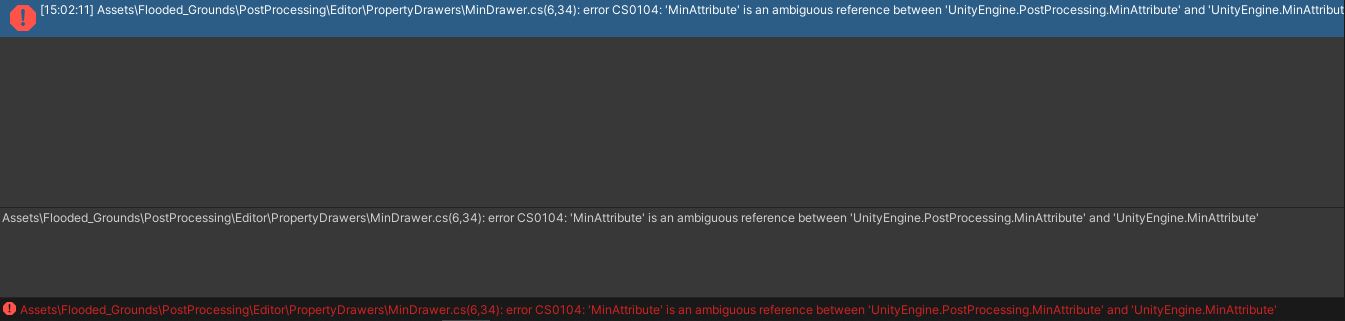
How do I fix this problem
I tried to use ctrl + z but the error still remains
 hot grove
would anyone be willing to share the link/files to a great bloom asset? I've been looking around and i can't find anything of preference. Thanks in advance
 marsh frigate
@lucid harbor install only the version in the package manager. There should be no Post Processing in your Assets
@severe slate that's chromatic abberation
 tropic crown
Is there a way to implement the Thermal Camera effect on a RenderTexture? Is there also a way to adjust the contrast of a RenderTexture?
severe slate
It seems like RGB is split into different layers
@severe slate It's called chromatic aberration but i don't know how to implement it in unity
 grand swallow
Could anyone please let me know which Post Processing Volume I should be used? I have the Post Processing package installed but it doesn't seem to work (I have Post Processing enabled on the camera)
I looked in the Lost Crypt example because its working there (I'm using 2D URP) but they don't have that package installed at all but instead using a Volume script from Core RP Library.... wtf, why is there two?
gritty folio
@grand swallow The "Volume" script is part of URP, and should be used instead of the Post Processing package (aka PPv2). PPv2 is meant more for the built-in pipeline. Some versions of URP support switching over to PPv2 via the URP asset, but newer ones don't so it's better to stick with the integrated volume system. (Got a bit more info here : https://cyangamedev.wordpress.com/2020/06/22/urp-post-processing/)
grand swallow
Right that makes a bit of sense. Kind of wish there was a warning or something lol that was hella confusing
Thanks for clearing that up @gritty folio 🙂
 vast brook
would anyone be willing to share the link/files to a great bloom asset? I've been looking around and i can't find anything of preference. Thanks in advance
@hot grove a "great" bloom effect is included in Unity's own post processing package(s,) no 3rd party assets required: https://learn.unity.com/tutorial/post-processing-effects-bloom-2019-3

Unity Learn
Bloom gives the illusion of an extremely bright light and is a great way to enhance add visual ambiance to your Scene.
It seems like RGB is split into different layers
@liam.#6969
@lean sinew#6969 It's called chromatic aberration but i don't know how to implement it in unity
@severe slate @lean sinew#6969
Chromatic aberration is an effect available in post-processing for all render pipelines. Just get post processing set up and you can apply it: https://docs.unity3d.com/2019.4/Documentation/Manual/PostProcessingOverview.html

though it seems the "liam." that asked this question already left the server ¯_(ツ)_/¯
 dreamy ridge
oh @gritty folio, thanks a bunch for URP_BlitRenderFeature, I've modified it loads to get per-camera effects but it was super useful 👍
 copper owl
hey guys
so I've made a really pretty post processing stack
and added it to the scene
but when I hit play it doesn't render
do I need to apply it in a certain way?
copper owl
never mind, i figured it out
if you're wondering, i had post processing turned off in my camera
 edgy prairie
Would the particle system count as post processing?
And of so, can anyone help me?
Fairly simple question, how would you get the system to spawn rantom textures?
Im suuper bad at this sorry
 midnight veldt
How do i add post processing to this https://streamable.com/ccsxov
 severe slate
use the Unity post processing stack
 slender raft
 cobalt phoenix
So I was working on an android 2d game in unity, and today I decided to use unity's Post-Processing stack into my scenes. The game is very simple and is physics based. But after adding Post Processing (bloom and chromatic aberration), the games seems laggy on my phone with 8gb of ram and 2.2ghz clock speed, while it gives almost 1000fps average on my pc. Is there any way I can fix this issue?
 charred kestrel
@midnight veldt also completly non related just wanted to say that first you should use a tile system for the ground
vast brook
@cobalt phoenix ram and cpu speed mostly won't affect post processing performance. for the most part only the gpu matters. mobile gpus are generally very underpowered, to the point you may want to avoid post processing altogether. or maybe reserve for the highest quality settings for a select few models, the latest greatest phones / tablets only. even then you may need to lower the render resolution and other settings to get it to run smoothly.
 undone reef
can someone help me
when i apply bloom to an object nothing happns till i click on is Global then everything has the bloom effect
cobalt phoenix
@vast brook thanks a lot for the reply
 still basin
hey so can anyone help me on this? https://forum.unity.com/threads/change-effect-intensity-through-script.983433/
Unity Forum
So I want to change the Intensity Value of this effect. I can change it in the inspector, but how can I change it through another script?
//...
can someone help me
when i apply bloom to an object nothing happns till i click on is Global then everything has the bloom effect
@undone reef its only works somewhere in the world. I would recommend Brackeys Video for you. https://www.youtube.com/watch?v=9tjYz6Ab0oc
Master EVERY Post Processing effect in Unity!
► Check out AT+Explore! https://bit.ly/AT_E_BR1
● RPG Poly Pack Lite asset: https://assetstore.unity.com/packages/3d/environments/landscapes/rpg-poly-pack-lite-148410?aid=1101lPGj
● HDR and Tonemapping in Unity: https://docs.uni...
 celest nacelle
Can I use post processing with VR?
undone reef
yes
celest nacelle
Why won't it show up then? I created a volume with a post processing volume on it and put the post processing layer on the camera
And it doesn't show up
 round void
so I'm flowing Brackeys Tutorial for post Processing but I am unable to create a Volume is there something else I need to do in 2019.4.11f1
 cyan orchid
 worn lance
do not know if this belongs in this channel, but does anyone know how to spawn more particles at one time? been messing around for a while and could not find out how to do it?
 median flare
I am trying to make my game's "time" sync with system time. Is there a way I can make my camera show things a bit more dark blue-ish to represent night time without having to change the colour of all the objects in the scene?
mellow summit
How can I make this look good any suggestions
@cyan orchid add color grading, some slight bloom and shadows
 rich coral
@cyan orchid use a sky as a background (with clouds) to contrast with the blue cubes. The restart button is ugly. But the platforms are good and font is okey too.
mellow summit
i think the scene is minimalistic so a real sky wouldnt fit too well
i would give it a gradient tho
 serene adder
do not know if this belongs in this channel, but does anyone know how to spawn more particles at one time? been messing around for a while and could not find out how to do it?
@worn lance not really the right channel
worn lance
ok thanks
 stone elm
i have a dual camera stack in hdrp for a gun viewmodel, and whenever i have the gun camera on, the post processing stops having any effect
is it just not possible to have a dual camera setup in hdrp or is there a solution?
 swift lark
Hey guys
I followed brackeys tutorial of post processing and then I followed the tutorial of 2d lighting in brackyes
But when I change the render sittings to the 2d lighting(in project sittings window).... the post processing gone
And when I change the sittings to none the post processing works
Is there a way to use both of them in one project and how
Thx alot guys you are awesome
copper owl
@stone elm you might need to look at your gun camera inspector and turn on post processing
idk if it's the same in HDRP but in URP the post processing on a camera is off by default.
stone elm
its not the same, i ended up switching to urp 😛
hdrp seems very unreliable in its current state
marsh frigate
Upgrade instructions for HDRP are pinned to #archived-hdrp
 mellow tundra
URP bloom is causing glowing blobs at random locations... in this case, the tip of the sword
what exactly does bloom do? Does it take in emission? Why would random non-emissive locations in the world cause bloom blobs?
cobalt wing
@mellow tundra you could have specular aliasing happening there, meaning you could get just some bright pixels there from it on the mesh edges
mellow tundra
I've actually modified the specular lighting function, I've probably messed it up. 👀 Didn't know specularity contributed to bloom
cobalt wing
I don't know how URP does it's bloom but technically bloom can affect on all bright pixels depending on it's settings
mellow tundra
ahh so it affects bright colors, that makes the most sense
I was thinking... there's no way it somehow knows a certain pixel is being affected by specularity xD
someone mentioned it might be a NaN pixel or something
which makes sense, notice the black pixel right in the middle of the blob
that could explain things
cobalt wing
could be
I dunno if there's any setting for URP to filter those
I know HDRP has some toggles for those
marsh frigate
probably should just fix the shader causing it 😛
mellow tundra
yep!
that's the plan
most likely an issue with my changes to the lighting shader
cobalt wing
yeah, that's a fair point @marsh frigate :p
 sage heron
Hello! I've run into an odd issue with post-processing bloom and emissive materials.
With the same assets, camera, etc, emissive materials won't show any bloom on my project, whereas they will on my artist's. We're both on the same version of unity, 2020.1.3f1, so it seems likely that the issue is somewhere in project settings or generally in the project.
Any suggestions for what I can look for while debugging?
artist's (correct) version:
my (bloomless) version:
sage heron
hm, i can't see any difference in my local repo, but after quitting and restarting a few times, the bloom is working now. sorry to bother anyone here! hopefully it stays working...
vast brook
@sage heron it's possible part of the issue was you weren't in play mode looking while looking at game view. there's no guarantee that the game view will update with new changes unless you enter play mode. there's also some other ways to force it to update in scripts without pressing play. though i typically just use fast enter/exit play mode aka "no domain reload" you can enable in the project settings.
sage heron
huh, fast enter/exit play mode sounds nice
i’ll have to look for that setting, thanks!
i was definitely in play mode for most of my tests (though maybe not the screenshot above), because most of the game’s environments are generated dynamically on run
 clear hare
How do i add post processing as a layer on my camera?
cobalt wing
it's basically some edge filter that lightens or darkens the edge depending on it's direction
I guess your keywords for searching futher on the topic would be "unity edge detection"
@dapper cipher
severe slate
Does anyone maybe know how i can give my JoJo-OC an Aura-Effect like shown here?
 jagged matrix
if i want to add postprocessing, do i add a postprocess volume to the camera?
 steel mauve
how i can make that?
 loud pecan
you create some assets, slam it all together and bam. you made that.
 azure lodge
@jagged matrix If you want the effects applied to everything, use the environment volume (Window menu -> Rendering -> Lighting -> Environment -> chuck a volume profile in the slot)
Otherwise, you're probably only going to want the effects only on certain camera's and in certain areas. So in your scenes, create some volumes (Hierarchy window -> Volume -> pick one) and attach a volume profile to it. Then while a camera is inside that volume, it'll have those effects applied.
prisma geyser
Hi guys, quick question. how do i exclude a character from post processing using urp?
 neat elm
Could anyone help me figure out how to get sobel outline working in 2019.4? Its exactly what im looking for but everything i find seems to be for a older version of unity
 sinful gust

GitHub
This project contains a collection of Custom Renderer examples. This will be updated as we refine the feature and add more options. - Unity-Technologies/UniversalRenderingExamples
there's outline included in this repo
quaint wagon
@matze#1239 if you make a uv channel for the models where all triangle points are on 0 or 1 uv coordinates, you could use that uv value to calculate the distance to an edge by substracting it from 0.5 and then apply a pow() on that with an even number so that you can even skip an abs() and there you go you have color, add that to the output color and bam! edge highlight
you may need to do a colr=max(ydist,xdist)
it also seems that some inner edges are dark, you could achieve this by baking a vertex color in the model and multiply the glow with it
 jovial mango
Hello, are you aware of any problem with PPV2 + URP 8.20?
everything worked with URP 7.x but it is not working after update
gritty folio
PPv2 support was dropped in URP 8.x versions I believe. Have to use the integrated solution instead, (the script/component just called "Volume").
gritty folio
URP comes with post processing built in, using the Volume component. I've got some info here about setup : https://cyangamedev.wordpress.com/urp-post-processing/#PPv3
gritty folio
Will probably need to stick with the URP v7.x versions then
 dense rampart
Is there any way of getting data such as average color saturation, value, etc, after everything has been rendered and post processed applied? No matter how slow.
cobalt wing
PPv2 is definitely not going to be supported on 2020 cycle
(for other than built-in)
so your chances are:
- stay on 2019 and 7.x
- port pp v2 support for URP 8.x yourself
- use pp v3
@jovial mango
that option two may not even be that difficult but I haven't checked what kind of actions it would take
if I had to do it, I'd look for the commits that Unity made to bet that pp v2 support back on URP (it wasn't on earliest 7.x versions, I think they ported it as option around 7.2 etc)
 amber ibex
I want to apply post processing to the UI, but when I do, the post processing is too much. Is there any way to have different post processing effects for the UI and the game? I am using URP on the latest unity version
 neat ice
Is there any way of getting data such as average color saturation, value, etc, after everything has been rendered and post processed applied? No matter how slow.
@dense rampart if performance is irrelevant, the most simple and straightforward (but probably super slow) solution I can think of is to use Texture2D.ReadPixels to get a Texture2D with the contents of the screen, and then just iterate over all it's pixels in C# using GetPixel and calculate required average values
dense rampart
@neat ice Ah, yes that's a good idea! Thank you ❤️
 mystic vault
does anyone have the unity post processing stack ?(if u do pls send me the file or if u have an idea of how i can get it dm me)
 midnight ridge
Im having major issues with shadows in my game, im using URP and no matter what cascade settings they always look stretched. Even though my shadows are like 2048x2048 resolution. Any ideas?
How can I make AAA graphics?
amber ibex
@mystic vault you can get it in package manager, just search post processing stack
mystic vault
@mystic vault you can get it in package manager, just search post processing stack
@amber ibex unity 5 doesnt have package manager
cobalt wing
@mystic vault use asset store or git repo then
do note the version you can use on Unity 5 differs based on which Unity 5 version we are now talking about
there's cinematic effects pack, ppv1 and ppv2, if you use Unity 5.0 you can't use ANY of these as some required api changes only landed around 5.2-5.3
for PPv1 and PPv2, the github repo here: https://github.com/Unity-Technologies/PostProcessing
there should be tags for the releases
mystic vault
thx
cobalt wing
again, if you only said which version you need it for, I could give more info
mystic vault
oh i need it for unity 5.6.7f1
cobalt wing
"For older versions of Unity (5.6 and 2017.1), use version 2.1.8."
I didn't see it on asset store anymore but you should be able to get it from github repo
for some reason Unity has stopped tagging releases there after 2.1.7
mystic vault
oh
cobalt wing
pretty sure this is 2.1.8: https://github.com/Unity-Technologies/PostProcessing/tree/f5807461bfb8f256d3abceb54a6d55efcecf953b
so... here's zip download: https://github.com/Unity-Technologies/PostProcessing/archive/f5807461bfb8f256d3abceb54a6d55efcecf953b.zip
there's no nice release for it on git so you can only get it via that hash number
mystic vault
thx so much
cobalt wing
np, hope it works
mystic vault
yeah ill update u if it does
cobalt wing
actually, that version still says it requires 2017.1
so to play safe, just use 2.1.7 instead: https://github.com/Unity-Technologies/PostProcessing/tree/2.1.7
or direct download: https://github.com/Unity-Technologies/PostProcessing/archive/2.1.7.zip
that should work on 5.6.1+
mystic vault
it worked thx so much
severe slate
possible to make a game with this quality as disney?
neat ice
I think in theory it is possible to make something like that, probably not exactly matching movie quality, but similar. But it would be very expensive and would require very advanced graphics expertise
cobalt wing
we will not see that level of hair + fur rendering at realtime in a long time
so that part is definitely not possible today
dry folio
Maybe only our grandchildren will see this fur and lighting in real-time 
blazing hedge
Xfur released a 2.0 version, probably the closest you can get right now. HairStudio is also really awesome
mystic vault
u actually also helped me
soo thx
i had trouble making hair in blender so ill try out hairstudio and xfur
cobalt wing
there are nice realtime hair and fur solutions out there for sure, the point was more like, we are nowhere near of getting disney's offline hair rendering quality at realtime yet
but everything is relative of course
neat ice
Well yeah, I guess the general answer is, as always: "it depends" 
mystic vault
ooof they r paid
amber ibex
Is there any way to apply separate post processing effects to the UI than to the game
 polar plume
Can you help me with tips on creating post apocalyptic post processing effects
 heavy harbor
Hey Guys, I need some help with enabling Dithering in Unity's post processing stack. I check the various effects but I couldn't come across it. I checked an article and it mentioned that Dithering is available when using Universal Render Pipeline. But I'd like to know if it's there in Built-in render pipeline. This is very urgent. Thanks for your help.
 soft belfry
I'm trying to follow this post processing tut by brackey and in his first step, hes says we need to create a "Volume" but that option is missing from v2020.1.9f. What do I use instead?
Master EVERY Post Processing effect in Unity!
► Check out AT+Explore! https://bit.ly/AT_E_BR1
● RPG Poly Pack Lite asset: https://assetstore.unity.com/packages/3d/environments/landscapes/rpg-poly-pack-lite-148410?aid=1101lPGj
● HDR and Tonemapping in Unity: https://docs.uni...
mystic vault
I'm trying to follow this post processing tut by brackey and in his first step, hes says we need to create a "Volume" but that option is missing from v2020.1.9f. What do I use instead?
@soft belfry im not too sure but i think u need to get the post processing stack to get the volume section
severe slate
How do you increase the LOD distance, specifically for terrain trees?
they pop out of existence when I'm like 10 meters away, I'd prefer to just not have LOD for them at all but I dont see that option
oh wait nevermind, it was the billboard distance being too short and there wasn't a billboard defined so they just dissapeared
 pine spindle
Guys, I have no idea what's going on. It's like my post-processing turns off once I hit Play. I'm not messing with it in code at all. The code is only for moving and shooting, so far. Using HDRP. Any ideas or suggestions are welcome
 subtle snow
so for a 2d platformer game with nice high res stuff going on, anyway to add the CRT monitor deal?
Like the 80,s VHS style thing
steel mauve
 slender rune
Really noob question for you guys, but where is the official post-processing stack? Can't find it in the Asset Store.
 obtuse trail
i dont Know
mystic vault
Really noob question for you guys, but where is the official post-processing stack? Can't find it in the Asset Store.
@slender rune its on github lemme send u the link
Really noob question for you guys, but where is the official post-processing stack? Can't find it in the Asset Store.
@slender rune https://github.com/Unity-Technologies/PostProcessing if ull have trouble downloading it dm me and ill help u

GitHub
Post Processing Stack. Contribute to Unity-Technologies/PostProcessing development by creating an account on GitHub.
slender rune
@dev4life Thanks! I think I'll be fine
They really should advertise this more on their site. Lol
@mystic vault Actually, it might be a good idea to tell me the install location just in case. Lol
mystic vault
@mystic vault Actually, it might be a good idea to tell me the install location just in case. Lol
@slender rune just press the link i sent and ull see a green button that shows like a download image just press it
slender rune
@mystic vault Thanks, I'm not at my computer right now so I can't check it. After clicking that, does it set up automatically?
mystic vault
no umm after downloading the file
go to your unity folder
then find like a folder for assets in it and just put the file there
ull have to use that method cause if u put it in straight in unity it will say that u already have everything in the file
slender rune
@mystic vault Okay, thanks!
mystic vault
np
lemme send u some pictures of the steps so u understand better
for the first step just go to the folder where u kept ur project
and open it
when u open it ull see this
then go into assets
and paste the file here
marsh frigate
@slender rune @mystic vault This is not how you should use the Post Processing package.
If you are using URP/HDRP it is built-in. If you are using the default pipeline then you should just need to go to the Package Manager (Window/Package Manager) and add Post Processing from there
As is mentioned in the docs https://docs.unity3d.com/Packages/com.unity.postprocessing@3.0/manual/Installation.html
mystic vault
@slender rune @mystic vault This is not how you should use the Post Processing package.
If you are using URP/HDRP it is built-in. If you are using the default pipeline then you should just need to go to the Package Manager (Window/Package Manager) and add Post Processing from there
@marsh frigate still the same thing🙄
marsh frigate
Except that you cannot update it easily and it requires you to do all these manual steps
mystic vault
github releases all the updated versions
marsh frigate
You would still have to go on github and go through all those steps again
mystic vault
and plus the method ur talking abt isnt compatible for all versions of unity cause some versions dont have package manager
marsh frigate
I wouldn't recommend poor practice to new users because of versions that are multiple years old
I also believe that the package manager is in all versions that this version of post processing works for
marsh frigate
You would have to switch to the older branch I suppose
mystic vault
some ppl use the old unity versions cause they have low specs
marsh frigate
I would probably ask which version they're using before recommending that way of working then
mystic vault
oh ok then
but at least both methods can work
so if one doesnt he can try the other
 teal folio
two cameras
@severe slate one render the post processing objects only
camera have this culling mask settings
to define what layer of object it renders
you just render the object have post processing and mix with other camera render others
Hereos Of Hammerwatch Review: https://www.youtube.com/watch?v=zyydueaOO1M&t=328s
Patreon: https://www.patreon.com/randomartattack
Twitter: https://twitter.com/randomartattack
Facebook: https://www.facebook.com/randomartattack
pine spindle
Guys, I have no idea what's going on. It's like my post-processing turns off once I hit Play. I'm not messing with it in code at all. The code is only for moving and shooting, so far. Using HDRP. Any ideas or suggestions are welcome
@pine spindle No one? 😕
teal folio
@severe slate depends on unity version, mine in 2020 it just a tick on Camera component and a "volume"script
pine spindle
@severe slate You mean the old Post-processing layer? Nope, I'm using HDRP. As far as I've read, that's the old way of implementing PP. Again, my PP stack works, as long as the game is not playing... 🤔
 fluid wigeon
how do you do post processing in unity 2020.1.8
they seemed to remove the "Post Processing" check
anybody have a clue?
ive seen zero forum posts or videos mention this in the slightest
yes, i do have the packages for Post Processing installed
fluid wigeon
there isnt a single thing called "Volume"
 river hornet
Universal Render Pipeline (URP) helps us achieve amazing Graphics in Unity 2019 and Unity 2020 by adding post processing to our games! In this tutorial, we'll see how we can add post processing!
Get the free E-book from Xsolla! http://xsolla.pro/sykoo_sub
Sign up at Xsolla r...
fluid wigeon
tried adding the pipeline asset
everything is now pink
solved most of it
dang
if only the preset overrides actually had ambient occlusion
what i was looking for
pine spindle
@fluid wigeon Go to Edit > Render Pipeline and Upgrade your materials
fluid wigeon
i know
i did that
but only problem
some boxes i use use the default material
how do i upgrade those?
and i also use a .fbx model for the characters which dont have a set material
the post processing worked but it didnt have the shader i wanted
so guess im not using that
pine spindle
Yeah, I've had that issue, what I did was recreate the materials. Like, make a new, blank HDRP mat and use that. idk if there's a better way
loud pecan
you can split the materials out of the fbx in the import settings
fluid wigeon
i could probably just reimport my model
 final hazel
Hi guys, I'm new to this. I installed the post processing package, I'm using 2d lights. My camera has post process layer, I have a post process volume in global on a Post Processing layer but no effects are working. I watched tutorials and there is nothing differents; Any people has idea ? Maybe I forgot a step :/
loud pecan
you toggled Post processing in your Viewports?
final hazel
by default it is I guess, I checked and yes
final hazel
Ok, I was using the post processing from the package with URP, I didn't know they had ther own and it wasn't compatible. ^^
 mystic plank
@severe slate that's interesting..... looks like a bug....
I'd just delete the material and make a new one
:/
oh haha
no way anyone here could have guessed that xD
once you switch render pipelines, graphical glitches are anyone's guess 0_o
@balmy bloom might be better off asking in #⛰️┃terrain-3d but are you certain the quality settings on your build is set high enough?
 balmy bloom
@mystic plank thanks - I am checking the quality settings, and I’ve asked in terrain as well - it seems to be related to the URP texture shader, specifically... however I can’t replicate the error in another URP build, so there is an error, not a bug
 pine totem
my camera seems to only render bloom
while i have a lot of other effects too
it worked fine in the past
using URP btw
bronze mural
Check that you are modifying the correct asset.
pine totem
ok
pine totem
i think i am because it works fine in the game view but not when it’s in play mode
 feral folio
Guys how to anti alias scene view not game view
 sonic brook
Question: how do you create a mask using objects in a scene to hide those areas on other objects/layers in the scene?
I'm assuming it would involve multiple cameras and render-to-texture. But my searching hasn't turned up any useful answers or tutorials on how to do this, and I'm wondering if I'm using the wrong terminology for doing this in Unity.
loud pecan
not sure if i understand you correctly but what you're searching for is propably stencil buffers?
sonic brook
Possibly.
In Photoshop/After Effect terms, it would be called a mask.
Basically, use the silhouette of object A to hide parts of object B, without actually displaying object A.
loud pecan
yeah, definitely stencil buffer territory
sonic brook
Oh cool thank you.
I can look that up
Can stencil buffers also be applied to the UI, such as on image planes that are children of a canvas?
loud pecan
but be aware that this is rendering only, so if the hidden object has a collider, it's still collidable
sonic brook
yeah, I mean to use it for rendering
I have a few more questions:
Can stencil buffers also be applied to the UI, such as on image planes that are children of a canvas?
Can the stencil buffer be "inverted", so instead of using Object A as the stencil, use all the empty space around Object A as the stencil?
loud pecan
stencils should work
sonic brook
awesome thanks. I'll go research now
loud pecan
so stencil buffer was half right, if you only want to hide something, renderqueue should be enough. Watch this:
https://www.youtube.com/watch?v=SySnHIhiVgM
 scenic stratus
Hey there! we have an annoying issue right now where the post process stack in legacy makes our UI to flicker (the UI is drawn in a second camera, without any post process layer on it). The bug only shows up on iOS so far (not seen in the editor). Any idea? Thank you! (latest 2019 LTS with latest pp stack package)
sonic brook
@loud pecan gracias for the video!
severe slate
Hi, I'm using URP and the 2D Renderer and have a Global Volume for Bloom, Vignette, Chromatic Aberration and Color Adjustments.
Can anyone help point me in the right direction for being able to change values in these components during runtime.
pine totem
can someone hep me, my post processing doesn't work for some reason, only in the scene view but not in game (using URP)
everything looks fine in the scene view but it changes as soon as i press play
i've done some more testing and it seems to be the skybox turning off, not the post-processing
sonic brook
Found another tutorial for stencil buffers https://www.ronja-tutorials.com/2018/08/18/stencil-buffers.html
 stiff stone
pine totem
can someone hep me, my post processing doesn't work for some reason, only in the...
stiff stone
pine totem
can someone hep me, my post processing doesn't work for some reason, only in the...
If you are using URP theres already a post process volume, u can change that to your satisfaction
IF you are not using any render pipeline except the default SRP,, just follow this good tutorial i found when i tried to do post processing https://www.youtube.com/watch?v=_PzYAbPpK8k&t=209s

In this video we take a look at how to use the Post-Processing Stack in Unity to drastically improve the look of our visuals in our project.
We take a look at how to get started using post-processing and work to create a realistic auto-exposure effect.
We also take a look at how to use the depth of field effect to create a tilt-shift effect on...
or just remove all post processing and redo
 viral coral
why when i build my game does it just show a black screen
i looked it up and found one answer that worked for them (disabling post processing) but it didn't for me because he wasn't using hdrp
 rose shore
Hello guys, i hope i can find there help, i'm trying to create glow for this sting, but i create this using post-process settings and volume script on my camera, but is there any way how can i make same result but not using post process, because i need such effect only for my prefab, not for whole scene.(if something sounds bad sorry im not really experienced eng speaker)
 astral lodge
I have a problem I think is from a post process effect(im new with ppe and shaders). If anyone can help I'd really appreciate it: https://answers.unity.com/questions/1790943/shader-acting-not-as-expected-i-have-no-clue-why.html
Unity is the ultimate game development platform. Use Unity to build high-quality 3D and 2D games, deploy them across mobile, desktop, VR/AR, consoles or the Web, and connect with loyal and enthusiastic players and customers.
rose shore
please help me someone #💥┃post-processing message
 balmy tusk
Is there an easy way to make an EGA graphics filter in unity? (16 colors?)
rose shore
@balmy tusk don't try ask anything, there is amazing and helpful community on this server.
balmy tusk
Shrug We're not really entitled to easy or quick answers.
 alpine sky
I recently had to move my files over to a new project but now my emissive materials don't work?
I tried everything I could think of to get it working again, but to no avail. Please if anyone could help me out.
I'm using the URP and I already checked to make sure that I have a global volume, reflection probe, and that my camera has the effect applied.
 charred citrus
hello, I have post processing volume for the lights, which is effecting the whole scene. But I have one object, which I don't want to be effected by Post Processing Volume. Hot to make it?
rose shore
@charred citrus you probably need to use different layer for it
and make volume affect everything except this layer
severe slate
Does anyone by any chance have advice for increasing bloom effect for only specific objects or shaders in Unity URP?
I was trying to use camera layers but the post-processing applies to everything. I wanna create an effect that looks like this Godot sample game, where the glowing objects have a lot of bloom, but don't look like white or something. They're clearly blue and orange, ect.
I don't even know if Godot has volumetrics. Maybe it does.
severe slate
Nevermind, I just changed the tonemapping to neutral instead of ACES ^^
severe slate
i cant find where i can enable post processing in the camera inspector
 opaque crater
my post process is working on ui in scene view but when i go to the game view it does not add the post precess effect(bloom) to the uis
 sterile iron
unless your ui is renderd by a camera its not gone get the postprocessing
you can use the screen space camera option on the canvas if you whant it to affect it
opaque crater
sterile iron
unless your ui is renderd by a camera its not gone get the postprocessing
you ca...
yeah thanks i found the reason why it wasnt working but thanks for help anyway :)
 tidal junco
Cyan, shall i go over what im trying to do, maybe that'll give more context
gritty folio
Sure
tidal junco
Create a brightness slider to manipulate the Exposure parameter of the Color Adjustements section
i assume the slider will cap its values. so i dont need to clamp it.
I was hoping it would just be as slmple as:
    public void NewBrightnessSlider(float brightness)
    {
        postProcessProfile.ColorAdjustements.exposure = brightness;
}```and then just plug this function into the OnSlide() event on the slider. (Dynamic section)
    //Post Processing Brightness.
    private VolumeProfile pp;


    void Awake()
    {

        pp = GameObject.FindGameObjectWithTag("PostProcessing").GetComponent<VolumeProfile>();
        Debug.Log("FOUND PP VOLUME!!!" + pp.name);
}``` This is what i have at the moment.@tidal junco Okay, first up then. You likely can't obtain the VolumeProfile like that as it's not a component. You would need to obtain the Volume instead which is the component that goes on the gameobject. Then obtain the .profile from that.
private VolumeProfile profile;

    private void Start() {
        profile = GetComponent<Volume>().profile;
        ...
    }
Alternatively, you could just use a public VolumeProfile pp; and set it in the inspector.
From the profile, we can then obtain the ColorAdjustments from the list of VolumeComponents (effects on the profile) using TryGet. Like so :
if (profile.TryGet(out ColorAdjustments colorAdjustments)){
// successfully found
}else{
// profile does not have ColorAdjustments on
}
TryGet returns a bool to check if it was found, but the component is also passed out through the first parameter. From that, we can then edit the .postExposure value. It's not just a simple float though so we can't use = here. It's a "FloatParameter" which is a little awkward but it has an Override method that takes a float like so :
colorAdjustments.postExposure.Override(1f); // replace 1f with brightness or value from your slider
God damn
Gimmie few mins to read over
@gritty folio That second code block, is that ifstatement in Awake, after the assignment, or in my brightness function?
gritty folio
Could likely be either, though I'd probably do it in Start or Awake and cache the result for later in the brightness function.
tidal junco
Ah. wait.
    //Post Processing Brightness.
    private VolumeProfile pp;
    private ColorAdjustments ppColorAdj;


    void Awake()
    {

        pp = GameObject.FindGameObjectWithTag("PostProcessing").GetComponent<Volume>().profile;
        Debug.Log("FOUND PP VOLUME!!!" + pp.name);

        if(pp.TryGet(out ColorAdjustments color))
        {
            ppColorAdj = color;
        }
        else
        {
            //Didnt Find it.
}```No, it's the ColorAdjustments color result that you want to cache.
Something like this :
private VolumeProfile profile;
private ColorAdjustments colorAdjustments;

private void Start() {
    profile = GetComponent<Volume>().profile;
    if (!profile.TryGet(out colorAdjustments)){
        Debug.LogWarning("ColorAdjustments is not on profile!");
    }
}

public void AdjustBrightness(float brightness){
    colorAdjustments.postExposure.Override(brightness);
}
    public void NewBrightnessSlider(float brightness)
    {
        ppColorAdj.postExposure.Override(brightness);
}```Yep that works
tidal junco
And the slider can clamp that PostExposure value, right?
if the slider only goes, lets say 0-2
I didn't play yet. But i get this error right off the bat
ppColorAdj.postExposure.Override(brightness); this line
gritty folio
Should probably check that there's actually a ColorAdjustments component on the volume. I'm assuming there isn't since it returned null.
tidal junco
Ah. i disabled it lmao. hold on
@gritty folio Perfection. Thank you my friend
do i need anyyhing in that else? Or can i just leave a debug in it
if the TryGet fails. Nothing will happen right?
gritty folio
You could add a Debug.Warning there to tell you there's no ColorAdjustments found, but not important.
tidal junco
Thank youuu
tidal junco
@gritty folio i keep getting these errors, But it works when i play?
gritty folio
Maybe surround it with a if ppColorAdj != null check? That would stop the error at least, though I feel the method shouldn't really be called if it's null.
Might be that the method is being called before it's set in the awake? Not sure, could try adjusting the script execution order.
sterile iron
@tidal junco you should make sure that the variables you are trying to access in the places you got the errors are acctualy asigne tat the time you try to access them
 fossil sundial
english 🤏😎
midnight ridge
I cant have good shadows without the shadow distance being low! Please help!
this is super annoying. Look at that soldiers shadows, they are very pixelated
And my shadow resolution is already 4k...
 tame venture
Ok so I have a question
I have made a 2D scene and applied a post process layer onto my main camera, and set the layer in the post processing layer to that layer. I have then added a volume and a post processing profile and then when I add things like bloom they don't show up
I'll send a screenshot to show
Wait dw I figured out my problem
tame venture
Why doesn't the bloom show?
 ripe rapids
did you enable post procesing in the main camrea
tame venture
Yup
stiff stone
ok
i need help
how do i control chromatic aberration through script
 jovial tapir
https://m.youtube.com/watch?v=jg2I2odw51M @stiff stone

In this video i will teach you how we can change post processing in realtime with Unity3D. Doing this can allow for some really juicy effects.
PostProcessing GITHUB: https://github.com/Unity-Technologies/PostProcessing
Discord: https://discord.gg/tEkwXfN
:D
severe slate
@quasi token Stop using the built in pipeline
 paper cradle
Do any of you guys know how to disable post-processing for one layer only?
I tried putting two cameras, one over the other with different culling masks but that won't do because it renders on top of the other
 analog maple
Hey i have no result with the post process and the set up is ok som got the same issue ? i try to fix it but nothing change at all
 spiral thorn
tame venture
Why doesn't the bloom show?
spiral thorn
tame venture
Why doesn't the bloom show?
Late response, bloom should only show in game view, and if it doesn't, restart the project. I've had that issue and restarting helped
tame venture
Thanks
 opal sundial
Would anyone know why models would turn black when applying a metallic texture?
 white merlin
can i anyone tell me why im getting this when i try to apply the post processing layer to my main camera
neat ice
opal sundial
Would anyone know why models would turn black when applying a metallic texture?
This usually happens when the material has nothing to reflect, so possible reasons are:
- You may need to press Generate Lighting (even if you're not using baked lighting) or create a reflection probe and bake it
- There is no skybox material
- There is a skybox material, but the Environment Reflections source is set to custom, but the Cubemap field is empty
opal sundial
neat ice
This usually happens when the material has nothing to reflect, so possible reaso...
Thanks for the reply! So I do have a skybox material and a white ambient light, would that cause it?
opal sundial
I think another huge problem I'm having is that we have these textures working in PlayCanvas, and they're not really translating to unity. For example, PlayCanvas has Metalness and Glossiness when I can only find Metalness in Unity. PlayCanvas also has Ambient Occlusion when Unity only has Occlusion. I tried looking up to see if I can find like a "translation" guide but I had no luck
severe slate
i have two questions regarding fog
how to add exception to default unity fog? like sun?
meh
hmm seems there was script called fog layer
but its not anymore, that u could attach to
camera
and it would ignore fog
 rich token
@opal sundial glossiness is smoothness, occlusion is ambient occlusion.
opal sundial
rich token
<@239119523586899969> glossiness is smoothness, occlusion is ambient occlusion.
Ah ok, interesting! Thanks!
Would you know why I'm having the problem with metallness in my particular use-case?
rich token
@opal sundial Oxeran covered most of the common causes
neat ice
opal sundial
Thanks for the reply! So I do have a skybox material and a white ambient light, ...
If you've tried generating lighting and putting a reflection probe in your scene and it is still black, than I'm not sure what's causing it. Maybe seeing the material and the metallic texture could give us a hint.
Another unlikely cause could be that your skybox is black, but I doubt that is the case 😅
opal sundial
neat ice
If you've tried generating lighting and putting a reflection probe in your scene...
Can you explain this a little more? You may need to press Generate Lighting (even if you're not using baked lighting) or create a reflection probe and bake it
I double checked the skybox, and that's anything but black
I tried adding a light but that didn't get me anywhere
 vale thunder
Hi!
does anyone have suggestions on making a game look like it came out in 1998-2005?
neat ice
opal sundial
Can you explain this a little more? You may need to press Generate Lighting (eve...
In the bottom of the Lighting window there is a "Generate Lighting" button. It may be greyed out if you have "Auto Generate" on. So if you have Auto Generate on, or if you press Generate Lighting if it is not, everything should work. If after that the models with metallic materials are still black, than I'm not sure what's causing it. (BTW are you using standard materials?)
opal sundial
neat ice
In the bottom of the Lighting window there is a "Generate Lighting" button. It m...
Holy heck that fixed it!
Thanks so much for your help! I really appreciate it
stiff stone
Hello, i came across this thing and idk why its not working, so i wanted a value to increase slowly over time and its not working
i used
chromatic.intensity.value = Mathf.Lerp(0f, 1f, time);
chromatic is just a variable assigned to my chromatic aberration and time is just a float which is 4f
Why is it not going from value of 0 to 1 within 4 secs ?
bronze mural
t value is only 0-1f
@stiff stone Please do not cross-post across several channels, pick a channel, delete additional messages.
stiff stone
bronze mural
t value is only 0-1f
I tried, it still doesnt work
or is it just that i didnt notice it
stiff stone
bronze mural
<@!711053400292458536> Please do not cross-post across several channels, pick a ...
ok
 willow field
does the chromatic aberration postprocessing effect have an option somewhere to apply the effect to the whole screen instead of just the edges
 tired idol
Can we add post processing bloom to only one object of the scene?If yes, How?
gritty folio
fossil sundial
how do i remove this fog thing
You can find settings in the Lighting window to disable it
 grand pilot
Heey i am having an issue where no post processing effects are showing, i set up everything how i normally would. And even looked around online for a solution but they still do not show up
Set the redner pipeline settings to v2.
Turned post processing on the camera on
 glossy fjord
@grand pilot are you using urp
 mellow tulip
im so happy urp now has AO
severe slate
How do I use the screenspace GI for HDRP 10 in 2020.2? I enabled it in HDRP, added it to volume component and any setting I set it does nothing.
severe slate
I can't be the only one it doesn't work with, can I? It certainly rips my FPS, but doesn't show anything, so I know it's running.
Steps -
Enable the effect in the Pipeline file.
Add it to a volume component.
Go to camera and do Custom Frame Settings, enable the SSGI.
No effect, but takes 10-20 FPS using it.
 wary elk
Is it possible to make a simple Color Filter post process that work like this graph?
wary elk
any help?
bronze mural
@rose shore Please don't post unhelpful comments on the server.
 frigid scroll
Unity 2020.1 or .2 in URP using PostProcess Bloom, the bloom on HDR Emissive color (on my bulbs, buttons, explosions or tv screens for example) is not working in my VR headset. Things show proper on the Editor View, but not in the Game view or in the headset. They also work on the game view if not using the VR headset. The PPFX are working, and some of the Bloom fx is working, just not this Emissive light bloom part. Any help to get my "glow" to work in VR???
rich token
@wary elk that image is too small for me to even tell what it is or what you're trying to do.
wary elk
rich token
<@338973647479898113> that image is too small for me to even tell what it is or ...
Its just a random sprite I made with there 3 colors. The thing is since my game is made only by these 3 colors (like Downwell for example) I would love to make some sort of post process that filters white,black and red in 3 different channels to change the colors independently and make different color palettes
rich token
@wary elk why not just use a gradient and a grayscale sprite? Then just swap gradients to change the palette?
 fair oak
hello
i made a shader
and it lags
a lot
my gpu is gtx 1650
wat should i do
pls hlp guys
rich token
@fair oak the image is way too tiny to read, you don't say what it is supposed to do, you don't really give any relevant information that could help. Have you tried didabling individual nodes until it stopped lagging?
 meager vortex
Hey guys, I'm trying to set up post processing to occur on different layers differently.
So, I have three separate layers; main camera's layer with no PP and two cameras with PP enabled, each being in charge of a different layer.
They're setup like this:
with main camera and close camera being overlay cameras, and far camera having them added as overlay cameras
Each volume is on its own layer and is set to local (even though name says global I know), if I apply effects on volume assigned to "Far camera", the required layer is affected, but if I change settings on a volume assigned to the Close Camera, both are affected
Both cameras have layer masking set to correct layer, so I'm confused as to why this is happening.
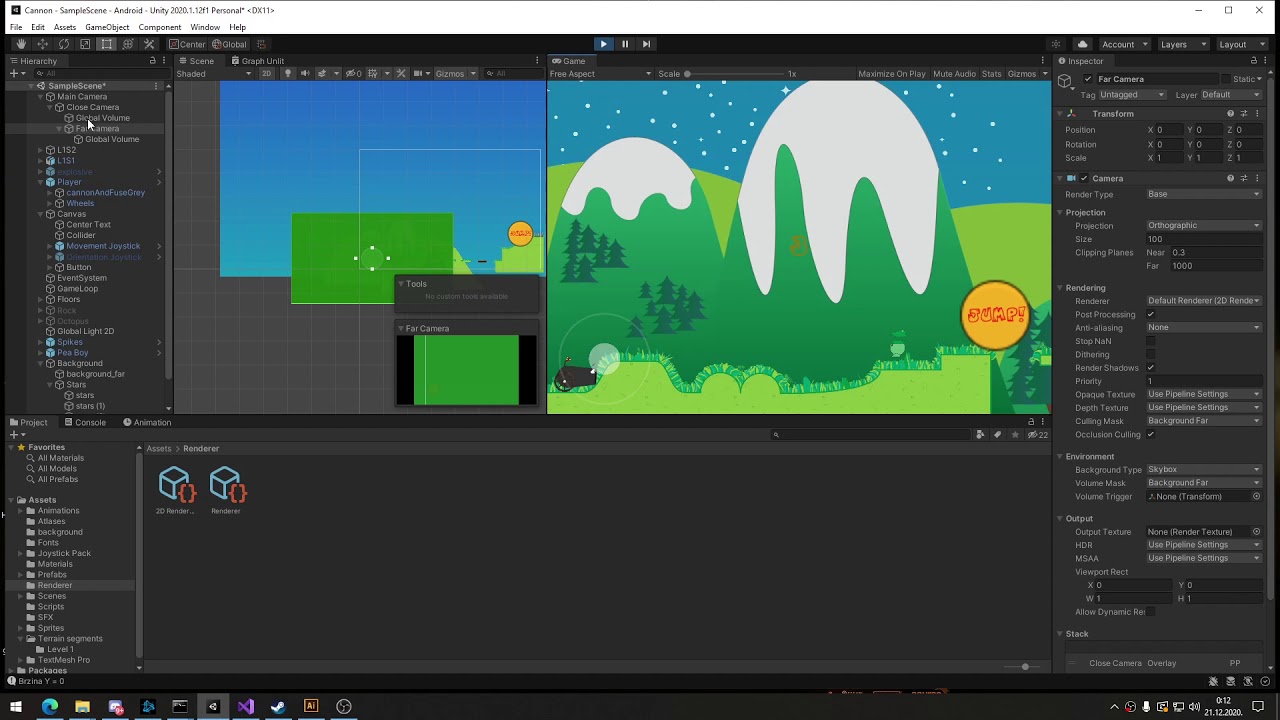 severe slate
Has anyone gotten the screen space GI to work yet, i've been trying since Unity 2020.2 came out and the most I can get is apparently a magnified overlay of the screen that scrolls across the screen. (THink of a hunting rifle scope), now put that image stretched over your entire screen and rotate your camera - that zoomed in tree is now panning across your entire screen.
Here's the GI doing something strange. (I made the rock red) so it's esier to see.
severe slate
After discovering the Debug for HDRP. I can see that it is in fact 100% working. I just cannot SEE it. Here's two images for testing.
is there a way to make it brighter in the scene then?
severe slate
i think default webgl limit for memory is 256mb
yet i get error
RuntimeError: memory access out of bounds
return RenderTexture.GetTemporary(template.descriptor);
is there any way to check how much that texture weights
severe slate
hmm i think that function is not the culprit, but its something with rendertexture
 wise sapphire
wary elk
Its just a random sprite I made with there 3 colors. The thing is since my game ...
wise sapphire
wary elk
Its just a random sprite I made with there 3 colors. The thing is since my game ...
check out blit, lets you use shader graph on the screen as image effects
vast brook
wise sapphire
check out blit, lets you use shader graph on the screen as image effects
does it? link?
wise sapphire
vast brook
does it? link?
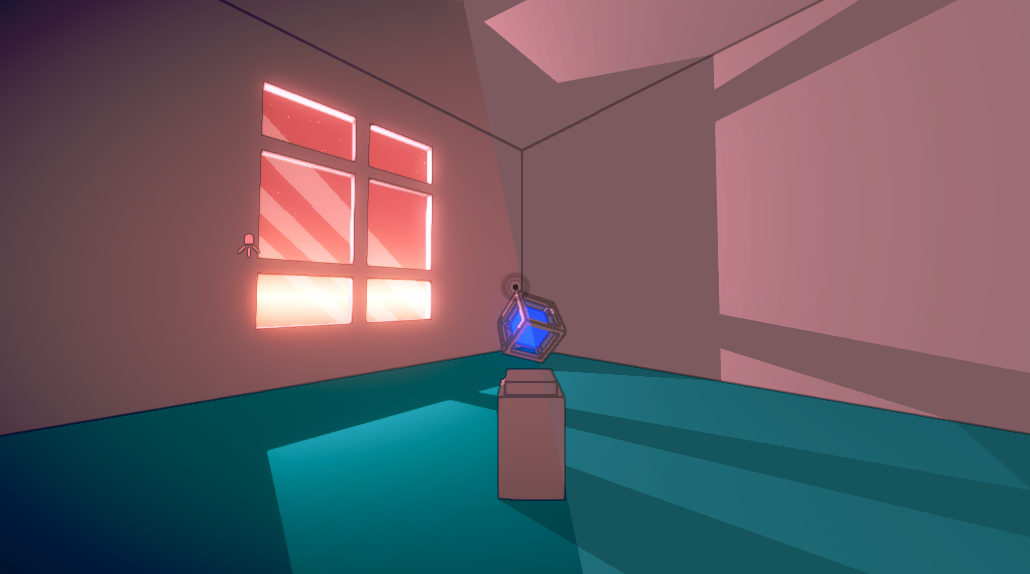
The Universal Render Pipeline (URP, previously known as Lightweight RP) uses an integrated Volume system for Post Processing effects, sometimes referred to as Post Processing V3 / PPv3. These effec…
vast brook
@wise sapphire ah i see, for URP at least, thanks!
wise sapphire
no problem!
steel mauve
I need Rtx mode
rich token
Is there anything yet that actually needs rtx? (Aside from tech demos)
rich token
Just saying, it's not like hardware tnl or something that actually makes a hard break with previous generations
 merry plume
oh that needs it, no, you're right
 hoary rampart
does anyone have a good blur image-effect shader to recommend? I am currently using one from the Asset Store but it really kills the performance on older mobile devices. I tried writing my own but...well let's just say it does not run any better
merry plume
@hoary rampart mobile will not be able to blur real time without performance loss, all that per-pixel stuff is death for mobile (post processing like blur etc)
newer devices do have more memory, if you want to pre-blur some image or something and just display images instead of requesting real time blurring
hoary rampart
But sometimes real-time blur is needed. I always wonder how this blur on Cytus 2 is achieved...
 lost beacon
hi ! i've got a question about building an environment - is it possible to have different post-processing layers for different areas on a map? my goal is to move from a bright external area to a foggy dark forest area within the same level?
if anyone's got any tips they could share pls let me know i've been finding it so hard to find info on this !!
loud pecan
lost beacon
hi ! i've got a question about building an environment - is it possible to have ...
You can change PP-Objects from global to Volume and specify an Area with a box.
lost beacon
loud pecan
You can change PP-Objects from global to Volume and specify an Area with a box.
omg amazing thank u so much !
gonna try this
lost beacon
loud pecan
You can change PP-Objects from global to Volume and specify an Area with a box.
omg yes this fixed it thank u so much amazing !!!!!
 hexed nova
how do I make my own post process in URP?
wise sapphire
render features?
 sullen walrus
how would i make vignette not apply to a certain object in 2d?
i've gotten it to work, but those objects render above all the others
or any post process effect
here it is, semi - working, but these objects render in front of all others
 civic bronze
 cloud narwhal

 eager grail
I started a unity project from the default 3D template, I added HDRP, and I can't seem to get rid of the awful color banding. I enabled Dithering on the main camera, and I also changed the color buffer format to R16G16B16A16 and enabled Forward rendering. Just so you don't think I neglected my diligence I used the HDRP setup wizard to set all the requirements. Is there something else I'm missing?
hexed nova
I cant seem to reference a bloom component when I use GetComponent<bloom>()
mellow tundra
Do you mean the PPS2 bloom? Effects are not components
You need to use GetComponent<PostProcessingVolume>().TryGetEffect, or something like that. I forget the exact function
 wooden blade
I cant figure out how to make the post process volume work
hexed nova
depends on the render pipelin
 lunar flare
Ok
i bite
why isn't post processing volumes working?!?!
I'm working on a short cinematic and all i want to do is depth of field that will be activate once it hits a certain spot in the timeline
BUT IT WON'T WORK
I've tested this is a previous project, I have everything setup correctly! What am i doing wrong?!
nvm
i fixed it
sorry for acting so mad
 snow tundra
Are there known issues (& solutions) for running HDRP in the Linux version of the Unity editor? Editor crashes when baking lighting & when attempting to enter play mode. Existing Unity issues are relativity old and without progress. If anyone here happens to be running HDRP with the Linux editor and is having success, advice would be much appreciated.
Tried the LTS, latest, and Beta release of the editor.
Latest MESA drivers on a AMD Radeon RX 5700 XT.
 kind vault
having a hard time getting the bloom out of the volume via code, how do I do this?
 severe field
I've found some files deep within the post processing folders in the URP package....
May I present a finding of mine?
marsh frigate
@sudden peak 5.6?
 sudden peak
Yup
marsh frigate
What do you mean, removed?
sudden peak
From asset store
marsh frigate
That is it, and that's the version you use in 5.6
Because it's available in the package manager for versions of Unity that normal people use
and it confuses beginners to find it in two places
so they make the mistake of installing it from the wrong place
sudden peak
marsh frigate
Because it's available in the package manager for versions of Unity that normal ...
I have unity 2019 too 😔
marsh frigate
Why use software from ~2017 then?
sudden peak
My other pc is still a 32bit build
 sharp basin
using built-in render pipeline (cannot change pipelines for work reasons)
I'm trying to apply bloom to an object.
but skybox is also being affected.
is there a way to make skybox not be affected by bloom?
severe field
You would have to darken the skybox.
It’s probably brighter, probably brighter than 1.
I fear you would have to screw with the bloom script. It would be in the packages folder.
@sharp basin.
fluid lily
indeed, this image was created in 13-1-2020
vast brook
@cobalt raft check out this tutorial about how Bloom works now with emissives, HDR and Linear color space. it takes more setup than it used to because the included bloom effect is now more dynamic and physically accurate vs the old one https://learn.unity.com/tutorial/post-processing-effects-bloom-2019-3
Unity Learn
Bloom gives the illusion of an extremely bright light and is a great way to enhance add visual ambiance to your Scene.
@cobalt raft anything / any material, lit or emissive that results in a color value over 1.0 will get bloom applied as you can see in the diagrams
 cobalt raft
well it like lights stuff up but on the wrong animation
in scene view bloom works on the correct animation
but in game it doesn't
My attack animation is the one with bloom, but in game my jump animation is getting effected instead
and it makes the char body flash
 high trellis
How can I make ice slowly spread across the screen?
sharp basin
I have a problem of my bloomed objects flickering
why is that happpening? (is it because a non-bloom object is intersecting it?)
severe slate
Hello, i am using ambient occlusion effect but i have this weird color banding going on, is there a way to increase color depth for it/make it appear smoother
tidal junco
severe slate
Hello, i am using ambient occlusion effect but i have this weird color banding g...
you can tick the dithering tickbox on the camera to help reduce it
 tall rapids
Hello,i have this problem:
My setup is Build-in pipeline, PostProcess stacks 3 or 2.3 (no difference)
if i use HDR + TAA + SoftShadows, then sometimes black spot appears on the screen and starts to grow until whole screen is consumed.
If one of those 3 components are disabled then problem never occurs.
Can i get rid of this bug without sacrificing HDR, Shadows or TAA?
 stuck cape
Hi i have a question. I just imported post processing into my game and now am messing around with the camera filters. The only problem is that now when I try to play my game nothing will happen and im wondering if I am doing something wrong. can someone help?
also is there a way to add image effects to a certain object?
severe slate
i need helpp
severe slate
tidal junco
you can tick the dithering tickbox on the camera to help reduce it
sorry for pinging you but
my unity is glitching
i actually dont know how to fix it
 mint dirge
@severe slate haven't you said you have 16gb ram
severe slate
its normal
mint dirge
@severe slate what are u doing right now
mint dirge
@severe slate the horor one
severe slate
yes
severe slate
im working on intro
mint dirge
But what the sword do in horror game
severe slate
and triggers
mint dirge
Fell wierd
severe slate
you need to get out of here
mint dirge
Ok
severe slate
and u need to fight back
mint dirge
Of course fight back monsters or humans
severe slate
humans
mint dirge
@severe slate
severe slate
?
severe slate
okay sure
mint dirge
Good one
 nimble dagger
How would you do bloom (i'm writing my own post-processing shaders and attatching it to my camera with a Blit script)
severe slate
i scripted a gun
tidal junco
How can i make small objects (eyes) with bloom not flicker at father distance from the camera? Any help please
 sand ivy
One solution to these types of problems are LODs that work better at that distance
 unreal bough
hello guys, im new to unity and I cant find the post proccesing option under >component >effects.. can someone give me help?
 brittle seal
Anyone have an idea what's up? I have a project in 2019.4 with Oculus and VRTK 3.3 on URP - Build in post processing with only bloom on. In the editor it all looks great, but in the game view it doesn't look like its even enabled. If I crank up the intensity it will show up in the game view and in play mode but then the scene view is just bloomed out white. Why would the editor cam and the game cam be seeing the PP effect differently??
severe slate
unreal bough
hello guys, im new to unity and I cant find the post proccesing option under >co...
Make sure you have it enabled in Window/PackageManager/Unityregistry
severe slate
yes
 craggy jay
how come i can see my post processing in scene view, but not in game view
using urp
it has been fixed
brittle seal
@craggy jay what was your issue? Im troubleshooting a semi similair issue where PP effects can be seen in the editor and in game view but are WILDLY differenct.
brittle seal
@craggy jay Can you tell me what version of URP that is? I don't have the integrated option, i think it is just built in. But i do have HDR enabled and still can't see bloom on the game view unless I crank it up to ~ 100, which means the editor view is totally blown out.
 tall saffron
Package Manager
craggy jay
brittle seal
<@!470376013231161344> Can you tell me what version of URP that is? I don't have...
7.3.1
 crude root
Is there any way to reduce frame rate drop from enabling post processing
tall saffron
crude root
Is there any way to reduce frame rate drop from enabling post processing
Well you're asking the computer to do additional work, so that usually requires extra time 🤔 Do less postprocessing? Or use different effects?
crude root
Even tho i uncheck the effect but let ppst processing layer etc be on i drop as much as worh the effects on
@tall saffron
severe slate
Rip
severe slate
my phone got a virus lol
marsh frigate
severe slate
my phone got a virus lol
This has nothing to do with Post Processing.
Also, you can add it to any version of Unity, it's a package, and it's also bundled with both render pipelines.
marsh frigate