
#💥┃post-processing
1 messages · Page 8 of 1
 silent furnace
 steel pivot
Whats causing this weird black shadow on my gameobjects

 mighty gazelle
I believe this is in URP 6.3 and is adding filters for bloom, default is gaussian and it’s adding Kawase and Dual. Best for mobile platforms.
steel pivot
 mighty stump
https://discord.com/channels/489222168727519232/497873924504420362/1406409773292...
mighty stump
https://discord.com/channels/489222168727519232/497873924504420362/1406409773292...
i dont know how to disable it...cant seem to find it
steel pivot
mighty stump
<https://docs.unity3d.com/Manual/urp/post-processing-ssao-landing.html>
Thanks🙏🏻
 plush pumice
anyone here familiar with URP render graph API? I'm trying to figure out how I can get the current camera render target but am unsucessful. Need this for a post processing effect that I'm doing so I can take my effect and blend it with the scene
 wise crown
(font difference is due to a setting that allows me to change it, it's unrelated)
okay, well, I am running into an issue where my game looks different in editor then in build and then it looks different in build between different devices and I feel so lost to what's causing it. I have tried everything at this point, toggling hdr, dithering, changing post processing layers, I feel like I changed every single setting possible in the urp settings and I just don't know what to do
The only post processing effect I have is bloom. I have no clue to as what I can do to fix this, I've been googling, asking ai, I spent a solid few days on this by now and I don't have a solution


 wise crown
nvm nvidia fucked me over
wise crown
Just in case anyone has this issue, disable "nvidia rtx dynamic brilliance", this shit turned on automatically for some reason and I spent tens of hours trying to figure it out
 sacred talon
how can i tamper with polygons render order?
cuz i want to make whats called "artist alghoritm"
its a cheap alternative to Z-Buffer, that basically render tris in strict order
 dusky sail
Guys, how can I make the URP fog look more realistic?

 native timber
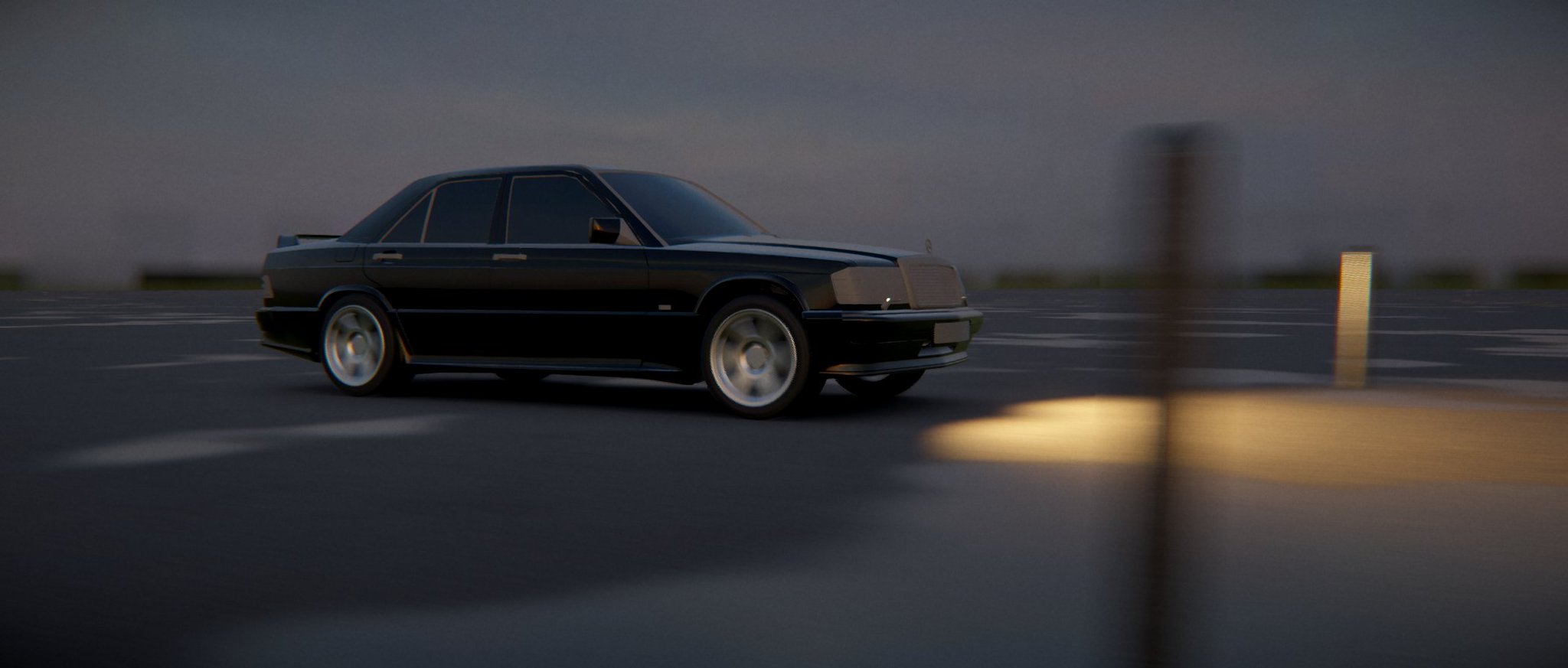
Unity URP Custom Mobile Object Motion Blur Test
#unity #unity3d #shader
 X
·
X
·
 brittle heart
dusky sail
Guys, how can I make the URP fog look more realistic?
brittle heart
dusky sail
Guys, how can I make the URP fog look more realistic?
What do you mean by "realistic" ?
dusky sail
brittle heart
What do you mean by "realistic" ?
More faithful to reality??
mighty stump
dusky sail
More faithful to reality??
In what way specifically? Realism is not a linear scale
HDRP's fog implements various techniques to try to improve fog rendering in specific ways, that could be a helpful reference of methods you'd typically consider
dusky sail


 dusky sail
mighty stump
HDRP's fog implements various techniques to try to improve fog rendering in spec...
dusky sail
mighty stump
HDRP's fog implements various techniques to try to improve fog rendering in spec...
HDRP is extremely heavy on my computer.
I'm trying to create something minimally beautiful and at the same time well optimized
mighty stump
dusky sail
HDRP is extremely heavy on my computer.
You don't have to run it well, or at all to study its fog rendering
brittle heart
so technically, you can create a fog post processing that use like URP but it takes height into account.
Like in this tree picture, the fog is limited in it's height.
 mighty stump
Tinting the fog by sky color (or a mip map level of the sky) can help distant objects blend more naturally
brittle heart
Truely volumetric fog is a HDRP feature and there's no way to make is just as realistic but not as demanding. So the next best thing is to fake it with particles and transparent planes.
mighty stump
brittle heart
so technically, you can create a fog post processing that use like URP but it ta...
I think this works if you're looking down at the fog
But looking from within the fog towards distance there may not be a simple way to make it work?
dusky sail
I'll do some particle testing, if necessary I'll try to create a shader. Thanks for the recommendations.
mighty stump
dusky sail
I'll do some particle testing, if necessary I'll try to create a shader. Thanks ...
With particles "soft particles" shader feature or depth fade will help
But with that method overdraw rendering cost is very high
dusky sail
Thx
 frail sun
Facing issue in bloom (post processing) when testing on an android build 2D game. The bloom works perfectly fine on the pc playtesting but on android build the bloom just isn't there.
I tried setting URP settings to ultra for android, opengles3 and vulkan support, main camera is also set to post processing.
Anyone having any idea about this?
 plush root
frail sun
Facing issue in bloom (post processing) when testing on an android build 2D game...
plush root
frail sun
Facing issue in bloom (post processing) when testing on an android build 2D game...
Hey! Bloom on Android often requires HDR to be enabled on both the camera and URP asset—without it, bloom won’t show. Also check your Render Scale and quality settings for Android, and make sure your device supports the bloom shader (some older devices or OpenGLES3 have limits). Are you testing on a real device or an emulator? I can help walk you through fixing it on Android.
@devm.sh
frail sun
plush root
Hey! Bloom on Android often requires HDR to be enabled on both the camera and UR...
HDR is enabled, render scale is also 1, quality settings is ultra. And my device is literally new and supports OpenGLES3.2 as well. Im testin on real device
 hushed grove
frail sun
Facing issue in bloom (post processing) when testing on an android build 2D game...
hushed grove
frail sun
Facing issue in bloom (post processing) when testing on an android build 2D game...
Use the frame debugger to see what's going on.
frail sun
hushed grove
Use the frame debugger to see what's going on.
currently changed the post processing to a 3rd party plugin bloom which works. Unity's own post processing is really a pain
 latent coyote
Hi guys, I have some trouble with a custom post process on HDRP (Unity 6.2).
I have to add the post process into project settings -> graphics -> custom post process order, otherwise I have an error when I add it to the Global Volume of my scene.
But... it does apply the post process right away. Adding or removing it from the global volume doesn't do anything.
I'm following the hdrp documentation. Any ideas ?
Thanks
mighty gazelle
frail sun
HDR is enabled, render scale is also 1, quality settings is ultra. And my device...
Camera has post processing toggle enabled?
 vapid ore
what thing can cause this to happen? (i am using 2 custom post processing shaders, one is a shader graph)

what am i doing wrong
😭

SubShader
    {
        Tags{ "RenderPipeline" = "HDRenderPipeline" }
        Pass
        {
            Name "VHSBleed_BlurH"

            ZWrite Off
            ZTest Always
            Blend One One
            Cull Off

            HLSLPROGRAM
                #pragma fragment BlurHorizontal
                #pragma vertex Vert
            ENDHLSL
        }
        Pass
        {
            Name "VHSBleed_BlurV"

            ZWrite Off
            ZTest Always
            Blend One One
            Cull Off

            HLSLPROGRAM
                #pragma fragment BlurVertical
                #pragma vertex Vert
            ENDHLSL
        }
        Pass
        {
            Name "VHSBleed_ThirdPhase"

            ZWrite Off
            ZTest Always
            Blend One One
            Cull Off

            HLSLPROGRAM
                #pragma fragment ThirdPhase
                #pragma vertex Vert
            ENDHLSL
        }
    }
    Fallback Off
This is shaderlab. Not the actual contents of your shaders...
vapid ore
hushed grove
This is shaderlab. Not the actual contents of your shaders...
yeah but that was the part that i needed to change in order to fix it
i fixed it by setting blend modes to off off and in the last pass to src alpha somehing
and by changing what line an rthandle is
frail sun
mighty gazelle
Camera has post processing toggle enabled?
read the original query properly
 proven gyro
Im trying to convert a post processing effect from unity 2021 to unity 6
the 2021 one you just put the script on the camera object
hushed grove
proven gyro
the 2021 one you just put the script on the camera object
Sounds like BIRP vs URP. Not version difference.
proven gyro
hushed grove
Sounds like BIRP vs URP. Not version difference.
i dont know but its this https://assetstore.unity.com/packages/vfx/shaders/crt-free-248066

Add depth to your next project with CRT-Free from Brewed Ink. Find this & more VFX Shaders on the Unity Asset Store.
hushed grove
proven gyro
i dont know but its this https://assetstore.unity.com/packages/vfx/shaders/crt-f...
It would probably work in a BIRP project in unity 6
proven gyro
hushed grove
It would probably work in a BIRP project in unity 6
ill try it thank you
 frail storm
not strictly a post-processing question, but I am trying to go for a found-footage-y kind of vibe and right now I have this. What can I do to make it look more like it's real but from a shitty camcorder?

 severe slate
frail storm
not strictly a post-processing question, but I am trying to go for a found-foota...
severe slate
frail storm
not strictly a post-processing question, but I am trying to go for a found-foota...
OH MY GOD HOW DID YOU DO THAT?
mighty stump
frail storm
not strictly a post-processing question, but I am trying to go for a found-foota...
Bloom with a dirt texture, film grain, barrel distortion, color adjustments, DoF, some chromatic aberration
At least those are what I see in the image
It doesn't have screen space lens flare, but it'd work with the style
It doesn't look terribly realistic though, if you want authenticity, find a specific type of real world camera to mimic
frail storm
I have some chromatic abberation, kinda notched it up, but also screen space lens flare seems to be better, not sure why exactly tho
what is it about camcoders that give them that look?
More saturation?
 mighty stump
frail storm
I have some chromatic abberation, kinda notched it up, but also screen space len...
mighty stump
frail storm
I have some chromatic abberation, kinda notched it up, but also screen space len...
Ah, I thought you were asking what effects were used in the image
There are countless different types of camcorders
Early and modern film camcorders and early and modern digital camcorders are all different
Professional vs amateur devices, and the type of lens used
frail storm
idk I think the desaturated low contrast looks better, hides imperfections.
mighty stump
I think desaturation occurs with cheap film, old digital sensor or IR imaging
But I don't know if you are shooting for authenticity or realism
frail storm
trying to make it look more realistic by basically lowering expectation
hushed grove
frail storm
not strictly a post-processing question, but I am trying to go for a found-foota...
The ground looks a bit plain. Does it have a normal map applied to it?
hushed grove
frail storm
not strictly a post-processing question, but I am trying to go for a found-foota...
What looks like a wall on the left is completely dark. In reality it should be receiving some light from all the street lights.
Same for the walls behind the light in the middle
Basically, improve the lighting and it should look pretty realistic IMHO.
hushed grove
frail storm
how do you do global illumination?
If the scene is static bake light maps. Otherwise baking lighting probes should help.
Also, I don't remember if you could tweak the point lights radius. If you could extend it out more it might help.
 final drum
mighty stump
final drum
final drum
mighty stump
final drum
Hard to know what's wrong on your end
If you can't get it working, you should practice and test camera culling, camera stacking and DoF post processing separately
The only error I see in the tutorial is that is seems to leave the main base camera covered by overlay cameras completely so it's rendering pointlessly, though that wouldn't break anything
You only need one overlay camera, for the unblurred foreground and color adjustments
final drum
mighty stump
Hard to know what's wrong on your end
If you can't get it working, you should pr...
in the little preview box, the cameras are rendering the correct elements separately. however, if i start the game with, for example, the blur camera set to not visible, the background still renders when i load the game. could this be the issue? do i need to disable something on my main parent camera, allowing the two child cameras to take over


if i do something drastic like change the color curves on the default layer, it applies to every element in the scene instead of ignoring the Blur Background layer as specified in the culling mask


i guess one other piece of info is that im also using cinemachine but im not entirely sure how that would interfere with camera stacking
 fresh glacier
Did you set up the camera stack correctly?
as well as the Environment volume layer filtering?
if you can show all of the camera inspector info with a screen recording (sharex or windows snipping tool can do this)
final drum
fresh glacier
as well as the Environment volume layer filtering?
if you can show all of the ca...
- Main camera
- Sharp Camera
- Blur Camera
- Blur Background Post-processing Volume
- Background sprite
- Cinemachine Virtual Camera


 fresh glacier
What about in the Environment sections?
final drum
here's the environment tab in main camera too. the video doesnt mention using this but it does have a "volume mask" whch...sounds relevant
 fresh glacier
Erm no the video did mention using that
so correct those and hopefully it works now
final drum
fresh glacier
Erm no the video did mention using that
oh god really? oops
i was working on this at 3am hehe. im gonna be so mad if i missed that
ohhhh you're so right
damnit ok
ok its almost working. if i tick blur background in the sharp camera, it applies the blur background volume. that means the volume is working but i actually want it to apply to the blur camera. if i untick it in the sharp camera, the volume stops being applied.
if i tick blur background in the blur camera...it doesn't apply the volume


ah! ok, followed the tutorial from the start again and its working now
thanks for the help :]
 reef forge
Might be a silly question, but in HDRP, is there no way to output emissive from a custom fullscreen pass? I've had a look around but can't seem to find anything. I have an outline pass that looks very bland currently.
hushed grove
reef forge
Might be a silly question, but in HDRP, is there no way to output emissive from ...
What's even "emissive" in this context? Emissive only makes sense in the context of lit materials, as it's basically just means "ignore any shadow and lighting calculations and just render an unlit color here". So unless you're doing some lighting/shadow calculations in your pass, "emissive" doesn't make sense here.
reef forge
hushed grove
What's even "emissive" in this context? Emissive only makes sense in the context...
Sorry, I should've been more specific with wording, I am trying to make it contribute to bloom
hushed grove
reef forge
Sorry, I should've been more specific with wording, I am trying to make it contr...
Then just output a color above the bloom threshold.
Also, it needs to render before bloom is applied, so confirm that in the frame debugger.
reef forge
hushed grove
Then just output a color above the bloom threshold.
I thought I tried this last night, but I was tired, so chances are I messed up. Thank you for the suggestion, I'll try this again when I get home today
reef forge
hushed grove
Then just output a color above the bloom threshold.
Thank you, that's perfect!
 velvet hornet
Hello, I have a problem, my build fails every time without error. The only warning I have is: "Shader warning in 'Universal Render Pipeline/Autodesk Interactive/AutodeskInteractive': 'UnityMetaVertexPosition': implicit truncation of vector type at", does anyone know what this means? Thanks in advance.
mighty stump
velvet hornet
Hello, I have a problem, my build fails every time without error. The only warni...
That's not related to post processing
Unlikely a Rendering topic either since I've not heard of a shader error failing a build, at most not appearing in build
Not that it's an error anyway but just a warning
velvet hornet
mighty stump
That's not related to post processing
Unlikely a Rendering topic either since I'...
Sorry, I didn't know where to put it because I don't even know what the problem is.
and if it's not a shader error, unity would just refuse to do the compilation (while it was still doing it a few games ago)
mighty stump
velvet hornet
Sorry, I didn't know where to put it because I don't even know what the problem ...
Platform specific channel if there's one that fits, otherwise just #💻┃unity-talk
Build logs could reveal why it failed, and that's what'll be needed to help anyway
velvet hornet
mighty stump
Platform specific channel if there's one that fits, otherwise just <#49787242428...
thx
 quiet plume
Hi, I have a question
I want to invert the colors of camera vision.
I’m too much of a noob, so I tried to find a video or an article that explains how to do it throughout the day, but I could only find old ones.
so, if you don’t mind, could someone teach me how to invert it?
(im a Japanese speaker, so my English might be unnatural 😵)
mighty stump
quiet plume
Hi, I have a question
I want to invert the colors of camera vision.
I’m too much...
Simplest way may be the Color Curve override, with an inverted curve
quiet plume
mighty stump
Simplest way may be the Color Curve override, with an inverted curve
Ahhhh it finally worked...
After playing around with the color curve for a while, I finally got it to invert.
Thank you so much
 spare inlet
quiet plume
Ahhhh it finally worked...
After playing around with the color curve for a while...
spare inlet
quiet plume
Ahhhh it finally worked...
After playing around with the color curve for a while...
no problem
 thorn owl
does this Post processing package work in URP?

 gritty folio
thorn owl
does this Post processing package work in URP?
gritty folio
thorn owl
does this Post processing package work in URP?
No
hushed grove
I'm not sure if that's the correct channel(or even server) for such content.
<@&502884371011731486> just in case this needs to be handled somehow.
 bronze mural
@tribal wind Don't spam channels with off-topic. There are many scams on Discord, report to support.
 dawn gorge
Hi guys, does anyone have an idea of how to remove the jagged shadows?
 mighty stump
dawn gorge
Hi guys, does anyone have an idea of how to remove the jagged shadows?
mighty stump
dawn gorge
Hi guys, does anyone have an idea of how to remove the jagged shadows?
What kind of shadows they are
This is a #1390346776804069396 topic
dawn gorge
Soft shadows from a spotlight
mighty stump
dawn gorge
Soft shadows from a spotlight
Spot light relative shadow resolution drops exponentially with spot angle above 90° because of perspective distortion
So drop it below or at least close to that before increasing shadow resolution
If you need a very wide shadowcasting spot light, it's better to use a point light with 3d light cookie instead
 dawn hornet
Hi! What can I do to remove or tune down that blueish tint everywhere? Its supposed to be signal red

 buoyant ferry
This color comes from environment light ( skybox )
dawn hornet
buoyant ferry
This color comes from environment light ( skybox )
thank you!! It was the fog in those settings
buoyant ferry
😉
 swift nimbus
what kind of post processing is used to acchieve this kind of dreamy magical genshin impact forest look?


i tried to replicate it but as you can see, mine looks like crap

the difference in asset quality aside, hhow can i improve the post processing?
this is what i got rn, im in URP
 hushed grove
Well, more than 50% is assets.
Other than that I can see some c
Volumetric fog, color grading, GI(or at least real is ic AO). Lens flares.
Probably custom shaders too.
swift nimbus
grahhh ok
hushed grove
There's a lot of specularity in your screenshot. In the samples, the lighting is lighter and smoother.
swift nimbus
but ik post processing can make a huge difference, from a flat world to a very stylised one
i feel like im missing something
idk what
i tried fiddling with everything but i cant find a satisfying result
hushed grove
It depends on what effect you're going for, but PP is usually one small part of it.
Material shaders are one of the biggest contributors.
swift nimbus
hmm alright
anything i can do to fill up the empty sky a bit?
my garden doesnt feel like a garden
hushed grove
swift nimbus
anything i can do to fill up the empty sky a bit?
A stylized sky box. Do you expect the player to see the sky often?
hushed grove
swift nimbus
my garden doesnt feel like a garden
Vegetation often uses a transparent material, sometimes subsurface scattering or something to simulate it. Definitely not just an opaque specular material.
swift nimbus
hushed grove
Vegetation often uses a transparent material, sometimes subsurface scattering o...
wdym can u elaborate a bit pls, im kinda new to this stuff
🙏
hushed grove
swift nimbus
wdym can u elaborate a bit pls, im kinda new to this stuff
What part of it?
swift nimbus
opaque specular material
r u referring to the low poly trees or


the low poly ones are place holders, im planning to replace them slowly with a stylised shader version
hushed grove
No. Your material is using an opaque shader. And the specular value is too high for vegetation/leaves.
hushed grove
swift nimbus
the low poly ones are place holders, im planning to replace them slowly with a s...
Ah, OK. Yes I was referring to the low poly assets.
swift nimbus
those r for blocking out the entire map
any post processing stuff i could do to make it look like this? im still deciding on the style
 hushed grove
I see. Get the actual assets in the scene first before judging visuals.
swift nimbus
alright
hushed grove
swift nimbus
any post processing stuff i could do to make it look like this? im still decidin...
This is like real life photo. You'd need hdrp with all its features and global illumination(ray traced) for a similar picture.
swift nimbus
so using urp and trying to achieve that is a pretty bad idea?
mighty stump
swift nimbus
but ik post processing can make a huge difference, from a flat world to a very s...
Not that big
swift nimbus
mighty stump
Not _that_ big
😔
mighty stump
Your post processing could be rather close to the references, and lighting may be as well, but it's hard to tell mainly because of the materials
Scene window screenshot being aliased as hell doesn't help either
swift nimbus
mb my computer is already half dead from running unity
i can barely take a screenshot without freezing
mighty stump
As mentioned smoothness is too high, which exaggerates the visual contrast
The material base colors in my opinion are too dark and saturated, and have perhaps too much variance
The meshes in the references use a lot of manually authored smooth normals to make the objects look softer than they are, while yours are pure flat shading
Ambient occlusion is one thing your PP is missing though
swift nimbus
how do i achieve those "manually authored smooth normals"? just get better assets in general?
swift nimbus
mighty stump
Ambient occlusion is one thing your PP is missing though
ohh right thanks ill add that
mighty stump
swift nimbus
how do i achieve those "manually authored smooth normals"? just get better asset...
https://blog.yarsalabs.com/normal-transfer-in-blender/
Example image of the effect lower down the page
swift nimbus
mighty stump
<https://blog.yarsalabs.com/normal-transfer-in-blender/>
Example image of the ef...
oh wow thats amazing, ill def look into it man 🙏
swift nimbus
mighty stump
Ambient occlusion is one thing your PP is missing though
sorry dumb question but, why isnt my ao working, i already enabled it in the URP renderer asset

 mighty stump
When you decide on object colors I'd recommed starting from colors that have the same visual brightness value, and then tweak them gradually away from that level to create the visual contrast
Rather than start with colors that are drastically different

 mighty stump
swift nimbus
sorry dumb question but, why isnt my ao working, i already enabled it in the URP...
mighty stump
swift nimbus
sorry dumb question but, why isnt my ao working, i already enabled it in the URP...
Can't see a reason from here
To test you can make intensity very high, like 20, and then increase radius to see if anything appears
swift nimbus
i cranked it up to unholy numbers and still nothing happened ;-;
 mighty stump
swift nimbus
i cranked it up to unholy numbers and still nothing happened ;-;
mighty stump
swift nimbus
i cranked it up to unholy numbers and still nothing happened ;-;
You should check that the URP asset that uses this Renderer is also currently active in Quality settings
swift nimbus
ye it is i checked
mighty stump
swift nimbus
so far, after vs before
I think it looks less like your references
But if you like it that's what really matters
More like 2005 syle of graphics when everything was fuzzy and colorful (like Oblivion on release)
swift nimbus
mighty stump
I think it looks less like your references
But if you like it that's what really...
true, guess it still needs tweaks
i just felt that my before version felt too flat
mighty stump
The references are embracing the flatness
mighty stump
The level base colors, high roughness, manually smoothed normals and flat HDR tonemapping are all characteristic of the modern low poly nature style
swift nimbus
ill prolly tackle the smooth normals later
mighty stump
And also textures in the references fit the bill
swift nimbus
mighty stump
You should check that the URP asset that uses this Renderer is also currently ac...
nvm bro im dumb i mixed up the settings i got it working now 🙏
mighty stump
Functionally there only to mix adjacent colors or material types, and to add soft noisy feel
swift nimbus
mighty stump
Functionally there only to mix adjacent colors or material types, and to add sof...
this gon require more studying and testing ig 😔 thanks a lot for the advice man ::)
mighty stump
swift nimbus
this gon require more studying and testing ig 😔 thanks a lot for the advice man...
It's a whole field of art
swift nimbus
mighty stump
It's a whole field of art
its fun but so complicated at the same time
😔
my brain hurts
mighty stump
swift nimbus
my brain hurts
Same as training a muscle
 cedar forum
Nobody will do that for you. This is a learning discord, so we can only help answer questions
mighty stump
!collab if you want to commission someone's help
#✨┃vfx-and-particles if you have questions about particle effects
 azure arrowBOT
mighty stump
!collab if you want to commission someone's help
<#532260045887373352> if you ha...
azure arrowBOT
mighty stump
!collab if you want to commission someone's help
<#532260045887373352> if you ha...
:loudspeaker: Collaborating and Job Posting
We do not accept job or collab posts on Discord.
Please, use Discussions to promote yourself as job-seeking, advertise commercial job offers, or look for non-commercial projects to participate in:
• ** Collaboration & Jobs**
 hexed chasm
Can't we increase render scale more than 2.0?:

 reef grove
hexed chasm
Can't we increase render scale more than 2.0?:
reef grove
hexed chasm
Can't we increase render scale more than 2.0?:
why do you need it with more than 2
hexed chasm
reef grove
why do you need it with more than 2
Because textures are blurrey after some distance:
 reef grove
hexed chasm
Because textures are blurrey after some distance:
reef grove
hexed chasm
Because textures are blurrey after some distance:
you need texture mip maps, not the render scale
hexed chasm
reef grove
you need texture mip maps, not the render scale
Where I can find this?
reef grove
hexed chasm
Where I can find this?
in the texture import settings
hexed chasm
reef grove
in the texture import settings
Ok, I will check
hexed chasm
reef grove
in the texture import settings
This?:
 reef grove
hexed chasm
This?:
reef grove
hexed chasm
This?:
I said "texture"
click on your texture in the Project window
under the Advanced tab there is a "Generate mip maps" checkbox
hexed chasm
Textures are still blurrey for road even after checking Generate mipmap?:
mighty stump
Mip mapping makes them blurry (which is correct and preferable, because the alternative is a noisy mess)
But you need to swap from bilinear to trilinear filtering and/or increase Aniso level
Or just have a higher resolution ground texture
hexed chasm
mighty stump
Mip mapping makes them blurry (which is correct and preferable, because the alte...
Thx, now its fine after increasing aniso level
hushed grove
<@&502884371011731486> theyre everywhere!
 signal shuttle
hi can someone tell me why texture in unity looks like shit

in blender looks so much better

i tried changing max size to 4k
and compression qualitty to high
but texture weight 21.3mb
swift nimbus
ambient occlusion looks weird at darker places, why? I tried both using gradient and blue noise for method, but both looks just as bad


 mighty stump
swift nimbus
ambient occlusion looks weird at darker places, why? I tried both using gradient...
mighty stump
swift nimbus
ambient occlusion looks weird at darker places, why? I tried both using gradient...
The values are too extreme, and it's not being applied equally to a lot of the meshes
 limpid loom
sorry im legit lost, im not sure where to ask this, but my HDRP project is really damaged, i cant see anything, and im not well versed in unity 6. Ive messed with the graphics and hdrp project settings, lights, cameras and more wont show up

 cloud musk
Hello everyone,
I’m looking to hire a Unity developer for a small WebGL prototype similar to this example: https://www.youtube.com/watch?v=62CW5pOoPaU
. The project includes a simple oval arena, two provided robot NPCs (red and blue gloves), and a fight system where the round ends when one robot’s health reaches zero. It should also have basic health/damage logic with realistic percentages and automatic winner selection. This will be the foundation for future updates like AI vs Player and PvP. If interested, please DM me with your timeframe and availability.
Is this the right place to post this?
If not, can you recommend me to anybody that can do it or the best channel for it
But the best is if anyone can recommend me to a unity developer
Please

#Fight #AI #MartialArts
Final Automata is a game-like streaming experience where physically simulated robots, controlled by AI, clash to prove which martial art is supreme.
📜 PROLOGUE:
In 2050, robot technology redefines conflict. Violence among humans is history, and AI-driven robots are the new weapons to settle scores between factions an...
mighty stump
cloud musk
Hello everyone,
I’m looking to hire a Unity developer for a small WebGL prototy...
Not the right place, even tangentially
!collab
If the bot fails to show up, see: #💻┃unity-talk message
 lean wadi
Hi everyone, quick question
I'm working on a project, where i'm trying to use worldspace UI, alongside post processing (i'm using worldspace UI, since i have some fullscreen pass shaders going, that i need to affect both the UI and the game)
Issue is, some of the post processing effects, mainly the depth of field, mess with how the UI looks; would it be a possibility to somehow exclude the UI from the post processing? (already tried rendering with a different camera, and overlaying it, but it doubled up the fullscreen passes, and some of my passes require depth data, so when i only put them on the overlay camera, things broke)
Also i'm on unity6, and i'm using urp

 drifting canopy
Not sure if this is the right place for this, but I'm looking for a basic URP Deferred Rendering shader example that respects lights/shadows from point lights and spot lights.
I can't find anything online. If anyone can share an example or help point me in the right direction, I'd appreciate it!
severe slate
Why does Scene Color look blurry? Are fullscreen shader effects drawn at a lower resolution?
 gritty folio
severe slate
Why does Scene Color look blurry? Are fullscreen shader effects drawn at a lower...
gritty folio
severe slate
Why does Scene Color look blurry? Are fullscreen shader effects drawn at a lower...
Scene Color samples the camera Opaque Texture (snapshot before rendering transparent objects). There's a setting on the URP asset to adjust the amount of down-sampling.
If this is for a Fullscreen graph, you should instead use the URP Sample Buffer node (set to Blit Source)
severe slate
gritty folio
Scene Color samples the camera Opaque Texture (snapshot before rendering transpa...
Yep that seems to work great. Thanks!
mighty gazelle
severe slate
Why does Scene Color look blurry? Are fullscreen shader effects drawn at a lower...
You might have opaque texture down sampling enabled
 stray ice
I'm trying to render the character "hands" above walls using Render Objects in the unity, I can't seem to get them working while removed from the cameras culling mask, if I leave it there there's weird overlap artifacts.
How can I fix this?
https://www.intetic.com/blogs/unity-hdrp-render-object-on-top-of-everything/ (basically what i'm trying to do)
stray ice
i think this probably only works in hdrp and i'm using urp
 idle swan
stray ice
I'm trying to render the character "hands" above walls using Render Objects in t...
idle swan
stray ice
I'm trying to render the character "hands" above walls using Render Objects in t...
this is about Unreal but many of the techniques apply to Unity just the same. It gives you an overview of the engine-agnositc options+tradeoffs, particularly in the first half before it gets UE specific. Your shadow/SSAO/DepthMask problem is among them https://www.youtube.com/watch?v=11sLIyw0pWQ&t=732s

Watch this session recorded at Unreal Fest Orlando 2025 to discover best practices for setting up first-person views, now more robust and easier to implement in Unreal Engine 5.6.
This session explores various approaches to first-person rendering and how Epic developed a solution that addresses clipping, supports a custom FOV, and integrates w...
mighty gazelle
stray ice
I'm trying to render the character "hands" above walls using Render Objects in t...
Are you simply trying to render the hands on top of everything?
stray ice
idle swan
this is about Unreal but many of the techniques apply to Unity just the same. It...
tossing this in my watch later seems like a very good talk
mighty gazelle
Why not set the ZTest to Always?
 turbid badger
Is this good lighting?

 dusk raven
turbid badger
Is this good lighting?
dusk raven
turbid badger
Is this good lighting?
good lighting is lighting you are happy with and the player isnt either blinded or stumbling in the dark. Are you happy with its result?
turbid badger
dusk raven
good lighting is lighting you are happy with and the player isnt either blinded ...
Ok. Sure.
mighty stump
turbid badger
Is this good lighting?
#1390346776804069396 is for lighting
"Good" is hard to determine when everyone has a different idea about it, and doesn't know what the intended goal is
You have ambient light from the sky indoors even if it has no practical way to reach there, which is not "correct" but might not be a bother and it does allow the player to see something
mighty stump
stray ice
tossing this in my watch later seems like a very good talk
The scaling and squashing methods described are by far the easiest, and don't even require any matrix math if you do it by scaling transform parents
An example of both, together with obstacle awerness
It only has technicaly challenges if you want accurate shadows onto the world from the viewmodel
The more you can keep the viewmodel in world space proportions and physically move it out of the way of obstacles, the more issues you avoid
That kind of detection requires its own effort but may be preferable if you don't want the viewmodel to appear disconnected from the world
severe slate
When I drag the skybox material onto the scene (unlit urp shader graph) where does it go?
Also why can't I make colors as bright as I can make them when using a fullscreen shader graph with a full screen render pass?

That bright blue color is the same one you see in the fog effect
Yet it is much darker
mighty stump
severe slate
When I drag the skybox material onto the scene (unlit urp shader graph) where do...
Window>Lighting>Environment
severe slate
mighty stump
Window>Lighting>Environment
I don't see lighting anywhere
 mighty stump
Sorry
Window>Rendering>Lighting
severe slate
What am I supposed to be looking at?
I tried changing them. It doesn't seem to make anything brighter

oh wait
You mean that's where the material is
Thanks
mighty stump
severe slate
You mean that's where the material is
Yes
A fullscreen pass could produce different color values than a scene material if the fullscreen pass is applied after post processing
severe slate
What I mean is that it can achieve higher brightness colors
It seems like the skybox has some sort of filter on it
mighty stump
severe slate
It seems like the skybox has some sort of filter on it
If it has, and mesh renderers in the scene have it too when you assign the material to them, then it's likely either post processing or something in your shader specifically
severe slate
No I'm pretty sure it's only the skybox
mighty stump
Pretty sure?
severe slate
Objects using materials using a urp shader graph shader don't have the brightness limitation
and fullscreen shaders don't either
If you try setting your camera to a solid color, no shader involved, you still can't get pure white


 hushed grove
severe slate
If you try setting your camera to a solid color, no shader involved, you still c...
hushed grove
severe slate
If you try setting your camera to a solid color, no shader involved, you still c...
Do you have hdr color enabled (I think it's a setting in the render pipeline asset)?
 spice bough
I am going through and trying to understand with unity post processing components. There is the volume and then there is the post-process Volume I understand that one is the legacy pipeline. While the other is made with hdpr and urp in mind. My question is with the volume component is it like unity's old input system as a solution. It seems to have less features?
Also please @ me with a response.
hushed grove
spice bough
I am going through and trying to understand with unity post processing component...
You're probably referring to the post processing package volume..? If so, then it doesn't have any effect in SRPs, and might even cause issues. In SRPs post processing is built in the render pipelines and not a separate package.
mighty stump
<@&502884371011731486> multiple channel promo spam
sacred talon
is it possible to code custom post process effects
sacred talon
why my post processing doesnt work

thats my setup on camera, camera on layer PostProcess
 teal leaf
I made a new urp asset and renderer in the files, in the scene I made them in they both actually change the scene, but when i go to other scenes, nothing changes. In the graphics tab in project settings, the pipeline asset file is set as the default, and i have the same volume profile. Does anyone know how to make the urp asset/renderer affect all scenes?
mighty stump
teal leaf
I made a new urp asset and renderer in the files, in the scene I made them in th...
URP assets and renderers fundamentally are not per scene, and cannot be
Volume components however can override volume profiles per scene
Post processing and renderers can be changed per camera though
reef grove
swift nimbus
How can i disable fog for a specific object with shaders?
disable receive fog in the material settings if it's SG shader
swift nimbus
reef grove
disable receive fog in the material settings if it's SG shader
Ohhh tyy
swift nimbus
reef grove
disable receive fog in the material settings if it's SG shader
can i ask where is the setting?

 reef grove
swift nimbus
can i ask where is the setting?
reef grove
swift nimbus
can i ask where is the setting?
Check "Allow Material Override"
reef grove
the "Receive fog" option should upper under the Surface Options in the material
do you have it unchecked?

 swift nimbus
im using urp unity 6
reef grove
weird, let me see
swift nimbus
thanks
swift nimbus
;-;
reef grove


 reef grove
I think the only way is modify the shader file itself
swift nimbus
damn
reef grove
swift nimbus
theres a fog node in shader graph but other than that idk
exactly, how do you use that node if the fog is applied by default
reef grove

swift nimbus
i love unity
gritty folio
That node would only be used in an Unlit Graph
gritty folio
I think you can use a custom function, though haven't tested in new versions
https://www.cyanilux.com/faq/#sg-lit-fog
swift nimbus
oooh thanks
 neat kindle
I'm trying to color this grass animation I made but not so sure why it isn't working. Can some help me out why it isn't showing?


here is the picture
 fading lynx
im making a multiplayer game and want to add a drunk effect to player cameras. i messed with the default URP volume stuff but didnt really get anything useful out of it. is this something ill want to use cinemachine for?
 sweet bobcat
neat kindle
I'm trying to color this grass animation I made but not so sure why it isn't wor...
sweet bobcat
neat kindle
I'm trying to color this grass animation I made but not so sure why it isn't wor...
Is this like, animated with nodes in Blender? Like procedural or based on a moving seamless noise?
neat kindle
sweet bobcat
Is this like, animated with nodes in Blender? Like procedural or based on a movi...
it's animated on nodes
sweet bobcat
Be prepared that a lot of things you can do in Blender, do not translate.
 reef jay
sweet bobcat
Is this like, animated with nodes in Blender? Like procedural or based on a movi...
reef jay
sweet bobcat
Is this like, animated with nodes in Blender? Like procedural or based on a movi...
Good question
sweet bobcat
I actually almost never do my materials in Blender, since Unity doesn't accept a Roughness map by default
reef jay
neat kindle
Is this blender?
sweet bobcat
neat kindle
it's animated on nodes
 neat kindle
reef jay
Is this blender?
neat kindle
reef jay
Is this blender?
yos
sweet bobcat

Blender Stack Exchange
I need to export a geometry node-generated tree from Blender to Unity with its wind animations, but each time if I export it as an FBX it exports with no animation. A USD export shows the animation...
There's another link a comment, that basically says TLDR; No.
neat kindle
Ah
reef jay
sweet bobcat
There's another link a comment, that basically says `TLDR; No.`
That's so unfortunate
sweet bobcat
neat kindle
Ah
May I recommend, bend the vertices in Unity itself? There's videos on it.
"Wind Shader"
reef jay
sweet bobcat
I actually almost never do my materials in Blender, since Unity doesn't accept a...
What do you use then?
neat kindle
sweet bobcat
May I recommend, bend the vertices in Unity itself? There's videos on it.
I just realize I'm in a Unity server not a Blender server
reef jay
neat kindle
I just realize I'm in a Unity server not a Blender server
So it's unity?
sweet bobcat
No the screenshots were from Blender.
reef jay
sweet bobcat
See materials?
Yes to create martials
sweet bobcat
If you want to do like texture painting, UV editing ,all that. Sure
reef jay
neat kindle
It is not
Ooh okay lmao I was about to ask what version are you using
neat kindle
reef jay
Ooh okay lmao I was about to ask what version are you using
lol ur good
sweet bobcat
I just meant, the "final result" of what it looks like, and the "making cool Node graphs in Blender to affect how it looks" typically gets lost when you import to Unity
I've noticed Godot is actually pretty solid with .blend files though
neat kindle
also I am in the wrong server to askl this sorta thing
sweet bobcat
I think in Unity you can achieve reliable .blend importing, it just requires some efforts. It's not hard to make Unity understand common PBR - the main difference is the Roughness Smoothness thing
reef jay
sweet bobcat
I just meant, the "final result" of what it looks like, and the "making cool Nod...
But what does this mean for flaqoro does he have to recreate it in unity shaders
sweet bobcat
reef jay
But what does this mean for flaqoro does he have to recreate it in unity shaders
If he wants the grass to be animated when its in Unity, yeah.
Blender is great at making illusions - most of the Node graph is just that. Illusions, unless you bake out / export out
reef jay
sweet bobcat
If he wants the grass to be animated when its in Unity, yeah.
Man that sucks i haven't crested animated grass in blender before I didn't know this
neat kindle
sweet bobcat
If he wants the grass to be animated when its in Unity, yeah.
All was only looking for how to change the color
Not to transfer anything
mighty gazelle
sweet bobcat
I actually almost never do my materials in Blender, since Unity doesn't accept a...
Isn’t it in the A channel of the smoothness map?
 grim ledge
This took soo long to get right but i finally managed to pull this off

this is how it started btw

i fricking hate baking textures-
but i did learn some valuable lessons
don't rely on raw emissions to light your scenes...
mighty gazelle
grim ledge
This took soo long to get right but i finally managed to pull this off
niceee, is this with post processing too?
grim ledge
mighty gazelle
niceee, is this with post processing too?
Yup yup
this was done without URP
mainly used whatever VR chat limits i had
this was done with the vr chat companion tool thing
sweet bobcat
mighty gazelle
Isn’t it in the A channel of the smoothness map?
You mean, the Smoothness Map is in the Metallic Map A channel. Yes
(for URP Lit Shader at least - optionally it can come from albedo map alpha instead)
Unity allows you to swizzle in the import settings - but you can just use a Texture Channel Packer tool or handle it yourself in Gimp/Krita.
swift nimbus
how can i disable fog for a specific shader / object?
using shader graph in unity 6 urp
hushed grove
swift nimbus
using shader graph in unity 6 urp
Use an unlit shader graph. Fog is part of the lighting calculation AFAIK.
Not related to post processing BTW.
swift nimbus
Oh where should i ask
hushed grove
swift nimbus
Oh where should i ask
grim ledge
Any idea how to fix this bleeding? the top image is the first floor and the second is the secon floor, i'm using area baked lighting, i've noticed with that in particular it seems to act like sand, where it gets everywhere-


here are some settings if this helps

 grim ledge
okay well the area light was def one of the main culprits but there still lies some resedue-
grim ledge
okay maybe the overlapping UV's in blender might be the culprit-
grim ledge
and that didn't fix sht i just need to crank the padding and res
 grim ledge
After so long i cooked!


 mighty gazelle
Nice!
grim ledge
mighty gazelle
Nice!
I've been so locked in on this project 😭
 slate smelt
grim ledge
After so long i cooked!
slate smelt
grim ledge
After so long i cooked!
looks good
 wide tendon
hi guys
 dense pilot
Hello here 👋
 upbeat yoke
hi
 tidal juniper
Hi I am experimenting with planar reflections. I have added a simple "cyclorama" kind of wall, and just a few objects, within a "planar reflection probe". As you can see it creates a discontinuity between the area of the probe and that outside it. The blend distance doesn't seem to do anything.
Is there any way to address this?

 blazing moat
hy guys I have question about Render Graph API if anyone can answer ;d https://discussions.unity.com/t/why-am-i-not-rendering-to-texture-render-graph-api/1688976
 rigid thistle
does the AO from "Post-Processing Stack v2" (MSVO) only works in forward ?
is it silently not reading depth or some other isoteric unity specific stuff
hushed grove
rigid thistle
does the AO from "Post-Processing Stack v2" (MSVO) only works in forward ?
is it...
Forward? Are you using the PP package with urp?
rigid thistle
hushed grove
Forward? Are you using the PP package with urp?
BIRP
hushed grove
BIRP... Well, it should work in deferred too. I don't know if frame debugger works with BIRP, but if it does, you should investigate with it.
rigid thistle
i decided its not worth my time tbh
i want to migrate to other pipelines, but the fact that i cannot type shaders is a deal breaker
hushed grove
You can write shaders in urp/hdrp too. It's just not the recommended workflow.
 wicked belfry
Hi everyone, Im working on a project. I am trying to recreate this lighting, style/look, I cant figure out how the creator of this got the Emission to make the entire room have the ambient light of the emission colour. Is it more Indirect Samples? or more Bounces? everything controbutes to Global Illumination, SECOND picture is what i have so far


could there be an area light by the emissive light?
hushed grove
wicked belfry
could there be an area light by the emissive light?
More bounces and maybe stronger intensity color.
But yeah, an area light source might be a better option.
 quaint wagon
 random surge
@hushed grove @rigid thistle @sweet bobcat @neat kindle @wicked belfry @reef grove @grim ledge @wide tendon @fading lynx @slate smelt @gritty folio @mighty gazelle @tidal juniper @dense pilot @swift nimbus @upbeat yoke @blazing moat @quaint wagon @reef jay
⚠️ WARNING: NUCLEAR STRIKE INBOUND ⚠️
?!??!
slate smelt
Wut?
wicked belfry
random surge
<@209684227720085505> <@470961582461943808> <@956668290174955542> <@129846728848...
Oh okay cool man 👌
blazing moat
thanks for warning
random surge
i just started my nuker
wicked belfry
I'll probably make the mistake again
azure arrowBOT
bronze mural
!ban 1375699915744874548 Spam
 @333.333_333 banned
Reason: Spam
Duration: Permanent
slate smelt
?!!
wicked belfry
Still yet to see the reason why thi warning exists
slate smelt
Did he get banned?
bronze mural
slate smelt
Did he get banned?
Yes, I left the message so people who got pinged have some idea why.
grim ledge
that's wild
 plain ether
Really need some help with lighting issue :3 Please check out my thread if u can help 😄
 prisma spindle
First time doing post prosessing. I have a 2D game and I want to apply post-processing render feature to some of the objects and canvases (camera-space) but not all of them. How should I handle this?
Should I create camera stack, base camera without PP and overlay camera with PP? Or how usually this is done?
Would that cause problem to my 2D lights?
Any help would be appreciated.
hushed grove
prisma spindle
First time doing post prosessing. I have a 2D game and I want to apply post-proc...
Render features allow filtering by layers, so you could set the objects you want to be affected to a specific layer.
 naive escarp
any1 got a quick tip for better shadows?
 mighty stump
naive escarp
any1 got a quick tip for better shadows?
mighty stump
naive escarp
any1 got a quick tip for better shadows?
Enable soft shadows, increase shadow filtering quality, use #1390346776804069396 for rendering questions
naive escarp
ok thanks sorry
mighty stump
prisma spindle
First time doing post prosessing. I have a 2D game and I want to apply post-proc...
Post processing is always applied per whole image rendered by the camera, which includes images rendered by prior cameras*
So typically you apply post processing to one camera, then render something on top of it without post processing using an overlay camera
Or if you use post processing on overlay cameras, select overrides that you want to affect all layers up to that level
*Except if using alpha processing
prisma spindle
mighty stump
Post processing is always applied per whole image rendered by the camera, which ...
Problem with camera stacking is that I have a 2D game. Overlay camera is always drawn infront of the base camera (with PP).
mighty stump
prisma spindle
Problem with camera stacking is that I have a 2D game. Overlay camera is always ...
The only difference between 2D and 3D in this context I believe is that you don't have z buffer to mask higher layers by depth
But on the other hand you do have sprite masking
What kind of post processing is it? There's a lot of "post processing" you can do in the object shaders themselves
bronze mural
@prisma spindle If you want to hire someone, use an appropriate website, this isn't it.
prisma spindle
mighty stump
The only difference between 2D and 3D in this context I believe is that you don'...
Can I dm you?
I'm using render feature and want that it effects some of the layers but not all of them.
mighty stump
prisma spindle
I'm using render feature and want that it effects some of the layers but not all...
Which render feature is it? We can try to help (no cost!) but you have to give specific details
 prisma spindle
mighty stump
Which render feature is it? We can try to help (no cost!) but you have to give s...
prisma spindle
mighty stump
Which render feature is it? We can try to help (no cost!) but you have to give s...
Thank you for your help!
mighty stump
prisma spindle
https://fronkongames.github.io/store/glitches/#interferences Its this.
What do you want to exclude from particular post processing in your scene? If it's something that can be drawn on top of a particular post processing effect, then it should be doable
Otherwise way harder
prisma spindle
There should be sprites that get the effect and some sprites that don't. The problem is that if I draw them after post prosessing then lights won't work anymore to them.
mighty stump
prisma spindle
There should be sprites that get the effect and some sprites that don't. The pro...
That doesn't specify how those sprites might overlap in practice
prisma spindle
mighty stump
That doesn't specify how those sprites might overlap in practice
Lets say I have 4 sprites in scene. 2 of them will get the effect but 2 won't. All of them has to work with light.
mighty stump
prisma spindle
Lets say I have 4 sprites in scene. 2 of them will get the effect but 2 won't. A...
Will they overlap
prisma spindle
yes.
mighty stump
Which one on top, or must they both be able to overlap arbitrarily?
prisma spindle
mighty stump
Which one on top, or must they both be able to overlap arbitrarily?
They can overlap but the effect does not have to transfer.
mighty stump
prisma spindle
They can overlap but the effect does not have to transfer.
What I'm getting at is that if specifically the post processed sprites can be on a layer under the non-post processed layer, then you should be able to use camera stacking with no issue
mighty stump
Then I expect you have to render the sprites to a whole different buffer, probably stencil out the overlapping non-PP sprites using sprite masks or similar, then composit with the help of alpha processing
No clue if 2D lighting can be made to work with that at all without modifying it
prisma spindle
mighty stump
Then I expect you have to render the sprites to a whole different buffer, probab...
I just need PP in one UI canvas (otherwise stack works), I solved the problem by just adding new base camera and activate it when showing the Canvas. Rest can work with stacking cameras.
Might not be the best solution to this problem but it works.
 strange crystal
How do I get my light to wrap around the torch it's attached to?
idle swan
strange crystal
How do I get my light to wrap around the torch it's attached to?
You can make an emissive material and assign it to a mesh representing the glowing bits and stick a point light inside that ignores the torch mesh.
strange crystal
idle swan
You can make an emissive material and assign it to a mesh representing the glowi...
I'm kinda new to Unity, can you elaborate?
 woeful narwhal
wicked belfry
Hi everyone, Im working on a project. I am trying to recreate this lighting, sty...
woeful narwhal
wicked belfry
Hi everyone, Im working on a project. I am trying to recreate this lighting, sty...
thought those were pictures from irl from a sec 💀
 lusty granite
post processing works on desktop/web builds but not for android, why is that?
below u can see two pics in the right is desktop preview and in the left is android (i even built the unity project and tested on my phone but it doesnt work):


im using built-in pipeline with post processing stack, the post processing effect here is bloom.
azure arrowBOT
@mr.naruto.uzumaki muted
Reason: Multiple channels spam.
Duration: 29 minutes and 52 seconds
 trail storm
i'm getting an issue where post processing is affecting my scene view & game view but i have no post processing profiles, i deleted all of them but the effects are staying & nothing i do is making them disappear. does anyone know what to do?
okay i think i've fixed it but it was definitely bugged. i had to create a new volume, add the two effects that were showing up (vignette & chromatic aberration) and then turn them on then lower their intensity to 0. after i did that they stopped, but weirdly once i then turned them off again, the effects came back. so i turned them on, intensity 0, saved & quit unity, loaded back up & now i can turn them off without the effects returning
nice one unity 👍
mighty stump
trail storm
okay i think i've fixed it but it was definitely bugged. i had to create a new v...
It could've been a bug for sure, but also you can't have no profile, as the render pipeline needs a default one it'll use when there are no volumes
You can edit the default profile, or what you might also do is override effects to be inactive
Not having an override means it will neither set it to active or inactive
trail storm
mighty stump
It could've been a bug for sure, but also you can't have no profile, as the rend...
Ah okay, that's helpful to know thank you. I do think there was a bug purely because when I did create a new profile & ensured that was the one being referenced i was still getting the effects even when they were all off, then when turning them on but setting intensity down, it fixed it but then turning them off again reintroduced the effects, really weird. restarting unity seemed to fix
thanks for telling me about the default though :)
 granite basalt
anyone know what is going on here? this weird, terrible kinda grain effect in my editor. it's pretty much a fresh project in unity 6.0

nvm it looks like it was related to the normal map being messed up in my material
 wide anvil
mighty stump
granite basalt
nvm it looks like it was related to the normal map being messed up in my materia...
wide anvil
mighty stump
granite basalt
nvm it looks like it was related to the normal map being messed up in my materia...
@inland sonnet Looks like the same issue you have
Indicates it could be mesh or material normals after all, not due to SSAO settings
 delicate blaze
Anyone know why this white band appears? It happens to far away textures. Ive messed with every fog setting and messed with the material and texture atlas.
Fix: Turn off Generate Mipmap in texture settings. It generates the mipmap based on the whole texture which is an atlas so gets averaged to white.
 mighty stump
delicate blaze
Anyone know why this white band appears? It happens to far away textures. Ive me...
mighty stump
delicate blaze
Anyone know why this white band appears? It happens to far away textures. Ive me...
So, you are using a texture atlas?
delicate blaze
Yes
fixed it now
idk how ill fix the new problem of pixelation at a distance now without mipmaping
mighty stump
You don't really
I'd suggest enabling mip maps and using the atlas as a texture array
delicate blaze
I could seperate common textures like stone grass and dirt to a seperate texture and have only unique looking blocks using an atlas
mighty stump
That seems like a half measure
delicate blaze
yeah
delicate blaze
mighty stump
I'd suggest enabling mip maps and using the atlas as a texture array
How do you mean texture array?
mighty stump
https://docs.unity3d.com/6000.2/Documentation/Manual/class-Texture2DArray.html
What it says on the tin
Functionally it's the same as working with separate textures
But internally it's the texture atlas that's being sampled, by index rather than by texture reference
delicate blaze
Oh I see what you mean
mighty stump
So best of both worlds really
delicate blaze
That sounds good, before I was just setting the UVs of each face to only occupy the part of the atlas that I wanted
mighty stump
delicate blaze
That sounds good, before I was just setting the UVs of each face to only occupy ...
That step is different with an array, as it's not necessary to do
delicate blaze
mighty stump
That step is different with an array, as it's not necessary to do
Do I need shader graphs for this?
Ive never worked with shaders before
mighty stump
delicate blaze
Do I need shader graphs for this?
Yes
Needs a texture array sampler instead of typical texture2D sampler
delicate blaze
alrighty ill get to learning about that, thanks for your help.
 next reef
the lens flare occlusions are still bugged in 6000.42? i'm building for webgl. even the editor occlusions are inconsistent
https://discussions.unity.com/t/lens-flares-srp-occlusion-work-in-reversed-order-in-builds/903180
they show up behind opaque walls only on the webgl build

i've tried removing all my postprocessing/renderfeatures.
or even adding the decal feature stated on the thread
 magic trail
Theres a vertical plane with fog material, of which's properties can be viewed at the right side of the screen. The idea is when an object passes the fog plane it slowly fades, which is how it exactly works right now. The tree enters that plane and started to fade out, but the leaves are not doing that. How do i fix that? Let me know if you want any more context. Help appreciated
Okay, i fixed it. The leaves material has to be opaque.
 trail granite
magic trail
Okay, i fixed it. The leaves material has to be opaque.
trail granite
magic trail
Okay, i fixed it. The leaves material has to be opaque.
The problem was that transparent shaders don't write to the depth buffer
I suppose it could also be that the leaves were rendering after the fog
given that the fog is just a particle system, it sounds like the latter
The former would be relevant if the fog was done in a post-processing step
trail granite
trail granite
given that the fog is just a particle system, it sounds like the latter
opaque objects draw before transparent ones, so making the laeves opaque makes sure they render before the fog
 blazing sundial
does anyone know how to get screen texture in scriptable render pipeline ? I am trying to create a simple feature that tints the screen color
blazing sundial
my materials appear pink after I create a buildable
blazing sundial
Fix (single-line but critical)
Tags
{
    "RenderPipeline"="UniversalRenderPipeline"
    "Queue"="Geometry"
    "RenderType"="Opaque"
}
to:
Tags
{
    "RenderPipeline"="UniversalPipeline"
    "Queue"="Geometry"
    "RenderType"="Opaque"
}```Shader error in 'ParticleFun': redefinition of 'float' at kernel CSParticle at ParticleFun.compute(10) (on d3d11)
Shader error in 'Custom/ParticleFun': syntax error: unexpected token 'StructuredBuffer' at Assets/Particles/ParticleFun.shader(23) (on d3d11)
ParticleFun.compute(10)
Is 10 the line number of the error?
Because I don't see deltaTime defined anywhere there again
What's the problem with StucturedBuffer?
Shader "Custom/ParticleFun"
{
    Properties
    {
        _PointSize("Point Size", Float) = 5.0
    }
    SubShader
    {
        Tags { "RenderType"="Opaque" "RenderPipeline" = "UniversalPipeline" }

        Pass{
            HLSLPROGRAM

            #pragma vertex vert
            #pragma fragment frag

            struct Particle{
                float3 position;
                float3 velocity;
                float life;
            }

            StructuredBuffer<Particle> particleBuffer;

            #include "Packages/com.unity.render-pipelines.universal/ShaderLibrary/Core.hlsl"
...
I'm trying to follow this tutorial:
https://learn.unity.com/tutorial/urp-recipe-compute-shaders?version=6.0

Unity Learn
Free tutorials, courses, and guided pathways for mastering real-time 3D development skills to make video games, VR, AR, and more.
hushed grove
severe slate
```
Shader error in 'ParticleFun': redefinition of 'float' at kernel CSParticle ...
Is that supoosed to be a compute shader? Because they don't use shaderlab.
And don't have vertex and fragment stages.
I see a lot of code that is not in the tutorial.
severe slate
hushed grove
Is that supoosed to be a compute shader? Because they don't use shaderlab.
No it's not
I may have misled you with the screenshot. I have two files. One called ParticleFun.compute and another called ParticleFun.shader
severe slate
hushed grove
I see a lot of code that is not in the tutorial.
I don't think I've written anything that wasn't in
It just had some things in a weird order
hushed grove
severe slate
```
Shader error in 'ParticleFun': redefinition of 'float' at kernel CSParticle ...
Ah, okay I see.
The compute shader has a syntax error. Note that in the tutorial there is a semicolon after struct declaration:
// Particle's data
struct Particle
{
      float3 position;
      float3 velocity;
      float life;
};
I suggest installing the hlsl extension to have that syntax highlighted in your ide.
hushed grove
Seems like the same issue in the normal shader.
 wanton cloak
Is there any way to get the sprite's alpha value in a shader script?
I've found I can get its color value with the following:
SubShader
{
    Tags { "Queue"="Transparent" "RenderType"="Tranparent" "IgnoreProjector"="True"}
    LOD 200

    Blend SrcAlpha OneMinusSrcAlpha

    Pass
    {
        Stencil{
            Ref 1
            Comp NotEqual
        }
        CGPROGRAM

        #pragma vertex vert
        #pragma fragment frag

        #include "UnityCG.cginc"

        struct appdata
        {
            float4 vertex : POSITION;
            float4 color : COLOR; //this is from the spriterenderer, it turns out
            float2 uv : TEXCOORD0;
        };

        struct v2f
        {
            float2 uv : TEXCOORD0;
            fixed4 color : COLOR;
            float4 vertex : SV_POSITION;
        };

        sampler2D _MainTex;
        float4 _MainTex_ST;

        v2f vert (appdata v)
        {
            v2f o;
            o.vertex = UnityObjectToClipPos(v.vertex);
            o.uv = TRANSFORM_TEX(v.uv, _MainTex);
            o.color = v.color;
            return o;
        }

        fixed4 frag (v2f i) : SV_Target
        {
            // sample the texture
            fixed4 c = fixed4(1, 1, 1, 0.99);//tex2D(_MainTex, IN.texcoord);
            c.rgb = i.color;
            return c;
        }
        ENDCG
    }
}
the relevant part being the color in
struct appdata
{
    float4 vertex : POSITION;
    float4 color : COLOR; //this is from the spriterenderer, it turns out
    float2 uv : TEXCOORD0;
};

struct v2f
{
    float2 uv : TEXCOORD0;
    fixed4 color : COLOR;
    float4 vertex : SV_POSITION;
};
But COLOR seems to be a defined name, is there a similar one for alpha?
Nevermind, COLOR already contains an alpha value 🤦♂️ All I had to do was change c.rgb to c.rgba
blazing sundial
anyone that knows how to clear multiple render textures let me know
static void ExecutePass(PassData data, RasterGraphContext context)
        {
            // ----- MRT setup for your SVO pass -----
            var cmd = context.cmd;
            Color[] colors_to_clear = new Color[3]
            {
                new Color(0, 0, 0, 0), // 0 Alpha means no voxel hit
                new Color(0,0,0,0), // No normal
                new Color(0,0,0,1) // Reverse-Z depth initialized to 1
            };
            cmd.SetViewport(new Rect(0, 0, 1920, 1080));
            context.cmd.ClearRenderTarget(RTClearFlags.Color | RTClearFlags.Color0 | RTClearFlags.Color1|RTClearFlags.Color2, colors_to_clear,1.0f,0);
            context.cmd.ClearRenderTarget(true, true, Color.clear);
            // Draw renderers
            var renderers = SVOBlobPerMaterial.Registry;
            for (int k = 0; k < renderers.Count; ++k)
            {
                var r = renderers[k];
                if (!r || !r.enabled) continue;
                cmd.DrawRenderer(r, r.sharedMaterial, 0, 0);
            }

        }
Can't clear 3 render targets at the same time in SRP
it's really annoying, it only clears the first rendertarget, it seems like there is API to clear all of them but I can't fit it right
blazing sundial
Urgh, really annoying I can't clear these render targets, I had been trying all combinations of clear calls, single,multiple, many lines, one line and so on

I just hacked it by writing a shader that just overwrites the three render targets pixels

 pulsar wedge
hi, how do i make worldspace ui not affected by post processing. I tried using overlay camera but that makes the ui rendered on top of all 3D objects in world space. Can post process volume select which layers to include to or any other solution?
severe slate
Graphics.DrawProceduralNow(MeshTopology.Points, 1);```

Is this function broken? What causes this?
I'm trying to draw one point to the screen.
rp = new RenderParams(particleMaterial);
rp.worldBounds = new Bounds(Vector3.zero, 10000 * Vector3.one);
Graphics.RenderPrimitives(rp, MeshTopology.Points, 1, particleCount);
Why does this function work?
What's the difference between the two?
 odd drift
severe slate
```csharp
Graphics.DrawProceduralNow(MeshTopology.Points, 1);```
Is this functi...
odd drift
severe slate
```csharp
Graphics.DrawProceduralNow(MeshTopology.Points, 1);```
Is this functi...
Never used DrawProceduralNow but that error usually means there's something stalling the GPU execution (like endless loop in a shader or such). Have you tried whether the material works outside that call (like attatched to a random object)? What unity version are you on? I cannot find an overload on the documentation that only takes 2 arguments.
severe slate
odd drift
Never used DrawProceduralNow but that error usually means there's something stal...
The material is using the same compute buffer as the compute shader so I don't think it would work on a random object
I'm using Unity 6000.0.60f1
You can use more arguments, but they are optional

 odd drift
severe slate
You can use more arguments, but they are optional
odd drift
severe slate
You can use more arguments, but they are optional
InstanceCount is not marked as optional in the documentation, weird. I would be most concerned about the shader now. If you don't mind, you could share the shader as well just to make sure there's no infinite loops or anything like that there
Buffer access in shaders is also usually guarded against out of range index access. Might be up to the GPU drivers what happens in such violation
severe slate
I changed it since and it works with the bottom command
Graphics.RenderPrimitives(rp, MeshTopology.Points, 1, particleCount);
But I think I still get the same error if I use DrawProceduralNow
one second
Shader "Custom/ParticleShader"
{
    SubShader
    {
        Tags { "RenderType"="Opaque" "RenderPipeline"="UniversalPipeline" }

        Pass{
            HLSLPROGRAM

            #pragma vertex vert
            #pragma fragment frag

            struct Particle{
                float3 position;
            };

            StructuredBuffer<Particle> particleBuffer;

            #include "Packages/com.unity.render-pipelines.universal/ShaderLibrary/Core.hlsl"

            struct Attributes{
                float4 positionOS: POSITION;
                uint instanceID : SV_InstanceID;
                UNITY_VERTEX_INPUT_INSTANCE_ID
            };
            struct Varyings{
                float4 positionHCS : SV_POSITION;
            };

            Varyings vert (Attributes IN)
            {
                Varyings OUT;
                Particle particle = particleBuffer[IN.instanceID];
                OUT.positionHCS = TransformWorldToHClip(particle.position);
                return OUT;
            }

            half4 frag (Varyings IN) : SV_TARGET
            {
                return half4(1.0, 0.0, 0.0, 1.0);
            }
            ENDHLSL
        }
    }
}
Here's the shader as it is now
I have multiple particles now. Is each point 1 vertex?
Graphics.DrawProceduralNow(MeshTopology.Points, particleCount);
Well yeah still get the same error
 odd drift
severe slate
Well yeah still get the same error
odd drift
severe slate
Well yeah still get the same error
Maybe try to output whether IN.instanceID is outside of bounds (>= size of the buffer). That's my best guess seeing the shader
I'm not sure whether SV_InstanceID guarantees to be within some bound, it might be somewhat random integer too in which case your buffer is probably not big enough
severe slate
I don't think IN.instanceID has anything to do with it
I had this problem even when my buffer was 1 long
And I would just do particleBuffer[0]
odd drift
I would still try to output whether the index is within bounds. Without seeing the other code it's impossible to tell, but it could also be that the buffer is set up incorrectly
severe slate
How would I even do that?
Change the color?
make it blue if the index is within bounds?
I'm sorry I'm still new to hlsl shaders and it's my first time using a compute shader
severe slate
I don't even know why I'm investigating this. I was just curious as to why one function worked and the other didn't because I don't really know what's going on
odd drift
oh yeah sorry, If the other function works, then it's probably nothing to do with the shader
severe slate
I said that twice
odd drift
mb
severe slate
yeah np thanks for trying to help
odd drift
I mean the instanceID could work different there but I don't really know
severe slate
Pastebin
Pastebin.com is the number one paste tool since 2002. Pastebin is a website where you can store text online for a set period of time.
That's the C# code
#pragma kernel CSParticle

struct Particle{
    float3 position;
};

RWStructuredBuffer<Particle> particleBuffer;

int particleCount;
int loops;

[numthreads(256,1,1)]
void CSParticle (uint3 id : SV_DispatchThreadID)
{
    Particle particle = particleBuffer[id.x];

    float angle = (float) id.x / particleCount * 6.2831853 * (float)loops;
    float y = floor((float)id.x / particleCount * (float)loops) + 1;
    particle.position.x = cos(angle) * y;
    particle.position.y = sin(angle) * y;

    particleBuffer[id.x] = particle;
}
And the compute shader
gritty folio
severe slate
I have multiple particles now. Is each point 1 vertex?
```charp
Graphics.DrawPro...
With DrawProceduralNow you are likely expected to use Graphics.SetRenderTarget and material.SetPass before. The idea behind the "Now" functions is they render immediately so if resources aren't bound that might be why it breaks, not sure.
(If rendering to camera targets, IDK when rendering would occur compared to regular queues when called in Update. Might be certain functions where you should call it in, i.e. OnRenderImage, OnRenderObject - but those probably assume BiRP)
DrawProcedural would be the safer option (queues up the rendering command for later). But most DrawX functions (except the Now variants) are obsolete in 2022+, replaced by RenderX instead. In this case, RenderPrimitives is the equivalent.
severe slate
Cool. I just won't use the DrawNow stuff for now. Thanks
 static spire
Hey guys, is there any way to render transparent materials as if they were opaque, in the normals buffer OR the scene depth buffer? Image1 is what i what i have right now, and image2 is what I want (the mesh right now has a transparent material, I want to keep that)
For context, I am making a outline postprocess shader, using a fullscreen shader graph. but I don't like that it detects edges through the transparent material.


 delicate tusk
I added these to an empty object an camera respectively but nothing is showing. Does anyone know why? (eyes is the name of the camera)

 mighty stump
delicate tusk
I added these to an empty object an camera respectively but nothing is showing. ...
mighty stump
delicate tusk
I added these to an empty object an camera respectively but nothing is showing. ...
Confirm that your project is meant to use that type of post processing
Post Processing stack v2 is for built-in render pipeline, not universal render pipeline or HDRP
Instructions for each render pipeline in pinned messages
 delicate tusk
mighty stump
Confirm that your project is meant to use that type of post processing
Post Pro...
delicate tusk
mighty stump
Confirm that your project is meant to use that type of post processing
Post Pro...
How do i confirm this?
mighty stump
delicate tusk
How do i confirm this?
That is the way, you can see a URP asset as the default render pipeline
https://docs.unity3d.com/6000.0/Documentation/Manual/PostProcessingOverview.html
This is the updated link
Or more specifically this
https://docs.unity3d.com/6000.0/Documentation/Manual/urp/integration-with-post-processing.html
Since you are using URP
delicate tusk
ty
 thorn tide
Does someone has any idea why the added renderer is not appearing in the camera drop down? 🫠
mighty stump
thorn tide
Does someone has any idea why the added renderer is not appearing in the camera ...
It's a renderer of "High Fidelity URP", which may not be the same one your project is set to use in project quality settings
thorn tide
mighty stump
It's a renderer of "High Fidelity URP", which may not be the same one your proje...
OMG you just made my day. I just figured out several issues through your hint, since I'm working for mobile and somehow the renderers weren't aligned as they should. tysm
 leaden echo
Can one advertise here
bronze mural
leaden echo
Can one advertise here
Do you see ads anywhere? Also you've been linked proper place already once. #📖┃code-of-conduct
 keen dawn
Heya, I'm making a small item mod for REPO for Minecraft levels, but I've run into an issue. Some props utilise thin face textures. This is fine, except they have no back faces and utilise transparency.
I believe a shader can fix this, but contrary to claims, such shaders are hard to find. Can anyone help me find a shader that works?
This is my specific issue:


I saw there was a legacy shader that did work, a soft edge cutout one. However, it only rendered it fullbright.

I basically am looking for a shader that does that, but, is affected by light. Any ideas?
mighty stump
keen dawn
Heya, I'm making a small item mod for REPO for Minecraft levels, but I've run in...
1 This is a channel for post processing, not for asset creation or for shaders
2 This not a server for modding and we don't know nor care to find out what shaders the game uses or what limitations there are that would prevent implementing our suggestions
3 Duplicate the geometry in your DCC tool and flip the normals so it's two sided without having to care about shaders
keen dawn
ah, I see. I saw shaders mentioned in onboarding, and clicked it - I presumed this was for it, as there is no shader room I can see. I also didn't think modding was an issue, it's all unity in the end. As for duplicating it, unsure precisely how. I am kinda laymaning my way through all of this. I'll see if I can find out how I can do that, and if it is a viable solution
like, I can duplicate the cube, but, unsure about flipping the normal. I guess I'll look into it 🙂
mighty stump
keen dawn
ah, I see. I saw shaders mentioned in onboarding, and clicked it - I presumed th...
#1390346776804069396 is for shaders
If you are working on a pre-existing game in any capacity it almost always becomes a problem becuase the workflows game developers use are usually inaccessible to you, and things like shaders require to be made in a very specific way that the game expects to work
DCC tool means your modeling software, Unity alone can't do those kinds of edits
 granite sail
hi,hi, I have an issue with my volumes in unity 6, my Global Volumes don't work, I think the problem either comes from the graphics settings or some settings in the Camera's Camera component even if I doubt it, do you know what might cause it/ what's the issue? Thank you !
 fringe patrol
Hi I am currently working on lighting in my 2D game project, is there a reason why my light wont show up on the intended sorting layer, but only works when my desired layer and the "default" layer are both checked?
 delicate tusk
i hope i'm at the right place but I have trouble with my ui Panel i created. It should be pîtch black yet nothing shows on the screen;

nvm fixed it
mighty stump
delicate tusk
i hope i'm at the right place but I have trouble with my ui Panel i created. It ...
#📲┃ui-ux is for UI, next time
 bleak goblet
can someone DM me and help with adapting a GI script to VR? the onyl problem is renderTextures not beign set up right and me being dumb
been trying to fix this for 7hrs now
 last wagon
Hi guys! I've got an odd issue of the lens distortion override in a volume not seeming to update properly. I've got a lerp effect that causes it to "zoom in", and it works great the first time I run it, but subsequent times all the code seems to run fine, and the inspector says the lens distortion values are correct, but the actual effect doesn't seem to change.
mighty stump
last wagon
Hi guys! I've got an odd issue of the lens distortion override in a volume not s...
How are you changing it precisely?
last wagon
Here's the function:
    {
        myLensDistortion.scale = new ClampedFloatParameter(Mathf.Lerp(maxLensScale, minLensScale, VolEffectsEase(progress)), 0, 5, false);
        ClampedFloatParameter intensity = new ClampedFloatParameter(Mathf.Lerp(maxLensIntensity, minLensIntensity, VolEffectsEase(progress)), -1, 1, false);
        myLensDistortion.intensity = intensity;
        myLensDistortion.xMultiplier = intensity;
        myLensDistortion.yMultiplier = intensity;
}```Here's how I'm getting my ref
    {
        VolumeProfile volumeProfile = volume.profile;
        volumeProfile.TryGet(out UnityEngine.Rendering.Universal.LensDistortion distortion);
        myLensDistortion = distortion;
}```Volume is being grabbed with GetComponent<Volume()
mighty stump
I don't recall the process precisely but the confusing part with modifying volumes was that you can modify a volume profile asset and a temporary instance of the asset separately
And that instantiation might happen automatically a bit like with methods that modify material properties
last wagon
Okay, yeah that sounds about right.
mighty stump
So my hunch is that when you modify the volume, it creates an instance and starts using that, and the next time it grabs the original volume rather than the active instance to modify
last wagon
I'll try setting my ref before I run the effect instead of at start
Hmm. That didn't work, but I'm sure you're right. I'll have a look around for documentation.
last wagon
mighty stump
So my hunch is that when you modify the volume, it creates an instance and start...
Thanks for putting me on the right lines!
last wagon
Okay, I've done a bunch of digging and I still can't get it to work.
I tried using .sharedProfile. I tried forcing the cache to reset by using OnVolumeProfileChanged, and I even tried removing the lens distortion override and adding it again.
It seems like whatever I do, after the camera's object is disabled and enabled again, I can't make changes to the lens distortion.
last wagon
😢 Okay so it wasn't Unity or URP being silly it was me. I was editing the value in another place.
Whoops.


 ionic tide
Anybody knows?
 opaque pelican
How can I replicate the Hello Neighbor Alpha look that NeighborNerd did in their video? (I'm only reuploading it here because the original has something that wouldn't be allowed here that I removed)
I have tried multiple times with them all coming out weird looking. Any help is appreciated.
mighty stump
ionic tide
Why is it that bloom objects disappear if i view them from the wrong angle/dista...
The glowing objects are too small in screen space
If you specifically want glowing "spots" you might consider particle/billboard sprites instead
mighty stump
opaque pelican
How can I replicate the Hello Neighbor Alpha look that NeighborNerd did in their...
"Look" would encompass everything including models, animations, textures, materials, shaders, lighting method, post processing and environment design
Do you have something specific to point to?
opaque pelican
uhhhhh I just wanna do the lighting method and post processing
 cedar stump
Hello! I'm working on a project and curious if anyone could hop on a call with me to help me fix some of my lighting issues! I'm a beginner and this is for my multimedia class.
odd drift
cedar stump
Hello! I'm working on a project and curious if anyone could hop on a call with m...
We don't have voice channels here + I don't think we would want to commit to solving your problem before even seeing it. You would be better off just explaining your problem here in detail with some screenshots, so somebody might answer you in text form. That way a lot of people will see your problem and somebody that is able to help will. Make sure to include any relevant details such as the render pipeline you are using. If it is about general lighting issues, #1390346776804069396 would be more appropriate, if the post processing system specifically, then here
 glass fox
what color space do you guys think looks the best


 hollow siren
2nd
 hard marsh
dont know if this fits here but why the hell am i getting this error when i only have 1 light total in my scene
 mighty stump
hard marsh
dont know if this fits here but why the hell am i getting this error when i only...
mighty stump
hard marsh
dont know if this fits here but why the hell am i getting this error when i only...
Doesn't fit really, lights are for #1390346776804069396, post processing is for post processing
Anyway I think that was a bug in some older editor versions
Maybe it's back in new ones too
 pallid edge
Hi all, how would I get some form of bloom to affect lights from a world space UI document? I am attempting to create the halation effect caused by astigmatism when viewing bright lights in low ambient light environments.
 drowsy night
Hello
I'm newbie in shader programming
How to do as on submarine render
I think there are next stages:
- before opaque
pass1 - Render silhouette of vehicle
pass2 - Render background with add layer mixing - default
pass1 - Render hull (using depth buffer) render area not overlapped with flipped faces
But its quite complex
Is there any way to make this easier?

 buoyant axle
is it normal to need intensity values of like 2000 for a spot light to have a noticeable impact in realtime? (in this case a spinning alarm light). that seems excessive but any less and its barely visible
mighty stump
buoyant axle
is it normal to need intensity values of like 2000 for a spot light to have a no...
It might be
Light intensity is relative to scale
#1390346776804069396 is for lighting
buoyant axle
i didn't see a reason to create a whole thread for such a small question
oh theres a general
nvm
mighty stump
drowsy night
Hello
I'm newbie in shader programming
How to do as on submarine render
I think...
Stencil buffers are probably as simple as it'll get
Or I guess overlay cameras could be simpler, but with less control over the occlusion
Also, #1390346776804069396 is for shaders and rendering that isn't related to post processing
 karmic cliff
Anyone has good idea how to get rid of randomn light comming through walls?
odd drift
karmic cliff
Anyone has good idea how to get rid of randomn light comming through walls?
Probably more #1390346776804069396 related. Make sure to provide screenshots of the issue, otherwise it's really hard to grasp any graphics related issues
karmic cliff
Okie dokie, but for screenshots I would need to get my pc running at home
 limpid sedge
I'm very close to completing a posterizing lut limiter using HLSL, but I'm encountering far too many errors. If somebody wants to take a look, ping me here. I'll explain the whole thing.
hushed grove
limpid sedge
I'm very close to completing a posterizing lut limiter using HLSL, but I'm encou...
Don't ask to ask.
Share the details and errors right away.
Ideally open a thread in #1390346776804069396
 hidden cipher
am i correct in assuming AO PP is not workin for orthographic cameras or am I missing something
mighty stump
hidden cipher
am i correct in assuming AO PP is not workin for orthographic cameras or am I mi...
Looks like it works
hidden cipher
ok not for me ?
mighty stump
hidden cipher
ok not for me ?
Well, very little I can do about it
You can do more tests with the assumption that it should work, like in another project or in another editor version
Mine's 6.0.60f1 in this case
 fluid fern
- should be discussed in #1391720450752516147 or #1390346776804069396 , GI is not a post process 🙂
- As weird as it could sound, did you bake realtime GI ?
Unity Learn
Free tutorials, courses, and guided pathways for mastering real-time 3D development skills to make video games, VR, AR, and more.
 soft spruce
Hi, i wanna add cell shading to my game so i followed a tutorial to do it, but i though instead of just doing it normally i'm gonna put it on a full screen shader so i don't have to put the material on everything, and currently it just makes my screen less bright if i put the blend mode in multiply can anyone help?
soft spruce
this is the tutorial i followed btw
https://www.youtube.com/watch?v=WQ0Gf1Ncjuw

In this video, I show how to create a simple Cel Shader in Unity with the Universal Render Pipeline.
Project files:
https://github.com/michaelsgamelab/Cel-Shading/tree/main
#unity3d #gamedev #tutorial
mighty stump
soft spruce
Hi, i wanna add cell shading to my game so i followed a tutorial to do it, but i...
That's what multiply does so you probably don't want to do that then
Full screen shaders don't necessarily need blending at all
soft spruce
mighty stump
Full screen shaders don't necessarily need blending at all
it looks weird without it
soft spruce
mighty stump
Full screen shaders don't necessarily need blending at all
it just makes my screen blury when i don't put a blending
but for cell shading i have to make an unlit shader graph
so maybe i can't do it with full screen shader?
mighty stump
soft spruce
so maybe i can't do it with full screen shader?
You can but it isn't made the same way
soft spruce
mighty stump
You can but it isn't made the same way
how?
mighty stump
A typical cel shader applies a stepped ramp (or "posterizes") the incoming light, then optionally tints it and overlays with the texture
soft spruce
yep
mighty stump
A full screen shader has no "incoming light" or any textures to "overlay" on
In that context you'd take the rendered image and just apply the stepped ramp to it
(Or "posterize")
Typically you're replacing the image with the modified one entirely, so blending is either unnecessary or optional
soft spruce
i see
mighty stump
So really you'd test it first without any blending
And use a posterization full screen effect as a reference, not a cel shader
Or just do it in a Color LUT post processing override, doesn't necessarily need a custom shader
soft spruce
i'll google what a color lut is and try that out after I'm done making food and eating
thx
 devout bronze
i want the vfx in my game to have higher bloom intensity, i tried creating a 2nd volume and assigned it to a VFXPost layer. i created a 2nd camera that shows only the VFX layer and has the volume mask set to VFXPost, the 2nd camera is set to overlay. when i make changes to the VFXPost volume im seeing it affect objects that arent on the VFX layer. the main camera is not showing the vfx layer and its volume mask is default only. where am i going wrong, is there a better way to go about doing what im trying to do?
 ocean python
Hey all. I am using Unity 6 and want to make a custom light/shadow rendering so that lighting is quantized. right now my point light producing smooth transition between light and shadow and I want it to be more pixelated. The thing is - I need it to work on objects and on terrain. Any ideas or tutorials? Thanks in advance

 pallid burrow
ocean python
Hey all. I am using Unity 6 and want to make a custom light/shadow rendering so ...
pallid burrow
ocean python
Hey all. I am using Unity 6 and want to make a custom light/shadow rendering so ...
Im not an expert at all but what if you just multiply the light value to the terrains's pixel value you already have?
ocean python
pallid burrow
Im not an expert at all but what if you just multiply the light value to the ter...
The question was more of a technical one. How to implement custom lighting - should I rewrite terrain shader and shader for objects? Or should I make some kind of post-process which can alter shadow-map before applying it to albedo? How should I approach this?
 cerulean chasm
Hello everyone, i was just completed building my unity project but mistaakenly i deleted few files which contained the Materials files which are supposed to give colors to the object, can someone please help fixing it
mighty stump
cerulean chasm
Hello everyone, i was just completed building my unity project but mistaakenly i...
This is not related to post processing
Post only to one relevant channel please
sacred talon
How can i make unity render a little bit more above and under the screen?
hushed grove
sacred talon
How can i make unity render a little bit more above and under the screen?
Increase the camera size(orthographic size or field of view)🤔
How is that related to post processing though?
sacred talon
hushed grove
How is that related to post processing though?
i mean not that
i need for camera to render, but not show on the screen
because if i add for example, 0.25 to Y of UV in my effect, some part of the screen will become black
hushed grove
sacred talon
i need for camera to render, but not show on the screen
What does it mean that you need it to render, but not show on the screen? What's the purpose of it? If it's not gonna be used in any way, why render it?
If you really wanted to, you just need to sample a smaller range of the scene color texture in you post processing effect.
sacred talon
hushed grove
What does it mean that you need it to render, but not show on the screen? What's...
it will
my uv shader will take pieces of it
mighty stump
hushed grove
What does it mean that you need it to render, but not show on the screen? What's...
Blender calls this "overscan"
It improves all post processing effects which depend on surrounding data, like SSR and SSAO most notably, but also bloom, DoF, distortions and more
BiRP seemed to have it as "gate fit" of the physical camera but not sure about other render pipelines
limpid sedge
ocean python
Hey all. I am using Unity 6 and want to make a custom light/shadow rendering so ...
You mean something like this, where the light is more quantized?
 ocean python
limpid sedge
You mean something like this, where the light is more quantized?
ocean python
limpid sedge
You mean something like this, where the light is more quantized?
Exactly. I've achieved something like this with rewriting terrain lighting by converting light color to hsv, quantizing v and converting back to rgb. But it still looks bad. But I am on the right path, I guess
 limpid sedge
ocean python
Exactly. I've achieved something like this with rewriting terrain lighting by co...
limpid sedge
ocean python
Exactly. I've achieved something like this with rewriting terrain lighting by co...
There is a more easier option. Just Quantise the whole screen with a screen-space shader. You can implement it as a render feature and inject it after all other post processing is performed.
ocean python
limpid sedge
There is a more easier option. Just Quantise the whole screen with a screen-spac...
The screen is quantized already. but when the light has small difference in intensity between middle and border - it looks too smooth. If I quantize the screen enough so that light looks good enough - the rest of the world becomes painful to watch mess. So I need to do both
mighty stump
Typically quantizing the whole screen would lead to a less smooth final result
If each light is quantized separately, their sum together with textures and other contributing factors would not be quantized
limpid sedge
Maybe, you can try limiting colors by gradients. Like you can define two colors being endpoints and all the colors in between would be the one present in the screen. In this way you can define multiple gradients and also get a smooth result
mighty stump
But if each light or the whole shader needs to be significantly more quantized than the rest of the screen, it's a valid strategy
Custom lighting and custom terrain shaders are two different problems to solve though
Custom terrain shaders are technically unsupported before Unity 6.3
limpid sedge
limpid sedge
Maybe, you can try limiting colors by gradients. Like you can define two colors ...
There is this Graded Color palette filter that could help. I tried this few weeks back, and I had smooth results.
Although they only work with BRP
But if you like the results, wont be harder to implement it in URP.
 slim spoke
How can I create a better horror atmoshpere?

 rigid pewter
slim spoke
How can I create a better horror atmoshpere?
rigid pewter
slim spoke
How can I create a better horror atmoshpere?
textures, textures...
mighty gazelle
skybox
 lucid scroll
Changing the setting doesnt help, the sprite up-close should be in focus
this is how it looks without the DOF enabled
 bronze mural
Responding to this #💻┃code-beginner message
Yea, it's not perfect, but if it doesn't support it, the only other way is to make your own shader simulating it. Still, you can achieve anything you want with just that as well. If you have characters transitioning through one zone to another you can animate post processing effect focusing/defocusing.
lucid scroll
I guess i'll use that if i dont find any other solution
I have a gut feeling like there should be a better way]
but anyway, thanks for the idea!
AHA! i fixed it!


In the shader graph, the "depth write" setting should be set to force enabled
i was looking for soemthing like that, i just didnt expect to find it in shader graph settings
 lean orbit
After moving to Unity 6.3 LTS my fullscreen shader (as a shader pass) is no longer working on iOS, it is force included in the project settings. Were there any related breaking changes?
mighty stump
lean orbit
After moving to Unity 6.3 LTS my fullscreen shader (as a shader pass) is no long...
Moved from what?
If from a version before Resident Drawer then you may need to enable Compatibility Mode
lean orbit
From 6.2
Using Render graph blit
Moved back to 6.2 and everything was fine again. Its as if the shader got stripped from the build in 6.3
mighty stump
lean orbit
Moved back to 6.2 and everything was fine again. Its as if the shader got stripp...
I would try making a quick new test project with just that effect
That would confirm if the project is losing it somehow, or if the effect has become incompatible itself
 upper copper
This feels a bit dark anybody know what to do?
 hushed grove
upper copper
This feels a bit dark anybody know what to do?
hushed grove
upper copper
This feels a bit dark anybody know what to do?
Do you not have a directional light in the scene?
You can't just expect to get proper lighting without a main directional light. Unless it's an indoors scene.
upper copper
hushed grove
You can't just expect to get proper lighting without a main directional light. U...
I want the lighting to be skybox based
hushed grove
upper copper
I want the lighting to be skybox based
Well, this is not really how compute graphics work. And neither real life too. You have sun that is a main source of direct lighting. The skybox represents just the ambient light.
mighty stump
hushed grove
Well, this is not really how compute graphics work. And neither real life too. Y...
Isn't that kind of a  scenario?
A HDRi should suffice as a light source alone, giving out however much light it has according to its brightness
Especially if it includes a sun, but in that case the sun's brightness isn't separately controllable and it won't cast any shadows
There's some tools for automatically matching a directional light with the HDRi's brightest spot to help with that, but in that case there will be too much light unless the HDRi is darkened at that spot in turn
hushed grove
I guess it depends on what visuals they're going for. If it's realistic style, I don't think a lack of a directional light is correct.
 steel plank
looking at the ovr tool on a build on my VR app and trying to optimize its fps since its really low at 35 on the headset (consistent 120 on unity) right at the start running it, just spawning in essentially. I found this App GPU Time (APP T) section explaining it since mine was red at 200k+, meanwhile some example stats (https://developers.meta.com/horizon/documentation/unity/ts-ovrstats/) show theirs at less than 5k, so im sure this is the primary issue for the low fps. Ive been messing around with different project settings, lighting, occlusion, etc, but there's been barely any noticable difference between builds on the headset. There's no continuous scripts running in the background, the most extensive thing would be a deform plane script that does add a lot of vertices and triangles, but the funny part is even when activating this deformation the fps drops down to ~25 instead of ~35. Anyone care to share any insight at suggestions for looking into fixing this? Is there a way to check the number of triangles a mesh has ? Or if there's some unity tool that can pinpoint specific "problem" materials/meshes (like order them from msot to least triangles), or even some way of being able to use the headset's hardware in the editor instead of my PC (since again the editor currently shows a consistent 120) so I dont have build every test ?
hushed grove
steel plank
looking at the ovr tool on a build on my VR app and trying to optimize its fps s...
Yes. The tool you're looking for is the profiler. You should attach it to your build, capture a few frames and analyze them.
Btw, the difference between 35 and 25 fps is 11.5ms which is huge.
swift nimbus
why does my scenes look so dull???

im trying to make a forest like garden
but i cant seem to recreate a forest atmosphere
hushed grove
I'd say assets are to blame. I think we had that convo a while ago.
If it's just "dull" in terms of color pallet that is the problem, maybe adding some color grading/tonemapping could help.
swift nimbus
hushed grove
I'd say assets are to blame. I think we had that convo a while ago.
😔 alr
mighty gazelle
swift nimbus
why does my scenes look so dull???
are you going for a cloudy or sunny look?
i would brighten up the directional light by a lot, try some different directional light colors , use ACES tonemapping, mess with color grading.
swift nimbus
mighty gazelle
i would brighten up the directional light by a lot, try some different direction...
I tried using aces and it just made everything super dark
mighty gazelle
Yes, brighten up the sunlight lol!
swift nimbus
mighty gazelle
are you going for a cloudy or sunny look?

I want smth like this
Kinda like a misty mythical vibe idk
Thats from genshin
swift nimbus
mighty gazelle
Yes, brighten up the sunlight lol!
Alr ill try tha lol
hushed grove
swift nimbus
Compared to this there are 2 main differences:
- your env/ambient light is too strong. The shadows are too bright.
- assets.
Maybe also lacking a skybox and it's infuelnce on the scene
As well as some color grading to improve contrast.
cedar forum
swift nimbus
Thats from genshin
Also, a major difference is your terrain is completely flat and uses just one ground texture
This looks much better with road, rock textures and verticality
And yours seems to be a lot lower poly so you can't really "recreate" this anyway
swift nimbus
hushed grove
Compared to this there are 2 main differences:
- your env/ambient light is too s...
does this look better?

im gonna change the floors soon
to actual rock
but i replaced some assets and tweaked the pp a lot
 solar vortex
swift nimbus
does this look better?
solar vortex
swift nimbus
does this look better?
if your going for the reference Pic you posted I'd sugest desaturating the sky, adding bloom, and changing tone mapping to be a little more grey, but I mean this still looks good
 rotund grove
Hello there, I'm trying to convert a BiRP project to URP and I can't make sens of
effects.
When they also provide a PPV2 to URP converter : https://docs.unity.cn/Packages/com.unity.render-pipelines.universal@17.0/manual/features/rp-converter.html
Removing PPV2 obviously breaks compilation.
Well, I followed my intuition and just kept PPV2 and the converter seems to detect things.
 grand edge
hi there, i'm trying to get a look from blender into unity, is there anyone who could direct me to some learning resources as to how to achieve that?
odd drift
grand edge
hi there, i'm trying to get a look from blender into unity, is there anyone who ...
If you are talking about the Cycles rendering engine, you most likely can't achieve exactly that with realtime performance (like it isn't realtime in Blender either). Often the best you can do is to bake the lighting or use other baked global illumination solutions like APV. HDRP also supports realtime ray tracing but Blender like realism is most likely too much to ask on most hardware. You should be more specific as to what you want to achieve if you need more specific help. Any screenshots for example would help to narrow down the options you have. Many games don't require fancy lighting solutions to achieve good graphics, it depends a lot on the style of the game.
grand edge
odd drift
If you are talking about the Cycles rendering engine, you most likely can't achi...
thanks for the reply. i want the look of something like this picture. i have very little knowledge of computer graphics but i assume because blender and unity have very different render pipelines, its hard to get the exact same look from blender in unity? should i just rely on shaders to achieve a specific look? post processing as well? i do want to dive into the artistic side of shaders and be able to experiment with different game looks, so im looking for advice on that as well!
 odd drift
grand edge
thanks for the reply. i want the look of something like this picture. i have ver...
odd drift
grand edge
thanks for the reply. i want the look of something like this picture. i have ver...
The render pipelines are indeed different. Especially Cycles is path traced renderer not meant for realtime rendering. Good graphics are combination of lighting solutions (global illumination etc.), shaders and post processing. This kind of soft evenly lit lighting may be easiest to achieve with custom shaders with quite high ambient lighting. Ambient Occlusion might also be useful in darkening the many parts where light might have hard time reaching
 fringe plank
I honestly dont know where to put this so Ill just put it here

Is this what is crashing my unity?
mighty stump
fringe plank
Is this what is crashing my unity?
#1390346776804069396 and no, not crashing
It's not an error or even a warning
fringe plank
mighty stump
<#1390346776804069396> and no, not crashing
It's not an error or even a warning
Yeah I figured out why i was crashing which was, pretty dumb of me lmao
 severe sigil
Anyone know what could be causing the weird screen space reflections effect underneath my ship,it almost looks like an unwanted artifact? https://cdn.discordapp.com/attachments/1393533819100991519/1449092117505904651/Screen_Recording_2025-12-12_193233.mp4?ex=693da3b3&is=693c5233&hm=6e3998e1b881be7c3ec95a96c869c9f54bce2300df5f6c150e53e9582d02d90f&
reef grove
severe sigil
Anyone know what could be causing the weird screen space reflections effect unde...
that's how ssr works
 flat beacon
Hey, why Is my itensity so high although it is set to 0 when I bake it?

 hard marsh
what are your bloom settings like?
flat beacon
hard marsh
what are your bloom settings like?
not high
 hard marsh
are there any other lights there?
flat beacon
no, only this one light source
 uncut bluff
Hi, I am trying to add a full pass render feature to a 2d URP game in 6.3. When I added it to the renderer the default feature shows up in Scene view but not in Game view.
I have verified that the default and quality levels both use the same render pipeline asset which uses the renderer asset which I assigned the feature to, and that the camera is not overriding the renderer.
Any ideas why it would show up in scene view but not in game?
 mighty stump
uncut bluff
Hi, I am trying to add a full pass render feature to a 2d URP game in 6.3. When ...
mighty stump
uncut bluff
Hi, I am trying to add a full pass render feature to a 2d URP game in 6.3. When ...
Typically that happens if Camera doesn't have post processing enabled
uncut bluff
mighty stump
Typically that happens if Camera doesn't have post processing enabled
Thanks, I have post processing enabled and it seems to not work though. These are my camera settings:

I have also seen advice about changing the injection point to see if it makes a difference, but nothing changed.
hushed grove
uncut bluff
Thanks, I have post processing enabled and it seems to not work though. These ar...
I'd double check with the frame debugger to make sure the pass is not there.
uncut bluff
hushed grove
I'd double check with the frame debugger to make sure the pass is not there.
I've had a look but I'm not too familiar with the frame debugger but as I understnad it I should see it in the hierarchy at the end:
 hushed grove
uncut bluff
I've had a look but I'm not too familiar with the frame debugger but as I unders...
hushed grove
uncut bluff
I've had a look but I'm not too familiar with the frame debugger but as I unders...
Okay, it doesn't seem to appear here.
In this case I'd check the render graph window to see if your pass is there.
uncut bluff
I am even less familiar with the render graph view, but I think it's not there in the pass list too:

As a comparison, this is game view (the one that looks normal) and scene view (the one with the InvertColors pass).

 hushed grove
uncut bluff
I am even less familiar with the render graph view, but I think it's not there i...
hushed grove
uncut bluff
I am even less familiar with the render graph view, but I think it's not there i...
Okay. Now try comparing that to the scene view data in render graph/frame debugger.
uncut bluff
As I understand it there should be another pass after the UI which is the full screen pass
 hushed grove
uncut bluff
As I understand it there should be another pass after the UI which is the full s...
hushed grove
uncut bluff
As I understand it there should be another pass after the UI which is the full s...
Seems so. What are we comparing here? On the right is a frame debugger of the game view, but what's on the left?
uncut bluff
The render graph viewer
Is it possible to view the frame debugger or render graph viewer for the scene window? That would be helpful
Well, maybe not that useful. It's pretty clear that it's just missing that pass.
hushed grove
uncut bluff
Is it possible to view the frame debugger or render graph viewer for the scene w...
I don't remember for sure. I think if only scene view is open, it should be showing in the render graph/ frame debugger.
uncut bluff
Gave it a try, neither will display anything without game view unfortunately
 acoustic stump
How to separate Post-Processing volumes on virtual cams in Cinemachine?
I have different cams: Main and UI and I want to apply some post-processing only to UI and some only to Main. Is it even possible?
hushed grove
acoustic stump
How to separate Post-Processing volumes on virtual cams in Cinemachine?
I have ...
Yes, post processing is generally on per camera base, unless you're using the render results of one camera in the rendering of the other.
acoustic stump
hushed grove
Yes, post processing is generally on per camera base, unless you're using the re...
I can't figure out why PP on UI cam (which is Overlay) affects whole scene even if it renders only UI and when I enable PP on main cam (which is Base) they're adding to each other
UI cam's PP shouldn't affect the whole scene, I assume
hushed grove
acoustic stump
I can't figure out why PP on UI cam (which is Overlay) affects whole scene even ...
It probably uses the render result of the other cam and renders on top.
acoustic stump
what should I even do to make them work properly?
hushed grove
acoustic stump
what should I even do to make them work properly?
I think you can make PP affect only specific layers.
acoustic stump
I made that. There's PP affecting the Default layer and UI layer, and they're adding to each other
hushed grove
How are they adding to each other. Does the ui PP add up to pixels where there is no ui at all?
acoustic stump
There's comparison between disabled PP and enabled PP on UI cam.
Lens Distortion should affect only UI

 acoustic stump
hushed grove
How are they adding to each other. Does the ui PP add up to pixels where there i...
acoustic stump
hushed grove
How are they adding to each other. Does the ui PP add up to pixels where there i...
Also I found out that something other affecting PP on cameras that is not even in scene or in Project settings
mighty stump
acoustic stump
There's comparison between disabled PP and enabled PP on UI cam.
Lens Distortio...
PP is always per camera
The overlay camera includes the image rendered by the base (and any previous overlay cameras) so its PP will affect everything prior
An alternative is alpha processing to not include the render result of previous cameras before post processing
Though I don't think there are any examples of how to use it
 crystal badge
hello im really struggling to get highlights on the edges, nothing ive tried has worked can anyone pls help me

im a beginner im not sure if i should use the shader graph or write my own shader code
odd drift
crystal badge
hello im really struggling to get highlights on the edges, nothing ive tried has...
Do you have any reference images of such highlights?
crystal badge
odd drift
Do you have any reference images of such highlights?
yes
im trying to recreate a style like the t3ssel8r effect
 odd drift
crystal badge
im trying to recreate a style like the t3ssel8r effect
odd drift
crystal badge
im trying to recreate a style like the t3ssel8r effect
Take a look at this: https://github.com/federicocasares/cavifree/. Bet you can get something quite similar by modifying this reference implementation
"Cavity shader" is probably the term you want to research
Regardless of the method used, you essentially want to do edge detection based on change in normal directions. You can either use shader graph or shader code but you likely need at least a Custom Function Node to process the kernel pixel by pixel
crystal badge
THANK YOUUUUUUUUU
lean orbit
lean orbit
After moving to Unity 6.3 LTS my fullscreen shader (as a shader pass) is no long...
I had some more time to investigate and it seems Unity 6.3 erroneously strips shader variants(?). Even trying to force it with a shader variant collections does not help. The one workaround I found to work is to use #pragma multi_compile _ X instead of #pragma shader_feature X. None of this is an issue in 6.2.
crystal badge
odd drift
Take a look at this: <https://github.com/federicocasares/cavifree/>. Bet you can...
it worked thank you so much!!!
 odd drift
crystal badge
it worked thank you so much!!!
odd drift
crystal badge
it worked thank you so much!!!
Great. The only part where I noticed some artefacts are where the outlines and the highlights meet. If those are of concern, I would consider handling both cases in same post processing shader so you would have full control over their blending and that would also help make both effects look very similar. If those effects are separate, you can maybe also change the order in which they are applied (though if the outline is not post processing based, that might not be an option)
 crystal badge
odd drift
Great. The only part where I noticed some artefacts are where the outlines and t...
crystal badge
odd drift
Great. The only part where I noticed some artefacts are where the outlines and t...
fixed it just had to mess around with the settings
acoustic stump
mighty stump
An alternative is [alpha processing](<https://docs.unity3d.com/6000.3/Documentat...
I don't think it is possible with using cinemachine cams
 mighty stump
acoustic stump
I don't think it is possible with using cinemachine cams
mighty stump
acoustic stump
I don't think it is possible with using cinemachine cams
Cinemachine is not related to that, as it's a system for moving and changing properties of real cameras
You need to change the camera buffer color format, in render pipeline or renderer asset iirc
acoustic stump
mighty stump
You need to change the camera buffer color format, in render pipeline or rendere...
I can't find it anywhere, nor in Unity itself, nor in docs
mighty stump
acoustic stump
I can't find it anywhere, nor in Unity itself, nor in docs
Did you check the renderer asset?
acoustic stump
mighty stump
Did you check the renderer asset?
Yes.
I tried to search it and it brought me into Player settings, though there's still nothing related to it...


nvm, disabling HDR removes the warning..
mighty stump
acoustic stump
Yes.
I tried to search it and it brought me into Player settings, though there'...
Which editor version is this exactly?
I have this setting that also makes the same warning go away

I have a memory of swapping explicitly between RGBA8 and RGBA16F instead of "32 bits" and "64 bits" but that may have been in 2023.2., this is in 6.0.
I'm not sure why you would not be seeing any field there
But I suspect it could be related to versions
acoustic stump
mighty stump
Which editor version is this exactly?
6.0, planning to upgrade to recommended lts version
maybe they fixed it in 6.3?

 fair wagon
Is there a way to access the full screen pass renderer feature's material from a script and change the material's parameters?
 fair wagon
Right now, I can toggle a camera with the render data that has that rendering feature on and off to create the effect, but I'd like to change the assigned pass material's parameters from a script during runtime as well
If the video is choppy to you, please let me know
fluid fern
fair wagon
Right now, I can toggle a camera with the render data that has that rendering fe...
If you assign the material asset to a monobehaviour script, you should be able to change its parameters.
fair wagon
fluid fern
If you assign the material asset to a monobehaviour script, you should be able t...
Changing the material's parameters in the script didn't do anything to me during runtime. Believe me, I tried
https://paste.ofcode.org/8iqVDUc88Bx2Awy7brMz53
Here's the material in question just in case
 fluid fern
Hum, maybe the render feature makes a copy of the material in play mode without really making it obvious 🤔
I'm not sure if it's possible to get the renderer feature from script (need to dig out).
However, a workaround could be to use global shader variables 🤷♂️
They are not exposed as public properties, but you can access renderer features using reflection : https://discussions.unity.com/t/how-to-get-access-to-renderer-features-at-runtime/861114/8
hushed grove
I'd double check that these are the actual property names.
hushed grove
fair wagon
Here's the material in question just in case
Can you show them in shader graph?
fair wagon
hushed grove
Can you show them in shader graph?


 hushed grove
fair wagon
hushed grove
fair wagon
Click one of the properties and expand its is info
fair wagon
The settings???
hushed grove
Yes
fair wagon
hushed grove
Yes
 hushed grove
Of the property...
But anyways, it's probably unrelated. I was thinking that the display name could be different from the one you use in C# to set property values.
fair wagon
hushed grove
Of the property...
But anyways, it's probably unrelated. I was thinking that th...
I think that's the one
 hushed grove
Yeah, I guess that's the correct property name.
The only other thing I'd confirm is that your code that modifies the properties actually runs as you expect.
If there's no problem there, then it's likely what Remy suggested.
fair wagon
hushed grove
Yeah, I guess that's the correct property name.
The only other thing I'd confirm...
The ImpactFrame coroutine runs as expected because the assigned camera component toggled on and off during it (active on coroutine start and inactive on coroutine end)
It's just the material that is unaffected for some reason
I can even get the value from the material's property and display it as a log in the console
hushed grove
fair wagon
It's just the material that is unaffected for some reason
Does it work if you modify the material manually at runtime?
fair wagon
hushed grove
Does it work if you modify the material manually at runtime?
It does when I change the parameters in the inspector (at runtime ofc)
hushed grove
Do the same params change in the inspector when you change them via code?
fair wagon
No
hushed grove
That would imply that you're not referencing the same material.
Just to be sure, can you try modifying the properties reliably in update for test? For example add delta time to it and then get the modulus of 1 so that it loops between 0 and 1.
 wary crow
I have FXAA enabled, can edges of mesh get more clean and less jagged, Not shawdow, mesh
 mighty stump
wary crow
I have FXAA enabled, can edges of mesh get more clean and less jagged, Not shawd...
mighty stump
wary crow
I have FXAA enabled, can edges of mesh get more clean and less jagged, Not shawd...
Your game window is stretching the rendered image because your zoom is 1.5x
If you want to see the pixels like they truly are, change game window resolution to something typical like 1920x1080 and then change zoom slider to 1x
fair wagon
hushed grove
That would imply that you're not referencing the same material.
Just to be sure...
I'll get back to you in a bit
fair wagon
@hushed grove Update: The parameter values DO change on testing (the alpha), but the post-processing effect remained unchanged
gritty folio
fair wagon
Changing the material's parameters in the script didn't do anything to me during...
Is this your current code still? The strings used in SetFloat/etc should be the "Reference" field in shadergraph, not the Name, so "_Cutoff"/etc
fair wagon
gritty folio
Is this your current code still? The strings used in SetFloat/etc should be the ...
I forgor that it's case sensitive
fair wagon
@gritty folio @hushed grove The impact frame effect is working now! Thank you for your help guys!
[Photosensitivity Warning]
fair wagon
oops wrong recording codec again
trail granite
fair wagon
<@357936113983291393> <@209684227720085505> The impact frame effect is working ...
was this inspired by Luftrausers? I remember playing that back in 2014
fair wagon
Yes, and Jet Lancer too aesthetics-wise
 old musk
Hey all I'm having some trouble with my post processing and depth effects not appearing in my online webgl build on unity play...
Sorry if this isn't the right place for this kind of thing - if anyone knows any likely suspects or obvious causes in my set up - would be immensely appreciated! Or any reading material - haven't found the answers anywhere yet


graphics settings...

 primal hemlock
can someone help me with URP shader that is making a blur?
hushed grove
old musk
Hey all I'm having some trouble with my post processing and depth effects not ap...
Pretty sure you're using the mobile quality setting in your webgl build according to these settings.
hushed grove
primal hemlock
can someone help me with URP shader that is making a blur?
It's basically a shader that averages several pixels into one, rendering into a smaller RT. Run several iterations, then upscale the smallest RT up to full res.
trail granite
repeatedly shrinking and expanding the texture is dramatically faster than doing a large-radius blur on the original texture
 trail sky
i want to add motion blur when the player is super dashing
odd drift
trail sky
i want to add motion blur when the player is super dashing
If it is only for the player, you could probably just make a directional blur shader for it. You could also use the good old trick of rendering the same sprite multiple times along the blur with varying alpha values (more opaque closer to current position). The problem with fullscreen post processing motion blur is that transparent objects cannot really contribute to the motion vectors (because you may have multiple semi transparent objects visible on one pixel but the motion vectors can only store one value per pixel). I don't know if there's a way to make sprites render in the motion vector pass if you make them opaque/alpha cutout (assuming you don't need semi transparent parts on it)
 little elk
Hello! is anyone available for post-processing/shader help rn?

Zelda: Tears of the Kingdom uses a different set of rune abilities than Breath of the Wild. The replacement for Stasis is the Recall rune, which sends your selected object back in time. In this video, I recreate the amazing visual effect for this rune using post process shaders in URP!
For time rewind mechanics, watch this: https://www.youtube....
Im trying to recreate the recall visual effect from totk, mainly the screen wipe effect, and this video does that. But A: it doesn't work in Unity 6 properly, and B: I can't get it to work as is. Would anyone be able to assist?
 wanton surge
I have HDR enabled everywhere, but the bloom glow effect on particles only shows up in my PC and not on android

PC

Android

Android with opengl

Also thank you for warning me before kicking me
wanton surge
Verified on device (via debug UI):
HDR Camera: True
URP HDR: True
Bloom Active: True
Bloom Threshold: 0.3
API: OpenGLES3
I’m experiencing an issue where bloom post-processing works perfectly on particles in the Unity Editor, but doesn’t work on Android builds.
Setup:
Unity 6.3 LTS (6000.3.1f1)
URP 2D Renderer
Android build with OpenGL ES 3.0 (also tested Vulkan - same issue)
HDR enabled in URP Asset
Post-processing enabled on camera
Global Volume with Bloom (Threshold: 0.3, Intensity: 2)
What works:
Light2D components trigger bloom correctly on Android ✅
Bloom works on all objects using Light2D ✅
Particles bloom correctly in Editor ✅
What doesn’t work:
Particles using
Universal Render Pipeline/Particles/Unlit
shader with HDR colors (e.g.,
Color(4f, 4f, 4f, 1f)
and emission do NOT bloom on Android ❌
Particle Material Setup (via code):
Shader shader = Shader.Find("Universal Render Pipeline/Particles/Unlit");
Material mat = new Material(shader);
mat.SetFloat("_Surface", 1); // Transparent
mat.SetFloat("_Blend", 1); // Additive
mat.SetInt("_SrcBlend", (int)BlendMode.One);
mat.SetInt("_DstBlend", (int)BlendMode.One);
mat.SetColor("_BaseColor", new Color(4f, 4f, 4f, 1f));
mat.EnableKeyword("_EMISSION");
mat.SetColor("_EmissionColor", new Color(3f, 3f, 3f, 1f));
Questions:
Is this a known limitation of URP 2D particles on mobile?
Is there a workaround to get particle bloom working on Android?
Should I use a custom shader, and if so, what would it need to output HDR correctly?
hushed grove
wanton surge
Questions:
Is this a known limitation of URP 2D particles on mobile?
Is there a...
First, can you confirm that you're using the same quality setting on android as in the editor?
 wicked gazelle
Greetings experts of the post-processing world. I am attempting to make a scene that sits in-between dreamcore and old 2000s style camcorder footage. Can I get some feedback on this?
 azure arrowBOT
@beast_dog muted
Reason: Too many messages with links sent.
Duration: 29 minutes and 42 seconds
wanton surge
hushed grove
First, can you confirm that you're using the same quality setting on android as ...
yes as you can see in the screenshot, the debuh window clearly shows it
hushed grove
wanton surge
yes as you can see in the screenshot, the debuh window clearly shows it
Can you take a screenshot of project settings - quality just to be sure?
wanton surge
 wanton surge
hushed grove
Can you take a screenshot of `project settings - quality` just to be sure?
wanton surge
hushed grove
Can you take a screenshot of `project settings - quality` just to be sure?
is this fine?
hushed grove
wanton surge
is this fine?
Yes. It seems like oyu're using the ultra settings on the PC and Medium on Android
 hushed grove
Okay. But can you test with the same by default?
Set medium as the default in the editor and see if the issue occurs in it as well
wanton surge
ok
one sec
I set it to medium and then play


and I still see the glowing on my pc
hushed grove
Great. Okay.
Then next thing to do is check the frame debugger on mobile and compare to the editor
wanton surge
lemme check how to do that as idk (first time doin this 🙂 ) so one sec
wanton surge
hushed grove
Great. Okay.
Then next thing to do is check the frame debugger on mobile and com...
so what am I looking for?
 hushed grove
wanton surge
so what am I looking for?
hushed grove
wanton surge
so what am I looking for?
You should expand the urp renderer category and look at the draw calls. Start from the last draw call(expand the output on the right side), and go up. Look for post processing(or bloom) passes.
Though, probably should look at the editor capture first to see where bloom is applied.
 hushed grove
wanton surge
oh well I checked the mobile one first
hushed grove
wanton surge
oh well I checked the mobile one first
You want to see what draw calls there are in the bloom pass, as well as check their details and note the parameters/properties values(to compare with the pc version).
 wanton surge
PC


Android

wait a sec


Sorry for the ping @hushed grove but does Shader.Find() returns null for the URP Particles shader on android?
Shader shader = Shader.Find("Universal Render Pipeline/Particles/Unlit");
if (shader == null) shader = Shader.Find("Sprites/Default");
like this
hushed grove
wanton surge
Shader shader = Shader.Find("Universal Render Pipeline/Particles/Unlit");
if (sh...
If it's a reference type, then I assume so.
So, you think the issue is a missing shader?
I wonder if it's related though...
From the look at the last 2 screenshots, before the bloom pass, the render target looks similar on both platforms.
I'd start by looking at the bloom draw calls to understand where the difference appears.
wanton surge
Alright
wanton surge
wanton surge
Shader shader = Shader.Find("Universal Render Pipeline/Particles/Unlit");
if (sh...
@hushed grove thank you very much it was indeed this bs that was happening
hushed grove
wanton surge
<@209684227720085505> thank you very much it was indeed this bs that was happeni...
Oh, you mean you had that code in the project?
hushed grove
If the shader is not referenced by anything, it might be excluded from a build, so yeah. That's probably what was happening.
wanton surge
I'm not even fully sure what I'm doing anymore but this makes sense
thanks
XD
@hushed grove again thank you very much
 dawn shadow
Hey, I'm running into this annoying grain/noise effect anywhere there's any bit of shadow. Is there a way to turn it off?
 mighty stump
dawn shadow
Hey, I'm running into this annoying grain/noise effect anywhere there's any bit ...
mighty stump
dawn shadow
Hey, I'm running into this annoying grain/noise effect anywhere there's any bit ...
SSAO settings in renderer asset
It's supposed to show up on geometry crevices, but it looks like it's rather avoiding them and showing up on the surfaces instead
That may indicate your mesh could have a normals issue
Or maybe just that the SSAO radius is too high
azure arrowBOT
@puple95870 muted
Reason: Too many messages with links sent.
Duration: 29 minutes and 41 seconds
 half fractal
Hello anyone knows why my objects appear to get darker as i move my camera closer to them. I am using a spot light.
mighty stump
half fractal
Hello anyone knows why my objects appear to get darker as i move my camera close...
Could refer to many things
Can you demonstrate with a video clip or a series of pictures
half fractal
mighty stump
Could refer to many things
Can you demonstrate with a video clip or a series of ...


honestly its not really an issue anymore i just added another light source and it gets bright enough
mighty stump
half fractal
It looks to be because of automatic exposure
The void of the background is relatively dark, so it causes exposure to be boosted when taking up a large portion of the screen
You could tweak exposure override settings, or tweak the brightness of the background visual environment
Or place objects to cover up the void
half fractal
alr thanks for answer
 grand lichen
dawn shadow
Hey, I'm running into this annoying grain/noise effect anywhere there's any bit ...
grand lichen
dawn shadow
Hey, I'm running into this annoying grain/noise effect anywhere there's any bit ...
I had this too and I just changed ssao settings from blue noise to the other one and it fixed it
Does anyone know if there's a way to make a material where the object is more affected by light? Like it'll become brighter than other objects from the same amount of light? I tried just using a rendering layer with an extra light but I want the shadows to be darker too, not just the sprite to be lighter.
 fervent remnant
is there a way to make grass textures in URP cast shadows on terrain?
 narrow pine
are there any other steps when using post processing except from adding a post processing profile, volume and layer because even after i add all of those it doesnt work why
 toxic jackal
did you check Render pp on your cam
narrow pine
yes
toxic jackal
which pippeline are you using
narrow pine
urp
toxic jackal
the pp is alreay included i hope you did not follow some old tut where you had to set it all up
toxic jackal
choose Global Volume there is everything you need and get rid o the other gameobject
no idea how you managed to add that in urp
narrow pine
no it doesnt , it's missing things i really need like motion blur
toxic jackal
what i am saying is, the effects are on the Global Volume
narrow pine
oh ok
toxic jackal
the componeent is called Volume
mighty stump
narrow pine
Urp doesn't use the PPsv2 package at all
Best remove it from your project, and follow instructions for urp PP only
 cedar verge
post proccesing is so fun
azure arrowBOT
@puple95870 muted
Reason: Too many messages with links sent.
Duration: 29 minutes and 41 seconds
 shrewd horizon
I assume it is producing pixels brighter than your bloom threshold
Why do you have negative emission intensity values there?
trail sky
can some one help me making 3ds shader
 empty lark
Hey was wondering how can i make so that if my camera clip through a model instead of it being transparent it can render the texture inside or just a black void
empty lark
hey if anyone have an idea on how to do that please feel free to ping me it would help a lot
fluid fern
empty lark
Hey was wondering how can i make so that if my camera clip through a model inste...
You need double sided rendering.
empty lark
Oh wait bad wording i don't mean like so it's rendered inside i mean like if i would have a flat texture instead of were it's clip
i'm gonna take a screen shot to show what i mean
empty lark
fluid fern
You need double sided rendering.
What i would like is that the part i drew would just be the texture of my model
 fluid fern
empty lark
What i would like is that the part i drew would just be the texture of my model
fluid fern
empty lark
What i would like is that the part i drew would just be the texture of my model
So you don't actually want to fill the void space, but display the intersecting edge, am I right ?
empty lark
no i do want to fill the void space sorry just with double sided rendering it's not a flat texture, and it doesn't really work TwT
just everything between the the black line i wish it would be the texture of the model
fluid fern
empty lark
no i do want to fill the void space sorry just with double sided rendering it's ...
Yes, simply enabling double side is not enough, you'd either need a dedicated shader to display the back faces in an other way (unshaded screen aligned texture), or a dedicated pass (URP Render Objects renderer feature) to re-render the back faces with a dedicated shader.
fluid fern
empty lark
just everything between the the black line i wish it would be the texture of the...
If you want it to be the texture of the model, simple double side should be enough ... or I don't really get what you want.
empty lark
the thing is my camera is too small it couldn't even reach the backface
I'm trying to do a project about a 2D guy in a 3D world, so i want the camera to render only the part between the far and near clipping plane.
a good exemple would be that

the picture is from a video that mashpoe did about minecraft in 4D
empty lark
fluid fern
If you want it to be the texture of the model, simple double side should be enou...
any idea how i could do that?
also sorry for the ping
 marble spoke
How do I get rid of these distorted pixels? I want it to just be black around the the edges of the lens distortion, just have a black screen overlay
 fluid fern
empty lark
any idea how i could do that?
fluid fern
empty lark
any idea how i could do that?
You need to have some information to fill the gaps, and other than extending the far plane of the camera to catch some of the other objects and fill those holes, I don't really see a way to do it.
empty lark
can't i do so anything between those vertex would be filled with black or the material texture?
fluid fern
marble spoke
How do I get rid of these distorted pixels? I want it to just be black around th...
That's caused by the wrap mode of the screen buffer. The lens distortion effect doesn't have a setting to define what happens when you start to display pixels "outside" of the screen.
You can compensate the loss of informations at the edges by using the scale setting of the effect.
fluid fern
empty lark
can't i do so anything between those vertex would be filled with black or the ma...
With some post process effect it would be possible, but for example in your screenshot, how do you define where to fill the top hole on the terrain ?
And other silly easy solution would be to just use a background quad that fill the screen up to the horizon with the color/texture you want.
empty lark
fluid fern
With some post process effect it would be possible, but for example in your scre...
Well it's still a basic cube, even tho you can't really see the line i can still do that anything under the normal or vertex of that cube be just rendered as the texture
 marble spoke
fluid fern
That's caused by the wrap mode of the screen buffer. The lens distortion effect ...
marble spoke
fluid fern
That's caused by the wrap mode of the screen buffer. The lens distortion effect ...
So there's no way for me to add a crt screen overlay thats just those black edges? to the lens distortion?
fluid fern
empty lark
Well it's still a basic cube, even tho you can't really see the line i can still...
I was really talking of a quad mesh, a flat 4 vertex quad placed just sligtly in front of the far plane, for fill the pixels not rendered by the terrain.
empty lark
how could i do that
fluid fern
I don't see how I could be more explicit here XD
3D object > quad
child of camera
no rotation
position z = far plane - 0.0001