
#🔀┃art-asset-workflow
1 messages · Page 21 of 1
 eager mist
 grim vapor
eager mist
materials seemn broken when i import to unity
grim vapor
eager mist
materials seemn broken when i import to unity
first off, please recalculate your normals in blender using edit mode and selecting the entire mesh and doing ALT + N -> recalculate inside WHILE backface culling is enabled to the right of the viewport shading tab right dropdown menu, also to answer your question you need to UV unwrap your model and import the texture into unity and it should work
eager mist
a notification popped uip, asking me to fix textures or normals, I clicked fix it... maybe that broke more?
grim vapor
most likely normals, since your model is missing some
eager mist
ok let me see
grim vapor
to fix that do what I said above
 grim vapor
you would first open the UV editor in a secondary window and select your entire model in edit mode and SHIFT + U and press smart unwrap
then apply textures in blender using it make it look how you want
then import the image texture from the UV unwrap and import it into unity
you should probably use a blender tutorial for this, as it is better for you to see than for us the bicker back and fourth
 grim vapor
you have to combine all of your models in object mode using SHIFT + J I believe it was, or it was just J
I forget the hotkey
but make sure all of your models are modeled how you want before you do, you can make a copy in a new collection if you need to
grim vapor
recalculate them again
eager mist

i loaded backup
in blender it looks all fine
so must be in unity
how they are imported
 grim vapor
I have not messed with normalmaps yet so I cannot tell you how its done, but you would just export your image from the UVwrap, there should only be 1
eager mist
this is what happens if i extract textures from fbx in unity

shouldnt there be many?
uv maps
grim vapor
if you combined the models into 1 mesh, and UVunwrapped it and exported the UVunwrapped image into unity there will only be 1
or you would have to UVunwrap every model and get every models texture from the unwrap
grim vapor
read the latter part of my message
#🔀┃art-asset-workflow message
I would recommend finding a tutorial on how to properly make a UVunwrap and export it as an FBX into unity
eager mist

i import file from blender
things are inverted or materials nto displaying correctly]
why is that?
grim vapor
you need to select the models in edit mode that are inverted and recalculate the normals to the outside, with backface culling enabled
eager mist
but they look normal in blender
grim vapor
with backface culling enabled
and also do that on the materials as well
if your shade viewport is in shaded I believe it was

 grim vapor
if your viewport shading is not in rendered or material preview you do not need the backface culling on the material
I would enable backface culling from here though
 eager mist

2 faces are still red
rest switched to blue
when pressing shift+N
in edit mode
I used a utube vidfeo to help out
grim vapor
that is the back face if you go inside the room it should be blue
grim vapor
can people walk and see in from the outside?
eager mist
no but i want it to be visible from outside
to learn
how to do glass
from both sides
eager mist
why so complicated?
grim vapor
what is
eager mist
isnt backfacing exactly to show 1 mesh from both sides
grim vapor
backface culling is used to see invisible facing for your model, usually when this model will go into a game engine or any software that only renders 1 side of a face
 grim vapor
you can add a new face by selecting the 4 vertices and pressing F
grim vapor
then fix them
eager mist
I have to manually some how select the red surfaces??
grim vapor
by selecting the faces themselves

in edit more of course
to see every invisible face your model has do this #🔀┃art-asset-workflow message
 grim vapor
yeah I showed you the modes

 grim vapor
do this first and show me what you see #🔀┃art-asset-workflow message
also if you are not supposed to be able to see from the outside in, you do not need every face to be seen
eager mist
grim vapor
if your viewport shading is not in rendered or material preview you do not need ...

what did it do?
fix it without me having to shift+n?
I have backface culling on, then still saw red faces , did shift+N, and this is the result:

still red faces
also there shoiuld be something to not let this happen in the firts place
grim vapor
eager mist
why do you have multiple models you have to combine them then recalculate normals to the inside, then select all of the faces that do not look correct and recalculate them to the outside
eager mist
why combine?
grim vapor
so you can UVunwrap the model correctly and so you can recalculate normals correctly
you can make a new collection with all of your unseperated models if you are worried
grim vapor
yes
eager mist
but then I can never seperately edit them?
like moving meshes
individuyally
in case i need to change s omething
grim vapor
you can do P in edit mode and press by loose parts to make the normal again
 grim vapor
CTRL + click
grim vapor
double click

 eager mist
arent they all active?
I see the problem'
when I deselect an item it switches the active object to that deselected item
that is a oproblem

i combined them but 2 meshes r still in the other collection folder
i think l.ights
ok
grim vapor
you can just drag n drop the mesh back in
 grim vapor
go into the backface culling mode to see if your models are invisible, everything you do not want to see the inside on you need to recalculate the outside
 grim vapor
you are in face select mode
eager mist
but it doesnt select faces
grim vapor
are you dragging the select box or clicking
 grim vapor
those were always there only in xray mode
oh you are in xray mode
you can turn it off here

its useful for selecting multiple faces through eachother
you would want to box select for that though
eager mist
thats why

i can only invert them
like this
if i click shift N it doesnt fix it

ther eneed to eb ean easier fix
I cant fix every leaf
grim vapor
well for the leaves its tricky you would probably have to export them separately with the pot as a model and use the shader graph to make both sides visible, I do not know how to use the shader graph though
you should probably fix your other models as well as they still have the wrong face orientation
eager mist
damn
this is ridiculous
so next time I impoirt the objects rather ijnn UNity then in blender
that wouldnt cause this issue
only import the room
from blender
I didnt know this is so bad
grim vapor
you could do that, and its not bad, I probably shouldn't have said combine every single model into 1 😅
instead I should have said combine the main model objects into 1 and the secondary model(s) objects into 1 secondary model for each secondary model.
usually people will export the main model with the correct textures then export secondary models as well then just place them in whatever spot they like
so you could separate the mesh using P in edit mode (while having it selected) and then just UV unwrap the room and all the other models with the correct face orientation then export to unity, but you will need to combine all of the objects for said model into 1 so its easier
eager mist
but the issues will remain
wont they
I guess the tutorial wasnt good
im not understanding all u say
im gonna abondon this project for now
since it wastes too much time
to fix the issues
grim vapor
what, literally all you have to do is make the normals the correct orientation and UV unwrap it
eager mist
i dont know how to do that, I followed ur steps and they didnt work
I shift N, I combined...
eager mist
grim vapor
what, literally all you have to do is make the normals the correct orientation a...
this. Can I leave my objects combined or I have to now seperate them again:?
grim vapor
read my previous message
eager mist
the leaves
i cant make them normal
if i invert, they show the other wrong direction
 lyric flume
How do sprites work now in 2.5D and Unity 6.0? Why are they now rendered above the 3D models, right?
eager mist
grim vapor
so you could separate the mesh using P in edit mode (while having it selected) a...
yes this is better
eager mist
grim vapor
so you could separate the mesh using P in edit mode (while having it selected) a...
bnut confusing
whjat do i do now?
the objects i impor twill still have the same issues
grim vapor
so the room itself is the main model, the furniture, pots, etc are secondary models, you will make separate them from the main mesh like I said and UV unwrap and orientate the normal's correctly on each one of them, then just import the room and all of the assets and place them wherever you want in unity
eager mist
ok first now i have problems seperating

it is creating new cubes
isntead of just seperating everything

it;'s just duopl,icating cube wiht 43 materials in it
pressing P
eager mist
grim vapor
so the room itself is the main model, the furniture, pots, etc are secondary mod...
this?
i reloaded backup

I think i did UV unwrap before
it didnt do anything
grim vapor
so you are selecting the entire room, no secondary assets, correct?
 nova fractal
Hello
I create a 2D game with a draw design.
I wanted to know how did I need to considered the resolution of my differnts designs. Like, if I create my player design with a resolution of 600 x 1200, is it worth or it will be take performance for nothing ? I'm little lost with that
eager mist
grim vapor
so you are selecting the entire room, no secondary assets, correct?
I clicked unwrap
it doesn othjing
grim vapor
eager mist
I clicked unwrap
if you are solely selecting the main room you would combine that then go into edit mode and do SHIFT + U while everything is selected and press smart UV project then while an additional texture paint window is open, then with all of your materials just assign or paint whatever you want on them to each face and wherever you want it to be then once done, export the new texture and save it as a PNG or something then export both the room and texture to unity and it should work.
there are tutorials that 110% explain things better than this and I would recommend looking at one or two.
 tribal pivot
nova fractal
Hello
I create a 2D game with a draw design.
I wanted to know how did I need to...
tribal pivot
nova fractal
Hello
I create a 2D game with a draw design.
I wanted to know how did I need to...
make it as close as you can to the resolution the player will see it at
it will take more memory and look worse if you make it big for no reason
the image looks best if it is the exact same resolution as it will be on the player's screen
 grim vapor
sorry not SHIFT + U, just U, also the smart UV project does not open the window automatically
eager mist
how do i open that texture paint window?
grim vapor
drag at the very top left of this screen and drag it right to make a new window, then just make it the texture paint window

I would suggest looking up a tutorial on how to UV unwrap as it can be tricky sometimes
tribal pivot
eager mist
what are you trying to do? fixing your normals?
eager mist
ayes
tribal pivot
eager mist
ayes
uv unwrapping has nothing to do with this
tribal pivot
eager mist
ayes
select the incorrect normal faces and click alt+N
grim vapor
tribal pivot
select the incorrect normal faces and click alt+N
I already told them how to
they also wanted to know how to UV unwrap
tribal pivot
eager mist
i cant do this for every single object
why not?
eager mist
bc of leafes
grim vapor
I told you how to fix that
eager mist
sounds complicated
tribal pivot
eager mist
sounds complicated
sounds like you're just lazy
eager mist
how do I fix trhe materials?
why dont they work?
in unity

I exported the textures since this usually fixes some materials
but i get this error
tribal pivot
eager mist
but i get this error
read what it says
the textures must be marked as normal maps
clicking "Fix now" probably does it automatically?
eager mist
i dont get it
whyh is the material using teszxtures as normal maps
when they arent even marked as normal maps
?"??
are these all normals?
i just click fix
so many issues, horrible
 fallen dove
eager mist
so many issues, horrible
fallen dove
eager mist
so many issues, horrible
Things will continue to be horrible if you don't learn the basics about what are textures, UVs, normal maps, baking, materials, shaders, etc. The problem is NOT the tools, as evidenced by the millions of creative people out there getting things done without issue.
fallen dove
Learning takes time. These are complicated things you're trying to do. There are no quick fixes or tutorials that show exactly what you're trying to do. So you'll need to figure it out piece by piece. For example, do you understand what a normal map does?
eager mist
complic ated?
shouldnt be
imagine importing an entire city
there shjould be a quick fix
fallen dove
You don't even understand the problem, how could you fix it?
eager mist
how do i fix this?
 grim vapor
you are trying to access a camera but its destroyed
also you should probably ask in #💻┃code-beginner if this is a code issue
eager mist
I do not code
tribal pivot
eager mist
I do not code
is this the camera you imported from blender then?

 sullen plank
@eager mist VRChat questions go to VRChat server. You seem to be having constant problem finding appropriate channels and servers.
eager mist

when I import into Unity I cant see floor
even though it is visible in Blender
what is going wrong?
grim vapor
visible with backface culling on?
 tranquil palm
the blue tint indicates that's the right face up
grim vapor
Blue means front face, red is back face
if the floor is just a cube then it is in the right orientation
 steady jackal
Tryna fix up the UI, issue is the spacing's uneven between the three buttons.

All of them are the same size + height


 uneven tinsel
big boat

 eager mist
uneven tinsel
big boat
eager mist
uneven tinsel
big boat
how did u make this?
uneven tinsel
a lot of references and program called Piskel, its gonna be a decoration piece for a platformer background
eager mist
how do u make a ship?
I see
I've made a ship like this myself a while ago
it wasnt as good as urs though
 uneven tinsel
black outlines to get a rough shape of your ship, basic color fill and then work in the details like shading and windows, rope, flags, etc.

 uneven tinsel
eager mist
uneven tinsel
eager mist
That looks so good tho!!
eager mist
ofc, it's AI generated
🙂
interesting
is this program specifically for this type of images?: @uneven tinsel
uneven tinsel
yea, can use in your browser or download it. its free, but is pretty limited on tools. can do animation too
I used it to make stuff for this in unity
 eager mist
1987 games
 zenith gate
How do i make the collision more accurate to the building


 misty lantern
zenith gate
How do i make the collision more accurate to the building
misty lantern
zenith gate
How do i make the collision more accurate to the building
You could use a polygon collider which uses the Physics Shape that can be edited in sprite editor per-sprite
Or since it's a house you could simply use a box collider 2D and shape it to encompass the base of the house
In isometric perspective the roof of the house is not expected to stop objects moving behind it, after all
zenith gate
misty lantern
You could use a polygon collider which uses the Physics Shape that can be edited...
Omg yeah that was a brain fart moment haha I just used the box collider because i was adding collision to the roof which wasnt need so it works a lot better now and you can move behind the building
Thankyou spaziii
 opal siren
hello all, i have a question about assets size when importing from PSD. so i have this hair asset that was too big for the map so should i decrese this hair via
Pixel Per Unit from unity? or should i just decrese the size on PSD. which one is the recommended?
 misty lantern
opal siren
hello all, i have a question about assets size when importing from PSD. so i hav...
misty lantern
opal siren
hello all, i have a question about assets size when importing from PSD. so i hav...
PPU doesn't change the resolution, but the default sprite renderer size
Which one is better depends on whether you think you need the extra resolution or not
opal siren
misty lantern
Which one is better depends on whether you think you need the extra resolution o...
i dont need an extra resolution, so if im correct, if i want to make the character just look smaller i just need to decrease the size on photoshop then if i need an extra solution for example that i want the character to be 256 pixel in-game i just need to play around with PPU? is that correct?
misty lantern
opal siren
i dont need an extra resolution, so if im correct, if i want to make the charact...
Can't totally understand what you're describing there
PPU determines precisely how many sprite pixels are in one unity unit by length or width
It's used to enforce a consistent (or controllable) resolution between sprites
If you want to change a sprite size, you can just change the sprite renderer scale if you don't have a compelling reason to change either asset resolution or the PPU
No need to "play around" with PPU
One thing PPU can be used for is to determine exactly how many pixels on screen your art will be
But that requires also setting the camera size relative to user's screen resolution
opal siren
I see that make sense i got confuse when reading the article i search on google, thank you so much. Have. Agreat day
misty lantern
opal siren
I see that make sense i got confuse when reading the article i search on google,...
No worry
Just important to note that sprite renderer scale, PPU and asset resolution all have effect on the size, but in different ways
 glossy sandal
Hello! I'm working a Unity asset for creatingcolor palettes and make them easily accessible from code. It's a really simple thing but I'm considering expanding it. Is there any notable software, file type or online tool hat would be worth integrating in my tool?
On top of my head I'm thinking about https://lospec.com/ and magicavoxel
Is there anything like a standard color palette tool in the industry?


 outer halo
You wouldn't "make" that in Unity, you would import it as a model and a texture.
outer halo
I don't even know what that means
eager mist
premade cards
outer halo
If you create a model, and UV it, and put a material on it, it will respect those UVs
eager mist
u drag ur images onto the card slots
outer halo
No? That's not how 3D modeling works
outer halo
Okay, so use the plugin?
outer halo
I'm not your babysitter, so no. I know you won't find one, because that's not how 3D modeling works as mentioned above.
You could also look into use Decals if you just want to put an image onto a surface of something, but it will be completely flat. Which may work with cards on a board.
eager mist
idk understand whaty u dont undrerstand
fallen dove
Decals is what I thought of right away. Model the board, project decals. But only if you want to make it modular. Otherwise, just model the whole thing like that.
eager mist
yes modular
so i can easily change it at anytime
without having to go into photoshop
and reimportiong
too much hassle
misty lantern
glossy sandal
Hello! I'm working a Unity asset for **creatingcolor palettes** and make them ea...
Photoshop has a file format for palettes/swatches, which is "industry standard" I suppose but not one you see used elsewhere much
Your best bet is making a tool that can read and write palettes into images, just via color sequences
That's how Aseprite does it
tribal pivot
eager mist
too much hassle
just make it so each picture on the wall uses a different material and then you can drag in photos onto them inside unity, if they have the right size. but for that to work you'd need to model this in blender first and assign proper UVs
eager mist
I see
how do I turn off shadow of my avatar?
the point lgihts are creating shadow in real time
misty lantern
eager mist
how do I turn off shadow of my avatar?
These types of questions are probably more appropriate for !vrchat than this channel
 lilac edgeBOT
Join the growing VRChat community as you explore, play, and create the future of social VR! https://discord.com/invite/vrchat
eager mist
eh no?
it's unityu question
like how lighting works
can u not refer me to other servers?
thx
outer halo
Turn off the receive shadow or change the shadow casting mode on the MeshRenderer:
https://docs.unity3d.com/ScriptReference/MeshRenderer.html
 eager mist
outer halo
Turn off the receive shadow or change the shadow casting mode on the MeshRendere...
eager mist
outer halo
Turn off the receive shadow or change the shadow casting mode on the MeshRendere...
i dont understand this
outer halo
The MeshRenderer component for your object, find those properties and change them
misty lantern
eager mist
it's unityu question
You are making content for vrchat though, are you not?
eager mist
outer halo
The MeshRenderer component for your object, find those properties and change the...
Oh I see
eager mist
why arent my light probes working:?
 misty lantern
eager mist
why arent my light probes working:?
misty lantern
eager mist
why arent my light probes working:?
This isn't the lighting channel, also you should provide some necessary background information like why do you believe they should work in this situation and what you expect them to do
eager mist
someone knows?
grim vapor
 twin inlet
Hey do you have a solutions for taking a materials by QuixelBridge Megascans and import this in unity ? Thanx you for answers
 strange vine
i keep seeing these same/similar character models in these simulation games like TCG Shop Simulator and the whole lot of grocery store simulator. Does anyone know if or what asset pack/tool they are using?
 fluid oak
Check the credits?
strange vine
fluid oak
Check the credits?
smart didnt think of that
 eager mist
fridge has bones by the way
but the bones are anchored high
and i dont knopw how to move the mesh via bones
swithcing to global hel.ped haha

 fossil shadow

 hoary kindle
eager mist
fridge has bones by the way
hoary kindle
eager mist
fridge has bones by the way
Making skinned mesh for a fridge seems like waste of resources. Why not just have the door be separate gameobject? I would only use skinned meshes for deforming objects, this one seems to be very rigid though.
 robust yarrow
I am sorry if my question is extremely vague
But how do people make extremely big assets in unity without loosing texture quality?
I am looking at old games assets from Nintendo and fail to see how these textures were generated for these very ugly UVs

What is the workflow for achieving this?
With only a 256x512 texture?
 woeful lotus
Anyone know an easy way to get Unity to stop importing all gltf models (from Quixel) with double-sided turned on in their material?
fluid oak
woeful lotus
Anyone know an easy way to get Unity to stop importing all gltf models (from Qui...
Change the code of whatever gltf importer you are using?
fluid oak
robust yarrow
What is the workflow for achieving this?
With only a 256x512 texture?
Use tiling textures.
woeful lotus
fluid oak
Change the code of whatever gltf importer you are using?
It's Unity's default, so if I understand correctly I would have to rehost the package somewhere else and basically maintain a new version of it but yeah could look into that, thanks
robust yarrow
fluid oak
Use tiling textures.
You Miss understand my question.
I ask how to plan big models in order to use tiling textures.
eager mist
hoary kindle
Making skinned mesh for a fridge seems like waste of resources. Why not just hav...
it's one mesh , but at the same time not

in blender it shows as one mesh
hoary kindle
eager mist
it's one mesh , but at the same time not
It is one mesh controlled by bones aka skinned mesh right? That sounds very much inefficient way to do that
fluid oak
Eh, it sounds like optimization is the least of pika's issues right now.
eager mist
hoary kindle
It is one mesh controlled by bones aka skinned mesh right? That sounds very much...
 hoary kindle
eager mist
hoary kindle
eager mist
I would generally use skinned meshes/bones only for models that needs to bend like characters and stuff but if it is low poly enough, it might not even be slower than individual parts. Especially if there's many of similar objects, the amount of draw calls would become bigger problem
zenith gate
Can some one helpme with a layer issue where the player is clipping through? I tried adjusting the layer of the tree but then the trunk of the tree sits on top of the player
 misty lantern
zenith gate
Can some one helpme with a layer issue where the player is clipping through? I t...
misty lantern
zenith gate
Can some one helpme with a layer issue where the player is clipping through? I t...
If you want correct isometric sorting, every sprite should have its pivot at the point where it would make contact with the "ground" or "floor" virtually
Alternatively use sorting group component to set the pivot for sprite groups
 spring marsh
this is dumb but, the program that i am using for them allows you to input a printing resolution
and i wanted to know if i should also change that to 72 or if it´s ok to leave it at 300
i don´t know if that will impact the weight of the assets or not
misty lantern
spring marsh
and i wanted to know if i should also change that to 72 or if it´s ok to leave i...
I think you're referring to dpi
You can ignore it if your program allows you to set the image resolution directly
misty lantern
Dpi is just a different way of calculating what the image resolution should be given a specific size in real world measurements
But game assets don't benefit from those measurements
zenith gate
misty lantern
If you want correct isometric sorting, every sprite should have its pivot at the...
Awesome pivot point sorted it, Im still at the stage where im forgetting and missing small details to my problems. Appreciate you being able to help me the past few times I have asked
spring marsh
misty lantern
But game assets don't benefit from those measurements
I see, thank you!
misty lantern
zenith gate
Awesome pivot point sorted it, Im still at the stage where im forgetting and mis...
I can attest that stage ever ends for very few!
opal siren
hy i tried to make a bone in 2D using skinning editor and im wondering why there's no bone influence in here?

i want to remove an unnecessary bone that collide with each other.
Solved : it turns out i need to double click the sprite...
 young temple
Hi, I am a (very) beginner game dev. I have a blender project where I have projected a texture onto a simple mesh (i think that is the correct terminology). I am now trying to get this object into unity. I am exporting this object as an FBX from unity and import into unity. The texture however is not showing up in unity


I am not a 100% what the correct work flow is here. Could someone point me in the right direction or a link to tutorial or something?
fallen dove
young temple
Hi, I am a (very) beginner game dev. I have a blender project where I have proje...
Did you UV Unwrap the mesh in Blender? Also, FBX export from Blender needs to be set to "Path Mode: Copy" and click the button next to it to Embed Textures. When you drag the FBX into Unity, go to Materials and Extract Textures and Extract Materials.


 misty lantern
I would rather just import the texture separately than go through the trouble of first embedding it and then extracting it back out
But it's up to how you prefer to do
I see the texture is there already
So it really just needs to be referenced by the material that the mesh is using
Having it in assets/textures/ folder usually finds the reference automatically with embedded materials
fluid oak
spring marsh
i don´t know if that will impact the weight of the assets or not
Dpi in sai is just like ppu in unity; just a scale reference.
 nocturne summit
Hey sorry not sure if this is the right channel to ask, but me and my brother are making our first game and are wondering about making the map. What is made in blender and what is made in unity? Obviously the buildings and all that would be in blender, but we’re not sure about terrain layout and stuff. Especially for like a town with sidewalks and everything
grim vapor
nocturne summit
Hey sorry not sure if this is the right channel to ask, but me and my brother ar...
greybox and make terrain in unity using its tools to do so, then make models for building and props in blender and export them when ready
it will make your like way easier if you test in unity and then make detailed models in blender
misty lantern
nocturne summit
Hey sorry not sure if this is the right channel to ask, but me and my brother ar...
Everything could be made in blender
Unity has the Terrain component for making terrain specifically, but it doesn't have to be made with that
ProBuilder lets you build level geometry directly in the editor, but it's a much simpler tool than blender, for better or worse
tribal pivot
misty lantern
Everything could be made in blender
are there any downsides to making everything in blender? for example, then you would need to have everything in your level a separate model, and you will end up with a LOT of models in your project, each of which you use only once. how would unity handle that?
misty lantern
tribal pivot
are there any downsides to making everything in blender? for example, then you w...
Well ultimately every model you need will need to be in the project one way or another
If you have the same mesh used in multiple places, you can use "linked" duplicates in blender which will automatically share the same mesh data even after exporting
tribal pivot
misty lantern
Well ultimately every model you need will need to be in the project one way or a...
how does probuilder do this though? surely in a more efficient way than importing stuff from blender?
misty lantern
tribal pivot
how does probuilder do this though? surely in a more efficient way than importin...
The mesh created by the tool is stored in the scene as component data, I believe
It can also be saved into an asset to be used elsewhere
It's the same mesh data regardless where it's stored in, and when building the project they both get compressed as pure mesh data anyway
Nothing really more efficient about it
Besides regarding workflow, as no export/import is needed
tribal pivot
misty lantern
The mesh created by the tool is stored in the scene as component data, I believe...
so creating 100 different planes in probuilder is the same as importing 100 different fbx files into unity? the fbx files wont use up more memory or increase the build size more compared to making them inside probuilder?
misty lantern
tribal pivot
so creating 100 different planes in probuilder is the same as importing 100 diff...
I don't know of any reason why they would
tribal pivot
misty lantern
I don't know of any reason why they would
interesting, thanks for clearing this up! i always thought the opposite, so thats good to know
 iron loom
hey there, i've just imported a model from blender into unity and set it all up with collisions etc. I imported it as a .blend file instead of a .fbx, but have only just realised after working on it that the animations have not imported over. do i have to use .fbx for the animations to come with it, or is there some way to get the animations into unity with just the .blend file?
the animation i want to use is a constantly looping one

is there a way to replace my model with a new fbx without undoing the work i've done with it thus far in unity?
misty lantern
iron loom
hey there, i've just imported a model from blender into unity and set it all up ...
Support for importing .blends is limited, and their support for importing animations is limited likewise
Better to use fbx
misty lantern
iron loom
is there a way to replace my model with a new fbx without undoing the work i've ...
Depends on what kind of "work"
iron loom
misty lantern
Support for importing .blends is limited, and their support for importing animat...
gotcha, i have this weird problem where if i import the model via fbx instead, unity tends to lag whenever i try and do p much anything with the model (i get this message)

this doesn't happen when i import with .blend
the fbx is 60mb large
it also took about 30 mins to import

the blend file (top) seems to be significantly smaller than the fbx file, which is weird
i wonder if it's due to the model having several animated parts
misty lantern
iron loom
i wonder if it's due to the model having several animated parts
Possible, as fbx format bakes the animations into a whole lot of keyframes, whereas .blend might cull them instead
I think that hang up and the message may have something to with how the editor serializes large files
iron loom
the model uses several things i can probably just seperate into their own models and use as prefabs, so gonna try that (it's the model for my environment)
misty lantern
Exporting the fbx as binary rather than ascii would make it quicker to read, and maybe stop the editor from freezing
iron loom
cause it's unusable as is, i'm trying to delete it from my unity project now and it's been 20 minutes 😭
misty lantern
How much stuff was in the file?
iron loom
not a huge amount and it's all low poly, but if animations take up a lot of space it's understandable
honestly it's probably me being a silly billy and trying to skip a few steps, the environment uses several trees with their own animations for moving in the wind, but i could just seperate those trees and place them in unity instead as prefabs
idk if that'll help but
misty lantern
Likely
Especially if they aren't sharing mesh and animation data in the file
iron loom
not sure if they are, it is the same object duplicated several times and then just scaled, so idk how blender handles that
misty lantern
Depends if they are duplicates or linked duplicates
And maybe also if they are animated in world space or in local space
misty lantern
If the animation overrides the tree's position in world space, each would need a whole different animation to be animating in a different position
iron loom
is there a way to get unity to update models in real-time with blender? so if you make changes in blender and save them they're reflected in unity; i tried out godot and noticed you could do it in there and thought that was insanely helpful
misty lantern
Having everything in one blend file is a bit of a workflow nightmare since you need to update the whole file to update any one part of it
iron loom
misty lantern
Having everything in one blend file is a bit of a workflow nightmare since you n...
yeahhh i get that
misty lantern
iron loom
is there a way to get unity to update models in real-time with blender? so if yo...
Maybe someone's made a custom system for it, but otherwise you can delete the fbx and import the updated one with the same name and it'll get replaced whenever it's used
iron loom
oh okay neat that's good to know thank you
misty lantern
Unity already moved away from .blend and is moving away from .fbx towards .usd
There's some promise it might fix all the gripes with fbx and maybe even add new QoL features like live updating
 lilac violet
so i imported a model from maya but it seems like the left and right, even though i used the same material on it, the output is different

how can i fix this? im really new on this 3d stuffs btw
fallen dove
iron loom
is there a way to get unity to update models in real-time with blender? so if yo...
I’m trying an all-USD workflow today. I’m using a kitbash kit imported into Blender. Then I’m setting up all my lights, tweaking textures, etc. Then export the whole thing to USD location in my Unity project’s Assets folder. I’ll be trying out reloading the USD in Blender tomorrow, making changes to things like materials and then see if that updates Unity appropriately.
iron loom
fallen dove
I’m trying an all-USD workflow today. I’m using a kitbash kit imported into Blen...
sick, hope it works out
 cyan sigil
Can you please tell me if it is possible to quickly switch between Blender and Unity? For example, I make a basic shape with ProBilder and throw it into Blender, then edit, save the project and that's it, without constant file swapping. Please tell me, is this possible?
grim vapor
you need to export and import the file into each software so each software can actually draw it correctly, I do not know if there are any software's/plugins that automatically do this (probably not), what are you creating with Probuilder that you cannot make in blender already?
 acoustic pollen
is it better to import animations for 2d pixel sprites as seperate .png's or spritesheets?
cyan sigil
grim vapor
you need to export and import the file into each software so each software can a...
I found the answer to my question. The Blender to Unity addon helped me
iron loom
i imported a model from blender into unity, but changing the scale of it is instead changing its position and not size

here is the model's hierarchy
changing the scale of "AnimatedTree" changes its position and the other two does nothing
im probably just being v dumb
from what i'm finding online, because it has a skinned mesh renderer i can't scale it within unity?
that's bizarre
it's a tree, i want to be able to place and randomly scale them
misty lantern
iron loom
from what i'm finding online, because it has a skinned mesh renderer i can't sca...
The rig can be scaled, which scales the mesh
As long as it's not a humanoid rig, though a tree is unlikely to be that
fluid oak
misty lantern
There's some promise it might fix all the gripes with fbx and maybe even add new...
And add all new gripes =p
 hollow crow
Hey everyone, I am trying to import some character animations from Blender to Unity, but the animation of the cape, which uses blendshapes, is not working. The blendshape sliders appear in the Skinned Mesh Renderer, but when playing any of the animations, the cape disappears.
If I were to re-bind the blendshapes by hand in the Unity editor, it would work, but it's not very practical and I would prefer to know what's going on.
Someone else had the same problem (no solutions were given): https://discussions.unity.com/t/shape-keys-blendshapes-disappearing-during-animation-on-fbx-import/947675. I've tried everything this guy also tried.
Here's what it looks like:
eager mist
HELLO WHOLESOME People !!!!! Sorry. Okay so well I Just reminded that I was'nt alone on that world, and the tutorial, so now I really need a real person so answer me please.
is Unity can't do Blender stuff like editing the model as we want ? Thank a lot !!
grim vapor
are you asking if unity can do everything blender can?
then no, but there is Probuilder to help you greybox maps
tribal pivot
eager mist
HELLO WHOLESOME People !!!!! Sorry. Okay so well I Just reminded that I was'nt a...
you can use probuilder to probuilderize a model so you can edit it as you want inside unity similarly to blender, but it has way less features
 worthy jasper
hello! i have a problem installing unity hub can someone help me i have had this for 30 min and i have already restarted my computer
 iron loom
idk wtf i did, but suddenly my pure B&W game is no longer pure black and white

you can see it here in game view (particularly on the back of the hand)

and in scene view everything is blue when scene lighting is toggled on
i've checked and there are no lights that aren't pure white
i have been fucking around with shaders but (i think) i removed them
iron loom
(i figured it out, was my skybox)
 surreal moss
somebody have this same problem with model preview in editor?
 vagrant cedar
For 2D assets should I be drawing them larger than I need them and scaling them down?
My assets get this jagged look when I scale them down.
 north basin
For some reason my sprites do not correctly load in on some objects. In the screenshot there are 4 exactly same objects, apart from their position. Only one of them has loaded correctly. They are using vertex sprites.


 spark burrow
Hello little question, with blender and unity. How do you get organized?
Currently: I apply all transform, I set up the blender axes to match those of unity. But what about multi-mesh objects, for example a piece of furniture with a drawer? Do you create meshes in blender and export them as a fbx and unpack the fbx in unity?
 turbid epoch
Hey, I started unity recently and I dont have the view gizmo. Do you know how I can have it back?
 turbid epoch
yep its activated
 spark burrow
look at the little arrow to see if you've disabled anything?
 tribal pivot
turbid epoch
i tried to select the selection wire it doesnt do anything
tribal pivot
turbid epoch
i tried to select the selection wire it doesnt do anything
the selection wire is a different thing
turbid epoch
yea its what I thought too
turbid epoch
so do you know why it does that?
tribal pivot
turbid epoch
so do you know why it does that?
idk but you can reset your layout with window > layouts > default, that should bring it back
 unborn iron
Not sure where to ask this, but we have some textures that are fairly large that are too big to go on GitHub. Was planning on getting a shared google drive thing going on, and just download the textures when they get updated and slot them back in the inspector. This seems rather tedious, so how do people deal with big art assets that can’t go on GitHub directly?
 lime pollen
unborn iron
Not sure where to ask this, but we have some textures that are fairly large that...
lime pollen
unborn iron
Not sure where to ask this, but we have some textures that are fairly large that...
Git lfs
 sturdy widget
Question for creating complex 3D objects:
What is the best way to make collider meshes when importing to Unity? I made a chemical beaker in blender and want to give it enough pieces of collider to make it roll on the floor and stop on the little tip, as well as be able to stand up on its bottom or top. When using the mesh collider in Unity, I'm assuming it attempts to make colliders using each polygon from when I made it in blender. The max polygon count for colliders in Unity is 256, but this sounds like it would definitly affect performance. Is there a way to lower the max collider count, or should I try making a simplified version of the object and importing it inside the mesh render as a hidden collider? Is this the best way to do it?
What is a good face count for a single object to be used in Unity if it is only for rendering and doesn't need collider geometry or scripts attached? How much does that change when the object needs to have colliders and scripts? Can I keep the rendered geometry a much higher poly count than the collider poly count?
turbid epoch
tribal pivot
idk but you can reset your layout with window > layouts > default, that should b...
I already tried
misty lantern
turbid epoch
I already tried
Resetting should work, but you if by view gizmo you mean the axis orientation thing you can get it from here

 misty lantern
sturdy widget
Question for creating complex 3D objects:
What is the best way to make collider ...
misty lantern
sturdy widget
Question for creating complex 3D objects:
What is the best way to make collider ...
It is a good practice to export meshes together with their collider variants
Collider meshes need no materials or other data besides the geometry, and you can very easily create decent ones with dissolve operations and the decimate modifier (be sure to name the objects and meshes in a recognizable manner though)
What polycounts are appropriate for rendering and how many for colliders varies wildly by project and target platform
Generally primitive colliders are better than mesh colliders in all situations
turbid epoch
misty lantern
Resetting should work, but you if by view gizmo you mean the axis orientation th...
it worked thsm
tribal pivot
misty lantern
It is a good practice to export meshes together with their collider variants
Col...
how do you export primitive colliders from blender? don't they turn into mesh colliders?
misty lantern
tribal pivot
how do you export primitive colliders from blender? don't they turn into mesh co...
You don't exactly
Blender exports only geometry for mesh objects
But you can make (or find) a script that could convert blender objects like meshes or empties to collider components based on some criteria
tribal pivot
misty lantern
You don't exactly
Blender exports only geometry for mesh objects
But you can mak...
interesting, thanks for the advice
 native inlet
Hi is there a way to have the built in blender edge cavity in Unity ? maybe a way to bake it ?
 hoary kindle
native inlet
Hi is there a way to have the built in blender edge cavity in Unity ? maybe a wa...
hoary kindle
native inlet
Hi is there a way to have the built in blender edge cavity in Unity ? maybe a wa...
A fullscreen shader effect might be the way to go. Something like this https://discussions.unity.com/t/released-screen-space-cavity-curvature-for-unity-inspired-by-blenders-cavity-effects/876800
sturdy widget
misty lantern
It is a good practice to export meshes together with their collider variants
Col...
how does this look for a collider vertex amount? the beaker itself has a lot more and it feels like this is the lowest i can get it

 outer halo
That looks as basic as you can make it? Anything less would not resemble whatever you're making.
 heavy condor
Hello everyone,
I'm having an issue that i can't seem to find a solution for, with the import of a rigged FBX into a scene :
I have modeled this crab and rigged it. As seen in the 1st screenshot, all transforms of the rig and model were applied.
Then I exported to FBX, with Apply Transforms checked. The armature settings are :
- Primary Bone : Y axis
- Secondary Bone : X axis
When I drag the FBX into unity, the main model has its rotation set to 0, 0, 0. But the armature inside the model
is rotated, and shows -90, 0, 0.
Have i wrongly exported ? What's suspicious is that my model used to behave perfectly well by default, and only now do I have those
rotation problems

 tired topaz
native inlet
Hi is there a way to have the built in blender edge cavity in Unity ? maybe a wa...
tired topaz
native inlet
Hi is there a way to have the built in blender edge cavity in Unity ? maybe a wa...
You could tweak your model in Blender using weighted normals. It's what hard surface artists did for Alien: Isolation, for example.
fluid oak
sturdy widget
how does this look for a collider vertex amount? the beaker itself has a lot mor...
Depends on how accurate it needs to be, really
 sullen scroll
hello could someone help me out in understanding textures in unity 😔 the normals are very weird and she somehow seems very glossy (left) even though the overall look is supposed to be very matte (right). I've added textures to other objects in the scene and this hasn't really happened to any of them 🤔

 fluid oak
sullen scroll
hello could someone help me out in understanding textures in unity 😔 the norma...
fluid oak
sullen scroll
hello could someone help me out in understanding textures in unity 😔 the norma...
Guessing that you have some textures incorrectly assigned
sullen scroll
fluid oak
Guessing that you have some textures incorrectly assigned
I've checked and the textures seem to be in the right places, when i turned off the normal map completely the glossyness was gone, so I'm guessing it has to do with the normals rather than anything else

 nocturne hollow
Uploaded a new video where I show off some of the shader work within my current project, The Answer Is Never! The video includes an interesting use of vertex colors, so that the game doesn't have to rely on 2D textures. https://youtu.be/3J3gZxJB7Qs?si=4_YscH4DgeE_uNqT

In this video I walk through my process for materialization of the game's vehicle assets.
sturdy widget
Collider looks like this when I attempt to add it to the parent object, how do i fix it? i need it on the parent because of how other scripts work

 coral maple
Hello all! Question about applying 2D sequences on top of 3D. What tool would you use to create a layer of 2D effects / 2D particles on top of 3D scenes, akin to Arcane style. What tool would you use for 2D sequences in general?

 misty lantern
sturdy widget
Collider looks like this when I attempt to add it to the parent object, how do i...
misty lantern
sturdy widget
Collider looks like this when I attempt to add it to the parent object, how do i...
You could change the transform of the mesh to match the collider, as the mesh doesn't have to be at your prefab root
If you export two meshes through the same file, they usually get the exact same scale and orientation but maybe one of them has unapplied transforms
sturdy widget
misty lantern
You could change the transform of the mesh to match the collider, as the mesh do...
I decided it was easiest to just unparent the collider from the 2000mL Beaker 1 object and make the rendered part its child
misty lantern
sturdy widget
I decided it was easiest to just unparent the collider from the 2000mL Beaker 1 ...
I assumed you already had the rendered part as the child
Scripts rarely ever need to care about where Renderer components are in the hierarchy or what their transforms are, unlike colliders
sturdy widget
misty lantern
Scripts rarely ever need to care about where Renderer components are in the hier...
My problem was i have this "holdarea" transform childed in the main camera that when you click and hold on a collider, it takes the collider object and moves it as a child of the holdarea, so it 1) wouldnt move the render, just the collider, and 2) wouldnt return to its original position when let go and just be its own parent in the hierarchy
To fix this i added an empty that the script moves objects to after theyre let go, and will from now on make sure the collider portion of the object is always the parent to the rest of the object
misty lantern
sturdy widget
My problem was i have this "holdarea" transform childed in the main camera that ...
Moving just the collider sounds weird, what's the benefit of doing that?
sturdy widget
misty lantern
Moving just the collider sounds weird, what's the benefit of doing that?
The script I made grabs the object and makes it a child of the holdarea transform which is a child of the Main Camera so I don't have to do a bunch of math to figure out its rotation and location while its being held(the way it works is its held in front of you a short distance from the camera, like grabbing in Portal)
The way it grabs the object is by clicking and holding mouse button down on an object, which casts a ray that needs to find the collider, then it grabs the object the collider is attached to and moves it to the HoldArea so that when the camera is moved(when the player moves or looks around), it follows the holdarea position until it is dropped
When I was grabbing it before, since I imported the object from blender as the main object, plus a collider, it was in the hierarchy as an empty object with two children as the collider and the render. When clicked on, the script would steal the collider part only, not the whole object plus render, and move it to HoldArea, then wouldnt put it back after it was let go
So now since the collider is the parent to the render, it grabs the whole thing and moves it
misty lantern
Interesting solution
misty lantern
sturdy widget
So now since the collider is the parent to the render, it grabs the whole thing ...
This usually the most sensible setup anyway
sturdy widget
misty lantern
Interesting solution
Thank you! I have a feeling almost all of my 'solutions' will be interesting for the first couple games i make
It's tough not having much to go off of other than Unity's pathways and whatever information i can find on the internet
misty lantern
sturdy widget
It's tough not having much to go off of other than Unity's pathways and whatever...
Way too tough! If you can find some unity courses on sale or in bundles, they're something that helped me at least
They tend to be full of the kind of features you'd want in a game with explanations or how they work
Unity's pathways touch upon more topics but don't really dwell on them
sturdy widget
misty lantern
Way too tough! If you can find some unity courses on sale or in bundles, they're...
Whats a good one youd recommend that isnt too expensive?
misty lantern
sturdy widget
Whats a good one youd recommend that isnt too expensive?
Humble bundle has course bundles quite often and the current one has particularly great bang for the buck
https://www.humblebundle.com/software/2024-learn-unity-game-development-bundle-software
I'm a bit biased for gdtv courses but they are good and also have pretty much everything on discount right now if you need something specific
sturdy widget
misty lantern
Humble bundle has course bundles quite often and the current one has particularl...
Am i to understand I can buy all of these courses and asset packs for as low as $25 when theyre suggested to be normally worth like, over a thousand dollars??
misty lantern
sturdy widget
Am i to understand I can buy all of these courses and asset packs for as low as ...
In a way
Courses from most providers go on sale at least every month or two for about 70-95%
So you don't have to think of the ludicrous undiscounted price as the "real" value
I guess it's done to inflate their worth, and maybe to get extra money out of institutions and companies that don't go hunting for discounts or aren't eligible for them
What you can expect to pay by waiting for sales is usually $10 for one course, or $30 for 4-6 courses
Humble bundles are greater value, but with a more random selection
sturdy widget
Makes sense, I bought it and its still a massive selection
Almost 800 lectures and a bunch of assets, cant wait to get into it
misty lantern
coral maple
Hello all! Question about applying 2D sequences on top of 3D. What tool would yo...
They could be created in pretty much any program that's designed for visual effects, like After Effects or Blender, or for drawn animated sequences like OpenToonz or Blender
For how to render them there's a big selection of options depending on your specifics
Like Canvases, fullscreen shaders, particles/vfx that's rendered on top by a renderer feature / custom pass / another camera / shader that controls depth
The second example is much different, it apperas to be a spot light with an animated light cookie
coral maple
misty lantern
They could be created in pretty much any program that's designed for visual effe...
If my aim is mobile platform I should probably avoid a second camera. That slowed my build down earlier. Really basic question but how do I then animate a transparent layer in a canvas? Is it a sprite sequence or?
misty lantern
coral maple
If my aim is mobile platform I should probably avoid a second camera. That slowe...
Animator component can override any component properties, such as the sprite reference of an image component
 sacred grotto
Hi maybe this is the place to ask
I have an asset that does mesh combine. It's recommended to combine the ones with the same material, they say
This'll result in 1 big object from previously all object with same material
But is this recommended btw? Wouldn't leaving the many amounts of objects with same material will batch the drawcall anyways, and also allows for object culling to save from rendering many of it not in view?
misty lantern
sacred grotto
Hi maybe this is the place to ask
I have an asset that does mesh combine. It's r...
SRP Batching does batch them automatically
Static batching does so as well while allowing culling, but if you have SRP Batching it's usually good enough to make static batching on top of it unnecessary
 warm escarp
is it possible to rig a pixel art sprite? as Single Sprite mode
How?
misty lantern
warm escarp
is it possible to rig a pixel art sprite? as Single Sprite mode
How?
No crossposting please
 iron bridge
In Unity I added a cube as a child of a model I imported from Blender, and the cube was exactly 100x bigger than expected. The model itself is scaled correctly at 1, but any child objects I add are massive. In Blender I applied all transforms before exporting, do I also need to export as 0.01 and then scale up in Unity?
misty lantern
iron bridge
In Unity I added a cube as a child of a model I imported from Blender, and the c...
Export with Apply Scalings: FBX All and it should be correct
 arctic ermine
does anyone know how to make these types of textures?
 fluid oak
arctic ermine
does anyone know how to make these types of textures?
fluid oak
arctic ermine
does anyone know how to make these types of textures?
Can you be more specific?
arctic ermine
the psx-ish style textures
ik i can just downres images on google but i wanna custom make them
fluid oak
Well, you can use pretty much any workflow; just need to keep the limits of your chosen style in mind
fallen dove
arctic ermine
does anyone know how to make these types of textures?
Check out this personal repo from a Unity VFX employee https://github.com/Kodrin/URP-PSX

GitHub
PSX retro graphics plugin for URP with Shadergraph in Unity - Kodrin/URP-PSX
iron bridge
misty lantern
Export with Apply Scalings: FBX All and it should be correct
Thank you so much
 halcyon token
My game is going to have rocks that you place into the garden, but I'm going to want a lot of variety for the rocks, I wouldn't be happy with it if you could end up placing the same rock model over and over again.
The more complex solution would be to implement a rock generation feature in the game, so every rock is randomly generated in the game, but that seems impractical over using actual assets.
Instead, I'm leaning more towards generating a shit load of rock models with Houdini, it would be far easier to get that generating models than me trying to do it in Unity. But say I was to generate something like 10,000 different rock models (their file size wont be that big, so its not likely to take up a lot of storage). Is Unity likely slow down a lot if the project contained a large amount of assets like that?

generating in Houdini would be really helpful, as its really easy to get nice looking rocks in it. But I am going to need a large number of them if I want to ensure the player can place a lot of rocks and also make it seem like theyve never seen the same rock twice
fallen dove
halcyon token
My game is going to have rocks that you place into the garden, but I'm going to ...
I would download a nice variety from Quixel while it's still free, say 10-15. Reuse these 10-15 over and over again, but change their scale and rotation. Makes them look like different rocks and helps on performance.
halcyon token
I've used quixel a fair bit in the past, and I'm not really sure if there'd be enough variety even if I was to randomise the transform of them
Plus the moment it picks the same rock twice and by chance it ends up with the same rotation as a other, thats something I really can't see myself being happy with
fallen dove
halcyon token
Plus the moment it picks the same rock twice and by chance it ends up with the s...
I downloaded > 100GB of rocks, a total of 428 models from Quixel.
And I don't understand what you're talking about by picking the same rock twice in the same scale and rotation. Is your game called Rock Inspector? If not, people are not likely to notice.
halcyon token
fallen dove
And I don't understand what you're talking about by picking the same rock twice ...
Even if most people won't notice or care, it's still a detail that matters to me
theres details like that in games ive played, not specifically the same prop appearing multiple times, but its just little things that catch my attention and I know if it was me, I'd have to correct the issue
I'll see some sprite animation and one frame hasnt been aligned correctly so a slither of another sprite appears on the edge. theres no actual impact on the game and it doesnt ruin anything, but I notice things like that
fallen dove
halcyon token
Even if most people won't notice or care, it's still a detail that matters to me
Games are all about trade offs. If you have hundreds or thousands of unique meshes just for rocks, do you imagine you might run into performance issues?
halcyon token
I cant see how gameplay performance would be impacted just by there being many rock assets in the games files
tribal pivot
halcyon token
I cant see how gameplay performance would be impacted just by there being many r...
cant they be batched if every rock is different?
halcyon token
I'm not sure
I'll work on the rock generator in Houdini regardless, I like the idea that even if I only created 10 rocks, theyre all things I created
and its dead easy to get Houdini set up to go and generate as many unique versions that I want
 static bloom
Is this an ok place to ask about creating textures? I want to take photos of objects to make textures, I was just wondering if anyone had any tips on doing such a thing. I was reading this method has fallen out of favor... but I don't know how else I would get good realistic textures for objects without doing it this way. I am ok with putting in work after to make the normal map and whatever else may be needed..
static bloom
Also I was looking at this website.. any tips for keeping a similar graphical theme?
Textures.com is a website that offers digital pictures of all sorts of materials.
should i keep the same resolutions on downloaded images?
This would probably be a lot better than taking my own images.. I don't need to give credit if I pay for the images do i??
grim vapor
if you want real world textures that were photographed then cropped you could try Texture Ninja (which is free), as for you doing this it is simple, take a photgraph of something and edit it to desired preference. As for the copyright issue, check the copyright on websites to see what you can and cannot do with them
static bloom
That texture ninja site is cool thank you. Just didn't know if there were any tips or tricks to getting good photographs of textures. I read it is good to do it from a 90° angle during an overcast day. Couldn't find much about this with my searches.
 short solstice
I haven't imported a mesh into unity since....unity5. I am exporting models from Blender, using FBX, but none of the axis settings seem to work. Is this just an unused format now?(I am using Unity 6)
Also, is it normal for Unity to take 2+ minutes to open a basically empty project? And editing a script causes multiple recompiles, taking 10+ seconds each time. With the above import situation I am editing a vector3, changing 1 value, trying to find the right axis to work on is somewhat painful
sullen plank
Use any guide how to import FBX from Blender. Forward direction will just be flipped.
short solstice
Is there a more correct format to use?
short solstice
Ok, thank you, good to know I am not up the wrong tree. I found there is an import setting called 'bake axis conversion" which fixes the forward direction issue also.
 icy vortex
I have a highquality(high enough for what I need) image that I want to assign to a texture, like use it as a texture. but when I use it there is a massive quality drop. what do I do


The text should be legible

Also I'm on built in render pipeline
NVM fixed it
max texture size in build settings was causing issues
hoary kindle
icy vortex
NVM fixed it
Good to hear. You also seem to use ASTC compression which is a lossy compression algo. Don’t know about ASTC specifically but lossy compression algos tend to do poor job on vector graphic type textures so that might be something to consider if you get some compression artefacts
fallen dove
static bloom
Is this an ok place to ask about creating textures? I want to take photos of obj...
Check out the free Deep Bump add on for Blender. It will generate normal and height maps from pictures. https://github.com/HugoTini/DeepBump
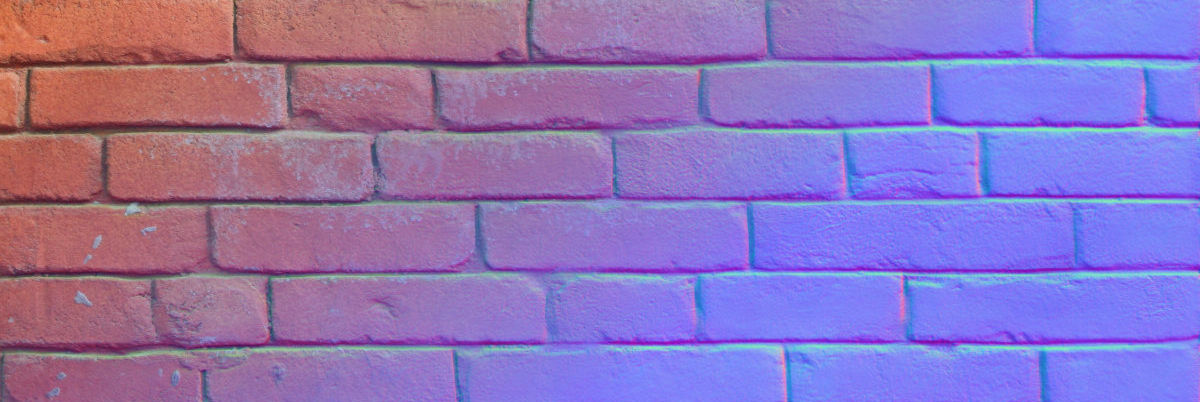
GitHub
Normal & height maps generation from single pictures - HugoTini/DeepBump
 fiery valve
would anyone know why these outlines on polys appear? i know this usually happens when your texture's color is right up against the uv boundaries since it tries to interpolate from outside them, but that isnt happening here


the uvs for that area look like this, the color is well outside the boundaries
the shader here is the default urp lit shader, strangely this doesnt happen on the default unlit texture shader
misty lantern
fiery valve
would anyone know why these outlines on polys appear? i know this usually happen...
SSAO artifacting from the looks of it
Tweaking SSAO settings may improve it, or you could disable the feature
fiery valve
ooohhh a team member was testing stuff out with that earlier, thank you!
 steel bluff
Hi! I'm making a trash recycling game and I'm making the trash with a prefab. Thing is, the trash is supposed to be randomly appearing from these models that I have here. Visually, how do I configure this? In a prefab or singular models? Appreciate some help!

I started out making a prefab but I don't know how to put the models inside for the code to have access to all of the models. That's what I mean by visually.
tribal pivot
static bloom
Is this an ok place to ask about creating textures? I want to take photos of obj...
megascans are free until the end of the year, it has over 10k realistic textures and models
 rain quartz
steel bluff
Hi! I'm making a trash recycling game and I'm making the trash with a prefab. Th...
rain quartz
steel bluff
Hi! I'm making a trash recycling game and I'm making the trash with a prefab. Th...
not a lot of experience with 3d but maybe try giving a prefab an array of models, and then randomly setting its mesh renderer in script
fluid oak

 fathom canopy
with an imported .glb asset, why doesn't Unity allow duplicating gameobjects that are inside it, but can duplicate materials and meshes? (with ctrl + D)
misty lantern
fathom canopy
with an imported .glb asset, why doesn't Unity allow duplicating gameobjects tha...
You would not be able to duplicate them in Project, since whatever is inside the imported asset is created purely procedurally by the import settings
Once in a scene it becomes an editable instance like any prefab
If you cannot edit it in the scene, it might be if your glb importer has control over it for some reason
In that case you should be able to make a prefab that references the imported assets, regardless
To edit prefabs properly you may need to "unpack" it first, so it's not inheriting its hieararchy structures and properties from the generated prefab asset
iron bridge
I'm using Blender and whenever I switch to my T-Pose animation, my armature's right upper-arm retains the rotation from the previous animation. Nothing is in my NLA stack and none of the other bones or animations have this issue. Resetting the rotation on all bones with Alt+R and inserting that as a new keyframe puts my armature in the correct T-Pose, but the issue still persists if I switch to another animation and switch back. Can anybody help me understand what might be happening?
eager mist
Hey so I imported some asset files into unity so that I can convery them into fbx/glb but when I import the assets my textures are so blurry? How do I fix this issue?

 astral stirrup
eager mist
Hey so I imported some asset files into unity so that I can convery them into fb...
astral stirrup
eager mist
Hey so I imported some asset files into unity so that I can convery them into fb...
are they supposed to have sharply-defined edges? try setting the filter to point and turning off compression
eager mist
astral stirrup
are they supposed to have sharply-defined edges? try setting the filter to point...
THANK YOU!
 hardy pawn
Can someone explain to me why my Line Renderer is doing this, and how to stop it? I literally just want to render a ring that points up.
 outer halo
Try changing the alignment property
hardy pawn
outer halo
Try changing the alignment property
It only has two options, View and Transform Z, and neither one makes the line's sides point up.
misty lantern
iron bridge
I'm using Blender and whenever I switch to my T-Pose animation, my armature's ri...
Blender doesn't reset the pose between switching actions, so perhaps not every bone's transform is keyed
With linked bones sometimes position is translated to rotation so it might help to key all properties for all bones
Usually you want to do that for the first keyframe anyway to prevent exactly that
 earnest egret
https://youtu.be/72woYOPOfEY?si=tHZWFqK7IcBQOXJG&t=14
How can i make sliders with rounded fill bars like in this?

Breathing exercises for kids are a way to learn important coping skills and build resilience. Practice mindfulness in a calming video exercise for children. | Subscribe and check out more great videos ➡ https://www.youtube.com/c/SagoMini | Giggles that help kids grow: https://sagomini.com/world/
Post a p...
I'm currently using a circular ring and fill child object, like this and i want my edges of fill element to have round edges.
 misty lantern
earnest egret
I'm currently using a circular ring and fill child object, like this and i want ...
misty lantern
earnest egret
I'm currently using a circular ring and fill child object, like this and i want ...
I guess the simplest way would be to have two circles the same color as the bar at the ends, controlled by a script
But there's countless ways to go about it, just like there's countless ways to make a circular fill meter
earnest egret
misty lantern
I guess the simplest way would be to have two circles the same color as the bar ...
It's what i currently have, but i cant figure out how to make edges circular
misty lantern
earnest egret
It's what i currently have, but i cant figure out how to make edges circular
You already have circles at the two ends of the circular bar?
earnest egret
No i meant two circles
One has a fill float 0-1 that controlls the fill amount other one is the background
misty lantern
Perhaps you misunderstand
earnest egret
misty lantern
I guess the simplest way would be to have two circles the same color as the bar ...
Uhm yes i misunderstood, I get what you meant now
How do i add circles, spline?
misty lantern
Images if your meter is an image, sprites if sprites
One would have a parent transform in the middle of the meter acting as a pivot, rotating based on how full the meter is
earnest egret
 misty lantern
I don't see the benefit of splines here since all the rounded end sprite needs to do is move in a circle
 earnest egret
misty lantern
Images if your meter is an image, sprites if sprites
One would have a parent tra...
earnest egret
misty lantern
Images if your meter is an image, sprites if sprites
One would have a parent tra...
I'll try that, thanks
misty lantern
earnest egret
I'll try that, thanks
#📲┃ui-ux is the right channel to ask for more info
They probably understand the method I'm trying to explain
astral stirrup
earnest egret
I'm currently using a circular ring and fill child object, like this and i want ...
you could use a slider with a child image set to 360 fill method (i don't exactly remember what it's called)
 unkempt wedge
Does anyone has any experience in exporting an Fire, which I created with the Quick Smoke Effect in Blender, to Unity?
hoary kindle
unkempt wedge
Does anyone has any experience in exporting an Fire, which I created with the Qu...
No, the vfx systems in Blender and Unity are not functionally interchangeable. You better do the effects in unity VFX/shaders/whatever to begin with
The Quick Smoke Effect is a level of fluid simulation Unity does not support to any extent. You could render the effect in Blender to a flipbook texture (or to a six way lighting format potentially) and then render it in unity as texture based particles. The simulation itself would not work in Unity
With particle based effect you could achieve similar results but that you would want to do in Unity VFX systems as said earlier
unkempt wedge
hoary kindle
The Quick Smoke Effect is a level of fluid simulation Unity does not support to ...
Thanks for your help
 ebon brook
how to remove black from trees
 tribal pivot
ebon brook
how to remove black from trees
tribal pivot
ebon brook
how to remove black from trees
change your material type to cutout
(if that part is transparent in your image)
ebon brook
 tribal pivot
ebon brook
tribal pivot
ebon brook
in the material, not texture
tribal pivot
ebon brook
i cant edit the material
you have to find it in your folders at the bottom of your screen
you can edit it there
ebon brook
nvm i did it thanks
 gilded sparrow
small question, how do i remove this white reflection?
 outer halo
Change the smoothness slider on the material
 hollow citrus
can someone help me with this error. trying it for 3h now to remove it

 signal osprey
I am trying to set up a material with opacity in Unity, so I've exported my maps from Substance with the opacity in the alpha channel of the base color map. Then in Unity, I am using the URP/Lit shader, with Transparent enabled in the Surface type section, which shows the transparency. However, (inside) parts of objects that should be fully opaque also appear as seethrough. The opacity looks fine on objects that don't have an 'inside', but the one's that do look incorrect. Is there a fix for this or should I just give all parts that need transparancy a different material?

In this image you can see the opacity of the glass part looks fine, however the top green part should be fully opaque.
 viscid ridge
how can i make it so it picks at random which one of the 2 backgrounds its going to pick?
 tribal pivot
viscid ridge
how can i make it so it picks at random which one of the 2 backgrounds its going...
tribal pivot
viscid ridge
how can i make it so it picks at random which one of the 2 backgrounds its going...
you have to do it in code, so ask in #💻┃code-beginner instead
 glad rune
gilded sparrow
small question, how do i remove this white reflection?
glad rune
gilded sparrow
small question, how do i remove this white reflection?
or use a reflection probe so it isn't reflecting the environment cubemap
glad rune
signal osprey
I am trying to set up a material with opacity in Unity, so I've exported my maps...
from my time in the industry it's usually standard to have transparent and opaque materials be separate, trying to do it in the same material creates issues.
Not that it can't be done, it's just far easier to do them separately
 winged obsidian
signal osprey
I am trying to set up a material with opacity in Unity, so I've exported my maps...
winged obsidian
signal osprey
I am trying to set up a material with opacity in Unity, so I've exported my maps...
This is a classic problem with transparent rendering.
An opaque shader writes to the depth buffer (aka the ZBuffer). This tells the renderer how far away each pixel is from the camera.
This allows the renderer to completely skip pixels that are behind something else
A transparent shader generally can't do this -- otherwise, other transparent objects behind them wouldn't be allowed to render at all.
now, transparent objects do get sorted based on distance from the camera, so 10 objects in a line will render properly
But if two transparent objects overlap -- or a single transparent object has overlapping faces -- you start getting interesting rendering problems
There's no way to know that the inner cylinder is "behind" the outer cylinder.

This won't be apparent in something like Blender, because it's doing a much more complex rendering process than Unity is
I am struggling with this right now on a VRChat avatar. It has a very complex water shader, and I'm also trying to introduce transparent particles!
They almost always render in a bogus order
 old veldt
beautiful box I create 😂

 novel garden
signal osprey
In this image you can see the opacity of the glass part looks fine, however the ...
novel garden
signal osprey
In this image you can see the opacity of the glass part looks fine, however the ...
If the top green should be fully opaque, and will always remain opaque, then it's probably within your best interest to give that part of the model a separate, opaque material.
 potent jungle
so im trying to add a 2d bg into a new scene but its coming out blurry
except i think i have all the settings right?

i have another scene with a bg and its not blurry
and all the settings and file info is the same
so im not sure what the difference is any why this one doesnt work
fluid oak
Is this one bigger that 2048 in either dimension?
winged obsidian
How does it actually look in the scene?

 winged obsidian
Are the sprite renderers scaled identically?
Try assigning one sprite into the other scene's SpriteRenderer.
winged obsidian
potent jungle
hmm that doesnt come out blurry
Which way?
potent jungle
 winged obsidian
Do both sprites look good in the one scene's renderer?
Or does the one sprite look good in both scenes' sprite renderers?
I'm not sure which you did
winged obsidian
That's what I'm talking about -- the background
potent jungle
ah
winged obsidian
Is it a SpriteRenderer, or is that an Image on a Canvas?
potent jungle
sprite renderer i believe
sorry im a bit new to this lol
but yeah putting the bg into the other scene it still comes out blurry
winged obsidian
So the sprite is bad in both scenes.
winged obsidian
potent jungle
but yeah putting the bg into the other scene it still comes out blurry
Show me the importer settings for both sprite assets

 winged obsidian
And do the resolutions exactly match?
potent jungle
yup


the only major diff i see is the file size
but i think i exported them the same
winged obsidian
Filesize will depend on how well-compressed the image is
it's a PNG, so that compression is lossless
also, as a sanity check -- the original image isn't a blurry mess, right?
That file size IS a lot larger
which kind of implies it's a more complex image
potent jungle
potent jungle
this is my other scene which is not blurry
this one is the 7.41
kb
the one thats not blurry
the blurry one is larger size
should i compress the file size?
winged obsidian
Yes -- the blurry one is the larger file
I just want you to make sure that the original image is not already blurry
the "room1" image
winged obsidian
the file size gave it away
potent jungle

winged obsidian
It's hard to compress a messy image
potent jungle
tysm i didnt even notice lol
potent jungle
yup lol
winged obsidian
my first guess would also have been that it's a rendering problem in unity
potent jungle

signal osprey
winged obsidian
This is a classic problem with transparent rendering.
Thanks a lot for the explanation!
 violet solstice
guys why does the color change (i didn't add any post processing)


wait
wierd
it changes in discord too
uhh how do i explain this now
everything looks desaturated
when i upload to unity or send on discord as png
like anyone know a fix?
 void ether
am getting these weird artifacts on my tile map
it looks good up close but from afar some weird lines show up
 void ether
violet solstice
like anyone know a fix?
void ether
violet solstice
like anyone know a fix?
I thought of 2 things
- if you have two monitors
the settings and display might be different which is what causes this change - the color management might be different
like the way software interprets color (RGB, hdr, CMYK, and other types of encoding)
or its compression i guess
void ether
void ether
am getting these weird artifacts on my tile map
it looks good up close but from ...
never mind I found a tutorial which will probably fix all of my issues
void ether
void ether
never mind I found a tutorial which will probably fix all of my issues
it sure did officially fixed
 left viper
violet solstice
guys why does the color change (i didn't add any post processing)
left viper
violet solstice
guys why does the color change (i didn't add any post processing)
What did u use to make this, I'm curious
violet solstice
left viper
What did u use to make this, I'm curious
krita
fluid oak
void ether
am getting these weird artifacts on my tile map
it looks good up close but from ...
Check the pinned links in #🖼️┃2d-tools
 obsidian pecan
 tacit violet
so here is a gun and the grip material seems streched. the bottom right is the texture the material is using. Can someone help explain why its turning out like this. I made sure my uv maps were right

 gritty raft
Make sure all Scales and Rotations are applied in Blender, and also, using a Graph type texture in Blender to show that the UVs are correct would be good. you can manually find and add one to the material to temporarily show that things are proper, or you can use a good addon such as TexTools
https://github.com/franMarz/TexTools-Blender/releases
@tacit violet
Stating your experience level in Blender would be helpful too. Not sure if you are getting basics wrong, or if we should be considering more advanced things.
 crude bane
Question for you guys, just as a sanity check
if I have a texture with 4 sprites on it, but only one of them is ever shown at a time. (for a long time, its an unmoving obstacle in a puzzle game)
is it cheaper to just use 4 single-image textures instead of a single 2x2 sliced texture? in frame-by-frame texture memory?
or is there some kind of optimization going on that bypasses that?
fluid oak
crude bane
Question for you guys, just as a sanity check
if I have a texture with 4 sprites...
I'd profile it to be sure but if you are absolutely only using one, then having it as a separate asset might be worth it.
outer halo
@rugged slate You've been told before that this isn't a server to advertise your work. If you have no intention of using this server for Unity development, then please don't post.
fathom canopy
does a scene file like Main.unity have references to all prefabs that are in the scene?
 queen rock
does anyone know a course that teaches how to draw pixel arts in a streamlined way. I also want something or someone to identify where I am doing things wrong because most of the time I struggle with creating art assets with correct shading, outlines, or even as simple as picking colors.
 pallid yarrow
Helloo, is there a way to have a spritesheet be pre-sliced or something from photoshop?
A lot of time when I'm trying to autoslice in unity it just picks up random pixels that don't exist at all
fluid oak
pallid yarrow
Helloo, is there a way to have a spritesheet be pre-sliced or something from pho...
Depending on your needs, you can use the psd importer package(which act uses psb files) or you could just importyour different sprites as multiple textures and pack them to a sheet in unity.
pallid yarrow
fluid oak
Depending on your needs, you can use the psd importer package(which act uses psb...
Basically my graphic designer sends me sprite sheets that i sometimes have to manually slice it, was wondering if there was a way where sprite sheets gets sliced in exact way he placed in Photoshop ,
Size and position and all that
fluid oak
pallid yarrow
Basically my graphic designer sends me sprite sheets that i sometimes have to ma...
The psd importer package, yes.
pallid yarrow
fluid oak
The psd importer package, yes.
I'll look into it , thank you so much!
fluid oak
It lets you do everything in the sprite editor with layers wnd positions preserved https://i.imgur.com/gIOXs1q.mp4
 pallid yarrow
Ohh i see
I think I may have accidentally used it in the past when I was still learning, will try again. Thank you so much for the help again!
 polar glade
hey yall, can anyone help me with tilemaps in unity?
I'm trying to make some simple tiles to test out a feature, however when I add the sprite sheet into the asset folder, splice it up etc, and try to put it in the tilemap pallette, unity just moans that I don't have a valid file to import as a tilemap?
ahh i just solved it, there wasn't any issue with anything other than me - i didn't understand that unity was asking me to make a folder, not that it's asking for a file
 sturdy ivy
Anyone know the best way to update a Polymesh mesh? Basically I have a mesh I updated in my 3D package. The only way to get the mesh to update is by dragging in the new mesh into the Mesh Filter, otherwise it doesnt update. But if I go to paint again on this new updated mesh, it reverts back to the old mesh.
 next kite
Hi guys, any idea why the model look good in Scene View but look like low quality in Game View
 sturdy widget
imported a simple power outlet model from blender that i made but its like inverted, you can only see through it to the other side. no idea whats wrong, looks fine in blender


 fallen dove
sturdy widget
imported a simple power outlet model from blender that i made but its like inver...
fallen dove
sturdy widget
imported a simple power outlet model from blender that i made but its like inver...
Turn on face orientation in Blender and post a screenshot
sturdy widget
fallen dove
Turn on face orientation in Blender and post a screenshot
Well that seems to make a lot more sense now. how can i fix this? do i need to redo the whole thing?


oh wait, a quick google search said you literally just need to select all and click shift N
thank goodness
looks beautiful now
 fallen dove
That looks better
 tardy sierra
sturdy widget
looks beautiful now
tardy sierra
sturdy widget
looks beautiful now
Reminder apply a triangulate modifier before importing to unity.
gritty raft
Not always the best idea. for example, when using Tessellation, you'd want to Keep Quads. but, in general, i agree
 proud linden
Hi! does anyone know if there are any known issues with playing a video asset on windows?
I'm getting the most generic error: VideoPlayer cannot play clip : Assets/Videos/SkillPlaceholder.mp4 < this is the asset path
(Also not sure if this is the right chat channel on this discord, lmk if there is a better one)
- It works perfectly in unity editor on the same machine, the issue is only in builds.
- it's IL2CPP on windows.
- Tried transcoding options, h264/vp8 < all work in editor as well.
- Tried disabling engine stripping / lowest stripping levels.
- Tried loading via URL and confirmed URL is correct, same error as when using a video as asset.
- Tried preparing and calling play on prepare callback
- Audio output mode is none, it's a single video track video only
- Version is Unity 6000.0.29
winged obsidian
So you've imported a VideoClip asset, right?
winged obsidian
proud linden
Hi! does anyone know if there are any known issues with playing a video asset on...
(rather than trying to play something from StreamingAssets)
proud linden
winged obsidian
So you've imported a VideoClip asset, right?
I found out the next day it was 'PlayerSettings/Graphics/Video shaders' that was set to dont include. (Probably been like that for a while since i never had video)
This was not communicated well, the editor just plays video and the error in builds was just "cannot play clip". So luckily resolved 😁
winged obsidian
Ah, that'll do it...
 hazy citrus
how do I handle these differetn sprite sizes in my game?
If you look at the blue dots there is a lot of room around the yellow slime
like way too much
How to I keep that consitent with all my sprites?
I m new to 2d unity


 lunar flint
Hello. I'm new to Unity and I don't even know if this can be done, but in general. I created an empty project with an armature in Blender so that I could use it in the future to snap onto objects. Well, I have a clothing model and several vertex groups with weights are assigned to it. That is, it should be assigned to 2 bones, but in Unity I can only assign the chest or stomach bone. How to assign 2 so that Unity uses the group vertex with weights. when I add clothes with armatures in the project everything works, but is it correct that each object needs a copy of the armature? I need 1 armature with all the bones so that I can attach a helmet, body armor, balaclava, clothes, pants, etc. to it. if anything, I use Google Translate, if something is not clear
tribal pivot
hazy citrus
how do I handle these differetn sprite sizes in my game?
If you look at the blue...
in the program you are making these sprites, dont leave this empty space around them
and dont set the sprites to full rect unless you need to
fluid oak
hazy citrus
how do I handle these differetn sprite sizes in my game?
If you look at the blue...
In the sprite editor you can manually slice the sprites, or in your image editor you can just reduce the empty space.
fluid oak
lunar flint
Hello. I'm new to Unity and I don't even know if this can be done, but in genera...
You can do it, but you'll need a script to assign the first skeleton's bones to the new objects' vertices.
lunar flint
fluid oak
You can do it, but you'll need a script to assign the first skeleton's bones to ...
should this script be used for each object? I just have no idea what script to write and how to assign it
fluid oak
lunar flint
should this script be used for each object? I just have no idea what script to w...
I'd check github, there are a few tools for exactly this sorta thing.
winged obsidian
yeah, this is a decently common problem
lunar flint
fluid oak
I'd check github, there are a few tools for exactly this sorta thing.
I have no idea what exactly I need. Can any of you recommend such an addon? Attach several bones from the only armature in the project to 1 character in accordance with the scales installed in the blender. Will this one fit? https://github.com/mimusangel/Unity-Tools-SimpleCreatorBones?tab=readme-ov-file

GitHub
Simple Tool for unity for create Bones in your Mesh - mimusangel/Unity-Tools-SimpleCreatorBones
 safe idol
How's my proportions and alignment in diagonal sprite? Is good enough for alpha launch?

 coral maple
Hey all. I have a weird problem that only just happened. My inderict light look good, but then suddenly it seems my baked lightmap is way too dark. See the baked here vs how it is applied on top of textures. Before the self-shadowing was much less prominent although the lightmap texture looked the same, but then suddenly it looks completely black. Anyone has any ideas? Been adding and moving light probes, but to no avail. This is Unity 2022.3 and URP
It also affects my dynamic meshes like my player. Also having much darker self-shadowing suddenly.


 topaz yacht
coral maple
Hey all. I have a weird problem that only just happened. My inderict light look ...
topaz yacht
coral maple
Hey all. I have a weird problem that only just happened. My inderict light look ...
Good luck, because I have no idea what is goin' on in this screenshot (it looks fine to me, so you might want to show more than these two pictures). I'm still too new to even know how the shading and light works in Unity yet either, so I'm propably missing the whole problem itself when it comes to Unity's URP.💀 
But I am a independent Blender artist (meaning I do all the things myself in my projects). So anything there I can help with when it comes to lighting issues like what you are explaining. 
winged obsidian
coral maple
Hey all. I have a weird problem that only just happened. My inderict light look ...
Note that you have the preview exposure set to 1, rather than the default of 0
so it's exaggerating how bright the baked light is
This looks correct to me, given the lightmap

Your ambient occlusion is pretty intense
 placid brook
Hellooooo! Something is wrong with my model in Unity and I’m not sure what it is or how to fix it , it seems the outline of my model took over some of the right sides of my model
The outline is made by solidify modifier and Backculling/inverse culling wtv you call it) in blender


 potent wraith
placid brook
Hellooooo! Something is wrong with my model in Unity and I’m not sure what it is...
potent wraith
placid brook
Hellooooo! Something is wrong with my model in Unity and I’m not sure what it is...
Blender modifiers don't work outside of blender. And face culling needs to be configured in the material in unity.
Generally, that's not how you do outlines in games.
placid brook
Oh
 misty jolt
how does vector graphic support look like? should i use that or export them as regular sprites?
i know there is a package for it but uhhhh
 outer halo
Use regular sprites
 brittle orbit
hey how would you go about trying to optimize a texture in the following context
i want to just have a cube that looks like the minecraft tnt
i found a texture on google thats like 20kb
i downscaled it to 256 x 256 and its about 8kb now but it still seems way to high for what is should be right ?
i suppose i could use the faces as painting zones if i subdivided the cube but thats also a optimisation problem
ideally the standard cube from blender and some low res solution for texture aswell
ok so i found a shader that uses the cube's world transform tada to determine which texture to display on each face ill update on what the total texture size is
this looks promising but its blurry after rescaling, it should work since minecrafts blocks have a 16x16 resolution but maybe the image rescaler i found on a random website isnt feasible

found the original minecraft textures and this is also relevant

because they are webp format gotta convert
well that did narrow it down a bit
but i think the shader isnt working right

i am tired so ill figure out the shader thing after a nap
misty jolt
outer halo
Use regular sprites
How come?
outer halo
Well for one thing, vector art isn't really supported, but it's also unnecessary and overkill. Games use sprites just fine.
tribal pivot
brittle orbit
hey how would you go about trying to optimize a texture in the following context...
minecraft textures are 16x16. dont downscale high quality versions of them, just use the original 16x16 ones
tribal pivot
misty jolt
How come?
the pic you showed says that its experimental and not recommended to be used in production, that sounds like its better to just use sprites
placid brook
potent wraith
Blender modifiers don't work outside of blender. And face culling needs to be co...
it seems the problem was not that the modifier is from blender, since i removed it to re do the outline in unity, and instead of fixing my problems , now the right side parts of the model r transparent for who knows what reason, does anybody has a fix for this??

 placid brook
It doesn’t seem to be a texture problem , the problem is within the model itself 😭
placid brook
Also Note: I already tried checking the normals in blender , they r all blue and correct so I’m for a fact that AINT the problem
placid brook
FIXED , for anybody that’s experiencing the problem too (since I’ve seen a lot of people experiencing it in the internet and nobody giving a proper solution whatsoever)
Key points to check:
- Check if any part of your model has a negative scaling , if they do (either because you mirror the mesh to flip it on the axis) or for wtv reason apply the scale, then go into edit mode and select all , go to mesh > normals > Recalculate outside or Recalculate inside , Flip also works
If you don’t have any negative scaling then skip the part where you apply the scaling
Also to see which faces r facing wrong direction make sure to turn on face orientation in Overlays
 obsidian field
So. Odd situation. I have a prefab (produced by someone else) which takes two meant-for-vrchat avatars, one with normalish fullsize human proportions and one with chibi proportions (Hereafter 'Full' and 'Chibi' respectively), and combines the two into one, creating a chibified version of Full. (left: Chibi base, right: Full avatar, middle: Result)
The way it was done, is the Chibi prefab was unpacked/edited, removing everything but the head and body; and then the Full prefab unpacked, body and head removed and parented to the Chibi, and the bones of Full scaled/rotated positioned, and made children of the corresponding bones of the chibi (So Chibi 'Hips' is the parent of the Full 'Hips' bone and so on). Again, I did not create any of these myself.
My desire was to export this mess as a fbx to bring into blender for further edits. Problem is, using unity's FBX exporter, while not 'exploding', produces an fbx that when brought into blender is basically just the Chibi body/head 'standing inside' the Full clothing, with none of the bone modification applied.
Is there any way to do this cleanly or am I just going to have to bite the bullet and do it all manually in blender? (I have blend files for both, bought and paid for). Trying to avoid this because that's a lot of bone manipulation to be done.


in blender you can ctrl+a to apply transforms 'permanently'; is there any similar ability in unity? I feel it may work if the scaled bones are done similarly.
 ancient plinth

Had to force close Unity with task manager because FBX import was currently at 44 hours.
All the imports for this building were fine until I started adding in destructible pieces. I currently have 5 pieces, all of which look roughly like this in terms of their amount of bits.
Im assuming the amount of parts is what's causing the issue. But I feel like this is a normal amount of bits for a destructible piece. How do you guys do destructible environments?
misty lantern
obsidian field
in blender you can ctrl+a to apply transforms 'permanently'; is there any simila...
Not out of the box
"Applying transforms" modifies the mesh data by offsetting each vertex's object position to the new origin/pivot
You'd need a script in Unity that modifies the mesh data in a similar way
obsidian field
misty lantern
Not out of the box
"Applying transforms" modifies the mesh data by offsetting ea...
Thanks. I actually figured out the most jank ass way of doing it lol
On mobile so can't type good but I've gotten promising results

The shoulders here are giving me hell for some reason
obsidian field
Think it may be due to a difference between the zipped fbx and either the unitypackage's fbx or prefab
obsidian field
basic gist. I found the bones from 'Full' in the combo that contained the weights, renamed them to 'stand out', and deleted everything but the armature from the prefab, exported that as an fbx, pulled that into blender, and used bone constraints (copy transform) on the 'Full' avatar to point at the imported armature-only fbx (the bones show up as empties) and it mostly worked.
fluid oak
ancient plinth
My guess is that it isn't the number of pieces.
 thin sierra
trying to play a video in unity but the quality looks much worse than the source file, anyone know how to make it perfect?
 heady epoch
Hey one question, i always think about when an object has rounded edges on one side and the other side is just flat you can clearly see the smooting applied to it (as can be seen in image) would you just apply a bevel modif. to it because in real world there arent these type of flat edges (downside would be an increasing tri count) but is it worth it or can beveling be done with normal maps? can u bake a bevel of sharp edges so that the tri count doesnt increase? and what would be an average tri count for your models (sth between low poly and high poly - obv. it depends on where the object will be in the game ...) - hopefuly its understandable in some kind ... holy shit
 fallen dove
ancient plinth
fallen dove
ancient plinth
I've had a simple model from a 3rd party, a wall, take nearly half an hour to import. When I got the model into Blender it became clear why. Although it was shaped like a wall, it was constructed of a hideous mess of geometry. 1000s of edges free floating and not connected to one another. When you import into Unity there can be a lot going on behind the scenes. Recalculating normals, trying to optimize the mesh, trying to generate a lightmap UV and so on. So make sure your destructible pieces don't contain any loose or non-manifold geometry.
tribal pivot
ancient plinth
how many vertices and triangles do you have here in this fbx in total? also did you know the hidden objects are also included in the export by default?
ancient plinth
tribal pivot
how many vertices and triangles do you have here in this fbx in total? also did ...
I have selected only checked in my export settings


This is what generally the worst pieces look like
fluid oak
While that geometry does look kinda gnarly, you didn't really answer their question
fallen dove
I have a character in Unity made in CC4. I want to import additional clothes for the character, so I create the clothes and import the character again with the new clothing. Since I want to continue using my existing character in Unity, I want to just take the newly imported clothes. Does Unity provide a utility to bind the clothing skinned mesh renderer to a different rig - that of my existing character?
 flint pelican
i have a model that i've made, it's position is 0, rotation is 0 and scale is 1 but everytime i export it to unity it's sideways, bake axis conversion does nothing 🤷♂️


 misty lantern
flint pelican
i have a model that i've made, it's position is 0, rotation is 0 and scale is 1 ...
misty lantern
flint pelican
i have a model that i've made, it's position is 0, rotation is 0 and scale is 1 ...
It's a complex issue, some solutions here:
https://polynook.com/learn/how-to-export-models-from-blender-to-unity
But ultimately I recommend using an export add-on that takes care of the orientation
fluid oak
fallen dove
I have a character in Unity made in CC4. I want to import additional clothes for...
No, but several exist on github.
fallen dove
fluid oak
No, but several exist on github.
Thanks. I ended up writing my own. Was easier than I thought.
obsidian field
flint pelican
i have a model that i've made, it's position is 0, rotation is 0 and scale is 1 ...
gotcha. one sec.
obsidian field
flint pelican
i have a model that i've made, it's position is 0, rotation is 0 and scale is 1 ...
https://github.com/EdyJ/blender-to-unity-fbx-exporter
use this. its perfect for my workflow (which is making avatars/props/worlds for chilloutvr) and results in exactly what you want generally speaking.

GitHub
FBX exporter addon for Blender compatible with Unity's coordinate and scaling system. - EdyJ/blender-to-unity-fbx-exporter
obsidian field
fallen dove
I have a character in Unity made in CC4. I want to import additional clothes for...
cascadian mesh transfer but tbh just do it in blender.
misty lantern
obsidian field
https://github.com/EdyJ/blender-to-unity-fbx-exporter
use this. its perfect for ...
This is probably the best free one, though in my experience it just fails without error for seemingly random models
 cyan iris
obsidian field
On mobile so can't type good but I've gotten promising results
cyan iris
obsidian field
On mobile so can't type good but I've gotten promising results
the booths and ears look so good
cyan iris
obsidian field
https://github.com/EdyJ/blender-to-unity-fbx-exporter
use this. its perfect for ...
i think u can install addon from prefrences settings too
cyan iris
heady epoch
Hey one question, i always think about when an object has rounded edges on one s...
send fulll ss and show the topology too with x ray on
 glass vale
I'm really having trouble with UI. As you can see, this is smoothly rounded here in Photoshop...
But when I import it to Unity and turn it to UI/2D sprite, the quality immensely depreciates. I'm trying to achieve that smooth-round look I've seen in other games.


 misty lantern
glass vale
I'm really having trouble with UI. As you can see, this is smoothly rounded here...
misty lantern
glass vale
I'm really having trouble with UI. As you can see, this is smoothly rounded here...
No mipmap generation enabled, I suppose
glass vale
misty lantern
No mipmap generation enabled, I suppose
I did that and it kinda made it worse.
It is doing just fine now, no worries
misty lantern
glass vale
I did that and it kinda made it worse.
It is doing just fine now, no worries
How did it start doing fine in this case?
Unity out of the box doesn't resample images that are viewed in non-native resolution in any other way except in pre-generated mip maps
glass vale
misty lantern
How did it start doing fine in this case?
I've already made my own tweaks, and it is now already in a good state
No changes needed anymore
But thanks for the help!
misty lantern
glass vale
I've already made my own tweaks, and it is now already in a good state
I didn't think this could be fixed with "tweaks" so I'm quite curious
Except possibly by resampling the image's resolution so it matches exactly the display resolution in game
glass vale
misty lantern
I didn't think this could be fixed with "tweaks" so I'm quite curious
Except pos...
To be fair, it isn't really "fixed", it's just at a quality I'm happy enough with
Besides, players won't notice it or find it very annoying
And I've taken perfectionism out of me, so that's out of the way
misty lantern
What's perfect if not something that's good enough for the intended task, after all!
 flint abyss
Hello all, and Merry Christmas! I was wondering how to achieve alpha clipping for my model, shown here.

Here are the texture settings

Any help would be very appreciated. Thanks!
fluid oak
flint abyss
Here are the texture settings
Use a shader with alpha clipping enabled on the material
I can see in the screenshot that there is an alpha channel, so assuming that it is correct that is all you should need to do. You can also check 'alpha is transparency' in the texture import settings if you have artifacts.
flint abyss
fluid oak
Use a shader with alpha clipping enabled on the material
Thank you so much! Happy Holidays!
misty jolt
is there seriously no way to make an existing prefab into a prefab variant of an empty base?
it seems like it should be pretty important functionality
 next furnace
hello i was redirected here
i have a garrys mod map model (.obj) but unity doesnt import the textures automatically
instead of creating 262 new materials by hand is there a way to automate it?
 vocal sorrel
next furnace
i have a garrys mod map model (.obj) but unity doesnt import the textures automa...
vocal sorrel
next furnace
i have a garrys mod map model (.obj) but unity doesnt import the textures automa...
Do you have any other files than just obj? Obj by nature is mesh only.
winged obsidian
flint abyss
Hello all, and Merry Christmas! I was wondering how to achieve alpha clipping fo...
Hang on, didn't I answer this question involving this exact image before...?
I did lol
next furnace
vocal sorrel
Do you have any other files than just obj? Obj by nature is mesh only.
yeah the textures which are image files
vocal sorrel
next furnace
yeah the textures which are image files
Hmm when you have imported the model, does it really have 262 material slots?
Or is it 262 textures you mean
next furnace
in the folder which contains the .obj theres the textures as pngs
they are named modelname_textureX (x being number)
fluid oak
This doesn't really sound like a unity problem so much as a ripping models from a game problem..
next furnace
i never said its a unity problem, i never said im ripping models from a game.....
please read before replying
and use brain.
if you can comprehend the understanding of a question right
that means you should be able to read straight away that i want to automate texture loading instead of manually adding textures and materials one by one
 violet walrus
import automation like that would all be done via the AssetPostprocessor
though Obj is a bit of a lose spec so it will heavily depend on how materials and groups are defined in it
fluid oak
next furnace
i never said its a unity problem, i never said im ripping models from a game.......
You did in fact say that you were editing the GMod map Hometown 1999, against the very clear license terms of that map by its creator, F Kalkman.
gritty raft
It bothers me very much that Flip Green Channel does not affect Swizzle
 misty lantern
gritty raft
It bothers me very much that Flip Green Channel does not affect Swizzle
misty lantern
gritty raft
It bothers me very much that Flip Green Channel does not affect Swizzle
Probably an oversight
Could report it as a bug
misty jolt
what does "generate physics shape" do in the svg importer? enabling it doesnt seem to do anything, and the docs barely mention it o.o
misty lantern
misty jolt
what does "generate physics shape" do in the svg importer? enabling it doesnt se...
I would presume it generates a physics shape the same way all sprites tend to do when imported
Thye physics shape is a polygonal representation of a sprite that is used as the default polygon collider shape when the polygon collider component is assigned
misty jolt
ohhh so the polygon collider will automatically take the sprites shape?
misty lantern
misty jolt
ohhh so the polygon collider will automatically take the sprites shape?
Yes
Not sure if it's used for something else beyond that
next furnace
fluid oak
You did in fact say that you were editing the GMod map Hometown 1999, against th...
im not editing the map, im trying to USE the map. im not claiming credit for the map so what is against his license terms 🤔
you are actually just stupid
you may use my map no matter what, as long as you dont take any credit for it! and i dont like people to edit or decompile to change my maps! thats all the respect I ask for it. for questions or whatever, contact me at: smartzenegger@hotmail.com please be so kind to enclose this readme file when you feel the urgent need to spread these maps or upload these maps. i recommend you to upload this original file. all F.Kalkman's maps (my maps) come from WWW.ULTEAMATE.NL and special thanks to Logen (creator of the RP_KijkDuin_b## maps) he helped me out with some things and shared his knowlidge with me. (dont mail me to ask for the code!!! its very hard to find, and you just have to find it yourself!!!) Thank you for playing my maps. Enjoy. Greetings F.Kalkman /```by the creator himself
tribal pivot
next furnace
```
you may use my map no matter what, as long as you dont take any credit for ...
may i ask what you are using his map for? you putting it into your unity game that you are gonna sell?
misty lantern
next furnace
```
you may use my map no matter what, as long as you dont take any credit for ...
Why would you be having decompilation related problems if you're not decompiling the map
Problems related to decompiling or modding are not a topic for this server
Not only because of their dubious legality but because those problems never come up in actual game development
fluid oak
Fortunately, rhetorical questions are still allowed for the moment!
gritty raft
misty lantern
Probably an oversight
Could report it as a bug
You are probably right. i will go ahead and do that
eager mist
Hi anyone know why this nail would be just fine in Blender in any position but when imported into Unity it clips through the finger when doing specific hand poses?


This is it clipping into the finger in Unity
 misty lantern
eager mist
Hi anyone know why this nail would be just fine in Blender in any position but w...
misty lantern
eager mist
Hi anyone know why this nail would be just fine in Blender in any position but w...
If the fingernail is weighted, it may have weights from more than the maximum number of bones that Unity is set to allow and could be culling the wrong bones from the vertex weight list
If the fingernail is parented, I guess it could be related to transform scales or if the finger beneath it has slightly different weights potentially due to max bone count above
It's also possible that it's related to neither and actually a z-fighting issue due to the fingernail and the finger being so close together geometrically for a given near/far clipping plane range
Usually you'd prefer to keep fingernails as continuous geometry with the finger so that there's no chance they'll stray away from each other
eager mist
misty lantern
If the fingernail is weighted, it may have weights from more than the maximum nu...
Someone else in a different channel here had me confirm that each nail is only being effected by one bone each. It is combined with the body mesh
eager mist
misty lantern
If the fingernail is weighted, it may have weights from more than the maximum nu...

 grave garnet
eager mist
Someone else in a different channel here had me confirm that each nail is only b...
grave garnet
eager mist
Someone else in a different channel here had me confirm that each nail is only b...
What about the finger itself though? Select the fingernail vertices and hit H to hide them so you can inspect the finger more easily.
Check the finger vertices on this area especially

 green moon
I'm trying to make a long aisle using these square modular segments I modeled. Is there any way to "snap" each of these square sections to the next so that they sit flush without a gap or without overlaping? Or perhaps a way to define each unit's size as one unit on a grid so I can just perfectly place them?

I'm very new, sorry!
tribal pivot
green moon
I'm trying to make a long aisle using these square modular segments I modeled. I...


 fluid oak
green moon
I'm trying to make a long aisle using these square modular segments I modeled. I...
fluid oak
green moon
I'm trying to make a long aisle using these square modular segments I modeled. I...
You can also use vertex snapping. https://docs.unity3d.com/Manual/PositioningGameObjects.html
green moon
thanks all will try soon!
eager mist
Hi I'm trying to export grease pencil from blender to unity. I've tried the plugin and the conversion method and both are not working
misty lantern
eager mist
Hi I'm trying to export grease pencil from blender to unity. I've tried the plug...
Converting to mesh and then exporting as mesh is probably the best result you can reasonably expect
If that's not good enough you'd have to determine what exactly you want to export the grease pencil path as
Since Unity doesn't have any analogue for it
eager mist
misty lantern
Converting to mesh and then exporting as mesh is probably the best result you ca...
I was converting it to mesh but there was no extrude option to make it the correct size
I'm using blender 4.3
misty lantern
eager mist
I was converting it to mesh but there was no extrude option to make it the corre...
First convert to curve, then you can add extrusion or depth and control the thickness with alt + S, then convert to mesh
Still, it won't be a curve or a stroke once after that, just a mesh
eager mist
there are two types of curves in this version.b I cant convert it to the first one and the second one cant beb scaled

ah i found it on the patch note it says it doesnt work on 4.3
eager mist
I want to achieve this look in unity (this is blender) Does anyone know how to approach this?
 misty lantern
eager mist
I want to achieve this look in unity (this is blender) Does anyone know how to a...
misty lantern
eager mist
I want to achieve this look in unity (this is blender) Does anyone know how to a...
Toon shading and outline rendering
The techniques are much the same but implementation differs
 polar tulip
Guys, how can I get material variation without using a shader and without coding?
misty lantern
polar tulip
Guys, how can I get material variation without using a shader and without coding...
Textures or vertex colors? You'll always need to use a shader in some fashion though
A shader is what makes any texture or even color show up on a mesh at all
polar tulip
misty lantern
Textures or vertex colors? You'll always need to use a shader in some fashion th...
I don't know much about Unity shaders xD .What specific shader should I use to get material variation?
misty lantern
polar tulip
I don't know much about Unity shaders xD .What specific shader should I use to g...
The default one for example
You might want to be more specific what you're working on and what kind of results you want
polar tulip
misty lantern
The default one for example
You might want to be more specific what you're worki...
For example, I have this blue metal. How can I get red metal using the same texture?
 misty lantern
polar tulip
For example, I have this blue metal. How can I get red metal using the same text...
misty lantern
polar tulip
For example, I have this blue metal. How can I get red metal using the same text...
For that you do need a custom shader that's able to change the tint of the texture
Or just make another material with a red metal texture instead
polar tulip
misty lantern
Or just make another material with a red metal texture instead
I won't save the memory size that way.
misty lantern
polar tulip
I won't save the memory size that way.
Custom shaders that tint the textures by a property or vertex color are your only option then