#archived-lighting
1 messages · Page 68 of 1
 winter pollen
 deft fiber
winter pollen
so you want to let someone else fix your problem?
deft fiber
winter pollen
so you want to let someone else fix your problem?
Ah, you must misunderstand, I didn't have the problem
Someone else did and this was the solution
winter pollen
deft fiber
Ah, you must misunderstand, I didn't have the problem
Someone else did and this ...
I solved the problem already with finding and deleting it, I just want that Unity fix the reason for such problems because it can be a horrible pain to find such "bugs"...
deft fiber
Oh good! I thought it was still causing an issue
 lethal quiver
My post Processing effects are not applied to my game camera. does anyone know how to fix it?
found it 🙂

 summer aspen
lethal quiver
My post Processing effects are not applied to my game camera. does anyone know h...
summer aspen
lethal quiver
My post Processing effects are not applied to my game camera. does anyone know h...
#💥┃post-processing has pinned guides describing correct procedure for different pipelines.
 floral radish
for some weird reason when i start the game from my main menu the entire game scene is pitch black. But when I start the game with this scene it looks normal?
 summer aspen
@floral radish Lighting settings are set per scene. If you are loading from blank "menu" scene the next loaded might use that settings. Also this may or may not happen only running in editor by some accounts. I haven't checked that.
So just make sure they have same lighting settings to fix for the editor
floral radish
oh ok thank you
deft fiber
floral radish
oh ok thank you
In other words create lighting settings and hit "generate lighting" for scenes where the problem occurs
floral radish
thx
 deep plume
What could be causing this (shadows?) issue I'm seeing here?
The taller buildings on the left and right are set to 0.1 for 'Scale To Lightmap' and Lightmap Static, so they're not receiving any light from the main light (a Spot light super far away), but the smaller building in the center seems to be getting shadows baked in from all sorts of other areas (I think it's using the same prefab wall as the larger buildings on the side, but this center building is set to 1.0 on the 'Scale to Lightmap' with Lightmap Static checked.
Where are these artifacts coming from?
I am using Bakery to bake my lighting.
System Specs:
RTX 3080
32GB RAM
i9 9900K

 idle schooner
deep plume
What could be causing this (shadows?) issue I'm seeing here?
The taller buildi...
idle schooner
deep plume
What could be causing this (shadows?) issue I'm seeing here?
The taller buildi...
What do the lightmaps look like
deep plume
idle schooner
What do the lightmaps look like
Where can I find that/them?
idle schooner
i dont know if there's a way to look at the lightmap UVs inside unity - in which case you'll have to open the mesh file in an application like Maya or Blender
but if you dont know if the meshes have custom lightmap UVs - try selecting the fbx and check 'Generate Lightmap UVs' in the inspector menu - and rebake the scene
I'm not very sure if this is the problem. anecdotally, ive seen similar issues on my meshes when baking lightmaps. Ensuring that they had appropriate lightmaps UVs usually solved the problem for me
deep plume
So I think that's an area where I messed up
Because I'm using the prefabs of these buildings (the already-built versions of the buildings, as opposed to having built each of them with all the parts that they're made up of), and I didn't see that as an option when importing them into the scene
But if I were to try and import the parts 'separately' (I say separately, because they still come in as all 20 parts to the buildings, just not assembled, but they behave as a single item when clicking on any one of them), then I DO see that 'Generate Lightmap UVs' option.
idle schooner
go into the folder in the project that has the meshes. Multi-select and generate the lightmap UVs
deep plume
but I did change something - I realized that not all the physical objects in the map were set to Static, and so I went and marked them all as such, but I'm still getting weird errors:

I just cleared my cache and deleted the previous bake data, and so it actually let me save and then kick off this bake, which errors out at 55% (as always), and this is where I'm at now... lol
That last error is giving me this:
NullReferenceException: Object reference not set to an instance of an object
ftRenderLightmap+<RenderLMDirect>d__304.MoveNext () (at Assets/Editor/x64/Bakery/scripts/ftRenderLightmap.cs:8228)
ftRenderLightmap+<RenderLightmapFunc>d__282.MoveNext () (at Assets/Editor/x64/Bakery/scripts/ftRenderLightmap.cs:5832)
ftRenderLightmap.RenderLightmapUpdate () (at Assets/Editor/x64/Bakery/scripts/ftRenderLightmap.cs:4601)
UnityEditor.EditorApplication.Internal_CallUpdateFunctions () (at C:/buildslave/unity/build/Editor/Mono/EditorApplication.cs:200)

I just tried reimporting that ftPreview.cs file, but I don't know if that's doing anything...
deep plume
I feel like this might be one of my issues:
But how do I do that - "Consider disabling static batching if you want it to be instanced"?

Ah, think I just answered that question:

 ornate egret
hi, 2D-shadow caster only cast shadow from highest light order. Adding 2 or 3 point light into the scene won't cast any shadow in it.
What is the workaround?

 tough flower
anything?
 sudden steppe
I just lightined my Scene with new "Spot Lights", I removed the old ones.
But now the new Lights are not rendered on my phone. They can be seen in the Game-View of the Unity-Editor.
Tried to google it without any solution
 shell grove
I'm following a tutorial to do this:

I followed exactly everything but i dont get why i have this

Someone know the issue?
I made my room with probuilder
Maybe that could be the problem?
 fluid arch
shell grove
fluid arch
shell grove
Are your objects marked as static? Are normals facing the right way?
shell grove
Actually what i've found out was that i needed to put default material on them
But in that case mean i cant use different materials? what i'm missing?
fluid arch
I don't see why that would be the cause. I assume you are baking, correct?
shell grove
Yea, correct
shell grove
shell grove
I'm baking now the light is doing as this photo so i fixed but i dont understand if maybe its something in material proprieties the problem
fluid arch
Not sure what kind of material you were using. Different pipelines use different materials. it's always a good idea to start with a native default lit material and work from there until you get your desired material I guess
It looked like your objects weren't marked as static from your image, but the character was, since it's getting lighting info properly
shell grove
I marked the objects as static, but did that 😦
fluid arch
Mhm, I wouldn't know directly. If it has to do with materials, i'd apply the material to the box that you have on your character.
Work from there maybe
Also make sure that your box mesh has lightmap uvs
shell grove
fluid arch
Also make sure that your box mesh has lightmap uvs
How can i find if my box mesh got lightmap uvs?
 shell grove
How is possible i dont have it in my inspector tab? 😮
fluid arch
ehh it's my bad, I cannot find a better image. you have to find the object in your other tab
I forgot what it's called
Like where all of your content is
Project tab
Very old picture, but this is what I mean
 shell grove
Oh i see! I dont think thought that probuilder objects got a generate UV option, cause with the object in the middle i turned it on, but for the walls and floor made in probuilder i cant find that option
fluid arch
shell grove
Oh i see! I dont think thought that probuilder objects got a generate UV option,...
Oh, I had no clue probuilder was an asset inside of unity, I thought it was an external modelling tool, never mind me.
deft fiber
shell grove
Oh i see! I dont think thought that probuilder objects got a generate UV option,...
https://docs.unity3d.com/Packages/com.unity.probuilder@5.0/manual/Object_LightmapUVs.html ProBuilder does have it
 fluid arch
 plucky sun
where can I download this scene for unity ?
plucky sun
where can I download this scene for unity ?
Google reverse image search gives me this : "Bistro Scene" created for Amazon Lumberyard Engine.
 deft fiber
 gusty elbow
How can i prevent my light to shorten when i get close to a wall?
gusty elbow
How can i prevent my light to shorten when i get close to a wall?
The light looks to be way ahead of the player, so it goes inside of the wall when you approach
Check the positions of the light and camera in scene view, prefarably during playmode
deft fiber
gusty elbow
Its the same as the player
Unless something is changing the light's Spot Angle at runtime, the only possible cause for a spotlight to shrink to a dot is when something gets in contact with it
If animations or scripts are controlling the objects, it may lead to them getting an offset when playmode starts
The other option seems to be that your game exists in its own reality where light can be projected nonlinearly
 lavish elm
is there a way to cull the layers a light casts shadow from but still receive shadows on every layer?
 covert mirage
im trying to make a 20 cells x 20 cells area that is procedurally generated with each cell having 40+ lights, i got a solution but it lags out the game any alternatives
my pc is probably asking for mercy

 upper fable
covert mirage
im trying to make a 20 cells x 20 cells area that is procedurally generated wit...
upper fable
covert mirage
im trying to make a 20 cells x 20 cells area that is procedurally generated wit...
Are you using forward rendering path? 40 lights per object is somewhat massive amount on forward path. Deferred path doesn’t care about the amount of lights affecting single gameObjects. Deferred rendering cares more about amount of lights affecting single pixel on the screen
 grizzled crag
is it possible to control how the attenuation work on a light ? for real time, per lights
 uncut mural
after baking lights

the lights are a bit messed up on the right side
any idea why?
 thick kestrel
Is there a way to stop using the baked lightmaps and switching back to realtime lighting, witout clearing baked data? My question is because i build lightmap for a project, but the lightmaps are too big to upload to git (i could use LFS i know but we just want to avoid to force everyone to download them). I'm looking at a way that i could just bake the lighting, push the project without the lightmaps (substractive), but not having everything dark for people who don't have the lightmaps
 amber wing
for some reason,i have a lit sprite shader on my player but it doesn't show the usual darkness that comes witht the shader,any ideas why?
 covert mirage
upper fable
Are you using forward rendering path? 40 lights per object is somewhat massive a...
covert mirage
upper fable
Are you using forward rendering path? 40 lights per object is somewhat massive a...
that didnt work but i reduced the clipping plane max size (im using the fps controller) and it worked
 crisp topaz
does anyone know if there is a way to make shadows less dark for specific objects? As u can see, fern or grass would never cast such dark solid shadows. It looks weird and wrong. Anyone know a fix?
 deft fiber
crisp topaz
does anyone know if there is a way to make shadows less dark for specific object...
deft fiber
crisp topaz
does anyone know if there is a way to make shadows less dark for specific object...
Usually it's not worth the effort and resources to bake any fine/transparent objects
I would remove them from lightmap contribution and use probes to light them instead
 mental trench
Hi guys, I desperately need help for something. I have a scene with 100% baked light, however, after baking the lights, there are no shadows. I've set the shadows in the light sources to "soft shadows" and set all necessary objects to static. I have no idea what's going on, there are no errors in the unity console either. Any help will be appreciated
 edgy yacht

 ebon pebble
Hi, I was looking for a way to put different light points without creating lag, do you have any advice?
upper fable
ebon pebble
Hi, I was looking for a way to put different light points without creating lag, ...
You mean point lights?
ebon pebble
Yes sorry 😅😅
upper fable
Are you placing the runtime? What sort of performance issues have you got? How many (and how big they are) of those lights you have?
ebon pebble
upper fable
You mean point lights?
I'm Italian and I don't know English well so to write his translator 😅😅
ebon pebble
upper fable
Are you placing the runtime? What sort of performance issues have you got? How m...
There is a lot of lag and there are no effects or animations
crisp topaz
Can someone tell me why my bake light button is greyed out?
 ebon pebble
There is a lot of lag and there are no effects or animations
ebon pebble
ebon pebble
There is a lot of lag and there are no effects or animations
As soon as I add some light points, the lag begins
ebon pebble
crisp topaz
Can someone tell me why my bake light button is greyed out?
Strange
upper fable
ebon pebble
As soon as I add some light points, the lag begins
What render pipeline are you using? Are you using very low end computer? Does that lag happen even if you add only one point light to the scene?
 wanton kayak
Is it possible to bake lighting during runtime?
For example, if I wanted them to load a randomly generated scene, would it be possible to load that and then bake it before they fully load in?
wanton kayak
crisp topaz
Can someone tell me why my bake light button is greyed out?
Could be because you have the game playing
upper fable
That doesn’t seem like english. No idea what that means
wanton kayak
his english is just more advanced than ours
ebon pebble
upper fable
What render pipeline are you using? Are you using very low end computer? Does th...
- none, I started from the Microgame FPS template 2) I have a Hp with an Intel i3 8 generation 3) with only one point light none, the problem exists when I'm 6/7
upper fable
ebon pebble
1) none, I started from the Microgame FPS template 2) I have a Hp with an Intel ...
So it starts lagging when you have 6 point lights right? Have you considered using deferred rendering path. Usually it’s better at handling larger amount of lights
ebon pebble
upper fable
So it starts lagging when you have 6 point lights right? Have you considered usi...
OK, I will try
I have one last question
As I told you, I started from the Microgame FPS template, if I create an URP project and put the original project folders (for example assets and packages) inside it, can it be okay?
P.s. sorry if i ask a lot of questions but i have been using unity for a short time
upper fable
I don’t know about that one, probably. Render pipeline should affect only (/mostly) rendering. You could try to ask that on #💻┃unity-talk
ebon pebble
upper fable
I don’t know about that one, probably. Render pipeline should affect only (/most...
Okk thank you
 cinder parcel

Wondering
is there any way to work around this?
Volumetric lights are extremely low quality
even when set to high quality it ends looking like this

and thats with denoising, without it it looks even worse

Just wondering, with retroprojecting denoising it looks a bit more passable, but anything involving gaussian looks terrible
 smoky fable
Spotlight is not showing up, anyone know why this is happening?

 stark temple
it's not pointing at anything
smoky fable
stark temple
it's not pointing at anything
thank you
 worthy pendant
Hey, why is my lighting like that?
 upper fable
worthy pendant
Hey, why is my lighting like that?
upper fable
worthy pendant
Hey, why is my lighting like that?
That may happen when pixel light count is too low so some ligths gets ignored for objects affected more than pixel light count amount of lights
worthy pendant
upper fable
That may happen when pixel light count is too low so some ligths gets ignored fo...
So what do I do?
upper fable
Increase it?
worthy pendant
How?
upper fable
It’s somewhere on quality settings I believe. Google will tell
worthy pendant
k thx
worthy pendant
upper fable
It’s somewhere on quality settings I believe. Google will tell
I did it and it still like that
 upper fable
Increased it to what? 8? It seems some of those tiles have more than 8 lights affecting the mesh
worthy pendant
upper fable
Increased it to what? 8? It seems some of those tiles have more than 8 lights af...
Hold on 22 fixed it thank u
upper fable
worthy pendant
Hold on 22 fixed it thank u
That is really large number and can have big impact on performance. Consider using deferred rendering path instead. Deferred rendering is better at handling huge amount of small lights
Pixel light count property itself isn’t the problem. You can have it 1000 without any performance problems unless you really have that many lights affecting single gameobject
worthy pendant
upper fable
That is really large number and can have big impact on performance. Consider usi...
Deferred did a great job thx for helping me
 lucid sage
ok so its wall corner corner wall

and for some reason it's doing this weird blending
anyone know how to get rid of it?
 runic quarry
I'm running into issues with the GPU not having enough memory to do light baking, and the level I'm working on is not even halfway done. Is there any way I can optimize my scene to continue using GPU baking?
I'm unsure if disabling double sided shaders helps at all
these are my settings currently with a GTX 1080ti

I also have a lot of static objects that only serve as mesh/box colliders—would it help to somehow exclude that from the light bake?
upper fable
runic quarry
I also have a lot of static objects that only serve as mesh/box colliders—would ...
So those are not rendered at all? If they don’t have renderer component, they shouldn’t have any affect
runic quarry
okay, so that's good
would it help to separate bits of the environment into separate objects?

this could be 3 different meshes, for example
 thin flower
Would it be possible to have pitch black rooms and hallways or anything that is not under sunlight. I tried to bake the GI but it seems there is some ambient lighting and the walls textures is faded but it still is lighted. Also is there a way to do this in realtime/procedurally? this is HDRP. Any help is appreciated 🙂

 hidden void
hey guys need some help with mi ligthing, to describe better let me put some prints here


why does this happens?
 marsh dust
Hi all...I have a reflection probe question;
First off, I'm using URP 7.5, which doesn't allow for reflection probe blending (yuck). I'm also using Enviro Sky & Weather for a day/night cycle and also using it's Global Reflection Probe for "outdoor" reflections.
The issue is in a scene of a small town that has 8 buildings in it, and all but one of the buildings are rotated off grid at various degrees. I want to place reflection probes in the interiors of the buildings, but when I do, the bounding areas of those probes inevitably protrude outside of the walls of the building, since I can't rotate the probes. Then when I'm walking around a building the reflections will jump between the Global probe and the nearest probe in a building, which just looks totally broken.
I know that I can't rotate the reflection probes...but is there some way to place probes in a building so that I'm not using 50 carefully overlapping probes of various sizes so that none of them go beyond the bounds of a building's walls?
I've read the official Unity documentation on reflection probes multiple times, and I've watched the official tutorials, as well as several other tutorials multiple times, but they all use examples where everything is squared to the grid.
I'm kind of at my wits end here so any help would be greatly appreciated!
 lunar pendant
Is it possible to have emission materials affect the lightning on my FPS weapons?
URP
marsh dust
Which version of Unity/URP are you using?
It looks like it can be set to contribute to Global Illumination in a different ways, as noted here - https://docs.unity3d.com/Manual/StandardShaderMaterialParameterEmission.html

Actually, I'm mistaken; the URP shaders don't have the option it seems
lunar pendant
marsh dust
Which version of Unity/URP are you using?
It looks like it can be set to contri...
Yeah i just checked 😦
But thats exactly the function i want
marsh dust
@lunar pendant Sorry I wasn't able to help further
 wanton rapids
Heya i have really weird thing happening with Bakery, any idea what may cause it and how to fix it? From what i noticed it may be connected to how many stuff light is casted on and maybe their size in lightmap
For clarity, everything is mesh, no terrains nor trees, everything is static, everything has generate lightmap uv

 empty rain
idk if this is the place to put this, but this seems to be the best place to put this....
how do I make 2 walls seamless against each other? I rearranged a wall for a door hole and now there's 3 walls surrounding the door (left, right, above) but on play you can see the seams and they are lit differently. I directly copy-pasted them, and I used V while moving to make it as seamless as possible, but there is still that line no matter what I do. Everything I google is about the texture itself and I can't find how to actually make 2 walls seamless against each other. Any advice would help!
 timber lichen
why is it doing this? all of my lights are marked as important, but it keeps doing this.
 olive python
timber lichen
why is it doing this? all of my lights are marked as important, but it keeps doi...
olive python
timber lichen
why is it doing this? all of my lights are marked as important, but it keeps doi...
too many lights for one object you can try increase amount (max light per object limit)
or bake
 primal ferry
in built in render pipeline, i have fog in my scene that i set from the lighting settings
can i exclude certain objects from that fog?
i want to put a huge planet object in the background but it is not visible because of fog
upper fable
@primal ferry on forward rendering path fog is calculated in each objects shader so if you use a shader that doesn’t support fog, the object is not affected by fog.
primal ferry
ok thanks!
 shell wing
anyone know why my realtime point lights, cancel eachother out
upper fable
shell wing
anyone know why my realtime point lights, cancel eachother out
pixel light count is probably not large enough. when pixel light count exceeds the limit, lights with least intensity are ignored (or calculated in vertex shader, don't remember which one).
shell wing
upper fable
pixel light count is probably not large enough. when pixel light count exceeds t...
how do i raise this
upper fable
shell wing
how do i raise this
from quality settings
upper fable
shell wing
its set to 1
that means you can have only 1 light (in addition to directional light) affecting single object
upper fable
shell wing
im planning on having around 4 maybe 5, so ill set it to 5 just to be safe?
what could go wrong if you just raise it to something much higher?
deft fiber
shell wing
wonder why its set so low by default
Overlapping lights are significantly expensive, so it may be better that the limit pushes people to avoid overlaps
upper fable
the size of the level doesn't really matter. the amount objects with high light count covers the screen matters more
shell wing
im having alot of player-decided optimizations ingame, if you want a bunch of items go ahead, if you want to turn off the lights in the room you arent in, go ahead, stuff like that
 topaz hill
is there a way to set double sided shadows by default so that I don't have to search for every mesh renderer in my project to change them?
 deft fiber
topaz hill
is there a way to set double sided shadows by default so that I don't have to se...
deft fiber
topaz hill
is there a way to set double sided shadows by default so that I don't have to se...
If you have them all as prefabs in a scene, you can select multiple gameobjects with a meshrenderer to edit them en masse
Having everything two-sided shouldn't be normally necessary though, as long as you can avoid it by not having meshes expose their backfaces
 crystal sundial
So if every light in the scene is disabled and there is still light, does anyone know what could be causing this?
 quick saddle
skybox counts as a light too
crystal sundial
ty. the strange part is the environmental lighting in the scene where I can't turn down the light looks like this(image below). I am actually able to turn down the skybox intensity in other scenes
 deft fiber
crystal sundial
ty. the strange part is the environmental lighting in the scene where I can't tu...
deft fiber
crystal sundial
ty. the strange part is the environmental lighting in the scene where I can't tu...
You would normally set this dropdown to a black color to disable it
primal ferry
can i have emission effects in mobile built in pipeline with good performance?
deft fiber
primal ferry
can i have emission effects in mobile built in pipeline with good performance?
Emission as in unlit texture? Definitely
The bloom post process usually associated with emission? Should be doable
Emissive materials illuminating the environment? Only by baking it
primal ferry
deft fiber
Emission as in unlit texture? Definitely
The bloom post process usually associat...
i was talking about bloom post processing
do i need a custom shader that supports it in mobile?
 chilly kettle
PP is always not that good for mobile. But modern phones should do it. You can use the standard lit shader for this.
deft fiber
I know URP is more optimized for that purpose but BiRP PP might work on your target device, might not
Best to search for info online and/or test it yourself
topaz hill
deft fiber
Having everything two-sided shouldn't be normally necessary though, as long as y...
my shadows have holes in them and the only way I have found to fix this problem is to enable double sided shadows (URP)
this isn't my picture but this is the problem I have
 upper fable
topaz hill
my shadows have holes in them and the only way I have found to fix this problem ...
upper fable
topaz hill
my shadows have holes in them and the only way I have found to fix this problem ...
Double sided shadows are usually the best way to prevent those gaps when using flat shaded meshes. Is there some problem doing that?
topaz hill
upper fable
Double sided shadows are usually the best way to prevent those gaps when using f...
oh, I was just wondering if there was a way to enable double sided shadows project wide, because I have many scenes with thousands of meshes in them, I was hoping there was a project setting to switch to double sided shadows by default
upper fable
I don’t think there is
topaz hill
alright, thanks
upper fable
As spazi said, that would not be too useful feature in general
topaz hill
well, my project is made exclusively of flat shaded meshes, I would wish I could switch to it by default so I don't have to change it manually
upper fable
Actually I think you could make editor script to find all the mesh renderers and set them all at once. Other than that, I don’t know any ways to do it
topaz hill
does using real time GI also require light probes? (enlighten, URP 12)
 waxen seal
I'm a complete lighting noob and I'm making my first scene with baked lighting.
I notice that after I generate, my entire scene is practically pitch black.
Only when I add an absurd amount of intense lighting, and then bake, I see a very dimly lit scene.
Basically, when I generate lightmaps, the result is wayyyyyy too dark.
I'm sure I'm doing something wrong but I've got no clue.
topaz hill
waxen seal
I'm a complete lighting noob and I'm making my first scene with baked lighting.
...
which renderer?
waxen seal
You mean which render pipe line? or I'm not quite sure what you're asking.
for this particular project I'm using an older unity version 2018.1
so just default
topaz hill
does someone know how I can fix these radial lighting lines? In a dark scene with only a sun rise (URP, with linear color space and HDR post processing)

 topaz hill
waxen seal
I'm a complete lighting noob and I'm making my first scene with baked lighting.
...
topaz hill
waxen seal
I'm a complete lighting noob and I'm making my first scene with baked lighting.
...
have you placed light probes?
waxen seal
I've just found out it's happening because of my Ambient Occlusion settings in the lightmapping settings
So it's "fixed"
Don't know why they are so "sensitive", but it doesn't matter that much, it's fixed now
I guess that basically my ambient occlusion was so extreme that it turned my entire scene black
upper fable
topaz hill
does someone know how I can fix these radial lighting lines? In a dark scene wit...
Have you tried to disable msaa?
topaz hill
upper fable
Have you tried to disable msaa?
I have. but I found something on the unity forum, apparently it's a known issue and a patch should be released soon
 gleaming surge
Has anyone found a good solution for creating isometric lighting in 3D?
Do I just need to create some normal map textures for the basic unity cube?
Or is there some kind of lighting setup that might help?
 steel sail
Hey guys, I just update editor to 2021.3.0 and use Render Pipeline Converter process light and then export to mobile device to run, the whole game becomes slow, any solution? thanks a lot
upper fable
topaz hill
I have. but I found something on the unity forum, apparently it's a known issue ...
so was the problem msaa or not?
topaz hill
upper fable
so was the problem msaa or not?
no, it's because the buffer is not high precision enough
upper fable
ok
deft fiber
topaz hill
my shadows have holes in them and the only way I have found to fix this problem ...
The only surefire way to fix holes in shadows is to use smooth/merged normals for shadow casting
Here we got from top-down 1. smooth shaded mesh 2. flat shaded mesh 3. flat shaded with two-sided shadows 4. smooth mesh for shadow casting rendered to camera with flat normals

Number 3 still leaves holes and costs extra
4 could be achieved with having a separate smooth shaded shadow caster that's invisible on top of a shadowless flat mesh renderer
But that probably requires making shadow meshes for every single mesh and assigning them as components
But another way is to use a shader that flattens the normals
topaz hill
wait, double sided doesn't fix the issue? hmmm, I was under the impression that it did
deft fiber
The issue is the same, it just adds extra geometry which may or may not block the holes
https://hextantstudios.com/unity-flat-low-poly-shader/ this has been a really great solution to this problem, but I've only used it for a little while so I don't know if it has quirks
topaz hill
thanks for telling me double sided shadows aren't the solution, I was about to go and change all my renderers lol
upper fable
double sided shadows are many times almost perfect solution, they can still leave some gaps of course
deft fiber
I guess I've had bad luck with them
The root of the problem is that when a light renders geometry for shadowing it deflates the mesh, but with flat normals the faces aren't connected and so become detached
upper fable
deft fiber
<https://hextantstudios.com/unity-flat-low-poly-shader/> this has been a really ...
I'd imagine this solution is going to suffer quite badly when objects are further away from origin. I'd use object space position node and put it into object space normal block instead
deft fiber
That's a good tip
topaz hill
I may have found the perfect solution to the problem
I was playing with shadows settings, there's one called normal bias, and at first I thought it didn't solve the problem because... there was an actual hole in my mesh and I didn't realize it.
but turning normal bias down to 0 seems to fix the holes in my shadows!
deft fiber
It causes other issues
topaz hill
oh it does?
upper fable
well, the normal bias is the reason why that (shadow gaps) happens but there's reason for that option
you're most likely getting some shadow acne
deft fiber
https://docs.unity3d.com/Manual/ShadowPerformance.html the shadow settings are what they are to avoid these problems specifically
If you can find a balance that works that's good, but it is a fickle balance
deft fiber
upper fable
I'd imagine this solution is going to suffer quite badly when objects are furthe...
Totally right that the effect breaks at long distances

But it also happens even when I switch everything to object space

Did I miss something obvious?
upper fable
I think I missed something obvious but I don't know what it is yet 🙂
topaz hill
regarding my other problem regarding the lighting rings, I have found this

fix:

the problem is caused by low HDR precision, which can't be change right now
hopefully that patch comes out soon
only thing I don't know if it will be added to older unity versions, or if the patch will only be added to unity 2022 beta or alpha
deft fiber
topaz hill
only thing I don't know if it will be added to older unity versions, or if the p...
Linear color space and HDR have fixed almost all banding issues before for me so I'm kinda surprised to see some pop up again
Did you try enabling dithering on the camera?
Or wherever the dithering setting resides currently
topaz hill
I haven't tried that.. I'll try
topaz hill
deft fiber
Linear color space and HDR have fixed almost all banding issues before for me so...
ah okay, dithering fixed it, thanks a lot!
deft fiber
Dithering 
runic quarry
is there a way to bake proper lightmap UVs while having overlapping UVs? I'm using trimsheets, so there are a lot of overlapping UVs.
or I'm assuming these light artifacts are a result of that

or actually when I check the UV overlap overlay, it seems to be fine

idk if this is because I have "generate lightmap UVs" on, but still the rendered result seems off
this is honestly so bizarre -- I would clear baked data and rebake and things would look completely different

like that one window being lit for some reason, and the door as well
runic quarry
I tried scaling the lightmap to give it more texel density, but for some reason I gen an alert that the "object's size in lightmap has reached the max atlas size", even though it seems that the object is barely using any texture space


I don't know why the generated lightmap UVs give so much more texel density to some objects and not others, and I can't even scale them properly (circled in red hit the "max atlas size")
or is there a way to generate lightmap UVs that has even texel density?
 austere canopy
runic quarry
or is there a way to generate lightmap UVs that has even texel density?
austere canopy
runic quarry
or is there a way to generate lightmap UVs that has even texel density?
are the objects scaled?
runic quarry
yeah
I think that may be the problem, actually
I applied the scale in blender and its seemed to gain a lot of texel density
austere canopy
the uv density is the same size on import if you let unity generate the light map uvs
if you change the object scale after the fact you need to adjust it via the scale in light map Parameter
sometimes you need to split the objects to make sure the space a surfeace takes is not to small
runic quarry
I'll get back to you once I rebaked the light, but I have high hopes
runic quarry
austere canopy
the uv density is the same size on import if you let unity generate the light ma...
it worked!!! beautiful light bakes

thank you so much... now I feel bad about myself for such a rookie mistake
applying scale is something I do all the time when making characters, idk why it slipped this time
austere canopy
runic quarry
thank you so much... now I feel bad about myself for such a rookie mistake
its a lot of stuff that you either need to find out your self or you need someone to tell you so its not a rookie mistake
runic quarry
yeah, it's just that no one online had this same kind of problem so I was stuck for a while
deft fiber
runic quarry
is there a way to bake proper lightmap UVs while having overlapping UVs? I'm usi...
Lightmap UVs are separate from texture UVs, ideally
 deep crest
Hello, I don't really understand why it does this...
 deep crest
Ok my bad , i solve it, just a problem of angular diameter for my shadows

 smoky pilot
Hey guys. I have very strange problem. I was chilling and baking some lights on my hub scene and something like that appeared. I don't know what why there is black space. It appeard from nowhere from previous baking.


How to describe such a problem?
deep crest
not enough sampler mb ?
smoky pilot
What is sampler mb?
deep crest
it can come from GI when you don't have enough interpolation
something like this

I never had the problem but normally you should be able to increase the number of light bounces
If that's the problem... but since it only appears when you bake...
@smoky pilot Yay in lightmapping u have Min and max Bounces, try to boost it
smoky pilot
I need boost max or min? Or Both of them?
deep crest
Both, low value in Min bounces increase noise so yay boost and dont go over 10 for Max Bounces if u go over it will greatly increase the computing time
smoky pilot
Ok
But I've changed surface type of material in shop from opaque to Transparent and that fixed a problem
deep crest
Ah well, if you have solved the problem don't touch your baking anymore haha
smoky pilot
XDD
deft fiber
smoky pilot
Hey guys. I have very strange problem. I was chilling and baking some lights on ...
Not very strange but a common one
https://forum.unity.com/threads/faq-blocky-artifacts-appear-when-i-bake-a-scene-how-can-i-fix-them.951444/
They're caused by exposed backfaces
deep crest
Hmm good to know
smoky pilot
deft fiber
Not very strange but a common one
<https://forum.unity.com/threads/faq-blocky-ar...
Thanks Both side rendering helped
deft fiber
deep crest
Ok my bad , i solve it, just a problem of angular diameter for my shadows
Good to know this about angular diameter, I was searching about this earlier
It also seems that in game view shadows get another filtering pass and the dithering gets animated so it won't look as grainy as it does in scene view
 modest patio
runic quarry
is there a way to bake proper lightmap UVs while having overlapping UVs? I'm usi...
modest patio
runic quarry
is there a way to bake proper lightmap UVs while having overlapping UVs? I'm usi...
Best way is to create a second UV channel on your model and then unwrap with no overlapping UV's, so you have UV channel one with your overlapping UV's for texture and UV channel 2 with your model fully unwrapped for light bakes. You can let Unity do it but its best to do yourself. Juyst make sure you give it some decent padding inbetween UV islands for Light map UV's.
modest patio
runic quarry
or is there a way to generate lightmap UVs that has even texel density?
FYI - You can change the texel density of your lightbake per object in your mesh renderer. Its called scale in lightmap. This give you full control of where you want more accurate light bake date e.g. for Large background objects you can set the sale low because you dont really need the detail, but for smaller objects that the player can see up close you may use a high value etc. I highly recommend you watch this video. Its give you a full run down of URP light baking with lots of tips and tricks. https://www.youtube.com/watch?v=hMnetI4-dNY&t=2s

In this video, you'll gain an understanding of how lights and shadows work in the Universal Render Pipeline, as well as how to set up a scenario with a mix of real-time shadows, Light Probes, and baked GI.
Speaker:
Ciro Continisio
Ask your questions here: https://on.unity.com/2UmP9TE
Did you find this video useful? Room for improvement? Let us...
upper fable
deft fiber
But it also happens even when I switch everything to object space
I'm bit late but I just tried this myself and I think I found the problem (sort of). When I made shader graph like you did, I got similiar results, using object space didn't seem to have any affect to the results which was quite odd because I was pretty sure object space should fix the issue and I couldn't find the thing I was missing. Then I decided to try the same in handwritten shader which surprisingly gave the results below 🔽. I still don't know exactly why this happens in shader graph but it seems it does some dumb space transformation stuffs that makes object space positions very inaccurate when moving object further away from origin. This isn't really an issue when objects are relatively close to the origin but when objects are lets say further than 100 meters away from origin, those artifacts appears when inspecting the mesh from near enough distance
 deft fiber
upper fable
I'm bit late but I just tried this myself and I think I found the problem (sort ...
deft fiber
upper fable
I'm bit late but I just tried this myself and I think I found the problem (sort ...
Oh cool! So basically the object space should work but in SG does not?
I randomly stumbled upon a thread about the same thing
https://forum.unity.com/threads/flat-lighting-without-separate-smoothing-groups.280183/
but as far as I can tell they didn't fix this particular issue there
upper fable
deft fiber
Oh cool! So basically the object space _should_ work but in SG does not?
yes. actually that link you found explains this bit further. Don't know why that is but according to bgolus "because the position node is always using the interpolated vertex world space for the LWRP..." so it seems the position node uses world space coordinates anyways to calculate the object space position so it doesn't help on precision problems to use local space position (now that I think this further, it makes a lot of sense to implement it like that. they don't want to make individual interpolator for position on each coordinate space because that would be very inefficient. all the lighting calculations are done in world space so local space coordinates are not needed if the user doesn't want to use them for their own calculations. actually I don't know if this could be done by interpolating the object space position from vertex shader to fragment shader using the new custom interpolator feature (released on 2021.2)). that sounds like it could work on hdrp and birp shader graph, haven't tried that one
I don't have 2021.2 on my laptop so can't confirm the custom interpolator solution rn
deft fiber
HDRP uses camera relative rendering by default so that probably avoids the issue anyhow
upper fable
ah true, forgot that (I'd imagine it would fix the issue, yes. im not sure tho). maybe we will get camera relative rendering on urp too in the future
deft fiber
That'd be cool for a lot of things!
This custom interpolator stuff is way beyond me so I doubt I'll be able to test it
upper fable
i'll test it later
runic quarry
modest patio
FYI - You can change the texel density of your lightbake per object in your mesh...
thanks-- I knew how to scale individual objects in lightmap, but my main issue was not having scale applied in my 3D software, which caused wildly different texel densities when generating lightmap UVs. Thankfully this was solved, but I appreciate the heads up
marsh dust
Having an issue with reflection probes and buildings rotated off grid.
If I encompass a building with a reflection probe, it will overlap with with the "global" reflection probe, so that when a player walks in the blue area in the image above, anything on their character that is reflective will pick up reflections from inside while they are still outside of the building...
Is there a better way to place reflection probes so that this issue can be avoided?
I'm using an older version of URP that doesn't allow for reflection probe blending as well
 modest patio
marsh dust
Having an issue with reflection probes and buildings rotated off grid.
If I en...
modest patio
marsh dust
Having an issue with reflection probes and buildings rotated off grid.
If I en...
No solution unless you upgrade I'm afraid, you need URP 12+. I came across this very issue very late on and it caused me some real headache.
marsh dust
@modest patio We're planning on upgrading at some point, but what would the solution be upon upgrading? Just having access to probe blending?
modest patio
marsh dust
<@352755131265318922> We're planning on upgrading at some point, but what would ...
Yeah dude its fully supported in 12+ so you can put down as many overlapping reflection probes as you want and they blend perfectly.
then of course you have all the controls, which takes priority etc...
marsh dust
@modest patio Hm...okay, thanks. I was hoping not to have to use a lot of probes, but seems like that's the only real solution to the issue of all that extra space 😄
modest patio
marsh dust
<@352755131265318922> Hm...okay, thanks. I was hoping not to have to use a lot o...
You dont need to have loads. If you want to keep it as minimal as possible then you could do something like this. Red is house reflection probes, green is outside. Just set the house probes to be the priority.
 marsh dust
@modest patio Wait...so reflection probes can be rotated in URP 12+??
modest patio
hey? Yeah man of course?
marsh dust
That's not the case in URP 7
modest patio
Its not the probe as such its the volume you rotate, you can rotate the probe as well of course.
marsh dust
Could you point me to documentation for this? Any official stuff that I've read has explicitly stated that the bounds of a probe cannot be rotated at all
Being able to align a probe's volume to the rotation of an object solves my issue outright 😄
modest patio
Dude I'm 99.9% postive you can rotate a volume, although I'm not in front of my computer. That would be pretty odd if you couldnt.
just attach to an empty game object and rotate that if not?
shell grove
Guys i'm trying to make a spotlight but like this:

The default spotlight in unity doesnt have that light veil but just the light projection on the surface, how could i reproduce it?
modest patio
shell grove
Guys i'm trying to make a spotlight but like this:
Look into volumetric lighting.
modest patio
shell grove
Oh alright!
what platform - that stuff is pretty heavy
modest patio
shell grove
Its built in Unity or i have to look into asset store?
built in
shell grove
modest patio
what platform - that stuff is pretty heavy
What do you mean? i'm building a map for a game on PC
modest patio
shell grove
What do you mean? i'm building a map for a game on PC
It eats performance, Desktop PC you should be fine
marsh dust
modest patio
Dude I'm 99.9% postive you can rotate a volume, although I'm not in front of my ...
I've researched this a bunch and there is no official way to rotate a reflection probe's volume that I've run into.
There is an asset on the asset store that supposedly allows for it, but it's some sort of shader trickery
shell grove
Even if its just one?
modest patio
marsh dust
I've researched this a bunch and there is no official way to rotate a reflection...
I'll have a look when I get back dude. I'll be home in an hour.
modest patio
shell grove
Even if its just one?
No you should be fine if just one.
marsh dust
modest patio
I'll have a look when I get back dude. I'll be home in an hour.
I really appreciate your help 🙂
shell grove
Oh wait, is it Baked ? or its not?
modest patio
shell grove
Oh wait, is it Baked ? or its not?
Realtime
There are cheap alternatives that give the appearance of volumetrics but are bascially a mesh and shader. We use them in our VR game and they looks really good unless you walk into them then the illusion falls apart. Heres the one we use, highly recommend for the price https://assetstore.unity.com/packages/vfx/shaders/volumetric-light-beam-99888

Add depth to your next project with Volumetric Light Beam from Tech Salad. Find this & more VFX Shaders on the Unity Asset Store.
modest patio
marsh dust
I've researched this a bunch and there is no official way to rotate a reflection...
Hey man, just had a quick search and youre right URP 7 doesnt support box projection, URP 12+ only. that sucks
shell grove
modest patio
There are cheap alternatives that give the appearance of volumetrics but are bas...
Tried to look into google for those volumetric light but i cant find the built in feature , just some scripts , oh so you are into a company?
upper fable
deft fiber
That'd be cool for a lot of things!
This custom interpolator stuff is way beyond...
look! the interpolation solution seems to work perfectly despite it not working at all (100k units away from origin, looks same on any distance). The original artifact is gone but I have another problem which I think is 99% sure bug.

 deft fiber
upper fable
look! the interpolation solution seems to work perfectly despite it not working ...
deft fiber
upper fable
look! the interpolation solution seems to work perfectly despite it not working ...
Awesome 👀
upper fable
isn't that beautiful
I'm currently loading 2021.2 (this one is made in 2021.3) to try to confirm it's just a bug
marsh dust
modest patio
Hey man, just had a quick search and youre right URP 7 doesnt support box projec...
No worries mate! That fact that it's even possible in 12+ is fantastic, since we're eventually going to upgrade. Thanks again for your help!
modest patio
shell grove
Tried to look into google for those volumetric light but i cant find the built i...
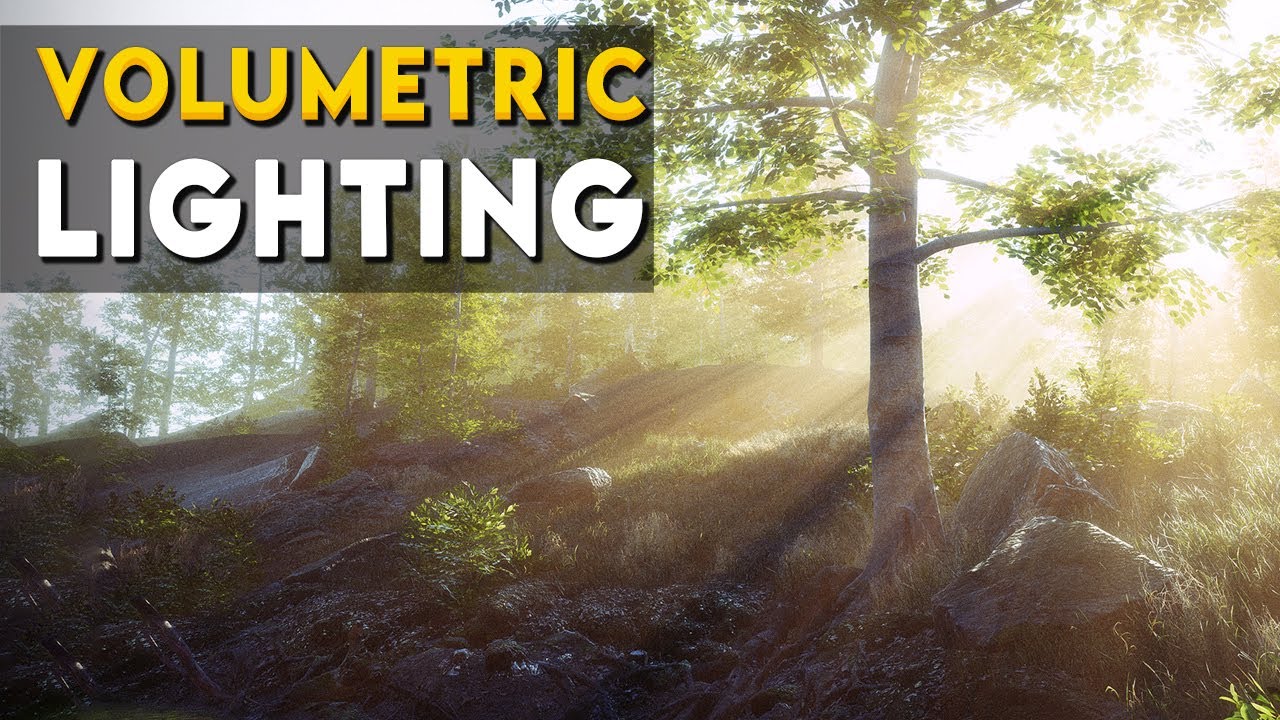
Let's learn how to make god rays using volumetric fog in Unity's High Definition Render Pipeline(HDRP)
Forest Environment - Dynamic Nature on Asset Store[Affiliate] :
https://bit.ly/2ZrT3MR
HDRP enables you to achieve high quality graphics and image effect in Unity.
✅Learn more about HDRP : http://bit.ly/2G73caJ
▬▬▬▬▬▬▬▬▬▬▬▬▬▬▬▬▬▬▬▬
💎 Watc...
shell grove
modest patio
HDRP https://www.youtube.com/watch?v=OrOmoVXoOEU
Ohh alright, cause i'm making a vrchat map and unfortunely hdrp and other pipelines are not compatible , just the built in
 deft venture
@dull crown It is like this...

 dull crown
deft venture
<@484425092999282698> It is like this...
dull crown
deft venture
<@484425092999282698> It is like this...
Hm, I'm not sure what's wrong then. Are you sure that's the material on the object?
deft venture
dull crown
Hm, I'm not sure what's wrong then. Are you sure that's the material on the obje...
To be honest, I don't know if the lighting can cause this effect, because the material has reflections disabled...
deep crest
Hello, I know that it is possible to output render passes with AOV sequence.
But is it possible to output rendering passes excluding the ground or the background?
Example I have a scene, I want to output only the passes of the shadows of an object.
Like we could do it on 3ds max, maya or any other software.
deep crest
@plucky sun When you record a video you can output it as a sequence of images.
With the AOV record you can record a sequence of images for example just the shadows or just the light etc...
This is especially used in the movie industry to be able to reuse these rendering passes in After Effect / nuke / fusion and to work on them in Post-Prod / compositing
So it gives the possibility to rework some part, shadows, light, background on colors, blur, depth etc without retouching the whole image, compositing basically
upper fable
upper fable
look! the interpolation solution seems to work perfectly despite it not working ...
@deft fiber So it turned out the shader I showed above works perfectly and solves the long distance imprecision problems (version 2021.2 required as mentioned earlier). It was just Neutral tonemapping mode that didn't like negative numbers
 deft fiber
upper fable
<@166982635950702592> So it turned out the shader I showed above works perfectly...
deft fiber
upper fable
<@166982635950702592> So it turned out the shader I showed above works perfectly...
So, the custom interpolator basically has your external shader code in it?
upper fable
deft fiber
So, the custom interpolator basically has your external shader code in it?
If I understand correctly what you mean, no. It doesn't have any code in it
 deft fiber
upper fable
If I understand correctly what you mean, no. It doesn't have any code in it
deft fiber
upper fable
If I understand correctly what you mean, no. It doesn't have any code in it
Ah I think I understand now
The catch is that vertex stage Object Position is different from fragment stage position?
upper fable
deft fiber
Ah I think I understand now
The catch is that vertex stage Object Position is di...
it's supposed to be the same value but it's calculated differently. vertex stage position is just the object space position saved per every vertex (the value you set in Mesh.vertices in procedural mesh generation). only position value available in fragment stage by default (using custom interpolators you can move more data from vertex stage to fragment stage) is the world space position which is then transfromed into object space using unity_WorldToObject matrix when you use the Position node with Object space selected. Both should be the same value but because the Position node uses the world space position to calculate the object space position, it's suffering with floating point precision problems when the world space position is large enough. when using custom interpolators, the object space position is just taken from the data saved per vertex and interpolated from vertex shader to fragment shader so it's independent of the world space position
usually floating point imprecision isn't a problem when you're only 1000 meters away from origin but partial derivatives needs particularly precise values because it compares the given values between contiguous pixels (and the rate of change per pixel is relatively small)
deft fiber
upper fable
it's supposed to be the same value but it's calculated differently. vertex stage...
Thanks, that's good info!
 craggy goblet
hey how can i stop lights blocking up from a distance when they're fine closer to the camera?

 chilly kettle
craggy goblet
hey how can i stop lights blocking up from a distance when they're fine closer t...
chilly kettle
craggy goblet
hey how can i stop lights blocking up from a distance when they're fine closer t...
increase Light range
craggy goblet
ah ok, and lower the intensity, cool got it, tysm
chilly kettle
craggy goblet
ah ok, and lower the intensity, cool got it, tysm
No Problem ^^
 wispy cosmos
why is it that when i bake lighting it seems to make everything glossier?
image 1 baked lighting, image 2 is realtime lighting and the intended look

 chilly kettle
What does your Material say?

 chilly kettle
You have smoothness 0.9.. that nearly like a mirror 😄
wispy cosmos
makes sense, thank you
wispy cosmos
what for?
chilly kettle
To get correct reflections
wispy cosmos
ah ok, i dont know if i will bother with them currently cause i dont really have anything that reflective
chilly kettle
If you have a Reflection Probe in your Room, then reflective Objects reflects the room.
If you dont have reflection Probes, the object only reflects the skybox.
i think its a must have ^^ and its easy to set up.
wispy cosmos
hmmm, ill play around with it. i dont think it will provide much but ill give it a shot
chilly kettle
You just place a Reflection Probe in the Middle of the room and adjust its boundaries to the outer walls of the room. Thats it
you will at least see it if you use metallic materials
wispy cosmos
could i attach it to my light source? there is 1 per room and they are fairly centralized?
chilly kettle
you can place the reflection probe as a child of the light, sure
it dont care where it lays in the hierachy
wispy cosmos
alright, ill give it a whirl
deft fiber
wispy cosmos
ah ok, i dont know if i will bother with them currently cause i dont really have...
Reflection probes are also used for ambient lighting
In indoor scenes they don't make a massive difference but are still necessary for accurate lighting nonetheless
 lyric gull
Thoose stripes....are they normal or am I doing something wrong...I'm completely new to lighting and have no clue at all on this topic.....waht is this why etc 🙂 ??
 timber lichen
Does your CPU stay at 100% when light baking? What about temperatures?
lyric gull
timber lichen
Does your CPU stay at 100% when light baking? What about temperatures?
no CPU does not go over 80% and temperature is fine
timber lichen
lyric gull
no CPU does not go over 80% and temperature is fine
My CPU stays like at 90-100%
But the temperatures are 47c max
lyric gull
timber lichen
My CPU stays like at 90-100%
But the temperatures are 47c max
correcting myself...it goes up to 90-100% regularly
timber lichen
Oh alright
 dull marlin
Does anyone know how to handle this? All of my lights are currently set to realtime, as I need to be able to toggle everything but the lights are bleeding through from the outside into the wall.
 chilly kettle
dull marlin
Does anyone know how to handle this? All of my lights are currently set to realt...
chilly kettle
dull marlin
Does anyone know how to handle this? All of my lights are currently set to realt...
Could be many things. Maybe your Light dont drop Shadows or your Normals on the wall are facing the wrong direction
timber lichen
dull marlin
Does anyone know how to handle this? All of my lights are currently set to realt...
Are shadows turned on?
If there not it goes right through
dull marlin
chilly kettle
Could be many things. Maybe your Light dont drop Shadows or your Normals on the ...
They’re point shadows with casting shadows enabled.
chilly kettle
dull marlin
They’re point shadows with casting shadows enabled.
Which Unity Version do you use?
dull marlin
chilly kettle
Which Unity Version do you use?
2021.3 I believe, I just upgraded tonight
chilly kettle
When you place a standard Unity Cube, does it throw shadows?
dull marlin
I don’t believe it does. I’m not at my computer currently but I can be for testing if needed. From my knowledge though I don’t believe I’ve seen a shadow outside of baked lighting.
chilly kettle
Then you have something wrong in your settings
dull marlin
In the scene?
chilly kettle
i think its in the quality or pipeline settings
dull marlin
What would I be looking for? I know I’ve tinkered around quite a bit in both trying to figure it out
chilly kettle
dull marlin
What would I be looking for? I know I’ve tinkered around quite a bit in both try...
 upper fable
lyric gull
Thoose stripes....are they normal or am I doing something wrong...I'm completely...
upper fable
lyric gull
Thoose stripes....are they normal or am I doing something wrong...I'm completely...
That could be artifact called ”sahdow acne”. What happens if you disable shadows?
dull marlin
chilly kettle
That seems to have fixed it.. sorta. Now the shadows are doing some funky flicker stuff.
chilly kettle
in the first second your wood ground is overlaying ^^
The shadow that disappears may come from (if you use URP) a limitation of Light sources per object
You can only have 8 Light Sources on one Mesh in URP
 dull marlin
Yeah I know about the wood, not too sure how to go about it at the moment. It triggers the hell out of me lol and I haven't found a way to solidify all the flooring into one big mesh that shares the one material.
Re: The meshes, I don't think I'm going past 8 in this area. I could be completely wrong though.
chilly kettle
dull marlin
Yeah I know about the wood, not too sure how to go about it at the moment. It tr...
you have the wood on exact the same height. That means that the shader does not know, which pixel to draw on top.
You can change the Position.Y to 0.0001 more or less than the other wood floor
chilly kettle
dull marlin
That seems to have fixed it.. sorta. Now the shadows are doing some funky flicke...
Where is this shadow coming from?
dull marlin
chilly kettle
Where is this shadow coming from?
No other lights are currently on.
The plant has casting shadows off, too. Which is weird.
chilly kettle
hmm.. Try to play with the shadow settings in the Render Pipeline Settings..
im quite sure its a settings problem
upper fable
dull marlin
No other lights are currently on.
That could probably be cause by Shadow Near Plane value
dull marlin
Got it. That plant in particular had different LOD settings.
Turned shadow casting off on all of em
dull marlin
It’s okay if lights overlap in terms of range, right? Or is that bad practice?
chilly kettle
Its ok. But you should think about Lightmapping.
dull marlin
Correct me if I’m wrong, but that’s just the whole baking stuff right? Pre-upgrade, I tried baking but the lights after didn’t stop the emission.
chilly kettle
Yep. Baked lights are much more performant than realtime. Lights can bounce and you dont have the limitation of light sources
dull marlin
That wouldn’t work for lights that can be turned on/off by the player then, unless somethings changed between versions
chilly kettle
Yes, you cant turn them off ingame. But if you have lights that are always on, you could bake them
lyric gull
upper fable
That could be artifact called ”sahdow acne”. What happens if you disable shadows...
the shadow acne is gone and the rest of the shadows which are baked stay after disabling shadows
upper fable
lyric gull
the shadow acne is gone and the rest of the shadows which are baked stay after d...
if you google shadow acne, you'll find a lot of answers teaching how to get rid of shadow artifacts by changing the bias values
lyric gull
thx mate
 weary pawn
What's a good way to do ambient occlusion in a game that's completely procedurally generated?
I know the postprocessing can do this, but It's a big performance drop.
My laptop can't get 60 fps at 1080p when I do the postprocessing ambient occlusion
deft fiber
weary pawn
What's a good way to do ambient occlusion in a game that's completely procedural...
You don't have many options
SSAO is the most versatile
You can also bake the AO to texture or vertex color and live with the seams or deal with them somehow
There's also a technique to make a 3D tilemap out of transparent shadow gradient geometry, but that won't be easy and is only practical with blocky rooms
weary pawn
deft fiber
You don't have many options
SSAO is the most versatile
You can also bake the AO ...
I'll probably just not do it. I've been messing around with some effects, and honestly I don't think I need it
It's just not worth the performance drop
weary pawn
That's a good point, even if you deleted your message
 main wolf
weary pawn
It's just not worth the performance drop
main wolf
weary pawn
It's just not worth the performance drop
I'm sorry, I didnt read this one.
Yeah, it might be not worth the performance drop
weary pawn
Well, I'm on a laptop with no dedicated gpu
 unique lark
Hello im very new to working with lighting with Unity and have set up this scene with HDR materials but after I bake everything looks well pixely if anyone has any idea how to fix or somewhat help the situation let me know please

These are my lighting settings if that helps
 deft fiber
unique lark
deft fiber
unique lark
You have filtering set to none so none of the noise gets smoothed out
Also, that's only two thirds of the lightmap settings shown
deft fiber
unique lark
Do I set the filter to auto then?
Sure, try that
 grizzled flume
Hey guys, quick question about Reflection Probes. In this case would 4 reflection probes suffice?

 kindred harness
Hello lighting specialists ! Is there any performance costs to having MULTIPLE baked lights versus having only one baked light ? I know it add extra calculations to have a lot of realtime lights, but if it is baked, is there any extra cost to having multiple lights?
deft fiber
kindred harness
Hello lighting specialists ! Is there any performance costs to having MULTIPLE b...
Not for the user
Every baked light adds extra calculations for the bake, but once it's baked to a texture it doesn't matter how complex the bake was
Though more lightmap detail means more and bigger lightmap textures that need to be stored, loaded and kept in memory
kindred harness
@deft fiber thank you for your answer ! So having multiple lights could increase the lightmap size ?
deft fiber
kindred harness
<@166982635950702592> thank you for your answer ! So having multiple lights coul...
Only in the situation where size would be otherwise saved by having rooms with no light at all
But in most cases the number of lights doesn't make a difference in the end for better or worse
kindred harness
thank you 🙂
crisp topaz
Hello again. This is like the 3rd time I'm coming up with such a problem, but this time really don't know what I'm doing wrong. This cliff just doesn't catch any light. On the right side u see the almost exact same (bit bigger) model working correctly. It's static. The model is set to generate UVs. No UVs are overlapping.

Pls help :(
crisp topaz
Also, is there a way to edit baked light maps? In this case, I don't even see the UV of the object so I'd like to scale it up. But when I scale it up through the inspector menu its says "Object has reached max atlas size.... Feels like one dead end after another
 upper spade
Hello! In the editor my game looks great, but after being loaded from another scene, it looks darker... and idea why??

 upper spade
im going offline... if yk the answer, pls ping me
timber lichen
upper spade
Hello! In the editor my game looks great, but after being loaded from another sc...
Go to the lighting tab and then click generate lighting
It won’t bake lighting but it will save the data, so when you reload the scene, i knows how to calculate lighting properly
 round briar
why its happening with my bake guys?
 timber lichen
round briar
why its happening with my bake guys?
timber lichen
round briar
why its happening with my bake guys?
What the problem
 dusty olive
Does anyone know an easy method to fix these overlapping shadows?

When baking the lights for both objects their shadows overlapped each other
modest patio
Hey everyone. We recently updated to 2021.3 and URP from 2019.4 and built in. Upgrade went smoothly but we noticed that light bakes were incredibly slow using progressive Lightmapper. After a day of problem solving we found that turning off the Prioritize View option in the lighting setting increased our light bakes 10 fold (actually faster than what wwe were getting in 2019/built in). After doing some digging it appears that this is a known bug, but just wanted to let everyone know in case you were unaware.
modest patio
grizzled flume
Hey guys, quick question about Reflection Probes. In this case would 4 reflectio...
You can use as few light probes as you want but the results will be bad, less accurate.
lyric gull
I guess something isn't right with the mesh or why does it turn the sides that dark after baking? (sun shines 90° from top ; Voxel Art)
 lyric gull
to be more clear at my problem
 dusty olive
is global illumination enabled?
lyric gull
 dusty olive
and it wasn't so dark with realtime shadows?
lyric gull
it is also dark but not that dark
 timber lichen
Is it ok to have a lot of light probes
 cerulean ember
hey so i have this issue where the scene lights normally unless it is switched to from another scene, does anyone know how to fix this?
deft fiber
cerulean ember
hey so i have this issue where the scene lights normally unless it is switched t...
Scenes need to have lighting generated or light will disappear on load
 olive niche
How do i fix this thing?

 limber delta
olive niche
How do i fix this thing?
limber delta
olive niche
How do i fix this thing?
Could be that your lightmap resolution is set too low. Also something I'm struggling with.
olive niche
Where do i change it>
 olive niche
Im changing it and nothing happens
so i dont think its it
Im new to lightning, what "baking" means?
limber delta
Right, I recommend you watch some tutorials on lighting in Unity first. This one is great: https://youtu.be/hMnetI4-dNY
In this video, you'll gain an understanding of how lights and shadows work in the Universal Render Pipeline, as well as how to set up a scenario with a mix of real-time shadows, Light Probes, and baked GI.
Speaker:
Ciro Continisio
Ask your questions here: https://on.unity.com/2UmP9TE
Did you find this video useful? Room for improvement? Let us...
olive niche
Okay, thank you
limber delta
Np!
 chilly gazelle
Does anyone know why this is happening? In Play mode, Level 1 loads fine, Level 2 loads fine (Level 1 is the nighttime stage, Level 2 is the daytime stage), but when I return to Level 1, it's way darker. It looks neat and all, but I'm not going for that and just wondering what happened.
upper fable
chilly gazelle
Does anyone know why this is happening? In Play mode, Level 1 loads fine, Level ...
chilly gazelle
upper fable
<https://discord.com/channels/489222168727519232/497873729578336276/969680589001...
Thanks but I've got Auto Generate unticked for both scenes and cleared my baked data, and the issue still happens
 lunar mauve
chilly gazelle
Thanks but I've got Auto Generate unticked for both scenes and cleared my baked ...
lunar mauve
chilly gazelle
Thanks but I've got Auto Generate unticked for both scenes and cleared my baked ...
did you bake the data again after you cleared it? Just baking the lighting usually fixes this problem.
chilly gazelle
lunar mauve
did you bake the data again after you cleared it? Just baking the lighting usual...
I'm new to this, so I'm not exactly sure how to do that. How would I go about baking the lighting?
lunar mauve
chilly gazelle
I'm new to this, so I'm not exactly sure how to do that. How would I go about ba...
just press the generate lighting button
chilly gazelle
lunar mauve
just press the generate lighting button
That did it! Thank you so much!! Gonna have to remember that. I appreciate your help
upper spade
timber lichen
Go to the lighting tab and then click generate lighting
It won’t bake lighting ...
how long should this take? some scenes seem to take a few seconds and others are taking forever! and it’s not based on how big the scene is either, in fact, the emptier the scene, the slower it seems to generate lighting.
timber lichen
upper spade
how long should this take? some scenes seem to take a few seconds and others are...
Are you sure you’re not baking?
timber lichen
Alright I think you’re not
upper spade
i’m not very familiar with lightning stuff, but i’m pretty sure i’m following your directions
timber lichen
You didn’t create any new lighting settings right?
upper spade
no, i already had settings
timber lichen
If you created lighting settings then it bakes
timber lichen
Remove the setting and just generate it
upper spade
is baking bad
timber lichen
No it’s good, but sometimes you don’t Want it
upper spade
it fixed my issue… what cases would you not want it
timber lichen
If your map isn’t finished
If your computer is too weak
If you want simple lighting
If you want real-time (you could still make real-time bakes though)
upper spade
ok, so should i redo the ones that already finished
or just do the next scenes without settings
timber lichen
When you create a brand new scene click generate lighting
I don’t Think you have to redo the others, unless you don’t want baked lighting
upper spade
honestly, i tested it, and it looks fine to me, so i’ll just leave the baked ones as they are
for the rest i’ll click generate with no settings selected
thanks for your help
timber lichen
If there’s more than 0B, then you’re baked

But honestly if you’re gonna release the game then I recommend baking all maps for better performance
upper spade
ok, so i’ll just finish out the baking i guess
timber lichen
But also you have to set up light probes etc, I can’t tell you everything so you should watch a tutorial on the stuff, but at the same time, it’s a car game so real-time might be better
But yeah your choice
upper spade
so if i decided to “un-bake” so to speak, would i just delete the folders that it generated
or re click generate
or would either word
timber lichen
upper spade
or re click generate
Click On the arrow by generate and clear lighting data
dusty olive
is it true that light probes only work after baking?
deft fiber
dusty olive
is it true that light probes only work after baking?
Their job is to store data in points from the bake, so no bake means no data
dusty olive
So they don't work on already existing bake data?
deft fiber
dusty olive
So they don't work on already existing bake data?
No, after the bake you only have the lightmap textures
Probes are able to record light in non-texture points during the bake
dusty olive
thanks! I understand it now
timber lichen
<@&502884371011731486>
 gritty skiff
How can I make the camera to see the player shadows without culling?
 chilly kettle
Why would you do that?
austere canopy
gritty skiff
How can I make the camera to see the player shadows without culling?
you could set the players render to shadows only instead of filtering it via the layer
if you switch between first and 3. person you just have to switch between shadows only and on
 deft fiber
That's one part of it, but the player mesh also needs to not be frustum culled
As far as I can tell there's no check off frustum culling from happening, but the bounds of the mesh can be increased via script
 ember meteor
hey is it soemehow possible to cast a lightsource through a terrain?
i use a stencil render feature to look through objects at certain points
problem is that the objects under the terrain appear black, i though its a shaddow, but its missing lightsource
deft fiber
ember meteor
hey is it soemehow possible to cast a lightsource through a terrain?
Some if not all render pipelines support light layers to exclude objects from specific lights
ember meteor
deft fiber
Some if not all render pipelines support light layers to exclude objects from sp...
nice, will look that up. thanks!
deft fiber
ember meteor
nice, will look that up. thanks!
Also, all light sources will go through the terrain if it does not cast a shadow
So if it doesn't need shadow casting that'd be a very simple way to make lights go through it
 jaunty briar
Anyone know why reflection probes get baked before the lighting data gets stored after a full bake? I always have to rebake them after the fact anyway 'cause they're initially very dark.
deft fiber
jaunty briar
Anyone know why reflection probes get baked _before_ the lighting data gets stor...
This has never been my experience, but suppose there could be quirks in some lightmapper / render pipeline combinations
jaunty briar
deft fiber
This has never been my experience, but suppose there could be quirks in some lig...
Hmm, really? I suppose it could be. I'm on 2020 URP with the Progressive GPU lightmapper
deft fiber
jaunty briar
Hmm, really? I suppose it could be. I'm on 2020 URP with the Progressive GPU lig...
Oh, I'm on 2021 URP Progressive GPU and I used 2020 before
Doesn't support my theory
jaunty briar
deft fiber
Oh, I'm on 2021 URP Progressive GPU and I used 2020 before
Doesn't support my th...
Strange. I feel like it's always been the case with me though where they appear very dark until I bake the probes again afterwards. 🤷♂️
 kind hull
hey can someone help me, i am working in URP and I am using not allot of real time lights but they do impact my performance drastically. my fps goed from 250+ to about 120 at most. what setting should I change to make them more optimized
deft fiber
kind hull
hey can someone help me, i am working in URP and I am using not allot of real ti...
Disable shadows on them, decrease the range, decrease polycounts on meshes, favor spotlights to point lights, consider deferred rendering
Reduce shadow resolution if you need shadows
deep crest
Hello, did unity remove quality and performance mode for SSreflection in unity 2021.3 LTS ?
 deep crest
And now in HDRP 2021.3 LTS we can see your sun when we have HDRI ? it is a bug or something i need to activated ? when i used 2020 i had my sun worked with my hdri :/
chilly kettle
deep crest
And now in HDRP 2021.3 LTS we can see your sun when we have HDRI ? it is a bug ...
I dont understand your question, sorry 😄
deep crest
chilly kettle
I dont understand your question, sorry 😄
2020 Sun + hdri i can see my sun

2021.3 LTS i cant see him

same parameters
 humble shadow
There is a spot on my terrain where lights reacts strange. any ideas what could cause this?


Changing to a perspective camera fixes it but i want it to be isometric.

 pulsar aspen
It's hard to tell what is glitching.. what is post processing.. what is lighting to me 😛
there might not even be any post just looks like it certain areas
 dark fern
Hi guys, is there a reason why only point lights would be emitting light? My spotlights don't seem to work. I'm using URP
 chilly kettle
dark fern
Hi guys, is there a reason why only point lights would be emitting light? My spo...
chilly kettle
dark fern
Hi guys, is there a reason why only point lights would be emitting light? My spo...
How many lights do you have in your scene?
dark fern
chilly kettle
How many lights do you have in your scene?
just those two you can see there
a point and a spot
chilly kettle
Can you show the Spotlight settings
 chilly kettle
Looks correct to me
dark fern
unfortunately not, had it on 200 at one point
dark fern
chilly kettle
Looks correct to me
it's strange how the point light works straight away
no changes there either
runic quarry
anyone know why in one of my scenes the light from lamps contributes to the light bake correctly (as shown):

but doesn't work in another:

the objects are all marked as static and the lights are set to mixed
the ground definitely has a baked lightmap with AO and everything, but it's not getting anything from the lamps
correct lightmap:

incorrect lightmap:

 night cobalt
Is there a simple way to make volumetric light with URP?
chilly kettle
runic quarry
anyone know why in one of my scenes the light from lamps contributes to the ligh...
Do you use Bakery or BuildIn baker?
runic quarry
I believe it's the built-in baking, whatever the one is in the lighting tab
however marking the lamps as static seems to have fixed it
 drifting panther

 plucky sun
hi, anybody tried adaptive light probe? does it looks the same as lightmap in many lights scene?
limber delta
night cobalt
Is there a simple way to make volumetric light with URP?
There are a couple of nice plugins on the Unity asset store if that is an option for you.
 lilac fox
hello, i have a problem the light of the scene is very dark but the text that is a canvas world space is ignoring the light, how can i solve it?
 timber lichen
anyone know why my baked lighting is showing up like this on my mesh in the form of horizontal lines? I have another building in my scene and the baked lighting looks fine on there


I am using global illumination
timber lichen
hey guys, i have a few issues, im working in unity 2019.4.31f1 for a vrchat map, but the lighting seems to be bugging out for me, if i walk to a certian point of my map the lighting seems to turn off for a few lights, put if i look back at the lights they turn back on, i can send a video if needed, anyone know how to fix this?
deft fiber
timber lichen
hey guys, i have a few issues, im working in unity 2019.4.31f1 for a vrchat map...
Sounds like pixel light limit per object
You must limit light ranges and the split meshes into smaller parts
timber lichen
deft fiber
Sounds like pixel light limit per object
You must limit light ranges and the spl...
any idea how i would do that ?
timber lichen
deft fiber
Sounds like pixel light limit per object
You must limit light ranges and the spl...
it also only happens in one part of the map
nowhere else
chilly kettle
try to deactivate every other light. if the bug is gone after that, its the max light limit per object
timber lichen
chilly kettle
try to deactivate every other light. if the bug is gone after that, its the max ...
ill try now for you
 crystal spire
how can i make the shadow a bit less agressive?
 chilly kettle
Reduce shadow Strengh 😂
crystal spire
how? (I am the ultra noob of lights in unity)
chilly kettle
Click on your light and adjust the Shadow Strength
crystal spire
i do not have anything like that (I use HDRP btw)

and "Shadow Dimmer" does nothing
chilly kettle
Never used HDRP 😄
crystal spire
🦆
chilly kettle
Maybe take a look under Window > Rendering > Lighting
deft fiber
crystal spire
how can i make the shadow a bit less agressive?
You need ambient lighting
 shy pivot
trying to figure out why these random areas in my scene get lit like some garbled mess

the bottom-left area is roughly how the other 3 corners should look, they all use the same mesh
i have tried with auto-generated UVs in Unity, and this test is with custom lightmap UVs from Maya
bottom-left is ok....

top-left and top-right are an abomination


bottom-right is... semi-ok? but still not pass-able

these aren't walkable areas, but the player will still see them, so kinda cant afford for unity to decide it just cant be bothered lighting there... is there some deciding factor for unity when it chooses not to light certain areas?
lightmap UVs have nothing wrong with them, I swear
it doesnt seem to have anything to do with the mesh, cos anything i put up there, even a default Unity cube, also gets lit like a mash of giant pixels
I've tried putting a lightprobe group up there, hoping that tells unity that the area does have some importance. I also tried putting an additional light source up there, but nope, anything i put into that space gets lit wrong, pulling my hair out to workout why...
 craggy saffron
good luck...
shy pivot
rite?
In Maya I separated some meshes, hoping it might help unity somehow and did get a slightly different result.... just a different form of "bad" rather than an improvement though
 timber lichen
shy pivot
rite?
In Maya I separated some meshes, hoping it might help unity somehow and d...
timber lichen
shy pivot
rite?
In Maya I separated some meshes, hoping it might help unity somehow and d...
could be issue with the lighting probes
if you have the set up in a funny way where two sections are overlaping that same area they could be fighting
had a similar issue when i was makeing a horror map and i turned on the lights in the room
shy pivot
i wondered that myself so i tried deleting all light probes just to see if they had anything to do with it but on rebake got same result
deft fiber
shy pivot
trying to figure out why these random areas in my scene get lit like some garble...
Texel invalidity caused by exposed backfaces
https://forum.unity.com/threads/faq-blocky-artifacts-appear-when-i-bake-a-scene-how-can-i-fix-them.951444/
 ornate mist
hi, I use URP for my unity 2d platform game. I used postprocessing too. now game is bit lagging in unity. I want increase performance. I make some objects static as well. Can I bake lights for that. Also I saw Occulsion culling window, is there something to do with
shy pivot
@deft fiber that looks like exactly the issue I'm facing, ty. I believe in a world where everyone's texels are valid, not just the texels of the 1%
 storm flax
ornate mist
hi, I use URP for my unity 2d platform game. I used postprocessing too. now game...
storm flax
ornate mist
hi, I use URP for my unity 2d platform game. I used postprocessing too. now game...
baking whatever lights you use might prove beneficial, but occlusion culling probably wont do anything at all seeing as your game is 2d
ornate mist
storm flax
baking whatever lights you use might prove beneficial, but occlusion culling pro...
okay, but I baked light...it didnt process a long time or even baked section does not have any baked light maps. I use several 2d lights all over the place. but entire seen supposed to be dark in my game. how to do baking exactly for a 2d game with URP enabled.
storm flax
actually no sorry, I just did a quick search, 2D lights can't be baked
so there's likely something else lagging your game
deft fiber
ornate mist
hi, I use URP for my unity 2d platform game. I used postprocessing too. now game...
2D doesn't do occlusion culling unless you also use 3D objects
The most likely culprit in 2D is overdraw
ornate mist
storm flax
actually no sorry, I just did a quick search, 2D lights can't be baked
thanks, That was also a problem to me. I think its post processing. when I turn off my post processing volume...it totally improve performance. I think I have to reduce some effects
storm flax
deft fiber
2D doesn't do occlusion culling unless you also use 3D objects
The most likely ...
this as well
ornate mist
deft fiber
2D doesn't do occlusion culling unless you also use 3D objects
The most likely ...
Okay, I got it. thanks.
ornate mist
storm flax
this as well
Yeah both works only for 3d games, right
deft fiber
ornate mist
Yeah both works only for 3d games, right
Overdraw is a problem in 2D and 3D, especially in 2D
Occlusion and baking are only for 3D meshes (which can be used in 2D games technically)
ornate mist
deft fiber
Overdraw is a problem in 2D and 3D, especially in 2D
Occlusion and baking are on...
yeah
 sharp heart
anyone knows how to get rid of these
 upper fable
sharp heart
anyone knows how to get rid of these
upper fable
sharp heart
anyone knows how to get rid of these
You can decrease the Bias value
sharp heart
upper fable
You can decrease the Bias value
i have bias on 0
deft fiber
sharp heart
anyone knows how to get rid of these
https://docs.unity3d.com/Manual/ShadowPerformance.html That problem is explained in more detail here
it should be fixed by lowering bias, but setting it all the way to 0 should cause shadow acne in turn
If you're not seeing that, it might be that you're not tweaking the correct shadow settings
upper fable
It could be normal bias actually
It’s very hard to see what’s happening on the image
sharp heart
deft fiber
<https://docs.unity3d.com/Manual/ShadowPerformance.html> That problem is explain...
what shadow settings should i tweak, i was on the point light, which is the only light source
deft fiber
sharp heart
what shadow settings should i tweak, i was on the point light, which is the only...
I think the shadow settings in the light should work, if they're set to override quality settings
Sometimes it's easy to tweak a quality settings file that's inactive
Like AleksiH advised, you should be able to tweak bias and normal bias to make that particular problem disappear
sharp heart
deft fiber
I think the shadow settings in the light should work, if they're set to override...
these are the settings on the point light
 deft fiber
sharp heart
these are the settings on the point light
deft fiber
sharp heart
these are the settings on the point light
That definitely should have an effect
What scale are your objects
Shadows will struggle at small scales, regardless of bias settings

 sharp heart
i multiplied size of everything by 10 and i dont see shadows for some reason
i cant see shadows on far distances, how do i change it
deft fiber
sharp heart
i multiplied size of everything by 10 and i dont see shadows for some reason
You should keep all objects at a sane scale, not extremely big or small
With 1 unit corresponding to 1 metre, unity is designed to perform the best in large indoors and small outdoors scenes generally
shy pivot
@sharp heart in terms of scale, is everything roughly real-world units? how big is that little oblong compared to a default, unscaled Unity cube?
sharp heart
the floor was 20 (now is 200) and the yellow light was 1 (now is 10)
upper fable
multiple cascades can help a lot when dealing with large variety of different sized objects
deft fiber
sharp heart
the floor was 20 (now is 200) and the yellow light was 1 (now is 10)
The original sizes sound totally fine, so my guess that it was a scale issue was wrong
shy pivot
@deft fiber just an update lol. i definitely have "invalid texels" all over the place, but i cant tell why. I don't have random backfaces showing, UVs are all correcto, and.... well, these are issues a mesh would have, this here is a default Unity cube lol
 deft fiber
shy pivot
<@166982635950702592> just an update lol. i definitely have "invalid texels" all...
deft fiber
shy pivot
<@166982635950702592> just an update lol. i definitely have "invalid texels" all...
It's worth checking both texel validity and UV overlap debug views after the bake
The blocky artifacts will be on surfaces that are near backfaces
I think overlapping faces also can cause it
shy pivot
hm, how would it explain the default unity cube though
or you literally mean, if a mesh is 'near' a backface, even the backface of another mesh?
deft fiber
Yes
shy pivot
hm.... there definitely are backfaces up there, but the logical kind, the kind that never face the camera
deft fiber
That's a problem for lightmapping due to this reason
shy pivot
i see
deft fiber
You can imagine them as vacuuming light rays during the bake and leaving invalid data behind
shy pivot
so no saving on polys if you plan to bake in unity
or rather any pathtracing system, fair nuff, i'll do some tests removing the backface objects temporarily
shy pivot
oh, flag my backfaces as caster only?
deft fiber
Separate shadow casting geometry, rather
 deft fiber
You can remove them after the bake or even have a script that does it
shy pivot
back of object
 deft fiber
I guess you could also make the meshes two-sided only for the duration of the bake
shy pivot
so as long as there is something there between the backfaces and my other geo eh?
deft fiber
Though that makes them more expensive to bake and sounds like it'll be a chore to make them one-sided afterwards
shy pivot
i dont mind if the cube stays up there, if it helps lol
deft fiber
Sure I think that'll do it
shy pivot
i might just do away with the one-sided stuff then lol
deft fiber
Usually that's the most straightforward way
shy pivot
ty lol, this has been... ahem <cough> "ENLIGHTENING"
deft fiber
There are ways to save polycounts in those places, like separating all the unseen faces into its own mesh which'll only exist during baking, but I doubt the number of polys saved that way is in the high double digits
shy pivot
yeah, i'd say so too
 lethal coyote
going slightly insane tbh - why is the shadow not aligned? 😂
this is Unity 2021.3, URP, baked lighting, and the same happens with the standard shader. This is as close as I could get it with the bias settings!

here's how it looks with the standard shader

I've also tried increasing the lightmap resolution, but I will admit that I don't really know what I'm doing with the lighting settings
deft fiber
lethal coyote
going slightly insane tbh - why is the shadow not aligned? 😂
this is Unity 2021...
Is it actually touching the ground? 🤔
deft fiber
lethal coyote
I've also tried increasing the lightmap resolution, but I will admit that I don'...
If it's realtime shadow then tweaking lightmap settings won't do anything, and if it's a baked shadow then bias settings won't do anything
It looks like a realtime shadow and I'd guess you're using shadowmask mode in lightmap settings
Which means it should be fixed by lowering bias or normal bias values, if that doesn't happen it could also be that you're modifying the shadow bias settings of the wrong quality setting or the wrong light
lethal coyote
the bias settings do move it around a little but, but that was as close as I could get it!
lethal coyote
lethal coyote
It's partly buried in the ground
wait
it was partly buried in the ground but uh that edge was not  thank you!
big dumb moment there 😂
deft fiber
lethal coyote
big dumb moment there 😂
Which is why it helps to ask the dumbest questions first 😄
If you set the biases all the way to zero you may be seeing other shadow glitches
The default values are usually just fine when working at room-scale objects
lethal coyote
great, thank you 🙂
now to play around with more things to make it look prettier
it's a shame this has to have a WebGL export 😂
deft fiber
lethal coyote
now to play around with more things to make it look prettier
it's a shame this ...
WebGL is definitely the best and/or worst platform 🤣
lethal coyote
yep for sure  I think I should be able to get away with it, it doesn't need to be anywhere close to 60fps and it can handle the post-processing. It's distance rendering that is making me quiver slightly 👀
I think they'll want around 1-2km
deft fiber
lethal coyote
yep for sure <:dogekek:758342551060086794> I _think_ I should be able to get awa...
LODs are a must, occlusion culling helps a lot and if you have a lot of shadows "distance shadowmask" mode might be great
deft fiber
At those distances you'll want to slice up the terrain so it doesn't all need to be rendered at once
I think the Terrain system already does that but with custom meshes you need to use your own method for it
lethal coyote
yeah - unfortunately I couldn't get this shader working with terrain at all - it turned it into a giant white spike so cutting up the terrain meshes is a good call
 tight oar
few questions,
- Can i change the angle of the shadows as they are supeer long
- Some way to keep the lighting bright but turn down the lighting on the tree foliage?
 upper fable
tight oar
few questions,
1. Can i change the angle of the shadows as they are supeer long
...
upper fable
tight oar
few questions,
1. Can i change the angle of the shadows as they are supeer long
...
- your light source defines the shadow angle. you have to rotate the light (assuming it's directional light)
- what intensity values you use for the lights?
tight oar
upper fable
1. your light source defines the shadow angle. you have to rotate the light (ass...
thanks! actually rotating the lights helped the trees quite alot with the lighting but now it renders forward too late?

Is there some shadow render distance?
 sweet willow
There sure is
tight oar
sweet willow
There sure is
where can I find it 
sweet willow
Have you searched the manual for shadow render distance?
tight oar
ah i've found it now
sharp heart
anyone knows why is only one light source in unity 2d (urp) not able to make 2 shadows at a time, and how to solve it? i have a clip i can send to understand it better
because the lights are in "light order", and one works, and the other one doesnt
 lethal basin
Hii ! Excuse me for this very very basic question but ... how to enable the changes in the skybox ? I've build a new skybox setting but nothing seems to change in the viewport , does anyone knows how to fix this? I'm using the version 2021.3 btw 😊
quick saddle
lethal basin
Hii ! Excuse me for this very very basic question but ... how to enable the chan...
lethal basin
quick saddle
https://docs.unity3d.com/Manual/sky.html
Thanks !
I’ve configured the sky with all the stuffs needed to work on hdrp but it doesn’t affect the viewport tough ... I’m missing something
quick saddle
 maiden umbra
Hi, I am trying to achieve the area light effect in the unity documentation, but could not see the effect of the area lighting both in scene view and game view. Is there some setting/work that I need to do for viewing the area lights? Any help appreciated!


Thank you!! it works now

 sick turret
Hi all ! Does anyone know if fog found in the lighting scene options work with oculus Quest 2 ? I'm using built in renderer
Fog appears in editor, in play mode, but not in builds :/
 uncut coral
when i bake lights, i get this artefact on left object but not on right one. but right one is mirror object of left, so they basically same objects.
 uncut coral
Anyone can help?
deft fiber
uncut coral
when i bake lights, i get this artefact on left object but not on right one. but...
Check UV overlap debug view after baking
 mossy kiln
I've been messing around with this for a while but for some reason I get really dark shadows when I don't have background clouds selected in visual environment (HDRP, procedural sky, all lighting is set to dynamic)
 mossy kiln
for now I "solved" it by turning up indirect multiplier a lot
sharp heart
Anyone knows how to fix these shadows? (2D, URP)
quick saddle
sharp heart
Anyone knows how to fix these shadows? (2D, URP)
You need to update your unity version
How to reproduce: 1. Open the user's attached project "Lighting Bug 2D.zip" 2. Press Play Expected result: Shadows are cast without ...
That page should tell u which version works
sharp heart
quick saddle
You need to update your unity version
i am using version 2021.3.2f1
 eternal plover
Hello! I've got a weird problem with my terrain:
Lights works only in a certain direction.
I don't know why, but it does that only to my terrain!
I'm not sure if that's a problem of my custom lit shader... But I think not... Anyway here's the shader:
 upper fable
eternal plover
Lights works only in a certain direction.
upper fable
eternal plover
Lights works only in a certain direction.
Maybe there are problem with normals pointing at wrong direction?
eternal plover
Hummm.. Maybe? I'm not good with math, I thought that if the mesh was working, then the normals were working too 😦
I've written my code just like Sebastian Lague's video...

That's the code, I hope everything's fine
upper fable
eternal plover
That's the code, I hope everything's fine
I’m not gonna try to understand all of that 😅. Have you tried using RecalculateNormals method instead just to be sure the problem is not on the normal calculations (which is the only thing I can think of. If it’s not that, I’m out of clues ig)
now that I check it closer, it’s not that complicated code. Only part I dont get is the -Index -1 part but ig its correct too if thats what they did in the tutorial. Trying Mesh.RecalculateNormals wouldn’t hurt tho
eternal plover
upper fable
now that I check it closer, it’s not that complicated code. Only part I dont get...
Should I place it after all the mesh generation code? To overwrite my code?
upper fable
eternal plover
Should I place it after all the mesh generation code? To overwrite my code?
I think yes
eternal plover
It worked!!! 😄 thanks
upper fable
eternal plover
It worked!!! 😄 thanks
Well, don’t leave it like that. That just means you have something wrong with the script calculating the normals. You have to find and fix that issue
eternal plover
Yeah I'll rewatch the video and find what I was doing wrong. I can guess that they're all pointing 90 degrees wrong on the side..
 mighty grotto
Hey, anyone got an idea why i got really bad Lighting in my 3D Tunnel?
I made an Object in Blender and Lighting seemed fine there then i imported into Unity and it acts rather strange
ill Provide Both a Blender and a Unity Screenshot

this is in blender, its all facing towards me and i hit it with a solidify modifier so it has a face outwards aswell
its all quads aswell
and then this is it in unity

i have absolutely no idea where the hexagon shaped light rims come from

 mellow sierra
If you're using URP, then you can try this:
https://docs.unity3d.com/Packages/com.unity.render-pipelines.universal@14.0/manual/upgrading-your-shaders.html
 topaz adder
mellow sierra
If you're using URP, then you can try this:
https://docs.unity3d.com/Packages/co...
topaz adder
mellow sierra
If you're using URP, then you can try this:
https://docs.unity3d.com/Packages/co...
dont work
mellow sierra
The process of upgrading does work.
topaz adder
mellow sierra
The process of upgrading does work.
thair is nothing to upgrade
mellow sierra
This assumes:
- You have URP set up correctly ( #archived-urp has a setup guide pinned)
- The asset you're using is using URP (check it)
topaz adder

i had to click this i didnt know bruh

WELL
FROM PINK TO BLUE
ANTHER GOOD COLOR
wait
blue gone
yess fixed thanks @mellow sierra
 mellow sierra
There you go,
topaz adder
the blue didnt go fully
 main wolf
mighty grotto
i have absolutely no idea where the hexagon shaped light rims come from
main wolf
mighty grotto
i have absolutely no idea where the hexagon shaped light rims come from
I dont think it's light rims, it looks more like texture

 mighty grotto
main wolf
I dont think it's light rims, it looks more like texture
mighty grotto
main wolf
I dont think it's light rims, it looks more like texture
I sort of found it... it was actually light that went through the mesh because I could make a plane above the tunnel and it would apply correct shadows
So I tried it again with a cleaner mesh but I think it has something to do with blenders solidify modifier it somehow creates edges that let light through
For now there are just a few planes over it tho
Thanks for your help!
deft fiber
mighty grotto
i have absolutely no idea where the hexagon shaped light rims come from
Sharp edges are seen as holes by the light when it casts shadows
You can reduce the problem by lowering shadow's bias and normal bias, but unlikely to fully eliminate it
It will always happen unless shadows are cast by a smooth shaded mesh
So another option would be to pad the outside of the cave with smooth shaded shadow caster mesh
 cedar quest
Anyone have a reference to how to add emissiveness to a custom shader that gets picked up by the light baker in unity?
not really sure what to google for.., I have experience with shaders but haven't really touched any interconnection between shaders and the light bake


 plush mortar
anyone knows why my lightmap looks like this on the terrain?
 ember meteor
how many reflection probes should be placed in a scene? like every x meters
chilly kettle
ember meteor
how many reflection probes should be placed in a scene? like every x meters
In every closed room for sure.
Outside is depending on the amount of details you have
or how much your materials reflect ^^ if you cant see details in the reflections of your materials, you can just put some reflection probes where the ambient light is different
ember meteor
chilly kettle
In every closed room for sure.
since they are baked it doesnt really matter how many u use right?
i mean if you dont fill the entire ram with reflection probe maps
chilly kettle
dont use to many. Wont look good when the reflections change to often
ember meteor
chilly kettle
dont use to many. Wont look good when the reflections change to often
is this why some people deactivate objects that are not in viewspace?
ember meteor
ember meteor
is this why some people deactivate objects that are not in viewspace?
i mean they dont get rendered because of occlusion culling, but the reflection probes and stuff are still there
chilly kettle
Unity does this automatically, because every object that is not in viewspace cant be seen, so its just smart that it is deactivated ^^ performance reasons
ember meteor
chilly kettle
Unity does this automatically, because every object that is not in viewspace can...
so i shouldnt bother deactivate realtime lightning that is not in viewspace?
chilly kettle
Yeah, unity does this automatically. Here you can read it.
https://docs.unity3d.com/Manual/OcclusionCulling.html
i think its done for lights too
 fleet tiger
hey, when I bake my lighting I get these weird green artifacts at the intersection between meshes, any idea how to fix it?


 topaz adder
lighting fix pls
chilly kettle
fleet tiger
hey, when I bake my lighting I get these weird green artifacts at the intersecti...
You need a higher lightmap resolution.
fleet tiger
I'm at 2048 rn from what I remember but I'll try tomorrow
chilly kettle
Im talking about texels
chilly kettle
Yep. You can also try a skylight to brighten the dark edges.
But 40 texels is quite low.
You can increase it
fleet tiger
That was the default iirc
By skylight you mean ambient light right?
chilly kettle
Depends on your pipeline and the software you bake with ^^
But yeah, an ambient light that’s effecting the whole scene.
chilly kettle
Ok
 toxic tusk
fleet tiger
Baking lights directly in unity right now, progressive GPU iirc
toxic tusk
fleet tiger
Baking lights directly in unity right now, progressive GPU iirc
post a screen shot of your lighting settings, the above pictures with the lightmap resolution turned on and a shot of the baked maps
this kind of bleeding can typically be caused by 3 things, post the above and I can tell you which 🙂
deft fiber
Low texel density, denoising and lightmap compression
The greenness is caused by compression and mainly a problem because the texel density is low
Texel density of 40 is not low, but it's always relative
In the spot pictured your shadows are only one or two pixels wide
toxic tusk
exactly you can say 40 is low but you can individually set mesh texel density
but yeah I agree, compression and or low padding is likely it
chilly kettle
i always fixed this by increasing the texel density. Or if you dont want that, increasing the scale of the specific mesh in the lightmap
plush mortar
Hello, anyone knows why I can´t bake lightmaps on my terrain, everything looks like the right setting but somehow it doesn´t bake right at least that´s what it shows the baked lighting view. When I do it in a new scene with a new terrain it bakes perfectly anyone has encountered this issue?
 chilly kettle
plush mortar
Hello, anyone knows why I can´t bake lightmaps on my terrain, everything looks l...
chilly kettle
plush mortar
Hello, anyone knows why I can´t bake lightmaps on my terrain, everything looks l...
Is it set to lightmap static?
plush mortar
yes
lightmap static a reasonable lightmap size too
look, the lightmap is done but it looks like it´s displaced arround and does not match scale
 chilly kettle
Sadly i have no clue 😄
deft fiber
plush mortar
look, the lightmap is done but it looks like it´s displaced arround and does not...
Looks like lightmap UV problems and texel invalidity caused by exposed backfaces
plush mortar
That would be the reason of the terrain being grey in the texel validity debug view?
 deft fiber
plush mortar
That would be the reason of the terrain being grey in the texel validity debug v...
deft fiber
plush mortar
That would be the reason of the terrain being grey in the texel validity debug v...
exposed backfaces usually always as I said
 tight ermine
hi all!
i need some help asap im in a game jam 😅
does anyone know to tell me why is this happening?
 tight ermine
hi all!
i need some help asap im in a game jam 😅
does anyone know to tell me w...
tight ermine
tight ermine
hi all!
i need some help asap im in a game jam 😅
does anyone know to tell me w...
when i bake i got those weird seams
chilly kettle
Maybe Normals of your Models, or hard shaded edges?
tight ermine
chilly kettle
Maybe Normals of your Models, or hard shaded edges?
neither of those
 sterile iron
Do you know why sometime the light switch to visible invisible ?
https://www.youtube.com/watch?v=twxP0NXka3E
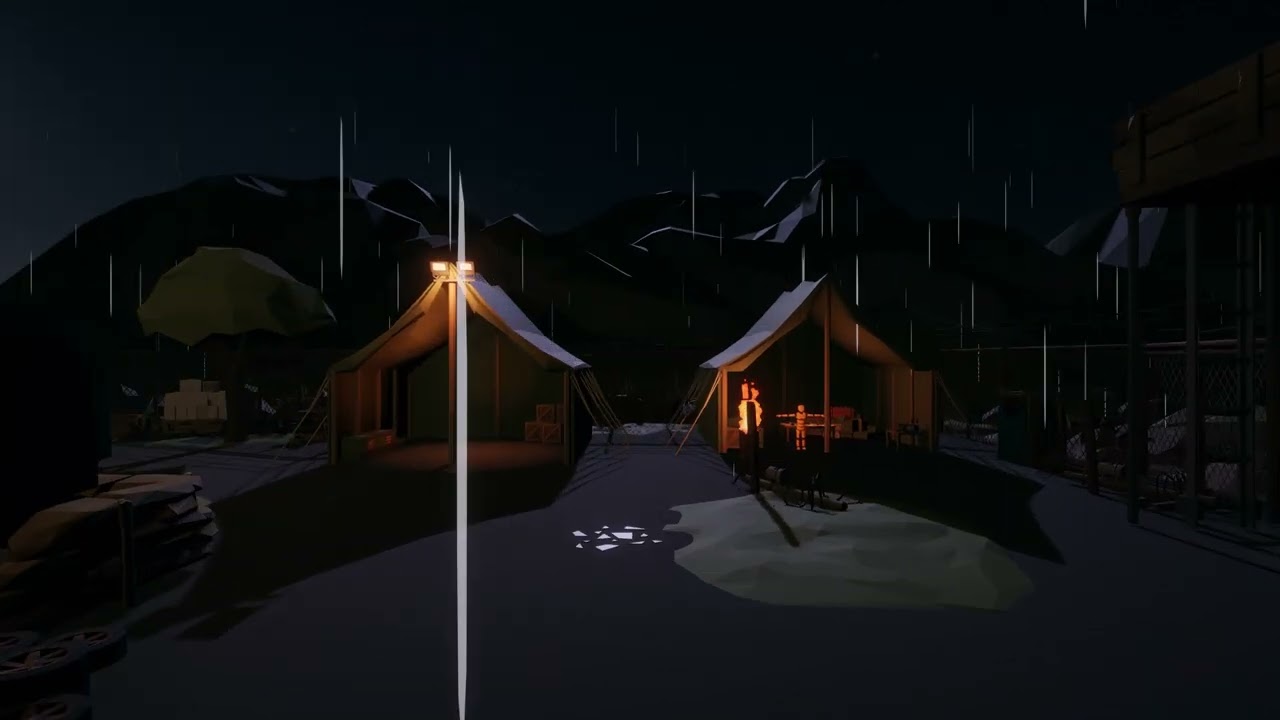 upper fable
sterile iron
Do you know why sometime the light switch to visible invisible ?
https://www.you...
upper fable
sterile iron
Do you know why sometime the light switch to visible invisible ?
https://www.you...
built-in render pipeline doens't have any absolute limit for the pixel light count except the one you can choose yourself from Quality Settings (Pixel Light Count). You could try to increase it but if the light count has to be more than lets say 8, you would consider splitting large objects (mostly the map) into smaller pieces so there's less lights affecting those large objects or alternatively using deferred rendering path which is better at many lights (with deferred rendering path you don't need to care of the object size as in deferred path lighting is calculated "per light" and not per object)
sterile iron
upper fable
built-in render pipeline doens't have any absolute limit for the pixel light cou...
what is deferred rendering path
upper fable
sterile iron
what is deferred rendering path
It's different way to calculate lighting. you can change it from the Camera component or Graphics settings
sterile iron
upper fable
It's different way to calculate lighting. you can change it from the Camera comp...
this ?
 upper fable
sterile iron
this ?
upper fable
sterile iron
this ?
yes. Forward is the default and Deferred is the suggested one when using high amount of pixel lights
sterile iron
i don't see the option on the players ettings
 upper fable
Graphics, not Player
 upper fable
sterile iron
upper fable
sterile iron
here but you can just set it from the camera
 sterile iron
What is tier 1,2,3 where i select which tier to use
upper fable
I don't know very well myself either. just set it from camera or google what those are
deft fiber
tight ermine
hi all!
i need some help asap im in a game jam 😅
does anyone know to tell me w...
It would be very useful to know what made the errors appear, what type of lighting you're using for the meshes and if they have custom shaders
chilly kettle
@upper fable - i think we can start using pre-written macros for the "you have a limited amount of lights" problem 😄
tight ermine
deft fiber
It would be very useful to know what made the errors appear, what type of lighti...
im using baked indirect lighting
deft fiber
tight ermine
im using baked indirect lighting
normal maps in use?
Do the lighting errors show up in the baked lightmap texture?
Are there inverted face normals on the meshes?
tight ermine
deft fiber
normal maps in use?
there are no inverted normals
normal maps are in use
deft fiber
tight ermine
normal maps are in use
Make sure they're of type "normal map" in import settings
tight ermine
deft fiber
Make sure they're of type "normal map" in import settings
i checked, this is not it
deft fiber
tight ermine
i checked, this is not it
Does the problem disappear if you temporarily remove the normal map from the materials
tight ermine
nope
i dont think that its a material problem
i think its something to do with the uvs
chilly kettle
how does the bake look like, when you place a unity created sphere there and bake the light?
tight ermine
chilly kettle
how does the bake look like, when you place a unity created sphere there and bak...
the bake is looking great in the rest of the scene
 chilly kettle
can you send me the fbx of the pillar?
 chilly kettle
Did you check the "Generate lightmap UVs" in the models import settings?
tight ermine
yep
chilly kettle
lol
tight ermine
this is how it got generated

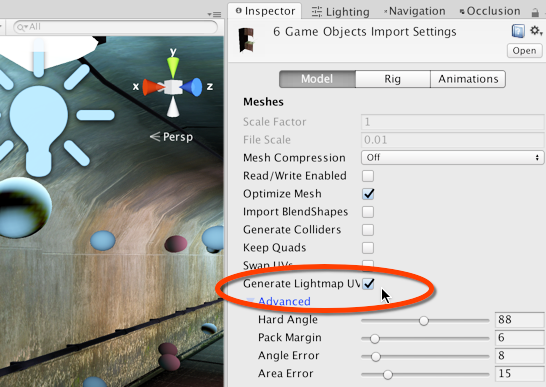 deft fiber
tight ermine
here is another example
deft fiber
tight ermine
here is another example
This looks like something that should be showing errors in UV overlap view
tight ermine
chilly kettle
Do you use Blender for the Model?
Yes
chilly kettle
that fixed it for me
 deft fiber
chilly kettle
that fixed it for me
deft fiber
chilly kettle
that fixed it for me
If this part is greyed out, that means there's custom split normals data overriding it
which can be cleared here
 chilly kettle
@tight ermine this should fix it for you
looks ok i think

the unity generated uv is a little fucked up, but its ok
you could get rid of this by doing your own
tight ermine
Thanks guys, ill check
timber lichen
When do i need to bake lighting?
How many times do i need to bake it?
I have a low end machine and it’s taking forever
deft fiber
timber lichen
When do i need to bake lighting?
How many times do i need to bake it?
I have a l...
You need to bake lighting if you want to use static lightmapped lighting
Ultimately you only need to bake lighting once at the end, but also every time you change static objects or lights and want to see the changes in the lightmap
You can turn down sample count and lightmap resolution especially if you're not doing a final bake
And if you have a GPU, the GPU progressive lightmapper is on average much faster than the CPU one
timber lichen
deft fiber
You need to bake lighting if you want to use static lightmapped lighting
Ultimat...
Hm I see, but even in the lowest resolution it takes a long time
deft fiber
There are many lightmap settings that affect the bake time, it may be helpful to show the ones you're baking with
And how long is long time here?
timber lichen
i3 5500 HD is my specs
deft fiber
Probably not much gains to be had by baking with an integrated gpu
timber lichen
deft fiber
Probably not much gains to be had by baking with an integrated gpu
Hm.
Then I don’t know what to do in order to optimise more
Cause my game is having spike lags for some reason
deft fiber
timber lichen
Hm.
Then I don’t know what to do in order to optimise more
By that I mean I doubt GPU baking won't probably be faster than CPU baking with your specs, not that it won't improve performance
You could still show your lightmapper settings, but if you want to know what to optimize, use the profiler on a build of your game
timber lichen
deft fiber
You could still show your lightmapper settings, but if you want to know what to ...
I did use the profiler but didn’t understand what needed optimisation
deft fiber
timber lichen
I did use the profiler but didn’t understand what needed optimisation
Well, it's probably less pain to learn what it means than trying to implement optimizations at random
timber lichen
deft fiber
Well, it's probably less pain to learn what it means than trying to implement op...
Any tutorials that explain what line means what?
deft fiber
I'm sure there are
The official documentation is always a great place to start as well
timber lichen
I think the rendering one was what had spikes in the profiler but I’ll take a pic of the profiler when i can
upper fable
sterile iron
or i can set all lights to important that work also ? <@689758471003963472>
Easiest way to fix just the original issue is to increase the pixel light count from quality settings but for performance reasons its recommended to use relatively small (max 8 or so) amount of per pixel lights (splitting large meshes into smaller pieces can help on that) or change to deferred rendering path
sterile iron
upper fable
Easiest way to fix just the original issue is to increase the pixel light count ...
deferred rendering path have constraints no ? Like transparant that don't work ?
deft fiber
sterile iron
deferred rendering path have constraints no ? Like transparant that don't work ?
It's a tradeoff
sterile iron
deft fiber
It's a tradeoff
Wdym ? How i can do if i have transparant mat ? Alpha is count as transparant ?
deft fiber
sterile iron
Wdym ? How i can do if i have transparant mat ? Alpha is count as transparant ?
I recommend you read the documentation about how the limitations work
They vary by render pipeline
Transparent materials do work but they are rendered using forward rendering, not deferred
So any transparent objects in light ranges face the usual light limits and costs
sterile iron
deft fiber
I recommend you read the documentation about how the limitations work
They vary ...
Yes but if i set defered so all my materials will be broken if they are transparant ?
deft fiber
sterile iron
Yes but if i set defered so all my materials will be broken if they are transpar...
No, as I said
deft fiber
sterile iron
Render will adapt ?
Transparents will be rendered with forward rendering, everything else with deferred
sterile iron
deft fiber
Transparents will be rendered with forward rendering, everything else with defer...
Ah so the camera adapt the render. With priority to the selected rendering ?
deft fiber
sterile iron
Ah so the camera adapt the render. With priority to the selected rendering ?
I don't quite understand
timber lichen
deft fiber
Well, it's probably less pain to learn what it means than trying to implement op...
Here's the profiler while standing still in game
 sterile iron
deft fiber
I don't quite understand
sterile iron
deft fiber
I don't quite understand
If i select deferred what happen for transparant material ? They are hidden ?
deft fiber
sterile iron
If i select deferred what happen for transparant material ? They are hidden ?
I think I explained twice what happens
Not sure how else to iterate it
sterile iron
Just tell me if the transparant will be display or not ?
timber lichen
sterile iron
Just tell me if the transparant will be display or not ?
it will
timber lichen
transparent can be rendered in deffered
deft fiber
...but will fall back to forward rendering
sterile iron
Ok so the renderer will adapt if he can't render in deffered.
Then do i have to choose deferred by default every time ?
upper fable
sterile iron
Then do i have to choose deferred by default every time ?
What is this supposed to mean?
sterile iron
upper fable
What is this supposed to mean?
I have to choose Deferred in all my projects by default. It's the best.
upper fable
sterile iron
I have to choose Deferred in all my projects by default. It's the best.
No, its not. Read the docs, it should be stated very clearly when one render path is better than the other
timber lichen
sterile iron
I have to choose Deferred in all my projects by default. It's the best.
Unity created a monster between Forward and Deferred in URP. "Forward Render" in Unity URP have DepthNormalsPass like in GBuffer. If you understand shaders, then you can add the effects you have in deferred. You can even create your type of render if you want. For example, AFAIK, Doom have modified Forward Render(i would say its custom render)
If I'm wrong, I'll be very happy to be corrected.
 trail storm
Hey guys, I have added lights setup as "baked" in my scene, I also have objects with a scale of 0 in the lightmap (not lightmapped but contribute lighting). My problem is that those baked lights still seem to contribute to the non-lightmapped objects lighting as a real time light would.
Is that normal? Shouldn't the "baked" lights only contribute to lightmapped objects?
 carmine flare
baked lights affects every object
trail storm
carmine flare
baked lights affects every object
so lights set as "baked" affect dynamic and non-lightmapped objects like a real time light would ?
carmine flare
i think yes?, with the exception of no updates
trail storm
carmine flare
i think yes?, with the exception of no updates
Which "no updates" setting are you referring to?
carmine flare
by i meant no updates, the light doesn't update
trail storm
I think my problem was due to some kind of broken lightmap data ... after re-baking the entire scene, the "baked" lights do not affect dynamic and static objects with a lightmap scale of 0.
deft fiber
carmine flare
baked lights affects every object
Baked lights do not exist outside of light baking process, during which they only affect static objects and light probes
deft fiber
trail storm
Hey guys, I have added lights setup as "baked" in my scene, I also have objects ...
Correct
"Mixed" lights basically have both a realtime and baked light component and thus can affect both static and dynamic
You could demonstrate on what "contribute as realtime light would" means precisely in your scene
timber lichen
So turns out the issue was and is the lighting, I never needed to bake the lights before, yet now I do and it's taking forever even in very low resolution :(
 timber lichen
it's telling me it needs 7 days to do it what am I doing wrong,please help,now it's saying 6 days

 ivory obsidian
Is there a way to limit lights to their intensity? So that 2 0.8 intensity light combine into 0.8 instead of 1.6.
upper fable
ivory obsidian
Is there a way to limit lights to their intensity? So that 2 0.8 intensity light...
You can do whatever you want in the shader that calculates the lighting (material of individual objects in forward path and lighting pass shader in deferred path) but afaik theres no such feature built in so you would have to make the shaders yourself
ivory obsidian
Programming is not something I enjoy or am particularity good at so I'mma skip that one. Thanks for letting me know though.
upper fable
With deferred path it would be easier to apply your own lighting model as you only need to modify single shader but it may be painful if you have not much experience with shaders
plush mortar
deft fiber
exposed backfaces usually always as I said
it wasn´t exposed backfaces, I fixed it setting the lightmap scale of the terrain back to a default number, the thing is I guess it was never broken it´s just that unity doesn´t display them correctly in the baked lighting debug view

 celest crystal
Hey folks. I'm a fairly experienced Unity programmer in the middle of building a game which will feature some procedural generation using 3D tiles assembled at runtime (think Tiny Keep etc).
This is one of the first times I've had to choose the correct pipeline and graphics features for a project. I've consulted a range of documentation, but I still have some questions, so I'm hoping some old hands on these forums will be able to set me right!
I probably won't be able to use any kind of GI for my procedural project as Unity cannot calculate GI on static objects during Runtime (feel free to correct me on this!). I'd also like to use Camera Stacking and ultimately I'd like to be able to port my game to as many platforms as possible. WebGL might be a stretch right now, but I'd love if I could get the game running in browsers!
This seems to suggest that I should be using Realtime lighting with the Built-In Pipeline for this project. I've seen some recent games achieve gorgeous visuals with this approach (eg. Tormented Souls), but I'm having a little trouble finding the right balance of realtime lights per scene.
I think I'm going to be using a deferred rendering path in order to get around the 4-8 realtime light-per-surface limitation. Has anybody run into issues using deferred rendering? (I'm aware of the transparency and antialiasing problems!)
Any advice would be much appreciated...!
deft fiber
plush mortar
it wasn´t exposed backfaces, I fixed it setting the lightmap scale of the terra...
Ah, I was talking about the texel invalidity, not the lightmap mismatch
Debug views are always based on the last bake you performed, so changing from one scene to another would cause a mismatch in appearance
Dunno what else can cause it
celest crystal
(Oh, another deferred rendering question - the issue is regards how many lights affect how many * pixels * , right, not texels?)
upper fable
celest crystal
(Oh, another deferred rendering question - the issue is regards how many lights ...
Wym by that? In deferred path theres no limit on the light count
celest crystal
Yeah, but isn't there a performance cost based on how many pixels each light affects? Sure I saw that in the docs...!
upper fable
celest crystal
Yeah, but isn't there a performance cost based on how many pixels each light aff...
Yes, you can imagine deferred lights as a (afaik thats how it works) transparent 3d model that is drawn on top of opaque geometry to calculate the lights
celest crystal
https://docs.unity3d.com/Manual/RenderTech-DeferredShading.html
Deferred shading has the advantage that the processing overhead of lighting is proportional to the number of pixels
the light shines on. This is determined by the size of the light volume in the Scene
regardless of how many GameObjects it illuminates. Therefore, performance can be improved by keeping lights small.