#h1-tech-support
1 messages · Page 62 of 1
 stray elm
 astral ferry
nope
didnt touch the mouse or keyboard at all when the game opened but it sticks with it
stray elm
I doubt this will do it, but try putting them in the opposite order
astral ferry
It did not, but it was worth a shot
stray elm
Alright. Could also try removing the first one and keeping the second one
astral ferry
Removing the first one might make the gamepad issue start again, but id have to play for a bit to test it and it's getting late
I can try it tomorrow and ping you then?
stray elm
sure ^.^
astral ferry
Okie dokie, thank you so much for your help lol it was really getting on my nerves
stray elm
Ye! Happy to help 
 quiet rover
Hey!
I'm having trouble getting Hades to launch since two days now.
I went through the troubleshooting FAQ and tried the steps; still have the problem.
When the game starts, and all I see is a black screen and a bug reporter.
Tried disabling steam overlay
Tried reinstalling the game
Tried reverifying steam files
Tried the launch options: /UseNativeGaInput=true /UseNativeGaInputNoControllers=false /UseSwapEffectDiscard=true /UseAnalytics=false
Tried DX, Vulkan, 32bit for all of the above
OS: Windows 10
Log file: https://pastebin.com/eR0HYeCP
stray elm
quiet rover
Hey!
I'm having trouble getting Hades to launch since two days now.
I went thro...
Heyo! Could you try going to Documents / Saved Games / Hades, then back up and delete Profile1.savProfile1.sjson ?
Since the bug reporter is coming up, that might not fix it, but it's worth a try
quiet rover
It's still not working
stray elm
Could you send me a screenshot of the bug reporter?
quiet rover
 stray elm
Mmkay. Have you checked if your graphics drivers are fully up to date?
quiet rover
Just installed the latest version and restarted my pc
its still not working for some reason
stray elm
Could you try starting Steam as Admin, and if that doesn't work, try the Hades exe as Admin?
quiet rover
Both options doesn't seem to work
stray elm
Could you send the Hades.log file?
quiet rover
Where can i find it?
stray elm
In the same documents folder
stray elm
Or DM it to me, either works
quiet rover
Alright
stray elm
Ah—try backing up and deleting Profile2.sjson as well
quiet rover
Still not working :(
stray elm
Dang, alright. At this point, I'd say send in that bug report if you haven't already, and make sure to include some form of contact info
quiet rover
I just noticed some weird stuff
Error opening file: C:\Program Files (x86)\Steam\steamapps\common\Hades\Content\ConfigOptions[pcnamehere].sjson -- rb (error: No such file or directory)
It sounds like some files are missing but i already reinstalled my game
so i dont know how to get them
 sharp narwhal
That's a junk error, it doesn't mean anything or at least isn't stopping the game from functioning normally and shouldn't be affecting launch
Include your Discord username when you submit the bug report, I'll look for it in our database
sharp narwhal
Oh, this is a Steam Wrapper crash. We're looking into this one right now but for now you should be able to launch the game normally if you run it outside Steam
Go to the install directory, should be \Program Files\Steam\steamapps\common\Hades\x64\ and double-click Hades.exe
You won't be able to use Steam social functions while running outside Steam but otherwise shouldn't have any problems
quiet rover
Works fine
But this also means i can't get any achievements and my play time won't be affected, will it?
sharp narwhal
Yeah
Sorry for the trouble - like I said we're looking into it now for an actual solution
Understandable if you'd rather wait for that than keep playing and miss the social stuff!
quiet rover
Alright, tysm for the workaround, I'm glad it's not me :)
Again, thanks to both of you and for all your effort.
sharp narwhal
It also might spontaneously resolve, since it seems to be pretty rare - give it a try through Steam every now and then if you don't hear from us for a bit.
(We'll still be looking to fix it of course but if it works out on its own for you, that'd be good for your own experience)
 ashen birch
So I was just fighting hydra and for some reason a blood splat decal was jumping with his triple headbutt attack thing.
astral ferry
stray elm
Alright. Could also try removing the first one and keeping the second one
heya, I'm back, this did fix the button prompt issue but the controller is back to doing its funky thing
stray elm
astral ferry
heya, I'm back, this did fix the button prompt issue but the controller is back ...
Could you try removing the launch options, then go to Documents / Saved Games / Hades and backup+delete Profile1.sjson? From there, start up the game, close it, and re-add the options (with the hotswap one after the other)?
(Basically, fully resetting the settings, and that might do the trick?)
astral ferry
funny story
got rid of the mouse one and its working perfectly
no issues
which is interesting bc i tried that before and it was being weird
but it works now :)
 mild pulsar
does anyone have the problem where the game just...doesnt start for macbook air m1?
it just shows Hades quit unexpectedly
stray elm
mild pulsar
does anyone have the problem where the game just...doesnt start for macbook air ...
There are some things you can try in #h1-tech-fixes , I'd start there ^.^
 spare timber
how do i transfer saves from switch to pc
stray elm
spare timber
how do i transfer saves from switch to pc
There should be a menu on the Switch with some steps. You need to have the game on Steam or Epic games for the PC, and then you link that account through the game on the Switch
spare timber
stray elm
There should be a menu on the Switch with some steps. You need to have the game ...
bruh i got it thru gamepass
stray elm
spare timber
bruh i got it thru gamepass
Unfortunately, there isn't a direct way to link the GamePass version to the Switch
spare timber
hmmm
 wicked crystal
Has anyone else here had an issue where the target location of ||exagryph's|| special sometimes jumps around if you dash between firing it and it hitting?
stray elm
That can sometimes happen if you're unknowingly near a wall or other barrier that bounces the attack back—does it seem like that might be it?
wicked crystal
Oh, I didn't know the thing was actually simulated. It doesn't seem like it, but I can try it again and see.
stray elm
Definitely let me know if it does seem like it's just bouncing in air—it's been a while since I've seen that bug haha
 obsidian patio
Hey there!
yesterday I started playing the game again because I wanted to finish some missing Steam achievements, like collecting all Companions or purging a Legendary Boon. I did both in game but didn't get either achievement. The Legendary Boon is not so much of a problem since I'm able to purge another one in the future. However, I now have all Companions and won't be able to collect them again. Is there a way for me to fix this? I'm playing on Linux and really don't want to start another save game.
 faint jewel
Hi! To get the achievements you need to make sure you launch the game through Steam, rather than shortcut. The Companion achievement should be granted then (if not try equipping all of them one after another, possibly starting a run after that). The purging one you'll need to do again, as it's "repeatable" achievement (in contrary to the Companion one, which can only be done once per save, so the game remembers if you got all of them or not).
obsidian patio
@faint jewel Thanks! I started the game via Steam and tried equipping one after the other, but still didn't get the achievement 😦 I even leveled them all to their max level and started another run...
faint jewel
And you have all 6 of them?
Try verifying the game files integrity. Then also equipping one, going to another room so the game saves, then going back to courtyard to pick another one and repeat the same process. I don't think they need to be at max level, btw.
Are those achievements the only ones that you didn't get?
obsidian patio
Yep, I have all 6. I also verified the game files and just did what you said with equipping one after another and switching rooms, but that didn't work either... I can create a recording of the problem/missing achievement.
These are the only two I would have gotten today but I didn't get either.
faint jewel
How about other achievements? Did you get any before? Or is it only today you're having this issue?
obsidian patio
The last time I played was a few months ago. Back then I didn't have problems getting achievements. I just started the game a few hours ago for the first time in a a few months to get the remaining achievements.
faint jewel
Hm okay, I think it would be best to contact devs directly so they can investigate the issue: support@supergiantgames.com
obsidian patio
Okay, I'll do that, thanks for your help!
 thorn cargo
So I had two escapes in which the diamond and blood titan wouldn't get a discount with the loyalty card, I also had the convenience fee with a +80%, and the price was the same, 1200 and 1000. Is this intended? And I tried both times pressing F10 but the bug report window didn't pop up, I tried Alt+tabbing but nothing.
 faint jewel
Convenience Fee won't affect Titan Blood or Diamond prices. As for F10 I believe it's been turned off. As for Loyalty Card issue (as the Diamond should cost 800 here indeed), I'd try verifying the game files integrity.
thorn cargo
faint jewel
Convenience Fee won't affect Titan Blood or Diamond prices. As for F10 I believe...
Thank you very much! 
 frosty carbon
anyway to change save data location? saves in /user/onedrive/documents/saved games and it remakes onedrive folder if I try to change it by removing save and relaunching
stray elm
frosty carbon
anyway to change save data location? saves in /user/onedrive/documents/saved gam...
Do you have OneDrive set up on your computer?
frosty carbon
nope. I think the problem is I disabled it after booting the game
so it already made the location for the save folder? idk
stray elm
You could try reinstalling the game? There isn't a direct way to change the location other than one preset backup location
 robust python
I completed every work order and finished the entire game but the purchasable UI themes aren’t showing up for purchase. Verifying the game files on steam doesn’t solve the issue
stray elm
robust python
I completed every work order and finished the entire game but the purchasable UI...
Have you checked the wiki to make sure you actually have every work order? There are quite a few
robust python
yes i have thoroughly found every single one
stray elm
robust python
yes i have thoroughly found every single one
Mmkay. What platform are you on?
robust python
PC, using steam
stray elm
robust python
PC, using steam
Alright. Unfortunately, I'm not sure what would be causing them not to show up. Could you email support@supergiantgames.com what's going on, and include your Profile1.sav located in Documents / Saved Games / Hades ? (Or a different number if you're using a different slot)
 midnight fable
Hello,
Game: Hades
Problem: Mouse cursor does not appear in game
Software: Ubuntu Linux, Lutris, Wine
What do?
stray elm
midnight fable
Hello,
Game: Hades
Problem: Mouse cursor does not appear in game
Software: Ubunt...
Heyo! There are a few things to try in #h1-tech-fixes , I'd start there
You can also try backing up and deleting the Profile1.sjson file. Windows path is Documents / Saved Games / Hades
 lament ruin
Game: Hades
Problem: Cant access record room anymore, had access then randomly access stopped and its locked, there is nothing at the house contractor and I have like 47 clears
Software: Windows
What do?
stray elm
lament ruin
Game: Hades
Problem: Cant access record room anymore, had access then randomly a...
Heyo--could you try verifying file integrity? That may help.
lament ruin
stray elm
Heyo--could you try verifying file integrity? That may help.
verifying now one sec
lament ruin
stray elm
Heyo--could you try verifying file integrity? That may help.
That worked, weird lol Thanks!
stray elm
Sure thing!
lament ruin
stray elm
Sure thing!
Is it because I installed mods?
stray elm
Probably, yeah
They might've interfered with stuff
The modding server is pinned in #self-promotion , I'd ask them if you need help
 flint rivet
My fps is dropping out of the sudden
my game used to run all okay but now it feels really slow
stray elm
flint rivet
my game used to run all okay but now it feels really slow
Heyo--there are some thing you can try in #h1-tech-fixes , I'd start there
 pliant sorrel
Hey, does anyone know why am i experiencing these weird graphical issues? I already tried checking file integrity and everything was ok, yesterday it worked just fine...
 frosty tiger
Maybe try to Reinstall the game?
pliant sorrel
i thought of that as well with backing up the save files, jut hoped there might be a solution
frosty tiger
Did you try just closing and opening the game?
Because Maybe the Files loaded up incorrectly when you turned the game on
pliant sorrel
frosty tiger
Did you try just closing and opening the game?
several times
and tried both x64 and x86 versions
frosty tiger
Then I guess the only try left is reinstalling the game
pliant sorrel
ig
frosty tiger
Back up your Save first
stray elm
pliant sorrel
ig
You can try verifying file integrity instead of a full reinstall
oh wait, missed that you already did that
I'd try restarting your computer after the verification
 mighty stone
who knows how to get rid of a bug in the EGS, got all the achievements, but the platinum does not count

 flint compass
well, from this screenshot here it looks like you are missing one achievement
is that not the case?
 flint compass
interesting, maybe swan will know more about it when theyre on, but i think this is more of an epic issue and you might need to reach out to epic support about it
stray elm
mighty stone
who knows how to get rid of a bug in the EGS, got all the achievements, but the ...
I think last time this happened, I sent the person to Epic, and Epic sent them back here, so I'd suggest contacting Epic's support, and also emailing support@supergiantgames.com , so whoever can actually help with it can do that xD
 halcyon pumice
i've just got a dualsense controller that i'm now using instead of ds4 for pc
does the playstation button prompts not appear for dualsense?
stray elm
halcyon pumice
i've just got a dualsense controller that i'm now using instead of ds4 for pc
Heyo! There is a known bug with the Dualsense that the devs are looking into. Sorry for the inconvenience
halcyon pumice
is there an estimate to when it will be done?
no hurries, i'm used to being shown xbox controls
stray elm
If there is, I haven't heard, unfortunately.
Though the devs have tended to avoid giving time estimates until they're absolutely certain, from what I've seen
 shut axle
ello! i just booted up the game for the first time in a month and zag can dash 4 times in a row for some reason. in house of hades hes locked to 2 (with the mirror) but in the courtyard and the fighting levels he went up to 4 again
stray elm
shut axle
It looks like you have a certain weapon aspect equiped, that gives you more dashes
shut axle
ah
i dont remember aspect of gilgamesh doing anything other than maim but ill take your word for it
stray elm
It does ^.^ I believe the dashes are also shorter while using it
shut axle
"Claws of Enkidu also includes 2 extra dashes with the ability to Dash Rapidly by holding the dash button." ah. the more you know
ty for indulging me haha
stray elm
No worries ^.^ Best of luck!
halcyon pumice
stray elm
Though the devs have tended to avoid giving time estimates until they're absolut...
Good to know
 waxen elbow
Hey! Sorry if this might be a repeated issue but, found that recently when I try to play with my DualShock on Steam and my PC, my controller would just not be able to read my inputs. Not sure if it is a Hades thing or Steam thing, does anyone have any idea what I could do? I'd have the controller connect properly and have inputs for like 10 seconds and poof it doesn't recognise inputs from it anymore. Shouldn't be a connection issue since my connection is via USB cable
stray elm
waxen elbow
Hey! Sorry if this might be a repeated issue but, found that recently when I try...
Heyo! There are a couple things to try in #h1-tech-fixes for controller issues, I'd take a look there
waxen elbow
yeap I looked there alr ;-; @stray elm
stray elm
And the launch options didn't do anything?
waxen elbow
Nope 😦
stray elm
Have you tested with any other games?
waxen elbow
dont have any others that play with controllers :/
stray elm
I might suggest grabbing a small, free game that uses controller briefly, and testing it out. There are some other things we can try with Hades and Steam if you'd rather not though
 sonic girder
sorry to bother, but there's been like. some sort of small patch or update every day lately on steam. is my steam just broken or is that actually happening??
stray elm
It's a Steam thing—I recently saw one person suggest turning off Shader pre-cache here:
Steam > Settings > Shader Pre-Cache
sonic girder
turned that off, here's for hoping it'll stop lol
i was like are yall planning something or is steam making me hype for no reason lol
frosty tiger
@waxen elbow try disabling steam input in the game settings
for some reason that works ¯_(ツ)_/¯
stray elm
Yeah, that would be one of the things that might fix it—something about Steam's input interface doesn't always work with Hades
 shy spade
Hello ^^, I would like to know how to contact the support by private.
stray elm
shy spade
Hello ^^, I would like to know how to contact the support by private.
Heyo! You can send me a DM if you'd like, or email support@supergiantgames.com
 eager violet
anyone else with a gamecube controller want to help me set it up for this game? got an adapter recently and i want to try hades with this controller
im on PC
nvm! got it working
thorn cargo
I found something interesting, so the loyalty card won't discount titan blood or diamond when convenience fee is on, tested on +80%, but when it is off the discount will apply normally. Is this intended or a bug? I reported that a few days back.
 plain quest
thorn cargo
I found something interesting, so the loyalty card won't discount titan blood or...
plain quest
thorn cargo
I found something interesting, so the loyalty card won't discount titan blood or...
I think I can explain this one (not SGG, just modder reading the Lua code).
So, in the code, cost calculations look something like this:
local costMultiplier = 1 + ( GetNumMetaUpgrades( "ShopPricesShrineUpgrade" ) * ( MetaUpgradeData.ShopPricesShrineUpgrade.ChangeValue - 1 ) )
costMultiplier = costMultiplier * GetTotalHeroTraitValue("StoreCostMultiplier", {IsMultiplier = true})
if costMultiplier ~= 1 then
    upgradeData.Cost = round( upgradeData.Cost * costMultiplier )
end
ShopPricesShrineUpgradeis the Convenience Fee pact, and applies a1.4multiplier (+40%) for every level of the pact.StoreCostMultiplieris the loyalty card and applies a0.8multiplier (20% discount) if available, or defaults to1if not available.- After all multipliers are combined, if the total multiplier is not equal to
1, it is applied. So far so good.
But the Titan Blood / Diamond / Ambrosia cost calculation is a bit different:
local costMultiplier = 1 + ( GetNumMetaUpgrades( "ShopPricesShrineUpgrade" ) * ( MetaUpgradeData.ShopPricesShrineUpgrade.ChangeValue - 1 ) )
costMultiplier = costMultiplier * GetTotalHeroTraitValue("StoreCostMultiplier", {IsMultiplier = true})
if costMultiplier ~= 1 and ( consumableItem.IgnoreCostIncrease == nil or costMultiplier < 1 ) then
    consumableItem.Cost = round( consumableItem.Cost * costMultiplier )
end
The apply condition here is different:
- If the total multiplier is not equal to
1AND EITHER the multiplier is lesser than1OR the propertyIgnoreCostIncreaseis NOT set, then it is applied. - The property
IgnoreCostIncreaseis set for allSuperDrops, namely Titan Blood / Gem / Ambrosia.
=> If no point is put in Convenience Fee, the total multiplier with loyalty card is lesser than 1, so it will be applied for SuperDrops.
=> If even a single point is put in Convenience Fee, the total multiplier (even with a loyalty card) is always greater than 1, so it will not be applied for SuperDrops.
 oblique plank
hi, i started hades but my save state got deleted idk how. I read the solution that they put in #h1-tech-fixes but i don't find the game folders, im playing on xbox gamepass for pc, windows
sorry if i said something wrong, english is not my main language
 keen kettle
did this happen to you just now? I am having the exact same issue (also game pass PC). Played normally this morning and now can't find my save file
oblique plank
yes
keen kettle
the game also resets all configurations and deletes new saves on startup
hopefully someone has an idea about how to fix this
keen kettle
keen kettle
the game also resets all configurations and deletes new saves on startup
actually when I try to just start a new save, it seems to get deleted right after I go back to the main menu after getting athena's boon
@oblique plank I just uninstalled and reinstalled and everything went back to normal: configs, saves, etc
oblique plank
@keen kettle it worked, thanks m8!
thorn cargo
plain quest
I think I can explain this one (not SGG, just modder reading the Lua code).
So, ...
Nice, thank you for the explanation, it fills my developer heart 😛 I suspected something like that
 autumn path
Happy Thanksgiving! I am having a terrible time trying to play Hades on my laptop. I have many hours logged on my pc at home, and it often cloud saves (Epic Games Store). When I load it up on my laptop (Epic Games Store), the cloud save immediately fails. I have tried to the solutions of disconnecting from epic services and reconnecting, I have tried reinstalling Hades on the laptop, I have disabled antivirus software, I have deleted the local save profile on this computer. None of it has solved anything. Any ideas or suggestions would be great.
I also worked through the steps in tech fixes, to no avail.
autumn path
Nevermind! Fixed it. Some combination of the steps and restarting the computer a third time worked? Have a great day everyone
keen kettle
oblique plank
<@!253977218487812106> it worked, thanks m8!
nice!
stray elm
keen kettle
nice!
Thank you for helping out—I'll make note of that for the future ^.^
 feral pawn
Hey guys, Hades doesn't start from the xbox app on win 10, it's present in the task manager but nothing happens
I already made a tenth of runs but now doesn't start
stray elm
feral pawn
Hey guys, Hades doesn't start from the xbox app on win 10, it's present in the t...
Heyo! Sorry to hear that. Does the game show up on the taskbar at the bottom?
If it won't take too long, I'd suggest trying a reinstall of the game. Otherwise, or if that doesn't work, I can write up some steps that should fix it
feral pawn
stray elm
Heyo! Sorry to hear that. Does the game show up on the taskbar at the bottom?
No, only task manager, taking less than 30mb of ram
feral pawn
stray elm
If it won't take too long, I'd suggest trying a reinstall of the game. Otherwise...
I wanted to avoid this, it was the first thing i thought but my connection is not very fast to download
stray elm
Alright--I'd try these steps from #h1-tech-fixes :
· Navigate to your
Documentsfolder, create a folder calledSaved Games, then create another folder in that one calledHades
· Run Notepad, or any text editor, and enter the launch settings you'd like to use (see below)
· Save the file asHadesCommands.txtin the folder\Documents\Saved Games\Hades\Then, please try entering the following:
/UseNativeGaInput=true /UseNativeGaInputNoControllers=false
feral pawn
stray elm
Alright--I'd try these steps from <#675070621075374090> :
> · Navigate to your ...
The game started after creating the file, then i deleted it and games runs fine too
should I keep it?
stray elm
You shouldn't need to, no
feral pawn
stray elm
You shouldn't need to, no
thanks
stray elm
Sure thing!
 daring raft
Ive just started on ps4 and when i look at a boon and the at my book the comand prompts for the boon dissappear is this supposed to happen?
stray elm
daring raft
Ive just started on ps4 and when i look at a boon and the at my book the comand ...
I'm not totally sure what you mean, sorry—could you send a couple pictures of what's happening?
daring raft
Yea
stray elm
Feel free to ping me when you do ^.^
daring raft
@stray elm
On the bottom of the screen when i walk up to a boon it prompts me to press RB but if i press LB to open the codex the promt disappears and sometimes walking away resets it but not always


 stray elm
oh interesting--are you still able to pick it up after?
daring raft
Yea even if the prompt isnt there i can still pick it up
stray elm
Hmm. My guess is that the prompt disappearing is probably intended, so it doesn't show up over the codex, but it's not being reactivated properly
daring raft
Its just throws me off sometimes cus i wanna look at the gift lvl not major in my opinion
stray elm
Yeah, makes sense. As long as it's working properly for you to pick it up, I wouldn't worry too much
daring raft
Kk just figured i would put it out there ya never know have a good one
 dusk bone
I don't need to move save files over, but if I have the game downloaded through game pass is there a way to move that over to steam when I buy it so I don't have to redownload it? My wifi is terrible and would prefer to avoid downloading it again if possible
stray elm
dusk bone
I don't need to move save files over, but if I have the game downloaded through ...
Unfortunately, there is not a way I know of to transfer the download files so that Steam will recognize it as being the same game.
ashen birch
Found a graphical bug, these turrets are underneath a part of the room they shouldn't be under.

It's not just that room either.
 stray elm
ashen birch
Found a graphical bug, these turrets are underneath a part of the room they shou...
stray elm
ashen birch
Found a graphical bug, these turrets are underneath a part of the room they shou...
Thank you for the report!
ashen birch
It also happens with Elysium doors.
ashen birch
This is x64 DX if that matters.
 jaunty fiber
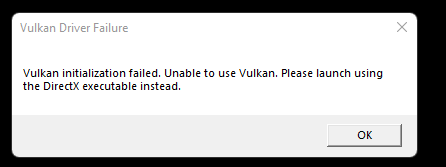
ok hello yall, can anyone else not boot the vulcan version on an amd gpu?
it says it cannot detect a gpu
which is not the case, I have a 6800m directly connected to my external display
stray elm
jaunty fiber
ok hello yall, can anyone else not boot the vulcan version on an amd gpu?
Does the DirectX version work? There are some things we might be able to do to investigate, but we might not need to
 sour sentinel
hey so ive been playing on my switch a lot and i have cross saves on but it doesnt seem to be transferring back to the steam version
stray elm
sour sentinel
hey so ive been playing on my switch a lot and i have cross saves on but it does...
Heyo! Just to make sure--you have your Steam account connected on the Switch, and you're starting the game through your Steam Library, not through a shortcut?
stray elm
sour sentinel
do i have to start in directx? im launching vulkan
That shouldn't matter, no. Could you make sure your Steam Client is fully up to date?
And do you have any antivirus software enabled, or Windows Controlled Folder Access / Windows Defender?
sour sentinel
client is up to date and i dont think i have any antivirus software
stray elm
I'd double-check your Windows security settings for CFA / Defender. If either of them are activated, I'd suggest whitelisting Hades
And do you see any files here:
https://store.steampowered.com/account/remotestorageapp/?appid=1145360
sour sentinel
ah i have to download them manuall
stray elm
You shouldn't need to, no
sour sentinel
oh
stray elm
But if the files aren't there, then it might be why it's not working
sour sentinel
theyre here
 sour sentinel
yeah
stray elm
Is there anything in there?
sour sentinel
 stray elm
Alright--I'd download the files from your Steam Cloud as a backup just in case, and then try running the Steam Client as Admin
stray elm
Mmkay. Hopefully you won't need to do that every time--there are additional things we can try if starting as Admin didn't make a difference
ashen birch
That pausing thing is Windows for sure, other games started doing it that didn't before.
 lapis holly
im getting hard locked at a werid point in the game * Spoilers of where * and wondering if anyone knows a simple solution
stray elm
lapis holly
im getting hard locked at a werid point in the game * Spoilers of where * and wo...
You can spoiler tag text with two vertical bars on either side || like this ||--what's up?
lapis holly
||at the end of the credits // After the painting part i get hard stuck with a Visual of E to admire the painting but i can hear my character Shooting etc while being froze on that frame||
Oh seems it fixed itself.. Strange had to ||Watch the Queen returned UI part x3 times before i could move again||
stray elm
Huh, glad it worked out. Thanks for the report!
 placid vessel
can i play ps5 hades w a ps4 controller
stray elm
placid vessel
can i play ps5 hades w a ps4 controller
If a PS4 controller normally works on the PS5, as far as I'm aware it should work for Hades
 pastel dagger
ive been stuck between the stairs between tartarus and asphodel
theres no fountain spawn so i cant progress
stray elm
Could you send a screenshot/picture?
 stray elm
What platform are you using? (Steam, Epic, etc.)
pastel dagger
steam
i have only the bountiful fishing mod installed
tried uninstalling and the same happened
stray elm
did any message pop up when you verified, saying a number of files found?
pastel dagger
nah it only replaced the bountiful fishing mod files. tried another run and the same happened
w/o the mods on
stray elm
I'd suggest verifying file integrity again, rebooting, and then launching the game
pastel dagger
somehow got it fixed by uninstalling and reinstalling it several times lmao
stray elm
Huh, weird. Glad it worked out though, sorry for the inconvenience
 past jay
Hey, how are you?
I´m having problem with hades launching. I finished the game one time, uninstalled and when i installed again to play it again it just won´t launch.

This is the problem I´m having. And yes, I´ve submited to support and I´ve had no answer till now and I still can´t launch it.
Does anyone know how can i get back playing this awesome game?
Thanks, so much
faint jewel
I'd start with verifying the game files integrity, as maybe something went wrong during the installation. There are also some things you can try in #h1-tech-fixes, specifically in this section: #h1-tech-fixes message
stray elm
(pinging @past jay to make sure you saw Tiank's message)
 vast pecan
heyyy how are you?, i think i have a simple problem. hades does not detect my controller 😦
stray elm
Heyo! I'm doing pretty good, thank you ^.^
What platform / OS are you on, and what controller are you trying to use?
vast pecan
I have hades in Steam, i tried to use ps4 and ps5 controller
stray elm
Could you try setting the launch option /PS4Gamepad=true ?
· Right-click on Hades in your Steam Library
· Select 'Properties...'
· Press the button that says 'Set Launch Options...'
stray elm
Mmkay--from the Steam Client, could you go to View -> Settings -> Controller -> General Controller Settings, and make sure Playstation Configuration Support is turned on?
 stray elm
There should be something like this
 vast pecan
Oh yeah so, yeah is turned on
it's weird because i can play all my games with the controller but not hades : (
stray elm
Alright--could you right click on Hades in your Steam Library, then go to Properties -> Controller and change the Override? You'll want to try both "Disable Steam Input" and "Enable Steam Input"--there's a decent chance one of them will work
vast pecan
It work!
stray elm
Awesome!
vast pecan
i think im in love with you, thanks <333
stray elm
Happy to help ^.^ Best of luck!
past jay
stray elm
(pinging <@!440650640721707020> to make sure you saw Tiank's message)
Thank u so much @stray elm . Helped a lot by pinging.
 severe basin
how does the game handle multiple controllers? I've got a wooting one keyboard and it's technically an XInput controller
and i want to use my actual controller
doesn't seem to be doing anything atm
stray elm
severe basin
how does the game handle multiple controllers? I've got a wooting one keyboard a...
It registers whichever device was connected first
past jay
Hey @stray elm and @faint jewel , so I´ve got it working but running as an Administrator after all fixes that you recommended and that i found on the web.
Two questions:
-
Do you know if there is a way to automatically run as adm every launch that i do? How?
-
Why this is the only way to run this amazing game for me? Do you know what could be affecting my experience?
Some tests that ´ve done below before adm:
- verify files on steam - all ok, still crashed
- Disable in game overlays on steam - still crashed
- update graphic cards - same error
- Perform a clean boot - same
- Disable antivirus and than launch - same
- Try the Vulkan and 32-bit executables instead
plain quest
you should be able to register the application for running always in administrator mode from right-click on .exe > Properties > Compatibility tab
stray elm
past jay
Hey <@!132661721922797569> and <@!348403962191413259> , so I´ve got it working b...
For what could be affecting it—what OS are you using?
past jay
plain quest
you should be able to register the application for running always in administrat...
Thanks @plain quest
past jay
stray elm
For what could be affecting it—what OS are you using?
Windows 10
stray elm
past jay
Windows 10
Mmkay. Did you try the launch options listed in #h1-tech-fixes ?
past jay
stray elm
Mmkay. Did you try the launch options listed in <#675070621075374090> ?
Yes. "if those, 6) Try the Vulkan and 32-bit executables instead" yes.
stray elm
past jay
Yes. "if those, 6) Try the Vulkan and 32-bit executables instead" yes.
Not those—I mean the /GaInput ones
past jay
stray elm
Not those—I mean the /GaInput ones
That one I didn´t @stray elm , will do
 digital dawn
Orpheus is singing right now

achievement locked

it unlocked after a few minutes passed
 candid breach
Hey, good evening, im having issues when trying to open the game, i open it via steam library 32 bits or direct, and also trough desktop icon and the following happens: Loading bar charges up to 50% or so and just freezes, the process in task manager is stuck at like 277.something and the game just doesnt complete the first loading
faint jewel
candid breach
Hey, good evening, im having issues when trying to open the game, i open it via ...
Hello, I'd start with verifying the game files integrity, and there are also some thing you can try in #h1-tech-fixes first, specifically in this section: #h1-tech-fixes message
candid breach
integrity is done by steam?
faint jewel
Yes, it's explained how to do it step by step in #h1-tech-fixes as well
candid breach
ok
 crystal elk
everytime quit the game it says "saved less than a minute ago" but when i log back in and this has happened twice in 2 days ive gone back to that first save
i quit it said i would continue in that chamber then it went back to the first save so its impossible for me to progress
also i tried making another save and going into it after quitting from the original and it didn't solve anything
faint jewel
crystal elk
everytime quit the game it says "saved less than a minute ago" but when i log ba...
There are some things you can try in #h1-tech-fixes, specifically in this section: #h1-tech-fixes message
Most likely, you'll need to whitelist Hades with your antivirus and/or Windows Controlled Folder Access / Windows Defender.
Running the Steam Client as Admin may also work.
crystal elk
how do you whitelist a game
faint jewel
Depending on the antivirus software you have, the exact steps on how to do that can be found online.
faint jewel
What about other steps?
crystal elk
its allowed by like the private and public network
i think thats it and i have my windows defender disactivated
i dont know how to do step 4
YES IT WORKED
TYSM @faint jewel
ashen birch
I found another bug.
If you have all of your energy bolt things out and you gain another (through Chaos for example) you get refilled and can have 7 or more out at once. This likely doesn't change gameplay from the nature of triggering it however.
stray elm
It shouldn't let you go above the cap when gathering them back up though, yeah?
ashen birch
I think the game just crashed, where are logs stored?
stray elm
ashen birch
I think the game just crashed, where are logs stored?
Documents / Saved Games / Hades, though unfortunately it doesn't save multiple logs, so it's overwritten when you start up the game
ashen birch
I haven't done that, I'll have to take a look tomorrow.
 lethal walrus
Hi!
I have 2 monitors, my main monitor at 2560x1440, and my secondary at 1920x1080
When I launch Hades, it launches on my secondary monitor instead of my main.
When I try to move it and make it full screen, it appears full-screen but it behaves like it's 1920x1080 (e.g. when I try to click stuff, I need to click to the top left of stuff to click them)
Is there any way to make it launch on my main and be at 2560x1440?
Tried using /X and /Y on steam launch options, also tried using /DisplayIndex=0 (tried 1 and -1 as well) and it didn't work
I've tried changing which monitor is my main, and it didn't work as well.
stray elm
lethal walrus
Hi!
I have 2 monitors, my main monitor at 2560x1440, and my secondary at 1920x10...
Could you try going to Documents / Saved Games / Hades, then backing up and deleting the Profile1.sjson file? Then try the display index and x/y launch options again
lethal walrus
Tried, didn't work 😦
My solution for now is that I made it borderless, closed the game, changed the resolution (using /X and /Y launch options), and then used python win32gui to move it to 0,0 coordinates on the screen
If you have any other suggestions that could make my fix permanent i'd love to hear them though xD
 wheat vapor
Is your main monitor set as such in Windows?
lethal walrus
wheat vapor
Is your main monitor set as such in Windows?
Yea
 earnest fractal
https://i.gyazo.com/8d52103d39d1280ff990da3fcfa4ab13.png
https://i.gyazo.com/453bc1006658f222e6a29ff0a2a806ba.png
Is this common?

Works fine with DirectX
faint jewel
Yes, I'd say it's fine. Other launch options were created in case there were issues with DirectX (which is a default one).
stray elm
lethal walrus
If you have any other suggestions that could make my fix permanent i'd love to h...
If you check that same .sjson file from before, you should be able to tell what each field represents. I think there's another pair of fields with X and Y in the names that are for position, and you could try manually changing those?
lethal walrus
stray elm
If you check that same `.sjson` file from before, you should be able to tell wha...
Yea, WindowY and WindowX
Even after changing them, they get changed back to their previous coordinates (in my case these are 2240, 87)
Also displayIndex is 0 in this file, changing it to 1 or -1 does nothing
Tried messing around with these settings a bit more, nothing seems to have worked 😦
stray elm
lethal walrus
Tried messing around with these settings a bit more, nothing seems to have worke...
A quick thought—which save slot are you using?
stray elm
Aight. I'm not totally sure, sorry, and I won't have time to look into it more until later this afternoon at the soonest. If you'd like, you could follow the steps at the end of #h1-tech-fixes about emailing some files to support@supergiantgames.com, and also include your Profile1.sjson file.
And sure thing! I'm glad you were able to get it working, even if it's a bit of a rigged solution haha 💜
ashen birch
Interesting.
There's nothing in the log file that suggests a crash.
Considering the other Windows jank, it was probably just randomly told to exit by Windows.
So nothing to worry about.
 silver sequoia
Hi,
is there any hope to recover a PS4 save? I just lost many hours of work when quitting and reloading into the House. The game reverted me to an earlier save and I'm devasted, now 😂
sorry, the smiley came out wrong....it was supposed to sadly smile, heh...
stray elm
silver sequoia
Hi,
is there any hope to recover a PS4 save? I just lost many hours of work whe...
Unfortunately, there is not a way I know of, unless you can gain access to the PS4's stored files
 dapper stag
What's the best forum for sharing feature requests?
I wonder if we can view our run summaries via a website instead of having to open the game. Also, if that website could support shareable links, that would be awesome. It's not ideal to see screenshots and then figure out boons from the icons. Would make the game even more social :)
faint jewel
dapper stag
What's the best forum for sharing feature requests?
I wonder if we can view our...
There is no such forum, and the game is considered finished, so it's unlikely any new features are gonna be added. Having said that, you can send devs a direct message using the contact form and selecting Feedback - Hades category: https://www.supergiantgames.com/contact/
Someone made a build tool, where you can save and load builds, so that does what you want in a way: https://hades-build-board.com/
Also, you can share your victory screenshots in #h1-victory-boasting and discuss builds in #h1-builds-and-combat if you like.
 light nimbus
is the cosmetic bug where zag can get frozen in 1 frame of an animation under certain circumstances known? i encountered it twice in a recent run (zag fists, can share build if necessary, encountered bug after bone hydra and after theseus), doing an input such as a dash unfreezes him but he's just sliding around as a single sprite until that. i don't have a pic or video because going to take a screenshot unfroze him, will take video of my screen with my phone if it happens to me again
faint jewel
light nimbus
is the cosmetic bug where zag can get frozen in 1 frame of an animation under ce...
I've seen that bug on Switch, and usually it goes back to normal after a while. If you encounter this again (and you're playing on PC), you could send an email to support@supergiantgames.com with the log file and your save, so that devs can investigate it.
Your Hades.log and save files are located here:
Windows: \Documents\Saved Games\Hades\Hades.log
macOS: ~/Library/Application Support/Supergiant Games/Hades
 unborn bolt
hey! i wanna play with mods, and they all advise i back up my save file. do i just copy it? where do i put the copy i'm backing up?
also: if i start playing with mods will my steam achievements go away?? its my only perfect game!!!!!
flint compass
mods dont affect steam achievements, as far as i know
unborn bolt
ah good to know
stray elm
unborn bolt
hey! i wanna play with mods, and they all advise i back up my save file. do i ju...
You can just copy it and put it in another folder ^.^
And they do not affect achievements
unborn bolt
thank you!
light nimbus
it sucks that in bidirectional menus (renovations, codex) the horizontal direction takes precedence when thumbstick/dpad has a diagonal input. a diagonal should be read as a vertical, we have the bumpers for tabbing! this is a nitpick but it's extremely annoying to me when i'm trying to scroll down the renovations or find a specific codex entry and it suddenly goes to the next tab because i accidentally put the thumbstick on a slight diagonal
 misty jasper
Hello, I'm not sure if this is the right place but my friend bought the OST for Bastion, Transistor and Pyre a few years back. I forwarded the link to your support https://www.supergiantgames.com/contact/ so that he could get the FLAC files. He has sent an email on the last week of October but no one replied to him. From what he told me, he sent a followup at November 2 before giving up. Can anyone help him?
Supergiant Games is a small independent game development studio in San Francisco, known for its award-winning titles Hades, Pyre, Transistor, and Bastion.
stray elm
misty jasper
Hello, I'm not sure if this is the right place but my friend bought the OST for ...
The devs have had their hands full for a bit recently, and simply may not have seen his message yet. I'll send them a message myself on Monday though, and check in
misty jasper
stray elm
The devs have had their hands full for a bit recently, and simply may not have s...
Thanks, I'll tell my friend to resend his emailed receipts.
I think he sent it to support@supergiantgames.com. Is this the correct address?
frosty tiger
Hi, I just bought hades yesterday on epic games and I don't know why, but I can't see my mouse cursor, I find it really weird because yesterday I played for about 30 minutes and everything was okay but now it isn't. If it's not a problem could you help me pls? Obviously if you have better things to do don't worry but I would appreciate it a lot. P.D. Sorry for my english I am spanish....
stray elm
frosty tiger
Hi, I just bought hades yesterday on epic games and I don't know why, but I can'...
¡Hola! ¿Puedes ir a Documents / Saved Games / Hades (Documentos / Juegos Guardados / Hades), luego haz una copia de seguridad y borrarle el archivo Profile1.sjson? Eso puede solucionarlo
frosty tiger
Thanks!! I wil try it right now 🙂
Well, it has worked for about 30 seconds, it looked like it was everything ok but as soon as I clicked play it dissapeared again 😅
stray elm
(Do you prefer which language I use? I'm good either way, Spanish will just take slightly longer since I'm not as fluent)
frosty tiger
Don't worry I understand english perfectly, it is writing that's hard lol
stray elm
Do you have any controllers connected?
frosty tiger
No, In fact I have never tried to connect one
stray elm
Alright. Could you try setting the launch options /AllowControlHotSwap=false /UseMouse=true ?
On Epic Games Store:
· Select 'Settings'
· Scroll down to Hades under 'Manage Games' and select it
· Select 'Additional Command Line Arguments'
frosty tiger
Do I add them both at the same time?
stray elm
Yup
frosty tiger
Can I send a video recorded with OBS so you see what's happening? Then when we solve it I delete it
stray elm
You can DM it to me if you'd like ^.^
frosty tiger
Ok 🙂
 thick locust
there are no voicelines in the game for me, any idea what it could be? I had voicelines in the game when I played it a while ago
stray elm
thick locust
there are no voicelines in the game for me, any idea what it could be? I had voi...
What platform are you on? And are the subtitles still showing up?
thick locust
steam pc, subs are showing
and volum set to max
yet no dialogue, though I had it on my last pc
stray elm
Could you try verifying file integrity?
thick locust
haven't done that before, but I can try
just now I tried a different game with dialogue and there were no problems, so it has to be hades related
tried verifying file integrity, still no dialogue

I can try running all these
thick locust

these are on
@stray elm got dialogue when I ran in 32-bit, guess it'll work for now
stray elm
Huh, alright. Glad that's working!
misty jasper
stray elm
The devs have had their hands full for a bit recently, and simply may not have s...
I want to post an update regarding my friends predicament. He just contacted me, saying that he received an email from Ellis Powell with the codes to redeem the FLAC. Thanks for helping him.👍
stray elm
I hadn't even had a chance to reach out yet, so I'm glad they saw his message ^.^
 viscid flax
Is this game known to be not providing DualShock controller glyphs on PC build?
It seems to be using Xbox controller glyphs for DualShock
light nimbus
speaking of glyphs i use an xbox controller on pc and the game prompts "◀️ " for "view boon list" when my button actually looks like two overlapping rectangles. first time i saw this prompt was very confused, soon figured out that it was the same button that brings up your build but idk what this is about
stray elm
I believe the appearance of that button has changed over the years
The Xbox 360 controller has the ◀️
stray elm
Ye ^.^" Can be a bit confusing though
 zenith yacht
hello, I'm unsure if this is the right place for this or if it's worth reporting at all but there seems to be a column in the top left corner of the lounge facing the wrong way
 stray elm
zenith yacht
hello, I'm unsure if this is the right place for this or if it's worth reporting...
stray elm
zenith yacht
hello, I'm unsure if this is the right place for this or if it's worth reporting...
Heyo! Does it stay like that if you move around more, or go between rooms?
zenith yacht
stray elm
Heyo! Does it stay like that if you move around more, or go between rooms?
yes, it's always like that
it's worst when using the ominous columns house decor though
 white knot
so i crashed mid walking to persephone after a clear, does it still count towards story or not? or am i able to load back in
 ancient cliff
Will hades ever have save transport between ps4 and ps5.
faint jewel
white knot
so i crashed mid walking to persephone after a clear, does it still count toward...
You should be able to recover your save after a crash, check #h1-tech-fixes in "If you unexpectedly lose save progress" section on how to do that.
faint jewel
ancient cliff
Will hades ever have save transport between ps4 and ps5.
Devs said, that due to technical reasons it's not possible to do that, so it's unlikely it would be possible in near future.
 warm pivot
i have a bit of a save file corruption issue
i use 2 saves since i share the game with my brother i once alt f4ed while it was autosaving so i guess that what caused it but i cant be rid of it
for the corruption itself is that it doesnt seem to save my progress on my second save at all
as for the first save it works fine until i try playing on the second save then it becomes like the second one as in unable to save
i tried turning off steam sync and deleted save local files to start over (it was painful) and we both started over and it worked until recently where he played yesterday and today i wake up to find that MY save file became HIS and HIS is just a random save file like run 0 and it is also corrupted
i have noticed when i tried deleting the save file in-game it just straight up doesnt work like i delete it and says its gone but i press esc then play again and it back
please save me from this nightmare
faint jewel
warm pivot
i have a bit of a save file corruption issue
i use 2 saves since i share the ga...
I'd start with verifying the game files integrity to potentially solve that corruption issue. And have a look at #h1-tech-fixes in save-related sections to try steps listed there. It might also be possible to recover some of the progress you've lost, if you'd be able to find a non-corrupted save (it's also explained how to try recovering there).
warm pivot
verified the game files no fix
i tried the solutions in #h1-tech-fixes and it didnt work
here are my save files if thats of any help

rn the corrupted one is the first and the data that i want to keep is 2 (i was able to recover old data from steam cloud ie before i deleted it)
should probably mention that i have a launch option to limit my frames to 60 i suppose ?????
faint jewel
I meant that verifying files could potentially prevent save files from being corrupted again. There is now way to recover the corrupted save, but maybe you'd be able to recover some of the old ones to recover at least some of the progress
That Launch option shouldn't affect saves, I think?
Not sure what caused that mismatch with saves in the first place, but hopefully after following the steps in tech-fixes it won't happen again (like whitelisting Hades in your antivirus and launching the game as admin).
What platform are you using (Steam or Epic)? And are you and your brother using the same pc and same account?
warm pivot
steam
same pc same account
warm pivot
faint jewel
Not sure what caused that mismatch with saves in the first place, but hopefully ...
i might have closed the game while it was autosaving
i dont care for the save files at this point honestly but deleting it didnt seem to fix it
faint jewel
Yea, that could cause the corruption, but the fact that your save and your brother's one got swapped is weird...
warm pivot
🤷♂️
warm pivot
warm pivot
here are my save files if thats of any help
just tried deleting everything related to profile 1 and it just popped a new one when i launched the game
corrupted
faint jewel
Are the files still showing in \Documents\Saved Games\Hades\ ?
warm pivot
yes
i tried deleting the entire folder and it just pops right back up
the only way i was able to get rid of it temp was to disable steam cloud and then deleting it but the issue popped out of nowhere
faint jewel
I'd made a backup of that just in case @stray elm would be able to do something with them (they also have access to some pre-made saves if you'd like to recover some of the progress that way). To delete those files permanently, you need do so when the game is open through Steam (that way cloud will know you don't want them anymore). Have cloud saves enabled for that ofc. Then let's see if the game saves properly without corruption (potentially a full reinstall could help).
warm pivot
thank you
final follow up: i tried deleting the first save (the corrupted one) while the game was open and everything worked fine
i tried to start a new file in the first slot this is what happened :')
 faint jewel
So instead of save slot appearing in the first slot, it appeared in second?
faint jewel
Right, maybe try deleting the file profile1.sjon (and for other profiles as well). This should reset all the setting to default. And have you done the steps regarding allowing access to Windows Defender and Windows Controlled access Folder?
And are you launching the game as admin? Try hades.exe rather than launching the game through Steam, maybe
warm pivot
i have controlled folder access off
idk what you mean by windows defender tho
tried the game as admin through hades.exe and since i use the 32-bit version i launched it from the 86x folder
my pc is 64-bit but the frame limit launch option didnt work on 64
faint jewel
(Windows Controlled Access Folder is an option in Windows Defender)
I'd try deleting the save files now (so from folder while the game is open through Steam, just make sure you have that backup done just in case) and then reinstalling the game completely to see if the issue is still there.
warm pivot
i managed to avoid the issue by deleting the save files for slot 1 and then using another slot and it worked
i am using slot 2 and 4 and it works as intended so that should do it
i will try reinstalling when i get the chance but i would really appreciate the pre-made save files since now one of us has to start over
faint jewel
Swan can provide them for you when they're around :)
faint jewel
Not at all! Sorry I couldn't help more, but I'm glad it's solved for now, hopefully it will stay like that ;)
stray elm
warm pivot
i will try reinstalling when i get the chance but i would really appreciate the ...
Heyo! Sorry about the inconvenience there. I can definitely help out.
Earlier on, Tiank suggested you make a backup of all of those files—do you still have that?
warm pivot
i have a back-up yes
stray elm
warm pivot
i have a back-up yes
Alright--could you zip up those files and send them to me? I might be able to see if I can recover your progress. Just also let me know about how many escape attempts you had, so I know I found the correct save.
warm pivot
sure
 vestal rose
Whenever I play the game now, it lags to the point of being unplayable within two rooms, including when I've just restarted my computer. I've done all the steps in #h1-tech-fixes . Here are my files.
stray elm
vestal rose
Whenever I play the game now, it lags to the point of being unplayable within tw...
Heyo--so that I don't just end up repeating things, could you list out briefly what you've already tried?
vestal rose
stray elm
Heyo--so that I don't just end up repeating things, could you list out briefly w...
I've downloaded the latest graphics drivers from NVIDIA according to the directions. I've added the launch option "/UseSwapEffectDiscard=true". I've tried turning on and off fullscreen and vsync, it doesn't do anything. I'm not using any overlays. I've ckecked the NVIDIA Control Panel settings for Hades and there's no "preferred graphics processor" option. I set my power mode to "best performance".
stray elm
vestal rose
I've downloaded the latest graphics drivers from NVIDIA according to the directi...
Mmkay, thank you! Could you also try adding the launch options /UseNativeGaInput=true /UseNativeGaInputNoControllers=false?
And what launcher are you using?
vestal rose
Okay, trying that now. I'm using Steam, pressing the "play" button.
No, still lagging. I'll try restarting my computer, though I don't think that will help because it hasn't before.
The text of my "launch options" box in the Steam proterties is now "/UseSwapEffectDiscard=true /UseNativeGaInput=true /UseNativeGaInputNoControllers=false", is that right?
stray elm
as long as it doesn't have the quote marks, yes 
Could you also try verifying file integrity (you may want to do a restart after that if it does detect anything)? And maybe double-check that there isn't anything else hogging up your RAM
And which startup option are you using? If you haven't already, I'd try using Vulkan or 32-bit
vestal rose
Ok, I'll try that. I was just using the default, which is DirectX. I'll try using Vulcan.
vestal rose
I did all that and played using Vulcan, but I still got considerable lag.
stray elm
vestal rose
I did all that and played using Vulcan, but I still got considerable lag.
Sorry for the delay--how about 32-bit?
vestal rose
stray elm
Sorry for the delay--how about 32-bit?
No problem, I had to go to bed anyway. Sorry if I should have mentioned that. I've been trying 32-bit, and it seems better but I think there's still some lag. I'll be able to test it more later.
stray elm
Mmkay. I'm not totally sure why it's lagging, unfortunately, but there's a set of launch options we can try to improve performance. A couple of them are listed here: #h1-tech-fixes message
And I can grab the rest when I get on my computer
vestal rose
stray elm
Mmkay. I'm not totally sure why it's lagging, unfortunately, but there's a set o...
I've tried those, still having the problem. What else could I try? I can record and send a clip if it would help.
stray elm
Sure, that might help
vestal rose
stray elm
Sure, that might help
Could you take a look at this clip and see if it shows it? https://www.youtube.com/watch?v=-g-Sgg3irr4 It was noticeable to me when I was playing it. I think some of the attack animations are slower than they should be. There's also some input lag, and I could see if I can find a tool that shows keys pressed so I can illustrate that.
 stray elm
vestal rose
Could you take a look at this clip and see if it shows it? https://www.youtube.c...
stray elm
vestal rose
Could you take a look at this clip and see if it shows it? https://www.youtube.c...
From what I can see, the attack animations seem to be correct, though I don't usually use the Aspect of Zeus so I might be misremembering. I didn't see any obvious lag there at least.
Input lag I'm not as sure about fixing--that's rarely on the side of the game, from what I've noticed previously, though it certainly could be. I'd suggest testing with another game and comparing, as well.
 severe merlin
Hi I’ve just started playing this game and have now realised that the hub area probably shouldn’t be a pitch black void inhabited only by characters and particle effects any way that I could remedy this issue
stray elm
severe merlin
Hi I’ve just started playing this game and have now realised that the hub area p...
Heyo! Could you try verifying file integrity? That should fix it
 stray elm
severe merlin
Um could I request continued assistance
stray elm
severe merlin
Um could I request continued assistance
You may need to restart after verifying file integrity.
What launcher are you using?
severe merlin
Steam
And if you mean restart the game I have already done that
It’s said “6 files failed to validate and will be reacquired” all three times

This that a bad sign
stray elm
severe merlin
It’s said “6 files failed to validate and will be reacquired” all three times
I mean restart your computer
Steam sometimes requires a full restart to apply the changes
severe merlin
Okay thanks
severe merlin
It worked thanks
stray elm
Great!
 river sundial
hi, so, i played hades on game pass, but know i buy hades in steam, can i save my progress that i maked in game pass?
stray elm
river sundial
hi, so, i played hades on game pass, but know i buy hades in steam, can i save m...
Yes, though it's not a direct transfer. This Reddit post explains how to find the files
reddit
139 votes and 50 comments so far on Reddit
 dull helm
is there a way to transfer my xbox gamepass pc save of hades to steam?
nvm, just realized the answer above explains it possibly. update: figured it out, ty
 thorny patio
Did you ever get a solve to this blurry model issue on 2k/4k resolution? None of the online fixes are working for me either. Ruining an otherwise amazing gaming experience
I cannot get over how blurry the 3d models in this otherwise beautiful game are.. does anyone have a fix for playing on 2k or 4k?
or at least making Zag not so blurry
stray elm
thorny patio
Did you ever get a solve to this blurry model issue on 2k/4k resolution? None of...
Heyo! What have you tried so far?
thorny patio
Hi Swan! I have tried every fix youve posted everywhere. Verify games files, try Vulkan, use the launch commands, replace/editing the profile1 file, nothing works. It does seem like these steps do get the game in a slightly less blurry place, but the game's 3 models still blur to the point of annoyance for me.
I have found a solution that I am satisfied with in Reshade. It is difficult to screenshot my reshade results, one moment.
Default:

Reshade to fix blurry resolution with sharpening:
 stray elm
thorny patio
Hi Swan! I have tried every fix youve posted everywhere. Verify games files, try...
stray elm
thorny patio
Hi Swan! I have tried every fix youve posted everywhere. Verify games files, try...
Alright--if you're happy with that, sounds good to me ^.^ For reference though--which launch options did you try?
thorny patio
@stray elm I realize the difference is very hard to see in the screenshots, but it is night and day in-game.
/AutoDetectLowResAssets=false /UseLowResAssets=false
stray elm
What resolution do you have the game set to, and what is your monitor's native resolution?
thorny patio
Both are 2560 x 1440p, the same issue occurs on a 4k monitor with the native set at 4k too.
I suspect the models themselves are not scaled above 1080p
And the effort to re-create them if they are not already made somewhere is probably unrealistic, so I recommend the devs do implement some sort of sharpening feature into the settings to offset the issue. My 2c 🙂
zenith yacht
I'm on 1080p and the models are also noticeably blurry
I assumed it was related to anti-aliasing
stray elm
zenith yacht
I'm on 1080p and the models are also noticeably blurry
Could you try the things that Chainflex mentioned trying? It's possible one of them may work for you
 gusty sonnet
Hi, I’m not sure if this is the correct location to ask this, so please direct me where to ask if not.
I let my friend make a profile on my Switch and start playing Hades because he wanted to try it before he bought it. He got hooked (of course) and played a lot and now wants to transfer his data, but he only has a PC. If I set up cross saves for him, will my Switch game be linked to his Steam account permanently and will that prevent me from linking my own Steam account in the future? Thanks!
zenith yacht
stray elm
Could you try the things that Chainflex mentioned trying? It's possible one of t...
the only thing that made a difference (for the worse) was changing to DirectX 32 bit, which made the character models significantly blurrier
 stray elm
gusty sonnet
Hi, I’m not sure if this is the correct location to ask this, so please direct m...
stray elm
gusty sonnet
Hi, I’m not sure if this is the correct location to ask this, so please direct m...
It will not be linked permanently, no, though I would encourage your friend to immediately move their save over to a different slot before playing, once they have it on their PC, to prevent any accidental cross-save overwrites. It's not super likely, but I've seen it happen a couple times.
They can do this by opening the game through Steam, going to Documents / Saved Games / Hades, and renaming all of the files in there with "Profile1" to "Profile2" (or 3 or 4, either works).
stray elm
 dry aspen
There should be an option in the Xbox store to Repair the game files, or something similar. I'd give that a try
stray elm
zenith yacht
the only thing that made a difference (for the worse) was changing to DirectX 32...
Alright. I'm not totally sure why those aren't working, unfortunately. Depending on your graphics card, it could be a setting in whatever application it uses?
I'd suggest either looking into the tool they mentioned (Reshade), or you could follow the steps at the end of #h1-tech-fixes about emailing support@supergiantgames.com some log files, and I'd also include a screenshot of the blurry models
vestal rose
@stray elm I haven't had any big problems with lag recently. Thanks for your suggestions.
stray elm
Sure thing!
 quiet hill
same problem, i'll look into Reshade

2k monitor but had to go windowed to take the screenshot
stray elm
Hmm. Alright. I'll let the devs know, it might be something for them to look into
quiet hill

how i can fix it ? the environment looks amazing and clean but a main character and enemies are very blurry
stray elm
yeah, I'm TheSwanDragon on that thread
It's a very old thread though, recently boosted
quiet hill
found this before posting here, dev said they were looking into it, back in march 2020
stray elm
I'm guessing this is a new issue, since that was largely resolved
quiet hill
yeah it's old, but i mean they already knew/it's partially been solved ?
ok thanks for the insight
stray elm
Ye, and thanks for the report!
quiet hill
thorny patio
/AutoDetectLowResAssets=false /UseLowResAssets=false
where do i put these commands ?
stray elm
· Right-click on Hades in your Steam Library
· Select 'Properties...'
· Press the button that says 'Set Launch Options...'
quiet hill
tysm
viscid flax
I would say you guys to check whatever your gpu vendor is ( NV,AMD) , their control suite type of stuff sometimes has absurd settings that overrides/applies to applications by default.
 rain cradle
Some graphic cards allow for higher than native rendering
For example AMD cards can render 4K even when your screen is 1080p
if the 2K is blurry I would try to render it at 4k
the output should be better
while the game hardware requirements are such low it should not matter in your FPS
 tranquil spoke
so uuuuuuuuhhhh, I ran into a bug

went into a room, and next thing I knew, this happened
already reported the bug, tho
had to give up the run, but hey, that fixed things
stray elm
@tranquil spoke glad that restarting the run fixed it—I'd also suggest verifying file integrity, that may help prevent it from happening again
tranquil spoke
nope, it happened again
stray elm
Even after verifying file integrity?
tranquil spoke
didn't try that yet
stray elm
I'd do that, and I'd suggest restarting your computer after
tranquil spoke
honestly, I'm kinda giggling over this situation cause it's my first bug for this game
and it's THIS game breaking XD
hopefully this does get resolved once this is dealt with
stray elm
It's usually a local bug, from files not downloading correctly, but definitely let us know if it keeps happening!
stray elm
Awesome!
 chilly python
Hi I'm having issues with cross-saves from switch to PC
I am logged in on switch to my steam profile and can sync from the pause menu, I recently bought the game on steam, played through a couple rounds and quit and do no see the cross-save appearing as an option on my PC
I think it's because my switch shows v1.38232 and my PC version is 1.38246?
faint jewel
chilly python
Hi I'm having issues with cross-saves from switch to PC
Hi, I would make sure your data and time are the same on Switch and PC, as this usually causes syncing issues. The different PC and Switch version won't matter, PC will always be ahead (I think), and the one you have for Switch is the latest one.
chilly python
faint jewel
Hi, I would make sure your data and time are the same on Switch and PC, as this ...
Thanks, so I do have "synchronize clock via internet" on, if that's what you mean?
And I'm using the latest version I can use for the switch
faint jewel
chilly python
Thanks, so I do have "synchronize clock via internet" on, if that's what you mea...
On Switch go to System Settings -> System -> Date and Time and check if it matches your PC's. You might make sure the region is set correctly.
Region or Time Zone
chilly python
Hmm, ya it's the right time zone and region
Is there any sort of reset (switch or PC) I might have to perform?
Or progress I need to make on a fresh install (PC) to enable the sync?
faint jewel
Nah, it should sync right away. Is the game saving properly on your PC? Like, try to do a run on an empty profile (the one's that also empty on your Switch, so that there's no overwriting of save by accident) and see if it saves.
And you said it's the right time zone and region, but are the date and time the same when you compare between Switch and PC? Just making sure in case your PC has a different time zone setting by any chance.
Also, I'd try opting-in to the Steam Beta Client - you can do so in the Settings menu, in the Account page under “Beta Participation” select “Change..” and choose “Steam Beta Update”. Steam will then restart.
chilly python
faint jewel
And you said it's the right time zone and region, but are the date and time the ...
There is a save that I've just gone through and died immediately in two runs
On the PC
Same time on switch and PC and I'm already opted into the steam beta client
faint jewel
You can also trying launching Steam as Admin and whitelisting Hades through your antivirus and/or Windows Controlled Folder Access (instructions in #h1-tech-fixes )
Also, just to check - you're opening Hades via the Steam launcher, rather than a shortcut on desktop?
chilly python
Ok, I'll whitelist it. I've tried launching with both :/
faint jewel
As far as I know only launching through Steam launcher would allow for the cloud saves to sync.
tranquil spoke
oh god, I'm getting a tech issue again
basically, when I was entering a room, the game crashed
gonna verify the files again, then restart just to be sure
 green palm
Any update on the Dualsense issues? Still can't get it to work properly on Steam :/
Moving the left stick diagonally towards the top right makes it register an L2 press, and the triggers don't work. This is in Vulkan and 32bit. Using DirectX, it works fine but I don't get DS4 prompts
This is all happening while the controller is connected wired with steaminput disabled
stray elm
green palm
Any update on the Dualsense issues? Still can't get it to work properly on Steam...
Have you tried the launch options listed in #h1-tech-fixes ?
I haven't heard of any current DualSense issues, so I don't have a general update for that. I can definitely try and help get it working for you though
 amber yoke
Hey! I'm not quite sure if this is the right place as the Transistor channel seems to be to talk about the game itself.
I recently bought and installed Transistor on Steam, but every time I try to launch it, the launch fails. I've tried verifying local files and uninstalling/reinstalling, but that hasn't helped at all. When I've googled the issue, all of the posts seem to be from years ago so I'm not quite sure what I need to do to fix this issue. Thank you!
stray elm
amber yoke
Hey! I'm not quite sure if this is the right place as the Transistor channel see...
Heyo! Have you checked if your computer meets the minimum specs?
amber yoke
I do meet minimum specs and have been able to play some of Bastion. I haven't tried Pyre or Hades yet, though
I've just tried Pyre and got a fatal error with that one (a different issue than with Transistor)
stray elm
Are you getting error messages for either of them?
amber yoke
So far Bastion and Hades launch fine. Transistor gives no error message and doesn't actually launch at all. I have a fatal 'lua52.dll' error for Pyre. I've restarted my computer, but that also has not fixed the issues with either Transistor or Pyre.
stray elm
amber yoke
So far Bastion and Hades launch fine. Transistor gives no error message and does...
Have you tried verifying/reinstalling Pyre?
And could you try launching the games or Steam as Admin?
green palm
stray elm
Have you tried the launch options listed in <#675070621075374090> ?
I haven't h...
I remember someone said there were known issues with dualsense before
^^
stray elm
Dangit, I keep getting DualSense and DualShock backwards
Then to clarify—I hadn't heard of that issue beyond the input prompts not showing up correctly
green palm
Oh
Yeah idk why it happens but it doesn't register L2 and R2, and instead pushing the left stick top right registers an L2 press. This happens only in Vulkan and 32bit
So @stray elm is there a way to force Playstation icons in game, like via config file or something? Since everything works fine with dualsense and directx except the icons
stray elm
green palm
So <@132661721922797569> is there a way to force Playstation icons in game, like...
Not that I'm aware of, but I know that the devs are aware of the issue and were looking into it.
The modding server (link pinned in #self-promotion ) may be able to force it while the devs are working on a fix.
faint jewel
amber yoke
Hey! I'm not quite sure if this is the right place as the Transistor channel see...
To add to what Swan wrote, maybe also try updating Visual C++ Redistributable for Visual Studio, using the most default "2012 Update 4"
 cerulean zealot
my game opens but there is a background page with an error and if I try to close the game it also closes
 stray elm
cerulean zealot
my game opens but there is a background page with an error and if I try to close...
stray elm
cerulean zealot
my game opens but there is a background page with an error and if I try to close...
There are some things to try in #h1-tech-fixes , I'd start there
cerulean zealot
ok, ty
stray elm
Also, could you scroll up to the top of that area on the right? There's more info at the top
cerulean zealot

 lyric sleet
Hello, my game always either goes white or crashes when I enter either the asterius only mini boss or the actual boss with theseus and asterius. The interesting thing is when I put the extreme measures on 3 then it works.
faint jewel
lyric sleet
Hello, my game always either goes white or crashes when I enter either the aster...
Hi, there are some thing you can try in #h1-tech-fixes, specifically in the Performance Issues section. I'd start with making sure your graphic card drivers are up to date and verifying game files integrity.
lyric sleet
I already did that, are there other solutions?
faint jewel
What steps exactly you tried?
lyric sleet
Just those two
it said that 1 file had an error or something but it after i did the check up thingy nothing changed
faint jewel
If you're on Windows, I'd try different launch options, so Vulkan or 32-bit
lyric sleet
does that change anything else?
because i always launch it on the first option
because i didnt know what the others are doing
faint jewel
They should improve performance, and that's what I think is happening here's - lack of memory at some point. But tbh, it's weird that verifying integrity didn't solve it, especially since 1 file had an error, so you can also try reinstalling the game and see if the issue persists
stray elm
lyric sleet
it said that 1 file had an error or something but it after i did the check up th...
If a file has an error, you may also need to restart your computer before it actually fixes it
 wraith sage
uhhh, i just bought the song "in the blood", and i cant play it for some reason. Its in the music menu, but its unselectable
nevermind, you can select it, you just have to tilt the joystick at a super specific angle
 bitter sapphire
My game froze for the second time in 2 days ):
I'm using Nintendo switch
And i moved the data from SD card to system memory
stray elm
bitter sapphire
And i moved the data from SD card to system memory
Heyo, sorry to hear that! Were the freezes after moving the game?
bitter sapphire
You there
placid vessel
wraith sage
uhhh, i just bought the song "in the blood", and i cant play it for some reason....
is this because jank controller or because the game? switch files tend to choke and die around 1000 clears
but i had performance issues around 300 which were fixed by uninstall then install to system memory
*not move it
stray elm
bitter sapphire
<@132661721922797569>
If it happens a third time, I'd probably suggest scary Lando said, and do a full uninstall/reinstall
stray elm
placid vessel
is this because jank controller or because the game? switch files tend to choke ...
It's a game thing, unfortunately. It requires a diagonal input if you don't have anything else in the same column
vestal rose
Voice line haven't been playing for me sometimes recently. Is there a reason that might be and something I could do to fix it?
stray elm
vestal rose
Voice line haven't been playing for me sometimes recently. Is there a reason tha...
You could try verifying file integrity, that may fix it
vestal rose
stray elm
You could try verifying file integrity, that may fix it
I just did that recently, but I'll try that again.
vestal rose
Just finished. Nothing unsual was displayed, but I'll see if that changed anything.
feral pawn
Hi guys, I know it's not directly related with Hades, but I don't really know what to do.
I cannot run any Xbox Game Pass game (Hades included) on Windows 11, I receive 0x87E10BD0 and 0x803F8001 errors, anyone has faced these issues too?
stray elm
feral pawn
Hi guys, I know it's not directly related with Hades, but I don't really know wh...
Heyo! I'd suggest reaching out to Microsoft Support, if it's all games. I haven't seen that issue pop up yet, so I don't have anything to suggest. I can look into it a bit more as well later today though.
Definitely let me know if you hear back from them, and feel free to also follow the steps at the end of #h1-tech-fixes about emailing support@supergiantgames.com your DxDiag and let them know what's happening, so they can look into it.
 cyan sierra
not sure if this off topic, but basically every site and even epic launcher says there are 49 achievements


but here you can see I only have 2 missing, and it's 45/49, so what's the other 2 achi? or are they hiddes ones?
stray elm
cyan sierra
but here you can see I only have 2 missing, and it's 45/49, so what's the other...
There are definitely 49 achievements—I don't remember for sure if there are any hidden ones, unfortunately. I wouldn't be able to tell you what the two missing ones are without knowing your full list. Feel free to DM me that if you'd like.
cyan sierra
stray elm
There are definitely 49 achievements—I don't remember for sure if there are any ...
sure, thanks a lot!
stray elm
I won't be able to compare it right away, but I can do it when I get on my computer in a few hours ^.^
faint jewel
cyan sierra
Here's a full list of achievements: https://hades.fandom.com/wiki/Achievements
 silver sonnet
On pc how do I change the controls for my gamepad, it only offers keyboard?
stray elm
silver sonnet
On pc how do I change the controls for my gamepad, it only offers keyboard?
If you connect your controller and try to use it, it should switch to controller inputs?
silver sonnet
Oh it works fine for playing, I just can't change keys for it under controls
stray elm
silver sonnet
Oh it works fine for playing, I just can't change keys for it under controls
Huh, aight. Could you try setting the launch option /UseMouse=false ?
Instructions for setting them are in #h1-tech-fixes near the top
silver sonnet
Thx will try that flag tomorrow and report back
 frigid dirge
I've only now experienced this, but my game has been often freezing out at random periods of time during today's session of play. It doesn't crash the game, but it remains at a standstill for 10-15 seconds, when it hasn't had this issue at all before
stray elm
frigid dirge
I've only now experienced this, but my game has been often freezing out at rando...
Heyo! What platform and OS are you on?
frigid dirge
Hi! I'm playing Hades on Steam, using a pretty good laptop with Windows 10
stray elm
Alright. There are some things you can try in #h1-tech-fixes for performance issues, I'd give those a try
frigid dirge
It (might) be possible that this is because this the first time I've opened the laptop in a week (thanks, work). But I've checked NVidia drivers, and tried launching the game with Vulkan and the other option, still no dice
silver sonnet
Worked, now to get used to my new key for dash after 60 runs^^
 chrome bramble
#h1-tech-support Dear Hades support, I've encountered one heartbreaking issue. The thing is that I launched the game on my friend's PC with my Steam account and the save slots automatically moved me to friend's saves, thus, I mechanically started with his escape attempts (it turned out that he refunded after playing for half an hour). For now, I can only start with "fresh file" but at least with the controller (finally). What should I do? I finished the game with 41.3 hours on record and the latest achievements were: 1.Unlocking each standard Keepsake 2.Beating Charon (both set on Dec 16)
Do I have to provide with any links to accounts?
stray elm
chrome bramble
<#520430049003044864> Dear Hades support, I've encountered one heartbreaking iss...
Heyo! There are some steps near the end of #h1-tech-fixes for recovering lost save data—if you still have access to your computer, I'd take a look at those and see if you can get your progress back that way.
chrome bramble
Sure. What should I do?
stray elm
These steps should help: #h1-tech-fixes message
stray elm
Alright. Could you zip up all of the save files in that folder on your computer and send them to me? I can take a look myself
chrome bramble
sure
 golden birch
hello! i've been experiencing hitching. i have gone through all the fixes in the pinned post, and i think i've already set the game to the lowest qual settings possible (potato pc). sometimes the game works perfectly, most of the time it doesn't.
stray elm
golden birch
hello! i've been experiencing hitching. i have gone through all the fixes in the...
Heyo! As a starting point, have you checked how your computer specs are against the minimum specs for the game?
There are also some additional launch options listed here: https://steamcommunity.com/app/1145360/discussions/2/4747300038115249105/
golden birch
stray elm
Heyo! As a starting point, have you checked how your computer specs are against ...
hey, yeah my specs are slightly above the minimum requirements of the game lmao. launch options made the performance slightly better thanks
i'm just trying to figure out now how it runs without any issue sometimes
stray elm
golden birch
i'm just trying to figure out now how it runs without any issue sometimes
Is it possible you have other things running in the background sometimes? That could be affecting performance
golden birch
stray elm
Is it possible you have other things running in the background sometimes? That c...
it's fixed now! i purged some programs and i basically just need to close literally any app running if i want to play Hades lol. the joys of a poor gamer
thanks for the help
stray elm
Sure thing! Best of luck
 leaden shard
Hello there lads
I have really low FPS in Hades
I used to have top notch performance
my PC is definitely strong enough for the game
CPU, memory, GPU, all under 50% usage
neverind, disabling Vsync helped .-.
 dusty knot
idk where else to put this but this person messaged me. mutual server is this one. Im AMAZED if this isnt a scam

no previous messages
 deep elbow
in future dm that screenshot (or ones like it) to one of the moderators @dusty knot
thankyou for reporting the nitro scammer
 limpid halo
Thanks for letting us know 👌
dusty knot
gotcha. cheers
 digital olive
can i put a picture of a bug im facing here
faint jewel
digital olive
can i put a picture of a bug im facing here
Absolutely! :)
faint jewel
You can use picture hosting platform such as Imgur and paste a link of it here, but I think you should be able to paste a screenshot here directly
digital olive
faint jewel
Absolutely! :)
the bug got fixed when i reinstalled the game. Thank you for the reply.
 whole aurora
is it normal for the fists to make the game lag a little after the special or is my switch being rude?
it’s not unplayable I’m just curious
stray elm
whole aurora
is it normal for the fists to make the game lag a little after the special or is...
I believe there's usually a brief freeze-frame effect after some hits with the fists—is it happening when you're just swinging at the air?
whole aurora
nah, only when I hit enemies
it’s probably the freeze frame, thank you for clarifying!
stray elm
Sure thing! Best of luck ^.^
whole aurora
thank :^)
 storm fable
Hello everyone.
I will start with great congratulations to all of you from Supergiant, great work! 🙂
I spend around 100 hours playing Hades without any problems, but today it crashed twice. Have you changed anything which maybe was able to affect that?
The crash happen after I changed the room, probably the first or second room from the beginning of the game.
I have created a log file with a crash, maybe it will show you something.
I see that it sent EXC_BAD_ACCESS exception.
I am not sure if that's a fault of the game code or the Apple code, but maybe you will find out if that's on your side 🙂
stray elm
storm fable
Hello everyone.
I will start with great congratulations to all of you from Sup...
Thank you for the report! What kind of crash was it? (freeze, stop responding, instant close, etc.)
And definitely let us know if it keeps happening!
 floral tiger
I've played 250 hrs of hades on epic. If I buy it on steam can I transfer my save AND get the achievements to carry over?
stray elm
floral tiger
I've played 250 hrs of hades on epic. If I buy it on steam can I transfer my sav...
Some achievements will carry over (narrative achievements and achievements that can only be done once), but others will not (such as the one for getting Hermes' keepsake to a certain value)
Your save progress should automatically transfer, since it's stored in the same location for both
floral tiger
stray elm
Some achievements will carry over (narrative achievements and achievements that ...
Thanks. That's a bummer that they all won't. I'll hold off then.
storm fable
stray elm
Thank you for the report! What kind of crash was it? (freeze, stop responding, i...
Instant close. All other apps remain open. As you probably already saw - happen on Steam version on MacBook Pro with M1 Pro chip (OS Monterey).
floral tiger
stray elm
Some achievements will carry over (narrative achievements and achievements that ...
One more question, I guess. Would the time played transfer? I would assume it wouldn't.
storm fable
floral tiger
One more question, I guess. Would the time played transfer? I would assume it wo...
No it’s not, that’s a platform specific data, but in-game data will transfer 😉
 deep iron
Has anyone had the "syncing cross-save data" on the switch get stuck? It's been on that screen for 15+ minutes now. Should I let it keep going...?
stray elm
deep iron
Has anyone had the "syncing cross-save data" on the switch get stuck? It's been ...
Have you checked your network connection?
deep iron
Well, I was able to browse the Nintendo store earlier, and my internet is working in general
stray elm
deep iron
Well, I was able to browse the Nintendo store earlier, and my internet is workin...
Are you connecting it to Steam or Epic?
deep iron
Steam
I downloaded the cross save data earlier when I started playing- since my last data was on steam
Which worked fine
stray elm
are you uploading or downloading progres?
deep iron
It should be uploading, I was done playing so I hit the sync option from the menu
stray elm
Mmkay. Could you check here and see if it has your Switch progress? https://store.steampowered.com/account/remotestorageapp/?appid=1145360
deep iron
It's there from about 20 mins ago, which could be this update or an auto sync from just before
So if it's there am I potentially safe to kill the game on the switch and reload it
stray elm
You should be, yeah
stray elm
awesome! Happy to help ^.^
 south vale
sometimes I experience a glitch and lag. can't blame it because my graphic card is weak
I'll try to switch to SSD and see if the problem's persist (at least the lag, after afk some time/start new game)
 slender cloak
I just lost my save progress... game didn't cloud sync and I had to quit... I read FAQ but I don't have a recent profile1_temp.sav in saved games... anything else I can try?
 dreamy geyser
If you are on Steam, you can manually recover your progress through
https://store.steampowered.com/account/remotestorageapp/?appid=1145360
 south vale

Happens a lot lately 
I know my laptop isn't strong built but until 50th iteration it runs just fine
Maybe my graphic card is at limit lol
faint jewel
south vale
There are some things you could try to improve the performance, have a look here: #h1-tech-fixes message
32-bit version could help.
Also, you could try these launch options:
/UseSwapEffectDiscard=true
/UseAnalytics=false
/AutoDetectLowResAssets=true
/UseLowResAssets=true
And make sure there are no unnecessary programs running in the background and that you have enough disk space on the disk where Hades is installed (that you're not running out of space).
south vale
Yeah I make sure to disable steam overlay, close all programs, try vulkan too. Haven't tried 32 bit launch though.
ashen birch
It appears that when ||Hades casts|| and hits the ||Skelly companion|| that is drops more cast charges.
stray elm
ashen birch
It appears that when ||Hades casts|| and hits the ||Skelly companion|| that is d...
Thanks for the report 
ashen birch
I keep finding weird little edge case things.
 stray elm
 vagrant flare
pls help me 😦
vagrant flare
pls help me 😦
Heyo--what platform are you on?
vagrant flare
epic games pc
stray elm
vagrant flare
epic games pc
Could you try starting the Epic Launcher as Admin?
stray elm
vagrant flare
not fixed
are you just starting out, or have you been playing for a bit and it just stopped working?
vagrant flare
yeah ım playing middle long time
but ı dont play for a while
when i make progress and go main menu start game not startet last save place
stray elm
vagrant flare
when i make progress and go main menu start game not startet last save place
Could you check if you have a folder for Documents / Saved Games / Hades ? And if so, what is in it?
vagrant flare
okey wait
 leaden obsidian
I cant see my cursor in game
it like dissapeared ajd I cannot see where the mouse cursor is so I can't aim
stray elm
leaden obsidian
it like dissapeared ajd I cannot see where the mouse cursor is so I can't aim
What launcher are you using?
leaden obsidian
steam
stray elm
leaden obsidian
steam
Could you go to Documents / Saved Games / Hades, then delete the Profile1.sjson file?
stray elm
Then start up the game, and see if that fixes it
leaden obsidian
it fixed it. Thank you so much
 full jetty
Hey, I finally beat a run for the first time and when I got to the part where you return to the House of Hades, the power across my neighborhood went out and now my save is corrupted. Is there anything I can do?
I play the game on Steam
stray elm
full jetty
Hey, I finally beat a run for the first time and when I got to the part where yo...
There are some steps towards the end of #h1-tech-fixes that should help
 shadow musk
hey I played on swich the hades game and I recently pass to steam and I wanted to port may save from swich to my computer, I do all the steps and when opening the game theres no loud I try all again and it still dosent work. so a bit of help will be very please thank you
faint jewel
Hi @shadow musk , make sure your date & time are the same between PC and Switch, as often that's the cause of saves not syncing. Also, I'd make sure you're opening Hades via Steam launcher, and as an admin.
shadow musk
thanks for the advices but I think it was mainly because I diden´t press the play botton. still thank you so much
 cobalt dew
hey my mouse keeps dissapearing on hades
it works for a few seconds when i launch the game and then turns invisable]
stray elm
cobalt dew
it works for a few seconds when i launch the game and then turns invisable]
Could you try setting the launch option AllowControlHotSwap=false ?
cobalt dew
how would i go about that I use the epic games launcher
stray elm
cobalt dew
how would i go about that I use the epic games launcher
There are steps towards the top of #h1-tech-fixes (I'd copy them but on mobile)
stray elm
cobalt dew
alright ill try that
Let me know if that didn't work, I have a couple other things we can try ^.^
 analog hazel
oh, no its just a translation error
 pine peak
Hello everyone
I think i'm in need of tech support 🙂
I have the game installed in 3 computers:
main rig: (r7 3800x + rtx 3070, windows 11, steam). runs GREAT on vulkan (500+ fps), and with some freezes in DX (i always run on vulkan).
work laptop (i5 10210u with UHD graphics, ubuntu 20.10, steam with protom). runs good in proton (~80fps). no problems whatsoever
and the problematic child:
HTPC (r5 3400g + vega 11 graphics, windows 11, steam). game runs bad on DX and 32bit, about 30fps. i think it should run better, cause the hardware is better than the one on my laptop. i cannot launch on vulkan

I updated my AMD driver from their website
now, after getting that error message, i get this one also:

already tried:
- update the driver
- verify game integrity
- disable steam overlay
- run steam itself as admin
stray elm
Hey @pine peak ! Thank you for the detailed report. Could you try grabbing the C++ redist from here? https://support.microsoft.com/en-us/help/2977003/the-latest-supported-visual-c-downloads
And try the launch options listed here: #h1-tech-fixes message
Either way, could you also email that report to support@supergiantgames.com ?
pine peak
the log
hi @stray elm. i'll do all of those 🙂
Unfortunately, neither the C++ redist nor the launch options did the trick 😦
I'll write the email. Tks anyway @stray elm
stray elm
Sure thing! Best of luck
cyan sierra
is there any way I can make epic recognise hades which is on my HDD, if my SSD is the main drive?
https://www.epicgames.com/help/en-US/epic-games-store-c73/launcher-support-c82/can-the-epic-games-launcher-detect-previously-installed-games-a3820?sessionInvalidated=true I saw this, but this method will put the game on the ssd as well right?
If you previously installed a game on your computer and removed the Epic Games
Launcher or reinstalled Windows, there is no feature in the E
stray elm
cyan sierra
is there any way I can make epic recognise hades which is on my HDD, if my SSD i...
Did you install Hades onto your HDD through Epic?
cyan sierra
stray elm
Did you install Hades onto your HDD through Epic?
yes, but I cloned my hdd to the ssd, made the ssd the main driver and uninstalled hades from the ssd, so now in epic it's in the uninstalled state, but the files are still there on my hdd
stray elm
I think you'd need to uninstall Hades through Windows, then reinstall it to the HDD through Epic
cyan sierra
thank you
stray elm
Sure thing! Best of luck
 prime jasper
my Hades is a little weird
only in elysium though

this is a screenshot from my game
1st chamber

this image above is chamber 2
is there any way for me to fix this
stray elm
prime jasper
is there any way for me to fix this
Could you try verifying file integrity?
prime jasper
stray elm
Could you try verifying file integrity?
what's that mean?
stray elm
prime jasper
what's that mean?
On Steam:
· Right-click on Hades in your Steam Library
· Select 'Properties...', then select the 'Local Files' tab
· Select 'Verify Integrity of Game Files...'
On Epic Games Store:
· Locate Hades in your Library
· Click the three-dots symbol near the game title, and select 'Verify'
If you have Hades through the Microsoft Store (GamePass or purchased), there should be a similar button in the options for the game
prime jasper
sounds like a lot of work
I kinda like the challenge of black and white elysium anyways
I think I'll keep it like this
thanks anyways
stray elm
good luck ^.^
cobalt dew
ok so i have tried running control hot swap false and it made hades not even register my mouse
i have tried everything else in tech fixes as well
stray elm
cobalt dew
ok so i have tried running control hot swap false and it made hades not even reg...
Could you try adding /UseMouse=true?
cobalt dew
yea let em finish thgis game of tft
stray elm
cobalt dew
do i need to restart my computer in between each change
You shouldn't need to, no. Are you starting the game through Epic, or through a shortcut? And do you have any controllers connected?
 runic garnet
hello, I am a user of hades on xbox Game Pass for Windows, and the Microsoft Store, I am unable to play hades, the program will start according to task manager but I won't see any window appear or audio start, I already followed the steps in #h1-tech-fixes for
"If You're Having Issues Launching the Game, or See a Black Screen" and also
"If the Game Won't Start or Read/Write Save Data"
stray elm
runic garnet
hello, I am a user of hades on xbox Game Pass for Windows, and the Microsoft Sto...
Heyo! Sorry to hear that. What version of Windows are you on?
runic garnet
[info redacted post fix]
stray elm
Mmkay. Has the game worked at all before, or are you just starting out?
stray elm
runic garnet
the problem only appeared today when I wanted to do a run
Mmkay. Could you try replacing the launch options in the HadesCommands.txt file you created with /SkipProfileLoad ?
stray elm
Great! You'll want to remove that command after you close the game, or it will reset your settings each time.
But the game should work again even after removing it
runic garnet
thanks for the help!
stray elm
Sure thing! Best of luck
 toxic wolf
hey, I have an issue with playing Hades on proton (using vulkan version with latest drivers). Whenever I come across Aphrodite when she talks about how I seem to have a strong love for family, the 3 boons options don't appear. I can hear the sound when I mouse over them but the screen is frozen. When I click one the game crashes. Any idea why this might be?
stray elm
toxic wolf
hey, I have an issue with playing Hades on proton (using vulkan version with lat...
Heyo! Could you try verifying file integrity?
toxic wolf
Hey, Thanks for the quick response. I've done that already and it didn't download anything so I'm assuming that's not the issue?
stray elm
Probably not, yeah. Have you started the game since the last crash?
toxic wolf
Just did and everything works. I just lost all progress of the last run. I guess it's a bit hard to debug this 😅
stray elm
A bit, no worries ^.^ Main reason I asked is the log file overwrites when you restart the game, so next time it crashes, make sure to grab a copy of that right away. Windows location is Documents / Saved Games / Hades
toxic wolf
Okay, I'll post them next time it happens. I'll just hope for now that it doesn't happen again 🙂
stray elm
Best of luck!
frosty tiger
Heyo what's the codeline for the aspect of gilgamesh I need it for...erm reasons
 bleak turtle
Hey I was on the barge of death in asphodel with the tripple shot modifier and tempest strike lvl 3, killed my last 3 enemies in a beautiful connection with my 3 arrows, I also had the modifier that dead enemies exploded, and I was dashing simultaneously to dodge when it also tried to have the barge land at destination and drop my boon... game froze up and became unresponsive and I didn't get any dark essence that I earned or the blood I unlocked :/
stray elm
frosty tiger
Heyo what's the codeline for the aspect of gilgamesh I need it for...*erm reason...
As in, the waking phrase? I believe it's on the wiki
stray elm
bleak turtle
Hey I was on the barge of death in asphodel with the tripple shot modifier and t...
Heyo! What platform/OS are you on?
pine peak
Hi tech support. I sent a email yesterday regarding the problem i'm having running the game on vulkan/windows11/amd.
I just wanna know if someone got my email or if got to some limbo, cause i didn't get any response, even that auto ones "we received your mail and will check out"
stray elm
pine peak
Hi tech support. I sent a email yesterday regarding the problem i'm having runni...
Heyo! Because of the holidays, it will likely be a bit longer before anyone gets back to you. I don't see those emails, I just help out here.
pine peak
Ok, tks
cobalt dew
im going through epic games and I have no controllers connected
But i also have used the shortcut too
stray elm
cobalt dew
im going through epic games and I have no controllers connected
Mmkay. Could you try going to Documents / Saved Games / Hades, then backup and delete Profile1.sjson ?
cobalt dew
alright after this tft game
cobalt dew
which file there is 2
stray elm
cobalt dew
which file there is 2
The one called Profile1.sjson, not the .bak
stray elm
Sure thing!
frosty tiger
is music copywrited?
stray elm
frosty tiger
is music copywrited?
Yes, though some uses are allowed. I believe this is the most up to date post about it:
https://www.supergiantgames.com/blog/policy-on-lets-play-videos/
Supergiant Games is a small independent game development studio in San Francisco, known for its award-winning titles Hades, Pyre, Transistor, and Bastion.
 elder sorrel
So um, my game will sometimes freeze
the game will still run, but it's stuck on one image
if I alt+tab then go back the game is just a black screen
it's annoying
stray elm
elder sorrel
So um, my game will sometimes freeze
Heyo! There are some things you can try in #h1-tech-fixes , under the steps for Performance Issues. I'd take a look through those ^.^
elder sorrel
stray elm
Heyo! There are some things you can try in <#675070621075374090> , under the ste...
Turns out after I validated the files, one was missing. I installed it, and now the problem is mostly fixed. still bugs out sometimes, but less.
runic garnet
stray elm
Great! You'll want to remove that command after you close the game, or it will r...
Hello, I tried to remove it after closing the game and I tried to launch it again to make sure the game kept working. It didn't start again, and even after putting /SkipProfileLoad back in HadesCommands.txt it still won't work, any iddeas?
and after 7 minutes or so, the game started by itself...
 tame bridge
Hi just wanted to ask if I cross save my switch saves to PC, and then unlink steam, will those last save states remain as local files on PC or will they be deleted?
stray elm
tame bridge
Hi just wanted to ask if I cross save my switch saves to PC, and then unlink ste...
Your saves will remain locally on your PC
tame bridge
stray elm
Your saves will remain locally on your PC
awesome tysm!
stray elm
runic garnet
and after 7 minutes or so, the game started by itself...
Huh, that's a bit odd. What version of Windows are you on?
runic garnet
windows 10 pro
Version 21H1
OS build 19043.1415
Experience Windows Feature Experience Pack 120.2212.3920.0
stray elm
runic garnet
windows 10 pro
Mmkay. I'm not totally sure what's happening there, to be honest. Have you tried another time after it started up?
runic garnet
yes, I closed the game and after a while re-opened it, it worked correctly again
stray elm
Alright. I've seen some odd one-off glitches in the past, so I'm gonna say there's a decent chance that's what that was. If it starts having trouble again, definitely let me know and we can do some more investigating.
runic garnet
thanks 👍
 astral flower
how come is Hades not in 4k on Xbox One X?
stray elm
astral flower
how come is Hades not in 4k on Xbox One X?
Don't know, sorry. If you'd like, you could reach out to the devs through their contact page and ask them there
astral flower
alright, thanks :)
just wondering why it's stuck at 1080p when the console is more than capable of running a game like Hades in a higher res
 clear apex
Not sure if this has come up before, but I'm working with a 2015 iMac running Monterey and it seems that no matter what I do, Discord refuses to pick up the game sound for screenshare? Curious if anyone else has had this issue, as it only occurs with Hades. Every other steam game and application captures just fine.
stray elm
Heyo! Here is fine
stray elm
clear apex
Not sure if this has come up before, but I'm working with a 2015 iMac running Mo...
Heyo! Could you make sure your audio driver's are fully up to date?
If they are / that doesn't fix it, you could also try setting these launch options: /AudioMaxVirtualVoices=128 /AudioMaxAudibleVoices=64
I haven't seen people with this type of audio issue in a while, so these may be out of date, but it's worth a try.
clear apex
Audio Drivers are up to date, it's the first thing I checked sadly. I'll give the launch options a test run and see if that works.
clear apex
clear apex
Audio Drivers are up to date, it's the first thing I checked sadly. I'll give th...
I am having an issue with the icon/client popping up as game.macOS rather than Hades in the actual taskbar as well so I'm not sure if there's a bigger issue I'm not aware of.
stray elm
clear apex
I am having an issue with the icon/client popping up as game.macOS rather than H...
are you launching the game through Steam?
clear apex
stray elm
are you launching the game through Steam?
Yep
stray elm
How are you doing that? (so I can attempt to reproduce it)
What do you have Q bound to?
gotcha
Yup, thank you for the report!
There isn't a great place, since the game is largely out of content development, but the Steam forums or their contact page would work (https://supergiantgames.com/contact)
Supergiant Games is a small independent game development studio in San Francisco, known for its award-winning titles Hades, Pyre, Transistor, and Bastion.
Sure thing ^.^
clear apex
@stray elm Got it tested, and unfortunately no dice. I've run it in pretty much every combination of fullscreen/borderless as well, as a few people have said that keeping it in borderless fixed their issue. (And tried a complete reinstall)
 paper zenith
just wanted to say thanks for having all those save file backups bc some mixup with cloud syncing overwrote over 100 runs and I was able to rename the files to get em back :D
 blazing juniper
Hey I have a problem with my PS5 controller, when i play the game the buttons shows for xbox controller, how can i change it? i tried adding /PS4Gamepad=true to start options and disabling steam input
stray elm
blazing juniper
Hey I have a problem with my PS5 controller, when i play the game the buttons sh...
Heyo! There's a known issue with the PlayStation icons not showing up correctly. The devs are working on a fix for it.
blazing juniper
@stray elm okay thank you for the answer:) but how long are they gonna deal with it?
stray elm
I don't have an ETA, unfortunately. My guess is there are other things preventing them from just releasing a quick patch for it.
cobalt dew
Hey so the deletion of the sjson file works but i have to do so every time I launch the game
Just so you know this is an reoccurring issue
stray elm
cobalt dew
Hey so the deletion of the sjson file works but i have to do so every time I lau...
Do you still have the launch options set, and are there any settings you change in-game? (Such as resolution)
cobalt dew
I turn master volume to zero
and I rebind special to shift
I have none of the launch options set
res is 1980 by 1080
stray elm
Alright. I would suggest muting the game using the system volume mixer, and try setting the launch option /SkipProfileLoad
cobalt dew
ok
im going to relaunch and see if the problem persists
ok the internal settings are not the issue
I tested them one by one
im going to try with skip profile load
ok deletion of the file is the only thing that works
stray elm
Hmm, alright. I'm not totally sure why it keeps popping back up, unfortunately. Could you follow the steps at the end of #h1-tech-fixes about emailing support@supergiantgames.com some log files? It may be a little bit until they get back to you because of the holidays, but hopefully they'll be able to help.
cobalt dew
ok so i turned off the sound through volume mixer and turned it back on
and the mouse came back when the volume is on
it might honestly be related to master volume at zero sets mouse to false
like the game does a check when it launches that would explain few seconds of mouse at the beggining
stray elm
Huh, that's odd. Good to know though!
frosty tiger
hey guys, i have a problem. I downloaded hades from the XBOX app, i wanted to start it but then this message occurs:
 wraith sage
Whenever I hit Play on the title screen of Hades, it freezes. Playing on switch btw
faint jewel
frosty tiger
Hi, I'd try whitelisting Hades with your antivirus and/or Windows Controlled Folder Access / Windows Defender. Also, starting the Xbox app as an admin could be worth trying.
faint jewel
wraith sage
Whenever I hit Play on the title screen of Hades, it freezes. Playing on switch ...
I'd try verifying the game files integrity first and then turning your Switch completely off (Power Off function) and turning it back on again.
To verify the files:
From the HOME Menu, select System Settings
Scroll down the options on the left and select Data Management.
On the right-hand side select Manage Software, then select the software you would like to check.
Select Check for Corrupt Data.
If that doesn't help, I'd reinstall the game completely.
frosty tiger
faint jewel
Hi, I'd try whitelisting Hades with your antivirus and/or Windows Controlled Fol...
how do i whitelist hades? I cant find the folder where its located unforunately.
faint jewel
frosty tiger
how do i whitelist hades? I cant find the folder where its located unforunately.
Ah, right, it's the Xbox Game pass version... It should be in WindowsApps folder. Have you tried running Hades as an admin first? You can do that when opening the game from the Start taskbar - Right Click on Hades -> More -> Run as admin
frosty tiger
i already tried running it as an administrator, the message still occurs 😦
faint jewel
Ok. Try going to More -> App settings and making sure App permissions are on
And to whitelist Hades, the file is located in WindowsApps -> SupergiantGamesLLC.Hades
I have to go soon, so won't be able to get back to you if that didn't work, but maybe it's also worth looking here for potential solutions, as it might be on the Xbox App's side: https://support.xbox.com/en-US/help/games-apps/browse
frosty tiger
faint jewel
Ok. Try going to More -> App settings and making sure App permissions are on
didnt work ):
but thank you anyways
faint jewel
Were you able to whitelist Hades?
ashen birch
Okay, so this is a really weird thing that's probably just a "Windows is bad" thing but:
I pulled the second GPU out of my machine and replaced it with a capture card and the game is running a lot slower. I had to DDU the drivers because Windows so it's a clean driver install. Does anyone have any idea what's going on here?
stray elm
ashen birch
Okay, so this is a really weird thing that's probably just a "Windows is bad" th...
I'm not sure, sorry. I'd suggest following the steps at the end of #h1-tech-fixes about emailing support@supergiantgames.com some log files, and they might be able to help after the holidays.
ashen birch
Hrm, Vulkan works fine.
I need to reinstall Windows.
I just did that a few months ago.
 winter pivot
how do i report bugs?
just before the hades fight, there is a part of the bridge that gets drawn over zagreus

running the game on DirectX, tho idk if it has anything to do with it but i am running the game on linux (using proton 4.11)
stray elm
winter pivot
just before the hades fight, there is a part of the bridge that gets drawn over ...
Heyo! Thank you for the report! Could you try verifying file integrity and see if it's still like that?
winter pivot
k imma do that and try to get in the same area, according to steam all the files are ok
frosty tiger

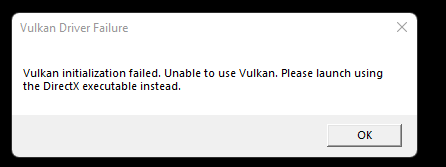
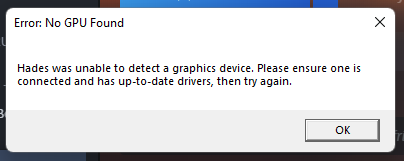


hello I am French and I play the piano can send you (in public message) the piano score of some of Hades music please
 iron glade
my hades save seemingly got deleted due to cross save
ive been playing through on switch, then played on that save file (using cross save) a few weeks ago on PC.
since then, i've played much more on switch without playing on pc.
today, I opened the pc version, and it synced that save (from a few weeks ago) to the cloud, which then overwrote the most recent save on switch, then THIS save backed up to Switch Online, all without asking me if i want to keep a local save or overwrite with a cloud one.
any chance of recovering the save?
stray elm
iron glade
my hades save seemingly got deleted due to cross save
ive been playing through o...
Heyo! Unfortunately, there isn't a way to recover progress on the Switch, due to technical limitations. You could potentially check the Steam Cloud here, though I don't have high hopes. https://store.steampowered.com/account/remotestorageapp/?appid=1145360
If you lost more progress than you'd want to replay, the devs do have some premade save files that may help
iron glade
I’ve got the PC game on EGS so can’t use this fix, thanks anyway! I guess this is an excuse to play more of the game lol
 umbral dome
I just cant launch the vulkan version of hades from steam. I have an AMD GPU and my drivers are the latest version running on Windows 11 22000.376
 stray elm
umbral dome
I just cant launch the vulkan version of hades from steam. I have an AMD GPU and...
stray elm
umbral dome
I just cant launch the vulkan version of hades from steam. I have an AMD GPU and...
Heyo! Have you tried the Default option, and how does it work?
umbral dome
stray elm
Heyo! Have you tried the Default option, and how does it work?
I played a lot with directx version, but i got some occasional frame drops, I heard the vulkan version was more stable so I went to try it, but cant get it to work
stray elm
umbral dome
I played a lot with directx version, but i got some occasional frame drops, I he...
It's not necessarily more stable, depends on your graphics setup. There are some other things to try in #h1-tech-fixes , I'd take a look through there
viscid flax
winter pivot
just before the hades fight, there is a part of the bridge that gets drawn over ...
It would be better if you just try Vulkan build
Also i don't understand why you are using such an old Proton build either.
DXVK component in it would be old which may very well lead to that visual issue on default D3D backend.
Test with Proton 6.3
winter pivot
kk il do that, i just use proton 4.11 as the first one to test with, nd it just worked
 stark sparrow
Hello I am having an issue with the Epic Game Store version. Whenever I am in the game I cant access the pause menu with my controller. I can use my keyboard, but when I try to switch back to my controller to navigate the pause menu, it doesn't allow me so select anything. Also when I try to use my cast for some reason it makes the character dash as well. I have tried reinstalling, updating my drivers, verifying the game files, and entering the launch options command line, but none of this has worked. Has anyone else had this issue?
faint jewel
stark sparrow
Hello I am having an issue with the Epic Game Store version. Whenever I am in th...
Hi, I'd try backing up and deleting Profile1.sjson file that can be found in \Documents\Saved Games\Hades. This will restore the settings to default. Then I'd check if you can pause using controller and if there are no issues when casting.
What controller are you using?
stark sparrow
Just an xbox 1 controller
stark sparrow
faint jewel
Hi, I'd try backing up and deleting Profile1.sjson file that can be found in \Do...
WOW!!....
You're a freaking Genius!! THANK YOU SO MUCH!
faint jewel
Glad it worked 🙂