#h2-tech-support
1 messages · Page 1 of 1 (latest)
 warped hawk
 eager yarrow

 wet terrace
Can i join the technical test on steam deck o.o or is it only straight pc
 lethal heron
wet terrace
Can i join the technical test on steam deck o.o or is it only straight pc
lethal heron
wet terrace
Can i join the technical test on steam deck o.o or is it only straight pc
Here are the minimum system requirements for the Technical Test:
OS: Windows 10 64-bit
Processor: Dual Core 2.4 Ghz
Memory: 4GB RAM
Graphics: 2GB VRAM / DirectX 12+ support
 hushed dragon
Believe steam deck uses proton to emulate windows and should be ok idk about dx12 support but I think so?
 half oar
Is the technical test possible on a Mac?
Also really hoping I can play EA on Mac if that isn’t the case
 earnest cliff
@wet terrace yes the Steam Deck will work as well, we've updated the post to clarify that
@half oar unfortunately the Technical Test will not be on Mac
hushed dragon
As a note even with parallels running windows it doesn’t look like that supports dx12 yet.
 delicate storm
Gavin, can you clarify whether tech test players will be able to stream the game? Lot of people are wondering, and while I'm not a content creator I plan to stream the game for some friends
(that is, if I get picked)
half oar
earnest cliff
<@730208772684906587> unfortunately the Technical Test will not be on Mac
Well that’s a shame. I am assuming that I’ll be able to play during early access and/or full release right?
 waxen nebula
earnest cliff
<@421882294689857547> yes the Steam Deck will work as well, we've updated the po...
waxen nebula
earnest cliff
<@421882294689857547> yes the Steam Deck will work as well, we've updated the po...
Oh my gosh that’s so cool
 austere iron
delicate storm
Gavin, can you clarify whether tech test players will be able to stream the game...
austere iron
delicate storm
Gavin, can you clarify whether tech test players will be able to stream the game...
Hey, those who are selected for the Hades II Technical Test will be able to stream the game, take screenshots, and so on.
waxen nebula
Do you guys have an estimate on how many people you’ll let in on your first wave of admissions? I know you said it wouldn’t be many and it’s fine if you don’t have an answer yet
 pure frost
On the steam update it says that the game will ask you to stop playing after a few clears, can you still play past that or will it force you to stop?
austere iron
waxen nebula
Do you guys have an estimate on how many people you’ll let in on your first wave...
All the details we can share are in the announcement post! We won't be able to provide specific estimates. Thank you for your understanding!
waxen nebula
No problem, thank you so much!
 native sonnet
earnest cliff
<@730208772684906587> unfortunately the Technical Test will not be on Mac
native sonnet
earnest cliff
<@730208772684906587> unfortunately the Technical Test will not be on Mac
Ah, darn, but glad to know that now
Need to check my laptop to see if it’ll run fine there…
 warm halo
the system requirments are so low, that anything that actually working will run Hades XD
earnest cliff
half oar
Well that’s a shame. I am assuming that I’ll be able to play during early access...
we expect Hades II will eventually be available on Mac yes, though we don't know when
 sly surge
Could you tell us when the first round of people will receive access?
waxen nebula
they said quite soon
native sonnet
I’m sure the server will light up the moment people get their emails
waxen nebula
doubt they have an exact answer
pure frost
I'd like to think this week potentially but my guess is they'll do it next week
waxen nebula
I can see either happening
 ember egret
sly surge
Could you tell us when the first round of people will receive access?
ember egret
sly surge
Could you tell us when the first round of people will receive access?
A lot of people are theorizing that it'll happen during the next blood moon
And you'll have to log in at the height of the carnage to get testing accesss
half oar
 lament plover
May I ask if content creators from China can also participate
lament plover
May I ask if content creators from China can also participate
There’s the link for content creators to request a key, not sure if it works in other countries though
 naive quest
half oar
Hoping mac port is soon-ish
naive quest
half oar
Hoping mac port is soon-ish
My guess is there likely wont be a mac port until after the full release, since thats what happened with the first game I'm pretty sure
Before I owned a pc, I would avoid spoilers during the early access by not interacting with any hades content at all and it worked pretty well
Just try to avoid stuff as best as you can and dont interact with it and you likely wont see any spoilers
 scenic wasp
karlach karlach :D
 inland grail
naive quest
My guess is there likely wont be a mac port until after the full release, since ...
inland grail
naive quest
My guess is there likely wont be a mac port until after the full release, since ...
As far as i understand it developing games for Mac is a pain in the behind.
 elfin fulcrum
 vital fiber
Let me in
inland grail
I don't think saying "Let me in" will make then select you lol
eager yarrow
The participants are selected through steam, not discord
inland grail
Yeah ^^


 heady notch
I really hope so too. I signed up as soon as I heard the news
 old fern
When can we get the demo of Hades 2?
eager yarrow
You can request access to the technical test by going to the steam page and clicking it, I don’t know if there’s going to be an actual demo after that tho
But early access will release  after the test is over
old fern
I'm alredy requested, thank you
 celest raven
Please let me in😍
waxen nebula
They’re not taking discord requests
If your signed up your on the list of possible applicants
 astral compass
eager yarrow
You can request access to the technical test by going to the steam page and clic...
astral compass
eager yarrow
You can request access to the technical test by going to the steam page and clic...
Request for a test has been made
 umbral shuttle
Hey, I got the email and installed the technical test and was met with this error
*An error occurred while launching this game : missing executable - ....\Steam\steamapps\common\Hades II Technical Test\Ship\Hades2.exe"
 winter mauve
umbral shuttle
Hey, I got the email and installed the technical test and was met with this erro...
winter mauve
umbral shuttle
Hey, I got the email and installed the technical test and was met with this erro...
Same^ checked the installed version and can confirm there is no exe
I'm sure they probably will update that. Psyched to try it out though!
 crisp quartz
Hey there, sorry about that - we're looking into this right now!
umbral shuttle
crisp quartz
Hey there, sorry about that - we're looking into this right now!
Thanks a lot!
My guess is the spacing in that folder?
(I have no idea)
 tacit iris
This had been a test of the Emergency Hades system, had this been an actual game... 
winter mauve
Look the first step is creating your own compiler to start the game and create the executable ez
crisp quartz
We've identified the issue - @umbral shuttle , @winter mauve @tacit iris Could you give it another try?
You may need to restart Steam.
winter mauve
crisp quartz
You may need to restart Steam.
sure np
 gentle spade
crisp quartz
We've identified the issue - <@459116193941291028> , <@226781808690200578> <@196...
gentle spade
crisp quartz
We've identified the issue - <@459116193941291028> , <@226781808690200578> <@196...
Update worked, Thank you! (at least for me)
umbral shuttle
Worked for me too! Thanks!
tacit iris
Yep works now 
crisp quartz
Great!
winter mauve
Same!!
 honest current
I have some probs with play test
 sharp pike
is early access going to mac anyone know?
 blissful kelp
crisp quartz
Great!
blissful kelp
crisp quartz
Great!
Im still having the Missing Executable bug
I restarted steam, do i need to uninstall and reinstall the game/ verify files again?
crisp quartz
Yes, give it another try please
 keen reef
I think proton will be able to execute it
 near mantle
I too am missing the exe, just restarted Steam and am redownloading it now. Hopefully that works.
blissful kelp
crisp quartz
Yes, give it another try please
doesnt work :/ reinstalled/ reverified the files and reset steam
 austere sphinx
i am also facing similar issue
blissful kelp
oh, i just got notified of an update to download
Im going to grab it asap!
got in! Thank you Ellis!! 
austere sphinx
getting update as well! Thanks for support
near mantle
It WORKS
austere sphinx
it launched!
crisp quartz
Good, I'm glad the update was just taking a little bit of time to get out to you 👍
 delicate python
Hi @fallen star , we've identified the issue you're facing. Could you try restarting Steam?
 fallen star
delicate python
Hi <@216194198733455360> , we've identified the issue you're facing. Could you t...
fallen star
delicate python
Hi <@216194198733455360> , we've identified the issue you're facing. Could you t...
Its fixed, thank you!!
lethal heron
sharp pike
is early access going to mac anyone know?
The Technical Test cannot be downloaded on Mac, I doubt the Early Access will be on Mac initially.
 cedar flicker
For bug reporting in the tech test, would y'all prefer Steam or  ?
?
crisp quartz
F10 please!
sharp pike
lethal heron
The Technical Test cannot be downloaded on Mac, I doubt the Early Access will be...
the initially part gives me some hope
lethal heron
sharp pike
the initially part gives me some hope
Honestly I would doubt Mac support until full release or after, but we may be surprised.
 rotund viper
yeah they will prob release mac ver on full release like how they did with Hades
 spiral nebula
I'm geting an render creation error, anyone know about this??
crisp quartz
@slim gulch
 slim gulch
spiral nebula
I'm geting an render creation error, anyone know about this??
slim gulch
spiral nebula
I'm geting an render creation error, anyone know about this??
can you send me a screenshot here or in a DM?
sharp pike
rotund viper
yeah they will prob release mac ver on full release like how they did with Hades
that will be another year of wait 😦
rotund viper
welp
lethal heron
Can confirm Steam Deck, not sure if anyone already has.
 slim snow
Hi team! How long will the technical test be available?
 radiant bramble
@slim gulch I just wanna say I love your pfp 🫡
crisp quartz
From the development update on our website and socials:
The nature of the Test is such that we don't know exactly how long it will last, though our estimate is longer than a week, shorter than a month. We likewise don't know exactly when we will launch Hades II in Early Access, since that will depend on how long we end up having to run the Technical Test for.```More info here: https://www.supergiantgames.com/blog/hades2-tech-test-sign-up
slim snow
Thanks Ellis! Would love to get more runs in but I have to go back to work 😆
crisp quartz
It won't disappear while you're away, no worries 🫡
 onyx niche
If i didnt get invite to technical tests today, will i be able to get it later this week? Will there be another wave or invites?
crisp quartz
From the development update on our website and socials:
A subset of players who request access will be invited to participate via an email from Steam with download instructions. We expect to start with a small player population, then grow it over time. So, even if you aren't invited to the Technical Test right away, you may still be invited later. Our process boils down to: invite some players, fix any problems they run into, invite more players, and so on. Once we're sufficiently confident that things are stable, we'll wind down the Technical Test, then launch in Early Access on Steam and the Epic Games Store relatively soon after.

As the purpose of the Technical Test is to test the game with a relatively small audience, we may not be able to honor individual requests to participate. We will do our best to conduct the Technical Test as expeditiously as possible, then launch in Early Access, at which point the game will be available for anyone to purchase and play.```
More info here: <https://www.supergiantgames.com/blog/hades2-tech-test-sign-up>thx
 lusty root
Hi! Question, do we report the tech issues or also localization for example (playing not in english!)
crisp quartz
You can report localization issues as well using the key in-game!
lusty root
oki, thank you
warm halo
crisp quartz
You can report localization issues as well using the <:f10:588476684609519617> k...
As always 😛
 pastel mauve
crisp quartz
From the development update on our website and socials:
```Who Gets to Participa...
pastel mauve
crisp quartz
From the development update on our website and socials:
```Who Gets to Participa...
Can’t wait
cedar flicker
If players have gameplay feedback during the technical test, what is the best way for them to share it? Posting here in #h2-tech-support , #hades2-tech-test-discussion , or making a note of it to share when a more formal feedback method opens up for EA?
crisp quartz
You can share it in any of the discussion channels! There's not a "formal" feedback process for the technical test, but we will be reading what everyone has to say 👍
 sturdy star
Hello, I have a little problem, I tried to play the game on the Steam Deck, the game launches but Steam Deck buttons doesn't works I tried to switch controller configuration, enable/disable Steam Input but nothing works, I was in game mode
 frank pagoda
I'm fiddling in the menu to find technical bugs. Not sure if it's intentional, but when you access the Credits and scroll with the left and right stick to move the list of names, the hub cursor elements will also move.
earnest cliff
@frank pagoda please send that one via thanks!
frank pagoda
sturdy star
Hello, I have a little problem, I tried to play the game on the Steam Deck, the ...
I'm on Steam Deck and it works out of the box for me. Maybe try forcing a specific Steam Play Compatibility Tool?
sturdy star
Oh good idea
 shell adder
sturdy star
Oh good idea
shell adder
sturdy star
Oh good idea
Yeah, which Proton version are you running on?
sturdy star
GE Proton 8 - 31
frank pagoda
Let me check mine too
shell adder
I know that 8.0-5 and 9.0 Beta work for me, but those are the ones that ship with Steam
Another thing to try is simply restarting your Deck
shell adder
Thanks, I'll make a note of that!
frank pagoda
frank pagoda
Let me check mine too
I'm on default compatibility, but I can run through all the available proton versions I have after I submit my first thing
 tough frigate
is it normal that the backgrounds of the character miss blocks and glitch out?
 glass citrus
Hey, I tried to open the game, but it showed this (https://cdn.discordapp.com/attachments/813516578947334184/1230251124754485398/image.png?ex=6632a3a5&is=66202ea5&hm=b41fda06b7b259e45efa47cb0db66cef84f843b0b15315a6a34f67a61be7334f&)
I have a GTX 650 ti, is suposed to have suport for D3D12, but when I look at my drivers via DxDiag it shows "feature levels: unknown"
also, I just update the drivers and rebooted my PC
 crisp quartz
tough frigate
is it normal that the backgrounds of the character miss blocks and glitch out?
crisp quartz
tough frigate
is it normal that the backgrounds of the character miss blocks and glitch out?
Try verifying your installation - this sounds like it's being caused by a missing or corrupted game file.
Right-click the game in your Steam library > Properties > Installed Files > Verify integrity of beta files
crisp quartz
glass citrus
Hey, I tried to open the game, but it showed this (https://cdn.discordapp.com/at...
Hi, could you email support@supergiantgames.com with the following:
-
Your DxDiag: https://support.microsoft.com/en-us/help/4028644/windows-open-and-run-dxdiagexe
-
Your Hades II.log located here:
\Users\[username]\Saved Games\Hades II Test\Hades II.log
Open and run DxDiag.exe
spiral nebula
glass citrus
Hey, I tried to open the game, but it showed this (https://cdn.discordapp.com/at...
im having the same problem
but with amd radeon r7 200
 vast agate
Game crashes if my system goes to sleep and refuses to close until restart. Happens on windows 11 and Mac through the game porting toolkit
crisp quartz
vast agate
Game crashes if my system goes to sleep and refuses to close until restart. Happ...
Hi, sorry about that - is the game crashed (like with an error dialog), or unresponsive/frozen?
vast agate
Unresponsive / Frozen
crisp quartz
Thanks, I'll see if I can reproduce the issue
glass citrus
spiral nebula
im having the same problem
well... in the popup that it opens when I open dxdiag, I always said "yes" to bypass
right now, I opened again and this time clicked "no"
and then the drivers features are showing. my GPU doesnt suport feature level 12, only 11-
can you see your drive feature levels?
spiral nebula
glass citrus
well... in the popup that it opens when I open dxdiag, I always said "yes" to by...
yes, it seens to be level 12
i tested in the native GPU and game started
seems to be a specific problem
crisp quartz
vast agate
Unresponsive / Frozen
I've reproduced and reported this issue; we're looking into it!
vast agate
crisp quartz
I've reproduced and reported this issue; we're looking into it!
oh sick
vast agate
Flew too close to the sun, left the game open on pc and mac while working, games both crashed at unknown times with sleep off.
crisp quartz
If they crashed to desktop, we will have received an automated error report that we'll investigate along with all other crash reports coming in from the tech test!
vast agate
perfect
fallen star
Sorry, not sure if this is considered to be a bug. Sometimes when interacting with Meditation / Interactions that have the "!" icon over it, it sometimes stays even after I interacted with it? Two times the charm but just seems a bit odd
earnest cliff
@fallen star please report that kind of thing to us ewith next time you see it, thanks!
fallen star
Will do, thanks
 wise galleon
In the middle of a run, when I open the "Book of Shadows" and press the "Offerings" button, my game freezes and I have to force-stop it. I also tried using F10 so I could send a report through the game itself, but then the game froze as soon as I pressed F10  . Not sure if it has been reported already but thought I should mention it!
I can press F10 and send reports in other parts of the game, **except **when the book of shadows is open.
earnest cliff
thanks @wise galleon we're looking into that!
 viral surge
Should I be reporting things like clipping into cosmetic objects and weird boundaries around the map?
 polar pivot
Am I permitted to use a friend's account to play the technical test or is there some form of eula in place that makes that a nono?
 devout epoch
Im having an issue where my game just will not start. Any fixes?
earnest cliff
@devout epoch sorry to hear that, are you getting any kind of error message you can post a screenshot of?
devout epoch
No. I just hit play, it loads for a second, then nothing happens
Tried uninstalling and reinstalling, no luck
earnest cliff
does this folder and file exist for you?
%USERPROFILE%\Saved Games\Hades II Test\Hades II.log
if so can you send it to me here or in a DM
devout epoch
Idk how to check. Im basically brand new to steam lol
Like, the computer Im on was finished being built less than an hour ago
earnest cliff
that's a folder to navigate to in Windows, you can paste it into the Windows Explorer bar
frank pagoda
Question- should I report any edges/ parts of the map that Mel gets slightly stuck on? I don't know if that would be natural collision boundaries, or something that requires genuine technical attention.
earnest cliff
frank pagoda
Question- should I report any edges/ parts of the map that Mel gets slightly st...
feel free to report anything that feels wrong to you with
devout epoch
Went to my folders. nothing there
cedar flicker
frank pagoda
Question- should I report any edges/ parts of the map that Mel gets slightly st...
(if you're not sure, err on the side of reporting ^.^ Something feeling weird is just as valid as an actual collision issue)
frank pagoda
Gotcha! I know someone has to follow up on these submissions, so I wanted to ask before I sent dozens of things that might not be seen as an issue.
devout epoch
What should I do if the folder isnt there? Am I just kinda boned?
earnest cliff
devout epoch
What should I do if the folder isnt there? Am I just kinda boned?
i'll send you a DM!
frank pagoda
devout epoch
What should I do if the folder isnt there? Am I just kinda boned?
I'll let Gavin handle it, but I would also try to verify the integrity of your game files. Here's a link on how to do that.https://help.steampowered.com/en/faqs/view/0C48-FCBD-DA71-93EB

 gloomy ivy
Will they still distribute more keys?
 tired shore
gloomy ivy
Will they still distribute more keys?
tired shore
gloomy ivy
Will they still distribute more keys?
yep, probably this and half of the next will be really limited but after that they could distribute more
gloomy ivy
Where do I send the errors I found?
tired shore
gloomy ivy
Where do I send the errors I found?
steam forum and this channel
gloomy ivy
ok
cedar flicker
gloomy ivy
Where do I send the errors I found?
Bugs and issues should be reported in-game by pressing
gloomy ivy
cedar flicker
Bugs and issues should be reported in-game by pressing <:f10:588476684609519617>
ty
old fern
Waiting for Hades Demo Day 2
 vital steppe

 pseudo bison

 runic needle
Hello. Is there a way to report bugs other than crashes? I haven't found a place and I want to help with a minor issue I've found
 granite path
try pressing
runic needle
Aight, thanks!
 burnt viper
The only report I have is that I didn't find any bug
 lofty wave
Is the playtest also available for macOS?
 humble niche
lofty wave
Is the playtest also available for macOS?
humble niche
lofty wave
Is the playtest also available for macOS?
It's not #h2-tech-support message
 azure current
LET. ME. IN
waxen nebula
They don’t take requests
Wait patiently and if you don’t get it, EA is just around the corner
 fickle quartz
I heard that every time someone asks for access to the Technical Test, the gap between the end of the test and the start of early access gets longer...
waxen nebula
Not necessarily
They will just add more people as it goes on
If they find a ton of bugs it may be longer but that’s obvious
fickle quartz
I dunno, I'm inclined to trust this mysterious Eris woman over the testimony of a Frog. They seemed very reliable
waxen nebula
SGG has already come out with a timeframe and said it most likely won’t be longer unless there’s a ton of bugs
I’m not just making this up lol
 velvet palm
I think it's a joke
waxen nebula
Oh fair enough
 amber flare
I wish I had more feedback on the technical test outside of
- There was a brief visual glitch where the speech bubble that indicates who's talking (in chirps outside of conversations) would briefly show up below the character before jumping to the top, but I couldn't get that to replicate after my first run.
- oh my God I want more
eager yarrow
you can report bugs like this with F10 in-game
amber flare
Oh nice, if it crops up again I'll do that
 bleak grail
Is there a place to report that you haven't found any bugs and oh my goodness SSG is amazing
 open osprey
small visual bug with the 16:10 aspect ratio where you can see the sunbeams offscreen when talking to a someone, couldnt really report in game due to being controller only on deck
 nocturne wren
just played the whole technical test, everything was perfect, just had a small "bug"(?) which was just a stuck indicator for nothing (the glowing square on the boon meaning that its ready)
 spiral kestrel
nocturne wren
just played the whole technical test, everything was perfect, just had a small "...
spiral kestrel
nocturne wren
just played the whole technical test, everything was perfect, just had a small "...
Same here on my end. Haven't caught any bugs yet, which seems to be a good thing. Only hiccups that existed were some loading delays for me. Gonna have to try out another session to see if it is a first-time thing, or if it comes with having a crappy laptop XD
 kind hamlet
nocturne wren
spiral kestrel
Same here on my end. Haven't caught any bugs yet, which seems to be a good thing...
kind hamlet
nocturne wren
spiral kestrel
Same here on my end. Haven't caught any bugs yet, which seems to be a good thing...
sadly i wont be able to get any more sessions, i went through it too fast
spiral kestrel
nocturne wren
sadly i wont be able to get any more sessions, i went through it too fast
Sadge.
 pulsar quarry
Assuming you mean steam deck, you should be able to rebind one of the back buttons to f10
 covert vault
Had one bug when interacting with the cauldron where Melenoe’d start moving in a random direction during the camera pan back but other than that it’s been really smooth so far
 viral imp
Double checking--will the test prompt me if there's any hiccups or do I need to be doing something specific to report them?
 torpid raft
 little citrus
press f10 while playing
viral imp
thank youuuuuu
frank pagoda
pulsar quarry
Assuming you mean steam deck, you should be able to rebind one of the back butto...
That's way smarter than what I did- I rebinded it to the down button on the dpad
 supple cipher
so far everything's smooth on my end, occasionally the ❗ notif on the cauldron exists after I've checked it and read everything already, I check it again and it goes away
earnest cliff
Hades II Technical Support FAQ
https://supergiant.games/hades2faq

From all of us at Supergiant Games, thank you for choosing Hades II . If you're experiencing any issues with the Technical Test version of the game, please check below for a solution. We expect to update this throughout our Early Access. Note: How to Report Bugs While Playing If you run into a bug while playing, please consider pressing F10 to r...
 crystal rampart
Early Access shall be fun! I've just watched the demo and the game looks promising. I've opted into the test on Steam, hopefully, the die will roll my way. ❤️ Definitely will stream it if it does.
old fern
Waiting for Hades Demo Day 3
 molten ocean
Completed the game, so far no bugs and overall great performance. Can't wait for early access!
 wind sable
Same thing for me
 calm valve
i'd literally pay $1 to get early acess earlier
waxen nebula
If all of us pay 1 dollar for early access… 
calm valve
waxen nebula
If all of us pay 1 dollar for early access… <:thanthink:669246004142538753>
if that happens supergiant funds would suddenly grow so much lol
 sly furnace
An extra dollar on the price of EA for it to be earlier
 covert lance
Didn’t eidos do that with mankind divided?
The whole augment your preorder or whatever?
I’d rather have SGGs not do that.
I trust them and their distribution model as it is right now
They’ve been at it for 15 years ||dear god  ||
||
They know what they’re doing
waxen nebula
Indeed, Twas merely a jest
 zealous heart
Hey guys, while playing the Hades II Technical Test, I have noticed that Erebus is translated into Russian as "Эреб" (it was "Эребус" in the Hades 1) and Elysium is translated as "Элизий" (it was "Элизиум" in the Hades 1). I know that it is not critical, but I guess it would be better to keep old names?
pseudo bison
btw does someboady know if the email will come to you (tech playtest) do you need to click something or will it automaticly add to account? Asking in case it would land in spam folder
zealous heart
pseudo bison
btw does someboady know if the email will come to you (tech playtest) do you nee...
when I noticed the email, I checked my library and it was already there
humble niche
zealous heart
Hey guys, while playing the Hades II Technical Test, I have noticed that Erebus ...
Hey, when it comes to such translation-related feedback, it's best to send a report by pressing F10 while in-game.
zealous heart
humble niche
Hey, when it comes to such translation-related feedback, it's best to send a rep...
wow, thanks didn't know!
humble niche
In general, F10 is used to send bug reports (which you are welcomed to report if you find any!), but it also works for this purpose 😉
 gleaming robin
I encountered a UI/layout glitch while playing last night. Since I'm playing on a Steam Deck, the best I could do was take a screenshot of the glitch, since it wasn't a game breaking bug. Should I simply email that screenshot in?
I've mapped F10 to a key in case it happens again, but hitting it now won't show what I saw.
humble niche
gleaming robin
I encountered a UI/layout glitch while playing last night. Since I'm playing on ...
Yes, please! You can send it to support@supergiantgames.com with the screenshot and describing what's wrong/how it happened.
gleaming robin
humble niche
Yes, please! You can send it to support@supergiantgames.com with the screenshot ...
Okay, will do! Thank you very much! I'm loving the game by the way. I was a massive fan of the first game and have been having a great time in the technical test.
 simple dagger
hi! i was wondering if hades 2 is likely to be able to run on integrated graphics? i've applied for the technical test and just wanted to check 🙏
earnest cliff
simple dagger
hi! i was wondering if hades 2 is likely to be able to run on integrated graphic...
As long as the integrated card is reasonably new and you have 8gb of system RAM, it should work fine! Official min-specs are listed in the Steam store page.
simple dagger
oh okay ty!!! i have 16gb ram and irisxe graphics 🙏
i'm terrible with requirementsLJSDLDFKJSDF
 severe delta
About video card - there is "DirectX 12 (Feature Level 12_0)" requirement listed on Steam now, and dxdiag shows 11_1 as max feature level for my video card. There is no hope?
earnest cliff
severe delta
About video card - there is "DirectX 12 (Feature Level 12_0)" requirement listed...
It doesn't mean "for sure" the game won't run, but we unfortunately can't guarantee that it will.
severe delta
earnest cliff
It doesn't mean "for sure" the game won't run, but we unfortunately can't guaran...
Thank you, guess I will give it a try once EA is live)
glass citrus
severe delta
About video card - there is "DirectX 12 (Feature Level 12_0)" requirement listed...
I found that before yesterday. lets pray together that they add suport for our gpus!
🫂
 unborn pendant
happy to report that no problems were encountered on my playthough, everything went smoohtly and I tinkered with the options a bit
 sleek grail
im not sure if this was intentional or not but on the options when i select each category (graphics/sound/etc) i have to select it with the button (A on xbox controller) and then still tap right on my dpad/joystick
 tepid galleon
sleek grail
im not sure if this was intentional or not but on the options when i select each...
tepid galleon
sleek grail
im not sure if this was intentional or not but on the options when i select each...
I can confirm this on my end. It's a small thing but it is definitely a little clunky - the extra A press isn't really necessary. Scrolling up and down the list with a controller should, intuitively, swap tabs without the need to actively select them.
 wary gazelle
Theres a bug i found
i need to report
when talking to the Frog the character wanders off screen to the point where she walks back and then pets the frog
cedar flicker
wary gazelle
when talking to the Frog the character wanders off screen to the point where she...
Heyo! Please report bugs with in game, even if you're past where the bug happens
 halcyon wraith
wary gazelle
when talking to the Frog the character wanders off screen to the point where she...
halcyon wraith
wary gazelle
when talking to the Frog the character wanders off screen to the point where she...
OMG i had that too sldkfjlkds
i reported it already 
crisp quartz
Yeah, we're aware of that issue, thank you for your reports!
cedar flicker
crisp quartz
Yeah, we're aware of that issue, thank you for your reports!
I just noticed your avatar aksjsjshshsjs
 ripe talon
Completed my 5 wins. No major, bugs. Here's what I found questionable.
- The Artemis boon that fires a piercing arrow after hitting with an Ω cast has an odd delay on its audio. It's very noticible when used in conjunction with the Apollo boon that makes the Ω cast deal damage repeatedly after expiring. The Artemis arrows will repeatedly play a sound effect as though they're colliding with something off-screen.
- The Psyche resource can be difficult to see against the terrain in some areas.
- The damage/mana ratio on Zeus' sprint feels extraordinarily low compared to Poseidon's. I'm sure this will get addressed in early access and/or with other synergies, just wanted to put it out there though.
ember egret
Had a pretty bad issue while playing for the first time
Actually I should probably test more after updating my computer
polar pivot
Not very support related, just curious for some insight into the dev’s minds—any chance we could possibly get an April EA release? The game feels absurdly polished minus some minor UX issues and then some fairly negligible errors that don’t really affect actual gameplay.
old fern
Waiting for Hades Demo Day 4
covert lance
cedar flicker
I just noticed your avatar aksjsjshshsjs
those placeholders are a pure goldmine for playful chicanery 
they could also be a nice accessibility feature too
like - those boon icons are gorgeous
and seem to be way easier to read than in the first one BUT
they still can kinda blend in and get lost during combat - especially when playing on a big screen on the other side of the room or something
do you think we could maybe keep those letters on in later versions as an optional accessibility feature?
it'd be way easier to see that "oh yeah i have a XY" on my attack when spelled in bold white letters instead of squinting and trying to decipher the icon during combat
 dense geode
ripe talon
Completed my 5 wins. No major, bugs. Here's what I found questionable.
1. The A...
dense geode
ripe talon
Completed my 5 wins. No major, bugs. Here's what I found questionable.
1. The A...
I mean it's like the calls from hades 1 which were inhernatly unbalenced
for point 3
and I say that because of how much poseidon's sprint thing reminded me of his call
 leaden panther
didnt know where to share this, but felt like i had a slightly weird setup that worked. 8bitdo receiver + wii u pro controller, the tech test states that its an unsupported controller but i had no issues while playing!
Also using steam link this morning, only thing to note was that it kept the "swap a and b button" global config, so dash was on b. Once toggled, worked as expected
 hasty geyser
i've encountered a visual bug on steam deck but am unsure what the bug report shortcut is, does anyone know?
velvet palm
hasty geyser
i've encountered a visual bug on steam deck but am unsure what the bug report sh...
Try checking at the bottom of where you rebind the controls, pretty sure that you can assign one for bug reporting
Otherwise maybe steam input so one button acts as f10?
hasty geyser
nice, ty!
unfortunately i didn't realise it takes a screenshot of the moment you open the report so i may have to wait and see if it happens again
velvet palm
I'd say just describe the bug as best as you anyways
Or if it seems replicable then you could wait
hasty geyser
selene's gift screen had the title overlaid on top of the first boon option
hasty geyser
did in fact happen again so i reported it, didn't have a gameplay impact besides making the first option hard to read lmao
 flat flax
Hecate's damages seems kinda busted, or am I just bad ? And her "now we're three and it's green flamethrower time" attack is really difficult to read, no ?
waxen nebula
it turns slow and has deceptively short range
keep getting a feel for the boss and youll master that one pretty easy
flat flax
I already beaten her twice, but still between that and her damages its not really tempting to experiment with limits and stuff
blissful kelp
Im getting a bug where if i spam/ click through text fast the moves/ title, wording etc all covers one another
i have a screenshot but I dont see any options on where to post it here or on steam
Can anyone help? Recent bug happening pretty constantly as of today
velvet palm
blissful kelp
i have a screenshot but I dont see any options on where to post it here or on st...
press f10 in game
covert vault
flat flax
I already beaten her twice, but still between that and her damages its not reall...
Remember your dash has iframes
blissful kelp
velvet palm
press f10 in game
omg thank you! Submitted!
so what do we do when f10 crashes the game? lol
its stuck in a permanent pause screenxD
eager yarrow
did you tab back into the game?
blissful kelp
eager yarrow
did you tab back into the game?
yup, it just holds it as the screenshot basically without being able to do anything
had to crassh the game via steam to get to play again
cedar flicker
blissful kelp
yup, it just holds it as the screenshot basically without being able to do anyth...
Was the f10 screen still open?
blissful kelp
cedar flicker
Was the f10 screen still open?
Yes, but the game closed
It was very odd
And then i couldn't close the screen but steam said the game was up, so i forced closed via steam
cedar flicker
Huh
blissful kelp
Happened on moon lady
unborn pendant
minor bug reports, just in case
charon is using the fire boon deity picture
there's a miniboss that can create a pool rooting you, if you stun it before she can finish her cast, the pool warning effect (purple circle outline iirc) remains
velvet palm
unborn pendant
minor bug reports, just in case
charon is using the fire boon deity picture
ther...
charon/hestia is placeholder art
 storm vale
Also technically not the same. Hestia's red. 😛 /j
cedar flicker
unborn pendant
minor bug reports, just in case
charon is using the fire boon deity picture
ther...
Could you report that last one with in-game?
I'll also look out for it on my next run and report it if I see it
unborn pendant
probably worth adding F10 to the pinned messages
cedar flicker
I believe it is, near the top
covert vault
Minor visual bug with the boon menu for || Selene || that kinda broke the text at the top a bit
cedar flicker
covert vault
Minor visual bug with the boon menu for || Selene || that kinda broke the text a...
could you report it with in-game?
covert vault
I sent the screencap with the bug report feature but I can't seem to figure how to add text to it on Steam Deck
It won't pull my keyboard for some reason
cedar flicker
oh weird - that's also good to know, haha
gleaming robin
Last time I tried to open an F10 report on the Steam Deck, I had to quit the game to get out of it. Hitting F10 again, or ESC, didn’t do it.
 molten locust
gleaming robin
Last time I tried to open an F10 report on the Steam Deck, I had to quit the gam...
molten locust
gleaming robin
Last time I tried to open an F10 report on the Steam Deck, I had to quit the gam...
I think it's mentionned that F10 only works on Windows, although I don't remember where I read that
cedar flicker
That was the case for Hades 1, iirc, so it may not be fully functional on Steam Deck?
gleaming robin
molten locust
I think it's mentionned that F10 only works on Windows, although I don't remembe...
Thanks, good to know. The took a screenshot of the bug I encountered and emailed it in along with details of what was going on at the time.
 worn mango
do u guys know like i understand the technical test is a small group but will the early access be open to everyone or still invitational? (or is it not confirmed yet)
cedar flicker
worn mango
do u guys know like i understand the technical test is a small group but will th...
Afaik, early access will be a standard early access system where anyone can buy in
molten locust
worn mango
do u guys know like i understand the technical test is a small group but will th...
The EA seemed to be open for everyone. You'll have to buy a copy though.
molten locust
gleaming robin
Thanks, good to know. The took a screenshot of the bug I encountered and emailed...
If you have any questions, you can check the pined message that has a link to the FAQ for the technical test. That's where I read the info.
gleaming robin
molten locust
If you have any questions, you can check the pined message that has a link to th...
I read that the other day. I ultimately asked here what to do as a Deck user to submit a bug report, and was told to email it in.
molten locust
gleaming robin
I read that the other day. I ultimately asked here what to do as a Deck user to ...
Yeah, at the end it's mentioned to just email them if all else fails.
gleaming robin
molten locust
Yeah, at the end it's mentioned to just email them if all else fails.
Yup, read that as an option. I just verified it here. It’s all good.
 weary onyx
for some reason the door to the run start is "sealed", and I can't, well, start the run
is the test is already over, or is this some weird obscure mechanic or is this a bug?
i talked to everyone in the camp and have nothing to interact with and I am really confused
cedar flicker
there should've been a pop-up after your 5th victory that said you've completed the test, yes
weary onyx
huh
in russian translation it was worded as "you may consider the test completed" if I am not misremembering, so I thought I still could play it even after the fifth win
can I at least start a new save and play on it? or is it over for me?
cedar flicker
you can start a new save, yeah, though the limit is mostly to encourage people to save most of their gameplay for early access, because your tech test progress won't carry over
weary onyx
well, that understandable (and now I am torn between starting new save to keep playing or giving up and waiting for early access)
thank you for help!
cedar flicker
Sure thing! Best of luck either way
old fern
Waiting for Hades Demo Day 5
 quiet phoenix
game has been quite stable so far! I did find that through a pretty convoluted sequence of inputs you can freeze mel mid animation until you input another thing. my internet is down or I would put it in the f10 reporter
specifically what I do to reproduce is with the staff equipped, press and hold cast -> immediately dash -> quickly tap attack which will reset the omega cast charge, then tap attack again and release cast.
obviously not something I think a lot of people will run into and not a big deal it just kinda looks funny
 topaz marten
Is there a way to submit bug reports and screenshots after-the-fact for the technical test? I caught a couple of small bugs while playing yesterday, took screenshots as they happened, but I don't see a way to submit a previously-captured screenshot with a bug report?
cedar flicker
topaz marten
Is there a way to submit bug reports and screenshots after-the-fact for the tech...
You can email them to support@supergiantgames.com
 mossy coral
does anyone know a way to solve the error:
The procedure entry point SetThreaDescription not found dynamic link library
i cant open the game from steam and when i open it from local files it shows this error
I've tried to do scannow in cmd and restart my computer but it still dosent work
cedar flicker
mossy coral
The procedure entry point SetThreaDescription not found dynamic link library
Have you tried reinstalling?
 tranquil sphinx
What version is your Windows? Internet suggests that error can happen with older versions.
mossy coral
windows 10 version 1607
cedar flicker
The devs will also be back on during the week and can help investigate
mossy coral
alright
 smoky badger
did you do step 4 on the section on issues with launching the game?
https://steamcommunity.com/app/1145350/discussions/1/4361248648383659778/
From all of us at Supergiant Games, thank you for choosing Hades II . If you're experiencing any issues with the Technical Test version of the game, please check below for a solution. We expect to update this throughout our Early Access. Note: How to Report Bugs While Playing If you run into a bug while playing, please consider pressing F10 to r...
mossy coral
ill do that now
mossy coral
Still doesn’t work 😭
humble niche
mossy coral
Still doesn’t work 😭
Then please send an e-mail to support@supergiantgames.com and include the following files:
- Your DxDiag (https://support.microsoft.com/en-us/windows/open-and-run-dxdiag-exe-dad7792c-2ad5-f6cd-5a37-bf92228dfd85)
- Your Hades II.log located here:
%USERPROFILE%\Saved Games\Hades II Test\Hades II.log
Open and run DxDiag.exe
 astral torrent
It comes out really farting that i'm playing this technical test, And every time I get a certain type of god element for certain damages it seems like damages or not, Is giving the certain required buffs. i don't what it will take to defeating the lady. But I've never played the game at all.Even for the first game so I would just watch a bunch of videos on the first game to get a better understanding of the element but I don't know if the damage output for this technical test is the same from the first game.
 silk vapor
is it just me or there's a reaally slight input delay on hades 2? im using a series X controller
 sudden needle
silk vapor
is it just me or there's a reaally slight input delay on hades 2? im using a ser...
sudden needle
silk vapor
is it just me or there's a reaally slight input delay on hades 2? im using a ser...
I don't experience any input lag on the Steam Deck.
humble niche
silk vapor
is it just me or there's a reaally slight input delay on hades 2? im using a ser...
If it's related to movement, you could try adjusting Dead Zone in-game. If it's overall delay, maybe try toggling Steam Input (in Steam -> Settings - Controller), or things listed here, which should still be relevant #h1-tech-fixes message, especially the launch options.
If after trying those things you're still experiencing it, it's best to report it in-game by pressing F10, and describing in detail when and where it happens, and how big of a delay it is.
 raven cove
hey uhm I wanna ask for both Hades 1 and 2 about the input delay
60 frames have input delay while
over 60 is reactive as hell
I find it odd, can someone explain and help me fix the issue
humble niche
raven cove
hey uhm I wanna ask for both Hades 1 and 2 about the input delay
Have you tried things listed here #h1-tech-fixes message and here #h1-tech-fixes message ?
It might be also wroth toggling Steam Input for the controller you're using.
raven cove
humble niche
Have you tried things listed here https://discord.com/channels/45688943467220172...
how do I do the toggle off steam input delay then
and,how do I set to 32 bit pruton too, actually
humble niche
It's in Steam -> Settings - Controller
humble niche
Ah, okay, then this won't apply to you.
raven cove
am cooked
humble niche
raven cove
am cooked
Let's go over to #h1-tech-support , since you're saying it also happens with Hades I.
frank pagoda
Anyone on Steam Deck having issues closing out of the game? I finished a session, and my Steam Deck is perpetually "Stopping" the program.
I'd submit an F10 report but it's out of the game itself.
Can't turn off my Steam Deck either, but I could probably force stop it.
I just did a graceful restart (held power button down for 3 seconds) and that seemed to have worked.
 spice grotto
Is graceful restart your term for a soft reboot or just an amazing name for a reboot?
frank pagoda
spice grotto
Is graceful restart your term for a soft reboot or just an amazing name for a re...
Soft reboot, but it can be the latter haha
 astral flower
Wait so is hades 2 playable yet
cedar flicker
astral flower
Wait so is hades 2 playable yet
Hades 2 is currently going through a small technical test. Details are in #announcements and on the steam page
astral flower
cedar flicker
Hades 2 is currently going through a small technical test. Details are in <#4568...
Thx I rlly wanna try it
spice grotto
Even if you don’t get in the playtest, I think the devs said that the early access will open sometime this summer after it
 lilac stump
Earlier than that
We know that after the tech release is complete (within the next 25 days) they'll release EA, we just don't know how long between end of tech demo and release of EA
simple dagger
iirc it's sometime in Q2 which is up to june
storm vale
EA release date, I'm predicting, late May, since we just got the technical test last week and they don't expect this to last a full month long ordeal. Honestly hope it's early May. Would be nice to get it as a birthday present from a friend! 
spice grotto
lilac stump
Earlier than that
I said summer cause I’m in high school and my summer starts in like 2 weeks so that’s summer for me
raven cove
cedar flicker
Hades 2 is currently going through a small technical test. Details are in <#4568...
yo Swan where do I report bugs
cedar flicker
raven cove
yo Swan where do I report bugs
in-game
raven cove
except for the usual f10 that is
cedar flicker
support@supergiantgames.com - there's some details towards the end of the pinned FAQ for what files to include
@real adder (from #hades2-tech-test-discussion message ) was that your first time starting up the game, or had you already been playing a bit?
cedar flicker
what kind of controller?
raven cove
game controller
 real adder
@cedar flicker I think it might have been my 3rd room
cedar flicker
raven cove
game controller
are we talking a nintendo wii-mote, an xbox controller, playstation?
raven cove
sheesh uh letme check rq
real adder
I can't confirm but I think it saved fine beforehand, and saved fine again afterwards. I'm pretty sure what I did had no effect either way, so it self-resolved, but...if it's a transitory bug, then it might come back again
cedar flicker
real adder
<@132661721922797569> I think it might have been my 3rd room
Mmkay. Save files look like they're in the user folder, not the documents folder, at the moment. So \Users\<username>\Saved Games\Hades II Test. Do you see them there?
cedar flicker
earnest cliff
Hades II Technical Support FAQ
https://supergiant.games/hades2faq
Save files are currently in the users\<username>\saved games folder, not the documents\saved games folder
 earnest pike
so far
real adder
sec
earnest pike
the first time i died
and spoke with the ghost
the 1st text came up twice
but the voice was fine
real adder
oh, I can't post screenshots
cedar flicker
earnest pike
but the voice was fine
Thanks for the report! Could you also report that one in-game with ? It'll be a bit easier to track
real adder
Well, as far as I can tell, the filepath is OK. But the folder there is the one that I created, and it's totally empty
cedar flicker
real adder
oh, I can't post screenshots
easiest way is to upload to a private server and then copy the embed link
earnest pike
also i noticed when u play with the blades and pick the upgrade where your special comes back, there is a point at the end where the projectile comming back doesnt hit
real adder
does this work?
cedar flicker
image link, not message link
real adder
bah ok 😛
cedar flicker
no worries haha
real adder
not good at discord tbh
cedar flicker
s'all good
 cedar flicker
earnest pike
also i noticed when u play with the blades and pick the upgrade where your spec...
cedar flicker
earnest pike
also i noticed when u play with the blades and pick the upgrade where your spec...
similar to above - could you try and report that one in-game as well? Even if you can't get the exact moment, it'll be easier to track
cedar flicker
real adder
https://cdn.discordapp.com/attachments/903718274850766888/1232166506813722655/im...
I know the FAQ says the Documents folder - what if you look a level higher, in the <username> folder? I see an additional Saved Games folder there, with my H2 save data
for reference
 real adder
at each level in the tree there is no additional folder, just the one I created
cedar flicker
what about on your C: drive?
real adder
checking
yup that's where it is
I specifically asked my partner who knows computers a LOT more than I do, like, first question I asked was "can a partition cause the save folder to be on the wrong side"
she said nope, partitioned drives are pretty much commonplace now. Egg, meet my partner's face
cedar flicker
xD
it could also be something with how the filepath is set, so good to know about as a report
real adder
so, what exactly does that mean? The game is defaulting to a C:\ location, but....shouldn't it be able to find the location that it itself made?
I installed on D:\ ftr
cedar flicker
not entirely sure, tbh. Something different about the read/write pathways, maybe?
real adder
Alright. So, should I F10 it or is it sufficient to have mentioned it in here?
cedar flicker
would be helpful as well, yeah
earnest pike
ahm
i have a question
the centaur card?
i need to activate all first 5 cards and then it auto activates?
oh nvm i cant read
sudden needle
frank pagoda
Anyone on Steam Deck having issues closing out of the game? I finished a session...
No issues on my Steam Deck
 plain finch
how long takes it until i get the access to the technical test :/
fickle quartz
Entirely a matter of being Lucky I'm afraid
But if my experience is anything to go by, Early Access is certainly going to be sooner rather than later and you won't have to wait all that long at all
plain finch
I buy the game, but i wanna play the test before to see what awaits me in EA
:3
ty
 barren hound
I reported it ingame as well, but I'll put it here too. Using your second Moon Beam of a level/room doesn't require the 3 second windup. The moment I press F, it starts casting the beam.
 hollow lynx
if you've reported a bug using no need to also report here
barren hound
Oop, gotcha, thanks!
 hybrid shard
I wasnt able to get a f10 picture when it first happened but ive got a screenshot, when i was doing a run i hit a rock and the background clipped over mel was just wondering do i still do an f10 without the image or post the screenshot here?
humble niche
hybrid shard
I wasnt able to get a f10 picture when it first happened but ive got a screensho...
Best to report via F10 even without image, describing what and where happened the best you can.
hybrid shard
ok thank you
 eternal cypress
I got the technical test yesterday and I played like 100 minutes it was working perfectly, but when I try to play now the game keeps crashing with a crash window title being "Connection from your graphics device was lost!" and window saying that the game failed to allocate necessary memory.
I have 8GB of RAM and Iris XE graphics which was able to run the game perfectly yesterday, but not anymore. I even reinstalled the game.
simple dagger
so it wouldnt let me report it, but there seems to be a bug with apollo's background where it starts glitching horribly
 dry aurora
im getting an error at launch that reads
Renderer Creation Error
Renderer creation failed. Please make sure you have a D3D12 compatible GPU with minimum feature level of 12_0 available with updated drivers.
i've not had trouble like this in the past is their any insight?
 spark python
dry aurora
im getting an error at launch that reads
**Renderer Creation Error**
Renderer cr...
spark python
dry aurora
im getting an error at launch that reads
**Renderer Creation Error**
Renderer cr...
What GPU (or CPU if using integrated graphics) are you using?
dry aurora
its an NVIDIA Quadro M1200
tranquil sphinx
eternal cypress
I got the technical test yesterday and I played like 100 minutes it was working ...
Is enough of that memory free? With my integrated GPU, Hades2 allocates like 4GB. Maybe if you have, like, Chrome open, it leaves too little free memory?
dry aurora
dry aurora
its an NVIDIA Quadro M1200
drivers are updated as well
humble niche
eternal cypress
I got the technical test yesterday and I played like 100 minutes it was working ...
As Muche42 wrote, you might need to close any unnecessary programs to ensure you have enough memory. Other than that, have a look here for some troubleshooting: https://steamcommunity.com/app/1145350/discussions/1/4361248648383659778/
Particularly sections For Hitching / Freezing / Lag / Frame Rate / Performance Issues and If the Game Crashes During Play. Might be also wroth updating your graphic card drivers.
spark python
dry aurora
its an NVIDIA Quadro M1200
Looks like it doesn't support the version of DirectX12 required to run the game. You can try a compatibility layer like VkD3D, but I can't guarantee compatibility.
dry aurora
gotcha, thanks for the help
humble niche
simple dagger
so it wouldnt let me report it, but there seems to be a bug with apollo's backgr...
Have you tried pressing F10 when it happens? It should bring up the bug report, you might need to Alt Tab sometimes to select it.
Regarding the glitching, it might be worth verifying the game files integrity.
simple dagger
pressing f10 freezes my gamejcjcj
spark python
simple dagger
pressing f10 freezes my gamejcjcj
Alt + Tab and you should see the feedback window show up. It initially does look like the game is just frozen.
spark python
dry aurora
gotcha, thanks for the help
Apologies for the ping, but would you be willing to test a potential fix? It just requires you to place a few files in the game directory, but I can't guarantee that it works.
 wraith frigate
I have a question about the hit indication, I think the Enemy is called a Wailer ? I get nausea from it i tried turning off the screen shake but that doesn't help
And there is no other enemy so far that has such an extreme hit indicator, Color Drop to gray , screen shake , blurr and a hue scaling , i know its to sell the point that your ears are falling off but is there a way to tone it down ?
humble niche
wraith frigate
I have a question about the hit indication, I think the Enemy is called a Wailer...
I don't think there is a way to tone it down, unfortunately...
 slate hawk
not sure if someone mentioned this, but during my last run my controller wouldn't stop vibrating after entering a new room. i had to use an attack/special/cast to make it stop
the part that confused me was it continued to happen for every new room. the rumbling would be fine until the animation of going through the door starts... my only guess as to what I did was I attacked or got hit when activating the door the first time, not sure why after that
(also the games been incredible so far  )
)
simple dagger
humble niche
Have you tried pressing F10 when it happens? It should bring up the bug report, ...
thanks, that really helped! :D
humble niche
simple dagger
thanks, that really helped! :D
Do you mean alt tabbing to bring up F10, or verifying game files integrity to fix glitching?
humble niche
ok, cool, thanks!
 prime spruce
not sure if this has been brought up but refreshing areas in the Crossroads also refreshes the chances for NPCs to be there
For example, I walked past the spot ||Odysseus|| was and he wasn't there, but when I went back to ||concoct something||, he was there while ||Hecate|| was gone
 misty garden
i love Moros' little sideways bow
misty garden
prime spruce
not sure if this has been brought up but refreshing areas in the Crossroads also...
i think this was a thing in Hades?
iirc?
waxen nebula
It was
waxen nebula
Don’t think it’s a feature, just a weird quirk of how it was programmed
Sometimes people move when loading and unloading rooms 🤷♂️
misty garden
i adore the little thing that sometimes happens where you find lady heck chanting with other witches and can join them
waxen nebula
misty garden
i adore the little thing that sometimes happens where you find lady heck chantin...
Same
misty garden
HELL YEAH. WITCHCRAFT
cedar flicker
humble niche
I don't think there is a way to tone it down, unfortunately...
That is good feedback though, hopefully it's something the devs can look into (quiet ping @earnest cliff )
 steel compass
Why doesn't it recognise my controller?
cedar flicker
What controller do you have?
steel compass
cedar flicker
What controller do you have?
Vader 3 Pro
just tried xbox controller, not working either
cedar flicker
steel compass
Vader 3 Pro
Could you try going to the game properties in Steam and setting Steam Input to Disabled, and then Enabled, and see if either of those fix it?
steel compass
cedar flicker
Could you try going to the game properties in Steam and setting Steam Input to D...
Nothing
cedar flicker
steel compass
Nothing
And the controllers work fine for other games?
steel compass
cedar flicker
And the controllers work fine for other games?
Yep just fired up Hotline Miami and it works
cedar flicker
steel compass
Yep just fired up Hotline Miami and it works
Hmm, aight. Have you tested with Steam's Big Picture mode, and connecting the controller through that?
steel compass
Just downloading Hades 1 to see what happens
@cedar flicker My Vader 3 Pro and Xbox controller works with OG Hades
Testing big picture mode
cedar flicker
steel compass
<@132661721922797569> My Vader 3 Pro and Xbox controller works with OG Hades
Ooh, interesting! In that case, could you also report it in-game with ? That will also send the devs some diagnostics to look into why it's no longer working
steel compass
@cedar flicker Worth mentioning...game icons in big picture mode have icons dipicting input methods. Most my games including OG hades show controller icon. Hades II shows keyboard/mouse icon. If you allow me to post pcis i'll screenshot this.
cedar flicker
steel compass
<@132661721922797569> Worth mentioning...game icons in big picture mode have ico...
For screenshots, easiest way is to upload to a private server or hosting website and then copy the image link (mods keep upload perms locked to prevent image spamming)
But reporting with will also send that screenshot to the devs, which is plenty—not much I'll be doing with it, haha, and I don't doubt you
steel compass
OK I've reported it
cedar flicker
Thank you!
 limpid bear
hello! Thank you for letting me participate in the playtest. I just installed it and Steam won't open the game for me. I have tried hades 1 and it does open for me
cedar flicker
limpid bear
hello! Thank you for letting me participate in the playtest. I just installed it...
Heyo! There are some things to try in the pinned FAQ, I'd start there
 dense ore
hi, I was told to come here to report that I can't even launch hades 2 because I don't meet the minimum requirements 🥲 is it so much more demanding that Hades?
earnest cliff
dense ore
hi, I was told to come here to report that I can't even launch hades 2 because I...
yes, Hades II is a bit more demanding than the original Hades. though if you can send your DxDiag and log file to us following the instructions at the bottom of our FAQ we can take a closer look at your system:
https://supergiant.games/hades2faq
From all of us at Supergiant Games, thank you for choosing Hades II . If you're experiencing any issues with the Technical Test version of the game, please check below for a solution. We expect to update this throughout our Early Access. Note: How to Report Bugs While Playing If you run into a bug while playing, please consider pressing F10 to r...
 weary imp
this may have been mentioned before but
my mouse movement is shifted down in the main menu in steam deck gaming mode and when in the actual game the movement is down and to the right a bit
its perfectly fine in desktop mode tho
persists after restart
(please ping me when/if someone responds)
 honest flare
i played for an hour on steam deck with default proton with 0 issues, maybe the text was a bit small in some places, but only that
 violet flume
idk if it is a bug but there are instances where you are hugging an enemy and you dont receive damage
and the projectiles also just phase through
cedar flicker
violet flume
idk if it is a bug but there are instances where you are hugging an enemy and yo...
If you're not sure if something is a bug, go ahead and it anyway just to be sure Those do sound like bugs, yeah
violet flume
cedar flicker
If you're not sure if something is a bug, go ahead and <:f10:588476684609519617>...
what does f10 do, screenshoot?
violet flume
violet flume
idk if it is a bug but there are instances where you are hugging an enemy and yo...
also yeah sorry but i forgot to record it
idk how to replicate it
cedar flicker
violet flume
what does f10 do, screenshoot?
it pulls up a bug report window with a screenshot and a text box - you can also draw on the screenshot to highlight things if necessary.
That's fine - it's still helpful to report, even if you don't have the same moment
was it any enemy in particular? I'm doing some runs now and I can test it
velvet palm
You can draw on it??
cedar flicker
brand-new feature!
velvet palm
Woah
violet flume
cedar flicker
it pulls up a bug report window with a screenshot and a text box - you can also ...
wait is that a steam feature? or the game
cedar flicker
game feature
violet flume
wow
violet flume
cedar flicker
was it any enemy in particular? I'm doing some runs now and I can test it
it happened with the mini boss and hecate
i dash through them so im behind them
then they naturally turn to the other side to attack me
but the projectiles just phase through
violet flume
uhh dont remember
i think it was the double slash
but yeah something else that i noticed is that you dont take damage from hugging those two
either that or they have a small contact hitbox?
velvet palm
I can check rn
cedar flicker
and which miniboss attack was it?
violet flume
cedar flicker
and which miniboss attack was it?
the projectile barrage i think
im pretty sure the first projectiles phased
cedar flicker
aight
violet flume
i dashed inmediately so idk if you can be invulnerable for longer
velvet palm
I think is smth with the iframes yeah
 graceful knoll
can confirm something is up with the double slash particularly
velvet palm
I've seen is a common feeling that a lot of attacks should've hit
graceful knoll
that or the dash has insane iframes that linger WAY too long
to the point you dash once your immune to both casts lmao
can't get hit by hecates second slash unless i basically walk into it
violet flume
ok looks like i was right then
violet flume
violet flume
ok looks like i was right then
but yeah if someone can confirm the bug for me, appreciated
cedar flicker
testing ^.^
cedar flicker
violet flume
but yeah if someone can confirm the bug for me, appreciated
got it! Successful repro by standing on top of Hecate
violet flume
cedar flicker
got it! Successful repro by standing on top of Hecate
did you managed to do it with the mini boss?
cedar flicker
no, I didn't encounter that fight this run
violet flume
ok it would be great if we can prove its possible with that one
violet flume
violet flume
ok it would be great if we can prove its possible with that one
because looks like no one has discovered it yet
( maybe im wrong, idk )
cedar flicker
I'll test it next time I see that one, no worries ^.^
violet flume
i should try myself too
violet flume
is it intended that if you keep pressed dash melinoe will start running?
even if you are not pressing any movement keys
 modest marten
AMAZING GAME I HAVE TO SAY, BUT there is one aspect that can be fixed, and that is the stun lock with the Sister Blade's Special Attack to bosses, and it allows you to keep hitting over and over without them attacking
waxen nebula
violet flume
is it intended that if you keep pressed dash melinoe will start running?
That’s a new mechanic called sprint
velvet palm
I think they mean if you should be able to start sprinting without moving
if you hold dash mel just starts sprinting in whatever direction she was left facing
violet flume
velvet palm
if you hold dash mel just starts sprinting in whatever direction she was left fa...
yeah thats what i mean
i guess its intended then
i also submitted something
violet flume
violet flume
i also submitted something
when odyseus walks to see the plants, if you stand where he usually is, he walks towards you,salutes you, but gives up in going to his place and just goes to look at the plants again
repeating the process infinitely if you stay there
i assume its weird because in most games if you are blocking an npc path location it would just push you
 soft maple
has anybody gotten "connection from your graphics device was lost" while not having a graphics card? 
i play on a laptop lol
 balmy raptor
You probably have integrated graphics
hollow lynx
Either integrated or the laptop has a dedicated laptop gpu
soft maple
its integrated im pretty sure-- i figured out the processor i just have to see How To Update It
 agile wadi
soft maple
has anybody gotten "connection from your graphics device was lost" while not hav...
agile wadi
soft maple
has anybody gotten "connection from your graphics device was lost" while not hav...
me too, how did you fix this?
humble niche
agile wadi
me too, how did you fix this?
Try things listed in section For Hitching / Freezing / Lag / Frame Rate / Performance Issues https://supergiant.games/hades2faq
Something might help.
From all of us at Supergiant Games, thank you for choosing Hades II . If you're experiencing any issues with the Technical Test version of the game, please check below for a solution. We expect to update this throughout our Early Access. Note: How to Report Bugs While Playing If you run into a bug while playing, please consider pressing F10 to r...
raven cove
yo uh can someone help me report a bug
it goes like
the pngs are glitches
I see white and black squares
popping
and when screenshotting it just goes away
humble niche
You can still send a bug report by pressing F10 when it happens. Even if the glitch is not captured on the bug reporter's screenshot, the report contains info that can be helpful in investigating why it happened.
simple dagger
oh yeah that's the one i got
simple dagger
😭 the more ppl report it the better tho
 broken pebble
I got access to the technical test and decided to boot it up in wine to see if my mac laptop could handle it and got an error reading "Renderer creation failed. Please make sure you have a D3D12 compatible GPU with minimum feature level of 12_0 available with updated drivers." Any ideas on how to fix it or is it impossible to run on here? It's a MacBook Air M2 2022 running macOS Monterey 12.4 (I haven't updated in a while but I don't think that'd affect wine?) if that helps
humble niche
broken pebble
I got access to the technical test and decided to boot it up in wine to see if m...
Technical test is for Windows only (and Steam Deck). Not sure how much you can configure Wine, but as the message says, you need "D3D12 compatible GPU with minimum feature level of 12_0". So it might not be possible to run on your setup
broken pebble
Yeah that was what I figured, thought I'd check jic tho
humble niche
simple dagger
oh yeah that's the one i got
Is this still happening for you? If yes, then please try to update your graphic card driver, as the issue seems to be related to that. The latest I can see here is 31.0.101.5444 https://www.intel.com/content/www/us/en/download/785597/intel-arc-iris-xe-graphics-windows.html
Intel
This download installs Intel® Graphics Driver 31.0.101.5444 for Intel® Arc™ A-Series Graphics, Intel® Iris® Xe Graphics, and Intel® Core™ Ultra Processors with Intel® Arc™ Graphics.
humble niche
simple dagger
wouldn't that override my oem
It shouldn't, only clean instal of a driver might do that as per https://www.intel.com/content/www/us/en/support/articles/000096252/graphics.html
simple dagger
it didn't 
humble niche
Cool, hope it stays this way 🤞
steel compass
Anymore reports of controller issues with the game? It still doesn't recognise my controllers.
 novel lantern
worked perfectly with mine although steam says controllers not supported
steel compass
It's one game I just can't play with keyboard and mouse. Even the main menu says controller recommended. And it doesn't detect it! So frustrating.
novel lantern
what type of controller are you on?
steel compass
novel lantern
what type of controller are you on?
Vader 3 Pro and Xbox Controller
 rigid jolt
hello there o/
novel lantern
steel compass
Vader 3 Pro and Xbox Controller
are they wired or are you using a wireless reciver?
steel compass
novel lantern
are they wired or are you using a wireless reciver?
Vader wireless and xbox wired. Both work on other games including Hades
novel lantern
hmm, might be worth doing an F10 i had a wired xbox working fine for me
steel compass
novel lantern
hmm, might be worth doing an F10 i had a wired xbox working fine for me
Yeah I did one last night but just wonder if there had been similar reports.
novel lantern
steel compass
Yeah I did one last night but just wonder if there had been similar reports.
ahh, fair enough, ive only been on here today im afraid so not too sure
humble niche
steel compass
Yeah I did one last night but just wonder if there had been similar reports.
Various controller issues are still being investigated. There's been a small update to FAQ, so please have a look and try things listed in Mouse and Controller Input Issues section https://supergiant.games/hades2faq

From all of us at Supergiant Games, thank you for choosing Hades II . If you're experiencing any issues with the Technical Test version of the game, please check below for a solution. We expect to update this throughout our Early Access. Note: How to Report Bugs While Playing If you run into a bug while playing, please consider pressing F10 to r...
@simple dagger I've sent you a follow-up dm regarding your issue, have a look when you have some time 🙂
humble niche
You need to add me to friends first 😉
simple dagger
oh right!
 whole bone
Will test my PS5 controller later today with the game - I use DualSense Edge now but have an old stick drifting DualSense to test as well 🙂
Been using DualShock 4, zero issues.
delicate storm
I'm using an Xbox One S controller.
My RB is failing though, gotta replace the switch but I suck at soldering
will probably pay someone else to do it
 shy owl
I'm having launch issues (I wanna get in so badly, feels so close yet so far 😭 ) and sent an email to support after attempting all the troubleshoot options I could from the FAQ, but I was only able to send my DxDiag and not my Hades II.log because I don't have any saved progress yet being that I can't get the game to launch - will that hinder the support request or was sending only the DxDiag sufficient for now?
cedar flicker
The DxDiag should be enough for now, the fact that the log wasn't generated gives them information as well
shy owl
cedar flicker
The DxDiag should be enough for now, the fact that the log wasn't generated give...
Sweet thanks! I do have a feeling it's gonna just end up being that my device doesn't meet the system requirements to run, but I will keep hope alive for now 🤞
violet flume
everyone has probably noticed this one but there are sometimes where you interact with something in the base because it has the "!" icon, but after you done with it, it still has the icon even tho you just saw there is nothing new
delicate storm
shy owl
Sweet thanks! I do have a feeling it's gonna just end up being that my device do...
care to share your specs?
delicate storm
violet flume
everyone has probably noticed this one but there are sometimes where you interac...
I got that in the cauldron as well, even after getting everything available at the moment
shy owl
delicate storm
care to share your specs?
sure! this is copied from my DxDiag so let me know if you need more info
Operating System: Windows 10 Home 64-bit (10.0, Build 14393) (14393.rs1_release_1.180402-1758)
System Manufacturer: Acer
System Model: Spin SP111-31
BIOS: V1.08
Processor: Intel(R) Celeron(R) CPU N3350 @ 1.10GHz (2 CPUs), ~1.1GHz
Memory: 4096MB RAM
Available OS Memory: 3920MB RAM
delicate storm
Yeah, I'm afraid your setup is below requirements
shy owl
delicate storm
Yeah, I'm afraid your setup is below requirements
dang!! do you know what specifically doesn't meet the requirements or is it just all of it?
delicate storm
Processor and GPU, mostly. You're good on memory but I recommend getting 8GB or more
 cinder scroll
I think that in general if your PC is able to run Hades, it can run Hades 2 as well
delicate storm
cinder scroll
I think that in general if your PC is able to run Hades, it can run Hades 2 as w...
this
Hades is not a demanding game but even Hades has minimum system requirements
shy owl
yeah I played the first Hades on my switch so this would be my first time on PC!
 unborn acorn
Pro tip: If you encounter strangely low fps check if game hadn't detected integrated GPU instead of your graphics card - i was surprised when i had 20 fps instead of 240
shy owl
delicate storm
Processor and GPU, mostly. You're good on memory but I recommend getting 8GB or ...
may I DM you an option I found cheap for sale on my fb marketplace to see if it matches the requirements? i'm usually crap at interpreting this kind of thing
delicate storm
shy owl
may I DM you an option I found cheap for sale on my fb marketplace to see if it ...
Of course. I'll help in any way that I can
I don't promise to reply straight away, I'm kinda busy at work right now but I'll have a look later on
shy owl
no problem I appreciate that!
 charred vale
Hey, so when i got a gift of the moon and went to check my boons by pressing left, when i returned i got denied the option to select a moon gift.
just wanted to send that out
eager yarrow
You can press F10 to report bugs like this in-game
charred vale
oh hell yeah! thanks!
 finite trout
I feel kinda bad for not encountering a single tech issue, but i guess thats a good thing
charred vale
yeah until now i also had no problems tbh
but i guess they can happen anytime possible
waxen nebula
finite trout
I feel kinda bad for not encountering a single tech issue, but i guess thats a g...
The less we find, the closer to release we are!
finite trout
true!
With how good things are looking now, I am quite hopeful for how clean the final will be
 flat falcon
I'm not sure what the trigger was, but at one point I would be sprinting immediately when entering a room, which I could stop by attacking. But then I couldn't sprint at all after that. This repeated each room until I restarted the game. I was on mouse and keyboard at the time.
cedar flicker
cinder scroll
I think that in general if your PC is able to run Hades, it can run Hades 2 as w...
The devs did say that Hades 2 is a bit more demanding, so while generally true, there are likely to be some exceptions
violet flume
cedar flicker
The devs did say that Hades 2 is a bit more demanding, so while generally true, ...
hey swan, unrelated but did you find out what we talked yesterday?
btw i didnt realize there where more than 1 mini boss so my bad
cedar flicker
No worries, I didn't want to spoil you on it haha
violet flume
violet flume
btw i didnt realize there where more than 1 mini boss so my bad
the one i had the glitch was the root witch thing with the tentacle
root catcher? root crawler?
cedar flicker
violet flume
hey swan, unrelated but did you find out what we talked yesterday?
Haven't had time yet, I made sure to include it in my report though so the devs can check
violet flume
you cant not send images in this channel?
im pretty sure i found out something
but i could only take a screenshoot
velvet palm
Send to another discord and copy img link
Or just f10 and describe the bug
(I think you can email them too but not sure)
violet flume
velvet palm
Send to another discord and copy img link
idk how to do that
does it work in dm?
i need to show this to someone btw
because i need someone to confirm
cedar flicker
Yes, go ahead and DM me
violet flume
is it ok to submit the same error multiple times?
in case you want to update info about it
cedar flicker
Yes
cinder scroll
cedar flicker
The devs did say that Hades 2 is a bit more demanding, so while generally true, ...
Ah I see, that's good to know
balmy raptor
A low graphics mode would be great tbh
Unsure how feasible that is given the engine
 hasty knoll
Is the game currently capped at 144 FPS? I turned off Vsync and everything and in Hades 1 I used to get like 400 fps max. It shouldn't be locked to my 144 HZ monitor's fps right now so just wondering if the entire tech test is running at a capped FPS right now?
 lapis vessel
I don't know if it was ever reported but we need a way to display location number at all time cause in hades 1 we could press boon info while entering a room and see it but we can't anymore and I already miss it
could there be an option just like timer display option but for the location number ?
 round bear
How to launch the game in Vulkan or 32-bit mode? When i click play it gives me no choice
real adder
can someone explain how thunder sprint works, in detail?
I have it, but I'm not sure if what I'm observing is me being unfamiliar with how it works, or it failing to proc when it should
I have it, and the tooltip it should cause a lightning strike every 0.15seconds if I dash near an enemy
I have only seen it proc if I dash ON to an enemy. But I am currently fighting the plant miniboss and I'm dashing through, in, around, near, the boss and lightning is not hitting at all
....because I'm an idiot
it's SPRINT, not dash
nvm
graceful knoll
lmao
yeah all dash boons have been removed (at least for the tech test), sprint is the new dash
velvet palm
Aphro still has passion dash actually
real adder
I mean, I'd feel less dumb if it wasn't in the literal name of the boon AND I HADN'T LITERALLY TYPED IT OUT lol
 lyric flame
naw dont feel dumb, its a new gameplay mechanic that wasn't in Hades, it threw me off the first couple runs getting used to holding down and not just tapping
real adder
k next question:
I had thunder dash, and also the boon that says "while you have no more than 10 magic, ALL foes continually take (90) damage"
I dashed around until I had 0 magic, and I didn't see many lightning strikes
velvet palm
Is once every 5 seconds
modest marten
Hi, good night or moorning
depending on his time zone, i stop by to report or ask for help on something. I've been playing the game these days without problems but now I get this
"Renderer creation failed. Please make sure you have a D3D12 compatible GPU with minimum level 12_0 available with updated drivers" 😅
earnest cliff
modest marten
Hi, good night or moorning
Hey there, could you follow the instructions at the bottom of the pinned FAQ post here to send us your system information so we can take a look?
modest marten
okay ^^
delicate storm
Got a mini glitch on the last room, already reported ingame
basically I got stuck in a tree stump, dashing unstuck me
real adder
just submitted a ticket for input interruption for right click omega special
I tried to reproduce it in the next room and was able to do so
like, when I go to special again before the first one has hit, it's like there's an auto-aim effect that's keeping me on my previous target, but I'm trying to move to another, and usually by the time it lets go a second later, I overshoot the second target and have to swing back around kinda thing
I could stream my gameplay somewhere if someone wants to see what I'm talking about
real adder
I guess that's operating as intended then? If yes, then I respectfully suggest a rework; I like to be able to fine tune my shots so that the blast radius hits as many targets as possible, which isn't always the case when aiming directly at a foe
...but that's not a bug fix, I guess
earnest cliff
real adder
I guess that's operating as intended then? If yes, then I respectfully suggest ...
You can disable the auto-aim under Options -> Gameplay -> Aim Assist
 sour iris
Hey is it worth reporting that my game had weird inputs happening when I had more than one Xbox controller plugged in or has that already been reported
cedar flicker
sour iris
Hey is it worth reporting that my game had weird inputs happening when I had mor...
Always worth reporting if you're experiencing any issues—if someone already has reported it, just means there's more information for the devs to work with ^.^
sour iris
I suppose so, I'll go do that then (if only so I feel like I didn't just luck straight into the technical test demo for free lol)
hasty knoll
Is the tech test capped at 144 frames per second? Or no?
real adder
sigh I just submitted another f10 about double moonshot. My special wasn't doing anything the boon said it should. But you can disregard; I was firing my omega special not my regular special
graceful knoll
real adder
*sigh* I just submitted another f10 about double moonshot. My special wasn't do...
considering its the second thing youve tried reporting that actually isn't a bug i would consider slowing down and actually taking the time to understand why something isn't working lmao
humble niche
hasty knoll
Is the tech test capped at 144 frames per second? Or no?
It seems capped at 144.
delicate storm
Well 144 is the highest my monitor goes
waxen nebula
Yeah same, perfect for me
 cursive comet

From all of us at Supergiant Games, thank you for choosing Hades II . If you're experiencing any issues with the Technical Test version of the game, please check below for a solution. We expect to update this throughout our Early Access. Note: How to Report Bugs While Playing If you run into a bug while playing, please consider pressing F10 to r...
you should check if you have updated your graphics card.
also verifying the game files can help
hope it helps
 hazy shuttle
cursive comet
you should check if you have updated your graphics card.
also verifying the game...
hazy shuttle
cursive comet
you should check if you have updated your graphics card.
also verifying the game...
yes i have the lastest drives. but i think my GPU doesn't support Directx 12
cursive comet
oh then i sadly dont know im sry.
besides maybe unistalling it and reinstalling or restarting your pc
hazy shuttle
i just checked my DxDiag it says "DirectX Version 12"
i wonder why it is giving that error
hazy shuttle
cursive comet
oh then i sadly dont know im sry.
besides maybe unistalling it and reinstalling ...
i'll do the restart first
cursive comet
ok good luck
hazy shuttle
same error
cursive comet
then i dont know sadly.
im sry
hazy shuttle
there are other people have the exact same issue on steam (Discussions)
humble niche
hazy shuttle
i just checked my DxDiag it says "DirectX Version 12"
Your GPU needs to support DirectX 12 with Feature Level 12_0. You can check that in DxDiag as well, in Display tab, in Drivers section.
hazy shuttle
humble niche
Your GPU needs to support DirectX 12 with Feature Level 12_0. You can check that...
in the first tab (System) it says Directx Version 12 but in the Display tab it says "Direct3D DDI: 11.2"
seems like i won't be playing Hades 2.. 😭
 neat zodiac
is this where you report bugs and such?
humble niche
neat zodiac
is this where you report bugs and such?
You can report bugs by pressing F10 in-game.
neat zodiac
humble niche
You can report bugs by pressing F10 in-game.
ah, thank you
 small quiver
is there a way to sneak my way into the test 😦
 raw hawk
Pray to RNG gods
small quiver
raw hawk
Pray to RNG gods
 cedar flicker
raw hawk
Pray to RNG gods
cedar flicker
raw hawk
Pray to RNG gods
I make no promises :3
warm halo
hazy shuttle
in the first tab (System) it says Directx Version 12 but in the Display tab it s...
just a question, there is also data of the driver, is this up to date?
hazy shuttle
yes
 obsidian tree
3 runs and all good on an i7 3050 laptop high quality settings7
 slate geyser
Anyone else having issues with selecting boons on Deck? When I use a switch controller and I can’t select them, but with the native joysticks I can.
slate geyser
slate geyser
Anyone else having issues with selecting boons on Deck? When I use a switch cont...
Same with selecting cards at the alter
delicate storm
probably something to do with steam input? Idk if it's a thing on the Deck but you may want to refer to a dev
round bear
https://steamcommunity.com/app/2933700/discussions/0/4357871368309504745/?ctp=2#c4354493882938735763 Works like a charm on my potato PC with FX-4100, GTX 660, 8 GB DDR3 1866 MHz RAM https://imgur.com/a/0iWIvzT https://imgur.com/a/jZwzoOG
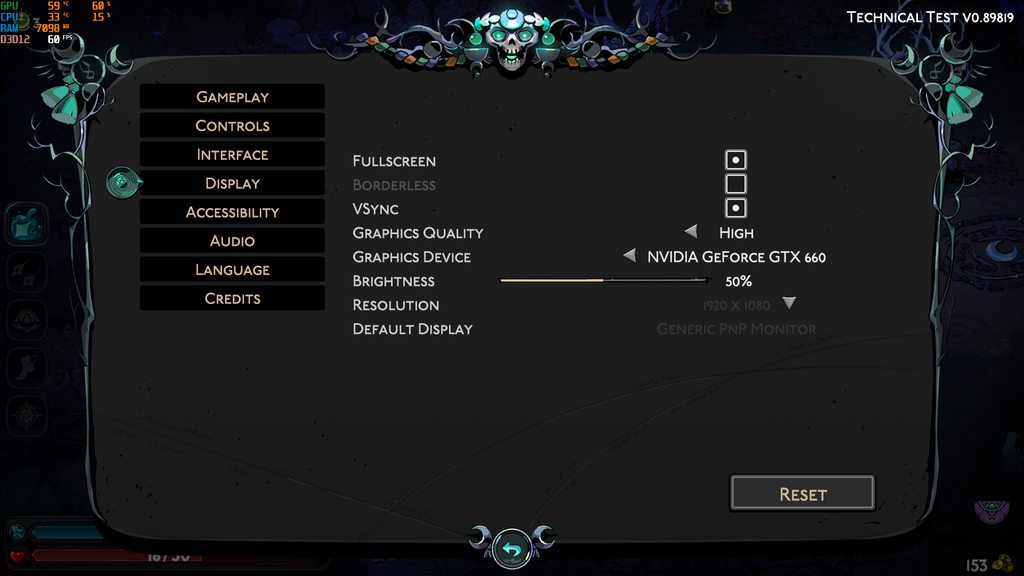
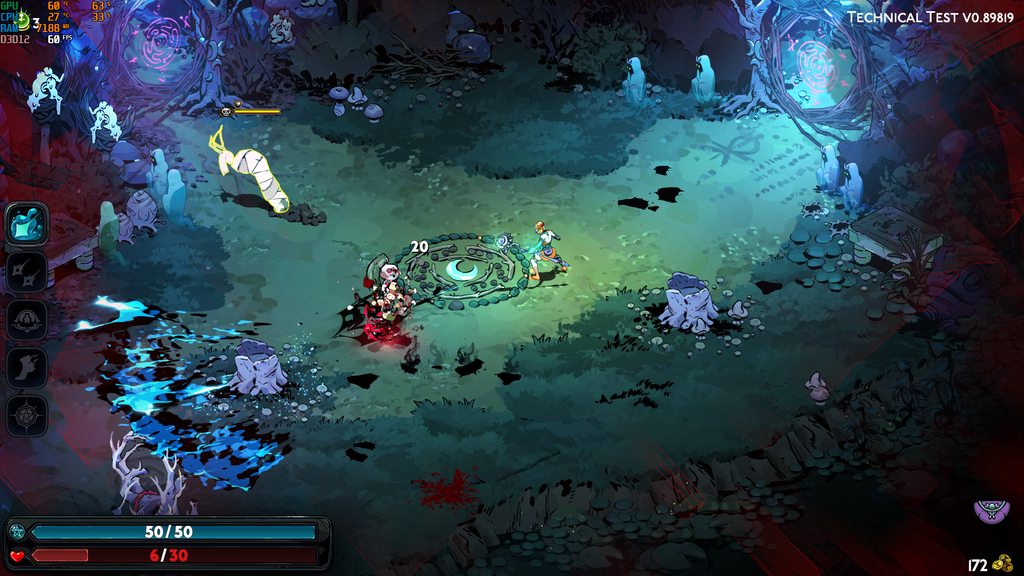


I pressed the play button and then an error came up saying I need a GPU with DX12 support of feature level 12 :( and I couldn't play the game. Does this mean that the early access and vanilla version of the game requires that, too?
 dusty jungle
@round bear ❤️ glad it worked
I was as well happy to get it to work while I don't have the GPU
surprised anyone else has GTX 660 in 2024 though 🙂
 unborn spindle
Was able to get through the Tech Test last night. The only thing I noticed were some odd textures/graphic flicker? with some of the environmental stuff in the Crossroads. Happened for a a few visits- could not pinpoint what caused or if something on my end.
Looking very forward to more content, and thank you again for the opportunity to participate! 
graceful knoll
unborn spindle
Was able to get through the Tech Test last night. The only thing I noticed were ...
did you report the bug with f10?
unborn spindle
Forks! I did not. I can do that tonight once I'm free. Do I need to have the issue occurringa time of report or just a report of it? It wasn't a consistent problem 😦
graceful knoll
time of report, though just making a report that it happens is a mark it doesn't really help them lmao
it'll take your system specs and they can try to recreate it possibly but a screenshot that happens at the time of the report is just instant proof
cedar flicker
unborn spindle
Forks! I did not. I can do that tonight once I'm free. Do I need to have the iss...
Any time is fine, even if it's after the event happened. Ideally if you can reproduce, but fine if not
cedar flicker
unborn spindle
Was able to get through the Tech Test last night. The only thing I noticed were ...
Did it seem like lighting flickers when moving around, or something else?
unborn spindle
Background flickering was when I standing still, but when I moved it seemed to go away?
The one most visible when moving was the textures of a bush (or two?) rapidly clipping in and out of each other
 steady prawn
Hi everyone, just wanted to leave here the few things I've encountered. I just booted up the game and the screen flashed intermittently a lot between the game screen and white. Luckily I'm not sensitive to it but it was jarring. I closed the game and booted it up again and it fixed itself. Previous to that I tried turning off vsync but did nothing.
Another thing is that then I tried to collect my first boon from Apollo, the controller isn't able to select the boons. The only thing I can do is open the sidebar where it lists the boons you got. I can't select with a mouse or keyboard either. I'm gonna exit the game and try again.
cedar flicker
steady prawn
Hi everyone, just wanted to leave here the few things I've encountered. I just b...
Thank you! Could you report those in-game with as well?
steady prawn
cedar flicker
Thank you! Could you report those in-game with <:f10:588476684609519617> as well...
Hm, I'm pressing the but does nothing. I tried the menu and in game
cedar flicker
steady prawn
Hm, I'm pressing the <:f10:588476684609519617> but does nothing. I tried the men...
Do you have a fn key on your keyboard? Try pressing those two together. You might also be able to rebind it in the controls, I don't remember for sure
steady prawn
cedar flicker
Do you have a `fn` key on your keyboard? Try pressing those two together. You mi...
I tried with FN but that only opened a chrome tab haha. Indeed the controller doesn't have a report bug keybind. I bound it to the select since it doesn't seem to be in use by anything else. The keyboard does have the f10 keybind. I'll report these bugs now
 slender swift
Hey everyone! This might be a silly question but at the end of the test|| it says that if I defeat the boss 5 times I should consider my participation completed. Does this mean that I will not be able to play anymore after defeating the boss 5 times? Or it's just that this is the approximate time estimated to deliver good feedback?||
Thank you
lilac stump
slender swift
Hey everyone! This might be a silly question but at the end of the test|| it say...
After the fifth win you won't be able to go on a 6th run, it'll block the entrance to Erebus
It can be circumvented through dying before a fifth win or creating new saves but otherwise bleh
slender swift
lilac stump
After the fifth win you won't be able to go on a 6th run, it'll block the entran...
I see. I'll enjoy my runs while I can, then. 😊
 warped bolt
lilac stump
It can be circumvented through dying before a fifth win or creating new saves bu...
warped bolt
lilac stump
It can be circumvented through dying before a fifth win or creating new saves bu...
I've been cut off... already feeling like an addict... need mooooore
cedar flicker
violet flume
hey swan, unrelated but did you find out what we talked yesterday?
Yes, got a consistent repro and just sent in the bug report
violet flume
cedar flicker
Yes, got a consistent repro and just sent in the bug report
oh NICE so i did discover something after all, thanks to you
cedar flicker
yee! Thanks for bringing it up here ^.^
hasty knoll
slender swift
Hey everyone! This might be a silly question but at the end of the test|| it say...
I was literally about to ask this question going thru my 5th run now~! Thanks!
 violet hare
hasty knoll
I was literally about to ask this question going thru my 5th run now~! Thanks!
violet hare
hasty knoll
I was literally about to ask this question going thru my 5th run now~! Thanks!
yeah if you want to keep unlocking you can throw the final 5th fight.
like for getting more trinkets for example, i guess
hasty knoll
violet hare
yeah if you want to keep unlocking you can throw the final 5th fight.
Yay! thank you for the intel!
bleak grail
Can we expect to get a response to any bugs we submit?
hollow lynx
I wouldn't expect a response, if supergiant need more information regarding the bug report they'll reach out
cedar flicker
bleak grail
Can we expect to get a response to any bugs we submit?
Usually not
 sage cliff
Is there a date scheduled for more invitations for tests?
cedar flicker
Not that we know of
 sonic moth
I get the "unable to save" notification, and it doesn't seem that Hades 2 has created a save game folder like hades 1 did
cedar flicker
sonic moth
I get the "unable to save" notification, and it doesn't seem that Hades 2 has cr...
The folder may be a level higher, in the user folder instead of documents. Did you get the error right at the start, or after playing for a bit?
sonic moth
cedar flicker
The folder may be a level higher, in the `user` folder instead of `documents`. D...
after I went through the first door, and now every so often after I enter new rooms
AH I SEE IT
alright, and Im guessing I move it to the same place hades 1 stuff is
cedar flicker
I don't know that will help—I'd try the steps in the pinned FAQ about the game failing to save, but with the folder path it's currently in
sonic moth
cedar flicker
I don't know that will help—I'd try the steps in the pinned FAQ about the game f...
thats a better idea
 fickle zenith
hello everyone, maybe someone could have already post this but I noticed on my runs that the Dash Boon effects didn't happen for the majority of time. Should be something to be fixed. 👍
The new Hades 2 looks awesome! really liked all the new features supergiant added, from the caldron crafting to the new weapons, inventory system and gathering mechanics. Super cool!
Again amazing art from the art department of supergiants! love it!!
 mossy pulsar
fickle zenith
hello everyone, maybe someone could have already post this but I noticed on my r...
mossy pulsar
fickle zenith
hello everyone, maybe someone could have already post this but I noticed on my r...
If you don't mind me asking, as i've seen this for someone else already: Are you sure they were Boons that trigger on Dash and not Boons that trigger on the new Sprint mechanic?
fickle zenith
mossy pulsar
If you don't mind me asking, as i've seen this for someone else already: Are you...
hmm, I remember using one from Zeus that didn't trigger at all, and one from Apolo that also didn't trigger. But being it on the Dash or Sprint is a good question. I would need to make another run to make sure but already spent my 5 runs XD
used one from the Ice Goddess that triggered sometimes, but didn't quite understood the timing and what caused the trigger.
mossy pulsar
They're both Sprints. Could be more clear i suppose, as they're in the same slot.
fickle zenith
I see, so they activate just by running?
mossy pulsar
yes
fickle zenith
would prefer the dash mechanic though, like in Hades 1
since you can control it and use it better than just sprinting
mossy pulsar
there's probably a learning curve to it. And some still have "old" dash boons
fickle zenith
hmm, I see. would like to test more of it 😛
 stark orchid
finally got the chance to get my grubby hands on playtesting and i notiiced hypnos' portrait when you speaks to him moves. as in, everytime his portrait moves, theres just empty pixels you can see through lol. im aware its still just playtest so it wont get updated yet but thought that was important enough to mention
wait not sure if this is the right channel for it sorry
cedar flicker
stark orchid
finally got the chance to get my grubby hands on playtesting and i notiiced hypn...
Heyo! Could you report that in-game with ? ^.^
stark orchid
yes of course! ill make sure to report it
cedar flicker
Awesome, thank you
hazy shuttle
i'm just gonna go back to playing Hades 1 since i can't run Hades 2.
i really hope developers make it compatible for directx 11 :(
 vale geode
Heyo there - just fired up for the first time (so excited I got my invite yesterday!!!!) and I have reached the very first boon.... and I can't select anything. The game actually is keeping my mouse hostage, too (I have 2 screens and normally I can just move my mouse to the other one where I keep discord, but it doesn't move out of the window). I'm using an Xbox controller and there are no prompts, no highlights on the boons, the only thing that works is pressing left for boon info, but even there I can't see anything. I tried clicking with mouse as well, no luck. I've seen "report with F10" and I have pushed F10 but nothing is popping up... is there something that should? O.o
Only way I can get out of the game from here is alt+tab to another application
 west solar
Heyo!
One of Poseidon's boon, the Dam, has a typo in the Italian localization (it says "Concenti" instead of what I believe it should be "Consenti") Took a screenshot but wasn't able to report it in game sadly.
humble niche
vale geode
Heyo there - just fired up for the first time (so excited I got my invite yester...
Hey, please have a look here in Mouse and Controller section for the things to try to make your controller work: https://supergiant.games/hades2faq
Regarding mouse being held hostage, you could try toggling "Mouse lock" in options, which should release it.
Regarding F10 reporter window not popping up: sometimes it hides behind the game window, so it's worth using Alt Tab then to find it.
humble niche
west solar
Heyo!
One of Poseidon's boon, the Dam, has a typo in the Italian localization (...
It's best to report localization issues in-game by pressing F10 when you stumble upon them. And sometimes F10 report can hide behind the game windows, so it's worth using Alt Tab to find it in such cases.
vale geode
humble niche
Hey, please have a look here in **Mouse and Controller** section for the things ...
Thank you! I did check the FAQ and the controller works as expected... until the boon select screen 😦
I got no pop-ups - when I alt tabbed out to get somewhere the only window open was steam. 😭
Basically, no input worked in any way besides the left button to get to boon info
humble niche
vale geode
Thank you! I did check the FAQ and the controller works as expected... until the...
Hmm, have a look if F10 is bound to something in Controls. Maybe it got unbound somehow and that's why pressing F10 does nothing... It will be at the very bottom of the list of Controls.
Just to check, have you tried things listed in FAQ, such as unplugging any other controllers? As this could make your main controller acting up.
 unreal kite
Hey. So I encountered what I believe to be a bug where the omega cast followed Mel until it burst. Happened after taking Demeter's cast boon at epic rarity
vale geode
humble niche
Hmm, have a look if F10 is bound to something in Controls. Maybe it got unbound ...
Yes. I read the FAQ religiously cuz I wanted to play, haha. I also work in tech support so I was avidly trying everything I could. I might go ahead and uninstall/reinstall at this point. I wanted to hang on to the issue in case it would be helpful for debug but if not I'm happy to go further in troubleshooting that way.
 astral portal
I may of ran into a bug/glitch. You can get out of the play area kind of easily in the 'Hide and Seek' part of the game. https://youtu.be/I3d46PHXgG4
Thanks 🙂
humble niche
vale geode
Yes. I read the FAQ religiously cuz I wanted to play, haha. I also work in tech ...
I've seen similar reports, and it's being investigated, so no worries of "loosing the issue". Reinstalling might be worth it, and maybe also removing your controller from device list, then re-adding it (plugging back in/reconnecting via Bluetooth). If you get F10 to work, then it will still be worth reporting it in-game, but if not, then you can send an e-mail to support@supergiantgames.com, including the following files:
- Your DxDiag
- Your Hades II.log located here:
%USERPROFILE%\Saved Games\Hades II Test\Hades II.log
humble niche
astral portal
I may of ran into a bug/glitch. You can get out of the play area kind of easily ...
As the reaction under your post suggests, please use in-game to report it, you can paste the link to the video in the description, thanks!
humble niche
unreal kite
Hey. So I encountered what I believe to be a bug where the omega cast followed M...
That sounds like an intended behavior of one of Demeter's boons, Local Climate, so I'd check if that could be the case. If not, please report bugs by pressing F10 in-game when they occur, thanks!
 verbal kindle
hi, did anyone figure it out how the autofire works in regards the omega attacks? With the spear she does the regular combo followed by the omega. With the daggers it is weird, seems kind of random
 shrewd schooner
with the daggers it kind of like... waits for a target if that makes sense? there's a little red circle that appears underneath the enemy you're targeting and it won't fire until you release it ime
vale geode
humble niche
I've seen similar reports, and it's being investigated, so no worries of "loosin...
In case anyone else comes along with this issue I want to share that I did get it fixed.
I have an accessibility keyboard extension that I did not realize was being read as a controller. Once I unplugged it, the game works without issue.
I understand for the technical test that there may be some rough edges with regards to multiple controllers being plugged in, but now that I have to unplug my accessibility keypad whenever I want to play, it means actually launching the game is harder for me since I can't use it. Hopefully this is something already being worked on, but if not and someone from the team wants to discuss my setup so it can be accounted for, I'm more than happy to help!
Thank you again @humble niche for your help!
cedar flicker
vale geode
In case anyone else comes along with this issue I want to share that I did get i...
<lighthearted> Just to make sure—did you send in the email with your DxDiag?
vale geode
cedar flicker
<lighthearted> Just to make sure—did you send in the email with your DxDiag?
I did not, since the multiple controllers issue is already noted in the FAQ so I assume it's already in the works. This was a weird thing where my keypad is being treated as a controller by Windows (I did not know it was before this) so if they fix multiple controllers then I should be good to go. 🙂
I can always grab it if needed tho, just gotta plug it back in and fire it back up, haha.
I also have a steam deck so I may switch to playing on that too avoid the unplugging and plugging in of things
cedar flicker
vale geode
I did not, since the multiple controllers issue is already noted in the FAQ so I...
Gotcha, thanks for the details!
 undone jungle
Hi! The game is so good that I didnt get any gameplay bugs!!
But there's some problems playing with the language option in Portuguese: Some dialogues appears in English even though the previous dialogue was in Portuguese; Most of them was talking with Skelly or saying hi to the gods
 unborn citrus
is this the right place to be reporting bugs? just since its not like i need support idk
humble niche
undone jungle
Hi! The game is so good that I didnt get any gameplay bugs!!
But there's some pr...
Such localization issues can be reported by pressing F10 in-game when you stumble upon them.
humble niche
unborn citrus
is this the right place to be reporting bugs? just since its not like i need sup...
Best to report by pressing F10 in-game when the bug happens, where you can describe issue in detail.
unborn citrus
humble niche
Best to report by pressing F10 in-game when the bug happens, where you can descr...
oh i didn't know this was a thing thank you!!
hazy shuttle
what if... what if hades 2 gets a multiplayer mode..
unborn citrus
hazy shuttle
what if... what if hades 2 gets a multiplayer mode..
should talk about that in #hades2-tech-test-discussion
unborn citrus
all good, just don't wanna make it harder for issues with the game to be seen ^-^
unborn citrus
humble niche
Best to report by pressing F10 in-game when the bug happens, where you can descr...
i didn't happen to press it when it happened so i don't have a screenshot but i took a video clip of it happening, is there an email i can send that to?
hazy shuttle
unborn citrus
all good, just don't wanna make it harder for issues with the game to be seen ^-...
understandable. i got the invite but i couldn't play it :(
(I dont have directx 12 GPU)
humble niche
unborn citrus
i didn't happen to press it when it happened so i don't have a screenshot but i ...
You can send it to support@supergiantgames.com
unborn citrus
humble niche
You can send it to support@supergiantgames.com
gotcha, thanks
 craggy cipher
I didn't get a screenshot because of vertical panning, but I did catch an audio clip not playing during one of Melinoe's meditations next to Schelemeus. "Never accept defeat" is just silent.
waxen nebula
 stone ether
is schelemeus supposed to not show up after a few runs? mel doesn't have a dialogue for him not being there unlike other npc's
velvet palm
stone ether
is schelemeus supposed to not show up after a few runs? mel doesn't have a dialo...
Change your weapon
Skelly does that in 1 sometimes too
waxen nebula
Yeah I hate that bug in both games
stone ether
is it worth reporting stuff that might be a bug but isn't game breaking? i don't want to waste their time but also not let things fly under the radar
i mean this in general
velvet palm
Yeah if it looks odd I'd f10 it
waxen nebula
velvet palm
I don't think is a bug?
Depends on your definition
Some may call it an unintentional mechanic ig
stone ether
'a feature not a bug' type beat
 autumn valve
Has anyone had their controller start vibrating without stopping? It happened to me after I visited Arachne and got an outfit from her.
 deep fossil
has anyone else had the issue where, sometimes, you just... cant pick a boon? like, the menu opens, but you cant do anything there. the game doesnt freeze or anything, i can still access the pause menu, but ive noticed it happening pretty much every time
velvet palm
just in case have you reported it with f10
deep fossil
...actually, since im having it happen right now, i noticed something as well
i can attack and dash around and like. see melinoe doing the actions behind the menu
when i press f10 nothing happens 
velvet palm
it doesn't open the bug report screen?
deep fossil
as i said, im currently experiencing the menu thing
i can stlil access the pause menu though, ill probably just give up and see if i can do it then
. hm, no
f10 simply doesnt do anything.
stone ether
try rebinding the bug report screen from the options? f10 just kept going to my keyboard hot keys so i rebound it to something else
velvet palm
@cedar flicker what's the email to report stuff to again?
seems they can't use f10 either
cedar flicker
velvet palm
<@132661721922797569> what's the email to report stuff to again?
support@supergiantgames.com - also in the pinned FAQ, for reference
velvet palm
ah  ty
ty
deep fossil
i think the f10 thing might be me playing on controller, tbf
stone ether
oh, on controller i’m not sure the report button was even bound for me by default
a bunch of them weren’t
velvet palm
it let me press f10 just fine on controller
cedar flicker
Yeah, you may need to manually bind it
stone ether
sometimes you need to shake your mouse around to tell the game to get out of game pad mode
deep fossil
i tried that as well! i just ended up binding it to the left trigger
it does seem that enabling steam input helped at least
stone ether
i haven't done a full run on controller yet, i'll try more this weekend to see if i've got similar issues. plus, seems like the combat is more fluid on controller once you get the hang of it
 true zodiac
how does one give feedback? I press f10 and it doesn't open up a window and basically locks me out of the game (until I kill the help application in task manager)
oh I shouldve read the last 3 hours of discussion lol
cedar flicker
you may need to alt-tab to find the window
and yeah, you might need to check the binding / make sure the game is looking for mouse instead of controller
true zodiac
I mean it opened an application called "f10" with a "hades feedback" subprocess but there was just no window regardless of how I tried to find it
(yes alt tab as well)
Ill try rebinding later tho
cedar flicker
Hmm. If rebinding doesn't work, could you follow the steps at the end of the pinned faq about emailing support@supergiantgames.com ?
true zodiac
yeye Ill do that
 tough ledge
ok so i ran into a bug and idk if anyone has, so what happened was i paused the game and went to eat dinner when i got back my controller disconnected, do i reconnected and and when i unpaused my controller wasnt reading the input for attack, but every time i dodged it would do the charged attack only
tough ledge
too late now i beat the boss 5 times
stark orchid
need to know if this is just me or if perhaps it could potentially be a bug: you know those little background details/decals that pop up everytime a character appears ? for some reason, theyre so low quality on my end. its incredibly distracting. i know its not because of my quality settings because ive experimented with the quality settings several times and even on the highest, it isnt resolved. is this just me or maybe its a technical error ?
hollow lynx
it might be some placeholder assets?
stark orchid
i didnt even consider that, thats probably it T-T placeholders just didnt properly load bc its technical test, maybe. .. .
thank you for the response !!
 sick rivet
i had a problem where my controller would drift and stop for no appearent reason.
sick rivet
i have an issue where sometimes when i ewuip the blades the training dummy dissapears
violet hare
he's not a dummy 💔
sick rivet
ok sorry a bit too harsh there
lapis vessel
at some point between 2 runs schelemeous just wasn't there for some reason which felt odd
violet flume
lapis vessel
at some point between 2 runs schelemeous just wasn't there for some reason which...
Oh wait that’s odd?
I thought he just left like every npc does sometime
sick rivet
idk maybe but we had to report it
lapis vessel
violet flume
I thought he just left like every npc does sometime
well it doesn't happen on hades 1 I believe
sick rivet
havent played it so i have noopinion
cedar flicker
Thanks for the reports - could you also report any bugs or issues you have in-game with ?
That being said - sometimes Skelly just doesn't show up. He'll usually appear after you interact with something, like the ritual circle in the center of the room
 woeful shoal
If you change weapons he tends to appear in my limited experience
 worthy cave
help, i have no clue how to compel (im the dummy) 😄
cedar flicker
Heyo! There should be button prompts on screen for it, iirc, once you interact with the shade
worthy cave
y but i dont know what to do when i activated it, is it just press left right mouse botton or is it reaction time like fishing
cedar flicker
You have to hold the buttons down
worthy cave
(still havent fished btw, i just remember from hades 1)
oh ok
tsm
have a nice day ❤️
cedar flicker
Yee! You too, good luck ^.^
 waxen pewter
Hello, i recieved the test access today so i went to my steam library to install it but when launching the game it stays in the steam page.
I don't know how many have this problem but it's propably my ancient pc hard drive. Had that since 2016.
tranquil sphinx
waxen pewter
Hello, i recieved the test access today so i went to my steam library to install...
I'd recommend to check out https://supergiant.games/hades2faq

From all of us at Supergiant Games, thank you for choosing Hades II . If you're experiencing any issues with the Technical Test version of the game, please check below for a solution. We expect to update this throughout our Early Access. Note: How to Report Bugs While Playing If you run into a bug while playing, please consider pressing F10 to r...
 novel marsh
is there an unlock all option to easily test the available keepsakes? Since you're locked out of starting a run after defeating Hecate for the 5th time the time to test is kinda shortened (I cannot bring myself to intentionally loose D:)
Another thing: According to the Technical Support FAQ the save file is supposed to be located at %UserProfile%\Documents\Saved Games\Hades II Test, but it's located at %UserProfile%\Saved Games\Hades II Test (it's not placed under Documents but rather its parent directory. I am not sure which of the locations is correct now, but there's certainly an inconsistency
 crisp cobalt
Good afternoon, I'm happy to be able to try the test version of the game. It happened to me that, when I am in front of Schelemeus and I have the list of commands, when I grabbed the sickle and the dagger, the ability related to running and sprinting and attacking was not completed (even after having executed the commands) . After a run and choosing the weapon again, the bug did not appear.
humble niche
novel marsh
is there an unlock all option to easily test the available keepsakes? Since you'...
There is not, but there's also no need to test them all right now. Technical Test's purpose is to test the stability and performance of the game rather than the content itself.
As for your second note: thanks, I'll relay it to the relevant person! It should be the second path from what I can see.
humble niche
crisp cobalt
Good afternoon, I'm happy to be able to try the test version of the game. It hap...
Hey, it's best to report such issues when you stumble upon them by pressing F10; it will bring up a bug report with screenshot, where you can describe what happened.
crisp cobalt
ok, i'll do next time i notice something, thanks
 tacit wyvern
do we know if hitting projectiles should make them vanish like in h1? because I've never been able to hit one away
 somber vortex
Am I supposed to be able to use my special (right click) while polymorphed during the Hecate fight? Was able to use my specials on my 4th clear but I tried again on my 5th clear and it didn't work
humble niche
somber vortex
Am I supposed to be able to use my special (right click) while polymorphed durin...
It shouldn't happen... Please F10 this if you stumble upon that again.
 potent apex
Hi, how "thorough" should we be with bug reporting in this test? If I think I see a visual glitch, should I report it just in case or keep it for mistakes I'm sure of?
cedar flicker
potent apex
Hi, how "thorough" should we be with bug reporting in this test? If I think I se...
Go ahead and report visual glitches, even if you're not certain
potent apex
And is it possible to report a bug on bug reporting...? Like a secondary channel. I think I just froze/broke my game whilst trying to catch a screenshot with F10
humble niche
potent apex
And is it possible to report a bug on bug reporting...? Like a secondary channel...
Sometimes bug reporter window shows behind the game's window, so it's worth trying to find it by Alt Tabbing.
 toxic aurora
Hi,
Is there a solution to the "Renderer Creation Error"?
humble niche
toxic aurora
Hi,
Is there a solution to the "Renderer Creation Error"?
You could try updating your graphic card driver. But the chances are your card doesn't support DirectX 12 Feature Level 12_0 that's needed to run the game. You can check that by running DxDiag (instructions here: https://support.microsoft.com/en-us/help/4028644/windows-open-and-run-dxdiagexe); the relevant info should be in Display tab and Drivers section.
Open and run DxDiag.exe
 dim dagger
why doesnt my steam page have the request acces button?
 full spire
dim dagger
why doesnt my steam page have the request acces button?
full spire
dim dagger
why doesnt my steam page have the request acces button?
Tech test pretty much done https://discord.com/channels/456889434672201729/456894163292520448
 ember socket
Is there a way to report a potential bug? I'm not sure how to do it. Schelemeus didn't show up in the training arena, but was there after i died
ember socket
ok, thank you
 quiet trail
How do we report a bug if we play on something like Steam deck?
cedar flicker
quiet trail
How do we report a bug if we play on something like Steam deck?
if doesn't work (I've heard some people say that), then you cuold take a video or screenshot and email support@supergiantgames.com
quiet trail
Thank you!
tranquil sphinx
ember socket
Is there a way to report a potential bug? I'm not sure how to do it. Schelemeus ...
Schelemeus is guaranteed to show up only for couple of runs. Then he might randomly not show up.
If you switch weapons he should show up.
cedar flicker
interacting with anything in the training area should cause him to show up again, not just switching weapons
slender swift
cedar flicker
if <:f10:588476684609519617> doesn't work (I've heard some people say that), the...
Nice, thanks! Just tested on steam deck and was wondering
 empty valley
Are there any known issues with the "Vampiric Cataclysm" daedalus hammer upgrade? I acquired it but never got health back.