#🔌technical-help
1 messages · Page 151 of 1
 slender sable
So basically i bought my pc back and it feels like normal pc
I check the task manager
The 4050 not working
It's like not even powered on
 mortal zealot
wdym bought it 'back'
mortal zealot
slender sable
It's like not even powered on
what
how do you even know that
fans not working?
slender sable
mortal zealot
nah i accidentally downloaded a sketchy file
Lol i use windows defender lol what's the antivirus u use
slender sable
mortal zealot
wdym bought it 'back'
New pc
mortal zealot
slender sable
New pc
ic
 stoic reef
slender sable
It's like not even powered on
stoic reef
slender sable
It's like not even powered on
does it show up in the device manager?
slender sable
I see the task manager not drawing graphs
slender sable
stoic reef
does it show up in the device manager?
Yes, the seller said it need to be plug in into electric supply loo
stoic reef
wdym not drawing graphs? can you show a picture of the gpu part of task manager?
 cosmic lion
that is normal, laptops for low power task use the igpu
 slender sable
stoic reef
wdym not drawing graphs? can you show a picture of the gpu part of task manager?
slender sable
stoic reef
wdym not drawing graphs? can you show a picture of the gpu part of task manager?
Shown
stoic reef
that should be normal like iho said, try doing a graphics intensive thing and see if it does anything
slender sable
Hmk
I have to wait for hi3 to download
Since there's nothing there in the laptop
Btw what's disk 0 (C:)
slender sable
stoic reef
that should be normal like iho said, try doing a graphics intensive thing and se...
🤓
stoic reef
slender sable
Btw what's disk 0 (C:)
disk numbers in windows start with 0 and go up from there
but its your hard drive
stoic reef
slender sable
Btw what's disk 0 (C:)
for example i have 2 hard drives connected in my computer, and this is what it looks like to me
 slender sable
I tired making my laptop to run high quality stuff, 4050 still not working
The fan runs to reduce the heat

slender sable
stoic reef
for example i have 2 hard drives connected in my computer, and this is what it l...
Ooo
stoic reef
slender sable
I tired making my laptop to run high quality stuff, 4050 still not working
check your nvidia control panel in 3d settings > manage 3d settings and then in program settings see what the preferred graphics processor is if its nvidia or integrated graphics
can check the windows settings > system > display > graphics menu too
but your laptop is probably set to power saving something or other so is trying to use the dedicated GPU as little as possible
cosmic lion
one thing you probably want to do before you play the game is to check the gpu drivers, windows should download them automatically but most of the time they are kinda outdated
you can download/use the nvidia app to make the update of the drivers easier
slender sable
Hmm
stoic reef
that too if it didnt come with the nvidia app already installed
slender sable
It got app installed
stoic reef
fair enough, if they're like half a year old or so might want to let them update, but as far as it using the iGPU when it shouldnt its a setting somewhere thats causing that. if the dGPU was not plugged in or physically broken then the task manager shouldnt even show it
slender sable
Tha hell my laptop becomes hot
slender sable
stoic reef
fair enough, if they're like half a year old or so might want to let them update...
Let me check the app
stoic reef
gaming laptops be like that 
slender sable
stoic reef
gaming laptops be like that <:LanternHeavyThoughts:1259234534843613317>
Its normal to be hot?
stoic reef
doing high performance activities makes things hot, that heat has to go somewhere yeah and laptops dont have a lot of real estate for airflow fans and stuff
slender sable
Downloading and updating nivada...
stoic reef

slender sable
Mission successfully
No need update it automatically opens when opening hi3
 how to uninstall mac free
stoic reef
you mean mcafee? probably best to google that and find an article i dont know if theres anything special you have to do for that particular antivirus
slender sable
Lol
Laptop feels more heavy compared to ones 18 years ago
U don't have to fully charge it right? Since ppl literally need to charge it while playing games
stoic reef
The battery life depends on what you're doing when it's on battery power. You'll have to try it out yourself
slender sable

 wary temple
Was told not to move game files to HDD but now my SSD is overflowing
Can someone confirm
Hoyo games alone is over 300GB
stoic reef
wary temple
Was told not to move game files to HDD but now my SSD is overflowing
Can someone...
They will work, some loading times or occasional lag can happen but it will work. I know a couple of people that have it installed on external hard drive even though the USB transfer speeds are hell and their game suffered a bit xD but yeah I know hi3 works and I presume the others do even if it's not "recommended"
wary temple
I understand HDD is not good with repeated and frequent overwriting and I was guessing that was the reason
alongside speed
stoic reef
Ah, with that HDDs do degrade faster with repeated overwrites as they are a physical medium compared to SSDs but with that in mind the companies that make HDDs are aware that people use them for daily use and they are very long lasting. Like for the computers that don't have an SSD and only have the HDD they still last a really long time even with constant overwrites.
So while they aren't wrong about the health of the HDD it's also almost negligible. Though with any HDD that gets frequent use you'd want to run the windows defrag tool on it at least like once or twice a year if it's getting heavy use
but the main reason official recommendations so often these days for games recommend SSD is due to loading speed as their main (or only in a lot of cases) concern


 stoic reef
 wooden terrace
uhhhhhh
wooden terrace
uhhhhhh
First try restarting your device and if it's still doing that then I recommend repairing your game (both in the launcher and in the bottom left of the login screen if you're on PC or if you're on phone just in the lower left of the login screen) but hopefully a restart of your device fixes it 
If none of those work though then I recommend contacting customer service #how-to-contact-cs and while you wait maybe trying a VPN in case it's a weird connection issue. If you don't have a VPN this pin has two good free ones #🔌technical-help message
stoic reef
Np~
 vapid mesa
 odd wedge
wary temple
I understand HDD is not good with repeated and frequent overwriting and I was gu...
odd wedge
wary temple
I understand HDD is not good with repeated and frequent overwriting and I was gu...
Yes, speaking from experience.
I did a lot of archiving and whatnot, Genshin's game update file extraction was the last straw
wary temple
odd wedge
Scratching noises and then it killed itself 😔
Right when I decided to upgrade to SSD very soon
Man
wary temple
I was thinking I could load hoyo games and Stream on HDD because I'm really out of space
cosmic lion
wary temple
<:SakuraWTF:588421743526281216> I was thinking I could load hoyo games and Strea...
if the drive is at least of 7200rpm, gameplay should be fine, GI can take longer on the first boot but the rest of the games/load times should be good enough, where you will find "issues" is on the updates that will take much longer.
Still for live service games, because of the constant updates, i will recommend installing those on a SSD, a sata one is enough if you don't mind not having "instant" loading screens
odd wedge
wary temple
<:SakuraWTF:588421743526281216> I was thinking I could load hoyo games and Strea...
They can totally run, just not good for the drive in the long run.
wary temple

odd wedge
wary temple
<:CoralieSob:1234821599480381481>
2018-2022
RIP my HDD
At least it lasted that long with at least 3 years of constant... whatever tf I'm doing
Let's just call it heavy work
stoic reef
constant archiving is probably what degraded it to the point that genshin updating was too much in the end xD
odd wedge
2019 I was basically just doing small archiving uhm average once a day. No more than 10GB stuff.
stoic reef
thats still like reinstalling genshin once a week levels of drive usage xD just for that
odd wedge
Then 2020 began, heavy gaming and the unholy archiving.
odd wedge
All on the shitass Inspiron 5570 that does not even meet the requirements for HoYo games
ah, life.
Totally my fault
and this thing every version for 3 years
My Google Drive rn 
 stoic reef
odd wedge
and this thing every version for 3 years
stoic reef
odd wedge
and this thing every version for 3 years
I'm starting to suspect that it wasn't the playing live service games that killed it, I think it was the 23 hour shifts in the mines for years that did 
odd wedge
Extracting new Genshin version files was the last straw
stoic reef
Mhmm, final nail in the coffin and all that
odd wedge
The lad decided that I do not deserve to game, not after the years of torture. It had to stop me, even if it meant killing itself then and there.
Yeah I lost everything.
stoic reef
aww no backups? but yeah it did the martyr for your sake
odd wedge
Naur I was literally waiting for a sale in a couple weeks to get an SSD
"Weeks? God does not wait a single second. Die."
stoic reef
thats rough timing
wary temple
Thank you for all the advice. Eh since SSD is not a choice right now, not at this price, some HDD will suffer my gacha games
At least gacha games and HDD is sorta replaceable but work documents are not

Very quick question
Monitor for the purpose of hoyo games or gacha games in general
2.5k 120Hz or 4k 60Hz
I hear refresh rate affects action game performance and that's why people uncap?
stoic reef
wary temple
Thank you for all the advice. Eh since SSD is not a choice right now, not at thi...
yikes
but yeah just make sure to backup important documents to like a google drive or something, and the gacha games shouldnt kill it instantly, it'll shorten its lifespan but so does using it at all really since its a physical drive so mechanical failure can get more likely with any use, but in theory a few gacha games (especially now that a lot of them do delta patching so the updates are smaller like with hi3) wont dramatically lower the lifespan. But as always backups of important stuff is recommended :3
cosmic lion
wary temple
Very quick question
Monitor for the purpose of hoyo games or gacha games in gene...
with monitors in these days higher refresh rate is the best option not just for gaming, but taking just on "specs", if on both resolutions you are able to play with constant high fps and with vsync off/uncap fps, it doesn't "matter much", input lag will be kinda the same and the frames that will show on both should be almost at a similar time/frame pacing.
But that last one is where higher refresh rate can give you some advantage, being able to see more frames before, give you the chance of making inputs ms before kinda reducing the "input lag"
this is why most people uncap too, by being able to load the most recent frame obviously will give you and advantage against someone with cap frames that can only see a set number of fps, but still depends of the game if that advantage is real or not, and even there is other factors, you input devices specs, you cables, response time in some cases (for example tvs even with high refresh rate can have horrible response times without game mode enable) etc.
 unkempt vale
wary temple
Thank you for all the advice. Eh since SSD is not a choice right now, not at thi...
unkempt vale
wary temple
Thank you for all the advice. Eh since SSD is not a choice right now, not at thi...
yeah, im going to be real, the best time to get ssd would have been last december (although in some places you can still snag deals)
Unfortunately, ai has driven up prices by hundreds of percent, so either
- buy it used
- find someone who still has deals around them who can ship it to you (ex. I live near microcenter and best buy, and their ssds arent too bad yet) using international service
- make do with hdd, as you are doing
Relevant info for anyone interested: https://www.youtube.com/watch?v=D_lNptNfFXk
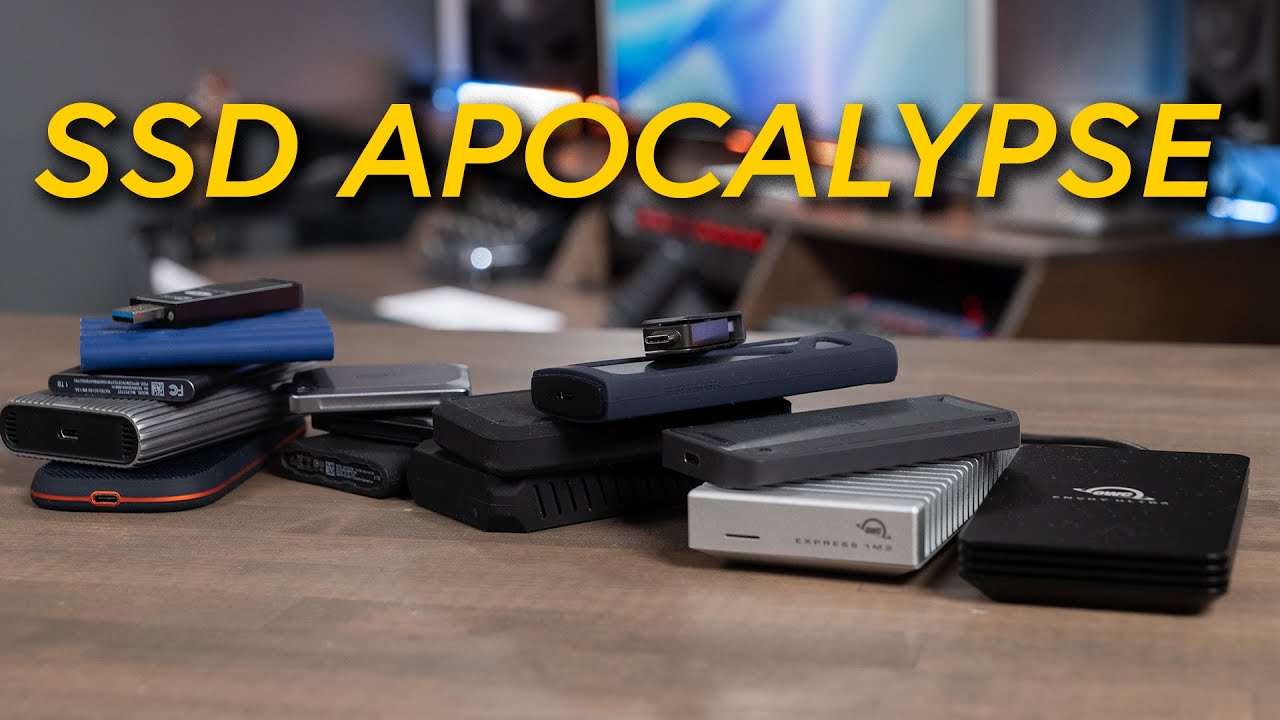
The days of dirt-cheap SSDs are officially behind us for now. As we move into early 2026, the market is facing a "perfect storm" of supply and demand issues that have sent prices on a sharp upward trend, with some high-capacity NVMe drives now being compared to the price of gold in terms of cost per gram. In this video, we’re breaking down why...
unkempt vale
wary temple
Very quick question
Monitor for the purpose of hoyo games or gacha games in gene...
it shouldnt imo
Refresh rate is just the limit to how many frames your monitor can show you
FPS is dependent on how good your computer is
Well, maybe if you have a laptop, it's possible
Oh, looks like people already naswered your questions anyways
wary temple
unkempt vale
yeah, im going to be real, the best time to get ssd would have been last decembe...
Used SSD 2TB costs more than my salary before tax. So I asked.
unkempt vale
wary temple
Used SSD 2TB costs more than my salary before tax. So I asked.
yikes
im curious if it is cheaper to have someone buy it locally and then do international shipping
I know in some cases it is (although usually international shipping is done cause you can only get it from a certain place)
odd wedge
wary temple
Thank you for all the advice. Eh since SSD is not a choice right now, not at thi...
Jesus Christ
odd wedge
wary temple
Very quick question
Monitor for the purpose of hoyo games or gacha games in gene...
Well I am a very simple person, I just unga bunga get the Xiaomi 34" monitor 
 storm trout
um can anyone help cuz this aint me…
 cosmic lion
storm trout
um can anyone help cuz this aint me…
cosmic lion
storm trout
um can anyone help cuz this aint me…
if you don't remember doing those purchases on those dates (or if you have like a family member that use your phone that could buy something), could be that someone have access to your account.
so change the passwords and check for non-authorized logins on your email/3rd party login linked to the account, after that do the same for your HYV account, and contact CS and tell them your issue in case one of those get charge back #how-to-contact-cs
odd wedge
It's been ongoing since last year
Like what Iho said, contact CS. Do not use the paid items (crystals, B-Chips etc.).
storm trout
cosmic lion
if you don't remember doing those purchases on those dates (or if you have like ...
I never made purchases like these ever and my logins are only on my device
im assuming that someone used a 3rd party website and accidentally inputted my uid
although i never received any sort of ingame currency related to these purchases so im not sure what to do now
stoic reef
storm trout
although i never received any sort of ingame currency related to these purchases...
Just contact customer support and explain your issue, and for safety reasons its not a bad idea to change your passwords, but customer suppport are the ones that help with account or billing issues like this
stoic reef
storm trout
im assuming that someone used a 3rd party website and accidentally inputted my u...
but with this, this isnt a thing for NA accounts, you'd have to log into your hoyoverse account on the online hoyoverse top up center to be able to top up, cant put in a random UID or anything
slender sable
Something i just found out about my laptop
4050 is good but when the battery is low my 4050 doesn't work
Even playing hi3cmy cpu went to 99%
stoic reef
well your integrated gpu (iGPU) that the laptop goes to when it cant power the battery eating 4050 is in your CPU, its integrated GPU because its integrated (aka a part of) your CPU
so when your battery gets low the laptop switches to that to save on battery, and that causes your cpu usage to go up
slender sable
Also i tried adding live 2d but turns out it also took 99% of my cpu
slender sable
stoic reef
well your integrated gpu (iGPU) that the laptop goes to when it cant power the b...
I see
I need to plug it in 24/7
slender sable
slender sable
Also i tried adding live 2d but turns out it also took 99% of my cpu
It doesn't use my 4050 instead using cpu bruh
stoic reef
for long term gaming probably yeah, its fine to leave it plugged in though when the battery is full it'll just use the plug instead of the battery
stoic reef
slender sable
It doesn't use my 4050 instead using cpu bruh
probably a settings thing, you can manually set it to use one or the other in the nvidia control panel settings
slender sable
Ok
slender sable
stoic reef
for long term gaming probably yeah, its fine to leave it plugged in though when ...
Oh i see
 frosty wyvern
slender sable
4050 is good but when the battery is low my 4050 doesn't work
frosty wyvern
slender sable
4050 is good but when the battery is low my 4050 doesn't work
you can put everything in maximized performance and still using your 4050
but dont complain if your battery life is only like 30 mins 
slender sable
frosty wyvern
but dont complain if your battery life is only like 30 mins <:SakuraBox:14583873...
Actually less than lol
My electric bills
My wallet :
😭🔥
stoic reef
Your username probably
to change your roles though go to channels and roles and uncheck the NA abyss role

 chrome pollen
i joined this server before that feature was added so i can’t remove it using that method

and my user was changed 2 seconds after i sent my og msg lmao
stoic reef
chrome pollen
i joined this server before that feature was added so i can’t remove it using th...
 try adding it and then removing it and see what happens
stoic reef
oh noice! probably just took a moment
 civic snow
since hi3 in epicgames doesnt have asia server, does that apply to all hoyoverse games?
cosmic lion
civic snow
since hi3 in epicgames doesnt have asia server, does that apply to all hoyoverse...
Only hi3 have that "problem" mostly because of the circumstances of the release that the game got multiple clients.
since GI, new games just have one client for the international release
cosmic lion
now that i remember, one thing that 3rd party stores still have is a "launcher for each game", is not the unified HYP launcher like the one on the official website.
So keep that in mind if you play multiple games and find yourself opening and closing the launcher constantly, it's normal.
odd wedge
Before HoYoPlay, each server client has its own launcher
Things are now all-in-one (kinda)
civic snow
cosmic lion
Only hi3 have that "problem" mostly because of the circumstances of the release ...
so if i get hsr on epic i can create an acc on asia server?
 deep hollow
I have a question please... I have a gaming laptop with the Win 11 system on it. Can I play the game on it using the gamepads?... Does the PC version of the game support this?
Helloooo....any one is here?
 solid sphinx
The windows version has controller support yes
 lunar gust
PC can have contoller support for everything because its a PC
you can do whatever u want
should be more worried about mobile not having support
odd wedge
civic snow
so if i get hsr on epic i can create an acc on asia server?
Yes, that problem only exists for HI3.
civic snow
thank you
 near ermine
how much gb of ram would a phone need to run hi3 currently? not for active gameplay but just to log in and do dailies. wanted to get it on my phone as i wont be able to log in on my PC this weekend. is 8gb ram enough to run it for the bare minimum?
 errant kelp
near ermine
how much gb of ram would a phone need to run hi3 currently? not for active gamep...
errant kelp
near ermine
how much gb of ram would a phone need to run hi3 currently? not for active gamep...
more than enough kek, hi3 is not that demanding all things considered
near ermine
okay thank you just wasnt sure 
errant kelp
near ermine
okay thank you just wasnt sure <:love:1143222002254102658>
we have a player here using a like 2018 ipad to play so you shouldnt have any problems 
near ermine
errant kelp
we have a player here using a like 2018 ipad to play so you shouldnt have any pr...
omg lmfao holy dedication 😭
stoic reef
near ermine
how much gb of ram would a phone need to run hi3 currently? not for active gamep...
Yup the minimum is 4 so you're fine! #🔌technical-help message
 echo fern
playing hi3 on pc. i dont have performance issues but crash report frequently pops up for no reason then closes the game . is there a fix for this?
stoic reef
could be a few things, first thing to check is your drivers, can you send the following information?
- Press Windows + R, input dxdiag and open it.
- Send screenshots of both the system tab and display tab
echo fern
here


 stoic reef
Yeah those all look done and I don't remember those driver versions having any issues
stoic reef
echo fern
here
if it crashes a lot then next time it crashes, before you open the game again send your output log so i can see what the game thinks is the reason for the crash
Press Windows + R, and input %userprofile%\Appdata\LocalLow\miHoYo\ and go there and put the output log file in here
echo fern
this is the report it always shows. i did everything from reinstalling twice, repairing, still nothing

ill try downloading the game again, talk about bad timing
stoic reef
echo fern
this is the report it always shows. i did everything from reinstalling twice, re...
Mhmm it shows that every time the game crashes, usually the output log shows what part of the game is crashing so it helps with figuring out what the problem is so the next time it crashes just send that here and hopefully we'll be able to see what is causing it
Unfortunately the error log that the crash report gives I can't read but the output log is much more readable but it only shows the stuff that happened the last time the game opened so you have to get it right after it last crashes.
Does it crash at the same part every time or just randomly?
echo fern
could be both. everytime I set the overall graphics from default quality to normal and some random parts in gameplay especially cutscenes
stoic reef
echo fern
could be both. everytime I set the overall graphics from default quality to norm...
I gotcha, since you're laptop has both a dedicated and integrated GPU, make sure after the game is reinstalled that the game is set to use your Nvidia GPU instead of the AMD CPU one. If your computer is trying to force hi3 to use your integrated GPU then that could do it too. You can check in the Nvidia control panel settings
 frozen kraken
How many GB is the New update for mobile?
stoic reef
frozen kraken
How many GB is the New update for mobile?
8.6? i wouldnt call it new its been out for a while and the next patch isnt until march 5th but here is what the current versions size is
!faq gamesize
 grizzled rampartBOT
stoic reef
!faq gamesize
grizzled rampartBOT
stoic reef
!faq gamesize
v8.6 approx. install size
- Mobile
basic assets ~ 29.75 GB
full assets ~ 40.75 GB
- PC
basic assets ~ 42.5 GB
full assets ~ 56.5 GB
(Event files that come out after are not counted here)
frozen kraken
stoic reef
8.6? i wouldnt call it new its been out for a while and the next patch isnt unti...
Ohh, for some reason I thought the next patch was coming out this week lol, thanks!
stoic reef
frozen kraken
Ohh, for some reason I thought the next patch was coming out this week lol, than...
np~ might be thinking of HSR 4.0 that came out this week (today i think) but its all good! Hi3's next update isnt till next month 
 calm parcel
Does anyone know why the cutscenes on my game go blank and don’t play any audio? It doesn’t go I have to skip them
stoic reef
calm parcel
Does anyone know why the cutscenes on my game go blank and don’t play any audio?...
If they're freezing then first make sure you've downloaded them in the ai chan phone > resources tab and if you do have them downloaded try repairing them (on PC you will need to repair on both the hoyoplay launcher and in the bottom left corner of the login screen, and if you're on phone its just in the bottem left corner of the login screen)
if none of that works then you'll need to contact customer support and report the issue and they'll help send you a good copy of the file to fix it #how-to-contact-cs
oh and another thing you can try before running the repair is to restart your device as well
calm parcel
It’s Mobil and you just don’t see them. It suddenly cuts gameplay and then it’s blank. I’ll try restarting my device. Thank you for your time and help
stoic reef
calm parcel
It’s Mobil and you just don’t see them. It suddenly cuts gameplay and then it’s ...
out of curiosity what model of phone are you using?
calm parcel
iPhone 15
stoic reef
yeah thats plenty good enough hardware wise, hopefully restarting or repairing fixes it!
calm parcel
Restarting worked. Thank you for for your time
stoic reef
np and im glad its working now!
 waxen cloak
update on my old bugs here:
New computer!
Was able to successfully complete the MPE and Rita tutorials without crashing.
...still stuttered a little, esp whenever lil' Dudu was doing her cinematics.
But hey, a win's a win.
Plus, I was able to bring Palutina Equinox into a mission and she wasn't a floating, disembodied space head for once. Yay!
odd wedge
NEW COMPUTAAAAAAA LESGOOOO
stoic reef
waxen cloak
update on my old bugs here:
New computer!
Was able to successfully complete the ...
new computer noice
glad the PE head issues gone xD
 jovial bough
honkai impact supports hdr ?
stoic reef
jovial bough
honkai impact supports hdr ?
Theres not a setting specifically for it but i think it does with the postfx option yeah
wait let me check something
ok yeah on PC theres no HDR setting  I was second guessing myself there for a second lol
cosmic lion
stoic reef
ok yeah on PC theres no HDR setting <:NuwaXD:1458387457740636316> I was second g...
tbh there was one before p2, but was mostly used for HDRR related effects
stoic reef
cosmic lion
tbh there was one before p2, but was mostly used for HDRR related effects <:Hime...
Ok whew so I wasn't going crazy 
mortal zealot
odd wedge
Screenshots are gonna be uhh
mortal zealot
odd wedge
Screenshots are gonna be uhh
uhh?
odd wedge
Like white-ish? idk at least for me
cosmic lion
odd wedge
Like white-ish? idk at least for me
If you are using the one from windows , you should find an "hdr correction" on the snipping tool options (apparently should be enable by default while using a hdr monitor, but I never seen it do that)
odd wedge
Man why's ts off bro
 night drift
I have just update/installed this driver [image] because Endfield kept suggesting me whenever I open the game and now my HI3 is kinda broke. The game will run as usual for a bit before the screen freeze. Audio and inputs in game still works as intended, clicking on the correct spot still lead me to the correct menu (I know that based on the change of BG music and stuffs). Just the screen is frozen and I can't see what I'm doing anymore. Does anyone know how to fix this?
 stoic reef
night drift
I have just update/installed this driver [image] because Endfield kept suggestin...
stoic reef
night drift
I have just update/installed this driver [image] because Endfield kept suggestin...
you could try running the repair both in the launcher and in the lower left of the login screen, that should fix it if its the games problem
if it continues you might need to use ddu to uninstall that driver and reinstall it
night drift
stoic reef
you could try running the repair both in the launcher and in the lower left of t...
Repairing didnt work so i guess i want to revert/uninstall that driver. I wont need to reinstall it because it worked before, then i dont need it now. Literally if it aint broke, dont fix it moment
at this point im not sure if it's my game problem or the driver problem. because just now i tried clicking around the menu when it's frozen and i noticed there's a delay between my input before hearing the audio
stoic reef
night drift
Repairing didnt work so i guess i want to revert/uninstall that driver. I wont n...
true reverting it to the previously good version would work too. If you have the internet bandwidth you can always try reinstalling the game entirely,
First thing to try though is that since that download is for the amd adrenalin software is to open it up and make sure that it is up to date.
but since this is a graphical issue that happened immediately after installing the latest version of amd GPU drivers thats why i think its the driver thats causing it and DDU cleanly uninstalls that in case the update corrupted the driver in some way
night drift
stoic reef
true reverting it to the previously good version would work too. If you have the...
Unfortunately I am not that smart so i managed to clean AMD from my system so now im actually doing what your last paragraph said. Instead of finding a way to revert
Im gonna see if this works, if not i will try reinstall the game next
Welp... Didnt work, time to reinstall the game
This sucks. worst case i will be playing on phone from now on or pray that next HI3 patch will accidentally somehow fix it
Thanks for the help. Now i go sleep
 willow falcon
night drift
I have just update/installed this driver [image] because Endfield kept suggestin...
willow falcon
night drift
I have just update/installed this driver [image] because Endfield kept suggestin...
I wonder if there will be any changes in windowed mode and what will happen if you delete the game settings from the registry.
Run the game and hold Alt to call the game configuration, set "Windowed" and press "Play!"

It looks more like the AMD utility sets its own graphics settings for the game, which are incompatible with the old HI3rd
I doubt reinstalling the game will help. Let it be a last resort.
night drift
willow falcon
I wonder if there will be any changes in windowed mode and what will happen if y...
I was wondering how to get that window to pop up but forgot to ask
I will try that after i finish reinstalling the game though
Thanks for the idea
willow falcon
night drift
Hold alt to get that window to pop up huh, no wonder why i get that randomly because i was alt tabbing between apps
cosmic lion
night drift
I have just update/installed this driver [image] because Endfield kept suggestin...
just to be sure, what are your system specs? some user come here before about a "pop-up asking to update the drivers" but the program show them the incorrect ones for their device (an old pc that no longer receives drivers updates) probably was from that game that msg and you are getting a similar issue
 pastel heart
hi! is it possible to recover a hi3 account from an email that never did the age verification account thing
pastel heart
pastel heart
hi! is it possible to recover a hi3 account from an email that never did the age...
i only remember the email, don’t really remember the account name or anything
stoic reef
pastel heart
hi! is it possible to recover a hi3 account from an email that never did the age...
I'm not sure, but you'd have to go through customer support #how-to-contact-cs to see if its possible
stoic reef
pastel heart
i only remember the email, don’t really remember the account name or anything
everyone in here are captains like you and i dont remember anyone coming in here saying they could or couldnt recover their account after the age verification thing so im not sure if its possible or not but either way customer support are the ones to go to and ask. they will probably need your account UID so if you have any screenshots of your account profile page or if its the same account you shared your invite link for here a couple of years ago then the number part is your UID #invite-links-here message
pastel heart
alright thank u sm!!!
stoic reef
np~ Best of luck getting it recovered!
pastel heart
stoic reef
everyone in here are captains like you and i dont remember anyone coming in here...
right okay that was my deleted acc uid TYSMMM
stoic reef
pastel heart
right okay that was my deleted acc uid TYSMMM
noice
thank past you for sharing your invite code in here too xD
night drift
willow falcon
I wonder if there will be any changes in windowed mode and what will happen if y...
still bricked  . I managed to change the setting ingame to window mode because i cant get that menu to pop-up. But even in window mode, the freeze still happen
 night drift
cosmic lion
just to be sure, what are your system specs? some user come here before about a ...
night drift
cosmic lion
just to be sure, what are your system specs? some user come here before about a ...

literally everything worked fine, even for Endfield without needing to update the driver but it kept asking so I just did and now HI3 bricked
stoic reef
night drift
literally everything worked fine, even for Endfield without needing to update th...
Sorry I was a bit busy earlier but if you want to try to revert your driver back to an older version in case theres any issues with 26.1.1 what i would recommend is to download an older version like 25.11.1 from here https://www.amd.com/en/support/downloads/previous-drivers.html/processors/ryzen/ryzen-7000-series/amd-ryzen-5-7535hs.html
and after downloading that, download DDU from here https://www.wagnardsoft.com/display-driver-uninstaller-ddu and run that to fully and cleanly uninstall your current drivers, and then run the 25.11.1 installer you downloaded previously to install a driver from november of last year. I cant stop endfield bugging you about it but that is how you would revert your driver to a previous version.
Though im also not entirely convinced that would fix your issue since im using 26.1.1 without any issues with hi3. If the AMD Adrenaline software like art said is overriding hi3 with its own "profile" then that could cause it. If you open your amd adrenaline and go to the gaming tab while you have hi3 open it might be detecting it and trying to put some custom settings on it, if its detecting hi3 when you have the game open (or if it isnt and just doing a global setting) try to make sure everything is set to default or off and see if that changes anything.
night drift
I will try that once i get home. Hopefully it will work this time.
stoic reef
Hopefully! If not you can also always ask customer support #how-to-contact-cs and see if its something they've heard of!
night drift
Honestly I'm not 100% sure if it's actually AMD problem but it's most likely because I was able to do ER last week on PC. But I dont play on PC during weekdays so idk if the game broke some time during this week or if it was actually because of the update i installed yesterday.
I still think it's AMD problem though so i will give it a try and install older version
stoic reef
Hard to say really and I don't remember someone having this specific issue recently where the graphics stopped refreshing but the game was still running fine underneath it
cosmic lion
night drift
your device only have an iGPU? and like luna said try to make a clean reinstall of an old driver.
i will recommend that you download the "offline" installer (should be like ~1GB) just in case something go wrong you don't have to be redownload it multiple times, hopefully its ok at the first try
night drift
stoic reef
Sorry I was a bit busy earlier but if you want to try to revert your driver back...
i scanned and it didnt detect HI3

game is still open
guess i'll have to reinstall older version and see if it works then
just to be sure, this DDU is the same thing right? because i downloaded from a different source compared to wagnard last night
 cosmic lion
night drift
i scanned and it didnt detect HI3
cosmic lion
night drift
i scanned and it didnt detect HI3
the idea is that games don't get added to that screen, sometimes they interfere by forcing their own settings instead of using the ones selected by the game or by you.
and the DDU looks fine, most people get it from Guru3D if not from the official website, if you got it from there should be ok
night drift
cosmic lion
the idea is that games don't get added to that screen, sometimes they interfere ...
im not sure how this worked so i unticked NVIDIA and Intel during my uninstallation last night since i needed to focus on reinstalling AMD. do i need to turn them back on xd. or it's already focused on AMD at GPU→AMD.
 mortal zealot
cosmic lion
just to be sure, what are your system specs? some user come here before about a ...
mortal zealot
cosmic lion
just to be sure, what are your system specs? some user come here before about a ...
-# wasn't that me
stoic reef
night drift
im not sure how this worked so i unticked NVIDIA and Intel during my uninstallat...
If you haven't done it yet then yeah those are fine settings
 loud kestrel
Guys idk if this is related to this channel topic but for some reason suddenly i cant open honkai impact a notification pop up something about not compatible with my current android system
stoic reef
loud kestrel
Guys idk if this is related to this channel topic but for some reason suddenly i...
when was the last time you were able to play hi3 on that phone? and what model of phone is it?
loud kestrel
Like.. uhh yesterday? Or friday forgot , i play on my poco x7 pro
stoic reef
loud kestrel
Like.. uhh yesterday? Or friday forgot , i play on my poco x7 pro
your phone is definitely compatible with the game, does it open at all and crash like when you go to login or does it crash before you even get to that part
and if its possible, could I get a screeshot of the notification pop up? theres a few that could be sort of worded like what you said that mean different things
loud kestrel
stoic reef
<:BronyaThink:1458387712901124117> your phone is definitely compatible with the ...

I cant open the game like literally
I checked playstore and no update is needed
stoic reef
loud kestrel
I checked playstore and no update is needed
Try restarting your phone (like full power off and on) and try again. If its still doing that then double check in your phone settings as well if there is an available system update in the settings. If it is already up to date I recommend going to customer support so they can check things on their end #how-to-contact-cs
While you're waiting on a reply from them, if you have the mobile data for it you can try reinstalling the game, but thats not guaranteed to fix anything so if you have limited data i'd recommend waiting on customer support
loud kestrel
stoic reef
Try restarting your phone (like full power off and on) and try again. If its sti...
So its mostly the game fault?
Or system
Thanks twin i will try to do as u say
stoic reef
loud kestrel
So its mostly the game fault?
I dont know tbh, I dont know what android version + build your phone is running. I do know no one else has reported this in here so if you have a common android build then its probably not the game.
could just be google play being dumb and usually reinstalling fixes those kinds of things but hi3 is a big game so it would be a big download
loud kestrel
I mean my system is up to date so i will probably re install the game
Or just wait for fix
Im not in a hurry anyway
stoic reef
loud kestrel
Im not in a hurry anyway
Thats fair, if you decide to wait for a fix please make sure to check in with customer support that its even something they can fix if its an issue with the game (assuming they're even aware of that issue if you're not the only person getting this rn)
cosmic lion
loud kestrel
Im not in a hurry anyway
One thing you probably want to check is the "power management settings", if they OS think the app is "low priority," the battery saver program is so strict that even using any overlay (like gamespace) can crash the apps. The other thing could be that you have an "unstable version of Hyper OS 3," there are several cases where the update malfunctioned until a factory reset or a hotfix was release and installed.
cosmic lion
stoic reef
Thats fair, if you decide to wait for a fix please make sure to check in with cu...
stoic reef
cosmic lion
One thing you probably want to check is the "power management settings", if they...
They're that intrusive these days?
loud kestrel
Thanks guy i think imma just wait it out for this one
cosmic lion
stoic reef
They're that intrusive these days? <:SakuraWTF:588421743526281216>
I used that phone for like a month and yeah, if the app is not optimized for this will just crash, I think I had that issue with like... 6 apps, bank/social media/ and crazy taxi
For some by just disable the "pause app" fix it, on other has to disable more battery related stuff
loud kestrel
But fr only hi3 has this problem of all game that i hav
stoic reef
cosmic lion
I used that phone for like a month and yeah, if the app is not optimized for thi...
dang that makes you wonder how much they even tested that in real scenarios 
cosmic lion
stoic reef
dang that makes you wonder how much they even tested that in real scenarios <:Br...
Tbh the update is kinda new, and they are releasing fixes, slowly but they come out.
not like my old phone that they decided to make the last update a new android ver. and was completely broken, no more updates since 
stoic reef
cosmic lion
Tbh the update is kinda new, and they are releasing fixes, slowly but they come ...
 Thats just giving up and moving on at that point,
 granite bane
in the middle of chapter 3, is this blue haze effect meant to be there?
 stoic reef
granite bane
in the middle of chapter 3, is this blue haze effect meant to be there?
stoic reef
granite bane
in the middle of chapter 3, is this blue haze effect meant to be there?
yes its intentional, once you progress through the story it goes away
 torn zephyr
is it safe to move my hi3 download folder to a new ssd i just installed and then use the launcher to relocate the game?
stoic reef
torn zephyr
is it safe to move my hi3 download folder to a new ssd i just installed and then...
Yup it is. Just make sure to move the entire folder, not just like the bh3 data folder or anything
torn zephyr
thank you!
this whole thing right?
 stoic reef
Yup that whole thing
And then make sure the launcher is set to the right server and locate the game, and it should work! If it has trouble locating it let me know (you'll probably have to restart the launcher if it was open while you moved the folder)
torn zephyr
stoic reef
And then make sure the launcher is set to the right server and locate the game, ...
okay thanks a bunch! im on it
stoic reef
Okie :3
 sacred badger
ive recently just deleted my honkai app due to storage issues, when i went to check on Hoyolab about my account to see if its still intact when i reinstall it, it showed this. it also revealed that my account was at lvl. 1 when i left it on lvl 50, also did self search it showed nothing.
may i ask if i lost all my progress tp my account or if it's just like this because I deleted the app?
 stoic reef
sacred badger
ive recently just deleted my honkai app due to storage issues, when i went to ch...
stoic reef
sacred badger
ive recently just deleted my honkai app due to storage issues, when i went to ch...
account progress doesnt get deleted, if i had to guess your hi3 game account was either on a different server like the EU server (that screenshot is showing the SEA server but you have an EU role in here for example) or it is on a different hoyoverse account
but account progress never automatically gets deleted so the simple answer is that you're looking at a different account, there could be a few reasons for that but you're looking at a different server/hoyoverse account basically
 chrome hare
how do i log into my old acc (not this one)
 chrome hare
yeah
 wind lichen
chrome hare
wind lichen
chrome hare
it's linked to the same email
wind lichen
everything you need to know
tl:dr: you have to write support a ticket if you already made a new account on the same email, but they will help you manually migrate the old account back
chrome hare
wind lichen
everything you need to know
fuck
Do not log in to the game using a HoYoverse Account before linking it to your current account, or you will create a new Honkai Impact 3 account that prevents you from recovering your original account and linking it to your current account.
😭
chrome hare
wind lichen
tl:dr: you have to write support a ticket if you already made a new account on t...
wait this is tuff
wind lichen
yeah
 wind lichen
chrome hare
wind lichen
chrome hare
grathanks
chrome hare
wind lichen
anytime
wait so like
i'll log into the new one to make a ticket for the old one?
wind lichen
the doc said email, just use the same one as your hoyoverse account
chrome hare
oh okay
stoic reef
chrome hare
oh okay
Quick question, how long has it been since you last were able to play on your old account? Like 5 years ago or like earlier this year?
stoic reef
wind lichen
the doc said email, just use the same one as your hoyoverse account
I probably should get rid of that doc now that the account retrieval button is gone and it only applies to people that haven't logged into their account even once since July 2022 xD
These days yeah for those people that haven't played since then the only thing to do is contact CS.
If they have played since then, then their accounts are on some hoyoverse account somewhere, they've just forgotten which one it is
Which CS can still help with. A lot of times people just need to be reminded that Google account sign in is not the same thing as Gmail email and password sign in :3
chrome hare
stoic reef
Quick question, how long has it been since you last were able to play on your ol...
whenever the genshin collab came out
 wind lichen
stoic reef
I probably should get rid of that doc now that the account retrieval button is g...
wind lichen
stoic reef
I probably should get rid of that doc now that the account retrieval button is g...
isn't the button still there?
or did the deadline for that happen in the last few weeks
stoic reef
wind lichen
isn't the button still there?
It was scheduled to be removed at the end of 2025 #hi3-twitter-feed message
stoic reef
chrome hare
whenever the genshin collab came out
Ah 4.9 back in mid 2021? Yeah you'll need CS help to recover that account
wind lichen
stoic reef
It was scheduled to be removed at the end of 2025 https://discord.com/channels/4...
about that

oh wait it links to an faq with the same thing
contact cs
in in a font that's way too big for some reason
 stoic reef
I was gonna say I thought it was terminated so I was double checking too xD
wind lichen
it does mention what you should include in your request

 stoic reef
I should stop phrasing it that the button is gone because it's not. It's just the retrieval function of it is
wind lichen
i just forgot the deadline, that's all
twitter feed channel is hard to scroll back through
stoic reef
It's all good I remember from having to calm quite a few people down that misread it and thought 3rd party logins were going away in general
wind lichen
oh like steam going eos or something?
or just that retrieval is no longer possible even with customer support
stoic reef
They thought steam, Facebook, Google etc logins were all going away and there was no way to login your just screwed. Idk how they got that from the post but there was a few people that thought some variation of that
 stoic reef
I could be misremembering but I think stuff like Google login is just an API, no cost needed.
But yeah no reason to remove that. It makes sense why players can't initiate their own recovery now though, it's getting close to 4 years ago now and the amount of false positives CS got from people misunderstanding how to do the retrieval probably far outweighed people who it was actually useful for
 kindred plume
Hello! The problem is that I want to install Honkai Impact 3d on my U6 tablet from UJJ. But I had a problem, because at the moment of installing resources, the game just crashes. I tried uninstalling and reinstalling and restarting my tablet but it still doesn't work and the game keeps crashing. If anyone has a answer, please tell me!
stoic reef
kindred plume
Hello! The problem is that I want to install Honkai Impact 3d on my U6 tablet fr...
It's hard to find the exact specs of your device since it's not very common and doesn't seem to use a lot of name brand hardware. (Like for example all I can find is that it's chipset is an allwinner SoC)
I would guess that your devices chipset is either below the minimum requirements or not compatible with the game. For a clear answer though please email customer support and let them know the exact model of your device #how-to-contact-cs has their emails for different languages
Usually though if it's crashing during the install part it's GPU issue
kindred plume
stoic reef
It's hard to find the exact specs of your device since it's not very common and ...
It's a U6_EEA. It use android 14. It also has a 64 bits processor and the GPU is Mali-G57 from ARM. That's the infos I have, I have some more so is it compatible with my tablet or not? Or do I ask customer support
night drift
stoic reef
Sorry I was a bit busy earlier but if you want to try to revert your driver back...
it shouldnt hurt if i go with way older version than 25.11.1 right?
unless the driver can auto update. i dont think i did update it at any point since i got this laptop from Feb 2024.
stoic reef
kindred plume
It's a U6_EEA. It use android 14. It also has a 64 bits processor and the GPU is...
The GPU might be able to not crash, though it was a budget option even when it released back in 2019. No idea on the chipset though idk if hi3 is compatible with allwinner or not so I'd still ask customer support but make sure to include that your chipset is an allwinner A523 Octa-Core
stoic reef
night drift
it shouldnt hurt if i go with way older version than 25.11.1 right?
In theory no it can't hurt though I wouldn't go further back then 1 year. But by default they are set to auto update
kindred plume
stoic reef
The GPU might be able to not crash, though it was a budget option even when it r...
It is A523 Octa-Core
night drift
stoic reef
In theory no it can't hurt though I wouldn't go further back then 1 year. But by...
how'bout 25.3.1 or 24.12.1
for example
if it does auto update then it can do that after i install either of them
but if it doesnt auto update then my old driver did work just fine and i dont need to get something as recent as 25.11
stoic reef
night drift
how'bout 25.3.1 or 24.12.1
It won't hurt anything to try those.
Try hi3 after installing it before it auto updates, if it works fine you can always turn off the auto updates for a little bit until a different version comes out
night drift
alrighty
kindred plume
stoic reef
The GPU might be able to not crash, though it was a budget option even when it r...
I also just checked and I do have all the minimum requirements for the game.
stoic reef
kindred plume
I also just checked and I do have all the minimum requirements for the game.
Everything other than the chipset yes, the chipset I'm not sure if its compatible even if its raw processing power is probably enough
well and the GPU, the GPU is debatable since people have been reporting issues with it in the more modern parts of the game even as far back as a year or two ago
the GPU does meet the minimum requirements though when they were last released
kindred plume
Yeah that's really weird
stoic reef
well it is important to note that the official minimum requirements were last updated 2 years ago so they are likely slightly out of date by now
stoic reef
oh is it fixed now?
night drift
this should turn off auto update right?
 stoic reef
yeah it should in theory
(and by in theory i just mean that setting is supposed to turn it off xD)
night drift
the fastest way to check if the game would freeze when that happened was i kept going in ER and out to menu and repeat
it would freeze after 2nd or 3rd time i do that
but now i have done that more than 10 times
which means fixed
stoic reef
Yeah it should be fine
its probably fine to update after like half a year or so to give it time to have a few more versions if you want
cosmic lion
stoic reef
well it is important to note that the official minimum requirements were last up...
iirc the specs should be comparable to a helio G80/81 or a SD 670/675 but like 20-30% slower depending of the task, already on the low end for "part 1 specs", i think that SoC main issue for heavy task was the memory being too slow, but i could be wrong, i mostly see those on "android box" devices
and the new recommended specs are kinda fine, obviously lower performance on new stuff, but is not much of a change as before that from one yr to another the game performance changed too much 
night drift
im thinking that version might not be compatible with my spec or something because i noticed stutters when i played GI or Endfield earlier today.
problem solved. thanks again for your helps
stoic reef
cosmic lion
iirc the specs should be comparable to a helio G80/81 or a SD 670/675 but like 2...
Mhmm the specs havent changed that much. But its looking like their SoC being the issue, even an SD 670 shouldnt crash during the installing phase i think  so thats why i was leaning towards incompatible. But yeah the recommended specs are fine I agree
stoic reef
night drift
im thinking that version might not be compatible with my spec or something becau...
might be yeah, h opefully the next one gives you less hassle
cosmic lion
stoic reef
Mhmm the specs havent changed that much. But its looking like their SoC being th...
had a 675 while on part 2 "release", i had crashes during install (and part 2 content) from time to time
stoic reef
oh wow i didnt know it was that bad
cosmic lion
probably was worse, but i just use the phone for daily lite so rarely make the device run heavy tasks
chrome hare
stoic reef
Ah 4.9 back in mid 2021? Yeah you'll need CS help to recover that account <:FuHu...
is that gonna be easy?
stoic reef
chrome hare
is that gonna be easy?
Account recovery? It very highly depends on how much you remember about your old account and its creation details and if you topped up if you still have the records of that in your payment history and stuff.
Once they find your account they cant just give it to you because you claim its yours. You have to prove that you're the genuine original account owner and then they can give it to you
which greatly depends on how much of the recovery form you can accurately answer. some people find it really easy, other people find it really hard. It just depends 
chrome hare
stoic reef
Account recovery? It very highly depends on how much you remember about your old...
nah really only just the email honestly
or is it ggs for that account
stoic reef
chrome hare
or is it ggs for that account
maybe, maybe not, the form has a dozen or more questions on it but they need at least your account UID to start the process
chrome hare
stoic reef
maybe, maybe not, the form has a dozen or more questions on it but they need at ...
am i able to see it in this screen?

cuz that's like the only ss i got
not this one
but an example
stoic reef
chrome hare
am i able to see it in this screen?
Unfortunately not, if you took a picture of your account/profile page in the game or your login days reward card that might say it, but if you dont then you'll have to rely on if you shared your invite code to anyone/anywhere, the numbers in that are your UID, or if you have any friends in game that you can have them look at your friend profile and that'll tell them what your UID is
!faq iguid
grizzled rampartBOT
stoic reef
!faq iguid
In-game UID
To locate your UID, please refer to the following image ~
 stoic reef
this is the main place where it would be at though
also is your default player nickname if you have screenshots from before you changed it
chrome hare
stoic reef
Unfortunately not, if you took a picture of your account/profile page in the gam...
i don't have any friends in this game..
chrome hare
grizzled rampart
if only i had a pic of my uid back in 2021...
chrome hare
stoic reef
also is your default player nickname if you have screenshots from before you cha...
i'm not sure
stoic reef
then the only way you could find your UID that im aware of (unless you find a screenshot ofc) is if you played it on PC and havent uninstalled it since you last played but thats a pretty small chance
 cunning grove
hey i am at lvl 109 battlepass but not getting the bp boxes, anyone know why this is?
cosmic lion
cunning grove
hey i am at lvl 109 battlepass but not getting the bp boxes, anyone know why thi...
did you buy any of the BP or are you on vanguard(Free)?
and did you check your inventory?
cunning grove
i am on free, checked inventory and nothing, i would usually have 9 by now
oh wait do i have to be on paid?
cosmic lion
yes, vanguard BP don't get anything after reaching max lvl
cunning grove
lol have been getting the paid one since coming back, so it never occured to me, thanks so much
cosmic lion

chrome hare
stoic reef
then the only way you could find your UID that im aware of (unless you find a sc...
it was on mobile
stoic reef
chrome hare
it was on mobile
yeah its cache isnt readable like it is on pc then, hopefully you find a screenshot or an invite link you sent somewhere
chrome hare
stoic reef
yeah its cache isnt readable like it is on pc then, hopefully you find a screens...
prob not
i sent a thing for them and added the optional email too
stoic reef
hopefully they can help with what they're provided, fingers crossed and all that~
chrome hare
stoic reef
hopefully they can help with what they're provided, fingers crossed and all that...
also is the sender ai chan or is it like hoyo sm?
stoic reef
chrome hare
also is the sender ai chan or is it like hoyo sm?
You mean who is replying to your emails? Its a person at hoyoverse customer support
chrome hare
stoic reef
You mean who is replying to your emails? Its a person at hoyoverse customer supp...
so it'll say customer support on the handle?
or sm like that
stoic reef
handle?
like their email signature or are you asking what their email address will be
stoic reef
chrome hare
so it'll say customer support on the handle?
If you're talking about their email signature, last i heard it says honaki impact 3rd CS team
chrome hare
alr thx
 molten halo
hello miss tech support!
stoic reef
molten halo
hello miss tech support! <:SakuraLuv:660302348744130560>
hihi lily~
chrome hare
alr thx
chrome hare
stoic reef
If you're talking about their email signature, last i heard it says honaki impac...
also how long do i wait for the email come in
stoic reef
chrome hare
also how long do i wait for the email come in
typically replies can range anywhere from within 1-7 business days. They arent 24x7 so keep that in mind too
chrome hare
stoic reef
typically replies can range anywhere from within 1-7 business days. They arent 2...
hopefully they reply soon
that emoji is so dumb lol
cosmic lion
chrome hare
hopefully they reply soon<:Dorysia:1458387695033384960>
Just in case someone didn't tell you yet, is not recommended to play with a returnee account at this time (more if is before the HYV account system)
Unless you have something you can't get anymore (like the EVA collab), is better to use a new account to be more up to date, you can ask more on #👶beginner-help
is just to inform, at the end is you choice, but better to know your options before doing a process that can't be undone (once the account is linked to HYV will be link forever to that account)
chrome hare
cosmic lion
Just in case someone didn't tell you yet, is not recommended to play with a retu...
i only played a BIT okay just some levels
idk if that's gonna fuck up the link in or sm💔🎋
cosmic lion
chrome hare
idk if that's gonna fuck up the link in or sm💔🎋
idk, but before they denied linking an account if the HYV one was already like lvl +16 iirc, on those case the users had to create a new HYV account to link the old one
@stoic reef probably is been a while, but do you know if that is still the case?
stoic reef
cosmic lion
idk, but before they denied linking an account if the HYV one was already like l...
I think they always could, but it was a smoother process (aka not needing to prove account ownership twice) if it was not past the tutorial. if it was a high enough level that the account has completed the tutorial and gotten gacha pulls on their account then they'd have to prove ownership twice, but the only difference was needing to make another hoyoverse account or not which in theory only takes like 5 minutes
chrome hare
cosmic lion
idk, but before they denied linking an account if the HYV one was already like l...
yeah i'm 18 it might be wraps for me ngl💔✌️🎋
stoic reef
cosmic lion
idk, but before they denied linking an account if the HYV one was already like l...
The main reason it was an issue iirc was that without any gacha pulls on the account they could just delete the accidental account, but with gacha pulls on it they couldnt just delete it without verifying first
stoic reef
chrome hare
yeah i'm 18 it might be wraps for me ngl💔✌️🎋
dont worry, if you still want to try to recover that account your level of the accidental account wont affect the recovery process, you just might possibly have to create a new hoyoverse to link it to if they're still doing it the same way as a few years ago.
though tbh you could get your accidental account higher level than your old account probably in probably the same amount of time as the whole recovery process is, levelling up is dramatically faster these days than it used to be back during the genshin collab days.
cosmic lion
stoic reef
The main reason it was an issue iirc was that without any gacha pulls on the acc...
Oh, so that was the “trigger". was hard for me to remember with so many changes they did since the beginning, it was chaos those first months 
stoic reef
it really was a madhouse in here for a while
I could be misremembering but i think that was the line yeah
chrome hare
stoic reef
dont worry, if you still want to try to recover that account your level of the a...
hopefully i can get it back
if not then i'll just continue the one i'm on rn
stoic reef
sounds like a plan
chrome hare
stoic reef
sounds like a plan <:TeriStonks:1009416806898868254>
so should i continue playing the current one rn?
stoic reef
chrome hare
so should i continue playing the current one rn?
if you've finished the tutorial then yeah, if you get your old one back you can make a new hoyoverse account to put it on and keep it around for nostalgia and stuff since your new account will have much better stuff from the beginners manual
chrome hare
they replied back but it's like the "speed up the progress doing x and y"
stoic reef
well you'll just need to do what they say and answer their questions and stuff to get it back
chrome hare
stoic reef
well you'll just need to do what they say and answer their questions and stuff t...
this is honestly the only section i could somewhat do
 stoic reef
chrome hare
this is honestly the only section i could somewhat do
stoic reef
chrome hare
this is honestly the only section i could somewhat do
I see, I dont work for CS so i have no idea if thats good or not. Just make sure not to share details about too much in here, it is a public server that hundreds of thousands have access to see
chrome hare
i never spent money on this game so it's ggs on that part
stoic reef
but best of luck with getting it back!
chrome hare
stoic reef
I see, I dont work for CS so i have no idea if thats good or not. Just make sure...
yea ofc i won't but i doubt anyone's gonna want an acc thats basically been abandoned for like 4 or 5 years ago
stoic reef
Probably not but its better to not risk anything
chrome hare
stoic reef
Probably not but its better to not risk anything <:FuHuaApprove:6608787253568471...
btw the emails they send don't have a user id attached to it in someway right?
stoic reef
chrome hare
btw the emails they send don't have a user id attached to it in someway right?
attached? not like anything automatic no
chrome hare
stoic reef
attached? not like anything automatic no
damn💔
stoic reef
im still not entirely sure what you were asking about, were you thinking you could get your UID from an old email with them or something?
but you see the emails you've been getting from them, theres nothing hidden in those emails
chrome hare
and honestly the only thing i could send them was ai chan telling me in game news in my email

chrome hare
@stoic reef yeah it's wraps isn't it these two are the ONLY pieces of evidence of the account existing

 cosmic lion
chrome hare
<@277721591012655105> yeah it's wraps isn't it these two are the ONLY pieces of ...
cosmic lion
chrome hare
<@277721591012655105> yeah it's wraps isn't it these two are the ONLY pieces of ...
From what I saw, you don't know your old account's UID.
you don't have anybody that have your account added as a friend/armada (this last one is less likely)? they could check the UID in-game if they still have you added
or that you have shared an event link/invitation somewhere?, most of the time they have the UID on the "text"
chrome hare
cosmic lion
From what I saw, you don't know your old account's UID.
you don't have anybody t...
heh.. i don't have any friends that played th game..
cosmic lion
It's going to be difficult then... The instructions CS gave you were to find the UID through the HYV account, but you still haven't linked it.
You could tell them that your account is old and that you never linked it to HYV, to see if by any chance they have a way of finding the UID
 timid vapor
Im having issues opening up hi3, is anyone having the same issues?
cosmic lion
timid vapor
Im having issues opening up hi3, is anyone having the same issues?
what is your issue exactly? like the game doesn't open via launcher, the game opens but crash, do you get an error msg...
timid vapor
cosmic lion
what is your issue exactly? like the game doesn't open via launcher, the game o...
It opens but crashes, im playing hi3 on mobile
(Sorry 4 ping)
I will try redownloading the game
cosmic lion
timid vapor
It opens but crashes, im playing hi3 on mobile
what is your device model? and do you get any "crash msg" or just closes a nothing more?
timid vapor
cosmic lion
what is your device model? and do you get any "crash msg" or just closes a nothi...
Samsung, uhh instacloses, yea i did get a crash message evrn after clearing up caches it didnt work
Im trying to redownload it
cosmic lion
timid vapor
Samsung, uhh instacloses, yea i did get a crash message evrn after clearing up c...
but what model of phone? like s25,a17,flip 7...
you can try a reinstall, if it doesn't work you can come back here
cosmic lion
GL
 exotic viper
Which mission resources are safe to delete? As in which ones are no longer reviewable?
stoic reef
exotic viper
Which mission resources are safe to delete? As in which ones are no longer revie...
in the chapter resources, any are "safe" to delete. If its a story arc that you've already done then you wont even need to redownload anything. If you delete stuff that you havent finished yet then when you next go to do something that the game needs more resources for it will just prompt you to redownload any necessary resources.
unkempt vale
does anyone have an issue where you try to click on dorm to enter it, and you just....can't?
stoic reef
unkempt vale
does anyone have an issue where you try to click on dorm to enter it, and you ju...
like the dorm overview screen or going inside the dorm itself?
unkempt vale
stoic reef
like the dorm overview screen or going inside the dorm itself?
dorm overview screen, when you're trying to get into the dorm, looks like i have to manually close and restart the game
very odd
(this was on mobile btw)
but yeah restarting fixed the issue for now
i can now enter the dorm
stoic reef
unkempt vale
dorm overview screen, when you're trying to get into the dorm, looks like i have...
this part right? If you arent having any other menu related issues due to connection related stuff then i'd recommend repairing your game files with the red repair icon at the bottom left of the login screen and if you have the internet data for it maybe reinstalling can help. I dont remember this being a common issue or even an issue reported in any kind of recency so im thinking it might be an issue with your installation.
Though it is possible its an uncommon issue with your model of device and not many people go into the dorm these days so its worth reporting it to customer support #how-to-contact-cs especially if your data cap isnt great for reinstalling the game (assuming the repair doesnt help)

granted i havent tried going into dorm lately but i just now tested both on pc and mobile and didnt have any issues opening it and no ones reported it in here that i can remember
unkempt vale
culd be mobile installation issue yeah
i dont remember having that issue on emulator
stoic reef
hopefully its just a glitch and goes away on its own soon :3
 inland osprey
Is there a way to check what server you're on?
solid sphinx
If you use the launcher it should tell you
 inland osprey
Mobile
Oh I'm on SEA... does PC have access to SEA servers? I didn't think it did-
cosmic lion
inland osprey
Oh I'm on SEA... does PC have access to SEA servers? I didn't think it did-
yes pc ver. from the official site always had a sea client, but before each client had their own launcher, now is just one and you select the server directly from the launcher, on the img shessair shared you can see it
other pc stores only have GLB available (play store have sea but you still have to manually check you are downloading the correct one)
inland osprey
Ty! My friend was wanting to start again and was wondering what server I was on. Figured it out. Again, thank you!
odd wedge
Check this out (just in case)
 ocean scaffold
so as a europe mobile player, i am currently in asia and dl the game on my phone again, i cannot select europe server ? that's so sad.... ::::((((
if i understood correctly
cosmic lion
ocean scaffold
so as a europe mobile player, i am currently in asia and dl the game on my phone...
You can but depending of the device the steps are different
If you are on android you can just download the glb apk from here #🔌technical-help message
ocean scaffold
cosmic lion
You can but depending of the device the steps are different
i have a iphone 11
i tried with a vpn but doesnt work either...
🥹
cosmic lion
For iOS the ver. that will show on the store depends of the "main country" set on the apple account, so if a different one you can change it on your account (iirc you can just once a yr) or create a new account, set it to a glb country and login to the store with that account to see the correct game client (Honkai Impact 3rd for GLB)
@ocean scaffold Just in case you didn't see this last msg ↑ 
ocean scaffold
cosmic lion
<@542075422075125783> Just in case you didn't see this last msg ↑ <:HoVCookie:59...
tyyyy
ill change to my home country then tyyyyy
why didnt they just set the select server in their asia game.... THAT WOULD BE EASIIIERR FOR EVERYONE....
stoic reef
It's because that's how app store regions work if you release in different regions at different times. For hi3 the different regions servers released months or years apart because mihoyo wasn't that big back then but they can't really change that now without redoing the whole game from the ground up to be all one version
But yeah Google Play and Apple store are weird like that when it comes to regions
cosmic lion
stoic reef
But yeah Google Play and Apple store are weird like that when it comes to region...
 silent cypress
I was able to unlock the FPS with BetterHi3 but it doesn't seem to be working anymore
game still locked to 120 fps
I am getting too many frametime stutters with 120fps
stoic reef
silent cypress
game still locked to 120 fps
are you using an FPS counter or are you looking at the in game settings?
stoic reef
i gotcha, i asked since the in game settings doesnt show custom values so thats why the settings would say that.
Sometimes changes to that dont want to stick per se, and theres different areas that have different FPS caps so you can also manually check to see if its all set the same by
Open registry (WIN+R > regedit > Enter)
Open Computer\HKEY_CURRENT_USER\SOFTWARE\miHoYo\Honkai Impact 3rd
go to GENERAL_DATA_V2_ScreenSettingData and change the values there (can edit the stuff on the right side so no need to know hexadecimal)
might have to do it a couple of tries to get it to stick though it does like reverting especially if you change anything in the graphics settings in game
stoic reef
tbh it just sometimes reverts itself anyways even if you dont change anything yourself 
silent cypress
hmmm it's still capped to 120
 stoic reef
did you change all of the areas in the registry to be higher than that? theres several places.
if it is still set to higher then maybe a different software like nvidia control panel or something like that is capping it
silent cypress
Nothing's limiting the fps from the driver
I have checked that
okay that is weird

pretty sure I made changes here
stoic reef
oh wait im an idiot
its not the screensettings data its the personalgraphicssetting key
in there there should be both a target framerate in level, target framerate in others
specifically the GENERAL_DATA_V2_PersonalGraphicsSettingV2
 stoic reef
then yeah the game is set to 240 for the cap, something else must be capping it
you can even test that the setting works by setting it to like 60 for both and restarting the game to see it capping at a lower number (registry changes dont take effect while the game is still running iirc)
cosmic lion
Could be the card probably, afaik they still have "issues" running anything below DX12, I think they had an option on their graphic driver to unlock/set it per game and that helped with "old" games, but I could be wrong, I don't have an Intel card + like a yr ago they still made changes to the program
cosmic lion
Did your driver got update recently?
silent cypress
Nope
I keep that locked
new version dirvers have performance regressions so I don't really update it
Okay I think I figured out the isssue
but that's really weird
stoic reef
oh what was it? I was trying to think of things it could be that was capping it
silent cypress
Game is capping to my Monitor Refresh rate
cosmic lion
Did you already try to clear the hi3 regedit folder? To clear the settings, create new ones running the game and then change it again
silent cypress
and it goes over when the game is not the mainwindow
let's see if I can record this weird behaviour
cosmic lion
Ah multi monitor setup?
This is a "common" windows issues on different refresh rate setups
silent cypress
Single monitor lol
I have been running with VRR forever why is this becoming an issue now
so weird
this so weird
cosmic lion
Do you have "vsync on" in the game settings?
 cosmic lion
Enabled it and check (for me idk why but that setting will unlock the fps even when I never edited the registry)
silent cypress
it does nothing
cosmic lion

 cosmic lion
On the driver or windows? because if is this last one could be a new os bug 
cosmic lion
At least is "fixed" but if you can try to check (sorry I don't remember exactly the english name) if the "fullscreen optimizations" is bugged and causing the issue, should be on the exe launch properties iirc
That setting had issues before, so there is a chance that is causing problems again
silent cypress
I already disabled it
let me just do one test
mhmm this is really a weird behaviour
yep I can now 100% confirm this is a windows bug/issue
I restarted the game all of the options that are related to the driver one by one
the above weird behaviour only starts when I enable the VRR in windows
cosmic lion
by any chance you monitor have "multiple modes" and you change to other recently? iirc some manufacturers have different settings that will affect vrr like locking the max "fps", could be that windows is using the settings the monitor is setting up
silent cypress
and to make matter worse just disabling it in windows doesn't fix it
I need to reset my driver
No I have been using this one on one mode ever since I bought it
so yea windows awful
 cosmic lion
silent cypress
so yea windows awful
cosmic lion
silent cypress
so yea windows awful
at least you found a "fix", for what i find, windows fixed some stuff related with "fullscreen games" on recent updates, could be that is causing some issues with the driver
Probably newer versions of the driver don't have any problems, but if you say that performance drops significantly, it might be better to have VRR off for now.
silent cypress
I don't see any noise on the Intel driver side
yet
or people haven't realized or this may be an very edge case scenario
anyway I am not really missing out the feature since the driver option seems to be working and I don't see any tearing
MY NIGHTREIN IS SMOOTH
cosmic lion
silent cypress
anyway I am not really missing out the feature since the driver option seems to ...
tbh at least in the game you have more than double the fps so will be more difficult to get some if the frame pacing is decent. hopefully works fine for you until the problem is fix for real
silent cypress
My frame pacing is smooth as long as I don't go above 300
usually I just cap it 240 for consistency
 fringe burrow
silent cypress
My frame pacing is smooth as long as I don't go above 300
fringe burrow
silent cypress
My frame pacing is smooth as long as I don't go above 300
i would always try to get it as high as possible ||but keeping an eye on posibly lowering it down on certain stances|| as even if you dont see the difference, theres some bosses that do certainly require higher than 300fps
just see what your max fps is and cap it there just in case
for example i uncap it to 999 even if i dont usually get more than 600fps in low settings
willow falcon
Note that there are triggers in story chapters that will not work due to the high frame rate.
stoic reef
oh thats good to know
I wonder if thats whats been breaking the thelema character event for some peopel even to this day
 upper parcel
stoic reef
oh thats good to know <:BronyaThink:1458387712901124117>
I wonder if thats wha...
upper parcel
stoic reef
oh thats good to know <:BronyaThink:1458387712901124117>
I wonder if thats wha...
I doubt that many people are uncapping tbh
 static pagoda
stoic reef
true
 cerulean maple
Hi i had an account back in 2023 with the following UID: 206065168
ive been trying really hard to login but for some reason i am unable to .Could anyone be able to check if my account still exists please ? details like my nickname, armada , and display characters would really help
stoic reef
cerulean maple
Hi i had an account back in 2023 with the following UID: 206065168
ive been try...
I dont have an EU account to check but i can guarantee you that it still exists, accounts dont get autodeleted or anything. it has to be specifically requested and then proven to customer support that you are the genuine account owner and then even then they usually just unlink it instead of deleting it entirely
stoic reef
cerulean maple
Hi i had an account back in 2023 with the following UID: 206065168
ive been try...
if you are getting new accounts when you are logging in, then you are either on the wrong server or you are using the wrong hoyoverse account, the easiest way to know what to use to login would be to email customer support and explain your issue and give them your UID and they'll tell you what you need to use to login #how-to-contact-cs has their emails
cerulean maple
I had months of progress on my account ,the only reason I know my old UID is because of old screen recordings from when I used to play .I downloaded it through steam , which gave me a new UID , then i tried the launcher by logging into my only two hoyoverse accounts but it also gave me a new UID . I was just wondering if there is any way to recover the original account ,any advice would really help . I contacted honkai impact support, but it seems that they misunderstood my situation . Also the server that i am playing on is 100% the same server that I played on before
stoic reef
cerulean maple
I had months of progress on my account ,the only reason I know my old UID is bec...
steam uses steamID for its accounts so you cant use that, for when you tried using the launcher and it gave you a different account then the answer is either you were on the wrong server, or you were using the wrong hoyoverse account. Since you seem sure you are on the right server then you are simply using the wrong hoyoverse account, it could be something simple like you thought google login and gmail login are the same thing when they arent or something like that.
Your best bet is to email customer support and just explain that you've forgotten what you used to login to your old account and give them your UID and they'll tell you what the login method is (email, google, facebook, etc but partially censored) so you will know what to use to login
unless you remember or accidentally figure out what hoyoverse account its on your only option is through customer support
 lone mist
Is there any way to boot the game straight from the shortcut? Right now the game icon boots the launcher just like the launcher icon itself
So it's basically a duplicate and serves no purpose
stoic reef
lone mist
Is there any way to boot the game straight from the shortcut? Right now the game...
I'm guessing you're on windows pc?
lone mist
Yes
stoic reef
Then yes you can make a shortcut that directly opens the game, just go to your games installation location and find bh3.exe and right click that and pin it to start menu, taskbar or make a shortcut and then you can rename that however you want. The launcher is just used to update the game mostly it doesnt need to run every time to open it
lone mist
I'll do that, thank you
stoic reef
np~
cerulean maple
stoic reef
unless you remember or accidentally figure out what hoyoverse account its on you...
oh i see , i have already emailed them once, it seems that they thought i meant that i was trying to login on another platform with my steam account , so all they told me is that the game does not support cross platform login for now (in the email, i did ask them to check out my UID for me and further help me out ) will i get blacklisted if i send them another email ?
stoic reef
cerulean maple
oh i see , i have already emailed them once, it seems that they thought i meant ...
Ah yeah if they focused on that then they'd say that. Steam uses your SteamID for accounts and doesnt support the hoyoverse account system so yeah theres no crossplay with that.
But no you wont, if their previous email interaction with you wasnt ended then you could also say sorry you might not have explained your situation well, and just say that you havent played in a long time and cant remember your login so you were trying different things and give them your UID and ask what the login is
cerulean maple
stoic reef
Ah yeah if they focused on that then they'd say that. Steam uses your SteamID fo...
Okei , thank you so much for your help !!! i’ll give you an update and hopefully i can recover my account . by the way , do i need to send support my email password ?
stoic reef
cerulean maple
Okei , thank you so much for your help !!! i’ll give you an update and hopefully...
no, please do not share them your password, they dont know your password and they dont need to know your password
all they'll do at first is tell you what email or 3rd party login you need for your account and hopefully that will be enough since you'll know what you need to use to log into it
cerulean maple
stoic reef
all they'll do at first is tell you what email or 3rd party login you need for y...
i just got an email back from them, they told me they can’t do anything because steam is involved and i need to contact steam customer support directly , although i told them this “I would really appreciate it if you could check which login method (Steam or HoYoverse email) is associated with UID 206065168 and advise me on how to properly recover it.”
i guess my only option now is to start a new account :C
stoic reef
cerulean maple
i just got an email back from them, they told me they can’t do anything because ...
Is it possible you originally played on steam?
cerulean maple
i don’t think so , because steam says 0 play time
stoic reef
The reason I ask is because of you originally played the game on a different steam account then that would explain everything
stoic reef
cerulean maple
i don’t think so , because steam says 0 play time
But if you've never used a shared computer\steam account or gotten a new steam account then what I'd recommend is to send CS a new email, don't mention steam at all, just say you haven't played in a while and you've forgotten which hoyoverse account it's on and provide the UID but don't mention steam at all
Steam game accounts are tied to the steam account so if there was a different steam account in use when you first played then it would be tied to that steam account
cerulean maple
stoic reef
The reason I ask is because of you originally played the game on a different ste...
yea i tried playing on steam but its a new UID , and i have never had a different steam account or played on someone else’s account
cerulean maple
stoic reef
But if you've never used a shared computer\steam account or gotten a new steam a...
i was thinking of doing that , because i figured that mentioning steam is what was causing my email to be misunderstood
stoic reef
Probably yeah
cosmic lion
reading old msg, should be an steam account #🔌technical-help message
unless after that you decided to play on mobile with a new HYV account
mortal zealot
cosmic lion
reading old msg, should be an steam account <:BronyaThink:1458387712901124117> ...
wow u really meant old, thats like 3 years ago
stoic reef
cosmic lion
reading old msg, should be an steam account <:BronyaThink:1458387712901124117> ...
I didnt even think to check old messages 
stoic reef
cerulean maple
i was thinking of doing that , because i figured that mentioning steam is what w...
According to you 3 years ago you were playing on steam on your laptop but were seeing how to connect it to ipad, just to double check you did try both the americas and europe server on that steam game version?
mortal zealot
man u guys rly awesome to eve try help ppl with problems 3 years ago wow
truly the best tech support in gaming history
stoic reef
well technically their problem is currently happening xD
mortal zealot
idk man normally ppl would forget things existed after 3 years
kek ill be waiting for them to reply
stoic reef
I mean most people do yeah, i dont remember specifics from 3 years ago either
cosmic lion
stoic reef
I didnt even think to check old messages <:HigoPog:458109179479982080>
Its just an habit now for me to check if they left any info before when issues like this show up
stoic reef
It's a good habit to have yeah :3
mortal zealot
cosmic lion
Its just an habit now for me to check if they left any info before when issues l...
backreading 3 years...... how long did that even take??
or did u just randomly hop in there
(discord does that sometimes)
cosmic lion
This time was easy, not to many msgs, but in other I use keywords to find clues
stoic reef
mortal zealot
backreading 3 years...... how long did that even take??
you can search a specific users message history with discords search feature, and if they dont chat much it takes like 1 minute
mortal zealot
truage
mortal zealot
cosmic lion
This time was easy, not to many msgs, but in other I use keywords to find clues
so u were actively looking for it in search
tbh i thought u were js on a backreading spree or smth

my bad kek
stoic reef
i wouldnt be surprised if my discord crashed if i scrolled that far back lol
cosmic lion
stoic reef
i wouldnt be surprised if my discord crashed if i scrolled that far back lol
-#  Hey that is my discord mobile after 50msg
mortal zealot
cerulean maple
cosmic lion
reading old msg, should be an steam account <:BronyaThink:1458387712901124117> ...
i cant believe you found this !!  maybe i DO have another steam account . it cant possibly be my current account because the playtime was 0 hours . i am going to check my email history
i see a confirmation email from 2022 with a different username . i’ll try logging into this one
stoic reef
cerulean maple
i see a confirmation email from 2022 with a different username . i’ll try loggin...
Hopefully you find it!
One thing to note if no ones told you yet but if you do normally care about being competitive in the end game or playing more meta and malding than casually then it is more recommended to start over as the new player rewards are much much better than returnee rewards, and any character from back then wont be that useful anymore in the meta. If you think you might want to do that then #👶beginner-help can help with that but if you want to keep your original account around then hopefully you find it
cerulean maple
ohmygawshhhh i CANNOT CONTAIN MY EXCITEMENT !! i have just logged in to a steam account ,,i didnt even remember that this existed it has 67 hours on honkai impact TwT
cerulean maple
stoic reef
Hopefully you find it!
One thing to note if no ones told you yet but if you do...
oh i don really know what meta or malding is ( ̄▽ ̄) I think i’ll just continue playing casually
thank you so much for helping me !!! @stoic reef and @cosmic lion . i cant express how grateful i am
i m really sorry if this was a waste of time for you gais, im really stupid Twttt
stoic reef
cerulean maple
thank you so much for helping me !!! <@277721591012655105> and <@308942388775354...
Iho is the one that figured it out they get all the credit
but it wasnt a waste of time! this channel exists for a reason and all that
cosmic lion
cerulean maple
thank you so much for helping me !!! <@277721591012655105> and <@308942388775354...
NP but adding on what luna said, probably starting a new account on HYV will be a better option, not just for the meta/starter rewards, more for the other benefit your can get like playing on multiple devices, drops on twitch, participate on some webevents etc.
But is your choice if you want to do that or stay with the account on steam
cerulean maple
ouh okeii i see !!
thank you so much again , it means a lot ^_^
mortal zealot
Oh my goodness they actually replied
Wow
Amazing
I can't believe I'm seeing this
 placid shard
Question, may be unrelated, but I've trying to open and see the video cg's in the in game folder but I'm unable to open them due to the .usm format(yes I tried vcl, no it doesnt load)
anyone here knows a way to visualize them? or if there is a drive with the video assets of the game?
thy in advance, and ping me btw
stoic reef
placid shard
Question, may be unrelated, but I've trying to open and see the video cg's in th...
They're encrypted now so theres no way to view them on their own. Before they were encrypted they were uploaded in a viewable file type, you can find them in the lore channel pins but theres no recent ones because doing anything more than reuploading as a common file type would break TOS
placid shard
I see, as I suspected </3
thy
 runic swallow
My hi3 launcher wouldnt load properly and would stay as a black screen until it would crash. I tried to repair the game but it wouldnt still work
 stoic reef
runic swallow
My hi3 launcher wouldnt load properly and would stay as a black screen until it ...
stoic reef
runic swallow
My hi3 launcher wouldnt load properly and would stay as a black screen until it ...
the hoyoplay launcher itself?
But that looks like the mac version, i'd recommend first restarting your laptop and making sure macOS is up to date and if that still doesnt help let me know, hopefully that works since other than repairing or reinstalling options on macbook are pretty limited
cosmic lion
stoic reef
But that looks like the mac version, i'd recommend first restarting your laptop ...
Doesn't look like MacOS (+ works like an "app" so no launcher there), most likely is linux
stoic reef
oh  I t hought the UI was just a mac theme grayscale tbh, but if its linux then maybe reinstall, but its not supported so
cosmic lion
runic swallow
My hi3 launcher wouldnt load properly and would stay as a black screen until it ...
Can you please give you more info about your system? and if you where able to play before this issue starter?
runic swallow
stoic reef
the hoyoplay launcher itself?
I think the launcher still works, its just the game itself still black screen and crashes
I have to use Linux since my computer (windows 10) kept on crashing
cosmic lion
runic swallow
I have to use Linux since my computer (windows 10) kept on crashing
sadly there is no official support for linux, and i will not recommend run the win ver. because if you trigger the anticheat, you could lose your account.
Running the android ver. on an emu. should be safer as the official site have some android emulators before the site got a rework for part 2, but is up to you now to decide what to do
stoic reef
If you insist on sticking with what you have, you can always try reinstalling your graphics drivers and/or the game but since theres no official support for linux theres not much i can suggest, but like Iho said if the unsupported version triggers the anticheat there is a risk of ban so i cant endorse it but android emulators are fine
mortal zealot
runic swallow
My hi3 launcher wouldnt load properly and would stay as a black screen until it ...
could try adding the game to steam and using diffirent proton stuff from the steam game settings menu
mortal zealot
can someone give me a seele/HLE/anyone ref for apop boss
pls
wrong chat my bad

static pagoda

 wicked merlin
got lots of crash on 8.6 am i only?
stoic reef
Its not a widespread issue no, are you on pc or mobile?
 stoic reef
If it never had any issues before and you could run it at medium or high graphics with 0 issues then first try repairing the game both in the hoyoplay launcher and in the bottom left corner of the login screen
if it keeps crashing then follow the stuff in this pin for helping us figure out what is causing game crashes #🔌technical-help message
wicked merlin
it is like just random crash happen on a lot during entering different modes
stoic reef
I gotcha, first try both of the repairs and also restart your pc to see if that helps
wicked merlin
this time i got entering apho3
stoic reef
there is no apho3, i assume you meant 2
stoic reef
I see, it does seem to be random upon going into different game modes like you said
just let me know once you've done the things i suggested to fix it
 wicked merlin
stoic reef
just let me know once you've done the things i suggested to fix it
wicked merlin
stoic reef
just let me know once you've done the things i suggested to fix it
already done like first crash at 2026,1.26
happened more frequently during these days
grizzled rampartBOT
cosmic lion
!faq pcspecs
PC Specs ʕ๑•ɷ•๑ʔ❀
Playing on PC client? Need help? Help us help you! ʕ̢̣̣·͡˔·ོɁ̡̣̣
To find out your PC specs, follow these instructions:
- Press Windows + R, input dxdiag.
- Please attach screenshots of the System and Display tabs (+ Render tab if present).
stoic reef
wicked merlin
already done like first crash at 2026,1.26
in both places? and i dont see the dxdiag or output log which would tell me where the issue is happening
its probably a GPU issue like iho said, but i'd need to see the dxdiag screenshots and preferrably the output log too to be 100% sure
wicked merlin
 wicked merlin
cosmic lion
looks like an GPU issue, can you share your system specs
wicked merlin
cosmic lion
looks like an GPU issue, can you share your system specs
here
cosmic lion
wicked merlin
here
we need the displey (+render) tab too
complete for those, to see all the info of the card and driver

 cosmic lion
wicked merlin
cosmic lion
wicked merlin
first try to update the nvidia driver, the last drivers should be 591.86 iirc (avoid 595 if by any chance you find it)
if you still have the issue after that try to force the game to run only on one card and try each one and check
(on windows settings search for "graphics" and in there you can add app and select manually with what card they are going to run)
wicked merlin
got that i will do those steps
and still got the crash i will ask about for more infos
thanks for your help
cosmic lion
wicked merlin
thanks for your help<:ElysiaHeart:1099332256729935902>
if you get a crash, as luna said, send the output.log that is created just after the crash here.
2.type %userprofile%\Appdata\LocalLow\miHoYo
3.Send the output_log.txt here```
cosmic lion
Honkai Impact v8.7 Pre-Load is now available on HoYoPlay 
For users of v8.6, the approx. download size of the update is ~350mb (~1.8gb free space is required for installation)
Links for manual full install (NOT recommemded for updating):
wicked merlin
cosmic lion
<:FuHuaApprove:660878725356847105> if you get a crash, as luna said, send the ou...
it happened again
stoic reef
wicked merlin
it happened again
that error log just says it might be a graphical issue, can you sent the output log.txt?
wicked merlin
how do i got output log.txt
stoic reef
the steps are in the message from iho you replied to, you can see it here #🔌technical-help message
stoic reef
wicked merlin
how do i got output log.txt
oh and if you've opened the game since it last crashed, try to get it to crash again and then send it since the output log only shows whats going on the last time the game was opened
wicked merlin
stoic reef
ok thanks, give me a few minutes to look at it
stoic reef
wicked merlin
and just to double check, you didnt reopen the game since it last crashed right?
wicked merlin
stoic reef
and just to double check, you didnt reopen the game since it last crashed right?
oof i opened for daily
stoic reef
wicked merlin
oof i opened for daily
ah thats why i couldnt see where it crashed, if you could try to open the game and get it to crash again and then after it crashes send the new output log file. It only tracks the last time the game was opened so if it didnt crash during that then your output log wont show what caused it
wicked merlin
next time i will send first 
stoic reef
ok thank you! the error log and stuff doesnt really say what is causing the issue tbh so the output log is important to send before opening the game again
wicked merlin
got ya ty for your time
stoic reef
np
 neon spire
when is the update again?
cosmic lion
neon spire
when is the update again?
Maintenance countdown for 8.7
SEA: <t:1772676000:R> (<t:1772676000:t> ~ <t:1772697600:t>)
GLB: <t:1772683200:R> (<t:1772683200:t> ~ <t:1772704800:t>)
neon spire
cosmic lion
Maintenance countdown for 8.7
> SEA: <t:1772676000:R> (<t:1772676000:t> ~ <t:177...
ty
 balmy current
guys how big the pre install file for 8.7 ?
stoic reef
balmy current
guys how big the pre install file for 8.7 ?
Under 1 GB
balmy current
stoic reef
Under 1 GB
oh thank god, I thought theres something wrong
but it's unusual, what happen ?
stoic reef
balmy current
but it's unusual, what happen ?
They changed the launcher update to do Delta patching so it only downloads the new parts of files instead of redownloading the entire base game like it had been doing before
balmy current
oh no wonder, Thanks for the help
 bitter ravine
one of their best qol fr
 gloomy pilot
meanwhile mobile preload still large as usual
cosmic lion
gloomy pilot
meanwhile mobile preload still large as usual
wdym mobile had delta patch before PC, and recently they let you preload more stuff, unlike PC where you only download one part, the rest of the new files you have to download them after the patch is live.
Still for this ver. there are some optimization of the files, so you have to redownload more files that before (PC most likely will make you download those "in-game" after mt)
#hi3-twitter-feed message
 brisk canopy
Has anyone encountered this before and if so, found a fix for it?
Already tried:
- Doing the repair in hoyoplay as it asks
- Fully uninstalling (+ cleaning out remaining files in system and registry) & reinstalling
- Using a VPN
I can login to my account fine on my phone, on the same home network, and I can play every other hoyo game just fine, this error is ONLY happening with HI3
 stoic reef
brisk canopy
Has anyone encountered this before and if so, found a fix for it?
Already tried:...
stoic reef
brisk canopy
Has anyone encountered this before and if so, found a fix for it?
Already tried:...
Did this start in the last few hours? if so then please wait till maintenance is over since it could be related to that
brisk canopy
No, it started earlier today (12+ hours ago) and has persisted since
stoic reef
tbh that is a totally new error code, and seems to be internet related. But it works fine on your phone, just not on pc right?
while reinstalling is supposed to delete this, please make sure to try manually deleting your cache (you already did the registry but also this cache folder too)
!pcclearcache
!faq pcclearcache
grizzled rampartBOT
stoic reef
!faq pcclearcache
- Please, close both game and launcher.
- Press Windows + R, input
regedit. - In the opened window, please locate
\HKEY_CURRENT_USER\Software\miHoYo\Honkai Impact 3and delete it. - Press Windows + R, and input
%userprofile%\Appdata\LocalLow\miHoYo\in the opened window. Delete all the files in the Honkai Impact 3/3rd folder. - Restart your PC.
Do note that doing this will require you to login again. Linking account is highly recommended.
*also refer to system requirements:
#🔌technical-help message
brisk canopy
stoic reef
<:BronyaThink:1458387712901124117> tbh that is a totally new error code, and see...
Yep, and my phone and PC are on the exact same network, PC can do everything else fine, only HI3 errors
Will try those
stoic reef
and if that doesnt help (which it might not tbh) i'd next try making sure your windows is up to date and shutting your pc off completely, letting it sit powered off for a couple of minutes and then turn it back on, and if that doesnt work, you could try one of the free VPN's in the pins on this channel and see if those help.
I'd also just even if the first thing fixes it i'd recommend reporting it to customer support since they can talk to the devs and see whats up. We're all just captains like you in here #how-to-contact-cs has their emails for reporting or if nothing helps and you need to contact them
brisk canopy
I did already try a VPN unfortunately yeah
stoic reef
I've sometimes seen one VPN not work but another one work, they're a little quirky like that. though keep in mind maintainance could still be affecting the login so might need to wait till its over to try stuff
brisk canopy
grizzled rampart
1. Please, close both game and launcher.
2. Press Windows + R, input `regedit`....
I assume instead of Impact 3 it's Impact 3rd since I'm on Global server, right?
stoic reef
that is correct yes
brisk canopy
stoic reef
while reinstalling is supposed to delete this, please make sure to try manually ...
Unfortunately still persists even after the uninstall, cache+registry clear, restart pc, reinstall
 stoic reef
brisk canopy
Unfortunately still persists even after the uninstall, cache+registry clear, res...
stoic reef
brisk canopy
Unfortunately still persists even after the uninstall, cache+registry clear, res...
i gotcha, like i said i've never seen this specific error before. Hopefully it just goes away after maintenance but if not then i'd recommend maybe trying everything one more time or just reaching out to customer support
brisk canopy
 alright, well thank you
Once I (hopefully...) get it fixed with CS I'll post whatever the fix was here for future troubleshooting
stoic reef
np, sorry I wasnt more help but tbh things just fixing themselves after maint is something i've absolutely seen before but if not then yes please share what fixes it so we can have anyone else that gets the failed to initialize error
brisk canopy
stoic reef
np, sorry I wasnt more help but tbh things just fixing themselves after maint is...
While waiting to hear back from CS I decided to try one last thing myself - I pulled a copy of the HKEY_CURRENT_USER hive (it's stored at C:\Users\Username\NTUSER.dat) from a system backup I took, and, using registry explorer, exported the Honkai Impact 3rd folder as a .reg file, imported it into my current system registry, and it worked
I have NO CLUE WHY that worked because I was already fully deleting that folder in the registry and letting the game recreate it as a fresh install, so my absolute best possible guess is that something that the game itself was using to generate the registry entry was broken, and restoring the registry from a months old version was enough to get it in a working state.
stoic reef
brisk canopy
While waiting to hear back from CS I decided to try one last thing myself - I pu...
That is really weird, definitely something to let them know about and thanks for letting me know about it!
cosmic lion
it could be a broken file related with the regedit, only saw that msg on the black pop up when a necessary but not "critical" file is missing, probably your AV was interfering with the game files
cosmic lion
stoic reef
That is really weird, definitely something to let them know about and thanks for...
hihi , idk if is going to change after mt, but just to let you know, the full pc install for me is ~57.5gb
brisk canopy
I don't have any AV other than Windows Defender currently... but maybe?
stoic reef
cosmic lion
hihi <:VodkaHug:868141524200865853> , idk if is going to change after mt, but ju...
Thanks :3 I'll see how my usual after my fresh install compares
 cobalt basin
Hello m'y phone its possible to run honkai impact my phone is a Logicom comet
I have 4 go de ram
64 go internal storage
Spreadtrum SC9863A
cosmic lion
cobalt basin
Hello m'y phone its possible to run honkai impact my phone is a Logicom comet
I...
sadly not, the game is not going to work correctly, not only is an old low end SoC, it has a PowerVR gpu that is not compatible with the game.
you can find the recommended specs here: #🔌technical-help message
cobalt basin
cosmic lion
sadly not, the game is not going to work correctly, not only is an old low end S...
Thanks you
cosmic lion
 strange apex
Hi, what exactly is this?
This happened while verifying.
 cosmic lion
strange apex
Hi, what exactly is this?
This happened while verifying.
cosmic lion
strange apex
Hi, what exactly is this?
This happened while verifying.
first try to restart the device and run a repair on the launcher.
if that doesn't help, go to the path mention in the error and delete the file (in this case the pcktmp file)
strange apex
Still like that
mortal zealot
help

i keep getting this


thats the whole error(minus the time)
@stoic reef sry if im bothering but can u help
stoic reef
strange apex
Still like that
If you're still getting that then try this #🔌technical-help message
stoic reef
mortal zealot
<@277721591012655105> sry if im bothering but can u help
First try restarting your computer and if that didn't help then try running a repair in the hoyoplay launcher and if that doesn't help then try the stuff I suggested in the link above
strange apex
stoic reef
If you're still getting that then try this https://discord.com/channels/41865214...
THANK YOU SO MUCH!!
its started verifying!!!
 stoic reef
Nice I hope it finishes!
strange apex
Just delete the line in the "version.txt"
 fickle widget
Hello, I'm getting this error. Could someone please help me?
I've already tried restarting, but the same error still appears. 
 stoic reef
fickle widget
Hello, I'm getting this error. Could someone please help me?
I've already tried ...
stoic reef
fickle widget
Hello, I'm getting this error. Could someone please help me?
I've already tried ...
Do you have an anti virus? If you do try turning that off for a minute in case it's using the files and then try again and try running the hoyoplay launcher as admin
mortal zealot
stoic reef
First try restarting your computer and if that didn't help then try running a re...
thnx
will restart in a bit and get back to you
stoic reef
np and good luck!
bitter ravine
hi
stoic reef
hihi~
bitter ravine
i wanna ask something,i still have my old bh3_data on my eksternal storage,if in the future i wanna redownload hi3 can i just use that and then update?
stoic reef
bitter ravine
i wanna ask something,i still have my old bh3_data on my eksternal storage,if in...
just the bh3_data folder or the other stuff too?
stoic reef
bitter ravine
just
no guarantees on if this'll work but what you could do is start the download, then pause it and close the launcher and copy the bh3 data folder over and then open the launcher up and run a repair if its one of the custom launchers but it might even check and redownload everything. But if it was to work that is how you would do it
 mortal zealot
stoic reef
np and good luck!
mortal zealot
stoic reef
np and good luck!
it worked thnx luna
stoic reef
bitter ravine
https://tenor.com/view/blue-archive-blue-archive-shupogaki-shupogaki-nozomi-hika...
good luck :3
stoic reef
mortal zealot
it worked thnx luna <:SakuraLuv:660302348744130560>
naisu im glad it worked :3
 obtuse nacelle
meow.
 cosmic lion
obtuse nacelle
meow.
cosmic lion
obtuse nacelle
meow.
go to the game path and on the plugins folder delete the InControlNative.dll, then on the launcher (in your case steam) run a check/repair of the files and try again
just in case, make sure the game is running on admin mode too
if you want you could just delete the dll and run the game, but without it you will lose controller support
obtuse nacelle
luckily i dont play on controller
tysm <3
i woulda been annoyed on a whole other level if it was my pc having a fit right after i got it back from repair
cosmic lion
obtuse nacelle
ah
okay so uh it crashed again
what if i did a good old uninstall and reinstall
cosmic lion
you can share your output.log if you want before anything
1.Press Windows Key + R in your keyboard
2.type %userprofile%\Appdata\LocalLow\miHoYo
3.Send the output_log.txt here
to see what is causing the crash, could be the gpu driver for example so a game reinstall is not going to fix it on those cases
obtuse nacelle
shouldn't be any drivers i've had them all updated
mmmm
if it helps the game ran fine yesterday
oh wait thats probably the wrong one
stoic reef
obtuse nacelle
shouldn't be any drivers i've had them all updated
just in case you havent tried this yet, have you tried restarting your pc?
obtuse nacelle
😭
no but i can try
i did JUST turn it on tho LOL
got the notification that hi3 updated and went to update and launch immediately
 stoic reef
might try that as and make sure to run the game (or steam) as admin since it keeps just thinking that .dll is trying to access an invalid location
could always try as well deleting that .dll and running the game without repairing
obtuse nacelle
stoic reef
might try that as and make sure to run the game (or steam) as admin since it kee...
im pretty sure its always ran as admin
always gives that permission pop-up
been like that for years
stoic reef
but if none of that helps then i'd try reinstalling yeah, at least i cant think of anything else atm
stoic reef
obtuse nacelle
im pretty sure its always ran as admin
i gotcha, might can try going to browse local files, right click bh3.exe and go to its properties and then the compatability tab and setting to run as admin
cosmic lion
obtuse nacelle
i did JUST turn it on tho LOL
a restart is recommended because by default "turning off" the pc doesn't really completely turn off, a restart will make a correct turn on/off on the device
obtuse nacelle
word alright
its always steam istg
i need them to let me convert my account to a hoyoverse one
give me my link please
okay good old uninstall and reinstall it is
 cosmic lion
stoic reef
cosmic lion
hihi <:VodkaHug:868141524200865853> , idk if is going to change after mt, but ju...
I got the same size too :3
!faq gamesize
grizzled rampartBOT
stoic reef
!faq gamesize
v8.7 approx. install size
- Mobile
basic assets ~ 30.5 GB
full assets ~ 41.5 GB
- PC
basic assets ~ 43.5 GB
full assets ~ 57.5 GB
(Event files that come out after are not counted here)
stoic reef
roughly a 1GB increase on average this patch
cosmic lion
stoic reef
roughly a 1GB increase on average this patch <:LanternHeavyThoughts:125923453484...
Thanks for your work
 stoic reef
cosmic lion
Thanks for your work <:SakuraLuv:660302348744130560>
stoic reef
cosmic lion
Thanks for your work <:SakuraLuv:660302348744130560>
thanks, im just lucky i get decent enough internet it doesnt take days to do
cosmic lion
mine too... but at the time the mt ends im ready to 
i cant do it anymore like before
stoic reef
Yeah same, but thankfully it's not super urgent or anything :3
upper parcel
Does this mention how much you need to download or how much it'll take up on the device

Eh, ig I'll need to clean up even more in 8.8 anyway
It's the former
grizzled rampartBOT
stoic reef
!faq gamesize
v8.7 approx. install size
- Mobile
basic assets ~ 30.5 GB
full assets ~ 41.5 GB
- PC
basic assets ~ 43.5 GB
full assets ~ 57.5 GB
(Event files that come out after are not counted here)
bitter ravine
@stoic reef isnt this is the place where bh3.exe located
 cosmic lion
bitter ravine
<@277721591012655105> isnt this is the place where bh3.exe located
cosmic lion
bitter ravine
<@277721591012655105> isnt this is the place where bh3.exe located
yes, you are missing the exe, base.dll , and the anticheat folder there
bitter ravine
hmm
cosmic lion
if you want to repair it, install the game with the launcher on another folder, after some min pause and close, then move the files you have to the folder, then run the launcher again, if the files/folders are too old, the launcher will need to redownload more files
bitter ravine
ok ig imma try that
stoic reef
bitter ravine
<@277721591012655105> isnt this is the place where bh3.exe located
is that the copy you have on your external hard drive? or after the launcher says its up to date in the launcher after pausing the download and moving everything over? But yes if its too old it will likely need to download a bit
bitter ravine
its just continue the download
stoic reef
and thats after pausing the download, totally closing the launcher, moving the files over and reopening the launcher? It will redownload some yes but hopefully it'll download less than the total
bitter ravine
yes,and the redownload is 20gb ish
question
i redo it,should put it on the bh3_data
or the staging -> bh3_data?
stoic reef
I think the launcher downloads missing files in the staging folder, but the full redownload is around 25GB so it looks like it is saving some stuff
bitter ravine
ok,does the "x" button is the same as exit program on your taskbar?
stoic reef
bitter ravine
ok,does the "x" button is the same as exit program on your taskbar?
yes, though by default it will minimize and not close
 vernal zinc
If I forgot my Account password and I didn’t sign it up for my hoyoverse account as well as a gmail how screwed am I?
stoic reef
vernal zinc
If I forgot my Account password and I didn’t sign it up for my hoyoverse account...
possibly screwed, if you remember your UID then you can contact customer support #how-to-contact-cs and they will help recover your account. If you didnt write your UID down anywhere then if you shared any invite codes that is your UID, or if you took any pictures of your account profile page that has it too
vernal zinc
stoic reef
possibly screwed, if you remember your UID then you can contact customer support...
I low-key just have this 😭
 stoic reef
vernal zinc
I low-key just have this 😭
stoic reef
vernal zinc
I low-key just have this 😭
wait then its connected to a hoyoverse account
vernal zinc
stoic reef
wait then its connected to a hoyoverse account
But it’s not my main hoyoverse account tho
stoic reef
if you've played the game even a single time since 2022 its connected to a hoyoverse account. If you have any friends in the game that you can contact they can get it from your friend profile
or if you've never uninstalled the game since you last played and you play on pc you can find it
vernal zinc
stoic reef
if you've played the game even a single time since 2022 its connected to a hoyov...
Do hoyoverse avvounts need to be used with emails
Cause I have 3 main emails i can guess them with
stoic reef
vernal zinc
Do hoyoverse avvounts need to be used with emails
they usually do yeah. What i'd recommend so you dont accidentally create a ton of alt accounts on your hoyoverse accounts is go to hoyolab.com on a web browser or something and log in there with your hoyoverse accounts and check the NA and EU and SEA servers on the hi3 battle chronicles to see if you can find your account that way
vernal zinc
stoic reef
they usually do yeah. What i'd recommend so you dont accidentally create a ton o...
I used a different hoyoverse account than the one I play Genshin and Hsr with so I low-key forgor that login too but I can prolly remember fron gmail history
Thanks an important lead I’ll do it tomorrow tho cause I’m going to sleep thanks a ton tho
vernal zinc
stoic reef
they usually do yeah. What i'd recommend so you dont accidentally create a ton o...
I GOT IT
stoic reef
vernal zinc
Thanks an important lead I’ll do it tomorrow tho cause I’m going to sleep thanks...
Np and good luck I hope you find it! That's about all the tips I have (just make sure to check the servers while you're on there)
vernal zinc
THANK THANK THANK YOU SO MUXH OMG I WOULD KISS UOU RN
stoic reef
Oh nice
Glad you found out. Write down your UID somewhere so that if there's any issues in the future customer support can help
vernal zinc
APPERANTLY IT WAS THE EMAIL I WAS USING FOR MY TEENAGE JOURNALING AND I WAS SO CRINGED BY MY YOUNGER SEKF THAT I FORGOT AND DELETED MISR REMENANTS OF IT
vernal zinc
stoic reef
Glad you found out. Write down your UID somewhere so that if there's any issues ...
Ur the best hopefully you sleep
amazingly today

 stoic reef
vernal zinc
Ur the best hopefully you sleep
amazingly today
stoic reef
vernal zinc
Ur the best hopefully you sleep
amazingly today
Me too
 little tartan
hello what additional stuff does the second option download
 bitter ravine
iirc its like cg and stuff and story
i remember i need to download before playing certain stages back then
odd wedge
Yes, CGs, stage assets, audio etc.
stoic reef
little tartan
hello what additional stuff does the second option download
^ Basically all the stuff you can optionally delete from AI Chan phone > resources
 steady topaz
Does pc and mobile graphics has big difference
stoic reef
steady topaz
Does pc and mobile graphics has big difference
yes and no, depends on your phone and so on but they arent like radically different, you can youtube hi3 mobile gameplay to see what it looks like
steady topaz
stoic reef
yes and no, depends on your phone and so on but they arent like radically differ...
I see no different and comparison video are very old for me to judge. I will download on mobile instead. Too lazy to open pc for mobile game
stoic reef
yeah like i said they arent radically different. I cant tell a difference either but people swear there is one so i go by common consensus
and thats fair
upper parcel
stoic reef
yeah like i said they arent radically different. I cant tell a difference either...
What I've noticed on mobile is that sometimes ears are pixelated even at max settings
idk whether it's the same on PC
upper parcel
upper parcel
What I've noticed on mobile is that sometimes ears are pixelated even at max set...
(not related to aliasing, just low texture quality)
stoic reef
upper parcel
idk whether it's the same on PC
i honestly cant say that i've noticed, but i also dont look that closely (plus i play on smaller windowed resolution at medium graphics lol)
but i can see that happening yeah
cosmic lion
now that i remember... on the launcher... someone have Ai-chan saying "on sea server" even for GLB?
stoic reef
they did?
cosmic lion
stoic reef
they did? <:SakuraWTF:588421743526281216>
i want to know if is just me
if not, ai is spreading misinformation 
 stoic reef
cosmic lion
i want to know if is just me
if not, ai is spreading misinformation <:HeliaLook...
stoic reef
cosmic lion
i want to know if is just me
if not, ai is spreading misinformation <:HeliaLook...
might be just you
 cosmic lion
stoic reef
might be just you
cosmic lion
stoic reef
might be just you
a went afk now... can you check the animated bg? probably is loading the incorrect "overlay" on that screen, if not then is just me
stoic reef
cosmic lion
a went afk now... can you check the animated bg? probably is loading the incorre...
ah yeah the animated one is broke, the not animated one is correct


 stoic reef
np
 rough nest
I'm planning to switch from a gaming PC to a laptop.
has anyone tried if backing up the game data to an external hard drive is okay?
My download speed is my primary concern if I'll re-download the game from the launcher.
 cosmic lion
rough nest
I'm planning to switch from a gaming PC to a laptop.
has anyone tried if backin...
cosmic lion
rough nest
I'm planning to switch from a gaming PC to a laptop.
has anyone tried if backin...
As long as you copy all the files correctly to the other pc you will be fine, you can follow the steps here to make the launcher detect the files

 rough nest
Got it.
Let's say I'm using the laptop now:
- Should I copy-paste the HI3 data from my external hard drive to the laptop before doing the manual scan, or
- Should I just leave the HI3 data in the EHD, do the manual scan, and let my laptop copy-paste to its own storage?
frosty wyvern
rough nest
Got it.
Let's say I'm using the laptop now:
1. Should I copy-paste the HI3 dat...
you can just leave the game in the External HDD and scan it there
but make sure you have USB 3.0 to SATA connection if you want to play the game using External
rough nest
i'll never play from an external. gonna copy them to my new device when that happens 
cosmic lion
rough nest
Got it.
Let's say I'm using the laptop now:
1. Should I copy-paste the HI3 dat...
Just in case, Is the complete game folder, not just the "data" one, and you need to copy the files first then search for the files on the "new location", if some are missing the launcher will start to redownload then
And yeah, like Error said you can run the game from the external device if you want but depending of the specs of the hardware, the loading screen could take more time
 warm steeple
????????
 stoic reef
warm steeple
????????
stoic reef
warm steeple
????????
Usually glitches like that can get fixed if you restart your device itself, if it still is happening then which is your default language in the game?
 compact pendant
whateven is happening this keep showing up for no reason and im not even trying to buy anything
 stoic reef
compact pendant
whateven is happening this keep showing up for no reason and im not even trying ...
stoic reef
compact pendant
whateven is happening this keep showing up for no reason and im not even trying ...
usually its a connection issue with the app store, first try restarting your device entirely (like full power off and back on) and if it keeps happening then you can try this #🔌technical-help message
or depending on your phone type (iphone, android) you can try clearing out the app store cache
compact pendant
thats the thing this is pc
cosmic lion
compact pendant
thats the thing this is pc <:Dorysia:1458387695033384960>
Is the same, the game try to load the prices from the store and something is failing, if you are playing on a "3rd party" store ver. and run the game without the store launcher on the bg that msg is most likely to show up from some of those
stoic reef
weird that its talking about an app store then, but if you play on the epic or steam version that would explain the wording, but the issue remains the same yeah. in addition to th eother stuff if you do play on epic or steam version then yeah make sure that epic or steam is running in the background
compact pendant
i just restarted my pc several times and changed dns idk that worked somehow, im using hoyoplay thats why i was confused
stoic reef
ah then yeah it must have been a funky connection issue, a lot of internet routing is having issues lately but im glad that worked
stoic reef
it most likely is yeah. you can try one of the VPN's but if it comes and goes its almost certainly a spotty connection route
exotic viper
I can't edit my description, anyone know why?
cosmic lion
exotic viper
I can't edit my description, anyone know why?
Probably the connection/server have some issues, you can try to use another network/VPN and see if works, if not wait for a couple of days and try again
exotic viper
Ok got it
cosmic lion
If after that you still are unable to change it, contact CS #how-to-contact-cs
 pale oxide
is there a way to change the quick start key cause i cant interact with things and i dont really want to change the interact key
 cosmic lion
pale oxide
is there a way to change the quick start key cause i cant interact with things a...
cosmic lion
pale oxide
is there a way to change the quick start key cause i cant interact with things a...
yes you can, go to the controls settings, go to the dropdown menu next to Combat, select 3d Hub, and change the key for "Quick Start"
pale oxide
thanks
 rancid tusk
sending it here as recommended. forgot to mention that I also have all audio assets downloaded
grizzled rampartBOT
odd wedge
!faq audio
Make sure to download audio files in Ai-phone > Download, and restart the game.
rancid tusk
odd wedge
Have you restarted the game?
yes, have been having this issue since I downloaded the game (I'm a returnee since like a few days ago).
I just found out that the jp audio had an update and that seems to have fixed it. however, cutscenes still don't have audio... at least not from character vo, only bgm. I guess I'll check wts up in the video assets aswell then
[RESOLVED]
slender sable
It's not relevant to hi3 but my laptop battery runs out fast and i don't understand it
