#🔌technical-help
1 messages · Page 144 of 1
 upper parcel
Doesn't connect
 mortal zealot
did this happen multiple times?
maybe its just a settings issue
the fix could just be as easy as messing around some settings or just reinstalling
upper parcel
mortal zealot
did this happen multiple times?
Yes
Proton is actually being blocked here, so it makes sense
upper parcel
 lunar gust
do not use a free VPN
lunar gust
do not use a free VPN

mortal zealot

mortal zealot
upper parcel
Yes
Proton is actually being blocked here, so it makes sense
hmm, I'll have to research for reliable vpn then
theres prolly alotta free vpns out there but I'd argue proton was the best or one of the best at least
WARP is also blocked?
anyway I found this PrivadoVPN, need to check it out first but seems its available on play store and looks like its mostly stable at least
I'm checking it out on PC since phone died and need new 1  , but should be fine for android phones
mortal zealot
upper parcel
<:LanternHeavyThoughts:1259234534843613317>
well have a bad sign already 

restarted the internet and closed of programs and stuff still the same
yeah its not working out for me
you can give it a shot, maybe my internet is just having some problems on the backend
 lime lake
Hi, i need to ask something, i have an ooooold account ( like easy 6-7 Years ), i remember few informations, how i can retrieve this account ( linked on a deleted google account but i don't remember if i've change it ).
Someone told me to come here
 cosmic lion
lime lake
Hi, i need to ask something, i have an ooooold account ( like easy 6-7 Years ), ...
cosmic lion
lime lake
Hi, i need to ask something, i have an ooooold account ( like easy 6-7 Years ), ...
Info before you read the instructions:
Since the change of login system happened years ago, now days is better to start from the beginning that linking an old account, because you will be more up to date with the "meta" making more easy getting crystals on "end game" modes, even for casual players is the best option
The only times is "kinda" worth it, is if you had some stuff that is not available anymore to get, that is mostly collab stuff (like the EVA event), most of the other things are available on the shop or will return from time to time
(You can ask on #👶beginner-help or #💁gameplay-help about why is better to start a new account)
If you still want to get the account back you can find the instructions here: #🔌technical-help message
Just keep in mind once the account is linked, is on that account forever, that is why I recommend you to ask on the other channel first.
The guide that Luna made will have the steps and any other FAQ explained, but you can come back here if you want more help.
lime lake
It’s just the retrieve system in the game no ?
Bcause i’m actually doing it but i can’t retreive my account ( when i try to so lost password with the email, it look like thank without end )
 cosmic lion
lime lake
Bcause i’m actually doing it but i can’t retreive my account ( when i try to so ...
cosmic lion
lime lake
Bcause i’m actually doing it but i can’t retreive my account ( when i try to so ...
It could be an issue with your connection, try to use another network and/or a VPN and try again, if you still get that problem, contact CS tell them about your issue #how-to-contact-cs
lime lake
cosmic lion
It could be an issue with your connection, try to use another network and/or a V...
it's only with this email, so i guess i do your solution
mortal zealot
PrivadoVPN, Windscribe, and TunnelBear are three I found.
never used them tho but you can try
according to search results: 'Windscribe offers a generous free plan with a 10GB data limit and access to servers in multiple countries.'
and 'TunnelBear, while offering a smaller free data allowance (2GB monthly), is praised for its ease of use and the ability to spoof locations. '
theres also hotspotshield but ads
bad idea in every way
even if the person is someone you can trust it's still a bad idea
 stoic reef
mortal zealot
PrivadoVPN, Windscribe, and TunnelBear are three I found.
never used them tho bu...
stoic reef
mortal zealot
PrivadoVPN, Windscribe, and TunnelBear are three I found.
never used them tho bu...
i honestly cannot concieve of only using 10GB a month, i have been using over 1TB of data a month for ages now 
~~ apparently it's been closer to 3.5 TB a month the least 3 months~~ 
mortal zealot
yeah but hes asking for free vpns and these are the ones that are usable at least.
also yeah, better safe than sorry
lunar gust
stoic reef
i honestly cannot concieve of only using 10GB a month, i have been using over 1T...
wtf 
over VPN?
stoic reef
Oh no xD
If I did use a VPN it probably would be nordvpn and I'd probably only personally run about 1.5TB

 gilded birch
stoic reef
gilded birch
stoic reef
Oh yeah, but if I did have limits or payed per GB then I would cut back dramatically. Currently we don't think about it at all
upper parcel
VPNs aren't banned here as a whole yet, and iirc Windscribe does work, for example (not using it cuz of data limitations)
Wdym exactly by abuse
 wind lichen
mass downloading youtube videos
Do you have any sources for this? I might be affected by it because I keep using yt-dlp to keep my music offline and available even after takedowns.
I mean from their end i'm giving them my firefox cookies and that should be alright, right?
wind lichen
hm okay
its not like I do it daily, just whenever i add something to my playlists or for abyss/ma runs
alright
should be in the clear then

i'll just pass them whenever needed, otherwise not
 south walrus
stoic reef
Oh yeah, but if I did have limits or payed per GB then I would cut back dramatic...
south walrus
stoic reef
Oh yeah, but if I did have limits or payed per GB then I would cut back dramatic...
Hi luna~!
 ashen mantle
Hi! I've been playing daily for almost all of last month and had a Returnee Bonus that should have been ending soon (I can't quite remember when though, sorry). However, when I booted the game up today, the event seems to have reset? I got the pop up notification, then the welcome back event and now all the rewards have reset, except for the banner, which is nowhere to be seen. I'm not quite sure what caused any of this though?
 stoic reef
ashen mantle
Hi! I've been playing daily for almost all of last month and had a Returnee Bonu...
stoic reef
ashen mantle
Hi! I've been playing daily for almost all of last month and had a Returnee Bonu...
did it log into the same account or is it a different one by any chance? like same characters, same story progress, same equipment and all that?
ashen mantle
It's the same account, I only have one to my knowledge. I have the same story progress I had yesterday, same characters and same equipment
stoic reef
hmm, i was thinking maybe you logged into the NA server (assuming you play on EU) by accident which would be a different account but if its the same account then its probably just a bug, you can report it to customer support if you want #how-to-contact-cs
stoic reef
it would be on the servers side yes, that kind of stuff isnt managed by the client
mortal zealot
but its weird only 1 account had this problem
well at least the only one that reported the issue
ashen mantle
stoic reef
hmm, i was thinking maybe you logged into the NA server (assuming you play on EU...
Checking my region again, it's still EU
mortal zealot
yeah you'll have to #how-to-contact-cs
stoic reef
probably just a bug then yeah
mortal zealot
if it doesn't fix
 eternal glen
Alright so here's my predicament: I used to play Honkai Impact 3rd back in 2018 and at some point I linked my app store account with my game account and at the time I had iOS instead of Android and eventually I didn't have enough storage on my device to keep up with updates. I ended up swapping from iOS to Android and I wasn't able to recover my account because even though I had linked my account on iOS I hadn't created a MiHoyo account to track my progress across devices so I ended up losing 3 years of progress. I have a screenshot of my old player profile, but I doubt that would be enough to recover a very long lost account. Is there any other way to recover my original account?
stoic reef
eternal glen
Alright so here's my predicament: I used to play Honkai Impact 3rd back in 2018 ...
do you still have an iOS device that you can install the game on? it is linked to a mihoyo account, but the account recovery if you had it linked to your appleID will need an iOS device to do it
eternal glen
stoic reef
do you still have an iOS device that you can install the game on? it is linked t...
I don't personally own a iOS device anymore, but could I use a friend's device to retrieve it?
I might be able to get a hold of my old appleID
which is technically what my account was linked to I think
stoic reef
oh and an obligatory thing to mention, if you care about having "good" stuff on your account, its probably best to start over, every valk from back then is farmable and they dramatically sped up the beginner level up rate with much much better rewards than the returnee rewards so unless you want it for the nostalgia or have something like asuka or one of the super super old swimsuit outfits that arent available anymore it is worth considering just starting over since you can get to max level in just a few weeks if you play long enough.
but yes if you install the same server of the game you used to play on on iOS and tap the account retreival then the apple icon will be an option for you to try to link it to a hoyoverse account you own
eternal glen
stoic reef
oh and an obligatory thing to mention, if you care about having "good" stuff on ...
I've thought about starting over from scratch, but at the same time I was reluctant because I possessed a lot of unique stuff from previous events that are obviously no longer around. I remember having quite a few of those emblems like the Protection Pact.
Pretty sure I had most of the swimsuit outfits for the original valkyries as well.
stoic reef
Well, you could have it both ways and make an alt hoyoverse account to do the beginner route on and still recover your old account for the nostalgia
But it's all whatever you want to do
eternal glen
True, but there's no guarantee that I'll even be able to recover it since I don't know if I have my old appleID on hand. Finding an iOS device to use shouldn't be a problem.
stoic reef
That's also fair. If you can't find your old Apple ID but know your game accounts UID you can always contact customer support for help to start an account recovery process #how-to-contact-cs
eternal glen
Would the UID be under the player profile tab?
 grizzled rampartBOT
stoic reef
!FAQ iguid
grizzled rampartBOT
stoic reef
!FAQ iguid
In-game UID
To locate your UID, please refer to the following image ~
 eternal glen
Oh yeah see I have a screenshot of all that info
I didn't think that meant anything though
stoic reef
Well the UID is needed so customer support knows what game account you're needing help with, that's enough to start the account recovery process if you end up needing to do that
eternal glen
At least it's a start. Thanks you've been a big help.
I'll check back here if I need any additional assistance.
stoic reef
Np and good luck!
 trail forum
hi, I just switched from android to iphone and had an account connected to a google account but now I don't have the option to log in via google
And when I created an account on the same email as that account, it didn't log me into the old account, but a completely new one
stoic reef
trail forum
And when I created an account on the same email as that account, it didn't log m...
thats because google login and email login are two seperate things so they can be for two seperate hoyoverse accounts.
if you dont play any other hoyoverse games on that email account (the one you used on iphone) then try the following: make a new email address (or if you have a second one already that isnt being used by a hoyoverse account thats fine too) and then do the following.
Go to account.hoyoverse.com and then
- log in it with your email that you just used on iphone
- Change the linked email to your second email you have.
- log out and log in with the google account hoyoverse account
- set the linked email to be the same as your google account
then on iphone you can use that email address to log in.
If you play other hoyoverse games using that email address for the email login (not google account) then you have two different hoyoverse accounts and those cant be merged so you'll have to use your second email for the hi3 to login with on iphone
trail forum
stoic reef
thats because google login and email login are two seperate things so they can b...
thank you soooo much!! it worked
stoic reef
trail forum
thank you soooo much!! it worked
You're welcome! 
eternal glen
It seems like switching devices is a common phenomenon for many players.
That bodes well for my chances of recovering my own.
stoic reef
Yeah it's pretty common, people get new phones over time after all
 ocean moss
I'm pretty sure I used my apple account for all hoyo gacha but hi3 isn't showing up on my hoyolab page. has anyone seen something similar before and know how I can troubleshoot it?

cosmic lion
ocean moss
I'm pretty sure I used my apple account for all hoyo gacha but hi3 isn't showing...
The battle chronicles automatically get the info from the games linked to the HYV account
the only times it doesn't show up is when the account doesn't have any data or if the website/server is having issues and doesn't show the "account summary" (the full battle chronicles page will still show the data when that happens)
If is the second one, just wait for some days, if is still having issues, contact Hoyolab CS
ocean moss
cosmic lion
If is the second one, just wait for some days, if is still having issues, contac...
is there anywhere in game I can check my hi3 account email to double check it's linked with my apple account like my ZZZ, HSR, and Genshin account are?
if it is indeed linked my my apple account like everything else then I'll be very confused
if it isn't... then I screwed up and hope they can rebind to my apple account so everything is consistent
cosmic lion
ocean moss
is there anywhere in game I can check my hi3 account email to double check it's ...
If you login the same way the other its going to be the same HYV account, still you can check some info on the User center on the ingame profile
ocean moss
cosmic lion
If you login the same way the other its going to be the same HYV account, still ...
where it says "Linked!(number)" under account in hi3, is that the uid on the hoyolab website?
cosmic lion
No its the HYV account UID, its not the same as HYLab UID
ocean moss
I just want to be careful with my hi3 account when troubleshooting this kind of stuff because of what I've spent on in-game purchases

cosmic lion
You don't have to worry because you can't accidentally delete an account, if you decide to delete one they still give you 30 days to cancel the process
ocean moss
it's driving me insane because I have my icloud email which is the direct link to my icloud account but my gmail address is what I use for my apple account so both are technically my apple account
cosmic lion
Still how are you using HYLab via website or App?
As I said before if they website have issues it's not going to show anything on the affected game, but iirc the app still show the name/lvl just not the other data
ocean moss
I feel like something a binding got messed up
ocean moss
cosmic lion
Still how are you using HYLab via website or App?
As I said before if they websi...
I logged in using Apple SSO
which is what I do for all hoyo gacha (hit the apple icon)
cosmic lion
Read again pls
ocean moss
I don't think they are having website issues. It logged me in successfully and is showing details for ZZZ, HSR and Genshin on my profile
let me try installing the hoyolab app and see if it's consistent with the desktop site
ugh yeah hi3 is the only game missing  what did I do
stoic reef
you can log into hi3 right?
stoic reef
and when you go to profile and then account > user center
its the same appleID that you're using to log into hoyolab right? (double check this please)
ocean moss
one sec
here's what I have there. so it's connected to my apple account via game center. is it because the other 3 games are connected through email login of my apple account and not through game center? hi3 used game center since m1 macs technically run the mobile version of the game
 stoic reef
email and game center are two different login types, if you compare the hoyoverse account ID of your hi3 and your other hoyo gachas they should be different
stoic reef
so its just two hoyoverse accounts and you thought it was all on the same account
ocean moss
yes
because I assumed it was all through the same apple account since game center is exclusive to apple devices
would linking my email here fix it?

if I use the same email my ZZZ account uses?
stoic reef
no not really, hoyoverse accounts cant be merged, you can ask customer support if they'll unbind your hi3 account and rebind it to your main hoyoverse account but no guarantees on that. at the very least hoyoverse accounts cant be merged.
emails cant be used for two accounts, how would the game know which account to use if its used for multiple accounts? you can make or use a second email and use that if customer support cant help so that way theres more than just gamecenter linked to your hi3 account
ocean moss
and yeah I see what you mean now. the hoyolab app has one account ID and this one in hi3 user center is different 
how can I even log into hoyolab for my hi3 stuff if it's using game center instead of my main account?
stoic reef
you'd have to link an email or some other login method, iirc hoyolab doesnt use gamecenter as a login option (at the very least it doesnt not on iOS devices)
ocean moss
stoic reef
you'd have to link an email or some other login method, iirc hoyolab doesnt use ...
what happens if I link the email that my main hoyo account is using? or will it just not let me do that
cosmic lion
stoic reef
you'd have to link an email or some other login method, iirc hoyolab doesnt use ...
thx luna for your help, just in time
-# my discord decided to get updated right now my network is slow af 
stoic reef
it wont let you do that
ocean moss
damn...
I guess I'll need to contact support. This will probably take a while to rectify too. I had to have them unbind my Genshin account on PS5 a while back and it was a 3 week process
stoic reef
like i said, you cant use the same email for two different accounts
ocean moss
There's no risk in them unbinding hi3 from game center and rebinding to my apple email? I get nervous with this stuff
stoic reef
but best of luck! if customer support cant help then you can always make or use a second email to link to it so you can use it on hoyolab and stuff and have alternates to login with
stoic reef
cosmic lion
<:VodkaHug:868141524200865853> thx luna for your help, just in time
-# ~~my disc...
np but best of luck with the update
stoic reef
ocean moss
There's no risk in them unbinding hi3 from game center and rebinding to my apple...
if they're handling it they wont accidentally delete your stuff
ocean moss
alright thanks a lot for helping me figure stuff out. hi3 is like my most beloved hoyo gacha. I just want it with everything else on my account lol
stoic reef
the main thing is that technicaly last i checked, unbinding is for if you dont have access to your account, so they may just say no they cant do that
ocean moss
which customer support number should I call? is there a specific one for hi3?
stoic reef
its mainly for cases like you got your account hacked, or dont have access to the login and stuff like that but its always worth a shot asking
ocean moss
or is there an email I should use instead
stoic reef
ocean moss
which customer support number should I call? is there a specific one for hi3?
there is no phone number, their email addresses are here (pick which language you prefer) #how-to-contact-cs
ocean moss
Oh that's preferred actually so wonderful
How often do you guys see someone who fucks up their hoyo accounts like this and has more than one?
cosmic lion
stoic reef
<:NuwaXD:1326977381776228383> np but best of luck with the update <:VodkaHug:868...
Its already updated, that is why I come back
stoic reef

stoic reef
ocean moss
How often do you guys see someone who fucks up their hoyo accounts like this and...
pretty often, people usually dont pay attention to what exactly is auto logging them in and just assumes everything is the same account
cosmic lion
is a common issue with 3rd party login everywhere
ocean moss
stoic reef
pretty often, people usually dont pay attention to what exactly is auto logging ...
Yeah I had trigger finger when I created my hi3 account and now I am paying the price
stoic reef
most games get away with it by having just that one game to handle an account with, so its you either know your login or you dont (usually). but hoyo has a one account for like 6 games so people get mixed up pretty often
ocean moss
stoic reef
most games get away with it by having just that one game to handle an account wi...
Yeah it's painful too since I end up spending money on these games over a period of time  I emailed customer support so hopefully they'll be able to help
stoic reef
hopefully, even if they cant you still have options so your account is gonna be safe no matter what 
ocean moss
yeah the only thing that sucks is I will never know stats for my hi3 stuff because of this
unless that can be fixed by just binding a different email
but I don't want to make a problem worse by deepening it lol
just in case not having a bound email makes it easier for them
to do something about it
stoic reef
it can, if you link any other login type than game center you can just log out of your normal hoyolab account and log in with the hi3's hoyoverse account and see your stats. its a bit more work but its definitely possible
tbh linking an email is pretty low risk, it doesnt bind the email so as long as you have another email address to swap it to (since it cant not have an email once one is linked) you can swap around emails pretty often
ocean moss
maybe I'll just wait and see what customer support comes back with in a reply. they might surprise me and be able to do it easily or something

stoic reef
at the very least customer support will need to have you fill out the form to prove your the original account owner, thats the part most people struggle with
ocean moss
that shouldn't be an issue since both are technically the same apple account
that's what is silly about this. it's the same account, but it's not lol
stoic reef
they'll need more than "its on the same apple account" they need details to prove that you were the original one that created the account that most of it has to come from memory. but the whole same apple account is because apple accounts have 3 possible logins, that can be on 3 seperate hoyoverse accounts. theres the email for it, the appleID and the game center
its like google accounts also have the email for it, that can be used for two seperate accounts because they're two seperate logins
ocean moss
stoic reef
they'll need more than "its on the same apple account" they need details to prov...
No what I meant was I have any possible information/details related to my Apple account that should more than prove whatever it is they need to fix stuff. Unless you mean details that I can't just look up on my Apple account details
cosmic lion
Even when you know is the "same account" they can't confirm that, because the don't get all of the info from the 3rd party, most of the time they only get an unique ID and nothing more
ocean moss
I'm not sure what they could ask me that would cause any trouble unless it's something ridicuous that I'm not going to remember
I can log into any of those 3 games on my main account
stoic reef
ocean moss
No what I meant was I have any possible information/details related to my Apple ...
yes they ask things that cant really be looked up, because lets say a hacker got access to your hoyoverse account, and was trying to unbind your hi3 to bind it to a throwaway hoyoverse account to then sell it.
they ask things like when you created the account, on what kind of device, stuff ike that
ocean moss
Uhhhh lol. Genshin history to me is lost in the abyss because I haven't really touched it since probably like 1.0  HSR and ZZZ would be easy to confirm details on. Especially ZZZ because I play it every day
stoic reef
well they arent gonna ask about your genshin history, they're gonna ask about your hi3 account and the hoyoverse account its on
ocean moss
Oh that is easy then since it's my most played
I remember everything related to that
I thought you meant they would need to confirm details on both accounts to be able to rebind my hi3 account to the main one
stoic reef
oh no, with hi3 since it has the account recovery button that lets you bind hi3 accounts to hoyoverse accounts (assuming its not currently bound to a hoyoverse account) they'll just unbind it and then you can bind it to your main hoyoverse account yourself
assuming of course everything goes successfully of course
ocean moss
Oh so like if that's what they do I would just hit account retrieval then enter the corresponding info for the account ZZZ is on?
cosmic lion
When did you started playing hi3?
stoic reef
^
 cosmic lion
stoic reef
ah then nvm, they'd have to rebind it themselves, account reteival wont work for your account
account retreival only works if your hi3 account is on the old mihoyo system which stopped being a thing in 2022 (which is when they added the retieval button)
ocean moss
Oh shoot ok so I am just going to need to rely on customer support then for this. I guess it's not the end of the world if I just need to have two separate hoyo accounts but it would be nice to get everything all together if I can
It's joever for me man idk why but I just vibe with hi3 story and characters more than any of their other games
stoic reef
maybe you like seeing the same characters instead of a revolving cast 
ocean moss
I'm not sure but I've definitely connected more with the more sentimental parts of the story so far and stuff like that
I do love ZZZ but it's a different vibe
I am honestly kind of afraid to go see what I've spent on hi3 so far once I get this account stuff figured out
stoic reef
ocean moss
anyhow.. thanks again for helping me figure out what was going on there. it's not too surprising that, at the core, it was Apple shenanigans

stoic reef
np
cosmic lion
Just in case, as Luna said before, is better that you link an secondary email for hi3, but only do it after CS say no to you request
If they are willing to make an exception, having new login info(email) on the account can stop the process or make it more difficult
ocean moss
cosmic lion
Just in case, as Luna said before, is better that you link an secondary email fo...
ah ok that is actually something I forgot to follow up on. I already emailed them with details and mentioned I have both account IDs if they are able to rectify it. If they say they can't you're just saying, at that point, link a second email (I do have a backup email I can use) to the hoyo account being used by my HI3 account
cosmic lion
Yes, only after you get a "no" as an answer, you link an email to the account
ocean moss
yeah that makes sense
kind of random and unrelated but I'm surprised for how big this server is it isn't exploding with activity in the general chat
this is definitely the biggest discord server I've jumped into pop wise
cosmic lion
ocean moss
kind of random and unrelated but I'm surprised for how big this server is it isn...
Is still small compared to other HYV servers, but there are multiple factors, like most common "themes" already have their channel (Star Rail when it launched only had a "general help" channel so tech and gameplay issues shared one channel ), admins and professors are active on most of the channels so any issue they jump in almost instantly to help, that before the game have more "coop activities", so most armadas already have their own server so captains move between those and here, and more...
ocean moss
cosmic lion
Is still small compared to other HYV servers, but there are multiple factors, li...
Ah ok that makes a lot of sense actually. Tbh I’m just glad to see this game still getting updates and on the main servers where I chat I will usually get at least 1 or 2 hi3 fans that respond to me posting pulls etc which is nice even after all this time it’s been around
south walrus
stoic reef
np <:VodkaHug:868141524200865853>

stoic reef
south walrus
<:KianaWave:514327902624415745>

south walrus
stoic reef
<:VitaWave:1296466772454674514>
Hope ur doing good :^
stoic reef
as good as i can i guess, hope you're good too :3
south walrus
:3
 valid hamlet
suddenly i am getting this error when opening the game and login my hi3 account in hoyoplay launcher'
 bitter ravine
 valid hamlet
"too many requests, please refresh the page and try'"
bitter ravine
i mean this one
valid hamlet
well'
bitter ravine
well well
valid hamlet
now i have to download 14gb after i follow ss above'
bitter ravine
wtf
valid hamlet
14gb all assets'
bitter ravine
i dont think clearing chace goona delete asset
valid hamlet
may be because i had never installed all assets in the game'
and since clearing cache want to rebuild the cache so first time opening the game require to download all assets'
bitter ravine

valid hamlet
i also deleted that folder from LocalLow'
bitter ravine

cosmic lion
the appdata folder only have a small amount of temp files, like 1gb max on a patch approx.
its going to ask you again because by deleting the regedit the game doesnt know if you have the basic or full assets installed, the game should "skip" the download if you have the files, but if just one of the important ones is missing (like the hash file) can trigger a full download of those files afaik
valid hamlet
nothing confusion here'
i install full game'
all assets'
then delete all assets from the in game, to save some space'
now cleared cache so game ask me to download all assets which is 14gb'
or minimum which is around 3gb'
cosmic lion
as i said before, clearing the "regedit" will make it look like you never installed the game before, asking you to download everything again. If you have the files, after selecting the option should skip most of the download if nothing important is missing, if not you will have to download those again.
after that install you have to download the "cache files" on the elevator screen, that will 100% be redownload because you deleted the appdata folder, that is like 1gb max on each patch approx.
and about the error, most of the time the "too many requests" is an issue with your connection getting flag on the server, can be causes if you have multiple account and login/out constantly or just unlucky and the routing you are getting got flag
a vpn most of the time can help you on that issue, a small amount can be a corrupted cache, if nothing of that work, contact CS #how-to-contact-cs
valid hamlet
i do have 2 sea accounts'
i login both constantly'
like 2 to 3 days each day'
its been nearly 2700 login days today 1st time i got this error'
also pc version of hi3 doesn't save account credentials but mobile version do'
stoic reef
many logins is just one of the things that can cause that, i dont think theres a comprehensive list of stuff that can cause it since the too many requests is at the end of the day a server security thing that got triggered for one or more of many reasons
if its too many logins to too many different accounts on the same network, then a VPN can work around that until the server calms down for example, but if nothing works then customer support has to look into it
cosmic lion
valid hamlet
also pc version of hi3 doesn't save account credentials but mobile version do'
the pc ver have the option to save the credentials the same ver. when android go it (before that, only android had an option to "save" the username, it still ask you for the password), but if you get timeout from the server, its going to ask you to login again
cosmic lion
stoic reef
if its too many logins to too many different accounts on the same network, then ...
stoic reef
cosmic lion
<:VodkaHug:868141524200865853>

 uncut jasper
hello can someone help me
this wont go away and i have the button toggled on to hide it

it’s never been shown since i turned the button on but for reason when i logged on today i cant get it off my screen
stoic reef
uncut jasper
it’s never been shown since i turned the button on but for reason when i logged ...
if show button map option in assist is turned off, then try turning it on, then restart the game and then turn it off and see if that helps
uncut jasper
i tried that a bit ago, it only takes the letters off but the rest of it is still there
cosmic lion
the bottons will show up on the "hub" map, on gameplay they will hide
uncut jasper
oh
i’m just confused because i didnt have it before in the hub map
or elysian realm
stoic reef
and ah if you want the joystick itself to dissapear, outside of combat in the main menu go to settings > assist and theres a hide joystick option that needs to be turned off to get rid of the virtual joystick too
valid hamlet
cosmic lion
the pc ver have the option to save the credentials the same ver. when android go...
this is not true i think'
i play hi3 games in pc and mobile and i have 2 sea server accounts both are around 2700 days login by now'
means i didnt miss a single day since i started'
it also means i do open both accounts constantly in pc and in mobile daily'
it never ever got time out'
stoic reef
if it never got timed out due to network connection issues, then you wouldnt have seen that
valid hamlet
infact i never ever face any issue may be thanks to my powerfull hardwares and 5g internet'
but today i feel strange seeing this line'
my both accounts are saved in my android since last 3 or more years i guess'
not a single time i had to enter manually'
stoic reef
it only happens when theres an issue with the game client passing your login credentials to the server, when it fails it prompts you to login
valid hamlet
but in pc i have to do it every day'
stoic reef
when was the last time you reinstalled on pc?
valid hamlet
i dont face any issues for a long time but when for some reason i had to reinstall windows, i backup game data folder in another drive and do windows stuff'
later paste that folder in the same dic and game starts'
like it was never removed'
cosmic lion
uncut jasper
i’m just confused because i didnt have it before in the hub map
for part 2 stuff can take a while to show again because if you have some missions active will send you to an "gameplay" map that is the same as the hub, for ER is weird, at least for me i always had it visible once they added the hub to ER (still hide on gameplay)
valid hamlet
lol'
same error again popup'
after deleted registry and cache folder'
also downloaded 14gb full assets'
"too many requests"
cosmic lion
valid hamlet
"too many requests"
as i said before, is an issue with your connection getting flag by the server, a vpn can help to "fix" the issue, if not contact CS so they can take a look
stoic reef
then it was neither a cache or a too many logins on the same network issue that caused it so customer support will have to take care of it
valid hamlet
well'
while doing all above steps'
i do also have hi3 global account it also is as old as my both sea accounts'
funny thing happened'
i did delete registry and cache folders for both'
hi3 and hi3rd'
hi3 gave me error'
hi3rd it didnt even ask me to enter username password'
it just logged in automatically'
stoic reef
that makes sense
global and sea servers are on different servers, so one can have a connection issue and the other may not h ave any issues
valid hamlet
one more thing which i guess i am the only one knowing'
i have powerful smartphone which does have company's own invented q2 micro chip in smartphone i bought'
i noticed there are many features missing for hi3 but available for hi3rd'


see'
stoic reef
since thats third party, if i had to guess whoever made the phone thinks the sea version is a different game entirely than the global version, but that wouldnt be features that hoyo did, thats more of the 3rd party software on the phone not detecting the sea version as the same game as the global version
valid hamlet
no its not 3rd party software'
stoic reef
the game tools on your phones UI isnt 3rd party to hoyo?
valid hamlet
this smartphone has supercomputing q2 chip implanted take it as they have installed rtx card in smartphone'
this has featured like 4d vibration, game frame gen, runing 1080 games at 2k resolution'
rgb lightning sync with games'
stoic reef
right, but my point was that hoyo didnt create that, so its 3rd party as far as hi3 is concerned
and that software isnt detecting the sea version as the same game as the global version
so if i had to guess its reverting to more default options if i had to guess
valid hamlet
yes'
this game super resolution option'
its not an ordinary option'
it run the game at higher resolution than the game's native'
its at 2 levels but in genshin it has 3 levels'
mean it may run at 4k'
hi3 missing but hi3rd included'
both are different thats for sure'
stoic reef
Makes sense, maybe if that company has a feedback you can ask to have the sea version recognized properly
cosmic lion
As luna said is a 3rd party program, the ones who made it need to make it available for each game
Still keep in mind that is kinda just as "fsr", if you phone have that option most likely you can just put a higher render option
Still I will not recommend using them just in case, there is a small chance that can get a false positive as "cheating"
stoic reef
that too, its very rare but i have heard of people getting flagged for cheating for stuff like that
valid hamlet
nope'
these tools are compatible with all 3 hoyo games'
and none options actually modyfing any game file'
and again'
this feature is not 3rd party'
this is implanted at the very core of processor'
its company's self invented supercomputing chip'
since this is chinese brand'
they encourage us to use these cool features'
like rgb flashes when any genshin character trigger skill/ ultimate each has coresponding rgb color light from the back of camera'
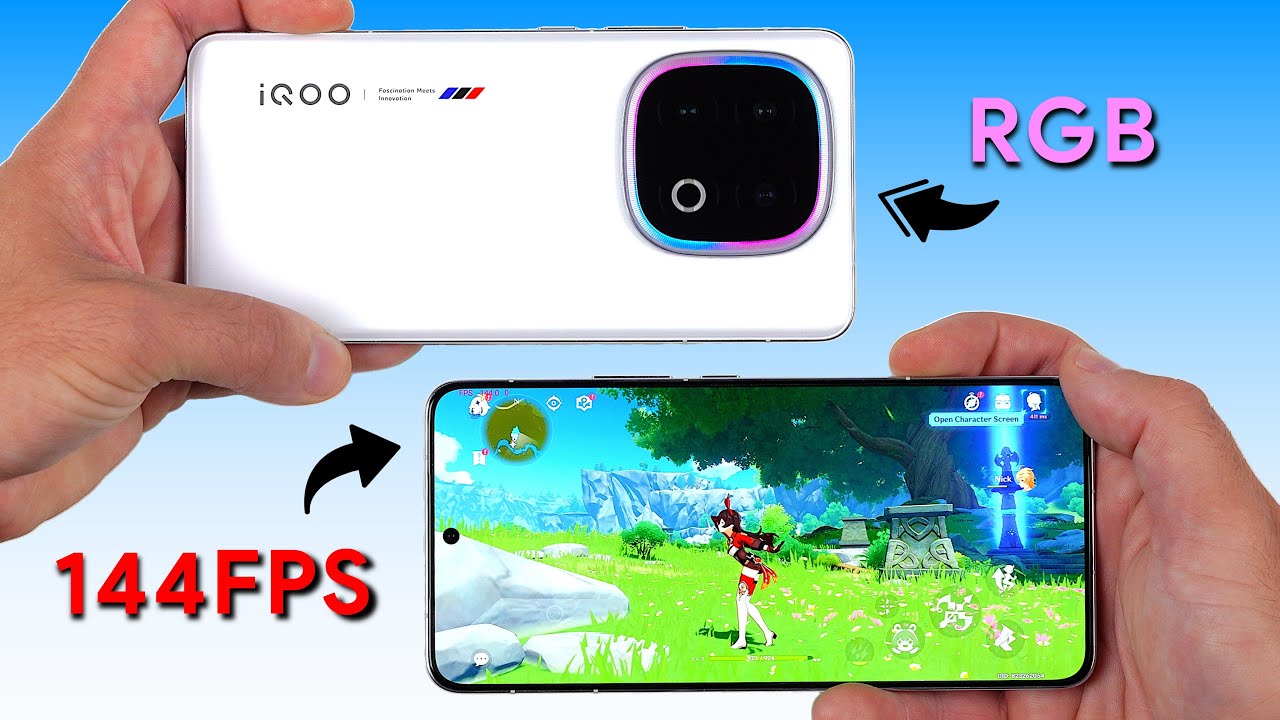
Detailed performance test of the Snapdragon 8 Elite powered iQOO 13 where we analyse benchmark scores and deep dive into gaming performance with an accurate FPS meter. We also cover unboxing, pricing, battery, design, display, software and cameras - This is my Detailed Review of the iQOO 13.
FPS meter used: https://perfdog.wetest.net/
00:00 - ...
this'
cosmic lion
valid hamlet
this feature is not 3rd party'
its still a 3rd party, hoyo didnt made that option, if not it will available to everyone ingame not on an "overlay" setting, and is a recomendation not using it because can cause false positives, some users already had been banned when using stuff like "controller mappers" on android when they only use it to being able to play with a controller
valid hamlet
there is a controller for android to play these games'
stoic reef
i think you may be misunderstanding what 3rd party means, 3rd party means hoyoverse didnt create it and thats simply all there is to that. it is a very low level 3rd party software to work with their proprietary firmware, but it is in a legal sense, 3rd party from hoyoverses perspective.
but android does not have native controller support, customer support has confirmed this many times. if it works, its not using the native game code to do it
stoic reef
stoic reef
i think you may be misunderstanding what 3rd party means, 3rd party means hoyove...
granted, pretty much everything is 3rd party from the games perspective, so its generally harmless, but all the caution me and Iho are saying is just becuase we've seen people get their accounts banned because the anti cheat thought a controller mapper software, or an FPS enhancer, etc on androids was 3rd party software (which it is) cheating (which thats debatable)
not saying its common or anything, but it has happened so its just something to keep in mind
valid hamlet
hi3 does have 120 fps in pc
Custom launcher run the game at 240+
recommended by mods and possibly hoyo staffs
And well I am gonna ask cs if any of these feature modify the game or not
stoic reef
android and pc handles its settings differently
the reason changing the fps and resolution does not break TOS on PC is because those settings are stored in the windows registry and are therefore not counted as "game files"
android keeps those settings in the game files themselves so thats why modifying that is potentially breaking TOS
stoic reef
valid hamlet
And well I am gonna ask cs if any of these feature modify the game or not
but yes, if you dont believe us, please just go ask CS if the android version specifically has native controller support, and if the features on your phone breaks TOS in any way. we're just cautioning you because of others experience but if you're unsure then customer support is always a good place to find out for certain
and with android specifically, FPS's higher than the default 60 (i think its 60, its either that or 90) are unlocked specifically for certain device models, as in they have to manually test them and unlock it for that specific model, its not even based on chipset its device model
valid hamlet
I know android doesn't have native controller support
stoic reef
oh it sounded like you thought it did in this message #🔌technical-help message but either way yeah if you're uncertain about anything and want to hear it from them then CS is always the best option
 wary temple
I'll ping you Luna
 fringe burrow
valid hamlet
And well I am gonna ask cs if any of these feature modify the game or not
fringe burrow
valid hamlet
And well I am gonna ask cs if any of these feature modify the game or not
Just asked yesterday to staff about this lol
It is allowed to uncap fps IN PC bcs you don't modify nor access to files you should not be touching, they just existe unencrypted, of you are talking about phone uncapping, then that is against tos since phone fps are locked in encrypted files, (even if you uncap in pc it may cause crashes and its technically not allowed, just not prohibited, (unless you on Japanese server, then its prohibited))
And furthermore, no, honkai mobile doesn't support controllers in any way since 3rd psrty controller software is against the tos
valid hamlet
Hmm
But I noticed these features actually does what game itself
Like hi3 runs at 60 when fps cap feature off
And goes to 90 when on
Which is supported by the game officially
What I mean is that game has maxed out graphics setting from ingame settings
Which already running at 90 fps for android
But smartphone chip has feature which cap the game at 60 fps for power consuption
Turning it on uncap that limit and go to the fullest
It's now nearly 1 years old and I did test out those cool features
I don't think any of these features actually against hoyo game TOS
It's just this super resolution option was confusion to me because it is super sampling which may inject DLL or any files in the game and cause ban
Never played genshin above 60 fps and there's no point of playing hsr above 60
stoic reef
As long as whatever its doing to change the fps isnt modifying the game stream externally then yeah. but best to wait on CS to clarify for your device
wind lichen
valid hamlet
It's just this super resolution option was confusion to me because it is super s...
thats not how super sampling should work, not with dll injection
stoic reef
not every super sampling uses the same methods tbh, theres a common way for sure but its not all are like t hat
ashen mantle
I'm scared to click on a n y of these- these aren't meant to be yellow when it clearly shows 53 days, right?
 ashen mantle
Ah, okay phew, thank you-
I was a bit concerned after the strange Returnee Bonus I had not long ago
valid hamlet
wind lichen
thats not how super sampling should work, not with dll injection
- Game Engine-Level Super Sampling
🔧 Method: Render to Higher Resolution Render Target, then Downscale
Most Android games (especially 3D ones like Genshin Impact, PUBG Mobile) use engines like Unity, Unreal Engine, or custom engines.
These engines render the game scene to an off-screen buffer (Render Target) at a higher resolution than the screen resolution.
The high-resolution frame is then downsampled (filtered) to fit the screen, reducing aliasing.
Example:
Screen resolution = 1080p.
Game renders at 1440p or 2160p internally → downscaled to 1080p → smooth visuals.
🎮 Developer Control:
Developers provide Render Scale or Render Resolution settings.
Example setting in code:
// Unity (C#)
ScalableBufferManager.ResizeBuffers(1.5f, 1.5f); // Renders at 150% resolution
- GPU Driver-Level (Vendor Tools)
🔧 Mobile GPU Vendors (Adreno, Mali, etc.)
GPUs on Android (Qualcomm Adreno, ARM Mali, etc.) can natively support super sampling via hardware scaling units.
Some devices expose this through hidden developer settings, GPU driver APIs, or manufacturer game optimization tools.
Example Tools:
Adreno Profiler (Qualcomm) — For debugging, allows resolution scaling.
Game Space (Xiaomi, ASUS, etc.) — May allow render scaling or HDR upscaling.
These are not true SSAA but can include temporal supersampling or image sharpening filters.
wind lichen
valid hamlet
1. Game Engine-Level Super Sampling
🔧 Method: Render to Higher Resolution Rend...
thanks, I know how super sampling works though 
and idk if chatgpt fully knows the exact details, "may" is a very vague term
either way, you see its either doing something with your resolution or higher render scaling.
idk any implementation that modifies the game's files, any anticheat would go crazy
stoic reef
anticheat doesnt exclusively look at modifications to the game files, otherwise it would never catch controller mappers
but either way, lets stop this topic of conversation here, speculation on how specific devices work isnt related to the game and any breach or not breach of specifics of TOS should be clarified by customer support otherwise we'll just speculate in circles till the end of time
lunar gust
valid hamlet
1. Game Engine-Level Super Sampling
🔧 Method: Render to Higher Resolution Rend...
could you please not post walls of text, especially ai generated
valid hamlet
That's fine but it is not totally fake
Ai is being used everywhere now
May be it's working on our gadgets too but that doesn't mean we should stop using gadgets
I know people don't like ai generative stuffs
I don't find any false info in ai's answer
Well this discussion end and I am not touching SSAA in mobile
lunar gust
the point is to not have one message take up the entire screen
AI being everywhere doesn't mean it should be everywhere
wind lichen
valid hamlet
Ai is being used everywhere now
then take the generated text and make it less than a full screen page long
summarizing it yourself is usually most effective
thats like reading out a full unaltered AI prompt in a presentation 
stoic reef

lets not go even more off topic with preferences to how ai generated content is presented please
wind lichen
yea sorry, just wanted to give my 2 cents to it since it was a reply to me
stoic reef
everyones been giving their two cents and straying further off topic over the last day, lets just let the conversation die out here 
lunar gust
I give my 3 cents, so there's 1 left over for a quick snack
wind lichen
yummy
stoic reef
you're not supposed to eat money 
 stoic reef
I would, but i'd lose my cats at the word "eat" and they wouldnt hear anything after that 
 obsidian edge
Hi, im having a problem that i dosent let me get in the game once i log with my account and the game itself gets broken. I redownloaded the game already, use the repair feature from the hoyoplay, check the assests, but nothing works.
I would send a video if I could, but this channel does not allow it.
cosmic lion
obsidian edge
Hi, im having a problem that i dosent let me get in the game once i log with my ...
Did you get an error msg? The game doesnt load? What is the issue exactly
And you can send archives here, is only that you are missing some roles, check again the rules
obsidian edge
cosmic lion
Did you get an error msg? The game doesnt load? What is the issue exactly
And yo...
The game just doesent load, and thanks for the info about the role thing i'll send the video

 odd wedge
obsidian edge
obsidian edge
odd wedge
https://discord.com/channels/418652140454674432/427673685026013184/1026885789386...
odd wedge
obsidian edge
obsidian edge
odd wedge
https://discord.com/channels/418652140454674432/427673685026013184/1026885789386...
I see, would it work if i connect to any part of world? Like US?
Because if from EU
cosmic lion
Its doesnt matter, you still will get connected to the server
obsidian edge
It worked, thank you both @odd wedge, @cosmic lion
 valid hamlet
Who always wandering in this room
bitter ravine
odd wedge
valid hamlet

 jovial bough
no
stoic reef
that kind of stuff belongs more in #👶beginner-help or #💁gameplay-help but its all good! but like Daniel said they dont reset
 urban grove
How are beta testers chosen?
I get a mail for it so random. Not even my hoyo account mail
stoic reef
the process for choosing them isnt known tbh
not much info for it is public knowledge due to a lot of it being under NDA anyways
urban grove
Allr. But still weird that they got my main mail and not hoyo account
stoic reef
do you perhaps have your hi3 account linked to your main mail? it could be that, or if there was a form you filled out you might have put your main mail in there instead of your hoyoverses email. I do know theres no way they have the ability to magically find your main mail so it was probably put somewhere and it just showed up on their end as your contact email
urban grove
Is linked to discord
urban grove
stoic reef
do you perhaps have your hi3 account linked to your main mail? it could be that,...
Yea u right
stoic reef
nice, mystery solved
urban grove
Not at all xD
stoic reef
oh sorry, i thought you said that you had it linked to your hi3 account or had put it in the beta test form
stoic reef
thats true, could always ask where they got that from but yeah like you said no matter in the end
 brazen otter
Are the control config files stored somewhere and can I just yoink them and move them on my new computer? I don't want to redo all of my input setup
stoic reef
brazen otter
Are the control config files stored somewhere and can I just yoink them and move...
custom button mapping? unfortunately not that im aware of, i havent tested this but if it is stored anywhere that you can copy it might be in this folder
Press Windows + R, and input %userprofile%\Appdata\LocalLow\miHoYo\ in the opened window
but i know its not in the registry files, so after installing and updating in the game, you can try closing it and copying over that folder and see if that helps, im not sure if its kept in there or in the game files themselves but if you want to try that you can and see if that works
brazen otter
Alright, thanks, I will give it a try
stoic reef
np! lemme know if it works or not. custom button mapping would either be there, or buried somewhere in the game files that you dont have access to so i'd be curious which one it is
brazen otter
stoic reef
np! lemme know if it works or not. custom button mapping would either be there, ...
That wasn't it 
stoic reef
ah rip
then yeah its not possible then. thats the only place thats accessible that i wasnt sure of if it was there or not
wind lichen
brazen otter
Are the control config files stored somewhere and can I just yoink them and move...
they are in the registry actually
specifically under HKEY_CURRENT_USER\SOFTWARE\miHoYo\Honkai Impact 3rd, there are a bunch of control related key entries
i believe if you copy all of these over within that folder, you retain pretty much everything from your account, including presets, favorited items and such
and most importantly, "new" and red dot checks you already cleared
brazen otter
I already went through clearing all of that manually, but thank you 
wind lichen

valid hamlet
It is stored in registry location mentioned abbove
You need to edit some binary data to access mapping data
GENERAL_DATA_V2_ActionBindingLocalDataDic
This entry
This is little bit complicated to do since its not just edit or save and reuse registry value
Need to decode that entry into json file using powershell and extra mapping data
stoic reef
reverse engineering or decoding files are explicitly against TOS
please do not encourage or talk about doing that @valid hamlet
and on a side note, that registry key does not contain the actual control scheme, it contains which type you have selected (keyboard only, keyboard/mouse, etc) and points to a different place where the full control scheme is located, which i thought might be in the appdata cache folder but it turned out to not be
but yes to what Ram said, iirc backing it up and moving it over does save on clicking on as many red dots the first time you open the game, assuming it takes you longer to clear dots than backup and copy over the registry files
valid hamlet
Its midnight 1 am here for me
I do have that script
No we don't touch game fies
I will show it tomorrow
stoic reef
i never said you did or didnt, just avoid discussing ways to violate TOS or violate server rules in the future and especially dont encourage others to do it
stoic reef
valid hamlet
I will show it tomorrow
if it cant be done by utilizing regedit only to change a value of a registry key and nothing else, then that violates TOS, just something to keep in mind
valid hamlet
We basically change value of registry key
But since its binary we edit in json
Well mihoyo game files coding are somehow the same code strucured
stoic reef
again, if it requires a script it explicitly violates TOS
 valid hamlet
Hmm
stoic reef
it is why any regedit thing we recommend ever is manually changing a key using regedit
valid hamlet
Anyways I always go in game and access everything one by one to get rid of "new" tags and red dots manually
stoic reef
when i reinstall every patch i do as well, it usually only takes a few minutes and isnt something i mind doing
though on a side note, reverse engineering the binary also explicitly violates TOS so even the purpose of converting binary to a json is a no go

so just please dont bring it up again 
lunar gust
to be fair those terms do not apply to config editing
and converting binary reg value to text isn't anything special
stoic reef
i thought they applied to everything related to the game 
lunar gust
in the real world mhy only cares if you disrupt the game via cheating or create something that breaks copyright
stoic reef
but if you say that script isnt against TOS then i'll defer to your judgement
lunar gust
in the binary editing case it's just too much effort for average joe
not worth explaining here imo
valid hamlet
Documents/mihoyo/Config
Backup before uninstall and reuse after it to get rid of all new tags and red dots
lunar gust
the settings aren't stored there
lunar gust
also no. please research before you suggest anything
 craggy tangle
is there any way to download sea client on ipad without vpn when youre overseas
valid hamlet
website'
odd wedge
craggy tangle
is there any way to download sea client on ipad without vpn when youre overseas
Create and use a SEA region Apple ID (e.g. Malaysia, Singapore, Philippines, Indonesia, Thailand). You should be able to install the SEA client on the Apple App Store.
*Make sure the app name is Honkai Impact 3, and NOT Honkai Impact 3rd on the App Store before installing.
Australia works too
valid hamlet
i used to install sea server on my android phone as i am asian but my country officially does not included in sea region therefor games are not available in country'
at that time i had to use vpn to access sea server'
now that i found official website let you download proper server app'
i wonder if ios does the same way'
lunar gust
iOS apps can only be installed via App Store
valid hamlet
ah so app store must be of sea region'
lunar gust
(excluding EU shenanigans)
lunar gust
valid hamlet
ah so app store must be of sea region'
more precisely, the Apple account used for accessing the app store
odd wedge
valid hamlet
i used to install sea server on my android phone as i am asian but my country of...
Wouldn't have needed such a roundabout way if we could buddy
SEA means Southeast Asia, the rest of Asia either have their own dedicated servers (China, Japan, Korea, TW/HK/MC) or use GLB servers (e.g. South Asia).
bitter ravine
@lunar gust
craggy tangle
odd wedge
Create and use a SEA region Apple ID (e.g. Malaysia, Singapore, Philippines, Ind...
oh dang
but my friend bought the ipad on hk, is it not possible to access the sea acc then 
stoic reef
craggy tangle
oh dang
but my friend bought the ipad on hk, is it not possible to access the se...
they still can, just need to make an apple account where the address is some random SEA location, and then use that appleID when signing into the app store (or change the location in their account settings, but iirc you cant do that very often so its better to make an alt apple account)
once they use their sea apple account to access the app store, it'll have the sea version of the game to install. the app store just looks at the location of the account used to access it
stoic reef
~~ granted its not easy, but theres nothing we can do about that, apple is apple and all that~~
odd wedge
stoic reef
once they use their sea apple account to access the app store, it'll have the se...
Last sentence might confuse people.
*it looks at what region the account is set to.
stoic reef
odd wedge
Last sentence might confuse people.
\*it looks at what region the account is se...
is it a seperate setting in the account settings? I thought it inferred the region based on the location
odd wedge
It doesn't really care where you're physically at, so there's no need for VPN and whatnot. Just "haha I choose this country in settings"
We might be misunderstanding each other I think 
stoic reef
ah gotcha so regardless of everything else, just set the country to the correct one and it'll work. like for example if you had a UK address, but set the country to the Philippines it would be in the SEA region right?
odd wedge
Yes
stoic reef
ah gotcha, then yeah thats my bad
odd wedge
Oh you mean address like for the account?
stoic reef
yeah, so like for example in the apple account settings, if you for example had a UK address there, it would let you set the country field to Philippines and the app store would be SEA region based?
odd wedge
In that case I'm uhh not sure. Might need an address for that country, just choose a random address
Anywho, I don't own a single Apple product (except an airpods my friend found and gave to me kekw). I may be missing something, outdated or wrong (oopsies). So feel free to shoot if I'm wrong.
stoic reef
really should make a guide for this now that i think about it.
i dont own an apple product either so testing is hard
lunar gust
singapore is best bet for SEA
odd wedge
Define best bet
lunar gust
ig its when one doesn't know which country is SEA lol
valid hamlet
Malaysia Singapore Thailand Indonesia vietnam myanmar csmbodia
Any from these
Phillipines too
I would put my bet on philipines
stoic reef
any would work, dont need to prioritize any one over another
valid hamlet
Hi3 server for asia is in Japan and phili is closest to it
stoic reef
arent they in the amazon cloud? at least they were a few years ago
stoic reef
but either way your apple account region does not matter at all how far away it is
valid hamlet
Server's physical location is japan
stoic reef
your apple accounts location does not affect ping at all...
and the sea servers are located in the alibaba cloud according to their most recent registration
your ping is 100% determined by your physical location IRL and your ISP's IIX routing
wary temple
Physical location matters a bit maybe for some servers
My cn account is now locked forever for "being SG IP when registering"
CS replied I have to "be in cn when registering the account" and refused to provide the account transfer even if I make a new one
I asked about my paid items too they just insisted
probably not a global server issue
stoic reef
it doesnt matter for global or SEA, but for CN (i think its just CN server) since its more closely tied to your real ID and location it matters there yeah
 vast bough
is there any explanation why hi3 wanted me to allow access to public networks on windows in the middle of clearing helia's stage in hot on the trail?
stoic reef
i dont see why the game itself needed that. if i had to guess its the old issue with windows accidentally "remembering" prior connected networks as public and since by default things arent allowed public network access iirc it'll ask if its ok. so if i had to guess windows disconnected and reconnected to your home wifi but thought it was a public network and since network connections werent allowed on public networks it had to ask permission first
vast bough
hm ok. I'm most concerned if there's anything i should worry about in terms of security with the game
i think my network did hiccuped as it happened
stoic reef
as far as the game goes it wont affect game security at all, assuming you're not on a laptop and are planning on taking that computer to a coffee shop later or something where someone could in theory intercept any login handshakes and stuff. if you're worried i can double check how to put that back to normal later though. that setting would just allow hi3 to use public networks, it doesnt degrade the security of your home internet connection or using the game on your home internet connection. its basically just allowing the game to work at all on what your computer thinks are public connections (whether or not they actually are)
vast bough
i see. I don't think there's any further concerning thing on my end then. Thanks
stoic reef
0/ np!
odd wedge
stoic reef
your apple accounts location does not affect ping at all...
Yes dear, it's hard being right
odd wedge
wary temple
Physical location matters a bit maybe for some servers
My cn account is now lock...
Man, should've created one when I visited Shanghai 😔
 exotic copper
Update to this (ik very late and uhh been a very long time but still)
I've found the transaction receipts for the purchases I've made when I was playing. Found em today when I was going thru the mail. Now the thing is that I'm not able to find any trace of the convo with ca regarding the whole thing on any off my accs even in spam folders etc. I want to try my chance at the form again so any ideas how do I start? Do i make a new request to cs for this or..?
exotic copper
ill give a recap of the thing if u want
odd wedge
exotic copper
Update to this (ik very late and uhh been a very long time but still)
I've found...
Yes, you may contact CS again and fill a new form
Good luck
exotic copper
odd wedge
Yes, you may contact CS again and fill a new form
Alr thanks
 viral bane
the edges of my screen are black but when I got to resolution mine isn't there, there's only 1280x1024
help please, my monitor is new so I'm a bit lost
wind lichen
what's the usual resolution of your monitor?
stoic reef
viral bane
help please, my monitor is new so I'm a bit lost
one thing you can try thats pretty quick is to put the game in window mode, then close it and reopen it and try putting it back on fullscreen and see if it shows your resolution
viral bane
wind lichen
what's the usual resolution of your monitor?
2560x1440
stoic reef
if that doesnt help you can hold shift while clicking launch game from the launcher, and keep holding shift until you get a unity settings menu where it might show the resolution.
viral bane
stoic reef
one thing you can try thats pretty quick is to put the game in window mode, then...
I'll try
viral bane
stoic reef
one thing you can try thats pretty quick is to put the game in window mode, then...
I LOVE YOU IT WORKED
why is this not normally in the game? 
thank you for the help guys!
wind lichen
viral bane
why is this not normally in the game? <:SongqueStare_stolen:1339607134622580839>
i think because the config file still had the max resolution of your old monitor saved
viral bane
wind lichen
i think because the config file still had the max resolution of your old monito...
yes I had a tiny one eheh
wind lichen
switching full screen to windowed does trigger a flag that rechecks that
viral bane
but I unninstalled honkai in the meantime
viral bane
wind lichen
switching full screen to windowed does trigger a flag that rechecks that
cool! thank you again
wind lichen
viral bane
but I unninstalled honkai in the meantime
doesnt matter, your settings stay saved in the registry unless you clean that out manually
including resolution
stoic reef
viral bane
why is this not normally in the game? <:SongqueStare_stolen:1339607134622580839>
yeah like ram said it could be that, sometimes the settings config file just has a glitch and doesnt show the proper resolution. probably wont happen again
viral bane
wind lichen
doesnt matter, your settings stay saved in the registry unless you clean that ou...
I wish I'd just texted here in the first place, I saw some tuts on yt about going in the games files and search for width and whatever and put in my resolution, I mean that worked but only for a couple minutes
wind lichen
stoic reef
yeah like ram said it could be that, sometimes the settings config file just has...
i have this many times when I drag my game from one monitor to another, because my max res of my secondary is not only smaller but also 16:10
wind lichen
viral bane
I wish I'd just texted here in the first place, I saw some tuts on yt about goin...
if that tutorial was older, it probably missed another registry key that also dictates resolution
stoic reef
I used to have that, now i just put mine on windowed mode and keep it in the middle of my main monitor so i can screenshot dialogue easier
wind lichen
ah i cant do that, it always screenshots the window border with the game 
and if I remove said border, I cant drag the window anymore
stoic reef
I use greenshot, lets me draw a square around a specific region of the screen, and saves that region which i've hotkey'd that screenshot last region to a mouse button so i can also screenshot mid fight dialogue too
wind lichen
i see
probably should look into those utilities, have reached many limits with snipping tool already that annoy me
stoic reef
i like snip for quick custom screenshots, but for something like hi3 where its in the same place everytime and i can map it to a random button on the side of my mouse its been pretty useful
exotic copper
odd wedge
Good luck
One thing I didn't understand is that when I used acc recovery to get back my acc ( I didn't know it was only to link old mihoyo acc with hyv acc ) I could see my acc details like uid and username and then got an option to either select a hyv acc to link with or a create a new one and link it. If my mihoyo acc was already linked with hyv as luna pointed out, why did I get the option to choose and link it again? When I did go through the linking process it just created a fresh new acc instead of linking my mihoyo acc to hyv acc
At the end I got the confirmation from cs that the uid I provided them (my main acc) was already linked to some other hyv acc with @rambler.ru domain name
exotic copper
The first one is the email of the hacker ig the second has my main acc and uid and all that. I tried using the acc recovery and the last one is a ss of my main acc for uid and other deets taken from my alt


 exotic copper
odd wedge
Russian hackermen at it again
exotic copper
odd wedge
Russian hackermen at it again
IKR
odd wedge
Yeah your account's hacked man 😔
Have you made it clear to CS that it's not your email, that your HoYoverse account was hacked?
exotic copper
Btw this happened arnd march last year
Today I came across purchase receipts in my mail for my acc so thought I'd give it another try
odd wedge
Also, totally should change your email password too
exotic copper
odd wedge
Also, totally should change your email password too
Done
odd wedge
I got hacked too last year but I caught on quick kekw
exotic copper
odd wedge
Have you made it clear to CS that it's not your email, that your HoYoverse accou...
I didn't point that out I think. I did tell them that the game acc I'm trying to access exists but it isn't linked to the hyv acc I used bcz it's saying the acc doesn't exist. So I asked them to check which hyv acc is linked with that uid and I got that
exotic copper
odd wedge
I got hacked too last year but I caught on quick kekw
Yea i was on a hiatus
I think I left around the start of part 2 and came back some time later idk why to find that my acc was gone
odd wedge
Ah, it's still the same HoYoverse account. It's just that they changed the email.
exotic copper
Yeaa the hecker changed the email and didn't even get any notif of that happening
odd wedge
Since your email was unlinked, it's no longer associated with any account. That's why it created a new account when you tried to log in.
I got a stroke rereading my own text
odd wedge
exotic copper
Yeaa the hecker changed the email and didn't even get any notif of that happenin...
They had access to your email too 😔
exotic copper
odd wedge
I got a stroke rereading my own text
I'm still trying to understand that but yea I kinda get it
But wasn't my mihoyo id linked to my mail before the hecker changed it? I still got the option to link my mihoyo with hyv tho - shudnt that have done the trick?
Idek what I'm asking atp
stoic reef
exotic copper
But wasn't my mihoyo id linked to my mail before the hecker changed it? I still ...
the option exists, if you had finished trying it then you would have gotten an error message that your game account is already linked to a hoyoverse account
exotic copper
Didn't get any error. Instead it created a new acc altogether. Had to go thru tutorial like 4 times bcz of this
stoic reef
but what happened is hackerman:
got access to your email > changed what email account your hoyoverse is linked to
what you need to do is:
let CS know that your account was hacked > fill out the form to prove you're the account owner > they give you your account back
exotic copper
stoic reef
but what happened is hackerman:
got access to your email > changed what email ...
Ye imma dot hat
stoic reef
exotic copper
Didn't get any error. Instead it created a new acc altogether. Had to go thru tu...
the account retrieval screen doesnt create new accounts. if you did the account retreival, then tried to log into the game itself afterwards then its possible you clicked outside the error message box too fast so it went away and you didnt see it, or it bugged out and didnt show correctly. but if your game account is linked to a hoyoverse account it will give an error message. the games login screen itself just creates new accounts if there isnt one associated with the hoyoverse account
stoic reef
odd wedge
I got a stroke rereading my own text
stay safe lol
stoic reef
exotic copper
Ye imma dot hat
oh and one thing to do to in case the hacker is still logged into your email, since you've already changed your password also log your gmail out of all devices so it'll log them out
theres a button in your google account site, in the security section or something like that
exotic copper
stoic reef
the account retrieval screen doesnt create new accounts. if you did the account ...
At the end I gotta provide cs with
My uid
The mail address I used
A few screenshots
Bills for payments
Anything else I need to prepare
exotic copper
stoic reef
theres a button in your google account site, in the security section or somethin...
Yea done all that
 stoic reef
exotic copper
At the end I gotta provide cs with
My uid
The mail address I used
A few screen...
stoic reef
exotic copper
At the end I gotta provide cs with
My uid
The mail address I used
A few screen...
theres some memory based questions, like what device you created the account on, and when and stuff like that but as far as materials like bill reciepts that the main thing you gotta dig up to put on the form too
stoic reef
odd wedge
<:RozaDead:632739496865300511>
Nooo senpai 
here you go, its a fortifying beverage 
exotic copper
stoic reef
theres some memory based questions, like what device you created the account on,...
Alr hoping it goes thru this time
stoic reef
hopefully, if it gets rejected just triple check that everything is as complete and accurate as you can and ask for a new form. I think the record was a dozen tries or something lol. If you do have to try it again make sure of course to not put the same answers for everything, because it got rejected for a reason lol
odd wedge
stoic reef
Nooo senpai <:KianaBeg:585551010521546766>
here you go, its a fortifying bever...
 stoic reef
go senapi go! 
valid hamlet
I never make purchases so cs has to one less worry about
stoic reef
are you trying to recover your account from a hacker? 
exotic copper
What's annoying is that the hecker last logged in on 1st April 2024
Or maybe it was me idk
No activity since then
Maybe they were just after my id and didn't care abt the game
exotic copper
exotic copper
Maybe they were just after my id and didn't care abt the game
Doesn't make sense to me tho
stoic reef
exotic copper
Maybe they were just after my id and didn't care abt the game
a lot of times they'll gather accounts automatically, and every now and then sell them but they arent individually trying to use your account
(usually)
odd wedge
They are explicitly looking for game accounts, e.g. Steam, HoYoverse etc.
For some reason
My brother (does not play any games) got hacked once, cannot for his life recover the email and anything associated with his email (including crypto).
Next day, recovered account. Nothing happened. Crypto safe, non-existent game accounts safe, everything safe.
They returned the account, because he doesn't play games.
odd wedge
valid hamlet
I never make purchases so cs has to one less worry about
That's not exactly it.
There are times hackers top-up on hacked F2P accounts. Since they have the first top-up receipt, they kinda get to claim the account is theirs.
valid hamlet
What I mean is, what hackers would get from f2p account
It would be worth if I had SSS rank valks
stoic reef
Lot of reasons, especially old ones. They're not trying to play your account
stoic reef
valid hamlet
It would be worth if I had SSS rank valks
Since you have asuka, that would be worth quite a lot i imagine just on it's own
valid hamlet
I mean yeah
But I wouldn't buy any account with no good stuffs in it if I were the buyer 
Nobody is earning anything from me, not hacker, not company
odd wedge
People would pay for early player UIDs
exotic copper
Collectors do be wild
If ppl can pay for shiny rocks then why not random numbers too
 gloomy cosmos
and gacha characters are just pretty pngs
doesn't stop anyone from whaling
valid hamlet
But wait this is technical room so better we end this discussion here
exotic copper
Okay question:
CS replied and said I've gotta provide them with the case no if I've already submitted a form. But the thing is that I can't find any trace of the convo I had with cs on my mail. Checked spam, used keywords, advanced search and checked every other acc but it's just not there. I'm trying to find the case no in case I've saved it somewhere but if I don't find it do i file a new case? Wouldn't that be like - more troublesome for them?
odd wedge
exotic copper
Okay question:
CS replied and said I've gotta provide them with the case no if I...
You can't find past emails with HoYoverse?
or you can't find any emails with case numbers?
Have you always contacted them via email? Any attempts via in-game support?
exotic copper
exotic copper
The first one is the email of the hacker ig the second has my main acc and uid a...
This is the only ss i have of the convo and that's cuz it's saved on dc
I probably deleted others and yea I had this Convo with them in mail
In game support eh idr
There's one more time I contacted cs which was before acc hacking shenanigans and I've got those records in the mail
But can't find any related to the acc hacking saga
lunar gust
the case no they are talking about is not you contacting them but is the form for recovery
typical confusion
if you never submitted any such form, just say no
FYI this is how the form looks like
https://cs.hoyoverse.com/new-csc-new-os-account-retrieve-fe/index.html?channel_id=212&token=12b45097-ba0f-4854-a278-226f81c5037e
exotic copper
Yea I have submitted the form once nd it got rejected but idk if ice saved the case no somewhere
 lunar gust
well they'll send you that form anyways
so you can just submit the form
no need to even open a ticket
in the old times before HoYo Help Center was a thing you needed to ask them for the form link, but now it's right there for everyone
odd wedge

 rare ivy
hi good how hmm

obtain max resolution in this monitor 34
like similar this in genshin impact very thanks

5120 x 2160
stoic reef
rare ivy
hi good how hmm
one thing you can try thats pretty quick is to put the game in window mode, then close it and reopen it and try putting it back on fullscreen and see if it shows your resolution. if that doesnt help you can hold shift while clicking launch game from the launcher, and keep holding shift until you get a unity settings menu where it might show the resolution.
rare ivy
very thanks , obrigado do corazon
stoic reef
np!

 young rose
Is there any ongoing discount events for top-up? I barely missed the 10% off discount, didn't have enough money until a couple days ago 😕
stoic reef
young rose
Is there any ongoing discount events for top-up? I barely missed the 10% off dis...
Not any current ones that I'm aware of but #👶beginner-help or #💁gameplay-help might know if there's any soon or something
young rose
Sure I'll ask there, thanks 🙂
exotic copper
im filling the form rn and about the date when i first logged in is it fine if its more of a tentative date? i first logged in during 4.8 but left very quickly then logged in again around the end of genshin x hi3 collab in 4.9 i remember logging in for keqing but she was gone by then and the problem is that idk if i created a new account the second time i logged in or continued on the same one
also about the most recent date - idr if it was me or the hacker who logged in on 1st april 2024
the last char i pulled for was sena and i may or may not have kept checking in every now and then into the game
so do i add 1st april 2024 or try to remember?
stoic reef
exotic copper
im filling the form rn and about the date when i first logged in is it fine if i...
if it didnt start you over with a brand new account with the tutorial then it didnt make a new account
and for the most recent date, it not realistic for you to know when someone else used your account so just put the last date "you" logged in
exotic copper
well i know i wasnt there for thelema and left a lil bit after getting sena
the version dates also check out
adding to that the complete lack of activity from the hackers side on my acc its probably me who logged in
also what all should i add in additional info?
exotic copper
nvm ive submitted
i used the pointers they gave like when i used some other device to play and described the situation in detail
stoic reef
hope they accept it!
 wet kettle
just got a new phone and was wondering is there a way to dl the game so it doesn't take 20gbs+ since i usually just use the phone version to buy from google store/daily when im not able to use my pc
cosmic lion
wet kettle
just got a new phone and was wondering is there a way to dl the game so it doesn...
no, you have to download the base data if you want to "play" the game, if you only want to buy crystals/bchips you can use the website
#🔌technical-help message
wet kettle
rip
wind lichen
Quick question, is a topup discount from last event still valid if I already claimed but didn't use it?
or do those still expire
cosmic lion
wind lichen
Quick question, is a topup discount from last event still valid if I already cla...
no, they expire, iirc the valid time from last one ended the 7 aug.
wind lichen
cosmic lion
no, they expire, iirc the valid time from last one ended the 7 aug.
ah well, now I know better. thank you
odd wedge
@stoic reef I finally recovered my Google account RAAAAAA
stoic reef
odd wedge
<@277721591012655105> I finally recovered my Google account RAAAAAA
congrats! Glad you can finally get that weight off your chest but back to the unlimited cloud storage lol
noice though
odd wedge
I missed this so much
 stoic reef
oh yeah unlimited cloud is sooooooo nice
 lime dawn
guys so how can i link my steam account to my hoyo account
stoic reef
lime dawn
guys so how can i link my steam account to my hoyo account
unfortunately its not possible, steam accounts dont have the ability to link to a hoyoverse account
one of the biggest downsides really but its just never been possible. I keep asking for it in feedback surveys but they havent done it yet
stoic reef
honestly at this point probably not, but its in my list of things i ask for every feedback survey lol
 static pagoda
What would happen if I switched servers on the same Hoyo Account?
static pagoda
static pagoda
What would happen if I switched servers on the same Hoyo Account?
For Hi3
cosmic lion
static pagoda
What would happen if I switched servers on the same Hoyo Account?
you will just login on a different server. "game accounts" are lock to the server so if you don't have one already for that server, its going to start a new one
stoic reef
static pagoda
Wanted to know since I was wondering if the other stays <:HimekoLMAO:13269774883...
Yup it stays, you can't delete a hi3 account yourself, only the hoyoverse account
static pagoda
stoic reef
Yup it stays, you can't delete a hi3 account yourself, only the hoyoverse accoun...
So I'd have a EU account and NA account on the same email?
stoic reef
static pagoda
So I'd have a EU account and NA account on the same email?
Yes, each hoyoverse account can have one hi3 account per server
static pagoda
Dang
Thank you ol knowing and wise Luna
stoic reef
Np
stoic reef
cosmic lion
you will just login on a different server. "game accounts" are lock to the serve...
cosmic lion
stoic reef
<:SakuraLuv:660302348744130560>
exotic copper
How long does it usually take for the form rejection notice
Or approval notice
Cuz I got mail telling me to rate the service
And no response
lunar gust
a few days
the mail was about ticket being closed
which is separate from the acc application form
 glossy narwhal
i noticed im not getting a ping or a note on the code chat anymore (the red 1) even though im sure i got the tags for it or did i miss something cos i know i used to before
stoic reef
glossy narwhal
i noticed im not getting a ping or a note on the code chat anymore (the red 1) e...
the exchange codes? i think you have the correct roles, did you check the notification settings for that channel? sometimes discord changes them on its own
glossy narwhal
stoic reef
the exchange codes? i think you have the correct roles, did you check the notifi...
got the server muted (as i do with most) and the only way i can tell a msg got posted is when the text turns white
not sure what setting to put it on as i never changed the setting

i do get pings for abyss
stoic reef
glossy narwhal
got the server muted (as i do with most) and the only way i can tell a msg got p...
whats the server notification settings set to right now for you?
but like i get the red pings for exchange codes and as far as roles go i have the same as yours
as far as pings goes that is
glossy narwhal
only thing i had done was right click icon mute server > untill i unmute
cos other wise u get that ding every time someone types something anywhere
stoic reef
its just pinging the NA and EU role which i do see that you have
glossy narwhal
thats why im confused about it
stoic reef
and that screenshot above is from the #glb-exchange-codes channel notifications setings right?
and the server notification settings does NOT have the role mentions suppressed right?
glossy narwhal
stoic reef
and that screenshot above is from the <#815803718427082772> channel notification...
correct
stoic reef
if both of those are correct, then probably the discord app was just bugging out so might need to restart it and it should go back to normal i think since all your settings are correct
glossy narwhal
well thats the thing its not something recent
this has been going on for nearly a year or so
stoic reef
let me double check something real quick
glossy narwhal
today i just got tired of it and decided to say something about it
stoic reef
can you ping me real quick?
glossy narwhal
stoic reef
let me double check something real quick
if it helps i can join a vc and stream deets
@stoic reef like this?
stoic reef
yup, thanks thats what i needed.
stoic reef
glossy narwhal
if it helps i can join a vc and stream deets
and this shouldnt be necessary, all i really needed to see was your notification settings. i cant think of anything that i need to look at atm
trying to think here since your settings are correct, and its just pinging the role that you have
and you do get other pings so its not like a windows setting
glossy narwhal
signed up for
abyss pings (those i get)
region
languags
updates
should all be good from the channels and roles bit
stoic reef
Can you try double checking your notification overrides for hi3 server?
right click the server and click on notification settings, and on the next window scroll down till you start seeing channel names and send me a screenshot of what the #glb-exchange-codes is set for right now
the menu looks something like this
 glossy narwhal
stoic reef
the menu looks something like this
glossy narwhal
stoic reef
the menu looks something like this
first time seeing that so no clue where to even find that
glossy narwhal
ah found it
cant seem to click on the boxes but i can remove them out of it

found out why i cant edit the other boxes (its cos server is muted)
would also like to add i didnt add them in there (cos i didnt know this was a thing untill now)
stoic reef
makes sense, and thats fine, i was just wanting to double check it wasnt muted in there or anything
doing some googling, because everything is set correctly that i can tell
glossy narwhal
maybe the override was causing the problems (big maybe) i removed all the overrides and only thing i can do to see if it helped is wait for a new code
stoic reef
do you have discord on mobile too?
glossy narwhal
i do but no pings what so ever only DM's
and it also seems hi3 and hsr were the only one's with a override
stoic reef
but other than double checking the server and channel settings on mobile in case one of them are different and thats overriding it, you can also try clearing the cache on your pc only https://www.howtogeek.com/686597/how-to-clear-discord-cache-files-on-desktop-and-mobile
and while this doesnt solve whats causing the issue, because im not sure why its doing that but if you unmuted this server, but set it to something like this (can suppress everyone and here, as well as new events then that would fix any glitchy muted server overrides going on

but since for the exchange code, if its a lighter gray color like this its just pinging your EU role so its nothing with the server roles that are causing that

the other pings you are getting are from your EU Abyss and Announcement roles
stoic reef
hopefully that fixes it! i'd try pinging you to test but not only do i not have the access for that, i uh think its very not allowed even if i could
i'll keep googling some more and i'll let you know if i find anything else to try, or maybe someone else will have an idea but hopefully that fixes it
glossy narwhal
ill glady hear any extra solutions
 worldly cipher

stoic reef
worldly cipher
<:KevinPeek:658443365364269057>
 molten halo
Might sound hilarious but is it ok to leave this on or something? I can't be up another two hours to deal with it

Yes it got infected
No I didn't download anything it was my flash drive that was infected because I used it to print some files
Yes I was too tired to notice that there is something wrong with a file named "new folder" that had application tag instead of a folder tag and I was gullible to open it

stoic reef
yeah it should be ok to leave it on. most of the time it'll auto quarantine any problem files and just inform you of the results afterwards
molten halo
Okie thanks luna
stoic reef
np! it might want you to restart to complete or such afterwards, but it shouldnt stop entirely and even if it does pause for a thing it'll still continue just fine afterwards
molten halo
Also I found some files named "Thumbs"
I am not sure if these files were included in original folder or if it was added cause of virus
Format is "data base file"
Looks suspicious that it's placed right next go a bunch of pdf docs but I'm not sure
stoic reef
can you right click it and click properties and let me know what the file extension is?
molten halo
Yea sure
stoic reef
tbh theres a lot of database file types
 stoic reef
molten halo
stoic reef
molten halo
ah yeah thats safe to keep. i forgor until i googled it but thumbs.db is where thumbnail images for files are stored
or i should say its safe to delete (might break thumbnails) but its normal to be there
molten halo
Ohh got it
stoic reef
could be sus if something is hidden in it, but it is "supposed" to be th ere
molten halo
I don't wanna accidentally infect our institute's pc ngl very bound to happen cause they don't have antivirus
molten halo
stoic reef
could be sus if something is hidden in it, but it is "supposed" to be th ere
I'll just get rid of them just in case
stoic reef
okie, at worst it breaks the thumbnails but like, im guessing you can live with that lol
stoic reef
molten halo
I don't wanna accidentally infect our institute's pc ~~ngl very bound to happen ...
if they dont install a basic AV on their pc's then thats on them. school/research places are popular for hacks and so thats like living in the bad part of town and never locking the door
theres even free ones like
molten halo
I swear every school doesn't have a basic anti virus installed
The amount of times my drive got infected and hid my files or a teacher's file
Lost count

Anyways thank you for your help luna, I'm gonna take my leave
Bye bye
stoic reef
See ya! Get some sleep 
odd wedge
molten halo
Might sound hilarious but is it ok to leave this on or something? I can't be up ...
Dang 360, I'd use Windows Defender.
But then again, my Windows Defender was disabled on my old laptop cuz I logged in with my uni Microsoft account
Uni doesn't know anything about it, me and Windows tech support spent many many hours throughout days trying to fix it together 
wind lichen
odd wedge
Uni doesn't know anything about it, me and Windows tech support spent many many ...
ohh yea had that recently in a less extreme extent. thankfully i only did a office only login, so it just tried to install every microsoft 365 program that the account was allowed to use, despite me manually setting up only word excel and powerpoint earlier
oh and of course it still logged into edge
 nova topaz
@lunar gust it seems your Bp server certificate has expired (the LetsEncrypt one) - it was valid until 18 Aug 2025
So BetterHI3Launcher can't be opened because the connection (the FetchOnlineVersionInfo() part) doesn't get established with the invalid SSL certificate
lunar gust
oh shit
thanks for the notice
I should set up monitoring...
been doing it at my job but not for my own server kek
nova topaz
 fickle glen
Guys i need some help retrieving my account, i had an acc which was level 75 and im trynna get back to it so i click on the account retrieval thingie, which goes through smoothly but once i get into the game it gets me into another account with a different uid 😭😭
stoic reef
fickle glen
Guys i need some help retrieving my account, i had an acc which was level 75 and...
when was the last time you used that level 75 account?
fickle glen
stoic reef
when was the last time you used that level 75 account?
Years ago literally
stoic reef
fickle glen
Years ago literally
if it was after mid 2022 then the account retreival cant help you there, but if it was before then then try the account retreival again and let me know what the error message says after you try to link it to a hoyoverse account
fickle glen
stoic reef
<:BronyaThink:1326977595702775954> if it was after mid 2022 then the account ret...
Nono, it wasnt that much i think, i hope so 😭
stoic reef
oh if it was after that then the issue is that your hi3 is already linked to a hoyoverse account, the account retrieval only works if you havent touched the game once since mid 2022
fickle glen
It doesnt like give me an error, it says it has been linked but when i get into the game it doesnt give me my account back which is weird
fickle glen
stoic reef
oh if it was after that then the issue is that your hi3 is already linked to a h...
Damn, im not sure rn i dont even know when was the last time rn
I just know it was more than 2 years ago
stoic reef
fickle glen
It doesnt like give me an error, it says it has been linked but when i get into ...
sometimes if you're clicking at just the right time or too fast the error message will be on the screen like for less than a second. if you want to try it again then its harmless to try again, just let me know what the error message says
fickle glen
stoic reef
sometimes if you're clicking at just the right time or too fast the error messag...
Okayy! I contacted honkai thru email too so lets see if i still have hope
stoic reef
fickle glen
Okayy! I contacted honkai thru email too so lets see if i still have hope
dw there is always hope, you cant delete the game account yourself, and many times customer support wont do it even if you ask so your account should be fine still.
one thing to note is that if you are a competitive player and such then starting over with a new account would be better in the meta, the beginner rewards are much much better than the returnee rewards and getting to level 80 only takes about a few weeks/month. and tbh nothing from back in 2022-2023 is useful in the meta. Its of course completely up to you (i personally keep old things even if its not "good" anymore) but if its something you think you might want to think about more then #👶beginner-help can help you decide but i do remind people that havent played in years about the option
either way customer support will definite be able to help find and recover your account
fickle glen
stoic reef
dw there is always hope, you cant delete the game account yourself, and many tim...
YES TYSM FOR THE HELP i was able to get it back!!!
The team is always super helpful
stoic reef
fickle glen
The team is always super helpful
oh nice that was fast email reply but glad you got it back, what was the issue out of curiosity?
fickle glen
stoic reef
oh nice that was fast email reply <:TeriStonks:1009416806898868254> but glad you...
The email, it was one i had forgotten about since i dont use it anymore lollll
lunar gust
nova topaz
<@145323413911764993> it seems your Bp server certificate has expired (the LetsE...
now it expires on my birthday lmfao

apparently it was issued last month idk why it wasn't auto installed like it usually is
I see no errors in the log
wind lichen
thats convenient
stoic reef
fickle glen
The email, it was one i had forgotten about since i dont use it anymore lollll
ah yeah that'll do it
odd wedge
lunar gust
now it expires on my birthday lmfao
Now we know when's your birthday, get ready to get bombarded on the day
lunar gust
it's out of there in the public smh
stoic reef
Slothy not snoopy enough
lunar gust
I've never hidden it
odd wedge
Well, some members of the public didn't know (me)
lunar gust
my steam profile is the most ez place to check
odd wedge
Yeah I don't really use Steam, I only open it to claim free games during Covid era
lunar gust
that doesn't matter, my profile is public
lunar gust
one wish in genshin impact??? no way
stoic reef
what is this an anniversary 
lunar gust
funnily enough genshin release day is close to my birthday
less than 30 days difference
stoic reef
oh yeah it was around then
wary temple
wth you're five
 pastel nimbus
guys i need help i only see eu and america servers but i dont see asia. What do i do guys i am using mac
i need sea server 😭
stoic reef
pastel nimbus
guys i need help i only see eu and america servers but i dont see asia. What do ...
for installing from the Apple store, you need to be using an apple account with a sea country set to its location
pastel nimbus
stoic reef
for installing from the Apple store, you need to be using an apple account with ...
yess my apple acc is connected to sea country
stoic reef
im guessing it installed the honkai impact 3rd app (which is global) instead of the honkai impact 3 app (which is the sea version)
pastel nimbus
i even uninstall and redownload it still shows that
bitter ravine
why not from the website luna?
Honkai Impact 3 Official Site - In this Honkai-corrupted world, the Valkyries, brave girls with Honkai resistance, have been fighting for all that is beautiful in the world.
pastel nimbus
i dont think mac can download hi3 from web
stoic reef
bitter ravine
why not from the website luna?
i thought it was like iphone like that but lets try something
stoic reef
pastel nimbus
i dont think mac can download hi3 from web
can you go to this link and let me know if it says honkai impact 3 or honkai impact 3rd? https://apps.apple.com/app/id1299582178
bitter ravine
yea thats for NA and EU
stoic reef
ok so it populates off of the appleID like on iphone
pastel nimbus
let me go check my apple id
stoic reef
can you double check your appleID location settings in your account? it might have auto changed or something but let me know what the country is set to right now
in your appleID account settings
(the same appleID that is currently used on that mac to access the app store)

 stoic reef
yeah myanmar is in the SEA region, and thats the same appleID thats currently signed in on the app store on that mac right?
stoic reef
yeah you can try that, if it doesnt work unless i think of something else might need to try contacting customer support #how-to-contact-cs
because it should be showing the right client for your region
 stoic reef
pastel nimbus
stoic reef
pastel nimbus
yup thats right, honkai impact 3 is SEA region
not sure whats up with myanmar being in the GLB region now, if there was an announcement about it i honestly forgot about it
bitter ravine

 tepid kettle
Hi, I wonder if anybody here knows if it's possible to play with both Mouse and Keyboard on the MacOS global version? I seem to be stuck in keyboard only control mode (or gamepad if i have one)
I would've tried running the Windows version (which I know my way around) using Crossover but I'm pretty low on storage so I can only play this iOS version that's compatible with ARM Macs
stoic reef
tepid kettle
Hi, I wonder if anybody here knows if it's possible to play with both Mouse and ...
if i recall its not available, but please double check with customer support about that #how-to-contact-cs
but unless im misremembering the mouse + keyboard control isnt available on mac
tepid kettle
I see, I'll try reaching out for more info
thanks!
stoic reef
np and i hope i'm wrong!
cosmic lion
tepid kettle
Hi, I wonder if anybody here knows if it's possible to play with both Mouse and ...
Mac have kb+m support but afaik only with the original hardware (only trackpad for mobile devices), any other kb+m will not work, idk if that change since the mac release
cosmic lion
stoic reef
np and i hope i'm wrong!
tepid kettle
Not sure if I should be asking this one here but at some point of the story this fog like effect started popping up almost everywhere when playing through part 2
i thought it's intentional due to story events but after seeing it even showing on the UI i knew something is wrong
and it's been there for some time too
Any idea what could be causing it?

 tepid kettle
cosmic lion
Mac have kb+m support but afaik only with the original hardware (only trackpad f...
tepid kettle
cosmic lion
Mac have kb+m support but afaik only with the original hardware (only trackpad f...
That'd be pretty weird but also very apple thing to happen lol
There's options on iOS emulated apps in mac to emulate controller input with mouse and keyboard so i thought it'd help me with this issue but whenever i used it the input in the game completly broke
So i assume this is what's specific to Apple hardware
stoic reef
tepid kettle
Not sure if I should be asking this one here but at some point of the story this...
that is normal, its an effect from the current mission you are on in the part 2 story, play it a bit more and it will go away
it uh kinda infects the rest of the game in the part 2 overworld part and other parts
tepid kettle
damn I thought it's a visual bug
which i think is the point of it lol
pretty dope
stoic reef
it is, its like a brain fog/illusion kind of effect but yeah it is supposed to be a visual bug looking thing
cosmic lion
PC Pre-Load v8.4 Links
- HoYoverse
- Filen Mirror (just woke up, so will take a while to be available)
 drowsy lily
cosmic lion
# **__PC Pre-Load v8.4 Links__**
- **HoYoverse**
> - [*GLB*](<https://autopatc...
drowsy lily
cosmic lion
# **__PC Pre-Load v8.4 Links__**
- **HoYoverse**
> - [*GLB*](<https://autopatc...
thank you~
stoic reef
stoic reef
cosmic lion
# **__PC Pre-Load v8.4 Links__**
- **HoYoverse**
> - [*GLB*](<https://autopatc...
thank you!
 errant kelp
stoic reef
# **__PC Pre-Load v8.4 Links__**
- **HoYoverse**
> - [*GLB*](<https://autopatc...
errant kelp
stoic reef
# **__PC Pre-Load v8.4 Links__**
- **HoYoverse**
> - [*GLB*](<https://autopatc...
no
stoic reef
errant kelp
no
n-no? 
errant kelp
n o 
stoic reef

odd wedge
GLB still uploading zzz
 stoic reef
should have moved into hoyo's basement for that fast upload (to not hoyo )
odd wedge
Shanghai Shanghai I wanna go to Shanghai 
stoic reef
me too

 stoic reef
I dont remember getting it or having other people mention it in here at least
 willow falcon
It was a fps unlock issue 
stoic reef
makes sense after the fact but i definitely wouldnt have thought of that before hand
 lucid sentinel
is there a fix for macos not being able to do the share preview thing or is that just never gonna be fixed
been an issue since p2 first dropped too
stoic reef
lucid sentinel
been an issue since p2 first dropped too <:FuHuaRip_nopies:1166430677097525350>
I havent heard of one, but not a lot of people play on MacOS so its worth it to check in with customer support #how-to-contact-cs but if they do have a fix then please share it!
valid hamlet
can you open two game instances at the same time?'
one from hoyoplay app and one standalone?'
luna'
cosmic lion
valid hamlet
one from hoyoplay app and one standalone?'
No, doesnt matter what "launcher" you run, is still the same game at the end so its not going to let you do it
What some users did before to get multiple instances was running múltiple android emulators instead, but idk if they still run the game, when part 2 released many had issues
valid hamlet
game has it's own standalone app'
and also included in hoyoplay client'
i am gonna try to open the game from client and exe from game folder'
ok yes it opens'
having two game instances of the same region is working'
cosmic lion
valid hamlet
having two game instances of the same region is working'
That should not be posible, before the game send you and error, still keep in mind they will be using the same game/system files, so anything the game will have to "edit" can cause some issues
valid hamlet
no'
game standalone app always has top priority in our machine'
its client that is after game's exe file'
its like client is taking game instance from original exe file and runs it through client'
what i did is that i copied whole game folder somewhere else and isolated client'
i checked it and i can open my both SEA accounts at the same time, in 2 game instances'
stoic reef
tested just now, got this error which is normal behavior
 cosmic lion
valid hamlet
its client that is after game's exe file'
cosmic lion
valid hamlet
its client that is after game's exe file'
That is not what i mean, stuff like cache/registry/etc is stored on the "system folders" so because is the same game its going to use the same files, so can cause some issues, and probably some false positive on the anticheat if they check those folders during the running instance
valid hamlet
stoic reef
tested just now, got this error which is normal behavior
because you are opening from the same folder'
you need to copy game folder then open'
stoic reef
valid hamlet
because you are opening from the same folder'
two installations can open at the same time yes, thats always been a thing
should have specified that you had two copies of the game
but like iho said, they do share the same cache and registry locations so even if you have two copies of the game running at the same time updating the same location with cache from different accounts it has a low chance of corrupting the cache or generating false positives with the anticheat
valid hamlet
i did copy game folder somewhere else and opened it's exe'
stoic reef
it is not against ToS, but still has the risks that me and Iho described earlier
valid hamlet
i am very tired of login and logout multiple accounts in the same region and pc version of hi3 don't save login info eventhough it gives an option to save it'
stoic reef
though iirc i cant think of anyone actually playing multiple instances of the game for longer than just seeing if its possible, since using any kind of control mapper is against ToS, and you cant click in two windows at the same time
stoic reef
valid hamlet
i am very tired of login and logout multiple accounts in the same region and pc ...
the login info is saved in the registry, if its not saving it then there is only one of two reasons:
- either its not saving to the registry correctly (or your registry is being cleaned by an app or corrupted in some way, or the game cant properly read from the registry)
- a network connection blip making the auto login fail, so the game defaults to asking for you to login yourself when the auto login fails
valid hamlet
where is that registry?'
stoic reef
which key specifically you mean?
valid hamlet
accounts login credential save for multiple accounts'
stoic reef
should be the account key near the top
and then it uses the last login user active and last login userID keys to pull from which one was last to login
valid hamlet
i mean registry location'
stoic reef
that is what im talking about
if you want me to copy the full key's path for you, you'll have to give me a minute im logging into work so i dont have it pulled up right now
but it should be the general data account key at the top