#🔌technical-help
1 messages · Page 142 of 1
 tranquil dew
tbf wechat had no issues so idk
 gilded birch
yeah
maybe bc more chinese ppl outside of china use it compared to qq?
all my family has wechat, no qq
tranquil dew
probably
 bitter ravine
 wth it revert back
 wary temple
qq is more a personal tool and wechat has many public service
tbf back when I couldn't get a wechat account I was so ded
cannot register or get food in the resturant, cannot get a taxi to the airport
took me so long to find a place that accept credit card
wary temple
bitter ravine
<:SakuraWTF:588421743526281216> wth it revert back
my ASUS is haunted
tranquil dew
wary temple
qq is more a personal tool and wechat has many public service
tbf back when I co...
sounds like pain for everything to depend on wechat
gilded birch
wary temple
qq is more a personal tool and wechat has many public service
tbf back when I co...
i think that just proves how china being reliant on one single app… is not a good idea
did most places not accept alipay? or did you not have that too?
wary temple
gilded birch
i think that just proves how china being reliant on one single app… is not a goo...
used to be more difficult with register when I was on business trip
bitter ravine
wary temple
my ASUS is haunted


atleast the problem is fixed :yatta:
wary temple
thank you  will save it for next time. too tired. haven't abyss yet
bitter ravine
get the xtals
 jovial bough
i also thought to use a temporany chinese number on the internet but i can't find one gratis that works

tranquil dew
jovial bough
i also thought to use a temporany chinese number on the internet but i can't fin...
tried that for making miyoushe account (instead of having bilibili for hi3 cn) but it was impossible to make
every cn number didn't work or was already registered
wary temple
jovial bough
i also thought to use a temporany chinese number on the internet but i can't fin...
the temp ones you can get are virtual numbers and are blocked by social services
jovial bough
i have another idea in mind but its kinda illegal probably
tranquil dew
but illegal ideas are illegal!!! (share in dms)
 ruby pecan
is anyone able to enter the discord linked channel?
https://discord.com/channels/418652140454674432/1306083608628297832
It says my account is linked but I am not able to enter and the auto checkin is not working for me
 slender isle
is there supposed to be an issue to facebook connected accounts?
slender isle
or facebook login use to go ingame
 cosmic lion
slender isle
or facebook login use to go ingame
cosmic lion
slender isle
or facebook login use to go ingame
3rd party login can usually get some issues because of something that is happening with that 3rd party (connection issues, maintenance, etc.)
once you are able to login again add another login info to the game so you can still enter the game on those cases.
if after a day you still have issues and already try to use another network contact CS #how-to-contact-cs
 stoic reef
ruby pecan
is anyone able to enter the discord linked channel?
https://discord.com/channels...
stoic reef
ruby pecan
is anyone able to enter the discord linked channel?
https://discord.com/channels...
are you talking about the raffle channel? i think thats closed by now
since it was started last year and everything. but if you were trying to get access to that to help with your issue, i'd recommend contacting CS for the hoyolab auto checkin thing not working #how-to-contact-cs
cosmic lion
ruby pecan
is anyone able to enter the discord linked channel?
https://discord.com/channels...
if is the channel that luna said, looks like someone is using a mod client 
for the auto checking stuff is this channel #homu-playground
if you didnt update your channel settings go "Channel and roles" and enable the ones you want to see
stoic reef
cosmic lion
<:VodkaHug:868141524200865853>
I assumed they got the channel link from the instructions here #account-linking-guide but yeah if thats the one then thats not active anymore
(the raffle channel)
cosmic lion
well the instrucction said was only for x version iirc,
-# the msg on that channel are not loading for me, slow network strikes again 
 silver urchin
What are CGs?
stoic reef
cosmic lion
well the instrucction said was only for x version iirc,
-# the msg on that chan...
mhmm just for 7.9
stoic reef
silver urchin
What are CGs?
cutscenes
cosmic lion
stoic reef
mhmm just for 7.9
could be nice if can be updated the msg, and probably add the info about the channels and how to see them if they are hidden
stoic reef
True, or at least for the account linking guide thing to remove the whole raffle messages and just leave the linking instructions there
since the channel selection thing is explained when someone joins the server in case they dont already know from other servers
cosmic lion
i have some idea of that setting, but idk how it works/looks on this server... i joined many years ago
but i know is on the rules last time i check
stoic reef
its been a long time for me too 
im 90% sure this server has the new start sequence discord does now where it takes you to channels and roles after you agree to the rules and stuff. but yes its also in the rules channel 
slender isle
cosmic lion
3rd party login can usually get some issues because of something that is happeni...
so if it says the app is not active while trying to login is it on their side
 slow ivy
hi , is there a way to update the game without downloading the 20gb file ? , and how many days left for the next update , thanks in advance
bitter ravine
next update is in 26 june
and about the 20gb u must download it bc its the requierd file for playing 8.3
slow ivy
bitter ravine
next update is in 26 june
thanks ♥️
 lost venture
hey was wondering if collapse is still covered here, but when converting the game, it takes B/s to download it but also it seems stuck? been like this for 2 hours now


 robust cypress
is it normal for some textures to be incredibly blurry? some textures seem just fine and then these library shelves look like n64 game. i have everything on max on pc, and my setup can handle the game easily. i also just repaired the files and stuff through the hoyoplay launcher. the pic was taken after that so it didnt change anything.

 upper parcel
robust cypress
is it normal for some textures to be incredibly blurry? some textures seem just ...
upper parcel
robust cypress
is it normal for some textures to be incredibly blurry? some textures seem just ...
Which stage is this exactly? I can check rq, but iirc that's normal
The textures should improve significantly with later chapters
robust cypress
its just chapter 2, 2nd level of it. but this wasnt the only spot with low res textures. but ill continue playing maybe itll turn better as you said
cosmic lion
robust cypress
its just chapter 2, 2nd level of it. but this wasnt the only spot with low res t...
for the first chapters you can find low res textures mostly on large objects, probably was mostly to not overload memory on phones from that time.
From back them to now, the game got some reworks and some stages got fully remade, unfortunately, this has caused inconsistency in the quality of the assets between different stages of the first chapters, still like teammate said after you reach later chapters the quality start to improve.
 left canopy
why does my game just keep randomly swapping my chars
cosmic lion
left canopy
why does my game just keep randomly swapping my chars
can you explain more your problem?, like on what system you play (pc/mobile), on what mode, is constantly or not, is only when you press x button/screen or change by doing nothing, do you use a 3rd party program for controllers, etc.
left canopy
cosmic lion
can you explain more your problem?, like on what system you play (pc/mobile), on...
i dont really know like i get on a char for a split second then it swaps to another
i think it may be bc im spamming 1
cosmic lion
left canopy
i think it may be bc im spamming 1
if that is the case that explain the problem, 1 and 2 change characters on PC on the default settings

 primal pasture
BaseDaLiBlE
stoic reef

nice! that was stopping some people from switching over i think but thanks for all the hard work!
 acoustic trout
Guys i reactivated my account for zzz anniv and stuff, what did i miss from may 30 to now
stoic reef
acoustic trout
Guys i reactivated my account for zzz anniv and stuff, what did i miss from may ...
Hi3 hasn't had an update in the last 2-3 days
Still version 8.2 and all that
acoustic trout
stoic reef
Still version 8.2 and all that <:FuHuaApprove:660878725356847105>
When is 8.3?
stoic reef
acoustic trout
When is 8.3?
unless my math is not mathing i think its around june 26th
acoustic trout
stoic reef
unless my math is not mathing i think its around june 26th
Yippiy enough time for my slow self to reinstall
stoic reef
that is true you do have plenty of time to reinstall the game lol
 weary zealot
Hi, does anyone know when the email is sent if got accepted to beta testing?
If so what is NDA
bitter ravine
bitter ravine
weary zealot
If so what is NDA

A non-disclosure agreement (NDA), also known as a confidentiality agreement (CA), confidential disclosure agreement (CDA), proprietary information agreement (PIA), or secrecy agreement (SA), is a legal contract or part of a contract between at least two parties that outlines confidential material, knowledge, or information that the parties wish ...
is a legal contract or part of a contract between at least two parties that outlines confidential material, knowledge, or information that the parties wish
 lunar gust
basically don't leak stuff or you may get caught by hoyo ninjas
wary temple
Cannot start HI3 on Android
all other internet services including discord connected normally
Can load HI3 only when using public wifi


Restarted Android and mobile connection but still fails
bitter ravine
is there like a eror code or some?
wary temple
the help button links to an error code 1 webpage but the page no longer exist
leaving our cat crying
立ち上がれ、美しい世界を守るために。スマホ・タブレット向け本格アクションゲーム「崩壊3rd」好評配信中!全世界1億ダウンロード突破!
bitter ravine
u still have data right?
or this(look at luna response)
oh yeah this is kinda streaching,check if u allow honkai to use mobile data
lunar gust
wary temple
Cannot start HI3 on Android
all other internet services including discord connec...
wtf that Kiana is so cute
wary temple
solved. HI3 and HG2 works with different DNS config
nice spaghetti code
 wary temple
doesn't make sense to me but okay
bitter ravine

stoic reef
most connection issues (other than literally being unable to connect because of a breakage in the line somewhere) stem from someones DNS not being able to translate the game codes servername to an IP address that it can use, kind of like using a telephone book to translate a name or business to a dialable phoen number. Changing the config basically is giving your phone a different phone book that has the right number becuase the old one was out of date or had a missing page or something
wary temple
old man analogy thanks :0
stoic reef
Oh yeah i should think of a better one, most people in here have never used a phone book 
bitter ravine

wary temple
no it was perfect even for 0 year olds like me
stoic reef

 odd wedge
stoic reef
Oh yeah i should think of a better one, most people in here have never used a ph...
odd wedge
stoic reef
Oh yeah i should think of a better one, most people in here have never used a ph...
Luna, your age is showing
we don't know how old, but just oldge since you used phone book
stoic reef
odd wedge
*we don't know how old, but just oldge since you used phone book*
in my 30's and grew up on a farm in rural area
odd wedge
stoic reef
in my 30's and grew up on a farm in rural area <:TeriDerpMelon:13269771591470326...
Baseball huh?
stoic reef
odd wedge
Baseball huh?
never actually played  my days were mostly milking cows, tending the 8000 sq meter garden and baking and stuff lol
odd wedge
stoic reef
never actually played <:NuwaXD:1326977381776228383> my days were mostly milking ...
Oh sorry that was a joke


I sent someone the same joke earlier
Was laughing
My sis thought I was crazy
stoic reef
baseball huh?
lunar gust
...that tracks
 mortal zealot
stoic reef
Oh yeah i should think of a better one, most people in here have never used a ph...
mortal zealot
stoic reef
Oh yeah i should think of a better one, most people in here have never used a ph...
eyy I'm here
 vapid mesa
lunar gust
wtf that Kiana is so cute
vapid mesa
lunar gust
wtf that Kiana is so cute

 stoic reef
This is too cute
 static pagoda

primal pasture
Emote NOW
 south walrus
stoic reef
This is too cute <:KianaSparkle:424048089045663744>
south walrus
stoic reef
This is too cute <:KianaSparkle:424048089045663744>
Hi luna!
stoic reef
south walrus
Hi luna!
Hi breath!
south walrus

 cedar dune
Is it possible to recover an account with screenshots? Screenshots contain either username/id in game. It was connected to an FB account which I no longer have an access to.
 wind lichen
cedar dune
Is it possible to recover an account with screenshots? Screenshots contain eithe...
wind lichen
cedar dune
Is it possible to recover an account with screenshots? Screenshots contain eithe...
Should be possible, but you possibly have to provide more info, so support really knows it's you that wants to recover it
Like a receipt from in-game purchases or other identifiable information (NOT your password)
stoic reef
^ they will need more than screenshots, stuff like when you made the account, on what device, stuff like that but you'll just kind of have to try it and see
stoic reef
cedar dune
Is it possible to recover an account with screenshots? Screenshots contain eithe...
its possible yeah, in case you're not sure where to start, you can email customer support and they'll start the recovery process #how-to-contact-cs
 steep ridge
am I not able to use my hoyoverse account on HI3 of steam version?

 fossil notch
anyone got an idea on how to fix getting a white screen when ulting in apho2? it's just on adam, not anyone else
i keep getting flashbanged, and i can deal with it, it's just annoying
nvm, i fixed it by repairing files for like... the 3rd time. yay!
 velvet steppe
Which GPU is needed to run HI3 on 240fps (assuming I can change fps limit)?
gilded birch
what resolution though?
running the game at 480p 240fps vs 1080p 240fps are completely different
stoic reef
velvet steppe
4k?
hard to say, becuase testing isnt exactly widespread with that, and i assume you mean maximum grahpics set
i'd say as a rough guess probably a 4080 or better. I dont think a 3070 could get 240fps at 4k
velvet steppe
stoic reef
i'd say as a rough guess probably a 4080 or better. I dont think a 3070 could ge...
Got it, tks
 fringe burrow
is there a reason why i dont have the "account linked" "role"?


 upper parcel
Wouldn't it show the star as well if that's the correct Sencho?
Oh, nvm, that star's server-specific in your case 
cosmic lion
fringe burrow
is there a reason why i dont have the "account linked" "role"?
If you recently linked the account can take a while to show, if not check if you have Ai on your discord authorized apps
 fringe burrow
cosmic lion
If you recently linked the account can take a while to show, if not check if you...
fringe burrow
cosmic lion
If you recently linked the account can take a while to show, if not check if you...
and yes, i have her
 fringe burrow
upper parcel
Wouldn't it show the star as well if that's the correct Sencho?
fringe burrow
upper parcel
Wouldn't it show the star as well if that's the correct Sencho?
no bcs the star is from this server
 upper parcel
Ye, ye, I noticed that afterwards
 gloomy cosmos
fringe burrow
is there a reason why i dont have the "account linked" "role"?
gloomy cosmos
fringe burrow
is there a reason why i dont have the "account linked" "role"?
linked roles in server settings
 cosmic lion
fringe burrow
no bcs the star is from this server
cosmic lion
fringe burrow
no bcs the star is from this server
then could be that you accidentally deleted the role, discord let you do that from authorized apps
go to the "server profile" and on Linked Role you should be able to enable it again
gloomy cosmos
need to actively get the role


 minor pine
Is the EU server having problems atm?
cosmic lion
Question about the checkin bot... Did anyone was able to get the AutoClaim working? 
Already checked a couple of days and I only get the ones I claimed manually
And yes discord is already running when I play the game
cosmic lion
minor pine
Is the EU server having problems atm?
The server is working, try the stuff from this pin #🔌technical-help message
 daring tendon
Why is the web event like this
 cosmic lion
daring tendon
Why is the web event like this
cosmic lion
daring tendon
Why is the web event like this
the game is failing to load the event , try to restart the game and/or device first, if that doesn't work try the stuff here #🔌technical-help message
 frozen heron
I'm trying to follow the instructions here #🔌technical-help message but I'm stuck here. What do I do to change the number for in-level?
 stoic reef
frozen heron
I'm trying to follow the instructions here https://discord.com/channels/41865214...
stoic reef
frozen heron
I'm trying to follow the instructions here https://discord.com/channels/41865214...
Click on the right side where it says 120 in the screenshot and it'll let you type in there
Just delete the 120 and put whatever you want for that
 stoic reef
south walrus
<:KianaWave:514327902624415745>
stoic reef
south walrus
<:KianaWave:514327902624415745>

 verbal granite
Help how to setup android Xbox controller? In the PC it's automatically connected but in my Android phone it not work I didn't see the settings menu
 stoic reef
verbal granite
Help how to setup android Xbox controller? In the PC it's automatically connecte...
stoic reef
verbal granite
Help how to setup android Xbox controller? In the PC it's automatically connecte...
android version doesnt have controller support unfortunately
and tbh i wouldnt recommend using a third party app to "make" it work since some of them can run against the anticheat and stuff
verbal granite
stoic reef
android version doesnt have controller support unfortunately
But some people in YouTube play using controller on their tablets
stoic reef
verbal granite
But some people in YouTube play using controller on their tablets
ios tablets or android? iOS does have controller support
verbal granite
stoic reef
ios tablets or android? iOS does have controller support
Oh idk maybe it's iOS
stoic reef
it might be, iOS does have built in controller support since iOS has the luxury of all being apple products and android is nowhere near that same like to code stuff for.
if it was android then they're probably using a 3rd party app to map the controller inputs to touchscreen zones, but people have had that trigger the anticheat and had their accounts banned because that kind of violates ToS so thats why i recommend not trying to use something like that for android
frozen heron
#🔌technical-help message still trying to change the fps but I don't want to go too far. I think my display is 60.1HZ, how does that translate to frames?
 stoic reef
frozen heron
https://discord.com/channels/418652140454674432/427673685026013184/1354621416024...
stoic reef
frozen heron
https://discord.com/channels/418652140454674432/427673685026013184/1354621416024...
Your monitors refresh rate doesn't translate to a hardware limit for fps, they're different things handled by different stuff.
The regedit setting is the maximum limit the game will allow. So as an example if my GPU can only render up to 170 fps at the graphics settings I have it set to, then if I set the game to 300fps for instance. My GPU will be at 100% usage and the game will be rendering at 170fps
frozen heron
Ok, ty
stoic reef
Np
frozen heron
This is hardly my best time but it's getting late so I'm just going to show my progress. I think it's mostly just getting out of habits so I can focus on re-freezing. There's a lot more things I have to pay attention to all at once and I think that's part of my issues with this boss. https://youtu.be/ZDvDi2bZOYY?si=LgXyjFTLSlm8dsc3


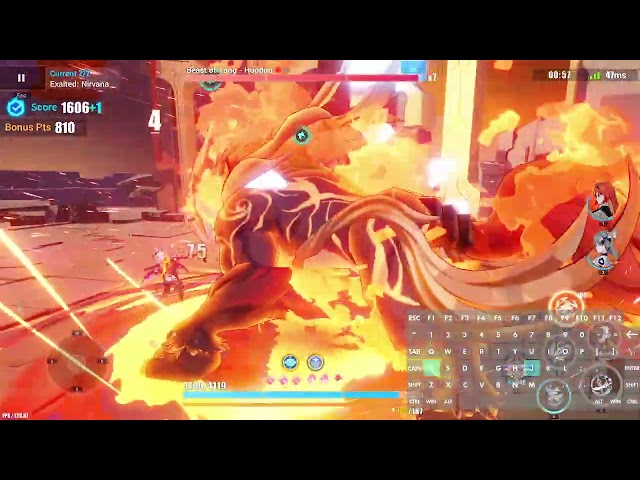
this is the wrong channel, I'm sorry.
 errant kelp
so this has been happening alot lately and i cant figure out why, i keep freezing mid fights like constantly
 bright forum

errant kelp
bright forum
<:TeriFied:639508921664667657>

stoic reef
errant kelp
so this has been happening alot lately and i cant figure out why, i keep freezin...
 honestly not sure what this could be, if you're on PC i'd check that your graphics drivers and windows are up to date and restart it, but its like not totallyo crashing, just locking up for a couple of seconds
stoic reef
could be yeah, or the game files could use repairing too
upper parcel
iirc ches is playing on an iPhone tho
stoic reef
oh they do? 
not much you can do then other than restarting phone and checking game assets (assuming iOS is up to date and not counting dramatic things like reinstalling the game)
jovial bough
probably an old iphone with memory almost full and battery melted
errant kelp
jovial bough
probably an old iphone with memory almost full and battery melted
its a 15 plus and i still have like 20-30gb of spare storage
errant kelp
stoic reef
oh they do? <:FuHuaDerp:431573066796236810>
not much you can do then other tha...
i’ll try that
vapid mesa
Yeah that's odd, looks like an I/O stall, curious how that's happening
 celest dirge
Wanted to ask if there would be any issues transferring my Honkai 3rd account from my PC to my phone, i have no doubt I can play it on my phone, its just that Im on the SEA server and curious if the google playstore download of HI3rd applies fine with that? Thanks
stoic reef
celest dirge
Wanted to ask if there would be any issues transferring my Honkai 3rd account fr...
hi3 supports crossplay (except the PC steam version, it does not use hoyoverse accounts so no crossplay)
though you'll need to make sure your phone is downloading the right version of the game
if the app store says honkai impact 3, then its SEA server, if it says honkai impact 3rd, then its the glb version.
celest dirge
stoic reef
hi3 supports crossplay (except the PC steam version, it does not use hoyoverse a...
oh i have never used the Hi3rd on steam, when i learn that it supports the Global version, not the SEA version I decided to play straight from the launcher
and download links from guides here
stoic reef
If the app store only has the global version and you are on android then this link has manual install links for SEA or GLB servers (though you would need to manuall update every version update on phone since your installation isnt managed by the play store) #🔌technical-help message
ok nice, so as long as the app store has the right version then you can play it on phone and be on the same account, and if it doesnt then you can manually isntall the .apk if you're on android
celest dirge
stoic reef
if the app store says honkai impact 3, then its SEA server, if it says honkai im...
thanks good call, i knew there was a catch to this, glad i asked
i probably would have download the wrong one if i didnt ask, thanks alot!
stoic reef
yup, just like the pc versions, mobile has different clients for different servers and all that
 arctic plank
Hello guys i get this B-chips, but they don't added to my account.
from mail
Check-in Discordc
Does someone has similar problem?
Is it bug?
or is there some waiting time?
gloomy cosmos
arctic plank
Hello guys i get this B-chips, but they don't added to my account.
refer to this message #🎮honkai-chat message
 pale ermine
Hi, i only started playing yesterday on my iphone and i cant seem to play the same acc on pc version (i downloaded in the sea server which i assumed according to searches and stuff) but it just went through with the whole beginner stuff and not my account itself from mobile. Could it be that my account is in global server instead of sea? People say that if the app store says “Honkai Impact 3” is sea and “Honkai Impact 3rd” is global but says otherwise from what I’m experiencing. Can someone help?
stoic reef
pale ermine
Hi, i only started playing yesterday on my iphone and i cant seem to play the sa...
if its a different account it should be a different server. on pc you said you're on the SEA server right? and on the phone its called honkai impact 3 (not 3rd) right?
if both of those are yes, then the answer is that you might be accidentally using a different hoyoverse account
on pc you can tell what server you have downloaded by looking in the upper left area of hoyoplay launcher. it should say what server you're on on the hi3 page
pale ermine
stoic reef
if its a different account it should be a different server. on pc you said you'r...
No, I mean i started on phone, and want to play on PC. Some people mentioned if the app is Honkai Impact 3, its SEA so I downloaded the SEA server for hoyoplay on PC but when I logged in, it was a beginner tutorial and I made sure it was the same hoyo acc.
stoic reef
pale ermine
No, I mean i started on phone, and want to play on PC. Some people mentioned if ...
Yup, so since you have the same server for both then the only other possibility is that you are using a different hoyoverse account on PC than the one you use on Phone
pale ermine
stoic reef
Yup, so since you have the same server for both then the only other possibility ...
Okay I got it, let me try again later.
stoic reef
pale ermine
Okay I got it, let me try again later.
np, but yes I promise it does crossplay and you can have the same account on phone and hoyoplay PC version. so it has to be a different account so when you try next, double check what you're using to log in on your iPhone, and then make sure you're logging in with the same way on pc
pale ermine
i got in, tysm @stoic reef  , you were right lol i logged in on the wrong account.
 stoic reef
pale ermine
i got in, tysm <@277721591012655105> <a:cat_heart:1267577011812175872>, you were...
stoic reef
pale ermine
i got in, tysm <@277721591012655105> <a:cat_heart:1267577011812175872>, you were...
No problem! Glad I could help figure it out and I'm glad you're in on PC too 
mortal zealot
pale ermine
No, I mean i started on phone, and want to play on PC. Some people mentioned if ...
wait
wind lichen
@mortal zealot so I assume you need sea client on a non-sea iphone?
mortal zealot
SEA should be Honkai impact 3rd
mortal zealot
wind lichen
<@776106715632107520> so I assume you need sea client on a non-sea iphone?
yeah basically
wind lichen
mortal zealot
SEA should be Honkai impact 3rd
um other way around
eu shows it as 3rd
vapid mesa
Honkai Impact 3 = SEA
3rd = GLB
 mortal zealot
I'm not kidding
wind lichen
nvm you are sea
mortal zealot

wind lichen
disturbance, i saw enough leaderboards from you
vapid mesa
3rd is not SEA
stoic reef
heres whats happening
vapid mesa

stoic reef
if your app store is showing honkai impact 3rd but you physically live in a country normally counted as a Sea region, then your apple account is set to a GLB country.
it just shows what the apple accounts location is set to for what region to have the app store in
mortal zealot
stoic reef
if your app store is showing honkai impact 3rd but you physically live in a coun...
ah
thnx luna
wait I downloaded the game through the APK not playstore
stoic reef
just gotta change the apple account location, i forget if they get upsetti if you do that too often so i usually recommend just making a second account in SEA region to just log into when updating the game for the app store and stuff
mortal zealot
the SEA server wasn't in the play store
stoic reef
mortal zealot
wait I downloaded the game through the APK not playstore
that file is useless,
.apk stands for android package kit. its an android installer file and iPhone does not have the ability to do anything with it by default
its like trying to open a .exe on a mac, it doesnt work
wind lichen
mac has .dmg files, but even those wont work on iphones
mortal zealot
bruh
wind lichen
different OSes, different installation package formats
mortal zealot
makes sense
wind lichen
i can't open an exe on linux either unless I run it through wine
mortal zealot
why didn't HoYo just make the game like wuwa where you can just select the server without downloading a specic version of the game?
mortal zealot
wind lichen
i can't open an exe on linux either unless I run it through wine
I mean makes sense
wind lichen
mortal zealot
why didn't HoYo just make the game like wuwa where you can just select the serve...
historical splits that were never merged
mortal zealot
wind lichen
wuwa is a very new game compared to hi3 so they never needed to do that
mortal zealot
yeah ig
wind lichen
also hi3 came out at different times in different regions
stoic reef
mortal zealot
why didn't HoYo just make the game like wuwa where you can just select the serve...
their other games are like that, the reason hi3 is different is becuase when hi3 released it was still a very small company, and the other servers released months or more after the CN cilent. like GLB was almost a year behind at first
wind lichen
they'd probably have to rework years of code to merge everything if they wanted to
wind lichen
curse of the spaghetti
wind lichen
the more you add over the years, the harder it becomes to change something from early times unless you made your code modular enough from the start
vapid mesa
Being a small company, trying to restructure, and repackage each server into a single client was simply not feasible for MHY. And now it'd likely break far too many things for the task to be worth.
 mortal zealot
wind lichen
the more you add over the years, the harder it becomes to change something from ...
mortal zealot
wind lichen
the more you add over the years, the harder it becomes to change something from ...
ig they never expected that
vapid mesa
Victim of time and expense 
wind lichen
why would they, it was their first big hit
mortal zealot
vapid mesa
Being a small company, trying to restructure, and repackage each server into a s...
oh NA/EU came out pretty late
wind lichen
and then genshin impacted their stocks into comical sizes
mortal zealot
I thought it was earlier
stoic reef
genuinely a smol indie company please forgive moment
mortal zealot
forgiven
mortal zealot

wind lichen
yeah
 stone bone
Hey why now current version patch is too much longer . its around a month
stoic reef
there hasnt been an announcement why
wind lichen
a permanent change since last patch, no official reason
stoic reef
so any answer would be pure speculation, and we dont know permament, we just know for the time being
wind lichen
maybe CS answers it, but that might be too far into company structures that they probably won't
mortal zealot

Reddit
Explore this post and more from the houkai3rd community
they managed to do it
SEA in iOS
stone bone
stoic reef
there hasnt been an announcement why
The gap is increasing out . version 8.1 was around 2 months . normally a version patch should around 27 to 31 days
mortal zealot
in EU
wind lichen
mortal zealot
https://www.reddit.com/r/houkai3rd/comments/r790if/how_can_i_download_honkai_imp...
yea basically what Luna said
mortal zealot
luna spawned again 
stoic reef
mortal zealot
https://www.reddit.com/r/houkai3rd/comments/r790if/how_can_i_download_honkai_imp...
i mean yeah its easy to do, just need an apple account with its location set to a SEA country and thats it
oh that luna isnt me 
cool name though, might yoink
mortal zealot
vapid mesa
stone bone
The gap is increasing out . version 8.1 was around 2 months . normally a version...
before 8.1, patches would be 5-6 weeks, 7 occasionally
8.1 and 8.2 is 9 weeks, 8.3 is 8 weeks.
We know the gap has increased, but we don't know the true reason as to why
stoic reef
but yeah its just a matter of making sure the logged in apple account is set to a SEA countries location when you open the app store and then the app store just shows honkai impact 3 (the sea version)
mortal zealot
stoic reef
but yeah its just a matter of making sure the logged in apple account is set to ...
I see
stone bone
vapid mesa
before 8.1, patches would be 5-6 weeks, 7 occasionally
8.1 and 8.2 is 9 weeks, 8...
It may be because the game is dying . its sad to say but..
wind lichen
anniversary patch were the only long patches before the week change, so we only knew when CN 8.2 rolled around
mortal zealot
stone bone
It may be because the game is dying . its sad to say but..
not necessarily
but who knows
vapid mesa
We don't know the reason, and doomposting isn't going to help anything
Even the Battlepass system was changed to reflect this more perm change
stoic reef

wind lichen
not that I see it as a reason to doompost
stone bone
Part two story is not popular as part one, that's why players are quitting
wind lichen
i found the "game dead" argument especially dumb for speculating longer weeks
vapid mesa
Again, we don't know, baseless speculation isn't helping anything
You don't know why, nobody does
mortal zealot
wind lichen
i found the "game dead" argument especially dumb for speculating longer weeks
yeah
stoic reef
vapid mesa
You don't know why, nobody does
Dont tempt me to ask my uncle at nintendo  /j
/j
mortal zealot
wind lichen
stone bone
Part two story is not popular as part one, that's why players are quitting
players come and go, part 2 still shows many newcomers
most people quit over burnout, not really because part 2 is bad
stone bone
mortal zealot
BP now farmable
The game has gone to automatic . if you have time swirl pass then ...
mortal zealot
anyway longer patch duration likely has no releation with 'game dying'
stoic reef
but yeah, theres no given reason why, anything is speculation and doomposting isnt productive or part of the purpose of the technical help channel so shoo shoo everyone to #off-topic-discussion or something
wind lichen
wind lichen
most people quit over burnout, not really because part 2 is bad
that's a psychological explanation, especially if they've been around since launch
mortal zealot
stone bone
wind lichen
most people quit over burnout, not really because part 2 is bad
Anyway hoyo has three cash cow alive ,so it wont be a problem
wind lichen
i guess, although the income pool isn't split between the games
they can run hi3 at a loss if they wanted to
vapid mesa
stoic reef
but yeah, theres no given reason why, anything is speculation and doomposting is...
^^
Move channel guys
wind lichen
right sorry
vapid mesa
 celest dirge
i manage to find time to download hi3rd from the playstore, it reads as Honkai Impact 3
so hopefully this is the SEA version, not the global version
already 60% way there
bitter ravine
yup hi3 with no 3rd is sea
celest dirge
ok the download is done, tested the combat out, account secure
now i can play the story while im outside
stoic reef
celest dirge
ok the download is done, tested the combat out, account secure
now i can play th...
Naisu! 
Now there's no reason to not do your dailies
celest dirge
stoic reef
Naisu! <:TeriStonks:1009416806898868254>
~~Now there's no reason to not do your...
dont call me out like that
i may... have receive the "welcome back captain" by Kiana more than once but no need to do that, I can do better

 mellow lodge
Hello!!! I've been stuck on the "updating settings" screen at 0% every time I start the app. Everything I've tried, from uninstalling/reinstalling and turning my phone on and off (I play on a mobile device) hasn't worked so far. I'm not sure what I can do...
cosmic lion
mellow lodge
Hello!!! I've been stuck on the "updating settings" screen at 0% every time I st...
In short is a connection issue, most of the time is just your ISP giving you a bad routing and after some hrs-days should "fix itself"
You can check this pin for some ways to fix/bypass the issue #🔌technical-help message
If you are on android, you can try to clear the cache just in case
arctic plank
Guys does someone had problems with XBOX controller?
My controller works correctly, tested on other games
But in HI3 i cant control camera with R in battles
also in the menu i cant control mouse with L or R
cosmic lion
mellow lodge
and still hasnt fixed itself
If after a month you still have issues contact your ISP company so they can take a look at the issue, and you can try to use a different DNS if you haven't set one manually
cosmic lion
arctic plank
Guys does someone had problems with XBOX controller?
My controller works correc...
Can you give more info? Like is a first or third party controller? How is connected(USB/BT/Wireless adapter)? Do you have another controller connected to your PC? Are you using some mapper program (like steam input for example)?...
About the camera ingame, remember that this game uses an auto-aim system, so the camera will get lock during that "aim" process and only will unlock the camera control if the R stick is on a neutral position
 potent helm
cosmic lion
Can you give more info? Like is a first or third party controller? How is connec...
potent helm
cosmic lion
Can you give more info? Like is a first or third party controller? How is connec...
can non combat menus be navigated with just a controller? afaik you still have to use mouse/trackpad/screen for selecting those menus
cosmic lion
potent helm
can non combat menus be navigated with just a controller? afaik you still have t...
Yes, but the controls depends of the mode, main menu for example will use the L stick as the mouse, stuff like ER/OW have the option to enable that "mouse control" with a button or use directly x buttons to select the option and on part 2 you can use "R3" to navigate some menus before you use x key to select (similar to new HYV games)
Keep in mind this is just for PC, controller on iOS (and kb on some android) only have support for "gameplay", menus only work with the touchscreen
stoic reef
cosmic lion
Yes, but the controls depends of the mode, main menu for example will use the L ...
cosmic lion
stoic reef
<:VodkaHug:868141524200865853>
Hi
stoic reef
Hihi, hope things have been well for you and thanks always for your efforts
 halcyon lava
is it possible that i copy the game files to another external hard disk so if i re install windows i can just copy back the game to the pc and play without downloading (it took me 13 hrs to download the game)
anyone?
stoic reef
halcyon lava
is it possible that i copy the game files to another external hard disk so if i ...
yes you can, do you use the hoyoplay launcher?
halcyon lava
yes
stoic reef
halcyon lava
yes
then yup, if you go into the HoYoPlay\games\ folder and copy the entire honkai impact game folder and then after reinstalling windows and hoyoplay launcher, put the copied folder right back where it was while the launcher is closed and then open the launcher again. if it doesnt auto detect the game being installed then make sure the server selection is correct in the hoyoplay launcher's upper left area
halcyon lava
thx
stoic reef
np
ok and keep in mind that your settings will all get reset too
if you want to try to back those up it would require backing up a few windows registry things and if you're comfortable with doing that i can show you where
halcyon lava
ok well i use the normal settings anyways
stoic reef
fair enough but as long as theres no file corruption during transferring it to your external drive and then back it shouldnt have any issues
halcyon lava
will the download packages stay? like the resources and cg download thingy
stoic reef
you mean the in game download or like non default language packs
the automatic in game download should stay the same, it scans for missing resources on startup every time
though let me double check on that real quick
halcyon lava
ok
stoic reef
yeah it should be fine, it'll prompt you to download stuff but it should have a 0mb because all the files are there, it just doesnt have the setting saved on which download type you've selected (basic or full assets)
arctic plank
cosmic lion
Can you give more info? Like is a first or third party controller? How is connec...
USB connection, not only this controller, no im not using any mapper
and idk why, controller works correctly right now
wind lichen
arctic plank
USB connection, not only this controller, no im not using any mapper
and idk wh...
Maybe updating the controller through the Xbox Accessories app would fix that issue. I did that for mine a while ago after I got it and never encountered any issues when wired

Microsoft Store - Download apps, games & more for your Windows PC
The Xbox Accessories app gives you more ways to play when paired with an Xbox Wireless Controller, an Xbox Elite Wireless Controller, or an Xbox Adaptive Controller. Create and edit controller profiles by remapping buttons, swapping sticks and triggers, and configuring controller vibration. The app allows you to update firmware for your controll...
this is assuming your controller is a first party xbox controller from microsoft. do not attempt this otherwise
stoic reef
Odd that its happening for multiple controllers though, makes me wonder if the issue is xinput driver being faulty and needing to be reinstalled
 velvet seal
Tried to enable device lock and it told me I can only do it on the original device, but I've only ever used this one device to log into my account. What should I do?
stoic reef
velvet seal
Tried to enable device lock and it told me I can only do it on the original devi...
If it said your usual device then there's some things they can make it think it's not your usual like network changes, but to make that your usual device to set up device lock for the first time you just need to log in and spend some stamina regularly (like every day) for a week
Or less, but around a week
velvet seal
stoic reef
If it said your usual device then there's some things they can make it think it'...
I see. Thank you. It should just be the stamina issue since I'm returning after not playing for a while, and when I last played the device lock wasn't a feature.
stoic reef
mhmm most likely. but once you play regularly and spend stamina regularly it'll become your usual device again and let you do all that
lunar gust
yay SignPath approved the Better HI3 Launcher project and I can now digitally sign the app
basically what this means is Windows will trust it more, less scary warnings
stoic reef
Oh nice! Having windows rebel less against it and having to convince people that yes its ok are both very nice things :3
mortal zealot
lunar gust
basically what this means is Windows will trust it more, less scary warnings
heyyy nice
windows warnings scare me even if I know its not gonna do anything
nice work
wind lichen
mortal zealot
windows warnings scare me even if I know its not gonna do anything <:HimekoLMAO:...
its usually overprotective, especially if you know the source and trust the software
 grim flicker
Hey, I'm a returning player and I used to run the game well about a year ago with my laptop even tho it's way below the minimum requirements, did any drastic changes happen to the game that may prevent my laptop from running it?
 twilit plaza
No, if it run part 2 well
otherwise it may struggle in open worlds, but old content should be the same
 jovial umbra
Is it possible to link a HI3rd acc to an already existing hoyoverse acc
stoic reef
jovial umbra
Is it possible to link a HI3rd acc to an already existing hoyoverse acc
the only possible way is if the HI3rd account has not been used at all since July 2022 back when they were Mihoyo Accounts, not Hoyoverse accounts.
If the HI3rd account has been used even once since July 2022 then it already is on its own hoyoverse account, and you cant merge hoyoverse accounts so it wouldnt be possible
mortal zealot
stoic reef
the only possible way is if the HI3rd account has not been used at all since Jul...
sad

 stoic reef
What does it say when you click on the link to check your linking status
stoic reef
fringe burrow
???
because unless discord is just being buggy discord, it should be giving you rewards since your account should be linked
though there's always the option to be logged into hi3 when doing it, but it should know that your account is linked
bitter ravine
bitter ravine
bitter ravine
 lusty cairn
thanks 
bitter ravine
gloomy cosmos
fringe burrow
???
It wants the game to show on your activity status, i.e having both discord and game open at the same time to auto register
or at the very least I think doing it manually then opening the game without discord open should also register?
cosmic lion
gloomy cosmos
It wants the game to show on your activity status, i.e having both discord and g...
I try to test for like a week and for me the autoclaim doesnt work even doing what is recommended (opening first discord then the game), the manual option works, but for me a couple of days didnt work the first time getting the same msg that sencho got, using the command again after some time made the claiming work
So looks like there are some issues with the system
jovial bough
help after avast blocked betterhonkailauncher my game keeps freezing for no reason
i disabled some protection but nothing
even in the menu f
 ornate rover
excuse me (i'm ok at english, but not good)
may i ask about
when i tried to login "first time" (i already change SSD)
i pressed a button "Start game" and nothing show me
normally in first time login they have a verification by silde a jigsaw right?
but in my case nothing show me
just white screen and top right have "X" with blue color
i retry again and again but still the same
conclusion : i cannot do verification because nothing showme
so can anyone explain how to fix this one?
thank you for answer
wind lichen
jovial bough
i disabled some protection but nothing
have you tried setting betterhi3launcher and the game folder as an exception to avast?
jovial bough
no idk how to do that ill try tomorrow i guess if i get same problem
wind lichen

Learn how to exclude items from scanning in Avast Antivirus.
found that surprisingly fast
jovial bough
wind lichen
its best to just select the entire hi3 game folder as an exception, which will work for everything inside
wind lichen
ornate rover
excuse me (i'm ok at english, but not good)
may i ask about
when i tried to logi...
Here are some things you can try: #🔌technical-help message
ornate rover
wind lichen
Here are some things you can try: https://discord.com/channels/41865214045467443...
i already read all but i dont find my issue
wind lichen
thats because i think the problem is either some bad cache files or connection issues
ornate rover
so i think i will reinstall
wind lichen
i would advice you to follow what I sent to avoid having to reinstall
i mean you can still try and then reinstall if it doesnt work
ornate rover
ah ok
but my connection don't have any problem at all
and second i don't know how to delete cache correctly
thank you so much
wind lichen
ornate rover
ah ok
but my connection don't have any problem at all
and second i don't know ho...
then click on the link i sent in my first response
ornate rover
🙏
 limpid widget
Hello! Does anyone know how I can activate the RPC from Honkai Impact 3rd that shows the level etc?
stoic reef
ornate rover
ah ok
but my connection don't have any problem at all
and second i don't know ho...
Connection issues with the game can happen even if everything else is working fine, so if clearing the cache doesnt help make sure to try everything in this pin for connection issue fixes #🔌technical-help message
stoic reef
limpid widget
Hello! Does anyone know how I can activate the RPC from Honkai Impact 3rd that s...
The RPC? I'm not familiar with something in the game being called that other than a boss, do you have a picture of what its supposed to look like?
limpid widget
stoic reef
The RPC? I'm not familiar with something in the game being called that other tha...
I'm referring to the status that Discord shows, like this example. Would you know how to tell me how I can do it? 🧐
 stoic reef
limpid widget
I'm referring to the status that Discord shows, like this example. Would you kno...
stoic reef
limpid widget
I'm referring to the status that Discord shows, like this example. Would you kno...
ah the discord account linking. you can find out about it here #account-linking-guide
please note there was an event for it at the time that is no longer running, so some of the info iin that channel is no longer possible. but it still shows how to do it
limpid widget
stoic reef
ah the discord account linking. you can find out about it here <#130608327711483...
Oh, I understood. If I do this will work?
stoic reef
limpid widget
Oh, I understood. If I do this will work?
yes the info on how to link your account is still accurate, theres just no linking event going on for rewards anymore
limpid widget
stoic reef
yes the info on how to link your account is still accurate, theres just no linki...
I managed to connect. Thank you very much!
stoic reef
You're welcome!
stoic reef
cosmic lion
<:SakuraLuv:660302348744130560>
 maiden bone
Why cant i log in on all my hoyoverse accounts? When i try to reset my pw it says account doesnt exist
stoic reef
maiden bone
Why cant i log in on all my hoyoverse accounts? When i try to reset my pw it say...
That usually means that there isn't a hoyoverse account linked to that email. If you're using a Google account normally, please be aware that linking a Google account doesn't auto link that Google accounts email address to it since it's a separate login method.
If you're absolutely sure that it is the right account and that you didn't change the linked email address, it's best to email customer support since they are the only ones that can help with that. Just email them and give them your UID and they'll tell you what hoyoverse account it's linked to
#how-to-contact-cs has their email addresses
mortal zealot
stoic reef
That usually means that there isn't a hoyoverse account linked to that email. If...
hey luna
unrelated question but
do you know perchance where the product key is located in the system files?
bitter ravine
windows shit?
mortal zealot
bitter ravine
windows shit?
and I need to reinstall it
cause the usual fixes aren't working
soo what do I do
bitter ravine
hmmm,mine was sticker so it was easy
usualy for keys u need command stuff
i dont think its gonna be on system fils thou
stoic reef
mortal zealot
do you know perchance where the product key is located in the system files?
There's this but it shouldn't be needed. Windows 10 and 11 let you reinstall Windows either from scratch or with keeping your files from the Windows settings without needing a product key. I do this to every few years and haven't needed one once
Going to bed now though but good luck!
bitter ravine
u need to install wmic if u dont have one
stoic reef
Oh I thought it was in by default, then this has alternates in the registry
bitter ravine
i must add wmic
'wmic' is not recognized as an internal or external command,
operable program or batch file.
stoic reef
Reddit
Explore this post and more from the WindowsHelp community
stoic reef
bitter ravine
'wmic' is not recognized as an internal or external command,
operable program or...
Ah I see
lunar gust
wmic is a part of Windows
if you don't have it, your install is corrupted or stripped and you're better off reinstalling with a clean image
oh wait I'm wrong
they deprecated it wtf
it's an optional feature now
there is still PowerShell's Get-WmiObject tho
bitter ravine
lunar gust
it's an optional feature now
ye
mortal zealot
hey
nvm
ok can you send me the link to linux mint cinnamon iso download
found it
 placid vigil
Why does it say "too many requests" whenever I try to login my hoyo account on their site? It's been like this for a week and couldn't login to my four accs, no matter what I do to login in it keeps giving me the same answer, not even vpn works
stoic reef
placid vigil
Why does it say "too many requests" whenever I try to login my hoyo account on t...
its a security measure on the servers side, theres not much info on what causes it other than i think its a combination of many possible factors, but to fix it you do need to contact/email customer support #how-to-contact-cs to have them look into it for you. the only temporary workaround im aware of that only sometimes works is a VPN
stoic reef
lunar gust
they deprecated it wtf
yeah i had that same exact reaction. I was like wdym its not a part of windows and then saw it was depreciated and had my own wtf and im old feeling now moment
 balmy current
is there anyone getting this trouble

no matter what internet i use, it always come with this
any solution ??
stoic reef
balmy current
is there anyone getting this trouble
sometimes lately its been slow just until you get into the game and then goes back to normal. i think the longest people said it took 15-20 minutes, if you havent tried that yet i'd recommend trying that and if that doesnt work then try the stuff in this pin to fix connection issues #🔌technical-help message
grim flicker
I download the 20Gbs needed for the game in the launcher and I got prompted to download either 10 or 20 other Gbs for the game's assests but I clicked the 20 option by accident. Can I somehow reverse my choice?
I want to click the 10Gbs option untill later I'll download the rest
wind lichen
grim flicker
I download the 20Gbs needed for the game in the launcher and I got prompted to d...
are you on PC or Mobile?
grim flicker
PC
wind lichen
grim flicker
PC
Go to the registry path mentioned here with the instructions: #🔌technical-help message
However, instead of touching ScreenSettingData, you want to delete this key:
GENERAL_DATA_V2_ResourceDownloadType_h2238376574
after restarting the game, it should ask you again what download option you want
grim flicker
it worked, but it didn't give me tho option of 20Gbs it just gave me the 10Gbs?
wind lichen
grim flicker
it worked, but it didn't give me tho option of 20Gbs it just gave me the 10Gbs?
i guess it just invalidated your last option
as long as it works, it should be fine
grim flicker
okay, thanks. never thought I would have to edit registry paths when playing a gacha game
but can I even download the other 10Gbs later..?
stoic reef
yup you can, in the ai chan phone > resources tab
as far as teh registry stuff goes, most gacha game has some registry files and at least it was pretty common to keep settings in the registry files for all games. i dont know if more modern ones like wuwa do that too or not, havent checked
vapid mesa
Yes, in-game menu on the ai-phone, you can download additional resources there
grim flicker
btw can I play the game normally without the other 10Gbs?
and if I just close the game while it's downloading stuffs do I have to start over
vapid mesa
!faq gamesize
 grizzled rampartBOT
vapid mesa
!faq gamesize
grizzled rampartBOT
vapid mesa
!faq gamesize
v8.2 approx. install size
- Mobile
basic assets ~ 27 GB
full assets ~ 37 GB
- PC
basic assets ~ 37.5 GB
full assets ~ 51.5 GB
(Event files that come out after are not counted here)
vapid mesa
The absolute minimum can't be cut down further
stoic reef
grim flicker
btw can I play the game normally without the other 10Gbs?
yea you can for the most part if you dont do story since a lot of it is story chapter cg's, music and other assets, but sometimes if you go into an APHO map or something it might prompt you to download stuff and you can say no and it'll still go in to do tasks (at least it used to, havent tried t his in a while)
wind lichen
stoic reef
yea you can for the most part if you dont do story since a lot of it is story ch...
APHO and APHO 2 requires you to download its assets
No matter if you jump into the map or not
stoic reef
wind lichen
APHO and APHO 2 requires you to download its assets
even if you click no and try to go right back in?
wind lichen
stoic reef
even if you click no and try to go right back in?
Unfortunately yes, it just doesn't let you in
stoic reef
wind lichen
Unfortunately yes, it just doesn't let you in
thanks for letting me know, i guess they fixed that then because i used to do it all the time 3-4 years ago on android version when i played it a lot more often on my phone
wind lichen
stoic reef
thanks for letting me know, i guess they fixed that then because i used to do it...
a similar thing that's possible would he switching to oxia's bridge without having p2 ch1-3 downloaded. you just have to do it in the settings
stoic reef
makes sense that its possible since it is a bridge and all that
wind lichen
stoic reef
makes sense that its possible since it is a bridge and all that
the problem is that you end up in a black void instead if the bridge (ironically the best performing bridge i think  )
)
however that only persists until you reopen the game, because atp it autodownloads ch 1-3
stoic reef
wind lichen
the problem is that you end up in a black void instead if the bridge (ironically...
Ah I see, lots of changes then since I last tested it. I honestly have it set to the default bridge for nostalgia and performance these days xD (I can run the oxia bridge ok but it heats up my GPU and I don't like the fan noise) but thanks for all the info!
wind lichen
np, i still find it annoying though that the full apho downloads are mandatory just to LITE adventure tasks
stoic reef
yeah, it should let you go to the hub at least
wind lichen
mhm, i wouldn't mind a slightly bigger download for that
 blissful raptor
I cant see the hud
I can't click because there is no hud, I only see the main screen
 slender sable
So I remember during almost new version there are a survey I don't see it why
cosmic lion
slender sable
So I remember during almost new version there are a survey I don't see it why
the survey started like a week ago and ended on today reset iirc,
when the survey is out is always announced on the in-game news and the "bridge banner" will have a direct link to the form, once is close, both of those will disappear
cosmic lion
blissful raptor
I can't click because there is no hud, I only see the main screen
if you mean the main menu, that sounds like a connection issue, afaik the game will make a request to the server before showing you the menu
if you still have the problem you can try the stuff here #🔌technical-help message
 limber granite
is there a way to change the ATK and Dodge key bindings to Left mouse button and Right mouse button on Mac? I keep clicking with the mouse and it doesn't do anything here
 limpid widget
I can't log into the game, this message is appearing. I don't know what to do.
 stoic reef
limber granite
is there a way to change the ATK and Dodge key bindings to Left mouse button and...
stoic reef
limber granite
is there a way to change the ATK and Dodge key bindings to Left mouse button and...
unfortunately mouse + keyboard control is not fully implemented with mac's, this is from customer support about this request
 stoic reef
limpid widget
I can't log into the game, this message is appearing. I don't know what to do.
stoic reef
limpid widget
I can't log into the game, this message is appearing. I don't know what to do.
its a security measure on the servers side, theres not much info on what causes it other than i think its a combination of many possible factors, but to fix it you do need to contact/email customer support #how-to-contact-cs to have them look into it for you. the only temporary workaround that also only sometimes works im aware of that only sometimes works is a VPN (theres free VPN's in the pins here if you dont have one #🔌technical-help message )
limpid widget
stoic reef
its a security measure on the servers side, theres not much info on what causes ...
Do you need to report anything or should I just send the image reporting the problem?
stoic reef
limpid widget
Do you need to report anything or should I just send the image reporting the pro...
(sorry works pretty busy) but just send the image of the problem and explain that you cant log into the game and they'll take it from there with any questions or anything they need to know
 stuck agate
does hi3 not have 1440p resolution?
 cosmic lion
stuck agate
does hi3 not have 1440p resolution?
cosmic lion
stuck agate
does hi3 not have 1440p resolution?
most likely your game settings are stuck, you can try to use the unity setting (hold shift while the game is starting)
or change to a window resolution, exit the game and on the next run the game should show all your display available settings
stuck agate
thanks
slender sable
cosmic lion
the survey started like a week ago and ended on today reset iirc,
when the surve...
Fuck am I so late
OH NO I FORGOT TO USE THE CODE
limber granite
stoic reef
unfortunately mouse + keyboard control is not fully implemented with mac's, this...
thanks for the reply, what controllers work on mac? I am thinking about buying one.
stoic reef
limber granite
thanks for the reply, what controllers work on mac? I am thinking about buying o...
as far as i know, any that are compatible with mac. i dont remember anyone saying a specific kind didnt work, and theres no official list of supported controllers so i think any that work with mac
limber granite
i see, thank you
stoic reef
limber granite
i see, thank you
np
if you want to be 100% sure, then i'd recommend asking customer support directly if you see one you like and ask them if its compatible with the mac version
limber granite
I am thinking about buying a PS5 controller dualsense, it says it's supported by mac so it should very likely work
stoic reef
should yeah imo, its a major brand too s its not like some unheard of 3rd party one with weird drivers or anything
limpid widget
stoic reef
(sorry works pretty busy) but just send the image of the problem and explain tha...
Hello again. I sent the email, but I haven't received a response yet. How long do they usually take?
stoic reef
limpid widget
Hello again. I sent the email, but I haven't received a response yet. How long d...
normally its within 1-3 business days, depending on their availability and stuff
limpid widget
all right thanks
grim flicker
umm is story dialogue voiced or not? because I haven't download all assets and wondering if there is something that I can download that has dialogue's voice
 stoic reef
grim flicker
umm is story dialogue voiced or not? because I haven't download all assets and w...
stoic reef
grim flicker
umm is story dialogue voiced or not? because I haven't download all assets and w...
for JP voiceover the first couple of chapters arent voiced except for a couple of parts, CN voice over has it all voiced though. if you want to leave it as is then it'll go back to being fully voiced in a little bit
grim flicker
okay tysm
stoic reef
np
mortal zealot

 pine scaffold
Wait they removed the boss fight video. Why?
wind lichen
pine scaffold
Wait they removed the boss fight video. Why?
was put up too early, simple as that
 sudden ferry
how do i log out on mobile, i have to close the game like computer?
 upper parcel
sudden ferry
how do i log out on mobile, i have to close the game like computer?
upper parcel
sudden ferry
how do i log out on mobile, i have to close the game like computer?
You can go to your profile in the top left, press "User Center" and swap accounts there, but it'll just restart the game as well
sudden ferry
upper parcel
You can go to your profile in the top left, press "User Center" and swap account...
ooohhh thank you
lot easier than closing and reopening
gilded birch
pine scaffold
Wait they removed the boss fight video. Why?
if you want to see it again you could still look at the twitter embed lol #hi3-twitter-feed message
bitter ravine
lmao
vapid mesa
gilded birch
if you want to see it again you could still look at the twitter embed lol https:...
Thanks for that, removed it there, too
gilded birch
ai chan got silenced 😞
 lunar beacon
where can i contact hoyoverse about my lost hi3 account?
stoic reef
lunar beacon
where can i contact hoyoverse about my lost hi3 account?
#how-to-contact-cs has their email addresses for customer support
lunar beacon
I'm in a situation where my account had only the huawei login and i didn't know about the transfer account last year, hopefully i can get it back because i have purchase receipts from before.
other than that i have no information regarding my account 😭
stoic reef
they might not be able to help without a UID to pinpoint the account, and account transfers for Huawei accounts ended a long time ago but hopefully they can still help, they're definitely the only ones that can so good luck!
lunar beacon
im trying to find some ss of my uid from before
i think i have some here..
i completely shit my pants when i searched up hi3 in the huawei app gallery and it didn't appear 💔
stoic reef
lunar beacon
i think i have some here..
should be this one, unless you had multiple accounts #invite-links-here message
(minus the letters at the end)
stoic reef
yes invite links are your UID and some letters at the end
lunar beacon
ok thank you I'll let you know if i do get it back
stoic reef
np an good luck
odd wedge
vapid mesa
 lunar beacon
@stoic reef hi
stoic reef
lunar beacon
<@277721591012655105> hi
hi
lunar beacon
stoic reef
hi
i sent you a dm
stoic reef
oh ok
 hybrid canyon
Is it possible to swap email with my hi3 account?
I wanna link it to the account with my gi and hsr one
but it alr has an account but I dont use it
lunar gust
can't, each hoyo acc needs to have its own email address
hybrid canyon
lunar gust
can't, each hoyo acc needs to have its own email address
What if I transfer the hi3 account from my main one into another dump email?
lunar gust
oh, I misunderstood
if you want to swap then you need a third address temporarily yeah
 limpid cobalt
Has anyone encountered the game freezing during enemies’ ultimate in snazzy card championship? I have never had any problems with the game performance before and even tried to lower my graphics as much as possible but it still happens. I passed the previous stages just fine before idk what happened
wind lichen
limpid cobalt
Has anyone encountered the game freezing during enemies’ ultimate in snazzy card...
which device are you using?
and if its a phone, it would help greatly to know which one
limpid cobalt
wind lichen
which device are you using?
Mac, it’s officially ported there
What’s the most weird to me is that I’ve never experienced performance issues with the game before. I even cleared half of the event stages yesterday it’s so weird
wind lichen
limpid cobalt
Mac, it’s officially ported there
The one platform that I sadly do not have 
Have you already tried repairing the game files through the launcher or the login screen?
Potentially some file corrupted after a download, otherwise I can only tell you to contact support #how-to-contact-cs
cosmic lion
PC Pre-Load v8.3 Links
- HoYoverse
- Filen Mirror (my internet speed is slow today , will take a while for the files to show on this mirror)
odd wedge
Ah shit I don't have access to my Google Workspace account
stoic reef
aww naur
stoic reef
cosmic lion
# **__PC Pre-Load v8.3 Links__**
- **HoYoverse**
> - [*GLB*](<https://autopatc...
I'm getting mine uploaded too but its very slow going
thanks though for having yours up already
cosmic lion
stoic reef
thanks though for having yours up already <:VodkaHug:868141524200865853>
only HYV is up, mine is still uploading/downloading  , before the "update" my net was fine, just now started to go slow af
bitter ravine

stoic reef
cosmic lion
only HYV is up, mine is still uploading/downloading <:umaruCry:35687552607558041...
oof timing but i cant even get my links up beforehand so it'll be a while
odd wedge
stoic reef
aww naur <:ElysiaNotLikeThis:1327003865056546816>
Might upload to separate free accounts
I logged out once and they say oopsies we can't prove that you're the owner
Like ???? I have the password
Even contacting via admin account
They say the same thing 💀
stoic reef
wow good job google
its like I see you're logging in correctly, but what if you're not 
odd wedge
Also I keep forgetting that I'm no longer a mod, can't edit the embed pin
Need to ask Art or Builda lao
stoic reef
yeah, gotta be a nuisance about it
odd wedge
stoic reef
its like I see you're logging in correctly, but what if you're not <:BronieStare...
Exactly
bitter ravine
i just need to do this right on the do date?
If you use HoYoPlay and manually download the client without a launcher, DO NOT UNPACK IT, but place it in the game folder:
\Honkai Impact 3## game\
 stoic reef
bitter ravine
i just need to do this right on the do date?
If you use HoYoPlay and manually d...
stoic reef
bitter ravine
i just need to do this right on the do date?
If you use HoYoPlay and manually d...
yup exactly, do NOT extract the file. Just put it in the game folder and the launcher should detect it
might have to restart the launcher but it should detect it on the predownload section
bitter ravine
 okok thx luna
lunar beacon
where can i see when i first started playing honkai? 🗿
stoic reef
lunar beacon
where can i see when i first started playing honkai? 🗿
The only place that shows your first login date is the login emblem in ai chan phone > login emblem
if you cant get into the game then theres nowhere that shows the exact date, your best bet is to maybe look for a hoyoverse account creation email if you created your hoyoverse account at the same time, or remembering what patch you started in and looking up the release date of that patch on the hi3 wiki
 wheat parcel
I have question regarding patch update download
If i download pre-install, it requires double the amountof the downloaded data for the space?
If i download during the update day, do i still need double the storage space?
stoic reef
wheat parcel
If i download pre-install, it requires double the amountof the downloaded data f...
yes, the zip file takes up space, and there has to also be enough free space for it to extract to.
its basically like you cant unpack a box in the same exact spot that the box is sitting in
have to put the stuff somewhere else from inside the box
bitter ravine
owh both yes,i see
stoic reef
yup, same amount of free space needed whether you preinstall or update on patch day
wheat parcel
So illusion of choice thanks for the clarification
stoic reef
pre install just gives you a couple of days to download it because not everyone has fast/reliable internet
so its really useful for people that take like 10 hours to update, so they can play on the day of the update and not spend the whole first day updating
wheat parcel
Is it recommended to delete/clear the game data before the update day to free up some spaces?
bitter ravine
wheat parcel
~~So illusion of choice~~ thanks for the clarification
not realy just the time it take on do date,bcs u dont realy need to wait long ass time
wheat parcel
Hence why i crossed it out
bitter ravine
stoic reef
so its really useful for people that take like 10 hours to update, so they can p...
 not take 2 days this time
stoic reef
wheat parcel
Is it recommended to delete/clear the game data before the update day to free up...
not really, clearing the cache doesnt free up much space, and deleting the data will prompt you to redownload it the next time you open the game
bitter ravine
what if i only have 5GB left on the update day? am i allowd to continue to update?
wheat parcel
stoic reef
not really, clearing the cache doesnt free up much space, and deleting the data ...
Let's say that im done doing dailies in Wednesday, then i delete/clear the game data then proceed to download pre-install, will all i need to do tomorrow is unpack the downloaded pre install?
stoic reef
wheat parcel
Let's say that im done doing dailies in Wednesday, then i delete/clear the game ...
in that scenario. it would unpack the preinstall, then when the game opens in the download with the cg playing, it would prompt you to download the rest + whatever data you deleted on wednesday
stoic reef
bitter ravine
what if i only have 5GB left on the update day? am i allowd to continue to updat...
launcher will probably error out when unpacking
bitter ravine
i see
wheat parcel
stoic reef
in that scenario. it would unpack the preinstall, then when the game opens in th...
Most of the time the in game download only below 1GB (non HD stuffs), idk how many for the rest that i had to delete
stoic reef
it depends on what asset type you had downloaded before, if it was minimum or full
wheat parcel
I always download minimum
stoic reef
then it probably wouldnt be much i think
bitter ravine
stoic reef
yup exactly, do NOT extract the file. Just put it in the game folder and the lau...
luna,what happen if i do this today?
stoic reef
bitter ravine
luna,what happen if i do this today?
after putting the file in the game folder, close and reopen the launcher and it will say predownload completed and it will be ready for update day
bitter ravine
okok imma doit
stoic reef
its just like doing the predownload in the launcher but ya know. outside of the launcher lol
bitter ravine
never do that,kinda nervous
wind lichen
bitter ravine
i just need to do this right on the do date?
If you use HoYoPlay and manually d...
what download manager is this, looks fancy
wind lichen
oki ty a lot
stoic reef
bitter ravine
never do that,kinda nervous <:SongqueScared:1256975199274799135>
Fair enough, honestly doing it through IDM is probably more stable than in launcher. but its a pretty reliable method, the only actual difference is that you're doing the stuff yourself because all the launcher does is download the file directly to the game folder and thats it.
all you're doing is downloading the file, and moving it to the game folder and thats it
bitter ravine
 stoic reef
bitter ravine
thx luna
odd wedge
odd wedge
Might upload to separate free accounts
LUNA I CANNOT
The patch files are larger than the free storage I forgot
lunar gust
the update with digitally signed executable is live today btw
for BBH3L
did anyone update yet? I hope no issues cause I found a strange one that prevented me from opening the launcher but then it just went away...
lunar gust
nice
my ISP is getting DDoS'd today
no internet since the morning
sometimes some packets go through but not for long
cosmic lion
stoic reef
# **__PC Pre-Load v8.3 Links__**
- **HoYoverse**
> - [*GLB*](<https://autopatc...
I just woke up and found out that there was a power outage ... I will start the upload to Filen again
Update: Both files are available
stoic reef
lunar gust
did anyone update yet? I hope no issues cause I found a strange one that prevent...
So my AV was complaining about bh3 all week, had to put it in an exemption but I took it off after it updated and no issues so it looks like it went well!
I hope your internet comes back to being stable soon though
stoic reef
cosmic lion
I just woke up and found out that there was a power outage <:TeriRip:13269771151...
oof but im glad they're both available now :3
lunar gust
stoic reef
I hope your internet comes back to being stable soon though
yeah it did
stoic reef
nice
lunar gust
2 hrs ago
stoic reef
cosmic lion
stoic reef
oof <:BronyaRip_nopies:1166430693337862264> but im glad they're both available n...
 tender frost
stoic reef
# **__PC Pre-Load v8.3 Links__**
- **HoYoverse**
> - [*GLB*](<https://autopatc...
tender frost
stoic reef
# **__PC Pre-Load v8.3 Links__**
- **HoYoverse**
> - [*GLB*](<https://autopatc...
 mark
mark
 nocturne slate
is there an option to delete old files or something on mobile like on hsr and genshin?
lunar gust
yes, in resources menu
 broken sierra
lunar gust
yes, in resources menu
broken sierra
lunar gust
yes, in resources menu
in game?
Can i delete old files in folder for download preload 8.3 ?
Because my ssd cant much storage lmao
stoic reef
broken sierra
Can i delete old files in folder for download preload 8.3 ?
Because my ssd cant ...
yes its ai chan phone > resources
here is the minimum game installation size
!faq gamesize
grizzled rampartBOT
stoic reef
!faq gamesize
v8.2 approx. install size
- Mobile
basic assets ~ 27 GB
full assets ~ 37 GB
- PC
basic assets ~ 37.5 GB
full assets ~ 51.5 GB
(Event files that come out after are not counted here)
broken sierra
stoic reef
yes its ai chan phone > resources
I mean can delete files in folder hi3?
stoic reef
broken sierra
I mean can delete files in folder hi3?
If you delete random files in the folder itself, assuming you don't delete anything to make the game not run anymore it'll ask you to redownload it because it thinks you should have those files.
If you delete it in the ai Chan phone > resources menu it lets the game know that it's not expecting those files to be there so it won't ask you to redownload them
broken sierra
stoic reef
If you delete random files in the folder itself, assuming you don't delete anyth...
Hmm okay
cosmic lion
broken sierra
Hmm okay
if you are really low on space is better to do a reinstall,
during the update process on one moment you will use ~50gb (the downloaded update files + the unzipped files) so you need at least that amount of storage to install the update, then will go down after the launcher replace/delete the old files
or if you want, you can check the delta patch of collapse launcher (check the 2nd pin)
cosmic lion
stoic reef
If you delete random files in the folder itself, assuming you don't delete anyth...
stoic reef
cosmic lion
<:VodkaHug:868141524200865853>
 hard gate
Help, it says I am not logged in but I am. I have also linked my accounts. I also do not get any rewards. Or do I get them at the end of the month?
 stoic reef
hard gate
Help, it says I am not logged in but I am. I have also linked my accounts. I als...
stoic reef
hard gate
Help, it says I am not logged in but I am. I have also linked my accounts. I als...
If you click on the link that says to check your link status and everything is linked there, then it sounds like a discord being funky thing. Most other people that I know of that had that issue fixed it by having the game open when doing the check in for a day or two until it started working normally
cosmic lion
hard gate
Help, it says I am not logged in but I am. I have also linked my accounts. I als...
that last text looks like is the default msg, you did the check-in correctly dont worry, and about the rewards read this: #homu-playground message
if you reach the goals you get the rewards next month before the 15
stoic reef
But yes it's also a default message so if everything checks out the then there's nothing to worry about
hard gate
Oh okay, thank you guys @stoic reef @cosmic lion
 honest mural
Mygod 51gb now time to delete some cgs and past stories
stoic reef
honest mural
Mygod 51gb now <:SenadinaStare:1215052470124806254> time to delete some cgs and ...
thats for 8.2, not sure what 8.3 final size will be yet
honest mural
It asks ne for 35gb free size mygod need to delete some files again... My laptop is cooked
stoic reef
but if it follows past trends, probably 52.5-53 GB for full size, maybe .5GB increase for minimum
mhmm, needs a lot of free space to unzip the package, final size increase is usually only .5-1.5 GB increase overall
 astral halo
Anyone experiencing issues with the PAWS? Cant hear her voice lines
stoic reef
astral halo
Anyone experiencing issues with the PAWS? Cant hear her voice lines
!faq audio
grizzled rampartBOT
astral halo
Anyone experiencing issues with the PAWS? Cant hear her voice lines
Make sure to download audio files in Ai-phone > Download, and restart the game.
stoic reef
double check that and if it still isnt fixed, run the repair tool in both the launcher and at the bottom left of the login screen to check your assets for any corrupted downloads of audio files
astral halo
Thanks, my game glitched
stoic reef
np, it happens sometimes, especially after downloading new stuff
 midnight merlin
Client work fine, untill i close it, become freeze and can't be closed, only way is task manager. 3 patch ago got this bug and still not fix
For what i see is dll script problem
stoic reef
midnight merlin
Client work fine, untill i close it, become freeze and can't be closed, only way...
for that, if you delete BH3_Data\Plugins\HYPass.dll it fixes the problem, but as its been going on for a while please contact customer support to report it, others have had this issue and it'll help them to permanently fix it if they have more info on who is having it and on what hardware #how-to-contact-cs
midnight merlin
stoic reef
for that, if you delete BH3_Data\Plugins\HYPass.dll it fixes the problem, but as...
But each patch update make it back and you need delete it again
so yeah have to contact them, when game will come up i contact them
stoic reef
midnight merlin
But each patch update make it back and you need delete it again
Yup that's normal, updating the base game puts the for back in since it's part of the base game update
 vast bough
does better hi3 launcher have a way to unzip portions of the installation as it downloads so i don't need a large amount of pc space at once?
stoic reef
vast bough
does better hi3 launcher have a way to unzip portions of the installation as it ...
as far as im aware of no, at least not in the way you're thinking.
iirc it downloads it in a handful of chunks, but it doesnt do it sequentially and does it all at the same time so it downloads it fast, but it requires the same amount of free space to reserve
cosmic lion
midnight merlin
But each patch update make it back and you need delete it again
Afaik,there are 2 things that are the most common to cause the problem from users that show here before. For most of them is just the file getting corrupted, where a clean reinstall fix the issue for most of them.
for others, the problem show up for some overlay having some issues with the dll, and if they disable those, the game close fine, probably check those if you can, If you fix it, still contact cs, telling them what you did
vast bough
stoic reef
as far as im aware of no, at least not in the way you're thinking.
iirc it dow...
hm i currently don't have enough space on my pc to download everything at once. Any common solution with the game files to efficiently manage the space it needs?
stoic reef
vast bough
hm i currently don't have enough space on my pc to download everything at once. ...
do you have multiple drives on your computer by any chance?
vast bough
no unfortunately
is there any difference if i were to completely uninstall and reinstall the game?
cosmic lion
You can try the delta patch of collapse launcher if you want
vast bough
i assume it might even be potentially worse if i do so since now i have more of the existing game to unpack and exist at the same time
stoic reef
actually yes, if you have the full installation of the game currently, if you uninstall that then there will be enough free space if you unisntall and then install it from fresh
stoic reef
cosmic lion
You can try the delta patch of collapse launcher if you want <:HoVCookie:5993311...
are they still doing that? i thought it was discontinued
vast bough
stoic reef
actually yes, if you have the full installation of the game currently, if you un...
hm ok i'll give it a try
cosmic lion
stoic reef
are they still doing that? i thought it was discontinued
No, they still do it, the "convert" is discontinued
The delta patch some times can be late for x reason and have to do another file or if the game change too many thing they don't do a delta for that ver.
stoic reef
vast bough
hm ok i'll give it a try
the main difference is lets say you have the full installation of the game (approx 52GB) installed, for updating you'll need 23 ish GB for the .7z file, and another 23 to reseve space to unzip it (hence the recommended 47-48GB free space) so in total you'd need about 100GB free for updating. for installing you just need the 48 initially, and then if you do the full instal the final size will be 52.5GB for 8.3
stoic reef
cosmic lion
No, they still do it, the "convert" is discontinued
The delta patch some times c...
ah i see, glad to see they're still doing it, i know for a bit there they hadnt done delta patch but glad to know they're still doing that. and yeah the convert was iirc a huge PITA to do on their end, and almost no one used it
and with that, here are the 8.3 faqs updated, finally finished getting the numbers for mobile
!faq mandown
grizzled rampartBOT
stoic reef
!faq mandown
HI3 v8.3 Manual Download
- Close launcher
- Open folder: For the HoYoPlay launcher, its \HoYoPlay\games\Honkai Impact 3## game, for other launchers or custom locations its the same folder where BH3.exe is located typically in the games folder.
- Delete BH3_v8.3.0_e60bef2a98a1.7z_tmp file (if present)
- Download through link below and place in the folder
SEA:
OfficialHoYoverse
Mirror 1MediaFire
Mirror 2Filen
GLB:
Official HoYoverse
Mirror 1 MediaFire
Mirror 2 Filen
\°*:.☆DO NOT EXTRACT! *✲゚*。⋆
- Run the launcher as usual.
stoic reef
!faq gamesize
grizzled rampartBOT
stoic reef
!faq gamesize
v8.3 approx. install size
- Mobile
basic assets ~ 27.6 GB
full assets ~ 38.1 GB
- PC
basic assets ~ 39.5 GB
full assets ~ 52.5 GB
(Event files that come out after are not counted here)
stoic reef
the main differences from 8.2 to 8.3 in size:
PC:
Basic: +2GB
Full: +1GB
Mobile:
Basic: + .6GB
Full: + 1.1GB
bitter ravine
add more per patch 
midnight merlin
cosmic lion
Afaik,there are 2 things that are the most common to cause the problem from user...
dll fix it on part...when open show me error and need click no twice untill i can enter
so if delete, give me problem on lunch the client, if delete can't close the client. Maybe i need try reinstall
stoic reef
that sometimes helps yeah, not guaranteed but it sometimes works
stoic reef
midnight merlin
so if delete, give me problem on lunch the client, if delete can't close the cli...
Another thing if you care to, since the issue is a hoyoplay launcher specific .dll if you install via a custom launcher like the better hi3 launcher in the pins, it wont have that file and you wont have to deal with that. you'll have to use a different launcher of course, but if you play multiple hoyoverse games then the collapse launcher (which also doesnt have that .dll) handles all hoyoverse games and not just hi3
stoic reef
bitter ravine
add more per patch <:CoralieLooking:1215047115282321480>
well i mean... there is more content than last patch so it makes sense
bitter ravine
yea
lunar gust
stoic reef
So my AV was complaining about bh3 all week, had to put it in an exemption but I...
what AV do you use btw?
stoic reef
lunar gust
what AV do you use btw?
AVG
stoic reef
it was fine with the launcher for about half a year since its last complaining about it, so it wasnt very frequent with its false positives but at least as soon as it updated it stopped complaining, usually i have to report a false positive to get it to stop but like i said it only really noticed about once or twice a year for the last few years, it just happened to be doing it again about a week before you updated it
midnight merlin
maybe can be hoyolab, because i have also star rail...maybe conflict
stoic reef
maybe, though the hypass.dll file from what i understand is the file that passes your hoyoverse login to the game automatically essentially if you're signed into the hoyoplay launcher
but i could be mistaken on that
cosmic lion
Hoyoplay doesn't have "direct" login yet, but the DLL looks like is related with the login and is on every ver. for pc, and showed up after the update that enable all the 3rd party login for pc, and iirc the "improved" saved credentials released that time too...
Probably that last one is the problem
Now that I remember, i read on GI server (I think, or HSR) that when a similar issue show up for some users, they "fix it" by moving the DLL to another folder, login to the game correctly again but before entering the game, move the file back without closing the game... Idk if that will work with Hi3
I'm unable to replicate the issue so I can't test it
 sage trellis
Hey guys, does anyone else have a problem with top up on android? After I press confirm it just keeps loading and nothing happens.. restarting the app doesn't fix the issue either
cosmic lion
sage trellis
Hey guys, does anyone else have a problem with top up on android? After I press ...
On what screen you have the "loading"? Because could be an issue on the game or google play.
And just in case, remember that you can top up via website if you want
 mellow bluff
i keep on getting this despite having an ahh load of space


after i press retry it showed this
 cosmic lion
mellow bluff
i keep on getting this despite having an ahh load of space
cosmic lion
mellow bluff
i keep on getting this despite having an ahh load of space
That is a connection issue, if the retry doesn't fix the problem try the stuff on this pin: #🔌technical-help message
mellow bluff
aight
mortal zealot
odd wedge
https://discord.com/channels/418652140454674432/423401527550541825/1387790771670...
LMAOOO
THAT SCREEN IS BEGGING TO DIE
btw whats the refresh rate and resollution
odd wedge
mortal zealot
THAT SCREEN IS BEGGING TO DIE
Naur it looks much better than in recording
The weirdge shutter speed thingies
mortal zealot
xd
odd wedge
mortal zealot
btw whats the refresh rate and resollution
That is an excellent question
60Hz
mortal zealot
damn
odd wedge
Resolution I'm not sure
odd wedge
I get to choose up to 4K but I think that's just the converter speaking
The TV screen is well
mortal zealot
lmao
odd wedge
I think this TV is older than me 💀
 stray crane
soo i guess my pc is just cooked there won't be any fix right
 bitter ravine
i mean... ur pc can run the game right?
stray crane
bitter ravine
i mean... ur pc can run the game right?
it ran it fine for so long but after the update it just got stuck here
bitter ravine
i see hmmm
stray crane
i guess my luck just ran out, laptop pretty mid tbh
bitter ravine
i mean mine aswell
stray crane
bitter ravine
i mean mine aswell
was it able to run the new update?
bitter ravine
ye
bitter ravine
i didnt help but i hope it will work 
stray crane
the motive was there that's what counts anyways 
 solar widget
I cant login to the game. It's stuck in login screen. Whenever i touch the screen, it comes back to login method. How can i solve this?
bitter ravine
internet issue
i get that when my wifi is shit,usualy to counter that i use my mobile hotspot
 raw cedar
guys, i've been stuck on this screen for like 30 mins already what do i do?

everytime i reopen the game, it keeps giving me the same 'error'
also during the installation process, it didnt want to verify the files
please help me out
raw cedar
I tried using a VPN, still no result
 heady gyro
managed to get to this screen - after one repair, one reinstall and one bsod later btw

i think u guys might need a reinstall, for people stuck with the loading screen that is
raw cedar
Wait, it just worked for me aswell, just took a VERY long time
cosmic lion
raw cedar
Wait, it just worked for me aswell, just took a VERY long time
unless your device is on the low end specs, probably check your install by running a repair on the launcher (≡ button) and on the game (🛠️ on the login screen), that way you are sure that you will fix any missing/corrupted file
if is on the low end, that behavior is kinda normal, the game need to do some stuff on the "first" run after the install, so on some devices can take a while, if you try to do stuff you will cause the game to freeze, on that case just wait and should work again
 runic edge
Damn, that game freezing when you try to close it bug is still around, huh?
stoic reef
runic edge
Damn, that game freezing when you try to close it bug is still around, huh?
yeah its still around, if you delete BH3_Data\Plugins\HYPass.dll itll temporarily fix the issue, but please report it to customer support #how-to-contact-cs
stoic reef
odd wedge
https://discord.com/channels/418652140454674432/423401527550541825/1387790771670...
ayyyy im jealous! I but i bet it was fun to play on with a CRT
i've wished i had a CRT hanging around somewhere but i dont and its hard to justify the money to buy one lol
 scenic hemlock
are twitch drops not working for anyone else? Im watching a stream on twitch but its not showing the drop progress
stoic reef
scenic hemlock
are twitch drops not working for anyone else? Im watching a stream on twitch but...
sometimes you gotta log out and log back into twitch to get it to register progress in your drops inventory
scenic hemlock
stoic reef
sometimes you gotta log out and log back into twitch to get it to register progr...
ah ok ty
stoic reef
but it should in theory eventually show up there to claim assuming your account is linked
scenic hemlock
stoic reef
but it should in theory eventually show up there to claim assuming your account ...
yeh its linked. I can see a history of past rewards
that worked....relogging worked
ty
stoic reef
np
odd wedge
stoic reef
ayyyy im jealous! I but i bet it was fun to play on with a CRT <:TeriStonks:1009...
Got tired of it after like 20 minutes
The harsh reality
odd wedge
Found it, belonged to an old guy. His TV outlived him
odd wedge
stoic reef
smh high res chaser lol
I can barely read the text
The only words I can read is the big HoYoverse logo
stoic reef
thats just a skill issue. real gamers dont need to read the menu's lol. just rythmn game it out
odd wedge
stoic reef
thats just a skill issue. real gamers dont need to read the menu's lol. just ry...
"I don't know who or what am I, I only know I kill bad guy"
stoic reef
odd wedge
"I don't know who or what am I, I only know I kill bad guy"
I think your hero name would be the blur
Thanks again though for to the rare CRT footage lol
 foggy otter
How much data is required for hi3 dl because it says I only need 43.44 but I have more than that and it still requires more
stoic reef
after everything is done this is how much it takes but the update itself needs around 46 or so free.
!faq gamesize
grizzled rampartBOT
stoic reef
!faq gamesize
v8.3 approx. install size
- Mobile
basic assets ~ 27.6 GB
full assets ~ 38.1 GB
- PC
basic assets ~ 39.5 GB
full assets ~ 52.5 GB
(Event files that come out after are not counted here)
stoic reef
if you have significantly more storage than what it says, can you click check details and send a screenshot of the error message? sometimes storage errors are really referring to something else
foggy otter
stoic reef
if you have significantly more storage than what it says, can you click check de...
 stoic reef
foggy otter
stoic reef
foggy otter
Whats the error message say? thats just asking you to pick the install path
foggy otter
stoic reef
Whats the error message say? thats just asking you to pick the install path
Mb meant it says I have I sufficient space when unzipping this image is just meant to show that I have more gb then required but still can't download
stoic reef
foggy otter
Mb meant it says I have I sufficient space when unzipping this image is just mea...
ah i see, i think the number is a bit off, or windows is reporting the free size differently when it gets to that part so the launcher thinks its fine here, but not when you go to actually start it since the space available is barely over the listed requirement.
but your options in this case are to either uninstall and reinstall the game, installing from the beginning requires less space needed since you're not needing the 40+gb of free space on top of having the game installed already. or your other option is to uninstall something else temporarily, or if you have multiple drives to move some files to another drive while you're updating.
but the main issue with why the launcher says you have enough available space here, but not later is with how windows is reporting your free space to the launcher not quite being right with whats actually needed
foggy otter
Alr that makes sense because I'm using windows on mac
Time is also off
Do u know how much gb I would need?
stoic reef
ah yeah that also makes a difference too.
I'm not sure like super exactly but I think 48GB should be enough of a difference to be ok
stoic reef
now that i think about it, maybe 50 hard to say though exactly
 coral wave
hello! ever page in top up wont load. I dont have any wifi issues nor vpn on
 wind lichen
coral wave
hello! ever page in top up wont load. I dont have any wifi issues nor vpn on
wind lichen
coral wave
hello! ever page in top up wont load. I dont have any wifi issues nor vpn on
topup from the website has a coupon right now, which is probably a better way to do it anyway
check server events
coral wave
wind lichen
topup from the website has a coupon right now, which is probably a better way to...
THERES A WEBSITE?
stoic reef
coral wave
hello! ever page in top up wont load. I dont have any wifi issues nor vpn on
just to double check that theres no issues with the game files, please run the repair both in the hoyoplay launcher and in the bottom left corner of the login (elevator) window, but if that doesnt fix it then it is a connection issue (even if other stuff is working) and this can fix that #🔌technical-help message
Alternatively yea like ram said theres a website top up ever since it moved to the hoyoplay launcher (or around then iirc), and theres a coupon for doing it on the website at the moment
stoic reef
its not an optimization issue, im assuming they're on mobile?
 zenith token
Yes
stoic reef
android right?
zenith token
Yes
wind lichen
oh that changes things
oof
but i never got this option, even in beta
just 60 fps, despite having a 120hz display
stoic reef
the mobile version has hard limits on the FPS based on the specific model of the device, the reason the beta has a 120fps setting and the normal doesnt, is because the beta version has had that model of phone tested, and the 120fps option allowed. the normal game version has not had that specific model of phone tested, and the default max is 60fps for android
basically for android, the default max is 60fps and if they test your specific model of phone, and see that it can handle 120fps, then they unlock it for that specific chipset iirc
wind lichen
why wouldn't they just use what worked in beta for live?
zenith token

stoic reef
not sure tbh, could be a lot of reasons why 
wind lichen
maybe they did find some issues that makes it not reliable in live
if it doesn't fall under tos, i would even say spoofing your device model could also work...
stoic reef
could be that, could be that they forgot, could be since the builds of the game are different that they have different testing parameters, could be for the purpose of gathering data but decided to not go live, etc
lot of possible reasons, but regardless of the reason, its just that the live version of that client for android doesnt have that setting unlocked for that specific phone
zenith token
Probably
errant kelp
wind lichen
ik it doesnt solve ur problem, but it saves you money
why isnt it woerking
 wind lichen
errant kelp
why isnt it woerking
wind lichen
errant kelp
why isnt it woerking
did you claim the coupons on the website?
stoic reef
errant kelp
why isnt it woerking
if stuff like trying it on another browser or computer if you have one or something like that doesnt work at all then usually for billing issues you need to contact customer support #how-to-contact-cs
errant kelp
wind lichen
did you claim the coupons on the website?
well yeah
errant kelp
stoic reef
if stuff like trying it on another browser or computer if you have one or someth...
ogey
yeah it isnt working on my laptop too
time for cs ig
do i have to buy it now for them for process it
or can i just send them the image of the coupon not working
jovial bough
u have the coupon icon
it works when u buy the pack
it doesn't shown the discounted price
errant kelp
jovial bough
it works when u buy the pack
ohh
me when im stupid
yey it woerks
thx alot daniel
 odd wedge
Omg a rare Daniel
Daniels are generally good people, I trust you. Don't let me down, Daniel.
lunar gust
damn daniel
jovial bough
yes yes Daniel my real name but im super evil sorry 
bright forum
jovial bough
yes yes Daniel my real name but im super evil sorry <:SinEvilLaugh:6015268100054...
change your name to super evil daniel
wary temple
bright forum
change your name to super evil daniel <:LanternHeavyThoughts:1259234534843613317...
change your name to orange
lunar gust
annoying orange*
 stone lily
wind lichen
topup from the website has a coupon right now, which is probably a better way to...
stone lily
wind lichen
topup from the website has a coupon right now, which is probably a better way to...
Have the link?
stone lily
Yes, already see it
 strong river
After updating the game, I can't log in anymore. I uninstalled and re-installed once and I'm getting the same error

 dense shard
on a scale of 1-10 how helpful are IDMs against just normally downloading from a browser?
cosmic lion
strong river
After updating the game, I can't log in anymore. I uninstalled and re-installed ...
Like the error said some file data have some issues, you only option is to reinstall again, but first try to run a repair (PC launcher ≡ button, in-game 🛠️ on the login screen)
If that still doesn't work, probably something is wrong with your storage or some other program/app is corrupting the files
If you get any error during the reinstall, you can send it here so we can get a clue of what could be the issue
cosmic lion
dense shard
on a scale of 1-10 how helpful are IDMs against just normally downloading from a...
It depends exactly what your goal is and what your internet/system specs are... IDM or any other download manager will get the same task done, just a bit differently, sometimes making the download a bit faster
When we recommend those here is for users with unstable connections because those are less susceptible to getting the download corrupted Or use a custom launcher that you can find in the pins
dense shard
k thx
stoic reef
cosmic lion
It depends exactly what your goal is and what your internet/system specs are... ...
cosmic lion
stoic reef
<:SakuraLuv:660302348744130560>
Hi hi
strong river
cosmic lion
Like the error said some file data have some issues, you only option is to reins...
I ran the repair from launcher, and now I get this kind of screen when opening the game. I'm unable to press the in-game repair button
 strong river
I ran the repair from launcher, and now I get this kind of screen when opening t...
strong river
strong river
I ran the repair from launcher, and now I get this kind of screen when opening t...
I ran it a few more times, and now it wants to download PV but still I get the pop up
 strong river
I ran it a few more times, and now it wants to download PV but still I get the p...
strong river
strong river
I ran it a few more times, and now it wants to download PV but still I get the p...
After quitting one more time, and running repair, it seems like it has potential to work now. Downloading now in-game without pop up. I'll update here if it worked!
stoic reef
strong river
I ran the repair from launcher, and now I get this kind of screen when opening t...
that blank error message usually means the game installation is totally broke, and the error it did give you later on can also mean that. I'd completely uninstall and reinstall the game, though since you said you already tried that earlier it might be an unstable network connection causing it to not install correctly to begin with, or repair correctly. If the repair doesnt fix it i'd recommend trying a VPN maybe (good free ones in the pins here) or using one of the custom launchers to repair/install the game. but i hope this last repair fixes it!
bitter ravine
oh no the void
strong river
stoic reef
that blank error message usually means the game installation is totally broke, a...
Ok interestingly, I got the pop up right after the download finished. I restarted the game, and it prompted me to login. I was able to press the in-game repair button and it said nothing is wrong. I then proceeded to login, and now I got the pop up again while the PV is running in the background. I'll wait until the PV has finished and see what happens
stoic reef
strong river
Ok interestingly, I got the pop up right after the download finished. I restarte...
hmm, yeah let it finish and see what happens
might just be needing to download some extra stuff that didnt get downloaded the first time
strong river
I finished it, and basically what is happening now is that I press repair from launcher and in-game and then log in. I get to go further each time. Now I'm able to see the bridge + was able to press the login rewards. I'll try again to see if I can eventually play something 😄
I can now access different menus but they are pretty much very broken

I might re-install again one more time to see if it makes a difference
It kinda works now. I have to go to every new screen, the pop up comes, I just press ESC on PC and return to previous page, then the next time you press the screen, it will load
stoic reef
strong river
It kinda works now. I have to go to every new screen, the pop up comes, I just p...
hmm yeah that is either a pretty broken installation, or issues with the hard drive. if you have the internet for it maybe try installing via one of the custom launchers and see if that is any better. or just keep micro repairing it till its all good, can also try this to repair windows and your C drive (assuming you install honkai on your C drive) in case the issue is with that #🔌technical-help message
strong river
stoic reef
hmm yeah that is either a pretty broken installation, or issues with the hard dr...
I'll try these at some point after i've gotten frustrated in micro-repairing it :D. Thank you very much for your help and knowledge!
 low copper
I'm having trouble logging into honkai. I tried clicking then waiting then clicking again but it loggs me out.
 stoic reef
low copper
I'm having trouble logging into honkai. I tried clicking then waiting then click...
stoic reef
low copper
I'm having trouble logging into honkai. I tried clicking then waiting then click...
If the connection issue stuff doesn't fix it then it could also be a cache issue, this shows how to clear that (just be aware that it will put all of your settings to default if you do this) #🔌technical-help message
low copper
bitter ravine
I've tried the first 2, I'll try the VPN one. At the moment I'm trying chatgpt's advice cause I didn't expect a fast response
bitter ravine
gl
low copper
It took awhile since cloud flare didn't want to update and I was trying to find why, but it's working, thank you very much!
Though it's weird since yesterday honkai was running fine without a vpn
cosmic lion
low copper
Though it's weird since yesterday honkai was running fine without a vpn
That is how the internet works , you can read a simple explanation about the issue here: #🔌technical-help message
cosmic lion
stoic reef
If the connection issue stuff doesn't fix it then it could also be a cache issue...
bitter ravine
we got network lecture by luna here to r
stoic reef
I just didnt want to have to essay about it more than once lol
stoic reef
south walrus
Hi luna!
HIhi~
south walrus
stoic reef
HIhi~ <:VodkaHug:868141524200865853>
Hru? 
stoic reef
south walrus
Hru? <a:RozaOopsPat:856445341808197633>
I can't complain, things are ok xD
Hope you're doing alright

 stoic reef
errant kelp
https://tenor.com/view/cat-smacking-other-cat-cat-cat-smack-cat-swat-gif-1034781...
stoic reef
errant kelp
https://tenor.com/view/cat-smacking-other-cat-cat-cat-smack-cat-swat-gif-1034781...
solar widget
nvm
static pagoda
Yeah had that too
It just takes a few
solar widget
yeah, i thought it stuck but it's just take long time
static pagoda
Should work normally after that
frozen heron
I need more storage in my computer for HSR, Genshin and HI3rd; how big of a hardrive should I get?
lunar gust
frozen heron
I need more storage in my computer for HSR, Genshin and HI3rd; how big of a hard...
even the basic 1 TB will be enough
wind lichen
frozen heron
I need more storage in my computer for HSR, Genshin and HI3rd; how big of a hard...
if its just those, 500gb are also enough
250 would be a bit risky
 snow fox
Around how many GB is Honkai Impact on iphone ?
stoic reef
wind lichen
250 would be a bit risky
i wouldnt recommend 250 at all, have to factor in windows taking up a bit and other cache things and web browsing. maybe if they had windows 10, and didnt install or use any thing at all including simple web browsing then 250 would be enough if you uninstalled/reinstalled juggle things around update time. 500GB gives you a little wiggle room but with how people that dont practice good file management housekeeping of sorts will quickly run out too
stoic reef
snow fox
Around how many GB is Honkai Impact on iphone ?
!faq gamesize
grizzled rampartBOT
snow fox
Around how many GB is Honkai Impact on iphone ?
v8.3 approx. install size
- Mobile
basic assets ~ 27.6 GB
full assets ~ 38.1 GB
- PC
basic assets ~ 39.5 GB
full assets ~ 52.5 GB
(Event files that come out after are not counted here)
stoic reef
granted the mobile sizes are for android, but it should be close (and i dont have an iphone to test with) 
wind lichen
stoic reef
i wouldnt recommend 250 at all, have to factor in windows taking up a bit and ot...
i mean i just assumed them slotting in a data drive that doesnt include windows
snow fox
grizzled rampart
## __v8.3 approx. install size__
- **Mobile**
> *basic assets* ~ 27.6 GB
> *full...
 oh well, I’ll just leave out a few assets
wind lichen
snow fox
<:HimekoDead:632367996404498452> oh well, I’ll just leave out a few assets
you wont need them anyway, no real downsides
no HD texture pack or RTX graphics that you're missing out by going with basic
snow fox
wind lichen
you wont need them anyway, no real downsides
thank you for the help
wind lichen
np anytime
stoic reef
wind lichen
i mean i just assumed them slotting in a data drive that doesnt include windows
i mean as a secondary drive, used exclusively for those 3 games and nothing else maybe. but genshin alone is like 115GB according to the internet, thats half of it with just that. and hi3 full assets is 50, with another 50 free space needed for updates. thats all of it right there for just those two. granted if you manually update with downloading the updates on another drive, and unzipping it yourself to there, and have basic assets installed then yeah 250 would be a enough
but not counting updating and stuff, just the full game installation sizes for those three is over 200GB already which leaves no room for updating the normal way
dont mind me though, just crunching numbers over here lol
wind lichen
jesus, if that true with genshin they really need downloadable splits
stoic reef
snow fox
<:HimekoDead:632367996404498452> oh well, I’ll just leave out a few assets
mhmm, like ram said the difference isnt graphics or texture qualities, its mainly open world maps for things like apho, and chapter cg's music and maps and so on. if you leave it at basic it'll just probably prompt you from time to time to download needed resources for what you're trying to do
wind lichen
wind lichen
250 would be a bit risky
also, to elaborate what I meant, the reasons you mentioned is why it's risky to go with below 500gb
stoic reef
wind lichen
jesus, if that true with genshin they really need downloadable splits
mobiles only like 25
but yeah pc, xbox and PS versions are over 100GB isntallation
bitter ravine
snow fox
stoic reef
mhmm, like ram said the difference isnt graphics or texture qualities, its mainl...
Ohh, yeah I’ll just probably keep downloads to a minimum so I don’t run out of space lol
wind lichen
just dont do them all at once
so the setup stages that take more space temporarily don't fold into each other, leaving you with no space
stoic reef
but yeah, if you juggle isntallations and do basic asset installs for all 3 its doable