#🔌technical-help
1 messages · Page 100 of 1
 cosmic lion

 sudden pumice
cosmic lion
Yes the minimum specs are inside the app manifest so if you device don't met the...
sudden pumice
cosmic lion
Yes the minimum specs are inside the app manifest so if you device don't met the...
oh okay. thank you sm for clarifying. im gonna sit in the corner and cry now 😭👍🏻
cosmic lion
What is the issue/error that you are getting?
cosmic lion
sudden pumice
oh okay. thank you sm for clarifying. im gonna sit in the corner and cry now 😭...
 hopefully you can get a device that can run the game soon
 dire grove
i'm not getting anything, it just soft locks and sends itself into a eternal loading icon
right at the point where it usually should send me to steam itself to confirm payment & methods
cosmic lion
dire grove
i'm not getting anything, it just soft locks and sends itself into a eternal loa...
It could be steam having issues, did you already try restarting the steam client?
dire grove
yeah, buying anything else also works
cosmic lion
Then probably is something in the game ends, first try the stuff on this pin and check if that can work #🔌technical-help message
if that is the case then it was just a connection issue
If that don't "fix it" i recommend you to contact support and give them info that can be related to the issue #how-to-contact-cs
dire grove
cosmic lion
Then probably is something in the game ends, first try the stuff on this pin a...
 thanks
cosmic lion
 soft vine
That could happen rarely and the only solution is to restart, but if you are able to replicate it constantly, tell CS about it #how-to-contact-cs
soft vine
Thx
 past phoenix
Anyone knows if you can use AutoTranslator as Honkai is on Unity ?
cosmic lion
past phoenix
Anyone knows if you can use AutoTranslator as Honkai is on Unity ?
Probably, BUT it will definitely trigger the anticheat.
If you want a lang to be added, ask for it on the survey they give, if many users ask for it the devs will take a look if they can implement it
 mystic prawn
Yo need help please it stuck on the same percentage for like 3mins

 tribal bluff
So here's the thing, this actually happened even before part 2 update, but now it just kinda worse
My game froze everytime i deploy support (in ER) and skill mechanism? In Part 2 world roaming, though it's only happened few times for each login. Then it just go as usual after that, sometimes i just ignored it because waiting for few secs is fine, but sometimes it's also kinda annoying when i need to do the game quickly
(sometimes i caused the game to force close by windows endtask because i keep pressing the button while my game froze 💀)
I tried lowering the setting, though is not really help with those situation
cosmic lion
mystic prawn
Yo need help please it stuck on the same percentage for like 3mins
try first to clear the cache of the game on your device (PC steps if you play there)
other thing that could be causing the issue is a connection problem, if that is the case check this pin #🔌technical-help message
cosmic lion
tribal bluff
So here's the thing, this actually happened even before part 2 update, but now i...
what is your device specs? remember that for this ver. the game got an engine update so min specs are higher that before #🔌technical-help message
PC Specs ʕ๑•ɷ•๑ʔ❀
Playing on PC client? Need help? Help us help you! ʕ̢̣̣·͡˔·ོɁ̡̣̣
To find out your PC specs, follow these instructions:
- Press Windows + R, input dxdiag.
- Please attach screenshots of the System and Display tabs (+ Render tab if present).
tribal bluff
cosmic lion
what is your device specs? remember that for this ver. the game got an engine up...
GTX950M (Notebooks)
8GBRAM
i7-4720HQ
Can't send ss since i'm not currently using my notebook, and from what i saw in current system requirement, i don't think mine is that bad, Genshin and Star Rail run just fine
tribal bluff
 willow falcon
> 8GBRAM
willow falcon
> 8GBRAM
Yeah well, it doesn't say minimum 12GB RAM so
 stoic reef
tribal bluff
GTX950M (Notebooks)
8GBRAM
i7-4720HQ
stoic reef
tribal bluff
GTX950M (Notebooks)
8GBRAM
i7-4720HQ
tbh your gpu and ram is basically right at the bare minimimum for notebooks, if its constantly freezing it might be a driver thing, when you're back at your notebook please send the screenshots since it also tells things like your windows update version and driver version. but if all of that checks out fine then it might be running out of ram or is at a too high resolution for that gpu, either way at a first glance your notebook shouldn't be crashing if the right things are done but it'll be hard to tell what needs to be done until we get the dxdiag screenshots
as a note, your computer is below the official minimum requirements, some captains did extensive testing and with the right resolution and updated drivers it ran ok at a low fps so we have some "minimum" requirements that are a bit below the official ones
cosmic lion
stoic reef
as a note, your computer is below the official minimum requirements, some captai...
 ty,
ty, I had to leave for a moment
stoic reef
cosmic lion
<:VodkaHug:868141524200865853> ty, ~~I had to leave for a moment~~
you're all good, i had a minute and i didnt see you typing so i figured i'd save you some work
tribal bluff
stoic reef
tbh your gpu and ram is basically right at the bare minimimum for notebooks, if ...
Yeah about that... My Nvidia driver kinda outdated, though i think updating the driver won't change much...
My game run mostly around 40-60fps outside part 2 map, especially on older maps and stages, most of them run at 60fps, at part 2 map 40fps average
Also, it's not constantly freezing, idk why, it just for the first time each i entered the game, somekind of render thing maybe? After few times it should be fine until i restarted my laptop
stoic reef
tribal bluff
Yeah about that... My Nvidia driver kinda outdated, though i think updating the ...
yup that checks out and you'd be surprised, lots of captains every version when they update the graphics struggle with stuff until their drivers are updated.
but that checks out. as it stands the game is in a weird dual zone where the part 1 content is much much less graphically intensive than the part 2 areas but overall even the part 1 stuff takes more out of your GPU than it did last version.
and maybe, for that i'd first try to update the graphics drivers since if they are outdated and the game is trying to use a modern shader or something that your gpu doesn't have then it'll lock up
but if you know your drivers are outdated i'd start there, it really does help and if that does nothing then what would help us help you is to close the game right after it freezes, then both send the SS's of your dxdiag and also send your output log so we can see what the game was doing when it froze (Press Windows + R, and input %userprofile%\Appdata\LocalLow\miHoYo\ and put the output log file in here)
tribal bluff
stoic reef
yup that checks out and you'd be surprised, lots of captains every version when ...
Yeah well, i'll try to update the driver later
Nvidia driver update not always good, they f**k up sometimes, i remember back then when i had to rollback the driver because of more bugs than the previous one 💀
Can't do the ss thing rn, prob later tho, can i replied to this message again later?
stoic reef
tribal bluff
Yeah well, i'll try to update the driver later
Nvidia driver update not always...
yeah you can or just put it in here and me or the other regulars should know what to do, i just woke up so i'll be keeping an eye in here for a while. and if the driver update has issues we can help cleanly uninstall it and install a good version
tribal bluff
stoic reef
yeah you can or just put it in here and me or the other regulars should know wha...
Dw, i used to clean install using DDU when they broke 🗿
I'll be in touch
 orchid kestrel
hii i’m wondering what does this really mean? i won’t let me exchange and how do i fix it
 stoic reef
 inland rose
.... they ned to reduce the size of the game ....
inland rose
.... they ned to reduce the size of the game ....
!faq gamesize
 grizzled rampartBOT
inland rose
.... they ned to reduce the size of the game ....
grizzled rampartBOT
inland rose
.... they ned to reduce the size of the game ....
v7.3 approx. install size
- Mobile
basic assets ~ 22 GB
full assets ~ 30 GB
- PC
basic assets ~ 30 GB
full assets ~ 38 GB
(Event files that come out after are not counted here)
stoic reef
if even the basic assets are too low then yeah cant help with that 
stoic reef
orchid kestrel
hii i’m wondering what does this really mean? i won’t let me exchange and how do...
its an anti hacker measure, you have to use your normal device to do that, or keep using the same one for around a week for that to become your normal device and lets you do that
stoic reef
rip, then yeah i'd recommend asking customer s upport to further reduce it but thats as low as it'll currently go
orchid kestrel
stoic reef
its an anti hacker measure, you have to use your normal device to do that, or ke...
ohh xd it’s only my last stigmata for seele and this is her only return for this patch
 upper parcel
stoic reef
its an anti hacker measure, you have to use your normal device to do that, or ke...
upper parcel
stoic reef
its an anti hacker measure, you have to use your normal device to do that, or ke...
(the banner lasts 2 days btw  )
)
inland rose
it size is bigger then 40gb
stoic reef
upper parcel
(the banner lasts 2 days btw <:TeriRip:1194216039890821150>)
that sucks
stoic reef
inland rose
it size is bigger then 40gb
thats bigger than the full size 
uninstall that and reinstall from scratch and at the first login choose the basic assets option for the smaller size
upper parcel
orchid kestrel
ohh xd it’s only my last stigmata for seele and this is her only return for this...
Is that the only device you're playing on?
orchid kestrel
no i had another one but i don’t use it anymore as it’s storage got full
upper parcel
Welp, gotta use it again then xd
stoic reef
mhmm, thres no way around that mechanism sadly, so gotta give up on banner or temporarily make space on old device
past phoenix
cosmic lion
Probably, BUT it will definitely trigger the anticheat.
If you want a lang to be...
would you ask for it too the next patch ? haha
i have an issue now, the game is not detected by the launcher

i can open the game without the launcher
but when i press Descargar (Download), the game downloads again
cosmic lion
past phoenix
but when i press Descargar (Download), the game downloads again
You have to press locate game ("localizar el juego") and select the folder where bh3.exe is (default path is C:\Program Files\Honkai Impact...\Games )
past phoenix
it doesn't finds the game
stoic reef
past phoenix
it doesn't finds the game
and its the same folder that bh3.exe is in? not the bh3_data folder but the folder with bh3.exe in it?
if it is then you might need to use one of the custom launchers in the 2nd pin or let it reinstall if its not detecting where you stashed the game
past phoenix
stoic reef
and its the same folder that bh3.exe is in? not the bh3_data folder but the fold...
it's all right
past phoenix
stoic reef
if it is then you might need to use one of the custom launchers in the 2nd pin o...
F
probably i will download it again
stoic reef
okie, and tbh a clean reinstall every now and t hen isnt bad for this game. i used to have way more problems/bugs than i do now since i do a clean reinstall every version to get the correct game size
stoic reef
np 
 gilded birch
it now keeps constantly happening to me
 odd wedge
Disconnected?
upper parcel
gilded birch
it now keeps constantly happening to me <:TeriRip:1194216039890821150>
Skill issue
 limber stump
Why play game it countdown to 1s always be lag? Is someone lagging or disconnected? Or it's a bug? I use both data & wifi so don't have any reason to be disconnected
 stoic reef
limber stump
Why play game it countdown to 1s always be lag? Is someone lagging or disconnect...
stoic reef
limber stump
Why play game it countdown to 1s always be lag? Is someone lagging or disconnect...
i think it uses p2p so it could be someone else causing that but still let customer support know so they can look into it #how-to-contact-cs
 worldly veldt
Hey, just started the game a few days ago. Is this my device's fault or the game's fault? Every other part of the game works fine. Thanks in advance.
 stoic reef
worldly veldt
Hey, just started the game a few days ago. Is this my device's fault or the game...
stoic reef
worldly veldt
Hey, just started the game a few days ago. Is this my device's fault or the game...
it could be your device, some peoples it was their device and others it was the game breaking. are you playing on mobile or pc?
tbh for most captains that have the invisible floors issue in the new part 2 area its that their device is below the minimum requirements, but i'd have to know what model of phone or what your pc's specs are to know if they meet the minimum or not
worldly veldt
stoic reef
it could be your device, some peoples it was their device and others it was the ...
I play on mobile, Oppo A94. Not a high end phone so it probably is my device's problem.
Such a shame tho, maybe I'll try it on pc
stoic reef
worldly veldt
I play on mobile, Oppo A94. Not a high end phone so it probably is my device's p...
yeah thats below the minimum so thats why
for pc you can also check the first pin in this channel for the recommended and minimum requirements to see if your computer can handle it fine. if its a notebook and you're looking at the notebook section, just be aware that if you're at the minimum or slightly under for notebooks you will probably need to run the game in 1260x720 windowed mode to get it to not crash occasionally in the new areas
worldly veldt
stoic reef
yeah thats below the minimum so thats why <:FuHuaDistressed:671132101021532180> ...
Thanks for the help!
stoic reef
worldly veldt
Thanks for the help!
np and good luck!
 kind schooner
Hi, anybody here uses samsung A25 5g? I want to know if the game would run on that phone.
stoic reef
kind schooner
Hi, anybody here uses samsung A25 5g? I want to know if the game would run on th...
it will run, i dont think it'll run better than low/mid but it will run. might run into more bugs than normal since its chipset isnt part of the official requirements so its possible they havent optimized for it but it should run the game
i dont have one and i couldnt find anyone else that had one either but looking at its on paper performance it should run the game
kind schooner
Oh i see. I can probably only afford a midrange phone. Is there a phone recommendation around that range?
stoic reef
not sure what all is available in your area/market and if it'll work with your current phone carrier and what not but the recommended and minimum specs are in the first pin, if you look around for phones with the same chipset as in the official requirements you should be able to narrow down what you can get
 simple spruce
kind schooner
Oh i see. I can probably only afford a midrange phone. Is there a phone recommen...
simple spruce
kind schooner
Oh i see. I can probably only afford a midrange phone. Is there a phone recommen...
If you want play Honkai Impact 3rd with AT LEAST not biggest pixels on your screen, then, you need a Red Magic 9 as a basic level. Maybe, Snapdragon 8 gen1 OC with undervolting and konabess be enough, but it is a not a mobile phone SoC, only two tablets can do this.
stoic reef
simple spruce
If you want play Honkai Impact 3rd with AT LEAST not biggest pixels on your scre...
personally i recommend avoiding snapdragon gen 1 if only because of the overheating issue
but if its all you can get then it'll work, gonna get real hot tho
kind schooner
Ooh gotcha. Will look into those then.
simple spruce
stoic reef
personally i recommend avoiding snapdragon gen 1 if only because of the overheat...
Better solutions? Low binning works even worse.
stoic reef
poco x3 gt is a decent midrange/budget phone
thats my usual go to recommendation if i know the person can use that with their phone plan
simple spruce
stoic reef
poco x3 gt is a decent midrange/budget phone
D1100 is a very slow for this game, sadly.
stoic reef
Is it? I thought it was fine considering it was above the recommended specs and no one who's had that had said it sucks (to me that is)
simple spruce
stoic reef
Is it? I thought it was fine considering it was above the recommended specs and ...
Are you see anyone testing Snapdragon 8 gen 1 UC in this game? Nor i. But in mobile communities many stories about how these low binning crap are powerful and good. And old d1100-1200 is the same. We never see how this crap works ingame. Why? Because it sucks a lot.
Try to find something like this at least:
https://www.youtube.com/watch?app=desktop&v=bNr6HcxInKA
https://www.youtube.com/watch?v=7uXygrcEPcU
https://www.youtube.com/watch?v=65F0KIvjpF4
Can you?
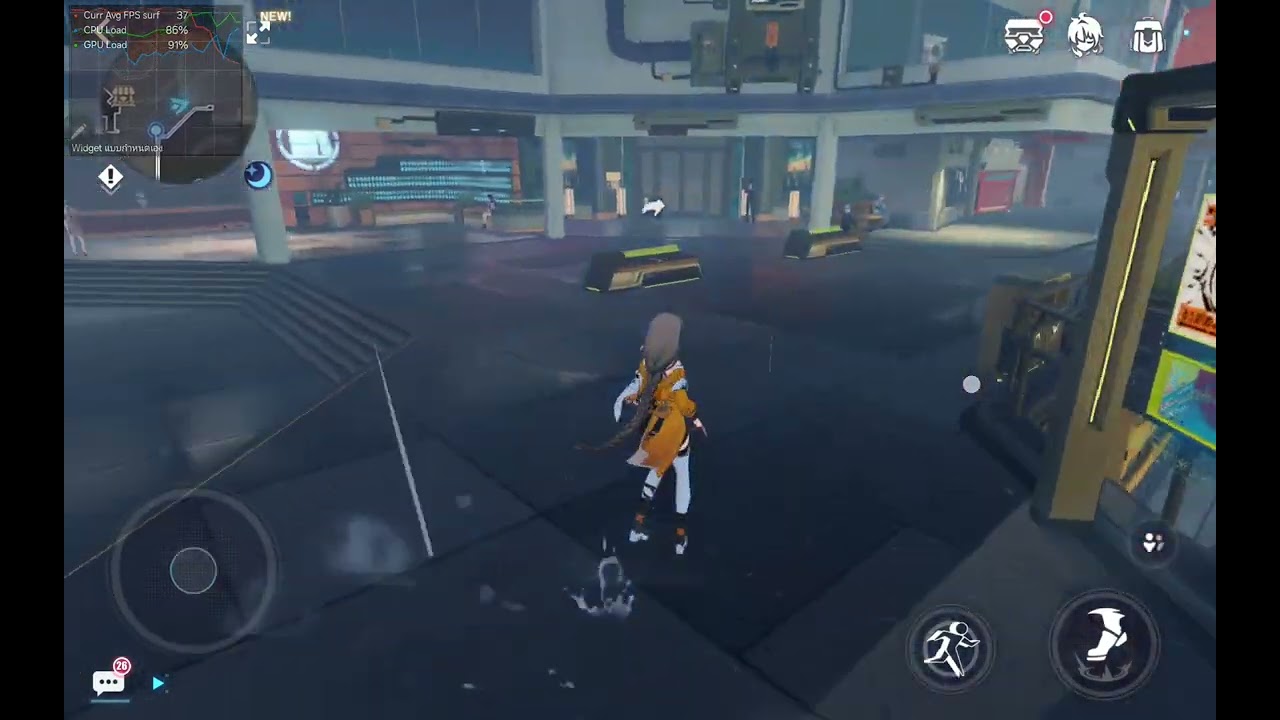

My Device is rooted and undervolted.
GPU Driver 0676.32
Scene EP Performance with Core Allocation and FAS
00:00 Settings (Manually Maxed)
00:07 Oxia City
02:38 Second Area
04:30 Second City
06:05 Abyss Run
08:26 Stigma Farm
09:25 ER 8/17
11:13 ER 12/17
13:14 ER Last Two Bosses
Simplified locations, lower FPS, less effects, more pixels than ever...
Timestamps:
00:00:00 Settings
00:00:28 Part II Open World - Oxia
00:03:33 Part II Open World - Dark Land
00:06:31 Part II Open World - Stygian Alley
00:07:48 Part II Open World - Amber Street
00:09:16 Part II Open World - Genealogical Seat
00:11:33 Part I Arena - Superstrin...
In HoYoLab you can find how it will run on a d1200...

Im speechless about this game "system requirements"
It needs to be changed
cosmic lion
All the videos you show runs the game with very high render settings... That is not meant for recommend setting 
 brave wyvern
I got this after my game crashes a few times, what does this mean?
simple spruce
cosmic lion
All the videos you show runs the game with very high render settings... That is ...
Try recommended settings by yourself. This amount of pixels kill your eyes instantly. It is bad for health.
stoic reef
i'll have to look into those in a minute, im currently at work rn but whats the solution to the overheating problem? is it the undervolt you mentioned? some phones with snapdragon 8 gen 1 have been overheating to the point of shutting down repeatedly during the in game download screen let alone in the game
simple spruce
stoic reef
i'll have to look into those in a minute, im currently at work rn but whats the ...
What a problem? It is a tablets in two videos. A main reason why it works flawlessly. And i advice to use red magic 9 which have inbuilt cooler.
stoic reef
brave wyvern
I got this after my game crashes a few times, what does this mean?
Usually that means the graphics card had an issue, can you send these screenshots?
brave wyvern
what screenshots?
stoic reef
brave wyvern
I got this after my game crashes a few times, what does this mean?
!FAQ pcspecs
grizzled rampartBOT
brave wyvern
I got this after my game crashes a few times, what does this mean?
PC Specs ʕ๑•ɷ•๑ʔ❀
Playing on PC client? Need help? Help us help you! ʕ̢̣̣·͡˔·ོɁ̡̣̣
To find out your PC specs, follow these instructions:
- Press Windows + R, input dxdiag.
- Please attach screenshots of the System and Display tabs (+ Render tab if present).
brave wyvern
oh
stoic reef
Sorry I was typing slow lol


 stoic reef
simple spruce
What a problem? It is a tablets in two videos. A main reason why it works flawle...
stoic reef
simple spruce
What a problem? It is a tablets in two videos. A main reason why it works flawle...
True tablets have better cooling to overcome the inherent overheating issue with that soc, but they asked for a phone so I was looking for a phone 
stoic reef
brave wyvern
iz ok
 what are the graphics set to?
simple spruce
stoic reef
True tablets have better cooling to overcome the inherent overheating issue with...
...and red magic 9 not a phone? It is.
brave wyvern
all mid with closed anti-aliasing, I got the reflection settings to low because the guys from collapse launcher discord said it might be the cause of the crashes last time
stoic reef
simple spruce
...and red magic 9 not a phone? It is.
Mb I got confused you are right that is a phone, does that phone have a built in cooler?
simple spruce
stoic reef
Mb I got confused you are right that is a phone, does that phone have a built in...
Yes of course. Game needed 12w power, and only this and Odin 2 portable devices can survive.
stoic reef
brave wyvern
all mid with closed anti-aliasing, I got the reflection settings to low because ...
I suspect then that it's running out of shared memory for the integrated graphics. Id recommend not having other applications open while playing since the recommended is 16gb for integrated graphics. If it still is crashing you might need to lower the graphics down more to have it consume less vram, at the least turning down the rendering accuracy will have one of the bigger effect on vram usage
stoic reef
simple spruce
Yes of course. Game needed 12w power, and only this and Odin 2 portable devices ...
I see. So you don't recommend any chip other than snap dragon? Lemme revisit my recommendation, I was still keeping that high on the list since as of 7.0 the d1100 was running the game fine on 4 graphics as a budget option that didn't have an inherent overheating issue but I haven't looked yet for it's performance for part 2
stoic reef
brave wyvern
all mid with closed anti-aliasing, I got the reflection settings to low because ...
Oh and one more thing, if it crashes again you can also before opening the game again send your output log here so we can see what the game was actually doing right before it crashed. Give me a minute to get the instructions on where to get that if you don't know
cosmic lion
stoic reef
I see. So you don't recommend any chip other than snap dragon? Lemme revisit my ...
a friend has a 1100 and the game runs fine with the "default" settings, but obviously its get the same know problems (like poor optimization on mall)
 rugged lake
the celebration table is at 100%
but there is no way to claim the daily gift from it?
is it bugged or ?
stoic reef
rugged lake
is it bugged or ?
you have to click on the button at the table with the mouse cursor
kinda janky i know
stoic reef
brave wyvern
here is where to get the output log Press Windows + R, and input %userprofile%\Appdata\LocalLow\miHoYo\ and put the output log file in here
rugged lake
i was looking for a button prompt lol
stoic reef
same, like i said its a little janky
stoic reef
cosmic lion
a friend has a 1100 and the game runs fine with the "default" settings, but obvi...
thanks, imma try to find a video but yeah i dont see it not running the game fine on the default or slightly lower for p2 areas
brave wyvern
stoic reef
here is where to get the output log Press Windows + R, and input %userprofile%\A...
I see, I'll keep that in mind, thanks for the help
stoic reef
np and good luck!
simple spruce
stoic reef
I see. So you don't recommend any chip other than snap dragon? Lemme revisit my ...
Snapdragon have an option to use konabess(gpu tuning utility) if phone has unlocked bootloader. Mediatek cannot.
Maybe, if you satisfied with third video, which is a unique device tree, unique rom and unique gpu fix, maybe, you can play with this lower fps on a Redmi Note 11t pro. But there be other critical problems:
- Snapdragon SoC have OSM that prevents overclock cpu, and MTK can do it free. But. Not all devices equally. OnePlus Ace/Racing Edition contains lower variables in powerhints files, which leads to a fact that company underclocked them. So, maybe you mediatek can do game properly with overclocking, but, if you do experiments with it, nothing saves phone from bricking. MTK is a hell for this if you don't know. Redmi note 11t pro has a leaked engineering rom, that enables BROM mode for user.
- Not all phones have option for unlocking bootloader. Without it, you cannot use clean ROMS with benchmark mode and uperf, custom cores, hydro power modules, anything.
Generally i advice to avoid mediatek ASAP. But if you device is a Corot(k60ultra) or Xaga, maybe, things be not bad of you have a time to tune your Mediatek phone.
stoic reef
simple spruce
Snapdragon have an option to use konabess(gpu tuning utility) if phone has unloc...
I see, this is the video i was referring to for the Poco X3 GT performance which runs fine on what looks to be at least 3 graphics for 7.0 https://www.youtube.com/watch?v=HVRfs3498xY&ab_channel=AndiKaslana but you seem very knowledgeable about all of this, if possible would you mind writing up a range of recommendations in text format from very budget (around 200 USD or less) to max budget range of phones that we can recommend to captains?
and if possible, when recommending SD 8 gen 1 SOC's please also keep in mind phones that have better than average cooling so captains arent cooking breakfast when playing part 2 becuase that was a very common complaint for that chipset even in part 1
stoic reef
also i should mention that these have to be default factory settings, many captains would not be comfortable with tweaking their phones via any method like OC or custom roms, etc
stoic reef
cosmic lion
a friend has a 1100 and the game runs fine with the "default" settings, but obvi...
tbh i couldnt find a part 2 video but yeah part 2 mall isnt a good benchmark rn since its very clearly unoptimized and dimensities budget is hard to beat
cosmic lion
stoic reef
tbh i couldnt find a part 2 video <:TeriRip:1194216039890821150> but yeah part 2...
and i think the mobile settings could be bugged(? at least on my phone if i use low settings there is no difference that mid (performance and graphics)... except on apho2 where yeah the game is running on the selected low/mid settings, but could be my phone tbh, is below specs 
just in case im going to be a little less active this weekend, i have a lot stuff to do , but i probably still show up from time to time
so GL everyone 
stoic reef
cosmic lion
and i think the mobile settings could be bugged(? at least on my phone if i use ...
could be, i havent done any testing but if you're referring to part 2 area it wouldnt surprise me if it the p2 area has a minimum setting or something.
but i wondered why you were up lol. have fun and we'll be fine, maybe a little more backreading for me but no ones gonna die
cosmic lion
stoic reef
could be, i havent done any testing but if you're referring to part 2 area it wo...
no i was referring to all of the game, for some reason only apho2 have a "low" settings, so now is the best performance part on my phone
on PC the settings work fine, so could be the android ver. having issues or just my phone having a stroke when trying to run the game
stoic reef
maybe
simple spruce
stoic reef
I see, this is the video i was referring to for the Poco X3 GT performance which...
This is old stages in this video captured from a different engine. Not count.
For budget phones: wait until vendors drop a presentation of a new Snapdragon 8 gen 3 low binning variants. Maybe some of them be very lucky and receive 200-ish$ price.
Probably it be: Realme gt neo 6se/Poco f6
simple spruce
stoic reef
and if possible, when recommending SD 8 gen 1 SOC's please also keep in mind pho...
They already do this cooking on a phone a lot for at least two weeks. So, no worries.
I think a correct system requirements can be:
Minimal:
Snapdragon 8 gen 1 UC(Poco f5 pro, Realme gt neo 5)
Snapdragon 8 gen 1 ES(Poco f5, Realme gt neo 5se)
Snapdragon 8 gen 1(Lenovo Legion y90)
Dimensity 8100/8200
Exynos 2200/2300
Recommended:
Snapdragon 8 gen 1/2 OC(Xiaomi Pad 6 pro, Lenovo Legion y700 2023, Galaxy Tab s9)
Snapdragon 8 gen 2(ZTE Nubia Red Magic 8, AYN Odin 2)
Dimensity 9200+(Redmi k60 Ultra)
Quality:
Snapdragon 8 gen 3(ZTE Nubia Red Magic 9)
Why this list not contain massively produced D1100/1200/8050: a HoYoLab post with issue
Why not Red magic 7 in a recommended tier: HoYoLab post with issue
stoic reef
simple spruce
They already do this cooking on a phone a lot for at least two weeks. So, no wor...
gotcha, so for the minimal ones, if a phone is running snapdragon 7 gen for instance then it will not run the game and crash even on the lowest settings correct?
just trying to pre-empt captains that may have that chip on a phone and are having issues so i know what to say
simple spruce
stoic reef
gotcha, so for the minimal ones, if a phone is running snapdragon 7 gen for inst...
You can run the game for example on a lower phones. But it run so bad, i try it, is it even counts as a game? Only gigantic pixels and no more for this case.
For some Exynon and Mali GPU you can literally encounter crashes, pink images, and so on.
stoic reef
simple spruce
You can run the game for example on a lower phones. But it run so bad, i try it,...
makes sense but for some captains that level of quality is fine, the minimal needs to be the bare minimum to prevent the game from hard crashing on lowest settings
 molten sinew
Is there some kind of topup problem right now?
stoic reef
molten sinew
Is there some kind of topup problem right now?
not that im aware of, though the worldpay merchant can sometimes have issues, did the funds get taken from your account but nothing in game or is it giving an error
molten sinew
Error
stoic reef
simple spruce
You can run the game for example on a lower phones. But it run so bad, i try it,...
i cant really tell a captain that is on a snapdragon 7 gen phone for instance that if they have any issues at all with the game thats not a known bug thats getting fixed that their only possible option to keep playing is to spend money that they may or may not have and get a better phone if that makes sense
stoic reef
molten sinew
Error
whats the error if you dont mind sharing?
simple spruce
stoic reef
makes sense but for some captains that level of quality is fine, the minimal nee...
For me, on a g80(a31s) game is a unplayable, and (rn8 pro)g90t better, but not for part 2, which is a very slow. As a bare minimum for launch part 2 i think Dimensity 1100 and his clones like 8050 is enough(mali r31-32 drivers works without severe issues in android games), for Snapdragon it is a Snapdragon 855-865. And these devices already have 64bit android system, 6gb and more ram.
stoic reef
well yes for the a31 the g52 gpu is too underpowered to handle the game unless you turn the phones resolution down in the settings which isnt available for every device
simple spruce
stoic reef
i cant really tell a captain that is on a snapdragon 7 gen phone for instance th...
Snapdragon 7 gen, especially 7S gen 2, is a something like... You don't care about? It is a literally like a helio g99 and so on.
stoic reef
well yeah i have no illusions that those can play the game well
I think the main source of confusion on my part was that my baseline for what a minimum requirement is that it will open the game, play most of part 1 ok and part 2 on struggle mode on lowest settings until they fix the optimization issues to improve it but i have no illusions that those will run the same smoothly or well because they are at the bare minimum needed to run the game. for any kind of non budget/quality recommendation of course i wont be recommending dimensity 1100 or anything like that and instead recommend snapdragon 8 gen 1 or equivalents and higher but will warn about the heating issue
but thanks for the recommendations! I'll prioritize those over more budget options unless the captain in question cant afford them
kind schooner
stoic reef
but thanks for the recommendations! I'll prioritize those over more budget optio...
Hi, i came back just to get a look at the recommendations and saw you guys talking about it. Im not really tech savvy but from what i understood, a25 is not recommended then?
simple spruce
kind schooner
Hi, i came back just to get a look at the recommendations and saw you guys talki...
In my country galaxy a25 cost little less than lenovo legion y70. Much better variant for playing games. Avoid any Samsung, especially OEM, like A series.
 silver urchin
honkai3rd_cs@hoyoverse.com or honkai3rd_global@hoyoverse.com, which do I contact to retrieve an account? Or does it not matter? Both are listed under HI3's support
Or is there just a way to find out how to fix this

I was retrieving my account and... yeah


I'm so confused
I'm not doomed am I
 wise ocean
guys... so like the game asked me to reconnect for idk what reason but it dosent let me reconnect with my reroll acc
did they make it so we cant have salt acc anymroe..?
tribal bluff
stoic reef
yeah you can or just put it in here and me or the other regulars should know wha...
r u up?
 shy axle
for the twitch drops, if I want to change the linked TWITCH account how do I do it
because its linked to my old twitch and idk how to change it
tribal bluff
tribal bluff
r u up?
just crashed while doing MA (yeah i pressed a lot of button quickly during MA, so when it suddenly freeze.....)

 silver urchin
Or is there just a way to find out how to fix this
silver urchin
silver urchin
Or is there just a way to find out how to fix this
Bump
tribal bluff
silver urchin
Bump
isn't that already linked to another acc? it says so.....
silver urchin
tribal bluff
isn't that already linked to another acc? it says so.....
That's the issue
I have no clue what account it could be linked to
I haven't logged in since 2 years ago ish
If I could find out what Hoyoverse account it's linked to I could retrieve it, I mailed both the CS mails but neither's responded (yet)
tribal bluff
silver urchin
If I could find out what Hoyoverse account it's linked to I could retrieve it, I...
it's weekend, try waiting until monday
willow falcon
Any info about solving this problem? Happened while playing HI3rd
 tribal bluff
willow falcon
Any info about solving this problem? Happened while playing HI3rd
tribal bluff
willow falcon
Any info about solving this problem? Happened while playing HI3rd
omg art got BSOD 💀
 tribal bluff
ah ic ic xd, though bsod can be caused by so many...
willow falcon
If Dism /Online /Cleanup-Image /RestoreHealth and sfc /scannow are executed without errors, then the problem is technical rather than software.
tribal bluff
yeah probably
 ripe iron
is there a way to download the 5gb hd assets manually on pc? or u cant cuz whenever i try to install it the game crashes in the middle of the download and closes
willow falcon
ripe iron
is there a way to download the 5gb hd assets manually on pc? or u cant cuz whene...
Only if someone share it with you. Also, the game on SSD? Maybe this is a problem. If you can, install to another drive.
wise ocean
wise ocean
guys... so like the game asked me to reconnect for idk what reason but it dosent...
welp guess i lost my acc haha...
 scarlet flume
can I relink my twitch account to a new account I make?
ripe iron
guys is "better hi3 launcher" safe or no? and is it bannable or no?
silver urchin
safe
it doesnt interfere with the game files and its open source so you can check it out if you want
silver urchin
scarlet flume
can I relink my twitch account to a new account I make?
no
ripe iron
silver urchin
it doesnt interfere with the game files and its open source so you can check it ...
do i need to reinstall the game when i install it
ripe iron
oke thank you
silver urchin
scarlet flume
there is no way I can unlink my old mihoyo account and reset the progress anymore is there?
silver urchin
nop, you can delete the whole hoyoverse only and this take like 30 day
and deleting it mean other games like hsr and genshin linked with that account will be gone
scarlet flume
ok can anyone make a pinned comment in here
warning people not to link their old mihoyo accounts if they are like me captain lvl 47 with only 4 S rank valkyries that released in 2017 cause the new player account rewards are insane in comparison and they will bork their accounts
I went through this fucking process for 3 days just got my account back, to now everyone telling me is the worst mistake I could make
upper parcel
I mean, people check this channel when they already have a problem, so it's pointless
scarlet flume
just a warning that is all im asking, so no one else has to go through this
ripe iron
scarlet flume
warning people not to link their old mihoyo accounts if they are like me captain...
what are the new player rewards?
 wispy coral
I accidentally made another account by switching servers to Europe, because I was curious. I switched back to my server and everything is fine but I have another account I think. Do I ask Hoyoverse to delete the Europe account or I can't get rid of it?
cosmic lion
scarlet flume
just a warning that is all im asking, so no one else has to go through this
Well they can still ask, but is not going to be a good pin tbh, most people don't read the pins or just read the first line.
Still most people just show in this channel after the did the account retrieval so is nothing more they can do, or before because the have some issues, and in those cases we tell them about the beginners rewards
cosmic lion
ripe iron
what are the new player rewards?
Ask in #👶beginner-help they should have the most update info about those
scarlet flume
cosmic lion
Well they can still ask, but is not going to be a good pin tbh, most people don'...
yeah that is why I restated it and said just a warning, like if anyone asks here about linking and old account maybe first the ppl should give them a small bit of advice that depending on their captain level, valks and weapons it might not be the best idea that is all
cosmic lion
wispy coral
I accidentally made another account by switching servers to Europe, because I wa...
Unfortunately they can't get rid of it, once the account is created is forever link to the HYV account.
scarlet flume
no need to pin anything
cosmic lion
Like I said, we tell them, well at least most of the captains helping around here we ask about info and if we check that is really old/low level we give them the info. At the end is their choice
In some cases they would like to have the old account back (like if they have Evangelion stuff)
scarlet flume
cosmic lion
Like I said, we tell them, well at least most of the captains helping around her...
@stoic reef and a few others didnt warn me about it this is why I have to state it in hopes that someone else doesnt get as fucked as I did
I was in this chat for 3 days trying desperately to get my account back, NO ONE WARNED ME ABOUT IT
so clearly people here dont do their due diligence, hopefully they will start
im still thankful for the information and help im not ungrateful
I just wish I knew what I was getting into beforehand
cosmic lion
Did you show them your account info? Because could be that they just miss it, and remember that we are captain just like you we just come here to help so we could miss some stuff from time to time
Still if you want you can create a new account in another server if you want, mostly is just server time what change
scarlet flume
I know u can we all do, this is why im talking about it and trying to raise awareness
how could I show account info of an account no one can access?
mihoyo accounts can only be linked no one can access them anymore
anyhow I digress, hopefully anyone looking up account linking and unlinking will be more aware of the terrible downsides if they are a low captain level and barely have any good valkyries, weapons etc.
cosmic lion
On the account retrieve screen it show your UID/lvl before the HYV screen, that is when most of us look at and give the advice.
But like I said they could just have missed it unfortunately, I already made a mistake before when looking for example at some "errorlogs" and another captain corrected me
But I repeat, you have the option to play on another server if you want, if you never started an account there it will give you the beginners event, the difference is just server time (before was co-op to take in count too but that is not in the game anymore)
You can have 1 game account per server on the HYV account
wispy coral
cosmic lion
Unfortunately they can't get rid of it, once the account is created is forever l...
Damn 
stoic reef
scarlet flume
<@277721591012655105> and a few others didnt warn me about it this is why I have...
I'm very sorry no one here warned you that your old account was not good, but in my defense I usually do warn people that the new player rewards are much better than their old account and I didn't in your case because you first came in here for a system busy error and that was my entire first interaction with you. The rest read with other people and just asking how long customer support takes to reply. I do usually warm people if I know they haven't logged in for like 5 years and their account is low level but in every interaction we had none of that info was given to me. I helped you with your system error and then after wards when you were just asking about customer support save getting your account back. I'm very sorry that you'll have to either deal with a non meta account or use a new email and we do warn players a lot of the time, we're also just used to people being sent here either from the other help channels for help with linking or someone who has either nostalgia or something unobtainable anymore of their old account. In fact over the dozens of times I've offered to restart I think it's only been taken like twice, I still warn though I did it a few times already since part 2 happened, I'm sorry that no one thought to warn you this time I'll try to remember more often to tell everyone regardless of me or them knowing anything about their account to include starting over even if they don't know what's on it
stoic reef
willow falcon
Any info about solving this problem? Happened while playing HI3rd
I've never seen this before tbh with honkai
willow falcon
stoic reef
silver urchin
If I could find out what Hoyoverse account it's linked to I could retrieve it, I...
Also if you care about the meta or anything like that then please consult #👶beginner-help for advice on if you should start over instead of retrieving that account
scarlet flume
stoic reef
I'm very sorry no one here warned you that your old account was not good, but in...
That is very true I did come here first with the system busy error thingy, regardless Im pushing through if I dont get sena till her banner is done im quitting this game and most likely not coming back
I do have time that is why im not worried about it
silver urchin
stoic reef
Also if you care about the meta or anything like that then please consult <#9012...
Will do :)
I was debating starting over but I value cosmetics too much to just throw the account away without attempting to check it out prior to doing so
 flint fog
anyone else getting this?
 silver urchin
My skins 
stoic reef
tribal bluff
just crashed while doing MA (yeah i pressed a lot of button quickly during MA, s...
Hmmm it just kinda ground to a halt and didn't properly crash. If you were spamming effects too hard it might have run out of vram but I am not seeing anything specific with the game other than it just stopped and didn't properly crash so I don't think it's a corrupted game file or anything. You can try running it in windowed mode at a lower to conserve more vram but other then that it's not a driver issue unless your card is missing something on a hardware level but I don't have a way of checking that.
Maybe also send customer support those if you want so they can take a look at it but they might just say your laptop is below the minimum #how-to-contact-cs
stoic reef
scarlet flume
That is very true I did come here first with the system busy error thingy, regar...
I'm sorry to hear that, if you haven't tried this you can change the server to Americas you could start over without having to juggle multiple emails
scarlet flume
silver urchin
I was debating starting over but I value cosmetics too much to just throw the ac...
its actually very simple to figure that out, the choice is hard though, how much money have u spent on the account? and how much can u grind for the next 20 days?
silver urchin
scarlet flume
its actually very simple to figure that out, the choice is hard though, how much...
Next 20 days, a LOT. Starting again considering I'm off work for the next month or so due to strokes of bad luck regarding sickness lol, regarding money I'd say it's in the 2000s +-
scarlet flume
if u can grind 10 hours minimum for the next 20 days u should be fine on ur old account at least that is from my calculations since im playing on my old account and im fucked in a similar situation however I havent spent any money on it
stoic reef
flint fog
sigh.... ive cleared cache
I'm guessing you've already restarted the device? If yes then what's the phone model
scarlet flume
silver urchin
Next 20 days, a LOT. Starting again considering I'm off work for the next month ...
2000 what ruppies or rubbies? dollars euros?
silver urchin
scarlet flume
2000 what ruppies or rubbies? dollars euros?
Euros
scarlet flume
stoic reef
I'm sorry to hear that, if you haven't tried this you can change the server to A...
No i havent changed to Americas and im debating but also at the same time I spent more than 40 hours on the game in the past 3 days and playing a game like this with more than 100ms is kind poo poo
stoic reef
scarlet flume
No i havent changed to Americas and im debating but also at the same time I spen...
Ping does not affect gameplay at all. Anyone that says it does is thinking of the now removed coop mode
scarlet flume
silver urchin
Euros
yeah retrieve ur old account, if u have that much money to spend on this game u arent impacted by grind, u can just pay your way through the hurdles
scarlet flume
stoic reef
Ping does not affect gameplay at all. Anyone that says it does is thinking of th...
idk if it does my bad I am not aware how the game works
silver urchin
Paying my way trough inconveniences, hoyo classic 
flint fog
stoic reef
I'm guessing you've already restarted the device? If yes then what's the phone m...
yeah but i just restarted again and it's back i'm sorry for wasting ur time😭 guess it rlly was just a bug
scarlet flume
Im just being real dude u dont want to burn 2000 euros in a trashcan u know
stoic reef
scarlet flume
No i havent changed to Americas and im debating but also at the same time I spen...
The only times the game communicates with the server is at the end of a stage to upload your results. You could in theory start a stage, turn off your Internet and then turn it back on be the end and the game wouldn't care xD.
But yeah ping doesn't matter so even playing on the Taiwan server wouldn't matter ping wise
scarlet flume
stoic reef
The only times the game communicates with the server is at the end of a stage to...
Hmm I might just do that plus I can tell EU server is dead lmao
Thank you Luna ❤️
stoic reef
flint fog
yeah but i just restarted again and it's back i'm sorry for wasting ur time😭 g...
its all good
stoic reef
scarlet flume
Hmm I might just do that plus I can tell EU server is dead lmao
np and sorry again about not warning you
scarlet flume
stoic reef
np and sorry again about not warning you <:FuHuaDistressed:671132101021532180>
I forgive np, wanna be my sensei on it?
stoic reef
scarlet flume
I forgive np, wanna be my sensei on it?
i actually have never taken a cadet
scarlet flume
stoic reef
i actually have never taken a cadet <:HimekoLMAO:1194215309238861824>
ummm oki if u want I can be ur first then
stoic reef

sure if you want, you sound like you already know what you're doing in the game so it should be easy
you can feel free to dm me for anything i'll do my best to help
stoic reef
kind schooner
Hi, i came back just to get a look at the recommendations and saw you guys talki...
Depends on your budget, what's your budget like exactly?
scarlet flume
stoic reef
sure if you want, you sound like you already know what you're doing in the game ...
did so just now ty very much
 pallid niche
Not really a regular question but
How well would y'all reckon a 2018 Ventura MacbookPro can run a Steam game? Would games run fine or would it be potato as hell 
stoic reef
kind schooner
Hi, i came back just to get a look at the recommendations and saw you guys talki...
while i work on a more comprehensive list (kinda long overdue now that i think about it) for the xiaomi poco phone line, on the cheaper end the poco x4 GT will run the game and is very cheap, on the higher end the poco f5 pro or Xiaomi Pad 6 pro are good too.
For samsung phones ( you seem to like those based on what you've been suggesting so far)
the A90 or a34 is the only ones of the A series I'd recommend, its a little on the older side so its cheaper but also wont run the game for long either but they are cheap.
I'd recommend going for the S22 or higher if you have the money for it but it will get very hot unless you get an s23 or higher
you can alternatively just look at all the list of phones with a certain chip, snapdragon 8 gen 1 runs the game well though it has a notorious heating issue so the phone will get hot. https://www.91mobiles.com/mss-8360
Dimensity still runs the game and is more on the budget side there there is this as well https://www.91mobiles.com/mss-8359
cosmic lion
stoic reef
while i work on a more comprehensive list (kinda long overdue now that i think a...
stoic reef
cosmic lion
<:VodkaHug:868141524200865853>
hihi~
 vague yacht
pallid niche
How well would y'all reckon a 2018 Ventura MacbookPro can run a Steam game? Woul...
vague yacht
pallid niche
How well would y'all reckon a 2018 Ventura MacbookPro can run a Steam game? Woul...
This heavily depends on the game.
Like if we‘re talking about a game that isn‘t graphics/performance heavy, you‘ll be fine (as example Needy Streamer Overload). Simple games more or less
But on the other side if you want to run heavy performance games (Path of Exile, general MMO‘s, any game that just eats the CPU/GPU. Yes even solo games), its just a no go.
Thats like put into a short msg though. It just comes down to what you want to play/have in mind.
However in general I would never recommend gaming on macbooks. The game availability/support is very limited and in general macbooks are not meant for gaming nor is it what they are made for.
Sincerely, someone with a macbook air M1 chip that tried to game on it eitherway 😅
stoic reef
 winged kestrel
how can i make resolution on pc 1080
winged kestrel
how can i make resolution on pc 1080
if you can enter the game its in the ai chan phone (bottom right corner of the main menu) and then settings
if you cant enter the game you can hold shift and click launch on the launcher and then keep holding shift until you see a settings window come up
 lone shoal
The orb dissapeared together with the dark floor but still i'm having the option to unlock it
 stoic reef
lone shoal
The orb dissapeared together with the dark floor but still i'm having the option...
stoic reef
lone shoal
The orb dissapeared together with the dark floor but still i'm having the option...
maybe restarting the game will fix that but either way please report that to customer support #how-to-contact-cs
tribal bluff
stoic reef
Hmmm it just kinda ground to a halt and didn't properly crash. If you were spamm...
It's not the game caused that crash, when an app is not responding, windows might ask you to force close the app after you pressed some button, in mycase i was doing MA with SSS diff (that new SD boss i don't remember the name) and i'm using Sena which you know how much button i pressed for the combo (like evade, basic atk, skill button, valk change and QTE) i almost can't see any prompt, it was so fast that the game closed right away
I also kinda try to find when exactly the freeze occur, it's more like stutter then freeze, the fps just drop from 60 to 1, somekind of rendering issue i guess.
Mostly happened when enemies spawned, switching valk (sometimes), using some stage skill, and when roaming in part 2 map Oxia and Inque, especially worse in Inque (idk if i spelled it correctly)
I'll try to change windowed/fullscreen mode later to see how the difference
pallid niche
vague yacht
This heavily depends on the game.
Like if we‘re talking about a game that isn‘...
Yea lmao macbooks are not made for that stuff, i was afraid i would permanently frick my computer lol
Tysm :D
 lost venture
stoic reef
Ping does not affect gameplay at all. Anyone that says it does is thinking of th...
lost venture
stoic reef
Ping does not affect gameplay at all. Anyone that says it does is thinking of th...
funny thing it kinda does
cause playing on both sea and na having do the same strats and inputs the farther server gets a lil delay than the one im near, its not enough to fuck up anything but its enough to be noticeable that i have to change timings
not much change/delay but it is there 
like a few mili seconds so casually wont notice this if i played on only 1 server
stoic reef
you sure thats cuz of ping? cuz i've lost internet during a fight and didnt have problems as long as the internet comes back before the end
im pretty sure that is, i'd have to test again in case im misremembering
lost venture
stoic reef
you sure thats cuz of ping? cuz i've lost internet during a fight and didnt have...
Well I think that's the only difference cause when I played the same strategy on sss wardens , bk any fight really in MA it's there didn't change any of the setup
Abyss didn't notice this
But MA it was since tf chaining
And fixed fight
That or I have a placebo effect
stoic reef
lost venture
That or I have a placebo effect
hmm, i'll do some testing and get back to you, i didnt try every type of stage
 lament valve
why is promaire outfit disabled? inside games she just appears with default outfit

 visual yew
stoic reef
you have to click on the button at the table with the mouse cursor
visual yew
stoic reef
you have to click on the button at the table with the mouse cursor
THEHELL I MISSED 2 DAYS BECAUSE OF IT AHAHHAHAHAHAHHAHAHAHHA
stoic reef
lament valve
why is promaire outfit disabled? inside games she just appears with default outf...
its a known issue with part 2, you can let customer support know but its a known issue so they're gonna work on fixing that
stoic reef
lost venture
That or I have a placebo effect
So I did some testing, what i did was enter a stage, completely disable my ethernet and wifi so 0 internet access at all and then play the stage until i got to the end and click finalize or wait until i got a yellow spinning circle, then reconnect my ethernet and wait till it reconnected and gave me the results screen and here are the results.
MA, Abyss, Expedition, Normal story stage: it played normally with no internet, no lag, stutter, etc and tbh if ping mattered then with 0 internet it shouldnt be playable at all. Obviously it needs to reconnect at the results screen to communicate with the server.
ER: also playable but must be connected at the end of every floor since it saves your progress then.
Main menuing, must be connected at all times since its pulling from the server constantly, but a little ping would at most make for a slightly laggy menu
lost venture
stoic reef
So I did some testing, what i did was enter a stage, completely disable my ether...
Hmm weird must be some sort of placebo then cause I had to use different timings to get the same result or I thought it was different timings but it's the same
I don't mean disconnect it but like just setups again prob placebo effect
stoic reef
lost venture
I don't mean disconnect it but like just setups again prob placebo effect
yeah i gotcha, honestly im not sure what it could be, i could try testing more on my SEA account but at the least your internet connection wasnt causing lag in the middle of the stage.
thats impressive tho i dont know any timings
lost venture
Hmm ill test this once I have my new laptoo
wise ocean
wise ocean
guys... so like the game asked me to reconnect for idk what reason but it dosent...
^ anything to help
stoic reef
i am not sure if they're not allowing salt accounts, are you able to log into other accounts?
 dark flower
does hi3 continue download if i minimize the app on phone?
stoic reef
yes but much slower, i'd recommend letting it cook
stoic reef
tribal bluff
It's not the game caused that crash, when an app is not responding, windows migh...
Sorry i forgor to reply
but thanks for letting me know, i do know that the game can crash without sending a not responding code to windows so no prompt but it does seem to happen only when there is more stress on your GPU than not, and with the frame rate dying right before the game closes it could be a rendering thing, but customer support would have to answer that since i have no idea what specific renderings/shaders/etc that the game uses that your GPU may or may not have. if the windowed mode doesnt help then its definitely some render thing or something like that dying out
 echo portal
Hi I'm level 31 but I think this is kinda technical help I can't access open world (sakura samsara) on my alt acc like it's not there it's no where I can't find it it's not available please help me what do I do

It's not in challenge even t or recommended too
stoic reef
echo portal
It's not in challenge even t or recommended too
it should be unlocked at lvl 50 iirc
echo portal
Oh I see ty
stoic reef
np
 stark vector
any way i could unbind my hoyoverse account and bind my hi3 to another one?
tribal bluff
stoic reef
Sorry i forgor to reply <:FuHuaDistressed:671132101021532180>
but thanks for l...
Also could because high disk usage? Idk but it seems my windows is kinda fcked up, but the disk usage especially high only when i played online game (this include HI3, GI and HSR)
GI and HSR happened when loading into the game
But in HI3 Part 2 it's almost constantly everywhere, tried to track it few times, this HI3 SDK Telemetry? Idk what to call it, i'm tracking it from Resource Manager
stoic reef
stark vector
any way i could unbind my hoyoverse account and bind my hi3 to another one?
not possible, if you cant access it at all then customer support can help #how-to-contact-cs but if you have access to the game then they cant help you
stark vector
that sucks
stoic reef
tribal bluff
Also could because high disk usage? Idk but it seems my windows is kinda fcked u...
hmm, for knowledge on that sdk and stuff you'd have to ask customer support, i dont have any insider knowledge or anything since we're all just captains and im not sure what that process does exactly.
if you're on a HDD that might matter for disk usage, havent tested but if its on the recommended SSD then that shouldnt matter.
but im also assuming you've already tried reinstalling the game? not just repair but a reinstall? I forget if you've done that
tribal bluff
stoic reef
but im also assuming you've already tried reinstalling the game? not just repair...
Nope, i haven't, internet speed here is slow af, can't do the download within a day
tribal bluff
stoic reef
hmm, for knowledge on that sdk and stuff you'd have to ask customer support, i d...
I'm using ssd, old gen tho
stoic reef
tribal bluff
I'm using ssd, old gen tho
should still be fine i think, but like i said i havent tested it yet. Might be worth sending any error logs and your output log to customer support to see what they think
worst they can say is your GPU is below the minimum and not help
tribal bluff
stoic reef
worst they can say is your GPU is below the minimum and not help <:KianaShrug:67...
Yeah that's why i'm asking here, since here more helpful than them 💀
stoic reef
did they already say that?
tribal bluff
stoic reef
did they already say that?
Not yet, since i haven't asked them, but i think it's 50:50 chance since my laptop is quite old as well
stoic reef
tribal bluff
Not yet, since i haven't asked them, but i think it's 50:50 chance since my lapt...
well according to the official specs, you should be ok i think, its right at the low end but it should be within the minimum. If i thought it was below the minimum i would have said so much earlier
cant hurt to ask since they have the ability to send it to the people that actually know what HI3 SDK Telemetry is for instance
tribal bluff
stoic reef
cant hurt to ask since they have the ability to send it to the people that actua...
Aight, i'll try sending them tomorrow, thanks for the help, i'll let you know what they replied later
stoic reef
tribal bluff
Aight, i'll try sending them tomorrow, thanks for the help, i'll let you know wh...
okie thanks! I'm honestl not sure what it could be, you might be right with the render thing since shortly before it ended teh output log did say SRP Incompatible Shader: miHoYo but that could also be unrelated
 verbal roost
how to fix this

 indigo scaffold
Is there a way to delete past story quest data like in Genshin?
stoic reef
verbal roost
how to fix this
thats a corrupted download issue, you can try either manually updating via the steps below, or you can use a custom launcher from the 2nd pin, those download the game much much better
!faq mandown
grizzled rampartBOT
stoic reef
!faq mandown
HI3 v7.3 Manual Download
- Close launcher
- Open folder \Honkai Impact 3######\Games
- Delete BH3_v7.3.0_7cf0cdeb82dd_tmp file (if present)
- Download through link below and place in the folder
SEA:
Mirror 1HoYoverse
Mirror 2Google Drive
Mirror 3MediaFire
GLB:
Mirror 1 HoYoverse
Mirror 2 Google Drive
Mirror 3 MediaFire
*✲゚*。⋆ DO NOT EXTRACT! *✲゚*。⋆
- Run the launcher as usual.
stoic reef
indigo scaffold
Is there a way to delete past story quest data like in Genshin?
yes, you go to ai chan phone > resources and you can delete or download different things there
indigo scaffold
Ight thx
verbal roost
stoic reef
thats a corrupted download issue, you can try either manually updating via the s...
It works thanks also I want to ask do I have to update through this method everytime we have patch update and replace the file or it will be ok from now and I can update normally
stoic reef
verbal roost
It works thanks also I want to ask do I have to update through this method every...
hopefully just this time, it was a connection issue that corrupted the download and hopefully your ISP isnt having the same problem a month from now (possible, but very unlikely)
so next time try normally, it should hopefully work just fine
verbal roost
grizzled rampart
__**HI3 v7.3 Manual Download**__
1. Close launcher
2. Open folder ***\Honkai Imp...
If not will this thing update to the new patch?
verbal roost
Ok
 gaunt rampart
I have a feeling that Anti-aliasing in the game is currently broken. No matter which setting I pick, in Part 2 scenes it doesn't make a difference
stoic reef
it honestly might be, i dont know for sure but several captains have reported settings changes not seeming to make any difference, for something like that i'd report it to customer support so they're aware of more people having the issue
gaunt rampart
I did report it yes
stoic reef
awesome thanks, and thanks for letting me know, i dont think theres anything to do to fix it but hpoefully they fix it on their end soon since they're aware of a lot of stuff and i think i saw an announcement for fixes/optimizations being patched in in the near future
gaunt rampart
There are a few more issues like Chenxue's outfit "poking through"
stoic reef
mhmm, that and the oxia map being much more graphically intensive than the rest of everything, promare's outfit not existing for Chrono Navi, some other stuff like that
gaunt rampart
By the way, when I put Rendering Accuracy to very high, the hair issue I reported earlier became even worse. Instead of better
stoic reef
mhmm, if a texture is breaking then increasing the resolution of that would in theory break it worse so that makes sense
gaunt rampart
OK I though it was a Part 2 problem but it's not
Take a look
I zoomed in on Raven's face to showcase the problem
I didn't use the exact scane but it's rather obvious I hope
I hope I'm not the only one noticing the difference here lol
 severe perch
So uh...I played this game around 2018 and then quit. I was wondering if I could still retrieve my account. I did spent some money on the game based on the google play purchase history but unfortunately can't recall anything else except maybe my username?
 azure acorn
is it better to use the pc launcher or epic games?
stoic reef
gaunt rampart
I hope I'm not the only one noticing the difference here lol
nah some others have now that i think about it but its not a common notice
stoic reef
azure acorn
is it better to use the pc launcher or epic games?
both are the exact same client (with the exception of 2 files for epic) so it kinda doesnt matter, epic gives you a badge for having it on there and also has the epic web store for topping up so thats a plus
gaunt rampart
stoic reef
nah some others have now that i think about it but its not a common notice
I know I'm very pixel perfect with game graphics
stoic reef
severe perch
So uh...I played this game around 2018 and then quit. I was wondering if I could...
tbh you would need to know your old accounts User ID (UID) for customer support to help, if you cant find it then theres nothing they can do to help sadly. though also tbh if you havent played since 2018 then every valk back when you played is free now so restarting is probably gonna get you better stuff on your account but if you wanna keep try ing with your old one you'd need your UID
severe perch
Ah damn. I only have proof of purchase. Guess I should try asking my old friends who did add me previously...
stoic reef
mhmm they can see your UID from your friend page, though do think about what i said about restarting, the new player rewards will guarantee you a better account than you possibly could have had back in 2018 if you care at all about the meta or being competetive or anything like that.
but either way you decide good luck!
azure acorn
stoic reef
both are the exact same client (with the exception of 2 files for epic) so it ki...
there used to be thing with the pc luncher where after downloading the files it'll just stop and not continue, do i need to worry about that still?
severe perch
stoic reef
mhmm they can see your UID from your friend page, though do think about what i s...
Well, its more of the unobtainable costume but I do see your point. Thanks for the advise.
stoic reef
severe perch
Well, its more of the unobtainable costume but I do see your point. Thanks for t...
ah then yeah please keep trying to get that back and i hope you do!
stoic reef
azure acorn
there used to be thing with the pc luncher where after downloading the files it...
like stop before the verifying part? or during?
theres still some uncommon issues with the epic and pc launcher, but since the epic version just installs the pc launcher theres no difference between the two
azure acorn
i cant exactly remember, but i think it was after
lemme just download the pc launcher and hope it doesn't happen again
stoic reef
well tbh it should stop doing things after its finished downloading and verifying, theres nothing to do after that
but yeah it should be fine, issues are uncommon
stoic reef
gaunt rampart
I know I'm very pixel perfect with game graphics <:HimekoLMAO:119421530923886182...
also doesnt hurt that you have a GPU good enough to have the game graphics good enough to see that stuff
gaunt rampart
That's true
 lunar gust
severe perch
Ah damn. I only have proof of purchase. Guess I should try asking my old friends...
lunar gust
severe perch
Ah damn. I only have proof of purchase. Guess I should try asking my old friends...
you can still try contacting them and providing that receipt, maybe they will find it
 silent herald
Pls how to fix this?
 lost venture
silent herald
Pls how to fix this?
lost venture
silent herald
Pls how to fix this?
it means the hyv account you are trying to merge with is already taken with hi3 game data
i.e that acc has already data associated with it
 scarlet mica
i just enter the game minute ago and when i cameback this happen

i download it from the app store
lost venture
scarlet mica
i download it from the app store
which app store
scarlet mica
i play on iphone
lost venture
some of them have old versions like oppo
doesnt apple have their own app store? i assume you used that one yes?
scarlet mica
yes
scarlet mica
scarlet mica
i just enter the game minute ago and when i cameback this happen
yet somehow this happen
lost venture

best i can think of
are 2 things
reinstall and do you perhaps have an apple account to that region like an email for eu. one for sea,
otherwise prob wait for luna sloth etc to come
scarlet mica
lost venture
best i can think of
are 2 things
reinstall and do you perhaps have an apple acc...
i only have one email
should i wait then?
 low cloud
Question: Which video setting affects character quality in cutscenes/dialogue? (to make them less blurry). Edit. Figured it out, it was the rendering accuracy
 kind mirage
will i get banned for playing hi3rd in mac using parallels desktop?
 signal carbon
did they update the graphics
because as soon as the part 2 update dropped my performance absolutely tanked
on the settings before it recommended me to set preset to quality
now its recommends all the way down to performance
and even on performance i can barely reach 30 fps
low cloud
signal carbon
did they update the graphics
because as soon as the part 2 update dropped my per...
What are you playing on?
Phone/PC/Laptop?....
low cloud
signal carbon
did they update the graphics
because as soon as the part 2 update dropped my per...
 scarlet mica
lost venture
best i can think of
are 2 things
reinstall and do you perhaps have an apple acc...
scarlet mica
lost venture
best i can think of
are 2 things
reinstall and do you perhaps have an apple acc...
The problem have been fixed
Thanks for helping me
lost venture
azure acorn
how do i delete an account?
Inside the game
Profile account user center delete
Or
Hoyoverse.com or something
Login
Delete
You have 30 days to change your mind before it totally wipes everything
Do note this is attached to your HOYOVERSE email I.e everything
If you delete your email you also delete all other hyv game data
Har g game tot
Everything
lost venture
Salting or make a new email is a thing
 azure acorn
lost venture
Salting or make a new email is a thing
azure acorn
lost venture
Salting or make a new email is a thing
salting it is then
lost venture
signal carbon
looks like i cant play anymore [NOOOO](https://cdn.discordapp.com/emojis/1071344...
Some of these are just a Lil min running with a i3 5005u, 920m and 8gb it runs it 20 fps or even lower just depends tbh how far gone heck someone here has a gt610 and still running it
 magic raven
has anyone else had this issue? error log has a Write to location 00007374 caused an access violation.

the weirdest part is the game still works if i ignore the pop up
lost venture
Send the error log
magic raven
sure
lost venture
Directx hmm you updated your dx?
magic raven
it should be up to date.
 lost venture
If not do ddu then install latest driver
It's usually either of the 2
Well either latest or 2nd latest
magic raven
well... my gpu's too old that the latest drivers don't support it at all
lost venture
I usually don't do this but if problem persist still do your cpu as well update its drivers
magic raven
magic raven
the weirdest part is the game still works if i ignore the pop up
once i load a different level, that's where it dies it seems
lost venture
magic raven
well... my gpu's too old that the latest drivers don't support it at all <:TeriR...
I am.saying your gpu's latest driver
Or 2nd latesr
Whichever of the 2 tbh
magic raven
sure, kinda don't have time rn but i'll consider updating em. it's also super random so 99% of the time the crash doesn't happen.
 mossy quarry
how do i add the mouse here? it asks me to click on a key but when i use the mouse it doesnt bind
 lost venture
mossy quarry
how do i add the mouse here? it asks me to click on a key but when i use the mou...
lost venture
mossy quarry
how do i add the mouse here? it asks me to click on a key but when i use the mou...
Current plan > mouse n kv
Or just press Right alt
Mouse is automatic
If you press right alt
mossy quarry
thanksss, it worked
azure acorn
lost venture
Salting or make a new email is a thing
wait, will salting afeect my other hoyo games tied to the same mail?
upper parcel
azure acorn
wait, will salting afeect my other hoyo games tied to the same mail?
Nope
 glossy perch
I don’t know if this counts over here, but i can’t find any materials to collect

 normal wraith
hi, does anyone know what's the current total size of the game?
stoic reef
glossy perch
I don’t know if this counts over here, but i can’t find any materials to collect
Is that map the active one in the open world maps?
Remember that you can only have one active at a time and it's like every 2 days to reactivate or switch which ones active
stoic reef
normal wraith
hi, does anyone know what's the current total size of the game?
!FAQ gamesize
grizzled rampartBOT
normal wraith
hi, does anyone know what's the current total size of the game?
v7.3 approx. install size
- Mobile
basic assets ~ 22 GB
full assets ~ 30 GB
- PC
basic assets ~ 30 GB
full assets ~ 38 GB
(Event files that come out after are not counted here)
normal wraith
stoic reef
!FAQ gamesize
thanks!
glossy perch
stoic reef
Is that map the active one in the open world maps?
I see i see, tyy

 hot stump
i'm having this issue and i don't know why
 upper parcel
hot stump
i'm having this issue and i don't know why
upper parcel
hot stump
i'm having this issue and i don't know why
This is a connection issue, try stuff from here #🔌technical-help message
 cobalt oxide
???
 stoic reef
cobalt oxide
???
stoic reef
cobalt oxide
???
thats a connection issue, try the stuff in the third pin #🔌technical-help message
lost venture
Yes?
That's always been a thing
Never heard a game where you can't adjust the res at all
 obtuse portal
the "burning rescue soul" skin of Ai-chan is not visible in the game, I already did a files check from the launcher.

 stoic reef
azure acorn
to make it a smaller window
stoic reef
azure acorn
to make it a smaller window
yup, its in the ai chan phone settings
stoic reef
obtuse portal
theres a known issue with that outfit, they're gonna fix it but for now its just kinda not there
obtuse portal
stoic reef
theres a known issue with that outfit, they're gonna fix it but for now its just...
ohh I see. thanks for the swift resply
stoic reef
np
 pearl fable
how do you reset the last story chapter?
it started autoplaying, i didnt have time for it at the time, closed the game and when i came back to it the intro scene was gone and i was already in the city
gilded birch
pearl fable
how do you reset the last story chapter?
it started autoplaying, i didnt have ti...
i don't believe that there's a way to replay the story in the latest open world 
you'll probably need to find a recording somewhere if you'd like to see it again
stoic reef
mhmm the part 2 stuff is like the other open world parts, not replayable
pearl fable
really? there is no reset option? i thought i was just blind that i couldnt find it
stoic reef
nope, trust me, me and the entire lore channel are big sad that none of the open world chapters are truly replayable
~~now that i think about it, i dont know of any open world game where its replayable (not counting saves here) outside of starting over ~~
pearl fable

 tacit crow
is there no way to uncap frame rate now that p2 is out? i tried using regedit and changing the numbers in PersonalGraphicsSettingV2 but it didnt work
stoic reef
tacit crow
is there no way to uncap frame rate now that p2 is out? i tried using regedit an...
the in combat fps shouldnt be effected, if you're talking about oxia then its been capped to 60fps
if you're in the regedit changing stuff make sure its the in combat fps
tacit crow
stoic reef
if you're in the regedit changing stuff make sure its the in combat fps
that's InLevel right? it says 60 in game even though i have it set ti 240 in regedit
ok nvm i managed to get it working
for anybody else with the same issue as me, what I did was reopen the game, go to settings, manually change fps to 120, quit game, go to regedit and set it back to 240, and then it worked
stoic reef
tacit crow
that's InLevel right? it says 60 in game even though i have it set ti 240 in reg...
yeah should be inlevel
and ah yeah if you dont change the in game settings at all after an update a lot of times it doesnt recognize regedit editing
easiest way to kick that into working is to put it in windowed mode and then back out
 pale trellis
Does the Epic Games version let you connect to your Hoyo account unlike Steam? Can you also top up through Epic Games instead of the methods the normal launcher offers?
stoic reef
pale trellis
Does the Epic Games version let you connect to your Hoyo account unlike Steam? C...
yes and yes, it uses your hoyoverse and uses Epic to top up with so paypal and so on are options
 cloud gorge
do u guys have any custom launcher recs
stoic reef
cloud gorge
do u guys have any custom launcher recs
both are really good, better launcher is pretty simple and doesnt need installing but if you play other hoyoverse games the collapse launcher works for them all so only one launcher
cloud gorge
thank you !
 ivory blade
i always got blue screen while downloading the game on 50% ish and after it finished it failed and then i have to reinstall again what hsould i do
stoic reef
ivory blade
i always got blue screen while downloading the game on 50% ish and after it fini...
hmm its hard to say what the problem is without the blue screen error code, next time it happens do you think you could send the error code number? If you're not sure where to look for it then just take a not blurry picture of the whole screen and send it here
but blue screens can happen for over 200 different reasons iirc so i cant really say whats causing it without knowing the error code. Could be a windows thing, a hard drive thing, a gpu thing. Lots of different things it could be
 slim spruce
any1 know how to get the game to run i redownloaded after a couple years worked on first launch then never again
stoic reef
slim spruce
any1 know how to get the game to run i redownloaded after a couple years worked ...
is there any error message or what happens when y ou try to click launch
slim spruce
stoic reef
is there any error message or what happens when y ou try to click launch
nah i click launch game the launcher goes away for a minute then comes back
stoic reef
ah i gotcha, if you go to your games installation folder (default its C:\program files\honkai impact 3rd\games\ ) and try opening bh3.exe does it open the game or nothing happen?
slim spruce
stoic reef
ah i gotcha, if you go to your games installation folder (default its C:\program...
nothing happens
stoic reef
try this then, it is whats supposed to fix it, if not theres one more thing to try but do all these steps including the restart and lemme know if it fixes it
!faq pcclearcache
grizzled rampartBOT
stoic reef
!faq pcclearcache
- Please, close both game and launcher.
- Press Windows + R, input
regedit. - In the opened window, please locate
\HKEY_CURRENT_USER\Software\miHoYo\Honkai Impact 3and delete it. - Press Windows + R, and input
%userprofile%\Appdata\LocalLow\miHoYo\in the opened window. Delete all the files in the Honkai Impact 3/3rd folder. - Restart your PC.
Do note that doing this will require you to login again. Linking account is highly recommended.
*also refer to system requirements:
#🔌technical-help message
slim spruce
stoic reef
try this then, it is whats supposed to fix it, if not theres one more thing to t...
alr ill try it
slim spruce
@stoic reef mb had to do sum else but it aint work
stoic reef
slim spruce
<@277721591012655105> mb had to do sum else but it aint work
its all good, so try going to the installation folder then and basically open the heck out of bh3.exe just spam click on it till it opens, sounds weird but it worked for 2-3 other people. I'd also recommend contacting customer support #how-to-contact-cs for a more permanent fix
slim spruce
alr ill try
slim spruce
stoic reef
its all good, so try going to the installation folder then and basically open th...
yeah that aint work either but i heard you can get a custom launcher for mihoyo games do you think if i use that it'll work?
stoic reef
hmm if spamming on it didnt do anything even after like 20-40 times then cant hurt to try one of the custom launchers, it hasnt helped other people but then again spam clicking worked for them but not you so who knows? they're pretty small in size and will use your existing installation of honkai so you can try them. they're in the second pin and i'd recommend just trying to run the repair feature after it detects your game
slim spruce
stoic reef
hmm if spamming on it didnt do anything even after like 20-40 times then cant hu...
alr ty for the help
stoic reef
np and im sorry it hasnt been working so far. tbh i've gone down the rabbit hole with this specific issue like half a dozen times and havent figured out a permanent fix and all the people that went to customer support havent come back in here to say what the permament fix is
slim spruce
stoic reef
np and im sorry it hasnt been working so far. tbh i've gone down the rabbit hole...
damn rip 
 icy zinc
Can i use codashop for eu server
stoic reef
icy zinc
Can i use codashop for eu server
nope, codashop only works for SEA
icy zinc
So that means all of the topups work only for sea? Like ditusi
stoic reef
so it wont let you top up on a non SEA account, when it asks for your UID it wont recognize a non SEA UID
but thats for all the currencies (xtals, bchips, etc) but yeah it wont recognize non SEA accounts
stoic reef
icy zinc
So that means all of the topups work only for sea? Like ditusi
not sure what ditusi is, but here is all the available official top up methods
!faq merch
grizzled rampartBOT
stoic reef
!faq merch
HI3 Top-up Channels/Merchants
Android: Google Play
iOS: iTunes
PC: Worldpay (original standalone client with problematic merchant)
[Google Play](#🔌technical-help message)
Epic Games (install game from Epic Games Store | GLB only!)
Steam... [BUT](#☕general-chat message)
Web (SEA only!)
Codashop: Available on any SEA country site except Vietnam and Timor-Leste. Singapore is favoured by foreign SEA players as it supports PayPal!
HI3 Top-up Center (codashop better, can ignore)
stoic reef
but any website topup is for SEA only
icy zinc
How can i top up on eu servers..
stoic reef
it would have to be in game
you can see the available methods depending on where you installed the game, if the default topup isnt working with your credit card or anything then a lot of players like epic games launcher version since that works with their hoyoverse account but has for the topup options the epic store checkout so it has paypal and/or usually local cards supported
slim spruce
@stoic reef hi again the custom launcher didn't work but do yk if an emulator is a good alternative it sounds kinda iffy but idk
stoic reef
slim spruce
<@277721591012655105> hi again the custom launcher didn't work but do yk if an e...
so emulators wouldn't get you banned or anything but tbh with the performance needs increase with part 2 im not convinced any emulator will actually run the game anymore, i know bluestacks just wasnt cut out for hi3 performance wise before part 2 for instance.
i'd recommend if you wanna try the mobile version on pc route to try the Google Play PC client since that might work? it'll need to redownload the game tho #🔌technical-help message
slim spruce
stoic reef
so emulators wouldn't get you banned or anything but tbh with the performance ne...
alr then i might resort to that cuz im really tryna play the game
ty once again
stoic reef
np and good luck again!
though i'd still also recommend getting in touch with customer support for a more permanment fix for the normal PC version and all that if this works
 thick nexus
Where i can directly download the 7.3 ver?
stoic reef
thick nexus
Where i can directly download the 7.3 ver?
you can get it from the pins, this one #🔌technical-help message
thick nexus
stoic reef
you can get it from the pins, this one https://discord.com/channels/418652140454...
Omg thanks
stoic reef
np~
 vague wraith
hello ppl I was playing honkai impact just fine last night but when i opened it today it showed a download game button in the launcher instead of open and when i locate the installed file it says "game resources not found" PLEASE HELP
stoic reef
vague wraith
hello ppl I was playing honkai impact just fine last night but when i opened it ...
the launcher should be detecting the game as long as its looking at the folder where bh3.exe is, by default its the C:\program files\honkai impact 3rd\games\
is it set to the folder with bh3.exe in it?
 stoic reef
yup that one
also delete the bh3_v7 tmp file there
if you played yesterday it should be up to date but lemme know if it goes back to saying download
vague wraith
stoic reef
if you played yesterday it should be up to date but lemme know if it goes back t...
still the same thing
stoic reef
i gotcha, you can either try using one of the custom launchers in the 2nd pin which should detect the game ok or if you wanna keep using the official launcher can you go to the honkai impact 3rd\ folder and drag and drop the version.txt file here?
er sorry not the version.txt, the config file
stoic reef
thanks, give me a minute or two to remember how to fix this
vague wraith
please take your time. I appreciate you enough for trying to help
willow falcon
vague wraith
You choosing launcher folder, not "Games" folder 
config.ini is correct in this case
vague wraith
willow falcon
You choosing launcher folder, not "Games" folder <a:HoVLoading:75515225327861775...
its defaulted to the games one

and still shows download
instead of open
stoic reef
oh wait how did i not notice that, yeah make sure its set to the games folder, not the folder above that, so go into the games folder and then select "select folder" also copy this into the games folder
there should be a config.ini inside of the games folder that yours is missing in your first screenshot
stoic reef
that too, make sure the tmp file is not there before reopening the launcher
stoic reef
vague wraith
its defaulted to the games one
so to sum up:
- close launcher
- copy the config file i sent into the games folder with bh3.exe and delete the bh3_v7 tmp file there.
- reopen launcher and hopefully profit
vague wraith
THANK U SO MUCH
I copy pasted ur config file
and it worked
i cannot thank u enough
and u too @willow falcon
i would've been scratching my head if not for u two
stoic reef
its okie
the real mystery is why that file vanished but im too busy to try and figure that out lol but glad its working now :3
vague wraith
stoic reef
its okie <:VodkaHug:868141524200865853>
the real mystery is why that file vani...
awhh thanks for taking ur time out to help even tho ur busy
it really is a mystery
stoic reef
vague wraith
awhh thanks for taking ur time out to help even tho ur busy
its all good im just at work  but oh well it probably wont happen again, this kind of thing is pretty rare otherwise i might have remembered off the top of my head what the solution was
stoic reef
willow falcon
~~tmp file in the Games folder also can trigger "Download" instead "Start"~~
thanks for the backup
stoic reef
when was the last time you played ok?
stoic reef
 restive fossil
please1!!!!
restive fossil
please1!!!!
like when was the last time you were able to log in and play?
restive fossil
around 8 months ago
i was in the gensoyoko armada
that was my guild or clan or whatever u call it
stoic reef
hmm, did you forget your login info or something? like how did you lose your account?
restive fossil
i dont know i just tried to login and it didnt work or something then i tried my facebook bc that allways works
and now im completely reset
stoic reef
can you log out of the game and at the login screen tell me what the server is that its set to
stoic reef
restive fossil
ill try
im at work i cant watch a stream, just look in the upper right corner at the login screen and tell me if it says europe or americas
stoic reef
also a quick question, did you reinstall the game since you last played or has it been installed this whole time?
restive fossil
reinstal
this is my new pc
i got it a couple months ago
i have my old laptop
but it cannot connect to wofo
wifi
stoic reef
if you have your old laptop where its still installed even if you cant get to wifi i can help you find what the login email address was
restive fossil
i think i know what it was
im 99% sure
i used that email
but idk why it reset
like wiped my game data
stoic reef
it didnt reset
restive fossil
ive been playing since 2017 i just checked my facebook
stoic reef
its not possible, what happened is that you logged into a server or hoyoverse account that did not have a game account on it so it thought you were a new player
and made a new account, your old account is still there, just have to log in with the right account on the right server
restive fossil
ok
stoic reef
but you can check real quick. can you log into hoyolab.com with your facebook?
restive fossil
yes
stoic reef
go to the honkai battle chronicles then and check the europe server and see if you see your old account
stoic reef
so its on the europe server?
restive fossil
ITS MY OLD PFP AND 99+ NOTIFS
no
english
no
i logged in w facebook on the website
stoic reef
it would still be in english
stoic reef
in teh honkai battle chronicles at the top there should be a server selection drop down list. click on that please
restive fossil
huh?
stoic reef
here at the top

what does that say?
when you go to the honkai battle chronicles and it shows your old account with like how many days you've logged in, etc
stoic reef
try clicking where it says america server
restive fossil
it reset everything
stoic reef
no it didnt reset anything, please trust me on this. its literally impossible for a game account to get reset
it cannot happen, not even hoyoverse customer support can reset a game account
stoic reef
so try clicking on america server lvl 8 and change it to europe server
and see what level that one is
restive fossil
ok
no charater found
i havent played in a while did they delete my acc
on hoyolabs its my old pfp
and its linked to my genshin
when i used to play
stoic reef
i promise that they did not delete your account, its still impossible for that to happen, can you log into your old laptop where honkai is still installed from when you last played it?
restive fossil
not rn
it cant connect to wifi
id have to fix it
i have my old iphone
maybe thatll work
thats where i first started this game on
stoic reef
it doesnt have to connect to wifi as long as you can login
stoic reef
i gotcha, i was gonna try to look at the cache files where it'll say what your login is if its still there
and hey its gonna be fine i promise, even if you cant find it on your computer if you remember your old UID then customer support can tell you what account its on too, this is just going to be faster
restive fossil
ok
thank you
its 6 am i need sleep b4 work soon
ima sleep and try and handle this
can i please add uas a friend
i need your help later
please
stoic reef
restive fossil
i need your help later
i'll be alseep soon but what i'll go ahead and do is write out some detailed instructions for you to follow later
stoic reef
its gonna be ok i promise
restive fossil
im sorry for making u work on this
ok
thank you
idc about games but i spent so long on this
6 years more or less its like if i lost my roblox account
stoic reef
restive fossil
6 years more or less its like if i lost my roblox account
i gotcha, but yeah im at work so i'll type this out in a minute but i triple promise that your account is not deleted or restarted, it is very very much impossible, people have tried and begged customer support to as well but it just cant be done. the issue is simply that you're using the wrong account or the wrong server thats all, but i'll write up some steps in a bit on what to do
 cloud bane
is there a way to make the camera not randomly spin at random times?
stoic reef
cloud bane
is there a way to make the camera not randomly spin at random times?
like full on out of control 360 spinning or just like very sensitive sometimes?
cloud bane
first one
stoic reef
cloud bane
first one
that would be a bug then, im not aware of any fix rn but please let customer support know so they're aware and if they have a fix they can tell you but as far as im aware thats just a part 2 bug that will get fixed eventually #how-to-contact-cs
stoic reef
restive fossil
6 years more or less its like if i lost my roblox account
So heres what you need to do. If honkai is still installed on your phone and remembers your login then once you're in the game go to your profile in the upper left, then account and then click on user center and it should auto log you into account.hoyoverse.com. Click on Account security settings to see what the login for that account is, like what email it is and stuff. If your phone does not auto log you in do not try to log in, it'll likely create more new accounts.
If your honkai is still installed on your old laptop then do the following.
- Press windows key + R and type
regedit.exe - go to this folder Computer\HKEY_CURRENT_USER\SOFTWARE\miHoYo\Honkai Impact 3(rd)\
- Double click on the General_Data_V2_account_hxxxxxxxxx (bunch of random numbers)
- in the box with all the data (you'll need to scroll a bit) in there there should be something like: email: ab******12@gmail.com, that is the email you need to use, or if its a 3rd party account like a google account it'll be there too. you'll need to use that email to login.
if your phone and your laptop do not pan out with any info then find your accounts UID number, and email customer support with that UID and explain that you've forgotten your login and they will give you a partially censored version of what the login in and you can use that to login. #how-to-contact-cs
i cannot stress this enough, your account is not lost or deleted or reset, it is very much impossible. its just simply using a different login or a different server than you think it is. in fact if you do find honkai on your laptop or phone, double check what the name is, if its honkai impact 3 then you're on the SEA server so keep that in mind
if you have any issues just voice them in here, if im at all available i kind of live in here so i'll see your message
ivory blade
stoic reef
hmm its hard to say what the problem is without the blue screen error code, next...
sometimes it said kernel internal data error. The other times it said critical process died
stoic reef
ivory blade
sometimes it said kernel internal data error. The other times it said critical p...
still hard to say without the exact error code but that might be a windows thing. try opening command prompt as admin (click on your start menu, type cmd and click run as administrator and once its open type sfc /scannow and let that try to repair any windows files. that should fix any windows issues but if it keeps happening then it could be a failing hard drive but as always, its hard to know without the exact error code
ivory blade
stoic reef
still hard to say without the exact error code but that might be a windows thing...
i tried sfc /scannow and nothing corrupted
stoic reef
hmm have you tried running chkdsk?
ivory blade
owh yea i tried to download via google and get the zip and it worked but now i have problem around 8gb into the download blue screen keeps appearing no matter what i tried
ivory blade
stoic reef
hmm have you tried running chkdsk?
yes i have no luck as well both C: and D: is fine it said
stoic reef
then yeah without the error code number i dont know what exactly it could be since either a corrupt hard drive or corrupt system files are the two main culprits
but if it blue screens at the 8gb mark every time, can you try to get the error code so i can see what exactly causing it since it should be sort of easy to get?
ivory blade
i think its the system files since when im downloading from google it doesnt blue screen
ivory blade
stoic reef
but if it blue screens at the 8gb mark every time, can you try to get the error ...
alright will tell you when i found the blue code
stoic reef
ok thank you, it'll help tremendously since until then all we can do is guess at stuff.
ivory blade
this problem also accours back then when im installing hsr so its kindda weird to me
stoic reef
but if it was system files then sfc /scannow is supposed to repair those
ivory blade
even game from steam also the same like l4d2
ivory blade
stoic reef
but if it was system files then sfc /scannow is supposed to repair those
i tried like 4-5 times already and yea no luck so i think its the windows and i need to reinstall it
stoic reef
honestly if you havent reinstalled windows within the last 2-5 years then reinstalling windows will do your computer a miracle of keeping it going smooth. windows gets very clunky and starts having issues withot a clean install every once in a while. its a pain reinstalling and logging back into everything but i've had to do it a few times when windows was being stubborn and i almost guarantee you it'll fix the issue assuming its not a hard drive failure
ivory blade
stoic reef
honestly if you havent reinstalled windows within the last 2-5 years then reins...
well its been a while since i reinstall windows
stoic reef
might be worth it, but if you dont want to quite yet then when i get that error code i can tell you exactly whats causing it
 spare pier
any clue how to fix? after updatin setting its show that blank dialog when i clicked the yellow button its closed the game.
 stoic reef
spare pier
any clue how to fix? after updatin setting its show that blank dialog when i cli...
stoic reef
spare pier
any clue how to fix? after updatin setting its show that blank dialog when i cli...
so thats a new bug thats been happening in part 2, can you try clearing your cache and see if that helps?
!faq pcclearcache
grizzled rampartBOT
stoic reef
!faq pcclearcache
- Please, close both game and launcher.
- Press Windows + R, input
regedit. - In the opened window, please locate
\HKEY_CURRENT_USER\Software\miHoYo\Honkai Impact 3and delete it. - Press Windows + R, and input
%userprofile%\Appdata\LocalLow\miHoYo\in the opened window. Delete all the files in the Honkai Impact 3/3rd folder. - Restart your PC.
Do note that doing this will require you to login again. Linking account is highly recommended.
*also refer to system requirements:
#🔌technical-help message
spare pier

stoic reef
though keep in mind that hasnt really help most captains, the thing that always fixes that so far is to reinstall but in case thats not really viable for you try clearing the cache first
ivory blade
stoic reef
might be worth it, but if you dont want to quite yet then when i get that error ...
i check event viewer and saw this
 stoic reef
ivory blade
i check event viewer and saw this
stoic reef
ivory blade
i check event viewer and saw this
so that message gets generated every time the computer does not cleanly shut down, you can trigger that same message if you pull the power plug on the computer to shut it down unexpectedly
which makes sense since a BSOD will shut the computer down suddenly and "not cleanly"
ivory blade
stoic reef
which makes sense since a BSOD will shut the computer down suddenly and "not cle...
i always plug the charger of my laptop tho
i left it to do some chores and i came back with that
stoic reef
i gotcha, i was just using an easy to understand example of what can trigger eventID 41 if that makes sense
i wasnt trying to imply that your computer suddenly loses power or anything like that
basically any time the computer shuts down without clicking on the power icon and clicking shutdown and you get the windows shutting down screen it will generate that eventID
 stoic reef
ivory blade
imma go try to update my hi 3 again and see the code
stoic reef
ivory blade
imma go try to update my hi 3 again and see the code
ok, also it might be a ram issue, try going here and running memtest on your ram https://www.memtest86.com
also i found this article on that volmgr error, its worth a read https://windowsreport.com/event-id-161-volmgr/
explains what that is and a bunch of things to try and fix it
lunar gust
stoic reef
ok, also it might be a ram issue, try going here and running memtest on your ram...
memtest86+ is better IMO, and is also bundled with SystemRescue, which is pretty much a swiss army knife tool for PCs
stoic reef
I didnt know there was a 86+ version :o
stoic reef
ivory blade
also this exist
instead of regular memtest86, go here and use this instead https://www.system-rescue.org
lunar gust
stoic reef
I didnt know there was a 86+ version :o
kekw
stoic reef
Thanks
 vapid mesa
lunar gust
vapid mesa
lunar gust
I have only recently found out about it too
 ivory blade
stoic reef
instead of regular memtest86, go here and use this instead <https://www.system-r...
ivory blade
stoic reef
instead of regular memtest86, go here and use this instead <https://www.system-r...
alright
stoic reef
tbh i havent needed anything like that in so long that i just googled memtest cuz of memory and used the first link like a pleb
vapid mesa
I use TM5 for memtests 
lunar gust
I used it to partition my Windows SSD for the time being since I don't have a dedicated SSD for games
ivory blade
i will tell if suddenly bsod appears
 lunar gust
btw BSOD dumps may help analyze the issue
depends on which type you have set, but generally minidump is enough and is located in C:\Windows\Minidump
any other kind of dump is too large to share tbh
ivory blade
41% in so far looking good
lunar gust
how much RAM do you have in total?
ivory blade
12Gb
lunar gust
not that big nice, usually you have to run the test for a few times to make sure
I'd say if there is nothing after 3rd run, RAM is good
ivory blade
task manager looking like this rn
 lunar gust
wait what are you running
 ivory blade
yea i did
lunar gust
thought you're running the memtest
lunar gust
you know how to make a bootable usb right?
lunar gust

I recommend having a spare USB drive that you don't have anything stored on
and install this on it
https://www.ventoy.net/en/index.html
Ventoy is an open source tool to create bootable USB drive for ISO files. With ventoy, you don't need to format the disk again and again, you just need to copy the iso file to the USB drive and boot it.
then you can just copy the ISO files to the flash drive and boot into them
stoic reef
i gotta go to bed but good luck you all, i'll backread when i get up
lunar gust
gnite 
ivory blade
gn luna
spare pier
stoic reef
though keep in mind that hasnt really help most captains, the thing that always ...
Yep just like u said it ain't work, reinstall its
 upbeat light
why isnt this progressing I already wished multiple times at hua's
 tribal bluff
why i can't open ingame support, i wanna report something..........
lunar gust
tribal bluff
why i can't open ingame support, i wanna report something..........
nothing happens when you click support?
tribal bluff
lunar gust
nothing happens when you click support?
it open ingame browser for about few secs with now loading below, then it close
lunar gust
close your browser (chrome or anything else) and try again
tribal bluff
but i don't have any browser open
tribal bluff

cosmic lion
upbeat light
why isnt this progressing I already wished multiple times at hua's
You need to reach the ingredients cap first.
I read it on the main menu event tab, the text is too long for the lobby one
upbeat light
 zinc mural
Hi guys can someone help me out?
Does anyone know if DS4windows works in Honkai and if it is safe to use?
I know they don't like 3rd party software so I am trying to find someone who has experience with this.
stoic reef
zinc mural
Hi guys can someone help me out?
Does anyone know if DS4windows works in Honkai ...
Ds4 windows is safe to use. It's one of the recommended days to get unsupported controllers working. We've been recommending that to captains for years
stoic reef
 distant scroll
Can't play it at al
distant scroll
Can't play it at al
Depends on what the glitch is, there's a lot of graphic glitches and some are more fixable then others
zinc mural
Thank you so much! 
You saved my day!
 iron sleet
does honkai have controller support on Android
stoic reef
iron sleet
does honkai have controller support on Android
unfortunatley not
upper parcel
stoic reef
unfortunatley not
I've seen that there are some apps that can allow that, any recommendations by any chance?
stoic reef
upper parcel
I've seen that there are some apps that can allow that, any recommendations by a...
I actually would recommend none of them. Some of them will guaranteed flag the anti cheat and auto suspend your account, so I don't tell people to try any just because of the risk. Though I guess if you want to test any I'd recommend rereading the TOS and trying any that don't have the ability to do things forbidden in there like auto clicking for instance. But in general I tell people to avoid it since there's that inherent risk and I haven't tested any
*test any on alts or something
upper parcel
ig smth to do while making alts for the invitation event 
stoic reef
Mhmm
 upper parcel
 mortal garden
oh what is this <:HigoDumb:587854308356259850>
mortal garden
oh what is this <:HigoDumb:587854308356259850>
Connection issue, try stuff from here #🔌technical-help message
If EU was actually down this channel would be flooded rn
mortal garden
welp it unbroke itself
 frozen heron
Can I ask questions related to the live streaming event here or is that not something that can be covered here?
stoic reef
frozen heron
Can I ask questions related to the live streaming event here or is that not some...
you can ask yeah, i'll try my best to answer
frozen heron
Okay; If I stream 30 minutes now and then 30 minutes later on the same day, will the twitch live stream event still count that as 1 hour for that day?
stoic reef
frozen heron
Okay; If I stream 30 minutes now and then 30 minutes later on the same day, will...
i dont see why it wouldnt but i havent tested that or had anyone tell me thats the case so i dont know for sure but that makes sense to me, i dont think theres an amount of imtes able to go live in a day limit or anything in the rules so it should work
but i reserve the right to be wrong since i havent actualy tested that
frozen heron
Ok, thank you!
 indigo shadow
Whenever I try to log-in it just takes me to a new account
How do I fix this?
stoic reef
indigo shadow
Whenever I try to log-in it just takes me to a new account
How do I fix this?
It's always because you're either logging into the wrong server or using the wrong login, when was the last time you logged in ok?
indigo shadow
Just 3 days ago I just reset my phone
stoic reef
Hmmm, what's the app name on your phone? Is it honkai impact 3 or 3rd?
indigo shadow
3rd
stoic reef
indigo shadow
3rd
Yup that makes sense, you've installed the global server version of the game. Your discord role says you're on sea so that's probably why. You'll need to uninstall that and install the Sea version. The manual download links for that for Android are in the pins
The .apk files, just download and open then if you're on Android
indigo shadow
Oh, ok thank you for the help
stoic reef
np
 stoic reef
 indigo flint
I'm using max settings
indigo flint
I'm using max settings
please double check that your device meets the recommended specs in the first pin, unless its pretty far above the recommended then dont use max settings. but if your device meets the requirements then i'd recommend repairing your assets via the red repair icon at the login screen (bottom left) or reinstalling teh game
if on pc then also make sure your video drivers are up to date
indigo flint
Yup everything is up to date and I have above recommended specs
stoic reef
then yeah you'll need to repair/reinstall
also if you have an nvidia GPU and its drivers are more recent than march 4th might want to roll them back a version or two
scarlet flume
I have a beast of a PC, 7000$ USD and I notice the game shits on itself in terms of performance in some areas like where it is snowing or even just using the new Part 2 main menu bridge, is there any fix for this? (as a reference I can run all new triple A games with ray tracing with no issue so why is this mobile game having anerusims is beyond me)
stoic reef
not really, the game is unoptimized since part 2 so best bet is to report it to customer support
scarlet flume
stoic reef
not really, the game is unoptimized since part 2 so best bet is to report it to...
ty Luna, will do also hope u r proud of me and my progress im about to hit lvl 50 and its been how long, 2 days or smth almost 3?
stoic reef
I am actually really proud, you've been really shooting up the levels, i mean its much faster than it used to be but yeah its only been a couple of days and you're already that high :o
scarlet flume
Thank you ❤️
 native moss
I've been having issues of hearing Mei's dialogue during Elysian Realm. I have heard her talk in the main parts of the story in there. Although for the Flame Chaser's remembrance vessel's and the beginning of of Chapter 29, I am unable to hear Mei talk. But for the Flame Chaser's I have no problems in hearing their voices. How can this issue be resolved?
stoic reef
native moss
I've been having issues of hearing Mei's dialogue during Elysian Realm. I have h...
so that part was during the height of covid and mei's VA also had scheduling issues so that part specifically isnt voice for JP. i'd recommend switching to CN voices if the lack of voiced mei is bothering you too much but she comes back either after that or even near the end iirc
native moss
Ohh I see. So for any other language besides JP I can hear Mei's voice?
stoic reef
mhmm it was just their JP voice actor
native moss
Mmhm. I thought it was an issue on my end, but I'm glad you gave me an explanation. Thank you.
stoic reef
np!
upper parcel
native moss
Ohh I see. So for any other language besides JP I can hear Mei's voice?
Yep, but there's only 1 other VO language 
willow falcon
CN > JP
 hybrid canyon
what does this mean?
 lunar gust
your game crashed
hybrid canyon
lunar gust
your game crashed
thats the only reason?
lunar gust
yeh
hybrid canyon
oh okay

 unique depot
how to fix this?
 lunar gust
unique depot
how to fix this?
lunar gust
unique depot
how to fix this?
either use your old device or wait for a few days and use stamina during that time
unique depot
lunar gust
either use your old device or wait for a few days and use stamina during that ti...
ok thx
 naive kite
hello. Does anyone know if that tool "Xmouse button control" that lets you change your game's keybinding to mouse buttons still works for honkai? I can test but I don't know if it's safe ever since the game's revamp.
it used to work fine a year ago but I don't know about now.
lost venture
naive kite
hello. Does anyone know if that tool "Xmouse button control" that lets you chang...
Why should you it's built in nlw
You just press right alt
Or.just go to the settings
 lunar gust
what is your phone model
 tardy trench
well maybe i ask here,someone encounter problem of high cpu usage? like 60%-99%? i open game by .exe, cleaner ram,optimise pc for gaming etc etc etc nothing help and dunno what to do, i notice i have less ram and less vram, but i never see usage like this
lunar gust
what are your specs
as long as there is no lag it's not a big issue
CPU usage may vary a lot depending on the specs and game settings and the scene you're currently in
tardy trench
lunar gust
CPU usage may vary a lot depending on the specs and game settings and the scene ...
Im outside rn sp cant say specs, but i have performance with 30fps lock, lags was in this elysium? Game Mode sometimes fps drop to 15-20
lunar gust
sounds like poor specs
tardy trench

 soft shell
if you already had to play on performance with 30fps before p2.. yeah sounds like old computer
tardy trench
Rude, my war machine is amazing
lunar gust
old PCs just have less resources, and game is generally using a certain amount, so if your PC can't satisfy the game ofc there will be high usage
soft shell
you can try to change back to old bridge (if you played p2 and unlocked the new one), i heard the new one cause lag for some people
even when doing abyss/ma/etc. other stuff
 soft shell
then i have no advice for you except upgrade computer
or maybe 7.4 will bring some performance improvement, who knows
 whole panther
Anyone else on NA server having trouble entering the game?
tardy trench
Time to rob bank then
 jovial bough
soft shell
you can try to change back to old bridge (if you played p2 and unlocked the new ...
jovial bough
soft shell
you can try to change back to old bridge (if you played p2 and unlocked the new ...
is true will they ever fix all these problems with part 2?
stoic reef
jovial bough
is true will they ever fix all these problems with part 2?<:TeriRip:119421603989...
They have an announcement in the game saying they are, it's why everyone got 2k apologems too
 fresh hull
lunar gust
what is your phone model
fresh hull
lunar gust
what is your phone model
Moto G54
stoic reef
fresh hull
Moto G54
It's mostly due to GPU your phone i think its very much not common but I'd ask customer support about it #how-to-contact-cs
tardy trench
stoic reef
They have an announcement in the game saying they are, it's why everyone got 2k ...
We did? I dont remember i get any gems, but im returnee player
stoic reef
tardy trench
We did? I dont remember i get any gems, but im returnee player
mhmm you can read about it in news (right below mailbox) and then announcements tab
and if you did get the apologems, and didnt delete the letter after claiming it it would be in your mailbox still
stoic reef
fresh hull
Moto G54
while you wait for customer support to reply, you can try repairing your assets by clicking on the red repair icon at the bottom left of the login screen and see if that helps but im not super sure it will since that GPU is very uncommon so there might be some glitches related to that
 molten crown
guys
the game wont lanche
when i click on lanche nothing happens
dont know what to do
stoic reef
molten crown
dont know what to do
if you go to your games installation folder and try to open bh3.exe in the games folder does anything happen?
molten crown
stoic reef
if you go to your games installation folder and try to open bh3.exe in the games...
it shows me the install the lancher
stoic reef
that shouldnt happen or thats the launcher instllation file, whats the full name of that file?
molten crown
 stoic reef
for reference, this is what the bh3.exe is supposed to look like
 stoic reef
molten crown
stoic reef
molten crown
yeah thats the launcher installation file, dont search for it via windows start menu, try going to the folder in my screenshot and see if bh3.exe is there
molten crown
i need to go urgently i hope i find u little later
stoic reef
molten crown
i need to go urgently i hope i find u little later
i'll actually be going too very soon but i'll leave some steps for you
- restart your computer.
2 go to the games installation folder (by default this is c:\program files\honkai impact 3rd\games and try to open bh3.exe if it opens the game then you can try using one of the custom launchers in the 2nd pin or just contact customer support #how-to-contact-cs and wait for them to tell you what to do/fix it on their end. - if it does not open the game first try right clicking bh3.exe and clicking properties then go to the compatability tab and set it to run as administrator and set it to windows 8 compatability mode, then try opening bh3.exe
- if that does nothing then try spam opening bh3.exe, like click on it 30-40 times or something until the game opens up.
- if even that does nothing then contact customer support and you'll have to wait on them to reply, you can try reinstalling it but that hasnt helped people before so no guarantees
stoic reef
can you send me a picture of your games folder in the honkai impact 3rd folder?
*of inside the games folder

 stoic reef
thats the honkai impact 3rd folder, you need to be in the games folder
 molten crown
i should mention before talking with u i already rinstalled the game
stoic reef
yeah that hasnt helped more than one or two people sadly
molten crown
stoic reef
thats the honkai impact 3rd folder, you need to be in the games folder
i did go there ....and its empty
for somereason
stoic reef
molten crown
for somereason
in your launcher can you open settings and go to the game resourses section and let me know where it says the game is installed?
stoic reef
ah well there you go, go to that folder and in there should be bh3.exe
the launchers fine doing things like that (usually)
if bh3.exe opens you might wanna just try uninstalling first by running uninstall from the folder and then installing the launcher and game in the default spot
molten crown
stoic reef
the launchers fine doing things like that (usually)
whats insane i opened it in the morning working fine opened it in the evening went horribly wrong
stoic reef
yeah thats how most issues go, its working fine till it stops, but lemme konw if opening bh3.exe does anything
molten crown
stoic reef
if bh3.exe opens you might wanna just try uninstalling first by running uninstal...
it wont be that ez cuz nothing happened
stoic reef
well now that you know where bh3.exe is you can follow the rest of my steps, one i actually forgot is this, try clearing your cache
!faq pcclearcache
grizzled rampartBOT
stoic reef
!faq pcclearcache
- Please, close both game and launcher.
- Press Windows + R, input
regedit. - In the opened window, please locate
\HKEY_CURRENT_USER\Software\miHoYo\Honkai Impact 3and delete it. - Press Windows + R, and input
%userprofile%\Appdata\LocalLow\miHoYo\in the opened window. Delete all the files in the Honkai Impact 3/3rd folder. - Restart your PC.
Do note that doing this will require you to login again. Linking account is highly recommended.
*also refer to system requirements:
#🔌technical-help message
stoic reef
do all the steps, dont skip any of it for clearing the cache but if that doesnt help then try the other steps i mentioned and it'll tell you what to do
but i gotta go so best of luck!
molten crown
thank you
tardy trench
One more quest, can i set diffrent resolution and use full screen?
molten crown
@stoic reef in step 3 didnt find honkai impact 3rd so i moved to 4
did all and still nothing
molten crown
stoic reef
1. restart your computer.
2 go to the games installation folder (by default this...
ahahahah the least one supposed to work ended up being the one xds
i hope when i close it and open it again dosnt do this sht again
well i hope i dont face more problems
after i redownload the files again
tardy trench

stoic reef
molten crown
after i redownload the files again
Hopefully but if not then talk to customer support for a more permanent fix
stoic reef
tardy trench
<:veiWaiting:1209923190793437225>
You can't in game. I'd recommend either using one of the custom launchers in the 2nd pin or just manually changing it with these steps #🔌technical-help message
tardy trench
@stoic reef sank you 
stoic reef
Np!
fresh hull
stoic reef
It's mostly due to GPU your phone i think its very much not common but I'd ask c...
You will ask?
stoic reef
fresh hull
You will ask?
I don't have a special line of communication with customer support so you'll need to email them yourself
stoic reef
Yeah you gotta ask. Just email them using one of the email addresses found in here and they'll confirm with you #how-to-contact-cs
Just send them the picture and your phone model and they'll help
tardy trench
stoic reef
You can't in game. I'd recommend either using one of the custom launchers in the...
BetterHI3Launcher or Collapse Launcher?
gilded birch
tardy trench
BetterHI3Launcher or Collapse Launcher?
betterHI3launcher if you're only going to play honkai impact, collapse if you'd like a launcher for all hoyo games
betterhi3 is also a small 4mb file, requiring no installation
nvm its 12mb accorrding to github but you get the idea its small
tardy trench
gilded birch
betterHI3launcher if you're only going to play honkai impact, collapse if you'd ...
sank you owo
 wind flax
Does anyone know how to resolve this error when trying to install? Message that appears ''Checking for updates, please try later''

I downloaded the installer for Windows directly from the part 2 website.
When installing, it gets to this update screen but it doesn't update.
silver urchin
download the client directly from the pins here
cosmic lion
wind flax
Does anyone know how to resolve this error when trying to install? Message that ...
its a connection issue, the launcher is trying to search for update but fails
you can try the stuff in here for some ways to fix/bypass that issue #🔌technical-help message
or you can use a custom launcher if you want #🔌technical-help message
@silver urchin@gilded birch@stoic reef

 zealous fable
Hi, I have issues to connect to honkai and star rail. For star rail it shows me this, but honkai impact it just doesn't load at all. Pls help

I didn't find any place to ask for help
I cannot connect to both games
lost venture
zealous fable
Hi, I have issues to connect to honkai and star rail. For star rail it shows me ...
Connection issue , message above also hsr has their own server so yeah
zealous fable
lost venture
Connection issue , message above also hsr has their own server so yeah
I can't find the place to ask for help for technical issue
What can I do now?
upper parcel
Contact CS for HSR and try the stuff from here for HI3: #🔌technical-help message
Can try this stuff for HSR too ig


 stoic reef
cosmic lion
<@456226577798135808><@507316897377812480><@277721591012655105>
<:SakuraLuv:660...
stoic reef
cosmic lion
<@456226577798135808><@507316897377812480><@277721591012655105>
<:SakuraLuv:660...
 dim spear
I have a few issues im wondering if anyone knows how to fix. Firstly when looking around im experienceing a deadzone with the mouse. I'm unsure if its intended but its slightly annoying. Secondly at random times while playing my camera will randomly spin around. Any recommendations on how to fix would be much appreciated.
cosmic lion
dim spear
I have a few issues im wondering if anyone knows how to fix. Firstly when lookin...
some users say before that have the same "deadzone" issue, idk what could cause it because i don't get that issue 
still you can contact CS and tell them about the problem #how-to-contact-cs
and about the spin one, can you reproduce the problem constantly (like always is on x mode/map/valk) or is fully random? because could be a mouse issue, driver, etc.
 zenith canopy
Fix?
 stoic reef
zenith canopy
Fix?
stoic reef
zenith canopy
Fix?
whats your model of phone?
zenith canopy
Motog54
stoic reef
zenith canopy
Motog54
ah, yeah that phones been having issues. most likely due to the uncommon GPU imo but there isnt really a fix for that, you can try reinstalling but the invisible floors is usually due to the phone gpu itself. I'd recommend contacting customer support about it #how-to-contact-cs
 blazing abyss
i cant open hi3, i first tried to log in last night but whenever i tried to log in to the bridge screen it would just freeze and tell me "tap anywhere to entre game", i tried alot of things but even genshin isnt working.
i REALLY dont want to have to re install it because it takes so long
but is there ANY other way to get them to work?
stoic reef
Yeah there is, give me a sec to remember the fix
cosmic lion
sound like you have connection issues, check the stuff on this pin for some ways to fix/bypass the issue #🔌technical-help message
or you can wait until your ISP fix it
stoic reef
Ah yeah I couldn't remember if it was a cache or connection issue but yup that's it
stoic reef
cosmic lion
sound like you have connection issues, check the stuff on this pin for some ways...
blazing abyss
i think videotron is mad at me
my grandma is late on our phone payments but they dont send us anything to notify us, either in email or in the actual mail
this is their retaliation...

oh god
 stoic reef
cosmic lion
~~wait why i cant "reply"... i thinks is discord mobile not working again<:TeriR...
stoic reef
cosmic lion
~~wait why i cant "reply"... i thinks is discord mobile not working again<:TeriR...
It's been bugging for me earlier tonight so probably new and improved LMAO
blazing abyss
this reminds me of the printing guns at my work that sometimes are just stuck on a perpetual loading screen...
stoic reef
blazing abyss
oh god
That's a connection issue, read the pin iho linked a few messages above
cosmic lion
probably is just a bad routing, unless you cant access internet
blazing abyss
no ive got internet, pretty sure
 valid hamlet
try switching wifi or mobile data
cosmic lion
then yeah follow the link i send before [#🔌technical-help message]
blazing abyss
i forgot my mobile hotspot password was benis6969...
stoic reef

blazing abyss
my friend was complaining it was "too complex" as the default password