#🔌technical-help
1 messages · Page 71 of 1
 blazing tangle
 stoic reef
 also jinx lol
stoic reef
noice! 
 livid scarab
my game keeps saying connection failure
stoic reef
livid scarab
my game keeps saying connection failure
please try the stuff in this pin, usually fixes most connection issues #🔌technical-help message
(if you get to using the VPN in the pin if you dont have one just make sure you connect to a country other than japan, for whatever reason that connection seems to have issues sometimes too)
stoic reef
yeah thats also a connection issue, sounds like your connection is being unstable rn 
stoic reef
i mean the stuff in that pin will still fix it for today or however long it goes on
stoic reef
yup thats how it usually goes, its not your internet in general having issues. basically theres about 20 different "jumps" your connection to honkai servers specifically has to take to get to it and somewhere along the way one of those is acting up
restarting your router or using your VPN routes your connection a different route so it just take a detour around the problem if that makes sense
stoic reef
i gotcha, i hope it goes back to normal soon! (oh also if you're on mobile then restarting your phone can help sometimes too and then using mobile data if you were on wifi) but best of luck!
stoic reef
i gotcha, then yeah restarting your phone is the equivilant of restarting your router as far as mobile data is concerned so can try that too if you havent yet or if its still happening after you're done watching stuff
 cosmic lion
like luna said you can try that, or enable airplane mode for some min.
and in some mobile isp, by just changing the network mode(3g-4g...) can work to get a better routing at the cost of "slower max speed"
 vestal nest
Anyone know how to delete your honkai account? Specifically that one and not the hoyolab account connected to it. Either that or how do I disconnect my honkai account from my hoyo lab account. I've accidentally linked the wrong account to my hoyo one (it was linked to a new one) but I already have an account on honkai

stoic reef
vestal nest
Anyone know how to delete your honkai account? Specifically that one and not the...
its unfortunately not possible and if you can access the honkai account then customer support wont unlink it for you per their policy 
can you access the old account though?
if you cant access the old account we can help with that (and CS at least is allowed to maybe delete new accidental accounts if you cant access the old one)
vestal nest
I get to here, and then it fails to link to anything I try. I'm not sure why tbh
 stoic reef
vestal nest
I get to here, and then it fails to link to anything I try. I'm not sure why tbh
stoic reef
vestal nest
I get to here, and then it fails to link to anything I try. I'm not sure why tbh
theres two failed to link error messages, do you remember which one you got?
also as just a note, beginner rewards are better than they've ever been plus getting to lvl 32 will take a day or two these days so unless you are really attached to that account for some reason you'd probably make back your progress pretty quickly if you just went with the new account
up to you though, also not sure how long ago its been since you last played, has it been like a year or a week or two?
vestal nest
I just made a new email, then a new hoyo account. I've managed to log into and access my original account, however it is on the wrong hoyo account
It should be good now...?

Idek
stoic reef
Yeah it should be, unfortunately you'll have to live with the two logins for the different games but that's how it is sadly
 lunar gust
vestal nest
I just made a new email, then a new hoyo account. I've managed to log into and a...
lunar gust
vestal nest
I just made a new email, then a new hoyo account. I've managed to log into and a...
you could've contacted CS to help you unlink the unecessary account but if you don't mind having different hoyo accounts theb it's fine
stoic reef
i thought they didnt if you could access both accounts? they've told people no in that same situation recently-ish
but yeah before linking the old account could've contacted CS since they couldnt access the old one
lunar gust
ye could've contacted anyway to know for sure
 unreal otter
I clicked and I have an endless entry, what should I do?
 stoic reef
unreal otter
I clicked and I have an endless entry, what should I do?
stoic reef
unreal otter
I clicked and I have an endless entry, what should I do?
thats a connection issue, try the stuff in the second pin (this one #🔌technical-help message ) and if nothing in that helps then please report it to customer support with the info in the first pin so they can look into that
unreal otter
stoic reef
thats a connection issue, try the stuff in the second pin (this one https://disc...
thx
stoic reef
np! hope it helps
 hasty loom
Trying to link my mobile progress with PC, but

I am typing my password correctly
I have unfortunately done this because I only started playing after version 5.8.

Is there really nothing that can be done?
 odd wedge
hasty loom
Trying to link my mobile progress with PC, but
odd wedge
hasty loom
Trying to link my mobile progress with PC, but
You don't need to.
You are using a HoYoverse account, just login the same way you do on mobile.
hasty loom
odd wedge
You are using a HoYoverse account, just login the same way you do on mobile.
It made a new HI3 account with no progress on it
odd wedge
Account retrieval is just for accounts using old miHoYo pass, registered before v5.0.
hasty loom
Oh ok
odd wedge
hasty loom
It made a new HI3 account with no progress on it
Check if you've installed the correct server client.
hasty loom
odd wedge
Check if you've installed the correct server client.
What does that mean?
odd wedge
odd wedge
Wrong server?
hasty loom
Yes
hasty loom
👍
hasty loom
odd wedge
Good luck <:TeriRip:801041888642727937>
Unrelated to HI3 now
But do Genshin and Honkai Star rail have this as well?
odd wedge
Nah, for the other games Asia, Americas, Europe, TW all in one app.
hasty loom
Good to know
odd wedge
China server separate
hasty loom
Thank you 🙏
odd wedge

 worldly cipher
@odd wedge @stoic reef @cosmic lion
@strong thistle @lost venture @silver urchin
 lost venture
 silver urchin
worldly cipher
<@704463706771423293> <@1051013823353593927> <@456226577798135808>
silver urchin
worldly cipher
<@704463706771423293> <@1051013823353593927> <@456226577798135808>
Yo foxi is back  @cosmic lion
 compact pendant
my cousin got a better phone than me but it says that hi3 is not compatible with their phone
the only hyv game they're able to download is tot
other games heavier than those is also available for download but for some reason genshin, hi3,hsr is not
btw the phone is samsung a13
 strong thistle
compact pendant
btw the phone is samsung a13
strong thistle
compact pendant
btw the phone is samsung a13
sadly Samsung A13 only have Exynos 850 (8E Cores)  and only support 32 bit Android
houkai requires 64 bit Android
 daring nova
compact pendant
ahh i see
daring nova
compact pendant
ahh i see
hey i know this is off-topic so i'll mark it as a spoiler
||where is your pfp from? did Zaraku post it on twt or tumblr cuz I can't find it anywhere 😭 ||
compact pendant
daring nova
hey i know this is off-topic so i'll mark it as a spoiler
||where is your pfp f...
LOL senti enjoyer spotted ||its from twt here's the link just remove the spaces https:// twitter. com/herrscherofsex/status/1700181013698417118?t=81eue9k6OylKAfCrPmlgvQ&s=19||
daring nova
||omg tysm!!! yes hi||
 pallid niche
pfp exchanging ic 
 round linden
Guys i need help
I somehow maxed out something and now i cant claim dailies, do stages, etc because of the issue
 pallid niche
round linden
Guys i need help
I somehow maxed out something and now i cant claim dailies, do ...
pallid niche
round linden
Guys i need help
I somehow maxed out something and now i cant claim dailies, do ...
hmmm
ur inventory is full
 pallid niche
u can salvage some extra weapons or stigs
and also covert unnecessary mats like random augment cores for example

 woeful halo
having problem linking my old account to the hoyoverse
 silver urchin
woeful halo
having problem linking my old account to the hoyoverse
silver urchin
woeful halo
having problem linking my old account to the hoyoverse
use another hoyoverse account
this one has a character already linked to
you probably opened the account ingame which cause it to link it with lvl 1 account
woeful halo
Can i delete that account?
silver urchin
#how-to-contact-cs to do it
 rotund patrol
Every time I hit start in this mode it’s giving this error. I restart and then it’s good, but the next stage gives me the error and I need to restart again. Is this part of the wave of connection issues noted in pins?
 stoic reef
rotund patrol
Every time I hit start in this mode it’s giving this error. I restart and then i...
stoic reef
rotund patrol
Every time I hit start in this mode it’s giving this error. I restart and then i...
thats usually been a combo bug from the card game and a connection issue, others have gotten it to work by using a VPN so i recommend trying a VPN (good free one in this pin #🔌technical-help message ) so i'd close the game, connect to usa country and then open the game and try again
though tbh only a few people came in here with this so please let me know if it works or not
(sorry forgor to address your last question) it shouldn't be part of the connection issues noted in the pin, whenever there was problems it was always only affecting the EU server
pallid niche
worldly cipher
Eyyy new volunteer
Nah it was just cuz it was a simple question
I dont know anything ab tech lnao
I don’t know how tf ppl have the knowledge to build a PC 
stoic reef
i have no idea how normal people get that knowledge either if im being perfectly honest. i grew up doing it and even i have no clue where someone with 0 starting knowledge is supposed to find anything 
google i guess but still
lunar gust
building a PC is just lego with less but more big parts
most of the time you cannot put things where they don't belong but there are a few dangerous cases
worldly cipher
lunar gust
most of the time you cannot put things where they don't belong but there are a f...
 lunar gust
worldly cipher
lunar gust
worldly cipher
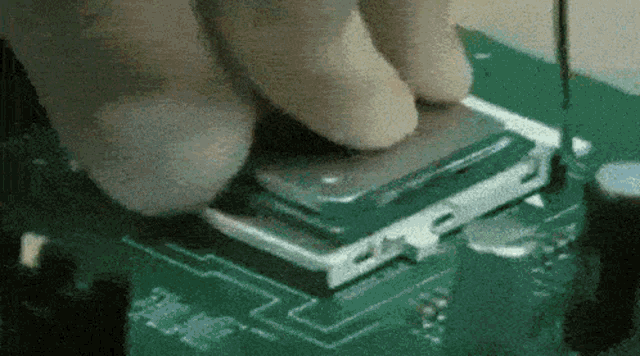
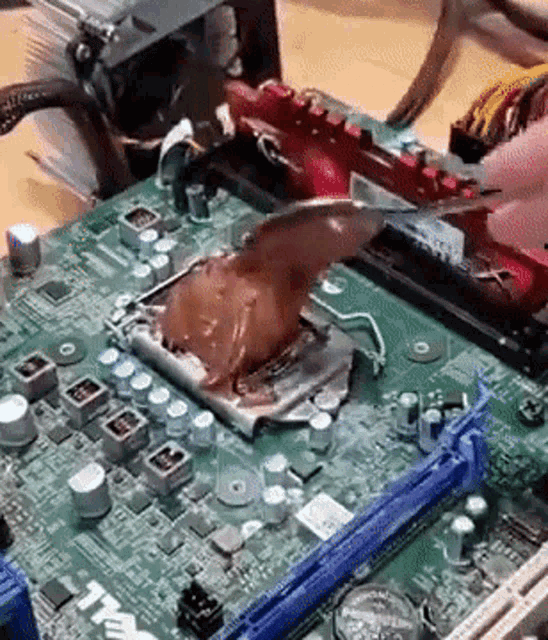
when you try turning it on whilst having bent pins and hoping it works
stoic reef
just comb it out bro
odd wedge
Ah yes builda senpai and bent pins

 stoic reef
I am in physical pain
 vapid mesa


 steel timber
guys would you rather play honkai at 1280x1024 80fps or 1024x768 at 110
or 640x480 but 130
o shit 1366x1024 100 is possible for someone i hope i hope it works for me
stoic reef
personal preference?
silver urchin
steel timber
guys would you rather play honkai at 1280x1024 80fps or 1024x768 at 110
that's just personal preference
stoic reef
i prefer fullscreen which for me is 2560x1080 at whatever fps my gpu wants to (around 40 on average)
steel timber
yeah but i want to know what your personal preference is
silver urchin
for me i'd play on 30 fps but not reduce the 1080p kek
strong thistle
||7680x4320 at 120FPS  ||
||
stoic reef
as a lore enjoyer i dont like how windowed mode takes me out of the immersion so full screen on my ultrawide it is
steel timber
1600x1200 60 is possible but pffft 60fps
stoic reef
strong thistle
||7680x4320 at 120FPS <a:bcaCoy2EvilPlans:573701699848372245> ||
||wait are you meming or are you for real?||
steel timber
bro has to have a nasa pc
silver urchin
steel timber
1600x1200 60 is possible but pffft 60fps
do you even have 144hz monitor ?
steel timber
silver urchin
do you even have 144hz monitor ?
yeah but im getting a new gaming monitorn🥶
silver urchin
steel timber
yeah but im getting a new gaming monitorn🥶
upgrade gpu instead kek
steel timber
its so swag got it off of my friends grandma for $0
silver urchin
i c
steel timber
gamer grandma
strong thistle
stoic reef
||wait are you meming or are you for real?||
 i just use 3840x2160 for my RTX 2070 Super Max-Q running around 75-80 fps (last time i checked at version 6.2)
strong thistle
silver urchin
~~upgrade gpu instead kek~~

getting a higher resolution monitor without a capable graphics cards is not good
stoic reef
strong thistle
<a:bcaNooo:438940193752481793> i just use 3840x2160 for my RTX 2070 Super Max-Q...
ok lol just making sure cuz you "can" get that kind of fps on that resolution but i would spitball you'd need a 4070+ or something like that and have all the graphics at rock bottom
silver urchin
unless you use it as netflix simulator
steel timber
i can see it
silver urchin
stoic reef
ok lol just making sure cuz you "can" get that kind of fps on that resolution bu...
depends if open world or normal weekly content
steel timber
like if i have a 4k monitor
and i use integer scaling
it doesnt even look different from 1080p at all
so just run games at 1080p
silver urchin
the higher the monitor res, the more upscalling is ass
steel timber
integer scaling done right should literally not look different
its pure scaling just two times the size
stoic reef
steel timber
its pure scaling just two times the size
out of curiosity what gpu do you have?
silver urchin
steel timber
its pure scaling just two times the size
it doesn't work like that kek
steel timber
silver urchin
it doesn't work like that kek
if its integer scaling it does
monitor scaling usually isnt
GPUs only bothered to implement it recently
steel timber
stoic reef
out of curiosity what gpu do you have?
6800xt but i have some games that use it (niche arcade thing)
silver urchin
upscalling will never look like normal res bro

wait you have 6800xt what you can run 2k 144 with that
steel timber
im not saying i need it
silver urchin
confuse 100
steel timber
silver urchin
upscalling will never look like normal res bro
im telling u it does source: specifically sought out gpu that could do this for an arcade machine cause panels at the resolution i was looking for r rlly sparse
most scaling wont look the same
but im specifically talking about scaling which specific purpose is to literally just make the same image but pixel 2x
stoic reef
steel timber
6800xt but i have some games that use it (niche arcade thing)
i gotcha, thats a lot nicer than my 5700xt  but yeah it'll run whatever on whatever, if you're looking for the sweet frames for competetive then as long as you can see everything ok i'd say the 768 would be best if i put myself in your shoes. but im a lore nerd so fullscreen and maximum immersion it is for me
steel timber
1440p runs perfectly rn
i think if you’re a fossil i think you might understand why im pulling out these weird as fuck resolutions and refresh rates and mentioning a new gaming monitor
stoic reef
mhmm it'll handle 4k easy as long as you dont play around with the rendering accuracy setting, that ones a trap lol
steel timber
though if u connected the dots dont spoil cause its gonna be funny
im not being very subtle tho
 dusty zinc
Guys, someone experienced issue with tap to log in? am stuck there, can't enter the game. I've checked my inet - everything is okay. Reinstalled game - still nope, didn't helped. Сonfused. I have 2 acc, my main and alt, when i switched between accs - everything was fine, but after 2 hrs i wanted to log in to my main acc and this problem appeared. Any help or tips?
lunar gust
steel timber
6800xt but i have some games that use it (niche arcade thing)
yo, you have the same card too?
as me

steel timber
yea
lunar gust


steel timber
i use linux
lunar gust

steel timber
i think thats enough explanation as to why i use amd if you’re anyone who uses linux tbh
steel timber
server
lunar gust

steel timber
blah
stoic reef
dusty zinc
Guys, someone experienced issue with tap to log in? am stuck there, can't enter ...
are you on mobile or pc?
silver urchin
steel timber
i use linux
same 
dusty zinc
@stoic reef PC
silver urchin
dusty zinc
Guys, someone experienced issue with tap to log in? am stuck there, can't enter ...
first pin
steel timber
lunar gust
but there might be one linux server that will use GPU in the future
a billion dollars wasted (unless ur self host or job then nvm)
lunar gust
job
silver urchin
lunar gust
but there might be one linux server that will use GPU in the future
maybe with the AI boom
stoic reef
dusty zinc
<@277721591012655105> PC
so i know your internet is fine but that is usually a connection issue, please try the stuff in this pin (yes a VPN does help, please try it and the pin has a good free one if you dont have one ) #🔌technical-help message
if that doesnt help its possibly a cache issue and can try this #🔌technical-help message
if none of that works then yes please report via first pin
lunar gust
I have a server I pay for too but it's not that expensive, like around $25 a month
steel timber
silver urchin
maybe with the AI boom
they already let you rent gpu servers it just costs a billion fucking dollars

too much money
lunar gust
used to self-host since 2018
finally moved my stuff into cloud
uninterrupted BetterHI3Launcher experience
silver urchin
lunar gust
finally moved my stuff into cloud
welcome to real life caveman
sorry not sorry
silver urchin
free electricity?
silver urchin
RU ?
lunar gust
yes
silver urchin
understandable then lol
dusty zinc
@stoic reef @silver urchin Thanks, i'll try everything.
lunar gust
the only sucky part is that I had to do server hardware maintenance by myself
gets dusty after a while
steel timber
how do you let hi3 4:3 stretch
they bake in the black bars even tho i disabled preserve aspect ratio on my gpu
i just wanna have an authentic cs go experience
silver urchin
lunar gust
the only sucky part is that I had to do server hardware maintenance by myself
man the days where we physical check servers holy 
lunar gust
actually surprised 13 year old hardware (fan included) still works 24/7 since 2018
and it's pretty cheap hardware too
stoic reef
i mean theres actual science behind hardware lasting long if never ever turned off
lunar gust
it used to be my PC from back in the days
lunar gust
stoic reef
i mean theres actual science behind hardware lasting long if never ever turned o...
well, it was turned off, but not for long periods of time
silver urchin
DOS gaming ?
 stoic reef
the whole cooling/heating from off and on frequently degrades it about as much as never actually turning it off iirc. i think the sweet spot is 1-2 times a month
lunar gust
steel timber
how do you let hi3 4:3 stretch
you don't
they took away the Alt+Enter capability
silver urchin
go stretch in the gym
lunar gust
stoic reef
the whole cooling/heating from off and on frequently degrades it about as much a...
hm I do put my PC to sleep every night
steel timber
its ok i just changed my monitor resolution so i can be a real gamer
 lunar gust
that's how I run my PC for years now
steel timber
4:3 stretched 4 lyfe
lunar gust
no problems
lunar gust
steel timber
its ok i just changed my monitor resolution so i can be a real gamer
yeh the only workaround but it sucks cuz you need to change every time you go in-game and off game
maybe you can automate that shit somehow but eh
steel timber
lunar gust
yeh the only workaround but it sucks cuz you need to change every time you go in...
they’re preventing me from seeing the enemies better when i shoot with kira

silver urchin
automate monitor buttons if yours has no software
steel timber
why would they do this to me
stoic reef
lunar gust
hm I do put my PC to sleep every night
ngl i just leave mine running except for the bi-monthly reboot and if i let it go into sleep mode i have to power cycle the power supply to get it to post these days (even with fresh windows install like a month ago) so its just on and occasionally off. but then again its always had a personality with sleep mode, never wakes up from it even when new
lunar gust
silver urchin
automate monitor buttons if yours has no software
PC controls the resolution not the monitor lol
silver urchin
wait right brain fart nvm
lunar gust
stoic reef
ngl i just leave mine running except for the bi-monthly reboot and if i let it g...
I've had that weird sleep issue with my old hardware (that I just talked about above, the 13 y.o. one)
steel timber
my cool new gaming monitor only takes vga
lunar gust
"new"
steel timber
its new because i took it from my friends parents house yesterday
new monitor
trust
100hz gaming monitor that’s literally all u need
silver urchin
steel timber
its new because i took it from my friends parents house yesterday
you stole it?
steel timber
they gave it to me for $0 it was very cool
stoic reef
lunar gust
I've had that weird sleep issue with my old hardware (that I just talked about a...
yeah every older hardware i've had has been quirky in some way or another, and now im sounding like some boomer so i'll just leave it at that
lunar gust
btw I've only recently learned that DP is a plug'n'play device, so if you turn the monitor off you'll hear the device disconnect sound
(assuming your audio isn't also coming through DP)
silver urchin
hdmi supremacy
lunar gust
silver urchin
hdmi supremacy
ye tbh I prefer the way HDMI works but honestly not a big enough of an issue for DP
silver urchin
lunar gust
ye tbh I prefer the way HDMI works but honestly not a big enough of an issue for...
dp is not found everywhere which is less convenient
 steel timber
composite is crazy cause how do u have only one cable just for the video stream smh
rgb slayed
lunar gust
silver urchin
dp is not found everywhere which is less convenient
it's getting up there
VGA is really old by now
you won't see it on new devices either
steel timber
my 100hz gaming monitor still takes vga
silver urchin
lunar gust
you won't see it on new devices either
hopefully kill this shit already
steel timber
bro yall r praying on my downfall
silver urchin
steel timber
bro yall r praying on my downfall
yes
lunar gust
bruh upgrade the monitor
stoic reef
silver urchin
hopefully kill this shit already
Hey at least it wasn't possible to jam it into an Ethernet port (which I've seen people do with HDMI)
steel timber
lunar gust
bruh upgrade the monitor
no
lunar gust
don't cheap out on parts of your setup
steel timber
i already have a 1440p 144 monitor but my new gaming monitor is cooler
lunar gust
you can always use your vga monitor as a second one
lunar gust
stoic reef
Hey at least it wasn't possible to jam it into an Ethernet port (which I've seen...
wtf how?
silver urchin
stoic reef
Hey at least it wasn't possible to jam it into an Ethernet port (which I've seen...
how can you confuse hdmi for ethernet 
steel timber
lunar gust
you can always use your vga monitor as a second one
yea i have 2 gaming monitors now
but ive been mildly inconvenienced ok
mildly
stoic reef
I've seen both HDMI and USB ruin a poor laptops Ethernet port by brute force, you can find pictures of usb online easy enough but I was at work for the HDMI one so didn't take picture but it looked similar to this. (They said it looked wide enough and didn't look on the other side of the laptop for the actual HDMI port)
 silver urchin
thats wild lol
 stoic reef
People who never attach their own cables and have just heard "push it in until you hear the click"
stoic reef
According to the Reddit post I think it was Usb drive
lunar gust
bruhhhh
lunar gust
I have a dirty joke on my mind but it's a SFW family friendly server
steel timber
also vga isnt that old my gaming monitor isnt that old at all its only a few months younger than me
silver urchin
lunar gust
I have a dirty joke on my mind but it's a SFW family friendly server <:SakuraBox...
same lmao
i think i know it
steel timber
not old in any way
silver urchin
steel timber
no siree

 steel timber
yall r just haters who dont respect the grind
 stoic reef
steel timber
not old in any way
stoic reef
steel timber
not old in any way
doubt
lunar gust


 steel timber
if its so old then why can it do 1080p60
riddle me this
it actually pwns 1080p monitors bc u can technically run 1600x1200
silver urchin
steel timber
it actually pwns 1080p monitors bc u can technically run 1600x1200
your eyes will like them blue lights
steel timber
haters will say its fake but 100hz solos the whole verse
 dusty zinc
Guys, someone experienced issue with tap to log in? am stuck there, can't enter ...
dusty zinc
dusty zinc
Guys, someone experienced issue with tap to log in? am stuck there, can't enter ...
Nothing helped except... I just switched to America and back to EU although am not ru player as mentioned in pin and it worked. Weird

worldly cipher
ISP issues = You are stuck in a traffic
pallid niche
 minor pine
Has anyone experience lag spikes recently in combat?
minor pine
Has anyone experience lag spikes recently in combat?
There have been connection problems w ppl in RU and FR regions, but idk if thats related
 jade narwhal
failed to connect to the internet
what do I do
 lucid violet
y is it when im trying to do co op raids it keep saying player data not synchronised??
and my game keeps saying data is updated need to restart
 edgy ermine
idk if this the correct channel to ask in but i wanna ask if any German knows how you are supposed to enter your address to receive the artbook eventually. the last sentence of the text scares me cuz they want the address in english language but i cant just change the street name, cant i?

 cosmic lion
@minor pine@jade narwhal@lucid violet that is a connection problem, if you still have the issue, check the steps on the [[2nd pin](#🔌technical-help message) 📌] (or wait some min-hrs and try again),
for the GLB players, if that doesn't work, check the [[1st pin](#🔌technical-help message) 📌] and follow the steps
cosmic lion
edgy ermine
idk if this the correct channel to ask in but i wanna ask if any German knows ho...
what that means is that you need to write with eng characters not that you need to "translate" everything of the address, so no things like ę/え/ñ...
you can check this [guide on how to write the address](#🔌technical-help message) and/or, if you want, you can contact cs directly if you still have some questions ( #how-to-contact-cs )
edgy ermine
cosmic lion
what that means is that you need to write with eng characters not that you need ...
oh, the mean the special non-english characters. i see, thx.
Just to make sure, you would convert "ß" from street names to "ss", right?
cosmic lion
edgy ermine
oh, the mean the special non-english characters. i see, thx.
Just to make sure,...
ss should be the correct way to use in the form, but if you want to be sure, contact CS and ask them
they answer in like 1-3 days.
And remember that you still have all of September to fill the address form
 fossil terrace
cosmic lion
ss should be the correct way to use in the form, but if you want to be sure, [co...
fossil terrace
cosmic lion
ss should be the correct way to use in the form, but if you want to be sure, [co...
how do u embedd links in text 
nvm ic, like reddit
 wispy fable
if I download the game thru steam, can I still sign in with my hoyo account?
 gilded birch
wispy fable
if I download the game thru steam, can I still sign in with my hoyo account?
gilded birch
wispy fable
if I download the game thru steam, can I still sign in with my hoyo account?
iirc, steam uses your steam id to signin + play
if you want to play with your hoyo account, just use the official launcher
gilded birch
wispy fable
also, do hoyoverse accounts have 2fa?
it has '2fa' for unknown devices - if its your first time logging into your account on a device, it will ask you for a code that will be sent to your email
wispy fable
alright, that's good
gilded birch
it doesn't support authenticator apps like authy unfortunately tho :(
 simple pier
if i redeem a code through the redeem website does it count as me logging in
cause i wanna wait until 7.0 to return for the rewards
 clear wedge
Website to redeem codes doesnt exist for honkai
afaik
lunar gust
correct
silver urchin
is this a bug or something
 stoic reef
silver urchin
is this a bug or something
stoic reef
silver urchin
is this a bug or something
yeah she bugs out like that sometimes, have you already tried restarting your device? (not just the game)
silver urchin
stoic reef
yeah she bugs out like that sometimes, have you already tried restarting your de...
nope, but i will try that
stoic reef
okay, lemme know if that doesnt work but yeah she does that sometimes on the main menu, everything else should be working fine
 tardy prairie
Is the manual pre-download link for 6.9 global already available? 
 fathom prawn
yes
tardy prairie
thx
stoic reef
np
 supple basin
stoic reef
yup, GLOBAL: https://hk-bundle-west-mihayo.akamaized.net/ptpublic/bh3_global/202...
supple basin
stoic reef
yup, GLOBAL: https://hk-bundle-west-mihayo.akamaized.net/ptpublic/bh3_global/202...
This is what i need, thanks alot !!
 stoic reef
 mystic yoke
reinstall?
mystic yoke
reinstall?
how long did you wait when it was frozen during verifying?
 stoic reef
the verifying can take anywhere from 5-30 minutes normally depending on your drive speed and availalbe CPU, i'd recommend first applying any pending windows updates if there are any and then restarting your pc and then after that follow the steps in this faq (except the links havent been updated to 6.9 yet so use the links i shared above this post and the tmp filname in step 3 should be 6.9 something)
!faq mandown
 grizzled rampartBOT
stoic reef
!faq mandown
grizzled rampartBOT
stoic reef
!faq mandown
HI3 v6.8 Manual Download
- Close launcher
- Open folder \Honkai Impact 3######\Games
- Delete BH3_v6.8.0_a257d1d8849b.7z_tmp file (if present)
- Download through link below and place in the folder
SEA:
Mirror 1: https://hk-bigfile-os-mihayo.akamaized.net/ptpublic/bh3_overseas/20230731130650_CvWDc5ChckYsPWZ1/BH3_v6.8.0_a257d1d8849b.7z
Mirror 2: https://drive.google.com/file/d/1gCw7exthn5pFddFv-zWLFpSFE7c1qNdE/view?usp=sharing
Mirror 3: https://www.mediafire.com/file/9y9cjfqrpl8uw3y/BH3_v6.8.0_a257d1d8849b.7z/file
GLB:
Mirror 1: https://hk-bundle-west-mihayo.akamaized.net/ptpublic/bh3_global/20230731131247_XJqyuS1Y9BN12Ts8/BH3_v6.8.0_a257d1d8849b.7z
Mirror 2: https://drive.google.com/file/d/1ypsWJIdvxx1cQJQuKmpH-FOvdJ7-N3cE/view?usp=sharing
Mirror 3: https://www.mediafire.com/file_premium/f6m3cqx3o6u757e/BH3_v6.8.0_a257d1d8849b.7z/file
*✲゚*。⋆ DO NOT EXTRACT! *✲゚*。⋆
5. Run the launcher as usual.
Mirror 1: HoYoverse
Mirror 2: Google Drive
Mirror 3: MediaFire
stoic reef
and then when its verifying, please dont close the launcher, it does sometimes take up to 30 minutes on the longer side on HDD's

 viscid yarrow
Oh I got that same problem neat
cosmic lion
@stoic reef there is a problem  , that error msg img was for the predownload files, not the 6.8
stoic reef
I know, thats why i told them to use the links i shared above the mandown instead of the 6.8 links if that makes sense
cosmic lion
can you edit that bot msg?(or ask if you can) for older ver. slothy update it when the predownload was released, the one on pins was left with the old files until the new ver. released
stoic reef
yeah i was about to update the faq, slothy can update it when they've reuploaded but i dont think anyones gonna be manually downloading to 6.8 in the next day or two
cosmic lion
stoic reef
yeah i was about to update the faq, slothy can update it when they've reuploaded...
are you sure about that(? -start downloading 6.8 again
and now to the usual stuff:
 stoic reef
okie heres the updated one @odd wedge gomenesai for updating before you reoploaded but luv u
silver urchin
foxy 
stoic reef
!faq mandown
grizzled rampartBOT
stoic reef
!faq mandown
HI3 v6.9 Manual Download
- Close launcher
- Open folder \Honkai Impact 3######\Games
- Delete BH3_v6.9.0_b787172249ea.7z_tmp file (if present)
- Download through link below and place in the folder
SEA:
Mirror 1: https://hk-bigfile-os-mihayo.akamaized.net/ptpublic/bh3_overseas/20230911143353_QG1rmaPNL8CdksMd/BH3_v6.9.0_b787172249ea.7z
Mirror 2:
Mirror 3:
GLB:
Mirror 1: https://hk-bundle-west-mihayo.akamaized.net/ptpublic/bh3_global/20230911144240_hu2WsIrseb4ezneA/BH3_v6.9.0_b787172249ea.7z
Mirror 2:
Mirror 3:
*✲゚*。⋆ DO NOT EXTRACT! *✲゚*。⋆
5. Run the launcher as usual.
Mirror 1: HoYoverse
Mirror 2: Google Drive
Mirror 3: MediaFire
stoic reef
cosmic lion
~~are you sure about that(? *-start downloading 6.8 again*~~
and now to the usua...
@silver urchin 
okay now back to finishing my ER weekly
stoic reef
||dont need luck when theres the guide  ||
||
i mean you do too everytime you pong a mod lol
silver urchin
stoic reef
||dont need luck when theres the guide <:TeriHuehue:619562324172472344> ||
i me...
just wait my website guide soon fr fr ( the guide is by Adori and Aqua and the website by Me)
its not done yet
cosmic lion
stoic reef
!faq mandown
once you get all of the mirrors, you could use masked links to make it look better
like [ (GLB) Mirror 1 HoYoverse ]
@silver urchin
stoic reef
silver urchin
~~just wait my website guide soon fr fr ( the guide is by Adori and Aqua and the...
I'll check it out and see if it helps me more than the pinned one, tbh the pinned ones been working good for me too so im curious how this one is different since it has different stuffs. but kinda off topic so i'll leave it at that. the site looks nice tho
silver urchin
appreciate the feedback
stoic reef
cosmic lion
once you get all of the mirrors, you could use masked links to make it look bett...
yeah I was going to after all the uploads, for now i'd rather the captains be able to see the full URL for themselves if that makes sense
 torpid ivy
grizzled rampart
__**HI3 v6.9 Manual Download**__
1. Close launcher
2. Open folder ***\Honkai Imp...
torpid ivy
grizzled rampart
__**HI3 v6.9 Manual Download**__
1. Close launcher
2. Open folder ***\Honkai Imp...
is this for manual pre-install?
silver urchin
yes
torpid ivy
ok
viscid yarrow
welp that fix worked very well just needed to wait a whole hour to download
stoic reef
yeah its a chonky download but im glad it worked!
worldly cipher
Oh so it's time of the month again
Goodluck Luna and the others who aren't lurking yet

 stoic reef
samsies
 summer pier
How do i stop this? I dont like to predownload it so i pause the progress, yet it start again after finishing a stage

 stoic reef
@tawdry sparrow so the reason co-op times out and force quits the stage sometimes just boils down to connection issues. if your connection is unstable it'll do that but also the biggest reason is due to the team/room leader having a bad connection. since they're "hosting" the coop it'll affect the stage itself loading and so on
 tawdry sparrow
stoic reef
tawdry sparrow
stoic reef
better co-op would be better honestly, on a side note... water is wet
 charred prairie
i am trying to get into the game but when i click anything it still doesnt let me in

i havent been playing for like a month or so so idk what to do
lunar gust
do pin 2 first, if doesn't help do pin 1
charred prairie
i will try, ty
 craggy tangle
why when i predownload, every other connection timed out
stoic reef
you mean like the rest of your internet in general?
 spring verge
Hi, i have this problem, i was trying to install the pre-download and the launcher window closed, then when i tried to continue with the download again i got that problem

I appreciate the help, thanks
stoic reef
usually means the download was corrupted, try this leaving the house but hope it helps
!faq mandown
grizzled rampartBOT
stoic reef
!faq mandown
HI3 v6.9 Manual Download
- Close launcher
- Open folder \Honkai Impact 3######\Games
- Delete BH3_v6.9.0_b787172249ea.7z_tmp file (if present)
- Download through link below and place in the folder
SEA:
Mirror 1: https://hk-bigfile-os-mihayo.akamaized.net/ptpublic/bh3_overseas/20230911143353_QG1rmaPNL8CdksMd/BH3_v6.9.0_b787172249ea.7z
Mirror 2:
Mirror 3:
GLB:
Mirror 1: https://hk-bundle-west-mihayo.akamaized.net/ptpublic/bh3_global/20230911144240_hu2WsIrseb4ezneA/BH3_v6.9.0_b787172249ea.7z
Mirror 2:
Mirror 3:
*✲゚*。⋆ DO NOT EXTRACT! *✲゚*。⋆
5. Run the launcher as usual.
Mirror 1: HoYoverse
Mirror 2: Google Drive
Mirror 3: MediaFire
spring verge
Thanks, yes it worked
odd wedge
!faq mandown
grizzled rampartBOT
odd wedge
!faq mandown
HI3 v6.9 Manual Download
- Close launcher
- Open folder \Honkai Impact 3######\Games
- Delete BH3_v6.9.0_b787172249ea.7z_tmp file (if present)
- Download through link below and place in the folder
SEA:
Mirror 1: https://hk-bigfile-os-mihayo.akamaized.net/ptpublic/bh3_overseas/20230911143353_QG1rmaPNL8CdksMd/BH3_v6.9.0_b787172249ea.7z
Mirror 2: https://drive.google.com/file/d/1zeDl7HCp_mXz-RK7_iSmydYFn3ov5TaH/view?usp=drive_link
GLB:
Mirror 1: https://hk-bundle-west-mihayo.akamaized.net/ptpublic/bh3_global/20230911144240_hu2WsIrseb4ezneA/BH3_v6.9.0_b787172249ea.7z
Mirror 2: https://drive.google.com/file/d/1W9ZwcYtq-TFkAoYrcsPdsV6HaaVap6YZ/view?usp=sharing
*✲゚*。⋆ DO NOT EXTRACT! *✲゚*。⋆
5. Run the launcher as usual.
Mirror 1: HoYoverse
Mirror 2: Google Drive
odd wedge
ok now i slep
odd wedge
silver urchin

 forest cloud
odd wedge
forest cloud
odd wedge
haiya
pallid niche

 dire jolt
im install the assets rn in pc and its pretty slow like 500 kb/s or by any miracle it can go up to 1 mb/s
silver urchin
dire jolt
im install the assets rn in pc and its pretty slow like 500 kb/s or by any mirac...
you can use mirror from the pins
gilded birch
v6.6-7.2 CN CGs with subtitles
Download link: https://mega.nz/folder/xzVwTCRJ#Gx85kMPvCF58--w6dBVXPg**
IMPORTANT NOTES:
1. When placing the .usm files into your folder, please DO NOT DELETE any files; refer to this video: #🔌technical-help message
- These CGs are compiled using the GLB client and may not necessarily work with the SEA client. As a result, subtitles may only be available for 简体中文, English, Deutsch, and Français.
- If you use a VPN, a popup may appear saying "Your transfer quota has exceeded ... " — please disable your VPN to circumvent this restriction
- Android users will not be able to have Chapter 1 CN CGs as they are baked into the app itself, not in the same .usm folder.
- Please also let me know (ping/reply to this message) if you encounter any freezing with what specific CG(s) you have issues with!
- CN CGs from v7.3 and above (Part 2) are available in-game natively.
Latest update: Consolidated all Part 1 + 1.5 CGs in one folder. - <t:1711219740:f>
You may view the update log in the MEGA folder.
Thank you @bright ether for the CG conversion tool!
Other CN-dubbed content: https://www.youtube.com/@Cactism/playlists (beware of spoilers on thumbnails!)
im sorry for bothering you ai chan
silver urchin
damn 3 ai chan pings
 short brook
Is the BH3_v6.9.0_b787172249ea.7z_tmp where the downloading goes?
Because I finished the pre-update once and internet connection went bad during verifying process and forced me to start over the download again from zero. Whatever it is, I don't want that failed 12 GB stay. Or does redownloading overwrite that?
stoic reef
redownloading overwrites it but yes that _tmp file is the download that stays as _tmp until the launcher sucessfully verifies it and all that
if you somehow have _tmp files from previous versions those will remain there but the 6.9 one gets overwritten if you redownload
 spiral matrix
Is there a way to retrieve my old account if i already lost the mail credential? I can log into hoyolab since it doesnt require me todo mail verification, but i cant change mail or log into game without it, and my mail password and credential are lost along with my broken phone and i cant recover it trough gmail "forgotten password". I have some proof that the account is my own by my former sensei comment


 cosmic lion
spiral matrix
Is there a way to retrieve my old account if i already lost the mail credential?...
cosmic lion
spiral matrix
Is there a way to retrieve my old account if i already lost the mail credential?...
if you dont have any way to access to that email, then you need to ask cs for help to change the email #how-to-contact-cs (account issue are only answer via email)
on the mail tell them what the issue is and put the UID of the HI3 account (if you want you can show a screenshot that show the UID too), after that, they will send you a form that you need to fill to verify that the account is yours
spiral matrix
Ohh thx i will try that
short brook
all right thx
cosmic lion
wait wat... i got in the PC ver. a in-game animation predownload ||~~official delta patch soon(?) ~~ ||
||
anyone had that show on the Ai-phone too?
gilded birch
yeah iirc they had the predownload function for pc a few versions ago in game (on pc)
that’s how i managed to compile the cn cgs 
cosmic lion
i just now got that, i never see it before on my pc... unless they release that like 1 day after the predownload release in the past ver.
i enter the game 1 time on pc once i start the predownload to do everything, after that only on mobile until the update
livid scarab
now my game isnt even starting
the connection problem evolved
game shows no network before loading screen appears
can someone help with that
 low hedge
so i have my account link to game center, any way to link it to hoyo account?
gilded birch
low hedge
so i have my account link to game center, any way to link it to hoyo account?
I’m not sure as i’ve never done it myself, but try going to the bridge > click ur name > click Account on the right > click User Center

 gilded birch
livid scarab
can someone help with that
gilded birch
livid scarab
can someone help with that
have you tried following [these](#🔌technical-help message) steps?
low hedge
gilded birch
I’m not sure as i’ve never done it myself, but try going to the bridge > click u...
oh ye, that worked, tyy
gilded birch
cosmic lion
i just now got that, i never see it before on my pc... unless they release that ...
no clue - from my experience, in previous versions where the in game predownload was available on pc, I had to manually predownload by opening the ai-chan phone
however today it predownloaded automatically for me 
gilded birch
low hedge
oh ye, that worked, tyy
no problem :) glad i helped
livid scarab
gilded birch
have you tried following [these](https://discord.com/channels/418652140454674432...
yes
tried nearly everything i know
it just wont download
cosmic lion
livid scarab
it just wont download
you have problems with the predownload?
cosmic lion
well that is just a connection issue, if you already try the 3 steps from [the pin](#🔌technical-help message) msg
then contact CS and/or your ISP
livid scarab
the download which starts when you open game
 burnt walrus
Does anyone know how to make the cutscenes in game not low quality/blurry?
cosmic lion
burnt walrus
Does anyone know how to make the cutscenes in game not low quality/blurry?
sadly you cant, after the move to USM files, they made them use mostly mobile resolution so looks blurry on anything with bigger screen. some of the first chapters look really bad, the next ones decent, and the most recent chapters got cg with higher quality
you still can see most of the important ones (animations) on the HI3 YT channel on higher resolution
burnt walrus
cosmic lion
sadly you cant, after the move to USM files, they made them use mostly mobile re...
Oh okay what a massive shame, well good to know ty
 sick plaza
For CN dub downloading after I download the links from pinned posts do I remove the original USM files in the video folder?
 willow falcon
If this is done for a Global/SEA client, then the CN CG downloaded from here will have the same names as the JP CG. When replacing CG, the previous ones will be overwritten (deleted).
 chrome belfry
help me please, why my game so lag while other game like genshin is not this happen after theres is a ingame download
helppp
 sick plaza
willow falcon
If this is done for a Global/SEA client, then the CN CG downloaded from here wil...
sick plaza
willow falcon
If this is done for a Global/SEA client, then the CN CG downloaded from here wil...
Ok thank you 
stoic reef
chrome belfry
help me please, why my game so lag while other game like genshin is not this hap...
This is because of a connection issue. If this is still happening please try the stuff in the 3rd pin (the one with the VPN in it)
stoic reef
It does not, unfortunately, usually the old event info is less than .5GB but to delete it the only way is to reinstall the game to fully get rid of all of old event stuff though you'd probably want to wait till at least during maintainence for the next patch 6.9 so you wont have to update right after reinsatlling
np!
 worthy solar
grizzled rampart
__**HI3 v6.9 Manual Download**__
1. Close launcher
2. Open folder ***\Honkai Imp...
worthy solar
grizzled rampart
__**HI3 v6.9 Manual Download**__
1. Close launcher
2. Open folder ***\Honkai Imp...
After i place the file in game files it doesn't recognize by the game and starts a new download from the launcher, any help?
stoic reef
worthy solar
After i place the file in game files it doesn't recognize by the game and starts...
just a couple of quick questions, which folder did you put the download in and did you make sure there was no BH3_v6.9.0_b787172249ea.7z_tmp in there?
oh and you had the launcher closed the whole time right?
stoic reef
if you did do all that then that usually means that the download was corrupted and you'll just have to try again
worthy solar
Yep i did the whole process, actually i do this every time in genshin and Honkai updates I don't know whats wrong with the game this time not recognizing my file like it does not exist and start downloading again with tmp file,
worthy solar
stoic reef
if you did do all that then that usually means that the download was corrupted a...
I downloaded the file twice
Same problem
Anyways i downloaded the update from the launcher itself and now im okay
stoic reef
worthy solar
Yep i did the whole process, actually i do this every time in genshin and Honkai...
ah i gotcha, yeah the reason it doesnt "recognize" it and starts the download again is because it scanned the file and found it was corrupted so it restarts teh download. sounds like your network might be a little unstable which can corrupt large single file downloads like that, might want to try one of the community launchers like collapse or better launcher (links in the pins) or try a download manager to help improve download stability in the future
worthy solar
Awesome
 atomic harness
qq how can i fix that? Game stops on this screen
 cosmic lion
atomic harness
qq how can i fix that? Game stops on this screen
cosmic lion
atomic harness
qq how can i fix that? Game stops on this screen
the screen still move but is just like you can't press anything?
If that is the case, then is a connection issue.
Check if the steps on [[this pin](#🔌technical-help message) 📌] can help you (or wait some min-hrs and try again),
if that doesn't work, follow the steps from [[this pin](#🔌technical-help message) 📌]
atomic harness
cosmic lion
the screen still move but is just like you can't press anything?
If that is the ...
ohhh thx
 eager sapphire
I start the game. In this image, in 2s, the game closes by itself.
I already reinstalled the game, I already fixed the resources in the laucnher, I've already looked for updates, but nothing helped... I don’t know what to do. 
help pls
 stoic reef
eager sapphire
I start the game. In this image, in 2s, the game closes by itself.
I already rei...
stoic reef
eager sapphire
I start the game. In this image, in 2s, the game closes by itself.
I already rei...
are you on pc or mobile?
if on mobile please let me know what model of phone you have and if you are on then please provide these screenshots
!faq pcspecs
grizzled rampartBOT
stoic reef
!faq pcspecs
PC Specs ʕ๑•ɷ•๑ʔ❀
Playing on PC client? Need help? Help us help you! ʕ̢̣̣·͡˔·ོɁ̡̣̣
To find out your PC specs, follow these instructions:
- Press Windows + R, input dxdiag.
- Please attach screenshots of the System and Display tabs (+ Render tab if present).
eager sapphire
sistem / display tabs (are in Portuguese)


I was playing normally yesterday, but today I had this problem
stoic reef
Yeah those seem good though to start the game, maybe try this and if that doesn't work I'd recommend reinstalling the game entirely
!FAQ pcclearcache
grizzled rampartBOT
stoic reef
!FAQ pcclearcache
- Please, close both game and launcher.
- Press Windows + R, input
regedit. - In the opened window, please locate
\HKEY_CURRENT_USER\Software\miHoYo\Honkai Impact 3and delete it. - Press Windows + R, and input
%userprofile%\Appdata\LocalLow\miHoYo\in the opened window. Delete all the files in the Honkai Impact 3/3rd folder. - Restart your PC.
Do note that doing this will require you to login again. Linking account is highly recommended.
*also refer to system requirements:
#🔌technical-help message
eager sapphire
stoic reef
Yeah those seem good though to start the game, maybe try this and if that doesn'...
I made it
doesn't work
eager sapphire
grizzled rampart
1. Please, close both game and launcher.
2. Press Windows + R, input `regedit`....
I will do this
stoic reef
okay, let me know if clearing the cache fixes it or not
 eager sapphire
thank you very much
stoic reef
you're welcome! now time to whale
jk but i hope it stays working for a long long time!
eager sapphire
me too 
 sinful oyster
I cant download honkai
It gives black screen
Who can help
@grizzled rampart
<@&421210366132092929>
stoic reef
did... you just ping the entire mod team like right out of the gate?
sinful oyster
Yea?
stoic reef
you're not supposed to ping the mods except for extreme emergencies, like someone spamming NSFW or something, otherwise thats what #contact-mod is for.
sinful oyster
Ohhh
stoic reef
but anyways on to your issue, are you on mobile or pc?
sinful oyster
Sorry
sinful oyster
stoic reef
but anyways on to your issue, are you on mobile or pc?
Mobile
stoic reef
and you just open the game and get a black screen right away right?
stoic reef
have you already tried restarting your phone completely?
sinful oyster
I have never encountered such a problem before, this is the first time.
sinful oyster
stoic reef
have you already tried restarting your phone completely?
Yea i tried
stoic reef
what model of phone do you have?
silver urchin
lmao epic moment
sinful oyster
Samsung a03
stoic reef
a03 or a13?
sinful oyster
A03
stoic reef
when was the last time it worked on that phone? or is this your first time downloading the game on it?
sinful oyster
I was playing without any problems since 6.7, but after installing the 6.8 update, I started getting this error.
I even reset my phone
stoic reef
sinful oyster
When the trailer starts
one last quick question, so the game starts, it gets to the updating game cg and then the screen goes black and im guessing theres no sound or does the sound still play?
 raven musk

stoic reef
i gotcha, so the short answer is that your phone is below the minimum specifications to play the game and since they update the graphics/performance/etc pretty much every patch its most likely that it just stopped being able to run the cg for the download as of 6.8 and the GPU gives up. if you've already tried reinstalling and stuff then theres not much we can do to fix that since the main issue is that your phone is below the minimum requirements to play the game both in GPU, chipset and RAM. you can try contacting customer support with #how-to-contact-cs but i dont think they'll have a solution either tbh
sinful oyster
Okay thank you
stoic reef
sorry about that, theres a lot we can do but with something like hardware limitations theres just no getting past that
cosmic lion
stoic reef
sorry about that, theres a lot we can do but with something like hardware limita...
cosmic lion
silver urchin
lmao epic moment
you too
stoic reef
cosmic lion
<:VodkaHug:868141524200865853>
I was actually meaning to ask ||so my internet is definitely a lot faster than yours and i was curious if you cared if i did all the reinstalls needed to determine the exact 6.9 game size for both android and pc? i just figured it would save you the hassle of having it run in the background for hours to get the exact sizes||
cosmic lion
stoic reef
<:VodkaHug:868141524200865853> I was actually meaning to ask ||so my internet is...
tbh i just did math before most of the time for pc xP but would be better to have the exact amount, for mobile if you want i can still give you the size, because i have to reinstall everytime there
stoic reef
Lol fair enough, yeah I'll get the exact PC size and for mobile I'm guessing you do the basic install first and then download all assets in game to get them both at once?
cosmic lion
stoic reef
Lol fair enough, yeah I'll get the exact PC size and for mobile I'm guessing you...
yeah i can give you the mobile install, i can tell you an "approx full" once i see the download sizes and then give you the real one after i finish
stoic reef
Ok that works and thank you! If the real size is less than .1 gb off then no need to reupdate the faq but thanks in advance!
cosmic lion

 glossy coral
guys what do i do (same thing with honkai impact)
 stoic reef
Have you already tried restarting your PC and making sure that you're running it as admin?
stoic reef
glossy coral
guys what do i do (same thing with honkai impact)
Since as it says that folder is in use by another program, no idea what they other program might be so restarting would fix that and if it's not running as admin Windows might give that error too
 primal sparrow
hi, so for 6.9 i just install the apk thats pinned and open the game and thats it?
stoic reef
Yup, the APK is the same as what the Google play store does so once you install that and open the game it'll still do the in game download but you don't have to do anything other than install it, open the game and wait
primal sparrow
okay, thank you :)
stoic reef
Np!
 broken radish
this message keeps on popping up whenever i try to play the game
 stoic reef
broken radish
this message keeps on popping up whenever i try to play the game
stoic reef
broken radish
this message keeps on popping up whenever i try to play the game
The game is currently under maintenance because it's updating to version 6.9
You can see when it ends in #mt-countdown
broken radish
alr thx
stoic reef
Np
odd wedge
Yo @stoic reef
odd wedge
stoic reef
The game is currently under maintenance because it's updating to version 6.9
Yo...
!faq mtkek
grizzled rampartBOT
stoic reef
The game is currently under maintenance because it's updating to version 6.9
Yo...

Server Maintenance
To check on server maintenance for your respective server, please go to #mt-countdown for information!
 stoic reef
oh yeah i forgor about that faq
pallid niche
odd wedge
!faq mtkek
!faq spoonfeeding
odd wedge
pallid niche
!faq spoonfeeding

pallid niche
why 
 elder meadow
anyone have a got a download speed throttle like it only capped to 400kbps
this is the reason why i can't pre-install the patch even tho i have a 20mbps 💀
stoic reef
are you on pc or mobile?
stoic reef
hmmm, can you try a speedtest rn and see if its getting 20mbps download or something else
elder meadow

20+mbps just last night
but despite being 12mbps this always throttle the download speed
this is also the case when updating azur lane
stoic reef
ok so that actually kinda fits, long story short 12 mbps translates to 1.5 MB/s download speed (8 megabits = 1 megabyte) max possible if it uses your entire internet bandwidth which they normally dont so that it still lets you access the internet on anything else connected to your wifi. you can try to restart your phone and clear the app's cache (settings > apps > hi3 > clear cache NOT data) but tbh it might not get you that much more speed
 deep hatch

can someone help me with this
it keeps getting this error after a failed unzipping attempt
cosmic lion
deep hatch
can someone help me with this
it keeps getting this error after a failed unzippi...
its a corrupted download, you need to try again or you can manually download the file
[check this if you want the steps for the manual download](#🔌technical-help message)
you can find one more mirror on the [first pin](#🔌technical-help message) 📌
and in the same pin you can find custom launchers if you want to try one
deep hatch
cosmic lion
its a corrupted download, you need to try again or you can manually download the...
is it also okay to download it in the launcher
rather than these mirrors?
cosmic lion
deep hatch
is it also okay to download it in the launcher
rather than these mirrors?
yeah you can try again on the launcher
those mirrors are to give you more options, and are used mostly by users with slower/unstable connections
just in case that the launcher dont start the download again you need to delete the tmp file
deep hatch
ohhh i see
thank you so much again ❤️

 river moth
How much gb is the update?
In mobile
stoic reef
bit more than that
 restive mason
oop
river moth
Bruh wtf?
stoic reef
but wont know until the maintainence is over exactly but its on average about 1GB more each update and heres the 6.8 size
!faq gamesize
grizzled rampartBOT
stoic reef
!faq gamesize
v6.8 approx. install size
- Mobile
basic assets ~ 20 GB
full assets ~ 26 GB
- PC
basic assets ~ 26 GB
full assets ~ 33 GB
(Event files that come out after are not counted here)
deep hatch
thank you so much
it went through without any errors 
 stoic reef
but the basic asset will probably be somewhere around 20-22GB (probably closest to 21 give or take a bit)
cosmic lion
i was about to msg that, approx i have at this moment
basic 17gb (almost 2gb less to download compared to last ver. , now waiting for mt to end to see if other gb is added)
full 26gb (the file is the same size on the select screen that last ver.)
yes... they have lower the basic download size
river moth
Oh nvm
stoic reef
that would be something if they actually lowered the game size for once
cosmic lion
who knows probably the size get the same after mt
stoic reef
yeah theres typically more after mt so we'll have to wait for that to really find out
cosmic lion
last time the basic download was 16.9gb and now 14.7gb
but the full is the same so could be better compression or more "download later" stuff
hopefully is the first
stoic reef
hopefully, that would be nice indeed
worldly cipher
WTF
 lunar gust
hoyo will most likely negotiate the special terms
restive mason
yeah unity is trolling with that
 worldly cipher
lunar gust
ain't no way they are gonna give that much money to unity
worldly cipher
lunar gust
ain't no way they are gonna give that much money to unity
Unity is like EA microtransaction in disguise but worse
 weak lintel
every update coming with like 10gb... rip my disk
stoic reef
weak lintel
every update coming with like 10gb... rip my disk
tbh most of that is the same files that are just overwritten, actual game size after installing goes up only about 1-2 gb on average
worldly cipher
Dw 95% of that size is just the same files on the main but being overwritten the other 5% are new files
Mostly those new files only takes like 1gb
stoic reef
that and like a few very large single files like 600MB and whenever they add something to that gotta replace that big file
worldly cipher
Fresh batch of files = Limiting the cause of corruption
 slender sable
Hi guys what is the download link for 6.9???
stoic reef
links are in the first pin
slender sable
Ok
worldly cipher
But man I'm still so sad about Unity implementing that
Some small company reaching one of that mark is gonna be hell
Don't matter if it's only like 5 cents
stoic reef
worldly cipher
But man I'm still so sad about Unity implementing that
tbh they just announced it. with the amount of hate they're getting from basically everyone i wouldnt be surprised if they backpedal on that. but i mean its pretty obvious its just a reason to pressure companies to buy into the pro more
either way i hope they backpedal
worldly cipher
If that is implemneted I don't think Hoyo will switch to a new engine cuz if they do then they gonna do all their games from scratch
Honkai Impact 4th 
Don't forget if they also switch means higher requirements and optimization problems
stoic reef
yeah theres quite a few things they could do, just gonna have to wait and see
silver urchin
cosmic lion
you too <:VodkaHug:868141524200865853>
 boreal cypress
At what time does the server stop being in maintenance?
restive mason
 dark remnant
How to solve the data merge/verification failed?
willow falcon
In the PC launcher?
dark remnant
It says "data merge/verification failed, please check storage or try again"
 odd wedge
dark remnant
It says "data merge/verification failed, please check storage or try again"
odd wedge
dark remnant
It says "data merge/verification failed, please check storage or try again"
Check details yellow button
But in general, VPN all-in-one fix
dark remnant
 odd wedge
Man, yeah for this just use VPN ezpz fix
dark remnant
odd wedge
Otherwise we go to the file path to delete the specific files mentioned
dark remnant
Not even clean install can fix it?
odd wedge
But that's a bit of a hassle, even much more on a mobile device.
Connection issue in general
Using a VPN during the in-game download should prevent this from happening
No need to reinstall
dark remnant
Does ISP is the fault?
stoic reef
mhmm, either yours or an ISP between you and honkai
short brook
looks like i'm not the only one with that check storage error
tried again and problem solved...... without VPN.. I guess its my internet occasional massive "Request time out" fault
cosmic lion
stoic reef
mhmm, either yours or an ISP between you and honkai
didn't the error 10042 was a issue with the patching process that can be solved with a simple restart of the device? or can be my memory is just tricking me
stoic reef
i dont remember, i can double check
looks like its fixed a couple of people's but others had to use VPN
sick plaza
Is it not possible to rewatch animated cutscenes? (eg: Kiana intro at start of game) whenever I try to rewatch then the game black screen for about a second, the rest all work fine though
willow falcon
Should be available in the CG Album
sick plaza
They are, just can’t watch them 
 dark remnant
stoic reef
mhmm, either yours or an ISP between you and honkai
dark remnant
stoic reef
mhmm, either yours or an ISP between you and honkai
You're right it's my ISP. I tried using mobile data and the update is successful
sick plaza
willow falcon
What's your device
PC
willow falcon
Windows 10/11?
@odd wedge Are you on SEA? Can you check the 1st CG of 1st chapter?
sick plaza
willow falcon
Windows 10/11?
Yep yep
 still wind
can anyone help me how to fix this error?
 silver urchin
still wind
can anyone help me how to fix this error?
silver urchin
still wind
can anyone help me how to fix this error?
vpn
stoic reef
whats the error?
minor pine
 stoic reef
you can try a VPN (free one in the 3rd pin) or try manually downloading, but theres not more EU captains with issues than normal on patch day so far
!faq mandown
grizzled rampartBOT
stoic reef
!faq mandown
HI3 v6.9 Manual Download
- Close launcher
- Open folder \Honkai Impact 3######\Games
- Delete BH3_v6.9.0_b787172249ea.7z_tmp file (if present)
- Download through link below and place in the folder
SEA:
Mirror 1: https://hk-bigfile-os-mihayo.akamaized.net/ptpublic/bh3_overseas/20230911143353_QG1rmaPNL8CdksMd/BH3_v6.9.0_b787172249ea.7z
Mirror 2: https://drive.google.com/file/d/1zeDl7HCp_mXz-RK7_iSmydYFn3ov5TaH/view?usp=drive_link
GLB:
Mirror 1: https://hk-bundle-west-mihayo.akamaized.net/ptpublic/bh3_global/20230911144240_hu2WsIrseb4ezneA/BH3_v6.9.0_b787172249ea.7z
Mirror 2: https://drive.google.com/file/d/1W9ZwcYtq-TFkAoYrcsPdsV6HaaVap6YZ/view?usp=sharing
*✲゚*。⋆ DO NOT EXTRACT! *✲゚*。⋆
5. Run the launcher as usual.
Mirror 1: HoYoverse
Mirror 2: Google Drive
minor pine
I've tried a VPN but it's giving me the same result
I'll see if manual will work, cheers
stoic reef
good luck!
stoic reef
minor pine
I'll see if manual will work, cheers
also might consider using mirror 2, mirror 1 is the hoyoverse which is the mirror your launcher uses
cosmic lion
just in case, on the first pin you can find a 3rd mirror (mediafire)
stoic reef
^
updating the mandown faq with the media fire link, didnt notice art had uploaded it yet
worldly cipher

Reminder that the CEO of Unity is the same guy from EA who thought you as the player should pay real money for bullets in an fps game every time you reload.
Likes
37956
Retweets
7340

 Twitter
·
Twitter
·
@stoic reef
Now i see why Unity made a decision like that
 stoic reef
cosmic lion
just in case, on the first pin you can find a 3rd mirror (mediafire)
stoic reef
cosmic lion
just in case, on the first pin you can find a 3rd mirror (mediafire)
!faq mandown
grizzled rampartBOT
cosmic lion
just in case, on the first pin you can find a 3rd mirror (mediafire)
HI3 v6.9 Manual Download
- Close launcher
- Open folder \Honkai Impact 3######\Games
- Delete BH3_v6.9.0_b787172249ea.7z_tmp file (if present)
- Download through link below and place in the folder
SEA:
Mirror 1Hoyoverse
Mirror 2Google Drive
Mirror 3Mediafire
GLB:
Mirror 1 Hoyoverse
Mirror 2 Google Drive
Mirror 3 Mediafire
*✲゚*。⋆ DO NOT EXTRACT! *✲゚*。⋆
5. Run the launcher as usual.
Mirror 1: HoYoverse
Mirror 2: Google Drive
 mortal lagoon
I have no idea why is it not working
stoic reef
mortal lagoon
Does anyone here knows how to solve this?
have you checked in your equipment to see if you are out of space?
mortal lagoon
stoic reef
have you checked in your equipment to see if you are out of space?
OMG THANK YOU SO MUCH!! IT WAS EQUIPMENTS THAT WAS MAXED OUT!!!
LOVE YOU!!! @stoic reef
stoic reef
mortal lagoon
LOVE YOU!!! <@277721591012655105>
ashshsshshsh luv you too though
cosmic lion
@stoic reef could be better if you delete the last 2 lines now that the links have the host name 
stoic reef
oh yee i've mentally scrolled past that last chunk for ages because i read URL's like a weirdo
silver urchin
kek
stoic reef
okie its slightly more clean now
silver urchin
stoic reef
~~the things you miss on 3 hours of sleep ~~
cosmic lion
nice its the net "fast hr." for me looks like the download its going to finish at the same time that mt
I had already forgotten that there was a time change here not long ago. 
 ocean forge
everytime I launch the game
the game quit
pc
stoic reef
willow falcon
<@720942543118008371> Are you on SEA? Can you check the 1st CG of 1st chapter?
this one? just tested it worked for me on a SEA install (fresh reinstall as of 2 minutes ago)
 cosmic lion
ocean forge
everytime I launch the game
the game quit
pc
<:SakuraBox:1061941306965889034>
cosmic lion
ocean forge
everytime I launch the game
the game quit
pc
<:SakuraBox:1061941306965889034>
do you get any error msg? and is the game crashing or that it never open?
ocean forge
cosmic lion
do you get any error msg? and is the game crashing or that it never open?
i press launch
I got into the warning
and just crashed
the launcher open again
no error msg
willow falcon
stoic reef
this one? just tested it worked for me on a SEA install (fresh reinstall as of 2...

silver urchin
stoic reef
this one? just tested it worked for me on a SEA install (fresh reinstall as of 2...
damn i forgot how hot wc was
willow falcon


silver urchin

stoic reef
now thats a cursed stomp
stoic reef
ocean forge
i press launch
I got into the warning
and just crashed
the launcher open again
n...
can you send your output log?
#🔌technical-help message
ocean forge
stoic reef
can you send your output log?
https://discord.com/channels/418652140454674432/4...
stoic reef
ah i see why, your gtx 550 doesnt have enough vram to run the game (minimum needed is 2GB)
do you know what cpu you have?
ocean forge
stoic reef
do you know what cpu you have?
i5 9500
stoic reef
might could try to force it to work with iGPU
 devout delta
i accidentally switched servers and i cant switch servers back
silver urchin
ocean forge
am planning to buy 1650<:SakuraBox:1061941306965889034>
in this year
dont
get a rx 580
8g version
ocean forge
stoic reef
ah i see why, your gtx 550 doesnt have enough vram to run the game (minimum need...
wait so I cant play honkai??
devout delta
i want to switch back to europe
 stoic reef
ocean forge
<:SakuraBox:1061941306965889034> wait so I cant play honkai??
stoic reef
ocean forge
<:SakuraBox:1061941306965889034> wait so I cant play honkai??
not with that GPU, it has half of the minimum requirements
stoic reef
devout delta
i want to switch back to europe
you'll have to wait till maintaince is over to switch #mt-countdown
ocean forge
stoic reef
not with that GPU, it has half of the minimum requirements
is i5 9500 not good enough?
restive mason
devout delta
i want to switch back to europe
you need to wait, every server is down except sea
devout delta
stoic reef
you'll have to wait till maintaince is over to switch <#915429456473120818>
eu will be up in 30 mins
stoic reef
devout delta
eu will be up in 30 mins
yup and then you can switch
devout delta
ok
stoic reef
ocean forge
is i5 9500 not good enough?<:SakuraBox:1061941306965889034>
it should be able to run the game but your game is probably defaulting to your GPU instead of your iGPU, you can try doing this to see if you can force the game to use your iGPU #🔌technical-help message
 alpine quarry
i saw a similar post i think above but any reason its doing this internet is fine but i wount let me download it this for sea server so maintenance is already up
 ocean forge
also I wanna say that my HDD produce this very loud sound everytime I launch honkai
can this be a future problem? google sensei said that hdd and producing sound is a bad thing
stoic reef
alpine quarry
i saw a similar post i think above but any reason its doing this internet is fi...
mhmm, so theres about 20 or so internet data centers or "hops" in between your device and honkai servers, one of those is unstable/throttling connection/etc and that is causing connection issues to honkai specifically, the odds of anything else you use being in the same server cluster is astronomically low. i'd recommend just manually updating via the steps in this faq
stoic reef
alpine quarry
i saw a similar post i think above but any reason its doing this internet is fi...
!faq mandown
grizzled rampartBOT
alpine quarry
i saw a similar post i think above but any reason its doing this internet is fi...
HI3 v6.9 Manual Download
- Close launcher
- Open folder \Honkai Impact 3######\Games
- Delete BH3_v6.9.0_b787172249ea.7z_tmp file (if present)
- Download through link below and place in the folder
SEA:
Mirror 1Hoyoverse
Mirror 2Google Drive
Mirror 3Mediafire
GLB:
Mirror 1 Hoyoverse
Mirror 2 Google Drive
Mirror 3 Mediafire
*✲゚*。⋆ DO NOT EXTRACT! *✲゚*。⋆
5. Run the launcher as usual.
silver urchin
stoic reef
ocean forge
also I wanna say that my HDD produce this very loud sound everytime I launch hon...
it is bad, might consider replacing it soon if its making big noise
 celest tangle
guys the decompression failed due space, but now it doesnt let me continue the update, can I just decompress manually and it wil work ?
ah nvm I found the problem, the file was still named tmp at the end
alpine quarry
stoic reef
mhmm, so theres about 20 or so internet data centers or "hops" in between your d...
sure thing ill do my best thanks for the steps ill come back if there are any problems
ocean forge
silver urchin
get a rx 580
damn massive price dif but close performance
tenks
 silver urchin
ocean forge
damn massive price dif but close performance
tenks<:SakuraBox:106194130696588903...
silver urchin
ocean forge
damn massive price dif but close performance
tenks<:SakuraBox:106194130696588903...
just make sure its 8gb version
also 580 to 590 is not a big diff if you find a 580 cheaper go for it
willow falcon
From 6.9 client
ocean forge
silver urchin
just make sure its 8gb version
also 580 to 590 is not a big diff if you find a 5...
ok
imma try buying it
 willow falcon
willow falcon
stoic reef
this one? just tested it worked for me on a SEA install (fresh reinstall as of 2...
So, did it playable?
alpine quarry
stoic reef
!faq mandown
place the download in this folder right ? and delete this temp file not of course in one of these files but this folder
 stoic reef
willow falcon
So, did it playable? <:HoSHmm:979832783562231878>
stoic reef
willow falcon
So, did it playable? <:HoSHmm:979832783562231878>
Oh sorry
Yeah it played (or at least the first 15 seconds, didn't watch the whole thing since the other person wouldn't play at all)
stoic reef
alpine quarry
place the download in this folder right ? and delete this temp file not of cours...
That is correct, delete that tmp file that is highlighted and place the file you downloaded in there, then open the launcher and update it should just verify and unzip the file
alpine quarry
stoic reef
That is correct, delete that tmp file that is highlighted and place the file you...
sure thing thanks for the help
stoic reef
Np
willow falcon
sick plaza
Is it not possible to rewatch animated cutscenes? (eg: Kiana intro at start of g...
@stoic reef 
Maybe need a additional codecs...
stoic reef
maybe yeah
stoic reef
sick plaza
Is it not possible to rewatch animated cutscenes? (eg: Kiana intro at start of g...
is it just that one cg or do all of them do that?
stoic reef
sick plaza
All of them
!faq pcspecs
grizzled rampartBOT
sick plaza
All of them
PC Specs ʕ๑•ɷ•๑ʔ❀
Playing on PC client? Need help? Help us help you! ʕ̢̣̣·͡˔·ོɁ̡̣̣
To find out your PC specs, follow these instructions:
- Press Windows + R, input dxdiag.
- Please attach screenshots of the System and Display tabs (+ Render tab if present).
stoic reef
can you provide these screenshots?
sick plaza
Yep yep give me a sec

 stoic reef
alpine quarry
thank you so much luna its slowy inching its way
stoic reef
alpine quarry
thank you so much luna its slowy inching its way
nice! keep in mind that that step can take anywhere from 2-30 minutes depending on your hard drives read/write speed so even if it seems frozen then just be patient but glad its working now!
alpine quarry
stoic reef
nice! keep in mind that that step can take anywhere from 2-30 minutes depending ...
sure thing it did get a little stuck at certain points so was wondering but this helps ease any worries indeed i am glad its working too hopefully next update goes smoother
sick plaza
stoic reef
can you provide these screenshots?


 stoic reef
alpine quarry
sure thing it did get a little stuck at certain points so was wondering but this...
stoic reef
alpine quarry
sure thing it did get a little stuck at certain points so was wondering but this...
mhmm i hope so too
stoic reef
sick plaza
hmm so i'd first update your graphics drivers, they're a bit out of date
ocean forge
Its just stares at me menacingly for a few minutes now
 sick plaza

stoic reef
hmm, can you send your output log again?
sick plaza
stoic reef
hmm so i'd first update your graphics drivers, they're a bit out of date
Anything else I should do after?
 sudden remnant
is this real cuz i can’t find the normal app i always use in the app store
this is sea btw
 stoic reef
sick plaza
Anything else I should do after?
stoic reef
sick plaza
Anything else I should do after?
that should hopefully fix it. if not you can try deleting and redownloading the assets though thats a bit of a stretch since a corrupted video file or two shouldnt affect all of them. if that doesnt work and like reinstalling the game doesnt help then i'd contact customer support #how-to-contact-cs and see if maybe you're missing a codec or two
stoic reef
sudden remnant
is this real cuz i can’t find the normal app i always use in the app store
this ...
are you in the Vietnamese region?
sick plaza
stoic reef
that should hopefully fix it. if not you can try deleting and redownloading the ...
Alrighties, I’m reinstalling the game a few minutes ago so hopefuly it works, thanks for your help
stoic reef
ocean forge
<:SakuraBox:1061941306965889034>
hmm its still trying to use your GTX 550, did you already force bh3.exe to use your cpu instead of your gpu?
stoic reef
sick plaza
Alrighties, I’m reinstalling the game a few minutes ago so hopefuly it works, th...
np i hope it helps!
sudden remnant
stoic reef
are you in the Vietnamese region?
yeah, is it not available anymore?
ocean forge
stoic reef
hmm its still trying to use your GTX 550, did you already force bh3.exe to use y...
it only has 2 options
gtx 550 or gtx 550
 stoic reef
sudden remnant
yeah, is it not available anymore?
stoic reef
sudden remnant
yeah, is it not available anymore?
so for Vietnamese region they have their own server now, they migrated everyone from SEA that had it to VN so your account should still be there when you go to log in, lemme find the article about it
 white heart
Getting this after update 

 simple narwhal
Is it possible to play the game without binding it to an official account?
I played back in 2019/2020 and I really want to try and get that account but I'm not sure if I binded it to an email or my mihoyo account. I tried the recovery methods, and it says both my (sign in through google) and mihoyo accounts don't have an attatched Hi3 account.
So did I play without binding it? Or could it be attatched to a username instead?
stoic reef
ocean forge
it only has 2 options
gtx 550 or gtx 550<:SakuraBox:1061941306965889034>
hmm, might have to try doing it in nvidia control panel then if windows isnt detecting the iGPU
ocean forge
stoic reef
hmm, might have to try doing it in nvidia control panel then if windows isnt det...
what should I do sensei sama
stoic reef
ocean forge
<:SakuraBox:1061941306965889034> what should I do sensei sama<:SakuraBox:1061941...
stoic reef
white heart
Getting this after update <:SeeleSweat:843946435271852103>
!faq pcspecs
grizzled rampartBOT
white heart
Getting this after update <:SeeleSweat:843946435271852103>
PC Specs ʕ๑•ɷ•๑ʔ❀
Playing on PC client? Need help? Help us help you! ʕ̢̣̣·͡˔·ོɁ̡̣̣
To find out your PC specs, follow these instructions:
- Press Windows + R, input dxdiag.
- Please attach screenshots of the System and Display tabs (+ Render tab if present).
stoic reef
can you share these screenshots?
 plucky herald
anyone else getting this? ive re-started/uninstalled
 stoic reef
wanna make sure its not a driver issue
 slender hound
plucky herald
anyone else getting this? ive re-started/uninstalled
slender hound
plucky herald
anyone else getting this? ive re-started/uninstalled
just got one
redownloading it
cosmic lion
@stoic reef i finish the download
the mobile install is:
basic 18gb (real: 17.2gb)
full ~27 (I estimate it will be about 26.5gb)
stoic reef
simple narwhal
Is it possible to play the game without binding it to an official account?
I p...
to make sure i understood that right, when you do account retrieval and try different stuff it basically does not find your old account at all right?
stoic reef
plucky herald
anyone else getting this? ive re-started/uninstalled
usually a connection issue, try manually updating @slender hound you too
!faq mandown
grizzled rampartBOT
stoic reef
!faq mandown
HI3 v6.9 Manual Download
- Close launcher
- Open folder \Honkai Impact 3######\Games
- Delete BH3_v6.9.0_b787172249ea.7z_tmp file (if present)
- Download through link below and place in the folder
SEA:
Mirror 1Hoyoverse
Mirror 2Google Drive
Mirror 3Mediafire
GLB:
Mirror 1 Hoyoverse
Mirror 2 Google Drive
Mirror 3 Mediafire
*✲゚*。⋆ DO NOT EXTRACT! *✲゚*。⋆
5. Run the launcher as usual.
white heart
stoic reef
can you share these screenshots?
If I understand you correctly...

 stoic reef
cosmic lion
<@277721591012655105> i finish the download
the mobile install is:
basic 18gb (r...
stoic reef
cosmic lion
<@277721591012655105> i finish the download
the mobile install is:
basic 18gb (r...
thanks a bunch!
stoic reef
white heart
If I understand you correctly...
yup thats right! thanks a ton lemme look through those
simple narwhal
stoic reef
to make sure i understood that right, when you do account retrieval and try diff...
@stoic reef Yeah
stoic reef
white heart
If I understand you correctly...
ok yeah your drivers and all that jazz are fine, I hope your internet isnt super slow cuz you'll need to reinstall the game, some game files are damaged, probably a botched update
white heart

stoic reef
simple narwhal
do you happen to know your UID by any chance?
white heart
8mbps looks not so bad so okie
plucky herald
stoic reef
usually a connection issue, try manually updating <@204480165638569984> you too
thanks kindred, looks like this is working 
stoic reef
white heart
8mbps looks not so bad so okie
sorry for the delay getting in
i've tried going down the rabbit hole for that specific error probably about 6 times now and other than one person that had super old graphics drivers everyone else had to reinstall, gomenesorry
simple narwhal
@stoic reef If I took a screenshot at any point would my UID be on the screen?
stoic reef
plucky herald
thanks kindred, looks like this is working <a:ThugShaker:1121938533859463279>
odd wedge
willow falcon
<@720942543118008371> Are you on SEA? Can you check the 1st CG of 1st chapter?
Just saw your ping, I'm outside QAQ
I'll see if I get back, but I believe there wouldn't be an issue on my side.
stoic reef
simple narwhal
<@277721591012655105> If I took a screenshot at any point would my UID be on the...
it would if you took a screenshot of your account page like this one

or if you had any in game friends that you could contact outside of the game, they'd have it too
simple narwhal
stoic reef
or if you had any in game friends that you could contact outside of the game, th...
Ooh! That might work I completely forgot.
I do have someone I think that still plays, thank you! If I get that back I assume I'd just send a ticket in to try and get it back?
stoic reef
simple narwhal
I do have someone I think that still plays, thank you! If I get that back I assu...
yup, if you get your UID then contact customer support, they can try to help (gotta make sure that you're the real account owner and all that but yeah they'll try to help) #how-to-contact-cs
simple narwhal
Thank you!
 primal phoenix
Do anyone already got this kind of error?

 primal phoenix
willow falcon
Yeah
primal phoenix
willow falcon
Yeah
Oh I didn't think about searching the errorcode sorry
Thanks
stoic reef
if you dont have a VPN btw theres a good free one in the pins
silver urchin
 slender hound
There goes 24 gb down the drains , gonna download via zip now
 primal phoenix
willow falcon
VPN should help
primal phoenix
willow falcon
VPN should help
I tried with Proton but gave the same error
grizzled rampartBOT
cosmic lion
<@277721591012655105> i finish the download
the mobile install is:
basic 18gb (r...
v6.9 approx. install size
- Mobile
basic assets ~ 18 GB
full assets ~ 27 GB
- PC
basic assets ~ 23 GB
full assets ~ 33 GB
(Event files that come out after are not counted here)
stoic reef
interestingly both mobile and pc basic are lower and the full is about the same as 6.8
willow falcon
primal phoenix
Do anyone already got this kind of error?
Try to delete mentioned file and launch the game
stoic reef
primal phoenix
I tried with Proton but gave the same error
what country did you connect to?
primal phoenix
stoic reef
what country did you connect to?
netherland
stoic reef
hmm yeah then try what art said
primal phoenix
willow falcon
Try to delete mentioned file and launch the game
Got the same error with another file lol
willow falcon
Show me that "Patch" folder
primal phoenix
willow falcon
Show me that "Patch" folder
It's not in the "Patch" folder this time
Should I show it anyway?
sick plaza
stoic reef
np i hope it helps! <:VodkaHug:868141524200865853>
It worked!!! Thank you again ~~now time to figure out how to make the cgs actually stick to Chinese voices even though I transferred the files  ~~
~~
 willow falcon
 static sparrow
*what do*
static sparrow
*what do*
Try VPN connection first
static sparrow
willow falcon
Try VPN connection first
i do not have that
willow falcon
primal phoenix
Should I show it anyway?
Show error message
stoic reef
static sparrow
i do not have that
theres a good free VPN in the pins
willow falcon
This one is free https://protonvpn.com/
primal phoenix
willow falcon
Show error message
 willow falcon
Hmmmm
static sparrow
i dont get why i need a vpn for this tho
 primal phoenix
willow falcon
Hmmmm
primal phoenix
willow falcon
Hmmmm
I pressed "Retry" and now the error is in the "Patch" folder lol
Do I send the screenshot here?
willow falcon
static sparrow
i dont get why i need a vpn for this tho
The game compares the hash sum of all the game files, it will take some time and all your device resources 
Close the game
Clean the "Patch" folder
Delete or backup "Version.txt" from \BH3_Data\StreamingAssets\Audio\GeneratedSoundBanks\Windows
If you can find any "pcktmp" files, delete it too.
 indigo badger
im here for my version.txt
indigo badger
willow falcon
From 6.9 client
OwO Found It
willow falcon
indigo badger
Arigatou Mod San
sick plaza
Is the attached version still working? Downloaded this version and followed instructions but the opening cutscene still plays in japanese 
 willow falcon
sick plaza
Is the attached version still working? Downloaded this version and followed inst...
willow falcon
sick plaza
Is the attached version still working? Downloaded this version and followed inst...
@odd wedge
@primal phoenix Any news?
primal phoenix
willow falcon
<@359660760886018048> Any news?
Sorry I went to eat
I'm downloading now
willow falcon
 primal tulip
what level i needa be to unlock the weapon banner for sirin? im rerolling and it aint showing up
willow falcon
Should be 21
 grim jewel
its stuck at this, do i have to manually download again? 😭
 willow falcon
primal phoenix
willow falcon
<:TeriCube:672927172633165825>
Downloaded and Verified
Thanks for the help!
willow falcon
grim jewel
its stuck at this, do i have to manually download again? 😭
Most likely yes. Or use 3rd party launcher in the future 
stoic reef
Okie I gotta get some sleep, good luck and I hope everyone gets in the game 
grim jewel
willow falcon
Most likely yes. Or use 3rd party launcher in the future <:SeeleNervous:70623800...
how does that one work?
odd wedge
willow falcon
<@720942543118008371>
Ah shoot, probably chapter 1 messed up again aaaaaa
I'll check soon
willow falcon
grim jewel
how does that one work?
They have similar functionality as the official launcher, but, for example, ButBetterHI3Launcher have:
- multithreaded downloading to increase speed
- can fix specific game client files instead of reinstalling the game
- can set custom window resolution and fps
- can download cache outside the game
 maiden yarrow
I guess i should clear cache? Or should i redownload the game im scared it will clear my acc data idk

It wont let me open the game without this popping up
maiden yarrow
Okay thanks
maiden yarrow
willow falcon
In any case, this is temporary data
I cleared cache, updated from playstore, cleared cache again but the game wont open
willow falcon
Then only reinstall can help
 wheat echo
willow falcon
Then only reinstall can help <:TeriRip:801041888642727937>
wheat echo
willow falcon
Then only reinstall can help <:TeriRip:801041888642727937>
😭
i've heard of "Version.text" how does it work?
willow falcon
It's for PC client. Contains a hash-sum of Audio archives
 south silo
Where is the best location to put the VPN?
 inland seal
anyone get voice char missing ?
gilded birch
south silo
Where is the best location to put the VPN?
If you’re using ProtonVPN, usually the US location has the best connection
under other circumstances, usually the VPN server that is closest to you has the best connection quality
really depends on the VPN service you’re using and your location
cosmic lion
inland seal
anyone get voice char missing ?
where you don't get voices?
and did you check that you have the audio files downloaded on Ai-phone?
 spring phoenix
Do I really have to re download everything if file integrity check failed? It happens 3 times already and I almost ran out of data
cosmic lion
spring phoenix
Do I really have to re download everything if file integrity check failed? It ha...
sadly yes you need to redownload because the file is corrupted
if the launcher is causing you to much problem you can try to manually downloading the file (check the steps here)
or you can try to use a custom launcher (check the 1st pin 📌 )
 vocal whale
is there any way to change this keybind for the new event, i have x as my default for confirm, so clicking x backs me out everytime i try to interact with something
 cosmic lion
vocal whale
is there any way to change this keybind for the new event, i have x as my defaul...
cosmic lion
vocal whale
is there any way to change this keybind for the new event, i have x as my defaul...
afaik there is no way to change the controls on the events
spring phoenix
just use your mouse for now
vocal whale

 placid delta
hi i had to move the game files which the launcher said would work cus I didn't have enough space on the drive and nothing to delete so I could unpack the update but now im just getting this help?

 cosmic lion
placid delta
hi i had to move the game files which the launcher said would work cus I didn't ...
cosmic lion
placid delta
hi i had to move the game files which the launcher said would work cus I didn't ...
the problems is that the the downloaded file is corrupted
you can try to manually downloading the file (check the steps here)
or you can try to use a custom launcher (check the 1st pin 📌 )
willow falcon
placid delta
hi i had to move the game files which the launcher said would work cus I didn't ...
So, you moved game files using launcher or File Explorer?
placid delta
oh I just dragged them over lol did that break it
placid delta
willow falcon
I guess, you just dragged game folder to D:\ and now the full path is D:\Honkai Impact 3rd glb\Games
placid delta
no i dragged it to C
willow falcon
oh
Do you have BH3_v6.9.0_b787172249ea.7z file in the \Honkai Impact 3rd glb\Games ? Can you show it?


 willow falcon
welp, the download was interrupted 
cosmic lion
cosmic lion
the problems is that the the downloaded file is corrupted
you can try to manuall...
follow this ⬆
willow falcon
btw, the launcher says connection error. Try to restart your router, PC, or use VPN connection to continue download
lost venture
vocal whale
is there any way to change this keybind for the new event, i have x as my defaul...
check ai phone > ⚙️ > controls > there is a diff one like for apho./dragon fight and such if its there then u cna change otherwise you cant
willow falcon
lost venture
check ai phone > ⚙️ > controls > there is a diff one like for apho./dragon figh...
I guess, "web page" doesn't have button settings
placid delta
cosmic lion
follow this ⬆
alternate launcher seems to have fixed it thank u :3
ocean forge
@stoic reef my problem is now solved after I delete it and downloaded it again
thanks for helping me
vocal whale
lost venture
check ai phone > ⚙️ > controls > there is a diff one like for apho./dragon figh...

didnt notice the dropdown, we're good now

inland seal
cosmic lion
where you don't get voices?
and did you check that you have the audio files down...
nvm it become normal after restart my pc. My windows have too much update at that time and it may causes some bugs
willow falcon
vocal whale
One more tab for one more event 
I didn't notice that this is an in-game interface