
#🔌technical-help
1 messages · Page 13 of 1
 stoic reef
 stoic reef
 silver urchin
yeah your launcher didnt update right which is why it didnt work right.
go ahead and uninstall it completely
silver urchin
I downloaded the wrong one
stoic reef
and get the global launcher from this link https://api-os-takumi.mihoyo.com/event/download_porter/link/bh3_os/pcglobal/default
it "should" update right once you've uninstalled the one you ahve and install it again from this link
silver urchin
Btw another question if you have time
stoic reef
sure
silver urchin
I heard that the game runs bad on max settings is that true?
I have a 3060
I should be fine
stoic reef
yes and no. with a 3060 at 2K resolution should get good fps at the max preset. if you manually set everything individually to max then yes the few things you manually set to are very unoptimized (since only a few cards can even go that high and you have to manually set it, its not a high priority) and will make even 4070's lag i think. so just set the preset to max and you should be fine
stoic reef
np! 
 stoic reef
ok yup, once it finishes updating you shouldnt have any more issues but if you do of course then let us know!
 odd wedge
silver urchin
I have a 3060
odd wedge
silver urchin
I have a 3060
My 3050 cannot maintain stable 120fps on max preset btw 
silver urchin
So that means I should be fine I guess?
odd wedge
Not sure if now is max preset, later I check. Last I played was ~70+ fps on average
Hopefully, I think yours would be able to.
silver urchin
I have 144 refresh monitor i wanna use that full power
 stoic reef
 mint tendon
can I play honkai impact in Data?
mint tendon
can I play honkai impact in Data?
yes you can, if you want i can give you some steps on how to move it over properly
mint tendon
I already cut the files into there
I was just worried that my laptop would crush or smth like that
stoic reef
if you moved it over properly then no there will be no issues no
stoic reef
if you did it improperly then the game wouldnt run or would redownload a copy over but no your laptop wont have any issues with the laptop itself
mint tendon
oki
stoic reef
mint tendon
still everything ok
but yes if everything is working fine then no issues lol
mint tendon
lol yeh tysm
stoic reef
np!
 magic raven
dunno why but screenshots saved by the game randomly disappeared for me. I took a few screenshots a couple days ago and they didn't show up immediately but eventually did. however, a bit later, they're gone again. 
has this happened to anyone else?
stoic reef
magic raven
dunno why but screenshots saved by the game randomly disappeared for me. I took ...
no one else has reported something like that 
and your folder is Honkai Impact 3rd\Games\ScreenShot ?
magic raven
oh that's where it is now? i've just been checking C:\Users\USER\Pictures\bh3rd. there's also a screenshot from a week ago there 
yeah the new screenshots are definitely in there
 stoic reef
magic raven
stoic reef
magic raven
oh yeah, and if you have the official launcher its got this button now too for ez access

 odd wedge
 strong thistle
<@277721591012655105> <@720942543118008371> <:VodkaHug:868141524200865853> <a:bc...
strong thistle
<@277721591012655105> <@720942543118008371> <:VodkaHug:868141524200865853> <a:bc...

 raven drift
Question is the EU/glb safe to use the worldpay to buy purchases online?
stoic reef
yes
worldpay is safe
very rarely they have issues with payments going through immediately but its safe
raven drift
Despite like me being in a different county while I play on eu
stoic reef
world pay is global its not country specific
stoic reef
np!
 worldly cipher
stoic reef
yes you can, if you want i can give you some steps on how to move it over proper...
worldly cipher
stoic reef
yes you can, if you want i can give you some steps on how to move it over proper...
Man if I answered this I would probably tell the guy to just uninstall to save storage

stoic reef
I mean they do need more hard drive yeah lol
at least they arent trying to install to a flash drive cuz they dont know how to clear out their temp cache
worldly cipher
Them: Why tho
Me: Some files mostly temp files doesn't get deleted after new patch comes through
 thin hearth
Wellow anyone here?
How much size when Tuna released?
stoic reef
thin hearth
Wellow anyone here?
How much size when Tuna released?
kiana? lemme see... i think like 5GB when the game first released
but if you're referring to 6.4 then #🔮cn-gameplay-discussion
worldly cipher
HoFin? Prob about the same
If White Comet just like what Luna said
stoic reef
worldly cipher
HoFin? Prob about the same
If White Comet just like what Luna said
inb4 theres a herrscher or water and its shorthand is just HoHO (and its default outfit is a santa hat)
 stoic reef
thin hearth
Wellow anyone here?
How much size when Tuna released?
stoic reef
thin hearth
Wellow anyone here?
How much size when Tuna released?
but yeah idk the exact size increase from 6.4, #🔮cn-gameplay-discussion would probably know since they've actually updated it. if i had to guess though it'll be around a 500MB to 1GB increase. thats how much it usually is
stoic reef
worldly cipher
Wait outfit is only a santa hat ........
really big hat. like trashbag sized. covers everything
 stoic reef
worldly cipher
https://tenor.com/view/lamy-hololive-virtual-youtuber-vtuber-hololive-gen5-gif-1...
stoic reef
worldly cipher
https://tenor.com/view/lamy-hololive-virtual-youtuber-vtuber-hololive-gen5-gif-1...

thin hearth
stoic reef
but yeah idk the exact size increase from 6.4, <#435687797626634241> would proba...
alright what about lags and something?
stoic reef
thin hearth
alright what about lags and something?
lags? like if 6.4 will be laggy?
thin hearth
stoic reef
lags? like if 6.4 will be laggy?
yeah something like that im worried about my pc
stoic reef
thin hearth
yeah something like that im worried about my pc
idk, every version update the game gets a little more graphic intensive but if it starts lagging or not is 100% dependant on what hardware your pc has and what windows build/drivers you have
worldly cipher
thin hearth
yeah something like that im worried about my pc
What's your system specs?
thin hearth
worldly cipher
What's your system specs?
windows 8.1 icore 3 then vga is intel graphic family
stoic reef
thin hearth
yeah something like that im worried about my pc
if you can play the game on anything other than the lowest possible settings right now then you're fine. if it does start lagging then you can always turn the graphics down
worldly cipher
Oh that could be a problem
Windows 8 is problem
Having old I3 + Igpu is also a problem
stoic reef
with iGPU then less than 8GB ram problem too
worldly cipher
But yeah just like Luna said if you can play on the lowest then it's fine
thin hearth
dafuq
wait2
worldly cipher
If you're interested there's some cheap Ryzen APU in the market rn
Just gonna find out / ask some pc store near you if they have one
3200G is for good starters
Also you really need an upgrade
A huge update
Win 8 is really bad
So I just search your Igpu
Intel Graphic family is only installed on Celeron and Pentium
Both CPU are decent but can't run anymore mid-high end games
You're lucky if you can still run Honkai on the lowest settings
Intel HD isn't really cut out for intense gaming
Tho correct me if I'm wrong here @strong thistle @stoic reef
Ooooo forgot the hug
thin hearth
i think its still playable with offline installer
already tested
i will upload video
stoic reef
could be a newer i3 which has UHD or something like that instead of HD, but unlikely due to still having 8.1 on it
stoic reef
thin hearth
already tested
i will upload video
i mean like i said before, assuming you can play the game right now on anything other than the lowest settings then even if it gets too much next patch you can always turn the graphics down so shouldnt be a problem
if you're already at the lowest possible graphics settings then just cross your fingers that the graphical improvements arent the tipping point for your graphics and make it stop working entirely
thin hearth
@stoic reef alright i hope it works on next 6.4
i wanna ask about 6.4 size file
stoic reef
thin hearth
<@277721591012655105> alright i hope it works on next 6.4
i wanna ask about 6.4 ...
well like i already said, i dont play on cn so i dont know the size of the update. i'd ask #🔮cn-gameplay-discussion since they actually have updated it to 6.4 and might know your answer
thin hearth
stoic reef
well like i already said, i dont play on cn so i dont know the size of the updat...
nooo T_T
stoic reef
thin hearth
nooo T_T
whats wrong?
thin hearth
its nothing xD
i think u are playing cn version
stoic reef
thin hearth
its nothing xD
i think u are playing cn version
ok, and you're allowed to think whatever you want but I do not in fact play on the cn server lol
thin hearth
okay ty
stoic reef
I think slothy does too,I could be wrong but maybe they'll let you know when they check in here
odd wedge
I don't 
But I don't think it'd much larger than v6.3, maybe 27GB-ish on PC? idk, me wait delta
odd wedge
stoic reef
worldpay is safe
yes, safe.
odd wedge
stoic reef
very rarely they have issues with payments going through immediately but its saf...
no, it's very often problematic.
 slim tartan
slothy has insta? 
stoic reef
odd wedge
no, it's very often problematic.
Tbh I was trying to sound optimistic but yeah it tries, usually not good enough but it tries lol
odd wedge
Starting July 2021-ish, it started to go "idk man, i accept mastercard, but i'm just gonna refuse payments through mastercard for no reason."
At least there was a pattern
Starting early 2022, it's random.
strong thistle
 ||i got mentioned by many people||
stoic reef
strong thistle
<a:bcaGuiltySweat:439086049201750019> ||i got mentioned by many people||
Cuz we think of you
stoic reef
odd wedge
Starting July 2021-ish, it started to go "idk man, i accept mastercard, but i'm ...
That doesn't surprise me. I would also point out that for whatever reason, Mastercard has always been a mess from what I've heard
strong thistle
worldly cipher
So I just search your Igpu
Intel Graphic family is only installed on Celeron an...
Intel HD Graphics family is just a naming scheme by the OEM drivers before 6th generation processors
If its Core i3-4005u for example its using Intel HD 4400
if its Core i3-5005u for example its using Intel HD 5500
for example the i3-1115g4 , Its using Intel UHD Graphics name , but its actually a Intel Xe-LP Architecture
but the graphics card is not stroung enough for houkai probably in 1280x720 resolution in low settings it will be ok
strong thistle
stoic reef
could be a newer i3 which has UHD or something like that instead of HD, but unli...

UHD = naming scheme after 8th generation , Kaby Lake Refresh and Coffee lake cant support Windows 7 and 8.1 , the system will instantly crashes if you tried to install older operating system
strong thistle
thin hearth
<@277721591012655105> alright i hope it works on next 6.4
i wanna ask about 6.4 ...
the Full file size for CN version 6.4 is 27.3GB , all assets downloaded
strong thistle
 thick python
I think Delta plays CN version
thick python
I think Delta plays CN version
 odd wedge
stoic reef
That doesn't surprise me. I would also point out that for whatever reason, Maste...
odd wedge
stoic reef
That doesn't surprise me. I would also point out that for whatever reason, Maste...
Now even visa
stoic reef
odd wedge
Now even visa
Oof
 thin hearth
strong thistle
the Full file size for CN version 6.4 is 27.3GB , all assets downloaded
thin hearth
strong thistle
the Full file size for CN version 6.4 is 27.3GB , all assets downloaded
Ty2
odd wedge
strong thistle
<a:bcaGuiltySweat:439086049201750019> ||i got mentioned by many people||
||cuz i luv u (´▽`ʃ♡ƪ)||

 slim tartan
technical help side romance plot
odd wedge
I'm not afraid to show my love for my homies with goodnight forehead kiss.
worldly cipher
odd wedge
I'm not afraid to show my love for my homies with goodnight forehead kiss.
Only forehead???

I'm not saying I want it on the cheek ~baka

stoic reef
the launcher download?
silver urchin
ye
odd wedge
!faq mandown
 grizzled rampartBOT
odd wedge
!faq mandown
grizzled rampartBOT
odd wedge
!faq mandown
HI3 v6.3 Manual Download
- Close launcher
- Open folder \Honkai Impact 3######\Games
- Delete /BH3_v6.3.0_XXXXXXXXXXXX.7z_tmp file (if present)
- Download through link below and place in the folder
GLB:
Mirror 1: https://d2wztyirwsuyyo.cloudfront.net/ptpublic/bh3_global/20230109172630_NRBvwa9qTB4EUXIz/BH3_v6.3.0_c923000a5a31.7z
Mirror 2: https://prophost.ironmaid.xyz/_shared/_zipfiles/global/BH3_v6.3.0_c923000a5a31.7z
Mirror 3: https://drive.google.com/file/d/1gxxIE152OjgTAbV8yFDuXtt_ZG3oalon/view?usp=share_link
SEA:
Mirror 1: https://hk-bigfile-os-mihayo.akamaized.net/ptpublic/bh3_overseas/20230106184825_GxvxzQ7QuwRsfCpW/BH3_v6.3.0_f79a08e4749f.7z
Mirror 2: https://prophost.ironmaid.xyz/_shared/_zipfiles/sea/BH3_v6.3.0_f79a08e4749f.7z
Mirror 3: https://drive.google.com/file/d/1RJ9WzMK9uDfrrs0TgeWMA_4KDRI7ToUL/view?usp=share_link
*✲゚*。⋆ DO NOT EXTRACT! *✲゚*。⋆
5. Run the launcher as usual.
Mirror 1: HoYoverse
Mirror 2: Hi3Mirror
Mirror 3: Google Drive
silver urchin
this is a new idk why
odd wedge
stoic reef
silver urchin
this is a new idk why
isp caused an unstable download which corrupted the patch file, go ahead and do the manual download thing to manually do the update
stoic reef
sorry about that, blame your isp but yeah rip
stoic reef
it happens yes. big single file. if it takes hours to download thats more chances for a MB or two to get corrupted which means the launcher cant do anything to it
silver urchin
i never had this problem in any game before
stoic reef
you play most games on steam right?
silver urchin
ye
stoic reef
steam breaks up their downloads iirc so many smaller files
silver urchin
but i want my phone acc so i cant get it from there
stoic reef
more stable that way
odd wedge
slim tartan
slothy has insta? <:SakuraWTF:588421743526281216>
of course, i'm just asian and lazy, not non-existent caveman.
stoic reef
silver urchin
i never had this problem in any game before
i'd recommend getting IDM (internet download manager) for more stable download when manually downloading the 10GB file
odd wedge
grizzled rampart
__**HI3 v6.3 Manual Download**__
1. Close launcher
2. Open folder \Honkai Impact...
silver urchin
is it safe?
stoic reef
IDM? yeah its open source
silver urchin
alright will give more updates when this download is ready
stoic reef
silver urchin
alright will give more updates when this download is ready
ok, just follow ALL the steps and assuming your manual download isnt corrupt either then it shouldnt have any problems
odd wedge
stoic reef
IDM? yeah its open source
no if you use it your money goes straight into my bank account/j
stoic reef
odd wedge
no if you use it your money goes straight into my bank account/j
but thats not a bad thing
gib slothy monie
 pallid oak
I encoutered a problem after downloading Honkai from the pc client link provided in the pinned messages
The game works and I updated it but the launcher isn't recognizing the files and is still wanting me to dowbload the game
stoic reef
pallid oak
I encoutered a problem after downloading Honkai from the pc client link provided...
did you try to move the game?
to like a different folder or drive?
stoic reef
then the launcher needs to be updated to where the new game installation location is. click on the settings in the upper right and set the game folder to where your bh3.exe file is. it should be in the games folder
pallid oak
Alright, I'll try that and see if it works. Thanks for the help!
stoic reef
np!
thick python

 mint kestrel
Is this supposed to happen? I can't read anything

I feel like everytime this effect appears it's been stacking it self with the previous times it's appeared
stoic reef
mint kestrel
I feel like everytime this effect appears it's been stacking it self with the pr...
to fix that you can try going into steam properties for the game and validating/verifying the game files. if that doesnt fix it then you'll need to reinstall the game to fix the broken filter thing
its a bug thats happened to a couple of people where the filter is in front of the scene instead of behind it like normal
mint kestrel
Thanks a bunch! i'll give a try right now
 cyan flame
Oooooooof so anyone have experience trying to play on an S9+
I know Honkai impact takes up a lot of space so I got an SD card with 259 GB's but I can't get it to work at all.
(I activated developer mode and put force app to external storage)
ʕ´•_•ʔ
Also I formated it as well. Unfortunately my phone doesn't allow me to use it as extra storage.
(small detail but it worked on Dokkan once I downloaded it. Afterward I moved it to the SD card and the game works fine its just when I do the same for Honkai it resets the download and I have to restart as if I just downloaded the game. )
thick python
Actually, that option doesn't have any effect on the latest Android release.
Even if there's a possible way to move all the game data to the SD Card, the Read/Write performance of the SD Card itself is really much slower than your Internal storage. This causes the load time to take forever and makes the game experience even worse.
cyan flame
ahhh I just wanna play the game again curse my inferior phone specs

 stray bronze
help the launcher wont appear whatsoever
I already restarted the pc 
wait launching it from the folder worked?
 fair imp
, if u have the same email 4 honkai and 4 genshin and u changethe pasword 4 the honkai 1 does it change 4 genshin 2?
thick python
fair imp
, if u have the same email 4 honkai and 4 genshin and u changethe pasword 4 the ...
Yes, it will change for genshin too since your honkai and genshin uses the same account. Except you have different accounts for each one
 young falcon
excuse me can i ask something?
how do i restore a gmail account that forgot the password, because i finished a factory reset and it happened that my honkai account was in the gmail account
maybe I will need time to answer it because I am not good at English
 zealous skiff
young falcon
how do i restore a gmail account that forgot the password, because i finished a ...
zealous skiff
young falcon
how do i restore a gmail account that forgot the password, because i finished a ...
open https://gmail.com and choose forget password. If you had phone number linked to that email should be no problem
Gmail is email that’s intuitive, efficient, and useful. 15 GB of storage, less spam, and mobile access.
zealous skiff
thick python
<:HoRPeek:745809105901584404>

young falcon
zealous skiff
open https://gmail.com and choose forget password. If you had phone number linke...
I've tried it many times but the result is that I can't change my password
thick python
zealous skiff
<:BronyaPeek_lum:622355149569916948>
zealous skiff
young falcon
I've tried it many times but the result is that I can't change my password
Well, google support is a bit out of honkai scope, so can't help much 
zealous skiff
thick python
<a:bcaGuiltySweat:439086049201750019>

young falcon
zealous skiff
Well, google support is a bit out of honkai scope, so can't help much <:TeriDerp...
is there no other way?
zealous skiff
young falcon
is there no other way?
To restore google account? The only way is to go to google, choose "forgot password" and follow instructions
young falcon
zealous skiff
To restore google account? The only way is to go to google, choose "forgot passw...
when I click forgot my password, it says (try again) when I click it I'm asked to enter my password again
I've tried it, bro, I've even tried the tutorial on YouTube, but it doesn't work
zealous skiff
Welp, maybe google has customer support. Cuz I don't think anyone except them can help with their stuff
silver urchin
anyone else get the bug where on loading the game (transition from Load Screen to Bridge) it stays stuck on the blank load screen?
young falcon
I feel very confused right now
young falcon
silver urchin
anyone else get the bug where on loading the game (transition from Load Screen t...
there has never been a bug in loading
young falcon
zealous skiff
Welp, maybe google has customer support. Cuz I don't think anyone except them ca...
I will send 1 picture proof to you, maybe I can help, oh yeah, don't forget to use translate so you can read it
zealous skiff
silver urchin
anyone else get the bug where on loading the game (transition from Load Screen t...
This sounds like some very common issue, but I don't know much about that. Sounds like @thick python should know 
silver urchin
zealous skiff
This sounds like some very common issue, but I don't know much about that. Sound...
Ya, I didn't know if anyone else has this problem so I'm waiting to see if I should post it in Bug reports
probs gonna post it anyway since this is starting to be more frequent the last couple patches.
stoic reef
silver urchin
probs gonna post it anyway since this is starting to be more frequent the last c...
Stuck elevator screen is a connection issue, this pin has stuff to fix it #🔌technical-help message
silver urchin
stoic reef
Stuck elevator screen is a connection issue, this pin has stuff to fix it https:...
10-4
Thanks
stoic reef
young falcon
if you want I will send it
Your issue is that you forgot your password to Gmail and can't reset it. We don't work for Google so we can't reset that for you. Try this stuff and if nothing on this page helps then there's not really anything else that I think you can try https://support.google.com/accounts/answer/7682439?hl=en
If you forgot your password or username, or you can’t get verification codes, follow these steps to recover your Google Account. That way, you can use services like Gmail, Photos, and Google Play.
stoic reef
silver urchin
Thanks
Np!
 void nexus
I keep getting a bug on the final part of APHO 2 where you have to destroy the 3 cores with Bronya/Mei, Timido/Lyle, and Protagonist/Carole. When it’s Protagonists and Carole’s turn to destroy the core, the game repeatedly spawns me under where I’m supposed to be and I can’t get up by double jumping. Any help?
stoic reef
void nexus
I keep getting a bug on the final part of APHO 2 where you have to destroy the 3...
hmm, first im hearing about it. assuming you've tried stuff like restarting your device. clearing the app cache (in mobile thats in the settings > apps > app settings, on pc follow these steps #🔌technical-help message)
if none of that works then contact customer support #how-to-contact-cs
 lone inlet
the game cant go beyond 1920x1080?
stoic reef
lone inlet
the game cant go beyond 1920x1080?
it can, whats your monitor resolution?
lone inlet
2560x1440
stoic reef
lone inlet
2560x1440
you can try setting it to windowed mode, restarting the game and then fullscreening it again but if it doesnt want to do that then give me a minute to find the instructions to manually edit it
ok yeah if htat doesnt work then go to regedit and in regedit go to this key: Computer\HKEY_CURRENT_USER\SOFTWARE\miHoYo\Honkai Impact 3rd\GENERAL_DATA_V2_ScreenSettingData_h1916288658 and manually set the resolution while keeping it fullscreen
lone inlet
thx
stoic reef
np!
lone inlet
going window then back to fullscreen made the 1440p option magically appear
didnt thought it would be that easy so i didnt even try that
stoic reef
yeah it can do whatever resolution your monitor is iirc so it was just the settings being dumb. glad its all good now though!
stoic reef

lone inlet
always forgot to ask till now
stoic reef
lol its all good, woo for not blurry tho
lone inlet
game optimization still ass tho imho
forgot upping res would up the resource consumption
stoic reef
depends on the setting tbh. the mid tier/low tier settings are extraordinarily optimized. the super max everything set higher than the max preset is very unoptimized. depends on your card and stuff but yup at my 2560x1080 on quality preset it takes about 5GBish of VRAM from my card in APHO2 or other high end areas
lone inlet
i can do horizon zero dawn max graphics 110 fps np but honkai comes and can barely go beyond 50 lmao
ye, i noticed mid graphis run nice, but going max is just... XD
stoic reef
well horizon zero dawn while looks good was also made 5 years ago. honkai keeps the mid and low tier stuff really optimized cuz thats where over 90% of their user base is but the custom maxed out stuff just pulls out all the stops cuz it requires at least a 30 or 40 series card to keep good frames
but they do every update make it more cutting edge so more graphics consumption
like just 2 years ago you could play with 2GB of vram, these days 2GB is the bare minimum to render characters cuz textures are more texturous and stuff lol
lone inlet
my point stands, its not optimized as well as it could

welp, hoyo being hoyo
as they say:
honkai and genshin are mobile games first, pc second
stoic reef
i mean sure, but as a hardware person, pretty much everything should be better optimized. live service stuff is in general less optimized cuz developtment time is spent on new content
lone inlet
cant believe genshin is still capped at 60
except ios for some random reason
ridiculous
 untold epoch
anyone know why my game is stuck on checking for settings updates ?
stoic reef
its a connection issue, this PIN has stuff to get around the issue #🔌technical-help message
hopefully it wont be needed tomorrow but for now, just do that
untold epoch
thx
 bleak glacier
hello
i have downloaded Honkai Impact 3 on my PC but cant find SEA server, only US and EU
please kindly help me with this issue, thanks
stoic reef
bleak glacier
please kindly help me with this issue, thanks
you have downloaded the global client of the game, not the SEA client. go ahead and uninstall that and then download and install it from this link https://api-os-takumi.mihoyo.com/event/download_porter/link/bh3_os/pcsea/default
stoic reef
np!
bleak glacier
😘
 hollow gate
can anyone help me? i havent played for awhile now and i wanted to get back but i come back to my account and tried to retrieve it i see that the phone number and even the email linked to my account has been changed. Where can i appeal and how can i get my account back?
stoic reef
hollow gate
can anyone help me? i havent played for awhile now and i wanted to get back but ...
contact customer support and explain your issue and also give them your UID so they know which account you're talking about #how-to-contact-cs
hollow gate
stoic reef
contact customer support and explain your issue and also give them your UID so ...
okay bro big thanks i just hope i get it back. Do i also need to mention which server im located in?
stoic reef
hollow gate
okay bro big thanks i just hope i get it back. Do i also need to mention which s...
no they have different emails depending on the server so just make sure you're emailing the correct one
hollow gate
stoic reef
no they have different emails depending on the server so just make sure you're e...
okay thanks again, ill just update you later if i encounter any problems.
stoic reef
hollow gate
okay thanks again, ill just update you later if i encounter any problems.
np! hopefully i'll be able to help if theres any problems. im just a captain like you so i dont have access to stuff that customer support does
hollow gate
stoic reef
np! hopefully i'll be able to help if theres any problems. im just a captain lik...
Lets just hope i get the account back huhu. But for the customer support do i really have to make another account to contact them or can i just do so through a website?
stoic reef
hollow gate
Lets just hope i get the account back huhu. But for the customer support do i re...
for your issue i recommend emailing them
hollow gate
stoic reef
for your issue i recommend emailing them
EN: honkai3rd_asia@hoyoverse.com this one no? because i live in the philippines
stoic reef
for the english email for the SEA server yes that is the one
hollow gate
stoic reef
for the english email for the SEA server yes that is the one
okay ill try to explain it to them.
stoic reef
hollow gate
okay ill try to explain it to them.
okay!
hollow gate
stoic reef
okay!
For the date and time how would i know which specific date i last played? Because it has been a really long time since i last played.
hollow gate
damn i barely recall it,im not even sure if its 2021 or 2022
hollow gate
stoic reef
you'll have to make a rough guess
For the proof of owner ship i dont really have anything that gives enough proof that i owned the account, other than transactions in my phone but it doesnt clearly state the account number and stuff. I also have some convos with friends of screen shots or me getting some characters but it doesnt show my UID and stuff, so im not sure what to put.
stoic reef
hollow gate
For the proof of owner ship i dont really have anything that gives enough proof ...
just send the transaction stuff. if they can match the date and the amount based on whats in your account history it'll work
hollow gate
stoic reef
just send the transaction stuff. if they can match the date and the amount based...
okok ill try, cuz idk if you know this or not but, i used codashop its kind of like a place to buy like points for multiple games just like gems in honkai.
stoic reef
hollow gate
okok ill try, cuz idk if you know this or not but, i used codashop its kind of l...
yup i know what codashop is. its the SEA top up website, the only official one at least
hollow gate
stoic reef
yup i know what codashop is. its the SEA top up website, the only official one a...
Okay i sent it now i have to pray to God that theyll atleast consider it
stoic reef
hollow gate
Okay i sent it now i have to pray to God that theyll atleast consider it
they take them all seriously. They do have to prove account ownership though before just giving some random person emailing them access to the account so all they do is match up what you told them with whats in your account records and if its close enough they'll give you the account. if not then you can try again
hollow gate
stoic reef
they take them all seriously. They do have to prove account ownership though bef...
ill try to find more proof but im pretty sure its mostly just screen shots of pulling specific characters.
stoic reef
hollow gate
ill try to find more proof but im pretty sure its mostly just screen shots of pu...
yeah thats not really accepted as proof tbh. anyone can get a screenshot of a character being pulled and a lot of people have most or all characters
hollow gate
stoic reef
yeah thats not really accepted as proof tbh. anyone can get a screenshot of a ch...
yeah but if i do find like, lets say screen shot of me being in a middle of a story or something with my UID do you think that a good amount of proof?
stoic reef
hollow gate
yeah but if i do find like, lets say screen shot of me being in a middle of a st...
yes, any screenshot with your UID can help though its not the best proof since someone could have found that on a video or something if that makes sense. did you ever play on pc and if so did you keep the game installed since you last played?
hollow gate
stoic reef
yes, any screenshot with your UID can help though its not the best proof since s...
Yes i have kept it installed, but heres the thing i got a virus (its way back so some time now) so some files got messed up and thats probably why i lost it.
stoic reef
hollow gate
Yes i have kept it installed, but heres the thing i got a virus (its way back so...
well as long as its still installed since you last logged in you can go to my account recovery guide and near the bottom it shows where to go to in the registry editor to find your UID there. if its there and you send that in as a screenshot of the whole screen with the regedit window in front of lets say their email that you can see in the background thats pretty strong proof because that means that you have logged into that account on that same device that you're currently emailing them on so thats hard to fake. https://docs.google.com/document/d/1D7yR6hTaf4FBZy8JHkmvPmi57VAPYHCnl5aDu8k3lzs/edit#heading=h.szkyzeizrap8
though dont just send them this since you've already submitted it, dont spam their email
if they reject it then include this on the retry and explain what i just said about how this proves that you logged into your account UID on this same computer that you're emailing them on
hollow gate
stoic reef
if they reject it then include this on the retry and explain what i just said ab...
okok
lemme try it out rn
hollow gate
stoic reef
if they reject it then include this on the retry and explain what i just said ab...
Where do i start again lol
"Ways to find your UID if you do not know it:"
stoic reef
yeah that part
stoic reef
it shows how to find your UID in the registry editor
which assuming you havent reinstalled or uninstalled the game since the last time you logged in it will be in there
hollow gate
stoic reef
which assuming you havent reinstalled or uninstalled the game since the last tim...
LETS JUST HOPEEE
because the virus was xcvf thingy or something
and it sorta delted files
some
not all
stoic reef
i gotcha
please delete that picture so that we cant see it but if that number matches your UID then yes that is the thing you would take a picture of with the customer support email in the background
hollow gate
stoic reef
please delete that picture so that we cant see it but if that number matches you...
oh ok OK OK thank you oh my god
that should be VERY big proof right?
stoic reef
its strong proof if you take a picture of it with the customer support email in the background yes, and since you're excited and all, please remember do NOT send them another email with this proof yet. wait and see if they reject your request first. if you spam their email they'll be less willing to help you
hollow gate
stoic reef
its strong proof if you take a picture of it with the customer support email in ...
yes yes i havent yet, ill wait for the response and if they do not accept the first email i should wait maybe a day after i send the next one after they decline?
stoic reef
hollow gate
yes yes i havent yet, ill wait for the response and if they do not accept the fi...
if they reject it you dont have to wait or anything. just try again. but how about you just wait and see if they reject it in the first place. it sounds like you're assuming they will reject it
hollow gate
stoic reef
if they reject it you dont have to wait or anything. just try again. but how abo...
my heart is beating fast ill just go outside and wait for now
stoic reef
hollow gate
my heart is beating fast ill just go outside and wait for now
yes it could be days just calm down
hollow gate
stoic reef
if they reject it you dont have to wait or anything. just try again. but how abo...
cuz the only proof i have is like transaction which is very little so im on the negative side
stoic reef
transaction proof is very strong tho
no recipts as far as im aware of show your in game UID
just that it was x amount of money on x date sent to mihoyo
hollow gate
stoic reef
yes it could be days just calm down
ill play something else to forget it for now. But thank you soooooooooooooo much for the help if i get back and is able to play again maybe idk lets add eachother.
stoic reef
hollow gate
ill play something else to forget it for now. But thank you soooooooooooooo much...
i play on NA so that wouldnt be possible but yeah go do something else cuz it can take days possibly for them to process your request
hollow gate
stoic reef
just that it was x amount of money on x date sent to mihoyo
yeah its all in the screenshot the date the charge andd stuff yeah all there
hollow gate
stoic reef
i play on NA so that wouldnt be possible but yeah go do something else cuz it ca...
HUGE thanks again i hope you have an amazing day.
stoic reef
hollow gate
HUGE thanks again i hope you have an amazing day.
you too!
hollow gate
stoic reef
you too! <:VodkaHug:868141524200865853>
 austere hazel
Anyone here running on windows 11 is there any issues while running the game on windows 11?
stoic reef
austere hazel
Anyone here running on windows 11 is there any issues while running the game on ...
i mean yes and no. theres no inherent issues playing honkai because exclusively windows 11, its usually something else
whats the issue?
austere hazel
Just asking ahead if there are any issues because I’m gonna install windows 11 soon
stoic reef
oh then no not really, the most "its windows 11 i guess" kinda issue was someones computer wasn't letting them even run the launcher installer or any .exe file but that was not really related to honkai
but plenty of people play on win 11 without issues from windows 11. just make sure your graphics drivers are up to date
austere hazel
Thats good to know thanks for replying
stoic reef
np!
hollow gate
stoic reef
np!
so they responded like 16 mins ago, telling me to link the account to a hoyoverse account since i havent, which im doing rn.
stoic reef
hollow gate
so they responded like 16 mins ago, telling me to link the account to a hoyovers...
ok, just make sure that it says link success before trying to log into the game itself
hollow gate
stoic reef
ok, just make sure that it says link success before trying to log into the game ...
so i have to log in the hoyoverse account i made and then i have to link the UID ?
stoic reef
hollow gate
so i have to log in the hoyoverse account i made and then i have to link the UID...
no, do account retrieval. use this video guide as a reference https://youtu.be/SYk_LpbksyA
hollow gate
stoic reef
no, do account retrieval. use this video guide as a reference https://youtu.be/S...
ok so i log in here?

i went to account retrieval
stoic reef
is this after the mihoyo login?
hollow gate
stoic reef
is this after the mihoyo login?
yes
stoic reef
then just like the video guide says to do, log in with your hoyoverse account
the video guide says what to do from start to finish so just refer to that
 toxic ingot
Guys I need help
I downloaded honkai on steam but it doesn’t give me the option to switch accounts
hollow gate
stoic reef
the video guide says what to do from start to finish so just refer to that
WAIT WAIT....
i think
I THINK
WAIT..
hollow gate
stoic reef
then just like the video guide says to do, log in with your hoyoverse account
IM BACK OMG
odd wedge
toxic ingot
I downloaded honkai on steam but it doesn’t give me the option to switch account...
Steam client uses Steam ID directly. If you want to login via HoYoverse account, install standalone PC client (pins) or from Epic Games Store.
toxic ingot
odd wedge
Steam client uses Steam ID directly. If you want to login via HoYoverse account,...
Okay thank you
 hushed wigeon
if i play honkai over steam, is there a way to link it to my mihoyo account? >_<'
oh nvm it was just answered

 cunning birch
downloaded the game at 85% (8.5Gb downloaded or close to that), decided to pause for a bit to do something else, as soon as i hit "pause/ cancel" this happens, does this program save progress at all?
 stoic reef
@thick python
stoic reef
cunning birch
downloaded the game at 85% (8.5Gb downloaded or close to that), decided to pause...
neon should look at this when they can, in the meantime just go ahead and repair game as the error says to fix it and get back in and all that
cunning birch
here's the pastebin for the complete error https://pastebin.com/k7G96ebr if that matters and thanks in advice
Pastebin
Pastebin.com is the number one paste tool since 2002. Pastebin is a website where you can store text online for a set period of time.
thick python
stoic reef
<@326354634728013825>
Known issue
 potent garnet
From where should I download the APK to not make HI dependent on Google Play? Will QooApp work?
 idle scarab
hello guys, I'm asking. how to fix the download resource at 100% stuck without verifying the game files? please help me
zealous skiff
potent garnet
From where should I download the APK to not make HI dependent on Google Play? Wi...
Its pinned
potent garnet
zealous skiff
Its pinned
APK in official website keeps throwing connection error when I don't have Gapps. It's technically playable, if you can ignore the persistent error textbox in the middle of the screen.

 cosmic lion
afaik almost all Android ver. need g. services because the game uses that for payment process
the only one that doesnt need that is the Huawei store one, but in that ver. you can't use HYV accounts
 hybrid harness
is the all of these settings is unusuable except "Setting Details"? bc i think these aren't many differences even set to low settings
 odd wedge
*Omly some new svenes will be affecyed.
cosmic lion
hybrid harness
is the all of these settings is unusuable except "Setting Details"? bc i think t...
it's like slothy pointed out above... the blue text explain why you can't see differences in most stages, for example one that have is APHO2 (that's when the options first appeared)
 odd wedge
Okay I just peed, I'm no longer drunk-ish, and can now type properly.
 fair vapor
hi ! does anyone know how to put the cgs in cn on ios ?
hybrid harness
hm, i'll try that again
odd wedge
fair vapor
hi ! does anyone know how to put the cgs in cn on ios ?
That's the fun part, you can't i think
fair vapor
ah.. that’s a shame 😭 thank you anyways !
hybrid harness
ah yes, eye problem, thanks for the comparison

 cosmic lion

pallid oak
pallid oak
I encoutered a problem after downloading Honkai from the pc client link provided...
Hey about this problem. It stayed the same. I tried the given solution but the launcher still doesn't recognize the files. So it makes me wonder if there is a patcher like in Genshin that I can use to finish the manual download
 viral kite
does anyone know why my controller would stop working with honkai? I am so confused cause it stopped all a sudden
 thick adder
For some reason the game on my iphone is lagging super hard like 10 fps. Anyone know how to fix that?
In APHO it's real choppy too where it used to be completely smooth before
Now when i move the camera it just pauses a skips frames instead of panning smoothly
stoic reef
pallid oak
Hey about this problem. It stayed the same. I tried the given solution but the l...
heres the manual download faq that might fix it but if you can play the game then the launcher should recognize the game files if the right folder is set in the launcher. but heres the manual download faq to update the launcher #🔌technical-help message
stoic reef
viral kite
does anyone know why my controller would stop working with honkai? I am so confu...
maybe try closing steam first (even from the background) steam sometimes grabs controller from other stuff
can also look at this #🔌technical-help message
stoic reef
thick adder
Now when i move the camera it just pauses a skips frames instead of panning smoo...
which model of iphone? and what are the graphics set to? you can also try things like restarting your phone, cant clear the cache in ios but you can always attempt to reinstall the game
thick adder
Iphone 12 mini. Hmmm seems like it's on max settings but i don't remember it being there
Maybe i need to change that
stoic reef
yeah go ahead and put that on like quality or even performance lol
maybe the update changed it accidentally but go ahead and lower that
thick adder
Yeah i wonder if maybe the update changed it to max cause it said (recommended) next to it but i remember setting it lower before
Thanks!
stoic reef
np!
 dusty linden
@stoic reef okay apparently it didn't help ... still got a crash, this time in unityplayer.dll 😦 while playing the new event
stoic reef
dusty linden
<@277721591012655105> okay apparently it didn't help ... still got a crash, thi...
do you ahve more than 1 monitor?
dusty linden
no, just one
stoic reef
er wait you go on the tv so probably not
dusty linden
yeah 😛
stoic reef
check your output_log again and see if its crashing due to the memory allocation (it would be near the end)
if it is then gotta lower them graphics a bit. for reference i have a rx 5700 xt (8gb of vram) and i use the quality preset on a 2560x1080 monitor and the main menu is around 12% of my gpu memory usage but just going into the apho2 hub shoots that up to 66% which is 5.3GB usage right there on the quality preset
higher resolutions or same resolution but higher graphics preset would eat up more of that. i think turning hdr off will have a bigger performance impact than most others if you want to custom set things
dusty linden
i can turn of HDR, sure, what is this even? 😛
stoic reef
High Dynamic Range, it incrases the range in luminosity levels from teh darkest to the lightest lights. is kinda intensive to render on the fly though
dusty linden
okay... then i guess it would reduce the lighitng quality a bit... yeah i think that's okay
thanks 🙂
pallid oak
stoic reef
heres the manual download faq that might fix it but if you can play the game the...
Oh thank you xDD
I've been doing something wrong. So thanks for mentioning this again xd
The game works perfectly nowx
stoic reef
can play around with other settings but if your output_log is still showing memory allocation stuff then yeah the only real solution is to turn the graphics down while you wait on the dev team
stoic reef
pallid oak
The game works perfectly nowx
i suspected that might have been it lol but np!
pallid oak
I extracted the files so that's why xd
stoic reef
oh i see yeah that would do it
silver urchin
how is the game on ultra wide
stoic reef
silver urchin
how is the game on ultra wide
see for yourself, the UI is fine, cg's have a black letter box on the sides but thats pretty much every game so not abnormal
 silver urchin
thanks !
 little crow
how much storage should honkai take up (i haven't reinstalled in actual years and I'm running out of space)
stoic reef
mobile or pc?
little crow
mobile
stoic reef
little crow
mobile
you'll need about 20GB for mobile. its technically closer to 19gb for not all assets downloaded
little crow
the game is at 24gb for me rn will I gain a lot of space back if I redownload?
stoic reef
if you reinstall and chose basic resources when reinstalling you'll save about 4-5 gb. if you download all resources it'll still be around 24gb if i recall correctly
little crow
oh ok thank you
stoic reef
np!
stoic reef
toxic ingot
Does the pc client support ps4 controller??
should, sometimes it has issues but it just uses xinput from windows so it should detect it
if issues refer to this #🔌technical-help message
toxic ingot
stoic reef
should, sometimes it has issues but it just uses xinput from windows so it shoul...
Nope hasn’t detected my controller rip
stoic reef
then yeah refer to that link, has stuff to try
toxic ingot
stoic reef
then yeah refer to that link, has stuff to try
Cool I’ll try
Nope didn’t work sad
stoic reef
have you tried closing steam (including in the background) before running honkai?
also please make sure your bluetooth adapter is bluetooth 4.0 or higher
toxic ingot
I used a USB to plug into my controller
 fast heath
If I disable "Show pop-up.." will the launcher always minimize to tray
 stoic reef
fast heath
If I disable "Show pop-up.." will the launcher always minimize to tray
stoic reef
fast heath
If I disable "Show pop-up.." will the launcher always minimize to tray
no it will exit, you dont have minimize to system tray enabled
the popup is just a short popup, nothing to do with the tray
stoic reef
well it is not supposed to do that then, at least not settings wise
try contacting customer support #how-to-contact-cs
cuz settings wise, it should exit the launcher when launching the game and then when you exit the game there should be a short popup
stoic reef
toxic ingot
I used a USB to plug into my controller
wait, if you use a USB to plug in the controller then you cant use bluetooth at the same time. or are you talking about a bluetooth adapter that you've plugged into the back of your controller that has a partner in the back of your computer
toxic ingot
stoic reef
wait, if you use a USB to plug in the controller then you cant use bluetooth at ...
Well my ps4 controller auto connects to my pc without an adapter
So I tried plug in a usb to see if that works
stoic reef
toxic ingot
Well my ps4 controller auto connects to my pc without an adapter
i see, well it does work fine for plenty of people that use ps4 controllers so assuming you've even tried a controller wrapper like ds4windows and stuff then contact customer support to see if they can figure out why your computer in particular isnt working with it #how-to-contact-cs
toxic ingot
stoic reef
i see, well it does work fine for plenty of people that use ps4 controllers so a...
Oh I haven’t tried DS4windows
stoic reef
toxic ingot
Oh I haven’t tried DS4windows
oh, well it is in the list of stuff to try and fix it for a reason lol
toxic ingot
Will that need wired connection
odd wedge
fast heath
It leaves a background process open
You exit the game, you're not closing the launcher, so launcher no exit :P
stoic reef
toxic ingot
Will that need wired connection
should work for both wired and bluetooth
toxic ingot
stoic reef
should work for both wired and bluetooth
Bet and wid the Bluetooth do you need the adapters cause with my pc I just turn on the controller and it syncs to my pc
stoic reef
toxic ingot
Bet and wid the Bluetooth do you need the adapters cause with my pc I just turn ...
if it connects to your pc it is connecting via bluetooth and your pc has a bluetooth adapter otherwise it wouldnt even see the controller. idk if its bluetooth 4.0 or higher but yes your pc has a bluetooth adapater, either built in or bought separately and plugged in
stoic reef
odd wedge
You exit the game, you're not closing the launcher, so launcher no exit :P
oh i thought they were talking about after they had closed the game and the launcher was not longer up. but yeah while game is running the launcher just goes to the background
fast heath
No I close the game and the launcher is still running in the background
cosmic lion
That's how the launcher works, but it should "maximize" when the game fully close...
so then you can close the launcher or start the game again
fast heath
There is an option to not have the launcher pop up after the game closes
My original question was that if I disable that popup will the launcher always minimize to tray
toxic ingot
stoic reef
if it connects to your pc it is connecting via bluetooth and your pc has a bluet...
Maybe it’s not 4.0 or higher cause Honkai doesn’t detect it
Nvm it is 4.0
stoic reef
fast heath
My original question was that if I disable that popup will the launcher always m...
the answer to that question is yes, if you uncheck the show pop up it will minimize to system tray without displaying on the screen at all when you close the game
just did some testing and that is what it does
cosmic lion
fast heath
My original question was that if I disable that popup will the launcher always m...
the launcher always is going to minimize, the "popup" option is to make it maximize when the game close
stoic reef
sorry for the confusion earlier i misunderstood the question
fast heath
So if I want the launcher closed (because why wouldn't you?) I need the pop-up turned on. Got it and thank you
 hollow sierra
geez lesson learned ,dont move the game files from where u installed the game or else redownload again!
stoic reef
hollow sierra
geez lesson learned ,dont move the game files from where u installed the game or...
yeah that can happen. if you still want to move them though from where they are just make sure you do all this in order and it'll work fine.
- close both game and launcher.
- make a folder where you want it to go. like D:\Honkai for example
- go to where your game is installed by default its C:\Program FIles\Honkai impact 3\Games and move ONLY the games folder to the D:\Honkai folder.
- open the launcher and FIRST go to settings and update the game location to the D:\Honkai\Games folder (make sure its inside the games folder, where the bh3.exe is)
- close and reopen launcher and profit.
if you dont update the launcher to the correct location or dont copy the stuff over to where you told the launcher to look then the launcher will look to where ever the game location is set to and be like "huh theres no game here, gotta download it then"
 worldly hare
is codashop down for yall rn?
stoic reef
hmm, im na so i dont actually use it but the site isnt wanting to load right
worldly hare
atleast im not the only one who cant open it
 tall musk
Where can I use gcash to pay for eu / na accs for bonuses?
worldly cipher
hollow sierra
geez lesson learned ,dont move the game files from where u installed the game or...
You can just reinstall if you have decent net speed
Saves more storage
Even if it's a MB or two
stoic reef
tall musk
Where can I use gcash to pay for eu / na accs for bonuses?
not sure i understand your question, if your google account has gcash just vpn to an na/eu country before logging into your na/eu account and topping up
odd wedge
stoic reef
not sure i understand your question, if your google account has gcash just vpn t...
Nope, cannot.
Gcash is PH (SEA country) eWallet. Google Play does not allow cross-regional top-up, only for HI3 SEA can.
odd wedge
Also same case for Google Play balance. You cannot use it for cross-region transaction.
SEA nation currencies for SEA only, others for GLB only.
stoic reef
i gotcha. yeah for some reason i thought just vpn'ing would work but i forgot that needed to make a temp account thing

 stoic reef
 leaden carbon
restart your device?
leaden carbon
stoic reef
restart your device?
its after the restart
stoic reef
leaden carbon
its after the restart
pc or mobile?
leaden carbon
mob
stoic reef
android or iOS?
leaden carbon
android
stoic reef
try clearing your game cache by going to settings > apps > honkai app settings > clear cache
and then restart your phone again
leaden carbon
holdup, its working, but its pretty laggy 
leaden carbon
stoic reef
probably
Dont thinks so
 stoic reef
leaden carbon
Dont thinks so
stoic reef
leaden carbon
Dont thinks so
speed doesnt mean anything
cosmic lion
You can have a good speed but if the ISP routing to the server is bad, you are going to have connection problems
leaden carbon
oh, then?
stoic reef
the issue is somewhere between you and honkai servers if you are having a connection issue
your connection to honkai goes through about 20 different companies/ISP's before getting to honkai
if it keeps being an issue though this stuff can help bypasses it #🔌technical-help message

 stoic reef
thats my personal recommendation, its easy enough to turn on when having issue and then turn off
but if your issue with the game is connection related then a VPN should fix it
leaden carbon
i mean, im in southamerica playing on sea server, it normally goes about 180ms, if i use vpn i would actually go really laggy and not cuz my internet
leaden carbon

stoic reef
leaden carbon
i mean, im in southamerica playing on sea server, it normally goes about 180ms, ...
i mean possibly? could always try vpn closer to china
sea server is in alibaba cloud
leaden carbon
if i use vpn i would be actually laggy cuz of the vpn 
stoic reef
ok if you say so
though proton VPN has a max bandwidth on the free version that is higher than your internet speed
leaden carbon
china has a 13h difference
stoic reef
so it wouldnt slow your bandwidth at all
cosmic lion
You can: use VPN | use other network connection | wait for the ISP to fix/update the routing (can be 1hr to 1week in some cases from what I see from some users)... That are you options
leaden carbon
i mean, my issue would not be isp, it would be 500ms issue
cosmic lion
I play with 200-500ms with no problem
leaden carbon
for me its kinda annoying clicking smth and it responding 5 secs after
cosmic lion
cosmic lion
You can: use VPN | use other network connection | wait for the ISP to fix/update...
It's just a ISP routing problem I give you here the only options you can have to "fix it"
Nothing more can be done really
And the Latency is really only noticeable in the "damage" update rate (unless you are playing co-op) the game doesn't "slow down" with slow connections it's just the numbers that are lag behind, at least with my experience
worldly cipher
Also I know VPN + Decent net speed = 
The only thing that can F that up is the net traffic / ISP
If you gain lag spike when connecting to a VPN then it's your internet provider fault, prob the/your internet server is running through issues
If that problem takes a week I would probably call your internet provider for faster fixing
odd wedge
 eternal brook
I saw ltt review a53
eternal brook
I saw ltt review a53
A53 I don't really like, should be bare minimum-ish for HI3 iirc
 weak ice
worldly cipher
Also I know VPN + Decent net speed = <:HigoPog:458109179479982080>
weak ice
worldly cipher
Also I know VPN + Decent net speed = <:HigoPog:458109179479982080>
 When VPN makes my internet more worse.
Because, of course, it does lol.
Anyhoo, Hi Sloth and hero.
odd wedge
odd wedge
A53 I don't really like, should be bare minimum-ish for HI3 iirc
Note: Slothy was Samsung's big fan for 10 years.
was
odd wedge
eternal brook
Anything new on the phone scene?
Didn't check, very busy recently preparing for further studies overseas, CNY, and businesses, me want eternal rest 
eternal brook
odd wedge
Note: Slothy was Samsung's big fan for 10 years.
Kekw
Mmm cny
Tfw everyone busy af for cny meanwhile i played stardew valley for 12 hours a day in cny holiday
odd wedge
i jelly
eternal brook
Modded stardew mmmm syiok
 frosty field
I have an issue where I can't get past the infinite loading elevator of doom, after confirming my account login details and clicking to start the game I just get stuck here with no indication anything is happening and no changes after about 10 minutes, was working fine and as intended yesterday and I've tried the 'repair now' on the launcher and it just said everything is fine, is there anything to sort this? (On the SEA server)
 stoic reef
frosty field
I have an issue where I can't get past the infinite loading elevator of doom, af...
stoic reef
frosty field
I have an issue where I can't get past the infinite loading elevator of doom, af...
yup, that is definitely a connection issue, this pin has stuff to bypass the issue #🔌technical-help message
frosty field
Thank you! Will give it a go now and see
stoic reef
frosty field
Thank you! Will give it a go now and see
np!
frosty field
Yup a quick flick of the VPN switch and it let me in  Thank you for your time and help!
stoic reef
nice and yw!
 raven owl
stoic reef
yup, that is definitely a connection issue, this pin has stuff to bypass the iss...
raven owl
stoic reef
yup, that is definitely a connection issue, this pin has stuff to bypass the iss...
THIS SAVED ME THANK YOU SO MUCH
stoic reef
raven owl
THIS SAVED ME THANK YOU SO MUCH
lol np
raven owl

came here for the same issue lmao but instead i could log in and "play" but only the story thingy, everything else was stuck in the loading screen AND i had "?" as icons

but yeah thanks for helping 

 stoic reef
innocent whistles
raven owl
thick python
Clear the cache <:teripoint:735060879250554912>
yeah i already did
even go as far as to clear something related to dns and stuff lmao
stoic reef
@thick python Huggies
raven owl
but yeah thanks again
thick python
stoic reef
<@326354634728013825> Huggies <:VodkaHug:868141524200865853>
Hug-hug
silver urchin
Guys, I lost the account which had my whole grind in it. I don't remember the account which I used to login honkai but I know my uid. Is there any way I can find my account through my uid?
 dense bane
silver urchin
Guys, I lost the account which had my whole grind in it. I don't remember the ac...
dense bane
silver urchin
Guys, I lost the account which had my whole grind in it. I don't remember the ac...
do you still have acces to all of your Gmail accounts
if you do search for honkai
silver urchin
Yes
dense bane
you got a mail of confirmation when you created your account
silver urchin
The problem is that when I log in the hoyoverse account website, my every account has a different uid and nothing is the same as the one that I had put my grind on
I tried logging into every account and finding the one but every account started from the prologue
dense bane
did you do the transfer from mihoyo to hoyoverse in 5.7
dense bane
ok so go to account retrieval in the bottom right
dense bane
you choose mihoyo
you log in
then it will be converted to hoyoverse if I remember correctly
silver urchin
i tried logging in but it says wrong password or account doesnt exist
thats prolly because my account was a google account
dense bane
same procedure then
silver urchin
k ill do it fom google then
it says that the google account already has a uid attached to it
dense bane
then I think your account was stolen
silver urchin
damn
dense bane
yeah the same happened to me 2 months ago
silver urchin
sad
dense bane
did you Spend money
silver urchin
no
dense bane
do you have screens of your game
silver urchin
i did have like lvl65

 dense bane
there is a way to unlink the account to get it back
you have to send a mail to hoyoverse support
silver urchin
kk
dense bane
they will give you a form
dense bane
yep
dense bane
ur welcome
 trail flax
i have my controller (nintendo) connected to my laptop, yet honkai doesn't want to acknowledge that i use controller for honkai. like it doesnt show the controller buttons but the keyboard buttons on screen
trail flax
trail flax
i have my controller (nintendo) connected to my laptop, yet honkai doesn't want ...
how can i use my controller instead of my laptop?
dense bane
trail flax
how can i use my controller instead of my laptop?
I think it's a switch controller problem
trail flax
dense bane
I think it's a switch controller problem
oh okay
do you know how to fix it?
 lost venture
trail flax
i have my controller (nintendo) connected to my laptop, yet honkai doesn't want ...
lost venture
trail flax
i have my controller (nintendo) connected to my laptop, yet honkai doesn't want ...
pro controller?  afaik you do need an adapter if wired doesnt work outside of steam (as far as i can tell)
wireless should be straightforward but again, afaik it doesnt really like connecting outside of steam
trail flax
lost venture
pro controller? <:RozaThink:671125370719830056> afaik you do need an adapter if...
no its rock candy nintendo switch controller
trail flax
lost venture
wireless should be straightforward but again, afaik it doesnt really like connec...
could you help me with setup for this?
lost venture
oh its just purely wired
lost venture
you can try connecting it to your pc but no idea on this controller (since i usually use 3rd parties for a lot of reasons) since it could just not work outside of steam like the main pro controller
trail flax
lost venture
<:RozaThink:671125370719830056> you can try connecting it to your pc but no ide...
so do what do i do with steam? sorry for the questions, im wanting to play hi3 on controller than keyboard since keyboard buttons are weird
lost venture
just try a steam game that you own and there should be a setting in big picture mode and use switch pro controller config or something if it works there then try it again on honkai, if it doesnt work on honkai it prob doesnt recognize it properly without an adapter
there should also be softwares for thsi like directinput to xinput
trail flax
oh okay thank u
lost venture
cause if it doesnt work on honkai but works on steam then you might need to use an adapter or software to make it work
trail flax
wait so i just test a game on steam with a controller? do i need to do anything to steam to help it connect orrr
lost venture
trail flax
wait so i just test a game on steam with a controller? do i need to do anything...
afaik not much outside of choosing the switch controller config
trail flax
didn't work lol, so what typre of controller should i get?
 obsidian oar
pls
 cosmic lion
trail flax
didn't work lol, so what typre of controller should i get?
cosmic lion
trail flax
didn't work lol, so what typre of controller should i get?
Honkai have native support of Xbox and PS controllers, but check this: #🔌technical-help message
trail flax
oh okay thanks
cosmic lion
The 2nd-3rd solution should work for "3rd party" controllers
trail flax
the 2nd and 3rd solution being steam?
cosmic lion
obsidian oar
pls
That screen is you telling that a cradh report was created, if you want help you can send that file here
obsidian oar
the crash
cosmic lion
Just the 2nd is steam
trail flax
what are controller wrappers exactly?
cosmic lion
obsidian oar
the crash
My bad, I forgot to ask for the "text" file... Did you get one?
obsidian oar
cosmic lion
trail flax
what are controller wrappers exactly?
They just make you controller work as other (mostly transform dinput signals to xinput)
Like make you ps controller show as a Xbox one for example
trail flax
oh right okay
so if i were to put my nintendo rock candy controller, then it would show as an xbox or a ps controller for example?
cosmic lion
Yeah most like a Xbox one because... Well native support in windows
trail flax
okay tyty
cosmic lion
obsidian oar
trail flax
anyways, i downloaded XOutput but idk how to use it
 crisp tree
anyone else having trouble connecting to SEA server at the time
crisp tree
rip mei's dinner
 jagged raft
I'm physically not in SEA right now, what about you?
crisp tree
same
jagged raft
Fudge
jagged raft
For anyone else reading: the game recognises my account, but it keeps loading on "the elevator" after the "tap anywhere to enter the game"
 unkempt vale
crisp tree
anyone else having trouble connecting to SEA server at the time
unkempt vale
crisp tree
anyone else having trouble connecting to SEA server at the time
yep, same here
unkempt vale
jagged raft
For anyone else reading: the game recognises my account, but it keeps loading on...
oh damn you too

i better get compensated with 10 pulls for this

unkempt vale
jagged raft
For anyone else reading: the game recognises my account, but it keeps loading on...
also, what device are you doing it on?
jagged raft
Pc
unkempt vale
jagged raft
Pc
custom launcher or regular launcher?
jagged raft
Regular
jagged raft
I tried adding Hi3Mirror's dns in my ipv4 adapter properties so far
jagged raft
Mhhh, we'd hear more about it
Unless we just discovered the issue 20 mins ago
An official page is suggesting a registry edit, I'm trying that
unkempt vale
jagged raft
An official page is suggesting a registry edit, I'm trying that
just got in on android, but was stuck on elevatorfor a while
jagged raft
Eh, lucky
I'd wait ~15 min and no result
My game is now updating a bunch of stuff, let's see what happens
 icy lagoon
I had this same issue and ended up fixing it by just using a vpn
jagged raft
Today? Right now?
icy lagoon
Today and yesterday
Still have the problem
Hopefully this gets solved tho, don't wanna keep using vpn everytime I play
jagged raft
Same, I don't want to install shady software
I was fine yesterday
What country are you choosing in your VPN?
Holy crap that worked almost instantly
I used protonvpn (see the channel pins) and chose Japan
 ruby cosmos
Yeah I also can't get in and I don't have a VPN. So hopefully this actually gets fixed at some point.
jagged raft
omg, it's Michael Zaki
Jokes aside, protonvpn seems free
And I kind of prepared for this, so my HI3 is on a sandboxed environment of its own
ruby cosmos
I'm not gonna start using some VPN I've never heard of just for Honkai. I'm just gonna wait for this to be fixed.
jagged raft
Absolutely agree
trail flax
#🔌technical-help message guys how do i get my steaam to detect my controller
cosmic lion
@jagged raft@ruby cosmos@icy lagoon@unkempt vale@crisp tree
TBH is mostly a ISP problem not a Honkai problem, and the vpn is just some of the option to bypass the routing problem list in this pin 📌 :
#🔌technical-help message
@trail flax you can check this after you add the game to steam (via the bottom left option, DONT download the game from steam)...
https://store.steampowered.com/news/app/353370/view/3931035846865617469
just don't enter the beta because the option is already in the stable release
jagged raft
Odd that it happened to several people at the same time though
Tinkering with my ISP's default settings was the first thing I tried
ruby cosmos
Works for me now, didn't change anything or download anything.
jagged raft
I can't contact support with the vpn enabled too
obsidian oar
cosmic lion
https://discord.com/channels/418652140454674432/427673685026013184/9950054545875...
it didn't worked
jagged raft
ruby cosmos
Works for me now, didn't change anything or download anything.
Oh, good for you
I'll try tomorrow
ruby cosmos
Could have just been some weird server issue that was fixed at daily reset, unless it still isn't working for you guys normally
cosmic lion
is a ISP routing problem not something that you can solve in your end, most of the time in just some hrs its fix or days, if the problem happen for more time better contact your ISP
cosmic lion
obsidian oar
it didn't worked
did you get the same crash error en the log file this time? (cri_ware_unity.dll caused an Access Violation)
 indigo grove
are Mei's voicelines bugged in ch 29 ?
her dialogues appear without any voice lines for me..
damn, looks Mei just has no JP voice lines 
cosmic lion
indigo grove
damn, looks Mei just has no JP voice lines <:BronyaSad:432018860649086986>
For the first chapters/acts of that "arc" Mei JP VA was sick and can't record the voices at the time. for the end chapters and the new ones Mei JP VA is back
trail flax
cosmic lion
<@813800343723835444> you can check this after you add the game to steam (via th...
thank u
crisp tree
oh damn works for me now
stoic reef
@cosmic lion thanks for all your hard work!
cosmic lion
stoic reef
<@308942388775354368> thanks for all your hard work! <:VodkaHug:8681415242008658...
trail flax
cosmic lion
<@813800343723835444> you can check this after you add the game to steam (via th...
i dont get what the 2nd to last paragraph is telling me to do
like ive done everything, put bh3.exe into steam, not gotten it from steam
and ive configured controller options in big picture mode
launched bh3 from steam
but still has recognised my main control as keyboardd
stoic reef
trail flax
but still has recognised my main control as keyboardd
even when you move the joystick and stuff?
trail flax
stoic reef
even when you move the joystick and stuff?
yea, all the buttons on honkai are labeled as the keyboard buttons
stoic reef
trail flax
yea, all the buttons on honkai are labeled as the keyboard buttons
and you followed all this stuff to add the controller to steam itself right? cuz until steam recognizes it for itself and other games too then honkai definitely wont recognize it https://store.steampowered.com/news/app/353370/view/3931035846865617469
trail flax
"After that, create a config (or load an existing config), via the ‘Controller Configuration’ option in the Manage Game screen for the title you are playing. The full functionality of the Steam Input Configurator is at your disposal: bind the gyro, add radial menus, create action sets, etc. If you prefer to start from a community config, press X and browse the options."
i dont get what im supposed to do here
cosmic lion
Go to the game in big mode, before starting it should show you like a "config" option just down the "launch/start" button and in there you make the config in the "steam input" section
trail flax
cosmic lion
Go to the game in big mode, before starting it should show you like a "config" ...
im so confusedd
im so sorry, i cant seem to find the config option
the way i got into big picture mode was thru steam itself then at the top it said "view" so i pressed it and it took me to big picture mode
but i didnt see anything else im sorry
is it possible if u could show me a video of what to do?
cosmic lion
I can try but my internet is slow so idk if I'm able to upload before the time for the internet I paid run out
trail flax
what abt discord call?
stoic reef
i'll send some pics give me a sec
trail flax
oh okay thank u so much
sorry for being such a bother, i only recently wanted to start playing with controller
 trail flax
ok done
 trail flax
ye
stoic reef
then controller configuration
trail flax
yep
stoic reef
thats where you go to setup a controller config in that last part of the thing you were talking about
 stoic reef
yes thats exactly like the last picture in this thing you were trying to follow https://store.steampowered.com/news/app/353370/view/3931035846865617469

Greetings from the Steam Controller team. We’re pleased to announce that the latest Steam Client Beta adds support for the Nintendo Switch Pro Controller. We think it is a great device with a feature set that pairs nicely with your Steam catalog. The d-pad is ideal for fighting games and platformers and the gyro enhances aim in your action/FPS t...
trail flax
oh okay thanks
stoic reef
np!
trail flax
wait ill load it up and see if the buttons load properly
stoic reef
make sure you saved the controller config
 stoic reef
moving the joystick still doesnt move the cursor?
trail flax
nop
stoic reef
tbh im out of idea, maybe ihofox will have other ideas but if they dont you can always try contacting customer support #how-to-contact-cs
theyve already suggested more than i normally do tbh
trail flax
thank u anywayss
cosmic lion
@trail flax Just to be sure... When you try to run the game from steam it ask you for "admin confirmation"?
The user account control one
cosmic lion
@trail flax i try to compress the video the most i can without lose to much quality... but my UI is in spanish but the place should be the same, you can compare with your settings and like the video show i run steam as admin
trail flax
cosmic lion
<@813800343723835444> Just to be sure... When you try to run the game from steam...
i run steam in administrator anyways
cosmic lion
i was asking about **honkai **running from steam xP
trail flax
cosmic lion
i was asking about **honkai **running from steam xP
uhh noo..?
trail flax
cosmic lion
The user account control one
wdym by this..?
cosmic lion
and you have the same config that me in steam ?
 cosmic lion
silver urchin
I noticed that the game stutters sometimes even on low
cosmic lion
silver urchin
I noticed that the game stutters sometimes even on low
stutters in every mode/menu/etc. or just in some of them?
silver urchin
Even on when characters talk I can see the background sometimes skip a frame or something
In open world it’s super bad
Usually in combat it’s fine
Menu are fine
cosmic lion
cosmic lion
<@813800343723835444> i try to compress the video the most i can without lose to...
@trail flax first, do you have the same settings compared to me?
stoic reef
silver urchin
Menu are fine
can you give these screenshots? #🔌technical-help message
also for what its worth, the menu takes about 4 times less graphics card usage than the hub in APHO2
like for instance the main menu takes about 15-20% graphics card usage but going into the hub in apho2 immediately shoots that up to 70% ish percent because its that much modern with its graphics

 trail flax
cosmic lion
<@813800343723835444> first, do you have the same settings compared to me?
trail flax
cosmic lion
<@813800343723835444> first, do you have the same settings compared to me?
gimme a sec
stoic reef
silver urchin
what are your graphics settings at? did you max every individual one out?
or are you using the max preset
silver urchin
i tried on normal setting in openworld alot of stuters when i enter any new place
also on background in dailogm sometimes too
like quality preset
i didnt touch the setting still same thing

also this
trail flax
cosmic lion
<@813800343723835444> i try to compress the video the most i can without lose to...
on the video for controller settings it says xbox configuration support, anm i supposed to activate that? cuz im not xbox.
trail flax
cosmic lion
<@813800343723835444> i try to compress the video the most i can without lose to...
ok i got it however when i press A on my controller, it asks me if i want to exit
stoic reef
silver urchin
i didnt touch the setting still same thing
hmm, double check that this setting is set to quality and MOST importantly that the rendering is not set to very high. rendering set to very high is also VERY unoptimized.
trail flax
the cursor moves with the joystick thats good
stoic reef
if that does check out then contact customer support, you can also try rolling back your nvidia driver to one in november 2022, some of their most recent drivers have had issues though their nov 2022 ones are known to be good #how-to-contact-cs
cosmic lion
trail flax
ok i got it however when i press A on my controller, it asks me if i want to exi...
that because the game have by default JP controls, you have to change that in the in game options (menu controls)
silver urchin
also my monitor dont support hdr should i turn it off?
trail flax
cosmic lion
that because the game have by default JP controls, you have to change that in th...
i have it working now thank u SO SO SO MUCH
stoic reef
silver urchin
also my monitor dont support hdr should i turn it off?
yeah if it doesnt then turn that off, unneeded graphics usage
trail flax
luna and iho thank u both so much i appreciate it
sorry for having u guys work at this problem for hourss
cosmic lion
stoic reef
thank iho, i just shared some pictures lol
stoic reef
cosmic lion
<:FuHuaApprove:660878725356847105>
cosmic lion
stoic reef
thank iho, i just shared some pictures lol
now to delete the video because idk if something of my work is there xP
stoic reef
cosmic lion
now to delete the video because idk if something of my work is there xP
lol yeah, i didnt see anything super obvious but better to be safe than sorry
 brazen rain
Guys when I try to enter the game it gives a error code 10031 what should I do
stoic reef
brazen rain
Guys when I try to enter the game it gives a error code 10031 what should I do
10031 is a connection issue, try using a VPN or one of the steps in this link (link also has a good free VPN to use if you dont have one) #🔌technical-help message
brazen rain
Ok thx
stoic reef
np!
cosmic lion
stoic reef
lol yeah, i didnt see anything super obvious but better to be safe than sorry
 so you were looking to see if you could dox me(?
jk
stoic reef
cosmic lion
<:HoSHmm:979832783562231878> so you were looking to see if you could dox me(?
Writing this for copy/paste/message link reasons vpnexp
So this is why using a VPN, or a different internet works to fix your connection issue to honkai. Your internet connection to honkai goes through probably 20 different companies/ISP's before getting to honkai and somewhere along the way theres a break. The issue isn't with your internet, OR honkai servers, its some random company in the middle and using a VPN takes a different route to honkai's servers.
If there are like 20 or less of you right now having this issue that does NOT mean the servers are down, I guarantee it. If the servers were down there would be over 100 people in here right now and the channel would probably be in slowmode already. If theres a bunch of you then all that means is that your ISPs is sending all of you through the same spot that is causing the issue.
Also if you're sus about using a VPN or have never heard of one then our recommended ProtonVPN is one of the top rated VPNs in existance that has a free account option and it's on every device like Android\iPhone\PC. It has excellent speed, privacy policies just as strong and secure as NordVPN and has passed all their 3rd party audits with flying colors.
If you really dont want to do anything to fix it then the connection blockage, whatever company that is usually fixes it within 10 minutes to up to 2 weeks. Refer to this picture below for a visual reference, note that this is just an example and is not the actual route that your internet takes while going to honkai servers.

now i can link this instead of writing a lot whenever people are being stubborn about "my internet is fine" or "theres another person with the same issue so clearly honkai servers are down" or "vpns are sus" lol
cosmic lion
but... its too much text, knowing most are just going to read just the first section
stoic reef
true
thats why i included the picture for an easy reference
i do get really wordy sometimes, idk i'll try to trim it down a bit
there, lot less wordy now but still covers most questions, thanks for the feedback
slim tartan
stoic reef
So this is why using a VPN, or a different internet works to fix your connection...
Luna big brain
stoic reef
slim tartan
Luna big brain <:TeriStonks:1009416806898868254>
more like i've heard every misinformed argument out there
slim tartan
stoic reef
more like i've heard every misinformed argument out there <:HimekoLMAO:106194102...
Bro is an actual veteran in this chat 
Naur my knowledge getting old can’t keep up
 cosmic lion
im going to steal the info and make it an image(?... so i dont have to search it xP
stoic reef
cosmic lion
im going to steal the info and make it an image(?... so i dont have to search it...
go for it. do whatever you want lol
stoic reef
slim tartan
It’s a pretty good explanation tbh
nah, its a good explanation but its not often used enough to warrant a pin. i just dont want to type it all out in the future
slim tartan
stoic reef
nah, its a good explanation but its not often used enough to warrant a pin. i ju...
true I suppose 
cosmic lion
yeah, is just for some cases when they want more info, the "fix" its already 📌
I shouldn't be here... my internet ended 1 hour ago... and my isp says that I have to buy GB to continue browsing
slim tartan
cosmic lion
I shouldn't be here... my internet ended 1 hour ago... and my isp says that I ha...
 wheat yew
So if say on average a player has 7k points in the current event. And there’s 14.8k points total across both teams. Does that mean that honkai has about a 2.1k+ DAU (daily active users)?

Though there may be a lot of players who don’t participate in the event or have participated very little i guess.
stoic reef
wheat yew
So if say on average a player has 7k points in the current event. And there’s 14...
not really, thats assuming that everyone has access to the event (lot of events are unavailable before like level 30 for instance.)
and yeah players dont participate, or very little, etc.
that would be a bare minimum though
lemme see if i can find an answer for you
sorry, no official info. steam has around 6-700 daily players and considering steam is ONLY glb and cannot use hoyoverse accounts i'd say as a rough guess steam is like around 5% or less of the total player count for global server. so as a rough estimate i'd say 15,000 at a generously low estimate imo
cosmic lion
and that glb have 2 servers
cosmic lion
wheat yew
Though there may be a lot of players who don’t participate in the event or have ...
keep in mind the rng of the "board" for example i wasn't able to find the monsters for today contribution in my explored areas 
strong thistle
 stoic reef
@strong thistle
strong thistle
stoic reef
<@704463706771423293> <:VodkaHug:868141524200865853>

odd wedge
stoic reef
So this is why using a VPN, or a different internet works to fix your connection...
wow love the image
stoic reef
odd wedge
wow love the image
i spent a dedicated and grueling 10 minutes on it
odd wedge
@strong thistle gei wo bao bao
stoic reef
@odd wedge btw you too
worldly cipher
strong thistle
https://media.discordapp.net/attachments/689356048284647571/695527894231023616/t...


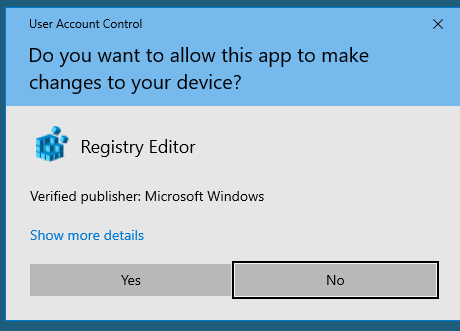
 strong thistle
@worldly cipher @odd wedge
slim tartan
 slender hound
is there some issue with servers ?
slender hound
is there some issue with servers ?
nope
stoic reef
slender hound
NA
yeah not really, whats your issue?
stoic reef
that is a connection issue, if it happens again this pin has stuff to try and fix it #🔌technical-help message
slender hound
Thanks!
stoic reef
or more accurately bypasses the issue
eternal brook
slothy
this is not fon issue anymore
this is almost lzd issue
the 8 off every 80 that one
has a limit?
 hardy rapids
 stoic reef
can you click check details and send a screenshot of that message?
hardy rapids
I'm new in the game, barely downloaded everything, can someone help me with this?

I just followed a guide in Youtube that sended me to this server to and It didn't work
stoic reef
i gotcha
so 10033 error means a connection issue 99% of the time
this pin has stuff to get around the issue #🔌technical-help message
for what its worth, probably wont have to do this tomorrow, its just whatever's messing up your connection to honkai will probably fix itself in the next day or so usually
hardy rapids
I have been trying to enter since 15:00 pm and now is 2:11 am..., I'm going to try the VPN
stoic reef
ok it should help
or at least it should. if theres more issues it could be related to your download speed but VPN improves connection issues
hardy rapids
My internet sucks, but I haven't got this type of problem before, I wasn't even able to start the game :c
stoic reef
yeah it failed to download something which is why it wouldnt start right. might have to redownload some stuff
hardy rapids
Well, I'm going to try tomorrow, is to late
stoic reef
nah i gotcha
vpn should help, if your internet is really bad you might have to retry some of the stuff a few times before it finishes successfully but if theres more issues you can always ask in here and wait for someone to help
hardy rapids
Yeah, it stoped downloading all the time for conection issues and asked me to retry instead of keep downloading like other games
Thing is I'm able to log in and play in other games, I lag a lot sometimes but as long as I'm not playing pvp is fine
stoic reef
well yeah its not your internet thats the issue
or honkai's server issues
its some company somewhere in between you and honkais connection
hardy rapids
Well, I'm gonna sleep, I'm will return tomorrow and see : $
stoic reef
actually i wrote a thing up earlier explaining why, along with a picture i did up real fast explaining why if you're cuirous lol #🔌technical-help message
but yeah go ahead and connect to VPN first tomorrow and try again
odd wedge
stoic reef
so 10033 error means a connection issue 99% of the time
10033 connection issue 100% 
stoic reef
odd wedge
10033 connection issue 100% <:KallenWink:598310046102716417>
that extra percent
i thought once a 10033 was fixed by clearing the game cache on mobile but im probably thinking of something else
odd wedge
eternal brook
has a limit?
No, only limit is the bonus you have.
odd wedge
pipo this filter
 eternal brook
i have no idea how tf lzd works and the million bonuses it exists
odd wedge
Every RM80 spent, RM8 off
E.g. Buy RM3200 stuff, you can get RM320 off.
eternal brook
the limit bonus being?
eternal brook
so technically 10% off is limited to how much bonus u can accumulate yes?
eternal brook
god damn i only have 40 now
odd wedge
 odd wedge
Collect everyday
eternal brook
i missed ytd one
i collected today's at 1am
because im a bad boy and doesnt sleep early
odd wedge
 eternal brook
o 💀 you oso late or sum
rtings tell me the best budget headphone is g535 logitech which is rm562 while the lower mid range is 699 (18% offed)
on lzd at least
how much usually can collect up to 04 feb
i assume the good vouchers are all gone at 02 feb 1200am instantly?
odd wedge
Hmm I think should be able to accumulate like 200~300+
odd wedge
eternal brook
o 💀 you oso late or sum
dunno i so busy i didn't even know the date
eternal brook
odd wedge
Hmm I think should be able to accumulate like 200~300+
eh damn that much ah
mcm ok
 willow flame
Anyone have a solution for this update download problem where when it reaches 3.3%, it jumps back to 0


No internet problem
I've tried deleting and redownloading the game a couple of times
slim tartan
willow flame
Anyone have a solution for this update download problem where when it reaches 3....
try this #🔌technical-help message
odd wedge
eternal brook
rtings tell me the best budget headphone is g535 logitech which is rm562 while t...
idk man I'm very cheap person, bought Superlux HD681 for RM40
odd wedge
slim tartan
try this https://discord.com/channels/418652140454674432/427673685026013184/1026...
I'm gonna make that a faq soon, I too lazy to go copy paste pin link 
slim tartan
odd wedge
I'm gonna make that a faq soon, I too lazy to go copy paste pin link <:LiliSleep...
eternal brook
odd wedge
idk man I'm very cheap person, bought Superlux HD681 for RM40
💀
i oso dk but i trust in expensive = last longer
this has been my bible for most electronics
that why fon i oso find snapdragon gen 1 etc which is usually more expensive
odd wedge
Gen 2 lai liao
eternal brook
why do i feel like its a wait for new fon drop for next campaign angle :bedge
 quiet elk
Hello! im a returning player in honkai after like 3 years or something, apparently mihoyo accounts arent available anymore, now i cant log in with my account. Is there a way to retrieve it back and link it to a hoyoverse account?
stoic reef
quiet elk
Hello! im a returning player in honkai after like 3 years or something, apparent...
yup its possible, they dont delete old accounts or anything like that so your honkai account is fine and still there. check out this pin on account retreival, first try the video guide at the top which shows the whole account retreival process at the login screen and if you run into any issues (link failed errors mostly) then read my guide right below it #🔌technical-help message
quiet elk
thank god i thought that account was goners. thank you so much!!
stoic reef
np! yeah i hope you can remember the old login info and stuff like lol but your account itself has not gone anywhere
willow flame
slim tartan
try this https://discord.com/channels/418652140454674432/427673685026013184/1026...
what do I do after finish download mirror?
And finished downloaded VPN sofrware?
stoic reef
willow flame
And finished downloaded VPN sofrware?
you use either the mirror OR the VPN, not both
if you have already setup the HI3Mirror then just try it without connecting to the VPN
lost venture
also if neither option works prob do good ol' restart router nad whatnot
stoic reef
you can tell if the mirror is working or not by looking in the bottom right corner of the elevator login scree, it will say like HI3Mirror_SEA or something like that
willow flame
stoic reef
you use either the mirror OR the VPN, not both
done it. Did not work
willow flame
stoic reef
you can tell if the mirror is working or not by looking in the bottom right corn...
yea yea I saw it
But it still didn't work
stoic reef
and just to confirm, the VPN was not connected right?
stoic reef
and its still only getting 3.3% done before restarting? or is the number different?