#🔧-evrima-troubleshooting-🔧
1 messages · Page 9 of 1
 tribal pond
you are speaking voodoo magic to me
can i just stream and it show it to you
this is making my head explode
 lapis lake

do you have this drive with a steam folder in it lol

assuming thats where you installed your steam app
lapis lake
dont delete that rn its the pgoram itself
tribal pond
whats the game number or whatever so i can put it in the easy anticheat so i can repair it or whatever
do you think its the anti cheat thats messing with my game?
i see steam
im in steam apps
lapis lake
look for downloading folder in there
lapis lake
delete the files in it
tribal pond
even the folders?
 lapis lake
restart steam and try verify
lapis lake
verify did nothing?
lapis lake
😭
lapis lake
uninstall
tribal pond
lemme try
lapis lake
reinstall
lapis lake
still error downloading?
lapis lake
doubt it lol
it might be steam itself being weird
can you right click steam icon and run as admin?
tribal pond
i ran it as admin
lapis lake
try pausing and unpausing the download ?
or verify again
its so weird
it would be annoying to uninstall steam itself
tribal pond
didnt work
lapis lake
idk maybe just uninstall steam and delete those localapp folders etc, try to clean it as much as you can before reinstalling
when you delete that steamapps >downloading folder, is that the same folder you had isle downloaded in?
lapis lake
aight
lapis lake
np
 low shore
As a note: If you use anything like WeMod on your computer, EAC will shut everything down and often bluescreen PC's. This sounds like the exact issue I ran into a while back after wanting to mess around on Max Payne 3.
 formal terrace
How do night vision work
lapis lake
formal terrace
How do night vision work
press x
 thin oracle
how does a male lay a nest
 ivory heath
They don’t…
 winter python
thin oracle
how does a male lay a nest
winter python
thin oracle
how does a male lay a nest
Are you paired?
 cinder ferry
ik im not the only one that is having this problem but nothing i have tried seems to fix that the isle is just stopping on this while i load it up

is there anything that is recommended for me to do besides letting it sit in my games folder never to be played?
 latent laurel
Try verifying game files
cinder ferry
yes i have tried but i will retry just in case
yea no didnt work
kinda sad since i love this game
 wide arch
<@&505047238674874368> Help me please, stuck in rock on NA1. Subadult carno. Same name as discord. Starving from being stuck for awhile.
 fiery scarab
@cinder ferry try checking the pins then tagging the tech support role in #🔧-evrima-troubleshooting-🔧 if you can't find an answer in the pins
cinder ferry
ok
 north quartz
cinder ferry
ik im not the only one that is having this problem but nothing i have tried seem...
north quartz
cinder ferry
ik im not the only one that is having this problem but nothing i have tried seem...
Go to epic games and download the unreal engine, I’ve heard that works, currently doing it rn
cinder ferry
ight
north quartz
It’s 20gb so it should do something lol, it fixed someone else’s game that did the same thing and apparently this cured it, if not then it’s all on the devs
cinder ferry
yea
well lets hope the devs can get onto it as soon as possible even if it doesnt work
only cuz there is always the few who it doesnt work for
north quartz
I haven’t been able to play for 2 months cause of it lol so ur lucky hha
cinder ferry
oof
i have been able to get on some times but its like i pray to what even unruly force is up there if there is any and it works (sometimes)
lapis lake
my friend only kept the epic games client open it and it helped, and downloaded unreal engine to stop nest crashing
cinder ferry
after its installed do i just launch the isle?
cinder ferry
ok
lapis lake
do either of you have rgb fusion app ?
cinder ferry
i dont why
 gray gust
i cant load into servers, i find a server, join it, it loads for like 25 minutes, it shows the sky and ocean for another 30 minutes, then takes me back to the main menu screen
 prime lily
 mystic orbit
does night vision not work for stego?
i've pressed X during the night but there's absolutely no change x.x
 drowsy quarry
mystic orbit
does night vision not work for stego?
drowsy quarry
mystic orbit
does night vision not work for stego?
yeah it does
mystic orbit
hmm
drowsy quarry
But you have the common bug most players had after the update, so do this:
- Close game
- Type %localappdata% on windows key
- Find the Isle - Join saved - Delete
Config
-Restart game
mystic orbit
would that reset my age though?
drowsy quarry
not at all
mystic orbit
drowsy quarry
But you have the common bug most players had after the update, so do this:
- C...
This worked, thank you~
 noble moat
has anyone found a fix for the flickering/stuttering audio yet. im about fed up after having to deal with this for almost 8 months, it gives me a severe migraine and every fix ive done online doesnt work.
only started around march, never had the issue previously
 distant sparrow
noble moat
has anyone found a fix for the flickering/stuttering audio yet. im about fed up ...
distant sparrow
noble moat
has anyone found a fix for the flickering/stuttering audio yet. im about fed up ...
its your audio drivers not the game
 hidden blaze
hello i have a problem that is happening to my game. Everytime I place my camera downward or upward my fps goes very nice but when I place it on a different angle my fps drops. Is there a solution to this??
 wintry pilot
hidden blaze
hello i have a problem that is happening to my game. Everytime I place my camera...
wintry pilot
hidden blaze
hello i have a problem that is happening to my game. Everytime I place my camera...
TBH this sounds like a gpu issue, as looking in different areas render diff items, IE: looking up renders the sky? and that's it. no real GPU processing there. as looking outwards renders everything in your field of view, what GPU does your PC/laptop have
hidden blaze
Oh okay thank you
wintry pilot
hidden blaze
Oh okay thank you
npman if its unplayable it might be time for an upgrade. anyways happy roaming 
 rotund marsh
can some one help me with this. pls

if some one is with the same error, just run the "installantcheat.bat" it just worked for me
 north quartz
cinder ferry
i have been able to get on some times but its like i pray to what even unruly fo...
north quartz
cinder ferry
i have been able to get on some times but its like i pray to what even unruly fo...
Did the thing work?
 queen fulcrum
why is my game blurry in some spots with some lines in the distance

 keen prism
My Deino has no eyes
lapis lake
keen prism
My Deino has no eyes
i think there is a fix in pins for this
lapis lake
queen fulcrum
why is my game blurry in some spots with some lines in the distance
is your render at 100 in settings? or maybe lower your graphic settings a little
latent laurel
keen prism
My Deino has no eyes
-
Press Windows key.
-
Type "Run" and launch Run program.
-
Type in %localappdata%\TheIsle\Saved\Config\WindowsClient\GameUserSettings.ini (copy and paste) and click 'Ok'.
-
Find sg.TexturesQuality=x and set X to a lower/higher number (see below on what number equals what)
-
Press CTRL S (Save it)
0=low, 1=medium, 2=high,3=epic, 4=cinematic
noble moat
distant sparrow
its your audio drivers not the game
ive had many many people tell me they have the issue too. and its ONLY on the isle evrima. legacy is fine, every other game im on is fine.
 crude mantle
noble moat
ive had many many people tell me they have the issue too. and its ONLY on the is...
crude mantle
noble moat
ive had many many people tell me they have the issue too. and its ONLY on the is...
I have the same problem, is your game also more laggy recently? Cause it didn't happen before when evrima was in the early stages, now its so badly optimised that my pc just can't handle it anymore :")
 torn path
hiya, I need help with this error, I've tried fully uninstalling both steam and the isle , I've restarted my pc and everything

 dusky crest
If anybody is getting stuck on the splash card after ez anti cheat opens and all you see is the isle banner. Try leaving it for half an hour. If after a while it actually opens (10 mins or more) I have a solution for you
 hidden elk
So my FPS is always at 17-20 and I have NVIDIA GeForce GTX 1050 Ti. Is it not enough? Or is there something wrong
 rigid nexus
 hybrid pasture
My friend can’t use Night vision. How he can fix it?
hybrid pasture
My friend can’t use Night vision. How he can fix it?
If you are experiencing issues with your controls since the latest update (can't move camera, unable to court, Night Vision not working , etc) then please try wiping your config files in localappdata.
- If running The Isle, exit the game.
- Press the windows key (or press "Windows key" + "R")
- Type %localappdata% then press Enter. (make sure you're really in Appdata -> local, and not in Appdata -> Roaming!)
- Find "TheIsle" folder. Open it.
- Open the "Saved" folder.
- Delete the "Config" folder. Note: This will reset any of your custom settings to their defaults.
- Restart the game. The issue should be fixed.
that should work!
hybrid pasture
Ty
rigid nexus
dusky crest
If anybody is getting stuck on the splash card after ez anti cheat opens and all...
@north quartz you could try this maybe, not sure how long you've waited in the screen before o:
 dire monolith
When I run the isle the anti-cheat thing opens but then im just greeted with this and nothing else happens (the orange border is just my desktop)
 rigid nexus
dusky crest
If anybody is getting stuck on the splash card after ez anti cheat opens and all...
rigid nexus
dusky crest
If anybody is getting stuck on the splash card after ez anti cheat opens and all...
@dire monolith I don't have a good solution for that at the moment, sorry ):
Try what Drizzle said here, and try waiting 30-45 in that screen to see if something happens
rigid nexus
How does it look for you ? o:
rigid nexus
dire monolith
It loaded now

rigid nexus
hm
dire monolith
when i clicked on it it showed nothing
i closed it and opened it again but it hasnt opened yet
rigid nexus
@dusky crest What is your solution ? is this how it's supposed to look ?
dire monolith
it just opened
and i saw the loading screen
and then black
if i minimize all my apps i just see this

thats my entire screen
this is the screen i saw

i just got that pic of google
dusky crest
rigid nexus
<@163257426844450816> What is your solution ? is this how it's supposed to look ...
what happens is you wait and you the greated with a black screen, wait even more and eventually your get to main menu
its a 2 step process
wait up to 20 mins for the splash card
dire monolith
oof
rigid nexus
hm, do you have any solution to fix it ? o:
dusky crest
i did manage to fix it yes but it was a pretty drastic fix
dire monolith
dusky crest
then wait another 20 mins for the black screen to turn into the menu
do u have it on ur hard drive
dusky crest
but the game will wopkr as is, just have to wait a while for it to open
i have a nvme gen 4 m.2
dire monolith
alr same
rigid nexus
ah, >.< sorry, I remember your fix
dusky crest
yep, downgrade to windows 10 if your on 11
dire monolith
because for the first thing it took like 6 or 7 mins
im on 10
windows 11 sucks imo
dusky crest
well what i did, was reinstalled windows 10 from scratch, complete format of my pc
dusky crest
as well as took all the parts of my pc out, cleaned and put them back in
rigid nexus
understandably ): I probably wouldn't do that either
 north orchid
i'm having the same issue.
i9, 32gb ram, 3080 ti, M.2, Win 10.
1 gig internet
tried reinstalling
dusky crest
honestly my reccomendation is this, either live with the 20 min loading time
or uninstall, reinstall the isle, update windows and gpu drivers
dire monolith
do you know the cause
north orchid
dusky crest
or uninstall, reinstall the isle, update windows and gpu drivers
done that
dusky crest
and if that doesnt work, reseat your ram
dire monolith
dusky crest
or uninstall, reinstall the isle, update windows and gpu drivers
ill try reinstalling
dusky crest
this game is known to have memory leaks
its possible your ram or gpu has oxidised and it needs to be reseated to remove it
north orchid
except i can run games like star citizen w/o issues
atlas, that also has memory leaks
dire monolith
dusky crest
its possible your ram or gpu has oxidised and it needs to be reseated to remove ...
wouldnt that show in other areas though
like there would be signs outside of the isle
dusky crest
for me i was getting a bsod every half an hour randomly
figured it was memory as chrome triggered it
but the good news is aslong as your pc isnt crashing, you should be able to just wait for it to open
dire monolith
do you think its something that could be fixed in the future
north orchid
wait for it to open is not a good troubleshooting step >.>
dusky crest
also reccomend using BCuninstaller to remove the isle and all relating files
dire monolith
by the devs i mean
dusky crest
i dont have the troubleshoot tag, my advice is just what ive gone through
all i know, is after doing a pc reset, reinstall and updates and reseating componants, it works again now
rigid nexus
hm, I really wonder what's the cause
dusky crest
well reseating fixed my bsod, and a clean windows 10 copy fixed my long wait time
 storm sentinel
this games not opening when you click play on them musts be a steam issue i have it on 3 games now. i click play and nothing comes up even tho steam says its running
dire monolith
something comes up
dusky crest
all other games were fine for me
dire monolith
dire monolith
When I run the isle the anti-cheat thing opens but then im just greeted with thi...
this
and after a while the actual game exe loads
but is just black
dusky crest
yeah nicholas, load it up, and just wait on that black screen
dire monolith
and i dont have a steam issue like that
dusky crest
might take a while but it should go to the menu
dire monolith
dusky crest
yeah nicholas, load it up, and just wait on that black screen
im reinstalling rn
north orchid
dire monolith
but is just black
mine eventually comes to the main menu, but it take a long while
dusky crest
it always messed something up for me
once its reinstalled, try to open through steam
if it says ez anti cheat not installed go to local files and run ez anti installer
then click on steam again
dont click verify
dire monolith
dusky crest
also against dev advice DONT click verify
i did at first
it just said it was fine
dusky crest
how long till its installed
dire monolith
problem still stands
 devout wagon
I can use the night vision
hidden elk
hidden elk
So my FPS is always at 17-20 and I have NVIDIA GeForce GTX 1050 Ti. Is it not en...
???
dire monolith
What graphics settings
rigid nexus
devout wagon
I can use the night vision
Do you mean "can't" ? o:
If you are experiencing issues with your controls since the latest update (can't move camera, unable to court, Night Vision not working , etc) then please try wiping your config files in localappdata.
- If running The Isle, exit the game.
- Press the windows key (or press "Windows key" + "R")
- Type %localappdata% then press Enter. (make sure you're really in Appdata -> local, and not in Appdata -> Roaming!)
- Find "TheIsle" folder. Open it.
- Open the "Saved" folder.
- Delete the "Config" folder. Note: This will reset any of your custom settings to their defaults.
- Restart the game. The issue should be fixed.
rigid nexus
hidden elk
???
Sorry, no idea ):
storm sentinel
rigid nexus
Sorry, no idea ):
i don't know if it works for the isle because ive had to uninstall it. but i might have a fix for the game being stuck on the small splash screen and not opening. i had the same problem for 2 games they would say they are running but they never opened nor did task manager say it was open. so one of the devs for inside the backrooms told me to run the game in windows 7 compatibility mode and the game opened.
so just maybe it will work for this game but idk
devout wagon
rigid nexus
Do you mean "can't" ? o:
If you are experiencing issues with your controls sinc...
Ok Thanks for help it now working
rigid nexus
storm sentinel
i don't know if it works for the isle because ive had to uninstall it. but i mig...
hmm o: thank you for sharing that, it's worth a try 😊
@dire monolith sorry for the ping, but if you want you could try this.
rigid nexus
it might be worth a try either way ? o: I really don't know if it's related to that
storm sentinel
rigid nexus
it might be worth a try either way ? o: I really don't know if it's related to t...
nvm it doesn't work EAC just causes problems lol
rigid nexus
storm sentinel
nvm it doesn't work EAC just causes problems lol
aw okay ): Still thank you for sharing and trying to help!
storm sentinel
rigid nexus
aw okay ): Still thank you for sharing and trying to help!
i just want to play the game and try the new night vison rip until what ever it is causing these problems is fixed
rigid nexus
storm sentinel
i just want to play the game and try the new night vison rip until what ever it ...
Did you try what Drizzle described ?
Waiting in the screen for a while (maybe 20-30 min) and seeing if it loads ?
storm sentinel
rigid nexus
Did you try what Drizzle described ?
Waiting in the screen for a while (maybe 20...
i did but then it went to a blackscreen and nothing happened after that
rigid nexus
storm sentinel
i did but then it went to a blackscreen and nothing happened after that
How long did you wait in the blackscreen ?
Try waiting a while longer in it too, I know it's not a great solution ):
storm sentinel
rigid nexus
How long did you wait in the blackscreen ?
Try waiting a while longer in it too,...
30mins
 delicate iris
how to make night vision work?
delete the save folder right?
on appdta/local/theisle/saved?
rigid nexus
delicate iris
on appdta/local/theisle/saved?
You don't need to delete the whole saved folder!
that would also delete your skins, you can just delete the config folder in the saved folder
If you are experiencing issues with your controls since the latest update (can't move camera, unable to court, Night Vision not working , etc) then please try wiping your config files in localappdata.
- If running The Isle, exit the game.
- Press the windows key (or press "Windows key" + "R")
- Type %localappdata% then press Enter. (make sure you're really in Appdata -> local, and not in Appdata -> Roaming!)
- Find "TheIsle" folder. Open it.
- Open the "Saved" folder.
- Delete the "Config" folder. Note: This will reset any of your custom settings to their defaults.
- Restart the game. The issue should be fixed.
 thick coyote
is there a solution for isle not launching at all?( with no error pop us)
rigid nexus
delicate iris
do u have to safe log?
What do you mean ? o: you have to leave the game
The first step: 1. If running The Isle, exit the game.
delicate iris
rigid nexus
What do you mean ? o: you have to leave the game
The first step: **1. If running...
im dumb sorry
rigid nexus
delicate iris
im dumb sorry
aw no! don't worry 😊
delicate iris
rigid nexus
aw no! don't worry 😊
ty! it worked
rigid nexus
awesome 😊
 silk otter
Sorry to reply late but I don't use any VPN and it's weird that I can play unofficial but not official -_-
rigid nexus
silk otter
Sorry to reply late but I don't use any VPN and it's weird that I can play unoff...
I meant that someone used a VPN to solve it, I'm not sure how that works sadly ):
And it's a weird issue, yeah >.<
silk otter
Ah I see, read it wrong lol
rigid nexus
silk otter
Ah I see, read it wrong lol
here's the link, maybe you can ask them if you want to find out more about it ?
#🔧-evrima-troubleshooting-🔧 message
 bleak harness
is there any way to increase fov?
 royal chasm
hey i need help i cant change the nightvision keybind as its not appearing for me and i dont know what to do and i also just got kicked from a error wich is great X'D
rigid nexus
royal chasm
hey i need help i cant change the nightvision keybind as its not appearing for m...
What error was it ? o:
Also, try this for your Night-Vision problem:
- If running The Isle, exit the game.
- Press the windows key (or press "Windows key" + "R")
- Type %localappdata% then press Enter. (make sure you're really in Appdata -> local, and not in Appdata -> Roaming!)
- Find "TheIsle" folder. Open it.
- Open the "Saved" folder.
- Delete the "Config" folder. Note: This will reset any of your custom settings to their defaults.
- Restart the game. The issue should be fixed.
royal chasm
rigid nexus
What error was it ? o:
no idea i just closed it instantly XD
all i saw was connection timeout and a bunch of symbols and other stuff
royal chasm
rigid nexus
Also, try this for your Night-Vision problem:
1. If running The Isle, exit the ...
thank you! ^^ ill see if it works now
royal chasm
rigid nexus
Also, try this for your Night-Vision problem:
1. If running The Isle, exit the ...
ty it worked but omg the nighvision is already hurting my eyes of like not even 10mins.. yeah I aint playing it rn till they fix that XD but thanks for helping me

 novel brook
Nevermind he got unstuck!!
rigid nexus
royal chasm
ty it worked but omg the nighvision is already hurting my eyes of like not even ...
aw that's fair ):
Though 3 settings you could try ajusting to improve the NV:
1.) Try around with the " Render Scale", 100 should be good.
2.) Anti-alising to "Cinematic" maybe
3.) turn DLSS off
rigid nexus
thin oracle
can anyone help?
hm, that's weird.
Did you try verifying your game files ?
 lunar siren
Is it possible to ban players in Evrima?
rigid nexus
lunar siren
Is it possible to ban players in Evrima?
It depends for what
"We have a zero tolerance policy for harassment and hateful conduct. Similarly, if you believe you have encountered unsportsmanlike behaviour (cheating/hacking, etc.) we urge you to contact an Official Server Admin so that we may conduct an investigation as soon as possible."
lunar siren
Sorry, on custom dedicated servers, can you ban players?
rigid nexus
oh
lunar siren
Many of the configuration options from legacy don't seem to work
And there isn't much documentation at the moment
rigid nexus
That I don't know, I'm sorry ):
Maybe try asking in #server-hosting, I think they know more about that stuff
lunar siren
Are there commands or configuration options to do that in Evrima?
No worries
thank you
drowsy quarry
lunar siren
Are there commands or configuration options to do that in Evrima?
yes there is, just open the admin panel, it shows a lot of settings
thin oracle
rigid nexus
hm, that's weird.
Did you try verifying your game files ?
Someone in eu chat told me
lunar siren
drowsy quarry
yes there is, just open the admin panel, it shows a lot of settings
Admin panel?
drowsy quarry
yeah, it's on insert
lunar siren
Thank you, will take a look 🙂
 primal fog
My nightvision wont work and i dont have a keybind for it, and help? its dark as heck
rigid nexus
primal fog
My nightvision wont work and i dont have a keybind for it, and help? its dark as...
Try this:
- If running The Isle, exit the game.
- Press the windows key (or press "Windows key" + "R")
- Type %localappdata% then press Enter. (make sure you're really in Appdata -> local, and not in Appdata -> Roaming!)
- Find "TheIsle" folder. Open it.
- Open the "Saved" folder.
- Delete the "Config" folder. Note: This will reset any of your custom settings to their defaults.
- Restart the game. The issue should be fixed.
primal fog
Oh ok thank you
 ebon wigeon
We need help on EU4 stego "Patrick0622" is stuck
rigid nexus
ebon wigeon
We need help on EU4 stego "Patrick0622" is stuck
Try going to #evrima-eu and ping the "Official server admin" role and tell them what you jsut wrote!
But I'm not sure if someone is online right now, sorry ):
ebon wigeon
Nerver mind he logged off
 urban leaf
@cloud crow Why am I banned from every unofficial server and also why do I get infinite loading screens when trying to join official ones?


 craggy meteor
hello i wanted to know if it is normal that i do not have the nigth vision of the update,tanks
winter python
craggy meteor
hello i wanted to know if it is normal that i do not have the nigth vision of th...
If you are experiencing issues with your controls since the latest update (can't move camera, unable to court, etc) then please try wiping your config files in localappdata.
- If running The Isle, exit the game.
- Press the Windows key
- Type %localappdata% then press Enter.
- Find "TheIsle" folder. Open it.
- Open the "Saved" folder.
- Delete the "Config" folder. Note: This will reset any of your custom settings to their defaults.
- Restart the game. The issues should be fixed.
rigid nexus
@pastel parcel Are you on Windows 10 ?
rigid nexus
 pastel parcel
i am
pastel parcel
i am
You have this search bar at the bottom of your Pc, right ?
 pastel parcel
rigid nexus
You have this search bar at the bottom of your Pc, right ?
pastel parcel
rigid nexus
You have this search bar at the bottom of your Pc, right ?
yes
do i search "file explorer there? right?
rigid nexus
pastel parcel
do i search "file explorer there? right?
ah, no! you type in %localappdata% and hit enter
That's step 2 and 3
- If running The Isle, exit the game.
- Press the windows key (or press "Windows key" + "R")
- Type %localappdata% then press Enter. (make sure you're really in Appdata -> local, and not in Appdata -> Roaming!)
- Find "TheIsle" folder. Open it.
- Open the "Saved" folder.
- Delete the "Config" folder. Note: This will reset any of your custom settings to their defaults.
- Restart the game. The issue should be fixed.
pastel parcel
rigid nexus
ah, no! you type in %localappdata% and hit enter
idk why but i dont seem to have it?
rigid nexus
What happens if you do type in %localappdata% ? o:
pastel parcel
it takes me to google
pastel parcel
like i mean, if i type it in, it takes me to google and its searched there
ok
ok, and then?
rigid nexus
You should get this window, type it in there!
 rigid nexus
yeah, try following the rest 😊 feel free to ask again
pastel parcel
ty so much! 😄
pastel parcel
rigid nexus
yeah, try following the rest 😊 feel free to ask again
ty, it worked 😄
rigid nexus
pastel parcel
ty, it worked 😄
awesome 😊
pastel parcel
rigid nexus
awesome 😊
and if its ok for you, could u maybe try to help me make legacy playable for me? but not today tho, im pretty tired, the bug is i cannot do anyinthing ecxept run,walk and look around, no chatting, attacking or anything, id love to play legacy but just aint working for me :/
 dapper quartz
Do Hypsis don't have night vision? O.o X doesn't do anything and there's no night vision key to set on the keybinds
winter python
pastel parcel
and if its ok for you, could u maybe try to help me make legacy playable for me...
It's the exact same fix, you'll have to do it whenever you swap game versions
drowsy quarry
dapper quartz
Do Hypsis don't have night vision? O.o X doesn't do anything and there's no nigh...
- If running The Isle, exit the game.
- Press the windows key (or press "Windows key" + "R")
- Type %localappdata% then press Enter. (make sure you're really in Appdata -> local, and not in Appdata -> Roaming!)
- Find "TheIsle" folder. Open it.
- Open the "Saved" folder.
- Delete the "Config" folder. Note: This will reset any of your custom settings to their defaults.
- Restart the game. The issue should be fixed.
pastel parcel
winter python
It's the exact same fix, you'll have to do it whenever you swap game versions
oh so just deletde config again? ok ty 😄
dapper quartz
drowsy quarry
1. If running The Isle, exit the game.
2. Press the windows key (or press "Windo...
i'll try that, ty
 radiant parrot
I am still having problems with not being able to launch the isle evrima. Just wondering if there was any further news on how to fix this bug or if it is a bug at all.
rigid nexus
radiant parrot
I am still having problems with not being able to launch the isle evrima. Just w...
You had the Problem that it doesn't go past this screen, right ?

It actually worked for someone with just waiting in that screen, after some time they ended up in a blackscreen, and then just waited again and it loaded into the main menu
it's not the best solution >.< or any at all.
But at least you might be able to play normally, just with a 20-30 min loading time at the start
dapper quartz
drowsy quarry
1. If running The Isle, exit the game.
2. Press the windows key (or press "Windo...
when i finally managed to hop online the server again it was daytime, so i can't say if it worked or not, but at least the hotkey is there now xD ty
pastel parcel
my nv works, but 2 new bugs appeared now T_T my game is blurry and i cant fix it, not even if i reset my settngs, and my "texture" setting cant be changed to low, if i try to it always goes to middle, and my Nividia dlss cant be set to anything other than none, i can make it that it is, but if i click the "save" button, and then look back into settings its at middle and at none again, idc that much bout the settings, but the blurrines is rlly annoying and weird to look at
 drowsy quarry
dapper quartz
when i finally managed to hop online the server again it was daytime, so i can't...
drowsy quarry
dapper quartz
when i finally managed to hop online the server again it was daytime, so i can't...
it works then
rigid nexus
pastel parcel
my nv works, but 2 new bugs appeared now T_T my game is blurry and i cant fix it...
hm ): can you try putting your "Render scale" to 100, and maybe Anti-aliasing to "Cinematic" ?
pastel parcel
rigid nexus
hm ): can you try putting your "Render scale" to 100, and maybe Anti-aliasing to...
ok
pastel parcel
rigid nexus
hm ): can you try putting your "Render scale" to 100, and maybe Anti-aliasing to...
i can only set anti analising to FXAA and TAA
theres no cinemtaic option
rigid nexus
pastel parcel
i can only set anti analising to FXAA and TAA
ah, that's a language issue >.< try the option over that one and put it to the highest you can, might be "Extrem"
pastel parcel
rigid nexus
ah, that's a language issue >.< try the option over that one and put it to the h...
so, the one thats at the bottom? or the one above
or ykw?
lemme change my settings to english
so its easier
 rigid nexus
what Kouga send, yeah!
drowsy quarry
how tf i trembled so much;
rigid nexus
drowsy quarry
how tf i trembled so much;
it's a lot straighter then what I always manage xD
pastel parcel
oooh kk XD for me its "Kantengläattung"💀 so i thought u meant the anti analising thing XD
ty kouga
ok i did that
now what?
drowsy quarry
try i guess
pastel parcel
ok
rigid nexus
pastel parcel
oooh kk XD for me its "Kantengläattung"💀 so i thought u meant the anti analisi...
Kantenglättung is german for Anti-aliasing xD
drowsy quarry
also NVIDIA Dlss only works if you have a RTX
pastel parcel
rigid nexus
Kantenglättung is german for Anti-aliasing xD
yeh XD
pastel parcel
drowsy quarry
also NVIDIA Dlss only works if you have a RTX
oh that makes sense then lol, and is this supposed to fix the blurrines or the settings not working btw? cuz my textures setting still cant be changed :/ havent checked the blurrines tho
drowsy quarry
pastel parcel
oh that makes sense then lol, and is this supposed to fix the blurrines or the s...
get off the server
you can only change textures and stuff outside the server, to prevent cheating
drowsy quarry
how can u not change it then?
pastel parcel
look, so i can set it to the lowest, cuz thats what i want for better fps, and then i save it, but if i look back into settings it changed back to middle, instead of staying at low
pastel parcel
1920x1080
rigid nexus
And "Fenstermodus" ?
drowsy quarry
pastel parcel
look, so i can set it to the lowest, cuz thats what i want for better fps, and t...
letting it stay at medium its the best option.
 pastel parcel
drowsy quarry
pastel parcel
drowsy quarry
lmao ig the isle is trynna help me XD, but its at medium and it was still blurry tho :/, hol on lemme check if the blurry is gone or not
night atm :/ so i cant rlly see if its blurry or not XD
but i think its fixed
 buoyant radish
sry but the Nightvision is realy bad sry but yeah make an better nightvision because i dont see anything
drowsy quarry
buoyant radish
sry but the Nightvision is realy bad sry but yeah make an better nightvision bec...
 void canopy
my game runs fine but if i try to join a server i get a message that says connection failed anyone know what to do
void canopy
void canopy
my game runs fine but if i try to join a server i get a message that says connec...
or i get a fatal error
void canopy
 wheat tundra
i have 500 ping
wheat tundra
i have 500 ping
just the isle servers
thin oracle
Why did this happen even though I played yesterday

Ok nevm I just restarted my pc and now it works
 misty forge
Hello. I have a friend who was stuck last night on NA6. I was wondering if there was anything anyone could do to help them out? If someone could let me know, I would greatly appreciate it.
winter python
misty forge
Hello. I have a friend who was stuck last night on NA6. I was wondering if there...
Check the pinned messages in #evrima-na to see how to ask for assistance
urban leaf
What does this mean???

 winter python
urban leaf
What does this mean???
winter python
urban leaf
What does this mean???
Try DMing Punchpacket about that
urban leaf
winter python
Try DMing Punchpacket about that
I did, twice today.
 silver moth
tried playing evrima a few mins ago and this came up, i tried a few times and the same thing keeps coming up i also tried launching it on my brothers pc but the issue it gave for him was he didnt have the anti cheat installed which i thought was supposed to auto install when you launch the game any ideas how to fix both issues?
 drowsy quarry
silver moth
tried playing evrima a few mins ago and this came up, i tried a few times and th...
drowsy quarry
silver moth
tried playing evrima a few mins ago and this came up, i tried a few times and th...
did you tried verifying your files through steam
silver moth
i- erm... im not very techy lmao i have no idea how to do that i just tried launching the game a few times for both me and my brother and it came up with those issues
drowsy quarry
silver moth
i- erm... im not very techy lmao i have no idea how to do that i just tried laun...
go to steam, right click the game, properties, local files and then verify integrity
drowsy quarry
 iron latch
stuck in EU 6
iron latch
stuck in EU 6
read pinned message at #evrima-eu

does anyone knows abt ghost frames? its giving my sight a bad time
silver moth
drowsy quarry
go to steam, right click the game, properties, local files and then verify integ...
thanks so much it worked 😄 will that also fix my brothers issue with the anti cheat?
silver moth
ok thanks 🙂
 real lynx
Can not use nightvision
winter python
real lynx
Can not use nightvision
If you are experiencing issues with your controls since the latest update (can't move camera, unable to court, Night Vision not working , etc) then please try wiping your config files in localappdata.
- If running The Isle, exit the game.
- Open File Explorer.
- Click the address bar at the top.
- Type %localappdata% then press Enter.
- Find "TheIsle" folder. Open it.
- Open the "Saved" folder.
- Delete the "Config" folder. Note: This will reset any of your custom settings to their defaults.
- Restart the game. The issue should be fixed.
real lynx
Not working. I cant see anything in the settings and also i dont know which button
winter python
Did you follow those instructions? Did you have any problems with them?
real lynx
i did. is it possible that i cant see it at daylight ?
winter python
real lynx
i did. is it possible that i cant see it at daylight ?
It's only visible in dark areas like shadows in the daytime
 low bone
hello i was walking towards bushes and now im stuck i cant move how i get out ( eu5)
winter python
low bone
hello i was walking towards bushes and now im stuck i cant move how i get out ( ...
Check the pinned messages in #evrima-eu to see how to ask for assistance
 chilly sigil
How do I see my cords?
 winter python
chilly sigil
How do I see my cords?
winter python
chilly sigil
How do I see my cords?
Check to see if you have Streamer Mode enabled in your settings
thin oracle
how do i latch onto a tree again?
chilly sigil
winter python
Check to see if you have Streamer Mode enabled in your settings
Thank you it's working!
winter python
thin oracle
how do i latch onto a tree again?
Slow with Z, then tap or hold RMB near a vertical surface
thin oracle
do i hold z aswell as rmb
winter python
It's not a requirement but it makes it a lot easier, so you don't crash
 honest cave
jus hopped on for the first time in 5.5 and my nv isnt working. Ive tried reinstalling the game and messing wit keybinds but nothing works
thin oracle
im holding right click before i get to the tree but its not working
press x glizz
its gotta be night to see it aswell
 lusty trout
honest cave
yes i know
lusty trout
honest cave
yes i know
Exit game
Press windws key + R
Type:
%localappdata%/TheIsle/Saved/Config/WindowsClient
Press enter
Delete the input.ini file (yours may be called input )
Start game, have fun
 muted drift
<@&818552355796287508> Hello, so everytime I want to get into a server (offical and unoffical) a message pops up saying : " anti cheat integrity check failed" and then it kicks me out of the game. I already tried verifying my game files and reinstalling the game, nothing worked. Any solution to this?
 spark steeple
im tryed playing evrima and a pop up showed up when i tryed to join it said somthing along the lines of anti cheat integrity check faild and i can play
 ember marlin
muted drift
<@&818552355796287508> Hello, so everytime I want to get into a server (offical...
ember marlin
muted drift
<@&818552355796287508> Hello, so everytime I want to get into a server (offical...
Ah yes, broken anticheat strikes again. I typically close and relaunch the game two or three times and that fixes it for me. It's a pain in the ass but eventually it will let you in.
Also, close any background programs you have open. Discord, Overwolf, Curseforge, anything like that. EAC doesn't know the difference between a vc and a hack client. You can relaunch your discord or whatever after the game is running.
Obligatory not tech support, just deal with this exact issue a lot
spark steeple
ok thx ill try that and hopefully works
muted drift
ember marlin
Ah yes, broken anticheat strikes again. I typically close and relaunch the game ...
Let me try that
No luck 🥲
ember marlin
Sad, but this is why I put in a suggestion to remove EAC. It's a broken af client that was only added because it was free. Fingers crossed you find a way around it before the game dies lol. If I think of any other possible solution, I'll let you know
muted drift
ember marlin
Sad, but this is why I put in a suggestion to remove EAC. It's a broken af clien...
Thanks a bunch, I'll just keep trying
 woven lotus
Idk if this is the place for it but I got stuck as Teno in what i think is near South Eastern barrier on this weird cut in the cliff
-128,460.977, -71,649.742, -28,781.473
i know no one can get me out but maybe it can get changed so no one else gets stuck
 noble moat
crude mantle
I have the same problem, is your game also more laggy recently? Cause it didn't ...
noble moat
crude mantle
I have the same problem, is your game also more laggy recently? Cause it didn't ...
yes this exactly! last summer when deino and ptera came out and I was playing a lot in late june-early august I was max settings, no fps drops besides the rare lag spike thatd last half a second, now even on all lowest settings i have the same issues as on high settings.
 eternal burrow
-393.812,938, -322.099,125, -25.204,656
 cinder ferry
hey so yesterday i was struggling to fix this issue and i have tried a few things nothing has worked so far. basically the isle is getting stuck on this loading screen. after the battle eye thing goes away this pops up and doesnt load past it. is there any thing anyone can think i can do to fix this?

 sweet egret
got stuck na4 gamer tag is weeds stuck in a tree
 misty salmon
i tryed everything to fix the Easy Anti-Cheat is not installed but non of it worked i don't know what to do.
 spark sonnet
does anyone know why my nightvision isnt working ive changed the keybinds and it doesnt fix it
drowsy quarry
spark sonnet
does anyone know why my nightvision isnt working ive changed the keybinds and it...
- If running The Isle, exit the game.
- Open File Explorer.
- Click the address bar at the top.
- Type %localappdata% then press Enter.
- Find "TheIsle" folder. Open it.
- Open the "Saved" folder.
- Delete the "Config" folder. Note: This will reset any of your custom settings to their defaults.
- Restart the game. The issue should be fixed.
spark sonnet
OMG thank you it worked!
dire monolith
@rigid nexus I have no idea what happened but I just uninstalled evrima last night and reinstalled it this morning, and now it works like perfect
dire monolith
cinder ferry
hey so yesterday i was struggling to fix this issue and i have tried a few thing...
Same thing happened to me
Try to uninstall, restart pc, reinstall
thats what worked for me
 fringe hemlock
So I tried the C:\Program Files (x86) to fix the anitcheat and I got to common and when I click the file, the file "the Isle" wasn't there...
dire monolith
check your D drive
fringe hemlock
dire monolith
check your D drive
What do you mean by that?
dire monolith
fringe hemlock
What do you mean by that?
your hard drive/other drives
fringe hemlock
okok I found it,
dire monolith
you probably just didnt download it in your c drive
fringe hemlock
dire monolith
you probably just didnt download it in your c drive
What do I do next? The same thing with the C:\Program Files?

 fringe hemlock
Am I moving the folder?
cinder ferry
dire monolith
Same thing happened to me
ill try it i mean might as well right>
fringe hemlock
Ight
 woeful canopy
was playing deino (45% grown) and lunge-grabbed a baby teno while it was swimming across the river - dragged it to the bottom and waited for it to drown for two minutes while the distressed animation played. At that point I got suspicious because my stam was recovering even though I still had it. After a few seconds it transitioned to the running then sitting then pinned by utah animations at which point I let go of it before lunging it again when it resumed the swimming animation near the surface. I dragged it back to the bottom and then it just teleported away and now I can't drink.
Edit: I wish I had recorded it but that would have meant releasing the teno while opening another program
 distant stump
drowsy quarry
1. If running The Isle, exit the game.
2. Open File Explorer.
3. Click the addre...
distant stump
drowsy quarry
1. If running The Isle, exit the game.
2. Open File Explorer.
3. Click the addre...
I have tried this and can’t find anything when I search for %localappdata%. I can find the local “theisle” folder, but no config or saved folders.
I don’t feel computer illiterate, but maybe I am🤣
woeful canopy
distant stump
I have tried this and can’t find anything when I search for %localappdata%. I ca...
if you have a PC make sure to check the box "show hidden items"
drowsy quarry
distant stump
I have tried this and can’t find anything when I search for %localappdata%. I ca...
press windows button and write it
distant stump
drowsy quarry
press windows button and write it
Not sure if this or @woeful canopy added fixed this, but found the folder and deleted it! Thank you both.
drowsy quarry
np
 unique remnant
anyone having trouble where you cant look left or right with your mouse but you can look down and up?
 flat walrus
Not sure if this is a common bug - I don't have a nightvision button
just pressing x doesn't work, and in the controls panel there is no option. I updated my game earlier, and just verified game files. Any suggestions?
winter python
flat walrus
just pressing x doesn't work, and in the controls panel there is no option. I up...
If you are experiencing issues with your controls since the latest update (can't move camera, unable to court, etc) then please try wiping your config files in localappdata.
- If running The Isle, exit the game.
- Press the Windows key
- Type %localappdata% then press Enter.
- Find "TheIsle" folder. Open it.
- Open the "Saved" folder.
- Delete the "Config" folder. Note: This will reset any of your custom settings to their defaults.
- Restart the game. The issues should be fixed.
winter python
winter python
If you are experiencing issues with your controls since the latest update (can't...
@unique remnant This should fix your issue as well
flat walrus
Thank you!!
 glacial estuary
So since the update, I haven't been able to use the mating action. I've deleted the config file, i've uninstalled the game and the confid file, i've reassigned the action to a different button, but nothing seems to work.
 brittle thorn
hey so i was able to play yesterday after the update, but today my game won't even get past the raptor image to get into the game. I have already redownloaded it and it's still just stuck on the isle logo screen
does anyone know how to fix that
 errant vault
-159,196.984, -117,903.516, -31,118.932 stuck in a hole without a way to get out of it seems like it shouldnt realy be a thing
radiant parrot
rigid nexus
You had the Problem that it doesn't go past this screen, right ?
Yep and Its really annoying cause I really want to play it
thin oracle
@rigid nexus the black screen issue also in the pinned but the best to do, check the latest driver to your machine (i would recommend the driver booster). Also check the windows update, after it restart the pc. It may helps in that case.
dire monolith
didnt help for me
possibly try uninstalling, restarting your pc, then re-installing
Dont know if that worked for me or it was coincidence, but worth a shot
rigid nexus
thin oracle
<@478213198458257409> the black screen issue also in the pinned but the best to ...
it's a different issue, sadly ):
They're stuck at the "TheIsle" logo after EAC
rigid nexus
radiant parrot
Yep and Its really annoying cause I really want to play it
Did you try just waiting ?
 rigid nexus
 short bramble
how do i fix this
short bramble
how do i fix this
Try what Warden send you in #isle-discussion , if that doesn't help ask here again!
dire monolith
My game will run at 80fps for 2 or 3 seconds, then at 20 fps for another 2 or 3, repeat
Happens in all areas (forested and non-forested, in the sky, beach,) is it something fixable or just poor optimization that will be fixed later
rigid nexus
hm ): I'm not sure, sorry.
it runs at 50 fps for me almost the whole time, and only very rarely dips below 30
dire monolith
Im assuming its just poor optimization
Which sucks considering i cant really fix it without playing on bad graphics
 craggy rapids
When i try to launch my game, (evrima) i cant because "Easy anti cheat" isnt downloaded and its been a while its doing this, i tried :
-Deleting the folder and download back then verify
-Verify
-Go to the folder and try to install anti cheat, it doesnt open
-Install another game with easy anti cheat, and it still doesnt work....
Can someone help me please ?
rigid nexus
craggy rapids
When i try to launch my game, (evrima) i cant because "Easy anti cheat" isnt dow...
hm, did you try this ? Or was that what you meant with point 3 ?
- Right Click The Isle [Evrima] in steam.
- Properties
- Local Files
- Browse
- Open EasyAntiCheat Folder
- Double click EasyAntiChaet_EOS_Setup. Most likely nothing will happen.
- Return to Properties / Local Files
- Verify integrity of the game files.
craggy rapids
I got to the 6th point only, let me try the whole thing
If it works i will worship you all my life ong
rigid nexus
aw, I hope it does! >.< I'll cross my fingers for you
radiant parrot
rigid nexus
Did you try just waiting ?
Yeah but afterwards it just disappears
rigid nexus
dire monolith
possibly try uninstalling, restarting your pc, then re-installing
@radiant parrot I guess you also already did this >.<
The Issue is still a mystery to me, sorry ):
radiant parrot
rigid nexus
<@962317071700619404> I guess you also already did this >.<
The Issue is still a...
Its fine. But I have asked PunchPacket and he's not really helping. I'll have to wait and see what happens in the furture.
rigid nexus
They probably don't know what's causing it either ): it's a really weird bug.
 frozen current
guys, my game keeps on being unresponsive after i run it for a bit, any suggestions?
 weak wolf
So... I can't do anything about this. If I remove the file, I'll get an error message telling me it's missing. If I don't, I keep getting this message. I tried verifying the files, didn't work. I tried the link in #pinned-troubleshooting, but it just lead to a blank page, no download or anything. What can I do to fix this?

This is what I get when I click on the discord link
 craggy rapids
rigid nexus
aw, I hope it does! >.< I'll cross my fingers for you
craggy rapids
rigid nexus
aw, I hope it does! >.< I'll cross my fingers for you
😢😢😢😢

 little needle
why wont this game let me put nvidia dlss on
rigid nexus
craggy rapids
😢😢😢😢
That's a new error to me ):
rigid nexus
little needle
why wont this game let me put nvidia dlss on
I think it's only for RTX graphic cards
craggy rapids
rigid nexus
That's a new error to me ):
i could enter the game 1 time but it crashed ;-----------;
craggy rapids
I can now enter the game ! @rigid nexus i will worship you all my life thank you so much !!
rigid nexus
craggy rapids
I can now enter the game ! <@478213198458257409> i will worship you all my life ...
aww xD I'm glad you got it to run 😊
What did you do different after the weird error you got ?
craggy rapids
Reload the game
Enter the game then it crashes
And reload again without touching to anything till the menu pop out
muted drift
muted drift
<@&818552355796287508> Hello, so everytime I want to get into a server (offical...
.
rigid nexus
craggy rapids
And reload again without touching to anything till the menu pop out
That's good to know, thank you 😊
 midnight igloo
Hi, I have a problem accessing official servers.
When trying to enter the official server, it loads for some time and then crashes to the main menu.
Oddly enough, I have no problem accessing unofficial servers.
Have you encountered such a problem?
 copper axle
im having an issue nesting as a teno, doesnt matter what server im on it wont allow me to build a nest, it also does not keep me paired with my mate during the process. ive tried relogging closing game, so has the mate. i can nest no problem with other characters
rigid nexus
copper axle
im having an issue nesting as a teno, doesnt matter what server im on it wont al...
That might be a controls / keybind bug ): try this, it should help!
- If running The Isle, exit the game.
- Press the windows key (or press "Windows key" + "R")
- Type %localappdata% then press Enter. (make sure you're really in Appdata -> local, and not in Appdata -> Roaming!)
- Find "TheIsle" folder. Open it.
- Open the "Saved" folder.
- Delete the "Config" folder. Note: This will reset any of your custom settings to their defaults.
- Restart the game.
copper axle
rigid nexus
That might be a controls / keybind bug ): try this, it should help!
1. If runn...
this would work, but i can nest with no issues as other characters
the nest half builds and then disappears
rigid nexus
hm, that's weird
copper axle
yes it is
rigid nexus
I'm not sure what else could be causing that, sorry ):
copper axle
thats okie! i appreciate you trying to help
lusty trout
copper axle
thats okie! i appreciate you trying to help
Is it a character from before update 5? One of mine has same problem and I think it's because it's a pre update 5 character. Not all official servers where wiped
copper axle
lusty trout
Is it a character from before update 5? One of mine has same problem and I thi...
no it isnt, i can pair just fine with other people now i redid the config but my mate im trying to mate with now cant pair with me for some reason. these are new characters... we both delted config folder and everything
 ripe fossil
<@&505047238674874368> i have a croc on NA 2 possibly hacking
my friend just got stopped dead in his tracks 3 times while being chased, and it wasnt an issue before
misty salmon
i tryed everything you said to do to fix the Easy Anti-Cheat is not installed but non of it worked i don't know what to do.
 rigid nexus
misty salmon
i tryed everything you said to do to fix the Easy Anti-Cheat is not installed bu...
rigid nexus
misty salmon
i tryed everything you said to do to fix the Easy Anti-Cheat is not installed bu...
Sorry, can you list up what you tried so far ? >.<
Did you try everything in this post ?
#🔧-evrima-troubleshooting-🔧 message
misty salmon
rigid nexus
Sorry, can you list up what you tried so far ? >.<
Did you try everything in thi...
i have
rigid nexus
hm, so this too ? ):
 rigid nexus
hm ): I'm not sure what could be causing it then, I'm sorry
rigid nexus
thin oracle
im stuck inside the wall help
Try going to the correct server channel (so #evrima-eu , #evrima-na ...) and ping the "Official server admin" role.
Also tell them your in-game name + your specific server.
If you don't get an answer in a few min or if your dino is low on water/food, it might be the best to log out for now and wait for a respons
 formal moon
I got stuck in human buildings as an adult teno, in Evrima EU1. My IG name is "Mendog"
urban leaf
I still don't know what this means.

 rigid nexus
urban leaf
I still don't know what this means.
rigid nexus
urban leaf
I still don't know what this means.
Did you try dming Punch about it ?
rigid nexus
formal moon
I got stuck in human buildings as an adult teno, in Evrima EU1. My IG name is "M...
If you're stuck please go to the correct server channel (so #evrima-eu , #evrima-na ...) and ping the "Official server admin" role.
urban leaf
rigid nexus
Did you try dming Punch about it ?
Punch isn't replying so far. Already sent two dms yesterday and one today.
rigid nexus
aw he might be busy ): sorry, not sure what else to do
 rigid nexus
thin oracle
https://tenor.com/view/elmo-stare-sesame-street-rocco-death-stare-gif-24438342
rigid nexus
thin oracle
https://tenor.com/view/elmo-stare-sesame-street-rocco-death-stare-gif-24438342
pokes
urban leaf
rigid nexus
aw he might be busy ): sorry, not sure what else to do
It sucks, evrima is my most played steam game but now it's completely unplayable. 😂 😭
 rigid nexus
urban leaf
It sucks, evrima is my most played steam game but now it's completely unplayable...
rigid nexus
urban leaf
It sucks, evrima is my most played steam game but now it's completely unplayable...
aw ): I wish I could help you, but I assume only Punch can help with that.
rigid nexus
thin oracle
https://tenor.com/view/kittens-tackle-gif-10105605

@thin oracleDid you get to the Appdata -> Local folder ? o:
You can either type %localappdata% in this field, this should get you there or..

Press "Windows key" + "R" and you should get this window

You should be in this folder then

if you can't find "TheIsle" in that folder, try searching for it like this, just be mindful that you write "TheIsle" without space

 steep jolt
I dont know what happend. I run throught the forest, into a tree and than just was stuck half in the tree!
rigid nexus
steep jolt
I dont know what happend. I run throught the forest, into a tree and than just w...
Try logging out and then log back in, and while the world is loading in try to move away from the tree!
steep jolt
thank you!!
rigid nexus
steep jolt
thank you!!
If that doesn't work! >.< do this:
Try going to the correct server channel (so #evrima-eu , #evrima-na ...) and ping the "Official server admin" role.
Also tell them your in-game name + your specific server.
If you don't get an answer in a few min or if your dino is low on water/food, it might be the best to log out for now and wait for a respons
steep jolt
it already worked with the moving! Thank you so much i got real panic in that tree
rigid nexus
awesome 😊 I'm glad it worked
 trim sequoia
 stuck raven
which button is the NV again ?
rigid nexus
stuck raven
which button is the NV again ?
it's X!
stuck raven
thx but not working
rigid nexus
stuck raven
thx but not working
Try this then:
- If running The Isle, exit the game.
- Press the windows key (or press "Windows key" + "R")
- Type %localappdata% then press Enter. (make sure you're really in Appdata -> local, and not in Appdata -> Roaming!)
- Find "TheIsle" folder. Open it.
- Open the "Saved" folder.
- Delete the "Config" folder. Note: This will reset any of your custom settings to their defaults.
- Restart the game. The issue should be fixed.
stuck raven
rigid nexus
Try this then:
1. If running The Isle, exit the game.
2. Press the windows key...
worked, thx !
rigid nexus
awesome 😊
stuck raven
rigid nexus
awesome 😊
u are awesome ❤️
rigid nexus
aww, thank you xD
thin oracle
For some reason I cannot nest in evrima. When I go to try to mate/dance with someone nothing happens. I tried looking at my controls and there is no nesting option at all.
 rustic fjord
- If running The Isle, exit the game.
- Press the windows key (or press "Windows key" + "R")
- Type %localappdata% then press Enter. (make sure you're really in Appdata -> local, and not in Appdata -> Roaming!)
- Find "TheIsle" folder. Open it.
- Open the "Saved" folder.
- Delete the "Config" folder. Note: This will reset any of your custom settings to their defaults.
- Restart the game.
thin oracle
rustic fjord
1. If running The Isle, exit the game.
2. Press the windows key (or press "Windo...
Thank you! 😄
 strange siren
i need help im trying to play the game i downlaoded the beta map and im able to start the game but i cant press play when i put the mouse on it it doesnt play
drowsy quarry
strange siren
i need help im trying to play the game i downlaoded the beta map and im able to ...
click f11
rigid nexus
I think they mean they can't start it in steam ):
it's this problem, I think, I have no idea what might be causing it (Video taken from izuku)
https://www.youtube.com/watch?v=zGkJSQCWfck
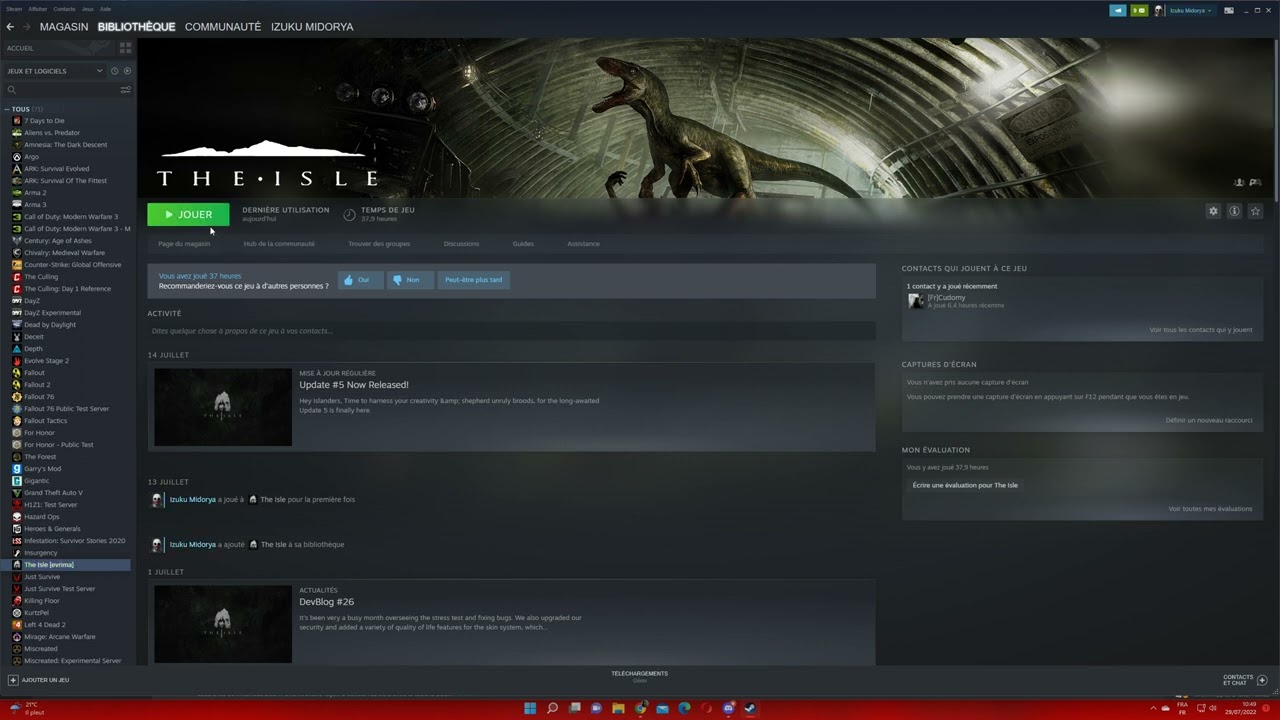
 midnight kraken
is there a way to stop the unofficial server list from freezing when i try to sort it? also, is there a way to see favourited servers only?
midnight kraken
midnight kraken
is there a way to stop the unofficial server list from freezing when i try to so...
i also can't hide empty servers
 untold shale
My dino keeps randomly biting the air, I was trying to join a group but now it looks like I was a cannibal 😦
lusty trout
What dino are you? Do you have a debuff on the right side of your character screen?
untold shale
I was a utah, and I don't think so. I logged out now but I was good health b4
lusty trout
Most likely you ate some utah, knowingly or otherwise, and have the debuff that makes you bite randomly
untold shale
oh snap that's a thing? I was eating scraps at night, so I guess I'm not sure what the food was D:
so if we eat our own species we will bite them randomaly? I gotta be carful what I eat then
lusty trout
Yeah, and become infertile, and some other debuffs that don't do anything yet
untold shale
Oh my god, i mean i guess thats kind of cool. but i might need to restart my utah then xD thank you for the help I'm going to try playing again
lusty trout
when you loose the hunger you gained from it, you loose the debuffs
so the more you ate the longer it lasts
untold shale
okay thats so interesting. luckily it was just a few bites.
 flint yacht
whenever i open the server browser and select the hide empty option it still shows all the empty servers.
 iron linden
Is there anyway to allow Easy Anti Cheat to work for Linux users?
 manic rose
Is there a bug with night vision? I'm on the most recent game version and my night vision doesn't work and I have no option for night vision in controls.
lusty trout
If 'X' doesn't work, try this;
Exit game
Press windws key + R
Type:
%localappdata%/TheIsle/Saved/Config/WindowsClient
Press enter
Delete the input.ini file (yours may be called input )
start game
manic rose
lusty trout
If 'X' doesn't work, try this;
Exit game
Press ``windws key + R``
Type:
``%l...
That did it! Thanks!
 vital shale
im playing pt, i cant pick up fish, attack, or sleep what do i do?
whever i fish i cant do anything
lapis lake
vital shale
im playing pt, i cant pick up fish, attack, or sleep what do i do?
out of curiosity, were you holding a fish in your mouth for a long time before it happened?
lapis lake
vital shale
im playing pt, i cant pick up fish, attack, or sleep what do i do?
maybe try this from the pinned messages
- If running The Isle, exit the game.
- Open File Explorer.
- Click the address bar at the top.
- Type %localappdata% then press Enter.
- Find "TheIsle" folder. Open it.
- Open the "Saved" folder.
- Delete the "Config" folder. Note: This will reset any of your custom settings to their defaults.
- Restart the game. The issue should be fixed.
vital shale
lapis lake
maybe try this from the pinned messages
1. If running The Isle, exit the game....
i did his already
vital shale
lapis lake
out of curiosity, were you holding a fish in your mouth for a long time before i...
no
lapis lake
vital shale
no
did you try some other kind of animation like swimming or wallowing?
vital shale
lapis lake
did you try some other kind of animation like swimming or wallowing?
ive tried swimming
lapis lake
swimming sometimes fixed it for me if i could not do anything
forgot what the other fixes are for keybinds
vital shale
ok so it turns out i am holding a fish, i just cant see it, and when i eat it it doesn't play the right animation
 indigo grove
iron linden
Is there anyway to allow Easy Anti Cheat to work for Linux users?
indigo grove
iron linden
Is there anyway to allow Easy Anti Cheat to work for Linux users?
I'm also waiting on Easy Anti-cheat Linux support. I don't think they're going to support it though unfortunately
 wraith canopy
@ivory juniper hacker in SA2 have infinite stamina and continue attacking when i flying
 fringe hornet
what to do?
 lapis lake
fringe hornet
what to do?
lapis lake
fringe hornet
what to do?
pins
fringe hornet
ty
 frail adder
guys my sister has been playing the isle using bootcamp on her mac, does anyone know why it wont work on mac m1 pro using parallels? legacy works fine but evirma says "unsupported host machine architechure (ARM64)" and ive tried everything i can think of but it still wont run.
 calm chasm
im playing the isle right now and i can move my camera but it automaticly wants to look up in the sky and i was playing half hour ago and it was finei log out then come back in 20 mins later and now my camera dosent worksome help would be nice
drowsy quarry
calm chasm
im playing the isle right now and i can move my camera but it automaticly wants ...

try this
 last parcel
any solution about that ugly 0x2200 issue
 ebon sable
 calm chasm
im playing the isle right now and i can move my camera but it automaticly wants to look up in the sky and i was playing half hour ago and it was finei log out then come back in 20 mins later and now my camera dosent worksome help would be nice (edited)
and ive tried deleting files and still dosent work
 rose trail
i cant even join any servers its just either saying its full when its not or its crashes
 golden quest
yo fellas is the mouse sensitivity broken or am i glitched
rose trail
im fine
for some reason i can join either servers that have barley any people in them or Europe servers
lapis lake
ebon sable
Can u try having epic games client open while playing?
 neat iris
Can someone help me with this issue i have very blurry graphics i tried everything.
 calm chasm
im playing the isle right now and i can move my camera but it automaticly wants to look up in the sky and i was playing half hour ago and it was finei log out then come back in 20 mins later and now my camera dosent worksome help would be nice
and ive tried deleting files and still dosent work
lapis lake
neat iris
Can someone help me with this issue i have very blurry graphics i tried everythi...
hard to tell it looks fine in the screenshot lol
 lapis lake
pretty much yeah o.o
neat iris
?????????????
lapis lake
i only see like minimal tiny tiny barely noticeable blur o n the top palm trees lol
neat iris
dont you see how bad it looks
lapis lake
oh if i open it in browser its bit more blurry
neat iris
but overall it just looks bad
lapis lake
what are your settings on? epic?
north quartz
What about ur resolution? Sometimes it’ll change
Check nividia control panel or windows settings, or try optimization
neat iris
north quartz
Check nividia control panel or windows settings, or try optimization
what do you mean by that
 hollow violet
neat iris
Can someone help me with this issue i have very blurry graphics i tried everythi...
hollow violet
neat iris
Can someone help me with this issue i have very blurry graphics i tried everythi...
Did you turn down your resolution scale in the menu or the resolution from 1920?
 sturdy scaffold
I have no option in setting for night vision, and I can't see anything. It's so dark I can't even tell when I'm walking or not, or when I'm walking into water.
lapis lake
sturdy scaffold
I have no option in setting for night vision, and I can't see anything. It's so ...
- If running The Isle, exit the game.
- Open File Explorer.
- Click the address bar at the top.
- Type %localappdata% then press Enter.
- Find "TheIsle" folder. Open it.
- Open the "Saved" folder.
- Delete the "Config" folder. Note: This will reset any of your custom settings to their defaults.
- Restart the game. The issue should be fixed.
north quartz
neat iris
what do you mean by that
Right click on your taskbar or screen and nividia control panel should be at the top
 mystic sundial
is any admin available for NA7? My sister is stuck (username is 011)
Nvm she got out!
neat iris
hollow violet
Did you turn down your resolution scale in the menu or the resolution from 1920?
no
All was alright but then i deleted the config folder and my graphics was like that
and i tried everthing to fix it but nothing helps
lapis lake
so it reset your graphic settings?
rigid nexus
neat iris
and i tried everthing to fix it but nothing helps
Can you maybe send a screenshot of your settings ? o:
rigid nexus
@thin oracle What were you trying to do ?
Which step I mean
 rigid nexus
hm, did you verify your game files ?
rigid nexus
try this!

 thin oracle
ooh ok
Now it's verifying
it verified now i think
"26 files failed to validate and will recquired." I think that I messed up something
rigid nexus
thin oracle
"26 files failed to validate and will recquired." I think that I messed up somet...
aw no! that's good 😊
thin oracle
Oh
rigid nexus
It should have downloaded the failed files, and now try starting the game
thin oracle
But it's saying the same thing when I try to start it 🤐
it's saying that Eac isnt installed??
rigid nexus
hm okay, then that didn't work ): weird.
Did you try just starting it over EAC ?
Do you know how to get to this folder ?
 rigid nexus
Even if you go like this ?

 rigid nexus
okay, so you tried the first fix, did you try this ?
- Right Click The Isle [Evrima] in steam.
- Properties
- Local Files
- Browse
- Open EasyAntiCheat Folder
- Double click EasyAntiChaet_EOS_Setup. Most likely nothing will happen.
- Return to Properties / Local Files
- Verify integrity of the game files.
thin oracle
I went to the pinned message u showed me, the one made by Krow, It said to "Delete EasyAntiCheat folder.
Then Verify intergrity of game files." So i delted eac and now I cant verify
rigid nexus
thin oracle
I went to the pinned message u showed me, the one made by Krow, It said to "Dele...
Why can't you verify ? o: can you send a picture or describe it ?
thin oracle
When it verifies nothing happens
it just like- it does nothing
is there any way to dowland eac again from google or somewhere?
rigid nexus
thin oracle
is there any way to dowland eac again from google or somewhere?
not that I know, no
thin oracle
Wait now it says "all 564 files succesfully valitated"
thin oracle
thin oracle
Wait now it says "all 564 files succesfully valitated"
i treid to verify again and i think it worked now
rigid nexus
then try starting your game!
thin oracle
"Launch error, eac is not installed"
I dont know where to install eac.. it's not installed in my pc because the pinned message said to delete it and i delted it, its not even in my trashbin
rigid nexus
weird, okay, before we try the next step just go through the first one step by step again:
just delete this folder and press verify game files again
 rigid nexus
just try again, to be sure 😊 after that we can try something else
 rigid nexus
thin oracle
these are the folders i can find
rigid nexus
thin oracle
these are the folders i can find
Delete the bottom one!
thin oracle
Ok
rigid nexus
the one that says "EasyAntiCheat" = EAC
thin oracle
i delted it

 thin oracle
I have probably been so stressed that the game wouldnt work so i havent seen it
rigid nexus
aw it's okay, don't worry 😊
thin oracle
now its verifying again
rigid nexus
After it did, a few files will be re-downloaded, then try starting the game again!
if that still didn'T work we'll try the next fix
rigid nexus
Okay, then let's try the next fix, do this:
- Right Click The Isle [Evrima] in steam.
- Properties
- Local Files
- Browse
- Open EasyAntiCheat Folder
- Double click EasyAntiChaet_EOS_Setup. Most likely nothing will happen.
- Return to Properties / Local Files
- Verify integrity of the game files.
Go again to this folder, but this time open it!
 thin oracle
Okay i will try
rigid nexus
Then double click this file, nothing will probably happen!

and then go back to verifying your game files
rigid nexus
hm, that's weird ): You could try manually uninstalling the whole game, and installing it new then
A re/un-install from hand can sometimes help with certain issues were a normal uninstall over steam doesn't work.
Some files "survive" if you uninstall a game over steam, therefore this might help.
For a complete uninstall do these 2 steps:
1.) Deleting your Steam game files:
- Right Click The Isle in your steam library
- Select Properties -> Local Files -> Browse Local Files
- Delete everything inside of The Isle’s folder.
2.) Deleting your Local game files
- Press "Windows key" (or "Windows key" + "R" if that doesn't work)
- Type in "%localappdata% and click 'Ok'.
- Search for TheIsle folder.
- Delete the TheIsle folder once you've found it.
Now you can re-install the game over Steam, like normal.
thin oracle
If i un install the game do i need to buy it again??
rigid nexus
You won't need to buy it again, no! You can just install it again over steam
thin oracle
Ok
It says "Are you sure you want to permanently delete these 11 items?"
Theres 11 the isles, one is the actual game and others are back ups
rigid nexus
It should be these files. What do you mean with back-ups ? o:

 thin oracle
 rigid nexus
thin oracle
rigid nexus
thin oracle
Click the folder at the top, there should be the "Saved" folder inside, delete that one
thin oracle
Okay
thin oracle
rigid nexus
It should be these files. What do you mean with back-ups ? o:
Okay i deleted those
rigid nexus
Then go to steam and download the game again!
jsut remember that after you've downloaded it you have to switch to the beta again
rigid nexus
okay! I hope it works after that ):
thin oracle
Same
 verbal kelp
Hi, is it possible that in the new update a Juvenile Deino Cannot catch any type of fish? I tried a few times but wasn't able to catch anything. No press E to eat stuff popping up and no fish/meat in mouth. I was able to damage stuff but that was about it.
rigid nexus
verbal kelp
Hi, is it possible that in the new update a Juvenile Deino Cannot catch any type...
I haven't heard of a bug like that at least ): I'm not sure
thin oracle
@rigid nexus can u please teach me how to send screenshots?🥺
rigid nexus
thin oracle
<@478213198458257409> can u please teach me how to send screenshots?🥺
aw sure! Do you mean in-game or just in generel ? o:
thin oracle
In game
rigid nexus
thin oracle
In game
You know that you can take a screenshot with F12 in-game ? o:
All you need to do then is go to your steam screenshot folder and you can send it!
thin oracle
To send it to discord?
rigid nexus
Do you know how to get to the screenshot folder ?
rigid nexus
hm, if you take a screenshot with F12, then steam will save it to a specific folder 😊
If you've taken a screenshot, you can go to "The Isle" on steam, and if you scroll down a bit you should see this "Screenshot" menu at the side.

You can go to manage then and find the folder

 untold ice
Hey there, a Friend of mine is having some issues with the Map since the Skin Update came .. like there are Parts of the Map not loading properly, he's switching into some kind of weird falling animation when entering the Parts which aren't loaded in .. does anyone know how to fix this ? Does integrity your Gamefiles help with that ?
thin oracle
rigid nexus
You can go to manage then and find the folder
Ok
rigid nexus
It looks like this. And you can just take the screenshots and "drag and drop" them over to discord
 thin oracle
Oh hmmm
rigid nexus
*discord, I meant discord
rigid nexus
untold ice
Hey there, a Friend of mine is having some issues with the Map since the Skin Up...
I never heard of that, sorry >.<
thin oracle
Thank you☺️
rigid nexus
thin oracle
Oh hmmm
Maybe try taking a few Screenshots over F12 in-game and see if you can make it work!
else feel free to ask again 😊
rigid nexus
 main ridge
can i get some help, im stuck at EU 1
main ridge
can i get some help, im stuck at EU 1
Try going to the correct server channel (so #evrima-eu , #evrima-na ...) and ping the "Official server admin" role.
Also tell them your in-game name + your specific server (so EU1 for you).
If you don't get an answer in a few min or if your dino is low on water/food, it might be the best to log out for now and wait for a respons
main ridge
rigid nexus
Try going to the correct server channel (so <#855544149407039520> , <#543084446...
thx
 nimble sundial
what file do you need to delete to use nv
rigid nexus
nimble sundial
what file do you need to delete to use nv
try this:
- If running The Isle, exit the game.
- Press the windows key (or press "Windows key" + "R")
- Type %localappdata% then press Enter. (make sure you're really in Appdata -> local, and not in Appdata -> Roaming!)
- Find "TheIsle" folder. Open it.
- Open the "Saved" folder.
- Delete the "Config" folder. Note: This will reset any of your custom settings to their defaults.
- Restart the game. The issue should be fixed.
nimble sundial
less confusing please
nimble sundial
no
rigid nexus
Try pressing "Windows key" + "R", you should get a window like this

Type in %localappdata%
nimble sundial
rigid nexus
Try pressing "Windows key" + "R", you should get a window like this
localappdate does not exist
rigid nexus
it's not "date" but "data"
try copying exactly this "%localappdata%"
nimble sundial
done ty
rigid nexus
Did you find the config folder ?
rigid nexus
awesome! it should work now 😊
thin oracle
Okay, the game installed now. I tried to start it but it said that eac is not installed again
rigid nexus
hm ): that's weird, normally one of the fixes should have worked.
I'm not sure what else you can try >.< maybe if you have one, try installing another game that has EAC ?
thin oracle
Okay
 humble lion
so i cant start up my game is there anyone that knows a fix to this? because when i click start game it just loads super long and i never get into the game
i tried reinstalling the isle and restarting steam
thick coyote
Same Jolle, I am facing this problem too, I don't think there is a current solution to this problem
to*
 dark sage
I have the anti cheat not installed error, but I already tried what was in the pinned troubleshooting channel. It's still a problem and the game does not launch.
thin oracle
dark sage
I have the anti cheat not installed error, but I already tried what was in the p...
I have the exact same problem
thin oracle
dark sage
I have the anti cheat not installed error, but I already tried what was in the p...
Is it only if you try to launch beta?
dark sage
thin oracle
Is it only if you try to launch beta?
Yes, because for some reason my game switched back from beta to normal and the official server there kicked me out so I switched back to beta.
thin oracle
dark sage
Yes, because for some reason my game switched back from beta to normal and the o...
When I try to launch my beta it says eac is not installed, Guess its just no beta for us 😶
dark sage
thin oracle
When I try to launch my beta it says eac is not installed, Guess its just no bet...
Which is weird for me cause appearantly black desert online also uses eac and I have that installed as well.
thin oracle
dark sage
Which is weird for me cause appearantly black desert online also uses eac and I ...
I have fall guys dowlanded which uses eac too and it works, why wont beta work then? I think it's just a bug with the game
dark sage
Aye, we just have to waint and pray for a fix I guess
thin oracle
Yeah, I really want to play beta but i dowlanded the game two days ago and have no idea how things work
thin oracle
To get night vision press N
rigid nexus
Try this:
- If running The Isle, exit the game.
- Press the windows key (or press "Windows key" + "R")
- Type %localappdata% then press Enter. (make sure you're really in Appdata -> local, and not in Appdata -> Roaming!)
- Find "TheIsle" folder. Open it.
- Open the "Saved" folder.
- Delete the "Config" folder. Note: This will reset any of your custom settings to their defaults.
- Restart the game. The issue should be fixed.
main ridge
thats not the folder youre supposed to open, follow the instruction step by step
humble lion
thick coyote
Same Jolle, I am facing this problem too, I don't think there is a current solut...
its working for me now
i didint even do anything
i think it fixed itself
main ridge
no, thats the main game, youre supposed to open the appdata folder, which contains settings and such... just follow the instructions Rabbithorn sent you
 frozen shard
Hey. Got a question. Just got back to Evrima after a long time hiatus, felt like giving my favorite deino another go. But for some reason, now I can't eat small fish as a deino, regardless of maturity. I go into the schools and chomp away, but after like 15 minutes, no fish ends up in my mouth. Is this a bug or has it been adjusted like that for some reason?
 patent coral
what can i do if im stuck flaoting in air
rigid nexus
frozen shard
Hey. Got a question. Just got back to Evrima after a long time hiatus, felt like...
hmm, I'm not 100% sure since I very rarely play Deino >.< but I think you can't eat them anymore ):
That might be because they're mainly what Ptera fish for ? but that's really just a guess
frozen shard
rigid nexus
hmm, I'm not 100% sure since I very rarely play Deino >.< but I think you can't ...
Ah I see. I suppose that makes sense. Thanks.
rigid nexus
Actually
rigid nexus
patent coral
what can i do if im stuck flaoting in air
I think you're stuck because restart just happend
frozen shard
Yesh i was on EU 2 just now and got kicked as well.
rigid nexus
You'll probably be kicked in a moment, yeah
The official server restarts are at (the times are ajusted to your local time):
<t:1660435920:t> , <t:1660457520:t> , <t:1660479120:t> and <t:1660500720:t>
but I would recommand safe logging 5-10 min before that though if you can, better safe then sorry.
frozen shard
Yup, 14.15 here so that tracks.
rigid nexus
It's usually good to try safe-logging 10 mins or so earlier ):
There are no (automatic) announcements in-game right now >.< so you'll sadly have to remember those times ):
 unborn sundial
rigid nexus
** **
The official server restarts are at (the times are ajusted to your local t...
unborn sundial
rigid nexus
** **
The official server restarts are at (the times are ajusted to your local t...
Can you please teach me how to display converted local times like that in Discord? You can DM me maybe so we don't bury people's troubleshooting questions
I would very much appreciate it
rigid nexus
unborn sundial
Can you please teach me how to display converted local times like that in Discor...
sure!
thin oracle
I re installed the isle and beta still wont work. I think that I wont be able to play beta
If it's a bug can It be fixed because I really want to play beta
my dieno got stuck when the restart happend and now im fully stuck in a hole
rigid nexus
thin oracle
my dieno got stuck when the restart happend and now im fully stuck in a hole
Try going to the correct server channel (so #evrima-eu , #evrima-na ...) and ping the "Official server admin" role.
Also tell them your in-game name + your specific server.
If you don't get an answer in a few min or if your dino is low on water/food, it might be the best to log out for now and wait for a respons.
rigid nexus
thin oracle
yea im logged off rn
might be better, yeah ): I don't see any online at the moment
Try pinging them now, and maybe later today again
thin oracle
i kept loosing data when random restarts happen to
rigid nexus
There's not much you can do if the server crashes sadly ): just mind the Official server restart times and log out in time
rigid nexus
thin oracle
or do i ping and write
You did it right! 😊
thin oracle
great
first time happening to me
was trying to go down because a waterfall was in the way
then crash then spawned back then a hole
rigid nexus
weird ): I hope someone can get to you soon!
thin oracle
yea same
there is a time period when u log in screen is black
so i must have moved without seeing land
I tried to re install, verify and watched some yt videos how to get ur beta isle to work but it still wont work :(( Idk if it's a bug or does beta not just work for me??
rigid nexus
I'm not sure, sorry ):
primal fog
How do i download anti cheat? just had a pc full restart and i cant join the isle, it says " Anti cheat not downloaded "
drowsy quarry
primal fog
How do i download anti cheat? just had a pc full restart and i cant join the isl...
check pinned messages for the fix
primal fog
checked, did it, still dont works somehow.
rigid nexus
It's weird, a few people seem to have that problem now >.< it used to be fixeable over the pinned meesage
primal fog
ill try to verify again, gotta pray for my full grown stego 0 - 0
drowsy quarry
all the 3 types of fix didn't work?
primal fog
i just verified again, still no
rigid nexus
drowsy quarry
all the 3 types of fix didn't work?
I went through them step by step with someone earlier, and none worked ):
drowsy quarry
sigh
rigid nexus
yeah >.<
primal fog
are there any other ways?
drowsy quarry
FOR ANYONE HAVING EAC ISSUES
New potential fix
- right click “The Isle” in your steam library
- go to “Manage”
- go to “Browse local files”
- Click “Install Anti-Cheat”
- Launch game through EAC
Thanks to Piplup#3435 and sleepycat#5128 for helping discover this
this one too?
rigid nexus
Nothing I can think of right now, sorry >.<
rigid nexus
drowsy quarry
FOR ANYONE HAVING EAC ISSUES
**New potential fix**
- right click “The Isle” in...
that's basically step 3 ):
But it's worth a try again!
rigid nexus
huh
primal fog
yeah
rigid nexus
but that's what step 3 says too o:
primal fog
hope my stego is here tho
drowsy quarry
huh.
rigid nexus
primal fog
hope my stego is here tho
They're saved on the server, as long as you didn't die it should still be there
primal fog
oh ok, i just grew it for so long that it would be sad if it died
rose trail
why is it when ever i crash in a server i can no longer join that server
 lyric rock
Hey So ive had this issue for the past couple updates. After I update my game instantly my steam says that this game and this game only, app configuration unable, and after ever fix possible no matter what I try, when i reopen steam it continues to have app configuration issues. Any fixes?
 main olive
hey i don't know if this is normal

 smoky compass
Hi !
Any dev can comment on the isle evrima support for steam deck please ?
rigid nexus
smoky compass
Hi !
Any dev can comment on the isle evrima support for steam deck please ?
Punch is in #isle-discussion right now, you could try your luck asking.
But I wouldn't have high hopes I think >.<
 formal jungle
anyone know why my pattern B doesnt load in the skin editor screen? its all wonky and its textures look like POT textures 😦
drowsy quarry
formal jungle
anyone know why my pattern B doesnt load in the skin editor screen? its all wonk...
did you tried going back and then clicking skins again
 distant forge
Anyone else get like 1-5fps frame drops consistently like every couple minutes?
just randomly started happening to me
lusty trout
will be a rag doolling corpse most likely. Compies are the worst for it if they get kicked, charged, etc
relogging usually fixes it, as the rag doll is actually client side. Reloging should make it a normal, still corpse on your end.
distant forge
Nah its been happening for the last couple days multiple restarts etc
 terse hill
hello i need help
after deleting the config folder, I got a resolution of 1990 for something there and I can’t change it because my old monitor does not support this resolution
Is it possible to change the resolution without going into the game?
winter python
terse hill
after deleting the config folder, I got a resolution of 1990 for something there...
Try pressing f11, it should put the game into windowed mode and may allow you to interact with the menus again
terse hill
f11 not working
winter python
Right click the game in Steam, and type -windowed into the Launch Options box, I think that could help as well
winter python
terse hill
thank youuuu!!!!!!!!
Glad it worked! You'll probably have to remove the launch argument once you've fixed the resolution, otherwise it'll always launch in windowed mode
urban leaf
Still no fix.
 urban leaf
main olive
hey i don't know if this is normal
urban leaf
main olive
hey i don't know if this is normal
I think I have the same issue.
 frozen current
the isle keeps freezing when i try to join a server does anybody know how to help?
 kindred saddle
I keep getting kicked out for violating security? but I've done nothing? what to do?
thin oracle
I have tried to delete my config files to fix the nightvision not working, but that didnt work and i still have no night vision, is there anything i can do?
^i deleted the folder again and it worked
drowsy quarry
glad so XD
thin oracle
i need an admin
for evrima
fix your game
someone help
na 5
at the log
my friend is stuck
drowsy quarry
thin oracle
my friend is stuck
read pinned message at #evrima-na
 wraith bluff
how do you get night vison to work
drowsy quarry
wraith bluff
how do you get night vison to work
#announcements last message is refering to the fix
wraith bluff
ok
lapis lake
frozen current
the isle keeps freezing when i try to join a server does anybody know how to hel...
whole client freezes? or infinite loading screen when you click a server?
 covert cipher
How do you fix nigh vision and courting now working?
frozen current
lapis lake
whole client freezes? or infinite loading screen when you click a server?
most of the time when i click a server, sometimes in the loading screen
 sleek compass
I keep trying to play the isle but the screen is just black with the warning at the top right corner, i can still click play and the settings even though it is invisable. Though, no servers will load what so ever.
 lapis lake
sleek compass
I keep trying to play the isle but the screen is just black with the warning at ...
lapis lake
sleek compass
I keep trying to play the isle but the screen is just black with the warning at ...
does your windows or graphics card need updating?
frozen current
lapis lake
does your windows or graphics card need updating?
nope
covert cipher
covert cipher
How do you fix nigh vision and courting now working?
help pls :(
sleek compass
lapis lake
does your windows or graphics card need updating?
no, just before this happened i was playing the game just fine
lapis lake
covert cipher
help pls :(
try these steps
- If running The Isle, exit the game.
- Open File Explorer.
- Click the address bar at the top.
- Type %localappdata% then press Enter.
- Find "TheIsle" folder. Open it.
- Open the "Saved" folder.
- Delete the "Config" folder. Note: This will reset any of your custom settings to their defaults.
- Restart the game. The issue should be fixed.
lapis lake
sleek compass
no, just before this happened i was playing the game just fine
well check just incase some updates came out lol
 thorn basin
Will evrima be playable on Geforce at some point?
lusty trout
thorn basin
Will evrima be playable on Geforce at some point?
already is
lusty trout
never tried, but try this#🔧-evrima-troubleshooting-🔧 message
 alpine spire
I love the game and play ptera but it's so horrible when the server crash to found your ptera died on floor at the moment of the respawn. (Sorry my english is not realy good). For other dino it's ok because there are on the floor but my ptera died everytime when the server crash or when it reboot '(
drowsy quarry
alpine spire
I love the game and play ptera but it's so horrible when the server crash to fou...
if its because of restarts, you need to keep track of it, a lot of people warn others on this discord, including me. If its for random crashes, i suggest you try playing on window instead of fullscreen
thorn basin
lusty trout
never tried, but try thishttps://discord.com/channels/401464048610312193/7232607...
No longer works :,c
lusty trout
😦
 bronze mortar
anyone know a fix? First time starting up for my friend.
 drowsy quarry
try the normal fixes like restart steam, verifying files
drowsy quarry
🤔 maybe theres something about it on pinned messages?
lapis lake
bronze mortar
anyone know a fix? First time starting up for my friend.
does she have any graphics card/ windows updates that needs doing?
bronze mortar
lapis lake
does she have any graphics card/ windows updates that needs doing?
She might have
She wanna know how to check if her drivers are up to date-
formal jungle
distant forge
Anyone else get like 1-5fps frame drops consistently like every couple minutes?
i do, its pretty annoying
 compact crater
quick question but there has been this thing where the trees leaves from a distance will flicker and sometimes the grass is there a way to get rid of it (evrima) i think it has somthing to do with render distance but i have mine at 65 so i am starting to thing otherwise anyone know?
lapis lake
compact crater
quick question but there has been this thing where the trees leaves from a dista...
might be why if its not at 100 render
compact crater
alr ty
bronze mortar
bronze mortar
She wanna know how to check if her drivers are up to date-
Looking for a reply if anybody has an answer to it :>
lapis lake
bronze mortar
Looking for a reply if anybody has an answer to it :>
what graphics card does she have? or do you mean all drivers
bronze mortar
lapis lake
what graphics card does she have? or do you mean all drivers
Currently found out, will let you know if it doesn't work after she updates em, thanks for helping
lapis lake
maybe they want realism but it is a bit annoying lol
winter python
thin oracle
TELL ME
Please only use this channel for seeking technical help with the game
 hot kelp
na4 croc stuck plz send help [ss] kilua ☻
winter python
hot kelp
na4 croc stuck plz send help [ss] kilua ☻
Please ping the official server admin role in #evrima-na with this information, and good luck!
 slate mulch
Does anyone use GeForce now for Evrima? My friend can't launch the game in Evrima
drowsy quarry
gf doesnt support it anymore
formal jungle
um.. ping on NA 7 XD got to 700
 loud coyote
if anyone think they can help me please mssg me really want to play beta
i use a NVIDIA GeForce GTX 1070
drowsy quarry
loud coyote
if anyone think they can help me please mssg me really want to play beta
what's the issue?
 primal ocean
i use geforce now and its annoying that i cant play evrima with my friends rn
mad at geforce
loud coyote
i keep click play like i normally world with isle but when i tried it on beta the anti cheat says anit cheat not installed

@drowsy quarry
drowsy quarry
loud coyote
i keep click play like i normally world with isle but when i tried it on beta th...
read pinned messages to try fixing it
loud coyote
any names i should look at specficlly?