#linux
1 messages · Page 1 of 1 (latest)
 potent ledge
 gentle sigil
🐧
 molten tartan
🐧
 novel dagger
🐧
 south canyon
sudo makemeasandwich
 worldly wind

 winged radish
🐧
 hexed finch
I'd post a linux forkbomb but last time I did that in this channel I got kicked for it xD
 wind hawk
🐧

 wild gull
https://tenor.com/view/parrot-party-gif-22113017 in refrence to parrot os 🙂

 marsh tusk
🐧
 little cloud
🐧
 sage pollen
🐧
 tall grotto
🐧
 sick cove
🐧
 dire mesa
🐧

 meager basin
I've been experimenting with enabling 2FA for login on a headless linux server (local server with noting on it, just for science).
Was a bit fiddly, but got it running quickly for local login. Then for SSH login it was a bit annoying to get working.
It works now, but with a strange side effect.
I connect through SSH. Enter the passphrase for the SSH key. Then I get a user PWD prompt and then finally the 2FA prompt.
I would have expected SSH passphrase (duh) and then only the 2FA.
My suspicion is that this [the additional user PWD prompt] is automatically added by enabling "keyboard-interactive" in the sshd_config.
This setting is needed to get the 2FA prompt to begin with though.
OK, it's more secure like this I guess...but this is like a 4FA by now.
Anyone done this; can you keep the keyboard-interactive without the user PWD prompt?
 rapid finch
Is your password authentication set to no?
meager basin
Correct, it is set to no.
AuthenticationMethods publickey,keyboard-interactive:pam
PubkeyAuthentication yes
PasswordAuthentication no
PermitEmptyPasswords no
KbdInteractiveAuthentication yes
 remote dirge

 wind fiber
remote dirge
https://tenor.com/view/linux-users-linux-gamers-linux-gaming-kali-linux-arch-lin...
wind fiber
remote dirge
https://tenor.com/view/linux-users-linux-gamers-linux-gaming-kali-linux-arch-lin...
htop ❤️
 chilly moon
@lament hinge @tough trellis @hoary hinge @sour horizon
btw you should allow mentioning the @moderator role 😛
 hoary hinge
Please don’t ping multiple moderators - use modmail to contact us for things like the above
But thank you for letting us know regardless
chilly moon
hoary hinge
Please don’t ping multiple moderators - use modmail to contact us for things li...
modmail ?
oh ok
hoary hinge
A ticket bot yep - dm the bot and it’ll make a ticket for you which moderators developers can reply to
chilly moon
sorry i didn't know about that, when i joined (a long time ago) it wasn't a thing
 gilded quest
remote dirge
https://tenor.com/view/linux-users-linux-gamers-linux-gaming-kali-linux-arch-lin...
gilded quest
remote dirge
https://tenor.com/view/linux-users-linux-gamers-linux-gaming-kali-linux-arch-lin...
still wondering over why he needs to have aircrack open to install a game 🙃
meager basin
OMG I found it!!! (see #linux message)
Not going into too much detail here, but to enable 2FA, I added the line auth required pam_google_authenticator.so to /etc/pam.d/common-session. FYI, I made the mistake initially of adding it to /etc/pam.d/sshd as well, which essentially locked me out of SSH because the double prompt didn't work properly (one from the common and one triggered by sshd config).
What I didn't do was to comment the line @include common-auth in the /etc/pam.d/sshd file. I mistakenly commented another very similar looking line at the end of that file but that didn't do anything.
So after disabling/commenting this line, it no longer asks me for the regular PWD at login.
In the process, I discovered another config file /etc/ssh/sshd_config.d/50-cloud-init.conf which also had an overwrite for PasswordAuthentication yes and I switched that to no as well, just to be sure.
 torn sonnet
hey everyone! I logged back into Valheim after months, and my Audio is completely gone. Debian Testing (was bookworm, I just did a full upgrade). Running with proton compatibility tool == Audio works fine, but then crackles when moving the mouse. Back to native linux binary (no compatibility tool) and the sound is gone again
anyone had that issue recently and knows what was broken in what patch?
 lapis aurora
maybe mention your distro & version
torn sonnet
kinda did 🙂
anyways I think I just figured out what causes the issue, even though not sure why
it appears to be not valheim's fault, but a changed setting in the firejail I use for steam
I noticed when the alpha of Valheim was also affected / no sound
launching the alpha without a jail and sound works fine
torn sonnet
well - even if it is firejail related, there's definitely something fishy with Valheim - all other steam games run with audio just fine, it's only Valheim that has no Audio
lapis aurora
Right. I'm sure it's Valheim's fault and not your Linux OS acting up. You should put the issue in #steam-bugs-discussion channel as it obviously doesn't belong here anymore. 🙂
torn sonnet
not sure if sarcasm or not, but indeed, if I go into the beta selection in steam & select the "last stable build before mistlands" it actually works, sound and all
so, issue resolved: unity bug, have to launch Valheim and then change the audio output device in the linux audio mixer of choice
 stoic flare
torn sonnet
so, issue resolved: unity bug, have to launch Valheim and then change the audio ...
stoic flare
torn sonnet
so, issue resolved: unity bug, have to launch Valheim and then change the audio ...
Despite it not directly relating to a Linux issue. I'm glad you posted that here. o7
 blazing olive
Has anoyone been able to get their linux server working since mistland updates?
torn sonnet
stoic flare
Despite it not directly relating to a Linux issue. I'm glad you posted that here...
I hate it when people find resolutions but don't follow up on their original problem post, hence my coming back to post the resolution here 🙂
even worse "never mind, solved it!"
 hoary nexus
torn sonnet
so, issue resolved: unity bug, have to launch Valheim and then change the audio ...
hoary nexus
torn sonnet
so, issue resolved: unity bug, have to launch Valheim and then change the audio ...
Hi, i had this issue solved by switching to Proton experimental.
torn sonnet
hoary nexus
Hi, i had this issue solved by switching to Proton experimental.
creates a different problem for me: audio crackling like hell. Also, I don't want windows executable dirt on my drive if there's native linux
hexed finch
QWDqweqWEqweQWEqweqweQWE
molten tartan
torn sonnet
so, issue resolved: unity bug, have to launch Valheim and then change the audio ...
This is, by the way, a known bug in Unity on Linux: https://issuetracker.unity3d.com/issues/linux-no-audio-output-when-playing-audio
Reproduction steps: 1. Create a new project 2. Move the “TestBugNoAudio” file to the Assets directory 3. In the Project window, sele...
 glad flame
I never had issues with apps selecting the wrong output device before pulse, but maybe i'm just old 😄
 quaint horizon
blazing olive
Has anoyone been able to get their linux server working since mistland updates?
quaint horizon
blazing olive
Has anoyone been able to get their linux server working since mistland updates?
Has there been some problems since the Mistland updates?
But to answer the question, yes.
 devout edge
I've never had any problems at all with my Linux servers since the game came out. But I'm running Mint Mate on mine while most Linux servers probably run on Ubuntu.
 paper pumice
is 5,4 GiB system ram usage normal or rather high? I think on windows valheim was using less memory? I just tested running valheim (singleplayer) on linux. Raytracing works fine I think using vulkan
 quaint horizon
How did you check the RAM usage? If that's just for Valheim process then it is quite high. If it's the total RAM usage then it totally depends on what other programs and which DE you are running. On my computer Valheim uses around 2GiB of RAM (just a single player game, no server).
 shell night
hi can someone help with setting up vhserver on headless linux, im following this post https://www.reddit.com/r/valheim/comments/16rwz7x/install_bepinex_on_dedicated_ubuntu_server_with/ but the step Edit lgsm-valheim-file sudo nano /home/vhserver/lgsm/config-lgsm/vhserver/vhserver-3.cfgand add executable="./start_server_bepinex.sh" cause ./vhserver-2 start
[ FAIL ] Starting vhserver-2: Unable to start LinuxGSM
 azure swallow
Experiencing an issue where after a varying amount of time all players are kicked from the server and left unable to reconnect. When this occurs entries stop in journalctl making it a headache to try to diagnose.
netstat -plunt and systemctl show normal
azure swallow
no entries when the disconnect occurred, I stopped the service to update the connection logs
https://gyazo.com/e9d4a5c8ea78544bd8ae772123c4a29b
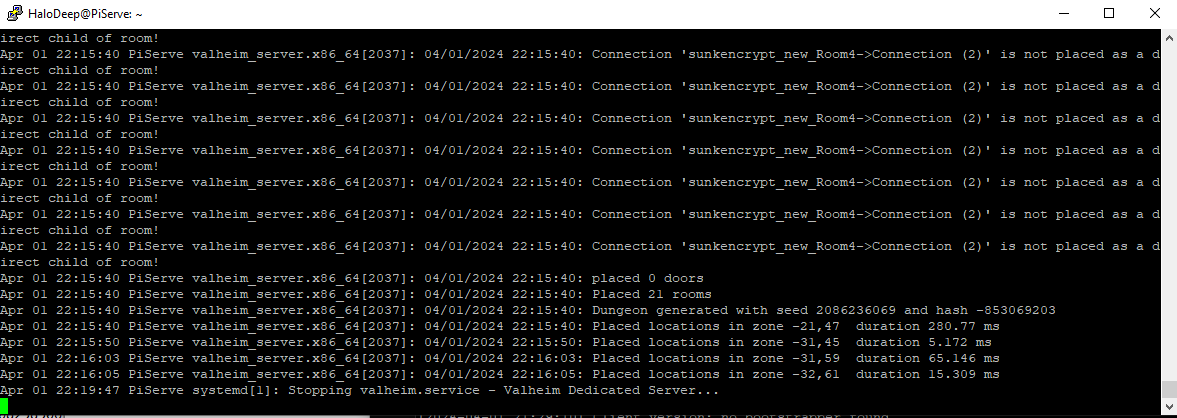
happened around 22:17
pastbin of cat connection_log_2456 https://pastebin.com/YP33txSx
Pastebin
Pastebin.com is the number one paste tool since 2002. Pastebin is a website where you can store text online for a set period of time.
I have files called something like "mono_crash.mem..." Im not famliar with .blob format.
quaint horizon
The Valheim server does not (usually!) log into journal anyways, that's why you will not find issues about the server there. We need more information about your setup; i.e.
- how much RAM do you have (and how many players!)
- is this in a container?
- which distribution is this?
- How did you install and setup up the server?
It seems like in your case it actually does log into journal which makes your setup a bit special.
Take a look at the actual server log. Is there any information there?
In eyes of systemd it just seems like the server has stopped (and hence, obviously it will stop loggin since there is nothing more to log). This means, it has either been stopped by the user (which is obviously not the case here since you haven't done it), or the server has chosen to exit for some reason, or crashed, or you are out of RAM. But there could be other reasons. A crash should trigger coredumpd on most modern distirbutions, and if it is a case of OOM, there should be clear messges about that, too. So all this is a bit peculiar.
devout edge
azure swallow
pastbin of cat connection_log_2456 https://pastebin.com/YP33txSx
How much RAM does the Raspberry Pi have?
quaint horizon
I've seen the discussion on #dedicated-server , and it indeed seems like the server is crashing. So it is not at all a connection problem per se (which we can already see from "Stpping valheim.server" -line). Things like you are using LGSM and the plaform (specs, distro, RAM etc.) would be nice told upfront.
I agree on the conclusions made in the discussion on #dedicated-server . What I would do is monitor the RAM usage when the crash happens (there are many ways, a few quick-and-dirty - but certainly functional - ways are here: https://stackoverflow.com/questions/1868210/how-to-log-the-memory-consumption-on-linux ). Running out of RAM should be easy to diagnose or rule out.
Then try to find out other people who are using a Rasberry Pi to run a dedicated server (a community if it exists?). That is certainly a bit of a special setup, and I would not specifically recommend to run on a RasbPi or get one just for Valheim. It is just a nice hacking project to do if you have one lying around, but expect problems. If it works, take it as a bonus, not an expectation.
devout edge
Also, if you haven't already seen this article, check it out and especially one or two of the comments at the bottom of the article which sound like they may have the same problem you're describing. https://pimylifeup.com/raspberry-pi-valheim-server/
azure swallow
8gb
azure swallow
That's the tut I followed, support responded to my submission. I've provided them my specs, process, configs, and the link to that tutorial
I'll check the comments you mention
I'll pass along the github, looks like it was created to adress the issue early Jan
azure swallow
Okay after testing, the server failed to run overnight. So im still troubleshooting
Bug tracker update it to "planned to be fixed" so I might just be SOL for the time since its been escalated to the powers that be.
That said it seems to work for some especially on the pi4
turned over everything I could and gonna go have my cry in the corner.
azure swallow
Ticket is being wrapped up, theyve concluded its in Box64s hands. I have managed to make the recommended changes that work on pi4 help the pi5 and im about to hit 24 hours uptime.
The support person mentioned disabling backups as a way to reduce memory use, and not using custom save path. Lastly he noted with the above it is possible to crash if the server is sent 1,024+ error messages.
So do the above to reduce error messages and it should mitigate the chances of memory errors happening.
Id say one restart per day is acceptable since the server is in my bedroom.
Im at peace with the situation
 spare cloud
Im using rpi4 with 4 backups, 4gb, custom save path, custom log path the whole nine. Thing works great runs smooth, hosts up to 3 players with minimal latency and occasional hiccup of lag.
The root of the issue was most definitely a unity engine/box64 issue and definitely not RAM related. It has been running extremely well ever since the latest patch!!
Also I use the rolled back v0.2.6 box64. Not the latest.
Also you gotta fiddle with the STRONGMEM and BIGBLOCK settings of box64, the default causes issues
 hazy minnow
devout edge
How much RAM does the Raspberry Pi have?
hazy minnow
devout edge
How much RAM does the Raspberry Pi have?
The ARM<->x86-64 translations required to do this make the RPi not a great option for servering
 hexed plaza
If anyone else using the lloesche container runs into an issue with bepinex not updating, the solution is here: https://github.com/lloesche/valheim-server-docker/issues/665
GitHub
When setting BEPINEX=true server startup fails supervisord: valheim-updater DEBUG - [38] - BepInEx is enabled - running updater supervisord: valheim-updater curl: (22) The requested URL returned er...
Just came across this while updating my servers. Haven't played since mid-january. Getting things ready for the ashlands update.
devout edge
hexed plaza
If anyone else using the lloesche container runs into an issue with bepinex not ...
That's good info. Thanks for sharing that! 😄
 severe saddle
Hi everyone!
 lunar abyss
paper pumice
is 5,4 GiB system ram usage normal or rather high? I think on windows valheim wa...
lunar abyss
paper pumice
is 5,4 GiB system ram usage normal or rather high? I think on windows valheim wa...
ray tracing?
 near garnet
My comments are still pending approval on the bug tracker, but I found both the root cause and a work around for the crash on Fedora 40: https://valheimbugs.featureupvote.com/suggestions/543017/systemiocompressiondeflatestreamnativeclosezstream
The workaround is to recompile zlib-ng using a pending upstream pull request (https://github.com/zlib-ng/zlib-ng/pull/1713). Its pretty hacky but I can confirm it does work. The text is also pretty long so I'll attach it as a text file here.
I also think this is not a unique crash to Valheim, probably every Unity game is affected on Fedora 40 if they use zlib compression.
 strange flint
near garnet
My comments are still pending approval on the bug tracker, but I found both the ...
strange flint
near garnet
My comments are still pending approval on the bug tracker, but I found both the ...
FeatureUpvote isn't used anymore, please report on https://www.valheim.com/support/ instead 😉
near garnet
strange flint
FeatureUpvote isn't used anymore, please report on <https://www.valheim.com/supp...
oh I thought it was still in use til Ashlands was live, not Ashlands beta 🤔 were open issues not ported to the new tool?
near garnet
Well either way I have re-reported it on the new report a bug, though using that form embed in the website kinda sucks ngl
quaint horizon
Hi,
Anyone else got a crash on startup on the test branch, OpenGL version (the Native Linux port)?
Here, the OpenGL version will crash reliably, 100% of the time, just after the Valheim Logo (right before the main menu). On the regular branch, it works.
Sadly, the Vulkan version is non-usable because of a long-standing bug described here: https://valheimbugs.featureupvote.com/suggestions/285367/camera-movement-becomes-very-jittery-vulkan-linux
Or, are you all using Proton (Wine)?
Camera movement becomes very jittery [Vulkan] [Linux] - Valheim Bugs
nvm, it may have something to do with my (Valheim) config or my character files. Investigating....
ok, it's my local world file which (believe it or not) makes the game crash but only if started with OpenGL. Weird...
quaint horizon
Hi, about the jitter / stutter bug: I have a hunch it may be caused by certain world files or character files. I got on the right track because of the crash I had (just mentioned above). If I remove all my world and character files away - even those I never use/open - I do not get the jitter bug anymore. This is weird, since a worldfile which is never opened should not affect the game - so I still think this constitues a bug (note: resetting settings has no effect, but indeed one needs to move worldfiles away).
I had a really long Vulkan session with the jitterbug not triggering.
(For the curious, this is the bug I'm talkig aabout: https://valheimbugs.featureupvote.com/suggestions/285367/camera-movement-becomes-very-jittery-vulkan-linux - there are a few duplicates in there, too)
Camera movement becomes very jittery [Vulkan] [Linux] - Valheim Bugs
So if you have this problem, as a workaround, try to start with a fresh Valheim configuration directory. Copy only those character files and world files you actually use into it.
 feral pollen
When running native, the max resolution I can set in game is 3440x1440, when running with proton i can set the proper resolution 5120x1440 but that doesn't work with phvalheim (seperate issue)
Is there a workaround?
feral pollen
feral pollen
When running native, the max resolution I can set in game is 3440x1440, when run...
editing the resolution in ~/.config/unity3d/IronGate/Valheim/prefs worked
 patent ledge
Hey Ima crosspost this in here if that's ok with you, I need some help with the server I'm trying to build is on debian on an a1 instance on oracle cloud, if anyone is knowledgeable about this I'll be very thankful, the issue is that it seems up normal from terminal output and it's publicly listed but I can't connect to it at all (I get connection failed everytime):
#dedicated-server message
Server ip and port is: 144.22.253.22:2456
I've even just ran a tcpdump and I get packages on the servers port, I really have no idea why it won't work
sudo tcpdump -i any port 2456
tcpdump: data link type LINUX_SLL2
tcpdump: verbose output suppressed, use -v[v]... for full protocol decode
listening on any, link-type LINUX_SLL2 (Linux cooked v2), snapshot length 262144 bytes
17:05:47.145594 enp0s6 In  IP [REDACTED] > a1-instance.subnet.vcn.oraclevcn.com.2456: UDP, length 512
17:05:47.145725 enp0s6 Out IP a1-instance.subnet.vcn.oraclevcn.com.2456 > [REDACTED]: UDP, length 26
17:05:47.161506 enp0s6 In  IP [REDACTED] > a1-instance-20230526-1630.subnet.vcn.oraclevcn.com.2456: UDP, length 332
I hate to be that guy but:
- do ANY mods or bepinex exist on the server or clients?
- are you sure they're both at the correct/compatible versions?
patent ledge
not mods on any, I've just reinstalled the game and created a new character and just updated the server on the instance to latest
weirdly enough, I could connect on older versions, that's when I found this: https://github.com/ptitSeb/box64/issues/1182, but I've already added the suggested parameters on that github issue and nothing (and even then, on their case they can connect but server crashed after a while, mine never connects)
devout edge
patent ledge
Server ip and port is: 144.22.253.22:2456
I've even just ran a tcpdump and I get...
Have you got port 2457 forwarded, too?
patent ledge
yeap, forwarded the range 2456-2458
 past forum
Are there any guide for an arch install of valheim?
Currently can start the server but i don't think it starts up correctly, nor can i connect
On a clean install of EndevourOS + no mods...yet...need it to work first 😄
devout edge
past forum
Are there any guide for an arch install of valheim?
Currently can start the serv...
Did you check this one out: https://wiki.archlinux.org/title/Valheim
 keen glen
@past forum don't use # to markup text
 tough trellis
@past forum Any line that starts with a # will get caught by the filter. You might want to send your message as a txt file
past forum
wut, why lol...forget it
keen glen
we can clearly see what triggers 😄
this--> # <--- Tip: Make a local copy of this script to avoid it being overwritten by steam.
this--> # <--- NOTE: Minimum password length is 5 characters & Password cant be in the server name.
this--> # <--- NOTE: You need to make sure the ports 2456-2458 is being forwarded to your server through your local router & firewall.
quaint horizon
Hmmnm so you can not use a hashtag even inside code blocks or inline code?
 blazing quiver
I play Valheim in Linux Debian (12, xfce currently) and use r2modman to play modded game on friend's server. returning to Valheim encountered new bug:
r2modman can't launch modded Valheim at all, when I hit "start modded" it shows his "wait a bit" splashscreen and nothing happens
all mods are updated and code from r2modman hint is copypasted into launch string in Steam. vanilla Valheim launches from r2modman just fine
starting r2modman with console shows
starting Valheim with Bepinex and Jotun withput any mods does not works too
 blazing quiver
update: - it works with mods if starting "Default" profile )
how helpful it was to post my question here and next minute I've found the answer
t s described here - https://github.com/ebkr/r2modmanPlus/issues/912
googling before were not so frutul
case closed guess

GitHub
Describe the bug I click "Run Vanilla" and the game starts. I click "Run Modded" and I get a series of steam screens flickering and ultimately valheim never loads. To Reproduce ...
 odd plover
Someone got an idea why valheim is not taking my primary sound source in ubutu? my browser and other games run through my headphones, but valheim not
quaint horizon
odd plover
Someone got an idea why valheim is not taking my primary sound source in ubutu? ...
Pipewire (or pulseaudio) configuration issue? Can you change Valheim output device when it is running?
odd plover
quaint horizon
Pipewire (or pulseaudio) configuration issue? Can you change Valheim output devi...
when i change the source in the settings while it is running, i end up with no sound (even after restarting the game) will check pipewire/pulsaudio
i have pipewire installed but i am not sure if i have settings for it, i think there is only a config file
quaint horizon
Pipewire and Pulseaudio should be mostly plug&play. The case may be Valheim is using some other backend, which is why it chooses another free audio device.
.... are you using the native Linux port or wine (i.e. the windows port via proton)?
 abstract elk
Hi guys, I finally took the plunge this weekend due to all the Microsoft Copilot suspicions.. I installed Arch as my daily driver. I have Valheim running in Arch using the flatpack install of steam. I landed on KDE 6 with Wayland as my desktop environment. Am I better off sticking with Arch or do you feel like Manjaro or Garuda would be better? Flatpak version of Steam seems to run fine but, i'm wondering if I undertook all the steps to get it running native instead from the flatpak if it would be better.
quaint horizon
Use a distribution which you are most comfortable/experienced using, Arch is fine =). Flatpak or not, it is not difficult at all running Steam native. I would think running in flatpak might make sense depending oin your level of paranoia and if you think sandboxing gives you more security. '
abstract elk
Hello Wild Penguin. I think I will try to get Steam running native.
 cyan dust
So I am running a server on Ubuntu, and did the Ashlands update the day it came out, and it worked fine, today I come home from work to play with my brother, and it tells me on my Xbox that the server is out of date, I got to update it again, and there is nothing to update. Any ideas?
devout edge
I suspect that's more of an Xbox issue than a Linux one. Maybe post in the #xbox-bugs-discussion channel and see if they have experience with that and know how to fix it.
cyan dust
devout edge
I suspect that's more of an Xbox issue than a Linux one. Maybe post in the <#12...
I will ask there and see if they have a find, the only reason I asked here is because it worked before, so I figured it was server side issues.
cyan dust
So problem was for Xbox to play the Ashlands update, I had to opt into a preview via Xbox insider hud. That updated the Xbox version to 0.218.16, and the server couldn't get beyond 0.218.15, so the fix is to opt of that preview, uninstall the game from your Xbox and then reinstall, and it will be version 0.218.15 again, in case someone else has this same issue.
devout edge
cyan dust
So problem was for Xbox to play the Ashlands update, I had to opt into a preview...
Glad you found the fix! Thanks for sharing it here. 😄
 fair ice
I'm having an issue playing multiplayer, it is saying that I can't connect to playfab. Has anyone else ever had that problem?
devout edge
fair ice
I'm having an issue playing multiplayer, it is saying that I can't connect to pl...
Are you playing on PC or Xbox? Solo game or server? Has this happened before or is this the first time you're trying multiplayer? What does this have to do with Linux? Is your server local and on a Linux host PC? Are you playing your game on a Linux PC?
fair ice
My pc is local and running on Linux, this has not happened before. Attempting to play with a friend like I normally do hosted on my machine.
devout edge
fair ice
My pc is local and running on Linux, this has not happened before. Attempting to...
If nothing has changed on your end, I suspect the MS playfab network may be having a temporary problem. If so, it should clear up in a short while.
fair ice
devout edge
If nothing has changed on your end, I suspect the MS playfab network may be havi...
My friend tried to launch a server on their end and was able to but when I try to join it I get the same error message
devout edge
What error msg do you get when trying to connect to his server? Is he using the in-game server or a separate dedicated server? If he isn't using crossplay, then he has to have his ports forwarded in his router. If he is using crossplay, then you need to join with the Join Code for his server.
fair ice
devout edge
What error msg do you get when trying to connect to his server? Is he using the...
I am not sure what was happening we have connected just fine many times. I ended up fixing it by installing the Windows version and running it under proton. Not sure why that made a difference
devout edge
fair ice
I am not sure what was happening we have connected just fine many times. I ended...
I don't know either but I'm glad you got it fixed. 😄
 ember wren
does anyone here know how i can optimize valheim to run at 30fps 720p-900p on a nvidia quadro 410? (preferably full screen 😭) my best attempt here, im starting to think i might have to step into the world of overclocking
its a fresh linux mint xfce machine on a PC from 2014, wanted to give this pc to a friend so i put linux on there to breathe new life into the darn thing
doing my best to optimize the pc to play most of the games in his steam library the best i can, made some really good progress but not sure what else i can do
quaint horizon
That GPU is ancient. Honestly, I'm surprised you get even those results you get currently.
I don't think overclocking will net you any benefits.... at most a few fps/second. Before even trying, check your temps if you have any headroom.
If you are using nouveau, check if your distro still packs the proprietary driver for that GPU.
Also, check whether you are CPU or GPU bottlenecked. Valheim can ve CPU demanding. Also, if you have not played for a bit longer (only tested for 10 or so minutes) Steam might still be compiling shader cache. But it's easy to spot those foasilize_replay processess. Wait until they finish, and the CPU will be lifted of extra stress... and GPU can start working full-time.
Honestly, I'd be suprised if you can get it running any better.
 worn rampart
I've got a new highish-end PC, dual booting Pop!_OS alongside Win11 to test before going full Linux. I just installed Steam and Valheim and everything went smooth. Gameplay is nice too. However the colors and contrast are off (a little greywashed and the darks are extremely dark) and I have no idea what could be the culprit. Drivers are updated, and its a clean install of everything. Has anyone had this and fixed it or perhaps any idea how I could start to debug?
Proton 9.0-2
devout edge
worn rampart
I've got a new highish-end PC, dual booting Pop!_OS alongside Win11 to test befo...
Try one or another of the compatibility options from Steam and switch to/from Vulcan, depending on which you're using ATM. Also, can try going back to an earlier video driver, too. And, if the color tone is your only problem, maybe it's time to go up a distro to maybe Mint Mate or Ubuntu. Mint works great for me out of the box. YMMV 🙂
worn rampart
devout edge
Try one or another of the compatibility options from Steam and switch to/from Vu...
Thanks, I'll try switching proton versions and drivers later. What do you mean go "up a distro"? I like mint too but prefer Pop! _OS for a few STEM reasons and afaik is just a prepackaged and slightly modified Ubuntu 🤷♂️
I may just give Mint another go, I'm sure it's only improved since my last attempt a few years ago.
devout edge
Mint Mate is a little leaner and cleaner than Mint Cinnamon, IMHO. And by 'up a distro' I meant that Pop! is intended to be more 'efficient', IIRC, so that may mean it's video drivers could be more 'efficient', too.
worn rampart
Ahh gotcha. I don't have any other issues running Pop, all my webdev tools and most of my regular browsers and apps work 100%. I suppose those aren't GPU intense though. I'm downloading Mint Edge rn for "latest hardware support" and will see how that goes. I forgot how slick the Cinnamon UI is!
 dusk kindle
Anybody running into intermittent freezing when at a crafting table (specifically the black forge)? It's done it a couple times and freezes at the OS level
devout edge
dusk kindle
Anybody running into intermittent freezing when at a crafting table (specificall...
Can you check your logs for the error msg?
dusk kindle
Not sure where to find these in Ubuntu
I don't see anything in the Steam Valheim folder
devout edge
Player.log file is along side the worlds_local folder.
dusk kindle
Ok, I'll look for it when I get back home
 vernal sundial
This post, #valheim-help message,
Might have belonged in here.. my bad
vernal sundial
Looks like I might need some of the microsoft VC++ redistributables. Microsoft's wqbistes reference places to download the .deb installers for linux, but they don't seem to exist anymore...
vernal sundial
I installed libpulse-dev libatomic1 and libc6 and it still didn't work, so I rebooted and now playfab generated a join code!
🙏
 fair owl
vernal sundial
I installed `libpulse-dev` `libatomic1` and `libc6` and it still didn't work, s...
fair owl
vernal sundial
I installed `libpulse-dev` `libatomic1` and `libc6` and it still didn't work, s...
Im in the same boat you are. I have an actual server (dell poweredge r610), fresh install of the newest linux mint xfrc. Im hosting on linux so we can all play on xbox as none of us have real PCs. Brand new server just started it Saturday. Server was hosting perfectly all weekend until last night it started having connection issues. Disabled ipv6 on server then I found the libpulse/libatomic/libc6 note and installed and rebooted and it worked for 6 hours before having another connection issue. Im limited to server side solutions and finding nothing but deadends. I know this is a known thing im just hoping to find a work around or something i can do to at least minimize these disconnects
vernal sundial
Interesting. Is it mostly you disconnecting? Or is it your friends as well? And how frequently are you disconnecting?
I was disconnecting every 10 mins or so at the beginning before I even enabled cross play but that was because I was using a VPN and looping back to the server in my house and my router seemed to not like that. Or at least that’s my working hypothesis
fair owl
It’s intermittent. The issue can persist for about 15 minutes and resolve on it’s own, can occur every 10 or so minutes, or we can go hours/days with no issues and then it happens again. It disconnects the whole server, kicks active players it seems to be server side. No VPN on my system.
On the previous server i hosted i was starting to think it was an expiring connection and tried restarting the system every morning but still had it recurring, but that was months ago and i didn’t know about the lib dependencies yet.
devout edge
There's nothing interesting in your server's log file prior to the disconnects?
fair owl
I’ll have to look. I was tired and it was late. The thing that stood out immediately was error 4098 within the terminal window. Didn’t go into the log file itself
vernal sundial
Dang now I'm having a valheim plus issue lol
vernal sundial
got it fixed, just had to fresh install the server
I'm running crossplay mode now and seebs to be working well. I'll try to check in here and see if I can help anyone's issues
fair owl
Attempting to add the text to save a log file seemingly broke the server. Removed and it launched fine. Im out of time on my lunch so ill have to revisit later. I can still review it in the terminal though. Edited to add: it successfully saved a log file but closed the server. The official wiki file save location does not in my system
fair owl
I found a comment in the steam community that specifies 4 dependencies to install (libpulse0, libpulse-dev, libatomic1, libc6) when the wiki only shows 3 (lacking libpulse0). Will test and update when i get home.
https://steamcommunity.com/app/892970/discussions/1/3365901765271862386/
Comment #3

Hello, when activating crossplay in the newest version. I keep getting console spam which looks like this: 09/28/2022 09:05:21: Game server connected 09/28/2022 09:05:45: PlayFab disconnect server 'Testing' from network 09/28/2022 09:05:51: PlayFab reconnect server 'Testing' 09/28/2022 09:05:51: Server 'Testing' begin PlayFab create and join net...
fair owl
fair owl
I found a comment in the steam community that specifies 4 dependencies to instal...
It appears libpulse0 is included with libpulse-dev or another package somewhere maybe. It was already up to date.
fair owl
Okay im back. Got my friend to sign in so we can test further. The problem primarily occurs with one friend specifically, nobody else seems to have issues. When he attempts to join, it registers the attempt to join and gives the error code 73 “network transport link was remotely terminated”. If someone else is in the map it disconnects everyone, he finally loaded in but to a map with no loaded objects. And eventually it will kill the session and boot him back to the menu
fair owl
fair owl
Okay im back. Got my friend to sign in so we can test further. The problem prima...
The betternetworking mod seems to have resolved my issue. I appreciate every bit of information y’all provided as its been crucial and helpful in getting my server work
 earnest helm
Did the PTB patch go live?
I just went like 2 minutes without a charred in Ashland, it was some kind of miracle
earnest helm
ugh two full continents explored and one fortress
vernal sundial
fair owl
The betternetworking mod seems to have resolved my issue. I appreciate every bit...
Glad to hear! I'm looking at that mod. Is it server only? or server and client?
fair owl
vernal sundial
Glad to hear! I'm looking at that mod. Is it server only? or server and client?
It will function server only, or your clients can also use it on their end as well. The config file has parameters that only apply to server side and they give suggestions in that file as well.
vernal sundial
Sweet. Do you have a recommended config? Or is it a quick read and setup? I think I'm going to use it bc I'm in Texas and I have a friend in Quebec with awful lag lol
fair owl
It’s gonna depend on your setup and connection. Just read through their readme file on their page and you’ll see what’s going on. They ship it with a baseline that will probably work but i had to tweak mine by lowering the 100 figure to 75 and dropped the data rate down to vanilla. It’ll make sense once you read it. https://github.com/CW-Jesse/valheim-betternetworking also found on nexus and thunderstore

GitHub
Improve the multiplayer performance of Valheim! Contribute to CW-Jesse/valheim-betternetworking development by creating an account on GitHub.
worn rampart
Does anyone know how to adjust the contrast/gamma in this game? or somehow edit color profiles per-application? Anything kind of dark is basically black, and everything not-dark is just okay.
I get the exact same issue on multiple distros. Running Mint now. Clean install, updated drivers, even tried using latest unreleased nvidia drivers (550), and nothing seems to address this. I don't see the usual nvidia per-application settings anywhere. X-server seems to only be basic display stuff.
 devout edge
worn rampart
Does anyone know how to adjust the contrast/gamma in this game? or somehow edit ...
devout edge
worn rampart
Does anyone know how to adjust the contrast/gamma in this game? or somehow edit ...
I use this mod to set nighttime brighter. You can configure it as you want. https://thunderstore.io/c/valheim/p/shudnal/GammaOfNightLights/

Thunderstore
Control luminance, moonlight and sunlight intensity, fog density and day/night length
worn rampart
devout edge
I use this mod to set nighttime brighter. You can configure it as you want. h...
oh cool thanks for the suggestion, ill try this right away!
seems its not just valheim though. bg3 is displaying similar issues. ill have to look for more system level fixes.
lol, if i switch any graphic setting in bg3, it switches the display to another monitor and theres absolutely no way to resume controlling the game and it has to be force-quit and restarted
linux is fun
guess ill try to get valheim running again instead 🤷🏼♂️
 viscid island
I can't get valheim+steamdeck to use my USB headphones unless I go to desktop and disable every other device.
Every other game works fine.
 outer pebble
Sound seems to be a bit weird in Valheim on linux at the mo... I'm seeing issues if I connect USB wireless headphones... sometimes the game detects them automatically, other times I have to switch my default audio back and forth a few times before the game will switch over. Running Mint Cinnamon, 6.5 kernel.
 frigid zephyr
Same for me, same OS and Kernel, but BT speakers. Didn't have the problem back when Mistlands Update came.
hoary nexus
Thats a known bug with Unity on Linux.
Either switch your output around, disable other audio outputs or use the windows version with proton
 abstract peak
Hello guys, I need help. I recently just switched to Linux. And I started installing everything I was currently using. When I started with Valheim I realized this error !!failed to connection!!, I made the compatibility updates that it suggested but nothing, does anyone know how to help me?

 outer pebble
What're you trying to connect to? Local server? Something hosted? Crossplay?
Other than the occasional issue switching to headphones, I've never had any trouble with the native Linux client so I've never enabled compatibility mode.
quaint horizon
Yeah that doesn't sound like a Linux specific problem. I can think of two possibilities: 1) network configuration error or 2) user error (you are trying to connect to a wrong address or something like that). You need to give a bit more information if you need help.
You could check that network works in other programs on the Linux installation. If it does, then check if you have an IPv4 address and routing (something like web browsers could use IPv6, which might work for many sites, but Valheim works only with IPv4)
EDIT: Somme tping erores
The Linux client works equally well as the WIndows client for most parts, some people have performance issues etc., for example the Vulkan version on Linux has this really annoying jitter bug which triggers regularly (luckily OpenGL client does not have the problem). But I haven't heard of any network problems on the Linux client.
 dense briar
quaint horizon
The Linux client works equally well as the WIndows client for most parts, some p...
dense briar
quaint horizon
The Linux client works equally well as the WIndows client for most parts, some p...
came here to ask about this issue specifically. i tried switching to opengl and i get crashes occasionally instead, which i could live with (since the jitter means restarting the client anyway) but it causes item loss/duping - is there a way to make the game save your inventory more often to help prevent that?
quaint horizon
I don't think there is.
Hmm seems like the Linux client could see some love. I've red many users opt to use the Windows version with Proton for this kind of issues.
dense briar
i just got the stuttering again so either it can happen on the opengl version or steam ignores the selected launch option when running from the system tray. guess i'll give the proton version a go
 wet flax
quaint horizon
I don't think there is.
Hmm seems like the Linux client could see some love. I'...
wet flax
quaint horizon
I don't think there is.
Hmm seems like the Linux client could see some love. I'...
I do this. Didn't realise there are other who do the same
quaint horizon
dense briar
i just got the stuttering again so either it can happen on the opengl version or...
It does! It's a known annoying bug / quirk in the Steam UI.
The only fool-proof way to see which renderer ytou are using is to look at the process listing and which parameters Valheim got
Add it manually into the launch parameters and you're golden
dense briar
the proton version seems to be working much better than either of the native renderers so i'll just stick with that for now i guess
hopefully the native client gets some love
quaint horizon
Yes.
Anyways, for future reference (not Valheim specific but Steam UI being an a**); When selecting "OpenGL" in Steam's UI Valheim properties, and
- Pressing the big green
>PLAYbutton:73861 ? Rl 0:27 /home/ville/.steamapps/steamapps/common/Valheim/valheim.x86_64 -force-glcore -console
- Starting via System Tray:
75016 ? Sl 0:03 /home/ville/.steamapps/steamapps/common/Valheim/valheim.x86_64 -console
This happens for all games, on Windows, too. The setting selected in the properties will be skipped if one uses the tray icon 😬
Add -force-glgore into Valheim parameters manually, it should stick in there no matter what way you start Valheim.
 wicked jungle
quaint horizon
Yes.
Anyways, for future reference (not Valheim specific but Steam UI being an...
wicked jungle
quaint horizon
Yes.
Anyways, for future reference (not Valheim specific but Steam UI being an...
add into parameters manually, how?
you mean, in game properties > launch options?
quaint horizon
Yes
 steady moon
Hi, I know this has been an issue for a while but I haven't found any fix yet that worked for me. I was not able to play Valheim for over a year because my fans go crazy everytime I start the game, even in the menu. It has become unplayable because the noise is uncomfortable but also I worry about my pc.
Are there any official recommendations on how to fix the issue?
I already tried adjusting frame rates and monitor frequency settings, but I don't think that's the case because it already happens in the menu.
I'd be grateful for any hint on how to fix it 🙏
(I'm on Ubuntu 22.04, Intel Core i7-10700K/8x 3.80GHz/16MB, Nvidia GeForce 1660 6GB)
I know it's not the newest setup but I never had a problem with Valheim before about a year ago and I'm running other demanding games just fine, so something is off.
quaint horizon
Valheim doesn't control your fans. It's your BIOS or some other fan controlling software. The problem is that your computer is overheating (or has too agressive fan curves. The case may be that the other games you are running are not similarly demading on your computer (CPU?).
Fire up a HW monitor to see what is going on regarding the temps.
steady moon
Thank you for the response! When I launch the game and stay in the menu for about 2 minutes the temperature goes roughly from 40C to 70C (then the fans kick in and get it down to ~50C). But that's all in the start menu. It also shows CPU% at >90, which also feels odd for a start menu and I feel like there's something wrong in (my?) configuration. I've seen other people in threads having the same problem but that was either not solved or the suggested solution doesn't work for me.
Right now the game is not playable for me because I don't want to do this to my CPU. I've been carrying this issue around for a long time and every once in a while I get motivated to try to find something that could fix it, because according to the recommendations my CPU should be well within the needed specs.
quaint horizon
Are you sure it is not compiling shaders on the background? How long have you left it running?
TBH 50°C is an excellent temperature under load. Valheim is very CPU intensive, has always been (for a game of it's caliber at least). Also, your CPU should be just fine with any load, really. Unless it is constantly thermal throttling.
If you are thermal throttling, then you 1) have a bad cooler (some laptos suck and frankly just put CPUs for "spec points" but are unable to actually use the CPU because of inferior cooling or 2) dust buildup, failed fans, evaporated coolant in an AIO or similar problems
I'll test the CPU load on my system later (can't right now)
 charred forge
👆 this - first thing I do when I am having oddness like this, is crack the case and make sure all the cooling-related Stuff is clean and clear of obstructions
(we won't talk about the time I put a book over my top-of-case fan....)
I'm runnin Val right now on Fedora39, Gnome, X11, Nvidia 1080, i7-6700K, and it's running at 30% CPU, fans at ~575-600, and 40C
quaint horizon
Also, if you really get 50°C under 90% load (of all 8 cores you have ) then you def have waaay too agressive fan curve. I let my CPUs go to well above 60°C, even 70°C under high load (plateau, for example during long compiles or synthetic loads, worst-case scenarios). That's fine, really!
charred forge
(doesn't help your case, I know - just another data point)
quaint horizon
For an example about temps I consider acceptable - this is an 5950X, 16cores (32 threads). It's summer and the room is quite warm, so I'm lucky if I can hit below 30°C when idle. There are a few "spikes" above 70°C, these are probably synthetic tests or really long compiles (ofc I don't remember right now).

(green is the CPU)
charred forge
nice - what monitor are you using there?
quaint horizon
monitorix
https://www.monitorix.org/ - it's more of a monitoring / logging of anything numeric for servers etc., but works for desktops, too ;-). My desktop is also a server, it serves many purposes
It's not the easiest thing to setup, though. But the other side of the coin is, it also powerful, versatile, you can set up it to log quite a lot of things
quaint horizon
@steady moon I tried and Vlaheim consumes many cores on my 5950X. Like 3-4 full cores. But it's the same in-game as in the main menu (OpenGL core, Linux native).
steady moon
Thank you! I'm on a pc and I regularly clean the dust. I really don't get that fan noise anywhere else and I find it so weird that the menu causes so much power already (the shaders have already compiled before starting the game).
Also it felt like it always only uses one core? But I'm bad at reading monitoring output, might have to try out your monitoring tool. I use glances and I'm not sure how to interpret the percentages. I'm out now and try again later, but thank you all so much for taking the time to reply to this!
quaint horizon
If you want a cool-looking one, try btop ;-). Or htop for a more traditional one. cat /proc/loadavg is a nice one, too. (Partially) depending on your DE, there are many GUI tools which can display the same information....
but I just run the Windows version trough Proton, and seems like it is much, much easier on the CPU. You might try give it a go.
(I must admit that the Linux version is just bad and start using the Windows binary. If anything, it will leave my already too warm room cooler in the summertime when playing Valheim)
 heady karma
hi im running valheim under lutris/flatpak (the windows build) and BepInEx isnt working for me. this is my game dir (from https://thunderstore.io/package/download/denikson/BepInExPack_Valheim/5.4.2202)
> ll -L 1
.
├── BepInEx
├── changelog.txt
├── doorstop_config.ini
├── doorstop_libs
├── MonoBleedingEdge
├── start_game_bepinex.sh
├── start_server_bepinex.sh
├── steam_appid.txt
├── UnityCrashHandler64.exe
├── UnityPlayer.dll
├── valheim_Data
├── valheim.dxvk-cache
├── valheim.exe
└── winhttp.dll

5 directories, 10 files
this is the BepInEx (isnt touched by me just copied from the zip archive)
> ll BepInEx
BepInEx
├── config
│   └── BepInEx.cfg
├── core
│   ├── 0Harmony20.dll
│   ├── 0Harmony.dll
│   ├── 0Harmony.xml
│   ├── BepInEx.dll
│   ├── BepInEx.Harmony.dll
│   ├── BepInEx.Harmony.xml
│   ├── BepInEx.Preloader.dll
│   ├── BepInEx.Preloader.xml
│   ├── BepInEx.xml
│   ├── HarmonyXInterop.dll
│   ├── Mono.Cecil.dll
│   ├── Mono.Cecil.Mdb.dll
│   ├── Mono.Cecil.Pdb.dll
│   ├── Mono.Cecil.Rocks.dll
│   ├── MonoMod.RuntimeDetour.dll
│   ├── MonoMod.RuntimeDetour.xml
│   ├── MonoMod.Utils.dll
│   └── MonoMod.Utils.xml
├── patchers
└── plugins
    └── Valheim.DisplayBepInExInfo.dll

5 directories, 20 files
 vague prism
steady moon
Thank you! I'm on a pc and I regularly clean the dust. I really don't get that f...
vague prism
steady moon
Thank you! I'm on a pc and I regularly clean the dust. I really don't get that f...
@steady moon id just keep an eye on your temps and cpu load but if youre staying at 50 c i dont think you should worry too much about it... are you running in performance mode? Ive noticed my fans will stay kinda stay running a little faster on ubuntu 22 and 24.04 in performance mode while playing most games. Are you getting frame rate issues? Also your comp exceeds the reqs for valheim
 dreamy berry
heady karma
hi im running valheim under lutris/flatpak (the windows build) and BepInEx isnt ...
dreamy berry
heady karma
hi im running valheim under lutris/flatpak (the windows build) and BepInEx isnt ...
What are the symptoms? Any error message? Is the game just starting and exiting?
heady karma
dreamy berry
What are the symptoms? Any error message? Is the game just starting and exiting?
i dont know about any error messages. when running valheim.exe it dosnt open a cmd like in windows, i tried to run the mode with the same game files (not re-downloading or something like that) and the same mod files and its just worked with an open cmd window and its loading mods fine, in linux it dosnt
im also playing slime rancher with the mp mod if ur know about it and that mod also open a cmd and in linux its working fine.
 elfin lagoon
has anyone here setup a D-Server on a raspberry pi 4 b? I got the server running but my friends can't connect. I have configured the ports, and firewall, Checked for double NAT, updated the server to latest version, and tried both the Local ip and Public IP. I'm at a loss. Crossplay is disabled and public is activated. I'm able to connect no problem on my laptop, but i suspect that's because i'm on the WAN.
devout edge
elfin lagoon
has anyone here setup a D-Server on a raspberry pi 4 b? I got the server running...
Did you find and fix your problem?
elfin lagoon
No, only thing i could come up with is that my ISP is blocking 2-way traffic.
devout edge
Good thought. It could also be your firewall, a VPN, or your router not allowing the traffic. But it sounds like you've already checked that. Test the firewall possibility by turning it off for a test.
And check that your router doesn't have it's own secondary firewall in the mix. The port forwarding has to be for the server's two ports and UDP protocol IPv4 traffic. Just in case any of that might help.
If you and the server are on the same LAN, you might not be able to connect via your WAN. Some routers don't allow 'loopback' connections and, in that case, you'd need to connect via the server's internal IP address. And you can use the geekstrom.de/valheim/check web site to test connection via your server's WAN (external) address.
 narrow wagon
How do the classes in Valheim Legends work? As in when do you unlock/choose a class
devout edge
narrow wagon
How do the classes in Valheim Legends work? As in when do you unlock/choose a cl...
No, I meant ask about Wayland in here. Not Valheim Legends.
narrow wagon
Ah, I’ve decided not to use wayland but I’ve got a bunch of others 🙂
hexed finch

 native nebula

Мой телеграмм-канал: https://t.me/FAZA_Temnaya
Задонатить и выиграть ЭЛЕКТРОВЕЛОСИПЕД:
Указывайте номер телефона, чтоб я мог связаться с победителем!
 coarse nest
Anyone know how to deal with crashes?
Specifically:
I only play Valheim on multiplayer where a reacurring issue is that for whatever reason, my PC running Arch Linux crashes despite not overheating(as far as I know). And I don't know how to check logs as root.
 sturdy sierra
coarse nest
Anyone know how to deal with crashes?
Specifically:
I only play Valheim on multi...
sturdy sierra
coarse nest
Anyone know how to deal with crashes?
Specifically:
I only play Valheim on multi...
What does that crash look like? Random reboot, PC just turns off or does it just freeze? Also what hardware and kernel are you running?
coarse nest
sturdy sierra
What does that crash look like? Random reboot, PC just turns off or does it just...
Computer freezes and the keyboard is unresponsive. I also have the fan set for a higher average speed and it slows down right when it freezes to presumably default. I don't know if there's a way for me to get inside since everything is unresponsive even if I re-plug the screen and keyboard in an attempt to open it without resetting.
The computer freezes, it does not shut-down.
 sturdy sierra
coarse nest
Computer freezes and the keyboard is unresponsive. I also have the fan set for a...
sturdy sierra
coarse nest
Computer freezes and the keyboard is unresponsive. I also have the fan set for a...
Try checking the logs sudo journalctl -r and scroll down to the timestamp where this happened
Do you have HDR enabled in your display settings by any chance?
coarse nest
I barely know what that is
sturdy sierra
coarse nest
I barely know what that is
It should be turned off
 coarse nest
I should check. Currently I'm wondering what this is and if brave-browser is different from brave-bin
sturdy sierra
HDR is some fancier colors stuff
coarse nest
Chat is slowed
 sturdy sierra
coarse nest
Chat is slowed
sturdy sierra
coarse nest
Chat is slowed
You can ignore those, random crap
coarse nest
HDR is off
My issue of it crashing generally happens after a "usually" long period on a hot day.
Also screen settings

Fortunately it didn't crash last night and I don't know how to reach back to older logs for last week.
sturdy sierra
coarse nest
My issue of it crashing generally happens after a "usually" long period on a hot...
Try running sensors in a terminal for temperatures
coarse nest
 sturdy sierra
But most of the time such issues don't come from overheating
coarse nest
I wonder if I should deep-clean the graphics card.
sturdy sierra
You see there CPU temperatures and the GPU (amdgpu).
Run the game for 20-30 minutes, then alt tab and run sensors again to see what temperatues you got under load
Or if you got two monitors you can do watch sensors in the terminal and leave it open on the 2nd monitor
coarse nest
How about CoreCtrl?
 sturdy sierra
That might work too, but I personally don't use it
coarse nest
What temperatures should I look for?
sturdy sierra
Well the three shown there
coarse nest
I meant ranges for too hot/cold.
Semi-related but there's minute long loading times for modded games. I use r2modman.
sturdy sierra
As long as it's under 100°C it'll be fine
coarse nest
Alright. Anything else I should be aware of or do?
sturdy sierra
Just try that for now and check the log at the timestamp where a crash occurred
Maybe get rid of corectl since it's an overclocking tool and could be doing dumb crap
coarse nest
Perhaps, although I only use it for the CPU fan and nothing else.
sturdy sierra
If you are testing for stability you might best start minimal :p
coarse nest
And the slow load-time and temporary freeze at the start of a play-through?
sturdy sierra
coarse nest
And the slow load-time and temporary freeze at the start of a play-through?
Loading a map the first time just tends to be slow'ish afaik because the game has to generate the map first of all
quaint horizon
@coarse nest things to do:
- after a crash and a reboot, run 'journalctl -b-1' to get the log from last boot
- check valheim logs (before you run it again. It might preserve old logs or overwrite them, I don't remember
- Enable SysRQ (we'll know if it's actually a system-wide kernel freeze)
- Enable ssh and connect to the computer from another computer, check what is going on
To me this smells a bit like a HW issue (PSU?) but those can be notoriously difficult to troubleshoot and rule out most of the time. If you can recreate the crash, have checked logs (and it's not and SW crash) then start swapping components.
 lucid vigil
given that im using vulkan for valheim, shouldnt DXVK_HUD display a hud?
sturdy sierra
lucid vigil
given that im using vulkan for valheim, shouldnt DXVK_HUD display a hud?
If you are running the native client it does not use dxvk afaik
lucid vigil
for some reason i always assumed dxvk was vulkan, but that isnt right, is it. dxvk is the directX vulkan unless im mistaken.
sturdy sierra
dxvk is a Direct X -> Vulkan wrapper
lucid vigil
so how do people get huds with native linux vulkan? mangohud? that didnt work for me last time i tried it with vulkan
sturdy sierra
Yeah afaik Mangohud is the thing for that, but I personally don't use it. Maybe Arch Wiki can be of some help: https://wiki.archlinux.org/title/MangoHud
lucid vigil
ive had it runing before with old battlefileds, but for no apparent reason it wasnt trivial last time i tried, so i didnt. Dont relly need it anyway, but it would be nice to look at for a while to se ehow my frametimes vary.
 north dune
Does anyone know if PlayFab is down? Have a linux dedicated server and it was working fine earlier with crossplay, but now it wont let me connect to any server stating Log into Playfab
 winged knoll
I've got a dedicated server hosted on a linux server (debian, but shouldn't matter as it's running in a docker container). I most of the time cannot join in to the server because it will throw "Failed to connect" error. However sometimes it will let me join the server. I'd say 1 out of 15 tries it lets me join and it works without any issues. However most of the time it will just throw "Failed to connect". Anyone else experiencing this issue?
also using linux as my desktop os.
 bitter brook
He all,
When i am statring my server i am getting this:

DOes that mean i am doing something wrong? and how do i fix this?
devout edge
bitter brook
He all,
When i am statring my server i am getting this:
It's not a problem. That's normal. Ignore it.
bitter brook
devout edge
It's not a problem. That's normal. Ignore it.
thanks
bitter brook
@devout edge
I followed this video and it works!
https://www.youtube.com/watch?v=gVUlcsiPFxA
I friend from a other country can join and leave when he pleases 🙂
In this video I go over how to setup a Valheim Dedicated Server on Linux (Ubuntu Server Edition 20.04.2 LTS).
CORRECTION: At one point in the video I mention that not specifying a force_install_dir will put all files in /usr/games/steam. This is not correct. Steamcmd installs to this directory, but not the dedicated server files. The files w...
devout edge
bitter brook
<@449765565507043329>
I followed this video and it works!
https://www.youtube....
Glad you got it sorted! Youtube can be a treasure trove of great information but you have to sort through it a bit. 😄
bitter brook
devout edge
Glad you got it sorted! Youtube can be a treasure trove of great information bu...
TRUE! there is so much mis information out there about stuf it is hard to figure it out.
Although i do have one qestion about thunderstore.io
are all the mods for Valheim? because i see no game cattagory
devout edge
bitter brook
TRUE! there is so much mis information out there about stuf it is hard to figure...
At thunderstore.io, join their Valheim community. It's the same thing as selecting your game.
bitter brook
devout edge
At thunderstore.io, join their Valheim community. It's the same thing as select...
aaaaah oke! got it
Also a second one. how do i shutdown my server?

i use the start.server.sh command and it start it
but i dont know how to... you know shut it down when i want to change some settings
/home/prd-01/steamcmd
This is my path
devout edge
Use Ctrl+C at the terminal window.
devout edge
Yeah, Ctrl+C is graceful. Doesn't pull the rug out from under it. 🙂
bitter brook
wel fuck yhea that worked
dude thank you mha guy.
The only thing i need to do now is add some mods.
Ram is stil at 1.8Gb and cpu is at 10% so this looks promesing
hmmm i am thinking how far i can push this server. Will be fun to try it out
bitter brook
hi guys im having a bit of trouble with BepInEx,
I want to have it on Linux (ubuntu desktop). but i dont see a clear guide on how to do it. There are some guide for advanced users but i am a beginner.
In windows you just copy/paste a couple of files and it is done. but here i have to make a script?
Does somebody know a good guide or can sombeody explan it to be better

 devout edge
It's talking about changing the server's launch options in your Steam Client. You get to that by right clicking on the server tool and selecting General.
However, I don't think it works. The bottom line is I've never been able to successfully get r2modman to start a server from inside the mod manager whether the launch options are changed or not.
I just use r2modman to keep the server's plugins up to date by copying the plugins folder from the r2modman's profile plugins folder to the server's executable folder's BepInEx plugins folder and starting it with the start_server_bepinex.sh manually.
devout edge
If anyone's actually got r2modman on Linux to start up a server with it's modded button, I'd love to find out how. 🙂
 devout edge
Yes, that's the way I do it. Set the ownership and permissions for the start_server_bepinex.sh to be owned by the SteamCMD user and be executable.
bitter brook
There is only one user on this machine
so i need to change the owenerschip to a other file?
devout edge
Change the owner of the .sh file and set it's permissions to executable. Something like "sudo chown [user]:[user] [filename] and "chmod 777 [filename]", I think. I'm going by memory and it's already been a long day for me. 😄
bitter brook
devout edge
Change the owner of the .sh file and set it's permissions to executable. Someth...
so...... sorry for stil not understanding. I need to change the BepInEx file that is in /home/prd-01/steamcmd/BepInExPack_Valheim
So it has owner rights?
this one?
 devout edge
Yes, that's the right file. So the owner would be 'prd-01' in that case.
bitter brook
aaah oke
 balmy cipher
devout edge
Change the owner of the .sh file and set it's permissions to executable. Someth...
balmy cipher
devout edge
Change the owner of the .sh file and set it's permissions to executable. Someth...
If you going to do 777 don't matter who owns the file
devout edge
balmy cipher
If you going to do 777 don't matter who owns the file
Yeah, I thought maybe but didn't know for sure. Is that "/steamcmd/BepInExPack_Valheim" folder right? I don't use SteamCMD so it seems odd to me?
 balmy cipher
chmod +x <filename> is all you need to make it executable
bitter brook
balmy cipher
`chmod +x <filename>` is all you need to make it executable
Like this?
 balmy cipher
Yup now you have to edit it like you did the start_server.sh one
bitter brook
aaaah copy paste got it

i am getting this now, i have the same settings as in normal server config
could it be because of crossplay?
balmy cipher
You skipped this section of how to install
 bitter brook
fuck
Im haveing trouble finding the folder. because i dont have it

or should i make the folder?
/home/prd-01/steamcmd
this is all i have
 balmy cipher
The folder is where ever you installed the server at
bitter brook
balmy cipher
The folder is where ever you installed the server at
that is this one.
/home/prd-01/steamcmd
bitter brook
i dont know how but i got it running!
i got a double mod running so i need to look into that. but it should work 🙂

 gray gull
has anyone gotten gamescope working for valheim?
or have found a way to add fsr to the game?
 silent ruin
Hello fellow technovikings! I noticed this channel on my way to viking-metal :-D
I work as senior linux admin for about 7+ years. If you have some questions or specific problem I might be able to help with, then I freely offer my axe and shield to assist you.
btw with "chmod", keep the last number 0 or 4(read) or 6{r+w), unless you REALLY need Everyone to be able to execute it.
using "+x" also gives exec to everyone, you can define scope for user, group or others as "u+rx" - read/exec for user ; "g+rw" read/write for group ; "o-xw" removes write/exec for others
lucid vigil
is there a guide for compiling visualstudio projects on linux? i'm considering compiling planbuild to see if its patch fixes it enough to use again, but as someone who rarely compiles anyhting, much less outside the native linux compiler biome.... its all very unexplained. I cant even tell which files I should be pointiung the gcc command at.
dreamy berry
lucid vigil
is there a guide for compiling visualstudio projects on linux? i'm considering c...
I could be wrong, but I think PlanBuild is just C# with CLI dependencies, so wouldn't require the commercial version of Visual Studio. You can use Visual Studio Code instead of Visual Studio. It's free and has a Linux build. You'd need the C# extension:
https://code.visualstudio.com/
For something different, JetBrains Rider (paid) has a linux build:
https://www.jetbrains.com/rider/
If you don't have a display and just want to build from the command line, the sln and csproj files follow the msbuild pattern. If you can legally use Microsoft's .NET SDK (likely), then you can grab that and use the msbuild command:
https://learn.microsoft.com/en-us/dotnet/core/install/linux
or https://dotnet.microsoft.com/en-us/download
If not, the Mono project has more flexible licensing for some situations and ships with msbuild along with a C# to CLI compilier.
https://www.mono-project.com/
lucid vigil
dreamy berry
I could be wrong, but I think PlanBuild is just C# with CLI dependencies, so wou...
I didnt mean that i thought id need VS, i meant whats the linux way to do it?
I dont normally compile anyhting. So while I have done, it is always as per instruction of the particular git. But there is usually a complete absence of this type of information on any of the valheim mods ive seen. For those of us not intimately familiar with compilers, this is not something you can just explain with 'oh just do it the usual way' :) A step by step, even one very generalized for valheim mods, would be extremely useful to "the rest" of us. I would be surprised if somehting similar doesnt already exist, but I havent seen it.
dreamy berry
lucid vigil
I didnt mean that i thought id need VS, i meant whats the linux way to do it?
I ...
These days, the "linux way" is to open it in Visual Studio Code + C# extension or JetBrains Rider and build it from there (usually there's a Build menu or similar), or use msbuild from the .NET SDK or Mono to build it on the command line. The .sln file and the inner .csproj file are what are telling those toolchains how to build it.
That project is slim on build documentation. I don't know if the Unity assets require any preparation using a Unity toolchain. I haven't built it myself, otherwise I'd give you a full command line. Something like msbuild PlanBuild.sln would be my first attempt on a system without a display.
@slate dagger may be able to point you to some resources for building that repo, specifically.
molten tartan
It's a bug, and a fix is being rolled out in the next few minutes.
I work for a studio called Piktiv, we help out Iron Gate with things like porting 🙂 So I have some behind the scenes info.
Update is out now that fixes it btw!
keen glen
that's what happens when Valheim is without any kind of shaders 😅
and yes. Love is a trustworthy person
 small shore
Is the cursor scaling issue ever going to be resolved (or even acknowledged)? The linux version has been in an unplayable state for years at this point, and it's kinda strange that a linux native game is better experienced through wine/proton.
outer pebble
Still playing on Linux (split between Steam Deck and on Mint based install) and don't have any issues with the cursor. Until the Mac client was released, I played exclusively on Linux so I think "unplayable state" is unwarranted.
Perhaps it's something in your distro / config?
small shore
The mouse cursor does not scale on linux, it is too small to be seeable on 4k/hidpi displays
dreamy berry
small shore
The mouse cursor does not scale on linux, it is too small to be seeable on 4k/hi...
Are you running at native 4K, or are you using HiDPI scaling in your desktop environment? Distro and desktop environment you're using will be helpful to know.
small shore
fedora 40,/kde/wayland, kde does not scale x11 apps by a scaling factor anyway (as the way wayland handles this results in blurry windows, ex. 4k scaled by 2x, the app only sees 1080p resolution), and this happens under both xorg and xwayland with any all/any scaling factors.
 hushed lantern
small shore
fedora 40,/kde/wayland, kde does not scale x11 apps by a scaling factor anyway (...
hushed lantern
small shore
fedora 40,/kde/wayland, kde does not scale x11 apps by a scaling factor anyway (...
On Cosmic (beta, wayland), you have this option to solve this
 small shore
hushed lantern
On Cosmic (beta, wayland), you have this option to solve this
small shore
hushed lantern
On Cosmic (beta, wayland), you have this option to solve this
Are you sure that is different from kwin's option, and does not operate like every other Wayland compositor, giving blurry windows aka, 4k at 2x scaling results in a 1080p internal resolution scaled up to a blurry mess?
hushed lantern
small shore
Are you sure that is different from kwin's option, and does not operate like eve...
If you scale x11 applications, it will be blurry. You have the choice.
But for me it's in the list of annoying wayland's bugs and disagreements.
small shore
hushed lantern
If you scale x11 applications, it will be blurry. You have the choice.
But for m...
It's not a wayland problem, the game does not scale the cursor on linux at all, even under x11, no matter what. there needs to be an in game slider, as there is no way to reliably get the dpi information across different linux configurations, and the game/engine does not even try.
hushed lantern
small shore
It's not a wayland problem, the game does not scale the cursor on linux at all, ...
I can't reproduce your problem with my X11 installation (PopOS) and my 2k screen.
small shore
hushed lantern
I can't reproduce your problem with my X11 installation (PopOS) and my 2k screen...
You set the scale factor to 2x and the cursor is 2x as big?
small shore
pure native x11 session, 2880x1800 resolution, 200% global scale, 60px cursor size. in game cursor not scaled whatsoever.
 hushed lantern
Ok, i see your problem now.
Cursor don't follow desktop properties, even in a Gnome session (42.9 in PopOS). Potentially an accessibility problem.
@keen glen ? Is there a bug report to fill it ?
keen glen
hushed lantern
Ok, i see your problem now.
Cursor don't follow desktop properties, even in a Gn...
yes
coarse nest
quaint horizon
<@263025042646892565> things to do:
- after a crash and a reboot, run 'journalc...
I think the issue is is my CPU not being enough somehow. But thanks for the help. I really wish there was more I could do but right now all I can think of is doing a full upgrade for everything that isn't the GPU. Especially since the new CPU cooler fan doesn't fit my desktop and so now it's open. And I don't know if that effects cooling negatively. Or if I need to reapply paste again. With my issue being how close the GPU card and CPU FAN are right next to one another so installing both together is painful... to my hands.
Well that and the fan is large enough to obstruct vision I need to actually see when applying the fan.
Honestly I'm just frustrated with myself because I got certified as a computer technician yet I don't know why I've never been able to solve this issue for this one game.
outer pebble
coarse nest
I think the issue is is my CPU not being enough somehow. But thanks for the help...
That CPU and GPU combination is fine for Valheim, you should have good performance. I have a Ryzen 9 3900x and am RX6800 and get around 100FPS pretty much maxed out at 1440P.
As someone previously suggested, go back to basics ... I'd remove any mods from Valheim (if you're using them) and I'd be tempted to run a more forgiving Linux distro ... not hating on Arch but it's hardly for those with little tech know how ... I've worked in IT for longer than I care to remember and I run Mint, as I can't be bothered reading pages of documentation everytime there's an update.
I'd do a clean install of a regular distro with open source AMD drivers and try again. Something like Mint or Fedora should be stable enough on your hardware.
Then add bits back in if it's stable, until it isn't.
Leaving the side off of a pc case isn't great but isn't likely to cause this imho.
Is Valheim the only game where you're seeing this?
coarse nest
Yes
I play modded because the server I'm in is modded. It's fairly light on mods since it aims to be vanilla+.
small shore
coarse nest
Yes
wait, you're running arch and having performance problems with an amdgpu? did you install the proper mesa/radv vulkan driver, or did you pick the alphabetical first option pacman gave you when you installed steam, the amdvlk driver, which is terrible?
coarse nest
I think the issue is more with the CPU than GPU, but I'll see what I can do with the driver.
coarse nest
small shore
wait, you're running arch and having performance problems with an amdgpu? did yo...
Kernal driver in use is amdgpu
 small shore
thats the only one there is. the important one is the userspace vulkan driver
theres radv, and amdvlk
radv is the one you want to use. amdvlk is the one pacman likes to present people as the first/default selection for some reason
coarse nest
So how do I install it?
small shore
been a while since i used arch or pacman but, search for radv, or maybe mesa vulkan?
idk the exact package name
that is of course assuming the wrong driver installed is the source of your issues
coarse nest
small shore
vulkan-radeon (or lib32-vulkan-radeon) - RADV (part of Mesa project)
At the moment I just want to know if the way I used to check was sufficient or not.
small shore
check what?
coarse nest
Check which driver is installed in my GPU?
small shore
you check which kernel driver, not userspace
coarse nest
How?
Last I did was lspci -v
small shore
vulkaninfo | grep GPU
you can actually have multiple vulkan drivers installed at the same time and switch between them at will, per app
coarse nest
I'm more new to this than I have any excuse to be.
 small shore
and if you have both radv and amdvlk installed, amdvlk will actually take precedence, which is exactly what you dont want
looks like youre using radv
so your performance problems lie elsewhere
coarse nest
So it is a lack of thermal paste?
Or is the CPU at minimum requirements?
I've just been concerned about the fan since that's one of the things I've been assuming and "cheapest" to fix. Even though it could be a weak CPU.
Processor: 16 × 11th Gen Intel® Core™ i7-11700KF @ 3.60GHz
small shore
you shouldnt be getting bad performance on that
unless theres like no thermal paste on the heatsink/cpu
coarse nest
It's not bad performance, it's crashes in room temperature.
Like, unless I turn on air conditioning, it has a high chance of crashing.
small shore
temps look good?
 small shore
that gpu temps? what about cpu?
might have RAM clocked too high, or even a bad stick
coarse nest
I'll keep those in mind.
small shore
u took the plastic off the bottom of the heatsink before sticking it onto the cpu right?
coarse nest
Which heatsink and what plastic?
coarse nest
nvm I read it right.
There shouldn't be any plastic when I got it.
I bought the fan seperately. Which brings up another thing about the fan's profile resulting in me having an open desktop because it's too big for the side-lid.
small shore
if temps look good, and itss crashing, would try turning off RAM overclock in the bios for a while, and see if that helps, you could have a a memory stick that isnt quite up to running at full speed
coarse nest
How do I check the sticks?
I don't think anything is overclocked and I haven't even touched the options for it.
small shore
Memtest86+
Memtest86+ is an advanced, free, open-source, stand-alone memory tester for 32- and 64-bit computers (UEFI & BIOS supported)
can take a few hours to do comprehensive tests though, first id look in the bios, and see if you can dial back the RAM speed a little bit
might help, might not, this could still all be software issues
coarse nest
Okay because my assumption is heat based. Considering how if I play Warframe after a valheim crashes, the same issue happens. But if I play Warframe without playing Valhiem before, there isn't a crash.
Crashes being a system wide freeze since I have two screens and tested if I could do literally anything after-the-fact, in which nothing changes they're just stick even after de-plugging them and re-plugging them.
coarse nest
A question I have right now is if there are any problems with an open case desktop I should be aware of? Specifically the desktop has no side panel due to the fan being huge.
devout edge
coarse nest
A question I have right now is if there are any problems with an open case deskt...
Maybe you could d/l and install a heat sensory app that gives you an alarm just before it does any actual damage?
coarse nest
My issue is that it's semi-random and needs a cool, usually air conditioned room to not crash. Hence my point of an open case being a possible issue since the heat is immediately going back inside, presumably.
This being an issue because I have a cold right now and need an above-average room temperature to stay healthy.
devout edge
coarse nest
My issue is that it's semi-random and needs a cool, usually air conditioned room...
You can get one or two free standing little fans from Amazon or Walmart just like the ones that come inside the case. They plug into a USB port and can give the case interior a bit of a breeze while helping to raise your ambient temp a bit, too. The universe often works in mysterious ways. 🙂
coarse nest
I think I'll just add more thermal paste first and appease my subconscious.
devout edge
coarse nest
I think I'll just add more thermal paste first and appease my subconscious.
Good plan. Best of luck with it! 🤞
coarse nest
Thanks for the help as well and to everyone else who helped me out with this issue.
One last thing I forgot to mention, I only play Multiplayer and wanted to know if that's a factor.
devout edge
coarse nest
One last thing I forgot to mention, I only play Multiplayer and wanted to know i...
I'm sure it is. But likely not by a noticeable amount. Just a little extra RAM talk and a few more CPU cycles. Nothing major.
devout edge
coarse nest
My issue is that it's semi-random and needs a cool, usually air conditioned room...
I hope you're feeling better soon. Make sure everyone around you knows how you're suffering with the cold. That always makes me feel better... 🤷♂️
coarse nest
It used to be worse but fortunetly I have a lot of tea and coffeem, and hard ginger.
devout edge
Perfect! But don't forget the rum. My grandfather always swore by that. Oh, and honey, too. I think the rum was more important, though.
outer pebble
If it were heat related, I'd expect the PC to slow down dramatically for a while before you saw a crash. PCs are designed to handle heat, and will throttle the CPU dramatically to prevent damage before it shuts down to protect itself.
Running with the side off of a PC case will not cause this issue, see the folks who run regularly using open cases... and a lot of the stress testing and performance benchmarks that YouTubers do are on open test bench mounts... not inside PC cases.
A crash, is usually something very different.
A crash where the PC locks up, I would suggest, would either be down to a memory leak, or faulty RAM / GPU RAM.
I'd be removing the RAM and any PCIe cards... making sure the contacts are clean (a microfibre cloth and a little isopropyl alcohol help here) and reseating them correctly. If you have four sticks of RAM, I'd try running with just two to start with but make sure they're in the correct slots. (Been a while since I've used an ATX motherboard but I think 2 sticks would be slot 0 and slot 2?) If you're on Mini-ITX and have only two slots, you could try running with just one stick depending on what your motherboard supports.
I'd do a BIOS update to the latest revision for your motherboard, and then clear the BIOS so it's at factory defaults. Run MemTest as @small shore suggests.
If this is all clear, then (if you've removed RAM sticks) swap them for the ones currently present and retest.
If this is all clear, put all the RAM back and set your XMP profile to the correct setting for your RAM. (For 11th Gen Intel, seems 3200Mhz is the max speed, so make sure your RAM and motherboard supports this before altering the XMP profile).
Then, as I suggested previously, I'd recommend a reinstall of the OS. If you've set up Arch following a guide somewhere, it's almost impossible for us to know how you've done this and what options you selected and if there were any errors along the way.
As previously, I'd recommend Mint, Fedora or maybe PopOS for simplicity. Once you are more experienced with config files and with troubleshooting some of the issues... then move to Arch if you need to (imho, Arch is best for folks living on the bleeding edge, as it gets updates about the fastest... with 11th Gen Intel and a 6000 series GPU, you're not needing to worry about being on the very latest kernel).
To explain the above... hopefully the cleaning and reseating part is obvious, we're looking to make sure there are good electrical connections to the stuff that needs to run the fastest.
By removing sticks of RAM and testing in pairs, we're looking to see if there is a fault in either the RAM sticks or the slots. Doing this in pairs rather than all together makes the individual tests faster (testing 64Gb of RAM will take ages) and allows us to check if the slots are ok (solder can dry out on RAM slots as they deal with a lot of heat... to add to my testing above, try testing RAM in slots 0 & 2, then test the same sticks in slot 1 & 3 if MemTest reports any issues... this will isolate RAM from RAM Slots).
The XMP profile sets the speed of the RAM... if this is set higher than the CPU or Motherboard supports, it can create instability under load. Testing at BIOS defaults will likely set your RAM speed to 2400mhz or so, so you'll be loosing performance, but it should be more stable. Most systems should perform ok on a standard XMP profile... but if you've previously pushed this higher seeking more performance, that could cause issues.
 wise oriole
Is the process of modding a server runnign on linux the same way or different? Has anyone had any issues?
devout edge
wise oriole
Is the process of modding a server runnign on linux the same way or different? H...
It's basically the same but some of the details vary. You should try to be at least a little bit familiar with Linux before jumping into it. On the other hand, there's lots of Youtube 'tutorials' out there with details. You'll have to pick and choose which ones you can relate to as a few are hard to understand.
Pro tip: r2modman doesn't work well directly with Linux servers. You can, and should, use it on the Linux box to keep the server's mods up to date. But don't depend on starting the server from inside r2modman.
Instead copy the r2modman's server profile plugins, config, and patches folders over to the server's folders manually. And then, start the server manually from the start_server_bepinex.sh script file directly.
wise oriole
@jaga should i install the gui or use r2modman headess?
devout edge
wise oriole
@jaga should i install the gui or use r2modman headess?
I think it's just personal preference. I like to use NoMachine's remote GUI app on the server and have r2modman on the server. Their personal usage version works great and is free.
But, if you wanted to use r2modman on your desktop and file transfer the plugins, config, and patches folders over to the server, that should work fine, too.
wise oriole
@devout edge thank you. I installed it. When I go to execute however, I get an error that says "futex facility returned an unexpected error". I tried the --no-sandbox, the appimage, the deb. I also installed ubuntu-desktop, have you seen this//
let me try it without the desktpo installed since this error is about fasy user switching
snapshots for the win
also, i prefer to run my linux server headless, so I will go this route first
devout edge
wise oriole
<@449765565507043329> thank you. I installed it. When I go to execute however, I...
Mine runs flawlessly but I'm using the Mint Mate distro. I've never tried it with Ubuntu. Headless should be just fine. I'm pretty sure the majority of Linux servers are headless. 😄
lucid vigil
Can ayone tell me why $connectLogFile is created, but never contains any of the desired console output?
${installDir}/valheim_server.x86_64 -name "$world" -port 2456 -world "$world" -public 1 -crossplay -savedir /home/steam/.config/unity3d/IronGate/Valheim/ $@|tee >(grep ".* Session .* with join code .* and IP .* is active .*\|.* Player connection lost server .*\|.* I HAVE ARRIVED" >> "$connectLogFile")
I'm pretty sure all of the variations i have tried are correct, but none work. Either they fail to put the console text on the console AND they fail to write the desired stuff to the file, or just the latter) https://unix.stackexchange.com/questions/28503/how-can-i-send-stdout-to-multiple-commands
... i also tried using -e
.....|tee >(grep -e ".* Session .* with join code .* and IP .* is active .*" -e ".* Player connection lost server .*" -e ".* I HAVE ARRIVED" > "$connectLogFile")
 daring tapir
anyone having troubles with debian 12.7 and hosting a server? (no mods) I've had mine running for over a year now and I believe the latest debian update (i think) made valheim not listen on the port
netstat doesnt show the port open but the server appears to be running (with no obvious errors to me in the output)
lucid vigil
@daring tapir have you tried stuff like ps -efl | grep 2456 to see if its actually listening on that port?
i was going to suggest nc <localhost> <port> but apparently that doesnt respond
devout edge
lucid vigil
Can ayone tell me why $connectLogFile is created, but never contains any of the ...
Did you get your $connectLogFile working again?
lucid vigil
no, i just reverted to displaying the console till i get the energy to look into it again
but what i really want is a permanemt file log of all up/join/connect/down events
that way i can also tail -f it and trigger dialog to notify me of joins when im not watching it
afaict my grep syntax is correct, several ways i have tried it, so maybe the output from the console is fighting it somehow
maybe a surrepticious </dev/null is needed somewhere
devout edge
I use the https://thunderstore.io/c/valheim/p/nwesterhausen/DiscordConnector/ mod to do that for me. 😛

Thunderstore
Connects your Valheim server to a Discord webhook. Works for both dedicated and client-hosted servers.
lucid vigil
yeah, i dont want it at that high a level.. i just want a log above all, and notification is the bonus
i can write only the joins to file, but then i get no console, and i kinda want both
lucid vigil
lucid vigil
<@529711660269568007> have you tried stuff like `ps -efl | grep 2456` to see if ...
actually, when i do ps -efl | grep 2456 on my running but empty localhost server it only shows becasue the command line matches (ie: valheim_server.x86_64 -port 2456 ), not becasue it has that port open. It's obviously doing some kind of session initialisation via the steam port that it is holding open
also based on your username here, your server name may be profanity-filtered from the community listing
@daring tapir maybe try connecting the game to it with its IP, rather than the in game browser... if that works then you probably have an issue with the community lobby/listing
or maybe debian broke it. I'm kubuntu 24.10, thats deb based, and my dedicated works ok
 worldly flare
if anyone else is looking for an easy to implement remote-host world-backup cronjob, i wrote a script to pull world files from remote host, version them, and clean up over 1gb. (i use indifferentbroccoli for hosting, configure pathing when you setup ip/user/addr if you need too)
 crisp turtle
Hello, new to hosting my own dedicated server, but determined.
I cannot seem to get the server version to update to 0.219.13
- I have a VPS up & running
- I got steamcmd installed and installed valheim dedicated server
- I forced installed it into /home/user/server
- I have tried updating using app_update 896660, but when starting the server, it stays on 0.218.21
 prime topaz
Has anyone else encountered a game crash when joining a world directly after loading the game that only occurs at a higher resolution (1440p) but not at lower one (1080p)? For reference I'm on Arch, with a Radeon 6700XT running KDE Plasma/Wayland/Vulkan. It seemed to start with version 0.219.13, but I only identified the resolution condition today. OpenGL mode doesn't seem to have this problem.
 white brook
Does anyone have Valheim server running in docker on Debian with -crossplay working? I couldn't get mine to work after these last updates so I created a new VM and installed Ubuntu and it's working without any issues.
I assume its possibly Debians older versions of glibcxx as the glibc seems to be fine.
any ideas/thoughts?
outer pebble
prime topaz
Has anyone else encountered a game crash when joining a world directly after loa...
I had a single crash to desktop after the latest update... but reloaded and the game logged straight in.
prime topaz
This is mostly consistent, like 90% of the time. Would crash immediately after entering the server password.
prime topaz
Maybe related, maybe not, but it also tends to crash if I try to alt-tab or adjust volume (which displays a volume overlay).
Starting the game in gamescope seems to be a workaround at least.
gamescope -H 1440 -r 144 -f -- %command% -console
outer pebble
I had another crash last night... reducing the system volume using my keyboard brings up a screen overlay with the volume level on, and my game crashed to desktop when that was invoked. I've temporarily removed mangohud and gamemode to see if that improves stability.
prime topaz
jinx!
outer pebble
System info attached in case anyone needs it.
outer pebble
Removing mangohud and gamemode made no difference... another crash to desktop whilst changing volume.
prime topaz
Updated Unity version to 2022.3.50
I feel like this is important. Was the previous version 2022.3.17f?
outer pebble
Interestingly... this weekend I took the wife's Dell laptop and installed Debian 12 ... it has an Nvidia 1060 mobile. I got Steam and Valheim installed... and it was fine. I was able to adjust the volume (which shows an onscreen overlay) but the game didn't crash.
I'm still testing but it might only be an issue for AMD GPU equipped systems?
 spark bridge
outer pebble
Interestingly... this weekend I took the wife's Dell laptop and installed Debian...
spark bridge
outer pebble
Interestingly... this weekend I took the wife's Dell laptop and installed Debian...
No crashes on my Linux Mint. I went with all the updates before I tried crashing Valhiem tho.
outer pebble
spark bridge
No crashes on my Linux Mint. I went with all the updates before I tried crashing...
You have an AMD GPU?
spark bridge
outer pebble
You have an AMD GPU?
Nvidia 1070
Tried via enabled and disabled Steam overlay? Different rendered or proton?
outer pebble
spark bridge
Nvidia 1070
Yeah, I'm not seeing it on an Nvidia based system either.
outer pebble
spark bridge
Tried via enabled and disabled Steam overlay? Different rendered or proton?
My main rig has been running Mint 21.3 for a while now, and I've been playing without issue. Since the latest patch, I'm getting this crash and it's pretty reproducible. As @prime topaz mentioned, adjusting system volume or alt-tabbing will cause a hard crash, and I've never had this issue previously.
I'll try reverting the install to the previous patch and see what happens.
outer pebble
Weirdly, I just ran the game on my main PC again and I couldn't get it to crash. Prior attempts were 100% successful.
🤷♂️ Who knows, looks like maybe "nothing to see here" territory.
spark bridge
outer pebble
Weirdly, I just ran the game on my main PC again and I couldn't get it to crash....
Hm... maybe you updated something so issue went away, like kernel?
lucid vigil
re: performance - why does my system only run at ~30% of CPU and GPU capacity, <60C and yet valheim is grinding along at 30fps in polygon comlex places (like inside my main base). But is happy at 70-120 fps when i am pretty much anywhere else. I have nvidia and cpu set to performance mode, and nothing else significant running. Why is it that it doesnt use more processing resources to offset the garbage framerate? Kubuntu 24.04, nvidia 550, i9-9900KF, 32GB, RTX 2060 6Gb
am using :
gfx-enable-native-gfx-jobs=1
gfx-enable-gfx-jobs=1
and basically nothing asidde from -console
i have previously also used -console -window-mode exclusive -screen-fullscreen with no significant differences
no resource is ever taxxed, thats the issue
but im not talking about a server, just a client and its rendering performance
ive also noticed this bahaviour on fps games, the machine just doesnt seem to want to crank it up, despite not being hot or undervolted
i think it was when i tried vulkan that i got it to more fully use its resources, but the stutter/low fps i get in vulkan now is terrible, i'm very surprised at that, but whatever.

i understand that when i have a lot of animal Ai within rendering distance/ajacent zones it will lag quite a lot, but it never uses proportionately more cpu, which is counterintuitive, its like some idiot tweaked all of the niceness settings to be prepared to equally share prority with things that are never going to be running at the same time
 ivory plume
I'm having one of the same crash conditions Moofed has experienced: whenever I alt-tab out of the game it immediately crashes. Additionally, the game won't finish launching if I make another program the active program while it's launching, no matter the means of switching to the other program, the game will stop launching as soon as some other program is made the active program. It has been happening since the update on the 29th. Both of these types of crashes happen 100% of the time conditions are met since that update.
Manjaro KDE
Ryzen 5 3600
32 GB RAM
Radeon RX 6900XT
outer pebble
I'm not 100% sure... but I think I updated my Mesa libraries after my last round of crashes and in the short testing I did the other day, I couldn't cause a crash anymore.
I use the kisak-mesa libraries published in the Kisak PPA on top of the AMD open source drivers, so might be worth seeing if you've any updates waiting.
lucid vigil
has anyone noticed that you cant just run <path to>/valheim.x86_64 and get beyond the initial splash screens? As in: you cannot run it without steam under it.
outer pebble
Pretty sure that's reasonably well known... the (Steam version of the ) game relies on a few Steam APIs so it needs to be running first.
lucid vigil
outer pebble
Pretty sure that's reasonably well known... the (Steam version of the ) game rel...
disappointing. Given the way steam overlay causes shuddering after 30 minutes if you disable it, and disabling it doesnt really disable it, I was hoping to test valheims performance without it active at all.
outer pebble
If you're seeing performance issues across a number of games, then it's more likely to be an issue with either your hardware or your configuration.
Valheim is well known to have performance issues in areas of high user building, it's just how the game is built, so FPS drops in bases is somewhat "normal". However I've never needed to disable the Steam overlay to fix issues with games and can't say I've seen the stuttering issue you mention.
Sometimes I've had to switch Proton versions, other times I've needed to wait a day or two for a new Mesa or game version to correct a crash or corruption, but my system is generally stable and I don't mess with it too much.
lucid vigil
@devout edge @outer pebble i didnt get my utilization to increase by much, but it has increased a little, and performance has improved markedly:
Use vulkan. I did install the sdk and that seems to have also updated the vulkan version too but I dont think thats the reason for the improvements.
Using several nvidia-settings was step 1, vsync on may be the most important one. But turning the visual indicator on not only replaces steam overlays fps display but told me that my screen is blitting, not flipping, so i also disabled flipping, and that seems to help reduce how much framerate is dropped when i record the desktop/game with ffmpeg (from ~ -10fps to ~-5fps).
echo "$(nvidia-settings -a SyncToVBlank=1|tr -d '\n'|sed 's|^[[:space:]]*||'|awk '{print $2" "$6}')" # - should always be on anyway
echo "$(nvidia-settings -a AllowFlipping=0|tr -d '\n'|sed 's|^[[:space:]]*||'|awk '{print $2" "$6}')" # 0 seems to reduce fps less when engaging x11grab
echo "$(nvidia-settings -a TextureClamping=0|tr -d '\n'|sed 's|^[[:space:]]*||'|awk '{print $2" "$6}')" # probably best always off except quake
echo "$(nvidia-settings -a GPUPowerMizerMode=1|tr -d '\n'|sed 's|^[[:space:]]*||'|awk '{print $2" "$6}')" # 0=adaptive, 1=performance, 2=auto
echo "$(nvidia-settings -a ShowGraphicsVisualIndicator=1|tr -d '\n'|sed 's|^[[:space:]]*||'|awk '{print $2" "$6}')" # see if flipping or blitting, etc
But then i remebered somehting from early gaming tweaking: realtime clock and IRQ13 sharing. Now IRQ13 is probably a moot point these days, but High Precision Event Timers struck me as a strong possibility. So I disabled it in my kernel
/etc/default/grub
GRUB_CMDLINE_LINUX_DEFAULT="<wharever was here before> nohpet"
And now not onl does my game look nicer, but framerates are much more appropriate for this hardware. ie: 40-50 in my main base, where theres a zillion of everything within arms reach, and 60-120ish pretty much anywhere else.
I also switched my TV from game mode to PC mode, which may be less good for raw framerate throughput, but seems to work the same.
But I have also been noticing that steam overlay is a grind. If you disable it in steam, vulkan will start to stuter badly at almost exaclty 30 minutes of play/recording, probably the x11grab/ffmpeg based recording is related to that. So you basically have to use steam overlay. But the bepinex start script starts the game ussing a steam wrapper, to make sure the overlay works. Strange thing is the overlay works in either case:
bepinex way: /home/user/.steam/ubuntu12_32/steam-launch-wrapper -- $valheimBaseDir/valheim.x86_64
my way: $valheimBaseDir/valheim.x86_64
The latter is less prone to stroke inducing levels of stutter IF overlay is also disable din game, and starting it this way doesnt inherently stop overlay from working anyway. So I leave it enabled and the stutter doesnt seem to be starting, ever.
So: great success!
and by 'great' i mean acceptable, my systemperfomanace graphs tell me those are still rookie numbers that i should, in theory, be able to get up (lol, its only taken me multiple years of slowass fps games to remember hpet and actually try disabling it)
lucid vigil
for those of you who have never experienced the stutter https://odysee.com/@BETLOG:0/2024-11-07--11-16-44.287_Valheim:2
And It's worse than it looks.
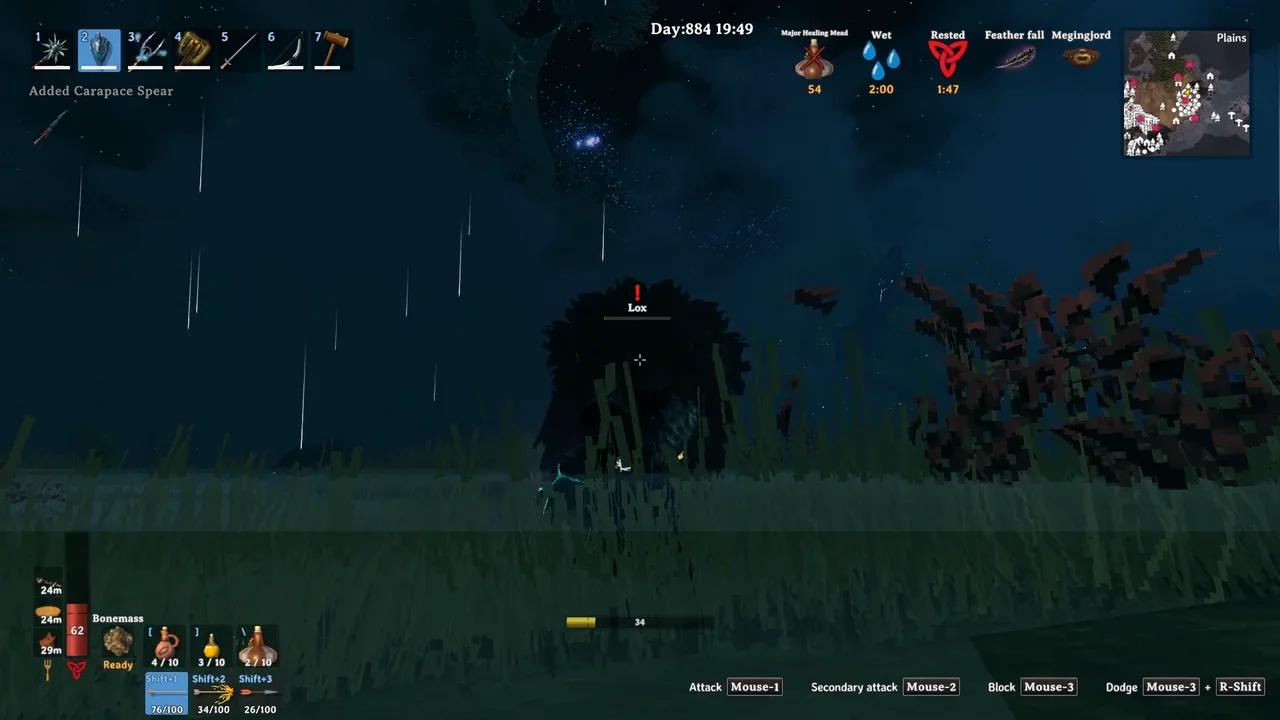
Disabling Steam Overlay causes stutter and severe framerate degradation ~30 minutes of play/recording. Possibly related: recording with ffmpeg using -x11grab. Stutter begins ~25sec. Frame-stepping thr...
prime topaz
@river gorge I believe the PlayFab message is a result of this in the recent Steam update:
Native titles will execute in 'Steam for Linux runtime 1.0 (scout)' by default, instead of the legacy runtime environment.
Regarding the crash when loading a world/connecting to a server I reported: If I use my native resolution (1440p) but turn on render scale at 95%, then no crash. 🤷
 orchid rivet
outer pebble
My main rig has been running Mint 21.3 for a while now, and I've been playing wi...
orchid rivet
outer pebble
My main rig has been running Mint 21.3 for a while now, and I've been playing wi...
I'm having this on Debian testing too.
molten tartan
Dear Linux users! Good news - the good folks over at Steam has added the required libraries for PlayFab to load in the beta of the Soldier runtime. If you switch the 'Steam Linux Runtime 2.0 (soldier)' to the 'client_beta' branch in it's properties, PlayFab will run as it should, without needing to use Proton or any command line arguments to force another compatibility mode.
This is presumably going to be pushed out to live in a couple of weeks.
Also just to be clear we are aware of the issues with stuttering and crashes and are working on having it resolved. 🙂
 river gorge
Oh nice, thanks for sharing! Will have try this out tonight or tomorrow
outer pebble
outer pebble
Weirdly, I just ran the game on my main PC again and I couldn't get it to crash....
And we're back to crashing again... very weird.
river gorge
How so I specify that Valheim uses the 2.0 runtime? I also have a 3.0 runtime.
devout edge
river gorge
How so I specify that Valheim uses the 2.0 runtime? I also have a 3.0 runtime.
I think you just get to choose from the compatibility layers in your Steam library with the games Properties menus.
river gorge
I only get proton version and runtime 1.0 in that dropdown for Valheim
Well switching the 2.0 runtime to beta channel alone seems to have gotten rid of the PlayFab message
Then switching KDE plasma from Wayland to x11 at login seems to have fixed the crash at world load
devout edge
I dunno why but lately Linux seems to be more of an adventure itself than even Valheim usually is.

 rare egret
river gorge
Now when I alt-tab it exits -__-
rare egret
river gorge
Now when I alt-tab it exits -__-
Alt+Tab was crashing for me in fullscreen, and unchecking fullscreen in the graphics options fixed it for me. Less than ideal, but better than crashing!
I'm running Arch with KDE and Wayland, on an AMD graphics card.
river gorge
Ah that makes sense. I'm running the same setup
river gorge
Well turning off fullscreen mode does seem to help but that's a lame way to play
I was able to play in fullscreen switching to GNOME desktop on the same computer, but then that messess up my signal app lol
I didn't have any issues playing Dota just now so this seems to be specfiic to Valheim and KDE desktop
outer pebble
I'm getting the crashing on alt+tab and overlay use, and I'm not using KDE. I'm on Cinnamon.
lucid vigil
@rare egret fyi: X11 kubuntu 24.04.. no issues, game runs like a champ after disabling hpet. Fullscreen via alt-f3 or via ingame setting: both work. 1080p, 40-120fps with vsync, nvidia RTX2060
can anyone corfirm if ctrl-f3 does or does not work to hide valheim gui in linux? Mine doesnt
outer pebble
CTRL+F3 works for me.
lucid vigil
@outer pebble what distro etc?
river gorge
ctrl + shift + f3
coarse nest
I know I should have come here earlier but I've been unable to launch modded valheim at all. But I can for Vanilla but there's an issue where every time I move my mouse to my second monitor it auto-shuts down.
I've yet to test it manually though so perhaps I should try that next.
river gorge
coarse nest
I know I should have come here earlier but I've been unable to launch modded val...
Could be this https://github.com/ebkr/r2modmanPlus/issues/1534

GitHub
Describe the bug Steam pushed out an update which added screen recording for all platforms. This update also included an update to the runtime environment for native games. By default steam now use...
coarse nest
river gorge
Could be this https://github.com/ebkr/r2modmanPlus/issues/1534
Thank you. I still have the second-screen auto-shutdown and an older issue I have is that a modlist from code never opens(although now it only opens Vanilla) but if I use a mod-list I manually made it works.
Nevermind the last part. It just doesn't accept modlist names with spaces. So the last issue I have is that when I move my mouse over to my second screen it commits Sudoku.
coarse nest
So the moment I move my mouse outside of the game, it shuts down.
However if it's windowed it doesn't shutdown. Only at fullscreen does it happen.
coarse nest
I think I fixed it by changing resolution settings back and forth.
Nevermind it came back.
river gorge
Yeah I have a similar issue with alt tab when running in full screen mode but it seems to be only with kde desktop
coarse nest
 gaunt frigate
Anyone play on Arch Linux?
gaunt frigate
Anyone play on Arch Linux?
It runs fine but my issue is currently with multi-screen and the only way to not have it auto-shut-down I've found so far is to have it set to window-mode rather than full-screen.
coarse nest
Another inconvenience issue is that modded games load slowly despite memory and CPU being less than 25%. I remember reading about something involving changing Steam settings but I don't know if that would work or it's something else. Also I forgot the terminology for when something strangles a flow. The hardware/software equivalent of a clogged pipe.
spark bridge
river gorge
I didn't have any issues playing Dota just now so this seems to be specfiic to V...
I don't have any full-screen crashes on my Linux Mint, and I can't reproduce the issue no matter in which rendered and screen option I run Valheim.
I'm guessing some driver packs that contain graphic drivers are incompatible with Unity 2022.3.50f1
Do you have any special launch option for Valheim in steam library?
coarse nest
And now modded is not starting again.
outer pebble
Also I forgot the terminology for when something strangles a flow. The hardware/software equivalent of a clogged pipe.
'Bottleneck'
Just rebuilt a second PC (AMD GPU) with Arch & KDE Plasma 6... Valheim seems to be stable on that so far.
lucid vigil
coarse nest
So the moment I move my mouse **outside** of the game, it shuts down.
theres a setting to decrease valheims processor usage when its not the in-focus application, in one of its settings menus... what happens when you disable it?
river gorge
outer pebble
Just rebuilt a second PC (AMD GPU) with Arch & KDE Plasma 6... Valheim seems to ...
Maybe I need to nuke my kde settings
spark bridge
river gorge
Maybe I need to nuke my kde settings
I tried switching to KDE desktop environment, but no issues there as well.
Maybe just try updating the kernel and graphic drivers?
 jagged pelican
On KDE here, KUbuntu 24.04 and Valheim stopped working with bepinex. First it was on Nov 5th Steam client update, but it would be possible to start the game via bepinex shell script. Via Steam it would stop loading game before main window loads up. Few days later, around Nov 12-13 even this method stopped working, started getting Segmentation Fault (Core dumped) when using script. After both Nov 5th and 12th error in console-linux.txt is the same "/home/user/.steam/debian-installation/steamapps/common/SteamLinuxRuntime_soldier/run: not found". On the other hand Bepinex 5.4.23.2 loads the game, but mods don't work most likely to lack of compatibility with newer Bepinex I suppose. Using experimental Steam runtime doesn't work now, it might have worked between Nov 5th and 12th, not sure. Did a fresh KUbuntu install on other drive - no change
forgot to mention, version of Bepinex that doesn't work is 5.4.2202 from valheim.thunderstore
jagged pelican
That not found file exists
lucid vigil
@jagged pelican i assimilated the bep script into my own gamewrapper a while ago, so i didnt really pay a lot of attention; but recently i noted a difference in the way the arguments get passed from steam to the bep script to valheim... maybe it was extra sniper parameters becasue i was forcing default_prebw or something... but basically the bep script sees if [ "$2" = "SteamLaunch" ]; then and reorganises the arguments it gets as input before restarting itself with the new $@ ... iirc the official macOS/linux bep release (not the thunderstore one) has a different variant of how it does the argument reordering bit, iirc it was correct for current start params, or less prone to fubar... i cant remeber exactly, but "/home/user/.steam/debian-installation/steamapps/common/SteamLinuxRuntime_soldier/run: not found" looks like its simply grabbing the wrong argument and trying to execute it as the game executable... or arbirtarily truncating the argument list
jagged pelican
lucid vigil
<@706456835909222442> i assimilated the bep script into my own gamewrapper a whi...
thanks for the hint, will try to solve this issue again using thunderstore and official bepinex comparison. Seems like this is one of the problems, when I added STEAM_LINUX_RUNTIME_VERBOSE=1 before %command% in steam launch arguments, then it went gave me similar error "not found" message but for STEAM_LINUX_RUNTIME_VERBOSE=1. Will approach this issue again, customizing bepinex script
lucid vigil
i was only mentioning the other bep script as reference, i went to see how it handled things afteer realising that the val-bep script was obviously destroying my argument string (becasue my script was based on it, when i added valheim to it months ago)
my suggestion would be to stick the bep variables into your own script and completely omit all the trash thats in the bep script - we always start valheim from steam, so 90% of the bep script is useless
the business end of my gamewrapper script called as <script.sh> %command%
        valheimBaseDir=/media/user/steamdata/.steam/steam/steamapps/common/Valheim
        export DOORSTOP_ENABLE=TRUE
        export DOORSTOP_INVOKE_DLL_PATH="$valheimBaseDir/BepInEx/core/BepInEx.Preloader.dll"
        export DOORSTOP_CORLIB_OVERRIDE_PATH="$valheimBaseDir/unstripped_corlib"
        export LD_LIBRARY_PATH="$valheimBaseDir/doorstop_libs:$LD_LIBRARY_PATH"
        export LD_PRELOAD="libdoorstop_x64.so:$LD_PRELOAD"
        /home/user/.steam/ubuntu12_32/steam-launch-wrapper -- /home/user/.steam/ubuntu12_32/reaper SteamLaunch AppId=892970 -- /home/user/.steam/steam/steamapps/common/SteamLinuxRuntime/scout-on-soldier-entry-point-v2 -- mangohud gamemoderun $valheimBaseDir/valheim.x86_64 -console -window-mode exclusive
but im forcing default_prebw too, so the scout reference is probably not required
it should also work simply to invoke:
mangohud gamemoderun $valheimBaseDir/valheim.x86_64 -console -screen-fullscreen -window-mode exclusive $@
or just :
$valheimBaseDir/valheim.x86_64 $@
with all the bep setup exports first of course
and assuming steam is running
lucid vigil
whoever established the word filters for this channel didnt do it very well
 jagged pelican
lucid vigil
the business end of my gamewrapper script called as `<script.sh> %command%`
```
...
jagged pelican
lucid vigil
the business end of my gamewrapper script called as `<script.sh> %command%`
```
...
did this setup, although without mangohud, game starts but without bepinex. Tried prebw, last stable and current one, same effect. Then switched back steam client from beta to normal and getting SteamLinuxRuntime_soldier/run: not found again.
hmm, it was not client beta related but sth with passing %command% to my script, even if only doing echo $@
jagged pelican
did a fresh install of KUbuntu 22.04 (earlier it was 24.04) and there is same issue with Bepinex not loading
lucid vigil
jagged pelican
did a fresh install of KUbuntu 22.04 (earlier it was 24.04) and there is same is...
look at and understand the arguments ( ps -C valheim.x86_64 -o args= ) that the vanilla (no bep) game uses, vs what argument bep script is using ( $2 ) to determine if steamstarted the game, and consider what shift 2 and their rearrangement of the arguments does to the final argument string.
...it has nothng to do with reinstalling your os, thats a windows user mindset. Instead understand what the script is doing.
lucid vigil
@jagged pelican try this:
save as /home/$USER/Documents/output-arguments.sh
#!/bin/bash
args=\$@:$@\\n\$1:$1\\n\$2:$2\\n\$3:$3\\n\$4:$4\\n\$5:$5\\n\$6:$6\\n\$7:$7\\n\$8:$8\\n\$9:$9\\n\$10:${10}\\n\$11:${11}\\n\$12:${12}\\n\$13:${13}\\n\$14:${14}\\n\$15:${15}
kdialog --title "${0##*/}" --passivepopup "$args" 5 &
echo -ne "-------------\\n$(date +%Y-%m-%d--%H-%M-%S)\\n$args\\n"|tee -a "${0%.*}.log"
echo "also output to: ${0%.*}.log"
replace steams 'launch options' with /home/$USER/Documents/output-arguments.sh %command% - i dont know if steam will interpret $USER correctly here, so maybe manually insert your userrname
open /home/$USER/Documents/output-arguments.log
note that $2 probably isnt SteamLaunch ... therefore the bep script is 1) is catching SteamLaunch correctly but then breaking and reorganizing the argument string incorrectly or 2) is NOT catching SteamLaunch and proceeding into the 90% useless part of the script intended for other games or very manual starts of games... and doing it wrong for valheim
mine: with default_prebw set in betas, and a symlinked val directory that is being translated to its real location becasue bash..or becasue steam.. idk
-------------
2024-11-28--13-54-59
$@:/home/user/.steam/ubuntu12_32/steam-launch-wrapper -- /home/user/.steam/ubuntu12_32/reaper SteamLaunch AppId=892970 -- /home/user/.steam/steam/steamapps/common/SteamLinuxRuntime_soldier/_v2-entry-point --verb=waitforexitandrun -- /home/user/.steam/steam/steamapps/common/SteamLinuxRuntime/scout-on-soldier-entry-point-v2 -- /media/user/steamdata/.steam/steam/steamapps/common/Valheim-default_prebw-0.218.21_Ashlands/valheim.x86_64
$1:/home/user/.steam/ubuntu12_32/steam-launch-wrapper
$2:--
$3:/home/user/.steam/ubuntu12_32/reaper
$4:SteamLaunch
$5:AppId=892970
$6:--
$7:/home/user/.steam/steam/steamapps/common/SteamLinuxRuntime_soldier/_v2-entry-point
$8:--verb=waitforexitandrun
$9:--
$10:/home/user/.steam/steam/steamapps/common/SteamLinuxRuntime/scout-on-soldier-entry-point-v2
$11:--
$12:/media/user/steamdata/.steam/steam/steamapps/common/Valheim-default_prebw-0.218.21_Ashlands/valheim.x86_64
$13:
$14:
$15:
note that the only reason the bep script even reorganizes the argument string in the first place is becasue it assumes steam-launch-wrapper is required for steam overlay to work (properly), but in my multitude of tests it doesnt make a lot of difference either way.
So again, my advice is to simply make a new script, include the bepscript exports in it, and insert the same list of arguments that the above script reports as $@
jagged pelican
my output arguments look exactly the same, with minor differences like ".steam/debian-installation" dir instead of ".steam/steam"
jagged pelican
lucid vigil
look at and understand the arguments ( `ps -C valheim.x86_64 -o args=` ) that th...
it wasn't reinstall. Did a fresh setup on other drive to make sure any leftovers from fiddling with other versions aren't there. Don't want to be debugging some random mistake of my own.
but yea, I don't understand all these arguments to bepinex
(sanity check) repeat.sh that does only exec $@ starts game when running from Steam and passing %command%
#!/bin/bash

valheimBaseDir=/home/user/.steam/debian-installation/steamapps/common/Valheim

export DOORSTOP_ENABLE=TRUE
export DOORSTOP_INVOKE_DLL_PATH="$valheimBaseDir/BepInEx/core/BepInEx.Preloader.dll"
export DOORSTOP_CORLIB_OVERRIDE_PATH="$valheimBaseDir/unstripped_corlib"
export LD_LIBRARY_PATH="$valheimBaseDir/doorstop_libs:$LD_LIBRARY_PATH"
export LD_PRELOAD="libdoorstop_x64.so:$LD_PRELOAD"

exec $@
this one results in SteamLinuxRuntime_soldier/run: not found
when instead of exec $@ there is exec /home/user/.steam/debian-installation/steamapps/common/Valheim/valheim.x86_64, then I'm getting Segmentation fault (core dumped)
there is an issue in export LD_PRELOAD declaration, some shell commands like ls or head have additional error message attached to their output. It says "Failed to hook dlsym, ignoring it. Error: no such function: dlsym"
lucid vigil
@jagged pelican Maybe you need to check what version of everything you are using?
Presumably you are using the current release (im not) so confirm your steam beta status in valheims settings
If you are using the current release then the older version of bepinex is still valid https://thunderstore.io/c/valheim/p/denikson/BepInExPack_Valheim/
But there was an update to Jotunn that differentiates between bogwitch and prebw https://thunderstore.io/c/valheim/p/ValheimModding/Jotunn/
Then i would suggest you install only something trivial, like https://thunderstore.io/c/valheim/p/shudnal/ConfigurationManager/ and remove all other mods to another folder (NOT a subdirectory of /plugins, as they get parsed too)
Then see if your game start result differs
Your issue is possibly a little outside my linux expertise, but as someone who has been writing relatively long bash scripts since 2009 I do have a basic understanding of the OS.

Thunderstore
BepInEx pack for Valheim. Preconfigured and includes unstripped Unity DLLs.

Thunderstore
Jötunn (/ˈjɔːtʊn/, 'giant'), the Valheim Library was created with the goal of making the lives of mod developers easier. It enables you to create mods for Valheim using an abstracted API so you can focus on the actual content creation.

Thunderstore
Localized, recolored, refined. Changed and readonly values highlighted. Prevent user input or pause the game while window is open.
 copper narwhal
hey, does anyone else suffer from lag that starts after 30ish minutes of playing? Its only been happening since one of the recent updates (havent played in like 2-3 months)
Already tried native, vulkan and directx, messing around with the settings/proton version. Nothing helped the issue is the same
Any ideas how to solve it? Steam overlay is also off
coarse nest
The thing where hitting "Start modded" does not launch valheim is happening again. The one where steam says it does launch but after a second returns to the green play button.
coarse nest
It worked earlier today but suddenly stopped working like before. My only assumption is that Valheim updated.
outer pebble
No updates for almost two weeks apparently. https://steamdb.info/depot/892971/

SteamDB
SteamDB record for Depot 892971 (Valheim Linux). There are 10 manifests recorded.
lucid vigil
copper narwhal
hey, does anyone else suffer from lag that starts after 30ish minutes of playing...
disabling steam overlay is the cause of this, according to some of the zillions of documents i have read trying to get better framerate and stop stutter. No overlay = stutter after 30 minutes apparently.
you might also want to check you arent using hpet cat /sys/devices/system/clocksource/clocksource*/{current,available}_clocksource
lucid vigil
coarse nest
It worked earlier today but suddenly stopped working like before. My only assump...
i could be wrong but im pretty sure this happens when steams parameter list gets changed, so $2 is no longer what the bep start script expects (SteamLaunch)
scroll up a bit, same discussion ad nauseum
see if $2 is what ....../.steam/steam/steamapps/common/Valheim/start_game_bepinex.sh expects using somehting like this #linux message
lol discord isnt quite linking the post i wanted, almost though
copper narwhal
lucid vigil
you might also want to check you arent using hpet `cat /sys/devices/system/clock...
tsc
tsc hpet acpi_pm
I assume this means I am using it? if so why is it bad? I dont have any problems in other games
copper narwhal
lucid vigil
disabling steam overlay is the cause of this, according to some of the zillions ...
interesting, especially because it didnt happen previously
will try it with overlay enabled next time
lucid vigil
no, that means those are the options, the first line is what active
tsc is the current best
copper narwhal
alright, thanks
lucid vigil
@copper narwhal yeah, i thought that initially too, but after being on the better fps in valheim quest for a few months now it does seem to be the case that overlay needs to be enabled or else . related: https://odysee.com/@BETLOG:0/2024-11-07--11-16-44.287_Valheim:2
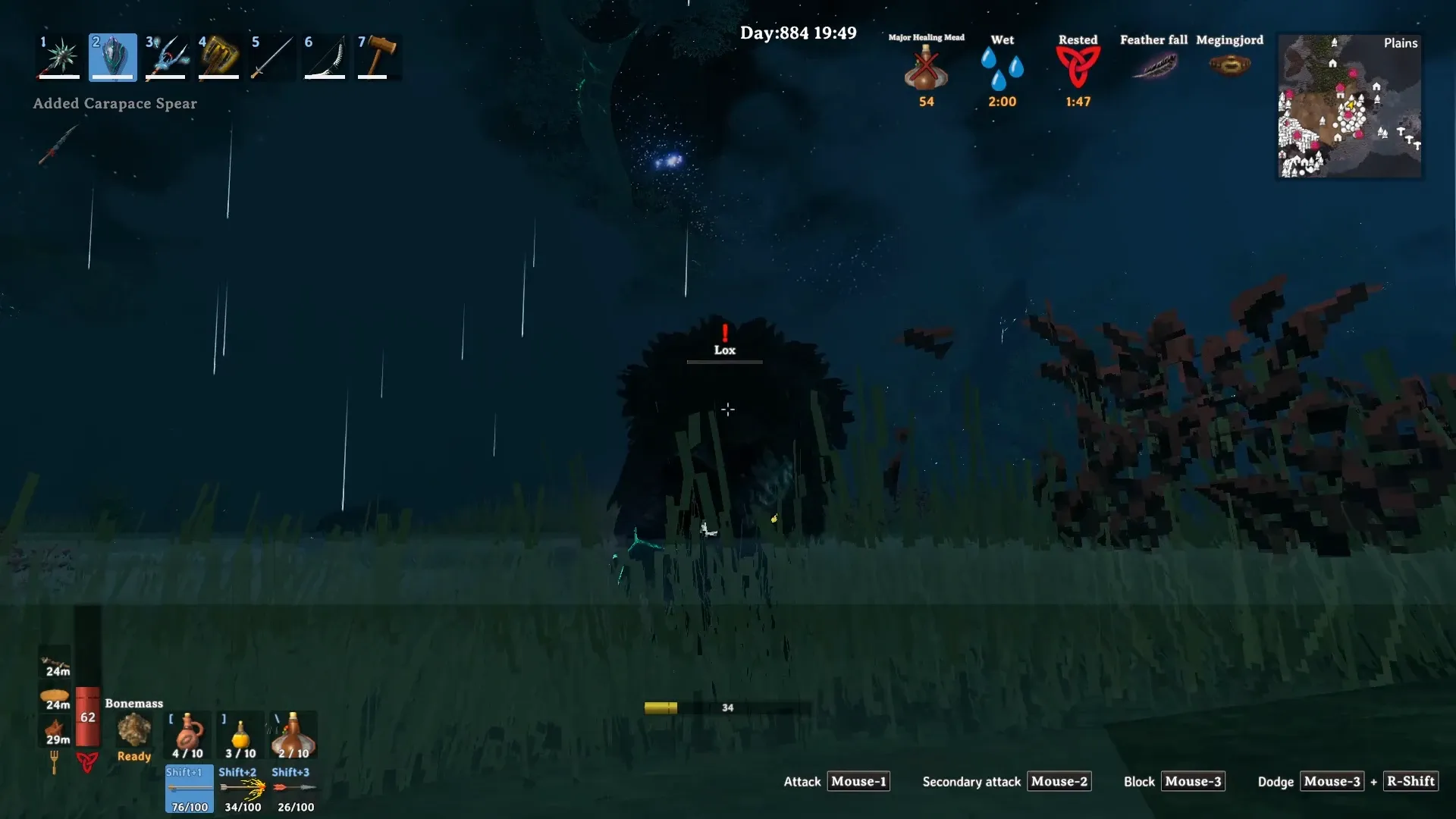
Disabling Steam Overlay causes stutter and severe framerate degradation ~30 minutes of play/recording. Possibly related: recording with ffmpeg using -x11grab. Stutter begins ~25sec. Frame-stepping thr...
copper narwhal
I guess I'll just rebind the overlay (hopefully that doesnt cause stutter for whatever reason), I had it off because its annoying I cant open my inventory while sprinting without going to overlay
lucid vigil
yeah, you dont need to be able to open it, so you can rebind it intpo oblivion, you just need it to be active in the background apparently
in a general framerate improvement context though: you might consider the following:
qdbus org.kde.KWin /Compositor suspend
and qdbus org.kde.KWin /Compositor resume aftter you finish gaming
echo "$(nvidia-settings -a AllowFlipping=1|tr -d '\n'|sed 's|^[[:space:]]*||'|awk '{print $2" "$6}')" #
https://github.com/chjj/compton/issues/166#issuecomment-66379925
echo "$(nvidia-settings -a TextureClamping=0|tr -d '\n'|sed 's|^[[:space:]]*||'|awk '{print $2" "$6}')" # probably best always off except quake
echo "$(nvidia-settings -a GPUPowerMizerMode=1|tr -d '\n'|sed 's|^[[:space:]]*||'|awk '{print $2" "$6}')" # 0=adaptive, 1=performance, 2=auto
echo "$(nvidia-settings -a ShowGraphicsVisualIndicator=1|tr -d '\n'|sed 's|^[[:space:]]*||'|awk '{print $2" "$6}')" # see if flipping or blitting, etc
echo "$(nvidia-settings -a DisplayVRREnabled=0|tr -d '\n'|sed 's|^[[:space:]]*||'|awk '{print $2" "$6}')" # https://bbs.archlinux.org/viewtopic.php?pid=2090424#p2090424
and gamemoderun %command% does seem to help a little
copper narwhal
I have an AMD card so dont think those apply
lucid vigil
lol, yeah nah
copper narwhal
I will try gamemoderun though, I wanted to try it in a couple games but always forgot
but also its interesting that I had only 60-70 fps on a ryzen 5 3600, 6650xt
not sure if thats also the overlay or just poor optimization because no way the game couldnt run at higher frames
lucid vigil
afaik it mostly does things i already do anyway (sudo cpufreq-set --related --governor performance), but i guess theres a few other tweaks it makes, it always seems about the same as not using it to me, but im using it all the time at present just to get a feel for it
i think the unreal engine generally has an underutilization problem. Thats what i'm looking at presently... i get 120 capped in areas where its easy to do, but ~30fps in places where its complex (my base), yet my cpu and gpu DOWNscale to <30% when that happens, everything ive tested seems ot point to a steam problem or a val engine problem, but i have zero proof of how or why
adding mangohud is a good idea too, even if it is a bit garbage becasue it doesnt linegraph the one ting we all want to use as the primary data to commpare all the other things that it WILL linegraph against.. ie: fps
copper narwhal
lucid vigil
i think the unreal engine generally has an underutilization problem. Thats what ...
yea its always weird when I dont even have 60 fps yet my gpu and cpu are barely working but Im glad its not my setup thats the problem then
lucid vigil
exactly. I understand that tames and builds and several hundred chests with mods will add load and reduce fps, but wtf is with producing 120 when im elsewhere, but apparently <50fps and <30% cpu gpu is ok. Its NOT, AT ANY TIME.. use my damn processing power and give me 120fps
 lucid vigil
hmm, 32bit steam-launch-wrapper and 32bit reaper to start an x86_64 game.... might be related too i guess
jagged pelican
got i7-6850k and GTX 1080ti and main FPS bottleneck is CPU. Without setting game process priority and CPU performance mode, GPU would sit at 25-35%, vs around 50%-60% otherwise
jagged pelican
outer pebble
No updates for almost two weeks apparently. https://steamdb.info/depot/892971/
also no Steam client updates (https://store.steampowered.com/news/app/593110), which were on 5th and 12th and made game with mods unplayable for me
lucid vigil
jagged pelican
got i7-6850k and GTX 1080ti and main FPS bottleneck is CPU. Without setting game...
@jagged pelican yeah, i have zero bottlenecks as far as i can see, thats why it is bothering me so much
re: your valheim start string as produced by steam... can you show me what the log this produces says? https://gist.github.com/BETLOG/4a43c4490bc762871ea21bc6e7ea2e1e
iirc you were on the latest bogwitch release right?
can anyone who is using default_prebw tell me what your output of that script is?.. or just what your string is by some other means
lucid vigil
jagged pelican
also no Steam client updates (https://store.steampowered.com/news/app/593110), w...
yeah, my reading of git issues regarding these makes me suspect of them too
Fixed native titles occasionally running in the wrong runtime.
Native titles will execute in 'Steam for Linux runtime 1.0 (scout)' by default, instead of the legacy runtime environment.
This behavior is consistent with Steam Deck and promotes better compatibility across all Linux desktop distributions.
Note that this new feature can be turned off globally with "-compat-force-slr off" on the Steam client command line.
i also noticed that I have been saying to do a ps -Cvalheim.x86_64.... to see the argument string... but i see now that i should have been saying ps -Csteam-runtime-supervisor -o args=|more . I guess they changed that in one of these recent updates, becasue I'm sure it wasnt this way before, and the new method gives a lot more then just the game start parameters and wrappers... wait thats not right either... where did the full argument string go?
Does nobody else here even use linux? Do they not also see bep rearranging the wrong arguments? Or are they just 2024-tier silent on everything?
outer pebble
I play vanilla, no mods, so don’t see such issues. 🤷🏽♂️
Also, this game is still in early access… the team’s focus has been stability, and new development. It’s been mentioned a few times that optimisation is coming later in the development cycle and the studio has also been clear that modding is not officially supported … so breaking changes are something that the modding community will just have to deal with.
jagged pelican
lucid vigil
Does nobody else here even use linux? Do they not also see bep rearranging the w...
same thing I was wondering, assumed there are people with working VH, so it might be some issue on my side
jagged pelican
lucid vigil
i also noticed that I have been saying to do a `ps -Cvalheim.x86_64....` to see ...
yea, steam-runtime-supervisor gives more output
/home/user/.steam/root/ubuntu12_32/steam-runtime/amd64/usr/bin/steam-runtime-supervisor --exit-with-parent --subreaper --terminate-idle-timeout=1 --terminate-timeout=5 --lock-create --lock-verbose --
lock-wait --lock-file /home/user/.steam/debian-installation/ubuntu12_64/steam-runtime-sniper.lock -- /home/user/.steam/debian-installation/ubuntu12_64/steam-runtime-sniper/_v2-entry-point -- /home/
user/.steam/debian-installation/ubuntu12_64/steamwebhelper_sniper_wrap.sh -lang=en_US -cachedir=/home/user/.steam/debian-installation/config/htmlcache -steampid=27161 -buildid=1732746274 -steamid=0
 -logdir=/home/user/.steam/debian-installation/logs -uimode=7 -startcount=0 -steamuniverse=Public -realm=Global -clientui=/home/user/.steam/debian-installation/clientui -steampath=/home/user/.ste
am/debian-installation/ubuntu12_32/steam -launcher=0 -use_xcomposite_workaround -no-restart-on-ui-mode-change --valve-enable-site-isolation --enable-smooth-scrolling --disable-gpu-compositing --disable
-gpu --password-store=basic --log-file=/home/user/.steam/debian-installation/logs/cef_log.txt --disable-quick-menu --disable-features=SpareRendererForSitePerProcess,DcheckIsFatal,ValveFFmpegAllowLowD
elayHEVC
@jagged pelican i was just playing with steam -compat-force-slr off ... but im tired so i have the dumb and cannot brain
try it and see if it makes any diff
ps -Csteam-runtime-supervisor -o args=
/home/user/.steam/root/ubuntu12_32/steam-runtime/amd64/usr/bin/steam-runtime-supervisor --exit-with-parent --subreaper --terminate-idle-timeout=1 --terminate-timeout=5 --lock-create --lock-verbose --lock-wait --lock-file /home/user/.steam/ubuntu12_64/steam-runtime-sniper.lock -- /home/user/.steam/ubuntu12_64/steam-runtime-sniper/_v2-entry-point -- /home/user/.steam/ubuntu12_64/steamwebhelper_sniper_wrap.sh -lang=en_US -cachedir=/home/user/.steam/steam/config/htmlcache -steampid=322429 -buildid=1731433018 -steamid=0 -logdir=/home/user/.steam/steam/logs -uimode=7 -startcount=0 -steamuniverse=Public -realm=Global -clientui=/home/user/.steam/clientui -steampath=/home/user/.steam/ubuntu12_32/steam -launcher=0 -use_xcomposite_workaround -no-restart-on-ui-mode-change --valve-initial-threadpool-size=4 --valve-enable-site-isolation --disable-smooth-scrolling --disable-gpu-compositing --disable-gpu --password-store=basic --log-file=/home/user/.steam/steam/logs/cef_log.txt --disable-quick-menu --disable-features=SpareRendererForSitePerProcess,DcheckIsFatal,ValveFFmpegAllowLowDelayHEVC```unless the issue is isolated to us two (lol) i imagine all bep scripts are now failing to interpret the argument string, and if [ "$2" = "SteamLaunch" ]; then is never being triggered.. and yet nobody seems to notice.
yet again i wonder why anybody uses discord for any kind of issue that github doesnt do a million times better
jagged pelican
I tried it with "2 more" - did cmd = $1 ... $6 $0 and shift 6, as SteamLaunch was at 4th position instead of 2nd, but getting same "not found" kind of message
lucid vigil
i am also very disappointed in valheim.coms 'known issues' and bug report page... its the worst ive seen
try starting steam with steam -compat-force-slr off, and then start the bep script, or that variant i wrote where its just the bep exports followed by eval $@
steam -compat-force-slr off basically did what i was doing by using sed to remove several strings.. ie: what i thought the bep script was doing, but less likely to fail...the gist post above
jagged pelican
lucid vigil
`steam -compat-force-slr off` basically did what i was doing by using sed to rem...
2024-12-01--13-19-30
$@:-compat-force-slr off /home/user/.steam/debian-installation/ubuntu12_32/steam-launch-wrapper -- /home/user/.steam/debian-installation/ubuntu12_32/reaper SteamLaunch AppId=892970 -- /home/user/.steam/debian-installation/steamapps/common/Valheim/valheim.x86_64
$1:-compat-force-slr
$2:off
$3:/home/user/.steam/debian-installation/ubuntu12_32/steam-launch-wrapper
$4:--
$5:/home/user/.steam/debian-installation/ubuntu12_32/reaper
$6:SteamLaunch
$7:AppId=892970
$8:--
$9:/home/user/.steam/debian-installation/steamapps/common/Valheim/valheim.x86_64
rest is empty
lucid vigil
no, i mean start steam with steam -compat-force-slr off and then just see if it stars like you were when it worked
without any of the crap we have been doing to modify the arguments
quit steam, then open a console and type steam -compat-force-slr off
THEN try to staat a modded game the wya you used to do it
jagged pelican
game starts, which is something new
didn't display that mods are loaded on start screen, had only configuration manager mod on me, it didn't work in game
lucid vigil
likley becasue the bep script is dumb
https://gitlab.steamos.cloud/steamrt/steam-runtime-tools/-/blob/main/docs/container-runtime.md
https://github.com/ValveSoftware/steam-for-linux/issues/11448#issue-2649186928

GitLab
Version-independent Steam Runtime container and diagnostic tools, including steam-runtime-system-info diagnostic tool and pressure-vessel container launcher. Report issues and feature requests to
GitHub
Your system information Steam client version (build number or date): 1731112063 Distribution (e.g. Ubuntu): Ubuntu 24.04 Opted into Steam client beta?: Yes Have you checked for system updates?: Yes...
https://steamcommunity.com/games/593110/announcements/detail/4472730495692571025?utm_source=SteamDB and search for -compat-force-slr off

A new Steam client has been released and will be automatically downloaded
so at least two things are likely at play in your case:
- the bep script is dumb and using $2 to detect a steamlaunch is dumb
- steam changed how thier processes start, so the
ps -Cvalheimand$@things barely even works for diagnostics now - the switch of how runtimes work, and probably thier internals arent lining up properly with whats required to load bepinex, but work fine for the game only
vanilla seems to look nicer in runtime 3.0, but maybe i was imagining it
ive tried so many combinations of runtimes and betas on runtimes and betas on games on betas on runtimes i cant think straight
lucid vigil
@jagged pelican you might also consider setting steam linux runtime 1.0 (scout) to its previous beta and see what happens... but probably dont use steam -compat-force-slr off for that
lucid vigil
copper narwhal
yea its always weird when I dont even have 60 fps yet my gpu and cpu are barely ...
interesting, if i use %command% -force-gfx-direct the feels exactly like what happens when my CPU/GPU mysteriously decide to drop to ~30% and my framerate drop to 20-30Hz levels. https://docs.unity3d.com/6000.0/Documentation/Manual/PlayerCommandLineArguments.html
copper narwhal
lucid vigil
interesting, if i use `%command% -force-gfx-direct` the feels exactly like what...
how am I supposed to run it with -force-gfx-direct? because Im either doing it wrong or it just doesnt reproduce the issue I was having
 copper narwhal
lucid vigil
you arent familar with %command% in steam?!
copper narwhal
lucid vigil
you arent familar with %command% in steam?!
not really tbh, only been using linux for like a year and it kinda just worked so far without issues
copper narwhal
lucid vigil
yea thats what I did but I just get 60+ fps
lucid vigil
its a steam thing, not a linux thing
copper narwhal
didnt know, I only used launch options in source games and there you never used %command%
copper narwhal
copper narwhal
yea thats what I did but I just get 60+ fps
I mean I only get 60-70 fps on base while a single cpu thread is never above 50% (fps limit is 180), but its not even close to the stutter I had with overlay off
it feels like regular 60fps
lucid vigil
interesting.
Normally when i spawn, wedge myself into this corner and look at this bunch of pixels fairly accurately like i have done hundreds of times trying to standardise my tests... i see 65-70fps, and when i use -force-gfx-direct i immediately see 30fps
I guess maybe you different hardware negates the effect for you (?) but for me its the same as when the game downscales my cpu/gpu for no apparent reason, which it never does when ive only just spawned...

normally i have to go far enough away from my spawnpoint that it derenders (at max LOD thats several hundred meters) and come back.. its always ~30fps when i come back and 70 when i leave
lucid vigil
copper narwhal
I mean I only get 60-70 fps on base while a single cpu thread is never above 50%...
yeah, that sorcery does make a huge difference doesnt it? glad it worked for you too.
copper narwhal
lucid vigil
interesting.
Normally when i spawn, wedge myself into this corner and look at th...
I have amd cpu and gpu, which afaik linux "likes" more
also Im on directx not vulkan, vulkan gives less fps for me in basically all games I tried
lucid vigil
how can you be runing dx in linux except trhough proton, in which case you are runnnng the windows game through proton, on a linux system, for which there is a native version of the game ... what?
copper narwhal
yea Im running through proton GE
lucid vigil
thats crazy talk
copper narwhal
native version had no audio for me a couple months back which is fixed now but I just had proton enabled from last time when I was testing if it stutters on different versions
lucid vigil
i mean i know people used to do it becasue ot worked better, but that not likely to still be the case
copper narwhal
might try the native build to see if the fps is better or not
lucid vigil
do it, it defaults to vuulkan, and in my exxperience that seemt to work better, although i havent used opengl for a while either, so maybe i need to reassess... seems unlikely though
once i realised the overlay stutter wasnt vulkan i remeber thinging that all of my tests at the time showed vulakn to be better by a smidgeon
only drawback is sometimes a mod will have an incompatible shader, and it'll just be solid fullbright magenta
copper narwhal
%command% -force-gfx-direct on native build gives roughly the same fps, but with peak ~85% single thread utilization
lucid vigil
do you have boot.conf edited with the gfx stuff?
copper narwhal
do I need to edit it?
lucid vigil
......./steam/steamapps/common/Valheim/valheim_Data/boot.config
gfx-enable-native-gfx-jobs=1
gfx-enable-gfx-jobs=1
and maybe the cores -1 stated explicitly
job-worker-count=7
just append to whats already there
im not sure the job-worker thing needs to be stated, but it does make a diff if you play with it, ive tried up to 16 which is my threads amount, and it only showed higher cpu usage byt a bit, so its hard to know whats valid with respect to that variable, you could easily exclude it entirely too
cant hurt, but may complicate thigs a tiny bit later
the two gfx ones however are mandatory, improve your fps radically
they are also removed by updates/beta switching, so be prepared to edit it again whne your fps die after a patch
copper narwhal
lucid vigil
......./steam/steamapps/common/Valheim/valheim_Data/boot.config
`gfx-enable-nati...
with %command% -force-gfx-direct from 60-70 to 80-90
with gamemoderun %command% from 100-110 to 150-160, on native build
also a side note, opengl doesnt even run for me it just crashes, not that it really matters since vulkan runs just fine
lucid vigil
vulkan shoudl be superior anyway
so yeah, dont use -force-gfx-direct unless you want to artifically limit your render threads to 1 (you dont)
or maybe you do... if it improves your fps... thats opposites day to me though
hahah, my boot.conf just got overwritten by the game, so i guess job-worker-count=16 isnt valid or something. I didnt think it was. So theres that
@copper narwhal so.... native is better..yeah?
copper narwhal
lucid vigil
<@310455560615231490> so.... native is better..yeah?
yea it seems like it, on proton I only had like 80 fps max, native basically doubles that
lucid vigil
has anyone succeeded in setting the affinity of valheim.x86_64?
ie taskset -cap 0 $(pidof valheim.x86_64) (to set) taskset -p $(pidof valheim.x86_64) (to check)
I have disabled hyperthreading in BIOS, and/or disabled it in linux:
while IFS= read -r CPU;do
    CPUID=`basename $CPU | cut -b4-`
    echo -en "CPU: $CPU CPUID: $CPUID\t"
    [ -e $CPU/online ] && echo "1" > $CPU/online
    THREAD1=`cat $CPU/topology/thread_siblings_list | cut -f1 -d,`
    if [ $CPUID = $THREAD1 ]; then
        echo "-> enable"
        [ -e $CPU/online ] && echo "1" > $CPU/online
    else
        echo "-> disable"
        echo "0" > $CPU/online
    fi
done< <(find /sys/devices/system/cpu/ -maxdepth 1 -name "cpu[0-9]*"|sort -V)
But it never sticks for more than a second or two.
Is unity just slippery or is taskset sucking?
jagged pelican
export LD_PRELOAD=/home/user/.steam/debian-installation/steamapps/common/Valheim/doorstop_libs/libdoorstop_x64.so is what causes segmentation faults, when I call anything, like ls, it ends with segmentation fault (core dumped)
outer pebble
Just following up on the linux client crash to desktop issue I'm experiencing.
My device is running Kernel: 6.8.0-49-generic, Cinnamon 6.0.4, Linux Mint 21.3 with an AMD Navi 21 [Radeon RX 6800/6800 XT / 6900 XT] vendor: Tul driver: amdgpu v: kernel
I've installed mesa from the kisak-mesa PPA and the system is fully patched.
If I launch the game with my normal settings (1440p, full screen) and alt-tab or use my keyboard volume control (which brings up the Cinnamon volume overlay) the game hard crashes to the desktop. No errors, no complaining just a hard exit - I will lose character progression doing this.
If I launch the game, then disable fullscreen mode... I can alt-tab, use my volume control and everything seems fine.
If I then re-enable full screen mode, I can still alt-tab and use volume controls without issues... but closing and relaunching the game with these settings sees me going back to crashing.
Looking in SteamLibrary/steamapps/common/Valheim I can see a lot of binary files starting mono_crash.mem.<random code>.1.blob of exactly 10Mb that are timestamped with when it crashes.
lucid vigil
is the scout runtime still breaking networking in bogwitch? I thought that got patched?
lucid vigil
is i tjust me or is the r2modman appimage absolute garbage as soon as you try to launch the game? I have never seen something with 'manager' in its name come up with so many excuses to not work, or utterly destroy steams stability and sit unreponsive for several minutes... wtf?
wicked jungle
outer pebble
Just following up on the linux client crash to desktop issue I'm experiencing.
...
js, i never use fullscreen, always borderless. does weird stuff and not just on linux. has since windows 95, in my experience.
imean i'm sure there's a reason, as this isn't a typical linux+valheim thing, just throwing it out there.
lucid vigil
only time i have seen a valheim linux ctd is after changing some mod settings and closing configurationmanager... once. Ever. I was surprised. But that was probably during the period where scout runtime got broken and i was dstill able to run bepinex by scripting the removal of scout parameters before it hit the game executable.
@devout edge lol at how bad the discord search function is.. you may not care, but becasue you offered assistance: I solved the issue of how to log to file and also display the console on a dedicated: buffering and /dev/tty
${installDir}/valheim_server.x86_64 -name "$world" -port $port -world "$world" -password "$worldPassword" -public 1 $useCrossplay -savedir ${configDir} -nographics $@|grep --line-buffered -v "Fallback handler could not load library\|ERROR: Shader\|WARNING: Shader\|not supported on\|The referenced script on this Behaviour\|create a Convex Mesh from source mesh\|Previous MMHOOK location found\|Already ran for this version\|Texture not supported\|Graphic mode 'Custom'\|Only custom filters"\
|tee /dev/tty|grep --line-buffered -i "with join code [0-9]* and\|i have arrived\|Player connection lost server\|handshake from client playfab\|Game server connected"|sed --unbuffered -E 's|^([0-9]{1,2})/([0-9]{1,2})/([0-9]{4})(.*)$|\3-\1-\2\4|' >>"$logFile"
Aye, the capability of the 'grep' command never ceases to amaze and impress me. Incredible! https://tenor.com/view/yes-ok-great-job-gif-27037933

 wet moat
Any ideas why valheim linux client (both "Play Valheim" and "Play Valheim using OpenGL" modes) crashes as soon as its window is created? I'm having to use proton to play vanilla but bepinex for windows doesn't seem to want to work with proton and I'd like to try a mod.
Using steam.
wet moat
OpenGL version seems to be working now (I should have checked again before posting 🤦♂️ ). Any hints where to start or what to check to get the Vulkan version working?
lucid vigil
wet moat
Any ideas why valheim linux client (both "Play Valheim" and "Play Valheim using ...
 wet moat
Thanks, I'll check that out!
wet moat
No luck, tried both legacy and scout runtimes. OpenGL mode seems to work ok for now though.
spark bridge
wet moat
Any ideas why valheim linux client (both "Play Valheim" and "Play Valheim using ...
Latest version of Unity engine has problems with crashing in Vulkan + AMD card. Waiting Unity to fix it.
wet moat
Ah that's likely the issue, I run a Radeon 6950XT.
 vivid kernel
@barren cradle
 barren cradle
wassup
river gorge
Still having issues with KDE and fullscreen so have been trying out gamescope and it's working well except after several minutes of play the game becomes choppy even though my FPS are still high.
river gorge
river gorge
Still having issues with KDE and fullscreen so have been trying out `gamescope` ...
Been trying different options. Going to try the --steam option next so then my current full command will be
gamescope -W 2560 -H 1440 --adaptive-sync --expose-wayland --fullscreen --rt --steam -- %command% -console
@river gorge do you disable steam overlay? if so: don't.
and use vulkan, but it looks like you are
river gorge
Yeah I am using Vulkan and haven't disabled the overlay, I use that all the time to look up things on the Valheim Wiki 😁
river gorge
Still having the choppy experience after like 10-20 minutes of playing when using gamescope.
I found this issue: https://github.com/ValveSoftware/gamescope/issues/697
So when I play next I'm going to try prefixing with LD_PRELOAD=""
GitHub
This is an odd one. For some reason, title happens. Up until that point, the game runs flawlessly, constant 60 FPS, no drops, no stutters, nothing. It's buttery smooth. But CONSISTENTLY after a...
lucid vigil
@river gorge Any particular reason you are using gamescope?
normally to get better performance you eliminate junk that interferes with the base game, and yet everyone seems to use gamescope by default these days. I dont get it
isnt LD_PRELOAD only useable in 'linux runtime legacy 1.0' now?
river gorge
Using gamescope as a mini compositor instead of the kwin compositor that leads to the game crashing in full screen mode
Not sure how that env var is used so am just going to give it a shot
lucid vigil
maybe you need to disable kwin if you are going to use gamescope?
qdbus org.kde.KWin /Compositor suspend
[[ false == $(qdbus org.kde.KWin /Compositor org.kde.kwin.Compositing.active) ]] && qdbus org.kde.KWin /Compositor resume &
thats kde syntax, i imagine its the same on steamdeck
second line is a general usage hint
prime topaz
Repeating what I said a while back, using 95% render scale stops the Vulkan/AMD crash for me. I don't really notice the difference in visual quality.
Using gamescope did too, but then there is a weird issue with randomly looking down when closing a chest.
gray gull
So I am having an Issue with launching Valheim under Wayland with Hyprland. KDE Plasma works fine, and so does GNOME. Just hyprland does not. I also can't launch any EAC game at all when using Hyprland. ANy help in getting at least Valheim to launch would be great
gray gull
fixed it by setting the launch option "env --unset=SDL_VIDEODRIVER %command%"
 stable crystal
whys this a channel
gray gull
Because Valheim is a native linux game?
stable crystal
i ought to know, i play on both platforms, whats so different about the linux version it needs a whole place to discuss it lol..
wet moat
Uhhh... the OS? 😎
stable crystal
🫨
its the same game, already runs perfectly fine on linux, i don't get the need for this channel 😃
gray gull
gray gull
So I am having an Issue with launching Valheim under Wayland with Hyprland. KDE ...
obviously it doesnt
outer pebble
Why is anything a channel? Why does it matter?
wet moat
🐧 🤷
stable crystal
make seperate channels for ubuntu linux why not
 low talon
Linux bugs are often different from window bugs because OS are different. Plus, it is likely that no-one here has the exact same configuration of Linux, so it is very hard for someone that isn’t used to Linux to help
Plus, any web research give you the solution for windows, while it is far more complicated to find what you need for Linux (IMO).
Also if I come asking help here and someone say “hey, do this stuff it work on all windows !”… yes, I know I saw it thousands times on web and I don’t use window.
stable crystal
a real answer, pog.
 silver lantern
Hey all, I'm trying to run a valheim dedicated server on my ubuntu linux machine and in this guide: https://www.valheimgame.com/support/a-guide-to-dedicated-servers/ it mentions both the start_server.sh script as well as docker script called ./docker_start_server.sh
After installing the Valheim Dedicated Server from steam on my windows machine I don't see either of those scripts. Am I missing something?
spark bridge
silver lantern
Hey all, I'm trying to run a valheim dedicated server on my ubuntu linux machine...
So did you find them on Linux? On windows it's start_headless_server.bat
silver lantern
I only downloaded the dedicated server on my windows machine. I haven't installed steam or anything on my linux machine. I do see the start headless server in windows but I would prefer not to use my main computer as the dedicated server.
When downloading via steam on linux does it have the start_server.sh and docker_start_server.sh files?
 spice dew
It is true that there are differences between Linux Distros. Someone is trying to get it running on BSD.
And BSD is not linux. :\
outer pebble
silver lantern
I only downloaded the dedicated server on my windows machine. I haven't installe...
Yes. I'd recommend following an online guide such as https://pimylifeup.com/valheim-dedicated-server-linux/ to help you along.
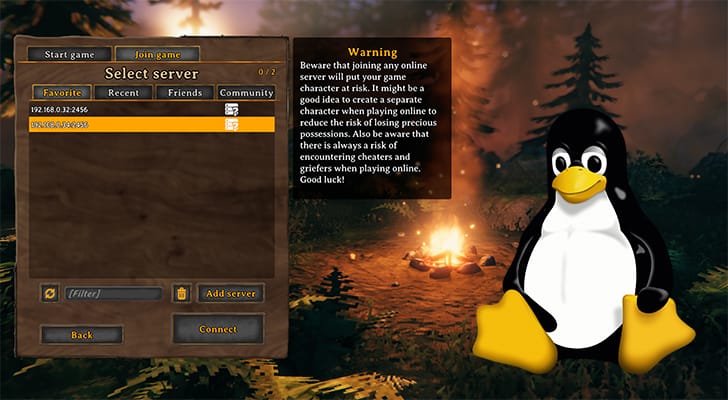 silver lantern
outer pebble
Yes. I'd recommend following an online guide such as https://pimylifeup.com/valh...
silver lantern
outer pebble
Yes. I'd recommend following an online guide such as https://pimylifeup.com/valh...
Thanks, I followed a guide but my raspberry pi is 64 bit arm and steamcmd is 32 bit and valheim is 64 bit and not compatible with arm.
I used box64 and box86 to emulate and was able to download the Valheim server onto my machine but am running into errors missing some steam libs while starting the server. Making progress though!
outer pebble
If you've already got it, then I guess it's 'run what you brung' ... but I'd suggest something like an N100 based Mini PC would be a lot easier to get this running on.
I know some folks here have gotten it running so help might come along shortly.
silver lantern
I completely agree. It’s very hacky on the rpi, might have to bite the bullet and get an n100 like you suggested.
 dire lintel
silver lantern
Thanks, I followed a guide but my raspberry pi is 64 bit arm and steamcmd is 32 ...
dire lintel
silver lantern
Thanks, I followed a guide but my raspberry pi is 64 bit arm and steamcmd is 32 ...
https://www.reddit.com/r/valheim/comments/1de4eju/valheim_server_on_raspberry_pi_5_rpi5/
https://pimylifeup.com/raspberry-pi-valheim-server/
Can try this?

Pi My Life Up
A power-efficient Valheim server
 sturdy hull
hi all, i have ubuntu 24.10, nvidia rtx 2080 super, i think not all textures are possible to display, but not big issue; im using mods with r2modman; is something similar happens to you with NVIDIA card? example: magic attack shows violet squares - eikhyr lightninng staff
 mortal ore
sturdy hull
hi all, i have ubuntu 24.10, nvidia rtx 2080 super, i think not all textures are...
mortal ore
sturdy hull
hi all, i have ubuntu 24.10, nvidia rtx 2080 super, i think not all textures are...
Probably a nvidia card issue. I've had similar behavior with an RTX2080Ti on games like Monster Hunter World, War Thunder, Satisfactory...
I had no solution but selling off my nvidia card and install an AMD card. Proprietary drivers of nvidia do be like that
 fossil ledge
silver lantern
Thanks, I followed a guide but my raspberry pi is 64 bit arm and steamcmd is 32 ...
fossil ledge
silver lantern
Thanks, I followed a guide but my raspberry pi is 64 bit arm and steamcmd is 32 ...
i'm having the same problems. have you managed to solve this?
silver lantern
fossil ledge
i'm having the same problems. have you managed to solve this?
I used Pi Apps to install steam: https://pi-apps.io/install-app/install-steam-on-raspberry-pi/
and from that I found the missing steam lib (libsteam.so)
in /home/pi/.steam/bin/libsteam.so. However I haven’t figured out where I need to put this steam lib in order for it to be found and loaded by Valheim.
I’ve tried putting it next to the other steamclient.so in the dedicated server folder and some other locations with no luck.
Install Steam on Raspberry Pi using Pi-Apps
dreamy berry
silver lantern
I used Pi Apps to install steam: https://pi-apps.io/install-app/install-steam-on...
It's normally the x86_64 version that you want in /linux64 of your Valheim Dedicated Server root (vs the 32-bit x86 version in the base dir). You'll note that the out-of-the-box starter script includes:
export LD_LIBRARY_PATH=./linux64:$LD_LIBRARY_PATH
and that enables the library to be picked up by the linker at runtime. You can use an absolute path if you want.
This library comes from the Steamworks SDK Redistributable (for dedicated servers): https://steamdb.info/depot/1006/
For the regular game client, a different lib is typically used as Steam itself is your Steamworks client.
dreamy berry
You can trigger a manual download with SteamCMD on a Linux box and you should get both the 32-bit one and the 64-bit one in the same layout they get overlaid on Valheim Dedicated Server:
mkdir ./steamworks_sdk_redist
SteamCMD +force_install_dir "$PWD"/steamworks_sdk_redist +login anonymous +app_update 1007 validate +exit
Or you can start Steam (GUI) with a console on any machine:
Steam -console on Linux
open -a Steam.app --args -console on macOS
Steam.exe -console on Windows
Then in the Steam Console:
download_depot 1007 1006
After some patience, it will tell you where it put the Linux libs.
CC @fossil ledge ☝️
fossil ledge
Thanks! I'll try this soon
lucid vigil
sturdy hull
hi all, i have ubuntu 24.10, nvidia rtx 2080 super, i think not all textures are...
magenta textures mean the render pipeline cant deal with the image assigned, or the method assigning it. Seems to be caused by people generating unity assets by selecting an incorrect render pipeline method which vulkan fails to display. That said; vulkan is being actively developed, so from time to time it's likely to directly be a component of the problem, along with content creators selecting a restrictive generation method. Hopefull this will be sorted out sooner or later. Fortunately I dont like magic mods, so I usually dont have to deal with this problem. There are some light emitting item mods I do see it in, but there always seems to be alternatives whwre the shaders are being correctly generated, so i have always worked around it with a different mod.
https://youtu.be/nB0r0c-SIVg?t=61

Learn how fix Pink Material problem for URP and HDRP in Unity.
✅ARCADE: FREE Racing Car:- https://bit.ly/3vZsv4p
✅Ultimate 10+ Shaders :- https://bit.ly/2QYSGcJ
✅Introduction to Shader Graph
https://youtu.be/_8_ZAoZHBho
✅Simple Triplanar Shader in Unity
https://youtu.be/SGXkFYS4f7I
✅Grid Shader in Unity LWRP
https://youtu.be/JgmIM7qhGh8
✅S...
silver lantern
Thanks Justin, I downloaded the steamworks sdk via steamcmd and pointed the LD_LIBRARY_PATH env var towards /home/steam/steamworks_sdk_redist/linux64 unf I still get the same
[S_API] SteamAPI_Init(): Loaded local 'steamclient.so' OK.
CAppInfoCacheReadFromDiskThread took 83 milliseconds to initialize
Setting breakpad minidump AppID = 892970
SteamInternal_SetMinidumpSteamID:  Caching Steam ID:  76561197960265728 [API loaded no]
Error loading needed lib libsteam.so
Warning: Cannot dlopen("libsteam.so"/0x3f07038ad9, 2)
[S_API FAIL] Tried to access Steam interface SteamNetworkingUtils004 before SteamAPI_Init succeeded.
01/16/2025 21:07:07: Server ID 90071992547409920
01/16/2025 21:07:07: Authentication:k_ESteamNetworkingAvailability_Waiting
01/16/2025 21:07:07: Steam game server initialized```

There's a big stack trace of what I am assuming are thread stacks from the box64 emulator and after quiting the start server process I also see

```Error loading needed lib libSDL3.so.0
Warning: Cannot dlopen("libSDL3.so.0"/0x3f09aea16a, 2)```

Neither libsteam.so nor libSDL3.so.0 came with the steamworks_sdk. I think those are steam libs so I can try adding the steam lib location to the LD_LIBRARY_PATH and see if that helps.Hmm, I think code for those are both supposed to be effectively embedded in linux64/steamclient.so but I could be misremembering
If your emulator is box64, @silver lantern, you might try using BOX64_LD_LIBRARY_PATH instead. I'm afraid I'm not deeply familiar with it
potent ledge
@Moderator
fossil ledge
dreamy berry
CC <@493430193877286913> ☝️
so, the things you described didn't help, but if somebody gona be having the same issue, i changed LD_LIBRARY_PATH=./linux64:$LD_LIBRARY_PATH to BOX64_LD_LIBRARY_PATH=./linux64:$LD_LIBRARY_PATH and it booted
now I'm having a headache with port forwarding cause the server works in LAN but doesn't allow connection by router public IP
dreamy berry
fossil ledge
so, the things you described didn't help, but if somebody gona be having the sam...
I'm confused. So this suggestion didn't work? #linux message
or it did?
fossil ledge
dreamy berry
I'm confused. So this suggestion didn't work? https://discord.com/channels/39114...
oh, wait, it was actually your suggestion
lmao sorry, I got lost in all the sources I've read
thanks man!
dreamy berry
No worries at all, there was a lot of information going around. That's great it worked, either way.
For the router port-forwarding, make sure you're forwarding UDP protocol. I also recommend a DHCP reservation for your MAC address to ensure that the forwarding rule is always pointing at the right place.
fossil ledge
dreamy berry
For the router port-forwarding, make sure you're forwarding UDP protocol. I also...
so, i just wanted to ask about this. i did a reservation(first image) and did a port-forwarding thing(second image) and it's not working. 192.168.0.145 is the ethernet port on my raspberry pi 4
i read somewhere that I won't be able to connect by public IP from the PC in my local network so I asked a friend and checked on this website https://geekstrom.de/valheim/check/
i'm trying to connect by the public IP given by websites like this http://wanip.info/


WanIP.info get to know your WAN IP address - my internet/WanIP address detection
dreamy berry
Those entries from your screenshot look good, especially if you're able to join via 192.168… yourself.
The address you're testing with from wanip.info, is that the same IP address reported as your WAN IP by your router?
fossil ledge
dreamy berry
Those entries from your screenshot look good, especially if you're able to join ...
this part is a bit confusing, in router setting it shows a different IP that starts with 100.
i read somewhere that it may affect something(i mean it starting with 100)?
but it doesn't work with this IP as well.
what's even more confusing is that right now I enabled crossplay and still can't connect from remote networks
dreamy berry
So, I have bad news for you 😦 Unfortunately, if this reported WAN IP is between 100.64.0.0 and 100.127.255.255, then your ISP is likely using Carrier-grade NAT. It means the WAN here is just another LAN operated by your ISP and that LAN has its own router to the Internet. Your public IP address could be shared by thousands of other customers and won't forward ports to your router, so your own port forwarding rules won't even be touched.
Crossplay might work for your public IP if no one else in your CGNAT block is using it at the same time for the same ports. Otherwise, a Crossplay join code might still work, regardless. Crossplay doesn't rely on incoming connections to your server, but instead has your server make an outbound connection to an Azure PlayFab Party relay, which then accepts connections from other players on your behalf. The public IP and the join code in this case are just locators for the relay your server has connected to.
You will not be able to connect over loopback IP nor LAN IP in the case of Crossplay though as it currently disables local listening.
fossil ledge
my internet plan includes a static IP option, will it help?
dreamy berry
It certainly could. You'd have to research what it entails. If it's an opt-in feature, you might have to reconnect your router to let it take hold. They might deliver this static IP to your router over DHCP or you might have to manually enter it in your router WAN configuration.
fossil ledge
dreamy berry
It certainly could. You'd have to research what it entails. If it's an opt-in fe...
thanks, I'll research it
fossil ledge
it did the trick and now the server's up, thanks for your help!
dreamy berry
That's great they gave you that option.
spare cloud
so is bepinex caput on Linux distros?
trying to use Bazzite which I guess is based off Fedora, and no matter what I do BepInEx will not load
spare cloud
fix is here: https://github.com/BepInEx/BepInEx/issues/1032
not sure if this is the same thing @jagged pelican was chasing or not

GitHub
What happened? Around November, Steam got an update, that would break the Valheim BepInEx implementation on Linux. When pressing Play, the game would just close instantly. As a workaround, I'd ...
jagged pelican
spare cloud
fix is here: https://github.com/BepInEx/BepInEx/issues/1032
not sure if this is ...
Thanks for remembering about my issue. Solution from this ticket didn't work, when I tried few days ago. In case I messed something up with other part of setup, will try again in a few days.
lucid vigil
spare cloud
so is bepinex caput on Linux distros?
just specify legacy runtime 1.0 in steam game properties
 tight raven
Hey everyone! Trying to get some mods installed on a Linux server. I can get into the game so I know the server is working, but when I tried to install BepInEx the "plugins" folder that should appear never did. Can't quite figure out why. This is the guide I followed, any input would be great! Currently using a Ubuntu server.
https://steamcommunity.com/sharedfiles/filedetails/?id=3114557954

This guide contains the information on how to mod Valheim on Windows and Linux without any mod manager....
Within the home/steam/valheim/BepInEx folder, I only have "core." Nothing else yet.
lapis aurora
tight raven
Hey everyone! Trying to get some mods installed on a Linux server. I can get int...
I don't have time ATM to go through the guide but have you downloaded the BepInEx mod manually, unzipped it to copythe entire BepInEx folder there to it's unzipped folder and then copied the BepInEx folder and files and sub-folders into your server's directory?
tight raven
lapis aurora
I don't have time ATM to go through the guide but have you downloaded the BepInE...
Yes, downloaded the x64 package from Github, then unzipped to /home/steam/valheim
lapis aurora
tight raven
Yes, downloaded the x64 package from Github, then unzipped to /home/steam/valhei...
Just download the BepInEx mod from thunderstore.io. https://thunderstore.io/c/valheim/p/denikson/BepInExPack_Valheim/
Thunderstore
BepInEx pack for Valheim. Preconfigured and includes unstripped Unity DLLs.
Then do as I suggested above. Sorry, gotta run. GL!
tight raven
lapis aurora
Then do as I suggested above. Sorry, gotta run. GL!
No worries, thank you!
lucid vigil
tight raven
Hey everyone! Trying to get some mods installed on a Linux server. I can get int...
 tight raven
lucid vigil
tight raven
lucid vigil
I've got most of that, but plugins still eludes me for some reason. Thank you for this, good to be able to compare to a full setup.
lucid vigil
the thunderstore bepinex is a little confusing at first, but frankly if you havent figured it out based on the informsation here, and that available online... you probably just need to think about it a bit more. It's actually very simple.
also: the plugins dir can contain just the .dlls, or the entire team-packageName-version folder as is unzipped from thunderstore
ie: either/both works


 rigid totem
hey, i posted an issue on #mods-issues, maybe you guys know why it is happening
low talon
Can you give us a bit more information? Has your bug anything to do with Linux ?
 pallid socket
So I'm having some troubles trying to launch valheim on my distro, I'm currently using Void Linux, it launches but is basically not working after the "Valheim logo loading screen" is completed
can somebody help me get through this?
dreamy berry
Seeing anything useful in your Player.log, @pallid socket?
pallid socket
where is that file located?
ls ~/.var/app/com.valvesoftware.Steam/.local/share/Steam/steamapps/common/Valheim outputs the following tree:
MonoBleedingEdge valheim_Data mono_crash.mem.726.1.blob mono_crash.mem.733.1.blob mono_crash.mem.849.1.blob mono_crash.mem.940.1.blob mono_crash.mem.948.1.blob mono_crash.mem.1143.1.blob mono_crash.mem.1366.1.blob mono_crash.mem.1608.1.blob mono_crash.mem.1763.1.blob mono_crash.mem.3042.1.blob mono_crash.mem.5159.1.blob mono_crash.mem.5363.1.blob mono_crash.mem.5582.1.blob mono_crash.mem.5820.1.blob mono_crash.mem.7210.1.blob mono_crash.mem.7415.1.blob mono_crash.mem.7632.1.blob mono_crash.mem.7835.1.blob steam_appid.txt UnityCrashHandler64.exe UnityPlayer.dll valheim.exe
dreamy berry
~/.config/unity3d/Valheim
pallid socket
there is no such directory in my .config
dreamy berry
.exe? Are you using a Windows emulator?
pallid socket
No, tried launching it with proton once, I'm using steam through flatpak
dreamy berry
Make sure you don't have anything like Wine, WineX, Cadega, or Proton enabled in the Steam settings for the game entry still.
pallid socket
Funny, proton makes the game run extremely poor and without it the game just "crashes" on the loading screen or immediately closes after opening its window
pallid socket
dreamy berry
`~/.config/unity3d/Valheim`
is there anything personal in that directory or just config files for the game? maybe its not working because of that missing
dreamy berry
Should be a Player.log in there ideally
And do you have vulkan-loader installed and the appropriate vulkan driver for your GPU?
Sorry, try ~/.config/unity3d/IronGate/Valheim/
pallid socket
dreamy berry
And do you have vulkan-loader installed and the appropriate vulkan driver for yo...
Yes, does the game needs any 32bit package? like vulkan-loader-32bit?
dreamy berry
I don't think so.
Was there a ~/.config/unity3d/IronGate/Valheim/Player.log?
Oh, and this is going to sound silly, but I assume Steam is running when you start the game?
pallid socket
dreamy berry
Oh, and this is going to sound silly, but I assume Steam is running when you sta...
Yes it is
pallid socket
dreamy berry
Was there a ~/.config/unity3d/**IronGate**/Valheim/Player.log?
I manually created that directory and file and the game seems to launch and not crash without proton but there is something strange, the CPU is fixed at max usage and the GPU is taking a sun batch with no worries, the steam overlay shows 1 fps and the games seems to run like powerpoint, taking 5 minutes to render a single frame
its like the CPU is rendering the graphics
though other games runs without any issues
dreamy berry
Can you paste the output of running ps -Af | grep -i valheim while the game is running?
And given you're using Steam from a Flatpak, if you're launching from Steam itself, I wouldn't be surprised if Valheim was also running from a Flatpak, which means unless you've configured a custom permission, persistence or bind mount, Valheim's config dir will probably be in ~/.var/app somewhere instead of ~/.config
pallid socket
dreamy berry
And given you're using Steam from a Flatpak, if you're launching from Steam itse...
that will be problematic
pallid socket
dreamy berry
Can you paste the output of running `ps -Af | grep -i valheim` while the game i...
printed a lot of messy lines, can I just paste it here?
nevermind, discord fixed it
dreamy berry
Yep, all good. That's helpful, thanks. Looks like it's definitely running the Linux version and definitely running it within the Flatpak ecosystem. I'd look for the player log starting in ~/.var/app/com.valvesoftware.Steam/.config/unity3d/IronGate/Valheim/Player.log
pallid socket
_amdgpu_device_initialize: amdgpu_get_auth (1) failed (-1) amdgpu: amdgpu_device_initialize failed. glx: failed to create dri3 screen failed to load driver: radeonsi
and
[Vulkan init] SelectPhysicalDevice requestedDeviceIndex=-1 xrDevice=(nil) [Vulkan init] Physical Device 0x22217920 [0]: "llvmpipe (LLVM 19.1.7, 256 bits)" deviceType=4 vendorID=10005 deviceID=0 [Vulkan init] Selected physical device (nil) [Vulkan init] Could not select a physical device GfxDevice: creating device client; threaded=1; jobified=0 Renderer: llvmpipe (LLVM 19.1.7, 256 bits) Vendor: Mesa Version: 4.5 (Core Profile) Mesa 24.3.4 (git-769e51468b)
Looks like it is failing to use my GPU
just being able to find that player log file helps me quite a lot, I'll try to investigate it, thanks for the help justin
dreamy berry
Sure thing, glad you've got some data for analysis now. Looks like a permissions problem at this point at first glance. If you're using apparmor or similar security suite, make sure to grant steam and valheim access to any GPUs.
And if your distro has a video group, your user might need to be in it.
pallid socket
So, I don't really know if that is a distro, flatpak or steam issue, but in flatseal I had to give permission to device=dri to properly run the game
so yeah, thats it
 plain fox
Have y'all been able to get mods working on Flatpak Steam via r2modman? I've been asking around for help but so far no luck with a solution.
lapis aurora
Can anyone help, please? I'm trying to get r2modman to start the game modded on my Linux Mint desktop. It will start the game but won't load the mods.
When I put the suggested command line in my Steam launch options, it aborts immediately. Removing the launch options .sh file at least allows it to run the game. Just ignores the mods, though. Doesn't even try to load BepInEx.
plain fox
lapis aurora
Can anyone help, please? I'm trying to get r2modman to start the game modded on...
Are you also using the flatpak version of steam ?
lapis aurora
plain fox
Are you also using the flatpak version of steam ?
I'm not sure. It's been so long since I've installed it I can't remember. I've used both the AppImage and the .deb install options for r2modman, theough. No difference in either one of those.
plain fox
in terminal can type "flatpak list" and look for "Steam" to confirm; I ask because I'm using the flatpak Steam install and similarly have not been able to get r2modman to work trying both deb and appimage though I have at least gotten game to load without mods
lapis aurora
plain fox
in terminal can type "flatpak list" and look for "Steam" to confirm; I ask becau...
Ok, so I'm not using the Flatpak version, then.
plain fox
Have you tried looking on the Help page in r2modman and using the launch option is has listed there to then launch Valheim directly from Steam?
lapis aurora
Help page? I'll have to check that.
What do you mean by 'launch Valheim directly from Steam'? Would that be from outside r2modman entirely?
plain fox
Correct. Copy the launch options from Help page in r2modman, go to the Valheim entry in Steam, open its properties to update the launch options and then while still in Steam launch Valheim via its Play button.
lapis aurora
Ok, I'll try that. Thanks.
lapis aurora
plain fox
Correct. Copy the launch options from Help page in r2modman, go to the Valheim e...
Nope. It still just loads the game and ignores the mods completely. Just as though there were no BepInEx folder there at all.
plain fox
Have you checked the BepInEx bash scripts to ensure they are set to be executable ?
lapis aurora
Yes, persmissions are ok and set as executable.
plain fox
Are you able to launch it now even though mods aren't taking affect ?
lapis aurora
Yes. No matter how I launch it from within r2modman and either the Modded or Vanilla buttons and directly from the Steam GUI clicking on the game icon in the Library, same thing. Game loads and runs without even trying to load the mods.
plain fox
Hmm... that is exactly how my setup is behaving too though I'm using the flatpak install of Steam. Wonder if our issues are related. I've posted in detail on the r2modman Discord though no response yet.
lapis aurora
plain fox
Hmm... that is exactly how my setup is behaving too though I'm using the flatpak...
Sounds like we have the same issue. I'll flag you in here, If I find a solution. Thanks for your input. 🙂
plain fox
Thank you and I'll be sure to post here as well if they reply / figure it out
plain fox
@lapis aurora I was able to get mods working adding them manually (so no r2modman) and using the following launch options:
./start_game_bepinex.sh || %command%
plain fox
Update: I settled on using r2modman to manage the mods like keeping them up to date but am still manually copying them to the actual Valheim directory; those two pipe characters in the launch options were the missing bit that made it work
 prisma fulcrum
Just want to leave a post here to say thank you to the kind folks who troubleshoot here. While I didn't ask any questions, reading through the discussions lead me to the two items I was forgetting / missing:
- make.. the... damn... script... executable...............
- .start_game_bepinex.sh || %command% - adding the pipes worked, which means to my understand the %command% portion is unnecessary as the pipes = or
point is, thank you!
prime topaz
If the goal is to avoid %command% from executing at all, I think you could do
./start_game_bepinex.sh # %command%
That way it should not execute if the game crashes with an exit code > 0 (triggering the || to try the right side).
lucid vigil
skip to A.2 Logical operators
https://unix.stackexchange.com/questions/159513/what-are-the-shells-control-and-redirection-operators

Unix & Linux Stack Exchange
I often see tutorials online that connect various commands with different symbols. For example:
command1 | command2
command1 & command2
command1 || command2
command1 && command2
but given that the bep script restarts itself if it detects a launch from steam .... youd have to see what happens. Multiple instances may attempt to start. Depends on the error code that a script invoking itself returns i guess.
Assuming it works as it appears to be intended, either the bep script completes with no error, or it fails and the generic steam command executes. ...But the bep script has already modified the argument list.. so .. lol.. if it works it works.
dreamy berry
In some recent BepInEx 5 update, the ability to run the script with app as a parameter broke unless the directory with BepInEx is current.
plain fox
Today tested out deleting the plugins folder from my r2modman profile and then replacing it by symlinking the steam bepinex plugins directory to the r2modman location - it works! I was able to use r2modman to download new plugins and have them load when launching the game from Steam
ln -s /path/to/steam/plugins /path/to/r2modman/plugins
lapis aurora
Thanks everyone for helping with trying to get r2modman to actually launch the modded server. I've done some more trouble shooting by opening up a terminal window and running the recommended launch .sh script in there. So that it doesn't just die quietly with no explanation but gives an error msg as to why it failed.
It seems that it isn't passing the $r2modman profile name into the exec path and so fails on a 'not found' error.
Fixing that manually for a another test gets past the 'not found' error and gives a permissions error instead. I've not been able to 'fix' the permissions error by making it read/write/executable for 'everyone', however.
And, again, thanks for all the help with this. 🙂
prisma fulcrum
lucid vigil
but given that the bep script restarts itself if it detects a launch from steam ...
Appreciate the link. Still learning to retrain my MS Brain over To Linux.. Even almost 3 years in (100% only Linux), I'm still learning more about what it is capable of from command line 🙂
devout edge
lapis aurora
Thanks everyone for helping with trying to get r2modman to actually launch the m...
Thanks for sharing that, @lapis aurora . I hadn't thought of running the .sh in a terminal window to see the error message. Great idea! 😛
lapis aurora
plain fox
Today tested out deleting the plugins folder from my r2modman profile and then r...
Great idea! The symlink really makes a big difference in reducing the manual steps necessary! 🥰
 prime plaza
plain fox
Today tested out deleting the plugins folder from my r2modman profile and then r...
prime plaza
plain fox
Today tested out deleting the plugins folder from my r2modman profile and then r...
Just read the help section. It tells you the launch args it uses. You can just apply those yourself
plain fox
prime plaza
Just read the help section. It tells you the launch args it uses. You can just a...
Unfortunately those args did not work; the game just launched unmodded. ssammy and I had been looking for a fix.
prime plaza
plain fox
Unfortunately those args did not work; the game just launched unmodded. ssammy a...
How did you apply them?
It would have to be <wrapper> <args> %command%
Alternatively if the location to the BepInEx start script is included, take out the wrapper and pass the correct args
I can’t remember off the top of my head what we did when displaying the launch args on Linux
lapis aurora
prime plaza
How did you apply them?
Honestly, I really wish I could understand what you're talking about in case it might be helpful.
Does it have anything to do with r2modman starting up a modded server?
What is the 'wrapper' you mentioned?
Would it be possible to show an example, maybe?
But, thanks! Just in case...
plain fox
prime plaza
How did you apply them?
I tried using the default launch options that r2modman provides and also tried using the longer version it provides on its Help page. Also tried using the BepInEx launch command from its Thunderstore page however that one did not have the pipe characters. Each of these either failed to load Valheim at all or would load the game without mods.
prime plaza
plain fox
I tried using the default launch options that r2modman provides and also tried u...
The short one is what is required for it to start modded by proxy
The ones in the help section are the actual BepInEx required args
lucid vigil
steam changed linux runtime 1.0 (scout) a few months back, and it alters the sequence of the arguments that end up being %command% so it breaks bepinex's script because it's parsing is pretty dumb, so you need to force the runtime to the otiginal mehtod, which is now named named legacy 1.0

you could also alter the bep script, but i forget the details and i dont even use that any more.
lucid vigil
prime plaza
I can’t remember off the top of my head what we did when displaying the launch a...
You could replace %command% with the path to a script containing this, and youd get a <scriptname>.log file next to the script-actual containing the full command line steam is using
lucid vigil
lapis aurora
Honestly, I *really* wish I could understand what you're talking about in case i...
<wrapper> is a script that executes prior to the game, it sets up environment variables etc that the game may want... xmodmap keyrebinds, evrouter key remapping, nvidia settings etc.
%command% typically comes next, but hings like gamemode or mangohud may also be inserted immediately before %command%
<arguments> are parameters which the game expects to follow immediately after the game command, like -console or -force-glcore/-vulkan etc
lapis aurora
lucid vigil
<wrapper> is a script that executes prior to the game, it sets up environment va...
Thanks. That helps a lot. I didn't know that scripts are called 'wrappers' under certain circumstances.
So, one of my problems, I think I mentioned above, is that the suggested wrapper doesn't properly pass the $r2modman variable (which is supposed to be the profile name) to the exec command.
It appears that the $r2modman variable is blank at that point in the script and so I get a ...\path\\path.. at the exec line which produces the 'not found' error when run in a terminal window.
Replacing the $r2modman variable with the profile name fixes that error and the wrapper script then goes on to fail with the 'permission' error, which I don't know how to fix in spite of giving the whole world read\write\execute permssion for everything within 10 ft. of the server.
lucid vigil
yeah i dont know, i found r2modman to fail repeatedly in multiple ways...which is astounding considering i use a common distro and the git has so many linux packages. Presumably they are blinkered into some bs flatpak/snap environment or edgy neo-distro mentality and cant just make a simple deb packahe. Maybe it works now, but i dont care: as soon as i started needing to deal with flatpak permisisons i gave up and wrote a bash script to perform some basic modmanager functions, thats what i use now. Its janky, but it works. No i cant realy give it to you because I'm not going to want ot assis t you with yet another linux thing you cant figure out, yet :)
Your solution will probably end up being simple, but i dont know that it is and theres only about 2-3 people in this channel who ever help out, so it's mostly a useless channel for any tier of high or low level assistance.
lapis aurora
It's all right. You lost me at the first "janky", anyway.
lucid vigil
and thats why people dont help
lapis aurora
Well, I don't know about everyone else, but I help when ever I know the answer and I think I can occasionally get a 'thank you' for it. But that's just me, of course.
lucid vigil
same. but we are in a containment chan in the ass-end of this discord, so the numbe rof people who even only read posts here are probably very few
lapis aurora
lucid vigil
same. but we are in a containment chan in the ass-end of this discord, so the nu...
Yeah, that seems right. Fortunately, I just need one guy/gal with the right answer. So, there's some hope for that.
I'm just surprised @devout edge or @dreamy berry haven't showed up to pull this thing out of the fire with a simple, easy solution having to do with me doing something wrong that I can easily stop doing.
lucid vigil
No offence to him, but i dont think jagas experience with linux extends much beyond occasionally needing to install steamcmd on a linux shell/docker and then going back to windowsland.
devout edge
lucid vigil
No offence to him, but i dont think jagas experience with linux extends much bey...
Mostly right. Although, I switched my daily driver from Windows to Linux years ago and never looked back.
But Linux and I have a very delicate relationship. I don't mess with it too much and It pretty much does every thing I want. Usually.
But this r2modman vs Linux thing is even more of a tenuous relationship. If I had any idea how to help, I'd jump right in.
lucid vigil
do you know of anyone who DOES have it working? on any distro?
im stilll stunned that i had issues with eery package i tried, but i do also refuse to use flatpak and snap, so i just assumed that was the problem... even with their non snap/pak packages
but i actually dont really remeber the details any more
and i may be the only person on the planet who can casually combine modsets at will right now....so i dont really track the usual modmanagers functionality any more
 lapis aurora
lucid vigil
do you know of anyone who DOES have it working? on any distro?
lapis aurora
lucid vigil
do you know of anyone who DOES have it working? on any distro?
Me? No, I never heard of anyone getting it working. I suspect most folks just do the extra steps to work around it. Lots of cursing but no actual solutions.
lucid vigil
thats disturbing.
lapis aurora
The best thing that's come out of this discussion for me, so far, is the symlink suggestion by @plain fox here #linux message
And I'm very grateful for that! 🫶
lucid vigil
noted. pity nobody can pin anything
dreamy berry
lapis aurora
Yeah, that seems right. Fortunately, I just need one guy/gal with the right ans...
ty for the nod. I mostly stick to headless Linux, I'm afraid. Evil Mac user for the game itself. Symlink does seem like a great workaround in the meantime. Kudos to s3rvant.
prime plaza
lucid vigil
yeah i dont know, i found r2modman to fail repeatedly in multiple ways...which i...
If you steam install is flatpak, we don’t support it
lucid vigil
@prime plaza its not
and yet at one point it was giving me some arcane flatpak permissions issue... or snap, i forget. But i have both of them disabled.
excerpts from some notes i took:

seems invalid:
https://github.com/flatpak/flatpak/wiki/User-namespace-requirements#unprivileged-bubblewrap
The bwrap or flatpak-bwrap executable must not be setuid root: its permissions should usually be -rwxr-xr-x (0755).
The kernel must have at least CONFIG_USER_NS=y enabled. Other namespace features like CONFIG_PID_NS=y are recommended.
sysctl parameters that limit namespace creation, such as user.max_user_namespaces and user.max_mnt_namespaces (/proc/sys/user/max_user_namespaces and so on) must be set to a sufficiently large value. The default value is usually suitable: it depends on available RAM and is usually in the tens of thousands.
If the kernel has been patched to add a kernel.unprivileged_userns_clone sysctl (/proc/sys/kernel/unprivileged_userns_clone), then that option must be set to 1.
`user@betlogbeast:~$ lso /proc/self/ns
total 0
511 dr-x--x--x 2 user user 0 Dec 11 09:53 .
555 dr-xr-xr-x 9 user user 0 Dec 11 09:53 ..
777 lrwxrwxrwx 1 user user 0 Dec 11 09:53 cgroup -> cgroup:[4026531835]
777 lrwxrwxrwx 1 user user 0 Dec 11 09:53 ipc -> ipc:[4026531839]
777 lrwxrwxrwx 1 user user 0 Dec 11 09:53 mnt -> mnt:[4026531841]
777 lrwxrwxrwx 1 user user 0 Dec 11 09:53 net -> net:[4026531840]
777 lrwxrwxrwx 1 user user 0 Dec 11 09:53 pid -> pid:[4026531836]
777 lrwxrwxrwx 1 user user 0 Dec 11 09:53 pid_for_children -> pid:[4026531836]
777 lrwxrwxrwx 1 user user 0 Dec 11 09:53 time -> time:[4026531834]
777 lrwxrwxrwx 1 user user 0 Dec 11 09:53 time_for_children -> time:[4026531834]
777 lrwxrwxrwx 1 user user 0 Dec 11 09:53 user -> user:[4026531837]
777 lrwxrwxrwx 1 user user 0 Dec 11 09:53 uts -> uts:[4026531838]
user@betlogbeast:~$ uname -a
Linux betlogbeast 6.8.0-50-generic #51-Ubuntu SMP PREEMPT_DYNAMIC Sat Nov 9 17:58:29 UTC 2024 x86_64 x86_64 x86_64 GNU/Linux
user@betlogbeast:~$ lso /boot/config-*
644 -rw-r--r-- 1 root root 287493 Sep 28 03:21 /boot/config-6.8.0-47-generic
644 -rw-r--r-- 1 root root 287459 Sep 27 22:22 /boot/config-6.8.0-48-generic
644 -rw-r--r-- 1 root root 287459 Nov 1 20:56 /boot/config-6.8.0-49-generic
644 -rw-r--r-- 1 root root 287413 Nov 10 01:54 /boot/config-6.8.0-50-generic
user@betlogbeast:~$ cat /boot/config-6.8.0-50-generic |grep CONFIG_USER_NS
CONFIG_USER_NS=y
user@betlogbeast:~$ cat /boot/config-6.8.0-50-generic |grep CONFIG_PID_NS
CONFIG_PID_NS=y
user@betlogbeast:~$ cat /proc/sys/user/max_user_namespaces
256671
user@betlogbeast:~$ cat /proc/sys/kernel/unprivileged_userns_clone
1`
iirc i tried all of the relevant deb-based-linux packages, and all failed in some way or another, evidently i was sick of it after the first few fails becasue i took no more notes.
lucid vigil
yeah, i dont usually give up easily, but this process left me feeling like it had been broken and nobody had noticed. I'm a little over-it with regard to reporting bug stuff at present, and figured someone else would notice it didnt even install... someone with more useful data than i would have had the energy to present, so i didnt bother. But rather started writing one in bash instead X}
plain fox
lucid vigil
excerpts from some notes i took:
I encountered this as well. Switching to flatpak Steam removed the errors but then had the long fight with getting mods to work...
lucid vigil
i just got a different rabbit hole of errors after enabling flatpak, wasnt prepared to install the flat steam client, and disabled it all again in disgust. Having apt install default to snap/pak is extremely tedious for me in general
 timid grove
looks like there is a problem with BepInEx on Linux, due to the breaking change Steam introduced in November:

GitHub
What happened? Around November, Steam got an update, that would break the Valheim BepInEx implementation on Linux. When pressing Play, the game would just close instantly. As a workaround, I'd ...
Also: The flatpak version of Steam is unofficial and not supported by Valve Software. Don't use it, unless nothing else works. On Ubuntu, install the package "steam-installer" via sudo apt install steam-installer, that's the official version.
lucid vigil
Yup. We have discussed the effect of changes to scout at length above, and linux runtime legacy 1.0 as a 'fix'. I don't think anybody is using the flat steam client.
prime topaz
lucid vigil
same. but we are in a containment chan in the ass-end of this discord, so the nu...
Serious question, why is this channel not in the HELP CHANNELS section?
lucid vigil
Good question. Given the topics of the other channels in this section, and the 'misc' title; it would seem that we are in the afterthought/undesirable/remnants-dragnet channels area.
Considering that (iirc) mac is essentially linux libraries under a BSD kernel it seems a little ironic that the usergoup - linux users- who usually solve the problems for both OS's, are considered 'misc'.
But also; maybe the open scorn I have experienced from some naive users when they see me screensharing a modded game is also meaningful in the context of our present company here in 'misc'-land.
It would seem we have received the ick, and our caste lowered. :}
lapis aurora
Well, there's always a silver lining someplace... At least, we get the folks in here who are smart enough in the first place to find their way here. Have you been to the #valheim-chat and #valheim-help channels that are sitting up near the top of the channels list in here lately?
When you compare the 'helpless' and 'feckless' characteristics of the posters on this discord mapped relative to which channels you find them in, this channel comes out very near the top of the list for quality over quantity.
lucid vigil
just delete system32 and run regcleaner maaaan
:)
 nova turtle
Open terminal in directory:
"./r2modman-3.1.56.AppImage --no-sandbox"
Steam compatibility:
Valheim (Proton 9.0.x)
Got me in with mods
Manjaro (with swapfile) to handle 17gb RAM
lucid vigil
interesting. I wont try it right now, but in light of the errors i recall having previously; that looks like exactly what i needed. Thanks
spare cloud
lucid vigil
yeah i dont know, i found r2modman to fail repeatedly in multiple ways...which i...
does this script give you the option to update mods or does it check somehow?
I also gave up on r2modman on Linux and just manually dropped the mods into the correct location and hard coded the start command in the steam client
lucid vigil
a quick grep f_ <filename> of the script gives:
f_import-modmanagerFormat() {
f_dirListingToJson() {
f_dirListingToDownload() {
f_convert-modSetSymlinksToFolders() {
f_convert-modPackageDirsToSymlinks() {
f_get-modUpdates() {
f_check-dirForMultiVersions() {
f_enforce-modSetSymlinks() {
f_select-modSetNameSingle() {
f_select-modSetNameMultiple() {
So it does a few things, but i know of numerous things i need to fix/add.
im/exporting profile CODES isnt something i figured out how to do, so i just im/export the .r2z (zipped text manifest and config dir) format as a file.
 modest mortar
Hello. I am having crashing problems on OpenSuse Tumbleweed. No idea if the issue is even related to my system. The crashes appear to be completely random and happen very often. Any idea where to begin troubleshooting?
I don't use the proton compatibility layer.
My launch option is "Play Valheim," maybe I should use the OpenGL launch option?
I found two files called "mono_crash.mem.5039.1.blob" and "mono_crash.mem.7632.1.blob" in ~/.local/share/Steam/steamapps/common/Valheim
Maybe those can help?
Also, my game is 100% vanilla. I am not that technical and any help is appreciated.
lucid vigil
@modest mortar Well yes, obviously try the alternate graphics option, but vulkan should be fine/better.
Given that I have never once crashed in >2000hours, and am running modded to the hilt/vulkan under kubuntu; i'd suggest maybe there is something about your OS that could be an issue.
modest mortar
lucid vigil
<@262293431794008064> Well yes, obviously try the alternate graphics option, but...
Perhaps I should consult a server dedicated to my distro. I appreciate your input, that is very insightful for me!
lucid vigil
could also be a hardware issue too of course
modest mortar
I'm beginning to think it's an error in memory rather that graphics.
lucid vigil
yeah, memeory faults sound about right
modest mortar
I am using 5600x and 6900xt in performance mode limited to 165 frames.
lucid vigil

Finds everything
modest mortar
I can prolong my gameplay by manually saving every five minutes. That makes me think the auto saving feature is to blame but I don't have solid evidence yet.
Anyways, thank you for the help.
prime topaz
@modest mortar Could it be similar to the crashing problem I and others reported in this channel back in Nov/Dec? If I tried to alt-tab or cause a volume notification to appear the game would instantly crash, frequently while connecting or loading a save too. Using a 95% render scale avoids the crash for some reason.
lucid vigil
maybe, some distros have some fairly ludicous crash-causes
lucid vigil
@prime topaz brainfart: i'm guessing you use wayland? tried using X instead?
i dont want to jinx it by saying anything, but it would seem the latest "optimizations" patch has increased my framerate quite a lot. I didnt notice it until I re-enabled vsync recently. Now It seems my GPU will actually throttle up to percentages above the ~40% it would cap at before. This is good.
Anyone else notice improvements?
I have also been noticing frequent micropauses and ~4 second ..?macro?.. pauses when worldsaving, but maybe that relates more to the dozen or so phat worldmofiying mods im running
also: maybe of interest to whoever i was previously discussing dedicated hosting requirements with: ?@devout edge ? ... it seems memory can be a little chunky with worldmodifying mods. There was some mention of jotunn devs working to reduce this, but idk what that implied.


 frigid estuary
Hi all - wasn't 100% sure where I should paste a bug report to but here seems semi logical
If I run the game in Wayland at 2560x1440 at full screen the game crashes when entering a map
- I can choose player, map but when entering the map it crahes
- if I alt+tab in the menu it crashes also
- its fine in window mode
- it is fine in Wayland @ 1080
- it is fine in any setting on X11 (no crashes)
Specs:
Endeavour OS (arch)
Plasma 6.3
AMD 7800 XT
AMD 7600X CPU
attached are player log and journal
solution: set scaling to 95% ..
lucid vigil
frigid estuary
Hi all - wasn't 100% sure where I should paste a bug report to but here seems s...
I would suggest that you simply accept that wayland needs a lot more development, and either spend your efforts bugreporting to them directly (which I assume is probably a pain in the ass) or just use X11. You said it works at the resolution you want...right?
prime topaz
Steps to reproduce (Android version): 1. Open the attached user's project "SampleProject.zip" 2. Switch to Android 3. Make sure Vulk...
 mortal kite
linux.
low talon
Hum, yes, we are Linux users. Any question ?
devout edge
low talon
Hum, yes, we are Linux users. Any question ?
I think he just fell asleep at the keyboard and his forehead and nose happened to hit the l-i-n-u-x keys when he dropped over.
low talon
Or maybe a true fan of Linux : he is typing it even asleep :)
devout edge
low talon
Or maybe a true fan of Linux : he is typing it even asleep :)
Possibly... possibly. Or maybe a chimpanze got out of his cage, headed for the PC and typed in "linux".
Shows that they're starting to evolve along a productive path, anyway.
lucid vigil
Looks more like what happened was:
i crash
vulkan issue?
linux here!
but they are unaware that android is a whole bunch of linux and vulkan spans everything
mortal kite
limnox
quaint horizon
linyux
lucid vigil
For the people reporting crash to desktop and using gamescope-scaled resolutions to avoid it... Maybe this is related to your issue in some way
If the user requests a size larger than their display, use this to prevent the engine from automatically resizing the new instance to fit within the bounds of the screen.```
https://dev.epicgames.com/documentation/en-us/unreal-engine/unreal-engine-command-line-arguments-reference?application_version=5.4on Azumatt's Discord there is a ticket in channel mod-bug-reports with title "BepInEx start_game_bepinex.sh no longer works with newer steam update" - you can thumbs up it, so it has higher chance of getting a fix
 eternal monolith
Mine works, use the run_bepinex.sh in the Linux 64 version, can be found in the GitHub release
Also I'm on cachyOS btw
 brisk fox
hi there, would someone have a moment to assist me in repairing the [S_API FAIL]...Networking004... error, I added the steamcmd update line to my startup script on the nix server i made yesterday and played on last night, and now I think google is finally sterring me toward a possible directory structure error
jagged pelican
eternal monolith
Mine works, use the `run_bepinex.sh` in the Linux 64 version, can be found in th...
so github.com/BepInEx/BepInEx, which version - 5.4.23 or 5.4.22?
eternal monolith
I chosen latest version when I got it
brisk fox
is there a linux guru that can lend me 5 mins to help me understand what I have done ?
(trying to run nix server, but in putting steam on the nix box to get my world file over there, in an attempt to determine dir structuring, I have ended up with a fair mess of files, the server did work, but steamcmd update screwed it yesterday, about to wipe the box and start again unless someone can help me understand the dir's)
I also cant understand the Steamcmd file structuring, because when it was working, I then tried to put a mod on it it needed, but had no idea where BepinEx needed to go, so thats the next part after I clean it up, so many guides with so many ways of doing it makes it very confusing
dreamy berry
brisk fox
(trying to run nix server, but in putting steam on the nix box to get my world f...
Did you use the same +force_install_dir each time? Feel free to paste us your SteamCMD command lines (just avoid # … comment lines).
As for the structuring, the contents of the install_dir should be:
- Contents of the Valheim Dedicated Server Linux depot for your selected branch or
publicif no branch specified. - Contents of the Steamworks SDK Redistributable Linux depot.
- A
steamappsdirectory with installed files manifest and staging for downloads.
If you follow the BepInEx install instructions, you'd extract the BepInEx base contents in that same directory:
https://docs.bepinex.dev/articles/user_guide/installation/index.html?tabs=tabid-nix
The BepInEx script and dirs ought to survive app updates from SteamCMD.
If you reinstall it, make sure to set [Preloader.Entrypoint]'s Type = GameObject in <install_dir>/BepInEx/config/BepInEx.cfg so that doorstop hooks in early enough
brisk fox
thank you so much Justin for the comprehensive reply, think i go tmost of it, however, I am unfamiliar with your terms depot and the selected branch, specifically, I did not learn those 20 years ago when I played with linux shortly, and am just returning to it
pretty sure I did create anothe structure with an incorrect force install cmd too, hence my mess dilemma
not knowing how the kernel and all works, I presume searching system for steam and deleting all the results is not the right way to clean
its broken with that error I posted here yesterday anyway, not sure if you know how to fix that one ?
dreamy berry
brisk fox
thank you so much Justin for the comprehensive reply, think i go tmost of it, ho...
No worries, depot is the term used by Steam for the set of files that are installed for a given platform. Contents of both of those Linux ones I mentioned that are overlayed onto your +force_install_dir when you perform the app_update:
- https://steamdb.info/depot/896661/ Valheim Dedicated Server
- https://steamdb.info/depot/1006/ Steamworks SDK Redistributable for Dedicated Servers
brisk fox
oh wow, blow my mind! would that be sort of similar to a Repository of sorts ?
dreamy berry
brisk fox
oh wow, blow my mind! would that be sort of similar to a Repository of sorts ?
Yep, they based the concept on Perforce, a commercial SCM system popular in the gaming industry. https://help.perforce.com/helix-core/server-apps/p4sag/2024.1/Content/P4SAG/chapter.depots.html
dreamy berry
brisk fox
hi there, would someone have a moment to assist me in repairing the [S_API FAIL]...
Believe it or not that error is normal. Some of the Steam APIs get used by Valheim a little earlier than the Steam SDK would prefer. Might be something the devs address down the road, but so far doesn't seem to break anything important.
brisk fox
lol, my game is important to me 😒
taking a punt on a cleanup and reinstall it see how I go
you extensive knowledge on the subject is intruiging
brisk fox
nope failed, failed on another account, hope clean slate works
 remote ibex
Hello
I have a Valheim server running on Linux/Docker, I'm having a lot of difficulty configuring access via DNS/public IP, even though it seems simple, I've already released ports and everything else, but I'm only able to access the game through crossplay (join code), can someone help me with this?
I'm new to the area, I'm developing a 24/7 server and creating a community, if anyone can help me, I'd be grateful.
hexed finch
remote ibex
Hello
I have a Valheim server running on Linux/Docker, I'm having a lot of diffi...
#dedicated-server is a better channel for this
remote ibex
Thanks, I'll send a message.
brisk fox
oh no, I wiped the system reinstalled Kubuntu and ran through setup again, and still get [S_API FAIL]...Utils004...
why did it work the first time and never again :/
after i did the steamcmd update on the working install it has thrown that error ever since, and now im dead 😦