#dedicated-server
1 messages · Page 25 of 1
 simple portal
I just don’t want something bad to happen with anything like server deletion, bad saves, missing items, etc
 native raptor
Never used DatHost so can’t say for certain.
 edgy valve
simple portal
I just don’t want something bad to happen with anything like server deletion, ba...
edgy valve
simple portal
I just don’t want something bad to happen with anything like server deletion, ba...
Dathost was solid when I hosted. Thats been a few though. They dont charge you for extra player space, they just recommended you use the mod that increases it. Dirt cheap too. This could of changed as it has been a bit
 edgy solar
simple portal
I’ve heard Bisect from a few people and also heard maybe DatHost?
edgy solar
simple portal
I’ve heard Bisect from a few people and also heard maybe DatHost?
Hey Fendi!
I'm Stan from BisectHosting. I'm going to message you and try to get something worked out 🙂
 ancient ruin
i need a ok server, that is not lagging and don't need to sell a kidney for to afford... Norwegian is preferred.. any tips?
 plain trellis
ancient ruin
i need a ok server, that is not lagging and don't need to sell a kidney for to a...
plain trellis
ancient ruin
i need a ok server, that is not lagging and don't need to sell a kidney for to a...
You can self host the game for free, on any 10 year old potato. The server doesn't use GPU.
 tawny mountain
ancient ruin
i need a ok server, that is not lagging and don't need to sell a kidney for to a...
tawny mountain
ancient ruin
i need a ok server, that is not lagging and don't need to sell a kidney for to a...
royalehosting works well for me in northern norway, they have good datacenters in the netherlands, but the only downside is theyre actual servers you would have to login to and manually setup, so depends on if you wanted something simple or are capable of manually setting it up
 gilded vine
ancient ruin
i need a ok server, that is not lagging and don't need to sell a kidney for to a...
gilded vine
ancient ruin
i need a ok server, that is not lagging and don't need to sell a kidney for to a...
AI chat bot thinks you should consider this:
"*For users seeking a hosting company specifically based in Norway for PC gaming, Spill Hosting is the leading local provider. Based on your interest in games like Valheim, they offer specialized, high-performance servers tailored for Nordic players.
As a dedicated Norwegian game host, they support popular PC titles including Valheim, Minecraft, Rust, and ARK.
Performance: Their infrastructure is optimized for low-latency gaming within the Nordic region.
Features: They offer 99.9% up-time guarantees, advanced DDoS protection, and support for various modifications and plugins.
User Experience: Users have specifically recommended them for Valheim, noting the servers are "smooth" and "easy to set up"*.
But that's only from a chat bot. What would they know about the internet, right?
 sturdy garden
I will be hosting a modded valheim server soon hosted in NA, if you'd like a list of the mods/would like to play send me a DM and I will add you to a list/discord when we go live.
gilded vine
sturdy garden
I will be hosting a modded valheim server soon hosted in NA, if you'd like a lis...
I think you'll find that the folks in the #1024264966712340510 channel will be more interested in that.
ancient ruin
gilded vine
AI chat bot thinks you should consider this:
"*For users seeking a hosting comp...
i have spill hosting server... and it is lagging and we are 5-6 players that have the same lagging problems, and log in problems... and we feel like getting an another server cause of all our problems
 brittle silo
Been at this on and off for a little while now and found a sort of canary in the mine for what's happening – after staying in the affected region of the Ashlands for long enough, any placed or moved objects will disappear. This does not take effect immediately, but starts after some time, and the way to tell is if you can remove a portal's name then change it back to its original name and it will remain unconnected. I picked up this portal and put it elsewhere in the building, then used Advanced Edit Mode to move two Blast Furnaces. Then, I logged out and found everything from before renaming the portal intact, and everything after renaming the portal absent from the world. Any thoughts on this?
could this have something to do with the console spitting out the line 'destroying abandoned non persistent zdo'?
brittle silo
doing some more testing - seemingly any stone portal put down will not sync with a counterpart that shares a name with it
gilded vine
brittle silo
Been at this on and off for a little while now and found a sort of canary in the...
I'm sorry to say that I've never even heard of server desync at the level you're describing. I'm not even sure that decyncronizaton is actually causing the behavior that's happening there.
Are you in a position where you could take a copy of the server's world and load and run in on your solo game with the same mods being used on the server?
It would be interesting to see whether there's anything odd that you could duplicate in the solo environment. That might, at least, narrow it down to whether it's actually a desync issue or something else causing it. Like maybe some odd mod interaction perhaps.
gilded vine
brittle silo
could this have something to do with the console spitting out the line 'destroyi...
Destroying abandoned non persistant ZDO objects is normal for Valheim. I don't think seeing that info line in the log is necessarily unusual.
gilded vine
brittle silo
doing some more testing - seemingly any stone portal put down will not sync with...
Sorry if you've already done this but could you re-install the server from scratch? There really seems to be something very wrong with it's normal operation. Loading and running your solo game with the server's world files, as I mentioned, would let you know if it's something that's already been saved in the world files that's causing these issues.
brittle silo
Will do all this as soon as I get the time, today's a bit busy but I should be able to get it done tonight or some time tomorrow
Thanks for helping out with this ssammy, I really appreciate your help!
gilded vine
brittle silo
Will do all this as soon as I get the time, today's a bit busy but I should be a...
You're very welcome. I just wish I could be of more help.
 spice wyvern
how do I use Valheim Dedicated Server?
I looked through all the reddit posts on it i could find, but every time i see them talking about file locations for worlds or whatnot, it's not anywhere in LocalLow or the browse file location for the steam tool
I already launched it once immediately after opening it (i never connected to the world it generated though), and im trying to find where its world is in the files
also when i go to the place where my valheim world is supposed to be located,

this is all i have
 tender barn
you dnt have a worlds local?

i am however having difficulty putting my world save onto my dedicated server
spice wyvern
oh i do
well yeah i was having trouble doing that too because i cant find where the worlds local is for the Valheim Dedicated Server tool is
also when i try to join it, it tells me that the join password is 284457 but when i try it tells me "wrong password"
"Join Code" means password, right?
gilded vine
spice wyvern
also when i try to join it, it tells me that the join password is 284457 but whe...
No, the Join Code is the crossplay server address. The password is set in the server's start up .bat or .sh file. If you don't set it, it defaults to "secret".
spice wyvern
gilded vine
No, the Join Code is the crossplay server address. The password is set in the s...
what about the world file for the server? wheres that located
 sage nexus
your map is in the steam cloud, you can tell the game via uts menus to make the file local, or manually get it from steam via the web page
gilded vine
spice wyvern
what about the world file for the server? wheres that located
It tells you where the server's world files are in the .PDF guide that comes in the dedicated server folder when you down load the server.
brittle silo
gilded vine
You're very welcome. I just wish I could be of more help.
Updates: I exported the world to singleplayer and, surprise surpise, everything worked completely fine. Then, I wiped the world data and the mod data from the server, then I restored the world and all previously-used mods. Here, the portal did not work after being placed and renamed, which I am still treating as indicative of whatever this issue is. Any ideas? Any other data I could get to help troubleshoot?
gilded vine
What was different about your mods when played on the solo game where they worked together and played on the server where they don't seem to work together.
Did you have the same mods on your solo game when it worled ok? Did you have the same mod .cfg files on your solo game when it worked ok?
sage nexus
noPortal mode allows building portals, but they dont work
 simple orchid
Is there a way to move a ready existing game to a dedicated server, or do we need to start over? For context I'm a new player and we've played with my friend for about 30-40 hours now and he has the save file in his computer, but now it would be nice if i could play in my own time and build our base, but thats not currently possible as he has the save file. Or whatever it is called
 granite roost
Hi All - For those running the ServiceSideSim mod (https://www.nexusmods.com/valheim/mods/863) - What are you setting your MaxObjects value at? Default is 100 but I feel things are visibly slow to pop. Are we moving to 200?500?1000?

Nexus Mods :: Valheim
For dedicated servers: moves world and monster simulations to the server, potentially increasing client performance.
granite roost
granite roost
Hi All - For those running the ServiceSideSim mod (https://www.nexusmods.com/val...
Ive set it to 1000 for now. Everything is much better will have to see how it impacts resources once more players are on.
 final current
granite roost
Hi All - For those running the ServiceSideSim mod (https://www.nexusmods.com/val...
final current
granite roost
Hi All - For those running the ServiceSideSim mod (https://www.nexusmods.com/val...
I'd recommend asking in #mods-discussion instead; you'll find a lot more mod users active there.
final current
simple orchid
Is there a way to move a ready existing game to a dedicated server, or do we nee...
Yes, you can definitely do this. They will need to find their world file pair (a <world name>.fwl file and corresponding <world name>.db file). If they are using the Steam version of the game, the world files are likely cloud-managed and after closing Valheim they can check their Steam application for sync status of the game then download those two files from:
https://store.steampowered.com/account/remotestorageapp/?appid=892970 (requires Steam auth)
If they're not using the Steam version or they are using locally-managed worlds instead of cloud-managed, let us know what their operating system is and we can pinpoint likely paths to check.
Then the server administrator will need to place those two files in the dedicated server's <savedir>/worlds_local directory, then set their server's launch parameters to include -world <world name> so that the corresponding <savedir>/worlds_local/<world name>.[fwl|db] files will be the ones used. If the administrator hasn't specified a savedir, the manual will note the default locations for it as well as document a parameter for setting it.
simple orchid
final current
Yes, you can definitely do this. They will need to find their world file pair (a...
Thank you so much! We’ll try this on weekend
final current
Many file managers (including Microsoft's Explorer if one of you is on Windows or Windows Server) will hide certain extensions by default. I highly recommend you disable hiding of file extensions on any file managers you use for world management operations.
brittle silo
sage nexus
noPortal mode allows building portals, but they dont work
not currently using this mod but I appreciate the heads-up! I figure it would help btw people knowing what mods are currently in-use on the server, so here (019d2cb1-c3bf-8353-641a-9dc4c3ee6cbc) is the profile import code for Thunderstore
brittle silo
gilded vine
What was different about your mods when played on the solo game where they worke...
I hadn't copied over any of the config stuff that the server had, but then again, I just tried on the server now with default config across the board and still no luck
Also, I on a whim I just used devcommands to trigger a manual location reset inside the affected base, and two CharredRuins3 we'd destroyed and built on top of respawned and deleted large portions of the base (I have a backup so this is a non-issue). What's interesting is that after a relog, these reset locations actually persisted, which build objects placed in the same login session did NOT persist.
The machine spirit evades my understanding entirely
A while back, before all these issues started, I also used devcommands to spawn in one of the big spiky ashlands ocean rocks near the base, to build off of. Could this be related?
gilded vine
brittle silo
not currently using this mod but I appreciate the heads-up! I figure it would he...
I used your profile code to create a profile and created a new world with it. it loads and runs without any errors or warnings at all. Everything seems perfectly fine.
Is it possible there's some corruption in your world files that could account for all the problems?
Also, if it ever comes up, do you now how easy it is to use InfinityHammer or PlanBuild to create a .blueprint file of your bases and other bldgs to be able to later copy them back into a new world?
brittle silo
gilded vine
I used your profile code to create a profile and created a new world with it. ...
the world files issue that confuses me is that whatever is wrong, it does not present in singleplayer - would that not point to a serverside issue, in your opinion? Regarding keeping the bases, I would sooner abandon them. I'm not really attached to any specific thing that has been built as much as the world itself, if that makes sense
gilded vine
Well, you can use the 'seed' command to get your world's seed and duplicate your world's geography in a new world, if you care to try that.
I guess there could be server PC resource issues with the server that could account for problems in the running world that may or may not actually be present in the world save files. I've never heard of that before but, at this point, anythings possible.
brittle silo
I'll try and dig into it with the people from whom I'm renting the server, and then I'll set up my own dedicated server to see if the issues persist there!
if we resolve this issue I'm putting you in my last will and testimony
gilded vine
brittle silo
I'll try and dig into it with the people from whom I'm renting the server, and t...
If you share the solution to it all with me, that'll be thanks enough! 
gilded vine
brittle silo
the world files issue that confuses me is that whatever is wrong, it does not pr...
I like the collection of mods in your profile so I'm gonna add 6 or 7 of my own personal 'must have' mods and play around in the world it created for me for a while. 🙂
brittle silo
if you want to replicate the issue, it happened in the Ashlands after spawning in one of thode ocean spiny things near the affected area. Since I can only try to fix this with information from the front end, I can really only provide spiritual and ritualistic connections between events and outcomes
there was also a battering ram that clipped half into the ground and became unusable, after which we spawned another one in only for the same thing to happen
gilded vine
brittle silo
if you want to replicate the issue, it happened in the Ashlands after spawning i...
Ok, I'll try that when I get a chance. Interesting stuff.
But, if we get around to finding out that it's actually a mod issue, we should take it to the #mods-issues channel so others there can share in the experience.
So far though it seems unrelated to the mods. So we're in the right channel to discuss it here.
 neon beacon
what is the best mod to fix network issues on a server? is there any that do not require clients to have the mod as well?
gilded vine
neon beacon
what is the best mod to fix network issues on a server? is there any that do not...
It really depends on exactly what the network issue is. There's a few different possibilities. And, if you're using -crossplay and don't need it to support Xbox users, remove it. It usually causes some lag issues.
Player location relative to the server, for instance. Or server or player comm problems caused by poor resource availability or VPN issues or background apps running and using up RAM and CPU cycles, etc.
You can look through these mods and see if you want to try any of them. Most of them need to be not only on the server but also all of the player games as well. So it can be a bit of a bother just to test one or another of them.
https://thunderstore.io/c/valheim/?q=network&ordering=last-updated§ion=mods

Thunderstore
Mod database and API for downloading Valheim mods
neon beacon
Main issue is desync when a lot is going on in one area, large base/terraforming combined with a raid is a big issue, even when only 2 players are on. Both of us have high end computers and are 60-70 ms to the server so its not client side issues. Don't have the issue when far away from the larger builds. Using F2 can definitely see that upload/download regularly hits 64Kb in those areas. I looked into the .dll fix but cant find if that is still relevant
gilded vine
neon beacon
Main issue is desync when a lot is going on in one area, large base/terraforming...
Check the crossplay issue and see if there's a possibility that the server is just running out of resources, i.e. RAM, CPU cycles, comm bandwidth, etc.
neon beacon
does anyone know if it better if clients run the betternetworking mod as well? can it be just server side?
gilded vine
neon beacon
does anyone know if it better if clients run the betternetworking mod as well? c...
In order for that mod to work properly, it needs to go on all the player games as well as the server. This would be true of any 'networking' type mod.
 covert jewel
gilded vine
In order for that mod to work properly, it needs to go on all the player games a...
covert jewel
gilded vine
In order for that mod to work properly, it needs to go on all the player games a...
IIRC, it can be run server-side only....but more benefitial when all have it running. Running that fork currently on my own dedi
 unborn herald
Is anyone experienced running the Dedicated Server off their windows PC willing to sit down for a screen share call to help me get up and running?
covert jewel
unborn herald
Is anyone experienced running the Dedicated Server off their windows PC willing ...
Point to the process/steps you took, drag-n-drop the latest LOG file & note what issue(s) you're experiencing. Plenty here are willing to lend a hand
 jolly egret
How can i modify my world ? I transfered it in my solo game, applied modification then put it back to the server online but the modification didn't apply , why ?
gilded vine
jolly egret
How can i modify my world ? I transfered it in my solo game, applied modificatio...
If you applied the modifier in the game's startup .bat or .sh file then it would need to be in the server's startup file as well.
If you applied the modifier using the F5 console while you were on the server, then it should apply there.
 open blaze
Hello, I need help. I downloaded the dedicated server application on Steam. I want to launch the server on a world I already have, but unfortunately every time I start it, it creates a server named "Dedicated." However, in the file I did set the name of my world, and it is correctly stored locally.
gilded vine
open blaze
Hello, I need help. I downloaded the dedicated server application on Steam. I wa...
It seems like it isn't using the startup file you edited. Or your world name can't be used for some reason like special characters or spaces in the name.
open blaze
I created a new world to test a new name, and it’s doing the same thing to me.
 dense bluff
What is the best site to use for a dedicated server for me and my friends to play on? We are NA players if that makes a difference.
 onyx pike
dense bluff
What is the best site to use for a dedicated server for me and my friends to pla...
onyx pike
dense bluff
What is the best site to use for a dedicated server for me and my friends to pla...
Hi there!
How many players do you expect? Mods?
dense bluff
3-4 players. Mainly 3 who play all the time. No mods.
onyx pike
dense bluff
3-4 players. Mainly 3 who play all the time. No mods.
Oh that’s easy
dense bluff
I know we are using g portal but sometimes the lag is crazy and annoying.
onyx pike
I sent you a friend request if your having issues over there I’d be happy to help
brittle silo
gilded vine
Ok, I'll try that when I get a chance. Interesting stuff.
But, if we get aro...
Did some more troubleshooting and I am now absolutely certain the server is flagging objects in this chunk as abandoned non-persistent zdos and culling them on logout. I can replicate this behaviour by placing a stone portal, attempting to name it, placing any one object, removing the portal (just to avoid losing the materials), and logging out. The server will consistently cull a number of abandoned non-persistent zdos (as indicated in the console) equal to the objects placed after placing the stone portal. On login, all placed objects are gone. This happens modded and un-modded, and it does not happen in singleplayer. What can be done about this?
 gilded vine
brittle silo
Did some more troubleshooting and I am now absolutely certain the server is flag...
gilded vine
brittle silo
Did some more troubleshooting and I am now absolutely certain the server is flag...
As I mentioned before, I've never heard of this happening before. So there's no easy solution in my own experience or background.
It seems relatively easy for you to duplicate the problem. So that means you can disable mods a few at a time and test to finally narrow down and determine if any of them are responsible.
Then, if that doesn't help and no one else has a better idea, I'd suggest completely removing and reinstalling the server and all it's mods fresh from scratch.
If you've already done all that and it didn't help, then I'd suspect the server PC's OS hardware, software or comm situation and deal with that the best you can. You may need to find another site for the server.
brittle silo
gilded vine
As I mentioned before, I've never heard of this happening before. So there's no...
I've done everything on that list barring finding another provider, which I think I can at least test on my own first by hosting the world locally
I'll keep you updated and hopefully we can get more info on this, I've tried googling it and maybe I'm being a boomer but I can't really find a lot of documentation or information
gilded vine
brittle silo
I'll keep you updated and hopefully we can get more info on this, I've tried goo...
Yeah, I suspect this is pretty much of a really rare and odd situation and there's not gonna be a lot of ready solutions for it. Good luck with it and thanks for keeping us involved. It'll be really interesting to see how it all turns out and what the solution actually was.
brittle silo
I managed to replicate the issue on a locally-hosted server!

Only conclusion I can reasonably draw from this is some kind of corruption in this one Ashlands chunk
gilded vine
brittle silo
Only conclusion I can reasonably draw from this is some kind of corruption in th...
It's possible to reset a chunk (or 'zone') without impacting the reset of the world. You should try that.
You'll have to get one or two of @inner kindle's mods to do it. I think it would be either the Upgrade World or WorldEdit Commands mod.
Take a look over at thunderstore.io and read through the docs looking for the 'zone reset' command and how it works. I've used it before with good results. But I have both of those mods at all times and don't remember which has the zone commands right now.
As always, keep a good world backup handy. 😄
brittle silo
I'll grab that right now! I'm rifling through backups now to see if I can isolate when the issue started
if that works then, though it's not a fix for whatever this issue is, I could blueprint the building, reset the zone, then slap the building back down
gilded vine
brittle silo
if that works then, though it's not a fix for whatever this issue is, I could bl...
Yeah, you can do that quite easily with either Infinity Hammer or PlanBuild. Both mods work great it's just that Infinity Hammer also does so much more stuff that you'll want to use, too.
It only gets a little complicated when the building sits on multiple levels of ground. That can still be done but it takes a little fussing to make it work.
brittle silo
gilded vine
It's possible to reset a chunk (or 'zone') without impacting the reset of the wo...
Going to bed in a minute but reporting back that the full Ashlands reset using UpgradeWorld seems to have worked - I could get portals working in the affected chunk again, which I assume means whatever was causing the disappearing items and unusable portals is gone. Remains to be seen if this issue re-emerges after restoring the base we've built, but that's a problem for another day.
The current complication I am running into is this: After regenerating the Ashlands, various environment objects (rocks, the spikes in the sea, charred ruins, etc.) have regenerated following a different seed or logic than initially. Some are missing, some are present but rotated, and others have appeared where there was nothing before. Regenerating the Ashlands again yields the exact same post-regeneration layout. This is bothersome, as the base we built is woven between these environment objects, so if they're wrong the base is kaput. Is there any blueprint mod that lets you copy or place these environment objects? I know you can spawn them in with console commands, but this leaves very little control of things like height and orientation, which are crucial.
gilded vine
brittle silo
Going to bed in a minute but reporting back that the full Ashlands reset using U...
Yes, I do that without any problem. I think it's the Infinity Hammer mod with it's default .cfg options adjusted. I can pick up an Ashlands mini-mountain things, etc.,etc and put it where ever I want. Or even save it to a .blueprint file once it's 'on' my hammer.
gilded vine
brittle silo
Going to bed in a minute but reporting back that the full Ashlands reset using U...
Also, you can paste your base back in the game with infinite health, if you want after saving it as a Infinity Hammer .blueprint file.
brittle silo
I'm so tired it didn't even occur to me to check the config files, thank you! I'll get on this tomorrow hopefully for a final and happy update
gilded vine
brittle silo
I'm so tired it didn't even occur to me to check the config files, thank you! I'...
Your experience is giving you a great learning opportunity. I envy that. I remember how it felt the first couple times I did that sort of miracle working things. Revel in it! 😄
brittle silo
Played around a little with Infinity Hammer, managed to pick up the entire base (mini-mountains and all), and when I placed it down in a freshly-generated Ashlands and tried to rename a portal, it stopped working! And when I regenerated the Ashlands again, deleting the entire base, renaming portals started working again! So evidently something in the build itself is causing this issue, and is only causing it in a multiplayer environment. I'm really at a loss, I'll try some more stuff tomorrow but does this make any sense at all to anyone so far?
Can a build get too big to work in multiplayer Ashlands, with anything in excess of some upper object limit getting culled?
 midnight sable
Gonna pay to have a server hosted. No mods. Likely 6 players max at a time. Any basic stuff I should know? min memory, companies to avoid, etc. Thanks for any info
gilded vine
midnight sable
Gonna pay to have a server hosted. No mods. Likely 6 players max at a time. Any ...
Try and find a host close to you and your players. You may not want mods now but what about later? You can find review sites on line that can get you other user's experiences. And even some with 'trial' periods.
brittle silo
gilded vine
Your experience is giving you a great learning opportunity. I envy that. I rem...
I fixed it by destroying a Drakkar parked in the chunk
gilded vine
brittle silo
I fixed it by destroying a Drakkar parked in the chunk
The bottom line here, so far, is that it still seems to me like probably a mod problem of some sort. Maybe creating an item incorrectly or interacting with something the wrong way.
The really odd thing is that nothing like it has been reported before. At least not in my memory and it certainly would stand out as a memorable situation.
I didn't experience any thing like it when I reproduced your mod profile and tested it in Ashlands and I know you've already refreshed your mods several times but I'd keep an eye on them in the future, just in case. Maybe even rethink using one or another of them or replacing any that have comparable other mods.
 true charm
I run Valheim on a Pterodactyl server and I was wondering if core.* files are actually needed or if it are temporary files that didn't get deleted. They are in the root folder of Valheim and quite large
gilded vine
true charm
I run Valheim on a Pterodactyl server and I was wondering if core.* files are ac...
The core.* files in your Valheim Pterodactyl server root folder are not needed for the server to run and are safe to delete.
They are known as core dump files, created by the Linux operating system when the server crashes or encounters a fatal error, containing diagnostic information about the server's state at the moment of the crash.
true charm
Ok thank you, because they represent currently 70% of the total container o.O
brittle silo
gilded vine
The bottom line here, so far, is that it still seems to me like probably a mod p...
If you'd like to replicate the issue, I can send you the world and walk you through the steps you need to take to make it happen, just let me know! And thanks for your help troubleshooting this and narrowing it down to the haunted drakkar
gilded vine
brittle silo
If you'd like to replicate the issue, I can send you the world and walk you thro...
That's a good idea but I'm taking on a new client tomorrow so my free time is going to be limited and unpredictable.
I'm just glad you got it solved. 😄
brittle silo
amen, man
 narrow rock
can someone recommend a good network mod/mods for both client and dedicated server? The issue is enemies desync.
 peak violet
is it possible if I rent a server now that i can do it with my already existing world and how do i do it and where you can the best hosting
gilded vine
narrow rock
can someone recommend a good network mod/mods for both client and dedicated serv...
You can try this one but whether it works or not really depends on what is actually causing the desync. No mod is always gonna solve desync all the time.

Thunderstore
VBNetTweaks is a comprehensive optimization mod for Valheim's multiplayer experience. Designed to improve performance on both servers and clients, reduce lag and stuttering, optimize network traffic, and enhance player synchronization.
edgy solar
peak violet
is it possible if I rent a server now that i can do it with my already existing ...
Yep! We allow you to upload a world to your server if you host with us 🙂
gilded vine
peak violet
is it possible if I rent a server now that i can do it with my already existing ...
Most hosting providers let you upload your world from your solo game to the server. It would just be a matter of keeping the 2 world files together (the .db and the .fwl) and uploading them to the server.
The exact steps to do that depend on the individual hosting Co.'s setup. You can get support for it from them.
gilded vine
peak violet
is it possible if I rent a server now that i can do it with my already existing ...
Finding the best hosting Co. for you means searching on-line for a Co. that has a site in your local area close to you and your players. And provides the kind of support that you need or want.
You can get info on their level of support by reading the online reviews that you can find with a Goodle search.
 stone epoch
Hello can anyone help me get my current world on my rented dedicated server??
final current
stone epoch
Hello can anyone help me get my current world on my rented dedicated server??
Current world from your own dedicated server or the game client? And on which operating system?
stone epoch
final current
Current world from your own dedicated server or the game client? And on which op...
So I want my local world on my rented zap hosting dedicated server. And I know how to turn my steam tool dedicated server into any world, but its different with the rented one
tawny mountain
stone epoch
So I want my local world on my rented zap hosting dedicated server. And I know h...
So youre trying to download your dedicated servers world to your local pcs world list? Which operating system is on your dedicated server?
gilded vine
stone epoch
Hello can anyone help me get my current world on my rented dedicated server??
Most hosting providers let you upload your world from your solo game to the server. It would just be a matter of keeping the 2 world files together (the .db and the .fwl) and uploading them to the server.
The exact steps to do that depend on the individual hosting Co.'s setup. You can get support for it from them.
stone epoch
tawny mountain
So youre trying to download your dedicated servers world to your local pcs world...
Yes and what do you mean by which operating system? Like Zaphosting? The website I got it from
stone epoch
gilded vine
Most hosting providers let you upload your world from your solo game to the serv...
Thank you I will check out support
 shut socket
I just started a new dedicated server If anyone wants to join. send me a message and I will send you an invite to the server discord. I can also help anyone set up a dedicated server free of cost.
gilded vine
shut socket
I just started a new dedicated server If anyone wants to join. send me a message...
You might get more interest over in the #1024264966712340510 channel here. This channel is really only for help with trouble setting up and running your server.
 hollow verge
Can anyone explain why when my friend logs off it logs me off as well? We’re not both always going to be on at the same time so we were hoping to use a server to fix that
Or is there a difference between a server and a dedicated server?
plain trellis
hollow verge
Or is there a difference between a server and a dedicated server?
Steam/Xbox server, only runs when host are logged on. Dedicated server runs, and are always on, as long as the server is running. But the world doesn't past time, until at least one character are logged in.
hollow verge
plain trellis
Steam/Xbox server, only runs when host are logged on. Dedicated server runs, and...
Can you make a server into a dedicated server?
plain trellis
hollow verge
Can you make a server into a dedicated server?
You can transfer the world files to a dedicated server. But to run a dedicated server, you need to use the official server tool for Valheim on Steam (search for it on Steam). Or community created linux container images.
hollow verge
Is there a tutorial or something for that? I’m not the server owner bc I don’t have a PC but my friend does
plain trellis
hollow verge
Is there a tutorial or something for that? I’m not the server owner bc I don’t h...
Check pinned msg in this channel.
 wicked kindle
qq about the vanilla wards in a dedicated server. If I set them up, would that mean other players won't be able to build/destroy items within a radius of it even the ward? Or is it just for getting a ping when mobs attack outside?
We're playing with someone who's breaking beds even when we were fighting Queen, so we wanted to avoid that from happening again if ever.
 dark cloak
wicked kindle
qq about the vanilla wards in a dedicated server. If I set them up, would that m...
dark cloak
wicked kindle
qq about the vanilla wards in a dedicated server. If I set them up, would that m...
Wards prevent other players from building and destroying things with the hammer. They could still use an axe or weapon to destroy things though.
wicked kindle
Sounds good enough for me. He was breaking it using his hammer and was playing it off as if someone did it but we knew it was him since he wasn't participating in the fight. Thanks for confirming!
 teal kraken
hey, what's the best website for a valheim dedicated server pls ?
native raptor
“Best” is pretty subjective, but I use Bisect Hosting and enjoy it a great deal
 viral brook
Trying to set up a nitrado server for a bunch of people on Xbox and have run in to a wall. Using the ip doesn’t seem to work the tool that is pinned in this channel can’t find it either. Tried finding a join code in the live console but it seems to be missing as well and crossplay is enabled if anyone has any ideas it would be appreciated.
gilded vine
viral brook
Trying to set up a nitrado server for a bunch of people on Xbox and have run in ...
It sounds like a server problem. Report it to their support.
viral brook
gilded vine
It sounds like a server problem. Report it to their support.
Thanks yeah live console ends at attached to container trying a reinstall and starting a ticket after that.
viral brook
Kind of has me 2nd guessing nitrado how you gonna provide something that’s busted directly at purchase.
gilded vine
viral brook
Kind of has me 2nd guessing nitrado how you gonna provide something that’s buste...
This might be a good time to see if you can get your money back.
Usually when you hear something about Nitrado, it's not good. Except maybe for their price. 🤷♂️
native raptor
But keep in mind that’s a pitfall with any service. When it works wrong, everyone is gonna hear about it!! But if it works right, it’s silence.
viral brook
native raptor
But keep in mind that’s a pitfall with any service. When it works wrong, everyo...
Very true. I already decided I’m giving them a day looks like I have 14 for a refund. Maybe I just got unlucky and got a corrupted server who knows.
 kindred saddle
My server computer is running zorin os 18 core, installed the dedicated server software through steam. When I ran the edited start_server.sh the terminal seems to hang up after this line
Total: 186.074457 ms (FindLiveObjects: 17.272151 ms CreateObjectMapping: 30.492454 ms MarkObjects: 108.558747 ms DeleteObjects: 29.750522 ms)
any help would be appreciated
gilded vine
kindred saddle
My server computer is running zorin os 18 core, installed the dedicated server s...
How do you know the server isn't running ok after that line?
kindred saddle
gilded vine
How do you know the server isn't running ok after that line?
The script just sits there, I was running windows 10 before going to zorin, so familiar with what it looks like when running the bat there, not sure if its not running or just not showing everything else.
I never see the server is up statement
This is my 3rd day running zorin so I may not know what I am doing 🙂
gilded vine
Try joining the server. Or see if the geekstrom.de/valhim/check can see it.
It may very well be running fine without showing the server is up statement.
final current
kindred saddle
My server computer is running zorin os 18 core, installed the dedicated server s...
I'd say to attach your log here, removing anything you deem private. Have you checked its port binds? Note the "server is up" messaging is different depending on whether you're using the Crossplay backend or direct/Steam networking. If using direct networking, you should be able to check whether the process has bound to the game and query ports.
kindred saddle
gilded vine
Try joining the server. Or see if the geekstrom.de/valhim/check can see it.
It...
thanks sammy I will load it up on my other comp and see if it is showing
kindred saddle
final current
I'd say to attach your log here, removing anything you deem private. Have you ch...
I will look in my logs and see if I can get a copy of the running of the script
Ports were fine when i ran on windows 10, have not changed them
final current
Same networking backend?
kindred saddle
Im sorry a little new to this networking backend ean
Means?
if you mean is all the ports set up the same, yes nothing has changed
kindred saddle
gilded vine
Try joining the server. Or see if the geekstrom.de/valhim/check can see it.
It...
windows 10 comp running valheim does not show server online
final current
kindred saddle
Means?
As in Crossplay vs direct/Steam. With Crossplay, the ports you specify aren't actually used except to identify the server. Your networking can be broken and you wouldn't know it because Microsoft handles all Internet routing for you in this case. It's the default option in the script templates Iron Gate provides because it's super easy to use.
I'm asking because the FindLiveObjects message you posted us is the sign of a healthy working server, but it's easy to have skipped some of the many steps involved in getting it Internet-routable.
kindred saddle
final current
As in Crossplay vs direct/Steam. With Crossplay, the ports you specify aren't ac...
ok I do have crossplay enabled if that makes a difference. I just checked the server on another comp running windows 10, it shows the server as down
i am looking through all the logs i have in my log folder, i havent found anything pertaining to the terminal rnning that .sh file yet
final current
If you're talking about the geekstrom test tool, it's not really useful unless the server is non-Crossplay and set to public. With Crossplay, you don't have any open ports for it to check.
kindred saddle
no i loaded up valheim on my other computer and tried to log into the server
that computer is running windows 10 if that matters
I have the file still running on the terminal and nothing is shown past that line yet
final current
So both your old server on Windows and your new server on Zorin OS are using Crossplay?
And in the game client, you're trying to connect via loopback IP address, LAN IP address, external IP address, Crossplay join/invite code, or Community tab?
kindred saddle
the old server was and yes i levft cross play turned on with this .sh file
the computer I tried to connect that is running windows is simply a client trying to log into the server .
Only one computer is running the server, that is the linux one
I hape that makes sense
final current
Yes, it makes sense, and you're trying to connect to it via loopback IP address, LAN IP address, external IP address, Crossplay join/invite code, or Community tab?
kindred saddle
join game, using the favorites tab
final current
Ah, and that favorites entry was created for your server when it had been running on Windows?
kindred saddle
yes
final current
You'll likely want to Add Server for your new server, entering its new join/invite code
And if you're not getting a join/invite code in the logs, let us know
kindred saddle
ahh ok, would love to 🙂 I still havent found a log showing it running, I have a whole folder full of logs 🙂
final current
kindred saddle
ahh ok, would love to 🙂 I still havent found a log showing it running, I have a...
As for the logs, they'll go to stdout/stderr unless you specified the -logFile <log_path> option. If they're in stdout/stderr, it'll be up to whatever program you've run the server with what happens to that. If run from a terminal program, you'd likely be able to copy/paste the buffer up to a certain point, e.g. to a text file, if you want to attach it here. The same buffer you got the FindLiveObjects message from, just further up for more useful information.
Without me seeing your logs, I'll note a common issue with Crossplay is missing dependencies (e.g. missing the Microsoft Visual C++ runtime library on Windows or missing libpulse and libatomic on Linux).
I don't know Zorin OS, but given it's Ubuntu-based, if it has an Ubuntu package manager of sorts, you can try making sure the libpulse0, libpulse-mainloop-glib0, and libatomic1 packages are installed and restart the Valheim Dedicated Server and see if you can find the missing join/invite code amongst the log messages.
kindred saddle
ok i can definately install those, let me paste here what the terminal has.
that i everything above that findliveobjects
ok installed those libs now gonna try running the .sh again
still stopped at the same line, so you think if I took the crossplay out of the file it might help?
took the -crossplay off of the file, still same results
would it help to see the start_server.sh?
final current
kindred saddle
Here's your error: FormatException: Input string was not in a correct format.
and yeah, I'd say to show us your launch line from that file. You can attach the whole file here or just paste that line. Just don't paste the lines starting with # into a Discord message as this Discord's bot will give you a timeout because it thinks you're trying to format your message heh
kindred saddle
export templdpath=$LD_LIBRARY_PATH
export LD_LIBRARY_PATH=./linux64:$LD_LIBRARY_PATH
export SteamAppId=892970
echo "Starting server PRESS CTRL-C to exit"
./valheim_server.x86_64 -name "Utang@rd" -port 2456-2458 -world "Utangard" -password "xxxx" -preset hard -modifier raids more -modifier DeathPenalty casual -modifier Resources muchmore -modifier Portals casual
-savedir media/susan/My Book/Valheim/worlds_local$
i had already gone through that timeout b4 wasnt sure why,lol now i know
final current
kindred saddle
export templdpath=$LD_LIBRARY_PATH
export LD_LIBRARY_PATH=./linux64:$LD_LIBRARY_...
You'll need quotation marks around your savedir given it has spaces in it. You also only want to specify a single port, even in crossplay mode, e.g. -port 2456.
It's also strange to have worlds_local in your savedir itself. The server will look in <savedir>/worlds_local for your world files, so yours will be something like …/worlds_local/worlds_local with the way it is currently.
kindred saddle
ok thats strange, so onply port 2456, and cgange save durectiry like this? "media/susan/My Book/Valheim"
ok it says its generating location,s
i hope it isnt making a new world
final current
You may want to go absolute with that one. If media is a top-level directory, then "/media/susan/My Book/Valheim"
kindred saddle
ok, yes I went to the directory and then copied the address to hopefully get it right
I appreciate you helping me with this
final current
Cool, got the forward-slash at the beginning?
kindred saddle
oh no i did not , should i sut down the terminal and add that
ok forward slash at the beginning, fingers crossed
final current
If media is the top-level directory, then yes.
And your existing world files are at "/media/susan/My Book/Valheim/worlds_local/Utangard.fwl" (and Utangard.db)?
I would back those up somewhere before going forward, either way, just in case.
kindred saddle
yes that is where they are exactly
ok yest I have a worlds_back up directory
hmm it stopped at that findliveobjects again
only thing i did was put that forward slash
final current
kindred saddle
only thing i did was put that forward slash
Can you paste your new launch line?
kindred saddle
ok
./valheim_server.x86_64 -name "Utang@rd" -port 2456 -world "Utangard" -password "myhome" -preset hard -modifier raids more -modifier DeathPenalty casual -modifier Resources muchmore -modifier Portals casual
-savedir "/media/susan/My Book/Valheim"
when i open a termnal in that folder here is the address it gives
/media/susan/My Book/Valheim/worlds_local$
could it be i dont have the $ at the end? would that make a difference?
final current
Nah, you don't want that $ at the end. Is your -savedir argument on a new line? You pasted it at that way, but you don't want that in the file ideally.
kindred saddle
yeah it is, let me back it up
well nope.. still at findliveobjects, tho i did notice the portals were connected so maybe getting closer?
./valheim_server.x86_64 -name "Utang@rd" -port 2456 -world "Utangard" -password "xxxx" -preset hard -modifier raids more -modifier DeathPenalty casual -modifier Resources muchmore -modifier Portals casual -savedir "/media/susan/My Book/Valheim"
final current
kindred saddle
./valheim_server.x86_64 -name "Utang@rd" -port 2456 -world "Utangard" -password ...
Looks good. If you installed libpulse0, libpulse-mainloop-glib0, and libatomic1, it should be safe to add -crossplay back.
As for the FindLiveObjects message, it's a good message and a working server will show it periodically. Any issues encountered would be farther up. You at least want to make sure FormatException: Input string was not in a correct format. is no longer appearing, which was probably caused by the prior port arg.
kindred saddle
Ok i copied the terminal window to a txt file i will look for that.. i bleive i might have missed one of those libs i will install it now
ok yes i did... so will add back -crossplay
so i had all the libs added, oh oh oh!
YAY!!!!!!
Let me go check the other computer
Its connected!!!!
gonna try to log on... thank you!!!!
final current
You're welcome!
kindred saddle
ok its not seeing all the mods. so i will try to rememdy that
You are the greatest.. thank you again
 glad oxide
Hi everyone. I'm sure this a question that has been answered a millions time by now but does anyone have any tips for setting up bigger valheim servers? I plan on opening one for my buddies where I'm expecting to have 10 people on usually
final current
glad oxide
Hi everyone. I'm sure this a question that has been answered a millions time by ...
It's tough, because any one of those 10 players can bog down gameplay. Definitely can eliminate server as a bottleneck first though:
- Use direct/Steam networking instead of Crossplay if all players are using the Steam version of the game and you have some networking experience.
- Ensure server is on ethernet, fiber or DAC to your Internet router and not on Wi-fi
glad oxide
final current
It's tough, because any one of those 10 players can bog down gameplay. Definitel...
I will have to check with my server provider that I am renting from. Also yeah we are all on steam. Thanks for the tips!
Another weird question that I didn't think about. I saw online that valheim servers have a limit of 10 people without mods, does that mean 10 people on at a time or can it only let 10 people have access to the server?
final current
glad oxide
Another weird question that I didn't think about. I saw online that valheim ser...
10 at a time max. Indefinite number of players with access.
glad oxide
final current
10 at a time max. Indefinite number of players with access.
Thank you so much for you help!
 cedar palm
Okay, I've been trying to troubleshoot this for hours to no avail. I'm having an issue where portals are only connecting after I do a full server restart. These are my current mods. I've messed with everything and cannot figure out the problem. Any ideas?

 final current
cedar palm
Okay, I've been trying to troubleshoot this for hours to no avail. I'm having an...
final current
cedar palm
Okay, I've been trying to troubleshoot this for hours to no avail. I'm having an...
#mods-issues likely going to have more atuned eyes for this one
 crisp palm
Was there ever an official statement from Irongate if anything is being done about dedicated server networking improvements?
There were many mods that improved networking, some even overriding the logic, like measuring player latency and dynamically reassigning instance ownership to the best one. Most mods are outdated now that the game popularity dropped a bit.
I'm revisiting it with my friends and the lag sometimes is unbearable.
Did crossplay throw the wrench in to networking stuff for steam?
gilded vine
crisp palm
Was there ever an official statement from Irongate if anything is being done abo...
Yeah, crossplay does tend to bring on multiplayer lag and desync. It all depends on the particular traffic situation and whether one or another of the players is having their own problems. So, if you don't need crossplay to support Xbox players, remove it.
And there are still mods out there to address those kinds of lag and desync issues. You can find them with a search over at thunderstore.io.
Here's a recent example. How well it works for you depends the actual cause of your particular issue. But it isn't going to cure one of your roommates streaming videos on your WiFi.
https://thunderstore.io/c/valheim/p/VerdantsAscent/FiresGhettoNetworking/

Thunderstore
BetterNetworking and Serverside Simulations had a baby... Features extended zone pre-loading, ZSTD compression, higher Steam send rates, server-side AI/events, ZDO throttling, AI LOD, and more for smoother, more stable multiplayer on dedicated servers.
crisp palm
Why aren't any of those features integrated in to the game itself? I mean, most of the mods do the same tweaks that do improve it... For years now.
gilded vine
crisp palm
Why aren't any of those features integrated in to the game itself? I mean, most ...
You'd have to ask the devs themselves. But I suspect it's a matter of priorities. The game is still technically in 'early access' mode. Once the game devs get done with developing the game and get that finished then they can get around to the multiplayer niceties that are really only affecting some players sometimes and not everyone all the time.
You have to remember that Valheim wasn't intended to be an MMORPG. It was always meant to be a single player game that could by the way also let you bring in a few friends to play with you. Big difference there.
I'm just glad they've managed to do everything they've already done and kept the price down the way they have. It's pretty incredible when you think about it.
crisp palm
I agree, it is a superb game. That's why it's even more fun to play together with my family. Felt like a natural upgrade for kids to go from minecraft to Valheim as they grew older. I just wish it was smoother 🙂
 floral jay
Those "tweaks" the mods are doing are not always improvements in all situations. They make things a lot worse in some situations.
Which is why none of them are considered good enough to be recommended by the more knowledgeable people on the subject.
 covert isle
(So I already posted this on valheim-help channel but I was told to post this here too)
Hello there. We are once again having a connection problem with my husband.
I'm the server's host and we are playing with one of our friend too. Our friend can connect without any problems, via steam invitation. With my husband we have been trying literally anything.
Restarting pc, updating windows, the game, the router, installing game again, toggling off vpn, the firewall, crossplay and what not. Still husband wont connect to the server. What's the hecking problem?😭
covert jewel
covert isle
(So I already posted this on valheim-help channel but I was told to post this he...
VPN should be off anyway. Both local PCs firewall/anti-virus excluding the game/game folders? He's attempting to connect via local IP (EG: 192.168.xx.xx:2456)?? Can he ping your PC successfully?
 indigo portal
Let's go networking . .
The dedicated server, hosted at home should be accessible via 2 different IP addresses.
Your private 192.168.x.y and your public IP.
Private, i.e. LAN won't work afaik, hubbie sits on port 2, you are on port 2, server on port 1 but everything has to leave home, traverse the internet and come back home.
I'm happy to take a call or even a remote session to talk through things - it's easier than trying to develop context through. 1000 questions
 green sorrel
Hi, I'm facing similar issue i have tried hosting via dedicated server tool from steam but still ppl are unable to stay connected. often they get network issue sign at top left we are group of 3... Help me build a proper dedicated for us.
final current
green sorrel
Hi, I'm facing similar issue i have tried hosting via dedicated server tool from...
If all of your players are using the Steam version of the game, your ISP doesn't have CGNAT, and you have some IT networking experience, I recommend dropping Crossplay to enable direct connectivity. You'll be responsible for making it available to the Internet yourself. Also, make sure your server doesn't use Wi-fi.
green sorrel
final current
If all of your players are using the Steam version of the game, your ISP doesn't...
with out wifi ? how ?
21:51:59: Failed to send, suspend TX on playfab/1B5B7EFAFF06224E while trying to reconnect i get this thing
final current
green sorrel
with out wifi ? how ?
Copper or fiber Ethernet to your router.
And yes, playfab TX messages relate to your connectivity with Microsoft's relay server used for Crossplay networking.
 spark current
Hi all i need some help please.
How i do I add modifiers to my dedicated server?
 upper venture
Hello everyone, I'm having... vexing issues. in both Peer to Peer and now a dedicated server situation, I cannot connect, I'm getting into the game but I will swiftly lose connection, and after a few reattempts the game gives up and disconnects entirely.
So far the main suspiscion has to do with crossplay and playfab but unfortunately I likely can't turn it off as one of the group of friends I'm playing with is on Xbox. Everyone else can connect together just fine but something on my end is throwing fits. I've attempted installing and reinstalling VC++ visual studios, scrubbing valheim, running in administrator, nothing seems to have changed it.
Anomalous quality, I can sometimes play fine, but only when in proximity to other players, the moment I distance from them and I guess the game has to track me independently, it struggles and loses me.
 green sorrel
upper venture
Hello everyone, I'm having... *vexing* issues. in both Peer to Peer and now a de...
green sorrel
upper venture
Hello everyone, I'm having... *vexing* issues. in both Peer to Peer and now a de...
Same issue
green sorrel
final current
Copper or fiber Ethernet to your router.
And yes, playfab TX messages relate to...
Im using ethernet only
upper venture
Same, ethernet connection.
4098 The operation was called with an invalid handle. seems like the operative problem... but why?
I checked my firewall, turned it off entirely at one point, updated as many drivers as I could, visual studios (Both x86 and 64)
 copper ether
I tried to dedicate my world for the first time instead of starting in as I do ingame but when I start my dedicated server just a new world is loaded. What am I doing wrong?
upper venture
Yeeeah, still at an impass on this one, I learned how to do a static IP and DMZ my router to fix my port restrictions on my router, playfab is still having a stroke, losing my position, and disconnecting me.
And its directly related to crossplay, crossplay off, works fine, crossplay on, I connect and I'm immediately top left connection warning, then I time out after about a minute, unless for some reason I'm standing next to someone else. But if they leave or I walk to far from them, connection lapses.
final current
upper venture
And its *directly* related to crossplay, crossplay off, works fine, crossplay on...
Yep, Crossplay often the cause of such network woes. It will amplify any compute or connection deficiencies and can bring some of its own. If the server operator is using a VPN, Microsoft could be choosing a relay location far away from the server or players, accentuating problems. You can send me your PlayFab network ID (long string of characters) as text, and I am happy to tell you what country the relay Microsoft chose for you is hosted in.
 inland grail
I have an issue with a dedicated server on an old laptop I own. It is running Ubuntu Server. I can see my server in my terminal. I can also connect to the server on my other computer on Windows 11, via my public IP and the port number. But Valheim is displaying my server as offline, and not importing the name of the server. It just displays the IP and port as the name, and says it's offline, even though I can connect and play on it.
I am also not seeing any kind of Playfab information, or an invite code
 upper venture
final current
Yep, Crossplay often the cause of such network woes. It will amplify any compute...
upper venture
final current
Yep, Crossplay often the cause of such network woes. It will amplify any compute...
I have a kicker of an update, bought the microsoft store version of the game, same issue, its a deep seeded network communication issue that I just cannot begin to understand. I was thankfully able to refund it.
final current
inland grail
I have an issue with a dedicated server on an old laptop I own. It is running Ub...
Yes, server metadata is only conveyed like that if the server uses Crossplay or if it's found in the Community tab. It might still be supported otherwise when the server is public and your entry for it uses the external IP address, but I haven't tested this in a while; they were trying to reduce Steam queries in recent updates.
You won't get a join/invite code without Crossplay; it's used to identify the 3rd-party relay that facilitates the connection. When using the Steam networking backend, networking is direct and doesn't use a relay.
inland grail
final current
Yes, server metadata is only conveyed like that if the server uses Crossplay or ...
I think I found the issue with the crossplay in my start_server.sh, but what is curious is that last night it was being found in the community tab, but I couldn't connect to it there, I had to input the IP manually. It was a weird issue where I would try to connect, and suddenly it would pull the name of the Old server that was on that hardware in the back end of the game, I could see the old server name appear in the bepinex console
I ended up just moving the server to port 2457, and now that I have fixed crossplay it seems to be working.
final current
inland grail
I think I found the issue with the crossplay in my start_server.sh, but what is ...
When you disable Crossplay, your server's registration with Microsoft persists for some time. Valheim clients will continue to get metadata for and try to connect to Microsoft's assigned relay until that registration expires. Using a separate port avoids this old registration because <external ip>:<port> are used as the unique identifier for Microsoft's server registry.
You can determine whether you're getting your old Crossplay registration from Valheim clients by looking in their Player.log after the failed connection attempt. There'll be an eq PlayFab query that only returns zero lobbies once the registration has expired.
inland grail
Huge tip thank you so much, I didn't know about that, I will check it out
 balmy urchin
is there a server to get supplies from to bring to ur main world
 crisp carbon
balmy urchin
is there a server to get supplies from to bring to ur main world
crisp carbon
balmy urchin
is there a server to get supplies from to bring to ur main world
You could just cheese it and go to a world you use as a cheat world and spawn in supplies. OR you could have resource worlds that you just use as a gathering world so you can leave your prime world as pristine as you want.
 sand fulcrum
odd question, my dedicated server is up and running but in the server select screen its showing as offline, anyone know what would ccause this and is there a way to fix it?

 vagrant spade
sand fulcrum
odd question, my dedicated server is up and running but in the server select scr...
vagrant spade
sand fulcrum
odd question, my dedicated server is up and running but in the server select scr...
was there an ip change?
sand fulcrum
nope
final current
sand fulcrum
odd question, my dedicated server is up and running but in the server select scr...
final current
So, except in those special cases, the red X is normal and not indicative of a problem, just indicative of a lack of metadata available.
 heavy pier
hello everyone. what is the best solution for network optimization on a dedicated server right now? I'm currently using network (smoothbrain)+ returntosender (comfy).
final current
heavy pier
hello everyone. what is the best solution for network optimization on a dedicate...
Using Crossplay or Steam/direct backend?
heavy pier
final current
Using Crossplay or Steam/direct backend?
Steam only )
 wheat jackal
Hello. I recently migrated my local world to a dedicated server and now my character's map exploration is completely reset. Has anyone dealt with this before? How did you fix it?. All my equipment and other stuff it's on the map, it's only the map exploration that got lost
final current
wheat jackal
Hello. I recently migrated my local world to a dedicated server and now my chara...
Were you using any mods? Map exploration is stored in your local character file (optionally cloud/Steam-managed) and not on the server under normal circumstances. The character's map for the world internally matches up to the world ID in the .fwl file in your .fwl/.db world files pair you would have copied to migrate the world.
So I would check your character's backup history to see if it ever went down in bytes recently and also make sure that both your .fwl and .db file made it over. Also make sure this is actually the same character you had been using when playing locally.
wheat jackal
final current
Were you using any mods? Map exploration is stored in your local character file ...
Thanks Justin. I figured it out, I used my save data on an old/incompatible server version, which seemed to corrupt it. After update my server and
transferring the save data again, everything is working as expected. Appreciate the help
 heady sparrow
Is it possible to just leave a world of valheim up on my Xbox series x 24/7 and have it work as a server host for me while I play in the server on PC and my friends can join it at any time? Or is this not a possible thing to do. I know I can’t make it a dedicated server EXACTLY, but can I essentially get that kind of result doing this?
heavy pier
hello everyone. what is the best solution for network optimization on a dedicated server right now? I'm currently using network(smoothbrain) + returntosender (comfy).
 fringe depot
Yo, guys, Im having trouble installing mods in general on my server. I remember back when I made my previous server there would be different versions ( server / client - side ) and you would upload them respectively either on your PC or the server right? Now thunderstore doesnt seem to have any separation of those. And so Im thinkin alright, I'll just take the folders of the mods with the .dll files and transfer it onto the server (linux VPS), but no mods work at all, in fact, neither BepInEx seems to work, as no configs are being generated in the server, no LogOutput.log file. Is there specific setup for mods nowadays?
 full burrow
havent played in awhile.. trying to update server as it wont let me join because my game is a different version. anyone available to help??
fringe depot
full burrow
havent played in awhile.. trying to update server as it wont let me join because...
Did you update it with
steamcmd +login anonymous +force_install_dir /root/valheim-server +app_update 896660 validate +quit
? ( the actual /root/.. path probably differs for you though, that should point to your servers root path)
full burrow
fringe depot
Did you update it with
`steamcmd +login anonymous +force_install_dir /root/valh...
yes this went through it seems. but still boot the game and shows same message that server is on an older version...

something messing up?
final current
full burrow
something messing up?
Skip the plus sign on anonymous. The plus sign is used to denote the beginning of new SteamCMD commands when using the command line parameters (e.g. from your shell or exec'ing). Because you're using the SteamCMD interactive console, you wouldn't be using the + sign, and it wouldn't have been used for the username regardless.
final current
fringe depot
Yo, guys, Im having trouble installing mods in general on my server. I remember ...
I recommend checking the instructions under Configuration (Linux, server) at https://thunderstore.io/c/valheim/p/denikson/BepInExPack_Valheim/
If you're still having issues, #mods-issues will be better equipped to help. We mostly focus on the working with the dedicated server program itself here.
 keen flax
Why is creating a dedicated server so hard to do
onyx pike
keen flax
Why is creating a dedicated server so hard to do
Well if it were easy us hosts wouldn’t be in business haha. It does take a little bit of technical know how but once you get the hang of it it’s really not that bad
 left stream
keen flax
Why is creating a dedicated server so hard to do
left stream
keen flax
Why is creating a dedicated server so hard to do
If you read and practice 30min every day for a week you can become an expert on valheim servers. But understanding your operating system and the basics of networking are also important.
I think the most common issues people have are
- WHERE are the files located.
- WHAT does this command do exactly, what does each option do.
- Network issues
It's easy to copy-paste what works and even automate the whole process as long as you understand what you're doing.
 civic cedar
Good evening I’m setting up a dedicated server on my laptop and have hit a point that is apparently challenging for me, I don’t know which lines to actually change in the starter_bat. File for existing db, fwl, & world seed files, is this the appropriate channel for seeking help with this?
gilded vine
civic cedar
Good evening I’m setting up a dedicated server on my laptop and have hit a point...
Yes, this is the right channel for help with setting up a dedicated server.
Check the .pdf file that came with the dedicated server tool from Steam. You can use the exec line's savedir option to point it to the directory path of your world files. Then just put in the name of the world files in the name option there.
The default savedir for the dedicated server on a Windows OS would be
C:\Users\[user]\AppData\LocalLow\IronGate\Valheim
but you can change that, if you want to. Just update it in the .bat start up file as shown in the .pdf guide. Your worlds will be in the **worlds_local folder **there unless you select on Steam to store them in the cloud.
Hope that helps.
civic cedar
gilded vine
Yes, this is the right channel for help with setting up a dedicated server.
C...
Thank you
gilded vine
civic cedar
Thank you
You're very welcome. If you run into questions later, you can put your exec line in here for advice. Just don't use the real -world or -password.
And another good tip is to leave out the -crossplay option if you don't need to support Xbox users.
final current
gilded vine
Yes, this is the right channel for help with setting up a dedicated server.
C...
-world instead of -name, BTW
gilded vine
final current
`-world` instead of `-name`, BTW
Oh, right. I'll change that. Thanks.
civic cedar
gilded vine
You're very welcome. If you run into questions later, you can put your exec lin...
I’m building this world for my Xbox characters, I mean not that there’s a difference really if you know where to put the files you can dupe your toons cross platform.
 stable willow
Hey, hopefully it is the correct channel. I have running a Valheim Docker Server and was running quite well over months. I had the server (full pc) offline for some hours, after this i had issues with server startup. After reloading the server client it was starting but now comes the issue. The maps seems to be broken. I was logging in at the spawner, flying in the air with ocean zone and all seems broken. I moved the world locally to check, it is the same. What i see is, the seed seems to be an other. anyone have a clue?
final current
stable willow
Hey, hopefully it is the correct channel. I have running a Valheim Docker Server...
Sounds like your <world name>.fwl may have become misaligned with your <world name>.db. Back up your backups and see if you can find where a sudden change in size might have occurred in the .db or where the world seed specified in the .fwl may have changed.
stable willow
ahh i found an old working .fwl. Thanks for the tip
viral brook
Anyone know of a way to fix the desync issue on a rented dedicated server with crossplay enabled. Everything I’ve read points to crossplay as the culprit but all players are Xbox users so no way around turning on crossplay.
gilded vine
viral brook
Anyone know of a way to fix the desync issue on a rented dedicated server with c...
In order to fix the desync you need to trouble shoot the cause of it. There's several different possibilities. Try and provide more info about your situation.
Is the desync constant or is it triggered by the area you're in or the number of players with you or even the presence of a particular player?
Is the server heavily modded and is the world older and build up with buildings and terrain modifications?
That kind of info will help others in here identify and suggest possible fixes, if a fix is even possible. Good luck with it, in any event.
viral brook
gilded vine
In order to fix the desync you need to trouble shoot the cause of it. There's s...
Thanks it’s when I’m a chunk with other players the server seems to work fine when people are in a separate area or playing solo.
gilded vine
viral brook
Thanks it’s when I’m a chunk with other players the server seems to work fine wh...
Ok, so is it with any chunk? And can you identify one particular player that has to be there for it to happen?
Keep in mind that the first player to enter the chunk controls the game activity there. That's just the way the game server works. So, if a player with a PC or console resource or comm problem gets there first, then all players experience the desync equally.
viral brook
gilded vine
Ok, so is it with any chunk? And can you identify one particular player that ha...
Yep any chunk like a 1 or 2 second delay on combat opening chests depositing coal etc… doesn’t seem to matter who goes first.
Might just be the nature of the beast with crossplay and Xbox. I’ll try switching server locations and see if that does anything thanks for the help.
gilded vine
viral brook
Yep any chunk like a 1 or 2 second delay on combat opening chests depositing coa...
It's possible that the server itself is strained due to resource problem of one kind or another. Like the server's H/W configuration (CPU, RAM, etc.). Is the server rented or running on one of the player's home LANs?
viral brook
gilded vine
It's possible that the server itself is strained due to resource problem of one ...
Rented
gilded vine
viral brook
Might just be the nature of the beast with crossplay and Xbox. I’ll try switchin...
You're very welcome. Good luck with it! (And get the hosting Co.'s support involved, too.)
 agile pecan
viral brook
Might just be the nature of the beast with crossplay and Xbox. I’ll try switchin...
agile pecan
viral brook
Might just be the nature of the beast with crossplay and Xbox. I’ll try switchin...
On my server (self-hosted, all xbox players) delay between 2 players is usually noticeable, but 1 second or more seems too much (ping to the server is usually 100-200ms)
We've had some improvement with my mod. The settings which assign interactable objects (like smelters) and mobs to the nearest player helped a lot (AssignInteractablesToClosestPlayer, AssignMobsToClosestPlayer)
https://thunderstore.io/c/valheim/p/ArgusMagnus/ServersideQoL/

Thunderstore
Serverside-only QoL mod, compatible with vanilla (e.g. XBox) clients. Stack from player inventories into nearby chests, generated portal hub, auto-sort chests, refuel smelters from containers, disable rain damage, infinite building/farming stamina and more
viral brook
agile pecan
On my server (self-hosted, all xbox players) delay between 2 players is usually ...
Thanks I’ll look in to that in the mean time I switched the location and it’s vastly improved
 trim locust
thats the best mod
id love to have added into that a portal limit, have a custom set max number of potals in the world
covert jewel
trim locust
id love to have added into that a portal limit, have a custom set max number of ...
Could run EWP (https://thunderstore.io/c/valheim/p/JereKuusela/Expand_World_Prefabs/) as server-side & create a script to track/deny build capability

Thunderstore
Allows creating rules for objects being spawned, destroyed and more.
 void prairie
hey everyone I could use some help. I tried moving my valheim world save to a dedicated server and screwed something up. Now when I try to load the game locally for my friends and I to play the game drops to zero frames and won't load. I don't know what I did because the files I moved into a zip folder are still where they belong (or so it seems anyway). Any advice on what I could have done wrong?
gilded vine
void prairie
hey everyone I could use some help. I tried moving my valheim world save to a de...
How is the dedicated server installed? Is it with a hosting Co. or on a home LAN? If it's on your LAN, is it in a container? On a headless Linux server?
When you moved the world did you keep both files in the world pair (.db and .fwl) together?
Do you connect with the server, giving it the password, etc.) but then doesn't enter the game?
Can you check your player log (in the BepInEx folder) and the server log to see if any errors show up that would explain the problem?
void prairie
The server is on Apex Hosting but I already reset the files. I'm not trying to load it on the server at the moment just locally on my regular save. I went into %appdata% locallow but it doesn't show me .fwl or .db files. It just shows me map, forest, and height cache.
void prairie
gilded vine
How is the dedicated server installed? Is it with a hosting Co. or on a home LA...
Sorry forgot to hit reply
gilded vine
void prairie
Sorry forgot to hit reply
🙂 Sounds like maybe when you copied the files you accidentally deleted them? Can you copy the .db and .fwl files back into the worlds_local folder?
void prairie
gilded vine
🙂 Sounds like maybe when you copied the files you accidentally deleted them? ...
how would I go about doing that?
gilded vine
void prairie
how would I go about doing that?
Check the 'trash' folder on your OS. Or, if you actually already got them pasted up to the server, just download them from there?
Also, make sure your File Explorer app is set to show all files and their 'extentions'.
And, check your player log for the exact error. Usually toward the end of the log.
When you start the game there's a "Manage Saves" button. Maybe there's a recent backup up copy of the world in there?
void prairie
gilded vine
Check the 'trash' folder on your OS. Or, if you actually already got them paste...
There's nothing I can copy from the server and when I check the trash it just shows copies of files that I still have in my folder. Nothing seems to be missing and yet the game refuses to load now
gilded vine
void prairie
There's nothing I can copy from the server and when I check the trash it just sh...
After all that, I'm out of ideas. And I've gotta leave now to get to a Dr. appointment. Sorry.
Maybe someone else in here will think of something I missed. Good luck with it!
void prairie
gilded vine
After all that, I'm out of ideas. And I've gotta leave now to get to a Dr. appo...
No worries thanks for trying
 rocky zinc
How are servers nowadays? Havent played in a while but remember it being pretty much unplayable with 5+ people in the same area no matter what host we tried using 🤷♂️
gilded vine
rocky zinc
How are servers nowadays? Havent played in a while but remember it being pretty ...
It's hard to say for sure. How long ago was it since you had the problem the last time? A year? Two years?
Well, the odds are good for you. Try and keep a positive attitude. You should probably give it another try, although...
 wet dagger
Hi guys! I am running a valheim server using pterodactyl but since this afternoon it's been crashing every 5 minutes because it's not able to connect to the playfab servers. Has anyone had this issue before and know a possible fix?

 rigid ginkgo
anyone around to help. i have something going on with one of my hosted dedicated sservers.
It keeps creating a new .fwl file each time I load the server even though I have the right files and same time stamp. why does it keep creating a new fwl?
rigid ginkgo
i figured it out.
 winter onyx
Any consensus on best site to rent a server from for Valheim?
gilded vine
winter onyx
Any consensus on best site to rent a server from for Valheim?
I have a friend at Google who recommends this:
"For the best Valheim server rental, top choices include Hostinger for its ease of use and performance, Pine Hosting for affordability with high performance, and GPORTAL for its large, reliable, and mod-friendly infrastructure. These providers offer dedicated Valheim support, instant setup, and DDoS protection, making them ideal for managing your own world. "
But I think it also depends on what area you and your players are in and which options are most important to you.
 quaint wing
it it possible? and if so what would the command line args look like IF POSSIBLE
How to save to a network drive on linux?
-savedir "sftp://192.168.40.160:22/home/xxxx/WORLDSAVEs/" doenst work out the right way
sage nexus
maybe something is being weird about the quotes? i noticed doing stuff like concatenating a commandline where it included cmd+="blah \"whatever\" etc" would fail
but that might have been something else i wsas doing...idremember
final current
quaint wing
it it possible? and if so what would the command line args look like IF POSSIBLE...
You would have to mount it to your Linux filesystem structure in order for Valheim Dedicated Server to see it; it doesn't have built-in SFTP support.
Your best bet is probably SSHFS (using Linux's FUSE driver). I haven't heard of it being tested for Dedicated Server, so your mileage may vary. Definitely make backups.
quaint wing
i think i worked it out over NFS
 steel oar
hey i got the world seed from printseeds but the worlds dont match up anyone able to help me


 final current
steel oar
hey i got the world seed from printseeds but the worlds dont match up anyone abl...
final current
steel oar
hey i got the world seed from printseeds but the worlds dont match up anyone abl...
The issue is that you typed IXY7IQeNnr instead of IXY7lQeNnr. It's a lowercase "L" between 7 and Q and not an uppercase i.
 viral topaz
how do I go on about editing the EnemyDamage setkey on a dedicated server?
gilded vine
viral topaz
how do I go on about editing the EnemyDamage setkey on a dedicated server?
To set enemy damage to 50% , use the console command setkey EnemyDamage 50. This command reduces damage dealt by mobs to players by 50% of the default value. To return to the default setting you would use setkey EmemyDamage 100.
viral topaz
gilded vine
To set enemy damage to 50% , use the console command **setkey EnemyDamage 50**. ...
oh I just tested it. it does work. I thought it didnt since the "listkeys" command doesnt work. thanks
gilded vine
viral topaz
oh I just tested it. it does work. I thought it didnt since the "listkeys" comma...
Thanks for the follow up info. 🙂
Also, I just tried the listkeys command and it's working ok for me. Even turned off devcommands and debugmode toggles and it still works even then.
So I dunno why it's not working for you. Sorry. 🙁
viral topaz
gilded vine
Thanks for the follow up info. 🙂
Also, I just tried the **listkeys** command...
It works in singleplayer, but it doesn't work online on my dedicated server. I have set myself as an admin as well.
 sour lantern
can anyone help me with nitrado its driving me insane, i put the linux bepinex files on the root folder but it seems like its not launching bepinex ?
support taking hours to reply
gilded vine
sour lantern
can anyone help me with nitrado its driving me insane, i put the linux bepinex f...
Make sure you've got the right BepInEx package. Get the one from thunderstore.io with a manual d/l.
Then extract it and put the BepInEx folder and all it's auxilliary files in the dedicated server folder that has the valheim valheim_server.x86_64 file. in it.
Check the server log file to see what the error msgs. there show.
sour lantern
Isnt that version the windows one on thunderstore ?
i read something about having to enable valheim plus from nitrado dashboard and cancelling it with valheim minus
am i missing something, i enabled valheim plus in the dashboard, put valheim minus in client and server as well as the other dlls for epicloot etc
 floral jay
afaik none of the online hosts lets you just drop in bepinex and it works. you need to enable bepinex/modding through their web portal. the way bepinex works on linux doesnt allow it to just be a drop in install. yes there was a host that only supported valheimplus so the solution was to enable it and use the valheimminus mod to disable it but I dont know which host that was.
sour lantern
It worked
 proper horizon
where do I find a dedicated server where I can join with a fresh character
floral jay
proper horizon
where do I find a dedicated server where I can join with a fresh character
you want#1024264966712340510. this channel is for help with running a server
 clever bramble

 sturdy jungle
Looking for a way to respawn copper & tin. Any recommendations as to mods that work well for this?
 lament hedge
Are there any plans or ongoing work to improve server-side multithreading or better multi-core utilization for dedicated servers? Right now it seems like server performance is heavily single-thread bound, and I’m wondering if scaling across multiple cores is something the devs are considering long-term or if it’s constrained by the engine architecture.
If not, is there a way to maybe ease it up? I’m running 4 servers a cluster, and they always trip up when servers save at the same time because of the choke.
 muted oyster
sturdy jungle
Looking for a way to respawn copper & tin. Any recommendations as to mods that w...
muted oyster
sturdy jungle
Looking for a way to respawn copper & tin. Any recommendations as to mods that w...
I suggest looking in #mods-discussion about Upgrade World mod, it may do what your need but can wreck your progress if you use it wrong.
 dense furnace
how do i remove this as server owner? my devcommands doesnt really work for admin its vanilla https://imgur.com/a/epaBRnk
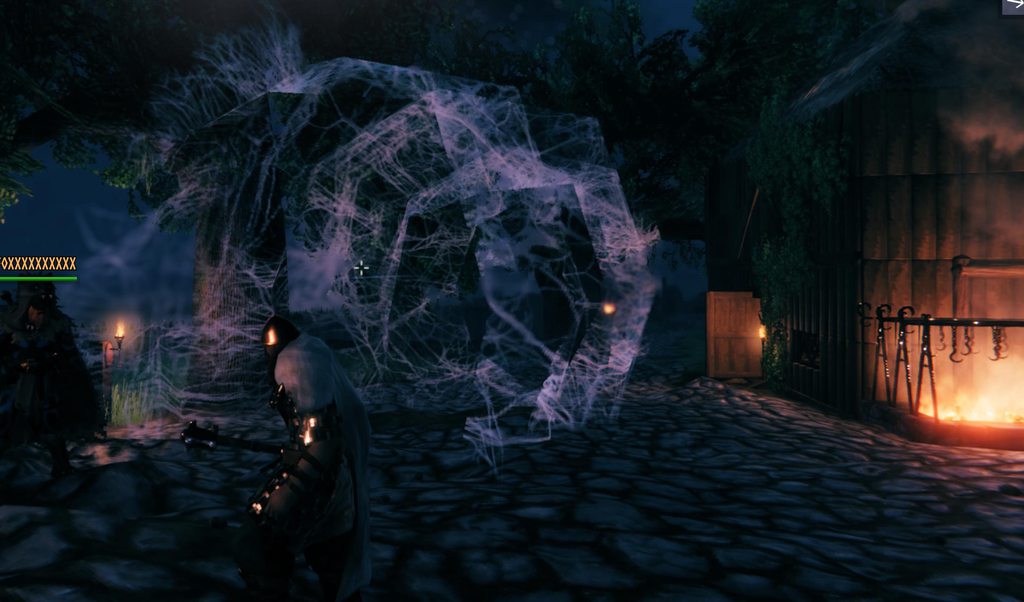 gilded vine
dense furnace
how do i remove this as server owner? my devcommands doesnt really work for admi...
gilded vine
dense furnace
how do i remove this as server owner? my devcommands doesnt really work for admi...
Is your Steam64 ID in the server's Adminlist file?
covert jewel
dense furnace
yessir, it doesnt do much
Upon login, does it note you're able to use DC?
dense furnace
DC?
covert jewel
devcommands
 covert jewel
dense furnace
yes it says devcommands true
covert jewel
dense furnace
yes it says devcommands true
running dedi & client or local hosting? If former, install on server & client
covert jewel
dense furnace
gportal hosting
Sorry, don't use 'em myself. I'd reach out to their tech support (that you're paying for)...or someone else better in the know. (I'd presume mod though)
gilded vine
dense furnace
install an admin plugin or a mod?
 dense furnace
tyty
how would i delete that web, i dont wanna accidentally delete the whole base lol
gilded vine
dense furnace
tyty
First make sure you've got a good backup world file pair. Then, consider inviting David D. or me to your server to investigate and remove it.
Or, consider additional mods to enable you to identify the exact prefab name of the object and use a delete command on it. Add'l mod example for that would be WorldEditCommands or UpgradeWorld, for example.
dense furnace
sure you wanna check it out?
gilded vine
dense furnace
sure you wanna check it out?
Yes, I can. Lunch will wait a bit. DM me the server address and PW and we'll see if I can connect. 🙂
 waxen sage
anyone know if matter have the server running on a nvme or a simple sata runs fine too? thnx!
gilded vine
waxen sage
anyone know if matter have the server running on a nvme or a simple sata runs fi...
Either disk type should be fine.
 serene river
Not sure if this is the right chnl or not, if not, I apologize. But I created a valheim server thru GPortal yesterday and am having some issues with it and hoped someone might have some insight.
gilded vine
serene river
Not sure if this is the right chnl or not, if not, I apologize. But I created a ...
Explain your issues and maybe someone might know how to help you.
serene river
gilded vine
Explain your issues and maybe someone might know how to help you.
I think it got sorted. Thank you for responding tho 🙂
 neat cave
installing this worked
libpulse-dev libatomic1 libc6
 fluid agate
Hello! I am hosting a dedicated server on a Ubuntu-server machine using steamcmd, and I am having this issue where once every hour or so the server completely freezes for about 30 seconds. We could be in the middle of a fight, everyone just stands still all of a sudden while mobs keep moving around and then 30 secs later we all just die. Running an i5-10500, 16GB DDR4, NVMe SSD, any thoughts?
onyx pike
fluid agate
Hello! I am hosting a dedicated server on a Ubuntu-server machine using steamcmd...
Whats the clock speed on that processor? Id imagine an i5 is kind of low, and id guess your CPU is struggling. Our Ryzen 9's struggle with this game 😅
Oh wait this is Valheim scratch that, I was thinking enshrouded. But I would still start with your CPU, can you monitor stats?
fluid agate
Seems fine imo

 ember marsh
any server where i can find players?
final current
fluid agate
Hello! I am hosting a dedicated server on a Ubuntu-server machine using steamcmd...
It's either going to be one of your players' PCs or network connections responsible for that lag, a Crossplay relay, or both. The first play to enter an area becomes responsible for the simulations+object ownership for that area. The server doesn't do much. A checklist: #dedicated-server message
final current
ember marsh
any server where i can find players?
Give #1024264966712340510 a look
ember marsh
final current
Give <#1024264966712340510> a look
ok thx friend
fluid agate
final current
It's either going to be one of your players' PCs or network connections responsi...
Thank you for the response, will look into it!
 mild birch
Hey I’m on Xbox and I was thinking about getting a server for me and my friends but I have no idea where to start, dose anyone have any pointers or tips?
 sturdy sparrow
if anyone tried to to use +connect and +password parameters for easier connect to your dedicated server you have to use this syntax:
+connect [ip:port] -password [password]
(i dont know why but its NOT +password as google tells you but -password AND port is required)
mild birch
Does anyone know any reliable server providers?
native raptor
Bisect Hosting
agile pecan
mild birch
Does anyone know any reliable server providers?
Do you have a pc which you could use to host the server yourself? It's very easy to setup and does not require much in terms of hardware.
 marble oxide
hey guys, anyone know if there’s a way to improve connection or sync in valheim multiplayer? i’ve been playing with 5 friends and sometimes we get lag/teleport, and i read it kinda uses whoever enters an area first to handle things. any configs, mods or tips that help with that? 🤔
i also saw the serverside simulations mod, has anyone actually tested it and noticed real improvements?
I’m not sure what’s causing the desync. It could be because we live far apart in the country, different ISPs, and some players also have weaker PCs.
I was hosting the game locally on my own PC, which is quite strong. But I’m not sure about each player’s individual internet connection.
There was a moment when enemies were frozen for me while everything looked normal for the others, even though I was hosting the server.
We’ve also played The Forest together and never had issues like this.
I’ll try the mod you mentioned and see if it helps.
Do you think Serverside Simulations is the better option for this kind of issue, or would something like FiresGhettoNetworking be more effective?
gilded vine
marble oxide
I’m not sure what’s causing the desync. It could be because we live far apart in...
Which mod, if any, will help really all depends on the exact cause of the problem. When circumstances don't let you pin it down, then trying a couple likely mods makes sense to me. Good luck with it.
marble oxide
gilded vine
Which mod, if any, will help really all depends on the exact cause of the proble...
Thanks!!!
 kindred shore
hey guys has anyone ever had issues with hosting a server ? ive done port forwarding both udp and tcp opened the ports on pc (hosting server) but only works through crossplay
gilded vine
kindred shore
hey guys has anyone ever had issues with hosting a server ? ive done port forwar...
Check your server's Firewall and whether it's using a VPN that's blocking.
kindred shore
gilded vine
Check your server's Firewall and whether it's using a VPN that's blocking.
how so? i did do the inbound and outbound tcp and udp port rules
and the valheim server is allowed through the firewall
gilded vine
kindred shore
how so? i did do the inbound and outbound tcp and udp port rules
That's good. You could also disable the Firewall temporarily and test it that way. You can also check whether geekstrom.de/valheim/check site can see the server. And you can also try connecting to the server with the server's internal and external IP addresses.
kindred shore
okay geek storm says it cant be found
i have done port forwarding here

Genuinel dont know what the issue could be

 gilded vine
Can you connect ok when you use the server's internal IP address?
gilded vine
Hmmm.... You're doing everything right and it still doesn't work.
I wonder if your ISP carrier is blocking you. Do you have a CGNAT connection with them?
 gilded vine
kindred shore
i have no idea lmao
gilded vine
kindred shore
i have no idea lmao
If the WAN external address shown by your router starts with 100, 192, 10, or 172 you most likely have an ISP with CGNAT.
kindred shore
yeah its 192
gilded vine
kindred shore
yeah its 192
Then, I believe you'll need to use crossplay to make it work. Crossplay forces itself past the CGNAT routing situation.
Make sure your external IP address is the 192... one.
gilded vine
kindred shore
yeah its 192
I guess you could also contact your ISP and see if they'll remove the CGNAT and give you a more direct route.
kindred shore
will this make any difference
 gilded vine
kindred shore
will this make any difference
gilded vine
kindred shore
will this make any difference
I don't think that'll help.
gilded vine
kindred shore
will this make any difference
There may be another option you can consider. It appears that a video game internet tunneling service may get around your CGNAT problem. And those tunneling services may even be cheap or free.
I have no direct experience with those services so you'll have to do your own Google searches to get the info about it.
final current
kindred shore
yeah its 192
You sure your WAN IP address is this? It would probably be in the Diagnostics page.
final current
kindred shore
okay geek storm says it cant be found
The geekstrom check will only pass if the server is marked public, so no worries if it's a private server.
When Crossplay is disabled, are you at least able to connect to the server via the LAN IP address?
kindred shore
final current
The geekstrom check will only pass if the server is marked public, so no worries...
hey sorry didnt see msg but yes i can
 keen steppe
Hello, I've noticed that the game does not cap data sent and recv to 64kbps anymore as I've seen it go up around 140kbps which is why I didn't use mods like betternetworking (last updated 5 years ago), but I still notice occasional lag on my dedicated server (setup on a w11 desktop not used by anything else) using port forwarding with ryzen 5 7600, wd black sn 770 with 35% free space, cabled connection 200Mbps internet (not optimal but should not cause major issues, network is only used by me with no downloads or anything that might cause unnecessary bloat), no bufferbloat (tested on waveform and libreqos), no mods or crossplay enabled, nographicsmode, around 7k instances max, and not so remote 5 average distanced players with 90ish pings, mobs teleport or fly in the air occasionally but I have not been able to pinpoint the issue, even when the area owner is someone with mid-high end specs (7800xt GPU, 7800x3d CPU) also tested with little to no bufferbloat, what other things can we consider as a potential chokepoint? queue size lingers around 30 when hosting an area but can climb quickly when the server is lagging, I've tried everything I could come across, sorry for the information dump but I want to give as much detail as possible
 iron topaz
kindred shore
will this make any difference
iron topaz
kindred shore
will this make any difference
holy dox
final current
WAN IP is not shown there, hence our questions on it. Not much you can do with someone's LAN address except verify forwarding rules looking good.
final current
keen steppe
Hello, I've noticed that the game does not cap data sent and recv to 64kbps anym...
Is one of your players using Wi-fi? Is everyone on the same LAN as the server using the LAN IP instead of an external IP? Using loopback IP when on same PC as server? Made sure to disable UDP Flood Protection or similar protections in your router/firewall?
 craggy axle
final current
WAN IP is not shown there, hence our questions on it. Not much you can do with s...
craggy axle
final current
WAN IP is not shown there, hence our questions on it. Not much you can do with s...
i have his private address it's over for him now.
keen steppe
final current
Is one of your players using Wi-fi? Is everyone on the same LAN as the server us...
players are ethernet/wifi, they are not in the same household so they connect through a static domain from cloudflare that I associated with my public IP, which I also use to connect to my server on the same network, and my router does not have any settings to allow me to change any UDP Flood Protection, QoS or SQM, there's just DMZ option which I haven't touched, but I made an inbound exception for valheim alongside port forwarding (I port forwarded just as UDP, following the valheim fandom dedicated server wiki page)
final current
keen steppe
players are ethernet/wifi, they are not in the same household so they connect th...
Cool, well if you aren't overriding the domain for your LAN, I'd definitely consider switching to connecting via the LAN IP for your own leg; it will also reduce router CPU consumption during gameplay.
keen steppe
final current
Cool, well if you aren't overriding the domain for your LAN, I'd definitely cons...
Will definitely try that, as well as convincing all the players to connect via an ethernet cable, thank you for your support. Besides these things I believe there isn't much to help on my end, I've read many people blaming the game's network code for the lag, due to peer-to-peer connection and zone owner mechanic, which is debatable but yeah, I would prefer if it always let the player with best conditions host the zone
final current
Yeah, or the server itself. That's the dream of those "Serverside Simulation" type mods.
kindred shore
iron topaz
holy dox
yes because you as a keyboard warrior can totally dox/ddos me
Also wtf you going to do with a private ip u brick ?
iron topaz
kindred shore
yes because you as a keyboard warrior can totally dox/ddos me
Also wtf you going...
wow, someone cant take a joke
 wintry merlin
kindred shore
yes because you as a keyboard warrior can totally dox/ddos me
Also wtf you going...
wintry merlin
kindred shore
yes because you as a keyboard warrior can totally dox/ddos me
Also wtf you going...
Really though, from a cyber security perspective I would strongly suggest never voluntarily sharing info that doesn't need to be public. Just my two cents
agile pecan
keen steppe
Will definitely try that, as well as convincing all the players to connect via a...
If you're interested in mod "solutions": ServersideQoL has a setting to assign zone ownership to the player with the best connection. It's server-only so clients do not need to mod their game. But I don't know how well it actually works, I've had mixed reports.
DedicatedServer moves zone ownership to the server, but in exchange resource usage of the server increases dramatically, depending on the number of concurrent players/active zones.
keen steppe
thank you, yes I have been looking into server side simulation mods and will definitely try this one too
kindred shore
wintry merlin
Really though, from a cyber security perspective I would strongly suggest never ...
Im a software eng , i highly doubt my private ip on my lan network will pose a problem i appreciate the concern
wintry merlin
kindred shore
Im a software eng , i highly doubt my private ip on my lan network will pose a p...
Oh good. Then you definitely have a better understanding of it than the average user. People often forget that compromised devices with wifi access can allow lateral movement once connected to a LAN so I just figured I'd mention that. Strolling through an NAS is a walk in the park once that happens. 🤣
kindred shore
wintry merlin
Oh good. Then you definitely have a better understanding of it than the average ...
yeah thats fair enough , luckily i dont have a nas lol
lament hedge
kindred shore
will this make any difference
I JUST got done dealing with issue, now I use dynamic ip. If you want to avoid this, just turn on crossplay. Use the PlayFab code, update it when people need it
 serene siren
Just bought a month of valheim dedicated server. but i wasnt asked to setup account. only email i have is a paypal receipt.
onyx pike
serene siren
Just bought a month of valheim dedicated server. but i wasnt asked to setup acco...
Can you get in contact with support from your provider?
serene siren
onyx pike
Can you get in contact with support from your provider?
oh i thought valhost was valheim's like official dedicated server service
kindred shore
lament hedge
I JUST got done dealing with issue, now I use dynamic ip. If you want to avoid t...
yeah my problem was more the lag my friends were experiences and suspected crossplay routing was the cause
but i installed a mod that increases i think the data packet size hopfully heps
 formal crescent
Is there any good way to disable structure stability on a dedicated server?
agile pecan
formal crescent
Is there any good way to disable structure stability on a dedicated server?
Install the ServersideQoL mod on the server and set DisableSupportRequirements = PlayerBuilt in the config
https://thunderstore.io/c/valheim/p/ArgusMagnus/ServersideQoL/
Thunderstore
Serverside-only QoL mod, compatible with vanilla (e.g. XBox) clients. Stack from player inventories into nearby chests, generated portal hub, auto-sort chests, refuel smelters from containers, disable rain damage, infinite building/farming stamina and more
formal crescent
what do I do if I end up converting the world to SP
agile pecan
The already existing build pieces will remain without stability check, if you want to continue building new pieces without stability check you'll need a client-mod that does that (ServersideQoL technically also works in SP, but there are better choices for SP like AzuWearNTearPatches)
 mental gull
so me and my friends are looking to start another server here soon, we had to quit last time cause of the lag when more than 1 person was on the game. Couldnt go to the ashlands and had invisible troll raids. Is there any server suggestions that have worked or anyone know good ways to make it better(we are happy to pay for a good server if that is needed)
fluid agate
As an update to my question a few days ago: Disabling crossplay fixed all of our issues and the server now runs smoothly, thanks for the help 🙂 @final current
gilded vine
mental gull
so me and my friends are looking to start another server here soon, we had to qu...
You should scroll back through this channel and you'll find a lot of info about multi-player server lag and desync issues and what people have done to fix it for their servers.
 vague dragon
When trying to start the container for the server using valheim-server-docker im getting this error, any ideas?
May  2 17:40:54 supervisord: valheim-updater udev /proc/interrupts devtmpfs rw,nosuid,relatime,size=7042252k,nr_inodes=1760563,mode=755,inode64 0 0

May  2 17:40:54 supervisord: valheim-updater udev /proc/kcore devtmpfs rw,nosuid,relatime,size=7042252k,nr_inodes=1760563,mode=755,inode64 0 0

May  2 17:40:54 supervisord: valheim-updater udev /proc/keys devtmpfs rw,nosuid,relatime,size=7042252k,nr_inodes=1760563,mode=755,inode64 0 0

May  2 17:40:54 supervisord: valheim-updater udev /proc/latency_stats devtmpfs rw,nosuid,relatime,size=7042252k,nr_inodes=1760563,mode=755,inode64 0 0

May  2 17:40:54 supervisord: valheim-updater udev /proc/timer_list devtmpfs rw,nosuid,relatime,size=7042252k,nr_inodes=1760563,mode=755,inode64 0 0

May  2 17:40:54 supervisord: valheim-updater DEBUG - [34] - Valheim updater was just started - skipping connected players check

May  2 17:40:54 supervisord: valheim-updater INFO - Downloading/updating/validating Valheim server from Steam

2026-05-02 17:40:55,651 INFO success: syslogd entered RUNNING state, process has stayed up for > than 1 seconds (startsecs)

2026-05-02 17:40:55,651 INFO success: crond entered RUNNING state, process has stayed up for > than 1 seconds (startsecs)

2026-05-02 17:40:55,651 INFO success: valheim-updater entered RUNNING state, process has stayed up for > than 1 seconds (startsecs)

May  2 17:40:55 supervisord: valheim-bootstrap valheim-updater: started

2026-05-02 17:40:55,786 INFO spawned: 'valheim-backup' with pid 70

May  2 17:40:55 supervisord: valheim-backup INFO - No worlds to backup

May  2 17:40:55 supervisord: valheim-backup DEBUG - [70] - No old backups to remove

2026-05-02 17:40:56,798 INFO success: valheim-backup entered RUNNING state, process has stayed up for > than 1 seconds (startsecs)

May  2 17:40:56 supervisord: valheim-bootstrap valheim-backup: started

2026-05-02 17:40:56,815 INFO exited: valheim-bootstrap (exit status 0; expected)

May  2 17:40:57 supervisord: valheim-updater Redirecting stderr to '/home/valheim/Steam/logs/stderr.txt'

May  2 17:40:57 supervisord: valheim-updater Logging directory: '/home/valheim/Steam/logs'

May  2 17:40:57 supervisord: valheim-updater [  0%] Checking for available updates...

May  2 17:40:57 supervisord: valheim-updater [----] Verifying installation...

May  2 17:40:57 supervisord: valheim-updater [  0%] Downloading update...

May  2 17:40:57 supervisord: valheim-updater [  0%] Checking for available updates...

May  2 17:40:57 supervisord: valheim-updater UpdateUI: skip show logo

May  2 17:40:57 supervisord: valheim-updater [----] !!! Fatal Error: Steamcmd needs to be online to update. Please confirm your network connection and try again.

May  2 17:40:57 supervisord: valheim-updater src/tier0/threadtools.cpp (3745) : Assertion Failed: Illegal termination of worker thread 'Thread(0x0x5b938160/0x0xeb7cab'

May 2 17:40:57 supervisord: valheim-updater ERROR - Failed to download Valheim server from Steam - retrying later - check your networking and volume access permissions```I have tried setting DNS manually and im able to ping it...
vague dragon
can not for the life of me figure out why SteamCMD is not going online...
 shrewd sable
.
final current
vague dragon
When trying to start the container for the server using valheim-server-docker im...
Hard to say. Are you doing anything fancy with container networking or just using the default bridge network? And using any kind of DNS proxy like Pi Hole that could be blocking Valve's domains?
vague dragon
final current
Hard to say. Are you doing anything fancy with container networking or just usin...
can it be caused by the fact that its running in a docker in LCX?
havent made any changes to the networking on the container from the default, and Adguard is completly disabled on the network
final current
vague dragon
can it be caused by the fact that its running in a docker in LCX?
Yep. Assuming you mean LXC, the multiple layers of abstraction can lead to something like this. If this is docker-in-lxc, you'll want to make sure nesting is enabled and that the container is privileged (or you'll have to figure out what privileges to grant).
The image is an OCI-ish image, so if you have a newer LXC runtime like from Proxmox 9.1+, you might be able to try the "Pull from OCI Registry" option to just run it natively instead of using docker-in-lxc. You'll have to let us know how it goes if you try it.
vague dragon
final current
Yep. Assuming you mean LXC, the multiple layers of abstraction can lead to somet...
hmm okay, i will try to figure out how to do it and let you know when ive tried!
final current
We don't get a lot of LXC operators in here, but it ought to be possible to get Dedicated Server running in it somehow. If you aren't getting anywhere, you could try the same steps with a simpler container image that does some networking like ping or busybox container with ping and try to reach a known Internet server that responds to ping.
floral jay
Runs fine in LXC directly without trying to stack docker on top. The supervisord in docker in LXC is a lot of atypical complexity
vague dragon
floral jay
Runs fine in LXC directly without trying to stack docker on top. The supervisord...
you mind sharing how that setup looks like?
floral jay
I installed the valheim server using steamcmd inside a Debian LXC on Proxmox. That's just about all of it
vague dragon
Ive now tried setting up a debian 13 VM for it to run, I'm still seing same errors, have swapped dns on router, disabled firewall,
May  3 22:05:01 CRON[94]: (root) CMD ([ -f "/var/run/valheim/valheim-backup.pid" ] && kill -HUP $(cat /var/run/valheim/valheim-backup.pid))

May  3 22:05:01 CRON[92]: pam_unix(cron:session): session closed for user root

May  3 22:05:05 supervisord: valheim-backup DEBUG - [68] - Received signal to backup world

May  3 22:05:05 supervisord: valheim-backup INFO - No worlds to backup

May  3 22:05:05 supervisord: valheim-backup DEBUG - [68] - No old backups to remove

May  3 22:05:09 supervisord: valheim-updater CreateBoundSocket: failed to create socket, error [no name available] (38)

May  3 22:05:09 supervisord: valheim-updater Retrying...

May  3 22:05:09 supervisord: valheim-updater ^[[0m

May  3 20:05:33 supervisord: valheim-updater CreateBoundSocket: failed to create socket, error [no name available] (38)

May  3 20:05:33 supervisord: valheim-updater Retrying...

May  3 20:05:33 supervisord: valheim-updater ^[[0m

May  3 20:06:22 supervisord: valheim-updater CreateBoundSocket: failed to create socket, error [no name available] (38)

May  3 20:06:22 supervisord: valheim-updater FAILED (No Connection)

May  3 20:06:22 supervisord: valheim-updater ^[[0m

May  3 20:06:23 supervisord: valheim-updater Unloading Steam API...^[[0m

May  3 20:06:23 supervisord: valheim-updater OK

May  3 20:06:23 supervisord: valheim-updater ^[[0m

May 3 20:06:23 supervisord: valheim-updater ERROR - Failed to download Valheim server from Steam - retrying later - check your networking and volume access permissions```That's still the docker container inside LXC
vague dragon
floral jay
That's still the docker container inside LXC
no, its running on a vm?
floral jay
vague dragon
no, its running on a vm?
Oh right but it's still the docker container, the failed to create socket message seems to be the first error. That's coming from valheim-updater that is unique to the docker container.
final current
vague dragon
Ive now tried setting up a debian 13 VM for it to run, I'm still seing same erro...
If this is coming from a recent docker version, this one isn't your fault.
https://github.com/moby/moby/issues/52506
Caused by SteamCMD being an ancient 32-bit app and this upstream change:
https://github.com/moby/profiles/pull/21
I'm one of the maintainers of that docker image, but I'm not sure what we can do to work around this other than wait for Valve or Moby to provide a fix or workaround. We'll keep tracking it in this issue in the meantime:
https://github.com/community-valheim-tools/valheim-server-docker/issues/780
@foggy sorrel I'm curious your thoughts on DepotDownloader. I've been considering it as an alternative to SteamCMD; would make it easier to run the container on Docker for [arm64] Mac and also address the 0x6 bug. Isn't as clean about manifest/diff updating if I recall and comes with its own burdens, being a beefy .Net app and all.
vague dragon
final current
If this is coming from a recent docker version, this one isn't your fault.
https...
just figured this out right before you sent this message, just downgraded docker and its working wonders now...
Thanks anyways! Was frustrating to not get it working and being new to proxmox and everything, but glad it got working. Sad its just before bedtime 😂
final current
Glad you figured it out and I'm glad to know about the issue now. I'll try to file an issue with Valve if no one else has already; not that they listen to me.
vague dragon
Was sure it was something with my setup, pointed so much towards network issues...
final current
Filed upstream as https://github.com/ValveSoftware/steam-for-linux/issues/13149
If they finally release a 64-bit SteamCMD out of this, I'll consider it a win.
GitHub
Your system information SteamCMD Docker 29.4.2 or higher on any modern Linux distribution Please describe your issue in as much detail as possible: With SteamCMD still being 32-bit and closed-sourc...
vague dragon
Great, can cross fingers!
vague dragon
before heading to work I tried setting up a new docker in LXC and adding this work around: https://github.com/community-valheim-tools/valheim-server-docker/issues/780 and it works.
Adding these so if people search for these errors in the channel they can find it:
CreateBoundSocket: failed to create socket, error [no name available] (38)
Failed to download Valheim server from Steam - retrying later - check your networking and volume access permissions
Fatal Error: Steamcmd needs to be online to update. Please confirm your network connection and try again.
sand fulcrum
not sure if this is an ok area to ask this, but i want to clean up my plugins fold a bit. will it still read all the plugins if they are in a folder with in a folder etc?
- Plugins
- Graphics
- each graphics mods folder with their files
- UI
- each UI mods folder with their files
- QOL
- each QOL mods folder with their files
- Graphics
etc
etc
etc
copper ether
I'm using dathost as a dedicated server
Can I kick a member who forgot to logout?
I'm the admin
final current
copper ether
I'm using dathost as a dedicated server
Can I kick a member who forgot to logout...
Yep, in the Console: kick <player name|player ID|player IP address>
If the player has a space in their name, you'd have to use ID or IP address. You can grab IDs from the server logs or by pressing F2 while playing on the server.
copper ether
final current
Yep, in the Console: `kick <player name|player ID|player IP address>`
If the pla...
Thank you.. ofcourse he had space in his name 😄
 olive depot
Hi all. I'm currently running 4 dedicated servers on 2 of my 3 Windows 11 machines. I use different ports for each server. Besides 2456-2458, I've found that 2460-2462, 3456-3458, and 3460-3462 also work. I haven't had any issues and I'd like to try to add 2 more servers. Does anyone have any suggestions?
final current
olive depot
Hi all. I'm currently running 4 dedicated servers on 2 of my 3 Windows 11 machin...
I have no specific port range suggestions for Windows, but you can find what's in use in PowerShell:
Get-NetUDPEndpoint | Select-Object LocalAddress, LocalPort, OwningProcess
Two notes:
- The 3rd port in each of those ranges isn't actually used. You can assume only the first two are used for now (so 2460-2461 instead of 2460-2462)
- If you're using Crossplay, all of this is moot. The port is just used as a unique number to construct a locator for the relay and is never bound locally.
olive depot
Thank you.
 gaunt haven
Hello, looking for someone to start a dedicated 24/7 server with 50-50 co-owned. I'm NA.
DM me
final current
gaunt haven
Hello, looking for someone to start a dedicated 24/7 server with 50-50 co-owned....
Consider giving #1024264966712340510 a whirl for this
final current
SteamCMD should be working for Dedicated Server installs+updates again as of Docker 29.4.3
 silk lava
Hello!
Is anyone able to provide some guidance on setting up a modded server on Linux?
I've run a few vanilla servers on windows before
I am I still able to use the Valheim Dedicated Server via steam?
 lean tulip
I run a dedicated server using docker on linux. I use this one which is pretty easy to setup: https://hub.docker.com/r/lloesche/valheim-server
silk lava
lean tulip
I run a dedicated server using docker on linux. I use this one which is pretty ...
Thank you!
Is there mod support as well?
lean tulip
silk lava
Thank you!
Is there mod support as well?
GitHub
Valheim dedicated gameserver with automatic update, World backup, BepInEx and ValheimPlus mod support - community-valheim-tools/valheim-server-docker
silk lava
thank you!!
Am I able to add mods after a server is up and running, or does the world need to be generated with the mods already installed
final current
silk lava
Am I able to add mods after a server is up and running, or does the world need t...
Depends on the mods. Mods that affect world data can often be run on an established vanilla world. Some that do it make it hard to revert the world back to vanilla if you change your mind. Usually a mod's page on Thunderstore will have details or the mod author's Discord can be helpful. #mods-discussion can dive deeper if you have a list you're interested in trying.
The server itself can take on new mods following a restart, in this case a restart of the container.
silk lava
Thank!
vague dragon
https://github.com/ValveSoftware/steam-for-linux/issues/13149#issuecomment-4391801455
A new docker release is out (https://github.com/moby/moby/releases/tag/docker-v29.4.3). Upgrading docker to 29.4.3 fixes the issue.
Fix for the seccomp problems is out, will be testing it today
GitHub
Your system information SteamCMD Docker 29.4.2 or higher on any modern Linux distribution Please describe your issue in as much detail as possible: With SteamCMD still being 32-bit and closed-sourc...
vague dragon
After updating docker the server seems to be starting up just fine, so problem has been fixed. Remember to revert any workarounds made
 misty bay
silk lava
Hello!
Is anyone able to provide some guidance on setting up a modded server on ...
misty bay
silk lava
Hello!
Is anyone able to provide some guidance on setting up a modded server on ...
i use pufferpanel, on linux mint, bare install no docker. works flawlessly
pulled my hair out with docker servers too many times
looks and runs like a dedicated cloud hosting service but local and flawless
 spark current
Hi all, whats rhe best site to use for a dedicated server in the UK 🙂
silk lava
misty bay
i use pufferpanel, on linux mint, bare install no docker. works flawlessly
Thank you!
 frail valve
what hosting service would you recommend for dedicated server?
gilded vine
frail valve
what hosting service would you recommend for dedicated server?
There are no 'officially' recommended hosting companies.
Check on-line reviews for hosting companies in your area. That'll get you a more comprehensive recommendation based on customer reviews, price, support, stability, mods, etc.
 agile cairn
Does anyone know if there are some issues with others trying to connect to servers? I can't connect to my friends server and it feels like we've both tried every fix we can find. (I have symmetrical NAT and my friend has port restricted: is this a cause? - I think my friend changed his but not entirely sure) It always shows unable to connect, unless im joining empty servers (sometimes gives the password prompt, albeit not sure if its only empty ones)
gilded vine
agile cairn
Does anyone know if there are some issues with others trying to connect to serve...
I don't know if symmetrical NAT will cause a problem with your outgoing ports attempting to connect or not. Others in here may be able to comment on that.
Meanwhile, you and your friend can both try checking your log files to see if there are any error msgs. in there that would explain it. Player logs are in the BepInEx folder, if you have mods.
Also, you can provide additional info here to help trouble shoot it. Is it a dedicated server? If so is it on one of your home LANs or with a hosting Co.? Are other players able to connect to the server?
If you don't need to support Xbox users, have your friend try removing the -crossplay option.
final current
agile cairn
Does anyone know if there are some issues with others trying to connect to serve...
If their port is restricted and can't be forwarded from the Internet to their server and a different port can't be forwarded instead, Crossplay pretty much the only option as it gives you a relay. They would need to enable Crossplay and give you the most up-to-date join/invite code for you to use in the Add Server dialog; they can get that from the Esc in-game menu or from the most recent server logs.
If other players are able to connect to your friend's server, there might be something else going on though.
Alternatively, you could avoid the Dedicated Server and have them launch it through the in-game server instead and try giving you a Steam invitation while you're waiting in the select character screen. That can sometimes bypass NAT, but not always if your side is symmetric.
agile cairn
final current
If their port is restricted and can't be forwarded from the Internet to their se...
The crossplay enabled solved it, easy fix after hours of work, thank you :)
frail valve
is it safe to add mods to a server mid run?
final current
frail valve
is it safe to add mods to a server mid run?
Probably a better question for #mods-discussion and is likely going to be a mod-specific ask. Certainly check the mod's Thunderstore page and in some cases they author might have a specific Discord they're available on for support.
The quick answer is: many yes, some no.
copper ether
Anyone have dathost as dedicated server and experiencing lagging?
 trim hawk
copper ether
Anyone have dathost as dedicated server and experiencing lagging?
trim hawk
copper ether
Anyone have dathost as dedicated server and experiencing lagging?
Yes, but not experience any lag.
 ruby island
I downloaded a mates world save file that we were all playing on and ported it a dedicated server that I am running on a seperate machine
They see the world as it always was, however, I have invisible walls or "blackened" objects....
Does anyone know a fix?
Never had this issue before when porting a world
ruby island
.....Once the server cycles a few saves, it went back to normal for me.... wtf
gilded vine
copper ether
Anyone have dathost as dedicated server and experiencing lagging?
There are already some good discussions about server lag and it's remedies in this channel, if you want to go back in here and do a search for them.
 tardy citrus
we are a squad that plays hardcore mode without a map...
Last week, we were scammed because we bought a Valheim server for around $4 with a one-month subscription, but after a week, the server was slow and frequently lagged and delayed. We have four players from Indonesia.
Do you have any recommendations for buying a dedicated server at a low price?
I actually have an old laptop with the following specifications:
Processor: AMD Ryzen 3 2200U (2.5-3.4 GHz)
Graphics (iGPU): AMD Radeon RX Vega 3 (integrated, 3 CUs / 192 shaders)
12GB RAM
200GB SSD storage
Is it better to set up my own server using an old laptop running Linux? Do I need the Steam account I used to buy Valheim on my old laptop if I want to use it as a dedicated server?
 frail valve
tardy citrus
we are a squad that plays hardcore mode without a map...
Last week, we were sc...
frail valve
tardy citrus
we are a squad that plays hardcore mode without a map...
Last week, we were sc...
given my recent experience you're likely better to use your old laptop for this than spending money for a hosting service where mod support may work or not
this gives you a full control of your server too
no guarantees if your old laptop can handle being ON for weeks
frail valve
i have a question regarding modding, if i set mods on the server, clients don't need to have these mods anymore, right?
agile pecan
frail valve
i have a question regarding modding, if i set mods on the server, clients don't ...
Wrong, most mods are required on the clients. Very few mods are server-only and thus not needed on the clients.
frail valve
so what's the point of putting them on server
agile pecan
Mostly ensuring that settings are synchronized amongst clients, I think
frail valve
so if not only server but also clients need to have to exact same modpack, this is quite a hassle
agile pecan
In theory you should be able to look at the tags on thunderstore (server-side, client-side or both) to determine where a mod should go, but a lot of the flood of AI generated mods got the tags wrong
frail valve
#mods-discussion message what about these?
this is what the mod says, is that correct then?

i guess i understood this wrong, some games can push the mod to a client automatically
agile pecan
Probably. I've not used them myself, but they are not AI generated. Ask ZenDragon directly when in doubt
Yes, valheim doesn't do that
frail valve
so basically if i put this on server, a client without this mod won't be able to connect?
agile pecan
Yes
But if you don't put it on the server, anyone can connect with whatever mod settings they want to. If you want to enforce settings, you need to put it on the server
frail valve
i see
can it potentally break the server if people use whatever mods?
what server only mods are out there?
agile pecan
frail valve
can it potentally break the server if people use whatever mods?
Yes, depends on the mods though
agile pecan
frail valve
what server only mods are out there?

GitHub
Repository for hosting the Valheim Modding wiki. Contribute to Valheim-Modding/Wiki development by creating an account on GitHub.
frail valve
nice, thank you
is there a guide now how properly do server maintenance and stuff? how to properly add mods if allowed during a run etc
ok see something in pins nvm
final current
frail valve
is there a guide now how properly do server maintenance and stuff? how to proper...
#mods-discussion and #mods-issues will be better places to learn about those. The manual that comes with the server is handy, as are:
https://valheim.fandom.com/wiki/Developer_console#Admin_commands (click Show commands for the admin commands section)
https://valheim.fandom.com/wiki/Global_Keys#World_Modifier_Keys goes more in depth than the manual on those
And if you're having trouble getting your server operating like you want it in macOS, Linux, or Windows, we're certainly here to chat about that sort of thing.
 hazy egret
Hello I’m on Xbox and I was wondering if I was able to set up dedicated servers? And if there was any server websites you guys would recommend. We have a 30+ player world.
final current
hazy egret
Hello I’m on Xbox and I was wondering if I was able to set up dedicated servers?...
You will not. The Xbox version does not have a Dedicated Server executable; it's rare for a game to have such a thing as it's not really a server OS. Some alternatives:
- You can use the in-game server to host from the Xbox game, it just won't be headless/backgrounded/persistent. It goes away when you quit the game, but the world is saved if it's a clean exit. This video shows the process: https://www.youtube.com/watch?v=glChzkJuhL0. #valheim-help is available to help with the in-game server if you run into issues.
- Your Microsoft Store purchase of the game does give you a license to download the game on Windows or Windows Server, and that installation does come with Valheim Dedicated Server. It'll usually be somewhere like
C:\XboxGames\Valheim\Content\Server. You'll find the manual and a template Command Prompt batch script for launching you can copy+paste+modify+run. It only supports Crossplay operation, but you need that for Xbox players to be able to join anyway. - If you have Steam, you can also install Valheim Dedicated Server for free on macOS, Linux, Windows, or Windows Server by switching your Library filter to include "Tools". Just make sure to start it in Crossplay mode.
- One of your friends with a decent (wired hopefully) connection, and decent PC could host for you. The Crossplay mode doesn't require deep IT networking knowledge.
- There are 3rd-party hosts available that can manage the day-to-day operations of hosting a server.
final current
hazy egret
Was that just ai
I never respond with AI if I'm chatting in English. Though I Googled the MS Store/Game Pass path to the server dir; I don't own that version myself.
There are a lot of regulars in here like me that run dedicated servers should you decide to self-host and run into issues.
You're not the first person in here to accuse me of being an AI. Is it because of the bullet points? 😄
hazy egret
final current
You're not the first person in here to accuse me of being an AI. Is it because o...
Yes ngl I thought you were
My apologize
 fathom bloom
Does anybody know a good service which provides on-demand online servers? Like, I just wanna start the server when me and my friends wanna play and pay accordingly, most hosting options the server always stays running.
floral jay
I dont know of any game hosting providers that do on demand. if you are able to manage a linux server youself manually then you might be able to use any of the on demand VPS providers
 somber iris
its an interesting idea for sure. kind of like buying cloud services.
final current
fathom bloom
Does anybody know a good service which provides on-demand online servers? Like, ...
You can always use AWS, GCP, Azure, or Oracle Cloud for something like this. An on-demand instance with persistent volume (e.g. EBS) and just stop the instance without terminating while not using it. If you have the server process managed with systemd with a nice long termination grace period, the provider's Stop action ACPI shutdown should cleanly exit Dedicated Server with a save.
Bonus: Many Azure regions are are co-sited with Crossplay's relays if this is a Crossplay server, helping with the dreaded Crossplay lag.
Downside to that approach is the on-demand hours can be expensive for the times you have it on. Could end up cheaper than traditional game server hosts if you aren't doing several hours per day.
floral jay
cloud providers are usually stingy on ram. the game hosts are probably fine working around it because of shared infrastructure but when you get a VM from a cloud host they dedicate that amount of ram to you and charge appropriately for it. the breakeven point is probably going to be only having the server on a small amount of the time
 cobalt sigil
can anyone help me troubleshoot why the dedicated server immidiately shuts itself down when i launch
i can send a text file of the logs to avoid spam or whatever is preferred
final current
cobalt sigil
i can send a text file of the logs to avoid spam or whatever is preferred
You can attach the logs as a .txt or .log in a post here, just remove anything you want to keep private first.
If this is a public server, make sure the password is ≥5 characters and doesn't contain the server name.
cobalt sigil
it is not a private server, password is 7 characters does not include server name
sorryi mean it is a private server lmao i have the -public 0 argument in the script
it seems like its a shader thing thats all ive figured out
final current
cobalt sigil
CreateBoundSocket: ::bind couldn't find an open port between 2457 and 2457
UDP port2457is already being used by something. The Dedicated Server will use whatever you specify in-port(or 2456 default) and port+1 (2457 default). Quick and easy guess is that you already have a server running in another window or the background.
This might tell you what's using it if you're unsure:
sudo ss -n -l -p | grep 2457
oh man
its an instance of the server that didnt get shut down correctly i think
brb
final current
You can send it a TERM or INT signal if you want to try to trigger the world save via graceful shutdown. If that fails to do it within a couple minutes, you can try something more aggressive.
cobalt sigil
noone had been on it or anything yet so i just restarted lol and that killed it
and we have successfully launched
thank you
fathom bloom
final current
You can always use AWS, GCP, Azure, or Oracle Cloud for something like this. An ...
Yeah, I managed to create a small discord bot that start/stop a VM on GCP. The downside is that you may not get the same IP (you can reserve a public IP but it costs money though).
If you have the server process managed with systemd with a nice long termination grace period, the provider's Stop action ACPI shutdown should cleanly exit Dedicated Server with a save.
Yeah, I solved this by uploading the save into a storage bucket and restoring in the VM when the server resumes. It works.
GCP is more expensive than some of the hosting alternatives, but if you play 20/30 hours a month it can be cheaper.
floral jay
I honestly expected the question to go nowhere but you actually know cloud infra and did it. I'm impressed.
fathom bloom
floral jay
I honestly expected the question to go nowhere but you actually know cloud infra...
haha actually I did a couple weeks ago (https://github.com/andreihod/valheim-discord-gcp-bot), I was just wondering if u guys know any paid host that does the same, seems like a good idea idk
 wispy thunder
Hello, after the announcement of the public test, I needed to install a new server with the default version 221.12 via STEAMCMD, however every time I perform the installation procedure and start the server, it is on version 221.13.
These are the commands: force_install_dir ./v-livre login anonymous app_update 896660 validate quit
I also tried with the default-old version: force_install_dir ./v-livre login anonymous app_update 896660 default-old validate quit
Has anyone else had the same problem and what is the solution?

 final current
wispy thunder
Hello, after the announcement of the public test, I needed to install a new serv...
final current
wispy thunder
Hello, after the announcement of the public test, I needed to install a new serv...
Assuming you've backed up your worlds, you want -beta public in your app_update params to switch back to the public/default branch.
After you've done that once, subsequent installs will continue to use the public branch without you having to explicitly call it out (just like what happened after your PTB switch)
wispy thunder
final current
After you've done that once, subsequent installs will continue to use the public...
Okay, I understand. Is there any way to revert from PTB to the standard version in the STEAMCMD installer, since I use the same one for 3 servers that I make available to the community?
final current
wispy thunder
Okay, I understand. Is there any way to revert from PTB to the standard version ...
I may have misunderstood what you're looking for, but the parameter I gave is for the standard SteamCMD's app_update. I'm assuming you used something similar when switching to the public-test branch.
Docs: https://developer.valvesoftware.com/wiki/SteamCMD#Downloading_an_App
wispy thunder
final current
I may have misunderstood what you're looking for, but the parameter I gave is fo...
I tested PTB on a server to understand how the new saving method would work, I used this code:
app_update 896660 -beta public-test -betapassword yesimadeabackup validate
Then I needed to install a new server in the default version 221.12, and I used the code:
app_update 896660
but when the server was up, I saw that it was in version 221.13
I use the same STEAMCMD folder for several Valheim servers.
And I use the argument -savedir ".\save-data" inside each .bat file.
I think I explained it correctly now.
final current
wispy thunder
I tested PTB on a server to understand how the new saving method would work, I u...
When you use -beta <branch_name>, it switches all installs of that app/game/server in that install dir to use the given branch from there on out.
This linkage is stored in a manifest file inside of <install_dir>/steamapps (internally managed by SteamCMD). If you were to copy the forced install dir to a new location and operate on it, that same manifest survives and dictates the branch your updates use.
So for example, to install or update with switch to public-test.
steamcmd +force_install_dir /my/valheim_server +login anonymous +app_update 896660 -beta public-test -betapassword … validate +quit
If I did a plain update after that, /my/valheim_server still uses public-test:
steamcmd +force_install_dir /my/valheim_server +login anonymous +app_update 896660 validate +quit
Explicitly switch /my/valheim_server back to public branch and downgrade:
steamcmd +force_install_dir /my/valheim_server +login anonymous +app_update 896660 -beta public validate +quit
I understand, I'm making the change, thank you very much. May Odin guide your steps.
 polar chasm
Hey, just created a modded dedicated Server, everything works fine (hopefully) but everytime i run around may game freezed for a few ms.
The console of the Server always says "Placed locations in zone ...." Im not sure but could this be because of the "BetterNetworking" mod?
gilded vine
polar chasm
Hey, just created a modded dedicated Server, everything works fine (hopefully) b...
If it's a brand new server world, you're probably better off not using any of the 'network' mods unless you develop a reason to.
The lag you are noticing could be due to a number of reasons. Networking is just one possibility and isn't very likely, actually.
polar chasm
theres always a few ms when a new location (which are structures i guess) are generated, im not sure if thats normal when you host the server on your own pc
 gilded vine
polar chasm
theres always a few ms when a new location (which are structures i guess) are ge...
gilded vine
polar chasm
theres always a few ms when a new location (which are structures i guess) are ge...
It's not normal for a home LAN based dedicated server installed on a PC that has sufficient available resources, like free RAM, CPU capacity, h/d space, etc.
If you have -crossplay enabled on the server's start up file, and you don't need it for Xbox support, try removing that.
Since you do have mods, you might find better info in the #mods-issues channel here.
 toxic elbow
Hoping someone here has an easy answer for this. I had been running a dedicated server and sometime during the day today it crashed. When I try to launch from the server .bat or .exe file, it goes through part of the startup and then crashes. It will run if I launch it through steam directly, but then I can't play the game on my main machine. Any advice?
I've tried all of the recommended google fixes, but so far no luck.
 stone wadi
toxic elbow
Hoping someone here has an easy answer for this. I had been running a dedicated ...
stone wadi
toxic elbow
Hoping someone here has an easy answer for this. I had been running a dedicated ...
Just to make sure, you are running the server .bat file correct?
toxic elbow
stone wadi
Just to make sure, you are running the server .bat file correct?
correct
stone wadi
toxic elbow
correct
Whats the name of file?
toxic elbow
start_headless_server.bat
stone wadi
toxic elbow
start_headless_server.bat
Ok have you tried copying the contents to a notepad
Deleting the file
Verifying steam valheim server files via its properties
And then copying the contents back into new file?
toxic elbow
Yes, tried that
stone wadi
So it loads the server with the mods
Have you tried moving the mods out temp to see if it launches?
toxic elbow
I do not have any mods
stone wadi
Windows?
toxic elbow
Yes
toxic elbow
I've been trying to check that, but when I add the -logfile command to the .bat file, it doesn't do anything
stone wadi
Can you show me the config in the .bat file dont need pw
toxic elbow
 stone wadi
Has that worked yet?
toxic elbow
It was working before tonight
stone wadi
Does my server say "servername" with quotes?
toxic elbow
yes
toxic elbow
Yes to both
It has to be something specific to my .bat file causing the issue because when I change it back to the default file, it launches without issue
stone wadi
Im wondering if the -world name is wrong
Have you tested it with a test world file
Default file?
toxic elbow
-world name matches what the world name is in appdata
If I use the .bat without any of my edits
toxic elbow
So this works fine
 stone wadi
toxic elbow
So this works fine
stone wadi
toxic elbow
So this works fine
Dont change it
Add your name, file name and password and gp
Looks like you add some stuff to bottom
Try adding 1 line at a time to default file
Like your world save, or your preset, etc till it crashes
So for my world i dont add that extra stuff for preset or saves
Just the password, and names.. workes fine.. if using steam you dont even need to open the ports on firewall
toxic elbow
I'm adding things back one at a time and seeing what breaks it
stone wadi
Cool
toxic elbow
I added everything back and it seems to be working fine. I have no idea what the issue was haha
toxic elbow
Yeah its the new .bat file that I was adding my stuff to. The old .bat file must have been corrupted somehow but everything looked fine. Weird
stone wadi
Glad its workin
toxic elbow
Thank you!

 drowsy shell
hey guys, is it possible to convert an existing world to a persistent server? can handle all setup/host infra as needed just want to retain existing game state
gilded vine
drowsy shell
hey guys, is it possible to convert an existing world to a persistent server? ca...
It sounds like you need to move the existing world file pair, the .db and the .fwl files, from wherever they are now to the server.
How you have to do that depends on where they are now and how the new server is set up.
drowsy shell
Hmm yeah question is are the local or somewhere else
They*
Let me check how I created everything in game
I’ve gotta go to bed as it’s midnight here but I’m off work tomorrow and if this is theoretically possible I bet I can do it in a day with codex and all my existing infra. Probably just deploy to fly and use tailscale or something idk
Actually there’s obviously an existing auth setup client side whatever you have to click and enter in game - haven’t looked at that yet. Been too busy playing and having fun!
 brazen jasper
Anyone has a Server I can join?
final current
brazen jasper
Anyone has a Server I can join?
Give #1024264966712340510 a whirl
brazen jasper
Ok thanks
brazen jasper
final current
Give <#1024264966712340510> a whirl
I can’t find anything
final current
Well, worst case you can make a post about what you're looking for and folks might feel like joining up or pointing you at a server.
 still mirage
how do I turn of inventory drop at death??? for a server specifically?
final current
still mirage
how do I turn of inventory drop at death??? for a server specifically?
I don't think there is a way in vanilla valheim (Dedicated Server or otherwise). There are a couple of ways to at least keep what a player had equipped. (DealthPenalty world modifier to casual (settable with server start args [see manual] and admin commands, but has some other effects) or the DeathKeepEquip global key (settable in start args or dev/cheat commands if you have a mod).
Unless you're asking how to revert of a prior change item deletion on death, we can help you there if that's what you're looking for.
drowsy shell
alright server is up!
okay codex basically one shotted this
tiny starter kit for running a Valheim dedicated server on Hetzner: https://github.com/beverm2391/valheim-server. which provisions a small VM, installs the Valheim dedicated server with SteamCMD, runs it under systemd, uploads an existing world (the local one my friends and i have been playing on), and adds nightly backups
looking at ~$12/mo if you keep it persistent on Hetzner cpx21
drowsy shell
now has nightly R2 backups
 potent yew
Hey guys. We want to play with friends. But one friend can connect to the server when crossplay is enabled, and the other when it's disabled.
 quick saffron
Are there any always online servers on xbox?
potent yew
we are playing from steam, windows all
plain trellis
potent yew
we are playing from steam, windows all
If everyone are on Steam, disable Crossplay on server, and join with Steam-invite or Ip:port. Note that host of server need to do port forwarding in the firewall, if you disable Crossplay.
 opaque snow
Hola
potent yew
plain trellis
If everyone are on Steam, disable Crossplay on server, and join with Steam-invit...
doesn't help 🙁
copper ether
I rent a dedicated server from Dathost. When I'm alone on the server there is no issue but when 2-4 people (we are 4 at most) are on the server it is lagging a lot. Especially when there is a lot of things going on, like raids etc..
What can we do about this?
gilded vine
copper ether
I rent a dedicated server from Dathost. When I'm alone on the server there is no...
Has this been the case since day one with the server or is it a new probolem?
Have you installed mods on the server and the player games?
Can you identify one of the players with bad FPS even when there are just two of you on?
Are you using crossplay on the server and, if so is it needed to support Xbox players?
I'd also suggest putting in a support ticket with Dathost to see if they can identify a resorce problem with their server such as not enough RAM, etc.
copper ether
gilded vine
Has this been the case since day one with the server or is it a new probolem?
H...
Yes since day one
No mods on this
1 player have low FPS
I have not activated crossplay on it
gilded vine
copper ether
Yes since day one
No mods on this
1 player have low FPS
I have not activat...
Probably the first thing to try then would be to see if the low FPS player's problem can be fixed. There may be easy issues to correct with that PC. They need to investigate it and see about fixing it. Maybe even just reducing their game's graphics settings would help.
While they're working on that, try and have that player enter areas where the group is going last so that he/she doesn't take control of the area by being the first one there.
Is the low FPS player especially far away from the server's location? If comm lag is their issue, there may be options to try and improve that.
copper ether
gilded vine
Probably the first thing to try then would be to see if the low FPS player's pro...
The server location is in Finland (and she is in Sweden). Finland is the closest location to choose for us
gilded vine
copper ether
The server location is in Finland (and she is in Sweden). Finland is the closest...
After adjusting her game's graphic settings, check her ping in her F2 info window and see if that's consistently bad every time she connects with the server.
gilded vine
copper ether
The server location is in Finland (and she is in Sweden). Finland is the closest...
You can check with her to see if she's using a VPN service. If so she can try turning it off for game sessions. And also try to set it to use a VPN server nearer to the game server's location.
VPNs can be either a blessing or a curse for comm lag.
covert jewel
copper ether
The server location is in Finland (and she is in Sweden). Finland is the closest...
What did the hosting co's IT dept tell you/find?
 inland iris
Hey, currenty renting a server from G-portal for my group of friends.
Our group and the server are playing on the public test version.
But ever since the May 6th patch, no progress can be saved as G-portal is still trying to save to .db and .fwl files, not the new "chunk" file system.
Currently no update from G-portal yet, so I am considering changing provider, but was wondering of anyone knows if other server providers are up to date with the latest patch for the public test version?
floral jay
inland iris
Hey, currenty renting a server from G-portal for my group of friends.
Our group...
ive heard valhost has been very responsive to changes in the past. whereas gportal too over a month to update their system when major change to modding with bepinex was made last year and their support kept telling users it was a bug in bepinex
inland iris
floral jay
ive heard valhost has been very responsive to changes in the past. whereas gport...
Alright, thanks for the suggestion. I guess could send them a email or something and ask. Do you have experience with their services?
I've been happy so far with g-portals pricing and uptime reliability, but their support seems more lacking sadly.
floral jay
inland iris
Alright, thanks for the suggestion. I guess could send them a email or something...
No I have never used a hosting provider. I self host when needed.
inland iris
I see, I could probably do that if it uses the new chunks saving. Regardless, thanks for suggestion and response!
 covert locust
i will be shutting down a valheim server soon and I want to give the save file to the people who played on it so that they dont lose any progress. where are the files and which ones do I need to give them? Thank you!
 vernal glade
Hi guys, in this group can you buy or sell game items or is it not allowed?
gilded vine
covert locust
i will be shutting down a valheim server soon and I want to give the save file t...
You'd need to give them the server's world file pair. The .db file and the .fwl file. You must keep the pair together.
Exactly where the files are depends on your server. If it's rented, then they may be available for d/l via the host Co.'s menus. If the server is on your home LAN, then it depends on whether you're running it on Windows or Linux. And whether you've set the -savedir option in the server's start up file.
gilded vine
vernal glade
Hi guys, in this group can you buy or sell game items or is it not allowed?
Nobody buys or sells Valheim game items at all as far as I know.
 pastel raven
covert locust
i will be shutting down a valheim server soon and I want to give the save file t...
pastel raven
covert locust
i will be shutting down a valheim server soon and I want to give the save file t...
You need to give them these two. Your world will have two files, mine are in the photo (NewWorld.db and NewWorld.fwl)
 pastel raven
covert locust
i will be shutting down a valheim server soon and I want to give the save file t...
pastel raven
covert locust
i will be shutting down a valheim server soon and I want to give the save file t...
On your install there should be a folder called worlds_local, they are usually in there.
 tough atlas
Hey everyone, I absolutely love valheim and have over a thousand hours, I made a modded server with thunderstore, I made a 20 person server in hope some of my friends who I got into the game a while ago would play but turns out nobody is playing it, I was wondering if anyone wanted to join and check out the mod list you are very welcome too
gilded vine
tough atlas
Hey everyone, I absolutely love valheim and have over a thousand hours, I made a...
Don't forget to ask in #1024264966712340510 channel here. There's probably more interest there. 🙂
tough atlas
Thank you
copper ether
Hello
I have issues connecting to dathost servers after changing the server location. Anyone had the same? Failed to connect it says
 warm matrix
The server I'm playing on has been having issues lately where no mobs spawn during a raid event and the raid won't go away.
Server is running 0.221.13 (n-37) with no mods. Hosted by spillhosting.no
Anyone know of a solution? Guess I could download the world and stop the event locally or maybe install a mod that lets med run devcommands on the server, but before that I would like to know if this is a common issue?
agile pecan
warm matrix
The server I'm playing on has been having issues lately where no mobs spawn duri...
That's the ptb version, mobs not spawning during raids on servers is a known issue.
warm matrix
Do you know of any easy fix?
agile pecan
No (aside from waiting for the next patch)
warm matrix
Okay! Guess there will be no sleeping for a while in that case!
agile pecan
The raid should not prevent sleeping
warm matrix
Then I guess that we have another problem...
agile pecan
Maybe ask in #valheim-public-test if that is a known issue. I've had no trouble sleeping even during the broken raids, but I was alone on the server. It's possible it's an issue that only happens with multiple people
warm matrix
Because the characters lay down to sleep, but the sleeping wont proc...
warm matrix
agile pecan
Maybe ask in <#831071697817305128> if that is a known issue. I've had no trouble...
I don't have access to that link/channel
agile pecan
You should be able to select it in channels & roles
warm matrix
Found it and both "Raid events don't work on dedicated servers" "Skipping night time doesn't trigger when sleeping on dedicated servers" are listed in the same "Known issues:" post in #valheim-public-test
 summer jetty
I have tried searching but am still unclear on installing Bepinex on linux. I cannot get it to install properly. Is steam supposed to have this as the launch option?
 gilded vine
summer jetty
I have tried searching but am still unclear on installing Bepinex on linux. I ca...
gilded vine
summer jetty
I have tried searching but am still unclear on installing Bepinex on linux. I ca...
You might find some good info in either the #linux or the #mods-issues channel here.
But I'll try and offer a couple of suggestions here, although it's been a while since I installed BepInEx on Linus. So, this is that I remember.
Put the BepInEx folder and all it's files and sub-folders in the game directory. Install the Linux library files as directed in the .PDF guide that comes with the dedicated server d/l. Your Linux distro may require another library or two and, if so it should be mentioned in here with a search.
Add the Steam launch arguments as directed by the guide you already have. Or again do a search in here for a more recent config, if there is one.
Sorry I can't give you better advice right now.
summer jetty
oh dang, i had it in mod issues and switched my question to here because i thought it made more sense
gilded vine
summer jetty
oh dang, i had it in mod issues and switched my question to here because i thoug...
Both channels make sense. 🙂
And any searches you do for the correct libraries and Steam launch options will cover all channels, I think.
summer jetty
been trying searches
gilded vine
Read my big post above carefully. Make sure you've got all that.
sage nexus
summer jetty
I have tried searching but am still unclear on installing Bepinex on linux. I ca...
launch options
yeah, the whole line
anywhere you see %command% is a steam launch option line
the preceeding instructions tell you to put the script inot /Valheim and make it executable
yes my script is different, becasue i wrote it..and theres parameters at the end...but same principle...and yes, thats where it goes

and for when you decide to try gamemode or mangohud: this is the general idea
mangohud gamemoderun <whatever your bepinex script is called> %command% -console -force-vulkan -usehyperthreading
but none of this is for a dedicated server.. so now im wondering why i'm posting this in response to a thread that should be in #linux :)
 cedar igloo
Hi.
Is there a way to reduce the skill loss upon death for all players on a dedicated server without using the World Modifier? Inventory handling should remain standard; we simply want to lower the skill loss to zero. I already tried doing this as an admin on the server via the console using the command setkey Skillreductionrate 0, but I received an error message stating "too many parameters." If I launch the seed files locally and use that command, it does work for me on the server—provided I am playing as an admin with the server_devcommands mod enabled—but without that mod, it doesn't seem to work. And I don't want to grant admin privileges to other players.
 mild forge
was there any plans to improve multiplayer experience (with dedicated server)? -- we just had a try on Plains Boss and the lag was absolutely terrible; even the terrain didn't load up properly for people who just logged in for the boss fight. The desync caused us to be able to double-spawn the boss for some players, while other players didn't see the boss at all. Eventually we had to use the kill command to get rid of the bosses and call it a night.
Yes, we have mods, and just installed the "BetterNetworking" mod, but it is not really helping either. I am here to ask if there are any plans on improving the network before 1.0 release?
agile pecan
cedar igloo
Hi.
Is there a way to reduce the skill loss upon death for all players on a dedi...
Have you tried to the the key via cmd argument (in the bat/sh) file? That should work. If that doesn't work, you can install the mod ServersideQoL on the server and set the SkillReductionRate key via its config, that certainly works (although installing that mod just to modify a key value is probably overkill)
Another option is to download the world, set the key locally and re-upload the world to the server.
gilded vine
mild forge
was there any plans to improve multiplayer experience (with dedicated server)? -...
While you're waiting for game design change info from the Devs, let us know if you'd like any help or suggestions from us common folk for your multi-player desync issues on the server.
cedar igloo
agile pecan
Have you tried to the the key via cmd argument (in the bat/sh) file? That should...
Thanks for the tip. I'll check out the mod.
I also tried using the batch file. The only method I knew of until now was to download the world, modify it, upload it, and then launch it. For us, this resulted in a situation where you had to be logged in as an admin for it to work.
final current
cedar igloo
Hi.
Is there a way to reduce the skill loss upon death for all players on a dedi...
setkey SkillReductionRate 0 should have worked if it was done on the F5 Console. If doing it from the command line parameters, there's a different syntax required. Might be handy if you have a screenshot of a console attempt if you can't get it to work.
Without the Server Devcommands mod, you'd need to be admin-listed AND have entered the "devcommands"/cheats context. You'll also not receive any feedback from the server when it's been applied.
With the Server Devcommands mod, you'd still need to be admin-listed, but you should receive feedback from the server and should see the key in listkeys output afterwards.
If you'd prefer to avoid the devcommands altogether, let us know and we can help with launch parameters.
cedar igloo


And I have added myself to the adminlist.txt—as I believe is evident. For instance, I am able to successfully execute other cheat commands.
final current
cedar igloo
I think "Too many parameters!" can be ignored and you should be able to just press enter after typing it out. That's just a miscalculation from the Server Devcommands mod.
I will say that specifying a -preset … in your launch parameters will reset any server option keys you set in prior sessions, including skillreductionrate. If you wanted to add it to your launch, you can do it after the preset and modifier, next to the other -setkey, and it will need quotation marks around the key name and value. e.g.:
-setkey playerevents -setkey "skillreductionrate 10"
cedar igloo
final current
I think "Too many parameters!" can be ignored and you should be able to just pre...
Perfect! Thank you very much for the help! The quotation marks did the trick.

 nocturne epoch
final current
I think "Too many parameters!" can be ignored and you should be able to just pre...
nocturne epoch
final current
I think "Too many parameters!" can be ignored and you should be able to just pre...
Can I make the drain almost non existent
nocturne epoch
final current
`setkey SkillReductionRate 0` should have worked if it was done on the F5 Consol...
I can get dev commands to work on my dedicated server
nocturne epoch
cedar igloo
Perfect! Thank you very much for the help! The quotation marks did the trick.
What is set key player events?
Apologies, I'm new to valheim
cedar igloo
nocturne epoch
What is set key player events?
@nocturne epoch
https://valheim.fandom.com/wiki/Events#Player-based_requirements
nocturne epoch
cedar igloo
<@305806659824123904>
https://valheim.fandom.com/wiki/Events#Player-based_requ...
So if I build too big of a base raids won't trigger???
nocturne epoch
cedar igloo
Perfect! Thank you very much for the help! The quotation marks did the trick.
Is there a list for modifiers and set keys?
cedar igloo
nocturne epoch
So if I build too big of a base raids won't trigger???
No, but sometimes the enemies may stop appearing.
 alpine cypress
Hi,
i've installed GSM and the valheim plugin, but can't seem to transfer my local world to the dedicated server (the world seed works but I can't seem to get the buildings etc. to work)? Can anyone help?
final current
alpine cypress
Hi,
i've installed GSM and the valheim plugin, but can't seem to transfer my loc...
What have you done so far in attempts to transfer the local world?
alpine cypress
I've tried use -world lworldname] in parameters to match the local file, and i've tried to create a separate folder for the server, and copy paste the local world file in there.
left stream
alpine cypress
I've tried use -world lworldname] in parameters to match the local file, and i'v...
The server has to know where, it will use the default path unless you override it with -savedir [PATH].
There is a pdf manual pinned in this chat, everything is there, after reading it if you still don't understand something you are welcome to ask here.
 lethal prism
Our dedicated server just started with the "failed to connect" error this morning. Is there something going on for the servers or is there something we can do to get it connecting again? We already tried restarting the server.
plain trellis
lethal prism
Our dedicated server just started with the "failed to connect" error this mornin...
Personal server, or are you using a provider? If you're using CrossPlay, the PlayFab-network might have a issue in your part of the world.
lethal prism
It's through Nitrado if I'm not mistaken
gilded vine
lethal prism
Our dedicated server just started with the "failed to connect" error this mornin...
Yeah, hopefully it's a temporary outage somewhere that gets fixed soon. I'd suggest going to Nitrado's support service but apparently they don't have a good reputation for responding to server issues. Good luck with it.
 frank elk
Hi, Im looking for some help. Im hosting the server on DatHost and when we booted up server and tried to sleep, the sleep wouldn't trigger even if all players on the server went to sleep. However, I did find that you can sleep if the player was alone. It wasnt like this before so Im not quite sure what happened. We dont run any mods on the server, it is pure vanilla. Any help would be appreciated. Cheers!
sage nexus
you know you cant sleep before mid-day/noon right?
agile pecan
frank elk
Hi, Im looking for some help. Im hosting the server on DatHost and when we boote...
Are you on the ptb? If so it's a known issue
frank elk
agile pecan
Are you on the ptb? If so it's a known issue
yes, we are on PTB. Thanks! I think I'll have to take the server out of PTB then to see if this resolves it
 sharp mantle
so, if i just want to play Valheim with friends on a LAN without internet, is that a possibility? does that require a dedicated server? does it require disabling Crossplay and enabling port forwarding?
final current
sharp mantle
so, if i just want to play Valheim with friends on a LAN without internet, is th...
If your friends are on a LAN and they all have the Steam version of the game, you can do this, yep! It can't be airgapped easily; Internet access is still used behind the scenes to authenticate your player identities with Valve but the core gaming connection won't be over the Internet.
You will need to disable Crossplay, yes. Crossplay blocks direct access when it's on. If they are truly on the LAN, you will not need to use port forwarding. They will be able to connect to the LAN IP address (e.g. 192.168…) and port of the server. The status icon and metadata will not be conveyed so connecting players might see the server entry with a red X or a question mark with no version info nor player count.
The connection is nice and fast when you do this.
sharp mantle
final current
If your friends are on a LAN and they all have the Steam version of the game, yo...
ok, great! now, that is actually how i've tried setting it up, but every time my friend tries to connect, it gives a "failure to connect" error.
final current
sharp mantle
ok, great! now, that is actually how i've tried setting it up, but every time my...
If they are using the Apple App Store or Microsoft Store/Xbox/Game Pass/Live version of the game, they won't be able to connect in this way. Also note your LAN IP address may have changed since the last time you were using it; you'll want to verify what IP address your ethernet NIC has been given. We generally recommend you create a DHCP reservation for your ethernet adapter's MAC address to keep the LAN IP steady.
And certainly if you're using mods, you'll need to make sure everyone's mods (and the server's) are within compatible version ranges of eachother.
And the server will need to make exceptions in its firewall software if it's running any. If this is a Linux system and you're unsure which firewall frontend (and kernel backend) is being deployed, let us know what distro you're using, the distro version, and Linux kernel version.
sharp mantle
final current
If they are using the Apple App Store or Microsoft Store/Xbox/Game Pass/Live ver...
thank you for the reply.
everybody is using Steam. the several mods are all up-to-date and exactly the same versions on each device. The LAN IP hasn't changed, though your recommendation about the DHCP assignment is wise. Windows Firewall on the host device is allowing Valheim.
final current
Cool, make sure the firewall opening covers UDP for both ports (inbound TCP not needed). If the connection failure still comes about, you might consider asking them for their Player.log from the failed attempt and you should also check the server log from around the time it happened. While you're looking at the server logs, also make sure there's no mention of a join code nor invite code.
sharp mantle
ill try to check those out
sharp mantle
final current
Cool, make sure the firewall opening covers UDP for both ports (inbound TCP not ...
i just noted that when im launching my dedicated server, the server name says "My server" and gives a join code even though i've renamed the server something else entirely, and i have removed the "-crossplay" argument from the .bat file.
final current
sharp mantle
i just noted that when im launching my dedicated server, the server name says "M...
Then yeah, Crossplay is still enabled and inbound connections will be blocked. if you had made changes to the batch file template instead of your own copy of it, your changes may have been overwritten by an install or update.
sharp mantle
i have a copy of the .bat file as recommended, but the "official" .bat file has not been reset. it still has the changes i entered personally.
final current
Time to see how you last started the server I guess. It sounds like you're on Windows or Windows Server, which I don't know very well, but there's likely a way to see what command a running process was launched with, maybe in PowerShell. If it was started a while ago, it could have been launched with an earlier save of the .bat file before those changes.
nocturne epoch
Hello, I'm in need of assistance
I've changed the modifiers in my batch file but they aren't transferring over to my server
 tall heron
are there any mods that allow for global drop clearing / removal of ZDOs?
 light edge
nocturne epoch
I've changed the modifiers in my batch file but they aren't transferring over to...
light edge
nocturne epoch
I've changed the modifiers in my batch file but they aren't transferring over to...
Do you mean you add a modifier parameter to your start command ? Like : -modifier deathpenalty easy
 wide cipher
@light edge careful with # in the posting 😅
discord thinks those are to make words bigger
like this
light edge
wide cipher
<@277202141427400704> careful with # in the posting 😅
??? There is no # In my message, only * and _ ???
light edge
wide cipher
discord thinks those are to make words bigger
And yes # make bigger word, because discord made it 😅, I don't understand hahaha.
Oh ok # in my commented message no really ?
wide cipher
light edge
Oh ok # in my commented message no really ?
look in the DM 🙂
light edge
Hey, I host my own dedicted server on a Linux (Ubuntu 22.04.5 LTS) and I install it manually (steamcmd +@sSteamCmdForcePlatformType linux +force_install_dir ...).
Server is working, friend can join ect, all good.
But I want to talk about synchronisation performance.
Do you have any tips on how to optimize player synchronization on the server?
My friend tchatGPT suggested I assign the server a higher CPU priority, Ok np (In linux word I user renice).
Well he also told me to increse UPD size buffer ok
/etc/sysctl.conf (I haven't verified the accuracy of these parameters.)
//(Ok for you automod ?) Valheim UDP buffer size increse 28/05/2026
net.core.rmem_max=134217728
net.core.wmem_max=134217728
net.ipv4.udp_mem=65536 131072 262144
net.ipv4.udp_rmem_min=16384
net.ipv4.udp_wmem_min=16384
My job is Linux administrator I'm not afraid of doing triky stuff, so do you have any other advices ?
light edge
wide cipher
look in the DM 🙂
Ok thanks you for explain me this mysterious problem 🙏
I almost thought talking about server synchronization and performance was a sensitive topic haha
nocturne epoch
So apparently valheim has the world modifiers to where they lock in and bake into the game as soon as the world loads so you can't change them through the batch file you have to go in with admin commands inside the game and then change them in there and then save it inside the game for it to actually save
light edge
nocturne epoch
So apparently valheim has the world modifiers to where they lock in and bake int...
No I run my server with world modfiers as parameter of start command and it work.
You can't change it with admin commands.
Read the Valheim_Dedicated_Server_manual #dedicated-server message
nocturne epoch
light edge
No I run my server with world modfiers as parameter of start command and it work...
I have tried to change it in the batch file but it doesnt
Google said that valheim bakes world settings in as soon as the world is generated
I changed them in the admin commands and they stuck
light edge
nocturne epoch
I have tried to change it in the batch file but it doesnt
What do you have tried ? Can you send the command that you run please ?
You run what file and how ?
nocturne epoch
I'll send screenshots when I get home
setworldmodifier Raids normal
This is one of the commands that I used in the console admin menu
Also if you type save in that same menu it will save the modifier
sage nexus
send smiffe your hashes and prayers, he loves hashes
light edge
nocturne epoch
I'll send screenshots when I get home
Ok and please ping me.
As exemple I run my server like this : $ start_server.sh and inside this file i have : ./valheim_server.x86_64 -name "Tibou Valheim 2026" -port 2456 -world "valheim2026" -password "..." -modifier deathpenalty easy -setkey playerevents
nocturne epoch
I haven't changed anything in the batch file other than adding -modifier deathpenalty casual
Which saved into the file but when I load the server the modifier isn't the same
sage nexus
try loading a preset at the front of the string to reset everyhtng, and add the setkeys etc afterwards
afaik theres a bunch of them you can use as admin from console ingame, and in theoury you can change them by changing the command line, even if the map itself (.fwl) contains different parameters)
nocturne epoch
sage nexus
try loading a preset at the front of the string to reset everyhtng, and add the ...
I changed them in game and they saved
sage nexus
ie: somehting like -preset normal -setkey nobuildcost -setkey fire -setkey playerevents -modifier deathpenalty veryeasy -public 0
but it sound slike someting else is going wrong if your command line isnt doing it... like maybe the server isnt actually being restarted wit the file updated... like some paid hosts can do if you change the server location and try to start it before the 5gb of mods get synched to the new instance
Or maybe your syntax is wrong and its terminating parsing the line at the error...but it looks right.... maybe make sure those hyphens are actually hypens by retyping them... if you copied them from a web page they may not be actual hyphens
nocturne epoch
I typed them in
sage nexus
also i found that quoting some things can be bad sometimes, so maybe try removing the quotes from password and world
nocturne epoch
I don't understand what quotations you're talking about
sage nexus
"
it shouldnt matter, but i had an issue with them in the past, but i was also encapsulating them in an abstract way
your password is
- longer than 4 characters (ie: 5+)
- doesnt include the world name
right?
sorry, ive forgotten what part isnt working...tired
@wide cipher ^^
wide cipher
ye
nocturne epoch
sage nexus
sorry, ive forgotten what part isnt working...tired
Adding modifiers to the batch file is what wasn't working
sage nexus
odd
wait... you are using a linux server right?
so then its a shell script :)
or just script
you had me confused for a moment there
nocturne epoch
Windows
 nimble cave
Hey where can I see the version of my dedicated server ? I'm having incompatible version issues lol
gilded vine
It's in the server's log file.
Did you change your game to PTB?
Do you have mods installed on your game or the server?
nimble cave
gilded vine
It's in the server's log file.
Did you change your game to PTB?
Do you have ...
is this it in the logs ? : ```Valheim version: l-0.221.3 (network version 35)
And i'm not on the public branch (the server neither) and I dont think I should have mods although I'll check lol
Hm yeah my server definitly does not have the latest version,then my question becomes how to update it ?
gilded vine
nimble cave
Hm yeah my server definitly does not have the latest version,then my question be...
Go to your Steam library and right click on the valheim server tool and in the files section you can do a re-verify operation.
nimble cave
gilded vine
Go to your Steam library and right click on the valheim server tool and in the ...
yeah forgot to mention the server is on a remote rasberry pi
gilded vine
nimble cave
yeah forgot to mention the server is on a remote rasberry pi
I don't know how to help you with that. Sorry.
Maybe someone else in here will be able to help you.
nimble cave
np
nimble cave
well since i can't find a way to update the server, i decided to downgrade my client but now i cant find my characters in the menu 😭
when I click manage saves i see them but I canot select them in the menu
final current
nimble cave
Hm yeah my server definitly does not have the latest version,then my question be...
Are you updating with Steam, SteamCMD, DepotDownloader, a container image's built-in mechanism, or something else?
And are you aiming to have your clients+server on the main/public branch or on the PTB?
final current
tall heron
are there any mods that allow for global drop clearing / removal of ZDOs?
#mods-discussion will likely be the best place to ask
nimble cave
final current
Are you updating with Steam, SteamCMD, DepotDownloader, a container image's buil...
steam cmd yeah and i'm trying to get the main branch working
final current
nocturne epoch
I've changed the modifiers in my batch file but they aren't transferring over to...
Attach us your copy of the batch template in a post (feel free to obfuscate pwd) and let us know how you're launching it (e.g. NT service manager, Steam, double-click on the .bat in Explorer, etc.). It's usually something simple.
As you've discovered, the admin commands work fine for it too and yes, both the launch arguments and admin command changes get persisted in the world file pair and survive restarts unless otherwise acted upon.
nocturne epoch
final current
nimble cave
steam cmd yeah and i'm trying to get the main branch working
If you were previously on the PTB or default-old, you'll need to add a -beta public with no betapassword to your next +app_update subcommand. It will switch your manifest branch and hopefully get you unstuck. If that doesn't work, pay close attention to the output/result of the +app_update command, it might be erroring out.
nocturne epoch
@final current
final current
nocturne epoch
<@287433598825660417>
I didn't see an attached .bat file if you meant to, but I did see a log message scrolling by in the video hinting you had used -modifier combat normal. Try "default" instead of normal, especially if that was the problematic modifier.
nocturne epoch
In the video I forwarded just above I used the bat file to start the launcher
final current
Yeah, I was watching the logs after you clicked.
nocturne epoch
I'll be home soon, I'll do a RT vid and send it
final current
Sure, in the meantime, it looks like your resources and portals modifiers from the launch command were working.
nocturne epoch
Those are normal what I set them to whenever I set in the world I wasn't trying to change those I was just trying to change the skill loss on death and the world difficulty
For the area that we're at in the game we are severely under skilled right now because of the modifier that I had on when I started the world we just died way too many times and for the area that were in it's like getting hit by trains from everything
The only thing that we can actually like do viably right now is Skyrim tactics with the sneak archery
final current
Cool, when you get back you can attach the .bat in a Discord post here. Probably something simple getting in the way.
nimble cave
final current
If you were previously on the PTB or `default-old`, you'll need to add a `-beta ...
well I try to update like /home/pi/steamcmd/steamcmd.sh +@sSteamCmdForcePlatformType linux +force_install_dir /home/pi/valheim_server +login anonymous +app_update 896660 validate +quit and I get this ```steamcmd.sh[1831]: Starting /home/pi/steamcmd/linux32/steamcmd
Box86 with Dynarec v0.3.9 ac48800f built on Aug 29 2025 17:20:04
WARNING: setlocale('en_US.UTF-8') failed, using locale: 'C'. International characters may not work.
Redirecting stderr to '/home/pi/Steam/logs/stderr.txt'
Logging directory: '/home/pi/Steam/logs'
[ 0%] Checking for available updates...
[----] Verifying installation...
UpdateUI: skip show logo
Steam Console Client (c) Valve Corporation - version 1779919584
-- type 'quit' to exit --
Loading Steam API...IPC function call IClientUtils::GetSteamRealm took too long: 563 msec
OK
"@sSteamCmdForcePlatformType" = "linux"
Connecting anonymously to Steam Public...OK
Waiting for client config...ERROR! Info request for AppId 7 returned error Timeout.
OK
Waiting for user info...OK
ERROR! Info request for AppId 896660 returned error Timeout.
Unloading Steam API...OK
some errors indeed but not sure what to do
final current
nimble cave
well I try to update like ```/home/pi/steamcmd/steamcmd.sh +@sSteamCmdForcePlatf...
Hard to say. Could be an issue with your x86 emulator. You can also check SteamCMD's content log (or possibly another log) to try to pinpoint exactly what URL it experienced the timeout on. Make sure you aren't using man-in-the-middle DNS proxies like PiHole that could be blocking the name lookup.
nimble cave
Hmm i'll check that but i was also wondering if I could find the latest valheim server build somewhere and then install manually ?
final current
nimble cave
Hmm i'll check that but i was also wondering if I could find the latest valheim ...
You could certainly download it on another computer and transfer it. Let us know if you have trouble doing that. Despite the server being freeware, none of us are licensed to distribute it to you, unfortunately.
The locale issue it mentions is also probably worth fixing. I don't know if it will fix your issue. If this is Raspbian, you can generate locales with raspi-config. I assume the emulator will pass the system ones along through.
nocturne epoch
@final current @echo off
set SteamAppId=892970
echo "Starting server PRESS CTRL-C to exit"
REM Tip: Make a local copy of this script to avoid it being overwritten by steam.
REM NOTE: Minimum password length is 5 characters & Password cant be in the server name.
REM NOTE: You need to make sure the ports 2456-2458 is being forwarded to your server through your local router & firewall.
valheim_server -nographics -batchmode -name "Nippleheim" -port 2456 -world "Dedicated" -password "000000" -crossplay -modifier difficulty normal -modifier deathpenalty casual -modifier raids normal -public 1
this is what you were talking about?
final current
nocturne epoch
this is what you were talking about?
Yep, that works. The launch command looks good and should have at least worked for DeathPenalty. Was it the same one used when you launched it in your video? The one in the video looks to have been started on a different version of the file or you had unsaved changes. You might also want to replace the "normal" with "default" when using those on the command line.
See the Setting world modifier: … and Could not parse '…' with a value of '…' as a world modifier. messages in your server log.
nocturne epoch
It's different than the one in the video
None of the modifiers show up

But I had already done this through the admin commands
final current
nocturne epoch
None of the modifiers show up
Gotcha. Could be a delay with Microsoft's server registration. Did they happen to show up after you got it working with the admin commands?
final current
nocturne epoch
If I get raided I'll let you know if it worked 😂
How about in the F2 server status screen when you're playing on the server?
If none of those, could be a mod affecting it.
 final current
nocturne epoch
Just shows the death penalty
final current
nocturne epoch
Just shows the death penalty
Nice! That lines up with your batch file. When set "normal"/"default", those don't normally show up in these places.
Either way, even if the Crossplay metadata was conveyed to clients wrong, your world is definitely running with DeathPenalty at Casual.
nocturne epoch
Sweet