#installation-archived
1 messages · Page 59 of 1
 raven forge
 tired salmon
Oh hello! I see it in the bootmgr list now
Hold on let's risk it for a biscuit. Let me reser the b****
🥁🥁🥁🥁🥁
Nope no joy. Same thing as before. I do however see the haos in the boot options now.
What could I have done wrong here then?
tired salmon
Well....it'll be flying soon I've been at this for hours.
Are you on in about 8 hours time?
raven forge
Maybe. There's usually always someone here who can help. Or you can ping me and I'll reply when I have time.
tired salmon
Ok hopefully someone can carry on where we left off
Good night. I'll talk to you later. Thankyou for your help so far
 hot pumice
how can i burn HA as boot CD/DVD for a x86-64 Pc somehow i can't find a free USB stick.
raven forge
You'd probably burn ubuntu, not HA: https://help.ubuntu.com/community/BurningIsoHowto
raven forge
You want to install HAOS on a DVD? HAOS has no installer. Flashing = installing.
raven forge
That boot medium is a live OS with which you flash HAOS onto the internal disk. Read the docs fully 😉
hot pumice
I see it seems to be a bit more complicated than the PI installation
raven forge
You can basically do the same as with the pi, pull the storage out of the PC, plug it into yours and flash directly to that storage.
hot pumice
PI 3b with 1 GB
i think i'll have a look on youtube to see if there are step by step instructions. or i'll leave it on the PI and connect an ssd there. But in my opinion the PI has too little power
 tender fulcrum
hi guys i got a problem rn i installed hassos in x64 machine with sd card and now it gives me error on supervisor
raven forge
The pi isn't the fastest and 1GB is very low as well.
 humble scaffoldBOT
@tender fulcrum Please use a code share site to share code or logs, for example:
- https://dpaste.org/ (select YAML for the language, and consider picking a longer expiry)
- http://pastie.org/ (select YAML for the language)
- https://paste.debian.net/ (you guessed it, select YAML as the language)
Please don't use Pastebin, since it can randomly add spaces to the main view. Please also don't share text as images since it makes it harder for people to help you. Remember that others may have colour blindness, impaired vision, etc.
hot pumice
I would like to run this on an I3-3220 with 4 GB HA which should be enough or ?
raven forge
Depending on what addons you run yeah. 2-4GB should be enough.
tender fulcrum
ok i get the url should i send to you guys ?
https://dpaste.org/p8zi4 thats the logs
humble scaffoldBOT
@cobalt plume I converted your message into a file since it's above 15 lines :+1:
 spiral stag
@raven forge I just noticed now that I'm on a RaspberryPi 2, I tought I was on a 3. I know this is old, I know, I know, but it's just for a quick test. That said, the Raspberry Pi Imager tool doesn't support HA in the Pi 2. Where can I get an image that I can flash? Anyone knows?
 empty bloom
spiral stag
<@269690841176604673> I just noticed now that I'm on a RaspberryPi 2, I tought I...
empty bloom
spiral stag
<@269690841176604673> I just noticed now that I'm on a RaspberryPi 2, I tought I...
The HAOS image only supports pi3 and 4
If you want it on a pi2, you have to go supervised, containered, or core.
I doubt it will run well.
spiral stag
thanks @empty bloom what should I use to flash the sdcard in this case?
empty bloom
Investigate the install methods I just described
This isn’t a plug and play situation
All 3 methods will be an uphill battle if you’ve never done any DIY projects using docker or a venv with python
You choose the os. Supervised only runs on Debian. It’ll be the hardest install method
spiral stag
you're right
I mean, I don't have any problem with DIY and I can manage to install it but I think it's not the best option. It's just because it's a spare pi that I have and it was just for a test. I will get another solution. I really tought the 2 was still supported so now is confirmed. Thanks!
empty bloom
A pi2 was never supported for HAOS, only for core and other style installs
empty bloom
Core is pretty easy to set up if you’re comfortable with cli
spiral stag
i have a pi4 also but now I use HA in a miniPC
empty bloom
But you won’t get addons or supervisor
spiral stag
empty bloom
Core is pretty easy to set up if you’re comfortable with cli
I am. Can I use a zigbee pen without issues with core?
empty bloom
Yes
empty bloom
Zha doesn’t require addons
empty bloom
You can run z2m in docker without HA
spiral stag
empty bloom
You can run z2m in docker without HA
but I want to use HA
maybe Zha is the way to go then
np
spiral stag
as I said, is just for a quick test in a friend's house
so I will try the core solution + zha
empty bloom
That will be pretty simple setup
hot pumice
A start job is running for HAOS swap 10 min
longer wait ? or is it a error
ok take around 21 min
hot pumice
ok you have to be patient during installation
 grand pivot
And in life
hot pumice
nothing works wait now 2 times 25 min
Preparing Home Assistant
This may take up to 20 minutes
Starting system autofix at state running
[supervisor.resolution.fixup] System autofix complete
on terminmal systcmd coredump prozess 144 systtcmd journal of user 0 dumped core
tired salmon
Impact are you on?
Can someone help where he left off?
Having boot issues with a new installation of ha
tired salmon
raven forge
Maybe. There's usually always someone here who can help. Or you can ping me and ...
We managed to get it to show in the bios.
But now it won't boot
hot pumice
i've been trying to install it all afternoon and it's more difficult than i thought
tired salmon
I've never had these issues mind..
It's SO much easier to not have integrated hard disk. Normally you just use etcher and done.
Are you trying the Ubuntu method?
hot pumice
i try wrong way i think
HA image starts from usb
but dont install it on ssd
try to boot install only with HA stick
:)#
ilive ubuntu and etcher will be do it i think
install on live ubuntu etcher download HA and install it on ssd
hot pumice
wrong way
raven forge
tired salmon
Impact are you on?
Yeah but I'm mobile.
tired salmon
Hey buddy I've started again from the beginning
raven forge
I'd still like to have this information: #installation-archived message
tired salmon
I flashed the most recent .omg file
Eugh, you know what I mean
The hardware spec is coming
SNUNMU T8 Mini PC,Windows 10 Pro, Intel Atom Z8350, 2GB RAM+32GB ROM Mini Computer Desktop,Support 4K HD, 2.4G/5G WiFi, Bluetooth 4.2 https://a.co/d/9D1vwOG
raven forge
There's different img files 😄
hot pumice
What if I run an identical Home Assistant config on 2 computers in parallel? But the ZIgbee stick is not yet connected to the new PC or should I rather cut the new Lan connection on the new one?
is the "old" IP also transferred when the config is imported?
raven forge
Depends. If it was static it might.
hot pumice
what is the best way to import the old config but not to influence the running HA? because there are also DNS entered for external access.
disconnect ne lan from PI
load config on new Hardware change ip and url
reconnect old
hot pumice
ok works
tired salmon
raven forge
There's different img files 😄
Hold on.... How do I show you the difference?
raven forge
Tell me the full name of the file or the URL. But since you followed the guide, and your partition table looked good, this probably isn't the issue.
 crude inlet
hot pumice
ilive ubuntu and etcher will be do it i think
crude inlet
hot pumice
ilive ubuntu and etcher will be do it i think
Boot into Live Ubuntu. Download HAOS image file. Write it to the internal disk using Ubuntu’s disks utility
No etcher
hot pumice
ok works on new hardware
ok with internal disk utility
it works with etcher error
s
tired salmon
Impact, just so you know.
I've done this about 5 times. On this hardware. Never had an issue. I just follow the guide
X86-64-11.5
Haos_generic-x86-64-11.5.img.xz
Does that help you at all?
raven forge
Yeah that looks correct.
tired salmon
Does ha need an internet connection to boot?
grand pivot
Yes
raven forge
Yes and no. Not to boot but during boot as it needs to download a bunch of docker images, update time and other stuff like that.
tired salmon
Thing is I'm not even getting to the text screen it normally displays
So it can't be that either
Could it be a dodgy download?
When I try to extract it in Windows, it's always getting stuck
Oh spoke too soon
raven forge
Here's how to extract in on debian/ubuntu: <#general-archived message>
tired salmon
If I can extract it before that'll give it a fighting chance
Let me try that
Can you recommend any other love media before I go through Ubuntu again?
*live
raven forge
I like mint but ubuntu's fine. Best to stick asmclose as possible to the official docs.
tired salmon
Just thinking less graphical use, means I get everything I can out of a shitty processor
Otherwise I'm annoying defeat and getting one on Amazon
raven forge
tired salmon
What is that!!??
raven forge
A list of distros for slow or resource contrained devices. Lubuntu would be an example that is based on ubuntu.
tired salmon
Huh. Good shout
raven forge
Also see here but it's a bit off topic: https://ubuntu.com/desktop/flavours
tired salmon
I will
Ok I'll try this..... Again
Do I need to format the disk before restoring the image?
tired salmon
Impact are you there? How do I tell which partition to boot into? Blk0 doesn't seem to exist
Oh wait....I remember it was that long command starting with -o+
I notice you don't boot into any particular partition. Is this correct?
@raven forge
IT WORKED!!!! F*** YEAH!!!! @raven forge I owe you a beer
 stiff rune
Hello, is it possible to install Home Assistant on Portainer (docker) but with the addon system? I know the addons are containmentaries, but they are directly related to homeassistant x)
stiff rune
mmh ok thanks, but for example for NodeRed it's more complicated ?
Otherwise I'll buy a rasberry 🥲
raven forge
tired salmon
IT WORKED!!!! F*** YEAH!!!! <@269690841176604673> I owe you a beer
Glad to hear but I didn't do anything.
tired salmon
Humble. But yeah, I pretty much understand efibootmgr now
 modern basalt
Alright, so it's time I moved off a Pi 4 to something more substantial. I picked up a Optiplex 7060 which should be more than enough. Hoping to move a few things off my NAS to consolidate all my automation services on the HA box. Will be moving MQTT and also Frigate + Google Coral over.
So my questions are: What's the most robust/easiest to manage hypervisor around these days that can do both VMs and docker? Is it still Proxmox? And aside from addons - what will I be missing if I convert to a Docker install method? I'm pretty comfortable with Docker now, and all the addons I currently use could be deployed via Docker too.
raven forge
I recommend proxmox VE as virtualization OS and a debian VM as a docker host. Aside from addons which are just docker containers I don't see what you'd miss.
modern basalt
Why a VM as the Docker host? Doesn't Proxmox have the ability to deploy docker containers direct from the hypervisor? Or is that Unraid?
raven forge
It does not.
 brittle sail
modern basalt
Why a VM as the Docker host? Doesn't Proxmox have the ability to deploy docker c...
brittle sail
modern basalt
Why a VM as the Docker host? Doesn't Proxmox have the ability to deploy docker c...
that's unraid.. proxmox you gotta have a dockerhost VM or LXCs native
modern basalt
Cool, good to know. While I'm pretty confident with docker itself, I've only really used it on my NAS which is pretty set-and-forget in terms of Linux. Don't know how I'd go with having to manually maintain a Linux OS as well as docker.
How's Unraid in terms of respect/support for a simpler "push the deploy button" style?
raven forge
You can technically run docker directly on PVE but it messes with the firewall and is just not recommended.
If you have to you can use portainer as GUI. I have it installed in case I want a GUI to check stuff that is inconient in the CLI but I can't remember the last time I actually used it. I just use docker compose.
modern basalt
I would likely just use portainer to check things. Confident enough in writing/stealing compose files myself.
brittle sail
modern basalt
How's Unraid in terms of respect/support for a simpler "push the deploy button" ...
unraid is great for people who dont want to learn docker-compose and dont want to manage things via cli
modern basalt
It's less the docker that I'm worried about, more the debian-behind-the-docker. As I said, have had no experience maintaining a linux server.
brittle sail
you mean with proxmox?
depends on your setup for how much you need to manage but there are updater scripts if you just want to leave things the way they are
modern basalt
Awesome. Well I'll give Proxmox a go and play around with a bunch of stuff to see how I go. No harm in trying. If it all gets too much, I can just run HA in dedicated VM easily enough.
Thanks for the advice both of you!
brittle sail
https://www.derekseaman.com/2023/10/home-assistant-proxmox-ve-8-0-quick-start-guide-2.html you have this guide right?
you can do all the learning you want with tutorials or just reading the docs but that's a great way to get started
raven forge
Take plenty of backups and snapshots, break stuff, restore, do it properly. PVE makes this quite easy.
modern basalt
Yeah, I'm already pretty good at the backup stuff. Rolling daily differential backups for HA and my docker containers that are also pushed to my Google Drive.
 lunar current
Will HA work on RPi 5? Or how far away?
 marsh hatch
Hi I just joined the discord to ask: What resources are there for first installations on Raspberry Pi 4, when the HA does not show up on the network? Some details:
- For flashing, I used Imager provided by RPi foundation, chose Home Assistant image (as in the installation tutorial).
- I'm running openWRT on my router with DHCP. I do not see any new devices when booting up the Pi.
- I'm running Pi-Hole, but this has been working for some time now. Pi-Hole does not run DHCP.
- I'm connecting the Raspberry Pi that runs HA to a smart hub -- this works for another RPi device (running mainsail/klipper for a 3d printer)
Any help debugging would be appreciated
It was a cable 🤦♂️
 placid sage
hola buenos dias, estoy intentando configurar home assisteant en un pc con sistema operativo windows 11. sigo todos los pasos de instalacion de la pagina, pero al conectar en http://homeassistant:8123/ o htt:// x.x.x.x:8123 no conecta la pagina web, sale sin coneccion ¿ a que es devido esto? tambien me sale una advertencia que no hay iso montada... quiero probar la domotica mia por aqui sin una baberry pi para probar, si alguien es tan amable de ayudarme a configurar que es lo que me falla lo agradecere de ante mano. gracias
 humble mirage
English please @placid sage
placid sage
no hablo ingles pero puedo trasducir
placid sage
Hello, good morning, I am trying to configure home assisteant on a PC with Windows 11 operating system. I follow all the installation steps on the page, but when connecting to http://homeassistant:8123/ or htt:// x.x.x.x:8123 it does not connect The website appears without connection, what is this due to? I also get a warning that there is no iso installed... I want to try my home automation here without a baberry pi to test, if someone is so kind as to help me configure what is wrong, I would appreciate it in advance. thank you
humble mirage
Also: https://foro.domoticaencasa.es/ for Spanish
Did you use a virtual machine for installing on Windows?
placid sage
but when starting oracle VM virtualbox it asks me to open the virtual iso file and I don't know where it is or create it
placid sage
Yes, I use a virtualbox virtual machine
humble mirage
That link has the instructions for you
placid sage
I follow all those steps and I don't connect to the website to control the system and it keeps asking me to put the ISO DVD, can I send you a screenshot?
How can I send a screenshot so I can see the configuration, what if something goes wrong?
humble scaffoldBOT
Please use imgur or other image sharing web sites, and share the link here.
Image posting is blocked in most channels to discourage people from sharing text as images. Sharing text as images assumes that everybody sees the world as you do, which isn't the case. Some people are colour blind, or have visual impairment that means they can't make sense of an image of text.
humble mirage
Nothing in those instructions talk about iso files
placid sage
I have followed the steps in this tutorial, maybe there is something I shouldn't do? https://www.youtube.com/watch?v=bXDX0qUVmLI
Thank you for your attention and patience with me and sorry if I don't understand something.
humble mirage
That video doesn't show using the optical drive... that's your mistake
You didn't download an installer, you downloaded a hard disk image
placid sage
Do you think it is advisable to uninstall everything and start again from scratch with the steps followed from your provided link?
39 / 5.000
Resultados de traducción
Resultado de traducción
How do I download a hard drive image?
placid sage
So I don't have to download anything, just the virtualbox application, nothing else? and follow those steps?
humble mirage
No, the link there is for the disk image download
placid sage
Which one do I have to download sir? VirtualBox,VMware Workstation,Hyper-V
placid sage
virtualboxAs that video tutorial said, which one do you think is better?
humble mirage
None are better or worse
Use what you have, and download the image for that one, not one of the other platforms
placid sage
Create a new virtual machine.
Select Linux type and Linux version 2.6/3.x/4.x (64-bit).
Under Hardware, select the amount of memory and the amount of CPU. Then, select Enable EFI.
Make sure EFI is enabled. If EFI is not enabled, HAOS will not boot.
Under Hard Disk, select Use an existing virtual hard disk file and select the unzipped VDI file above.
Then go to Network > Adapter 1. Choose Bridged Adapter and choose your network adapter.
These are the steps to follow, nothing more?
without downloading haos_ova-11.5.vdi
humble mirage
Well, you need to download the file
placid sage
Where can I find the corresponding file?
humble mirage
placid sage
ok
humble mirage
That doc page, down to Onboarding, has what you need
placid sage
I will try again from scratch, let me see if it will let me enter the website homeassistant.local:8123, which would not let me enter.
Thank you for your patience and thank you for the help, greetings from Seville, Spain
 frozen yarrow
I'm having difficulty getting a secure connection setup for my new HA.
I setup my HA on Raspberry Pi 4 with the img
It boots and behaves correctly.
I have added some devices and am able to access via web and the app on my local network.
I setup dynamic dns through Dnyu and add that add-on as well. (I don't think it is relevant because I'm having issues on the local network)
I added Let's Encrypt, started to create the certificates. Now I"m trying to modify configuration.yaml to setup https, but I keep getting an error when I try to restart.
<code>Failed to call service homeassistant/reload_all. Cannot quick reload all YAML configurations because the configuration is not valid: Invalid config for 'http' at configuration.yaml, line 15: not a file for dictionary value 'http->ssl_certificate', got '/ssl/fullchain.pem' Invalid config for 'http' at configuration.yaml, line 16: not a file for dictionary value 'http->ssl_key', got '/ssl/privkey.pem'</code>
I added the File Editor and Terminal. Through the File Editor I don't see the ssl folder and can't get to the root to verify the ssl files existances. I added on Terminal, but it fails to start.
Recommendation on how to troubleshoot?
humble mirage
Not a file says that it can't find the file at that path
How are you generating those certs?
frozen yarrow
humble mirage
How are you generating those certs?
I'm trying to use Let's Encrypt to do it - I setup that configuration with my domain and email and then Started it - it appears to proceed without errors, but I don't see a log or anything
then Let's Encrypt is stopped
i see the log now
humble mirage
Yeah, #add-ons-archived can help with that add-on if you need it
frozen yarrow
ok, I'll go to that channel - thank you
 bronze zinc
hello, first time here. I need help with mqtt container. I would like to say iam a noob first.
i have installed mqtt container and z2m container all work fine cause they are on local host. But iam having issues with tasmota esp that i bought to see energy consumption of my house.
humble mirage
Are you using add-ons, or native Docker?
bronze zinc
the thing is that i cannot connect the device to my mqtt on local network
iam using portainer
native docker i believe
bronze zinc
i dont have it installed on my nuc (yeah iam a noob)
i read somewhere that after mqtt 2.0 conections are only allowed on local host for security reasons
bronze zinc
ubuntu 20, yes it is on portainer
raven forge
It's possible you didn't "forward" the ports or didn't set up authentication. You can check the mosquitto logs. They might contain a mention of Starting in local only mode.
humble mirage
Then check your container definition, it needs to expose (at least) 1883
raven forge
But you said you're not using ubuntu?
bronze zinc
i have setup user and pass
humble mirage
bronze zinc
ubuntu 20, yes it is on portainer
Ubuntu comes with ufw, a firewall
bronze zinc
tcp 0 0 0.0.0.0:1883 0.0.0.0:* LISTEN 1/mosquitto```Looks good. Check ufw status then and the logs.
bronze zinc
ok, just a few minutes ill have to google a bit
raven forge
docker logs <TAB> and select your moquitto container's name.
bronze zinc
1708726017: Config loaded from /mosquitto/config/mosquitto.conf.
1708726017: Opening ipv4 listen socket on port 1883.
1708726017: Opening ipv6 listen socket on port 1883.
1708726017: mosquitto version 2.0.18 running
1708727818: Saving in-memory database to /mosquitto/data//mosquitto.db.
1708729619: Saving in-memory database to /mosquitto/data//mosquitto.db.
1708731419: Saving in-memory database to /mosquitto/data//mosquitto.db.
1708733221: Saving in-memory database to /mosquitto/data//mosquitto.db.
1708735022: Saving in-memory database to /mosquitto/data//mosquitto.db.
1708736823: Saving in-memory database to /mosquitto/data//mosquitto.db.
1708738463: New connection from 172.19.0.1:39861 on port 1883.
1708738463: New client connected from 172.19.0.1:39861 as 4XgersBG35wONOEjrrVxK4 (p2, c1, k60).
1708738463: No will message specified.
1708738463: Sending CONNACK to 4XgersBG35wONOEjrrVxK4 (0, 0)
1708738463: Received DISCONNECT from 4XgersBG35wONOEjrrVxK4```What did ufw status say?
raven forge
Can you connect to your ip from ip a with MQTT Explorer? I suppose you could also try with mosquitto_pub.
bronze zinc
i tried with mqtt explorer i inserted my nuc ip and i cant connect
i cannot install mosquitto_pub for other reasons
raven forge
bronze zinc
```~ $ netstat -lntp | grep 1883
tcp 0 0 0.0.0.0:1883 0.0.0.0:* LISTEN 1/...
Wait. Where did you run this?
bronze zinc
on portainer console
raven forge
Please run it on the main OS. Same as ufw status.
 hybrid hatch
hey for some reason the official addon repo does not work for me. working with a rpi 3 and haos
raven forge
does not work
How?
hybrid hatch
a different repo shows up 3 addons and they are the only ones listed
raven forge
Can you share a picture?
humble scaffoldBOT
@hybrid hatch Please use imgur or other image sharing web sites, and share the link here.
Image posting is blocked in most channels to discourage people from sharing text as images. Sharing text as images assumes that everybody sees the world as you do, which isn't the case. Some people are colour blind, or have visual impairment that means they can't make sense of an image of text.
hybrid hatch
tried adding the official community (lol) repo manually and it says it already exists
bronze zinc
raven forge
Please run it on the main OS. Same as `ufw status`.
it doesnt show anything
the netstat command, the ufw is still inactive
 tepid slate
Hello to all. to install Home assistant on a Rpi4 on a ssd in the Argon2 case, should I format it in exFAT or NTFS? 🙂
raven forge
bronze zinc
it doesnt show anything
Check the config of your mosquitto container. It's a lot easier if you use templates, this way you can share the compose definition.
hybrid hatch
tepid slate
Hello to all. to install Home assistant on a Rpi4 on a ssd in the Argon2 case, s...
neither the imager will do that for you and create a number of partitions
bronze zinc
raven forge
Check the config of your mosquitto container. It's a lot easier if you use templ...
persistence_location /mosquitto/data/
log_dest file /mosquitto/log/mosquitto.log
log_type all
listener 1883 0.0.0.0
allow_anonymous false
password_file /mosquitto/config/credentials```Hah, looks like I'm not the only one who uses the browser search even if the GUI has its own.
I've seen this issue on github but I don't remember a solution.
raven forge
bronze zinc
```persistence true
persistence_location /mosquitto/data/
log_dest file /mosquit...
Sorry I meant the config you did in portainer. Such as volumes, ports, network config, etc.
hybrid hatch
yeah man ctrl+k has its own dedicated neurons right now for me
also i have disabled the search in the url bar, anyways
bronze zinc
raven forge
Sorry I meant the config you did in portainer. Such as volumes, ports, network c...
i have not installed via docker compose i used an role on ansible solution, but ill look for that info on the role
tepid slate
hybrid hatch
neither the imager will do that for you and create a number of partitions
Ah ok 🙂
Does this mean that this drive will not be accessible anymore in plugging it in my laptop?
bronze zinc
raven forge
Sorry I meant the config you did in portainer. Such as volumes, ports, network c...
i dont know if this is allowed
raven forge
bronze zinc
i have not installed via docker compose i used an role on ansible solution, but ...
You can also check docker inspect containernamehere | jq but it's not as nice to look at.
tepid slate
hybrid hatch
yeah
AH.. so if I cannot see anything when I plug my previous ssd (1 year old) on my laptop... means that it is really dead?
hybrid hatch
wat? if you are on windows 10 press windows+x and go to disk management to see if it is there
@raven forge do you remember any specifics ? cant really find it
tepid slate
hybrid hatch
wat? if you are on windows 10 press windows+x and go to disk management to see i...
No 😦 nothing at all..
When I plug the new one, I well see something
raven forge
Not really. I believe it was about a duplicate default addons repo that didn't show up and couldn't be added because it already exists.
Maybe there's something in the supervisor or host logs hitting towards a cause for this. I wish I could tell you something more useful.
raven forge
There's two kinds of SSH. The "supported" one via one of the SSH addons or the unsupported developer SSH access. The tools/environment in the addons are/is much better and unless you want to or have to spelunk around in the OS you should stick to the addons.
hybrid hatch
ill look into the dev ones, thanks
raven forge
bronze zinc
https://github.com/saltyorg/Sandbox/blob/master/roles/mqtt/defaults/main.yml
That's unfortunately not that useful to me.
raven forge
No. If you PM it to me others can't join in any more.
bronze zinc
how do i redact?
raven forge
Hard to say what's private to you.
raven forge
You can also see ports in docker ps, btw.
That looks a bit strange
"Ports": {
        "1883/tcp": null
      },
CONTAINER ID   IMAGE COMMAND CREATED STATUS  PORTS   NAMES
1b93b09e2cfb eclipse-mosquitto:latest "/dockerentrypoint.…" 22 hours ago Up 22 hours 1883/tcp ```it should be
{"1883/tcp":1883"},```I think if you just provide one argument it passes it straight through?
raven forge
In my case it looks like this
... "/docker-entrypoint.…" ... 0.0.0.0:1883->1883/tcp, :::1883->1883/tcp, ... mosquitto
"PortBindings": {
  "1883/tcp": [
    {
      "HostIp": "",
      "HostPort": "1883"
    }
  ],
...
It's possible some of it is just implicit.
 bright lance
Does installing home assistant and an old laptop erase the UEFI partition ?
raven forge
The whole partition table should be rewritten during flashing.
bronze zinc
raven forge
In my case it looks like this
```
... "/docker-entrypoint.…" ... 0.0.0.0:1883-...
ok ill comeback if needed
tepid slate
hybrid hatch
wat? if you are on windows 10 press windows+x and go to disk management to see i...
That's it.. my HA is now working on muy new SSD! Thanks!
bright lance
raven forge
The whole partition table should be rewritten during flashing.
Thank you... Well it brick my laptop xD need a new host for my home assistant.
bright lance
FYI for anyone here: don't install directly home assistant on a pc if you may have electrical failure... Us a VM like promox
raven forge
electrical failure
🤨
I wholeheartedly recommend VMs too.
 earnest marten
Add-ons not available
 astral osprey
I have zha setup and running for months, no problem but I wanted z2m for aqara cube and moes knob (more functional). ZHA is sky connect (yes, USB extension), Z2M is sonof dongle P (no usb extension), raspberry pi 4 external nvme.
Anyway setup Z2M all was well, aqara cube much better than ZHA. Wake up and errors all over home assistant settings/devices error, I had to hard reset. I disabled Z2M and all good today. So is it the sonoff with no USB extension or something else?
raven forge
One thing at a time. What errors?
astral osprey
raven forge
One thing at a time. What errors?
I couldn't check the log, because I had to hard reset basically everything but the overview said error with a red triangle, unable to reach server
raven forge
We can only guess without them.
astral osprey
raven forge
We can only guess without them.
I'm trying to run ZHA and Z2M side by side, I feel like some network interference.
raven forge
On the same coordinator? Perhaps.
astral osprey
raven forge
On the same coordinator? Perhaps.
No, ZHA=sky connect and Z2M on sonoff
raven forge
There's a few tips and a channel chart in the pinned messages of #zigbee-archived. You generally want to use a extension cable as USB 3 is a source of interference as well. I suggest you try to trigger your issue and provide a picture of what you saw and the logs.
astral osprey
raven forge
There's a few tips and a channel chart in the pinned messages of <#5518436556824...
Ok, I have a extension shipping, I'll try that. I'll try to log and reproduce
Thanks!
 rose quest
I just bought an additional USB Dongle-P to use as a router. but the power connection to the router was my hass system overloaded and it stopped working immediately.
Can someone answer me?
I have about 56 zigbee devices for Coordinator.
I bought more to enhance the zigbee signal but encountered the same problem. Currently my Hass is broken and cannot be accessed
When I turn off the power to the Router and unplug the HASS power supply again to restart the HASS
humble mirage
You wanted the #zigbee-archived channel for help with Zigbee, after you et your install working that is
You need to provide more details with the "cannot be accessed" problem though, like logs
hot pumice
why is the battery status wrong from one minute to the next from 100 % to 24 % from 3.0 volt to 2.8 how can i fix this manually i have already tried to overwrite the states but it is always reset again
humble mirage
Battery of what hardware?
humble mirage
Well, that's not an installation problem, but more one for #zigbee-archived
But ... that's just life with coin cell batteries
hot pumice
but not from one to next minute
raven forge
rose quest
I just bought an additional USB Dongle-P to use as a router. but the power conne...
Please check power problems with this: https://www.home-assistant.io/integrations/rpi_power/
I recommend a power plug or something actually useful as router. If USB is overloaded I recommend buying a powered USB hub.
humble mirage
hot pumice
but not from one to next minute
Yes it is, but again #zigbee-archived can tell you all about that
hot pumice
a bit disappointed i thought with new hardware HA runs better but still laggy
raven forge
Which hardware? What do you mean with laggy?
raven forge
No.
hot pumice
the performance seems to me like pi3
raven forge
I mean it's weak but enough for HA. Here's a comparison against a pi 4's CPU: https://www.cpubenchmark.net/compare/1472vs4297/Intel-i3-3220-vs-BCM2711
You can install the glances addon and check the resource usage if you think it's stressed.
hot pumice
I think something is wrong - you can make HA crash reproducibly like the PI
raven forge
How?
 carmine girder
hey guys! just installed home assistant container, but i want to restore from backup. sadly, it seems i have no addons so icannot restore from google drive addon
humble mirage
Correct, but you can manually
carmine girder
yeah thats what im looking for
humble mirage
Just unzip the backup and find homeassistant.tar.gz
carmine girder
im looking for the files in my google drive, cant really find it
found it
Full Backup 2024-02-27 04:00:00.tar
so how do i upload the tar.gz to home assistant?
 robust escarp
Hi guys. With HAOS-installation, can anyone guide me to the right way to run a 'pip list' in the "right" container to see what python libraries and versions are actually installed? I know about SSH and protection mode disabled, but don't seem to get the docker stuff right.
carmine girder
carmine girder
so how do i upload the tar.gz to home assistant?
found it
raven forge
robust escarp
Hi guys. With HAOS-installation, can anyone guide me to the right way to run a '...
carmine girder
humble mirage
Just unzip the backup and find `homeassistant.tar.gz`
i uploaded this .tar.gz file to the /config/backups directory of my new install but im not seeing it in the list
raven forge
I believe the path is just /backups or /backup. Let me get back to you.
carmine girder
yeah you're correct
but still, the backups the home assistant itself makess is a .tar, this is a .tar.gz
humble mirage
Also, without add-ons you don't get a UI to restore backups...
tar.gz is just a gz compressed tar
humble mirage
Then you don't have Container
carmine girder
i do though
one sec
services:
  homeassistant:
    container_name: homeassistant
    image: "ghcr.io/home-assistant/home-assistant:stable"
    volumes:
      - /docker/homeassistant2024/:/config
      - /etc/localtime:/etc/localtime:ro
      - /run/dbus:/run/dbus:ro
    restart: unless-stopped
    privileged: true
    ports:
      - 80
      - 443
      - 8123:8123
You can only create backups in the UI, not restore them
robust escarp
raven forge
https://discord.com/channels/330944238910963714/442034406073565204/1165556141519...
Thanks! For future reference, command is: docker exec -ti homeassistant bash
carmine girder
ohh so just overwrite the files
humble mirage
And consider a better backup and restore solution
rclone, rsnapshot, urbackup, kopia, etc
carmine girder
i always used the addon :/
 cerulean jacinth
I have tried to upgrade OS from 10.5 to 12.0. It looks like it is installing, but after restart it is still on 1o.5. The installation probably detects and eror and it went back to 10.5. Where can I find the error log of the installation?
 stoic jewel
TIA for thoughts on recovery of my HA on odroid N2+ (HA Blue Hardkernel). I plugged in an SDD and moved the data over to it. It took a while, but it completed. Then I moved my backup device to my Synology server and did a full backup. The SDD has now crashed. I get multiple "Invalid checksum errors for backup superblock" on boot. (I'm on the console w/ keybd and monitor plugged into odroid). Eventually, the odroid times out waiting on Home Assistant CLI and jumps to emergency console. I presume there is no recovery from this point and I need to reinstall HA on the odroid? Ugh...I'm been working with RPI too long. There's no SD on odroid. Emmc. Sorry.
 harsh pawn
Installing last version 2024.2.4 Home Assistant Core won’t fly on the rpi 3B. 😡
humble mirage
HAOS? Container? Core?


 crude inlet
There's probably only a few people running on an rpi 3 so we won't hear much about this
humble mirage
Stats say about 20K
harsh pawn
crude inlet
There's probably only a few people running on an rpi 3 so we won't hear much abo...
A rpi 4 is overkill. As is anything else…
crude inlet
oh man I got you both with that one
empty bloom
I just went through the install on a spare pi3, worked fine
 final socket
carmine girder
i always used the addon :/
final socket
carmine girder
i always used the addon :/
When you run container, you have to get comfortable managing all that yourself.
I've been pretty happy with Duplicati.
 weary scaffold
This info is definitely listed somewhere but i cannot find it for the life of me, rpi 4 with 2gb vs 4gb, is the difference noticeable, is going with the 4gb a safer bet
grand pivot
Generally, yes. Depends on the addons that you plan to use
 near sierra
Home Assistant Installation Help
raven forge
weary scaffold
This info is definitely listed somewhere but i cannot find it for the life of me...
Does it have to be a pi?
 solid notch
stoic jewel
TIA for thoughts on recovery of my HA on odroid N2+ (HA Blue Hardkernel). I plug...
solid notch
stoic jewel
TIA for thoughts on recovery of my HA on odroid N2+ (HA Blue Hardkernel). I plug...
Try running fsck. If that doesn't help, reinstall HA.
Somehow ext4 is borked.
weary scaffold
raven forge
Does it have to be a pi?
No, it just seemed to be the most cost effective option in the long run that I found, but open to suggestions
solid notch
weary scaffold
No, it just seemed to be the most cost effective option in the long run that I f...
Ditch Rpi and SBC. Yes, they are cheap, but they come with a full bag of… quirks, if I dare to say so. Grab something like thin client (all those Dell 3040 and Optiplexes) — they are dirt cheap due to mass production for Big Enterprises™, often fanless, and — it's important! — they are plain dumb x86_64. Without quirks.
P.S. Your mileage may vary, if you want some fancy/heavy workloads, then consider more powerful SFF, but with used units you can ensure 3x hardware redundancy for a price of single RPi 4.
raven forge
I always recommend (U)SFF or Mini PCs over it. Also see my little pro/con list here: <#general-archived message>
weary scaffold
Dell OptiPlex 3040 SFF * CORE i3-6100 @ 3.70GHz / 4GB / 500GB
Something like this
humble mirage
Yes
solid notch
There are 3040 models that can be powered from 5V@1A USB-A, pretty suitable for router/access point with powerful enough USB port.
||Sometimes they are not even on sale by the piece, but by the weight.||
weary scaffold
solid notch
||Sometimes they are not even on sale by the piece, but by the weight.||
So something like this? https://www.ebay.com/itm/145633847578?
Holy huge link, sorry!
solid notch
weary scaffold
So something like this? https://www.ebay.com/itm/145633847578?
Yes, this one.
grand pivot
Coulda stopped at the ?
weary scaffold
For $30 it cheaper than a rpi too lol
raven forge
8G is a bit too small.
solid notch
weary scaffold
For $30 it cheaper than a rpi too lol
Juat one tip: before installing HA, go to BIOS and turn on setting that automatically powers this box on power loss. This will save you from a lot of headaches.
weary scaffold
raven forge
8G is a bit too small.
What would the minimum i would want be
raven forge
Personally I wouldn't get something with less than 4G RAM and 64G storage. The minimum is half that.
crude inlet
Compiling for ESPHome devices is slow and not fun with less than 4GB
weary scaffold
solid notch
Juat one tip: before installing HA, go to BIOS and turn on setting that automati...
On power loss? Or when it receives power again
crude inlet
So if you have an interest in making your own devices, go for 4GB (RAM) or more
raven forge
weary scaffold
On power loss? Or when it receives power again
It's usually called Restore AC power or something like that. It boots the PC once it receives power.
weary scaffold
Hmm, the 3040 thins all only have 2gb of ram
solid notch
weary scaffold
On power loss? Or when it receives power again
When it receives power again. We don't want to violate second law of thermodynamics, didn't we?
weary scaffold
Ok thats what i thought lol
solid notch
weary scaffold
Hmm, the 3040 thins all only have 2gb of ram
Just slap 8Gb RAM into this box. Or 16. Or 32.
solid notch
Intel Celeron dual core processor.
Its fine.
solid notch
weary scaffold
Hmm, the 3040 thins all only have 2gb of ram
It's thin client, after all. But nothing stops you from turning it into small big chungus. I mean those with RAM slots, of course…
raven forge
I disagree with it being fine. It's slower than a pi 4: https://www.cpubenchmark.net/compare/2263vs4297/Intel-Celeron-N2807-vs-BCM2711
solid notch
Don't worry, you're on the right track. Sooner or later, you will find yourself choosing a box based on design rather than hardware specs.
weary scaffold
So what design am i looking for
raven forge
That one's CPU is quite weak too: https://www.cpubenchmark.net/cpu.php?cpu=AMD+GX-212JC+SOC+&id=2288
I'm not saying it's unusable but you can get a much better device for not much more or the same price.
weary scaffold
Hmm ok
humble mirage
A Pi4 scores about 900, so you want higher than that
Personally if it's under 2K skip it
raven forge
That's a bit bigger and likely uses a tiny bit more power but purely from a spec standpoint that is good.
weary scaffold
Yeah thats the other tradeoff i was wondering, cause thats the big advantage of a rpi right, low power consumption?
raven forge
I'd guess this one uses something from 9-20W at idle but best to look that up.
weary scaffold
https://www.ebay.com/itm/225993243010?
Ok, this one has a good benchmark, its small, shouldn't eat up too much power, and has enough RAM and storage??
And idc that theres no OS, cause were running the home assistant OS anyway
raven forge
Indeed. I just think 32G might be a bit too small in the future or for certain "workloads".
weary scaffold
raven forge
Indeed. I just think 32G might be a bit too small in the future or for certain "...
Hmm so like this one
https://www.ebay.com/itm/204662333366?
raven forge
Yep.
weary scaffold
Tysm everyone!
 tawdry mica
I installed HAOS on my old mac mini via boot from Ubuntu on stick but now when I boot the mac mini it's just a flashing folder-icon with a question mark in it😢
humble mirage
What Mac and what HAOS image?
tawdry mica
Mac mini 2013 or 14 I think. Latest HAOS that you get to if you follow the install guide for generic x-86 via Ubuntu on USB
 scenic epoch
tawdry mica
Mac mini 2013 or 14 I think. Latest HAOS that you get to if you follow the insta...
scenic epoch
tawdry mica
Mac mini 2013 or 14 I think. Latest HAOS that you get to if you follow the insta...
You are probably missing the step, efibootmgr --create --disk /dev/<drivename> --part 1 --label "HAOS" \ --loader '\EFI\BOOT\bootx64.efi'
If that doesn't work, I am afraid you'd need to use a bootloader like refind-efi if I am right, but maybe someone else could chip in about that.
tawdry mica
scenic epoch
You are probably missing the step, `efibootmgr --create --disk /dev/<drivename> ...
Omg you are probably right! I gave up and went to be, must sneak up and see if this works 😃
*bed
tawdry mica
Did not work 🤔
Get the following "EFI variables are not supported on this system"
It's a mac mini 2014 by the way
scenic epoch
is it bless for mac?
I don't remember, for my Mac i used refind back in the day to boot me in Linux
tawdry mica
No idea
scenic epoch
@tawdry mica https://www.rodsbooks.com/refind/ this is what I used on my Mac
 tender ether
weary scaffold
So something like this? https://www.ebay.com/itm/145633847578?
tender ether
weary scaffold
So something like this? https://www.ebay.com/itm/145633847578?
https://www.ebay.co.uk/itm/285725344503 I've just got this today and migrated everything over
I'm finally able to ota update my esphome bluetooth proxy
 eager pilot
Hello,
Hoping to find anybody who could help me with setting up the application I’m attempting to use with Homebridge Assistant on a Debian-based virtual machine, to use as a smart home hub.
I believe that I’ve got everything setup correctly, but am having trouble logging into the Home Assistant Cloud to begin setting up my integrations. I’m receiving a message that states, “ ! Unable to reach the Home Assistant cloud”.
crude inlet
What integrations do you mean to set up using home assistant cloud? There are only alexa and Google integrations from the cloud service. Your message is likely due to ipv6 misconfiguration.
lunar current
Can you help me choose the method I use to open my HA instance to the internet? I have a domain, it is pointing to cloudflare with DNS, so I guess I can manage it fully there? But it's not bought within cloudflare. I just have it redirect to another site for now. I don't wanna use VPN. Is a good solution to use the nginx method then? Installing the addon, configuring it and opening port 443 and 80. And make sure to use 2fa and strong passwords in HA. Is this a good guide then? https://support.konnected.io/set-up-home-assistant-with-secure-remote-access-using-duckdns-and-nginx-proxy
Anything else I should think about? Or any other good guide with pictures for someone who do this kind of stuff every 3 year with some new project? 🙂
humble mirage
Cloudflare tunnels is another popular option
lunar current
Any good guides on either of them?
Starting of there is both nginx proxy manager and NGINX home assistant SSL proxy as addons
humble mirage
Dozens probably, though there's absolutely nothing special about HA here
Hit up your favourite search engine and you should find ones that work for you
lunar current
I kinda do, but I dont like any of them
 toxic tangle
Do anyone know if the config.txt for Raspberry Pi 5 can be modified so I can boot from USB with my power supply.
https://www.raspberrypi.com/documentation/computers/raspberry-pi-5.html#usb-boot-and-power-supplies
I need to change usb_max_current_enable = 0 to = 1.
Tried two Windows machines and can't see the boot partition, tried Linux and same problem. Is this there a special process needed to change this compared to Raspbian?
 sick scroll
Hi. I would like to know if it's better to use HA OS on a raspberry Pi 4 or a Docker setup. Rpi will only run HA , maybe i will try to make it accessible from outside the network (check if ssh is working / port forwarding ?) thanks guys
sick scroll
I will try HAOS for this setup ok thanks !
 grave quail
Hu Guys, i have HAOS installed with MQTT addon and ZIGBEE2MQTT addon, As zigbee gateway i have an SLZB-06 over ethernet configured in zigbee2mqtt. However, whatever i try i get an " 502: Bad Gateway" each time i start zigbee2mqtt. For two days in a row i am unable to get this working, log files are not stating clear signs why, fresh install of HAOS on PROXMOX as VM. Can anyone give me any hints?
humble scaffoldBOT
@latent igloo I converted your message into a file since it's above 15 lines :+1:
raven forge
I/O error isn't that specific. Can you check df -h?
 latent igloo
raven forge
`I/O error` isn't that specific. Can you check `df -h`?
latent igloo
raven forge
`I/O error` isn't that specific. Can you check `df -h`?
as a run argument or in the terminal without anything else?
raven forge
Just directly in your terminal.
 crude furnace
Hello guys, i buy intel nuc 12 pro and iiyama prolite t2455msc.. how to make it work with HA supervised and direct use of hdmi from nuc? i start to think it isnt possible :/
raven forge
make it work
Do what exactly?
crude furnace
when i instal HA on proxmox, it not work to HDMI (or I not know how to make it. When I instal HA on debian 12, it make some kind of error when instaling supervised version....im kind of amateur, so i want some easy way :D....and touchscreen work only with HDMI and USB in windows and ubuntu.
so i was thinking about instaling it on kvm in ubuntu, but it again show some error
my only sucess was instaling ha direct on nuc (little overkill with this nuc), and use chromecast for monitor....but chromecast not have usb so touchscreen not work :/
solid notch
crude furnace
Hello guys, i buy intel nuc 12 pro and iiyama prolite t2455msc.. how to make it ...
Why not. Drop any lightweight linux distro there, or even libreelec+docker addon, install HA afterwards, and… that's all? You'll get a pretty simple linux desktop, just with HA.
raven forge
im kind of amateur
You should not use supervised:
- https://github.com/home-assistant/architecture/blob/master/adr/0014-home-assistant-supervised.md
- https://github.com/home-assistant/supervised-installer?tab=readme-ov-file
What error? What do you want the monitor to show?
crude furnace
im experienced with ha (i had it on my synology nas, but want try it with 24" monitor nand nuc)...i had clear instal of debian, then ubuntu, and follow steps in guide, and in both os it show some missing packages
solid notch
crude furnace
im experienced with ha (i had it on my synology nas, but want try it with 24" mo...
There is HA in the container. Don't bother fiddling with dependencies.
crude furnace
and do you think you can post me any guide from internet with steps with your idea? you know....for karma :))
raven forge
solid notch
@crude furnace
- Install Debian/Ubuntu/… anything desktop linux suitable for you, with fresh i915 drivers in the box
- Install docker engine on this system
- Follow this guide: https://www.home-assistant.io/installation/linux#install-home-assistant-container (Install Home Assistant Container)
- (optionally) Install firefox, letsencrypt, whatever
- ???
- PROFIT!
brittle sail
crude furnace
and do you think you can post me any guide from internet with steps with your id...
https://www.derekseaman.com/2023/10/home-assistant-proxmox-ve-8-0-quick-start-guide-2.html this is a very popular option
if you want to use docker instead inside proxmox, that will be fine too
 exotic shuttle
Hello, something went awry with my 11.5 install and the Zigbee sensor paired, but didn't offer to rename to a friendly name. How can I rename 0xa4c1385ecf65906f Humidity to something else?
humble mirage
Hello, something went awry with my 11.5
tawdry mica
scenic epoch
<@418364588929581057> https://www.rodsbooks.com/refind/ this is what I used on m...
Not even refind finds the boot disc. After installing refind the efibootmgr command works in Linux terminal but it still won't boot... Must be something wrong with how I mount the HAOS ISO maybe? Since I only had 4gb USB I used Lubuntu which did not have the "disks" app but instead an app called "KDE Partition Manager" with which I did a "restore" but looking now at the disk it says it is unformated... I must miss something in this app that happens automatically in "disks" app
 thorny glen
How to use Alexa compatible door bell in assistant
humble scaffoldBOT
@thorny glen Please do not cross post. Read the channel description, post it and wait for folks to respond. Crossposting wastes people's time as they're unaware of the help you're getting elsewhere.
If you don't get any responses after an hour or more, and your message is no longer on screen, it is fine to re-post or post a link to it.
earnest marten
Network Issues
tawdry mica
tawdry mica
Not even refind finds the boot disc. After installing refind the efibootmgr comm...
Solved! It didn't mount the HAOS properly with "KDE Partition Manager", got the "Disks" app and after mounting everything works!
placid sage
Waiting for Supervisior to startup...
System information
Error returned from Supervisior: System is not ready with state: setup
why do I keep getting this error?
raven forge
Can you check ha supervisor logs?
placid sage
raven forge
Can you check `ha supervisor logs`?
when I type banner it fixes but I could not complete the installation. [supervisor.resolution.fixup] System autofix complete takes forever
raven forge
Try ha supervisor logs
raven forge
It says it completed. Is there an actual problem right now?
placid sage
Preparing Home Assistant
This may take up to 20 minutes
it won't switch to the username section
placid sage
raven forge
It says it completed. Is there an actual problem right now?
I'm not sure what's going on. I'm just beginner
after a while it says [supervisor.docker.manager] Stopping homeassistant application and shuts down
raven forge
I don't see that in the log.
raven forge
Can you share the log following up to that?
placid sage
raven forge
Can you share the log following up to that?
I have now restarted the raspberry pi. because after that error the ui is not accessible.
raven forge
You can connect a keyboard and monitor to it and run the command I gave you.
placid sage
raven forge
You can connect a keyboard and monitor to it and run the command I gave you.
and now it's starting again. It says Waiting for Supervisior to startup.... I think it will error again and I will have to write banner
I got the error. Error returned from Supervisior: System is not ready with state:setup
raven forge
Where did you read about the banner command?
placid sage
here
right now I can't access the ui, but when I type banner I can access it, but this time the installation doesn't complete.
raven forge
Try typing ha supervisor logs and share them.
placid sage
raven forge
Try typing `ha supervisor logs` and share them.
How can I see the resulting log on my PC?
raven forge
placid sage
raven forge
https://discord.com/channels/330944238910963714/944337294389805056/1212836718089...
yes I can see it on the monitor but I can't copy and paste it to discord or anywhere
raven forge
Ah. Just a take a picture with your phone. I can't think of a simpler way at this state of installation.
placid sage
I think thats enough
raven forge
Home Assistant has crashed!
ha core logsmight give some hints why.
placid sage
INFO: task dockerd:2284 blocked for more than 120 seconds
Tainted: G C 6.1.73-haos-raspi #1
"echo 0 > /proc/sys/kernel/hung_task_timeout_secs" disables this message
thats all
it's very strangely extremely slow.
The homebridge installation was extremely simple and easy. But I guess device support is not as much as home assistant.
brittle sail
well the homebridge "equivalent" in home assistant is equally simple and easy (https://www.home-assistant.io/integrations/homekit/)
you're comparing a tire to an entire vehicle
placid sage
Haha, yea you're right
brittle sail
./tenor i know
placid sage
by the way thank you for trying to help. i hope i can solve the problem
brittle sail
impact gets all the credit
i just came into slap you around a little bit with a large trout
raven forge
Hmm. I'm not really sure how to fix this as I don't know what causes it. Unless someone has a better idea I'd try a ha core rebuild, ha supervisor repair and lastly a reboot. If none of this works I'd attempt a re-flash. Assuming this is a fresh install.
placid sage
core rebuild
Processing... Done.
Error : Unknown error, see supervisor
raven forge
Seems like the whole docker engine has some kind of issue which is kind of bad considering how HA works: <#general-archived message>
You can also check ha host logs which might have some more information about the OS/kernel side of things. It's not really expected that people have to go there though.
placid sage
I have done supervisor repair at the moment, I think I tried it before in the processing stage and it was time out. I will look at the host logs after it is finished.
brittle sail
placid sage
I have done supervisor repair at the moment, I think I tried it before in the pr...
fwiw this isnt common you're just having a bad go at it
placid sage
brittle sail
fwiw this isnt common you're just having a bad go at it
Very strange. I hope it's not related to raspberry pi.
raven forge
Many people run HA(OS) on a pi. The pi 5 recently got official support too: https://www.home-assistant.io/blog/2024/02/26/home-assistant-os-12-support-for-raspberry-pi-5/
I guess we'll find out.
placid sage
supervisor repair seemed to take forever. I restarted the Pi, now I will try the host logs.
raven forge
If I remember correctly it also does repair on boot. At least some of the time.
brittle sail
placid sage
Very strange. I hope it's not related to raspberry pi.
i am on team #fuck-a-tiny-sbc-to-run-my-expensive-smart-home myself
placid sage
Thank you both for trying to help. I hope we can solve the problem. Because I bought Apple TV - Raspberry Pi - New router (for Mesh System) just for this. I don't want it to go to waste.
brittle sail
placid sage
Thank you both for trying to help. I hope we can solve the problem. Because I bo...
bummer, i would've had you buy none of those
nvidia shield, mini pc (same price as pi and faster), and not-mesh-cuz-i-dont-hate-you
placid sage
brittle sail
bummer, i would've had you buy none of those
I guess it's too late now hahaha. I just want to solve this problem
it's getting annoying. it's extremely slow and I keep restarting it.
brittle sail
placid sage
Waiting for Supervisior to startup...
System information
Error returned from Sup...
so this is a pi4 flashed with raspi-imager and it's just not finishing its first setup and giving you a splash screen at http://homeassistant.local:8123 right?
 raven forge
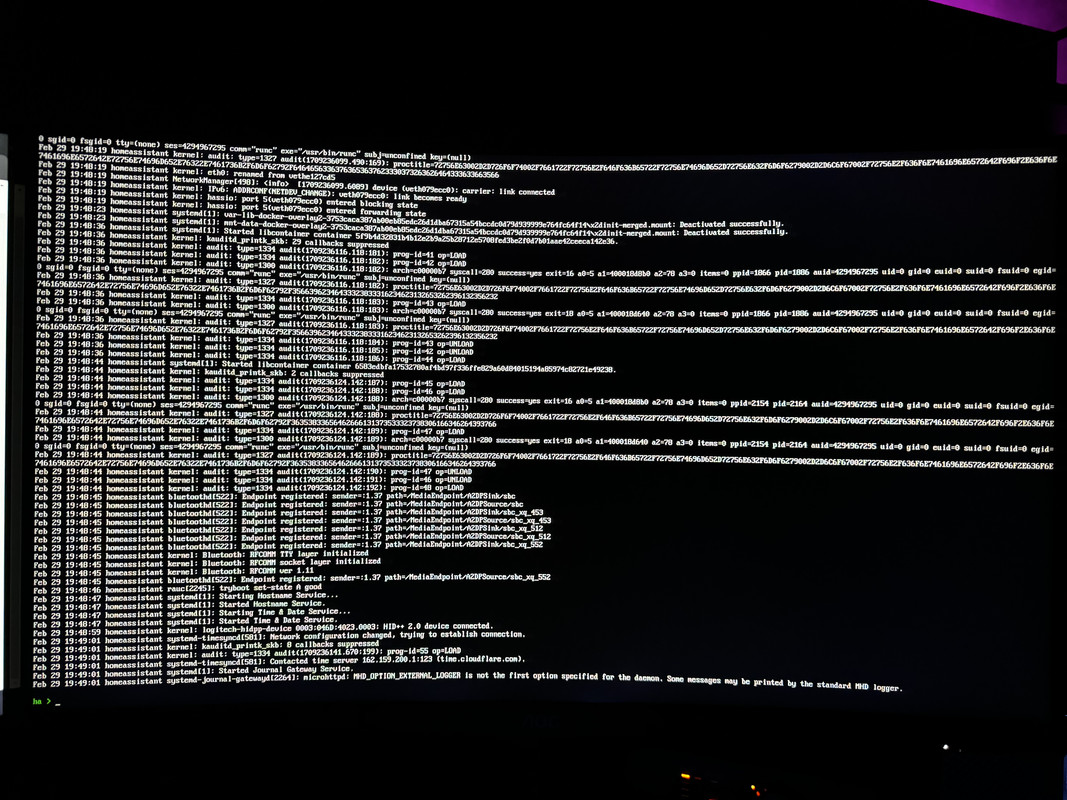
Why so low resolution? Can't zoom in :<
placid sage
brittle sail
so this is a pi4 flashed with raspi-imager and it's just not finishing its first...
pi5 flashed with raspi-imager and after installation Error returned from Supervisor: System is not ready with state: setup warning. i type banner here and it allows me to enter ui.
[supervisor.resolution.fixup] System autofix complete
but the installation does not complete and stays like this.
placid sage
raven forge
Why so low resolution? Can't zoom in :<
I can't upload here don't have permission haha. Let me try to upload again
humble scaffoldBOT
Please use imgur or other image sharing web sites, and share the link here.
Image posting is blocked in most channels to discourage people from sharing text as images. Sharing text as images assumes that everybody sees the world as you do, which isn't the case. Some people are colour blind, or have visual impairment that means they can't make sense of an image of text.
placid sage
imgur doesn't load strangely.
raven forge
I'm curios why banner would do anything. It's just supposed to show the same information as what you see initially.
crude inlet
enter su logs at that prompt
raven forge
placid sage
sorry for uploading to there but don't have another chance
It's fine. Those logs would have been interesting after seeing that blocked for xxx message.
placid sage
raven forge
It's fine. Those logs would have been interesting after seeing that `blocked for...
I'm wondering whats the problem
crude inlet
It ends there or does it continue to go through this loop of trying to download the image?
raven forge
Unfortunately the supervisor logs has no timestamps so I can't properly correlate but I don't see anything useful other than Home Assistant has crashed!.
placid sage
raven forge
Unfortunately the supervisor logs has no timestamps so I can't properly correlat...
Do you want me to flash the file again?
placid sage
crude inlet
It ends there or does it continue to go through this loop of trying to download ...
thats all
crude inlet
if it ends there as it does in your link, I would wait
raven forge
This was cause for concern earlier: #installation-archived message
crude inlet
finally worked as in, reaching the landing page?
sorry for jumping in middle of whatnot
placid sage
I'm starting from the beginning.
I'll flash the img again. I don't think there's any problem here?
crude inlet
it's an SD card or something else?
placid sage
yea SD card
crude inlet
ok, go for it
placid sage
is being flashed right now. I will explain step by step because I am not sure if I am making a mistake somewhere.
brittle sail
could we get it in mspaint drawings instead
placid sage
What do you mean? 😄
brittle sail
i'm just joking.. like crayon art
placid sage
Now the flash is complete. I put the sd card back into the pi and start it.
strangely I can't upload to imgur from my phone
brittle sail
i'm guessing you're encountering a bug that you will be able to help fix by providing all this info
but also you are using the first non-beta build to support pi5 so even tho it's technically supported i'm still gonna say you're just causing yourself pain
placid sage
brittle sail
i'm guessing you're encountering a bug that you will be able to help fix by prov...
What do you suggest I do?
I'm about to lose my mind
crude inlet
what's happening now
brittle sail
placid sage
What do you suggest I do?
what i suggested above with the hardware choices duh
and buy a 3d printer to control with your pi5 😛
placid sage
crude inlet
what's happening now
Waiting for Supervisor to startup...
placid sage
brittle sail
and buy a 3d printer to control with your pi5 😛
The best problem is Apple TV :D. Why I need a hub 😦
brittle sail
what
placid sage
Error returned from Supervisor: System is not ready with state: setup
Here we go again
crude inlet
Just keep sharing the progress
placid sage
brittle sail
what
I needed a hub thats why I bought Apple TV
solid notch
placid sage
again
Logs, logs, logs. It's hard to make bricks without a clay.
placid sage
solid notch
Logs, logs, logs. It's hard to make bricks without a clay.
which command should I use
crude inlet
it's fine to not be ready due to setup
placid sage
supervisor logs?
crude inlet
just keep updating the screenshots
brittle sail
placid sage
I needed a hub thats why I bought Apple TV
You asked what my suggestion is, it’s not using a pi 5 at all. Good luck 👍🏻
placid sage
brittle sail
You asked what my suggestion is, it’s not using a pi 5 at all. Good luck 👍🏻
I don't wanna make it trash 😦
crude inlet
ok leave it alone for a bit
solid notch
I suspect that docker engine wouldn't start. Somehow. It's guess, of course.
placid sage
crude inlet
ok leave it alone for a bit
So I should just wait?
crude inlet
in 10 minutes try su logs again
placid sage
crude inlet
in 10 minutes try `su logs` again
All right, I'll take a 10-minute coffee break. 😄
brittle sail
placid sage
All right, I'll take a 10-minute coffee break. 😄
Great time to look up mini pcs lmao
 lilac rose
hey, i am trying to get my ha on raspberry pi installed but in the logs it is just stuck on [supervisor.resolution.fixup] System autofix complete
placid sage
lilac rose
hey, i am trying to get my ha on raspberry pi installed but in the logs it is ju...
you = me
we're tryin to fix the same problem
pi 4 or 5?
lilac rose
4 b
placid sage
mine is 5 so it's not about 5. let's see whats the problem
lilac rose
lilac rose
ok
placid sage
lilac rose
hey, i am trying to get my ha on raspberry pi installed but in the logs it is ju...
The problem was solved but I don't understand how it happened. I don't know if it was the waiting. Go and give it a few hours.
lilac rose
Ok, thx
 wind adder
<- newbie with few questions, is HA only available as a container?
crude inlet
No but it's likely the best way to run it, whether in your own docker install or HAOS which uses docker
Running core as a python venv is going to be a pain when python needs updating
But you can
wind adder
I've setup a lab to build my network for the house I'm building, with a 4 gb rpi4 it may not be the way to go.
I might be better off installing it virtually on the NAS server I'm putting the finishing touches on.
Gees kinda sucks learning two or three programs to just use one.
brittle sail
wind adder
Gees kinda sucks learning two or three programs to just use one.
Like what?
wind adder
It seems like one would have to learn a virtualization program to use HA. I'm thinking docker might be the way to go at his point.
empty bloom
or just get a micro computer and install the image
which is waht 90% of users do
HA green is $100, you can get an odriod pretty cheap. Or an old mini pc for $100 off ebay
wind adder
and mqtt
empty bloom
you don't need mqtt
it makes DIY projects easier
but that can run inside HAOS
single click install that way
wind adder
What is the minimum specs on the hardware needed?
empty bloom
just copy a Rpi4
brittle sail
Nor is there anything to learn for Mqtt for most integrations
wind adder
Im going to use a bunch of converted tuya relays.
empty bloom
wifi? w/ tuya installed on them?
wind adder
Wifi, yes runs the lighting switches the house
wind adder
sorry they are the lighting switch, about 28 circuits.
empty bloom
I suggest you try HA out first w/ tuya before you decide to purchase hardware.
wind adder
I want to run stand alone.
empty bloom
well, as said before, Tuya is hit or miss. There's a golden rule in tech: Cheap, Easy, Works -> Circle 2.
tuya falls into Cheap, Easy
wind adder
I've flashed 7 units
raven forge
With what?
wind adder
I bought 2 or 3 years ago, and flashed them with tasmota
brittle sail
Wi-Fi switches in general just ain’t it chief
wind adder
I've backed them up with hardwire and low voltage switch, so the relay can be tripped with wifi or mechanical switch.
empty bloom
wind adder
I bought 2 or 3 years ago, and flashed them with tasmota
so you aren't running tuya
TUYA is the protocol
when you flash it, it wipes out the tuya protocol
tasmota works well with HA
wind adder
I try to do my homework..
brittle sail
wind adder
I try to do my homework..
If so you should’ve landed on zigbee and zwave man
wind adder
I'm running the low voltage wiring now. Saving a bunch over 12/2 with 18/4 , 14/2 or 12,2 speaker wire and 24vdc.
Price , 4x relay, $18.00 + a couple headers for hardwire, and external antenna.
I've never ran docker or a linux virt, suggestion. The nas has 32 gigs of ram, 5t of rust drives,
raven forge
Suggestion for what?
crude inlet
wind adder
I've never ran docker or a linux virt, suggestion. The nas has 32 gigs of ram,...
If you’ve flashed tuya devices with tasmota, and have a lab in the works, i don’t think youll have an issue learning the basics of spinning up a VM
And once thats been done you might discover potential for other VMs. Or docker and containers for that matter
brittle sail
https://www.derekseaman.com/2023/10/home-assistant-proxmox-ve-8-0-quick-start-guide-2.html plus there’s this guide to make it very very simple by just following directions
 twilit junco
Do you guys know what Tuya means as a word?
empty bloom
the company is named after the volcano type
just google Tuya or what is tuya company named after
 sly pulsar
I have rpi4b, is this the release that i should burn to sdcard haos_generic-aarch64-12.0.img.xz ? i rather use my own tools than installing raspberry pi imager
sly pulsar
i rather use my own tools than installing raspberry pi imager
sly pulsar
empty bloom
no
which is the image then?
empty bloom
the one that has rpi4 in the name
sly pulsar
ah, totally missed the other assets. haos_rpi4-64-12.0.img.xz then I suppose
 plucky talon
That's the one
lilac rose
lilac rose
Ok, thx
Update - Nothing happened
sly pulsar
just testing the new haos 12 on a new install. new usb zigbee stick aswell. the zigbee home automation device was automatically detected. this was new to me. does this replace zigbee2mqtt?
raven forge
ZHA and Z2M are separate projects.
sly pulsar
ok, same basic functionality and purpose?
raven forge
I'd suggest you try both. Here's answers to a similar question: #zigbee-archived message
See #zigbee-archived for more.
 mortal sinew
No clue if installation is the right place...About says I'm running 2024.2.5. But, I see 2024.3.x is released. I haven't seen a update notification for that and I have other updates that won't update without 2024.3 Is this something that need to be done by hand?
lilac rose
lilac rose
Update - Nothing happened
Can some1 help me with my problem pls
raven forge
mortal sinew
No clue if installation is the right place...About says I'm running 2024.2.5. Bu...
Which installation method are you using? Where are you seeing that 2024.3.x is released? 2024.2.5 is the currently the latest stable version:
hot pumice
is there a way to kill the update process via terminal
raven forge
lilac rose
Can some1 help me with my problem pls
Not without more information.
hot pumice
oh no its my mistake
sorry for all
HA installed on 2 system with same ip
its my mistake
lilac rose
lilac rose
hey, i am trying to get my ha on raspberry pi installed but in the logs it is ju...
.
@raven forge
raven forge
From a quick glance I don't see an error there.
lilac rose
It is just stuck on the log msg and nothing happened when you left it like that for 5 hrs
hot pumice
Warning or critical alerts (last 1 entries)
2024-03-01 19:16:15 (01:53:43) - CRITICAL on CPU_IOWAIT (34,9
what means that ?
raven forge
Not sure where that message comes from exactly but: https://serverfault.com/questions/12679/can-anyone-explain-precisely-what-iowait-is
Apparently it's from glances.
hot pumice
how can i delete it
i think some makes troubel two devices with same ip on HA
i see a pi3 is too weak
raven forge
It's certainly not fast but you talk about too many things at the same time without much information for each.
humble scaffoldBOT
@placid sage I converted your message into a file since it's above 15 lines :+1:
hot pumice
for example with a repeat automation " output door open " if you repeat the announcement 20 times or more, the PI3 crashes.
 dull jewel
Hey guys, i have problems to link my shelly mini1G3 to Home Assistant. I made the Shelly device configuration with enableing the outbound websocket with the wss://Home_Assistant_local_ip_address:Port/api/shelly/ws . Then I entered Shelly's IP into Home Assistant but there where only a window with close and no error message. I already linked 2 shellys from Gen 1 that worked fined. Hope someone can help me
 cursive plank
is there a way to physically browse/map the "share" directory in HA OS?
raven forge
Physically?
cursive plank
well no sorry lol
just want to browse to it
installed qbtorrent to my HA box
and want to be able to access to iso's
cursive plank
raven forge
<https://www.home-assistant.io/common-tasks/os/#configuring-access-to-files>
many thanks!
lilac rose
is it better to run HAOS on pi from sd or usb drive
raven forge
There is no or little benefit over SD Cards. If you have to use a pi the "best" choice would be a SSD on a powered USB Hub.
mortal sinew
raven forge
Which installation method are you using? Where are you seeing that `2024.3.x` is...
layout-card v2.4.5 says it needs 2024.3.0b0 or greater. I searched and saw 2024.3 mentioned on a couple different web pages and even a release party shown on YouTube. I'm new to HA, not sure of anything.
lilac rose
i bought a raspberry pi only for this, and it still doesnt work. can somebody hop on a vc w/me
pls
lilac rose
is there any non haos install for raspberry pi like on a ubuntu or kali?
raven forge
Not sure what you mean with non install but you don't need HAOS to run HA if that's what you meant: https://www.home-assistant.io/installation/#advanced-installation-methods
lilac rose
it just f**ks me: [warn] Home assistant cli not starting! Jump into emergency console
and i need add-on
grand pivot
Not an addon
lilac rose
then with what i can install it
grand pivot
You follow the instructions
humble scaffoldBOT
Home Assistant Community Store allows for easy installation and management of custom unsupported integrations. They even have a Discord server for issues with HACS itself.
lilac rose
bruh -_- i cant even install it to explore the contents of the app
lilac rose
i cant even get it on my pi
it just gets stuck on https://dpaste.org/ESKzZ or just cant run it
f**k this i am just returning it to the store
crude inlet
What do you see in a browser?
 errant urchin
hi, so I was guided here from General. I have been running home assistant on a Lenovo X220 for some months now and recently (after updating) it has been turning off after ~20-30min of work. It turns off without any info, just switching off and I can turn it on manually. The logs only show improper shutdown (and some irrelevant warnings). I have tried rolling back the OS and HA Core, but it doesnt seem to have resolved the issue so I cannot say its the update
I am at a loss how diagnose the issue further
raven forge
Please check the host logs: <#general-archived message>
You want to check the last few logs of the last boot. Might also be a hardware defect.
raven forge
So basically nothing.
errant urchin
OK thats what I thought. So only guess is hardware issue?
raven forge
I'd expect some kernel messages there if the OS were to crash or shut down for some reason. If the logs suddently stop it hints towards being a hardware issue.
errant urchin
I was guessing maybe the laptop goes into some hibernation mode because of inactivity, but it did not do it before
but also its quite old, so could be just dying
raven forge
I'm not sure what the log would say in such a case but if it was you should be able to wake it with a key press or short press of the power button. The generic image also has special ignore handling for closing the lid and so on: https://github.com/home-assistant/operating-system/blob/dev/buildroot-external/rootfs-overlay/etc/systemd/logind.conf
https://github.com/home-assistant/operating-system/issues/1093
If it really happens every 20 minutes I'd try to capture it live and see what the monitor shows. Maybe record it with your phone?
You can also try live booting another OS and see if the same happens.
errant urchin
Thanks I will try later
spiral stag
I'm having issues installing HA in my raspberry Pi 4. I followed the tutorial here - https://www.home-assistant.io/installation/raspberrypi. After connecting the powe supply, I can't reach the HA page. My network cable (that is working on other devices) doesn't have any lights. I don't have a micro-hdmi cable so I can't see what the console is showing. I tried to enter by SSH but I'm not sure what is the IP addrees. I think I know because I can see my connected devices. What should I do?
raven forge
Get a HDMI adapter. Check your router for a DHCP lease.
spiral stag
it's solved now. it was the network cable. for some reason stopped working. what a coincidence! :S
grand pivot
You should go directly to 3.12
grand pivot
Maybe consider why you've chosen this installation method vs a container?
 digital harness
++New Thread++ I added a 2TB drive to my HA NUC Server and am doing a fresh install and then I am going to restore a backup. I am looking at the Partitions and there is 2tb of unused space. Are there any best practices to review as I am planning on using the same server as adding Frigate and using the NUC as a NVR. Any guidance is appreciated.
 foggy brook
What is the proper docker image url for the beta version?
 honest kernel
hello guys im currently running home assistant on a vm but i got ym nuc today with ubuntu on it how can i run home assistant on there with docker so i can still run other things on the nuc?
i followed this guide https://community.home-assistant.io/t/absolute-beginners-guide-to-installing-ha-on-intel-nuc-using-docker/98412 but the part where you install homeassistant is not working for me
brittle sail
honest kernel
hello guys im currently running home assistant on a vm but i got ym nuc today wi...
https://www.derekseaman.com/2023/10/home-assistant-proxmox-ve-8-0-quick-start-guide-2.html consider this instead. And then if you want to learn docker you can setup a dockerhost VM and move later
Cuz you’re obviously not ready if you can’t figure this out, and I’m saying that because it’s not worth banging your head against the wall.
 outer hamlet
I have HA setup and everything working externally through nginx reverse proxy, but how do I allow it to be accessible in an Organizr iframe?
 glossy lantern
Should I scrape HAOS and go to HA in a container?
outer hamlet
I vote UnraidOS for the host machine, docker for the rest
outer hamlet
I have HA setup and everything working
 gloomy niche
Hi, I have been trying to install home assistant os in a KVM on ubuntu server for the past several hours and I cannot get it to work correctly, I belive I have installed it correctly but I cannot connect to it, I have been following this https://community.home-assistant.io/t/install-home-assistant-os-with-kvm-on-ubuntu-headless-cli-only/254941 guide but I have never used KVM's before so I don't know what I am doing wrong.
raven forge
I'd recommend proxmox VE unless you have a good reason do do it manually.
At which part are you stuck? What does the VM console/termina say? What does ufw status say?
gloomy niche
raven forge
I'd recommend proxmox VE unless you have a good reason do do it manually.
At whi...
I didn't see proxmox as an option but I found it after googleing it. Are there any downsides to using proxmox?
raven forge
I can't answer that for you.
gloomy niche
Ok, well I will try using proxmox and see how it goes
brittle sail
gloomy niche
I didn't see proxmox as an option but I found it after googleing it. Are there a...
No it’s a very popular method.
gloomy niche
brittle sail
No it’s a very popular method.
Ok thank you
brittle sail
gloomy niche
Ok thank you
https://www.derekseaman.com/2023/10/home-assistant-proxmox-ve-8-0-quick-start-guide-2.html this is a quick start guide using haos
gloomy niche
brittle sail
https://www.derekseaman.com/2023/10/home-assistant-proxmox-ve-8-0-quick-start-gu...
Thank you so much
glossy lantern
Asked this in my thread, but gonna ask again in the main channel.
Going to take my HAOS and run it in a VM on proxmox. I am planning on adding raid drives for running a NAS VM later. I am trying to figure out if I need to use ZFS or if I can add drives later with.
This line from the guide linked above is why I am not sure I can do that:
Super nerds may want to deviate from using a single drive in their Proxmox server and throw in ZFS, do ZFS mirroring, and use multiple storage devices.
It sounds like without ZFS, I cannot use multiple storage drives. Is that correct?
raven forge
There's many ways to do RAID. Is RAID even the right thing for your use case? I don't see the relation to HAOS at this point.
glossy lantern
Sorry, missing context. In this message I explain what my end goal is:
raven forge
We should stick to that thread. I'll answer there.
 quartz wing
I think I know the answer to this, but is there any way to have the configuration yaml file in a different location?
usecase - I want to put configuration.yaml into git with a few of the other files, and then build them into the container, having the rest of the config files mounted into the container at runtime
brittle sail
quartz wing
I think I know the answer to this, but is there any way to have the configuratio...
quartz wing
Oh that's clever I think - you're suggestion that my configuration.yaml essentially just links to other files, e.g.
homeassistant:
  configuration-real: !include ../immutable-config/configuration.yaml
And then move all of my configuration to this linked config-real?
brittle sail
I’ll let another nerd jump in I don’t use it
quartz wing
I needs to be in a different folder so I can still mount the default config location
brittle sail
But you can definitely do what you are wanting to do
quartz wing
TY, I think you are on the right track though for sure, I hadn't thought of this
brittle sail
https://github.com/firstof9/lovelace-grocy-meal-plan-card people share their stuff on GitHub this way I believe
brittle sail
quartz wing
TY, I think you are on the right track though for sure, I hadn't thought of this
#general-archived message previous convo here
I just searched the exact link I sent - it’s pretty common
quartz wing
Thanks, I could have done that, so I appreciate you checking it out for me 🙇
brittle sail
There’s lots of nuggets of info spanning years if you know what to search
I’m a discord prompt engineer
quartz wing
lol
Yeah, forums are not great for some things, Discord/Slack not great for other things. It's easy to struggle with either. Though I have found Chat GPT4 is quite good with home assistant topics because it has obviously ingested the forum and the documentation. It would be cool if there was a way to get Discord in there too but I fear it's too hard to structure right now
glossy lantern
Thank you. I am going to go ahead and give zfs a try
brittle sail
quartz wing
Yeah, forums are not great for some things, Discord/Slack not great for other th...
The problem is it makes up stuff that doesn’t exist while being in the right syntax (or not) then people come here and say fix it. So it’s not allowed to do that here, but ya cool for learning concepts that might exist lol
solid notch
quartz wing
Yeah, forums are not great for some things, Discord/Slack not great for other th...
There is neither merit in LLM-regurgitated nonsense, nor need for it, but there is a need for real knowledge.
quartz wing
I think this is the wrong channel, but I hope that is a joke @solid notch 😂
brittle sail
If it helps people learn it’s not a bad thing it just needs to be used as a tool like anything else (properly or shit goes wrong)
A hammer is great until you buy a box of screws
solid notch
quartz wing
I think this is the wrong channel, but I hope that is a joke <@25504962679996416...
Yes, this is a wrong channel (there is an #the-water-cooler indeed) for such discussion, and no, this isn't a joke, I'm being sincere here.
quartz wing
I think it's like internet year 1, there are problems but I wouldn't sniff at it
 flint python
Hey all, I am looking into integrating my Tuya android system onto Home Assistent on my Windows 10
system, I had it setup on a virtualbox VM image but no idea what to do after this?
I tried onboarding but no idea how to continue further?
 thorny dew
Team, I purchased the WiFi LED controller and I am having issues connecting the product to wifi. On the app I see it but it continues to say "connetion failed". I have restarted it mulitple times.
 half blade
Hi, encountering Core update failure everytime I try, no clue in logs : https://hastebin.com/share/mecakidena.csharp
Any ideas ? 🙂
 fallen lichen
Could you grab this file? A backup of the logfile is stored in /config/home-assistant-rollback.log
 languid fog
@raven forge hey buddy 😄
raven forge
Hello.
empty bloom
do you have a question or are you monologuing?
languid fog
I'm having difficulty adding a HACS and trouble finding the custom_components folder in my HA config directory..
haven't worked with HACS before
also don't know whether I have it enabled tbh
empty bloom
languid fog
empty bloom
<https://hacs.xyz/docs/setup/download>
thanks, set it up now!
afaik I setup HACS, and now I'm trying to add an integration but it's not finding anything if I type HACS
: /
empty bloom
did you restart?
 misty leaf
I got a used HP Elitedesk because I had plans to install Proxmox and then HA as a VM (together with a few more things).
But the computer has Windows 10 installed and it seems legit so I wonder if there is a way to backup this installation to be able to fully recover it in the future. Or, if I want to keep windows running, can I just install the VMs directly on windows instead. Is not optimal but might be a good compromise to keep everything running?
raven forge
The license is likely bound to your mainboard. Research that and how to bind it to an account
misty leaf
Huumm then is probably connected with a different account (the computer probably came from an corporate environment)
I haven't used windows in over 15 years so I guess I have a lot to catch up.
brittle sail
misty leaf
I got a used HP Elitedesk because I had plans to install Proxmox and then HA as ...
You can look up massgravel. Theres no need to worry about keys at this point in time
misty leaf
brittle sail
You can look up massgravel. Theres no need to worry about keys at this point in ...
TIL 💡
languid fog
@raven forge hey buddy
I'm trying to add this repo
on importing I get this message:
Repository delzear/hass-formulaoneapi not found
any logical explanation..?
raven forge
There's no need to tag me. If someone sees your message and can help you they will answer. That includes me.
Add this repo where?
brittle sail
I think a big misunderstanding is that tags often come because they respect you, even tho by tagging you they aren’t necessarily respecting your time… duality of man
languid fog
raven forge
Add this repo where?
to HACS
I think I added it now
but notihing happened after successfully adding it
I see the FormulaOne Card frontend now
I'm struggling to locate my HA Configuration folders
if I can locate those, I'll be able to progress
languid fog
raven forge
There's no need to tag me. If someone sees your message and can help you they wi...
apologies - you've been helping like an angel some days ago, that's why haha
languid fog
raven forge
This might help: <https://www.home-assistant.io/common-tasks/os/#configuring-acc...
which add-on do you personally like?
I see that there are 4 options to pick from
raven forge
Yeah. They all have their uses.
 lavish sinew
does anyone have ever installed home assistant on Truenas scale as a plug in? will it install the full os?
raven forge
90% sure it's the container install. You can run a HAOS VM on it though.
lavish sinew
raven forge
90% sure it's the container install. You can run a HAOS VM on it though.
so i can't install plug ins if i recall correctly
lavish sinew
raven forge
90% sure it's the container install. You can run a HAOS VM on it though.
using Truenas?
or is better that i install everything on proxmox?
raven forge
You mean addons (proper teminology is important)? No: https://www.home-assistant.io/installation/#advanced-installation-methods
If you have PVE I'd recommend using that. TrueNAS can virtualize too but PVE is specifically made for that. Use what you're comfortable with.
 olive elk
Can someone help me install Home Assistant on raspberry pi zero WH. (i don't know if it can be usefull to anything but i have a vps to)
empty bloom
that's not enough ram
olive elk
can i use the vps for calculation or things like that and this as a controller or a let's say connection to my home?
 tender wren

olive elk
idk
errant urchin
raven forge
I'm not sure what the log would say in such a case but if it was you should be a...
Thanks I tested and it did the same in just BIOS screen and when I bootloaded from USB. I will be replacing the laptop in a few days and hope it will resolve the issue
hot pumice
Warning or critical alerts (last 5 entries)
2024-03-04 16:08:29 (00:02:38) - CRITICAL on MEMSWAP (100)
2024-03-04 16:07:49 (00:00:18) - WARNING on MEMSWAP (72,9)
2024-03-04 15:48:16 (00:00:49) - CRITICAL on MEMSWAP (99,6)
2024-03-04 15:44:55 (00:26:25) - CRITICAL on MEM (99)
2024-03-04 15:42:26 (00:00:11) - WARNING on MEM (72,3)
what problem HA have?
tender wren
Memory problems
hot pumice
4 GB not enought ? and 512 gb ssd?
tender wren
Something seems to use all memory and swap...
Either a memory leak or you are doing something, for which 4GB RAM is not enough
tender wren
Better would be to find the cause and fix it
hot pumice
on 2 systems a repeat automation crashed system
grand pivot
Sounds like you didn't have a delay in it
tender wren
If it crashed 2 systems, it might be the cause
grand pivot
Any sort of tight loop will crash any system
hot pumice
i think thats it
tender wren
Throwing more RAM at it will just delay the crash
hot pumice
no delay annd loop
grand pivot
It's not a RAM thing at all
hot pumice
it should output door open on the echo until the door is closed that doesn't work
even if he repeats the message 20 times it crashes
hot pumice
how much ram should you have?
 primal heron
Hey all! I'm having some trouble with my CM4 8gb w/ 32g emmc. It was working just fine last night with Debain on it, but I installed Home Assistant. It won't boot because I don't have an ethernet plugin on the carrier board, but my bigger problem is that the Pi isn't showing up with rpiboot anymore, so now I have no way of accessing the files.
I checked with the carrier board's github and there are no known issues on this topic, and everything has always worked perfectly on this setup until Home Assistant went on. Any troubleshooting ideas?
PS, here's the carrier board I'm using. I suspect the problem is that the home assistant install affected how it interacts with the carrier board, but I have no way of testing: https://github.com/magic-blue-smoke/Raspberry-Pi-CM4-TV-Stick
languid fog
raven forge
Oh you mean from my link. All of them 😄
from which addon can I access 'custom_components' ...?
languid fog
found it, thank you Rob!
languid fog
languid fog
https://github.com/delzear/hass-formulaoneapi
I did this part..
I think I did it as I should
languid fog
languid fog
https://github.com/marcokreeft87/formulaone-card
but here I'm struggling and I can't find what I'm supposed to be finding..
I need to perform Actions on the card..
but it's all messed up..
cant see shit
so stressfull haha, it's all a bit complicated for me still
gonna head to bed..
 brazen hawk
When restoring from a backup from a Google Drive backup. I'm migrating from a Raspberry Pi4 that might be failing to a VM on proxmox. Will I have to rebuild my zigbee and z-wave networks ?
raven forge
If you restore from HAOS to HAOS and pass the adapters through to the VM that should not be needed.
 humble notch
Hello, i migrated from my rpi4 to the new rpi5 using a FullBackup for restore. The HA runs, but no Addons are starting. How can i solve this? The configs are all available. i triued a delete and new install of the "Terminal & sSH" addon, this doesnt help.
i think the adons are starting, but shown as unknown on console with "ha addons list"
raven forge
The system needs a reboot (not a restart of HA) after a restore to work properly.
humble notch
i have done multi reboots now - nothing helps
raven forge
You could try ha supervisor repair or restore again. Perhaps also check logs via ha supervisor logs and perhaps ha host logs.
humble notch
is there a way to totally reset the ha config? then i install the addons first an then restore a partial backup
raven forge
Not a simple/official one as far as I know. HA itself, sure. But everything?
raven forge
It's why I mentioned that restarting HA is not enough: <#installation-archived message>
 raven mirage
Hello, I am trying to install HAOS on a raspberry pi 4 with an sd card. The problem is that when I try to boot into HAOS nothing happens i dont see any activity on the ethernet port and the installation doesnt show up on the network. I have tried 3 different sd cards and 2 diffrent power supplies. I have tried to plug in an hdmi cable, but nothing shows up. (Im new to the server so sorry if this is not the right place to ask) I have tried to look for an answer on the forums but no one seems to have the same problem.
 merry fern
Hello, so i wanna install the HAOS on an x64 (Intel nuc) is there a way i can install it without needing to have the usb in constantly i already moved the storage to the Intel nuc itself through the ui.
raven forge
raven mirage
Hello, I am trying to install HAOS on a raspberry pi 4 with an sd card. The prob...
How did you flash?
raven forge
merry fern
Hello, so i wanna install the HAOS on an x64 (Intel nuc) is there a way i can in...
What USB?
merry fern
raven forge
What USB?
Like the boot medium, like the usb i flashed with HAOS
raven forge
You are suposed to flash ubuntu to the USB drive, boot off of it and use it to flash HAOS to the internal disk.You are not supposed to flash HAOS onto the USB stick itself.
https://www.home-assistant.io/installation/generic-x86-64/
merry fern
Like i use method 2
I am not interested in having linux running in the background (i know it basicly still is but you get my point)
 drifting elbow
Hello there I'm kinda new in HAOS, recently bought rpi5, nvme and nvme hat for building my system. Installed HAOS 12 but got some issue, may o ask for any advices or help with it ?
raven forge
merry fern
I am not interested in having linux running in the background (i know it basicly...
So plug in your disk, not your USB stick and flash onto that. Method 1 is if you can't remove the internal disk or have no adapter to attach it to your PC
merry fern
raven forge
So plug in your disk, not your USB stick and flash onto that. Method 1 is if you...
Well, Im a dumbass, i didnt even think of that. Thank you for the tip.
raven forge
Oh, btw, you might benefit from virtualizing HAOS. Just a thought.
brittle sail
P r o x m o x
 raw hedge
why vm when you can go lighter
raven forge
raven forge
Indeed.
raw hedge
41 containers and 7.1 GB of ram used, I would be scared to try to reproduce in vms
raven forge
I run HA as container too, just inside a VM. PVE adds about 1G of memory overhead but the benefits are worth it to me.
brittle sail
you're taking what he said and runnning with it in the wrong direction
raw hedge
my HA stack keeps growning +1 every few months
brittle sail
diagnosing issues with haos bare metal vs diagnosing issues with haos in a VM where you can login to proxmox is night and day
also future-proofing ability for additional stuff on the same box like a dockerhost vm for adguard etc
raw hedge
❤️ my rootless HA container, it cant take over my host if it gets infected
drifting elbow
drifting elbow
Hello there I'm kinda new in HAOS, recently bought rpi5, nvme and nvme hat for b...
I've already created post on Reddit and tried to find some help on GitHub and Home Assistant community website but there is little info about rpi5
raw hedge
drifting elbow
I've already created post on Reddit and tried to find some help on GitHub and Ho...
you never said what your issue is
humble scaffoldBOT
Don't ask to ask, just ask your question. Then people can answer when they're around.
When you do ask a question, try to provide as much background detail as possible. Ask yourself these questions first so that others don't have to:
- What version of the Home Assistant are you running? (remember, last isn't a version)
- What exactly are you trying to do that won't work?
- Is the problem uniform or erratic?
- What's the exact error message?
- When did it arise?
- What exactly don't you "get"?
- Can you share sample code, ideally with line errors where the error occurs?