#installation-archived
1 messages · Page 53 of 1
 torpid dagger
 raven forge
You can try hassos-supervisor. Ideally one uses systemctl restart hassos-supervisor but that ran into a limit in my test.
torpid dagger
https://dpaste.org/wq1Qn finger crossed
 grand pivot
we need a countdown timer based on how long a reflash/restore would have taken 🙂
~90mins so far
raven forge
It's why I told them this before hand: <#installation-archived message>
I consider it a learning opportunity and memory training but it feels very janky to work with HAOS' (supervisor's specifically) guts and a waste of time for the participant in a lot of cases so I'm gonna warn them in the future if I suspect it taking a long time or have little hope of fixing it.
torpid dagger
@raven forge maybe you see issue https://dpaste.org/FcaaX
raven forge
The goal was to get supervisor up so the ha supervisor repair command can be used.
torpid dagger
CONTAINER ID   IMAGE                                                      COMMAND               CREATED         STATUS          PORTS                                   NAMES
49cf926ff32b   ghcr.io/home-assistant/aarch64-hassio-supervisor:latest    "/init"               7 minutes ago   Up 3 minutes                                            hassio_supervisor
847bd12a71f5   ghcr.io/home-assistant/aarch64-hassio-dns:2023.06.2        "/init"               3 weeks ago     Up 30 minutes                                           hassio_dns
ebe2e5482afc   ghcr.io/home-assistant/aarch64-hassio-cli:2023.10.0        "/init"               3 weeks ago     Up 44 minutes                                           hassio_cli
7218e0cf2cab   ghcr.io/home-assistant/aarch64-hassio-observer:2023.06.0   "/usr/bin/observer"   5 months ago    Up 2 hours      0.0.0.0:4357->80/tcp, :::4357->80/tcp   hassio_observer
# ha supervisor repair
Post "http://supervisor/supervisor/repair": dial tcp 172.30.32.2:80: connect: no route to host
# for container in $(docker ps --format '{{ .ID }}'); do docker inspect $container --format='{{.Name}}: "{{range .NetworkSettings.Networks}}{{.IPAddress}}{{end}}"'; done
/hassio_supervisor: "172.30.232.2"
/hassio_dns: "172.30.32.3"
/hassio_cli: "172.30.32.5"
/hassio_observer: "172.30.32.6"
# ```same problem with diffrent ip
raven forge
I hate to leave things in a broken state but maybe a re-flash is in order.
torpid dagger
got you
my problem is howto re-flash
i have started with sd card and then switched to usb
raven forge
Basically the same way you installed it but perhaps you can just use the USB this time. Is the USB (SSD?) on a powered hub?
raven forge
Just make sure your backups are off-site or grab them before.
torpid dagger
i will re-flash another stick
raven forge
USB sticks tend to not have the best longevity and are probably as prone to corruption as SD Cards.
 raw hedge
high endurance USB or SD cards will last a bit longer, its a case of you get what you pay for
torpid dagger
i think also rpi is not the best platform
raven forge
Me neither: <#installation-archived message>
raw hedge
raven forge
Me neither: <https://discord.com/channels/330944238910963714/944337294389805056/...
rip the offical docker install script.....
p3 days was also still too early arm arch days
its easy now, kinda 0 support back then
raven forge
2017
I admit it's probably not that painful nowadays.
raw hedge
its a run this script and it will set up everything you need these days
64bit arm only now as everyone is moving away from 32bit
torpid dagger
i flashed usb stick now i put it in same port as the corrupted one and hope that it start with out any monitor
raw hedge
I run fedora IoT which is fedora server + ostree which includes podman container software built right in for everything at home
I recoomend HaOS (hassos) for people who have no idea with linux tho and take regular backups (download them somwehere)
when it breaks, reinstall and restore
torpid dagger
@raw hedge you are right... but you can get to the same point that if you support windows as sysadmin and after updating something it can also be broken as mine now with updating hassos
@raven forge just flashing usb stick didn't get up system back again
i try the old fashion way.... flashing sd start hassos and restore
raven forge
It might try to boot off of the SD Card. Depending on the pi you might have to set USB boot up.
torpid dagger
@raven forge the old sd is still in slot but the new usb stick has other partitions order *guess
raw hedge
torpid dagger
<@555842690210725889> you are right... but you can get to the same point that if...
yah but you are a sysadmin at that point and know how / where to start to fix it
like how I run everything in some crazy container land where container root is not host root but a subUID of a non existent user and each container root uses its own subguid of that non existing user
easy for me, hard for the haos target 🙂
 vagrant salmon
I have a question, does anyone know how I can get my logs from homeassistant
 broken hollow
hello everyone, I'm trying to install HAOS on a HP T520, but apparently the Wi-Fi drivers are only available in the dev builds: https://github.com/home-assistant/operating-system/issues/2967 If I installed a dev build, can I later switch to stable once the stable build with the driver included is out?
raw hedge
yes, one can allways switch over
torpid dagger
what when i restore from backup should i get in place with usb again or does it work also with just having sd
raw hedge
torpid dagger
what when i restore from backup should i get in place with usb again or does it ...
you should be able to access the web portal and upload it as part of the setup process now
they made it really easy
broken hollow
raw hedge
yes, one can allways switch over
thanks, is that possible with a single command, or do I need to reflash and then restore a backup?
torpid dagger
@raw hedge already there but backuped system was with usb stick active and restore system is just with sd card in slot
broken hollow
i'm assuming i could do something like ha supervisor options --channel stable to preemptively switch, but keep the dev build until a new stable one is available?
raw hedge
even better
raw hedge
broken hollow
i'm assuming i could do something like `ha supervisor options --channel stable` ...
I think you can switch via the gui now
or worst case, backup and a quick reinstall stable
broken hollow
Cool, thanks!
torpid dagger
@raw hedge can you tell me if this is a problem?
when backuped system was with active usb stick and the restored one is just with an sd card installed
raw hedge
no idea, I have been container based for forever, I just do HaOS installs for my friends
docker > kubernetes > podman was my path
torpid dagger
@dreamy ibex btw restore takes 45 min
grand pivot
well, it's been 2.5hours 🙂
raw hedge
ah, restore also depends on internet speed
raven forge
All those images/layers that are being downloaded are written to a slow storage medium and also have to be extracted.
torpid dagger
you re kidding
raw hedge
not kidding
 empty bloom
That's how all installations work aside from mounting direct images
space for item and decompressing -> install -> then remove temp files
raw hedge
well HA could bundle in a docker archive of a container and import it for first start but thats not very efficent
we are talking about GBs of more space
torpid dagger
this is sometimes so frustrating
time wasting
and tomorrow hassos update will be taken back
raven forge
I don't have a pi but just the amd64 homeassistant image is 1.91GB and causes 140K~ files to be created when pulled/extracted.
Most SD Cards and USB sticks don't excel at lots of file operations (bad 4K speeds).
vagrant salmon
hi i have a problem when i start up home assistant its says : wait until kernel time Synchronized: and than fails. can someone help plz.
 humble mirage
You said:
the problem is i think it has no internet a have a cable in my pc
Can you explain more
vagrant salmon
yes i had home assistant running for more than a year. yesterday i replaced my battery from my pc and i start it up that is when i get that fail
i have a internet cable in the pc that works i test it it
i run home assistant from my harddrive directly
oo and I replaced the ram
raven forge
Are you running it in a VM?
vagrant salmon
no
raw hedge
torpid dagger
and tomorrow hassos update will be taken back
Better than a full download that is much much larger, only to have an update from boot up because yay new versions
Let alone the generic docker images but different install bases for hardware
vagrant salmon
i had my harddrive in a other pc to in stall hassOs and then i put it in the other pc and it works until yesterday
raw hedge
Identical computers
vagrant salmon
i have the latest update of home assistant on it
no not identical
this one has a AMD cpu
raven forge
Check the supervisor logs with supervisor logs and the network info with network info in the ha > CLI.
If you have SSH you can also use that. Just have to prefix the above with ha .
vagrant salmon
it say network : docker adress: 172.30........ and interface : connected:false ipv4 address: [ ] gateway null ipv6 : address: [ ] gateway null
 humble scaffoldBOT
Please use a code share site to share code or logs, for example:
- https://dpaste.org/ (select YAML for the language, and consider picking a longer expiry)
- http://pastie.org/ (select YAML for the language)
- https://paste.debian.net/ (you guessed it, select YAML as the language)
Please don't use Pastebin, since it can randomly add spaces to the main view. Please also don't share text as images since it makes it harder for people to help you. Remember that others may have colour blindness, impaired vision, etc.
Please use imgur or other image sharing web sites, and share the link here.
Image posting is blocked in most channels to discourage people from sharing text as images. Sharing text as images assumes that everybody sees the world as you do, which isn't the case. Some people are colour blind, or have visual impairment that means they can't make sense of an image of text.
vagrant salmon
ipv4 and ipv6: method: disabled
primary: false type: ethernet vlan: null wifi: null supervisor_internet: false
it say network : docker adress: 172.30........ and interface : connected:false ipv4 address: [ ] gateway null ipv6 : address: [ ] gateway null
raw hedge
Does ip addr work ?
vagrant salmon
how do i check that?
raw hedge
“Ip addr”
raven forge
Please share the full output either via a code share site or as image if you must. Don't just share a part of it.
vagrant salmon
what is ip addr and how do i check it
 tender wren
Method disabled?
vagrant salmon
tender wren
Method disabled?
??
vagrant salmon
i disabled nothing how do i change it
raven forge
tender wren
ha net up end0 --ipv4-method auto
ha net up end0 --ipv6-method auto
(You might need to adjust the inferface name end0)
vagrant salmon
okey and then reboot?
tender wren
no
vagrant salmon
oo okey
raw hedge
Ip addr shows the ip addresses and is a really really quick way to check of your network is all wrong
Million $ question, which interface
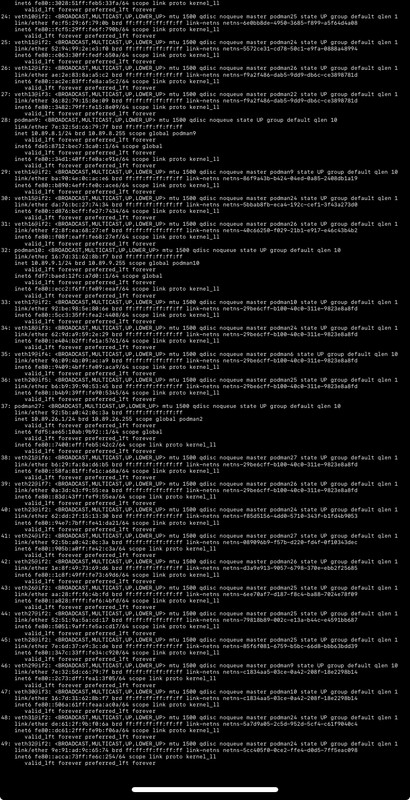
Why they need the full log, as you can see I have 49 of them
vagrant salmon
i get:::: FATA[00001] Error while executing rootCmd: accepts 1 arg(s), received 0
raw hedge
Bet is because different hardware and not a fresh install that runs the setup scripts, your networking is probably a bit funky
vagrant salmon
i had home assistant running for more than a year on this pc after replacing the cmos battery and the ram it is not working any more
raw hedge
#installation-archived message why this is needed
Your interface could be eth0 end0 ens02748393 etc
tender wren
Share the full ha network infooutput with a code share site, like Impact requested. After that we can propably figure out how to get the network back online
vagrant salmon
is it possible to send a photo of it?
tender wren
torpid dagger
is there a way to check restore?
Try to access HA via http://homeassistant.local:8123 from another browser tab
tender wren
vagrant salmon
is it possible to send a photo of it?
If it not too tiny to read. That's why we prefer code sharing sites
humble scaffoldBOT
Please use imgur or other image sharing web sites, and share the link here.
Image posting is blocked in most channels to discourage people from sharing text as images. Sharing text as images assumes that everybody sees the world as you do, which isn't the case. Some people are colour blind, or have visual impairment that means they can't make sense of an image of text.
vagrant salmon
tender wren
Try to access HA via http://homeassistant.local:8123 from another browser tab
that doesn't work either
tender wren
vagrant salmon
that doesn't work either
That's not been for you
vagrant salmon
oo sorry haha
raven forge
torpid dagger
is there a way to check restore?
As far as I know the "best" way still is to check the supervisor log for any progress or recent outputs via supervisor logs.
You can also try opening HA in a new tab and see if it loads.
torpid dagger
@tender wren @raven forge nothing error loading page
tender wren
torpid dagger
<@176078742286761985> <@269690841176604673> nothing error loading page
Then it's propably still restoring. You can wait or try to look at the supervisor logs
raven forge
You enter/review that command via keyboard and monitor connected to the device. During a restore that's the only somewhat guaranteed to work way.
torpid dagger
ok so i have no monitor or keyboard i need to wait
vagrant salmon
how can i send you my logs Hass is running on a other pc i dont have a web browser on it, it only has HassOs on it i cant copy the logs
torpid dagger
does it reboot after restore?
raven forge
vagrant salmon
how can i send you my logs Hass is running on a other pc i dont have a web brows...
You can take a picture of the screen if you have to
vagrant salmon
how do i restore ?
i can take a picture how do i send it to you discord has no option to send any pictures
tender wren
vagrant salmon
i can take a picture how do i send it to you discord has no option to send any p...
vagrant salmon
okey what logs do you need? and what is the command for it
raven forge
👺
vagrant salmon
sorry im not a pro in Hass
tender wren
vagrant salmon
tender wren
https://discord.com/channels/330944238910963714/944337294389805056/1181720884956...
okey thanx one moment plzz i need to start up my pc
when i type... ha supervisor logs... i get .... Note: leading 'ha' is not necessary in this HA CLI
that's all
tender wren
Then do it without the leading ha
torpid dagger
@grand pivot time?
raven forge
vagrant salmon
https://imgur.com/vvcciNQ
Are you sure the ethernet cable is plugged in and is connected to a router/switch?
You can try network update enp3s0 --ipv4-method auto --ipv6-method auto and then check network info again but that looks like it's not plugged in.
Please enter login and then ip addr show enp3s0
raven forge
Sorry, I updated the command above.
vagrant salmon
okey one moment
raven forge
They joys of HA's backups
torpid dagger
sorry 2 hours
raven forge
Looks correct
vagrant salmon
Command completed successfully.
raven forge
Great, now check and share network info's output again
torpid dagger
@raven forge what do you say is 2hours anoth
vagrant salmon
i think it is working my lights are going on and off wtf haha
okey one moment plz
vagrant salmon
raven forge
Great, now check and share `network info`'s output again
thanx home assistant works !!!!! thank you so much !!!!awesome
 summer yoke
How can i find the mosquitto container in home assistant through the docker network, because home assistant is in network mode host, it cant resolve the other container names (other than using localhost:1883), unless there is no other way
humble scaffoldBOT
@summer yoke I converted your message into a file since it's above 15 lines :+1:
raven forge
Use mosquitto orip a
torpid dagger
Still no System
Is this normal for an restore more then 2.5 hour and nothing
5 addons installed
tender wren
Hard to say without further supervisor logs
 pastel coral
i have this two codes in configuration.yaml to external access to my HA:
*http:
ssl_certificate: /ssl/fullchain.pem
ssl_key: /ssl/privkey.pem
http:
use_x_forwarded_for: true
trusted_proxies:
- 172.30.0.0/16*
the system work but in configuration.yaml say this:
File 'configuration.yaml' could not be parsed, it was referenced from path 'configuration.yaml'.This file will be ignored. Error(s): - YAMLSemanticError: Map keys must be unique; "http" is repeated
can delete one of these?
its because I use duckdns and Ginx
 gentle drift
I've got a HAOS install in a QEMU VM. I just migrated it from its previous host (using virt-manager) to a new host (using proxmox). It boots up fine but has no network connectivity. ha network info shows that it has detected the virtio NIC as enp0s18, but also says enabled: false.
How do I enable the host NIC again?
ip a shows no IP address assigned but link present, so it's not like I've accidentally told it to emulate a network card with no cable inserted.
aha, ha network up $IF --ipv4-method auto
pastel coral
grand pivot
You have http: twice
If I delete one line of http the remote access doesnt work!
´´´
http:
ssl_certificate: /ssl/fullchain.pem
ssl_key: /ssl/privkey.pem
use_x_forwarded_for: true
trusted_proxies:
- 172.30.0.0/16
´´´
humble scaffoldBOT
@pastel coral To format your text as code, enter three backticks on the first line, press Enter for a new line, paste your code, press Enter again for another new line, and lastly three more backticks.
```yaml
example: here
```
Don't forget you can edit your post rather than repeatedly posting the same thing.
 plucky trail
Can someone help me to get homeassistant? Im a noob 🤣
 plucky trail
I read that for hours 😅
plucky trail
The first step to getting started with Home Assistant is to install it on a device.
humble scaffoldBOT
Don't ask to ask, just ask your question. Then people can answer when they're around.
When you do ask a question, try to provide as much background detail as possible. Ask yourself these questions first so that others don't have to:
- What version of the Home Assistant are you running? (remember, last isn't a version)
- What exactly are you trying to do that won't work?
- Is the problem uniform or erratic?
- What's the exact error message?
- When did it arise?
- What exactly don't you "get"?
- Can you share sample code, ideally with line errors where the error occurs?
plucky trail
Wich device can i install it on ?
humble mirage
Just about any computer, or a virtual machine on a computer, as long as that computer is always on
plucky trail
Thats The problem. The conputer isnt always on. I guess I have to fix some kind of server then
And tellstick dosnt count as a device i can run it on i guess?
plucky trail
Raspberry Pi recomended or should i buy anything else?
humble mirage
Well, not recommended, but cheap and works
Recommended would be some form of small form factor PC from the last decade
#hardware-archived has a long history of options
SD cards die with little warning though, so on a Pi use a powered USB hub and an SSD
plucky trail
I rather have something recomended. I will check
 urban salmon
Hi All - just cross posting my question from reddit since I saw there was a discord : Any reason for me to go with yellow over green? Just looking to dip my toe in - I'm currently using a Google Home ecosystem and I've got 6 google home speakers and 10 lights (mainly bulbs, but some are plugs with normal bulbs) + a chromecast w/google tv and a Denon AVR with HEOS. The integration of HEOS into google home is terrible which is the main reason I was looking into this.
Bulbs are Cync by GE and plugs are Kasa
I am not looking to install anything on my gaming PC since I don't leave it on all the time, so I was just planning on grabbing a prebuilt from Seeed - any reason to go with yellow over green for my usage?
humble mirage
Short answer, no
Go with the Green, or almost any small form factor PC from the last decade
urban salmon
ok thanks!
 full sable
Trying to restore a backup to a new HA Green that just arrived... uploaded the backup via the web interface and it has been spinning for about an hour. If I open a tab in another browser, I am greeted with the "Welcome" screen asking if I want to create a new home or restore from backup. Is there any way for me to tell if the first attempted restore is still ongoing?
I wouldn't think a 90MB backup file would take so long to complete.
raw hedge
or get an n100 on sale
 tall blaze
Has anyone moved from a HAOS based installation to a full container based one. I have HAOS running on an unraid server as a VM and it's working well. I do want to look to move to a non VM based but am just looking to see if anyone has any compared both in terms of responsiveness. Was the VM overhead noticeable. I'm thinking in terms of eg motion sensing / triggering lights responsiveness. I guess its hardware dependent. My server is a core i7 6700k with 32gb ram.
 tough copper
Hi new here I cant seem to get the HA to get an ethernet IP its going to the 172's IPs I have tried to get it to renew off of the console but no success. This is a brand new Raspberry PI out of the box.
tough copper
got it figured out i needed to disable IPV6 from the comand line then restart interface.
 solid venture
Hi can i install HA on a Atom cpu (32bit) with 1GB ram?
 unreal falcon
lately each time I install a new version of HA I run into spaces issues due to the backups created, I know how to increase the VM disk size but how to I increase the disk inside the HA OS? is there any docs for that?
grand pivot
I believe that it will just expand to use it
unreal falcon
yea trying now following what I have found here https://community.home-assistant.io/t/how-to-expand-resize-disk-space-for-haos-vm-on-proxmox/532106/2
yeah it worked like a charm
 placid yew
Hello,
Noob here and I’m trying to get HACS up and running on a newly installed and updated Home Assistant. Following the instructions from a couple of different videos, I’m able to get to the point where I “Submit” my request and the “Waiting for device activation” screen pops up with the 8 digit code at the bottom.
Advanced SSH & Web Terminal (16.0.2) is installed and running.
Using both Edge and Chrome, the 8 digt code is very quickly changing / randomizing and the window errors out in just a couple of seconds. Is there something I’m doing wrong or a missing step?
Thanks in advance for the assistance, I appreciate it!
Tom
grand pivot
are you the one who I pointed to the HACS discord?
placid yew
No, I got myself in this mess all by myself! 🙂
if you have the link, I'm happy to post the same question over there
grand pivot
placid yew
Thank you for the help @grand pivot, it's a known issue with the latest version of HA...so I just did a restore to the previous version and will try again.
 sterile birch
I attempted to upgrade to 2023.12.0 on a Home Assistant OS installation. Now the home assistant core will not start. I attempted to look at the logs to see what is going on but did not see anything helpful.
raven forge
Please run ha supervisor logs and ha core logs and share their output If you have the SSH addon enabled.
sterile birch
Sadly ssh addon is not enabled.
raven forge
You can also connect a monitor and keyboard to run that on the device directly. Let's start with the home assistant log then.
I assume you configured some kind of access to it? https://www.home-assistant.io/common-tasks/os/#configuring-access-to-files
sterile birch
It is installed I have access via proxmox cli
Those are supervisor logs.
Looks like it recovered but the upgrade is failing.
raven forge
Ah. Perfect. If you enter login there you get access to the shell. There you can run docker logs -tf hassio_supervisor to tail the supervisor logs.
For the core logs it would be docker logs -tf homeassistant. To not follow and just show the logs you can remove the f or use the commands I shared earlier..
sterile birch
Thanks. Attempting backup again while monitoring the homeassistant logs.
humble scaffoldBOT
@sterile birch I converted your message into a file since it's above 15 lines :+1:
sterile birch
The following is the recent supervisor logs:
23-12-06 18:30:22 ERROR (MainThread) [supervisor.homeassistant.api] Error on call https://172.30.32.1:8123/api/core/state:
23-12-06 18:30:53 ERROR (MainThread) [supervisor.homeassistant.api] Error on call https://172.30.32.1:8123/api/core/state:
23-12-06 18:30:54 INFO (MainThread) [supervisor.api.middleware.security] /supervisor/logs access from core_ssh
The upgrade does not look like it completed and the WebUI is not working.
Upgrade has been running for 24 minutes.
raven forge
If the logs don't progress after 30 minutes or so you could try a reboot or ha supervisor repair
sterile birch
Well I got the UI back but the upgrade failed.
raven forge
Can you share the whole supervisor logs? Something like docker logs -t --since 2h hassio_supervisor
Also see here: <#installation-archived message>
sterile birch
Will do when it fails again.
sterile birch
Core Logs: https://dpaste.org/FPjAV
Supervisor Logs: https://dpaste.org/jTx9o
Thank you for your help.
raven forge
Maybe someone else has an idea but I can't see anything too helpful there. We might need older logs for core.
 brazen pendant
i didnt use HA for about a year and now i can't update it (core, OS, addons)
for core and addons it loads the update and than just stops with no message.
for OS it says OSmanager.update is blocked and no supervisor internet connection
anyone can help?
 torpid igloo
I posted this on Reddit but figured I would ask here as well:
https://www.reddit.com/r/homeassistant/s/aR19Ir1CUa
Any thoughts?
humble mirage
torpid igloo
Any thoughts?
#yellow-archived can better help you
 chrome onyx
hiya, the web page for hass isn't accessible (8123)
its running in a zvol in truenas was accessible like an hour ago
not too sure what happened, but dose anyone know if there's a way i could get the files out from the zvol to my pcs drive & just re install hass?
or is there a better way to fix it? cus ive been looking around for about an hour and cant find anything
humble mirage
Presumably you don't have backups then?
chrome onyx
nope sadly
chrome onyx
lmao yep, and no, all i have is a vnc connection to its commandline, & im not sure if you can find it from there?
humble mirage
Look at the log file
humble scaffoldBOT
Please use a code share site to share code or logs, for example:
- https://dpaste.org/ (select YAML for the language, and consider picking a longer expiry)
- http://pastie.org/ (select YAML for the language)
- https://paste.debian.net/ (you guessed it, select YAML as the language)
Please don't use Pastebin, since it can randomly add spaces to the main view. Please also don't share text as images since it makes it harder for people to help you. Remember that others may have colour blindness, impaired vision, etc.
humble mirage
Share anything relevant ☝️
chrome onyx
how do i get to the log file tho? i dont have the web ui or a file explorer
humble scaffoldBOT
If you're having problems with your updates to your configuration:
- Check the troubleshooting steps
- Check your log file - remembering you may need to set logger to
infoordebug - Explain what the problem you're having is - sharing configuration, errors, and logs
humble mirage
There's a .log file in the config folder ☝️
chrome onyx
i cant get to the config folder, i dont have the main web ui (8123), the only web ui that work is port 4357, and i dont think its possable to access the files to get it from inside a truenas zvol
humble scaffoldBOT
Please use imgur or other image sharing web sites, and share the link here.
Image posting is blocked in most channels to discourage people from sharing text as images. Sharing text as images assumes that everybody sees the world as you do, which isn't the case. Some people are colour blind, or have visual impairment that means they can't make sense of an image of text.
chrome onyx
chrome onyx
i cant get to the config folder, i dont have the main web ui (8123), the only we...
this is all i have atm https://imgur.com/a/EaNQhiq , https://imgur.com/jUhKeW0
chrome onyx
alright, i ran supervisor logs, and i got this, im sorry i cant copy it or scroll up, its not working for some reason https://imgur.com/a/7NhDJXK
raven forge
If you enter login there you can do fancy stuff like this: <#installation-archived message>
chrome onyx
humble mirage
That said, check the core logs too
will do, i'll have to do then when next at home in a few hours, can i just reply to that message? or should i send a new one?
chrome onyx
will do, thanks so much!
 inland cave
hey how you doing guys. im new to HA. can you help me with installing HA on my windows in VM VirtualBox? i followed this video on youtueb "https://www.youtube.com/watch?v=gyaMKgenayQ&ab_channel=FastHowTo"
i managed to run HA on VirtualBox but there is no address in front of "IPV4" section
i switched my network from wifi to cable as mentioned here "https://www.home-assistant.io/installation/windows"
homeassistant.local:8123 is not reachable
humble mirage
You configured VBox to use bridged networking?
inland cave
humble mirage
You configured VBox to use _bridged_ networking?
yes
humble mirage
And it's bridged with the wired interface?
That wired interface has (in Windows) an IP from your DHCP server?
raven forge
Share a picture of the VM's details page and the control panel's network page in details mode
inland cave
raven forge
Share a picture of the VM's details page and the control panel's network page in...
inland cave
humble mirage
That wired interface has (in Windows) an IP from your DHCP server?
how to findout this?
inland cave
humble mirage
And it's bridged with the _wired_ interface?
yes
raven forge
That's not what I asked for
inland cave
raven forge
That's not what I asked for
https://imgur.com/a/qpeNiKy this one?
raven forge
You bridged it to WiFi
inland cave
raven forge
You bridged it to WiFi
https://imgur.com/a/B6ZQuOk which one should i choose?
humble mirage
inland cave
yes
humble mirage
inland cave
https://imgur.com/a/B6ZQuOk which one should i choose?
Bridged
raven forge
Realtek most likely
inland cave
now i have IPV4 "192.168.1.14/24" but its not reachable
humble mirage
is your network range 192.168.1.x?
inland cave
yes
inland cave
humble mirage
Well, now it's alive the install needs to happen
Come back in 20 minutes and see if it's alive
It should continue now that you've got it a working connection, but if it doesn't reboot the VM
inland cave
ok ill check in 20 mins
inland cave
it not working. tnx mate ill continue tomorrow
 rustic shadow
I did the same exact set up on a spare POP OS machine and all the issues just disappeared. It’s a 100% Synology issue.
 teal rapids
right channel for this? Second time in a row I've gotten a Failed to Reboot message after switching to USB Boot + USB 3.0 NVME drive. Tried to reboot, got Insufficient Permissions, then tried again and got Errno 5: I/O Error -- had to do a hard reboot and everything went back to normal. No memory or CPU spikes.
 normal elk
after update Core
2023.12.0 I have error in command line
humble mirage
See the recent discussion in #general-archived - you've been ignoring the breaking change for 6 months
#general-archived message onwards
 dawn onyx
Hello, I installed Home Assistant in a Docker container according to the instructions on your website. According to Portainer everything is fine. However, I can't access it via IP or homeassistant.local. I use a raspberry pi 5 with 64bit raspbian. I can't find any error ... HELP 😉
humble mirage
Well, homeassistant.local only works if the host is called homeassistant
The IP will work if HA is running and you used host mode networking
raven forge
And mDNS decides to not be funky. Some people also use .local as their DNS suffix. Haven't looked into how that behaves though.
grand pivot
those people are...wrong
humble mirage
Very very wrong
empty bloom
Ok, so then for things like ESPHome you use mDNS but then whatever else, you call out the normal domain?
Looking for best practices here, I'm no networking guru
humble mirage
Use .home or .lan for your home network, or home.example.org if you have your own domain
empty bloom
Yeah, that's all set. I'm jsut curious about the mDNS crap / .local and when to use it
 sand frost
Okay, I have an issue. I installed Gnome with by debian host for HA, but every time I reboot, if I don't log into the GUI, the system sleeps in a few minutes. Any idea how to disable that (or just outright disable Gnome from auto-booting, and allow me to spin it up if I need it instead?
I THINK that the system going to sleep is what's borking my zigbee devices. I had them working last night, then the systm went to sleep, and when I woke it up, all was broken again
humble mirage
Just uninstall Gnome?
 torn anvil
Could someone sanity check the process I use for updating docker compose containers? which command(s) do yall use?
humble mirage
torn anvil
docker compose up --force-recreate --build -d
humble mirage
docker compose pull homeassistant
docker compose up -d
this is what I use
humble mirage
Those two are the official way from Docker themselves
sand frost
@humble mirage is it really just that easy? that'll stop it from sleeping? lol
humble mirage
Probably
You don't need a local GUI on a server
Otherwise Google Debian disable power saving
sand frost
okidoke. thank you
 old pivot
Don't know if this is the right place but I'm having some problems installing the tuya smart plugs.
All goes well until I want to get my key, then the tuya developer platform asks me to bind my phone number, don't know if I should be giving my phone number....
humble mirage
That'd be #integrations-archived - but that's the joys of cloud platforms
 chrome coral
I have some Google assistant issues. Setup via duckdns, port forwarded to nginx, which handles subdomain.
Sometimes Google assistant works rock solid but sometimes, like this evening it starts to work really unreliably - respond only to like 5% of requests. Other 95% responds as home assistant is not available. I can reach HA from browser and app (using duckdns). Local fulfillment is configured, but neiher force local or force default helped this evening. The only solution which worked is ubiquity dream machine router restart.
How to solve such issue? Why local fulfillment is not helping? Is duckdns to blame? Is my router to blame?
Edit: down again
 crude inlet
@chrome coral #voice-assistants-archived , but are your Internet and Local URLs set on the Settings > System > Network page?
chrome coral
crude inlet
<@499171888371728386> <#646814454063038466> , but are your Internet and Local UR...
Internet part address is set pointing to full address with https and duckdns while local network is automatic. That's bad?
crude inlet
try setting it manually to http://your.ha.ip.address:8123
chrome coral
crude inlet
try setting it manually to http://your.ha.ip.address:8123
Done and restarting. Thank you, will try that and fallback to voice assistants channel if still won't work
 wide warren
I have just migrated my HA VM from one physical server to another one, it is identical (copy of the drive) with identical setup, including MAC address for physical interfaces. However, nothing (integrations) seems to be working. Did I miss something ?
raven forge
Probably. How exactly did you migrate?
 copper steppe
 crude cargo
Hey everyone, I'm having trouble getting HA to show up on my network. I I went from a nighthawk AX6 to DECO X20 mesh system. It was working on the nighthawk but with the X20, I can't access the home page.
It's on a raspberry pi 4
raven forge
How is is connected to the network?
Is is configured via DHCP or?
What does it say when you connect a keyboard and monitor to it?
What does it say if you enter network info?
crude cargo
It is connected via ethernet.
I don't know how to check if it is on DHCP
I haven't connected a monitor to it cus I don't have a micro HDMI right now. We're in the process of unpacking from a move
raven forge
DHCP is sort of the default. Unless you've given it a static ip the pi should ask for one from the router. You can try scanning the network range with nmap or fing and check your router's DHCP lease list. I'd recommend getting a hold of that adapter though. It might also be accessible at http://homeassistant.local:8123/ or http://homeassistant.local:4357/
crude cargo
I'll get that adapter and get into the pi. What should I be looking for? Also I believe the router is configured via DHCP
raven forge
You want to check/share the main screen and what addresses it shows. It looks something like this https://community-assets.home-assistant.io/original/4X/b/5/6/b56b931fcc819ca4a781162ddebf769a939de2db.png
You should then run network info and share that as well.
crude cargo
Okay sounds good. I'll get it connected and look into it
dawn onyx
humble mirage
The IP will work _if_ HA is running _and_ you used `host` mode networking
i used host networking and used the right name
humble mirage
i used host networking and used the
humble mirage
Did it work before?
 wind vault
yes last night
wind vault
No, I did nothing
humble mirage
Also, are you using a proxy (like NGINX) to access HA, or going directly to the IP and port?
humble mirage
Are you using Home Assistant OS, or a native Docker (Container) install?
wind vault
Im using a Home assistant OS in my raspi 3 B+
and im using ethernet cable to connect to the network using my raspi
humble mirage
What if you try port 4357 rather than 8123?
wind vault
let me check
it did not lead me to login page instead it shows the home assistant server
observer*
wind vault
Supervisor: Connected
Supported: Supported
Healthy: Healthy
humble mirage
Did you set up any SSH add-on?
humble mirage
Do you have a keyboard and monitor you can connect?
wind vault
I have
Will I connect the raspi to monitor and keyboard?
how can I set up the SSH add-on?
humble mirage
You'd have to have done that before it broke 😉
For now, plug in the keyboard and monitor
You may have to power cycle the Pi to get it to recognise the monitor
humble mirage
And?
wind vault
i am in the HA command prompt
humble mirage
You can type login to get a full prompt
But you can also run all the ha commands
The simplest one at this point is possibly host reboot (or ha host reboot if you typed login)
humble mirage
None
wind vault
Should I just type log in?
 iron schooner
Why there is no good documentation to configure https for local-only Home-Assistant-installations? (you need that for voice)
If you type https or ssl ino the search of the search on home-assistant.io there is nonsens.
Google has some forum entries, but every entry is incomplete or has some implicit information not written down.
humble mirage
wind vault
Should I just type log in?
Type host reboot
humble mirage
iron schooner
Why there is no good documentation to configure **https** for **local-only** Hom...
Because that's a non-trivial thing, setting up a CA, getting all devices to trust it (good luck on that), etc
Getting your own trusted CA on mobile devices is hard if not impossible
That's by design
Setting up a legit SSL cert, that's easy
iron schooner
humble mirage
Because that's a non-trivial thing, setting up a CA, getting all devices to trus...
a local-only HA is so common used... so voice is not for them....
humble mirage
Voice ... in a browser/mobile app
Using dedicated hardware ... sure
That's a browser limitation, that's all
wind vault

humble mirage
If you really want to do it in a browser:
- Buy a doman (
home.example.net) - Create a sub-domain that resolves to your HA's LAN address (
my-ha.home.example.net) - Use DNS-01 validation to create an SSL cert from LetsEncrypt/ZeroSSL
- Use that sub-doman for voice
wind vault
do you have tutorial video
iron schooner
humble mirage
Voice ... in a browser/mobile app
but voice in the app would be really usefull...
humble mirage
So take that up with #voice-assistants-archived
Where they'll pretty much tell you what has already been said
Again, this is a browser limitation not HA's fault
Or anything HA can control
iron schooner
my question is: why not document, what seems to be common knowledge within the community?
wind vault
humble mirage
Typing `host reboot`?
host not found
humble mirage
iron schooner
my question is: why not document, what seems to be common knowledge within the c...
Ask the folks in #voice-assistants-archived
iron schooner
they'll say "ask some where else... that is not voice specific"
i had asked, how to do that a couple of weeks ago...
humble mirage
Well, you can take my summary above and turn it into a guide for others if you want - no royalties required 😛
wind vault
is it needed to connect the LAN cable while working?
wind vault
omg
humble mirage
No internet, no work
Computers also need power, just in case that wasn't obvious too 😛
iron schooner
I shouldn't write a documentation, if i haven't got working for me...
I'll give up that topic...
wind vault
maybe Ill just do it tomorrow im using my tv and my router is far, the LAN cable cannot reach
 raw coyote
sorry @humble mirage, is there anything i could do?
im checking logs it says networkmanager is up and connected
humble scaffoldBOT
Please use a code share site to share code or logs, for example:
- https://dpaste.org/ (select YAML for the language, and consider picking a longer expiry)
- http://pastie.org/ (select YAML for the language)
- https://paste.debian.net/ (you guessed it, select YAML as the language)
Please don't use Pastebin, since it can randomly add spaces to the main view. Please also don't share text as images since it makes it harder for people to help you. Remember that others may have colour blindness, impaired vision, etc.
humble mirage
Share the logs and then somebody can help you
raw coyote
humble mirage
Share the logs and then somebody can help you
https://dpaste.org/jz6Cc
apologies, above are the logs for supervisor and host
humble mirage
raw coyote
https://dpaste.org/jz6Cc
apologies, above are the logs for supervisor and host
raw coyote
Ive looked through forums and ive already changed the dns to clouldflare but it still doesnt work
humble mirage
Somebody who knows HAOS will be along at some point to help you
 lyric lodge
For some reason i cant spin up my VM with HAOS anymore... i use virtualbox on ubuntu. I ran some updates for ubuntu, shut down the VM, rebooted the PC, then tried to start the VM, and it gets stuck in a loop of Starting Home Assistant CLI and Stopping Home assisnt CLI.
untill the screen just ends up black
i cant get into the shell. I cant reach it through the web... how screwed am i?
 fallen saddle
Sooooo, my Raspberry pi 5 is on the way, does HAOS already support it?😅
empty bloom
planned for that PR 🤣
 fiery socket
pleas enlighten me, if my install runs on MariaDB, does the HA version 12 longterm history update, no_purge apply to me too or only for sql lite users?
crude inlet
long term statistics are in their own db
 chilly forge
I just installed HAOS on a VM running on my esxi box and haven't configured anything yet. I can access the 8123 webui right after boot and then I'm unable to connect to it. The Observer shows everything green. Supervisor log shows a bunch of Error on call http://172.30.32.1:8123/api/core/state: Cannot connect to host 172.30.32.1:8123 ssl:False followed by Home Assistant has crashed.
 calm geyser
Does anybody know if you can install xcpng client on the HA vmdk VM?
raven forge
No but is this what you're looking for? https://community.home-assistant.io/t/add-xen-guest-tools-package-to-hass-os/219573
 vocal helm
Hey pals, may I ask what could cause ha network info output supervisor_internet: false? In the meanwhile I can no longer receive HA core and supervisor updates. I did set up proxy on the main gateway router, but other devices works well [HA supervised on Debian 12 kernel 5.10]
 storm stump
Does anyone here use AppDaemon with MQTT plugin? I need some help with getting the plugin recognized. Not sure where I'm going wrong
 rugged nacelle
Where have I gone wrong?
I am fixing the smartthings integration, so I used HACS to install my custom component but I don't hit bkpts in the custom dir?
chilly forge
chilly forge
I just installed HAOS on a VM running on my esxi box and haven't configured anyt...
any ideas what could be broken?
wind vault
I started all over again with the installation of HA to my Raspi 3 B+. Now, this one came up, [supervisor.host.sound] Can't update PulseAudio data: Failed to connect to pulseaudio server
@humble mirage
humble mirage
@wind vault
wind vault
hello
Its OK now Im in the lovelace dashboard
I need your help for my project, its called smart home energy management system and I want to control light bulbs that will be connected to the GPIO pins of my raspberry
humble mirage
Ok? And?
humble mirage
For a start, don't connect it to the Pi
wind vault
ok
wind vault
ESPhome?
humble mirage
Sure
 verbal sentinel
Hello im trying to install Home Assistant Supervised in a docker container. Should this work on ubuntu 23.10? Or do i need to install Debian 12 OS?
humble mirage
Please actually read the Supervised requirements
Please also don't use Supervised 😉
verbal sentinel
well i don understand "should only be used if one is an expert in managing a Linux operating system, Docker and networking". So i guess there is no add-ons for me.
 brittle sail
Either use docker container or haos (installed directly on a device or in a vm it doesn’t matter)
verbal sentinel
yeah, may try installing haos in a vm on my server then.
humble mirage
HAOS in a VM is the sane way
 near mulch
hello please can someone help me?
 final socket
near mulch
hello please can someone help me?
final socket
near mulch
hello please can someone help me?
Someone probably can if you actually tell us what you need help with.
humble scaffoldBOT
Don't ask to ask, just ask your question. Then people can answer when they're around.
When you do ask a question, try to provide as much background detail as possible. Ask yourself these questions first so that others don't have to:
- What version of the Home Assistant are you running? (remember, last isn't a version)
- What exactly are you trying to do that won't work?
- Is the problem uniform or erratic?
- What's the exact error message?
- When did it arise?
- What exactly don't you "get"?
- Can you share sample code, ideally with line errors where the error occurs?
wind vault
are there any add-ons should I install first before I dive in automation?
 rare hill
wind vault
are there any add-ons should I install first before I dive in automation?
rare hill
wind vault
are there any add-ons should I install first before I dive in automation?
"Home Assistant Google Drive Backup"
humble mirage
Whatever suits your needs
Other than backups there's no "one true path"
Oh, except maybe one of the SSH add-ons
wind vault
what is that SSH add-ons
humble mirage
#add-ons-archived can help you there, but they're a very useful way of getting access to HA when you've broken it
 serene remnant
ATM I am re setting up my installation of HA from a RPI3 (HA OS)
I have user experience of linux and OSX (very basic command line stuff)
I have got a Asus Vivo VC60 8GB ram, 2C4T CPU.
What installation would you recommend?
I have reimported backup on HAOS from pi and realised a lot of things like bluetooth, zigbee, DNS need reconfiguring. This was the whole ideal idea of using HA OS, HW goes down, reimport backup on new HW and happily keep going.
What would your recommended setup be? HA OS? docker? or even something like Kubernetes for super easy no down time?
humble mirage
Well, K8s is only for the experienced
Docker if you're comfortable (or want to become comfortable) with Linux on the command line
However, the HAOS restore should have included all that
humble mirage
After a restore you often have to reboot the whole system
serene remnant
but still, if I do something like docker/portainer, is it easy to migrate to a more advanced setup like kuberneties in the future?
serene remnant
humble mirage
After a restore you often have to reboot the whole system
have a couple times
humble mirage
Sure, though ... "advanced" is relative, and many integrations won't work
K8s should only be considered if you're actually a K8s expert already, and even then probably not
serene remnant
humble mirage
K8s should only be considered if you're actually a K8s expert already, and even ...
ok, so what would you recomend? docker with poertainer?
what do you mean by many integrations wont work?
brittle sail
serene remnant
ATM I am re setting up my installation of HA from a RPI3 (HA OS)
I have user exp...
nothing should've needed reconfiguring except possibly an #add-ons-archived which isnt currently saving info to the right spot. they've recently changed that. if your zigbee needed to be reconfigured then you were probably using USBTTY0 or something instead of the full dev/serial id
a reboot after a successful haos restore is required too like he said above
humble mirage
serene remnant
ok, so what would you recomend? docker with poertainer?
what do you mean by many...
Either Docker (with Compose) or HAOS
HA on Docker is required to use host networking (or if you're strange a macvlan bridge will work), due to networking
 reef totem
Hi, I would have a question with networking. I am hosting home assistant docker installation. I am currently using network_mode=host because it is the only way to connect to UPNP/DLNA devices. but I don't like doing this because it means that every other side-services for home assistant, like zigbee2mqtt or music assistant, need to be in host mode too or they can't connect to HA. The best solution I imagine would be to have "upnp relay" that would be the only container in host mode, and able to communicate with HA in bridge mode using a single opened port. Does such container exist ?
humble mirage
Ummm, no they don't
reef totem
(just noticed the messages above was precisely about host mode)
humble mirage
What makes you think that everything else has to be in host mode?
reef totem
humble mirage
What makes you think that everything else has to be in host mode?
I said it wrong. I mean that other containers need to expose ports for HA to be able to connect to them. mqtt need to expose its port to the whole local network for example, and I would like to avoid that. I would prefer it to be only accessible within the docker virtual network.
humble mirage
https://docs.docker.com/compose/networking/#link-containers may do what you want, I'm unsure
Of course, Z2M only needs to talk to Mosquitto
reef totem
humble mirage
Of course, Z2M only needs to talk to Mosquitto
you mean this could allow me to link HA and mqtt without exposing mqtt port ?
(on upnp side, it's probably more complicated. If you haven't heard of any upnp relay container, there probably isn't any then)
humble mirage
Well, not that, but the other link, yes
humble mirage
reef totem
you mean this could allow me to link HA and mqtt without exposing mqtt port ?
And UPnP relays are just going to fuck things up
reef totem
humble mirage
ouch, sorry
reef totem
humble mirage
Well, not that, but the other link, yes
z2m and mqtt are already linked as they are on the same virtual docker network
so maybe what this feature does is just creating a new network (it can be very useful for multi container services though, I will try that)
humble mirage
You can certainly attach containers to multiple Docker networks
serene remnant
I have decided to try out docked in a VM on my pc first.
When installing docker on Linux, what should I use as the underlying system?
Is there a dedicated docker Linux distro (I found 3, all deprecated)
Or just go with Ubuntu core?
 manic bane
serene remnant
I have decided to try out docked in a VM on my pc first.
When installing docker...
manic bane
serene remnant
I have decided to try out docked in a VM on my pc first.
When installing docker...
Debian is one of the more popular options
 limber summit
I would like to get this running: https://github.com/robert-friedland/ha-bedjet
The installation instructions presented are broken
I just installed Home Assistant on an old raspberry pi. Can someone give me a tutorial that might work or offer some advice?
 fringe gorge
I unable instal hacs
manic bane
fringe gorge
I unable instal hacs
We need more information
How are you unable
manic bane
limber summit
I would like to get this running: https://github.com/robert-friedland/ha-bedjet
...
The hacs install instructions seem correct
grand pivot
manic bane
We need more information
How are you unable
Hands fell off
serene remnant
manic bane
Debian is one of the more popular options
What version?
manic bane
serene remnant
What version?
The latest, debian 12
 manic lantern
yall have ur homeassistant on a separate vlan with iot devices?
pastel coral
good morning..anybody can help please; yesterday may HA crashed at 23h... I have last backup up from 21H+-; I try restore the system in configurations dashboard; but now I dont have acces to nothing..
I only have access in the VM to command line of HA
Is it possible to restore by command line?
raven forge
You should reboot after a restore. For CLI backup see here:
pastel coral
rebbot in command line?
raven forge
I think it was ha host reboot. Check ha help host
pastel coral
raven forge
I think it was `ha host reboot`. Check `ha help host`
ok Thank! I restar the VM and now work!
serene remnant
I found a very decent guide ( I hope) for setting up HA docker.
I am questioning the point of this step though:
Maria and influxDB containers
https://sequr.be/blog/2022/09/home-assistant-container-part-3-mariadb-and-influxdb/
Is there any point for a normal user in changing the db from anything other than internal?
 ruby void
I have two SmartWings Blinds which I specified compatable with Apple HomeKit. They were easy to set up and work fine in HomeKit. I cannot figure out how to get them integrated into Home Assistant. Any suggestions appreciated.
grand pivot
serene remnant
I found a very decent guide ( I hope) for setting up HA docker.
I am questioni...
Maybe in 2022, when that article was published, it made sense to use MariaDB, but not now.
InfluxDB depends on whether you have a use case for it
 hardy rock
hello, I have already installed HA several times with hacs (docker) and this is the first time that when I download hacs and launch it I do not have the integration, interface, add-on modules tabs. somebody knows ? is this due to an update?
 rain saffron
im installing HA on a proxmox server is it better to use a separate VM and it by itself or add it to my docker vm
raven forge
I recommend the docker installation method to anyone docker savvy. Since you already run docker you fit that criteria.
grand pivot
hardy rock
hello, I have already installed HA several times with hacs (docker) and this is ...
It's due to the fact that you enabled Experimental Mode. I suggest just leaving it that way and using it
hardy rock
grand pivot
It's due to the fact that you enabled Experimental Mode. I suggest just leaving...
It’s not that
grand pivot
ok. sure sounds like it
hardy rock
Oh yea I just erase cookies and it was good ! Thanks !
rain saffron
raven forge
I recommend the docker installation method to anyone docker savvy. Since you alr...
may i ask what the benefits of running it in docker is compared to its own VM?
raven forge
Freedom. HAOS is opinionated and restrictive and just kinda unnecessary if you already use docker.
rain saffron
raven forge
Freedom. HAOS is opinionated and restrictive and just kinda unnecessary if you a...
ok fare enough
im just looking for the most stable way to do it
before i get it fully configured the way i want and then realize that doesnt work
 frosty otter
Any opinions on using podman insted of Docker? I'm not too fond of Docker.
rain saffron
can i run a zigbee and zwave dongle at the same time?
grand pivot
Sure. They're unrelated
rain saffron
so i would just pass both the usb ports through to the docker container i have HA running in?
this is good news
 fathom dirge
Hey folks, I am trying to set up my HA instance (running in virtualbox) and set it up to be accessible from my Nginx reverse proxy.
I started off at the page for the http integration which includes a section titled "Reverse Proxy" explaining how I would need to enable two options in order to do this: use_x_forwarded_for (set to True) and then trusted_proxies, set to a list of IPs from which is will accept proxy requests - I've set this to the local IP of my homelab. This homelab runs both the Nginx proxy server AND the VM containing Home Assistant, if it matters. But I gave it the same IP that I use to access the server from my personal computer.
When I add the appropriate lines to configuration.yaml (virtually copy-pasted from the page linked above), I am unable to restart it. It complains with the following error:
The system cannot restart because the configuration is not valid: Invalid config for 'http' at configuration.yaml, line 12: some but not all values in the same group of inclusion 'proxy' 'http-><proxy>', got None``
Line 12 is the line containing the http: header, beneath which my changes are added.
I am unsure what I am doing wrong, and I am struggling to find resources online about this issue. Hopefully someone can shed some light on this for me.
fathom dirge
Here is the configuration.yaml:
# Loads default set of integrations. Do not remove.
default_config:

# Load frontend themes from the themes folder
frontend:
  themes: !include_dir_merge_named themes

automation: !include automations.yaml
script: !include scripts.yaml
scene: !include scenes.yaml
http:
    use_x_fowarded_for: true
    trusted_proxies:
        - 10.0.0.64```
All i've done is add the http block at the bottom.That is how the docs say I should do it
grand pivot
You're using 4 space indentation rather than the conventional 2 spaces, so I recommend changing that
I also wonder if you're using tabs
and you have a typo: use_x_fowarded_for
You can just copy/paste things and then change to meet your needs if you aren't familiar with YAML. Otherwise, you'll end up making mistakes like these
 quasi wedge
hey guys, not sure if this is the right channel or not but i'm having some issues and can't figure out what the logs are trying to tell me about it
my country has access to fuel data that i've got into HA using rest but for some reason most of the time when restarting HA it fails to load the rest sensor i made
here's the error i'm getting: https://hastebin.com/share/xoyasukama.sql
this is in my config.yaml (the rest call needs coords and i found a text file that i'm using to convert suburbs into coords, which is imported as a sensor here): https://hastebin.com/share/fulajezowa.yaml
then i've got a rest.yaml, which i've included in my config.yaml (using rest: !include rest.yaml): https://hastebin.com/share/opaposijik.csharp
and lastly i have a custom template thingy called suburbCoords.jinja which is what i use to convert a postcode into a coord string to use in the call: https://hastebin.com/share/wutozujeyu.csharp
does anyone know what i've done wrong and why the error keeps happening? most of the time that error will show up, but every now and then (maybe 1 restart in 10), it works perfectl fine and i don't have any issues, and i'm very new to HA so aren't sure how to dig deeper or read the logs more?
fathom dirge
grand pivot
and you have a typo: `use_x_fowarded_for`
This was it lmao. Can't believe I missed that. Appreciate the help!
 zealous cedar
I'm running haos in VM on VMware. I often get page cannot be reached on the client side after a while. The windows pc does not sleep. Anything I can check to see why the VM is not responding randomly?
 crimson nymph
For a long time I have been unable to see available updates for HA os/core in the UI. They show when I run ha su available_updates, but never in the UI. Any idea why? Did I install something incorrectly at some point?
 fading dock
I want to install Frigate in Docker using this tutorial: https://www.homeautomationguy.io/blog/running-frigate-on-proxmox. Next up would be HA in either a container or VM. Which would be best? I'll want to link the two at some point.
 stoic jewel
I upgraded Core to 2023 12.0 and these messages stopped.
 gritty breach
Power out - now booting into rescue mode .. any way out ?
raven forge
Run docker ps and check logs via ha supervisor logs
fallen saddle
There's something working for the RPI5! https://github.com/home-assistant/operating-system/discussions/2844#discussioncomment-7831944
I installed it and it's working, I don't know how stable it is but it's really cool to at least see progress and something that's working.
serene remnant
attempting to get duckdns and certificates work in docker.
I have run into the issue with Nginx Proxy Manager only allowing to link to non host network containers. is there any way around this?
what should I be using for duckdns and certificates in docker?
solved
 amber iron
with the new HA history, i can remove purge_keep_days (if im understanding correctly, it already has saved the entire history of all devices at 1 hour intervals?), but if i want attribute history, i'd still need to use influxdb for that. am i understanding that correctly?
 unkempt vortex
After update from 2023.11 (works ok) to 2023.12 all my templates are broken
Looks system can´t load any of template (sensors, switches.......). I cant find anything about it
So I tried to delete every packages, and copy only one template sensor to configuration.yaml. Still the same error
"Error importing config platform template: cannot import name "async_log_exception" from "homeassistant.config" (/usr/src/homeassistant/homeassistant/config.py)
weird is, than in safe mode, templates are ok
https://dpaste.org/v4vU3
 zenith shard


 upbeat glen
I bought this adapter to connect to the raspberry pi together with an ssd. What do I have to do to make it work? I would like to keep the operating system on the sd and use the ssd as storage for media
Cavo USB C SATA 3
 past kernel
New HA installation - 1st time setup
 vital ibex
This is an update Q, not an installation Q, but it seems like this is where it makes the most sense (other than general)? HA Core is failing to update after (in the instance when I gave it the longest before rebooting) 12+ hours - it just keeps saying it's "Installing". Any suggestions for what to try (other than rebooting or waiting)? Thanks.
grand pivot
Review the supervisor logs, assuming your running HAOS
 brittle mountain
Failed install on a rPI4 HA OS https://dpaste.org/Otnwd
brittle mountain
brittle mountain
Failed install on a rPI4 HA OS https://dpaste.org/Otnwd
I think it was the SD card.
 tough robin
heylo everyone, hopefully qq on setting up a static IP. My internet provider doesnt offer static IPs unless i upgrade to a different plan. In that case, am I essentially unable to set that up?
grand pivot
What is your goal? Remote access to your HA instance?
manic bane
You don't need a static IP for remotely accessing any services at home
Just a publicly reachable IP if you want to directly self host, or happy to use any other service for it as a workaround
tough robin
hm ok, my goal was to basically set the static IP so I know for sure which ip address my device (home assistant) is always using.
tough robin
manic bane
You don't need a static IP for remotely accessing any services at home
Just a pu...
Is there a way to tell which publicly reachable IP home assistant is using? Currently, Im just accessing from http://homeassistant.local:8123 so I may just be missing where the IP can be used.
manic bane
tough robin
hm ok, my goal was to basically set the static IP so I know for sure which ip ad...
Do you mean locally? Or publicly accessed?
So far you're mixing up two things
tough robin
For now I'll just focus on locally. Essentially, trying to access HA via something like this 0.0.0.0:8123 instead of through DNS ( http://homeassistant.local:8123/). I will eventually tho like to access it remotely. Hopefully this makes sense.
crude inlet
Yes, it has an ip or it would not be accessible using the host name. You can find it on your router, or on your Settings > System > network page in HA
tough robin
crude inlet
Yes, it has an ip or it would not be accessible using the host name. You can fin...
Thanks for the input. So i did try that and I get the "The connection has timed out" response, which i assumed happened b/c my IP ranges dynamically change? I could be wrong but was reading up that would be a reason to want to set a static IP when you first set up HA
crude inlet
you tried which?
tough robin
setting the IP I find in my Settings > System > network page
crude inlet
are you there now?
you should reboot after setting the static address (not a restart of ha)
crude inlet
you have the /24 at the end ?
tough robin
Mine was already populated with /22 actually
crude inlet
you reboot from the advanced option in the usual restart menu
tough robin
Ok and just to confirm, when toggling to static, there is an IP already in the input, can i use that?
 lavish scaffold
tough robin
Ok and just to confirm, when toggling to static, there is an IP already in the i...
lavish scaffold
tough robin
Ok and just to confirm, when toggling to static, there is an IP already in the i...
Yes, that would the be IP used by HA.
manic bane
tough robin
Ok and just to confirm, when toggling to static, there is an IP already in the i...
To make it clear, setting a local static IP doesn't need anything from your ISP end
Its just saying this is my local IP and I wanna stay here
tough robin
Got it, thank you all for the help.
 meager abyss
running the pi 5 dev build seems good so far
 zealous zealot
where in the UI do we go to add a custom repo URL for custom integration addon? I am using 2023.12.1 container image. I swear i found that option previously.
tender wren
HACS is not for add-ons
HACS is for integrations, frontend stuff, templates and AppDaemon apps
zealous zealot
ah 😦
tender wren
Container install = no add-ons
zealous zealot
any technical reason why it cant have addons.
fallen saddle
Settings > Addons > Addon Store (on the bottom in blue) > ... menu (right up corner) > Repositories
That's where the option is
tender wren
zealous zealot
any technical reason why it cant have addons.
Yes. Because the install method you chose has no Supervisor, which handles the add-ons and other things
Add-ons are only available on HAOS and Supervised install (but the second is not recommended)
zealous zealot
ok i made a project and it works when i manually place it in custom_components . What do you calll this? very confused now with the difference in addons vs HACS.
tender wren
Custom_components are not add-ons
The custom_components are integrations and can be installed with HACS
wind vault
I cant connect to HA
raven forge
zealous zealot
any technical reason why it cant have addons.
In theory the supervisor could be provided with a subset of its features when added as another container in a compose file and you give it access to the docker socket.
wind vault
can we connect to wifi wirelessly via HA CLI?
serene remnant
Issue: cant connect to my Z2M dashboard through HA iframe without local SSL
Docker setup:
Nginx Proxy Manager for external duckdns/ssl for external connection
I assume I need to add https to all my containers not exposed to the internet. How do I do this? I assume the certificate will have the msg not valid, like locally acessing HA, but I dont mind that, if it makes it easier
 placid sage
Isn't it enough to use nginx proxy also for 'internal' connections? That's what I'm doing right now. All containers are bound to localhost and proxied through nginx to handle ssl.
That should be sufficient to get the iframe working without having to implement ssl on all single containers
serene remnant
placid sage
Isn't it enough to use nginx proxy also for 'internal' connections? That's what ...
could you possibly point me in the direction of a tutorial or documentation? I did try looking for that but failed
thats though nginx or nginx proxy manager?
placid sage
Sorry I must have misunderstood. I'm using a simple nginx container to expose my services. If you're already doing that with proxy manager, what's stopping you from connecting to the ssl endpoint exposed by nginx in the internal network?
serene remnant
I am only exposing selected services externally (I assumed I dont want to expose everything). So the exposed endpoint is on the public web?
I am rather new to this.
placid sage
No worries, I assume that from the outside you have some sort of DDNS service to resolve your public IP to your server. Let's say your hostname is ha.mydomain.me - that will have your browser connect to port 80 or 443 of your server, where nginx will resolve the hostname and proxy it to the HA container.
If I read your messages above correctly, right now you're using the container IP and port from your internal network (ie. 192.168.1.2:8080) so you are bypassing nginx and going straight to the HA container.
The trick here is to setup your internal DNS to resolve ha.mydomain.me to 192.168.1.2 so that nginx will be able to route the traffic correctly. You can use any self-hosted DNS service (like PiHole), or check your own router for static DNS entries.
serene remnant
I think that's not it.
When I access my HA I have iframes setup.
I guess they could also point to the external dns resolved address?
zigbee2mqtt: title: "Zigbee2MQTT" icon: mdi:zigbee url: http://localhost:8080/ require_admin: true
what I need is to be able to locally connect to (at least some) docker containers on https.
esp home also requires this to flash devices from local system
placid sage
I would definitely replace http://localhost:8080/ with a dns name that can use the existing ssl certificate.
Otherwise you can try setting up your own self-signed certificates for the containers, but since you already have the certs working on nginx it seems like the wrong approach.
serene remnant
placid sage
I would definitely replace `http://localhost:8080/` with a dns name that can use...
DNS_PROBE_FINISHED_NXDOMAIN
XXXXX.duckdns.org 192.168.0.99
found something that might help me NVM didn't
placid sage
Check your DNS settings, make sure the server and containers are using the correct server (where you set the static entries)
 hollow thorn
I'm restoring a backup in the installation, is there any indicator if it's actually doing something? It just says "Restore in progress"
serene remnant
placid sage
Check your DNS settings, make sure the server and containers are using the corre...
I had an issue with pihole/router dns configuration.
now I do have that part working.
but when I try to access a service via https://XXX.duckdns.org:port it will not load. It does load without https via http://XXX.duckdns.org:port
serene remnant
now I assume I have to find a way to redirect dns to nginx proxy manager container instead of just the host?
placid sage
Is nginx bound to ports 80 and 443? If that's the case there's no need to specify the port.
Try it from your browser from inside the network, if you try opening the public URL for HA it should work - assuming that the DNS is resolving the private IP of your server
serene remnant
placid sage
Is nginx bound to ports 80 and 443? If that's the case there's no need to specif...
if you mean the container, than it should be.
https://mydomain.duckdns.org doesnt work, but
https://mydomain.duckdns.org:8123/ does
without the DNS forward it works on https://mydomain.duckdns.org
serene remnant
502 Bad Gateway
openresty
neither do any other services on https:
https://mydomain.duckdns.org:9000/ (portainer) ERR_SSL_PROTOCOL_ERROR
http://mydomain.duckdns.org:9000/ but this does work, but without certificate (portainer)
placid sage
yes that's normal, you can't access a container that doesn't have ssl with https
the 502 error leads me to believe that you have a misconfiguration of some sort on nginx, because it should be redirecting traffic properly if you use the same DNS name that it expects from the public endpoint
check its logs, there's likely some clue there
serene remnant
yes that's normal, you can't access a container that doesn't have ssl with https
that was my primary issue. Adding ssl to (some, or most) containers
placid sage
so to make ssl work on a container you either:
- configure the container to use SSL (the app running in it must support it); or
- use nginx to terminate SSL and proxy the request to the container in cleartext
choose whichever option is easier for you and go for it
serene remnant
I am assuming the secong one can be easist to apply to multiple containers?
placid sage
since you're already managing ssl + proxy with nginx, yeah, definitely
 drowsy hornet
I install home assistant on a RPI, now I'd like to SSH into it... I can ssh to the device but I don't know the default username/passowrd
serene remnant
placid sage
since you're already managing ssl + proxy with nginx, yeah, definitely
and it can be easily setup to work on localnetwork also? (via dns redirect)
serene remnant
drowsy hornet
I install home assistant on a RPI, now I'd like to SSH into it... I can ssh to t...
I know you can set that in Rasberry Pi Imager, but not what the default is
placid sage
serene remnant
and it can be easily setup to work on localnetwork also? (via dns redirect)
as I mentioned above, it should be enough to have a static dns entry that resolves to the local IP
the DNS record must be the same you use from the outside, so that the hostname and certificate will match your nginx configuration
So in the end you should have mydomain.duckdns.org resolving the public IP of the server when outside of your network, and resolving the private IP of your server from inside.
serene remnant
and what should I search to find solutions to this?
nginx to terminate SSL and proxy the request to the container in cleartext
placid sage
Nginx Proxy Manager should be handling all that already as far as I understand (note: I've never used it) - I suggest you look at its logs and take it from there.
The issue you're having is the 502, so I'd do this:
- Ensure
mydomain.duckdns.orgis the same domain you use from the outside to connect to homeassistant - Ensure
mydomain.duckdns.orgresolves to the server's private IP when inside your local network - Test with
curlif nginx is set up properly - ie.curl -I -H 'Host: mydomain.duckdns.org' http://PRIVATE_SERVER_IP(you should seeHTTP/1.1 200 OKor a 301/302 code) - Test the same command with https://
- If the above work there's no reason why the browser shouldn't work. Try a
curl -I http://mydomain.duckdns.organd then again with https- You should see curl output a line saying
Trying PRIVATE_SERVER_IP...
Try these steps and check the logs once you know where it breaks.
- You should see curl output a line saying
 lofty owl
Hey someone can help me for this ? For the first install
23-12-13 16:36:54 ERROR (MainThread) [supervisor.docker.interface] Can't install ghcr.io/home-assistant/generic-x86-64-homeassistant:2023.12.1: 500 Server Error for http+docker://localhost/v1.43/images/create?tag=2023.12.1&fromImage=ghcr.io%2Fhome-assistant%2Fgeneric-x86-64-homeassistant&platform=linux%2Famd64: Internal Server Error ("Get "https://ghcr.io/v2/": dial tcp: lookup ghcr.io: Temporary failure in name resolution")
placid sage
drowsy hornet
I install home assistant on a RPI, now I'd like to SSH into it... I can ssh to t...
Have you tried https://community.home-assistant.io/t/ssh-on-raspberry-pi/273661
Or just googling in general?
placid sage
lofty owl
Hey someone can help me for this ? For the first install
> 23-12-13 16:36:54 ERR...
Looks like an issue with DNS, is the box connected to the internet?
drowsy hornet
placid sage
Have you tried https://community.home-assistant.io/t/ssh-on-raspberry-pi/273661
...
Yes, and no, there is a bit of confusion for me when looking at the threads because there are so many install paths.
lofty owl
placid sage
Looks like an issue with DNS, is the box connected to the internet?
yes, and found this in the logs
23-12-13 15:20:07 ERROR (MainThread) [asyncio] Task exception was never retrieved
future: <Task finished name='Task-1383' coro=<HomeAssistantCore.watchdog_container() done, defined at /usr/src/supervisor/supervisor/homeassistant/core.py:498> exception=JobException('Rate limit exceeded, more than 10 calls in 0:30:00')>
Traceback (most recent call last):
File "/usr/src/supervisor/supervisor/homeassistant/core.py", line 504, in watchdog_container
await self._restart_after_problem(event.state)
File "/usr/src/supervisor/supervisor/jobs/decorator.py", line 276, in wrapper
raise on_condition(
supervisor.exceptions.JobException: Rate limit exceeded, more than 10 calls in 0:30:00
humble scaffoldBOT
@serene remnant I converted your message into a file since it's above 15 lines :+1:
placid sage
Well you got a 200 OK instead of the 502, so it's encouraging. If you run the same command without -I does it return anything interesting?
humble scaffoldBOT
@serene remnant I converted your message into a file since it's above 15 lines :+1:
placid sage
So it's returning the default page 🤔
You should have a look at the logs and your config. Maybe check with the Nginx proxy manager people, they can probably help you better than I
@serene remnant this is my nginx config if it can be of any help -> https://pastebin.com/f0S2t4Ss
lofty owl
placid sage
Looks like an issue with DNS, is the box connected to the internet?
Update: seems good
Home Assistant observer
Supervisor: Connected
Supported: Supported
Healthy: Healthy
placid sage
Neat
serene remnant
placid sage
So it's returning the default page 🤔
You should have a look at the logs and yo...
if you think it would be easier to set up a different proxy manager Im more than happy to. Not sure if you know of a good guide anywhere?
There doesn't seem to be too many places to ask questions/robust documentation for NPM
placid sage
I've built my proxy with nginx + certbot, I'm sure there's plenty of guides out there to help you.
Since you already have NPM up and running I'd spend some time going through it before giving up, it's probably something simple that hasn't caught your eye yet.
brittle sail
there's really not much to nginxproxymanager.. here's what mine looks like for hass https://imgur.com/a/Uv6rcFP
serene remnant
brittle sail
there's really not much to nginxproxymanager.. here's what mine looks like for h...
all the settings are the same, except HSTS
serene remnant
placid sage
I've built my proxy with nginx + certbot, I'm sure there's plenty of guides out ...
could you please point me to what you consider a good guide for it?
placid sage
serene remnant
could you please point me to what you consider a good guide for it?
This should do the trick -> https://mindsers.blog/en/post/https-using-nginx-certbot-docker/
This is specific to HA, may be of help also https://blog.emtwo.ch/2022/08/home-assistant-in-docker-with-ngix-and.html
serene remnant
placid sage
This is specific to HA, may be of help also https://blog.emtwo.ch/2022/08/home-a...
thank you so much for all your help, your a god!
placid sage
You're very welcome
serene remnant
placid sage
This is specific to HA, may be of help also https://blog.emtwo.ch/2022/08/home-a...
Certbot failed to authenticate some domains (authenticator: webroot). The Certificate Authority reported these problems:
Domain: xxx.duckdns.org
Type: connection
Detail: 139.28.117.180: Fetching http://xxx.duckdns.org/.well-known/acme-challenge/EeOnkT6a0QLqocPcDuGRzP8UsylOtMp0819rf91GF0Y: Timeout during connect (likely firewall problem)
I didn't ever put my letsencrypt key anywhere
stoic jewel
stoic jewel
I upgraded Core to 2023 12.0 and these messages stopped.
That was short-lived. After another re-boot, the 'no backend DAI's ' message are back. Still unresolved.
serene remnant
I did try HA specific one last time, (https://blog.emtwo.ch/2022/08/home-assistant-in-docker-with-ngix-and.html) but I ran into sudo ./init-letsencrypt.sh giving me a bin bash error (cant remember what is fully was, but it didnt seem to execute enything, but I might know why now
serene remnant
placid sage
So it's returning the default page 🤔
You should have a look at the logs and yo...
OMG... what ports do I need forwarded to system?
I had 81->81, 8123->8123, 443->8123
I am assuming I needed 443->443 and 80->80?
empty bloom
if you have a reverse proxy, you only need 443->443
if you don't have a reverse proxy, you only need 443->8123
serene remnant
empty bloom
if you have a reverse proxy, you only need 443->443
HA with local dns now works, but non SSL containers still dont
brittle sail
empty bloom
if you have a reverse proxy, you only need 443->443
Npm uses 80 for certs unless they use like dns-01 auth
Which I suggest using
empty bloom
I wasn’t caught up on the convo
brittle sail
he's been through the ringer
prob better off with proxmox and virtualizing hass than using addons like nginx inside hass imo
serene remnant
brittle sail
prob better off with proxmox and virtualizing hass than using addons like nginx ...
im using ha in docker
brittle sail
ah ok
serene remnant
just trying to get proxy into the server right :X
I mean my trouble started with a bug from 2011 with brltty 😄
I am following this:
https://pentacent.medium.com/nginx-and-lets-encrypt-with-docker-in-less-than-5-minutes-b4b8a60d3a71
samuel@DockerVivo:/opt$ sudo ./init-letsencrypt.sh
sudo: unable to execute ./init-letsencrypt.sh: No such file or directory
serene remnant
serene remnant
I am following this:
https://pentacent.medium.com/nginx-and-lets-encrypt-with-do...
encoding issue.
serene remnant
placid sage
so to make ssl work on a container you either:
* configure the container to use ...
I think I created a thread, should have a long time ago :X
ngninx docker
 fresh flume
Is it possible to have the sqlite file in another directory than the /config one?
serene remnant
I am so lost in the hole NGNIX that I dont know what to do :X
fresh flume
humble mirage
Yes, sort of
Thanks. Any objections against storing that in /config/.storage folder?
humble mirage
That's a managed folder, who knows what'll happen if you do that
Why not create you own "hidden" folder?
fresh flume
Would also be fine. Just though to reuse the one existing.
raven forge
I think it might be useful to know why you want to store it somewhere else
placid sage
Moving the discussion from #general-archived
Hello I am writing here as I am getting quite desperate. I am running Home Assistant on a Raspberry pi 4. I have some integration configured Esphome, Ikea, Meross etc. After now few hours my box simply become unresponsive even to ping. I am sure there is something that makes it crash but I cannot find what. I have connected the SSD running HA to my linux pc and I am trying to fin relative information on the logs. I even downloaded the journal file but it seems I cannot read those outside the system. Can someone please point me what to look for and where? I have alredy swapped drives, moved back to use sd cards and even put a cooler on the SOC of the Raspberry but no joy.
same issue with many sd cards
raven forge
I'd check the host logs. See how how to grab older ones: <#general-archived message>
Are you using a powered USB hub and proper power supply?
 calm bison
i asked this on the forums earlier, maybe more luck here. Does anyone know a way to change HA-OS boot-order to load add-ons before core?
placid sage
raven forge
I'd check the host logs. See how how to grab older ones: <https://discord.com/ch...
is the log truncated?
I can see only a bunch of dns error
raven forge
Yes. You should've run ha help host logslike explained in the link
Flags:
...
  -n, --lines int32         Number of log entries to show
DTLSC errors
quite a lot
and the meross integration that is not official
but also Trasfiri
*Tradfiri
fresh flume
raven forge
I think it might be useful to know why you want to store it somewhere else
I want to migrate my mariaDB and thought it is a good time to think about the location of the new sqlite. I would just like to tidy my config directory a bit.
raven forge
But if you migrate there will be no new SQLite file?
placid sage
Error handling request
Traceback (most recent call last):
File "/usr/local/lib/python3.11/site-packages/aiohttp/web_protocol.py", line 350, in data_received
messages, upgraded, tail = self._request_parser.feed_data(data)
^^^^^^^^^^^^^^^^^^^^^^^^^^^^^^^^^^^^
File "aiohttp/_http_parser.pyx", line 557, in aiohttp._http_parser.HttpParser.feed_data
aiohttp.http_exceptions.BadStatusLine: 400, message:
Invalid method encountered:
ot sure what to do with this
brittle sail

 tranquil thunder
@brittle sail Running a supervised install of HA on a VM and want to move to a bare metal install on a NUC to avoid USB passthrough and the layer of complication the containerized setup creates. What's that install process look like and is there a downside?
brittle sail
Haos runs the supervisor. Supervisor runs the addons. Addons are purpose built docker containers
Supervised non haos install should not exist and is actively discouraged by the devs
It expects sysadmin levels of upkeep following strict guidelines
tranquil thunder
brittle sail
<@1171923822270759033> https://cdn.discordapp.com/attachments/743144302334443622...
So the PNG is a supervised OS setup?
brittle sail
No
At the very bottom it says home assistant os lol
It’s haos Russian nesting dolls 🪆 edition
tranquil thunder
So roll the newest debian version on the Nuc?
empty bloom
I highly suggest you do not go the supervised route
brittle sail
tranquil thunder
So roll the newest debian version on the Nuc?
What?!
How did you end up at this conclusion given our conversations
If you’re not trolling I’m just disappointed
tranquil thunder
I thought you were not running the containered version of HA
humble mirage
HAOS or Container... anything else is inviting pain and suffering
brittle sail
He’s somehow convinced haos is a manual Debian supervised install
And not its own purpose built OS but I already said all the things 😢
empty bloom
Yeah, don't be like me
tranquil thunder
So I will follow this install method:https://www.home-assistant.io/installation/generic-x86-64
empty bloom
I run supervised, I'm currently waiting for the last possible minute before switching, which will be whenever debian 12 is enforced
brittle sail
Gon’ git’
empty bloom
and that's only because I really don't have the knowledge to maintain it myself without handholding from the dudes over on the forums
And you will hit this every single debian release, and every single change made to HAOS operating system that affects the dependencies.
That is why you should avoid supervised.
tranquil thunder
Dumb question, is HAOS onto your x86-64 hardware supervised?
empty bloom
No, that's HAOS
humble mirage
Well, it has the Supervisor, if that's the question
humble mirage
Supervised is an install method
Supervisor is the Docker manager used by HAOS (and Supervised)
empty bloom
Tinkerer is the supervised no-no brigade manager
tranquil thunder
HAOS onto to the NUC is the path forward from the VM install
empty bloom
Most likely
tranquil thunder
What do you lose with HAOS on the NUC vs supervised?
empty bloom
you only gain a headache and the ability to run containers next to HA that aren't addons that HA will continually bitch about, so even more headache
Back in the day, there was a reason to run supervised. Now, not so much.
humble mirage
(and may result in HA throwing unsupported errors, stopping you from updating)
 tame hamlet
How does one resize a partition on HA? I increased the size via fdisk but there is no resize2fs to expand the partition
grand pivot
HAOS will automatically expand to fill the device it's installed on
tame hamlet
When? The VM was created with a 32 GB disk and that's not enough to restore the backup so it's going to fail unless the partition size gets increased
grand pivot
when it starts
you're trying to restore a backup that's bigger than the VM space you've allocated?
allocate more
tame hamlet
That's what I did, I increased the disk size while restore is running. But df -h still reports the old size. That's why I was hoping to simply use resize2fs and that is not available in the latest version it seems
 serene crescent
My home assistant core installation currently complains that bluetooth integration could not be set up. My hardware doesn’t have bluetooth. Should I add like a bluetooth dongle or something to get it to work?
humble mirage
You need a suitable dongle or a #bluetooth-archived proxy
#bluetooth-archived can help
 fiery heath
FYI, I successfully installed Home Assistant Core onto a BTT Pi. A bit of a pain, but got it done.
 woeful zenith
Getting this error after installation on RP5 (This is when i access "http://homeassistant.local:8123/" after the installation is done)
"3-12-15 08:59:05 ERROR (MainThread) [supervisor.docker.interface] Can't install ghcr.io/home-assistant/raspberrypi5-64-homeassistant:2023.12.3: 500 Server Error for http+docker://localhost/v1.43/images/create?tag=2023.12.3&fromImage=ghcr.io%2Fhome-assistant%2Fraspberrypi5-64-homeassistant&platform=linux%2Farm64: Internal Server Error ("manifest unknown")
23-12-15 08:59:05 WARNING (MainThread) [supervisor.homeassistant.core] Error on Home Assistant installation. Retry in 30sec"
Any workaround for this?
tender wren
There is no stable HAOS release for RPi5 yet
woeful zenith
I downloaded the beta version
humble mirage
You're brave
tender wren
As I understood in the release stream, they got the beta to boot, but still are facing some issues.
tame hamlet
I'm trying to migrate HA to a different device. Upon restoring the backup HA does not have a working Web UI. Some other things seem to be running so it's not like the whole thing is dead. I tried googling but some stuff is outdated and other is not helpful. Is there an up-to-date guide on how to troubleshoot it? Or what to look for?
humble mirage
Reboot the computer once the restore is done
tame hamlet
Silly me, turned out I explicitly needed to specify it's https and not http, sorry for the noise.
serene remnant
Is it possible that changing HA from having ssl certificate configured to a proxy broke my Google Nest integration?
I deleted it and attempted to re add it, but I get the msg: Error while obtaining access token.
humble mirage
If the proxy was set up correctly, and the external URL didn't change, then Nest shouldn't have noticed
serene remnant
could pihole be doing that? (with default blocklist)
duplicati is also throwing a Oauth error
and I had a weird error where docker wouldn't pull containers unless I added a secondary dns to its host system
disabling pihole in router seems to work
dhcp-option=6,192.168.0.99, 192.168.0.5, 1.1.1.1
:X :X :X
after reboot of host the trusted proxy IP changes :X not only the last slot, but also the second slots
humble mirage
Sounds like you used the Docker network address, rather than whitelisting the subnet
serene remnant
- 172.21.0.2
these are entries that have appeared in HA logs
I have.
I am assuming this would fix it, but I haven't seen anyone do it like that, so I probably shouldn't
- 172.21.0.2/8
I wish I had backticks easly accessible on my keyboard :X
humble scaffoldBOT
To format your text as code, enter three backticks on the first line, press Enter for a new line, paste your code, press Enter again for another new line, and lastly three more backticks.
```yaml
example: here
```
Don't forget you can edit your post rather than repeatedly posting the same thing.
humble mirage
Well, /8 no
172.16.0.0/12 would cover you ranges, and more, in a less insecure manner
 half wave
Hi, I would like to install home assistant on docker, but there are a lot of different info on the web and I'm kinda overwhelmed. I just need a few things in my instance: HACS, to passthrough a zigbee USB dongle, and being able to access it via reverse proxy. Could someone help me? Thank you.
 left agate
Anyone running HAOS on a beelink mini s12 (Intel N95)? How much more resources can it handle alongside HA? Could it handle Frigate on a different proxmox container, for example?
tender wren
#hardware-archived might be able to help
 glass pawn
I'm installing HAOS on my system (64-bit processor) and i've tried flashing the image (https://github.com/home-assistant/operating-system/releases/download/11.2/haos_generic-x86-64-11.2.img.xz) directly to the boot medium (HDD) using Rufus / B Etcher but the system isn't recognizing it as bootable... am I missing something?
my next steps are to try booting from a live OS but I don't think that will make a difference
tender wren
Your EFI might need a boot entry. See the note here:
https://www.home-assistant.io/installation/generic-x86-64#start-up-your-generic-x86-64
glass pawn
Life update - I was working under the presumption that my BIOS had UEFI support... guess thats what I get for using recycled hardware 😂
raven forge
If you install proxmox VE you don't need UEFI support on the host and can virtualize (which has many benefits) HAOS.
What hardware are you using?
 torn slate
If i created a backup of zigbee2mqtt and i just wanna start over with my HA install, is just the devices.yaml enough to put back after configuring Z2M?
tender wren
torn slate
If i created a backup of zigbee2mqtt and i just wanna start over with my HA inst...
#zigbee-archived can help with that
torn slate
thanks c:
 somber dagger
i can install pi5 ?
 slow dome
Hi, after the latest HassOS update my RPI3 is in a reboot loop. The HDMI console is showing OOM killed messages. Is there a way to stop the auto reboot sequence and jump to a recovery shell?
crude inlet
somber dagger
i can install pi5 ?
Only if you feel like testing HAOS for pi5. It is not complete
tender wren
Or use Raspberry Pi OS, Docker and the Container install (with its differences to HAOS)
somber dagger
tender wren
Or use Raspberry Pi OS, Docker and the Container install (with its differences t...
raspberry os lite ?
tender wren
Yes. But if you go the Container route, do not expect add-ons or restoring a backup via UI
somber dagger
tender wren
Yes. But if you go the Container route, do not expect add-ons or restoring a bac...
im didnt understand
slow dome
slow dome
Hi, after the latest HassOS update my RPI3 is in a reboot loop. The HDMI console...
I think I'm going the restore full backup route now with a different SD card to get around this
 analog plover
My searching in here and elsewhere has returned no results, so here is my question/issue:
I bought a CM4 off of ebay during the pandemic for an eventual HA Yellow build, and I have finally purchased everything I need to do it. I am now running into the issue of having no way (to my knowledge) to overwrite the "Recalbox" installation that is already on the CM4 flash memory. I am using an NVME drive, I do not have a CM4 breakout board, and I am not sure what to do from here. Researching everything from "wipe/factory reset a CM4" to "HA yellow force boot from USB" and everything in between, to no avail. Not experienced with any of this technically, and looking for some help. Thanks!
 worn python
Does anybody have an ETA for the next version of the operating system?
 fallen lichen
Are you looking for something in particular
 vagrant geode
Hi! Can someone help me by installing suprevisor home assistant on ihost? Thank you!
tender wren
In short: don't do it
 worn oriole
hey guys, im like super new to home assistant. I got it running on a mac just to try it and now i want to put it on a low powered computer. The only issue is after installing it on this low powered computer, im missing tons of features. I dont see anything to restore my backup and the addon store is just not there. Im really confused and dont know what went wrong. If anyone can help me i would greatly appreciate it. If i posted this in the wrong channel please let me know!!!
grand pivot
Seems like you installed the container version rather than HAOS
worn oriole
grand pivot
Seems like you installed the container version rather than HAOS
Is there any way to install HAOS through docker or is the container version my only option?
worn oriole
I tried to install it once before and my device didn’t boot. However I think it didn’t boot due to a power supply issue. I’m going to try HAOS once again and see if that fixes it
grand pivot
Instructions for many devices: https://www.home-assistant.io/installation/
Yes, that's the way
worn oriole
So if I install HAOS I can restore from a backup, correct?
grand pivot
Yes
worn oriole
Yeah I put the HAOS image on a micro sd card and it doesn’t boot
If it helps I’m using a Libre Computer Board
 grand kindle
Hello all, bit of a newbie here. Have not had any problems until I went to install the file editor add on, and receive an error " Can't install homeassistant/amd64-addon-configurator:5.7.0: 500 Server Error for http+docker://localhost/v1.43/images/create?tag=5.7.0&fromImage=homeassistant%2Famd64-addon-configurator&platform=linux%2Famd64: Internal Server Error ("Get "https://registry-1.docker.io/v2/": read tcp 192.168.1.37:56442->34.226.69.105:443: read: connection reset by peer") "
Not sure how to resolve this error
HA is installed in a VM linux kernal version
 fading horizon
Hello. I have an issue with OVA Image. I used ESXi 6 and with image I have a lot of network Issue. I tested with a container and it's OK. The problem with docker it's not possible to add third-party module. So, Who use ESXi and OVA image?
grand kindle
fading horizon
Hello. I have an issue with OVA Image. I used ESXi 6 and with image I have a lot...
Seems related to my issue as well
fading horizon
grand kindle
Seems related to my issue as well
oh I'm not alone 😅
grand kindle
yea, mine is in a VMware VM through linux. But whenever I try to install certain add-ons, even official ones, I get an error similar to what I posted above
some add-ons have no issue installing, some do. it is weird
even if I try on the command line level
fading horizon
I tried to install HA with Debian, but didn't success. It's not easy
raven forge
I don't think there's a truly easy way to install and use HA but that's all very subjective.
fading horizon
Since 2015, I used a French Solution that name is "Jeedom". It's very cool solution, but some things seems easier with HA.
So, I would test and with docker it's seems that the best solution. However, it's necessary to control this technology
raven forge
I'd suggest the docker installation too. If you explain what issues you encountered we might be able to help
fading horizon
raven forge
I'd suggest the docker installation too. If you explain what issues you encounte...
I have many connection issue in log. I added only two light and some times it works and after when I click on switch, there is a delay.
example my device are unvailable
2023-12-16 20:28:19.977 ERROR (MainThread) [homeassistant.components.homeassistant_alerts] Timeout fetching homeassistant_alerts data
2023-12-16 20:29:07.386 ERROR (MainThread) [homeassistant.components.shelly] Error fetching Lumière Cuisine data: Error fetching data: DeviceConnectionError()
I tried to understanda why I have this with VM and not with docker
raven forge
Not sure as I use neither of this but it seems you're not alone: https://github.com/home-assistant/core/issues/83099
Doesn't look like a debian issue to me. I assume you use the docker compose from the docs?
fading horizon
I used portainer to install the last version of container.
But with docker it's ok. M'y issue it is only with ova image.
https://www.home-assistant.io/installation/alternative
For you what IS the best solution to install HA?
raven forge
Like I said. My recommendation is the docker installation method (via compose).
fading horizon
Ok and is it easy to edit configuration.yaml with docker?
raven forge
Not any different than with HAOS.
fading horizon
Ok thanks you for your information.
So I'm going to reinstall ha with docker.
raven forge
I mean it is different if you are used to use the Configurator or VS Code but those can be installed as separate docker containers. You can also use any other editor to modify the configuration file. It's just a file. HAOS also runs HA as a docker container.
 frigid tapir
Hi All,
Has anyone got any experience of running HA on Ubuntu via WSL?
brittle sail
damn people are getting real weird with it with installs today
 storm sluice
nope never tried and probably never will
frigid tapir
I'm currently running the HAOS on a VM but having issues with the Tapo intergration so wanted to try on Ubuntu instead
frigid tapir
storm sluice
why would that change anything?
The cli seems limited on HAOS
brittle sail
frigid tapir
I'm currently running the HAOS on a VM but having issues with the Tapo intergrat...
Integration behavior has zero change across all installations
frigid tapir
storm sluice
what is the issue you are having?
storm sluice
in what way? integrations use python code, they shouldnt care for shells or installed binaries or anything unless they are made badly
frigid tapir
brittle sail
Integration behavior has zero change across all installations
I want to try and change the connection port for the tapo add-on
brittle sail
So you’re talking about addons and docker containers not integrations?
frigid tapir
brittle sail
So you’re talking about addons and docker containers not integrations?
I guess so, I've only just started with HA this week
humble scaffoldBOT
An add-on is a Docker container with tweaks to allow it to be configured in the Supervisor UI. It is only available in the Supervised installs (#330990055533576204 and #330944238910963714) since if you've used any other install method you're able to install software already.
brittle sail
Ah that needs updating
Well anyways integrations actually integrate with home assistant. Addons add on additional functionality which can then be integrated with home assistant
It’s a pretty big distinction so gotta clarify lol
If you don’t use haos and go for a docker install, you’ll have to manually setup containers for every addon you used to use / want to use (because addons don’t exist for docker install)
That is the preferred method for some and it works well
frigid tapir
brittle sail
If you don’t use haos and go for a docker install, you’ll have to manually setup...
HAOS sounds like the better option for me then
brittle sail
brittle sail
frigid tapir
HAOS sounds like the better option for me then
That’s the consensus of the overwhelming majority lol
frigid tapir
Any idea on how I can change the tapo connection port from within HAOS?
brittle sail
The #add-ons-archived needs to have the option
If it doesn’t you can’t do anything about it unless you fork the addon and change the code
This is a limitation of haos and the addons
frigid tapir
The dev mentioned abut editing it but I can't find the file he mentioned
brittle sail
File?
Did you try to go to addon configure tab for tapo?
Please move to #add-ons-archived
frigid tapir
Apparantly it's an intergration!
brittle sail
frigid tapir
Apparantly it's an intergration!
I was talking to a different person there and he deleted the messages lol
So your question is actually how to reconfigure the port on the tapo #integrations-archived ?
frigid tapir
brittle sail
So your question is actually how to reconfigure the port on the tapo <#672220541...
Yes, but it looks like I'll just have to wait for the update
brittle sail
ah okay
frigid tapir
HA is useless to me until then
frigid tapir
Unfortunately I've invested in Tapo hardware now
brittle sail
you can edit the file of the integrations with a file browser or vs code addon
but you just were never clear enough using enough of the right terminology to ask the right question
frigid tapir
brittle sail
you can edit the file of the integrations with a file browser or vs code addon
How?
brittle sail
no idea ask the nerds in #integrations-archived lmao
frigid tapir
I can't even pull up the python version in HAOS
brittle sail
like the dev should've told you what file to edit
and where it lived
and you should just be able to browse to it and edit some code
frigid tapir
brittle sail
like the dev should've told you what file to edit
He did, but not in HAOS
brittle sail
frigid tapir
I can't even pull up the python version in HAOS
you can get to a "usable shell" but it's not a full linux os it's buildroot purpose built OS
install the studio code server addon
and then find your file and edit it
https://imgur.com/a/AjL0rhv it drops you in /config and it's pretty easy to figure out where you need to go
~~ah fuck no cuz it's an (official) integration ~~
link the integration you are using please
brittle sail
ya my suggestion above will work to edit hacs files
brittle sail
frigid tapir
http://homeassistant.local:8123/hacs/repository/323923603
yes it works
frigid tapir
Thanks! I'll hvae a look now!
brittle sail
frigid tapir
Unfortunately I've invested in Tapo hardware now
i certainly wouldnt suggest buying more of it btw
 tacit field
Hello everybody! Sorry to interrupt, but I'm trying to "install" HA using virt-install, but it just doesn't want to start.
That's the command I'm using to bring it up (copied off the installation instructions): virt-install --name hass --description "Home Assistant OS" --os-variant=generic --ram=2048 --vcpus=2 --disk /var/lib/libvirt/images/haos_ova-11.2.qcow2,bus=sata --import --graphics none --noautoconsole --boot uefi
The issue is, after a few seconds from when the VM has started up, the CPU usage drops to ~2% and the web UI becomes unreachable. The most I managed to get to is a setup page with a log that had a warning regarding PulseAudio and an error which said that it couldn't update the CLI (even though I could ping 8.8.8.8 just fine).
During the first seconds of the first boot I can get to something that at least resembles a setup page, but after this time passes, I just cannot reach it anymore without deleting the VM and creating a new one. I tried redownloading the disk, but I always have the same issue. Got any tips?
brittle sail
there's no interrupting man you're good
tacit field
Curl http://127.0.0.1:8123 from HA itself doesn't work, ha core check just says Command completed successfully.
I'm using a Reverse Proxy to access the VM from outside the VM itself
brittle sail
tacit field
Hello everybody! Sorry to interrupt, but I'm trying to "install" HA using virt-i...
just curious is this proxmox?
tacit field
brittle sail
just curious is this proxmox?
Nope, it's just an Ubuntu server with libvirt on it
tacit field
2023-12-17 00:41:58.497 ERROR (MainThread) [homeassistant.components.http.forwarded] A request from a reverse proxy was received from 192.168.122.1, but your HTTP integration is not set-up for reverse proxies
It does actually make sense, but I cannot access that VM without a reverse proxy
brittle sail
lol
storm sluice
change the configuration.yaml then to allow for that
brittle sail
storm sluice
change the configuration.yaml then to allow for that
this is first boot
how do you do that before first boot?
storm sluice
pretty sure it generates a default config if the configuratiion directory is empty
brittle sail
Right
storm sluice
just edit the files of that and restart the core container?
tacit field
The only config I found contains the following:
# Loads default set of integrations. Do not remove.
default_config:

# Load frontend themes from the themes folder
frontend:
  themes: !include_dir_merge_named themes

automation: !include automations.yaml
script: !include scripts.yaml
scene: !include scenes.yaml
Is it the right one? The path is /mnt/data/supervisor/homeassistant/configuration.yaml
storm sluice
i think you can type login or something on the ha cli to get a shell
storm sluice
tacit field
The only config I found contains the following:
```
# Loads default set of integ...
yep
brittle sail
That file will be your new bff
You keep it happy it keeps you happy 
Syntax and spacing matters so make sure to follow the docs
tacit field
It's like a girl tho, you have no idea what it wants
brittle sail
tacit field
It's like a girl tho, you have no idea what it wants

https://www.home-assistant.io/integrations/http/#reverse-proxies wrong link sorry
tacit field
I added this to the bottom of the config:
http:
  - use_x_forwarded_for: true
  - trusted_proxies: 192.168.122.1
I rebooted the system and my dear HA keeps saying 2023-12-17 00:52:40.438 ERROR (MainThread) [homeassistant.components.http.forwarded] A request from a reverse proxy was received from 192.168.122.1, but your HTTP integration is not set-up for reverse proxies
The best thing is it keeps saying that even though I'm not making any request
tacit field
I don't think that's the issue, but I'll try
brittle sail
i dont either
tacit field
Looks like the reverse proxy errors were hiding more errors on top of it. Looks like there are lots of dependency issues
HEEEEEEY I'm dumb so I added unnecessary things to the config.
That's what I should have added:
http:
  use_x_forwarded_for: true
  trusted_proxies:
    - 192.168.122.0/24
The issue were the "-" before "use_x and trusted"
and now I get the setup page. Thanks a lot for the help!
storm sluice
no problem
fading horizon
raven forge
I mean it is different if you are used to use the Configurator or VS Code but th...
Thanks you
I didn't know that. I'm going to reinstall from scratch
 feral drift
tacit field
Hello everybody! Sorry to interrupt, but I'm trying to "install" HA using virt-i...
feral drift
tacit field
Hello everybody! Sorry to interrupt, but I'm trying to "install" HA using virt-i...
you sure it isn't running NAT & instead is operating as a separate device on your network? i run it on an ubuntu server with libvirt as well - that was exactly the same roadblock I ran into lol