#hardware-archived
1 messages · Page 47 of 1
 pliant forum
 jagged crypt
all this reminds me I need to brave my crawlspace so i can get the cables off the baseboards
 pliant forum
I also may have gotten him to buy into Eufy when I didn’t know much better, lol
 static swift
what does the gateway do, why not just get an ap?
pliant forum
static swift
what does the gateway do, why not just get an ap?
It’s a router
in short
 cold moon
unless you have specific reasoning not to and are comfortable with networking, you REALLY do not want to buy unifi APs without unifi gateway and also switches
pliant forum
UniFi express can’t do protect right?
jagged crypt
would run in attic instead of crawl space, but house layout is two attics split by cathedral opening living room 😦
static swift
pliant forum
It’s a router
is there an advantage of the existing router?
cold moon
and some gaint 48port PoE++ switch
pliant forum
static swift
is there an advantage of the existing router?
Depends on what the existing is
cold moon
jagged crypt
would run in attic instead of crawl space, but house layout is two attics split ...
rip
pliant forum
if a UDM Pro is already installed that’s way better
UniFi express is meant for “less nerdy people” let’s just say lol
jagged crypt
yeah, crawl space is very "crawl" not much space
static swift
My ISP ADSL2 one for example?
cold moon
also the home assistant integration with unifi is really nice
pliant forum
static swift
My ISP ADSL2 one for example?
Oh lots of improvements
cold moon
you can use it to track guests, cycle power on switches, all kinds of stuff
pliant forum
You get the whole UniFi network application
And all the features associated with that
Minus a couple
static swift
what is the value to the end user?
pliant forum
Security mainly I’d say
cold moon
value of what?
pliant forum
you can switch off the ISP DNS, set firewall rules, VLANs etc
cold moon
unifi controler in general?
pliant forum
cold moon
value of what?
not using the ISP router I assume is what he meant
jagged crypt
plus i need to pull all the insulation....

 static swift
cold moon
unifi controler in general?
static swift
cold moon
unifi controler in general?
yea. or the value of UniFi Express/UXG Lite
static swift
cold moon
unifi controler in general?
this too?
pliant forum
jagged crypt
plus i need to pull all the insulation....
If you plan on staying in your home for a while Smurf tube would make your life a whole of a lot easier once you get it ran; no need to go into your crawl space for wiring needs again
cold moon
ok i actually dont know if i like or hate the express
static swift
jagged crypt
plus i need to pull all the insulation....
i am itchy looking at it 🤣
cold moon
looks very fuck you 2.4ghz
pliant forum
cold moon
ok i actually dont know if i like or hate the express
I wish they had a 6E model, that’s my main complaint
it would be a serious Eero competitor then
It still is don’t get me wrong but 6E on the Eeros will likely get them chosen over let’s say the UniFi express
(And their marketing obviously)
static swift
ATM I am planning on getting some unifi AP's setting them up via the windows software and just using the ISP box as a router (turning off the AP). Why should I get unifi controller?
cold moon
you can start without it and figure it out the hard way
if you dont know much about networking then that's your answer as to why you should get it
pliant forum
static swift
ATM I am planning on getting some unifi AP's setting them up via the windows sof...
UniFi controller is the windows software, a UniFi gateway runs UniFi network controller (in addition to other things normally like CCTV) but yes start without it and assess your needs
cold moon
no i'm not suggesting he actually start without it
i was saying you can shoot yourself in the foot if you want to..
pliant forum
Ah, yeah I agree with you there then
cold moon
but if you dont know why you dont need it, you need it
pliant forum
static swift
what is the network controller controlling?
All of the UniFi networking gear
cold moon
i.e. if you were some hardcore pfsense nerd, then you would maybe want to not use a unifi gateway
pliant forum
access points, switches, gateways, consoles etc
static swift
pliant forum
All of the UniFi networking gear
it is just AP's
cold moon
how are those gonna be powered?
pliant forum
^
static swift
the switch is a tp-link unmanaged switch
cold moon
unmanaged?
static swift
cold moon
how are those gonna be powered?
the poe injectors
cold moon
yeah that's just a bad setup
pliant forum
Did you already buy the unmanaged switch + Poe injectors?
cold moon
you're talking about future proofing and limiting rf
pliant forum
You can likely get a UniFi switch for around the same price
cold moon
and then setting up a shitty network topology
i mean
no he needs a fucking giant switch
24port or bigger to satisfy all rooms
APs
cameras
whatever
static swift
pliant forum
Did you already buy the unmanaged switch + Poe injectors?
the swithc yes. the poe injectror no the ubiquity APs i have got in the past came with them. But if not i plan to use dumb POE
cold moon
and it needs PoE or PoE+
pliant forum
static swift
the swithc yes. the poe injectror no the ubiquity APs i have got in the past cam...
I don’t believe they typically come with them anymore
my u6-pros did not atleast
cold moon
pliant forum
I don’t believe they typically come with them anymore
only like AP AC Pro does
and the u6 enterprise AP but not in wall did IIRC
static swift
cold moon
24port or bigger to satisfy all rooms
I have a switch, it is just an unmanaged switch
cold moon
i think you just need to do some research
and realize if you want a smart home and a good network topology, unifi is a pretty decent (but expensive) option
pliant forum
^ Omada is the middle man in terms of price but it’s a bit like a “ripoff” of UniFi so just keep that in mind. If you want advanced I’d go opnsense with a custom built router.
Opnsense is typically cheap to build also
pliant forum
That’s something to consider too
static swift
cold moon
and realize if you want a smart home and a good network topology, unifi is a pre...
what is wrong with one big star?
static swift
cold moon
yeah that's just a bad setup
I understand it is fun and interesting to have ways to control the network. But what is the advantage?
cold moon
well the controller does advanced config to control the APs
in standalone mode they are not really the same devices
so you can technically run the controller on your own but that is getting phased out it seems
even then, you need switchports to go to every room
are you not talking about future proofing and building out a new house?
if so, then an 8port unmanaged switch shouldnt even be in the fucking conversation dude
like at all
ever
static swift
cold moon
so you can technically run the controller on your own but that is getting phased...
I was only planning to use the windows software to set up the system. not to run perpetually. what is the controller needed for?
static swift
cold moon
in standalone mode they are not really the same devices
i.e. what is missing?
pliant forum
The controller is meant to be ran continuously
cold moon
ok
for example
i use the controller to create multiple wifi SSIDs which i can then change settings to tweak for specific clients
static swift
cold moon
are you not talking about future proofing and building out a new house?
not quite. #hardware-archived message i just want to add some smarts and improve the wireless internet connectivity
cold moon
i.e. i have an IoT wifi network that does not have fast roaming turned on, and other settings that allow my IoT shit to work the best
pliant forum
pliant forum
The controller is meant to be ran continuously
I will say though, I started similarly to how you plan to start off and it was fine until I wanted more control.
and that only took about a year
I didn’t have a ton of smart home devices or anything though at the time
so there’s that to consider
cold moon
i can control switchports to power cycle cameras, force stuff to use specific IPs or vlans, all kinds of control across the network

some of this functionality is also available to the home assistant unifi network integration
which is an added benefit
 static swift
cold moon
i can control switchports to power cycle cameras, force stuff to use specific IP...
static swift
cold moon
i can control switchports to power cycle cameras, force stuff to use specific IP...
do you wake up in the morning and think "Hm I'm going to power cycle the front door camera"? ... I kid
cold moon
no but it's nice to be able to do it remotely
and via a nice interface
that's part of the whole unifi schtick as well
"single pane of glass management"
static swift
cold moon
i.e. i have an IoT wifi network that does not have fast roaming turned on, and o...
why does the controller need to run continuously for that?
pliant forum
Part of the interface is being able to troubleshoot remotely also
I ran into an issue while we were out just this past weekend
cold moon
static swift
why does the controller need to run continuously for that?
sorry i dont know how to answer that question
it does a lot of things in the background talking to the APs as far as i understand it
static swift
cold moon
sorry i dont know how to answer that question
can't it just be configured with the windows software?
pliant forum
Probably the UniFi controller
static swift
cold moon
but like we said it runs 24/7
why cant you just setup the APs with the IoT network and normal network with roaming and whatever else you want to configure. then turn off the controller?
cold moon
i think you should just google that kinda stuff sorry man
static swift
I know it give control. but why do you need control?
cold moon
if you are a networking professional then use the APs and nothing else
if you are not, you are in for not a good time
pliant forum
static swift
I know it give control. but why do you need control?
My main reason is troubleshooting and privacy reasons
static swift
I setup some AP's without a controller elsewhere and it has been running fine. But you're saying this is bad?
pliant forum
If you have the controller running, you can access it anywhere- remotely. Very useful if your network decides to act up
Has happened to me quite a few times
jagged crypt
I have a UDM Pro + 3 AP's + some switches. Unifi system is straight forward and works. Simple unmanaged switches and a couple DD-WRT (or whatever) equiv) AP's would work well for 95% of the people. There isn't really much I twiddle on the Unifi side, once it was set up, closest, creating a 2.4ghz only IOT network with some slightly different config options (which you could probably do with DDWRT easy enough, but not some of the more common mesh home stuff).
cold moon
tp-link omada does the same thing and i believe the same with rufus
static swift
cold moon
i think you should just google that kinda stuff sorry man
I can see lots of people saying that you can do this and that with it. But no one explains why I'd ever need to do any of that...
cold moon
no idea man
pliant forum
I’d start off by just running the APs with the windows software on/off and then assess your needs/wants as time goes on
pliant forum
pliant forum
I’d start off by just running the APs with the windows software on/off and then ...
You live and you learn..
static swift
pliant forum
I’d start off by just running the APs with the windows software on/off and then ...
so there's no fundamental operational things that need the controller for the system to do wifi to it's best ability?
pliant forum
static swift
so there's no fundamental operational things that need the controller for the sy...
There is some
I mean your WiFi will likely still work but you’re not getting the maximum feature set that was intended
static swift
what will it not do? (not "what will be unable to do with it")
pliant forum
I've had the controller running for a long time now 24/7 so I don't remember exactly but the main thing I kinda recall was roaming improvements once I started using the controller 24/7
static swift
automatically?
pliant forum
Yes
pliant forum
If you don't want to get a UniFi console currently, just get a $50-100 mini pc off of ebay
Multi-purpose 😛
static swift
pliant forum
I've had the controller running for a long time now 24/7 so I don't remember exa...
Do you know if there is a specific feature that is made possible with the controller to enable this?
pliant forum
static swift
Do you know if there is a specific feature that is made possible with the contro...
I'd have to do some research to try and recall
static swift
pliant forum
If you don't want to get a UniFi console currently, just get a $50-100 mini pc o...
I could just run the controller software on the nas...
pliant forum
static swift
I could just run the controller software on the nas...
That works too
cold moon

i believe these are all ran constantly from the controller not just settings enabled
but im not positive
people usually dont fight to not use a controller
and gain functionality and control
jagged crypt
they're settings, you need the sofware to push out different config, to update the AP's, to collect logs & alerts.
pliant forum
Wait, if you have a NAS why not just run the controller like you said? The controller will only improve things..
cold moon
the controller is what lets you know when something goes wrong...
pliant forum
static swift
more things to get unplugged
You're planning on basically having it unplugged all the time anyways ?
cold moon
camera disconnected: boop alert on my phone
static swift
pliant forum
Wait, if you have a NAS why not just run the controller like you said? The contr...
it isn't very powerfull, i don't want to take up resources. but i will give it a try
cold moon
the unifi controller is like 100MB ram footprint (in a container)
pliant forum
static swift
it isn't very powerfull, i don't want to take up resources. but i will give it a...
The controller shouldn't use that much resources
static swift
cold moon
camera disconnected: boop alert on my phone
I don't have unifi cameras... way to expensive ☹️
jagged crypt
what's the actual goal? 1 or 2 AP's in an existing network?
pliant forum
If you go down of the road of exploring networking gear and in general going deep down the smart home journey I'd recommend getting yourself a UniFi Console too
static swift
cold moon
switch disconnected: boop
i just get a phone call "the internet isn't working" 😆
 pliant forum
If you go down of the road of exploring networking gear and in general going dee...
pliant forum
pliant forum
If you go down of the road of exploring networking gear and in general going dee...
You can manage how devices connect to each other and the internet which is great for stuff like Tuya devices and just in general
cold moon
gotta move a bunch of shit off the old network
pliant forum
cold moon
i'm slowly redoing my network in a lazy fashion :x
I setup PPSK recently has greatly reduced my network count
static swift
cold moon
i believe these are all ran constantly from the controller not just settings ena...
which bits? the 'advanced' options?
cold moon
pliant forum
I setup PPSK recently has greatly reduced my network count
i dont follow
pliant forum
cold moon
i dont follow
Multiple passwords for one SSID
which enables you to put devices on different VLANs
cold moon
static swift
which bits? the 'advanced' options?
fast roaming / band steering that sort of thing
but i'm not sure on that
but i'm pretty sure the controller is taking that into account
before trying to migrate a client to another AP for airtime fairness
which literally.. isnt happening without a controller
jagged crypt
i'm pretty sure it's not pushing anything out to the AP's other than configs and alerts
pliant forum
As an example for PPSK

One password links IoT stuff to the internet the other is only the local network
static swift
cold moon
fast roaming / band steering that sort of thing
Oh, I see, i assumed when i checked that option while configuring just the APs it would work 🤔
cold moon
pliant forum
As an example for PPSK
yeah i only have two SSIDs tho so i think i'm fine without radius
jagged crypt
again, what's the actual goal? Sounds like you are trying to setup a network at a remote location of someone who is a technophobe?
pliant forum
static swift
Oh, I see, i assumed when i checked that option while configuring just the APs i...
Stuff like the Guest Portal won't work either without the controller
cold moon
how does one AP talk to another without a controller to manage airtime fairness?
static swift
jagged crypt
again, what's the actual goal? Sounds like you are trying to setup a network ...
me?...I wan't a minimal things that can go wrong
jagged crypt
ethernet
static swift
cold moon
how does one AP talk to another without a controller to manage airtime fairness?
directly?
pliant forum
static swift
me?...I wan't a minimal things that can go wrong
More things will go wrong without the controller than with the controller
cold moon
static swift
directly?
what?
jagged crypt
cold moon
how does one AP talk to another without a controller to manage airtime fairness?
it doesn't
cold moon
jagged crypt
it doesn't
that's a problem then lol
static swift
cold moon
what?
ap to ap communication?
cold moon
ass to ass?
pliant forum
static swift
ap to ap communication?
Doesn't really exist without a controller unfortunately
jagged crypt
cold moon
that's a problem then lol
it's not a ap to ap thing
static swift
I understand now that it is not how i thought it was
jagged crypt
i'm going to remove myself from the conversation, as you were
static swift
jagged crypt
ethernet
that is the plan for the iot stuff hopefully
which UniFi AP's are worth looking at and avoiding?
pliant forum
static swift
which UniFi AP's are worth looking at and avoiding?
UniFi 6 Lite i've heard isn't great
cold moon
well the more mimo the better
pliant forum
Anything WiFi 6 besides the U6-Lite is what I've seen recommended
cold moon
i think u6 lite actually was suggested by lawrence systems on youtube
and he deploys a shitload of them
pliant forum
(or 6E if budget allows)
pliant forum
cold moon
i think u6 lite actually was suggested by lawrence systems on youtube
I've never used a U6 Lite but I just remember a lot of people having "issues" with them
Not sure what issues
cold moon
i'll have to brush up
pliant forum
U6-Pro is the sweet spot for a lot of deployments
static swift
I don't see the U6
cold moon

Cisco
MU-MIMO lets access points transmit data to multiple Wi-Fi 5-capable clients simultaneously. This optimizes airtime efficiency regardless of the 802.11 version.
worth the 5min read^
jagged crypt
 pliant forum
static swift
I don't see the U6
pliant forum
static swift
I don't see the U6
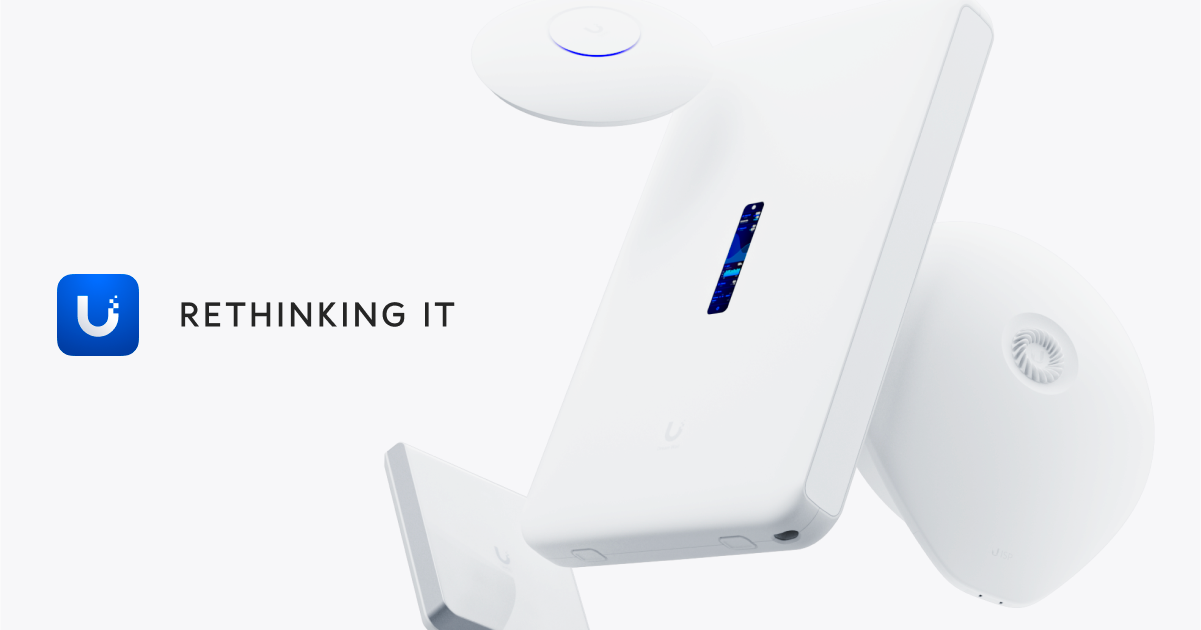 static swift
yeah, where is it?
pliant forum
first one?
 static swift
Oh, i thought there was a U6
jagged crypt

Ubiquiti Store United States
Compact, dual-band WiFi 6 access point with multiple mounting options.
cold moon
where you mount them helps determine which to buy as well
pliant forum
funny how that works
 cold moon
lol
@static swift https://design.ui.com/
you can upload your floorplan and design it like in the pic i shared way above
jagged crypt
u6lite vs u6+ was a chipset difference, ymmv
pliant forum
Here's an example of what info a UniFi gateway can give you also
 static swift
cold moon
you can upload your floorplan and design it like in the pic i shared way above
static swift
cold moon
you can upload your floorplan and design it like in the pic i shared way above
My plan is to give each person and AP and they can put it where they want
pliant forum
? You need to be strategic when placing APs otherwise you won't have adequate wifi coverage
static swift
Obviously i will explain how it works. but if they insist on having it above one place and the detrement of others then at least it won't be my fault.
static swift
pliant forum
? You need to be strategic when placing APs otherwise you won't have adequate wi...
I think good in specific places is more important to people than adequate everywhere
I will guide them to be strategic
cold moon
static swift
I think good in specific places is more important to people than adequate everyw...
almost like a design?
static swift
I don't know what all want to priorities tho
I have thought over multiple options. but unfortunately the in floor heating metal tracks and brick walls block RF surprisingly well!
cold moon
you might just want to look into omada instead if you are looking to save money, dont want to run a controller (although they also have one), and they are much cheaper than unifi. i just dont like or suggest them because chyna
static swift
omada ?
cold moon
static swift
I have thought over multiple options. but unfortunately the in floor heating met...
ok so you plan for that and buy more access points
static swift
oh tp link line
cold moon
wifi 6e doesnt even go very far so as far as future proofing goes you need more of them
you can get omada 6e aps for unifi 6 cost
static swift
cold moon
wifi 6e doesnt even go very far so as far as future proofing goes you need more ...
yep, but they are too expensive for load. hense my "give one to each person" plan
static swift
cold moon
you can get omada 6e aps for unifi 6 cost
at what cost tho?
cold moon
the added benefit is also extra 2.4ghz airtime to use for more IoT clients (that will eventually creep up)
as a reminder, the new standard "matter" is based on wifi
and that is what all IoT devices (except zwave and some zigbee) are moving towards
cold moon
static swift
at what cost tho?
idk you have google look them up lol
i'm just giving you some info to make better buying decisions
static swift
cold moon
idk you have google look them up lol
I was meaning at what am i losing for the lower price
cold moon
it's made in china by a chinese company and that matters a lot to some people
and it's more or less tp-link's version of unifi. and rarely is a copy better
static swift
cold moon
it's made in china by a chinese company and that matters a lot to some people
isn't unifi?
cold moon
As far as the hardware I’m not sure of the quality differences or which last longer
cold moon
static swift
isn't unifi?
No
static swift
Oh, i mean "made in china"? i know it is a US company
 static swift
ye


 static swift
oh, it is wifi 5 not 5ghz 🤦♂️
cold moon
4x4 mimo on 5ghz band is a big difference
static swift
big difference for one device? or multi?
static swift
i would like great 1-5 device perfmance. Not okay 1-500 device performance
I though mimo streams mean number of sanctimonious devices?
Do individual wifi 6 devices take advantage of multi streams?
i.e. 1 AP 1 deivce. Is (4x4) better than (3x3)?
cold moon
the client (the device) has to support the same number
if the client is a 2.4ghz IoT wifi bulb it's almost certainly a 1x1
static swift
Oh, so only the if it is an iphone 15 that supports 4x4, 14 is 2x2
cold moon
It depends per band as well
static swift
does mimo increase range?
cold moon
A client might do 1x1 on 2.4 but 3x3 on GHz
cold moon
static swift
does mimo increase range?
No
static swift
oh,
cold moon
Radiation patterns of APs and signal strength and all that play a part
static swift
i expected 2x 100mbps streams means 100mbps range at 200mbs vs 1 x 200mbs range
cold moon
like for the disc-like APs you want to mount them on the ceiling. the radiation pattern is like a donut falling and growing as it falls
if you mount them sideways you get less distance out of them and the "wifi signals" arent really propagating through the air optimally. and mounting behind a tv or near other metal or interference plays a big part too
and the client has to reach back to the AP
cold moon
static swift
i expected 2x 100mbps streams means 100mbps range at 200mbs vs 1 x 200mbs range
 static swift
what is wrong with that logic? speed ∝ data rate ∝ signal to noise ratio ∝ signal strength ∝ distance
so speed ∝ distance
so if you can double you speed, why cant you trade the increased speed for more distance?
cold moon
Magic
static swift
is 2x2 mimo not the equivalent of 2 devices each with their own connection?
static swift
why doesn't U6 Long-Range count as WIFI 6?

 glacial oracle
I mean we ain't ubiquiti
 patent river
I wonder if they'll ever make another one that'll let them re-use that "external antenna" checkbox.
sad uap-ac-m noises
glacial oracle
Id kinda wish they'd make more 'mesh' designed ones which don't rely on poe
 wild atlas
static swift
so if you can double you speed, why cant you trade the increased speed for more ...
wild atlas
static swift
so if you can double you speed, why cant you trade the increased speed for more ...
FCC regulations on radio strength, and just generally filtering abilities for antennas, fixed signal output means you have more and more noise the further you get from your target
Generally making the radios scream louder doesn't even mean better range since your clients can't necessarily scream that loud to send data back
static swift
wild atlas
FCC regulations on radio strength, and just generally filtering abilities for an...
sure, but were are talking relative to a 2x2MIMO
wild atlas
Just annoying to your neighbors who now deal with your rf noise
static swift
4x4 vs 2x2 MIMO is just more data not louder, No?
wild atlas
static swift
sure, but were are talking relative to a 2x2MIMO
Doesn't change noise to signal ratios or how loud you can scream
Though I guess you can use fancy dish style antennas to boost range
static swift
wild atlas
Doesn't change noise to signal ratios or how loud you can scream
right, but why cant you trade the increased speed that 4x4MIMO vs 2x2MIMO affords for more distance instead?
wild atlas
Very narrow area to hit means concentrated signal, less noise
patent river
wild atlas
Just annoying to your neighbors who now deal with your rf noise
Also annoying youself, when Google decides your location is two streets away 😦
I borrowed our Ekahau spectrum analyser from work to confirm it, you catch one beacon packet from my outdoor AP every few tens of seconds, two streets over and slightly uphill.
And that's with the 2.4GHz on ridiculously low transmit power, (directional) antenna aimed as much inside my property as I can. There's just a tiny gap in the trees through which some signal sneaks.
Was really perplexing when I was sitting on my couch and Google Maps was telling me I was at the bus stop on the other side of the valley
wild atlas
static swift
right, but why cant you trade the increased speed that 4x4MIMO vs 2x2MIMO afford...
Use fm instead of 2.4ghz
You can punch through way more debris with lower frequencies
If you want to trade speed for range, you need to go to a different band
static swift
wild atlas
If you want to trade speed for range, you need to go to a different band
unifi only goes as low as 2.4ghz, the question is does 2x2MIMO vs 4x4MIMO affect range
patent river
Generally no
For the standard models (ie, not the LR), the transmit power per radio chain is the same
20dBm 1×1 == 23dBm 2×2 == 26dBm 4×4
Then you get into fun calculations about EIRP + whatever antenna gain and how much you're legally allowed to blast out
But @wild atlas is right, if you need to get somewhere far away with a bunch of shit in the way, go and buy a pair of 900MHz radios. You'll get about 85Mbps if you're lucky, but should be fine even if there's a concrete wall inbetween
static swift
patent river
20dBm 1×1 == 23dBm 2×2 == 26dBm 4×4
Oh, So 4x4 requires higher power for its increased data rate at the same range? is it the same bandwidth as 2x2?
patent river
3dBm = 2× power
So 20 × 2 = 23, 20 × 4 = 26
Same power out of each antenna
So your effective range is identical
static swift
patent river
Same power out of each antenna
so why is 4x4 not able to go further than 2x2 since its power is effectively double?
patent river
Same power, multiple antennas
Doesn't increase range
Increases throughput
They're effectively broadcasting over the top of each other, doesn't mean any of them go further
static swift
patent river
Increases throughput
but if you are at 100mbps at 20m on 2x2 and 200mbps at 20m on 4x4 why can't you walk to 25m away and get the same 100mbps on 4x4 that you did at 20m on 2x2?
(on a 4x4 capable client)
patent river
Because the power of a single antenna determines the range, not the aggregate
 fringe crater
static swift
but if you are at 100mbps at 20m on 2x2 and 200mbps at 20m on 4x4 why can't you ...
fringe crater
static swift
but if you are at 100mbps at 20m on 2x2 and 200mbps at 20m on 4x4 why can't you ...
I believe there's some truth to this.
As you get farther away, the signal gets weaker/noisier, and the modulation/coding decreases. So I think it's normal that your speed will decrease as you get further from the AP.
If you look at the coding when you're right next to the router it might be like 64QAM, but then drop as you get further away.
static swift
patent river
Because the power of a *single* antenna determines the range, not the aggregate
are you saying at the same distance from the access point both 2x2 and 4x4 will have the same data rate? (on a 4x4 capable device)?
 static swift
so it switches to a higher sensitivity encoding to compensate?
fringe crater
Analogy: Understanding Modulation/Coding: Imagine that once a second, you hold up your arms in various positions to convey a message to someone else. If you were only ten feet away from that person, the number of arm positions reliably detected would be very high. But now move 100 feet away. The number of arm positions reliably conveyed would be reduced. Now move 500 feet way. The number of arm positions reliably conveyed might be reduced to just 'did the arm move at all'. The same thing happens in Wi-Fi. If you are close to the AP/router, a large number of bits can be conveyed 'at once'. But as you move away, a smaller and smaller number of bits can be reliably conveyed 'at once'. So 'modulation/coding' is simply how much information can be conveyed at once, and is directly related to distance from the AP/router.
static swift
fringe crater
So if I understand correctly, people saying it doesn't effect range are referring to at the connections limit because there isn't a codec less efficient than BPSK that the 4x4 link can drop down to from 130mbps to achieve the same 65mbps as the 2x2 link but at a further range? (at the same distance both 2x2 and 4x4 will drop out, but 4x4 will go from 130 to 0 and 2x2 will go from 65 to 0)
 devout zephyr
I am running HA in Proxmox. How do I tell what is using 96% of the 4gb of ram I have given HA>
devout zephyr
Is there any monitoring tools that I could take advantage of?
glacial oracle
you can just click on the addon and it tells you
cold moon
Glances but idk if it shows you each addon for haos
devout zephyr
Glances I will look into that as well.
wild atlas
Glances shows the various containers usage, so it should cover all the addons
devout zephyr
Add-On's are minimal but have several integrations. Just wondering if it could have been one of those.
wild atlas
As far as I know there's no way to isolate ram usage by integration
My system has 6gb allocated in proxmox and 2gb used for everything
Do you have like a security camera system setup in home assistance?
cold moon
Oh you can enable cpu and ram per container
devout zephyr
I only have the frigate integration I am live streaming 8 of 10 camera's on one of the pages. But its useing webrtc and should only be loading when I load the page.
devout zephyr
I am not running frigate in HA its on its own server.
 devout zephyr
I have no memory monitors under entities.
devout zephyr
cold moon
If you go to integrations then supervisor
Where is supervisor located in integrations I am missing it.
Looks like maybe I have to add it in the configuration.yaml
 devout zephyr
Ok so I need to build a HA dashboard and add all these memory entities to it. To see them correct?
cold moon
What no
devout zephyr
Ok so I opened memory percentage on a few of them and enabled. But where do you see the memory usage for the integrations?
Ok so I enabled some of the memory percentages but where do I now see them.
Nevermind I guess it took them some time to update and now I see the memory use where I enabled them.
cold moon
devout zephyr
Ok so I opened memory percentage on a few of them and enabled. But where do you ...
for integrations? you dont
integrations "integrate" with home assistant they arent like "running" like addons are. integrations would throw errors in the home assistant core logs
wild atlas
Integrations are all within the home assistant core container, so you can look at container usage to see if core is using all your resources, if it is it may be one of your integrations
devout zephyr
After enabling those under supervisor and them updating I can open the entity on that same page now and see the memory percent usage for each one of them.
Nothing there looks out of the ordinary. All low memory percentage.
devout zephyr
https://community.home-assistant.io/t/home-assistant-memory-usage-on-proxmox/220145/5 - wondering where this overall memory usage in HA came from on this post -


Home Assistant Community
Just wanted to chime in here with a question. My PROXMOX memory usage for my HA VM is sitting at a relatively stable ~80% HA is reporting quite different figures I suppose this may be the ‘quirk’ in how linux reports free memory in action. My only concern is when I check how much ‘real free (available) memory’ I have it is showing only...
wild atlas
Proxmox shows all my vms as using all the ram allocated at all times
devout zephyr
yeah just wondering how he was able to display in HA the actual values shows in that post and screenshot.
 sour dew
Hi guys, I'm desperately looking for a 1000W, 240V phase-cut dimmer switch compatible with anything smart. I don't care about it's shape... I need it to control an old lamp with 80 small halogen bulbs. Any ideas?
 burnt ether
Hey all,
I've got 2 IKEA motion sensors that trigger a service to turn on a specific light.
For some reason both sensors change state to motion 'detected' about 1-2 every night.
I've pretty much ruled out an automation error. The logs do show a state change....
Does anyone know what might make motion sensors change state to 'detected' even though there is no motion?
Setup:
2 ikea motion sensors on a wall close to the ceiling in a hallway, both facing a different direction.
I've got them connected to HA through a ConBee2 Zigbee stick,
burnt ether
through the Zigbee Home Automation integration
 winged knoll
That's ZHA, yes
 topaz sand
For anyone using Ikea TRADFRI ON/OFF switches, do they eventually "fall asleep" or something where they require a couple of presses after not being used for a while?
winged knoll
#zigbee-archived can help with all things Zigbee
jagged crypt
devout zephyr
I am running HA in Proxmox. How do I tell what is using 96% of the 4gb of ram I ...
disk cache most likely on the guest OS, you can check the output of "FREE" from a shell into the the HAOS install:
I gave me my HAOS 6 gigs and it's caching 3 gigs of disk in available memory. This will be freed if applications need the memory, but it will be allocated and shown as allocated in the proxmox stats.

 grim slate
Hello I used cc2531 as coordinator, it work well about 3hr but now it not working. I tried reflesh firmware. I using Rpi4, CC2531 is found but won’t pair with any device…
winged knoll
#zigbee-archived can help there, but you'll only fix it when you replace it with something that doesn't suck
devout zephyr
jagged crypt
disk cache most likely on the guest OS, you can check the output of "FREE" from ...
yeah looks like most of it is going to cache. Thanks for the help.
jagged crypt
devout zephyr
yeah looks like most of it is going to cache. Thanks for the help.
no problem. Hopefully that means your HA instance isn't running out of ram 🙂
devout zephyr
I still wish I knew where that guy was able to get the details inside HA itself. Would be a nice to have within the interface.
This looks to be added inside HA in some manner.

 outer knotBOT
@jagged crypt I converted your message into a file since it's above 15 lines :+1:
 crystal ibex
Has anyone utilized power bank as a UPS for Raspberry?
jagged crypt
that didn't paste in entirely but add sensors to your configuration.yaml and then add a card to your dashboard:
 devout zephyr
jagged crypt
that didn't paste in entirely but add sensors to your configuration.yaml and the...
devout zephyr
jagged crypt
that didn't paste in entirely but add sensors to your configuration.yaml and the...
I think this is the full instructions: https://www.home-assistant.io/integrations/systemmonitor/

 royal dome
Hello all, I am trying to get my Sonoff S31 plugs flashed with ESPhome.
I have a FTDI FT232 with jumper cables connected to the appropriate ports.
What's weird is when I have the FT232 connected without jumper wires, it shows up as port 9 on Windows and even shows in HA / ESPhome.
Once I unplug, connect the jumper wires, and plug it back in,... it no longer shows up at all.
royal dome
crystal ibex
Has anyone utilized power bank as a UPS for Raspberry?
I have not specifically done this for a RasPi, but for a wyze cam (temp setup)
You have to see about getting a battery bank that can both receive power and deliver power at the same time... which most battery banks don't do.
second, you also have to be able to have the battery power not drop when A/C power is disconnected. Most battery banks will like "restart" or similar when A/C is disconnected.
jagged crypt
devout zephyr
I think this is the full instructions: https://www.home-assistant.io/integration...
yup, that's what i used now that i look at it.
devout zephyr
jagged crypt
yup, that's what i used now that i look at it.
This should just be included in the Overview Dashboard by default IMO.
People could then decide to remove it if they didn't want it.
devout zephyr
I installed glances as well but the add-on requires you to remove protection mode. So I have it setup only for troubleshooting purposes should I need a little more information about what containers are using the resources. I just have it stopped and on the sidebar to click should I need to review anything in more detail.
I do the same with log viewer don't need to have it running all the time. But just have it in the side bar should I need it for troubleshooting. When you click on anything on the sidebar it will ask if you want to start it.
crystal ibex
royal dome
I have not specifically done this for a RasPi, but for a wyze cam (temp setup)
Y...
Did you find a good ole for your use?
 mystic dagger
what's the preferred way to monitor a freezer temperature? I'm leaning towards a dallas 1 wire sensor and an esp32 or 8266 running esphome. currently have a temp sensor in the freezer, but the battery life is crap, 2 weeks max.
 golden thorn
I use a generic zigbee sensor in mine.
glacial oracle
Can't you power it from the freezer?
As long as the battery is kept outside the freezer such solution should also work. Would go with the esp32 in either self build case
 karmic cargo
cold moon
it's made in china by a chinese company and that matters a lot to some people
karmic cargo
cold moon
it's made in china by a chinese company and that matters a lot to some people
(Very) late to the conversation and a bit lost... What is the "it" that's Chinese? I missed finding the brand as I scrolled back...
golden thorn
Pretty sure they were referring to TP Link's Omada APs and/or their SDN software
 odd aspen
Can i run homeassistant on telldus itself or do i need a server ?
golden thorn
Can you tell us more about the device?
winged knoll
You need a "server"
golden thorn
You can probably get a relatively cheap (U)SFF PC on places like eBay. You can also look for a Mini PC but they tend to cost a tiny bit more.
winged knoll
See also the chat in #installation-archived
cold moon
karmic cargo
(_Very_) late to the conversation and a bit lost... What is the "it" that's Chin...
The entire company, the hardware designed by them, the firmware on their devices, their controller software
 karmic cargo
cold moon
The entire company, the hardware designed by them, the firmware on their devices...
karmic cargo
cold moon
The entire company, the hardware designed by them, the firmware on their devices...
Talking about TP-link/Omada?
cold moon
Correct
karmic cargo
OK, thx. That was the bit I was missing. Not unreasonable to make those assumptions/have those concerns
cold moon
They aren’t assumptions lol
karmic cargo
I was being... polite. 😉
 terse pebble
In the channel #yellow-archived we are talking about LTE USB modems for SMS notifications. The stated ones in the docs are quite old and/or hard to get. Any recommendations for compatible and widely available ones?
 ashen tartan
What is the simplest and least-expensive solution for outdoor individually-addressable and/or programmable LED strips/ropes? Twinkly looks super expensive and WLED seems rather complicated. Just looking for a couple ~5-6ft ropes.
 idle shoal
I have some twinklys and they work great ... worth the money
 cosmic grove
Favorite non-spyware temp/humidity sensors, and co2 and/or air sensors? Prefer something without a hub, but open to one if it’s cheap. Looking at switchbot right now.
 rough cairn
I am putting together a single zone single channel (left and right speakers) ceiling speakers, and need an amp that I can control from HA, recommendations? I read some old forum posts saying Monoprice? Here are my speaker specs - Bose 2x Virtually Invisible 791 Series II 50W In-Ceiling Speakers
winged knoll
cosmic grove
Do the Aqara’s need the hub?
No, no they don't
They're #zigbee-archived devices
 thin hollow
Hey, does anybody know of any UK plug sockets (not wall warts) but actual plates that have HA integration that can also show how much power is being used by the individual ports?
I've looked for a while and cant find anything
cosmic grove
winged knoll
They're <#551843655682490399> devices
Oh nice! So home assistant allows items to be added independently of their hubs? As long as they use a certain protocol?
 glad raven
Zigbee allows that if I'm not mistaken
cosmic grove
winged knoll
They're <#551843655682490399> devices
Oh so a second question just occurred to me: if I search “zigbee smart ____” chances are it’ll work with HA? That’s what I’ve been trying to figure out when shopping.
Anyone else feel free to come in too!
 gloomy spoke
The 'smart' part doesn't add anything
 queen pivot
hello, what Is your best experience with a gas detector Zigbee?
 mint pier
I hope we get Raspberry Pi 5 support as a Christmas present this release party.
winged knoll
cosmic grove
Oh so a second question just occurred to me: if I search “zigbee smart ____” cha...
Maybe, maybe not, see #zigbee-archived and the pinned messages
terse pebble
mint pier
I hope we get Raspberry Pi 5 support as a Christmas present this release party.
HAOS support for RPi5 is expected for Q1 2024. But you can use the Container install on a RPi5 now.
mint pier
Do you know whether there will be an alpha or beta release?
winged knoll
At this time... nobody other than the OS devs know, but ... probably
mint pier
I would be happy to volunteer as a tester.
winged knoll
karmic cargo
cosmic grove
Favorite non-spyware temp/humidity sensors, and co2 and/or air sensors? Prefer s...
Apollo Automation (https://shop.apolloautomation.cloud/) Found them looking for a less expensive presence detector, but they've got a new product, AIR-1 coming out. Does all sorts of air quality measurements. Support is beyond excellent - I just received an order of a couple more presence detectors (MSR-1), and they redesigned the stand to, hopefully, make it more useful for me, and threw in a bunch for free. (satisfied customer, no financial involvement)
They are ESP based devices, so the only hub you need is your WiFi router. Code is all open source and on GitHub. The MSR-1 gives temp & humidity, so I'm sure the AIR-1 does, too.

Apollo Automation
Experience the future of home automation with Apollo Automation. Our solutions, compatible with Home Assistant, are designed to cater to your unique household needs. Dive into a world of rapid prototyping, community-driven design, and seamless integrations. Elevate your smart home journey with Apollo
Support is on Discord and usually pretty darn quick
cosmic grove
karmic cargo
Apollo Automation (https://shop.apolloautomation.cloud/) Found them looking for ...
Sweet. I’ll check them out
karmic cargo
They're on Discord, too. I think this will get you there? https://discord.com/channels/1126966963206361199/1143054452870357112
Maybe just this? https://discord.com/channels/1126966963206361199
Discord
Discord is the easiest way to communicate over voice, video, and text. Chat, hang out, and stay close with your friends and communities.
 silk basin
cosmic grove
Sweet. I’ll check them out
silk basin
cosmic grove
Sweet. I’ll check them out
Do you have a zwave dongle or card installed? Maybe look into aeotech multisensor, it's meant to be a motion sensor but has temp/humidity/illuminance/uv... Since it's zwave it's only spyware if you send your data out yourself.
winged knoll
You wanted #installation-archived
 fathom hollow
RTTTL strings to a pizeo speaker? I would like to be able to send RTTTL strings to a pizeo speaker to generate tone sequences for feedback. I have a Home Assistant Green, so no local audio jack. Does anyone know of a device already built to do this? I am disabled and unable to build much anymore, though I can modify code and configure HA. I am guessing that using an external ESPHome 8266 is best, but can I pass it RTTTL strings on the fly? I have only found tone sequences that are pre-programmed in the ESPHome device config. Thanks!
 lost sierra
I have recently ordered a RPi5 8gb for HA.
Looking at the price I can see a lot of 4 core Intel J5005 and similar setups (16GB) that seem better in performance. For a similar price.
Would you recommend a setup like that over the pi5?
winged knoll
Yes
lost sierra
winged knoll
Yes
Are there any down sides to it?
Seems like the pi has lost the performance per value it once had.
winged knoll
Downsides to what?
Having a decent CPU and enough RAM?
Not using a storage device that's likely to fail with little/no warning?
 rich venture
lost sierra
I have recently ordered a RPi5 8gb for HA.
Looking at the price I can see a lot ...
rich venture
lost sierra
I have recently ordered a RPi5 8gb for HA.
Looking at the price I can see a lot ...
ras pi arent worth it for price and limitations they have, i would chose tiny mini micro system over raspi in 90% of situations
back then when they were 35 dolla it made some sense
lost sierra
Any advice for buying low budget nucs (around fully kitted pi5 price)
rich venture
lost sierra
Any advice for buying low budget nucs (around fully kitted pi5 price)
what country/region
lost sierra
Czech Republic/eu
rich venture
lost sierra
Czech Republic/eu
do you want something fanless or is it going to live in a closet anyway so noise isnt big concern?
lost sierra
Low noise ideally, fans are fine if they are running low noise.
Another question is to go with new or used/refurb
rich venture
lost sierra
Low noise ideally, fans are fine if they are running low noise.
Another question...
first i would check local marketplaces like facebook marketplace/ craigslist alternatives, sometimes you can find really good deals, after then check ebay and then amazon
used/refurb is way to go
for instance i got this zbox nano ci320 for 35 euro
home assistant and many other services run just fine, even with really low power and "slow" cpu
 lost sierra
Do you run it in docked or ha os?
rich venture
lost sierra
Do you run it in docked or ha os?
i ran docker version
lost sierra
Local market is generally extemly slow, I'll have a look at EU eBay tomorrow.
If I don't find anything than j5005 or similar 4 core ddr4 CPU at under 100 EUR is a good deal (new)
lost sierra
rich venture
for instance i got this zbox nano ci320 for 35 euro
home assistant and many othe...
I am assuming that good of a deal was on local marketplaces
rich venture
lost sierra
I am assuming that good of a deal was on local marketplaces
Yup
lost sierra
On eBay used are only a little bit cheaper than new, but older specs.
Local marketplaces have some good deals on sff, but power consumption on them would eat back at the savings very quickly
golden thorn
What power consumption do you expect them to have? What does the alternative (which alternative?) have?
mystic dagger
@golden thorn the zooz temp/humidity module battery lasted about 2 weeks inside the freezer. Needs to be outside, but I also saw something on using a ble module which uses AAA batteries and those seem to not be as bothered by 0F temperatures.
golden thorn
Mine's battery status says 1% but it works for months now. I can't even remember when I changed the coin cell
patent river
Energizer says basically no capacity loss down to -40°C for their Lithium AAAs (Li-FeS2) at low current: https://data.energizer.com/pdfs/l92.pdf
The CR2032 (Li-MnO2) doesn't fare nearly as well (page 4), capacity down by third at 0°C: https://data.energizer.com/pdfs/lithiumcoin_appman.pdf
mystic dagger
the zooz uses a 2450
I was hoping for more than a couple weeks life out of it, figured it would drop down to say 10% and hold, but nope.
patent river
Same chemistry as a 2032, just bigger
I've seen them fail within a week at fridge temperatures though, let alone freezer
(Pulled the noisemaker that played the Intel jingle out of an old NUC box and stuck it in the fridge at work. Dead within a week, recovered when it returned to room temperature)
mystic dagger
yeah. I think any temp sensor that you want to live needs to be just the sensor inside the box.
 dire acorn
Morning all (or appropriate time-based greeting for your locale) I'm looking at migrating from a VM that's happily running on my NAS to a dedicated SBC for HA and was looking at considering one of the odroid M1S machines that look to be relatively new. I know there's m1 support, but is the M1S a safe bet to go for or would I be better grabbing an rpi 5 or something completely different? Ideally I'd like to keep my cost to below £100 (GBP) and both of those boards look as though they could be had for that kind of price.
I've got multiple pi 3s sitting about unused, but I keep hearing that people aren't too keen on using them and I've got a 4, but that's currently assigned to another task. If a 4 would be up to snuff I might go that route, but could do with tapping into the knowledge of people who know more than I do if anyone is willing to share it
golden thorn
Why do you want to switch? You could sell the pi 3s while they're still worth something.
dire acorn
I want to get that CPU core back from my NAS and be able to power it down without killing all home automation
My energy provider does deals now and then where they give you cash back if you cut power consumption for a period of an hour or so when demand is set to be high and the NAS and the two other servers I run aren't exactly low draw systems, so I like to power it down, but then get frustrated comments from my wife when the sensors I've just convinced her are a good idea don't work.
golden thorn
Putting all on one device is probably cheaper. I'd buy a (U)SFF/Mini PC and virtualize. They can idle as low as 6w.
See here: #hardware-archived message
dire acorn
Hmm, very interesting, I'll give those a look then. Thanks for that
 runic remnant
Aqara Roller Shade Driver E1 | After 1 Y...
lost sierra
golden thorn
What power consumption do you expect them to have? What does the alternative (wh...
Rasberry pi is the alternative. For sff I am expecting around 50w for pi 4w for nuc 10w
golden thorn
Where are you getting the 50w from? Maybe if you use a core 2 duo but not with recent ones
winged knoll
I used to run HA on an old i5 laptop that drew about 10w
lost sierra
golden thorn
Where are you getting the 50w from? Maybe if you use a core 2 duo but not with r...
Was looking at second hand sff
Total power draw from the wall that was, not just cpu
golden thorn
Well I have multiple 10+ year olds that idle at roughly 15w from the wall. Newer ones go lower so that sounds kinda wrong to me and doesn't line up with what I see other testers measure. I had a E7XXX before that used 60w but that's very old.
lost sierra
So anything in the i3-i5 line should idle around 15w?
golden thorn
Depends on more than just CPU but I'd expect office systems from 2014+ to be in that range
lost sierra
Alternative is buying a new Asus n100 or a fully integrated nuc.
golden thorn
I bought SFFs because they cost me a 3rd and I wanted to be able to extend them to a bigger extend. Add another NIC, exchange the CPU and so on. Purely based on power consumption and size a Mini PC is superior. I don't much like SBCs
 lavish jackal
Hey, i want to only host HA and have 2 Machines i could buy. A Raspberry Pi 4 B 8Gb or the Intel NUC D54250WYKH with a i5-4250U, 8GB RAM and a 250GB SSD. Wich one should i get?
golden thorn
I'd say the NUC. I'm sure you can buy something more recent for a similar price though. That CPU is 10 years old. Perhaps something with a N100 like discussed above?
lavish jackal
Intel NUC6I3SYH with a i3 6100U for 80€ but without RAM and a SSD?
golden thorn
Only 2 real cores as well but that's 2 years newer. NUCs usually cost a bit more.
lavish jackal
HP EliteDesk 800 G2 with a i5-6500, 16GB RAM and a 512GB SSD?
golden thorn
That looks better
golden thorn
Maybe a tad overpowered for just HAOS but that's something I'd buy too.
Here's a little comparison between all the options you shared: https://www.cpubenchmark.net/compare/2599vs2623vs1944vs4297/Intel-i5-6500-vs-Intel-i3-6100U-vs-Intel-i5-4250U-vs-BCM2711
lavish jackal
65W TDP
lost sierra
Found a good deal on Elitedesk with 2200G
Most people I see go with Intel 6500 and around.
Any particular reason to avoid?
golden thorn
lavish jackal
65W TDP<:mindblown:334058415385083911>
That does not mean that it uses 65w all the time or at all.
golden thorn
lost sierra
Found a good deal on Elitedesk with 2200G
Most people I see go with Intel 6500 a...
Ryzen tends to idle higher and can have power state issues with some kernels/OSs.
lavish jackal
golden thorn
That does not mean that it uses 65w all the time or at all.
Saw that on the end of the site
but thanks
lost sierra
golden thorn
Ryzen tends to idle higher and can have power state issues with some kernels/OSs...
so if idle power consumption is an issue than its a avoid?
lavish jackal
golden thorn
That does not mean that it uses 65w all the time or at all.
What Zigbee Dongle would you recommend?
lost sierra
I have the Sonoff Zigbee 3.0 USB ZBdongle-P and I can not complain
golden thorn
lavish jackal
Saw that on the end of the site
One of my virtualization nodes uses a i5 4770 which has a TDP of 84W. Note that this CPU is old. It's actually a tower PC.
 lost sierra
there is an option to boost the radio slightly and then it reaches all the way to my back garden (cant get a network to there)
golden thorn
lavish jackal
What Zigbee Dongle would you recommend?
Depends if you want to use ZHA or Z2M. The CC26* chips are generally the best supported on both sides. I don't care about matter/thread yet. I'd buy a Ethernet/PoE one nowadays.
golden thorn
lost sierra
so if idle power consumption is an issue than its a avoid?
I can't tell for sure. Afaik the idle comes a lot from the IO die and chiplet design which I believe this CPU does not have. Have to look into it.
The power issues with AMD I see on the proxmox discord a lot. People have to disable low power states for it not to crash or freeze.
golden thorn
lost sierra
there is an option to boost the radio slightly and then it reaches all the way t...
I like to compare it to human ears. Being able to scream loud doesn't help if the other side can't answer as loud as well. It's not that simple but still.
I currently use the P model too but I don't suggest it any more because everyone bashes on it 😄
lavish jackal
golden thorn
Depends if you want to use ZHA or Z2M. The CC26* chips are generally the best su...
I dont even know but Z2M has more id say? I currently have except 3 Ikea nothing smart so i dont really care. I just want the easiest and with the most support.
golden thorn
I use Z2M. I use(d) it with Node-RED before I looked into HA and I like to keep it separate. I'd say check both out and see what you like more.
lavish jackal
Can i use both?
golden thorn
If you have two coordinators.
lavish jackal
What Coordinators can you recommend? I was getting the Ha skyconnect since it is "Plug and Play" but 40€ is pretty beefy
golden thorn
<#hardware-archived message>
You can see a list here: https://www.zigbee2mqtt.io/guide/adapters/
thin hollow
After weeks of searching, I still can't find any wall outlets that have power monitoring functionality
They're typically just "turn the socket on or off" type things which is infuriating
golden thorn
Since you didn't specify your location here's a EU socket example: https://aliexpress.com/item/1005004352172075.html
thin hollow
golden thorn
Since you didn't specify your location here's a EU socket example: <https://alie...
Ah thought I'd responded to my first message with it, which is why I didn't feel the need to specify again, UK (Type G) outlets
golden thorn
Another choice would be use something like this behind the outlet: https://www.aliexpress.com/item/1005005459084252.html
You don't have to switch it. Shelly PM would be a WiFi option.
thin hollow
Oooh, don't mind between ZigBee and WiFi, would be using ZigBee for certain things regardless. Would that be able to turn the sockets on or off as well?
Ooh yes. It says "smart switch". Perfect
winged knoll
Yes, but no
Turn of the entire socket, yes
Turn off one side, no
(plus UK ring mains, you'd better be very sure you don't exceed the power rating of that device)
thin hollow
Got an on hand electrician
winged knoll
Keep in mind that the switch on the socket being turned on will only matter if the module is also turned on - so you could have a situation where the socket doesn't seem to work
 tame magnet
working on replacing a whole bunch of switches/dimmers in a house and I’m kinda torn between zigbee, thread, and WiFi
glacial oracle
Out of those three, you probably will have the best time with ZigBee
While there is good wifi gear as well, those tend to use more electricity
Thread is kinda a mess from what I've heard here so far
tame magnet
I’ve heard a few horror stories with zigbee and people having to rebuild the mesh all the time, that’s what makes me a little nervous
winged knoll
Those are rare, and usually with people in high density housing or those who didn't follow the standard advice
 cursive lodge
any recommendation for an alarm clock that works nicely with hass? I've seen the sandman ones, they're huge. Was thinking of something smaller, kid friendly
 buoyant stratus
I'm in the US and I'm looking for some smart plugs... I don't have any protocols I prefer, though I assume Zigbee would be ideal since I have a home assistant yellow and I think it has a built-in zigbee chip? Ideally power monitoring would be available, but it's not a deal breaker. I'm hoping to pick up roughly 10 plugs, and ideally I'd keep the budget under $150 for all of them.
I need 8 for indoor use, and 2 for outdoor use.
How do you go about picking when there are so many options? I found the SONOF S31 Lite ZB (which is ZB but no power monitoring), as well as the SONOF S31 non-lite (which is not ZB but has power monitoring)... are there better options?
gloomy spoke
These are great for indoor: https://a.co/d/5PwvWSJ
buoyant stratus
Do I need a hub for Zigbee devices in addition to my Home Assistant Yellow, or will the yellow work as a hub?
winged knoll
No, the yellow is the "hub"
buoyant stratus
Ok, that's what I thought I just wanted to make sure
gloomy spoke
I suspect that ZHA should automatically detect it for you
buoyant stratus
It seems like outdoor is the harder question
Random question, if most wifi devices are 2.4GHz only and Zigbee is also 2.4GHz, with custom firmware would it be possible to repurpose a wifi device as Zigbee?
buoyant stratus
Is there a reason that most Z-Wave smart plugs seem to be more expensive than Zigbee or Wifi?
gloomy spoke
buoyant stratus
Random question, if most wifi devices are 2.4GHz only and Zigbee is also 2.4GHz,...
I haven't seen devices that do Zigbee or Wifi. I do see ones that you can configure for Zigbee or BTLE
and I think the second answer is "certification"
buoyant stratus
I think Kasa is only supported through their API, but has anyone used their plugs which claim to support Matter?
lavish jackal
Hey, what GU10 Colour Bulbs do you recommend for Z2M?
winged knoll
Hue, Innr, or Gledopto
lavish jackal
winged knoll
Hue, Innr, or Gledopto
What do you think of Ikea?
tame magnet
buoyant stratus
Random question, if most wifi devices are 2.4GHz only and Zigbee is also 2.4GHz,...
there's still hardware-level support needed... this would be possible with a device that natively supports both (like an ESP32-C6) but not much else
and a manufacturer of a wifi-only device almost certainly isn't going to use an ESP32-C6 because there are cheaper wifi-only chips
buoyant stratus
I see, that makes sense
winged knoll
lavish jackal
What do you think of Ikea?
Not as good, or they'd have been on that list 😉
tame magnet
leaning strongly towards Inovelli Blue
lost sierra
Does anybody know of a buyer's guide to used SFF machines?
I know dell in their PC's use mostly custom hardware that isn't compatible with off the shelf components.
Are other companies better?
I'm looking at 6th gen ish SFF.
I have seen a Fujitsu for example, which uses a easily findable off the shelf MB.
jagged crypt
At the price of that range, you swap whole MB with a new machine
for example - https://www.ebay.com/itm/235213275072 - a base system without storage for $64 USD with free shipping
that takes 2.5" sata with that caddy, and also has a m.sata slot for storage. Ram is standard.
what are your looking for in Off-the-shelf replacement parts?
or just pick up a fully setup system for $150USD - https://www.ebay.com/itm/335110031247 - 32gig rams, 256 m.2 ssd i5-6500t
Neither of those are mine in anyway, ymmv
those last ones look like they have wireless if you care also
jagged crypt
if you are looking for JUST homeassistant, you don't need that much ram. But the 8gig ones normally have both memory slots filled with 4gig sticks if you trying to minimize costs.
 shell tide
I go my tubeszb cc2652p7 today, it was discovered as a ESPHome device and not zigbee, it says it came flashed with the latest stable, do I need to flash it with something else? Should it be a ZHA or Zigbee2MQTT setup?
 tepid heart
shell tide
I go my tubeszb cc2652p7 today, it was discovered as a ESPHome device and not zi...
tepid heart
shell tide
I go my tubeszb cc2652p7 today, it was discovered as a ESPHome device and not zi...
https://github.com/tube0013/tube_gateways/tree/main#getting-up-and-running if that does not help, ask in #zigbee-archived
 tall knoll
Hello, I have been having problems with SkyConnect for some time now. I had already tried to uninstall and deleted everything I found, but SkyConnect can no longer be configured. Then I flashed the Thread only firmware via the Webflasher, no success either.
The Open Border Router add-on starts but stops after a while. Log:
Tied to chenge USB port several restarts, reinstall of add-in, nothing helps
 earnest spoke
I hope this is the right channel to ask about this - I'm looking for some RGB G4 bulbs that are compatible with HA (I'm in the EU). I've only managed to find two listings so far - this AliExpress listing https://www.aliexpress.com/i/1005004941667571.html and this one from a US website https://www.superbrightleds.com/catalog/product/view/id/213486/s/g4-led-smart-bi-pin-bulb-rgbw-color-changing-hubless-alexa-google-assistant-wi-fi-compatible-bluetooth-controller/category/2/. The AliExpress doesn't really go with the lamp that I intend to use these things in, and while the listing from the USA website would fit perfectly, it's crazy expensive and international shipping will make it significantly worse.
The lamp I want to use them in has 21 bulbs and they're all exposed - it kinda looks like a bunch of jellyfish tentacles with a bulb on each end. Do you guys know of anything that might fit the bill?
winged knoll
That's a pretty special form factor, finding smart bulbs that HA can control is going to be hard
pliant forum
wow people are really scalping the MyQ HomeKit bridge..

I feel bad for anyone who buys one when RatGDO exists lol
 glacial prawn
anyone can help me about hat 4 relay to work with HA gpio
rough cairn
I am putting together a single zone single channel (left and right speakers) ceiling speakers, and need an amp that I can control from HA, recommendations? I read some old forum posts saying Monoprice? Here are my speaker specs - Bose 2x Virtually Invisible 791 Series II 50W In-Ceiling Speakers
earnest spoke
winged knoll
That's a pretty special form factor, finding smart bulbs that HA can control is ...
Yeah. I imagine that the aliexpress LEDs would work with HA since they're basically just Tuya WiFi controllers, but the form factor really won't go well with the lamp
winged knoll
Tuya ... and work with HA ... 
earnest spoke
I thought it did 😅
 sleek blade
not HA related, but i thought some of you may know.
what do i search on amazon to find a regular, dumb, no extra features doorbell??
just a battery powered thing that makes a sound when button is pressed. no wireless button, no wifi connectivity, nothing smart, no built in mic and camera, nothing at all. just a button and ringer. with 2 or 3 AA batteries.
cant find a damn thing. everything is smartified in some way.
winged knoll
Country?
sleek blade
if it was connected to the wall i would've preferred 220v, but since i'm mainly looking for a battery powered it really doesnt matter tbh. i can have it shipped from us, uk, germany, italy..
winged knoll
Screwfix/Toolstation/CEF all have what you want, but I don't know which of those are available in the country you're hiding in
 undone badger
Hey guys! I moved into a KNX house. I don't have the KNX project files (for ETS) and I don't expect the previous owner to be able to retrieve them either, so I'm considering simply starting over. I realise this isn't strictly home assistant related, however I'm planning on using the knx integration in my HA instance too...
I'd love some advice on how to go about "starting over", though
The knx install consists of lights, actuators and light switches
And some wall outlets
Can I "reclaim" one switch/light at a time without jeopardising the functionality of the others?
I don't mind risking a few lights if I screw up, but I don't want the family to have to celebrate christmas in candle light only ... 🙂
buoyant stratus
Is it possible to update device firmware through HA, or will I have to do it via the manufacturer's apps?
buoyant stratus
Fun!
 steep mist
Hello, I am thinking of changing my google mini display in baby room to a sonos speaker for better audio for story time, do all sonos function as a media player to be able to cast local audio from homeassistant? or just some
 supple sleet
I not sure what to call it and search for.... I have a outlet that is connected to a light switch. It is on the opposite side of the room from the lamp. Is there a outlet plug that can signal an automation to turn on the lamp? I have an S1, I thought I could monitor and check when it is online to trigger the automation. But it seems like a waste of a good switch. I would then need another for the lamp itself. Is there a outlet plug that just send a command when powered? I don't want to replace the wall switch.
fringe crater
supple sleet
I not sure what to call it and search for.... I have a outlet that is connected ...
I think I have seen devices called like a "power outage montior" that plug into an outlet, and have a small battery, so they can still send like a zwave message when the power is cut. Maybe look for something like that.
Anything that relies on reconnecting from cold when the power is out might have a lot of delay
patent river
https://www.amazon.com/dp/B01IZ2JYQU Check out the reviews on this one though 😄 - it's a magnetic contact switch sensor with a USB power supply dirtily soldered in place of the sensor

Z-Wave Power Outage Sensor
A relatively valid solution, but very poorly implemented
fringe crater
Here's another zwave, though you're starting to now get more expensive than just another switch 😂
https://www.thesmartesthouse.com/collections/z-wave-range-extenders/products/zooz-800-series-z-wave-plus-range-extender-zac38

The Smartest House
800 Series Repeater PRODUCT HIGHLIGHTS Beta Release This device may not be fully integrated with your hub at the time of purchase. You may need to update the firmware of the device after the purchase. Repeats and amplifies Z-Wave signal for your mesh network More range than ever with the new 800 series Z-Wave chip
patent river
I found a thread recommending this: https://www.zigbee2mqtt.io/devices/R7051.html
Integrate your Woox R7051 via Zigbee2MQTT with whatever smart home infrastructure you are using without the vendor's bridge or gateway.
No indication though of how long the battery lasts
supple sleet
Zigbee is on my christmas list.
I didn't think about the delay. Specially if you flip the switch a few times. I think in this case I might go low tech and use an extension cord.
 keen fiber
I have made a valient college effort to get a zooz ZS10 700 stick working, but I am stuck and looking for some help
I'm not even to the home assistant piece yet. I have inserted the zooz stick in my server , the server runs as a VM in Oracle Virtual box. The stick (at first) showed in device manager on the server as an unrecognized device , so I followed some instructions that i found on the internet to update the firmware... I was partially successful in doing this, I have installed simplicity studio, i wasn't able to find the correct firmware so my update did not work, but now it seems that the stick has routed to a "com port"? It shows correctly in Simplicity studio as a Zooz stick, but i don't see it as a usb in device manager any more.
Furthermore, I do not see it registered as a device on the server and therefore cannot add it to the virtual machine. I'm stuck at this point, can someone help navigate me from here?
fringe crater
keen fiber
I have made a valient college effort to get a zooz ZS10 700 stick working, but I...
Maybe better support in #zwave-archived ?
 devout parrot
supple sleet
I didn't think about the delay. Specially if you flip the switch a few times. I ...
devout parrot
supple sleet
I didn't think about the delay. Specially if you flip the switch a few times. I ...
What I would do, have done actually, is add some kind of module that's designed to make an existing dumb switch smart, like a Shelly 1L or zbmini-L2, behind the light switch, and then set up an automation that would make the light on the other side of the room match the state of the wall switch. Automation triggers on any state change of the switch, and then uses a choose action to turn a smart plug or bulb on or off based on whether the switch is now on or off.
 broken flower
undone badger
Can I "reclaim" one switch/light at a time without jeopardising the functionalit...
broken flower
undone badger
Can I "reclaim" one switch/light at a time without jeopardising the functionalit...
Hi 👋! One actuator at a time would be possible, but I wouldn't recommend it. You can't be sure to not use any currently used addresses - this would turn the installation into a lottery.
You could try to read all used addresses before, but that's also lots of of work.
supple sleet
devout parrot
What I would do, have done actually, is add some kind of module that's designed ...
Thanks. I will have a look at the Sonoff, not sure how much space I have behind the switch. But its a good option. I wasn't sure what to search for.
devout parrot
The one thing there is that that's going to limit what you can plug into the outlet that the switch actually controls power to, in terms of current draw and load type. Those switch things aren't rated to run anything heavier than a lamp or average home light fixture, no inductive loads like fans, no space heaters or anything like that.
 unkempt goblet
I am one of those unfortunate people who has a lot of 433 Mhz devices connected to TellStick Net, which no longer works due to their API restriction (forcing to premium subscription).
I know one good alternative seem to be RFLink using an ArduinoMEGA, but I need some guidance in the right direction, as I actually have two separate TellStick Net devices to cover the entire house.
Anyone have any ideas how I could replace the TellStick Net devices with something else (still 433 Mhz so I can keep all switches)?
PS. I should add that I am soon migrating Home Assistant over to an Intel NUC so if I go the Arduino route I still would not be able to connect it directly to the NUC, but would have to use something inbetween, either WiFi access or connect the arduino to a Raspberry Pi or something (which I have two Pi 3 and one Pi 4 just collecting dust right now). DS.
 cunning pond
Re: that HomeWizard announcement. Anyone here using their water meter, but in battery mode? It says it'll update four times a day in that mode, does that mean four aggregate values a day, or does it send over complete time series data of that time period?
undone badger
broken flower
Hi 👋! One actuator at a time would be possible, but I wouldn't recommend it. Yo...
Ah, yes. I thought that might be the case. So, would you say the best way would be to start a new ETS project, map out the room structure, and then just go through everything in one go?
 maiden torrent
Not directly HA related, but who knows someone might be able to help me: I just installed a new Shelly Plus 1, which works just fine. But when I add the "Add-on" to attach some temperature sensors, the shelly doesn't boot up anymore it seems. I have tried with 2 different Add-on modules, with no temperature sensors attached yet. I enabled the "Add-on" in the menu. When I remove the Add-on module the shelly works as intended again. Anyone who has had this problem before?
 summer shell
unkempt goblet
I am one of those unfortunate people who has a lot of 433 Mhz devices connected ...
summer shell
unkempt goblet
I am one of those unfortunate people who has a lot of 433 Mhz devices connected ...
Are those devices supported by the rtl_433 project by chance? I’ve been using rtl_433 with a nice discone antenna for low power and constantly reporting temperature and humidity sensors. Even got units to go inside of my freezers. If they are supported you could get a rtl-sdr v3 usb stick and replace it with that.
 deep coral
hello, guys i got a question im trying to update my Nortek zigbee z-wave stick and i found a github update for how to do it, and it wants me to "Replace /dev/ttyUSB1 with the path to the zigbee side of your USB stick" and im realy stuck because i cant figure out what the path to the zigbee side of my usb stick is, i tried to look up multiple guides online for how to get the path, but i just cant figure it out.
golden thorn
Similar to how it's shown here: https://www.zigbee2mqtt.io/guide/getting-started/#_1-find-the-zigbee-adapter'
It shoud also show up here if you use HAOS.
deep coral
im running a windows system
golden thorn
That would have been useful to know. Check the device manager then for a COM port.
deep coral
golden thorn
Similar to how it's shown here: <https://www.zigbee2mqtt.io/guide/getting-starte...
the name of it on the HAOS has a "and" symbol and that isnt accepted
yeah but what would the address be when i know the comport?
golden thorn
Oh so not HA on windows but a HAOS VM on windows?
deep coral
yes
golden thorn
Yeah then above still aplies
deep coral
it looks a lot like the guides i tried but ill retry then
do i not look for it in the github container?
golden thorn
Github container?
deep coral
yeah i made a container image of the github thingy
thats the only place i got to an terminal i could use
golden thorn
You can run all the commands above via SSH with the advanced SSH addon or check the hardware link above.
deep coral
i see, that might have been my major issue there
broken flower
undone badger
Ah, yes. I thought that might be the case. So, would you say the best way would ...
It's probably the safer way (if getting the project from the installer or reconstruction is not possible). You should be familiar with how the system works though and exactly know what devices are installed (and where).
deep coral
golden thorn
You can run all the commands above via SSH with the advanced SSH addon or check ...
using the hardware link you listed do i run the commands in here? my main issue i think is finding exactly where to launch the commands

apprently when i use my docker user on the machine i cant run SSH
if i make the docker user an admin docker crashes
golden thorn
No
You can run all the commands above via SSH with the advanced SSH addon
HAOS is not a "normal" OS and shouldn't be treated as such. Addons are docker containers which means that your SSH session is inside a docker container too.
golden thorn
Also see the pinned message in #general-archived
But you connected to the SSH addon, right?
deep coral
i dont think so
golden thorn
🤷
deep coral
if i wanted to run Ssh on windows i would need to use an admina account witch ment docker crashed
golden thorn
I'm sorry I'm not following
deep coral
well we will see if i can wrap my head around it eventualy if i bash my head against your words something will work
 upbeat vortex
Hey team,
does anybody has any idea why so much cpu being used when nothing is being executed? Fresh install of latest homeassistant version running on Ubuntu 22.04 arm64 via Python3.11 venv.
Installation run smooth, however the cpu is really running wild.
- Profile executed over 5min time
- No errors in logs
- Only profiler integration (all the rest deactivated initially and now deleted, all the same)
Any better way to profile this? 8 core cpu being consumed without doing a thing is wild (avg of 88%)


 devout egret
yes i know a way
deep coral
golden thorn
I'm sorry I'm not following
figured out my issue, but didnt get to far lol:
 golden thorn
Like I said, use the SSH addon. You can enter login in your screenshot's prompt to get to a shell but I would not recommend messing around in there
deep coral
worst case if i mess everything up i just set it all up again, its not going to take anywhere close to as much time as i have used trying to fix this stick...
golden thorn
Or if you are smart you use the cool features VMs provide such as snapshots.
deep coral
yeah, you got a point
the guide i was following tricked me because it looked the same lol
he showed that it was added in the virtual machine
 twin acorn
Anyone have any RGBW led strips that they like that aren’t super expensive? If they work with HA out of the box that’s a plus, but I can’t diy them if I need.
undone badger
It's probably the safer way (if getting
upbeat vortex
upbeat vortex
Hey team,
does anybody has any idea why so much cpu being used when nothing is b...
When running py-spy in the main PID, all cores usage goes down to 60~70% instead of 100%
Any clue why logging/handlers.py consumes so much? :sad:

 worn copper
cunning pond
Re: that HomeWizard announcement. Anyone here using their water meter, but in ba...
worn copper
cunning pond
Re: that HomeWizard announcement. Anyone here using their water meter, but in ba...
Full time series of are send over, so you get 24/7 graphs in the app
 safe cove
hey all, wondering if anyone has any recommendations or ideas for the hardware part of what im trying to do. my googling isnt finding anything, im not sure of even what terms to be using (still a HA newbie).
what id like is something like an 'indicator light bar', a small panel that has 4-6 little multicolored lights that i can set on/off/color with some simple ha+nodered+zigbee-mqtt setup. imagine those lights in the pic but all mounted in a smallish panel that would be unobtrusive on the wall, near a door, whatever. would use something like this for a variety of things - as a test panel for when im tinkering with new sensors or automation ideas, maybe as an indicator light somewhere appropriate that can show various house/integration states, things like that.
my searching has come up dry, anyone know of a nice off-the-shelf device that will do this? not interested in learning how to DIY someone from pcbs etc. or maybe an alternative subtle implementation in some hardware i havent thought of?

like i thought about using multiple led strips cut to shortest single segment, and slapping together something from that, but anything i could come up with didnt sound like something i wanted mounted on my living room wall lol. and really really not interested in trying to build a case or something
the closest thing i have right now - i slapped a zigbee bulb into a simple black can light, that sits obscured under a corner table. im using a couple power and door sensors with some automation to change the light from off/blue/yellow/red. theres just enough glow from the light that i notice it when i walk through my living room and know i have to change laundry loads. A LIFETIME PROBLEM SOLVED BY HOME ASSISTANT ❤️
patent river
Have you thought about "pixel" clocks, something like this? https://www.amazon.com/dp/B01IVTVK3W/
Bit expensive, but enough space for words and icons, and supported: https://www.home-assistant.io/integrations/lametric/

Meet LaMetric Time - the most versatile timepiece for smart living! It’s a pixelated display in a retro style that will make your space stand out! Create your own or choose from thousands of cheerful clockfaces that are aimed to make your interior exciting and eye-catching. Plunge into the holida...
cold moon
safe cove
hey all, wondering if anyone has any recommendations or ideas for the hardware p...
like this?

@ripe girder do you still have some of those fancy ws2812b buttons?
glacial oracle
they are like 10 bucks each if i remember
cold moon
 glacial oracle
i suppose there are even rgb variants
cold moon
that's what these are..
glacial oracle
they looked blueish only to me
cold moon
ws2812b = rgb
glacial oracle
a (╯°□°)╯︵ ┻━┻
 edgy crow
Are there any ways to turn an old, dumb celing fan into one controlled by home assistant? I have a smart bulb in the fixture, but the fan still needs to be turned on and off by pulling the chain, or flipping the switch on the wall, which also kills the smart bulb. I would ideally like to be able to keep the switch on at all times and be able to turn the fan on and off via HA. It has the classic thee pull chain switch and I honestly have no idea how I'd go about automating it
cold moon
edgy crow
Are there any ways to turn an old, dumb celing fan into one controlled by home a...

While chatting on Discord we got on the smart ceiling fan controller options or lack thereof. Long story short there's a new listing for the Sonoff iFan04 controller. Could it be?!?! Did they finally listen to several of us and do a fan controller with 120VAC fans in mind? YUP! They sure did. Is it ESP82xx based so we can put Tasmota or ES...
edgy crow
cold moon
https://digiblur.com/2021/07/08/itead-sonoff-ifan04-l-they-listened/
Wow, this is perfect, I don't know how I'd never come across this before while trying to find a solution. Thank you!
cold moon
edgy crow
Wow, this is perfect, I don't know how I'd never come across this before while t...
i just got one myself but havent flashed it yet.. been lazy
i'm going to combine mine with a smart switch (that is already controlling it) in smart bulb mode
where i can just do like.. single tap to turn light on and double to turn fan on and same with off. then siri support via home assistant for like fan control
idk if i'll end up using their crazy remote
edgy crow
I'm not totally sure it'll fit inside my fan but I might just buy one off ali express since they're like $5 there
safe cove
patent river
Have you thought about "pixel" clocks, something like this? https://www.amazon.c...
yeah thats a bit pricey for my use case... id need like 2-3 of them and would rather search/wait for something thats cheaper and a closer fit
safe cove
cold moon
like this?
oooh, close concept, but looking for a light not a button
 safe cove
oic
those have lights?
that doesnt look too bad to diy, just would need to figure out easiest way to mount & case
 safe cove
how would you connect those via zigbee? looks like a phone jack
rich venture
safe cove
how would you connect those via zigbee? looks like a phone jack
its just data for rgb led+ push button
safe cove
hm
rich venture
safe cove
hmm those are all close in bulb size, not sure how/if they would be individually addressable over HA
rich venture
safe cove
hmm those are all close in bulb size, not sure how/if they would be individually...
esphome
safe cove
thats sort of the general way to get any diy thing connected to HA right?
rich venture
yea for most people
safe cove
easiest to get into i think? ill do some reading up
dammit i was trying to avoid the diy route. i dont have a 3d printer and dont really have enough things i can justify buying one for. so im not sure how to easily build a case for diy stuff
rich venture
and you can just snip them so you dont need to use all of the 5m (30 led-s) that comes in the pack
safe cove
icic
heh im just naturally a software dude and my ee knowledge is pretty sparse ^_^
almost thinking i should just find some cheap android tablets and use those, could probably set up a HA dash to do what i need
yeah there are 7" android tablets on amazon for $25 lol
i could get a 4 of those, build four custom dashes, just mount them plug them in and figure out how to make the android not go to sleep and boot into the dash
and the HA dashes would even be interactive
hmmm all these vids are fancy and cut a hole in the wall to mount, im a renter, gotta be a way to just hang them and run a USB cable
cold moon
safe cove
i could get a 4 of those, build four custom dashes, just mount them plug them in...
Look up fully kiosk browser
safe cove
this guy is just showing app pinning mode on android?
 half raptor
really dumb question: I just got my pair of Ratgdos, and I have no idea what sized wiring I should use with these things. They look way smaller wire wise than I was expecting and what I have around the house is too big. Is there a "ESP wiring kit" I can just go get?
glacial oracle
safe cove
dammit i was trying to avoid the diy route. i dont have a 3d printer and dont r...
You can buy standard plastic electronic enclosures and drill/cut/glue stuff into them as needed
It's may not be as optimal of a solution but it's quite cost and time effective, especially with no 3d printer at hand
safe cove
hmmm tyty
glacial oracle
An even easier to get alternative would be those small power distribution boxes
Those kinda only need a pair of scissors to get wires through
fringe crater
half raptor
really dumb question: I just got my pair of Ratgdos, and I have no idea what siz...
ratgdo webpage says 22-26awg. really anything is probably fine, it's very small current.
You can probably find a box of "hook up wire" as a kit with 50 feet of spooled wire in different colors for $10-$15. I'd probably choose solid over stranded. might need a wire stripper to go with it
Or get a box of "breadboard jumper wires kit"
patent river
I used Cat6 cable to wire up my garage door opener
23awg, solid core, and more than enough wires for the additional things I wanted to connect (the LoRa unit I wired to the GDO is also powered off it)
half raptor
Yea I was more concerned with the physical fit than the current

6 Rolls 22 AWG electrical wire, 30 feet per roll; UL listed, UL testing makes sure that wire sizes are correct or devices can handle the amount of current they claim to be able to. They also ensure that products are constructed correctly for the highest safety. Available in 6 colors: black, red, ...
That looks like it’ll last quite a while for esp home fun-ness
Wait, no, you said solid (and I agree)
I’ll keep looking g
ohhh hmm
cat6 is a wonderful idea
patent river
Yeah. It's also cheap, and if you don't have a box of it kicking around, someone you know probably will
 bleak zealot
Hi, I am trying to know if I can control my RF blinds from HA, I made a post with more details here : https://community.home-assistant.io/t/griessler-868mhz-blinds-can-i-control-them-from-ha/653160 . Do someone know if this is doable ?

Home Assistant Community
Hi, My new appartement have Griessler blinds, and I’m looking if I can control them using HA. My remote is the Progreso 5M, this one: More info can be found here: https://www.griesser.ch/files/_temp/biline-en.pdf?230927 and here https://www.griesser.ch/en/products/controls/radio-controls/biline . They apparently sell home boxes that can sy...
 tidal reef
bleak zealot
Hi, I am trying to know if I can control my RF blinds from HA, I made a post wit...
tidal reef
bleak zealot
Hi, I am trying to know if I can control my RF blinds from HA, I made a post wit...
Worst case you could wire a microcontroller up to a remote? xd
bleak zealot
tidal reef
Worst case you could wire a microcontroller up to a remote? xd
It could work but I am only renting this appartement and the remote is part of it, I can't take the risk of not giving it back in perfect condition when I leave
tidal reef
If it's a proprietary protocol and no one has decoded it then it might be difficult. Maybe you could record and playback whatever the remote sends out with an RF module hooked up to a microcontroller connected to HA
That would only work if the protocol doesn't have any changing numbers. But it's blinds so it probably doesn't
bleak zealot
tidal reef
If it's a proprietary protocol and no one has decoded it then it might be diffic...
ok, I can try that. My HA is hosted on a Odroid N2+ and I have a Pi 4 somewhere. Do you know where I should start searching to learn to do this ? Do you know good tutorials, what rf module I need ?
I can also maybe try to contact the company that made it, they could give some info or even the values they send to the blind. But I don't know what I should ask exactly
tidal reef
bleak zealot
I can also maybe try to contact the company that made it, they could give some i...
You would ask for the protocol that they use to communicate with the blinds
https://nickwhyte.com/post/2017/reversing-433mhz-raex-motorised-rf-blinds/
Found this article of someone reverse engineering a protocol for different blinds
I’ve been doing a fair bit of DIY home automation hacking lately across many different devices - mostly interested in adding DIY homekit integrations. A coup...
tidal reef
bleak zealot
ok, I can try that. My HA is hosted on a Odroid N2+ and I have a Pi 4 somewhere....
For the RF module you would need one for the 868Mhz frequency. Then you would need a microcontroller that you can program to connect the module to. I hear a lot about ESPHome which supports the ESP8266 or ESP32 microcontrollers, so maybe that would be a good base for your blind controller. Just have to figure out how to write code that communicates with the RF module
A Pi 4 would work for talking to an RF Module but it would be very overkill long term
cold moon
bleak zealot
Hi, I am trying to know if I can control my RF blinds from HA, I made a post wit...
433 mhz esphome yaml example: https://dpaste.org/Z0qus images of esp32 wiring using nodemcu wroom32: https://imgur.com/a/PdPiTcy https://github.com/dbuezas/esphome-cc1101/tree/main you can tweak this to work at other frequencies such as 868

GitHub
Contribute to dbuezas/esphome-cc1101 development by creating an account on GitHub.
 formal dagger
Does some1 knows agood alternative
https://www.amazon.com/gp/product/B0BXWZMQJ3?th=1&linkCode=sl1&tag=dihoau-20&linkId=a47340f719f8c4e398f12031e4657835&language=en_US&ref_=as_li_ss_tl
? that also has the room option

Aqara Human Precense Sensor
bleak zealot
cold moon
433 mhz esphome yaml example: https://dpaste.org/Z0qus images of esp32 wiring us...
very interesting. did you had to scan the signals sent by your remote or did you get them from the manufacturer or else ?
cold moon
I did neither I built it and realized I needed fucking IR lol
There are lots of codes listed on esphome page
bleak zealot
cold moon
I did neither I built it and realized I needed fucking IR lol
ok. What esp board did you use ?
cold moon
It’s an esp32 wroom32 nothing fancy
bleak zealot
I have a lolin d1 mini somewhere, could it work for connecting a cc1101 ?
it was for wled initally but I abandonned the project
 shut wolf
Hi, do you have any verified auctions with a computer for n100 under home assistant? So that it has as much as possible in it and enough for everything at the beginning?
rich venture
shut wolf
Hi, do you have any verified auctions with a computer for n100 under home assist...
what
winged knoll
Verified auctions?
There's no auctions here, at all
And we don't even know what country you're in anyway 😛
rich venture
shut wolf
Hi, do you have any verified auctions with a computer for n100 under home assist...
if you want "verified" computer with "as much as possible in it and enough for everything at the beginning"
buy this https://www.home-assistant.io/green/
#green-archived

Home Assistant
The easy-to-use, versatile, and trustworthy smart home hub for everyone.
glacial oracle
an n100 will do plenty fine for haos, but not using it in a vm would be somewhat of a waste
shut wolf
Forgive me for not very specific query. There is a mass of equipment from various manufacturers based on the n100 processor. In turn, as you know, different hardware works differently. I am from Poland. I was thinking about the raspery, but it seems to me that compared to the n100 it has fewer possibilities, and anyway I will attach skyconnect to it.
winged knoll
#diy-archived can probably help there, if you're looking for help
tidal reef
winged knoll
<#444529271806099486> can probably help there, if you're looking for help
oh true, thanks
 light frost
Hello Guys. I have some issus with Zigbee and Skyconect on my HomeAssistent installation. All my Zigbee devices constantly lose conection to Skyconect and woul't work inspite of beeing in the same room with the server. Simply every device has lost connection. What can I do?
winged knoll
#zigbee-archived can help there
light frost
Okay thank you 🙂
 bronze fjord
Hello. I wish to install a smart lock. Tempted by Nuki but as per videos I've seen on YT, this device seems extremely loud when locking/unlocking. Are there other reliable brands that work fine with HA that I should look into ?
winged knoll
Depends on the type of door/lock you have
bronze fjord
French one (if that helps). What kind of information would you need exactly ?
winged knoll
Well, is that multi-point? Yale? Mortise? French doors as in a French front door, or French doors as in double doors?
bronze fjord
Front door. Has multi point. The door is rather recent and has what they the automatic system (meaning you do not need push the handle all the way up before you can lock with the key
winged knoll
There's not a lot of smart locks for multi-point (Euro) locks
bronze fjord
not sure if I answered right when I said multi point
but basically, locking the door is only a matter of turning the key even though the door itself will lock multiple points
so when it come to just replacing the key, Nuki works just fine. If only it were not that loud
winged knoll
That's multi-point then, standard (ish) Euro setup
bronze fjord
Probably
but what I mean is that my previous door (which also had multi point) was a pain to lock because it would not let the key turn unless you had push (quite hardly) the handle up (vertically) to ensure all points were secured
winged knoll
Yeah, that's the "old" style of multi-point, what you have is the new(er) style
bronze fjord
I'd guess that you have then. If so, don't know you find pretty loud ?
winged knoll
I don't... yet, but it's on my 2024 purchase list (debating whether to wait for the Nuki 4.0 to be sold by Ultion)
Frankly the reported noise level doesn't bother me
- I've got a teenager and dogs, the house isn't ever quiet enough you'd hear a pin drop
- Hearing the door lock/unlock when we're downstairs is actually a good thing
bronze fjord
Is information already available as to what the 4.0 brings to the table ? and in particular regarding the noise ?
winged knoll
Well, the change is all about Thread and Matter support
Nothing I've read suggests the mechanical parts are different
bronze fjord
ok thanks
winged knoll
Nuki have some (nominally "developer") forums that you may get more answers about noise from
bronze fjord
thanks
 lime ocean
Hi all,
I'm looking at getting a new doorbell.
Any recommendations?
I got an old Elro VD58, so their is an in-wall cable available.
Ideally i'd like to reuse the cable towards the video monitor inside and have the inside monitor connect to ethernet/wifi.
Obviously I'm looking for something which has an HA intregration.
 twin bane
Does anybody know if the AM2320 sensor can be connected to Shelly 1, Shelly 1PM and Shelly 2.5 without that Shelly addon thingy?
glacial oracle
i would doubt that, even tho both the sensor and the shelly should use 1wire coms
 slow cipher
bronze fjord
so, any suggestions that work fine with HA ?
slow cipher
bronze fjord
so, any suggestions that work fine with HA ?
I use a Danalock it’s been acceptable. I don’t really use HA integration much.
 broken temple
Wonder if someone could help me out. I've had a bit of a mare today. I updated to the multiprotocol on the SkyConnect and then had to restore my HA from an old instance due to another issue, needless to say, I was getting errors all over the place due to the zigbee v multiprotocl radio conflict.
I've tried using the webflasher (https://skyconnect.home-assistant.io/firmware-update/), and it just doesn't work. Gets half way through connecting and then stops. I have read a post saying this is becuase I've got the multinetwork protocl installed on the firmware.
I downloaded the add-on that allows you to flash it, and it worked... but I am sure it is an older firmware, and I don't know how to update it. Everything points me to the webflasher site.
Is there a way to fully start from scratch? so there's no more multinetwork protocl on the firmware, so I can use the web-flasher to update the firmware?
I've got a hunch that maybe the flasher add-on didnt actually work properly if the other protocol is still on there
bronze fjord
slow cipher
I use a Danalock it’s been acceptable. I don’t really use HA integration much.
Thanks. I just checked a few videos on YT and that one seems pretty loud too.
earnest spoke
My SO has a lamp with two dimmer knobs. Is there any way to add smart control to the lamp using something like a Shelly dimmer? I have forbidden from replacing the existing knobs - their function needs to stay as it is - I may augment the lamp with smarts but only if the original controls remain usable
I've managed to convert most of our switches to smart switches including the switches on most of our lamps via relays, but I don't know how to deal with a dimmer.
It's a SUPER old bronze lamp and the dimmer knobs have the classic click at the very end which turns the lamp on/off, and then a smooth rotation to 100% where they will lock max out and not turn any further.
shell tide
Was going to order my Dad a Green unit. Where is the best place for US shipping? Are there different revisions I should watch out for?
Don't order a green or no issues with any green version?
cold moon
https://www.amazon.com/s?k=n100&crid=329EU6RJ8KP7W&sprefix=n100%2Caps%2C200&ref=nb_sb_noss_1 n100 mini pc or used m910q or similar off ebay instead
Amazon.com: n100
cold moon
it's overkill for home assistant OS only but if you have the $ to spend it isnt going to hurt
the point is buy a decent mini pc not an underpowered SBC for the same or similar price
the beelink and other "offbrand" are all fine people are eating them up as multi-purpose mini pcs
https://www.ebay.com/sch/i.html?_from=R40&_trksid=p4432023.m570.l1313&_nkw=m910q&_sacat=0 m910q or similar on ebay are fine too but n100 are even more energy efficient and ddr5 iirc

eBay
Get the best deals for m910q at eBay.com. We have a great online selection at the lowest prices with Fast & Free shipping on many items!
well and just a non ancient cpu
shell tide
I will give a N100 beelink a shot, I like the idea of new and the latest CPU/Memory architecture. Thank you!
cold moon
shell tide
I will give a N100 beelink a shot, I like the idea of new and the latest CPU/Mem...

Hot off the press is Proxmox VE 8.0, which GA'd on June 22, 2023. It is based on Debian Bookworm, and has a number of new features like defaulting to Linux Kernel 6.2. This post is a completely refreshed version of my popular Home Assistant: Proxmox VE 7.4 Quick Start Guide, but all new for
shell tide
Looks like the N100 is all DDR4
cold moon
If you’re managing it remotely you might opt for this
You can install proxmox then wireguard or tailscale so you can always access remotely then virtualize haos
Makes it a lot easier to diagnose and troubleshoot
If not, haos bare metal is fine
shell tide
I run VMware infrastructure for a $1B+ medical company, never touched proxmox. I assume USB pass-through works well?
cold moon
shell tide
I run VMware infrastructure for a $1B+ medical company, never touched proxmox. I...
You mean Broadcom? 
cold moon
shell tide
I run VMware infrastructure for a $1B+ medical company, never touched proxmox. I...
Yes
shell tide
I tested USB with my vSAN cluser and it worked but moved to things like Z2m and will attempt to use a serial gateway for my Insteon PLM.
cold moon
I use tubes zigbee Poe I’m sure I told you already
shell tide
Broadcom acquisition, I could just 🤮
cold moon
Just like redhat and ibm
 shell tide
So N100 beelink running HA in proxmox is the hot setup for remote managed HA?
cold moon
It’s the most common best solution I’ve got
shell tide
proxmox have local VM 'bare metal' backups?
shell tide
I assume a web management interface if my Dad needs to get in?
cold moon
There’s lots of tutorials and guides but it’s basically just Debian with a gui
 sour prairie
I recently bought several klarstein wonderwall and I configured them in a house inside their app but I wanted to set it inside Home Assistant. I tried using ethercap to sniff the packets thrown to and from the devices (expecting them to not be encrypted) but I couldn’t find any way to figure out how they communicated with the app. I would prefer to not open and expose the circuitry and if possible not use tuya. Basically my idea was to do a program to act as the native app inside home assistant.
Oh and if someone knows where to find the technical docs of the device that would be great. I found this but there is no info regarding connection and protocols used (eventhough I think it uses TCP).
Could someone help me?
lost sierra
I am currently using a Sonoff Zigbee P dongle, attempting to migrate Z2M from HA OS to docker.
still got HA OS running, whilst I set up and learn docker.
I have been connecting the dongle to docker and attempting to get networked restored without success. Now when I connect the dongle back to HAOS it does not work, even after backup restore. (new devices will connect).
any ideas/resources/anything?
z2m log
https://paste.ofcode.org/9n5zwiEDK6BGcqU9MmBs3g
golden thorn
Did you use the same settings?
lost sierra
attempted to copy over most settings from HA OS config.
What I dont understand is why it doesnt work after going backk to working HAOS and restoring backup. I am assuming some info is stored on dongle?
jagged crypt
shell tide
I run VMware infrastructure for a $1B+ medical company, never touched proxmox. I...
Yes, works fine, and easy. Use it directly.

I use a sonoff-e usb stick in a VM
golden thorn
That is not the USB passthrough selection though


 hexed rapids
fathom hollow
RTTTL strings to a pizeo speaker? I would like to be able to send RTTTL strings...
hexed rapids
fathom hollow
RTTTL strings to a pizeo speaker? I would like to be able to send RTTTL strings...
Jim, our MSR-1 has a piezo buzzer and loads of other things in it.
https://shop.apolloautomation.cloud/products/multisensor-mk1
Our wiki gives a good example of how a ESP device running ESPHome appears in HomeAssistant. There is also a list of RTTTL tones and a cool site that lets you test them.
https://wiki.apolloautomation.cloud/books/msr-1/page/using-msr-1-buzzer
Here is a video of the MSR-1 playing Jingle Bells that we took yesterday, simple alarms are easy as well. (Sorry not sure why it isn't displaying in discord and requiring download)
We use ESPHome and wifi to get it connected through this integration:
https://esphome.io/components/rtttl.html
lost sierra
lost sierra
I am currently using a Sonoff Zigbee P dongle, attempting to migrate Z2M from HA...
after further reading the data really is also stored in the cordinater.
how can I restore the coordinator_backup.json file back onto the coordinator?
 grizzled spindle
is there anyway to install on a pi 5? just got one did not realize HA did not support pi 5 yet
golden thorn
It's being worked on: https://github.com/home-assistant/operating-system/pull/2914
 distant lance
What is the "go-to" product for light dimming with home assistant? Is it shelly dimmer 2?
 prime edge
hello, Is it possible to make a wled esp32 do other things at the same time?
I have an esp32 which I want to use to open and close my garage port, and it would be fun if that action got intergrated with a wled action which also happened on the same esp
sour prairie
sour prairie
I recently bought several klarstein wonderwall and I configured them in a house ...
no one? 🥲
prime edge
lol
fringe crater
distant lance
What is the "go-to" product for light dimming with home assistant? Is it shelly ...
I personally would not choose that due to difficultly of local dimming control at the switch (and no multitap). For me personally would much prefer a smart switch from Inovelli or Zooz.
distant lance
Hmm what do you mean? The electrician suggested me Plejd dimmer, but that seems to be quite difficult to integrate into home assistant
fringe crater
I mean if you have a shelly dimmer, how do you control the dim level when you're standing at the wall switch. Either you can't or you have to make your own DIY dimmer switch.
distant lance
Oh I see, thanks for clarifying
I did not catch that when I was doing some research
fringe crater
smart dimmer switches have the logic integrated with the toggle switch so you can press & hold up down to dim.
though some people don't like the feel of momentary switches that are used to hard toggles.
so you have to make some tradeoffs
jagged crypt
philips/ikea dimmer buttons and smart bulbs?
distant lance
The dimmer will be located in the living room where the roof has multiple led bulbs, and I have already multiple philips hue lights which I use as a secondary source of light, so I was planning to go for a wall mounted tabled which would control all the lights in the space
jagged crypt
https://www.philips-hue.com/en-us/p/hue-dimmer-switch--latest-model-/046677562779 - EU versions exist also
Philips Hue US
Control your lights effortlessly with the Hue Dimmer Switch. Customize it to program different lighting effects during your daily routines.
distant lance
The issue is that the house I'm planning this setup for is a new home, where the lights have been already bought be the company selling the house, but the dimmer was not included for the regular price
prime edge
distant lance
Hmm what do you mean? The electrician suggested me Plejd dimmer, but that seems ...
I don't think it is actually. I have seen an intergration for it
fringe crater
If you're happy with the limitations I mentioned, than Shelly would work fine. They are a good brand. Plejd I don't trust and personally wouldn't consider.
lime ocean
Anyone already tested the Tedee smart door lock ?
If I understand well, it's a similar approach to Nuki...
Looking to get some feedback on it...
prime edge
distant lance
Hmm what do you mean? The electrician suggested me Plejd dimmer, but that seems ...

GitHub
Hass.io add-on for Plejd home automation devices. Contribute to icanos/hassio-plejd development by creating an account on GitHub.
fringe crater
that looks super hacky. looks like the setup involves reverse engineering the app to hack out the cryptographic keys.
When a company tells you they don't intend to let you control your own devices, believe them.
distant lance
Yeah I was checking that too
prime edge
prime edge
it works for homey
nvm my bad that requires the gateway
distant lance
I think shelly would be good enough for this purpose
And the integration seems to be robust enough
Thanks for your inputs!! 🙂
 stone dawn
anyone got reccommendations for door sensors that are wired/no batteries?
 keen turtle
Any brand suggestions for zigbee based thermostats (zha) with external (on/off gas boiler) relay for HA? (trying to keep away from tuya)
rich venture
stone dawn
anyone got reccommendations for door sensors that are wired/no batteries?
Single door? Or are there multiple doors/windows nerby that you want to sense?
stone dawn
rich venture
Single door? Or are there multiple doors/windows nerby that you want to sense?
Three separate doors
Each with an outlet next to it, or very close by
rich venture
stone dawn
Three separate doors
i would use esphome and PS-3150 Reed Switch
stone dawn
rich venture
i would use esphome and PS-3150 Reed Switch
Wow there’s some super cool stuff there thanks
shell tide
On the ratgdo 2.5i has anyone tried the 'Lock remotes' function? Everything seems to be working except that.
 round plinth
Does anyone have suggestions for an outdoor z-wave or zigbee outlet? I have the ge enbrighten and it randomly drops connection to HA. This completely kills it for me. I'll also take suggestions for fixing it's reliability.
cold moon
round plinth
Does anyone have suggestions for an outdoor z-wave or zigbee outlet? I have the ...
https://www.thesmartesthouse.com/products/zooz-700-series-z-wave-plus-outdoor-smart-plug-zen05 i've heard these work well

The Smartest House
Take Z-Wave Outdoors PRODUCT HIGHLIGHTS Single outlet with on/off Z-Wave control for outdoor Holiday lights, patio lights, small pumps or motors under 1/3 hp, and other appliances under 15 A resistive power (no dimming control) Weather and impact resistant housing withstands damp or wet conditions (IP65 rated) DO NOT
 wintry viper
Does anyone have experience of the yeedi vac 2 pro. Yeedi are selling for what seems to be a crazy discounted price £100.
 zealous dune
could be going out of business 😄
wintry viper
That’s exactly what I thought. But aren’t they just ecovacs rebadged. Do you know something about it?
 long oasis
Has anyone here used the EarthOne plant monitor?
zealous dune
wintry viper
Does anyone have experience of the yeedi vac 2 pro. Yeedi are selling for what s...
not much, i've looked into their product line a while ago but quickly lost interest. they looked like a robot vacuum rebadging company like many others
 woeful sonnet
Getting kinda tired of my CanaKit raspberry pi 4 continually disconnecting what seems like every other day. I have to keep reseating the micro SD card and resetting the external SSD storage. Is there a better option than what I have? I'm assuming there's like a mini PC I could be using instead.
this is what I'm using atm https://www.amazon.com/gp/product/B07V5JTMV9/

CanaKit Raspberry Pi 4 4GB Starter PRO Kit - 4GB RAM
As for the other info. I live in the USA. I don't have a budget yet because I'm between jobs so I'll just bookmark what I see but something to a similar price to that Amazon listing would be nice. My stuff usually communicates with my SmartThings hub and Google Nest Hub, but support for other protocols would be nice in case they ever come up. Finally, as for features, it would be preferable to have as much built into the product without having to buy extra stuff, such as a power switch, extra storage, enough performance to expand my smart home capabilities, and whatever seems like a good idea to have these days.
golden thorn
similar price to that Amazon listing
Currently unavailable 🤷
I'd recommend a used (U)SFF PC or a Mini PC.
woeful sonnet
golden thorn
> similar price to that Amazon listing
Currently unavailable 🤷
I'd recommend a...
$130-140
I don't want to spend too much on something that I don't have a lot of use for just yet. My smart home setup is pretty basic.

"bedroom display" is my Google Nest Hub, btw
golden thorn
If you want to go cheap I'd look for a intel 6th gen or newerU(SFF) machine on eBay or amazon or so. N100 Mini PCs can be had for 140$ too
woeful sonnet
It doesn't have to be as cheap as that. We can kick it up to $200 or somewhere around that. It's just that I can't buy anything right now, and I don't want to break the bank when I can get it, mostly since my needs are pretty minimal atm.
But I'll look into both of them
golden thorn
I don't like to recommend specific models as prices and availability change a lot but you can look around with that little bit if info and confirm with us if you selected something useful.
woeful sonnet
sure thing, I'll let you know
 brazen bloom
any suggestions on the best zigbee stick? Currently using Home Assistant SkyConnect and after the last couple of updates its dependability has gotten worse
I thought maybe it was interference with wifi so I changed it to channel 20 instead of 15. It is no better
devout parrot
woeful sonnet
It doesn't have to be as cheap as that. We can kick it up to $200 or somewhere a...
If you have an old laptop laying around that could be a good temporary solution until you can buy something.
tidal reef
golden thorn
If you want to go cheap I'd look for a intel 6th gen or newerU(SFF) machine on e...
Any reason for 6th gen+? I'm running a NUC with a 3rd gen i3 for 25€ and it blows raspi 4 out of the water in any metric other than power use
golden thorn
I have a few 4th gen and 6th gen ones. Nothing inherently wrong with older gens but the newer ones are more energy efficient in my experience. The whole platform. Basically the price to performance and efficiency ratio is better.
What does your NUC idle at from the wall?
woeful sonnet
forgot that intel is dropping NUC
 sleek gate
Hey together, which hygrometers are working with HA?
I need to measure humidity and temperature in different rooms.
I prefer ZigBee via ZigBee2MQTT, but I don't know if this makes sense with such kind of device or if I should use other protocols like Wi-Fi.
The device should have a display.
fringe crater
The xiaomi mijia BLE ones can be converted to zigbee with an OTA flash
https://smarthomescene.com/guides/convert-xiaomi-lywsd03mmc-from-bluetooth-to-zigbee/
Those are cheap with a display.

How to convert the Xiaomi LYWSD03MMC Bluetooth Sensor to Zigbee by flashing a custom firmware Over-the-Air.
Or you can just leave them as BLE with an ESPHome BLE Proxy.
rich venture
sleek gate
Hey together, which hygrometers are working with HA?
I need to measure humidity ...
i have bought a tuya one but its bt

and i havent connected it to ha yet
fringe crater
Personally I haven't tested that conversion process, but I really like those devices for BT.
jagged crypt

yes, it's wet outside
no display, that's what HA is for, at about $8/usd each in packs of 3
sleek gate
jagged crypt
why does it need a display?
Because it should usable also as a standalone device 😉
Thank you guys!
zealous dune
fringe crater
Personally I haven't tested that conversion process, but I really like those dev...
i did, its simple and works. shortens the battery life compared to original firmware
fringe crater
Huh, I thought that PVVX firmware was supposed to be much improved power consumption. Maybe that's only for BT?
fringe crater
Ah yeah I see that's called out in that article.
“The final average consumption of LYWSD03MC B1.4 when measured from a 3.3V source is from 14 to 26 µA, depending on the dynamics of changes in temperature and humidity. For comparison, the BLE version consumes 14 µA with default settings and constant transmission of all measured values every 10 seconds.”
zealous dune
basically if you don't use BT but have a Zigbee networks its worth to swap, otherwise BT proxy route is better
rich venture
jagged crypt
no display, that's what HA is for, at about $8/usd each in packs of 3
this is mine

i doubt i can flash new firmware on it
zealous dune
not currently
fringe crater
did tuya clone the Xiaomi device (or vice versa?) weird that they look nearly identical
zealous dune
yes
rich venture
it was really cheap doe, 2 euro