#add-ons-archived
1 messages · Page 21 of 1
 river wharfBOT
@hard chasm I converted your message into a file since it's above 15 lines :+1:
 hard chasm
Googling this issue tells me to delete a platformio folder (or a packages subfolder thereof) but I can't seem to find the term "platformio" anywhere on my homeassistant's filesystem
 bitter skiff
hard chasm
bitter skiff
hard chasm
Ok so I found out that apparently I had a corrupted Filesystem so I cleaned up the SD card but that did not solve anything.
It looks to me as if it somehow does not have platformio installed at all, can I somehow force ESPhome to reinitialize itself without having to uninstall and reinstall (I fear I loose my configuration if I uninstall)
ok found the platformio folder, I did not expect to be unable to see the folder outside of the esphome docker container.
 supple grove
apparently I had a corrupted Filesystem
How did you come to that conclusion?
cleaned up the SD card
What did you do exactly?
hard chasm
Well I looked into the dmesg output on homeassistant that complained about corrupt file system.
supple grove
Can you share an excerpt?
hard chasm
then I shutdown homeassistant, took the SD card to my laptop and ran e2fsck -D on the 8th Partition
let me see if that gets backed up
hm nah, got lost during restart, sorry
supple grove
Not necessarily: #general-archived message
If all else fails you can always re-flash and restore a backup.
hard chasm
well everything is working again now. I managed to find the platformio folder in /data/cache of the esphome container and just deleted it. This caused ESPHome to recreate all that stuff and now everything is working again 🙂
 molten jasper
AppDaemon keeps stopping and can see this in the log:
ERROR Error loading secrets file: /config/secrets.yaml
Traceback (most recent call last):
File "/usr/bin/appdaemon", line 8, in <module>
sys.exit(main())
^^^^^^
File "/usr/lib/python3.11/site-packages/appdaemon/main.py", line 417, in main
admain.main()
File "/usr/lib/python3.11/site-packages/appdaemon/main.py", line 276, in main
if "appdaemon" not in config:
^^^^^^^^^^^^^^^^^^^^^^^^^
TypeError: argument of type 'NoneType' is not iterable
[14:54:50] INFO: Service AppDaemon exited with code 1 (by signal 0)
Any ideas?
molten jasper
molten jasper
AppDaemon keeps stopping and can see this in the log:
ERROR Error loading secre...
I have a secrets.yaml, but no secret for AppDaemon. Do I need one?
molten jasper
I can't find addon_configs
molten jasper
molten jasper
I can't find addon_configs
got that fixed
is there any way to access this folder from within HA or SCS?
 brittle night
molten jasper
is there any way to access this folder from within HA or SCS?
brittle night
molten jasper
is there any way to access this folder from within HA or SCS?
Studio code addon if using haos
molten jasper
i have Studio Code
How do get access to the map, how do I get them into the explorer?
molten jasper
molten jasper
How do get access to the map, how do I get them into the explorer?
figured it out
 fast sapphire
All versions of esphome are broken
fast sapphire
river wharfBOT
@marsh badge I converted your message into a file since it's above 15 lines :+1:
 marsh badge
Though, I added some CNAMES
_acme-challenge.xxx.yyy.com -> _acme-challenge.zzz.duckdns.org
_acme-challenge.yyy.com -> _acme-challenge.zzz.duckdns.org
 mystic gust
Let's not forget about influxDB.
molten jasper
Can somebody help me to understand the double click feature of controllerX?
I am trying to map "on" doubleclick to play_pause, so "on" doubleclick should be "on"$2...
Here is my app:
Sonos controller:
module: controllerx
class: E2002MediaPlayerController
integration: zha
controller: 28:76:81:ff:fe:fb:ca:3a
media_player: media_player.living_room
volume_steps: 50
merge_mapping:
"on": click_volume_up
"on"$2: play_pause
molten jasper
molten jasper
Can somebody help me to understand the double click feature of controllerX?
I a...
press_256_13_0$2: play_pause
works, I don't get it. What is different?
 ivory mauve
hello I'm having trouble installing the Mosquitto broker Home Assistant Add-on
 lapis knot
anyonew know how to get audio to play through my oracle vm? got my mic working but looking to get audio feedback for activation (on windows)
lapis knot
got it working, had to unmute via terminal
 astral geyser
Hello everyone, I just flashed squeezelite in a ESP32 Audio kit, it's running, I add the add-on and it's see it but I can not heard anything from the earphone I have pluged in to test it
 north horizon
bitter skiff
Take a look at https://www.reddit.com/r/homeassistant/comments/1bfx62d/adguard_h...
north horizon
bitter skiff
Take a look at https://www.reddit.com/r/homeassistant/comments/1bfx62d/adguard_h...
Perfect thanks a lot
 rocky glacier
Hi all first timer in here, i have 2 different m stack, can they be used as Bluetooth and voice ass at the same time??
 jade wing
Pretty sure that's been asked before and the answer was no
May even be in the docs somewhere
 viscid orchid
Indeed, answer is no
rocky glacier
jade wing
Pretty sure that's been asked before and the answer was _no_
Was that for me 🙂 when i search for stack or m5 I can only search for members
viscid orchid
we both answered "no" to you
and it's in the ESPHome docs
big red box: https://esphome.io/components/voice_assistant.html
 floral quail
Im searching a way to track my mileage and i know home assistant companion already check where i am. There is a way to track the mileage ?
 worldly crag
anyone that can help me with samba addon i get this error:
2024-03-18 20:55:16.993 ERROR (MainThread) [homeassistant.components.hassio.handler] /addons/core_samba/install return code 400
2024-03-18 20:55:16.994 ERROR (MainThread) [homeassistant.components.hassio] Failed to to call /addons/core_samba/install -
2024-03-18 20:55:24.325 ERROR (MainThread) [async_upnp_client.ssdp] Received error: [Errno 101] Network unreachable, transport: <_SelectorDatagramTransport fd=47 read=polling write=<idle, bufsize=0>>, socket: <asyncio.TransportSocket fd=47, family=2, type=2, proto=0, laddr=('0.0.0.0', 34662)>
supple grove
How is this related to #add-ons-archived?
 remote basin
Regarding the core_configurator add-on, is there a way to enable vi bindings with the ace editor? I've been using vi since the early 80s and it's pretty much hardwired into my fingers. Also, can it be used to edit the YAML snippits in the lovelace frontend?
remote basin
Groan never mind on the first question, I found the Keyboard Handler vim setting.
 worthy rose
Does WebRtc take alot of the memory on a HA using VM? when having it multiple devices when viewing.
For instance I have a tablet in the hallway streaming RTSP with 4 cameras. Real time viewing.
A kitchen tablet that shows the garage camera and my bedroom tablets showing all 4 cameras
supple grove
I thought we wanted to check that with glances?
worldly crag
supple grove
How is this related to <#672220642099200000>?
samba is an addon..... every addon i try to install i get the failed to call error
supple grove
That was meant for another user who deleted their post.
supple grove
No. Otherwise I would have responded to it.
worthy rose
supple grove
I thought we wanted to check that with `glances`?
Yea I will tonight hahaha
 dusty tide
is anyone familiar with e aarlo addon? i'm wondering if it still requires cloud conectivity to work?
viscid orchid
there is no aarlo addon - it's a custom integration
and yes, everything related to Arlo requires cloud
molten jasper
Hi, I am trying to configure a Ikea Styrbar remote (E2002) with ControllerX. I can't get the double click "on" to work. I guess there is something wrong with the quoting, but I really don't know... Any help, please?
Here is my app:
Sonos controller:
module: controllerx
class: E2002MediaPlayerController
integration: zha
controller: 28:76:81:ff:fe:fb:ca:3a
media_player: media_player.living_room
volume_steps: 50
merge_mapping:
"on": click_volume_up
'"on"$2': play_pause
bitter skiff
I don't have experience w/ ControllerX; however, why do you have any of those quotes in your merge_mapping section? Taking a look here: https://xaviml.github.io/controllerx/advanced/multiple-clicks/, everything is unquoted
 pastel thistle
Hi all, I installed ssh and was able to get it working, someone recommended advanced ssh, I installed it but it won’t “start” , app armour seems to be the issue but don’t know how to fix it
supple grove
Can you share the log and whatever made you think it's apparmor related?
viscid orchid
If you didn't configure it as per the instructions, that's probably why
 wet cradle
Does anyone actually have tasmoadmin working on HA? Latest of everything and baremetal on an i5. Error as follows: Minimal Firmware is not accessible on the server at http://192.168.1.6:9541/data/firmwares/tasmota-minimal.bin.gz
Please check the OTA IP address and port are correct
Full Firmware is not accessible on the server at http://192.168.1.6:9541/data/firmwares/tasmota.bin.gz
Please check the OTA IP address and port are correct
This works fine on my unraid server in docker container on the same network.
pastel thistle
viscid orchid
If you didn't configure it as per the instructions, that's probably why
You were right, got it configured and looking to see what it can do, thanks
wet cradle
I did, but it appears that it can't find data directory. I created the structure under /config/www.
river wharfBOT
@wet cradle I converted your message into a file since it's above 15 lines :+1:
wet cradle
I have it working... reinstall for the umpteenth time over the last few years and now it just works. Have no idea where the data directory is, but guess I don't care.
 silent sierra
Can anyone help me figure out how to configure the lets encrypt addon?
The documentation is not comprehensive.
 young nimbus
silent sierra
Can anyone help me figure out how to configure the lets encrypt addon?
young nimbus
silent sierra
Can anyone help me figure out how to configure the lets encrypt addon?
Here is the addon store https://my.home-assistant.io/redirect/supervisor_store/ You were saying you couldn't find it. Please don't cross-post...
molten jasper
bitter skiff
I don't have experience w/ ControllerX; however, why do you have any of those qu...
Hi NSX, thanks for the reply. The reason I have "on" in quotes is that that is the exact command controllerX sends when the corresponding button is pressed. See here: https://xaviml.github.io/controllerx/controllers/E2002/#media-player
So my guess is I need to put "on"$2 in single quotes to escape the double quotes around on. I am still a noob, so I can be wrong.
 weary stratus
can anyone help me configure z2m with a Sonoff ZBdongle-p no matter what I try i won't get it to talk to it it owrks with ZHA no problem and my nabucasa stick works fine with z2m only the sonoff stick wont work for me can anyone tell me what to change this is my config:enabled: false
master: pty,raw,echo=0,link=/tmp/ttyZ2M,mode=777
slave: tcp-listen:8485,keepalive,nodelay,reuseaddr,keepidle=1,keepintvl=1,keepcnt=5
options: "-d -d"
log: false
with port: >-
/dev/serial/by-id/usb-ITead_Sonoff_Zigbee_3.0_USB_Dongle_Plus_8a0a44ceabdbed11be4ae72d62c613ac-if00-port0
river wharfBOT
To format your text as code, enter three backticks on the first line, press Enter for a new line, paste your code, press Enter again for another new line, and lastly three more backticks.
```yaml
example: here
```
Don't forget you can edit your post rather than repeatedly posting the same thing.
weary stratus
can anyone help me configure z2m with a Sonoff ZBdongle-p no matter what I try i won't get it to talk to it it owrks with ZHA no problem and my nabucasa stick works fine with z2m only the sonoff stick wont work for me can anyone tell me what to change this is my config ```socat
enabled: false
master: pty,raw,echo=0,link=/tmp/ttyZ2M,mode=777
slave: tcp-listen:8485,keepalive,nodelay,reuseaddr,keepidle=1,keepintvl=1,keepcnt=5
options: "-d -d"
log: false
mqtt
serial
port: >-
/dev/serial/by-id/usb-ITead_Sonoff_Zigbee_3.0_USB_Dongle_Plus_8a0a44ceabdbed11be4ae72d62c613ac-if00-port0```
supple grove
What does the log say if you start it?
weary stratus
this was before a restart so thats why ther is /dev/ttyusb1 instead of the defvice id both dont work
supple grove
No one wants to read that. Please use code blocks or a code share site.
river wharfBOT
Please use a code share site to share code or logs, for example:
- https://dpaste.org/ (select YAML for the language, and consider picking a longer expiry)
- http://pastie.org/ (select YAML for the language)
- https://paste.debian.net/ (you guessed it, select YAML as the language)
Please don't use Pastebin, since it can randomly add spaces to the main view. Please also don't share text as images since it makes it harder for people to help you. Remember that others may have colour blindness, impaired vision, etc.
weary stratus
supple grove
I see the issue. It tries to use the ezsp driver. Try this under the serial section
adapter: zstack
Did that change anything?
weary stratus
yes it changed the logs in a positive way but the addon ui dint load so im trying a ha reboot now in case if it helps
supple grove
Please share the new logs when able.
weary stratus
https://dpaste.org/ZLAYR and with in the logs file https://dpaste.org/Wc19R
supple grove
Your routers and such from the ZHA install might cause that. Also see here: https://www.zigbee2mqtt.io/guide/installation/20_zigbee2mqtt-fails-to-start.html#error-coordinator-failed-to-start-probably-the-panid-is-already-in-use-try-a-different-panid-or-channel
weary stratus
that fixed it thanks alot
 silent rover
Is this the proper place to ask questions regarding the MQTT integration? Specifically having issues getting an entity when getting MQTT from Tautulli (Tautulli has all notifications sending, MQTT Broker sees all the messages, and HA can see it when i tell it to listen ... )
whops just saw there is an integrations chan I overlooked ... probably better served there ... disregard the above.
 cinder crow
dont have a udev folder for home assistant so tryed making one and everytime i reboot it deletes the folder
so trying to mount a storage drive in the modules file, just not sure how to do it, if its something like the fstab file ?
supple grove
Did you use the SSH addon to create it?
supple grove
Port 22?
cinder crow
yes
cinder crow
ok, gotta dig out my monitor again haha
supple grove
You can also use this: #general-archived message
 untold hollow
is there a way to convert a docker-compose to HA? most tut's i've seen seem to want to build the image from local sources. if I side load the app it works fine but HA complains. soo trying to learn the "proper" way to integrate
supple grove
Your question doesn't really make sense. What are you trying to do exactly
untold hollow
I would like to convert this app - https://docs.mealie.io/documentation/getting-started/installation/sqlite/ - to install into HA
supple grove
No need: https://github.com/alexbelgium/hassio-addons/tree/master/mealie
But if you still want to do that this is the wrong channel. You want #devs_add-ons-archived then.
untold hollow
huh.. That didn't come up when I searched. prolly didnt' search outside the stores. Thanks!
silent sierra
young nimbus
Here is the addon store <https://my.home-assistant.io/redirect/supervisor_store/...
Are you kidding me dude? You were the one that told me to go to the add on subchannel when i originally posted in the general channel
You just wait around to break balls?
lol
silent sierra
young nimbus
Here is the addon store <https://my.home-assistant.io/redirect/supervisor_store/...
I was saying I couldn't find what? What are you talking about?
The add on? ... no
I couldn't find good documentation. And I couldn't find the underlying code for the lets encrypt addon (not the YAML... the python [I'm assuming it's written in python])
silent sierra
weary stratus
can anyone help me configure z2m with a Sonoff ZBdongle-p no matter what I try i...
You figure it out? I just got one of the same (or similar) dongles working
(again, the documentation sucked and was all over the place... this is a trend in... well probably everything in life actually)
supple grove
Yes they did: #add-ons-archived message
young nimbus
Suggest edits...
silent sierra
I'm not going to suggest edits until I've actually got the thing working.... Otherwise I'm not in much of a position to do so.
Or at least a BETTER understanding... I could do some editing by piece meal... I don't need a perfect understanding of the entirety but I need a better understanding.
So I'm going to continue working on the technical side.
Because that's what I want to get better at...
Anyways... I read that documentation again and THOUGHT I figured out what it wants you to do... But I tried it and it didn't work.
Can anyone tell me if I understand this correctlyt?
*correctly
I'm trying to understand the Let's encrypt add-on documentation
So..
Under "configure certificate files"
it says
".. by default other addons are referring to the correct path.... for example, to use the ceritificates provided by this add-on to enable tls...."
then it gives and example
Is that part of the documentation suggesting that you need to put those lines of "code" (yaml) into your HA config file?
You would have to look at the documentation to see what I'm asking
If that's what they mean to say then it could be written much more clearly... especially if you're assuming the person reading isn't very tecnhically fluent (which you SHOULD assume given that they're using an "add-on")
there is the documentation.
(that's all I could find)
I've found other disparate information... on threads in forums and such
This has been an ongoing issue...
You should be able to refer to the official docs as canon.
And not need to go on a treasure hunt for information.
So yeah. I'll help re-write stuff at some point if I can... If I'm not living under a bridge or something by the time I understand this stuff better at a technical level.
Any suggestions about this would be appreciated.
I looked up pfsense but that's more of a general tool for setting up networks on linux right? So you must have written a script to generate and update your ssl certs?
WhatareWefixin you said you used/use pfsense iirc
i'm half thinking about trying to go that route. It would help me understand the networking concepts better
silent sierra
Also I don't see any log information in the lets encrypt addon
 quick trench
Just an FYI, these documentations are not going to teach you SSL, that's something you learn on your own.
 umbral oasis
Hello, I am trying to get duckdns working. I installed a HA installation on my raspberry pi 4. I can connect to the internal ip adress:
https://192.168.1.12:8123
With the warning the certificate are from duckdns yet when I try:
https://[serverdomain].duckdns.org:8123 nothing happens and the page does not load. Can somebody point me in the right direction, I might be missing something
 frail sluice
Hi All, I am having issues getting the rtlamr2mqtt addon to successfully add a meter that is detected in the logs and capturing data... mqtt log entries show successful connection to the broker (using mosquitto add-on with autodiscovery)
 zenith cedar
On the new version of nginx proxy manager addon the ssl certs arnt saved in the ssl folder anymore which is stopping adguard from working externally as that required a ssl cert one soluction is to download the certs from NPM and added them manually to the ssl folder but thats going to get annoying.
im using NPM for the dns domain to forward to adguard.
i tried using letsencrypt for the ssl for that but it doesnt work as port 80 is already in use by NPM.
how can i get around this issue that doesnt require user intervention everytime it needs renewing?
zenith cedar
i found the files for the ssl are in this location
/addon_configs/a0d7b954_nginxproxymanager/letsencrypt/live/npm-5/fullchain.pem
maybe there is a way to automate copying and pasting the file from there to the ssl folder as adguard wont accept this file path for some reason
zenith cedar
tried a shell command but it says file desitation is read only
 scenic pasture
Hey, I'm trying to get started with the Jupyter Addon - i've never used jupyter except in passing with colleagues. I've installed it from the addon store, and when I open the home-assistant/getting_started notebook cell 4 erros out with an exception:
AttributeError: 'str' object has no attribute '_execute_on_connection'
Some googling lead me here: https://github.com/home-assistant/home-assistant-notebooks/issues/25 but the suggested notebook also fails.
So i've yet to get started at all! Any tips or hints on where to look to fix this?
 zealous jolt
https://gist.github.com/clemone210/9dd9fea5c93bc7cab736a9614a717221'
this is how you can fix it temporarily.
 heavy arch
zealous jolt
https://gist.github.com/clemone210/9dd9fea5c93bc7cab736a9614a717221'
this is ho...
heavy arch
zealous jolt
https://gist.github.com/clemone210/9dd9fea5c93bc7cab736a9614a717221'
this is ho...
It’s fixed it the latest release now.
 green bramble
Hi all, I ahve searched on here for a bit and not found a clear answer. I am trying to connect a Homeseer Z-Net G3 to my new HA install. I have installed the Z-Wave JS and UI Add-Ons, but I cannot find how to put the TCP addres of the Z-Net in? I have also tried editing the YAML directly and just get an error that says "does not exist in Z-Wave JS (core_zwave_js)
Anyone seen this?
Annnnd...just as I finished typing this I saw what I had been looking for. I think I have it now.
 paper jungle
Hello, I installed, in a Windows PC, Visual studio code and the extension SSH remote and YAML. I would like to connect it with Home Assistant installed in iHost Sonoff device. Could you please help me with configuration file? where I can find :
Host
HostName
User
 rotund vine
Any ideas on how I can get my nvidia GPU to work with my add-ons? Debian 12 amd64 / Docker / HA Supervised. Drivers are installed and running with the nvidia docker toolkit.
Specifically I'm trying to get scrypted to take advantage of my GPU.
cinder crow
has anyone got the ispy agent dvr running on home asissitnat?
it installs, and starts but stops after i close the page, when i check the log it is giving a error, exec: fatal: unable to exec bashio
: No such file or directory
 vale zealot
My RPC shutdown was working fine for a week but is now spitting out this error?
Anyone able to help my with it?
[00:11:42] INFO: Shutdown Game-Pc -> 192.168.178.125
Could not connect to server 192.168.178.125
Connection failed: NT_STATUS_IO_TIMEOUT
Could not connect to server 192.168.178.125
Connection failed: NT_STATUS_IO_TIMEOUT
[00:11:52] ERROR: Shutdown failed: ``` elder schooner
Did your PC get another IP address from the DHCP (no static IP or IP address reservation)?
Or a (new) Anti Virus/firewall software?
vale zealot
For some weird reason my network went from private to public
Changing it back fixed it
 crystal hawk
Hello everyone! New to HA, considering moving my Plex Server installation onto a new HA server to consolidate functionality, but have a question: the docs on GitHub (for the Plex add-on) say that Plex Pass is not supported, but looking at the source code history it shows that Plex is at the current version (1.4), so I'm confused. Does anyone know if Plex Pass is supported?
jade wing
Keep in mind that HAOS's support for other drives is ... well ... zero
HAOS isn't a general purpose server
crystal hawk
Sounds like HAOS is not a good choice for running a Plex Server, since you typically dedicate one or more drives for media storage, recorded tv, etc.
crystal hawk
Unfortunate; thanks for sharing.
elder schooner
Depending on the hardware the transcoding results might be mediocre too
brittle night
crystal hawk
Hello everyone! New to HA, considering moving my Plex Server installation onto ...
You’d use proxmox or unraid or truenas scale to do this then virtualize haos for an all in one box
Or container install for home assistant if you prefer
crystal hawk
I was planning a new build based on Intel Core I3-13100 (4 cores plus hyper-threading) and dedicated drives for boot
brittle night
Gross
crystal hawk
media, recorded tv.
The docs for HA say that the only way to use add-ons is with HAOS, right?
jade wing
Yes, but you can run HAOS in a VM on that computer
brittle night
Based on your responses you probably should look into unraid or if you’re willing to learn more techie stuff proxmox
crystal hawk
Ah, I see now. I did try to run Plex Server on TrueNas and I couldn't get it to work the way I needed, a shortcoming of the plugin.
jade wing
TrueNAS is pretty nerfed
brittle night
I’m not a fan of intel the company and can’t support them by buying their new hardware so I’d suggest amd myself. Intel igpu is pretty impressive for Plex tho
crystal hawk
Exactly why I wanted the intel cpu
brittle night
Gotta stand up for something
crystal hawk
true
jade wing
Says the sellout 
brittle night
It’s tongue in cheek
I find it funny
So TLDR you really need to figure out what hypervisor you want for homelab / home-production then virtualize haos then profit
Or go container install route on a dockerhost vm on said hypervisor
crystal hawk
I'll probably keep my Plex config as is. My intent with HA was to use Assist to enable voice activation of several devices, and I'd read that extra horsepower is needed for this, so a new server build was contemplated and meanwhile discovered the Plex add-on. As you can see from my pic I'm not a young guy and need to keep things simple so one box for everything seemed ideal. Not looking to learn HAOS and proxmox, too.
brittle night
You just have Plex installed on windows feeding it drives with no raid whatsoever don’t you
crystal hawk
It's running on Debian 12 with the media on a Raid1 stripe set (8 TB drives) and the recorded tv on a 1 TB SSD.
I also have a 10 TB external drive for backups.
brittle night
Nice
Then proxmox isn’t as scary as you think
And there’s nothing to learn about haos
But I keep my smart home and server hardware separate and consider that an ideal solution
More points of failure but also if I lose server I don’t lose smart home etc
 proud token
hey, im runnig HA in a docker container, therefore i dont get addons. i found the reop for the addons so i was wondering if there is a way to install em manually?
elder schooner
Most software in add-ons are available as Docker images. It is just not configurable/managable within HA, like the add-ons in HAOS or HA Supervised.
https://hub.docker.com/
proud token
well yes, i got vscode up and running, but it would be nicer to have embedded into ha, but i assume this means i cant add them manually to ha
elder schooner
Just be aware, that http-iframes will not be accessible via a https connection to HA
jade wing
To what?
For remote access to your non HA apps use a reverse proxy (eg Traefik) or VPN (eg Tailscale)
Those also work for remote access to HA 😛
proud token
i already do
with tailscale
but still nice to have vscode for exampe in ha to edit the config file
as an alternative to the addon
also saves me the step of opening homepage and open vscode (im lazy)
 modern magnet
Is there an addon for FlexiO from lifepowr? I couldn't find it in the home assistant app
jade wing
You probably wanted an #integrations-archived instead
river wharfBOT
#integrations-archived integrate Home Assistant with devices or services, or provide functionality within Home Assistant.
#add-ons-archived provide additional software or services, which an integration could possibility integrate with. Add-ons are for Home Assistant OS and Supervised only, other install methods can install software other ways.
 hybrid jackal
I'm following this guide to setup Cloudflare tunneling for Home Assistant. https://community.home-assistant.io/t/howto-secure-cloudflare-tunnels-remote-access/570837
However, the example uses the system's external IP to access it. Is there a way to use a docker / loopback address?
So ie. http://localhost:8123 instead of http://yourip:8123
or something like http://core-docker:8123
 tacit adder
hey i am new and i need some help how can i accses to the addons and where the addons file?
tacit adder
yea i use the OS
river wharfBOT
Open your Home Assistant instance and show the add-on store
jade wing
Then it's there
tacit adder
no my quesion is were are the addons files on the ssd? and how can i access?
jade wing
Why?
What are you wanting to do?
These are things you generally shouldn't go hacking about
 mellow moon
Good afternoon, I am new to Home Assistant and also to Docker. My current setup is Home Assistant is running on an ODroid-N2+ platform. I have been trying to get either the Reqst980 or dorita980 add-ons for iRobot and Roomba to run on it. and I have been unsuccessful so far. I canot instal or run docker images on the Odroid-N2+ as it is an appliance. I can install docker on an Ubuntu machine I have and also get the dorita980 package to work on it. Is there a way in Home Assistant to create a card and point it to a network location to be able to access the necessary docker images . If not is there another alternative given my current system configuration. The IRobot native integration is in my opinion pretty much useless.
 coarse karma
Hi. I try to password protect a website via nginx proxy mananger addon. But I dont understand the access rules on the last tab. Can anyone help me out here? 😄
viscid orchid
mine look like this:

essentially, provide a set of networks or specific IP addresses to allow and then deny the rest
the enable "Satisfy Any" on the first tab
tacit adder
i have an other question how do i import thinks to the sutdio code server addon like import tensorflow becurse i cant use pip install tensorflow with the ssh
elder schooner
You can add Ubuntu packages to the packages setting of the add-on.
coarse karma
viscid orchid
mine look like this:
But. What happen when I try to access it from my mobile phone? 😛
viscid orchid
if you want to whitelist the network, whitelist the network
I have a VPN set up and I whitelist the VPN network, so that's how I access it from outside my local network
tacit adder
elder schooner
You can add Ubuntu packages to the packages setting of the add-on.
how?
elder schooner
By adding the package names to the list on the settings page, saving the changes and restarting Studio Code Server.
tacit adder
extentions you mean or what?
tacit adder
ok i try
river wharfBOT
@neon hull I converted your message into a file since it's above 15 lines :+1:
elder schooner
Which coordinator and how is your config?
 tall thicket
hey all, im trying to configure the letsencrypt add-on; my domain is on sub.example.com and i CNAME that as _acme-challenge.sub.example.com to my provider (ovh) for sub.example.ovh... but I cannot figure out how to enable CNAME support in the addon.
in traefik i use "- LEGO_EXPERIMENTAL_CNAME_SUPPORT=true"
weary stratus
Hello. Should i mention this bug in the Git Pull addon here? https://github.com/home-assistant/addons/issues/3525
jade wing
No need to mention it here, and mentioning it won't help 😉
weary stratus
Ok, as this Addon is now broken, is there a good chance it will be looked at soon?
bitter skiff
There's no guarantees there... it sounds like the thought is that it broke in 7.14.0. Just restore a partial backup of the previous version to get rolling again
weary stratus
Is there a way to install an older version of an add-on?
nm, i found a backup of the previous add-on version and restored that. The good thing about my ignorance is that i have been running HA for many years now and this is the first time i need to restore a backup... Ever 🙂
weary stratus
I think I have some issue with bashio. Default addons like Piper and Assist Microphone fail to start with --some-param: invalid float value: 'null' or similar. Changing the default config to some arbitrary value solves it for addons like Piper but not for Assist Microphone. It seems like the parameters are not being properly read from the addon configuration to the addon's run . Any ideas?
weary stratus
Ok so I restarted and waited and it worked... huh
 tropic cobalt
Is there an add-on I can install that allows me to create a media watchlist? For TV, anime, and movies.
Ideally it would also provide recommendations based the ratings I give on different media, but that's not strictly necessary.
I know various options for this exist online, but I'd like something seld-hosted through a Home Assistant add-on if possible.
 sly kindle
@tropic cobalt most of these solutions involve having a media server which is scanned and then suggestions are made: Overseer, Ombi, Jellyseer, etc
And yes some of those are available as add-ons
tropic cobalt
sly kindle
<@302599946337779714> most of these solutions involve having a media server whic...
I'm not interested in automatic scanning, as most of the media I consume isn't from Jellyfin, but rather streaming services. I use Jellyfin more as a repository for media that I don't want to risk ever losing access to, should streaming services ever stop providing them.
What would be most appropriate for maintaining a watch list manually?
 limpid arch
hey guys, I just installed the Spotify Connect add-on and it works perfectly. Is there any way to have a player entity for my pi so I can add it to Music Assistant?
elder schooner
The VLC add-on for example. Just it's frontend seems to be broken at moment
 chilly olive
Can anyone help me configure appdaemon so that my nspanel with tape will start working? I have everything configured as in the guides, but it doesn't work.
elder schooner
AppDaemon has a new config directory now. The guide you are talking about might be outdated.
chilly olive
elder schooner
AppDaemon has a new config directory now. The guide you are talking about might ...
Yes, i see https://imgur.com/N9TdNLD
elder schooner
If you are downloading AppDaemon stuff from HACS, it still goes to the old directory
elder schooner
chilly olive
So how to download them?
Is that AppDaemon app from HACS?
chilly olive
elder schooner
Is that AppDaemon app from HACS?
No, from addons store in homeassistant
elder schooner
I meant that NSPanel app you are trying to load
chilly olive
Meaning? What application? Here I provided the yaml code for nspanel in the configuration.\
I configured Tasmote in nspanel to connect it via mqtt, and it works, I can see in the logs that it is connecting. And then on the appdaemon side, I added the mqtt configuration in the appdaemon file and the nspanel panel in apps.yaml
elder schooner
That doesn't do anything, if you haven't downloaded an AppDaemon app to the apps directory.
Where do you have the NSPanel app from?
chilly olive
How to do this? Unfortunately, there are no fresh guides available
chilly olive
elder schooner
Where do you have the NSPanel app from?
I don't have the nspanel application, there was no such thing in the guide I read. All guides etc are outdated
elder schooner
I'm no mind reader 🔮
chilly olive
elder schooner
I'm no mind reader 🔮
https://www.elektroda.pl/rtvforum/topic4005509.html
Okay, sorry. I used this guide. Only this guide is old. I configured everything in the tape as in the guide to make it work and nspanel is now waiting for the content. Now I need to configure homeassistant. Can you tell me what to do step by step?
elder schooner
That guide says to download the NSPanel app from HACS
And that will install that app in the old /config/appdaemon directory
You have two options. Copying that app from the old to the new directory (it will not be updated via HACS anymore) or setting AppDaemon to use the old directory for apps.
chilly olive
elder schooner
You have two options. Copying that app from the old to the new directory (it wil...
And how can change its installation path?
elder schooner
That would be done by adding this to the appdemon section of the appdaemon.yaml in the new directory:
app_dir: /homeassistant/appdaemon/apps/
After that you set the app settings in the /config/appdaemon/apps/apps.yaml and restart AppDaemon
chilly olive
Okay, so i have this https://imgur.com/7CsZAYo
And i restart homeassistant
After doing this, in theory I can now create the appdaemon folder and add only the apps.yaml file there, right?
elder schooner
You don't restart HA, you restart AppDaemon
After that you can use the directory the app from HACS uses, you are supposed to use in that guide
 raven sedge
Hello! Does the Duck DNS add-on work for you at the moment?
elder schooner
chilly olive
So no working...
Are you sure your username and password for MQTT are correct?
chilly olive
Yes, the data is correct. Unless you have to enter the address in some other way.
chilly olive
elder schooner
Are you sure your username and password for MQTT are correct?
Maybe this client topic, in other devices I have the same data and everything works
tropic cobalt
raven sedge
Hello! Does the Duck DNS add-on work for you at the moment?
Yes
tropic cobalt
sly kindle
<@302599946337779714> most of these solutions involve having a media server whic...
So are there any options that are just fully manual? No need for scanning at all.
sly kindle
tropic cobalt
So are there any options that are just fully manual? No need for scanning at all...
I don’t know of anything that you would self host. And you have to tell something what you are interested in, which is what a scan of a media directory is doing
brittle night
tropic cobalt
Is there an add-on I can install that allows me to create a media watchlist? For...
Do you just mean trakt.tv?
 drifting star
how do I give a add on like hyperion ng full access? It currently does not have permission to control my gpio pins which is needed for it to work
elder schooner
If it has no option to disable safe mode on the add-on's information page, you would have to fork the add-on and implement that yourself.
drifting star
ugh okay I have no idea on how to do that-.-
drifting star
elder schooner
If it has no option to disable safe mode on the add-on's information page, you w...
so I just fork it through github and then add my custom repo, after i made the changes?
elder schooner
Yes
drifting star
okay, thanks. Turns out this wasn't the issue afterall. I still get this error: 2024-03-30T11:03:06.655 || JSONSERVER : <INFO> Started on port 19444
libcec.so.4: cannot open shared object file: No such file or directory
2024-03-30T11:03:06.657 || EVENTS-CEC : <ERROR> Failed loading libCEC library. CEC is not supported.
2024-03-30T11:03:06.672 || WEBSERVER : <INFO> 'Hyperion http-Webserver' started on port 8090
2024-03-30T11:03:06.675 || WEBSERVER : <INFO> 'Hyperion https-Webserver' started on port 8092
2024-03-30T11:03:09.688 |I0| EFFECTENGINE : <INFO> Effect [Rainbow swirl fast] finished
2024-03-30T11:03:21.653 |I0| LEDDEVICE : <ERROR> Device disabled, device 'ws281x' signals error: 'Failed to open. Error message: Hardware revision is not supported'
2024-03-30T11:03:21.654 |I0| LEDDEVICE : <INFO> Start 2. attempt of 6 to enable the device in 15 seconds
2024-03-30T11:03:36.669 |I0| LEDDEVICE : <ERROR> Device disabled, device 'ws281x' signals error: 'Failed to open. Error message: Hardware revision is not supported'
2024-03-30T11:03:36.670 |I0| LEDDEVICE : <INFO> Start 3. attempt of 6 to enable the device in 15 seconds
2024-03-30T11:03:51.683 |I0| LEDDEVICE : <ERROR> Device disabled, device 'ws281x' signals error: 'Failed to open. Error message: Hardware revision is not supported'
2024-03-30T11:03:51.683 |I0| LEDDEVICE : <INFO> Start 4. attempt of 6 to enable the device in 15 seconds
supple grove
Please use code blocks.
river wharfBOT
Please use a code share site to share code or logs, for example:
- https://dpaste.org/ (select YAML for the language, and consider picking a longer expiry)
- http://pastie.org/ (select YAML for the language)
- https://paste.debian.net/ (you guessed it, select YAML as the language)
Please don't use Pastebin, since it can randomly add spaces to the main view. Please also don't share text as images since it makes it harder for people to help you. Remember that others may have colour blindness, impaired vision, etc.
To format your text as code, enter three backticks on the first line, press Enter for a new line, paste your code, press Enter again for another new line, and lastly three more backticks.
```yaml
example: here
```
Don't forget you can edit your post rather than repeatedly posting the same thing.
tropic cobalt
brittle night
Do you just mean trakt.tv?
Never heard of it before, but just looked it up. Seems to maybe be what I'd want from a functionality standpoint. Can it be self-hosted though? I see mention of using their API, so that's raising a red flag that it's actually a centralized service.
I'm open to using Docker if needed. Hass add-ons are just my preference for simplicity.
 austere ravine
I've recently had to restore my HA from a backup. Now it is in a weird state. All my add-ons show as not running in the UI, eg under settings | add-ons or if I click a sidebar entry for an add-on. But they are all running! They're creating log entries, zigbee2mqtt devices are working inside HA, Ring2MQTT has all my Ring devices showing up, etc. I'm flummoxed. What do I do?
supple grove
Reboot.
austere ravine
oh, tried that, of course. multiple times
supple grove
A reboot or a HA restart?
austere ravine
hmm admittedly the only latter, I didn't think they were different. Does clicking "restart" in the UI not reboot the supervisor, then? (it's a HAOS install)
supple grove
Like I said, reboot the whole device. A restart only restarts HA.
austere ravine
OK will try that, thx
supple grove
It's just a thing you have to do after restore which isn't being mentioned or initiated for some reason. Hopefully it will be fixed in the future.
austere ravine
That did it! thanks!
I
easy to fix once you know how
had I grasped the difference between Restart and Reboot, I might have tried the latter
But now I know for next time. Thanks again Impact!
 eager hazel
Hello all, I apologies in advance, I am fairly new with HAOS but I'm getting by with documentation, however I have a Tripp Lite UPS that's connected to the HAOS host VIA USB, with the list device option in the NUT add-in i got "[20:00:08] INFO: Connected USB devices:
Bus 002 Device 001: ID 1d6b:0002 Linux Foundation 2.0 root hub
Bus 001 Device 002: ID 09ae:4004 Tripp Lite TRIPP LITE UPS" with this the config i have is "- name: tripplite UPS
driver: tripplite_usb
port: auto
config:
- vendorid = 09ae:4004
" Is the vendor ID correct? some guidance would be appreciated.
bitter skiff
Pretty sure the vendor id is just 09ae, but also I don't think you need that unless you've got >1 UPS
eager hazel
thanks
chilly olive
@elder schooner Have you ever installed esphome on nspanel? Is there up-to-date documentation somewhere with the full code that works on nspanel in esphome?
Additionally, it is easier to access nspanel via esphome
elder schooner
chilly olive
<@176078742286761985> Have you ever installed esphome on nspanel? Is there up-to...
No
chilly olive
elder schooner
No
Okay, so I need to get my head around appdaemon. Can you help with this?
elder schooner
I haven't installed ESPHome on a NSPanel. There are likely docs for that.
chilly olive
elder schooner
I haven't installed ESPHome on a NSPanel. There are likely docs for that.
OK, so i stay in tasmota. But can you help me set it up? Because it still doesn't work. I also see that appdaemon connects to mqtt and then disconnects after a while, which is disturbing.
river wharfBOT
AppDaemon is a loosely coupled, multithreaded, sandboxed python execution environment for writing automation apps. It uses the Home Assistant API (or MQTT) to communicate with HA. You can get help at their Discord server.
jade wing
Try the AppDaemon Discord for help with AppDaemon
Both Tasmota and ESPHome also have their own Discords too
river wharfBOT
Ready to use custom firmware for ESP8266 devices (including Sonoff)
Docs:
https://tasmota.github.io/docs/
They have their own Discord server or you can ask in #diy-archived
 near wagon
 next fractal
Hi,
how to show hidden file in Studio Code Server
Previously I could see the .storage folder with Studio Code Server
But after reinstall it i can not see .storage folder
 median coyote
Hi all, I'm having trouble remote accessing HA thru duckdns. It seems the SSL certificate has expired last week, but the addon says it was valid until May. Is there a way to force-renew? I can access thru webbrowser (ignoring the cert warning) but the companion app on my mobile refuses.
bitter skiff
Try restarting HA first... if it updated and you haven't restarted, it wouldn't have picked up the cert
 lyric verge
I am running HA as a virtual machine on unraid. I am passing through a z-wave device (ZST10-700 Zooz 700 series controller) through to the VM. I am using the Z-Wave JS UI add on and have about 35-40 devices (mostly light switches and outlets). I installed everything back around christmas and the setup has been wildly inconsistent. I have read that power reporting should be disabled for outlets (which is frustrating as that is what I bought them for) so I did that (I think). I am at my wit's end trying to get things to be reliable. I am curious if anyone has a similar setup that works consistently? I am particularly curious if my issues could be related to running HA as a VM and passing through the z wave stick.
bitter skiff
I'd check w/ the folks in #zwave-archived
 lavish mantle
Has anyone had issues with the Grocy add-on giving memory errors for half the pages on the sidebar?
For instance, clicking on Shopping List or many others, I get a PHP memory error: 2024/03/28 08:53:54 [error] 379#379: *19 FastCGI sent in stderr: “PHP message: PHP Fatal error: Allowed memory size of 134217728 bytes exhausted (tried to allocate 20480 bytes) in /var/www/grocy/packages/morris/lessql/src/LessQL/Row.php on line 72”
And a blank screen
 eternal notch
How can i connect MariaDB in a MySQL instance? I tried to connect it on my Local instance but nothing is created or even show. Pls someone help
elder schooner
What do you mean?
eternal notch
Like, i I installed MariaDB and configured the settings, put the db_url link with my database parameters in my configuration.yaml file. what I wanted to do is see the MariaDB information
In my MySQL database, which has the same parameters as the db_url link, is this possible or am I doing it wrong?
elder schooner
I still don't understand, what you are really trying to do
You want to browse the database? Use the phpMyAdmin add-on
 crimson epoch
I have a vague understanding of MQTT. I set up Mosquitto as an add on. I have an app that sends notifications to the broker successfully, looks like. How do I get at the data being sent to the broker? Ideally I'd like to gather the notifications to make a daily email digest
jade wing
Set up the MQTT #integrations-archived so HA can talk to the broker and then pick the relevant MQTT integration for the sensor or whatever
 formal cape
Hi all, has anyone been able to successfully migrate a UniFi controller from one host to homeassistant using "site backup" and "restore from backup"
The process seems to work and then acts like the user account migration failed or no user accounts exist
Can't even do a "forgot password" successfully despite working fine on the previous host
The specific error for password resets are This email address is not registered to receive password reset requests from your UniFi Network Server.
formal cape
I was able to "resolve" it.
I had to walk through inital setup instead of restoring from backup and the restore the config file only and readopt the APs (which required changing inform host in Advanced Settings to the HA IP)
 jade sparrow
Hello, whether home assistant support use PWM, RF reciever, IR receiver by raspberry pi4's GPIO directly? whether have these addon?
jade wing
Those would be #integrations-archived not add-ons
river wharfBOT
#integrations-archived integrate Home Assistant with devices or services, or provide functionality within Home Assistant.
#add-ons-archived provide additional software or services, which an integration could possibility integrate with. Add-ons are for Home Assistant OS and Supervised only, other install methods can install software other ways.
jade wing
There's no built in support for GPIO any more though, but there may be custom integrations for them
 formal pulsar
Has anyone successfully migrated from one hardware to another (pi3 to pi5) – and gotten duckdns + letsencrypt working again?
formal pulsar
@jade wing Rebooting didn't fix. Uninstalling, rebooting, and reinstalling the addons didn't fix it either. Logs are reading it as NOCHANGE – but not having any luck. Are there stored files somewhere I can delete to kick things off again.
Seems to be the same issue here: https://community.home-assistant.io/t/remote-access-via-duckdns-not-working-since-restore-from-snapshot/430558
jade wing
Share the logs and maybe somebody can help
river wharfBOT
@formal pulsar I converted your message into a file since it's above 15 lines :+1:
 zinc terrace
Anyone know how to whitelist a single device to be permitted to join the network in Z2M?
jade wing
zinc terrace
Anyone know how to whitelist a single device to be permitted to join the network...
#zigbee-archived is the channel you were looking for 😉
zinc terrace
Yeah that's probably better
 onyx shuttle
Hi, I am using the VSCode add-on to edit my configuration YAML, and am now moving it all to Git for version control. However, when on the (zsh) command line (within the VSCode window), I dont have any simple command-line text-editor available, such as vi, vim or nano. Therefore, when I try to do git commit on command line, I get an error message saying that there is no editor. I tried to configure code as editor, but whenever I try to commit, a commit message file opens, but the git commit command then immediately exits with Aborting commit due to empty commit message., and the --wait option as proposed e.g. here (https://stackoverflow.com/questions/2596805/how-do-i-make-git-use-the-editor-of-my-choice-for-editing-commit-messages) is not available it seems..
onyx shuttle
(btw, I know there is the Git/Source Control tab, but I am so used to command-line git in my daily work, so I would like to continue that practice)
bitter skiff
I installed the vim package via the Configuration tab and all is good, if that's sufficient for you
supple grove
onyx shuttle
Hi, I am using the VSCode add-on to edit my configuration YAML, and am now movin...
You can add packages to the addon: https://github.com/hassio-addons/addon-vscode/blob/main/vscode/DOCS.md#option-packages
You can search package names like these:
- https://pkgs.alpinelinux.org/packages?name=nano&branch=edge&repo=&arch=&maintainer=
- https://pkgs.alpinelinux.org/packages?name=vim&branch=edge&repo=&arch=&maintainer=
You can use*and?there as wildcards. I guess you can also write your message as argument togit commit's-mparameter.
onyx shuttle
supple grove
You can add packages to the addon: <https://github.com/hassio-addons/addon-vscod...
Thank you! I had not found that piece of documentation yet, but as I see now I have simply not looked thoroughly enough. This fixes my "issue".
Also, I know about the -m option, and indeed that works perfectly. It is really my musle memory and my brain performing muscular "speculative execution" that is the problem for me.
chilly olive
@elder schooner https://imgur.com/BLCpuwY I'm slowly running out of ideas. Let's start with why appdaemon doesn't connect to mqtt? All data is 100% correct.
elder schooner
Ask the people in the AppDaemon Discord
river wharfBOT
AppDaemon is a loosely coupled, multithreaded, sandboxed python execution environment for writing automation apps. It uses the Home Assistant API (or MQTT) to communicate with HA. You can get help at their Discord server.
 stoic root
i'm looking to mount the docker sock into the uptime-kuma addon. I see there is an addon configuration docker_api that look like it would allow this but the addon's default config doesn't include this option. is there a way to update the configuration for a local install or does it need to be changed in the upstream addon baseline?
sly kindle
@tropic cobalt I assumed you knew of trakt and wanted an alternative. But I just came across this: https://github.com/IgnisDa/ryot which uses trakt as a possible source, along with goodreads, and others. So it would appear you can import your interests without having to have media (Also, @brittle night )
tropic cobalt
sly kindle
<@302599946337779714> I assumed you knew of trakt and wanted an alternative. But...
I ended up setting up Watcharr. Not available as a Hass addon though, so I had to use Docker. I just prefer avoiding Docker when possible because it's often a bit of a headache for me, but this one wasn't too bad.
 wanton mesa
Hi there, not sure if this is the correct channel
I tried installing 2 different add-ons today and I got this error, I'm not very good with HA so I have no idea what can I do to fix this
The command '/bin/ash -o pipefail -c pip install --upgrade pycryptodomex==3.11.0 --no-cache-dir -r requirements.txt' returned a non-zero code: 1
supple grove
Which addon?
supple grove
wanton mesa
Thanks @supple grove
 hardy anchor
I wanted to ask a very newbish question, I hope this is the right place. I wanted to add threadfin docker to my home assistant install to keep plex and threadfin on the one machine. How do you go about adding docker to home assistant without damaging the existing setup.
supple grove
How is HA installed?
hardy anchor
bare metal
installed on an x86-64 machine as the only os
I contemplated installing protainer to manage docers and addd it that way but dont want to mess with anything that could screw up HASS as it has become integral in the household
just trying to reduce the mount of running machines
jade wing
HAOS then I assume?
hardy anchor
yup
jade wing
- Installing Portainer will make your system unsupported, and broken
- You can't run random Docker containers on HAOS
The only sane way forwards would be to take a backup, install Proxmox, then install HAOS as a VM in Proxmox and restore your backup
Then you could create another VM for Threadfin
hardy anchor
ok, I'll just stick in on a pi
 bold flume
HI!
My git pull pull stopped working, with no config change, on March 23rd.
It errors the ssh key: Permission denied (publickey).
Does anyone know if any recent change can lead to this?
bitter skiff
Doesn't sound HA related, sounds like the key you've got is no longer authorized
 wind marsh
401 Unauthorized
bold flume
bitter skiff
Doesn't sound HA related, sounds like the key you've got is no longer authorized
My gitea, my repo, nothing changed
bitter skiff
Could be https://github.com/home-assistant/addons/issues/3525, did you update the addon in the past week or so
bold flume
yes, I updated
bitter skiff
Restore the backup then
bitter skiff
Just restore the backup, disable auto-update if you have it on and don't manually update it and wait for a fix
wind marsh
Does anyone know how to correct the 401: Unauthorized that always happen after I restart HA. I would like my Grafana graphs to be accessible without being forced to go in Grafana dashboard first.
https://youtu.be/qeiGZqK6MHg
 elfin monolith
I have a dumb problem that started sometime within the last 6 months. I use the NGINX add-on for SSL, with certs in /ssl. I have an external machine that checks the cert daily and gets a new one issued using lets encrypt, then it uploads the cert to the home assistant machine (hassos) and sends a POST request to restart the nginx add-on. This worked for years... Now, for some reason, I cannot get my home assistant box to actually use the uploaded certs. When I inspect them, they have been updated, but somehow NGINX continues using an older cert and I am not sure where it is even stored or what might have gone wrong... I would welcome troubleshooting ideas.
elder schooner
I assume, you have to restart NGINX after changing the cert file
elfin monolith
It sends a request to restart the add-on, but even rebooting does not fix it
It feels like something fundamental has changed under the hood.
river wharfBOT
@wise snow I converted your message into a file since it's above 15 lines :+1:
 solid kite
So what is the panel_iframe change. Is it being removed, or it is being migrated to be integrated ? I opened a issue w/ tasmota_admin, since it uses panel_iframe, and I was told that it's not being removed, but integrated. So I'm a bit confused on what I need to do to make sure that my tasmota_admin is still in my HA.
sly kindle
solid kite
sly kindle
<@712726191764930631> <https://www.home-assistant.io/blog/2024/04/03/release-202...
Oh, so it looks like I don't have to do anything, since it added the dashboard on upgrade. I guess I just need to remove that section from my config yaml now ?
sly kindle
I don’t remember adding Tasmo admin this way but yeah if that’s how you did it
solid kite
I followed the info on the tasmotaadmin doc page over a year ago when I initially set it up. But I just removed it and restarted, and I see the dashboard. So we are good to go. Thanks.
weary stratus
I have tried to use the MQTT IO addon, but I have problems with my configuration module raspberrypi. The logs states "RuntimeError: This module can only be run on a Raspberry Pi!". But I have a Raspberry Pi 4! ??? Just for your info I have used MQTT IO before on a separate RPI without any problem. But now I would like to use it on the same RPI as I use for Homeassistant. EDIT: Found the problem. I had to disable protection mode for this addon. Strange this is not mentioned in the documents EDIT2: I was to quick. Problem is still there. Still get the same message and the addon crashes.
 potent ice
Hello everyone! I'm using the Tailscale addon to access my Home Assistant server from outside my home network, which works perfectly. However, it seems I'm now unable to ping other services hosted on my local network. My octopi integration has been failing, and attempting to recreate it isn't working. I found this and this but was unable to get a working solution. Any ideas on how I can fix this?
potent ice
potent ice
Hello everyone! I'm using the Tailscale addon to access my Home Assistant server...
It just magically started working again, octoprint appeared in the auto discovery of devices
I have no idea what the issue was, but I’m glad it’s working now!
 lusty barn
Running scrypted as HA addon. Interested in their NVR but my HA machine doesn't have enough storage.
Is it really that complicated to use an external HD in this scenario?
 bright hawk
Hola you wonderful and beautiful people! Hope this is enough sucking up to grab someone brilliant mind who can help me with a NUT problem.
I have the NUT add-on installed. Its got a Green circle on the addon and logs indicate it seems to be working. When I configure the Integration I am getting an error.
Connection error: Multiple exceptions: [Errno 111] Connect call failed ('::1', 3493, 0, 0), [Errno 111] Connect call failed ('127.0.0.1', 3493)
I have double and triple checked the credentials.
Anyone have any ideas about how to troubleshoot this one?
Many humble thanks in advanced.
 jovial cypress
Hello,
I have just installed Home Assistant and I would like to install the Node-RED module, but it won't start. Initially, I encountered SSL errors, so I disabled this parameter. After entering the username and password, it still won't restart.
supple grove
Please don't call it a module. It's an addon. Can you share the addon log?
river wharfBOT
Please use a code share site to share code or logs, for example:
- https://dpaste.org/ (select YAML for the language, and consider picking a longer expiry)
- http://pastie.org/ (select YAML for the language)
- https://paste.debian.net/ (you guessed it, select YAML as the language)
Please don't use Pastebin, since it can randomly add spaces to the main view. Please also don't share text as images since it makes it harder for people to help you. Remember that others may have colour blindness, impaired vision, etc.
jovial cypress
here is the addon log:
river wharfBOT
@jovial cypress I converted your message into a file since it's above 15 lines :+1:
supple grove
That looks okay though.
jovial cypress
Yes, however, the add-on module refuses to start; the start button reappears, and when I click on it, it makes me wait, but nothing happens, and the logs are no longer updating.
jovial cypress
Yes, I did recently restore a backup. However, I was experiencing the issue even before the restoration. Could you please direct me to where I can find the supervisor logs?
supple grove
Restores need a reboot. You can find the supervisor logs at the top right here.
jovial cypress
after launching I get this
2024-04-06 10:25:44.962 INFO (MainThread) [supervisor.resolution.fixup] System autofix complete
2024-04-06 10:27:02.711 WARNING (MainThread) [supervisor.addons.addon] a0d7b954_nodered is already running!
2024-04-06 10:29:02.714 WARNING (MainThread) [supervisor.addons.addon] Timeout while waiting for addon Node-RED to start, took more than 120 seconds
 night coral
Suddenly accessing HA remotely over HTTPS using NGINX no longer works. Access over HTTP on LAN works fine. Check DuckDNS and NGINX Proxy configs and logs and don't see anything wrong. Any ideas?
Also rebooted HA Core, Supervisor and addons individually hoping that would resolve the issue, which it did not.
Reinstalled NGINX proxy addon did not help. When clicking "Retry" on the HA message saying it can't connect I receive a "403: Forbidden"
Also rebooted router which has TCP to port 443 forwarded to my HA instance
bright hawk
Problem with my NUT integration
 eternal notch
Hello, having issues trying to connect to HA using cloudflare using the HA app
Typing the domain in the browser works fine, it gives me a cloudflare captcha then opens HA normally, but when I type the url in the HA app I get this error
Error Code: PromiseKit.PMKHTTPError 0```
Is it because of the cloudflare captcha? if yes how do I disable it? smoky whale
Hi, I got HA installed on the micro pc and I want to connect stereo via jack 3.5mm. I've downloaded Spotify and done all setup but music doesn't play from speakers. Any ideas what can be the issue?
elder schooner
Spotify doesn't work as a local media player.
You would need VLC for example, to use the local sound jack
night coral
NGINX Reverse Proxy issue
smoky whale
elder schooner
Spotify doesn't work as a local media player.
You would need VLC for example, to...
But when you change it to play in home assistant wouldn't that work as a local?
elder schooner
It would play in your browser, not the physical HA host
 lilac yarrow
does anyone know of a tool similar to hacs that would let you use private github repositories? Doesn't even have to be baked into HA
viscid orchid
This isn't an addon question
You can just download them manually
Nothing magical about HACS
lilac yarrow
yeah I guess I'm thinking of custom components
 keen warren
Anyone had the fun of trying to get the cloud flare plugin to work?
sly kindle
@keen warren the cloudflared tunnel add-on?
keen warren
Yep
bitter skiff
I don't remember there being too much fun involved, a minor config change and a couple of clicks.
 tough sequoia
Hello, I am updating the home assistant certificates with Let's Encrypt. with externed to cloudflare, but i have this error. nobody can help me please??
Hint: The Certificate Authority failed to verify the DNS TXT records created by --dns-cloudflare. Ensure the above domains are hosted by this DNS provider, or try increasing --dns-cloudflare-propagation-seconds (currently 60 seconds).
Some challenges have failed.
Ask for help or search for solutions at https://community.letsencrypt.org. See the logfile /var/log/letsencrypt/letsencrypt.log or re-run Certbot with -v for more details.
s6-rc: info: service legacy-services: stopping
s6-rc: info: service legacy-services successfully stopped
s6-rc: info: service legacy-cont-init: stopping
s6-rc: info: service legacy-cont-init successfully stopped
s6-rc: info: service fix-attrs: stopping
s6-rc: info: service fix-attrs successfully stopped
s6-rc: info: service s6rc-oneshot-runner: stopping
s6-rc: info: service s6rc-oneshot-runner successfully stopped
tough sequoia
no help updating certificates please 😅
bitter skiff
I think the hint there is pretty straightforward... Cloudflare is your DNS provider? Is it updating the TXT records? Certbot thinks not
tough sequoia
@bitter skiff Indeed friend, then how should I do, I don't know the solution
Could you give me a guide or steps to follow, please?
river wharfBOT
@stark kestrel I converted your message into a file since it's above 15 lines :+1:
 stark kestrel
Any idea what could be the issue there ?
weary stratus
Hi, I have a problem with my custom add-on. It opens a websocket connection to the supervisor, for authentification the environment variable SUPERVISOR_TOKEN is used. I developed it locally and got the token using os.getenv("SUPERVISOR_TOKEN"). Everything works fine. If I transfer the same code to my repository and install the add-on this way, the call of os.getenv("SUPERVISOR_TOKEN") returns None.
Any idea?
Do I need to have an additional option for the docker image to "see" environment variables?
 frail nimbus
is there any way to reset the password of the nginx proxy manager web interface? running HAos
bitter skiff
frail nimbus
is there any way to reset the password of the nginx proxy manager web interface?...
You'll need SSH w/ protection mode disabled.
You can run the following and the restart the container and it'll create a new user w/ the default creds
docker exec -it addon_a0d7b954_nginxproxymanager sh -c "apk add sqlite && sqlite3 /config/database.sqlite 'UPDATE user SET is_deleted = 1;'"
Check over in #devs_add-ons-archived
 dreamy flint
I'm kinda confused at something. I just installed sabnzbd on HA, but upon first launch I get this:
Access denied - Hostname verification failed: https://api/hassio_ingress/xxxxx/sabnzbd.org/hostname-check
According to the logs, it says refused connection with hostname xxx.mydomain.com. But I can't whitelist because that's not an option in the HA addon settings, only the port is.
 charred cradle
Hey all
I am using the local micorphone add on and can't seem to use a custom sound. I've changed the file location a couple times with no luck
 slate zephyr
Hi, I´ve installed the Grafana Addon. Now I want to add InfluxDB as datasource, which runs on a different machine. I used the same settings as I did in another Grafana enviroment with a new All-Access-API token; URL is the same, Auth settings are the same, origanization and default bucket is the same. However I get an error: unauthorized: unauthorized access error reading buckets
Any ideas whats going on?
 soft tide
 slate zephyr
Home Assistant runs over https, InfluxDB Url which Grafana calls is http. Skip TLS Verify is active.
 mighty leaf
using the MQTT addon, how do I subscribe to multiple topics?
 devout pelican
hellooo... #noobalert... just setting up my new green for the very first time. Trying to add Octopus and Givenergy add on / integration, as per some videos on YT (speak to the geek). But GivTCP and Octopus just don't seem to be available in the integrations menu or add on shop like they are shown. Am I being dumb?
elder schooner
If those are add-ons and not integratios, they are custom add-ons. You need to add the GitHub repositories to the store via it's  menu
menu
devout pelican
thanks Jorg
 tribal breach
Hey, anyone having trouble with Mosquitto broker? It always returns "unauthorised" or something and it never happened before updating the broadlink2mqtt broker
 balmy night
@tribal breach mine was offline (not connecting) for a few hours earlier. I kept stopping the add-on and starting it every 30 minutes and it just started working about 20 minutes ago
 worthy horizon
hi, I tried to get familiar with ESPHome, I guess I successfully configured an ESP32-CAM with the "New Device -> ESP32 -> AI Thinker ESP32-CAM" and flashed the firmware which I've downloaded to the "device
in my router I see the ESP with an IP, but once I enter it in the browser I dont see anyting, is this correct?
when flashing an example Arduino project I can see atleast something
^got it somehow, but to be honest esphome is not straight forward and you cant use the esp32-cam in any other approach then HA (As far as i see)
 sand ginkgo
@viral fractal @viral fractal
tribal breach
balmy night
<@533004944861691914> mine was offline (not connecting) for a few hours earlier....
Sounds like a problem with mosquitto huh? :/
 patent copper
Has anyone gotten custom voices to work in Piper? I have a custom voice model but it does not show up in the Piper config at alll....
The docs only say to put th two model files (voicename.onnx and voicename.onnx.json) in /share/piper, but nothing else!?
jade wing
river wharfBOT
@wintry scroll I converted your message into a file since it's above 15 lines :+1:
 wintry scroll
I installed InfluxDB and Glances in Home Assistant, but Glances is not exporting data to InfluxDB.
Does anyone know the reason why this is happening?
 ripe lynx
is there a way to upload multiple file with samba share through the HA app? when trying to upload to the media folder it won't accept multiple files but only one at time
supple grove
wintry scroll
Does anyone know the reason why this is happening?
Not if you don't share more details. See #rules.
quick trench
ripe lynx
is there a way to upload multiple file with samba share through the HA app? when...
Samba share exposes the media folder, you’re only restricted by what samba can do
ripe lynx
quick trench
Samba share exposes the media folder, you’re only restricted by what samba can d...
let me then change my question: does samba restrict uploads to 1 file at time?
quick trench
samba is like any other network share drive
its only limitation is filesize transfers
which you may hit if you're transfering image files of dvds
or other software
ripe lynx
trying to upload 2 images worth a total of 7 mb doesn't result into anything when i use the Add Media button
supple grove
What does this have to do with Samba?
quick trench
he's complaining about the limited upload media button in HA's UI which is limited to what browsers can do
iirc it's 1 file a t a time and a low filesize
sly kindle
You wouldn’t connect to the share through the ha app. You would need an smb client on the phone/device
 tough stratus
How do i access http://homeassistant.local:8123/api/hassio_ingress/a0d7b954_motioneye/ without a session?
 ebon orbit
You'll probably need a different ingress controller
ebon orbit
tough stratus
How do i access http://homeassistant.local:8123/api/hassio_ingress/a0d7b954_moti...
What hardware are you running?
ebon orbit
 chilly oracle
Is it possible for my frigate yaml to be publicly accessible?
chilly oracle
Is it possible for my frigate yaml to be publicly accessible?
publicly accessible via the internet?
ebon orbit
What was the comment lol
regardless, yes its definitely possible that someone is accessing your HA instance via the internet
that would likely include access to your frigate config
chilly oracle
The comment said my cams are accessible and to protect them with a password
My cams do have passwords but maybe the go2rtc stuff I was messing around with were exposed?
ebon orbit
What's your setup look like? HA hardware, network stack, etc
chilly oracle
HA runs in hyper on a pc
I don't have a separate vlan, just various devices set with static ips
I use nginx for reverse proxy with appropriate ports forwarded
ebon orbit
how's frigate set up?
chilly oracle
As an addon?
ebon orbit
yeah like how's it hosted
chilly oracle
I have a few camera feeds using the rtsp substream and main streams
It runs as an addon with a frigate.yml config, and I have the integration.
Not sure how else to describe it, it's not in a separate container or anything
ebon orbit
i'll be honest I never actually thought about running HA OS in a VM
I assumed it would refuse to run on anything except official hardware
chilly oracle
Runs just fine, I just don't have an easy way of getting a coral to passthrough
ebon orbit
chilly oracle
I use nginx for reverse proxy with appropriate ports forwarded
is Frigate exposed via nginx?
chilly oracle
It's not exposed through nginx
chilly oracle
chilly oracle
Runs just fine, I just don't have an easy way of getting a coral to passthrough
Yeah this is a real bummer. I have the mpcie version but can't use
ebon orbit
That's surprising. I would expect any decent hypervisor to be able to assign pcie devices
chilly oracle
But otherwise the VM is assigned a separate IP and behaves like a separate device
Yeah I should explore other options. I'm using hyperv
chilly oracle
And only certain versions like Windows Server allow it through discrete driver assignment
Lolll yeah
ebon orbit
chilly oracle
It's not exposed through nginx
Frigate is accessable via the HA UI typically
(I don't run frigate as an add on so I'm guessing here)
chilly oracle
Yeah it is
chilly oracle
ebon orbit
How secure is your password lol
I was thinking that too. Just changed it lol
It is exposed so I can login remotely with a password
ebon orbit
HA doesn't have brute force protection
I would turn on 2FA and change your password lol
chilly oracle
Oh you can do 2FA with HA? Definitely will set that up now
ebon orbit
yeah
/profile/security
can't send images, rip
Multi-factor authentication modules
chilly oracle
I'll look it up
ebon orbit
only supports totp for now
chilly oracle
Thanks for your help @ebon orbit, really appreciate it
ebon orbit
You're welcome!
 keen hill
Why am I unable to find info on the Frigate Proxy add-on for HAOS on either the Home Assistant site or the Frigate site??
Am I just blind??
NVM. Google to the rescue.
I sometimes overcomplicate things...
 sharp tartan
does anyone know if Reboot System (under settings -> system) will gracefully shut down add-ons? i'm having an issue where my usbip mounter addon works fine if i stop/start it from the web ui but if i reboot the system (say after an HAOS update) the mounts do not detach correctly and thus fail when trying to remount
 dull dew
Hi, I'm using this addon: https://github.com/williamcorsel/hassio-addons/tree/main/hamc-server-java
And I want to find the addon files, any ides?
elder schooner
Look at the add-on's documentation
The developer chooses the file location (if any).
 static herald
Hey all. I'm having some trouble getting ESPhome to work. My VM ran out of space a while ago and corrupted my HA install at the time, i have since restored an old back up and everything is up and running except for ESPhome. I have tried uninstalling it and reinstalling it, but have the same issue. Here is from my HA log if it helps:Logger: aioesphomeapi.reconnect_logic
Source: runner.py:189
First occurred: 1:19:30 PM (4 occurrences)
Last logged: 1:19:30 PM
Can't connect to ESPHome API for 192.168.1.179: Timeout while connecting to [AddrInfo(family=<AddressFamily.AF_INET: 2>, type=<SocketKind.SOCK_STREAM: 1>, proto=6, sockaddr=IPv4Sockaddr(address='192.168.1.179', port=6053))] (TimeoutAPIError)
Can't connect to ESPHome API for 192.168.1.211: Timeout while connecting to [AddrInfo(family=<AddressFamily.AF_INET: 2>, type=<SocketKind.SOCK_STREAM: 1>, proto=6, sockaddr=IPv4Sockaddr(address='192.168.1.211', port=6053))] (TimeoutAPIError)
Can't connect to ESPHome API for thermostat-fridge2 @ 192.168.1.212: Timeout while connecting to [AddrInfo(family=<AddressFamily.AF_INET: 2>, type=<SocketKind.SOCK_STREAM: 1>, proto=6, sockaddr=IPv4Sockaddr(address='192.168.1.212', port=6053))] (TimeoutAPIError)
Can't connect to ESPHome API for thermostat-br-master1 @ 192.168.1.12: Timeout while connecting to [AddrInfo(family=<AddressFamily.AF_INET: 2>, type=<SocketKind.SOCK_STREAM: 1>, proto=6, sockaddr=IPv4Sockaddr(address='192.168.1.12', port=6053))] (TimeoutAPIError)
 lapis marten
Hey! Is this the right place for "Apple iCloud" Addon? Because all my Apple devices are going crazy because "My Apple ID was used to log in from a device" and it wants me to enter a code ... but the addon itself is not giving me that option
sly kindle
@lapis marten I assume you are referring to the integration and not an add-on? These are two different concepts. https://www.home-assistant.io/integrations/icloud/#two-factor-authentication
lapis marten
sly kindle
<@299942892229754881> I assume you are referring to the integration and not an a...
that seems to be it! but the text block is ending too early: ```Two Factor Authentication
If two-step authentication is enabled for your iCloud account, some time after Home Assistant startup the integration will ask to enter the verification code you receive on your device via a notification in the Home Assistant UI. The duration of this authentication is determined by Apple, so you will need to verify your account every now and then.``` ... sooo where / how do I verify my account?
sly kindle
a notification in the HA UI
lapis marten
sly kindle
a notification in the HA UI
there is none...
sly kindle
"some time after Home Assistant startup" Did you restart HA
and this belongs in #integrations-archived
 hasty gulch
Could someone point me at some docs that explain how to make and test a change to one of the core addons - letsencrypt in this case. I have forked the repo, added a branch, made changes but need to test. I am using the addons devcontainer but the changed addon fails to load as it is missing the manifest
river wharfBOT
@reef niche I converted your message into a file since it's above 15 lines :+1:
supple grove
I found this: https://github.com/home-assistant/addons/issues/3566
 reef niche
I've restored MariaDB to previous version 2.6.1 and everything is running well again.
quick trench
glad I saw this, looks like I'll be ignoring that update. I'll try to migrate over to sql at some point instead.
 thick scaffold
@raven tinsel Any plans on releasing https://github.com/hassio-addons/addon-zwave-js-ui with the latest version of zwave-js/zwave-js-ui?
 raven tinsel
thick scaffold
<@243794953032040448> Any plans on releasing https://github.com/hassio-addons/ad...
raven tinsel
thick scaffold
<@243794953032040448> Any plans on releasing https://github.com/hassio-addons/ad...
Any fires?
thick scaffold
raven tinsel
Any fires?
Nah, not really a fire, but i'm really eager to check if it fixes a problem with my thermostats
raven tinsel
In that case: no plans
It will be released eventually
right now, not my main focus
thick scaffold
raven tinsel
right now, not my main focus
No worries, thanks for the info and keep up the good work
 violet silo
I want to get Frigate set up so I can dump Google nest aware, but I have home assistant green. Is the only option to buy a mini PC and migrate my whole HA setup or is there some way for me to bridge that gap?
 lone holly
I'm tracing a strange bug in my setup where my GUI becomes non-responsive and won't load - but my http://ha.local:4357 still shows the system as healthy. The only thing I've noticed is possibly this:
85dde116a3f6 homeassistant/amd64-addon-configurator:5.8.0 "/init" 5 days ago Up 5 days (unhealthy)
Any ideas what to look for further? Adding a ninghtly reboot seems to fix the issue - but thats not ideal.
 civic inlet
Hey everyone! I recently set up the matter server to connect a few Nanoleaf essentials bulbs and all worked well. Something messed up and ended up reinstalling HA as a vm on my host machine and restored via a back up. Everything is working well except Matter where it will not start the server at all. Uninstalling/reinstalling has not effect to it. Any other suggestions? I know this is beta still
weary stratus
Does anyone know offhand what the data dir is for the node-red addon? Where do I restore a backup .node-red dir?
supple grove
Depends what you mean with data dir but perhaps /addon_configs/a0d7b954_nodered/?
# ls /addon_configs/a0d7b954_nodered/ | sort
flows.json
lib
node-red-contrib-home-assistant-websocket.json
node_modules
nodes
package-lock.json
package.json
settings.js
I mean what's normally the .nodered dir
under the service user's home
or by cli, ofc
supple grove
You probably mean userDir: https://nodered.org/docs/user-guide/runtime/configuration
It's set to /config: https://github.com/hassio-addons/addon-node-red/blob/15b43f1bf3d16376972504f6663ba9190d293e54/node-red/rootfs/etc/node-red/config.js#L18
~ # docker inspect addon_a0d7b954_nodered | jq .[].HostConfig.Mounts
{
  "Source": "/mnt/data/supervisor/addon_configs/a0d7b954_nodered",
  "Target": "/config"
}
There is now a better solution for add-on developers. Add-ons can include addon_config in the list of folders to map. Then, the supervisor will create a folder for that add-on at /addon_configs/<your addon slug> and map that to /config within the add-on container.
https://developers.home-assistant.io/blog/2023/11/06/public-addon-config/
Guess what the addon does? https://github.com/hassio-addons/addon-node-red/blob/15b43f1bf3d16376972504f6663ba9190d293e54/node-red/config.yaml#L29/a0d7b954_nodered/
Supervisor and addons do some confusing stuff behind the scenes so the real place you want to look is in/addon_configs/a0d7b954_nodered/. I hope that helps.
weary stratus
wow.... yes, thanks!
 dawn cargo
anyone using influxdb v2 addon to collect longer term data?
i went over the setup and i still don't see data flowing into the database
 fiery prism
dawn cargo
anyone using influxdb v2 addon to collect longer term data?
i went over the setu...
fiery prism
dawn cargo
anyone using influxdb v2 addon to collect longer term data?
i went over the setu...
Try following this speed-run tutorial to make sure you got it right: https://youtu.be/m9qIqq104as?si=eabqTtw5h4g_SbnR
tough stratus
Why can't i find this folder: /mnt/data/supervisor/addons/data/a0d7b954_bitwarden
ls -la says /mnt/ is empty altogether
elder schooner
Are you using a terminal add-on? That file path is on the OS, not the terminal
tough stratus
i have tried finding it directly through ssh and through the vscode server
elder schooner
Do you mean the add-on configuration directory?
That in /addon_configs from within the terminal or vscode add-on
tough stratus
elder schooner
That in `/addon_configs` from within the terminal or vscode add-on
i just checked, and no. this does not contain the files i'm looking for
portainer says the container files are at /mnt/data/supervisor/addons/data/
 elder schooner
That's the path on the base system, not within the terminal add-on
I just checked that on my system. You don't have access to that directory in the terminal or vscode add-ons.
 twilit saffron
Hi! Any hints why I do not have "Settings -> Add-ons" in my fresh HA install? I am trying to follow instruction to install https://github.com/home-assistant/addons/blob/master/mosquitto/DOCS.md TIA
elder schooner
What installation type do you have? Core, Container, Supervised or HAOS?
twilit saffron
elder schooner
What installation type do you have? Core, Container, Supervised or HAOS?
pip3 install homeassistant
elder schooner
In that case you don't get add-ons. Add-ons are for Supervised and HAOS only.
twilit saffron
elder schooner
In that case you don't get add-ons. Add-ons are for Supervised and HAOS only.
OK. Thanks for making things plain and clear
elder schooner
The other installation types require you to install the software yourself. Either as a distribution's package or as a Docker container
tough stratus
where do i have access to it?
elder schooner
tough stratus
where do i have access to it?
As I said - on the operating system itself
 ivory plover
Does anyone know if with the samba add-on there is a way to configure the hostname used other than HOMEASSISTANT? I currently am migrating from one HA setup to a new one, and want to have SMB on both so I can easily move and copy data around but the second one can't spin up because it tried to use the same hostname
my_name_register_failed: Failed to register my name HOMEASSISTANT<20> on subnet 192.168.0.13.
ahh actually it looks like it just uses the system defined hostname so changing that fixes it for samba.. nevermind! 🙂
tough stratus
elder schooner
As I said - on the operating system itself
but how would i access that except in ssh (where i am root)
 fading shoal
I have an odd problem, and I can't exactly say when it started or that's it's specifically only add-ons, but add-ons are the only thing exhibiting this for now. I have several add-ons installed (SSH, ESPHome, File Editor, Mosquitto Broker, Ring-MQTT, and Z-Wave JS). All but ESPHome have been installed for many months and have (and continue) to work - i.e., my Ring and Z-Wave devices are working/updating correctly, etc. I just installed ESPHome and noticed that I couldn't open the web UI to start making my first device. I thought it was something specific with the ESPHome add-on until this morning, when I realized none of the add-ons that have web UIs will open (SSH, ESPHome, File Editor, Ring MQTT). I just get a blank screen. After I restart HA, I tried to immediately open File Editor and it gave a status with spinner that it was still loading and then after a time a blank screen. I don't see anything in home-assistant.log but maybe there's a separate log I should look in for UI or add-ons. I had recently installed the Blitzortung HACS integration and noticed that was causing tons of ascyn IO failures and spurious HA restarts, but I've since removed that integration and those problems have gone away. Where can I look for more information on what might be going on with these add-on UIs?
elder schooner
tough stratus
but how would i access that except in ssh (where i am root)
Either via physical access (display and keyboard) or via the debug SSH access (needs to be activated)
The Terminal/SSH add-ons are just containers with limited access to some base system resources. It looks like full access, but it isn't
elder schooner
fading shoal
I have an odd problem, and I can't exactly say when it started or that's it's sp...
Have you just restored that system from a backup?
fading shoal
So I can SSH from my laptop to my HASS box, but the Advanced SSH & Web Terminal web UI won't open. I don't believe I've restored from a backup any time recently. I'm pretty sure that after the last restore at least the File Editor UI was working. Is there a way I can find out when I last restored from a backup?
elder schooner
Have you tried to reboot the host system (not just restarting HA)?
E.g. Settings - menu - Restart Home Assistant - Advanced options - Reboot system
fading shoal
I have. Several times (and verified it actually rebooted by having my SSH session get killed and then uptime showing an expected value after SSH was available again.
elder schooner
You can also try to refresh the browser cache (usually Ctrl + F5)
 sly bay
Hi all,
I am running HA on a RPi4, Core 2024.4.3, Supervisor 2024.04.0, OS 12.2, Frontend 20240404.2.
The problem I am having is with Unifi Network Application 3.0.4, it has been working for a few months with no issues, all of a sudden now, I am unable to access the WebUI, the logs show no errors, so am not sure where to start looking?
fading shoal
elder schooner
You can also try to refresh the browser cache (usually Ctrl + F5)
That's helpful. Clearing the cache didn't help, but trying in a completely different web browser it loads. So at least I know it's not a HA problem but a browser problem. Now I can try to track down what got messed up in my normal browser.
river wharfBOT
@sly bay I converted your message into a file since it's above 15 lines :+1:
fading shoal
elder schooner
You can also try to refresh the browser cache (usually Ctrl + F5)
So here's something interesting. In between when things were working and when they stopped, I had disabled HTTPS because the Google Assistant voice integration gives a warning that:
Google devices will not be able to talk locally with Home Assistant, because you have configured an SSL certificate for your HTTP integration
After flushing the Firefox cache multiple times, rebooting, and doing other system cache removals, I decided to re-enable HTTPS. Lo and behold, things now work in Firefox. Weird that it wouldn't work in Firefox with HTTP but worked fine from Safari.
Now I need to verify that the Google Assistant voice integration still works since I have turned off my external Nabu Casa access since I don't need Nabu Casa for external access to my HA since I have a home VPN I'm always connected to.
sharp tartan
sharp tartan
does anyone know if Reboot System (under settings -> system) will gracefully shu...
Just in case anyone in the future is searching for an answer around this. Yes, add-ons do shut down gracefully when the system is rebooted. My issue was that the usbip mounter addon was releasing its resources during startup instead of shutdown so a restart of the addon would work fine but a reboot of the system would not.
 gaunt schooner
the ssh via vscode issue for those wondering: https://github.com/hassio-addons/addon-ssh/issues/722
tough stratus
elder schooner
Either via physical access (display and keyboard) or via the debug SSH access (n...
how does one activate it? i haven't found the setting anywhere
elder schooner
https://developers.home-assistant.io/docs/operating-system/debugging/#ssh-access-to-the-host
But be careful - you can brick your instance, if you do something wrong
tough stratus
thank you
tough stratus
elder schooner
<https://developers.home-assistant.io/docs/operating-system/debugging/#ssh-acces...
not more than i could brick any other OS with root access
elder schooner
True
 onyx olive
I have a funny question... I think I can recall installing MariaDB as a dependency for something else. But I cannot recall what. How can I find out what addon/component I have that uses MariaDB? 😄
Doesn't seem like I have anything about it in configuration.yaml either
I'll stop the addon and see what happens 😆
elder schooner
Nginx Proxy Manager used that afaik. But you can use the phpMyAdmin add-on to have a look into the database
onyx olive
Never used Nginx Proxy Manager
I'll try phpMyAdmin
Hm... 101 tables but they look like database specific tables. host_summary, innodb_lock_waits, session, metrics, processlist etc.
 fathom oyster
hi, this is a dumb question, how do you install the addons (want ssh)
 fickle thorn
Hello, does someone have a tutorial where it is explained how HACS integrations are supposed to work? I'm trying to add one (https://github.com/pippyn/Home-Assistant-Sensor-Afvalbeheer) but i can't figure out how to get it to work. (new to HA and esp HACS).
dawn cargo
fiery prism
Try following this speed-run tutorial to make sure you got it right: <https://yo...
good guide but unfortunately he is using Influx, not Influx v2 and as much i am trying to adapt to that guide, i can't figure it so far
fading shoal
fathom oyster
hi, this is a dumb question, how do you install the addons (want ssh)
Are you running HAOS?
elder schooner
fickle thorn
Hello, does someone have a tutorial where it is explained how HACS integrations ...
That is something for the #integrations-archived channel
fathom oyster
fading shoal
Are you running HAOS?
I think so, if that stands for home assistant os
fading shoal
fathom oyster
I think so, if that stands for home assistant os
Yes. If you are, under Settings there should be Add-ons and from there should be an Add-on Store button in the bottom left.
fathom oyster
fading shoal
Yes. If you are, under Settings there should be Add-ons and from there should be...
Ok, thanks
I'm very new to this
fading shoal
Sorry, bottom right
 dapper shell
Hello, Ran into an issue with my HA deployment today. Nginx Proxy manager is failing to renew the cert all of a sudden. Trying to remember how to get to the terminal so I can run -v and see more output of what's actually faililng. I could have swore using the terminal & ssh add-on I was able to run docker ls and find the container and connect that way. has something changed with the new versions of HAOS?
dawn cargo
so my influxdb logs are telling me:
ts=2024-04-18T17:44:48.253485Z lvl=error msg="Unable to write gathered points" log_id=0odZis2l000 service=scraper scraper-name="new target" error="database not found: <bucket ID>"
which doesn't make any sense at all, there's no DB (bucket) with that ID in the log
so i went deleted bucket, made new one, deleted token and made new with read/write access to that newly created bucket
and the message did not change at all, so i have no clue where to go next
next step i guess is to create completely new organization as well?
dawn cargo
so i ended up just reinstalling the addon
errors are gone from the log but i see no HA data in the database
tough stratus
elder schooner
<https://developers.home-assistant.io/docs/operating-system/debugging/#ssh-acces...
thank you! i finally got my family's passwords back. didn't even had to do anything special, it accepted the whole backup including rsa keys 'n everything
now that i think of it, couldn't i have taken a hass backup of the addons, modify that to use my files for bitwarden and restore that?
 sand mason
Hi there--- I am running the Eufy Security Add-on and.... it used to work, I disabled it... and tried to get it to work again and now I am running into some errors
Here are my logs:
https://pastebin.com/EWQn7ECF
dapper shell
dapper shell
Hello, Ran into an issue with my HA deployment today. Nginx Proxy manager is fai...
Disregard said screw it and stopped using letsencrypt and just bought a certificate 😛
 ashen radish
My docker wyze bridge stopped working. I get a message saying the server may be down grits the wrong format.
sand mason
sand mason
Hi there--- I am running the Eufy Security Add-on and.... it used to work, I dis...
Great-- I got it to work... but now my locks are not showing up. I hate Eufy stuff today!
sand mason
sand mason
Great-- I got it to work... but now my locks are not showing up. I hate Eufy stu...
why are JUST the bridges showing up and not the locks. That is the question
Here is my log for the bridge showing up, but not the locks... even though the locks show up in the app
https://pastebin.com/QdkcB9YD
lusty barn
Disregard for I am a doofus.
 patent mica
is there a way to auto-restart add-ons? i have my govee to MQTT bridge add-on and it stops working after a bit and when i restart it, its fine. so i would prefer to auto restart it every few hours.
elder schooner
You can use the service hassio.addon_restart
supple grove
If you want to fix the actual issue you could check the addon and supuervisor logs and share them.
patent mica
will look. seems restarting the addon or the integration fixes it
 dire aurora
Hello! When I uninstall a AddOn is the data stored from the AddOn also deleted? If not how could I delete it. Thanks!
elder schooner
It depends on the add-on
dire aurora
And how do I know? For example what is with Grafana and InfluxDB?
elder schooner
Some add-ons don't have local storage, some in /addons_config , some in /share , some have data in an external database like MariaDB, some do completely different stuff
dire aurora
elder schooner
Some add-ons don't have local storage, some in /addons_config , some in /share ,...
in non of his place i could find the storage for InfluxDB or MariaDB...
supple grove
You basically have to check the source/docs or check with docker inspect.
dire aurora
supple grove
You basically have to check the source/docs or check with `docker inspect`.
docker inspect tells me that it should be /mnt/data/supervisor/addons/data/a0d7b954_influxdb, but that is not visible with the terminal addon...
elder schooner
That should be removed automatically
supple grove
dire aurora
docker inspect tells me that it should be /mnt/data/supervisor/addons/data/a0d7b...
You can see here that only share and ssl are mapped: https://github.com/hassio-addons/addon-influxdb/blob/main/influxdb/config.yaml#L20
As far as I know /data is an internal supervisor default mount pint addons inherit which should be removed if you uninstall an addon.
If you want some proof
# du -chs /mnt/data/supervisor/addons/data/a0d7b954_influxdb
300.0K  /mnt/data/supervisor/addons/data/a0d7b954_influxdb
300.0K  total

# ha addons uninstall a0d7b954_influxdb
Command completed successfully.

# du -chs /mnt/data/supervisor/addons/data/a0d7b954_influxdb
du: /mnt/data/supervisor/addons/data/a0d7b954_influxdb: No such file or directory
0       total
And that's where the database data is stored: https://github.com/hassio-addons/addon-influxdb/blob/6313eb99cd3898d49cf2780a7a8460ff80e37be4/influxdb/rootfs/etc/influxdb/influxdb.conf#L6
There is no user serviceable data inside so it makes sense it's not exposed.
 hearty sluice
I would appreciate to have version control in Studio Code server. Is there a way (maybe through extension) to do it? Is there a how to? Or what extension do you use for versioning?
ashen radish
I keep getting timeout errors in the docker wyze bridge log on all entities
 pseudo jungle
i've been experiencing issues with the git_pull add-on lately. it's pulls my changes just fine but whenever it tries to check the config, it just gets Unexpected server response. Status code: 401 which prevents the add-on from restarting my instance
any ideas how to fix this? i didn't change anything afaik
 clever yacht
is there an addon to set up a reverse proxy that only allows through the smartthings webhook url?
hearty sluice
Hi, I am integrating new esp to my HA. As usual - first "prepare for first use" choice from and connection to wifi all from https://web.esphome.io/ and https://esphome.io/projects/ (to this place ok - it connects to wifi, shows captive portal). Than HA discovery and installationof needed OTA update. Result - newly created yaml (apart from some new changes compared to older installations) does not update API encryption key - it only shows "api:" apart from standard "api:\n encryption: \n key: """. Same with wifi, there is only "wifi:", in older instances I got "wifi:\nssid:\npassword\n..." - even with this none configured part - it is connected and pinging. I have deleted this device from HA, and did installation process described above from scratch. Result - same. OTA from HA is working... Any idea? HA (Core 2024.4.3, Supervisor 2024.04.0, Operating System 12.2, Frontend 20240404.2), ESPHome addon (2024.4.0).
hearty sluice
I have found https://esphome.io/components/api.html, where key is being generated. But my question is why is it not being generated and filled as it used to be (key, wifi credentials...)?
 slate timber
I would love to use "git pull" to fetch my config files from my git repository. However, it seems very "hosted git" focused. Is there no way I can point the location of the repository to a shared folder on my network? (without setting up a webserver etc)
 lucid cobalt
Hi, I'm trying to install Samba Share but it refuses to start. I've tried googling for a solution but there doesn't seem to be one. I press start and it thinks a bit but doesn't start it up. Anyone experienced something similar? I have tried uninstalling it and reinstalling it.
supple grove
Check the addon log.
lucid cobalt
supple grove
Check the addon log.
its fixed now :)
supple grove
What was it?
lucid cobalt
I dont really know. It just started work after like 5 uninstall/Install
 crude river
Hi, I'm trying to install Appdaemon Add-on but when I start this I face 3 problems: (1) I cannot see my HA entities in the Appdaemon web frontend. (2) I find no appdaemon yaml config file in Studio Code file manager. (3) There is a Warning line in the sartup log of Appdaemon: "WARNING HASS: ha_url not found in HASS configuration - module not initialized". Has somebody an idea what is going wrong here?
ashen radish
Need help with docker wyze bridge. Streams don't start, but logs say they do briefly but just stop.
 inland furnace
I'm trying to setup the Mosquito MQTT broker add on, but when I get
To use the Mosquitto as a broker, go to the integration page and install the configuration with one click:

1. Navigate in your Home Assistant frontend to Settings -> Devices & Services -> Integrations.
2. MQTT should appear as a discovered integration at the top of the page
3. Select it and check the box to enable MQTT discovery if desired, and hit submit.
It doesn't appear as a discovered integration
inland furnace
inland furnace
I'm trying to setup the Mosquito MQTT broker add on, but when I get
```
To use...
Just needed HA restart, nevermind!
 hallow pier
I have re-installed HA on another machine. I used a full backup from the old machine. Most things came back except some add-ons. The most important is Z2M. I installed it now manually but it has only 1 bulb, before I have about 50 devices. How to restore? I hope I don't have to link again all my devices. Also the names, I gave them, I can't remember. By the way the backup.tar has a z2m.gz.tar file with data.
sly kindle
I would try selectively restoring only Z2M again and then reboot the system (not a restart of HA)
hallow pier
You read my mind. That's what I just did. The log of Z2M shows much more now but the Add-on gives '503 - Service unavailable', even after an additional HA restart
sly kindle
Restarting ha only restarts home assistant. All addons are running independently of ha and communicating with it. So when you restart ha this doesn’t really do anything
hallow pier
The log shows:
Zigbee2MQTT:info  2024-04-21 16:16:29: MQTT publish: topic 'zigbee2mqtt/light_erker', payload '{"linkquality":72,"state":"OFF"}'
Zigbee2MQTT:info  2024-04-21 16:16:29: MQTT publish: topic 'zigbee2mqtt/lightsensor', payload '{"battery":89,"illuminance":28944,"illuminance_lux":784,"linkquality":43,"power_outage_count":160,"voltage":2983}'`````
So I believe all devices are backI'm using HA in VirtualBox, anyway I'm now restarting my VM
Yep, thanks luckaly have everthing back!
ashen radish
I tried uninstalling and reinstalling it. But when I go to start it I get an error saying there is no image.
I removed it and the repository. But in the addon store, after reloading the repository, the icons are grayed out. And install doesn't finish.
hallow pier
Since I use a Macbook Air with VM I experience problems with connected Zigbee stick. The CLI prints:
'frame counter not updating: disabled'
'HC died: cleaning up'
'ttyUSBO: failed set request 0x7 status: -19'
'ttyUSBO: failed set request 0x12 status: -19'
'ttyUSBO: failed set request 0x0 status: -19'
Found this thread about this problem: https://community.home-assistant.io/t/hassio-kernel-usb-bug-ohci-pci-frame-counter-not-updating-disabled/100871/6 but does anyone knows how to resolve?
Before I used Mac Mini and never had this problem
Same VM version and same Mac OS versions
elder schooner
I think, #zigbee-archived might know more about that problem
hallow pier
I think that this is more Z2M add-on problem instead of Zigbee technology, network issue
elder schooner
Z2M is also Zigbee
hallow pier
Years ago I've setup Z2M and MQTT broker. Worked always, no problems. Today I had to re-install HA on another machine. I've used a backup file from an old machine. Z2M add-on works, can switch on/off devices within Z2M but HA shows for some devicex 'unavailable'. Checked MQTT Broker add-on log, no errors. What can be the reason that some Z2M bulbs are 'unavailble'?
elder schooner
If MQTT messages are not retained, it needs some time until the next message to update the entities in HA.
hallow pier
Ok, thanks
elder schooner
But not sure, if that is the problem in your case. Just guessing.
hallow pier
I figured out that, for some reason the naming was different between HA and Z2M, strange. Happened after restore of backup but luckaly rectified
 silent frost
Hi. Let me know if'm in the wrong place. I'm trying to add my first local addon. I used ssh and created a new folder in the addons folder with a config.yaml and Dockerfile inside. However, the local add-on does not appear in the add-on store in the webui. I tried a system reboot, the update button and ctrl-refresh in my browser. What am I doing wrong?
supple grove
 final trail
hello all. i am having trouble understanding the file structure of add-ons. i have an app_daemon app that edits a text file. id like the app_daemon app to access the file in my home assistant dir, edit, then save in home assistant. no matter what path i use, app_daemon cannot find the file. app_daemon is in the directory addon_configs which seems to be above the home assistant config directory. seems to be a docker/container issue? how can one access the other? thanks for any advice.
ashen radish
Working with wyze garage opener (with wyze v3 cam) and a v2 floodlight. The v3 garage Cam has an entity for a flood light but it does not have a flood light. Yet the v2 floodlight has no floodlight entity. Is there a way to control the actual floodlight (turn in and off with automations)?
jade wing
ashen radish
Working with wyze garage opener (with wyze v3 cam) and a v2 floodlight. The v3 g...
That sounds more like a question for #integrations-archived
river wharfBOT
#integrations-archived integrate Home Assistant with devices or services, or provide functionality within Home Assistant.
#add-ons-archived provide additional software or services, which an integration could possibility integrate with. Add-ons are for Home Assistant OS and Supervised only, other install methods can install software other ways.
river wharfBOT
@high stream I converted your message into a file since it's above 15 lines :+1:
 high stream
river wharf
<@474664825285378060> I converted your message into a file since it's above 15 l...
high stream
river wharf
<@474664825285378060> I converted your message into a file since it's above 15 l...
Managed to solve this one now...although not fully sure the process i took to solve it
 foggy valve
Hello! I'm running into some trouble getting the DuckDNS add-on to work. I have followed the instructions, except for the part about setting the http: options in the config. This is because when I went to look at the help page for that add on, it clearly says
We recommend to use the NGINX add-on instead of using this option.
and so I followed the instructions for the NGINX add-on instead, which says to remove thehttpsettings from configuration.yaml.
Currently when I navigate to my /ssl directory, it is empty when using the File Editor add on.
Here is the log output for duckdns
+ Account already registered!
[13:16:25] WARNING:
[13:16:25] INFO: Renew certificate for domains: removed.duckdns.org and aliases:
# INFO: Using main config file /data/workdir/config
Processing removed.duckdns.org
 + Signing domains...
 + Generating private key...
 + Generating signing request...
 + Requesting new certificate order from CA...
 + Received 1 authorizations URLs from the CA
 + Handling authorization for removed.duckdns.org
 + 1 pending challenge(s)
 + Deploying challenge tokens...
ERROR: deploy_challenge hook returned with non-zero exit code```The /data/ directory is also empty when viewing it with File Editor
I figured it out. Spaces were added in the copy/paste for the token.
 random plover
Hello, I'm trying to make a simple button-card like this:
type: custom:button-card
custom_fields:
person: '[[[ return <img src="/homeassistant/www/467715.png"/> ]]]'
but Iit doesn't read the image
elder schooner
That is not add-on related. You wanted #frontend-archived
 true abyss
More people having issues with AdGuard? It is not starting anymore. Also not after reinstalling.
quick trench
look at your logs
 remote blade
letsencrypt 5.0.16 Add Dynu challenge support 🤩🤩🤩
lavish mantle
Anyone have an issue with Grocy menu options on the sidebar just going to a blank page? It happens for 'Shopping List', 'Purchase' and many others.. in the logs I get this error: 2024/04/25 10:58:32 [error] 378#378: *15 FastCGI sent in stderr: "PHP message: PHP Fatal error: Allowed memory size of 134217728 bytes exhausted (tried to allocate 20480 bytes) in /var/www/grocy/packages/morris/lessql/src/LessQL/Row.php on line 72" while reading response header from upstream, client: 172.30.32.2, server: a0d7b954-grocy, request: "GET /purchase HTTP/1.1", upstream: "fastcgi://127.0.0.1:9002", host: "REDACTED.ui.nabu.casa", referrer: "https://REDACTED.ui.nabu.casa/api/hassio_ingress/STUFF/stockoverview"
 wary sandal
where is the influxdb itself stored? or further, when i have a an external usb drive setup as a data disk, what's actually stored/written to that drive vs the sd card, is the influx db on that drive?
viscid orchid
For addons?
 rich harbor
yes, i used to make logos but now is just the icon.png and text in the add on page
viscid orchid
If you're developing an addon, #devs_add-ons-archived
elder schooner
wary sandal
where is the influxdb itself stored? or further, when i have a an external usb d...
It is stored on the data partition (in your case the external USB drive) in it's own volume.
wary sandal
ok
rich harbor
nvm deleted all logos and made icons for every add-on. (Had same icon for each one so had to change that. all good)
Looks nice 🙂
 keen hinge
I am using the Xcel Itron 5 MQTT addon: https://github.com/wingrunr21/hassio-xcel-itron-mqtt?tab=readme-ov-file. When I first installed, I was getting realtime cost messages (cool!) but no more. Now I see "This entity is no longer being provided by the energy integration. If the entity is no longer in use, delete it in settings." for that entity. Anyone else using this addon and suddenly losing cost information?
 dusky perch
Heyhey.. trying to get govee2mqtt addon to run, but can't get the UI to load.. anyone look at this recently?
sly kindle
@dusky perch don’t think there is one.
 muted hazel
Hi everybody. Since the last update, 16.5, my appdaemon script stopped working. Hard to see what is going on, but I don't see any error messages, it just doesn't call any services. Any quick ideas before I go deep-diving?
BTW, the timed loops seem to be executing, they just don't call the services.
weary stratus
In the tailscale addon, the exit node option says this: "When not set, this option is enabled by default.", Does this mean that enabling the button disables the exit node?
That could be clearer, huh...
supple grove
Think of it as a Disabled [] box. Or if code makes more sense to you: https://github.com/hassio-addons/addon-tailscale/blob/f4153f352f0ba648238750896f65b6e247ad40b6/tailscale/rootfs/etc/s6-overlay/s6-rc.d/post-tailscaled/run#L36
weary stratus
Thanks!
Editing the yaml seemed to work. I could not get the GUI to stop advertising!
 opal geode
Hello, is anyone here with RaspberryMatic and HmIP-RFUSB stick?
dusky perch
sly kindle
<@229583126756589573> don’t think there is one.
Dont think there is govee2mqtt addon? https://github.com/wez/govee2mqtt its the recommended one to use after the HACS component was deprecated.. I think.. At any rate, it doesnt work and might have crashed my instance alltogether, so.. Govee is trash when it comes to autmation unfortunately 😦
sly kindle
dusky perch
Dont think there is govee2mqtt addon? https://github.com/wez/govee2mqtt its the ...
I use it. (And the custom integration replaced by it) I don’t think there’s a ui for it. You just run it and check your mqtt list of devices
sly kindle
 dusky perch
Interesting. Wonder why there is a link to a UI on a certain port. will dive back into that after I fix HA, thanks. all web ui currently gone, gonna be a weekend 🙂
devout pelican
hi all, grateful for any help here . Complete noob trying to get GivTCP to speak to MQTT broker
"Home Assistant Usage GivTCP will automatically create Home Assistant devices if "HA_AUTO_D" setting is True. This does require MQTT_OUTPUT to also be true and for GivTCP to publish its data to the same MQTT broker as HA is listening to"
There is no HA_AUTO_D setting in the add-on configuration page dialogue - where else is there to look?
devout pelican
ah, finally sorted it
 barren oriole
Hey folks.
Yesterday finished HA migration from old RPI to RPI 5.
I do have some sonoff wall switches and did upgrade to latest tasmota version to all of them.
Now, they constanly are unavailable anymore and then turns back on.
Adding timeline where can see how all 3 devices basically at the same time switches states
https://ibb.co/JHWMpv9
 compact lintel
Is there a way to allow another user in Home Assist access data that you've created in Grafana?
The other user can't even see the Grafana addon, and when I try to link it to the dashboard, I get a 401 Unauthorized
barren oriole
compact lintel
Is there a way to allow another user in Home Assist access data that you've crea...
Why not create dedicated user directly in grafana, instead going through HA?
compact lintel
Because I have a stand alone Pi that has a display on it so that I can see data quickly, but I don't want to have that user have admin privileges since it's just a display unit
barren oriole
compact lintel
Because I have a stand alone Pi that has a display on it so that I can see data ...
Then probably you would have to create OAuth for grafana, where your auth source would be HA
compact lintel
Yeah, the original user was set via "Auth Proxy"
I don't see how you can create another user with "Auth Proxy"
barren oriole
https://github.com/aropop/ha_auth_proxy
This one makes sense and probably is something simillar that you're trying to achieve
compact lintel
Yeah, it's weird that Grafana makes the default/original user as Auth Proxy, but any additional user can't be made in the same fashion
barren oriole
compact lintel
Yeah, it's weird that Grafana makes the default/original user as Auth Proxy, but...
It's getting messy, but you could add gateway layer which consumes that single auth proxy user, but input can be any HA user.
Yet, probably won't achieve your desired outcome
 stoic rain
Hello i am new and have created a Tailscale tunnel for remote access, is there a way to connect devices from my second Home to my Home where the rasp pi is?
Like adding devices from my second home but with the rasp pi from my main Home?
 proper citrus
hey guys i need help with Zigbee
this error comes up and idk what to do: Zigbee2MQTT The add-on seems to not be ready, it might still be starting. Do you want to try again?
elder schooner
Did you just restore a backup?
elder schooner
Give the host a reboot
elder schooner
Yeah. If that doesn't help, look at the add-on's logs.
proper citrus
oh well VM doesnt look like he wants to close ahah one sec
 kindred surge
hello can someone help me with letsencrypt?
my router offers a free dns service which is great obviously, and when i run the letsencrypt add on with my publicip:80 forwarding to my homeassistantip:80 the add on runs and says that the certificate is already installed and that there is no need for renewal. that's fine and all, because ive run the add on multiple times to check if the encryption worked. however when i try connecting (with https) to my publicip:6969, the port ive set to forward to homeassisstantip:8123, it says that the server sent an insecure response or something. please tell me if i forgot to say something
elder schooner
Have you set HA to use https?
kindred surge
uhh no i dont think i have
how do i do that lol
im sorry im so clueless i literally started ha like a week ago
river wharfBOT

HTTP
Offers a web framework to serve files.
Quality scale
IoT Class
Integration type
Documentation
Source
Issues
elder schooner
It has to be set up in the configuration.yaml. But as soon as it is, HA will not accept http connections anymore.
kindred surge
and only accept https?
kindred surge
im fine with using just https. thanks for the help
if i understand correctly, in the "server port" variable i have to specify the forwarded port (in my case 6969?)
elder schooner
No. That would be an option, if you want HA to listen to any other port than 8123
proper citrus
it looks its working ty, i will see
kindred surge
elder schooner
No. That would be an option, if you want HA to listen to any other port than 812...
ok so now im able to log in with https. only problem is that chrome still recognises it as a security threat
nevermind. was logging in in the wrong domain. thanks for the help!
 lapis temple
Anyone here know how to get NUT Server addon + integration working
i have two APC UPS
only one of them was detected and working
once i plugged in the 2nd one its not detecting it, pretty sure my config is incorrect
 tidal lava
how do you load an OS for Vmfusion om y mac intel
 silk root
how to exclude media folder from backups?
supple grove
How is this #add-ons-archived related?
silk root
supple grove
How is this <#672220642099200000> related?
google backup addon
supple grove
You should have mentioned that:
- https://github.com/sabeechen/hassio-google-drive-backup/blob/master/README.md#can-i-exclude-specific-sub-folders-from-my-backup
- https://github.com/sabeechen/hassio-google-drive-backup/blob/master/hassio-google-drive-backup/DOCS.md#option-exclude_folders
Also see example here: https://github.com/sabeechen/hassio-google-drive-backup/blob/master/hassio-google-drive-backup/DOCS.md#add-on-configuration-example
silk root
supple grove
You should have mentioned that:
- <https://github.com/sabeechen/hassio-google-dr...
The add-on uses the supervisor to create backups, and the supervisor only permits you to include or exclude the 5 main folders (home assistant configuration, share, SSL, media, and local add-ons). Excluding specific subfolders, or only including specific subfolders from a backup isn't possible today. ...
supple grove
What?
 primal vigil
hi, I'm trying to run a node server on HA OS. I'm looking around but unsure what the next step should be. I think that I would need to start writing my own addon (which is just a docker), then add it to HA OS and have it run. Is that the correct path to proceed? Also, is there any example lying around (doesn't need to be for any exact implementation, just wanna see how HA -> node setup looks like)
 nimble yacht
Hello everyone! I'm using the addon NGINX Home Assistant SSL proxy but I'm having issue with the client_max_body_size. Can I increase the limit somehow?
nimble yacht
nimble yacht
Hello everyone! I'm using the addon NGINX Home Assistant SSL proxy but I'm havin...
Ok, I solved this. I took a look to the addon code to understand how to do it.
You just need to create a file named nginx_proxy_default.conf in /share and add inside just client_max_body_size 500m;
 dusk fox
hey everyone, my grafana addon won't start so i tried to restore from a back-up which also threw errors. here's a snip from the supervisor log. the first two lines are from when i tried starting the addon, the rest came after I tried the restore.
should i be uninstalling grafana before restoring from the back-up, or is there something more serious going on here?
supple grove
I'd try uninstalling then restore and reboot.
dusk fox
THanks. I'm getting different errors when trying to uninstall:
Can't remove image ghcr.io/hassio-addons/grafana/aarch64: 500 Server Error for http+docker://localhost/v1.43/images/ghcr.io/hassio-addons/grafana/aarch64:9.2.1?force=True&noprune=False: Internal Server Error ("unlinkat /mnt/data/docker/overlay2/5395dfe91c8dc1d3e5b445a6b987bb3f37e6aaeee66a0186d4d16fe436e2f575/diff/etc/s6-overlay/s6-rc.d/user/contents.d/init-nginx: bad message")
What device are you using to run HAOS? What storage?
dusk fox
RaspPi 4 with SSD attached via powered usb hub.
i've been having a number of DB issues the last few months and recently added a strong power supply to see if that would improve it. this error does look like it's related to corrupt storage though
supple grove
It's why I ask 😄
This might help: https://www.home-assistant.io/integrations/rpi_power/
Can you try to install the Advanced SSH addon so we can debug this a bit? It has docker support if you disable its protection mode.
dusk fox
Sure, installing now. I have the rpi power integration already and it has never reported a problem.
Ok, advanced SSH is installed, but you'll need to guide me because I'm not familiar with this and not sure what i'm looking for
supple grove
You can try ha supervisor repair first. I want to see what docker pull ghcr.io/hassio-addons/grafana/aarch64:9.2.1 says.
You can remove the image and container manually via docker rmi .../docker rm but it still shows up in addons and I have to figure out where it's referenced first.
dusk fox
supervisor repair is done
and this came back from the docker pull command
docker pull ghcr.io/hassio-addons/grafana/aarch64:9.2.1
9.2.1: Pulling from hassio-addons/grafana/aarch64
Digest: sha256:d31bcf78c8b5c4a435630f2b3d5cf1745728ed76edc76e544c4e561ff1951e7
Status: Image is up to date for ghcr.io/hassio-addons/grafana/aarch64:9.2.1
ghcr.io/hassio-addons/grafana/aarch64:9.2.1
Interesting. Now in my test this didn't break anything and a ha supervisor repair brought it back so if you want we can try this.
docker rmi ghcr.io/hassio-addons/grafana/aarch64:9.2.1. Maybe this will give us more information. Make sure to stop the addon first.
dusk fox
ok - ran docker rmi
it untagged, untagged, deleted and deleted
i can't work out how to copy/paste out of the web terminal
supple grove
I expected it to fail 🤔
Yeah the web terminal is a bit 💩. I recommend a SSH client. I explained steps on how to enable copying, or rather selecting, here: #installation-archived message
dusk fox
amazing, thanks. here's what it gave me:
➜  ~ docker rmi ghcr.io/hassio-addons/grafana/aarch64:9.2.1                            │
Untagged: ghcr.io/hassio-addons/grafana/aarch64:9.2.1                                  │
Untagged: ghcr.io/hassio-addons/grafana/aarch64@sha256:d31bcf78c8b5c4a4354630f2b3d5cf17│
45728ed76edc76e544c4e561ff1951e7                                                       │
Deleted: sha256:7cc1ba192d9315c03039c23a3f5f57d1ffd64e3329cdf0de6ab5bef2191a13e5       │
Deleted: sha256:b06405f3e56ce4dbfa008c6e57758c1ff5eefa2c52ffd7e915c783a511702ee1
Try ha supervisor repair, wait 15-30s or so and then try to uninstall it from the frontend again.
dusk fox
Nice, that did it! Successfully uninstalled
Thanks a lot for that. I still need to get to the bottom of my storage issues. Is there anything you can think of I should keep an eye on and monitor to help work out what the problem is?
supple grove
Since you're already using a powered USB Hub and a SSD and there's no complaints from rpi_power there's not a whole lot else I can think of to suggest.
When it happens again I'd take a look at the host logs with ha host logs.
I also have to say that I don't know the exact cause of that bad message message in your case. unlinkat is similar to rm, btw.
If you google rm "bad message" you find a few relevant things about it.
dusk fox
The bad message has happened before for frigate, normally after the frigate.db file becomes corrupted which normally coincides with the HA db bewcoming corrupted as well
normally when it happens i'm in a hurry and don't have time to investigate, so i just restore a db and move on.
hopefully next time it happens i have the afternoon ahead of me and i can dig deeper into it
supple grove
If all else fails you can replace the pi with a (U)SFF or Mini PC 🙂
Maybe you can test the SSD on a different machine with S.M.A.R.T? On Windows I Like GSmartControl and CrystalDiskInfo. On linux I'd just use smartctl.
dusk fox
Yeah I have considered a mini PC, but thought I should be able to get this to work. I don't really want to shutdown HA atm, but next time it dies I'll scan the SDD on my windows laptop - good idea, thanks!
dusk fox
Decided to give GSmartControl a try now. I have two options for tests - short and extended. Short passes with no errors, extended stops at 90% each time saying it was "manually aborted".
supple grove
Not sure what causes this. Also check the Attributes. You can hover over them to get a description. Maybe you can share a picture of them.
We're getting a bit off-topic.
dusk fox
Hmmm...seems mostly ok. Here's a pic - https://djw.link/file/c5cd775ac670.png
Yes you're right. I'll leave it for now and next time it happens jump back in to terminal and check ha host logs
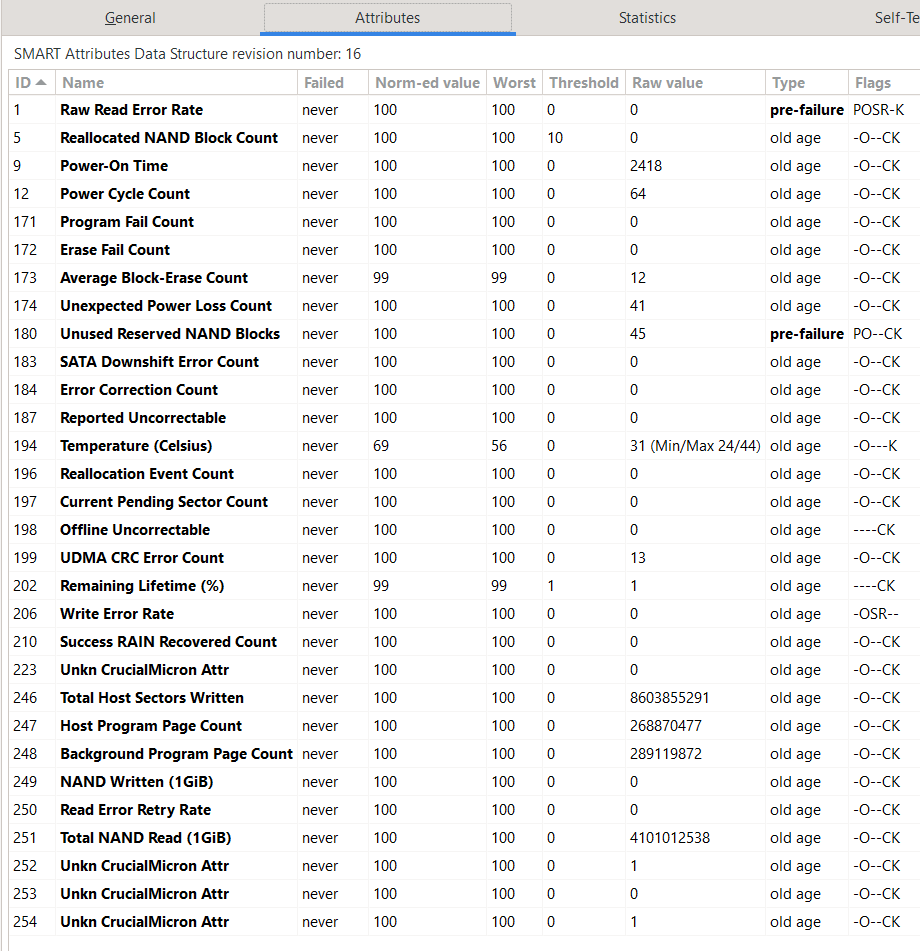 supple grove
That power loss count and CRC error count is concerning.
dusk fox
It could be when I shut down HA and unplug the SSD to wipe it. THen I plug it into my computer, reformat, disconnect and hook up to the pi again
supple grove
Not sure how to interpret the lifetime.
supple grove
silk root
```The add-on uses the supervisor to create backups, and the supervisor only per...
Mind explaining what the problem is? You wanted to exclude media. That says you can.
silk root
supple grove
Mind explaining what the problem is? You wanted to exclude `media`. That says yo...
I wanted to exclude the media folder from the Google Drive backups. I was dealing with HAOS 12.3.rc1 issue.
so couldn't find time for the google add-on.
https://i.ibb.co/F4PK1dw/image.png this was the solution

 icy haven
I am using the Z-Wave JS add-on currently configured to use a USB Zooz_800_Z-Wave_Stick, I have 2 new PoE TubesZW (One Razzbery Pro 7 and one Zooz Long Range 800) that I want to test with. How do I add the other 2 tcp://IP_ADDRESS:6638 to the Add-In?
elder schooner
I don't think, it can handle more than one. But #zwave-archived might be able to help
 tight valley
hello, I need to remote control a Raspberry Pi GPIO using Home Assistant. some help please
sly kindle
tight valley
hello, I need to remote control a Raspberry Pi GPIO using Home Assistant. some h...
You will need the custom integration: https://github.com/thecode/ha-rpi_gpio
gaunt schooner
id like to help test a dev version of a community addon. is it possible to add that through the frontend?
tight valley
gaunt schooner
id like to help test a dev version of a community addon. is it possible to add t...
Okay, I will do it, thanks.
river wharfBOT
@lofty ember I converted your message into a file since it's above 15 lines :+1:
 plain iris
I'm using the AdGuard addon which works fine. The issue is that HA has updates so often, AdGuard stops working for awhile, especially when applying the OS updates. So my plan is to setup AdGuard on my NAS as well, so that I can use it as the second DNS server for when HA goes down. That's fine and all, but now I'd like the settings to be synchronized between the two hosts. I figured I might be able to copy the config/data folders across, but I don't know where that is stored in HA. (it's not clear from the addon files here https://github.com/hassio-addons/addon-adguard-home) Does anyone have any better ideas?
I'm guessing it's probably something to do with the /backup *.tar files. Does anyone know if I'm on the right track?
supple grove
You want something like this: https://github.com/bakito/adguardhome-sync
In my opinion HAOS is a poor choice for running things like this
plain iris
Nice I'll look into that. Thank you.
In my opinion HAOS is a poor choice for running things like this
I think you're right. Maybe I'll just use the HAOS instance as the backup or just rethink it, since the NAS is down far less.
 lunar moon
I want to install the node-red addon and it says to go to Settings>Addons, but that doesn't exist...
viscid orchid
how did you install HA?
lunar moon
its running via docker on a ubuntu host
viscid orchid
then you don't get addons
see the big table: https://www.home-assistant.io/installation/#advanced-installation-methods
lunar moon
Well that's disappointing. Is there any reasonable way to get visual scripting going with a docker installation? Yaml files are not ideal for non-tech people
viscid orchid
sure, install node-red in any other way
there are probably also posts on the forum that may help
"non-tech people" should just use HAOS, which has addons
 brisk tendon
Hi, i need some help with an appdaemon app. I want to create a pdf from a sensors history graph, with an input_select for sensor, and two input_datetime for start and end date of the graph. But the date tried to use not working. I tried to pass manual dates to the function the same format i find in the api reference, and i get the same error "File "/usr/lib/python3.11/site-packages/appdaemon/plugins/hass/hassplugin.py", line 621, in as_datetime
return utils.str_to_dt(args(key)).replace(microsecond=0)"
https://pastebin.com/qHVCQMA5
river wharfBOT
@brisk tendon AppDaemon is a loosely coupled, multithreaded, sandboxed python execution environment for writing automation apps. It uses the Home Assistant API (or MQTT) to communicate with HA. You can get help at their Discord server.
jade wing
I'd try on their server ☝️
 cosmic isle
Does anyone know of the Grocy Add-on is JUST its own thing, and can only accsess by the side menu? Is there no way to create Custom Cards or things like Meal Plans and chores and put them on my own dashboard?
raven tinsel
You are mixing up add-ons and integrations
add-ons provide an additional piece of software running next to Home Assistant
they are seperate
cosmic isle
(Im sure I mixing up lots! still new...)
raven tinsel
integrations integrate a service/software or device with Home Assistant
cosmic isle
So, Gocy is an Add-on, and therefor just something to run along side home assistant, as opposed to a smart device integration that works *inside * HA?
raven tinsel
integrations are integrating something with Home Assistant
can be a device, can be a service or a piece of software
You always need both
as in, something that you want to integrate, and the integration
e.g., a light bulb + an integration that supports it
or a piece of software + an integration that supports it to pull it into HA
cosmic isle
OK, so is it more correct to ask this*: "How do I integrate the Grocy add-on so I can make custom cards?"*
raven tinsel
(well you don't require both, it is fine to run something aside of HA as an add-on without integrating it of course 🤷♂️ Just like you could have light bulb you could or could not add to HA)
raven tinsel
cosmic isle
OK, so is it more correct to ask this*: "How do I integrate the Grocy add-on so ...
Correct. I know there is a third-party custom integration for Grocy out there somewhere; it isn't built-in into Home Assistant itself
cosmic isle
Ah, I see. OK, I'll see if I can hunt around.... thank you!
cosmic isle
Yep, just found that. Im going through instructions now. Thank you 🙂
cosmic isle
The inegration wants me to set the port in Grocy Add-on to 9192 and restart before I can finish the setup... but setting the port in Grocy to that port just stops it from starting.... ? Has anyone done this? Any Ideas?
 fleet cosmos
Hello, I'm struggling since some time to archive with the configuration of Alarmo.
Currently I want to test with my phone (lately when all set up I'll buy some proper speaker) The idea is how should I configure it so when the alarm is triggered play some notification on my mobile. Anyone have some ideas ?
jade wing
Alarmo is an #integrations-archived not an add-on
river wharfBOT
#integrations-archived integrate Home Assistant with devices or services, or provide functionality within Home Assistant.
#add-ons-archived provide additional software or services, which an integration could possibility integrate with. Add-ons are for Home Assistant OS and Supervised only, other install methods can install software other ways.
 frail crystal
Anyone know why my AdGuard Addons don't filter any url :
I am using HAOS run it on mini PC (NUC) and it run wireless ...
 boreal sundial
Hey all, been using hassio for the past year without much issue. The other day my duckdns updated to 1.17.0. And since then I can not get it to stay online. I am able to access HA using the local url.
When I start duckdns the container starts but then dies a few seconds later there isnt much in the logs to go off:
river wharfBOT
Hass.io was the old name for the appliance like install option, that uses Docker. It was renamed in January 2020 and is now called Home Assistant OS.
 late comet
How to add and share custom folder in samba? I can't create folder in windows, so I create folder /MyFiles in home assistant via terminal. But it doesn't appear in windows. I'm very new to home assistant
sly kindle
late comet
How to add and share custom folder in samba? I can't create folder in windows, s...
Have you connected to ha from windows yet?
Do that and you’ll see the directories you can access. You can’t access anything outside of those directories.
late comet
sly kindle
Do that and you’ll see the directories you can access. You can’t access anything...
oh, I thought I could add a folder in the root and be able to access it via windows. apparently only the HA folder can be accessed. by the way, thank you
 ember meteor
Hello all, I'm wondering if anyone on home assistant OS on a raspi 4 has updated Z2M and are now having issues connecting to their broker?
supple grove
Please share your config and check the status/logs of your broker.
river wharfBOT
@ember meteor I converted your message into a file since it's above 15 lines :+1:
ember meteor
supple grove
Please share your config and check the status/logs of your broker.
Apologies I forgot to ping you.
supple grove
server: http://homeassistant.local:1883
That looks wrong. Any reason to have thehttpthere? I would also not rely on.localresolution. HAOS can even have issues resolving local host names.
It's recommended to leaveserverempty if you use mosquitto which I assume you do.
If you are not using the Mosquitto broker addon fill in your MQTT details (leave empty when using the Mosquitto broker addon)
https://github.com/zigbee2mqtt/hassio-zigbee2mqtt#installation
Not relevant to the issue but/dev/ttyUSB0should be replaced with/dev/serial/by-id/.... The former is not a reliable path as it can change.
ember meteor
Huh... That's very strange. Removing the server details fixed it. I've had those server details there since I first installed the add-on last year but it seems to have only just started to affect it since updating to 1.37.0.
Thank you impact. Fresh set of eyes always helps.
 muted plume
Hey fam, I"m trying to get my currently working unfi AP connected to the unifi controller add on. I've follow the steps in the read me to change my settings and also tried triggering the manual adopt via ssh on the AP but nothing is showing up in the unifi controller page. I've done some googling but nothing stands out. Any ideas? https://github.com/hassio-addons/addon-unifi/blob/main/unifi/DOCS.md
 amber meteor
Hi all, I am struggling to get an addon setup with connection to mqtt. The whole HAOS instance runs on Syno VM but I just cannot get this addon connected to the MQTT broker. I do have access to the broker when using MQTT explorer add-on (same machine)... any guidelines on how to connect to the broker with an add-on, could it be that my broker is poorly installed?
jade wing
What "this" add-on?
amber meteor
It is my private add-on https://github.com/vingerha/gazpar_2_mqtt_dev
I do admit this is the first time that I create an add-on
and have been struggling a lot with it.
I looked at other add-ons that use mqtt and they seem similar
so I am just guess that I am missing a component that blocks the access to MQTT. Note that I can also not access my mqtt server on another machine.
jade wing
You can only access the Mosquitto add-on from another machine if you exposed port 1883 in the add-on config
amber meteor
that one works.... the mosquitto add on is available inside and outside the VM/HAOS
but my add-on just does not connect. As a regular docker container I can connect as well....not sure why the add-on is making my life difficult
Is there possibly a difference here?
services:
- mqtt:need
vs.
- mqtt:want
?
supple grove
amber meteor
thx
 open rover
I have some questions about setting up the Grott addon, for reading Growatt solar converters ... is here the right place ?
jade wing
Probably, though #energy-archived may be better able to help depending on the question
open rover
ok, thanks
river wharfBOT
@proud whale I converted your message into a file since it's above 15 lines :+1:
 proud whale
I know frenk uses the port 81 directly for nginx proxy manager, not sure this is because it does not work via ingress? Maybe ingress does not work well for more complex applications.
Moving do #dev_add-ons 🙂
 carmine marten
Hi, pretty new to HA, wanted to ask about NUT and if anyone has had luck with an APC Back-UPS 1400 unit?
quick trench
yes
carmine marten
This is the base Back-UPS model? Not the "Pro" line?
quick trench
🤷♂️
I'll never buy from them again
it wasn't just the death of the unit, it was the support after that sealed the deal for me
carmine marten
Which driver did you use in your configuration?
 near dock
all the modern standard APC UPS models use a USB HID driver (usbhid-ups), NUT supports them without issue.
carmine marten
Weird, NUT keeps shutting down for me whenever I start the addon up
quick trench
what do the logs say
carmine marten
Everything seems peachy until the first line
"
libusb1: Could not open any HID devices: insufficient permissions on everything
No matching HID UPS found
Network UPS Tools - UPS driver controller 2.8.0
Driver failed to start (exit status=1)
cont-init: info: /etc/cont-init.d/nut.sh exited 1
"
Then it proceeds to shut the container down
Tried the restarting host troubleshooting steps, no luck
supple grove
Please run this in the SSH addon
apk add usbutils
lsusb -vvt
Also share your addon config.
quick trench
carmine marten
Everything seems peachy until the first line
"
libusb1: Could not open any HID d...
This is plugged into USB right?
near dock
almost all the APC UPSes that i've seen use usb vendor/product ids 051d:0002 so check for that in the lsusb output.
quick trench
ok and you have the correct port?
I can't remember if the nut addon auto finds the UPS
carmine marten
supple grove
Please run this in the SSH addon
```
apk add usbutils
lsusb -vvt
```
Also share ...
My config is pretty much stock, save for username and password
quick trench
This is my config
- name: CyberPower
  driver: usbhid-ups
  port: /dev/bus/usb/001/008
  config:
    - pollinterval = 15
The port is set to "auto"
elder schooner
Also: have you tried another USB cable?
carmine marten
That I might not have for now