#zigbee-archived
1 messages · Page 86 of 1
 midnight mist
 mellow geode
Then change that part of your config to ember
midnight mist
mellow geode
Then change that part of your config to `ember`
port: >-
/dev/serial/by-id/usb-ITEAD_SONOFF_Zigbee_3.0_USB_Dongle_Plus_V2_20220712091901-if00
adapter: ezsp
from there right?
mellow geode
Yeah, try changing ezsp to ember and make sure you're running a somewhat recent version of Z2M.
midnight mist
i just updated it 2 hours ago
 rapid dawnBOT
@spice aurora I converted your message into a file since it's above 15 lines :+1:
[Rule #6](#rules message): Please do not post walls of text or code (text longer than 15 lines, including whitespace) - use sites such as http://pastie.org/ (select YAML for the language), https://dpaste.org/ (pick YAML for the language), or https://paste.debian.net/ (pick YAML for the language).
Please take the time now to review all of the rules and references in #rules.
midnight mist
mellow geode
Yeah, try changing `ezsp` to `ember` and make sure you're running a somewhat rec...
its not starting anymore
mellow geode
What's in the logs now?
mellow geode
Like mentioned, do not follow the instructions from the video.
I linked another version to flash.
midnight mist
mellow geode
That's hiding the name
mellow geode
Yeah, that won't work with the ember driver at least.
midnight mist
mellow geode
https://discord.com/channels/330944238910963714/551843655682490399/1246218258483...
yes but like i said, i am not home, so thats why i am trying to do on the UI
well my stick is fucked then, i will fix it once i get home then
ty
mellow geode
Also, did you ever flash that nvm3_initfile.gbl?
That deletes settings of the stick, not sure if Z2M backups and restores them for EmberZNet
 crystal fern
Hello, I am trying to flash my Home Assistant yellow to have the ember driver. I followed the tutorial https://github.com/NabuCasa/silabs-firmware/wiki/Flash-Silicon-Labs-radio-firmware-manually. Last time I tried, it was with the driver NabuCasa_Yellow_EZSP_v6.10.3.0_PA32_ncp-uart-hw_115200.gbl but Z2M cannot start anymore, so all my installation is jammed.
Home Assistant and all add-ons are up to date (Z2M updated 3hours ago).
 cursive heath
i managed to unbind my bulbs from their remotes, however it seems i cant seem to reset my tradfri remotes (4 press bind button to reset)
mellow geode
Repeatedly pressing the button should work. Try and take out the batteries and put them back in after a bit.
Otherwise, try fresh batteries.
midnight mist
mellow geode
Also, did you ever flash that `nvm3_initfile.gbl`?
well yeah i reinstall it yes
 fierce parcel
Hello, I ve got an issue with Z2M, the update of most of my hue bulb crash or are very very slow
https://pasteboard.co/0Uw0VznJuDIE.png most update failed
 frigid mica
Thanks, I'll give it a whirl then
fierce parcel
again my lamp are not responding 😭
 distant flume
Firmware updates over zigbee are just very slow by the nature of the zigbee network. It will be more likely to succeed if you run updates on a single or a small number of devices at a time.
 fiery mica
Hi, I'm trying to connect by local tuya zigbee gateway but I got error: Unable to connect to your device with those details. It could be an intermittent issue, or they may be incorrect. Does anyone know what can be a reason of this?
2024-06-01 23:29:59.931 WARNING (SyncWorker_3) [custom_components.tuya_local.device] Test protocol error 904: Unexpected Payload from Device
fierce parcel
distant flume
Firmware updates over zigbee are just very slow by the nature of the zigbee netw...
I l ltry one by one then
 muted meteor
I just fitted an Aqara T1M today, paired directly with ZHA. I can't get it to flash in an automation for some reason; is this an issue with the light itself not supporting it?
 hot fable
hey all, i'm looking at getting my first zigbee bulbs for my network (https://www.ikea.com/au/en/p/tradfri-led-bulb-e27-806-lumen-smart-wireless-dimmable-colour-and-white-spectrum-globe-20439165/) - i've got a zha network set up atm and just want to double check that this will work with my zha network? i'm quite new to a lot of things and there's talk of a remote for the bulbs that only does certain colours and there's lot of tutorial for z2m but not zha, so just wanted to double check it'll work
 rare dune
Update: I tested 1 lamp for a day, completely fine. Called someone to attach both to the ceiling... Second one goes on by itself multiple times per day 😭 sadlife. Not to mention there no setting to remember the previous state when electricity goes down/Shelly switch reboot happens
rare dune
hot fable
hey all, i'm looking at getting my first zigbee bulbs for my network (https://ww...
All of the leds I connect are to ZHA so it worked for me but, I was using a different lamp from the same brand - its like 1055 lm or something (no colors), and it was so bad. U couldnt change brightness and temperature at the same time. Sometimes when turning off the lamp, it wouldnt react at all, HA would return off but it would still be on. Then we bought philips hue to compare and my gawd, that one works flawlessly.
hot fable
rare dune
All of the leds I connect are to ZHA so it worked for me but, I was using a diff...
I just came back from the shops and got it and art it up - we're not going to use it for brightness and colour at the same time so I think we'll be good, but so far it's working perfectly for that
That said, this is to dip our toes into smart bulbs and see how they are - there's others around that house that we will want to change temp and brightness on at the same time, so I'll do some testing with this one and see
If it's no good, I'll get some Philips hue for those areas
rare dune
Do I need the Aqara M2 hub to do the OTA update for the T1M light? Im reading here on reddit people had version 26 like 2 months ago already. Mine is still at version 17
I was hoping HA yellow could just do it :/
muted meteor
I'm curious if they added the flash / blink feature, need to check what version my T1M is, just got it yesterday
In theory ZHA should do updates but I've never actually seen one for any of my devices
Just checked, mines also on firmware 17
17 hex is 23 decimal
 lime locust
when changing sensor names in Z2M will they also change in HA automations ?
 forest cobalt
lime locust
when changing sensor names in Z2M will they also change in HA automations ?
forest cobalt
lime locust
when changing sensor names in Z2M will they also change in HA automations ?
No.
muted meteor
Anyone got any clever tricks for finding a ZigBee smart button? I put one in my toddlers room and he's lost it within hours. 😅 I just saw it check-in, in the log book
muted meteor
Looks like it checks in once per hour
distant flume
not really. attempting to figure it out by radio strength isn't precise enough. if the remote has an identify light, you could try sending an identify command immediately after receiving a check-in (probably write an automation to do that), but even if it has such a light it's probably pretty dim and wouldn't help if the remote's buried under other stuff.
 boreal edge
Probably in the blankets somewhere
muted meteor
It does have a fairly decent identify light. I can see it keeps connecting to a set of different devices but based on how many devices are around it, theres no real correlation I can use to triangulate it.
forest cobalt
Time to go scorched earth and tear everything out of the room... although, the kid probably is just carrying it around to mess with you 😉
muted meteor
Haha, he's in the bath now so I'm sure were safe on that one. Problem is, I'm not sure he lost it in his room, seems it could be anywhere in the upper, rear half of the house
forest cobalt
So, really what I'm hearing is that you need a device tracker for your smart button 😉
muted meteor
Yes, yes I do!
I wonder if I can somehow force a triangulation by switching off devices so it has to connect to something else each time it checks in. Its surrounded by dozens of ZigBee light bulbs, yet it connected to one in particular, it even connected to a device downstairs meaning it should be closer to the floor than the ceiling
Though the last one is obvious since it was lost by a toddler
OK, the device downstairs that it connected to has two brick walls between it and his room, so its more likely to be in his sister's room, directly above the downstairs device...
forest cobalt
I feel like I'm on some remote GPS cache hunt now...
muted meteor
Found it
It was magnetically attatched to the coat hanger, on the back of his sister's bedroom door, under her dressing gown
 grim igloo
forest cobalt
I feel like I'm on some remote GPS cache hunt now...
grim igloo
forest cobalt
I feel like I'm on some remote GPS cache hunt now...
i feel like there's a nonzero chance of getting murdered hunting down something someone else placed randomly in the woods or something
forest cobalt
grim igloo
i feel like there's a nonzero chance of getting murdered hunting down something ...
lol right?! I had a buddy that was into that and I was always amazed when he came back alive from one of those trips.
 wild mortar
Is it normal for the sky connect to appear like this https://imgur.com/e8u4ql5
 austere patio
wild mortar
Is it normal for the sky connect to appear like this https://imgur.com/e8u4ql5
austere patio
wild mortar
Is it normal for the sky connect to appear like this https://imgur.com/e8u4ql5
Did you migrate from another adapter?
wild mortar
Nope. I don’t have any zigbee devices until tomorrow, just the coordinator/skyconnect
austere patio
Have you used another ZigBee adapter in the past? I wouldn't worry about it.
wild mortar
I have one of those zwave zigbee combo sticks but the zigbee radio has always been disabled. I’ll ignore it. Thanks!
mellow geode
HA auto-configures a bunch of integrations on initial setup, so if you had a Zigbee stick plugged in then, it might have been set up automatically.
You can try to delete one of the coordinators. Only one should show a delete option.
 modern crest
Goldair Dehumidifier can be setup using Tuya integration but it is only partially supported, but there is a work around which I've been using. Add the Goldair Dehumidifier to Tuya app, create two Tap -to-Run Scenes (DH ON and DH OFF), there scenes will appear HA which you can use to turn it ON/OFF. It would be really nice if the Tuya Integration also reported the Humidity Levels etc. but it doesn't.
 quiet sentinel
Did the koennk zigbee2mqtt get deprecated or something
 carmine hamlet
no?
carmine hamlet
no reason to go from that to "it's deprecated"
what does it mean for it to "gave up"?
quiet sentinel
Still trying to figure out what's wrong, I haven't changed any settings etc. but it won't come online.
 ashen bluff
What do the addon logs say?
quiet sentinel
Half are empty and half it's getting a refusal from the mqtt server. I just figured I'd check to make sure I had a good version before I dug too deep lol
ashen bluff
Please share what you see. We can only guess so much and it's not fun.
rapid dawnBOT
Please use imgur or other image sharing web sites, and share the link here.
Image posting is blocked in most channels to discourage people from sharing text as images. Sharing text as images assumes that everybody sees the world as you do, which isn't the case. Some people are colour blind, or have visual impairment that means they can't make sense of an image of text.
quiet sentinel
Happened with some other container I was running lol
It's "MQTT error: connect ECONNREFUSED 172.21.0.2:1883"
Then it stops zigbee-herdsman
Chasing it down but Its probably just docker being a bellend and changing my IPs again
ashen bluff
See if mosquitto is running.
quiet sentinel
It is, docker just changed all the IPs on the internal network so they're 172.16.xxxx instead of 172.21.xxxxx
I was just checking to make sure I still had a good zigbee container source if I was going to have to poke around it anyways lol
ashen bluff
You are not supposed to use docker ips. You don't use HAOS, right?
quiet sentinel
No no I just put it all in a docker compose
I just set the network up wrong so docker constantly changes the IPs
ashen bluff
That would have been very useful to know. Generally you'd use the container name instead of the docker ip to let containers talk to each other.
quiet sentinel
Yeah I think I had issues linking them together with container name so I did it with the IPs. It made it through about 20 power outages without changing so I'd say it worked ok for not knowing what I'm doing
ashen bluff
If you share your compose file I might be able to tell you something.
quiet sentinel
Yeah I just gotta check if I don't have personal stuff in there it runs a little vpn thing too
I did no network stuff though, the only "network" tag is on the home assistant container because it needed to be host mode for some apple thing so the missus could turn on the lamps
oh whats the way to post this thing so it doesnt piss off the robot
rapid dawnBOT
Please use a code share site to share code or logs, for example:
- https://dpaste.org/ (select YAML for the language, and consider picking a longer expiry)
- http://pastie.org/ (select YAML for the language)
- https://paste.debian.net/ (you guessed it, select YAML as the language)
Please don't use Pastebin, since it can randomly add spaces to the main view. Please also don't share text as images since it makes it harder for people to help you. Remember that others may have colour blindness, impaired vision, etc.
quiet sentinel
so I need to go into the config for zigbee2mqtt and change it from mqtt://172.21.0.2 to mqtt://mqtt?
ashen bluff
There's a weird black bar on line 16.
If you use host networking you don't need to provide ports. It has no effect.
Personal preference but I would recommend not capitalizing your files/directories. You have to remember the casing which is annoying and as you can see the base OS doesn't do that either. It's all lower case with no spaces.
Since HA is not part of the compose network you can't use container names. In this case you'd the machine's ip that is running docker to connect to, for example the MQTT integration.
For Z2M you should be able to give it mqtt://mosquitto:1883. I forgot if it uses container_name (mqtt) or the key (mosquitto).
I recommend setting both to the same name otherwise this is just confusing so it will not matter.
Apparently you can use both the key and the container_name.
Instead of /dev/ttyUSB0 you should use a /devserial/by-id/path that stays reliable. ttyUSB* can and will change.
Same here with the privileged you don't have to pass devices. It has no effect. Hope that helps.
quiet sentinel
ye idk what's up with the black bar but he's just chilling (and only in the paste log) so I'll let him be. I called the mosquitto container mqtt though so wouldn't I want mqtt://mqtt:1883?
the capitalization will stay to piss off my boy who loves the linux
ashen bluff
I edited my message. You should be able to use both mqtt and mosquitto but I would very much recommend not causing confusion by having different names for this. Just pick mqtt or mosquitto. I favor the latter.
quiet sentinel
I'd have to rename the mosquitto container from mqtt to mosquitto or I'd get confused when I look at this next year but perhaps I should do it right this time
ashen bluff
I can only give you my opinions and suggestions. What you do with them is up to you.
 noble gulch
Would anyone know what config I can put into the configuration.yaml file so Zigbee devices update at a certain time?
I've got door sensors around the house and they seem to be updating in the early hours of the morning... specifically the one on the garage door this morning updated at 2am and because I have an alex announcement for when the garage door opens between 7pm-5am, it did it's announcement at 2am after the update and woke the house up to a false alarm of someone entering the house through the garage door
ashen bluff
No that is handled through reporting settings.
 sour shadow
Also, what does your automation look like? That sounds like you're just doing to: 'on' and it's going from unavailable to on
muted meteor
Yeah I learned the hard way, don't trigger on state "any to on", every time you reboot HA at 4am you'll wake the entire family up (don't ask me how i know)
For door/window sensors I trigger on "off to on" or tamper
 north haven
Hello, I have a nuc with home assistant running since a week or so and slowly building my system. Now i'm looking into smart switches for the wall light switches and would like to know if z wave is really better for connection and reliability over something like the aqara switch module? I have neither at the moment so just kinda stuck on which way to go with the system.
sour shadow
#zwave-archived will tell you Z-Wave is better - though it costs more than Zigbee
Here we'll tell you that Zigbee is fine, at least if you don't have your 2.4 GHz band flooded with WiFi
 river hatch
Hello! I recently bought this
Just found this amazing item on AliExpress. Check it out!
AU$74.09 60%OFF | Zemismart Tuya Zigbee Roller Blind Motor for 17mm 25mm Tube Built-in Battery Shade Engine Smart Life Alexa Google Home Control
https://a.aliexpress.com/_mqR0IGm
And I'm looking at the instructions and can't see any way to send limits without the remote. Any one have any experience?
Added to z2m but the z2m page is a bit lack luster. https://www.zigbee2mqtt.io/devices/ZM-AM02_cover.html#zemismart-zm-am02_cover
fierce parcel
Hello,
I’m working on improving my home Zigbee network. I have two unifi U6+ devices on opposite sides of my home (+ downstairs/ upstairs), using channels 6 and 11 for the 2.4GHz band. In my Zigbee2MQTT setup, I see that my Zigbee network is also using channel 11. When I check the LQI (Link Quality Indicator) of devices in the room near the U6+ on channel 11, the LQI is significantly lower compared to rooms with a weaker mesh network.
Can I change the channel of my Zigbee devices, or would it be better to switch the U6+ on channel 11 to channel 1? I also have my main router using channel 11, but it’s only used in the garage.. 50 cm from the NAS running HAOS and the zigbee coordinator..
Additionally, I plan to add an Aeotec Zigbee repeater in the middle of the upstairs area (where there are currently no devices). And maybe move the coordinator further away from the main wifi routeur using a usb extender cable.
The whole process is to have a instant response to my zigbee device because today I m not satisfied, today it can be instand, this afternoon 5 seconds for some lamp, and tonight a whole minute.. My NAS is completely able to handle HAOS and other services running on.
Thank you for your advice.
sour shadow
Look at the pinned image - moving the WiFi to channel 1 would be a bad idea
Your other plans - using a USB extension cable and adding Zigbee routers - are a good idea
fierce parcel
oooh I didn’t spot the fact that channel1 for 2,4GHz wifi band equals channel 11 zigbee
thank you
Now I can’t explain the bad LQI because I have a lot of zigbee router in this area
river hatch
river hatch
Added to z2m but the z2m page is a bit lack luster. https://www.zigbee2mqtt.io/d...
https://www.reddit.com/r/homeassistant/s/lgkR3r3ztT
Looks like someone found it is possible but doesn't look like it's in z2m?
fierce parcel
did anyone use the ikea router and remote ? price are good and if the quality is correct I ll buy a bunch of them for specific action. Unfortunately I need to wait a restock for the zigbee repeater 😢 I can power up some device with the repeater, and it’s will be a good combo to power up esp32 devices with it.
muted meteor
Repeaters are a bit of a waste, better getting a smart plug, I just bought a few from IKEA they work great and act as routers too. I have at least one of every ZigBee remote that IKEA UK sells and theyre all fine, each has its strengths
 viscid latch
Hopefully i am on the right chat... has anyone successfully polled PG&E for streaming their power meter to the home assistant? and which HA version, green or yellow? Thanks!
sour shadow
Only the right chat if that's a Zigbee device and it's one of the rare ones that aren't locked down
Most energy meters are in a different Zigbee profile and won't work with ZHA or Z2M
fierce parcel
muted meteor
Repeaters are a bit of a waste, better getting a smart plug, I just bought a few...
I think the same regarding repeater but I have a blank area in the middle of the house where I can’t plug any router and I expect the aeotec repeater to perform slightly better than a smart plug (which will be usess). And it will be more aestethic too 😉
it’s why I did buy this one, probably the only one I ll need
muted meteor
I'd get the IKEA one, I've got loads of aeotec stuff and its all junk
The smart plugs have appalling range, I've had 3 of the doorbell sirens fail
I'm sure the IKEA repeater was only about £9-12 if I remember correctly from when I was last in store; bargain
sour shadow
fierce parcel
I think the same regarding repeater but I have a blank area in the middle of the...
Honestly, most "pretty" routers aren't better routers than the good smart plugs, like Innr
Some are actually worse ... like Tuya
The only good dedicated routers I've seen are good re-flashed coordinators, with an external antenna
CC253x chips need not apply
quiet sentinel
Aren't all Ikea tradfri bulbs routers? I can trace my staircases on the map by the lightbulbs lol
sour shadow
Yes, Sengled aren't though
muted meteor
Is it possible to read the current state of a light using the ZigBee commands so I can restore it after an effect? I want to use the ring light on my T1M for notifications, but it doesnt support the light flash feature so I'm just planning to toggle some set colour commands in an automation.
muted meteor
I wasn't aware that was an option.
forest cobalt
Or the light.turn_on/off services?
 dusty plover
sour shadow
Yes, Sengled aren't though
dusty plover
sour shadow
Yes, Sengled aren't though
which i was surprised and slightly sad to find out. but still like them over the alternative.
muted meteor
forest cobalt
Or the `light.turn_on/off` services?
I want to restore it to its previous state after
sour shadow
Snapshot the entity, using the service above
forest cobalt
dusty plover
which i was surprised and slightly sad to find out. but still like them over the...
It's actually a good thing. Sengleds are the only Zigbee bulbs (that I know of) that can be physically switched on and off without trashing your mesh.
muted meteor
forest cobalt
It's actually a good thing. Sengleds are the only Zigbee bulbs (that I know of) ...
Seriously this, my wife and kids always switch off at the wall and totally ruin the mesh
dusty plover
i mean its a feature to be used in specific instances. I have enough motion sensors to almost avoid ever touching a lightswitch.
quiet sentinel
Idk about the states but there's no repeaters in Canada anymore so I gotta do what I gotta do
muted meteor
sour shadow
Snapshot the entity, using the service above
When you say "using the service above" do you mean the dynamic scene creation link? I can use that to snapshot the state?
dusty plover
so like, it would be great for the single zigbee switch on the far side of the house paired with a sengled to not have to put a plug there just to act as a router without anything actually plugged into it.
muted meteor
Awesome, that'll do nicely thanks
dusty plover
sour shadow
Snapshot the entity, using the service above
that honestly just blew my mind a little bit. I didn't even think of that.
quiet sentinel
That sounds like the application for a tradfri bulb
dusty plover
while i'm here though..... is there a way to stop devices from connecting to stupid routers?
like I have 3 or for things trying to pair to a router across the house when there are 1 or 2 routers closer than that one.
sour shadow
No
They all have their own logic, some smart, some dumb, some terrible
All you can do is give them a strong nearby router and hope they make good choices
You can use the option to pair via a given router, rather than the coordinator, and hope that sticks
muted meteor
Is there some wrapper I can use for the scenes so I can reuse it? Say to want to flash a light red->offx3 or do I need to justnset scene with an delay between each?
quiet sentinel
Trust the mesh
dusty plover
thats the thing. one of the specific bulbs is like one wall away from the coordinator, but it jumps to a router across the house instead and has an lqi link of 0 in the map
sour shadow
muted meteor
Is there some wrapper I can use for the scenes so I can reuse it? Say to want to...
#automations-archived can help you there
muted meteor
Yeah thought that might be the case. So I setna scene, then a delay, then another, and loop it
forest cobalt
dusty plover
thats the thing. one of the specific bulbs is like one wall away from the coordi...
As long as the light responds and doesn't drop commands, LQI means nothing.
dusty plover
it does drop some commands. I'm starting to think the third reality are garbage routers and breaking my mesh
forest cobalt
dusty plover
it does drop some commands. I'm starting to think the third reality are garbage ...
I have 9 of the 3R plugs and they route just fine. I'd blame the bulb before them, tbh. The latest firmware on the plugs has been rock-solid-stable for me.
One interesting test would be to take that bulb and replace it with another one and see what it does.
dusty plover
haha. i just removed a couple from the network to see if that would help. I'm at 7 now and had removed 3
forest cobalt
Did you update the firmware on them? The .71/.74 firmwares were... weird.
dusty plover
i have about 42 devices on including those 7 plugs/routers. 2 of the devices are also sonoff dongles flashed to be routers instead of coordinators. currently have 4 plugs that refuse to update OTA in their spot.
Event though there are like 4 on a power strip for 3d printers and 2 on the strip updated and 2 refuse......
forest cobalt
dusty plover
Event though there are like 4 on a power strip for 3d printers and 2 on the stri...
I had that problem with a couple of mine too. I had to physically remove them from power, then plug them back in and then they took the update.
dusty plover
I've done that once or twice alread. but i'm currently inspired so i'll do it again and see if it sticks.
i've had most success removing them from their current location and putting them closer to the coordinator. but we'll see.
 tall rivet
thoughts on upgrading to ember protocol is ezsp is working just fine?
forest cobalt
EZSP is being deprecated. So, upgrading is going to be required soon anyhow.
fierce parcel
tall rivet
thoughts on upgrading to ember protocol is ezsp is working just fine?
future Z2M update will require ember
the question is what it’s going to improve ?
austere patio
It's rewritten from scratch and supports newer just the newest EZSP protocol version
Old driver did not
tall rivet
i mean the old adage - if it aint broke dont fix it
austere patio
It is broke so it needs to be fixed 😄
tall rivet
fair - my limited 10 device zigbee network is going fine with sonoff dongle e and ezsp
but saw some vidoes come out over the weekend on how to upgrade so wasn't sure what the view was
i suppose i will upgrade in a few weeks
muted meteor
@sour shadow thanks for the hints, got a nice script written now that snapshots the state, flashes the light 3 times and restores the state after, now I can use it in whatever automations I need.
sour shadow
tall rivet
i suppose i will upgrade in a few weeks
At some point you'll have no choice - ezsp will die and if you don't move over you won't be able to upgrade Z2M
dusty plover
I realize I'm jumping in here a lot, but yall are awesome. Any thoughts on this error? I had a different error before and read that updating firmware of coordinator would fix it, so i did. and now i get this error.
Error while parsing to NpiFrame 'Error: <-- CRC error: 499c5fd84ddb759874f0cfec8bfcc152a5ebc9de6f8fffc3a07b7e|a07b|a814 at Frame.checkCRC (/app/node_modules/zigbee-herdsman/src/adapter/ezsp/driver/frame.ts:87:19) at SerialDriver.onParsed (/app/node_modules/zigbee-herdsman/src/adapter/ezsp/driver/uart.ts:169:19) at Parser.emit (node:events:517:28) at Parser._transform (/app/node_modules/zigbee-herdsman/src/adapter/ezsp/driver/parser.ts:49:26) at Parser.Transform._write (node:internal/streams/transform:175:8) at writeOrBuffer (node:internal/streams/writable:392:12) at _write (node:internal/streams/writable:333:10) at Parser.Writable.write (node:internal/streams/writable:337:10) at SerialPort.ondata (node:internal/streams/readable:809:22) at SerialPort.emit (node:events:517:28)
it is also comes with this error
2024-06-03 09:47:36-!- break waiting (0)
2024-06-03 09:47:36Can't send DATA frame (7,1,0): 8f000134000058cc04011900010100010000595a41197b05003312a6d3503001102018010030f7860a4001a22b0b1a402b0e31582b0d2b58c9ea09f93f08ff97279933582b5002a32340e586250b1a582309095889ea```

I'm running Z2M on a ZimaBoard bare metal

```Zigbee2MQTT version
1.38.0 commit: unknown
Coordinator type EZSP v12
Coordinator revision 7.3.1.0 build 176```What adapter are you using?
dusty plover
Sonoff E
austere patio
Does it work at all? Or is this error something that happens rarely?
dusty plover
it works and things respond, but sometime there are lost commands, might be related to device physical location. happens about every 6 min watching the logs here.
austere patio
Do you have firmware installed with or without flow control?
dusty plover
i used this and did ZBDongle-E No hardware flow control
austere patio
Switch back to hardware flow control firmware and enable it in the driver
dusty plover
do you have a recomended link for that?
mellow geode
dusty plover
I realize I'm jumping in here a lot, but yall are awesome. Any thoughts on this ...
If you want to use ember (and you should), you need 7.4.x firmware or newer
mellow geode
Use this web flasher: https://darkxst.github.io/silabs-firmware-builder/
with this custom firmware: https://github.com/darkxst/silabs-firmware-builder/actions/runs/9030864371/artifacts/1490813001
(unzip ZIP and upload gbl image)
dusty plover
mellow geode
If you want to use `ember` (and you should), you need 7.4.x firmware or newer
lol. excuse my ignorance. I assumed ember was the code name for the latest major revision number. I went from 6.x.x to a 7.3.1.
dusty plover
mellow geode
Use this web flasher: <https://darkxst.github.io/silabs-firmware-builder/>
with ...
Thanks. I'll give this a try.
not realizing ember and ezsp were different.
mellow geode
It’s not the best choice of name. ember is just the newer EZSP driver for Z2M.
sour shadow
See https://smarthomescene.com/guides/how-to-use-ember-driver-with-efr32mg21-zigbee-adapters/ for some more on it
dusty plover
mellow geode
Use this web flasher: <https://darkxst.github.io/silabs-firmware-builder/>
with ...
second link is broken for me. gives me a 404 error
mellow geode
Uh, it‘s from the artifacts section on darks repo
grim igloo
i just tried it, works for me
mellow geode
I can send the link later
dusty plover
signing in made it autodownload. so thats cool i guess
flashed and rebooted now. fingers crossed errors go away.
so far so good. Thanks everyone!
 amber solstice
Does the latest FW work with ZHA? I tried your build on my E dongle and had issues with zha finding it... It never did. I had to roll it back to the latest that's actually on the flash tool
dusty plover
amber solstice
Does the latest FW work with ZHA? I tried your build on my E dongle and had issu...
I use Z2M. So i couldn't tell you. Sorry.
austere patio
amber solstice
Does the latest FW work with ZHA? I tried your build on my E dongle and had issu...
What version of Core are you running?
amber solstice
austere patio
What version of Core are you running?
That woulda been the last update from may when I tried it, I believe
Wasn't a big deal, just was surprised
austere patio
It should be fully compatible and has been for a few months
dusty plover
mellow geode
Use this web flasher: <https://darkxst.github.io/silabs-firmware-builder/>
with ...
@austere patio So it seems mostly related to OTA updates? I was fine for a while. tried to see if some OTA updates would push on the new firmware and now i'm getting those errors. again.
amber solstice
Interesting. I can retry, I just didn't have a LOT of time to tinker seeing as that controls ALL the lights in my house
dusty plover
the update is a lot faster now. it went from over 70 minutes to 3.
austere patio
amber solstice
Wasn't a big deal, just was surprised
If you can, grab a debug log of the failure and send it over
amber solstice
Unfortunately that was over a week ago and I'm out of town- but I may try again next week just for fun
Going from ZHA to Z2M still requires re-pairing everything, right?
north haven
sour shadow
Here we'll tell you that Zigbee is fine, at least if you don't have your 2.4 GHz...
Okay fair enough, hard to get some unbiased insights on the topic and I could still go either way so yah
 crisp wadi
I have an IKEA tradfri signal repeater and how do I connect it to my ZigBee router?
forest cobalt
crisp wadi
I have an IKEA tradfri signal repeater and how do I connect it to my ZigBee rout...
Make sure either ZHA or Z2M is in pairing mode and then press a pin into the reset button on the repeater for about 6-10 seconds until it starts flashing.
crisp wadi
forest cobalt
Make sure either ZHA or Z2M is in pairing mode and then press a pin into the res...
It works well. If I want to add another device such as door sensors. Do I connect it to an IKEA signal repeater or router? I'm noob
forest cobalt
crisp wadi
It works well. If I want to add another device such as door sensors. Do I connec...
You'll want to pair it to the nearest router device.
sour shadow
Okay fair enough, hard to get some
dusty plover
Ok. So progress is being made. Figured out how to force the ember driver. And now I'm getting spammed with a different message. But it's not red.
Recieved network/route error ROUTE_ERROR_MANY_TO_ONE_ROUTE_FAILURE for #####
Any thoughts on how to make this go away?
austere patio
Do you have source routing enabled?
mellow geode
You're using Z2M with the ember driver now, right? IIRC source routing is explicitly enabled by default there
dusty plover
austere patio
Do you have source routing enabled?
@mellow geode z2m with ember now. Correct.
I'm not sure where source routing is or how to enable/disable it.
Should it be enabled or disabled?
 cursive pewter
I have a sonoff Zigbee 3.0 USB Dongle Plus that was previously working but something got corrupted so I had to remove it from the integration pane. Now when I go back to add it back in all I get to is this: "please wait, starting configuration wizard for Zigbee Home Automation"
any thoughts on how to resolve it?
austere patio
Anything in the error log?
cursive pewter
going to restart HA to see. nothing was in the logs that I could see as it stands
nothing in the log 😦 Can easily do a zoom screenshare
just looking in ./config/home-assistant.log Is there another location I should look at?
the only thing I see are the zigbee devices that have automations which are disabled
cursive pewter
Config flow could not be loaded: Unknown error after multiple hours letting it sit at the addign zigbee integration page
noble gulch
sour shadow
Also, what does your automation look like? That sounds like you're just doing `t...
Yeah. I had it set from 'Any State's to 'Closed' so I've changed this from 'Open' to 'Closed'. Will see how this goes
austere patio
cursive pewter
Config flow could not be loaded: Unknown error after multiple hours letting it s...
Can you add this config (https://www.home-assistant.io/integrations/zha/#debug-logging) to your main HA config file, reload core, and then try again? The main log file should then contain more info. Feel free to ZIP the whole file and send it to me if you'd like and I can take a look.
river hatch
Hello! I recently bought this
cursive pewter
@austere patio logfile: https://drive.google.com/file/d/1ASMM7MhF6cCXH7ExtZgX6N48XzInU071/view?usp=drive_link
@puddy I don't know what changed (after 10 reboots) but it finally allowed me to recreate the network from scratch and it succeeded. I also moved the USB dongle to a different USB port multiple times as well
noble gulch
Has anyone else run into the Occupancy entity for the Sonoff SNZB-06P taking hours to update from "Detected" to "Clear"?
Detection timeout is set to 15 seconds
dusty plover
ZigBee has really been grinding my gears. Ended up updating coordinator firmware and switched to using the ember driver. Which was kind of fine. But then I noticed my neighbor's wifi started occupying the same channel as my ZigBee devices.... So I swapped channels. And I did that with as many devices awake and on the network. A fair amount took the channel change fine. But there are still that I need to pair with the dongle again. BUT now basically everytime I hit allow join it locks up z2m and sometimes allows things to join. Clock doesn't count down and best of all, totally locks up my HA instance. I can't even ssh. So I have to hard pull power and bring it back up.
sour shadow
Has anyone else run into the Occupancy
sour shadow
dusty plover
ZigBee has really been grinding my gears. Ended up updating coordinator firmware...
What hardware are you running on?
 hardy osprey
Does anyone know of a good zigbee light sensor? I tried the one in the aqara motion detector, but it maxes out at a bit over 3000 lux
Which means i have no meaningful data between 07:00 and 20:00 🙂
noble gulch
hardy osprey
Does anyone know of a good zigbee light sensor? I tried the one in the aqara mot...
I've got an outdoor Hue sensor that reached 17,100Lx today.
hardy osprey
noble gulch
I've got an outdoor Hue sensor that reached 17,100Lx today.
That sounds a bit better 🙂 which model?
noble gulch
hardy osprey
That sounds a bit better 🙂 which model?
Hue ML004
sour shadow
Some do, not all
There's more on the market than the one or two links you find in this channel
 clever harbor
ah ok
only found this one here and even searching online, will dig deeper
thanks
rapid dawnBOT
@dusty plover I converted your message into a file since it's above 15 lines :+1:
dusty plover
@sour shadow
[2024-06-04 06:15:49] info:     z2m:mqtt: MQTT publish: topic 'zigbee2mqtt/Kitchen Sensor ', payload '{"detection_delay":0,"fading_time":5,"illuminance_lux":73,"last_seen":"2024-06-04T11:15:49.380Z","linkquality":164,"maximum_range":6,"minimum_range":4.8,"presence":false,"radar_sensitivity":5,"target_distance":0}'
[2024-06-04 06:15:49] info:     z2m:mqtt: MQTT publish: topic 'zigbee2mqtt/0xa4c138f0b40b5b10', payload '{"detection_delay":0.1,"fading_time":5,"illuminance_lux":60,"last_seen":"2024-06-04T11:15:49.674Z","linkquality":156,"maximum_range":6,"minimum_range":0.6,"presence":true,"radar_sensitivity":7,"target_distance":3.28}'
[2024-06-04 06:15:50] info:     z2m:mqtt: MQTT publish: topic 'zigbee2mqtt/Studio Presence Sensor ', payload '{"detection_delay":3.1,"fading_time":5,"illuminance_lux":19,"last_seen":"2024-06-04T11:15:50.317Z","linkquality":255,"maximum_range":9.5,"minimum_range":0,"presence":false,"radar_sensitivity":9,"target_distance":0}'
[2024-06-04 06:15:50] info:     z2m:mqtt: MQTT publish: topic 'zigbee2mqtt/Kitchen Sensor ', payload '{"detection_delay":0,"fading_time":5,"illuminance_lux":73,"last_seen":"2024-06-04T11:15:50.986Z","linkquality":164,"maximum_range":6,"minimum_range":4.8,"presence":false,"radar_sensitivity":5,"target_distance":0}'```

It does look like i'm getting spammed by my presence sensors? it's the wall mount version from the link below. every second is the same repeated message

https://www.aliexpress.us/item/3256804518651916.htmlAh... Tuya
 soft plover
Hello, I have the problem that I cannot update my zigbee devices with ZHA. The update often starts, but then just cancels at some point. So far it doesn't matter which device it is.
Core
2024.5.5
Supervisor
2024.05.1
Operating System
12.4.dev20240430
Frontend
20240501.1
potentially underpowered hardware situation? hitting join all changes cpu utilization from ~10% to close to 60%
I have an zima 832 laying around, or a dell optiplex micro PC that i could try. My parents HA are running off of a micro plex, but their z2m network is quite smaller than mine.
edit: and looking through their network i've put 5 of those tuya sensors in it
rapid dawnBOT
@dusty plover When using Discord's Reply feature it defaults to pinging the person you reply to, which can get frustrating for the target. Use Shift + click on the Reply option, or click @ ON to @ OFF to stop this - on the right side of the compose bar.
You have to change this every time (thank the Discord devs for that).
sour shadow
Well, those sensors will keep the mesh busy, which is bad
You could be hitting hardware/power problems on that board 
The PC would be my choice
dusty plover
i might try with the 832 before either bringing HAOS into proxmox or breaking that machine out of a cluster to run it on metal. at least the install is on a USB so it should be as easy as just setting it as the boot device.
 hollow robin
Had anybody installed these ever? Any opinions? Having a hard time finding good zigbee recessed lights https://a.co/d/7AVgD46
dusty plover
i have something similar sitting in a box waiting to be installed. not sure when i will though.
it worked ok when i tested it outside of the box. but no long term use
sour shadow
hollow robin
Had anybody installed these ever? Any opinions? Having a hard time finding good ...
https://www.amazon.com/dp/B0CN2SGF3Q for those that are dubious about short links
dusty plover
Man. Zigbee is still just kicking me in the butt right now. I think, it's better than it was, but i have no idea how to get rid of this many to one route failed error. is it just due to new firmware allowing it and i'm just going to get spammed by it as I re-add new devices until it tries all routes? I have 3 more devices that are being VERY slow to add. Something feels very broken. I went from the zima 216 to the 826 to the dell micro and even having one router open for adoption almost stalls the system entirely.
 warped rose
I've got a kwikset zigbee deadbolt. I'm wondering if there's a way to get a notification of what code is used to unlock it.
dusty plover
i think thats in the "exposes" tab of Z2M and set ID to true?
I have the same kwikset lock, but haven't cared to have it tell me whose password is being used. So i'm not certain
warped rose
I'm using zha. I do have zha tools installed.
dusty plover
ok. then i'm no help. sorry!
forest cobalt
warped rose
I've got a kwikset zigbee deadbolt. I'm wondering if there's a way to get a noti...
AFAIK, through ZHA, there is no way to get that. There might (maybe, perhaps?) be a way to get it out of a cluster, but tbh, I'm not 100% certain. I couldn't find anything on the forums about it or in the docs. 😦
 placid cloud
Hey all, Im new to zigbee (just the home assistant built in version) but whenever I try to add a door sensor, in the logs it shows:
0x743A: Device seen - marking the device available and resetting counter
0x743A: Update device availability - device available: True - new availability: True - changed: False
but it doesnt add it or anything
how do I fix this?
dusty plover
take it off the door and add it within a couple feet of the coordinator. then when it's added and configured correctly, put it back on the door.
coordinator or next closest router.
I just had to do that with mine after changing zigbee channel yesterday
sour shadow
Hey all, Im new to zigbee (just the home
soft plover
soft plover
Hello, I have the problem that I cannot update my zigbee devices with ZHA. The u...
How do you do firmware updates for your zigbee devices? How should I proceed?
 mighty river
ZHA Intermittent unavailable on Skyconnect. For about 2 days now about every 5 minutes (4-6) all zigbee go unavailable. No recent zigbee updates. #zigbee-archived
sour shadow
What's in your (core) log file about ZHA?
mighty river
sour shadow
What's in your (core) log file about ZHA?
I do not see any entries that reference ZHA
sour shadow
There should be log entries
mighty river
Can I post log here? Copy and post or some other way?
rapid dawnBOT
Please use a code share site to share code or logs, for example:
- https://dpaste.org/ (select YAML for the language, and consider picking a longer expiry)
- http://pastie.org/ (select YAML for the language)
- https://paste.debian.net/ (you guessed it, select YAML as the language)
Please don't use Pastebin, since it can randomly add spaces to the main view. Please also don't share text as images since it makes it harder for people to help you. Remember that others may have colour blindness, impaired vision, etc.
mighty river
sour shadow
What hardware are you running on? Pi3? Pi2? NUC? Toaster?
2024-06-05 07:46:06.009 ERROR (MainThread) [bellows.ezsp] NCP entered failed state. Requesting APP controller restart
Those bellows.ezsp errors are relevant 😉
Are you using the standard or the multi-protocol firmware on the stick?
sour shadow
Yeah, don't use the multi-protocol stuff
Odds are the logs from the add-on will help you, but time to stop using it
mighty river
ok, so I'm looking for where to change it
sour shadow
You'd need to remove the add-on and also re-flash the stick with the proper firmware - instructions are likely somewhere in the channel history
mighty river
Wow, thanks, that will take some time I'm sure. But thanks for the help.
austere patio
mighty river
Wow, thanks, that will take some time I'm sure. But thanks for the help.
It's pretty automated, you just click a button: https://skyconnect.home-assistant.io/procedures/disable-multiprotocol/
 winter raven
I've updated my HA and I'm trying to get some Zigbee devices reconnected that ran out of battery. They are Xiaomi motion sensors and door sensors.
I can manage to get them to show up in HA with "add device" after getting them into pairing mode, but HA says they are "unk_model" and "unk_manufacturer". No indication of the proper device nor battery health.
These used to work fine in HA. Am I missing anything?
austere patio
winter raven
I've updated my HA and I'm trying to get some Zigbee devices reconnected that ra...
You need to keep the Aqara device awake while it's joining by clicking a button on it every second, as otherwise it falls asleep and ZHA can't read basic info
winter raven
Ah yeah I've tried that.
- Start in pair mode (hold button)
- Single tap button every second until it fully pairs
Does that sound right? I've tried that with no luck, but I can keep trying
forest cobalt
winter raven
Ah yeah I've tried that.
1) Start in pair mode (hold button)
2) Single tap butto...
Make sure you pair to the nearest router and not directly to the coordinator. Seems to work a lot better with Aqara devices.
mellow geode
winter raven
Ah yeah I've tried that.
1) Start in pair mode (hold button)
2) Single tap butto...
Pressing the button whilst pairing shouldn't be necessary for the older Aqara sensors anymore, as there's some special logic for those sensors to be recognized instantly and skip any configuration. (Obviously, it's a good thing to try and see if it works then.)
Otherwise, did you put new/fresh batteries in the sensor? Did you try pairing it via a specific router? ("add device via this device")
Is your Zigbee coordinator on a USB extension to avoid interference?
winter raven
Ah I don't think I did a USB extension yet. I meant to, but forgot.
I'm all set though! Spamming the button did end up fixing it
austere patio
winter raven
Ah I don't think I did a USB extension yet. I meant to, but forgot.
I'm all set...
You definitely want the USB extension cable!
hollow robin
Can anyone confirm these work with HA and I can bind them to an Inovelli blue switch?
forest cobalt
hollow robin
Can anyone confirm these work with HA and I can bind them to an Inovelli blue sw...
They should work, but they’re Tuya, so can’t say how well they will work OR if they will work at all.
hollow robin
forest cobalt
They _should_ work, but they’re Tuya, so can’t say how well they will work OR if...
I thought Tuya was compatible with HA? Though I did get a Tuya temp/humidity sensor that was supposed to work and I can't get it to 😦
forest cobalt
hollow robin
I thought Tuya was compatible with HA? Though I did get a Tuya temp/humidity sen...
Tuya is basically bottom of the barrel when it comes to devices. No standards enforcement and because they basically license their name to anyone, you can never be sure what you are getting will work or if it will work well.
grim igloo
tuya is like a drunk neighbor with a chainsaw. but maybe you have some overgrown trees and generally consider yourself a lucky person
hollow robin
what do they license? wasn't super familiar with them before, just seen their name. Software?
forest cobalt
I can literally build a Tuya device, pay them some money, and sell it. I can put whatever hardware I want in there because their standards are so low.
hollow robin
or they're a 'smart home standards' brand with no standards?
grim igloo
they break protocol too
so some stuff might work ok and others might spam your mesh and maybe haunt you in your dreams
forest cobalt
There’s a reason Tuya products are so cheap…
hollow robin
Damn. Zigbee downlights that aren't the stupid flat things are really hard to find
grim igloo
hue has tons of options they are just expensive
hollow robin
Wafer, that's what they're called. I don't want wafer
oh, also not retrofit >< I don't have a can already
I think all the Hue's I saw were retrofit
forest cobalt
Could go with cans and use a smart bulb and a diffuser. 🤷♂️
grim igloo
https://www.philips-hue.com/en-us/products/smart-track-lighting plus all of these
hollow robin
forest cobalt
Could go with cans and use a smart bulb and a diffuser. 🤷♂️
Starting to think I am going to have to install cans. This is 2024 people! I want to drill a hole, drop in a spring loaded light and connect some wires dang it. When is the future coming?
forest cobalt
lol... I agree... I actually went with Wiz cans, but they are wafers too I think.
hollow robin
thanks all, this has been helpful information about Tuya >< I'll keep digging.
Looking at the Hue, do those bind with an inovelli blue?
forest cobalt
hollow robin
Looking at the Hue, do those bind with an inovelli blue?
You’d need a Zigbee coordinator.
mellow geode
hollow robin
Looking at the Hue, do those bind with an inovelli blue?
Binding to lights mostly depends on the remote you want to bind to the light.
Most lights are implemented properly (i.e. conforming to the Zigbee standard). For Hue, this is definitely the case. I‘m not sure about Tuya though, it depends on the specific light.
If the Inovelli switch/remote supports binding to a light, then it’ll work with all standard-compliant lights.
 jovial vector
Is tuya zigbee ZT3L supported in ZHA? sorry but I can't find any information
I integrated two sonoff zigbee switches today, but no success with this ZT3L
austere patio
The ZT3L looks like it's a generic Zigbee chip. What specific device are you referring to?
jovial vector
it suppose to be RGB controller, but there is no specific number on the case nor the pcb
austere patio
Can it join the network?
jovial vector
can not find it with "Searching for Zigbee devices…"
austere patio
The device has to join the network before anything else. If it doesn't, you need to find the appropriate reset procedure for it. No matter what device it is, it will always at least join the network.
jovial vector
ok, I thought so that zigbee protocol is always the same
there is no leds on the pcb so its hard to say what is the status
 dire crag
do i have to shut delete my zigbee cordinator to add my new one in home assistant
mellow geode
Do you want to migrate your existing network?
dire crag
yes i got a new zigstar usg-01 and im trying to use that with zha over ethernet
austere patio
dire crag
yes i got a new zigstar usg-01 and im trying to use that with zha over ethernet
No, just follow the instructions in the migration dialog. If you shut down the old one ZHA will not be able to reset it. This will cause huge network issues if you ever turn it back on.
dire crag
austere patio
No, just follow the instructions in the migration dialog. If you shut down the o...
wherea the dialog
austere patio
It's in the configuration page of the ZHA integration: https://skyconnect.home-assistant.io/migrate-zigbee-zha-only/
dire crag
austere patio
It's in the configuration page of the ZHA integration: <https://skyconnect.home-...
is the zigstar uzg-01 supported by zha over ethernet
wild mortar
is all of the zigbee hardware from thirdreality generally recommended?
austere patio
dire crag
is the zigstar uzg-01 supported by zha over ethernet
Yes. Just use socket://ip.addr:port as its serial port path
dire crag
austere patio
Yes. Just use `socket://ip.addr:port` as its serial port path
what radio type do i select
ezsp or znp
austere patio
What chip does the coordinator use?
dire crag
TI CC2652P7 or TI CC2652P2 @austere patio
austere patio
You'd pick the ZNP radio type
jovial vector
austere patio
The ZT3L looks like it's a generic Zigbee chip. What specific device are you ref...
I read the documentation but still nothing, how to enable pair/bind mode, is there any generic common procedure for that?
mellow geode
Depends on the specific device
jovial vector
It is ZT3L tuya chip
I paired two other devices today, without any problems, after power on, they were discovered
mellow geode
jovial vector
It is ZT3L tuya chip
Yes, I'm asking about what device it is, not what chip it has. Or is it a dev kit?
jovial vector
It is RGB led controller, no specific brand or name
mellow geode
Ok, that's helpful. Does it have a button on it?
jovial vector
No, no buttons, no leds
mellow geode
Ok, can you try to rapidly power-cycle the device? Pull out the power plug, wait a second, put it back, repeat that like 4 to 6 times. Make sure you're allowing joins in ZHA during that time (by clicking "Add Device").
jovial vector
I tried it, 3-5 cycles, rapidly and longer intervals
mellow geode
Do you have a Hue dimmer to try and reset the LED controller via TouchLink?
jovial vector
No, I don't have
 orchid elbow
i've been having issues with a lutron connected bulb remote that occasionally just stops responding. using it without "binding"; it's bound to skyconnect coordinator group. it works by sending broadcasts (with wireshark, i can see each button press getting multiplied like 15x).
in doing some testing with another identical remote, i saw that one of my tradfri bulbs actually sent a command to the remote telling it to leave the network; the remote obliges. so i think the issue might be that the tradfri bulbs (which are really the only thing that were added since the issue began) .
anything else to check or try here besides periodically repairing the remote? i would ditch the tradfri bulbs, but they're the only reasonably bright candelabra ones i've found.
unfortunately, i did not save the capture from a few weeks ago showing the "leave network" command being sent to the remote by the tradfri bulb.
 runic raft
Can anyone point me in the direction of how to troubleshoot for devices that are working in z2m but not appearing in HA through MQTT? I've been googling for a few hours but not really finding solutions.
Got two Ikea lightbulbs, no problems for the past year. In z2m I can see their conditions and control them. In greater HA, entities are unavailable. Tried shutting down z2m, then shutting down MQTT, and then bringing them back up in reverse order. Happened suddenly, no updates on any end.
 split forge
My skyconnect stopped working, I was using it as multiprotocol. I tried reflashing it with the webpage but still errors,
I do see this error message in the logs
rapid dawnBOT
@split forge I converted your message into a file since it's above 15 lines :+1:
@split forge I converted your message into a file since it's above 15 lines :+1:
split forge
 quick willow
My Zigbee 2 mqtt network was fine after I upgraded my Skyconnect to the ember driver, and now my devices are unresponsive, and I can't re-pair devices to my network. Failed to configure (Bind 0x943469fffe60e4f2/1 genOnOff from '0xe0798dfffe168ce3/1' failed (Delivery failed for {"profileId":0,"clusterId":33,"sourceEndpoint":0,"destinationEndpoint":0,"options":4160,"groupId":0,"sequence":64}))
THis was on version 1.37.1-1
 reef cradle
Anyone know is the SONOFF Zigbee 3.0 USB Dongle is good for Aqara sensors? I heard some repeaters are better than others. I currently have a LEDVANCE switch as a repeater which works fine for every other zigbee device except Aqara as my sensors all dropoff after 12-48 hours
sour shadow
Just one repeater/router?
That dongle, whichever one it is, should be fine as a router, but Innr plugs are a great choice
quick willow
quick willow
THis was on version 1.37.1-1
[2024-06-06 00:11:14] warning: zh:ember: [EzspConfigId] Failed to SET "ADDRESS_TABLE_SIZE" TO "16" with status=ERROR_OUT_OF_MEMORY. Firmware value will be used instead.
[2024-06-06 00:11:14] warning: zh:ember: [EzspConfigId] Failed to SET "APS_UNICAST_MESSAGE_COUNT" TO "32" with status=ERROR_OUT_OF_MEMORY. Firmware value will be used instead.
[2024-06-06 00:11:14] warning: zh:ember: [EzspConfigId] Failed to SET "NEIGHBOR_TABLE_SIZE" TO "26" with status=ERROR_OUT_OF_MEMORY. Firmware value will be used instead.
[2024-06-06 00:11:14] warning: zh:ember: [EzspConfigId] Failed to SET "SOURCE_ROUTE_TABLE_SIZE" TO "200" with status=ERROR_INVALID_VALUE. Firmware value will be used instead.
[2024-06-06 00:11:14] warning: zh:ember: [EzspConfigId] Failed to SET "MULTICAST_TABLE_SIZE" TO "16" with status=ERROR_OUT_OF_MEMORY. Firmware value will be used instead.
orchid elbow
reef cradle
Anyone know is the SONOFF Zigbee 3.0 USB Dongle is good for Aqara sensors? I hea...
i had issues with aqara sensors when using older husbzb-1 controller (even with updated firmware) and lightify/osram bulbs. i bought an aqara outlet and paired via that and they were stable.
after switching to a skyconnect, i haven't had issues paired directly. something about zigbee 3.0 support.
reef cradle
orchid elbow
i had issues with aqara sensors when using older husbzb-1 controller (even with ...
Problem is wont it hop to some other non aqara outlet if the aqara one goes offline for a couple of minutes?
I tried putting the sensor next to my conbee controller, it lasted like 2 weeks before it disconnected itself so I hope the same won't happen to the aqara outlet.
sour shadow
Some brands re-route quickly, some slowly, and some not at all
Aqara's Zigbee 1.2 sensors (the original range) almost never change parent - it can happen, but it's more likely they'll not bother
This is why the advice is:
- ALWAYS pair in place
- Pair through a nearby router
warped rose
forest cobalt
Make sure you pair to the nearest router and not directly to the coordinator. Se...
how do I do this? I've found that my older aquara sensors won't transfer ... if I move them away from the coordinator they just drop off in a few hours, but if I leave them nearby the coordinator they stay on. I have 5 rock solid zibee routers (peanut plugs) and I'd love to get these sensors to "lock on" to those routers, but I don't know how.
forest cobalt
warped rose
how do I do this? I've found that my older aquara sensors won't transfer ... if ...
In ZHA, you'd use the Add device via this device option and choose the router device that is closest to where the sensor is going to live.
(I think that's the option. I don't use ZHA, so I'm not 100% positive).
warped rose
found it! on the device page, in the device info card, with the three dots menu across from RECONFIGURE
wild mortar
Is this only a zigbee thing? Or does one need to take that approach with zwave too?
forest cobalt
wild mortar
Is this only a zigbee thing? Or does one need to take that approach with zwave t...
Zigbee only. IIRC, you can't choose a nearest device in ZWave.
 fierce gust
Hello, is this a known bug ZHA does not start with the core update to 2024.6?
sour shadow
If it there's going to be an open issue
This channel would also have a lot of posts about it
austere patio
fierce gust
Hello, is this a known bug ZHA does not start with the core update to 2024.6?
Not that I'm aware of. Can you get a debug log?
fierce gust
I rolled back the update and updated again and now I can't run Open Thread Border Router, and from what I can see the CPU is in constant use 100% of one thread. I will try to restore and update again to the latest core version and I'll see what happens
mellow geode
Are you using Multiprotocol?
fierce gust
yes
Ok, it looks like after the third downgrade and update it started working without any problems
Never mind
austere patio
fierce gust
Ok, it looks like after the third downgrade and update it started working withou...
Multiprotocol isn't very stable. If you have issues, migrate back to Zigbee firmware.
 quasi knoll
I have zigbee2mqtt up and running but I'm experiencing a weird behavior. I've created a few groups, one is my bedroom nightstands which includes both nightstands in my bedroom. The other is a triple lamp, which is a lamp with 3 light bulbs in it. When I turn on or off the nightstand in HA, 2 of the lights in the triple lamp turn on and off, but they're not in the group. Where should I start investigating?
 limpid light
Dumb question but for zigbee firmware updates does it not go through the mesh?
quasi knoll
When I look in the MQTT explorer, nbothing seems to change in the Den lights group or any of the invdividual triple lamp bulbs
 worldly aspen
hi, i get the aqara g3 caméra. it can be a zigbee hub or its just an device
sour shadow
limpid light
Dumb question but for zigbee firmware updates does it not go through the mesh?
Yes it does
sour shadow
worldly aspen
hi, i get the aqara g3 caméra. it can be a zigbee hub or its just an device
No, it can't be a hub
limpid light
Weird. My install is struggling with FW updates OTA but only devices that are far from the hub
lol
sour shadow
Bandwidth for updates is low
limpid light
My 2.4ghz is shit/congested
So that could just be it. I'm going to try and move the hub around to get everything updated with USB over ethernet lol
worldly aspen
sour shadow
No, it can't be a hub
thanks man
 weak stream
are there multiple versions of the tuya zigbee plug? looking at the 20A EU version and wondering if there's another version that looks the same but won't work well
forest cobalt
weak stream
are there multiple versions of the tuya zigbee plug? looking at the 20A EU versi...
It's a Tuya... It might work... might not... Really no way to say.
weak stream
Hmm alright, i thought it was going to be fine if it's in the zigbee compatibility repo
austere patio
There's no real way to match the Tuya device you buy to the Tuya device you expect to get 😄. They change internal model names all the time and each model has to be explicitly supported.
forest cobalt
It might be. The problem with Tuya devices is that you never really know. They don't follow standards and just license their name to anyone. So, it's a crap shoot what you are going to get. Plus, with something that plugs into mains power (and could potentially cause a fire), I wouldn't take a chance. Just my opinion though.
weak stream
Ok, thanks for the advice!
forest cobalt
weak stream
Ok, thanks for the advice!
Anytime. Where are you located in the world? There are far better choices out there from better brands. They aren't as cheap as Tuya, but at least you'll get quality.
weak stream
germany - thought about getting the new ikea ones but I'd like to have some with the energy monitoring.
forest cobalt
So, not Zigbee, but Shelly has the Plug S (which I think they sell in Germany). Also, Nous A1Ts are really good. For Zigbee, Lidl/Silvercrest plugs are ok-ish.
Personally, I'd go with the NOUS ones as they are pre-flashed with Tasmota and almost always get good reviews.
weak stream
alright I'll check them out and pick one of these. thank you!
fierce gust
forest cobalt
So, not Zigbee, but Shelly has the Plug S (which I think they sell in Germany). ...
Is there really such a difference in quality inside?
I look at the shelly plug and tuya plug inside and apart from the esp32 chip I don't see much difference
forest cobalt
fierce gust
Is there really such a difference in quality inside?
Let me put it this way... I can buy a license from Tuya right now for a device I'm making. I can put pretty much anything in my device that I want (cheap crap, or the best money can buy) and sell it as a "Tuya compatible product". Now, let's say that I'm a really cheap guy and I'm going to use the cheapest, crappiest components I can find, not test them, and sell them on Ali or whatever market place I want. Guess what Tuya is going to do to me? Nothing. Require testing? Nope. Require certification that I am adhering to Zigbee3.0 standards? Nope.
As long as I follow a few basic rules, I can sell my crap and I don't even really have to provide support. As long as my device has a "Production Certificate", I can keep selling it. Even if it barely works.
That's the problem with Tuya products compared to some other brands like Aqara, Xiaomi, Ikea, Hue, etc. I can't sell my cheap, crappy product to any of them because they don't just license out their name for $$$.
fierce gust
I didn't mean to defend Tuya, on the contrary, I was young and stupid to buy this piece of junk that stops working after half a year (not to mention that most of them can't even be connected locally without their cloud). I wanted to compare whether other manufacturers really offer better quality parts or whether it is the same scrap from China with a different name and an added price for transport to my country.
forest cobalt
Oh, no worries... but we get this question A LOT... so I decided to go into a rant. lol
But, basically, your bigger manufacturers that control their own production and licensing stick better to standards. That's not saying they are all perfect (I'm not exactly an IKEA supporter by any means), but you can count on their products being reliable and working longer than most Tuya products.
fierce gust
The 4 things I buyfrom Tuya, only the RGB LED light it works until now and I suspect it was only because I improved the power supply section and reduced the temperature from ~70 degrees to ~40 degrees haha
Their smart plugs stopped working on average 0.5-1 year
All low voltage power supply sections damaged
forest cobalt
My hard rule is that if it connects to mains power and could start a fire, it will never be a Tuya product. Sensors, maybe those could be Tuya if it’s something I just can’t find from anyone else.
But I can also say I’m not surprised about your device failures. Not at all.
noble gulch
noble gulch
Has anyone else run into the Occupancy entity for the Sonoff SNZB-06P taking hou...
Just discovered the issue being related to the interference of signal from my Ecowatt weather station since they were right next to each other
 normal grail
Thanks a lot for your help! Sorry, I completely forgot I asked this and check on it. Where do you copy the files to on HAOS?
forest cobalt
normal grail
Thanks a lot for your help! Sorry, I completely forgot I asked this and check on...
🤔 I'm not sure (I don't use HAOS), but I think it's something like /config/zigbee2mqtt (or maybe /config/addons/zigbee2mqtt)? If you poke around the /config directory, you should see it there.
 fleet whale
o/ I recently switched to zigbee2mqtt and while the devices are visible, I don't get any controls exposed in home assistant (they are visible and functional in z2m UI).
HA integration is enabled in z2m, all my devices show up. I'm specifically testing this with tradfri bulbs (both E14 and E27), and also a controllable power socket.
I tried googling around, setting up everything again, but none seemed to help. Does anyone have any ideas?
I'm running HA 2024.2.5.
screenshot of how it looks like in HA: https://elixi.re/i/2zcvstbm.png (can't upload directly here for some reason)
 grizzled valve
Does anyone have a reliable way of getting the Aqara vibration sensor into the ZHA network? This is my first zigbee device other than the controller and it never seems to be able to find it.
forest cobalt
fleet whale
o/ I recently switched to zigbee2mqtt and while the devices are visible, I don't...
Update to a recent version of HA. 2024.2.x isn't compatible with the latest version of Z2M (1.38.0).
fleet whale
will do
forest cobalt
grizzled valve
Does anyone have a reliable way of getting the Aqara vibration sensor into the Z...
You'll need at least 1 router device. Aqara devices don't like to pair directly to a coordinator. They might if you put them in pairing mode and then pressing the button every second to keep the device awake, but generally speaking, they want to connect a router device.
grizzled valve
forest cobalt
You'll need at least 1 router device. Aqara devices don't like to pair directly ...
I'm new to zigbee. What is a router? The controller?
fleet whale
simplest I think is that bulbs and other mains-powered zigbee devices also act as routers?
forest cobalt
grizzled valve
I'm new to zigbee. What is a router? The controller?
A router device is mostly anything that is mains powered (smart plug, most bulbs, neutral required wall switches, etc). Zigbee is a mesh protocol, so the coordinator (the stick you have plugged into a USB port) connects to the routers and the end devices (sensors, curtain motors, door locks, etc) all connect to the routers. It creates a mesh network. So, the more router devices you have, the better as it will extend your network.
forest cobalt
fleet whale
simplest I think is that bulbs and other mains-powered zigbee devices also act a...
Most bulbs. Sengleds are the exception to that rule.
fleet whale
(It's actually really neat tbh. I have wifi issues inside the house and need two extenders, but zigbee works perfectly due to the mesh nature.)
grizzled valve
forest cobalt
A router device is mostly anything that is mains powered (smart plug, most bulbs...
Gotcha. Ok thank you
fleet whale
forest cobalt
Update to a recent version of HA. 2024.2.x isn't compatible with the latest vers...
That worked, thanks. Do you know if this is documented anywhere? I don't see anything relevant on Z2M docs, HA's MQTT docs, or on Z2M's changelog.
forest cobalt
fleet whale
That worked, thanks. Do you know if this is documented anywhere? I don't see any...
IIRC, it was in the release notes for HA 2024.4.x? Maybe 2024.5.x? I'm not certain. But, we've been answering it here for a long time now.
fleet whale
ah it's the usual "support through discord means issues are not google searchable" problem
didn't see anything relevant on the HA discourse
well thanks for helping me out
forest cobalt
lol, actually I think it was google searchable. But I don't have time right now to go searching. 😦
fleet whale
now to figure out how to bind ikea buttons to zigbee groups on z2m...
fleet whale
Yeah it's just not working properly right now, I think touchlink fails to bind. Will investigate more. Unsure if this is the right channel tho, can keep it here if it is.
forest cobalt
fleet whale
Yeah it's just not working properly right now, I think touchlink fails to bind. ...
Basically, you go into the remote's details, click the bind tab and then select the source endpoint and the destination. It should be able to bind. I'm not sure if it'll bind to a group though. I think it does, but I don't remember off the top of my head. (Correction: You can bind to a group. Yay!)
fleet whale
forest cobalt
Basically, you go into the remote's details, click the bind tab and then select ...
binding to a group should work but it seems to throw a lot of errors and doesn't seem to actually work
forest cobalt
fleet whale
binding to a group *should* work but it seems to throw a lot of errors and doesn...
What kind of remote is it? An Ikea what?
fleet whale
fleet whale
binding to a group *should* work but it seems to throw a lot of errors and doesn...
actually work here means "it doesn't actually control anything"
when I try to unbind it I get zh:controller:endpoint: Unbind [deviceid]/1 genOta from '1' failed (Error: status: 136), and error 136 apparently means "The unbind request was unsuccessful due to the coordinator or source device not having an entry in its binding table to unbind", which further implies that it incorrectly thinks it bound correctly but it didn't
forest cobalt
Do you know which firmware version it's on?
According to https://www.zigbee2mqtt.io/devices/E1524_E1810.html#binding it varies based upon f/w version.
fleet whale
24.4.5
I hadn't read that page in depth tho, didn't expect it to have binding info. Will check it out, thanks.
(Many device pages so far have been pretty barebones)
gotta say tho. I'm moving over from deconz and the fact that binding works at all is amazing (it supposedly supports it, but didn't display the relevant UI). it was worth switching.
so here's where I'm at
[2024-06-07 16:34:20] info:     z2m: Adding 'TRADFRI-E14-A' to 'BedroomBedside'
[2024-06-07 16:34:22] info:     z2m: Adding 'TRADFRI-E14-B' to 'BedroomBedside'
[2024-06-07 16:34:58] info:     z2m: Successfully bound cluster 'genScenes' from 'TRADFRI-Remote-B' to 'BedroomBedside'
[2024-06-07 16:34:59] info:     z2m: Successfully bound cluster 'genLevelCtrl' from 'TRADFRI-Remote-B' to 'BedroomBedside'
yet when I press any buttons on the remote, it doesn't do anything
ah wait I wasn't supposed to do scenes
yeah same issue with levelctrl only. will try group id 65289.
that doesn't seem to do the trick either. for now I'll just add a binding to each bulb. does mean they can go out of sync but I guess that's a sacrifice I'm willing to make til I figure this out.
rapid dawnBOT
@hasty wagon I converted your message into a file since it's above 15 lines :+1:
sour shadow
Did you reboot after restoring the backup?
 hasty wagon
yep, a few times even
sour shadow
The add-on docs for Z2M tell you not to put anything in the MQTT config
hasty wagon
sour shadow
The add-on docs for Z2M tell you _not_ to put anything in the MQTT config
in the mqtt config for z2m extension?
 hasty wagon
it didnt seem to like thaty
Mislukt om add-onconfiguratie op te slaan: Missing option 'mqtt' in root in Zigbee2MQTT (45df7312_zigbee2mqtt). Got {'data_path': '/config/zigbee2mqtt', 'socat': {'enabled': False, 'master': 'pty,raw,echo=0,link=/tmp/ttyZ2M,mode=777', 'slave': 'tcp-listen:8485,keepalive,nodelay,reuseaddr,keepidle=1,keepintvl=1,keepcnt=5', 'options': '-d -d', 'log': False}, 'serial': {'port': '/dev/serial/by-id/usb-dresden_elektronik_ingenieurtechnik_GmbH_ConBee_II_DE2599971-if00', 'adapter': 'deconz'}}
Everything has to be done in the add-on UI
hasty wagon
sour shadow
<https://github.com/zigbee2mqtt/hassio-zigbee2mqtt#installation>
oh yh im using that so it should work in theory
rapid dawnBOT
@hasty wagon When using Discord's Reply feature it defaults to pinging the person you reply to, which can get frustrating for the target. Use Shift + click on the Reply option, or click @ ON to @ OFF to stop this - on the right side of the compose bar.
You have to change this every time (thank the Discord devs for that).
dusty plover
so after much annoyance with z2m I switched to ZHA. I can't confirm as of yet, but my zigbee network seems a lot more stable on it. I will probably move the HA install back to the original Zima board and see if it is stable there.
but first impressions, everything added a lot faster, and other than my "tuya" presence sensors, everything had all of it's attributes and there was a readily available guide on how to add a quirks file for them.
I'm not sure what was so borked on my install. but it had gotten totally out of hand. No matter what hardware I put HA z2m would crash it when i updated my sonoff E dongle for use with ember drivers.
but it will probably be a long time before I think about going back to Z2M if ZHA is more stable for me.
forest cobalt
dusty plover
I'm not sure what was so borked on my install. but it had gotten totally out of ...
tbh, the Z2M addon doesn't always seem to act like the other install methods. I don't know if it's the changes that had to be made to make it "live" with HA or what, but usually when I see someone having major issues with Z2M, they're running the addon. My docker install? I rarely have any issues with it and when I do, it's usually the "common" issues and never like what people running the addon encounter.
dusty plover
Maybe someday I'll think about going back. And running it on a separate machine in a container. But I'd probably also get one of those POE dongles.
forest cobalt
dusty plover
Maybe someday I'll think about going back. And running it on a separate machine ...
This is really the way to go, imho. Since going with a lan coordinator and Z2M in it's own container, I rarely have issues. At least major issues.
dusty plover
Im just not ready to drop 60-70usd on a different dongle ATM. And have other homelab esquenthings I want to do before I do that.
forest cobalt
Totally get that... it is definitely an investment. I've actually been holding off on getting a new one because my current (2020) one still works.
hasty wagon
sour shadow
Everything has to be done in the add-on UI
I've done that, but still get the error. After removing just the username and password from the mqtt thing, it still does the same.
No output, nothing
sour shadow
What does the add-on conf look like - in the ui?
rapid dawnBOT
Please use imgur or other image sharing web sites, and share the link here.
Image posting is blocked in most channels to discourage people from sharing text as images. Sharing text as images assumes that everybody sees the world as you do, which isn't the case. Some people are colour blind, or have visual impairment that means they can't make sense of an image of text.
hasty wagon
hasty wagon
uhh for some reason it now does allow the mqtt field to be empty
may have something to do with the addon being turned off?
still the same problem though


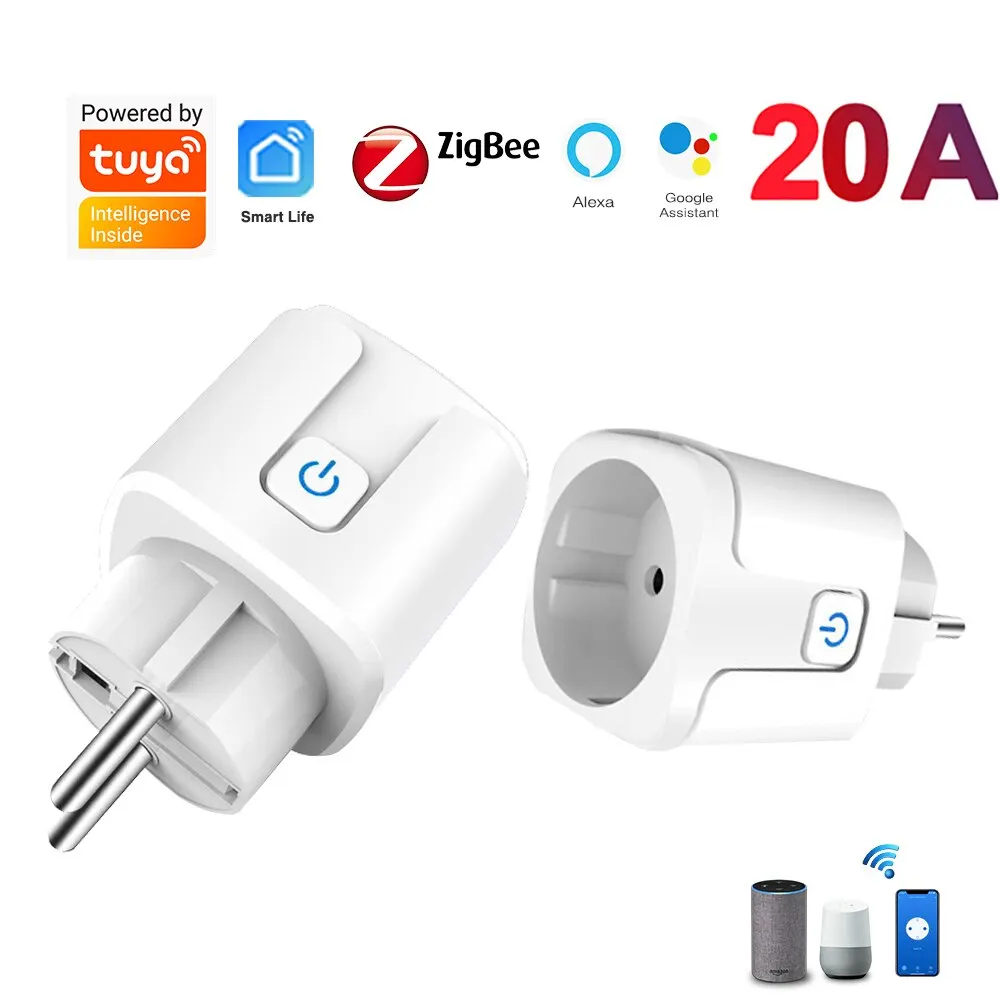


 hasty wagon
2024-06-07 21:56:31: New connection from 172.30.32.2:52584 on port 1883.
2024-06-07 21:56:31: Client <unknown> closed its connection.
2024-06-07 21:57:42: Saving in-memory database to /data//mosquitto.db.
2024-06-07 21:58:31: New connection from 172.30.32.2:58910 on port 1883.
2024-06-07 21:58:31: Client <unknown> closed its connection.
2024-06-07 22:00:31: New connection from 172.30.32.2:35004 on port 1883.
2024-06-07 22:00:31: Client <unknown> closed its connection.
2024-06-07 22:02:31: New connection from 172.30.32.2:42110 on port 1883.
2024-06-07 22:02:31: Client <unknown> closed its connection.
2024-06-07 22:04:31: New connection from 172.30.32.2:55168 on port 1883.
2024-06-07 22:04:31: Client <unknown> closed its connection.
2024-06-07 22:06:31: New connection from 172.30.32.2:32832 on port 1883.
2024-06-07 22:06:31: Client <unknown> closed its connection.
2024-06-07 22:08:31: New connection from 172.30.32.2:44194 on port 1883.
2024-06-07 22:08:31: Client <unknown> closed its connection.
it is
but the client seems to close the connection randomly
 oak pike
Does anybody happen to know - if I have a zigbee bulb powered off, then I turn the socket on - how quick does it reconnect to the zigbee network?
I’m trying to find a way to control my lights and ideally I’d like to base the other two smart plugs on a smart bulb being on (controlled by standard light switch). If the bulb is off for too long and I kick it on, the automation doesn’t fire, presumably because it’s not on the zigbee network yet.
forest cobalt
oak pike
I’m trying to find a way to control my lights and ideally I’d like to base the o...
Zigbee bulbs are not meant to lose power as they are usually router devices. When you turn them off, it takes time for the mesh to heal itself (usually between 2-24 hours depending on how many devices you have and how many end devices we’re using those bulbs as a router).
oak pike
forest cobalt
Zigbee bulbs are not meant to lose power as they are usually router devices. Whe...
Hm. I’m really struggling on what I can do to target another device then. Like I could put a zigbee switch there but it would still get cut off with the light switch power.
I don’t have a neutral for fancy smart switches and the aqara no neutral zigbee switches I’ve had an exactly 50% failure rate with within the first six months of usage. And given they’re not the cheapest thing I don’t exactly want to keep putting effort there with that product specifically.
mellow geode
oak pike
Does anybody happen to know - if I have a zigbee bulb powered off, then I turn t...
Basically immediately, but you still shouldn't switch off Zigbee router devices, as it can cause issues. It's mostly an issue for end-devices if you switch off their parent router.
The 2 to 24 hours time (and "healing" in general) doesn't really apply to Zigbee.
oak pike
mellow geode
Basically immediately, but you still shouldn't switch off Zigbee router devices,...
Maybe I just need to incorporate this zigbee button I have. And use that as the primary “switch” by letting everything on and the switch just kills the smarts while the smarts are still live on the mains.
dusty plover
@hasty wagon, Paul is that you? Lol
dusty plover
oak pike
Maybe I just need to incorporate this zigbee button I have. And use that as the ...
This is the way. Have a ZigBee button to trigger that light and other things. At my parents house I put covers over the switches so they don't get flipped.
You can usually set up press, double press and long press automations and each on can have its own conditional automations.
Like I have a 4 button switch on my desk one button can do one of four conditional automations depending on values of the lights in the room.
oak pike
dusty plover
This is the way. Have a ZigBee button to trigger that light and other things. At...
Yeah. I had this before, but I didn't find a perfect combo. It's for my son's room... he's six... so I have a single pole light switch and next to it the zigbee switch. There's a motion detector in the room. End goal is to use light switch for 1 light, and the zigbee switch for everything else.
Problem is the zigbee bulb in the socket controlled by the light switch will get out of sync from the others, so when you hit the button weird stuff happens. I guess I need to commit to everything being controlled by the zigbee button entirely and stop trying to split the behaviors.
dusty plover
Or get a two button ZigBee button for him?
So one of my automations is for can lights on a smart dimmer and a ZigBee bulb in a fan.
The button does
If cans on and fan off= turn fan on
If cans on and fan on =turn both off
If cans of and fan on= turn cans on
If cans and fan off= turn both on. It's a way to get them in sync with one button
Or if your button supports it.
Single press is fan
Double press is both
And hold does both in a logic format like that
oak pike
I think I'm just overcomplicating this now that I process it a bit more...
I'm realizing that I have light 1, 2, 3, 4 all in the same grouping connected to the zigbee switch. But light 1 is controlled by the light switch as well.
if I decouple 1 from 2/3/4 for the zigbee action, then they're separate
but I can still have no motion = shut off 1/2/3/4
that way the smart bulb in the light switch-controlled socket still acts normal via switch (toggle up light on, toggle down light off) but lack of motion will still shut it off
dusty plover
Yea. But as Julian said, if your bulb is also a ZigBee router you can cause instability with it dropping off by having the physical switch flipped.
If it's just a end point you could do it that way. But at your own risk 🙃
oak pike
I wish aqara no neutral switches didn't suck so bad
they were great, but man the failure rate in them really peeved me
dusty plover
Are Shelly's an option I think they have some no neutral options. But I think those might also be wifi
This could do it.
oak pike
yeah, maybe. I'd definitely have to do the external box though.
That thing is way too chonk for the size box I'm working with...
dusty plover
You could also look at putting that in the ceiling fan box if your wall box is too small.
oak pike
no overhead lighting in the house. All floor lamps.
dusty plover
Lol. Just figured that the light switch was a fan one. Sorry
oak pike
That's one reason I like HA so much, because in each room 1 power outlet is controlled by a light switch. But with HA I can lump together like 4 of them around the room and one action triggers all of them.
I can't say a zigbee button being attached to the wall is the most aesthetic thing in the world BUT it sure works well in my girls rooms. I think my son's room will be fine once I just divorce the idea of using the regular lightswitch at all and lean on the zigbee button exclusively.
dusty plover
They're all right. There's more aesthetic ones than others. My parents agreed to have one by their front door that they use to turn off automations for a "guest mode"
oak pike
I just found a zwave gizmo that looks like a legit light switch, but is battery powered
better yet its magnetic and you can just pop it out of the mounting plate and becomes a remote
known as a scene controller, it seems
that looks outstandingly better than the square w/ rounded corners zigbee aqara button for this application
hasty wagon
dusty plover
<@654390669472694284>, Paul is that you? Lol
Maybe
 ionic locust
Wifi devices need to be added to from the product app but zigbee devices can be added through HA zigbee direct? I have sky connect. Or they still need to be in the app as well? Thanks
 weak schooner
hi guys
My plugs are switching off 'on they own'.
in the history I clearly see the user that set them back to yes.
according to Horstexplorer this is a known behavior for tuya plugs.
I have some nous a1z.. no problem
and some SILVERCREST LIDL that auto switch off 😦
anything we can do to repair this ?
ashen bluff
Which plugs exhibit this behavior? Do you use ZHA or Z2M?
weak schooner
ZHA .. only the silvercrest cause problems (on my fridge for the moment 😢
ashen bluff
I had this issue with these: https://www.zigbee2mqtt.io/devices/TS011F_plug_1.html
It was fixed after a firmware update.
weak schooner
hmm not a bad idea .. how do you check for updates in ZHA ? per device ? or global ?
ashen bluff
No Idea, I don't use it.
weak schooner
crap .. i found it but says that devices are up to date
(in ZHA > in 1 device > Configuration tab, you have firmware line)
mellow geode
ZHA doesn't provide updates for Tuya devices by default. At your own risk, you can pull in all updates from the Z2M zigbee-ota repo by making some config changes.
dusty plover
hasty wagon
Maybe
@hasty wagon lol your website
 humble lodge
Trying to get some WAF back. Is using emulated hue the only way to use the hue app on ios without using the hue bridge?
cursive heath
Has anyone have had troubles with ZHA and tradfri bulbs triggering based on a tradfri motion sensor?
My bulbs keep rebinding themselves with my motion sensor at random..
hasty wagon
dusty plover
<@654390669472694284> lol your website
:)
 unborn orbit
I had to migrate from promox VM Home assistant to docker assistant. Have mosquitto and z2m running in docker containers. Communication between z2m and devices works fine. Using the mosquitto integration, however, my devices are unaivable or not populating in HA
any thoughts on what i can do to fix this?
forest cobalt
Did you point your MQTT integration to your mosquito docker container?
unborn orbit
I did
and MQTT explorer seems to work
i'm really at a loss and my 300+ devices are now completly dead in the water
forest cobalt
Are all 3 containers on the same machine/subnet/VLAN?
forest cobalt
What IP did you use for your MQTT integration? The internal docker IP or the host IP?
forest cobalt
Yes, I know 😊
I understand that. In HA, what IP did you use for the MQTT integration?
unborn orbit
10.0.10.5
home assistnat (in docker), MQTT and z2m all are in docker, same IP
it also seems to see the devices but can't turn them on or off or anything. group devices did not come through at all
forest cobalt
Hmmmm… if you go to the MQTT integration, if you look at listen to a topic, type in zigbee2mqtt/# and then click on start listening.
Then try toggling a device and see if it passes anything into HA.
Oh sorry, forgot to add: go to the MQTT integration and click on configure.
forest cobalt
Ok, so HA is seeing the messages. So not a connection issue (thankfully). What version of HA and Z2M are you on?
unborn orbit
Z2m 1.38.0, HA 2024.6.1
cursive heath
seems like everyone is using Z2Mqtt
is it more stable than ZHA? my devices act out so much using the skyconnect
forest cobalt
cursive heath
seems like everyone is using Z2Mqtt
is it more stable than ZHA? my devices act ...
Mostly. 😊
unborn orbit
is there any way to remove all devices and have them go through discovery again?
forest cobalt
unborn orbit
Z2m 1.38.0, HA 2024.6.1
Ok, a couple things… try doing a full restart of the HA container (use docker restart).
unborn orbit
HA container restarted, same issue
forest cobalt
unborn orbit
is there any way to remove all devices and have them go through discovery again?
I think that using something like MQTT Explorer, you could stop Z2M and remove all the topics in the homeassistant topic and then restart Z2M. That should repopulate all the devices. Might also try removing the MQTT integration and readding it as well.
unborn orbit
tried removing MQTT integration without luck
cursive heath
i also have a home assistant running via docket, will try setup z2mqtt and see if i run into issues @unborn orbit 🙂
unborn orbit
Thanks. I've had it working before without issue. This is really strange and I'm not sure why I'm running into such issues
forest cobalt
So, I’d actually ask in the Z2M discord about removing all the known devices. I’m not sure, to be honest and don’t want to give you bad advice.
forest cobalt
cursive heath
i also have a home assistant running via docket, will try setup z2mqtt and see i...
I have the exact same setup.
I don’t think this is something in HA though and not Z2M.
Is there anything in the logs relating to the devices?
unborn orbit
exactly. z2m and node red are communicating fine
they are sending on a different topic though not /homeassistant
htey are sending on /zigbee2mqtt_downstairs and zigbee2mqtt_upstairs
forest cobalt
Hmmmmmm wait a second. So, you have two instances of Z2M running?
unborn orbit
yes
forest cobalt
What topic is your Z2M instances pointing to in Settings > Home Assistant Integration (in Z2M)?
unborn orbit
/zigbee2mqtt_downstairs and /zigbee2mqtt_upstairs
forest cobalt
That’s probably what it is. HA looks for auto discovery in the homeassistant topic.
Unless you changed that in the MQTT settings, but I don’t think you can specify that through the UI.
rapid dawnBOT

MQTT
Instructions on how to setup MQTT within Home Assistant.
Quality scale
IoT Class
Integration type
Documentation
Source
Issues
unborn orbit
but in the home assistant integration settings on z2m i have home assistant status topic as homeassistnat
so separate for MQTT and for home assistant integration
forest cobalt
Ok. Let me try something, one sec.
unborn orbit
deleted all topics in /homeassistant and restarted z2m but no luck
it picks up the devices in home assistant but doens't fully register the devices
like my inovelli switch picks up, i have the features i can enable/disable but i can't actually access the ability to turn it on or off
forest cobalt
Ok. I think we’re getting close… in the MQTT integration, listen to the homeassistant/# topic. Look at what the availability template looks like
unborn orbit
i'm getting a ton of messages
forest cobalt
That’s fine, go ahead and stop it and look at the availability topic for one of the devices.
unborn orbit
ok and what am i looking for?
forest cobalt
What’s the topic listed?
unborn orbit
/homeassistant/# is showing a flood of messages for each entity on each device
"availability":[{"topic":"zigbee2mqtt_upstairs/bridge/state","value_template":"{{ value_json.state }}"}],"device":{"identifiers":["zigbee2mqtt_0x70ac08fffe7106e3"],"manufacturer":"Inovelli","model":"2-in-1 switch + dimmer (VZM31-SN)","name":"Kids Shower Light Switch","sw_version":"2.15","via_device":"zigbee2mqtt_bridge_0x00124b0025908d7b"},"enabled_by_default":false,"name":"LocalProtection","object_id":"kids_shower_light_switch_localProtection","origin":{"name":"Zigbee2MQTT","sw":"1.38.0","url":"https://www.zigbee2mqtt.io"},"state_topic":"zigbee2mqtt_upstairs/Kids Shower Light Switch","unique_id":"0x70ac08fffe7106e3_localProtection_zigbee2mqtt_upstairs","value_template":"{{ value_json.localProtection }}"}
thats an example of one
its already up to >25,000 messages and i just restarted mqtt
forest cobalt
Hmmmm. So it’s not the topic. I had a suspicion that the topics were wrong.
I’m thinking… give me a second.
unborn orbit
sure thing, i really appreciate your time and help
forest cobalt
The device you posted, it came into HA with no controls? Just options?
unborn orbit
yep and its properly getting reports and updated numbers like internal temp, energy use, etc
just can't turn it on or off
the actual light entity is not there
it's the same for all my light switches, light bulbs and fans
and oddly enough all of my groups in z2m did not come over at all
out of curiousity im going to spin up a fresh instance of HA
and see if it works there
forest cobalt
Yeah, that was going to be one of my suggestions too. What’s really odd is that if I look at my switch config, it matches yours.
unborn orbit
same issue with a brand new instance of home assistant
i guess i could try a different version of mosquitto
forest cobalt
You could just install mosquito directly on the OS. That’s how I have one of my brokers setup.
cursive heath
forest cobalt
I have the exact same setup.
so i assume this setup requires 3 dockers?
homeassistant
zigbee2mqtt
and a mqtt broker? 🙂
unborn orbit
yeah i much rather separate but if i need to i can. i'd also have to do a non docker install
forest cobalt
But, the only other thing I can think of is maybe Z2M?
forest cobalt
cursive heath
so i assume this setup requires 3 dockers?
homeassistant
zigbee2mqtt
and a mqt...
Personally I like mosquito on the base OS, but yeah.
unborn orbit
it's weird though, this all was working just a few days ago when i had everything in proxmox with the only difference being HA was on a VM and everything else on a separate VM with docker
forest cobalt
unborn orbit
it's weird though, this all was working just a few days ago when i had everythin...
Did you restore from a backup of HAOS to HA container?
 heady sleet
got a Sonoff ZBDongle-P to replace my ConBee. Using Z2M. The stick is exposed in Proxmox and visble in the Hardware settings in HA. When putting either the ID or the Device Path into the Z2M config I just get errors in the log that it can't connect. Any ideas?
unborn orbit
i copied all of my key files
since i can't do a true backup/restore with the docker image
forest cobalt
heady sleet
got a Sonoff ZBDongle-P to replace my ConBee. Using Z2M. The stick is exposed in...
What are the errors?
unborn orbit
heady sleet
got a Sonoff ZBDongle-P to replace my ConBee. Using Z2M. The stick is exposed in...
VM or lxc?
forest cobalt
unborn orbit
since i can't do a true backup/restore with the docker image
True, but that makes me wonder if maybe something in .storage or something like that?
unborn orbit
forest cobalt
True, but that makes me wonder if maybe something in .storage or something like ...
in z2m?
forest cobalt
to be honest, I’ve never seen HA get the MQTT discovery wrong like that.
unborn orbit
just strange that independently everything works in z2m
forest cobalt
unborn orbit
in z2m?
Nah, when you restored your HA files. You did restore the hidden .storage directory, right?
unborn orbit
yeah everything was copied i believe (though who knows if something didn't go exactly right)
forest cobalt
unborn orbit
just strange that independently everything works in z2m
That’s a blessing 😉
forest cobalt
unborn orbit
yeah everything was copied i believe (though who knows if something didn't go ex...
That’s my thought here… maybe something in .storage or the confgs didn’t come over right.
heady sleet
forest cobalt
What are the errors?
[15:47:35] INFO: Preparing to start...
[15:47:36] INFO: Socat not enabled
[15:47:36] INFO: Starting Zigbee2MQTT...
[2024-06-08 15:47:38] info: z2m: Logging to console, file (filename: log.log)
[2024-06-08 15:47:38] info: z2m: Starting Zigbee2MQTT version 1.38.0 (commit #unknown)
[2024-06-08 15:47:38] info: z2m: Starting zigbee-herdsman (0.49.2)
[2024-06-08 15:47:48] error: z2m: Error while starting zigbee-herdsman
[2024-06-08 15:47:48] error: z2m: Failed to start zigbee
[2024-06-08 15:47:48] error: z2m: Check https://www.zigbee2mqtt.io/guide/installation/20_zigbee2mqtt-fails-to-start.html for possible solutions
[2024-06-08 15:47:48] error: z2m: Exiting...
[2024-06-08 15:47:48] error: z2m: undefined
Is there a way to just reset all the Z2M stuff to default? In case I changed anything else when I set up the ConBee that is causing the issue
forest cobalt
heady sleet
[15:47:35] INFO: Preparing to start...
[15:47:36] INFO: Socat not enabled
[15:47...
Z2M is running as an addon?
heady sleet
Yes
unborn orbit
You think I should start a fresh install and just copy the zigbee.db and groups?
forest cobalt
In HAOS, what’s the device path of the Sonoff?
forest cobalt
unborn orbit
You think I should start a fresh install and just copy the zigbee.db and groups?
Nope. Don’t copy those. They’re just for ZHA.
heady sleet
/dev/serial/by-id/usb-ITead_Sonoff_Zigbee_3.0_USB_Dongle_Plus_e20d3e51f0a5ed11a1e0e9a32981d5c7-if00-port0
forest cobalt
Unless you’re running ZHA, obvs.
forest cobalt
unborn orbit
You think I should start a fresh install and just copy the zigbee.db and groups?
Actually, you know what, copy everything and make sure that .storage is copied over as well.
unborn orbit
Unfortunately i don't have access to the prior .storage folder
just what i have now
forest cobalt
heady sleet
/dev/serial/by-id/usb-ITead_Sonoff_Zigbee_3.0_USB_Dongle_Plus_e20d3e51f0a5ed11a1...
What adapter did you choose? Ember or ezsp?
forest cobalt
unborn orbit
Unfortunately i don't have access to the prior .storage folder
You should be able to untar your previous backup and it should be in there.
forest cobalt
Yes sir.
If you want to make it easy on yourself, create a new directory on your Ubuntu box, and restore to that and change your compose file to point to that instead.
heady sleet
forest cobalt
What adapter did you choose? Ember or ezsp?
how can I tell? I did try both as Adapter settings though, neither worked
forest cobalt
heady sleet
how can I tell? I did try both as Adapter settings though, neither worked
Hmmmmm… you don’t have ZHA enabled/installed, do you?
unborn orbit
restarting, fingers crossed. looks like there were some permission issues as well
forest cobalt
unborn orbit
restarting, fingers crossed. looks like there were some permission issues as we...
Stupid file systems. 🤣
unborn orbit
it's looking promising!
forest cobalt
Don’t jinx it!!!
heady sleet
forest cobalt
Hmmmmm… you don’t have ZHA enabled/installed, do you?
Nope
I had the ConBee working perfectly (well... not perfectly, but it booted Z2M lol)
forest cobalt
heady sleet
I had the ConBee working perfectly (well... not perfectly, but it booted Z2M lol...
lol it’s a Conbee. Nothing is perfect with that. Ok, that undefined error is what has me stumped. If it couldn’t connect to the sonoff, there would be an error for that.
rapid dawnBOT
@heady sleet I converted your message into a file since it's above 15 lines :+1:
unborn orbit
eh premature, still not working
forest cobalt
rapid dawn
<@411344547247816716> I converted your message into a file since it's above 15 l...
And when you set adapter to ember?
rapid dawnBOT
@heady sleet I converted your message into a file since it's above 15 lines :+1:
forest cobalt
unborn orbit
eh premature, still not working
And that’s on a fresh copy to a new directory? 
unborn orbit
fresh copy of HA?
forest cobalt
Yeah
forest cobalt
Right, I mean a copy/restore.
rapid dawnBOT
@heady sleet I converted your message into a file since it's above 15 lines :+1:
forest cobalt
unborn orbit
i can spin up a fresh instance and try that as well
Might be worth a shot. Just a bare install with just the MQTT integration. Do the same thing, create a new directory and point your container to that. Don’t restore any files.
forest cobalt
rapid dawn
<@411344547247816716> I converted your message into a file since it's above 15 l...
Remove the SOCAT section and try it again.
unborn orbit
i'm at a loss as to why it's not working
forest cobalt
unborn orbit
i'm at a loss as to why it's not working
Even on a fresh, bare install???
unborn orbit
i didn't try with straight bare install. I'd have to reformat and everything for it but i'll try that a little later
forest cobalt
No you don’t. #zigbee-archived message
unborn orbit
you mean with add on right?
forest cobalt
Nope. Docker.
forest cobalt
Create a new, empty directory and point your container to that folder (either using a compose file or using a docker command). Then start the container and let it onboard. It will be a brand new install. Then install ONLY the MQTT integration and see if it works.
Nope. HA container. The problem is in HA.
unborn orbit
oh gotcha sorry was misunderstanding
forest cobalt
No worries 😊
unborn orbit
are you saying then to copy over the device database?
forest cobalt
Nope. Don’t copy ANYTHING. You are literally spinning up a new instance of HA.
unborn orbit
ohhh i'm sorry i had tried that already
before when we were talking. it didn't do anything with a fresh HA install
😦
i wonder if its too much network traffi or something?
forest cobalt
So, a new instance with just the MQTT integration and nothing else?
forest cobalt
Doubtful. I’ve seen people with 5 different instances of Z2M all working.
Hmmmm ok, so, I bet they’ll send you back here, but post something in the Z2M discord. I don’t think it is Z2M, but crazier things have happened.
forest cobalt
Ok. Sorry we couldn’t figure it out. It’s probably something stupid we’re both missing. 😔
unborn orbit
i'm also going to try and roll back to mosquitto
just to see if it makes a difference
going to try 1.6
forest cobalt
I mean, it can’t hurt.
unborn orbit
well, your not going to believe it but rolling back to 1.6 seems to be working
forest cobalt
unborn orbit
well, your not going to believe it but rolling back to 1.6 seems to be working
You’re f’ing kidding me… lol REALLY???
unborn orbit
yep. all entities now working except for groups
forest cobalt
(Sorry for my language, but I have never seen that)
unborn orbit
rolled back to 1.6
didn't set up password protection and logged in anonymous but its working
now i've got to figure out why groups aren't being sent over
forest cobalt
I’m floored, but glad you got it working.
unborn orbit
groups now working too
looks like i'll be avoiding any updates to mosquitto for a while lol
what a pain that was
unborn orbit
@ornate thistle really appreciate all your help, thank you so much
forest cobalt
unborn orbit
<@667550586614448138> really appreciate all your help, thank you so much
Happy to help.
forest cobalt
Huh? Did I miss part of your question?
placid cloud
forest cobalt
Huh? Did I miss part of your question?
oh yeah sorry, i figured it out so deleted it but forgot to do the second half. Thanks anyway!
 abstract creek
When I first got Zigbee I loved it and was so happy with it, but with the issues that I'm facing with them going "Unavailable" randomly, I'm thinking about ditching all of them and go to something else. 😡
Also, Reconfiguring devices don't work?
heady sleet
dumb question, but how do I find the IP address and host of my Zigbee device? "The IP address and port of your network connected CC2652 radio"
forest cobalt
heady sleet
dumb question, but how do I find the IP address and host of my Zigbee device? "T...
Your router. But wait, I thought you had a Sonoff Dongle?
heady sleet
yeah so I decided to try ZHA and I found that my dongle is running Z-Stack 20210708 so I was trying to flash to the newest firmware using that Zigstar flasher addon, but it's asking for the network info of the device
forest cobalt
Uhhhh, no. Stop that.
You don't have a lan coordinator. It's connected via USB, right?
heady sleet
yes
rapid dawnBOT
The pinned messages of this channel are:
- "I think the webflasher for the ZBDongle-E might still provide an..."
- "blog.ceard.tech/2019/11/zigbee-and-home-assistant and ..."
- "github.com/Koenkk/Z-Stack-firmware/tree/7398d834eb3a790..."
- "I just set up some addons for doing Firmware updates to TubesZB ..."
- "For Zigbee and WiFi coexistence see [this article](supp..."
- "New video from home assistant demonstrating USB zigbee interfere..."
- "If you're setting up Zigbee2MQTT then: 1. Upgrade your CC2652 to..."
- "Bellows - Zigbee Channel Scan pastebin.com/bk1hN0Et"
- "Fixing a corrupted SQLite database isn't something that can easi..."
- "HUSBZB-1 fw update cheatsheet. SSH into your HA machine and then..."
- "github.com/zigpy/zigpy-znp/blob/dev/TOOLS.md#backup-and-..."
- "A good write-up of how the Zigbee mesh works: linkdhome...."
- "community.hubitat.com/t/xiaomi-aqara-devices-pairing-ke..."
- "Reddit - homeassistant - How to update your IKEA or Ledevance f..."
- "From github.com/zha-ng/zigpy-znp/ pip install git+https..."
- "For device options, see www.zigbee2mqtt.io/supported-de..."
forest cobalt
First pin.
heady sleet
I'm so confused I don't even know where to start anymore. Z2M never worked so I decided to re-enable ZHA and it picked up the P immediately. Was going to start adding devices but ideally would like to use Z2M so figured I'd get updated from that 2021 firmware and that's where I got stuck
heady sleet
So yeah, added my devices back in and it's working flawlessly in ZHA. Debating if it's even worth trying to figure out how to get Z2M going
damn you ConBee, so much unnecessary stress this whole time
forest cobalt
heady sleet
I'm so confused I don't even know where to start anymore. Z2M never worked so I ...
For the dongle P, you need to flash the zstack firmware using the script provided in the zstack repo. There might be instructions on the Z2M site as well. I had to go mobile, but I’ll see if I can find the links when I get home.
forest cobalt
<rant>So my stupid of the morning... I have an Aqara non-neutral double rocker. I thought I had paired it to one of my 3R plugs. Stupid me, I didn't, I let it auto-pair and it decided to pair to one of my stupid Linptech mmWave presence sensors (which I forgot to yank out of my mesh). Soooo, I spent hours trying to figure out why the switch was acting so wonky... Frigging Tuya rebranded crap strikes again. </rant>
 mighty sage
Morning y'all! I have a Yellow and I'm trying to switch from ezsp to ember with Z2M --> can anyone point me in the right direction to flash new firmware? I'm getting this error: NCP EZSP protocol version of 12 does not match Host version 13 (from z2m)
I'm a wee bit lost at the moment 😅
forest cobalt
What coordinator do you have? Skyconnect?
mighty sage
I think this: https://www.mouser.com/new/silicon-labs/silicon-labs-mgm210p-mighty-gecko-lighting-module/
(stolen shamelessly from https://www.home-assistant.io/yellow/)
I honestly have never really dug into this; it just "worked" since I got the Yellow
 sudden yarrow
@forest cobalt They mean the internal radio of the Yellow (same chip as SkyConnect, but different connection)
forest cobalt
Ohhhhh it's the yellow... completly missed that. (it's been a morning today lol)
Ok, IIRC, it should be the same SL Web Tools flasher that's used for the skyconnect.
mighty sage
forest cobalt
Yeah, but there is a 7.4.0.0 version in the repo for it. I think the web flasher still tries to do 7.3.0.0.
(Don't use the multi-pan versions... not happy right now)
mighty sage
Would the Silicon Labs Flasher addon be the right thing to use to flash it then?
seems like it would 🤔
Alright. I'mma try it
Where does one check the firmware version currently installed?
I may have claimed victory too soon.
grim igloo
forest cobalt
Yeah, but there is a 7.4.0.0 version in the repo for it. I think the web flasher...
forest cobalt
grim igloo
https://discord.com/channels/330944238910963714/551843655682490399/1243665728767...
Thanks. I missed that.
grim igloo
(╯°□°)╯︵ ┻━┻
mighty sage
Whelp, I really hope I didn't mess something up 🤞
Yup, I messed something up. Not sure what yet. I restarted HA from the UI, and now it's not coming back up :sigh:
[core-ssh 2024-06-09.10-19-05]$ ha supervisor logs -f
Get "http://supervisor/supervisor/logs/follow": dial tcp 172.30.32.2:80: connect: connection refused
Yeah; I'm big blocked at the moment. No idea where to from here. Since this isn't Zigbee specific, should I bring this to another channel?
Posted in #general-archived 🤞
I love it when your plans for the day take a sudden left turn 😛
Phew; pulled power and things appear to be coming up again.
Where does one check the firmware version currently installed?
Going back to this. How do I check the firmware loaded to make sure I flashed it correctly?
Pulled this out of the z2m logs: z2m: Coordinator firmware version: '{"meta":{"build":0,"ezsp":13,"major":7,"minor":4,"patch":2,"revision":"7.4.2 [GA]","special":0,"type":170},"type":"EmberZNet"}
forest cobalt
In the MQTT integration, you should see your coordinator and the firmware version will be listed there. Or in Z2M as well. And thankfully you got your issue resolved.
unborn orbit
forest cobalt
<rant>So my stupid of the morning... I have an Aqara non-neutral double rocker. ...
thats very frustrating
forest cobalt
unborn orbit
thats very frustrating
Eh, known issue with Aqara devices... I was just being dumb and trying to do zigbee things on not enough coffee.
unborn orbit
just a quick update from yesterday, z2m to ha working flawless now
forest cobalt
Dude that's awesome. Glad to hear it!
unborn orbit
used to have issues where after restarting HA, i'd have to restart coordinator to have devices repopulate no longer having that issue either
forest cobalt
And your groups came over as well?
unborn orbit
yep
forest cobalt
Nice! Don't jinx it by talking about it too much though 😉 🤣
unborn orbit
lol exactly. i'm just wondering where would be a good place to report it
forest cobalt
Define "it"? You mean reporting good news or other issues?
unborn orbit
well the issue with the newer mosquitto when dealing with large zigbee networks i guess?
it seems like the issue is isolated to mosquitto at this point
just want to try and make sure others can avoid the headache i went through if possible
carmine hamlet
Which version?
forest cobalt
I would raise an issue on the Z2M github.
unborn orbit
carmine hamlet
Which version?
latest. had to roll back to 1.6 to fix the issue
unborn orbit
forest cobalt
I would raise an issue on the Z2M github.
Thanks! will do
carmine hamlet
I'm using eclipse-mosquitto:latest and I have 126 devices connected through Z2M
unborn orbit
i've got 295 and had issues where devices would be seen but the on/off ability would not be available
forest cobalt
@carmine hamlet It was WEIRD... I had thought it was something in HA originally, but it ended up being the broker.
I'm also latest on my broker with 120 devices and I've never seen something like that.
unborn orbit
all messages came through when listening to the topic in HA
i also had an issue where restarts on HA would make all devices become unavailable and only restarting the coordinator would bring them back
but since rolling back to 1.6 no more issues
carmine hamlet
v1.6 is ancient
unborn orbit
agreed, but it works! 🙂
i can try another version in between to see if i still get the same issues
warped rose
I have several older aqara WSDCGQ11LM Temp/Humidity zigbee sensors. They will only stay on the network if they are very close to my coordinator (like, a couple of meters). It's not batteries. I've tried pairing them via the "add device via this device" to get them to connect to the nearest peanut plug router instead of the coordinator, but they just drop off the network after several hours. What's going on? why are they not reliable?
forest cobalt
warped rose
I have several older aqara WSDCGQ11LM Temp/Humidity zigbee sensors. They will o...
The older ones aren't great, but the peanut plugs aren't either. I'm willing to bet that the older Aqara sensors don't like routing through the peanut plugs (especially given how old the peanut plugs are).
warped rose
I was unable to "add via this device" with my innovelli wall switches
forest cobalt
When you tried it, were you pressing the button on the Aqara sensor(s) to keep them awake during the pairing process?
warped rose
Yes. I did successfully pair them (multiple times) with the coordinator and with different peanut plugs.
forest cobalt
I meant when you tried to pair them to the innovelli switches
warped rose
Yes, I used the same procedure that worked with the other pairings?
They just never showed up when "pair via this device" with innovelli switches
forest cobalt
Interesting... yeah, I'm willing to bet the Aqara sensors are just being Aqara sensors. The newer ones are a lot better (imho).
warped rose
I'm planning to switch over to the AAA battery powered form factor Tuya Zigbee ones: https://www.aliexpress.us/item/3256804647514461.html
are those better?
I'm open to suggestions...
forest cobalt
Tuya would be my last choice. Especially compared to Aqara sensors. You often get what you pay for ™️
warped rose
ok... so first choice?
forest cobalt
The newer Aqara sensors are my first choice. Second would be esp-based sensors and third would be Sonoff sensors.
Just to give you an idea, 45 of my devices (sensors, switches, etc) are all the newer Aqara ones.
grim igloo
forest cobalt
Interesting... yeah, I'm willing to bet the Aqara sensors are just being Aqara s...
none of my old ones will join via a specific hue bulb (any hue bulb i own)
i just stopped trying / suggesting it lol
forest cobalt
Yeah, the old ones SUCK. I rarely throw devices in the trash, but all my old ones went in the trash.
warped rose
What's the model number for the newer aqara temp/humidity?
grim igloo
i have only the old ones tbh i have zero complaints
e1
oh is there a new temp humidity? i think there was and then it disappeared?
i thought you guys were talking about the door window sensors
forest cobalt
WSDCGQ11LM @warped rose
warped rose
I think mine were much more reliable before switching from a usb zigbee radio (forget which one) to my Home Assistant Yellow with its built in zigbee. Not terribly surprising I supose
grim igloo
holds his tongue
maybe you got away from usb interference and are attributing that to the built in skyconnect of the yellow
warped rose
That's the model I have (as listed)
WSDCGQ11LM
I guess "older" is relative; I have had these for a couple years
the usb radio was on an extension, when I was runnign HA in a container w/o HAOS
forest cobalt
Do you know which firmware is on them?
warped rose
I got yellow b/c I wanted to move from my "playground" docker server to "this is its own hardware doing its own stuff"
forest cobalt
Yeah, I've never really liked the radio being built in for the yellow.
grim igloo
my issue is more about the underpowered sbc than the built in efr32
thankfully crowdsupply website, through sheer incompetence, convinced me to cancel my yellow preorder a long long time ago
#yellow-archived was a shitshow for months
warped rose
I dont' see any way to tell what firmware is on them; I downloaded diagnostics for one still connected, but I dont' see any firmware identification
Should I just attach my old usb radio to my yellow and migrate (back) to that radio? see that improves things?
grim igloo
no
warped rose
I've found the pi4 compute module to be fine for my uses (not underpowered), and hopefully we'll see a pi5 compute module that is compatible someday...
grim igloo
me and code-in-progress just like different things
grim igloo
warped rose
I have several older aqara WSDCGQ11LM Temp/Humidity zigbee sensors. They will o...
so do you have a zigbee mesh with multiple repeaters?
warped rose
I think the sheer number of compute module skus was a setup for problems, though. (and that, combined with availability is likely what lead the product design of Green, I would guess)
warped rose
grim igloo
so do you have a zigbee mesh with multiple repeaters?
yes
grim igloo
warped rose
I think the sheer number of compute module skus was a setup for problems, though...
unfortunately also an underpowered SBC
warped rose
how do I add a picture??
rapid dawnBOT
@warped rose Please use imgur or other image sharing web sites, and share the link here.
Image posting is blocked in most channels to discourage people from sharing text as images. Sharing text as images assumes that everybody sees the world as you do, which isn't the case. Some people are colour blind, or have visual impairment that means they can't make sense of an image of text.
warped rose
grim igloo
unfortunately also an underpowered SBC
I was going to have a sarcastic comment about how you must love Green. I think it's probably a great choice for low-tinker starter smart home people.
grim igloo
price vs performance compared to a mini pc that's simply just not true
forest cobalt
grim igloo
me and code-in-progress just like different things
hahaha SOMETIMES 🙂
warped rose
grim igloo
as home assistant evolves, more and more things rely on hardware that the pi, yellow, green, orange, banana, etc just dont have
i've convinced countless people to move from a pi to not a pi and they've thanked me for it
grim igloo
warped rose
https://imgur.com/0zBLnu7
so still a pretty small mesh but multiple repeaters
idk zha maps those ovals are all repeaters right?
warped rose
grim igloo
price vs performance compared to a mini pc that's simply just not true
I like that yellow has a POE option. I agree that mini pc performance/$$ has been beating pis for the last several years.
yes, ovals are repeaters (innovelli switches and peanut plugs)
grim igloo
i'd try and try and try again to re-pair them like you said failed above i guess
assuming it isnt a range or interference issue
download zha diagnostic do you have a lot of zigbee interference on your chosen zigbee channel?
warped rose
they do pair to peanuts, but drop off after ~ 1 day
warped rose
what better sensors?
grim igloo
just temp/humidity?
warped rose
This is a small house, and I have antique tin ceilings, but I have multiple repeaters on each floor. Range should not be an issue.
I've got the zha diagnostics, where would I find intereference info?
and yes, temp/humidity, but looking to add some door/window ones in the future
grim igloo
i'd personally use zwave zooz temp/humidity sensors (they also have long range which can go a very very long way at ~900mhz) https://www.youtube.com/watch?v=XSe60RCvKUk this is two years old but it's a decent look at multiple sensors. i also have 4x xaiomi BLE sensors (can actually be flashed to become zigbee but i wouldnt) https://cloudfree.shop/product/xiaomi-mijia-bluetooth-temperature-and-humidity-sensor/ these are 6 each and work well plus the screen is kinda neat. you can even customize the face on it lol.
grim igloo
warped rose
I've got the zha diagnostics, where would I find intereference info?
scroll down til you see a ton of # and then channel numbers and interference levels (channel utilization)
also the inkbird #bluetooth-archived ones apparently work well including using bluetooth proxies with them
forest cobalt
I personally still think it's the peanut plugs as repeaters... Those things are OLD and don't even support Zigbee3.0.
grim igloo
oh
ya i've never heard of those
i definitely wouldnt put any old jank repeaters on my mesh
warped rose
Well, I got them used for a song and they have power monitoring :). They themselves have never dropped out or blipped.
Even without the peanut plugs, the aqara sensors should be able to connect to the coordinator on the same floor without trouble, no? the entire floorplate is like 30ft x50ft
grim igloo
The problem is that firmware can suck and repeaters can blackhole routes
Which… ends up in a scenario identical to your current situation
warped rose
So, you suggest that the aqara is trying to do the right thing and use the mesh, but then gets 'lost' at the peanuts?
If I take out the peanut plugs from the network, and rely on innovelli switches as repeaters, should I see if the t/h sensors behave better?
btw, the energy scan is in zigbee debugging, not device diagnostics.
forest cobalt
warped rose
Even without the peanut plugs, the aqara sensors _should_ be able to connect to ...
Aqara sensors are VERY picky about what repeaters they want to use. Personally, I'd ditch those peanut plugs and get something like ThirdReality plugs (I think they are available in the US and maybe the UK and a few other areas?). All my Aqara gear goes through the 3R plugs and works damn near perfectly.
And the more I think about it... I think it's because the peanut plugs are Zigbee1.2 and that's why the sensors hate them.
warped rose
sounds good to me, I'll give it a shot. What about door/window sensor options?
forest cobalt
Same answer 🙂 I love the look and size of the Aqara sensors. But supposedly the new Ikea contact sensors are supposed to be good.
grim igloo
warped rose
btw, the energy scan is in zigbee debugging, not device diagnostics.
i said ZHA diagnostics #zigbee-archived message
was it renamed?
warped rose
Yeah, if you download the device diagnostics for the coordinator, you don't get energy scan.
grim igloo
you do it from the integration page i believe
i dont use zha i just try to help people with what i've read
#zigbee-archived message this is what the ZHA maintainer calls it - zha diagnostics
ionic locust
It is safe to use a longer extension usb cable with sky connect. I have those grey usb 2 metre extension wire.
grim igloo
ionic locust
It is safe to use a longer extension usb cable with sky connect. I have those gr...
i wouldnt go over like 10ft
eventually you get voltage drop cuz the cable is too long
warped rose
Sure, but the bigger question I had was not a 10 ft cable, but switching from the embedded ezsp to the usb stick radio that I had before.
grim igloo
i replied to leon
grim igloo
warped rose
sounds good to me, I'll give it a shot. What about door/window sensor options?
aqara zigbee are the most popular, ideally the new gen but they're only available on aliexpress
grim igloo
warped rose
Sure, but the bigger question I had was not a 10 ft cable, but switching from th...
what about it? you're on a yellow now with efr32 on ZHA which is stable and should not be having issues. switching to another dongle shouldnt really net you much
forest cobalt
grim igloo
aqara zigbee are the most popular, ideally the new gen but they're only availabl...
(And Amazon (in the US))
grim igloo
since when
i havent seen e1 door window sensors on amazon in a year or more
only alie and even then they're a bitch to find
warped rose
https://community.home-assistant.io/t/zha-energy-scan-continous/682824 says "It is easily possible to perform an energy scan in ZHA by navigating to Settings → Devices → SkyConnect (or whichever ZHA device) → ⋮ menu → Download diagnostics"
when I do that I get this:
warped rose
forest cobalt
Those are the same ones, no?
grim igloo
"permit_joining": "Unknown",
those lines on multiple routers look nice
real nice
maybe your peanut devices didnt join correctly or are indeed just kind of the opposite of good
ionic locust
grim igloo
eventually you get voltage drop cuz the cable is too long
What is the recommended length? 0.5 of a metre?
grim igloo
ionic locust
What is the recommended length? 0.5 of a metre?
like 25 hotdogs
forest cobalt
🤣
grim igloo

ionic locust
25 hotdogs will be more than that and depends which one 😂
forest cobalt
Def not the footlong ones.
warped rose
The peanuts show up as "unk_model" in the UI. I believe that's what it is reffering to
grim igloo
Therefore, 4 hot dogs would be needed to slightly exceed half a meter, while 3 hot dogs would be slightly less than half a meter.``` i feel like i've been lied to by AI hereProbably because they are Zigbee1.2 and not Zigbee3.0. Just a guess though 😉
grim igloo
forest cobalt
Probably because they are Zigbee1.2 and not Zigbee3.0. Just a guess though 😉
well in the diagnostic i'd expect it to report that accurately...
warped rose
so... how can get a zha energy scan?
forest cobalt
Not with recent changes to zigpy I wouldn't.
grim igloo
warped rose
so... how can get a zha energy scan?
you should have one it that diagnostic file it's seriously weird that you do not...
warped rose
that's the conclusion I had
forest cobalt
warped rose
so... how can get a zha energy scan?
https://github.com/mdeweerd/zha-toolkit (I think).
grim igloo
@austere patio we have a user that has posted his zha diagnostics file but there is no energy scan in it. why is that?
forest cobalt
https://github.com/mdeweerd/zha-toolkit?tab=readme-ov-file#zdo_scan_now-do-a-topology-scan maybe? I dunno... I'm not a ZHA user.
austere patio
This is diagnostics for the ZHA coordinator device
grim igloo
ah
austere patio
You'll want to download diagnostics for the integration itself. ZHA toolkit isn't at all associated with ZHA and you don't need it for this.