
#help-with-makecode
1 messages · Page 5 of 1
 plush marsh

What's the size of a credit card and can run CircuitPython, MakeCode Arcade or Arduino? That's right, its the Adafruit PyBadge!
 quaint robin
Thanks! It will be helpful for new users. Indeed, so many new awesome products! Amazing work!
 rough granite
Hello all. Does analog write work in MakeCode on a Circuit Playground Express? I'm getting NeoPixels indicating a 909: PANIC_INVALID_ARGUMENT): the argument value is out of range or the type or format is invalid error when I try and use it on A0. Just about to research it
 stiff hazel
could you share your code?
rough granite

Made with ❤️ in Adafruit Circuit Playground Express - Blocks / Javascript editor.
stiff hazel
this should work. can you file a bug in https://github.com/microsoft/pxt-adafruit ?

GitHub
Microsoft MakeCode editor for Adafruit Circuit Playground Express - microsoft/pxt-adafruit
rough granite
Sure
rough granite
I tried A3 earlier, didn't work, the problem seem to be analog write line or at least it works without it
This is actually part of an unusual workaround for another MakeCode issue, there's a fair number of users who have been affected by what seems to be a change in the audio output: https://forums.adafruit.com/viewtopic.php?f=64&t=151431
rough granite
GitHub
Describe the bug Very simple programs using analog write block to set an analogue value on a Circuit Playground Express board's A0 pin/pad (true analogue, not PWM) error immediately with a ...
rough granite
One other unrelated thing, did the number of clicks to reset / go into UF2 boot loader mode change? I see it's now 1 click to reset and double-click to get CPLAYBOOT which isn't how I remember it: https://forums.adafruit.com/viewtopic.php?f=58&t=143240
 tight oar
@rough granite I doubt it changed at all (wild guess though).
An older target would need a special program to write to that area of memory, which is protected from overwrite.
So it would have to be a newer target (one that shipped in, say, the last six months).
(I don't remember the click sequences, but my muscle memory does, and my brain/body expects things to be a certain way -- and I haven't noticed a change in 'the deal' ;)
iirc if you change platforms (Arduino > Makecode for example) it can seem different, but the underlying stuff is about the same.
I might just be Wrong, though. ;)
rough granite
@tight oar Normally i would agree that poor recollection is most likely answer but this was documented as If using MakeCode, press this button twice to reset, once to enter the bootloader manually. as per my forum post of teh cut and paste of the guide and the CPX in front of me now is once to double-click to enter bootloader with MakeCode on it.
Yep, just tested it with some working code by copying a uf2 I made a week or two ago and that is once to reset, twice to get to bootloader
Personally I prefer it this way because it matches CircuitPython and Arduino but I assumed there was a greater driver for the opposite order, perhaps incorrectly.
tight oar
My Metro M4 Express (BETA) accepts double-click for bootloader (rapid red LED) or single-click to a) exit the bootloader or (I assume, not tested) b) /RST to an operational target firmware (reset standard Arduino IDE-loaded program). @rough granite
I kinda remember a variance; my guess would be wrt CircuitPython.
rough granite
2nd paragraphs is how it was: https://learn.adafruit.com/adafruit-circuit-playground-express/guided-tour#switches-and-buttons-3-22

Make faster and easier than ever with MakeCode, code.org CSD, CircuitPython or Arduino!
tight oar
Yeah. So that changed after the article cited was written, to another scheme? @rough granite
rough granite
It seems that way. I've not MakeCoded for a while so I can't tell when it changed
tight oar
https://github.com/Microsoft/uf2-samdx1
I'm looking at this, now.
Adafruit's contribution to that code base begins Dec 2016, I think.
plush marsh
in arduino and 'naturally' its 2-click to match bossa
if you load makecode , it changes to 1-click
because kids couldn't get the timing right as easily
rough granite
@tight oar murky stuff
@plush marsh MakeCode has changed, I loaded some code onto a CPX this evening and it's 1 click reset, double click to go into boot loader mode
rough granite
Which info box?
rough granite
I put that in a ticket earlier for an unrelated bug: https://github.com/microsoft/pxt-adafruit/issues/1061, it's Adafruit Circuit Playground Express version: 1.4.27 Microsoft MakeCode version: 5.13.6 codal-circuit-playground runtime version: v1.5.4-i2c_and_dac.0
GitHub
Microsoft MakeCode editor for Adafruit Circuit Playground Express - microsoft/pxt-adafruit
stiff hazel
What operating system are you using? And what UF2 version do you have?
rough granite
I haven't ticketed the change in behaviour as a) it would be good if someone else can confirm, b) wasn't sure if it was intentional, and c) I prefer it this way 😃
On a different subject, I'd be interested if there's a library in CircuitPython that can decode the IR transmissions from MakeCode. They appear to use a reasonably sophisticated hamming code scheme.
Windows 8.1 desktop (is this relevant in anyway?) and what is a UF2 version and how do I determine it?
The CPX I have MakeCode on is a newish one
stiff hazel
if you put the CPX in bootloader mode and look at the drive, you should see a "info..." text file with versioning info
rough granite
This is a whole new experience for me, from INFO_UF2.TXT : UF2 Bootloader v1.22.0 SFHR Model: CPlay Express Board-ID: SAMD21G18A-CPlay-v0
stiff hazel
can you try to update the bootloader? https://learn.adafruit.com/adafruit-feather-m0-express-designed-for-circuit-python-circuitpython/uf2-bootloader-details#updating-the-bootloader-46-34

Get running faster than ever with the first Adafruit Express board
rough granite
I can but I think that's a job for tomorrow as it's past my bed time
rough granite
Will return to the bootloader thing tomorrow. Good night/evening.
plush marsh
@stiff hazel you need some really nice once, you wont lose em

This cable is not only super-fashionable, with a woven pink and purple Blinka-like pattern, it's also fully reversible! That's right, you will save seconds a day by not having to ...
 rigid mulch
I don't remember seeing this before today. Only when I click "save" does the simulator show up on the screen when I am off-line with Micro:bit. Is this expected behavior? If so, then the kids working off-line ought to be told to click save to see the simulator. On-line the simulator shows up; today I saw similar behavior with CPX but have not been able to repeat it. ?
rough granite
FYI, I've now got 3.6.0 bootloader on my CPX and it's doing the "normal for MakeCode" behaviour with single click goint to CPLAYBOOT. UF2 Bootloader v3.6.0 SFHWRO Model: CPlay Express Board-ID: SAMD21G18A-CPlay-v0
rough granite
Does the spi stuff work in MakeCode for CPX? I tried it earlier and got a colourful error on NeoPixels
 sleek rampart
@velvet sand @plush marsh I think this should work for rotary encoder - https://gist.github.com/mmoskal/d40c8854c5ce45b178268792cd126990

Gist
rotary encoder for makecode. GitHub Gist: instantly share code, notes, and snippets.
plush marsh
@sleek rampart thanks - will test!
plush marsh
@sleek rampart @stiff hazel heya did y'all see https://forums.adafruit.com/viewtopic.php?f=64&t=151431
rough granite
@plush marsh @sleek rampart @stiff hazel The forum user colette is also stating that playing DingDong (this must be a sound sample, i.e. not dependent on the waveform used by play tone) is a problem as well, see last post in https://forums.adafruit.com/viewtopic.php?f=58&t=151400 (note her mention of A1 is about its use as an input, that wasn't clear to me at first)
FYI - as you probably know, John Park has just posted about how to use older version of MakeCode: https://makecode.adafruit.com/v1.1.1/#editor
Adafruit Circuit Playground Express - Blocks / Javascript editor
A Blocks / JavaScript code editor for the Adafruit Circuit Playground Express.
sleek rampart
@plush marsh the Arcade RPi issue seems fixed in beta; I posted to the forum
stiff hazel
@plush marsh always file a bug on the GitHub repo plz - discord gets lost
sleek rampart
@plush marsh the rotary encoder stuff doesn't work - too much jitter; re-working it in C++
plush marsh
@stiff hazel will do on issues, sorry about that!
@sleek rampart @stiff hazel btw....
😃
 bold glacier
 keen bone
Hello, Is there a way to use the Bluefruit Flora through makecode? Trying to run a neopixels strip off of a CPX with the BLE to change the colors. Any help would be greatly appreciated.
stiff hazel
Sorry it's not supported yet.
keen bone
Are there any plans to support BLE on the CPX through makecode? Just wondering if I should continue working on my code through Makecode or try and getting working through Arduino. I'm just not advanced enough yet in writing code ><
 velvet sand
@keen bone mentioned trying to use a Bluefruit Flora (nRF51822 breakout) with CPX.

Would you like to add powerful and easy-to-use Bluetooth Low Energy to your wearable FLORA project? Heck yeah! With BLE now included in modern smart phones and tablets, its fun to add ...
keen bone
Yes I have the Flora breakout board mentioned above.
velvet sand
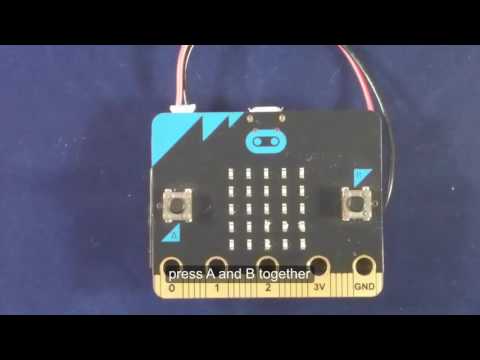
Looks like the BBC micro:bit version of MakeCode has Bluetooth UART and some other services implemented:
https://makecode.microbit.org/reference/bluetooth/start-uart-service
Microsoft MakeCode
keen bone
Cool I'll check that out!! Thanks!!
velvet sand
It may be non-trivial to port to CPX + Bluefruit Flora, even though the micro:bit is also nRF51822.
sleek rampart
I think you would need a library to interface with NRF51 module running whatever firmware it's running. In micro:bit it's the full DAL stack running on the NRF51.
keen bone
I seem to have something working through the serial blocks. I have it receiving the signal and can turn on LEDs with the controller part on the adafruit app. Is there a breakdown of what text commands it sends for each contrl input from the adafruit app so I can set individual commands for each?
keen bone
This is the working code that will turn on the pixel strip
 wild cove
Hey all, I'll peruse the back log when I'm at my laptop, but wondering if I need to modify some of the sample games to take advantage of the PyGamer's analog stick. Asteroid Destroyer, for example, doesn't recognize movement via the stick.
 odd oracle
As far as I know, you need to use the beta version of the editor to be able to use the pygamer stick
tight oar
Is there a better ide for arduino that would support intellisense while still having the arduino-specific features (serial monitor/plotter/libraries downloader/upload sketch)???
wild cove
Ah, thx @odd oracle
velvet sand
@tight oar People are using VS Code with Arduino. Don’t know if everything you want is there, but it’s evolving, and has code completion.
tight oar
I'm starting to really dislike arduino ide, and gcc always crashed until I downgrade my avr tools
odd oracle
Maybe try #help-with-arduino there are people working with Arduino
wild cove
@odd oracle one follow-up: the beta link on the arcade.makecode.com goes to GitHub. Should I surmise that I'll need to host my own in order to work with the PyGamer? It's alright if so, just checking.
sleek rampart
@wild cove no, just go to arcade.makecode.com/beta
odd oracle
@wild cove sorry, I was not precise enough (and not on the same timezone 😋)
@sleek rampart gave the proper URL
wild cove
Ah, perfect, thx.
 pale quiver
What does it take to put makecode on a new platform? I follow one of the 65816 retro-computer projects and would like to run the arcade games on it.
wild cove
Yay, worked perfectly! Thanks, all
 vague apex
is it to early to ask makecode question
stiff hazel
never too early
@pale quiver we now have a C++ VM but it only support 32bit or 64bit
@sleek rampart to chime in
vague apex
im kinda new at this but i got a game going and im tryin to figure out. when i get my score to 50 want my life to go up by one. so that every 50 pts
stiff hazel
when you increment the score, check if (info.score % 50 == 0)
vague apex
thanks
sleek rampart
@pale quiver you need a cpu capable of running 50m instructions per second or so and having 32 or 64 bit pointers, so unfortunately not...
rigid mulch
I've mentioned before problems downloading code to Microbit via bluetooth from Samsung J7 and getting the GATT error. Something was said about some blocking or firewall or some such that we were supposed correct but failing that I just stopped with bluetooth all together. Now we really need to solve this and I find nothing on YouTube to help so I'm asking here. I get that the phone and Microbit are paired...just won't download code due to the GATT error. Please? I found this from 2016 but it's not really helpful. Our 13 yr old student had no problems with her iphone this morning.https://www.element14.com/community/thread/57491/l/bluetooth-basic-problem-with-the-microbit?displayFullThread=true
stiff hazel
please contact microbit support for this issue.
rigid mulch
They show it being done 6 months ago but with no audio so no explanation : And they don't allow comments so I can't ask a question as to how they do it. ..(so I now expect it could be possible)
...https://www.youtube.com/watch?v=9Bmp91uT674

How to pair and flash a program to your micro:bit over bluetooth using an Android device
stiff hazel
please contact their support about these issues
stiff hazel
@glad berry @plush marsh we’ve update arcade so pyBadge users don’t have to go to the /beta anymore
(Still chasing dragons with the accelerometer)
 glad berry
Excellent! Thanks for the update @stiff hazel
stiff hazel
accelerometer requires fix on our side and bootloader update
plush marsh
@stiff hazel what bootloader?
i can update the guides right now
cause people seem to bump into this bug a lot
im happy to work to fix 😃
sleek rampart
@plush marsh described here https://github.com/microsoft/pxt-common-packages/pull/873

GitHub
For this to work, the bootloader on pybadge needs to be updated with ACCELEROMETER_TYPE = 0x30; current bootloader has 0x32 which is correct for pygamer but not for pybadge (SA0 pin is connected to...
However, it still requires another fix on our side too
plush marsh
ooh yeah the pygamer works, i tried it
ok
@sleek rampart will you be submitting a PR for the pybadge bootloader?
sleek rampart
@plush marsh https://github.com/adafruit/uf2-samdx1/pull/70

GitHub
Also get random board ids for all arcades
cc @ladyada @dhalbert
 hollow oracle
Somehow I didn't see these pings, so I'll add these updates to my short-term task list
stiff hazel
@hollow oracle is the new bootloader ready?
(https://learn.adafruit.com/adafruit-pybadge/updating-the-bootloader#updating-your-pybadge-bootloader-4-4 points to 3.6.0)
What's the size of a credit card and can run CircuitPython, MakeCode Arcade or Arduino? That's right, its the Adafruit PyBadge!
hollow oracle
@stiff hazel Yes! https://github.com/adafruit/uf2-samdx1/releases/tag/v3.7.0
stiff hazel
@sleek rampart not getting accelerometer reading on 3.7.0 / pybadge
hollow oracle
stiff hazel
yes i checked that in https://microsoft.github.io/uf2/patcher/
hollow oracle
does it say 3.7.0 on the boot screen?
stiff hazel
yup
hollow oracle
so maybe code issue on your side? I thought that number was the I2C address but it's something else, some table of yours I guess
stiff hazel
fix in arcade.makecode.com/beta
sleek rampart
It will sometimes work without this fix, we used to depend on uninitialized memory
glad berry
For any Arcade people who like doing pixel art, my favorite pixel editor is on sale https://www.humblebundle.com/store/aseprite?

Humble Bundle
Aseprite is a pixel art tool that lets you create 2D animations for videogames.Features Compose sprites using layers & frames as separated concepts Create images in RGBA or Indexed color modes Open/Save GIF animations, sequence of PNG files, etc. A timeline where you can copy...
$11.24 instead of $14.99
stiff hazel
Treasure hunt...
 cedar pumice
does anyone know when the pygamers are going to be available again? i got the notification last week but it only took 2 hours to sell out again! 😥
plush marsh
@stiff hazel do u need some lightweight QR generation code?
plush marsh
GitHub
A minimal QR code generator for types 1-9. Contribute to adafruit/Adafruit_CircuitPython_miniQR development by creating an account on GitHub.
stiff hazel
Thanks! It was easier to do a direct port from the TypeScript d-project sources.
stiff hazel
@glad berry do you have the Adafruit logo as a sprite image somewhere?
rough granite
Picked up two PyGamers from post office today. I've got one PyGamer Audio output question: https://forums.adafruit.com/viewtopic.php?f=64&t=153391 . And one undocumented (?) error code / crash from the default Digi-Key game: https://forums.adafruit.com/viewtopic.php?f=64&t=153397
stiff hazel
@rough granite please try the 3.7.0 bootloader or open bug entries at GitHub.com/Microsoft/pxt-arcade
stiff hazel
@hollow oracle the pyGamer guide still points to 3.6.0
hollow oracle
@stiff hazel we fixed the update-bootloader links so they now always point to the latest version (this is a dynamic feature we have in Learn Guides)
stiff hazel
perfect thanks!
rough granite
How stable is 3.7.0 likely to be compared to 3.6.0 ?
rough granite
@stiff hazel Same 090 error with v3.7.0 bootloader
stiff hazel
@hollow oracle i think the RX pin on pybadge should be PB17
hollow oracle
@pelikahn PIN_TX says PA16, shhuld be PB16 as well. Also the serial UF2 boot pins are not TX and RX, but are PA22 and PA23: that's wrong too. I think we'll need to review all these on all these boards.
hollow oracle
@stiff hazel https://github.com/adafruit/uf2-samdx1/issues/72
GitHub
Some of the pin assignments listed in board_config.h for pygamer, pybadge, and pybage_lc are wrong. Known wrong: TX and RX are PB16 and PB17, not PA16 and PA17 (reported by @pelikhan). The USART bo...
stiff hazel
These are not really impacting arcade but would be good to make sure the mapping is correct.
odd oracle
Is there a way to use the pygamer accelerometer in Arcade?
 hazy python
I'm going through the pygamer tutorial for making a platformer and i cannot get the on sprite hit wall to work:
I am using all the base code provided, i have "Ruby" as the "Player" and i have a pink wall, which is the victory area, and red wall, which is the "death" pit - both are "walls"
i've tried it in firefox, chrome, and on the device itself, none of the wall hit conditions fire - nor does the gold box from the tutorial
the animation doesn't play. I've attempted to add sound effects and neither played
Here is the project (shared) any help is appreciated: https://makecode.com/_aze8wD9JufW5
odd oracle
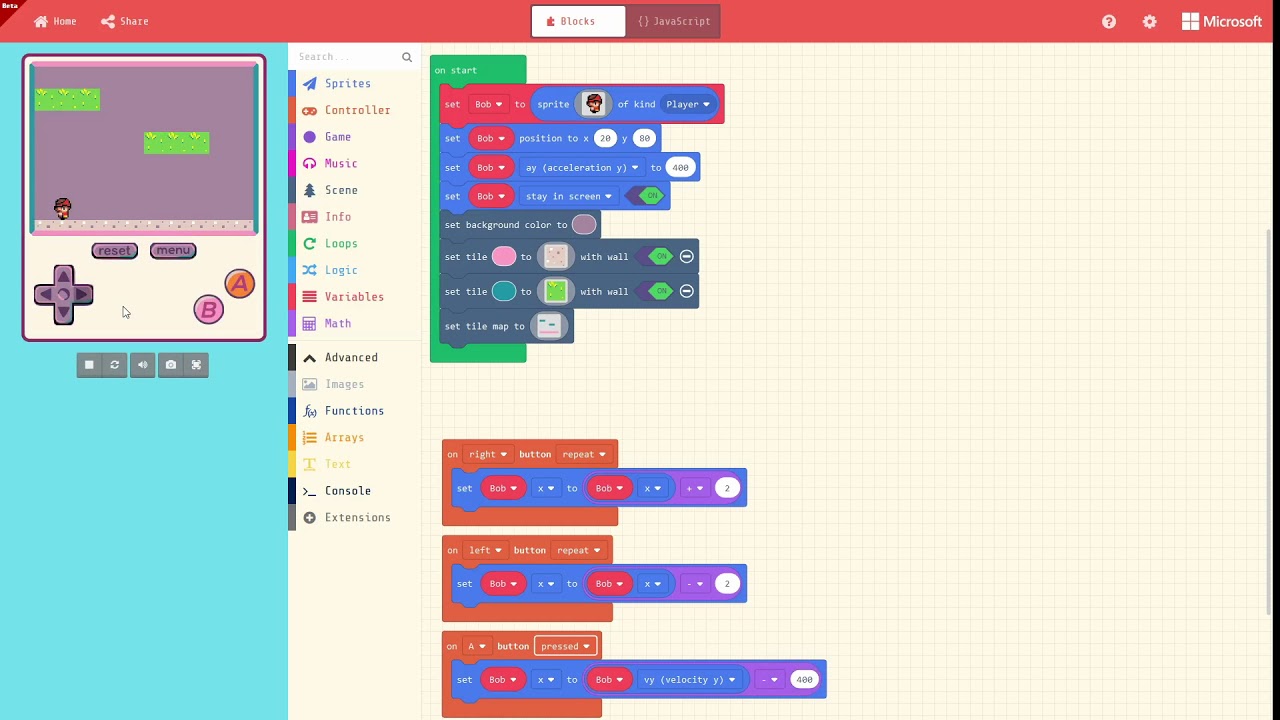
@hazy python I used the same process in my series of video:
https://www.youtube.com/watch?v=XSOQdnDdPas
The project itself is :
https://makecode.com/_AYEaYVAvsJ0c
it is quite old now and I had to switch between "show code" and "simulator"
Voici une seconde vidéo pour découvrir le nouvel outil de la famille makecode : http://arcade.makecode.com Continuons notre découverte avec notre ami Bob. Le...
odd oracle
@hazy python I found the bug. I don't know why but looking at Javascript showed that the collision event was using a bad enum to identify Player type.
It was using scene.onHitTile(SpriteKind.Player instead of scene.onHitTile(SpriteKindLegacy
hazy python
Thank you!
@odd oracle I would have never thought to check that but thank you. At least there is a fix for now. I will have to help my 8 year old with all collisions but at least he can work on the rest
odd oracle
@stiff hazel did you had such enumerate renaming? Sounds weird
sleek rampart
@odd oracle we have an upgrade rule for sprite kind enums. They were ugly and we got rid of them
@odd oracle you should be able to use the controller package for accelerometer. Use arcade.makecode.com/beta
odd oracle
@sleek rampart the accelerometer worked perfectly.
For the enum, I don't know what happened in @hazy python project but the enum declaration was using one name and the events were using another one.
Thanks
sleek rampart
@plush marsh I just tested the ILI9341 again with SPI. It seems to work splendidly well with ItsyBitsy M4 at SPI 50MHz, at 36fps. The interesting bit is that if you connect a Saleae it starts jittering like crazy, which is what I think put me off last time I looked at that (I probably didn't think to disconnect the analyzer); it could be also some other random stuff we fixed in the meantime. Anyway, it seems everything to support this screen is already in makecode master, all you need is bootloader config.
plush marsh
@sleek rampart probably the added capacitanace of the saleae's input buffer
they're just enough to slow down the clock so it doesn't catch the edges
 valid mortar
Does anyone have an example of how to draw directly to the screen, maybe in the Block or JS side of make code Arcade for Pygamer? I'm trying to draw something like a UI Overlay that stays in the same area in front of what's going on in the scene.
 granite kraken
@valid mortar something like this? https://makecode.com/_2MC4buDVHeXC game.onShade runs after all the other printing to the screen has been done by the game engine
valid mortar
Yes! This looks like what I need. @granite kraken I couldn't figure out how to use the inshade function. Thanks, I'll have to play with it when I get home
glad berry
@granite kraken how would you clear that at some point in the game if you wanted?
sleek rampart
@glad berry you need a variant that tracks if the thing is enabled and check it in the handler. This is sort of like react.
Variable not variant
glad berry
Thanks @sleek rampart I'll give that a try.
valid mortar
is onShade called after update, like every update cycle?
I'm wondering because I'm setting the position of a sprite onShade, but its sending it to that position in the level, rather than keeping it on the screen like your example @granite kraken
.setPosition
I guess because setPosition refers to in the scene, where as fillRect are screen functions
granite kraken
Yes; you can see the order we execute events by the constants here https://github.com/microsoft/pxt-common-packages/blob/master/libs/game/scene.ts, so onShade events occur immediately after sprites are rendered to the screen, and before info stuff is drawn to the screen. The version I wrote works because it's drawing directly onto the screen - it's not making sprites, just drawing the rectangle. One sec, I'll make a thing that places the sprite correctly in a static position, it's just a few more things
valid mortar
I'm trying to draw items that are collected into an onscreen HUD basically, that sits on screen as an overlay.
whaaat thatd be awesome
granite kraken
There's a handful of different approaches, I'd personally lean towards the last one as it'll be the easiest to interact with I think; just make the images, create your element, and push it into the array and you're good to go; you can even make the constructor push the created element into the array if you want (inside UIElements constructor just add myElements.push(this), and make sure you initialize myElements at the beginning of the file / before any elements are created)
valid mortar
omg this has been so helpful, I've been trying to figure this out for like 2 days lol.
Also, what is Ghost?
granite kraken
Ghost makes it so the sprite doesn't trigger collisions (with walls or tilemaps). Collisions take most of the perf for physics, so I usually set things like that to ghost as a habit to make everything run more smoothly (although the new physics in beta should lessen the difference a bit, I was a bit more aggressive in filtering collisions there). If you're doing UI stuff as sprites, though, you'd definitely want them to be ghosts so that you don't accidentally have them hit stuff / get pushed around by the tile map
valid mortar
Gotcha. Never even realized that was a dropdown I could change under Sprites haha. Thanks so much @granite kraken
granite kraken
No problem, you might also check out the forum if you haven't seen it ( https://forum.makecode.com/ ) as there are a decent number of examples and discussions on there as well
 valid mortar
definitely will check it
 winter rune
Can some1 help me how to code a psp analog stick to act as mouse cursor please for my project. Im using this schematic and please tell me if im in right way.
 idle trail
how do you stop a song and repeat it between levels
valid mortar
Whaaale, I got my 8mage drawn and everything, but my pygamer didn't like something. Anyone recognize this error code or can point me to how to read it?
image*
sleek rampart
@valid mortar could you try https://arcade.makecode.com/beta and if it still doesn't work report a bug at https://github.com/Microsoft/pxt-arcade/issues
MakeCode Arcade

GitHub
Arcade game editor based on Microsoft MakeCode. Contribute to microsoft/pxt-arcade development by creating an account on GitHub.
It's an internal error
valid mortar
Oh noo, okayy. Reporting, I have been working in Beta :/
odd oracle
and those codes have some interpretation somewhere ? I had once a screen like this with 21 on a Meowbit
valid mortar
The error disappears when I remove the on Shade function to draw an image to the screen, while also using the accelerometer data on update
sleek rampart
The 8xx codes should never happen
@odd oracle https://makecode.com/js/errorcodes
Microsoft MakeCode
When a program crashes you can often see an error code.
It’s a 3-digit number, usually shown with a frowny face.
You can trigger your own error code by calling control.panic(code).
The 84x are garbage collector internal errors so they generally depend on how you use your memory
odd oracle
@sleek rampart Thanks a lot. I had 021 which really is what I thought it was. (never create sprites without removing them at some point 😃 )
sleek rampart
:))
 urban vessel
Trying to find the Makecode .UF2 for my Circuit Playground Express but I seem to be going around in cirlces with articles talking about it but no links to it. Any pointers?
sleek rampart
Go to https://makecode.adafruit.com create your program and click download
Adafruit Circuit Playground Express - Blocks / Javascript editor
A Blocks / JavaScript code editor for the Adafruit Circuit Playground Express.
This will create uf2. It's not one uf2 for the whole of MakeCode. @urban vessel
 austere flame
anyway to access the PyBadge's JST pins D2/D3 in MakeCode Arcade? specifically as analog inputs
glad berry
@austere flame I don't think there is currently, but I'll double check. I added the 'Feather Pinout' extension and the 'light' extension and 'seesaw' extension and can see some evidence of these in the 'Light > ... more' block section that the pins are defined under the 'create WS2812 strip on LED' dropdown.
but no obvious way to do an digital or analog read.
@sleek rampart @stiff hazel @granite kraken do you know of any way to use the PyBadge JST pins or others as digital or analog inputs currently in MakeCode Arcade?
stiff hazel
the pin category is available in JavaScript if you include the "feather" package.
glad berry
I've got the feather package added here, but I don't see a pins category in JavaScript (or Blocks) mode.
stiff hazel
it's filtering out, you will have to type it through the keyboard
glad berry
OK, I see.
austere flame
got a basic example?
stiff hazel
let x = pins.D2.analongRead()
try pins.A2 instead
austere flame
yep. function shows up for that.
is A2==D2, or is it like arduino? and could be different
glad berry
I was wondering the same -- A2 on the PyGamer is broken out on the Feather headers and I'm guessing isn't the same as D2.
stiff hazel
then you'll need to cast it to an AnalogPin
glad berry
On PyGamer D2 is also A8, and D3 is A9.
stiff hazel
try
let x = (<AnalogInOutPin><any>pins.D2).analogRead()
I suspect the same is true on PyBadge, but it's not in the main guide docs.
stiff hazel
@glad berry you can now cutout stencils to paint arcade bitmaps using https://arcade-stencils.glitch.me/
glad berry
hey very cool!!
MERGE ALL THE HOBBIES!
I'm totally making some Banksy inspired pixel art stencils
rigid mulch
Not to be a Whiny Baby but if MakeCode is truly open source then why is it permitted to make a .hex file which when opened in MakeCode it will not compile. (Try it) So our students cannot alter variables like wheel speed in bluetooth control of the Mciro:bit enabled bot car. What can kids learn about coding if they cannot code? I have found that the compiler chokes on the "forever" which calls all the "if" functions Is there no way to access this for our students?
stiff hazel
context?
austere flame
@stiff hazel was that actual syntax above? for the cast
stiff hazel
yes first cast to any, then to analogoutpin
austere flame
austere flame
yep. that was semi-intentional as a simple start.
stiff hazel
you can do
game.consoleOverlay.setVisible(true)
...
console.log(`x = ${x}`)
yes, but that might be too fast 😃
austere flame
ah. good point...
stiff hazel
you can also use the "sevenseg" extension
austere flame
will this work in the emulator at all? or need to actually upload?
stiff hazel
won't work in the simulator
glad berry
'sevenseg' extension is excellent.
austere flame
@stiff hazel thanks! that works.
anyone else thought of this as paddle controller?
austere flame
yep
stiff hazel
sweetness, send pics
austere flame
....with donuts for paddles maybe???
stiff hazel
old analog driving wheels
plush marsh
@austere flame wow neat
austere flame
😃
i'm envisioning a small 3D printed case with one of these inside:
https://www.adafruit.com/product/562
and then have 2 copies of that
hand the two "controllers" to people at conference and let them play pong on your badge
sleek rampart
I also have rotary encoder in some PR. Not sure if it's better for you
austere flame
probably not for this specific idea, since those connectors on the pybadge are just a single input
but good to have encoder support regardless
velvet sand
Would be fun to use some original analog Atari 2600 Paddle Controllers.
Or 3D printed replicas.
austere flame
yah! miniature versions sized to that pot.
that way they could sort of hang off one's badge without being too bulky
 flint raft
Is it possible to read an int from the serial monitor?
The problem is that hex value 30 is value 0 instead of 0
velvet sand
@flint raft Are you talking about Arduino's Serial Monitor?
flint raft
@velvet sand not really, I dont think the arduino serial monitor can even send ints without turning it into a string.
Thanks for the response but I think I'll stay with arduino on this one
austere flame
did something change to affect sound level?
https://forums.adafruit.com/viewtopic.php?f=58&t=154138
i've played around with this also and it seems like there is an offset in the reading, with no sound it sits at about pixel 4
related?
https://github.com/microsoft/pxt-adafruit/issues/832
stiff hazel
for all the badge enthusiasts, we now have a project to build your own https://github.com/microsoft/pxt-badge (support in arcade.makecode.com/beta only right now)
GitHub
A framework to create electronic badges in Microsoft MakeCode Arcade - beta - microsoft/pxt-badge
plush marsh
@stiff hazel ok let me know how to move the startup animation
stiff hazel
create a repo “pxt-adafruit-boot-sequence” and I’ll do a pr with the code
then you can easily tune it for your taste
plush marsh
oki
GitHub
Boot sequence animation code for PXT using nice adafruit logo - adafruit/pxt-adafruit-boot-sequence
stiff hazel
here is a very simple badge program using the bootsequence https://arcade.makecode.com/beta#pub:_a3yLhiMkVA5W (make sure to use beta)
Microsoft MakeCode Arcade
Develop your programming skills by quickly creating and modding retro arcade games with Blocks and JavaScript in the MakeCode editor
stiff hazel
@plush marsh
plush marsh
hihi
stiff hazel
boot sequence repo is ready
plush marsh
@stiff hazel great
we're a little confused on how to test it
Microsoft MakeCode Arcade
Develop your programming skills by quickly creating and modding retro arcade games with Blocks and JavaScript in the MakeCode editor
but nothing came up
got a Network Request Failed message that blinks on at the load
but then it sorta hangs
stiff hazel
right, first load https://arcade.makecode.com/beta to update it
Microsoft MakeCode Arcade
Develop your programming skills by quickly creating and modding retro arcade games with Blocks and JavaScript in the MakeCode editor
it should be v0.13.10 or above
then try the link again
stiff hazel
humm you have the correct editor
if you press F12 and go to the JavaScript console; you should get more details about the network request failed crash
stiff hazel
those images are too big 😃 i might have to drop the first one
i shrank the image size ( i should really move it to a jres file)
updated link https://arcade.makecode.com/beta#pub:_KRuJ9rFMmfj9
Microsoft MakeCode Arcade
Develop your programming skills by quickly creating and modding retro arcade games with Blocks and JavaScript in the MakeCode editor
plush marsh
got it! that works 😃
stiff hazel
it's a bit barebone right now
plush marsh
its cooL 😃
 gleaming junco
Hey folks, if you have features you'd like to see in MakeCode, drop me a line and I'll see what I can do. 😉
stiff hazel
plenty of features 😃
sleek rampart
@stiff hazel i think @granite kraken had a different adafruit boot logo with just one image
granite kraken
Oh, i was going to make a version with the multicolored one, that just uses the palette fading to go between three or so palettes. I'll need to move my palette fading stuff to a package in common packages and change it to use your palette implementation, and then I'll fiddle around with some palettes till i get a decent starting point
granite kraken
If anyone does have an eye for color and wants to play with that idea, here's a quick demo you can start with: https://makecode.com/_4RxbJFURtXV1 easiest start would just be to pick some color palettes, replace the colors in myBufferOne and myBufferTwo with them, and run it to see how it looks
keen bone
@gleaming junco I would love to see the Bluefruit Flora BLE as an extension for the circuit playground express
gleaming junco
@keen bone Ok. I'll pass that along to the team.
keen bone
@gleaming junco that would be greatly appreciated!!
 sleek reef
Help......trying to power up a 3.5 TFT shield on a UNO. Down loaded a 3.5 TFT demo code and the first two lines call for:
Adafruit_GFX.h. (found it and down loaded it)
And. Adafruit_TFTLCD.h. This one I can not find anywhere. Any suggestions where I might find it?
stiff hazel
@sleek reef i think you are on the wrong forum...
Crank support has landed! @glad berry do you have a proto around?
sleek reef
Sorry....I thought that this was adafruit.
 long saddle
@sleek reef this is the Adafruit discord, but this message ended up in the makecode channel, which is very different than Arduino. #help-with-arduino would be better.
glad berry
@stiff hazel ooh fun! What do you mean by "a proto"?
stiff hazel
that thing -> https://learn.adafruit.com/gaming-handheld-crank
 glad berry
no, but I've got rotary encoders and PyGamers, so the rest is laser cutting and 3d printing :]
PT and Limor may have one of those that Noe and Pedro sent them.
stiff hazel
you need to define which pins are used for pin A & B in the config
either in the bootloader (best long term) or in the config namespace
glad berry
Like this @stiff hazel ?
stiff hazel
no, put it in a .ts file
glad berry
will something like this do it?
stiff hazel
yup
glad berry
@stiff hazel An attempt was made. https://makecode.com/_YoyXR73ye77f I'm getting a Program Error: Cannot read property 'id' of undefined
stiff hazel
on /beta?
glad berry
yes
this is my rotaryConfig.ts namespace config { const PIN_ROTARY_ENCODER_A = DAL.PA09 const PIN_ROTARY_ENCODER_B = DAL.PA08 }
stiff hazel
le,mme test
do mySprite.x = controller.crankPosition() -- it handles the simulator case where crank is not supported
glad berry
like: ```let mySprite = sprites.create(img . . . . . . b b b b a a . . . . . . . . b b d d d 3 3 3 a a . . . . . b d d d 3 3 3 3 3 3 a a . . . b d d 3 3 3 3 3 3 3 3 3 a . . b 3 d 3 3 3 3 3 b 3 3 3 3 a b . b 3 3 3 3 3 a a 3 3 3 3 3 a b b 3 3 3 3 3 a a 3 3 3 3 d a 4 b b 3 3 3 3 b a 3 3 3 3 3 d a 4 b b 3 3 3 3 3 3 3 3 3 3 d a 4 4 e a 3 3 3 3 3 3 3 3 3 d a 4 4 4 e a 3 3 3 3 3 3 3 d d a 4 4 4 e . a a 3 3 3 d d d a a 4 4 4 e e . . e a a a a a a 4 4 4 4 e e . . . . e e b b 4 4 4 4 b e e . . . . . . e e e e e e e e . . . . . . . . . . . . . . . . . . . . ., SpriteKind.Player)
game.onUpdate(function () {
mySprite.x = controller.crankPosition()
})
yes
glad berry
that runs in the simulator, but throws a compilation error if I try to download
stiff hazel
what error? this script worked for me on /beta https://makecode.com/_6obWJJ74ahUi
 sleek rampart
It has to be export Const I think @stiff hazel @glad berry
glad berry
Maybe I wasn't in Beta before -- now it'll download, but throws a 090 error on the PyBadge when I drag the uf2 onto it.
after a few reloads it appears to load on the PyBadge, but I'm not getting any response from rotary encoder on A08 & A09. I'm going to double check that those are indeed the mappings for those two pins on the JST ports.
ah, I should be calling those by their digital pin names I think.
maybe: namespace config { const PIN_ROTARY_ENCODER_A = DAL.PB02 const PIN_ROTARY_ENCODER_B = DAL.PB03 }
stiff hazel
namespace config {
   export  const PIN_ROTARY_ENCODER_A = DAL.PB02
    export const PIN_ROTARY_ENCODER_B = DAL.PB03
}
I'm able to do direct download onto the board using that, but still not getting the encoder rotation to move the sprite.
BTW, in case I'm missing something you can spot, here's the CircuitPython code that worked for me on PyBadge with the rotary encoder: ```import rotaryio
import board
encoder = rotaryio.IncrementalEncoder(board.D2, board.D3)
last_position = None
while True:
position = encoder.position
if last_position is None or position != last_position:
print(position)
last_position = position
I will try later with your pin config.
stiff hazel
yay, animated sand! https://arcade.makecode.com/graphics-math/animated-sand
Microsoft MakeCode
This is a port of the Animated LED Sand
sample from Adafruit.
rough granite
I've spotted a few very minor errors in text of some of the tutorials for MakeCode. What's best place for these?
stiff hazel
which editor? The Circuit Playground tutorials are at https://github.com/microsoft/pxt-adafruit/tree/master/docs/tutorials
GitHub
Microsoft MakeCode editor for Adafruit Circuit Playground Express - microsoft/pxt-adafruit
stiff hazel
They are at https://github.com/Microsoft/pxt-arcade
GitHub
Arcade game editor based on Microsoft MakeCode. Contribute to microsoft/pxt-arcade development by creating an account on GitHub.
rough granite
ok, thanks
rough granite
Is MakeCode supposed to work now on the ItsyBitys and Metro M0? Discussed on: https://forums.adafruit.com/viewtopic.php?f=48&t=145308
stiff hazel
yes, you can use https://maker.makecode.com
MakeCode Maker - Blocks / Javascript editor
A Blocks / JavaScript code editor for MakeCode Maker Boards
 harsh moss
Controlling Philips Hue bulbs with the micro:bit via makecode https://twitter.com/all_about_code/status/1159206927823462400?s=20


Now this is a super cool @microbit_edu add-on board. Add WiFi functionality to your micro:bit for £14!
Here is my Philips Hue bulbs being controlled with the wifi:bit via IFTTT & @MSMakeCode! It's so easy to do, code in next tweet.
Link to the board: https://t.co/E4Oe2Eo...
 Twitter
rigid mulch
Twitter
rigid mulch
I wonder about why this simple MakeCode program for Yahboom Super:bit keeps giving code error notices even though it downloads to the Micro:bit as expected and makes the Super:bit LEDs blink as they should? https://makecode.microbit.org/_06DC0sDYuKs5

Made with ❤️ in Microsoft MakeCode for micro:bit.
rough granite
@rigid mulch In the simulator I get pxsim.sendBufferAsm2 is not a function pop up momentarily in an error box. Do you get that?
 vale horizon
Hi all. Where can I find some images I can use to make a flyer for a class I’m teaching on CPX with MakeCode for grades 2–5?
granite kraken
@rigid mulch it looks like the kittenbot/pxt-neopixel fork of the normal neopixel package that SuperBit depended on had a bug where it was referring to the wrong function for the simulator (pxsim.sendBufferAsm2 instead of pxsim.sendBufferAsm), bumping that pxt-neopixel package to include https://github.com/KittenBot/pxt-neopixel/commit/891ec5b8ffbf5f0b4bc70e334cfd484f4cedfca7 will fix it
rigid mulch
Nope, as of now: 5:39 PM central time.
Not that it matters 'cause it still downloads and plays ok...just wondering why.
granite kraken
The reason is that the extension was using a function in c++ that didn't have an equivalent javascript that the simulator coould run; the SuperBit extension isn't listed an approved one / doesn't have any released versions so it seems like it's one that is not fully released yet? Either way, they need to bump the version of pxt-neopixel that the extension depends on
rough granite
@vale horizon I presume you're aware of the images on the shop page and main large guide. What sort of thing were you looking for? https://www.adafruit.com/product/3333 https://learn.adafruit.com/adafruit-circuit-playground-express - There's also the MakeCode guide but there's not much new imagery in there beyond editor/simulator screenshots: https://learn.adafruit.com/makecode/what-is-makecode . It might be worth asking in the Forums in For Educators to see if anyone has done this before for some inspiration: https://forums.adafruit.com/viewforum.php?f=48
Circuit Playground Express is the next step towards a perfect introduction to electronics and programming. We've taken the original Circuit Playground Classic and made it even better! ...
Adafruit Learning System
Make faster and easier than ever with MakeCode, code.org CSD, CircuitPython or Arduino!
Adafruit Learning System
All you need to know to get coding with Microsoft MakeCode
vale horizon
@rough granite Thanks, those would be great. I’m just trying to avoid blindly copying images without considering copyright.
rough granite
The adafruit site has meta data on that, if you click through you'll find information on it. You can also ask too (if license doesn't immediately meet your requirements) but I'd have to find out what the best place for that is. This is one of mine from a guide, https://learn.adafruit.com/assets/74438, it's marked up as Attribution-ShareAlike Creative Commons
rough granite
You may already know this but be careful with the NeoPixels if you are taking your own photos. I find they can dominate the whole image and saturate unless you have them set to very low brightness. Maybe less of a problem in strong daylight.
vale horizon
@rough granite Thanks!
rigid mulch
@granite kraken , On Superbit and neopixel, thanks Joey. I copied your note and messaged it via Facebook to Yahboom support . I am not sure they were aware of the issue but they are now, and your recommended fix.
rough granite
@glad berry There was a comment on your live stream the other day about MakeCode being very loud compared to you. I have noticed that MakeCode simulator, in general, is "loud" compared to other audio generating apps (on Windows at least) particularly the game over. There's a Q&A on this now over on: https://forum.makecode.com/t/intricacies-of-volume/418
Microsoft MakeCode
I’ve been playing with volume in MakeCode Arcade and had a few questions. There’s a set volume block but there doesn’t appear to be a way to read this value, is that correct? Any plans to change this? The default value in the set volume block is 20 but this seems far ...
glad berry
Good discussion, thanks @rough granite I think some other complications of my livestream audio setup may have contributed to the imbalance of loudness between my mic and MakeCode, but I've definitely noticed the issue with game over levels being WAY LOUD ; ]
 glossy trail
May I ask how to configure the Makecode bootloader to use a 100-pin package instead of 64-pin from the same device like SAMD51 or STM32F412?
austere flame
general question - how could one use some I2C sensor in MakeCode?
for example, this:
https://www.adafruit.com/product/1981
attached to a Circuit Playground Express
 twin merlin
Thanks to @sleek rampart for uf2-stm32f103. I got some Rust flashed to my blue pill with it
easier than breaking out the jlink every time
twin merlin
one issue I'm having is the reset button isn't jumping back to the application
sorry this isn't 100% makecode related, but I know this is a channel watched by folks at microsoft working on uf2
to describe my problem further, it's jumping to the application after sending via uf2, but not after a standard reset
 shy tartan
I bought a Pygamer (instead of a PyBadge) thinking that I could use the analog stick for analog controls, but I'm having a very hard time finding examples in MakeCode where anyone has done that! Is it possible to poll those analog pins manually or would the fact that they are being used to emulate the directional-buttons by default conflict with that? (I'm trying to use the JavaScript, not the blocks by the way.)
sleek rampart
I'll take a look next week when I get the hardware. I'm wondering if we should always use the analog value for dx/dy methods. I think yes, with an option to disable (for certain games it may be better to do digital).
shy tartan
That seems like a great way to do it to me!
rough granite
@shy tartan Can you read analogue values in JavaScript? We were discussing this for MakeCode blocks in https://forum.makecode.com/t/analog-joystick-on-the-pygamer/444
Microsoft MakeCode
How do I read the analogue position for the joystick on the PyGamer? I’ve just done a quick test of dx and dy. These looked promising but testing so far (on the default scaling of 100) shows 0 in the middle (good), far left shows -2.2, -2.1, -2 and occasionally -2.3 (reason...
rough granite
I've got some code which gives an 021 error when it runs on the Meowbit, same code is fine on the PyGamer. I've just realised I'm dealing with only 96k of RAM on the Meowbit vs 192k on PyGamer. Would be useful to get that 96k mentioned on the product page: https://www.adafruit.com/product/4324
From the creative and cat-lovin' engineers at KittenBot comes the Meowbit - a handheld retro gaming computer for coding your own games with MakeCode Arcade and MicroPython. This ...
glad berry
@austere flame that's a good question -- EDIT: Try the Pins category.
austere flame
thanks - figured this would end up requiring something like a driver to be written - a MakeCode "extension"?
glad berry
Yes, that's right.
austere flame
I2C things are so common, was wondering if there's a how to somewhere?
glad berry
Oh, hang on, I'm wrong, you can read I2C without that extension I think. Try the Pins category in the Advanced section of regular MakeCode.
glad berry
@austere flame seems like maybe something like this, but I haven't gotten it to work yet.
austere flame
ah. interesting. so there are some low level I2C blocks.
@glad berry thanks. will look into that. could maybe use those set of I2C blocks to write driver/extensions. i also need to read up on the general process for extension writing.
glad berry
That would be great if you looked into it.
rough granite
@glad berry @austere flame This evening's task was supposed to be soldering some pins onto an i2c device to see if that stuff worked but I seem to have too much to do! I'd be interested to hear how your i2c adventure goes.
rough granite
Has anyone seen any discussion on using the gyroscope on the Meowbit anywhere? The Adafruit page says it has an MPU6050 gyroscope: https://www.adafruit.com/product/4324
From the creative and cat-lovin' engineers at KittenBot comes the Meowbit - a handheld retro gaming computer for coding your own games with MakeCode Arcade and MicroPython. This ...
sleek rampart
@shy tartan just replied about analog joystick here https://forum.makecode.com/t/analog-joystick-on-the-pygamer/444/3
Microsoft MakeCode
I started a PR here: https://github.com/microsoft/pxt-common-packages/pull/934 but it’s far from complete. It would be useful to get a few data points on what you see when the joystick is idle with the program attached there. I’m thinking dead zone of -50 to 50. If you w...
@rough granite the gyro is there but we currently don't support it
rough granite
@sleek rampart thanks, I put some numbers in for my PyGamer
rough granite
@austere flame Did you work out how to use the i2c stuff? It's not intuititve to me, the mix of specifying addresses and registers looks odd. I think one block is broken too, mentioned in https://forum.makecode.com/t/do-i2c-blocks-work/461
Microsoft MakeCode
I’m not sure how to use the i2c blocks in MakeCode Arcade. If I load the feather extension some appear but not clear how to use them all. I’m fairly certain i2c read register at address at register is broken as looks like it should have two arguments bit it only has one....
austere flame
@rough granite not yet. it's a low priority long term thing for me. so just chipping away at it when i can. agree with the odd mix of device/register address though. at least with my first look at the blocks. thanks for the link though.
rough granite
@austere flame I didn't have any real problems connecting up two devices to the PyGamer and got them working with CircuitPython, next step is MakeCode when there's some guidance on this, will keep you posted.
rough granite
If anyone has a PyGamer and a few minutes it would be interesting to see the analogue position data from this MakeCode JavaScript application. We've put our numbers on here to aid development of the analogue joystick feature in MakeCode: https://forum.makecode.com/t/analog-joystick-on-the-pygamer/444/5 Interest to see the centre position variation.

Microsoft MakeCode
I’m seeing similar numbers to kjw when I test it on my PyGamer. I made some tweaks to the code, but for some reason it crashes after a seemingly random amount of time. Anything obvious that I’m doing wrong that could cause the crash? https://makecode.com/_EWgf9XHRYErA
plush marsh
@stiff hazel @sleek rampart @pliant iris heya so...this storage module
i can log files, they show up in USB
but i have no idea where they are being kept??
im mystified 😄
sleek rampart
CPX? On the spi flash but using a custom fs. @plush marsh
 cloud cove
@plush marsh interesting, I was just coming here to see if there was any way to write to the SD card on the PyGamer through MakeCode 🙂
stiff hazel
not at the moment
cloud cove
Looks like the extension exists... this will work on PyPortal soon https://learn.adafruit.com/data-logging-and-file-storage-in-makecode/overview

Adafruit Learning System
Your MakeCode programs can now read and write data to files and log variable values
sleek rampart
@cloud cove what's your scenario for storage module on arcade? We have new settings module for things like save games and high scores. This sits in internal flash so is limited to 16k. Do you want to log data?
cloud cove
We want to create tests that allow us to determine success and failure using various input devices. So, let's say there was a game like TRex http://www.trex-game.skipser.com/

Skipser
Chrome has a hidden T-Rex dinosaur game only for offline mode. But now, you can enjoy it any time!
We could record at what speed the user was unable to time the jumps
We could also use it for easy development of "non-game games" like a tool for measuring force w/an FSR
We would want to write out those results to a file (not just show them on the screen)
Sent you more in a message @sleek rampart
sleek rampart
@cloud cove cool! I can see what would it take to include the storage on arcade
cloud cove
Thank you!
I don't know whether MakeCode, CircuitPython or Arduino + Arcada will be the best for each use, but I'd like to use Make Code for the game testing part.
 tired mango
Hi! I think I have translated almost all Adafruit MakeCode blocks(-strings.json) into Japanese in Crowdin except for the extension blocks. May I know what’s else I can contribute to release the Japanese blocks?
stiff hazel
Wow thanks! Arcade blocks? Did someone proofread them?
tired mango
Actually it is Adafruit MakeCode, not Arcade. I hope other Japanese Crowdin users review them.
rigid mulch
I have a question about the code (ts ? ) underlying JavaScript in MakeCode for Mecanum wheels on a bot car. This may not be the correct place to ask noob questions. I would like to know what the lock symbol means next to the "blocks tools" in "Explore" under JavaScript. Does this mean "cannot be changed" ? I would like to know if this code can be adapted to larger motors and wheels for an omni-directional 4 wheel/motor sled. I understand that Micro:bit can't handle greater than 5 volts. Thanks:
https://makecode.microbit.org/_MvuM8y6W06pA
.jpg Screen Grab
long saddle
Worst case, I imagine you can copy whatever code is locked into your own custom block as in https://makecode.microbit.org/blocks/custom — May be a more elegant way than that.
Microsoft MakeCode
This page provides a short introduction to defining your own blocks in MakeCode.
granite kraken
The files with the locks on them are 'locked', as they aren't part of the user's project. As you guessed, this means they can't be editted directly within the editor. The easiest way to get around that for some quick testing would be to just copy the code you want over to custom.ts as @long saddle suggested (although you will very likely need to change the names of any functions and the blockIds so they don't conflict with the normal ones - just add a 2 or something of the sort) and then you can make edits based off of that. If that doesn't work easily (for example, the function is called by other parts of the code that you don't want to make changes to), it gets more complicated. If it's an external package, you could try importing it as a github extension https://makecode.com/extensions/github-authoring , otherwise you would have to build the editor locally and make changes based off of that (which is significantly more complicated)
Microsoft MakeCode
From the beginning of MakeCode, a facility was provided to extend the editor with user extensions hosted on GitHub. These extensions can even introduce their own user interface in the editor. Extensions first need approval to surface in search but, unless they are banned, can...
rigid mulch
So, @granite kraken and @long saddle , is the answer "yes", this code could be adapted to larger motors than 5 volts, or "no" , not worth the effort? Like, we can buy slightly larger motors than what Yahboom makes for their "block building" bots and arms (LEGO like) which are still in the 5 volt range and we imagine could use their "Super:bit" with Micro:bit and 3.7 volt power . But we wonder about stepping up to 12 volts, maybe even with DC motors which have encoders. My question would be (sorry for being verbose) : Could we contemplate using MakeCode with a microprocessor that can handle 12 volts or will this never be possible and we might as well learn Arduino or Python and step up to those systems? If Micro:bit could handle larger than 5 volts or if some other MakeCode supported microprocessor could work with 12 volts, that is what we're after. Thanks.
long saddle
I’ve not even looked at the original code to see if there are any hard-coded values relating to voltage or any other physical property.
vale horizon
Hi. I’m looking for the bitwise and operator in https://makecode.adafruit.com/#editor
Adafruit Circuit Playground Express - Blocks / Javascript editor
A Blocks / JavaScript code editor for the Adafruit Circuit Playground Express.
Oh wait, I forgot I can switch to JavaScript.
velvet sand
@vale horizon Yeah, I just tried finding block bitwise operators, but looks like they're currently only in JavaScript. I found more info here:
https://makecode.adafruit.com/javascript/operators
Microsoft MakeCode
The following JavaScript operators are supported for the Adafruit Circuit Playground Express.
vale horizon
Thanks. JavaScript’s even better because I want to obfuscate the code. I’ll explain later, probably in a video.
I’m combining learning representation with binary with decoding a secret message with a CPX.
One of my lines is
let obfu = "1447 2894".split(" ").map(o => parseInt(o) / 1447)
Heh heh
vale horizon
Odd! This works in the simulator but not on my device. Ideas?
https://makecode.com/_H0Yh4R5WK7x2
Made with ❤️ in Adafruit Circuit Playground Express - Blocks / Javascript editor.
It should show the first two lights, and change the pattern when you push button A.
velvet sand
Hmmm. How far does it get? Do the first two lights show?
vale horizon
No lights at all. 😦 It’s OK, though, I have embedded the program running in the simulator in a web yage.
velvet sand
Cool.
I'd try simplifying the code; maybe the obfu assignment is too complex for the board.
vale horizon
Hey all, can you find the secret message? https://davebsoft.com/programming-for-kids/classes/cpx/#20190904
Dave Briccetti writes software for clients, and teaches programming to kids.
velvet sand
It worked for me! (c ____ s ____)
vale horizon
Nice going! That was fast.
velvet sand
My elementary school principal came in one day in 3rd grade, and taught us binary arithmetic. That's probably when I caught the bug.
velvet sand
It was decades ago, so I can't recall exactly, but I was intrigued enough to try to make a binary counting project out of metal balls, clear tubes, wires, and lightbulbs. It didn't work, but I persisted.
Some time around second grade, I went from struggling with math, to having a big appetite for it.
That's something I try to keep in mind when I'm conveying a concept to others; they may not get it at first, or even resist it, but then may master it.
I'm super happy that you're bringing things like CPX into the classroom, whatever the language is, @vale horizon.
velvet sand
My first real exposure to writing code was in summer school between 6th and 7th grades.
And that was only because a couple off enthusiastic high school teachers got a minicomputer budgeted, and had a terminal installed in my junior high math classroom.
I'm currently a creative technologist working in product design.
After about 20 years of coding across different platforms and languages, I transitioned into hardware.
In my current role, I work with industrial designers on everything from clothing, to furniture, to consumer electronics, building prototypes that our clients can interact with.
Thank you for what you do.
velvet sand
My intuition is to change the array assignment to a straight array of integers, then in a separate step, divide them all by 1447.
vale horizon
Remember, it’s meant to obfuscate
velvet sand
(avoiding string to array, map, and parseint)
vale horizon
I might be more impressed by those who “hack” to the solution by reading the JavaScript.
velvet sand
They'd still be somewhat obfuscated.
vale horizon
Here’s the Python code I used to generate the obfuscated data:
print([(ord(c) - ord('a') + 1) * 1447 for c in 'secret'])
OK, gotta go.
velvet sand
@vale horizon Refactored on start to "pure" blocks.
Just tested, and it seems to work; haven't loaded on device.
The rest of your code I left as is.
velvet sand
OK, just DMed you with a full refactor into pure blocks. Not sure if it will help, but it's worth a try.
vale horizon
@velvet sand , thanks so much for your time on this. Are you thinking that the grey JavaScript blocks don’t run on the real device? I take it you don’t have a CPX handy.
velvet sand
I’m thinking one or more may not run on the device, and failing silently. And replacing them all may be part programmer superstition, but worth a try.
Alas, I can’t put my hands on one, but I think I can get to one by the weekend.
sleek rampart
@velvet sand @vale horizon gray blocks run just fine, they just cannot be edited in blocks. What runs is Javascript (actually Static Typescript). The only reason something wouldn't run on device should be out of memory error, which clearly doesn't apply here (it rarely does on CPX; arcade is another matter). I would guess split() has a bug but not sure. Would be great if you could report an issue with repro on github
velvet sand
Have you tried my blocks-only code? No split() in that.
sleek rampart
No. Is that broken on hardware?
velvet sand
Hmmmm. @vale horizon, can you try making a minimal example testing just split() and maybe lighting some neopixels as a result?
Something in @vale horizon 's code isn't working on hardware, @sleek rampart
Dave Briccetti writes software for clients, and teaches programming to kids.
sleek rampart
Anyway, if you see differences between Simulator and device, report on github with a shared script link. It will get triaged for next release. If you do both CPX and arcade i suggest reporting in arcade - there are more often releases there.
velvet sand
Oops, I meant:
https://makecode.adafruit.com/40587-94869-14837-21478
Made with ❤️ in Adafruit Circuit Playground Express - Blocks / Javascript editor.
sleek rampart
Yup. Report on github.
velvet sand
Can you report it, @vale horizon ? I'm just a customer, like you. That way you can also track the issue and reply to questions.
What are the MakeCode repo(s) he'd report in, @sleek rampart ?
sleek rampart
GitHub
Microsoft MakeCode editor for Adafruit Circuit Playground Express - microsoft/pxt-adafruit
velvet sand
Good. He's working in CPX.
sleek rampart
Cool
vale horizon
Thanks!
velvet sand
@vale horizon Tested, and my "pure blocks" version works just like you intend – on device! Trying to track down which part of your original version triggers the issue with hardware.
vale horizon
Thanks, @velvet sand!
stiff hazel
And the Arcade editor update is live...
tight oar
Is the time a coincidence?
stiff hazel
Not really. Is the time special?
rigid mulch
Does anyone know anything about this please? Arcade game console as dev. board?
long saddle
That specifically, no. But the Kittenbot is Micro:Bit compatible on the bottom card edge connector (and may be more similar to a Micro:Bit than that, I'm not an expert).
rigid mulch
Now I'm finding this: https://www.facebook.com/commerce/products/2383296615055418/

Facebook
What is PowerBrick?
Designed by KittenBot Team to connect micro:bit to LEGO bricks, it's a new mode of electronics modules could programming by makecode and KittenBlock (Based on Scratch 3.0).
Story of PowerBrick
Recently, more educators choose micro:bit as primary school ...
 rose cloak
bit on the pricey side imo
 pale topaz
Does makecode on the CPX have status codes for the pixels? I've got D13 blinking red, and the pixels are clockwise: 4 blue, 2 red, 2 blue, 1 red, 1 blue. This happens after attempting to flash anything from makecode, regardless of how simple it is.
I've just flashed the bootloader to 3.3.0
pale topaz
Found the link: https://makecode.adafruit.com/device/error-codes
Microsoft MakeCode
Your Adafruit Circuit Playground Express may encounter a situation that prevents it from running your code. The system software that runs the programs on your board may notify you that an error occurred. It will show this error as a binary number displayed on the pixel LEDs. ...
Apparently I have a USB communication error. Powering the CPX by a lipo lets the program run fine.
tight oar
I had a project that read fromTMP-36 temperature sensor fine when powered from one USB battery pack (the kind with 5VDC out on USB-A).
It ran erratically on another USB pack. As the project was low current, I decided there was noise generated by the errant pack that made temperature readings erratic.
rigid mulch
This is very annoying. Is there no way to prevent .uf2 files created in EV3 Lego Mindstorms from being designated by MakeCode as Adafruit files? This Adafruit icon will not allow the saved UF2 file to be opened. Using "save as" in the drop down menu of Mindstorms still saves the UF2 file with the Adafruit icon in any folder chosen. This prevents being off-line and opening the file in Mindstorms ; after 2 hours of trying to find a method. Right clicking and "open with" and "down load an app." does not give a Mindstorms choice which works.
 honest saddle
Windows can't tell the difference between them. Sometimes there's an option in apps to reclaim file associations, check in the Mindstorms app
 royal crystal
I quit Windows 20 years ago but I used to fix that stuff with Regedit. Is there still a Regedit?
twin merlin
there is indeed
royal crystal
OK then, it can probably still fix this. 😄
long saddle
Untested, but https://winaero.com/blog/how-to-export-and-import-file-associations-in-windows-10/ shows a way to export and import current file associations. I assume you could temporarily uninstall MindStorms and MakeCode, reinstall MakeCode, export file associations, install MindStorms, restore the UF2 association by importing the export file.

Winaero
See how to export (backup) file associations and restore them to a new user account in Windows 10.
 stone pond
hello i am new with makecode and i tried to use a code on Adafruit lean that was using maker.makercode but seem to have an issue. hopefully someone here can help me wit it.
so i am trying a demo code from Adafruit website doing the Mickey Ears and when i try to download the code i see an error on the maker.makecode.com. (attach is image) is there something i am doing wrong, i figure it should be a copy and past to do a test of the code.
1st error i get when i try to "Edit" the code
when i click on python tab and then back to block tab i get this error.
 lucid trail
might want to pick different example
stone pond
ok thanks.
 pearl pebble
@stone pond HI were did you get the view block programmer
stone pond
off the web site. i used chrome and it gave me this error. i tried Firefox as well with the same issue.
pearl pebble
Oh I need chrome ok thank you
 pearl pebble
Thank you
stone pond
@pearl pebble NP
stone pond
is there anyone that can help me with the issue i am having with the maker.makecode.com? the issue i get when i start a code i get (cannot read properly 'Kinda' of undefined) attach is a small code that i copy from one of adafruit site and try to test it. attach is the image issue.
 elder granite
@stone pond I reported that issue on the learn guide, the example fails even on the direct Gemma M0 example on both Firefox and Chrome
 mossy summit
How do you measure the battery life in your Makecode-compatible hardware?
If I used a LiPo battery to power my hardware, how will I measure the voltage from it with Makecode?
velvet sand
@tight oar This link discusses how to add a new board (to maker.makecode.com). I haven't tried it, and don't know how much effort is involved, but it should be possible to add your Grand Central.
Microsoft MakeCode
This is the process needed to add a new board to this editor. Don’t hesitate to ping us if you need help getting started.
stone pond
ok after about a week with no replay i guessing this is not the place to ask for help.
stiff hazel
Use forum.makecode.com for questions that require a more involved answer.
this kind of live chat apps don’t work well when too many threads interleave.
Yes grand central could be added. Mostly you need to start with the proper pinout.
stiff hazel
calling into all the polyglots: we've made it much easier to localize the makecode editor and blocks. Just go to translation mode and translate from the editor itself ->> https://makecode.com/blog/translations-in-context
 rough granite
@mossy summit For battery life are you referring to checking this from an application?
For comparison, https://martytherobot.com/users/using-marty/program/scratch/ does provide a block to retrieve battery voltage

Marty ScratchScratch is the easiest way to program your Marty. Before you start this, make sure you’ve been through the Getting Started guides.If you’re looking for lesson plans a…
odd oracle
I know it's been a looong time, but I was just away from makecode and Youtube. That's not true anymore :)
Thanks @waxen oak for the Colorbit, this is a nice board.
https://youtu.be/iaWviZrfDg0

Découvrons ensemble une carte d'extensions Colorbit lumineuse et colorée pour les cartes micro:bit. https://51bit.world.taobao.com/ Merci à Frank pour cette ...
 slim ocean
How, good
rigid mulch
Your welcome. Jumping Yang developed it and authored the extension for MakeCode. I have more of them which he gave me and will mail a Color:bit to anyone asking for it .
Color:bit is not NeoPixel and I am told that the Neopixel extension does not work with it and Color:bit will not work with BrainPad nor Adafruit boards I am told: but only with the Micro:bit board.
odd oracle
I think main difference between Neopixel and WS2812B used in colorbit is a matter of timing when sending protocol instructions. So it seems to be non compatible with neopixel library, but I didn't tried
rigid mulch
But can we make it work with Arcade Meow:bit? https://www.onlineindustrialsupplier.com/products/kittenbot-meowbit-codable-console-for-microsoft-makecode-arcade-game-programming-robot-for-teenagers?gclid=Cj0KCQjwuZDtBRDvARIsAPXFx3Dnkfn4E14DTn9KrP_rUlSJSEXso1UcKzW8CpzDK40eUvO1tpmLZ2IaArYNEALw_wcB

OnlineIndustrialSupplier
Meowbit -Codable Console for Microsoft Makecode Arcade Game OIS Descriptions:Meowbit is a card-sized graphical retro game computer with allows you coding with Makecode arcade and Python. In other words, it can use combines game programming with hardware devices. Meowbit is a ...
odd oracle
I don't know if extensions from microbit editor is compatible with arcade editor. It's PXT technology in both case but I never wrote one myself
stiff hazel
A lot of them should work. We are working on making them compatible.
tight oar
I was told to ask you here:
Hello and HELP:
I connected Gemma v2 with a USB2 cable, but I can't see an icon on my laptop (macOS High Sierra, 10.13.6) - it is not recognized!!!
For a workshop with kids I wanted to use Gemma aswell with Windows 7 / 10 - I have installed the driver but I and can't see the Gemma either... there is a sound when I plug in but I cannot see the Gemma in my devices,,,
What can I do??? Please HELP!!
Kind regards, Panzi
madbodgerheute um 16:34 Uhr
The Gemma v2 is an older design which attempts to emulate USB in software, and the emulation is necessarily imperfect. More modern systems are likely to have issues with it.
As the product page https://www.adafruit.com/product/1222 states up top, in bold print: "Deprecation Warning: The Gemma bit-bang USB technique it uses doesn't work as well as it did in 2014, many modern computers won't work well. So while we still carry the Gemma so that people can maintain some older projects, we no longer recommend it."
Did you start the bootloader properly? It doesn't enumerate as a storage device like newer boards, it only shows up as a limited serial device when it is in bootloader mode.
Panziheute um 16:51 Uhr
Hello Madbodger, thanks for this info: I was buying the Gemma just last week and thought it is a new model - there are just v2 to buy here (I am living in Germany). Because I am quite new into adafruit: What exactly do you mean when you write if I started the bootloader correctly?
I wanted to program this with make code - https://learn.adafruit.com/neopixel-spats/code-with-makecode - but I do not understand how to download it to the Gemma V2 because it is not shown when I push the green button "klicken/click"... and in general: do you think this make code will only work with the Gemma M0?! 😦 I am a bit upset now...
Adafruit Learning System
NeoPixel Spats with Gemma and MakeCode
Glad Rags for your Gams -- Be the Dame with the Bee's Knees
this is my Gemma 🙂

Deprecation Warning: The Gemma bit-bang USB technique it uses doesn't work as well as it did in 2014, many modern computers won't work well. So while we still carry the Gemma so that ...

Adafruit Learning System
Glad Rags for your Gams -- Be the Dame with the Bee's Knees
velvet sand
@tight oar You are correct that MakeCode will not work with the Gemma V2. If you'd like to program the Gemma V2 in the Arduino IDE, you will need to get it to work with USB. On modern Macs/PCs with USB 3.x, you may have better luck plugging the Gemma V2 into a USB 2.0 hub.
Be sure to follow the instructions here for putting the Gemma V2 in bootloader mode when trying to upload an Arduino sketch:
https://learn.adafruit.com/introducing-gemma/about-the-bootloader

@tight oar And let's continue this discussion in #help-with-arduino , where you'll get much more relevant help.
 cunning crane
anyone know if the madecode arcade will be released as a standalone and not tied to a browser project?
rough granite
@cunning crane To answer a different question, I believe that once it's running in the browser they design it to carry on running locally without the server side components. I suspect there would be limit around extension loading/etc. I think that would be simulator only as the compilation for hardware devices is done on a server somewhere. Might be worth posting a detailed question to https://forum.makecode.com/ as there's more "footfall" there.
sleek rampart
@cunning crane there will be offline electron app. Hopefully soon.
rough granite
Interesting approach. Going old skool. https://en.wikipedia.org/wiki/Acorn_Electron

The Acorn Electron was a budget version of the BBC Micro educational/home computer made by Acorn Computers Ltd. It has 32 kilobytes of RAM, and its ROM includes BBC BASIC v2 along with its operating system.
The Electron was able to save and load programs onto audio cassette v...
 prisma pivot
I'm new to discord, but am trying to prepare a project for our Girls Who Code Club. I am wondering if anyone has developed makecode for a similar project such as this one: https://learn.adafruit.com/make-it-pulse/overview. I am trying to use the light sensor readings to pulse leds red. I believe I understand the math in the circuitpython code, but am unclear how to reproduce it in makecode. So far, I've just been trying to create the same variables and re-create the for loops. Was hoping someone might have successfully attempted this already.
rigid mulch
@prisma pivot, Are you working in MakeCode Adafruit beta editor with CPX ? https://makecode.adafruit.com/beta?webusb=1#editor
Adafruit Circuit Playground Express - Blocks / Javascript editor
A Blocks / JavaScript code editor for the Adafruit Circuit Playground Express.
rough granite
@prisma pivot The link you cited already has two versions of the code in different languages, CircuitPython: https://learn.adafruit.com/make-it-pulse/circuitpython and, more importantly for you, MakeCode: https://learn.adafruit.com/make-it-pulse/makecode - or am I missing something here?

Adafruit Learning System
Use a Circuit Playground Express to see your pulse graphed out
rigid mulch
@rough granite Link is broken: https://learn.adafruit.com/make-it-pulse/makecode
@prisma pivot , I posted a link to the Adafruit "make it pulse" on my Reddit MakeCode forum with your question about doing it with MakeCode and CPX
rough granite
Sorry, which link is broken?
https://makecode.com/_btuWXWA9m2pF works to some degreee, I see code but i did see a compile error pop up
But it still produces a UF2
The function is called as Sign but it's Sign2 - that's a bit odd
rigid mulch
@rough granite , your right. It does not work on the CPX hardware. I've tried half dozen different ways to connect and download to the CPX and get pretty Neopixels but none respond to pressing a finger on the sensors.
@rough granite , this , that you posted is broken for me: https://learn.adafruit.com/make-it-pulse/makecode
prisma pivot
@rigid mulch and @rough granite Thanks so much for your help. The https://learn.adafruit.com/make-it-pulse/makercode link is also broken for me - I get a 404 page. I had the same results that @rough granite had with the other link...produces a .uf2, sends up a function error, doesn't run correctly on my CPX. I will say - I have learned A LOT about makecode by looking at it and the chances of me producing that on my own were nil.
rough granite
I see some modifications to the page, I've just filled in the feedback thing on the overview page of Learn guide to ask where it's gone...
rigid mulch
@prisma pivot , you mention "Girls Who Code Club". I think we are working along the same lines. I have several girls ages 8-13 who are coding in MakeCode with various hardware (and one or two boys). Please see what we are doing on YouTube at : MakeCode and Hardware, and MakeCode and Arcade channel too. You have to search on YouTube itself, not Google. We could discuss this further by messaging as I think we could learn from you. Thanks.
 tacit forge
Hi. I'm probably missing something obvious, but is there a way to access servos in MakeCode on pins other than A1 and A2? I've got three servos hooked up to A1 through A3 on a CPX. As per the image below, I can servo write pin A1 and A2, but there doesn't seem to be an option for any of the other pins. Is this possible? Am working on a candy dispenser with three possibilities, and I have a separate servo for each dispensing, but powered by one CPX. Thanks!
tacit forge
I was able to switch my code over to Circuit Python & get everything accomplished w/3 pins. Still wondering if I could have used MakeCode and somehow configured A3 as well as the included options of A1 and A2.
sleek rampart
Our timer setup currently prevents that. @tacit forge
 wild elk
Hello :). Is there a way to use the Circuit playground Bluefruit through makecode? Thanks!
velvet sand
@wild elk Apparently, not yet:
https://forums.adafruit.com/viewtopic.php?f=64&t=157952&p=780025
 regal trail
anybody know what happened to the Makecode Arcade Asset Tool? The link provided here: https://learn.adafruit.com/next-level-makecode-arcade-games/asset-tool is dead...

Adafruit Learning System
Add imported graphics, background music, and responsive NeoPixel action to your MCA games!
wild elk
@velvet sand thank you! I will be alert
mossy summit
How do I connect to an LIS3DH with 0x18 address on the I2C using Makecode?
sleek rampart
@regal trail works for me
regal trail
@sleek rampart Yes now it is working again for me too- thank you!
rough granite
There was a question here about understanding the CPX boards and whether they run MakeCode but it's worth adding the answer about MakeCode and new CPB boards. https://forums.adafruit.com/viewtopic.php?f=48&t=157820
rough granite
Similar thing here: https://forum.makecode.com/t/use-makecode-with-adafruit-cpb-in-the-future/748
Microsoft MakeCode
Are there any plans to support Adafruit Circuit Playground Bluefruit in Makecode in the future? Circuit Playground Express downloads to CPLAYBOOT drive. Circuit Playground Bluefruit has a CPLAYBTBOOT drive.
 final violet
when making an array of tilemap for multiple levels in makecode arcade, it seems that the image block in the images category, does not allow horiztonal tilemaps e.g. 32x8 or 64x8. The workaround seems to be to go into JavaScript view and manually insert the img for the required tilemap size
ah ok - it seems to not be a limitation in the beta..
 craggy sigil
hi. idk how active this chat is, for MakeCode development (as opposed to just usage for robotics)
but i was experimenting with adding my own blocks to makecode, and i needed to make one that returned an array/list
MakeCode doesn't seem to use a normal array internally though--something about a RefCollection object? When making a function that returns a normal array, trying to loop through the result in MakeCode yields this error:
Program Error: c.getLength is not a function
Is there a return type other than any[] that MakeCode recognizes as a list?
 pearl fossil
Hello! I would like to use MakeCode with the Adafruit Flora Bluefruit LE to a CPX. I saw in the MakeCode beta there is an extension for Serial. Is it possible to use this to read from the TX RX on the CPX? I played around with it, but couldn't get it to work.
stiff hazel
@craggy sigil for long question, you might be more lucky at https://forum.makecode.com
 lone mango
Is it possible to blow the speaker on a CPE? I have one that is barely making noise despite volume being set to 100.
Or perhaps I should say - is there a way to troubleshoot the speaker if it doesn't make any sounds?
pearl fossil
As far as is it possible, I'm pretty sure the kids I've worked with have ruined one or two speakers. I think they just made this whining, screeching noise.
rough granite
@lone mango With the board disconnected from power you could check the speaker's dc resistance with a multimeter. Mine are 16-17 ohms. And check VOUT is what you expect, mine is 4.8V when powered from USB from a computer.
 red surge
anyone who can help me figure out how to make makecode press two different buttons at the same time, i made a bongo for osu and each pad controls a different key, you should be able to press both keys and control both at the same time but i cant get that to work, any help is appreciated
mossy summit
May I ask how to configure a custom board using nRF chips (like nRF51822) with the CF2 patcher for MakeCode?
I currently do not own a micro:bit so would anyone be kind to share the CURRENT.UF2 from the micro:bit. I tried compiling the nRF bootloader source from Adafruit but the config was empty when I tried to load into the CF2 patcher.
 ripe falcon
any idea when makecode will work with bluefruit ?
rose cloak
You can try “make code maker” , they have more boards supported there
I’d love to see more development go into makecode and maybe more tutorials explaining all the blocks, I don’t find make code minute that helpful, 🙂
sleek rampart
@mossy summit cf2 is only for arcade boards. There is no cf2 on Microbit
@ripe falcon cpx blue might come quite soon to maker (I have some patches pending), but think of maker more like an experimentation ground than anything supported.
ripe falcon
oh yes, of course. my son (french speaking) is 12 and loved scratch. he even presented it to his class. now he doesn't know much python, and I will help him learn, but I think he would experiment by himself more with maker... glad to know you are working on it. Thanks !
quaint robin
Hello, not sure if this is the right place. I have a pygamer that I use with makecode. It works well but regularly after few hours it does not work anymore, ie black screen, blinking red led. Same if I plug it to power through usb (rather than battery). If I connect it to the computer, after a few reset I am able to upload the uf 2 again and it works for few hours. Any idea what’s happening? Thanks
 crude charm
long saddle
crude charm
long saddle
https://makecode.com/language says TypeScript and Python at most.
Microsoft MakeCode
MakeCode programs can be authored in Blocks, Static TypeScript or Static Python.
rose cloak
Does anyone know how to make the numbers full screen on oled when reading temp ? thanks
 sharp coral
select the larger font
lone mango
the new animation extension is really nice in MakeCode, but I can't find away to easily attach my sprite to the first frame
am I missing something obvious? the only way I have figured out how to make it work is by redrawing the sprite in the animation's first frame which is less than ideal
lone mango
@glad berry - Have you seen an easy way to do this?
glad berry
@lone mango there is not a nice way to do this in the block editor that I know of. Easiest way is to go temporarily to the JavaScript editor and copy and paste the sprite code to the animation frame.
```let mySprite = sprites.create(img . . . . . . . . . . . . . . . . . . . . . . . . . . . . . . . . . . . . . . . . . . . . . . . . . . . . . 3 3 . . . . . . . . . . . 3 3 3 3 3 3 . . . . . . . . . 3 3 3 3 3 3 3 . . . . . . . . . . 3 3 3 3 3 3 3 . . . . . . . . . 3 3 3 3 3 3 3 . . . . . . . . . . 3 3 3 3 3 3 . . . . . . . . . . . 3 3 3 3 . . . . . . . . . . . . . . 3 3 . . . . . . . . . . . . . . . . . . . . . . . . . . . . . . . . . . . . . . . . . . . . . . . . . . . . . . . . . . . . . . . . . . . . . . . . . . . . . . . . . . . . . . . ., SpriteKind.Player)
animation.runImageAnimation(
mySprite,
[img . . . . . . . . . . . . . . . . . . . . . . . . . . . . . . . . . . . . . . . . . . . . . . . . . . . . . . . . . . . . . . . . . . . . . . . . . . . . . . . . . . . . . . . . . . . . . . . . . . . . . . . . . . . . . . . . . . . . . . . . . . . . . . . . . . . . . . . . . . . . . . . . . . . . . . . . . . . . . . . . . . . . . . . . . . . . . . . . . . . . . . . . . . . . . . . . . . . . . . . . . . . . . . . . . . . . . . . . . . . . . . . . . . . . . . . . . . . . . . . . . . . . . . . . . . . . . . . .],
500,
false
)
becomes:
```let mySprite = sprites.create(img . . . . . . . . . . . . . . . . . . . . . . . . . . . . . . . . . . . . . . . . . . . . . . . . . . . . . 3 3 . . . . . . . . . . . 3 3 3 3 3 3 . . . . . . . . . 3 3 3 3 3 3 3 . . . . . . . . . . 3 3 3 3 3 3 3 . . . . . . . . . 3 3 3 3 3 3 3 . . . . . . . . . . 3 3 3 3 3 3 . . . . . . . . . . . 3 3 3 3 . . . . . . . . . . . . . . 3 3 . . . . . . . . . . . . . . . . . . . . . . . . . . . . . . . . . . . . . . . . . . . . . . . . . . . . . . . . . . . . . . . . . . . . . . . . . . . . . . . . . . . . . . . ., SpriteKind.Player)
animation.runImageAnimation(
mySprite,
[img . . . . . . . . . . . . . . . . . . . . . . . . . . . . . . . . . . . . . . . . . . . . . . . . . . . . . 3 3 . . . . . . . . . . . 3 3 3 3 3 3 . . . . . . . . . 3 3 3 3 3 3 3 . . . . . . . . . . 3 3 3 3 3 3 3 . . . . . . . . . 3 3 3 3 3 3 3 . . . . . . . . . . 3 3 3 3 3 3 . . . . . . . . . . . 3 3 3 3 . . . . . . . . . . . . . . 3 3 . . . . . . . . . . . . . . . . . . . . . . . . . . . . . . . . . . . . . . . . . . . . . . . . . . . . . . . . . . . . . . . . . . . . . . . . . . . . . . . . . . . . . . . .],
500,
false
)
thanks, that'll help!
 winged willow
Hi everyone!! I tried to make a clock with some led strip and the circuit playground express . From an example (https://github.com/Microsoft/pxt-microbit/blob/master/docs/projects/watch/digital-watch.md/) , i made some changes so this the first try.
 autumn jewel
Good Day #help-with-makecode !
I am trying to port a board to MakeCode but experiencing some difficulties with the pin names. It just won't take them because of a file that is 'auto generated' (apparently).
Is anyone able to take a look at this and maybe help me out?

GitHub
Hi there! Been following along with the make a board instructions and hitting some road blocks. When I try to compile my custom board errors are thrown for all non-standard named pins. config.ts(27...
lone mango
i placed some sprites on an array of some of my tile blocks
and those sprites are meant to be destroyable blocks
when the player overlaps
but whenever the player overlaps the tile block the only sprite that is destroyed is the last one that was placed in the array
any ideas why?
nm! got it working
instead of 'destroying othersprite' i was destroying the sprites name
rough granite
@lone mango Not relevant to your issue immediately but there are some very subtle issues that can come about from trying to destroy a sprite if a splash screen is up: https://forum.makecode.com/t/destroy-within-an-on-sprite-of-kind-food-overlaps-block/1125

Microsoft MakeCode
I’ve got a bug in a game where the last Food sprite eaten isn’t destroyed when the level changes. This results in it lingering in a graphical sense on the next level. The code is a bit big and I’ve not yet managed to reduce it to a simple example for reproduction of th...
lone mango
oh thanks @rough granite, that's good to know
 round cape
hi - super basic / beginner question but am trying to copy a utf file to my gemma mo...but can't get gemmaboot to show up. both single clicking and double clicking the reset button bring up the ciruitpy drive, not gemmaboot...any ideas?!
 crystal arch
@round cape Are you seeing the CIRCUITPY drive when it's connected normally?
autumn jewel
I have a makecode dev question.
How does one test out the https://github.com/lancaster-university/codal-core repo for adding functionality on your local computer before pushing? I cannot find where the files get downloaded.

GitHub
Contribute to lancaster-university/codal-core development by creating an account on GitHub.
autumn jewel
Worked it out.
pxt serve --local
Downloads all the codal-core software
 tame scroll
anyone familiar with SPIFFS?
 junior summit
/*
MAIN CODE
 */
#include <Arduino.h>
#include "..\lib\HallSensor.h"

//Pins variables
int HallPin = A2;

void setup() {
  timer = micros();
  pinMode(HallPin, INPUT);

}

void loop() {
  //check hall sensor waarde
    HallValue = ResetHallSensor();
    Serial.print(HallValue);
}


/*
HallSensor Code
 */
#include <Arduino.h>

float ResetHallSensor() {
  float result;
  result = digitalRead(HallPin);
  return result;
}
'HallPin' was not declared in this scope
I know I can solve this by adding it to HallValue = ResetHallSensor(HallPin), but what if i have 10 different functions in lib\Hallsensor? It seems kinda dumb that you have to parse it in every function.
autumn jewel
The Robo HAT MM1 is now officially supported by MakeCode. Check it out.
MakeCode Maker - Blocks / Javascript editor
A Blocks / JavaScript code editor for MakeCode Maker Boards
quaint robin
Hello, not sure if this is the right place. I have a pygamer that I use with makecode. It works well but regularly after few hours it does not work anymore, ie black screen, blinking red led. Same if I plug it to power through usb (rather than battery). If I connect it to the computer, after a few reset I am able to upload the uf 2 again and it works for few hours. Any idea what’s happening? Thanks
Does anyone know what I should do? I struggle to get help/support. Not clear from ads fruit website what is the course of action when a product does not work. Thank you
 slow rivet
@quaint robin For product support of this nature, it's best to post an issue on the forums. https://forums.adafruit.com/
quaint robin
@slow rivet thanks, will do
lone mango
anyone have a good example of 'array of all locations' in makecode arcade?
i am trying to use that block but it just won't work - feel like i'm missing something really elementary
nm
autumn jewel
Latest Crowd Supply update! MakeCode Support!!
Robo HAT MM1 users can now test out the Beta support on MakeCode - Microsoft's education friendly platform. Check it out. Plus, a note about questions regarding assembly of the EDU Car Kit and Donkey Car Kit.
https://www.crowdsupply.com/robotics-masters/robo-hat-mm1/updates/makecode-support

Crowd Supply
Robo HAT MM1 users can now test out the Beta support on MakeCode - Microsoft's education friendly platform. Check it out. Plus, a note about questions regarding assembly of the EDU Car Kit and Donkey Car Kit.
 livid tinsel
Anyone know what the threshold is for the "on loud sound" block?
I'm trying to run something using that block and it's never triggering, trying to see if its a hardware problem or a software one
 round urchin
I have a Gemma M0 and a Feather nRF52840 Express. None of them seams to have the WebUSB. I need to do something to eneable WebUSB or is not available at all?
round urchin
I found out that Gemma M0 when is in boot mode is listed as a WebUSB device. I can then pair the Gemma M0 with maker make code and download the program directly from the browser.
The probleam arise after you download the program. Once the download is completed, Gemma reboot and execute the program. At that point the WebUSB device is gone and therefore also the pairing with maker make code is gone.
In order to be able to download again a program from the browser you must repeat the whole process again: put Gemma in boot mode and redo the pairing
Is there a better way to do this?
 tender fog
hii ineed some help with code soketio my code is basicly deals with server vs 5 clinets my demandsfrom the code are.., for example, an initial boot from a particular client to which I send certain commands to the client to boot and then the server enters infinite loa where it waits for contact from clients who send it information It happens he processes the information and returns some answer to the clients, on the client side after getting a certain boot then he waits for a certain trigger (for example I have a distance sensor which activates and measures time as someone passes by and measures the time it took him to pass it and sends the time to the server) Plus I would be happy if Bessar John would node each command and shows the independence between the various commands ie net example how I am sending a message to the server to the client according to a command?And by what command do I send a message from Clients to the same about the opposite situation..Sorry for the longitude and thank you very much for the help !!
glad berry
@round urchin have you updated the bootloader on your Gemma M0? That may help with your issue.
round urchin
@glad berry I'm using the bootloader v3.7.0 and, as far as I know, is the last one
 true holly
Is there a way to import spritesheets into Make Code Arcade?
 snow island
@glad berry may have a trick
glad berry
Yes, I have something about that in a Guide, I’ll post it here in a moment.
https://learn.adafruit.com/next-level-makecode-arcade-games/asset-tool#asset-conversion-3-8. @true holly
Adafruit Learning System
Add imported graphics, background music, and responsive NeoPixel action to your MCA games!
autumn jewel
Hey all,
I just completed another guide on Hackster IO about how to add your custom board to MakeCode. A complete guided process like my other guides I've done.
https://www.hackster.io/wallarug/makecode-creating-custom-boards-92d933
Might interest some people in this channel.

Hackster.io
Want to add your board to Microsoft's Fantastic Education Platform MakeCode and need a hand doing it? Check this out. By Cian B.
true holly
@glad berry I am mentoring a group of teens on a MakeCode Arcade hw/sw thing, and one of them is a WIZ at asprite
true holly
They, uh, have some innovative hw ideas that I'm trying to make happen ;0
 leaden creek
I can't seem to find the default make code file for the cpx or cpb on the guides, am i missing something ?
slow rivet
@leaden creek What default file are you referring to?
leaden creek
the CPX out of the package comes with a rainbow one refered to in the guide , if i remember so did the CPB
slow rivet
The CPX is running Firmata when shipped, and the CPB is running an Arduino sketch I believe.
There's a link to default files at the bottom of the Downloads page in the CPX guide: https://learn.adafruit.com/adafruit-circuit-playground-express/downloads
Adafruit Learning System
Make faster and easier than ever with MakeCode, code.org CSD, CircuitPython or Arduino!
leaden creek
ahh thats the one I could not find rather early this morning thank you
sadly not seemming to work
ill look at it some more
slow rivet
@leaden creek Hmm. Let me know what you figure out if you figure anything out.
leaden creek
wait that uf2 is for arduino
autumn jewel
@leaden creek I believe MakeCode creates a UF2 for you when you press download on the interface. You can drag and drop this to the board.
@leaden creek If you need the bootloader again for some reason they are here: https://github.com/adafruit/uf2-samdx1/releases
GitHub
MSC bootloader (based on UF2) for SAMD21. Contribute to adafruit/uf2-samdx1 development by creating an account on GitHub.
 undone matrix
Hello there,
I hope you are well
I'm having a problem with my PyGamer and MakeCode
Arcade
My program will not run on the PyGamer. Every time I transfer it over, the PyGamer reboots as usual but goes back to the bootloader screen
All the other programs work though
You can view it here at https://makecode.com/_1Ryfcthx7RCV
It is also in here
It runs in the simulator too
autumn jewel
@glad berry do you know how Adafruit Curates https://makecode.adafruit.com/ ?
Adafruit Circuit Playground Express - Blocks / Javascript editor
A Blocks / JavaScript code editor for the Adafruit Circuit Playground Express.
glad berry
@autumn jewel I believe that's something done by Microsoft MakeCode team.
glad berry
@undone matrix I just was able to run your game on a PyGamer. I have the 3.7.0 bootloader on the PyGamer and uploaded it from Chrome 80.0.3987.149 running on mac os 10.15.4
undone matrix
I have the 3.7.0 bootloader and Chrome 80.0.3987.149 too
But I am running Windows 10
undone matrix
I downloaded this myself. It does not work
BTW it is a newer version
thats why it is bigger
but not much has changed from 1.4.4 pre release
glad berry
GitHub
Arcade game editor based on Microsoft MakeCode. Contribute to microsoft/pxt-arcade development by creating an account on GitHub.
undone matrix
I wouldn't know what to say except the fact the Windows 10 does not like PyGamer s
Because it never happened to me before
glad berry
just that you tried to compile that in Windows 10 Chrome and it wouldn't load, while one compiled on mac os Chrome would.
undone matrix
done
you can see it here: https://github.com/microsoft/pxt-arcade/issues/1822
GitHub
I made a game (Crossy Roads 2, if you been to the forums, you will probably know what I'm talking about). You can see it here at https://makecode.com/_VRyMav2H6epg. First I compiled it in C...
glad berry
Excellent, thanks!
undone matrix
Compiling on Mac OS with Safari doesn't work 😦
glad berry
Chrome is a better bet.
 heady bison
Hey Makecode channel, I’m having an issue with my new playground bluefruit. Plugged it in, double tapped the reset, saw the drive pop up, copy the .uf2 file over. Then nothing.
Any suggestions? Reading through the tutorials and troubleshooting page gave me nothing.
I got this for my wife who wanted to “learn coding” and figured Cplayground would be the way to go.
What am I missing?
Ah MakeCode is playground express only.....🤦🏼♂️
Looks like my wife gets to learn CircuitPython instead then!!
slow rivet
@heady bison Check out maker.makecode.com - Circuit Playground Bluefruit has beta support.
@heady bison
Though CircuitPython is also a great option 🙂
heady bison
Cheers @slow rivet I’ll look into it! Superstar!
 drifting owl
has anyone tried doing multiplayer on their pybadges (need to have a pair obviously)
Adafruit has this cable: https://www.adafruit.com/product/4342
But I'm wondering whether a normal microb -microb cable would work. Since the JACDAC connection is just in the bootloader and the cables aren't special.
Ready Players 1 and 2? Double up on your MakeCode gaming with a Sync Cable! We got this Micro B USB to Micro B USB cable specially made to connect you and your frenemy for ...
 orchid sapphire
Is this the place for fans of the Meowbit to hang out?
orchid sapphire
My 8yr old son just finished the first Make Code Arcade course. He learned a whole bunch, so I bought him the Meowbit to play his games. I see the device has an SD Card slot, but I can't find any reference to what the slot does.
orchid sapphire
I started documenting everything I've learned about the MeowBit here: https://github.com/joshmarinacci/meowbit-docs

GitHub
bonus docs for using MakeCode Arcade with the MeowBit - joshmarinacci/meowbit-docs
 oak garden
@orchid sapphire
Never heard of MeowBit before, you message inspired me to order it.
orchid sapphire
It's super cute. Now that adafruit is closed I don't know where to order it from, though.

aliexpress.com
Smarter Shopping, Better Living! Aliexpress.com
slow rivet
@orchid sapphire @oak garden Digi-Key carries most Adafruit parts. Here is the Meowbit: https://www.digikey.com/products/en?mpart=4324&v=1528
Ah but not in stock. Apologies.
It also appears to be in stock from the designer: https://www.kittenbot.cc/products/meowbit-codable-console-for-microsoft-makecode-arcade

KittenBot
Meowbit is a card-sized graphical retro game computer with allows you coding with Makecode arcade and Python. In other words, it can use combines game programming with hardware devices. Meowbit is a card-sized grahical programming video game console designed for teenagers. It ...
 tribal fern
Hi guys, I'm looking to use an ItsyBitsy to make a shortcut keypad (I've used the old Trinket to do so in the past) with makecode. Can use a rotary encoder with makecode/itsy?
thank you
glad berry
@tribal fern that may work using a variation of the method here https://learn.adafruit.com/gone-fishing-game/rotary-encoder-in-makecode-arcade but I don't recall if this extension is available in Maker MakeCode or just Arcade.

Adafruit Learning System
You can use a rotary encoder with PyGamer and PyBadge in MakeCode Arcade. Here's how to do it to control a fishing game.
tribal fern
Thanks John!
 wintry aspen
I completed Mission 1 in "Save the World with Code". Not only am I NOT a Zombie I can tell f someone is.
 ebon lintel
Hi - I'm a newbie and we have just got our first pygamer (the second is on backorder 😦 , the kids have each built a game in MakeCode - but they want to be able to play either game - is there a simple way of swaping games without having to drag and drop it onto the device? I'm sure I'm missing something. Sorry I have looked everywhere but I cannot find an answer!
tight oar
Hi @ebon lintel , memory might be an issue. I'm pretty new at this too. Maybe you could make a menu.
ebon lintel
Thanks @tight oar, I wondered about creating a menu - and using the SD card to expand the memory. Not sure if MakeCode can even load another game, in whichcase the menu and the code for each game would all have to be in the single file.
But I assumed that others might had the issue and come up with a wizzy answer. In my case the guys are working on their own PC's using the webbased MakeCode editor then fighting over who's going to leave their game on the machine (normaly I win and it's mine 🙂 . I'm supprised that there isn't a built in method for loading different games from the SD card. Is this just a limit of MakeCode? and all would be well in CircuitPython?
tight oar
Is there any way to use the capacitive touch on the playground express blue fruit in maker.makecode? They don’t seem to work with the on click input block. Thanks all
 torpid raptor
does it not show “on touch” as an option when you are using it?
tight oar
No unfortunately not.
 calm flower
Hello, Im working on a school project and could use some help with coding in Python as I'm new to it. I have an example code that works but it needs to be adjusted. If anyone wants to help I'd be super happy. You can reply to this message or DM me. Thanks in advance!
slow rivet
@calm flower Welcome! This channel is for MakeCode, you might be better off posting in #help-with-projects or the like. As well, you're better off posting the question so people can reply to it when they're around, than you are simply stating that you need assistance.
@calm flower I see you already did. Nevermind! 😄
calm flower
@slow rivet thanks for the tips, will do in the future!
orchid sapphire
@ebon lintel I'm wondering the same thing. My son just assembled his Pygamer and immediately asked how to have multiple games on the SD Card.
tight oar
Hi. Got a question about Makecode Arcade. I have a HallowingM4 and the MCA page says there is a bootloader for the ItsyBitsyM4 which is the same cpu as the Hallowing. However it doesn't seem to be compatible. Anyone have any advice as to where I can investigate next?
ebon lintel
Hi we followed the corgio extension tuturial to create a platform game. But now we want to us the code (from the extension) and extend it and replace the dog - but we cannot work out how we get to the underlying code and change the sprite? Can anybody point me in the right direction?
tight oar
Hello, I have a circuit playground bluefruit and work on maker.makecode with it. After a while of searching, I found the infrared extension, but it seems that the loading of it messes up the simulator... I have tried differernt browsers, but no luck. Is there anything else I need to do to make it work? Or should I rather get a circuit playground express, which works on makecode.adafruit?
slow rivet
@tight oar The Bluefruit does not have IR capabilities.
tight oar
Oh, ok! Makes sense, thanks
tight oar
invalid-user is requesting help with a type of code so called 'JavaScript' and/or 'Python.'
 blissful vortex
I need JOHN PARKS !
or anyone who knows this. A few months ago he did a game of the week for Makecode Arcade and it was an amazing "zelda" type game that worked on the arcade. I have been looking for the game and the video to download or just study the code and I am unable to locate it.
 ripe portal
@blissful vortex you can check out a playlist of @glad berry videos here: https://www.youtube.com/playlist?list=PLjF7R1fz_OOVvPjQU_KXsLPVB0pG_kdxW The Game of the week has it's own video so that may make it easier to find.
 glad berry
maybe this playlist has it? https://www.youtube.com/watch?v=Luw3Run3v1M&list=PLjF7R1fz_OOUpC_QY_Y5CmPKm-a5Cg4Qo
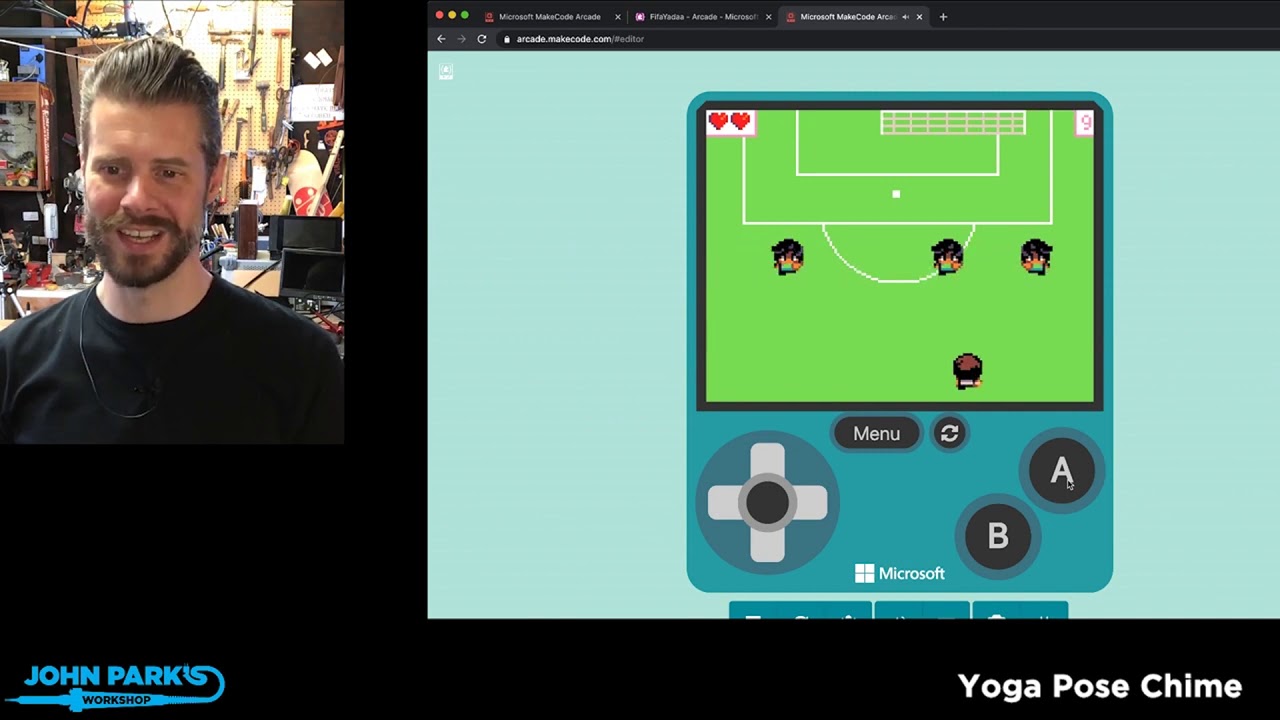
MakeCode Arcade Game of the Week: FifaYadaa
@adafruit @johnedgarpark #adafruit @MSMakeCode. https://forum.makecode.com/t/fifayadaa/1870
FifaYadaa by thamineyamada is fun and challenging soccer goal shooting game.
To learn about MakeCode: makecode.adafruit.com
Excerpted fro...
ripe portal
Even better
blissful vortex
I tried that . Noticed a few deleted videos ( scared this is one of them) also ....It was a specific amazing game with a lot of block code and a lot of effort put into it by the maker. I thought it would be easier to find and was wondering if it was deleted. so much like zelda! it was impressive
ripe portal
Usually any deleted videos are just re-uploaded as a new video due to technical glitches.
They should probably be removed from the playlist though
ripe portal
@blissful vortex it looks like the name of the game is Castle Crawler: https://youtu.be/Rr-wV2J-i6U

MakeCode Arcade Game of the Week: Castle Crawler
@adafruit @johnedgarpark #adafruit @MSMakeCode. https://forum.makecode.com/t/castle-crawler/1343
Castle Crawler by rayhanPanci256 is an excellent dungeon adventure game with a terrific Easter Egg hidden in the level tile map.....
 steel shuttle
Discount code for Adafruit order ?
snow island
@steel shuttle we aren't doing discount codes at the moment because we're just ramping production and shipping back up
 ruby summit
Using a Circuit Playground Express with a Crickit and trying to power servos with a battery. This is a "steerable" brushbot with two servos attached to two brushes and an off-balance dc motor causing vibration. All works fine with a 5V 2A plug-in power source, but servo moves inconsistently or not at all sometimes with a 5V 2A usb battery fully charged. Have tried all sort of things without success. On a whim, wrote equivalent code with Circuit Python and works perfectly under battery power (exact same robot). Are there power issues with this combination using makecode? I seem to run into this issue a lot and am now convinced the issue is with makecode somehow.
 granite vine
@fmorton I have zero experience with makecode but from the above it follows that makecode is the suspect. perhaps a "servo library" issue?
tight oar
Hello! I would like to build a Bio-lab in a box (like https://amino.bio/ or https://www.felesbio.com/) and the goal is to allow that users can develop their own experiments by block-programming. That's why we want to use MakeCode editor. My question may be too general but any help/support is really important for me: Imagine I build a centrifugation module for my lab-in-a-box, how can I know that Make Code will be able to run it? Should I use compatible sensors and devices only? And how can I create my own C++ functions in MakeCode? I would be very grateful with any kind of help or little explanation. Thank you!!

Amino Labs
Engineer bacteria to glow, change color & make smells; control genes with light, temperature, enzymes & more! Learn or teach what is DNA, what is a gene, cell theory, gene-editing, genetic engineering & CRISPR. Turn students & teens into scientists, engineers with hands-on bio...
tight oar
I don't want to be boring but I'll give a more specific example: https://makezine.com/projects/3d-printed-centrifuge/. If I build this module for my lab, and I connect it to MakeCode, will I be able to run it with the MakeCode block-programming?
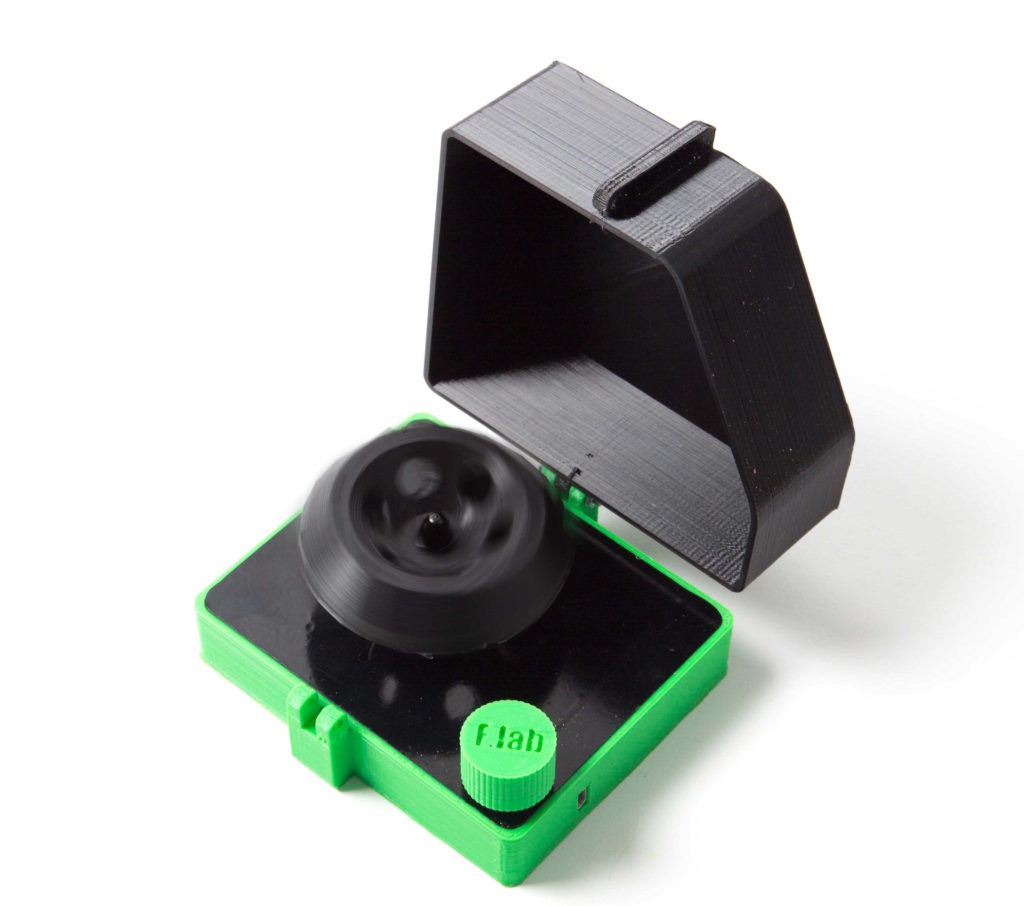
Make this low-cost centrifuge to extract DNA on your desktop.
rough granite
@tight oar I saw your question in the other channel, have a look at how this code makes a strip variable for NeoPixels connected to pad A1: https://learn.adafruit.com/glowing-interactive-crystal-staff/code-with-makecode
 tight oar
thanks i will have a look
 fathom scaffold
In a past game I had sprites stored as bmp files. I'm updating the images for Makecode arcade. I converted the tiny sized BMP files to PNG. However, eveything freezes when I try to upload these images to Makecode. Is upload images broken? OR is the only way to get them in place is to redraw them in the editor?
fathom scaffold
Is there an official Makecode discord or support forum?
snow island
@fathom scaffold there is a support forum. @glad berry knows where it is
glad berry
fathom scaffold
Thank you. The answer from the forum is it's not possible to upload images.
 wraith elk
@glad berry when is makecode live on?
glad berry
?showtimes
 pale canyonBOT
Shows on 6/3 and 6/4 are cancelled.
MakeCode Live - 3pm ET Tuesdays
3D Hangouts - 11am ET Wednesdays
Show & Tell - 7pm ET Wednesdays
Ask an Engineer - 8pm ET Wednesdays
Desk of Ladyada - Random hacker times
John Park's Workshop - 4pm ET Thursdays
John Park's Show & Tell - 5:30pm ET Thursdays
Deep Dive w/Scott - 5pm ET Fridays
wraith elk
@glad berry how do I get to it this afternoon
glad berry
@wraith elk It’ll be on https://mixer.com/MakeCode as well Adafruit YouTube, Twitch, et al.

Mixer
MakeCode is on Mixer! Learn about coding using Microsoft MakeCode editors https://makecode.com.
wraith elk
@glad berry I saw your msg. Thanks for the info
 shadow python
I have a question about Circuit Playground Express and MakeCode
 winter shore
i won makecode competition of my school last year
round urchin
I would like to log some data via serial line on a Metro M4 in Maker MakeCode. How can I do it?
I've tried to load the Serial extension but I haven't had any success.
 dapper walrus
Hi, I have two questions. I am pretty new to coding, and I use MakeCode, Blocks, to code. I just got the Pygamer, its awesome, and we loaded a game onto it, but we can't figure out how to load more then one. Every time we try to add another game, it erases the previously loaded game. The second question is about the NeoPixels on the PyGamer. My mom is concerned about it rotting my eyes out, so I went to Adafruit and found where you can program the NeoPixels on MakeCode, and I followed the instructions exactly, but the NeoPixels are still the same. Please help!
 dapper garnet
My mom is concerned about it rotting my eyes out
Universal concern of moms everywhere ever since home computers came out.
dapper walrus
😆
 fierce fossil
yeah, but at least it isnt a CRT anymore.....
 plush wigeon
what it means/ how can i repair it
dapper garnet
@plush wigeon It looks like you don't have the Adafruit_Sensor library installed.
plush wigeon
a ok its strange cuz it worked a week ago ;P
but ill try
yey now i have something like this 😛
meniu:7:5: error: no matching function for call to 'DHT::DHT()'
In file included from C:\Users\Xenu\Desktop\aułduino\meniu\meniu.ino:5:0:
C:\arduino-1.8.13\libraries\DHT_sensor_library-1.3.10/DHT.h:55:3: note: candidate: DHT::DHT(uint8_t, uint8_t, uint8_t)
DHT(uint8_t pin, uint8_t type, uint8_t count = 6);
^~~
C:\arduino-1.8.13\libraries\DHT_sensor_library-1.3.10/DHT.h:55:3: note: candidate expects 3 arguments, 0 provided
C:\arduino-1.8.13\libraries\DHT_sensor_library-1.3.10/DHT.h:53:7: note: candidate: constexpr DHT::DHT(const DHT&)
class DHT {
^~~
C:\arduino-1.8.13\libraries\DHT_sensor_library-1.3.10/DHT.h:53:7: note: candidate expects 1 argument, 0 provided
C:\arduino-1.8.13\libraries\DHT_sensor_library-1.3.10/DHT.h:53:7: note: candidate: constexpr DHT::DHT(DHT&&)
C:\arduino-1.8.13\libraries\DHT_sensor_library-1.3.10/DHT.h:53:7: note: candidate expects 1 argument, 0 provided
meniu:8:53: error: 'POSITIVE' was not declared in this scope
C:\Users\Xenu\Desktop\aułduino\meniu\meniu.ino: In function 'void setup()':
meniu:37:7: error: 'class DHT' has no member named 'setup'
C:\Users\Xenu\Desktop\aułduino\meniu\meniu.ino: In function 'void loop()':
meniu:67:20: error: 'class DHT' has no member named 'getHumidity'; did you mean 'readHumidity'?
exit status 1
no matching function for call to 'DHT::DHT()'
yey
do i have to update every freaking library that have master/ driver library ?
dapper garnet
It looks like the definition for your DHT class is missing.
plush wigeon
😐
dapper garnet
Or is different from the one you're currently using.
dapper garnet
For example, it says "class DHT' has no member named 'getHumidity'; did you mean 'readHumidity". This means DHT does exist but it has different things in it than you're expecting.
dapper garnet
I don't know where this DHT thing comes from but if it's from a library, you may be able to install an older version of that library.
 whole scaffold
Hi, Do anyone know of the best good site/social media for my 9yo son to save, share his own MakeCode(Arcade and others) projects and also see and get inspired by other’s projects and discuss coding challenges? Can, but doesn’t have to be dedicated to MakeCode, but could also include LEGO, Minecraft etc.
 copper wasp
hi
 fervent axle
Are there c# developrs?
tight oar
I posted my issue in raspberry pi too , but I keep running into this error and I don't know how to fix it. Any help is seriously appreciated. I just want to read acceleration and gyro values from my sensor.
 lime badger
am I doing something wrong here? https://makecode.com/_RTYE4hVMi065 Every time I power up the sequence is the same even though I'm using "random"
Made with ❤️ in Adafruit Circuit Playground Express - Blocks / Javascript editor.
the simulator seems to actually be random
but I always get the same sequence on hardware
 forest skiff
@lime badger No, I don't think that there is anything broken on your end. The random function either needs a starting seed (value) or the function itself is broken. "print out" the starting value of the random function. if it is the same check to see if there is a way to put a "random" number to start up the random function.
lime badger
OK I'll look up how to get the equivalent of "printing to the conosole" for the CPE and get back to you. Thanks, @forest skiff
lime badger
Do I have to do something to make storage work on the CPX? I have added a write log.txt block, but nothing gets written
 uncut vale
Does anyone know if makecode arcade is supported on the nRF52840 express? I see a mention of it here that it will be added in the future, but not sure when the guide was updated, so perhaps it has support now? https://arcade.makecode.com/hardware/adding
Microsoft MakeCode
If you want to produce an Arcade-compatible product please let us know at arcadehdw@microsoft.com.
 devout gale
hey folks I'm trying to use my neopixels with a micro:bit, and the adafruit makecode plugin. I'm having a hard time getting the "fade" command to work, and in general it seems fairly buggy combining sensor input with changing colors. spent maybe 6 hours over two days on it, with tried several different neopixel strips and micro:bit boards to make sure it wasn't my hardware
can anyone point me in the right direction to find help?
 pine agate
okay kids todays lesson is hamood habibi
devout gale
@whole scaffold I've used Instructables to share stuff like that. it takes a bit longer, but fun. Also, students at my school post links to their programs in a shared "padlet" (like trello but with image previews)
@dapper walrus I'll check out the neopixel/makecode stuff for your pygamer. I've been figuring it out for microbit. what makecode site are you using?
oh I see, it has neopixels built into it. or are you plugging some in? let me know if this is the guide you are referencing: https://learn.adafruit.com/pygamer-neopixel-controller/code-the-control-in-makecode-arcade

Adafruit Learning System
Plug in a NeoPixel strip and control its color and animation with PyGamer's thumbstick and buttons.
dapper walrus
I use makecode arcade, but my PyGamer is broken. It won't turn on, it only does different color neopixels(at random) sooo weird.
whole scaffold
Thanks for the tip, @devout gale !
devout gale
I really like the Scratch sharing. Allows remixing and everything. Cospaces.io is fun but no remixing. Oh and Roblox counts I guess, I don’t know about that system but my kids love it
lime badger
I'm still having issues making the log.txt write to my Circuit Playground Express if anyone knows the secret to unlock it. I found one tutorial on Adafruit.com that that revolved around unlocking it for CircuitPython, not MakeCode.
tight oar
hi@glad berry hi everyone. Do you know if it is possible to add an accelerometer sensor to makecode? if yes, how. Thanks
glad berry
@tight oar You may be able to add an I2C sensor to a MakeCode capable hardware device in either Arcade MakeCode (by first the Feather extension) or Maker MakeCode. In the Pins category look for the I2C blocks.
tight oar
thanks @glad berry , I will have a look. huge fan of your youtube videos by the way 😆 👍
glad berry
Thanks, and let us know how that goes!
tight oar
@glad berry sure will
any learning guide by any chance to explain how to set that up? 😟
 glass pawn
Hi, everyone. I really tried to use the controller program for microsoft arcade (makecode) on my pygamer. But neither the builtin neopixels will change anything (not the color, not the brightness) nor anything happens (except that the gui works somehow). How can I switch the builtin neopixels easily off with arcade.makecode? I tried everything.Maybe it is the PIN on which the builtoin neopixels are connected. Would be nice to know which this pin is. Anyone with an idea?
glass pawn
I was successful:
To access the builtin NeoPixelStrip you have to set the strip to the defaultstrip:
strip = light.defaultStrip()
Anything else is like the other NeoPixelStrips on pin D3....
tight oar
@glad berry im a little stuck with the format that i have to fill in the code. I want to connect the LIS3DH Triple-Axis Accelerometer and a itsybitsy then map the X Y Z value to different action but i have no idea how to set the format.
devout gale
@glass pawn can you get the "fade" function to work on the neopixels?
lime badger
@jaunty raft The console thing you shared in #live-broadcast-chat worked. But on the drive home I realized what I really meant to ask is if there's a way to get a Console ouptut of a real CPX using MakeCode rather than the simulated one. (Although I realized that for certain tests the simulator should be enough)
 hasty turtle
hey, is there any French ?
fierce fossil
did they get extinguished?!?!?
 nova citrus
Hello there I am experiencing troubles with my adafruit cricut play ground. No code but the app companion app file will upload in to the play ground, at first the default animation played but now it won't even do that let alone display the red light. The circuit board appears to be in good shape so I will assume it is a software issue any experienced people have any ideas?
glad berry
@lime badger yes, with the real CPX hooked up the console will show up in MakeCode (in Chrome or Edge, it needs WebUSB for this)
 proud river
lime badger
proud river
lime badger
@lime badger yes, with the real CPX hooked up the console will show up in MakeCode (in Chrome or Edge, it needs WebUSB for this)
@glad berry Ah, there's the issue. I'd been using Firefox. Now I know for the future. Thanks!
proud river
using System;

namespace Dice
{
    class Program
    {
        static void Main(string[] args)
        {
            Random numberGen = new Random();
            int roll = 0;
            int attempts = 0;
            Console.WriteLine("Please press ENTER to roll");

            while (roll != 6)
            { Console.ReadLine();
                roll = numberGen.Next(1, 7);
                Console.WriteLine("You role: " + roll);
                attempts++;
            }
                Console.WriteLine("It took you " + attempts+ " attempts to roll a six");
                if (attempts > 10){
                    Console.WriteLine("You are unlucky");
                }
                else if (attempts < 10){
                    Console.WriteLine("You are lucky");
                }
                else if (attempts ==  1){
                    Console.WriteLine("You are super lucky");

                }


            Console.ReadKey();


        }
    }
}
please give feedback
dapper garnet
Not sure what kind of feedback you're look for but the indentation is all over the place and your use of other spacing is inconsistent too. That makes it harder to read your code.
 reef ridge
if pasting more than few lines please use paste site like dpaste
 dense orchid
Edit: Managed to get it to work using this link : https://www.savjee.be/2019/07/connect-esp32-to-aws-iot-with-arduino-code/
Has anyone been able to successfully connect to AWS IoT with a Saola ESP32-S2?
I've been trying Circuitpython, Arduino and the ESF toolchain to no avail so far. Any boilerplate code doesn't seem to work yet. I've tried to use what's in this repo: https://github.com/espressif/esp-aws-iot and I was able to build it with some modifications but it seems the code needs some refactoring to get it to work, which is above my C chops at this point.
 grim arrow
Hopefully not a silly question - does @glad berry typically post the "code" he covers in MakeCode Minute on the Learn site, his Github or anywhere else? Or are those segments only meant for inspiration because they are fairly simple?
glad berry
@grim arrow not a silly question, I don't typically post those, but I can include the share link in the YT video later if that's helpful.
grim arrow
@glad berry that would be great for either someone wanting a good start on a project they want to take further, or someone who can figure out the basics but wants to see how you put the fancier features together.
glad berry
Right on, will do. In some cases I've shown the QR code during the broadcast, and in simpler cases the blocks should be straightforward to reproduce from what's seen on my screen. But it isn't hard for me to add the share link, so I'll start adding that.
grim arrow
Thanks a bunch! I'll watch for the QR codes too.
uncut vale
Hi all. I have got Makecode arcade working with the M4 express following the instructions here https://learn.adafruit.com/makecode-arcade-with-samd51-m4/feather-m4-express . Is there a way to not have to keep reloading the makecode arcade game on reset? It does not keep the game in memory on power cycle.

 odd bane
Do you mean the game state information? things like score, inventory or other stats and things within the game? Like after reset you have to start back at the begining, but you want it it to keep your spot. Or do you mean the actual game itself? like you reset and then it's not letting you play that game at all any more?
uncut vale
@odd bane both if possible, but more the actual game.
whats strange is that the cat jumper game stayed on the device after reset, but the jumpy platformer did not.
odd bane
I'm not very familiar with make code or the arcade games. But I think the intention is that the game should still be there after the reset but the state like score and things would likely be lost.
when you try resetting while playing the jumpy platformer what happens?
uncut vale
it reverts to the bootloader D51 screen on reset
cant imagine what could be different between the 2 as far as memory goes
so, its a real head scratcher 🤔
odd bane
Hmm. I think maybe single press on the reset is supposed to go back to the bootloader in make code. Once it's showing the bootloader screen if you reset it again does it go back to the game?
uncut vale
@odd bane thank you for that suggestion. I did not realize the reset button behavior with Makecode. Yes, when I hit the reset with the BL screen showing, it does come back.
odd bane
@uncut vale nice! glad it got it back to the game for you. I've definitely been thrown off by this before. I'm way more used to the CircuitPython side of things where it's a double click on reset in order to get to bootloader.
uncut vale
@odd bane yup
by chance, are you familiar with getting the NES emulator to work? I was trying to get it running on the M4 express but no luck. The docs talk about the pybadge and pygamer https://learn.adafruit.com/nes-emulator-for-arcada/quickstart

Adafruit Learning System
Play your favorite retro games on Adafruit Arcada boards
For background, I'm working on a design for these boards. Here are some pics of my Frankenstein rev 1! This is what happens when you but the TFT connector on the wrong side!!
odd bane
@uncut vale I'm not familiar with it. But I do have a PyGamer I could try it out on a bit later tonight. Wrong side or not that looks like a cool device you are working on!
I do notice there is a section about saving the gamestate with that emulator. That is likely a good sign for the possibility of doing it from make code arcade games.
uncut vale
@odd bane thanks...look fwd to your reply
odd bane
@uncut vale I was able to get the NES emulator loaded on my PyGamer without much trouble. I see there are diferent UF2 builds for PyGamer vs. PyBadge. I would guess that means it's likely that you'll ultimately need to make a build for your device.
uncut vale
@odd bane thanks for checking it out. That's what I was thinking as well. The steps you followed are having circuitpython followed by loading the nofrendo.uf2?
odd bane
@uncut vale yep, that is correct CircuitPython 6.0.0-alpha.2 in my case was loaded on the device first and then I loaded the nofrendo.uf2 file. Now it still shows up as CIRCUITPY drive for me to paste roms onto.
 sly rain
Sorry if this is too newbish a question. I am working on something with my daughter, and i am super new to this. Is there where i might go for some ultra easy advice for Makecode?
sly rain
Thanks! I have a CPX, I am fairly new to coding in general. I am trying to get the CPX to increase brightness over time (which i think i figured out) one thing i can't figure out is how to get the 24LED strip i've attached to it to do the same.
stone pond
hello all. i am trying to make a simple rainbow LED strip and am having issue with makecode. i seem to not be able to download the code to my board an not sure if i am doing it wrong.
stone pond
is no one watching this page????
snow island
@stone pond looks like you have a CIRCUITPY drive, you'll need to double tap reset to get BOOT
then copy .uf2 you download from make:code to the *BOOT drive
stone pond
@snow island the drive i get once i get into the "boot drive" is Gemmaboot.
snow island
yup, that's where the make code uf2 should go
stone pond
every time i try to copy and past the script or code it reset and goes back into default code in it...
i try using maker to download it to the controller but get it cannot find it.
stone pond
once i finally can pair the unit... and try to download it to the controller it reboots and the file does not transfer.
 sinful magnet
Would anybody know where i could read up on programming a momentary switch to power something on and off aswell as counting between different color profiles?
 silent flame
Hi all, I'm having trouble with the keyboard extension for makecode. Currently I am able to navigate to the search bar on a website and type in an URL but I can't figure out how to use the "Enter" key. I tried going into the Javascript and using keyCode.13 or keyCode.Enter and nothing I try works.
 charred dune
@stone pond with Circuit Playground Express (CPX), you could try MicroBlocks. You have to first install the VM firmware, which means putting the CPX into bootloader mode. Click the tiny pushbutton in the middle of the board, either once or twice, for the LEDs to turn green. Then it's ready to be flashed. I don't use MakeCode so sorry I'm unclear what the problem is with that program...
 neon edge
Hi, can I create and integrate new parts to simulate at the makeblock? I have a board and I would like to integrate it into the makecode, but when simulating it will not show the breadboard, but the modules I determine
glad berry
@halfdutch which MakeCode are you using? I know the Enter key worked in the CPX version at one point.
 steel sand
Hey all, I have a whole bunch of Circuit Playground Bluefruit and I can't get a standard ping-echo ultrasonic sensor working with Maker MakeCode. I'm guessing it's something with the analog inputs. Anyone have any experience with this issue or thoughts/suggestions?
steel sand
@glad berry ^ Maybe you have some experience with this?
tight oar
I can no longer download my MakeCode Arcade game to my adafruit PYGAMER. I have been able to in the past. I have the latest bootloader (v3.10.0) Here is my game: https://arcade.makecode.com/54804-11250-44382-90046 Does someone have a PYGAMER and is able to download my game on to their device? Any help is greatly appreciated. Thanks
 glad berry
@steel sand can you post the share-link URL to the code?
steel sand
@glad berry sorry for the delay: https://makecode.com/_FFzU2b4PA38Y
tight oar
every time i try to copy and past the script or code it reset and goes back into default code in it...
@stone pond I am having exactly the same problem. I have a PYGAMER, and each time I copy/paste a .uf2 file to the drive letter (assigned to the device), the device just resets itself.
glad berry
@steel sand OK, so this should be triggering the ping and then are you reading the return signal on an analog pin? Also, are you using resistors to get the return signal down to below 3V so you can read it? (presuming it's a 5V ultrasonic sensor)
steel sand
@glad berry Yes, exactly. I have a couple resistors hooked up to reduce the output below 3V.
Not reading anything, though. I do have a Circuit Playground Express and the same code and circuit works on that board.
glad berry
Are you able to do a simple analog read on the CPB in maker makecode @steel sand ?
steel sand
I can take a look tomorrow as I do not currently have access to it. I believe I tested an analog read with a potentiometer and found that it was working as intended. @glad berry
 sly aurora
Is there a way to convert python code to make code?
sly aurora
Can i read si7021 senor using make code ?
 safe iron
steel sand
safe iron
steel sand
@glad berry I spent some time working with the circuit playground bluefruit and I couldn't get it to recognize any analog reads on any analog input pin. I tried with a 10kOhm potentiometer and the CPB registered the signal as ~1023 with a graph in MakeCode. Thoughts?
glad berry
@steel sand I'm going to run a test right now.
glad berry
I'm not able to get any analog reads on the CPB in MakeCode either, @steel sand I'm going to file a github issue.
issue is here: https://github.com/microsoft/pxt-maker/issues/318
steel sand
Thanks @glad berry !
glad berry
Thanks for finding the problem, @steel sand
undone matrix
Hello all,
I am having more trouble with downloading my games to my PyGamer. Every time I try to copy it over, the PyGamer goes back to the bootloader screen, regardless of whether I use Command Prompt or File Explorer.
Here is the contents of INFO_UF2.TXT:
UF2 Bootloader v3.10.0 SFHWRO
Model: PyGamer
Board-ID: SAMD51J19A-PyGamer-M4
I have tried updating the bootloader again and again and trying to upload my game without success.
Here is the share link to my game: https://makecode.com/_Vdc1P99zph4R
Command I use to copy over in Windows Terminal:
rem current working directory is downloads folder
cp arcade-Decked-Out.uf2 J:\
Attached is the .uf2 to upload the program.
Please ping me if you reply, and thanks in advance!
 wind robin
can anyone help me with with connecting my playground to makecode because rn it shows up as an unknown device
lone mango
anyone know if makecode has a status page of sorts? I am in the middle of working on a game and an odd issue keeps occuring - my blocks keep getting stuck to my mouse
wondering if they are in the middle of an update or experiencing some outage
lone mango
disregard - tilemaps extension had to be upgraded to v1.10.0
undone matrix
my blocks keep getting stuck to my mouse
that's a bug that has been reported to the Forum and the Github project many times BTW
and if you ever have a problem, you can also ask on the MakeCode Forums (forum.makecode.com)
The Forums usually have more attention then this channel :/
 hollow lotus
how do you compile your own UF2 or is there an instruction for basic setups
the drag and drop grand central M4 update isn't working for me
hollow lotus
nm it worked this time
 kindred herald
Anyone know how I could make makecode work with the adafruit servo driver and circuit playground express?
I’m talking about the driver that controls 16 servos over pwm
The circuit only controls 4 servos and I need more
glad berry
@kindred herald It's possible you could communicate with that board using the I2C blocks in MakeCode, but it would require some work figuring out what messages to send it.
 covert locust
Hi! I'm just getting started learning how to program. I have a trinket M0 and a bunch of the through-hole neopixels that I want to program to turn on and off in sets of 4 (with multiple varying sets of 4 on at any given time), while also shifting colors occasionally.
I've started playing with the makecode editor, but I'm having a hard time figuring out what all the commands do. Is there a handy tutorial for it? I haven't been able to find anything like a user's guide yet, but I'm hoping I just don't know where to look.
glad berry
@covert locust this is a good starting guide: https://learn.adafruit.com/makecode
Adafruit Learning System
All you need to know to get coding with Microsoft MakeCode
rose cloak
Hi all. Can anyone help me I want to read. Temp from micro bit and display full screen on oled 128x64 I'm just getting small numbers on the left hand side of the screen.
 dusky veldt
hey all, can anyone please tell me, do all makecode arcade consoles have the same 512kb of program storage?
undone matrix
When a MakeCode device goes into bootloader mode, can I guarantee that CURRENT.UF2 is on the drive that pops up? Or is there another way to determine whether a drive is a MakeCode device? (Trying to make a Python script that detects MakeCode driveswhen they are in bootloader mode) Please ping if you answer. Thanks in advance!
 pure plank
Hello, I'm using MakeCode - Magic Wand tutorial but can't find where to drop the downloaded file on my mac. I've connected via USB cable to** Adafruit Circuit Playground Bluefruit device but it's not showing up anywhere on the finder **despite pressing the reset button as mentioned in the download instructions. Please help, the CPLAYBOOT drive is not showing up
glad berry
@pure plank if it's a known good USB data cable (not a power-only charging cable), it should show up as CPLAYBOOT if you single click the reset button, and if not try a fast double-click.
dusky veldt
dusky veldt
hey all, can anyone please tell me, do all makecode arcade consoles have the sam...
So i found the answer to my question. The adafruit devices seem to have 192kb ram and 2-8mb storage, whereas most others only sport 96kb ram and 2mb storage
tight oar
undone matrix
Hello all,
I am having more trouble with downloading my games to my PyGamer. E...
I have also had problems trying to get various Arcade games onto my PyGamer. The weird thing is, when I started developing the game it worked, and then after some time (more code), it would not upload. It cannot be the size of the .uf2 file (749KB), as file that does work for me is larger ()
tight oar
undone matrix
Hello all,
I am having more trouble with downloading my games to my PyGamer. E...
This is a game that DOES NOT work on my PyGamer, but it did in the beginning.
undone matrix
I'm thinking maybe too many extensions? Although I haven't looked at the code yet. (BTW, I'm UnsignedArduino on the forum)
covert locust
glad berry
<@!622533547671945269> this is a good starting guide: https://learn.adafruit.com...
Thanks!
 vestal bay
Hi, has someone used two servo motors with pygamer?
tight oar
Hello, I'm trying to add the Adafruit Grand Central M4 Express board to MakeCode and I'm almost done with it. However, in order to write the config.ts file, I need to know the hardware pinout of the board. It's something similar to: pin A2=PB08, pin D12=PA22, .... shown in the attached picture for the Adafruit feather M4 Express. Does anyone know how/where can I get this information but for the Grand Central M4 Express?
 broken charm
@tight oar check the circuitpython GitHub
Look under ports/atmel-samd/
Find the board and look at the pins.c file

GitHub
CircuitPython - a Python implementation for teaching coding with microcontrollers - adafruit/circuitpython
broken charm
Yeah 🙂
tight oar
Following that information, which looks great
I got these errors
It seems like the building part doesn't like PCxx and PDxx
I thought it was a mistake with the ports, that it should all be PAxx or PBxx
broken charm
The same/d 51 and 54 chips have c/d ports
Look at the Circuit Playground Express and see if they use any of those pins
broken charm
Hmmm