#technical-chat
4 messages · Page 77 of 1
 rigid notch
Do you have it set as your main squad?
 tight chasm
i made a new squad and joined it and i still appear offline
rigid notch
That's very weird, and not something I know how to fix. it's probably a bug, so maybe try relogging?
Sorry I can't help more
 hot sigil
run steam as admin
 mighty granite
uhh devman... we dying here @hot oak servers are going wack

 limpid quartz
servers down again
 ornate geode
Anyone else ever had an issue where the game crashes right out of the gate and then it causes a bunch of weird stuff to happen with Discord, like your microphone/speaker settings get all twisted?
ornate geode
I'm having this exact problem today.
 wet wagon
ornate geode
I'm having this exact problem today.
wet wagon
ornate geode
I'm having this exact problem today.
Well, if it really is the exact same thing, it means your microphone might be broken.
Because that was my issue.
 timber cosmos
ornate geode
Anyone else ever had an issue where the game crashes right out of the gate and t...
timber cosmos
ornate geode
Anyone else ever had an issue where the game crashes right out of the gate and t...
If multiple services are being effected, it's definitely on your end.
ornate geode
It ended up being an issue with my standalone microphone and my headset microphone conflicting because Foxhole had chosen a different microphone than discord by default. It was causing the whole machine to tweak out I guess. Once I set them to match the problem was resolved.
 stiff sandal
I can’t stream foxhole on discord the game always crash
 white meteor
hello, im having an issue trying to get onto foxhole rn, its telling me im on an alt acct when i do not have an alt acct
 cloud knoll
white meteor
hello, im having an issue trying to get onto foxhole rn, its telling me im on an...
cloud knoll
white meteor
hello, im having an issue trying to get onto foxhole rn, its telling me im on an...
There are false positives sometimes. If you're truly not using an alt account then you can safely ignore the message.
 hearty star
Hey guys, everytime I try to start the game it freezes on the launch screen. In Task Manager the game goes not-responding. I used to play it without issues before. I tried re-installing and verifying integrity. Anyone knows what I can do to fix it?
 minor radish
Hi, I can’t have the audio on my speaker it comes out in my headphones even though I change the settings, any solution ? 🙏
 terse flume
Anyone know if this is still up-to-date?
 harsh sonnet
Is there anyway to destroy a miss placed t1 bunker piece, its saying friendly structure doesn't take damage
rigid notch
If it’s reserved by you or your squad, there should be an option to demolish it in its upgrade menu if it’s not been 3 hours.
rigid notch
Under the upgrade menu for the bunker
You’re gonna have to demolish it with mammons or something similar then, just be warned that it’ll destroy all the other bunker pieces that are connected to it.
harsh sonnet
Tried mamons says cant damage friendly structures
rigid notch
Is it connected to the bunker base core?
harsh sonnet
Yes
rigid notch
Yeah that’s the problem, you’re not gonna be able to do anything to it unfortunately. I’d recommend upgrading it to T2/3 if possible, cause T1 is very vulnerable to almost anything.
Sorry
harsh sonnet
Okay thanks
 fervent star
kinda odd question, what is the maximum player health? And past that, what is the maximum amount of damage you can recieve before you get one shot? (I am talking one shot as in bypassing the "wounded stage where you have the 30 second timer.")
 naive nebula
I use extremely weird hotkeys (ESDF instead of WASD) and I have been running into hot kkey options in game disapearing from the option screen (resetting the hotkeys and rebinding them just rotates what hotkey option I want to sacrifice, right now since I only do logi, my reload button [replacing R with Middle Mouse] has gone)
I haven't tried it yet but should editing a CFG file somehwere can aleviate my issues?
 fresh badger

I actually don't even own 2 steam accounts so I don't know why it's saying this. Any help?
 loud oyster
fresh badger
I actually don't even own 2 steam accounts so I don't know why it's saying this....
loud oyster
fresh badger
I actually don't even own 2 steam accounts so I don't know why it's saying this....
It's a false positive, the system thinks you are using different accounts, it happened to other people aswell, just type accept
fresh badger
ok cool
terse flume
I have important questions my friend wanna join warden this war but he cant beacuse he is commander in regiment
How he can change it and no join colonials
Or anyone know where i can to ask devs or Someone who Operator this game
 winter walrus
He has to join colonials to leave the regi in less then 6 minutes and then log out and join wardens
 visual sun
Did Foxhole just crash? CT (Central Time) here and myself + a friend just crashed with the issue "can't connect to shard"
 solar tiger
BOOO foxhole broke!!!
 tame island
anyone knows how to fix it ?

 earnest imp
hi first time player game crashes every time i deploy somehwhere. turned my graphics down to 1080 and also down to high. any ideas?
 prisma needle

Keep getting this when I try to use voice chat. Also getting “voice chat error [2] 2-5031”
Anyone know how to fix this? Brand new headset that works with everything else, just not foxhole. Just uninstalled and reinstalled and it still didn’t fix it. I have no idea what to do and can’t find anything online about that code
Nvm this fixed it

Hello, this is the Captain speaking. After a few days of continuous trouble with Foxhole Voice Chat (e.g. error (8) 6-0, and a couple others) I have finally found a solution that works for me every time. First, make sure that the device you are using is set up with Steam voice. To do this, open Steam. Click on "Friends & Chat" in the bottom righ...
Welp it stopped working again wtf
 pearl geyser
Restart your game!
prisma needle
Tried that a few times
 austere oriole

 smoky grotto
@austere oriole look in top right corner, what shard is selected?
It should be Live-1
(Or something like that)
 idle shell
Did servers die ? Can’t even restore position 😒
 jolly hamlet
consequence of server restarts

if any dev wants more detail just dm
i tried to spawn in home region, it failed but it through up a respawn screen with the only option being to respawn. I clicked it and it spawned me as a collie, on the warden home island
i doubt its possible to re create this and i have no idea how you would even attempt at recreating
 spare anchor
@fervent star Players have 100 HP if you do 150 damage you insta kill/don't down them. If you are bandaging/vaulting/doing some other animation you get one shot instead of downed.
fervent star
spare anchor
<@781377238842998834> Players have 100 HP if you do 150 damage you insta kill/do...
thx for the reply dude
 lethal swan
jolly hamlet
consequence of server restarts
lethal swan
jolly hamlet
consequence of server restarts

 soft moat
amogus?
 final spear
no

 zenith marten
hello
 bronze pawn
Posted in ask community, but I think it's more fitting here. Having a lot of rubberbanding issues and I'm not sure why, at 80 ping or so, 1% packet loss. Any advice from anyone?
rigid notch
bronze pawn
Posted in ask community, but I think it's more fitting here. Having a lot of rub...
If you’re part of a large squad in game, it may cause this. The best fix is to make your own private squad, set your large squad as the main one, then look at your own small squad in the menu. This way you can talk to others in your squad without the lag.
 velvet bramble
Why can't I join Shard 1?
 mint jolt
zenith marten
can anyone help me
mint jolt
zenith marten
can anyone help me
Hey If no one answered already it's due to poor wifi speed you have to let it load a bit or restarting your game helps sometimes
@zenith marten
 wide thorn
hey, i have 2 screens. while playing on my main stream i have on my 2nd screennothing or maybe a stream. but if i move my mouse to much to the 2nd screen side my mouse go out of the game. how can i fix datß
 gloomy night
How do I solve these issue.

 cobalt rapids
Hey Im having the WIN64_Shipping error when I press play in the main menu. The link on foxhole's freq asked questions about the error is broke. Does anyone know how to fix it?
prisma needle
gloomy night
How do I solve these issue.
Had the same thing. I turned on my VPN and now it works perfectly fine
gloomy night
Any free VPN I can use?
smoky grotto
 fleet shuttle
I just discovered the game wont run without a GPU
fleet shuttle
I just discovered the game wont run without a GPU
Wait what?
Your CPU (as far as i know) has an inbuilt basic integrates gpu, I've ran foxhole on mine for a while, i think I'm still running it on integrated becauase it deosnt overheat ("gaming" laptop)
*I do not know much about computers, so what i said might be wrong
Im not sure how could your pc not have gpu
rigid notch
wide thorn
hey, i have 2 screens. while playing on my main stream i have on my 2nd screenno...
It’s a known issue and I’m not sure if there is a fix to stop it. From previous people asking about it, it’s just something you’ll have to deal with on the fly.
wide thorn
rigid notch
It’s a known issue and I’m not sure if there is a fix to stop it. From previous ...
Hmm ok. Well i also forgot that i can turn the camera. Dont perfer to turn it but now im always turning so i dont have to ain to left side (which is the side of my 2nd screen)
fleet shuttle
smoky grotto
Im not sure how could your pc not have gpu
You didn't read what I said.
The game won't run with the CPU acting as a gpu. It needs to be separate.
I've never seen this mentioned anywhere.
I just didn't have my GPU installed for a few months. The game wouldn't boot out of the loading splash screen.
smoky grotto
It should still work
fleet shuttle
As soon as a GPU is in, it loaded up.
smoky grotto
At least it does for me..
fleet shuttle
I am on Linux so that might have something to do with it.
smoky grotto
Huh, could be
fleet shuttle
I just spent a bunch of time trying to trouble shoot why it wouldn't run and there wasn't information.
cobalt rapids
Does anyone know how to fix the win64 Shipping issue? The Freq questions on the foxhole site has a link to the fix but its broken. I would like to play foxhole
 rigid notch
 vagrant gull
Please tell me that that is disk writing and not storage space needed.
Apart from that concern, it’s most likely that steam didn’t recognize something correctly and decided to reinstall it. Unfortunately, there’s nothing you can do except wait.
vagrant gull
okay thanks
 south mango
Is there a bug with the refinerys? where you submit in personal, and your shit disapears when you get offline??
rigid notch
How long were the resources left in the refinery?
cobalt rapids
Does anyone know how to fix the error where you press play on the main menu and it crashes. Causing the ue4 reporter to say win64_shipping? I've been asking for 3 days here but keep getting ignored
rigid notch
cobalt rapids
Does anyone know how to fix the error where you press play on the main menu and ...
Repair the game files and make sure your computer/drivers is updated? There’s not much info on the crash online, so I can’t really tell you what causes it.
If that doesn’t work, find the foxhole.exe file and run it as administrator.
cobalt rapids
I actually haven't tried running it as an admin. Thanks for the idea I'll try it when I can
 snow sedge
Any help would be appreciated
Had an UE crash whilst chasing squads and chatting.
Then reloaded the game and I can't hear or talk in squad chat but I can in local?
Restarted game, pc as well as left and rejoined squad and turned voice chat on and off.
rigid notch
snow sedge
Any help would be appreciated
Had an UE crash whilst chasing squads and chattin...
Check which squad you have set as your main? If that doesn’t work, you may want to repair game files. Other than that, I have no idea.
cobalt rapids
rigid notch
If that doesn’t work, find the foxhole.exe file and run it as administrator.
Running as administrator didnt work. If you got any other idea do tell!
snow sedge
rigid notch
Check which squad you have set as your main? If that doesn’t work, you may want ...
Restart and repair worked thank you!
rigid notch
cobalt rapids
Running as administrator didnt work. If you got any other idea do tell!
Try and repair the game files via steam, if that doesn’t work then you may have to find and reinstall the DirectX driver and visual C++ driver from windows. Both can be found online. I’d recommend updating the C++ driver from https://docs.microsoft.com/en-US/cpp/windows/latest-supported-vc-redist?view=msvc-170 first.

This article lists the download links for the latest versions of Visual C++ Redistributable packages.
cobalt rapids
Validating didnt work so I'll try getting new c++ and directX then
rigid notch
C++ is the one I’d recommend doing first, then checking if it worked
cobalt rapids
Jesus this looks complicated to download it\
Hopefully I can find a youtube vid or something bout it
rigid notch
Yeah, sorry about that but it’s the only fix I can find that you haven’t already tried.
cobalt rapids
Yeah I uhh have no idea what im doing
rigid notch
I think you just have to download the 3 files from the most modern section and it should resolve itself after a restart.

Update 32 If you are crashing on start up and you're running an AMD card, you may need to revert to a previous version of your graphics drivers as a very recent update is known to cause issues. You should be able to do so via the link provided by FuriousMonkey above. We've already had several reports of this so anyone else who runs into this sit...
This might help, but you may have to scroll down a bit for the more modern posts
 mighty tinsel
probably my end
but i used to be able to run the game 60 fps now i barely manage 17
anything in an update that may have caused this? or is it logical to assume my hardware on this
 granite lynx
My advice is to run a vacuum cleaner over any dusty vents on your machine, anything more than that is beyond me
rigid notch
mighty tinsel
probably my end
but i used to be able to run the game 60 fps now i barely manage...
Are you in a large squad? That may be the problem as it was only introduced last update, although that typically causes stuttering instead of FPS drops. The best way to deal with it is to create a smaller squad, set the larger one as your main squad, and then look at the small squad on the squad menu.
gloomy night
cobalt rapids
Does anyone know how to fix the win64 Shipping issue? The Freq questions on the ...
Also had this issue
rigid notch
gloomy night
Also had this issue
Repair game from steam, if that doesn’t work, make sure drivers are up to date. If neither of those work, try to run foxhole.exe as administrator. If none of that works, check out this link. https://steamcommunity.com/app/505460/discussions/1/3963662189542595139/
The section for the modern fix is a little bit down the page.
Update 32 If you are crashing on start up and you're running an AMD card, you may need to revert to a previous version of your graphics drivers as a very recent update is known to cause issues. You should be able to do so via the link provided by FuriousMonkey above. We've already had several reports of this so anyone else who runs into this sit...
 junior prawn
I have a problem where the ingame comms system stops working so i am unable to hear or talk to people
 topaz cipher
i3 2100 and a gt 1030 2gb. Do you think with that hardware can i run it? trying to buy that graphic card bc its accesible to me rn
 minor dock
topaz cipher
i3 2100 and a gt 1030 2gb. Do you think with that hardware can i run it? trying ...
minor dock
topaz cipher
i3 2100 and a gt 1030 2gb. Do you think with that hardware can i run it? trying ...
yea it should be but u may experience stutters here and there
topaz cipher
minor dock
yea it should be but u may experience stutters here and there
Thank you
minor dock
Np : )
 formal bane
Hey guys after picking my fraction I get this error "lost connection to Sever . please try again . if the issue persists , please report it using the Support button on the main menu" I have restarted the game, steam, verfied the files and disabled firewall but still nothing any ideas?
 karmic spindle
question are there any bugs for still hearing players after you closed foxhole?
formal bane
i also re downloaded/installed the game
 coarse bane
karmic spindle
question are there any bugs for still hearing players after you closed foxhole?
coarse bane
karmic spindle
question are there any bugs for still hearing players after you closed foxhole?
use task manager to kill the game
karmic spindle
coarse bane
use task manager to kill the game
i went into it and it wasn't there
coarse bane
karmic spindle
i went into it and it wasn't there
war.exe?
karmic spindle
coarse bane
war.exe?
not there
coarse bane
🐒 restart pc
formal bane
Can any one help?
formal bane
Yeah done it a few times
I haven't played the game for a long time and was very keen to return
I have been trying to look on the net but haven't found a fix yet
 fair mango
turn off any antivirus completely for foxhole if you have any. i only recently started playing foxhole but maybe you're on an old beta version? not sure if that is even a thing with foxhole
also maybe restart your internet from the router too
formal bane
Yeah I'll try restarting router I think that's all I haven't done
I turned off my firewall I don't think it helped
terse flume
Steam Thursday 💀
 mild breach
fair mango
turn off any antivirus completely for foxhole if you have any. i only recently s...
mild breach
fair mango
turn off any antivirus completely for foxhole if you have any. i only recently s...
Dev potato server
 unborn meadow
Scammer in this server
Iceyfox
I haven't played foxhole in 4 months and they said they reported me
formal bane
hey guys im still having the same issue where i can not connect to the sever I have searched on the net and havent found a fix yet and worked through this list suppourt sent me I was hoping some one else has ran into this problem and know how to fix it
- Restart your PC
- Verify the game files >> Open Steam >> Right Click Foxhole >> Properties >> Local Files >> Verify Integrity of Game Files
- Close any and all programs on your computer >> Open Steam >> Open Foxhole >> Attempt to get in game
- Disable all antivirus and firewall solutions; Follow #3
- Restart computer completely >> Close any programs that started automatically; Follow #1
- Open command prompt and type ipconfig /flushdns
- Restart internet modem and/or router; May be a good idea to perform #3 afterwards
- Verify all ports used by Steam are open on modem/router firewall as well as any third party firewall hardware: Via Steam Support ; Follow #4
- On Wi-Fi? Try using a physical (ethernet) connection instead
- On Wi-Fi? Try moving physically closer to the modem/router providing the wireless internet
- On Ethernet? Reseat the ethernet cable on both sides; perform #4 as well as #3
- Verify all drivers are up to date. This includes graphics drivers; Perform #10
- Verify Windows is up to date
- On a laptop? Make sure the laptop's power/battery setting is set to High Performance.
- Set Max Pings settings in the Steam client: Go to Steam >> Settings >> In Game. Go to the dropdown box labelled In-Game Server browser: Max pings/minute and set to 500. Follow #1
 fringe pike

 barren estuary
it is @thorn helm
 sand flint
do someone know how to fix this problem when we start the game for the first time ? cuz @barren estuary and i want to play together but he can't connect and we don't know why :/ happened to me to first time i launched the game but i don't remember how i solved this problem...

 hexed creek
@tranquil forge Are there any plans for switching to Unreal Engine 5?
 haughty leaf
sand flint
do someone know how to fix this problem when we start the game for the first tim...
haughty leaf
sand flint
do someone know how to fix this problem when we start the game for the first tim...
ive got the same thing anyone know how to fix?
 small sparrow
Endless shore server dying
 ionic cradle
Howls county same thing are severs down?
 safe moat
Endless Shore server has crashed
safe moat
Endless Shore dead again.... can you pleaaaase restart that region
 frozen belfry
Mods gonna do anything about the weird as hell video up there
terse flume
JANNIES
cloud knoll
<@&374193809174822912> see video above
 languid thistleBOT
 Miegalius#1413 was banned | nsfw

 grand silo
We may offer some solutions, but pinging Discord mods is for more important matters
What seems to be the issue? Are you in the lobby island?

grand silo

 vital cairn
 white verge
Hi im not able to deploy in the map <@&374193809174822912>
white verge
Hi im not able to deploy in the map <@&374193809174822912>
The regions restart soon.
 brisk nimbus
white verge
brisk nimbus
white verge
This is often an issue regarding that of connection/internet; also windowed mode?
 valid cave
Stuck in region, Past 5 minutes, Restart devices and Wifi seem no uses

War Services Constantly kill itself, whenever it like too
 half pulsar
FIX IT
 valid cave
Great, See yall 2 weeks later again because dev man say so
ionic cradle
it sucks that last night the severs region were dieing a bit when trying to connect ;-; lost truck of supply
 wintry edge
hey,anyone know why i cant make my fps cap higher than 144
I put it to anything higher and it resets to 144
 night brook
every time i click the play button on the start menu Foxhole stops responding and crashing pls help

 brittle reef
My voice chat is not working, I tried reconnecting and retarting the game but is does nothing

 mortal flax
how do you fix this issue

we've tried everything, from resetting pc/modem, checking ports, yesterday the game worked fine, today it's this error
coarse bane
mortal flax
we've tried everything, from resetting pc/modem, checking ports, yesterday the g...
Try vpn
haughty leaf
ive still got this error anyone know how to fix not been able to play since i bought the game
 mortal flax
that looks like a port problem
 lavish ridge
unable to deploy, not the first time this happens but it usually takes a few hours before i can deploy

me and my friends in asia are facing this issue
lavish ridge
@hot oak @kind pilot @golden barn any insight on how to fix? 😦
relaunched, game verify, restart modem, reinstaled game. no avail
 tawny orchid
 woeful tendon
hey ive been having some problems
my voice chat refuses to connect
ive tried resetting, reconnecting and refreshing
nothing is working
 gloomy vault
I have had some Issues getting my Crates i got out of the factory. I made a good few things ready for pick up and move to the frontline... but i went to get them out of the factory and its all blank ?
cloud knoll
gloomy vault
I have had some Issues getting my Crates i got out of the factory. I made a good...
If you leave private factory orders for too long (1hr) after they're finished, they automatically get dumped in the factory inventory for anyone to pickup.
 ripe wigeon
Having the Voice Chat Error 2-5006, have refreshed voice chat, restarted the game, and even verified my game files but my mic still won't make any sound what should I do
 wary dove
wanky host

 odd vault
 half pulsar
Why does this keep happening? 4 times this week already fix the servers
 gloomy night
half pulsar
Why does this keep happening? 4 times this week already fix the servers
gloomy night
half pulsar
Why does this keep happening? 4 times this week already fix the servers
same.
ASEAN?
gloomy night
Yeah use VPN
It fixed the issue
Or wait till tommorow
I would say this is regional issue
gloomy night
Just use protonvpn
winter walrus
half pulsar
For a game nearing 1.0 this is annoying af
It’s not something in the devs control. For some reason ISPs in Eastern Europe and Southeast Asia don’t like foxhole
terse flume
brittle reef
My voice chat is not working, I tried reconnecting and retarting the game but is...
I'm having this same issue even if I verify my game files? <@&374193809174822912> who do you ask for help for these matters?
Sometimes when I first log in and reconnect to vc it will show my mic going off for like a second when I press T then die again
 quasi condor
So for some reason when I play foxhole after an amount of time my pc will just randomly lock itself and go to sleep midgame with no warning. This has happened in a couple other games, and have found that unplugging my second monitor usually fixes it. But my pc just did it again with the monitor unplugged. Do you know what causes this? It is extremely frustrating especially in this game. Thanks.
rigid notch
quasi condor
So for some reason when I play foxhole after an amount of time my pc will just r...
It may be that your pc is going into a safety mode. I know that if some pcs get too hot in some components, they’ll put themselves into a sleep mode to protect those components. I’d recommend getting a program that allows you measure the temperature of components, and maybe check the cooling system of your pc. My laptop does this too sometimes, but letting it rest for a bit and limiting background programs tends to fix it.
quasi condor
rigid notch
It may be that your pc is going into a safety mode. I know that if some pcs get ...
Thanks for the reply. I've tried to limit background programs as best as possible, and still ends up happening. Is there anyway to stop it from doing this?
rigid notch
quasi condor
Thanks for the reply. I've tried to limit background programs as best as possibl...
I think it's built into the core code of the PC, so probably not. You could try and get some sort of fan to help improve airflow through it, and maybe check to see if the fans in it are running correctly. This isn't really my area of expertise, so I'd recommend looking up ways to improve the cooling of your PC.
quasi condor
rigid notch
I think it's built into the core code of the PC, so probably not. You could try ...
I do have a cooling pad for it. Thank you for your help. I'll ask someone more knowledgeable.
 teal jasper
currently in game and im glitced under a bridge, any way to fix?
coarse bane
teal jasper
currently in game and im glitced under a bridge, any way to fix?
are you in a boat or just clipped inside?
teal jasper
clipped inside
coarse bane
try !unstuck
teal jasper
okay thanks
coarse bane
if that doenst work, respawn to home region 
terse flume
Anytime anyone fuels from a tanker, I drop to 2-5 fps.
Is this a known issue on Linux specifically, or for anyone else
 wide void
my headphones make an unpleasant sound, only when the game is running, please help
speakers too
 lost jackal
 spiral sphinx
Anyone having problem at the deployment page ? My deployment map is kinda... empty.....
 brave elbow
same issue aswell
 violet forge
Server hamsters hasn't been fed
 limber lodge
What does "voice chat error [8] 6-0" mean and how do i fix it?
violet forge
limber lodge
What does "voice chat error [8] 6-0" mean and how do i fix it?
Voice chat died. Restart game to fix it
ionic cradle
usually to fix the reconnect of vc if it continues to die exist the game and re enter and should fix the connect if not idk what to say, it happens to most people with vc died randomly
 icy swallow

gofundme.com
Hello my name is Cameron and i would like to support my good friend Hab… Cameron Roghi needs your support for Please send so Habibi can buy gas for new whip
 lament lake
what
smoky grotto
it's a technical issue indeed
 dry wasp
My old computer isn’t cutting it anymore… it’s a potato with a GTX1650… 10-25 FPS isn’t cutting it.. I’m handing this one down to my kid.. Not ready to build my own yet, because skill issue.. What should I be looking for in a new rig that’s budget friendly, yet great for Foxhole?? Any help appreciated.
 spark charm
dry wasp
My old computer isn’t cutting it anymore… it’s a potato with a GTX1650… 10-25 F...
spark charm
dry wasp
My old computer isn’t cutting it anymore… it’s a potato with a GTX1650… 10-25 F...
Use www.pcpartpicker.com. It gives you a list of what you need in a pc as well as finding you low prices from retailers.
dry wasp
spark charm
Use www.pcpartpicker.com. It gives you a list of what you need in a pc as well a...
I’ve been there.. Looks fascinating.. I have no idea where to even start.. I’m the purist novice you’d ever meet..
spark charm
If you don't know where to start follow a completed build guide. That will give you an idea of where to start and what works together.
dry wasp
spark charm
If you don't know where to start follow a completed build guide. That will give ...
I’m sure I can click the mouse enough times to get a build bought.. I can prolly put it together too.. then realize it’s not powerful enough to open Windows 10.. Looking for guidance to make sure I buy good enough equipment to play.. What caliber CPU? What motherboard? How hot a GPU?? That’s the question.
spark charm
Ah, sorry. I can't tell you what everything does in here but I can give suggestions. Buy parts that would let you comfortably run whatever the most resource intensive program is that you plan on using. For example, Foxhole recommends a 2.0 ghz dual-core cpu or higher. So start by looking for a cpu at or above this range. That will then determine what sort of motherboard you get, and so on.
If you're in pcpartpicker, go to the system builder and start with the cpu. Set the minimum clock speed to what your minimum is, set the number of cores to your minimum, then sort by rating or price.
spark charm
The graphics card is probably the most expensive decision right now. However, if you're okay with playing most games on low settings you can get cards pretty cheap. I've got an Nvidia quadro k1200 that's only $500. I have to play the game on low to get a consistent 50 fps, but that's fine with me. It does what I need it to. If you want a good gaming graphics card you need to be ready to pay $1000+
 fresh timber
i dont even use one and i run fine
 gusty sedge
heh, i'm running ultra settings on 1070 and i get 80-90fps
1070 shouldn't be expensive these days, if you want something beefier then yeah be ready to spend
in my country where tech is usually overpriced compared to other countries for 600$ you can get an GeForce RTX3050 Gaming OC 8GB GDDR6
dry wasp
gusty sedge
in my country where tech is usually overpriced compared to other countries for 6...
What CPU?
smoky grotto
Computing unit or something like that, it's a processor: Intel or AMD
gusty sedge
Ryzen 7 5800x
 sly vine
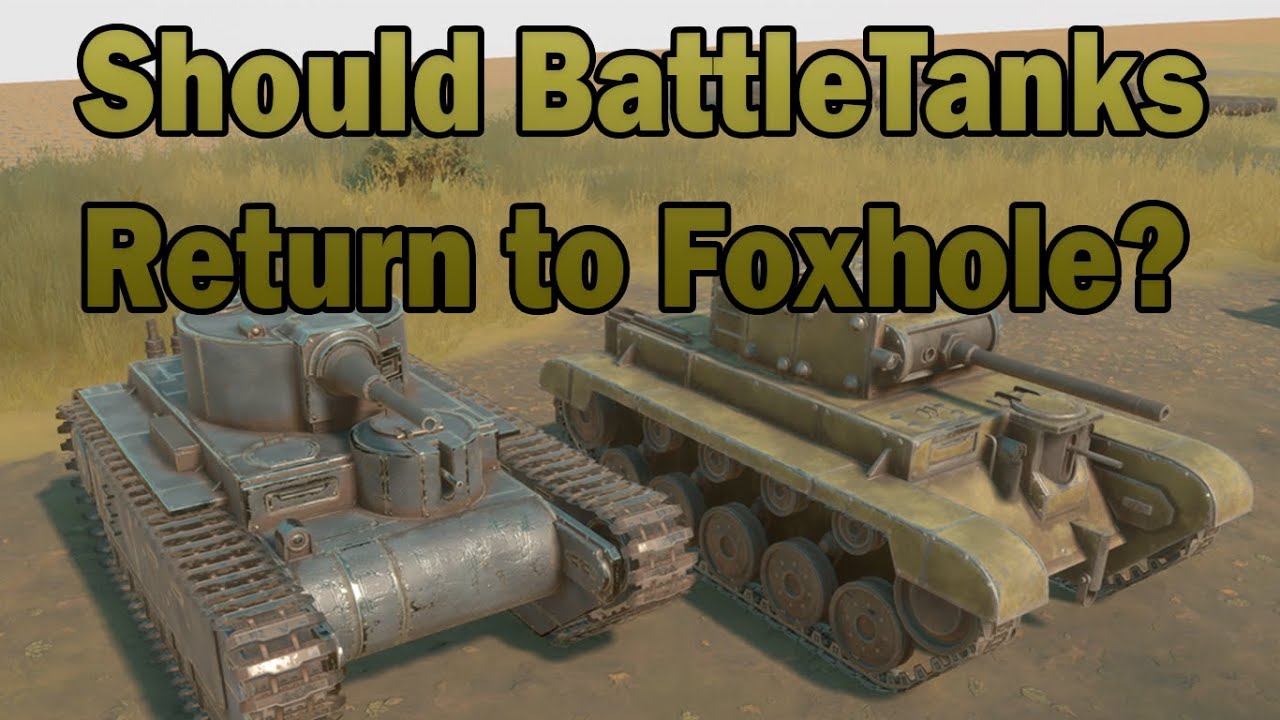
Why were battle tanks removed from the game?
lavish ridge
sly vine
Why were battle tanks removed from the game?

An in depth look into why Battle Tanks were removed.
No Wardens were harmed in the making of this fillm.
Big THANKS to my Brother from another Faction: https://www.youtube.com/c/Pudsy
⮚Learn your History!
Foxhole Offyshell Playlist:
https://www.youtube.com/playlist?list=PLiSLcpKIKSkhKxeXq_WwDOu-6M-NxOYWp
🍌Like and sub🍌
⮚ CLICKY TO SUBBY: http...
 red patio
lavish ridge
https://youtu.be/d9PV-MaCjns
red patio
lavish ridge
https://youtu.be/d9PV-MaCjns
Ah that was a very informative documentary, thanks
 ruby wind
why the hell are we kick out of the game if we're spotter in a tank for inactivity ?
junior prawn
I think the hamsters need feeding. As soon as i cross a hex i lose connection and am unable to log in.
Edit Restarted game and PC still not working.
 lunar shoal
sly vine
Why were battle tanks removed from the game?
lunar shoal
sly vine
Why were battle tanks removed from the game?
Thank you for watching Low Tech Gaming!
Remember to Like and Subscribe so we can continue bring you quality content. Hit that Notification Bell to be notified about future videos!
We love hearing from you so leave a comment below!
 lilac magnet
Hey all... I'm trying to figure out which version of Unreal Editor Foxhole is running on, would anyone happen to know how to find this number?
 quartz widget
lunar shoal
https://www.youtube.com/watch?v=4lALp2xUrwY
quartz widget
lunar shoal
https://www.youtube.com/watch?v=4lALp2xUrwY
Yes
 craggy torrent
Sometimes i load into a map, can reload and fire pistol
but the loading screen does not dissapper
any fix for this, altf4 only returns me home
 hasty blade
Hey guys I’m new to the game and I’m having issues with the voice chat. When I log in I get “ voice chat Error [2] 2-5031 but when I try and google it I can’t seem to find a fix
 cyan glade
hasty blade
Hey guys I’m new to the game and I’m having issues with the voice chat. When I l...
cyan glade
hasty blade
Hey guys I’m new to the game and I’m having issues with the voice chat. When I l...
try going into voice setting and press reconnect
lavish ridge
i am once again asking that this bug be fixed. i got disconnected while driving a tank and now i cant get back to it

 dull bloom
Black screen when launching game
 obtuse dagger
When aiming, my soldier begins to point to his back and i'm unable to shoot because it isn't pointing where I want to point. It happened also when I was inside a bunker, so I thought it was because the enemy fire, but it happened while walking in friendly territory with no enemies near.
hasty blade
@cyan glade I’ve tried the voice reconnect. Closing the game and re opening, and verifying the steam game files still getting the same error code
cyan glade
hasty blade
<@556224541202972675> I’ve tried the voice reconnect. Closing the game and re op...
Well I'm really not sure what you can do. Maybe ask are mod or a dev on this server or u might just have to uninstall and reinstall.
 wind walrus
You guys think i'm able to run the game with a intel hd 620? On low graphics
 hexed owl
heya, so Im running an rx 5700xt, ryzen 7 5800x, and 32gb ddr4, btu whenever I get into a "gunfight" or there is a lot of action on screen, the game semi-stops responding and the audio cuts out when I aim my rifle, any fix?\
 worthy fractal
I have as well problems with voice chat. Even though it is said active I can't hear nor talk (whereas I can hear the sounds of the game and speak with friends on Discord).
Did the same as Tactical Beard : reconnecting to the voice chat, restarting the game and verifying the game files.
I had no problem on the same PC while playing a year ago so I'm pretty surprised about this.
Seems like the problem was from my VPN.
 gray raven
I keep getting disconnected after loading in with the error message "connection lost: your connection to the host has been lost."
I have tried everything from the support page and more from web results but nothing seems to work. sometimes its after a few minutes and sometimes its much later
terse flume
how do I change the voice chat keybind
worthy fractal
terse flume
how do I change the voice chat keybind
In the keybindings, look for the setting "PTT voice chat".
Additionaly, there's the "PTT squad" to talk exclusively to your squad.
terse flume
alright thanks
hasty blade
@worthy fractal how did you fix it. I dont use a VPN
worthy fractal
I just turned off my VPN. You might have a DNS problem, as pointed out in the #technical-read-first⚠ : #technical-read-first⚠ message
 lavish flint
Alright i'm stumped and probably clinically stupid:
I've had VOIP broken for several days now.
What's happening is when people talk, I only see a microphone indicator, but hear no sound. When I try to push-to-talk, nothing happens and i don't even get an indicator symbol.
I've restarted multiple times. I've verified my steam files. I've checked if voice chat was enabled. I'm stumped and it's starting to become bothersome, i'd like to know if there's a fix for me out there.
@blissful sequoia
 blissful sequoia
Audio drivers, or use voicemeeter or refund i guess, devs dont care
Reset router too
lavish flint
I did a driver scan and ANOTHER restart and it seems mostly okay now
 woven tundra
anyone know a fix? https://cdn.discordapp.com/attachments/879265129332621323/967978752795631627/Capture.PNG https://cdn.discordapp.com/attachments/879265129332621323/967978983486537778/Capture.PNG


wont let my friend reconnect after steam verif. and multiple reinstalls
hasty blade
Changed DNS servers to what it recommends still getting “ Voice chat error [2] 2-5031
hasty blade
And delegated the vivid files and re verified still can’t use voice chat
 placid yarrow
lavish ridge
i am once again asking that this bug be fixed. i got disconnected while driving ...
placid yarrow
lavish ridge
i am once again asking that this bug be fixed. i got disconnected while driving ...
Hi, try using a VPN (e.g. protonVPN) and pick a server that isn't in asia. For reasons unknown, asian DNS just hates foxhole
Europe and US are good choices
 wheat frigate
I cant talk or hear anyone on any voice chat
winter walrus
Press U as it is the disabled and enable key for voice chat
wheat frigate
Thank you
 strong knot
How do i speak with a Dev about abuse of power?
gray raven
<@&213133977681264640> sorry for the ping and double post but I don't know what to do:
I keep getting disconnected after loading in with the error message "connection lost: your connection to the host has been lost."
I have tried everything from the support page and more from web results but nothing seems to work. sometimes its after a few minutes and sometimes its much later
I also did everything under the technical read first
cloud knoll
strong knot
How do i speak with a Dev about abuse of power?
You can submit a ticket: https://clapfootgames.freshdesk.com/support/tickets/new
Siege Camp
 latent viper
does the game unofficially support gamepad? Is there a way I can disable this?
 unborn pecan
red patio
Ah that was a very informative documentary, thanks
unborn pecan
red patio
Ah that was a very informative documentary, thanks
tanks*
 lucid ocean
strong knot
How do i speak with a Dev about abuse of power?
lucid ocean
strong knot
How do i speak with a Dev about abuse of power?
Gonna report a dev to a dev? Lol
 sharp wolf
woven tundra
anyone know a fix? https://cdn.discordapp.com/attachments/879265129332621323/967...
sharp wolf
woven tundra
anyone know a fix? https://cdn.discordapp.com/attachments/879265129332621323/967...
If not yet fix. Maybe try to stop your antivirus. It happend to me ^^
worthy fractal
hasty blade
And delegated the vivid files and re verified still can’t use voice chat
From what this user did to resolve the same error code, it seems to me like you might have a firewall problem.
https://steamcommunity.com/app/505460/discussions/1/3083250789417488847/
my local voice chat worked and without even quitting the game i got now this error and i have no clue how to fix it. anyone had the same problem?
You might want to check your firewall rules to make them as permissive as possible at first and if it works tune them to fit your internet configuration.
hasty blade
Hmmm I do use my phone as my internet connection. For some odd reason voice chat worked for like 2 hours for me last night then died again
I thought I had most of my firewall stuff turned off. How do I change ports ?
worthy fractal
If it's not firewall related, the problem might be something like my VPN problem : the DNS of your provider is messing your VC connection or other people might be doing the same thing on the same internet provider which creates conflicts. Computer science is weird.
worthy fractal
hasty blade
I thought I had most of my firewall stuff turned off. How do I change ports ?
Search in your windows "Allow an app through Windows Firewall".
hasty blade
Ah. Yea I played around with the DNS like in the pinned comments. It worked last night for 2 hours which was fun but then stopped again
worthy fractal
Learn about best practices for configuring Windows Defender Firewall
Also, @hasty blade, if I look up your error on this Discord, I can see this message :
#technical-chat message
 worldly plank
steam down sadge
 prime cove
hey guys i have an issue i get disconnected and lag everytime i am in Red River i dont know why
 burnt swan
Is there anyway to show ping or something? I keep getting kicked out to main menu for losing connection to the server. I don't have connection problems with other games.
 coarse fulcrum
ey guys why cant i spawn anywhere on the map

@hot oak @wheat latch is it cause im banned from this https://medal.tv/games/foxhole/clips/j7ziqJoRffM64/d1337hZn2xfO?invite=cr-MSw0bUosMTk3OTU3MzYs
that i cannot spawn anywhere\

Watch got banned for stupid reason and millions of other Foxhole videos on Medal, the largest Game Clip Platform.
cloud knoll
coarse fulcrum
ey guys why cant i spawn anywhere on the map
nothing to do with teamkills or bans. It's a connection issue that's pretty common. You can try to wait a minute for the deployment menu to load, otherwise try to restart the game and steam. Look up the other potential solution that have inevitably been posted in this channel before.
coarse fulcrum
cloud knoll
nothing to do with teamkills or bans. It's a connection issue that's pretty comm...
im rebooted changed ISP connections uninstalled and re-installed.
or tis cause i TK that oak who said he does not like africans and we must F*(**^ OFF i tk him then he like u getting reported. but he was racist
cloud knoll
If you were banned you wouldn't be able to spawn in the home region in the first place.
coarse fulcrum
okay that clears it up that you Nextra123
 tulip dune
Got banned for unknown reason. I played only a day, I didn’t communicate with the players in the game itself, only with the clan. Where can I get help?
cloud knoll
tulip dune
Got banned for unknown reason. I played only a day, I didn’t communicate with th...
You can submit a ticket: https://clapfootgames.freshdesk.com/support/tickets/new
Siege Camp
tulip dune
How long does it take for developers to respond?
coarse fulcrum
tulip dune
How long does it take for developers to respond?
how do u know your banned can you access the game and everything
Dev's https://medal.tv/games/foxhole/clips/jaOUoFzvWlJo4/d1337xltqkDi?invite=cr-MSxobXYsMTk3OTU3MzYs Whats going on here

Watch DEV'S WHAT IS GOING ON and millions of other Foxhole videos on Medal, the largest Game Clip Platform.
im not the only one https://medal.tv/games/foxhole/clips/jaPG5-pLiw5I0/d1337QsOjzI1?invite=cr-MSx0QU8sMTk3OTU3MzYs

Watch devs fix this and millions of other Foxhole videos on Medal, the largest Game Clip Platform.
cloud knoll
coarse fulcrum
how do u know your banned can you access the game and everything
You are NOT banned, if you were you'd be stuck on the main menu. Try to follow this troubleshooting guide for connection issues: #technical-read-first⚠ message
cloud knoll
tulip dune
How long does it take for developers to respond?
Variable, but less than a week for sure.
tulip dune
I can log in, but it shows a warning about the ban. I can't get off either.
coarse fulcrum
tulip dune
I can log in, but it shows a warning about the ban. I can't get off either.
ok
coarse fulcrum
tulip dune
I can log in, but it shows a warning about the ban. I can't get off either.
just rebuy the game on a new steam account
tulip dune
Did I waste my money and time on the game?
I only played for 27 hours
Ну да, я же русский сук
В бан меня
coarse fulcrum
iv played 90hrs and now first time today i cannot play at all

@thin island fix the game ur a dev

so many of us cannot deploy
tulip dune
And so I have the same problem with the map
winter walrus
If you are in Eastern Europe or south East Asia, you some times have problems deploying
coarse fulcrum
winter walrus
If you are in Eastern Europe or south East Asia, you some times have problems de...
im in south africa
We found away to fix the issue. I used my kaspersky antivirus VPN service to connect to the UK and it loaded the map and all working
winter walrus
VPNs tend to fix the deployment problems
coarse fulcrum
winter walrus
VPNs tend to fix the deployment problems
👍
coarse fulcrum
tulip dune
And so I have the same problem with the map
Use a VPN it works
tulip dune
coarse fulcrum
We found away to fix the issue. I used my kaspersky antivirus VPN service to ...
Ukraine?
 shrewd ore
Any free VPN that won't steal my stuff lol?
coarse fulcrum
just download KASPERSKY anti virus it comes with a free vpn
cloud knoll
 bronze kelp
hi i cant see any deployments spawn points on my map
bronze kelp
hi i cant see any deployments spawn points on my map
read the answers above, other people have the same issue.
shrewd ore
coarse fulcrum
just download KASPERSKY anti virus it comes with a free vpn
thanks!
terse flume
hi i have an issue talking in chat, nothing registers except whispers / pms
can anybody assist? i dont have anything in my violation log so i dont imagine im muted
cloud knoll
terse flume
hi i have an issue talking in chat, nothing registers except whispers / pms
do you have the "All" tab selected at the top left of the chat window?
 rugged mist
hi guys someone know how to fix the impossible to download shard info ???
coarse fulcrum
shrewd ore
thanks!
the devs need to fix their game and this issue ... now the vpn is expired i cannot play again man i did not have this issue for two weeks that i own this game and now all of a sudden
and multiple people have this issue all over the world !!!
gray raven
Do devs not respond back? It's been about a week now where I get kicked randomly saying I've lost connection to the host when my internet is fine.
I've done everything on their support page and the technical read first channel. No response except from a ticket email, and they only sent me a copy paste of the technical read first troubleshooting list.
cloud knoll
rugged mist
hi guys someone know how to fix the impossible to download shard info ???
Do you have the "Live-1" shard selected in the main menu's top right corner?
 violet tundra
Gals and Lads I have strange problem I recently changed my living place and now I'm living in a flat in new city. Today I tried to hop on game but recived message that I'm using alternate account and need to chose same faction as (that other account) I dont have clue whos account is that I only suspect that entire staircase might have same IP wich would explain that situation. Is there a way to safetly join the game without getting banned if I will chose another faction? <@&213133977681264640> I will say again I dont have clue who in that building might be playing this game. Pls @me with the response.
 gusty jasper
violet tundra
Gals and Lads I have strange problem I recently changed my living place and now ...
gusty jasper
violet tundra
Gals and Lads I have strange problem I recently changed my living place and now ...
There are known false positives with the warning message. It doesnt flag your account for a ban It's just a warning so you can type 'ACCEPT' and continue playing as normal
If you arent using an alt you're good and If there are other people In your accommodation that are playing the game too that will also be fine
violet tundra
Ok thx for the fast reply, that calms my nerves a bit. Cheers and thank you once more.
gusty jasper
No worries 
 languid flint
EpicAccountId:

Unhandled Exception: EXCEPTION_ACCESS_VIOLATION writing address 0x2b06c890

War_Win64_Shipping
War_Win64_Shipping
War_Win64_Shipping
War_Win64_Shipping
War_Win64_Shipping
War_Win64_Shipping
War_Win64_Shipping
War_Win64_Shipping
War_Win64_Shipping
War_Win64_Shipping
War_Win64_Shipping
War_Win64_Shipping
War_Win64_Shipping
War_Win64_Shipping
War_Win64_Shipping
War_Win64_Shipping
War_Win64_Shipping
War_Win64_Shipping
War_Win64_Shipping
War_Win64_Shipping
War_Win64_Shipping
War_Win64_Shipping
War_Win64_Shipping
War_Win64_Shipping
War_Win64_Shipping
War_Win64_Shipping
War_Win64_Shipping
War_Win64_Shipping
War_Win64_Shipping
War_Win64_Shipping
War_Win64_Shipping
War_Win64_Shipping
War_Win64_Shipping
War_Win64_Shipping
War_Win64_Shipping
War_Win64_Shipping
kernel32
ntdll```

I crashed with this for 4 timesPls elp
rigid notch
languid flint
```LoginId:ff0cb8e04d5ea6254d3fec8ecf1ca830
EpicAccountId:
Unhandled Exception:...
DM Brett with the Crash dump if possible, it can be located at C:\Users\USERNAME\AppData\Local\Foxhole\Saved\Crashes\WindowsNoEditor
languid flint
Okay
rigid notch
For some reason, Clyde has decided that my bug report of a floating tree is explicit, so I'm going to try and post it here and see if it's just #bug-reports or clyde really doesn't like my photo.
And clyde really doesn't like that photo... yay.
Any thoughts on why clyde blocks some images taken with Shift+Alt+Ctrl+B, but not others?
tulip dune
Developers can unban?
 pure nymph
Hello, I can't see the deployment map what is the problem here?
cloud knoll
pure nymph
Hello, I can't see the deployment map what is the problem here?
Try to wait a few mins for the map to load, otherwise try to restart the game and steam. If that doesn't work read this #technical-read-first⚠ message
pure nymph
cloud knoll
Try to wait a few mins for the map to load, otherwise try to restart the game an...
I try everything but still not working. I delete the game and installing again now.
 unreal lark
Does anyone have any idea why my inventory screen is completely black?
On phone/screenshots it's fine, but on pc it's just black
(Second image is mobile because it's really the only way to show what MY screen shows)

 rigid notch
It may be a mod that you downloaded not working correctly, so you may want to reinstall your mods, especially those pertaining to item colors and inventory.
unreal lark
rigid notch
It may be a mod that you downloaded not working correctly, so you may want to re...
ill remove all my mods temporarily and see if it changes
unreal lark
rigid notch
It may be a mod that you downloaded not working correctly, so you may want to re...
but no, the inventory is still basically black. as i said. when i view EVEN the screenshots, it still blakc even if i see the squares clearly on mobile
unreal lark
rigid notch
It may be a mod that you downloaded not working correctly, so you may want to re...
edit:
I think i fixed it. My monitor has something called "Black tuner" and i had it turned down. i raised it up and i see the squares correctly now
rigid notch
Ahh ok, I’m glad you worked out what happened.
unreal lark
rigid notch
Ahh ok, I’m glad you worked out what happened.
ive asked my younger bro. Apparently he thought it was the brightness setting and he turned it down. As much as google told me, the "black tuner" is meant to make dark areas lighter/darker without interfering with bright areas gamma. So by turning it down all the dark areas were darker than they shouldve been. Its also why i havent seen any difference on YT/bright things on my screen.
 urban light
anyone else having issues joining the war?

 tired pine
@hot oak
 gentle dagger
is anyone encountering an issue where you lose connection while border crossing and when you return to main menu the game displays the "lost connection to server notif"
i cant get back into the game
 wispy sonnet
I got an heavy problem that as been preventing me from playing the gme from two month.
i get severe lag every 2-3sec. It's basicly like packet loss but i don't experience it in any other games or anywhere else.
terse flume
hey guys, i'm having a lot of struggles with the in-game voice chat. it's just simply not working for some reason. i cannot hear my teammates and they cannot hear me. i checked to make sure my voice chat is enabled, and it is. I also have restarted the game, restarted my computer, verified my files, and I uninstalled and reinstalled the game, so i have no idea what the source it and how to fix it. any tips would be helpful
terse flume
unreal lark
Does anyone have any idea why my inventory screen is completely black?
On phone...
Diamond pistol
Upgrade to netherite
rigid notch
wispy sonnet
I got an heavy problem that as been preventing me from playing the gme from two ...
Are you part of a large squad? This is a side effect of that, and came from the latest update which fits with when you first started experiencing it.
The way to fix this is to create your own private squad, set your original squad as your main one, and then look at the smaller one. I know it doesn’t seem like much but it helps immensely.
wispy sonnet
OK I'll try ty

 sullen fossil
foxhole is in epic?
rigid notch
 uneven cedar
Send a message in #bug-reports with the log file and @ Brett . The log file can be found at C:\Users\USERNAME\AppData\Local\Foxhole\Saved\Crashes .
 humble summit
Hi, i have a little problem and maybe anyone had something similiar. I wanted to come back to foxhole, but i can't join shard-2. Every time i get same error, what is more i can join shard-1 with no problem

 junior summit
@humble summit Shard 2 is no longer a active Shard due to population of Foxhole and Shard 1 being able to maintain the current population
humble summit
oh, i see... Thanks for info!
 native fox
Is visual the only type of mods possible in foxhole?
shrewd ore
Sounds too
native fox
I wanted to make a mod that makes it so inventory shows the cost of the stuff you have on you
but it might not be possible
 ashen birch
it is but youd have to individually label each item icon with its cost
 solemn saddle
i can talk but cant hear anyone for some reason, already tried reinstaling the game, pressing u, checking options, restarting but none of it worked
 ebon ibex
@solemn saddle the same issue happened to me, one of the things that is I use both hyperX mic and headset, the game volume was going into headset but the voice audio wasnt connected. Just check the voice audio tab to ensure the output device is on the correct item. It took me 2 hours to figure out the same issue
solemn saddle
ebon ibex
<@546451136572555274> the same issue happened to me, one of the things that is I...
im using realtek and i believe that the right output device is connected (the one connected is named realtek digital output ) ill check
ebon ibex
solemn saddle
im using realtek and i believe that the right output device is connected (the on...
By chance do you have any other audio devices disabled in your sound settings on the actual computer
solemn saddle
ebon ibex
By chance do you have any other audio devices disabled in your sound settings on...
huh, the realtek r audio is not connected, i think that may be the problem

 river plover
any fix for voice chat error 5-0 and 6-0 that does not involve leaving the game?
 shrewd gyro
id like to know that too
coarse bane
river plover
any fix for voice chat error 5-0 and 6-0 that does not involve leaving the game?
You may get lucky with voice refresh and reconnect
shrewd gyro
coarse bane
You may get lucky with voice refresh and reconnect
how often would i need to refresh it for it to work?
coarse bane
shrewd gyro
how often would i need to refresh it for it to work?
only once if that doesnt work, restart game
shrewd gyro
i've tried it over six times in a row
shrewd gyro
coarse bane
<:julianlol:517069482485743627> only once if that doesnt work, restart game
...
coarse bane
thats why i said "lucky"
shrewd gyro
same goes for, when your VC suddenly stops responding at all, doesnt show the 🔉 and no error messages, until you restart the game?
and the bug returns after a random amount of time?
coarse bane
it kinda depends on your internet provider, i tried using mobile data the game disable all voice comm. no problem when i use wifi but slow connection
shrewd gyro
i am using Vodafone WiFi
coarse bane
i dont use vodafone provider, maybe try something else?
shrewd gyro
wait, no it aint wifi
its done per cable
coarse bane
lots of weird problem , one time i plugged my headset the game just crashed
 unique stone
Happened to me like 40 mins ago xd
 dense shadow
ive been having a problem where the game will disconnect me very often for no reason and with no warning. ive tried verifying the game files and restarting steam but it doesnt work. anyone have a fix?
 snow barn
How do I get in contact with a discord mod
 sly mortar
What's up @snow barn
@coarse bane @shrewd gyro The voice chat system the game uses cares heavily about your DNS settings, which can get weird depending on your ISP as well as using a specific packet type for VoIP packets. Some routers use a protocol called SIP ALG which was meant to secure SIP VoIP calls, but which causes issues with Vivox voice chat because they don't use that protocol so it kills those packets as they aren't seen as secure.
snow barn
sly mortar
What's up <@257619806616813568>
I’d just like to talk to a mod about being unmuted from game feedback, I’d message the mod directly but I’m not sure who muted me so
sly mortar
You're welcome to DM me
 reef viper
Hey im having issues with voice chat, whenever i join i get a message saying "voice chat error [2] 2-15100" and when i use try yo speak i get "voice chat error [8] 6-0". Ive tried both DNS fixes and Vivox fixes. How do i fix this?
 zealous pond
Will verifying game files delete mods
 peak notch
hey foxhole keeps kicking me out of the game every 20 second and saying disconected from host what can i do to fix i have done every thing in tec chat but has not help me at all can somebody help me becous otherwise i just wasted 25 euros today on this great game that i cant even play sorry if this is the wrong chat.
 steep notch
Yo does anyone know why whenever I start walking around in game all the audio stops and then the game freezes completely shortly after?
 hushed tinsel
steep notch
Yo does anyone know why whenever I start walking around in game all the audio st...
hushed tinsel
steep notch
Yo does anyone know why whenever I start walking around in game all the audio st...
Maybe using too much memory? Track your Memory usage while you play, that'd be my first guess
terse flume
Anyone else having issues log getting into shard-1?
shrewd ore
I am
 woven prairie
rigid notch
woven prairie
rigid notch
Steam maintenance, it’s normal
terse flume
I know steam is down, I just wasn't sure if they hosted foxhole server or not
rigid notch
Happens every Tuesday
terse flume
ah ok, thanks!
steep notch
the memory usage is normal for any game I play
Last war I didnt have an issue but today it only works for about 30 seconds before completely freezing and im unable to do anything in the game
I redownloaded and restarted my pc
I dont understand 😢
 versed warren
did the server just crash?
 vestal hound
I guess so
 real hollow
Seems so
vestal hound
home region went unavailable so I alt-F4, and now this

 coarse mirage
this is the message im getting

 silent geode
versed warren
silent geode
versed warren
what's up with this server instability wth?
steep notch
yo could anyone help me troubleshoot and figure out why foxhole works for about 15 seconds when im running around before freezing up entirely? <@&213133977681264640>
sly mortar
Have you verified files?
sly mortar
What GPU do you have?
steep notch
Nvidia RTX 3070
I can load the game up fine but around 5 seconds after I start walking around the audio cuts out and the game freezes and wont let me close it
steep notch
This is so frustrating
Nevermind homie, Im just gonna refund the game I apologize for wasting your time
 pearl quarry
Hey guys, been crashing in foxhole a lot lately and keep getting these unreal engine crash reports. Some days I play foxhole fine and then another day it crashes many times withing 5 min of booting up the game. Rebooted, updated drivers, verivied, reinstalled, have tried everything but it keeps coming back at random. Anyone been experiencing this or know how to fix it?

 winged oriole
rigid notch
Steam maintenance, it’s normal
winged oriole
rigid notch
Steam maintenance, it’s normal
Is it per shard? Or both shards?
rigid notch
It’s steam, not foxhole, so both. Also, as shard 2 isn’t in use so it doesn’t really matter.
river plover
anyone else having connection problems rn
 rare sonnet
peak notch
rare sonnet
peak notch
hey if you keep losing connection to the host is that a pc problem or internet?
if pc can somebody help me fix it if internet im just gonna be confused
look sorry for being anoying i just payed 25 euros and cant return the game anymore can someone just try even if its not succesful.
 sharp oasis
peak notch
hey if you keep losing connection to the host is that a pc problem or internet?
sharp oasis
peak notch
hey if you keep losing connection to the host is that a pc problem or internet?
I'm no expert by any means but I vaguely remember somebody earlier this week having the same problem, the suggestion that was done to him was to restart the router
 raven copper
<@&213133977681264640> Hey guys, just got the game a few days ago and love it. Having an issue with performance though, whenever I am on a busy front or there is lots of buildings around, my game stutters quite heavily when right-clicking to zoom out the camera, even though the fps stays high. I have tried changing my graphics settings and a few other fixes, but nothing seems to help. I stuck with all ultra settings because it just doesn't seem to make much of a difference. My system specs are as follows
GPU: RTX 2070 Super
CPU: Ryzen 5 3600
RAM: 16GB DDR4 3200mhz
Game is installed on M.2. SSD
OS: Windows 11
Playing at 3440x1440 Resolution with ultra settings
peak notch
sharp oasis
I'm no expert by any means but I vaguely remember somebody earlier this week hav...
ok ill try that
thanks for trying but hasnt helped
sharp oasis
I'm sorry, I hope somebody else can help you
 thorn rover
raven copper
<@&213133977681264640> Hey guys, just got the game a few days ago and love it. H...
thorn rover
raven copper
<@&213133977681264640> Hey guys, just got the game a few days ago and love it. H...
I’m not expert, but it sounds like a server issue if your fps is fine, they tend to get pretty bog down when there’s a lot of structures
thorn rover
peak notch
hey if you keep losing connection to the host is that a pc problem or internet?
Probably won’t be of much help, but have you tried verifying the game files
peak notch
yas
dense shadow
im having a problem whenever im constantly disconnected despite having good internet. any fixes??
 devout kiln
what is voicechat chat error [2] 2-50006
 cyan furnace
 elder gate
Steam content servers unreachable, cant log in or download the new update
 upper eagle
hi is vc working for anybody? its not working for me
 pallid agate
dev need help

one warden is inside the destroyed relic and we cant do anything
@hot oak
we are in crumbling passage callahan passage
rigid notch
pallid agate
dev need help
Frag grenades is will kill them, had this happen yesterday in Anchor Beach.
rigid notch
You have to get lucky with them, it worked for us yesterday.
pallid agate
we cant even see the body
rigid notch
You have to essentially drop the frag directly on top of them, using where their name pops up as a guide for where to drop it.
I'm sorry that y'all are having to deal with it as well, cause it's an absolute pain when it happens. It is most definitely a bug, is incredibly annoying to deal with, and the only fix I've heard is getting lucky with grenades.
rigid notch
Nice, and no problem.
 tacit bloom
sharp oasis
tacit bloom
sharp oasis
Things to check
-"U" toggles voice chat on and off
- check in settings if the game uses the correct microphone and speakers
- check if steam uses the correct ones
 sharp oasis
open your inv by pressing "tab" make sure the bandage is in the top half of your inventory, press 3 to equip the bandage, press lmb to bandage yourself.
Bandaging only works when your bleeding out though (blood spouting out of your char)
If you're not bleeding out, go find a medic
In the picture you're not bleeding out (that would give a small red drop icon in the topleft of your UI) but only hurt, so you need a medic to patch you up
 fair dune
I have recently started lagging in foxhole. I have no idea why.
I checked task manager and it said my cpu usage was at 20% and my gpu usage was also at 20%.
When I play other games my fps is high and it does not lag
winter walrus
fair dune
I have recently started lagging in foxhole. I have no idea why.
Are you in a squad with lots of people? If so make one that only has you in it and switch to it
fair dune
winter walrus
Are you in a squad with lots of people? If so make one that only has you in it a...
im in a squad with like 60 people
does that cause lag?
rigid notch
It can cause some lag, to fix, make yourself a small private squad, set your large squad as your main, then look at the small squad in the menu.
spare anchor
@raven copper I dont ever hear anyone say this but you can set your FPS in Foxhole to 144. Although still capped that's WAY better than having it capped at 60 regardless of your specs its better performance.
Don't worry if your monitor is only 60hz.
But you can't set that number any higher than 144, at least I can't. Maybe with a higher refresh monitor its possible? But yea I really wish the devs would let us uncap.
raven copper
I have mine set at 144 already, I’ve done some tweaking on my PC and the stutters just seem to be localized to very intense scenes right now. Probably a server thing as I was watching some videos on YouTube and notice other people having the same issues when the battle heats up
prisma needle
rigid notch
It can cause some lag, to fix, make yourself a small private squad, set your lar...
I’ve always wondered why people have anti lag squads now it makes sense
 willow jolt
hi I am returning to the game after a while and for some reason im unable to connect
it keeps saying lost connection to server
 old owl
is anyone finding double clicking necessary where before it was a single click?
spiral sphinx
I cant enter into the game, anyone having the same issue with me ?
 mighty ferry
can anyone help me?
 spiral sphinx
mighty ferry
can anyone help me?
spiral sphinx
mighty ferry
can anyone help me?
same with me
dense shadow
i keep being disconnected despite having good connection. any fixes??
 terse birch
mighty ferry
can anyone help me?
terse birch
mighty ferry
can anyone help me?
same
terse flume
VAC check failed what does this mean
sharp oasis
VAC is Valve Anti Cheat system
rigid notch
terse flume
VAC check failed what does this mean
It’s part of valve, but can occur for a number of reasons. I recommend looking it up online to see what others have done, or restarting your game/PC, or verifying your game files within steam.
 lime sluice
has anyone had an audio issue where sound will get cut for a few frames twice a second? the game itself does not stutter, only the audio.
 cosmic rapids
Dumb Question: Let's say I don't have a functioning mouse wheel to use Map Zoom. How would I go about changing the binding for that?
 river rapids
lime sluice
has anyone had an audio issue where sound will get cut for a few frames twice a ...
river rapids
lime sluice
has anyone had an audio issue where sound will get cut for a few frames twice a ...
that could be an issue with your audio device
check voice settings ingame and check whether they are correct
that or verify the integrity of your game files
it also could be an issue with some microphones on headset such as those with Hand free audio in their name as they mute audio from your computer which can be annoying in which case you go to your sound setting and click on the sound control panel in order to disconnect it
other than that Im not sure what could be root cause of that issue
river rapids
cosmic rapids
Dumb Question: Let's say I don't have a functioning mouse wheel to use Map Zoom....
unfortunately there doesnt seem to be anyway to that from what I can see from what you are allowed to keybind ingame
 hazy stratus
I got the game a few day ago and I haven't been able to hear the other people, anyone know how to help? (I tried the fixing it with DNS)
 maiden lotus
I'm getting this error even though my connection is fine?
 prisma needle
maiden lotus
I'm getting this error even though my connection is fine?
prisma needle
maiden lotus
I'm getting this error even though my connection is fine?
Had the same thing. Restarting my pc worked for me
lime sluice
river rapids
it also could be an issue with some microphones on headset such as those with Ha...
thank you for your repply, i think it is something related to unreal 4 and my pc specifically. i will look for stuff on google based on that
river rapids
hazy stratus
I got the game a few day ago and I haven't been able to hear the other people, a...
This could be due to you accidently pressing U
Which toggles voice chat on and off
That or you got a voip error in which case you just need to restart your game
 unborn marsh
Hello I do not know how to explain but I will try
Sometimes when I cross a border of a region I cross the region normally BUT I only see the loading screen of Foxhole someone can help me Thanks. (I use a translator)
 rich basin
idk what this message means but i literally cant play foxhole anymore because of this

 lethal cradle
rich basin
idk what this message means but i literally cant play foxhole anymore because of...
lethal cradle
rich basin
idk what this message means but i literally cant play foxhole anymore because of...
Maybe your graphics card has become outdated or your DX11 driver became corrupted.
rich basin
how do i fix it if its corrupted and my graphics card i dont think is out of date
 icy furnace
rich basin
how do i fix it if its corrupted and my graphics card i dont think is out of dat...
icy furnace
rich basin
how do i fix it if its corrupted and my graphics card i dont think is out of dat...
update your drivers
you can download an updater
 ember blade
fair dune
I checked task manager and it said my cpu usage was at 20% and my gpu usage was ...
ember blade
fair dune
I checked task manager and it said my cpu usage was at 20% and my gpu usage was ...
You're not alone, seems like certain hexes are lagging increasingly. If it was only me I'd think my internet but I've heard this often lately
rigid notch
 formal badger
can anyone help?
formal badger
can anyone help?
Is it a an ingame voice error, or can you just not hear people?
formal badger
i cannot hear people and i do not get the voice bubble when i try to chat
rigid notch
You may have accidentally disabled voice chat, to turn it on just press U I believe. If that’s not it then you may want to check your in game voice settings and make sure the input and output devices are correct.
formal badger
input/output is correct, i can hear ingame audio fine
rigid notch
Does a voice error show up in chat when you try to speak?
rigid notch
Maybe relaunch your game? I can’t really think of what else could be causing the issue, sorry.
formal badger
ty twl
 toxic owl
i have a same issue on voice chat as well. when im on the base before deploy i can see the chat speaker on my character when i press chat button, but once i deploy i dont see it. not only that i cant hear anyone else or less i die.
river rapids
toxic owl
i have a same issue on voice chat as well. when im on the base before deploy i ...
that unfortunately is a bug with voip with it disconnecting sometimes when you are travelling between regions
I suggest you either relaunch your game when it happens
or reset your router which sometimes helps it happen less often
but other than that there really is no way to prevent from happening unfortunately
 ripe hare
Anyone that can help with this issue?

There are no optional parameters set for the executable. Also tried verifying game files, reinstalling, restarting and running as admin, nothing seems to work.
rigid notch
that is technically the name of the executable file that is foxhole (war.exe), so maybe just let it launch? or is it giving you that warning then crashing when you hit ok?
ripe hare
fixed it
happens on launch and pressing ok just loops the issue so it just ends up saying "War War"
and it just keeps looping
fixed it by moving the game files from one hard drive to another
can be done using this

 pale depot
foxhole down? cant connect to server
 edgy bane
Yo it says 13,13 GB but why after I download it. It cost more than 20 GB?
 tropic folio
edgy bane
Yo it says 13,13 GB but why after I download it. It cost more than 20 GB?
tropic folio
edgy bane
Yo it says 13,13 GB but why after I download it. It cost more than 20 GB?
File compression
edgy bane
tropic folio
File compression
Ehh what?
 high tinsel
there goes any cooperation
 edgy bane
tropic folio
File compression
edgy bane
tropic folio
File compression
How to do it?
edgy bane
high tinsel
there goes any cooperation
Reset game
 pine orchid
Does anyone else have an issue where closing the game leaves it 'hanging' in steam, but not in taskmanager or anything, means if i close then want to reopen later i need to restart steam
rigid notch
edgy bane
How to do it?
It’s essentially how a zip file works. I’m not 100% sure how it’s actually done, but it makes it easier to transfer large amounts of data.
 vivid trout
high tinsel
there goes any cooperation
vivid trout
high tinsel
there goes any cooperation
Seems like voice chat is having some problems, I have the same problem as him, and restarting the game does not fix it. Anyone knows how to do it?
 somber oyster
Happens occasionally to me, close and reopen game?
 next violet
Hello, bought and downloaded the game yesterday. Im able to go to the training grounds, run around and do everything, however when i attempt to deploy myself to the war i get hit with :
"Connection lost: your connection to the host has been lost"
Is there a solution for this?
next violet
A bit of an update, but now i can't even go to the training grounds, when i try to connect it just says "Lost Connection to Server. Please try again. If the issue persists please report it using the support button in the main menu"
<@&213133977681264640>
next violet
anyone?
sharp oasis
next violet
anyone?
I've been going through the channel here, onyl thing I could dig up so far: Try verifying game files, try reinstalling and last but not least I found this:
"Edit: Tried connecting from Finland (which doesn't seem to work no clue why) but I used a VPN to tunnel my connection from Germany and now it works. I really hope I wouldnt need a VPN to play as VPNs can get quite laggy. "
sharp oasis
yep, you might wanna try the other steps first
next violet
yeah
sharp oasis
if that doesn't work either, I suggest you drop write a support ticket at:
https://clapfootgames.freshdesk.com/support/tickets/new

Siege Camp
 high frost
I suspect that that would be a waste of @next violet’s time, based off the responses I’ve heard of and the lack thereof I’ve personally experienced.
sharp oasis
high frost
I suspect that that would be a waste of <@349250216571961346>’s time, based off ...
The ticket you mena?
high frost
Yep.
sharp oasis
Damn
next violet
ive spent 2+ hours trying to get it to work so i cant even refund it lol
i have actually just got in for the first time
sharp oasis
Good to hear
high frost
next violet
i have actually just got in for the first time
I’m sorry your first impression was so poor. Here’s hoping you enjoy the game!
pale depot
I had the same connection problem day before yesterday, fixed itself the day after
 novel citrus
any help? (cant hear anyone)
 high frost
novel citrus
any help? (cant hear anyone)
high frost
novel citrus
any help? (cant hear anyone)
The voice chat isn’t controlled by the devs, to my knowledge. You might just have to log out and wait.
novel citrus
high frost
The voice chat isn’t controlled by the devs, to my knowledge. You might just ha...
Thanks
idle shell
This is ridiculous past hour been kicked out by saying issue connecting to S1, what the hell is going on
 fast sphinx
Hey guys i need help ASAP, i just today started my game, and i cant speak, like i checked my microphone its working all fine, i restarted game, than steam, i even tried to rebind voice button, but nothing helps. anyone had a salution for this frustrating issue?
sharp oasis
fast sphinx
Hey guys i need help ASAP, i just today started my game, and i cant speak, like ...
check what microphone steam is using is one thing I could think of
 wispy parcel
Honestly its just a gamble. You mayve pressed the mute button, I forget its binding
sharp oasis
"U"
 runic heart
having trouble loading into devbranch
 slow whale
Forgive me if this is the wrong chat, or if this question has already been asked somewhere (I looked). But is there a way to lock the camera to automatically follow the player? I'd prefer not to need to hold down middle-mouse and drag the camera all the time.
 regal jolt
slow whale
Forgive me if this is the wrong chat, or if this question has already been asked...
regal jolt
slow whale
Forgive me if this is the wrong chat, or if this question has already been asked...
1.) For asking fellow players, use #ask-the-community channel.
2.) The camera will follow your character, but does not orient to any direction. The viewing angle is manually adjusted while not specifically aiming at anything.
3.) The camera will follow your aimpoint when you are aiming a weapon (or using binoculars). Again though, the viewing angle can only be manually adjusted.
slow whale
regal jolt
1.) For asking fellow players, use <#851877262692450334> channel.
2.) The camera...
Do you know if there is a mod that would allow for this?
 dull zinc
the graphics card in my pc is broken but i can still play games
is foxhole a very demanding game or can even a potato run it?
 lethal osprey
When things get busy it can get pretty demanding
I doubt an onboard graphics card can handle it
 narrow rock
lethal osprey
I doubt an onboard graphics card can handle it
narrow rock
lethal osprey
I doubt an onboard graphics card can handle it
that would be broadband/latency inside rather than graphic card no?
lethal osprey
I dunno about that, Foxhole is one of only a handful of games that makes my 1060s fan even turn on
Its hard to say how much it affects
 jovial wolf
Is there a way to open a console or get any sort of log in the game? I'm one of the many who get randomly disconnected by "connection to host lost", but it seems nobody gets an answer to anything in that topic.
As context: I used to get booted to the same message after max. 5 minutes. Now I managed two times to stay in the game for aprox. 15 - 20 mins before getting disconnected.
Yes, I have considered #technical-read-first⚠ , no it didn't help. Yes my ports are configured accurately and yes other games work more than fine
rigid notch
Maybe try a vpn, some global regions have trouble connecting to the servers.
 dense tusk
slow whale
Forgive me if this is the wrong chat, or if this question has already been asked...
dense tusk
slow whale
Forgive me if this is the wrong chat, or if this question has already been asked...
I would recommend side mouse buttons to spin cam
jovial wolf
rigid notch
Maybe try a vpn, some global regions have trouble connecting to the servers.
Thank you for your suggestion. However I tried and it had the same outcome on all occasions. The only difference is that it made my ping worse.
 young sinew
guys, did you experience any lag lately
I mean in every region
I can't zoom properly with weapons, my character is getting throw back
 drowsy zealot
Starts today: every 20-30 seconds micro freezes. Try to change my AMD drivers to new and older. Nothing help. Just freezes everywhere...
rigid notch
Are you in a large squad? This may be a problem on the main server, as it causes lag for some reason. The best fix is to create a small squad, reset your large squad as the main, then look at your small squad in the menu.
It doesn’t seem like much but it helps a lot.
 mighty bear
anyone know why my lad is turning right at all times
 summer moat
Visual bug I think.
terse flume
cant join shard 1 any fixes?

 lilac perch
i can't join my VC squad but the other i can. Any Fix ?
 hot spindle
Um, I hope I'm writing to the right chat.
Just today, such an mistake occurred that I was playing on an alternative account for another faction and was engaged in sabotage.
I've heard a lot about the problem, I didn't do it and wasn't going to (it's just disgusting).
I played mostly with friends.
Honestly, I have no idea what's what, but then I will be permanently banned.
How does it work? And what should I do with it at all?

Sorry for possible mistakes, my english it's not very good.
winter walrus
If you are not alting it’s just a false positive and you will be fine
 drifting hedge
Could it be from false accusation by some witch hunter or an alt going NO U?
 kindred prism
Foxhole keeps crashing on me. There was a power outage while i was playing. All other games work but foxhole. Ive verified, reinstalled, deleted game files. Only thing, I havent done a wipe and reload. Any suggestions?
willow jolt
I'm having this issue I haven't played in a while but everytime I click deploy I get this messege, none of my settings have changed i have restarted steam and checked file integrity any help?

 crimson shale
hey, i got a question i am playing foxhole since a while now, and sundly since yesterday my game starts to lag/freezes up like 1/2 second every few steps i take. any idea what it can cause?
i even reinstalled my pc updated drivers etc.
rigid notch
crimson shale
hey, i got a question i am playing foxhole since a while now, and sundly since y...
If you’re in a large squad, this may be the problem. For some reason the squad menu causes issues like this with large squads. The fix is to create your own personal squad, set your old squad as the main one, then look at your new squad in the menu. It doesn’t seem like much but it works.
terse flume
getting a crash everytime i try to play the game
"d3d device lost"
nvm, recent nvidia drivers update fucked it up so i had to roll back to a previous version
odd
 languid smelt
Apologize if this is the wrong channel but, for quite a while now I have just been completely unable to play the game in certain hexes (DCing every 2-5 mins) getting the "Lost Connection to Server. Please try again." message so I'm pretty much forced to play only a few hexes where I won't DC because of this.
CANT PLAY: Tempest Island, Allod's Bight, Terminus, Loch Mor, Drowned Vale, Ash Fields,
CAN PLAY: Endless Shore, Deadlands, (sometimes) Marban Hollow, Heartlands, Westgate, Origin, Kalokai, The Fingers
Could provide more if needed but these are the regions off the top of my head I can think of that I can/cannot play
I've recently re downloaded the game and verified game files to attempt to fix it with no luck and haven't really been able to find anything else that would help remedy this.
 fresh void
I don't know if this is the correct channel to ask this in but, for me, my game would freeze every 5 seconds or so before unfreezing and then freezing again. Anyone got a fix for this?
rigid notch
fresh void
I don't know if this is the correct channel to ask this in but, for me, my game ...
If you’re in a large squad, this may be the problem. For some reason the squad menu causes issues like this with large squads. The fix is to create your own personal squad, set your old squad as the main one, then look at your new squad in the menu. It doesn’t seem like much but it works.
 onyx aurora
Win + Ctrl + Shift + B refreshes your graphics, other than that idk
 rotund saddle
Anyone having a bug where when you use local chat it does not pickup your mic but you can hear others?
sharp oasis
you might have accidentally hit "U" which toggles voice chat
rigid notch
rotund saddle
Anyone having a bug where when you use local chat it does not pickup your mic bu...
I’d recommend checking your input device in your settings, is it just foxhole where it doesn’t pick up your mic?
wispy parcel
sharp oasis
you might have accidentally hit "U" which toggles voice chat
They can hear others, U disables that entirely
 night sable
having issues connecting to the game, saying theres a issue with a selected shard? have no idea what it means

nice
 scenic dew
Hey I think shard LIVE - 1 is down
scenic dew
night sable
having issues connecting to the game, saying theres a issue with a selected shar...
I have same issue as you

 sleek skiff
So that zero % at the end of the chart means they are up?
 zinc pivot
sleek skiff
So that zero % at the end of the chart means they are up?
zinc pivot
sleek skiff
So that zero % at the end of the chart means they are up?
That
is csgo servers
Wait wtf
eh point is they aren't completely down
 mint idol
ok, so not just me that got kicked out of server?
sleek skiff
Well can agree with that. 🙂 something is borked. Can't use t he support button either.
terse flume
STEAM JANNIES I can't be out of game for 25 minutes :< This seems like a long maintenance eh
 rocky knot
Cant connect to shard 1, support button isnt working either NVM restarted steam and now im good
 regal nexus

 tropic sand
it says it can't connect to the shard and that i need to use the report button... but even that can't connect. not sure what to do
i've turned my firewall off, closed down all other programs, restarted the computer
 ancient mauve
tropic sand
it says it can't connect to the shard and that i need to use the report button.....
ancient mauve
tropic sand
it says it can't connect to the shard and that i need to use the report button.....
same
a hand anyone? I've tried everything
servers are up now because my friends are playig
ancient mauve
@sick remnant help please daddy uwu
 cosmic aspen

terse flume
fresh void
I don't know if this is the correct channel to ask this in but, for me, my game ...
same issue here
 elfin forge
terse flume
same issue here
elfin forge
terse flume
same issue here
refund
terse flume
elfin forge
refund
its fixed now 
 sly belfry
Good day, Is there someone who can help me with that? There're also 2 more accs of my friend's affected, If needed I can explain everything. Also the code of conduct was not violated, this I can also explain. @hot oak @wheat latch

 wicked mountain
sly belfry
Good day, Is there someone who can help me with that? There're also 2 more accs ...
wicked mountain
sly belfry
Good day, Is there someone who can help me with that? There're also 2 more accs ...
When did you buy the game? If your new some people might have just reported you en masse
sly belfry
I have like 20-30 hours
wicked mountain
I got no Idea then
sly belfry
A day or two ago I was just transporting supplies from one backline base(turned out to be a clan base) to the frontline base, also I have a voice chat error 8/6-0 or something and even if someone told me about that I couldn't hear nor respond. (in case you don't get the problem you're not supposed to take supplies from the clan bunker)
That's why I was reported as I understood
cloud knoll
sly belfry
Good day, Is there someone who can help me with that? There're also 2 more accs ...
This isn't a technical issue per say. You can submit a ticket https://clapfootgames.freshdesk.com/support/tickets/new .
Siege Camp
sly belfry
cloud knoll
This isn't a technical issue per say. You can submit a ticket https://clapfootga...
Isn't it a ticket for report? Or If I want to appeal the report I have to file it through here?
lilac perch
i cant join one specific voice chat channel but i can on the other any clue for fix ?
lucid ocean
sly belfry
A day or two ago I was just transporting supplies from one backline base(turned ...
Yeah taking supplies from bases is kinda counter intuitive, best take that time to make CRATES of items and transport them,
Still shouldn’t be reported til ban, they should of tried to find you and communicate with you to sort things out.
What side were you playing on ?
 whole moat
Just a quick question. When I first downloaded the game and logged in for the first time. I did notice I was using my full name as my gamertag. Is there a way to change that if possible. I really don't like having my full name visible in game.
river rapids
whole moat
Just a quick question. When I first downloaded the game and logged in for the fi...
your name ingame is related to the name of your steam profile if you dont want your full name to be displayed change your steam username to something else
whole moat
thank you
river rapids
whole moat
thank you
your welcome :>
 vapid meteor
Ive been playing foxhole again seriously, but lately been encountering crashes going from one region to another, as well as not being able to connect to the server itself (going to home region from the main menu)
 bright wind
I'm pretty sure I have a problem with the game and clicking, Every time I click in game or on anything even the map the game freezes/stutters for couple seconds and the action still wont be performed. Any help would be great ty.
lucid ocean
Try going to steam and then foxhole and verifying game cache
bright wind
Still did nothing all files are fine
 hidden sail
^ same issue except it doesnt crash it makes my frames go down to around 2 for the rest the time the game is up
sly belfry
lucid ocean
What side were you playing on ?
warden
lucid ocean
Well being banned isn’t a surprise on that faction
elfin forge
sly belfry
Good day, Is there someone who can help me with that? There're also 2 more accs ...
ur HWID banned
sly belfry
what's HWID
elfin forge
sly belfry
what's HWID
Hardware ID
that basically mean ur perma banned on ur current device
elfin forge
gg bro
the game detect 2 accounts that is on the opposite faction
and ur banned for it
do you possibly have a friend account that have family share activated and he have foxhole on opposite faction of urs?
sly belfry
I played my friends acc and I actually roleplayed, like killed wardens when played colonials, then I went back to main where I am warden
elfin forge
that explain it
the game doesnt like it and he detected u playing 2 faction on 1 computer
sly belfry
the discretion told that you get a ban for like ruining or spying and I was like ok, not like I'll do it, apparently just playing for other faction was enough
elfin forge
sly belfry
the discretion told that you get a ban for like ruining or spying and I was like...
ggs man, im sorry you gotta learn the hard way
 ember pivot
I been having problems in foxhole I just brought the game and when I tried to join I only saw lost connection so I thought I maybe have shit internet today when I tried to play other online games my ping was perfectly fine I tried verify it reinstall it restart my wifi pc steam still nothing could someone help I really want to play this game
 daring nova
So I enjoy the game and it's voice chat but as I started playing it again my voice chat doesn't work. It just says Voice Chat Error [8] 6-0. I've tried everything like reconnecting it, using different mics, even restarting my pc but it just doesn't work.
 vapid rune
can join any shards or even submit a report
 fair monolith
https://i.imgur.com/Yv3GQi1.png what do now... 😦 tried it twice, failed both times

this is what the situation looks like
 daring nova
fair monolith
this is what the situation looks like
daring nova
fair monolith
this is what the situation looks like
bro are you speedrunning smth?
nvm
there is no exit
 tulip remnant
Got a pretty big issue with a storm cannon
A friend built it with these entry pieces here

And now it's unusable
Two SCs are like this.

Can't remove the stair piece, can't blow up the bunker either.
Can't do anything
 supple yarrow
hello a friend of mine chose the wrong team he just buy the game he didnt know
is there a way he can switch
rigid notch
If he’s been in game less than 6 minutes, he can swap sides from the main menu.
It’ll be in the top right of the menu once you go to the stats screen.
rigid notch
There is a way via a ticket, but I’m unsure if that is still working.
Else, he can switch sides at the start of the next war
supple yarrow
ok some how he switch thanks
 neon prism
hello, i have a recent issue with foxhole that i dont have on any other game. Essentially, I'll be playing and itll be at a solid 60 fps, no issues or frame drops. Then suddenly the framerate will drop to about 15-25 and stay there permanently. The only thing that fixes it is hard reset of steam. When checking my GPU (1660 ti) it shows that its maxed out for some reason at 100% when its normally not maxed out. Also changing any graphics settings does nothing to fix the framerate.
This happens no matter if I'm in a large squad or not
I used to not have this issue when I started playing over a year ago
neon prism
it makes the game completely unplayable ever
fair monolith
daring nova
bro are you speedrunning smth?
I was. Timing how long a shipping route from Tine to Jade Cove takes. Seaport to Seaport.
daring nova
fair monolith
I was. Timing how long a shipping route from Tine to Jade Cove takes. Seaport to...
oh ok
 ancient knot
hello i would like to play the game and spawn ty ty
unique stone
it glitched rn
 dim shadow
hello peoples i had this error in my game and maybe you can help me
it happened after a server restart i tried reinstalling the game, verifying the files and then restart my computer but it didn't work

 formal locust
same
dim shadow
i also tired deleting the foxhole folder and redowloading it
 sharp adder
Hello i have the same issue
 jaunty scaffold
dim shadow
hello peoples i had this error in my game and maybe you can help me
it happened ...
jaunty scaffold
dim shadow
hello peoples i had this error in my game and maybe you can help me
it happened ...
same issue
sharp adder
https://gyazo.com/1fc306bbb43764992fddee5944592178
can't join region since 1 hour, even after the server restart <@&213133977681264640>
 dim shadow
formal locust
same
dim shadow
formal locust
same
i can deploy if i use my phone modem
@jaunty scaffold @sharp adder
strange but ok
sharp adder
i used 2 differents Ip to try to connect still not work
even tried to reinstall the game
dim shadow
well my 4g works
 formal locust
i haven't find anyting
sharp adder
no idea i did verify the files, i did reinstall the game 2 times, and used 2 differents ip and still not work
formal locust
guess we playing waiting for a restart game
dim shadow
wow i switched back to my wifi after spawning and this gota be awkward
 jaunty scaffold
I have tried:
restarting game
restarting steam
switching internet
verifying game files
restarting pc
still no luck
dim shadow
fuck this game someone wanna play overwatch?
sharp adder
chill it's 11 in toronto let them time to fix it
formal locust
i'm sure they'll fix it
 tame silo
Hello devs, take a look at your servers pls
unique stone
@native birch Sorry for the ping but can you PLEASE TELL the man who manages your servers to fix the home region and server generally. Been broken for almost 2 hours now so i had to resort to ping
 heavy shoal

Guys can you help the spawn points are not shown for me I restarted steam,Wi-Fi, pc, even verified intergrity of game files
unique stone
unique stone
<@236959488207224832> Sorry for the ping but can you PLEASE TELL the man who man...
@hasty spire can you please tell the guy that manages the servers this
 cursive tree
me too
unique stone
nobody can respawn
heavy shoal
me three
unique stone
hmmm if only the devs took a look at their community and realised something is wrong for alteast last 2 hours
cursive tree
i reinstalled the game along time ago, and it worked. but there has to be a more simpler solution
heavy shoal
cursive tree
i reinstalled the game along time ago, and it worked. but there has to be a more...
i cant reinstall it im using dongle rn and it will download in kb/s
😦
formal locust
there is some guy reinstalled game and it didn't work
cursive tree
for some reason when i swap internet provider to my phone it works again, but i cant use my phones internet forever
its somekind of internet bug in the game
formal locust
nah none of these is not a reliable solution
formal locust
what is the point creating a technical chat if you are not looking at
cursive tree
well ill come back tomorow
unique stone
formal locust
what is the point creating a technical chat if you are not looking at
avarage dev moment
gusty jasper
@unique stone@formal locust@cursive tree@heavy shoal Can you try connecting to a VPN? Your connection to AWS may be blocked. Also, If you dont mind answering, what countries are you all from?
heavy shoal
gusty jasper
<@779338452671397929><@469066136986583041><@404015824022798336><@522740780830294...
india
unique stone
gusty jasper
<@779338452671397929><@469066136986583041><@404015824022798336><@522740780830294...
I dont have a VPN, also Croatia
 gritty token
I've changed my VPN desto server from Portugal to Spain and it works now
sharp adder
France / no vpn
 ocean dawn
russian
formal locust
gusty jasper
<@779338452671397929><@469066136986583041><@404015824022798336><@522740780830294...
Turkey,i can't connect to a vpn

 turbid epoch
still broken for me too ^
ancient knot
i guess we cant even play the g ame
dim shadow
i also have the problem but i can play in 4g
neon prism
If I email the Foxhole dev email, will they actually see it?
@lofty belfry sorry I don't mean to cause annoyance. I just have a technical issue that makes the game borderline unplayable and haven't gotten anything from people that fixes it.
neon prism
@native birch
bright wind
Anyone know fix? Everytime I click anywhere in game my game freezes/stutters and it does it constantly
 pale oracle
I jumped in a queue of 14, and it's steadily counted down, but now I'm next to join I've been waiting for half an hour... is this right?
Is there someone who can check I'm actually properly in the queue and it hasn't bugged out?
hushed tinsel
pale oracle
I jumped in a queue of 14, and it's steadily counted down, but now I'm next to j...
Queues have a weird anti-AFK feature in place that is a little esoteric to get exactly how it works. If you move around you’ll sometimes be moved through the queue quicker.
Also, if you’re trying to spawn in from home region, people trying to get in via border will always (?) be prioritized first, which can result in it moving slower for you in the home region.
Border queues also have a ranking system based off of AFK-ness and how much supply value a vehicle is carrying + is worth, I think.
Atleast, this is my idea to explain my observations on how the queue works.
(“Supply value” being that arbitrary-ish value that determines a lot of stuff, like if a “commend this person?” Msg shows up, or in-game personal audit log “supply value gathered / delivered” stuff)
But yeah, if you’re coming to a highly contested region from the home region when people are trying to get in with supplies in the world map and the queue is 14 players long, expect wait times up to an hour or longer.
Personally, would recommend doing something else, ex: doing logi, going to a different front, or if you’re dead-set on going to that front, grabbing some supplies to deliver to it. Better use of your time.
heavy shoal
Is the map issue fixed?
 bright crane
Is there any way to play the game with low spec laptop?
unique stone
heavy shoal
Is the map issue fixed?
It was for me yesterday later at night
So it should be
 hybrid hill
heavy shoal
Is the map issue fixed?
hybrid hill
heavy shoal
Is the map issue fixed?
yep
 silent hound
I reported that issue but now its on new level. I binded my Voice chat to ` key and for some reason it changed to this. It changes sometimes when I join the game after a while.
 quartz widget
hushed tinsel
Queues have a weird anti-AFK feature in place that is a little esoteric to get e...
quartz widget
hushed tinsel
Queues have a weird anti-AFK feature in place that is a little esoteric to get e...
An add-on and possible bug to this queues sometimes dont update their queue numbers and you have to leave and rejoin the queue to get it to deploy you
 burnt relic
can somebody help me set up voice chat?
 wide schooner
Hey, I'm having a Voice Chat Error 2-10028 and after every time I press "T" it says Voice Chat Error [8] 6-0
can someone help?
 velvet sapphire
wide schooner
Hey, I'm having a Voice Chat Error 2-10028 and after every time I press "T" it s...
velvet sapphire
wide schooner
Hey, I'm having a Voice Chat Error 2-10028 and after every time I press "T" it s...
Have you tried reconnecting in settings->voice?
If that doesn't help, I think restarting the game is the only way
wide schooner
Nothing still the same errors
 bitter wadi
wide schooner
Hey, I'm having a Voice Chat Error 2-10028 and after every time I press "T" it s...
bitter wadi
wide schooner
Hey, I'm having a Voice Chat Error 2-10028 and after every time I press "T" it s...
I'm having the same issue
bitter wadi
LOL
wide schooner
Reported it, lets hope it gets solved soon
bitter wadi
👍
 junior agate
I restarted my computer and deleted my voice files in the foxhole folder among what you guys have tried. still running into the same issue.
im going to change my dns like it says in technical read first ill update
nope still have voice chat error {8} 6-0 this is incredibly frustrating lol
wide schooner
its just boring to play without voice
junior agate
wide schooner
its just boring to play without voice
it really is
idle shell
First time ive ever seen this type of error as well. Not sure what they changed to make this happen
wide schooner
frustrated with it, im just going to check tomorrow I guess
 bold obsidian
So I exited a barge without lowering the ramp, and now it says I cant enter it without lowering the ramp. How do I lower the ramp if I can’t enter the barge?
bold obsidian
So I found that by jumping into the water and hopping into the barge that was solves the problem. Kinda dumb though that you can’t enter the barge while the ramp is up unless its the water side door
 misty crag


 visual blade
I'm having an issue with the sound effects not being heard, all of my settings is all the way up and I've tried reinstalling the game and I still get hear any of the ambient sounds
 reef tide
Hello, my friend can't deploy in map. How fix that

 hardy dust
Same issue here
 hardy tiger
reef tide
Hello, my friend can't deploy in map. How fix that
hardy tiger
reef tide
Hello, my friend can't deploy in map. How fix that
Where's your friend from?
reef tide
hardy tiger
Where's your friend from?
Ukraine
hardy dust
reef tide
Hello, my friend can't deploy in map. How fix that
issue im getting alongside that
 hardy tiger
reef tide
Ukraine
hardy tiger
reef tide
Ukraine
It may be just for Europe then, because my friend from Croatia can't get on either.
hardy dust
Kinda rude 
hardy tiger
hardy dust
Kinda rude <:KEK:832287697904467968>
Is that better? I wasn't really thinking about that.
 foggy bane
hardy tiger
It may be just for Europe then, because my friend from Croatia can't get on eith...
foggy bane
hardy tiger
It may be just for Europe then, because my friend from Croatia can't get on eith...
My friend from east Ukraine doesent have this problem, I from west Ukraine and I have this problem
hardy dust
I basically did everything I could on my side regarding internet and pc. Nothing helped
It was fixed last night when the servers got restarted
foggy bane
I wait 1 hour, restart PC, use VPN, re-download game and this doesn't help
hardy tiger
yea it's something on the side of Seige Camp that's not working then. My friend in the 27th also did all he could on his end.
hardy tiger
did it work before?
hardy dust
VPN? No clue since Im not gonna pay for one
hardy tiger
no, the game
hardy dust
Yes
foggy bane
I have free vpn for windows PPTP https://www.vpnbook.com/
hardy dust
Im raging because ill be unavailable tomorrow and my private stock is filled with stuff that I accessed last time yesterday
sad thing is that this issue dates even to 2019
hardy dust
reinstalling the game doesnt help
unique stone
hardy dust
reinstalling the game doesnt help
Ye its a issue from the dev side
hardy dust
how about a fix 
unique stone
Knowing seigecamp it will take them a few years to adress the issue
ancient knot
can we play the game please?
 proud vapor
reef tide
Hello, my friend can't deploy in map. How fix that
proud vapor
reef tide
Hello, my friend can't deploy in map. How fix that
Its usually it's just slow loading times hold yourself on that screen for a while if that doesn't fix it you are buggered.
 crimson shuttle
Are you in a big squad?
 full reef
Voice chat error [8] 6-0 has been happening for the last few days, I have never encountered this before. What is the best fix?
full reef
Anyone?
 mighty shore
Reset wifi or game
 fair ridge
full reef
Voice chat error [8] 6-0 has been happening for the last few days, I have never ...
fair ridge
full reef
Voice chat error [8] 6-0 has been happening for the last few days, I have never ...
oh so its not only me
 untold thunder
full reef
Voice chat error [8] 6-0 has been happening for the last few days, I have never ...
untold thunder
full reef
Voice chat error [8] 6-0 has been happening for the last few days, I have never ...
go into settings, voice, click reconnect to voice it fixes it sometimes
mint idol
I have a voice chat problem when apparently, I can talk in local and squad chat just fine, but I cannot hear anyone in game. I can see the speaker pop up when they are speaking, but I cannot hear them. Other people can hear me in game just fine. I have done all I think I can including reinstalling the game, but the issue still persists
 gentle zenith
mint idol
I have a voice chat problem when apparently, I can talk in local and squad chat ...
gentle zenith
mint idol
I have a voice chat problem when apparently, I can talk in local and squad chat ...
You're using the wrong speaker options then. Bassicly there's multible speaker options in the voice setting just go through you're options menu and you'll find it.
 mellow dust
Hey lads, game crashed, please look into these:
[2022.05.28-14.07.24:649][285]LogD3D11RHI: Timed out while waiting for GPU to catch up. (0.5 s) (ErrorCode 00000001)
[2022.05.28-14.07.25:149][285]LogD3D11RHI: Timed out while waiting for GPU to catch up. (0.5 s) (ErrorCode 00000001)
[2022.05.28-14.07.25:649][285]LogD3D11RHI: Timed out while waiting for GPU to catch up. (0.5 s) (ErrorCode 00000001)
[2022.05.28-14.07.26:149][285]LogD3D11RHI: Timed out while waiting for GPU to catch up. (0.5 s) (ErrorCode 00000001)
[2022.05.28-14.07.26:170][285]LogD3D11RHI: Error: Result failed
at C:/dev_release/Engine/Source/Runtime/Windows/D3D11RHI/Private/D3D11Query.cpp:348
with error DXGI_ERROR_DEVICE_REMOVED DXGI_ERROR_DEVICE_HUNG
[2022.05.28-14.07.26:170][285]LogD3D11RHI: [Aftermath] GDynamicRHI=000001D5140A0000, GDX11NVAfterMathEnabled=0, Result=0xFFFFFFFF, bDeviceActive=0
Is this on my end or do people often get these?
I had sound of my tank engine going as nothing was happening on the screen for about 20-30 seconds, just a complete freeze, then game closed itself with a Send report window
got super lucky this happened on my way to a Garage and not during the 2 hours or so of active tank combat, else I would have seriously let the army down
rigid notch
It’s just on your end I believe, seems like something happened to your GPU that caused it to lag way behind, and that eventually led it to just crash the game. It’s probably best to put the log file of the crash into #bug-reports , so that the devs can take a look at it.
 unique meadow
Anyone else have a problem with their microphone? Like it won't use the headset mic?
whole moat
Rubberbanding so bad haven’t been able to play for about 2 weeks. Not my internet. Other games are running just fine.
rigid notch
whole moat
Rubberbanding so bad haven’t been able to play for about 2 weeks. Not my interne...
If you’re in a large squad, this may be the problem. For some reason the squad menu causes issues like this with large squads. The fix is to create your own personal squad, set your old squad as the main one, then look at your new squad in the menu. It doesn’t seem like much but it works.
 ebon brook
unique meadow
Anyone else have a problem with their microphone? Like it won't use the headset ...
ebon brook
unique meadow
Anyone else have a problem with their microphone? Like it won't use the headset ...
I have Same problem
 umbral marten
The new code of conduct as follows;
■ The following Code of Conduct rule has been updated. The new addition has been underlined.
 ○    Do not exploit bugs, modify the game client, or use external tools to gain an unfair  advantage.

 ○     This rule now encompasses things such as input broadcasting tools.
Does this include autoclickers? Unsure if correct room, sorry if not.
 harsh viper
after the new update today I've got this message and green lines at the right and the down side of the screen if I'm at foxhole. I hope, somebody can help my. Thx

 verbal obsidian
Hello! Over the past 4 days or so I have had crashes every few hours and it only happens when I'm in my map screen. I have played the game for over 150 hours before this started happening so I'm not sure what is the cause. I have an intel 6700k and GTX 1070 and 16 gigs of ram, its definitely not a hardware issue. I have had crashes with a map mod installed and without, and I have also tried verifying files and have reinstalled the game and it still happens when looking at my map after playing for a couple hours. Any insight would be much appreciated! 🙂
regal nexus
Why will it not allow me to change factions this war?
It states I have 2 days for TOW, even though the war just started?
regal nexus


Anything that requires me to press Q to enter, says "Gamepad Right Shoulder" instead.
No controller plugged in, and have reset my setting more than once.
verbal obsidian
regal nexus
same
 polar turtle
regal nexus
polar turtle
regal nexus
I had this problem a few weeks ago, but the next time I started the game it was gone
I'd just restart the game/computer
regal nexus
polar turtle
I'd just restart the game/computer
If only I would have thought of that.
polar turtle
🙂
 unborn sorrel
I think its a bug, i got it b4 too
fixed after reset controls to default
now I unplugs my controller playing foxhole
 maiden coral
anyone facing issues with the new update?
my game seems to crash constantly after the update was made.
 gleaming dome
no work for me rip 😕

 upbeat charm
Same here
terse flume
So the queue is stuck for a bunch of us
 lavish totem
patience
 whole beacon
Same
terse flume
nah it will fix itself eventually I know that much
regal nexus
If you read carefully, it says the war was pushed back to 1:30 
lavish totem
If your new don't worry. You can come back after 1hour it will be smooth sailing. The first 15 mins is general a pain to get in
terse flume
Just the queue to get into the harm region
 tepid trench
game broke
terse flume
Well sad
gleaming dome
Pre-War Hotfix
A hotfix is currently being deployed. Please update your client. You may have to verify integrity of game files or restart Steam to see the patch.
Hotfix release notes will follow shortly.
dev msg ^^
 low bolt
Definitely broken even after small update