#avatar-help
1 messages · Page 231 of 1
 left gull
 dreamy storm
hm alr alr
left gull
you've gotta upload a version to android, if the model is optimized well then it should be as simple as swapping platforms (File>Build Settings>Android since swapping through the SDK panel can be buggy) if its not optimized though then i suggest reading through the chats in #avatar-optimization to get some ideas on how to get it within the set limitations for that platform
you could also try generating an imposter of it on the website
 forest portal
left gull
you've gotta upload a version to android, if the model is optimized well then it...
forest portal
left gull
you've gotta upload a version to android, if the model is optimized well then it...
Oouu uhhh
okay
I'm super duper new to this so I have 0 idea what I'd be getting into. Would that be something I should pay someone to do? LOL.
It says, "This avatar does not have an overall rating of good or better, so it can not be used as a custom fallback. See the link below for details on the avatar optimization"
Which, technically if I optimize it, it'll bug out the character, right?
left gull
yeah that message is a bit dated at this point, fallbacks arent possible anymore to my knowledge and imposters are supposed to be the quick replacement for them. id say if you've got the money to 1. purchase all assets and base model for your editor and 2. cover their (imo) insane work-charge fees then go for it! but learning how to do stuff like this yourself is far more cheap and valuable if you plan on playing the game longterm
as for bugging it out if done correctly it shouldnt bug the character out
they just might not be able to see all the toggles the PC version provides
(( if you do end up going the commission route go to VRCTraders, theres a link in #1204490664637890580 its the safest place to commission work as long as you make sure the user has a verified role. lots of bots and scammers lurk in this server so you'll prolly get unsolicited DMs if you try lookin in here))
dreamy storm
okay i got the animator
it says its “not imported as a humanoid rig and will not play vrc’s provided animation set”
how do i give it a humanoid rig
 somber sequoia
find the .fbx file, click it, look in the inspector, go to the rig tab, set it to humanoid, configure...etc. For visuals,watch a basic avatar setup tutorial, this is usually detailed there.
dreamy storm
alrighttt got that solved
somber sequoia
While you're there, you may want to to unmap the jaw bone, if it has one
dreamy storm
somber sequoia
find the .fbx file, click it, look in the inspector, go to the rig tab, set it t...
after i go to configure what do i do?
dreamy storm
somber sequoia
While you're there, you may want to to unmap the jaw bone, if it has one
alrr
dreamy storm
dreamy storm
after i go to configure what do i do?
like what do i need to configure*
somber sequoia
make sure the right bones are in the right places.
dreamy storm
ohh alr alr
okay it worked and uploaded
and its pc only
how do i make it work on quest?
forest portal
left gull
(( if you do end up going the commission route go to VRCTraders, theres a link i...
Yeah I think I got one tbh
 lethal aurora
the center of the head is kinda hollow. making up walls on the sides. I dont want it to make walls i want the structure to be consistent across
 opal relic
I am trying to add an animation of a fist kept closed when a saber toggle is enabled. When I tested it out, the hand pose did not change. In the animation preview, it is just a bicycle pose. In Blender, I keyframed only the bones that are affected. I made sure to keyframe it twice on the timeline. Have I saved the animation wrong or exported something incorrectly?


 hot hull
can someone pls help me with uploading an avatar i keep trying to open a new project and it keeps saying error
 gaunt knoll
hot hull
can someone pls help me with uploading an avatar i keep trying to open a new pro...
gaunt knoll
hot hull
can someone pls help me with uploading an avatar i keep trying to open a new pro...
does unity load
 balmy barn
opal relic
I am trying to add an animation of a fist kept closed when a saber toggle is ena...
balmy barn
opal relic
I am trying to add an animation of a fist kept closed when a saber toggle is ena...
you can use the gesture controller and add another for your toggle/fist animation there , want to tweak it , duplicate the animation rename it and edit its values 
opal relic
balmy barn
you can use the gesture controller and add another for your toggle/fist animatio...
Wait, in other words, recycle VRChat's fist animation for the toggle?
Tryna wrap my head around what you're saying
gaunt knoll
hot hull
can someone pls help me with uploading an avatar i keep trying to open a new pro...
?
opal relic
It's not that I want the avatar to turn on its sabers every time it makes a fist
balmy barn
GestureRight equal 1 , enable sword (many ways of toggling a object , scaling bones/uv shift/blendshapes < that order good to worst)
but to force it always on id use a toggle so it never can change whatever gesture you might accidentally do
opal relic
But I do have it on a toggle.

I am 100% sure I am missing a step before exporting the fbx with the animation in Blender. I just cannot remember what.
I've gotten animations to work before.
gaunt knoll
All good #creator-companion
If you message in there I will help you as soon as I'm off the phone
 median moss
okk
opal relic
I did manage to figure out the actions thing in the non-linear animation menu. I exported the fbx into my Unity project and the animation preview is still that bicycle pose. My only guess is that there is bone data missing in the .anim file since I did not keyframe anything else. Could that be the problem?
I figured it out! I just had to configure the rig of the fbx I imported with the animations.
 wheat helm
does anyone have a good guide for physbones?
when im manipulating the 3.0 vrch physbones nothing happens
 sharp isle

help
I installed PCSS, but the eyes look dark and there's a shadow on the nose. Does anyone know how to fix it? Thanks.
dreamy storm
tried to optimize for quest with questtools and all this popped up after tryna upload

if anyone knows what any of this means
 sterile swan
does anyone with eye tracking experience know why an avatars eye bones would wander farther than they are supposed to? my face tracking works really well but the eye bones are going so far to the side they clip outside the avatars head because theres no limits.
i set my eye look limits but that doesnt seem to do anything...

im not sure whats causing this. my other avatars have never had this problem before xD
opal relic
sterile swan
does anyone with eye tracking experience know why an avatars eye bones would wan...
I don't have experience in that department. My only idea is to weight paint the irises a little bit for the head. Say, 20%. Be sure to turn on auto normalize.
sterile swan
opal relic
I don't have experience in that department. My only idea is to weight paint the ...
thats a great idea let me check that
sterile swan
sterile swan
thats a great idea let me check that
just checked blender. they do not appear to have any data pulling on them other than the eye bones themsels
opal relic
Do so for the head then. All of the mesh should be parented to all of the armature.
sterile swan
i belive the eye mesh is parented to the eye bone its just moving farther than it should be
opal relic
Hide all of the mesh in edit mode except for the irises, object mode, select the armature, shift select the mesh, weight paint mode, and alt click the head bone. Paint over the irises with a weight of 0.2.
sterile swan
the eye bone is free to move more than its animation limit... now that i think about it...it shouldnt be moving outside of the shape keys. and the shapekeys dont go that far...
ill try that
opal relic
Oh, the eye look is done by shape keys for the eye tracking? Or are you just referring to the look up and look down?
Unless anything should deform for the eye look up and down (i.e. eyelids), nothing should change.
sterile swan
so eye tracking uses the shape keys only
in vrc if your avi doesnt have FT the eye bones themsels actually move
opal relic
OH
sterile swan
makes me think both of these are happening at the same time
opal relic
Maybe try deleting the eye look shape keys
For the eye tracking
Or just add the shape keys and leave nothing changed
See what happens without eye tracking shape keys
Unless it won't like that and does not work
 barren slate
Anyone know why this happened? No logging no nothing, just says it filed. No alerts that should restrict the upload


 arctic laurel
i dont know why but it seems i cant figure out where these textures go in the materials for this outfit i got for my avi
dreamy storm
dreamy storm
tried to optimize for quest with questtools and all this popped up after tryna u...
sm1
 naive ridge
Okay, I need real information here. So I payed for an avatar off payhip but I need help uploading it to my account. Thing is, I don't have a pc so I need someone who does. Unfortunately, almost all the way through a transfer of information a person that was helping me upload said avatar then told me I also needed to pay to upload it to (which I didn't know at all before hand) I'm going to have to do alot more research, so may I please have some tips?
And information ofc
 orchid pollen
naive ridge
Okay, I need real information here. So I payed for an avatar off payhip but I ne...
orchid pollen
naive ridge
Okay, I need real information here. So I payed for an avatar off payhip but I ne...
I would say, see if the creator does uploads, if not find someone that you can trust to upload it! (They have to have the files as well, DO NOT SHARE FILES.)
naive ridge
orchid pollen
I would say, see if the creator does uploads, if not find someone that you can t...
I have, the people I trust want to be paid but I just don't have the money. Also, the creator of the avatar hasn't responded for 4 days now. I sent 1 message to ask if they do/aking for help.
Luckily I already paid for the model.
orchid pollen
naive ridge
I have, the people I trust want to be paid but I just don't have the money. Also...
DM rq and we can figure out something, ok?
naive ridge
Real quick, do you need to be paid?
orchid pollen
naive ridge
Real quick, do you need to be paid?
No no lol!
naive ridge
Alr, thank u so much. I really appreciate it
orchid pollen
naive ridge
Alr, thank u so much. I really appreciate it
Yes ofc
opal relic
Quick question
In the VRChat avatar documentation, by physbone "transforms", does it mean individual physbone bones?
 maiden saffron
opal relic
In the VRChat avatar documentation, by physbone "transforms", does it mean indiv...
maiden saffron
opal relic
In the VRChat avatar documentation, by physbone "transforms", does it mean indiv...
Basically yes. Transforms are the rotations and movements of your model that are defined by the bones.
opal relic
So 3 physbones on an avatar, for example, equals 3 physbone transforms?
maiden saffron
Depends what you mean by the first Physbones.
When you add a Physbones Component to a bone, any bones attached to that one down the hierarchy also become a physbone.
So, say you have a strand of hair. If you add the Physbones Component to it, that bone plus every bone in the strand going down is 1 physbone transform each. You used one 'component', but the end result is however many bones are down from what you put the component on.
In this example, I have a disgusting amount of bones in the chain of Ahoge. Each of the bones is a transform, and I put a Physbone Component on Ahoge. However, this turns both itself, and Ahoge.001, Ahoge.002, Ahoge.003 etc, all into a physbone transform, because by default, each bone under the first one inherit the physbone settings. So this would be 13 physbone transforms.

There's ways to reduce the number though. You'll notice the screenshot has an 'ignore Transforms' dropdown, that lets you choose to say, exclude Ahoge.011_end because it's not technically a real bone and only exists to mark the end of the chain. And that allows you to reduce the count to 12, even though you still have 13 real bones.
That's more of an advanced semantic edge case though. In general, one component for Physbones means your Physbone transform count is itself plus everything beneath it.
barren slate
barren slate
Anyone know why this happened? No logging no nothing, just says it filed. No ale...
Is anyone able to help?
somber sequoia
there's no useful info there, unfortunately
 frosty moss
im looking for someone to help me upload my avatar,i bought one off of jinxxy and have unity and sdk downloaded and pulled up, sdk says the verification of the avatar cant happen because it does not have an animator but when i look at the model it does have one thats active
somber sequoia
the animator is a component on the avatar root. usually not there if you didn't do a humanoid rig setup
 echo linden
can anyone help me upload an avatar or whatever!!
somber sequoia
that's what the channel is for
frosty moss
somber sequoia
the animator is a component on the avatar root. usually not there if you didn't...
in this case is it not this?
 echo linden
i see
somber sequoia
frosty moss
in this case is it not this?
yep, that looks right
frosty moss
okay so this is how its been and it still says that i dont have an animator
somber sequoia
probably some other error too
dreamy storm
echo linden
can anyone help me upload an avatar or whatever!!
i maybe might be able to, that is if nobody else can help
im def not fit to be a first resort tho
echo linden
idm i js need help pls are u able to call
dreamy storm
i am not
frosty moss
its not giving me anymore errors except these
 somber sequoia
you're more likely to get help if you describe your problem in here
dreamy storm
somber sequoia
you're more likely to get help if you describe your problem in here
yeah probably
somber sequoia
frosty moss
its not giving me anymore errors except these
are those the first errors? Nothing above?
dreamy storm
if you just need the files uploaded thats no issue
 dreamy storm
echo linden
well i need LIKE FULL ON DETAIL HELP
dreamy storm
echo linden
well i need LIKE FULL ON DETAIL HELP
whats the model/whered ya get it?
echo linden
sigh i need help with everything :c
dreamy storm
like just straight up making an avatar?
dreamy storm
echo linden
sigh i need help with everything :c
do you have files of a model to upload?
somber sequoia
frosty moss
maybe show your whole screen, there's nothing useful there
somber sequoia
gee, thanks


 echo linden
🥹
somber sequoia
happy to answer questions.
echo linden
im lowk slow and i watched yt and like they js yap
somber sequoia
frosty moss
oh, you have no avatar descriptor
frosty moss
somber sequoia
oh, you have no avatar descriptor
explain?
somber sequoia
 somber sequoia
I've never used vrc quest tools
dreamy storm
what do you use to optimize for quest?
somber sequoia
I don't
opal relic
Is it possible to mirror a .anim animation in Unity?
dreamy storm
somber sequoia
I don't
😭
frosty moss
somber sequoia
https://creators.vrchat.com/avatars/creating-your-first-avatar#step-5---adding-a...
okay its added, the view is set behind the eyes and i followed everything else in the link and its still not working
frosty moss
somber sequoia
explain "it's still not working"
stillsaying its not valid, current error codes
 somber sequoia
show the avatar dsecriptor
frosty moss
 somber sequoia
you put the descriptor on the camera?
it should be on the avatar.
so yeah, find a basic setup tutorial
frosty moss
somber sequoia
it should be on the avatar.
there is one on the avatar as well, i dont really know why the camera has one..
 somber sequoia
ok well in the build window it seems you've selected the camera instead of the avatar
probably remove that descriptor so it doesn't screw you up

 ornate stump
 inland seal
How do I make Jewerly move
inland seal
How do I make Jewerly move
Move as in moving with physic?
somber sequoia
inland seal
How do I make Jewerly move
edit it in blender
inland seal
ornate stump
Move as in moving with physic?
Shape keys
inland seal
somber sequoia
edit it in blender
How
somber sequoia
edit that object, make a new shape key, move it wherever you want
inland seal
somber sequoia
edit that object, make a new shape key, move it wherever you want
what object and I already have shape keys
The problem is
somber sequoia
the nose ring, I assume
inland seal
that I want to parent the Jewerly to the Head so it will move with all my 100 shape keys
somber sequoia
you could just join it to the head, that's what I usually do
somber sequoia
you also have to edit the shape keys to make the jewelry move
inland seal
So you want me to edit all my shape keys?
somber sequoia
if you want that thing to move with each one, yep
inland seal
🙏
inland seal
somber sequoia
by which I mean, it's not.
After 10 minutes
It works
But it took a while
🥲
 sacred grove
why cant we use every shader in the Vrchat/Mobile area? for quest
 lilac musk
sacred grove
why cant we use every shader in the Vrchat/Mobile area? for quest
lilac musk
sacred grove
why cant we use every shader in the Vrchat/Mobile area? for quest
Some are for worlds, not avatars.
sacred grove
even particles like alpha blend?
lilac musk
IDK the specifics, but if it's not letting you upload it, then you can assume it's not for avatars
sacred grove
💔 Im trying to find a shader that allows me to put this glitter effect on my characters face. I used to be able to use Alpha blend or Spirits diffuse but ever since the new update those are not an option anymore . I tried using Vrchat/Mobile/Multiply or Additive but the texture wont look static or glitter in game it just looks like white dots on the face.
 heavy zephyr
Glitter should just be baked into the original texture on quest
sacred grove
pic 1 is how it supposed to look, Pic 2 is how it looks in game now

 heavy zephyr
You have the orange selection outline enabled, doesn't show much
sacred grove
heavy zephyr
Glitter should just be baked into the original texture on quest
I found a work around to this, I would put face stickers on the face then use a glitter texture i found and it used to work
sacred grove
heavy zephyr
You have the orange selection outline enabled, doesn't show much
i was trying to highlight what it should look like
is there any text besides Toon lit or toon standard we can use for quest?
lilac musk
text?
sacred grove
i mean shader*
gaunt knoll
i think theres a list somewhere that lists them all
sacred grove
gaunt knoll
i think theres a list somewhere that lists them all
if you find plss send 🙏🚨
 flat wraith
does anyone know what this issue is
 ornate stump
flat wraith
does anyone know what this issue is
ornate stump
flat wraith
does anyone know what this issue is
You might have to explain what you did.
 proven quail
flat wraith
does anyone know what this issue is
proven quail
flat wraith
does anyone know what this issue is
Weight paint
flat wraith
ornate stump
You might have to explain what you did.
i used the knife tool to cut out the pieces in the mask so it looks good on pc and quest

 flat wraith
proven quail
Weight paint
flat wraith
proven quail
Weight paint
thats what i also thought im not very good at weight painting and i tried something with weight painting
proven quail
flat wraith
i used the knife tool to cut out the pieces in the mask so it looks good on pc a...
Yeah that will fuck with the weight paint. Check that and just fix all the spots that turned blue
ornate stump
flat wraith
i used the knife tool to cut out the pieces in the mask so it looks good on pc a...
If you use knife and it create new vertices that isn't on existing edge, there will be no vertex data on those new vertices, including the vertex weight.
proven quail
I'd imaging the whole thing is weighted to the head? Or its own bone? Either way shouldn't be too complicated just make all the blue spots match their surroundings
flat wraith
okay thats good to know but also i looked through the vertex groups and found blue spots on the mask and fixed it and it still looks like that
proven quail
There's more spots. Check all the vertex groups carefully
ornate stump
flat wraith
okay thats good to know but also i looked through the vertex groups and found bl...
You could assign the whole thing to head bone.
proven quail
If it's all weighted the same value, you can go to edit mode and click a to select all vertexes, and apply the weight value there
flat wraith
i think i found it i just had to search more
 balmy barn
if you use knife tool, you have to be careful about not creating new verticies they will have no weight paint , for that one just weightpaint it to headbone or another bone and then parent it to headbones
 undone vapor
can anyone help a dumbass like me out and tell me how to make my unity transfom tool look like this?
 flat wraith
it did work tysm guys
ornate stump
undone vapor
can anyone help a dumbass like me out and tell me how to make my unity transfom ...
 proven quail
undone vapor
can anyone help a dumbass like me out and tell me how to make my unity transfom ...
proven quail
undone vapor
can anyone help a dumbass like me out and tell me how to make my unity transfom ...
I think it's this tool, I'm not in unity rn so can't confirm if it's there by default.
 undone vapor
yes, but mine dont look like the one in the pic i posted, tryna figure out how to make my circle look like this
 ornate stump
undone vapor
yes, but mine dont look like the one in the pic i posted, tryna figure out how t...
ornate stump
undone vapor
yes, but mine dont look like the one in the pic i posted, tryna figure out how t...
How is "this" exactly? Do you mean looking from the side view?
 ornate stump
undone vapor
my circle looks like this
ornate stump
undone vapor
my circle looks like this
That depends on your view port angle relative to the object rotation. You could switch tool anchor space between Global and Local and see how you can rotate the object.
undone vapor
ummmm,,, how i do that?
ornate stump
undone vapor
ummmm,,, how i do that?
 undone vapor
well.. i tried but still cant get the circle thing to look the same as my target, lol, thanks anyways
ornate stump
undone vapor
well.. i tried but still cant get the circle thing to look the same as my target...
It also depends on view angle as I mention before. Click on the compass gizmo center and this will set view to isometric, click on axis to align view along with the axis, and change anchor to Global.
 undone vapor
i dont understand how theirs has an extra outer layer blue cross hair looking section...
ornate stump
undone vapor
i dont understand how theirs has an extra outer layer blue cross hair looking se...
The cyan circle is showing contact reciever, not relate to transform tool.
If you actually said "blue circle" we would have understand long ago. Saying just "This" is too vague.
undone vapor
ah
sorry...
new question, um.. how come my blue circle is way bigger than how it looks in the pic im trying to emulate?

 junior void
the amount of nsfw stuff here is insane
ornate stump
undone vapor
new question, um.. how come my blue circle is way bigger than how it looks in th...
Because the object scale isn't right. And you haven't actually put the object into your avatar.
undone vapor
junior void
the amount of nsfw stuff here is insane
s-shhh!
undone vapor
ornate stump
Because the object scale isn't right. And you haven't actually put the object in...
how do i fix scale issue
ornate stump
undone vapor
how do i fix scale issue
Just set radius in the contact reciever.
undone vapor
oh, um... so i just ramdomly experiment with the size of the radius until it looks right?
ornate stump
undone vapor
oh, um... so i just ramdomly experiment with the size of the radius until it loo...
Yes.
 hollow maple
Is there a way to check if an avi is quest compatible??
ornate stump
hollow maple
Is there a way to check if an avi is quest compatible??
Are you buying avatar or you meant public avatar in game?
hollow maple
ornate stump
Are you buying avatar or you meant public avatar in game?
I want to check if the one I'm currently using can be used in vr bc I'm buying a headset today
ornate stump
hollow maple
I want to check if the one I'm currently using can be used in vr bc I'm buying a...
It's will have an Android Logo on the avatar thumbnail image. The Windows is the blue one. Also that's for when playing in Quest standalone, not when connecting Quest to PC.
hollow maple
ornate stump
It's will have an Android Logo on the avatar thumbnail image. The Windows is the...
Okay so it has both android and windows, so i'm good?
ornate stump
hollow maple
Okay so it has both android and windows, so i'm good?
Yes.
hollow maple
ornate stump
Yes.
Oki tysm!
undone vapor
ornate stump
Yes.
thank u for your help, i think i fixed it
 ruby summit
yall i need help with something more unity-related rather than vrchat, can someone help me here or recommend me another server?
ornate stump
ruby summit
yall i need help with something more unity-related rather than vrchat, can someo...
Is it unity in process of making avatar? You could just post the question so we actually know what you talked about.
ruby summit
ornate stump
Is it unity in process of making avatar? You could just post the question so we ...
kind off, it is unity in process of converting my vrc avatar into a warudo avatar, but i think im gonna open a new scene and try it there
ornate stump
ruby summit
kind off, it is unity in process of converting my vrc avatar into a warudo avata...
And what issue you're having with?
ruby summit
ornate stump
And what issue you're having with?
i cant see the package on the window even tho i installed it
 ornate stump
ruby summit
i cant see the package on the window even tho i installed it
ornate stump
ruby summit
i cant see the package on the window even tho i installed it
If it's specific to Warudo then you have to kind the contact for Warudo as ask the question there.
ruby summit
i tried before on another instance and it appaered on the window tab, but the warudo app gave me an error bc the unity version i sued, so i went to a 2021 one (recommended by other one)
ruby summit
ornate stump
If it's specific to Warudo then you have to kind the contact for Warudo as ask t...
i did but no one's replying :c
ornate stump
ruby summit
i did but no one's replying :c
You just have to wait. The issue doesn't relate to unity either so even unity discord can't help.
ruby summit
ornate stump
You just have to wait. The issue doesn't relate to unity either so even unity di...
okay nvm found a readme but cant find the window i need
and still doesnt work
ruby summit
finally made it work, now i gotta see why my avatar is still at t-pose
 left gull
How would i make a avatar mask for non-main rig bones? im trying to setup an idle for a set of proxy arms but since theyre not the main arms i cant do it through the humanoid section and i couldnt find a good tutorial on how the Transform part of avatar mask creation works figured it out

additonally can i use both the humanoid section and transform on the same mask or does it need to be seperate masks for each section? you can
 near ice
avatar disappears as i get closer to it


 opaque thicket
is there a way to make this fur copy the texture underneath?

 keen minnow
Can some uplode my blender to vrc
somber sequoia
your blender?
keen minnow
Yah unity being a bitch to me
 sterile arrow
Did you export it as a file unity can read?
gaunt knoll
loads*
keen minnow
Yah sorry
sterile arrow
maybe you forgot to pack the model's textures before giving them to unity, file->external data->pack resources
what file format did you use?
keen minnow
Fbx
somber sequoia
I don't see why you'd pack those textures, you want them unpacked in Unity anyway
well assuming you actually have textures and not procedural materials
sterile arrow
oh, i use a third-party plugin, nvm
somber sequoia
so "loads but is just grey" almost always means you have to setup materials in Unity and apply them to the avatar.


 gaunt knoll
keen minnow
gaunt knoll
keen minnow
kazin's point hasn't changed
if you want the fbx to be include textures you have to press embed textures
somber sequoia
I wouldn't embed them, but you do you.
near ice
idk what happened to the avatar
 gaunt knoll
somber sequoia
I wouldn't embed them, but you do you.
gaunt knoll
somber sequoia
I wouldn't embed them, but you do you.
Agreed not recommended
somber sequoia
near ice
idk what happened to the avatar
exported with different scaling settings from the previous time, or drastically rarranged the armature.
near ice
ah i see
gaunt knoll
somber sequoia
exported with different scaling settings from the previous time, or drastically ...
There's a lot of that this week
Nvm it's Monday
keen minnow
 gaunt knoll
Yeah can you use the snipping tool
left gull
if this isnt your own file id delete that linked unitypackage but liindy has a pretty quick guide on how to setup something like that as long as you have a blendshape/shapekey on the hoodie for the up or down motion
 cobalt cloak
left gull
if this isnt your own file id delete that linked unitypackage but liindy has a p...
cobalt cloak
left gull
if this isnt your own file id delete that linked unitypackage but liindy has a p...
thx i will try it
gaunt knoll
cobalt cloak
thx i will try it
you still need to delete it before you get banned
somber sequoia
keen minnow
not sure what you're trying to show, but it's totally unreadable
keen minnow
 near ice
what are the proper blender export settings?
near ice
 timber wharf
<@1340156389472862351> https://discord.com/channels/189511567539306508/730948173...
timber wharf
<@1340156389472862351> https://discord.com/channels/189511567539306508/730948173...
erm lol
 somber sequoia
you may still have to redo the rig setup
the problem is not that you didn't use "proper" settings it's using different settings from previously used.
frosty moss
how do i switch my shaders on my avatar to be compatible with quest instead of windows
somber sequoia
top of the material has the shader, pick a different one


 shell zephyr
Lmao
 somber sequoia
near ice
any fix to this?
somber sequoia
near ice
any fix to this?
explain "this"
 astral coral

How do fix the lighting problem on the avatar 😭
I’ve swapped head and body and now it’s like that lol
somber sequoia
use the same shader settings for both
astral coral
How can I copy and paste that?
somber sequoia
ideally the same shader too.
3-dots menu at the top of any unity component has some stuff about copying and pasting
also use the same object (I usually prefer the chest bone) in the "anchor override" slot in the Mesh Renderers
astral coral
I don’t get it what that means 😭
somber sequoia
Which part?
 somber sequoia
Do you know what a Mesh Renderer is?
astral coral
Nope
somber sequoia
it's a component on one of the mesh objects on your avatar, like the body or head. If you go click on one, you'll find it (named "Skinned mesh renderer" in this case).
"Anchor Override" is under the "Probes" dropdown.
near ice
what are some other ways of reducing the memory? i already changed the quality of the textures
 somber sequoia
Mesh size. That's gonna be huge
 errant comet
That avatar needs work. Too much mesh, too much mesh renderers
 shut oxide
I made a different skirt for an avatar and had to change the original collider parameters to match the new skirt how can i export that kind of change
Im using modular avatar
astral coral
somber sequoia
"Anchor Override" is under the "Probes" dropdown.
U mean this?? I really don’t get it sorry, I never work on Avis a lot
 somber sequoia
No, I meant the thing under the Probes dropdown.
But this Fury component should take care of it for you, I think. I don't use it.
astral coral
OHHHh
somber sequoia
though the error message there suggests it's in the wrong place
astral coral
I did swap heads and body, is that the issue?
I used the proper tool to attach the head and body together
somber sequoia
I don't know, I'm just reading that error message.
astral coral
But I did found the Probes setting ur talking about and they both uses the same settings
somber sequoia
Okay good. Though I think that Fury component will override whatever you put in those.
astral coral
I delete it, I wanna try to fix it without the Fury since it had an error
How can I make the head reflects the same light in the world as the body? Is it in the Probes?
somber sequoia
The anchor override makes sure both objects use the same point for the light source, but you'll still have to compare shaders and material properties.
astral coral
I have and I made sure they both share the same settings in shading and what not and even use toon lit
But it still does that issue where it doesn’t copy the same lighting on body and face
 restive radish
What website does anybody use that is free to start from scratch to make an avatar from
For quest users
somber sequoia
restive radish
What website does anybody use that is free to start from scratch to make an avat...
https://creators.vrchat.com/sdk/ is where I'd start...
I suspect this is not the answer you want to hear though.
near ice
question bc im confused, by combing clothing and body to make one skin mesh, do i still have the option to disable the clothing or how does it work?
balmy barn
pc yes (uvdiscard easy) , quest harder (either shrink bones outfit using or shapekeys)
barren slate
barren slate
Anyone know why this happened? No logging no nothing, just says it filed. No ale...
Is anyone able to help?
near ice
this is where im at rn, i've already lowered the texture quality by a lot, i dont care about making it as optimized as possibl, i just want bare minimum (the original creator for the avi didnt optimize it)
 barren slate
somber sequoia
there's no useful info there, unfortunately
barren slate
somber sequoia
there's no useful info there, unfortunately
Thats what I mean, its liek what am I supposed to do cause its not giving any info. Could it be in the yellow errors? I've not personally ever seen that but could that be why?
barren slate
near ice
this is where im at rn, i've already lowered the texture quality by a lot, i don...
Lower poly count or material counts or mesh counts (requires blender)
near ice
barren slate
Lower poly count or material counts or mesh counts (requires blender)
when i join meshes together, they just disappear
like when i joined the body and head together, the body disappears in unity

 loud cedar
got a question on uploading avi's, think any1 would be down to walk me through me and help me out?
lilac musk
Just ask questions and people will try to help
 onyx axle
Im having issues with uploading my avatar due to it saying that I need to install the quest unity module, although I already have it installed
Im unsure of what to do

[@ me if you can help]
barren slate
onyx axle
Im having issues with uploading my avatar due to it saying that I need to instal...
Is abd.exe in PATH?
barren slate
 fresh ether
Need to see all red errors after hitting upload
#avatar-help message
barren slate
near ice
when i join meshes together, they just disappear
Not sure why. Do you have all blend shapes off before merging?
Either way poly count is your best way to redice file size
 white pumice
So, I'm using the Kikyo booth model, what would be the best way to change the eye texture to a gif? The eye texture is a part of the face material.
 pallid drift
trying to make it so only the person wearing the avatar can see the hud

how can i do this?
maybe a shader i have to download or something?
pallid drift
pallid drift
trying to make it so only the person wearing the avatar can see the hud
all i really need for this i think is a one sided transparency shader
for quest aswell
im working on an alternitive solution rn but not sure if its gonna work
onyx axle
barren slate
Is abd.exe in PATH?
What is PATH?
pallid drift
pallid drift
im working on an alternitive solution rn but not sure if its gonna work
im just gonna give the helmet an interior

 undone schooner
not too sure where to ask this but im looking for a na'vi 3d model to make an avatar , does anyone have one
i have searched EVERYWHERE and can not find a single useable na'vi 3d model
pallid drift
undone schooner
i have searched EVERYWHERE and can not find a single useable na'vi 3d model
have you tried the garrys mod workshop?
undone schooner
pallid drift
have you tried the garrys mod workshop?
i cant find any on there either
theres one mod that uses the 2009 models but those are a mess in blender
and so low poly its an eyesore
pallid drift
youtube is your best friend in this situation
and chat gpt is that one friend you have to go to but you hate his personality
mainly because he steals all our ram
 plain lava
How do I make the face transparent correctly

 left wren
What might be the cause of an avatars position being lowered drastically after you are done previewing an animation?
figured it out, the armatures origin was offset.
Another thing worthy of note however is that every time I seem to split the eye rotations up and edit them It locks up the entire avatar descriptor and no longer lets me edit anything on it.
idk if thats a bug but it most certainly wasnt happening a couple of months ago. Its been causing roadblocks everytime i need to edit something or remake an avatar due to a blender issue or whatnot.
Oh! i figured out a fix for now I guess, disabling eyelook allows me to edit it again. weird...
 oak raptor
where do most people go to get free chain necklaces for their avis? i see them on a lot of avatars im sure theyre getting them from somewhere..
 gaunt thunder
Guys i took a break from this game for ages but I swear i remember klee from genshin in a MAGA hat hust so yk i hate trynp and do not suport him as a person i just thought it was a funny avatar if anyone has it let me know
 proper leaf
im uploading a pc avatar rn and its saying that it is too large and that i need to lower the resolution of the largest textures in the texture import settings but i have no idea what that is and how to fix it can someone kindly help me ?
left wren
find your textures in your assets and select one of them at a time. At the bottom of the inspector change the resolution then hit apply
left gull
proper leaf
im uploading a pc avatar rn and its saying that it is too large and that i need ...
this video by liindy shows the basics of lower texture resolution and how-to if your struggling to find where to do stuff
left wren
is it possible to use more than one VRC Animator Tracking Controller in different layers of an animator?
proper leaf
left gull
this video by liindy shows the basics of lower texture resolution and how-to if ...
thank youuu
proper leaf
left wren
find your textures in your assets and select one of them at a time. At the botto...
thank youuuu
somber sequoia
left wren
is it possible to use more than one VRC Animator Tracking Controller in differen...
sure
 drifting halo
Hi, I want to make a radial in the menu to change each one of these, how do I go about it? (Im only using modular avatar and have little to no unity knowledge)

 lunar ember
How can I set my own materials to Matcap in the uv section like this avi's materials are set?

Trying to do achieve the effect of being able to get close without seeing through me
and I think that's the key to it
And this is what I see if I try and copy the back face section over

This is the effect I'm trying to achieve
somber sequoia
I haven't used that section but I'm wondering what "matcap" in the UV dropdown does
lunar ember
It seems to be the only thing on that material that's different from mine outside of base textures and normals and such, and it seems to be what is causing the visuals that you can see in that clip
somber sequoia
yeah I wouldn't use that backface section at all unless I really had to
 devout elbow
this avatar i bought has a pickaxe and when i finished uploading it the toggle for it was broken and it was floating right next to me instead of being attached to the hand and being able to be toggled on and off does anyone know how to easily explain how to fix that at all? i have no clue if its the same on the quest version but i want to at least be able to fix it

 somber sequoia
You'd have to look at that prop and see what's already on it, maybe its already setup right? maybe not?
devout elbow
i clicked on it and this came up on the side is there anything specific id need to add to make it work properly?

ive never really dealt with broken toggles before so this is very confusing tbh
somber sequoia
that ^ is probably a root object and there's stuff below it
since there's not even a mesh renderer there
devout elbow
theres also these things not sure it messing with theses would fix any of it

 somber sequoia
those are just the parameters and menu items - nothing here tells how it works
I'd guess "pixaxe" enables it though
 sand verge
I keep getting failed to upload file with literally nothing else attatched to it
I've uploaded it fine before too

Here
somber sequoia
that message is rarely useful, is it the only error?
dreamy storm
anyone got gogoloco files?
somber sequoia
dreamy storm
is that the one you use?
somber sequoia
I don't use it at all, but that's the creator's site and so the official source of it
somber sequoia
it's on gumroad too, but yeah, just get it there
dreamy storm
alr
 soft sentinel
anyone got that Pomni sexyback animation?
 slow briar
sand verge
somber sequoia
that message is rarely useful, is it the only error?
slow briar
sand verge
somber sequoia
that message is rarely useful, is it the only error?
There was something else about GoGoLoco and my Goo shader
sand verge
slow briar
select all the hair mesh in edit mode then click select, normals, flip normals
slow briar
Kk Ty ^^
somber sequoia
sand verge
There was something else about GoGoLoco and my Goo shader
post the first 2-3 errors then.
dreamy storm
do i need to download and use vrcfury to use gglc?
somber sequoia
no, but it's way easier to install with fury. The gogo loco manual describes installation methods
sand verge
somber sequoia
post the *first* 2-3 errors then.
Here they are
 dreamy storm
ohhh ughhh
somber sequoia
sand verge
Here they are
yellow = warning, not error
sand verge
somber sequoia
yellow = warning, not error
Yep then the only error is the one I provided
 oak raptor
ok i need serious help with toggles rn >.< i tried to make a toggle that turns off my paws and fixes my fingers and adjusts my wristbands. i want it so my paws are on by default and it looks like the button has been added on the menu but its default off and i cant turn them on when i try to test my avi. help


in play mode everything looks good i just cant figure out why i cant turn my paws back on
somber sequoia
You'd need to show some detail as to how they are setup
sand verge
 errant ledge
i use manuka
errant ledge
i use manuka
liltoon!!!
sand verge
sand verge
Could it be a bug with vrc ?
oak raptor
somber sequoia
You'd need to show some detail as to how they are setup
ts is so confusing man


 errant ledge
sand verge
liltoon!!!
errant ledge
sand verge
liltoon!!!
i did but this si my avi atm
 sand verge
errant ledge
i did but this si my avi atm
sand verge
errant ledge
i did but this si my avi atm
Go to your material and place the texture with the skin in "main color"
errant ledge
sand verge
Go to your material and place the texture with the skin in "main color"
sorry im new wher is that
sand verge
If you click on the head and find "materials" on the right side, you can examine the material (which will also appear on the right). From there find the tab with "main color", open it, and drag and drop the texture into the little square
 cold otter
Hey Hey, so this is the first time I am making a character of any kind, and I would like some advice. So I can't quite get the fluff in the ears and on the cheeks to look right, I'm not sure on my approach. I would eventually love to have this model in VR chat, but I don't know the requirments and limitations, if anyone could help me figure that out, I would appreciate it. And the last thing, I have included pictures of me trying to bake a high polly to a low polly, and there are places on the model that didn't bake right, I can't for the life of me figure out what it is I am doing wrong. I would appreciate any and all feedback.


 sand verge
Could it be a bug with vrc ?
sand verge
sand verge
Could it be a bug with vrc ?
im cryingh all I had to do was reattach the blueprint 😭
errant ledge
sand verge
If you click on the head and find "materials" on the right side, you can examine...
 dreamy storm
can sm1 send the link for vrcfury?
somber sequoia
yep
sand verge
errant ledge
OHHHHH drag the material itself with the face textures into those slots
 west magnet
Im trying to upload a avatar, but its giving me this error and there's no updates available, its latest version is 3.8.2
 somber sequoia
Latest is 3.10.1
errant ledge
sand verge
OHHHHH drag the material itself with the face textures into those slots
what
i think im too dumb to do this
gaunt knoll
west magnet
Im trying to upload a avatar, but its giving me this error and there's no update...
screenshot your CC
 proud dagger
The avatar im working on it has physbones when it moves in play mode but not in vrc i can do a video call to make it easier but i just want this avatar done
somber sequoia
quest? are they being removed at build time because you have too many?
proud dagger
It doesnt say in the sdk
somber sequoia
yeah I think it'd say so
proud dagger
I looked it looks fine
 gloomy wind
Anyone know how to fix the fact when uploading an avatar its telling me unsupported shaders are being used when everything in my project is toon lit?
somber sequoia
find that one shader that you missed
could be a material swap
or a particle system
gloomy wind
Alright thank you
gloomy wind
do I need to make these toon lit too? Because its still showing up

Like the "in packages" ones
ornate stump
gloomy wind
do I need to make these toon lit too? Because its still showing up
No. It's always something that's inside avatar. You have to look through all your avatar object in the scene.
gloomy wind
I found 3 of these but don't know how to extract them
 ornate stump
gloomy wind
I found 3 of these but don't know how to extract them
ornate stump
gloomy wind
I found 3 of these but don't know how to extract them
You have to create new material and replace it in the renderer.
gloomy wind
ornate stump
You have to create new material and replace it in the renderer.
I sort of forgot how to do that- still a bit new to unity
ornate stump
gloomy wind
I sort of forgot how to do that- still a bit new to unity
Assets -> Create -> Material
gloomy wind
and how do I replace them?
ornate stump
gloomy wind
and how do I replace them?
Drag and drop the material file into the material slot in renderer.
gloomy wind
ornate stump
Drag and drop the material file into the material slot in renderer.
Thank you! That fixed it ^^
 unkempt sail
I have a werid problem. My textures work fine in the Scene display. I've uploaded the avatar before. I've now made some edits to unrelated parts of this avatar, and am trying to upload. When I switch the the SDK to upload, part of the hair turns pink/missing material. this material is used in other parts of the hair, and that all works fine. just this one part. when I try to add the material back, it stays just fine, untill I open the SDK screen again. then it just goes poof
undone vapor
so i have somehow managed to f up my body material, everything is washed out now, and i dont know how to fix it, any help would be greatly appreciated. spoiler tag due to adult themes

 soft zodiac
undone vapor
so i have somehow managed to f up my body material, everything is washed out now...
soft zodiac
undone vapor
so i have somehow managed to f up my body material, everything is washed out now...
did u touch the shading?
also you should update to the newest poiyomi
undone vapor
this is an old avatar, and as far as i know the materials arent compatible with the latest poiyomi, and i deleted a texture and then replaced it and that is what caused the issue, buy i do beleive the issu is shader related, is there a way to recompile/ regenerate poiyomi?
soft zodiac
unkempt sail
I have a werid problem. My textures work fine in the Scene display. I've uploade...
maybe you could try to rename the mesh in blender and reinport?
soft zodiac
that's a reply to another person... if its a old model shader doesnt matter as long as you have the textures you can remake the material
undone vapor
oh ok, so i did create a new material in unity and then i applied the body texture to it and that fixed the issue, however im concerned about the material settings not being the same as the orriginal and that effing up something
soft zodiac
well it could be possible if you have things such as tattoos or spefic things like wet body texture or somthing along those lines or even the color of your nails or somthing
but your orginial material the shading looks only wrong.
you can try to swap that
undone vapor
ive already tried swapping shaders, but when swapping to a different poiyomi shader it still looks messed up
ive decided to delete my projects library folder and then reopen the project and see if that fixes it
ok, so i managed to figutre out that disabling the emmisions option on my body material seems to fix the issue, but now im gonna open an old backup of my project and compare the two to see why the emmisions broke
soft zodiac
shading and shader is 2 different things
undone vapor
ok, i figured out and fixed my issue, i had to replace the texture that got deleted, onto the emissions component on the body material
 clear bear
getting some interesting errors. sdk is complaining that i dont have things assigned, despite it all being correctly rigged and functional in a unity game. any way i can bypass this broken check?


 somber sequoia
I don't think so, but it's probably something else though, any errors in the Rig tab before you click "configure"
clear bear
no errors
 somber sequoia
Also make sure the bone hierarchy is actually correct - I can't read the names
clear bear
yeah the armature is actually correct
sdk is complaining about this too, but thats the hierarchy and not the definition
 somber sequoia
oh - is that correct though?
hips -> spine -> chest -> (upper chest) -> neck -> head
clear bear
no, the sdk is poorly made. the part its complaining about is this, which is correct
 somber sequoia
can't really tell what that is from there - the hierarchy is a better view of this
clear bear
oh upper chest sorry
somber sequoia
so the shoulder bones' parent is the upper chest bone, right?
clear bear
yep
somber sequoia
Also neck's parent?
clear bear
yep
somber sequoia
Seems correct then...
 somber sequoia
yeah that looks just fine
clear bear
oh could it be because i have a lower hip?
somber sequoia
that's fine - hip -> spine (lower spine) -> chest (middle spine) -> upper chest (upper spine)
clear bear
oh i assigned the lower hip and the sdk is not complaining, but now unity is


what an annoying sdk this is
somber sequoia
open that "import messages" in the right image
 somber sequoia
that'd be a problem if so
clear bear
ugh why cant vrchat just use unitys system
this is so frustrating
so it seems this rig just isnt compatible with vrchat then, since vrchat doesnt like the lower hip existing and being between the legs, and unity doesnt like the lower hip being assigned as hip because now there is an unassigned root hip
rerigging this part does not fix it?
but the ik system works! why cant i just upload this?
somber sequoia
yeah if you have two hip bones you might have to merge them or something
clear bear
yeah ive rerigged it, unity is happy, but vrchat is not
i cant figure out why
im so very confused, is vrchat sdk not checking if the rig is valid in unity but is instead trying to do its own incorrect checks?
its still complaining about this, despite the rig being totally ok!


seemingly no matter what i do with the spine rig it wants to complain
 stone gate
I want to make like animated textures/and or MatCaps for quest
I'm trying to get like a...vhs effect if that makes sense
I just don't know how to go about that 
proven quail
stone gate
I want to make like animated textures/and or MatCaps for quest
I'm trying to g...
so you would need an animation to swap mats probably to have different 'frames' of the effect for quest. you want to reduce the amount of frames to be as simplistic as possible to reduce the amount of materials and textures.
if the effect needs to just scroll, you can do an animation changing the offset of the texture to make it move. That can also be kept on a loop.
 stiff kiln
Does anyone know how to make a specific game object not visible by a camera? Because Right now, it doesn't seem to work despite the screen's layer being set to "InternalUI".
 stone gate
proven quail
if the effect needs to just scroll, you can do an animation changing the offset ...
stone gate
proven quail
if the effect needs to just scroll, you can do an animation changing the offset ...
Thank you!
clear bear
clear bear
its still complaining about this, despite the rig being totally ok!
figured out what was wrong, the sdk does not know how to handle unicode i guess?????
renaming the bone fixed it
i hate these stupid sdk checks, let unity do the definition check!
ornate stump
clear bear
i hate these stupid sdk checks, let unity do the definition check!
It's unity check. The error was from the animator unable to match with existing bones.
clear bear
ornate stump
It's unity check. The error was from the animator unable to match with existing ...
i dont believe this, because it was animating just fine in a game project
ornate stump
What you had in the scene doesn't match with the bone definition.
Usually because of you renamed bones in the scene.
clear bear
i didnt rename anything in unity though, only in blender
 pine valley
clear bear
i didnt rename anything in unity though, only in blender
pine valley
clear bear
i didnt rename anything in unity though, only in blender
the humanoid avatar definition may have gotten messed up by this
(which Unity produces as it imports the model)
ornate stump
Did you renamed after the changing rig to humanoid? That would still refers to old bone name until you have to reconfigure the bone map again.
clear bear
i deleted asset and then reimported it, so it recreated everything relating to it
pine valley
That would have (incidentally) fixed the humanoid avatar definition
clear bear
i reimported every time i did something
i dont think simply reimporting was the fix, because the definition was never broken unless i intentionally broke it
opaque thicket
idk if this is the right place to ask this but is there any sort of plugin that would help me view the emissions in unity
bc rn im just constantly reuploading the avi im working on and testing the ingame
opaque thicket
thanks
cobalt cloak
Both have the same settings, but why does the animation from the hoodstring work but not the one from the pull?


 limpid shoal
Is anyone else experiencing this problem? It only happens ingame and no matter which way I turn or position myself, it never fixes.
 balmy barn
yes ive experienced standing ?, what am i looking for thats not right here
if you mean it sinks into ground, vrchat default locomotion does that with feet
stiff kiln
So... I found something weird. When I add a Camera Component to my avatar, if I modify the Culling to hide the VRChat UI and a GameObject set to the same layer (aka a screen), while the UI will be hidden by the camera, the GameObject won't. Idk what to do.
timber wharf
@stiff kiln avatars can only use uimenu layer, while vrc ui uses now uiinternal
 steel fossil
im making a avatar using a vriod studio base, how do i add clothes to it?
timber wharf
@stiff kiln ie your cube gets switched to player layer if youre using anything except uimenu layer
stiff kiln
Oh...
So if I set my screen's layer to "UIMenu" and uncheck that to the camera's culling, it should be hiding my screen?
timber wharf
yes. tho why
stiff kiln
I made an avatar with a detachable camera, and the screen is a plane attached to the player's head. But I dont want the player's screen to be visible by the camera.
timber wharf
i see, ye, should work
stiff kiln
I'll test once I get back home.
limpid shoal
balmy barn
if you mean it sinks into ground, vrchat default locomotion does that with feet
No, I mean one of my legs is further in than the other, making the avatar uneven.
 smoky kite
So I wanted to try and figure out to do an effect like this on pc end of vrchat, and I was wondering if I do bloom effects or do I do a light point in the item?

I want to do a glow effect in vrchat make it glow
Going for the same effect like this image
somber sequoia
Bloom is done via world post-processing. You can do emission on an avatar easily, beyond that... well there's realtime lights, but that's expensive for rendering, for everyone who sees it.
 grand scaffold
For that specific prop in the screenshot, it looks like it's using an emissive map + realtime shadow casting point light. Very expensive to render though.
The bloom will depend on if the world supports & how emissive the material is.
somber sequoia
yeah that image is world-effects
smoky kite
Ok
 plucky drum
crunched the hell out of my model to make a quest version. got it down to the same tri count as the other model i did the same thing with. but it keeps failing to build and spitting out these errors that i flat out do not know how to read
 smoky kite
I'm mainly wanting to do this for pc end of vrchat
smoky kite
grand scaffold
For that specific prop in the screenshot, it looks like it's using an emissive m...
So both bloom and emissions with real-time shadow? Because this is an item attached to a Halo avatar
somber sequoia
Bloom is world thing, you can't do that on an avatar.
grand scaffold
smoky kite
So both bloom and emissions with real-time shadow? Because this is an item attac...
Bloom is something world side, I can't see much of it, if any, in this screenshot.
Emission is what makes it look like the mesh itself is glowing, the realtime shadow casting light is what's causing the walls to go blue and the shadows to be made around the shelves
smoky kite
Ahhhh ok
cobalt cloak
cobalt cloak
Both have the same settings, but why does the animation from the hoodstring work...
Does anyone have time?
somber sequoia
What does the animation do?
cobalt cloak
pull up the hood
somber sequoia
you have it running by default, is that what you want?
plucky drum
it has started spitting out this error
 cobalt cloak
ye
cobalt cloak
somber sequoia
you have it running by default, is that what you want?
and the stirngs to
somber sequoia
So you want it to run just once and stay that way?
cobalt cloak
no so i can pull it up and down
somber sequoia
How is the pulling part setup?
 somber sequoia
well that animation layer is not going to do what you want, you need to have some conditional setup based on that physbone parameter
somber sequoia
oh I see how you mean to do this
cobalt cloak
ye
somber sequoia
got those parameters created, as floats, in the animator?
stiff kiln
cobalt cloak
the strings work but the hood dont idk
gasp
Fluffy nova! ☆w☆
cobalt cloak
thx
stiff kiln
I love novas ^w^
cobalt cloak
idk if im alow to post that here, however
cobalt cloak
stiff kiln
I love novas ^w^
.
stiff kiln
☆w☆
cobalt cloak
somber sequoia
got those parameters created, as floats, in the animator?
other ideas
somber sequoia
if I had any, I'd have said them.
cobalt cloak
oh
I don't know if that has any influence, but in play mode the blend shape is not displayed.

 somber sequoia
probably that does
cobalt cloak
okay then how do i fix that
ohh wait i use the vrcfury bland shade optimaizer so the thing think i dont use it
 long kraken
I wanted to edit the default robot and add things to him but
-
i cant find the model
-
idk where to find clothes for it or how i'd add the clothes without them looking stupid
This is for example


 eager surge
am i supposed to bve in simulator mode?
 night ember
long kraken
I wanted to edit the default robot and add things to him but
1. i cant find th...
night ember
long kraken
I wanted to edit the default robot and add things to him but
1. i cant find th...
You are given it in both the avatar and world sdk
eager surge
long kraken
I think its because you're in game
it still wont work even in simulator mode
it still wont let me move the camera
 somber sequoia
how are you trying to move it though?
You move objects around in Scene mode
or by changing the values in their transform directly
night ember
eager surge
it still wont let me move the camera
but like
you literally havent scripted any camera controls
you need to be in scene view
eager surge
i fixed the problem i just needed to reset the layout
do i replace the robot avatar with my own avatar?
 somber sequoia
what robot? there's no robot in your scene
eager surge
i mean in the menu
somber sequoia
menu?
night ember
eager surge
do i replace the robot avatar with my own avatar?
why are you even looking at the packages to begin with
eager surge
idk what im doing this is my first time making an avatar
somber sequoia
have you watched a tutorial? Seems like you should
night ember
Im impressed you found the packages that have the dynamics sample
eager surge
ill try
night ember
you just import whatever assets the avatar needs like fbx and textures
then drag in that fbx
but if its a bought base
it should have a prefab or scene for you to drag in/open
long kraken
is there a version that comes without this stuff or is there a way i manually remove it
 night ember
blender
gaunt knoll
long kraken
is there a version that comes without this stuff or is there a way i manually re...
you have to remove them
night ember
if you are wanting to add clothes to it then youd also need blender anyways
 somber sequoia
blender skills can be learned
long kraken
i tried making an avi already but it was a bit different
night ember
edit mode
select hair
delete
long kraken
peak
long kraken
night ember
edit mode
select hair
delete

now i gotta figure out clothes and making them fit
night ember
sculpt mode is your best friend
transfer weights is a close second to being best friend
 olive pelican
long kraken
olive pelican
long kraken
If you need help with some tutorials, my reccomendation is Flipped Normals for basics, and Royal skies LLC for avatar specific stuff.
I genuinely wish you luck, and I promise it's WAY easier than it looks.
You just have to get used to how the program works, after that it's gravy.
 desert flint
So I am using Unity on Linux and installed it via the official unity.rpm package
I was running unity in the background for a while and uhm for some reason it opened this window? what is that? I mean the "Are you online" window (nevermind the black screen, I minimized unity and it caused the ui to glitch out)
If I close it, it just reopens immediately
Only could close Unity via task manager
 olive pelican
desert flint
So I am using Unity on Linux and installed it via the official unity.rpm package...
olive pelican
desert flint
So I am using Unity on Linux and installed it via the official unity.rpm package...
You're currently being haunted by a rogue AI. Light some incense and recite the Omnissiah's 13th Canticle.
desert flint
😂 😂
olive pelican
Seriously, though, that's a weird one.
somber sequoia
haha
Never seen that one, I install UnityHub via the RPM repo but the editor via the hub
desert flint
Me too
But do you also have performance issues? For some reason it's really really slow on Linux
gaunt knoll
desert flint
But do you also have performance issues? For some reason it's really *really* sl...
mine runs fine
desert flint
desert flint
So I am using Unity on Linux and installed it via the official unity.rpm package...
this one actually creeped me out
somber sequoia
desert flint
But do you also have performance issues? For some reason it's really *really* sl...
Nvidia?
desert flint
yes
somber sequoia
I've had some issues with using Fedora 43, it's got a very new glibc that not everything supports properly yet, including some of the cuda libraries. So I've been running the Unity editor in Vulkan mode, and it's been great.
Previous to 43 zero issues at all.
 modern gyro
SUPPPPERRR new to unity, confused on why this isnt uploading, any ideas?
 desert flint
somber sequoia
I've had some issues with using Fedora 43, it's got a very new glibc that not ev...
desert flint
somber sequoia
I've had some issues with using Fedora 43, it's got a very new glibc that not ev...
ohhhh I see
thank you for the feedback
somber sequoia
F42 on my laptop with an AMD GPU (bleh) works fine.
somber sequoia
I run it from ALCOM with command-line arguments, since you can't get those to work via Unity Hub, looks like you need -force-vulkan -force gfx-direct -force-vulkan-layers
desert flint
ohh thank you
 minor geode
how do i disable controller/hand tracking in my avatar? looked it up and got nothing relevant
somber sequoia
np - happy to help. I've been using it on Linux for quite a while now.
somber sequoia
minor geode
how do i disable controller/hand tracking in my avatar? looked it up and got not...
I'd think that's a runtime game setting, not an avatar build time thing?
minor geode
somber sequoia
I'd think that's a runtime game setting, not an avatar build time thing?
you're definitely able to disable hand movement in avatars cuz ive had one before
i just dont know how
somber sequoia
You can certainly use VRC Animator Tracking Control to disable IK moving the hands around, if that's what you're after
desert flint
somber sequoia
np - happy to help. I've been using it on Linux for quite a while now.
is this the way to do it?
 somber sequoia
desert flint
is this the way to do it?
somber sequoia
desert flint
is this the way to do it?
Yep, that's where
minor geode
somber sequoia
You can certainly use VRC Animator Tracking Control to disable IK moving the han...
im not the best with the actual terms
what you're saying would make hand bone not follow controller
?
somber sequoia
it should
minor geode
okay is there a place where that's documented or a tutorial or sumn so i can go figure it out
gaunt knoll
modern gyro
SUPPPPERRR new to unity, confused on why this isnt uploading, any ideas?
press that send another screenshot
 somber sequoia
minor geode
okay is there a place where that's documented or a tutorial or sumn so i can go ...
modern gyro
gaunt knoll
press that send another screenshot
somber sequoia
minor geode
okay is there a place where that's documented or a tutorial or sumn so i can go ...
modern gyro
gaunt knoll
press that send another screenshot
the plus or the back button?
gaunt knoll
back
minor geode
somber sequoia
https://creators.vrchat.com/avatars/state-behaviors/#animator-tracking-control
where's the menu it shows? doesn't show up as a component when i search
somber sequoia
minor geode
where's the menu it shows? doesn't show up as a component when i search
you add it to an animator state
modern gyro
gaunt knoll
back
 minor geode
somber sequoia
you add it to an animator state
minor geode
somber sequoia
you add it to an animator state
i do not know what that means 😭
somber sequoia
modern gyro
you'll want to add those missing parameters - but with the 0 added I'd bet you used avatars 3.0 manager to merge animators at some point
somber sequoia
minor geode
i do not know what that means 😭
Look up tutorials on using the Unity animator
modern gyro
somber sequoia
you'll want to add those missing parameters - but with the 0 added I'd bet you u...
i just bought the avatar, just trying to upload it idk
i did add avatars 3.0 to the project tho
minor geode
somber sequoia
Look up tutorials on using the Unity animator
i add the behavior to the locomotion layer overall i assume?
like this
 somber sequoia
without knowing anything about your avatar or how you want to actually do this, I'd probably consider this in its own layer in Gesture... but looking at that image I guess you're trying to completely immobilize the avatar?
minor geode
i dont want anything tracked besides the head and eyes
somber sequoia
on a toggle, or like, permanently always?
minor geode
permanently
somber sequoia
I bet you could just set the rig to generic instead of humanoid
minor geode
i thought it had to be humanoid for it to work properly?
at least it always makes me set it to humanoid
somber sequoia
if you want VRChat to do all the humanoid animations and such, yes
but you seem to not want that?
minor geode
yea no i have custom idle, walk, prone etc. etc.
somber sequoia
then you could just replace the base locomotion animator with your own. Using that ^ component, yep.
eager surge
how do i make the textures for the face work?

 night ember
did you actually import the textures?
olive pelican
eager surge
how do i make the textures for the face work?
I find using a hammer helps.
eager surge
yeah
minor geode
eager surge
how do i make the textures for the face work?
looks like 2D textures which would mean you have to enable transparency in your material
(which also doesn't work on quest btw) (unless something changed recently in which case ignore me)
night ember
minor geode
(which also doesn't work on quest btw) (unless something changed recently in w...
quest doesnt use alpha based transparency
eager surge
so how do i get it to work on quest?
gaunt knoll
minor geode
(which also doesn't work on quest btw) (unless something changed recently in w...
umm actually
jk
minor geode
Wow Ok.
night ember
eager surge
so how do i get it to work on quest?
changing how the avatar works entirely in blender
eager surge
oh no
minor geode
isnt there that workaround w the particle material thingy?
night ember
convert whatever the texture is to an actual mesh
 cedar bear
Is there any way to make texture driven eye look using UV Offset inside a material? Maybe drive the offset by bone rotation or something?
night ember
minor geode
isnt there that workaround w the particle material thingy?
its not the intended behavior for the shaders so not recommended
night ember
cedar bear
Is there any way to make texture driven eye look using UV Offset inside a materi...
I did it before by having an empty object act as both eyes and then just had 4 contacts
well 5 cause the eye bone has a sender
cedar bear
any tutorials for that?
night ember
not really?
cedar bear
oh uh- mind explaining it then? :3
night ember
its just 4 receiver contacts that have a parameter each for up down left and right
and you just use those for the toggles
eager surge
night ember
convert whatever the texture is to an actual mesh
in blender or unity?
cedar bear
night ember
and you just use those for the toggles
i was looking for that automatic eye look VRChat provides with the Avatar Descriptor, no toggles
maybe i could parent the contact sender to the eye bones?
night ember
I just said that
cedar bear
oh right lmao sorry
do the contacts actually interpolate or is it just full up, full down, full left or right?
olive pelican
Oh, ye, I forgot you can use contact receivers to do that.
 ruby summit
could someone help me fix these issues please, ive been having problems with my save since some days ago

 dense meadow
why. why do my shoes keep doing this in play mode. i have at this point completely rerigged them. and still. they fucking phase through the floor. im going to eat a baby.
 night ember
ruby summit
could someone help me fix these issues please, ive been having problems with my ...
night ember
ruby summit
could someone help me fix these issues please, ive been having problems with my ...
you got a vrcsdk folder in the assets folder?
ruby summit
night ember
you got a vrcsdk folder in the assets folder?
Nope, idk why
night ember
are you on the correct version of unity
ruby summit
night ember
are you on the correct version of unity
i tried to change it trying to do a warudo avatar, do u think if i go back to the original version it might get fixed?
night ember
you cant just use any version of unity
you need to use 2022.3.22f1 for vrchat uploads
ruby summit
or unless, i wanna at least load my scenes, make sure they work fine and export them as prefabs to avoid this again
ruby summit
night ember
you need to use 2022.3.22f1 for vrchat uploads
yeah but my project wasnt updated yet
night ember
and?
ruby summit
so, i keep on that version or downgrade now?
night ember
you need 2022.3.22f1
 night ember
and you said you tried to change it
ruby summit
yeah, from an older to a newer (the actual one)
night ember
what sdk version
ruby summit
night ember
what sdk version
maybe 3.0? cant remember
gaunt knoll
huh
night ember
thats not a version number
ruby summit
night ember
thats not a version number
then how can i see it? so i exit safe mode?
gaunt knoll
send a screenshot of your packages in cc
ruby summit
do i exit safe mode first? i havent touched anything jkust in case
gaunt knoll
in cc not unity
ruby summit
oh mb
 night ember
its probably corrupted
ruby summit
night ember
its probably corrupted
😭
night ember
considering you apparently swapped unity versions on the project instead of making a backup to do it
ruby summit
night ember
considering you apparently swapped unity versions on the project instead of maki...
i tried making a backup but for some reason it didnt worked
and last backup registered from my project was around june
night ember
a backup is just a duplicate of the project folder
ruby summit
night ember
a backup is just a duplicate of the project folder
i know but it didnt completed
im gonna check it anyway
do u think if i load the backup and copy paste assets etc could work or get corrupted again?
night ember
🤷♂️
gaunt knoll
6 7
dreamy storm
anyone know what i did wrong?
 ruby summit
WAIT
i was so stressed and blind i didnt saw 3 backups

@night ember srry for the tag but u were the one helping, i found a backup from today before the disaster and from some days ago before all the drama, how do i load them, do i just ovewrite the folder or???
night ember
open it like how you would any unity project
ruby summit
i have to open a .zip??
night ember
unzip it
left gull
dreamy storm
anyone know what i did wrong?
pretty sure the 2nd error is what's causing the issues go/viseme/weight check if its in your parameter list
dreamy storm
wheres weight at?
ruby summit
night ember
open it like how you would any unity project
i normally open them thru cc
dreamy storm
wait i might got it
ruby summit
nvm its damaged
 fiery tiger
So im trying to test a contact sender/reciever. I've done the whole "make an object with the sender on it and make it touch the reciever" thing but it doesnt appear to be working at all. I've done all the necessary steps; making sure the parameter is named the same in both the fx layer and the contact reciever. but when i check the parameter in gesture manager it never displays as "true". What are some things i can troubleshoot?
 wind parrot
does the windows error thing mean i have to reinstall the unity versions with the correct packages?
 fiery tiger
K so i figured outthe issue i just dont know how to fix it; the reciver is toggling itself off on load
drifting halo
drifting halo
Hi, I want to make a radial in the menu to change each one of these, how do I go...
could anyone help me with this please? or at least tell me if its possible
gaunt knoll
drifting halo
you shouldn't unpacked your avi
drifting halo
why is that? the reason its like that its to group various parts of it to turn it off and on
gaunt knoll
drifting halo
why is that? the reason its like that its to group various parts of it to turn i...
it can break the avi, it makes it harder to update in the future
stiff kiln
timber wharf
<@517485666154577931> ie your cube gets switched to player layer if youre using ...
So, I tried setting my screen to the UiMenu layer and uncheck that layer for the camera on my avatar, but the screen still shows. Idk what to do anymore.
Does anyone have an idea on how to make a specific GameObject not appear on an avatar's camera?
(Not the normal player view, a seperate camera component on the avatar itself.)
 unreal light
does anyone have an idea of why this would be happening?? whenever i set blendshapes in the editor it looks fine, but when i enter playmode it suddenly has gaps


i should also say i have been messing around with merging meshes and doing atlas stuff, but I havent noticed this in previous versions
lilac musk
unreal light
does anyone have an idea of why this would be happening?? whenever i set blendsh...
It's probably just the armature deforming the mesh as it should, but because of slight precession rounding differences between them, it causes gaps. I'd just merge the vertices together, should fix it
 lone maple
does anyone know a quest friendly way where i could make a 2D plane in front of my character's face to always face the viewpoint of anyone?
or a pc only way if thats the only possible way ^^'
lilac musk
A particle maybe?
lone maple
possibly! how would it be possible?
lilac musk
Well particles are planes that just face the camera, so just have one emitted at all times? I would think that would work, but haven't done it personally.
lone maple
ahh yeah, will give it a try ^^ thanks!
lilac musk
 dark jay
is it possible to fix clipping with certain emotes or nah
dark jay
is it possible to fix clipping with certain emotes or nah
Like multiple blendshapes going at once causing things to clip?
dark jay
lilac musk
Like multiple blendshapes going at once causing things to clip?
emotes like dances parts of the body clip through the skirt but when not usingcertain emotes it doesnt clip
unreal light
lilac musk
It's probably just the armature deforming the mesh as it should, but because of ...
when you say merge vertices together, how would i go about that? cause in blender I cant go into edit mode with the shape key active, and it doesnt even have the clipping issue there either
lilac musk
dark jay
emotes like dances parts of the body clip through the skirt but when not usingce...
So just general rig clipping then. Best solution is to remove the mesh under the top one. Can't clip if it doesn't exist. Another option is to create blenshapes that shrink the under mesh as close to the bone transform as possible. This should help clipping a lot, but isn't perfect and is more computationally heavy vs just deleting the mesh like the previous suggestion.
dark jay
lilac musk
So just general rig clipping then. Best solution is to remove the mesh under the...
Doesnt happen with other outfits
Its only when i use 2 dances
Im wondering if i should remove the dances entirely
lilac musk
unreal light
when you say merge vertices together, how would i go about that? cause in blende...
If your mesh is doing as I suspected, then it isn't about the blendshapes/shapkeys. It's just that the mesh is pulling apart from the bones moving. You just need to find the areas that are splitting apart and merge the vertices so that the mesh essentially becomes whole. Not separate pieces or full of holes.
dark jay
Should I record and show
lilac musk
dark jay
Doesnt happen with other outfits
Thoes other outfits are probably a bit better fit to the model. This could be because of better topology, weight painting, both of those, or just baggy. You could fix the problematic outfit by trying to improve the weights, but it is a bit more involved.
dark jay
lilac musk
Thoes other outfits are probably a bit better fit to the model. This could be be...
here
lilac musk
Ah, skirts. Those require a specific kind of approach. You can either constrain them to the upper leg a bit, or just forget physbones altogether and weight them to the leg. There is a reason you don't see too many skirts on avatars. They are a bit of a pain.
There is a video out there showing a good way to set them up for constraints, but I don't remember the name of it or by who. I'll do a quick search though
lilac musk
dark jay
lilac musk
Ah, skirts. Those require a specific kind of approach. You can either constrain ...
Yea i did that the rotation constraints it doesn't clip unless i only use those 2 dances
Ive tested
lilac musk
But yea, as Kazin said, grr. They are a huge pain and I gave up trying to make them.
dark jay
Ill just deal with it
somber sequoia
there's some range of length where they're doable, outside of that its a pain
 neat elk
Hello! I have a issue with a tail i purchased for the mamehinata avatar..its MADE for the avatar and uses MA. The problem is that it has phys-bones with the animation in gesture manager but not in vrchat.the tail is stiff but the wag animation works..Is there anyone that can help with this? the link to the asset is here: https://rokushini.booth.pm/items/7492373
note: i believe it shows the phys here-
 lilac musk
neat elk
Hello! I have a issue with a tail i purchased for the mamehinata avatar..its MAD...
lilac musk
neat elk
Hello! I have a issue with a tail i purchased for the mamehinata avatar..its MAD...
Sounds like either the physbones are being disabled by an animation or removed on upload. Can test if they are being removed by simply looking at your avatar with the physbone overlay thingy on in game
 lilac musk
Is that the tail and it's physbones? If so, then it looks like it's on and so if it's not moving, probably being disabled or something.
neat elk
when it wags it shows both the dog tail moving and seal tail moving but the seal tail phys are sorta grey? is that normal?
 lilac musk
Oh it was so feint I didn't see it. Yea I'd assume then that the seal tail physbone is disabled. I don't think I've actually looked at a disabled physbone through that before, but that would make sense.
unreal light
lilac musk
If your mesh is doing as I suspected, then it isn't about the blendshapes/shapke...
I think i understand what your saying, however, blender is like black magic to me lmao. when you say merge them, should i do something like this? ive tried all the merge options and none of them worked, so i fear i might not be getting what youre saying
 neat elk
also, wanted to note: there doesnt show any phys bones on the base of the tail.001 but does tail.002

these is the list on tail.002 physbones
 lilac musk
unreal light
I think i understand what your saying, however, blender is like black magic to m...
lilac musk
unreal light
I think i understand what your saying, however, blender is like black magic to m...
The easiest way would be merge by distance. In edit mode, select the problem vertices and then press M > by distance
lilac musk
neat elk
these is the list on tail.002 physbones
If the creator placed it on tail.002, it might be intentional. To answer your previous question, if it's being disabled, it's by an animation. You'd need to figure out what animation and fix it.
neat elk
lilac musk
If the creator placed it on tail.002, it might be intentional. To answer your pr...
stupid question but how would i go about doing that? (so so sorry)
lilac musk
neat elk
stupid question but how would i go about doing that? (so so sorry)
You'd probably want to look up basic Unity animation stuff as I don't have your project in front of me to walk you through it. In the end, it's possible this still isn't the issue as you have things like MA in your project that might be interfering, and I don't know much about that system to guide you any further. Might be worth looking into how that system works as well.

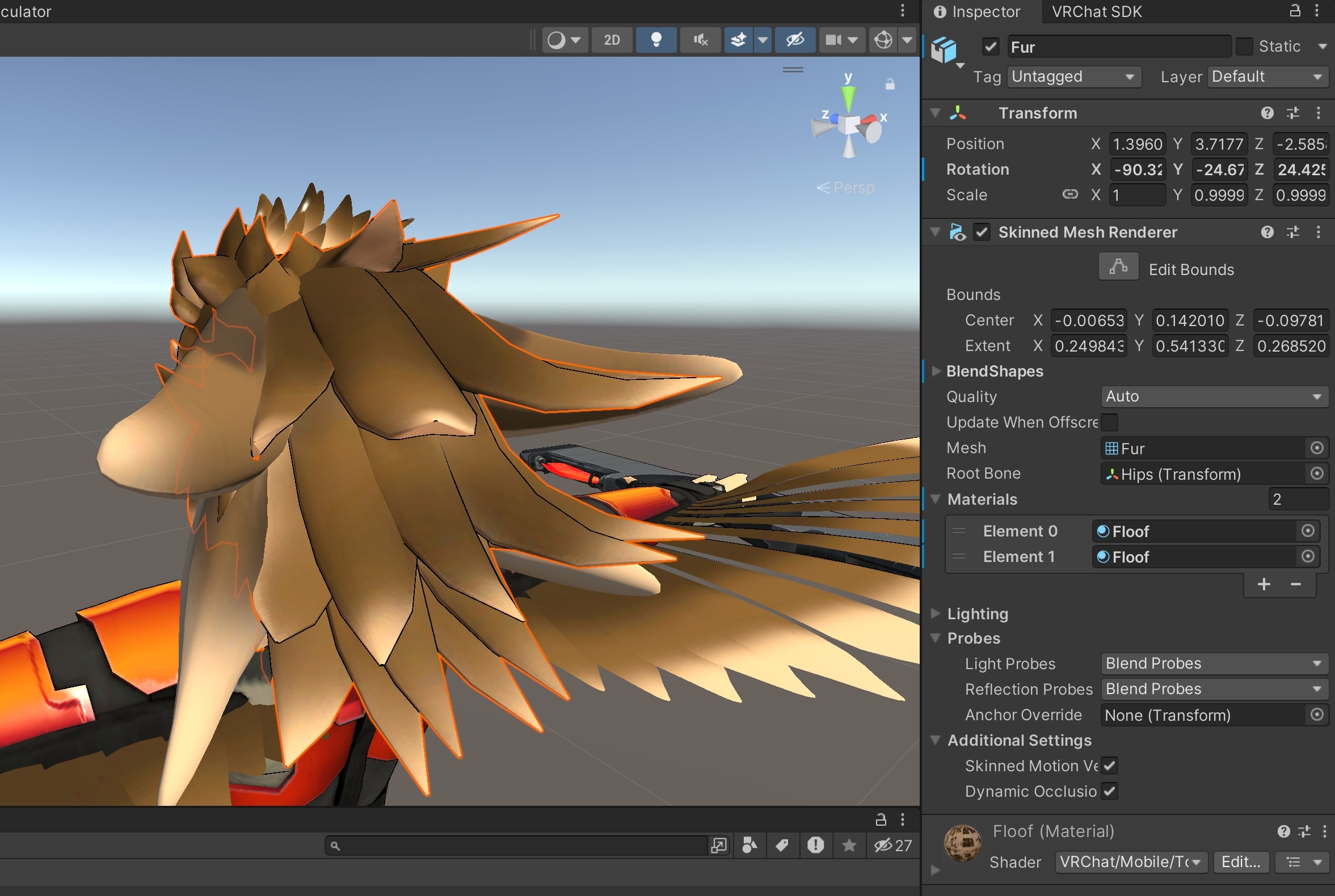
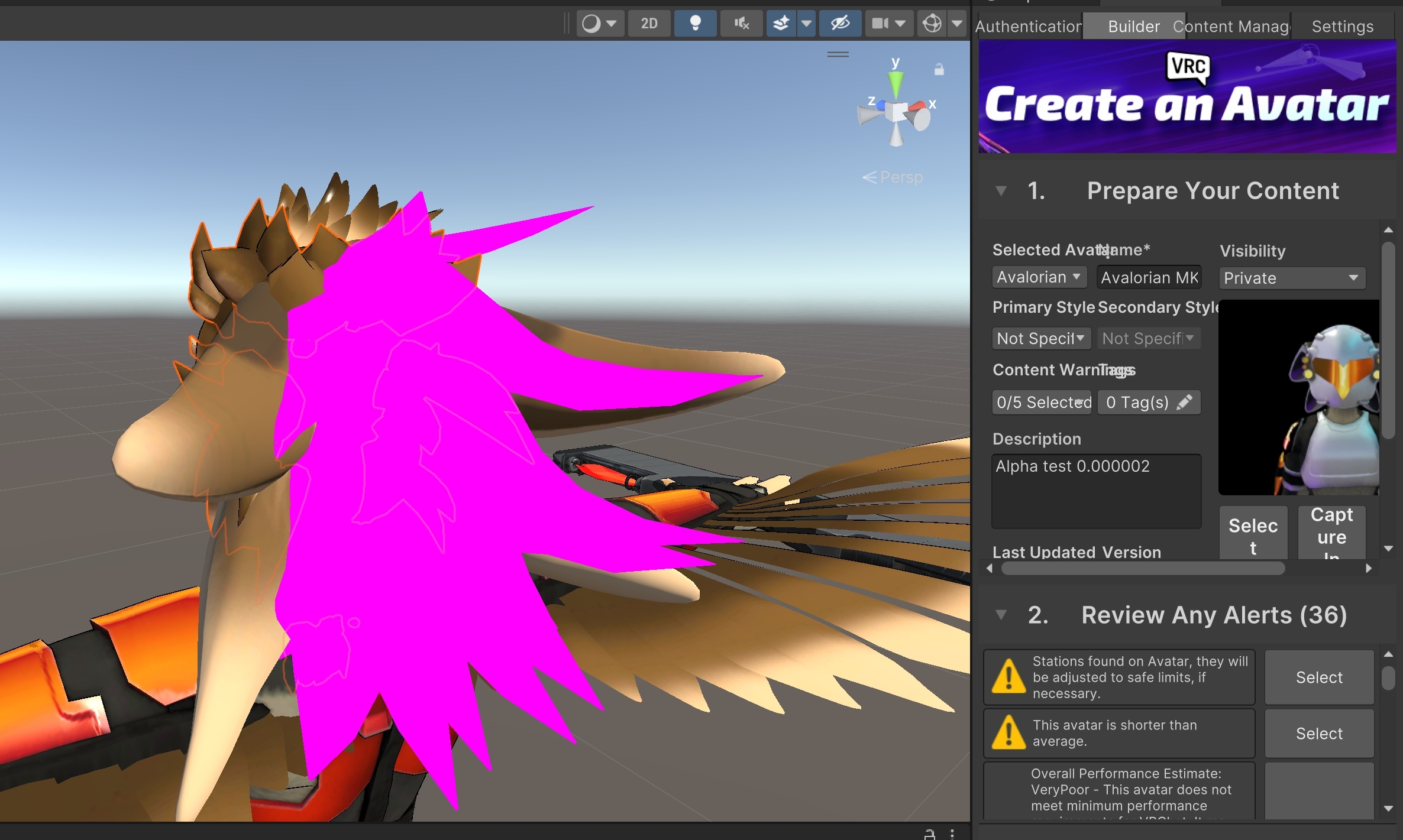
 quick hare
When I try to fix my Vroid avatars I always get this I cant seem to remove

 edgy brook
How do I log in? I should be able to upload as I'm a known user
 unreal light
lilac musk
The easiest way would be merge by distance. In edit mode, select the problem ver...
unreal light
lilac musk
The easiest way would be merge by distance. In edit mode, select the problem ver...
ok so i think i did it, but nothing has changed. it says removed 0 vertices in blender
somber sequoia
dreamy storm
explain what you are trying to do
dreamy storm
somber sequoia
explain what you are trying to do
texture swap
on the same material tho
somber sequoia
oh I see, vrc fury toggle. No idea, I don't use those, but there's a discord for fury also.
 winged sandal
is there a way to check where my eyes are going to be in game, while making the avatar?
somber sequoia
winged sandal
is there a way to check where my eyes are going to be in game, while making the ...
that's what the viewpoint in the avatar descriptor is for
 brave viper
hey so i'm working on a custom clothes fit for a friend's Lapwing, and the fbx doesn't have her body parts for some reason? The body hiding shapekeys are set to 0 so i don't understand
 winged sandal
ive tried to align stuff to that, and accounted for IPD, but theres some misalignment, so im trying to figure out how to ensure the secondary camera on my avatar and the camera im looking through in game are aligned
lilac musk
unreal light
ok so i think i did it, but nothing has changed. it says removed 0 vertices in b...
When you do 'by distance', it will also ask for an amount. Start making that ammount bigger until it does something. You could also manually stitch two vertices at a time by selecting them, then doing M > center. Little time consuming is all.
left gull
edgy brook
How do I log in? I should be able to upload as I'm a known user
in the SDK upload panel, make sure your account is a VRChat account and not a meta quest/steam account
somber sequoia
brave viper
hey so i'm working on a custom clothes fit for a friend's Lapwing, and the fbx d...
common practice to not have mesh under clothing if you'll never see it
brave viper
then why are there body hide shapekeys to begin with?
lilac musk
Left overs
somber sequoia
winged sandal
ive tried to align stuff to that, and accounted for IPD, but theres some misalig...
not sure what IPD has to do with that..... except you said second camera, that can be tricky - maybe provide more detail here
brave viper
lilac musk
Left overs
then why does her booth page suggest that the core body mesh does exist?
somber sequoia
obviously without actually inspecting the project we are just guessing here
brave viper
right
lilac musk
brave viper
then why does her booth page suggest that the core body mesh does exist?
Oh by your previous message, I was under the impression this was a modified avatar. Is this straight from the original creator? If so, there might be a different base that has everything and this one is specifically been removed.
unreal light
lilac musk
When you do 'by distance', it will also ask for an amount. Start making that amm...
the distance doesnt pop up with anything, and the stitching 2 vertices ends up breaking the entire shape key and i lose the torso i want
brave viper
i assumed Lapwing was mainstream enough that someone would know
somber sequoia
never heard of it, personally
brave viper
lilac musk
Oh by your previous message, I was under the impression this was a modified avat...
yeah these are the source files from the booth store, walked my friend through everything on what to send and such
lilac musk
unreal light
the distance doesnt pop up with anything, and the stitching 2 vertices ends up b...
First, DON'T be editing the shape key at all. This isn't shape key work and so you shouldn't have it selected. Second, the reason the "by distance" thing might not be showing up is that your not in vertex mode. Switch to that and give it a try.
winged sandal
somber sequoia
not sure what IPD has to do with that..... except you said second camera, that c...
i have a 2nd camera for the sake of pulling a depth mask from, and doing maths against that in a shader, and comparing it against the depthmask from the right eye
brave viper
i'm omega dumb. found what i'm looking for
winged sandal
they need to be aligned, and unfortunately they are not, though they should be
lilac musk
brave viper
i'm *omega* dumb. found what i'm looking for
naw, it's part of learning
brave viper
yeye
but imagine this
i got swerved
you'd think, you could source the body mesh with the first file and just hide all the clothes meshes, right?

but look there's lapwingbody LOL
as an aside, why do some modelers work with A pose instead of T pose?
somber sequoia
I ask this often
lilac musk
Yea one of the downsides to working with other peoples stuff, is dealing with strange naming conventions. Just have to poke at things till you have an idea what that person was thinking lol
Same with the A vs T pose, just mixing conventions
brave viper
because yeah i like an outfit that was made for Lap so I wanna modify it to fit for my avatar, but they A posed it 😢
somber sequoia
Yeah I have one of those right now - a thing I made in T-pose but the avatar I want it on is A pose. one of these days I'll get around to tackling that.
brave viper
would be life changing
 edgy holly
I'm trying to import a Blender model I commissioned to Unity, but the materials won't show the UV map.
Exported as .fbx from Blender 3.3.21, to Unity 2022.3.22f1


 lilac musk
edgy holly
I'm trying to import a Blender model I commissioned to Unity, but the materials ...
lilac musk
edgy holly
I'm trying to import a Blender model I commissioned to Unity, but the materials ...
So I'm going to make an assumption you mean the textures are not showing on your model? Probably you need to import them into your project and set up your materials with them. I say this as you mention UV map, but you don't really touch UV's in Unity.
left gull
brave viper
as an aside, why do some modelers work with A pose instead of T pose?
iirc its because a-pose is easier for clothing in most cases and t-pose is good for bodies when modeling
lilac musk
I think a lot of it is what you'd consider a "rest" or "neutral" pose. You model the object in the most neutral pose possible as there is less likely to have strange deformation when the armature starts to change that pose. One reason A pose would be good is if your model will never be moving their arms way above their head, so it probably wouldn't be worth modeling it for such a drastic range. Though T pose is giving the animators as much range as possble. So it's probably pretty specific to the base model creator and their needs.
edgy holly
lilac musk
So I'm going to make an assumption you mean the textures are not showing on your...
You know, I don't think this model was set up with textures, only materials.
Sounds like by the way you talk about it, the model won't show up the way it looks like in Blender as-is


 upbeat imp
Hey, really odd issue, I can't upload eyes?
This is the default freakhound. I bought it, imported it, and installed Mochie's Shaders, and LTCGI into my Unity project, then hit the upload button. I made no other changes to the model and everything else seems okay?
The eyes appear correctly in Unity but not in the game. The rotation previews also look good in Unity.

 lilac musk
edgy holly
You know, I don't think this model was set up with textures, only materials.
Sou...
lilac musk
edgy holly
You know, I don't think this model was set up with textures, only materials.
Sou...
In you're previous photos of the avatar, it looked like it had textures it was pulling from. I'd suggest you open the file directly in your file manager and see if you can't find them. That or go ahead and go to your texture paint tab and save them out to files and then do the same. The whole not looking like blender is for sure a thing. Blender's rendering is different from Unity, but you should be able to get it at least most of the way there.
brave viper
ok so after I finish working on blender, how do i package this avatar for my friend as painlessly as possible? they have 0 knowledge of working with VRCCC/SDK/Unity
do i just have to handhold them through the re-texturing and shading and uploading and all that
how much can I do on my end to reduce the friction on my friend's end
lilac musk
brave viper
ok so after I finish working on blender, how do i package this avatar for my fri...
You can get everything done yourself and then export the whole scene or avatar itself as a .unitypackage. They will only need to open it up and upload
brave viper
oh right packages exists lmaooo
are they easy to do?
somber sequoia
right click in the project, export, pick files, etc.
lilac musk
brave viper
oh right packages exists lmaooo
are they easy to do?
All you have to do is right click the asset, click export, then select everything you do/don't need, then export. Easy pz
lilac musk
upbeat imp
Hey, really odd issue, I can't upload eyes?
This is the default freakhound. I bo...
Seems like you checked all the common issues. Only thing I can think of is to double check things like shader back face culling, animation toggling them off, or bone rotation is just doing something weird. Strange though.
upbeat imp
lilac musk
Seems like you checked all the common issues. Only thing I can think of is to do...
I'm not sure how to check bone rotation, but the avatar preview is missing eyes as well. Would that be a good way to check animations and back face culling?

Admittedly I'm really new to Unity.
quick hare
quick hare
When I try to fix my Vroid avatars I always get this I cant seem to remove
So confusing lol
edgy holly
lilac musk
In you're previous photos of the avatar, it looked like it had textures it was p...
I have the image files that are used, the problem I think maybe is that they are used to map to materials in Blender, they are not set up as textures?

 lilac musk
upbeat imp
I'm not sure how to check bone rotation, but the avatar preview is missing eyes ...
lilac musk
upbeat imp
I'm not sure how to check bone rotation, but the avatar preview is missing eyes ...
Backface culling is a shader setting. With mesh faces, there is a front and a back. Having no culling would mean the game renders both. Most shaders by default have backface culling on as it's more performant. Then there is frontface culling. All could be options on your shaders or none of them. It just depends on the creator of the shader and their wants. Just look around in the material properties for any of those and play with it.
lilac musk
edgy holly
I have the image files that are used, the problem I think maybe is that they are...
Are they image files? Like .png or .jpg?
edgy holly
PNG
brave viper
cool cool tyty @lilac musk @somber sequoia 🙇
lilac musk
edgy holly
PNG
Then they are textures. The UV maps are information the game will use to place the textures in the correct places. Just drag those images into Unity and add them to your materials texture slots
somber sequoia
edgy holly
I have the image files that are used, the problem I think maybe is that they are...
image files are textures
upbeat imp
Looks like it's definitely the shader. Swapping it to a different shader makes the eyes start rendering. Testing with culling off on the original shader right now.
Hm. Culling off still causes the eyes to not render. That's so bizarre.
somber sequoia
upbeat imp
I'm not sure how to check bone rotation, but the avatar preview is missing eyes ...
you can check both in blender. in unity you could check face orientation with a shader that lets you pick which face it culls
lilac musk
upbeat imp
Hm. Culling off still causes the eyes to not render. That's so bizarre.
That is indeed strange
somber sequoia
mm yeah might not be conclusive though, you'd want to setup a material specifically for that, rendering opaque
upbeat imp
lilac musk
That is indeed strange
Disregard, I just didn't wait long enough for VRC to register that I uploaded a new model
Culling off did fix the issue. I guess I'd want frontface then or something? (it was set to back)
 waxen jungle
anyone know why sometimes decreasing the size of a texture will wildly inflate its size? currently trying to do a quest upload and decreasing the size of a texture seems to have the opposite effect
lilac musk
upbeat imp
Culling off did fix the issue. I guess I'd want frontface then or something? (it...
Yea do whatever works, but it would seem front culling would be what you want
upbeat imp
I may have accidentally clicked the default freakhound avatar instead of my control -- culling off doesn't seem to be working now.