#avatar-help
1 messages · Page 200 of 1
 static bough
 arctic ginkgo
not that kind, i mean massive textures, ridiculous amounts of materials and meshes..
idk it just bothers me. Even for PC, you should at least try to optimize a little bit before selling an avatar
static bough
arctic ginkgo
not that kind, i mean massive textures, ridiculous amounts of materials and mesh...
Oh idk then. I personally don’t know why people care so much knowing it’s a UGC type game but at the same time i understand
arctic ginkgo
especially when these can go for like $60
static bough
But yeah if you’re selling stuff, at least have the option for an optimized version
arctic ginkgo
people just don't want to learn, but then save that for your personal avis, don't inflict it on everyone else by selling it 😭
static bough
Like yeah have this cool look cool one
Then have this nice optimized one for going to huge worlds
 vapid slate
how to fix this
 arctic ginkgo
vapid slate
how to fix this
arctic ginkgo
vapid slate
how to fix this
select your FBX file, go to the inspector, and select the "rig" tab. Click "configure", then set the "hips" to your hip bone, and not the armature root
 calm hamlet
hey ganggg ive been playing for a while and im just learning my way around unity and stuff
when there's a disabled asset like this in unity, it doesn't show up when i build my avatar with VRCC right

it's in my hierarchy after importing my unity file, i was wondering if it's safe to delete it or if i need to leave it there lest something break
i've built the avatar without changing anything and it doesn't show up so it's fine right
 somber sequoia
vapid slate
how to fix this
somber sequoia
vapid slate
how to fix this
in the future also don't clip error messages, it's way harder to help when we can't read the full message.
somber sequoia
calm hamlet
when there's a disabled asset like this in unity, it doesn't show up when i buil...
if it's not a child of your avatar, it won't show up in VRChat.
calm hamlet
somber sequoia
if it's not a child of your avatar, it won't show up in VRChat.
ok! i think it isn't since it's not nested under the other asset!
somber sequoia
right
 chilly solar
that isnt specific enough
 night ember
chilly solar
that isnt specific enough
night ember
chilly solar
that isnt specific enough
Click on the mesh and make the blink not 100
chilly solar
night ember
Click on the mesh and make the blink not 100
thats the same thing you just said :c
night ember
chilly solar
thats the same thing you just said :c
I literally cant be more specific
You click on the mesh of the avatar and make the blendshape not 100
chilly solar
night ember
You click on the mesh of the avatar and make the blendshape not 100
nowhere when i click my mesh does it show the blendshape with a number value
night ember
The inspector window
chilly solar
yeah
night ember
Theres an entire blendshapes dropdown
chilly solar
okay thank you yippee
i indeed was not clicking the right thing
my friends im having a very hard time with the rotation of my fingers when they close. im changing them in blender and in unity, doing every tweak i can and i feel like theres just something wrong with how i did them in the first place or something. for starters, heres my hand idle and in a fist. very wonky. i only want to use 2 bones and i changed which ones it uses so it helps but (gotta get other pictures one sec)


heres my updated hand out and in a fist. its just so wonky? any tips here, is this a common struggle for hands and especially paws with only 2 bones i wanna use or am i just weird


 chilly solar
why thumb twist??? this is not nice :c

 zinc willow
Is there a way to put a idle animation on a item?
 foggy horizon
zinc willow
Is there a way to put a idle animation on a item?
foggy horizon
zinc willow
Is there a way to put a idle animation on a item?
Yea what kinda animation. a looping one or a play once?
 shrewd yew
how do I merge this to the base
 somber sequoia
weird, my discord isn't loading that image. What is it?
oh now it is - mesh or armature? Either way select new thingy, then select old thingy, ctrl+j to join
 sand mica
In animation tab, My model was stuck at bike pose whenever I add new animation. So I asked here what to do and someone told me set the avatar to temporary generic so I did it and animated it. And now I have to link animation to the controller and when I drag and drop animation to the slot, it becomes bike pose again. and if I change the avatar to humanoid, The animation itself becomes bika pose....... why?????
somber sequoia
because the default pose for a model when doing animations in unity is bike pose
unless you're actually working on the pose, this won't affect you at all. Just select a different animation after done working on one and it'll reset back to normal
sand mica
somber sequoia
unless you're actually working on the pose, this won't affect you at all. Just ...
So you mean the animation I made in generic mode will look bike pose back in humanoid, but actually will have the action I made??
night ember
You cant animate humanoid bones like that
Humanoid bones use animator keyframes not transforms
sand mica
Whaaaaat someone here told me to do it
So I can't use the animation made in generic to humanoid?? at all?? Cannot convert it??
night ember
Not really no

 rotund solstice
Hi. I'm trying to make a duplicate of one of my models that has specific blendshapes added onto it. I tried just copy and pasting the skinned mesh render and making sure the root bone and anchor override is on the right model but it's head is not showing at all in the actual game. it looks completely fine in unity.
should i just redo the whole skinned mesh renderer?
night ember
you shouldnt be changing that at all
 full vigil
I keep getting this error and I already changed the skin material to toon lit
 somber sequoia
must have missed one
full vigil
it literally won't let you upload at all if you miss one
it's letting me upload
but the skin has missing texture
and I changed the one it says already, there's no other thing called Chocolat_Body
zinc willow
foggy horizon
Yea what kinda animation. a looping one or a play once?
i figured it out
 oak totem
ive had this problem before, I fixed it by deleting some meta files, but now its come back and i forgot what i deleted. I tried to look up almost every solution, and im not sure what to do ;-;. And deleting said "missing scripts/mono scripts" does let the avatar upload but in game its messed up 6 ways to Sunday like the body is off center with the player view.

Can anyone please help ? ;-;
somber sequoia
you are missing a required package
meta files have nothing to do with this
it being there makes me think it's a physbone collider, but that would be really weird to be missing
foggy horizon
zinc willow
i figured it out
Kk
oak totem
somber sequoia
you are missing a required package
so like uhhh..the prefab im using is broken or am i just straight up missing somthing?
somber sequoia
hard to tell from here, often it's because you didn't install some required package
like maybe it needs vrcfury
oak totem
i have vrfury on, ill just completely delete the prefab and start with a new one and hope that fixes it ✌️
somber sequoia
or check the documentation for the prefab, maybe it says what it needs
 wheat spoke
I am having an issue with visemes I just want to move some around and this is a model i made with visemes i made and I have changed these previously but now i wont let me do anything with them like they are locked but i can still do stuff with eye look even though that is in the same section anyone have a idea?
somber sequoia
locked?
wheat spoke
well sorta it just doesnt do anything when i try and change them
somber sequoia
you can't hue shift white
wheat spoke
yeah i had a method with directly just changing the rgb values and then it changes between those but poyomi locks the shaders when you upload the model so it didnt work in vrchat when i went to test it
 somber sequoia
wheat spoke
yeah i had a method with directly just changing the rgb values and then it chang...
somber sequoia
wheat spoke
yeah i had a method with directly just changing the rgb values and then it chang...
re: locking, see https://www.poiyomi.com/general/locking
Also that "Color Adjust" section won't work without the main checkbox on it enabled
wheat spoke
somber sequoia
re: locking, see https://www.poiyomi.com/general/locking
cheers ill have a look also i know about the colour adjust i just had it open from when i tried it prior
also here a clip of the viseme thing if you happen to know aswell
somber sequoia
you must fill in all viseme slots
sil especially must be a blenshape that's no movement, it's "silent"
wheat spoke
yeah i want to do that but it wont let me change them anymore
somber sequoia
hmm weird
 shadow agate
I'm trying to set up a shirt gimmick on my avatar, but it doesn't seem to work, the parameter animates in-game but there's no change to the clothing itself
is this being clothing linked by VRCF part of what's screwing it up?
 floral jackal
Having an issue where in play mode in the unity editor a floating bracelet rotates and transforms like how I set it up in the animation, but only transforms and doesn't rotate in vrchat
If anyone has any ideas of what may be causing it let me know please, I have no idea what's causing it
Basically, it animates properly in the unity editor but not in game in vrchat
floral jackal
Yeah if anyone has any ideas please let me know, I really have no clue what it could be or how to fix it other than just starting from scratch
chilly solar
im having such a hard time getting my gestures to look right. they just look so awkward and im trying to tweak how far the fingers can curl in and flex out but nothing i do makes it look right. does anyone have any tips? i kinda just want to make my own custom gestures but i literally cannot find anything online on how.
 glass condor
Hey guys, I just rigged an avi, applied all transforms to bones and meshes beforehand, exported it under FBX Units Scale, made sure the rig was set to Humanoid in Unity, made sure all the bones were in the right spots, and uploaded it to vrc...
only for it to be stuck t-posing when worn.
What on EARTH could be causing this issue!?
 junior void
unity may have failed to auto recognize bones, have you checked the rig screen?
glass condor
junior void
unity may have failed to auto recognize bones, have you checked the rig screen?
says everything is right, everything is green in the rig screen
junior void
what about the rig tab before that where you click configure
sometimes messages hide there
glass condor
junior void
what about the rig tab before that where you click configure
fr? I can check
glass condor
junior void
sometimes messages hide there

nothing off, and no errors in the project window...
 neat pewter
This is an avatar update challenge. But it failed. This message appears. If I just fix this, will the update be successful?

The conclusion failed. I need to try again as a first-time viewer.
junior void
glass condor
I meant the screen BEFORE this one tho^^
glass condor
junior void
I meant the screen BEFORE this one tho^^
all I see is "Joystick Disconnected" and nothing else in errors, and the default thing is fine
junior void
i doubt it says that in the inspector but whatever
the only reason why something would tpose is when humanoid animations arent played. why would they not play? bc something is wrong with humanoid rig or mesh names or animator avatar assignment
glass condor
junior void
the only reason why something would tpose is when humanoid animations arent play...
the MESH names could impact the default vrc animations!?
junior void
yes, this is why i told you to look in the inspector window where you click configure to configure the rig
the msg about that would hide there in a foldout
glass condor
junior void
the msg about that would hide there in a foldout
so if the mesh has names that don't match with the bones, does it cause issues?
junior void
exactly the opposite
glass condor
even if they're parented?
junior void
if any mesh exists that is named after a humanoid bone, such as "head" itll cause issues
glass condor
junior void
if any mesh exists that is named after a humanoid bone, such as "head" itll caus...
ohhhh
glass condor
junior void
if any mesh exists that is named after a humanoid bone, such as "head" itll caus...
all of my meshes are named "Sphere" tho
 dull condor
Hello Guys, does anybody know what might be the issue on this?
 neat pewter
This is an avatar made of vroid.

This is how it appears in the Unity game. Is there a problem?
 strange saffron
dull condor
Hello Guys, does anybody know what might be the issue on this?
strange saffron
dull condor
Hello Guys, does anybody know what might be the issue on this?
Is it properly parented
strange saffron
neat pewter
This is how it appears in the Unity game. Is there a problem?
My current VRChat model is not pixelated like this and is also made using Vroid as a base. Unsure what you did to cause that tbh. If all else fails, CATS Blender plugin and Blender, follow the steps in the CATS plugin before exporting, then export as fbx for import into VRChat
If you are using newer versions of Blender, there is a fork of the CATS plug in that is compatible with it, it's just the original wasn't updated to continue compatibility with the newer Blender versions
The version by TeamNeoNeko is the fork that is compatible with more recent Blender versions
If it's an issue with Unity, I recommend checking out the official Unity discord server as they might be able to guide you on graphical errors as I'm noticing the skybox is also pixelated
 ornate stump
neat pewter
This is an avatar made of vroid.
ornate stump
neat pewter
This is an avatar made of vroid.
You are zoomed in Game view, that's what make it pixelated. You have to be in Scene view to actually edit the scene.
ornate stump
dull condor
Hello Guys, does anybody know what might be the issue on this?
Your avatar model orientation probably is incorrect, as in facing direction of the model.
floral jackal
floral jackal
Having an issue where in play mode in the unity editor a floating bracelet rotat...
An update to this, it appears that for some reason animated objects that rotate just completely break if they're attached to a physbone. Testing the bracelet on any part of the body that isn't a physbone has the bracelet rotating perfectly fine, but once attached to a physbone it doesn't rotate at all. If anyone out there is interested in testing and seeing if they can replicate this or if they know of a workaround or if this is actually intended behavior or something please let me know.
junior void
floral jackal
An update to this, it appears that for some reason animated objects that rotate ...
checked 'is animated' on the physbone?
floral jackal
Apologies, where would that be?
Nevermind, I found it
Yes, it's checked
Transforms through animation still work fine when it's attached to the physbone, it's just rotations that break
So yeah, if anyone is willing to try and replicate let me know the results, it's still entirely possible that something random could be breaking it but at this point I have no idea what that could be other than vrcfury
And still strangely it rotates just fine if you play test it in the editor, it's only when you upload it to vrchat and view it in game that it breaks
 frigid glade
floral jackal
So yeah, if anyone is willing to try and replicate let me know the results, it's...
frigid glade
floral jackal
So yeah, if anyone is willing to try and replicate let me know the results, it's...
I think you can rotate bones with physbones in with an animation. I remember I’ve done that before where I have ears that are rotated for different facial expressions so it’s definitely possible. Have you made sure you’re rotating the correct bone??
Also wdym by breaks?? Does it just not rotate the way you want?
floral jackal
It just doesn't rotate at all
I haven't tried rotating the physbone itself, but the bracelet that I have attached to the ear, which is a physbone, I am unable to rotate
 placid mica
Any reason why my hair FBX would import to Unity like this, but it looks normal in blender?
1st vid is in Unity, 2nd image in Blender
Even after (attempting) to turn any kind of rendering culling off, nothing changed
 placid mica
I have not. I'll check it real quick
I only recently learned of that feature
Well I'll be damned lmao. Thanks for the tip! I got them flipped now and it works ^^
 dull condor
@strange saffron @ornate stumpThanks for the responses, Looks like I changed the bone roll value and that caused the issue when reimporting. It’s fixed now.
 azure thunder
Anyone know how to fix the eye moving? I've done all these and some how in-game the eyes still don't move
 junior void
do they move when you move the bones manually in unity?
azure thunder
Yesh
junior void
are they assigned in the rig configuration of the avatar?
junior void
does the eye state preview above work as expeced?
azure thunder
Yes aswell
junior void
thats very odd then
azure thunder
😭
 torn crypt
azure thunder
Anyone know how to fix the eye moving? I've done all these and some how in-game ...
torn crypt
azure thunder
Anyone know how to fix the eye moving? I've done all these and some how in-game ...
Make sure the eye bones are weighted, check if the eyes are separate objects from the head, and also check if the eyes are name correctly
azure thunder
Everything seems in order, I'll get it checked again
 solid kindle
so hey im kinda suck with my avi im trying to figure out how to move all of the prefab clothing toggles into a seprate folder so its not so cluttered
 zealous gate
What's the best way to fix physbones not syncing for PC and Quest?
somber sequoia
solid kindle
so hey im kinda suck with my avi im trying to figure out how to move all of the ...
how are they done? VRCFury?
For the menu item name, you can put folders using slashes like file paths: foldername/itemname
junior void
why


 stray lintel
how do i stop the infinity mirror
stray lintel
stray lintel
how do i stop the infinity mirror
anyone able to help?
somber sequoia
never seen that one before.
 round quiver
hi im new to vrchat avatar creation does anyone know why this is happening when I add phybones to my avatar hair the top of the hair isnt attached to the scalp and moves weirdly


 wraith geyser
hi i have a strange issue, when i jump my character kinda over a little bit and move forward, like if i was using gogo fly or like if they where a collider i can sometimes even double jump. The camera also act weird similar to gogo fly very motion sicknessy. Also if the ground of a map isnt completely flat my camera can spin like crazy when my feet loose contact with ground for a second, it only happens in standing walking pose, not on crounch noor prone . I removed all layers to try to find the source of the problem but it still here

please help the spinning makes me dizzy
its not a joystick drift issue, it only happens with this avatar
could it be a glitch with capsule colliders and cloth modifier? i have 2 capsule colliders on both legs and 1 on hips, and the exact same 3 capsules as physbone colliders for the tail physbones, could it be some kind of conflict maybe?
 late heath
round quiver
hi im new to vrchat avatar creation does anyone know why this is happening when ...
late heath
round quiver
hi im new to vrchat avatar creation does anyone know why this is happening when ...
is your component placed on a root bone that holds all the other strands inside?
late heath
late heath
is your component placed on a root bone that holds all the other strands inside?
if this is the case it could be because the multi-child type isn't set to "ignore", but that is me speculating


 balmy barn
straighten legs in blender would be my guess or its some idle anim
 dawn patrol

 balmy barn
front/side , seen way worse then what you got 🤷♂️
 dawn patrol

 balmy barn
bit wonky for my taste, you can try another version of it and straighten it
dawn patrol

 oak totem
somber sequoia
or check the documentation for the prefab, maybe it says what it needs
oak totem
somber sequoia
or check the documentation for the prefab, maybe it says what it needs
Alrighty i removed the model and then reimported a fresh new one and im still having that same problem. I looked to see if the author of the avatar had left any instructions and Im not "missing anything?" so idk 😭
somber sequoia
oak totem
Alrighty i removed the model and then reimported a fresh new one and im still ha...
I don't recall the context at all
oak totem
somber sequoia
I don't recall the context at all
i was having problems with the scripts/mono scripts on every single limb of the avatar
 somber sequoia
oh, yeah I have the same answer then - that script requires some package you didn't install
balmy barn
must be a old thing or a converted one that leaves alot of wierd colliders
oak totem
i dont know what scripts or package im missinggggg ;-;
somber sequoia
yep, no way for us to tell you from here either.
I wonder if you could see something useful with debug mode on
balmy barn
and this avatar is from where and have no instructions?
 wooden nova
how do i use aim constraints to fake ik for something like this without it seperating like the 2nd photo


 heavy zephyr
I mean at this point either join it in blender or use FinalIK components
wooden nova
heavy zephyr
I mean at this point either join it in blender or use FinalIK components
i tried doing final ik just couldnt figure out how to use it
heavy zephyr
Yeah it's not the easiest thing to understand-
somber sequoia
we have look-at VRC constraints though too, what needs finalIK here?
wooden nova
somber sequoia
we have look-at VRC constraints though too, what needs finalIK here?
basically just the joints for the exo skeleton so it can move with the legs and arms
night ember
Aim at the end point of the joint
Then set it to object up and fuck around with it till its correctly rotated
chilly solar
Does anyone have any tips or help for making hands/paws? They never look right for me and take so much tweaking. Idk if im just not modeling them right or rigging them incorrectly.
which 2 bones should i use for paw fingers, the first 2 or last 2? :o
 pine patrol
hey has anyone seen maybe a gogoloco (i think) addon that if you use the dances, other peoples avatars who have it too also dance with you? anyone know what that's called and where to find it?
night ember
pine patrol
hey has anyone seen maybe a gogoloco (i think) addon that if you use the dances,...
Thats just a contact
pine patrol
yeah but I was looking at avatars that had a whole menu for it s oI wasn't sure if it was just like, it's own thing like gogoloco or not
night ember
Synced dances
 elfin falcon
Question so I’ve been trying to turn a pmx into an fbx because unfortunately i do not have a fbx for clarent from fate and every time I convert the fbx and put it into unity… half of it just disappears like the back side is just gone
balmy barn
backface culling ? , shaders can enable so both sides are visible (even quest can now)


 lusty berry
im new to adding stuff, how to i add accessories to avatars and make them move along with the body sliders? like normally it just stays in place and not moves with it
 unreal juniper
Are you adding them with VRCFury? You can try adding a Blendshape Link option along with the Armature Link, but usually it has to be built for that base to do the blendshapes right @lusty berry
Or if you're adding them the "old fashioned way", you can parent them to body parts (like dragging a hair onto the Head of the avi's armature) or weight paint them in Blender
 stoic prism
im looking for a bit of help but unsure of where to go for it, anything i try to import into unity just fails before the pop up comes up with this message and im not sure why, it was working fine the other day. if anyone knows anything i'd really appreciate the help
 somber sequoia
stoic prism
im looking for a bit of help but unsure of where to go for it, anything i try to...
somber sequoia
stoic prism
im looking for a bit of help but unsure of where to go for it, anything i try to...
always post the first 2-3 errors, with context, and those around them. A single isolated error message is rarely of much use
 dull sable
somber sequoia
dull sable
somber sequoia
that sounds very specific to that avatar
stoic prism
somber sequoia
always post the *first* 2-3 errors, with context, and those around them. A sing...
sorry what do you mean with context? that message is the only i get in the console
somber sequoia
literally the only one? huh, well that's not very useful 🙁
stoic prism
oh if i click on it i get this though

i have literaly nothing imported, its a brand new project, i made a new one because my other project was giving me the same error
if it helps this is all the console gives

again i have no clue where to look for help with this, i've tried looking online but everything i've read i've not really fully understood. like i cant even import poiyomi the import pop up doesnt show up at all
 tall sapphire
Hey I'm having a weird issue uploading an avatar for Quest.
When I upload it for Quest, the avatar fails security checks, and I have to reupload the PC version of it and it will pass.
Also, It's constantly T-Posing ingame, but in Unity playmode it's locomotion is fine.
unreal juniper
tall sapphire
Hey I'm having a weird issue uploading an avatar for Quest.
When I upload it fo...
Can you screenshot the SDK page for the Android upload?
 idle jetty
Does anyone know how to make Edible items like food cause I can’t find tutorial online
somber sequoia
what does that mean?
chilly solar
ignoring the messed up weighting on the tail, why in the gogoloco crossed position are the feet higher than the hips?
 chilly solar
Hey this is a tough ask but if theres any kind patient person willing to vc with me to check out my avi and help me with some problems id really appreciate it. Its just so many random things about the rig I cant figure out and nothing I google is helping me. :c
 unkempt sail
Hi, i'm trying to figure out how to take an avatar parameter Float value, and display that number on the avatar. I know a tiny bit of Udon Graph for world building, but I've not got a clue what to do on an avatar.
somber sequoia
You'd need to find a shader that can display numbers, or use a sprite sheet of images with the numbers
there's no actual text on avatars.
somber sequoia
well that's fun, I upgraded my OS and drivers and now unity is mostly unusable.
 west fable
hey im having issues logging into sdk it says i have too many failed login attempts from network how long does this usually take
arctic ginkgo
wooden nova
how do i use aim constraints to fake ik for something like this without it seper...
i usually would use lots of empty gameobjects with constraints to get reference points for aim constraints
you kind of just have to mess around with it
wooden nova
arctic ginkgo
i usually would use lots of empty gameobjects with constraints to get reference ...
ok that might solve my issue
 pastel linden


Is this security alert thing normal?
Cause it's telling me to update, but doesn't unity only use this version?
ornate stump
pastel linden
This only affect you if you create unity game. For vrchat content, you can ignore it.
pastel linden
Ah k, thanks
night ember
pastel linden
Basically just a code execution exploit for games that use this version
Vrchat was already protected from it
 light charm
for some reason one of my avatars stop lipsyncing and blinking when i enter a world with a lot of people in it
why? and is this happening to anyone else?
 bright jackal
I keep getting stuck when trying to upload in the Build & Publish window. No errors show up in the Builder window itself, but the Console displays the following messages. I’ve tried several methods, yet it keeps getting stuck at these four messages. Even after clearing the Blueprint ID and trying to upload again, it still doesn’t work. I’m not sure what the problem is.

 pale ridge
is it possible to make a prop on an avatar detect if its upside down?
junior void
ofc
 lone shoal
i have a camera on my avatar however it shows my avatar's face mirror, and i dont want to disable all self reflections - how do i make it hide the face mirror but show the player in a mirror?
pale ridge
junior void
ofc
...how?
ornate stump
pale ridge
...how?
What defies upside-down though?
pale ridge
ornate stump
What defies upside-down though?
rotated over 90 degrees from its upright position
somber sequoia
you can use a physbone as a tilt sensor
pale ridge
are there any alternatives that dont involve physbones?
somber sequoia
why?
ornate stump
pale ridge
are there any alternatives that dont involve physbones?
Why are you against it?
pale ridge
ornate stump
Why are you against it?
trying to make it quest compatible and it already has 8
im basically just trying to remake the tube thing from the content drop for a friend that doesnt have vrc+
ornate stump
pale ridge
trying to make it quest compatible and it already has 8
Use contact receivers, probably.
ornate stump
pale ridge
im basically just trying to remake the tube thing from the content drop for a fr...
Contact sender on one head, another contact reciever at the button but constrainted only position.
ornate stump
pale ridge
im a noob with constraints
It's time for experimenting.
I only have rough idea but haven't done it since I always use physbone for that.
pale ridge
damn. id look it up but all the results are rotation constraint which isnt what i need💔
ornate stump
Probably position constraint that offsets from rotation pivot for one contact.
pale ridge
youd think something as simple as angle detection would have a component ready to go but i guess not
somber sequoia
but physbones do this
pale ridge
well im trying to make it for a pc/quest avatar and the quest side has 8 already
i can see if i can remove one but i still dont know how to do the physbone method
somber sequoia
yep, the usual problem of making avatars for a mobile phone
pale ridge
do i have to add an armature to the prop?
somber sequoia
no, just add a physbone component to it that points down and uses gravity, and use the parameter it provides to detect the angle from rest position
pale ridge
somber sequoia
no, just add a physbone component to it that points down and uses gravity, and u...
so i just put the physbone component on the object itself?
somber sequoia
sure
ornate stump
pale ridge
youd think something as simple as angle detection would have a component ready t...
It's simple with physbone. But since you don't want to use it so it will be much harder way.
 devout locust
I need help I'm tryna make my disko rex quest compatible but the eye lens has a pc shader and is greyed out so I can't make it quest compatible
 junior void
the disko rex can not be obtained legitimately

 fierce thunder
How do i make a toggle using contact receivers?
i wanna make a hoodie that opens when making a fist at the zipper
somber sequoia
use the contact receiver's parameter and the gesture parameter in your animation transition
contact receiver detects the Hand tag
 serene cypress
I can't find any avatars that r female and have abilities do anyone have any names or avatar creators???
somber sequoia
#1138520828556890214 but you'd need to define "abilities"
serene cypress
As I mean in abilities is powers to do in fighter roleplays
It's just no matter how hard I search or anything nothing pops up
And I always have to sit out of the roleplays bc I can't find none
fierce thunder
Stuck on the "gesture parameter in your animation transition" part
fierce thunder
somber sequoia
use the contact receiver's parameter *and* the gesture parameter in your animati...
do you mean making gestureleft also a condition?
 somber sequoia
Yes, exactly that.
fierce thunder
alright ill try it ty
does it work for other people too?
when someone else interracts with the contact i mean
somber sequoia
If you have the contact receiver setup to listen to others' contact senders, yes.
fierce thunder
alright perfect ty
 crisp carbon
Hmm, why cannot I not go into the Authentication option? Granted its been a while since I last updated my avatar, but its refusing to let me build and publish - I'm guessing my account isnt logged in at the moment
 somber sequoia
you can't select that tab?
somber sequoia
restart unity?
somber sequoia
haha
somber sequoia
I get you 🙂
crisp carbon
nm, no pretty mirror for me! 🙁 😄

 modest kestrel
so i added a new hair to one of my avis, and to change colors of it, it has a blendtree thingy, but im not able to access it to actually add my new hair so i can edit the haircolor on that one with the wheel? sorry im bad at explaining. but does anyone know how to add an object to a recordet toggle? if that makes sense
somber sequoia
not really sure what it is you have, can you take a screenshot or something?
modest kestrel
of what?
somber sequoia
something to show what "blendtree thingy" means in this case
modest kestrel
 somber sequoia
double-click the blend tree state and you can get into it to see the animations inside
 wintry ledge
How do I add a pen to my avi? Or do you guys know any I could buy? Specifically looking for a green marker
modest kestrel
so how do i add my hair into this? or is it anything i can do with vrcfury?
somber sequoia
modest kestrel
so how do i add my hair into this? or is it anything i can do with vrcfury?
If the animations in that blendtree refer to a different hair you'd have to either put and name your new one exactly like it expects, or edit all the animations to affect a different object. Really hard to be more specific without seeing any of this.
modest kestrel
imma try first with this vrcfury material swap thing and see what i can figure out
crisp carbon
wintry ledge
How do I add a pen to my avi? Or do you guys know any I could buy? Specifically ...
I have a fun one that has some interactions as well. The purchase comes with instructions on how to install too, but note there are free options available as well. Look for Hyperpen for info (not sure if were'e ok to link here) 😄
 chrome ore
can anyone help me out getting gogo loco on my avi? it seems stuff has changed since i did it last. and also im getting an error where i am using a prefab with a missing script? idk
 simple hare
did something with change how vrc counts verts of cloth components? my skirt has exactly 199... and the sdk also shows them as 199 and performance rank was correctly at "poor" ingame when i checked the last time.
but today i got suddenly nearly kicked from an event that required poor or better and when i checked it suddenly says ingame i have 318 cloth vertex?!?
if i only upload a local test build it shows the correct 199 and poor rank but as soon as i put it online it says 318 and very poor.
is there a fix for this?
lone shoal
lone shoal
i have a camera on my avatar however it shows my avatar's face mirror, and i don...
 tardy grail
Does anyone know where the vrc sdk examples went? I usually use one of the expressions as a base for my fbx and I can't find it in my projects anymore. has it been moved??
chilly solar
why feet stright normally but tilted in play mode


i tried resetting the bone roll for the legs because for some reason they were all set to 180 and i think they are supposed to be 0 but then i end up with this
 tardy grail
I could just be the placement of the bones for that leg, are they symmetrical in blender?
junior void
^they are always gonna be tilted a bit by humanoid animation
 chilly solar
is this real facts
somber sequoia
chrome ore
can anyone help me out getting gogo loco on my avi? it seems stuff has changed s...
if you're using the VRCFury prefab make sure you've installed gogo loco and vrcfury.
somber sequoia
tardy grail
Does anyone know where the vrc sdk examples went? I usually use one of the expre...
make sure you have hidden packages shown in the Project window - eyeball in the upper right.
tardy grail
somber sequoia
make sure you have hidden packages shown in the Project window - eyeball in the ...
Ahhh that's what I missed, Thank you so much :>> such a small thing lol
 dusk lance
How do I change which Drive VCC lokks through?
chrome ore
somber sequoia
if you're using the VRCFury prefab make sure you've installed gogo loco *and* vr...
Ah. That might be it
The site for the fury thing. I don’t know how to install it because it tries to use the content thingy that’s new? Idk how to use it. I’m still just using a regular unity project that has the SDK in it already
So how to I install fury
somber sequoia
chrome ore
i know. i just said thats the part i dont understand
the vcc im not using that because i couldnt get it to give me the SDK
so idk how to install it
somber sequoia
... but there are install instructions on that site
chrome ore
I know. That’s what I’m saying.
Those instructions don’t work. Because they say “just hit this button and it’ll go to the vcc
The vcc doesn’t work for me. Thus that button doesn’t work either
 cobalt rain
guys i need help

i think i upload the sdk but idk
mabey the avtar is old or something?
i will try with another avatar
somber sequoia
chrome ore
I know. That’s what I’m saying.
Those instructions don’t work. Because they sa...
Okay well if you don't use VCC or Alcom, that page does have a "click here for legacy install methods" link, perhaps read that.
chrome ore
whats alcom. never heard of that
somber sequoia
third-party, less-buggy, cross-platform replacement for VCC
cobalt rain
is that the vrchat sdk?
 chrome ore
somber sequoia
Okay well if you don't use VCC or Alcom, that page does have a "click here for l...
chrome ore
somber sequoia
Okay well if you don't use VCC or Alcom, that page does have a "click here for l...
i tried vcc again and it did finally work
do i need to put the gogo loco object somewhere specific?
somber sequoia
for the record, I don't use gogo loco or vrcfury
chrome ore
ah. ok ig i will ask elsewhere then. thx
somber sequoia
no no, here is the right place, just saying that I'm not the person to ask.
I do know you need to use the vrcfury-specific gogo loco prefab
no idea what you are currently doing
cobalt rain
somber sequoia
no no, here is the right place, just saying that I'm not the person to ask.
can you help me?
somber sequoia
with?
cobalt rain
vrchat sdk
somber sequoia
looks like whatever those objects in your scene are, they are missing avatar descriptors.
cobalt rain
what
somber sequoia
the error dialog you posted literally tells you what to do
if that's not clear I suggest watching basic setup tutorials, such as this one:
https://www.youtube.com/watch?v=bSwMz4WcajQ
cobalt rain
thanks
chrome ore
when i switch to game. i cant see the avi. is there something i did wrong
its in the scene fine
 chrome ore
huh?
somber sequoia
Looks like a rip to me
chrome ore
idk, my friend sent it to me. im working on it for them since ive done avis in the past.
balmy barn
your friend is gonna get you into trouble
chrome ore
uh. ok? idk what thats supposed to mean
somber sequoia
Assuming that's what it actually is of course.
balmy barn
find the fbx of this avatar in your asset 
chrome ore
isnt the whole thing the fbx?
somber sequoia
no, the whole thing is an avatar, the .fbx file is just the model
chrome ore
oh yea. fbx is the blender bit isnt it
 lethal thorn
 I'd suggest telling ur friend that ur not gonna help them with a ripped model
Bc that's a 1 way ticket to bansville
chrome ore
idk what you mean by ripped.
somber sequoia
stolen from the game itself usually
as in not bought legitimately
we support artists around here, not piracy.
chrome ore
i was under the impression they are free assets?
somber sequoia
dunno, perhaps it is. which avatar is it?
chrome ore
idk. i just have the unity project file.
somber sequoia
I guess we can't find out then.
there might be a clue if you open that Assets folder in the Project window, see what's in there.
chrome ore
either way. after this one i was gonna go back to ones i have made fully myself. and idk how to get them back other than thru ARC.
as for assets. the reason i figured free was cause poiyomi
 somber sequoia
yeah that's definitely a ripped project.
arctic ginkgo
chrome ore
either way. after this one i was gonna go back to ones i have made fully myself....
poiyomi is a shader, that has nothing to do with the assets themselves that are used on the avatar
poiyomi is free, yes, but the file structure and naming is consistant with ripped avatars
chrome ore
this is almost verbatim the way i made my old avi. it looks like the tutorials i followed back a few years ago
file structure that is
 chrome ore
cant literally anyone do that with a package?
somber sequoia
Sure, you could set it up that way, but if you look in Meshes I bet you won't find an actual .fbx file, which is something you could certainly do but there's next to no reason you actually would.
it makes things harder overall
but since the ripping process doesn't have access to a .fbx file you get a bare mesh
balmy barn
thats a very kitbash avatar slapped a price on it, ' i made this '
somber sequoia
which means the chances of this not being a rip are essentially zero.
chrome ore
you wouldnt find the fbx in my old one i made either tho? thats what i dont understand
somber sequoia
why not?
chrome ore
cause i didnt have any idea what i was doing and followed like 2 seconds of 50 different tutorials and got help from several discord servers to do it
somber sequoia
again, you could do this, but it's extremely unlikely one would.
chrome ore
if i wanted to (and still had the stuff from my OG projects) if i could get 27 bucks from that utter garbage avi i made, id upload it in a second for people to buy
so wdym
(not trying to be rude either. i know nothing about anything about this so just trying to understand)
somber sequoia
It really feels like you're trying to convince us this isn't a ripped avatar.
so I'll just wish you luck.
chrome ore
how? i am asking why you think it is. it doesnt seem much different from the first one i made. so idk what you see that makes u say ripped
somber sequoia
we already told you exactly what makes us think so
balmy barn
'free' model its jinxxy's , already lost there
chrome ore
balmy barn
'free' model its jinxxy's , already lost there
but what i mean, is that couldnt anyone upload a free asset
such as the old one i made. i never put it anywhere. but if someone had gotten it. all they have to do is put it up for sale even tho i made it right?
somber sequoia
sure, anyone could steal someone else's work and sell it as their own
not sure where you're going with this
chrome ore
so thats what i dont get. if its a free one my friend found, then arent we good?
somber sequoia
If the avatar is offered for purchase from the creator, and their terms of service do not include "you can sell this as your own" then the one your friend got for free is stolen content
chrome ore
and what if its vice versa. a free one someone put online
balmy barn
got caught still argue semantics
somber sequoia
sure, if it was put up for free by the creator, there's no issue here.
chrome ore
so then why wont you help
somber sequoia
Thulen linked the creator's page for this here: #avatar-help message
It doesn't say it's free.
chrome ore
i understand. but im aking if its put up free, someone goes "hey. free avi, ill put it up for sale"
somber sequoia
is that what you are claiming happened here?
chrome ore
no. i am asking you
somber sequoia
about a theoretical situation?
chrome ore
is it no less theoretical than saying this is ripped?
somber sequoia
clear evidence says it is, you haven't proven otherwise.
 left gull
everything you've sent screenshot wise shows the exact same signs a ripped model does + the "i made it myself" thing is what lots of people use to cover up their piracy in here :P
somber sequoia
yeah we've heard this all before.
chrome ore
left gull
everything you've sent screenshot wise shows the exact same signs a ripped model...
i never said i made this one myself
left gull
well then your friend is the one in the wrong for ripping it, but continuing to use it/argue about not getting help for using it isnt any better 🤷♀️
tell your friend to go legit before their account gets perma'd
and same to you
chrome ore
how am i not legit?
left gull
pirated content isnt legit???
chrome ore
what did i pirate?
somber sequoia
chrome ore
what did i pirate?
That avatar. Do try to keep up here.
chrome ore
how did i pirate it if it was sent to me by a friend?
somber sequoia
you didn't pay for it
left gull
because your still actively using the files
chrome ore
left gull
because your still actively using the files
this is the first time i have been told it might be pirated
do you want me to time travel or something?
somber sequoia
the right thing to do is to stop using it now
either way, this has gone on surprisingly long.
left gull
if you could that'd be great but since thats not possible just delete the file and get your friend to purchase the legit one if they wanna use it and if you've got other pirated content uploaded to your account/downloaded on your PC i suggest getting rid of those aswell 
chrome ore
left gull
if you could that'd be great but since thats not possible just delete the file a...
"nce thats not possible just delete the file " why isnt it?
chrome ore
you dont have to time travel to hit the delete button last i checked
left gull
yeah you dont, i was making a joke of the "do you want me to time travel or something?"
cause like it'd be better if you never did any of this in the first place
chrome ore
do what? recieve a file that i had no way of knowing that it may have possibely been pirated?
somber sequoia
obviously too late and you can't change that
chrome ore
this fbx?
 somber sequoia
I wonder why it would be named that.
also doesn't look like an avatar project, looks like a random folder with a file named .fbx in it.
chrome ore
blender

like i said. it doesnt seem much different from when i made my last avi that i made.
somber sequoia
Looks like that got exported from a Unity project, which is very weird.
chrome ore
i dont think you can export fbx from unity? i thought that was a blender thing
somber sequoia
you can (with add-ons), but there's almost no real good reason to do so
somber sequoia
The bit with the gogo loco object there is what gives it away
chrome ore
that symbol is for a bone right?
or armature idk the right term.
could they just be having that there to put gogo to? idk how to do gogo.
somber sequoia
no, there's no reason to do that
chrome ore
is there a cloud or something for old projects that i did in unity and blender ? i could get my old avi project., cause afaik this looks similar to how i did that past one and tbh would like to do that anyway cause id like to change some stuff on it
somber sequoia
no, you cannot obtain your uploaded content from VRChat
chrome ore
i dont mean that. i mean is there a cloud save spot unity has or something.
somber sequoia
oh Unity has some stuff but I've never looked at it, I do my own backups. You'd have to have specifically set this up, and probably have paid for it
chrome ore
oh ok then. guess its long gone lul
thanks
 visual steeple
Sorry peeps, im a bit stuck rn on my modeling, im trying to add a hair model from an existing vrmavatar, onto a vrchat avatar.
I managed to get everything done in blender and then the hair doesnt seem to stick to the head and floats staticly
Should I delete unused bones before I merge the armatures? Would that help?
somber sequoia
Yeah what I do is strip the new armature down to ONLY the added bones, then merge it to the avatar's armature, then re-parent the root bone for the hair to the head bone
THen of course you need an armature modifier on the hair object
visual steeple
somber sequoia
Yeah what I do is strip the new armature down to ONLY the added bones, then merg...
Ahhh
Another question i got is, my old vrm hair has physx on it, but doing this in blender kinda breaks all of my hair physics, is there a way to preserve the physics?
Or do I have to make the colliders manually for the hair
somber sequoia
none of that works in VRChat, you need to start from scratch there either way
unless someone with actual .vrm experience has more suggestions
(I see Thulen typing)
balmy barn
only time you need colliders if you want it to lay over something otherwise angle limits
no colliders at all on that one
somber sequoia
yeah definitely avoid colliders if you can
balmy barn
so when you add it in blender set all the hair bones to either face toward mesh or away (or just all the same direction) bam you have a easy way to avoid clipping with angle limits
 rugged solar
Why would an avatar that look and behaves normally in unity play mode upload like this to VRChat?

 junior void
scale export setting not the same
rugged solar
Where can I find that setting?
junior void
in blender export settings "apply scalings"
rugged solar
should it be All local, FBX Units, FBX Custom or FBX all?
junior void
usually its fbx all but i cant say for sure bc it depends on what your original setting was
rugged solar
Thank you that fixed it perfectly! my setting was All local, which broke it
 grizzled crow
hmm.. how do I set up animations and stuff to make it so my avatar purrs whenever he is petted in places? How should I set up the contacts?
 spark walrus
ok so what the hell is happening here??? This is when I import the model into Unity. But in blender it looks perfectly fine.
(the leg)


it also appears to do something similar with the hair


 left gull
could be because it requires transparency or backface culling to be off in your shader maybe? 
spark walrus
 left gull
ahh idk if quest has any shaders that give you that option.. erm you could turn on Face Orientation in blender and see if you can find and manually flip the inverted faces (red bad blue good)
 spark walrus
alr lemmie try that
spark walrus
spark walrus
it doesnt seem to line up with what im seeing in Unity but maybe it'll work
 left gull
huh, it should be turning your model blue in blender if the face is correct and red if its wrong/the backface
like this

 onyx owl
left gull
huh, it should be turning your model blue in blender if the face is correct and ...
onyx owl
left gull
huh, it should be turning your model blue in blender if the face is correct and ...
Ye.... that's wacky!
spark walrus
huh
onyx owl

 left gull
 bright vapor
what could possibly cause this?
bright vapor
what could possibly cause this?
Any unapplied modifiers when exporting (other then the armature one) or multiple UVmaps with different names on the same mesh?
spark walrus
spark walrus
ok so what the hell is happening here??? This is when I import the model into Un...
Figured out where the leg went but idk whats causing this
 bright vapor
left gull
Any unapplied modifiers when exporting (other then the armature one) or multiple...
bright vapor
left gull
Any unapplied modifiers when exporting (other then the armature one) or multiple...
no clue hhow to check that
i doubt that there's multiple UVmaps because its one big part with only 1 material
 void ginkgo
my quest pro face tracking works on old pc but has stopped working on new pc
followed several tutorials and they arent working
feel like im missing something, can anyone help please?
left gull
this is avatar help, try making a post in #1138891887374237706
onyx owl
Should I keep this feature?

 onyx owl
bright vapor
this seems more like an <#730948141196509297> query
onyx owl
bright vapor
this seems more like an <#730948141196509297> query
It's avatar help, and I need help with deciding (Just sayin)
left gull
bright vapor
no clue hhow to check that
look on the mesh in this tab for any xtra modifiers that werent applied
 bright vapor
pinning?
left gull
select all the verts>right-click>pin
bright vapor
same issue
 left gull
only thing i can think of then is mutliple UVmaps, id still check if you havent already just in-case
 left gull
not well-versed with animations but im pretty sure you cant directly animate your armature's main rig bones
you would have to mess with it through finding it in the "Add Property" thing iirc
 untold minnow
I cant seemy physbones/bones whenever I look at my armature. I have it shown but I still cant see anything can anyone help?
 somber sequoia
untold minnow
I cant seemy physbones/bones whenever I look at my armature. I have it shown but...
somber sequoia
untold minnow
I cant seemy physbones/bones whenever I look at my armature. I have it shown but...
usually at the top of the scene view is a toolbar which has a button that lets you toggle "gizmos" on and off
 silver snow
When can you vs can't you replace an FBX?
If I'm adding things to a model can I replace?
I know removing polygons used in blendshapes absolutely messes things up but don't know what else does / doesn't
chrome ore
any good way i could get something like this as a shirt for an avi?
 somber sequoia
you could certainly make it
chrome ore
i have no idea how i would do that without it looking like a child made it in ms paint
somber sequoia
hmm I know I've seen someone with a hockey jersey though, that'd be a good place to start
chrome ore
whats good sites to find assets like that
 hollow idol
Hey, can someone help me with some unity stuff?
somber sequoia
this is the place. provide details, ask smart questions, etc.
hollow idol
So, im trying to import a zelda model to a vrchat avatar, I'm new to that avatar stuff, so for me it's pretty confusing
I made the skeleton on blender and transfered to unity, but my model is with the eyes closed in unity and i don't know how to fix it
somber sequoia
how are your eyes setup? usually those are done via shape keys
hollow idol
its just like texture i just imported a wii model and put a skeleton on it
left gull
chrome ore
whats good sites to find assets like that
try Jinxxy maybe? at worst you could find and existing shirt asset> edit its textures and use a front-face screenshot to just drop ontop of the model's texture
ive had to do that for a few merch things i like but couldnt re-create myself properly
chrome ore
thx. i looked there but didnt see anything that looked good. but idk
untold minnow
somber sequoia
usually at the top of the scene view is a toolbar which has a button that lets y...
I dont have it
elfin falcon
So does anyone know how I’d give a sword fire effects like as a separate toggle or Maybe lightning effects
untold minnow
where can I turn on gizmo setting?
grizzled crow
trying to figure out how to get a purring sound effect to toggle...

 timber wharf
what ared the conditions on enter/exit
grizzled crow
timber wharf
what ared the conditions on enter/exit
hmm... im not sure how it should be set up..
I want to use contacts to make it so when somebody pats a certain part of my avatar, the sound will play
chrome ore
whats the current best marker for an avi rn
i am using vrc fury so if it will work with that all the better too
dull sable
dull sable
Still need help with this
 obtuse bronze
How do you fix this literally my avatar has no errors on it
 somber sequoia
untold minnow
I dont have it
somber sequoia
untold minnow
I dont have it
no idea how you turned that off, maybe try resetting the UI layout.
No, I don't remember where that is in the menus.
somber sequoia
obtuse bronze
How do you fix this literally my avatar has no errors on it
if there are no other errors, go to the avatar root object, find the PipelineManager component, click the button to detach the blueprint ID and build again
obtuse bronze
but what if it's empty?
obtuse bronze
somber sequoia
if there are no other errors, go to the avatar root object, find the PipelineMa...
So here's the thing I went to the area that you said and it's empty now what?
somber sequoia
dunno.
obtuse bronze
-_-
night ember
That error doesnt tell you much other than blueprint id
 high tide
Hi! I just recently combined by head mesh to my body mesh, but now there's an inconsistency in shading between the two. Ideally, it would be a gradient/smooth blend between the two. Any way I can do this? Trying to texture paint only affects one texture at a time

 somber sequoia
yeah that's really annoying to try to solve with multiple textures
high tide
They both have their own uv maps and textures, purchased them from a creator I like
:c
somber sequoia
you can get them together if you want.
high tide
How would that work?
somber sequoia
that's one way, yep
simple hare
Does anyone know if there is a way to fix cloth component verts being counted wrong ingame?
They are correct in the sdk and as test build avatar but when you upload it for real it suddenly adds imaginary verts to the performance rank stat counts.
My skirt has 199 verts but ingame suddenly it shows 318 and pushes me instantly to very poor.
This is annoying and vrchat doesnt seem to ever fix cloth component related bugs because barely anyone uses it
Seems to be a new problem that appeared with one of the recent game updates
 misty scroll
I want to make a flowey avatar similar to this how would I go this like stem stretch thing (it uses the gogo loco wheel fly to achieve this)
ornate stump
misty scroll
I want to make a flowey avatar similar to this how would I go this like stem str...
You better post to only one channel. Crossposting is akin to spamming.
grizzled crow
timber wharf
what ared the conditions on enter/exit
nvm got the parameter to work
misty scroll
ornate stump
You better post to only one channel. Crossposting is akin to spamming.
Oh sorry I just wasn’t sure which one would be better to post in so I posted in both
unreal juniper
obtuse bronze
but what if it's empty?
Might be a stupid suggestion, but have you tried changing the image thumbnail? I've seen it on two projects in particular I was helping on that changing the thumbnail fixed the "blueprint ID with no other details" error
 glacial vale
Bought a clothing piece to put on an avatar, fitted it in blender, and have been trying to connect it to the avatar in unity but the armatures are just not linking at all and i have no clue why
 quasi fable
Hey I'm new to all this stuff and I was wondering if anyone knew how to fix this issue.
I added some physbones to my avatar's jacket, but they don't seem to have any effect. I've done this previously on the tie and hair and had no issues there.
oh wait
how do i make the video file visible in discord lmao
1 sec
ornate stump
quasi fable
how do i make the video file visible in discord lmao
MP4. Not mkv.
quasi fable
ah
quasi fable
quasi fable
Hey I'm new to all this stuff and I was wondering if anyone knew how to fix this...
ornate stump
quasi fable
This rather look like the jacket isn't weight painted to the bones.
 grave ruin
i noticed my avatar pens breaking since i started using vrcfury, i suspect it has to do with it trying to fix write defaults automatically which breaks the pens own animation infrastructure.
To be precise the one i have been using until now cant be erased anymore and the control trigger thats supposed to make it draw doesnt work anymore making the pen draw constantly upon spawning it.
ornate stump
grave ruin
i noticed my avatar pens breaking since i started using vrcfury, i suspect it ha...
Probably vrcfury tries to fix write defaults in some way and that cause the issue to your pen.
grave ruin
how can i exclude the pen from the autofixing though
ornate stump
grave ruin
how can i exclude the pen from the autofixing though
I don't think you can exclude anything because it has to apply to the entire avatar.
grave ruin
so whats the solution?
ornate stump
Other than just disable autofix write default entirely.
grave ruin
after uploading once vrcfury stops asking me to autofix but only until the next time i add a vrcfury toggle and it will try to auto fix again
can i maybe just default vrcfury to have write defaults on be the default?
so i can prevent the autofix attempts being necessary in the future
ornate stump
grave ruin
can i maybe just default vrcfury to have write defaults on be the default?
You have to add fix write default component and set its option to disable.
obtuse bronze
unreal juniper
Might be a stupid suggestion, but have you tried changing the image thumbnail? I...
Yep did that
grave ruin
I figured out that gesture right 1 is fist and 3 is point and 6 is gun. So what would I have to use if I want not a gesture but the Touchpad of my index controller to trigger the writing of my pen
Is that also a Parameter I can use to start an animation?
Point works "ok" but depending on the gesture before point let's say it was gun the animation of the hand makes the pen smudge a little line upon triggering write
That's why I want it to be separate from animation
Also maybe disconnect it from the finger and instead locking it to the wrist
i think i figured out a good way, using fist as it requires holding the controller so it wont happen accidentally and i added the pen to the hand instead of the finger bone
 keen tapir
guys, i cant create a project in VCC cuz unity 2022.3.22f1 isn't suportet at the hub for me and when i tried changing to the 2022.3.62f3 (cuz its the only supported version in the hub) it constantly switched back to select 2022.3.22f1 instead of the 2022.3.62f3 what can i do?
ornate stump
keen tapir
guys, i cant create a project in VCC cuz unity 2022.3.22f1 isn't suportet at the...
You have to use 2022.3.22f1 exactly. Get that version from https://unity.com/releases/editor/archive
keen tapir
i already tried using it but it won't open
ornate stump
keen tapir
i already tried using it but it won't open
What does it actually do?
keen tapir
thats why i was asking for help
ornate stump
keen tapir
thats why i was asking for help
You can't use any other unity version than specified by vrchat.
keen tapir
ornate stump
What does it actually do?
its red ⚠️ and by manuly starting unity it sais that its an not suported version and that i shoud use a suported one
ornate stump
keen tapir
its red ⚠️ and by manuly starting unity it sais that its an not suported versio...
The warning is about security issue which only applies if you create a standalone game. This doesn't apply to vrchat content.
keen tapir
i mean on the unity hub
ornate stump
keen tapir
i mean on the unity hub
That's what I meant.

 ornate stump
keen tapir
ornate stump
keen tapir
Did you get the install link from the link I gave you earlier?
keen tapir
i mean i can try to uninstall and reinstall everything again
ornate stump
keen tapir
i mean i can try to uninstall and reinstall everything again
You can't use any version listed in the hub installer so you have to as well remove them.
keen tapir
ornate stump
Did you get the install link from the link I gave you earlier?
yes but its the same place i got my standalone version of it
ornate stump
keen tapir
yes but its the same place i got my standalone version of it
Try to install via the hub link from that page.
keen tapir
ornate stump
You can't use any version listed in the hub installer so you have to as well rem...
forget it...
thx for not listening
and for trying
ornate stump
keen tapir
thx for not listening
You know that the answer will be as good as the question.
keen tapir
but if the listener isn't listening that its as good as a blind trying to tell what colore he sees
ornate stump
keen tapir
but if the listener isn't listening that its as good as a blind trying to tell w...
Do you mind telling what part that I'm wrong?
keen tapir
ornate stump
Do you mind telling what part that I'm wrong?
i clearly stated my issue and got i stupid answer and from there on you keeped not listening
and you insist in your one methode
ornate stump
keen tapir
i clearly stated my issue and got i stupid answer and from there on you keeped n...
guys, i cant create a project in VCC cuz unity 2022.3.22f1 isn't suportet at the hub for me
This part I had to assume that the 2022.3.22f1 version doesn't get listed in the unity hub so I told to get from the unity archive page
and when i tried changing to the 2022.3.62f3 (cuz its the only supported version in the hub) it constantly switched back to select 2022.3.22f1 instead of the 2022.3.62f3 what can i do?
You can't use 2022.3.62f3 because VRChat clearly states that you must use 2022.3.22f1 in order to your upload content to be working with VRChat.
keen tapir
keen tapir
i mean i can try to uninstall and reinstall everything again
but i don't wanna continue to argue and im just doing this then
ornate stump
keen tapir
but i don't wanna continue to argue and im just doing this then
Just make sure that you install 2022.3.22f1
 hallow herald
I got some visual effects that I want to add it to my avatar BUT I'm playing on dekstop and the visual affects are controlled by hand movements. Is it possible to change it to a simple button inside the quick action menu?
 worthy nexus
@ornate stump see, its not there
 ornate stump
worthy nexus
<@805875523602481172> see, its not there
ornate stump
worthy nexus
<@805875523602481172> see, its not there
Do you see VRChat SDK folder in the Packages folder below?
worthy nexus
ornate stump
Do you see VRChat SDK folder in the Packages folder below?
no and i know its check marked in CC
ornate stump
worthy nexus
no and i know its check marked in CC
Can you screenshot vcc screen showing that?

 fallow fiber
anyone know why i cant enable the cats plugin? im using blender 3.5
 ornate stump
worthy nexus
ornate stump
worthy nexus
That's the different project from what you show in the screenshot showing unity.
worthy nexus
ornate stump
That's the different project from what you show in the screenshot showing unity.
i created a new project to make sure it was clicked, then it takes me to the unity hub, do i just make new project there to?
ornate stump
worthy nexus
i created a new project to make sure it was clicked, then it takes me to the uni...
You should only make project in VCC, because obviously if you create again in the hub, it's a different project.
ornate stump
worthy nexus
i created a new project to make sure it was clicked, then it takes me to the uni...
Then you have to check path unity exe in the vcc settings make sure it's correct.
worthy nexus
ornate stump
Then you have to check path unity exe in the vcc settings make sure it's correct...
how would i do that
ornate stump
worthy nexus
how would i do that
 fallow fiber
anyone know why i cant enable the cats plugin? im using blender 3.5
fallow fiber
fallow fiber
anyone know why i cant enable the cats plugin? im using blender 3.5
bump
 ornate stump
worthy nexus
ornate stump
worthy nexus
Should be correct. Also "View all installed versions" to be sure.
worthy nexus
ornate stump
Should be correct. Also "View all installed versions" to be sure.
there was a path that took it to the hub facepalm whhhhyyy
ornate stump
worthy nexus
there was a path that took it to the hub *facepalm* whhhhyyy
What does it show?
worthy nexus
ornate stump
What does it show?
its just said the unity hub, i deleted and now i open the project and it went right to the it instead of the hub and i see the SDK tab
ornate stump
worthy nexus
its just said the unity hub, i deleted and now i open the project and it went ri...
Ok that's good now.
hallow herald
can someone help me to add those visual effect to my avatar? The effects are enable due to hands movement but I simply would to enable it through the radial menu, click then start
 somber sequoia
fallow fiber
anyone know why i cant enable the cats plugin? im using blender 3.5
somber sequoia
fallow fiber
anyone know why i cant enable the cats plugin? im using blender 3.5
where did you get cats? You have to use the right version, from here: https://cats.neoneko.xyz/
 bitter dune
Still having the strange quest avatar preview error thing where the main body mesh is rendering behind the background of the menu, has anyone else had this issue and figured out a fix for it?


I thought it may be a weird bug from uv emission hue shifting because that’s the only extra animation that mesh has that the hair tuft doesn’t have but it wasn’t cuz disconnecting that didn’t fix it so I have no idea what it is
It has to be tied to the animator somehow cuz the only fix I’ve seen for it has been disabling the animator entirely on the mesh but that’s definitely not ideal
fallow fiber
somber sequoia
where did you get cats? You have to use the right version, from here: https://c...
somber sequoia
Wrong one, that's too old for your blender.
 junior brook
could someone help me with this? my bf commisioned someone for a model and im trying to post it onto vrchat rn, ive asked them to fix every problem and they have, but now i have a problem with unity where bones just dissapear, i can see them on blender but theyre just not there in unity ive been sitting here for 3 hours trying to figure it out but i cant find any tutorials

 somber sequoia
the rig setup window isn't going to be useful for looking for non-humanoid bones, what are you actually trying to do?
junior brook
somber sequoia
the rig setup window isn't going to be useful for looking for non-humanoid bones...
trying to assign them so the model doesnt end up t-posing in vrchat
i know barely anything about unity so im probably a bit slow
or blender to be honest
somber sequoia
show us the bone list that shows up in the rigging setup, rather than the model
junior brook
it automaps it in rig sorry if im sending the wrong thing im really confused


 junior brook
somber sequoia
you need shoulder bones
junior brook
somber sequoia
you need shoulder bones
theyre there in blender, not unity
they dissapear when imported into unity
somber sequoia
just drag the shoulder bones from the hierarchy into the rig slot
the view of the model is not very relevant here, you can see the bones in the hierarchy.
also probably drag the toe bones in there too, since you have them
junior brook
yeah but thing is the upper arms are missing when imported into unity and i cant find them in the list
somber sequoia
oh - also you have the shuolders in the upper arm slots
? they are literally show in one of these images you provided
junior brook
somber sequoia
oh - also you have the shuolders in the upper arm slots
as ive said theyre automapped
junior brook
somber sequoia
? they are literally show in one of these images you provided
theyre not in the 2nd, 1st is blender
junior brook
junior brook
could someone help me with this? my bf commisioned someone for a model and im tr...
1st image in this message is a screenshot of the bones in blender , ill send the list of the bones from blender aswell
i feel like somethings missing in the list
 ornate stump
junior brook
it automaps it in rig sorry if im sending the wrong thing im really confused
ornate stump
junior brook
it automaps it in rig sorry if im sending the wrong thing im really confused
Your Upper Arm bones somehow named as Hand?
somber sequoia
ooh I missed that one, that's a problem
I still don't see anything actually missing, just mis-ordered.
junior brook
ive asked the person that i commisioned to add them but i have nothing to assign upper-arms to, yet i can see them on blender
junior brook
ornate stump
Your Upper Arm bones somehow named as Hand?
nope, hands are fine
somber sequoia
the arm hierarchy should go: chest (or upper chest) -> shoulder -> upper arm -> lower arm -> hand/wrist
junior brook
actually wait
somber sequoia
if it does not, you must re-order this in blender
junior brook
okay i think i found the problem
somber sequoia
if the names are wrong, that doesn't matter but you probably want to rename stuff (in blender) for your own sanity 🙂
junior brook
i do have it named as hand, hands are wrists
ornate stump
junior brook
nope, hands are fine
Your actual hand bones are named "Wrist" which is correct. But your bone that supposed to be Upper Arm are named "Hand".
junior brook
ornate stump
Your actual hand bones are named "Wrist" which is correct. But your bone that su...
okay this is a fix
let me see if it works
thats probably just me being dumb and not checking it lol, let me see
somber sequoia
Sometimes Unity doesn't get the mapping correct - this is fine, just correct it yourself.
junior brook
OKAY so
i fixed it, it was just me being dumb
i didnt EXACTLY go through the list
i thought hand was just.. the hand, ended up not being that
somber sequoia
see? Sanity 🙂
junior brook
alright thank you so much!! gotta learn this for the next time cuz im gonna be commisioning this person pretty soon 😭 doing this for someone else so i have barely any info
ornate stump
 fossil pasture
how do i grab physbones with my mouse on unity??
fossil pasture
how do i grab physbones with my mouse on unity??
Click and drag them in Game view.
fossil pasture
ornate stump
Click and drag them in Game view.
thanksss! big help!
 maiden zodiac
for some reason whenever i try add socks / shoes i cant build and it says avatar validation failed but i can add clothes and it doesnt do that..
 viral kernel
I need help uploading a avatar it shows up that its done then says failed to upload can someone help me please

 brisk hazel
Having some slight tracking issues.. despite the viewpoint being in the head my tracking ends up in front of the model and screws up my positioning... I dont have photos atm, but I was wondering if anyone has had an similar issue
sand mica
Help! I made an animation in unity and set it to the standing motion. And I checked Apply root motion. With Apply root motion, it works well but in play mode, whenever I enter to gesture manager the option automatically turns off....................why??? Does this mean that apply root motion will be unabled in VRchat??
ornate stump
sand mica
Help! I made an animation in unity and set it to the standing motion. And I chec...
You can't use root motion on vrchat avatar.
junior brook
im so upset cuz i fixed the first problem and now i got this problem and i dont know what to do 😭 i cant move parts around in the list of the bones YET theyre under chest, whenever i click chest it shows the children and the shoulders and neck are children, can someone help?
 ornate stump
junior brook
im so upset cuz i fixed the first problem and now i got this problem and i dont ...
ornate stump
junior brook
im so upset cuz i fixed the first problem and now i got this problem and i dont ...
Screenshot your bone hierarchy again.
somber sequoia
main spine should go: hips -> spine -> chest -> upper chest (if present) -> neck -> head
(names may vary)
junior brook
ornate stump
Screenshot your bone hierarchy again.

 junior brook
somber sequoia
main spine should go: hips -> spine -> chest -> upper chest (if present) -> neck...
junior brook
somber sequoia
main spine should go: hips -> spine -> chest -> upper chest (if present) -> neck...
problem is i cant move anything around
somber sequoia
not in Unity, no.
junior brook
rig is fine and now its the hierarchy so im thinking that i probably need to do it in blender
somber sequoia
oh I see the issue, you have many extra neck bones, that's not going to work properly
 lofty plank
quick question, is there a way i can like limit the value of the visemes? the avatar im working on has VERY exxagerated visemes when it talks its kinda scary lol
im just wondering if i can somehow set them lower maybe?
somber sequoia
junior brook
rig is fine and now its the hierarchy so im thinking that i probably need to do ...
Can you collapse the non-humanoid bones and re-take that screenshot? It's hard to see the full hierarchy with the irrelevant extras here
somber sequoia
lofty plank
quick question, is there a way i can like limit the value of the visemes? the av...
no, you'd need to rework the shape keys for that
junior brook
somber sequoia
Can you collapse the non-humanoid bones and re-take that screenshot? It's hard ...
which one?? sorry i cant tell
lofty plank
somber sequoia
no, you'd need to rework the shape keys for that
i tried to like set the max value of the shape key to 0.4 in blender but it didnt change anything after exporting it, it sorta reverted
i assume that just doesnt work
somber sequoia
junior brook
which one?? sorry i cant tell
any one that shows the hierarchy from the root bone down to the head.
somber sequoia
lofty plank
i tried to like set the max value of the shape key to 0.4 in blender but it didn...
yeah that doesn't work - but you could rename that shape key, then make a new one based on that old one's value at .4
lofty plank
ooo okay ill do that, thank you!
somber sequoia
set all shape keys off, set that one to .4, do "new shape from mix" in the shape key menu on the side
lofty plank
alright, i can do that :D
somber sequoia
yep, easy stuff
lofty plank
fr, i just didnt think of that lmao
junior brook
somber sequoia
any one that shows the hierarchy from the root bone down to the head.
i might be actually dumb cuz i cant tell im so sorry 😭 im actually giggling cuz i feel so dumb
somber sequoia
junior brook
i might be actually dumb cuz i cant tell im so sorry 😭 im actually giggling cuz...
I'm not sure what you're asking
junior brook
which ones do i collapse like which part cuz i actually cant tell
somber sequoia
the ones that are NOT humanoid bones, such as those for the cape
sand mica
ornate stump
You can't use root motion on vrchat avatar.
Thanks 🙁
 gusty meteor
Hey there ! 👋
I was wondering if it was possible to lock an object's rotation to what it currently is ?
I have a spring joint object on my avatar and I can let it roll around but then it is constantly spinning. I know I can create an animation to lock the object to a predefined rotation but I would like to be able to lock the rotation to the rotation it is currently at.
Is that possible ?
Maybe with a Rotation Constraint but I don't know how to tweak the settings to do so..
junior brook
somber sequoia
the ones that are NOT humanoid bones, such as those for the cape
i think thats all
 somber sequoia
yeah ok this is going to need a bunch of work to be correct for VRChat
there's an image pinned in #avatar-rigging - for example legs should come from the root bone, not the second one down
junior brook
oh goodness
somber sequoia
and you have extra neck bones - you can do that but you'd need some bunch of constraints probably
grave ruin
is there a way to create shortcuts in a scene?
Lets say i would use the head, left hand and right hand a lot to work on children of said bones and i do not want to open the avatar each time to go 6 folders deep to reach the head. Can i somehow make it so theres a shortcut to the head i can open up instead to copy paste edit stuff in it?
somber sequoia
in what, Unity?
 raw spindle
is there any way that i can make this scythe open like spinels gem rejouvinator from steven universe?
 somber sequoia
Sure, you could do that with an animation
somber sequoia
You'd have to put this into a 3D modeling/animation program like Blender and build an animation that changes the shape of the mesh however you want it
raw spindle
i did make the model lol its in blender :p

but do u have a type of animation that could achieve this effect? im just a bit confused on how to get started making the animation
somber sequoia
watch tutorials on animating, but probably what you need here is shape keys for the closed and open states, maybe some in between, it might not arc very nicely without
raw spindle
is there a way i can make a shape key that takes after another, like so i made close1, i want the next not to use Basis as its start but use close 1 as the start?
if you know what im getting at
wait nvm
somber sequoia
you can make them relative to each other, sure
raw spindle
i have done it :p
how would i fix this outline problem?

the blendshapes are kinda just the scythe merging into eachother and its kinda odd
 buoyant jewel
alr
so
I havent touched avatar creation before, something I want doesnt exist. I dont know how to use this shit.
left gull
https://discord.com/channels/189511567539306508/1139228456090087495 is a good starting point, explaining what you're trying to make/needing help with specifically will get you better assistance though
buoyant jewel
im bouta just say "fuck this" and throw money at someone to do it for me. I have the assets already acquired I just have no idea how to do any of this shit and I dont have time to learn.
left gull
be careful of the bots/scammers that message is likely to flag to your DMs
if you're gonna just pay someone to do it then go to VRCTraders (link in #1204490664637890580 ) and find a verified commissioner (though it gets kinda pricy quick)
 supple prawn
Does anyone know how to sort of make the skirt linked to the legs? So whenever she walks or sits her legs dont show out of the skirt? A lil new to blender
 somber sequoia
this is really hard to get right, but you can weight paint the skirt to move with the legs... or use constraints on skirt bones to copy rotation of the leg bones
supple prawn
i see. i gotta do that in Blender or in Unity?
i want it to also be available on Quest, for a friend of mines and i know quests bone limitation
somber sequoia
constraints you must do in unity but you can also do them in blender if you want
somber sequoia
there are a bunch you can find by looking up stuff like "skirt in vrchat" or "rigging skirt vrchat" or something, probably watch them all, there are lots of different methods, maybe some combination works for you.
Personally I've only got this type of thing to be... okay. Basically forget about it looking good when sitting down 🙂
supple prawn
Alright
I’ll try to nail her atleast walking
Last avatar I made had a skirt issue and it was fine unless she sat down
somber sequoia
yeah I usually go for walking + basic dancing, and call it good enough
untold minnow
How do I delete projects?
 sullen hedge
untold minnow
How do I delete projects?
sullen hedge
untold minnow
How do I delete projects?
projects are usually stored at this file directory by default
C:\Users\ <your username>\AppData\Local\VRChatCreatorCompanion\VRChatProjects
easy way to find it from VCC, in the project tab, there's 3 dots to the far right of each project, click that, there's an "Open Project Folder" option. That will open file explorer to the file directory inside one of those projects, you can can click the up arrow button to navigate to the file that contains the rest of the projects
also, recently opened projects might not delete if unity hub is still running in the background. You can close unity hub on the bottom right of your task bar, or by using task manager
glacial vale
Put a new clothing piece on an avatar in blender and am trying to copy over the parts from the main avatar to the new FBX in unity but the avatar has a Prefab asset linked to the other FBX so the new one doesn't have the colors or materials that the original has. is there any way to make it so it applies to the new one? (suppose to be a cyan hue for the hair/clothes, etc.)

Original avi for reference
 left gull
either manually re-apply the materials or iirc pumpkin tools has a transfer thing that might setup the materials as long as the stuff is named the same
glacial vale
it also includes lighting and other stuff like that, stuff that i cant manually do
left gull
the lighting should be a part of the materials used so you shouldnt need to make anything if you use the existing ones (unless it uses an add-on like PCSS or something?)
glacial vale
yeah, but i still have a bunch of other clothing i want to apply and i shouldnt have to do it every single time (because theres also a lot on this avatar). noticing now as well after testing that the toggle wheel also doesnt fully work with it
it also has defaults on which clothing is automatically applied instead of just slapping it all on there (hence the toggle wheel breaking i assume)
raw spindle
is it possible to use vrcfury to make gesture toggles? like when i do a certain gesture it will play an animation, and when i do that same gesture again it will play another anim?
unreal juniper
glacial vale
Put a new clothing piece on an avatar in blender and am trying to copy over the ...
Backup first, but you should be able to just overwrite the fbx that the prefab is referencing with your edited one
glacial vale
i tried that last time and the entire avi decided to explode, but ill try it again
how should i go about making the backup?
sullen hedge
raw spindle
is it possible to use vrcfury to make gesture toggles? like when i do a certain ...
yes, it's possible, i haven't used vrcfury for that tho so I'm not familiar with it
here's their page that explains that tho
sullen hedge
raw spindle
how did u do it without vrcfury
i set them up myself
sullen hedge
sure
sand mica
Hello! How should I reduce materials to 4 when Im having 19? It says recommended material slot is 4 but I cant remove more.... then my avatar will be monotonous... Any tips?? Should I compress them into one laarge image and place UVs again..........
supple prawn
somber sequoia
there are a bunch you can find by looking up stuff like "skirt in vrchat" or "r...
Thank you so much dude 🙏 Its not perfect but its doing what it needs to do
glacial vale
Trying to make a toggle with VRCfury but every time i go into the gesture manager to try and test it, it never shows up with no errors either. everything is named correctly, i double checked
 somber sequoia
supple prawn
Thank you so much dude 🙏 Its not perfect but its doing what it needs to do
somber sequoia
supple prawn
Thank you so much dude 🙏 Its not perfect but its doing what it needs to do
oh nice!
 pine valley
glacial vale
Trying to make a toggle with VRCfury but every time i go into the gesture manage...
pine valley
glacial vale
Trying to make a toggle with VRCfury but every time i go into the gesture manage...
look at the hierarchy as you turn the toggle on and off; does the object activate and deactivate?
if it is activating, but you still can't see the model, make sure that the SkinnedMeshRenderer itself is enabled
glacial vale
pine valley
look at the hierarchy as you turn the toggle on and off; does the object activat...
toggle doesnt even show up in the menu what so ever, ended up just making my own toggle for it
pine valley
If the menu was already full, VRCFury would've made a "Next" submenu to put the new control in
 digital river
Trying to import a custom humanoid animation from Blender into Unity. When I duplicate the clip from the generic rig, it seems to have gotten overwritten by the default Unity bike pose and the rig keyframes seem to do nothing when there was a working animation in Blender on the exact same rig/model. I don't know if this is a problem with my Blender or my Unity settings
timber wharf
@digital river import model with animations - set it to humanoid in unity - now you can extract animation outside of the model and its still humanoid
 hard turtle
any idea on why my vrchat creator companion suddenly dosnt god damn open
somber sequoia
#creator-companion may be a better place to ask
digital river
timber wharf
<@757339627043422338> import model with animations - set it to humanoid in unity...
That seemed to have worked, thanks so much
 versed marsh
I go to import my fbx from blender into unity and this happens-?

my arm bone annd like foot and leg are off to the side in the bottom right
i have no idea what happened
 snow delta
You might need to reapply the rig
Set the animation type to none, apply, then set again to Humanoid, then apply
versed marsh
snow delta
Set the animation type to none, apply, then set again to Humanoid, then apply
it goes to normal but breaks again when i go back to humanoid
snow delta
Check if bones are in the correct place?
versed marsh
 versed marsh
snow delta
Check if bones are in the correct place?
versed marsh
snow delta
Check if bones are in the correct place?
All my bones are in the proper place
snow delta
I think last time something similar happened to me it was a shader problem, one that bakes the mesh
Which solved by rebaking
versed marsh
snow delta
Which solved by rebaking
how do i do that?
everything else isnt working haha
snow delta
Might not work unless you're like me and is using ValueFactory's goo shader, which has a bake mesh button...
Which I don't think it is the case
Maybe check how you're extracting the FBX?
 versed marsh
yeah no i have no idea
 sour sparrow

so im saving my model with a t-pose because it claimed to not be in a t-pose, but after i apply the t-pose, it reverts it (also for some reason the feet are backward)
 civic rose
Can someone help me do a roar animation
somber sequoia
what sort of help do you mean?
civic rose
Im just looking for help or to be taught on how to make a roaring animation for this dragon man avatar im making
I also need to do it for a fire breath
glacial vale
Would anyone know how to go about adding a longer dress to an avatar? one thats suppose to have physbones for the cloth

 night ember
An animation Ig?
chilly solar
yeah figured that out, idk why it started happening but easy fix. yay c:
unkempt sail
I'm trying to make a speedometer hud with one of the built in parameters, "Velocitymagnatude". I have an object that uses a blendshap to indicate speed, and an animation moving that blendshape. However, I can't figure out how to use the float values from Velocitymagnatude to run that animation, as there is no endpoint for that float. How would I set this up so I'm only using values from 0 to 500?
ornate stump
unkempt sail
I'm trying to make a speedometer hud with one of the built in parameters, *"Velo...
Setup simple 1D blendtree with for that parameter.
night ember
-1 to 1 floats you can use motion time
Free floats like the built in velocity params use a blendtree
unkempt sail
ornate stump
Setup simple 1D blendtree with for that parameter.
I'm not sure how to do that
ornate stump
unkempt sail
I'm not sure how to do that
Create a blendtree, create 2 animations for value of zero, and max. Assign them to blendtree, set parameter for that blendtree.
versed marsh
wont let me enter playmode at all or upload, saying its not humanoid when my rig is clearly humanoid, not sure what to do really


 ornate stump
versed marsh
wont let me enter playmode at all or upload, saying its not humanoid when my rig...
ornate stump
versed marsh
wont let me enter playmode at all or upload, saying its not humanoid when my rig...
Do you have Animator component on your avatar and has "Avatar" slot assigned?
versed marsh
ornate stump
Do you have Animator component on your avatar and has "Avatar" slot assigned?
just fixed that, thank you haha
unkempt sail
ornate stump
Create a blendtree, create 2 animations for value of zero, and max. Assign them ...
won't that just swap between those 2 animations?
ornate stump
unkempt sail
won't that just swap between those 2 animations?
Blendtree as the name suggested do "blend".
unkempt sail
ornate stump
Blendtree as the name suggested do "blend".
ok, maybe I'm not understanding how you would set that up. I'm missing something..
ornate stump
unkempt sail
ok, maybe I'm not understanding how you would set that up. I'm missing somethin...
What do you have now though?
 rain zodiac
hi! so um
what happens when the vrc sdk just straight up doesnt let you upload anything other than tests :p
what i supposa do :p
chilly solar
how can i copy an avatar project to turn it into a different avatar. i want to make another one thats slightly different and dont wanna have to redo most of the toggles i wanna keep
ornate stump
rain zodiac
hi! so um
what happens when the vrc sdk just straight up doesnt let you upload ...
How did it respond for "not letting you upload"?
ornate stump
chilly solar
how can i copy an avatar project to turn it into a different avatar. i want to m...
Duplicate your avatar object(Ctrl+D) and detach blueprint ID from its pipeline manager component.
night ember
chilly solar
how can i copy an avatar project to turn it into a different avatar. i want to m...
Just like duplicate the avatar in scene
Then duplicate the animators that you will change etc
rain zodiac
ornate stump
How did it respond for "not letting you upload"?
ok so basically what it does is it just kinda sits there doing nothing for a second, like i mean nothing. Then it pops up saying "upload failed, you didnt click the ok box" or whatever it says, then the ok box shows up only after the error message shows up, and once i click the ok in the ok box nothing happens >:
i already detached the blueprint id btw
ornate stump
rain zodiac
ok so basically what it does is it just kinda sits there doing nothing for a sec...
You can't just say "whatever". You have to take the exact message here.
rain zodiac
im trying to get it to show up again ill give it to you the moment it does
ok now its just not showing up at all and its just doing nothing
it just greys out the avatar info box
like this ^0^

its been like this for 5 minutes
unkempt sail
ornate stump
What do you have now though?
ornate stump
rain zodiac
like this ^0^
Try signout and signin again.
ornate stump
unkempt sail
https://i.gyazo.com/b488f6c1389ffba125b8389a3d10222f.png
You still have only one animation.
rain zodiac
ornate stump
Try signout and signin again.
same thing >3>
ornate stump
rain zodiac
same thing >3>
Try changing internet, use mobile hotspot for example. Or use proxy like Cloudflare WARP.
unkempt sail
ornate stump
You still have only one animation.
rain zodiac
ornate stump
Try changing internet, use mobile hotspot for example. Or use proxy like Cloudfl...
turning off my vpn worked :0
tysm! :D
ornate stump
unkempt sail
https://i.gyazo.com/e9cdd09ad22e3872506372ba673ddc27.png
Should be alright except your parameter name is wrong.
unkempt sail
ornate stump
You still have only one animation.
yeah, caught that. it's fixed. It won't let me select Velocitymagnatude or any other native floats unless I add it to the parameter list. then I get 2 of them, the 2nd shows the 0. I can then erase it from my parameter list, and it works. it's corrected now. https://i.gyazo.com/5d84cf743d6d22bd1c5521c8cde9db40.png
ornate stump
unkempt sail
yeah, caught that. it's fixed. It won't let me select Velocitymagnatude or an...
Have you tested it?
ornate stump
unkempt sail
yeah, caught that. it's fixed. It won't let me select Velocitymagnatude or an...
Also just so you know, default sprint speed in most world is 4.
unkempt sail
ornate stump
Have you tested it?
yeah, it doesn't work. it just plays the 2nd animation, regardless of what I set the Velocitymag value to in the Debug menu.
ornate stump
unkempt sail
yeah, it doesn't work. it just plays the 2nd animation, regardless of what I set...
Have you checked in the blendtree preview that it also blend parameter correctly?
unkempt sail
ornate stump
Have you checked in the blendtree preview that it also blend parameter correctly...
Yes, and it shows it stuck in the 1st animation
ornate stump
unkempt sail
Yes, and it shows it stuck in the 1st animation
Can you screenshot how it's preview?
unkempt sail
ornate stump
Can you screenshot how it's preview?
https://i.gyazo.com/f28a624222113a196b5e54bd2b510e0a.png
For context, that is upside down, and there should be a bar that fills the slot on the bottom.
ornate stump
unkempt sail
https://i.gyazo.com/f28a624222113a196b5e54bd2b510e0a.png
For context, that is u...
Try moving the parameter preview(the red bar) to the middle and screenshot again.
ornate stump
unkempt sail
https://i.gyazo.com/f28a624222113a196b5e54bd2b510e0a.png
For context, that is u...
Also how did you record animation? Did you put animator controller in the avatar's animator component, or on the object itself? The location of recording also matter.
unkempt sail
I recorded on the object it's self before adding to the avatar. I have it stored in an asset folder with the FBX and material
ornate stump
unkempt sail
I recorded on the object it's self before adding to the avatar. I have it stored...
How did you add to the avatar? Because animation path require repathing if you record it from different location.
unkempt sail
Drag N drop. I didn't realize there was a difference. Should I re-record them now that it's on the avatar?
ornate stump
unkempt sail
Drag N drop. I didn't realize there was a difference. Should I re-record them no...
Re-record it. or use merge animator tools from modular avatar or vrcfury.
unkempt sail
ornate stump
Re-record it. or use merge animator tools from modular avatar or vrcfury.
Re-recorded. Retried. this time it isn't stuck at max, but it doesn't move, either.
ornate stump
unkempt sail
Re-recorded. Retried. this time it isn't stuck at max, but it doesn't move, eith...
Screenshot the preview again.
unkempt sail
ornate stump
Screenshot the preview again.
ornate stump
unkempt sail
https://i.gyazo.com/176f893659fbed96911ffafa0eacd225.png
If you record it from avatar animator then the preview should be showing the avatar with the object.
unkempt sail
ornate stump
If you record it from avatar animator then the preview should be showing the ava...
the previewer showed nothing untill I dragged the FBX into that window.
ornate stump
unkempt sail
the previewer showed nothing untill I dragged the FBX into that window.
You have to drag the avatar object into the preview.
unkempt sail
ornate stump
You have to drag the avatar object into the preview.
That's it. still not working. Still not working when I use the Gesture Emulator Debug tool to set Velmag to any number.
ornate stump
unkempt sail
view-source:https://i.gyazo.com/a8673e2478f32a8dcf50adcaa914acd4.gif
You are playing animation which doesn't have effect because the animations are one-keyframe. You have to move the parameter preview bar above to actually blend animation, same as you did before.
unkempt sail
ornate stump
You are playing animation which doesn't have effect because the animations are o...
yeah, the orange speed bar does not move now when I move the red parameter bar
ornate stump
unkempt sail
yeah, the orange speed bar does not move now when I move the red parameter bar
Screenshot again.
unkempt sail
ornate stump
Screenshot again.
ornate stump
unkempt sail
https://i.gyazo.com/535d552e0384b6493bf56f24f690dae9.png
That means the animations aren't working. Which mean you still didn't record it from avatar animator.
ornate stump
unkempt sail
https://i.gyazo.com/535d552e0384b6493bf56f24f690dae9.png
If you actually re-recorded it, you also have to be careful and make sure that the animator context didn't get changed to the object animator when you're trying to record.
unkempt sail
ornate stump
If you actually re-recorded it, you also have to be careful and make sure that t...
I re-recorded it, hence the new names. Buuuut..... I just tried again. Select avatar > create new animation > press record > select the speedhud from inside the avatar's list, and it drops out of the recording and asks if I want to create an animation.
ornate stump
unkempt sail
I re-recorded it, hence the new names. Buuuut..... I just tried again. Sele...
That mean the object has its own animator component. So just remove the animator component from that object.
unkempt sail
ornate stump
That mean the object has its own animator component. So just remove the animator...
wow! 😆 That worked!
I don't even remember adding that. it's been a wild 36 hours.
ornate stump
unkempt sail
wow! 😆 That worked!
Remember that this isn't exclusive to blendtree. It's every time you're trying to record animation on an fbx file nested the avatar object.
unkempt sail
ornate stump
Remember that this isn't exclusive to blendtree. It's every time you're trying t...
I will, and thank you so much. I owe you an entire plate of cookies! 😄
 pallid sun
Hi, i have a question. When it comes to stylized/anime hair is it better to have all the hair strands connected to one single mesh?
 versed marsh
could someone please steer me in the right direction? ive tried everything i could think of for the past 5 hours maybe more idk at this point, none of my physbones on my skin mesh want to work whatsoever or even appear in the gizmos.

I opened a new project put physbones on the butt bones and applied the butt root as the transform and it worked
but does absolutely nothing here
 versed marsh
balmy barn
versed marsh
balmy barn
You are a life saver
i just spent my entire night tryinng to figure that out, i have a migraine XD
 uneven whale
Hey guys, I have a question. After editing an avatar in Blender, the numbers in the bone positions change slightly, but it doesn't affect the visuals or functionality. Is this generally normal?

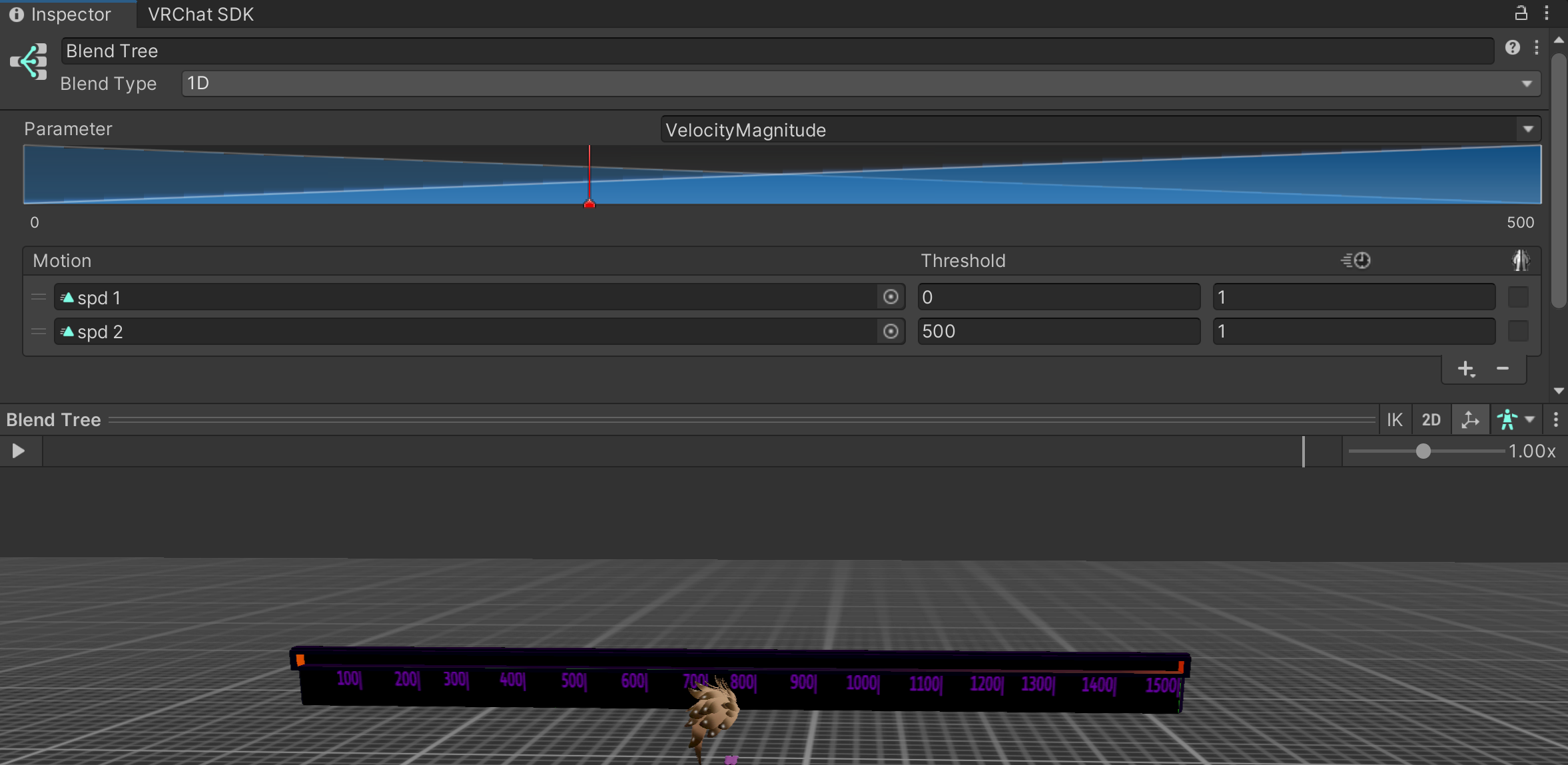 ornate stump
uneven whale
Hey guys, I have a question. After editing an avatar in Blender, the numbers in ...
ornate stump
uneven whale
Hey guys, I have a question. After editing an avatar in Blender, the numbers in ...
How much is slightly? Is it less than 0.001?
ornate stump
 slow panther
Limit less max angle.
slow panther
it was down to 20 ish before but that didnt seem to work unless thats not what you mean
ornate stump
slow panther
it was down to 20 ish before but that didnt seem to work unless thats not what y...
If you really mean to prevent bone movement while you're moving then set immobile type to world and increase its value.
torn crypt
slow panther
Increase Pull/Spring, reduce Max Angle, and increase Radius, that's what usually help chest to not get flat
slow panther
torn crypt
Increase Pull/Spring, reduce Max Angle, and increase Radius, that's what usually...
what should i try for radius?
slow panther
ornate stump
If you really mean to prevent bone movement while you're moving then set immobil...
okok thank you
torn crypt
slow panther
what should i try for radius?
You can try 0.07–0.1.
ornate stump
Radius doesn't restrict bone movement outside of collision so that won't do anything.
uneven whale
ornate stump
How much is slightly? Is it less than 0.001?
Yes, that's right, the values are roughly similar to what you indicated. Is that normal? So I don't have to bother copying the original values?
ornate stump
uneven whale
Yes, that's right, the values are roughly similar to what you indicated. Is that...
It's less than a millimeter so it's negligible.
timber wharf
pallid sun
Hi, i have a question. When it comes to stylized/anime hair is it better to have...
one material = one mesh. tho one mesh with multiple materials is fine.
 merry thistle
Hey guys I need help with something because I’m new at making avatars

How can I fix the pants
 pallid nymph
aghh im gonna tweak out.
I made a shapekey to shrink the clothes into the body for optimization. But when I hope the avatar, the clothes inside the avatar deform weirdly and stick out..

 somber sequoia
yeah, those vertices are probably affected by bone movements, right? Ideally you want such vertices to shrink to be center on the bone that most affects them. This is exactly the case where this method doesn't work well.
pallid nymph
Hm. Any ideas what to do than? 😭
somber sequoia
do what I said instead of shrinking to a single point far from the affecting bones
pallid nymph
Alright
somber sequoia
you can try other methods such as UV tile discarding, but that only works with shaders that support it, which means not on mobile
pallid nymph
Is there any way i should specifically be doing about doing this? Or is it as simple as shrinking it to their perspective bones?
somber sequoia
that's pretty much what I do
pallid nymph
Alright, ill give it a try, thank you!
somber sequoia
I make use of blender's 3D cursor for this
sour sparrow
sour sparrow
so im saving my model with a t-pose because it claimed to not be in a t-pose, bu...
can someone help me with this later pls?
ornate stump
sour sparrow
can someone help me with this later pls?
Does it say any error in the menu where you change between Generic and Humanoid rig?
pallid nymph
somber sequoia
I make use of blender's 3D cursor for this
I literally just jumped up and screamed. It worked, thank you so so much, i been dealing with this for 5 hours trying to learn it myself 😭
somber sequoia
very nice!
sour sparrow
ornate stump
Does it say any error in the menu where you change between Generic and Humanoid ...
yeah
and it wont stop the error if I force my character to t-pose
somber sequoia
what's the error?
ornate stump
sour sparrow
yeah
Enforcing T-pose doesn't fix that error. You have to read the "Import Messages".
sour sparrow
ornate stump
Enforcing T-pose doesn't fix that error. You have to read the "Import Messages".
I did, but it didnt say anything about the rig I dont think
somber sequoia
just show us the error.