#udon-general
59 messages · Page 91 of 1
 coarse parrot
 true ore
thanks
 ebon musk
Does anyone know why an object wouldn't sync between Quest and PC despite having VRC_ObjectSync and the hierarchies being the same? I have Kurotori Karts on my world, and they don't sync between platforms so when someone on a different platform drives a car it looks like they stole the invisible boatmobile.
 viral fjord
Can someone point me in the right direction for making a portal, which sends objects to another location with their velocity/rotation preserved? I have cars in my world that I want to use like that. Is OnCollisionEnter the right place to start?
 indigo finch
viral fjord
Can someone point me in the right direction for making a portal, which sends obj...
indigo finch
viral fjord
Can someone point me in the right direction for making a portal, which sends obj...
On trigger enter --> transform. Set position and rotation
 halcyon falcon
been dealing with the error: The type or namespace name 'ONSPAudioSource' could not be found (are you missing a using directive or an assembly reference?, Not sure the cause of it, I've tried manually getting the dependency but that just presents more errors with the oculus dependency itself, reimporting the sdk and udonsharp over a hundred hasnt worked either, Any help is really appreciated!
^ udonsharp, i have most recent sdk and udonsharp and I am on unity 2019.4.31f1
 floral dove
what is 'the most recent sdk'?
halcyon falcon
lemme get the version rq
floral dove
And how did you get UdonSharp? Mostly looking to see if you're mixing and matching the .unitypackage and Package Manager versions of things, which doesn't work well together.
Is this in a new project or an existing one?
viral fjord
indigo finch
`On trigger enter` --> `transform. Set position and rotation`
Perfect. Thanks!
halcyon falcon
existing one, about a month old but the sdk originally was like 3 months old, I updated it through the sdk panel/deleted old and used the new
I used the unity package version of udonsharp from the community git
vrchat world sdk3 is version 2022.02.16.19.13_Public
halcyon falcon
Udonsharp version 0.20.3
floral dove
Can you try rebuilding your library? You can delete the library folder from your project with it closed and then reopen it in Unity to rebuild it. If that doesn't help, I'd recommend restoring your project from a backup you made before you updated the SDK.
halcyon falcon
alright ill try, it mustve messed up importing cyanemu,pro tv or some other asset
floral dove
you can check if your project has these two packages installed via the Package Manager as well, they're in an older UdonSharp project of mine:
 true ore
hmm, so after i rebuilt the project and removed all the scripts and added them back, or a many as i could remember, and the errors were gone... well it worked! managed to upload one of the scenes. when i tried to build another version of it, a different scene, those two errors returned and now none of the scenes build, as before. i guess tomorrow i'll have to just start deleting stuff out of the backup and see if anything fixes it.
 magic drift
How do I make an udon behavior trigger based on UTC time?
 unkempt finch
Is it possible to toggle another object's udon behavior script? Also, is it a bad idea to have 2 or more separate udon behavior scripts on an object?
OR
What about toggling one object on and another off with a single button push?
unkempt finch
I tried to make a game object array with a for loop. It didn't work. If I just want one object to toggle on and another to toggle off at the same time, is this the wrong way to go about it?
indigo finch
unkempt finch
I tried to make a game object array with a for loop. It didn't work. If I just w...
I'm a little confused on what you are trying to do as a whole, but I did make a tutorial that toggled one gameobject on, and had another object be the opposite. (Click on the link to get exact timestamp) https://www.youtube.com/watch?v=19HMJaHGtqw&t=232s

Here's a tutorial about toggling either one or multiple gameObjects via a button in udon. Something I forgot to mention in the video, is if you to toggle multiple gameObjects without alternate toggle a second list of gameObjects; either make a random empty gameObject for it to toggle, or remove the second for loop from the script.
Cycling thou...
 elder peak
just based on your node flow, the first must execute it twice since the state of the text component may have changed
the second one will not check if the state may have changed
you can check the assembly generated to be sure
indigo finch
If your just starting out, I wouldn't look too much into the optimization of this kinda thing, as often times it doesn't amount to much. Focus on making the code readable, so you can bug fix it easier. besides, often compilers automatically optimizes it when translating it to assembler anyways (not too sure how well udon does it though).
true ore
coarse parrot
As I understand, those are compiled and auto-generated udon program, it should b...
so i made a backup of my project, made a very simple scene and deleted just about everything, the only oddity i can find that gives me a different error and i can't delete or it won't build, is Easy Combine, which i use a lot to combine meshes. i get an error like: [UdonSharp] Scripts are in the process of compiling, please retry build after scripts have compiled.
and a second one: The the VRCSDK build was aborted at the request of the 'UdonSharpBuildChecks' VRCSDKBuildRequestedCallback
any idea why this script would cripple my system?
before this it won't build and i just get those two previous errors. but if i remove a couple of different components to this script then i get an almost instant popup
oh wait! now suddenly it wants to build, after i deleted it and put it back
coarse parrot
true ore
so i made a backup of my project, made a very simple scene and deleted just abou...
Udonsharp will take some time for compiling though
true ore
yeah, strange, now this simple scene works, deletion then undeleting one script
well before this undeletion it always failed to build
didn't take too long
confusing
coarse parrot
Well, udonsharp was compiling that that prevents the build. But I think there could be another issue.
For example like if the udonsharp code has some error that crash the complier, it might be unable to output the log at all.
coarse parrot
So, it could be udonsharp itself, or the code that run on udonsharp.
true ore
coarse parrot
So, it could be udonsharp itself, or the code that run on udonsharp.
before i still had that problem even after deleting udon sharp, but now i can remove that script and it still builds. however i got this error, which i have had a few times in the past day, could it be at the source of it? Export Exception - System.IO.FileNotFoundException: C:.....scene-StandaloneWindows64-newscene.vrcw does not exist <-- newscene is the name of this scene, not sure what this means
coarse parrot
true ore
before i still had that problem even after deleting udon sharp, but now i can re...
That error causes by the sdk when it's unable to build the world for some reason. And the actual error usually get logged above that error. So you'd need to just ignore this and find another one.
true ore
now i undeleted udonsharp and it's fine, other than that above error. however i'm not sure how to keep using all my easycombine meshes in the main project, if there's some weird udonsharp interaction that makes me delete both
ah
coarse parrot
true ore
now i undeleted udonsharp and it's fine, other than that above error. however i...
Could you try again without easycombine?
Some native c# script can cause an issue with udonsharp compiler
true ore
i mean i couldn't delete it and have it work, that's when i got the errors [UdonSharp] Scripts are in the process of compiling, please retry build after scripts have compiled.
and: The the VRCSDK build was aborted at the request of the 'UdonSharpBuildChecks' VRCSDKBuildRequestedCallback
i'm going to try deleting and undeleting but i think that only worked after udonsharp was gone
coarse parrot
true ore
i'm going to try deleting and undeleting but i think that only worked after udon...
So you said it only builds without having udonsharp?
true ore
well now i returned it and it's fine, but having both that and the combiner script didn't seem to work
but i couldn't delete one with the other in there
coarse parrot
true ore
i mean i couldn't delete it and have it work, that's when i got the errors [Udon...
So that means easycombine prevents udonsharp from working?
true ore
i don't really know
coarse parrot
I had made some custom editor in unity. The native c# code need to be excluded from building.
Need to see how the easycombine script look like if we're going to fix it.
true ore
hmmm, might have found the issue? when i imported something from another project i brought in another copy of the same script, and i think that prefab was using the second one. could be confusing udon?
yep! that was it, a copy of the same script in use. after i brought that prefab in it did still work a few times, so it wasn't very obvious. anyway thanks for helping.
 tiny kraken
ok so I'm still relatively new to udon... is there a way to get only the x, y, or z position of an object? I want to feed only the x,z coordinates of two points into a distance node. but I don't want the y coordinates calculated in that.
 slim hound
tiny kraken
ok so I'm still relatively new to udon... is there a way to get only the x, y, o...
slim hound
tiny kraken
ok so I'm still relatively new to udon... is there a way to get only the x, y, o...
Probably something like this
 tiny kraken
ooooooh ok, thaanks
ebon musk
So I have about 45 objects with the VRC_ObjectSync on them, and I think my world is getting overloaded on the networking end. Is there a way to optimize this, or a guide somewhere? Like most of the stuff only needs to be synced if its moved
 merry swift
Hey guys! I wanted to see if there was a way to have a list of player names scroll down via a small board, but also have it detect users in the instance from that list! Is that doable? And how do I go about it o,o?
 subtle forge
I'm trying to get the UdonSharp package to work in Unity, but after I drag and drop it into my assets, it mentions that there are compiler errors that need to be fixed? Is this a common issue?
subtle forge
Specifically this error -> Assets\UdonSharp\Editor\UdonSharpEditorManager.cs(742,31): error CS1061: 'UdonBehaviour' does not contain a definition for 'SyncMethod' and no accessible extension method 'SyncMethod' accepting a first argument of type 'UdonBehaviour' could be found
coarse parrot
subtle forge
Specifically this error -> ``Assets\UdonSharp\Editor\UdonSharpEditorManager.cs(7...
You need to update sdk to latest version to use with latest udon sharp
 pallid roost
merry swift
Hey guys! I wanted to see if there was a way to have a list of player names scro...
pallid roost
merry swift
Hey guys! I wanted to see if there was a way to have a list of player names scro...
It's definitely doable. I've been thinking of making something simmilar, just deciding on the nicest way to code it. 🤔
merry swift
pallid roost
It's definitely doable. I've been thinking of making something simmilar, just de...
Wish I could help in someway heh, sadly my coding skills are next to nothing atm D: if you do could you show me how you tackle it? Would be a big help heh
floral dove
merry swift
Wish I could help in someway heh, sadly my coding skills are next to nothing atm...
The docs have a working example of getting all the players in a world here: https://docs.vrchat.com/docs/getting-players#getplayers
VRChat
These nodes are useful for getting an individual Player, a group of them, or all of them. Networking.get LocalPlayer VRCPlayerApi The local player is the Player that this Udon script is currently running on-- alternately, the local player is you. It's very important to know yourself! GetPlayerCount ...
pallid roost
I havent tried but U# doesnt support dictionaries does it?
 feral merlin
How do you make an udon graph wait between the things it does
floral dove
feral merlin
How do you make an udon graph wait between the things it does
You can use SendCustomEventDelayedSeconds/Frames, or set a future time to watch for using Time.time + delayTime, then checking that time in Update

 broken bear
I tried fixing this for two weeks now, did like 4 different methods, I can't figure this out. World has a whitelist of a single player name. If that player joins the world, or if you join the world with them in it, you set their voice distance far value to like 100. This is intended to allow the whitelist player to broadcast the entire world the whole time and be latejoiner friendly. This is a world specifically set up for this purpose for the whitelist name. Unfortunately I can't get this to work. It can detect the whitelist player but it's not moving to actually change their voice mod.


UI output example.
 feral merlin
floral dove
You can use SendCustomEventDelayedSeconds/Frames, or set a future time to watch ...
feral merlin
floral dove
You can use SendCustomEventDelayedSeconds/Frames, or set a future time to watch ...
It doesn't seem to work
 broken bear
For the remote player, voicechange bool will be false even if it detects whitelist person is present
floral dove
feral merlin
It doesn't seem to work
You're not waiting at all - you need to make a new Custom Event which triggers the teleport, then select that from the dropdown in your SendCustomEventDelayed node: https://docs.vrchat.com/docs/special-nodes#sendcustomeventdelayedseconds
feral merlin
I have no idea what any of that means lmao
merry swift
floral dove
The docs have a working example of getting all the players in a world here: http...
Thanks! I’ll give it a look!
 broken bear
connect the custom event to the teleportTo function, and when its' linked with the white line, it will be a valid option in the dropdown
feral merlin
Nvm it was just lagging I think
slim hound
broken bear
I tried fixing this for two weeks now, did like 4 different methods, I can't fig...
This might be what you want? though this doesn't display any text or log anything.
slim hound
Hope it helps.
broken bear
I never learned OnPlayerJoined, I'll have to look into this for other things. thank you again
 opal dew
So has anyone experienced getting memory leaks with Udon? I've narrowed down a bug to what appears to be a memory leak issue with a world of mine.
Of course I currently have no idea what is leaking, but people in world have noticed their ram slowly increasingly over the time in the world.
 grand temple
can't say I've specifically seen a memory leak but I would imagine it's certainly possible to mismanage memory in a way that looks like a leak
opal dew
And people with lower ram eventually hard crash while I notice lurches as my swap file pages stuff.
grand temple
it might also be something unrelated to udon. projectors can be nasty if you're using them in a particular way
opal dew
I had a projector but I disabled that and turned it off.
I'm not sure if there's anything within the world debug tools that let's you see memory usage of objects etc.
?
I'm generally reusing things though and not spawning lots of new stuff
grand temple
you can do that in editor with the profiling tools but not in vrchat
opal dew
Using object pools etc.
Hmm
I might need to write some automation code to basically have the game play it's self while I sit idle
Basically press one button and have it loop through a script that calls the same functions players would call
And see if I can spy what's leaking.
I think one problem is because I've been using Udon sharp, I'm picturing it following strict C# garbage collection rules and it might not be.
floral dove
opal dew
I think one problem is because I've been using Udon sharp, I'm picturing it foll...
UdonSharp just makes UdonAssembly at the end of the day
 unborn hornet
 feral merlin
How do you make a button not a physical mesh you interact with?
Like how the board for camera control works in Murder 4
Where it shows the user's cursor
grand temple
feral merlin
How do you make a button not a physical mesh you interact with?
sounds like you're talking about a canvas. you can set one up following the instructions on this page https://docs.vrchat.com/docs/vrc_uishape
VRChat
Script used to make Unity UI interactable in VRChat. Requires a Unity UICanvas element on the same GameObject. Steps to making an Interact-able UI with VRC_UiShape Add a Canvas using the right-click menu in your hierarchy.Add a VRC_UIShape component to the Canvas.Set the Canvas Render Mode to World ...
feral merlin
Oh I see, thanks!
 red gazelle
Is there some equivalent in U# to Vectors that's able to be synced? I'm struggling to get a dynamically sized array to actually sync properly for some reason
elder peak
red gazelle
Is there some equivalent in U# to Vectors that's able to be synced? I'm struggli...
use an array and you can create an unsorted fixed size list
i would give it a fixed large enough size
keep track of actually inserted elements and use it to insert new entries at the right index
if you want to remove an object, perform a swap-remove: swap last object with the one to delete, delete the new last object, decrease counter by 1
red gazelle
elder peak
use an array and you can create an unsorted fixed size list
i would give it a f...
man i really wish they'd just allow actual data structures to be synced
im trying to sync midi notes, i feel like there's a way easier way to do this lol
elder peak
what's your greater goal?
red gazelle
Basically on the local world, when a keyboard (piano) key is pressed, it activates a particle emmission based on the specific note pressed - so a Vec3 has to be available
And I want the same to happen on all players' instances
But because multiple keys can be pressed nearly simultaneously... it's proving to be quite difficult
i think i need to approach the problem differently
Rather than storing each key press as a distinct event, I probably should just store the state of each keypress and transmit the entire keyboard worth of notes each time, should be doable
opal dew
floral dove
UdonSharp just makes UdonAssembly at the end of the day
Well, I am uncertain how well or not that is garbage collected! XD I can't see any documentation on such things!
opal dew
red gazelle
Rather than storing each key press as a distinct event, I probably should just s...
You could sync an array of bools fairly cheaply, is there a reason not to do this as a set of events though? Many as there would be.
I'd have key up and key down for each key, or have each key as an instance of the same class, so you code a single up/down set of events or a single bool. And then wire each key to another object that controls the emitter.
That's how I did something in my world which has many copies of a single bit of UI. Each slot only cares about its own state and speaks to or is spoken to by manager objects.
opal dew
Hmmm.. Found a lot of string stuff in my code that I've now changed from "blah:" + value, to $"blah:{value}"
Also turning some method vars to reusable private vars.
Not sure what else could be a cause of leaks.
coarse parrot
opal dew
Hmmm.. Found a lot of string stuff in my code that I've now changed from "blah:"...
Do you change material for any renderer multiple times?
opal dew
coarse parrot
Do you change material for any renderer multiple times?
Lots. It's a TV studio world so materials showing a given camera flip often
But it shouldn't duplicate the material every flip though? Just reassign them?
coarse parrot
opal dew
But it shouldn't duplicate the material every flip though? Just reassign them?
If you change material, not sharedmaterial, unity will instantiate a new material every each assignment.
opal dew
coarse parrot
If you change material, not sharedmaterial, unity will instantiate a new materia...
... And not reuse existing copies?
coarse parrot
opal dew
... And not reuse existing copies?
No
 coarse parrot
Pretty much, avoid calling renderer.material and use renderer.sharedMaterial instead.
opal dew
This would explain why my older version of this code didn't have this issue, it just swapped the textures on a given material.
But I switched to material swapping instead and yeah....
 errant spire
simple question: how can i set value's for the hinge spring, it requires 3 value's but i cannot find how to set it

nvm i found it under jointspring
cant make the target position change
red gazelle
opal dew
You could sync an array of bools fairly cheaply, is there a reason not to do thi...
Hmmm, so initially the way I was doing it was having a "sendMidiEvent" event that is called when a key is pressed, that carries the Vec3 of velocity/note information via a synced variable, but because of delays in syncing the variable it couldn't really keep up. I may be able to do so with explicitly manual synced variable + event... but that's sort of what I was trying to do before and it seemed like, very far off -- but I'm fairly sure I didn't have manual sync on. I really wish there was a way to send data with the events ;~~;
opal dew
Well, a manually synced piece of data can still behave like an event, it might just be a smidge slower
trying to do event and manual data could be a problem because well, you could due to network issues, have the event arrive before the data does
It depends really how much of that data you need, just which one or everything like the impact force?
red gazelle
opal dew
Well, a manually synced piece of data can still behave like an event, it might j...
So far any attempts to get it synchronised in a reasonable timeframe have lead to it basically getting so out of sync that it's really noticable - some amount of delays or dropped info is fine, but it kept basically stopping receiving data for seconds at a time -- what kept happening seemed to be due to my method but like... essentially when a key was pressed, that synced Float3 would store the MIDI information. Then OnDesync would check if it's running as owner, and if it's not, grab that synced Float3 and call the particle emission. But by the time the OnDesync occurred, sometimes 3 or 4 notes had been played, so anything in between had been lost. So that's why I was assuming I'd need to use some sort of stack/array style datastructure. Do you have any idea like, aprx how quickly I can expect an event + manually synced data to actually propagate?
My reasoning for using the array was essentially because I was assuming it would get desynced often, so it would be good to maintain a list of all received notes across all clients to preserve data.... but that seems way more complicated than i expected
3 floats are generated per MIDI note, and I think all of them are used for my particle emitter
I'm fairly new to the networking side of things in Udon, but I've been programming for most of my life so this is frustrating lol
Sorry for the wall of text, lol - the most recent way I tested, almost works
opal dew
So, a keyboard messaging prefab I downloaded does this by just storing the last message typed along with what message number its on.
Then on Deserialising, it checks to see if the message number has increased and pulls and processes the current message.
red gazelle
Like if I play notes very quickly (like flight of the bumblebee style) - it keeps up well enough, but even a simple chord breaks the program because it's essentially trying to simultaneously send two Vec3 objects at once (like a 1-5ms delay, because... they're simultaneous)
Honestly if there was just some way I could ensure data is sent sequentially all would be better
opal dew
I think if you do manual serialisation, that one is promised to almost never be skilled
skipped*
red gazelle
opal dew
So, a keyboard messaging prefab I downloaded does this by just storing the last ...
Hmmm, that's sort of what I was attempting and kind of got it to work (I've tried a lot of different techniques) -- but that runs into the issue of: 1. if i store it in a single synced variable, it seems that it can't deserialise fast enough to process the notes in things like chords where notes aer simultaneous
or 2: if I use an array, managing the size of the array gets incredibly complex because Udon doesn't seem to support dynamically sized arrays or Vectors/Lists
red gazelle
opal dew
I think if you do manual serialisation, that one is promised to almost never be ...
I'll just have to try to more carefully manually serialise, yeah
I won't be able to work on it till im back from campus, but eventually I may share code if I get stuck more lol
opal dew
Well, one thing to do is consider, is what is the intent here.
You want to be able to play three notes at once
Why not hold off sending on the first keypress for a few frames and see if the user is going to play a chord
Then say, support playing up to three notes at once
And instead of sending three single notes, send one 'three note' update
red gazelle
That is feasible I suppose - but the amount of notes to wait for would be dependent on how long serialisation would take, which would require a dynamic array to be synced, wouldn't it?
opal dew
If the player hits all three notes within a time-window, other players will hear as though they hit them all perfectly in sync
You'd have a data store that is your maximum supported event, say three notes so.. nine Vector3's?
Hit note one, store the time locally, save note 1's data
Another note, store its data, ticktock....
then in Update(), when the timer threshold is hit, RequestSerialisation()
red gazelle
That would be doable, that might be worth trying :0 i fear debugging hell in terms of figuring out realistically how many notes need to be waited for, though... like imagine someone playing two chords with three notes very quickly or something... why can't we just have a queue? D:
I'll try more strict manual serialisation, and if that continues to fail then try doing a queue like you suggested
Honestly I question whether or not it was really desyncing or if I was just doing something horribly wrong because of how consistently data was dropping
opal dew
One question mind, how do you play three notes at once? >.> I'm guessing very exactly finger tracking? Or is this MIDI input from an external piece of hardware?
red gazelle
MIDI input from a physical piano, ye - so it's not unheard of to have each hand playing 3-4 notes in a chord every half second or so
thank you for your thorough help ;;;
opal dew
Well, in computer time that's still a big window
Remember, VR chat runs at either 60 or 90 FPS
red gazelle
Programming in Udon makes me feel like a moron lol I literally have a COSC degree but the Udon documentation is so cumbersome and,.. light... that I feel like i can't ever find information on what i need to do lol
True, but in terms of networking that relies on receiving data serially... that makes like 10ms events hard to process when the serialisation takes longer than that
but again it's very likely my own fault lol
 wind atlas
Could you do a udon script for each key and then manually sync each key press individually? No idea about the vrchat overhead in all of that, but I feel like it should be possible.
red gazelle
wind atlas
Could you do a udon script for each key and then manually sync each key press in...
Hmm, theoretically that's possible -- would rely on hard coding each key but that could work
wind atlas
Of course, you have to do a lot more work if you want to make everything super efficient, but it's a simple stupid method.
opal dew
There is one other thought, if its okay for a 'buffer' to exist, so like, the player starts playing and stuff starts coming through a while later, then yes, you could sync an array of notes, along with the times between each and an ID. Then you'd need machines on the other end to keep track of their location in the 'piano roll' and such.
red gazelle
That's similar to my idea to essentially serialise an array of the current state of all notes,, but honestly your idea is even simpler to implement yeah
red gazelle
opal dew
There is one other thought, if its okay for a 'buffer' to exist, so like, the pl...
That's what my most recent attempt was, but the counter of notes received/sent got out of sync so quickly that it just gave up after playing a song at a normal rate ;;
opal dew
hmm, I feel like you'd not want to sync the counter, the counter would be local, just the data array.
It would be down to each client to keep processing through the data array until it ran out of notes to play
red gazelle
the counter wasn't synced perse, but there was a synced variable of "notesPushed", which allowed the client to iterate over the array while (currentNote <= notesPushed) basically
opal dew
Hmm.. I'd do something like...
Have a few different arrays [Vector3A, Vector3B, Vector3C, startTime (float), played (bool)]
Sync all except the last one together. The last one will be set to unplayed when the others update their data with new data that's different from the last update. and don't sync a local int currentIndex
Then in your Update() thread, you loop through the played array till you find an unplayed note.
Check the startTime which is compared against a synced starting reference time to make sure this isn't data for a note that's been queued but we haven't finished waiting for the previous note or rest to finish.
Then if that's all good, play the note and update the played bool.
There might be some holes in that but... that's what comes to mind as a way of creating a sort of 'loop of tape' that spins round and round and gets filled up with new data that's only played once.
red gazelle
Oh that's a good idea!!! Like a custom type basically. Literally transmit the "played" info along with the MIDI info .. that's a great idea omg
Thank you for that idea that sounds perfect
Am i crazy or do you think this should be like way simpler? lol
opal dew
@red gazelle I'm.. not sure, possibly. XD Sometimes I over-think things. I think the played state wouldn't be per say transmitted (after all, from the performers view, all notes are 'played').
But during deserilisation, you'd do a comparison for each 'column' on each 'row' and if any values were different, update that 'row' and reset the 'played' flag to false.
Then in update, you do the act of reading the array and playing if required.
So you'd wanted to do the standard Udon thing of having a _previousVec3A, etc that you use for comparison and update at the end of Deserializing.
 scarlet lake
So I was asked this question and I wondering if anyone here knows how I can add it to my world
"Zen I assume the DJ booth has an URL Input that we can enter our Twitch URLs for the music to be broadcast over the world?"
coarse parrot
scarlet lake
"Zen I assume the DJ booth has an URL Input that we can enter our Twitch URLs f...
Think like it's a video player hiding behind DJ booth. You simply stand on dj booth and put a link into the video player.
scarlet lake
so set up a video player behind DJ and put in his twitch link so it live streams him in the world?
coarse parrot
scarlet lake
so set up a video player behind DJ and put in his twitch link so it live streams...
Yes. That's the simplest way to do.
scarlet lake
okay but is there a video player that is going to work for questies and pc?
im working on a club world rn and i'd love to have both platforms able to see it
coarse parrot
scarlet lake
okay but is there a video player that is going to work for questies and pc?
Quest can play a direct link to video file. But I'm not sure about twitch stream.
coarse parrot
scarlet lake
so a pc player cant drop the link and it show it for everyone?
PC can put any link into video player. But if a link isn't a direct link to video file, it will depend on whether a platform is supporting or not.
 clear root
Last i remember twitch won’t work on quest because it isn’t direct like you said
coarse parrot
For example, Quest doesn't have youtube video downloader, so it can't play youtube video.
scarlet lake
hmm i see
thats tricky

how well do you think this will work as a video player
just in general
clear root
Protv is good, one of the better ones
scarlet lake
can it do twitch streams for pc players?
i think i have an idea for a work around in a way
hmm actually im not sure
ahhh
was trying to think of a way to show pc players twitch stream and show quest users a direct video
while dj does his thing
coarse parrot
Just an idea, I think it's possible to pipe twitch stream into some other service, convert it into a supported video stream file and lets Quest play
scarlet lake
hmmm i wonder how though
coarse parrot
I have never worked with this before though.
scarlet lake
same
may i ask a different question as well?
I need to figure how to add that system where when a player is within a certain zone of the world, their volume is overridden to be much louder
coarse parrot
scarlet lake
I need to figure how to add that system where when a player is within a certain ...
You can set audio volume curve depend on distance. I assumed that the loudest zone will be near the audio source
clear root
I think I would a way to access the direct stream with vlc media player, I’ma try it here
scarlet lake
coarse parrot
You can set audio volume curve depend on distance. I assumed that the loudest zo...
i mean, i was in worlds where there was a stage and when stood on their they became super loud for everyone
but assuming what you said, it seems like that would be for an audio source and not a persons actual volume
coarse parrot
scarlet lake
i mean, i was in worlds where there was a stage and when stood on their they be...
Oh, you meant player voice. Players have different audio system and can be control by udon.
scarlet lake
is there a prefab for it or do i need to make a script
coarse parrot
I think there's a prefab for it. But it's actually easy to do also.
red gazelle
Are you guys specifically wanting to use Twitch or can any service work? Most DJ software can stream directly to a video stream accessible over the web, so it's not strictly necessary to use a middleman like Twitch or YouTube
scarlet lake
it seems like the DJ for my club will be using twitch
scarlet lake
coarse parrot
I think there's a prefab for it. But it's actually easy to do also.
do you have a link by any chance
coarse parrot
scarlet lake
do you have a link by any chance
Sorry I don't have any
clear root
scarlet lake
it seems like the DJ for my club will be using twitch
So I’m not 100% sure if this is the direct link or what this is, but using the chrome dev tools you can see what twitch is pulling from the network tab, and looking for a .m3u8 link allows me access to watch twitch on VLC media player, and from my understanding it gives a direct link which should theoretically work for quest
scarlet lake
hmmm that honestly sounds so advanced xD but itll try it
clear root
Lookup “How To Watch Twitch Live Streams On VLC” on YouTube
But you’d also need to run that link through a link shortener such as bitly but you can have 100 free links a month with a free account
scarlet lake
hmm alright
clear root
Not 100% if this will work but this is my best guess, I might try this later myself honestly
scarlet lake
if you end up trying it please let me know if it worked
clear root
scarlet lake
if you end up trying it please let me know if it worked
I’ll try it tonight and let you know
scarlet lake
alright thank youy
 dapper lion
scarlet lake
hmmm that honestly sounds so advanced xD but itll try it
dapper lion
scarlet lake
hmmm that honestly sounds so advanced xD but itll try it
https://pwn.sh/tools/getstream.html this may help
clear root
Yea this site does all that confusing part for you nice
scarlet lake
yeah that seems to work now i just gotta make it work in vr xD
does protv have a direct link system too?
clear root
All the popular video players can take direct links to video files yes, so yes pro tv can
dapper lion
scarlet lake
does protv have a direct link system too?
in what sence?
scarlet lake
like now that i can grab streams in the form of a video file i need to figure how to make it play on the video player
dapper lion
the website gives you the url that you then put in the url in the videollayer
clear root
You’ll have to use a link shortener first off, but you should just type it into the box in the player
Or pro tv in your case
scarlet lake
it does differently for me??

i get these options
when it click one, it downloads a file
clear root
Right click, copy link addresses
clear root
But yes that sites nice does the hard part for you
scarlet lake
seems like the link works in long form
dapper lion
theres no charactor limit for videoplayers now
dapper lion
keep in mind, this website uses an older version of streamlink, youd much rather want to use the updated version which requires downloading and operating it
clear root
dapper lion
theres no charactor limit for videoplayers now
Not even for quest? I know that was one of my stumbling block when trying to figure it out for the first time
dapper lion
im not 100% on the vlc trick for twitch but it might work. but usually inspected urls and most likely the vlc url will only last for 5 seconds
dapper lion
clear root
Not even for quest? I know that was one of my stumbling block when trying to fig...
once UNU hit. the limit was relieved
clear root
Nice 👍🏼
 hidden anvil
hi
clear root
dapper lion
im not 100% on the vlc trick for twitch but it might work. but usually inspected...
True, yeah big sites change it every 20 seconds
dapper lion
they dynamicslly change so people cant just grab a direct url out of thin air
clear root
Yeah true
Also, another question, do you know how to play a url with a button specifically on Usharp Video player?
dapper lion
um, i havent messed eith usharpvp but i would assume it would be relatively easy, youd just have an event that fills in a vrcurl into a play function used by usvp
clear root
Ok thanks, ill look into that, haven’t touched udon too too much yet
dapper lion
i suggest using protv. as it has a single button play video prefab
clear root
dapper lion
i suggest using protv. as it has a single button play video prefab
Well I’m convinced, thanks I didn’t know that
dapper lion
np lol
unborn hornet
dapper lion
once UNU hit. the limit was relieved
A clarification: the character limit technically still exists, but it's just for continuous, which is ~200 bytes of data per frame. Manual runs ~11kb per frame safely, ergo why urls can be longer if using manual sync mode.
dapper lion
use manual
clear root
Ah ok 👌🏽
 cursive hinge
can anyone tell me how i can unlock my account on vrchat
it was working just fine yesterday and then today i got on my oculas and it wont let me in on my profile
unborn hornet
cursive hinge
it was working just fine yesterday and then today i got on my oculas and it wont...
ebon musk
Are there an y tutorials for making a player avatar do a certain animation when sitting in a seat? Like do I just make the animation using the default VRChat skeleton layout or?
 sage whale
DMs are welcome for answers, but I want to make a sorta SAO menu were only I can swipe down and open a sorta admin menu for the world, any ideas on how to get this started assuming I know nothing on this
ebon musk
sage whale
DMs are welcome for answers, but I want to make a sorta SAO menu were only I can...
There's a prefab for an sao menu, that would probably be a good place to start. https://www.google.com/url?q=https://github.com/Thryrallo/UdonPrefabs&sa=D&source=editors&ust=1649300662648296&usg=AOvVaw17ITN-CiSUWTL2GI_DYruD
wind atlas
ebon musk
Are there an y tutorials for making a player avatar do a certain animation when ...
If you set a model to humanoid and assign the bones correctly, then you can uses their animations on other humanoid models.
 misty abyss
hey there,
currently I am working on a private club world - and I want to make it easier for our Djs to apply the correct streaming urls - problem is that these urls should contain some generated part - so that e.g. two instances or different djs don't have same url at same time....
now my question: is there a way to generate some VRCUrl (which is afaik required for audio players) on the fly ? or is there really no way?
(I use UdonSharp - if this makes a difference)
All variants I found, are not exposed - so I thought I should ask now here as a last hope 😛
indigo finch
misty abyss
hey there,
currently I am working on a private club world - and I want to make i...
you can bake in urls into your world that can be accessed with a button like so: https://youtu.be/szetLivbmdc
But the only urls that can be made during the game is ones typed in by the user. Any other methods using exploits goes against TOS. perhaps it's a little over protective, but eh... it's what it is.
Here's a tutorial covering how to change the url on a vrchat videoplayer with just a button. This is super handy if you want to have a quick instructional video, creating a karaoke world with a bunch of song videos for people to select, or even just a selection of some different background music without having a massive world size
So hopefully ...
indigo finch
 sick anchor
How do i go full screen mode on vrchat?
sick anchor
How do i go full screen mode on vrchat?
not an udon question, but alt + enter works on most unity games
misty abyss
indigo finch
you can bake in urls into your world that can be accessed with a button like so:...
well - okay so answer is then no 😦 bit sad but okay, have to live with it 😕
ebon musk
wind atlas
If you set a model to humanoid and assign the bones correctly, then you can uses...
I got that. The animation plays fine when I apply the animatior in unity, but when I put the animator on the chair it just seems to break the seating all togethere and make the avatar stand up sorta straight and tilted forward
wind atlas
ebon musk
I got that. The animation plays fine when I apply the animatior in unity, but wh...
I don't know what kind of issue that is. Make sure the animation actually gets called from the entry point.
 forest mist
This feels like a dumb question, but can you convert an Udon Sharp script into a graph asset?
 stone torrent
Anyone know how to set this music player up that is made by vowgan. Im having trouble finding where to put the music/mp3 audio.
 coarse parrot
stone torrent
Anyone know how to set this music player up that is made by vowgan. Im having tr...
coarse parrot
stone torrent
Anyone know how to set this music player up that is made by vowgan. Im having tr...
Does it come with instruction?
stone torrent
coarse parrot
Does it come with instruction?
I figured it out but thank you!
 cosmic pike
Hey guys, I have an udon graph program which updates a shader value. It works locally, but the slider doesn't synchronize with other players. I watched https://www.youtube.com/watch?v=ecu9oaUxClI several times and I've cross-referenced it with my udon graph and I do not see what I am doing differently. The slider value is indeed set to "synced" in case anyone asks.

Learn how to use Udon to make a slider that shows its value and syncs to everyone else in the world.
0:00 Building a Slider
2:54 Adding a Text Field to the Slider
5:04 Showing Slider Value in Text Field Using Udon
9:52 Syncing the Slider Value over the Network
13:42 Restricting Variable Updates to Owner
14:46 Switching to Manual Sync
16:26 Rest...
I'm also substantially bummed that comments are disabled on that video. There goes any opportunity for interactive Q & A with other users I guess 😛
this shows how it is updating for one user but not for the other.
 cosmic pike
My guess is that there is a checkbox somewhere that I am missing. There is one extra hidden setting somewhere. I have no idea where. I've screenshotted every part of the udon graph, every component of every layer of object and I've been back to back comparing these seemingly simple programs for hours without success.
pallid roost
cosmic pike
Hey guys, I have an udon graph program which updates a shader value. It works lo...
Is slidervalue checked as synced?
in the script, you didnt get that part in the screenshot
cosmic pike
last sentence of thatquote
pallid roost
On the udon behavior, continuous, manual?
 pallid roost
You need to call RequestSeralization after you change the value then
to send the updated value
cosmic pike
According to the tutorial, that is not needed. But I added it anyway, and it did not work.
that's what I have now
 pallid roost
have you tried checking that sendchange box?
idk what it does, i normally use UdonSharp so havent seenn it
cosmic pike
it is not checked for the canvas that works, so it's been shown that it can work without the checkbox.
However, I will check it for the canvas which does not work, and then I will load to see what happens.
pallid roost
From what i can see they have their behavior set as continuous in the tutorial
Ah at the end they change it and add the request
pallid roost
cosmic pike
that's what I have now
Yea but the tutorial has the RequestSerialization at the end
it wont sync on manual without that
cosmic pike
pallid roost
Yea but the tutorial has the RequestSerialization at the end
Interesting 🤔 They didn't have it halfway through the video https://youtu.be/ecu9oaUxClI?t=810 this was the state of the graph after they demonstrated that it updates for the other player, so I got the impression that it wasn't needed
Learn how to use Udon to make a slider that shows its value and syncs to everyone else in the world.
0:00 Building a Slider
2:54 Adding a Text Field to the Slider
5:04 Showing Slider Value in Text Field Using Udon
9:52 Syncing the Slider Value over the Network
13:42 Restricting Variable Updates to Owner
14:46 Switching to Manual Sync
16:26 Rest...
Good find. it sounds like this tutorial was incorrect then. This is why the comments should be enabled xD
pallid roost
No its right, in the end they have a switching sync to manual portion. that they change it to manual and add the request
just gotta watch it all and not skim 😉
cosmic pike
pallid roost
just gotta watch it all and not skim 😉
I definitely wasn't skimming, sorry if I gave off that impression.
Could you show where in the video that that switching sync to manual occurred? Just so I know what I thought I saw but, in fact, missed?
Sorry for the delay, as well. I've been running tests by gradually changing the graph. My computer is only so fast, so it takes time to load the changes.
It appears that it happens at 14:56. I think I see what happened.
When I make a new udonbehavior script, it appears that "manual" is the first thing that is selected. But it is continuous in the video at 4:41, but that difference wasn't mentioned, so I missed the few seconds that it quietly showed "continuous"
Very very subtle
(this is also why I greatly, greatly prefer written guides over video guides)
pallid roost
cosmic pike
It appears that it happens at 14:56. I think I see what happened.
When I make a...
Interesting, mine are generally continuous by default, wonder what affects that.
cosmic pike
Still debugging! I think you may have pointed out something interesting regarding the "sendChange" property, but I'm investigating 👀
I think there is something strange going on regarding which object has the Udon Graph and which object has the slider
cosmic pike
Well, I swear it was working for a second, but it isn't working anymore. I assume that one udon graph asset cannot control more than one slider?
what I attempted to do, because one of the sliders wasn't updating, was consolidate it to a single graph above the sliders. This graph worked just fine with "Big Radius" but now it works for neither.

OK! I got them working. On the above graph, I forgot to connect the small slider value. Once that happened, I got both parts of the shader to update in a synchronized way. Now I just need to have it so one owner can steal control from another owner upon interacting
thanks for the help @pallid roost I am still not sure why "sendChange" made a difference in this case, when leaving it unchecked didn't make a difference for the other slider, but I figure I'll understand that later 😄
pallid roost
cosmic pike
thanks for the help <@!277663731390087169> I am still not sure why "sendChange"...
VRChat
These are "Special" nodes. This includes flow control and special Udon features. Block Splits flow into multiple sections. One flow input, multiple flow output. Executes all right-side flow slots from top to bottom. Branch Inputs: Bool - System.BooleanBranches execution based on a conditional evalua...
looks like it'll trigger a separate on variable changed event.
cosmic pike
Also, an overall question: When do I use the node graph, and when do I use U#? U# was introduced as a way to... also do Udon. Now there are two parallel ways, but it hasn't been really explained to me when to use which one. So far, everything I'm learning seems to imply that the presence of U# merely means you must now know two ways to do things, lest you encounter a guide that focuses on !(whichever one I happen to be using)
It seems that the presence of two things which do the same thing has just split the knowledgebase
floral dove
cosmic pike
Also, an overall question: When do I use the node graph, and when do I use U#? U...
It's your choice. They just make Udon Assembly at the end, so they both have the same abilities.
However - Udon Graph is better for people who are not comfortable working with text-based programming. U# is better for people comfortable with this, as well as people who know C# well.
cosmic pike
@floral dove thanks. That's good to know. So basically, I should really know both, since half the information out there is based in U#. I've done both, but it's a lot to keep up with learning both at once. Maybe eventually I'll better see the parallels between the two
Also, a very basic question: https://docs.vrchat.com/docs/udon-example-scene
Where do I actually download this scene? lol I don't see a link. I must be incredibly dense.
VRChat
This scene is ready to Build & Test or Publish, and it demonstrates many common interactive items. Prefabs These objects show off some of the Prefabs included with the SDK which demonstrate default interactions with the VRChat components for Avatar Pedestals, Stations and Mirrors. AvatarPedestal...
I've spent the past hour trying to find it
cosmic pike
Weird. It didn't show up for me. I'll check again to see what's up
I think I see what happened. I accidentally download SDK3 - Avatars.
I thought the - said "+" because my eyesight isn't very good.
floral dove
cosmic pike
Weird. It didn't show up for me. I'll check again to see what's up
Are you working from the JokeJam project, or from one you made yourself?
ah
cosmic pike
I think the actuality of the existence of U# is that, for both parties, it requires that one must know the graph and U#. I've found that only knowing one doesn't get you very far, because half the knowledge base is on the other one.
I came from coding, so node graphs were sort of hard for me to interpret, so I did stuff in U#, but since 50% of the guides have graphs, I then went the graph route. But since 50% use U#, it's just constantly going back and forth. I think that is an unintended consequence
floral dove
Yeah, I understand that it's frustrating how the knowledge is split between the two.
FYI - we only developed the Udon Graph initially, since that would be approachable by creators of all skill levels.
A member of the community (Merlin) then made U# for more advanced users.
VRChat helped fund the development, and eventually hired Merlin and brought the tool in-house for further development.
So the split was not originally intended, but a natural growth from our community!
cosmic pike
That's actually a pretty interesting backstory, so that makes a lot of sense! Pretty cool that it was actually funded too 🤔
Based on thaaaaaat, I thiiiink I probably want to just stick to using U# wherever I can. Much easier to paste code snippets than to screenshot graphs when something goes wrong
pallid roost
cosmic pike
I came from coding, so node graphs were sort of hard for me to interpret, so I d...
If you came from coding you never need to touch node graph. U# does everything the graph can do and easier.
Well, easier for people who know how to code anyway XD
I'm a software dev and i hate reading node graph. Gimmie code every day.
all the nodes represent something directly in U# (Well i suppose technically its the other way round)
 cunning basin
pallid roost
Well, easier for people who know how to code anyway XD
cunning basin
pallid roost
Well, easier for people who know how to code anyway XD
udon graph is still coding.... some call it "even-driven coding" - it's just not what you're used to -- UE has something similar and it works a lot like udon, except you can decorate your code and get new nodes any time you want
pallid roost
cunning basin
udon graph is still coding.... some call it "even-driven coding" - it's just not...
Yea for sure, in the end it's still something to represent ideas that are compiled down to commands for the program to run.
I just dont think I've ever used the phrase 'node based coding' since like 10yrs ago when i first made a program in scratch in highschool XD
cunning basin
seems super convenient for the game industry where everyone works with/around programmers....not only can you visualize the most important parts of your codebase, you can invite other creatives to check it out. would be nice if u# could do that for udon 
 pseudo pelican
I guess everyone likes what they like ahaha. For me the node stuff I do not find it efficient. I am a fast typer and prefer UdonSharp all the way :3
I only use graph when it's for something simple in my case.
pallid roost
Yea for sure. I can read code much faster than I can read node graph.
Mainly because its much more compressed, and the flow is easier to follow, just go downwards vs following lines between nodes everywhere.
But i can understand how nodes are more user friendly to people who arent similar with coding. It's pretty much how they got us to draw out logic flow diagrams back in classes for programming 101
indigo finch
pallid roost
But i can understand how nodes are more user friendly to people who arent simila...
certainly easier to explain stuff with it. I personally use it for smaller programs though, as it doesn't recompile every code in my world each time I make a change. The constant re-compiling of the code your working on is a pain though...
 last geyser
Got a question, Is it possible to make an Animation Sync with Late Joiners? Say I have a door animation that is opened and I want who ever that joined later, Be able to see that said door open too. If so, How is it done with Graph?
pallid roost
last geyser
Got a question, Is it possible to make an Animation Sync with Late Joiners? Say ...
You just need to keep a synced value for the state of the animation. IE: For a door a boolean for open or closed would suffice.
And then you set the state of the animation from that synced value. So it would update the state for late joiners too.
pallid roost
last geyser
Got a question, Is it possible to make an Animation Sync with Late Joiners? Say ...
Here's some U# that does that except with a float so it would support more than 2 animation states, you can swap that for a bool easy enough

 topaz jetty
cosmic pike
Also, an overall question: When do I use the node graph, and when do I use U#? U...
topaz jetty
cosmic pike
Also, an overall question: When do I use the node graph, and when do I use U#? U...
Udon graph lacks some features like function paramaters and function returning, and while you could make workarounds for it U# is usually better if you're working on a big project, + it's way more managable for big programs imo. If you're not comfortable with C# and your programming mostly consists of just toggeling a few things instead of something like making an entire game then udon graph is fine aswell. If you really hate programming there's also cyantrigger which is even simpler than graph but you can do less stuff with it
Another benifit of U# is that the unity documentation uses C# so it's easier to find stuff and use the examples in the unity docs
So if you're mostly into the 3d moddeling side of world creation graph would probably make it easier to learn and visualize, but if you want semi complex functionality I highly reccomend learning U#
last geyser
pallid roost
Here's some U# that does that except with a float so it would support more than ...
Is it not possible with Graph or is it only for U#? Also instead of Bool it should be Float?
topaz jetty
cosmic pike
I think the actuality of the existence of U# is that, for both parties, it requi...
you can use the U# docs https://github.com/MerlinVR/UdonSharp/wiki/vrchat-api and the unity scripting refrence https://docs.unity3d.com/ScriptReference/index.html which will contain most things that you need

GitHub
An experimental compiler for compiling C# to Udon assembly - VRChat API · MerlinVR/UdonSharp Wiki
 pallid roost
last geyser
Is it not possible with Graph or is it only for U#? Also instead of Bool it shou...
pallid roost
last geyser
Is it not possible with Graph or is it only for U#? Also instead of Bool it shou...
No you can definitely do it in graph, all those U# things have graph equivalents, thats just the only example i have to give as I only use U#.
and yea, if its something like a door with only two states a bool instead of a float would suffice
last geyser
pallid roost
No you can definitely do it in graph, all those U# things have graph equivalents...
Then yeah, Bool would be preferable for the meanwhile. I was told that OnDeserialization would be something I would need to use for it. Though I ain't exactly figured out where I would plug it within my Graph
pallid roost
last geyser
Then yeah, Bool would be preferable for the meanwhile. I was told that OnDeseria...
OnDeserialization is where the updated bool value is received, so after OnDeserialization you want to run your code that sets the animation state to the value of the bool
last geyser
pallid roost
OnDeserialization is where the updated bool value is received, so after OnDeser...
This is what I got so far for it. So for the OnDeserialization it should be plugged into a separate sort of Animators?
 pallid roost
last geyser
This is what I got so far for it. So for the OnDeserialization it should be plug...
pallid roost
last geyser
This is what I got so far for it. So for the OnDeserialization it should be plug...
Instead of getting the bool from the animator and inverting it, you should be storing it as a synced value and setting the value of the animator to that.
last geyser
pallid roost
Instead of getting the bool from the animator and inverting it, you should be st...
I've actually never once tried out Sync as a Value before. Not too sure which ones I would use. Also basically remove Unary and have maybe 2 Syncs that plug into its own SetBool?
pallid roost
last geyser
I've actually never once tried out Sync as a Value before. Not too sure which on...
You'd use the Unary swap the state of the bool value, and then set the animator to that value.
Then Request serialization and in the OnDeserialization you'd take that new value and update he animator to be that new value (that handles the late joiners)
last geyser
pallid roost
You'd use the Unary swap the state of the bool value, and then set the animator ...
So something like this?
 pallid roost
last geyser
So something like this?
pallid roost
last geyser
So something like this?
 last geyser
pallid roost
last geyser
pallid roost
Strange, Nothing is being activated, Is there something I'm missing perhaps?
last geyser
pallid roost
Managed to fix it finally
 digital shale
I’m gonna be making a game world using Udon as my first world
I plan on making it a shooter-style PvE game, like Black Ops Zombies, or Prey, it will be based in space on a ship (I haven’t come up with any story yet, this is just me and my ambitions)
last geyser
pallid roost
Actually there's a slight issue, Its now in Sync with anyone that joins but the problem is that only the World Master can interact with the the doors or else it automatically changes to what ever animation the Master set it as
indigo finch
last geyser
Actually there's a slight issue, Its now in Sync with anyone that joins but the ...
Perhaps this might help: https://youtu.be/CJfhG8-KGvs
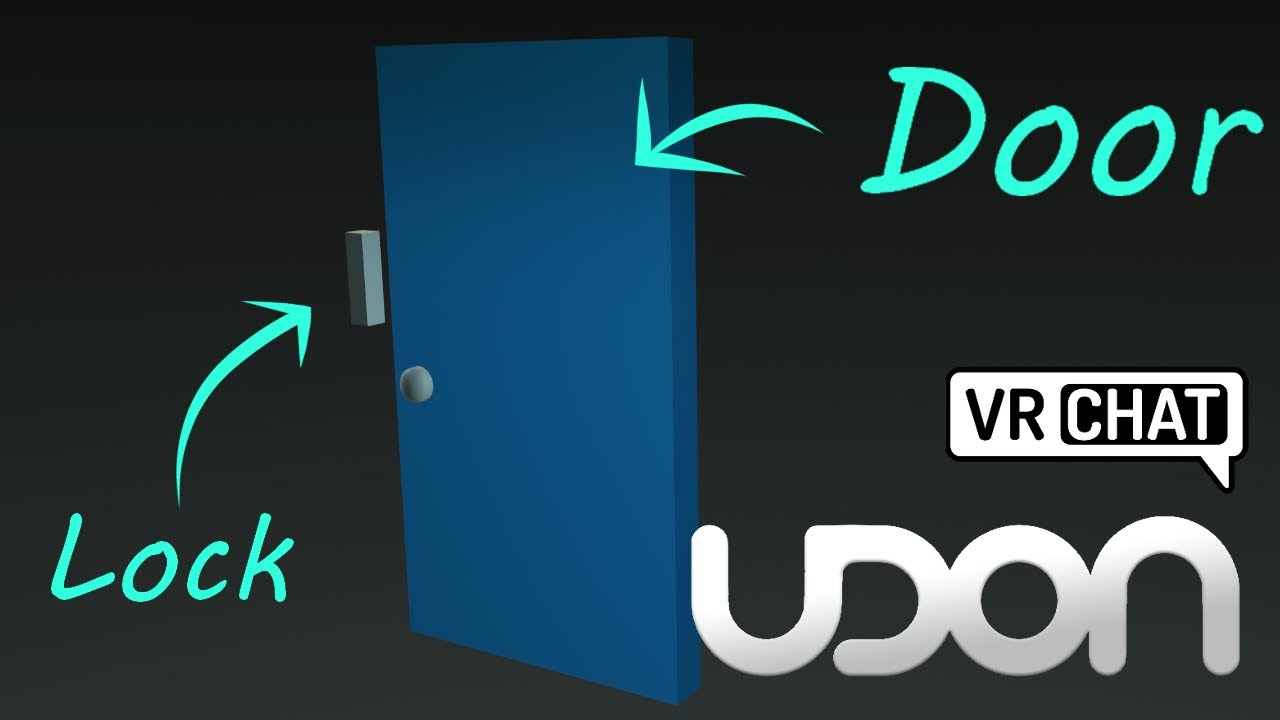
Here's a tutorial covering how to make a door and lock, that open and close when you click on them. You could also move the interact script to be on another object to the side, if you wanted it to be button-activated door.
So hopefully this tutorial helps replace some of those old sdk2 tutorials, though you could always adapt those to sdk3 wit...
 raw folio
indigo finch
Perhaps this might help: https://youtu.be/CJfhG8-KGvs
raw folio
indigo finch
Perhaps this might help: https://youtu.be/CJfhG8-KGvs
Bush you might be annoyed about my reply but I just wanted to say I've been really enjoying your videos and they've been very helpful ^^
was very cool to see your name appear on here after initially seeing you on YouTube 
indigo finch
raw folio
Bush you might be annoyed about my reply but I just wanted to say I've been real...
Glad to hear they helped ^^
pallid roost
last geyser
Actually there's a slight issue, Its now in Sync with anyone that joins but the ...
On click you'll need to transfer ownership of the door to whoever clicked it.
 royal frost
Oh, hi Mod!
But what I was going to say now, I need some help with Unity, not much Udon. Could I still get some help?
The VRChat SDK is being a bit wonky.
pallid roost
royal frost
But what I was going to say now, I need some help with Unity, not much Udon. Cou...
Just post ya question and if someone knows the answer they'll chime in im sure.
Ask dont ask to ask. 😛
 ebon bluff
Looking for some help/advice with using UdonMotion by lox9973
There is a sample project there and I am wondering how to use a users model instead of the demo shapell
This is part of a larger 3D Printing project, Feel free to DM me or add my in VRC and I can explain more.
slim hound
ebon bluff
Looking for some help/advice with using UdonMotion by lox9973
Since this relies on both worlds and avatars asking in #development-advanced and @ing lox themselves for guidance would probably be your best bet.
ebon bluff
slim hound
Since this relies on both worlds and avatars asking in <#336764732482650112> and...
Thank you for the guidance, I will do just that!
 copper root
how can i find my merge token from the steam game version?
 high mural
anybody ever have this script go missing on ProTV input fields?

the script is VRC URL Input Field and it still exists in my project, but I can't add it
tried reimporting the package but didn't help
ebon musk
Is it possible with udon to play an animation when someone attempts to enter a station, before actually putting them in the station?
 brazen epoch
can SendCustomEvent* access private methods (Not SendCustomNetworkEvent)
 turbid relic
Has anyone seen the behavior where interacting with DateTime just causes an Udon program to stop running, no errors, but execution just halts after a line/node.
I saw it before in an U# script, and now seeing it in an Node graph one
Nvm, figured the issue with the node graph one, 2am coding, was doing DateTime.set instead of timevar.set
 shut ermine
how do i make a kill block, or like im animating a car, and i want the car when it hits you, you die
elder peak
brazen epoch
can SendCustomEvent* access private methods (Not SendCustomNetworkEvent)
no, they must be public and a prefix of _ will protect publics from network events too
brazen epoch
clients can still call public methods prefixed with _ locally which could cause issues in my world which is why I asked, so thanks for the info. I'll see what I can do in my design to mitigate this
elder peak
brazen epoch
clients can still call public methods prefixed with _ locally which could cause ...
you can call all private methods at will on your machine
_ as prefix is, as said, a networked event call protection
grand temple
elder peak
you can call all private methods at will on your machine
`_` as prefix is, as sa...
I'm not familiar with clients but from what I understand, private methods are not compiled into something that can be called by an outside source. once it's done compiling, there is no record of what private methods exist or where they are
elder peak
grand temple
I'm not familiar with clients but from what I understand, private methods are no...
you are right with that actually i think
udon has no elaborate public/private system
grand temple
I guess if you look through the assembly and see some code that jumps somewhere else, you could assume that it's jumping to a function. But I'm not sure if anybody's bothered making an automated tool to do that
that's assuming it's possible for a client to make udon jump to an arbitrary point with no entry, that is also unlikely but technically possible
elder peak
a bad actor can do whatever, they can execute code that was not even there before since they can mutate all data they want to perform
grand temple
idk, udon's been out a long time now so it's certainly possible but definitely not in the standard toolkit
elder peak
but anyway, yea, I correct myself as phase said: private events should not be accessible nor really exist after compilation
grand temple
oh sure, if your private function is just doing something like setting a variable or enabling a gameobject, they can just do those things without your function. you can't control what happens on their machine.
But the bottom line is there is no remote code execution exploit so you can absolutely control what happens on an unmodified client that is being affected by a modified client. there is no way for them to make everyone disable a gameobject if code to do so doesn't exist or is protected by private or underscore.
brazen epoch
Controlling just that is exactly what I intend. The problem I've encountered is modded clients causing the master to crash their udonbehaviors and have them be unresponsive for 10 seconds through recursive methods when the game should normally start under conditions only vanilla clients would be under. I've mitigated that for the most part, but some people have shown me that they can still trigger my game to start even if they're not the network owner or myself. That's just with calling accessible udon behavior methods that their client exposes. Just kinda boils down to my poor design which doesn't really take into account the concept of "client authority" too much.
Working on it!
 nova yew
Is it a good practice to always have private functions prefixed with _?
elder peak
it's good practice to have consistent code
the only risk you end up running into by skipping the _ on a private method is to later changing it public and forgetting to add back the _
indigo finch
shut ermine
how do i make a kill block, or like im animating a car, and i want the car when ...
Do a on player trigger enter and put the player api through a player api. Is local node, and chuck that into a branch node. Then from the true, plug that into a player api. Respawn node
 solar sail
Can someone help? All the Udon scripts seem to be broken
I tried re importing the SDK but it still didn't work
All I did was I saved the project, then I noticed my mirrors turned white and that this was here

If I go in this shows up

It's the same for all of the scripts
Even after I re imported SDK3
This is what VRCWorld looks like
 solar sail
So I tried importing the SDK into another project and it showed up fine there so I actually have no idea what's happening now
scarlet lake

so im trying to make a zone that increases player voice volume, but im not really sure how i should do this
dapper lion
high mural
anybody ever have this script go missing on ProTV input fields?
this happens sometimes. try reimporting your vrcsdk
solar sail
dapper lion
this happens sometimes. try reimporting your vrcsdk
For me literally all the scripts went missing...
 dapper lion
scarlet lake
dapper lion
scarlet lake
try using the arrows
scarlet lake
dapper lion
try using the arrows
alright
dapper lion
this is world scripting channel
 south compass
Does anyone know where I can find video or anything to show how to set up team death match or just simple death match stuff with guns it does not need to be fancy. I have models and world done just need to see how to set this part up for it?
scarlet lake
Am I the only one that gets weird bugs with branches? When I interact with the object the pillow becomes unpickuppable and it doesn't become pickuppable again no matter how many times I interact. Also the material on the switch object never changes

Is there is a way to do this better?
high mural
dapper lion
this happens sometimes. try reimporting your vrcsdk
i remimported the SDK, ProTV and UdonSharp; I also rebuilt the project library. None of that has worked yet.
dapper lion
high mural
i remimported the SDK, ProTV and UdonSharp; I also rebuilt the project library. ...
can you find the script and see what error it says it has?
high mural
dapper lion
can you find the script and see what error it says it has?
it's not an error in the script. the VRC URL Input Field script has gone missing from the input UI on my ProTV
the script still exists in my project, but i cannot add it back because it is an editor script
i saw some people had this problem when updating from SDK2 to SDK3, but i've never even used SDK2 before so that can't be it
dapper lion
this has happened to me twiceish but usually reimporting shouldve resolved this stuff
high mural
dapper lion
this has happened to me twiceish but usually reimporting shouldve resolved this ...
I am going to keep trying things; next I will try to export the level as a package and import it into a fresh project. fun times...
actually, i just fixed it. seems this time the reimport worked.
 dapper garden
I may be missing something simple, but does anyone know how to set the proximity for an interactable udon behaviour? It doesnt have a pickup on it, I have an Interact override in udon sharp, but no slider is popping up for proximity. I'm using the lastest version of udon sharp, and I'm on unity 2019.4.29f1. Is it just the face I need to update unity or has anyone experienced this on 31f1 as well?
slim hound
dapper garden
I may be missing something simple, but does anyone know how to set the proximity...
Showing up fine for me, I am on 31f1.
dapper garden
Alright, I'm installing that now then
slim hound
And just tested 29f1 too and it works there also.
dapper garden
Interesting. I might try reimporting udonsharp then
scarlet lake
is there a way for me to toggle cameras on and off?
i tried to do it like i normally do with game objects but it doesnt work
slim hound
scarlet lake
is there a way for me to toggle cameras on and off?
You will need to toggle the camera component rather than the game object
 dapper garden
slim hound
Showing up fine for me, I am on 31f1.
dapper garden
slim hound
Showing up fine for me, I am on 31f1.
And just to confirm this is on an udon behavior, with an interact override, and without a vrc pickup, correct?
slim hound
dapper garden
And just to confirm this is on an udon behavior, with an interact override, and ...
 scarlet lake
 dapper garden
Thank you for the confirmation. I'll continue looking into it
scarlet lake
right now, i have a button and i am making it toggle the camaera

i set the target to the exact camera
 scarlet lake
ohhh
slim hound
So something like this
 scarlet lake

this is my current setup before what you told me
how can i integrate this into my current graph ?
just this?
 slim hound
You would need to change it from gameobject to camera nodes
 dapper garden
Okay, for anyone else having that issue, removing the udon behavior and replacing it seems to have fixed it. An additional symptom was that I was unable to assign it as a public variable for fields of its type
scarlet lake
 slim hound
scarlet lake
slim hound
scarlet lake
So now make the target camera a public variable and assign the camera in the inspector
scarlet lake
got it
testing now
it worked thank you
trying to make it when you put the bottle where the white cube is the cabinet loses collision how do I do this, pictures would help extremely
 slim hound
scarlet lake
trying to make it when you put the bottle where the white cube is the cabinet lo...
slim hound
scarlet lake
trying to make it when you put the bottle where the white cube is the cabinet lo...
Or do you mean you want the player to be able to walk through the cabinet when there is a bottle there?
scarlet lake
slim hound
Or do you mean you want the player to be able to walk through the cabinet when t...
yes, the cabinet is meant to be a secret door
I dont want the colliders to be turned back on once the bottle is moved again
slim hound
Yeah so somewhat similar you can do this

Just modify the name of the bottle/ the contains node
So only that bottle specifically can trigger it
scarlet lake
thank you so much
scarlet lake
slim hound
Just modify the name of the bottle/ the contains node
Is there a way I can do this with multiple box colliders?
slim hound
Yeah it would be the exact same thing
scarlet lake
Ok thanks
 faint delta
Hey folks! Hopping back into VRChat world editing after years away (last time I worked on things was SKD2). Curious if there are prefabs for some of the common elements I've seen in newer maps - ladders (climbable), health bars, guns, and swords. Does everyone just make their own versions of these or are there tutorials/examples somewhere? (EDIT: Found Cyanlaser's excellent prefab set which has most everything! Still looking for a ladder, though)
Would love to find a tutorial on how to set up a climbable ladder or surface
shut ermine
how do i make, like a scrolling background for example, like a train world?
cunning basin
faint delta
Hey folks! Hopping back into VRChat world editing after years away (last time I ...
all the free/open stuff w many tutorial links should be on vrcprefabs.com or vrclibrary - some good paid prefabs on booth as well
 sonic cloak
Does it matter what unity version I use for creating avatars?
nova yew
The unity version is very specific. See: https://docs.vrchat.com/docs/current-unity-version
VRChat
This page lists the current Unity version you should use when creating content for VRChat, as well as links to the correct version for both Unity Hub and direct downloads. Current Unity Version The current Unity version in use by VRChat is Unity 2019.4.31f1. Ensure you are using this exact version! ...
 open wraith
I need to combine these three public floats into a vector3 to apply a force to a rigidbody. I know how this works in C#, how does this work in Udon?
 open wraith
Never mind, I worked around that, new problem
This code is supposed to simulate something floating in water by turning off the rigidbody's gravity and adding a buoyancy force

What it actually does is nothing
I've double checked, the water has a kinematic rigidbody attached and it's set as a trigger
What is actually wrong?
The test cube just falls right through the water
slim hound
open wraith
This code is supposed to simulate something floating in water by turning off the...
Probably more like this

Though if you are more familiar with C# you should look into UdonSharp
open wraith
Yeah, I'll figure out how to get that mess of files working
I've already made 10x the progress on basic water physics with C# in half the time than with Udon
scarlet lake
Am I the only one that gets weird bugs with branches? When I interact with the object the pillow becomes unpickuppable and it doesn't become pickuppable again no matter how many times I interact. Also the material on the switch object never changes.

Is there is a way to do this better?
indigo finch
scarlet lake
Am I the only one that gets weird bugs with branches? When I interact with the o...
these nodes are plugging into both sides of the branch node. That sometimes causes problems, so try duplicating them and plugging one into the true, and the other into the false

 twin hedge
I wanted to make a welcome message when the player joins the world. Like, when they join, the message that reads 'Welcome (name)!' pops up on their screen. How do I make that?
scarlet lake
twin hedge
I wanted to make a welcome message when the player joins the world. Like, when t...
Need to connect to OnPlayerJoined() and check if that is the local player.
twin hedge
scarlet lake
Need to connect to OnPlayerJoined() and check if that is the local player.
I'm aware about that OnPlayerJoined, but I mean like how do I make the message that pops up on the screen?
scarlet lake
Usually it's shaders or the such, I mean you could also like attach a gameobject to the head
And then put text there
Curious question, is this ever going to get resolved? I mean it is a known since 2020... https://feedback.vrchat.com/vrchat-udon-closed-alpha-bugs/p/setgravitystrength0-does-not-actually-disable-gravity
Furthermore, setting the users Movement for both walk and run to 0 limits their vertical movement, but not their horizontal.

This is like, kinda key features?
Also, wondering if anyone has figured out any exploit to turning past 180 degrees on a Immobile Station
twin hedge
scarlet lake
And then put text there
ok thanks
 hot star
Someone have a little tutorial on how Can I do a Combat system like "Ghost Game" ? I'm tired of always restarting my project because nothing works. I wasted three fucking days.
indigo finch
hot star
Someone have a little tutorial on how Can I do a Combat system like "Ghost Game"...
Sorry if this sounds nitpicky, but a combat system tutorial would not be a 'little' tutorial. It's not that easy, especially if you want it to feel nice.
The basics is that you need to assign a gameObject to each player, and put it on a layer that doesn't interact with the player. You then need to give said gameObject a hitbox, and set it's position to be the same the players (on update). This is because you can't do anything with the vrchat player hitbox; not even tell who got hit (hopefully that changes in the future).
Then you need to give that gameobject some logic. Have your health, score and what not stored as public variables. Then also have a script that people can call when they hit you, to deal damage. Then you need to create the guns, with all the regular pickup logic. You then need to make it so that when the gun gets used, it fires a raycast that looks only for our player hitbox. If it hits a players hitbox, tell them to run the damage event. Then you also need to store these public variables on a local object to keep track of them. this is because the methods for giving gameobjects to every player often have the potential to swap ownership, so we want to store all of it locally and update the synced variables to make them available to everyone else.
You also need to add some other basics, like what happens on death, any effects you want to play when damaged; also make the gun satisfying to use with more than just an invisible raycast, by giving it sound and/or visuals.
So yea, that's what I can think of off the top of my head. I would recommend looking at Toly65's 'Toly's combat system' prefab (https://github.com/Toly65/UdonCombatSystem), but be warned it's not an all inclusive asset, as I've heard the example gun is pretty rough. It's also not that easy for beginners, from what I've heard.
 midnight wing
Udon gave me stick drift
hot star
indigo finch
Sorry if this sounds nitpicky, but a combat system tutorial would not be a 'litt...
Ok it's a way better than what I've found from the internet. Now I know how to start. I've got my island, I work on a gun actualy. I wanna make a pretty simple game. if you,re interested, we can talk a bit more
 ionic girder
Am trying to teleport the gameobject, but whenever i type something in in the rotation values its sets always back to 0, anyone know the solution?
dont mind my setup, im literally trying to do udon stuff for the first time
 indigo finch
ionic girder
Am trying to teleport the gameobject, but whenever i type something in in the ro...
indigo finch
ionic girder
Am trying to teleport the gameobject, but whenever i type something in in the ro...
huh... don't know why it's resetting it, but as that is for a quaternion, it probably isn't what you want to do anyways (in simple terms, quaternions are complicated way that computer's store rotation, instead of the 3 axis seen in the editor).
I would use a vector3. const node, and put that into a quaternion. set euler (or it's called something similar...), and put that into the rotation slot
ionic girder
indigo finch
huh... don't know why it's resetting it, but as that is for a quaternion, it pro...
Thanks for the reply, i'll try!
 surreal verge
What happend to the event custom in the udon graph?
I might be missing it but I dont see it anywhere I switched up the search
nevermind I found it, idk why its not showing up in search but its in special, pure short bus
ionic girder
@indigo finch This worked! Thank you very much, life saved.

 dark bobcat
Hey is there anyway I can play youtube playlists through the vrchat media player?
 wintry radish
Hey I just now ran into the issue where when I add the "SendCustomEvent" node and connect one of the two variable sockets it throws that error and deletes the node.
Is there someone who maybe knows what the issue might be?
 pallid roost
wintry radish
Hey I just now ran into the issue where when I add the "SendCustomEvent" node an...
pallid roost
wintry radish
Hey I just now ran into the issue where when I add the "SendCustomEvent" node an...
Has the node got a reference to the behavior its sending the event to?
wintry radish
I don't even run the world. It just deletes the node while I'm trying to connect it
I can do that, but as soon as I'm trying to connect the "TriggerObject" variable to the Instance socket the SendCustomEvent node gets deleted

Okay nevermind... Apparently it didn't like me naming the variable "TriggerObject"
 inner prism
how i can make object toggle music on/off?
indigo finch
inner prism
how i can make object toggle music on/off?

Here's a tutorial covering how to create a music toggle button for one or many music in your world! The first part only covers how to toggle it for one song/ audio source, but then I expand the script to covering a multi button setup. That does however come at the cost at needing more nodes, which I hope doesn't become too overwhelming...
As f...
 slim fjord
( Solved )
Howdy! I have an issue with Udon (I'm new to it) I can't seem to get my button to actually be interactable in game, I'm following a tutorial but I never saw a part where it fully explained my issue, and I can't find a source to help me so far. Anyone got some ideas?
Edited:
I'm Trying to make a door that opens and shuts with 2 buttons, I have the door animations working fine but when I get in the game the buttons don't have the ability to be used. (like when a mirror toggle is usable it glows blue but my buttons don't) I followed the video I was watching perfectly or I thought I was, and the buttons in the video worked fine after.
I'm not sure what I'm missing And I need help. I hope this explains it better.
nova yew
slim fjord
**( Solved )**
Howdy! I have an issue with Udon (I'm new to it) I can't seem to ...
Could you describe what the end result you are looking for, perhaps someone would have an idea/tutorial to share.
Hey folks! I'm trying to use object pools in udon sharp, unfortunately I'm getting this error "Pool sized on myObjectPool has changed since Awaken()" Any ideas? I've stripped down my code to the barest, even tried ownership of the pool object to no avail.


 night viper
slim fjord
**( Solved )**
Howdy! I have an issue with Udon (I'm new to it) I can't seem to ...
night viper
slim fjord
**( Solved )**
Howdy! I have an issue with Udon (I'm new to it) I can't seem to ...
Does the gameobject has a collider on the same object as the script?
last geyser
Got a question, can a Single Animation that is long be in sync with Late joiners?
slim fjord
night viper
Does the gameobject has a collider on the same object as the script?
I can't find a collider in the button's settings. (I'm kinda confused)
night viper
slim fjord
I can't find a collider in the button's settings. (I'm kinda confused)
The event "Interact" (events are marked green on udon Graphs) Require a collider for players to interact with. The collider has to be on the same object as the script for it to work. You can press "Add Component" and search "collider" The best performant collider is a simple Box Collider. If there is no collider of any type, the player will not be able to "interact" with it.
 slim fjord
night viper
The event "Interact" (events are marked green on udon Graphs) Require a collider...
slim fjord
night viper
The event "Interact" (events are marked green on udon Graphs) Require a collider...
Thank you, I'll go set that up. I'll let you know if it works.
nova yew
nova yew
Hey folks! I'm trying to use object pools in udon sharp, unfortunately I'm getti...
Sorted! The vrc object pool requires x number of game objects in the scene assigned to the object pool. I was assigning multiple prefabs to the object pool's list and it conked out.
slim fjord
night viper
The event "Interact" (events are marked green on udon Graphs) Require a collider...
That helped me, Thanks.
 upper dome
Hey ppl, do yall know any creator incentive programs provided by VRC?
like the equivalent of oculus start program in vrc?
 serene turret
help me please i very bad english i dont understand

sorry but this is the first time i've done this
 cold raft
you seem to have installed the VRC World SDK but you are not working on a World, you are working on a Avatar, you need to start over, and use the VRC avatar SDK
serene turret
okay thanks
 hidden tundra
hi, trying to make a graph that will fade in music when I enter a certain area however instead of it increasing the volume, it just sets it to time.deltatime*fadespeed each time.

Anyone know where I've gone wrong? Only guess is that i'm not using "getvolume" "setvolume" as intended
 autumn oriole
hidden tundra
hi, trying to make a graph that will fade in music when I enter a certain area h...
autumn oriole
hidden tundra
hi, trying to make a graph that will fade in music when I enter a certain area h...
You have to use Update instead of while
hidden tundra
ah cheers
autumn oriole
hidden tundra
hi, trying to make a graph that will fade in music when I enter a certain area h...
You have to use Update, deltaTime, Mathf.Lerp to do that
hidden tundra
I'll give it a go
autumn oriole
hidden tundra
hi, trying to make a graph that will fade in music when I enter a certain area h...
 hidden tundra
oh thanks
autumn oriole
you have to find out proper value for the multiplication in the delta time thing
hidden tundra
👍
Don't think I've done anything glaringly wrong

Slight addition or else volume in the room I start in keeps decreasing

Many thanks for the help, sounds great when going between rooms
opal dew
I -suspect- the answer is no, but is there any way at all for a world to know when any particular player is talking?
opal dew
Actually, reading through the backlog, apparently @raven peak has made a prefab that can at least locally detect if the player is talking? that would be enough.
scarlet lake

does anyone know how can i replace the gameobject get activeself and make it so its a camera that checks if it is active or not
elder peak
get.activeSelf needs the TargetCamera as input for instance
scarlet lake
yeah i just copied this script from a script that triggers global toggles and I am trying to remake it so it targets a camera instead of a game object

would it be this?

i assume this would be correct
wintry radish
(SOLVED) VRChat is just weird sometimes
Hey there I'm currently trying to make an object float when I hit a button and also be able to turn on gravity again.
I currently have the issue where I'm turning off gravity through the objectsync (which works fine), but when I try to enable gravity again it doesn't do anything.
I'm also using CyanEmu where turning off and on the gravity works fine, but not in VRChat itself. Is this a bug or is there a better solution (Yes I tried doing it through the rigidbody itself too)
hidden tundra
Anyone know why suddenly on e of my time.deltatime blocks is returning 0?
 eager cypress
is there any tutorials on how to do NPCs (like monsters that chase you)
red gazelle
Has anyone tried using CoPilot with U# before?
red gazelle
eager cypress
is there any tutorials on how to do NPCs (like monsters that chase you)
WanderAI on the VRC Prefabs might be a good starting point
faint delta
indigo finch
Sorry if this sounds nitpicky, but a combat system tutorial would not be a 'litt...
Just wanted to say thanks for the detailed dive into what's involved in making a combat system, something I'm currently toying with myself. I'm using CyanLaser's prefab currently, but I'll also check out Toly's. Either way, I appreciate you taking the time to dive into the basics.
opal dew
eager cypress
is there any tutorials on how to do NPCs (like monsters that chase you)
I believe a lot of standard Unity AI systems will mostly still work in Udon so general tutorials on that will also help.
last geyser
How does one make an Object attach to another object? Say There is food and want it to go on the plate, But also be able to take it out of the plate after words. How do you go about doing that?
topaz jetty
last geyser
How does one make an Object attach to another object? Say There is food and want...
You could either make it change parent using Transform.SetParent or use the parent constraint component and enable/disable it
 fickle stirrup
last geyser
How does one make an Object attach to another object? Say There is food and want...
fickle stirrup
last geyser
How does one make an Object attach to another object? Say There is food and want...
OnPickup -> transform.SetParent(null)
when Pickup Drop -> check if (Vector3.Distance(transform.position, bowlTransform.position) < maxLengthFloat) { then transform.SetParent(bowlTransform) ; and transform.localPosition = Vector3OffsetInBowl and same offset for localRotation } // so if on dropping food it's close enough to the bowl it will parents to it and be placed on it's predefined position(if it's needed)
 magic anchor
not sure what is going on but importing the Billiards prefab compleatly breaks my udon

i cant make any behaviours the path is broken
clear root
Is it posible to change to colour of an emissive material with an interact?
dapper lion
clear root
Is it posible to change to colour of an emissive material with an interact?
p sure iirc youd do “Material.SetColor(“_Emission”, new Color(float,float,float));” //might be ints, i can’t remember
i think you can also do “SetFloat” for specific colors of rgb
clear root
Thanks!
fickle stirrup
magic anchor
not sure what is going on but importing the Billiards prefab compleatly breaks m...
do you have installed UdonSharp and uses latest SDK? also this billiard prefab https://github.com/VRCBilliards/vrcbce or the origin one
magic anchor
fickle stirrup
do you have installed UdonSharp and uses latest SDK? also this billiard prefab h...
yeah i installed all the dependaincies and for some reason it totally broke the Udon behaviour scripts
that or i'd be flooded with 200+ compiler errors even after importing all the packs in order
 restive veldt
Does anyone know if udonsharp supports structs or enums? Don't know if this is the right channel
fickle stirrup
restive veldt
Does anyone know if udonsharp supports structs or enums? Don't know if this is t...
udonsharp 1.0 beta has partially implemented enums, you can take it from its discord
https://github.com/MerlinVR/UdonSharp/projects/1
 mighty quiver
since InputUse only fires once when you override it, is there a way to make it fire constantly as long InputUse is pressed?
maybe as a method that returns true/false if its pressed?
wind atlas
mighty quiver
since InputUse only fires once when you override it, is there a way to make it f...
You can't make it fire constantly, you have to cache the value you get.
And then use that in your update loop (or whatever you need it for).
 mystic dirge
moving to world development
 bleak magnet
What is the node used to create a set game object active true and another node for set game object active false (like in sdk2 that had 3 options true false and toggle) I do not want the button to toggle but to be either a true or a false or to apply true to 1 object while false to another. Thank you
night viper
bleak magnet
What is the node used to create a set game object active true and another node f...
The "Value" of a SetActive determines what the state of the object will be when that node is called with an event. You can leave it unchecked and it will be false, or check it for it to be true. (red arrow on image)

 unkempt jackal
When trying to use udon for UI mirror toggles I get everything done but I do not have the option of UdonBehaviour -> SendCustomEvent, does anyone know why this is? Or is it named something new?
 bleak magnet
ty
 sly rapids
i have a question about setting mesh renderer materials is it possible to set the marterial in emlement 2 specificlly ?
night viper
unkempt jackal
When trying to use udon for UI mirror toggles I get everything done but I do not...
Is there an UdonBehaviour on the object called "VRCMirror"?
unkempt jackal
Yes, also im going to just try reimporting something and maybe it will fix it. Usually works if something got left out
sly rapids
im also looking to rotate an item im holding when i use the use button
open wraith
Is there an Udon or VRchat function I can call on in UdonSharp to get the position of a player's hand?
wind atlas
open wraith
Is there an Udon or VRchat function I can call on in UdonSharp to get the positi...
It's in the player API:
https://docs.vrchat.com/docs/player-positions#gettrackingdata
VRChat
Here are the nodes relating to Players' positions. For nodes that deal with forces relating to Players, see Player Forces GetPosition returns Vector3 in World SpaceGets the position of the Player. GetRotation returns Vector3 in World SpaceGets the rotation of the Player. GetBonePosition returns Vect...
open wraith
Thank you, brother
sly rapids
im looking for some help on being able to change the mesh render materials when on trigger enter occurs.
i want to set the triggering objects child to the udon variable (mesh) on the trigger object and then to set the mesh renderer materials to the materials of the self object

[UdonBehaviour] An exception occurred during Udon execution, this UdonBehaviour will be halted.
VRC.Udon.VM.UdonVMException: The VM encountered an error!
Exception Message:
An exception occurred during EXTERN to 'UnityEngineMeshRenderer.__set_materials__UnityEngineMaterialArray__SystemVoid'.
Parameter Addresses: 0x00000008, 0x00000009
Object reference not set to an instance of an object
subtle forge
I've created an area trigger that changes the music when entered by any player. How do I make it so it only changes for the local player?
cold raft
isnt that default behavoir? if you dont sync anything it will only affect local player right
subtle forge
Yeah, but it triggers when any player enters it, not just the local player
Who it changes for is local default
cold raft
as yes check if the VRCPlayerApi that you get along with trigger is the equal to Networking.LocalPlayer
 cold raft
i think so
subtle forge
I connected the arrow from the trigger to the branch to be safe
subtle forge
Thank you
bleak magnet
Are the pickup scripts and Object sync going to say avil for udon or will I have to learn the nodes someday to do those ( haven't tested)? I just converted my 1st world to udon with legacy movements and curious for my other worlds that have more things in them that need pickup and object sync. Hoping I don't have to replace those thank you.
dapper lion
bleak magnet
Are the pickup scripts and Object sync going to say avil for udon or will I have...
they will stay forever
dapper lion
vrc object sync was latest thing for pickups readded to sdk3
bleak magnet
aw i see ya just making sure im trying to prevent loss to anything just incase vrchat decides to just get rid of all 2.0 and im rushing to convert to 3.0 now
sly rapids
re thought about what i was trying to do and i got it working this way

 rocky lantern
...
 stuck marsh
m e l o n loader breaking it?
pallid roost
You go to #user-support-old not udon questions
 fallen crow
Hi
open wraith
Okay, so
I have a script that adds force to a kayak in water
But when I add a seat to that kayak, I get an udon runtime exception
APPARENTLY, VRchat doesn't like that
So am I just fucked?
The water activates on trigger enter, and the chair has a collider. When I disable that collider, it works again
Seriously, is there a solution to this that I don't know about? Am I just fucked?
[UdonSharp] Assets/Scripts/Water.cs(28,62): Udon runtime exception detected!
An exception occurred during EXTERN to 'UnityEngineRigidbody.__AddForce__UnityEngineVector3__SystemVoid'.
Parameter Addresses: 0x0000000C, 0x00000014
Object reference not set to an instance of an object
nova yew
Object reference not set - isn't this caused by not filling in the public object field on the udon behavior script?
 lethal lark
Hiiiiiiii
hey everybody I have a quick question
I'm trying to use U# Script for my friend's project since I'm not familiar with all these graph thing
but I cannot find that in here

 scarlet lake
@lethal lark that old video
lethal lark
this dude on the youtube tutorial vid has that function
lethal lark
scarlet lake
<@457074697176219658> that old video
oh is it?
scarlet lake
Ya
lethal lark
then how can I use UScript?
nova yew
GitHub
An experimental compiler for compiling C# to Udon assembly - GitHub - vrchat-community/UdonSharp: An experimental compiler for compiling C# to Udon assembly
The setup section on that github will get you running for u# stuff.
lethal lark
oh god thank youuu
lethal lark
nova yew
The setup section on that github will get you running for u# stuff.
so should I just throw that entire folder I downloaded into asset folder of my friend's project?
Does anybody know where to put that stuff so that I can use USharp?
I got a bunch of error message that says "The type or namespace name 'CSharp' does not exist in the namespace 'Microsoft.CodeAnalysis'
lethal lark
CSharp does exist in the name space Microsoft.CodeAnalysis
I found the same dude on another github post
but I don't know how to solve this problem since my friend already made up a world using a lot of different assets in her project,
is there any way to figure out which one is conflicting with UdonSharp and why?
nova yew
In cases like this, what I would do is ensure that a) vrc sdk is working b) udon sharp is working then slowly one file by one file introduce it to the asset folder. (note: not programmer.)
lethal lark
nova yew
In cases like this, what I would do is ensure that a) vrc sdk is working b) udon...
vrc sdk has been working fine.
The thing is, I still cannot even find Udon Sharp option
lethal lark
nova yew
https://github.com/vrchat-community/UdonSharp
According to the readme section of github above, it should have U Script option
nova yew
Do you have the exact unity version? Make sure you install the sdk first, then udon sharp.
VRChat
This page lists the current Unity version you should use when creating content for VRChat, as well as links to the correct version for both Unity Hub and direct downloads. Current Unity Version The current Unity version in use by VRChat is Unity 2019.4.31f1. Ensure you are using this exact version! ...
No idea if it doesn't show up after...
lethal lark
yeah it's exactly that Unity 2019.4.31f1 version
and the sdk is already installed
since she didn't do any coding yet
I'm trying to help her out doing basic trigger stuff
and I am not familiar with this Udon graph thingy, I have been trying to use U Sharp
lethal lark
nova yew
Do you have the exact unity version? Make sure you install the sdk first, then u...
Do you use Udon Graph?
nova yew
Sadly no, only u#
lethal lark
nova yew
Sadly no, only u#
I just got the Udon sharp working!
one quick question tho
Is VRCPlayerApi the right one to use
to do OnTriggerEnter stuff?
nova yew
I don't really know what you mean by is vrcplayerapi the right one to use. The entire api is listed here: https://github.com/MerlinVR/UdonSharp/wiki/vrchat-api
GitHub
An experimental compiler for compiling C# to Udon assembly - VRChat API · MerlinVR/UdonSharp Wiki
lethal lark
nova yew
I don't really know what you mean by is vrcplayerapi the right one to use. The e...
What I'm trying to do is turning music on/off whenever the player enters/exits a specific place.
topaz jetty
lethal lark
Is VRCPlayerApi the right one to use
Yes, it says here https://github.com/MerlinVR/UdonSharp/wiki/events
GitHub
An experimental compiler for compiling C# to Udon assembly - Events · MerlinVR/UdonSharp Wiki
public override void OnPlayerTriggerEnter(VRCPlayerApi player)
{
    //your code here
}```so just do a ```cs
if (player == Networking.LocalPlayer)
{
}``` in there to check if it's the local player
lethal lark
hmm my autocomplete doesn't recognize that function tho
I cannot see OnPlayerTriggerEnter function on the list
all I can find is onPlayerConnected and OnPlayerDisconnected
lethal lark
topaz jetty
```cs
public override void OnPlayerTriggerEnter(VRCPlayerApi player)
{
//yo...
Do you know why I cannot use this function by any chance?
topaz jetty
I'm pretty sure you need a box collider with is trigger checked on the same object, but aside from that it should be fine
lethal lark
oh this one is attached to nothing yet
I was trying to write a code first and then test it out
topaz jetty
does your class inherent from udonsharpbehaviour?
it should look something like this ```cs
using UnityEngine;
using UdonSharp;
using VRC.SDKBase;
using VRC.Udon;
public class ScriptName : UdonSharpBehaviour
{
}
yes yes ohh yeah when I took this script into a random cube with box collider (is trigger checked), it recognize that OnPlayerTriggerEnter
lethal lark
topaz jetty
it should look something like this ```cs
using UnityEngine;
using UdonSharp;
us...
yes it does!
thank you man!
I'll finish writing the code and test it out tomorrow and let you know how it goes later!
oh and also I want it to work with local player and also the host
topaz jetty
local player the person that the code is running on
udon runs per client, not on the server like other sandbox games like roblox
so just check for local player and it works for everyone because everyone is running an instance of that code
which is what you want if you're playing music in spesific areas
lethal lark
yes yes!!
topaz jetty
so if you did it without the local player check it would play the music if someone else enters the trigger at that location
lethal lark
omg thank you so much dude
magic anchor
little confused with the interaction text, it doesnt show up when i highlight the button ingame

scrach, im just dumb and forgot i had my interact menues off in vrc >.>
dapper lion
anyone ever delt with an error like this before?
 elder peak
have you read the description/requirements of protv? you should
dapper lion
i mean the ui/button/interactables being missing. protv was just at the top when these errors appeared
elder peak
are they missing on protv?
dapper lion
no. thats the weird part
the chess game in the project that also uses "button" is givin the same error
i just feel like at some point setting up the project, unity removed "button"
elder peak
what's your unity version? try reimporting too
dapper lion
2019.4.31f1, already did the reimport all
unborn hornet
topaz jetty
so just do a ```cs
if (player == Networking.LocalPlayer)
{
}``` in there to c...
A simpler way to write that would be if (player.isLocal)
 cursive vapor
I have an object you can pickup and toss, it has an object sync on it. When I toss it off the map it flickers when it respawns... any idea whats causing this?
scarlet lake
im trying to make collider toggles and i have to make my varible public but it wont sync

 worn mauve
Idk if this a good channel to ask but is there a way I can make my own walking animation for an avatar
scarlet lake
worn mauve
Idk if this a good channel to ask but is there a way I can make my own walking a...
thats the best channel for it
worn mauve
K thanks!
 ebon basin
question for 3.0 worlds: how do i add jump into the world? and how do i make pickups with gravity so they drop when they arent being held? i know how to od it bvias 2.0, but 3.0 is a new thing to me aa
i dont see an option here for it
 scarlet lake
Hello, I was told by the VRChat Docs to ask for support team help if I encountered errors in the console with a brand new install and import of the sdk
but the link to the support team is dead
 floral dove
scarlet lake
but the link to the support team is dead
floral dove
scarlet lake
but the link to the support team is dead
Where is the dead link in the docs?
scarlet lake
also, there's a bunch of errors
VRChat
Requirements We're going to need a couple things before we can get started. Current Version of Unity. We strongly recommend using Unity Hub, available on that page.VRChat SDK - See the Choosing your SDK page to see how to choose the correct SDK for your use. Step 0 - Installing Unity Check the Curre...
scarlet lake
floral dove
Where is the dead link in the docs?
here
"please contact our Support team."
floral dove
thanks! I'll update the link. For your issue, I'll paste the solution after this message (going to pin it so other people can find it too):
scarlet lake
also I figured out my issue, as to why i have errors - i clicked the wrong target unity version
floral dove
If your control panel is blank like in the above image, try this:
In the Project window, navigate to Assets/VRCSDK/Plugins
Select all DLLs, right click > Reimport
 floral dove
If your control panel is blank like in the above image, try this:
In the Project...
open wraith
floral dove
floral dove
If your control panel is blank like in the above image, try this:
In the Project...
open wraith
There an udonsharp function to check if a seat is occupied?
Is it just gameObject.GetComponent<VRC_Station>().Seated?
Wait, is there a function to denote the specific player that is in that seat?
Oh hell, how DO you refer to players in UdonSharp?
grand temple
no, vrcstation.seated is a setting that controls whether they should be standing on the station or seated in the station, it is not an active state change
you can keep track of the current player by adding the event onstationentered and onstationexited
grand temple
no, it's public override void OnStationEntered(VRCPlayerApi player)
but you shouldn't need to paste that in. Your IDE should detect and auto-fill that for you
just start typing override onstation and select what you want
if you're not getting that, you haven't set up udonsharp fully
open wraith
Important note here: This script isn't being written on the seat, it's being written on the object that has to be rotated in the player's hands
Should it be tied to the seat itself?
grand temple
it will only receive this event if it is on the same object as the station
but of course you can redirect and send it to a different script
open wraith
Yes, okay, put the rotational script on the seat and reference the paddle as a public GameObject
grand temple
if you reference it as a gameobject then you'll need to do getcomponent udonbehaviour every time. Just reference the udonbehaviour directly instead
open wraith
Every time I try to reference a value that's in an UdonBehavior the debug logger bitches at me
Because I can't name an UdonBehavior anything other than UdonBehavior
grand temple
what
open wraith
When I use GetComponent to try and get an udon behavior, and reference something within that udon behavior, the debug logger bitches at me
grand temple
can you show pics of what you're trying to do and what it says?
open wraith
I don't have pics because I haven't done it yet, but I know that it's going to bitch at me because I've tried this before
grand temple
well show me the next time you try, you're probably doing something wrong
open wraith
Let's say I wanted to reference the "Boat" script. Well, I can't, because it's not called "Boat," it's hidden behind "UdonBehavior"


It tells me right now that "Boat is a namespace but it's used like a type"
Wait, correction
Capitalization error
grand temple
yeah
open wraith
it gives me this
Severity Code Description Project File Line Suppression State
Error CS0246 The type or namespace name 'Boat' could not be found (are you missing a using directive or an assembly reference?) Assembly-CSharp, Assembly-CSharp.Player F:\VRchat Whitewater Rafting\Assets\Scripts\PaddleBody.cs 18 Active
grand temple
what does your boat script look like?
open wraith
I can't access "Boat" because "Boat" is not a component. It's being held hostage by "UdonBehavior"
What do you mean, what does it look like?
grand temple
I mean how is the script set up
what is the class name of the boat script in particular
grand temple
the file name is boat, but I'm not convinced that the class name is also boat. What is the actual text inside that file
open wraith
Pastebin
Pastebin.com is the number one paste tool since 2002. Pastebin is a website where you can store text online for a set period of time.
grand temple
open wraith
I can't access "Boat" because "Boat" is not a component. It's being held hostage...
you're partially correct that boat is not a component - this is how udon works, everything is an udonbehaviour. However, if udonsharp is set up correctly, it allows you to reference things as if they were components and it will do a bunch of conversion in order to make it work transparently
ah, I think it's because you have it in the namespace. The fact that the namespace includes a lowercase boat might be messing things up
open wraith
Un fucking believable. Right, let me give that a shot. But this was a consistent problem with other things too
Nope, same error
grand temple
something is weird with how you're doing things or creating scripts. Maybe it's how you're doing namespaces, or copying in code, or something else. But if you were to just right click in assets > create > U# script, then give it a name, then make another, the two should be able to reference eachother just fine
open wraith
I've already thought of a workaround that doesn't involve me sacrificing a small child to Udon
grand temple
no, the problem is that you've already been sacrificing children all day and if you just do it the way you're supposed to it works
open wraith
grand temple
something is weird with how you're doing things or creating scripts. Maybe it's ...
I've been doing this the entire time
That's literally how you make UdonSharp scripts
grand temple
then how did the namespace happen? And why does your pastebin have a bunch of people's names at the bottom as credits?
open wraith
Because they helped me with the code, jackass
Does the NameSpace not need to be there? If that's causing the issue, I'll just remove it
grand temple
namespaces are supported, but maybe you're not using them correctly
open wraith
I don't need them, I honestly just saw that in an introductory tutorial on udonsharp and thought it was some weird thing that would make Udon lose its mind if I didn't include it
grand temple
they are not required whatsoever
grand temple
they are used if you have, for example, two different scripts that are both named boat but one belongs to littlegreenmen and another belongs to littleredmen
then to differentiate you'd do GetComponent<littlegreenmen.boat> vs GetComponent<littleredmen.boat>
open wraith
oh
grand temple
however usually if there are no duplicates of boat, you shouldn't need to specify the namespace, but I don't know what else is in your project so there certainly could be a conflict
but if you just have one boat script, it's unnecessary complication
grand temple
yeah
open wraith
So I think it should be fine
grand temple
multiple boats using the same script is fine
floral dove
open wraith
How do I pull the Transform out of TrackingData?
You don't - TrackingData is there instead of direct access to the transform
open wraith
Ah, I see now
Yeah, should have been using GetTransform
Or GetPosition
Thank you
No, wait, that's still not right
I need to get the transforms of the player's hands specifically
floral dove
you cannot access any transforms belonging to the player - you can retrieve the positions and rotations of their Bones or Hand/Head/Root tracked positions only.
open wraith
Right
So, if I need to rotate an object so that it goes "through" the players two hands when they sit in a chair
How am I supposed to tell where the player's hands are?
public void rotatepaddle(Transform LeftHand, Transform RightHand)
    {
        Vector3 midpoint = (LeftHand.position + RightHand.position) / 2;
        shaft = gameObject.GetComponent<Rigidbody>();

        shaft.MoveRotation(Quaternion.LookRotation(LeftHand.position - RightHand.position));
        shaft.MovePosition(midpoint);
    }
Because this is what I'm working with currently, and from what I'm hearing, this isn't going to fly
floral dove
What happens when you do that?
open wraith
It rotates the paddle of a kayak to fit the player's hands
floral dove
what is the issue that makes it 'not fly'?
open wraith
It's relying on Transform data from each of the player's hands
Transform data which, if I'm hearing correctly, either does not exist, or is not accessible to mere mortals like me
All I'm asking is if there is something I can substitute those two parameters with that I can use
And that will work in the format
Something I can pull some kind of Vector3 out of
open wraith
floral dove
you cannot access any transforms belonging to the player - you can retrieve the ...
Basically, How would I get the Hand root tracked positions that you mentioned in this post
And what format would they be in
If it helps, the RotatePaddle void is going to be called in another script, I really just need to know 1. What format the tracking data for the hands is going to be in, 2. Can that tracking data be used to determine the positions of the hands at the very least. I don't need rotation, I really don't, and 3. If neither of those are going to be what gets me out of this jam, is the Hand Root Tracked position at least going to be close enough, and how do I get it?
floral dove
Take a look at the functions available to you here to see if any of them provide what you want: https://docs.vrchat.com/docs/player-positions
open wraith
I can give GetBonePosition a shot for the hands but I don't know how close the Hand bone is to the "palm" of the hand.
Thank you
floral dove
it can vary WILDLY avatar-by-avatar, and it's not guaranteed that any given avatar will even have one, that's up to the avatar authors.
the Tracked Hand Positions will always be there, though
Also, the most straightforward way to align an object to a player's hands is with a VRCPickup, they have special functionality for that
open wraith
Yeah, shame you can't grab things with 2 hands using it.
It's a double-ended paddle, I got no choice but to get creative here
open wraith
floral dove
the Tracked Hand Positions will always be there, though
How would I access this, by the way? Is that the data we were talking about earlier that's in the format that I can't use, or can I get a transform out of it? Or even just a vector3 of the position, that would work too
floral dove
open wraith
How would I access this, by the way? Is that the data we were talking about earl...
Is there any method on the docs page that looks like it would provide it?
open wraith
Yeah, GetTrackingData was the first one that came to mind, but that's in some unusable format, that's the problem
And, while we're on this topic
[UdonSharp] Assets\Scripts\KayakSeat.cs(14,54): System.Exception: Method is not exposed to Udon: UnityEngine.Transform GetBoneTransform(UnityEngine.HumanBodyBones), Udon signature: VRCSDKBaseVRCPlayerApi.__GetBoneTransform__UnityEngineHumanBodyBones__UnityEngineTransform
GetBoneTransform isn't even exposed to Udon, I can't use it.
floral dove
Right, that's not listed on the page
GetTrackingData is the one you want. Try working with that and see what you can do with the data it provides
open wraith
Yes
That was my first idea
But I don't know how to pull the transform data out of that
That was the start of the conversation
Literally the first thing I asked
open wraith
open wraith
How do I pull the Transform out of TrackingData?
This
floral dove
What data is available to you in the TrackingData object?
floral dove
Are you using an IDE like Visual Studio / Visual Code or Rider to write your UdonSharp code? Intellisense should show you what you can pull from those classes.
open wraith
Visual Studio, and let me just show your what it's giving me
As far as throwing me a bone, this is what the IDE is giving me:
cs player.GetTrackingData(VRCPlayerApi.TrackingDataType.LeftHand);
Ignore the "CS"
That line of code, I understand
But here's the issue, when I do this:
Transform Left = player.GetTrackingData(VRCPlayerApi.TrackingDataType.LeftHand);
I get this:
Severity Code Description Project File Line Suppression State
Error CS0029 Cannot implicitly convert type 'VRC.SDKBase.VRCPlayerApi.TrackingData' to 'UnityEngine.Transform' Assembly-CSharp, Assembly-CSharp.Player F:\VRchat Whitewater Rafting\Assets\Scripts\KayakSeat.cs 14 Active
Now, maybe it's an overload that I need to put in to get the transform, or the rotation, or the position, but if it is, the IDE certainly isn't suggesting it to me, and neither is the API
wind atlas
open wraith
Severity Code Description Project File Line Suppression State
...
Of course you can't do that. You are trying to assign a struct to a completely different type.
The struct itself holds some values, which is what you want.
open wraith
Right, now we're actually getting somewhere
Thank god
What is a struct, I'm not familiar with the term
wind atlas

This chapter defines struct declarations. In many cases, the descriptions are defined using the differences between classes and structs.
You can look at them as classes with no methods.
wind atlas
The same way you do with classes.
floral dove
save the TrackingData into a variable, then get the properties from that variable.
BTW - UdonSharp comes with some example programs, one of which specifically moves an object based on TrackingData
open wraith
I get the theory behind it
I really do
Standby, I am just looking up how to do this on google
Like, the magic words I need to say to the wizard in the computer
floral dove
open wraith
```Transform Left = player.GetTrackingData(VRCPlayerApi.TrackingDataType.LeftHan...
you can use var here instead of Transform to get the data in its actual format.
open wraith
Right, I get that, I have already done that
Here's the issue
 public void rotatepaddle(Transform LeftHand, Transform RightHand)
    {
        Vector3 midpoint = (LeftHand.position + RightHand.position) / 2;
        shaft = gameObject.GetComponent<Rigidbody>();

        shaft.MoveRotation(Quaternion.LookRotation(LeftHand.position - RightHand.position));
        shaft.MovePosition(midpoint);
    }
This is still a can of worms I'll have to open. I'm not sure if THIS code is going to work if I just plug in those two parameters in the void as Vars
Actually, scratch that, I know it won't work
Because even if I change the parameters from "Transform" to "Var", the quaternion functions won't really be able to do anything with that data
floral dove
Ok, start simpler. Just make a program that moves an object to the position of a player's hand every frame. Get that working and you'll be well on your way.
If C# syntax is a bit much for you, there's also the Udon Graph...which also has examples of how to do this
open wraith
I'm sure the rigidbodies will just love me using transform instead of rigidbody stuff.
Look, I am a big fan of the whole "learn to code, don't learn to copy paste" thing, I get what you're trying to do here
But this is a very small part of a larger project I'm trying to do, I really don't want to put an entire project on hold for three years so I can get a master's class in Csharp to do this one thing
floral dove
The examples show exactly how to get the data you want
floral dove
Assets/UdonSharp/Examples/Utilities/TrackingDataFollower.cs
btw - you can search your project in the Unity "Project Window" - for example, if you typed "Examples" or "TrackingData", that would get you on the right track.
indigo finch
ebon basin
question for 3.0 worlds: how do i add jump into the world? and how do i make pic...
to add jumping into a world, you need to add a udonbehaviour component, with the script 'VRCWorldSettings' (or you could just make your own)

 ebon basin
indigo finch
to add jumping into a world, you need to add a udonbehaviour component, with the...
ebon basin
indigo finch
to add jumping into a world, you need to add a udonbehaviour component, with the...
does the component need to be on the world descriptor?
indigo finch
ebon basin
question for 3.0 worlds: how do i add jump into the world? and how do i make pic...
to make an object have gravity when you drop it, when you add a VRC pickup component to it, it will also add a rigidbody. Make sure 'use gravity' = true, and 'is Kinematic' = false, and it will fall
 indigo finch
ebon basin
does the component need to be on the world descriptor?
indigo finch
ebon basin
does the component need to be on the world descriptor?
I don't believe so, but it does make it neater
indigo finch
ebon basin
lemme test
The object must be active on start though
 indigo finch
slow. Very slow. I think 2 or 3 is default for walk, and i tend to like a little faster
ebon basin
ah okei
indigo finch
ebon basin
ah okei
default values are:
 ebon basin
indigo finch
to make an object have gravity when you drop it, when you add a VRC pickup compo...
ebon basin
indigo finch
to make an object have gravity when you drop it, when you add a VRC pickup compo...
does this need an animator btw? or can it just be the object without animatoir
 indigo finch
ebon basin
does this need an animator btw? or can it just be the object without animatoir
indigo finch
ebon basin
does this need an animator btw? or can it just be the object without animatoir
If you want the object to have an animation, then sure. if not, it doesn't need it. I'm not familiar with sdk2.0, but was that a thing needed to pickup stuff?
indigo finch
ah, kk. just curious
ebon basin
yeee thats fair!
ebon basin
indigo finch
ah, kk. just curious
btw, is there a UI or anything for turning mirrors on or off at all?
i wanna have a thing to clicky here but idk anything about udon or ui or any of that fancy stuff
 indigo finch
ebon basin
btw, is there a UI or anything for turning mirrors on or off at all?
indigo finch
ebon basin
btw, is there a UI or anything for turning mirrors on or off at all?
not in the sdk examples as far as I know, but Sssami - サササミ did a pretty good video tutorial covering it:
https://www.youtube.com/watch?v=zUALbgztU5Y

In this tutorial I will show you how to add a high-quality and low-quality mirror with toggles to your VRChat world with the new VRChat SDK3 and the Udon programming system!
Timestamps:
- Intro 00:00
- Set up scene and mirrors 01:16
- Add mirror toggles 02:24
- Programming with Udon 03:20
- Interaction text 05:27
- Test in VRChat 05:52
🌸 3D Mo...
ebon basin
indigo finch
not in the sdk examples as far as I know, but Sssami - サササミ did a pretty good vi...
ohhhh, hecc okei! thank you a
 indigo whale
Does anyone have experience with getting a MIDI keyboard to work as a controller for the VR Piano prefab?
brazen epoch
is there a recommended way to blind someone temporarily
brazen epoch
is there a table of supported primitives or are all of them supported
sly rapids
I've been trying to figure this out for a while now but can't seem to get anything working so I'll try asking for help on this again :p
When I'm holding an object you can use the use function on said object how can I do that ?
I'd like to rotate the object by 180 when I use the use button
For a easier explanation I grip to pick up an object now while holding said object I'd like to rotate said object when I click to use button
wind atlas
sly rapids
I've been trying to figure this out for a while now but can't seem to get anythi...
Have you tried rotating the transform of the grip/gun?
wind atlas
brazen epoch
is there a recommended way to blind someone temporarily
For VR, the best way is probably putting a mesh with an overlay shader in front of the face.
sly rapids
yes its down for maintance
 delicate talon
is udon an obligation ? like can i use basic c# script too or not
dapper lion
delicate talon
is udon an obligation ? like can i use basic c# script too or not
you can use udonsharp. udon is the baseline coding allowed in vrc worlds
delicate talon
classic scripts are not allowed
dapper lion
no
dapper lion
ummm. its still a bit limiting and the latest revisions of udonsharp ive seen have been a bit sus but has more features from normal csharp coming to udonsharp
delicate talon
sus ? x)
dapper lion
as in. certain aspects in unity may break