#quest-general
1 messages · Page 16 of 1
 white granite
 haughty coyote
I don't see what would really change if the limits went up a bit
in my experience the content I see is like barley poor or wayyy over poor in very poor land so
 brazen thunder
finally, a standalone vr headset that can perform like my 3 year old phone
white granite
its a lot...
even having 1k polygons more.
haughty coyote
I mean its not like most people's avatars are just 1k over the limit
brazen thunder
limits wont change until quest 2 is eol
white granite
brazen thunder
finally, a standalone vr headset that can perform like my 3 year old phone
I think the snapdragon XR2 processors would run better as a VR device than a current modern phone.
 south dragon
I'm out, I popped in to see what was going on and it's just talking to a wall.
white granite
haughty coyote
I mean its not like most people's avatars are just 1k over the limit
you can another item on it in blender.
But but better would it be to set the limits +5k higher for everything, if we cancel the quest 1.
like medium rank up to 20k and poor rank up to 25k...
brazen thunder
tbh nah
standalone should stay the same and should be able to run more than 20fps for a change
haughty coyote
white granite
you can another item on it in blender.
But but better would it be to set the lim...
I'm familiar with blender, the avatar models I have 'optimized' the polygons/tris usually have no problem getting under the limit of... its like 20k now or something? As long as you retopo manually and u know what you are doing
white granite
brazen thunder
standalone should stay the same and should be able to run more than 20fps for a ...
can they not make something similar like Rockstar games did on the next Gen consoles GTA 5 remake?
Just having a option for high details or alternative, high performance.
brazen thunder
thats not how user generated content works
you cant just do real time decimation of models on the spot, especially not on standalone hardware
white granite
but we have a safety system already, why not pre-chose some settings on it and block stuff over to many poligons, if the player chose the performance mode but with less details of avatars or if he chosse the detail mode with less performance but more avatar and graphic details shown..
brazen thunder
what?
white granite
brazen thunder
what?
Having a button in the settings.
One is "Best Performance > less Details" and another is: "Most Details > less performance".
brazen thunder
so the low, medium, high, ultra toggles already in the ui?
and the safety settings again, already present in the ui
white granite
brazen thunder
so the low, medium, high, ultra toggles already in the ui?
wait, the "low, medium, high, ultra toggles" are for the avatars? I thought it was for the world textures and ambient effects or something.
brazen thunder
these toggles already exist on both pc and quest /shrug
white granite
Console, phone and standalone decive peoples are lacy. not like PC Gamers that want every setting to adjust by themself.
Thats why most phone games doesen't even have a graphic setting and why console games just have pre-chosen quality setting.
and the new GTA 5 remake on PS5 for example now have a few of options that let the player choose, if he wants more performance, more details or something in the middle?
brazen thunder
white granite
Console, phone and standalone decive peoples are lacy. not like PC Gamers that w...
uh what no haha
white granite
brazen thunder
these toggles already exist on both pc and quest /shrug
I dont get it? thats PC right?
I am talking about quest users and maybe even some other standalone plattforms (my hope will never die)
brazen thunder
consoles typically dont have it because games are optimised per device. for games with user generated content, the settings have be to be able to be changed by the user, otherwise itll be a horrible and messy experience.
most often standalone users either dont have the funds or the ability to get a computer properly capable of vrchat at a tolerable framerate.
having 2 simple presets does not change the fact user generated content fucking sucks in terms of optimisation, and that its literally physically impossible to decimate or crunch in real time on standalone
white granite
the thing is, Quest 1 will die, thats a fact. and if maybe only 1% of VRChat players have that, why not cancel it or just ignore it and take advantage of the newer devices like Quest 2 and the high performance Quest 3.
brazen thunder
these settings already exist, and i dont think the performance cap should be raised for avatars any time soon. people who dont have the funds for a computer should still be able to have a proper enjoyable experience
white granite
how is it looking with the hardware detection?
brazen thunder
white granite
the thing is, Quest 1 will die, thats a fact. and if maybe only 1% of VRChat pla...
quest 1 has already reached end of life. it ran vrchat barely, and would crash FAR more often than the quest 2. the quest 2 has the single biggest grip on vr, every other headset combined doesnt even make up to it. dropping the quest 2 in favour of a headset way less people will buy is stupid
not to mention vrchat on quest 2 already crashes extremely often and i dont think ive ever personally seen it go above 35fps with new updates
white granite
brazen thunder
quest 1 has already reached end of life. it ran vrchat barely, and would crash F...
Does the Quest have a the possibility to improve the performance for less avatar details?
brazen thunder
white granite
Does the Quest have a the possibility to improve the performance for less avatar...
elaborate please?
white granite
brazen thunder
elaborate please?
I dont have quest so IDK, I have the Pico instead and its sadly not supported but thats another topic.
I just wonder if quest maybe can also adjust the graphic or the avatar details for having more FPS?
brazen thunder
i literally just explained this. please read my above messages
white granite
show only peoples with medium or better.
brazen thunder
white granite
show only peoples with medium or better.
again, this is already a function in the ui on both pc and quest
white granite
brazen thunder
not to mention vrchat on quest 2 already crashes extremely often and i dont thin...
so why not seperating it? quest 2 can still have the game like it is, while quest 3 gets a bit more freedom with avatar details. if a player does now upload a avatar and he just have 14999polygons. he would count as "medium" for quest 2 users and "good" for quest 3 users.
or having 19999polygons would count as "poor" on quest 2 while it would be only "medium" for quest 3...
brazen thunder
because people will obviously care about the quest 3 more, because it has less restrictions
which will cause more issues on quest 2. most of this should be self explanatory
white granite
brazen thunder
because people will obviously care about the quest 3 more, because it has less r...
Is that not good, if peoples choose to buy a quest 3 instead of a quest 2? would this not increase the fun and experience?
you still can enjoy your game with a quest 2, but knowing it would be cooler on a quest 3 because it can handle more stuff with its stronger hardware.
brazen thunder
the quest 2 literally struggles to hit 30 most the time
anybody who buys a quest 3 should be able to experience at least non nauseating framerates
white granite
brazen thunder
the quest 2 literally struggles to hit 30 most the time
so why the peoples dont set the safty system to only show "good" ranked users?
while medium and higher is performance blocked.
brazen thunder
thats not an option
and i dont think anybody would like to see fallbacks constantly
white granite
brazen thunder
thats not an option
Is it not ranked by default that medium is the slowest rank you can have while being still as shown?
brazen thunder
poor is still shown but can be hidden in ui
white granite
but if peoples want more fps, why does they just not set the limit stronger from themself and press show avatar only on peoples they would like to see.
brazen thunder
very poor is force disabled until manually overridden
brazen thunder
white granite
but if peoples want more fps, why does they just not set the limit stronger from...
the user shouldnt be forced to compromise
white granite
brazen thunder
very poor is force disabled until manually overridden
and what would happen, if a users chose to only allow medium and higher avatars to be visible?
brazen thunder
atm the way its handled now is the best way, tho i do think vrc needs methods to more easily optimise within unity itself
brazen thunder
white granite
and what would happen, if a users chose to only allow medium and higher avatars ...
theyd see only fallbacks for poor and very poor, and most people dont even know about the fallback system
white granite
brazen thunder
theyd see only fallbacks for poor and very poor, and most people dont even know ...
ok ok, its cool like it is.
I just wonder how the quest 3 will influence vrchat.
brazen thunder
idealy higher framerates
white granite
what do you think about alternative standalones?
I use for example a pico 4 because its a standalone but with a quality thats very close to high end PC VR Headsets.
sadly, it only works with virtual desktop over my PC to play VRChat.
I make all my avatar also quest compatible but I never know how would they really look on ARM Standalone? I can just hope they will see me, like I did.
@brazen thunder will VRchat ever add alternative standalone plattforms to theír games than only quest exclusive?
brazen thunder
white granite
<@199983920639377410> will VRchat ever add alternative standalone plattforms to ...
dunno im not apart of vrc team
white granite
I know, but just asking about some rumors in the corner here.
I still can play the game over virtual desktop, but it would be cool the experience the standalone version of the game, without buying a quest just to test my avatars.
brazen thunder
usually the performance indicators in the sdk should be enough
white granite
brazen thunder
usually the performance indicators in the sdk should be enough
YOu dont get it, I am blind about uploading my avatar to ARM.
I never know if they will see me, like I do on x86
brazen thunder
you can see in the unity preview on ur pc
white granite
brazen thunder
you can see in the unity preview on ur pc
IDK
 dawn cove
brazen thunder
not to mention vrchat on quest 2 already crashes extremely often and i dont thin...
dawn cove
brazen thunder
not to mention vrchat on quest 2 already crashes extremely often and i dont thin...
on simple/optimized worlds it can hit 60, but if you turn on a HQ mirror in one of those worlds, it usually tanks back down to 35
dawn cove
brazen thunder
atm the way its handled now is the best way, tho i do think vrc needs methods to...
this i do agree with. but i think the first step would be making the settings needed to make the game playable easier to find, or at least put them in the same menu
 tame wyvern
You know you’re missing the point of enjoying other peoples avatars
haughty coyote
Could anyone name me all the tips you can do to optimize a PC avatar for Quest platform?
dawn cove
haughty coyote
Could anyone name me all the tips you can do to optimize a PC avatar for Quest p...
id try #avatar-quest or #quest-optimization for better responses
dawn cove
tame wyvern
You know you’re missing the point of enjoying other peoples avatars
true! but its either enjoy peoples avatars in moderation by only manually enabling the ones of those youre actively speaking to, or suffer the consequences of mobile hardware
haughty coyote
dawn cove
id try <#565256303614623767> or <#565256323118268446> for better responses
Many thanks
tame wyvern
dawn cove
true! but its either enjoy peoples avatars in moderation by only manually enabli...
This is why they should’ve made two separate apps
 sweet herald
So uh for any quest users out there, if you forget your pattern what exactly can you do to get back in
 gray kiln
tame wyvern
This is why they should’ve made two separate apps
gray kiln
tame wyvern
This is why they should’ve made two separate apps
No 😂
 rough violet
Yo, any videos or something anyone can reccomend for a guy who’s making his way to pcvr with a gaming laptop and a quest 2? I wanna know how to connect it with a cable and/or airlink
tame wyvern
gray kiln
No 😂
Why not
gray kiln
What’s the point in that it’s just useless there’s no point in making a quest version of vrchat when it can all be one game
gray kiln
tame wyvern
Why not
It would also just be a waste of time tbh
tame wyvern
Yeah, well they’re ruining my night for not fixing the unexpected crashes, tons and tons of people keep having I was enjoying a show with my friends and then I crashed it. It wasn’t supposed to happen like at all.
gray kiln
I’m on rn and I haven’t crashed once so idk
And sometimes those movie worlds just crash quest I hope you know that
Everything on vrc (most) had to be optimized for quest it’s not gonna be perfect if ur gonna whine about it either get a better headset/upgrade to pc or play something else
 young comet
Hey guys is this the one I need to fix the Quest 2 controller drift?
 rough violet
It’s what most folks use, yes
young comet
It’s a little expensive. Can I use a straw and blow into the 🕹️?
dawn cove
tame wyvern
Why not
theres a huge, HUGE difference between limiting access due to hardware limitations and segregating populations for no real benefit. doing so would cripple VRC as a social app, especially since the vast majority of quest users are kids, youd be turning away adults that are taking their first foray into VR because "wow this is a social app thats notorious for vaguely nsfw content and its got nobody but kids here"
 lime hawk
young comet
Hey guys is this the one I need to fix the Quest 2 controller drift?
lime hawk
young comet
Hey guys is this the one I need to fix the Quest 2 controller drift?
yep
i actually need more
 spare raven
hi my vr is on but i just see a black screen
i can't shut it down or restart either idk what happened
 high reef
tame wyvern
Yeah, well they’re ruining my night for not fixing the unexpected crashes, tons ...
high reef
tame wyvern
Yeah, well they’re ruining my night for not fixing the unexpected crashes, tons ...
There would be almost zero content, even with quest players far outnumbering pc players, almost all of the content in vrc was made by pc users. If you made quest a completely separate platform then you would be missing almost all of the quest content and pc players would have zero incentive or desire to make anything at all for quest if they never run into a quest user
that’s not what I replied to but go off mobile discord
tame wyvern
But I never had this problem before the update a month and more long ago
high reef
tame wyvern
But I never had this problem before the update a month and more long ago
It’s come down to the VRC Team fighting with Meta for the limited resources on the Quest 2, and as Meta is making the operating system, they have the advantage of being able to end the VRChat task if it is deemed to be using too many resources. While playing VRChat you experience this as a crash.
 scarlet furnace
I require day time friends
dawn cove
tame wyvern
But I never had this problem before the update a month and more long ago
its been a. very consistent issue for a long time. cant blame it all on vrc when the quest just isnt a powerful machine
haughty coyote
I can't really play on my quest because I have upgraded to the quest 2 yet ŤwŤ
 grave stream
 morning / afternoon / evening everyone.
 unique spear
hi
grave stream
unique spear
hi
How are you?
unique spear
grave stream
How are you?
a bit sad but other then that im ok
grave stream
unique spear
a bit sad but other then that im ok
I understand that. Take it easy and relax.
unique spear
is the vrchat for quest broken or something?
 sweet parrot
not for me idk
unique spear
i cant even play it ever since the update from after chrismas it keeps crashing
grave stream
I've had no issues on my quest. I have custom safety settings and have avatars turned off for every trust rank.
unique spear
i cant go to any worlds without it crashing
grave stream
If they are busy worlds you can try what I suggested, see if you see an improvement .
unique spear
i do invit only but i cant even join the one i made
grave stream
Weird.
unique spear
its stresses me out
tame wyvern
Wait, how can I not blame them if it’s not the quest fault to begin with I could go three hours before the end of November last year and not crash ones so what’s the problem now?
 primal jay
tame wyvern
Wait, how can I not blame them if it’s not the quest fault to begin with I could...
primal jay
tame wyvern
Wait, how can I not blame them if it’s not the quest fault to begin with I could...
For some people VRC crashing is fixed by factory resetting, so I would at least put some of the blame on Quest updates, which certainly aren't known for being stable nor acting the same for everyone because of how they roll out features/changes seemingly randomly to random people.
tame wyvern
I loss all my stuff if I do that
All my data will be gone forever so there’s gotta be another way
primal jay
tame wyvern
All my data will be gone forever so there’s gotta be another way
Nowadays I'd imagine that most games would have implemented cloud saves, so you should at least check whether it would actually be an issue first, think you can find out by checking the 3 dot menu and settings for every game.
It isn't actually certain that it will fix it, but it is literally the only thing I know that has fixed it for people.
Other thing probably being a Quest update.
Which probably accomplishes the same.
grave stream
tame wyvern
All my data will be gone forever so there’s gotta be another way
You won't lose anything vrc related. Just back up your photos to the app and re-download any games. Won't lose a whole lot.
tame wyvern
I do t know how to backstuff up what if I didn’t have to do this before why would I have to do this now?
grave stream
You can say that all you want
But you're not gonna get anywhere like that.
tame wyvern
All I asked was to get help how to back up apps data and pics and videos why are u being a jerk to me
primal jay
tame wyvern
All I asked was to get help how to back up apps data and pics and videos why are...
You either plug it into a computer (and give permissions inside the headset that pop up) or use the phone app.
Former, you just find the folder that stores it and copy it over.
Latter I think is just asking it to download it to the phone.
 fading shadow
tame wyvern
I do t know how to backstuff up what if I didn’t have to do this before why wou...
fading shadow
tame wyvern
I do t know how to backstuff up what if I didn’t have to do this before why wou...
Everything should already be backed up mate, you're good
I just factory reset recently and had all my apps and stuff, just not any sideloaded games though
primal jay
tame wyvern
All I asked was to get help how to back up apps data and pics and videos why are...
Should clarify that I meant for specifically backing up video and photos.
They might be automatically backup to your phone, but I wouldn't know.
tame wyvern
primal jay
You either plug it into a computer (and give permissions inside the headset that...
I don’t have a pc
primal jay
tame wyvern
I don’t have a pc
Download to phone then.
primal jay
Should be a gallery somewhere in the "Meta Quest" app
Then there will likely be a 3 dot menu in some corner that will allow you to download that.
Best case there is a "download all" button, but I have never used this functionality so have no idea.
haughty coyote
hey i am new to vr chat and i never made any friends before in a virtual world but I do know that friends can go a long way and can have a long lasting friendship whether in a real world or virtual world my vr chat name is: WifiFelix I never made friends in real life because a lot of people made fun of my autism. About me: i love playing video games, I play the harmonica, I tell funny jokes, I tell stories, I play bowling, I am kind and funny and I like making new friends along the way
lime hawk
Mf you said that a month ago
high reef
I thought I recognized it
 novel hedge
tame wyvern
Ok I don’t know how to download it on the phone
novel hedge
tame wyvern
Ok I don’t know how to download it on the phone
U have to go to files (I think) in ur headset and it should bring into ur photos, on the top right there should be a cloud icon, select that and it'll sync to your phone and it'll pop up in the oculus app in the gallery
haughty coyote
anybody wanna play questcraft?
 left hearth
what are the best ocoolus quest vrchat bar games? (pour your own drinks etc)
lime hawk
high reef
I thought I recognized it
Scam most likely
lime hawk
left hearth
what are the best ocoolus quest vrchat bar games? (pour your own drinks etc)
“Ocoolus”
grave stream
lime hawk
“Ocoolus”
Only spelling I'll accept going forward.
lime hawk
Lmao
left hearth
what are the best ocolus quest vrchat bar games? (pour your own drinks etc)
happy now-?
damn
grave stream
Lol.
 dapper sable
haughty coyote
Also question, how do you make your avatar sit?
dapper sable
haughty coyote
Also question, how do you make your avatar sit?
Sit with FBT or alternatively you can add the gogoloco asset pack to your avatar.
haughty coyote
dapper sable
Sit with FBT or alternatively you can add the gogoloco asset pack to your avatar...
The what now? I dont have fbt
dapper sable
If you have a pc and have your avatars file. There is a package you can add to the Avatar through Unity called GoGoLoco and it gives you the options to sit/squat/lay down @haughty coyote
 ancient lintel
I'm baking lightmaps for a Quest-specific world; is there any recommended settings for generation?
dawn cove
haughty coyote
Also question, how do you make your avatar sit?
physically bringing the quest closer to the boundry floor will also change you to a sitting mode on any avatar that doesnt have GogoLoco installed, but youll move slower this way
dawn cove
ancient lintel
I'm baking lightmaps for a Quest-specific world; is there any recommended settin...
try #quest-development or #world-quest, they may have better answers for you
ancient lintel
ah
 empty shadow

 old sequoia
My game keeps crashing and then kicking me out of my party with my friend
usually after like 10 minutes of being in the world
idk if this is problems with my quest but every other game seems fine
 candid zodiac
ls media and movie and chill wont even ket me in them for more than 30 seconds. I used to be able to join them all the time but as of last week they wont work😭 anime heaven works fine but i cant watch my normal shows there obviously
 versed juniper
hey i need suggestions i have been looking for a good cheap upgrade for my quest 2 face cover and i found this on amazon should i go for it?
 high reef
versed juniper
hey i need suggestions i have been looking for a good cheap upgrade for my quest...
high reef
versed juniper
hey i need suggestions i have been looking for a good cheap upgrade for my quest...
A good place to go is a website called VRCover
old sequoia
 cursive crescent
Or i crash trying to join a world
cursive crescent
Or i crash trying to join a world
Do you know a way to fix it?
cursive crescent
old sequoia
Do you know a way to fix it?
Sadly i don't know how
old sequoia
Ah alr
 jolly chasm
Hi
 quaint sequoia
Any quest users having trouble logging in?
grave stream
Just logged off, no more issues than usual.
 versed mirage
Anybody down to hangout or somethin
grave stream
 strong fulcrum
Is it just me thats getting this message

 whole burrow
anybody play the zombies game in vrchst and wanna play or just hang out I'm quiet though
tame wyvern
You still don’t fix the problem they are literally doing this at everybody else’s expense and many of you were here. I’m going to say this right now I have been bribed by them. I don’t know how much you’re being bribed. The money is not worth it for them trying to fix the issue that has been going on for over a month and more
gray kiln
Tf what money you talking bout stfu 😂
dawn cove
fucking lmao
gray kiln
Sorry for the ping but @tame wyvern what money are you talking about 💀
 final oasis
strong fulcrum
Is it just me thats getting this message
final oasis
strong fulcrum
Is it just me thats getting this message
No, I am too
I've brought it up here before too, and I was about to do it again but i saw you say something
It's super annoying, it's happened quite a few times to me and it's genuinely angering me now.
strong fulcrum
final oasis
No, I am too
I've brought it up here before too, and I was about to do it again ...
It only happened when i logged in at work
I got scared i was hacked or banned for some odd reason
final oasis
It's been happening to me no matter what, and I haven't even logged out in days, maybe a week at this point
The only solution i have is to wait it out, and from what I've searched and gathered it takes about four hours for the message to go away
It happens both on the game, quest and pc, AND on the website, no matter what network your on
It's even logged me out just to display that message
strong fulcrum
final oasis
It's been happening to me no matter what, and I haven't even logged out in days,...
Well dont change ur wifi or itll log you out
final oasis
I haven't
The first few times I had exited the app or my headset died and gotten back on a few minutes later and I was logged out, and it displayed that message
I just tried logging in for the first time on my new phone through the website, and it showed the message, so that's why I'm here now
haughty coyote
Hello
novel hedge
Allo
 hidden bramble
How is everyone doing today
tame wyvern
gray kiln
Sorry for the ping but <@269565189911871488> what money are you talking about 💀
The money vrc staff is paying most of u to act like you’re in denial and lie for them and act like there’s no problem when they’re really is
gray kiln
I’m not being paid tf
gray kiln
tame wyvern
The money vrc staff is paying most of u to act like you’re in denial and lie for...
I wish I was
I’m a fucking child I don’t want money from them
fading shadow
Man I want some money
gray kiln
Same
 languid star

haughty coyote
Oop
 nimble juniper
Hey, could anyone help me with this? I keep getting disconnected from the game when I have good wifi, not even crashing it says "Vrchat has stop responding" then reloads the world i was in, anyone know about this?
haughty coyote
Not sure how to fix it but it might be something to do with your cache
It use to do the same to me and it just stop after i did that
gray kiln
@tame wyvern what gave you the idea of them paying us?
gray kiln
tame wyvern
The money vrc staff is paying most of u to act like you’re in denial and lie for...
And just to say I never denied that you were crashing I get that ur crashing but it isn’t for everyone me and some friends haven’t crashed so it’s either ur headset or you just got shitty wifi
Or many other things
 desert junco
anyone here managed to use virtual desktop since the eac introduction ?
desert junco
nimble juniper
Hey, could anyone help me with this? I keep getting disconnected from the game w...
most likely your ping to the world, i used to get that when i was on mobile data instead of wifi
tame wyvern
All right now I’m blaming it on world creators all right I don’t just crash unexpectedly. This never happened before the end of November of last year.
tame wyvern
gray kiln
And just to say I never denied that you were crashing I get that ur crashing but...
First of all the headset, nor the Wi-Fi was the problem before I never crossed unexpectedly before then
gray kiln
Ok I get that
But no ones being paid
Ok?
I’ve never talked to a single person in the vrc team before to be honest, I’m jsut in this server for updates
And just to talk and help people
tame wyvern
See that’s all you need to say
gray kiln
You just gotta stop complaint
Complaining*
And blaming people for everything first of y’all ur blaming the vrc staff for everything and now ur saying they paying us 💀
tame wyvern
Fine I will only complain and blame the right people
I’m sorry for the misconceptions
 iron ether
what the actual heck🤓
haughty coyote
guys im becoming black
gray kiln
😮
 candid flume
is there a way to get around people avatar crashing
old sequoia
candid flume
is there a way to get around people avatar crashing
I think the only way is to turn on that safe mode thing
 fresh cargo
Anyone have any issues with their microphone recently? I’m using a Quest Pro on v48 and can’t tell if the microphone is a Quest firmware issue, an issue exclusive to my hardware, or a VRChat issue.
desert junco
fresh cargo
Anyone have any issues with their microphone recently? I’m using a Quest Pro on ...
I think because the quest pro is new, it's kinda bugging .. have you tried fine tuning in vrc ?
fresh cargo
Well it’s an on and off issue
According to people around me, the quality and volume just drop dramatically randomly
Similar to how ‘Pringle Mic’ used to happen if you played Quest VRC back when that was a thing
desert junco
That's probably a vrc thing then
Just got to wait for their next update and hope it's fixed
fresh cargo
That’s what I’m suspecting as well, but I don’t have a sure fire way to test
Might spend a day on some other social app and see if the issue occurs there
desert junco
If it helps, I don't have mic issues and I use quest 2
fresh cargo
Yeah I’ve had several Quest 2s and not had this issue
desert junco
And because quest pro needs more coding for like tracking and whatnot and it's newer it's basically a new app altogether
Which if I'm honest, VRC need to bang they head together and come up with a way to stop alienating the quest users..
fresh cargo
desert junco
And because quest pro needs more coding for like tracking and whatnot and it's n...
That should have no bearing over microphone input
desert junco
Yeah but everything brokens 😂
haughty coyote
Does anyone know how to emote on pc
 stoic arch
Is Virtual Desktop okay with VRC EAC now?
primal jay
stoic arch
Is Virtual Desktop okay with VRC EAC now?
It hasn't changed since that update, you still cannot play the Oculus PC version, but why would you even do that if you are using Virtual Desktop, it directly connects to SteamVR and has to do a hacky thing to play Oculus PC games.
So it has been fine and was never not fine.
Just play the SteamVR version, which you should be if you are using Virtual Desktop anyway.
 charred sable
Not sure if this is a good place to ask but does anybody know if you can hook up full body trackers to a quest standalone without the use of any sort of desktop?
primal jay
charred sable
Not sure if this is a good place to ask but does anybody know if you can hook up...
Sony Mocopi can, but requires phone, only available in Japan for now and tracking quality isn't that good.
SlimeVR can as well, but running the "server" on headset or phone is finicky, far easier to run on any kind of computer (mac, raspberry pi, any windows), tracking quality is better though.
And those are the only ones I know about right now.
lime hawk
primal jay
Sony Mocopi can, but requires phone, only available in Japan for now and trackin...
You can ship it to America I thinkkk
Not 100% sure about that
lime hawk
charred sable
Not sure if this is a good place to ask but does anybody know if you can hook up...
But yes like Mack said you can download the slime vr thing on you pc or laptop and it will run it for you on quest standalone
Don’t ask me how to do it tho
 jagged trench

This is it! In this video, I finally get to show you how you can have standalone full-body tracking on your quest. In this tutorial I am going to show you three methods of getting this to work, first the easiest method, using a PC in the middle of the connection. Then we will move on to method 2, where you can use an android phone in the middle ...
fresh cargo
I’m sure it’s vital to the headset in some way, but does anyone know what the wire sticking out of the head strap specifically connects?

 autumn haven
stinky
 wet vine
How are y’all?
 storm dock
Hey can anyone tell me how to fix this one problem that I’ve been having for like a year to where you can’t see any notifications at all I have to completely get off the app then go back on for me to see the invite sometimes that doesn’t even work is there a way to fix it?
wet vine
I think it’s a notification problem within the headset settings.
storm dock
wet vine
I think it’s a notification problem within the headset settings.
What do you mean?
wet vine
It can either be the fact you might have your headset on do not disturb mode, meaning you won’t get notifications but they will happen. Or you have your device notifications settings off.
Either one of those or a headset malfunction.
If it isn’t one of those then idk
storm dock
No no no I mean VRchat
storm dock
wet vine
If it isn’t one of those then idk
With VRchat I’ve had this problem for so long but idk how to fix it
wet vine
Oh you meant in VRChat
Oh mb
Yea than i don’t have a clue, if I find something I’ll let you know
dawn cove
fresh cargo
I’m sure it’s vital to the headset in some way, but does anyone know what the wi...
that looks like it could either be part of the speakers, touch detection for passthrough, or both
dawn cove
storm dock
Hey can anyone tell me how to fix this one problem that I’ve been having for lik...
notifications can be hidden by a VRC setting, make sure that your popup notifications arent set to hidden. i believe its under comfort and safety, but i may be wrong. unless you mean system popups, which i cant help you with
fresh cargo
dawn cove
that looks like it could either be part of the speakers, touch detection for pas...
I did some more searching and literally the only thing stored in the back portion of the headset is the battery, so that cable is for power delivery from the battery to the rest of the internals
haughty coyote
anyone got death or puss in boot avatar
dawn cove
ah, im only familiar with the quest 2
hard to tell what headset that is from that angle
fresh cargo
I just decided to watch a tear down video to see if it was explained lol
fresh cargo
dawn cove
hard to tell what headset that is from that angle
It’s a Quest Pro
dawn cove
ah! thats important context
haughty coyote
anyone?
dawn cove
haughty coyote
anyone?
try #avatar-search-old since this channel has not really anything to do with that... even if avatar search is useless
fresh cargo
Sorry I thought that would’ve been a little more apparent considering the Quest 2 is white and the Quest 1 doesn’t have a built in strap lol
dawn cove
not everyone is intimately familiar with expensive hardware thats far outside non-enthusiasts priceranges
for all i knew it could be a pico 🤷♂️
haughty coyote
dawn cove
try <#801557685300363335> since this channel has not really anything to do with ...
nobody is talking there
and there is 62k ppl online
dawn cove
haughty coyote
nobody is talking there
ah! youre the impatient arse. consider giving it more than 20 minutes
haughty coyote
affirmative
fresh cargo
dawn cove
for all i knew it could be a pico 🤷♂️
That’s fair but why would I be posting in the Quest channel xD
If VRChat standalone were on Pico I would definitely have one of those instead lol
fresh cargo
That’s fair lol
Despite having a more than capable PC, I just prefer playing on Quest standalone and creating content for it. Making stuff with limitations honestly fuels my creativity to think outside the box
dawn cove
thats a good outlook, i appreciate that
lime hawk
How goes everyone
fresh cargo
I’m pretty good
Contemplating porting and optimizing my favorite Xenoblade 2 Blade for Quest actually
Need to fix bone rotations, add back faces to some parts of the mesh, dissolve loops down to 20k tris, atlas the UV maps, etc
Also the blend shapes are stored as separate meshes, so I need to turn those back into blend shapes and delete the excess meshes
fresh cargo
Ah but before that I do have a model for an indie dev I gotta work on
lime hawk
You go do that
fresh cargo
lime hawk
I’m trying to get fbt with a phone camera working
Neat, I ordered some slime trackers and am curious as to how those will work
fresh cargo
I just had some leftover money from Christmas so figured why not right
fresh cargo
Well now I’m making money on modeling for game devs, so hey college wasn’t a complete waste of time lmao
fresh cargo
Likewise, I’m somehow on track to graduate without student debt and have plenty of opportunities for work due to connections
lime hawk
Nice
rough violet
Forgive me, questers
With the acquisition of a vr ready Alienware laptop, I’m moving on to pc gaming and pcvr
 dull tusk
Who has an Oculus headset or a Meta headset? Mine is Oculus bc it has the Oculus logo on the front
 manic turtle
How do I stop my quest 2 from crashing so much
 honest monolith
yo
jolly chasm
manic turtle
How do I stop my quest 2 from crashing so much
You don't
haughty coyote
manic turtle
How do I stop my quest 2 from crashing so much
are you turning on everybodies skin
dawn cove
manic turtle
How do I stop my quest 2 from crashing so much
stop manually enabling too manyavatars, which increases the load exponentially on an already strained system. find the setting to hide users by number and proximity, under the small options menu, and jack those numbers down- i advise hitting the button to allow manual override via enabling avatars the normal way, so you can see the few youre talking to and ignore the ones you arent
 obtuse dove
Hello! I dont know if this is the right channel to ask this here but my friend is having a problem with their Quest 2 in vrchat, they cannot see any avatars at all and only able to see fallbacks avatars even with quest compatible ones, they told me it showed up a red exclamation icon, which led me to think it had to do with Performance stuff, I tried everything, Poorly optimized option, Max avatar download size option, Dynamic bones option, Safety configs, none of them worked.
So I'm here to ask if anyone has more knowledge and might know where the problem comes from, thank you in advance! :]
obtuse dove
obtuse dove
Hello! I dont know if this is the right channel to ask this here but my friend i...
Okay ive made some investigations, and im currently as a "excellent performance" any platform compatible avatar on my pc
but they're telling me, for them, it's a "medium performance" avatar
So there's like a notch difference on performance avatars between them and I.
for an example ill see a "Good performance" avatar and I believe, if they were able to see it, as a "Very poor performance" avatar
(also im sorry if thats not really clear, im not english and trying my best to explain  )
)
Could someone maybe explain why is there this notch difference in VRchat avatars performance with Quest 2 and pc vrheadsets compatible?
and also if there's a way to fix it?
primal jay
obtuse dove
Could someone maybe explain why is there this notch difference in VRchat avatars...
Quest headsets are using what is essentially phone processors.
There is a world of difference between phone processors and PC processors.
https://docs.vrchat.com/docs/avatar-performance-ranking-system
VRChat
The Avatar Performance Ranking System allows you to see how much a user's avatar is affecting performance via analysis of the components on that user's avatar. You can also use it on yourself to see how performant your avatar is. This system is provided to inform users what is likely the most perfor...
What you see on PC is not what Quest users see and vice versa.
The content made for Quest can be entirely different from PC.
There is no way to see Quest content on PC and no way to see PC content on Quest.
obtuse dove
primal jay
What you see on PC is not what Quest users see and vice versa.
The content made ...
Thanks!
Im aware about the only quest avatars and only pc avatar compatible stuff, but as an example, for an "any platform avatar" (compatible with quest & pc)
is there a way to sort of "force" it to show up?
Ive heard about this Show avatar option but I have no idea how it works now with the new GUI
primal jay
obtuse dove
Thanks!
Im aware about the only quest avatars and only pc avatar compatible stuf...
"any platform avatar" just means it has a Quest version and PC version, it isn't a separate third category.
But in regards to forcing the showing of an avatar (which wasn't changed with the new UI), they can do that by opening their handheld VRC menu (single press VRC menu button) and using their other hand (that now has a laser) to click on person whose avatar is hidden, the handheld menu will now give you option about that person, one of them is an eye, crossed out eye and a shield (Show, Hide, Hide using safety settings).
obtuse dove
I see, thank you so much for the informations!
 coral granite
Hello !
Has anyone successfully used Hand Tracking?
It's been 40 minutes that I'm on the test world, I still haven't managed to advance or anything else, but in the menu it works very well, I think there is a *** so that it doesn't work in the game but very well out of the game or in the game menu ....
Is that it takes a special character, how can you help me, my room is very well lit, that this game or that does not work except very nice menu I will play in the menu hahahahaha
- If need be, I'm even ready to upload 40 minutes of videos while struggling to advance and fart a cable_
 rocky forge
has anyone tried the quest 1 with airlink? is it good?
manic turtle
dawn cove
stop manually enabling too manyavatars, which increases the load exponentially o...
Thx, will try these the next time I hop on
 tribal lotus
I play Vrchat on quest and I can’t make avatar sounds work, is that a bug?
gray kiln
tribal lotus
I play Vrchat on quest and I can’t make avatar sounds work, is that a bug?
Avatar sounds don’t work on quest the people who make it work on quest aren’t supposed to do it it’s against TOS and can get banned cuz it does something with the SDK
 flint spindle
Hey
So like I was in notimetotalk and like 10 girls added me and no boys, I’m so confused on why
No, I’m just confused cause girls don’t like me irl
I was told it’s my voice but I think my voice is awful
True true, I’ll stay girless throughout highschool
Even if it’s my last year
True, I find it hard but vr is helping me get out of my comfort zone so
 jaunty elm
hey everyone, is anyone having trouble with the nextnex youtube link converter recently??
 bold wasp
Vr anyone? I’m just watching anime
bold wasp
Sure
Just add me since I’m tryna watch some anime and eat some popcorn frlll
@rotund loom
dawn cove
gray kiln
Avatar sounds don’t work on quest the people who make it work on quest aren’t su...
thats one i hadnt heard yet
bold wasp
Sure I’m down
flint spindle
Didn’t mean to ping you sorry but cool
bold wasp
Lmao
flint spindle
Can I dm you my user?
jolly chasm
Can we be friends 🥺 or does anyone else wanna be
lime hawk
C u m
white granite
How much better is the play experience on quest 2, after the clockboost update?
 fiery shuttle
i have a question
is anyone getting kicked out of vr chat 10-20 mins into the game? or is it just me
bold wasp
I am
fiery shuttle
ok
bold wasp
white granite
How much better is the play experience on quest 2, after the clockboost update?
I started playing after that update so good ig
fiery shuttle
is it because of the new update?
bold wasp
Maybe, or just pc characters buggin the game
 devout solar
Yeah I keep crashing every time I go into Black Cat or any populated server
primal jay
white granite
How much better is the play experience on quest 2, after the clockboost update?
It was a marginal improvement in an area that isn't the bottleneck (RAM and CPU).
I doubt it did anything to help at all.
white granite
primal jay
It was a marginal improvement in an area that isn't the bottleneck (RAM and CPU)...
do you think the quest 3 will have a better time in VRChat?
primal jay
white granite
do you think the quest 3 will have a better time in VRChat?
Rumors say it will use a significantly faster chip, so presumably it will have a more powerful CPU, that will definitely help dealing with all the logic stuff.
But whether it will have more RAM or not is not something I've seen any rumors about, but hopefully it does. It is highly unlikely for anyone with a Quest Pro to be testing standalone VRChat much, but its 12GB of RAM should help mitigate crashing.
But the Quest 3's performance also hinges on VRChat not lifting the limitations that already exist, if they loosen restrictions too much then it will just feel the same as the Quest 2.
unique spear
someone said vrchats getting removed for quest
white granite
unique spear
someone said vrchats getting removed for quest
Only Quest 1 or every Quest?
unique spear
idk i was told
 quasi birch
sounds like something to take with a grain of salt, "nothing is confirmed until it's confirmed" and all that
unique spear
if so why would they do it
 thorny parrot
I think the person who told you that either had bad info or was trying to mess with you. Don't believe stuff like that unless you hear it from an official source like the vrchat website
haughty coyote
maybe referring to VeryPoor avis maybe being removed in the near future, like the docs say, its pretty much the same fate>.<
 olive herald
It’s not letting me subscribe to vrchat plus what do I do ?
 graceful furnace
jolly chasm
Can we be friends 🥺 or does anyone else wanna be
graceful furnace
jolly chasm
Can we be friends 🥺 or does anyone else wanna be
You can add me if you want
dawn cove
unique spear
someone said vrchats getting removed for quest
this is probably a bad Telephone effect, referring to meta support being dropped for the Quest 1 and those users not being able to play in a year or so
 terse gazelle
wet vine
terse gazelle
wet vine
@terse gazelle Either they are offline. Depends on your world status. Or it’s just a glitch and you might need to restart your game
 vocal flume
primal jay
Rumors say it will use a significantly faster chip, so presumably it will have a...
vocal flume
primal jay
Rumors say it will use a significantly faster chip, so presumably it will have a...
I migrated from the quest to the quest Pro and I'm seeing significantly less crashing than I had with the original quest. Still getting the annoying freezes every now and then but much less crashes
 opaque panther
Yo yo yo
dawn cove
upgrading from a $300 to a $1200 piece of hadware do come with better hardware lmao
vocal flume
True 😂
 sweet loom
Hi, I would coming from altspace to vrchat. Is there a plan to increase to upload size for quest worlds. Altspace has limit 1GB and vrchat only 100MB. My worlds around 300MB
 unborn flare
World size limit used to be 50MB not too long time ago. There is no way they're gonna increase it any time soon.
primal jay
sweet loom
Hi, I would coming from altspace to vrchat. Is there a plan to increase to uploa...
The reason behind the Quest crashing a ton seems directly linked with how much memory is taken up.
Because crunch compression can hide the true size of textures when they are in memory, VRChat either has to block the use of it, or assume worst case scenario, they have chosen the latter.
So even with only 100MB, you could probably fill up all the RAM that VRChat has available to itself on Quest (Quest 2 has 6GB and VRChat is only getting a portion of it, no idea how much).
sweet loom
So how altspace do it, my biggest world was near 800 MB and work without problems
primal jay
sweet loom
So how altspace do it, my biggest world was near 800 MB and work without problem...
Been a long time since I even looked at Altspace, do they allow custom avatars and crunch compression?
The strict limit is very much because of how there can be 40-80 people in a single instance and how each avatar on Quest, while limited to only 10MB, can with crunch compression can quite easily be more like 50MB when uncompressed.
So 2GB taken up only by avatars, in addition to the uncompressed size of the world.
I wish I could find out how much of the 6GB of RAM is available to developers but I cannot find it.
At most I would assume 4GB, but since that 6GB is shared between CPU and GPU it might not even be that much.
sweet loom
So means vrchat compressed other way and my worlds would be smaller in vrchat
I don't understand this crunch compression
Please explain
primal jay
sweet loom
So means vrchat compressed other way and my worlds would be smaller in vrchat
...
Depends on if Altspace allowed the use of texture compression if it will be lower or not, or if it did the smart thing and only reported the uncompressed size, because I would guess that 300MB is what a lot of sizeable worlds take up when uncompressed here on VRChat.
And Crunch compression is just what Unity calls its texture compression and it is entirely optional, but you do loose detail and most use it to skirt around upload size limits (10MB per avatar on Quest, 100MB for worlds on Quest), it also causes stutters when uncompressing, so that worth to keep in mind, not really an issue with worlds, but I imagine it causes higher loading times.
If it isn't textures that are taking up the space then that is a very different matter. Videos and music is usually streamed in instead of being included with the world.
vocal flume

AussieGuy92
AltspaceVR is a vibrant platform of creators uploading Unity assets into their worlds and sharing them if the license allows. Unity is an excellent platform for creating games for all platforms and is comparable to the popular game engine Unreal, which has powered recent games on Xbox One, including the Spyro Trilogy remake. What needs […]
Looks like that's information about all spaces limits
 dense zealot
how do i upscale the graphics in quest 2?
whenever i try to upscale or downscale the graphics, it always gets stuck to mobile
fading shadow
dense zealot
how do i upscale the graphics in quest 2?
whenever i try to upscale or downscale...
You don't
haughty coyote
heyaa
primal jay
If Quest version of the avatar is setup for it, then yes.
vocal flume
I don't know do they have face tracking enabled in vrchat on the quest Pro yet? As I haven't been able to tell and it didn't prompt me to enable that functionality so I assume not yet
Pretty sure eye tracking is not enabled either
primal jay
vocal flume
I don't know do they have face tracking enabled in vrchat on the quest Pro yet? ...
Quest Pro's eye and face tracking does not work on standalone VRChat.
The only way to do face tracking at all on VRChat is using OSC and the community made OSC program called VRCFT (VRCFaceTracking).
And the people on its discord figured out how to stream the face tracking data to VRCFT so it can be used in the PC version when using ALVR (open source Airlink/Virtual Desktop)
vocal flume
Okay so you need to be tethered to a PC to use face tracking. And ALVR instead of virtual desktop?
What about the Oculus link cable does the pass through eye tracking and face tracking work with VR CFT when using tethered cable
primal jay
vocal flume
Okay so you need to be tethered to a PC to use face tracking. And ALVR instead o...
Yes
primal jay
vocal flume
What about the Oculus link cable does the pass through eye tracking and face tra...
In theory, but I don't think link/airlink supports it yet and someone would need to make a plugin to make it work with VRCFT.
vocal flume
Ahh ok
primal jay
"Meta" has talked about adding face+eye tracking passthrough (through link/airlink)
But as of right now, even hand tracking is unavailable for any other use than strictly development.
vocal flume
So the toggles in the Oculus app for enabling face tracking and eye tracking through link cable are basically useless unless you're doing development that stinks
And virtual desktop does not pass the needed information only ALVR does huh I guess that's yet another application that I'll need to install when I get a chance
primal jay
I honestly do not know (nor have much of need to keep up to date), but are those toggles already there?
primal jay
Huh.
Must be locked to dev then, considering how the VRCFT discord isn't making use of it.
vocal flume
Yeah probably locked to Dev then
I just know that I enabled them as soon as I saw them and haven't played around with them
primal jay
vocal flume
And virtual desktop does not pass the needed information only ALVR does huh I gu...
There isn't any standard for face or eye tracking and the Oculus SDK doesn't really support any of it, so the Virtual Desktop dev isn't adding support for it (maybe later).
vocal flume
And besides wireless is much more fun than wired but I do need to get myself a ethernet connected router as my computer is connected via Wi-Fi to a router and that is not fast enough
primal jay
Double hop wireless VR is not nice.
vocal flume
I mean it's good enough for virtual desktop but just barely. Oculus airlink forget about it way too nausea-inducing
Wonder if I can get myself a little access point that plugs into my computer's ethernet and bridges the wireless networks
primal jay
I think that might work, best to ask the VD discord, since they are quite accustomed to weird setups.
vocal flume
I used to be hardwired with cat5e but unfortunately the run died would have to redo the run and it's not in a convenient location to say the least.
primal jay
Feel like I have heard of several people with similar setups
vocal flume
Damn cable got snagged on something in the walls I think I put a nail through it by accident.
Yeah redoing ethernet runs is never fun that and my little switch that I had died. The joys of packet collisions
 floral lagoon
Can they please make more avatar public world 🙂
 limpid yew
I have a question. What are some reccommendations for link cables so i can link my quest to my pc but also be comfortable lol. The one i have is too short and it tugs me when i move to far away
haughty coyote
Anyone else randomly crashing?
 thorny sphinx
Does quest need some kind of Parent Constraint to hold particles?
primal jay
haughty coyote
Anyone else randomly crashing?
It is a commonly reported issue amon Quest users.
Show less avatars is basically all you can do.
vocal flume
limpid yew
I have a question. What are some reccommendations for link cables so i can link ...
The official cable is nice and long but even that tugs on you at times
sweet loom
vocal flume
Looks like that's information about all spaces limits
but can be bigger , uploaded world <1GB is possible
 cerulean oriole
is vrchat down for enyone else?
 ancient knot
It is for me
 solemn tangle
cant join friends in a world, says theyre there when they actually arent
 toxic vapor
thank god im not the only one
solemn tangle
seems most pc players are fine, 😭
 tribal juniper
Same thing happening to me
 waxen ingot
servers are down :/
 dawn talon
Can anyone get in yet?
 fossil obsidian
Sadly no
haughty coyote
this game frustrates me sometimes
waxen ingot
honestly fr
 vocal flume
For some reason I wasn't able to connect to VR chat via my mobile hotspot on my phone but I was able to connect to it via the truck stops Wi-Fi so I'm guessing they're still having issues and my phone uses a different ISP than the truck stop probably
Then again it's also possible that Verizon no likey VR chat via 4G LTE
whole burrow
I'm looking for ppl to play with I'm a oculus player 16 but lime finder new avatars
haughty coyote
is it working now
 charred nova
Time to hop on the good ol vrchat try and make some friends today
rocky forge
hewooo, this morning i played through airlink but now airlink is not working anymore
any idea?
 wanton light
Is anyone else quest kicking them out every 15 mins
 dry lichen
 tall ridge
True, but dirty
grave stream
Hello everyone.
lime hawk
Hello
 hallow gulch
Sleepy bean here looking for a cuddle buddy to sleep with hehe. Nothing lewd... Just sleep. My DMS are open for anyone and I am bi
haughty coyote

eBay
Meta Oculus Quest 2 128GB Standalone VR Headset - White. This oculus has been used once and is perfect for playing roblox , fortnite, gta and many pcvr and Standalone games!
haughty coyote
Hello hello.
haughty coyote
I did something
There's this menu that popped up for Debug on the Arthur Morgan Avatar
And I can't use the avatar menu, neither the interactions
And it won't go away like it's some kind of virus
Please help idk what I did
The debug menu won't turn off
 bronze echo
I never talk in this server 👍
 cedar pollen
So I'm here to ask a dumb quest 2 question
Will the quest to work for games like vrchat and beat saber off of public internet? Like hypothetically speaking if I was to use on mcdonald's, Walmart, etc guest Wi-Fi. Will it work
I want to bring my quest to work but I don't have a really good mobile hotspot so I would use the stores public guest Wi-Fi
But sometimes the guest Wi-Fi doesn't work for mobile games
 sharp sorrel
Quick question, has controllerless play with quest2 hand tracking been implemented in main branch of the game or is it still in beta branch
 fringe tundra
Hewo
 dull steppe
Doze anyone ells losing frames on there Quest2 tow like 11fps even on 120hrz because I am and its a pain ?
novel hedge
sharp sorrel
Quick question, has controllerless play with quest2 hand tracking been implement...
It's in the main branch, not beta anymore
haughty coyote
cedar pollen
So I'm here to ask a dumb quest 2 question
in theory it would work, but the problem you will run into is wifi strength and speed. the wifi connection needs to be able to be fast enough to support it. I ran into this problem when I took my quest 2 to a hotel, and even though I was able to connect, I was not able to really play anything.
haughty coyote
Trying to connect to vrchat in general, can't even enter my own world. Says it failed to authenticate with real time servers?
Lmao me and a friend of mine got harassed by a vr pedo
 jovial lintel
finally got my new headset one full year after my old one broke - i gotta get used to the controls again sob
 elder mural
Hand tracking got so much better! Like I can clap without my characters arm spazzing out 🥲
floral lagoon
Do anyone know how to fixed joystick
 zinc hamlet

vocal flume
sharp sorrel
Quick question, has controllerless play with quest2 hand tracking been implement...
It's in the main branch as is OSC apparently
 drifting cave
yeah sure add me back!!
 reef bronze
🤨
 icy moss
Geez y'all get any sleep??? Awake at 3am my time
haughty coyote
Sleep? whats that
haughty coyote
I get that
icy moss
My gf is sleep sleep
 red mulch
How's y'all doin
haughty coyote
red mulch
How's y'all doin
Not bad. yourself?
haughty coyote
Good. Hopefully you keep it that way.
 grave stream
Lol seriously.
 signal jacinth
Good
bold wasp
Good afternoon y’all
 loud socket
Is there a way to use one handed controls but keep both controllers on
I have really bad stick drift one one of my controllers
zinc hamlet
You can use wd-40 contact cleaner to get rid of drift, it’s only temporary but it works for a couple weeks and all you have to do is spray it again
But it has to be contact cleaner not regular, regular will destroy your controller
zinc hamlet
It’s like 7 bucks on Amazon it’s 100% worth it
You save a lot on either paying to repair a controller or buy a new one
You also save time on sending it in
If you are gonna but it it has to say contact cleaner, you do not want to use regular
 zinc hamlet
Home Depot also has it
loud socket
Yeah
haughty coyote
Vr sisters screen shot also bc we didn't know that until they randomly said they gonna use my sister's fluids and he isn't gonna need lotion
Mind you we both minors the guys like 18 19
~Remi Despair~
That's The name
 scenic cypress
guys does someone of you know how to stop the oculus app and SteamVR auto-start when I launch a game? i'd like to play a game in non-vr mode from Epic Launcher, but if I open the game, it launches both SteamVR and Oculus
gray kiln
👋
lime hawk
wha
 quaint tree
Anyone wanna play lmk 18 plus pleaee thanks
haughty coyote
scenic cypress
guys does someone of you know how to stop the oculus app and SteamVR auto-start ...
Figure it out? you might just need to turn off the settings of each that has them start up on log in.
 fringe vault
Anyone wanna hop on and hang out?
floral lagoon
vr controller not connected to my headset
haughty coyote
floral lagoon
vr controller not connected to my headset
Quest 2? Unpair them from the phone app and follow the instructions to reconnect
 hushed thistle
I’m having troubles finding the setting for the grip for finger tracking in quest. The update said it would be in accessibility but I see nothing.
 vast galleon
I can not get onto my vrc ac cus I did not make my vrc ac with a gmail
 versed umbra
ayooooo
versed umbra
Wow tough crowd
zinc hamlet
that's just standalone quest trying to run vrc with poor avatar's shown in an unoptimized world
 sage summit
can i play vrc on Quest 1?
haughty coyote
sage summit
can i play vrc on Quest 1?
Sure. Can you do it well? Debatable, but doable.
haughty coyote
vast galleon
I can not get onto my vrc ac cus I did not make my vrc ac with a gmail
 night night
Does anyone know how to make the controllers stop ending up in your face when they go to sleep from inactivity?
haughty coyote
night night
Does anyone know how to make the controllers stop ending up in your face when th...
Doubt there is a solution, other than to use hand tracking instead. Just the nature of how the controllers are feeding information to the headset.
night night
It's weird though. They used to just sleep at the position they were originally.
primal jay
night night
Does anyone know how to make the controllers stop ending up in your face when th...
Turn off hand tracking, haven't checked whether you only need to turn off the automatic or it fully.
I don't know if they ever actually go to sleep with hand tracking turned off.
haughty coyote
night night
It's weird though. They used to just sleep at the position they were originally.
The issue you described has always been a thing for me. So I couldn't say for sure.
primal jay
haughty coyote
The issue you described has always been a thing for me. So I couldn't say for su...
As said, try turning off hand tracking, or at least the automatic switching.
haughty coyote
primal jay
As said, try turning off hand tracking, or at least the automatic switching.
I've had it disabled for sometime now with no change. But I've never let it bother me.
primal jay
Huh.
I originally thought it was caused by me getting Quest Pro controllers, but no, they don't seemingly sleep unless the headset tells them to when it shuts off, if I keep hand tracking turned off.
Maybe the controllers aren't allowed to sleep in Virtual Desktop.
haughty coyote
I have pro controllers as well and they sleep in standalone.
loud socket
Im going to cry istg
I got signed out and every time I try to sign back in it says my information is invalid
bold wasp
LSM anyone
haughty coyote
how do i merge my steam desktop vrchat account to my meta quest 2?
i cant find the link token
bold wasp
 open flint
i looking someone who dose modeling
open flint
i looking someone who dose modeling
How does that work
 patent flame
do someone now a possibility that something does i crash all the time on all my quest game
fading shadow
People's Grammar here isn't the best...
gray kiln
patent flame
do someone now a possibility that something does i crash all the time on all my ...
Wtf is ur grammar and if ur asking what to do to stop crashing is turn ur safety settings up all the way or do a custom so that anyone but ur friends avatars show etc.
haughty coyote
Not everyone speak English, it aint no big deal
 hushed timber
random thing, but does anyone have any experience deleting just enough oculus app files so all thats left is the software required for oculus wired link?
is this the right channel to ask? lol
haughty coyote
how do i merge my steam desktop vrchat account to my meta quest 2?
i cant find the link token
 iron surge
drifting cave
iron surge
drifting cave
any new friends?
just add me!
 undone ember
Vr Fix the oculus crash please it’s annoying to crash every 5 min
 hazy basin
E
haughty coyote
Damn.
 grand basalt
 hot jetty
This has to do with PCVR but idk where else to ask. I use Air Link with a router hooked up to my PC via ethernet. For some reason after unplugging and moving things my PC will no longer recognize my quest 2 on the same network. It's able to connect to the wireless network but my PC won't show up.
When diagnosing the connection on my PC it said it doesn't have a valid ip, but it worked automatically last time.
 void panther
ㅋㅋㅋ
fading shadow
Saying "boys" only sounds a bit weird🤔 might just be me though
 frail junco
Where would I report a bug?
 somber patrol
How can i upload pictures from vrchat to my phone? Ive been trying to figure it out for months
 wheat vigil
somber patrol
How can i upload pictures from vrchat to my phone? Ive been trying to figure it ...
wheat vigil
somber patrol
How can i upload pictures from vrchat to my phone? Ive been trying to figure it ...
Have you try to synced your vrchat pictures?
somber patrol
wheat vigil
Have you try to synced your vrchat pictures?
Yes i have
wheat vigil
somber patrol
Yes i have
What i normally do is i send it to myself and that's how I get the pictures but I know there's a better ways of doing so
somber patrol
wheat vigil
What i normally do is i send it to myself and that's how I get the pictures but ...
Wdym sending them to yourself?
wheat vigil
Well i send it to myself in WhatsApp by sharing the images i took
And i just have them save because well i send it to myself but you can probably send it to one of your friends and download it off discord
somber patrol
wheat vigil
And i just have them save because well i send it to myself but you can probably ...
Okay! Thanks!
wheat vigil
somber patrol
Okay! Thanks!
Np man glad i was able to be any help
 fleet scarab
so, im getting a quest 2, and i'm solely going to be using it for vrchat. should I get the 64gb, or save up to get a 128gb-256gb? or should I just wait for more information on quest 3?
jagged trench
we're probably not going to hear anything about the quest 3 until Meta Connect 2023 which would probably be in October
fleet scarab
Alright well, do you think the 64gb is enough for vrchat, or should I get either the 128gb or 256gb?
jagged trench
I don't know off the top of my head cuz I don't know how much storage space vrchat takes up maximum on the quest
 hazy aurora
fleet scarab
Alright well, do you think the 64gb is enough for vrchat, or should I get either...
hazy aurora
fleet scarab
Alright well, do you think the 64gb is enough for vrchat, or should I get either...
it takes 1 gb
but the more you play the more your cache fills
Now if you use PC vrchat
your PCs storage will be used
fleet scarab
I'm planning on just using it standalone, but it shouldn't be too much trouble clearing the cache. thank you for the info! This helps me out a lot :)
gray kiln
fleet scarab
Alright well, do you think the 64gb is enough for vrchat, or should I get either...
I have the 64gb and I have a few games (about 15-25 I’d say) and I still have about 25 ish gb left so
fleet scarab
Oh sweet, that's pretty good
 carmine salmon
Hey, I don’t know where to put this, but the avatar sound slider on the quest version of VRC is gone. Like, nowhere to be found. Does anybody else see what I’m seeing, or rather, not seeing?
 echo lynx
Hey question did they fix the physbones posing? Or is it still broken?
jagged trench
carmine salmon
Hey, I don’t know where to put this, but the avatar sound slider on the quest ve...
yes the recent patch removed the Avatar audio slider because there's not supposed to be any avatars on quest with audio and if you seen any in vrchat those are made using a modified SDK which breaks terms of service
carmine salmon
jagged trench
yes the recent patch removed the Avatar audio slider because there's not suppose...
Damn, alright.
Do you know why quest audio isn’t allowed?
Also, thanks for letting me know
jagged trench
carmine salmon
Damn, alright.
Do you know why quest audio isn’t allowed?
too many audio sources crashes the headset
 true stump
Anyone else cant see group banners?
jagged trench
how so
haughty coyote
Couldn't update the game so Uninstalled now I can't reinstalled so resented the Quest 2 still won't install turned it off then on still won't install
After 3 off an on against its now installing
Bruh
 frozen ridge
Did they get rid of the avatar audio?
 maiden flicker
@frozen ridge idk it’s not working for me either
jagged trench
frozen ridge
Did they get rid of the avatar audio?

 topaz flame
I was reading the patch notes, why was quest avatar audio removed again?
jagged trench
the picture right above you explains why
wheat vigil
Friends?
haughty coyote
topaz flame
I was reading the patch notes, why was quest avatar audio removed again?
Because it was never supposed to be a thing. It was removed long ago but people found a way to add it anyway, this is then squashing a bug. Audio sources on avatars is a huge burden on the quest 2 cpu, so much so that a single instance if it could severely impact performance.
topaz flame
Is there not a way to properly implement avatar sounds for quest?
dawn cove
no... thats literally the thing theyre trying to explain
it isnt there because its practically impossible to properly implement on an already burdened machine
 earnest hatch
Henlo
 iron scarab
Uh stupid question, but how do I sit on the floor while in vr? There's no crouch or lay button so do I just have to physically get on my irl floor?
 muted fox
You can do that, but you could also get/make an avatar with "Gogo Locomotion" which will let you sit, lay, squat, you name it
unique spear
sure
gray kiln
Not you saying boys only 💀
gray kiln
fading shadow
Saying "boys" only sounds a bit weird🤔 ~~might just be me though~~
They a pick me, the shit I’ve seen them say is just horrendous 😂
And you deleted the message like you do every single time, like that one argument we had and every time you talk to someone you just delete it
And you also once were talking to someone that you didn’t wanna talk to and blocked them and then proceeded to complain to them on here even tho you “didn’t wanna talk to them”
Then you said you wanted to k y s and you announced it to this channel idk why that was necessary
And then I heard there was also a time when your status was my DMs are open, specifically when I girl texted you what did you do, close ur DMs
It’s just funny to me 😂
Why is that if I may ask
And you deleted it agai bc
Again*
Are you gonna answer me
@rotund loom?
 haughty coyote
Be careful, we don't need a round two lol
haughty coyote
.....lol
gray kiln
Same
I just wanna honestly know why they only wanna be friends with boys not girls
And why they complain
Yeah 😂
@rotund loom
If you just answer my question there’s a 99% chance that I’ll stop bothering you shadow
Shhhh
Same here
I like how she says she ain’t a pick me yet never gives an explanation
Indeed
@rotund loom
I wanna see if her DMs are open 😏
Just saw that
She’s now online 😏 hehehee
@rotund loom heyyyyyyy
Think we can talk just got a few questions don’t wanna argue
Aye thanks
You might be able to now that I added you idk
Just lemme know
Kk 👍🏼
Ok I might sound stupid but is ur status a reference to something
Y E S
I figured it was
Love Hamilton 😩
@rotund loom idc that ur on vrc just answer me it ain’t that hard I know ur prob reading my messages and just are being scared
First time I watched it I memorized all of it
Her bio “don’t text me once if ur not gonna talk to me”
First off grammar a little off there would make more sense as “don’t text me once if youre not gonna text me again”
And I promise I’ll text you more then once shadow 👉👈
Mhm mhm
Kinda wanna see what her bio on vrc is
Holdup imma see if she’s put her username on here
She’s deleted almost all her messages dang
@rotund loom
Pleaseeeeeeee shadow
gray kiln
I just have questions for the one girl but she won’t respondddddddd
I just wanna ask her something but I’m being ignored 😞
haughty coyote
 magic star
ok then u only toxic.,, for now
magic star
ok then u only toxic.,, for now
Think they really only want to understand her. Rain in particular tried being Shadows friend.
Shhhhh lol
magic star
i am too but can~T show some. not the right time for me it`s 2;05 AM
gray kiln
Jeez yeah sleep 😂
magic star
why would i type faster i enjoy writing on my vr while people waits
haughty coyote
Bro can yall just stop
Bro, yall cannot force someone to speak, continuing to ask and ping is still a no go. Yall can get reporder for mass pinging
Plus shadow probs blocked u
gray kiln
haughty coyote
Bro, yall cannot force someone to speak, continuing to ask and ping is still a n...
I’m just joking around and plus you aren’t a part of it
haughty coyote
Yea we do. But yall r annoying kn general
haughty coyote
gray kiln
I’m just joking around and plus you aren’t a part of it
Okay and? Just stop litterslly
gray kiln
haughty coyote
Okay and? Just stop litterslly
I wanna talk to her not you
haughty coyote
Says the people who constantly pinged shadow
gray kiln
Plus idc what you have to say
haughty coyote
gray kiln
I wanna talk to her not you
She doesnt eant to. Move on
gray kiln
Cool don’t care
haughty coyote
Cool didnt ask
gray kiln
I just wanna ask a question then there I’ll leave her alone
haughty coyote
Alr watch it happen the
haughty coyote
gray kiln
I just wanna ask a question then there I’ll leave her alone
Well if she aint in the mood rn ask tomorrow or later ig
gray kiln
haughty coyote
Well if she aint in the mood rn ask tomorrow or later ig
Cool I might as well but you ain’t a part of this so don’t make ur self a part of this :))
Wowwwwww
haughty coyote
No
haughty coyote
gray kiln
Cool I might as well but you ain’t a part of this so don’t make ur self a part o...
Just stop annoying people
gray kiln
Since when was there multiple ppl
haughty coyote
I did so a couple gimes before. Shes a friend
gray kiln
I just wanna ask her a question and you come in here like a discord mod defending her like she’s ur discord kitten
haughty coyote
No
gray kiln
Yes
gray kiln
haughty coyote
Yall were constantly pinging and stuff
How is us pinging her annoying you?
haughty coyote
gray kiln
How is us pinging her annoying you?
Annoying friends is annoying me
gray kiln
Brenticos can I tell ya something real quick
magic star
renren is toxic and salty now hahaha
haughty coyote
True
gray kiln
I don’t wanna argue with her at all, tbh I wanted to be friends with her and then she started whining and complaining to some boy a while back blocked him said she didn’t wanna talk to him but kept messaging him thru here and she has blocked and unblocked people over and over
I jsut wanna know why she doesn’t wanna be friends with girls
Cuz and why she just whines
haughty coyote
Thats for her to see if she wants to answer not fkr u
gray kiln
And all that I don’t wanna argue I just have a genuine question
haughty coyote
By shadow including her friends, she makes it worse. Hammer wasn't even in the discord before this lol.
gray kiln
haughty coyote
By shadow including her friends, she makes it worse. Hammer wasn't even in the d...
True
haughty coyote
I included myself endurance
gray kiln
Listen
haughty coyote
If she isnt answering quit it
gray kiln
I don’t care what you have to say she’s been playing around with people and it’s annoying asf ok
haughty coyote
Shr may be difficult but i can go around that
haughty coyote
haughty coyote
I included myself endurance
Don't pretend it's not because she complained about it. They only wanted to talk initially. Nothing more.
It appears yall cant lol
gray kiln
Literally one time she got mad at someone cuz they wanted to hangout with someone else other then her and she started whining
haughty coyote
haughty coyote
Don't pretend it's not because she complained about it. They only wanted to talk...
By constantly pinging
Nah.
Yah
haughty coyote
She is prob just upset. But not crying. So stop being toxic
haughty coyote
gray kiln
Pinging*
I didnt even ping some1 lol
gray kiln
I never said you did
haughty coyote
Then who spammed a mod
gray kiln
I was just saying atleast I ain’t spamming a mod I’m spamming a regular person in the server
Idk why it matters
haughty coyote
And we can all just live happily after
gray kiln
@rotund loom
haughty coyote
God damnit
gray kiln
Oops
haughty coyote
Im gettkng a mod
magic star
I take it back rain is the saltiest lol
haughty coyote
Well shadkw should
grave stream
Rain. Can you do me a favor and just let her be? We've been through this before. @gray kiln
@haughty coyote @magic star don't make it worse.
grave stream
@gray kiln dont.
gray kiln
But these people wanna argue so
haughty coyote
I wanted it to stop rain. Bruh
gray kiln
I didn’t wanna argue in the first place but whatever the fuck his name is started arguing
haughty coyote
I kept saykng stop asking and pinging and thats it
gray kiln
Yeah well I just wanna ask her a question and I’m done
grave stream
@haughty coyote then stop. I got it. I can't get on vr ATM.
gray kiln
K I’ll stop pinging her but I want her to answer my question when she can
haughty coyote
She doesnt want to answer. So leave jt be
Alr Dual ik u can mostly do stuff correct so
grave stream
@gray kiln I've known her for 6 months. If it's something I can answer I will
haughty coyote
Just stop
gray kiln
grave stream
<@713577106172542986> I've known her for 6 months. If it's something I can answe...
I doubt you’d be able to answer it and I want to hear it from her
grave stream
gray kiln
I doubt you’d be able to answer it and I want to hear it from her
Try me.
gray kiln
grave stream
Try me.
First off why does she block people say she doesn’t wanna talk to them yet argues with them in the server second why does she only want to be friends with guys and not girls? Like that’s confusing asf
gray kiln
And I’ve heard her pull the girls make me uncomfortable and how does that even make sense
grave stream
gray kiln
First off why does she block people say she doesn’t wanna talk to them yet argue...
I can answer those.
grave stream
gray kiln
I want her to answer them.
She won't.
gray kiln
I want her words
Ik she prob won’t
Cuz she scared
And upset about it but that’s her problem
No 😭
I’m a curious person 😭
😠 no
You were literally doing it with my and pinging her with me dude
Me*
I ain’t gonna drag it on forever if that’s what ur getting at tho
grave stream
Her social hangups are based on trauma and the fact she was / bullied online and rl. By girls no less. I told you before that her reasons are her own. So just let her be.@gray kiln
gray kiln
That doesn’t answer the first question
That’s the second
You said you could answer both of them
He still said he could answer them
grave stream
gray kiln
That doesn’t answer the first question
Because she is Ultimately stubborn and can be combative. If she knows someone is talking shit behind her back she will respond. She can control her dms but not the places she frequents.
gray kiln
Yeah I’ve noticed 💀
And it literally hides ppls messages in a server when you block them
You gotta click on them to read them 💀
So that’s her own fault
grave stream
It may be. But she has difficulty operating in normal social scenarios so she defaults to self defense
gray kiln
There ya go
grave stream
gray kiln
You gotta click on them to read them 💀
When you know that +1 blocked message is shit talk, you ain't gonna click on it?
gray kiln
Cuz I ignore it
grave stream
Not everyone can or does.
gray kiln
That’s their problem not mine
gray kiln
Most people on here are toxic so
grave stream
We're all aware. She is too.
gray kiln
I will say I can be rude myself, but if I’m around people I’m friends with ofc im not
That to
magic star
renren is my toxicity type but think she is way too young for me
gray kiln
😂
 grizzled fog
Does anyone else not have the ability to hear their avatars audios?
magic star

gray kiln
grizzled fog
Does anyone else not have the ability to hear their avatars audios?
Got rid of it on quest it’s not supposed to be on quest read the updates
I’m also 15 im not alone 😢
magic star
feeling too old already wtf
haughty coyote
magic star
feeling too old already wtf
Rip
magic star
maybe lol
haughty coyote
@magic star ye. Join the club.
gray kiln
I feel that
haughty coyote
Ren¹⁰⁰ sleep?
Aw. Fine. But we gotta hang out tomorrow then, alr?
That's fine. You can sleep on me lol
 twilit trout
I hate the fact I can't hear music anymore I had an avatar with my favourite song on it now I can't hear it
jagged trench

 dawn panther
twilit trout
I hate the fact I can't hear music anymore I had an avatar with my favourite son...
dawn panther
twilit trout
I hate the fact I can't hear music anymore I had an avatar with my favourite son...
What I heard was a dev got pissed off at an sans avi saying "human, would you like some balls on your face?"
And fucking banned all quest avatar audio
jagged trench
no that's not it the quest avatars were never supposed to have audio so that being possible was the bug so they fixed the bug I literally just posted something from Tupper
twilit trout
dawn panther
What I heard was a dev got pissed off at an sans avi saying "human, would you li...
Yeah I'm just annoyed I can't listen to guns and roses or my chemical romance anymore
jagged trench
so it doesn't help anyone to make up rumors
jagged trench
twilit trout
Yeah I'm just annoyed I can't listen to guns and roses or my chemical romance an...
then go to a world that has a video player
twilit trout
They never work for me
dawn panther
jagged trench
no that's not it the quest avatars were never supposed to have audio so that bei...
Wait, then why was it a thing??
jagged trench
dawn panther
Wait, then why was it a thing??
people were using modified sdks
dawn panther
Oh really?
jagged trench
twilit trout
They never work for me
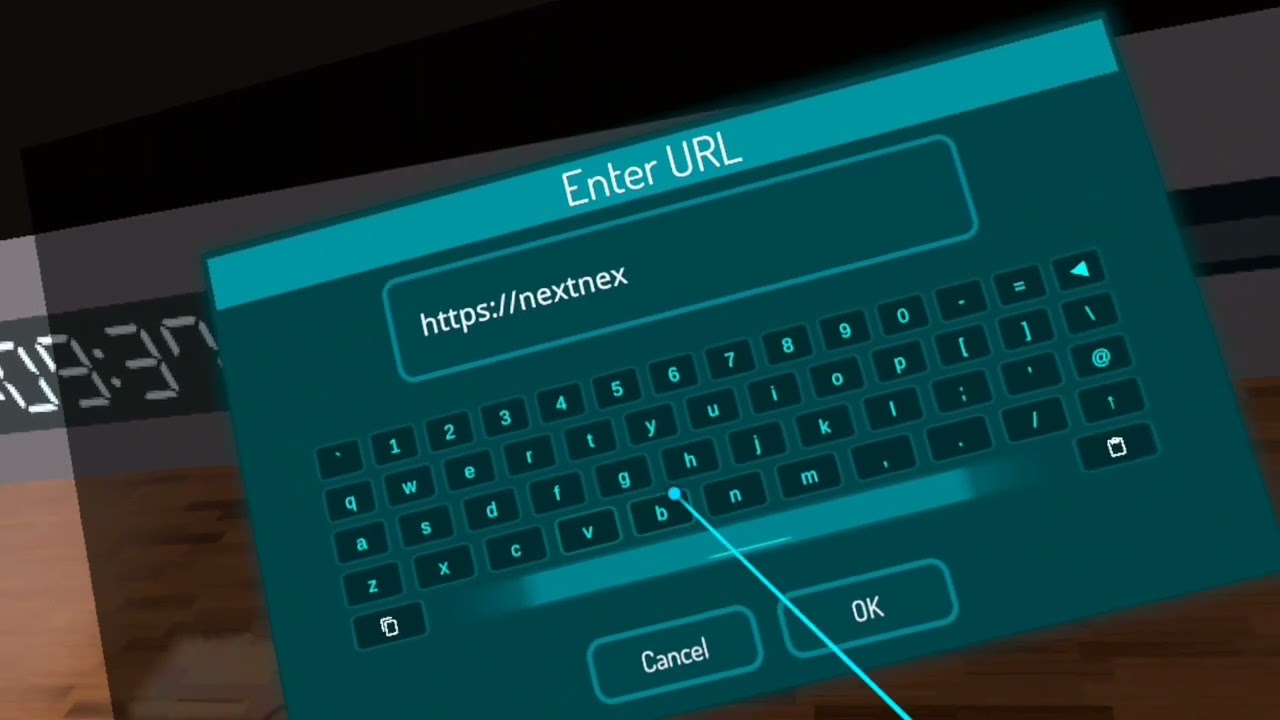
I thought I share this sense I'm not sure how many people know about it, hope you all enjoyed this tutorial!
how to:
-
Find a compatible video player
-
type in on the url thing "https://nextnex.com/?url=" After typing that paste the video url you want to play.
The world I used: https://vrchat.com/home/launch?worldId=wrld_538edfbb-e36c-480b...
dawn panther
Damn
jagged trench
dawn panther
Oh really?
yes
twilit trout
twilit trout
They never work for me
And I ain't buying pc vr because no pc because pc means no money
dawn panther
Well avatar creators are going to bypass it eventually
jagged trench
probably not as they fixed the bug that allowed the modded sdks to work in the first place
jagged trench
twilit trout
And I ain't buying pc vr because no pc because pc means no money
I linked a way to get the video players to behave try it
twilit trout
Won't try the thing after I watch the video because I have covid :p
 subtle galleon
Anyone wanna watch sword art online later
haughty coyote

 past echo
subtle galleon
Anyone wanna watch sword art online later
past echo
subtle galleon
Anyone wanna watch sword art online later
i just got done with war of the under world pt2
whats after that
 summer warren
Unsure where I’m supposed to ask this so apologises, but does the quest finger tracking still work if I have my quest hooked up to the pc?
Or do I have to be standalone for it to work?
(Basically can I have my headset plugged in with the link cable and still use the finger tracking)
opaque panther
summer warren
Unsure where I’m supposed to ask this so apologises, but does the quest finger t...
It still works
summer warren
So it is no longer just standalone?
opaque panther
summer warren
So it is no longer just standalone?
Yes it’s stand alone
opaque panther
summer warren
So then I can’t have it linked to the pc
You can still have it hooked up
opaque panther
summer warren
No but I can’t play pcvr vrc
Wait you can’t that’s wierd
summer warren
But if the finger tracking is standalone that means quest version of vrchat
Not pcvr vrchat
You’re saying I can use finger tracking on the quest on pcvr vrchat?
opaque panther
U should still be able to use it
summer warren
Oh okay, I’ll have to check that out then and test
haughty coyote
Eternal_Player
primal jay
summer warren
You’re saying I can use finger tracking on the quest on pcvr vrchat?
You can't.
Meta's fault in not allowing it for anything but development, literally stops working when you finish compiling a game.
subtle galleon
past echo
i just got done with war of the under world pt2
I think just the movies
haughty coyote
 bleak zodiac
Hey! I was thinking, so you know how quest users can use the vrchat camera to take photos and it shows up on the oculus photos or your oculus files?…well I was thinking why can’t you do the same thing with videos? I really think quest users should be able to use their vrchat camera as a video camera too! I think this would make a lot of quest users happy and a lot of content creators happy too!!!
primal jay
bleak zodiac
Hey! I was thinking, so you know how quest users can use the vrchat camera to ta...
They are already working on it, if you didn't see the New Years world had a button that when pressed had a camera on rails move around the world while recording a 1 minute, I think, video. This also worked on Quest.
Right now only the VRChat team can use that feature, but as Tupper said on a developer update a few months back there is no reason why this couldn't allow for the camera to record on its own.
 fresh wing
hi
my vrchat is always crashing in oculus quest 2
do you know what to do so it stop crashing?
bleak zodiac
primal jay
They are already working on it, if you didn't see the New Years world had a butt...
OH WOW! I did notice that and it does work for quest!!! That’s amazing! Hopefully they can make it happen that would be so helpful!
primal jay
fresh wing
do you know what to do so it stop crashing?
Show less avatars.
That and factory resetting are the only things I have seen working.
fresh wing
how i do that?
primal jay
fresh wing
how i do that?
If you run into problems with your Meta Quest headset, or if you want to clear all of your data off of the headset, you can do a factory reset.
primal jay
fresh wing
do I have to buy them again?
No, games are tied to your account.
What you might loose is progress in some games.
You shouldn't be loosing any progress in any multiplayer games, but when it comes to single player games not all use cloud saves.
fresh wing
understood
I read in the comments of the Meta Quest app that I could enable safe mode, but I would not be able to see the avatars. Do you know another option that will stop me from crashing and I can see the avatars?
I don't understand your method, it tells me to click on advanced options in the Meta Quest application, but I can't find them.
I'm doing the fabric reset
floral lagoon
vr remote controller gamepad work on a headset ?
primal jay
fresh wing
I read in the comments of the Meta Quest app that I could enable safe mode, but ...
In the handheld menu's settings there is an option for distance hiding, which partially unloads avatars either based on how many avatars are around you or by how far away they are, this can help, but because lack of enough RAM is likely the main reason for the crashing and the distance hider doesn't help with lessening the amount of RAM required, it won't always even help.
Why factory resetting seems to help is not something I am sure about, my guess is that it is cleaning up junk left from probably both Quest updates and maybe VRChat updates.
So basically all you can do is make sure to only manually show the people you are speaking with.
primal jay
floral lagoon
vr remote controller gamepad work on a headset ?
On PC you can use a gamepad to control while having a headset on your head (or at least you could, not sure anymore, very unusual to have a headset and no controllers nowadays), don't think you can on Quest.
floral lagoon
primal jay
On PC you can use a gamepad to control while having a headset on your head (or a...
Okay thank you
fresh wing
hi
may someone help me
??
what I do when i get near someone and he/she disappears
??
 dusk bolt
fresh wing
what I do when i get near someone and he/she disappears
dusk bolt
fresh wing
what I do when i get near someone and he/she disappears
That's the "Personal Space" comfort setting, you can disable it in the menu
fresh wing
thanks
i have another problem
i can't see my interaction
i mean, i have goku avatar and he can throw a kame hame ha, but i cannot see it. People around me can see it but i can't
 somber steeple
 echo parcel
why hasnt avatar search been added? will it ever?
dusk bolt
Not having avatar search was a deliberate decision by the VRC devs and thus it will likely never be added.
 modern glen
I'm a quest and valve user, at this point I just make my own avis
Unfortuneitly i started with crasher avatars, but that became boring and I realised how much of a dick I was so started to focus more on some friendly ones
 dusky cipher
Anyone I could talk to?
haughty coyote
fresh wing
alright
thanks you
but when i use lord beerus power, i can see it
but ok
thanks
haughty coyote
fresh wing
but when i use lord beerus power, i can see it
That simply means that particular expression IS quest compatible. If you don't already know off hand what is or is not PC only features, it basically comes down to trial and error.
 unique tinsel
@sacred vortex
 sacred vortex
Ugh what
sacred vortex
unique tinsel
<@601574382296498176>
?
fresh wing
haughty coyote
That simply means that particular expression IS quest compatible. If you don't a...
thanks
haughty coyote
Wrong reply. Lol.
haughty coyote
fresh wing
thanks
No problem.
unique tinsel
sacred vortex
?
add me, I need to talk
haughty coyote
Oculus quest is good to play vrchat or nah ?
gray kiln
I guess
charred nova
Its good but can sometimes crash
 coarse oracle
anybody want to hangout on vrc
 gritty nimbus
haughty coyote
gritty nimbus
haughty coyote
Questies general
I hope u guys connect ur quest to a pc. Cuz vrchat graphic with quest sucks
 river solstice
We know
haughty coyote
Damn. Way to call out questies who have no PC.
 maiden gate
haughty coyote
I hope u guys connect ur quest to a pc. Cuz vrchat graphic with quest sucks
maiden gate
haughty coyote
I hope u guys connect ur quest to a pc. Cuz vrchat graphic with quest sucks
My PC is splitted in half 
 eternal rapids
 past echo
yo i need help finding a strap
 night edge
i have noticed that Quest VRChat recognizes bluetooth keyboard input now, but the behavior is a little strange.
 solid crown
old sequoia
I keep crashing after being in a world for like 10 minutes
solid crown
old sequoia
I keep crashing after being in a world for like 10 minutes
The same thing is happening to me to or every time I long into the app it says it crashed or says the world I tried to get into has failed something like that