#animation
1 messages · Page 131 of 1
 violet sundial
thats how i have it set up and its still not spawing at all
the animation is just turning the object on and then off a couple seconds later
 muted prairie
Well if the object is disabled then yeah
violet sundial
it needs to be on by default then 😮 i havent screwd with animtions forawhile im running on fumes. sorry if im kinda dumb right now
muted prairie
If it's not on by default then yeah, it won't play
 valid rivet
One question, when exporting an unity package of an avatar, how do I export only the dynamic bones setup without the entire dynamic bones asset? (Since I'd prefer others bying it from the assets store)
muted prairie
If they're setup in the prefab you made of your avatar then people need to import the db asset first and then the package iirc
valid rivet
But like, I exported a package and made a new project without the DB asset installed to test it out, and when I imported the package, there were things missing like shaders (which is supposed to happen) but the DB were working well there, like it didn't seem I needed to install the asset from the Unity Story
muted prairie

 tacit fulcrum
I require assistance-
I'm currently working on a butterfly avatar with animations that activate when doing a certain gesture, but I'm having some trouble. I know how to spawn props with gestures, but I'm not fond of activating animations with gestures. Could someone experienced DM me and tell me what I'm doing wrong?
 surreal arrow
So, I'm trying to animate the avatar.
From what it looks like, it has no bones. If it does, I have no idea how to see them.
I'm trying to add gestures that makes the character hold an item, for context.
 wheat ledge
Hi, I have an existing model with animations that I've applied to it. for some reason, the animations are all halfway into the ground, and I don't seem to have the position options that people did when google searching. see:
I'm not really sure what to look for...
wheat ledge
eh- I tried a newer variant of this model and its animations seems to be correct on the plane. I'll just work with that instead 🙂
 mint imp
So, been trying to obtain longer animations, kinda to get some dance emotes I have to not get cut off 10 seconds or so into it.
I've been using this video: https://www.youtube.com/watch?v=9DwNxirwzCw
and this reddit post: https://www.reddit.com/r/VRchat/comments/asqgir/help_is_there_a_time_limit_on_emotes_gestures/egwmomu?utm_source=share&utm_medium=web2x&context=3
As a tutorial on how to do so, that said... when I try: 1. Animation starts playing by default without me pressing the buttons associated with the animation and 2. If I do, sometimes part way through it the model spazzes out and is like there's two of the model there as it plays out.
If anyone can help me with this it'd be appreciated, feel free to ping me.

Discord for contact is Sir Matrix#1337.
Im also in the vrchat discord group as well
 odd latch
I dunno where else to ask a question about particle systems, so here goes
how can I make a particle switch direction midflight?
I want individual particles to make a sharp turn to a random direction
I feel like the answer is in the noise component but I don't know how to make the turns sharp instead of curvy
I'm trying velocity over lifetime but setting it to random between two curves gives it a chance of having very low velocity; I prefer the particles keep their speed when changing direction
 stuck spade
Once again can someone help me with getting a blink animation to work? I have created the blink animation with blendshapes, set it to loop and have it connected in the animation controller on the avatar body. The blink doesn't show up in Unity unless i turn the body off and on again..
https://cdn.discordapp.com/attachments/390924344475254792/660014552666210354/unknown.png this is how it looks like

the Blink Example has the animation attached in the slot
muted prairie
If the face isn't its own mesh then i don't think that'd work
stuck spade
well theres body clothes hair and it worked with 1 body back then and i did the same
 opaque cloud
So I'm trying to animate a material swap, but the keyframe recording thing isn't picking up any material changes
Also i forgot to mention I don't actually know how to make a material swap
Someone just told me to switch materials with the keyframe recording thing active so that's what I did
 clear yew
Do any of you know how to make an animation just to play a sound and do nothing else? When I create this animation, the sound plays but also my character enters that motorcycle pose
opaque cloud
You're supposed to make your animations on a clone of your avatar, to avoid having that happen
clear yew
But i did
The avatar is not broken in that position forever, it only enters this position when the animation is playing. When the sound stop, it goes back to normal.
 verbal edge
https://gyazo.com/3f972b869f2b915de81486fe5c8209fa i have this problem trying to get some animation for the avatar have the sword on the hand
 clear yew
Is there an easy way to mirror bone animations to the opposite side in unity?
opaque cloud
you mean like flip the entire animation? or if you have half of one animation, you want it to also affect the opposite side?
cause for flipping the entire animation it's really easy
clear yew
@opaque cloud The entire animation so it's mirrored to the arm on the opposite side
clear yew
Or wait I guess it's only half since I animated the left arm already and I just need it to do the same on the right arm
clear yew
There's a way for do fade in or fade out in animation for a model?
clear yew
You mean like a dissolve?
 sleek sinew
Is there a way to edit the base idle animation on an avatar?
clear yew
@clear yew I solve the problem (more or less), the new problem i have the avatar descend from the sky and stop in your view (In Unity works correctly) but in vrchat it stuck in sky XD
 digital comet
@opaque cloud where do you drop the material? looks like youre dropping it in the fbx file if I'm not wrong
digital comet
yea I'm slow
 daring fjord
anyone got a link to that animal-like all fours run animation some people have on their avatars?
daring fjord
@opaque cloud Thanks! Think that’s the one.
 median vigil
anyone know why everything on the animation tab for customoverrideempty is showing as "read-only"? even tried to make the duplicate of it but still the same issue
 slow sinew
https://drive.google.com/file/d/1rPbe738c6b9paWTq35qnW2-Z5q6YOvBU/view
i made a Look-above Sleep animation that replace PRONEIDLE for Non-Full Tracking VR Users, This animation replaces PRONEIDLE in CustomOverrideEmpty, so You just insert this Animation file to PRONEIDLE in CustomOverrideEmpty, This works well with Oculus Rift CV1, but I couldn't test another VR model, Can anyone Test this Animation with Another VR Model and Tell me Works Well?
Google Docs
 opal prism
Hey guys, I'm trying to remove the automatic blinking animation off of a model and having trouble doing so. I'm very new to unity and blender.
I've tried merging the eyebones to the head in blender
I've also tried going into the blendshapes and renaming the blink left and blink right to just blink and blink.001, I was using the cats plugin for both of these methods
After doing that, I hit fix avatar using cats, and import it back into unity, but the model either ends up looking like a blob in unity, or it looks fine in unity but becomes deformed in vrchat.
Any help would be greatly appreciated, I've been trying for like a whole day at this point.
 nimble ridge
use cats to create the eye tracking again but use sli blendshape in all the slots for blink in cats
nimble ridge
oh wait, you can use basis too, that might be better
opal prism
Should I turn down the eye movement range?
nimble ridge
you can go in testing mode to check if it needs to be turned down or up
but a question, this is a new model rigth?
opal prism
Yeah Its from a fresh unity project from the unity package it came in
After I create the eye tracking do I need to hit fix model? Or can I just export it?
nimble ridge
oh than, i would recommend upgrading it to av3 before continuing
opal prism
What will that do?
nimble ridge
in av3 you wont have to do all the eye tracking stuff in blender, it opens up a lot of new features for the avatar, and makes things easier to setup and work with
opal prism
Okay how do i do it then?
nimble ridge
you have to download the newest sdk from the website and install it in a new project
pretty much what you did when you first installed sdk2, or when you upgrade
opal prism
In one of my gestures, I have it set to stick out the tongue, it works when I preview it but ingame the mouth just twitches really fast.
Im assuming its just looping really fast but idk how to change it
opaque cloud
are both of your keyframes set to make the tongue stick out?
 violet moss
Is it possible to name material references, so animation properties are easier to read instead of Material Reference[6]
 sacred haven
@opal prism the cats plugin have an option do disable eye blinking when you make the visemes
opal prism
I fixed it already dont worry
opaque cloud
Does anyone have an animation for a Gangnam Style dance?
 lament hearth
Currently working on a Character that is able to switch Equipment (currently 4 Different Outfits with the possibility to show/hide head-gear).
I want to add a nice visual effect when switching gear, but I'm not familiar with Visual Effects/Particle systems :S
Maybe someone could help me with this?
I want a particle effect similar to this:
 hollow sun
For those who do particles, I am currently trying to make it so that when I fire my crossbow, it will fire just one bolt and the bolt persists after the gesture ends. I tried toggling emission, but it does not work unless it is looping. How is this possible for when I just want the particle to come out just once each time I pull the trigger?
 worldly gale
Sounds like you need to make the bolt a world particle instead of local
 sand snow
am here lumpy my boy
opaque cloud
Ok so
All you need to do is find the Override Animator in your Unity files
It should have installed when you added the SDK to unity
sand snow
okay ill look for it
opaque cloud
I believe they put it at the very end of the "Examples" folder for some reason
To make it easy, Drag that override animator to "Assets" in the left side bar there
opaque cloud
Yes exactly
opaque cloud
The bolded assets, yes
opaque cloud
Now, let's see what kind of animations you have
opaque cloud
Oh, you have custom overrides in there already!
sand snow
:0? oh? then why is it not workin >:((
im all like VERY new to this so sorry if i seem pretty dumb
opaque cloud
Those three in the top lft corner
sand snow
ive been trying to figure all this out for the past like 3 hours 😢
opaque cloud
Click on them and show me what they look like
opaque cloud
Yeah
Looks like you selected the idle sitting one
You'll probably wanna find the idle standing one
opaque cloud
Alright, so select the object with the Avatar Descriptor attached to it, and drag that animator into the standing override slot
And do the same for the sitting one in the sitting slot
sand snow
okay ill do my best
okay i THINK this is right?!?!?!
im ngl i was like "oh jesus idk what their talking about AT all" but i think i did it
and then the lipsink do i leave it at default bc when i went into vrchat when i spoke it wasnt movin
opaque cloud
Woah no there buster
You didn't set your lipsync at all
that's why it wasn't working
sand snow
ooohh what do i set it too?
opaque cloud
Just press "auto-detect" and it should work
sand snow
okay :> i pressed auto detect and i think this is good
opaque cloud
Perfect
sand snow
can i upload it now :DDDD
opaque cloud
Now all that should need to be done is to upload it and see how it all works
sand snow
:DDDD omg thank you, you saved me such a headache dude you have no idea
opaque cloud
Just note that I've had issues with idle animations with SDK2
sand snow
i guess ill go see how it is in a min here
opaque cloud
if something looks funky on your Idle you might need to remove it
sand snow
okay ill keep it in mind
opaque cloud
not the overrides, just the idle animations in the overrides
sand snow
okay!!! thank you again :DDDD
opaque cloud
np
sand snow
it works!!! thank you so much
opaque cloud
Try sitting down, that's where I have issues with custom idles on SDK2
 fringe pulsar
alright so for a avatar i got a gesture including a object that i want to have rotating constantly and i dont know what to do to create this effect. help?
 tulip vale
okay :> i pressed auto detect and i think this is good
@sand snow
Why is E set to eyes wide and not EE
Can you fix that? Otherwise when you say E your eyes are gonna move. Unless that was intentional lol
In one of my gestures, I have it set to stick out the tongue, it works when I preview it but ingame the mouth just twitches really fast.
@opal prism
One of the 2 frames there is not the same as the other. Try copying the first one to the second one
 rocky mango
Any idea why when im doing animations, whenever i try to change the shape of the hand, the finger starts twisting rly fast like crazy?
for example im tweaking the thumbs up hand gesture, and when i slightly adjust the thumb, the thumb starts having a seizure lol
hold up is the answer just above my question? xD
tulip vale
Yes
rocky mango
yeah i figured out, legit used the search function to saw that the answer was above me haha
well thanks i guess ❤️
tulip vale
No prob
clear yew
So I wanna ask this in advance, I got a model which has a function of extending its arm, is it possible to make a animation where the hand bone extends away?
Like this for example
 noble shell
Resize bone with a gesture/anim maybe , not really tried that so hold it down extends
clear yew
ill give it a go, last time i used a blend shape but required me to unrig the fingers in that hand.. Wouldnt resizing make the hand bigger though or am I thinking this the wrong way?
clear yew
Ah like that! I'll try it, I just know sometimes bones dont like to work well when moved 🤦♂️
clear yew
So, I did try it, but in the animation the arm keeps resetting back to its original position, is there a way to actually fix this??
tulip vale
alright so for a avatar i got a gesture including a object that i want to have rotating constantly and i dont know what to do to create this effect. help?
@fringe pulsar put an animation on the object that's going to be rotating. Go to the object, Add component --> animator, then go the animation tab and create an animation clip for it where it spins and have loop time checked.
Try sitting down, that's where I have issues with custom idles on SDK2
@opaque cloud duplicate your overide controller and remove the idle animation from the duplicate, and then put the duplicate override controller in your sitting animations slot.
opaque cloud
I don't use SDK2 anymore, and also that's really old
tulip vale
i try to help unanswered questions
clear yew
how do i speed up animations?
muted prairie
Set the playback speed in animator on the animation
fringe pulsar
@fringe pulsar put an animation on the object that's going to be rotating. Go to the object, Add component --> animator, then go the animation tab and create an animation clip for it where it spins and have loop time checked.
@tulip vale no, like, how do i add a rotation to it? im brand new to animating avatars
muted prairie
nope
clear yew
so thats it
muted prairie
Yep
clear yew
aight thanks
 slim jungle
tulip vale
slim jungle
tulip vale
@fringe pulsar watch animation tutorial
fringe pulsar
may i get a link to one? ive been trying to find one for starters but i havent found any on youtube
 robust palm
I am trying to fix a blush animation and can't find the source png/jpg of the blush itself and attempted to adjust the blendshape of it instead, but when doing so it breaks all in-game animations such as idle, hand gestures, walking, etc.
 vague topaz
Uhhh
robust palm
yeah I know, no idea why it's happening
robust palm
@sick valve there's a large pack of free generic emotes that seem really popular that contain laying down emotes https://www.ask-amber.com/downloads
there's a video on her channel about using and implementing them if you need it
Askamber
not sure what policy is on sharing/promoting free assets so if they not allowed I sowwy
 static vault
I have a problem, and I dunno if it's the models or what. So, I am making an avatar for my friend, and I have it to where it fires, simple, easy, done. But, it fires about 10 to 20 feet away from the weapon. Particles are fine, animations are fine, except the position. I tried changing the position in the animation and it still failed. I am using the GameObject with IK Follower technique, so that may be a problem...
 median bobcat
im trying to do a sword toggle but when i test it in game it is not working
it just continues to load but doesnt enable my sword
 stark nexus
Check your layer weight and check if the animation controlled is actually added to the model
 ashen arch
when uploading an avatar how do you stop the idle animation from playing while you try and center the camera for the image?
 fervent bone
so~ i wanna animate an old avatar to kinda look like it's floating O: so i want a very slight up/down bobbing, which i assume i would need to animate the hips for. the problem is, if the hips are configured correctly in the avatar configuration menu, it doesn't let you animate them :< was wondering if anyone had any ideas on how I could still achieve this effect?
muted prairie
I don't believe that's possible on the idle in 2.0
Disabling auto footstep should let you do that in 3.0 though ?
fervent bone
hm O: really? might have to look into that. was hoping i wouldn't have to update this avatar to 3.0 since this is just a test > w<
muted prairie
i did it for generics but i had the model inside an empty with its own animator
fervent bone
ty for the response. also, hi again, ruuubick!
muted prairie
That might work still but i don't know if people do that for SDK2, let me know if you find a way !
hi again hobbert 
fervent bone
will do~
muted prairie
@fervent bone Also it seems like the hip isn't the issue but rather the head bone
 vague laurel
a quick question. I uploaded my first avatar this morning, but for some reason all my friends can see the model as intended, but for me it shows up completely pink. Does anyone know how to fix that?
median bobcat
i have an object that uses a spring joint and dynamic bones and when i put a box collider into that object it begins to freak out in game, its completely fine in unity but in game it starts spazzing out and ignoring the spring
 bleak peak
Apparently, i can't get sounds into Emotes. i followed all the directions on the videos i could find. Yet the sound just doesn't work.
muted prairie
the emotes aren't in your model ?
bleak peak
i thought they were
clear yew
Those emote gameobjects are not in your model in the screenshot you posted. They should be parented inside T-RexExport in the hierarchy.
bleak peak
ah, i see
I double checked. and i did put the emotes in those separate model hierarchies. i duplicated the original model, and added the emotes, 1 by 1.
clear yew
Only one of those hierarchies is being uploaded to VRChat. If you want something in VRChat, it needs to be under ONE hierarchy in unity (T-RexExport), or it will be completely ignored at upload.
bleak peak
Ahhh, i see
bleak peak
Emotes have been moved to the hierarchy this time...but the sounds still don't work.
 subtle forum
This is a new problem for me. For some reason the animations broke. Its hard to describe it, but it looks like all of the animations are more "floaty" In this one its "floaty" and it goes down, below the floor. This never happened to the other avatars with this exact animation.
valid rivet
So I have a fire effect, but it doesn't follow the character's mouth (purple one) I want it to be like the other avatar I showed first in the video.. what do I do?
 primal pasture
is there a way to set a proneidle animation to an emote slot?
stuck spade
i want to put a model with an animator on a avatar but when i play emotes the model isnt connected to the avatar anymore, same as doing the prone, walking and crouching works tho.
clear yew
@valid rivet I don't know how youve set it up, but I'd suggest creating a gameobject under the jaw bone in the armature, setting your particle effect outside of your armature, then putting a parent constraint on the particle system to constrain to the position and rotation of the gameobject you have parented to the jaw.
clear yew
WIP
 nova heart
can anyone plz tell me how to do a jojo stand animation? ive been looking for videos for it in youtube but found nothing
clear yew
@nova heart make a duplicate of your avatar move the duplicates arms/legs into the stand you want and then put it in the animation gameobject that you made
nova heart
thank you
 raven oar
Having some issues with enabling an audio source when using a gesture. Every time I add the audio source into the animator it has to be enabled at both the start and the finish for some reason, can't have it start disabled and then become enabled.
Anyone know how one would go about fixing that.
clear yew
What are you putting the audio source on?
raven oar
I've tried having it on an object, on a part of my hand, on an audio source object
it does the same thing every time
clear yew
so the audio don't wanna play whenever entering playmode?
raven oar
oh no it plays, it's just that I can't get it to be disabled and then enable on using the gesture
like normally when you do a gesture, you'd have the object that's going to appear or begin being used disabled, and then you use the gesture to enable it, but It doesn't want to start out disabled and then enable, it either is enabled constantly or is disabled constantly
clear yew
Show me how you set it up in unity
raven oar
im trying it with mute now and its doing the same thing
So at the end of the animation I have it play the audio, which would either become unmuted or become enabled
 raven oar
where is it
clear yew
Firstly, please never edit the original default animator
raven oar
Idk what you just said but alright
clear yew
Secondly, the reason why you're running into issues is because your audio source is turning on and then off right after again, that's why you have issues
So here's what to do
raven oar
oooh so i have to let it play the whole thing
clear yew
Do you know about keyframing?
raven oar
yeah
clear yew
Right, so you know whenever you make a toggle gesture it stays between 0:00 to 0:01
raven oar
mhmm
clear yew
That is what your HandOpen is doing
it starts and then cancels right after
I'd suggest duplicating the HandOpen
(ctrl + c + ctrl +d)
and then make a duplicate of your avatar
hide your avatar
(main)
create a empty gameobject
put an animator on that gameobject
then you slap the audio source on under that
and then you put the "OpenHand" animation on your duplicate avatar
let everything be toggled
then de-toggle your duplicate
and put the animation clip inside your animation override controller
raven oar
think i can just do this a lot easier with another way
raven oar
we shall see if what i just did works
if not then ill try tweaking it a bit, then do what you said if that doesnt work
appreciate the help
clear yew
You're welcome, report back if it works! 🙂
raven oar
my main issue was the fact that i'd already done an audio source thing that didn't need to do that, it was just, whenever i did peace sign it spawned the object which then had the sound effect playing
this shouldnt have been any different
aaand nope that didn't work. And for some reason it disables my walking animation, which confuses the fuck outta me.
okay, so @clear yew
create an empty gameobject.
Add the animator and the audio source to the empty game object
put the animation on my duplicate avatar, as in... in a new animation controller?
where do you put the duplicate animation into
nova heart
i encountered a problem in the middle of animating, every time i move my camera a little bit the hair of the avatar just disappears
clear yew
@raven oar yes
raven oar
okay but that doesn't really solve my issue of the animation not even being able to enable the audio source
I just want to be able to fuggin enable this damn audio source
i wanna be able to slap my friend in the face...
raven oar
why does editing a gesture animation cause my character's walking animation to go away
 vast lagoon
@nova heart add an anchor override to all of your meshes
 neat willow
when I come to the add property button the animator option doesnt show here
 jaunty sedge
oi imma need some help
im tryna attach a ciggie to a model and i have no idea what im doing
 cloud thicket
Ping me if you want toooo
muted prairie
You can commission people in other servers
 meager star
is there a way to make it so i can use one of the shift + f1 - f8 animation keys to toggle on and off different meshes i have unity so it can play the animation when i click one and when i click a different one it will just toggle back to the regular mesh that doesnt have the animation on it.
 opal otter
i believe so, but im not quite sure how people do it
meager star
to swap between these two, so it will normally just be the normal mesh and when i click one of the f buttons it will switch to the mesh with the animation and hide the mesh without it
 frank sluice
How do you go about applying these to hand gestures
frank sluice
I see how to edit gestures but these don't show up in the blendshapes for some reason
 shell axle
Instead of the standing animation it’s supposed to have, the animation the Custom Override plays is a weird sitting animation, when it’s supposed to be an idle animation. i have used it before, and it worked perfectly, but now it looks weird
cloud thicket
Odd, that's the position the avatars are in when you use the sliders to see how things move...
I've got no idea of what's going on there 
Could you press play to see if anything happens?
noble shell
unity 2019.4.13f1 🤔
cloud thicket
Yeah arent you supposed to use 2018 4.20?
noble shell
going back in versions have issues, you are about to see 🤷♂️ , should be fine
cloud thicket
should be
noble shell
2018 > 2017 didnt work right for opening scenes when i did that open beta testing way back
would crash 2017 so new scene was needed
cloud thicket
I have to restart my whole thing because some things decided not to work for literally no reason
shell axle
It didn’t break, the only problem was the textures, which I’m replacing now
cloud thicket
Gotcha
shell axle
So far, moving versions has been ok
cloud thicket
Awesome
shell axle
But
There’s an error that says “Argument Exception: Gettibg Controls 2’s position in a group with only 2 controls when doing repaint”
uh
I have 69 errors and 303 yellow things (the triangles)
shell axle
“Failed to load Unity Project because it was sterialized with a newer version of unity”
“Cannot Add Menu Item”
“Argument Exception: Gettibg Controls 2’s position in a group with only 2 controls when doing repaint”
Wait
Ok now I have 39
And no yellow things
shell axle
They’re all about Code Editor
Well, most of them is about code editor
It’s asking me if I’m missing and assembly reference
cloud thicket
Hmm... Well I'm stumped, I'm still new to this
cloud thicket
I'm trying to help but, eesh I haven't had to deal with that
shell axle
I would hire someone to do everything for me and make a working model, but alas, I’m broke
cloud thicket
Saaaame
shell axle
Have you have any problems?
cloud thicket
Oh yeah all the time
shell axle
Maybe I can help
cloud thicket
The Dynamic bones script doesn't want to recognize that it does say it derives from a MonoBehavior
cloud thicket
Okay uhhh
shell axle
Maybe you need to download a MonoBehavior?
cloud thicket
When I import SDK2 it doesn't stay there the next time I open the project
cloud thicket
Okay phew, thought I jacked up
shell axle
It happened to me
cloud thicket
Also, if I have a prefab for a model will it still work to have as an avatar?
cloud thicket
It's in unity
shell axle
O
cloud thicket
I have the model I wanna use, but I have a prefab that has the shader colors I want, it has all the stuff it needs to be a working avatar but I just dont know if it will work
shell axle
Test it on a new project
cloud thicket
How would I go about doing that?
shell axle
Idk
Redo everything on another project and test it
Or
Back everything up, save it, test it, and if it doesn’t work, exit so it doesn’t save
cloud thicket
I mean, I have to redo it anyway lol
cloud thicket
You try anything to fix it?
cloud thicket
What have you tried?
shell axle
I tried Adding animations
That was the only thing I could think of
cloud thicket
Hmm
cloud thicket
Ah gotcha
shell axle
@cloud thicket have you figured out your problem?
cloud thicket
Nah I'm gonna work on my avatar when I can upload it
 cobalt carbon
so I have a pose for my avatar I've made with muscle animator, and I'm in the upload avatar screen and trying to position the camera for the preview image, all looks fine, but once it's uploaded it's like the avatar has moved down so it's just a blank image of the skybox and maybe their forehead, why does this happen...
cloud thicket
Maybe you could try taking the picture further down to compensate?
cobalt carbon
I've tried 10 times now lol. it's impossible to get it right
cloud thicket
Lol uhhhhh I've got no idea, if moving down doesn't work, maybe a different angle?
cobalt carbon
maybe if I knew the exact Y value he moves down I could just move it up like that but nah
solved it
cobalt carbon
click the red circle on the animation to play it or just mess with the frame slider until the avatar hops to the actual position it's supposed to be when the picture is taken
shell axle
O
shell axle
For some reason the vrc_avatar_dexription component isn’t there
 mystic solstice
How would I go off about creating a toggle emote for something such as a small accessory? I've seen avatars that take up two emote slots (one for enabled, other for disabled) but how would I create something that stays on permanently until you toggle it off?
(PS: I am very new to the animation system, and yes even though I'm talking about toggles I'm still on about the SDK2 and SDK2 avatars)
muted prairie
you toggle it, then disable gestures
 split edge
can anyone help me with a invisible avatar so i want it to be invisible but when i do a gesture its not invisible and with a audio clip
split edge
?
 runic thicket
I have an animation that wags the tail on my avatar how would I make it to where this animation is always playing?
opal otter
set it as the idle animation or input the animation into the gestures as well. howrver im not 100% if thats the right way to do it since i dont do avatars
digital comet
@runic thicket put an animator component for the tail inside the armature. you may need to redo the animation since the root changed and you won't be able to use the same key properties
tacit fulcrum
I need some help.
So, I made a gesture animation for my VRChat avatar that lasts about half a second. It works fine, the keyframes are in order and everything, but the in-game animation is a little.. bugged.
It works fine in game, the animation loads in n' stuff, but when used with my other gesture animations, it kinda combines with them and screws the gestures up. I've tried changing the animation loop but nothing seems to change. Could someone please help me out here?
 autumn bough
Just a little question I was wondering how I could create an animation with a second model appearing behind my avatar and mirroring my movements. i wanted to create a susanoo for my avatar. How would I do this?
 lament hazel
Can anyone help with this animation? I'm trying to have the dissolve shader not repeat with the floating animation.
Also having a separate animation doesn't work either
muted prairie
what's the keyframe in the middle for ?
muted prairie
Ok, what is the issue then ? The looping ?
If you want to to not loop at the end then you need to have the dissolve go to 1 in the middle and then back to 0 ?
lament hazel
I just need the floating animation to repeat but not the effects from the shader I'm using
muted prairie
That'd require two different animations or a very very long one with the floating repeating
Unless i'm not seeing the easier solution
lament hazel
I did try 2 diffrent animations but only the Dissolve effect works in VRChat
muted prairie
Then it'd need its own animator
transition from this animation into an animation with just the floating
tacit fulcrum
I need some help.
So, I made a gesture animation for my VRChat avatar that lasts about half a second. It works fine, the keyframes are in order and everything, but the in-game animation is a little.. bugged.
It works fine in game, the animation loads in, but when used with my other gesture animations, it kinda combines with them and screws the gestures up. I've tried changing the animation loop but nothing seems to change. Could someone please help me out here?
muted prairie
gestures are single keyframes
tacit fulcrum
Well- how would I make one that lasts half a second, and could be canceled any time?
a
 ripe torrent
I need some help too, my animation works flawlessly in the preview but when i press play, many parts of my animation are messed up, like parts being at completely different locations, stuff not appearing when they are supposed to etc, does anyone know how to fix this?
clear yew
so i have this custom avatar which is baldi and when the ruler is triggered i want it to play a sound but idk if its possible on quest
muted prairie
nope
ripe torrent
somehow I managed to fix a part of my animation by removing some particles
opaque cloud
Does anyone have any good tutorials on how to animate with unity? Trying to create a simple 1-frame animation for my character and unity is being a bitch about it
And no tutorials with that muscle-something or other addon, i'm not paying money
I mean, as hilarious as kirby flapping around on his warp star every frame would be funny, it's not what I'm aiming for
valid rivet
There's not much to teach tbh, Unity isn't the best program to animate, it's best to do animation with an outside program like Blender, and then port the animation clip
In Unity all you can do is add keys with a lot of patience, and people use that muscle asset to make it a little easier... otherwise you won't have the best of times animating there. If it's only 1 frame then you may just do it the slow way with Unity animation
opaque cloud
How would I port the animation clip? I've been wanting to make my own animations for a while but Unity is what's been scaring me off
clear yew
how do i loop the animation?
 keen cipher
I wanted people who sit in my avatar chair to play out an animation but they just seem to t pose. I tried animation override and replaced idle with the animation but no luck
opaque cloud
How would I "Disconnect" an animation from a model? I've imported a model that has an animation attached to it, but duplicating the animation results in it being unanimated. I don't have a standalone version of the animation either.
 ocean crane
does anyone have a tail wagging idle animation? or i guess help me how to make one again? cause my last one doesnt work anymore
muted prairie
It is marked as looped
 weary oak
So odd question.
I've been working on an avatar for a friend and it came messed up in several ways. One thing it does is it has a seat on it which, when used, triggers an animation that shrinks you and poses you into a W position. Sounds good so far right? Well the only things the animation changes are your size, legs positioning, and arm position.
In a public model, it works just fine still. In this version, it will do one of two things:
- Desktop will be inside the object being used as a seat, unable to see. Outside, they look like someone twisted the little guy.
- VR is partially submerged in the object as they regain unwanted control over any joint not animated (Hips and above, plus arms because VR reasons.) If they have playspace mover they can even pull themselves up enough to surf on the object, full body or not. It'll actually straighten the body out.
Million dollar question: How do I fix the seat so they won't pretzel, and lock the IK for VR?
If you need more info, screenshots, or have an answer, @ me. I'm afk and could go get this info on demand.
 strong crown
Anyone know how I can convert an animation timeline into a singular animation clip?
 hollow barn
any idea why my character has his arms out like this?
he has his arms out like this in the game as well.
I adjusted my viewport to pretty much everywhere and it didn't solve anything for me.
he sinks into the floor when ever I play an animation
and his arms are premanently outward
clear yew
So i'm trying to use mixamo
but nowadays it seems to strip the model of its armature in the hierarchy
so the animations work if you drag and drop them onto Hips but not the avatar itself
is there a way to solve this?
 strong shadow
hi folks, I purchased a premade model from CyberWERE and tinkered with the scale settings in Unity. I got the viewpoint set correctly, uploaded successfully, and it looks great in VRchat. it walks normally, knees bent and legs moving, but when it starts to walk-fast/run, the avatar lays backwards at 45 degrees, legs go completely stiff/extended, but the hips and feet move normally. any idea where to start troubleshooting that issue?
 prime iron
I have a door, in my animation it's supposed to look like this, 90° open:
it only opens up to this angle in game preview, not any further
nevermind, solved it by setting exit time and transition time to 0
 frozen oak
anyone have a flamethrower/fire breath animation?
 north pendant
I figure I'll ask in here as well since it's not AV3 specific. Anyone aware of any decent follower movement prefabs out there? I'm looking for one that supports motion animations. If you're familiar with the Pokemon Wild Area, identical to that, but usable on an avatar since that one is Udon dependent
 inner wigeon
does anyone know where to find the floating meditating afk animation?
inner wigeon
Oh I haven't heard of that site. Thank you
inner wigeon
I couldn't find it in the site (there's a similar pose but not the animation) but thanks for the site recommendation still
noble shell
inner wigeon
Yeah that's the static pose. I'm guessing there's an already animated version somewhere floating around because nearly all the avatars use it now.
clear yew
i need the assistance of someone who fully understands parent constraints
clear yew
is there a way to change the animator transition curves? I have a UI, which uses an animator to go from page to page/ open and close - but the transitions between states are linear.
For instance, the animation 'on' sets the position of the canvas to move it up and change its alpha from 0 to 1
this is the transition from Off to On
i don't see any options to change it from a linear transition
i'm aware that i could manually add transition animations but i actually removed those since i realised it was smarter and more flexible to avoid doing that
muted prairie
That's called RP
Not without getting blocked by absolutely everyone you meet
I've never heard of a shader that does what you're describing, asking in #shaders mind help, but that sounds like something that'd bother people
clear yew
who are you talking to wew
my question was a world animation question, maybe you got confused by what i meant
 halcyon owl
I've had proper animated automatic doors in my world forever
There are 3 variations using the same basic setup. One is still working perfect. One is only animating the doorhandles (the door panels stay still while the doorhandles "open") and the last one stopped animating completely. In Play mode, when i check the boolean for open or closed, it animates perfectly. But In-game it doesn't
I don't remember changing anything about this, could anyone suggest what might cause this kind of problem?
Reverting the prefabs does not solve the issue
halcyon owl
Found it, somehow there was stuff wrong with the staticness of the objects
north pendant
What exactly is the pattern for emitting a world scoped burst on animation? I've got a particle system active at all times and enabling/disabling the emission module, but the particle system just plays, and it seems like enabling/disabling the emission module seems to just show/hide the particle that always fires no matter what.
 median lion
so i got and fbx for an avatar and it seems fine but the body dosent move can anyone help me please ;w;
im trying to make a book lady
please ping me/dm me if your willing to help ;w;
 silk wing
Can enyone help me, is it normal that when im doing a Sit pose that the Avatar in Vrchat is bugging in to the Ground ?
opal otter
yes
 scenic canyon
how do i stop my emote animtions from looping? i think there is something i am meant to turn off but idk where it is
scenic canyon
all sorted
 versed blaze
Why isnt Animations working? I can see the preview down to the right and it should work, but when I press play in Unity the avatar just sits down.
 stable ocean
Anyone know if you can have a particle system only show up in a mirror?
@versed blaze Is it a gesture animation you're creating? The model always goes into that pose when you hit the play button to preview shape key animations. It won't do that for the animation itself dw.
versed blaze
@stable ocean It's with every animation, idles and all that, it shouldn't be with everything since you're supposed to be able to pose the avatar for pictures etc
stable ocean
@versed blaze What I mean is if you don't have an idle animation running on that particular animation . meta, it'll be in that pose. Copy and paste your idle pose/animation key frames into that a in animation file.
Also be sure the right one is selected when you click play
Feel free to take a screenshot of your key frames on that animation play and I can let you know what's going on.
 empty estuary
hiya, Id like to get those prone & crouch animations from SDK2, but I really cant find them! I know they are somewhere on mixamo, but I had no luck
does anybody have a link to them or know where to find them? 😄 thanks
clear yew
if they put a filter to prevent you from mentioning that website it's for a good reason not for you to try and bypass it
 granite solstice
Hey, I have a dumb question, How can I apply a mesh with an animation in my world ? By default my home made prefab had this, but when I test my world, the crystal don't move :/
There's my animation made in Blender
muted prairie
Your animator component is empty
muted prairie
Yes
granite solstice
What I've have to add ? ^^ Sorry i'm not a user of Unity ^^"
muted prairie
An animator controller, with your animation in it
granite solstice
witch one ? :/ I'm pretty lost ^^"
muted prairie
a new one ?
muted prairie
yep
granite solstice
Mmh, I think I need some learnings x) I'll do it tomorrow
muted prairie
where's your animation ?
muted prairie
You have to duplicate that animation, and then drop it in the animator
unity can't just magically guess what you want to use sadly
granite solstice
Hey, I don't know how Unity work x)
But thanks for the help, I'll try this tomorrow 🙂
 near rock
any idea why in the open beta one of my avatars clothes are completely invisible?
clear yew
open beta (Lewd edition™️)
near rock
is poiyomi not working with the open beta or whut
muted prairie
there shouldn't be any difference
near rock
@muted prairie someone told me and show me one of my public avatars pretty much naked (only in the open beta) so i made it private for now
not sure what it is it's normal in the regular vrchat
muted prairie
Does it have a single mesh ?
 outer rose
Hey peeps, im new at unity. Im currenlty trying to make my avatar play a sound clip when i press a button on my controller. When i hit record and enable the audiosource it records. But it it suposed to uncheck the audiosource when i hit pause again?
 snow prawn
im still wondering
is there a way to take animations from unity
and put them into blender?
muted prairie
nope
 fallow agate
Does anyone know how to reset the position of a world constraint?
 frozen mauve
 lethal bay
Looks normal
 supple tendon
hey guys does anyone here know how to make face expressions for avatars i wanna commission for someone to make me a mad and sad and a happy face expression of a fully rigged avatar face and everything
opal otter
that is easy if it already has blendies
supple tendon
what are blendies
opal otter
blend shapes, sorry im on phone
supple tendon
i think it does
can you help me make animations in blender and import then into unity and get them ready to be vrchat face expressions
id pay you to do it
you said it is easy so it shouldnt be too hard for you
@opal otter
opal otter
you should be able to do it in unity if it has blend shapes
clear yew
Could someone help me. I have a avatar that ingame is able to change forms to an angel. Now in unity i did find the texture of the non-transformed model but i dont know how i get my avatar to change forms in unity so i can then edit that texture. How would i do this? is there some animation i need to enable?
 ivory laurel
Quick question, let's say I want a generic rig avatar, that would instantly play an animation, the second it's loaded. I already made 2 avatars in the past but lost the files and everything and can't really remember how i made them, here's how the components look like now
It plays it in unity, but not in vrchat
muted prairie
you need an animator component, not animation
 verbal ether
Is there any good tutorial or prefab for making an object that can be brought out via particle collisions (like instead of using a normal gesture to enable like a gun for example, you grab it off a certain part of your body to do that instead)? I've been looking around and tried VRlabs as well, but have had little success.
clear yew
probably a really simple fix, but i have no idea what went wrong. i tried doing the gesture for mesh unhiding for my hands, but now they are freaking out and the item isnt spawning, anyone happen to know what i did and how to fix it? https://cdn.discordapp.com/attachments/780570956615516181/781388644480188446/SmartSelect_20201126-001909_Camera.gif
 ivory laurel
A quick one, I have an avatar that spawns and places one big object that plays an animation, I changed the bounds to be a bit bigger, because it flies away, and yet it still disappears if people don't look at it from a perfect angle. What could be the problem?
Answering my question, since I actually found an answer: had to tick "Update when offscreen" option.
north pendant
How exactly do you make a subemitted particle completely follow its parent? I'm trying to use Inherit Velocity with some pretty...questionable results. This is with Current inherit mode
And this is with Initial inherit mode. Both with multipliers of 1
north pendant
Also, a weird interaction with orbital velocity over time. Seems like as soon as it gets a nonzero value, it assumes the emission shape is at the origin of the particle object, instead of the subemitter, and constrains the particles to that axis. Notice the spiraling trails (the circle they're emitted from is aligned with the cone shape sticking out there) and how they just move along the z axis of their original system. I want them to spiral behind the particle they're subemitted from. Any idea how I can go about doing this?
In case it's relevant, here's the emission, shape, and velocity over lifetime of the trail particles
Why don't we have a #particles channel? It's involved enough to demand its own channel
north pendant
Turns out my first problem was an open issue in 2015 that was unresolved since they just put all their focus on VFX Graph 🙂
violet moss
So is there any way to smoothly rotate Animator root? It goes nuts when I try to rotate it just a little.
 lusty jewel
clear yew
lusty jewel
clear yew
That would definitely lag my shit
lusty jewel
My frame dropped a little bit but I hardly lagged while recording this in VR, it's pretty much 2 screen filters and less than 500 active particles
clear yew
Oh ok
 jagged star
I’m working on fine adjusting some props I’m adding to an avatar, and it’s my first time adding props. I’ve got them added and they spawn in with the hand gesture, but for some reason my left hand is jittery? I’d post a video but I don’t have Nitro. On the animation frames for the fingers all the values are the same between both seconds and the right hand is totally fine. It’s just that it seems like somethings weird with the left hand and I can’t figure out what. Any suggestions on what could be causing the issue?
 frosty tinsel
clear yew
frosty tinsel
clear yew
how do you make a particle effect turn on and off on loop. Im doing a frozen breath effect for an avatar
 analog pivot
size over lifetime > use ramp
 proper hedge
@verbal ether VRLabs pretty much the only resource. You should appear in the discord support channel if you don't know what to do
@fallow agate any world constraint prefab should have that built in
fervent bone
not sure if this is the right place to ask about this, but O: i created a laser beam that collides with objects and leaves a trail of fire. Works fine in unity, but in VRC the explosion on collision particles happen where i'm looking, not where the laser is hitting. Wondering if anyone's encountered this and knows what the problem is? ❤️
muted prairie
Hey hobbert ! What is it parented to ?
fervent bone
ummmm, to a bone in the tip of my magic staff
man, that whole sentence sounded really suggestive > w>
muted prairie
Is it possible the particles are colliding with themselves ?
Or is it very clearly enabling the sub-emitter where you're looking ?
fervent bone
um, i don't think so, because the explosion consistently happens in the center of my field of view, but in unity it collides where the particles hit
yeah, super clearly
muted prairie
Did you set the layers for what it can collide with ?
fervent bone
but, the weird thing is it only moves along the horizontal axis of my view O:
not the vertical
i don't think so, i just set it to world collision
actually, this picture has both
muted prairie
You might have to specify the layers specifically, because it might be colliding with something on your avatar ?
fervent bone
maybe? it happens really far away against whatever surface i'm looking at, but i'll try that
 halcyon pike
Hey quick question, I am trying to remake an emote I found on an avatar where they point and text pops out. I have no idea how I would recreate this and have tried to look it up and can't find anything.
muted prairie
Enable an object in the animation
halcyon pike
I'm not sure how to do that
the one i want to copy i have open in unity and it's a particle effect but I've been studying the model and cant tell how to copy it
i have the point emote but i just have no idea how to add the particle effect to it
 gray smelt
Hey, I've been going through the chat history of the server to try and understand how to replace the station sitting animation of an avatar I'm making, but I haven't found enough that I grasped to help me understand how to do it. Can someone help me figure out how this is done?
gray smelt
I just spent 32 minutes sniffing paint and staring at the animation controller and now I understand everything about how to work in Unity.
Thank you for your time.
 high kettle
lmao, you're welcome
 gray robin
I have a question how do I transport my blender animation to unity. I look up for guild online, but none of them work.
 pulsar olive
 muted prairie
@gray robin You have to bake the action into the model
gray robin
What do I do after that
muted prairie
Export the fbx
gray robin
Is there any specific things I need to do before I export it
 sterile sentinel
Is anyone else having gesture issues with avatars made before build 1004? They broke for me back then and are still broken now lol
Snailmarkers and toggled objects are borked, specifically
gray robin
@muted prairie I did bake it, but when I export it to unity the animation will not play
muted prairie
You should look up how to play an animation in unity, it's not automatic
@gray robin
 fathom chasm
Hello, I wanted to know how to loop animations on emotes. I checked "loop time" on said animation, and set wrap mode to "loop" in debug. If I test my avatar it doesnt loop though. Videos I watched had also an "apply" and "revert" button, both of which are missing on my file
 violet moss
Is there still foot position weirdness on Index? I'm not understanding why my locomotion animations look wrong
 grim shard
sigh I really hate working on models... So the youtube tutorials I have found do not explain how to change the particle system into... something like a bullet.. The only one I found says to drag the material on the white sphere, but that simply changes the color of the sphere correct? I have an FBX of a 9mm bullet. I tried dragging the mesh of the bullet into that mesh slot I rectangled in red, but it just puts a bullet at the origin of the particle system, not changing the white sphere. How to I make the white sphere the bullet?
 gloomy moth
Hello! I made a lockable door through a YT tutorial, but i want to make the transition have a duration. Like, you click a button and the door goes open, and after 5 seconds it automatically closes itself. Is it possible?
 zinc jay
So I had to spend an hour setting up Unity and getting SDK kits and installing tutorials and visiting too many sites which I have not trusted (and will likely result in me running a full antivirus scan tonight) only to be treated to THIS:
my disappointment is immeasurable and my day is ruined
 ashen gulch
yep. you have to be the rank "new user" to upload content
 restive pewter
 mild trail
idk if this would be the place to ask but what should I search on booth to find some idle/prone animations to buy?
vast lagoon
theres tons of free and cheap ones there
mild trail
Yee I'm just not sure what keywords I should search for as I dont know japanese
vast lagoon
hold on a sec and I can grab that

オリジナルキャラクターのグッズや、3Dデータ等の販売を行います。VRC用手振りモーション(Stand Motion "Hi")_Mir(¥ 300), VRC向け スネイク用段ボール(cardboard)(¥ 350), VRCデフォルメキャラ用モーション_02(Deformed Character motion_02)(¥ 700), VRC用ホバーアニメーション_01(Hover Motion)_Nekomaid(¥ 650), VRC用座りIdleモーション_02(Sitting Idle Motion)_Mir(¥ 250), VRC用立ちIdleモーション(Stand Idle
this person has a LOT

★ Don't put a price on my animation. ★ 제 애니매이션에 값을 매기지 마세요 ★ Don't price my animation on commission. ★ 커미션을 할 때 제 애니매이션의 값을 받지마세요 ※ 位置を修正しました。 /中身は同じです。 ※ 初めてです。かなり未熟です。 vrポーズ用に作りました。 Idle14種類とProneIdle10種類があります。 Idleには動くIdleが3つ含まれています。 Prone Idleには動くIdleが2つ含まれています。 IdleをProne Idleに適用してもいいです。

BOOTH(ブース)とは、pixivと連携した、創作物の総合マーケットです。無料で簡単にショップを作成でき、商品の保管・発送代行サービスも提供しています!
thats all I hope you find what you're looking for
mild trail
tysm <3 Really appreciate it!
Ah one of these even has the exact animation I was looking for ;w; you're a life saver
vast lagoon
mild trail
Ah one of these even has the exact animation I was looking for ;w; you're a life...
no prob!
I check booth every day, it's an addiction :p
mild trail
so the animation im using has the hands alil off for my model, is there a way to edit the animation in unity? sorry if this is a stupid question im still pretty new to all of this
 craggy ember
my avatar wont animate even though it should
the fingers and everything wont move, yet the eyes do
 umbral kraken
I feel like it's probably impossible but I figured i'd ask before I write it off; is it possible to revert an animation? Like... an animation that was serialized in a newer version of unity, is there any way to be able to use that in an older version or am I SOL?
halcyon owl
Does anybody know the name of the "deployable billboard" prefab that you can put down in a world somwhere? Or link me to its site? Ive seen it recently but forgot to bookmark
 median ridge
Got a gesture inventory system set up based on https://www.youtube.com/watch?v=GHjWF4yflRU to scroll through some weapons with a gesture. Works fine normally, but I often get desynced so I wanted to add a reset. I have an emote that disables the proxy for a few frames, but once I update the avatar with this emote, the inventory system doesn't work at all, regardless if I use the emote or not. If i remove the emote that has those few frames of the proxy being off, the gesture works again. Could use some help getting this to work, as it's essential to keeping everyone on the same page.
Editing by Cheese
Link to the package with assets from the video (Includes scripts)
https://drive.google.com/file/d/1oi1Ryc2O5FAKQg1_92G6CbEaUBmKnzhU/view?usp=drivesdk
This is a guide on how to expand your gestures or emotes and create multi-state animators for use with inventory systems and the like. In the video I go over state machine basics...
 vapid surge
How would I go about adding animations to a second model on my avatar?
As an example:
Play an Emote such as a dance > Second model appears next to the model for my avatar doing the same animation > second model disappears after
median ridge
nvm got my issue fixed
median ridge
vapid surge
How would I go about adding animations to a second model on my avatar?
As an ex...
have the emote enable a second model that has the animation on it by default
vapid surge
Ah, okay. How do I get it to play the animation upon activation?
median ridge
put an animator controller on it with the dance animation in it
it'll automatically play as it shows up
vapid surge
Ah, okay. Thanks! :)
vapid surge
It worked fine when I had two models doing the dance, but when I added a third, occasionally, one or both of the extra models stutter a bit during the animation, especially if I don't look at them.
Is there any way to fix this?
vapid surge
Fixed it by moving them closer together but they do occasionally stutter
 wintry merlin
I cant add keyframes to my animation, any idea what the problem is?
opal otter
thats not the keyframe side, also theres no transforms or blendshapes to do anything
wintry merlin
You mean like gestures?
or emotes
Open up custom overrides
and drag to the emote slot of your choosing
You also have to click on your avatar and drag the custom overrides to these 3 slots
Can you elaborate a little bit? Because what the overrides do is allow you to choose what emotes are put on your avatar, so you should just be able to put them in their designated spot on the overrides and it should work fine.
 fallow stream
If i wanna add new anim (stars) i downloaded from a animation pack can i just drag it into a slot in the controller override?
muted prairie
If it works with the mode, yes
verbal edge
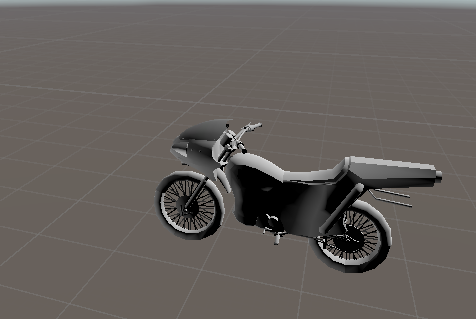
i wanted to attach this bike to avatar not sure how to bike pose also new to animation https://prnt.sc/w5kp2r screen shot bike unity
 faint sapphire
does anyone know if i can put a bat in and out of my avatars hand with a animation??
clear yew
faint sapphire
does anyone know if i can put a bat in and out of my avatars hand with a animati...
this might help
https://youtu.be/AeBOHRz47jY
https://youtu.be/AabU5CYfylA

This tutorial is part two of the VRChat Inventory System video, where I will show you just how easy it is to add and remove items/clothing/props/accessories or anything else you have on your avatar AT THE SAME TIME! This is great for saving space in your emotes, as well as having an easier time multitasking in VRChat! Avatar 2.0 only. Enjoy!
Th...

In this video, I show you how to add an object fbx that spawns on your VRChat avatar when you trigger a hand gesture. Plus, free downloads available on my Discord server! Avatar 2.0 only.
Thank you for watching!
Website downloads: https://www.ask-amber.com/downloads
Join my Discord server for tons of goodies!
https://discord.gg/xhCBRDH
Or ad...
 wind abyss
Hey guys. I am almost completely done with an animation where I hold a Glock 17 in my right hand. I have the shader set to the legacy diffuse shader cause it supports custom texture placement. I upload into VRChat, everything is looking good, hand placement and fingers are perfect, except the gun is pink. I know this is a shader issue. I want to know if there are any supported shaders that support adding custom textures. Thanks in advance!
 hidden sapphire
wind abyss
Hey guys. I am almost completely done with an animation where I hold a Glock 17 ...
hidden sapphire
wind abyss
Hey guys. I am almost completely done with an animation where I hold a Glock 17 ...
SCSS?
also, help me out chads
my animation is suppose to run for a long time but after only a few seconds it's over, what do I do?
wind abyss
@hidden sapphire unfortunately I don't know how to help you, but thanks for helping me out. I will look into that shader in a bit!
hidden sapphire
my animation is suppose to run for a long time but after only a few seconds it's over, what do I do?
atleast 1 min
 inner plover
How do I fix this?
clear yew
fix what?
inner plover
It's in a weird position and when the anim plays and the feet go through the floor, the anim stops it from t-posing
wind abyss
@inner plover it's normal for some animations to do that, like with hand animations
inner plover
How do I fix it? I want to change the position of the item
wind abyss
best if someone else help you on that, i am still learning
inner plover
I knew how to fix it like 5 months ago when I started
But I took a break
Fixed it
Nevermind I broke it again and forgot how I fixed it
Ok I fixed it again
I think I forgot how to make items work
nvm i got it to work
 ionic oracle
That pose happens when you start to animate on it. You should be able to just click something that is not within the characters hierarchy and it'll fix itself. So click the Camera or the Light in the Hierarchy tab.
It's been said to duplicate your avatar whenever you want to animate something on it so your main avatar doesn't get that weird pose, but from my experience doing the above and not duplicating works too, nothing gets broken.
@inner plover
inner plover
@Jazz Demon
@ionic oracle Yeah I pressed play at the top
clear yew
can someone explain to me (hopefully in depth) on how to do the activate a certain hand gesture to activate another? like uh, say i have to do something like this; i have a boombox in my left hand, i HAVE to use my right hand to activate the gestures ONLY when the boombox is out, otherwise the music will not play
 exotic jetty
You could try use 2 conditions checking for each hand in the animator on a different layer to play music, this is just a prediction though @clear yew
clear yew
👍
verbal edge
i was wondering how to do add an avatar to a bike just like this avatar https://prnt.sc/w7mxip wanted upload my own
 hidden sapphire
if u know the dance motion, tell me
clear yew
Hey, does soemone know why my shader isnt animated when i play but i spend 90 minutes to animate it.
 waxen cape
hidden sapphire
if u know the dance motion, tell me
waxen cape
hidden sapphire
if u know the dance motion, tell me
Isn't this just from Spiderman?
waxen cape
clear yew
Hey, does soemone know why my shader isnt animated when i play but i spend 90 mi...
Do you have a video or some pictures of the animation?
clear yew
Yes
hidden sapphire
waxen cape
Isn't this just from Spiderman?
yes
hidden sapphire
help
my avatar's audio is global
how do I not have the audio as global
clear yew
I'm already helping him on #avatars-2-general
opal otter
k
 brittle hinge
Any one have a clue on how to restore seats on animations in VRCSDK 2?
brittle hinge
To fix your chairs, the chairs have to be set to be on by default then toggled on or off. So for animations with chairs, the animations have to be playing with chairs on them on spawn, then toggled off and on again.
hidden sapphire
how do I use this kind of animation?
clear yew
you just download it and import it?
noble shell
🤔 hurgh that page
 rare plume
Does anyone have advice for using muscle animation editor to create animations with a lot of root movement and rotation (Or a recommendation for a better tool?) I can see that it translates your desired root movement/rotation into muscle movements automatically, but the end result is that it loves to take the shortest route to the desired rotation and convert negative rotations to positive, etc. As far as I can tell I can't really switch between euler angle/quaternion interpretation. So if I want to animate a 360 degree spin, it just automatically converts that to 0 and does nothing. If you try to do e.g. 359 instead, it'll just treat that as -1 and barely rotate in the opposite direction. You can sort of force it to behave by creating keyframes partway through the rotation here and there but it's hard to fine tune things and it feels like you're constantly fighting against it trying to do the opposite of you want. There has to be a better way than this, right?
The answer might be to just animate stuff like that in blender (which I barely have experience with), rather than trying to force unity to do it. I'd rather learn how to do that than fight with this every step of the way
hidden sapphire
clear yew
you just download it and import it?
easy for u to say
the animation does not work for me
in VRChat, I mean.
it Unity it works fine
clear yew
well you might've done something wrong then-
I wouldn't even test that nuke
hidden sapphire
the problem now is that, the animation is played, but it's not on trigger
it's just everytime I spawn
 noble latch
I made a animation of game object,active and do 0.00-0.01. So why I open my emote the object would open 1s and suddenly disappear ?
clear yew
can you screenshot the animation window?
noble latch
Sorry I can’t, I am not using my Pc now. Nvm If you haven’t any idea
 old mesa
how do i make it so that when somone sits on a chair of one of my avatars they go smaller?
noble latch
 plucky isle
it has to be longer
plucky isle
it has to be longer
Thanks reply.I just wanna my emote keep open status until I turn on once again it should be off.
noble latch
This is my toggle animation i suppose put it in emote 1, it works in game but my avatar have a weird pose on the ground and if i move, the animation would stop and close . I wanna know how to set the pose normal when I open my emote and my avatar move the animation stop .
When I open emote my avatar would be this pose
opal otter
wdym
opal otter
oh, so like the controllers fire early when you leave the animation early?
noble latch
Yes this is 1 issue i met it , and the pose i don't how to fix that
opal otter
all i can say is that thos default animations will always fire early or wonky, but for the pose, im not sure would be telling it to default to that
noble latch
Got you, but it's weird if the pose always keep that
If someone know how to fix pose and move would stop emote toggle plz tell me
opal otter
you may need to use transforms in the animation, since thats like the “relaxed” pos that itll default to
noble latch
Okay I would try now
noble latch
@opal otter Seems it it system setting emote would stop my avatar(like moving ), so i thought i should put the animation into gestures
clear yew
Which one is the peace sign?
clear yew
clear yew
Which one is the peace sign?
peace hand is victory, they're the same anyway
ok then its good ty
 lyric surge
Is there any way to "plant" ( i do a gesture like trigger and grip and wherever my hand is where the particle system stays and as long as i hold down the gesture the particle system stays in place) and then activate it with another gesture
 ornate rampart
can somone help me, i am trying to make this work but in vr chat the legs wont move, i put the animation file to the walking animation slot and everything
and i put the controler where is needs to be as well
muted prairie
Custom animation override controller on generic ?
ornate rampart
on human , it has a full full normal human rigging becuse i want the claws to be controled by hands
the legs are 4 extra bones
i mean like the norle legs and then 4 extra seprit bones for crabs legs
clear yew
how do i fix fingers gittering during gestures? my left thumb has a jitter when i thumbs up but im not sure why
 haughty maple
- Ensure the gesture animation is only 1 second in length
- Ensure the animation is set to Loop Time
- Ensure both the 0:00 and 0:01 keyframes are set to the same transform
clear yew
how fix
@fallow stream ... have you attached the the mask to your head?
 timber ravine
ornate rampart
can somone help me, i am trying to make this work but in vr chat the legs wont m...
timber ravine
ornate rampart
can somone help me, i am trying to make this work but in vr chat the legs wont m...
wow
ornate rampart
not sure if that is "wow i am impressed" wow or a "Wow you done messed up" wow
clear yew
how do i make a emote loop
 lone epoch
So novo não sei o que faso
violet moss
Found a chair that makes you tiny while sitting in it, how does that work?
noble shell
shrink the hip when you sit on it , scale also work
had it on my older 2.0 chair tester , shrank people into a orb flying around my head
= avatar will be 1/10th of its size, some avatar this will be wierd on
ornate rampart
is it posible to use animation to change parents? i cant seem to find a guid that showes this, simply put i want to make it so when i do thumbs up my avatar holds his hat
 ornate rampart
Thank you i will try it
ornate rampart
 patent quail
you can use parent constraints for that purpose
patent quail
you can use parent constraints for that purpose
thanks it works prefectly
ornate rampart
Ooh cant do that with quest . rip
 stray coyote
hey anyone have a caramelldamsen animation for unity I could use
 heady mason
Hello! I'm trying to have my character able to blink and for his tail to sway but the tutorials are outdated. I was wondering how'd you get for these two gestures be independent as in, you don't need to do the gesture for them to work?
 languid nebula
muted prairie
languid nebula
muted prairie
Try with your email address instead of username
noble latch
excuse me, every time I put a particle on a part of the avatar, such as my hand, it works normally in play mode as I thought. However, it will always appear at the waist close to the thigh after entering the game. I have tried several objects that contain particle, and this problem occurs. Even if I adjust the position later, it will not appear in the position I expected after entering the game.
noble latch
Still worrying about this particle, even though it seems to work perfectly in play mode, it still triggers on the thigh after entering the game
clear yew
How in hell do i fix this
clear yew
noble latch
excuse me, every time I put a particle on a part of the avatar, such as my hand,...
if its world simulated space particles it for some reason doesnt work with me either.
patent quail
noble latch
excuse me, every time I put a particle on a part of the avatar, such as my hand,...
if you're using world space particles you need to keep them outside your armature, and connect them to where you want them with parent constraints,
noble latch
Thanks you give me some info , i would try put it outside mine armature and create a constraints
 iron glade
How would I animate multiple avatars with a single animation?
I see animations where the avatar will spawn in a second or third avatar and they will all start dancing together. I want to figure out how to do something like that.
Any suggestions?
haughty maple
Quick and dirty method I've used before:
- Duplicate the model and parent the duplicate(s) inside of the main avatar prefab.
- Drag the animation onto the duplicate avatar; this should create a new animation controller.
- Ensure the animation controller is set inside of an Animator component on the duplicate and make sure it's set to automatically play.
- Disable the duplicate(s).
- Edit the animation for the main avatar and add a property to enable the duplicate models.
When you play the animation, it should enable the duplicate(s) and they should automatically begin the animation.
...I hope I did that right. It's late and my brain isn't really working right now
iron glade
Thanks, i'll see if it works
haughty maple
Happy to help! I hope it works out for you
clear yew
How would I make an animation ready for VRChat to use on an emote? Coz currently, I have an animation that'd work on a generic model but not with an emote. (also please @ me so i can see! i have the server muted)
 rose blaze
Does anyone know like the translation to this for the voice detection
Sorry to bother I just need to know the order
patent quail
You'll want to run it through CATS to generate the full list of visemes as you only have
ah = あ, ih = い, ou = う, E = え, oh = お
sounds but cats can generate them using
AA = あ、OH = お、CH = い
https://nyanpa.su/i/XBjx1ZhV.png
 rose blaze
I’ll try it out thank you @patent quail
So if I just re upload to blender it’ll just auto do it all? @patent quail
I mean unity
patent quail
rose blaze
I’ll try it out thank you <@57330469510840320>
they will have names that match the ones in the list
rose blaze
Ahh okay thank you for the help @patent quail
patent quail
since this looks like sdk2 make sure you set eye tracking and blinking too as it takes the first 4 blendshapes in the list for that iirc
ウィンク = left eye, ウィンク 右 = right eye
rose blaze
I’ll try see sorry I’m kind of knew you this and I was hunting down a mmd model for a friend but I don’t really know how to do much with it tbh
 fleet tinsel
anyone on?
rose blaze
Cause rn looking at it there is not gestures or anything
fleet tinsel
im testin this, it functions like a drone, but when i move it the whole body moves with it
 heady talon
@rose blaze dont trust what cats tells you when it comes to hiragana
better to just translate
ex this is the left and right blinks for my avatar even tho they dont translate to blinking at all
and strangely enough, CATS will change what the translation is to something random every time you change the blendshape
AA Oh and something that looks like AH but with a dash
what cats translates to
CH used to translate to CH but got randomly changed to a new translation
い doesnt translate to CH shape for some reason if not translated in CATS and you just use japanese instead
what my blinks look like if using the wink left/right translation that I know to be 100% true
either something is up with CATs not liking Japanese or the MMD naming structure messes up cats when not translated
which is a shame because it means you need to translate animations that use facial animations rather than just setting the model up with Japanese blendshapes and skipping all that hassle
patent quail
something has to be really wrong if your blender/cats is rearranging your shape keys like that. my instructions for the jp blend shapes are for their equivalents in english, and unless you have those issues, those are the correct equivalents. I don't rely on translating them, and havent seen this after putting through well over a 100 models through cats.
heady talon
thats weird. Happens on both blender 2.79 and 2.80. CATs works fine if you just translate it and use the translations but it messes up shape keys if you dont translate and instead opt to use Japanese
patent quail
I can read Japanese so i've never had to translate them, and have never seen this happen ¯\(ツ)/¯
heady talon
it sucks even more if you can read it because the wording that you know to be true just does not work for some reason
its like cats just jumbles up the shape keys but keeps the names
I think it might be a python issue since a complete reinstall of blender or cats doesnt fix it messing up shape keys
rose blaze
@heady talon thank you I got the voice tracking working now I just need to make animation for the eyes to move etc
rose blaze
I also have this issue with like the legs pointing inward like they are quivering and when I crouch it like clips the legs through
tulip vale
rose blaze
I also have this issue with like the legs pointing inward like they are quiverin...
was it an mmd model? you can fix the leg issue in pmx editor https://www.youtube.com/watch?v=0IO6RqTBZMU

So your model derps out after adding a groove bone?
Here is how to fix it!
Nothing is required apart from Pmx Editor, which you can find here - http://eoscustom3d.deviantart.com/art/English-Pmx-Editor-v1-1-542100208
Music is by Kevin MacLeod
even if it doesnt do it in mmd or pmx, doing this will make sure it doesnt do it in vrchat
rose blaze
Oh yeah I fixed the issue it works just fine now
 swift yarrow
Animation preview doesn't work like it should. Any ideas what's causing this? https://gyazo.com/8e108d4909b76e4067a033f39f674fbe
heady talon
is there a way for me to import .anime files from unity into blender, apply it to an avatar and snap a pose from? Or something similar to that?I want to pose an avatar with an animation then delete the bones
 fringe gull
I'm working on a spring ball joint atm, it works fine, but i'm not quite sure how to create an animation that toggles it on or off. The one i've made atm turns it on for a brief sec then it goes off again.
 sly quiver
Hey i'm looking for some help with some tracking in VRChat. In the VRC Animator Tracking Control, my left and right fingers are set under tracking, and so is my head and hands. Unfortunately, the fingers still fuse when trying to animate them in vr. Does anyone know how to fix this?
 clear forge
 bronze island
swift yarrow
Animation preview doesn't work like it should. Any ideas what's causing this? ht...
bronze island
swift yarrow
Animation preview doesn't work like it should. Any ideas what's causing this? ht...
Try add a new line of same animation on the next line. I mean on 0:01
craggy ember
How do i make a spawn animation? like where do i put it..
craggy ember
anyone? ;-;
muted prairie

Unity Package: https://drive.google.com/file/d/1m6IEzvYSOS78V2k1JR0UUMqysehlMzlT/view?usp=sharing
ShaderMotion: https://gitlab.com/lox9973/shadermotion
World Constraint: https://vrlabs.dev/
SDK2: https://vrchat.com/home/download
Text tutorial still needs some pieces, will be ready today !
0:00 Introduction
0:57 ...
craggy ember
should this help me or someone else?
ive searched the whole chat and cant understand whats wanted rn
 compact marten
@craggy ember I suppose you'd just put the animation in a new layer, set it to NOT loop, and have it as the default state
so it'll play once
craggy ember
i hope it works cuz atleast in unity its bugged..
nah nothing happens ingame..
in unity yes, ingame no
craggy ember
would love if someone could explain...maybe with screensharing or smth idk...
 clear spear
youtube have as much screensharing as you want
also spawn animations is cursed and no one like it
still can do it if you don't care about others players comfort tho
 glad raptor
hello, before starting i need to say that I've never used unity or blender professionally. Well, here's my problem:
I recently created an avatar with a custom emote, i replaced it in the override and all the stuff and tested it in VRC and it works! but when the animation ends it stops making the emote as well as the music (its a dance). Is there any method of making it infinite or a making it a loop or something like that until i move?
Thanks and sorry for my bad english
 sudden bay
Hi, anyone got a tip why Idle Crouching animations don't work? Prone is fine tho.
 terse mountain
Hello~ I'm new to 3D modeling and Unity, and I'm very exited to try to publish this cutie I made. 🙂 (Shout out if you know what game she is from!)
I still need more hours of play in VRChat. 😄
Anyway, the question I've got is what's a good set up in unity for animation? I'd like to add an idle "potion drinking" animation and to have her wings continuously flapping. And a slight tail wag. That's really it. I didn't even put eyelids on her. :p So yeah, any help is appreciated! 😄
muted prairie
Not sure what you mean by setup, if you're talking about making those animations and using them on the avatar i'd suggest going over the #avatar-help channel to see how to have those wings/tail animations moving done easily
terse mountain
muted prairie
Not sure what you mean by setup, if you're talking about making those animations...
By setup, I mean what's ya'lls workflow? What windows do you find the most useful? 😄
muted prairie
oh, well, unity by default isn't really an animation program, so very barebones
people often rely on assets that add more useful tools
terse mountain
Ahh... So if I make an animated armature in blender, it would work in Unity? 😮
muted prairie
yep !
you just need to bake the action and then it'll export it with blender in the fbx
terse mountain
Awesome~ Thank you, @muted prairie !
clear yew
emotes are limited to like 1 min with sdk2
sly quiver
Can someone help me with animation issues? When I have an animation running, it follows the head, and the fingers don't gesture. Deoes anyone know how to fix these two issues?
glad raptor
emotes are limited to like 1 min with sdk2
@clear yew yeah but i want to loop the animation until the minute passes
I think i'll gonna copy-paste the animation moves
clear yew
Hey does anyone know how to find the Custom Override Empty anim file? I'm trying to look for it all in the VRCSDK file and I can't find it anywhere in there.
I'm pretty sure I might've done an SDK3 project but I'm not certain, theres no examples file but rather an examples3 file.
opal otter
@clear yew look like 3
clear yew
Awh damn.
clear yew
hey how do i make gestures do a gradual blendshape
 graceful badger
Is it possible to make the whole avatar do a pose when you use a certain emote? Like the whole body. I want to make an emote for cactuar doing his iconic pose but it isnt working for me. I made the animation in blender and brought it in as both a generic and humanoid model animation, but neither work. Help would be appreciated!
verbal ether
@graceful badger if you mean an emote,. then yes just apply it as your override in the emote slot and it should work. If you mean as a gesture, you'll want to create a second "avatar" and have the animation on it. As seen in the attached image, the red is the actual avatar as normal, but the blue is an empty object that contains a copy of the avatar, with the black/highlighted body(1) having the animation on it.
You can then have the gesture itself just disable the mesh of the actual avatar, and enable the empty object
graceful badger
I got it to work, I went to avatar 3.0 where stuff was a lot easier.
However I am back with a new issue :L
#avatar-optimization if you can help
@verbal ether
 uncut bolt
Hey guys,
I am trying to reposition props that my avatar can toggle; so in Unity I check the little box to unhide them (red-circled) which works for the Sword Left then I can move it around.
But for the other one (which is a part of the first one, if that matters) even by displaying it the item stays invisible.
Does anyone have an idea why that is happening, or how to display an item that is part of another item maybe? I am definitely missing something.
 glacial raptor
is there anyway I can remove the 'foot fall' animation that happens when you stand around? Its like a default shuffle. My little digitigrade satyr doesnt take too kindly to that motion and his legs look silly haha
clear yew
hay how can i add music and dance to the F1-F8 keys
keen cipher
clear yew
hay how can i add music and dance to the F1-F8 keys
Depends on what sdk you use since they do it differently
clear yew
i have the revrus natvali
glacial raptor
trying to edit the idle animation on my avatar. made a new one, and Im trying to override the usual IDLE, but it doesnt seem to be working. Any tips?
 simple lion
I have a toggle for desktop that lets the player enable a certain pose and when I am using the humanoid rig it doesn’t work (probably for rotating the limbs). In a generic rig it works in unity, but in vrchat the avatar is stuck in tpose and you can’t get out of it.
glacial raptor
Does anyone know why my guy on the left is going into the 'curl' pose when I preview his idle animation I made? His copy on the right is correct. How do I fix this?
 analog falcon
Hello there What I have been trying to figure out is how to add a clone of my avatar doing the same dance animation as me. example I have a Cerberus avatar i purchased and for the dance I want to have two clones on either side of my avatar imitating my dance
it is for 3.0 of coarse
noble shell
duplicate it ,disable em, then plonk animation on each , enable with gesture/toggle or any parameter you want
gonna be a heavy avatar tho
analog falcon
alrighty
clear yew
im not sure if this is relevent to here but can smeone help me with whati said in user support
analog falcon
noble shell
duplicate it ,disable em, then plonk animation on each , enable with gesture/tog...
Hey thulan I am unity noob in regards to adding animations to 3.0 avatars how is it done
north pendant
 ionic sable
Watch literally any end to end avatar uploading tutorial, then come back when you have specific questions. "Pleaseeeeee help:" is not a question we can help you with.
You have a lot of things going on here, none of which have to do with animation, and most of which can be answered succinctly by a tutorial. Hence my answer
ionic sable
I’ve watched countless tutorials
I can’t get the model to bind with its bones
Also greyed out textures cannot be deleted
ionic sable
That’s why I said “plEeeaeeeSe hElp” because I’ve been up all day and night trying to get this model up watching every tutorial and to no avail. I just want to get this done already
north pendant
I've heard this story before. "I've watched countless tutorials" directly translates to "I barely skimmed through 2 videos and got frustrated so I spent 5 hours staring angrily at Unity"
north pendant
Model making is a steep learning curve and a process. You're going to have to pay more attention to at least one tutorial, you haven't even scratched the surface of what one of them can cover
I am helping you. I'm not gonna sit here for 3 hours telling you what several less than 20 minute videos are already designed to do. I'm giving you the means to gauge your efforts and direct your path to model making
And, once again, wrong channel, please use the appropriate channel, thank you
uncut bolt
Hello!
I am trying to preview my animations but when I click "Play" there is no little bar under any of my buttons going rightleftrightleftrightleft all the time now to indicate it's doing something; the screen is just static and even though my animations are working in-game I can't preview there.
Anyone knows why? Some button I forgot to click maybe? 👀
 wispy laurel
hey everyone o/
so im trying to make my model right arm to grow in a specific animation but i can't .. it won't work from the properties in the animation tab or the recording move << also i try to add behavior key frame but i can't find it in my whole unity at all ... any idea how can i grow the arm ? or find the behavior keyframe ?QQ
 minor shale
Anyone know how to do blood spatter effects? i saw a dark souls avatar do it but idk the author personally and the only methodss i know (decals and projectors) but they are always removed by sdk
It is for a emote animation that usees visemes from another part of the body, like a tail without the bones
sterile sentinel
Is there a collider attached to whatever that gesture activates? 😮
 twin rain
hello
minor shale
wispy laurel
hey everyone o/
so im trying to make my model right arm to grow in a specific a...
Did you try using the bone for the arm?
its under the armature heirchy
wispy laurel
Yes i did for some some reason the effect of the grow dose’t take a place in the animation and yh i want to use the bone to grow the arm
wispy laurel
minor shale
Did you try using the bone for the arm?
.
minor shale
idk about behavior key frames, but I usually use manual transform of the parent bone (arm or shoulder) and select with shift to bottom heirarchy
@wispy laurel
 lavish tapir
How do I make a hand gesture? Im trying to replace the "Rock and Roll" with a Y hand for asl. Available for voice chat if needed
glacial raptor
does anyone know why this does this? It happens when I try to apply a custom idle animation. Ive never had it not happen . I see fixes online but nothing on HOW to prevent it. (
 cyan chasm
 graceful canyon
Hi idk if this is related to animations, I'm sure it could be, but how does one get an audio clip to play when an emote is playing
clear yew
graceful canyon
Hi idk if this is related to animations, I'm sure it could be, but how does one ...
Is there a way to link it to the animation in the inspector?
 wheat scroll
Is there a way to bake a particle system in unity like you can bake a physics simulation in blender? I want to be able to make an explosion and then reverse the explosion.
 blazing bluff
https://gyazo.com/e253962a6ae57a330b47f72563414647 So I need some help, I need this avatar to be bent over as shown in the picture, but the only way I can get it to stay bent over is if I put the animation time to generic, but then he doesnt have any animations and the view point is behind his head in game. Any advice or help? (Not really sure this is an animation issue but might as well ask)

 mint sun
@blazing bluff where you have that problem in blender or unity?
like you see on unity everything is fine but in vrchat not?
blazing bluff
In vrchat. So in unity hes hunched over, but if i bring him in to vrc with a humanoid animation type, he tries to stand up and thats not what the avatar is supposed to do. But if i put him on generic theres no animations(which ill figure out how to fix after) but the camera is behind the head @mint sun
blazing bluff
Yea so hes in vrc like in that picture, but the viewpoint is behind his head
mint sun
mhm
blazing bluff
Ill try to get pictures in a moment, im currently away from my pc cooking
blazing bluff
For the avatar descriptor view point?
mint sun
you need to try something to do with camera
blazing bluff
Alright let me take a look now that im back at my pc
mint sun
k
blazing bluff
And once I fix the view point problem, how would I go about giving him animations to walk crouch etc? Just copy them from the normal humanoid animation set?
blazing bluff
Alright
https://gyazo.com/9a935f9a11c5ef8c6761ff68abc02155
https://gyazo.com/80a89b678724bf8767c51730cf87a2fe
So I moved the viewpoint forward and went into game after uploading it and the first picture was how my viewpoint was and still is. I tried changing the root node to be the chest, that didnt work (it is currently the hips)


 mint sun
so your camera is behind him?
blazing bluff
Yes
mint sun
and when you adjust it it does nothing
blazing bluff
That little grey dot in the second picture gets shoved behind the head. And yea, the dot was originally between the eyes, and then I sent it out infront of the head to see if that would work and it still didnt fix it
mint sun
its like camera isn't connected to avatar so unity creates replacement behind him
blazing bluff
Yea, is it because the animation set is on generic? Or is it something else? Cause I pre-posed him in blender if that makes a difference at all.
mint sun
hmm its weird tho i have no idea in your place i would try something with camera or move avatar behind
i never had that issue
blazing bluff
Alright, ill move the avatar backwards a bit then.
sterile sentinel
@blazing bluff I'd recommend keeping the avatar in a T-Pose in blender and exporting that way, and then hunching him with custom animations in Unity
mint sun
it is weird that camera wont adjust
sterile sentinel
I don't know if the IK will work with generic animations though? o:
that said, just uploading it as a humanoid rig without the hunch, then setting your in-game height to be lower will hunch the avatar very similarly to that
camera issue might be related to generic rig, potentially?
blazing bluff
Maybe. I just figured it would be easier to pre-hunch the avatar cause thats what the original character does, its constantly hunched over
But ill rebuild it in blender and the try making him hunched over in unity instead.
mint sun
try do it normaly tho t pose and animation for standing etc
sterile sentinel
I'd recommend uploading it in a T pose, setting it to a humanoid rig in Unity without the hunch whatosever, and then just changing your in-game height o:
or alternatively just crouching irl, which will also hunch the character very similarly to how you have it set up above
blazing bluff
Alright, ill let the person know that im making this for. Cause they havent told me if they play in vr or just pc.
sterile sentinel
On Desktop you could likely just crouch (with C) and it'll do the same thing lol
blazing bluff
Yea but you move a lot slower haha
sterile sentinel
fair lmao
mint sun
but why position would be a problem t pose or not camera should be working wherever u move it
blazing bluff
Yea, thats why I came here cause ive never had that issue before either.
sterile sentinel
Off the top of my head I'd blame the generic rig?
also, def make sure that there aren't any other avatar descriptors in the hierarchy, too
blazing bluff
Yea, ill make sure when I bring in the rebuilt version
blazing bluff
How would I go about making an animation to put my avatar into a crouched state constantly but to where the player can still move around freely?
sterile sentinel
I don't think you can? o:
lowering your in-game height or crouching irl/in desktop would likely work though
blazing bluff
Alright
 split flower
Can someone explain to me why my hands will go from the idle state to my custom hand emote over and over when i activate it? i can kind of understand why but i dont really know how to fix it. My custom emote does not replace one of the standard emotes, its only activated when i activate my gun so it has the conditions , Transition to if Gun =1 , i can send image of animator to show as well
split flower
Actually i kinda fixed it but there is a new problem, i got it to work entirely perfectly , when i enable the gun, my right hand correctly makes the proper hand emote to hold the gun, however my left does not. it just idles
clear yew
hello! Currently creating an avatar and I am currently stuck on something
I want to create an emote where there is more than one avatar on it. It pretty much is supposed to be a pose of them side by side together. How do you guys do it? Thank you!
split flower
clear yew
I want to create an emote where there is more than one avatar on it. It pretty m...
You would use parent and rotation constraints in unity
or you could find two meshes and parent them to the same armature and weight paint them both to the same armature in blender, enable one avatars mesh and disable the others or vice versa
north pendant
split flower
Actually i kinda fixed it but there is a new problem, i got it to work entirely ...
Probably gotta do the same on the layer that's masked to the left hand, if you're using the default hands controller
split flower
@north pendant thanks for the response ! I ended up finally applying a mask last night and that solved it! However now I gotta figure out unity’s interruptions system so I can have the gunshot sound effect play every time I pull the trigger and cutoff the previous sound
north pendant
Doesn't have to be an animation interruption. You can just disable the previous audio and enable your gun audio on the gunshot animation state
split flower
How would you do that? I have the animation for my gun setup so that if the revolvers are active and if gestureright = 1 then it will transition to the gunshot sound , however when transitioning from the sound back to a default state , i have my (if gestureright not equal 1) I have a exit time of 1 because I want it to play the whole sound even if I let go of the trigger it will play the entire sound
north pendant
You just...don't turn off the sound you want to keep playing. I usually just disable and enable the audio source object on single activation events like that for that effect, then I don't touch it in any of the other animation states
split flower
It’s a single gunshot though, from a revolver , it’s not a constant firing sound
north pendant
single activation events
Kinda what I meant my guy
split flower
@north pendant please explain I don’t know what you mean by that I’m sorry