#shaders
2 messages · Page 29 of 1
 next field
 toxic wolf
this thing technically isn't one of the exhibits, so I can't find it on the website (I haven't looked at every page though)https://sites.google.com/view/shaderfes/ホーム?authuser=0

2021年12月17日(金)21:00~
VRChatにてワールド公開中
 plush furnace
Maybe it is three passes adding to each other, one slightly rotating to one side from the sphere's pivot or displacing to any axis, the other to the other side, and the other stays normal, that's the only thing i could guess when i saw it
 old gazelle
Is there a thing that blocks specific shaders used on am avi in game worlds?
Correction, specific worlds, not just game worlds
 fringe perch
not sure if that's possible
old gazelle
It appears it is
I'm using cancershader, for its effects, slapped a sphere around me and made my avi fuzzy, but it turns into an error bot in quite a few worlds
 leaden tartan
old gazelle
I'm using cancershader, for its effects, slapped a sphere around me and made my ...
leaden tartan
old gazelle
I'm using cancershader, for its effects, slapped a sphere around me and made my ...
If you're using grabpass, not every world will have a depth light. You can add one to your avatar and set it to a toggle for when you're in such a world however, but leaving it on isn't ideal as point lights have overhead.
leaden tartan
Ah. Nvm.
old gazelle
Yeah, it shows as an error bot in several worlds, but is just fine in others
 vivid vault
Hi! I'm wondering if there's a way to make a shader that makes certain shaders invisible. I do develop with Unity but only use URP and shadergraph, so I'm not sure what the capabilities are for VRC.
The resulting effect should be something like the bottom example of the quickly drawn demonstration.
This can also help with other parts that I might want to do in the future

 past pewter
What am I supposed to do to get rid of of this hard edge? I just need the name of the method used for something similar...
 plush furnace
For hard edge you mean the white half?
past pewter
plush furnace
For hard edge you mean the white half?
Yea, like the fact that the 2 sides are apart and not blended together, I resolved it temporary in Blender by re-Unwrapping the UV Mapping, however I'd like to know more about it in Shaders...
plush furnace
What shader are you using? Or is it made by you?
past pewter
plush furnace
What shader are you using? Or is it made by you?
Yea, I created a new Shader and modified it a bit, gave a Brightness slider...
If anything ping/reply so I can be notified, I'm busy atm so I might forget to come back to you
plush furnace
past pewter
Yea, I created a new Shader and modified it a bit, gave a Brightness slider...
if you can, show the code or function that you think it affects that edge
also check if there isn't any division by 0 on a gradient
past pewter
plush furnace
if you can, show the code or function that you think it affects that edge
also c...
I don't think it's caused by my Shader directly, here's everything set to default Shader, Material, GameObject, Texture, etc... And the same sharp edge appears, even when using any other texture...

You can see the edge here again
 plush furnace
i see, then that seems to be the uv mapping, the sphere is unwrapped in a way that it causes seams
past pewter
Oh, forgot to attach my Shader source code: https://paste.mod.gg/dibzqxozbzih/0
A tool for sharing your source code with the world!
past pewter
plush furnace
i see, then that seems to be the uv mapping, the sphere is unwrapped in a way th...
With that said, do you think it might be possible to to do anything about it within Shaders? Or do I have to edit the UV Mapping of my GameObject to fit?
plush furnace
you should uv map it manually on any 3d model editing software
if i get it right, you want the sphere to be projected on the uv map as half the size on a corner of the texture, you can do it quickly by projectiong the uv map from view with blender, on edit mode with the "U" shortcut
past pewter
plush furnace
if i get it right, you want the sphere to be projected on the uv map as half the...
Yea, that's what I ended up doing in my the so-called temporary resolved... Results:
 toxic wolf
plush furnace
Maybe it is three passes adding to each other, one slightly rotating to one side...
toxic wolf
plush furnace
Maybe it is three passes adding to each other, one slightly rotating to one side...
again, thanks for the help
 plush furnace
oh cool
plush furnace
past pewter
Yea, that's what I ended up doing in my the *so-called* temporary resolved... Re...
also yea that's working how it does, you'll have to scale the uvs either on blencer or with the shader, to do it on the shader you have to set the uvs as: (uv * 2 -1), where uv is the texture coordinates, and to move it to a quarter of the texture you have to add:
float2( 0.5, 0.5) for upper right (you can also just write 0.5)
float2(-0.5, 0.5) for upper left
float2( 0.5,-0.5) for lower right
float2(-0.5,-0.5) for lower left (or -0.5)
 wide geyser
Hello, I'm pretty new to shaders in general and i'm having trouble with my billboard shader. When I rotate, the sprites in left and right eyes are different, because positions of left and right eye are different (makes sense). Is there any way to get a position in between the eyes (headset position)?
Basically how do I get left eye position or right eye position?
 sudden drift
does anyone know how i would make a depth fade effect on a shader
ive got one that works in unity but it seems to only work sometimes on my avatar
i have also added a black 0 intensity point light to my avatar as some it seems i may need it to trigger a depth pass
plush furnace
if it's for your avatar yes, you need something that enables the depth buffer, in this case a 0 intensity light with shadows enabled, did you make sure you have shadows enabled on the light? you issue might be that your avatar doesn't enable the depth pass so sometimes it might appear because the world or some other avatar is enabling it
sudden drift
this look good?
 plush furnace
don't remember wich resolutions are there but seems good to me
tho i'd use a directional light, it seems less complex
sudden drift
im still fairly new to shader creation as ive just picked up amplify so thanks for the help =)
ill have to benchmark some of the options
plush furnace
aight
plush furnace
is it point or directional?
sudden drift
point
plush furnace
ok try directional
sudden drift
oh
plush furnace
it will just tell the shader to resample the shadows even more
sudden drift
do i need receive shadows on in the shader then?
 sharp pike
Unity disables/ignores 0 intensity lights, a small amount of intensity is required.
Recommended settings for performance are:
Directional Light
Mode: Realtime
Intensity: 0.01
Shadow Type: Hard Shadows
Culling Mask: UiMenu (very important!)
Taken from https://gitlab.com/s-ilent/bokehy which also requires the depth buffer
sudden drift
this good?
 plush furnace
lookin fine
sudden drift
ayy, that seemed to do the trick
plush furnace
cool
sharp pike
Ah, found my other bookmark with recommended settings https://github.com/netri/Neitri-Unity-Shaders#types https://github.com/netri/Neitri-Unity-Shaders/raw/master/.Images/Light_to_force_CameraDepthTexture.png

GitHub
Collection of shaders for Unity3D and VRChat. Contribute to netri/Neitri-Unity-Shaders development by creating an account on GitHub.
 ocean sluice
Is there a glitter shader that works for quest world? I tried poiyomi but it turned pink when I checked it in game
 brittle plinth
Are there any resources for writing custom shader GUIs? I made some that are a bit on the complicated side, so the default GUI from Unity makes them hard to read and organize.
sharp pike
Personally, I mainly used the Standard Shader GUI for reference, this is an unofficial mirror of it for Unity 2019.4.1 https://github.com/TwoTailsGames/Unity-Built-in-Shaders/blob/master/Editor/StandardShaderGUI.cs but you can download the .zip of "Built in shaders" for a specific version of Unity from https://unity3d.com/get-unity/download/archive by selecting them in the Downloads dropdown.
And you can use Unity's scripting reference to learn more about the different classes and their available functions and methods e.g. https://docs.unity3d.com/ScriptReference/MaterialEditor.html
brittle plinth
That helps a ton, thanks!
 brisk rain
hello!! i hope this is the right place to be asking this but does anyone have any idea if replicating this look in unity for vrchat is even possible? it's nothing crazy mostly carried by a mapping texture but I have no idea if that's even possible to translate into unity lol (also excuse my poor node work i just fiddle with stuff until it works)
 plush furnace
seems pretty doable, the layer weight i think it could be one minus the dot product between the normal and view direction, the colorramp could be various lerps starting from the left, each one being: lerp(color A, color B, (input - point A position) / (point B position - point A position)), where input is what would be the layer weight result, and on the next color transition color A would be the previous' result, the normal would simply be the unpacked normal multiplied by the tbn matrix, the hsv slider would be three lerps, from (color.xyz to (color.zxy to (color.yzx to color.xyz))), and idk there's anything else
brisk rain
omg! thank you so much for the response, this seems really promising but im pretty limited on my knowledge with unity terms so i think I'll have to do some research to fully understand what you're saying haha im glad to know that it seems doable though!! <3
plush furnace
ah i see
you can look at some tutorials and the shader source code to learn better at how to write them
brisk rain
i'll definitely look into it!! again thank you for the response :)
plush furnace
ya welcome :>
 spring bay
Does anyone know how to use the milkutoonV2 shader
 limber saffron
How would you make a hue shift for a color slider like Poiymoi has but in Amplify?
 lusty valve
limber saffron
How would you make a hue shift for a color slider like Poiymoi has but in Amplif...
lusty valve
limber saffron
How would you make a hue shift for a color slider like Poiymoi has but in Amplif...
use the RGB to HSV node to convert the color to HSV space, then add to the H value to hue shift, then convert back from HSV to RGB
limber saffron
thanks a bunch!
 lethal raft
Have you looked that Up on youtube or some where else did you even try to ask random people in VRChat who they are pro in Unity ?
leaden tartan
lethal raft
Have you looked that Up on youtube or some where else did you even try to ask ra...
replies to comment from more than a week ago with gibberish
 short lake
lethal raft
Have you looked that Up on youtube or some where else did you even try to ask ra...
short lake
lethal raft
Have you looked that Up on youtube or some where else did you even try to ask ra...
That’s why I asked here lmao. I messed around a bit in Unity but I forgot about it for a while. I’ll see if I can contact the original shader creator.
plush furnace
Try going to the shader code and writing the line Cull Off before the cgprogram line
 robust nebula
Hello. Do render textures work fine in VRChat? I.e. if I want to add a camera to the scene and display its output on a wall.
 uneven loom
yes I've seen those kind of cameras before
robust nebula
Ah, OK, thank you!
Oh, so the way of doing it is not the same as in (regular) Unity?
uneven loom
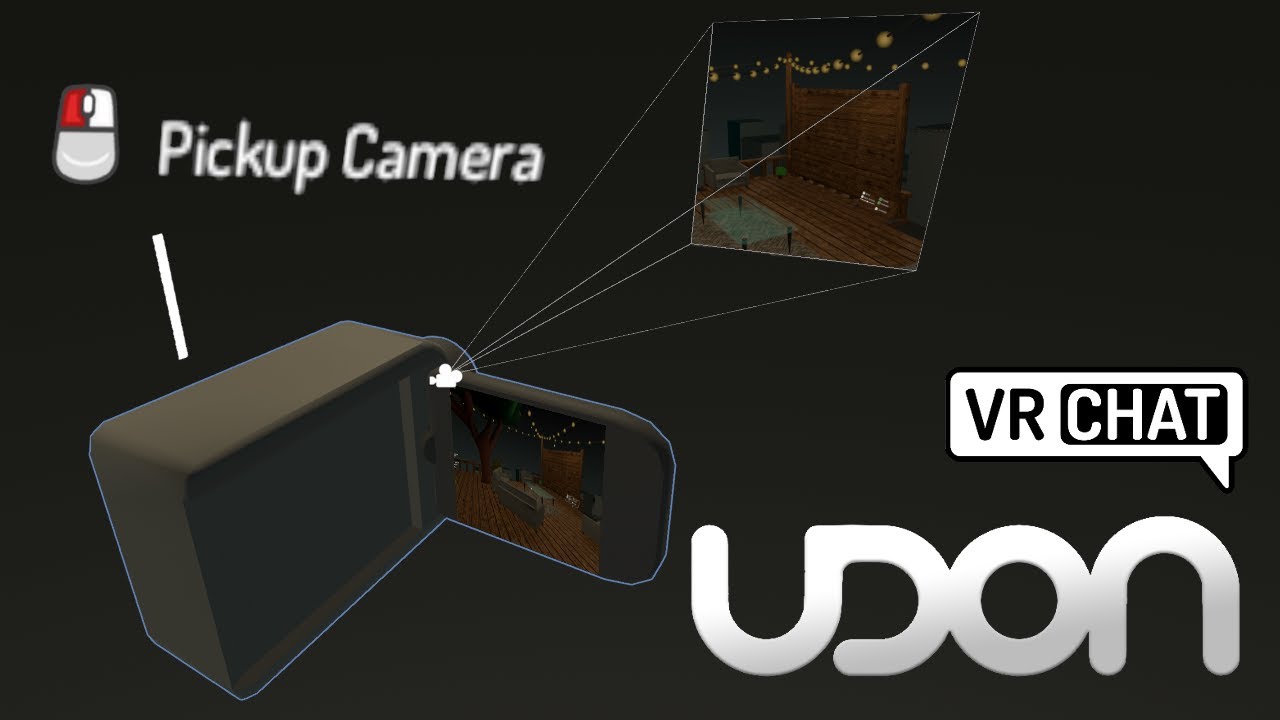
Making a camera was one of the first things I added to my first world. They are super easy, and don't require any udon to setup, so those of you still using the old skd2.0 should get something out of this tutorial as well! They're also Quest compatible!
Their only downside is their performance cost, which means you can only have one or two max o...
this second video is much shorter
sorry for not grabbing it first
robust nebula
Np, thank you!
robust nebula
Yeah, that works pretty much the same as Unity. Though I learned about pick-up objects from it too.
What do people usually do to reduce color bands in their worlds? Dithering? And what's a good way to set up dithering in a Unity project?
 night plaza
I've noticed a very tiny issue with lighting. When any blendshape goes past about 30% the lighting moves a very tiny ammount. It isn't a huge issue but messes up some specific parts with the normal and AO.
Even the SIL viseme blendshape which doesn't move anything
plush furnace
yea that's because the normals are not recalculated realtime, you can try switching the model's blendshape normals from import to calculate but i don't know if it'll give the desired effect
ah well i see more what you mean
also on the model import setting check "Legacy blend shape normals"
the first thing i said is not necessary, it's just if you see that the normals stay the same after sliding blendshapes with high movement
night plaza
Thanks!!! Got it
 frank escarp
Any explanations for what a shader is? Not sure what shaders are 
 hallow meadow
Someth to shade on
 bitter bane
frank escarp
Any explanations for what a shader is? Not sure what shaders are <:iris:36484334...
bitter bane
frank escarp
Any explanations for what a shader is? Not sure what shaders are <:iris:36484334...
 uneven loom
frank escarp
Any explanations for what a shader is? Not sure what shaders are <:iris:36484334...
uneven loom
frank escarp
Any explanations for what a shader is? Not sure what shaders are <:iris:36484334...
computer code that tells your graphics card how to draw your 3d models
frank escarp
Short explanation, thanks 
uneven loom
glad to be of help
 clever cape
Anyone here know much about texture blending using Silent's filamented texture blending?
or blending with any shader really, silent's is just the only one I know that can do it
uneven loom
well that would depend on the Shader on what you use to control how it Blends together
clever cape
Oh you've helped me before
could you elaborate please?
also here's some context from #world-development

@uneven loom ?
clever cape
think I managed to figure out that one but uh
Oh dearest me this is much more complicated
 uneven loom
basically your blender shaders aren't going to transfer to Unity so first you need to find your material blending shaders in unity
next field
I think they tend to use some sort of RGB channel to determine the influence of each texture so a lot of this more advanced math and mapping might not work.
uneven loom
Options relevant to the orels1/Standard Layered Material shader
clever cape
alright simple stuff first and I'll see what I can finesse, what kind of texture is this?
 uneven loom
basically multiple PBR texture masks squish together
clever cape
alright, I think I can work with that
uneven loom
yeah I think that link would work okay for what you need
I might be wrong but basically you would want to be searching vertex color material blending for Unity
clever cape
this shader looks
extremely complicated
I have zero idea where to start with this lol
for some reason, putting any texture on this material... dont know how to describe
brick texture on mochie standard

any material actually, it's just this specific mesh and whatever else uses it's material by default
is this a UV mapping issue?
uneven loom
clever cape
extremely complicated
yeah that Shader does have a lot of toggles and options
uneven loom
clever cape
is this a UV mapping issue?
yeah probably good idea to check in blender the uvs
uneven loom
wouldn't be able to tell just from your screenshots
do you have any actual textures attached to the material in unity?
clever cape
yeah
putting different textures on changes the color slightly but it's always a single washed out color


standard shader as example, same applies with anything I use
uneven loom
what's the texture supposed to look like as I just see vague gray stuff in your texture slot
 uneven loom
like with uv question wasn't the name was if there was a UV unwrap at all like how did you unwrap it
clever cape
it came unwrapped in the exporter I think
How do i check
also it's fine in Blender
 uneven loom

 uneven loom
but it looks like it should be usable?

 uneven loom
have you tried making a new Unity material?
clever cape
yep
uneven loom
maybe try moving the uvs just a little bit in blender & exporting?
clever cape
that look good?
 uneven loom
yes
 uneven loom
cool
 lucid spindle
clever cape
alright simple stuff first and I'll see what I can finesse, what kind of texture...
lucid spindle
clever cape
alright simple stuff first and I'll see what I can finesse, what kind of texture...
if this is source that's a blend texture, green modulates between textures
 spiral oriole
Hello shader folks. I'm working on a character with a custom vertex shader for toon shading specific to its needs, but I'm running into a problem when the character receives shadows. The shadows received are from objects behind it, tested in a couple worlds with a directional light. Weird thing is, in Unity, it receives shadows correctly. Any thoughts?
 plush furnace
Does you shader have a shadow caster pass?
spring bay
Does anyone know how to use the milkutoonV2 shader??
uneven loom
Shader download place should include instructions
spiral oriole
@plush furnace Oh no it doesnt. I figured it would work with using shadow attenuation in the base pass watchamacallit. Do you know a good place to find an example? I keep pulling up surface shaders, or getting basic shaders but with no specific shadow pass
plush furnace
Oh yee you can copy it from the standard shader's source, https://github.com/TwoTailsGames/Unity-Built-in-Shaders/blob/master/DefaultResourcesExtra/Standard.shader

GitHub
Unity Built in Shaders. Contribute to TwoTailsGames/Unity-Built-in-Shaders development by creating an account on GitHub.
spiral oriole
Thank you!!!! I'll give that a go
It worked!
plush furnace
cool!
 dapper yarrow
Anybody familiar with Poiyomi's shader's flipbook function. Im really struggling here. I got the gif onto it and the gif only has 8 frames but for some reason it won't move no matter how many frames per second i put it at. Please let me know if theres any alternative methods. Im just trying to create a 2d art avatar that has a looping animation.
leaden tartan
dapper yarrow
Anybody familiar with Poiyomi's shader's flipbook function. Im really struggling...
Did you set the number of frames? I don't have it in front of me but iirc there was a box to input the actual number of frames as well as the fps.
That said, it's better to export the single frames from the gif and use the single images to generate the flip book. Iirc it results in a smaller file size unless that was addressed since I last messed with it.
dapper yarrow
leaden tartan
Did you set the number of frames? I don't have it in front of me but iirc there ...
yeah I did it was 8 frames.
fringe perch
dapper yarrow
Anybody familiar with Poiyomi's shader's flipbook function. Im really struggling...
can you screenshot your flipbook section
dapper yarrow
fringe perch
can you screenshot your flipbook section
hold on i'll open it up

@fringe perch
Btw since then I have changed the frames per second to 1
 steady folio
Hey people, I am looking for a shader that can affect the world textures
kinda like seen in these images using an avatar I don't have the files for.
What shader can do stuff like this?


 spark abyss
What could be causing the weird shader effect in the water?
past pewter
spark abyss
What could be causing the weird shader effect in the water?
For me it looks like a grab pass for the refraction combined with depth mask
plush furnace
Looks like your grabpass or depth texture is inverted, what function are you using to get the projection uvs?
plush furnace
steady folio
Hey people, I am looking for a shader that can affect the world textures
kinda ...
You mean a shader that replaces the world materials by another one?
If so, is it for an avatar or a world?
spark abyss
plush furnace
Looks like your grabpass or depth texture is inverted, what function are you usi...
Just using Mochie's Water Shader. Sorta new to all this stuff so I'm not exactly sure what you mean by that
 plush furnace
I see, when calculating the screen uvs sometimes the vertical axis has to be inverted, i don't know how is the code on this shader tho.
Also have you added this depth light prefab just to make sure that it wasn't a missing depth buffer?
spark abyss
Didn't think about that... Also, sometimes I'll upload the world and it'll look completely normal. It's like a 1 in 3 chance tho
plush furnace
Yea some shaders are written in overly complex ways and can get some errors, dunno if this one is
Just so you know, on the code there should be a keyword containing "starts_at_top" on the part where the screen uvs are calculated, if not then a function named ComputeGrabScreenPos
 vagrant solar
Can anyone recommend a water shader that is quest compatible that has depth so I can use the swimming prefab? Red sims is a no go for my Quest version of Sunset Canyon.
leaden tartan
vagrant solar
Can anyone recommend a water shader that is quest compatible that has depth so I...
No quest shader is going to have "depth." Can't grabpass on quest.
vagrant solar
Thanks @leaden tartan . Any other shader that you’d recommend?
 barren jewel
anyone know anything about making a shader look really crunchy? i want a model to look like those shitty bowling animations
 plush furnace
my trick is going directly into the output (the return line on the fragment shader) , multiplying it by the color depth i want, truncating it then dividing it by the same color depth, the closest shader i've seen to simulate low quality graphics is the psx shader https://github.com/dsoft20/psx_retroshader

GitHub
Shader that "emulates" the rendering style of ps1. Contribute to dsoft20/psx_retroshader development by creating an account on GitHub.
https://assetstore.unity.com/packages/vfx/shaders/psx-shader-kit-183591 i found this free one too while browsing the other one
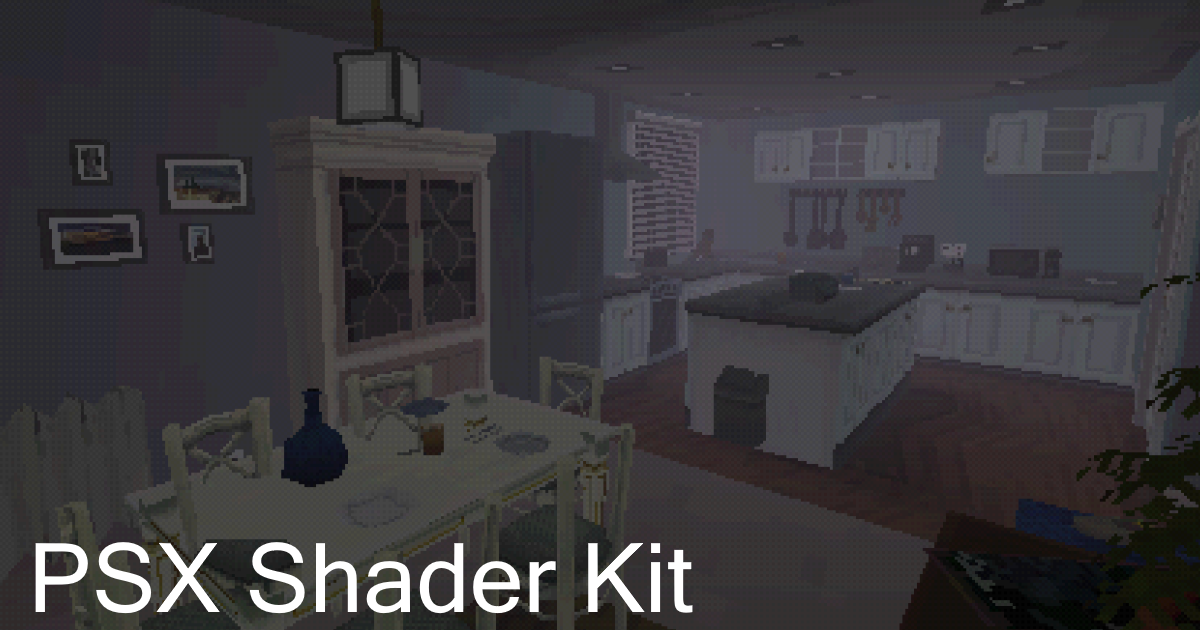
Add depth to your next project with PSX Shader Kit from Valerie Palerie. Find this & more VFX Shaders on the Unity Asset Store.
barren jewel
thanks a ton!
plush furnace
ya welcomee
 simple panther
been playing with skybox rendering
 toxic wolf
Does anyone know how to get a custom particle shader to appear in a mirror? it seems like objects in the mirror render above the fire in the reflection

I am using a custom shader, so I can use hue shift with a slider
vagrant solar
can anyone recommend a water shader that works well for quest users?
 dapper stag
does anyone have a low end shader that makes the game lag less
plush furnace
dapper stag
does anyone have a low end shader that makes the game lag less
Legacy, mobile (including vrchat's) and unlit shaders are light shaders, unlit being the lightest (but these shaders don't include lighting)
What shaders are you using that are causing the game to lag?
dapper stag
the default ones
plush furnace
You mean standard?
dapper stag
yeah
plush furnace
Are you using any real time light?
plush furnace
So all the models and assets you are using are from the sdk right? Not taken from other webpages such as turbosquid or sketchfab
dapper stag
yeah
plush furnace
You got a pc that can run vrc well?
dapper stag
it can run it a max of 30 fps
plush furnace
Ok then i can guess it's not very powerful
dapper stag
yeah its not
plush furnace
Then always use baked lighting and either use lightmapped fast shaders or write them so you calculate only what you need, excluding additional calculations to optimize even more
dapper stag
ok thanks
plush furnace
Yw, you can look at the unity shader source code and copy code to learn how to shade stuff, coding your own shaders helps a lot with performance


 nocturne crown
how could I fix this?
the default culling culls out the things that the vertex shader keeps visible
plush furnace
You'll have to set the object boundaries to a far bigger scale. I know you can do that directly from the inspector with a skinned mesh renderer but i don't know how on a simple mesh renderer
nocturne crown
update: yeah that's fixed it
simple panther
plush furnace
You'll have to set the object boundaries to a far bigger scale. I know you can d...
unity uses the bounding box of a mesh to cull on meshes. the bounding box is determined by the maximum size of the vertices in the mesh
plush furnace
yee ik, but sadly i don't think it can be determined with a shader, so if you make a shader that extends the vertices, the bounding box won't be adapted to the shader's bounds
plush furnace
oh yee i didn't clarify how the entire line should be:
o.texcoord = mul(unity_ObjectToWorld,v.vertex) - _WorldSpaceCameraPos;
btw texcoord has to be float3 or half3
if it still looks weird, normalize the resulting texcoord and/or add instead of subtracting the camera pos
simple panther
plush furnace
btw texcoord has to be float3 or half3
half3 is just less precision...
plush furnace
ye, but it's still a type that can be used for vectors, maybe not very high precision vectors but alright for texture coordinates, it's the type used on the environment lighting function on unityCG.cginc
 arctic oar
Just showcasing raymarching on particle system
 celest lion
is there a shader that can project a image on to mesh or anyone know "nutter" did it?
plush furnace
It's a "decal" shader, it uses the depth texture and screen space coordinates to map the vertices, then with that it gets converted to world space position and normals. There's one on booth but idk if there is any free ones https://booth.pm/ja/items/1822991

ENG:VRChat particle decal shader with world compliant lighting and PBR texture support. JP(translated):ワールド照明とPBRテクスチャを備えたVRChatパーティクル・デカール・シェーダ。
When i get back home i can send you the one i wrote some weeks ago if you want
 cold geyser
Does anyone have any ideas of the best way to get a "blurred light" effect for someone swinging a lightsaber? Basically wanting the smeared light after-image effect that occurs when you see a lightsaber swung in a movie. I thought this might be easily accomplished with a shader, but I tinkered with particles first and couldn't quite get the look I was wanting with that.
simple panther
which aspect are you after exactly?
the burn marks?
motion blur?
a sort of hard trail?
if you're after a sort of "motion blur" for it you could use a trail renderer
and have a really short trail
 lethal tapir
Is there a shader or whatever that can change the material of an object only when viewed from behind a transparent surface?
In my case, a way to make an eye look normal when viewed through the glass, but a different colour when the glass is absent or at an angle the glass doesn't cover?
simple panther
thats rather difficult to produce
but stencils might allow you to get what you're going for
simple panther
wip


 simple pagoda
I need some help in downloading Xiexe's Unity Shaders. I am very VERY lost.
Just anything to help
 waxen harbor
not going to be implementing this quite yet (not until I can properly test my avatar), but is it possible to bind avatar parameters (in this case, visemes) to material/shader parameters in some way? this is crucial to pulling off facial animations for the avatar I'm designing, and the method I'm currently using (swapping between two quads with different UV offsets, one hidden in the head and another on the avatar's face) is janky and suboptimal. basically mapping sprite sheet positions to visemes.
waxen harbor
simple pagoda
I need some help in downloading Xiexe's Unity Shaders. I am very VERY lost.
you should just be able to put the contents in your project's Assets folder and drag the .shader files into a selected material
simple pagoda
thanks
waxen harbor
np
 slate jewel
I've been looking around and so far haven't found any solution. Is there a way to test how an avatar looks with shaders hidden? I'm making a custom shader and I want it to fall back as gracefully as I can, and I don't want to have to ask someone to sit in a world with me and hide my avatar every couple minutes.
uneven loom
VRChat
This page serves as a description of the Shader Blocking System, how it operates, and how shader authors can work with it so that their shader falls back gracefully when a user has Shaders blocked on an avatar using a given shader. VRChat 2021.4.2 Fallback System Upgrade Shader fallback improvements...
slate jewel
uneven loom
https://docs.vrchat.com/docs/shader-fallback-system
I'm aware of the documentation, but my question is if there's a way to preview the actual fallback to make sure it's working correctly
plush furnace
switching the materials to the shader that you assigned on the fallback, these should be already built in on unity or from the sdk on vrchat/mobile
slate jewel
Alright I'll give that a try, thanks
 pure gust
waxen harbor
not going to be implementing this quite yet (not until I can properly test my av...
pure gust
waxen harbor
not going to be implementing this quite yet (not until I can properly test my av...
not directly, but indirectly. simply create animations in the FX controller that set the material's property to what you need, and set the controller up to have those animations only run whenever the associated avatar parameter has the given value[for integers or booleans] for floats you'd instead use a blend tree that blends two animations setting the material property based on the float parameter
 sinful heron
anyone know if anyone has made shaders I could use (or a tutorial for making my own) that mimic the look of Life is Strange Remaster? https://lifeisstrange.square-enix-games.com/en-gb/games/life-is-strange-remastered-collection/

Description: Rediscover the universe of Life is Strange in this Remastered Edition. The award-winning narrative adventure games from Square Enix.
Or the original, I'm not too picky
Poiyomi outline doesn't quite have the look I'm going for, so I'd rather do something myself or see what other stuff is out there.
arctic oar
sinful heron
anyone know if anyone has made shaders I could use (or a tutorial for making my ...
It probably uses any type of standard PBR shader.
But the difference is it uses High Definition rendering pipeline which makes the image looks so good. While vrchat still stuck in unity built-in rendering.
uneven loom
dumb question wouldn't that be more on the texturing choices to look similar to life is strange
arctic oar
Texture has can be a factor too. Texture, plus how scene light is calculated.
plush furnace
true, it looks like a pbr shader just like the standard, what makes it look that way is the scene lighting, good shading depends on worlds, unless you are forcing the lighting on the shader (also it looks pretty unreal engine-ish, and on unreal engine postprocessing is used a lot)
and maybe some subsurface scattering
yes textures too cuz the skin has a lot of detail as i see
plush furnace
You have to map it with screen coordinates
nocturne crown
I've always worked with 2d glsl, this is all super alien to me ^^'
but yeah the issue is that its using the model's uv
plush furnace
Oh i see,
Create a float4 vertex output for the coordinates, then on the vertex shader use the function ComputeGrabScreenPos(o.vertex); to assign it.
o.vertex is the UnityObjectToClipPos result, so if it has another name.
Then when sampling the texture set the uvs of the function as the float4 variable you created divided by its own w axis
Ok better said
On v2f add:
float4 uvScreen : texcoordx (texcoord in all caps and the X is any slot that hasn't been taken already)
Then on the vert function add:
o.uvScreen = ComputeGrabScreenPos(o.vertex);
It can also be ComputeScreenPos(o.vertex) but i use the other one
Then on the fragment shader you sample the texture as tex2D(_CameraDepthTexture, i.uvScreen.xy / i.uvScreen.w)
simple panther
plush furnace
Ok better said
On v2f add:
float4 uvScreen : texcoordx (texcoord in all caps and...
you really don't want to do tex2D(_CameraDepthTexture, i.uvScreen.xy / i.uvScreen.w) now, because that will break with SPS-I
plush furnace
Sps-i ?
simple panther
instead:
// Declare depth texture
UNITY_DECLARE_DEPTH_TEXTURE( _CameraDepthTexture );

// Sample depth texture
float depth = LinearEyeDepth( SAMPLE_DEPTH_TEXTURE( _CameraDepthTexture, screenUV) );
the.. the sphere just stopped rendering entirely? ohno
plush furnace
Do you have any errors?
simple panther
plush furnace
Sps-i ?
plush furnace
You mean appearing weirdly on another eye?
simple panther
whenever vrchat moves to unity 2020 or newer (which is likely occuring soon given 2019 is out of support) multipass stereo rendering (what we currently use) will get removed, and everything vr will have to use SPS-I compatible shaders
plush furnace
So we'll have to use tex2dproj then?
simple panther
see this section of cnlohr's shadertrixx: https://github.com/cnlohr/shadertrixx#alert-for-early-2022=
GitHub
CNLohr's repo for his Unity assets and other shader notes. - GitHub - cnlohr/shadertrixx: CNLohr's repo for his Unity assets and other shader notes.
plush furnace
I see
Well then ig i'll have to do some changes to my shaders
nocturne crown
figured it out btw!! special thanks to Neitri's stuff on github
sinful heron
uneven loom
dumb question wouldn't that be more on the texturing choices to look similar to ...
texture does have an effect, yes. I've already applied the proper maps to the model, though it still looks a bit flatter than i'd like. I mean it's not bad, and i could probably get away with a simple outline shader
though i have the original models atm, not the remaster
gonna see about getting the remasters, and hopefully it isn't too much work to port it over
simple panther
arctic oar
It probably uses any type of standard PBR shader.
But the difference is it uses ...
you are aware that shaders which are better than standard which work with BIRP do exist, right? (better means they use more physically based and more modern formulae in the lighting equation)
arctic oar
simple panther
you are aware that shaders which are better than standard which work with BIRP d...
Yes I saw a few.
uneven loom

GitLab
A transposal of the shaders from Google's Filament renderer over the framework of Unity's Standard shader to allow for higher quality rendering in Unity.
simple panther
shameless plug: https://docs.hyblocker.dev/en/shaders/

Learn more about Hekky Shaders
if you understand shaders and the math well enough you can pull this off
note that this does work with vrchat.
arctic oar
Is there performance comparison though?
I use my custom standard surface, but still would like to get away from it if there's a better option.
uneven loom
I sincerely doubt you're going to have huge performance concerns using either of those PBR shaders
simple panther
more modern ones are technically speaking heavier but not heavier enough where it would make a difference
standard takes A LOT of shortcuts which just ruin the quality
uneven loom
it's not like either of them are adding super expensive features
like neither of those are going to be doing geometry tessellation or Ray tracing
simple panther
tessellation is useful for pulling off certain effects (displacement maps moment) but generally not worth the performance cost
ultimately depends on how you use it
eg tessellation for water can make sense for better gerstner waves for instance
arctic oar
So would have to try them all then
simple panther
most pbr shaders use pretty similar techniques
if there's a difference it's going to be in the order of micro-seconds
e.g. most modern PBR shaders use the GGX microsurface theory for the specular lobe of surfaces
sinful heron
@simple panther Thanks for the link, appreciated
 lethal nacelle

rope's-end request. is there a shader (or a feature on most shaders) that can render a 2d, flat texture like this onto a 3d mesh?
simple panther
lethal nacelle
rope's-end request. is there a shader (or a feature on most shaders) that can re...
decals in poiyomi?
sharp pike
It looks like you want to display a texture using the screenspace coordinates as the uvs, I think some shaders in the past have had that as an option for their panosphere effects instead of the typical spherical texture mapping, but I don't know what shaders can currently do this effect.
There's a couple of potential issues with screenspace texture mapping:
The first is that when you roll your head, the texture typically follows and rolls too. You can try to account for camera roll, but it will result in the texture flipping or spinning when seen from above or below.
The second is specific to VR and it's that the texture will appear as if it's a certain distance away depending on how the texture is shown in each eye, a shader supporting this effect might have this as a 'stereo depth' property.
 soft mantle
lethal nacelle
rope's-end request. is there a shader (or a feature on most shaders) that can re...
soft mantle
lethal nacelle
rope's-end request. is there a shader (or a feature on most shaders) that can re...
Yes, Poiyomi, panosphere.
I use it for stuff to have infinite parallax.
lethal nacelle
that sounds like what i need. thank you!
sharp pike
Last I checked, poiyomi's only does the typical spherical texture mapping with panosphere so the texture will have a curve to it and it's going to look weird when seen from above or below
 sinful sleet
plush furnace
When i get back home i can send you the one i wrote some weeks ago if you want
sinful sleet
plush furnace
When i get back home i can send you the one i wrote some weeks ago if you want
Could I get the decal shader too?
plush furnace
ah yee