#world-development
39 messages · Page 100 of 1
 woeful junco
 green lagoon
https://gitlab.com/xlwnya/vrc_starterkit/-/releases another set of prefabs that has a teleporter door and other useful stuff
woeful junco
green lagoon
https://gitlab.com/xlwnya/vrc_starterkit/-/releases another set of prefabs that ...
Super helpful. Thanks
 narrow geyser
is there any way to turn a ipt file into a file that is compatable with unity? (Something more reliable than online converters)
green lagoon
woeful junco
Super helpful. Thanks
hope you have fun with your worldbuilding
woeful junco
green lagoon
hope you have fun with your worldbuilding
I am, thanks. I'm bringing over my worlds from Altspace right now so it's fun to learn the new ways to do things.
 left mountain
What is a good base resolution for textured things in a scene? I see the default for blender is 1024.
green lagoon
woeful junco
I am, thanks. I'm bringing over my worlds from Altspace right now so it's fun to...
have any pictures of your world
 kind leaf
left mountain
What is a good base resolution for textured things in a scene? I see the default...
kind leaf
left mountain
What is a good base resolution for textured things in a scene? I see the default...
1024 is fine, but honestly it depends on the texture. You'll find some that look like dooky in 1024.
green lagoon
basically you would want to think about Texel density not like texture resolution https://www.youtube.com/watch?v=5e6zvJqVqlA

Click here to subscribe https://www.youtube.com/malcolm341?sub_confirmation=1
To support this channel go here https://gumroad.com/malcolm341
Tutorial explaining what texel density is, how to use it, and some tools you can use to set correct texel density easily on your models in Autodesk Maya.
Download the 2048 checker texture from the video ...
left mountain
Seems like more in depth tutorials use maya.
kind leaf

Here is Blender tutorial on how you can control texel density using only Blender 2.8 without any third-party plugins. This way always works and you can do this at any time. You just need to create simple 1 by 1 meter plane and apply to it special texture - UV checker grid, which you can generate inside Blemder. Then you can apply material with t...
Its always easier to find a reference/tut for paid software. If you want something specific you need to be specific on the search.
left mountain
So they recommend stretch the uvs outside the square. Does that effect anything when you export it to paint?
Unwrapping.. 🙃

 native cobalt
I got Hirabiki's swimming package to work but it's way too slow..
Even if I manually set swim speed to like 99999 in unity it reverts to highest speed of 5...
 tall nymph
i want to make my own world for people to explore but im bramd new to vrchat, any tips and advice?
kind leaf
tall nymph
i want to make my own world for people to explore but im bramd new to vrchat, an...
just two tools
the toolkit: https://github.com/oneVR/VRWorldToolkit/releases/tag/V2.0.0 a good 60% of your issues you report are going to be followed by that link.
cyanemu for properly testing in unity before you upload:https://github.com/CyanLaser/CyanEmu/releases/tag/v0.3.10
tall nymph
thank you very much, ill be sure to use those. i have a few ideas for a world and might post progress reports
 nocturne mirage
The buttons for publishing my world aren't working.
Whenever i click them it doesn't do anything
left mountain
How can tell what is creating fps drops over time?
"works on my machine" but others it starts lagging
 oak girder
How private do private worlds need to be? Like if I wanted to, could I treat it as more of an "unlisted" thing, where I can link to it elsewhere somehow? (via a portal, or a URL if VRChat supports that)
 compact acorn
quick question about vrc video screens. Is it possible to play media from a google drive link, media fire link, mega link etc? or is youtube the only possible method rn
 near escarp
oak girder
How private do private worlds need to be? Like if I wanted to, could I treat it ...
near escarp
oak girder
How private do private worlds need to be? Like if I wanted to, could I treat it ...
They need to be not public
oak girder
what do you mean by that?
near escarp
left mountain
How can tell what is creating fps drops over time?
Unity has tools for performance check
oak girder
I'm thinking like an unlisted YouTube video
near escarp
oak girder
what do you mean by that?
Don't publish it
oak girder
Like, what can I do with a world without going through Community Labs? I know I can upload one and go there myself, I assume invite others to it, but is there any way to create a persistent link to it, even if it won't appear in the Worlds menu or in searches? Like, if someone uploads a private world, could they then put a portal to it in a public world?
nocturne mirage
Whenever I try to upload a world none of the buttons work. Anyway to fix this?
near escarp
oak girder
Like, what can I do with a world without going through Community Labs? I know I ...
They can put a portal to it yes, as for linking to it, you can generate an instance link and have people use that for their own invites
oak girder
What's an instance link?
near escarp
Go to your world on the website, select the instance type, and create it, you'll have a long and shortlink to it
oak girder
Are these links valid perpetually?
near escarp
Yep
oak girder
So if someone can't yet submit to Community Labs, or their world hasn't gotten through it yet, they could still put a link to it on a website or something so people can access it in the meantime?
Has anyone created a website for this purpose, essentially an alternative world directory that lets you publish instantly?
I'd Google it but I don't know what to search for
compact acorn
nocturne mirage
Whenever I try to upload a world none of the buttons work. Anyway to fix this?
haven't tried buttons yet, maybe try double checking ur triggers on the buttons and stuff
compact acorn
compact acorn
quick question about vrc video screens. Is it possible to play media from a goog...
when you guys have the chance, do you mind answering my question? plz and ty
near escarp
You can yes, all video players are available to test here https://vrchat.com/home/world/wrld_985acb34-cc17-4b5a-85ae-04ade5195059

Compare and contrast the free and most common video players․ (Source of distribution noted) - 無償かつ最も一般的なビデオプレーヤーを比較検討できます。(配布元の記載有)
oak girder
near escarp
Yep
Perpetually even after everyone leaves the instance, so other people can later use it to join?
near escarp
correct
oak girder
Cool, thanks 🙂
 wary birch
One message removed from a suspended account.
One message removed from a suspended account.
left mountain
Why is the texture feathered in Blender(left image) but not Krita(right image)?
 green lagoon
left mountain
So they recommend stretch the uvs outside the square. Does that effect anything ...
green lagoon
left mountain
So they recommend stretch the uvs outside the square. Does that effect anything ...
not really if you're doing tiling textures but if you're doing unique unwrap yeah that's going to get in the way of painting
green lagoon
wary birch
One message removed from a suspended account.

GitLab
A shader for Unity that (ab)uses some Unity features to produce glass-like glass.
green lagoon
left mountain
Seems like more in depth tutorials use maya.
yeah I just grabbed the first search result instead of trying to find a blender one
wary birch
One message removed from a suspended account.
green lagoon
there's a material in the folder for the asset for rainy Windows just drag it onto the glass
wary birch
One message removed from a suspended account.
One message removed from a suspended account.
green lagoon
there is usage documentation in the link for the rain Shader
wary birch
One message removed from a suspended account.
One message removed from a suspended account.
One message removed from a suspended account.
green lagoon
not quite sure myself as I typically only play with the rain stuff
wary birch
One message removed from a suspended account.
nocturne mirage
compact acorn
haven't tried buttons yet, maybe try double checking ur triggers on the buttons ...
By buttons not working i ment to say the publish button isn't working
kind leaf
Usually if those buttons are not functional there are errors in your console. We would need to see those.
compact acorn
nocturne mirage
By buttons not working i ment to say the publish button isn't working
That happens to me too sometimes lol
Usually I just restart my unity hub and world then start it back up again and it works
It’s finicky that way
nocturne mirage
kind leaf
Usually if those buttons are not functional there are errors in your console. We...
i got a screenshot of it
 woeful junco
green lagoon
have any pictures of your world
woeful junco
green lagoon
have any pictures of your world
Sure. Stairway to Heaven. Animated clouds, wings, plane and particle effects. Simple world but it's about the mood. Includes the song.
 green lagoon
cool
woeful junco
And I have a few more.
woeful junco
green lagoon
cool
Thanks
green lagoon
some baked lighting could help the look quite a bit
woeful junco
green lagoon
some baked lighting could help the look quite a bit
I am working on that 🙂 Night
green lagoon
cool sleep well
 bold ibex
Does anyone have the link for the vrc prefabs list?
green lagoon
 worthy horizon
kek
 trail harness
@last condor I don't know if this was asked before. But is there a healthy way to display to players waiting at the lobby, the ammount of cards each current player has or something else they can use to get an idea of how long they are gonna wait for the current match to end?
 last condor
trail harness
<@!165701674034266112> I don't know if this was asked before. But is there a hea...
last condor
trail harness
<@!165701674034266112> I don't know if this was asked before. But is there a hea...
That could be done yeah!
trail harness
last condor
That could be done yeah!
Thanks, appreciated.
 quaint temple
wary birch
One message removed from a suspended account.
quaint temple
wary birch
One message removed from a suspended account.
just set the shader back to normal
 south kite
is there anyway to remove the quest version of a map? It's a huge burden for someone to go into, in terms of keep both pc/quest hierarchy synced
It's a regret if there isnt a way to remove it.
 stone marsh
Nope. Currently there's no way aside from setting your world to private and submitting it to labs under a new ID. This is something I too wish we could do, but alas, nope.
 tired igloo
is there any way to make avatar pedastols that are put on the wall instead of on the ground?
like sometimes you see the clickable avatar that's put on the walls of some worlds
its to save space from putting pedastols on the ground
stone marsh
The mesh of the pedestal isn't needed, just an example. You can resize the actual pedestal, get rid of the stand mesh, and place it on a wall yea
There's an asset that shows the bounding box for the pedestal as well, I'm out for a walk so I can't check but I think it's part of VR world toolkit, which is good to have anyways. Someone can correct me if I'm wrong but you can snag that on github for free
tired igloo
ah yeah that's true
thanks
also where's the thing to place portals
pedistols is for avatars
and what's for portals
stone marsh
Just search your project for portal. It should come up. There's a prefab included. You can also just add the portal component to a empty game object in your scene and place it where u want.
 hoary crystal
Am I able to have a mirror that’s rendering a room in another location?
stone marsh
If you use a camera yea
Instead of a vrc mirror you'd use cameras rendering to a render texture and use that on a quad
hoary crystal
What renders the vrc mirror then?
stone marsh
You could then place a transparent mirror ontop of the quad to reflect the player while showing the other location behind that on a quad
hoary crystal
Am I not able to control the location the vrc mirror is displaying?
stone marsh
The VRC mirror just reflects what's infront of it
And shows whatever layer you have selected
hoary crystal
so no then?
 potent onyx
wanna ask a few questions about potential destructible objects.
kinda wanna get onto this early on as to avoid too much back-tracing.
what i'm hoping to have is a set of objects that can break down into smaller objects, say a drawer that can be grabbed and broken (if thrown or hit) and then the broken parts can then again be picked up again and thrown or hit other objects
stone marsh
That's why I said you can use a camera to do that effect. Place a mirror, acquire a transparent mirror shader, there are a few out there. Then place a camera in the area you want to show, and render it to a render texture. Place a quad behind your transparent mirror and use your render texture on the quad to show the other area. The transparent mirror would only show the player layer so to the player they would be in the other area or whatever.
hoary crystal
I understand what I can do to get the same effect but I just wanted to know if I have control over the location of what the vrc mirror displays
stone marsh
No
hoary crystal
Thank u
stone marsh
If you wanted to make it look like the player was just in another area, say player is in area 1 but you want it to look like area 2, you could have area 2 ontop of area 1 and use a material like poi or whatever to set it to render only in the mirror and have area 1 set not to render in the mirror.
Another way. Idk your setup or what you're really doing but none the less.
hoary crystal
do cameras render 3D like mirrors? So it doesn’t look 2d and flat
the reason I’m asking is I had ideas for phantom touch some parts of ur body can’t be seen if you had a mirror or screen displaying which ever area it might help people feel areas they don’t normally see like in vrc it is kinda hard to see ur back or the bottom of ur feet
stone marsh
Cameras can render in perspective or orthographic.
A simplification: vrc mirrors are basically cameras.
potent onyx
🤔 can vrc do screen capture? locally or otherwise
near escarp
You can use OBS
 near escarp
Nope sorry
stone marsh
I mean, you could stream through YouTube or twitch and use the stream player in world I guess.
potent onyx
sounds ideal, thanks
stone marsh
But the moment your stream is dead, you'd have to reupload the world or whatever
potent onyx
oh? what i was thinking is IF the channel was live, the screen would play it, but when offline it would just be an off screen
stone marsh
You'd have to use the persistent channel link for your channel. It will autoplay whatever is live currently
 dusk sapphire
could just use a url shortener that lets you update your link
potent onyx
that could work, i have some auto-hosts
stone marsh
YouTube provides a persistent channel url
I use this for my world to stream music into
potent onyx
i see. sorta trying to make a virtual room based off my actual room and house to do a virtual tour and let people come in and potentially bug me xD
stone marsh
It'd be doable as long as you had a persistent link, YouTube would be best. Use the steam player (AVPro) Set to auto play, toggle on with a button in the world maybe. Use a persistent channel link it would play whatever Livestream is currently live. Anytime a Livestream was dead, it would just be a broken player.
Idk if twitch provides a similar link
potent onyx
0r do you mean something more specific
stone marsh
Prob don't share your actual twitch, but I guess if that works, yea. Idk if that actually links to a embedable video Livestream. If you go live, and you put that into a stream player in a world in vrc and your Livestream starts playing, then yes
potent onyx
^^;
stone marsh
If it doesn't, then no
I only know for sure YouTube does it because this is what I use
But you'd have to use a specific live url for your channel, not the video itself
potent onyx
i'll have to learn more about how to do it on my objects but at least i know theres an answer to some extent
actually do you know about destructible objects as well?
stone marsh
I think I know what Ruubrick was thinking about so his answer is correct but for what you seem to want it'd be easy enough but kinda jank lol
potent onyx
nah i know no matter what it's gonna be a pain in the butt
just knowing if i'm chasing an unrealistic or impossible goal is more the aim or is it doable with enough effort
stone marsh
I can't easily elaborate on the question you had about destructables, no. My answer would basically assume with scripting using U# it would be doable but not my area of knowledge
potent onyx
do you know if i would have to make every piece that should come apart needs to be a separate object or not?
basically i haven't joined the pieces on lets say my desk here but the drawers themselves have been
 near escarp
If it's static, merge it
potent onyx
i mean i want them to be able to break apart, thats why i wasn't sure
stone marsh
They'd have to be a separate mesh as each would need its own object sync and have an appropriate pivot point.
And at least use a single material
And yes, anything not moving should be merged
Within reason
potent onyx
i mean they shouldn't move unless thrown xD
just as long as they can actually come apart when they're merged
stone marsh
You wouldn't be able to use gravity on them, and they would need to have the collider set to is trigger. Otherwise you'll have collision issues. Ideally they would be set to kinematic but then you wouldn't be able to throw anything. Also note that an excessive number of sync objects can have an impact on performance, not knowing how many you intend.
potent onyx
^^; pretty high number
south kite
wary birch
One message removed from a suspended account.
it will be a custom shader, probably just a transparent plane with a shader that handles the droplet textures
south kite
stone marsh
Nope. Currently there's no way aside from setting your world to private and subm...
wow, ty for confirming. Seems like a really silly oversight to not allow people to remove their quest versions esp considering as soon as the hierarchy is de-synced your world basically becomes a crash world for quests, atleast that's what happened to me with my world.
I mean this is quite an issue, speaking to some creators who currently own fairly popular worlds they are just letting their quest versions stay in a state of being fucked due to not wanting to continually do the quest procedure
like the fact that you cant opt out and have to choose to fuck over people is awful
I'm a little upset that I did the conversion just because I don't know if I can commit to keeping the quest portion fine. I update my world far to frequency atleast atm.
is it a case of a technical issue as to why the ability isnt available?
because wheres the benefit if it isn't?
don't really want to bother any of the actual staff but I'd love to know the actual reasoning so I can understand a bit more myself as to why things are the way they are atleast right now.
kind leaf
south kite
is it a case of a technical issue as to why the ability isnt available?
The ability needs added to our end for sure. But you can submit a ticket and they will have it removed. Or just disable all in the quest variant and add a spawn point with an out of order message. Choosing to leave the quest variant untouched is just...
south kite
kind leaf
The ability needs added to our end for sure. But you can submit a ticket and the...
ooo I like your out of order solution. Im not sure how they left it tbh, not to put them in a bad light.
and yes on the need to let people remove. I guess a ticket works too but as I always like to say, if it's a support problem, it's actually a developers problem
 hoary juniper
hi
how i can make the things being pushed by other thing? like collision

i have the ball with sphere collider
the kegel have mesh collider
but they are not pushed
kind leaf
they also need rigidbodies, without that the pins are just a wall for the ball.
 short gulch
For anyone interested, there's two Unity Humble Bundles going on right now. The first one here comes with Bakery.
https://www.humblebundle.com/software/unity-fantasy-games-dev-assets-software
https://www.humblebundle.com/software/unity-fps-games-and-game-dev-assets-software

Humble Bundle
Get everything you need to make your ultimate Unity game with software like uMMORPG & tons of RPG and Fantasy assets. Plus, pay what you want & support charity!

Humble Bundle
Make the next great FPS with Unity apps and assets including UFPS: Ultimate FPS & Character Movement Fundamentals. Pay what you want & support charity!
They end in about a week
 odd wharf
To make ladders do I just make a really thin invisible staircase?
kind leaf
odd wharf
To make ladders do I just make a really thin invisible staircase?
Depends on the ladder 🙂
/\ could use an "invisible staircase"
|| would want to implement something more technical (see cyanlasers sdk2 climbing prefab, or write your own in sdk3), or just click the ladder to teleport up.
 low quest

Should I add lighting around the entire roof
I feel like it gets really dark but I don't want it to get too bright
🤔
 errant beacon
odd wharf
It's straight up and down
errant beacon
odd wharf
It's straight up and down
would be a relatively simple Udon program, on interact > set position (linked to VRCNetworking GetLocalPlayer)
odd wharf
How do I make the thumbnail or whatever an image?
odd wharf
i just made it a cube far away
tired igloo
is there a way to change the interact text for the avatar pedistol?
i tried changing the "view text" box in unity from "use" to the text i wanted but i still didnt work
bold ibex
How can I make sphere or box shaped zones in my world, where when you are in it, certain gameobjects are disabled until you walk out
kind leaf
Um you could just do a reverse LOD but if you are determined to use zones, Setup your box colliders-triggers in the form of a square at maybe .01 thin (something small) and use an OnPlayerTriggerEnter
If you do a reverse LOD and the object has scripts you could just alter the scripts to only run if the obj is active. LOD will disable or enable the obj based on your proximity
 rough abyss
short gulch
For anyone interested, there's two Unity Humble Bundles going on right now. The...
rough abyss
short gulch
For anyone interested, there's two Unity Humble Bundles going on right now. The...
Is there tutorial for compressing backery lightmap for vrc?
worthy horizon
well at least i was able to push my project up on chillout vr...
bold ibex
kind leaf
If you do a reverse LOD and the object has scripts you could just alter the scri...
i might just go with LODs instead of coding C# its been awhile since ive done either
bold ibex
So, i have a particlesystem in my world which has realtime lightsources attached to it. It works perfectly fine when looking at the chimney but as soon as the particlesystem isn't on screen anymore, the point lights are not being rendered anymore. Is there a time to have them rendered at all times?

at this angle, they don't show anymore

the projected lighting onto the ground
worthy horizon
that's occlusion culling at work
 hollow cosmos
If anyone could help me solve this. I have been unable to build test let alone publish because of this error. Cant find a solution
File name: 'C:/Users/K/AppData/Local/Temp/DefaultCompany/Udon_Music/scene-StandaloneWindows64-Music_Prototype_World.vrcw'
  at System.IO.File.Copy (System.String sourceFileName, System.String destFileName, System.Boolean overwrite) [0x000b6] in <eae584ce26bc40229c1b1aa476bfa589>:0
  at VRC.SDK3.Editor.Builder.VRCWorldAssetExporter.ExportCurrentSceneResource () [0x00229] in <38927f5dab5b49a8ae92a91f3b06aa29>:0
UnityEngine.Debug:LogError (object)
VRC.SDK3.Editor.Builder.VRCWorldAssetExporter:ExportCurrentSceneResource ()
VRC.SDK3.Editor.Builder.VRCWorldBuilder:ExportSceneResource ()
VRC.SDK3.Editor.Builder.VRCWorldBuilder:ExportSceneResourceAndRun ()
VRC.SDKBase.Editor.VRC_SdkBuilder:ExportSceneResourceAndRun ()
VRC.SDK3.Editor.VRCSdkControlPanelWorldBuilder3:OnGUIScene () (at Assets/VRCSDK/SDK3/Editor/VRCSdkControlPanelWorldBuilder3.cs:187)
VRC.SDKBase.Editor.VRCSdkControlPanelWorldBuilder:ShowBuilder () (at Assets/VRCSDK/Dependencies/VRChat/Editor/ControlPanel/VRCSdkControlPanelWorldBuilder.cs:127)
VRC.SDK3.Editor.VRCSdkControlPanelWorldBuilder3:ShowBuilder () (at Assets/VRCSDK/SDK3/Editor/VRCSdkControlPanelWorldBuilder3.cs:42)
VRCSdkControlPanel:ShowBuilders () (at Assets/VRCSDK/Dependencies/VRChat/Editor/ControlPanel/VRCSdkControlPanelBuilder.cs:325)
VRCSdkControlPanel:OnGUI () (at Assets/VRCSDK/Dependencies/VRChat/Editor/ControlPanel/VRCSdkControlPanel.cs:213)
UnityEngine.GUIUtility:ProcessEvent (int,intptr)
bruh
hollow cosmos
yeah sorry its a dump there
worthy horizon
some other script error probably caused the asset bundle compiler to bomb, resulting in the scene bundle not being created
worthy horizon
thus system.io.filenotfound when i t tries to lau
hollow cosmos
i cleared out the temp file in hopes of resetting the issue but still get the same issue. dont know of a way to reset this
worthy horizon
has to be something in the active scene throwing compiler errors
hollow cosmos
thats the odd thing there isnt anything throwing errors besides mirrors just logging
stone marsh
hollow cosmos
thats the odd thing there isnt anything throwing errors besides mirrors just log...
It's best to clear all errors in your console. Then attempt to enter play mode. And screenshot your red stop sign errors, all of them. That will be much more useful. Don't copy/paste them. Screenshot is best so whoever is helping you knows for sure they are seeing all of the errors and can better judge what's happening.
 dusk sapphire
are there more? scroll up more
stone marsh
Top 4, fix those. That's easy enough to start
hollow cosmos
trying to hunt down the read/write on particles do you know where it is?
stone marsh
You have particles, they use a texture, those textures have read/write disabled apparently. Just go to whatever particle system is in your hierarchy, or click the error and it may take you to the issue in your asset folder. Dunno if that's really the issue though. Kinda doubt it. But it's an easy fix regardless and a good starting spot.
Are you able to actually enter play mode? Those udon errors really shouldn't be there. Did you clear before entering play? Can you build?
stone marsh
What happens if you try and publish?
 stone marsh
No, I mean what happens if you go to the VRCHAT SDK drop down, can you see the build and publish option?
hollow cosmos
yeap
this is the error that stops to build and publish
by the way ty for assisting me with this. unity froze up and crashed earlier and ever since cant publish
i used a backup file and it threw me this error. i read about clearing the temp file to force unity to regenerate it. so i did for this world and still no change
it almost looks like its the ID tag or something for the world with VRC is messed up. not certain
stone marsh
baring any input from anyone else, project may have been borked. If it fails on build, there would be an error in the console, typically of a script error or conflict, these would prevent you from entering play mode, but you're able to, and the errors shown aren't issues that would cause a build fail (the udon errors) The SDK or something may have been messed up. If your project isn't all that big, it may be easiest/least time consuming to just make a new project>Import current SDK>Copy all the files from your old projects asset folder except for the SDK files to the new project. You can prefab everything in your scene and copy the prefabs over as well.
hollow cosmos
yeah i was worried such would be the case
stone marsh
You could always just try deleting and readding the SDK as well just in case, but I doubt that's the issue. Tho, it's easy enough. Just create a new empty scene, load that scene. Save your project. Delete the SDK, save, restart unity, add the current SDK again, reload the original Scene file.
hollow cosmos
ill give that a run 👍
ty again for assistance m8 ^^ its much appreciated
ill DM you invite for world release if your interested, if this problem gets resolved
stone marsh
xP I have DMs turned off but I appreciate it. Hopefully you figure it out. If not, just keep posting here. I may very well be wrong or have simply overlooked something in your posts but general troublshooting may very well simply fix it or guide you towards the answer and help you learn in the process. Unity is a buggy bit of software and issues with crashing and learning how to recover from them are kinda the norm.
hollow cosmos
yeah i been struggling with this for a few hours before i even came on here


cannot reopen the scene
stone marsh
Why?
if that project is truly borked, do what I suggested and migrate it to a new project, only copying your important assets and scene. Use a new project with a fresh SDK installed first
tall nymph
i see that the 2019 unity is the new one to use, but when i try to use it i cant upload the sdk2
i have tried to delete and get the sdk2 again but it still isnt working
stone marsh
Just making sure. I'd this a new project with nothing in it?
stone marsh
Clear errors from your console and attempt to enter play mode. If you can't enter play mode, take a screenshot of all of the red stop sign errors in your console and post it here.
tired igloo

any reason why my portal's looking like this?
i added the world id in the portal maker
bold ibex
hey is there a way to make an animation for a cube in sdk 3.0 wrld
i made 1 and set it too loop and its still not even working
 solar pike
Hi it's me again aha. I made a terrain in my vrc world with some bumps and everything, but when I jump on it in game it throws me away from the map, also when I don't move and look at my feet I see them moving like if I was constantly walking. There seems to be something wrong with the terrain collider but there are so little options I don't know at all how to fix this... Anyone could help?
 ember drum
Is it possible to make objects that can push players?
Like a moving wall that would push players along.
kind leaf
If the moving wall has a collider yeah. Sometimes it's not the smoothest (it can get glitchy) because we dont have access to the actual controller but there are workarounds if needed.
For most cases the answer is just yes. Place a wall, move it, if the player is in the way the player will be pushed because it cant move through the wall
ember drum
Cool. I was wondering if that would be the way (wasn't sure if colliders could move, etc). Would something with Udon be smoother?
Are there also ways to move people in a vehicle that they can walk around inside in too?
Like a moving bus world.
My first thought would be that it'd be glitchy and affect stuff like dynamic bones while moving... And it'd be better to move everything outside the bus, to give it the feeling that it was moving when, in fact, it's stationary.
 desert python
so the world is the bus : so the whole world would move but if its a normal world and you get on the bus. theres some extra steps envolved
ember drum
yeah, the 'getting on the bus' part seems harder.
or standing on a train platform, and being able to get on the train... i'm not sure i've ever seen anything like that (i've seen cars and stuff, but always with seats, rather than being able to move around inside).
kind leaf
ember drum
Are there also ways to move people in a vehicle that they can walk around inside...
yeah, you can track the objects location and constantly reassign the player to that location based on their position on the object. There is a prefab called platform hooks that does this. You won't get anything that feels natural though because you are countering the controller the entire time. If your world is featuring a moving bus or train its best to just transition from a prop to the moveable to being inside and the exterior moving instead.
ember drum
Yeah, that's the thing... It has to be something you'd be comfortable spending an hour on.
kind leaf
yeah i would just move the exterior. it be smooth and would look real.
ember drum
Yeah.
desert python
my suggest would be mobile stations that dont apply any animations and have it parented or hard constrainted to the vehicle and have a input system with the players controlers and such for movement
ember drum
You could even, potentially, drive it around... But just have the controls flipped so the world moves the way you want.
For a train kind of thing... I suppose that the platform could be stationary, along with the train... And then once the doors close, anyone still on the platform could be teleported to an identical platform in a different part of the world. The original platform could then be free to move, along with the rest of the assets around the train.
People would see the ones on the other side vanish, I suppose...
kind leaf
^ ied reverse the idea for that reason.
ember drum
Or that step could be done as the train exits the platform.
Teleport the people on the train?
kind leaf
leave the stationary stuff at start and tp the players to the moveable train elsewhere
ember drum
I figured that'd affect more players though.
Most people would be on the train anyway.
kind leaf
ideally you want everyone on the train right 🙂 don't want to miss your ride if it's the feature of the world
ember drum
Wouldn't you still see people on the other side of the doors vanish anyway?
Yeah, exactly... So if most people are on the train anyway.
Oh, if they miss the train, they miss the train.
kind leaf
you can achieve the ability to see players inside with a cc setup. cams that relay their view to a rendertexture on the stationary train
ember drum
Oooh, that'd be neat.
I was thinking that the train leaves when someone pushes a button... And once the doors are closed, anyone on the platform is too late.
The spawn point can be moved to the new platform, I'm guessing, lol.
Savage, I know.
kind leaf
lol yep. either way, i want to check it out when its up 🙂
ember drum
here i am, struggling with shaders... talking about fucking moving train worlds.
desert python
ember drum
here i am, struggling with shaders... talking about fucking moving train worlds.
one of the many dangers of having an idea. and having unity present
jk lol
ember drum
😭
 deep hamlet
What sort of render pipeline does VRChat use for shaders? Is it just URP or is there support for the HDRP?
 ripe depot
deep hamlet
What sort of render pipeline does VRChat use for shaders? Is it just URP or is t...
ripe depot
deep hamlet
What sort of render pipeline does VRChat use for shaders? Is it just URP or is t...
It's BiRP.
deep hamlet
Which one is that?
kind leaf
None. Only the built-in render pipeline
ripe depot
deep hamlet
Or is it compatible with Amplify?
yes
wary birch
One message removed from a suspended account.
One message removed from a suspended account.
rough abyss


Could someone tell me how to use the vertical billboard shader please? really get stuck on this one.
kind leaf
rough abyss
Could someone tell me how to use the vertical billboard shader please? really ge...
#shaders maybe
kind leaf
wary birch
One message removed from a suspended account.
Well, I hope you figured it out already but we don't use Future Proofing. It will break an upload more often than not. So uncheck it in your SDK settings and try. Other than that, if you cannot upload it's usually because you have console errors.
wary birch
One message removed from a suspended account.
 wooden inlet
Guys, how could I reflect particles (rain, specifically) in a mirror too?
Disable pixel lights doesn't do the trick anymore
stone marsh
Particles that are billboard/facing need to have culling disabled as the mirror only sees the back face.
If back face culling is on, the mirror sees nothing but the culled back face. Use a material that supports culling off or disable culling on the shader you're using.
wooden inlet
Thank you again, Merc! But I just noticed that the rain prefab (This one specifically https://assetstore.unity.com/packages/vfx/particles/environment/rain-maker-2d-and-3d-rain-particle-system-for-unity-34938) works in unity, but then in vrchat nothing is displayed, which is kinda sad because it looked really nice and it was optimized..
green lagoon
maybe because it'd be using scripting to handle the effect and you can't load c-sharp script into vrchat
wooden inlet
Yeah, that's what I was thinking. I don't know how well udonsharp will convert it
green lagoon
no clue and you might want to just handle your rain with a different method?
like is it a outdoor scene with rain or just rain out the windows
wooden inlet
I wanted to make rain particles, but if it's very complicated (I barely know c#,) I'd go for the rain droplets
green lagoon
you could just use a particle emitter
stone marsh
If you're looking for really high quality rain, Leviant has a GPU particle prefab on his tier 3 Patreon. Much better quality and performance vs unity particles but kinda spendy but it includes a rain prefab. Just mentioning it tho.
That said, rain should actually be pretty easy to do with the normal unity particles. Should consider looking at some particle system tutorials as rain is a simple setup
Basically just emit from a flat plane, add some Y force and change the size, speed, and emission amount and pretty quickly you can start forming something that looks like rain. I'm sure there are tuts on YouTube how to do this, but honestly just messing around with the particle system can be very valuable just figuring out what each section does.
wooden inlet
Awesome! I will try looking for that. Thank you so much
 crimson night
Is there a way to make a canvas lock to the stream cam instead of the player camera?
 uncut schooner
People in my world are crashing, could it be cause of the new unity version update ?
errant beacon
Likely not - check your console for errors? otherwise import https://github.com/oneVR/VRWorldToolkit/releases and see what it's world debugger says, if they're crashing on load o:
otherwise it could just be a crasher/malicious avatar in some instances, maybe?
 median briar

anyone know why a raycast would stop so far from a canvas?
aha!, figured it out
needed to set the Z scale to .01

weird that it even has z volume
 pearl scarab
Anyone ever work with the VRC BIlliards asset? I am getting an error 'namespace name IsValid does not exist in the namespace Utilities'
There is an issue on the github but the person marked it as closed and never posted the solution they found. Help!
 mental umbra
just decided to convert my world into quest-compatible. finished converting all the materials into vrchat-mobile type and decided to test it, but... the button is unpressable. i can't test a world if it's target is for android? what do i do?
 errant beacon
Upload the Quest-compatible version of the world to the same ID, then visit it in your Quest if possible
errant beacon
could upload it as a private world o:
mental umbra
it is a private world, just didn't want to overwrite my previous version
errant beacon
ah kk, you could also detach the blueprint ID (save the old one though!) and upload that as a private world?
mental umbra
yeah, that's a great idea
also, some textures went complitely black after converting shaders to mobile
walls of the room, for example
that's weird :(
errant beacon
not sure on that, sorry o:
check the materials' shaders and their albedo channels?
 errant beacon
ah kk lol
worthy horizon
oh hey its my second most favorite error "corrupt file record"
 red urchin
anyone know how to make a portable secondary video player?
kind leaf
red urchin
anyone know how to make a portable secondary video player?
In the prefab where it asks for screen material. Take the original material, duplicate it, rename to portable.
Then create your handheld. After that, duplicate your video player. Make sure its using the portable material you made. Attach the video player to the handheld and scale to size.
red urchin
by handheld i assume you mean an empty with a pickup and rigidbody right?
kind leaf
sure, ora a 3d object like a cube in the shape of a tablet or w/e 🙂
you need a collider for the rigidbody/pickup components to work.
red urchin
right right that too
ok ill try that once i get this other stuff to work
having a bug with unity not baking qnything lol
thank youuuu
 spiral panther
does anyone know how to fix this?

nevermind, apparently i was missing cinemachine.
unity is weird sometimes.
 echo umbra
that’s too tiny
red urchin
kind leaf
sure, ora a 3d object like a cube in the shape of a tablet or w/e 🙂
sorry for @ but how would i go about making sure that portable screen also has audio?
 austere spear
Hello I have a question, is there a way I can make mirrors react to each other? that you can see a other mirror inside a mirror?
kind leaf
red urchin
sorry for @ but how would i go about making sure that portable screen also has a...
You assign an audio source the same way it is in the original except you make sure the audio source is attached to the portable.
red urchin
Oh I'll have to take a look tomorrow thank you
I got it working partially but it wouldn't stand still, kept floating away lol. I think it's because I ticked off the has gravity box?
 olive shuttle
Help needed xD so ws doing some changes to one of my worlds. BUT! when im testing it and spawns in im only able to look up and down. and not able to move at all
kind leaf
olive shuttle
Help needed xD so ws doing some changes to one of my worlds. BUT! when im testin...
make sure your spawn point is above the collider of the floor and that you do not accidentally have any colliders where you spawn.
kind leaf
red urchin
I got it working partially but it wouldn't stand still, kept floating away lol. ...
if you want it to stay put when you let go you tick Kinematic.
olive shuttle
kind leaf
make sure your spawn point is above the collider of the floor and that you do no...
did still does it tho xD
stone marsh
olive shuttle
did still does it tho xD
Did you not add the player mods? Is this UDON or SDK2? Sounds like you just haven't added the ability for players to move. If this is UDON. Check your player mods script or assembly to make sure it's working and active. If it's SDK2, make sure you didn't accidentally remove the VRC player mod component and still have movement n stuff added to it
olive shuttle
stone marsh
Did you not add the player mods? Is this UDON or SDK2? Sounds like you just have...
took a look at it. seems it's something in the world that does it. so im looking some more into it ^^
ots it's the vrc_world it self
stone marsh
Check any of your scripts that alter player movement then
If you have two scripts attempting to control player movement then you'll potentially have issues. Any prefab that takes control of movement should be checked
olive shuttle
the only other "player movement" scripts i got i tp.
stone marsh
And you're sure your main player movement script works and is setup correct? Test by disabling everything in your world except the floor and the movement script and build n test.
 amber schooner
i did try it and sadly it doesn't work at all , it's like forzen , in unity at playmode it does move but ingame it's forzen
 kind leaf
amber schooner
i did try it and sadly it doesn't work at all , it's like forzen , in unity at p...
kind leaf
amber schooner
i did try it and sadly it doesn't work at all , it's like forzen , in unity at p...
retro, feels like this convo was a month ago. It's been a while since I used it. At least a week before the 2019 update anyway.
I know one of the Jam worlds used it successfully.
amber schooner
kind leaf
I know one of the Jam worlds used it successfully.
i sadly can't get it to work, is there any perf that you know that may help me get something familiar , to drive car around , i checked Doc but can't find anything
kind leaf
I think jetdog has a car demo. it's not listed as an official prefab but if you search through their git probably in Udon-playground you might find a unity project with cars. https://github.com/jetdog8808. You wouldn't want to import as is. Best to just create a new project for testing. It's a public repo but I would DM them and ask permission if it works for you.
amber schooner
alright will do so, thanks alot !
 shell trail
Hey do you guys now which version of AVPro VRChat is currently using?
 brisk oracle
Hi just build a very simple world and setup the VRCWorld prefab but still can't see anything in my builder
errant beacon
shell trail
Hey do you guys now which version of AVPro VRChat is currently using?
AVPro 2.1.5, afaik? according to <#announcements message>
errant beacon
brisk oracle
Hi just build a very simple world and setup the VRCWorld prefab but still can't ...
Check your console for errors/warnings, and make sure you're using Unity 2019.4.30f1 and no other version? o:
 simple bone
can i get help with this?
It does this in game but in the scene editor it shows the texture
 worthy horizon
either using a legacy shader or missing shader
shell trail
errant beacon
AVPro 2.1.5, afaik? according to <https://discord.com/channels/18951156753930650...
Thanks ^^
tall nymph
can you add seperate instances into a world to reduce lag?
like make rooms that lead to a seperate instance
 split scarab
Hey, So I am trying to make a world and I am having difficulty getting into the world. I can upload the world and it shows under the "Mine" section on the worlds menu but every time I try to join it. It kicks me instantly and sends me back to my home world. I am using the VRCHomeKIT SDK. Please help.
errant beacon
split scarab
Hey, So I am trying to make a world and I am having difficulty getting into the ...
Import https://github.com/oneVR/VRWorldToolkit/releases and see what it's world debugger reports? Also, make sure you're using the most recent version of the VRChat SDK from the VRChat website, and Unity 2019.4.30f1 exactly o:
split scarab
Ok I will try that tool. Thanks. I will reply if it works or not
Wait. Does the VRCSDK auto updates or do I have to download a new version if the Unity version updates?
errant beacon
The SDK doesn't auto update, you have to manually update it o: https://docs.vrchat.com/docs/updating-the-sdk
split scarab
Ahhh. That could be the problem. Thanks!
errant beacon
yw! c:
split scarab
I tried updating the VRCSDK and using the Tool. It still kicks me from the world. Here is a screenshot of the stuff.

I'll try using a new Unity project
Then this happens when I don't make any changes to anything. I used the Tool and it says that I shouldn't use 2 scenes as that could break stuff but when I try removing the SampleScene. It displays with no camera display or something
 worthy horizon
i have been forced to migrate my projects to chillout vr ._.
errant beacon
check the console for errors/warnings? there's a button to open that at the top-left of the asset browser
Past that, the Home Kit is vv old and might have issues? was meant for SDK2 and a couple Unity versions ago
split scarab
I am using SDK2. It uploads just fine but when you try to join. It just kicks you back into your home world
 errant beacon
any specific reason you're using it, besides learning? there's lots of world tutorials out there, and the newer SDK3 is much more flexible with some things, plus SDK2 isn't getting content updates
those trigger warnings are normal SDK2 errors afaik, should be able to ignore them
are there any other warnings/errors though? o:
split scarab
Hm. No there aren't any other warnings.
There is this

And yes. I am using it for learning. But why isn't there a pre-made world sdk for SDK3? Otherwise I would use it
errant beacon
just to verify, are you using the latest version of SDK2 from https://vrchat.com/home/download? o:
There's lots of examples included with SDK3 and a couple sample scenes, iirc
I'd vv much recommend learning SDK3 from the start, rather than learning SDK2 and then having to adapt to SDK3
split scarab
Hm. I will check out sdk3 then. And yes. I just downloaded the SDK2 today
 cerulean echo
is it not a problem to have 2 scene?
errant beacon
having multiple scenes loaded can cause issues with uploading
split scarab
I tried having one scene but then when I try to upload it shows as no display available.
Here I will show you
 cerulean echo
so you got none camera ther add a camera or copy the camera from the ather scene and add it ther and delete the scene again so you got one
 errant beacon
yw! c:
 hardy grotto
hello, was wondering how i can convert 3 floats into 1 vector 3
errant beacon
hardy grotto
hello, was wondering how i can convert 3 floats into 1 vector 3
might be something for #udon-general o:
hardy grotto
oh, my bad sorry
errant beacon
you're fine! c:
red urchin
kind leaf
You assign an audio source the same way it is in the original except you make su...
i'm looking at the prefab here and i'm not sure what you mean by it being assigned
as far as i can see i'm not sure where it's even assigned
the audio sources are just kinda there? nothing referencing them as far as i can tell XD

 stone marsh
Did you make the Usharp Player a pickup or something?
If so, what exactly do you have the pickup/sync object on?
 stone marsh
I ask because the speakers would need to be parented to the object that's being picked up if you want 3D sound with spacialization.
red urchin
it works in game and moves (though i'm not sure if it's local like it should be)
stone marsh
It's local, you don't have an object sync on it
red urchin
alright i did that right then
stone marsh
Delete the empty udon behavior with nothing in it set to none
Add component, vrc object sync
If you don't want it to sync still delete the empty udon behavior
red urchin
wait wouldnt the vrc object sync make it sync for players?
stone marsh
What? No. I'm talking about that empty behavior in your screenshot, that can be deleted
stone marsh
Regardless, what is parented to this pickup? (I only said that if you wanted its location to be synced)
red urchin
oh i dont want it synced at all it needs to be local for each player
stone marsh
That's fine
red urchin
and the only thing parented to this pickup is just that video screen
stone marsh
What screen? The entire Usharp Player?
red urchin
oh no
earlier kev told me how to set that part up, by duping the screen and material and putting those onto the pickup

this is it
stone marsh
That's one way of doing it I guess.
Your speakers won't move with the pickup setup like this however so your audio will always emit from wherever the Usharp Player is, as the speakers are parented to that.
The local pickup can be carried outside of the bounds of your speakers
red urchin
right i've noticed that XD
thats what i was originally asking is how can i give that thing audio too, but i'm guessing the way i've done it wont work?
stone marsh
You either need to make the speakers not spatialized (global, no falloff, 2D) or you need to parent the speakers to the pickup and zero them out.
You could alternatively dupe the speakers, move the dupes to the pickup, then setup a button to toggle the main speakers off and the pickup speakers on.
red urchin
cant have both of them on at once?
also will they still work if they're not parented to the udonsharpvideo object?
stone marsh
You could, but you wouldn't want to. There's a needless performance hit.
And yes, speakers can be anywhere.
red urchin
oh i thought they like needed to be connected straight to the prefab
thats why i didnt try it sooner i just thought that would never work
stone marsh
Nah, the audio source is linked to the Unity video player script directly (look in Internals under the Usharp Player) and the AVPro speakers (stream speakers) are linked via a script on the speaker itself. (AVPro video speaker component)
red urchin
so i could connect them to a heckin toilet and it'd still play the audio? thats pretty neat
green lagoon
yes
red urchin
thanks for the help! sorry i'm dumb XD
red urchin
yisyis
stone marsh
I should elaborate since I didn't , but if you dupe the speakers, you'll need to add the duped audio source to your Unity video player component in Internals. Click on this component and you'll see "vrc unity video player" under this there is a drop down that says something like "target audio source" it's set to 1 by default, you'd want to change it to 2 and add the duped source. You only have to do that for the unity player speaker as the AVPro speakers components are on the speakers themselves.
 brisk spear
so it seams my question was removed, not sure why but if any one could help please let me know. end goal is to read pixels from video screen and have the world emission change color to match
 oblique bear
are playertags synced for everyone?
errant beacon
oblique bear
are playertags synced for everyone?
might be something for #udon-general o:
split scarab
Hey, I have another problem. I am trying to add a Virtual Keyboard to my world for mute users but it's like a static object. In the Unity editor it also specified as having some missing scripts..

It usually happens when I try to use a prefab and the scripts are missing.
green lagoon
did you install the prerequisites
split scarab
Idk what they are. I didn't get any prerequisites. This is where I got it from https://chiugame.booth.pm/items/1135731?registration=1

[English] Here are the text chat prefabs. All you need to do is add the prefab to your scene. Standard Assets is required. このパッケージはVRChatでテキストチャットができるようになるプレハブセットになります! 通常(無料)と投げイワシ(Boost用)がありますがどちらも同じ内容なのでご注意ください!
All it says is Standard Assets is required
green lagoon
okay then that shouldn't be the problem ? does the keyboard actually working in game
green lagoon
any errors in your console
split scarab
Hang on. Let me check
green lagoon
also I just noticed the keyboard doesn't specify if it's sdk2 or sdk3
 green lagoon
could you show the object in your inspector
split scarab
Object?
green lagoon
the keyboard itself but I think the problem might be its SDK 2 given the lack of specifying and the messages about missing Scripts
https://github.com/FairlySadPanda/UdonStringEvents here's a sdk 3 keyboard

GitHub
A system by which complex events can be sent over the network in Udon for VRChat. Written in U#. - GitHub - FairlySadPanda/UdonStringEvents: A system by which complex events can be sent over the ne...
split scarab
Thank you!
green lagoon
https://docs.google.com/spreadsheets/d/e/2PACX-1vTP-eIkYLZh7pDhpO-untxy1zbuoiqdzVP2z5-vg_9ijBW7k8ZC9VP6cVL-ct5yKrySPBPJ6V2ymlWS/pubhtml# this is also a very handy spreadsheet of free to download vrchat prefabs
green lagoon
yep and hopefully you can get the keyboard setup
split scarab
So I have UdonSharp in. Now how do I import the stringevents...
 green lagoon
I'm not quite sure as I haven't used this prefab before I suppose see if there's any demo scenes
split scarab
hm
split scarab
Welp I got this far and now I don't know how to get it compiled. When I try to upload the world it just gives me this message that I have to fix U# errors

 sterile creek
ANY IDEAS?
(2019.4.30F1)
 green lagoon
split scarab
Welp I got this far and now I don't know how to get it compiled. When I try to u...
green lagoon
split scarab
Welp I got this far and now I don't know how to get it compiled. When I try to u...
maybe try the compile all udon sharp button
but I'm not super knowledgeable on udon
 green lagoon
unfortunately I have no clue on that as I haven't dealt with this script
split scarab
I finally got it imported
green lagoon
cool
 cold meteor
so when i want to make a test build for a world, it comes up saying that i don't have an app to open the file or something
 errant beacon
close VRChat and see if a launch link installer pops up? If not, check your build control panel settings and make sure VRChat's path is set correctly there
cold meteor
i got it working instead by just uploading it as a private world
how do i scale down textures in materials?

nvm got it
bold ibex
please help i keep getting this error (sdk 2)
 south kite
Does anyone know if I can just export changes from my pc map to my quest map going forward now Ive converted the build from my pc to quest. Aslong as the file hierarchy is the same it should be fine right? Or do I need to do the android build convert everytime?
stone marsh
Not sure I quite understand. If you cloned your project, and have one in PC and the other set to android (quest) then yes, you can push changes to each separately but sync will break if the hierarchy isn't exact.
If you have a single project, you need to switch back and forth to Android and PC.
If you have two projects, you can just prefab anything you change and send the prefab over. You do still run the risk of breaking sync often working with two projects if you frequently iterate as well however.
south kite
I have two projects that are dupes, 1 andriod, 1 pc
just wondering if exporting my scene changes between projects is fine.
Im not sure what actually happens during the build conversions, as in if anything important happens to the files that exporting wouldnt replicate
like if I add some objects to my pc map, with aniamtions controllers or whatever it is
I put them at the bottom of the hierarchy, export the scene. Import the scene file and the new files into the quest build
is that a fine method?
Im just worried I'll break quest lol, I can't test the map myself right now in quest
and quest is pretty popular for the map I'm working on
stone marsh
No need to export the whole scene, just prefab the things you change and drag/drop your prefabs between the two projects.
south kite
ahhh ok
ty, didn't think of that
I noticed when I make changes to like add new meshes the scene file seems to update too. I guess the updated version doesn't need to be the same. It's just the scene file afterall
stone marsh
But like you said, hierarchy has to be identical or you'll break sync.
south kite
gotcha!
stone marsh
That's really the only bad thing you can do though is break sync
south kite
ok that's actually a relief
I broke the sync once, a learning curve and I had to watch my map destory quest users
untill I resolved it
never again...
I felt so bad lol
"please leave the map, it's going to hurt you"
^-^ .... thanks for the help anyway, seems this isn't going to be as painful as I thought
stone marsh
It happens. More prone to happening when you run two projects instead of one but as long as you're careful you shouldn't have an issue. But yea. Just add a folder for your prefabs to both projects and just create prefab, drag, drop, unpack both once moved. If you somehow break sync and can't fix it at some point, you can just prefab the entire PC scene and move it over.
Prefabs work as long as your asset folders are cloned and if you add new assets to one project, you need to add it to both
south kite
do the folders they are placed in need to be the same too?
stone marsh
Doubtful but why not. What matters is all the things the prefab is looking for are in the same place
south kite
stone marsh
Doubtful but why not. What matters is all the things the prefab is looking for a...
sorry to pull you back but I'm wondering if there is a way to know easily if the sync has been broken aside from testing with a quest device myself (I dont have one xd). Anything tips you know of?
stone marsh
Sadly no, you can upload it to a test version and have a quest friend join with you.
Like, remove the ID and the upload it to private under some random test name
brisk oracle

can anyone explain why my world wont show up followed the documentation but nothing shows
 dawn grotto
Save scene, check console, make sure you're logged in the SDK, close and reopen window
 dawn grotto
Does it show something if you swap to the authorization tab ?
 dawn grotto
Does your vrc world object actually have the vrc scene descriptor on it ?
brisk oracle
 dawn grotto
Wrong unity version
dawn grotto
Do your have the right SDK installed?
dawn grotto
Weird ... Before anything else try to Close the VRchat window, then restart unity and see if that fixes it.
bold ibex
i have a few questions that i would just want to ask here, as a new map maker i kinda lack in the knowledge department, so help is appreciated. (using blender)
1: Is there any way to get assets (couches, chairs, tables, ect) without modeling them? Maybe a free download somewhere? If not any tips on modeling stuff for VRC?
2: Carpets... use just a plane that is like .2 above the floor to make it seem like real carpet right? tips on that if so.
3: lastly, was wondering about how people make worlds have bloom, post processing, rain, rain effects, ect. on certain things in vrc... although my map isnt even close to done, i was just wondering how people set those up, and would like to attempt at it.
brisk oracle
could udonsharp have something to do with it?
dawn grotto
brisk oracle
welp still doing it
It shouldn't, if there are no compile errors
I would try fresh scene with just a vrc world object to see if it is a project wide error or with this specific scene
brisk oracle
also does it with a new scene
dawn grotto
bold ibex
**1:** Is there any way to get assets (couches, chairs, tables, ect) without mod...
- Googling will help you find some. There websites where people post some of their work for free. e.g DeviantArt, some dedicated 3d websites.
- Plane with a nice texture + normal map goes a long way. Fur shaders can look good but are expensive performance wise
- You can import post processing, it's a unity default package. I would recommend vrcworld toolkit by one. It imports and sets it up for you
dawn grotto
brisk oracle
also does it with a new scene
Try reimporting the VRchat SDK
bold ibex
dawn grotto
1. Googling will help you find some. There websites where people post some of th...
okay, thanks! also another question... what is "nice texture + normal map" what is normal map... again apologies for the lack of knowledge, I've only recently started doing this lmfao
brisk oracle
i did that many time trying a brand new project now but thanks for the help. idk what is wrong but will try some more stuff
A normal map tells your gpu how light bents around something
polyheaven and polilgon has some good textures
bold ibex
brisk oracle
A normal map tells your gpu how light bents around something
thanks, will be back later (days probably) on how to not make cancerous bad lighting.
 dawn grotto
bold ibex
thanks, will be back later (days probably) on how to not make cancerous bad ligh...
dawn grotto
bold ibex
thanks, will be back later (days probably) on how to not make cancerous bad ligh...
Vrcprefabs.com for a lot of usefull VRchat tools and world assets. It also has a tutorial section with a lighting tutorial if i remember correctly
bold ibex
dawn grotto
Vrcprefabs.com for a lot of usefull VRchat tools and world assets. It also has a...
thanks for that! I found a couch, my only other question now is about texturing... do we do that in blender or unity? if so how do we make the circle .mat files? last time I tried to do that it just made a flat png image instead of a .mat file
dawn grotto
Materials define how an object is rendered. They hold information about which shader to use and which settings the shader should use (textures, numbers etc.)
To create a material, right click, new, material
Then select it, you can change the texture and shader it uses on the right
You can drag it onto objects in the scene
green lagoon
if you're looking for where to get tiling textures here's a nice list https://gist.github.com/mauricesvay/1330cc530f6ab2ef33eb6a5ea56ef5bd

Gist
List of websites for free PBR textures. GitHub Gist: instantly share code, notes, and snippets.
 cosmic cairn
Hey, just curious, does anyone know if recent updates broke anything with the MMD worlds?
The ones where you stand on a podium and it takes over your avatar to dance etc - none of them are working for me when they all used to
 vivid fossil
I'll be as concise as I can:
There are these light probes around my meshes even if there isn't any light probe items on the hierarchy of my unity world project, how do I make them disappear? is anoying to work with these speheres around all my props and meshes 😔

 past pecan
Not sure if this is where I ask, but I'm trying to make an object invisible unless viewed in a mirror (doing a halloween update on my world). I gave it its own layer, turned off that custom layer in my main camera, and turned on that custom layer in the mirror. It works in unity, but once I bring it over to vrc, the object is visible again
Edit: Nevermind, got it to work
vivid fossil
nvm on gizmos you can deactive it
 sour scaffold
Anyone know where I can get the day/night cycle for my VRChat world?
south kite
stone marsh
Sadly no, you can upload it to a test version and have a quest friend join with ...
gotcha ty
south kite
sour scaffold
Anyone know where I can get the day/night cycle for my VRChat world?
i created my own by just animating the rotation of a directional light
if that's what you meant
bold ibex
So i Made a VRchat World just recently and For Some Reason When People and I spawn In; I keep falling through the floor in the world and i have no Idea why. I Fixed everything and my spawn point is set above the floor. How do i Fix this??
near escarp
Does your ground have a collider ?

GitHub
Unity Editor extension for making VRChat worlds. Contribute to oneVR/VRWorldToolkit development by creating an account on GitHub.
green lagoon
sour scaffold
Anyone know where I can get the day/night cycle for my VRChat world?

GitHub
Contribute to Iconoclass/UdonSharpDayNightController development by creating an account on GitHub.
sour scaffold
Thx
 silent furnace
So I'm still having problems with updating to the latest version of Audiolink (2.5) on one of my worlds. I have updated to 2019.4.30f1 - tests ok, then updated SDK3 to 2021.09.03.09.25, tests ok - then updated udonsharp from 0.19.11 to 0.20.03 - tests ok, and finally updated to Audiolink 0.2.5, from 0.2.4....not OK. I'm following the instructions on the github site for audiolink, removed the folders from explorer, loaded in the new version, and put Audiolink and Audiolink controllers back in (which I assume are the prefabs in the first folder of the package....the instructions are not very clear on if these are the right ones or not) Once I've done that I am getting compile errors in the Inspector for Audiolink and I cannot go any farther. This has completely stopped progress on any world updates (trying to go to the latest version of AcChosen's VRSL) and I am stuck. Anyone know what might be causing this?
 near escarp
Did you check if it supported the latest udonsharp version ?
silent furnace
I don't know, the github site hasn't had any updates since June, so there is nothing speficying other than 'use the latest version' in their instructions. I've since created another world using all of the latest versions of everything, including audiolink, and it's not having any issues, so I would assume it should be fine.
near escarp
Worth reaching out to llealoo directly, and creating an issue on the repo, others might have the same issue
silent furnace
Yeah, that's about all I can do at this point I guess.
stone marsh
Just popping in to say it does work fine with the newest U# and SDK. Check your actual console for errors, you may have a conflict or erroneous script breaking things. Clear all errors in console, attempt to enter play mode, and then screenshot the errors in your console, all of the red stop sign errors. May be helpful
wooden inlet
How could I disable the blue outline on the pickups?
near escarp
You can't
silent furnace
I guess maybe going back one version of USharp might be worth a shot and see if it makes any difference.
Well, before the Audiolink update, I had 3 exclamation marks (weren't harming anything) After the audiolink update, a now have 108 exclamation marks in the console, so something is screwing up somewhere.
If I clear the console, this immediately pops up, even before running it in play mode....
 near escarp
That would also need to be compatible with whichever AudioLink version this was made in
silent furnace
Well the whole purpose of this was to upgrade VRSL, so maybe once I replace that with the newer version it will work again....hmmm
Bingo, that did it. Thanks!
 tacit flame
I was trying to upload my world and this kept popping up

 near oak
has anyone found a way to publish worlds on a linux system without virtualization?
errant beacon
there's a prefab for that in VRCPrefabs! the Picture Perfect Prefab, under Tools: https://vrcprefabs.com/
pearl scarab
Any idea how to have a scene with 2 separate skyboxes?
errant beacon
pearl scarab
Any idea how to have a scene with 2 separate skyboxes?
could look at the Dual Cubemap Skybox shader in VRCPrefabs? o:
there's also the UdonSharp Day Night Cycle prefab under Udon Prefabs (SDK3)
tacit flame
what does this mean

 sacred vale
hey could I ge some help with spacial auio
audio
Ive been trying to make a spot where someones voice is amplified and i dont know where to begin
near escarp
sacred vale
Ive been trying to make a spot where someones voice is amplified and i dont know...

A world to demonstrate audio sources and Udon audio tools․ Updated to Unity 2019․
 weary fulcrum
Can someone show me a way to make an item a pickup and a seat? I've seen it done before but I can't really get my head around doing it myself-
 hardy remnant
okay, so... im getting this and cant build the upload, i was previously able to before adding a few things, but i wanna figure out how to fix things so i can continue using what i have ><
if anyone can help me understand what i need to do so i may continue with my world, would be highly appreciated ^~^


 eternal summit
so i just lost my testing menu
i was loading up standard assets and i had list of errors working with water 4 and now the test menu
is gone
Assets\Standard Assets\Utility\SimpleActivatorMenu.cs(11,16): error CS0619: 'GUIText' is obsolete: 'GUIText has been removed. Use UI.Text instead.'
stone marsh
Indeed. Just delete that
eternal summit
how do i fix this
stone marsh
Delete simpleactivatormenu.cs
stone marsh
👌
 stray oxide
hey im having an issue with my world, im not exactly sure what is going on, it uploaded fine to quest but with pc i get this message
i only have one account so im logged into the right one, and i tried googling it but only found info related to avatars >.<

also, the skybox was causing crashing for some reason. it uploaded fine before but kept crashing, after i removed it i was able to upload to quest then went to upload to pc to see this >.<
 unkempt turtle
did you try detaching the blueprint id already?
stray oxide
i wasn't able to figure out where to find that, ive tried so many different searches on google and inside unity its self, i did find one guide on docs.vrchat but it was for avatars
unkempt turtle
on the object where your scene descriptor or avatar descriptor is on
there is a component called pipeline manager. it has a button to detach the blueprint id
stray oxide
im sorry im very new to this, what exactly would that object be?
unkempt turtle
if you used the prefab, then it is the "vrcworld" prefab
 unkempt turtle
did you log in already?
stray oxide
i did
unkempt turtle
still nothing on it?
stray oxide
yeah sadly
unkempt turtle
thats weird
stray oxide
lemme reboot unity
is it okay to ping you?
okay im logged in lemme try to open the blueprint id now

holy crap thank you so much! it was because i still had the "an application running"
pressing the attach button does nothing ;(
unkempt turtle
stray oxide
~~holy crap thank you so much! it was because i still had the "an application ru...
attach only adds an existing blueprint id to the world
if one is attached already (aka you already uploaded it before), it says detached
stray oxide
I’ve uploaded before but the id vanished 😪 I’ll just remake it I guess thanks for the help
unkempt turtle
you can find the id either in the control panel of the sdk or the website
stray oxide
Okay I’ll see if I can find it, seriously tho thank you so much, I’m very new to this and I have a friend who does unity stuff but he only does avatars
unkempt turtle
no problem, everyone starts somewhere ^^
stray oxide
Where exactly do I find the id on the website? I’m on the world on the website vrchat.com
unkempt turtle
after logged in
-> worlds
-> my worlds
-> click on the world
it will state the id in the URL
for example
https://vrchat.com/home/world/wrld_0ae9ba5c-3f74-43ad-a968-00542b8a4b52
is one of my worlds, and
wrld_0ae9ba5c-3f74-43ad-a968-00542b8a4b52
being the world id

ミ๏v๏彡
stray oxide
Ohh I see! Thank you so much!!
I’ll try this right now
Wait I changed my username a bit ago and I’ve been logging in under the old name, would that have any affect on it?
unkempt turtle
displayname != username
you log in via your username, however others see you with your display name
you can change the display name every 90 days or so, but you cannot change your username
unkempt turtle
if you cant upload even with your own id, then id suggest contacting support
from what i heard sometimes the id can get stuck with no owner
stray oxide
Sounds fun 😪 alright thank you
Also I should have 2fa on my account and it’s not asking for a code when I log in could that be causing the issue?
unkempt turtle
usually not
all you really need to make sure is that you are logging in with the same account on the website (where you can see your already uploaded world) and the SDK
stray oxide
Would me deleting the world over vrchat.com then uploading it as a new world fix it?
unkempt turtle
no
stray oxide
Ah okay
I get an error at the bottom that says “could not authenticate - not logged in” btw
rough abyss
How can I add a highlighted frame to a button so people know it is already selected? Adding another frame object and set active when click feels cumbersome, is there certain value of button that can do the same thing?
silent furnace
You may be able to set an animator on the object so when active it changes. Personally I just use two objects as I struggle with the animator
 mortal basin
Hello, I have a problem with the pipeline manager when uploading a custom world from Unity
(Was redirected)
First and foremost, I did google the problem and found plenty of suggestions of how to fix this issue, mainly by detaching the blueprint-ID, saving, restarting unity, and attempting to upload again. This, sadly, did not work for me.
I did some minor alterations of this method, by creating a custom ID using the format shown in the documentation. Same issue.
I also (Painstakingly) went through every single object in the scene and looked for an accidental duplicate of the pipeline script, but there was no duplicate.
In a final attempt, I deleted all backups of my world just in case this (somehow) would be an issue. No change.
(Yes, I do have permissions to both upload worlds and avatars)
(I am logged into the SDK with a VRchat website user)
At this point I am a bit at a loss, so any advice or help would be greatly appreciated :)


 bleak sparrow
‼️‼️‼️HELP :
Setup :
This is in SDK2
There is a button which is meant to close the door on "AlwaysBufferOne", I will call this Button D
There is a button which is meant to close the curtain on "AlwaysBufferOne", I will call this Button C
Outcome:
when Button D is pressed, the door is closed for me, but not the rest of the users (error)
when Button C is pressed, the curtain is closed for everyone (success)
- How to fix Button D such that when Button D is pressed, the door will be closed for everyone ?
- Since both of them are "AlwaysBufferOne", why one of them is working and the other one is not ? How to fix it ?
Crazy Situation:
A few days ago, there is another pair of a door and a button, the work well : when the button is pressed, the door is locked for everyone
And now, the button is not working anymore: when the button is pressed, the door is only activated for me but not everyone else
 pallid dove
mortal basin
Hello, I have a problem with the pipeline manager when uploading a custom world ...
pallid dove
mortal basin
Hello, I have a problem with the pipeline manager when uploading a custom world ...
Did you try deleting the SDK sometimes SDK can get screwed up
mortal basin
Yes, I recently re-installed the SDK for a different issue
pallid dove
Mmm
So I've been trying to figure out how audio Link works is there any videos or tutorials I can look up on how to go about getting it to work into my world... Or how to get it working.. or where I can go to see if there's a video about it
errant beacon
mortal basin
Hello, I have a problem with the pipeline manager when uploading a custom world ...
Ah, that's different - try logging out of the SDK and logging back in? otherwise, you might want to contact support http://help.vrchat.com/hc/en-us/requests/new about that
mortal basin
The SDK keeps automatically logging out between every upload attempt. Not sure whether this is normal
Meaning I have relogged before I uploaded on every attempt
errant beacon
that message might indicate a serverside account issue (not a ban or anything, but some bug) that VRChat support would have to fix on their end
mortal basin
I will try that via the link you sent me earlier. Thank you!
errant beacon
yw! hope everything works out c:
 autumn umbra
Hmm, I'm also getting the "could not authenticate" issue since last night, never had it before and I've been making worlds for a long time. I wonder if it's an issue their end. I'll contact them too.
wooden inlet
I'm having a weird issue with a particle system, for rain. If you look at a normal angle, the particles look fine, but if you tilt your head to any side, the particles will tilt too, following the head
autumn umbra
@wooden inlet it's been a problem in VR with Unity for a while, but they added an option in the particle renderer settings, "Allow Roll", it's not perfect but disabling this should help
wooden inlet
autumn umbra
<@!365836289896873984> it's been a problem in VR with Unity for a while, but the...
Thanks! Disabling it seems to help a bit. Now I wonder how maps like room of rain do it without this issue..
stone marsh
Check your render alignment on the particle system. Very last tab in the particle system under rendering. There's one called Render Alignment.
Basically, you can make the particle not facing and set have it's facing depending on world or local space depending and use a double sided material. You may not always see a face but it shouldn't move with your view at all. GPU particles may be an option too since it's rendered in shader and doesn't concern itself with your view angle. But I'd try not using facing and use a double sided material and change the render space to separate the particles entirely from your camera. Not ideal entirely but none the less. https://docs.unity3d.com/Manual/PartSysRendererModule.html

 frosty goblet
Can you use \n or something to automatically skip to a new line in the title of a world when you're uploading it to VRC?
stone marsh
What?
errant beacon
You can't have multiple lines in a world's title, afaik
stone marsh
World titles are a single line
frosty goblet
But it automatically indents to a second line in-game when displaying over its world picture
stone marsh
You can type as long of a title as you want. But it's one line. I'm sure someone will correct if wrong but there is no way to indent to a new line
frosty goblet
So I figured maybe you could forcefully skip to that sooner if you wanted, sad
stone marsh
I've not seen or heard of that ability but I'm not willing to say no outright. But wouldn't waste time trying unless someone has some magic archaic method of doing such that I've not seen
frosty goblet
Is VRChat's in-game font monospace? probably not, but worth verifying
stone marsh
All I'm aware of is the logo font is Dosis which is monoline. I don't know of the other fonts used.
unkempt turtle
frosty goblet
Can you use \n or something to automatically skip to a new line in the title of ...
tried that real quick because i was interested in what would happen. My findings:
-it does not make a new line
-it does not appear in the world list
-it does however appear in the detailed world view as well as on the website
-the \ is very wide in the detailed view (roughly 45°)
 vital geyser
This class has been removed from the SDK right? https://docs.vrchat.com/docs/vrc_combatsystem
simple bone
Can somebody help me on this annoying issue?
I am trying to build and test my world, but for some unknown reason it will not do anything.
unkempt turtle
vital geyser
This class has been removed from the SDK right? https://docs.vrchat.com/docs/vrc...
i think its still in SDK2
simple bone
I keep pressing the build and test button but nothing happens and I have also tried reimporting the sdk
vital geyser
unkempt turtle
i think its still in SDK2
Ah that makes sense
 vital geyser
simple bone
Got this error when i did try to build and test but dont know what it means
vital geyser
simple bone
Got this error when i did try to build and test but dont know what it means
Anything further up?
simple bone

just this
also
I am looking at the vrcworld prefab and the unity version doesnt look right
 stone marsh
Maaaay want to update unity eventually
simple bone
i am using the new version
vital geyser
I'm not sure what would cause that, I'm new to making worlds. Was this an old project from 2018.4?
stone marsh
Screenshot says 2018.4.20f1?
simple bone
 vital geyser
stone marsh
Screenshot says 2018.4.20f1?
vital geyser
stone marsh
Screenshot says 2018.4.20f1?
The UI theme is 2019.x though
simple bone
new screenshot above shows my version
vital geyser
Was this an old project?
stone marsh
Then how did that get filled out with 2018 o.o
simple bone
i have no idea
vital geyser
What is SimpleLightProbePlacer?
stone marsh
It's a free asset. It breaks in 2019
simple bone
its a unity package that is for placing light probes n stuff
vital geyser
Remove it.
stone marsh
Needs to be deleted to publish
simple bone
hmm
stone marsh
You can still use it, but you need to remove it once you've placed your probes
It can't be left in your project
simple bone
what about the error where it says my scene does not exist
stone marsh
That's because of a compile error with other scripts
More a symptom of a problem
Not the problem
vital geyser
That's being caused because it gives up after the error with script
simple bone
so i have to remove the lightprobe script
stone marsh
Yes
You can still use it though. Just add it, place your probes as needed. Then remove the script. Your probes will stay
 mild urchin
So for some reason my whole map is falling to the bottom of the map
pearl scarab
I built this script which functions as a teleport between two rooms. It worked seemlessly. Then I put the spawns and the trigger in separate empty objects for organization in my scene and now it doesn't work anymore. Any idea why?

 mild spade
pearl scarab
I built this script which functions as a teleport between two rooms. It worked s...
mild spade
pearl scarab
I built this script which functions as a teleport between two rooms. It worked s...
Are you able to click the button ? (does it highlight on game?)
mild spade
mild urchin
So for some reason my whole map is falling to the bottom of the map
Maybe you added a rigid body to the entire map collider?
pearl scarab
Actually just figured it out. Took them out of the empty objects with the rest of the assets and put them back in the root and it works again.
mild urchin
mild spade
Maybe you added a rigid body to the entire map collider?
I’m not sure if I did or not
simple bone
why is my mirror not working and appearing black

nvm it was facing the wrong way lmao
mild spade
mild urchin
I’m not sure if I did or not
you can type t:RigidBody on the search option and look for all objects that have a rigid body. You can just delete it if you accidentally added one to the map object.
 mild urchin
Nothing pops up when I do
mild spade
hmm. When you press play on unity, does the map fall? Like you see the Y axis slowly getting lower and lower
mild spade
Can you post a picture of all the components the object that flips and falls have? (btw, you did typed "RigidBody" and not "Rigid Body" in the search option right? Just making sure.

 frosty goblet
Trying to stuff as much information in the title as possible while preserving its visibility in-game xD
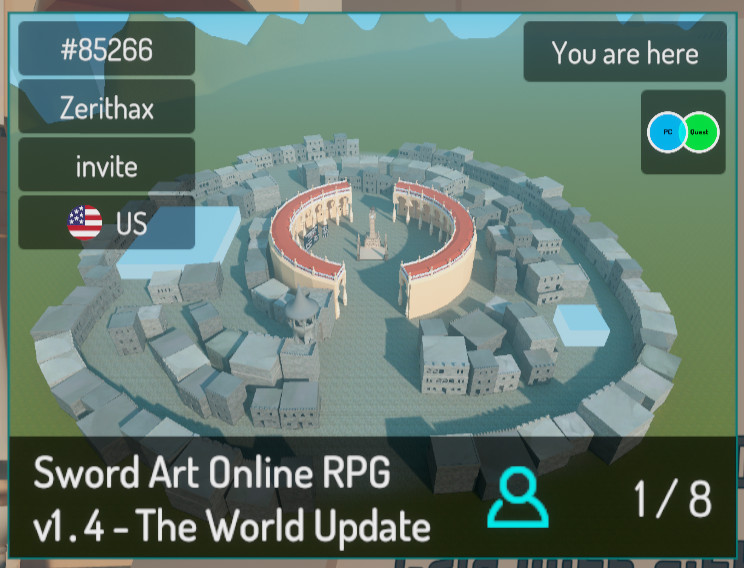 errant beacon
could def see how manual line splits would be useful there lol, cool though o:
frosty goblet
Yeah that's why I was asking 😛
bold ibex
can i texture my builds in blender before i put them in unity?
near escarp
yeah
simple bone
I wanna play a live stream from youtube into my world, but I don't want the video to be shown. Is there anyway I can just stream the audio to the world?
I see that I can use the video player prefab but how can i edit it so it only plays a certain url?
nvm lol i figured it out. there was a default url that i was too blind to see
bold ibex
hey, can someone help me with a udon script?
 nova locust
So this is the skybox

And this is the floor. Both use the same texture

I want to make the skybox look similar to the floor. Smaller and repeat. How do i do it? It seems that I can't adjust the size of the skybox
 tired igloo
is there a way to make join audio local?
like i still want it 2d
its just that i want people to hear the join audio only when they join themselves, not when the others join
 rancid barn
Looking for somone who can make a world for me. Someone who doesnt have a lot on their plate already
mild spade
tired igloo
is there a way to make join audio local?
like i still want it 2d
its just that i...
You could turn of the object that has the script after they join locally. OnPLayerJoin-Local--PLay sound then turn gameobject off
tired igloo
mild spade
You could turn of the object that has the script after they join locally. OnPLay...
when you say local do you mean get islocal?
mild spade
Oh you are talking udon
tired igloo
well yeah
is there an easier way to do it without udon?
mild spade
Could be with an animation. But i asked because this channel is mostly for SDK2 questions (not udon) And there is a channel for udon questions. There are many ways to have it play one time with udon when a player joins. You could have it (On PlayerJoin.. Play Sound, then set game object active to false (self) so it doesnt play again when someone else joins.
tired igloo
ah yeah that works
thanks
also why would people still use sdk 2?
didnt sdk3 come out ages ago?
i know a lot of people who still like using sdk 2 tho
mild spade
Many are not comfortable with the scripting language, sound scary for some.
tired igloo
lol yeah
in all honesty
most things run thru udon now which is great cause there are so many options
but its very complex
so yeah its understandable
sdk 2 is much easier
but u cant do as much without udons and stuff
mild spade
Yeah.. very limited compared with Udon. There are plenty of good tutorials for udon on youtube (and new ones added often) but many just dont bother for its complicity. Is still possible to do much with sdk2... but with so much workaround.
tired igloo
actually there arent that many youtube videos on udon lol
not many good ones at all
 scarlet geyser
is there any way to view a reflection probe through a set of goggles, or something besides looking behind you with a handheld mirror?

 heavy skiff
I started throwing shit together and called it a hobby.

 scarlet geyser
Why does the light bake waste all this space? A bunch of stuff in my world has low res lighting because of it
 dusk sapphire
check lightmap scale setting on each of the meshes, you can adjust them as necessary
scarlet geyser

that part in yellow is this top floor

I don't see anything in the preview taking up space in the lightmap
also, everything is set to this
 scarlet geyser
ok, I set the lightmaps to 2 ~ 5 as necessary. but my latest problem is that my leaves on this tree become invisible whenever they are marked as static (leaving them not static is not desirable because they remain dark)

I am using the nature tree leaves shader
 errant beacon
For the darkness issue, you might want to look into placing lightprobes around the tree where needed?
 desert flicker
Hi I have a question, I want to develop a 3D / VR world for a school project and would like to publish it online on VR chat, is this possible? last year I was working also on a VR world and I could not upload it because I needed permission from VR CHAT (but it took long before I could join so i never could load the world online).
 tardy ridge
Hi, I have a very strange question about this function here. As this is usually working fine but when a player used OVR Advanced Setting to drag him/her-self around, it seems this playerHead position is no longer representing the correct position, is there any better solution for tracking player's head position?

 coral magnet
tardy ridge
Hi, I have a very strange question about this function here. As this is usually ...
coral magnet
tardy ridge
Hi, I have a very strange question about this function here. As this is usually ...
You might want to use the player's head bone position instead. https://docs.vrchat.com/docs/player-positions#getboneposition
VRChat
Here are the nodes relating to Players' positions. For nodes that deal with forces relating to Players, see Player Forces GetPosition returns Vector3 in World SpaceGets the position of the Player. GetRotation returns Vector3 in World SpaceGets the rotation of the Player. GetBonePosition returns Vect...
It's less reliable, because it breaks if the player has no head bone - but you can try it and see if it work better for you.
tardy ridge
coral magnet
It's less reliable, because it breaks if the player has no head bone - but you c...
🤔 i found the reason, it's because player has no access to the tracking data to other players, therefore the value returned was not correct. I'm pretty sure the head bone won't work well as it's a title thing, it will be a bit hard to read for others if binding it to player's head bone. But I will try some other bones, I just need a relative position coordinate. Thanks for the tip.
coral magnet
sure! it really depends on what you're trying to do 🙂
 lyric acorn
tardy ridge
🤔 i found the reason, it's because player has no access to the tracking data to...
lyric acorn
tardy ridge
🤔 i found the reason, it's because player has no access to the tracking data to...
Could you object pool an object that each player updates its transform to their tracking position, and then you can read the transform of that object on other players ?
tardy ridge
lyric acorn
Could you object pool an object that each player updates its transform to their ...
That is a good point, i think it will work, but I feel it's a bit network bandwidth consuming, I just don't want to add any consistent variable synchronization just for positions of each player's title. Speaking of which, adding an vrcsync object component will probably work too.
rough abyss
could some one recommend a billboard shader that compatible with 2019.4.19f? I downloaded several online but they all had compile errors and did not work.
stone marsh
Just checking, is that a typo? We're using 2019.4.30f1
 frosty bone
First time i see massive script is removed or blocked by SDK. What is going on here and what can cause this huge script remove? In Unity all 100% good, but when i upload world, it goes wrong.
 lyric acorn
4.19 is used for face cam unity projects (vseeface/vrm) but not world development that I recall
frosty bone
world is not much different except just some new selfmade scripts for panel.
2 worlds of me are affected by the huge script-is-missing problem
its not really udon related, but seems sdk related problem
simple bone
please help and tell me what is happening
 near escarp
lightprobes
simple bone
why are the lightprobes appearing in the cube when i select it?
near escarp
because by default it's set to use them
green lagoon
to give a little more detail any Dynamic objects get their lighting off of the light probes
near escarp
You can disable it on the mesh renderer if it bothers you
 untold pewter
As a side note, you probably don't want probe spheres inside walls or other solid objects, can make avatars go really dark when near them
errant beacon
can also disable that under Gizmos, Light Probe Group iirc?
simple bone
yea i changed it up
 stone temple
i try to learn about making button to play youtube link when you click at the Album picture. where can i learn about it?
 stone temple
The only way i can think of is make multiple screen link with drifferent video link and show/hide other like mirror.. but i worry it will make world un optimized?
errant beacon
you'd likely make an UdonBehavior that feeds a string (containing the URL) into the video player, with those buttons
tardy ridge
Just an update for the getting player position issue, I think this would work just fine, but I'm not 100% sure, will do a bit more test with it lol.
            {
                playerHead = targetPlayer.GetTrackingData(VRCPlayerApi.TrackingDataType.Head);
                transform.position = playerHead.position + Vector3.up * 0.35f;
            }
            else
            {
                transform.position = targetPlayer.GetBonePosition(HumanBodyBones.Spine) + Vector3.up * 0.7f;
            }
 quiet charm
All attempts to search for this have failed and my troubleshooting has gotten me nowhere.
How can I force VRChat in VR mode when doing a "Build & Test" of my world. It's not been an issue in the past because poly counts were much lower but I really need to be able to verify VR performance this time before publishing the Update. Unchecking the "Force Non-VR mode" doesn't work. Having SteamVR running in the background doesn't work. No launch options for the executable seem to queue up the VR version, and even if it did I don't think I could make unity run that shortcut rather than the .EXE itself.
The SDK is up to date. Unity is 2019.4.30fl. Everything is newest (or latest supported rather)
 graceful quiver
Can anyone tell me WHERE the dang magical "edit/add terrain layers" button is? because its not showing up for me as it does on these youtube tutorials ... HALP
 graceful quiver
apparently this layers button being missing has been an issue since 2018.... i THINK i found a solution thanks to forums however
tardy ridge
Aren't those buttons in the terrain toolbox? I'm not very familiar with terrain system, I'm not sure.
pearl scarab
Anybody know anything about TMP files? I have scaled down a prefab that uses them immensely and now the font renders as blocks. Idk how to fix it
 mild spade
pearl scarab
Anybody know anything about TMP files? I have scaled down a prefab that uses the...
mild spade
pearl scarab
Anybody know anything about TMP files? I have scaled down a prefab that uses the...
What shader are you using for the text?
If you are using this one , Make sure the Z on the scale is not 0
 pearl scarab
Figured it out! Thanks!
 eager sleet
How do I make avatar toggles for my world? Is there a video? I don’t want to use pedestals
 raw siren
anyone know how to change default video in hangout video player
graceful quiver
Anyone know whats causing these lines in my terrain? They are there when i play test as well. (NOT THE GRID)

still shown while play testing here.. its frustrating
 near escarp
clamp the terrain textures ?
graceful quiver
near escarp
clamp the terrain textures ?
O.O im new to this.. how do i do that?
near escarp
Are you using your own textures or basic terrain stuff ?
graceful quiver
my own mostly.
graceful quiver
near escarp
Are you using your own textures or basic terrain stuff ?
wait.. why? also none of them have a white border.. or white lines, i checked
near escarp
Avatar textures don't really tile
graceful quiver
near escarp
Avatar textures don't really tile
Avatar textures????
 near escarp
Yes, the textures that you use on your avatars, they're not a repeating pattern
Those are, so clamp them in the texture settings
graceful quiver
I NEVER said anything about avatars lmao uuuh okay then..
Turns out nevermind i DID in fact have a dirt texture that had a small white bar on one side causing the issue. i still have zero clue what you mean about avatar textures ... when im using seamless terrain textures.. but i figured it out.
 cobalt wing
I'm having some weird issues with 2 worlds I build with SDK2. Please any help would be greatly appreciated. Thank you
Built*
I have some error codes
 unborn gale
Anyone having issues with their URL input field script for the video player?
Mine keeps spitting out a error message with "extension of native class"
Full console message is: VRCInputField Missing the class attribute 'ExtensionOfNativeClass'
near escarp
cobalt wing
I have some error codes
Screenshot of your unity window with the console open would help
cobalt wing
Assets\VRCSDK\Dependencies\VRChat\Editor\ControlPanel\VRCSdkControlPanelWorldBuilder.cs(604,29): error CS1660: Cannot convert lambda expression to type 'Dictionary<string, object>' because it is not a delegate type

 noble tartan
hi there, I asked a q in user support and they said better here, I have an issue with AVPro video where youtube videos play once but don't loop
eager sleet
Anyone know how to add avatar toggles in a world? I don’t want to add pedestals
 glad ferry
I honestly don't know where a question like this would go, so hopefully it's okay to ask it here since it's related to SDK2 Worlds. I used to use a prefab for an avatar vending machine that was customizable, and you could pick from a list of avatars that you added to the machine, and you would have a little mirror on it to look to see what the avatar looks like right away. I lost the original prefab file that I downloaded to a hard drive failure, and I couldn't find it online. Does anyone happen to have a link to that prefab?
near escarp
eager sleet
Anyone know how to add avatar toggles in a world? I don’t want to add pedestals
Pedestal is just what holds the interact function, just replace the pedestal mesh with a toggle button
near escarp
glad ferry
I honestly don't know where a question like this would go, so hopefully it's oka...
If nothing comes up by searching in discord directly, you might want to join the vrctraders server and ask there, they might know
glad ferry
Where would I check in this discord server?
bleak sparrow
HELP : Unity stuck at "Preparing Bake..." for nearly 6 hours, how to fix it ?
noble tartan
Hi, I have an issue with videos not looping with AVPro, is there a fix for this
bold ibex
I want to try making my first world for PC, but I have no idea where to start...
 cunning oyster
its actually really simple once you get the hang of it, there are some good tutorials on youtube
also
i entered another scene and thought i lost all my progress but apparently the scenes you edit autosave so i was able to get it back
almost had a heart attack
 halcyon depot
Does anyone have good water shaders they can recommend me? (Free please)
I need them to simulate ocean waves, so large areas would be amazing
short gulch
halcyon depot
Does anyone have good water shaders they can recommend me? (Free please)
I need ...
RED_SIM has a great one. There's links for the free version at the bottom of the post. https://www.patreon.com/posts/32252234
halcyon depot
short gulch
RED_SIM has a great one. There's links for the free version at the bottom of the...
Thanks!
short gulch
Np 👍
 bold ibex
Does anyone know why my post processing doesn't work at all in game? I set it up the same way I did on my other world and it works perfectly on my other world yet this one it doesn't work at all
I've ensured that everything is the same and checked so many times, I don't know what to do. Does 2019.4.30 do it differently?
I found out the issue
halcyon depot
anyone know what this Udon error means?

tried making a teleport object

nvm, redoing it worked kekw
halcyon depot
 dusty fiber
having the same issue by the way
dusty fiber
halcyon depot
having the same issue by the way
i don't know how to fix :c
I tried with the advice of the docs but nothing has changed
 rough wedge
Hi.
Am trying to setup a simple video player for synced background audio in a world.
Having an issue where the audio can't be heard. Video plays, can swap it to others also and see that the video plays visually, but no audio.
Am just using the basic pre-fab from the SDK so far, since I don't need any special features.
Anyone got an idea why this might be? (Yes, did check my world volume in game. ^ ^;)
bold ibex
anyone know how to make textures for worlds but simple... all the tutorials ive seen are really advanced. I just want to know how to make textures, and then how to apply them.
native cobalt
Is there an asset somewhere someone made to simulate underwater movement fx? Such as bubbles/wave distortions when a player moves?
 heavy tusk
Anyone know how the hologram stuff at the new years map / slyfest was done?
halcyon depot
I have no idea whats happening anymore
 eternal summit
anyone good with water plz send me a dm


can someone tell me why the water is not the same
as its in the unity menu
and it was ok the other day
plz who ever has expetice with water work plz help
near escarp
What water are you using
eternal summit
water 4
near escarp
where is that from ?
eternal summit
anything?
frosty goblet
Hey all, I’ve been hearing avatar volume come through world volume when the avatar is in my world, and it seems like any sound effects from avatars or objects in the world that get cut off part way through playing end up repeating the last split second of that sound over and over again constantly until you re-join the world...
Is there some sort of audio setting or some thing I need to change in order to make sounds stop doing this in my world?
pearl scarab
I currently am trying to set up a tablet spawn point to be able to teleport the GameObject to different locations. These are the pieces I've put together, but Get Transform is expecting an instance and not the original. What's the alternative?
 mild spade
pearl scarab
I currently am trying to set up a tablet spawn point to be able to teleport the ...
mild spade
pearl scarab
I currently am trying to set up a tablet spawn point to be able to teleport the ...
What do you mean by "the original" Are you not able to connect the pink nodes to the get transform? Or is that not what you intend to do?
pearl scarab
@mild spade Well they weren't connecting but now they are. However, the tablet does not spawn at the location of the TabletSpawn. Idk where it's spawning
cobalt wing
does anyone know how to fix this ? CS1600
Assets\VRCSDK\Dependencies\VRChat\Editor\ControlPanel\VRCSdkControlPanelWorldBuilder.cs(604,29): error CS1660: Cannot convert lambda expression to type 'Dictionary<string, object>' because it is not a delegate type
 mild spade
Ah ok, I thought it was something to do with SetLocalPosition instead of SetPosition. You would need to set its rotation as well.
There is a node that does both, position and rotation. But it is in world space..
 pearl scarab
Thanks for the advice!
 faint geyser
i need help i cant do bulid and test and upload to vrchat
the console dose nothing
i can do that on avatars but not on worlds
if you know how to fix this pls DM me or @ me
pearl scarab
Anybody know of a good working fireplace prefab?
rough abyss
how to render a world gameobject before player avatar? I already set my gameobject render quene to 5000 but it still get blocked by avatar


 halcyon depot
does any1 know what these errors mean? My Builder won't load up and I cant publish my world
 halcyon depot
Whenever I log into my VRCSDK the next time I press Play (even when building the world) it legitimately just doesn't save my info and it tells me the Account I logged in with doesnt have access to the Pipeline Manager ID.
 near escarp
halcyon depot
Whenever I log into my VRCSDK the next time I press Play (even when building the...
near escarp
halcyon depot
Whenever I log into my VRCSDK the next time I press Play (even when building the...
If you contact the #vrchat-support they can fix that for you
halcyon depot
near escarp
If you contact the <#372142854430261258> they can fix that for you
making a new project and painstakingly recreating everything (frick me) worked.
thanks though
i think the SDK was broken from the beginning
faint geyser
i need help i cant do bulid and test and upload to vrchat
the console dose nothing
i can do that on avatars but not on worlds
if you know how to fix this pls DM me or @ me
 deft geode
how can i remove 25 easy mb of my world so its optimaizable for quest
 rancid gorge
Is it hard to create worlds? I have medium amount of experience with unity and blender and c#
short gulch
Nope, making worlds is pretty easy once you get the hang of it
errant beacon
deft geode
how can i remove 25 easy mb of my world so its optimaizable for quest
Reduce texture sizes, compress audio way down, etc: https://docs.unity3d.com/2019.3/Documentation/Manual/ReducingFilesize.html
Crunch compression is vv helpful, but note that the texture will still take it's full size in memory. i.e a 5mb texture crunched down will still take 5mb in VRAM
errant beacon
rancid gorge
Is it hard to create worlds? I have medium amount of experience with unity and b...
not very imo! there's lots of tutorials out there and lots of helpful stuff in the pins here too c:
would v much recommend VowganVR's tutorials, along with Silent's postprocessing wiki, and Xiexe's tutorial on baked lighting - note that you should use the Progressive lightmapper now though instead of Enlighten, and you should generate lightmap UVs for your meshes. Also on the postprocessing wiki, you shouldn't need to downgrade postprocessing versions now, afaik
 dim veldt
Can someone tell me what this button does? In the OTM avatars Udon world.
 desert python
dim veldt
Can someone tell me what this button does? In the OTM avatars Udon world.
desert python
dim veldt
Can someone tell me what this button does? In the OTM avatars Udon world.
loop
dim veldt
Really? I thought it was smth else
The button on the left side of it is resync ik that
desert python
it could also be the sync button. but since the ui image is missing. icr