#world-development
39 messages · Page 76 of 1
 gray sleet
 errant beacon
lmao you're fine - as darksister said though, def make it affect the local user only
gray sleet
how do i ensure that. double checking
in the post processing volume section i just uncheck "Is global" dont I
errant beacon
don't know specifically what that does, but I mean keep the post processing volume gameobject disabled by default, and then have a button that enables it for the local user only
OnInteract > Local
gray sleet
switch with Oninteract - local

 cerulean echo
if you use global it work for all the world if you uncheck it you need to set up a colider with is a trigger to get aeria effeckt only
i would say on yor small world global is good
errant beacon
Set this to Local
 gray sleet
o: wait i can make it so only a certain area gets darker? ohhh do tell.
gray sleet
errant beacon
Set this to Local
yep. did dat. haha.
errant beacon
kk - also kinda but not really
gray sleet
cerulean echo
if you use global it work for all the world if you uncheck it you need to set u...
so whats this "Is global" button do exactly?
 errant beacon
afaik with post processing you can't make just a certain part of the word darker, but you can make the post processing only happen to players within the post processing volume if I'm understanding it correctly
gray sleet
ok. So i got all that set up.
so were you saying there is a way to enable an "area" so when a user is in that area the screen effect is active?
cerulean echo
if you need only in one aeria you schould uncheck and set a colider up that istrigger so wen you go inside ther it work
wen you go outside it close
i would set isglobal and make a toggle button
gray sleet
cerulean echo
like i say it gona work on all yor world
1st off. im lost for when you say that the thing works for the whole world. or do you mean all players. not just the one using it?
gray sleet
yeah ok. got it.
so the button is local. and Post Processing has "Is global" off.
Now. the question is. if i can make it so when a user presses a button, the post processing is then turned on in that area. but only for that area and if the user leaves then the effects are turned off
cerulean echo
the global is only to effeckt all the world.like exapel if you wand in one corner i dont know black white schreen and on ther ather side like colors you coult use it none global to get aeria effeckt wen i player enter that earia so he go left color he go right black white screen or what ever you like
errant beacon
gray sleet
Now. the question is. if i can make it so when a user presses a button, the post...
yes afaik - would probably make that button enable a trigger collider which enables the post processing volume while you're in it, and disables it once you leave, all only affecting the local user o:
gray sleet
side note: what does afaik mean
errant beacon
as far as I know
gray sleet
ahh ok
cerulean echo
yea but he got small world make no sence to make it none global
ok he coult make one side difrent effeckt but i dont know would that look good xD
gray sleet
yep already got it working. lol
Light switch toggles post processing on, it has a large collider box around the area i want it to effect. it has "Is trigger" on. So now people can be in the area and see the effects of lights dimming. but if they leave the area, that effects goes away.
this seems to work nicely for small areas with teleporters. But may not look so good with larger areas
errant beacon
cool! c:
cerulean echo
what ever you like 👍
gray sleet
a few of my room. uwu
 errant beacon
looks pretty good! c:
gray sleet
ty. ❤️
gray sleet
cerulean echo
what ever you like 👍
not sure how to take that. 90% of your english was worse then mine so it was hard to follow
cerulean echo
yea not expert on english or good xD
gray sleet
oh. well if you were trying then no worries.
felt like you were angry or something at first.
cerulean echo
the what ever you like mean make what you wand to do its yor map.but i like it how it look now
no xD angry why xD
ok my english is shiter then a thinket xD
gray sleet
thank you.
probs the tone i was reading it in, too much on my mind rn
cerulean echo
maybe i should set a smile evry time i comment samthink 😛
 short forum
Ok so I am not sure on how to fix this. I am thinking the world is just too big? But ive uploaded worlds bigger than 180MB before.... I thought maybe the world name had too many characters so I shortened it, but it still wont upload. This is for PC and not for quest so I know PCs shouldnt have a file limit, unless I am unaware that they put one in. Any thoughts from anyone?

One thing to point out is that the Windows and Android support in the sdk report Yes, which is odd since this is the first time I am uploading this world at all...
It also Builds and Tests just fine
 idle jolt
What is the prefab used in the Aglet Quest and that Star Wars world called fly project? I’m trying to make a world with flying vehicles.
 wild schooner
Question can i make it close to the fist ?
its a pickup object
 short forum
Disregard my question. Future proofing is somehow still a default check option under the settings which I thought got removed a year ago.
 velvet pebble
Im having a problem where whenever I test or even publish an update to my world it loads then immediately crashes and loads the previous version of the world.
 near escarp

GitHub
Unity Editor extension for making VRChat worlds. Contribute to oneVR/VRWorldToolkit development by creating an account on GitHub.
 languid salmon
for creating worlds does it matter if i import the avatar or world sdk first?
near escarp
Why do you need to import the avatar sdk in your world project ?
 languid salmon
so any idea why build and test doesnt launch anything? i have the vrchat.exe selected in settings
normal build and publish does work
according to vrworldtoolkit. after ive clicked build and test. it says the last build is still from yesterday (which was when i had build and published)
near escarp
Do you have errors in your console ?
languid salmon
nope doesnt show anything
the only thing that gets logged is that udonsharp has compiled some scripts
a friend of mine who just started making his own world has the same issue. he doesnt have the udon sharp thing so for him it litterally doesnt output anything to the console
near escarp
Was that after you added the avatar sdk into your world sdk ?
languid salmon
yeah we both did first world then avatar sdk
near escarp
Why do you need to do that if you don't mind me asking
languid salmon
languid salmon
im not sure, it said here that it was needed if i wanted to use stations?
thats a snippet from the choosing your sdk on the documentation
near escarp
Ok, we need to update the documentation, because that breaks stuff, you only technically need one of the station script
languid salmon
oh i see, so how can i fix this?
near escarp
Delete the SDK and delete the scripting define symbols from the project settings (only the vrchat ones) and then reimport SDK3 world ?
languid salmon
deleting the sdk is just deleting the sdk folder i assume while unity is closed? how do i delete the scripting define symbols?
near escarp
save your project, make a new scene, delete the above, restart unity, import sdk3 world, reopen your scene

ignore the bottom, but it's the same steps
near escarp
languid salmon
deleting the sdk is just deleting the sdk folder i assume while unity is closed?...
and corresponding meta files
languid salmon
got it, will try that now
do i need to delete the udon folders or anything else aswell?
 near escarp
I'm unsure but i don't think so
near escarp
what are they ?
languid salmon
stuff about udonsharp it looks like
near escarp
click reimport on the folder ?
languid salmon
hmm nope still there

and besides that, i dont have the control panel in here

i reverted the changes i had made with my source control, is there a way i can setup a new project and import my scene into there?
near escarp
We've now reached the extent of my knowledge with errors in udon projects, would suggest you ask in here for help https://discord.gg/UvfpGZSp
(Merlin's server ^)
languid salmon
i will ask around in there aswell. thanks for your help anyway.
so basically the documentation is outdated about the worlds and avatar sdk?
near escarp
It's outdated about this specific issue on stations for SDK3, really we should just have that already in world SDK3 so i'll make a task for it tomorrow
languid salmon
glad i could help find an issue
languid salmon
alright, i had setup a new project, imported all the things i needed. then exported just my scene and imported it into to the new project. its working now so it does indeed appear to have been because of the avatar sdk
 wraith rapids
i've submitted a world to the labs once. if i unpublish and republish the world, will it show up again in community labs?
or do i need to submit it under a new world id to get it to show up as new in community labs?
short forum
wraith rapids
i've submitted a world to the labs once. if i unpublish and republish the world,...
Im actually unsure. Ive never needed to unpublish a world before. I dont think it would matter since the ID remains the same, but i could be wrong.
 bleak fiber
ey guys where can I get a water shader for my pacific rim map?
i cant find any
i youtubed and cant find any
 dusk sapphire

GitLab
Simple water shader for Unity/VRchat that (ab)uses some Unity features to get a pretty water surface.
bleak fiber
tysm
 bold ibex
How can you create a working door, where clicking on it will cause it to swing open (or just switch from closed to open), and then click again to close? Literally 0 tutorials online. @ if reply, please.
 desert python
@bold ibex sdk2 or 3?
bold ibex
SDK 2
desert python
set up an animation for the door to open and close and set a trigger to trigger those animations. (dont quote me as i use sdk 3)
bold ibex
How would I set a trigger for the door for clicking on it?
desert python
vrc trigger component i think
id assume theres components for that in sdk 2 but im not really sure
bold ibex
There only seems to be an editor script for triggers.
cerulean echo
@bold ibex you need an oninteract then animationbool then what you need if you got the open animation on true do it on true if you have the ather on false the close set it to false you would need 2 buttons .you could also use the same button like 2 interact on same button and use the close on delay to close after sec ther you would use only one button
 summer zealot

would anyone be able to help me? My build & test function isn't launching and I am trying to figure out why
 calm plinth
My world upload has just been saying this for over an hour, Should I cancel it?
 bold ibex
I'm trying to change the color of just the selected sphere but when I change it from green to something else it changes both spheres, even though they're separate GameObject's. Anything I'm missing? https://i.gyazo.com/745950d8979c94c18c415d04fed6c650.png
 desert python
what is your set up? is it sdk 2 or 3?
 thick gale
bold ibex
I'm trying to change the color of just the selected sphere but when I change it ...
thick gale
bold ibex
I'm trying to change the color of just the selected sphere but when I change it ...
Ive had that happen ..when I clone an object make new object .worked for me
bold ibex
thick gale
Ive had that happen ..when I clone an object make new object .worked for me
I tried Duplicate but same result. And it's sdk3
desert python
wait... are you talking about the material color?
thick gale
When he sets the material color for the object it changes it for all cloned duplicated objects sdk3 world it happens to me dont clone or duplicate it make new object thats what I had ti do
dusk sapphire
bold ibex
I'm trying to change the color of just the selected sphere but when I change it ...
you need to make seperate materials for each sphere
desert python
you need a different material
thick gale
Im prob not much help sorry still new .i. Still trying figure out why my pickups disapear when I move em lol
languid salmon
hey can anyone help me with this shader issue? i cant seem to find answers online anywhere
i have this asset with a custom shader that makes planets look like this in unity

however when i build and test it, it looks like this in vrchat https://cdn.discordapp.com/attachments/789115815038943283/839544649194668052/unknown.png

any idea how i can fix this?
desert python
how many real time lights are present?
languid salmon
none
but im pretty sure the shader this thing has should take care of lighting. as it actually has its own fake "light source direction" property
desert python
what is this shader? is compatible?
languid salmon
and also, if i hit play in unity it does work
languid salmon
desert python
what is this shader? is compatible?
how do i check if its compatible? dont people make custom shaders for vrchat all the time?
this is the shader
 desert python
theres certain types of shaders that will not appear in game. or if the shader is ment for a newer build of unity. thatll also make it look like its been falled back
i have never seen that shader before so that might be the case. im not 100% sure what you should do from here since that asset is obviously designed for that shader
are you testing this on a quest by any chance? or is this all pc screenshots
languid salmon
all pc
how would i know what type of shader this is? and if vrchat allows it? ive never really done anything with shaders
short forum
calm plinth
My world upload has just been saying this for over an hour, Should I cancel it?
Had this issue yesterday. Check the console for an error related to "size is way too big" if you see this, go to your sdk control panel and go to settings and uncheck "Future proofing". This should fix that issue.
dusk sapphire
languid salmon
this is the shader
does this asset rely on any other scripts to function or is it just a shader?
languid salmon
desert python
<@!185481013915418624> id ask in <#534472629013315606> and see if anyone there k...
thanks, ill ask in there in a bit
languid salmon
dusk sapphire
does this asset rely on any other scripts to function or is it just a shader?
it has a script to set the "light" direction. but even if that script isnt present it works in play mode in unity itself
calm plinth
short forum
Had this issue yesterday. Check the console for an error related to "size is way...
How big is too big?
Future proofing is off
short forum
calm plinth
How big is too big?
Future proofing is off
🤔 The console will read out "Error: Failed to create file version record. That file is much too big" All I did to get rid of this error was remove future proofing and I guess it doesn't hurt to also detach the blueprint ID if this is a new world you are uploading
calm plinth
short forum
🤔 The console will read out "Error: Failed to create file version record. That ...
Crunching all textures now to see what happens, hopefully it works after that 
gray sleet
what way does the area light point.
do you have the versions installed? if your making it on quest then i bet you have the android version installed. try to install the windows standalone
desert python
on mac. you have to download windows-pc standalone for it as itll default to downloading mobile support (such as android=quest)
ummm. you should be able to install that build with the version you have. i just cant remember what the exact way you have to do it for macs
gray sleet
im still new too. so dont expect too much
desert python
welcome to world building. one of the most advanced/confusing skills youll ever have
id say its either or. some people are better at avatars than worlds
oh no, thats a normal reaction to having unity open
 short gulch
It definitely helps if you have experience with other mapping tools in the past. Before VRC I used to make a lot of source engine maps
desert python
dang youre starting early-early lol
short gulch
That's probably about the age I started with mapping, I'm 26 now lol
You'll catch on
gray sleet
desert python
i started octoberish
do you know what direction area lights point? im not sure if they are facing the right direction
desert python
@gray sleet points are all directions
idle jolt
What is the prefab used in the Aglet Quest and that Star Wars world called fly project? I’m trying to make a world with flying vehicles.
desert python
spots are cones on a 90 degree on x axis
short gulch
Starting with something you really care about is a great way to learn and stay interested. That's how I got into VRC, porting content from All Points Bulletin.
gray sleet
desert python
<@!269668407211851776> points are all directions
i know point lights. I said area lights. :p
desert python
@idle jolt whos the map creator?
ohhhh
um.... i think downwards right? i havent used area lights in sooooo long
gray sleet
down... so they follow the blue arrows?
idle jolt
desert python
<@!239525493030780928> whos the map creator?
I know their usernames from VRChat, but not for discord
desert python
area lights should have an arrow as to where itl bake iirc
tell me their vrc
i think i may know what youre talking about
gray sleet
desert python
i think i may know what youre talking about
here is just what im lookin at
 idle jolt
Let me find the worlds real quick
Aglet is by xNilex, Project fly is by Tom 1810
I did find a spaceship prefab, but I don’t know if it’s the same one
desert python
Im not sure then sorry. i can think of maybe 1 flying vehicle prefab but its for udon and i can’t remember where its from to even find it
idle jolt
Sacchan’s jet prefab?
desert python
is that what im thinking of? i thought it was called something else
idle jolt
I tried that, but honestly it’s more complicated then trying to explain the story of fnaf
calm plinth
How large is a world allowed to be?
I've seen "PC is unlimited" but my world would be around 4GB but it fails in Unity with "Too large size"
near escarp
Why would your world be that size ?
 random owl
Asset bundles are limited to 4 gb by unity so that would be understandable to happen
calm plinth
random owl
Asset bundles are limited to 4 gb by unity so that would be understandable to ha...
I see so world limit is 4gb then I guess?
 digital widget
Me audio isn’t working for some reason it happened with the previous world me made is there a way to fix it to play automatically when someone joins the world?
random owl
Changing that won't change anything for your world in app as that's controller by the "master" build, vrchats settings depending on what people have selected and are listed in #development-advanced pins
wild schooner
So i'm following that tutorial and the animation work when i click on the square of animator, but no matter what triger i use it doesnt open even if i do the same thing as him. In the comment of the video someone said to change something if you use Probuilder wich i did use but i dont know what he ment
https://www.youtube.com/watch?v=A70dtbfZeK0&list=PLIoLQ-8wanr9jQWDUIs_2zshaDD_Lg-9R&index=2&ab_channel=CyanLaser (that the tutorial)

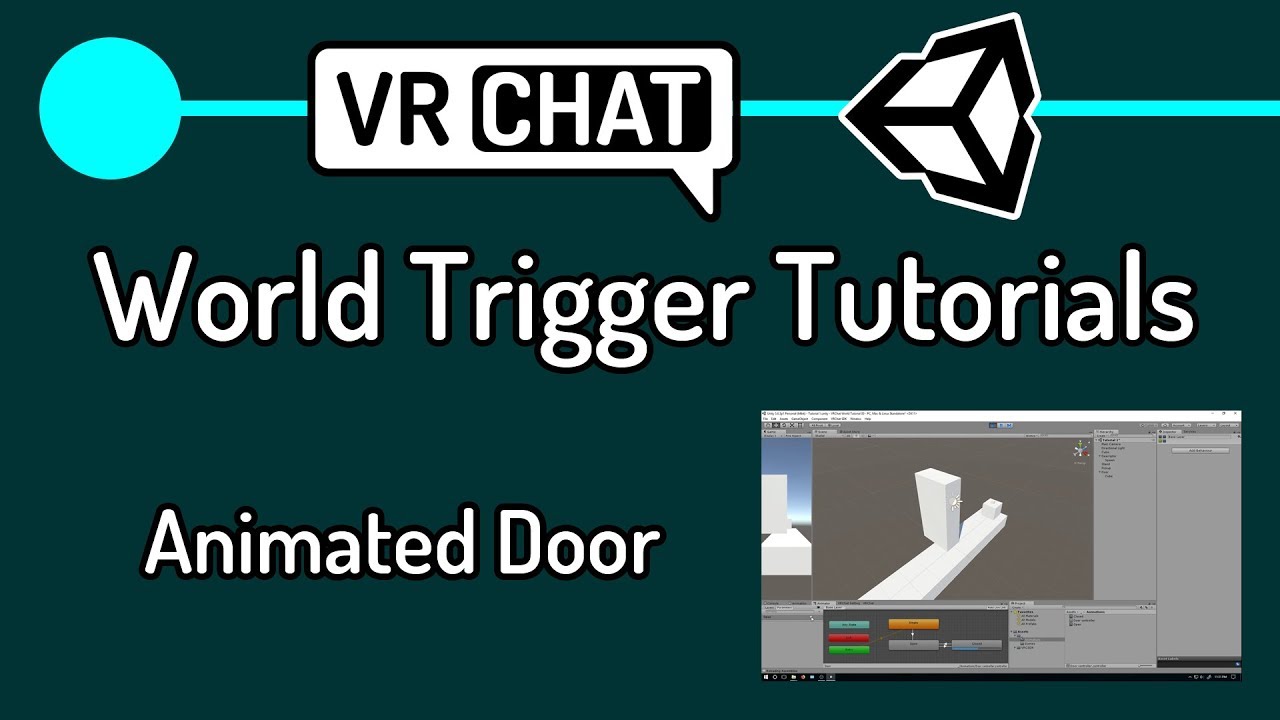
First actual tutorial on VRChat triggers. Goes over creating an object to act as a door, animating the object, adding triggers to make the object open on player enter area, and close on player leaving area.
In the next tutorial, I will go over how to make a lockable door and show how to use an object to unlock it, similar to how my world "Lab E...
gray sleet
when in the world my avatarszx appear very dark
 upper orchid
I have a box collider that I use to trigger something when a user enters it, it's a really large collider and that is also on top of some intractable buttons. In VR those buttons aren't interactable when the collider is enabled. Is there a way to make it so that the collider doesn't affect interactions?
gray sleet
also, is there a way to disconnect these probes from other probes in the world?
this is a different area so why are they connected?
another note. Should I turn places off untill a user goes there?
 gray sleet
So,
- Should to turn off areas a player leaves and turn on places a player enters?
- Why are the light probes connecting to other probe groups far away?
- Why are characters very dark?
no idea. i i dont think iv even seen that bed in the asset store. it might be a bought prefab
mm not sure for that exact one. But there is a very simular one on the 2nd page of paid assets i see right now

 primal sinew
Can i ask a question
New at making worlds and just wondering is you can soundproof rooms
gray sleet
i got NO idea XD
only thing I know to manage sound distance is to mess with the sound source and manage its drop off
thick gale
gray sleet
bed looks comfy
gray sleet
ty. ❤️
anyways. still looking for some advanced help.
- Should to turn off areas a player leaves and turn on places a player enters? Or do they need to be completely separate scenes? If so, please show me how ot manage that.
- Why are the light probes connecting to other probe groups far away?
- Why are characters very dark?
primal sinew
@gray sleet thanks for the advise
gray sleet
dang. with there was someone i could ping to help me out XD
wraith rapids
short forum
Im actually unsure. Ive never needed to unpublish a world before. I dont think i...
i just tried it - unpublishing and republishing a world DOES put it back into the community labs list
 muted kayak
is there a way to change/remove the distance in which textures in my world start to go lower quality?
like here you can see where the textures start to get lower in quality and cause these ugly lines in the mesh to form
 near escarp
that can be built through Udon, but not by default
you could rely on portals that way, but there's not yet a way to get that information out and back, as in, a world can't know which world you're coming from so you can't use that to build your world around it
but i believe it's planned
I agree, on top of Udon world persistence it'll be a wonderful tool for world makers
 ancient badge
complete beginner here.
I have a collection of Strings. One of that strings should be displayed as Text somewhere and if you press a button, the next String should be displayed.
I've seen the Button Tutorial, but where do I save the strings? How do I fill that Text Element with a variable? Do I have to sync it for multiple users? I still have so many questions
gray sleet
anyone able to assist me with some issues. please ping me if so
short forum
ancient badge
complete beginner here.
I have a collection of Strings. One of that strings shou...
If these sets of strings are constant meaning never changing, you can create UI text and make the ones you dont want inactive and have the buttons send a custom event to activate the objects. If they are based on user input, you need to create a variable and have the user input data and have the variable set to whatever the user sent. Then apply the text to the UI as the variable. All assuming you are using Udon.
short forum
gray sleet
anyone able to assist me with some issues. please ping me if so
What are those issue?
gray sleet
short forum
What are those issue?
iv been helped for the most part.
two of thoes were really just questions I had, and the third one. im working on now
ancient badge
short forum
If these sets of strings are constant meaning never changing, you can create UI ...
multiple inactive Text is an interesting approach. My try was a private String Array but I struggled with Then apply the text to the UI as the variable.
What else than Udon could I use?
short forum
Well for example ive used things like main menus before and made buttons made other things active or inactive. Super easy way of approaching it as SDK2 you can just make objects inactive super easy. But without udon, i dont know of a way to set a UI a certain string. I know there is a way, but unsure.
Usually you would want to set a variable to your UI text and pull the component, Text. Then set variable.text = <string>
 chilly portal
hey quick dumb question, i made objects pickupable, how can i make them equippable now as well, like it is in the VRC Hub?
desert python
are you sdk 2 or 3?
chilly portal
SDK2
desert python
sdk2 doesnt allow it. youd need to be able to attach things to peoples bones and change parenting of objects at will
chilly portal
ah damn, okay
short forum
No you can do it on SDK2, its under the pickup component i believe. Exact gun or pickup position. Tie it to an empty gameobject. When you pick it up, itll be in that position and cannot be rotated. Also equipable will prevent the object to be let go unless you push the grab button again @chilly portal
gray sleet
anyone know how to have two video players in a world?
One would be the main and the other would just show the video and sound. But you would also be able to turn it on / off and change sound
desert python
chilly portal
hey quick dumb question, i made objects pickupable, how can i make them equippab...
oh like a gun?
@gray sleet sdk2 or 3?
gray sleet
desert python
<@!269668407211851776> sdk2 or 3?
sdk2.
I kinda have it set up but the screens / video dont sync or are playing different parts of the video
desert python
um. what videoplayer are you using? thats an odd behaviour if you want them synced
gray sleet
desert python
um. what videoplayer are you using? thats an odd behaviour if you want them sync...
HangoutPlayer -All Version
desert python
hmm... if you duplicate the videoplayer in scene. they should both play the same thing
whay did you do?
gray sleet
desert python
whay did you do?
exactly that. lol. Duplicated the video player. only thing different is i scaled one down and moved it.
desert python
hmm.... im actually at a lose then. they should sync perfectly with eachother by default(at least when i used that videoplayer). maybe it was a fluke?
gray sleet
desert python
hmm.... im actually at a lose then. they should sync perfectly with eachother by...
happens each time i try it. im being told by another person to turn ons audio and screen off when the other is turned on.
desert python
yea im sorry. not sure why thatd be the case. id wait for someone who knows sdk2 better who might have a better answer
short forum
I might of thought of a work around. Try this. Have only one URL entry for users to use, then have it send a custom event. Use said custom event for BOTH video players and in theory should both sync.
chilly portal
hey me again, how do i add a spawn sound, like the bell you hear on some worlds?
short forum
chilly portal
hey me again, how do i add a spawn sound, like the bell you hear on some worlds?
Under the vrc trigger component, there should be an option for OnPlayerJoin.
chilly portal
i did it like this but the audio doesnt play
 desert python
is that an audio source or an audio file?
 gray sleet
desert python
is that an audio source or an audio file?
gray sleet
desert python
is that an audio source or an audio file?
i may still have some video issues.
or do you know a better video player prefad i should use
desert python
the 1 you have is like the most standard/best i can think of for sdk2
could try aditab?
or iwashisync
gray sleet
desert python
the 1 you have is like the most standard/best i can think of for sdk2
dm me links to them?
short forum
chilly portal
<@!194245779718799361> any more help?
You could do this. Hide the audio source on play, then show it and set to play on wake. Then have another trigger set to a 2 second delay to rehide it. That could help out?
chilly portal
but its not even playing as is, its hidden by default, unhides with the on join and doesnt loop, and unbuffered so every time it is actiavtes it plays only once
gray sleet
damn.
iwashisync or aditab
ill look around
short forum
chilly portal
but its not even playing as is, its hidden by default, unhides with the on join ...
Make sure the audio source has Play on Wake on
desert python
i bet someone has iwashi sync on command
chilly portal
short forum
Make sure the audio source has Play on Wake on
it has, if i toggle it in unity it works like a charm as well
chilly portal
uhhhh, needs to be on the source or the world?
short forum
The audio source
chilly portal
added it, lets try again
short forum
Just type "spatial"
chilly portal
thats still a fat no, still no working audio
short forum
Hmmmmm
I think im out of ideas. Im not at my pc at the moment or id help troubleshoot this issue. Sorry man.
chilly portal
just @ me when you are able too 🙂 would help loads
short forum
Wont be for like 4 hours lol. But if no one here knows, then id be sure to help
gray sleet
wait are you sure these are the names of the video players?
or their creators?
iwashisync or aditab
im checking out a prefab document rn
gray sleet
desert python
i bet someone has iwashi sync on command
on the document there is one called: ahzkwid video player
do you know what one?
sorry for annoyance btw
 mild spade
chilly portal
audio source
mild spade
chilly portal
audio source
I think I found the problem.
1.Make sure the audio source is enabled all the time, otherwise the audio will not play on joined.
2.You should disable "play on awake" so it doesnt play 2 times when the player enters your world (one from the "play on awake" and one from the OnPlayerJoined
3. You should put the buffer type to "Local" so it only plays one time when any player joins, instead of playing once for every player in the instance that is already there for everyone else (4 players in the world = 4 sounds)
desert python
awzkwid player is something different but you can also try out tht bideoplayer
chilly portal
doesnt local change it to only play for the joiner?
mild spade
Yes, but everyone will play it for themselves. Each person will register when a player joins locally, so you dont need to broadcast that.
chilly portal
but i do want everyone to hear it once when someone joins, as like a notification that more people are there now
also i tried it with the settings you said, it still doesnt work
mild spade
For example, if you and i are both in the world, and someone else joins, as soon as they join I will trigger the "onPlayerJoin" trigger, but you will also trigger it. That means the sound will play one time for me, but since you also buffer it to me, I will hear your trigger also, so I will hear it two times. The more players there are, the more times it will play.
mild spade
chilly portal
also i tried it with the settings you said, it still doesnt work
Hmm, how big is the audio source (as of size in the world)? and how far it is from spawn? Could be an issue with the audio file also
chilly portal
its on spawn and its 2 seconds long and like 3mb
ond audio reach is between 20 and 100
 gray sleet
Is it possible to convert a world to sdk3?
or possible to use udon / sdk3 prefabs in an sdk2 world?
mild spade
chilly portal
ond audio reach is between 20 and 100
Does it have a "vrc spatial audio source"? I am not sure if this is needed for 2D audio (like you have yours)
desert python
you can convert to sdk3. but it may be a bit hard depending on what your sdk2 world has
chilly portal
i have, i also forgot to make it 3d, good eyes
desert python
theres also no easy way to make sdk3 stuff work on sdk2 either
they are vastly different
gray sleet
desert python
theres also no easy way to make sdk3 stuff work on sdk2 either
damn. mainly wondering cuz in this document with prebafs. there is a udon tv prebaf that says it supports multiple screens and audios and it all syncs
chilly portal
3d audio did it, thanks @mild spade
mild spade
good to know!
desert python
yea... udon videoplayers are usually a lot more nicer and simpler imo. but the triggers and of that that youre used to sdk2 will be gone and may feel very complicated in comparison
its youre call to attempts sdk3 imo. its just they are very different from each other
gray sleet
desert python
yea... udon videoplayers are usually a lot more nicer and simpler imo. but the t...
ill try tweeking this sdk2 videp player.
i might make a copy of this world and update the copy to sdk3.
to do that what do i do
desert python
uhhh. i feel like there was a secret plugin somewhere that helps with switching sdks... id just check youtube and see how they do it
short forum
Omg i tried doing a video player with sdk2... Soooo many triggers
desert python
oh god dont remind me. some of those videoplayers rival my udon tablet prefab lol
short forum
Or even worse is when i tried making enemy ai and failed miserably because i didnt know nav meshes
 fringe wren
For some reason when I go to test my world, nothing has changed since the last upload even though I changed a lot
Like I changed the music playing but its still the old one
I have tried deleting the previous world and uploading a new one
And I have tried reinstalling the sdk several times
 teal willow
I'm try to update my world on the VRChat servers, but when I compile the VRChat SDK just says "Unity Application is running..." and never brings up the upload page or pushes any of the changes. I check the logs and I'm not seeing any errors. Please help.
short forum
fringe wren
For some reason when I go to test my world, nothing has changed since the last u...
Check for any Console errors
teal willow
anyone know what might be happening with my upload?
desert python
so theres no upload screen in the game scene?
teal willow
yeah, when I press build and upload....it just starts building then stalls out on the Unity Application is Running and never shows the upload screen
The console isn't kicking out any errors
so I'm stuck
I made some baked lighting changes and that's pretty much it
I can build and test just fine, I just can't upload
teal willow
Nope, it's not black when I build. I was getting a multiple audio source issue initially....but I resolved it. I can build and test locally just fine, i just can't seem to get the upload screen to appear
desert python
go to the game scene right now and tell me what you see
teal willow
bare with me, I'm a noob. 🙂 Do you mean my Main Camera in my scene?
desert python
uhhh. i can’t remember what its called but its literally the game previewer youre usually sent to when building and pub
im like 90% its called game
 desert python
thats your scene i think. im talking about the tab
and could you take expanded screenshots?
you may want to import the vrworldtoolkit
 short forum
Well those errors could cause the builder to not build properly. You can sort to show only errors. Try hitting play in unity. It probably wont play the scene properly and give you some errors
fringe wren
It plays the scene just find though
short forum
🤔
teal willow
My game preview is focused on the stage.
 near escarp
teal willow
Nope, it's not black when I build. I was getting a multiple audio source issue ...
near escarp
teal willow
Nope, it's not black when I build. I was getting a multiple audio source issue ...
GitHub
Unity Editor extension for making VRChat worlds. Contribute to oneVR/VRWorldToolkit development by creating an account on GitHub.
short forum
^ get that @fringe wren
fringe wren
Why though? I mean it uploads just fine, its just when I go into the game nothing has changed
teal willow
ty I'll look into this
random owl
fringe wren
Why though? I mean it uploads just fine, its just when I go into the game nothin...
The guide linked above explains how to fix your problem
Or actually with those errors 🤔
fringe wren
Nope the errors I have that guide says they are normal
random owl
https://github.com/oneVR/VRWorldToolkit/releases
Import this and check VRWorld Toolkit > World Debugger then and see what it says or even post a screenshot here
GitHub
Unity Editor extension for making VRChat worlds. Contribute to oneVR/VRWorldToolkit development by creating an account on GitHub.
 random owl
Can you show what the world debugger shows?
fringe wren
interesting it deleted itself
random owl
That sounds like you have some errors happening if you check your console?
teal willow
I just wanted to say thank to everyone who helped. The console was throwing an error I was missing. My issue, seems resolved. Ty again
fringe wren

 fringe wren
I never added sdk3 though
I did add a newer version of sdk2 though
I'll check it out anyway
 fast oriole
is it best to use SDK2 or 3
desert python
3 since its newer and less restrictive. or 2 for very simple triggers. i recommend 3 tho
errant beacon
imo SDK3 for new projects, SDK2 if you're working on an older project that's already SDK2
also with CyanTriggers coming out in the future, a similar trigger system'll be in SDK3 o:
fast oriole
im new to this i was trying to make a chill pool room with music and beer pong
how do i import the sdk3 to unity
desert python
get unity 2018.4.20f1 first
errant beacon
^ after that, download SDK3-worlds through the VRChat website, make a new Unity project, and then drag the SDK3 .unitypackage into your project (or just double-click it with Unity open, iirc?)
fast oriole
cheers
fast oriole
whats that for?
desert python
80% of 3.0 world prefabs require udonsharp
yiu dont technically need it but its super handy
fast oriole
where would i find that
errant beacon
fast oriole
thank you
gray sleet
how do i update my world to sdk3?
wild schooner
gray sleet
how do i update my world to sdk3?
you cant its not advise to do so
errant beacon
You can, but you probably shouldn't
wild schooner
VRChat SDK 2 and SDK 3 are not compatible and should never be used in the same project.
We do not support migrating between these two SDK versions.
thats what it says directly on vrchat.com
errant beacon
It's not supported, but you can do it
iirc you have to clear the scripting define field
anything related to SDK2's functions/triggers will break ofc, though
gray sleet
ok. is there anything special i need to do to make a sdk3 world? Or just made world. and put sdk3 file from vrchat into it
mild spade
Just the SDK for worlds** only. But if you plan on using sdk3 prefabs, you might need UdonSharp since many people prefer to create prefabs using that. If you are ok with using the visual scripting Udon, then you will be ok without udonsharp (or if you prefer visual scripting)
gray sleet
i know NOTHING about coding / scripting. so get udon sharp. got it. lol


 simple arrow
@gray sleet Are you using standard shaders?
gray sleet
simple arrow
<@!269668407211851776> Are you using standard shaders?
for most object yes
simple arrow
Is your lighting baked?
gray sleet
yes. In the editor it looks good. but when i load it into vrchat it becomes all messed up
here is the editor view

 balmy sorrel
Anyone know in here how to limit the video player's sound to a specific area? Whenever I try to walk outside of the area where the music is supposed to reach to, I can still hear it. It's faint, but I still hear it playing
Does it have to do with the Spatial setting on the graph?
gray sleet
balmy sorrel
Anyone know in here how to limit the video player's sound to a specific area? Wh...
turn on 3d sound. that makes it so the sound only plays within a set limit from the source
 simple arrow
click on the light source pointing on your object
balmy sorrel
gray sleet
turn on 3d sound. that makes it so the sound only plays within a set limit from ...
What button is that? Can't seem to find it (probably being blind haha)
 simple arrow
Change your mode from Mixed to baked, then change the render mode to important
you may also have to increase your resolution depending on what lightmapper you are using (enlighten or progressive)
gray sleet
balmy sorrel
What button is that? Can't seem to find it (probably being blind haha)
its the spatial blend option. slide it to 3d
gray sleet
simple arrow
you may also have to increase your resolution depending on what lightmapper you ...
i have it set to mixed because i want it to bake but i also want users shadows to appear
balmy sorrel
Yep did that already. It was there on default
gray sleet
balmy sorrel
Yep did that already. It was there on default
now you mess with the max distance and volume rolloff. i have mine here set to be gone completely at a distance of 15
gray sleet
simple arrow
you may also have to increase your resolution depending on what lightmapper you ...
or should i just have them set to realtime then?
like i want user shadows
balmy sorrel
gray sleet
now you mess with the max distance and volume rolloff. i have mine here set to ...
Ahhh it worked! Thank you so much! One more thing, do you know how to let anyone post url's in the url bar for the player?
Or anyone in that matter
simple arrow
If thats the case, then use a realtime light, but they do eat up alot of performance so be weary of that
otherwise clear your baked data and try baking again
or use a different lightmapper
gray sleet
balmy sorrel
Ahhh it worked! Thank you so much! One more thing, do you know how to let anyone...
matters on the prefab your using. and the settings. like my video prefab has a global video were anyone can post urls into it. and other prefab so only the world master can
gray sleet
simple arrow
or use a different lightmapper
a dif light mapper?
 balmy sorrel
Does the AVPro video player allow anyone to post links or is that only for the Unity one?
simple arrow
AVPro?
balmy sorrel
UdonSyncPlayer (AVPro)(Prefab Asset)
simple arrow
Oh yeah i don't use SDK3 so im not sure what that is lol
im not helpful in that department
gray sleet
simple arrow
Oh yeah i don't use SDK3 so im not sure what that is lol
It says there that android is supported. Does that mean I do not need to create another copy of the world and edit it to be for quest?
 simple arrow
Its highly recommended you make a duplicate project to keep things separated from each other
errant beacon
^ also afaik, that simply means you have Android support installed in your Unity installation iirc, meaning you can click the button to change your build target to Android
simple arrow
when you convert a project to android, it will forcefully crunch your textures and assets making them look odd for desktop users
due to the low quality
errant beacon
def keep in mind the Quest's limitations too, and optimize your map as best as you can for it o:
https://docs.vrchat.com/docs/quest-content-limitations, https://docs.vrchat.com/docs/quest-content-optimization
gray sleet
okie.
aaand any info on why it takes ages to build and test? like is there a way to shorten it
simple arrow
If you have alot of uncompressed textures and assets it will take a while
or alot of assets in your scene
gray sleet
either in the scene or in the assets?
I guess ill start compressing stuffs either way
simple arrow
just whatever is in scene
gray sleet
could i use this thingy? if so how do i use it correctly
 random owl
The default settings I've set to it are basic this should be set in the least with any world without suffering in quality at all
If you don't want to change the settings all you really do is press get textures from scene and apply after

Unity docs has all the information on what texture importer settings do
gray sleet
ill just press apply then. lol
 mystic leaf
I have this stroboscope in my world that should flicker, it has an animation thats makes the emission got up and down but when I test my world nothing happens?
 dusk sapphire
You can't use custom scripts like that in VRChat
if the script is simple enough you can just reimplement it using Udon/U# in sdk3
mystic leaf
ahhh okay
mystic leaf
So I made a new animation without a script, but when I test it in VR it doesnt work, but it does in unity itself

 hearty frigate
yoyo quick question regarding reflection probes... so for some reason my video screen isnt illuminating walls (it emits/has bloom) and with realtime reflection probes on the walls still dont illuminate with light... wondering what i'd need to do to create that effect
the walls are reflective and so are other objects around the screen
but they wont illuminate
mystic leaf
mystic leaf
So I made a new animation without a script, but when I test it in VR it doesnt w...
Fixed it myself 🙂
hearty frigate
hearty frigate
but they wont illuminate
for example within the scene if i play with the intensity it illuminates the walls, but in game it doesnt match the colors of the video and stays this static white-ish glow
 near escarp
Are the walls metallic ? You should try adding this to your project to test it inside the editor https://github.com/CyanLaser/CyanEmu

GitHub
CyanEmu is a VRChat client emulator in Unity. Includes a player controller with interact system. Works with SDK2 and SDK3. - CyanLaser/CyanEmu
hearty frigate
oo lemme try that, and yeah theyre metallic
this object is too and the white reflections show up right in unity scene but in vrchat when i test it the white reflections are static white even if the video is colorful (if that makes sense)

same with the ground and platforms around it, they have reflective qualities
near escarp
I assume it's all box projection ?
hearty frigate
yeah i have it ticked on
and ive tested it with it off
same issue
(im super new to this so i might be missing something)
near escarp
What are the actual reflection probes settings ?
hearty frigate
 near escarp
I feel like the On Awake mode might be the culprit ?
You'd want it every frame
but at a low resolution
hearty frigate
lemme test that
dusk sapphire
to add on, using reflection probes as a means of having a video player affect the environment isn't the best since reflection probes primarily affects specular/metallic materials, and won't do anything for materials without. You'll want to look into baking precomputed real time global illumination for the video player screen emissions. Once that's done you need to do the following:
sdk2: have a VRC_CustomRendererBehaviour component on the screen mesh
sdk3: Udon behaviour that calls RendererExtensions.updateGIMaterials(yourvideoscreenmesh) in your update() loop
This is what maps with emissive video screens do to light the environment up with the video player.
precomputed realtime gi emissions also have the benefit of affecting light probes
hearty frigate
every frame being on worked!!
its a club environment so i just wanted to emulate that feeling
near escarp
You'll definitely want to switch to the method Temporal suggested above eventually
it'll look better and be a lot more performant
hearty frigate
noted! gonna add that in a notepad somewhere for future reference
dusk sapphire
well, dunno about more performant, realtime gi with video emissions can be expensive, but on sdk3 you can tone it down a bit by implementing frame skipping for the updateGIMaterials() call
near escarp
There's still that pesky flat 5ms right ?
i guess the perf cost of the probe method relies on the resolution
dusk sapphire
I heard just having real time gi enabled in maps incurs a performance penalty, but I don't really have any benchmarks or references I can personally refer to
but having video emissions itself is expensive because the GI materials need to be updated every frame, and each call is relatively expensive
the component on sdk2 updates every frame so can't do much about it
but on sdk3 you're free to control how often it updates
near escarp
dusk sapphire
iirc most of it is on the gpu side rather than cpu
yeah think I saw that convo
oh well, Unity 2019 soon right?
near escarp

dusk sapphire

can't say i've noticed any notable difference in cpu frame times between my maps with realtime gi and without, with everything else similar in render costs
but my cpu is an ancient 4790k and my friends with zen3 ryzens get like 3.5ms cpu frame times where i get like 8-9ms in the same map
mystic leaf
I have this animation that I want to enable using a button, how do I do this?
dusk sapphire
sdk2 or 3?
mystic leaf
3
dusk sapphire
just call Animator.play() in an udon behaviour I suppose
may want to head to #udon-general for udon specific help
Animator.play() is a whitelisted ui event on sdk3 so if you're using a UI button you can just call it from there directly
mystic leaf
dusk sapphire
Animator.play() is a whitelisted ui event on sdk3 so if you're using a UI button...
with udon that is?
dusk sapphire


input the name of your state into Animator.Play to play it
oh, but if you need it to be sync'd then yeah it has to be in an UdonBehaviour
mystic leaf
hmmm I think this can work
let me test
it works, but just for one object
but I can add more 🙂
I fixed it, thanks @dusk sapphire !
mystic leaf
So I got it working but for some reason the first frame of the animation is way longer
 dusk sapphire
in the animation window ctrl+a to select all key frames, then right click and change it from clamped auto to auto
is this effect intended to be local only or sync'd for everyone? as I said earlier if its sync'd you're going to need to use udon behaviours instead
mystic leaf
how do you mean synced to everyone?
dusk sapphire
as in you press it and other people see it happening
dusk sapphire
no, its only local
mystic leaf
dusk sapphire
in the animation window ctrl+a to select all key frames, then right click and ch...
also this doesnt work
dusk sapphire
for syncing stuff, this tutorial could probably get you started https://www.youtube.com/watch?v=O3VeBzV9HgI
just replacing the object toggle with Animator.play

So this took me longer than it should have.
Time to toggle objects again, but this time, for everyone! You'll see that syncing is a little bit more complicated than it was in SDK2, so to set everything up we have to tell every player to toggle that object, but also catch up anyone who joins in after the button was pressed!
All assets are availab...
not sure on your extra long first frames
mystic leaf
dusk sapphire
for syncing stuff, this tutorial could probably get you started https://www.yout...
Geez Im really bad with this udon stuff, im trying to follow him bit I dont know what to change and what not since he has a door and I just want to play an animation xD
 brave loom
How long before I can upload my worlds? I don't have permissions yet
dusk sapphire
?upload
 odd roverBOT
You must obtain at least "New User" Trust Rank in our Trust and Safety system in order to upload content. You can get this by just spending a few hours in VRChat, hop some worlds, and make some friends. Give it some time and you'll be able to upload content in no time.
As an aside, you must have a VRChat account to upload content. That means you can't use a Steam account, Oculus account, or Viveport account to upload content like worlds or avatars.
Source: https://docs.vrchat.com/docs/frequently-asked-questions
 lime bronze
Im kinda dumb , anyway to make the skybox not look like shit? (android build)
 dusk sapphire
click the android button on the texture import settings
and change the texture compression format to ASTC 4x4
lime bronze
thanks !
dusk sapphire
did that help?
lime bronze
yup fixed everything
dusk sapphire
nice
mystic leaf
Why are some of my animation curves square while most are nice and rounded
 gray sleet
when i bake mny lighting it turns up something like this. why
 short forum
gray sleet
when i bake mny lighting it turns up something like this. why
short forum
gray sleet
when i bake mny lighting it turns up something like this. why
Increase the lightmap size and resolution. Looks like there is clipping involved.
Let me see your lightmap settings
gray sleet
short forum
Let me see your lightmap settings

the lighting looks good everywere else. and looks good at the area before its baked. once baked only this area messes up
short forum
Yeah set the resolution to something like 20 or 30 instead of 10
gray sleet
increased lightmap size and resolution. still get simular issues.
gray sleet
only happens when the spot lights are set to baked or mixed.
short forum
Go ahead and bump your question to #world-lighting so someone else can help, ive got nothing else.
@gray sleet
mystic leaf
Particles do work in vrc right?
desert python
yesh
mystic leaf
hmmm I have this flamethrower that shows light but no particles
desert python
does it toggle the particles on?
desert python
um. the particles should fire by themselves. only thing should be that the GO is toggled on and pff
but im very basic when it comes to actual particles so im not sure what youre doing woth your particles
mystic leaf
Its this basic flames that shoots up

but it completely doesnt show in VRC
the directional light that follows the flame does
so the animation is running, the flame just isnt showing
desert python
what shader are you using? you might need to use some sort of particle shader

 proven glade
I did switch build target to andriod and i don't think it made my world quest compatible
 shell trail
hey, my world is in the community labs and it got one report can I see what it got reported for?
desert python
all worlds start with 1 report
desert python
dk
shell trail
hm weird
desert python
im like 80% sure its like an initialization thing. which counts as a report
proven glade
Yeah my world just got in community labs and has "1 report" I think that is norm
desert python
yea. youll get a tag if its reported-reported
shell trail
I though it might be cause I reused a ID that I used before for a kinda bad world when I didn't knew anything about how to make worlds
desert python
no the 1 report is normal
shell trail
thx ^^
proven glade
So yeah I'm not sure how to make my world quest compatible if anyone knows
errant beacon
Also note that world reports are only visible to the world author afaik, and won't prevent your world from getting out of the Labs
shell trail
okay good to know ^^
shell trail
proven glade
*So yeah I'm not sure how to make my world quest compatible if anyone knows*
idk mine is just pc only
at least right now
desert python
@proven glade did you ever upload while on android?
proven glade
desert python
<@!287322800442572802> did you ever *upload* while on android?
I believe so
bold ibex
so i updated my world today and nothing changed except the picture for it
errant beacon
bold ibex
so i updated my world today and nothing changed except the picture for it
Import https://github.com/oneVR/VRWorldToolkit/releases and check it's world debugger, there might be something in your world that's preventing it from compilingo :
bold ibex
errant beacon
Import <https://github.com/oneVR/VRWorldToolkit/releases> and check it's world d...
so i got it in my unity but i dont know how to use it
errant beacon
Click the VRWorld Toolkit tab at the top, then click World Debugger
bold ibex
ah ok thank u
primal sinew
Question how can you make a lock Linked to a person so only that person can lock it ?
 limpid totem
Hey everyone! Kind of new to VRchat still but have been playing enough and learned the basics. I have a question and posted this question to reddit but I wanted to reach out here as well. If im not allowed to ask this here, please let me know. If allowed i can also link my reddit post
To start, I'm relatively new to VR chat. I've got the basics down but at the moment, I am more interested in perfecting my custom world. I've gone through all the tutorials and have a world with no compiler errors whatsoever. I'm able to upload to VRchat but when I try to load up the world in game, it immediately reloads the home world and takes me back home. I'm only able to see the picture of my custom world for a split second before it reloads the home world.
Is there anything I could do to fix this? I've tried clearing cache and that hasn't helped. I double checked to see if I had any extra, empty scenes in my project but I do not. Any help would be greatly appreciated. Again, there are no compiler or script errors of any kind in Unity.
errant beacon
Import https://github.com/oneVR/VRWorldToolkit/releases into your project and see what it's world debugger reports o:
 pearl quest
Hello.
Has anyone else experienced this issue with the World SDK3? No matter what I have in the project, I cannot build and publish it. I even created an empty project with nothing but the SDK in and I received this error. I've been pulling my hair out over this and can't find anything about it.
Testing the world works perfectly. VRChat opens into the world no problem. Only build and publish causes this to appear.

I checked the pinned guide as well, and I've tried the advice in there already.
limpid totem
errant beacon
Import <https://github.com/oneVR/VRWorldToolkit/releases> into your project and ...
Thank you! I feel so silly admitting it...I didn't have a spawn point set in the vrcworld prefab 🤦♂️
errant beacon
lol you're fine! Glad it worked out c:
errant beacon
pearl quest
Hello.
Has anyone else experienced this issue with the World SDK3? No matter wha...
Try importing https://github.com/oneVR/VRWorldToolkit/releases and checking it's world debugger if you haven't already? Make sure that you're using Unity 2018.4.20f1 and the most recent version of SDK3-Worlds as well o:
errant beacon
Also unrelated, but the open beta for the Udon Networking update just dropped - if anybody's world is using SDK3, test it! #open-beta-announcements, https://docs.vrchat.com/v2021.2.2/docs/latest-release
 olive glade
any idea why this is happening? the floor just refuses to render in a baked reflection probe whatsoever. i have the probe set to render everything and if its set to realtime its fine, but fsr no matter what i do it just won't render the floor
 near escarp
Is your floor reflection probe static ?
olive glade
yeah, all static
... i take that back
apparently the sub game object wasn't set to static, only the parent one
thank you lmao
 radiant sonnet
Hello! Building a world for the first time and I'm trying to set up post processing in unity. I've installed it within the package manager but when i go to my main camera to add it as a component there are no results for post processing in the dropdown to assign
Is there some way to make it refresh or recheck for something new? I think maybe it just hasn't updated that it has been added
random owl
radiant sonnet
Hello! Building a world for the first time and I'm trying to set up post process...
That would usually be the result of things not compiling properly check your console for errors
radiant sonnet
hmm, I seem to have a bunch of errors about the SDK:

Some of the things mentioned in here I haven't even used, I just downloaded the SDK off the site today.
How do I clear these up?
random owl
Usage of them doesn't matter if they are in the project unity will compile them
This was a brand new project you imported sdk2 into?
random owl
Was that all of the errors? And do any of them disappear if you press clear?
radiant sonnet
there's a few more, none of them go away when I press clear
random owl
Are the few more similar showing things about the sdk?
radiant sonnet
yeah more 'such and such no suitable method to override' or 'name could not be found' or 'cannot override inherited member'
all of them referencing the VRCSDK folder
random owl
I'm gonna check something real quick
radiant sonnet
okie doke 👍
random owl
Also what unity version are you on?
radiant sonnet
2018.4.20f1 the one that was linked on the vrchat page about it
random owl
I'm not really seeing any sense for those errors to happen by itself unless something was imported that included files overwriting some of the sdks files with older versions or such
radiant sonnet
if I just delete the 'VRChatExamples' and 'VRCSDK' folders and then reinstall the SDK would that work in terms of refreshing it?
I'll have to re-set up my mirrors/chairs and whatever but not a big deal
random owl
The references in your scene won't break even if the assets are temporarily removed
radiant sonnet
oh that's nice
random owl
VRChat
If you need to update your SDK, it is important that you follow these steps to ensure the update proceeds properly and you don't have any old/conflicting files. Version Control If you know how to use it, you may find it beneficial to use version control software like Git to manage your project. You ...
radiant sonnet
welp, I'll try that then
random owl
This is the recommended update route for sdk2
If that doesn't work you can also as a test try creating a brand new project and importing nothing but the latest sdk version and seeing if those errors happen or not
That's gonna tell you if it's something that happened in the project or not
radiant sonnet
Welp it just finished importing the SDK again and the errors are gone so woo
somethin must've gotten weird somewhere 🤷♂️
random owl
Yeah that's usually the case when the errors don't make sense
radiant sonnet
so, now that that works. Another quick question I hope. I want to import an image and just say, place it on the wall. And have clicking it trigger an audio clip.
I imported the image I want, but I can't seem to just drag the image into a scene
random owl
Simple steps would be create a quad, create a new material, assign the picture to the created material, drag the material to quad
radiant sonnet
Ahh i see just like slap it on a plane or something as the 'texture'
 radiant sonnet
Cool
So I know how to make a 'button' with the vrc sdk button things for like a text menu button. Is there a way to make this quad item that I've put this image on trigger an audio file on click
radiant sonnet
Well I think I figured that out, however when I build and test none of my button objects are clickable even though they are all showing as tied to various things in unity
For example here's my 'chairs' toggle button

but it's all just non-interactable in the test build
 thorny zodiac
olive glade
any idea why this is happening? the floor just refuses to render in a baked refl...
thorny zodiac
olive glade
any idea why this is happening? the floor just refuses to render in a baked refl...
what to ask how do u do thayt with ball do u need that for lighting in the place and do u need that for each room
olive glade
thats a reflection probe, it provides reflection data to players and the world around it, so yes and no
thorny zodiac
radiant sonnet
Well I think I figured that out, however when I build and test none of my button...
usly need to toggle them on and i did mirror toggle because i need it but make sure on gameobject and toggle
thorny zodiac
olive glade
thats a reflection probe, it provides reflection data to players and the world a...
doesnt lag the world because i am going to use lights in this house but i wanted know do i need it
olive glade
no, its all baked data
thorny zodiac
oh ok
olive glade
just make sure to set them to baked
thorny zodiac
reason i say that because making 4 house and marcell finish the walls and floor only thing we dont have is lights yet.
oh ok
radiant sonnet
so it looks like with the buttons, when I look in the console I'm getting a lot of 'trigger on button (x) was not initalized in time' for all the buttons
what is causing it to not initialize?
also a number of 'nullrefernceexception' object reference is not set to an instance of an object errors referring to triggers in the vrcsdk which I'm guessing is related to the button not working issue. Not sure how to resolve it though
gray sleet
in my quest world is there a quick way to compress the world? Its too large
errant beacon
Make texture sizes smaller, turn audio clip's compression to Vorbis and mess with the quality, use crunch compression o:
gray sleet
is there a fast way to do that for quest worlds? lol
errant beacon
not that I know of lol
desert python
try to use astc when you go to switch to android build if you havent!
pearl quest
errant beacon
Try importing <https://github.com/oneVR/VRWorldToolkit/releases> and checking it...
I ended up sleeping but I'm back now. I imported the toolkit and it all seems fine after running a test build. No errors are on the build report either. I'm definitely running 2018.4.20f1 and the latest SDK. The test build works with no issues, it's just 'Build & Upload'.
 near escarp
Is your SDK pointing at the vrchat.exe ?
pearl quest
It is.
 pearl quest
Thank you for the link, but I've read that one already and nothing in there seems to help
dusk sapphire
are there any errors in your console when you try to build and upload?
pearl quest
Literally the only one that shows up, which I understand is just a VRChat SDK thing anyway?
 dusk sapphire
click clear on play, try to build and upload, when it fails, show the console errors
pearl quest
I just restarted Unity and got some spicy new errors
Isn't TextMeshPro required anyway?
 dusk sapphire
go to Window > Package Manager
and check if both textmeshpro and cinemachine are installed, and if not install them
pearl quest
Definitely both there. I recall trying to update them with nothing actually seeming to happen
 dusk sapphire
are you able to go into play mode? any errors show up when you do so? also make sure clear on play is checked in your console
pearl quest
I can go into play mode no problem and nothing shows up in the console
dusk sapphire
do you have unity store assets in your project? more often than not the culprit is some script from an asset that is incompatible with the current version of unity, and sometimes the errors dont show up in the console.
pearl quest
I can check, but I don't believe so. The only ones would be cinemachine and TextMeshPro, which get installed automatically
None of my asset store assets are in this project, and I've certainly not used the asset store in this project.
dusk sapphire
did you import any other assets, prefabs etc?
pearl quest
I have Poiomi Pro, and a huge amount of textures and materials.
It's worth noting that this also happened in a fresh project with no assets and only the SDK.
Interestingly enough, this isn't happening on another world project I have that uses an old SDK. Because of this I'm convinced in an issue specific to the latest SDK.
dusk sapphire
latest sdk3 works just fine for me
pearl quest
For reference, the old SDK I've just tried is 2021.01.28.19.07
Yeah, the issue still pops up if I use the old SDK as well
I'm starting to get the feeling that the SDK just doesn't want me to try making worlds any more
pearl quest
OkAY so I think I've sorted it
I've done the following (None of them worked seperately, but together they seem to)
Started a new project
on a new disk
re-imported all assets one by one, testing that it builds each time
manually reworked every material (all 378 of them  )
)
and it still seems to build
So it could've been a file access thing on my C drive
shell trail
so, I added trees to my map and if I start baking the light there are just gone, completely transparent
does anyone have an idea why that happens?
radiant sonnet
So I was able to get my world uploaded, but I noticed something odd while watching people join. Some people join in and load up at the spawn point just fine. Other people join in and seem to spawn in behind the wall outside the map and just get stuck falling. Why would it only work sometimes?
Do I just need to move spawn further away from the edge?
 cold lake
radiant sonnet
So I was able to get my world uploaded, but I noticed something odd while watchi...
cold lake
radiant sonnet
So I was able to get my world uploaded, but I noticed something odd while watchi...
Check VRC_SceneDescriptor's "Spawn Orientation" property, the users that spawn behind the wall are probably standing away from the center of their playspace
radiant sonnet
Ahh I just had it default should it be 'align player with spawn point'?
cold lake
If it's "Align Room" right now you could try changing it and seeing if it helps
 iron island

 devout dock
So are avatar pedestal broke in the latest sdk? For whatever reason I can't see the outline for where the avatars upload image is supposed to be, idk what to do, I've deleted and reimported just those parts, the whole sdk, a whole new project, a clean of remote cache, another project and another fresh install with nothing else but the avatar and world descripter in the scene, am I doing something wrong or is it broke, I'm confused
 brisk bane
I have supremely messed up. I set Occlusion values to an extremely high value like over 20000 I think because I was messing around and I can't even open the project without it auto closing like it doesn't come up with any prompts just, closes. Is there any way to remove the values without opening the project??
gray sleet
desert python
try to use astc when you go to switch to android build if you havent!
i think im using astc. and iv made textures very small and yet its still too large. this is kinda annoying
My quest world is a dirrect copy of the windows world, but its also 20mb larger for some odd reason. wtf
desert python
set textures to low quality compression and crunch compression to max on textures
same thing with baked reflections and lightmaps
gray sleet
desert python
set textures to low quality compression and crunch compression to max on texture...
any checnges to this before i switch builds?

also i need to go to each texture, and do what? here is a normal texture photo

 unkempt mauve
How do I create the billboard effect for a model in my world?
 vestal karma
Is there any way at all I could add an effect to the reference camera? Like, a pixelate effect for a retro style world.
desert python
@gray sleet thats as good as i think it can get
near escarp
vestal karma
Is there any way at all I could add an effect to the reference camera? Like, a p...
No, since it'll be awful in VR
 graceful bane
Hello, is it possible to create a private only world? And/or some sort of VIP area within one?
errant beacon
yup to both! don't know specifically how to do the second one, but password/keypad-type systems are a thing
gray sleet
desert python
<@!269668407211851776> thats as good as i think it can get
when changing textures is there a faster way to change textures to android textures? cuz the default doesnt use the RGBA compressed blocks
 graceful yoke
weird question but how do I setup the planes from the test world
bold ibex
Hello can i have some help players don t reflect in the mirror for whatever reason

those are the mirror settings

i can see my friend but not me and he can see me but not himself
 mild spade
"mirrorReflection" has to be enabled (layer) to see yourself. Yeah.. very difficult to know with that name
gray sleet
WHy is my Quest World so much larger than my pc world when its a direct copy? XD
And is there a way to have android texture settings on by default? The current "Default" doesnt have have the block compression optionzsx
desert python
@gray sleet are your lightmapa compressed? sometimes they dont compress on the android version and bloat it up slightly more than the pc version. also do you have vrworldtoolkit imported? that can tell yoh whts goin on
gray sleet
desert python
<@!269668407211851776> are your lightmapa compressed? sometimes they dont compre...
ye si have it in. but its not given me any errors.
and how do i check if the lightmaps are compressed
desert python
vrwprldtool kit acc tells you what is uploaded when you uploadrd. chexk its build report
go to the folder in your assets and look for the folder thats the same name as your scene and thats where youll lighting data will be held
 silent furnace
gray sleet
My quest world is a dirrect copy of the windows world, but its also 20mb larger ...
silent furnace
gray sleet
My quest world is a dirrect copy of the windows world, but its also 20mb larger ...
There's something weird going on....I'm testing stuff between PC and Quest users in the same world, toggle buttons are controlling different objects, syncing of objects is messed up, and when I removed a bunch of background scenery to try to improve FPS for the quest people, the world got bigger and the FPS worse. Both versions of the world are using identical scripts. (The quest version is basically just a copy with a few things removed)
errant beacon
Note that the hierarchy lengths between the PC and Quest versions of your world should be the same - if you delete something from the Quest version of your world, add some empty gameobjects to make the hierarchy length the same
otherwise you might see issues with Quest users holding the wrong pickups and etc o:
silent furnace
oh interesting...so your talking if I remove an object, add an empty object in it's place....
errant beacon
yup o:
silent furnace
I will give that a try thank you
gray sleet
this asset is supposed to be very small. a simple lamp. why is it taking so long to compile? its litterally been doing this for an hour now
 unkempt mauve
How do I create the billboard effect for a model in my world?
gray sleet
desert python
vrwprldtool kit acc tells you what is uploaded when you uploadrd. chexk its buil...
im being told that turning off shader stripping might help reduce compiling times.
But not sure hows to do that.
compiling a single asset takes ages. over an hour to be exact.
desert python
ive heard the same thing but ive never touced it either sorry
gray sleet
desert python
ive heard the same thing but ive never touced it either sorry
when i dont bake the lighting my world is around 35mb. when i bake it its 64mb. wtf? its a quest world. why
the world data for lighting is 26mb. wtf?

How do i reduce how much space lighting takes? XD. cant beleive the lighting is just about the size of the scene itself
also what is this thing and why is it so large? 51.4mb?
 desert python
@gray sleet lower the res of the light maps. lightmaps are usually pretty beefy
gray sleet
desert python
<@!269668407211851776> lower the res of the light maps. lightmaps are usually pr...
turned them WAY down. checking now.
also what is the very top file thats huge? (in last photo i sent)
desert python
ummmm im not really sure. ive never seen it so big
gray sleet
resources/unity_bulliten_extra
anyone know what that is? for some reason its a HUGE file in my world.
errant beacon
https://answers.unity.com/questions/900394/what-is-resourcesunity-builtin-extra-how-can-i-red.html - miscellaneous stuff, are you using a lot of different shaders in your world maybe? o:
gray sleet
errant beacon
<https://answers.unity.com/questions/900394/what-is-resourcesunity-builtin-extra...
not sure. Only two texture related things is a Better Text prefab, that gives much looking text, and two sided shader to give things like curtains or blanket a texture on both sides.
thats all I know
 gusty parrot
idk what I'm doing, but when i upload a world i can't go into it as it sends me back to my home world
errant beacon
Import https://github.com/oneVR/VRWorldToolkit/releases and check it's world debugger, you might have something preventing your world from compiling o:
gusty parrot
how do i check the debugger ;-;
errant beacon
Import the .unitypackage and then look for a VRWorld Toolkit tab at the top, and click World Debugger under that
gusty parrot
theres no errors
errant beacon
would you mind sending a screenshot here? o:
also, make sure that you're using Unity 2018.4.20f1 and the most recent version of either VRChat SDK, also def check your Unity console for errors as well
should be a button to open the console at the top-left of the asset browser iirc
gusty parrot
screenshot of the debugger?
errant beacon
yup
gusty parrot
 errant beacon
odd, is there anything in the console?
gusty parrot
no ;-;
errant beacon
weird - to clarify, are you having issues with Build and Test sending you home, or are you having issues getting into the published world? o:
errant beacon
don't really know what's causing that then, sorry - try right-clicking the VRChat SDK in the asset browser and hitting Reimport, and then build the world again?
gusty parrot
hmm.. didn't do anything :/ thanks for trying tho lol
errant beacon
sorry, haven't heard of this issue before but hope everything works out o:
 mint hawk
Hi, does VRC sdk2 accept AVI (or other transparent video) files with alpha background?
 reef gyro
is the unity layers for player player local and mirror reflections gonein 2021 sdk?
fixed had to go into build and active its vrchat layers
random owl
gusty parrot
Since the build is succeeding but the size is 1.1 kb I assume something is causing the build not to be included properly. Would need to see the whole build report to be sure of what's happening.
 strange hedge
any reason why my mirror looks like this? couldnt find anything online about it

can always provide more info if needed too
dusk sapphire
restart your game, you probably hit panorama screenshot at one point
or is this in unity?
strange hedge
both here and unity
dusk sapphire
settings on the mirror?
 dusk sapphire
what about the material settings for that mirror reflection
strange hedge
is this it? sorry im very new aha
 strange hedge
oh? where would that be?
 south orbit
at the very top
dusk sapphire
top left corner checkbox
south orbit
 strange hedge
ah yes!! thank you!!!
dunno how i didnt catch that aha
whew, thanks again yall <3
south orbit
well i just couldnt resist, tho credits goes to temporal
 short jacinth
Quick question. For adding a portal into my world that goes to another specific world, do you NEED the world ID from the creator to their world or can you use some other link/ID?
errant beacon
afaik you need the world ID, but you can get that through the website iirc
If you login to the website and use the searchbar at the top to find a world, the world ID should be in the URL bar - here's Murder 4 for example https://vrchat.com/home/world/wrld_858dfdfc-1b48-4e1e-8a43-f0edc611e5fe
note that the website's search bar shows people first and then worlds under them o:
short jacinth
Ah, thank you!
errant beacon
yw!
gray sleet
any easy ways to make a world smaller?
World is just under 50mb and textures are pretty much at the lowest settings, so how do i compress it any further?
Or is it better to make multiple worlds? Instead of trying to have one world with everything in it
errant beacon
try clearing the GI cache maybe? v not sure that it'd affect the filesize, but might affect compile time?
Edit > Preferences > GI Cache
also on the builtin_extra thing, there's this: https://answers.unity.com/questions/1016185/how-do-i-optimize-resourcesunity-builtin-extra.html If there's some basic Unity assets that you imported but aren't using, you might want to try clearing those? def make a clone of the project before you do that though o:
 stark echo
 steady tapir
Hello I just finished my first world for vr chat I have a problem how can I fix this error that happens to me when you want to test the world I await your answers thank you
 random owl
steady tapir
Hello I just finished my first world for vr chat I have a problem how can I fix ...
random owl
steady tapir
Hello I just finished my first world for vr chat I have a problem how can I fix ...
Are you trying to test the last build without building before that?
steady tapir
Yes, but what happens is that I give it the builder and I get that same error and it is assumed that everything is built
I do not know that I am missing it is that it is my first time making a world
random owl
So the same message pops up if you press the proper button below the one you pressed in the screenshot?
steady tapir
yes
random owl
Then check the latest pin on this channel
steady tapir
ok
 pale wolf
where i can get this ?
 desert python
looks up “moff pen” on booth. its for sdk2

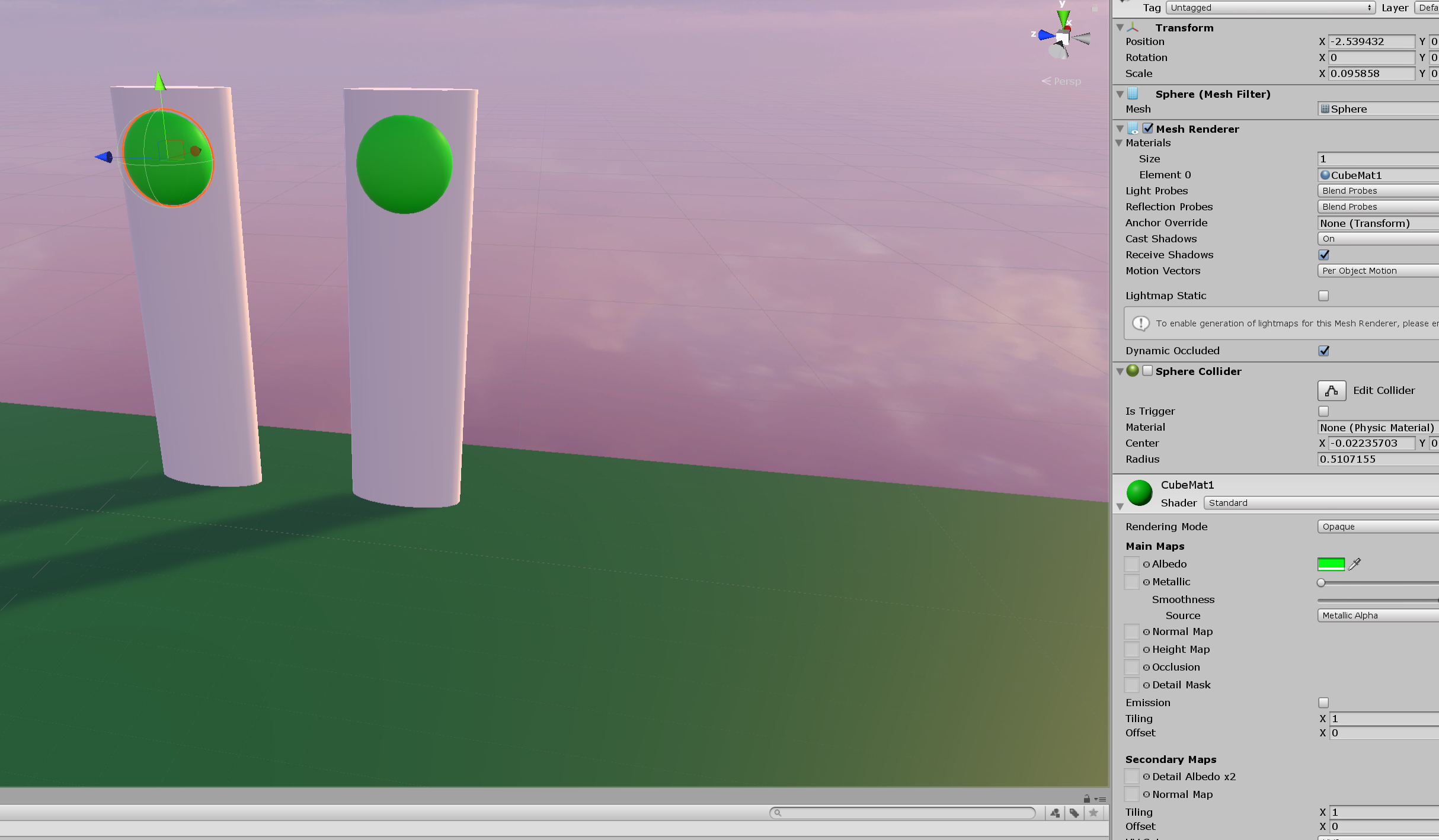


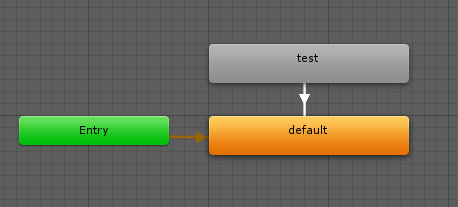 errant beacon
Check the top pinned message in this channel o;
bold ibex
So I found what I think is one of the errors, the asset "Apartment Door" causes errors that won't allow the world to be built with the sdk
gray sleet
What is SBS
 worn elk
I am very scared I just broke my entire world. I've been working on it for a month now and after importing an asset from the asset store, I started getting a ton of error messages. I don't know what caused it or how to fix it.
The first two errors seem to be related to one of the assets I installed. the rest are over 999+ errors of the same message, except it replaces one item in the error message. IE: instead of "Texture" it will be "Material."
Ever since this, when I build and test, its building the last good version of the map, and not the way the map looks now in the editor

I got this error message once after importing the assets. I found how to open it again from a menu. Is this related to the problem maybe?
 random owl
Delete the demo data folder it contains a whole build unity application which unity doesn't like having inside a project
worn elk
random owl
Delete the demo data folder it contains a whole build unity application which un...
I went through all my asset store related folders and deleted anything called "Demo" or "Example Scenes." Is there anything else I should look for?
random owl
Don't know that's all I saw in your screenshot
worn elk
Alrighty. Is there any way to have it refresh and check for errors again?
random owl
Press clear and see what stays
worn elk
That fixed almost all the errors. There's only 22 critical errors left
UnityEditor.BuildPipeline:BuildAssetBundles(String, AssetBundleBuild[], BuildAssetBundleOptions, BuildTarget)
VRC.SDK3.Editor.Builder.VRCWorldAssetExporter:ExportCurrentSceneResource()
VRC.SDK3.Editor.Builder.VRCWorldBuilder:ExportSceneResource()
VRC.SDK3.Editor.Builder.VRCWorldBuilder:ExportSceneResourceAndRun()
VRC.SDKBase.Editor.VRC_SdkBuilder:ExportSceneResourceAndRun()
VRC.SDK3.Editor.VRCSdkControlPanelWorldBuilder3:OnGUIScene() (at Assets/VRCSDK/SDK3/Editor/VRCSdkControlPanelWorldBuilder3.cs:119)
VRC.SDKBase.Editor.VRCSdkControlPanelWorldBuilder:ShowBuilder() (at Assets/VRCSDK/Dependencies/VRChat/Editor/ControlPanel/VRCSdkControlPanelWorldBuilder.cs:127)
VRC.SDK3.Editor.VRCSdkControlPanelWorldBuilder3:ShowBuilder() (at Assets/VRCSDK/SDK3/Editor/VRCSdkControlPanelWorldBuilder3.cs:40)
VRCSdkControlPanel:ShowBuilders() (at Assets/VRCSDK/Dependencies/VRChat/Editor/ControlPanel/VRCSdkControlPanelBuilder.cs:323)
VRCSdkControlPanel:OnGUI() (at Assets/VRCSDK/Dependencies/VRChat/Editor/ControlPanel/VRCSdkControlPanel.cs:200)
UnityEngine.GUIUtility:ProcessEvent(Int32, IntPtr)
Theres a few like this
gray sleet
is there a way to have multiple skyboxes? Like one skybox for one area and another for a different area
worn elk
I think that fixed everything....It still had 22 critical errors, but after I did a built/test it loaded the world as it appears in the editor, and now there's 0 error in the editor. Not even warnings.
Thank you so much for your help @random owl
worn elk
gray sleet
is there a way to have multiple skyboxes? Like one skybox for one area and anot...
I'm not an expert, so I could very well be wrong about this, but I believe the skybox is for the entire world. In a normal Unity game, you could probably change the skybox on the fly, or load another map, but since VR chat seems to only accept one "world" at a time, it means you only get one skybox.
Workarounds for this could be to make a giant sphere or cube around the areas you want and apply a skybox texture to those. I don't think its exactly the same as a skybox, but from the player's perspective it may look close enough that they wont notice
gray sleet
When I load into my world the skybox doesnt load in.
It is a custom skybox (sphere with texture put on it)
 surreal nebula
Not a creator myself, just asking.
Is it possible to make a teleport to player button. Just seeing this as useful in the future ui menu.
desert python
yea, you can do that for both sdks
 hazy pebble
How to get a skybox to rotate? I tried using a c# script but for obvious reasons (in hindsight), it didn't work outside of unity.
Should I use a shader? Udon?
My skybox is a nightsky, with nice stars, and I wanted to make it slowly rotate around the Y axys.
Making the world itself rotate instead would be a bit of a nightmare :/
 leaden hazel
Yeah, don't world rotate you'll make people sick. It should be possible to interact with the skybox properties using Udon?
hazy pebble
OK, I have extremely limited experience with udon (really only made a few toggles for music buttons). I'll try to see if I can make progress, if not I'll come back with more specific questions.
Thank you @leaden hazel
leaden hazel
hazy pebble
Thank you <@90531942100926464>
If you look up general Unity scripting on how to rotate the Skybox, then that should give you ideas of what to search for to build your Udon diagram.
unkempt mauve
How do I create the billboard effect for a model in my world?
hazy pebble
leaden hazel
If you look up general Unity scripting on how to rotate the Skybox, then that sh...
(Indeed I have a working c# script, which does exactly what I want. I suppose you're right, it does give me an idea of what to look for. I'll be checking that out a little later or tomorrow. Hype)
hazy pebble
unkempt mauve
How do I create the billboard effect for a model in my world?
What do you mean? Maybe screenshot it and add the picture to an extremely thin cube. Then, check different shaders for that cube until you find the effect you're looking for.
(I may have misunderstood what you want, not super sure.)
unkempt mauve
hazy pebble
What do you mean? Maybe screenshot it and add the picture to an extremely thin c...
like for example, on a idle model like avatar in a scene, like to have their head moving following you where ever you go.
unkempt mauve
or more of, how the head moves on the character in this video is what I'm getting at.
https://www.youtube.com/watch?v=Kidmx9n4n8c
meet tree guy, from tree world
SUBSCRIBE for more VR playthroughs https://www.youtube.com/faroutdude?sub_confirmation=1
GET OUT OF MY DESCRIPTION WORLD! GET OUTTA HERE! THIS ISN’T THE ACCOUNTING+ DESCRIPTION PAGE! THIS IS MY HOME! THIS IS MY DESCRIPTION WORLD! YOU NEED A PSVR TO PLAY!
What is Accounting+?
Accounting+ is a NIGHTMARE ADVENT...
mint hawk
Does anyone know the answer? 👀
#world-development message
hazy pebble
unkempt mauve
like for example, on a idle model like avatar in a scene, like to have their hea...
Oh that's way over my head, sorry.
But I think something like that would be done with udon, scripted to start on player joins (and perhaps synced between users, if you want players to see the effect on others too).
unkempt mauve
I don't have any experience with udon so idk if something like that could be done with the sdk2?
hazy pebble
unkempt mauve
I don't have any experience with udon so idk if something like that could be don...
Idk for sure (I only started after sdk3), but sdk2 is much more limited, I wouldn't count on it.
But don't be afraid of udon, check out vouganvr's videos on YouTube, they will give you some insight into how it works.
unkempt mauve
Ok. ill look into it.
mild spade
@unkempt mauve You can do that in SDK2, with something called "LookAt Target" from the the Standard Assets in Unity. The set up is a bit complex (if you plan to do it from scratch), but this video will guide you ! https://www.youtube.com/watch?v=Yik63cfyuD8

This tutorial goes over how to create a player tracker and 3 examples of how to use it. The player tracker was first created by HardLight and released in his Toybox prefabs. The link to download Toybox as well as a link to the Prefab Database can be found below.
The examples shown in this tutorial include
- A synced object above 1 player's hea...
unkempt mauve
mild spade
<@!477884210707955735> You can do that in SDK2, with something called "LookAt Ta...
Thanks for that! 😀 👍
@hazy pebble also another thing to, I'm currently having issues not seeing the changes in my world when after reuploading it. I'm not sure what's going on or how to fix it. I've never experienced this issue before as I'm slowing uploading worlds for the first time.
unkempt mauve
Any suggestions?
hazy pebble
I have never had that issue. Make sure you are using the same blueprint ID, and that should be all. I recommend using sdk3, you can "upload" as a local test version (if you are using vrchat on pc), and see your changes quicker. The test version will not actually be uploaded to vrchat, but it will be available for you on your computer.
But you can try doing one more thing:
Clear the cache (in-game: settings > advanced > clear cache). Then restart vrchat and that should load the new version without fail.
hazy pebble
unkempt mauve
Any suggestions?
@unkempt mauve
unkempt mauve
👍
I will try that and see if it works then.
@hazy pebble Have you played Accounting+ to know what I'm talking about?
unkempt mauve
I'm also trying to attach the phone wire to the phone and make it usable. Is that something that could be done with the sdk2?
bold ibex
Hello, new here but with sdk2 in Unity, it won't show the option to open the Control Panel? I need to to upload a world i have made but it will only show "Sdk2 > clear cache and playerefs" is it some sort of thing of not importing it property, or asset incompatibility or what?? I would really appreciate the help. Thank you.
bold ibex
Ok, Thank you very much!
unkempt mauve
I'm also trying to attach the phone wire to the phone and make it usable. Is that something that could be done with the sdk2?
 fossil hull
I'm uploading my world but it stays the same. The upload is unusually fast so I'm guessing it doesn't actually upload the new stuff.
Anyone experienced something similar?
near escarp
GitHub
Unity Editor extension for making VRChat worlds. Contribute to oneVR/VRWorldToolkit development by creating an account on GitHub.
fossil hull
@near escarp Unfortunately, that doesn't help me. I would like to claim I know what's going on in the console.
My issue is that it's actually going trough and successfully uploads.
But the changes just don't go live anymore.
dusk sapphire
sometimes when the build fails it ends up uploading the last thing that was sucessfully built, which is how you end up with a world uploading but not seeing any changes.
do you have any errors in your console?
fossil hull
@dusk sapphire I do have errors, but most of them are Udon related and I know they are fine.
However, I looked at the log more closely and found there was a Debug.Log that I used somewhere. Removing it made it upload normally...
Nevermind, it couldn't have been the Debug.Log. I'm guessing it didn't build properly when I tested removing some scripts and changed scenes to backups.
Either way, thanks @near escarp and @dusk sapphire , it seems to work again now.
 pure kraken
I'm looking to add some fog to my world, what options do I have?
dusk sapphire
Unity's built in fog, settings are under lighting settings, or a shader based solution such as https://gitlab.com/s-ilent/skyprobe-fog

GitLab
Area fog for Unity that uses the reflection probe to create fake atmospheric scattering.
pure kraken
ah ty
 dull island
Can the player move an item just by walking up to it?
desert python
@dull island what do you mean?
dull island
I want to make a chain, and when I approached it, it began to move.
desert python
so I know 🤥 you can create something like that in sdk3. but its rather difficult
dull island
Okay :c
desert python
ive actually been planing on making a thing that does that. but ive been very backed up and havent started creating such a thing lol
im assuming youre using sdk2 tho
dull island
yes
 lunar nimbus
Every world seems to have the same rainy window textures, is that a public asset, or was it a tutorial that every person followed?
south orbit
Hi im trying to CSG Tool Boolean from Pro builder, i get this error when doing so, i can do it in smaller scale with same objects but not in higher scale, i want to have the higher scale before doing so as if i rescale the object before actually building it in it partially disappears

any ideas
so instead of above i can do it in another way tho
why does my object begin to disappear when i get close ?

like this
nvm found a fix due to focus (:
cold lake
lunar nimbus
Every world seems to have the same rainy window textures, is that a public asset...
I'm fairly certain you're talking about this one: https://gitlab.com/s-ilent/fake-glass
lunar nimbus
Incredible, thank you
 wary birch
One message removed from a suspended account.
One message removed from a suspended account.
One message removed from a suspended account.
 boreal current
anyone selling worlds?
 coarse swan
So for making worlds public, it says my trust isnt high enough yet to post to the lab, but nowhere on the website/wiki am I seeing specifics on what trust level is needed? Im at New User at the moment and can make public avatars, and I can publish worlds but they can only be private.
Do I need to be at User tier to publish worlds publicly to the lab?
Also, for private worlds, do portals I add into my worlds from Private World <-> Private World still work fine and will later "just work" if one world goes public?
Im working on a project that would involve numerous worlds all being linked together in a network of portals, eventually (Im aware I can only make one public per week so itd take months and months and months to do everything and honestly Id expect to be a nearly neverending project).
However, since I dont seem to see any form of limit to private worlds, and I have found that I can invite my friends to come visit me in instances of my private world, does this all work if some worlds are public, some in the lab, some private? In terms of the prefab portals between worlds.
near escarp
Yes and yes
coarse swan
Example: User enters in one of the worlds which is public. They then go through a portal which takes them to a private or lab world. Does the portal function perfectly fine and no issues arise? And then can I go from private to public world, private to lab, etc etc etc?
near escarp
yes to all that
coarse swan
Oh sick so... realistically speaking I could actually be fine with a single publicly posted "hub" world I make that acts as the entrance to the various private worlds? How viable is that as a simpler way to connect users publicly into the world ecosystem?
Could be as simple as a nice looking zone with a handful of portals to the likely "popular" worlds they would wanna go to first, but then quickly discover theres a large amount of other linked worlds all in this sort of "ecosystem" if you will
Is that viable? Whats the odds of such a "hub" world being approved and going public?
Then once the main hub is public, perhaps one by one start making the main worlds become public as well
near escarp
Dunno, it would have to go through community labs regardless, but yeah a lot of people have hubs that point to their content that way
coarse swan
Okay sick, that definitely makes this project become a LOT less of a mountain of work and much more viable, I appreciate it!
 pallid dove
So I've been making for a little while and it's always over and notch and over the top too many megabytes how would I go about downsizing the megabytes I know every time that you put certain assets in and increases the megabyte I put a lot of assets into one world and it's over 400 MB I need the YouTube video or something to help me to get the world downsized in making assets not so big
coarse swan
Query: The worlds I am working on make heavy use of alpha channels on textures, and I understand that is not quest compatible.
Is there a good video folks know of, or a guide somewhere, on how to make my world quest compatible by making my "Cutout" shaders fallback gracefully to less nice looking mobile diffuse shaders for the Quest users? That way Quest users can visit my worlds still, but they just wont look as nice?
errant beacon
Depending on what's using transparency, you could try cutting the mesh around the texture in Blender? o:
coarse swan
errant beacon
Depending on what's using transparency, you could try cutting the mesh around th...
This would exponentially increase the world size and add a lot of overhead. I honestly find it strange that alpha channels arent supported for quest. Using alpha channels to create complex shapes is way less resource intensive than manually cutting actual polygons to put textures on. There's a reason almost all older games make heavy heavy use of alpha channel cutouts on very low poly models, its much simpler and also produces way smaller models
errant beacon
On Quest, it's kind of the opposite - Z-testing is vv hard on the Quest's hardware, and so having a world with a potentially unbound number of overlapping transparent objects, along with avatars with the same problem, can get out of hand super heckin' quick o:
by overlapping, I mean something like looking at a pane of glass through another pane of glass kind of thing
mystic leaf
Can I make a Legacy shader/particles/additive shader emit light?
coarse swan
errant beacon
by overlapping, I mean something like looking at a pane of glass through another...
Sure, but most old games just limit it to 1 and then ignore all beyond that
I mean I dunno its just weird that PS1 games had this handled and did it no problem, but the Quest2 cant? I am guessing its a temp fix and we will eventually get alpha channel support for transparency (limited perhaps) at some point for Quest2 worlds
mystic leaf
mystic leaf
Can I make a Legacy shader/particles/additive shader emit light?
Or just a transparent texture that has emission, where black is transparent and colors are only slightly transparent?
errant beacon
It's not really a VRChat issue, rather just a Quest hardware limitation unfortunately
can always recommend something on the Canny though o: https://vrchat.canny.io/feature-requests
desert python
worlds allow alpha. but if you make the quest hardware something behind something thats 254 alpha. performance issues will occur
coarse swan
Another quick question: Is there a way to somehow specify which spawn point to use on World B, when setting up a portal to it from World A? I'm trying to link worlds together in a cohesive way and itd be nice if I can make the player spawn in the spot that looks like they just came from the other world
IE I might have:
World A <-> World B <-> World C, with B having 2 portals at either end, and then setup a spawn point near each of those portals, so World A takes you to the spawn point near its entrance, and World C takes you to its spawn point
The theoretical, albeit ugly, workaround if not possible would be to just upload a private copy of the world for each of its entrances, with just the spawn point moved, and then link up that way. For some worlds though they could have up to like, 4 entrances D:
Though even the largest of my worlds are only like... looks like 14mb or so? Quite small individually due to being pretty low poly and have quite optimized textures
 frozen glade
Heya does anyone know if there's a way to shrink down a whole map without breaking colliders? The map im using is bigger then most avatars and if im trying to shrink down the whole object it just ignores the colliders and there's tons of them for each part and i can't replace them without wasting days ._.
near escarp
Put it all inside a new empty game object and scale the empty down ?
near escarp

frozen glade
I don't know
lol
I can change the game object size to 100 and the colliders will still remain at value 1
near escarp
Works for me so not sure what to tell you
 analog pollen
Does it matter much if you build a world out of a lot of cubes in probuilder?
Or will it run like dogwater
frozen glade
near escarp
Works for me so not sure what to tell you
does it have something to do with pivot / center or local and world?
because i changed that a bit maybe that's causing it?
near escarp
analog pollen
Or will it run like dogwater
Depends on the amount of cubes and materials
near escarp
frozen glade
does it have something to do with pivot / center or local and world?
Definitely could !
analog pollen
I'm up to around 30 cubes just for the entrance, but I assume it isn't too good
near escarp
Ahah no 30 cubes is not much
frozen glade
well my PC is off, you could test if you like to otherwise i will see tomorrow
near escarp
Well, you should merge your cubes in places where you can because it'll help for performance
analog pollen
Didn't know you could do that to be honest
frozen glade
my world has 390 materials and runs with 70fps in VR, there's even fog and like a half million colliders xD
near escarp
You should also bake occlusion culling at the end
Probuilder isn't great to be honest, i know it's practical and convenient to make things in Unity, but it's pretty poor in terms of designs and tools
analog pollen
Not sure what I would use instead of Probuilder tbh
I mean maybe Blender, but I am better at making cables look good on a breadboard than modeling 
near escarp
There's tons of tools to make cables in Blender
analog pollen
It was more as a joke, but don't most people use Probuilder?
Or is there some other tool that people use to create beautiful worlds?
frozen glade
soo the scaling down option doesn't break anything right? I don't want to redo anything like pickups triggers and so on
near escarp
analog pollen
Or is there some other tool that people use to create beautiful worlds?
They use blender
near escarp
frozen glade
soo the scaling down option doesn't break anything right? I don't want to redo a...
I believe it keeps everything the same
analog pollen
Ah, I'll do fine with Probuilder then 😆
Hardest software I've ever used in my life
coarse swan
Anyone know if theres an answer to this question here? Or a better spot to ask it?
#world-development message
analog pollen
Is there something I'm doing wrong if I offline test a world and the materials on objects are missing?
coarse swan
analog pollen
Is there something I'm doing wrong if I offline test a world and the materials o...
Are they missing in unity preview, if you have a camera setup to look at the same spot, and then run it as a game?
analog pollen
coarse swan
Are they missing in unity preview, if you have a camera setup to look at the sam...
They aren't missing if I run it
 turbid gyro
So I’ve been using tinkercad to make various objects like tables and cabinets. And then turn them in obj files. And bring them into unity. Only thing is. When I load them in, there giant. And yes I scale them down. But the textures won’t map correctly. They try to map to the objects at there original size. Which is like a skyscraper level big. So anyone know how I can get the tinkercad objects to take the textures and not stretch out and be a blurry mess?
near escarp
coarse swan
Anyone know if theres an answer to this question here? Or a better spot to ask i...
Can't do that sadly
coarse swan
near escarp
Can't do that sadly
So if my worlds are fairly small (around 10mb on average), thoughts on my other solution, of uploading different copies of the same private world, but with the spawn point moved to the different "entrances"?
For reference some of these worlds are "physically" quite large, as in, it actually takes a decent chunk of time to run from one end to the other. But they are quite lightweight and load wicked fast. But nonetheless to create that sense of the worlds actually being joined together in a network, one single spawn point will be rough because some paths you might take, a single central spawn point or whatever would take you way far away from where you want to actually be
Even if I thus put out, say, 4 copies of the same world (one for each entrance) thats still only 40mb of data, which is easily 1/3rd of what some of the popular worlds seem to be.
Thoughts on that approach?
near escarp
That's really the only way to do it, which isn't bad, just requires a lot of uploading and maintaining
coarse swan
That kind of brings me to my next question: Does VRChat have any kind of more, console oriented upload process? So I can batch upload multiple projects or scenes or whatever?
Example: I might have a solid 30~40 worlds, and they all share an asset (say an "about me" plaque with info about me or whatever, link to my social media, etc) and I might wanna update that.
The unity projects themselves its easy to update that change, since they can all reference the same file.
But then uploading all of that to VRChat, is there a way I can do it via a script instead of via the in unity SDK game thingy they made?
Cause its gonna be a massive headache if I have to do one small change that affects all of my network of worlds, and every single one of them I gotta open em up, run that SDK thing, and then upload manually, by hand
 rain shadow
@coarse swan What's your reason for splitting the worlds to begin with?
coarse swan
rain shadow
<@!175774092287279105> What's your reason for splitting the worlds to begin with...
They dont actually line up directly. These are zones I am ripping from a video game and fixing up to work with VR Chat. So they have "zone lines" that youd walk into to go to the next area, and Im replicating that functionality so individuals can wander from zone to zone in the form of VRC worlds
Its a massive world and I think theres well over 100 zones total I could reasonably put up, all interconnected
I actually now have two of them up and working, and individuals can check em out, they have a lot of work to be put in still to clean them up (for example all the small objects you wouldnt expect to collide with like flowers, bushes, little decorators, you collide with by default and I have to individually go around disabling all those objects collisions), as well as fix up the lighting to look way better (I might do way higher quality lighting perhaps and bake it, to make everything look a lot better), etc etc etc
rain shadow
So you plan on doing each area as a separate world then?
If so why not have multiple segments per world or all in one if possible?
coarse swan
I might be able to fit some zones together in logical groups, like one city is actually 4 or 5 zones, I could put all those together into a unified world sure
Id probably want to stay below 100mb total though. I would also need to then add a bunch of logic for changing the background music potentially
Unless Im smart and group the zones together based on matching background music, I suppose
But even if I do literally all of that, I still run into the same issue again, and thats the fact that these "clusters" of zones together still have multiple exit and entrance points
So for example, heres my pair of worlds/zones working together. When you first spawn in, if you turn around away from the gate and walk up and along that small path, you'll come to the entrance to Selbina and can zone in, and you can move back and forth between Selbina <-> Valkurm
https://vrchat.com/home/world/wrld_11bb4f67-15be-4e74-981a-a2a5f3344ef8
rain shadow
Doing multiple parts per world sounds far easier than managing countless different portals and worlds on your account though?
coarse swan
rain shadow
Doing multiple parts per world sounds far easier than managing countless differe...
I still would need to manage many portals and worlds... just... less
Like lets say I can fit 4 zones per scene, that just makes it go from 100+ to like 25+