#world-development
39 messages · Page 62 of 1
 inland oasis
 stone marsh
That screen doesn't really show much for anyone to help with however, too busy.
I do maybe see some bounding boxes going at an angle though that seem to correspond to the slope. You'll just need to manually inspect each object in your hierarchy one at a time. check canvas/text fields as well and ensure they are on a layer that doesn't collider with player layers.
 dusk sapphire
yeah i think i see some sloped colliders there
stone marsh
You should also consider putting your Post processing on it's own layer
dusk sapphire
do install the vrworldtoolkit
inland oasis
even removing the colliders except for the floor didnt do it. i think ill just start again xD. trial and error is -so slow- with unity.
 timid knoll
Hello, I'm trying to achieve an effect where when the player enters a trigger box it enables a Low Pass Filter on the camera, and it disables it when the player is out of it(I'm trying to achieve a underwater sound effect). I have done this as a setup, but I think I've missed some steps since it doesn't work in the editor, anyone knows how I could do?
(Don't mind the Eevee lol it's a Shimeji)
 near escarp
your layers are incorrect
you're supposed to be triggering on the PlayerLocal layer
right now you have them on default and muffler respectively
timid knoll
Oh ok, so I have to switch them, I'll do it and I tell you. Thank you!
near escarp

GitHub
CyanEmu is a VRChat client emulator in Unity. Includes a player controller with interact system. Works with SDK2 and SDK3. - CyanLaser/CyanEmu
You can also use this tool to test your world in Unity directly
timid knoll
I was just about to ask for this! Thank you so much!
near escarp

timid knoll
@near escarp Sorry for the ping, I'm not very familiar with github project thought... Should I just drag and drop those files into the Unity Editor folder or is there an executable or script to run?
near escarp
it's a unity package
GitHub
CyanEmu is a VRChat client emulator in Unity. Includes a player controller with interact system. Works with SDK2 and SDK3. - CyanLaser/CyanEmu
timid knoll
Oh ok, thank you very much!
 bitter hound
This'll probably make me sound like an idiot, but I'm very new to the SDK, and I couldn't find anything on google to help. Every time I attempt to locally test the game, it will load me into my home world in VRChat, instead of the one I'm building. I already checked and made sure that the SDK is up-to-date
dusk sapphire
any console errors? i would also recommend grabbing 1's vrworldtoolkit, it'l help fix common issues https://github.com/oneVR/VRWorldToolkit
and it'll also tell you if your last build was successful
bitter hound
Theres a console error in console saying "Error building player because scripts had compiler errors". Hopefully re-importing the SDK will help
bitter hound
Well, I'm not exactly sure what I did, but something worked. Thank you so much for the help!
 civic sorrel
Anyone know how to fix text showing through walls?
 desert python
use textmesh pro
civic sorrel
idk what that is
 gaunt edge
@dusk sapphire look any better? been working on it for awhile now, also do you know how to make an object collide?
dusk sapphire
while red isn't exactly my choice of light colours it looks fine i guess, no roof?
add colliders to objects
gaunt edge
i really like it being as though its my first time, theres no roof while im making the inside for now but im gonna be adding one soon
i can keep u updated if you want
dusk sapphire
when possible stick to primitive colliders like box colliders
 remote bison
Hello! I am trying to make one of my worlds quest compatible. I was wondering if it's mandatory to switch all the material's shaders to VrChat/Mobile or I can just leave the default ones 🧐
dusk sapphire
by default ones you mean standard? you could, but it would be better if you switched those you can.
remote bison
I see, thank you so much!👍
gaunt edge
@dusk sapphire thanks for being patient with me i know iit can get annoying, ive finally made a mirror!
dusk sapphire
you should also look into baking your lights, theres some guides pinned in #world-lighting
but thats the final step after everything else is done i suppose
 sand fossil
Why when I click "Force Non-VR" and "Build & Test" it launch in VR and connect me to my home world, SDK broken or it just me? (Im using SDK2)
 random owl
Well the first happens usually if you haven't set the client path in sdk settings to point directly to the VRChat.exe
Second one has a bunch of different reasons why it can happen
https://github.com/oneVR/VRWorldToolkit/releases
Import this and check VRWorld Toolkit > World Debugger from the top bar
sand fossil
ok thanks, already have VRWorld Toolkit but it the first time I have this issue so I was not sure if that was me or sdk issue
im reimporting the sdk currently to see if it will be fix
random owl
https://nyanpa.su/vrchatlog/
Could also check your logs
A simple VRChat output log parser that shows you user activity in maps you have visited, as well as basic trigger, warning, error and exception summaries
sand fossil
yea the issue was that I reinstall VRChat to a different directory, fixed. Thanks
random owl
Ahh yeah that would do it
 harsh wagon
I managed to get it working, I just added a spawn room that disappears when you leave and reappears when you spawn
that way I can have all the other rooms inactive
 ripe ravine
how do I get Avatar ID's?
 bold ibex
Go into the sdk
Then go into your creations then there should be a button saying copy I think
ripe ravine
for ones I haven't created tho
 void bison
Hello, I would like to know if a player activates his no clip but tries to cross a wall with an OnAvatarHit trigger which will teleport him to the spawn point by default, will it work?
ripe ravine
@bold ibex The Website Shows the ID when you are wearing an avatar HA
bold ibex
Ah.
 chrome cairn
Can someone help me please?
 tardy wadi
Is there a simple way to disable spatial voice inside a trigger?
 crude nacelle
Looking to make a VRC World is anyone willing to help me as YT tutorials are useless
bold ibex
Which video player is good for worlds? For streams and for youtube videos? SDK2 btw
desert python
@bold ibex i got you
bold ibex
Wah?
I am tryina out the hangout house player rn and it works but like for stream videos.. audio cuts out
desert python
@bold ibex that was the exact thing i was gonna send
bold ibex
It works for videos but when I do streams it just dies
Ahh
Oki, imma try the other one ❤️ thanks
desert python
the hangout player shouldnt be too bad, but tbh with you, the servers have been a bit wonky lately
desert python
oh, that might be the audio quality glitch
 cyan gorge
I built a terrain in Blender and imported as a mesh. Is it possible to build a brush that paints my foliage onto another mesh, lik ein Unreal Engine?
 faint wren
Quake in VR audio RIPPED from different version next week or this week. SDK2
 lofty bramble

 minor finch
Does anyone know if there is a launch command that can be put inside steams launch settings for launching a specific instance of a world? Or is this only something that can be done through the web browser? I don't see anything on the vrc website with what I'm describing but I thought I'd ask anyway
I want to create a home world that friends can load into basically
I guess this would be the link I need, but does each user have to enter their own id? And does that allow them to enter the same instance?
https://www.reddit.com/r/VRchat/comments/8uisvd/tutorial_set_your_spawn_world_as_public_friends/
 finite iris
I'm pretty new to VRChat, but I'm interested in potentially using it to host some multi-user worlds made from 3D scans we've taken of our facilities where I work. I'm decent with Unity and VR development in general. But I'm struggling with the trust system where I have to reach some unknown threshold of activity before I'm allowed to upload content. I've spent a few hours generally interacting with people, but I don't know how much more I need to do before my trust level increases. Anyone have any tips?
faint wren
@finite iris upload to you're main * private account worlds to you're accounts and ask you're friends to join or random people to join doing fps test before making it go public
then you can make it public later
finite iris
I don't think I can eevn get that far. When I open the VRChat control panel in Unity, I get this message about not being able to create worlds yet.
faint wren
or that you need couple 100 hours on vrchat stats be fore it triggers
i think you need to be orange rank
finite iris
100 hours?! Damn. That's a big commitment.
near escarp
No, just new user
near escarp
Nope
finite iris
I think I've spent maybe 10 hours or so
near escarp
But that won't take a lot of time either way
finite iris
Any idea what the criteria is to get from Visitor to New User?
faint wren
favorite avatar slots friends listed favorite worlds i think
finite iris
AH, okay. I've added 2 friends and a dozen favorite avatars, but I don't think I've favorited any worlds yet. I'll try that tonight. Thanks!
faint wren
no problem
 old robin
finite iris
AH, okay. I've added 2 friends and a dozen favorite avatars, but I don't think I...
old robin
finite iris
AH, okay. I've added 2 friends and a dozen favorite avatars, but I don't think I...
it doesn't take very long to get new user, you'll get it fairly quick
but that is a pretty cool idea with the 3D scans
I've seen a few 3D scanned objects and rooms in VRC before, with varying degrees of quality
finite iris
Yeah, if it goes well it should be pretty sweet. We're using Matterport for a 3D virtual tour system, and it's working pretty great, but has no social features. So I'm thinking we might use VRChat to host some of our meeting rooms and classrooms.
faint wren
the only thing i want to try in unity but i don't want to tell its due to the fact i don't wan't to give out the effect due to i don't know it will work.
random owl
There's no actual criteria of having to have some specific things to get new user
You can get new user by just having a single friend and going to couple worlds
 vagrant anchor
is there a way to do zero gravity in a VRChat map
chrome cairn
I’m using sdk2 and For some reason there are 2 scene descriptors, how can I fix this?
gaunt edge
can someone help me? i want a video player in my vr world but i dont know how to do it?
near escarp
chrome cairn
I’m using sdk2 and For some reason there are 2 scene descriptors, how can I fix ...
delete one
chrome cairn
I can’t
near escarp
why not
chrome cairn
It won’t let me
 chrome cairn
near escarp
chrome cairn
near escarp
uh, why are you trying to delete a script
chrome cairn
That’s the scene descriptor
near escarp
the script yes, why are you trying to delete that
chrome cairn
Because it says there should only be one
near escarp
in your scene, not assets
you either have two vrcworld prefabs, or added the component yourself
 ashen eagle
Expand that one... Is there another one nested underneath it?
chrome cairn
ashen eagle
So just as a matter of sanity, you'll want to keep all of those objects at the top level
random owl
It definitely is a bit risky to build your world inside the sdk prefab
chrome cairn
Ok...
random owl
You can just search "t:vrc_scenedescriptor" in the hierarchy search to find where the other one is
ashen eagle
What error are you getting when you try and save and test your world?
Is it a console log error?
ashen eagle
Just click the setup button
random owl
Reading goes far
chrome cairn
Did it already. Thanks for the help!
 lone oxide
trying to get a video player to work right im using sdk3 worlds and its not playing videos when the url is put in and all that
and yes i am the world owner too
chrome cairn
Isn’t that sdk2 only?
lone oxide
no sdk 3 has video players
chrome cairn
Oh
lone oxide
sdk3 video players might just be more of a pain to deal with if anything
gaunt edge
can someone help me? i want a video player in my vr world but i dont know how to do it? im using sdk2
ashen eagle
gaunt edge
can someone help me? i want a video player in my vr world but i dont know how to...
Look up Jetdogs Prefabs
Or HangoutPlayer SDK2
Will get you what you need
ashen eagle
lone oxide
sdk3 video players might just be more of a pain to deal with if anything
Merlin's UdonSharpVideoPlayer works very well for SDK3 I highly recommend it
lone oxide
ashen eagle
Merlin's UdonSharpVideoPlayer works very well for SDK3 I highly recommend it
where and how do i get that?
 lethal moss
lone oxide
where and how do i get that?
lethal moss
lone oxide
where and how do i get that?
it's on Merlin's github page i beleive.
tardy wadi
Is there a way that someone could possibly implement world particles like these: https://medium.com/@rafalwilinski/tutorial-particle-sea-in-unity3d-70ff1350fa9e#.a2obqtys6. Working on a show set and I'm wondering if an effect like this could be created for the background.
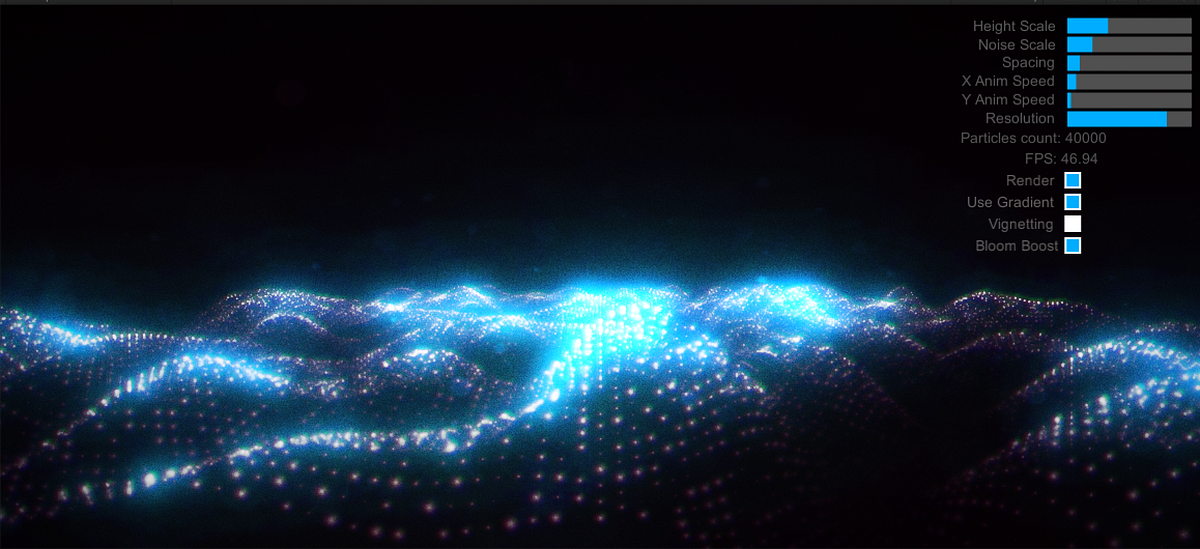
Medium
When I saw it, I was totally shocked. Firstly — it looked amazing, Secondly — it was playing smoothly in my browser on a non-high-end PC…
timid knoll
@tardy wadi Hello, I don't know how to do it, but I know it is possible: You need to create a shader that has this thing into it, I really don't know how to do it thought... Hope this helps
When the shader is done you apply it to a mesh like a sphere or a cube and it should work, that's all I know :/
If I can give you a website, it's ShaderToy, you can download shaders like that there. Or you can ask in #shaders
 viscid apex
where do i go to sell vrchat worlds
bold ibex
Anyone know how to make a video show up on 3 different screens?
bold ibex
@desert python How would i do it?
desert python
@bold ibex what sdk and video player you use?
tardy wadi
@bold ibex what video screen are you using?
bold ibex
Currently using Iwashi
SDK2
xD I am trying out abunch of different players
Honestly, rn, ahzkwid is the top
desert python
@bold ibex have youve tried copying the screen 2 more times and see if theyll all sync with the controller?
dusk sapphire
You might be better off modifying ahzkwid's video player for that
bold ibex
They all played the same thing. Not like 3 screens 1 video. It did 3 screens 3 videos
Alright, Imma use ahzkwids then
dusk sapphire
iwashi uses a lot of advanced techniques and can be difficult for people to modify if they are not familiar with it
also don't just duplicate the prefab, you just want to make a copy of the screen component
unpack the prefab first
bold ibex
if I copy the screen itself over 2 more times, wont it make all the screens play the exact video? but unlinked?
dusk sapphire
isnt that what you wanted?
dusk sapphire
oh
well, you'd typically use a mesh thats split into 3 parts and just put the video screen component on that
bold ibex
I did but the mesh that I used got messed up cause it only shows 1 corner of the video
dusk sapphire
you could have 3 screen components and adjust the tiling on the material settings so they lined up
your mesh needs to be uv mapped properly
bold ibex
I will go and figure that out thanks ❤️
 brisk widget
anyone know how to add reverb to a video player? attempted to add reverb through a audio mixer but with no luck
desert python
yea, but to set it up so its just world audio is somewhat very difficult. but add a game object and make it a child of audio source, add component “audio listener”,”audio reverb filter”,”audio reverb zone”
this method will not work for stereo or higher systems, and requires more editing
if you still want to use the moxer, add an audio source to the game object
dusk sapphire
you just need an audio reverb zone where the video audio source is
audio listener components are automatically removed except for the one and only player camera audio listener
though I think Audio reverb filter is better, as reverb zone might reverb player voices as well
unless that is what you want
not sure if this is fixed yet
brisk widget
dusk sapphire
you just need an audio reverb zone where the video audio source is
@dusk sapphire @desert python thanks for the info, will get back to you on it
desert python
audio listeners are utilizible in worlds
bold ibex
after abunch of trial and error, still cannot get it to work on 3 screens. Ill come back to it again eventually xD
desert python
3 screens with one video or 3 screens woth 3 different videos?
bold ibex
3screens that make up one video
I made a plane and cut it and tested the uv with a picture
it looked good but when put video in, it just shows a small part of the video
desert python
ah so like each screen does a 3rd?
bold ibex
yep
dusk sapphire
can you post a screenshot of the material settings on the mesh
bold ibex
Oop I deleted it, one sec. Ima remake it quick
All I did was took the main screen and changed the mesh of it to fit my screens mesh (3 screen in 1 mesh)
dusk sapphire
might be better to just copy the components over with the same settings than replace the mesh filter
bold ibex
replace as in? i just dragged the new mesh on the original mesh
also i took a random pic and put on the 3 screen mesh and it looks like it connects
but like the video dont do that xD
dusk sapphire
and what does it look like with a video?
bold ibex
it shows the top left corner of the video which example if the corner has alil red
the whole screen will just be red
dusk sapphire
i dont know how you just dragged the mesh over but
its best to create it as a new mesh object
then copy the same components over
bold ibex
Possible if I call you or screenshare somehow? so i can show u my steps
dusk sapphire
I'd rather not sorry
but still, just place your mesh on the scene
and copy whatever the original screen has, except for mesh renderer/filter
for Screen you just need to put the same material on your new mesh
Screen_Stream just copy the VRC_Video screen component over
dusk sapphire
yes
bold ibex
does my mesh have to be in the same group
dusk sapphire
group?
bold ibex
parent
dusk sapphire
best for management
and lastly, you need to replace some triggers under tr_change
so they point towards your new mesh
bold ibex
still does the corner thing
lone oxide
so i need help with getting the usharpvideo player to work right in the world and not have it break it to where i cant open the control panel
keeps saying all compiler script errors hafta be fixed before it can enter playmode
lone oxide
idk thats the wierd thing ._.
dusk sapphire
look at the console
lone oxide
something about cso246 the type or namespace name udonsynced could not be found same with udon synced attribute
i have no clue what that even means tbh ._.
dusk sapphire
paste a screenshot with the topmost errors
lone oxide
Idk how to do screenshots on pc so i took the pic with my phone hopefully its good enough
dusk sapphire
scroll to the top
also just to be sure, you did download the latest version of the SDK3 for worlds and UdonSharp right?
lone oxide
yeah the issues started after i put in the video player but if i take out the video player everythings fine
so im confused on whats going on as to why the video player thing would be buggin out and breaking the world
any ideas cause if u want u can dm me and i can screenshare through a discord call everything ive done and such
dusk sapphire
windows key + shift + s
to take a screenshot with a box you draw
and ctrl+v to paste it in here
show the top most error, i can't help you otherwise
dusk sapphire
go to package manager and install cinemachine
lone oxide
wheres package manager and im pretty sure i have cinemachine as its popping up as a tab in the thing beside component
dusk sapphire
Windows > Package manager
but if its already installed then hm
you did install udonsharp right?
dusk sapphire

GitHub
An experimental compiler for compiling C# to Udon assembly - MerlinVR/UdonSharp
USharpVideo player requires UdonSharp
lone oxide
ok i added it do i need to do anything else with udon sharp?
dusk sapphire
no, try playing now
lone oxide
nope didnt work
dusk sapphire
what are the errors now?
lone oxide
hold on gonna try removing something with it to see if i can get it to work
yeah idk why its bein a huge pain tbh
dusk sapphire
i would try deleting usharpvideo and reimporting it
lone oxide
nope same thing
lone oxide
well i just got it to work by only importing the asset folders apparrently but who knows how well itll work
dusk sapphire
importing the what?
lone oxide
the asset folders in the usharp and u sharp video
dusk sapphire
did you clone the repository and copied everything over?
you should be downloading the release unitypackages
lone oxide
yeah i have both of those
all the folders and everything
if anything i feel like a call would be alot easier for me cause i do better hands on then texting
dusk sapphire
i dont do calls sorry
but i can see where you went wrong
you download the .unitypackage files from the release page and import them
not download a zip of the whole repo and import it all
lone oxide
does it need to stay in a zip folder?
dusk sapphire
no, like i said you download the .unitypackage file from the release page
and just drag it into unity
and unity will import it automatically
lone oxide
still errors
dusk sapphire
did you clear out the old things you imported
dusk sapphire
did you install both UdonSharp and UdonSharpVideo?
lone oxide
yes
dusk sapphire
once again, top most errors
dusk sapphire
check if cinemachine is installed in window > package manager
lone oxide
its downloaded and up to date
dusk sapphire
did you import the packages before or after clearing out the old imports
lone oxide
after clearing out the old imports
dusk sapphire
unity version?
lone oxide
2018.4.20f1
im gonna hafta head to bed soon ive been screwing with this all day and im gettin tired as well so yeah idk what to even do -_-
dusk sapphire
is this a new project ?
lone oxide
yeah i made most of it today and its still in community labs too so im just updating it by switching out the dumb video player with a "better" 1 that someone reccomended but its been being a pain in the butt to deal with
if anything ill hafta deal with it tommarrow im needin some sleep its 3 am rn so yeah gonna hafta head off
 toxic fulcrum
One of my worlds was tagged with "environment-malicious" ... anyone know what that means exactly? 🤔
dusk sapphire
it means someone reported your world under that category
those reports are only visible to the author
toxic fulcrum
Oh, good. Do these get reviewed, or does that just stay there now?
Can't possibly think why anyone would report that. 🤔
dusk sapphire
if theres nothing wrong with your world I wouldn't worry about it
toxic fulcrum
90% sure there's nothing malicious there. Couple of Udon prefabs that I didn't make... but you can't even fall out of the world, it's all enclosed. XD
dusk sapphire
have you reported other worlds while in your own world?
not sure if this has been fixed yet
toxic fulcrum
I don't think I've ever reported a world, no.
I'm not going to worry about it then I guess. It's 1 report out of like, 7k visits and nearly 500 favs. Someone just having a bad day I suppose. :B
 ornate turret
some people mistakenly report a world if someone in the instance has a bad avatar too
so i wouldn't worry about these too much 🙂
bold ibex
dusk sapphire
also is that the original screen below?
its one of the subs
 blazing root
So I been developing my first world with SDK2 and im trying to publish it and i keep getting this error and i'm not sure how to fix it, any ideas? " NullReferenceException: Object reference not set to an instance of an object
VRCSDK2.RuntimeWorldCreation.Start () (at Assets/VRCSDK/Dependencies/VRChat/Scripts/RuntimeWorldCreation.cs:82) "
random owl
blazing root
So I been developing my first world with SDK2 and im trying to publish it and i ...
https://github.com/oneVR/VRWorldToolkit/releases
Import this and check VRWorld Toolkit > World Debugger form the top bar
blazing root
random owl
https://github.com/oneVR/VRWorldToolkit/releases
Import this and check VRWorld T...
alright doing it now
blazing root
random owl
https://github.com/oneVR/VRWorldToolkit/releases
Import this and check VRWorld T...
thank you so much. that fixed it!
bold ibex
Am I the only one who has never been able to build and run a vrchat world project SDK2 or 3 and has to publish it to VRC first in order to test it
I feel like I might be
gaunt edge
can any one help me?
bold ibex
You probably have all sky free skyboxes right
gaunt edge
nah ive got starfield skybox
bold ibex
Sometimes the scripts can cause that error so just delete the scripts you find in your skybox folder
gaunt edge
nah still the same
bold ibex
Cant help beyond that sorry f
random owl
gaunt edge
can any one help me?
Check the latest pin on this channel
remote bison
Hello! I'm currently having some issues with pickup items (I'm using sdk2). For some reason, when I respawn, I can't rotate items anymore. I have no idea why this happens😅
 split elm
I cant test my world for some reason, but its fine to publish. Is there anything i can do to fix this? Im using SDK3
timid knoll
@split elm I had something similar that happend to me a while ago, what fixed it is firstly try to disable "Future proofing" in the VRChat SDK settings, and try uploading again
If it doesn't fix it then try to re-install your SDK in your Unity Project and upload it again afterward
split elm
ok
lethal moss
 thorn latch
I got a report the moment I uploaded my world to community labs
thorn latch
I got a report the moment I uploaded my world to community labs
There is one report that happens automatically, it's nothing bad.
 hazy pebble
Can someone help with getting a chair on my avatar? I keep crashing when I add a chair to my avatar (interestingly the crash only happens when someone else is in the room)
 cunning belfry
How would I go about setting pickup-able items to not collide with each other?
Any help would be super appreciated
 verbal hare
if i wanted to build a map, which program would i do it in? Unity, or Unreal?
cunning belfry
Unity
verbal hare
ight, thanks
random owl
cunning belfry
How would I go about setting pickup-able items to not collide with each other?
You would need a new layer for them which you set to not collide with itself
https://docs.unity3d.com/2018.4/Documentation/Manual/LayerBasedCollision.html
 cunning belfry
Thank you so much <3
verbal hare
@cunning belfry what game type? Empty 3D?
cunning belfry
Make sure you're using Unity 2018.4.20f1, then when you go to your projects in Unity hub, click the arrow next to new, click the appropriate version of Unity and click 3D
verbal hare
ight, thanks
hazy pebble
Can someone help with getting a chair on my avatar? I keep crashing when I add a chair to my avatar (interestingly the crash only happens when someone else is in the room)
timid knoll
@hazy pebble Hello, some people had a glitch with this a while ago and there is a fix for it: you need to animate the chair in order to activate it (hand gesture or action menu). If you're using avatar 3.0 you can put the chair on your avatar like usual, but instead of letting it activated all the time set the gameobject deactivated by default, and create a section in the action menu to activate it trough it, and if you use avatar 2.0 make a hand gesture animation to activate it, it should work fine with this
Also make sure that there is no world related component on your object
Maybe it can work without this method but I only know this one so I hope it helps
bold ibex
hi i would like to understand why vrchat sends me back to my homeworld when i try to build and test the world im making.
i am using sdk3-world
cunning belfry
@random owl Sorry for the ping, I think I understand, but i'm still a bit confused over what boxes to check and uncheck with my new layer. There's not a lot of documentation on it online.
 errant beacon
bold ibex
hi i would like to understand why vrchat sends me back to my homeworld when i tr...
errant beacon
bold ibex
hi i would like to understand why vrchat sends me back to my homeworld when i tr...
Try importing VRWorldToolkit and see if it's debugger brings up anything? o:
bold ibex
where can i find this (VRWorldToolkit)?
bold ibex
kk meanwhile im reimporting all the libraries
cus i removed some and i think there are leftovers
btw i dont use bakery
 digital lark
hey there im having a problem where i try to upload a new version of my world but it keeps loading the old one in vrchat.
I have both tried uploading it to local testing and online publish but nothing works yet
errant beacon
digital lark
hey there im having a problem where i try to upload a new version of my world bu...
Import VRWorldToolkit and see if it's debugger reports anything, something in your world is likely breaking something o:
errant beacon
bold ibex
would recommend clearing the broken scripts, or potentially making a new project and importing just what you need
as for VRWorldToolkit, look for a dropdown menu at the top called "VRWorld Toolkit" and click "Open World Debugger"
bold ibex
kk i dont see it tho
digital lark
is it for sdk2 or 3?
errant beacon
make sure you've imported the unitypackage o:
and it should work for either
digital lark
no menu at the top either
im just going to start a new project and see if it fixes it
errant beacon
ayy c:
digital lark
@errant beacon thanks debug shows now :)
errant beacon
yw! c:
 civic orchid
Hello, I'm wondering if anyone could help kick me in the right direction with a problem I'm having, it has to do with camera stacking...
I made a post on the VRChat forums a while back that describes my problem, and I've been breaking my brain trying to crack this nut https://ask.vrchat.com/t/multi-camera-effects-in-vrchat/2964

VRChat Ask Forum
I’m asking this here since it might be useful to other people… I’ve seen a couple of worlds in VRChat that make use of multiple cameras to create effects where the geometry of the world is simultaneously rendered from two or more different perspectives. I’ve been looking at this for days now and it’s left me scratching my head because I can get ...
It does exactly what I want in Unity, but it doesn't work in VRChat, and I'm not sure why at all.
hazy pebble
timid knoll
<@!736086531491627080> Hello, some people had a glitch with this a while ago and...
Thank you!!!!! How coincidental: I actually intended set the chair as a toggle in the action menu, but for testing purposes I have just been leaving it on by default -_-'
verbal hare
sooo im only familiar with Maya and Unreal, so im thinking Unity might be easy for me, but idk (never used it before)...does Unity do Image Planes?
timid knoll
Ohhh, nice! Glad to hear it worked 😄
@verbal hare Yes, for this you just need to import your texture/image in Unity, then you create a material with the picture in it then you apply the material to the plane
civic orchid
I dunno if an image plane would suffice for what I'm trying to do, which is basically what Merlin did for Camera Test World https://www.vrchat.com/home/world/wrld_91805f98-fd56-497a-bf7e-772e434efb84

Testing camera overrides to do a bunch of random tricks․ Read the information panel for more detail․ Also includes the fluid simulator․
verbal hare
timid knoll
<@!152116384292274176> Yes, for this you just need to import your texture/image ...
So I can insert an image, ie blueprints for a house, and build on top of said blueprints in the Top View?
civic orchid
Oh I'm dumb that wasn't meant for me, haha.
timid knoll
In theory yes, but for 3D modeling Unity isn't the best... You can use Blender, a free 3D modeling software that you can use for exactly what you described
verbal hare
What if I build in Unreal, and export to Unity?
timid knoll
Unity is very limited for modeling, you can't edit the mesh, just place primitives
I guess it would work
If you export it as an FBX yes it will work I think
verbal hare
Alright, cool. Thanks
 worthy relic
ok so i have a strange question thats hard to explain
how would i add a way to detect controllers so that a user could select what controller they want to use to interact with diffrent parts of a world
like if i wanted to allow users to use a flight stick controllers to move a plane, drum pad to controll a ingame drum pad, ect...
civic orchid
worthy relic
like if i wanted to allow users to use a flight stick controllers to move a plan...
Could you use Input.GetButton or Input.GetAxisRaw for the particular inputs of your controller?
worthy relic
i could/have
but users in vr complain that when they use it things go heywire
i dont know if its due to vrcontrollers giving input.getaxisraw data
civic orchid
That seems likely!
worthy relic
thus was why i am looking to see if i could allow users to select what controller it pulls from
worthy relic
@civic orchid also i know there are midi in/out refrances but i have no clue how they work
civic orchid
This is a little hacky, but maybe you can make a string variable that subs in the appropriate axis name
worthy relic
hmm
timid knoll
@verbal hare You could put those on a plane, then place cube that you would resize according to this blueprint, but expect some stretching of the textures since the UVs are not unwrapping, it's locked to a square format
worthy relic
im not the best at programing AT ALL
civic orchid
Like Input.GetAxisRaw("AxisName")
worthy relic
wouldent that still have the problems i already have though
timid knoll
Or you will have to create many material and play with the X and Y tiling DireWolfPvP
verbal hare
timid knoll
<@!152116384292274176> You could put those on a plane, then place cube that you ...
so taking it into Unreal, then exporting it as an FBX, would be the best bet then?
timid knoll
Yes, I don't know much about Unreal but if it allows you to create and unwrap your model then yes
Or you could try Blender
civic orchid
This might be a bit outside of my expertise cuz I'm not sure how VRC handles new inputs in the input manager
civic orchid
timid knoll
Or you could try Blender
Blender is good now imho
worthy relic
same as i said my only knowladge in programing extends to basic if then loops which are not the best for vrchat
errant beacon
@verbal hare I'd recommend just making a plane in Blender, making a material with an image texture and putting the blueprint on that, and then making the model on top of that o:
worthy relic
welp rip... i have no clue and the limited documentaion we have doent help much :/
verbal hare
errant beacon
<@!152116384292274176> I'd recommend just making a plane in Blender, making a ma...
im trying to avoid using blender, as...
- i dont have it
- i havent used it before
but, ill try it, if it comes to it
errant beacon
It's free and doing that would be relatively simple o:
would recommend #3d-modeling if you go down that route c:
civic orchid
It's free, at least.
errant beacon
alternatively if you have a CAD program that can export to a model file, you can just build it in there and export it that way
civic orchid
So um, is my camera problem something I should take to #udon-general? I'm really stumped, but I feel like it's not an issue with UDON
errant beacon
assuming that house blueprint has a model
civic orchid
I've been having a hell of a time finding a solution by searching Google and banging my own head against the wall
worthy relic
same swatcher
verbal hare
@worthy relic i have two floor blueprints i wanna use to make a house with, for VRChat. I wanna know the easiest way for me to go about building the bare bones structure first, before i go in and start decorating the place.
i have access to Unreal Engine, and Maya to do so
errant beacon
@civic orchid not entirely sure if this helps, but there's a list of whitelisted world components in the documentation o:
https://docs.vrchat.com/docs/whitelisted-world-components
worthy relic
oh lets move to #3d-modeling dire
civic orchid
verbal hare
<@!268566110645780480> i have two floor blueprints i wanna use to make a house w...
Oh wait can't you just import your image, apply it to a plane, and then use ProBuilder inside Unity?
errant beacon
^ that too! though if you know Maya, you could very well do it that way too
verbal hare
civic orchid
Oh wait can't you just import your image, apply it to a plane, and then use ProB...
i wouldnt know, as ive never used Unity before
verbal hare
worthy relic
oh lets move to <#390924397726138370> dire
ight
random owl
bold ibex
how can i see what vrworldtoolkit reports?
You had bakery in the project at some point and removed it leaving behind the scripting define for it which made my tool think bakery is still in the project causing the errors
random owl
Alright just mentioning for the future 👌
It's good to know those scripting defines exist in the project settings
bold ibex
kk
timid knoll
Hello, I have a problem with a snowball system I'm working on: I made a system for shooting snowballs, autohold is enabled, and I've used OnPickupUseDown and OnPickupUseUp to change the value of my toggle in my animator (because I use animations to enable/disable the emission of my particle system). When I test manually my animator (by toggling the value manually) it enables and disables perfectly, but in game it won't work... Any idea?
EDIT: Nvm, turns out the CyanEmu I'm using is glitched and Vrc_triggers doesn't works in it, works fine in game
 final pine
yeah just add the components "vrc_pickup and "vrc_Object sync"
final pine
bold ibex
halp my cube doesnt spawn in the world :
im going to guess it doent have a collider
final pine
box or mesh
final pine
ye i never us mesh
final pine
does anyone know how to do a trigger script on the SDK3 .. im making a sdk3 world for the 1st time and i cant see the trigger script
random owl
SDK3 uses udon
bold ibex
i see there is a pikcup component in sdk3
random owl
final pine
does anyone know how to do a trigger script on the SDK3 .. im making a sdk3 worl...
Also #udon-general
brisk widget
does anyone know how to enable scripts for prefabs on building the world? From what information I have gathered is due to security reasons most scripts are disabled
random owl
https://docs.vrchat.com/docs/supported-assets
Only the scripts that are whitelisted are able to be used
VRChat
You can use certain external assets that use scripts in VRChat worlds. To see a list of precise components permitted in VRChat worlds, please see Whitelisted World Components. Dynamic Bone "Dynamic Bone applies physics to character's bones or joints. With simple setup, your character's hair, cloth, ...
brisk widget
thats what I thought, thanks
 scenic plaza
Dumb question, but I have a pickupable stool that I want short avatars to be able to move and then stand on. Problem is that the box collider doesn't seem to let anyone stand on it. Is this normal, if so is there a way to overcome it?
random owl
You need to set the pickup to a layer which players collide with
It defaults to pickup which doesn't collide with players when you add the pickup script
random owl
That is the layer of the gameobject yes
scenic plaza
thank you @random owl
brisk widget
anyone know how to toggle scripts with prefabs? I have seen worlds with the prefabs that I am using toggle the script for it on and off. I have not found much in the stance of toggling scripts only toggling objects
dusk sapphire
SDK2 or 3?
but regardless, you can toggle components on and off, rather than the object itself
brisk widget
@dusk sapphire SDK3
brisk widget
dusk sapphire
but regardless, you can toggle components on and off, rather than the object its...
I have a toggle udon graph script for toggling objects. What would I need to change so I can toggle components?
dusk sapphire
i'm not the best equipped to answer udon questions, best to go to #udon-general
brisk widget
dusk sapphire
i'm not the best equipped to answer udon questions, best to go to <#657394772603...
alright, thanks though
bold ibex
Where do I post images and videos of worlds in what section want to show demo.
dusk sapphire
bold ibex
Ty
thorn latch
How would one go about adding a second grab point on gun>
dusk sapphire
a 2nd pickup object that's connected to the grab point on the gun via a fixed joint, or constraint if you're on sdk3
thorn latch
Anyone know why a particle on a world pickup gun wouldn't go straight? Mine are going off in random directions
thorn latch
I noticed if Iwalk backwards he particles go in the correct direction
 winter stump
My friend and I are building a world together through collab and he is getting this error when he downloads my project
timid knoll
@winter stump Go in your VRC Udon script on your objects and enable "unsafe" on all the objects to fix the issue
 ancient gust
how to fight with water shaders in unity 2018 ? 🤔
 rose fractal
Fight?
ancient gust
im trying to make nice water material / shader
but its either unity no cooperating or in vr it doesnt look the same as in unity
🤔
lone oxide
ok so ive asked 2 people for help with this already and im still needin help with it but i feel like a call with screenshare would make it alot easier but ive been trying to make merlin usharp video work and i am running sdk3 world and have everything up to date and such so hmu if ur able to help pls cause i wanna get this to work
cause ngl im still new to this and have no clue what to even do XD
thorn latch
Does anyone know why the particles on my pickup gun go every direction except the one they are supposed to go?
I have a rigid body and such, and the muzzle flash and smoke particles work fine, but the bullet particles go out at random angles to the sides
dusk sapphire
lone oxide
ok so ive asked 2 people for help with this already and im still needin help wit...
since our last convo i'm told the error you have is from not having the latest version of the sdk3
as the prefabs you downloaded require the latest
lone oxide
i should have the latest version of the sdk i downloaded the sdk 3 worlds like 4 days ago
split elm
i want to make a world but i suck at 3D modelling, are there any good tools that i could use to help make a basic structure?
near escarp
Probuilder
split elm
Thanks, ill see if i can make something using that, hopefully
timid knoll
Hello, I have an issue with my world camera: I noticed that there are lines appearing on top of my grass, which I thought was caused by my textures, so I corrected them to not have pixels on top or at the bottom. But the issue was still there. So I looked at my camera instead and noticed something: Whenever MSAA is enabled there is this line issue, and when I disable it no issue.
This is with MSAA enabled
And this is without
Any idea on how to disable MSAA in game?
 unborn pilot
when i import an asset from blender how do i make it so i can edit the materials in unity?
timid knoll
@unborn pilot You mean the material on the prefab? You can click the arrow next to your model to show your materials, then select them and right click on them and click on "extract from prefab"
unborn pilot
ah thanks
random owl
All you really should need to do is change the texture from repeat to clamped
unborn pilot
wheres that at?
random owl
That was to veeon
unborn pilot
ah ok nvm
timid knoll
@random owl Thank you, I already did this to all of my textures but the issue is still there :/
I've updated my details to make sure but nothing changed
timid knoll
I just corrected again all of my textures, and the issue is less now, but still there :/ Strangely it is only affecting grass that is far away from the camera, not the one close to it, but it's still noticable in VR. Pretty sure it's the MSAA super sampling my texture but then somehow it offsets it as well...
Nvm I found it, it was one of the texture but wow, I had to remove like 2/8 of the pic bottom to get it corrected
unborn pilot
how do i flip uv's or whatever so things aren't one sided like this
timid knoll
@unborn pilot I don't know how to flip uv's inside Unity, but I know in another software. What type of object is this object you want to flip the UV's (OBJ, FBX...)
Because I only know how to use Blender, and you can import many 3D object files type in it and flips every normals for every side
Or you could use a material shader that has no backface cuilling enabled, but depending on your scene it might not be the best option
 marsh mauve
Hey, Quick Question, This is my 4th day trying things out in Unity, so Im very new, but Im using SDK 3, and for some reason I don't see VRC_Object Sync in my Add Component Section? Im trying to make it so Other people in my world can see the Item im holding but for them its still on the location I picked it up from.
 south pagoda
Would be really cool if you could use Hammer to make worlds
 brittle venture
hi guys! I'm new to vr chat. how much coding / gamdev experience does it take to recreate something from IRL in a VRchat world using the unity engine?
gaunt edge
anyone know how to get models without unity asset store, off google for eg
verbal hare
i know i want the final world to be in Unity, but could i construct said world in, say, Unreal, then export it to Unity for VRChat?
random owl
If you really want to make your life difficult there's nothing really stopping you
verbal hare
i wanna do it the simplest way possible
random owl
Well then you would do it in unity
random owl
unborn pilot
how do i disable backface culling
For world creation you would usually want to download the source for standard shader and edit the code to remove culling
random owl
marsh mauve
Hey, Quick Question, This is my 4th day trying things out in Unity, so Im very n...
You just want to add a empty udon behaviour on them and tick the sync box (also #udon-general for udon related questions)
marsh mauve
Ah Alright, Thanks! (Didnt Know it had something to do with Udon, Sorry about that)
verbal hare
the average height for a VRChat user is Unity-Chan, yeah?
random owl
Average height is like 150 cm, the player collider on the other hand is 2 m always
verbal hare
so is Unity-Chan a good reference to have on hand?
random owl
If it's somewhat normal sized why not
I would say you should usually scale your world to real world sizes
But that's really upto you what you do with your world
verbal hare
i was told yesterday to use Unity-Chan as a reference for scale, i just wanted to ask again to make sure it was a good idea before i started mucking about
 zealous sierra
Hello!
I am doing my first SDK3 world, but Im getting a error that I dont know what it means  can someone helllpp?
random owl
zealous sierra
Hello!
I am doing my first SDK3 world, but Im getting a error that I dont know ...
https://github.com/oneVR/VRWorldToolkit/releases
Import this and check VRWorld Toolkit > World Debugger from the top bar
zealous sierra
Thank u!"
desert python
@bold ibex what kind of triggers? and also sdk3 is udon
 glass ether
I'm trying to figure out how I can make a Text Mesh Pro's text change when I pick up an object
But I feel like it might have to be a C# script to get it to work instead of running an udon graph
bold ibex
nevermind im just making a basic world im just gonna stick with sdk2 for now @desert python
glass ether
hmm
 crystal sparrow
hey guys, new here and quick question for my first world, is there a good technique to make a world feel endless, trying to make it look like something stretches out pretty far
verbal hare
could i get someone to help me fix the house i made? unity doesnt like it when i try to edit verticies...the base model is almost done, but theres areas that cant be modelled, without having access to verticies
 jagged canyon
does anyone have any knowledge of pens? im having some trouble
 frozen marsh
Does anyone know any video tutorial for that? Like random cards spawn whenever you click on something? I'm working on a monopoly world
 valid urchin
How do you do a teleport player object like the knife in murder 2 or 4? where it doesnt teleport player using it but it teleport player that it gets affected by it?
 undone canyon
my world got published out of labs today and now it wont let me update it, it says its an unpublished world?
undone canyon
VRCSDK2.RuntimeWorldCreation.Start () (at Assets/VRCSDK/Dependencies/VRChat/Scripts/RuntimeWorldCreation.cs:82)```

can anyone tell me how to fix this? i cant update my world

line 82 of that script is
```desc.PositionPortraitCamera(imageCapture.shotCamera.transform);```ive comepletely reinstalled the VRchat sdk and udon already
dusk sapphire
uh, that looks like vrcsdk2? and udon?
rose fractal
Ah that would certainly cause many problems on their end
thorn latch
How would one go about making it so that if a person has say 2 of a spawned object on the map, it would delete one of those objects if they spawn another?
undone canyon
no i imported sdk3 thats all i have installed, thats all i built the world on
rose fractal
Is sdk2 still in your project?
dusk sapphire
huh, a quick check on sdk3 shows it using VRCSDK2 namespace lol
random owl
https://github.com/oneVR/VRWorldToolkit/releases
Import this and check VRWorld Toolkit > World Debugger from the top bar
undone canyon
i let it auto fix all the errors and im gonna retry now, but pretty much it would go all the way through the publish stage but then the upload button did nothing
random owl
If you did all the red auto fixes it should let you upload now
random owl
Depends on what the errors said in the world debugger
undone canyon
the only thing that changed was i removed a collider from something, added BGM and it went public this morning at 2am EST?
multiple pipeline managers was one of the only two bugs
the other was "future proof builds is still enabled"
random owl
Yeah somehow the rouge pipeline manager snuck in then
valid urchin
How to make a trigger teleport other player instead of owner/myself?
undone canyon
any idea hwo to make items respawn from falling out of the world easily?
 thick pilot
Hello, I hope this is the correct channel for this.
I'm going to start building own worlds. As I'm not that good at modelling objects I want to use (for the first attempt) some assets from the unity-store.
I'm wondering whether this would comply with licensing etc. or whether I'm forced to create everything on my own.
Can somebody give me some advice?
dusk sapphire
if you own the license to assets in the unity store you are free to use them
thick pilot
Well most of them require credits I think.
dusk sapphire
can always have a little sign at the entrance of the map crediting them
thick pilot
Ah, thanks! That's a good hint
 red urchin
uhhh
i'm having a weird random issue uploading my world
all scripts are on and the world still has its ID, no console errors, but when trying to upload the world, its treating it as if its an entirely new world
including new settings there that i've never seen before
uh ok thats weirder as soon as i sent this screen shot it fixed???
it's back to normal now for some reason
dusk sapphire
it just shows that while its loading your world info
so if theres a network hiccup it takes a bit longer
red urchin
must be slow internet then?
huh i was just concerned cus i've never seen it before, thanks!
void bison
Hello, I would have liked to know one thing, when we upload a map, its exports only what is in the hierarchy or its also exports all the assets that have put it even those that we have not used?
dusk sapphire
Just what's in your scene
void bison
Okay thx!
 knotty plaza
Hi!
I have a noob question.
So I want to use these particular free catwalks, but before I was using them with mesh colliders and copypasting them around.
Should I instead make 3 box colliders (floor, rails) but still copy paste them around, or use none, and then create single box colliders as big as possible to cover the area?
Before, when I used about 30 or something, I broke the worlds a few times, they would not load in vrchat
even if sizewise, they were not particularly large (30Mb or whereabouts)
(oh, I just realized the catwalks already had box colliders in them)
zealous sierra
jagged canyon
does anyone have any knowledge of pens? im having some trouble
Did anyone answer u on this? Theres actually a whole pen pack prefab up for free on booth if u want it
https://gyazo.com/12e46e72f8bb96dfe31befa8dde05078
Hello again! 👋
Can anyone tell me why the stuff is doing this? They are vanishing in many angles, they do the same ingame and its very annoying on the eyes for them vanishing and reappearing
rose fractal
might need to edit your occlusion culling
desert python
anyone had an issue where saving the project, it will get stuck at "importing small assets" and not progress from there?
verbal hare
for some reason, i cant access my move tools in Unity...i was able to yesterday, but i couldnt do so this morning
thorn latch
I need people to help test my Halo WIP PvP world. Anyone wanna help later today? I want to see how many people I can have before performance issues start to occur
 urban sorrel
Silly question, but how did people get a hold of the HarryT's 8ball world prefab. I have the prefab with the pool table, but there's no world or more specifically no other meshes surrounding it, was that created by someone else or?
thorn latch
Not sure there. I'm still trying to figure out how to replicate the Halo 3 ODST nighttime skybox
verbal hare
is there a way to make holes in cube primitives for doors and windows?
old robin
verbal hare
is there a way to make holes in cube primitives for doors and windows?
in blender?
could just use a Boolean modifier
verbal hare
directly in unity
old robin
essentially use one object to cut a shape into another
verbal hare
the model i have, is directly in unity
old robin
i'm not too sure why you're trying to do 3d modeling in unity
it's a game engine
not a 3d modeling tool lol
verbal hare
VRChat
old robin
I know, but you can import any 3d model in unity
there is nothing stopping you from creating things in blender, exporting an FBX, and then chucking those in unity
and using that in your world
verbal hare
the model i have is too far gone to try and recreate
 simple arrow
@near escarp Sorry for the ping! I just wanted to know if we are able to use Substance Painter scripts in Unity or is that a banned script? https://assetstore.unity.com/packages/tools/utilities/substance-in-unity-110555

Use the Substance in Unity from Substance by Adobe on your next project. Find this utility tool & more on the Unity Asset Store.
near escarp
Substance creation takes places in unity, nothing to do with vrchat, you just create a material
simple arrow
I know it uses scripts to function, which is why i was wondering if that would work or is the sdk going to rip those out before upload?
simple arrow
Ah alright, just wanted to make sure, thanks
verbal hare
is there any good size references to the default vrchat avatar size i can use in blender?
near escarp
blender has a ruler tool, or you can scale up a cube
 hollow knoll
red urchin
hollow knoll
red urchin
i got this yesterday also but it wont even let me interact with the menus at all
random owl
https://github.com/oneVR/VRWorldToolkit/releases
Import this and check VRWorld Toolkit > World Debugger from the top bar
red urchin
just wait a while it worked for me after a bit it looks like
hollow knoll
thats odd though ;/ its never done that before ill try just keeping it open for a while XD
hollow knoll
random owl
Which is why I posted the link above
okok ill get that goin
hollow knoll
random owl
Which is why I posted the link above
i found the problem and now its alll back to normal working order thanks to that tool ... heck thats handy
random owl
Great 👌
hollow knoll
thank you very much!
 fossil wolf
So I have a question,
I need to have objects active, But I can't have them set as "invisible" / "off" in Inspector because then they wont work, So they need to always be on.
But I don't want them to render for the user,
Is there a way to do this?
Can I for example place the object so far from the screen that it wont load for user or is there any tricks?

It's a lot of items that will be called from a script when needed.
If the items are "Turned off" they wont work for some reason, Even if you activate them afterwards. So they must be on from a player loading in to the world.
However it's a lot of items so the load is longer than usual.
I want to speed up the load in time by "hiding" these for the user so it wont render at all, But still be active.
Maybe it isn't possible?
random owl
Just use a empty game object with the stuff that you need always on
fossil wolf
random owl
Just use a empty game object with the stuff that you need always on
I have
``
- Gameobject
** GameObject.List
*** GameObject.Items
``
Hiding any of these will disable their function
Is it possible to like have it active, But disable rendering for the list?
Or would that still cause the increased lag because it still needs to load it in?
random owl
What's their function even? What do you have rendering on them to begin with?
rose fractal
Disable the mesh renderer perhaps?
random owl
Do they even need a renderer?
fossil wolf
random owl
Do they even need a renderer?
Unfortunately they do for the menu to work
random owl
Then you should offload the menu logic onto a different gameobject
 mossy heath
Hey everyone! I need some help with a world I'm currently working on, for some reason after staying a bit on the world, the world would suddenly be very very laggy. I'm pretty sure it has to do with respawning objects in the world but I'm not sure how to fix it or go about it, does anyone have any suggestions? I would very much appreciate it o.o thank you guys! I'm making the world with SDK 2.0
dusk sapphire
i would enable debug menu and sdk log levels in your launch options https://docs.vrchat.com/docs/launch-options
VRChat
There are several launch options available for VRChat. If you are using Steam, you can set these easily in the Properties for VRChat, found by right-clicking on VRChat's entry in your game list. After clicking Properties, click on Set Launch Options, then put your desired launch options in. If you ...
and take a look at your logs to see if anythings a miss, like lots of warnings/errors being thrown
you can use my parser to make it easier to read https://nyanpa.su/vrchatlog/
A simple VRChat output log parser that shows you user activity in maps you have visited, as well as basic trigger, warning, error and exception summaries
mossy heath
Awesome! I appreciate it 😄
bold ibex
in sdk3, is there a way to where if a player is hit by the same box collider a certain set on times, for example 3, it enables a local trigger?
 drowsy laurel
Hello Im working in sdk 2, my world is like 2 mb but send me back home when I try to go into it
What should I do
i even tried taking out pick ups and post processing with no luck
random owl
drowsy laurel
Hello Im working in sdk 2, my world is like 2 mb but send me back home when I tr...
https://github.com/oneVR/VRWorldToolkit/releases
Import this and check VRWorld Toolkit > World Debugger from the top bar
drowsy laurel
where?
random owl
If it did not show up at the top check if you have any errors
drowsy laurel
random owl
Alright so your sdk is almost a year old version so you should update
drowsy laurel
so I do the override it or do I delete and reimport the sdk
i dont wanna mess up my stuff
random owl
VRChat
If you need to update your SDK, it is important that you follow these steps to ensure the update proceeds properly and you don't have any old/conflicting files. Version Control If you know how to use it, you may find it beneficial to use version control software like Git to manage your project. You ...
Check under sdk2 part
drowsy laurel
?
random owl
If you scroll up what's the topmost error there in the world debuggers messages
drowsy laurel
uh I guess ill delete probe positions since everything is where it should be ig
 rugged fox
ok, I wanna make a plain, flat, simple world to show off all the rediculous number of avatars I've made over the years. does anyone have a step-by-step instruction manual? I'm as dumb as they come with stuff like this
random owl
drowsy laurel
uh I guess ill delete probe positions since everything is where it should be ig
Well you should just delete the whole simple light probe placer asset, I was just seeing if the topmost error would help you figure out the problem yourself since I have that particular asset listed on the page where the info button links you to or if I need to make it more clear.
random owl
rugged fox
ok, I wanna make a plain, flat, simple world to show off all the rediculous numb...
VRChat
Before getting started, ensure you have a Unity project with the SDK set up. If you want a great intro to creating your first world with pre-created assets, a tutorial video, and detailed steps, check out the VRChat Home Kit! Step 1 - Setting up a scene The first thing you need is a scene. This can ...
drowsy laurel
im in
rugged fox
none of that tells me how to load avatars though
random owl
You still need to setup the world if you want to place any pedestals in it
All you need to after is just search for the avatar pedestal prefab in your assets and start placing and setting the avatar ids in them
rugged fox
and how do I get avatar ids?
random owl
Either in the content manage in sdk or the website
 short gulch
Sorry if this has been asked before, I haven't seen it mentioned anywhere yet, but I'm trying to upload a world with vehicles in it, and when I enter the world, it's like the seats on them just don't exist. I aim at where they should be and they don't highlight or anything. Only started happening recently. Any idea what might be preventing them from showing up?
 viscid carbon
short gulch
Sorry if this has been asked before, I haven't seen it mentioned anywhere yet, b...
viscid carbon
short gulch
Sorry if this has been asked before, I haven't seen it mentioned anywhere yet, b...
i think the last update kind of broke most seats, atleast on avatars. i hope im wrong though, and hopefully someone will be able to help you.
errant beacon
Would recommend looking at the documentation page for stations (https://docs.vrchat.com/docs/vrc_station) - stations changed a bit after the underscore networking change @short gulch
short gulch
Thanks guys! I'll look into it and see if I can figure it out. Wasnt aware of an underscore networking change
errant beacon
yw! to clarify by underscore networking change, I mean build 2020.4.4, details listed at the bottom of https://docs.vrchat.com/docs/vrchat-202044
 tawdry sparrow
Does URP Decals work in VRChat?
 green lagoon
probably not considering that vrchat doesn't use Universal rendering pipeline as it's on 2018 Unity vrc
tawdry sparrow
Is there a way to use Decals in VRChat?
thorn latch
So what is unity_builtin_extra, and why is it almost twice the size in my project on the android then it is for the PC, with the same exact scene.
I did a build of the quest world and it was bigger then the PC World despite nothing having changed
Except build target
 outer herald
How do you make a worl :0?
errant beacon
outer herald
How do you make a worl :0?
You have to be at New User to be able to upload avatars/worlds, by the way
bold ibex
@outer herald I have no idea but I just opened unity for the first time and now I'm watching videos on how to navigate around it... Maybe I will get a world built eventually. But so many small tedious questions about how to use the program at the moment. Hah.
outer herald
bold ibex
<@!598218137904742636> I have no idea but I just opened unity for the first time...
Aah ok!
bold ibex
Interesting, still getting the hang of trying to put walls together where they line up and I don't take like 15 minutes to do it. Ahah.
thorn latch
How does one delete the previous build for a VRChat world?
errant beacon
thorn latch
How does one delete the previous build for a VRChat world?
If you upload with the same blueprint ID it'll just update (upload over) the world, with no deletion necessary - if you do want to manually delete the world though, go up to the VRChat SDK dropdown in Unity and click "Manage Uploaded Content" c:
 weary smelt
when I am making a world should I use sdk2 or sdk3, what is the difference
weary smelt
how do I change transparency of blocks in unity
errant beacon
Either is fine, though SDK2 might be easier to learn, while SDK3 is def more flexible
and the transparency'd be handled by the material that's applied to the block
bold ibex
I just added a texture to my block, I clicked the block, clicked the dropdown arrow under shader, changed it to standard and mode transparent. Then I clicked on the box beside albedo and changed the A value to whatever looked good. Though before doing that I made a light blue texture and named it window and unity kinda automatically made it see thru for me. But not enough.
My issue at the moment is none of my floor or walls are hard so I just fall through haha. I didn't know how to install the probuilder addon when I started and I think those are automatically hard and static cubes. But now I need to make mine hard.
I added a mesh collider as suggested by google but it didn't work for me
errant beacon
@bold ibex In the Inspector on the right, click "Add Component" and then add a Box Collider
bold ibex
they all have box collider already, but I guess I have to do something with it
errant beacon
and def wouldn't recommend using a mesh collider, they're v expensive o:
on a hunch, try deleting the box collider on the floor and adding a new one
assuming that probuilder made it's own collider for it, it might be derped?
bold ibex
I didn't have probuilder installed when I made it
I will try that, and then try another with a probuilder cube or something just to see
maybe the spawn point is under the floor, half the time I can't tell where my stuff is lined up ahah
That was definitely it!
errant beacon
nice! o:
bold ibex
yeah I never used unity before, but I almost have this world finished after a couple of hours. Don't know if I should publish it or not after. We'll see.
errant beacon
finishing a world in your first few hours of Unity is vv cool regardless! c:
thorn latch
So Unity won't let me upload because it it saying my world is too big. I've completely altered the scene. but when I hit build & upload it immediately says the scene is too large and lists the same file size as before. Is there a way to clear this cached world build that it is trying to use?
bold ibex
well, it's more like a room ahahaha
a room with a few chairs, cups, table, mirror, carpet. The only thing I actually made myself was the walls and windows and those type of shapes
errant beacon
@thorn latch How big is the filesize listed? o:
also, right-clicking on the VRChat SDK and reimporting might help
if it is an actual filesize issue, using crunch compression and using textures no bigger than 1024 (preferably no bigger than 256 for everything except normal maps) would definitely help
errant beacon
bold ibex
a room with a few chairs, cups, table, mirror, carpet. The only thing I actuall...
still a cool accomplishment! c:
bold ibex
now if only there was a way to grab the center of my roof and turn it from a flat roof into a roof like shape with one drag
thorn latch
errant beacon
if it is an actual filesize issue, using crunch compression and using textures n...
Thats why its weird because I just did all the compression and such, so the file size should definitely have changed.
errant beacon
huh, odd o:
would recommend re-importing the VRChat SDK and seeing if that helps, and also restarting Unity if you haven't already?
thorn latch
I'll try reimport, as I've restarted Unity twice
 inland steppe
anybody here know how to setup a infinity mirror? ive got them all positioned but like what layers do i need to make/assign to them
errant beacon
@inland steppe Here's a list of what each of the mirror layers affect - if you're using the default VRCMirror prefab, you'd want to enable Water I think http://vrchat.wikidot.com/worlds:layers
inland steppe
but from what ive read on the vrchat website is that in the water layer it wont render mirrors in reflection
errant beacon
huh, never noticed that sorry
inland steppe
its all good
i tried creating a new layer and assigning that in an attempt but it renders bits then in areas i see the skybox and nothing else so im stumped right now
errant beacon
An infinity mirror might not be possible due to performance issues (presumably mirror reflections in mirrors would have a limit, but they might not so it's just disabled instead?)
assuming it is actually disabled for that reason, might be a good thing to make a Canny post for o:
inland steppe
ive seen it in a world before but for now i guess ill just have to settle with what ive got lol
and yeah it does effect performance a bit but ive had the request for a world
errant beacon
ah
if possible, you could try contacting the creator of that world to see how they did it? o:
thorn latch
Ya'll ever have unity just freeze on opening a project?
bold ibex
hey how do i put avatar stand on walls like in the default vrchat home
bold ibex
dunno, mine came with an avatar pedestal in the prefabs
thorn latch
Is there a way to select all textures of a specific type?
lone oxide
So my world jumped from around 20mb to 50 very fast and idk why can someone explain why and how i can massively cut down the size of the world easily?
Without having to delete anything in the world as well too pls
random owl
https://github.com/oneVR/VRWorldToolkit/releases
Import this and check VRWorld Toolkit > World Debugger from the top bar then look at the build report what's taking space
Then compress, crunch, optimize, fix and so on
bold ibex
Aha. Thought my chairs were good. Perfect height for sitting with normal sized avatars. But any smaller ones pretty much sit under the chair. Will have to figure that out later. A couple of spots where stuff didn't line up too since I can't test inside vr before publishing. But not bad for first time using unity. I guess.
 raw zinc
Hello. Im following this youtube video: https://www.youtube.com/watch?v=95jRByYHE4Y

These features are currently available only on our Open Beta version - check our Discord for more information.
Learn how to make doors that automatically open and close to let players through. This tutorial will use the Udon Graph to work with Player Triggers, Haptics (aka controller vibration) and controlling Animators with Udon.
Music i...
When i have dragged my door object into the udon graph at the beginning of the video, mine shows as a variable "GameObject" and not "Transform". Any reason why?
near escarp
did you make sure it was correctly set in the door trigger ?
raw zinc
yes
bold ibex
how do i do this with avatar pedestals
near escarp
@raw zinc I'd suggest asking in #udon-general they might be able to figure it out faster
drowsy laurel
So I have the Sukiyaki prefab (https://booth.pm/ja/items/1819648)
The issue is that I cant get any of the triggers to work, I can pick the chopsticks and bowl up, their particles are working, but I cant use the chopsticks to pick up any food, an animation to gran on the chopsticks doesnt even play when I click trigger too

すき焼き鍋の3Dモデルです。 VRChatのワールドの添え物としてご活用下さい。 VRChat以外にも使用できます。 現在のバージョン:ver1.1.0 VRChatに設置したときのイメージはこちらで確認できます。 ギミックのデモも導入しております。 https://www.vrchat.com/home/world/wrld_86b39e34-922b-4abf-98fe-8acbadb4892c (または [Sukiyaki]などで検索) 本モデルには以下のシェーダーが必要です。 お手数ですがあらかじめインポートしてください。 ◆Unitychan Toon Shader 2.0
near escarp
@drowsy laurel Try to debug it with this added to your project https://github.com/CyanLaser/CyanEmu
GitHub
CyanEmu is a VRChat client emulator in Unity. Includes a player controller with interact system. Works with SDK2 and SDK3. - CyanLaser/CyanEmu
Those errors shouldn't cause any issue
near escarp
Make sure the layers and trigger colliders are correct
near escarp
Did you add the prefab to an existing world ?
drowsy laurel
yes
near escarp
You can check the animators in play mode while using the chopsticks, and check the console whether you get an error from it or not
near escarp
is any of the params being set to true ? That's where the specific food you picked should have been
drowsy laurel
one was set to true here, which is what should happen cause I believe it grabs food at random
drowsy laurel
Imma just reimport the items
there we go
I honestly wish I knew what happened lol
bold ibex
is it possible to have it so certain people can have permission to enter certain rooms? (username based)
Like for example, someone named Nacho (me) can enter a room that is locked for everyone else unless u have that exact name?
Working on locking systems
Udon btw
raw zinc
@near escarp Hey Ruuuu, i ended up fixing the issue but now the door animation plays automatically when i load into the map or run it. It doesnt wait until i enter the trigger to play.
thorn latch
Well this doesn't make sense. I built the world for PC, size comes out to be 74mb. I switch build platform to android, change texture compression on all files to Crunched ETC2, and use ASTC 4x4 for the Lightmaps. I then hit build and BOOM. It says the build size is 82mb. How is it Bigger 🤔
random owl
Compression to be like that sometimes
random owl
bold ibex
is it possible to have it so certain people can have permission to enter certain...
Yes ( #udon-general )
fossil wolf
I have a weird issue.
I have for example a object (Like a Chair) in the world, But sometimes when you look at it, Look to the side, Tilt your head etc it just dissapears (But it still there).
Then if you move forwards / backwards etc you can see it.
I am probably bad at explaining, How can I fix this?
bold ibex
Anyone know how to make it so every avatar sits at the same place on a chair? I did the one where you put an empty object for entry and exit points. It's perfect for an average sized human but short avatars all sit under it since I had to lower the entry point to fit taller avatars. I also tried just making some cube seats with entry and exit but it's the same thing. It does seem to work if I use the vrc prefab chair and swap the model, but can't seem to change the texture after I do that.
ornate turret
its because chairs use the foot joint to position avatars on a chair
you can try this prefab(for sdk2) for customisable chairs which uses an animator on the chair to position you correctly:
https://github.com/splinks/VRChat-Customizable-Fixed-Chair

GitHub
VRChat Chairs with proper height fixes for small and tall avatars thar also allows you to customize the sitting pose, emotes, and right/left hand gestures thought an override controller. - splinks/...
however, I haven't checked if its still working with avatar 3.0 changes, this is a pretty old prefab from a few years back
ornate turret
fossil wolf
I have a weird issue.
I have for example a object (Like a Chair) in the world, ...
Do you have occlusion culling baked in your project by any chance?
bold ibex
ah I am using the sdk 3 so I dunno if that will work? I could try I guess.
fossil wolf
ornate turret
Do you have occlusion culling baked in your project by any chance?
Hi sorry, Is there a easy way for me to check if I have it?
ornate turret
bold ibex
ah I am using the sdk 3 so I dunno if that will work? I could try I guess.
ah ok, that prefab is using the sdk2 chair component so it won't work. But with udon you should be able to replicate what that prefab does I hope 🙂
ornate turret
fossil wolf
Hi sorry, Is there a easy way for me to check if I have it?
That question tells me you haven't, its not something you can do by accident 😄
fossil wolf
ornate turret
That question tells me you haven't, its not something you can do by accident 😄
I have a world from a prefab, Not from scratch!
ornate turret
but if you still want to check, its found on the right hand side of your unity, or accessed from window menu
ooh ok, I'm not sure if prefabs can retain occlusion culling data
but you can check it by looking in the occlusion tab and checking the bake data at the bottom of the panel

it'll look like that if you don't have any occlusion (at the bottom it says no data has been baked)
if the prefab did come with occlusion culling data, it'll give you details on the bake size
this is the only reason I can think of that would cause random objects to blink in and out
ooh, unless its LODs 🤔
i'll be offline for a bit so hopefully someone else can help you with that if that is the case 🙂

 ornate turret
ooh ok it does
hit clear
and now check your scene to see if things disappear
Occlusion culling is important to optimize a world, but in this case the one provided with the prefab may have been too strong
fossil wolf
ornate turret
Occlusion culling is important to optimize a world, but in this case the one pro...
Ah I see, Is that why things pop in and out from the picture?
ornate turret
yes, it stops rendering things you can't see
but in this case, the settings might have been too strong
so it thinks you're not seeing that chair when you should be 😛
raw zinc
Can anyone else me? My automatic door doesn't work. When i enter the trigger it doesn't open the door, even when the animation in unity works and its hooked up to the trigger.
fossil wolf
raw zinc
Can anyone else me? My automatic door doesn't work. When i enter the trigger it ...
sdk2 or udon
raw zinc
udon
fossil wolf
ornate turret
so it thinks you're not seeing that chair when you should be 😛
Ah I see, Thank you so incredible much, Is it easy to redo it?
I was thinking maybe it is that high to prevent lag?
But I think it's too high, Like sometimes you can stand infront of the object, Tilt your head and it just poofs gone
raw zinc
so you dont know?
fossil wolf
raw zinc
so you dont know?
Have you done Udon Graph for it as well or only animation?
fossil wolf
raw zinc
so you dont know?
Go to #udon-general
timid knoll
Hello, I have a problem with my world, I have a ocean plane with a material on it (Silent Clear Water 2 Refractive) and since I baked my reflection the shader is broken, it only displays a line when close to it. Here is a before/after picture to show the problem
Does anyone knows why it is doing this?
(I'm on a Quest port, so perhaps some shader doesn't work on Android since it works fine with PC version?)
errant beacon
ah, that'd explain it lol
I'm pretty sure Quest only supports VRChat's built-in Mobile shaders and not anything else?
timid knoll
On VRChat documentation it says this is only for avatars, for world you can have custom shaders, but maybe Unity mobile shader language is different so it breaks the shader...
errant beacon
ah o:
also keep in mind that transparency is very expensive to render on Quest, so that might be a cause?
timid knoll
Yes, I think it might be it. I will make a full reflective moving surface instead. Thanks!
errant beacon
yw! hope everything works out c:
timid knoll
I hope so too lol 😄
fossil wolf
Anyone know if I need to edit any of these settings in Unity for a world?
https://i.imgur.com/zGcT7ty.png
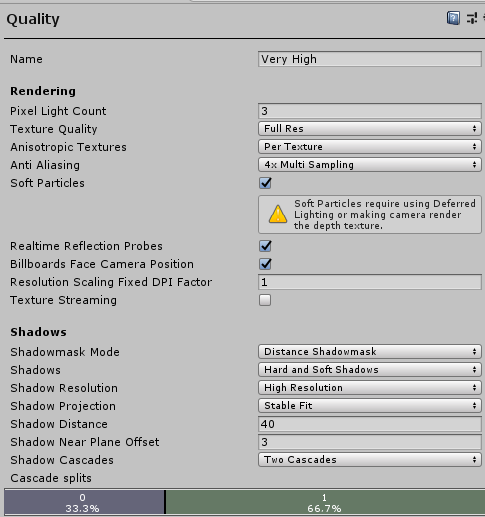
Or are these only if you build a standalone application, and not a world in VRChat?
fossil wolf
Ah, I see, Thanks
ornate turret
fossil wolf
Ah I see, Thank you so incredible much, Is it easy to redo it?
yeah occlusion culling is pretty easy to set up 🙂 Plenty of tutorials online to help you understand how it works.
but basic premise of it is:
- set Occluder static on any object that is big enough to hide stuff behind it. An Example is the Walls of a room.
- set Occludee Static on objects you want to disappear if they are hidden behind something out of view
place an occlusion area box around your world (from the occlusion panel), which tells unity where to focus when baking it.
choose the bake values you want and hit bake.
bake settings is where you'll need to do a little trial and error if you find objects disappear when they shouldn't
equally make sure that small objects don't have occluder static ticked either
(occluder and occludee static are found in the static drop down options per object like where you can choose "light static" for baking lights)
 stuck bronze
I've seen some really cool mahcanichs in the VRchat game worlds. Got me thinking... Would it be possible to make a Zelda dungeon in one? With switches, chests with keys and items to help you get around the dungeon? I seen one world with Hookshot-like items. Just how involved can you get using the SDK?
How far fetched would a boss fight be? Lol
random owl
The person above (Lakuza) is the god of vrchat boss fights, definitely possible to do if you have the time to spent learning and making them
errant beacon
should def be possible yeah! would be quite the project though o:
random owl




just updated Luxerion World fixing the broken boss battle at last! You can finally complete the main quest line again and enter the Hall of heroes. Only 2 slots left there btw. Once we hit that limit, the hall will be expanded for more slots + a community reward portal. #vrchat https://t.co/omUWskYP6g
Likes
139
 Twitter
·
thorn latch
Twitter
·
thorn latch
I'm going to assume that uses Udon, because otherwise that would be impossible
I've considered making covie AI on my world that will shoot at you but I have no idea where to even start
thorn latch
wat
random owl
Nothing is impossible in sdk2 as long as you have the time and patience to make it
random owl
First actual tutorial on VRChat triggers. Goes over creating an object to act as a door, animating the object, adding triggers to make the object open on player enter area, and close on player leaving area.
In the next tutorial, I will go over how to make a lockable door and show how to use an object to unlock it, similar to how my world "Lab E...
lone oxide
so on windows side my world is 50 mb but on quest its over 100 mb how do i fix that?
random owl
That really depends on what's taking the space
lone oxide
stuff i apparently deleted but says its still there in the toolkit so i think something is bugged or glitching out o3o
random owl
Well my toolkit is just reading the build reports generated by unity
Did you actually build again after removing them?
lone oxide
its more like i deleted unused texture files that weyre just sittin there taking space
random owl
Were they in use in the world?
lone oxide
nope
random owl
If something isn't used in the world they wouldn't be included in builds
lone oxide
now it says there gone but how do i crunch or compress a avatar model in the world cause apparently the wickerbeast is taking up alot of the 100mb and idk why or how
random owl
Show me a screenshot the messages side of the world debugger
random owl
Messages side
lone oxide
i only have 1 wickerbeast in the world too
thorn latch
random owl
https://youtu.be/A70dtbfZeK0
lol
lone oxide
how do i crunch or compress that
stuck bronze
wow! Zelda VR could be a thing. lol
random owl
Okay you see that top most message? Press the show separate messages on it.
lone oxide
ok its now fixing it lol
thorn latch
stuck bronze
wow! Zelda VR could be a thing. lol
There is a world that is literally the tutorial for Breath of the Wild, but the only enemy is a turret
stuck bronze
lol
verbal hare
i did this house in Maya, and I want to bring it into Unity for texturing/extra details (stairs and windows). it isnt one giant piece, its all modular pieces as one...what'd be the best way to do so?
unborn pilot
for some reason when i import the sdk i dont get the vrchat window in the top left of unity anyone got ideas?
errant beacon
unborn pilot
for some reason when i import the sdk i dont get the vrchat window in the top le...
Are you on Unity 2018.4.20f1 and are you using the most recent version of SDK2/3? o:
unborn pilot
yeah on 2018.4.20f1 and literally jsut redownloaded sdk2 to check
errant beacon
are there any errors in the console? o:
 novel lance
I have a small question, Is there a way with SDK2 to set up proximity sensors that can both enable something when near it and then disable something when leaving its proxy range?
errant beacon
Yes, that'd be controlled by a collider trigger c:
novel lance
I am looking at the doc page and seing OnEnterCollider and OnExitCollider but apparently they don't interact with players, it then says to use OnAvatarHit which is the same as OnEnterCollider but for players from what its telling me so i'm a bit confused on hit to get the exit part to work for players without it just being a timer from when it was first interacted with
(I'm a first time Unity user and i'm learning how to use it as i'm making the world)
errant beacon
You could have the trigger enable on avatar hit, which also enables another trigger which also has an OnAvatarHit output
that second trigger would be your 'exit' trigger - also, make an output on the exit trigger that disables itself once it's triggered
 silk osprey
Does anyone know if there is a way to turn this gray sphere thing off? It keeps popping up when I select certain small objects and it's really difficult to interact/move the object when I can't see it because of this sphere.
novel lance
hmm, sounds like a good way to do it but, idk how to set something like that up rn (triggers that enable/dissable triggers)
random owl
silk osprey
Does anyone know if there is a way to turn this gray sphere thing off? It keeps ...
That shows the light probes affecting the selected object you need to turn them off in the scene view visibility options if you want them gone
novel lance
novel lance
hmm, sounds like a good way to do it but, idk how to set something like that up ...
If i mess around enough i could probably figure out how to do this in a few hours worth of time
I also just realised i should of asked this in #event-system-sdk2 my bad
silk osprey
ohhh ok, thanks @random owl
 kindred bramble
I'm downgrading from SDK3 to SDK2, I deleted all the sdk3 stuff and didn't use anything udon as I just started with the world and I'm getting an error message with the SDK when I try to play. Any suggestions?
random owl
You also need to remove the scripting define symbol that's used to load the correct parts of the code
So remove the sdk3 one and udon one
kindred bramble
Its working! Thanks!
 analog parcel
Does anyone else have a problem with post processing stack v2 installing to packages and being unable to remove the tests folder from there?
random owl
If you installed it from the package manager you shouldn't be touching any files in it
analog parcel
Oh then the tests folder in the packages directory wont cause compile issues like it says on the documentation?
random owl
What documentation are you reading?
analog parcel
the official vrchat documentation
random owl
Link me the page, that's old information
analog parcel
VRChat
You can use certain external assets that use scripts in VRChat worlds. To see a list of precise components permitted in VRChat worlds, please see Whitelisted World Components. Dynamic Bone "Dynamic Bone applies physics to character's bones or joints. With simple setup, your character's hair, cloth, ...
Ya I am not supprised
so the tests folder is fine then?
random owl
Just follow what silents guide says also you can try my world tools to help you set it up faster
https://github.com/oneVR/VRWorldToolkit/releases
analog parcel
ok then the sdk has an issue then since it wont let me test my world
random owl
What is stopping you?
analog parcel
I don't know I press the test world button and it does nothing
i going to try and reinstall the sdk
random owl
You can also import what I linked above and check VRWorld Toolkit > World Debugger from the top bar
analog parcel
will do gana open up the origional project first
I will also update to the latest version even if that breaks all my scripts each time I do this
random owl
SDK3?
analog parcel
yes
random owl
If you go into a empty scene before you import the new sdk over it should stop that from happening
Well atleast make it less likely
analog parcel
head to desk
that would be nice to know from the documentation
anywho let me try that
thank you for your help this has been an issue for the past 5 days
unborn pilot
for some reason my VRCWorld gives me these errors can someone help?
random owl
Check your console for said compile errors, pressing clear once helps to narrow it down
 frank owl
Hey if yall know roughly how many tris are in a world or one's you make ?
I'm just wondering. Rn I'm making my first large vrc world
random owl
Unless you are making a quest world and you properly static, optimize and occlude stuff tri count isn't much of a worry
Bigger worry is the amount of materials, textures and drawcalls
But good always to have as little tris as you can for the world, fidelity and look you are going for ofc
You can do a lot with a little amount of tris if you know what you are doing
frank owl
Thank you m8! will keep in mind
 arctic current
yes
 wraith mural
Optimisation is a great skill to possess
analog parcel
@random owl It's working now, thank you so much, here is an internet gold nugget :3
verbal hare
if i wanted to scale something to an exact length in blender (ie 10 meters), is there a way i can directly type it in?
desert python
in unity, click mesh, go to inspector, and on the top there should be a scaling box for xyz coordnates
verbal hare
im doing scaling in blender, before i bring into unity...i find it much easier that way
desert python
the snap ruler tool if 2.8-2.9 blender still has it
verbal hare
where would i find that?
desert python
uhhhh, its usually on the bottom left, but i use a very old version of blender so im not sure where itd be now
verbal hare
gotcha