#vrchat-general-2
1 messages · Page 1409 of 1
 vocal shard
vrchat be like
 lucid vigil
what the fk
 open crescent
vrchat discord doesn't dissappoint
there was also a pedo guy who got banned
probably the deleted messages were him
 dusky sequoia
Kromer
 feral whale
@everyone wanna play some vr chat
 sharp saddle
feral whale
@everyone wanna play some vr chat
sharp saddle
feral whale
@everyone wanna play some vr chat
Nice try. 
 grizzled pumice
Does people blocking you affect your rank? Cause I've been random blocked a lot
vocal shard
grizzled pumice
Does people blocking you affect your rank? Cause I've been random blocked a lot
Yea, if you get too many you may get deranked; worse get nusiance rank where you are automatically blocked by everyone on default
Don't play music ingame if that is what is causing people to block you
 jolly atlas
Honestly it should be changed, if somebody has a history of blocking people a lot then they should not count
Or they should be told to change their social setting
 dusk crater
terrible idea
I get called lots of slurs, which is absolutely lovely. I tend to block quite a few people every time I am on
vocal shard
jolly atlas
Honestly it should be changed, if somebody has a history of blocking people a lo...
That may already be the case to some extent, I only know what I know from speculating since there is no official "this causes this"
grizzled pumice
vocal shard
Don't play music ingame if that is what is causing people to block you
No, I dont play music. I get blocked a lot for just speaking my native language, racist people who like saying ching chong and running away, I've gotten blocked 4 times for being in an empty room with my friend and just talking & people just blocking me. etc. I find it highly annoying that so many people random block :/
i had a whole group of people block me for being female
weird mann
vocal shard
weird world
 cosmic canopy
grizzled pumice
No, I dont play music. I get blocked a lot for just speaking my native language,...
cosmic canopy
grizzled pumice
No, I dont play music. I get blocked a lot for just speaking my native language,...
Aw that's sad to here :( Even on VR people are racists. I only block creeps lol
 pale mango
Is the general 1 or 2 the most active chat ? 😛
pale mango
Ah okay haha i was just rly bored and wanted to talk to anyone xD
Sooooo somebody feelin the same ? :/
 meager solstice
pale mango
Sooooo somebody feelin the same ? :/
meager solstice
pale mango
Sooooo somebody feelin the same ? :/
Tons of lurkers
pale mango
xD
 wild thistle
yeah lol :D
pale mango
Bet theres alot of creepy people on vrc tbh, i never trust anyone there. if i got that lurker thing right lol
 rapid light
anyone have a kurt cobain avatar
pale mango
Hahaha
meager solstice
pale mango
Bet theres alot of creepy people on vrc tbh, i never trust anyone there. if i go...
Ummm not what I was meaning but ok
Lurking as in watching chat and not typing
rapid light
LMAOO
sharp saddle
Yo Wiggy.
pale mango
Oooh yeah im not that good at english sry
meager solstice
sharp saddle
Yo Wiggy.
Interesting nickname for me…
sharp saddle
I give everyone weird nicknames. 
sharp saddle
rapid light
anyone have a guitar avatar
There's birb avatars with instruments, methinks.
pale mango
Well is it okay to have a guitar avatar if you play the guitar heh
rapid light
sharp saddle
There's birb avatars with instruments, methinks.
where
sharp saddle
pale mango
Yeah i use the birb avi alot when i play the guitar there. kinda felt attacked for a sec there xD
sharp saddle
You quite literally just posted there.
meager solstice
pale mango
Oooh yeah im not that good at english sry
What is ur native language
pale mango
Norwegian 🙂
 tame scroll
Hello I’m sky nice to meet u all
tame scroll
Good wbu
pale mango
back and forth, not sober and the guy i was playin with left to walk the dog and passed out instantly when he came back so xD
rapid light
whats birb
pale mango
Its like a little bird
Alot of them on vrc but i think they were more popular earlier
 hushed wedge
hey all, I was wondering how long the authentication time is for me to upload an avatar from unity, i dont really have the skills to make one so i was gunna download one i liked and upload it to use it
vocal shard
?upload
 shy spokeBOT
You must obtain at least "New User" Trust Rank in our Trust and Safety system in order to upload content. You can get this by just spending a few hours in VRChat, hop some worlds, and make some friends. Give it some time and you'll be able to upload content in no time.
As an aside, you must have a VRChat account to upload content. That means you can't use a Steam account, Oculus account, or Viveport account to upload content like worlds or avatars.
Source: https://docs.vrchat.com/docs/frequently-asked-questions
vocal shard
So just play the game and eventually you will; no specific time
hushed wedge
oh okay thank you
open crescent
hushed wedge
hey all, I was wondering how long the authentication time is for me to upload an...
just make sure you download from trusted sources and not a stolen / ripped avatar
because that is forbidden, and can get you permanently banned from the game
(it is also a dick move)
(Booth, Vket, and maybe gumroad are usually places to buy premade avatars, just read the information carefully, specially in gumroad as there have been cases of people uploading stuff they don't own)
hushed wedge
okay ill read up on that and if anything ill give credit to the author in the description of the avatar just to be safe
 wise mountain
 forest quarry
Does anyone know when they plan to release the physicsbones update? I know it has all been delayed but does anyone have a aproximation?
open crescent
forest quarry
Does anyone know when they plan to release the physicsbones update? I know it ha...
no
sadly
 elder cloud
so, anyone know any active PC worlds in the wake of meroom vanishing?
cause I am not going to quest worlds anytime soon
meager solstice
elder cloud
so, anyone know any active PC worlds in the wake of meroom vanishing?
The great pug
grizzled pumice
cosmic canopy
Aw that's sad to here :( Even on VR people are racists. I only block creeps lol
same here
 fossil idol
grizzled pumice
same here
fossil idol
grizzled pumice
same here
Korean is a very lovely language to listen to. So keep talking
grizzled pumice
fossil idol
Korean is a very lovely language to listen to. So keep talking
awe thank you, I'll try :D
vocal shard
grizzled pumice
No, I dont play music. I get blocked a lot for just speaking my native language,...
Those people can kindly piss off. Do not know if you would ever want to, but I would love to play with you in game if you ever want.
fossil idol
grizzled pumice
awe thank you, I'll try :D
Great, ignore blockers, they arent shit and can fuck emself
grizzled pumice
I got a video of a group of people who said; "If black people took over korea you'd be the slave and they'd be your master" I just dont know if i send it to a mod or just report the account
grizzled pumice
vocal shard
Those people can *kindly* piss off. Do not know if you would ever want to, but I...
and thank you ^^
grizzled pumice
fossil idol
Great, ignore blockers, they arent shit and can fuck emself
I'll keep doing that lmao
fossil idol
grizzled pumice
I got a video of a group of people who said; "If black people took over korea yo...
Thats horrible wtf
vocal shard
I cannot help but to doubt reporting them would do anything, but there is a ticket system for doing so.
fossil idol
Koreans are so lovely fam
grizzled pumice
fossil idol
Koreans are so lovely fam
thank you! we try our best, not sure about everyone in korea but a lot of families make you read books on a lot of formal stuff. :D
grizzled pumice
vocal shard
I cannot help but to doubt reporting them would do anything, but there is a tick...
how does the system work?
fossil idol
grizzled pumice
thank you! we try our best, not sure about everyone in korea but a lot of famili...
By what Ive seen of korean people, They’re sweet and kind, but of course theres dicks as well but ignore those
vocal shard
grizzled pumice
how does the system work?
You would go to the link in #moderation-reports and fill out the information and provide evidence, and in theory it would be reviewed and handled accordingly.
grizzled pumice
fossil idol
By what Ive seen of korean people, They’re sweet and kind, but of course theres ...
I've met rude koreans before, i would ignore them because they just failing at life
vocal shard
But you will not be informed if that ever happens.
grizzled pumice
vocal shard
But you will not be informed if that ever happens.
little strange.. but i'll try and report it
vocal shard
Welcome to the VRChat experience xD.
fossil idol
Hah, I’m rude and failing. Yikes truth hurts
grizzled pumice
fossil idol
Hah, I’m rude and failing. Yikes truth hurts
oop uhh i didnt mean it like that
fossil idol
Its true tho so dont worry ma’am
Lucky koreans also have D.Va and Squid Game
The best TV Show and best Gamer Waifu
Come on man.
grizzled pumice
lmaoo i've never even watch that but yeah were popping out a lot of tv shows for netflix
fossil idol
Trust me its really good, you should watch it
grizzled pumice
glad people enjoy it
grizzled pumice
fossil idol
Trust me its really good, you should watch it
i'll try
fossil idol
At first I wanted to skip it and saw it just as another overhyped show, but its actually amazing
grizzled pumice
I'll check it out
 honest forge
elder cloud
so, anyone know any active PC worlds in the wake of meroom vanishing?
honest forge
elder cloud
so, anyone know any active PC worlds in the wake of meroom vanishing?
there is a new pc only meroom. however the next main meroom design (final meroom) will be quest compatible unless a pc only and a quest only request has been submited
lucid vigil
grizzled pumice
I got a video of a group of people who said; "If black people took over korea yo...
What...
Those people don't deserve the time of day
grizzled pumice
lucid vigil
What...
Thats what I was thinknig
lucid vigil
Report anyone like that and move on, they are trash
elder cloud
yeah stuff like that is why I never go into public lobbies tbh
usually the second I start to talk I'm either ignored or everyone has a go at me for being british
fossil idol
elder cloud
usually the second I start to talk I'm either ignored or everyone has a go at me...
Never happens to me and my accent is special
If you dont speak like you’re one of em and talk like you’re shy to a big group of guys
You dont get in, you gotta flow in like cars on the road
 lucid marsh
Does anyone here have a good suggestion for dates? I'm looking for anything from activities to romantic
grizzled pumice
lucid marsh
Does anyone here have a good suggestion for dates? I'm looking for anything from...
like.. an online date
lucid marsh
grizzled pumice
like.. an online date
Yeah on VRChat
grizzled pumice
lucid marsh
Yeah on VRChat
 the pug probably
just a normal hanging out area too
or a private home
lucid marsh
grizzled pumice
or a private home
Both would be fine. I would like to end it at a private home
grizzled pumice
lucid marsh
Both would be fine. I would like to end it at a private home
enjoy your date then 
vocal shard
Ye
 nocturne bluff
lucid marsh
Does anyone here have a good suggestion for dates? I'm looking for anything from...
nocturne bluff
lucid marsh
Does anyone here have a good suggestion for dates? I'm looking for anything from...
what kind of things you thinking? more scenic or sightseeing places where you make up your own stuff to do together, or worlds that give you the things you need to have fun together?
such as game / story / adventure worlds
lucid marsh
nocturne bluff
what kind of things you thinking? more scenic or sightseeing places where you ma...
Oo I like the idea of a world we can make up stuff together
lucid marsh
nocturne bluff
"NANO Flower Hill" would be great foe that
Oo sounds very nice. I'll definitely check it out! Thanks
nocturne bluff
my pleasure!!
vocal shard
make sure to turn the thermostat up for sun heat simulation tm
 night quest
I'm looking for more people to participate in The Virtual Podcast!
We need a whole crew that can be back stage to control all the cameras and the video player and interrupt the conversation if necessary.
The goal is to have 4 conducting the podcast it self where 3 are the main hosts and 1 is a guest. Preferably, the third and last addition to the main stage crew is an energetic female with full body tracking and a valve index as a headset (mainly because of the high quality microphone).
If you'd like to be part of it then do not hesitate to reach out to me 🙂
won't be today though 😛
dusk crater
energetic female with full body tracking
🤔
 noble depot
:weirdchamp:
 karmic rose
Lmao
open crescent
It was probably because you didn't take a chill pill before lashing out
 rancid jewel
haha i have predicted the release of the update by saying "in the next 2 seconds" in the open beta channel
dusk crater
No
Cope
 vocal shard
Yeah, this still isn't the place for that
open crescent
Be more chill in the future
 upbeat sphinx
You could make another discord account
vocal shard
 you really went with "I could have been relaxing"?
TF you do to get banned from the Marvel Studio Discord server lmao
open crescent
 Booped again
 patent sedge
oh god the attrocity has released, please god make it look bearable
noble depot
patent sedge
oh god the attrocity has released, please god make it look bearable
You've had over a month to voice your concerns in the beta canny! #open-beta-info
 jovial kestrel
The feedback of every individual counts, you know.
noble depot
^ plus, it's not just one person
If people agree with you on the canny and vote for your post
patent sedge
itll also help when theres an announcement on the steam page and ppl can see reaction in discussions
since one aint there yet
 steel mica
I keep crashing if i hit the r/ Radial menu and everyone else
 cunning dagger
steel mica
I keep crashing if i hit the r/ Radial menu and everyone else
cunning dagger
steel mica
I keep crashing if i hit the r/ Radial menu and everyone else
if youre having problems with the update, follow the steps in #vrchat-support . ESPECIALLY the part where you remove any files vrchat didn't put there
 sterile kelp
Oh heck yeah quest users getting a camera too that's awesome!
noble depot
Not in this update, but in a future one o:
 slate verge
when will quest get dynamic bones or physics
noble depot
dynamic bones hopefully never, physics bones sometime in the future maybe™
 vast mortar
anyone else not able to even load into vrc w/o crashing immediately with this new update?
 balmy spear
vast mortar
anyone else not able to even load into vrc w/o crashing immediately with this ne...
balmy spear
vast mortar
anyone else not able to even load into vrc w/o crashing immediately with this ne...
my guess is that your breaking tos with mods thats broken
 wispy ridge
so we're stil using the same version of unity despite the update right?
4.31f
 hallow terrace
anyone know how to change the folder that screenshots are saved to? for some reason mine changed to my other drive with the update
balmy spear
hallow terrace
anyone know how to change the folder that screenshots are saved to? for some rea...
what is your picture folder set to in windows i think thats whats causing it
 frozen loom
My friend is having issues with loging in it keeps saying authintication failed he has tried multiple things like uninstalling and reinstalling and changing his password does anyone else have this issue?
balmy spear
frozen loom
My friend is having issues with loging in it keeps saying authintication failed ...
can there login on the website?
hallow terrace
it generated a "Pictures" folder on my SSD when i took a new pic since the update
frozen loom
yes
hallow terrace
shits wack
 dawn pond
frozen loom
My friend is having issues with loging in it keeps saying authintication failed ...
dawn pond
frozen loom
My friend is having issues with loging in it keeps saying authintication failed ...
my friend is having the same problem
balmy spear
either broken install or internet provider issues is my guess
frozen loom
dawn pond
my friend is having the same problem
can they log into steam?
dawn pond
frozen loom
can they log into steam?
they can login to steam and the VRChat website
balmy spear
hallow terrace
it generated a "Pictures" folder on my SSD when i took a new pic since the updat...
I would say report this on the canny and see what happends https://feedback.vrchat.com/
frozen loom
dawn pond
they can login to steam and the VRChat website
thats so weird
dawn pond
frozen loom
thats so weird
If they use... other applications alongside vrchat... have them uninstall it
frozen loom
dawn pond
If they use... other applications alongside vrchat... have them uninstall it
like what?
 odd silo
Dm me to be friends
dawn pond
frozen loom
like what?
Like the no no applications
frozen loom
dawn pond
Like the no no applications
im not sure what you mean by that
noble depot
mods
For that issue specifically though, they might want to contact #vrchat-support o:
vocal shard
Just going to say, I perfer the older ui, dont get me wrong the new ui has its fans, but as someone who's grown with the old ui, It just doesnt feel right
 jagged sedge
Does anyone know where new photos on the updated cam get sent to now?
 devout ocean
They get sent to the same location, but sorted into folders per month rather than the image just going to the Pictures/VRChat folder
Organizes it a bit more
 glossy rivet
Recommendations - make the friends wing wider, put a playerlist in a wing, coloured by rank. Colour the ranks in the room player list.
The new menu also gets hidden behind mirrors too much and I'm not even sitting too close and mouse completely disappears.
The menu doesn't need a title, we all know it's the menu, we opened it
 golden olive
is there an option to make the expanded version of the menu default
 glossy current
game crashing on load even after reinstall rip
golden olive
i dont like having to use both contrllers to use the menu its wierd
 haughty fulcrum
glossy rivet
Recommendations - make the friends wing wider, put a playerlist in a wing, colou...
haughty fulcrum
glossy rivet
Recommendations - make the friends wing wider, put a playerlist in a wing, colou...
If you had been to the Beta, you could have addressed all of this. They took all the feedback.
 stone moon
They didn't even bother to communicate their menu changes ahead of time to their users.
If I did this at work, I'd have all my access revoked, the changes reverted, and a chewing by every department head.
You always communicate ahead. no exceptions.
Especially for massive overhauls like this.
 ruby tiger
lmao
 west yoke
stone moon
They didn't even bother to communicate their menu changes ahead of time to their...
west yoke
stone moon
They didn't even bother to communicate their menu changes ahead of time to their...
Not only was the fact that the UI update was stated in a dev stream, it was also announced multiple times in #open-beta-announcements with the first announcement being a month ago
stone moon
Was there a matching announcement in the general #announcements channel?
glossy rivet
No reason to be in the beta or this discord when nothing was wrong. Then boom, tons changed with no steam announcements until its already changed. Do I gotta be looking over my shoulder for every change, or to enjoy the game worry free?
west yoke
stone moon
Was there a matching announcement in the general <#336764577301659649> channel?
Yes, there was an announcement about the dev stream and a recap for it that you could read if you didn't want to watch the entire thing.
glossy rivet
I'm not combatting the change although I hate it, I know vrc never goes back on changing things. But come on, there's some glaring problems and is just gonna push people to use mods more to change it back to what they know and are used to.
Like why all the change to get rid of trust colours. Makes everything way more confusing.
glossy current
Rather than defying the change, give it time to settle in, vrc wasnt always how it is, and people have adapted. over time im sure the change will be welcomed, the old menu was nothing to write home about. Change should always be welcomed, and this isnt be all end all menu by the way. things can change depending on feedback
glossy rivet
and if the advertising wasn't enough, now I have to stare at a huge multipage advertisement every time I open the menu. Like I've already got vrc+ like I don't need to see this shit pushing down the stuff I want to access.
haughty fulcrum
He is just a guy that don't like changes. Facts. He is just complaining 👀
ruby tiger
read #open-beta-info and sub to the beta announcements
haughty fulcrum
^
ruby tiger
if you really care about not missing out on info or changes
glossy current
haughty fulcrum
He is just a guy that don't like changes. Facts. He is just complaining 👀
To put it bluntly, yes
ruby tiger
otherwise you're just ranting here
stone moon
I don't mind the changes, I just hate the blatant lack of prior communication and complete disregard for the average user.
This could easily gave been solved with an announcement yesterday that there would be a UI update dropping today. Not a link to a dev log video, an announcement specifically for the update.
glossy current
glossy rivet
and if the advertising wasn't enough, now I have to stare at a huge multipage ad...
Im sure a patron to VRC like yourself, is completely capable of a kind worded message in the write spot, potentially containing less profanity to the devs, maybe they will take onboard the feedback
ruby tiger
stone moon
I don't mind the changes, I just hate the blatant lack of prior communication an...
But why are we doing this? Because this build is a release candidate!! Barring any major issues, this release will go Live soon-- probably early next week!
right in the announcements for beta
glossy current
Wait so the update broke fbt
west yoke
glossy current
Wait so the update broke fbt
If you modified the VRChat client, very possible yes.
 sharp rose
fbt wasn't impacted or touched in the slightest from this update.
stone moon
ruby tiger
right in the announcements for beta
But not in the general announcements.
sharp rose
now, if you're using client mods...
glossy current
lawn mopping fixed issue
golden olive
I think there are some pros and cons to this new menu system, but IMHO they need to add an option in the settings so you can select if you want to use the new 'pad', or just have the regular menu pop up instead I feel like I'm having to do an extra step now to get to the option I want. I think people are upset because they weren't expecting such a drastic UI change without something being mentioned ahead of time.
ruby tiger
and how would you introduce drastic ui changes, at some point you have to pull the trigger
golden olive
They were making announcements for a month prior to them going to a new version of Unity, but there wasn't much said on this new UI at all.
haughty fulcrum
U getting used to it. I used it for 2 weeks+. Was weird at first but now I can't live without it anymore. I switched back 2 days ago because of not network compatible because of a meetup. And I hated using the old one again.
golden olive
I don't have time to babysit the beta threads, I have enoguh trouble just keeping my worlds functioning with the frequency of updates lately.
I'm not saying it's better or worse, I'm just saying it would have been nice if they had mentioned this somewhere a few days ahead of time in a more general manner (like on the website) and have an option in there to choose if you want the pad first, or just take me to the menu in the settings, that can't be that difficult to implement.
ruby tiger
if you want the pad first
what do you mean with pad
golden olive
that thing that's attached to my hand...I don't like it. The other menus are static.
either that or make an option so it's not attached to my hand
I don't like having to try to hold two controllers steady while trying to point at a menu option.
ruby tiger
can't you change controller bindings to open the regular big menu?
west yoke
golden olive
either that or make an option so it's not attached to my hand
You should already be able to specify if you want it on the HUD or to follow your hand though?
golden olive
HOW?
haughty fulcrum
but thats your problem. then I guess you don't play vr for that long
golden olive
I have over 2000 hours in VRC....
west yoke
golden olive
HOW?
Open the Action Menu -> Options -> Config -> On Hud
vocal shard
I feel like the new UI is hard to navigate atm, maybe people will adjust or maybe they'll riot, who knows.
stone moon
ruby tiger
and how would you introduce drastic ui changes, at some point you have to pull t...
Easy. Once the testing is done in beta, you make an announcement in #announcements that the update is dropping tomorrow. That channel is specifically set up to mirror to other discord servers, so everyone gets the heads up on the change.
You don't tell the user to "watch the beta channels lol".
vocal shard
World 66
ruby tiger
stone moon
Easy. Once the testing is done in beta, you make an announcement in <#336764577...
it would probably help but i can see people complaining that they didnt see it :P
ruby tiger
vocal shard
I feel like the new UI is hard to navigate atm, maybe people will adjust or mayb...
the scrollbar could be bigger
vocal shard
Everyone's complaining rn, dont worry.
golden olive
west yoke
Open the Action Menu -> Options -> Config -> On Hud
Doesn't work, that only effects the action menu\
west yoke
I'm not sure which menu you don't want to follow your hand
golden olive
the main menu, when you press your menu button it's now attached to your hand, before it was static.
stone moon
ruby tiger
it would probably help but i can see people complaining that they didnt see it :...
Ehh, those people will always exist. But it would cut the number of complainees.
golden olive
it forces you to have to use both controllers to use the menu, before you could just use one hand, and point and click, now you have to hold the damned thing.
haughty fulcrum
If these people were in beta, they wouldn't be complaining
because we figured out the bugs and made feedback to improve it or change something
golden olive
Some of these people have jobs and don't sit in front of the computer all day.
anyway whatever I'll submit a feedback thing officially this channel is kinda pointless.
 shy hare
golden olive
the main menu, when you press your menu button it's now attached to your hand, b...
shy hare
golden olive
the main menu, when you press your menu button it's now attached to your hand, b...
The hand attachment didn't change... The small menu was always following your hand
I personally love the new UI, to bring some positivity in here :P
ruby tiger
the quick menu always spawned in front of you - it's not about the radial menu
unless i am mistaken about which one now
 near ether
you can change the action menu being on screen/on hand in the action* menu settings
maybe they changed/reset the default, but mine is all the same
its the option called "On HUD"
west yoke
Just to note, Quick Menu refers to the menu that opens when you press Esc or the equivalent button on your VR controller, it contains settings, safety, avatars, worlds, etc.
Action Menu refers to the menu that you can open with R, it's a radial menu for controlling stuff about your Avatar.
near ether
west yoke
Just to note, Quick Menu refers to the menu that opens when you press Esc or the...
Then its the action menu** sorry.
 gritty saffron
Finally, using the camera will no longer feel awkward
glossy rivet
glossy current
Im sure a patron to VRC like yourself, is completely capable of a kind worded me...
you think that was badly worded, mate you've no idea. Sure I can write nicely, but not when I've got people trying to put me down for speaking my mind. I'm 100% sure I'm not the only one not happy with the changes that have been happening recently and the issues that have appeared from them. Not all of us follow the vrchat team like gods and take down every testament. Some of us are just regular people who enjoy the game, have fun and , but then find it get changed hugely when nothing was wrong with the old system and get told to stfu when we speak up about it. VRC taught me to speak up for what I believe in but this discord is just toxic asf so I stay away from it unless there's issues with the game. If I could believe that devs or admins or whatever would take notice of user feedback it would be different. But they don't even listen to evidenced reports of nefarious use of abyss clients bombing worlds or pedophiles, they just let it all pass by. Whatever, talking here is pointless, there's more simps here than ingame and I need to calm down before I go too far.
sharp rose
glossy rivet
you think that was badly worded, mate you've no idea. Sure I can write nicely, b...
Do we? That's news to me, tbh.
More seriously: https://feedback.vrchat.com/ is where we tend to look for feedback, Discord isn't (usually) monitored for that. 😄

Give feedback to the VRChat team so we can make more informed product decisions. Powered by Canny.
 livid vigil
I have question my vrchat account as got locked be of someone else maybe logging in. Is there a way to get it back?
 cloud summit
livid vigil
I have question my vrchat account as got locked be of someone else maybe logging...
cloud summit
livid vigil
I have question my vrchat account as got locked be of someone else maybe logging...
If you’re VRChat account has been locked just request for it to be unlocked in #vrchat-support.
livid vigil
Okay thank you
cloud summit
No worries.
 long bear
Hi
 slender tangle
There's no good place for this but it seems a lot of people have been crashing including me. I had 3 uncommon crashes within 2 hours. Also the clone on/off is no where on the new menu from what I can tell
 woeful elm
ngl, having to press extra buttons just to select a user is kinda inconvenient imo.
 regal furnace
the old menu was inconvenient
golden olive
shy hare
The hand attachment didn't change... The small menu was always following your ha...
yes i see that now...notcrazy about the scroll bars bu i guess it works
regal furnace
imma watch and eat popcorn
 proven stag
i need the old one 😭
woeful elm
Honestly, the main reason why I don't like it is because it changed out of nowhere.
proven stag
yeah
golden olive
its growing on me now
regal furnace
woeful elm
Honestly, the main reason why I don't like it is because it changed out of nowhe...
open beta was a thing for a month
proven stag
no💔
regal furnace
it even was compatible with live most of the time
woeful elm
Still would be out of nowhere for most.
regal furnace
the new one is no doubt an improvement in every single way
regal furnace
rhe old one was a clusterfuck of randomly added buttons in a grid, and when the grid ran out they put em outside tve grid
proven stag
it called me a “cracker” 💔😦😩
regal furnace
and the settings already were nested within settings before
proven stag
and laughed at me
regal furnace
just give it a few days, you will get used to it
proven stag
i don’t like bully’s 💪🤨
woeful elm
For me, it's just 2 things. It was out of nowhere (would take time to get used to) and I can't just snipe someone after opening it.
karmic rose
woeful elm
For me, it's just 2 things. It was out of nowhere (would take time to get used t...
Technically it was in open beta for like a solid month
regal furnace
you got settings and safety settings. settings had bindings, safety had performance settings
woeful elm
I'm not saying it's an overall flaw, it's just a reason why I don't like it specifically.
regal furnace
we literally had 2 different settings menus before
karmic rose
And the beta was network compatible so you could have tried it and gave feedback for a month
regal furnace
what about performance settings then?
karmic rose
Do remember too, the rest of the menu hasn't been overhauled yet. Just the quick menu. Some redundancy or oddities may very well change once the rest of the menu is updated
karmic rose
You shouldn't be needing to change height when u calibrate wtf
I haven't touched that in years
Are u suddenly growing in height?
.> Or just adjust your tracker position
proven stag
guys what do i do if my menu is bullying me and calling me a cracker 🚩💔
golden olive
menu is ok once youget familiar with it.
proven stag
no
 bold tiger
does anyone ovr space drag not working or is it just me?
karmic rose
Idk I like the new menu. Def some nice quality of life additions like double tap to turn on camera, click and drag to scrub through menus, customization of the wings.
Quick button to disable safety too
karmic rose
There are known issues with the camera still. This was documented. There will undoubtedly be updated soon to address more issues.
golden olive
the customized wings can put many of the functionon the main screen...this is better opinion changed 
karmic rose
I do like the wings. Fav avatars on one and friends on the other sorted by online status, nice.
Customization is good
 native aspen
The wings are kinda cool but it's kinda weird
karmic rose
Most people bitched and said the same shit about avatar3 and UDON and now going back to sdk2 is like unimaginable. Change can be scary to some, but change is good. Just takes time for you to adjust, but eventually you'll look back and wonder how u used to even use the old system. Progress shouldn't stop because some people might be afraid of change or dislike a certain look.
If you worry about the direction of certain things. It would be a good idea to participate in the open beta so you can provide feedback and have time to ready yourself for change as well.
Open beta of this update was up for like a month and was network compatible
 cursive grail
yeah. when i was in beta and had to switch back to live because it wasn’t network compatible anymore i missed the menu SO much, i was so glad when it came to live
i find it so much easier to use
karmic rose
Yea. Those few days over the weekend felt like a step back
 magic gate
I wonder what the overlap is between people who complain about performance being crap (despite using verypoor avatars), and people who bitch about new updates
karmic rose
magic gate
I wonder what the overlap is between people who complain about performance being...
And people who would bitch about VRChat never updating shit then complain when they do
Sometimes ya can't win
cursive grail
lol
cursive grail
bots are dumb sometimes
magic gate
I reck the people complaining are just like antivaxxers, they're a tiny fraction of people
cursive grail
oh you’d be surprised how many of my friends came to me complaining
magic gate
where they all have their issue that they're REALLY opposed to, some REALLY think even trying to implement changes to avatar performance ranking is a human rights abuse, and some just get pissy becauseany UI change is bad because muscle memory
oh well screw em if you don't want updates go play vr on the DK1
or the virtual boy
cursive grail
lmfao
 exotic ether
it mightjust be me but did anyone else get a performance boost with the update?
golden olive
It did seem a little better for me tonight, but I also crashed unexpectedly 3 times....once when I used the rejoin world thing, so maybe there's still some bugs to work out.
 fast schooner
hi
 light moss
Noticed crashes too nearly every time I swap from a local test avatar to a live uploaded one. Log says it found an sdk2 avatar descriptor, but both are sdk3 avatars
 grand igloo
just took some photos.. no idea where they saved to- anyone know? i know they save to a vrchat file but they arent there?
west yoke
grand igloo
just took some photos.. no idea where they saved to- anyone know? i know they sa...
Pictures -> VRChat -> YYYY-MM
grand igloo
i just found them. it made a whole new folder in the folder and it confused me thank you!
west yoke
grand igloo
i just found them. it made a whole new folder in the folder and it confused me t...
Yeah it auto sorts them based off the year and month you took those photos in now
 paper light
If you see or read this. You are a cutie and you can't say no. (This is no lie. Only the truth.)
 rapid zodiac
west yoke
Yeah it auto sorts them based off the year and month you took those photos in no...
rapid zodiac
west yoke
Yeah it auto sorts them based off the year and month you took those photos in no...
Is there a way to change the location?
 wicked frost
Agreed
 peak orchid
What do you feel is rushed or more complicated?
If you are talking about the new QM I couldn't disagree more, it was in open beta for a whole month and it feels very polished to me. I used it for all of that time and when I tried the old UI yesterday I was just confused since I forgot how random that thing was.
vocal shard
How much do people usually pay for avatars in vr? So far from what I’ve seen is way too low, but I’m a 3D modeler so I’m wondering if there’s an opportunity for money if it’s good enough
peak orchid
Depending on what you want / how popular it is. For my Rexouium base model I paid 40$ and that's just the Base Model, so I need to customize it my self and buy or create accessories if I want those.
vocal shard
Damn. That’s so low. I ask because I know rigging along cost at least $400 for cheap in the industry for 1 character, and I don’t want to put in a shit ton of work for $40 you know
 odd blaze
There's much higher custom ones out there, thats for one person or a few
700-2000$ ones ( i for one would never bother )
vocal shard
That’s more of a reasonable price point from my point of view
stone moon
vocal shard
Damn. That’s so low. I ask because I know rigging along cost at least $400 for c...
$400?! Jesus Christ, I could do that myself with auto weight paint and some cleanup afterwards.
odd blaze
This is custom from scratch models tho, not kitbash also copyright on em
vocal shard
Except auto weights don’t fix everything, and in 3DS max you can’t do that, so it’s done by hand
I’ve had to rig a few characters before, and it sucks. I know my professor won’t charge less than 1400
ew 3ds max
ay least its not old blender
Hey, that’s what I learned on
YESS
odd blaze
autocad/3dmax/cncstuff/blender what ive done
vocal shard
i am jealous
I’m in college so I’m still using different programs. I need to learn Maya since I know for 3D modeling (what I want to do as a job) Maya and 3DS max are the standards
peak orchid
vocal shard
Damn. That’s so low. I ask because I know rigging along cost at least $400 for c...
You have to know that that Avatar has been soled like 1000x or more, without changing anything for each person, they did that Avatar once (and sometimes provide Qol updates)
odd blaze
Last time i did anything professional it was 25k for a month
vocal shard
Damn
peak orchid
If you want a custom version with custom textures etc the prices can rise up really fast.
vocal shard
custom textures wooo
odd blaze
There is a channel somewhere where you can look for people thats looking for custom stuff (somewhere)
peak orchid
And if someone makes a Avtar from the ground up just for you it can go in to the 1000+ $ range
vocal shard
Textures are fun to make. I just wish we had more time to learn z brush in my 3D modeling class.
How did you learn to make your own textures
stone moon
vocal shard
Except auto weights don’t fix everything, and in 3DS max you can’t do that, so i...
True, but it does a good chunk of the simple work. Then you just clean up or manually do the bits that don't auto paint.
vocal shard
Yea but the simple stuff doesn’t take that long, most of rigging is doing the tedious crap
yee
I usually automatic weightpaint and ajust from there
I try to avoid rigging when I can. I also mostly model weapons so it makes it easier
rigging that is much more simple
mayb bones for wibble wobbleage
yknow what that is a good idea i need to make a sword that has dynamic bones on the blade
Yep, or for swords, not a lot at all. My most complicated weapon is a double katana that can attach and detach in the middle, but that was pretty easy. Idk why I just like swords
can I see some of ur work
Yea, let me find it and I’ll post it
I don’t have good renders though
thats okay
 spark zealot
morning all
 charred marlin
cry about it
peak orchid
I'll sure do
 indigo latch
Mornings make me cry
stone moon
Completely forgot to post this yesterday.
To the VRChat Dev Team, (there's no category for this on the feedback site)
I recommend creating a new announcement template for big planned updates, to be used 24 hours (or more) before its release.
It doesn't need to be verbose. In fact, it can be as short as three (3) sentences. It just needs to convey the following:
- There will be an update the next day
- We've made changes to X
- Here's a video of the changes, if you want to know more
More can be added if needed, but most people skim-read. The important bits above need to be in the first few sentences.
24 hours before the update drops, you fill out the template with the required info, and post in #announcements . This then posts on every server that copies that channel, giving your player base a heads up.
This can be skipped for unplanned stuff like security updates.
If needed, I can help whip up the template.
Seriously, I deal with enough surprise updates on Microsoft's Exchange admin platforms at work. It hurts to see the same potential mistakes coming from a game I actually like.
noble depot
stone moon
Completely forgot to post this yesterday.
To the VRChat Dev Team, (there's no c...
That's already a thing, #open-beta-info and #open-beta-announcements - this QM update was in beta for over a month, and there was a heads-up given that the last beta was a release candidate, and barring any major issues, it'd be released early next week
remembered the announcement wrong - still applicable though lmao
stone moon
No, they need to send it in the #announcements channel. Not the beta channels.
noble depot
People already hate getting pinged for the announcements, despite the fact that they can turn notifs off lol
if people want to know about upcoming updates, they should opt in to the open beta pings in #open-beta-info
stone moon
Umm, no? Planned updates are effectively no longer beta, and should then be written about in announcements.
noble depot
?
stone moon
Also I have yet to see a server with the beta channels copied in it.
noble depot
that doesn't really make sense lol
The beta updates are upcoming updates, and will eventually come to live, usually after a release candidate
If someone wants to know about any upcoming updates before they come to the live build, opting into the notifs there would help
even if they don't want to participate in the beta (which they def should participate)
stone moon
Bruh, all I'm asking for is a day's heads up for stable branch updates. Not the beta stuff. It's not that hard to understand.
noble depot
Yes, but the beta announcements are exactly that lol
release candidate announcements are effectively saying that there's about to be an update to live
stone moon
No, that's updates to the beta branch. I shouldn't have to babysit and filter that for beta to stable announcements.
 pale mist
wat shrooms u on
theres #announcements and also the store page at steam. this will also say when theres an update
stone moon
That doesn't tell you ahead of time. Big UI changing updates like this need to be announced beforehand, not as it's dropping.
pale mist
they did in the openbeta one tbf
noble depot
This update was announced long in advance as well lol
pale mist
oh wait april
noble depot
both in the open beta announcements, and in the devstream
pale mist

Medium
If you missed it, we recently held a Developer Stream on our Twitch channel. Let’s go over what we talked about — ’cause there’s a LOT!
noble depot
^
stone moon
Are you guys even reading what I wrote?
Stable branch updates should go in announcements. Not the open beta channels.
 graceful pewter
the release version of the update did get announced in the announcement Channel
 stone moon
graceful pewter
the release version of the update did get announced in the announcement Channel
stone moon
graceful pewter
the release version of the update did get announced in the announcement Channel
Yes, as it was dropping. All I'm asking for is another announcement 24 hours before to let non-beta users know.
This gives the average user time to read up if needed.
pale mist
ye sure they exactly know when to drop it
noble depot
Not as it was dropping, like 2 days before
pale mist
also whyd u need time to read up
stone moon
That was yesterday
pale mist
you can do so before or while updating
if you want the latest stuff, a lot of platforms go the way of release an open beta/pre-release for their users. also its plastered across half of this discord and other mediums vrc use that they do it this way
graceful pewter
and if you're a mapmaker you had the whole open Beta to test your stuff
stone moon
How is this so hard to understand?!
Extra announcement. 24 hours beforehand. Not in the beta channels. Let the average user know stuff will be changing.
noble depot
We understand, but that's not needed
 umbral reef
Well apparently it is else he would not ask
noble depot
there's already a system for that, which effectively does the same thing
graceful pewter
question what is there actionable for users to do in the hypothetical 24 hours before announcement
umbral reef
If its needed enough that they will implement it is another thing.
But knowing about an update before it launches is nice
As even with the beta channel, you gonna be scrolling true like 5 mini updates to see what they added and or fixed
As the release candidate doesnt have it as nicely listed as the official announcement
stone moon
That's fair. It doesn't need to be too full of sales speak fluff. It just needs to communicate changes to stable before they drop.
Seriously, if I dropped an update like this at work without telling people beforehand, I would get chewed out massively, and then fired.
 zealous agate
stone moon
That's fair. It doesn't need to be too full of sales speak fluff. It just need...
zealous agate
stone moon
That's fair. It doesn't need to be too full of sales speak fluff. It just need...
Problem with that is that, as you said, most people skim read and a whole lot will probably miss that it's an update that comes 24h afterwards, I can already see people complaining "Where is the update, why can't I see anything in-game"
But I totally get what you mean, and hope they at least try even if some dumbos won't get it
stone moon
zealous agate
But I totally get what you mean, and hope they at least try even if some dumbos ...
Yeah, it's part CYA as well for the dev team.
zealous agate
It would not be useful for me, I closely follow every update in beta channels and stuff, but not everyone is a nerd indeed
pale mist
ive seen some ppl confused with the new gui ingame already
it will sure take some time to get used to it, but thats called progress
zealous agate
that's always bound to happen
pale mist
not if you only change stuff ever so slightly
like before, there was wandering buttons well split over the years and months
no drastic changes ever, really
grizzled pumice
everytime I open vrchat its just white and closes right after, it didnt do this at all before and I havent downloaded anything
noble depot
Try reinstalling the game if you haven't already? o:
grizzled pumice
I tried that, but I'll try deleteing every file then reinstalling
stone moon
There's a folder in AppData\LocalLow for VRChat. It has the cache and stuff. Try wiping that folder.
You'll have to sign in again, because the login is cached there as well.
cloud summit
!cleancache
 floral flaxBOT
You can clean cache by deleting everything within C:\Users\%Username%\AppData\LocalLow\VRChat\vrchat apart from config.json if you have it
cloud summit
Exact file location if you need it.
grizzled pumice
alright
i just deleted the whole file, unintalled reinstalled and it fixed
yoo wth happened to the menu
stone moon
Big UI update.
 proven crypt
among us anyone??
sharp rose
Most gamedev releases I see will drop patchnotes/announcements the day/time of, not in advance
(cue my relentless stalking of rimworld mods during potential release cycles)
stone moon
Yeah, I may be applying too much office logic to game dev stuff.
sharp rose
gamedev is very much its own animal, with cryptic and byzantine rules that dont seem to effectively apply anywhere else 🤣
stone moon
Still may be worth considering, especially since UI flow and hand-eye coordination are so heavily tied together.
But I'll leave that to you. I've said my part, provided a possible solution, and got heard.
insert Starship Troopers "I'm doing my part" gif
sharp rose
Oh I'm not the person who decides any of that anyway 😛
vocal shard
It's because sometimes game dev makes you bring up random parts of coding and other things that don't really exist elsewhere it really can push problem solving as a concept
Other times it's cookie cutter by the book easy, though
open crescent
sharp rose
Most gamedev releases I see will drop patchnotes/announcements the day/time of, ...
Correct, The same people who can't understand that everyone needs to update to see their friends etc will not read shit if it's available beforehand...
So the beta is good enough in my opinion
vocal shard
Anyone want to chat I'm bored
 sudden socket
vocal shard
Anyone want to chat I'm bored
sudden socket
vocal shard
Anyone want to chat I'm bored
Ignored everywhere u go, I see
vocal shard
Yep
vocal shard
I don't get it myself that stuffs right here to read
 fair thicket
anyone know why my account might lock?
vocal shard
I have a question for future reference. How exactly does animation work when creating you’re own model in vrchat. Obviously I know it’s need to be rigged, however, do the basic movement animation come normal in vr or is it all animated? I don’t mind doing either one I just don’t know exactly how it works
vocal shard
Hello fellow scout
fair thicket
yep
vocal shard
I mean I turn 20 in 2 days so it would be bad if I was still star
noble depot
might be something for #animation? o:
You'll have the standard movement animations by default, assuming your avatar is humanoid and fits the rigging requirements
noble depot
noble depot
fair thicket
anyone know why my account might lock?
contact support o: http://help.vrchat.com/hc/en-us/requests/new
There's a couple ways to do that
vocal shard
Oh youd have to make your own walking, running, proning, etc anims unless u want it to be cursed
with default set
noble depot
you could try rigging it as humanoid and making the back legs/spine/etc on a different animation layer or something, or you could use FinalIK to do the extra legs instead
FinalIK would look more proper afaik but it costs $90 lol
otherwise, you'd need to rig it as a Generic rig and do your own anims
vocal shard
Ok. Making my own animations wouldn’t be that bad either. I’m guessing it’s normal 8 directions of movement right?
noble depot
you also won't have IK, and you won't be able to use it in VR that way
well you can, but you won't have head/hand movement
vocal shard
Yeah id get Final
if u do ur stuff right its swick
Ok, does it not work super well if it’s completely hand rigged?
noble depot
Hand rigged is fine lol but non-humanoid avatars won't work with the IK
as in avatars with extra or no legs/arms
vocal shard
Ah, ok. Well thanks for the info. I was wondering for the future, I still have to finish my model
noble depot
yw! FinalIK would probably work the best here, but I'd def recommend looking into that and seeing if it'd work before dropping $90 on it lol
gl on the model!
vocal shard
Ty, I might try a generic model on a crappy first character model I made a while back
That has humanoid shapes though
fair thicket
An eagle scout using their scouting skills for vrchat. Your scoutmaster would be proud.
vocal shard
I have 3 scoutmasters
fair thicket
all 3
vocal shard
And 1 is into bdsm which I did not want to find out
fair thicket
lmao what why would they tell you that
vocal shard
They didn’t, he had an Instagram with nothing but bdsm on it
fair thicket
interesting...
vocal shard
It wasn’t suppose to be found by scouts
fair thicket
very scoutmaster like
vocal shard
Honestly though scouts is a great thing, I literally do stuff without thinking that I learned from scouts
fair thicket
any advice for trying to get eagle?
 topaz valve
So to separate from the general 'Baww, new thing bad', here's some actual thoughts about this new UI. Largely bad, because that's what this is, but it's not to say this is 100% awful.
The good:
-
Icons for all the buttons. No bones, that's nothing but a good thing, makes visually scanning through things much better.
-
Camera. I mean hey, if we're going to knock off things from the community, making a VRCLens-lite be official ain't a bad thing to be doing.
-
General aesthetic design. Not absolutely sold on the “Hey, all the rounded corners”, but it's something compared to what felt like jank placeholders. It looks far nicer.
-
Sort by location in the Friends menu. F###ing THANK YOU, that's been LONG overdue as a in-game thing. Though why any of the other options are default, I don't know. More options to be able to see relevant “Can you join on this person or not?” information please.
Now the bad:
- Wings. All the pre-release info around this seems to tout it as being “This amazing revolutionary thing that will change everything”. In practise, it's a cramped information sparse tack-on that doesn't really do anything that wouldn't be better served by going to the real version of the menu 90% of the time. Did I mention it's cramped? Why would I want a menu that I can't actually use to do menu things with because there isn't enough room?
For example, avatars in the wings. The one place where I could start to see this making sense, except the way VRChat handles the order avatars appear in makes this entirely useless. If you could pin the avatars (in a specific order) you use the most to be one out of the 8 available squares in the cramped area you have, that would be fine. Many/most people have a handful of “main” avatars they run as standard, then have a wider berth of avatars they pull out in specific scenarios. But no, whatever order you upload them in, and a couple equally useless sorting options, and that's it.
Worlds, similar deal. If you literally only go to certain worlds and could pin them then the wings could start to make sense. But no.
Social, it's so frustrating, because there's the “Sort by location”, a actually good addition, that (currently hopefully) only exists in the wing. So if I want to see who's online in worlds I can actually join, then I have to awkwardly scroll through this tiny little menu offshoot for far too long to see them all.
- Selecting people and having the info come up for a specific player. Ffs, don't make it so you have to scroll. It's a quick menu. Scrolling should be something you're eliminating in such a thing, because trying to scroll in this tiny little box you have to work with is actively difficult to do.
Stop it with trying to shove this 'bio' half of people don't even use, why on earth is a giant volume bar the first thing that comes up?, and please, rearrange things so everything fits in the exact amount of space right then and there.
Also, if you select someone in any menu, the MOST important piece of information is where they are right now, and if you can join them if they're not in the same room as you. So stop shoving that into a tiny corner, if it's there at all, in any menu where you can see another player and make things actually relevantly useful.
-
The actual design. It's cramped. Literally uncomfortably cramped. It actively is a pain in my IRL wrists if I am trying to navigate the menus because of the awkward angles I have to hold it because everything is so unnecessarily cramped, namely when scrolling. The old menu, I could comfortably angle everything at natural relaxed angles. Not here.
This is relieved slightly when you come to realise you can use the left stick to scroll through menus instead of being forced to physically scroll things, but this gets back to we should be trying to AVOID having to scroll through things. -
Some colour to separate things wouldn't go amiss. There's a bunch of menu stuff, namely around sliders, that tends to get visually lost because everything's practically the same colour.
-
Why the #### is there STILL no Exit button on the main quick menu? Sure, there's one in the quick settings (Which can get easily lost visually because it's just, kinda floating there), but that's still one more layer I shouldn't have to go through for a core piece of game functionality. To say NOTHING about the “Are you sure” extra layer on top of the already UNECESSARY extra layer to get there. Yes, I want to exit. The flipping button's so tiny, it's harder to accidentally finger the d##n thing than than it is to even hit it intentionally in the first place.
- The giant “We're totally not reserving this for ad space in the future guys” banner right on the top of the main quick menu. Can you not? You're already pressing everything for space as it is, you could easily be use that space for actually useful things. Like a exit button. I spend a great deal of my time explicitly going out of my way to remove unwarranted advertising from my life, I don't need it in VRChat either.
I'm not going to say there isn't good things to be had with this change over. And there's clearly been thought into most aspects of said change over. The problem is, it never feels like these changes came together to make something for how people actually interact with it. Instead, being a vague “Hey, this seems like a good idea” without really thinking through the logistics, and/or actually going out into the real world and asking how people interact with the menus to see what the shortcomings are. Or if that did happen, it certainly doesn't feel like it.
Guess I'll sit here and slowly fill with rage every time I have to interact with that set of menus as the actual interaction part is difficult and literally uncomfortable, which ain't a great thing for a core piece of functionality you have to use in order to play.
fair thicket
my man talking in paragraphs
 desert stratus
topaz valve
- The giant “We're totally not reserving this for ad space in the future guys” b...
desert stratus
topaz valve
- The giant “We're totally not reserving this for ad space in the future guys” b...
im gonna be honest, you bring up a lot of good points but i feel like a good amount of them is stuff that would help take the menu to the next level and not really detrimental so much as it is "why havent they done this yet? would make things better" instead of "would make things good" im gonna have to disagree with the idea that the new QM was not given a lot of thought for how people actually use it, it absolutely already has strong elements of good design in it even if there is a long way to go. i do agree that scrolling should be minimized as much as possible, but considering everything else the QM has going for it im not as bothered by it still being an issue
i already explained most of my feelings on the new QM here and dont feel like flooding the chat with basically the same words in a different order:
while i believe the new QM stands on its own as good UI, if we compare it to the old QM there is a lot of points brought up here that the old UI just handles a lot worse. the colors and overall design of the old UI feel almost explicitly designed to take away from the actual UI options instead of feeling like they could have been picked to better distinguish things, most of the interactive elements were barely distinguished at all
and if the new QM is cramped, the old QM was literally overflowing. two entire buttons were shoved to the side, an identically sized tile was reserved for user info (with really small, hard to read text, in that really thin font that makes things even more difficult to read when you are in VR), and the fps/ping info didnt even feel like it was an intentional part of the ui
i do agree that wings could have more features, i was going to put multiple cannies in for them during the beta but i was busy with halloween shit, so ill do it eventually. maybe. this month.
topaz valve
There was a couple of things I even neglected to mention (The tabs being so tiny being one of them), but given this is all in flow anyway, it's not unreasonable things will get improved over time. That's half of the reason why feedback like this is important.
I do feel like there's good ideas and genuine improvement happening, but it doesn't at all come together completely into something that creates a entire "Use the menu to do key menu things quickly", which if it can't do that, it completely fails as a Quick Menu.
In short, the #1 thing on anyone's mind when creating any sort of menu is "How many button clicks (layers) do I need to go through to do what I want to do?" Especially for something that's meant to be, y'know, "Quick". It takes the same number of layers to get to a avatar in a wing as it does to just go to the actual avatar menu. Which really defeats the purpose.
desert stratus
theyre actually my favorite feature, funny enough, wings that is
topaz valve
When I say "Cramped and tiny", that's largely down to how many buttons you can have on a given page + the literal physical size it renders at in-game. Make the buttons slightly larger, and expand the physical size of the menu so you can fit 5 buttons per row and column on average, and that instantly should alleviate a couple of the problems I have.
Or at the very least, make it so we can reposition how we're holding the menu. It's practically a tablet anyway, let people hold it how it's comfortable for them.
desert stratus
topaz valve
There was a couple of things I even neglected to mention (The tabs being so tiny...
the layers on the new QM are almost 1:1 with the layers on the old QM, and it's something i dont think a lot of people have realized yet. i usually always have a wing open and since the client remembers what you have your wings set to, that means that i usually only need to go through two layers once to get to avatar options, and then for the rest of my (long) playtime i only have to go through one. of course this is more preferential and not everyone is going to have this experience since not everyone wants to have wings open all the time. but i feel like an exception can be made to the rule of layers here because VRChat has a Main Menu along with a Quick Menu, and the Main Menu overrides whatever you are doing in game (especially for VR users) to the point where it is much less interrupting to two-step my way into an avatar wing than it is to two-step my way into the main menu's avatar panel
a canny ive been meaning to put in in terms of small UI elements is the way sorting is currently accomplished with wings. i agree with what you said about being able to prioritize specific avatars and to an extent people, but im also not a big fan of using arrows to switch between different tabs and having most of the sorting options being hid behind a bulletpoint menu (which i am never a big fan of in any context)
topaz valve
Scrolling counts as multiple layers as well, which is really the wing's short step.
desert stratus
hell i wouldnt even mind wing customization extending to main menu options so that way you could keep your wings configured in a specific way without having to worry about it
thats really my big and only proper beef, however. i tend to only use the avatars at the top of my list since i do not upload avatars as quickly as i used to (but thats about to change and naturally my feelings on it as well). as for friends keeping tabs on specific worlds rather than specific users is something i didnt think of and would also be really neat, but i do wish viewing who was online was easier in some respects. in terms of problems with scrolling, while prioritizing people by status or by public instance over private instance does make sense, having the option to reverse it would also be convenient. this last bit is purely additional, but a recent tab would be perfection incarnate since i dont want to favorite people i just became friends with but also want to hang out with them a lot without having to scroll to find them
in terms of how stuff like UI elements have been moved around, i do agree that the tabs do feel soft even though in my personal experience i grew used to them and have no trouble using them, but i do agree that being able to control how you hold the quick menu as well as having bigger menu buttons is a right everyone should have in terms of physical comfort
but for overall ui/ux its still a step in the right direction compared to the old QM, even if it isnt as ideal as it could be. before the design communicated every button as being equal when they all had distinct functions - they either opened the main menu, performed an action, or opened a quick menu category, and it had you at its mercy to figure out which button did which, the lack of icons did little to help
topaz valve
People want different things out of the experience, no getting around that. And unlike most things, something as conceptually simple as a menu, with a intelligent and thoughtful selection of customization options, is the sort of thing that's reasonable to be able to cater to 99% of people. The problem wit how things are right now, there's a feeling of of "We make the menu for how our posse uses it, which means everyone else uses it like this, right?"
Big example, how for the most part telling where people are in any given menu is a easy thing to overlook if you have a small group of friends you can always join on where it doesn't really matter. Less so when you have a fair number and 70% of them are in private worlds at any given time.
desert stratus
QM sub menus have been converted to tabs, communicating the idea of bookmarks and already conveying the idea that whatever is behind those tabs is more QM functions that are simple enough to not be in the main menu and will be used often, but still need their own group. as for the rest of the buttons, since the only 4 buttons that open the main menu are isolated in their own category within the only QM tab they show up in, people can correctly expect that the rest of the buttons perform actions. it is clearer design and while unfamiliar to people who have been using the old QM for a while, it is easier to learn and definitely will be easier for new users to parse
topaz valve
desert stratus
but for overall ui/ux its still a step in the right direction compared to the ol...
Like I said initially, there are good things that happened. Actual icons being one of them. But, it ain't remotely done yet to being actually useful.
desert stratus
topaz valve
Like I said initially, there are good things that happened. Actual icons being o...
a lot of my beef that i have with the current QM
and even a lot of the stuff you brought up is something i hope to have a lot of control over when UI customization comes out. whether this stops at skinning or full blown creating your own UIs is something ive yet to find out, but it would be really cool if we had the option to make our own UIs or have some degree of control over UI elements in general
the thing i like about wings is you can have some degree of control over what your quick menu does, even if it isnt perfect. for me my quick menu is no longer just an options tablet but is also the ipad i use to change avatars quickly or stalk my friends. so that being extended to the entire UI would be pretty good. im a firm believer in UI/UX being personal at the end of the day even if there are very real elements of good design vs bad design
my ideal quick menu would probably similar but have bigger tags, a smaller / separate banner (if they could do text banners instead of image banners that would be great), and have the quick action functions be present no matter what tab you are in instead of only on the launchpad.
and of course, it would have to fit in with the themes i use for the rest of my PC aesthetically, but thats a completely different story
topaz valve
Options are never a bad thing, especially for something that you alone have to use. I'd really like to swap out the utterly useless "Go Home" and the f###ing emoji buttons with something actually useful, but I can see other people wanting them.
Aesthetics are great, but I care more about having what I need right then and there instead of digging through layers to get to things I use constantly.
desert stratus
the emoji buttons have and always be the most useless part of VRC's ui. not to say that i dont like the emojis, its just that, there are now three separate ways of getting to them, which is unusual considering where they are. Wings* letting you use your SDK3 action menu echos back to the old QM emotes menu and makes sense as an option you can take over the radial menu. but emojis? they should honestly only be a radial menu thing seeing as how they take up the root of a radial menu to use >~>
topaz valve
Amen. I swear the devs are obsessed with them and that's the reason why they keep shoving in new ways to use them. I've never used them ever on purpose, dislike them in general, and frankly wish I could have rid of them entirely, but nope, they just keep taking up UI space everywhere.
But as a final note, the problems largely come down to simplification and consolidation only works when you know to a T exactly what you need and how to lay things out in a way that doesn't take anything away from what's needed.
Which this new UI, doesn't do well. It's not 100% useless. Only 60%. And also literally uncomfortable, which ain't a great look.
vocal shard
people writing books in here like damn
 pure moon
Man lol
 inland bramble
Is anyone here in this server friends with a user named McLaren 720s on Discord? I'm trying to message him about some avatars but I need to add him as a friend to do so. I'm unable to message anything to him since he's no longer in the server and that he hasn't accepted my friend request. If you are, can you please let him know that I've been trying to keep in contact with him.
 viral hill
im wondering if the inability to move after calibrating a different model is being addressed
open crescent
viral hill
im wondering if the inability to move after calibrating a different model is bei...
Remove your mods
viral hill
I don't have any but thanks
I usually raise my height to my actual height and then lower it after I calibrate, doing this I leave my settings menu open as I calibrate and then after I lower my height I close the menu, my guess is its bugged and thinks my menu is still open even after I close it
(doing so will make is so my knees don't bend when im standing straight up)
 velvet quarry
viral hill
I usually raise my height to my actual height and then lower it after I calibrat...
velvet quarry
viral hill
I usually raise my height to my actual height and then lower it after I calibrat...
This is a known issue, but only occurs under very specific circumstances from what I understand.
https://feedback.vrchat.com/open-beta/p/1137-cannot-move-after-adjusting-height-for-full-body-tracking-calibration
From what I understand, it should not occur if you disable Legacy full body calibration, or just finish calibrating after closing the menu.
open crescent
Oh so it's a legacy thing
in that case just use the new method
it's way easier and more convenient
viral hill
I like legacy because thats what I had for so long, the new calibration system never sat well with me once I couldn't look down to align my feet without my model seeping through the floor. On top of that I don't think the trick I do to straighten my avi's legs works in the newer calibration mode. I haven't changed the calibration back since well around the time it was implemented. I'm glad it is a known issue though, I don't want to blow up at anyone for an update that just recently came out.
open crescent
it's time to change, use a mirror if you need to look at your feet
vocal shard
oh so thats why ppl need calibration mirrors
viral hill
You act like I don't already, my issue also is that my head doesn't stay perfectly still so lining up everything just to slightly move and mess up calibration isn't something I want to keep doing
 ruby needle
open crescent
it's time to change, use a mirror if you need to look at your feet
ruby needle
open crescent
it's time to change, use a mirror if you need to look at your feet
Isn't one point of the new system that you don't even need to anymore? 
Aka just look straight and calibrate.
Also, it's Avatar, not Avitar. REE
 twin fractal
assuming your avatar is good you can just look straight and get good calibration
I still use a mirror though out of habit mostly
peak orchid
ruby needle
Isn't one point of the new system that you don't even need to anymore? <:cirThin...
Yeah, I mean that's what I do, I just stand still, look straight and boom calibrated
Tbh I think they should just remove the legacy calibration mode at some point. At least if it's responsible for such issues. The new system is basically better in every way.
 winged ledge
Anyone play among us in VR chat?
 daring violet
guys, i was just normally playing vrchat yesterday, but after it loaded into my profile it crashed. I uninstalled and reinstalled it but when i click the thing for the tutorial, it crashed again. How do i fix it
 zealous hull
daring violet
guys, i was just normally playing vrchat yesterday, but after it loaded into my ...
zealous hull
daring violet
guys, i was just normally playing vrchat yesterday, but after it loaded into my ...
Vr or flat?
If vr what headset
daring violet
zealous hull
Vr or flat?
If vr what headset
Oculus quest
 cold talon

 burnt oyster
morning everyone!
vocal shard
Vrchat is broken for me now-
zealous hull
daring violet
Oculus quest
Believe it's top buttons and trigger to enter safe mode
daring violet
zealous hull
Believe it's top buttons and trigger to enter safe mode
No like
let me explain
say you join vrchat right?
when the circle thing that loads your profile comes up
it crashes
i uninstalled and installed it again
and same thing happened
zealous hull
@daring violet connect your other controller
VRC quest crashes in one handed mode atm
daring violet
zealous hull
<@760302101469069322> connect your other controller
wym
i use both controllers
zealous hull
Hmm
@daring violet
Uninstall reinstall
Enter in-game as quick as possible
Try swap avatars as quick as possible
Your avatar is a crasher I belive
Or if it's a vrc account there should be a way to reset it from the site
 safe nova
daring violet
when the circle thing that loads your profile comes up
safe nova
daring violet
when the circle thing that loads your profile comes up
someone in #user-support-old had the same issue, i never experienced it in beta
try a vpn or different network
vocal shard
Make a ticket so they can get the skin banned so then when u load in it will show the avatar is unavailable so it doesn’t immediately crash u
daring violet
vocal shard
Make a ticket so they can get the skin banned so then when u load in it will sho...
im gonna try to load in
later
safe nova
vocal shard
Make a ticket so they can get the skin banned so then when u load in it will sho...
they said they were crashing at the login screen, there is no avatar loaded in yet
not avatar issue
safe nova
no one’s gonna brick their ability to launch vrchat lol
vocal shard
safe nova
no one’s gonna brick their ability to launch vrchat lol
It’s called whenever they see activity they could boot them
safe nova
daring violet
im gonna try to load in
#vrchat-support follow those steps, if that doesn’t work get ahold of vrchat support
vocal shard
Ye
safe nova
vocal shard
It’s called whenever they see activity they could boot them
eh they aren’t even signing in, so there’s no activity anyone can see with the api
and there is no way to instantly boot someone on login
vocal shard
There are some smart people out there
vocal shard
safe nova
and there is no way to instantly boot someone on login
Booting there router
safe nova
then they wouldn’t be on discord
vocal shard
Maybe factory reset
safe nova
that doesn’t affect just one service
vocal shard
safe nova
then they wouldn’t be on discord
Cellular
daring violet
safe nova
<#372142854430261258> follow those steps, if that doesn’t work get ahold of vrch...
do i just dm them or would i have to call them
vocal shard
daring violet
do i just dm them or would i have to call them
File a ticket
safe nova
daring violet
do i just dm them or would i have to call them
you would submit a ticket on their site
grizzled pumice
where do you like report people?
grizzled pumice
thank you!
peak orchid
No Problem ^^
 lost trail
e
 hot olive
e
vocal shard
I know nobody finna believe me but hear me out, there is an avatar that plays a sound on quest.
Only ONE sound
 steel wolf
vocal shard
I know nobody finna believe me but hear me out, there is an avatar that plays a ...
steel wolf
vocal shard
I know nobody finna believe me but hear me out, there is an avatar that plays a ...
i've had a few
that play.. multiple
steel wolf
there mostly meme avatars i think
grizzled pumice
vocal shard
I know nobody finna believe me but hear me out, there is an avatar that plays a ...
😐
vocal shard
Hm that's weird I wonder how that works
steel wolf
vocal shard
Hm that's weird I wonder how that works
how to add audio to an avatar?
steel wolf
for quest? same as for pc i believe
zealous hull
Probably marked as verry poor because vrchat hate quest optimisers and prefer fps of new users
steel wolf
create funny audio source, attach to avatar
odd blaze
not possible , audio get removed on quest
steel wolf
zealous hull
Probably marked as verry poor because vrchat hate quest optimisers and prefer fp...
on unity end it'll probably say its poor but it'll probably poor if you have lots of materials and at least one audio source
vocal shard
Ok I need some help. I have another date in vr. The last one I messed up, she says she wants something romantic but our last date was my first date.
I really want it to go well, especially since I turn 20 tomorrow too, but I have no idea what to do. Halp
nocturne bluff
ask her for some input on things she might like to do, is should be a two sided thing to make sure you both enjoy it :)
vocal shard
I have, everytime she says doesn’t care
I even asked her what she finds romantic and she said she doesn’t know. Rip
inland bramble
Is anyone here in this server friends with a user named McLaren 720s on Discord? I'm trying to message him about some avatars but I need to add him as a friend to do so. I'm unable to message anything to him since he's no longer in the server and that he hasn't accepted my friend request. If you are, can you please let him know that I've been trying to keep in contact with him.
open crescent
Sounds like doesn't he want to contact you
inland bramble
open crescent
Sounds like doesn't he want to contact you
Are you sure that's the case?
open crescent
Sounds like it
inland bramble
What if he wasn't aware that leaving the server meant he couldn't contact me?
open crescent
I have no idea who that person is but not accepting your friend request sounds like that
velvet quarry
After asking 4 times two days in a row, I don't think you'll find them here, nor is this the place for it.
inland bramble
velvet quarry
After asking 4 times two days in a row, I don't think you'll find them here, nor...
My apologies for asking here. Where would be the best place to ask questions?
inland bramble
open crescent
I have no idea who that person is but not accepting your friend request sounds l...
You have a point. I'm friends with him on VRC but the only way of messaging him is to invite to a world. However, I can't do that when he's offline.
He was a really nice guy when we were talking via our DMs. Hopefully, he comes back. He might even be dealing with life issues which would be pretty sad to know.
 lofty estuary
In everyones experience, how much better is vrchat on pc vs Quest
i was just wondering if it would be worth it to load up airlink every time
also is it better on steam vs the oculus store
?
vocal shard
Airlink stays connected for 24 hours AFTER you disconnect it
That being said, Virtual Desktop has SSW and its the best motion smoothing I've used and it JUST WERKS do recommend
it's totally worth it to get a 1200ac or better router with 2 20k milliamp batteries and a third party battery holder strap
It's the best vr experience I've used out of CV1, rift S, and vive.
No wires is worth it
vocal shard
lofty estuary
also is it better on steam vs the oculus store
Performance is slightly better off the oculus desktop client instead of steamvr with Oculus VR headsets; but you cannot use steamvr addons then unless ur using steamvr
Unless you use Virtual Desktop then I think the performance loss from using SteamVR doesnt happen anymore
Because it can ignore OculusVR i think im not sure
You might be right about that steamVR thing I couldn't get Oculus SDK to run for Q2 VD on pavlov which isfine it runs great
 scenic echo
lofty estuary
In everyones experience, how much better is vrchat on pc vs Quest
scenic echo
lofty estuary
In everyones experience, how much better is vrchat on pc vs Quest
You don't have all the avatars on quest so it's not really a choice right
What's the min latency on wireless link mode
Between the drifting issues, black levels, and a new wave of headsets around the corner I'm not sure index will really bring me much that quest 2 won't especially for 3+ times the price
What do people mean when they talk about compression on quest 2
And would that be a non issue if I were connected directly with a cable
I'm assuming they mean reduction visual quality from streaming the image in wireless
I'm also reading about micro stutters
Now I'm reading from someone who has quest 2 had index and has pimax 8K. They said skip index at this point it's time has come and gone
I agree
Finger tracking sounds really nice on index but people are saying reliability is better on quest 2 controllers
 jaunty badger
I personally took the stance that the quest is a good starting point if your new to VR like I am. With the potential to upgrade to a index 2 later
twin fractal
correct
jaunty badger
I use it as a pcvr also the link seems fairly solid I had to change some bios settings to keep it charging while playing
odd blaze
Ever waiting for that new 'tech', instead of actually using one that exsist right now, reminds me of a friend who constantly did that, took them 8 years to upgrade their potato pc
twin fractal
jaunty badger
I use it as a pcvr also the link seems fairly solid I had to change some bios se...
if you were to switch to any of the old pcvr headsets you'd be shocked at how much worse they are trust me
jaunty badger
I did try an old oculus in 2015 ish,it did make me very sick hence my hesitancy to drop 1k on something 😅 not knowing how I’d react etc..
scenic echo
odd blaze
Ever waiting for that new 'tech', instead of actually using one that exsist rig...
I can confirm, just upgraded from GTX960 to 3080
And I only had the 960 because my old card broke and someone gave it to me. It was a rough 10 years
 meager rose
Only reason I haven't upgraded from my 1070 yet is because the main game I play crashes with RTX cards :')
odd blaze
Only crash / wierdness i know of is the pcie-4 thing, setting it to 3 solves that
vocal shard
ok
meager rose
odd blaze
Only crash / wierdness i know of is the pcie-4 thing, setting it to 3 solves tha...
The issue is with the game itself being based on an old heavily customized beta version of Unreal 3.0. They've been working on an engine upgrade for the game for years now, which updates it to the 64 bit architecture so I can properly handle memory on newer hardware. Estimated release date, Q1 2014 :^)
regal furnace
meager rose
Only reason I haven't upgraded from my 1070 yet is because the main game I play ...
only reason i havent upgraded from my 1070ti yet is because i cant find any other GPU for a fair price
meager rose
That's a fair reason lol, gpus are way too expensive
regal furnace
found a 3070ti for 1150 the other day in a retail store ._.
meager rose
Oof
regal furnace
if it was below 900 id have taken it
at this point im willing to take the higher price
meager rose
I bought a 1st gen TitanX for like $1300 at one point and it fried in just under 2 years :')
meager rose
Mhm probably would have been worth it
 hollow geyser
whatsup
open crescent
scenic echo
Between the drifting issues, black levels, and a new wave of headsets around the...
Quest 2 connects via USB so the video is compressed before going to the headset
It's worse on wireless
The only advantage the quest has over index is the possibility of wireless. Everything else is worse
Because it's the el cheapo headset
I just did
Because it is usb, it doesn't have a dedicated port for video and thus needs compression to be able to send it.
ruby needle
I have removed your message from general1 Ecstasy
This whole thing really doesn't need to be held over multiple channels.
open crescent
ruby needle
I have removed your message from general1 Ecstasy
This whole thing really doesn'...
Agreed
noble depot
open crescent
Because it is usb, it doesn't have a dedicated port for video and thus needs com...
^ the Quest doesn't use Thunderbolt
scenic echo
Agreed, removed my msg from here and moving to general 1 from now on. Sent here initially by accident
vocal shard
is anyone having issues with pictures on vrchat not being put into your vrchat picture file?
noble depot
They should still be there, just in folders sorted by month now o:
i.e Pictures > VRChat > 2021-11
vocal shard
huh
i'd rather it not be sorted out by month in a seperate file honestly
because the pictures i take say the date in the picture name
noble depot
yus, though having large amounts of files in one folder can make Explorer start screaming
open crescent
Well that's too bad
I prefer the folders, if you have a lot of screenshots it'll help a lot
noble depot
sorting by month is p convenient imo, but you could always make a canny post o: https://vrchat.canny.io/feature-requests
i.e for a config file option or something
slate verge
the question is why month
noble depot
It's a nice middle-ground between weeks (would make way too many folders) and years (might not solve the Explorer issue)
 worldly quiver
ay quiero pene
 waxen quail
Hi
 haughty yacht
Guys. These fucking crashers are hitting the servers like every 10 minutes
It's not bots. And it's not an avatar
Safe mode doesn't work
Sitting here with 12GB of RAM and it's filling up within like 12 seconds when they crash the game
It's bad.
 last shoal
what crashers
open crescent
Time to get 32 GB ram
 bitter bone
12 GB isn’t very modern for gaming lol
peak orchid
12Gb is a weird Ram capacity anyway tbh
twin fractal
I had 24 for a while
zealous hull
last shoal
How do u get 12 gb ram
4+8
odd blaze
3x4gb / 2x4gb+2x2gb , pretty sure my old laptop is 12
noble depot
according to the Steam hardware survey, 0.18% of Steam users have 11GB of RAM
2.23% have 12GB
 pliant epoch
noble depot
according to the Steam hardware survey, 0.18% of Steam users have 11GB of RAM
pliant epoch
noble depot
according to the Steam hardware survey, 0.18% of Steam users have 11GB of RAM
Lol how is this even possible?
noble depot
I have no idea lmao, modified hardware reporting maybe?
i.e people making their computer say "hee hee I have 11GB", 0.18% seems like kind of a large number for that though
open crescent
noble depot
according to the Steam hardware survey, 0.18% of Steam users have 11GB of RAM
Wtf
noble depot
I wonder how most programs'd deal with non-divisible-by-two RAM 
pliant epoch
noble depot
I have no idea lmao, modified hardware reporting maybe?
The only possible way I can think of would be some weird computer with Proprietary RAM that has only some RAM soldered on and some that is upgradable.
noble depot
I'unno, is vv odd
considering there's millions of Steam accounts, even if it's just a fraction of those accounts being surveyed, that'd still be thousands, if not tens/hundreds of thousands of people with that setup
Steam apparently had 120 million monthly active players in 2020, likely not at the same time obv
26.09 million peak in September 2021, concurrent
 scenic echo
haughty yacht
Sitting here with 12GB of RAM and it's filling up within like 12 seconds when th...
scenic echo
haughty yacht
Sitting here with 12GB of RAM and it's filling up within like 12 seconds when th...
You want 16GB of ram for modern gaming
Ideally
 hazy zinc
yo, gotta ask real quick, how long until u can import ur own models?
 lofty kilnBOT

Unlocking content uploading
You must obtain at least "New User" Trust Rank in our Trust and Safety system in order to upload content. You can get this by just spending a few hours in VRChat, hop some worlds, and make some friends. Give it some time and you'll be able to upload content in no time.
As an aside, you must have a VRChat account to upload content. That means you can't use a Steam account, Oculus account, or Viveport account to upload content like worlds or avatars.
 unborn mantle
i usually run at around 22gigs of ram use when playing vrchat for past 20 minutes, i feel like i need 64 gigs hehe
now and days 16 is almost too low, modern gaming really requires 32 with at least 8gb of vram
16 will suffice for most anything 2015 or back though
 tropic crater
8gb of vram wasnt even enough for longer vrchat sessions for me
now i run 32gb ram/24gb vram and i just be vibing with no need to worry about it ever
 ruby needle
RAM comparissons are hard
RAM doesn't work that linear
When you have more RAM, your System will try to utilize it much more.
When you have less, it'll try harder to conserve.
So even if you currently use more then maybe 16gb total when you have more available, 16GB total is still pretty fine for most things.
It causes more "garbage" to remain in present RAM for potential later use then when it would have more quickly dropped it on less total memory available. 
vocal shard
Just dont fall for the crunch compression meme, textures on BC and DXT compress(not crunch) are all compressed in the memory as well
Assetbundles also already compress your textures too
So crunch compression just makes your textures ugly and take up more space in memory
 proper adder
vocal shard
So crunch compression just makes your textures ugly and take up more space in me...
proper adder
vocal shard
So crunch compression just makes your textures ugly and take up more space in me...
Less space
vocal shard
Nope.
Your assets are already being compressed in the bundle.
Crunch compressed textures do not compress in the ram
Normal compressed textures do, and since our asset bundles already compress things you should be using bc or dxt comp instead of crunch.
The unity size is misleading. Your in game file size is compressed no matter what via asset bundles so it's best to use normal compression methods which can communicate natively with the GPU
yo
Crunch compression has been one huge misinfo meme
ruby needle
Regardless of how you want to put it, crunch can still save space on the final package it self.
vocal shard
Nope
ruby needle
Except it does.
vocal shard
That's mis info me and z3y just talked about this
And did some tests
The final package was the same size in VRChat with and without crunch
ruby needle
I know my own 2 eyes are working fine.
vocal shard
3-4MB still
ruby needle
And number go down, when compress go on.
Compression efficiency can highly be dependant on content.
But it not doing anything is absolutely wrong
vocal shard
The asset bundle is already compressing the texture do a quick secondary test upload because me and Z3y did tests just yesterday about this
ruby needle
Cool. Trust me i tested this my self too.
vocal shard
You should be using DXT Comp(not crunch) or BC7 due to that
vocal shard
And crunch compression definitely does not compress in the ram
Which normal compression does so a bit more DL size even if it happens is worth it
Crunch doesnt communicate too well with the gpu basically
ruby needle
I am not qualified enough to talk about that one.
But it takes down package size. Thats a self tested thing.
vocal shard
I was spreading the crunch meme myself. Until yesterday
ruby needle
I LITERALLY TESTED IT MY SELF
vocal shard
And Z3y corrected me and we read the documentation and tested
His unity knowledge exceeds mine
ruby needle
You need zero unity knowled to compare avatar package size reported with and without crunch.
Without cruch was bigger.
Even if marginally on a already pretty good package.
But it does.
vocal shard
Compressed DXT and BC(5 7 whatever) all get compressed in the vram
Crunched DXT does not
ruby needle
(Again not talking about the ram. Talking about the package.)
vocal shard
So even if you saved a megabyte or two it's not worth it
I tested my package it's still 3-4MB
ruby needle
3-4 is a notable span.
the .xxx matter when comparing "does something or not"
Especially on a already optimized package.
vocal shard
You don't want uncompressed textures in vram
There's a neat tool to test your VRAM by I believe Thyrello
 vocal shard
ruby needle
I LITERALLY TESTED IT MY SELF
vocal shard
ruby needle
I LITERALLY TESTED IT MY SELF
Whens the last time you tested it? Possibly older unity did weird stuff
I'm testing myself again even though I did yesterday
ruby needle
unity 2018 build, and unlikely.
The difference can be super minimal on some asset bundles over others.
vocal shard
Im actually less megabytes now
With higher quality textures and less artifacts
2.72 MB
I was able to downscale my main texture a notch with normal compression due to less artifacting
Let me reupload it with the proper resolution as before for a direct compare
I know this effect happens with Poiyomis and Z3y's shader
 modest warren
i think fpaul isn't arguing that there's other or better ways to do it, nor anything about ram, just that crunch compression takes the file size of the package down.
vocal shard
Your assets are all compressed in the asset bundle there's no need to double compress it
Yeah I get what hes saying
graceful pewter
Quest stuff does have a Max file size so so plenty of reasons for focus to minimize file size
vocal shard
I'm trying to say crunch compression right now is completely mis understood by the community and doesn't do what you think it does
I'm 3.61 megabytes at 8kby4k with DXT Compressed (not crunched)
That's as low as I was with crunched I'll even upload crunched right now to directly compare
The file size in unity preview is misleading you since everything gets compressed down in the uploading process via asset bundles anyway
I'll put some screenshots on Imgur in a sec
graceful pewter
so question is there an easy way to check the asset bundle compressed size so that folks can check when they're dealing with being close to the file size maximum on quest
vocal shard
The way I do it is uploading and restarting my game then I check my own avatar stats, not sure if that's the intended way.
There was a .3 megabyte diffeence
graceful pewter
vocal shard
The way I do it is uploading and restarting my game then I check my own avatar s...
well that certainly sounds clunky as all heck
ruby needle
on a package that is 3.3 vs 3.0 (example) that is a difference.
vocal shard
Download 300 more KB to look WAY better and be more compressed in VRAM
So the trade off is grossly exaggerated and detrimental to performance even
ruby needle
The trade off can be signifianctly higher on some of the great cough performing avatars out there
With like 30 materials that have a ton of textures, special layers and shit
vocal shard
Mine does all that and it's excellent
graceful pewter
if that 300 KiloBytes puts you over the 10 MB Quest Avatar limit that's going to be a noticeable difference to someone
vocal shard
Those people have a lot more things to worry about in their avatar creation process than worrying about this little trivia
This is super useful for 80+ instances
Way less VRAM impact for just tiny increase
Even with 8kby4k (effectively 2 4ks)
The big hitter here is crunched dxt does not compress nicely with GPU
compressed DXT and BCx(5 7 etc) do
graceful pewter
if you're talkin pcvr sure as that doesn't have any max file size restrictions
vocal shard
You don't understand how small the file size difference is in the asset bundle
ruby needle
(again for your avatar)
vocal shard
I have 4 materials swapping and being animated
and fancy stuff on it too
I'm just trying to dispell the illusion of crunch compression since I was mis informing people myself with it for a while
ruby needle
It's fair to educate about the ram thing (which again, i don't know so can't talk about)
But it's not good by telling wrong things about the other part.
vocal shard
I said there's no difference because I didn't remember the exact numbers because I see 300KB as a negligible difference for DL sizes
ruby needle
Weighing one against the other is completely fine.
vocal shard
It's literally negligible size difference
And then you can also probably get away with a lower res setting when not using compress to have a lower file size even
Which is what I did, I should add pics of in game too make this thorough
ruby needle
A package with 50 textures will be different.
And that's not even close to the max some avatars might get to that are out there in the wild.
You always need to take the whole spectrum into account.
vocal shard
If you're using 50 different textures there may be a use case for crunch
graceful pewter
like Quest Worlds
ruby needle
See. There is a different fundamental problem to solve there for sure.
vocal shard
I can think of a few specific avatars that would be useful on but for the majority of players with just a basic avatar? no
Even having like 5 different outfits should all definitely not be crunched
ruby needle
But again, that is why it's important to properly tell thigns.
And not personally cut of details cus you think the numbers are too smal
vocal shard
I didn't say anything that was wrong, though.
Are you really trying to say 300KB not being downloaded (you're likely cached anyway) when you load in is better than a heavier VRAM tax?
Because that's what it feels like
ruby needle
No. I'm not saying that.
vocal shard
Ah okay
vocal shard
That's just being silly it's 300 KB
ruby needle
sigh
vocal shard
xD cmoon even on my slow welfare internet
ruby needle
In your case, yes.
In the 50 texture avatar case, not that's going to be a few MB potentially.
graceful pewter
Quest maximum file sizes makes it to where it's non-trivial
vocal shard
In the 50 avatar texture case, they'd be better off downgrading a resolution step and looking better than crunched at a lower resolution and then being even lower DL size to be fair
 vocal shard
I have tried
I'd rather inform people who care about how to properly use crunch vs normal comp
Like you for example you listened and know now 😄
This is one of those tid bits of info I feel like has to get out there
Because getting to the VRAM swapping in VRC is bad
I hope thyrello's tool becomes more widely used
I hope for a well informed optimized avatar creators if possible
graceful pewter
vocal shard
I hope thyrello's tool becomes more widely used
I guess gopoke whoever is responsible for what gets on vrchat prefabs
vocal shard
That's a bit different.
This is more people's personal uploads on their texture import settings.
People are usually just told use crunched all the time which is wrong meta.
graceful pewter
just crossed my mind does that's a pretty common first stop for folks looking for new vrchat tools
was more referring to just the increasing ubiquity of that vram tool
graceful pewter
I checked it isn't
vocal shard
I did some testing and crunched DXT and compressed DXT are the same in the VRAM
I was wrong about that I think Z3y got confused
Because crunched compression at runtime turns into normal compression and then its compressed in the VRAM that way


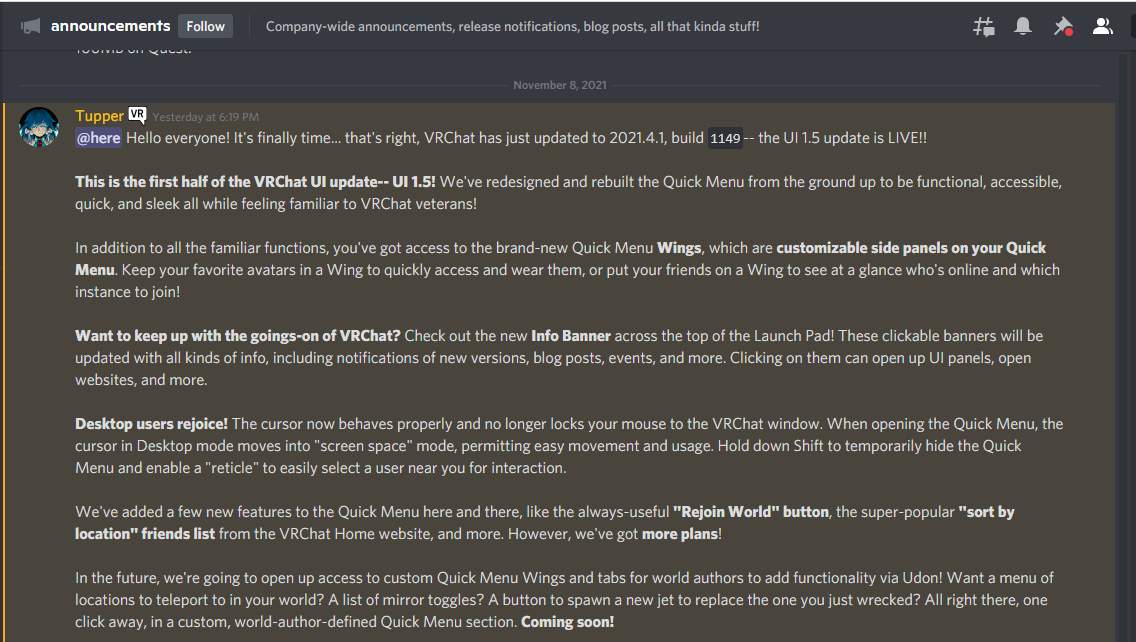

Was wrong!
Still though the asset bundle size difference is not too big anyway and crunched introduces artifacts
Textures compressed with Crunch are first decompressed to DXT and then uploaded to the GPU at runtime
i was wrong!
west yoke

vocal shard
I talked with my friend about this last night before I napped and I just woke up to test it
gomenasorry
I shouldve done my tests before I opened my mouth
open crescent
vocal shard
I did some testing and crunched DXT and compressed DXT are the same in the VRAM
correct, crunching just reduces space in disk
vocal shard
The disk size difference is pretty much negligible is for 8x4 it's 300KB
the assetbundle compression does a good job
I was surprised about that still
That part still holds true
My friend misunderstood crunched and I thought he was right about it since overall hes way better at unity and I just didnt test it until now xD after I napped, always test and confirm
tropic crater
i should quickly add a little more context to what i was talking about with my increase in vram. with 8gb i was constantly against limits due to high res display and loading in most avatars (loaded in, using safety to disable most features). having less vram was made even worse thanks to steam vr overlay bug eating up even more vram over time until eventually i would hit the 11fps issue and have to restart things. with more vram i no longer have these issues
i didn't just get more vram for vr though, of course. it's handy for my work too especially when i have to fire up 2-4 clients for multiplayer testing
anyway topics changed, so :P
ruby needle
vocal shard
 you can bulli me for that one all you want
noble depot
you're fine lul, admitting you got something wrong is cool and learning more about texture compression/formats is coolerer™
vocal shard
I was way too quick on the gun spreading info I was happy to learn before I properly tested!
 quartz cobalt
Anyone down to join vrc feel free to dm me
vocal shard
people here writing a whole ass bible on discord
vocal shard
vocal shard
I talked with my friend about this last night before I napped and I just woke up...


Thank you gel
 warped creek
For checking size of compressed asset bundle in Unity there is either a preview script by Unity: https://docs.unity3d.com/Packages/com.unity.build-report-inspector@0.1/manual/index.html
Or VRWorldToolkit: https://github.com/oneVR/VRWorldToolkit which can also be imported into avatar projects.

GitHub
Unity Editor extension for making VRChat worlds. Contribute to oneVR/VRWorldToolkit development by creating an account on GitHub.
vocal shard
 cool
cool
warped creek
That's the same thing as 1st one I linked